#creator-companion
38 messages · Page 2 of 1
 lime wadi
Would it display a prompt displaying the conflict, ignore it and import the package, or update to u# 2.0?
 fervent wave
lime wadi
Would it display a prompt displaying the conflict, ignore it and import the pack...
fervent wave
lime wadi
Would it display a prompt displaying the conflict, ignore it and import the pack...
Right now, adding a package with a gitDependency which is already imported will skip that dependency regardless of version match, so it would ignore the difference in the dependency.
 viral oracle
So first come first serve versioning
 ember charm
So, after many many hours of migration.. 👌
 fervent wave
ember charm
So, after many many hours of migration.. 👌
fervent wave
ember charm
So, after many many hours of migration.. 👌
Those should all clear out, they're a Unity Editor bug that will be fixed in f40
ember charm
Huh ?  Updating to f40
fervent wave
ember charm
Huh ? <:AnimuThinku:668308595502481409> Updating to f40 <:AnimuThinku:6683085955...
sorry, meant 2019.4.40
ember charm
fervent wave
sorry, meant 2019.4.40
👍 yea, confusing Unity versions 😅
But uh any fix till then 😅
 lunar spire
40f1 would be last 2019 release from unity FYI
fervent wave
ember charm
👍 yea, confusing Unity versions 😅
But uh any fix till then 😅
Does pressing 'clear' in the console get rid of those warnings and errors?
ember charm
fervent wave
Does pressing 'clear' in the console get rid of those warnings and errors?
Yea, but the SDK doesn't compile correctly.

Hitting Reload SDK does nothing ofc
Haven't tried Reimport All in Assets.
Idk fi that could help
fervent wave
probably not - Reload SDK reimports the important DLLs.
What's wrong with the SDK at this point?
ember charm
I am still currently attempting Reimport All, The Reload SDK does nothing because I believe its missing the 2 dlls
 split galleon
ember charm
I am still currently attempting Reimport All, The Reload SDK does nothing becaus...
split galleon
ember charm
I am still currently attempting Reimport All, The Reload SDK does nothing becaus...
try updating your burst package and mathematics
ember charm
split galleon
try updating your burst package and mathematics
how
split galleon
alt + w package manager
 lime bear
Hello everyone by any chance you know how to make your pov like a camera angle?
fervent wave
This channel is for discussing the Creator Companion tool which is in Open Beta. You can take a look at #faq to learn where to ask other questions
 vapid trellis
Oh, sorry
ember charm
split galleon
try updating your burst package and mathematics
That worked xD Now gotta resolve this 👌 thing

 echo swift
Hey i made a new project with the creator companion to play around a bit with the new features
but it seems like the urlInput field script is missing
or at least am i not able to put it on anything and importing video players with one already on it also dosent seem to work
ember charm


 agile plume
Fun
 spiral arch
Is there any documentation on how to make my own user template? it doesn't seem to work for me when i put a project folder into the folder it says in settings. tried a few different things
 ember charm
agile plume
Fun
ember charm
agile plume
Fun
not fun
Pain
Idk what to do.. :/ If I remove the Newtonsoft.dll from Plugins Unity complains
if I remove it from inside of VRCSDK Unity complains
If I keep them Unity complains
agile plume
Slap unity until it stops complaining
ember charm
I think I'd be slapping it so hard it could never breath again
agile plume
Lmao
Luckily i only had to delete some assets like NorixWolfeVideo player which i didn't use for ages anyways anymore
 agile plume
Good that i don't deal myself with programming
agile plume
Banned
ember charm

agile plume
agile plume
Good that i don't deal myself with programming
At least i don't lose the sanity i have still left
agile plume
That's why i just use prefabs. I can just go to creator and say this doesn't work anymore and maybe he fixes that
Then i just download fix lmao
ember charm
agile plume
That's why i just use prefabs. I can just go to creator and say this doesn't wor...
And behind the scenes the creator of that prefab is crying while trying to reproduce your bug and fix it xD
agile plume
Let me search some bugs in your worlds to report them /s
ember charm
agile plume
Let me search some bugs in your worlds to report them /s
There's quite a few 😄
ember charm
I'm doing so many uh.. painful things that yea.. hard to fix
 half reef
so uh... are User Packages completely broken or unimplemented yet? Because when I try to add a folder with unity packages I use often in it like Poiyomi, Pumpkin's Avatar Tools, etc. the creator companion complains no packages found.
 cursive pecan
half reef
so uh... are User Packages completely broken or unimplemented yet? Because when ...
cursive pecan
half reef
so uh... are User Packages completely broken or unimplemented yet? Because when ...
it's a different type of package, they are a vrchat specific packages
half reef
well that's kinda useless atm
cursive pecan
correct
half reef
that makes the companion app almost useless and redundant, there a tool that will convert unity packages to vrchat packages yet?
cursive pecan
half reef
that makes the companion app almost useless and redundant, there a tool that wil...
there is some basic info on how to create your own package, but to my knowledge it isn't completed yet
there is no way to convert a unity package right now though sadly
The VRChat Package Manager is available as a Command Line Interface application, for advanced users and automation.
lime wadi
Menu got too heavy to hold

 brittle nymph
is that the ender 3 VR that just reads gcode?
anyways you guys are lucky being on windows 10.
fervent wave
cursive pecan
there is no way to convert a unity package right now though sadly
Sure there is - it hasn't been documented but it's the same way you'd set up a package to work with the Unity Package Manager. Make a manifest and create Assembly Reference Definitions for your Runtime and Editor scripts.
fervent wave
echo swift
or at least am i not able to put it on anything and importing video players with...
Try the VRChat SDK > Reload SDK menu item
 dawn burrow
Not gunna post a canny, either it get seen or not, automatically add the vrcworld prefab with a tooltip description to all world builds. Like seriously, the second most common issue in world dev is people struggling with spawns, camera shit and jump. If quicker, more user friendly is your direction as it obviously is, do ur thing 😉
fervent wave
dawn burrow
Not gunna post a canny, either it get seen or not, automatically add the vrcworl...
Great idea! A recent SDK added an auto-fix for VRC Worlds without a spawn set (adds a spawn automatically now). This is another step in the right direction.
 north crater
how uhhhh long is this supposed to take? it's been a while now and I'm not sure if it's going to hang forever

also I accidentally pressed migrate in place so I may have lost everything
north crater
Well I think I fixed it but I still don't understand how to migrate using it
 robust grotto
not sure. I force close the creator companion and re open it then open the project from in it. and everything was fine. creator companion don't seen to do much for avatar at the moment.
north crater
yeah actually my project and all my avatars are broken now, avatar discriptors are all broken and I can't even get to the vrc builder
I should have never used this, dammit
years of work in the trash
robust grotto
 north crater
lol
robust grotto
what kind of avatar
north crater
Just all of them
viral oracle
Did you not have any backups of the project?
north crater
ok I restarted unity and now it works..??
viral oracle
lmao 🌈 #JustUnityThings 🌈
north crater
I have backups of almost everything but they are like all 2.0 so I would be at the same point
north crater
well it works now. I'll make a backup and put it on my other computer
fervent wave
Please make backups of your projects before using our Beta software! Especially when the button says I HAVE A BACKUP 😛
 rigid pivot


oop you cannot scroll the packages list
found a canny - https://feedback.vrchat.com/creator-companion-beta/p/bug-022-cant-scroll-the-user-packages-list-on-a-project
 lost yew
is it that hard to make a window adjustable verses having set sizes?
 ember charm
I have a backup ||In my brain|| xD
lost yew
lol
fervent wave
lost yew
is it that hard to make a window adjustable verses having set sizes?
If it was easier to make the windows adjustable, I would have done that, believe me.
lost yew
ya figured idk maybe we are just spoiled with everyone doing it.
 random swan
I like how now my Unity projects no longer import stuff every time I launch 'em, the creator companion is great
agile plume
lost yew
is it that hard to make a window adjustable verses having set sizes?
Maybe because it's unity? Idk
fervent wave
random swan
I like how now my Unity projects no longer import stuff every time I launch 'em,...
can't tell if sarcasm?
random swan
fervent wave
can't tell if sarcasm?
oh, it's not sarcasm. my unity projects unironically load faster 😂
there was some annoying thing in some of them where they wouldn't stop importing every single time
fervent wave
oh good! Glad to hear it.
random swan
I tried it on my main project, and it loads a few minutes faster than it used to thanks to that
fervent wave
Nice! Yeah, with all the SDK scripts in separate assemblies now (due to the package separation), reloads can be faster
random swan
I'm pretty sure my issue was caused by a change in Unity versions that happened at some point, and the original import not being perfect
not really caused by VRC itself, but the creator companion's migration function fixed it anyway
I remember one time fixing it by just having it redo the Library etc. directories
but it felt a bit iffy
brittle nymph
can CC projects be used without CC?
because I found a proxy to use it on windows 11, but I would rather not use unity editor in a VM.
Ok new perscription

where is this json
found it, its in documents.
 safe jackal
brittle nymph
because I found a proxy to use it on windows 11, but I would rather not use unit...
safe jackal
brittle nymph
because I found a proxy to use it on windows 11, but I would rather not use unit...
What's the problem with using it under Windows 11? It works completely fine for me on Windows 11.
brittle nymph
safe jackal
What's the problem with using it under Windows 11? It works completely fine for ...
when ran as a normal user it gives an error that is Identical one to them using an invalid cpp command
in order to fix it crying on the git dependecy screen you need to flip that bool
 safe jackal
ahhh I probably didn't have that issue since I already have git installed
brittle nymph
I have git installed, but as per user rather than global
safe jackal
Ahh okay
brittle nymph
it works in CMD so it should be fine
safe jackal
👍
brittle nymph
welp that only took a VM to find out.
 jaunty spear
safe jackal
jaunty spear
safe jackal
Yeah you are not, if you do it's possiblie that at some point you will end up with a empty scene.
 tender swift
CreatorCompanion didn't ask for admin privileges, it throws an error that privileges for installing unityhub are missing (in the logs). No error was displayed in frontend. Starting CreatorCompanion as Admin solved it.
there was an uac popup for the git installation but not for the unityhub installation
rigid pivot
A duplicate of the Samples folder should be included with the VRChat SDK - Avatars package. I deleted the Samples folder immediately and broke all of my references to the default icons, with no obvious way to get them back. I nicked the Examples3 folder from a non CC project to fix it for now.
Tools like Av3Emulator also utilize the default animators to function, so having them in a folder where the path changes each update will probably become very annoying for those devs.
Assets/Samples/VRChat SDK - Avatars/3.0.4/AV3 Demo Assets/Animation/Controllers
rigid pivot
Canny for the default animators to always be included with the SDK package:
https://feedback.vrchat.com/creator-companion-beta/p/default-animators-used-by-the-client-should-be-included-in-the-vrchat-sdk-avatar
 dawn burrow
lol Canny for adding what every developer uses already VRWorldtoolkit https://feedback.vrchat.com/creator-companion-beta/p/vrworldtoolkit , make this an official tool already
lost yew
i feel once it goes live there will be more packages added to recommended
echo swift
When trying to instal creator companion it says i have to install unity hub and unity although i already have both
agile plume
VRWorldToolkit doesn't work on migrated projects sadly :(
 gentle crow
So the migrator says it's opening Unity to migrate the project and then just stops doing anything, I've had it up for hours. I think it's just broke
fervent wave
brittle nymph
when ran as a normal user it gives an error that is Identical one to them using ...
Can you post the error so we can look into the issue?
brittle nymph
fervent wave
Can you post the error so we can look into the issue?
https://feedback.vrchat.com/creator-companion-beta/p/broken-on-windows-11
posted it here, found a work arround but may be smart to fix it
oh I didn't post the workarround there
the workarround was disableing checks
and that error from GDB could just be telemitry data failing.
talked about it more here #user-support-old message
safe jackal
Really happy that this is being considered, would be really nice QOL feature ^^
 safe jackal
As the current Open Beta will come to a close soon, how fast will the SDK of the creator companion be updated to the latest version?
 clear tendon
Hey question, should we be recommending CC in the #avatar-help chat?
Just wondering if it's too early to suggest it to new makers or not.
fervent wave
safe jackal
As the current Open Beta will come to a close soon, how fast will the SDK of the...
The VPM SDK will be updated within a day of the full release
fervent wave
clear tendon
Hey question, should we be recommending CC in the <#730948173379535022> chat?
Ju...
I wouldn't recommend it yet - I feel like I see too many people with migration and usage problems still. More testing and fixing to do!
clear tendon
Understandable 
fervent wave
clear tendon
Understandable <:vrcEretNice:643654517661106226>
FWIW, I've been using it in all my projects for months without issue but different computers and projects seem to be uncovering some new issues
clear tendon
That's fair, I use it and have not found any major problems.
It will be nice, when we don't have to link to the current version docs page or SDK download page, every other day, lol
viral oracle
Migration process has growing pains, but starting a project from scratch works pretty flawlessly in my experience so far.
it's so nice to have.
fervent wave
Yeah. I didn't want everyone to have to migrate their projects by hand again but...it's really hard to automate it so it works for everyone 😓
Just need to keep fixing issues as they pop up until it works for all, hoping those having issues don't just give up or swear off it forever
clear tendon
"How dare early beta software not work first try" lol (/s)
rigid pivot
what is the user repos array for in the settings.json? doesn't seem used and adding anything there breaks the UI on restart

Was thinking that was a way to add custom git repos like we can with local user packages, but no amount of tinkering with it did anything.
fervent wave
rigid pivot
Was thinking that was a way to add custom git repos like we can with local user ...
This is for a list of package repos that you can use. The feature is not finished yet - it's accessible from the CLI to some extent but not to the GUI yet.
Repos: https://vcc.docs.vrchat.com/vpm/cli#repos
Add Repo: https://vcc.docs.vrchat.com/vpm/cli#add-repo
User repos will be used when resolving packages and listing what's available.
tl;dr - repos are listings of packages, not single packages, and the feature is still in-progress
rigid pivot

 crimson elbow
So I've created a world with the VRChat Contect Creator tool and it's missing the VRC Input Field script. WDID?
fervent wave
crimson elbow
So I've created a world with the VRChat Contect Creator tool and it's missing th...
Does it help if you go to the menu and choose VRChat SDK > Reload SDK?
crimson elbow
nope
it's completly missing
aaand nevermind it took like 20 seconds but now it's back up
idk why it wasn't showing in the first place
fervent wave
It takes a bit for everything to import when you first make a project - it will look like things are ready and then BAM another process in the background (you can often tell this is happening from a little spinner in the bottom-right corner)
crimson elbow
fervent wave
It takes a bit for everything to import when you first make a project - it will ...
well I've been working on this world (in unity) since yesterday basically
trying to learn some stuff, I wanted to do something waaay to ambitious so I decided to stick with something simpler with my first project
and now I'm getting an error while trying to play a video on a TV (using the VRC Video player) "WindowsVideoMedia error 0xc00d36c4 while reading [youtube link]"
fervent wave
crimson elbow
and now I'm getting an error while trying to play a video on a TV (using the VRC...
Is this in the Unity Editor? YouTube links require the client to resolve them to actual URLs. Not related to the creator-companion 🙂
https://docs.vrchat.com/docs/video-players
crimson elbow
fervent wave
Is this in the Unity Editor? YouTube links require the client to resolve them to...
It's not working in play mode, an issue that I wasn't having
and in game it's just stuck on frame 1 and it plays no sounds
 shrewd raven
how you trouble shot this

i just going do a work around and hope it dont break my world
 proven kiln
shrewd raven
how you trouble shot this
proven kiln
shrewd raven
how you trouble shot this
I've usually seen this when you have an odd file structure that looks like a unity project such as a folder called assets, but then it's not actually a unity project
shrewd raven
oh
 floral anvil
im a 3d character artist but im literally completely new to vr avatar creation, i would love to collab with anyone.
viral oracle
A misunderstanding of the channel name. lol
viral oracle
floral anvil
im a 3d character artist but im literally completely new to vr avatar creation, ...
You'd probably want to ask in #avatar-general or something.
shrewd raven
i think this break sound. how do i fix this

 idle venture
not sure whats going on, I keep getting InvalidOperationException: You are trying to read Input using the UnityEngine.Input class, but you have switched active Input handling to Input System package in Player Settings. UnityEngine.Input.get_mousePosition () (at <0b0249d5e61a446b913cd2910a5a40f5>:0)
and the check boxes arent registering
this is when trying to publish
says its on a new input manager
checking this, applying and hitting no on the dialogue box seems to have done the trick

idk why it tried to put me on the new tihng
safe jackal
Is it possible to just open the Quick Launch tool without first always launching the Creator Companion.
agile plume
safe jackal
Is it possible to just open the Quick Launch tool without first always launching...
 fervent wave
This channel is for discussing the Creator Companion, your question is probably a better fit for #udon-general or #udon-networking depending on the issues you're having.
shrewd raven
i think it just a patch that broke sound. something i need to look into before i post to udon question
crimson elbow
fervent wave
This channel is for discussing the Creator Companion, your question is probably ...
well I thought I was in those channels lol
mb
 copper reef
crimson elbow
So I've created a world with the VRChat Contect Creator tool and it's missing th...
copper reef
crimson elbow
So I've created a world with the VRChat Contect Creator tool and it's missing th...
I'm having this exact issue, the project's been open for a long time and I too have problems getting video players to work
starting to feel like the "[UdonSharp] Script does not belong to a U# assembly, have you made a U# assembly definition for the assembly the script is a part of?" error I keep getting might be throwing a spanner in the gears for everything else
haven't found any documentation for how to deal with that one, if anyone can point me in the right direction I appreciate it!
..that did indeed seem to be it, the audio player scripts compiled once I got rid of the u# assembly nag script
and while this is technically a udon question yes, all of these packages has worked very smoothly in the past and issues seem to be isolated to projects made with the creator companion, so it does feel like a cc issue to me, but might also be a "new sdk" issue ^^
fervent wave
copper reef
..that did indeed seem to be it, the audio player scripts compiled once I got ri...
FYI there was a new version of U# released yesterday which fixed some problems, may be worth upgrading to see if that fixes it without removing that script
copper reef
fervent wave
FYI there was a new version of U# released yesterday which fixed some problems, ...
oh, I'm running everything through the creator companion in order to test it though, so its safe to load up the new version via an update unitypackage?
got a link to this new version? I found two git repositories with u# and neither has an update :(
fervent wave
copper reef
oh, I'm running everything through the creator companion in order to test it tho...
The best way to update an UdonSharp package installed by the VCC is through the VCC - you should be able to select the project, open the Curated Packages tab and updated to 1.0.1 there:
 fervent wave
Probably not, just thought it was worth a try if you were behind a version
copper reef
doesn't seem to be that unfortunately..but the u# assembly error seems to be the thing that is slowing things down for me. do you know anything about it?
fervent wave
copper reef
starting to feel like the "[UdonSharp] Script does not belong to a U# assembly, ...
Is this script on a GameObject somewhere in the scene? If so, does the inspector for that GameObject have any more info?
copper reef
not that I can see about that particular error, in fact the offending script seemed to not be part of an assembly at all, as it has its own asset or what its called..when I removed the assembly file to get rid of the error a different set of scripts stopped working :v
if I understand correctly and a u# assembly is a reference to a group of scripts? googling "assembly" doesn't give a lot of viable results naturally :P
 iron bobcat
Why does importing Liltoon do this?

 terse perch
is this fully out now?
 tepid sleet
fervent wave
copper reef
not that I can see about that particular error, in fact the offending script see...
tepid sleet
fervent wave
copper reef
not that I can see about that particular error, in fact the offending script see...
Hm, I'm not totally sure which assembly it's referring to here either. Could you share the script so I could reproduce the issue?
fervent wave
iron bobcat
Why does importing Liltoon do this?
Not sure what Liltoon is - this channel is for discussing the Creator Companion Beta, is your issue related?
copper reef
https://github.com/PiMaker/ltcgi this one!

GitHub
Optimized plug-and-play realtime area lighting using the linearly transformed cosine algorithm for Unity/VRChat. - GitHub - PiMaker/ltcgi: Optimized plug-and-play realtime area lighting using the l...
I am now testing my whole setup on a project that's not using the creator companion
fervent wave
terse perch
is this fully out now?
Is this == the Creator Companion? If so, it's in Open Beta, latest version is 0.2.2
copper reef
after I tried implementing the ltcgi my project seems to have actually bricked itself to the point where the video player is only giving an error and doesn't wanna play anything (it worked yesterday before I decided to mess around with ltcgi)
fervent wave
copper reef
after I tried implementing the ltcgi my project seems to have actually bricked i...
Well, I can confirm that simply importing the ltcgi .unitypackage into a VPM project with the latest SDKs and UdonSharp does not produce the above error
copper reef
unfair, as I've imported it many times by now. but thanks for testing!
iron bobcat
fervent wave
Not sure what Liltoon is - this channel is for discussing the Creator Companion ...
Yes, I consider it related as I had LilToon (The shader) imported in my scene originally before converting it with the Companion Creator, there were other errors in the project after that I didn't want to deal with so I decided to make a blank project with the Companion Creator
And in that project for the world I want to update there aren't any other errors besides the ones in the screenshot when I import LilToon. it works fine in non Companion Creator projects
copper reef
@fervent wave fresh new project, ltcgi only package imported, error immediately..

the ltcgi I found is v 0.9.3, maybe there's a newer one? :/
can also confirm that everything is working on a project created without the creator companion, got video player and ltcgi running in glorious harmony now
(it looks so good aaaaa)
fervent wave
iron bobcat
Yes, I consider it related as I had LilToon (The shader) imported in my scene or...
The SDK does force a refresh to ensure the DLLs are properly loaded. Do these errors clear once you press 'clear' on the console, or do they persist?
iron bobcat
fervent wave
The SDK does force a refresh to ensure the DLLs are properly loaded. Do these er...
I have reimported everything several times
I've deleted everything with LilToon in the name and reimported the latest version of it
I've restarted Unity several times
The errors persist
fervent wave
iron bobcat
I have reimported _everything_ several times
I've deleted everything with LilToo...
I'm sorry to hear that. You'll need to get in touch with the creator of LilToon to see if they can diagnose the issue.
fervent wave
copper reef
the ltcgi I found is v 0.9.3, maybe there's a newer one? :/
Hm, no I imported 0.9.3 too.
fervent wave
copper reef
<@98313818857275392> fresh new project, ltcgi only package imported, error immed...
Ah - I had to make a new USharp script to kickstart the compiler, now I'm getting that issue
Hm, I see this in the asmdef that that asset is in:

two missing refs
 stoic plaza
the script is using an assembly definition, you will need to ask the author to add a U# assembly definition to accompany that. One can be created with the create menu

you can also add one yourself until the package is updated
it seems like one was actually added 3 days ago, but there isn't an updated release with it yet
copper reef
thank you Merlin, testing now!
I also couldn't find the answer to this by googling or checking docs, could you maybe point me to where I went wrong? for someone who doesn't know what an assembly definition is the answer isn't obvious
usually googling the error message does the trick but not this time :P
stoic plaza
assembly definitions are kinda an advanced thing on their own, if you're using them it's more expected that you know how to fix the issue. In this case it's just an issue because you're using an asset made before 1.0 which now requires an assembly definition to have an associated U# assembly definition. They separate code into different dll's internally which can help compile time with larger sets of scripts, and is needed for package manager scripts.
copper reef
I'm not using them on purpose :'D
it's not my script!
but I suspect this isn't the only asset to have this issue so might be safer to go back to pre 1.0 then?
for now, anyway
as I don't know how to fix that issue even when making a u# assembly definition
the companion still seems like a great tool for when I wanna code my own stuff but this isn't that kind of project :D
stoic plaza
I mean making one and associating the assembly with it will just work unless they're doing stuff that's not supported
copper reef
I tried that but it still tossed me the error so I'm gonna give up unless you want me to do anything else for testing
 calm cliff
Any ETA on when the IK 2.0 SDK with the 256 parameter limit will be available for update in the VCC?
stoic plaza
it shouldn't, but you can wait for whenever the next release is of the package if you're not confident about it
fervent wave
copper reef
I tried that but it still tossed me the error so I'm gonna give up unless you wa...
you need to give it a reference to the assembly as well. I can post mine here if that helps.
copper reef
oh thanks Momo!
fervent wave
^try unzipping that into \Assets\_pi_\_LTCGI\Scripts
not sure if the GUIDs will be the same. If not, make your LTCGI_UdonAdapter_U# look like this:
 copper reef
siiigh :')
 fervent wave
copper reef
siiigh :')
fervent wave
copper reef
siiigh :')
Yeah, you might need to wait on a new release to use LTCGI with this version. Looks like the author is working on updates but maybe it's not ready yet.
copper reef
thanks so much for the help tho both of you! it saves me a lot of time to be able to give up now
fervent wave
Yeah, sorry we don't have better news but best to change course
copper reef
every tool has its use etc :D I got other projects where I'm making systems and for those the companion is super useful for fast iteration and testing
but club tech is just 500 prefabs stacked on top of each other like a cursed jenga tower
fervent wave
calm cliff
Any ETA on when the IK 2.0 SDK with the 256 parameter limit will be available fo...
SDK 3.0.5 is available now and matches the latest SDK available in the .unitypackage of VRChat. Go get it!
agile plume
after updating all udonsharp scripts in scene got duplicated
 granite scroll
been like this for a fat minute now

Nothing seems like to be happening in task-manager either
echo swift
Will there be a way to put spaces and special characters like dots in the project name , it was possible on unity but but it sadly isnt in the creator companion which is a bit sad

like this for example with spaces and a dot
In creator companion everything sadly has to be a continous word without any dots
agile plume
echo swift
Will there be a way to put spaces and special characters like dots in the projec...
Can do it without dots etc for now and just change project name after
safe jackal
Is it normal that we always have to put in the Instance Info manually again?
 agile plume
adding existing projects with spaces etc works
 safe jackal
Shouldn't the new SDK use Unitys new Input System? Because with that I can't use the buttons in the upload window anymore.

At least the SDK during the last Open Beta did
 desert urchin
safe jackal
Is it normal that we always have to put in the Instance Info manually again?
desert urchin
safe jackal
Is it normal that we always have to put in the Instance Info manually again?
Unfortunately the current location of VRC Quick Launcher (Program Files x86)) might prevent it from saving the JSON configuration (as it saves at the root of the exe), so you'll need to either use it outside that folder, change your Windows permission settings or launch it with Administrator privileges
 restive current
Found that if you have a sequential spawn it will choose the respond point not the vrcspawn point. You have to respawn to get back to spawn.
This is for the VRChat Client Simulator, never had this happen with CyanEmu.
echo swift
agile plume
Can do it without dots etc for now and just change project name after
I mean yeah but still thats a extra step that isnt necessary
safe jackal
desert urchin
Unfortunately the current location of VRC Quick Launcher (Program Files x86)) mi...
hm, it saves the profiles you have added though 
 desert urchin
safe jackal
hm, it saves the profiles you have added though <:vrcCatThink:784264661410381835...
desert urchin
safe jackal
hm, it saves the profiles you have added though <:vrcCatThink:784264661410381835...
Yeah that's a different type of setting
fervent wave
restive current
This is for the VRChat Client Simulator, never had this happen with CyanEmu.
Bugs for ClientSim can be filed here: https://github.com/vrchat-community/ClientSim/issues
fervent wave
New Version of the Creator Companion Released! Latest is now 0.2.3
Changelog at https://vcc.docs.vrchat.com/news/release-0.2.3
Auto-Update available via 'Update' button in the app.
Installer available at https://vrchat.com/home/download
fervent wave
fervent wave
-------------------------------------------------------------------------------
...
 wintry echo
get a similar issue, vcc detects the project but says it's "type unknown" and can't be migrated
fervent wave
I wonder what's different about these projects - we definitely have projects on git that use VCC
wintry echo
im really not sure, but another project was migrated perfectly, now im just creating a new one through vcc and reimport everything
thx for the reply ❤️
fervent wave
Sure thing! I'm double-checking with a new project now
wintry echo
i mean, as a noob, wat i really want is that 256-bit-parameters lol
safe jackal
I use GitHub for my project, also have no issues
wintry echo
yea I searched a lot about this online and it seems to be a quite rare issue
 craggy geyser
does VCC actually have an update button?
and following that, someone please point it out to me?
 fresh dagger
It does, if it has an update available, it's in yellow text at the top left
craggy geyser
ok cool, my install doesn't see anything available, i'll restart it and see if it sees it
wow that's a very apparent and hard to miss update notification
fervent wave
craggy geyser
ok cool, my install doesn't see anything available, i'll restart it and see if i...
If the app is already open, it only checks for an update when you return to the welcome screen
fervent wave
wintry echo
get a similar issue, vcc detects the project but says it's "type unknown" and ca...
Does your project have an "Assets" folder?
wintry echo
yes it does
i just added git to the recognizable project and re-migrate it, it worked
i guess it's not about git?
 left bluff
That's weird, it only happens with my git projects
fervent wave
wintry echo
i guess it's not about git?
Yeah, I guess not. Someone else reported it on Canny so you're not the only one, but I can't reproduce the issue
left bluff
Twas me! :o
Strangeness, I'll try duping the files and deleting the assets to see if it's a specific asset causing it somehow, will message back when I've got it done
wintry echo
left bluff
Strangeness, I'll try duping the files and deleting the assets to see if it's a ...
i'll do the same, let's work this out together

 timid tartan
I installed a new Creator Companion today,
It doesn't work at all.
There is no response when the button is pressed

The first time you run it, you get this screen
I tried reinstalling it or rebooting the window, but it didn't work
 sand musk
timid tartan
I installed a new Creator Companion today,
It doesn't work at all.
There is no r...
sand musk
timid tartan
I installed a new Creator Companion today,
It doesn't work at all.
There is no r...
I have the same issue, I'm messing around let me know if you figure it out
timid tartan
😰
fervent wave
timid tartan
The "Option A" in the dropdown there means it can't find your Unity install. Does anything happen when you press the "Refresh" button to the right of the dropdown?
timid tartan
fervent wave
The "Option A" in the dropdown there means it can't find your Unity install. Doe...
There's no response
Unity is also installed correctly

 fervent wave
timid tartan
Unity is also installed correctly
fervent wave
timid tartan
Unity is also installed correctly
Ah - I see the problem. I'll need to hotfix this.
timid tartan
🥺
fervent wave
You can try #avatar-optimization for help with that - this channel is for Beta testing the new Creator Companion app 😄
 rancid sage
fervent wave
You can try <#512468176202891264> for help with that - this channel is for Beta ...
rancid sage
fervent wave
You can try <#512468176202891264> for help with that - this channel is for Beta ...
thank u
fervent wave
timid tartan
🥺
Ok - relaunch the Creator Companion and it should show you that there's an Update available - press "Update" and install it and let me know how it goes!
timid tartan
fervent wave
Ok - relaunch the Creator Companion and it should show you that there's an Updat...
hmmmmm, unfortunately, I don't see anything
 fervent wave
Oh right - you'll need to download the new version directly - https://vrcpm.vrchat.cloud/vcc/Builds/0.2.4/VRChat_CreatorCompanion_Setup_0.2.4.exe

 timid tartan
fervent wave
Oh right - you'll need to download the new version directly - https://vrcpm.vrch...
timid tartan
fervent wave
Oh right - you'll need to download the new version directly - https://vrcpm.vrch...
😘
fervent wave
Excellent - thanks for your patience
And thanks for reporting it right away! I was about to hang up my codin' fingers for the weekend, a lot of people would have run into this
timid tartan
I wish I could work for the VRC team someday
sand musk
While I have your attention
I have this come up when I run it. It's easy enough to get around - right click > properties > unblock
Be less of a headache for you if it didn't eventually
 fervent wave
sand musk
While I have your attention
I have this come up when I run it. It's easy enough...
fervent wave
sand musk
While I have your attention
I have this come up when I run it. It's easy enough...
Yep! Unfortunately, the only way we can reasonably do this is by having enough people install it.
We're signing the application with a Secure Certificate, but it has no "reputation" because we haven't needed it for the VRChat Client or anything else. So we're building our rep one install at a time now.
safe jackal
timid tartan
I wish I could work for the VRC team someday
They have a lot of open positions! Take a look at https://hello.vrchat.com/careers if you are interested. ^^
VRChat
timid tartan
Oops! Thank you! But I live in Korea, so it will be hard
sand musk
fervent wave
Yep! Unfortunately, the only way we can reasonably do this is by having enough p...
Cool. well I will give it the full workout and if I like it get all my creator friends to install it 🙂
safe jackal
timid tartan
Oops! Thank you! But I live in Korea, so it will be hard
All of VRChat's jobs are remote positions, so it doesn't really matter where you live. :p
(There are benefits from living in the USA or Canada though if I remember correctly)
fervent wave
Oh, guess I should update the pin with the new version:
New Version of the Creator Companion Released! Latest is now 0.2.4
Changelog at https://vcc.docs.vrchat.com/news/release-0.2.4
Auto-Update available via 'Update' button in the app.
Installer available at https://vrchat.com/home/download
fervent wave
fervent wave
---
New Version of the Creator Companion Released! Latest is now 0.2.4
Changelog...
safe jackal
Any Update on when I will be able to read my Project Path? xD
 fervent wave
safe jackal
Any Update on when I will be able to read my Project Path? xD
fervent wave
safe jackal
Any Update on when I will be able to read my Project Path? xD
Perhaps next week? UX issues are lower priority than migration/stall issues, etc. We got 11 items fixed this week! 😓
https://vcc.docs.vrchat.com/news/release-0.2.3
https://vcc.docs.vrchat.com/news/release-0.2.4
safe jackal
fervent wave
Perhaps next week? UX issues are lower priority than migration/stall issues, etc...
That's understandable ^^
 abstract willow
any one know wtf profile does on the quick launcher?
viral oracle
for managing multiple accounts without having to login each time
abstract willow
 damn wish it would save launch options or something
 dense flame
 bright swift
Negative, I just decided ill upgrade when there's a more stable release. If someone does know the answer though please ping 🙏
ember charm
I mean you can get U# 1.0 without VCC if U# is all you want
safe jackal
I updated my SDK with the creator companion and it's not stuck at this when I try to open it.

Okay, ending the Unity Process via the Task Manager and then re opening it fixes the issue
 desert portal
so- the creator companion won't create project folders
 fervent wave
desert portal
fervent wave
desert portal
Can you create a project in another folder, like C:/Projects?
 keen spruce
Hey so I literally just cant click on anything. Like, I hover my mouse over menu options and it lights up, but I click and nothing happens.
fervent wave
keen spruce
Hey so I literally just cant click on anything. Like, I hover my mouse over menu...
Any errors in your logs? You can find them at ~/Documents/VRChatCreatorCompanion/logs
restive current
After migrating, the built-in udon scripting via sdk is gone.
keen spruce
fervent wave
Any errors in your logs? You can find them at ~/Documents/VRChatCreatorCompanion...
logs folder is completely empty
fervent wave
keen spruce
Hey so I literally just cant click on anything. Like, I hover my mouse over menu...
what screen are you on?
keen spruce
fervent wave
what screen are you on?
sorry for late response, im on just the settings screen, I cant change it.
fervent wave
keen spruce
sorry for late response, im on just the settings screen, I cant change it.
There was a problem with version 0.2.3 if you don't have git installed. If you might have this version, try downloading 0.2.4 from https://vrchat.com/home/download
keen spruce
fervent wave
There was a problem with version 0.2.3 if you don't have git installed. If you m...
ah I see. Still getting issues.
2022-05-28 18:07:43.148 -06:00 [WRN] Could not find git.
2022-05-28 18:08:39.126 -06:00 [INF] Installed Git
2022-05-28 18:08:40.140 -06:00 [WRN] Could not find git.
fervent wave
keen spruce
ah I see. Still getting issues.
2022-05-28 18:07:43.148 -06:00 [WRN] Could not ...
Try restarting the app after you installed git
keen spruce
fervent wave
Try restarting the app after you installed git
same issue. Imma work on this later, I have to do something rn.
 verbal bough
Microsoft Defender automatically blocks the installation of the companion btw
I can manually tell it to ignore the warning but still
Clicking anything in the app does not do anything at all
Well, I read in the documentation I need some GIT software, I installed it (the CC itself did not show any alerts), it still does not work at all
It seems like the same problem that Cimomo had. But I do have the newest 0.2.4 version.
viral oracle
Having issues finding the VRCUriInputField equivalent after making a new project with vcc. Has it moved somewhere or been replaced?
I see it listed in the USharp exposure tree but when I try to add or search for the component in the inspector, it's not showing.
cursive pecan
not sure if this is the correct channel but, does audio-link work with udonsharp provided in the creator companion?
agile plume
verbal bough
Well, I read in the documentation I need some GIT software, I installed it (the ...
maybe try uninstall and install CC again?
ive had git for a long time already installed so CC had it available since the beginning
verbal bough
agile plume
maybe try uninstall and install CC again?
Just tried this, no change
viral oracle
Ah. Right, needed to click Reload SDK. Now it shows up fine.
viral oracle
For anyone who cares, I just imported audiolink into a new VCC project and the upgrade was seamless for me. I vaguely remember a couple people asking about that, but no idea who, so thought I'd just mention it.
shrewd raven
fervent wave
Perhaps next week? UX issues are lower priority than migration/stall issues, etc...
you know. maybe i just lucky one but i never seen any bug that get claim that window 11 have 🙂
safe jackal
I also use Windows 11 and have 0 issues
ember charm

 safe jackal
Update your Math and Burst packages
ember charm
safe jackal
Update your Math and Burst packages
Doesn't work anymore xD


 fervent wave
ember charm
<:8505zeronom:910045978025947147>
fervent wave
ember charm
<:8505zeronom:910045978025947147>
VRChat SDK > Reload SDK?
 glacial bison
CC seems to be bugged. I've had git installed for years now

weird. the solution was removing then re-adding git to my system PATH
 woven folio
Sorry if this is the wrong place to report this, learning a lot in the last 2 days. Built a new world from scratch via the Creator Companion and all the input fields on my video players were broken. Finally tracked it down: looks like v3.0.6 of the SDK-Worlds package has a VRCSDK3.dll that doesn't contain VRCURLInput. Was able to work around this by replacing the packaged DLL with one from the VRSDK3-WORLD-2022.05.27.22.48_Public.unitypackage.
fervent wave
Thanks for troubleshooting - will you make a Canny?
viral oracle
woven folio
Sorry if this is the wrong place to report this, learning a lot in the last 2 da...
Try creating a new VCC project and then immediately clicking Reload SDK in the VRChat unity menu. Then try the video players.
woven folio
viral oracle
Try creating a new VCC project and then immediately clicking Reload SDK in the V...
Spinning up a new project now to confirm.
woven folio
fervent wave
Thanks for troubleshooting - will you make a Canny?
Added my feedback to the Canny linked above. Was able to reproduce the solution proposed by @viral oracle and provided a before/after screenshot. Thanks to everyone involved for making these awesome tools ❤️
 azure jay
Hi, I installed VCC and migrated my project only to have issues with all VRChat related scripts. https://i.imgur.com/RCQFZJE.png Does anyone know if this is an issue related to unity or VCC? Can't seem to find a solution.

when i open the "Add Component" menu in unity's inspector it can't find any vrchat related scripts
fervent wave
azure jay
when i open the "Add Component" menu in unity's inspector it can't find any vrch...
go to "VRChat SDK" in the menu and run VRChat SDK > Reload SDK
azure jay
Thank you, will see if it works!
verbal bough
My Creator Companion does not work still, clicking anything doesn't do anything like I mentioned above. Do I submit any logs or anything anywhere ? Is there a solution ?
fervent wave
verbal bough
My Creator Companion does not work still, clicking anything doesn't do anything ...
Is there any info in your logs? You can find them in ~/Documents/VRChatCreatorCompanion/Logs
verbal bough
fervent wave
Is there any info in your logs? You can find them in ~/Documents/VRChatCreatorCo...
I do see the folder, but it's empty
Tried to run the app as an admin just in case, no change doing that
fervent wave
@verbal bough - what do you see when you run the application?
verbal bough
 fervent wave
Thanks. Which version of the VCC is this?
fervent wave
Hm - it looks like the missing-git issue from 0.2.3 but we haven't been able to replicate that issue since patching it in 0.2.4. What do you see if you open a "Command Prompt" and type git --version?
verbal bough
 fervent wave
Thank you, that looks correct. There is one other thing you can do that could help us figure out what's going on: Open ~/Documents/VRChatCreatorCompanion/settings.json, and change "allowPii": false, to "allowPii": true, then launch the Creator Companion one more time, and let me know your Windows username. This will hopefully send the error to our reporting system, and then I can look up which one is yours by checking against your username. You can set it back to 'false' after running once.
(by Windows username I just mean the name used in a path like C:\Users\username\Documents\VRChatCreatorCompanion
verbal bough
I do not have such file in that folder

It only has "Logs" folder that is also empty
fervent wave
Aha - so the CreatorCompanion cannot write to that folder, or is failing to serialize your settings file. Is your Windows language set to something besides English?
We have seen issues with the Czech language setting
fervent wave
Ha!
Ok, we are working on it but the short-term fix is to run in English if you want it work right now: https://vrchat.canny.io/creator-companion-beta/p/settings-cannot-serialize-when-os-language-set-to-czech
Sorry about that!
I've installed the Czech language pack on my machine to try to replicate and fix the issue
verbal bough
No problem, I can work without this app, I just wanted to try it out and help with development to make developing stuff for this game better for people since I genuinely believe this is absolutely necessary for the game.
I will not go through the hassle of changing my OS language right now, but I will be here to test when there is a fix
Tbh since more languages have special characters compared to English alphabet, you might want to probe other languages such as Lithuanian, Latvian, etc
agile plume
german works for example too
fervent wave
Yeah - looking through the error reports, I only see this for Czech-language OS settings so far.
 trim bobcat
i have broken about 9 projects in a row because of the sdk breaking and only making it so i can "reload it" which doesnt work, i have the up to date unity version and everything
 fathom breach
For some reason, Creator Companion does not detect my Git installation despite having it installed, then installing it via the companion works, but then when I relaunched it today, it does not detect it like before.
safe jackal
trim bobcat
i have broken about 9 projects in a row because of the sdk breaking and only mak...
That happens when you have console errors, you might have a script or something that throws these out.
Look at your console, press ˋDeleteˋ to only show the ones who are preventing the SDK from loading and remove what's throwing out those errors.
Or try to fix them depending on your skill level
trim bobcat
Im deadass new to this but i like imported the sdk and then imported i believe the rantichi (something along the lines of that) and the sdk just shat lol
trim bobcat
safe jackal
Look at your console, press ˋDeleteˋ to only show the ones who are preventing th...
More so happening eith the rex randomly, ill try my best to do that
safe jackal
trim bobcat
Im deadass new to this but i like imported the sdk and then imported i believe t...
Is this even about the Creator Companion then?
ember charm
verbal bough
It is in Czech. Lmao
Welcome to the club! I've solved it by creating VM in VMWare and sharing Unity folder between host and guest 😅
verbal bough
ember charm
Welcome to the club! I've solved it by creating VM in VMWare and sharing Unity f...
I'm not going to do that just for this app lol
I guess the app does not like our ěščřžýáíé
ember charm
😄 xD Yea probably not worth it
ember charm
verbal bough
I guess the app does not like our ěščřžýáíé
Unsure but it doesn't seem to be realted to ěščřžáíé stuff but rather to our way of writing decimals for some reason. Doesn't seem to happen with any other language that uses the same..
verbal bough
It was meant more as a joke but yeah
fervent wave
Yeah, looks like conversion from double that does it. Some index is out-of-bounds
ember charm
I've been now attempting to fix my Unity on Laptop for 3 days now xD Its joy 👌

I had similar issue on my Home PC but that got fixed simply by updating one of the packages but Laptop says just big fat NOPE
 verbal bough
I mainly want this to add all the tools I use for avatar making. It's like 10 packages every project
ember charm
😅
ember charm
👌 xD

But it appears Deleting the entire Folder and downloading it off github and then restarting Unity after it first loaded up fixed it 👌
 river ruin
i seem to be getting this error
 safe jackal
You are using the wrong Input System from Unity. You should probably set it to use both to make sure everything will work.
You can do that here: Edit > Project Settings > Player > Other Settings and then look for the 'Active Input Handling' if you found it set it to both.
@river ruin
river ruin
alright
desert urchin
abstract willow
<:vrcCatWat:784721345341685770> damn wish it would save launch options or someth...
That's a bug being worked on, in the meantime, launching the quick launcher as administrator should allow saving those.
 plush palm
so i made a new scene, and my script broke on a Networking.LocalPlayer.SetJumpImpulse. It gave a Object reference not set to an instance of an object error. Is there something that causes this? Does the network or local player not set up in a new scene properly?
i ended up fixing it by forcing a test build
desert portal
I cant even use unity anymore with a full uninstall and reinstall. I hope uninstalling the companion helps since it happened after the update, otherwise I'm screwed with avatar creation
fervent wave
desert portal
I cant even use unity anymore with a full uninstall and reinstall. I hope uninst...
What happens when you try to use Unity?
desert portal
immediately crashed the minute i try to open it with the task manager being my only hint that the unity crash application even popped open for a fraction of a second
the CC also hung up on me when trying to create a project
fervent wave
desert portal
immediately crashed the minute i try to open it with the task manager being my o...
Does this happen even with a new project made directly from the Unity Hub? The VCC doesn't make any changes to your existing Unity installations. Can you provide the Editor Log from the crash?
desert portal
how would i do so?
fervent wave
desert portal
how would i do so?
fervent wave
azure jay
https://discord.com/channels/189511567539306508/336764732482650112/9820489793804...
It looks like you're using the unitypackage for UdonSharp, not the Creator Companion
azure jay
Where do I get that?
fervent wave
Check the pins in this channel. But the Creator Companion is in Open Beta right now - not a great fit if you're:
- Just getting started with VRChat development
- Already using the .unitypackage versions in a project and just trying to get them working
desert portal
fervent wave
https://docs.unity3d.com/2019.4/Documentation/Manual/LogFiles.html
where would i put the file for you to see?
fervent wave
desert portal
where would i put the file for you to see?
That's your choice - if it's too big to upload here (or that is not allowed), then you can upload it somewhere I can access.
desert portal
fervent wave
It looks like the problem is that Unity detected a hardware change on the machine and your license isn't activated. You'll need to reactivate your Unity license.
LICENSE SYSTEM [202262 19:17:43] Next license update check is after 2019-08-16T22:43:20

LICENSE SYSTEM [202262 19:17:43] Machine binding 4 mismatch: (value of current machine)  != VG8gYmUgZmlsbGVkIGJ5IE8uRS5NLg== (value in license file). Reason might be there is a hardware change on this machine after the license was activated.

LICENSE SYSTEM [202262 19:17:43] Machine identification is invalid for current license.
Current license is invalid and cannot be activated. You must delete the license file and then activate a new license on current machine.
(Filename: C:\buildslave\unity\build\Platforms/Windows/Modules/LicensingLegacy/WinILicensingAdapter.cpp Line: 69)
i tried that, but there's a bug, even with the manual licence activation
as for the hardware change, that's impossible
fervent wave
desert portal
i tried that, but there's a bug, even with the manual licence activation
Sorry, but I have no way to activate your Unity license, you'll need to contact their support.
desert urchin
@desert portal I think I've encountered this before, you need to go on the website to revoke the license from your computer, then you'll be able to add it again
fervent wave
New Version of the Creator Companion Released! Latest is now 0.2.5
Changelog at https://vcc.docs.vrchat.com/news/release-0.2.5
Auto-Update available via 'Update' button in the app.
Installer available at https://vrchat.com/home/download
fervent wave
fervent wave
---
New Version of the Creator Companion Released! Latest is now 0.2.5
Changelog...
agile plume
3.0.7 is newest sdk from #announcements?
 hallow birch
since SDK version name scheme in VCC is not sync with unitypackage version , hope there has some easy way to check changelog in VCC application. (or show which unitypackage version is same as VCC version)
keen spruce
hey so im just kinda curious if anyone knows; will they add the ability to test avatars like they have it so you can test worlds? It would just be nice to simulate the avatar on a client and sever and such, check for sync issues, check colliders, and all that.
 mighty ridge
keen spruce
hey so im just kinda curious if anyone knows; will they add the ability to test ...
mighty ridge
keen spruce
hey so im just kinda curious if anyone knows; will they add the ability to test ...
uhh.... doesn't build and test exist?
fervent wave
agile plume
3.0.7 is newest sdk from <#336764577301659649>?
No, that will be 3.0.8, releasing tomorrow.
fervent wave
keen spruce
hey so im just kinda curious if anyone knows; will they add the ability to test ...
It's not planned right now, but Lyuma's Av3Emulator is great: https://github.com/lyuma/Av3Emulator
GitHub
Emulator for VRChat's Avatars 3.0 system, built on the Unity PlayableGraph API - GitHub - lyuma/Av3Emulator: Emulator for VRChat's Avatars 3.0 system, built on the Unity PlayableGraph API
fervent wave
hallow birch
since SDK version name scheme in VCC is not sync with unitypackage version , hop...
There will be - SDK changes weren't tracked separately from the client until now, but we're starting a process of tracking client-bound sdk updates separate from sdk standalone updates so we can align the rest of the .unitypackage and vpm version releases until we fully merge to vpm.
keen spruce
mighty ridge
uhh.... doesn't `build and test` exist?
Yeah but you have to go ingame, and you cant test it server side.
Kinda the whole point actually is that it doesnt upload to the server.
mighty ridge
keen spruce
Yeah but you have to go ingame, and you cant test it server side.
ohh you mean in editor testing. Just slap your fbx layer into the animator on the avatar and everything that is not osc can be tested.
Or just use what Momo linked to be able to also test osc
or at least I believe osc cannot be done without the av3emulator
keen spruce
mighty ridge
ohh you mean in editor testing. Just slap your fbx layer into the animator on th...
Kinda not what I mean exactly, like id like to have it built in so that I can load up two instances of the game and test the avatar that way. See from both players perspectives, see what colliders are working in a real life situation, etc.
mighty ridge
keen spruce
Kinda not what I mean exactly, like id like to have it built in so that I can lo...
hmm... like with latency and all? That could be interesting for more complex systems
keen spruce
mighty ridge
hmm... like with latency and all? That could be interesting for more complex sys...
Yeah. I want to check how things that might need different functionality might dsync, and see if I can do something about it if it does.
safe jackal
Is the current VCC using the new SDK? I've updated it but I still have the old Parameter Driver

Weird, it still says I have 2022.1.1
even though I updated it through the creator companion
 wheat horizon
VCC will update SDK tomorrow.
robust grotto
Still didn't manage to make a package from github
Seen complicated. I try and fail.
Hope to see a tutorial of some kind for none code person
verbal bough
Guys do you mind noting the version of the SDK and the CC on the download page ? I don't want to click download all the time to see what the newest version is
Btw the CC 0.2.5 works with Czech language setting, so it's fixed
verbal bough
I made a Canny for it 
https://feedback.vrchat.com/feature-requests/p/noting-the-sdkcc-version-on-the-download-page
rigid pivot
verbal bough
Guys do you mind noting the version of the SDK and the CC on the download page ?...
the latest version is pinned here with change log linked
verbal bough
I think the download page is much better location for this information
rigid pivot
probably, but the app auto updates anyways
verbal bough
I don't understand what am I supposed to put here. It does not let me put unity packages in here or anything else really

 crisp bolt
Same ^
Okay so the migration process just deleted everything from the scene and now there's a bunch of errors in the console- Welp fortunately it's only a copy
rigid pivot
verbal bough
I don't understand what am I supposed to put here. It does not let me put unity ...
folders in UPM format
rigid pivot
cause that’s not what it’s for
verbal bough
???? 😄
rigid pivot

verbal bough
Is there a manual/tutorial how to make these ?
verbal bough
I don't understand why I have to make extra steps like this. It's much easier to have the unity packages ready somewhere and add them to Unity
I don't understand what is this function supposed to help me with, since it takes more time especially given the packages I would use get updated
rigid pivot
its for your own packages
verbal bough
Oh ok. I thought it would be for stuff like Lyuma emulator, Pumpkin Tools, VRLabs manager, etc
That would actually be useful
rigid pivot
possibly in the future, and you can do that already with Templates
but I dont think Av3Emulator PumpkinTools, or VRLabs manager are set up for UPM yet
verbal bough
How do I make a template with these then ?
I'm really sorry but it seems the only thing I can use CC for is setting up a new avatar project with the most recent SDK
And I spend time literally everyday to make VRC content xD
I thought this would actually help me make stuff faster etc
rigid pivot
it does if you know how to use it
community tools have to be made ready for it as well
verbal bough
Well are there any resources telling me how to use it ?
rigid pivot
probably the docs
 rigid pivot
verbal bough
Well are there any resources telling me how to use it ?
rigid pivot
verbal bough
Well are there any resources telling me how to use it ?
if you want a sample script to use, can try my fork of Unity Free Cam
https://github.com/NotAKidOnSteam/FreeCam
i include it as a git dependency for my template, but i can have it stored locally and use the User Packages feature to manually add it if i want
 verbal bough
Dude I appreciate you trying to help me and I appreciate the VRC Team trying to make helpful stuff for creators
But currently this is really, really user unfriendly. It seems like VRC Team often makes stuff for creators who have A LOT of knowledge about Unity and stuff and this is not the case for majority of creators in my opinion
Not everybody is a 3D artist, and a good coder/scripter
rigid pivot
then wait for community packages to be submitted for the curated list or added to the Community Packages list

Overview
verbal bough
I don't see these in the app
rigid pivot
select a project and itll give you tabs to choose between VRChat Packages, Curated Packages, and User Packages
verbal bough
Okay, I see it now
rigid pivot
verbal bough
Dude I appreciate you trying to help me and I appreciate the VRC Team trying to ...
this is all still open beta i believe, and a lot of it is wip and "programmer art" atm
submit ideas and issues to the canny while the tool is developed and polished
fervent wave
verbal bough
I don't understand what am I supposed to put here. It does not let me put unity ...
fervent wave
verbal bough
How do I make a template with these then ?
verbal bough
fervent wave
https://vcc.docs.vrchat.com/vpm/packages#user-packages
This does not explain at all how to actually make the package folder. I did read this
I don't need to know too much background info as a user. I just need to know how to make and use them
 fervent wave
These are for packages that you have made right now. If you're not making packages, then you'll want to wait until others do.
fervent wave
It was made for package developers
verbal bough
Ok I get it now. I just thought the target audience was more broader. When all the major tools have these packages available it will probably be good
I'd just like VRChat to make more medium-level knowledge or lower content for creators. No creator is a lesser creator no matter their knowledge and I feel support for them is really lacking
fervent wave
verbal bough
I'd just like VRChat to make more medium-level knowledge or lower content for cr...
I understand that. Please know that we're thinking about all levels of creators, but we need to roll out updates in a certain order. We've included automatic tools in the VCC to migrate projects, install git and Unity, etc all for creators who are earlier in their learning journey. But:
- We know that beginning creators will want to use all the packages and tools that advanced creators have used, and will be frustrated if they are not available.
- So we first need to build the documentation and tools for package creators so they can update their packages. We invited many of them to a closed beta program months ago so they could work on updating their packages to work with the new systems.
- Still, many creators will not find it worth their time to update packages until the Creator Companion is fully released, since we are clearly working out bugs in the Open Beta.
It's absolutely important to get feedback on the Creator Companion from all levels of users, but we've built up more documentation for advanced users at the moment since we need to get them ahead of things to build out the tools that the rest of us will use, and they also help everyone out with the things they've learned.
 wet rover
?

i had to delete the sdk cuz it was making tons of errors after migrating
and now i cant add the project to the companion
 fervent wave
"Unknown" projects are usually missing their "Assets" folder
fervent wave
robust grotto
seen all the popular addon give me error with the new sdk
If you let us know which ones, we can track them so we know when they've been updated to be made compatible.
robust grotto
it was
Avatar 3.0 Manager from VRLabs
VRCAvatar3Tool from the lyuma
gesture manager from BlackStartx
fervent wave
robust grotto
it was
Avatar 3.0 Manager from VRLabs
VRCAvatar3Tool from the lyuma
gesture man...
Hm - the latest Av3Emulator from Lyuma, which includes GestureManager 3.6, works just fine with this project I migrated using the VCC:
 robust grotto
might be an older version maybe
fervent wave
It does write some warnings but the basic functions seem to be working
rigid pivot
if you delete the samples folder it breaks i think
which i did on accident

cant find the default vrc layers
fervent wave
I added the Avatars 3.0 Manager and that works without errors as well:
 fervent wave
rigid pivot
which i did on accident
fervent wave
rigid pivot
which i did on accident
FYI you can reimport them from the Unity Package Manager if you do that by accident:


 fervent wave
Yeah, at first I had it set to automatically reimport them if you deleted them since those files are important, but not everyone wants all of them, so now it imports them when you first open or migrate the project, then if you decide to delete them it remembers you already had them once and doesn't reimport.
rigid pivot
fervent wave
Yeah, at first I had it set to automatically reimport them if you deleted them s...
can a script force them to reimport at all? may be nice for av3emulator to guarantee that they are imported to prevent errors
 quaint notch
fervent wave
If you let us know which ones, we can track them so we know when they've been up...
quaint notch
fervent wave
If you let us know which ones, we can track them so we know when they've been up...
Gesture Manager was indeed updated
fervent wave
robust grotto
It looks like "VRCAvatars3Tools" calls ApplySettings(), which needs to be removed: #announcements message
quaint notch
sorry I didn't see if someone else said that
oh wait wrong channel
I meant updated for sdk not creator companion
fervent wave
quaint notch
sorry I didn't see if someone else said that
Yep! Verified that the latest version of your tools seem to work with the VPM 3.0.8 Avatar version
fervent wave
quaint notch
I meant updated for sdk not creator companion
It does seem to be compatible, though
quaint notch
I meant BlackStartx released their update on github
I still do want to make av3 emulator a user package
my hesitation has been with understanding the system for deleting the project version during migration
that wasn't fully documented last I checked
robust grotto
it's the lyuma in person
quaint notch
I'm talking about the "legacyFolders" feature from package.json
 stoic solar
How long is this supposed to take?
 fervent wave
stoic solar
How long is this supposed to take?
fervent wave
stoic solar
How long is this supposed to take?
Depends on how many Assets you have in your project. Not typically longer than 20 minutes. Check your taskbar for the Unity editor - it should have a progress bar that shows what’s going on.
 fervent wave
It should have opened up Unity, check all your running apps. If you don’t see Unity open, close the CC and reopen it, see what it thinks about the project. Try opening it in Unity.
I hope it works! If not, please file a bug on Canny, link is in the pinned messages.
I’m signing off to play Tunic with my wife, good luck 🤞
robust grotto
It took too long so I force close it then open it again. And that work
The launcher is getting there. Being able to update directly in it 👍 as well a community package.
 civic anchor
ayyy the vpm cli (kinda) works on Linux! 🎉
⬇️ including unity hub downloads (using the UH Flatpak) edit: if you're trying this yourself, to make vpm work with UH set pathToUnityHub in /home/username/VRChatCreatorCompanion/settings.json to /var/lib/flatpak/exports/bin/com.unity.UnityHub (vpm can't install Unity Hub's flatpak yet, you'll need to do this yourself - flatpak install com.unity.UnityHub)
it tries to install the windows version of some executables rn, but it seems fine otherwise
Question though, does the windows version of the vpm cli automatically add the projects it creates to Unity Hub, or do you also have to use the "add" button and locate it yourself?
 quaint notch
Cool that it works on linux!
abstract willow
is it just me or is 2 different vrchat account can't local test in the same world/instance?
 rare bone
am I supposed to SEE unity launch, or does this do it silently in the background?

cause its been like this for maybe 10 min
fervent wave
civic anchor
ayyy the vpm cli (kinda) works on Linux! 🎉
⬇️ including unity hub downloads (u...
The Windows version does not add them to the Unity Hub, just to its own listing.
fervent wave
rare bone
cause its been like this for maybe 10 min
It should be open in the taskbar somewhere. If not, try opening the project manually.
 hollow palm
 civic anchor
fervent wave
The Windows version does not add them to the Unity Hub, just to its own listing.
civic anchor
fervent wave
The Windows version does not add them to the Unity Hub, just to its own listing.
ah, ok! thanks for the clarification!
also as a heads up, I noticed vpm can't check for the installed unity's version yet. If you run the executable with the -version argument it returns the version like so:
$ ./Unity -version
2019.4.31f1 (bd5abf232a62)
$
idk if that helps, but thought I'd share it anyway 😅
fervent wave
civic anchor
ah, ok! thanks for the clarification!
also as a heads up, I noticed vpm can't ch...
The vpm does check the installed versions of unity and compares them to an internal list of available versions. Are you requesting a way to print these Unity versions from the command line with the vpm cli?
civic anchor
fervent wave
The vpm does check the installed versions of unity and compares them to an inter...
hmmm, I was assuming it didn't based on this message - INF VPM Doesn't know how to look at Linux executables for version yet, so just returning true for PathIsValidUnityVersion (path/to/unity/executable)?
fervent wave
civic anchor
hmmm, I was assuming it didn't based on this message - `INF VPM Doesn't know how...
Ah yes, thanks for clarifying. What I meant there was that I'm not sure how or where to search a Linux install to find the executables first of all. I also didn't know how to get the version, so your command will help there 👍
civic anchor
fervent wave
Ah yes, thanks for clarifying. What I meant there was that I'm not sure how or w...
ohhh, ok!
By default it appears that installs go in /home/username/Unity/Hub/Editor
So a path to the executable (when in the default location) would be:
/home/username/Unity/Hub/Editor/2019.4.31f1/Editor/Unity (with no file extension)
If a user installs it somewhere else (like an external hard drive) I think it's safe to ask them to locate it and add the path to settings.json themselves.
fervent wave
civic anchor
ohhh, ok!
By default it appears that installs go in `/home/username/Unity/Hub/E...
Thanks for the info! I can include a quick scan of the default install folder in a future version then, and users can always add it to their settings themselves.
civic anchor
fervent wave
Thanks for the info! I can include a quick scan of the default install folder in...
sounds good! tysm! 😁
 terse arrow
I tried the update to the package system on my Avatar 3.0 project, and Unity ran into a Git issue on the part of the process where it opens:

Has anyone seen this before? It wasn't previously set up as a Git project so I'm not sure why this would happen
fervent wave
terse arrow
I tried the update to the package system on my Avatar 3.0 project, and Unity ran...
The package system uses git. I've seen this but we don't yet have a way to reproduce and fix the issue. I think it often goes away on a second time opening.
 celest inlet
Can someone explain when should you choose Base or UdonSharp? I'm trying to create a new world...

 woven temple
celest inlet
Can someone explain when should you choose *Base* or *UdonSharp*? I'm trying to ...
woven temple
celest inlet
Can someone explain when should you choose *Base* or *UdonSharp*? I'm trying to ...
For worlds i think choosing UdonSharp is the best option as a lot of prefabs rely on it
On another note, when upgrading an existing project i got this message.. Does this mean the older UnityEngine.Input apis will completely stop working at runtime too?
 woven temple
^^ I ended up being able to get my project working again after fixing a bunch of issues caused by the migration. When entering playmode ClientSim prompted to change a setting and the message went away.
fervent wave
woven temple
On another note, when upgrading an existing project i got this message.. Does th...
You can enable both if you need. I have a to-do to check the final settings after ClientSim prompts the change and include those in the project template.
fervent wave
celest inlet
Can someone explain when should you choose *Base* or *UdonSharp*? I'm trying to ...
Base is mostly just for testing - it includes the base SDK but not the world or avatar add-ons. UdonSharp adds the ability to write Udon Programs with UdonSharp. FYI If you're curious about any other parts of the VRChat Creator Companion, you can check out the docs - they're linked from the "Learn" nav button in the VCC itself, or you can visit the site: https://vcc.docs.vrchat.com/vpm/templates
safe jackal
Are the Avatar3 example's not a part of the SDK out of the Creator Companion?
I wanted to get the base and additive controller from it but I cant find it
 meager surge
I migrated a project over to the new SDK through the creator companion, but it seems to have increased my load times exponentially. ClientSim takes up to a full minute to enter play mode while CyanEmu only took around 10 seconds, and making a build can take 10+ minutes where it used to take 1 or 2. Anyone else experienced this?
fervent wave
safe jackal
Are the Avatar3 example's not a part of the SDK out of the Creator Companion?
They should import automatically - if not, open the Unity Package Manager window and select the VRChat Avatar SDK package in the sidebar, then "Import Samples"
safe jackal
Thanks a lot ^^
 fluid ridge
hi so i made a custom avatar and uploaded it and all that and it shows up on the vr chat website but i cant actually choose the avatar in game idk what to do :(
i can choose the test version of the avatar but not the actual uploaded one
hallow birch
sometime new avatar ID take time to show in game list
fluid ridge
ah okay, how long does that usually take?
hallow birch
randomly , have been waiting 10 min to show when previous Avatar Dynamics update
only update avatar is soon can be used by switching avatar , but new ID upload show in list is slow sometime🤔
fluid ridge
its been over an hour and its still not showing up :(
robust grotto
can't wait for the one click upload for both platform
safe jackal
Or uploading multiple avatars either all at once, or directly after each other.
That would make life so much easier
Idk if we will ever get that though
 tame iris
i still have problems with udonsharp i wanted to install UdonToolkit_v1.1.2 but console has many error

use world
 proven kiln
tame iris
i still have problems with udonsharp i wanted to install UdonToolkit_v1.1.2 but ...
proven kiln
tame iris
i still have problems with udonsharp i wanted to install UdonToolkit_v1.1.2 but ...
udontoolkit is not compatible with udonsharp 1.0
 limpid swift
I'm having an issue where everything works fine in the sim playmode, but when I actually upload and test some things don't work. Anyone know what could be causing this?
proven kiln
limpid swift
I'm having an issue where everything works fine in the sim playmode, but when I ...
There are plenty of things different between client sim and the actual client. It's a good tool but don't trust it 100%. What issues are you running into?
limpid swift
proven kiln
There are plenty of things different between client sim and the actual client. I...
Basically I'm using Sacc's but when I get in the vehicle after building the hud is invisible and the vehicle is inoperable
tame iris
I think, CC is really broken, I do not know how it happens...
 proven kiln
limpid swift
Basically I'm using Sacc's but when I get in the vehicle after building the hud ...
proven kiln
limpid swift
Basically I'm using Sacc's but when I get in the vehicle after building the hud ...
I could definitely see lots of reasons why that would break overall, especially if that prefab isn't compatible with udonsharp 1.0. Are you sure that works in client sim? I'm not sure how that would be possible unless it was just totally broken.
tame iris
I can't click anymore
limpid swift
proven kiln
I could definitely see lots of reasons why that would break overall, especially ...
It works perfectly in the clientsim
proven kiln
well if you're using a prefab you're going to have to consult with the author of that prefab. I would recommend including error logs if some udonbehaviour is crashing
limpid swift
proven kiln
well if you're using a prefab you're going to have to consult with the author of...
The only error Im seeing is this one "Assets/SaccFlightAndVehicles-master/Scripts/SaccGroundVehicle/SaccGroundVehicle.cs(968,55): VRChat client runtime Udon exception detected!
An exception occurred during EXTERN to 'VRCSDKBaseVRCPlayerApi.__GetPosition__UnityEngineVector3'."
 oblique hamlet
where should I report Clientsim bugs?
limpid swift
So is the 3.0.8 version of the SDK in this equal to the current main SDK release, or is it a beta?
fervent wave
limpid swift
So is the 3.0.8 version of the SDK in this equal to the current main SDK release...
It’s equivalent to the latest SDK release
fervent wave
oblique hamlet
where should I report Clientsim bugs?

GitHub
Client Simulator for World Building. Contribute to vrchat-community/ClientSim development by creating an account on GitHub.
terse arrow
fervent wave
The package system uses git. I've seen this but we don't yet have a way to repro...
For anyone else seeing this - it was an old Cam package causing this issue
At least for the SDK, I had to recreate from scratch on my avatars and export the prefab as a Unity package to get them into the new system
 frigid nova
is there a guide on how to link user packages in the creator companion? I really want to add Silents Filament shader to my list of packages. It might become useful since it has a gitlab page
ember charm
Momo I think my VCC has had another seizure.. After updating SDKs

Didnt notice this.. On startup again 
 split galleon
ember charm
Didnt notice this.. On startup again <:CVRchanScream:708668364595396669>
split galleon
ember charm
Didnt notice this.. On startup again <:CVRchanScream:708668364595396669>
in package manager update mathematics to 1.7.1
ember charm
1.7.1 ?
ember charm

 tame iris
I think, CC is really broken, I do not know how it happens...
tame iris
tame iris
I think, CC is really broken, I do not know how it happens...
pls help to fix ?
 quartz holly

 ember charm
Project kinda completely borked
I would reaaallly appretiate more descriptive errors Unity

Reload SDK, Reimport all, updating Unity.Mathematics, Burst does nothing
fervent wave
ember charm
I would reaaallly appretiate more descriptive errors Unity
Anything in your Editor Log?
ember charm
Hm ? Where do I find that ? Is that in %appdata% or somewhere ?
ember charm
Uh yea a lot, lemme send it
So on recommendation of someone I deleted all .csproj and .sln and rebooted PC again and it loaded up somehow  finally
fervent wave
did you delete the library, too? Or just the csproj and sln files?
azure jay
where do i get a world keyboard from ive tried Ukeyboard and also the Virtualkeyboard 2.0 but they are both bugged
fervent wave
azure jay
where do i get a world keyboard from ive tried Ukeyboard and also the Virtualkey...
Hi, this channel is for discussing the Creator Companion tool currently in Open Beta. You might try asking in #udon-general , though I'm sure the creators of those keyboards would like to know what is 'bugged' about them so they can fix it.
azure jay
fervent wave
Hi, this channel is for discussing the Creator Companion tool currently in Open ...
ohh okay ty
 ionic grotto
Do you need a good computer to make things like avatars and worlds?
fervent wave
ionic grotto
Do you need a good computer to make things like avatars and worlds?
Hi, this channel is for discussing the Creator Companion tool currently in Open Beta. You can visit the #faq to learn where to ask other questions. FYI You'll probably want to be more specific, like providing your existing computer specs. A 'good computer' can mean very different things to different people.
ionic grotto
Oh my bad- I meant to type this in general, sorry.
 ocean yew
I migrated my world to the companion version but everything I made is gone on the migrated version
 safe jackal
Have you used the sample scene?
tame iris
tame iris
I think, CC is really broken, I do not know how it happens...
I am waiting for help to fix the problem!
I can't click anymore
 raw gale
Where can I find a high res 360 space hdri and if possible with the earth
fervent wave
tame iris
I think, CC is really broken, I do not know how it happens...
Could you explain what you expect vs what is happening? That screenshot looks fine if you have only added one project called "Project 1"
fervent wave
raw gale
Where can I find a high res 360 space hdri and if possible with the earth
Hi, this channel is for discussing the Creator Companion tool currently in Open Beta. You can visit the #faq to learn where to ask other questions.
tame iris
fervent wave
Could you explain what you expect vs what is happening? That screenshot looks fi...
no it makes change itself, normal I installed my 3 projects 2 avatar and 1 world
then I don't know happens, I can't press it is fixed
fervent wave
tame iris
Can you post the latest log? You can find it in your Documents folder in "VRChatCreatorCompanion/Logs", there should be one for each launch.
azure jay
currently migrating
and
not sure if its stuck or..

been sitting here for awhile at this

havent seen it open unity
fervent wave
azure jay
Try looking in your Task Manager for Unity running somewhere in the background. If it's not running anywhere, open up the project in Unity yourself and it should work, the VCC doesn't need to do anything else to your project. If it doesn't recover after you open Unity, you can restart it.
azure jay
these are only unity related things running rn

when i try to open the project

this happens
fervent wave
azure jay
Out of curiosity, is the pathToUnityExe set to a valid install in your Settings file? You can find the settings file in your Documents folder under "VRChatCreatorCompanion/settings.json"
fervent wave
azure jay
In that case, I'm also curious what setting you have for skipRequirements in your settings file
 fervent wave
azure jay
fervent wave
azure jay
Aha - you don't have the path to Unity set. The VCC should be stopping you from getting to the screen you're on since it appears that it hasn't found your Unity executable (and thus can't launch it) and cannot find git. But it seems like it sent you past the Requirements check anyway.
azure jay
i installed git like it told me to and that was basically it
azure jay
fervent wave
Aha - you don't have the path to Unity set. The VCC *should* be stopping you fro...
rip
how do i set the path?
fervent wave
oh, hm. What do you get if you open a terminal and type git --version
azure jay
also should i force clsoe it
azure jay
fervent wave
oh, hm. What do you get if you open a terminal and type `git --version`
a terminal?
fervent wave
Yeah, you can close the VCC, it's not going to recover from that unfortunately.
To set the path to your Unity Editor, go to the Settings screen and you should be able to choose it in the "Unity Editors" dropdown at the top:

 fervent wave
azure jay
a terminal?
fervent wave
azure jay
a terminal?
The easiest way to open a terminal is to press the windows key to bring up your Start Menu search, then type "cmd" and press enter, that should open up a Command Prompt (also known as a terminal, I should have called it a command prompt sorry)
tame iris
fervent wave
Can you post the latest log? You can find it in your Documents folder in "VRChat...
I mean, my projects are fine but VCC is broken
azure jay
 fervent wave
azure jay
shows up already as is
fervent wave
azure jay
shows up already as is
Open your settings.json file again and now it should show that path 🤞
 fervent wave
azure jay
fervent wave
azure jay
Hm - git is indeed installed! You might need to restart your machine - it looks like Unity cannot find it in your "Path". It usually picks it up after install but a system restart can help to set that up properly
fervent wave
azure jay
Cool - yeah, visiting the Settings window forces a re-check of the pathToUnityExe and automatically finds and fixes it for most people. Looks like it worked in this case, so the VCC should be able to launch Unity moving forward. Now we just need Unity to be able to find git 😓
fervent wave
tame iris
I mean, my projects are fine but VCC is broken
I understand. If you post the latest log from the VCC, it may give me a clue to what's going on.
You can find it in your Documents folder in "VRChatCreatorCompanion/Logs", there should be one for each launch.
 tame iris
fervent wave
I understand. If you post the latest log from the VCC, it may give me a clue to ...
tame iris
fervent wave
I understand. If you post the latest log from the VCC, it may give me a clue to ...
I have it logged
he stopped 2 days ago
 azure jay
it seems to be loading
lets see
@fervent wave it opened
uh oh
43 errors
61 now
its growing
seems to be conflicting with something
seems like they are gone after i reimported the conflicting thing
nvm
just gonna delete it outright
it was called pro radar builder
never got to use it anyways
rip money
man more errors
im at the point where i might just reimport all
fervent wave
Wait until everything finishes importing, then see which errors clear. Many of them can be caused by things initially importing out-of-order, which will often resolve themselves once everything is in.
fervent wave
New Version of the Creator Companion Released! Latest is now 0.2.6
Changelog at https://vcc.docs.vrchat.com/news/release-0.2.6
Auto-Update from 0.2.5 BROKEN, SORRY 😿 (fixed in this release)
You 'll need to download the Installer available at https://vrchat.com/home/download
fervent wave
fervent wave
---
New Version of the Creator Companion Released! Latest is now 0.2.6
Changelog...
rigid pivot
fervent wave
---
New Version of the Creator Companion Released! Latest is now 0.2.6
Changelog...
the changelog no workie 
Please contact the owner of the site that linked you to the original URL and let them know their link is broken.
fervent wave
rigid pivot
the changelog no workie <:ck_TinyPout:934365384688148511>
> Please contact the ...
Yep, I pushed the button a little too early, it's almost done rebuilding
fervent wave
rigid pivot
the changelog no workie <:ck_TinyPout:934365384688148511>
> Please contact the ...
Thanks for reporting! Should be all good now.
rigid pivot
i read it 
azure jay
should i ever actually need this
fervent wave
azure jay
should i ever actually need this
The Creator Companion will eventually be the way to get package updates and manage all your content.
azure jay
will i not be able to do those things without it in the future
fervent wave
But you can wait until it releases
You'll need the Creator Companion or the command-line VPM tool to get package updates in the future, yes.
https://vcc.docs.vrchat.com/vpm/cli/
The VRChat Package Manager is available as a Command Line Interface application, for advanced users and automation.
azure jay
thags
fervent wave
azure jay
will i not be able to do those things without it in the future
I'd appreciate if you would remove the hateful info from your bio in this server
shrewd raven
wow. update taking little longer this time o.O
ok. maybe broken
reinstalling fix it
tame iris
fervent wave
---
New Version of the Creator Companion Released! Latest is now 0.2.6
Changelog...
same problem, nothing has changed
fervent wave
shrewd raven
reinstalling fix it
Yes, we fixed an issue with the auto-updater in the newest release. This version needs to be installed rather than updated, which we posted as a message that shows up on the Main screen before the update button loads.
 delicate tartan
I updated my UdonTycoon project to CC and that went smooth, but I can no longer Build & Test or Build & Publish scenes in that project, it will finish to run UdonSharp compile and then do nothing. No error log whatsoever. I tried "Reload SDK" and restarting Unity a couple of times, all SDK panels are as usual. I also updated to CC 0.2.6 now, still the same issue.
The only message I see after clicking Build & Publish is this:

Note: I have both the Worlds and the Avatar package imported, but that wasn't an issue in other projects so far and CC allows it as well. I do that because I need some avatar components in my animators. Before CC, I'd carefully add only the needed DLLs from the avatar package, but I cannot do that anymore with CC now.

Another note: The upgrade to CC was also the introduction of U#1.0 which wasn't in the project before, I was using UdonSharp_v0.20.3
 robust grotto
I read somewhere to not mix the two. Not sure
safe jackal
You should probably not mix the World and Avatar SDK
Having the World SDK installed doesn't prevent you from installing the Avatar SDK (and the other way around), packages are currently not differentiated between the ones for Worlds and the ones for Avatars, but that doesn't mean you should mix them.
(I've already made a canny about that https://feedback.vrchat.com/creator-companion-beta/p/differentiate-between-world-packages-avatar-packages-and-packages-for-worlds-ava)
delicate tartan
There is no other way with CC now, previously I only imported some specific components of the Avatar SDK that I needed, but I cannot do that anymore, so I need to rely on CC importing everything instead. You cannot create stations that e.g. disable tracking components if you don't import those avatar components, so it's absolutely needed to have both for various use cases. However, since CC it's also possible to have both in your project without breaking everything (at least that's my experience from other projects that I already migrated), so it at least feels like this is now officially supported. Why else should CC allow you to do that? Let's wait until e.g. Momo replies here 🙂
cursive pecan
just migrated an project and keep getting errors when i try to upload an avatar, any idea what could cause this to occur? (it's stuck at "preparing file for upload") and spams these errors constantly

was able to upload after a restart of the project but still getting errors i'm not getting in the non-migrated project

 solid sorrel
This is with a blank project using the Udon# World template and all I've done is import ArchiTechAnon's ProTV package. (The same errors occur using Nisha Wolfe's video player):
 cursive pecan
to my knowledge udon# is currently missing a component for those players to work properly, but not 100% sure about that
solid sorrel
cursive pecan
to my knowledge udon# is currently missing a component for those players to work...
Is it present in 0.20.3 that you know of?
cursive pecan
it should work with 0.20.3 yeah
solid sorrel
🐷 ❤️
viral oracle
solid sorrel
This is with a blank project using the Udon# World template and all I've done is...
When you make a new project with VCC, you need to make sure you do VRCSDK menu -> Reload SDK before importing any videoplayer prefab. Also ensure that you have an empty scene active before importing for the auto-upgrade process.
solid sorrel
Ohhh, "@viral oracle ", okay, thank you! I was wondering if you were in here 😄
fervent wave
delicate tartan
There is no other way with CC now, previously I only imported some specific comp...
Mixing the Worlds and Avatars SDKs is not officially supported and will absolutely break things.
delicate tartan
fervent wave
Mixing the Worlds and Avatars SDKs is *not* officially supported and will absolu...
Thank you for the fast reply. What is the solution with CC when you need those avatar animator components in your world?
safe jackal
What do you need those for btw?
agile plume
cursive pecan
was able to upload after a restart of the project but still getting errors i'm n...
Unpack the prefabs
Oops wrong ping
Meant @solid sorrel
safe jackal
That name is hilarious lmao
delicate tartan
safe jackal
What do you need those for btw?
Disabling IK and feet / hip tracking in certain stations. I'm not the only one, there are a lot of cases in which you need to do that and it was common to import certain parts of the Avatar SDK into world projects to use those components.
Its kinda weird that those components are not part of the world SDK tbh
 safe jackal
Ahh interesting, I didn't knew there was no way to do that without importing the Avatar SDK. Weird, maybe make a canny to suggest them adding that to Udon.
delicate tartan
It's not related to Udon, it's an animator / animation component. But yes, deserves a Canny
 delicate tartan
safe jackal
Ahh interesting, I didn't knew there was no way to do that without importing the...
delicate tartan
safe jackal
Ahh interesting, I didn't knew there was no way to do that without importing the...
One year old Canny =/ https://feedback.vrchat.com/vrchat-udon-closed-alpha-feedback/p/add-avatar-related-components-also-to-sdk3world
safe jackal
ooof :/
 prime pebble
I'm stuck on this screen, nothing seems to be happening...

is there any way to de-bug?
 round tusk
Hey, download the update manually, auto update broke with 0.2.5, but is fixed with 0.2.6 again
You can grab the updated version from the download section in your VRC profile.
@prime pebble
prime pebble
ah ok I was gonna do that, but though if it was a bug it'd be nice to know what went wrong. But I guess it's a know problem then
fervent wave
prime pebble
ah ok I was gonna do that, but though if it was a bug it'd be nice to know what ...
Yeah, there was a bug in version 0.2.5. We display a message specifically warning users not to use the auto-update if they are on this version -make sure to read the info on the welcome page that shows every time the app launches!
round tusk
Yeah.....I totally did do that and I totally didn't feel silly for getting frustrated after totally not having the same issue myself........
woven folio
fervent wave
Yeah, there was a bug in version 0.2.5. We display a message specifically warnin...
That'd work, except the welcome page didn't show before the auto-update prompt for me.
calm cliff
Hmmm...if you send someone a project package made using the VCC, could they install the package manually on a non-VCC project with the latest VRCSDK installed in it without problems? Or can you only unpack VCC packages into VCC projects?
I know that since VCC is still a beta program some folks are still doing the manual VRCSDK installs for their projects, so I'm wondering about compatibility
fervent wave
calm cliff
Hmmm...if you send someone a project package made using the VCC, could they inst...
It depends on the package - the new UdonSharp and ClientSim packages are only compatible with the VPM-style VRChat SDK packages.
calm cliff
So it wouldn't be a problem for avatar projects?
fervent wave
calm cliff
So it wouldn't be a problem for avatar projects?
Sorry, I still don't quite understand the question. What do you mean when you say you'd send someone "a project package made using the VCC"? I think of Projects and Packages as very different things (a Project has Packages), and a Package can refer to a .unitypackage archive, a VPM package, or something else. Can you clarify what you're trying to do?
calm cliff
A .unitypackage made from an avatar project created using VCC, imported into a non-VCC project but with the latest non-VCC VRCSDK - would that work?
fervent wave
calm cliff
A .unitypackage made from an avatar project created using VCC, imported into a n...
what is in the .unitypackage?
calm cliff
Basically, everything that was in the VCC project
fervent wave
calm cliff
Basically, everything that was in the VCC project
Hm - maybe. If you want to share a project made using the VCC, the best way is to make sure the person with whom you're sharing has git and git-lfs installed, and then just send them the project (minus the Library and other temp folders). Unity will pull the VRC packages from git then.
calm cliff
I see
But would they be able to install their VRCSDK manually if they wanted to? I know some folks are holding off on using VCC while it's in beta, so I want to make sure that avatar projects I make can work whether or not someone is using VCC or doing manual VRCSDK installs
fervent wave
Sure - an Avatar made with the SDK installed through the VCC should work just the same as an Avatar made with the SDK installed through a .unitypackage.
calm cliff
Excellent, thank you!
 limpid stirrup
im on the latest VRCCC app and wanted to try my first migration from an avatar project - its been stalled for a while like this
is there anything i can do?
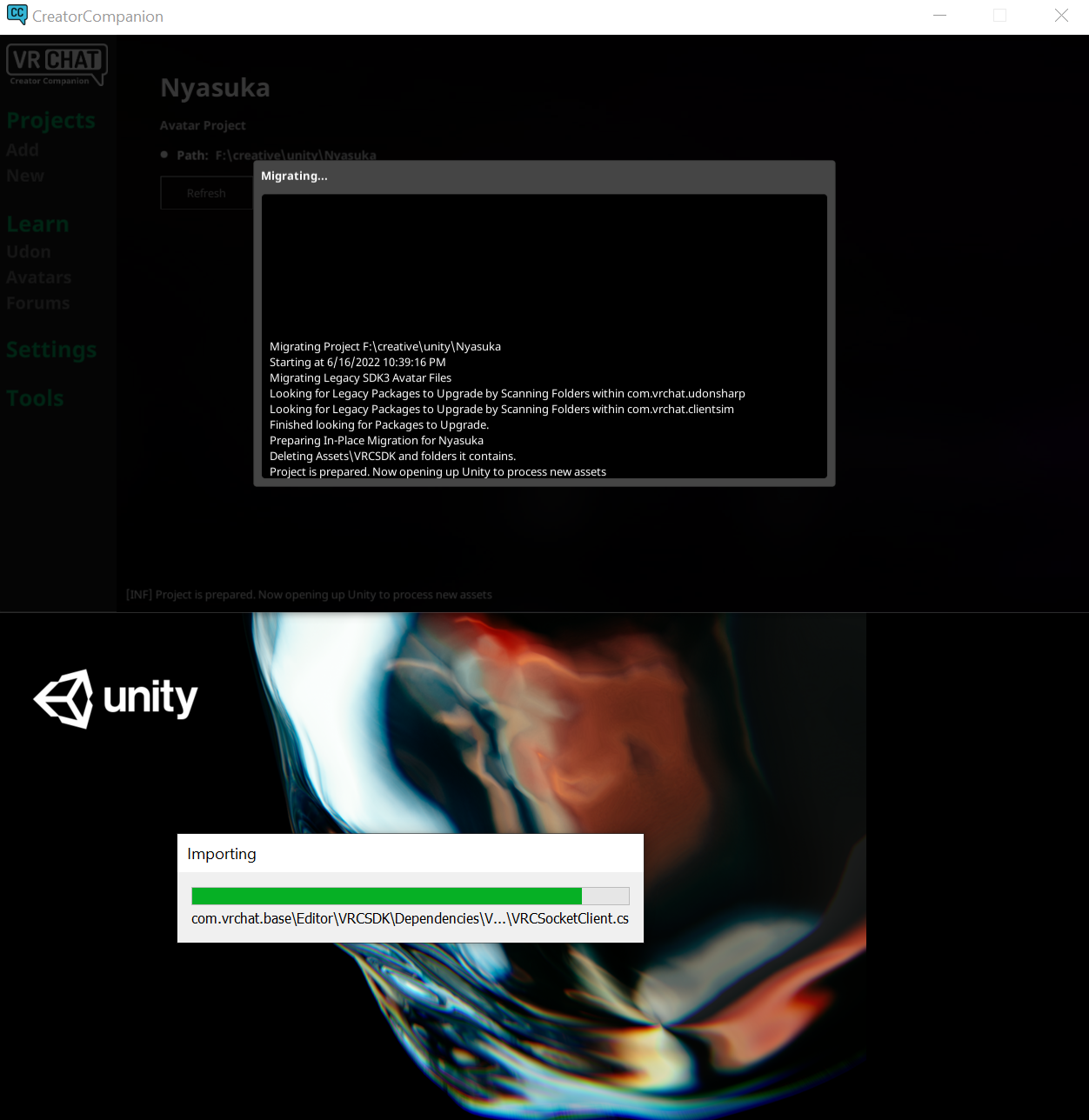
would killing the processes and restarting it maybe work? not sure
fervent wave
limpid stirrup
would killing the processes and restarting it maybe work? not sure
Is Unity still stuck on that file or has it moved on? If it's still stuck, you can try killing them processes and reopening.
limpid stirrup
yeah its been on that file for prbly 1+ hrs, didnt check which file it was stuck at before then but my guess its been like that for since it started
only killed the unity processes and the vrccc says finished with errors and gives options to open project or deleting it - although i dont know what caused this that doesnt seem like the best steps from an error to me?
fervent wave
Yeah, that feedback has been filed here, it's on the to-do list. What would you suggest as an alternative? https://feedback.vrchat.com/creator-companion-beta/p/vcc-better-feedback-on-migration-failure-1
You can Open the Project to see if it will open and work anyway, as many do.
limpid stirrup
fervent wave
Yeah, that feedback has been filed here, it's on the to-do list. What would you ...
looks like i can open it fine, but all the references in all the animators, the blendtrees for locomotion etc are all missing the vrc default animations. my own references have survived tho. i guess that means its loading backup time?
fervent wave
First, you can make sure the samples are imported (open the Unity Package Manager, select the Avatars package, then Import Samples). Then close the project, clear out the files in the "Library" folder, and reopen it. If that doesn't work, then yes - time to restore from backup.
limpid stirrup
i restored before that message - but yes, the samples were not in the assets as before the migration try when i looked, and i only skimmed across the vrc things in packages and didnt find them. didnt even think to ctrl f them tho.
limpid stirrup
but yeah long story short - after restoring my backup it worked pretty much fine? although restoring from git wasnt enough. but the actual backup copy i made worked.
 thick kraken
Been working on my first world and recently i tried to add a video player. After talkin to some people in some communities and trying some things, it seems that the VRCSDK Worlds that Creator Companions generates does not have the VRCUrlInputField Script
not sure if there is a work around im not thinking about, but I have tried just dropping the VRCSDK3.dll into my project. I have also tried closing the World Project, deleting the VRCSDK and replacing it with the one from the Download page on the website then re-opening the World Project
neither way worked :(( wanted to know if there was a way to just get the VRCUrlInputField Script itself outside of the VRCSDK3.dll to see if i can import just that and see if it works or if theres some other way to fix this issue
I also tried downgrading and upgrading the projects World SDK via the Creator Companion App unsuccessfully
fervent wave
thick kraken
neither way worked :(( wanted to know if there was a way to just get the VRCUrlI...
Yeah, just use the Menu option VRChat SDK > Reload SDK
thick kraken
In Unity?
fervent wave
That will reimport the dll that has the video player input module in it, fixing the issue. Yeah, in the Unity Editor Menu. Unity messes up importing that package, it's a known issue in Unity 2019 but they're not fixing it so we'll have to add a workaround on our side.
fervent wave
Sorry for the trouble, and you're welcome!
random swan
okay, one rather annoying thing, my questlet project went Windows mode 😂
thankfully reuploading the Windows side stuff is only a minor annoyance
viral oracle
fervent wave
That will reimport the dll that has the video player input module in it, fixing ...
Oh they arent fixing it? that's a bummer. Is that just for 2019 or do you think it will be the same for future versions as well?
 remote jungle
I started getting this error after upgrading with Creator Companion. How do I fix this? Do I even need to fix this?

Ohh it's the TV. Is this the same .dll issue I see mentioned above?
fervent wave
It might be, give the Reload SDK command a shot.
fervent wave
viral oracle
Oh they arent fixing it? that's a bummer. Is that just for 2019 or do you think ...
I think they'll fix it for a future version.
remote jungle
fervent wave
It might be, give the Reload SDK command a shot.
That didn't work, so it must be something else. I think there's a new version of the TV so maybe I'll try that. Thank you. ^^
viral oracle
fervent wave
I think they'll fix it for a future version.
Oh good.
fervent wave
viral oracle
Oh good.
BTW - I think I've got a band-aid to detect and auto-fix the issue where a VRCUrlInputField can't be loaded from the DLL. Whenever a scene is loaded, we search for any VRC video players (Unity or AVPro), and then crawl through their descendents looking for missing components. If one is found, we assume it is a VRCUrlInputField and kick off a Reload of the SDK. This has fixed it in my tests so far! Will get it QAed and hopefully released early next week.
The downside is that scenes could take a few seconds longer to load. I could make a setting to turn this off for advanced creators who want that load time back in exchange for fixing the issue themselves if it happens.
viral oracle
fervent wave
The downside is that scenes could take a few seconds longer to load. I could mak...
a few extra seconds vs creators being confused for possibly hours. def will take the former lol.
 signal glade
not sure why its telling me i have no file name even though i typed one in
 fervent wave
It might be referring to your Unity Editor
You can look in Settings to see if one is set.
agile plume
It got said unity automatically installs VCC right?
I tried creating a new empty project with nothing in it to simulate a new person importing a unitypackage of my project. Everything got imported, however VCC was missing still.
It didn't got automatically imported for me
fervent wave
agile plume
It got said unity automatically installs VCC right?
It's the other way around, VCC can install Unity for you.
verbal bough
fervent wave
I understand that. Please know that we're thinking about all levels of creators,...
I want to just respond to this message, since it understand it took time and effort to put together and I appreciate the effort. I also I have things to say about the topic.
First of all, I noticed new job positions have been opened - Including a 3D Avatar Artist, which according to a job description looks like a Avatar Creator Support/Tutorials/Etc position + I also saw a position for a Worlds Creator Support person.
This is a very good and much needed decision that you guys have made.
About your points :
1.) Whilst I agree with this point, please do not take creators as only two groups. There is not only "Beginning creator" and a "Advanced creator" - What you refer as a advanced creator is probably top 3% creators and the rest of creators are not only beginning creators.
There is a big spectrum, and there is a difference between people who just want to upload a purchased avatar, people who learned how to make toggles, basic FX/Locomotion edits, people who can put things together in Blender and make advanced stuff, etc.
There is more levels of knowledge. I am not sure if you guys are taking this into account, so I wanted to clarify.
2.) Ok, I understand and agree
3.) Ok, fair enough, I Can understand your challenges with this
The main point I want to make is that, please take more input from lower levels of creators than the elite top 3%.
The thing is, that people on the top can become very blind to challenges/experiences of lower tier creators. Especially if they are in a social bubble of individuals who are on the same or similar level.
I am sure lot of mid-level creators would like to talk to you, maybe even regularly, if you are willing to take their feedback into account. How to exactly do it, is a topic for discussion. If you guys are already planning something like this, great. Thank you for taking the time to read this. I wrote this with best intentions to what I think is the best for the game.
 foggy isle
Hello, got a problem with creator companion:
 fervent wave
foggy isle
Hello, got a problem with creator companion:
fervent wave
foggy isle
Hello, got a problem with creator companion:
Can you click on that to open your log file, and include the whole line?
foggy isle
fervent wave
Can you click on that to open your log file, and include the whole line?
oh haha sorry
 fervent wave
foggy isle
oh haha sorry
fervent wave
foggy isle
oh haha sorry
I think I've seen this when someone's Unity Editor hasn't been properly detected. Can you open "Settings" and see if a Unity Editor is selected in the dropdown?
foggy isle
fervent wave
I think I've seen this when someone's Unity Editor hasn't been properly detected...
this?
 fervent wave
Yes. Ah, that's an interesting place for Unity. Did you install it without using the Hub? At least it looks like can be found now. Will you try making a new project from a template again and let me know how it goes?
foggy isle
fervent wave
Yes. Ah, that's an interesting place for Unity. Did you install it without using...
aah yes it works now thank you so much!!!
fervent wave
You're welcome! Looks like our Unity auto-detection system isn't always running on startup, but opening up the settings seems to kickstart it.
 random pivot
I recently installed the creator companion to start creating some VRChat worlds. It did seem to install and to install Unity 2019.4.31, but when I open Unity Hub it does not find that version of Unity. When I start CreatorCompanion there doesn't seem to be a problem finding the correct version of Unity, though. Does the companion install its version of Unity to a non-standard location? I'd rather not install Unity twice -- is there a way to get CC and Unity Hub to agree on where to look?
 proven kiln
random pivot
I recently installed the creator companion to start creating some VRChat worlds....
proven kiln
random pivot
I recently installed the creator companion to start creating some VRChat worlds....
If you don't install unity editor through the unity hub, then you need to show unity hub where it is. There is a "locate" button on the installs page of unity hub
random pivot
proven kiln
If you don't install unity editor through the unity hub, then you need to show u...
That did it, thanks!
proven kiln
the same applies to any projects you create in vcc as well 👍
fervent wave
Thanks for the tip, @proven kiln. It's interesting that they don't show up in the Unity Hub, since we do actually install Unity using the Hub through the command-line.
proven kiln
oh, interesting! Didn't know that was supposed to work
well maybe the command that hub exposes is skipping the step that adds it to hub
fervent wave
Yep, it must be.
 hearty plover
How long after playing VRChat will i be able to publish my avatar?
 warm maple
 main oracle
It’s not time based
main oracle
It’s not time based
It is.. partially
viral oracle
A small one of many bigger factors.
 jade zodiacBOT
You must obtain at least "New User" Trust Rank in our Trust and Safety system in order to upload content. You can get this by just spending a few hours in VRChat, hop some worlds, and make some friends. Give it some time and you'll be able to upload content in no time.
As an aside, you must have a VRChat account to upload content. That means you can't use a Steam account, Oculus account, or Viveport account to upload content like worlds or avatars.
Source: https://docs.vrchat.com/docs/frequently-asked-questions
delicate tartan
Update: Should be fixed in the next release according to Merlin
When I updated another project with CC, I got prompted if I want to switch to the new input system, but that broke things. I tried switching back but that also broke things. Now I've set it to "both" which seems to work fine, but have a strange issue with some of my scrollable UI canvas (where I changed nothing) and I wonder if that could be related? What input system should be set in Unity?
delicate tartan
safe jackal
Shouldn't the new SDK use Unitys new Input System? Because with that I can't use...
What did you ended up using?
safe jackal
delicate tartan
What did you ended up using?
I've set it to both for now
Seems to work fine for me so far
delicate tartan

I have this issue with my scrollable UI panels since the CC upgrade, where I changed nothing and they worked fine before. Even in Editor with ClientSim, where it assigns the camera correctly, it behaves like a 3D rendering
I've also set the input mode to "both"
safe jackal
Hmmm weird, does that only happen when you've set it to both?


 safe jackal
Hmmm weird, does that only happen when you've set it to both?
safe jackal
safe jackal
Hmmm weird, does that only happen when you've set it to both?
Or also with only the new or only the old?
delicate tartan
safe jackal
Hmmm weird, does that only happen when you've set it to both?
I cannot test in the other modes so I cannot tell you
It also happens in the uploaded VRChat world so I don't think it's related to the editor settings
I wish I'd find anyone on Google with the same issue, but no luck so far
safe jackal
Ah okay, mhhh that's really weird. I looked at it in the test world you've send in the other discord a few days ago, and it feels like it tries to attach the UI to the camera while also still being locked in the 3D space.
delicate tartan
safe jackal
Ah okay, mhhh that's really weird. I looked at it in the test world you've send ...
Exactly, but that's fully on VRChat's side, what can I do about that?
safe jackal
I'm honestly not sure tbh
What's about other UI elements in other worlds of you, do they still work fine?
delicate tartan
safe jackal
I'm honestly not sure tbh
What's about other UI elements in other worlds of you,...
Yes, the non-scrollable stuff is fine
As you can see, it's also not the whole UI that is 3D'd, only the elements in the scrollpanel
The scrollbar is fine
safe jackal
Yeah I noticed that, this so weird
I don't see anything that's wrong with your setup aswell, which is why I'm even more confused. Did nobody else run in to issues like that?
delicate tartan
safe jackal
I don't see anything that's wrong with your setup aswell, which is why I'm even ...
Not that I know. There aren't a lot of people using CC already and potentially nobody with such a setup
safe jackal
Hm, hopefully momo has an idea of why this is happening.
delicate tartan
There is also an UdonBehaviour instantiated on it and the items are a prefab


 safe jackal
What does the UdonBehavior do? And if you remove does it still look so broken? Same goes for unpacking the prefab.
delicate tartan
safe jackal
What does the UdonBehavior do? And if you remove does it still look so broken? S...
It forwards the button click to the main script
delicate tartan
Unpacking the prefab does nothing. When I remove the UdonBehaviour, it crashes the script (as expected), but that's quite interesting

So it only messes up when the elements are instantiated
those two elements that are not instantiated are fine
I have an idea
 safe jackal
Ahhh okay, interesting
safe jackal
delicate tartan
Random sidenote, are you German by any chance? xD
delicate tartan
safe jackal
Random sidenote, are you German by any chance? xD
Yes unfortunately
safe jackal
Ah okay, why unfortunately though?
delicate tartan
safe jackal
Ah okay, why unfortunately though?
I don't like the language
Btw, I changed it to "Instantiate" but it's still broken


And I get those
safe jackal
delicate tartan
Btw, I changed it to "Instantiate" but it's still broken
Ah sad, it was worth a try though
delicate tartan
I'm kinda certain now that this might be an UdonSharp issue because they changed VRCInstantiate with the last update
safe jackal
delicate tartan
I don't like the language
Ah okay, yeah I'm also not that big of a fan of it (I'm German as well)
safe jackal
delicate tartan
I'm kinda certain now that this might be an UdonSharp issue because they changed...
Hm yeah seems like it is
safe jackal
delicate tartan
I'm kinda certain now that this might be an UdonSharp issue because they changed...
What was changed about it though?
delicate tartan
safe jackal
What was changed about it though?
I've asked about it on the UdonSharp discord, awaiting a response now
safe jackal
ah okay, let me know if you find out ^^
delicate tartan
safe jackal
ah okay, let me know if you find out ^^
 safe jackal
Ah okay, good to know that it's not an issue on your side and that it will be fixed ^^
fervent wave
FYI for anyone who had issues with the Video Player VRCURLInptuField not appearing until you "Reloaded" the SDK, that should be fixed in the latest SDK version - 3.0.9!
 rotund night
can anyone help me whenever i press build and publish to windows in the vrchat sdk3 in unity its supposed to show the avatar upload screen in the game scene but it doesnt for me
fervent wave
rotund night
can anyone help me whenever i press build and publish to windows in the vrchat s...
This channel is for discussing our "Creator Companion" app which is in Open Beta. You can try the #avatar-help channel
 whole pivot
Soooo
I stalled on figuring out how to use the creator companion
i know it's been out for quite some time already but i'm a noob to it since even though i have it installed i haven't tried using it yet
how does uploading to quest and windows at the same time work?
I also am not sure if i have everything on it set up
i didn't link a git page to it yet
I stalled on figuring out how to use the creator companion
fervent wave
@whole pivot - uploading to both Quest and Windows automatically is not yet supported. What have you tried so far to get it set up?
 rare oracle
Is it possible in ClientSim to switch between the perspective of the main player and a remote player?
I'm trying to debug some network issues and need to be able to see both perspectives in order to see what's not synced properly
fervent wave
rare oracle
Is it possible in ClientSim to switch between the perspective of the main player...
No, but you're welcome to request it as a feature here: https://github.com/vrchat-community/ClientSim/issues
In the meantime, you can use Build & Test with 2 clients to see from both perspectives
rare oracle
Ahh, ok. Ty.
whole pivot
fervent wave
<@272197168360718337> - uploading to both Quest and Windows automatically is not...
oh, i thought it had
my bad
nothing really besides installing it and linking it to unity hub
fervent wave
Yeah, that is planned but will come sometime after the general release. You can learn about everything possible in ClientSim here (as well as by clicking on 'Learn' inside the VCC): https://vcc.docs.vrchat.com/
 karmic mountain
Hey could I get some help? i'm currently on an old version of the Creator Companion, and every time I try to update using the "UPDATE" button, it always freezes at the "Please wait" screen. Does anyone know why this is happening?
fervent wave
karmic mountain
Hey could I get some help? i'm currently on an old version of the Creator Compan...
Are you on version 0.2.5 by any chance?
 karmic mountain
fervent wave
Are you on version 0.2.5 by any chance?
karmic mountain
fervent wave
Are you on version 0.2.5 by any chance?
Yep that was it. Thank you. So i'll just download the new version of the launcher. Should I update over the current files, or do a fresh install?
fervent wave
You can just run the new installer over the existing files
karmic mountain
brilliant! thank you!
fervent wave
karmic mountain
brilliant! thank you!
BTW - there's a new release dropping within the next 30 minutes or so with some nice upgrades, might be worth waiting if you haven't done too much yet.
(in-app updates should work for you from now on)
 main dock
Hey everyone just wondering how seemless is it to start opening existing packages through the companion and is there any risk of anything going wrong? I have a LOT of projects so I've been holding off using the companion but it would be cool to start testing out
fervent wave
main dock
Hey everyone just wondering how seemless is it to start opening existing package...
I think in it's current state, it's a great way to get new Avatar and World projects started. Authors of existing packages will need to make compatible versions in order to add them through the Creator Companion, but many will be compatible using their existing .unitypackage formats. You can safely use the migration feature to migrate copies of your projects without affecting the originals.
However, we have a pretty big change coming up soon, so I would recommend waiting before doing a big migration of all your projects.
fervent wave