#announcements
1 messages · Page 2 of 1
 static oasis

 static oasis
The 5th VRChat birthday party has started. Join the community in celebrating where it all began. Share pictures from the event with #vrchatbirthday
Coffee Shop - https://t.co/2jjCong2tO
Art Gallery - https://t.co/YJ51MMLFxA

 Twitter
 agile gate
Hello!
Please be advised that we will be performing some maintenance in about 2 hours, at 1AM PST / 4AM EST / 9 AM GMT. You may experience a short blip in service, but other than that things should be okay.
We'll be keeping an eye on things as well. Thanks!
agile gate
Seems like everything completed! You may want to restart VRChat. It'll prompt you to login again, this is expected.
You may have some issues with your friends list not being properly populated. This issue will solve itself as users log out and log back in.
agile gate
Hello!
We've pushed a small update, VRChat 2018.4.4p6, build 693. This is a small update with security fixes. There are no additional features or fixes in this build.
This build will not prevent you from seeing users on other builds, so there's no urgency to update. If you do wish to get it out of the way, please restart Steam to get this update quickly. You should also see this update on our Oculus storefront very soon.
agile gate
Hello @everyone ! We've just released VRChat 2019.1.1, build 703, on both Steam and Oculus. You should restart Steam to get the latest update, and ensure you're not on any beta branches. Check out our release notes here: https://docs.vrchat.com/v2019.1.1/docs/latest-release
This build will prevent you from seeing users on other builds, so if you hop on and it looks a bit quiet, let your friends know that they should update VRChat.
We'll have an updated SDK up soon.
7 Feb 2019
agile gate
Hello! This is a non-pinging announcement. We have just released a patch, VRChat 2019.1.1p1, build 704. This has been released on both Steam and Oculus. Check out the release notes here: https://docs.vrchat.com/v2019.1.1/docs/vrchat-201911p1
This patch is primarily intended to fix the issue where you get stuck when entering a world and can't access menus or etc.
This build will not prevent you from seeing users on other builds, so update whenever you get a sec.
7 Feb 2019
agile gate
Hello @everyone ! We've just released VRChat 2019.1.2, build 715, on both Steam and Oculus. If you're on Steam, you should restart to get the latest update, and ensure you're not on any beta branches. If you're on Oculus, you'll be prompted to update. Check out our release notes here: https://docs.vrchat.com/v2019.1.2/docs/latest-release
This patch adds an additional Playlist row, so now you can save up to 128 worlds to share with your friends! We've also made several fixes to some standing bugs, as well as some optimizations. Read more in the patch notes.
This build will prevent you from seeing users on other builds, so if you hop on and it looks a bit quiet, let your friends know that they should update VRChat.
There are no changes to the SDK, so you can continue using your current SDK.
Open Beta - 21 Feb 2019
agile gate
@here We're aware of an issue resulting in users having problems downloading content for VRChat. We're looking into the problem and appreciate your patience while we track things down.
agile gate
Hello @everyone ! For those who create content in VRChat and have the Unity Editor installed, we ask that you read this Blog post. Unity has released a notice that a security vulnerability is present in the Editor. VRChat plans to upgrade to a patched version in a future release, but a mitigation is available to patch your installation in the meantime. It only takes a few moments to install, so please keep yourself safe!
agile gate
@here Hello! Today I've got a new Blog post for you about the first stage of VRChat Community Labs, a new way for users to get their creations out into the VRChat metaverse. We've just dropped the Open Beta for 2019.1.3, which you can check out in #open-beta-info .
Please check out our blog here to learn about Community Labs and what it means for World Creators.
https://medium.com/@vrchat/vrchat-community-labs-73e150ea500f

Medium
Read about VRChat Commuity Labs, the new way to get your worlds out into the metaverse.
agile gate
Hello @everyone ! We've just released VRChat 2019.1.3, build 721 on both Steam and Oculus. If you're on Steam, you should restart to get the latest update, and ensure you're not on any beta branches. If you're on Oculus, you'll be prompted to update. Check out our release notes here:
https://docs.vrchat.com/docs/latest-release
This release includes VRChat Community Labs, a new way to get your worlds out quickly into public view! Opt into Community Labs to view the latest worlds that creators have submitted. You can read more about VRChat Community Labs in our blog post: https://medium.com/@vrchat/vrchat-community-labs-73e150ea500f
In order to upload content to Community Labs, you'll need our new SDK, available on the VRChat Home. https://vrchat.com/home
This build will prevent you from seeing users on other builds, so if you hop on and it looks a bit quiet, let your friends know that they should update VRChat.
agile gate
@everyone We're aware of ongoing issues where users cannot connect to VRChat. We're investigating and will keep you up to date as we get more information.
agile gate
Quick non-pinging announcement: Looks like things have stabilized. You should be good to go for logging back in 😃
agile gate
Hello everyone! We've got a new Blog post for you about a new feature coming in the next release. The Dynamic Bone Limits System is the first piece of the Performance System puzzle. It lets you control how many Dynamic Bones components are permitted on avatars, and you can customize your own limits as you see fit (or, disable Dynamic Bone completely)
This feature is currently in our Open Beta, and will go into Live in our next release. If you want to try it out, check out #open-beta-info .
Check out our post here: https://medium.com/@vrchat/vrchat-performance-dynamic-bone-limitation-system-26b1798fb659

Medium
Check out the first iteration on our Performance system: the Dynamic Bone Limitation System.
agile gate
You thought we were done with blog posts? Well, I did too, but then System wrote some really cool stuff on a more technical side about how VRChat's API works, and some of the things we're doing to speed up things like Notifications.
Check out our second (and final, I promise) blog post of the day, here: https://medium.com/@vrchat/developer-blog-websockets-b5f0b424d379

Medium
VRChat’s Server/DevOps lead, System, tells us all about the magic, mystery, and misery of Websockets and how they’ll solve ALL YOUR…
agile gate
Connections to VRChat may be unstable in the coming hours as we do some work to prepare for the new notification system. We'll let you know when things are back to normal. Your patience and understanding is much appreciated!
agile gate
Hello @everyone ! We've just released VRChat 2019.1.4, build number 735, on Steam and Oculus. If you're on Steam, you should restart Steam to get the latest update, and ensure you're not on any beta branches. If you're on Oculus, you should be able to grab the update immediately.
You might also notice sessions dropping out momentarily as we reboot some systems along with the update.
This release includes:
- Dynamic Bone Limitation system. Use this system to limit the number of Dynamic Bones on an avatar, and customize your limits with a configuration change. Read more about this system in our docs (https://docs.vrchat.com/docs/avatar-dynamic-bone-limits) or in our recent blog post (https://medium.com/@vrchat/vrchat-performance-dynamic-bone-limitation-system-26b1798fb659)
- Changes to our Notification system to speed up sending/receiving notifications
- You can now search Community Labs worlds as long as you've opted-in for Community Labs at least once
Check out the patch notes for this release: https://docs.vrchat.com/docs/latest-release (If you get the old release notes, do a hard refresh)
Like any other release, you won't be able to see users on the older version of VRChat. Until your friends update their version of VRChat, you will not be able to see them. Let them know that a new version is available!
If you're a creator, make sure you grab the latest SDK, available at the VRChat Home: https://vrchat.com/home
static oasis
Usually not a fan of pinging everyone for non patches... But I figured some of you guys might be prettttyyyy excited about this one......
https://twitter.com/VRChat/status/1110939105435611136
@here
We've got a huge announcement. #VRChat is coming Spring 2019 to Oculus Quest! @OculusGaming #oculusquest
 Twitter
agile gate
Twitter
agile gate
Hello @everyone ! We've just released VRChat 2019.1.4p1, build number 737 on Steam and Oculus. If you're on Steam, you should restart Steam to get the latest update, and ensure you're not on any beta branches. If you're on Oculus, you should be able to grab the update immediately.
This patch includes some fixes to the previous release:
- Fixed an issue causing blurriness, odd behavior on screen-space shaders, and issues using the camera while on the Oculus client
- Fixed an issue leading to some triggers not working properly
- Fixed an issue where notification icons weren't dismissing properly
- Fixed an issue where, upon first load (such as entry into a world), avatars would not "blue man" and would be stuck into the ground until the avatar fully loaded
- Fixed an issue causing problems with Dynamic Bone update order in some specific cases
You can see the full patch notes here: https://docs.vrchat.com/docs/vrchat-201914p1
Like any other release, you won't be able to see users on the older version of VRChat. Until your friends update their version of VRChat, you will not be able to see them. Let them know that a new version is available!
Build 737 - 27 March 2019
agile gate
Hello @everyone ! We've just released VRChat 2019.1.4p2, build number 738 on Steam and Oculus. If you're on Steam, you should restart Steam to get the latest update, and ensure you're not on any beta branches. If you're on Oculus, you should be able to grab the update immediately.
This patch includes some fixes to the previous release:
- Fixed an issue causing low-resolution mirrors in some hardware or software configurations
- Fixed an issue causing avatar stations to misbehave
- Fixed an issue causing output log spam when sibling objects share the same name in a scene/avatar hierarchy
- Fixed an issue causing OnNetworkReady triggers to misbehave
- Added additional logging to help track down some further issues
There are also some minor SDK fixes that aren't critical, so update your SDK whenever you get a chance. The changes are in the patch notes, and we'll have a new SDK up soon.
You can see the full patch notes here: https://docs.vrchat.com/docs/vrchat-201914p2
Like any other release, you won't be able to see users on the older version of VRChat. Until your friends update their version of VRChat, you will not be able to see them. Let them know that a new version is available!
Build 738 - 29 March 2019
agile gate
@here We're currently investigating reports that users are unable to log into VRChat. We appreciate your patience while we look into this!
User connectivity to VRChat appears to have stabilized. Thanks for your patience, all should be well!
 reef coyote

Some users may currently have issues uploading content. We are looking into this. #VRChat
Twitter
reef coyote
Looks like everything should be back up now, please let us know if you still experience issues with uploading content.
reef coyote
@here We are aware of the issues around Steam login, although it appears to be on Valve’s side. We are investigating to see if there’s anything we can do on our end. VRChat and Oculus login are unaffected. Sorry for the inconvenience !
agile gate
@everyone Hello everyone! Today we’d like to announce the opening of the VRChat Quest Creators Program! This program is an effort by VRChat to provide information to Community Developers about the VRChat Quest build, how to get started with creating Quest content, and best practices to follow.
If you’re a content creator, we encourage you to check out #quest-info and the other channels in the VRChat Quest Category. They all contain a lot of information to get you started on making content for VRChat Quest, as well as provide places to chat with other developers and share information.
We’d also like to announce that VRChat Quest is going to be cross-platform compatible with VRChat PC! In short, if you have a world or avatar that has been built for both platforms, your client will view the appropriate asset. This means if you’re on VRChat Quest, you can hang out with your friends that are on VRChat PC! We’ll have more details about how this works later.
We’ll also add that if you have an Oculus Go, we have a special build of VRChat so you can test your Quest content in it! VRChat Go is a development version that we don’t plan to support long-term, but it is a good substitute for the Quest until it releases. Check out #go-info to sign up, if you’ve got an Oculus Go and you’re interested in creating content for VRChat Quest.
Beyond the information we’ve provided in those channels, we can’t really answer too many additional questions about VRChat Quest (or the Quest hardware) at this time. Please don’t flood the channels intended for development with questions that are not content development related. We’ll try and answer as much as we can, when we can.
If you're curious about the VRChat Quest Creators program, check out those channels, and read more about VRChat Quest in our Quest Creators deck, available here: http://tinyurl.com/VRChat-Quest-Creators
I will add that these channels will be very closely monitored by our moderation team, so please keep chat on-topic.
Thanks, and we are excitedly looking forward to see what you create for VRChat Quest!
Google Docs
Early Release Document: Some details will change for launch version on Quest Oculus Quest Quick-Start Guide Create, Share, Play.
agile gate
Hello again @everyone ! We've just released VRChat 2019.2.1, build number 746, on Steam and Oculus. If you're on Steam, you should restart Steam to get the latest update, and ensure you're not on any beta branches. If you're on Oculus, you should be able to grab the update immediately.
Check out the patch notes for this release: https://docs.vrchat.com/docs/latest-release
Like any other release, you won't be able to see users on the older version of VRChat. Until your friends update their version of VRChat, you will not be able to see them. Let them know that a new version is available!
If you're a creator, make sure you grab the latest SDK, available at the VRChat Home: https://vrchat.com/home
Open Beta - 4 Apr 2019
agile gate
Hello once again @everyone ! Lots of pings this week-- because there's lots of exciting things happening. This one's for our World creators.
Community Labs has switched to Stage 2! This means that all world review and publication is now automated! If you're curious, read more about it in our latest Blog post:
https://medium.com/@vrchat/vrchat-community-labs-stage-2-b35c450f9b82
The tl;dr here is that you no longer submit new worlds to our World Review form-- you now just submit your world to Community Labs. If we see that your world is doing well and shows signs of being enjoyed by its visitors, it'll move to Public automatically over time. We're rolling out this system now and it'll start chugging away in a few hours. Give the blog a read for more details.

Medium
We’re going to tell you all about how we’ve tricked a bunch of robots into looking at new worlds for eternity.
agile gate
Hello @everyone ! We've just released VRChat 2019.2.1p1 (build number 747) on Steam and Oculus. If you're on Steam, you should restart Steam to get the latest update, and ensure you're not on any beta branches. If you're on Oculus, you should be able to grab the update immediately.
This release is a patch that includes the following fixes:
- Fix for desktop mouse lock when using menu
- Fixed an issue that caused the quick menu to be unusable for a short period after loading into some worlds with specific setups
- Improved performance while using Holoport
- Fix for users not receiving notifications
Check out the patch notes for this release: https://docs.vrchat.com/docs/vrchat-201921p1
Like any other release, you won't be able to see users on the older version of VRChat. Until your friends update their version of VRChat, you will not be able to see them. Let them know that a new version is available!
12 April 2019
agile gate
@here Hey everyone-- one of our network service providers is experiencing some issues. You might be seeing a message stating that your client "did something naughty", but you can feel free to ignore that (assuming, of course, you weren't being naughty!)
We apologize for the interruptions and we are actively looking into it right now.
agile gate
Quick non-pinging announcement-- we've just uploaded a new SDK version that fixes the issue which prevents you from viewing your uploaded worlds in the "Manage Uploaded Content" window.
Grab the latest SDK from the VRChat Home: https://vrchat.com/home

VRChat lets you create, publish, and explore virtual worlds with other people from around the world.
agile gate
@here Hey all, we're aware of some issues that are causing notifications to fail to send/receive as well as related error log spam. We're looking into it now and we'll let you know once things have cleared up.
Thanks for your patience!
 uneven fable
Hey @everyone - we're aware of the current issues with connecting to VRChat and accessing content. We're actively working to resolve these problems as soon as possible. Thanks for your patience!
uneven fable
Hello @everyone, we've just updated VRChat to version 2019.2.1p2 (build number 748) on Steam and Oculus. This patch contains changes to address the ongoing connection issues. Please restart Steam if you're having trouble getting the update. The Oculus Store update should also be available shortly. Thank you for your continued patience!
agile gate
The Oculus build is now available!
agile gate
Hello @here , sorry for the repeated mentions-- we're experiencing some issues that are preventing any access to VRChat services. We're aware of these problems and are actively working on the issue. Thanks again for your patience!
uneven fable
Hey @here! We're seeing signs that our recent issues have been resolved. Please ensure you have updated VRChat to 2019.2.1p2 before logging in again! You may still experience trouble logging in or sending/receiving notifications, we're investigating that now.
static oasis
We are aware of the ongoing Cloudflare issues and are working with them to resolve. We apologize for the inconvenience and thank you for your patience. #VRChat
Twitter
agile gate
@everyone We've been experiencing some issues over the past few days. We've put together a Blog post to let our Community know what's going on. https://medium.com/@vrchat/vrchat-downtime-post-mortem-3b956fee8c3e
agile gate
Hello @everyone ! We've just released VRChat 2019.2.1p4 (build 750) on Steam. We'll be releasing the Oculus build within a few hours. If you're on Steam, you should restart Steam to get the latest update.
This release addresses one issue:
- Potential fixes for login loop issues as well as black screens when changing worlds.
If you've been experiencing black screens on world load, this patch should resolve the issue. If it does not, please let us know by creating a support ticket at http://help.vrchat.com .
This release won't separate you from people that are on different versions.
agile gate
The Oculus build of 2019.2.1p4 is now Live!
agile gate
@here Want to get your Quest avatar into the Featured row, for all to see? Check out our Blog post here to find out how: https://medium.com/@vrchat/vrchat-quest-avatar-creators-get-your-avatar-into-the-featured-row-54361c661f44

Medium
Want to get your avatar into the Featured row on Quest? Check out our Blog to see how!
agile gate
Hello all! Quick non-pinging announcement, we've released patch 2019.2.1p5 (build 751) on Steam. We'll be releasing the Oculus build within a few hours. If you're on Steam, you should restart Steam to get the latest update.
This release addresses one issue:
- Updated video helper binaries to fix broken video panels
This release won't separate you from people that are on different versions.
uneven fable
Hey @here , we're going to be running a VRChat Developer livestream on Twitch next week! Check out our tweet for more info. Hope to see you there! https://twitter.com/VRChat/status/1124094601147617280
Want to know what's going on with VRChat? We'll be hosting a #VRChat Dev stream on our Twitch channel next week, Wednesday the 8th of May at 5PM PST / 8PM EST / 12AM GMT! https://t.co/gx4IkOImPS
 Twitter
agile gate
Twitter
agile gate
FYI, if you don't keep up with our Twitter, we are delaying our stream until next week on Thursday:
We will be pushing back our #VRChat Developer Stream until next week on Thursday (May 16, 5PM PST). There's a lot we want to share, and getting everything sorted beforehand has proven to be quite a challenge! We look forward to sharing what's coming for VRChat.
Likes
201
Twitter
static oasis
Hello @everyone ! We'll be doing some server maintenance starting early tomorrow morning (Thursday May 9th, early AM PST). This maintenance may last as long as the day. VRChat services should remain up during this time, but you may experience odd behavior with your client that will require a restart/reconnect. This may occur multiple times during the day.
agile gate
Hey @here ! We've got some more information on the new upcoming VRChat Home, Hub, and a bit more information on how cross-platform content will work in our latest blog post. Check it out here: https://medium.com/@vrchat/welcome-to-your-new-home-and-hub-139e06e0dea8

Medium
In preparation for our launch on the Oculus Quest next week, we’ve created a new VRChat Home and VRChat Hub for both our PC and Quest…
agile gate
If you're seeing different avatars than expected in the Default row, that's intended! Some more things potentially incoming within the next few hours. Don't worry, the old defaults aren't gone.
agile gate
Hello @everyone ! We've just released VRChat 2019.2.2, build number 772. This release is now LIVE on Steam and Oculus. You should restart Steam to get the latest update, and ensure you're not on any beta branches. For Oculus, you should be good to go after closing and updating.
This release includes:
- The return of networked IK!
- Several major optimizations to many of our systems like voice and UI
- Support for cross-platform content in preparation for our launch on the Oculus Quest
- New Featured avatars from our Community!
Read our patch notes here: https://docs.vrchat.com/docs/latest-release
Until your friends update their version of VRChat, you will not be able to see them online. Let them know that a new version is available!
If you're a creator, make sure you grab the latest SDK at the VRChat Home website. This is especially important this time around, as we've included the shaders that you'll be able to use on Quest Avatars with the new SDK.
uneven fable
Hey @everyone! Quick heads up, the VRChat Dev Stream is starting soon. Come check it out! https://www.twitch.tv/vrchat
 agile gate
Hi @everyone ! Our latest release, VRChat 2019.2.2, brought a lot of new features in addition to welcoming our new Oculus Quest users. However, we're aware of some issues our Community reported. In this blog post we talk about how we're approaching these problems, and how to best report issues with VRChat.
https://medium.com/@vrchat/post-2019-2-2-fixes-and-patches-e61ab4126f15

Medium
In this post, we address current issues with the VRChat 2019.2.2 release and our plan going forward.
agile gate
Hello @everyone ! It's been a bit, but I'd like to let you know we just put out a Blog post that many of you may be interested in: https://medium.com/@vrchat/vrchat-valve-index-support-and-the-gesture-toggle-system-742ec3ae016e
VRChat 2019.2.3 is going to support finger tracking using the Valve Index Controllers, and that build has just entered Open Beta. Check out #open-beta-info for more information on how to participate in the Open Beta, and how to contribute!
As an aside, this Open Beta also includes many fixes and other changes. Please ensure you test them out and let us know how things go.

Medium
Check out how VRChat is going to support the Valve Index Controller and the new Gesture Toggle system.
uneven fable
Hey all! Quick Discord server-related update here. Thanks to an increased emoji limit caused by some Nitro boosts, we've just updated our server emoji to use the new emoji from VRChat! 
agile gate
Of course, feel free to toss us a Boost if you've got Nitro and haven't used it elsewhere. 
If you're curious about what the "Boost" system is, check out Discord's post about it: https://support.discordapp.com/hc/en-us/articles/360028038352-Server-Boosting-
agile gate
Hello @everyone ! We've just launched VRChat 2019.2.3 (build 791) on Steam and Oculus! For Steam, you should restart to get the latest update, and ensure you're not on any beta branches. For Oculus and the Quest, your update should occur automatically.
Check out our patch notes here: https://docs.vrchat.com/v2019.2.3/docs/latest-release
Here's some highlights!
- Valve Index Controller support with finger tracking! It is very important that if you plan on using Valve Index Controllers (including Knuckles prototypes) that you read our patch notes regarding bindings. We also have a detailed page regarding Index Controller bindings in our docs. Please, please read it-- otherwise your Index Controller will not work properly! https://docs.vrchat.com/docs/valve-index
- Gesture Toggle to disable/enable Gesture Overrides on the fly! Only available for Valve Index Controllers at this time.
- Further optimizations and work on Networked IK, voice, and other systems
- Advanced Settings in the Settings Menu that allows you to clear your cache and local preference store
- New "Standard Lite" shader for Oculus Quest that includes a lot of features like emission and Metallic+Smoothness maps!
Until your friends update their version of VRChat, you will not be able to visit them in instances. Let them know that a new version is available!
If you're a creator, make sure you grab the latest SDK, available at the VRChat Home: https://vrchat.com/home/download
agile gate
Hello everyone! Doing a soft announce for this. We're releasing VRChat 2019.2.3p1 (build 793) on Steam. For Steam, you should restart to get the latest update, and ensure you're not on any beta branches. We'll be rolling out to Oculus within the next few hours.
Check out the patch notes: https://docs.vrchat.com/docs/vrchat-201923p1
There is only one change in this patch:
- Fixes to prevent faulty client disconnects in some cases
This build is compatible with live, which means you'll still see friends in instances even if you're on different builds. We strongly encourage that you update your client as soon as convenient.
Release - Build 793 - June 7, 2019
agile gate
Hello @everyone -- for our avatar creators, we've got some changes coming to VRChat 2019.2.4 that you might want to read about. Check out our blog post about upcoming changes to the Avatar Performance Stats system, including the implementation of avatar performance limits for VRChat on Quest.
https://medium.com/@vrchat/avatar-performance-stats-and-rank-blocking-1ae0feddc775
Medium
Check out the changes we’ve got coming for the Avatar Performance Stats and Ranks in 2019.2.4, including the VRChat for Oculus Quest…
agile gate
Hello @everyone ! We've just launched VRChat 2019.2.4 (build 801) on Steam and Oculus! For Steam, you should restart to get the latest update, and ensure you're not on any beta branches. For Oculus and the Quest, your update should occur automatically.
Here's some highlights!
- We're upgrading to Unity 2017.4.28f1! Please upgrade your Unity install. Check out our guide on setting up the SDK to get the links for Unity Hub and manual install. https://docs.vrchat.com/v2019.2.4/docs/setting-up-the-sdk
- You can now block avatars based on their Performance Ranking! This system is disabled by default on PC, but you can set the "minimum allowed" performance rank you want to display. Check out the details in our documentation: https://docs.vrchat.com/v2019.2.4/docs/avatar-performance-ranking-system#section-minimum-displayed-performance-rank
- Implemented hard limits to Quest avatars. Check out the full info here: https://docs.vrchat.com/v2019.2.4/docs/avatar-performance-ranking-system#section-quest-limits
- Thanks to the Unity upgrade, you can now switch your active microphone within VRChat once again!
- The ability to choose a minimum allowed performance rank, so you can hide badly performing avatars
- We fixed a bug that caused your Avatar rows to not paginate properly
- We fixed a (very old) bug that prevented locomotion from cancelling emotes. So now, when you locomote, any active emote will be cancelled!
- More Valve Index Controller refinements
- More Networked IK refinements
Those are some of the changes, but please, please read the patch notes for full details. https://docs.vrchat.com/v2019.2.4/docs/latest-release
Until your friends update their version of VRChat, you will not be able to visit them in instances. Let them know that a new version is available!
If you're a creator, make sure you grab the latest SDK, available at the VRChat Home: https://vrchat.com/home/download
agile gate
We've uploaded an updated SDK, it should be available at https://vrchat.com/home/download in about 5-10 minutes. The filename should be VRCSDK-2019.06.18.19.38_Public.unitypackage.
agile gate
Another quick heads-up-- we wanted to let this sit a bit in the latest release to ensure it was working correctly, but you can now use Account Link to "merge" your Oculus account into your VRChat account! Linking your account means you can use your Oculus account to authenticate, so no more password typing. It also means you'll be able to gain Trust Rank and gain the ability to upload content!
We've added this to the patch notes for VRChat 2019.2.4.
agile gate
@here There's a new version of the SDK! Grab the new version at the VRChat Home: https://vrchat.com/home/download
Changes: (https://docs.vrchat.com/docs/vrchat-201924-sdk1)
- Removed upload-preventing polygon limits for avatars in SDK.
- This does not change behavior in the client. Although you can upload content that goes beyond client limits (for example, the Quest polygon limit), it will not render in VRChat according to the Minimum Performance Rank setting
The filename should be VRCSDK-2019.06.19.20.14_Public.unitypackage.
agile gate
Tune in tomorrow (21 June) at http://twitch.tv/vrchat for our next Dev Stream!
5PM PT / 8PM ET / 12AM GMT
We'll have our wonderful VRChat DevOps team on to talk about what they're working on. Hope to see you there!
https://twitter.com/VRChat/status/1141807098860167168
Tune in tomorrow (21 June) at https://t.co/xRXRyqixXH for our next Dev Stream! 5PM PT / 8PM ET / 12AM GMT
We'll have our wonderful VRChat DevOps team on to talk about what they're working on. Hope to see you there!
 Twitter
agile gate
Twitter
agile gate
@everyone VRChat's June Dev stream is going live in 15 minutes at https://twitch.tv/vrchat ! This month, we're talking to VRChat's Server Team about their role at VRChat and what they've been up to.
Hope to see you there!
uneven fable
Hello @everyone ! We've just pushed a pretty big update to the VRChat website! You'll notice that friend information updates immediately now, and a lot more information is visible overall. With time, we're aiming to get these features into the VRChat application! Head over to the website to check it out: https://www.vrchat.com/home
Full changelog located below:
- General style updates, some elements re-arranged
- Added "My Avatars" page. For now, this just lets you view your own avatars, but in the future it may allow you to manage your avatars on the site
- You can now enable desktop push notifications for friend activity updates
- Friend status type, status text, and avatar image now update live
- Notifications arrive as soon as they're sent
- Notifications show more information about the user who sent them
- The button to clear all notifications has been made more reliable
- When friends come online, they'll shoot to the top of the online friends list
- Users that are on the website but not in-app are now displayed
- Avatar image changed from circle to square to display more of the image
VRChat lets you create, publish, and explore virtual worlds with other people from around the world.
agile gate
Hey @here , we're aware of some issues with connecting to VRChat, downloading content (like worlds or avatars), and other connectivity issues. We're looking into it! This may result in some degraded experiences while we track down the issue. Thanks for your patience!
agile gate
Looks like we're all-clear for now. Thanks for your patience!
agile gate
Hey @everyone , want to know what to expect from VRChat in the next year? Well, good news for you-- let's talk about our Roadmap. Check out our latest blog post.
https://medium.com/vrchat/vrchat-roadmap-stability-security-and-sdk-f3f7296b13ac
We hope you enjoy the read, and have a wonderful weekend! ❤

Medium
Curious about the VRChat Universe’s near-future? Check out our plans for the rest of the year.
agile gate
FYI: We've fixed an issue that caused random friends to drop off your list. In addition to fixing this, we're reconnecting those lost friends. This will take a bit of time, but we wanted to let you know that those friends re-appearing is expected behavior.
We've fixed an issue that caused random friends to drop off your list. In addition to fixing this, we're reconnecting those lost friends. This will take a bit of time, but we wanted to let you know that those friends re-appearing is expected behavior.
Twitter
agile gate
We've curated a list of great assets for VRChat creation on the Unity Asset Store! Check out our blog about it here: https://twitter.com/VRChat/status/1151252861671448577
We've curated a list of great assets for #VRChat creation on the @AssetStore! Read about it here: https://t.co/oGsv3m6Bbr
Twitter
 silver sigil
Hi @here, over the course of the next three hours we will be doing some maintenance to our servers. During this time you may lose connection temporarily and be returned to home. Thanks for your patience!
agile gate
Hello all-- not pinging as its rather late for many of our users. Either way, we're aware of the intermittent network issues that some users are reporting, and we're investigating. We appreciate your patience while we look into these issues!
agile gate
Hello @everyone ! It's been a bit, but we've finally got VRChat 2019.2.5 (build 825) ready for you! It should be out on Steam and Oculus (including Quest) now.
If you're using Steam, restart your Steam client to get the latest update. If you're on Oculus, you should automatically update.
This release has a pretty huge set of changes, mostly to the way audio works! Please check out our changelog: https://docs.vrchat.com/v2019.2.5/docs/latest-release
We've also got a blog post that details the changes we've made to audio in this release, as that's the big line item this time around. Read our latest blog here: https://medium.com/vrchat/vrchat-the-sound-of-progress-3c4ab4fb5472
Make sure you update your SDK, which will have a filename of VRCSDK-2019.07.31.13.58_Public.unitypackage on the VRChat Home download page: https://vrchat.com/home/download We've included a new example scene for you to see how the new PlayerAudioOverride component works!
As always, you can't see users on older versions. You'll need to have your friends update to see them!
As a final note, we'd like to offer a huge Thank You to the Beta testing communities. Your assistance was invaluable in the development of these changes! We hope to get more amazing feedback and testing from you in the future.
Medium
Let’s talk about the changes we’ve made to audio spatialization in VRChat 2019.2.5.
reef coyote
Hey @here -We're aware of the current issues with connecting to VRChat and accessing content. We're actively working to resolve these problems as soon as possible. Thanks for your patience!
agile gate
Seems like we've cleared up the issue. Thanks for your patience!
agile gate
We're aware of the connection issues users have been experiencing and are currently rolling out some changes server-side to mitigate them. If your instance is having problems, please create a new one!
agile gate
@here Hello all! Just letting you know we're setting up for a Developer Stream tomorrow (13 August) at 5PM PT / 8PM ET / 12AM UTC. We've got a few things to chat about regarding what we've been working on, what we're working on next, and a little peek into the future. Make sure you tune in at https://twitch.tv/vrchat !

Come hang with us on the next #VRChat Developer Stream at https://t.co/gx4IkOZXHq! We're set for 5PM PT / 8PM ET / 12AM UTC on Tuesday, 13 Aug (tomorrow!). We'll be chatting about the latest changes at VRChat, what we'll be working on next, and a bit of a peek into the fut...
 Twitter
agile gate
Twitter
agile gate
@here As we mentioned yesterday, we're setting up for a Developer Stream in ~30 minutes (5PM PT / 8PM ET / 12AM UTC). Come hang out with us! We'll be chatting about all kinds of stuff regarding what's coming for VRChat.
What have we been working on for #VRChat? What's on the way? When precisely is Soon™? Check us out at https://t.co/xRXRyqA9mh in 30 minutes and we'll let you know.
 Twitter
agile gate
Twitter
agile gate
Hello @everyone ! We've just released VRChat 2019.3.1, build number 840. You should restart Steam to get the latest update, and ensure you're not on any beta branches.
Here's some highlights from our patch notes. Check out the full list here: https://docs.vrchat.com/v2019.3.1/docs/latest-release)
- Improved the Minimum Displayed Performance Rank system's behavior so that it needs to hide avatars less often when enabled
- On all control schemes,** "Grip" no longer triggers OnInteract.** This means that on Rift / Rift S / Index, you can no longer sit in chairs or set off Interact triggers by using Grip. Use your controller's Trigger instead!
- Greatly improved avatar loading time
- Fixed an issue where Index controller wireframes would sometimes get stuck in user's hands
- Lots of fixes for the SDK, including a UI overhaul!
There's a lot more changes, so please read the patch notes! For more details, read the full details of this release: https://docs.vrchat.com/v2019.3.1/docs/latest-release
As usual, until your friends update their version of VRChat, you will not be able to see them in instances. Let them know that a new version is available!
If you're a creator, make sure you grab the latest SDK! It will be available at the VRChat Home website (https://vrchat.com/home) within the next 30 minutes. The file you're looking for will be named VRCSDK-2019.08.20.13.28_Public.unitypackage.
agile gate
We're aware of issues with the Quick Menu in the latest release. We're working on it actively, and we'll keep you up to date. We plan on releasing a patch as soon as we have it sorted.
agile gate
@here We've rolled out a fix for the Quick Menu issues, as well as some other issues that stemmed from the same problem. You don't need to get a new VRChat version to update-- but if you're experiencing the Quick Menu issues, you will need to leave the instance you're in and join a brand new instance. This doesn't mean joining on someone else, this means making a new instance!
Thanks for your patience! We'll keep an eye on things.
As an aside, if you're having problems logging into the application or the SDK, try using your email address instead of your username. This is another known issue that we're tracking on.
agile gate
Hello @everyone ! We've just released VRChat 2019.3.1p1, build number 842. You should restart Steam to get the latest update, and ensure you're not on any beta branches.
There is a single change in this release:
- Fixed an issue where some users could not log in with certain characters in usernames
Additionally, as previously noted, the Quick Menu flickering bug should no longer be present. If you're still experiencing it, please leave the instance you're in and join a new one! That bug will only affect old instances, and will eventually phase out over time.
This update does not require that you install in order to see your friends, but you should probably update when you can anyways.
FYI, Rift isn't updated just yet, but will be within 30 minutes. We also have a new SDK that should be propagating out right now with the same fixes. Once its available, the filename you're looking for is VRCSDK-2019.08.22.15.58_Public.unitypackage.
agile gate
@here FYI: VRChat services will be undergoing maintenance starting in approximately 6 hours, at 10PM Sunday PT / 1AM Monday ET / 5AM Monday UTC. We expect this maintenance to continue through the night for the PT timezone. Users may experience degraded behavior with the application and related services during this maintenance. In particular, users may see issues with invites, friend requests, mutes, and blocks.
https://twitter.com/VRChat_Status/status/1165759594733289472
(1/2) VRChat services will be undergoing maintenance starting in approximately 6 hours, at 10PM Sunday PT / 1AM Monday ET / 5AM Monday UTC. We expect this maintenance to continue through the night for the PT timezone.
Twitter
agile gate
Hello @everyone ! We've just released VRChat 2019.3.1p2, build number 845. If you're on Steam, restart to get the latest update and ensure you're not on any beta branches. If you're on Oculus, you should get the update soon.
There are a few changes in this release:
- Multiple changes made to address crashes during world or avatar loading
- Some further optimizations to asset bundle loading
- Fixed incorrect Mesh and Skinned Mesh Renderer counts for "Good" avatar rating
This update does not require that you install in order to see your friends, but you should probably update when you can anyways.
As a side-note, if you'd like to subscribe to updates we post to this #announcements channel and Publish, click that "Follow" button at the top of this channel! You'll be able to choose a channel on your own Discord server where announcements we Publish will be posted.
agile gate
Hello @everyone ! We've just released VRChat 2019.3.1p3, build number 848. If you're on Steam, restart to get the latest update and ensure you're not on any beta branches. If you're on Oculus, you should get the update soon.
There's only one change in this release:
- Safety and Security fixes
Due to the nature of security changes, details are limited.
This update does not require that you install in order to see your friends, but you should update when you can.
agile gate
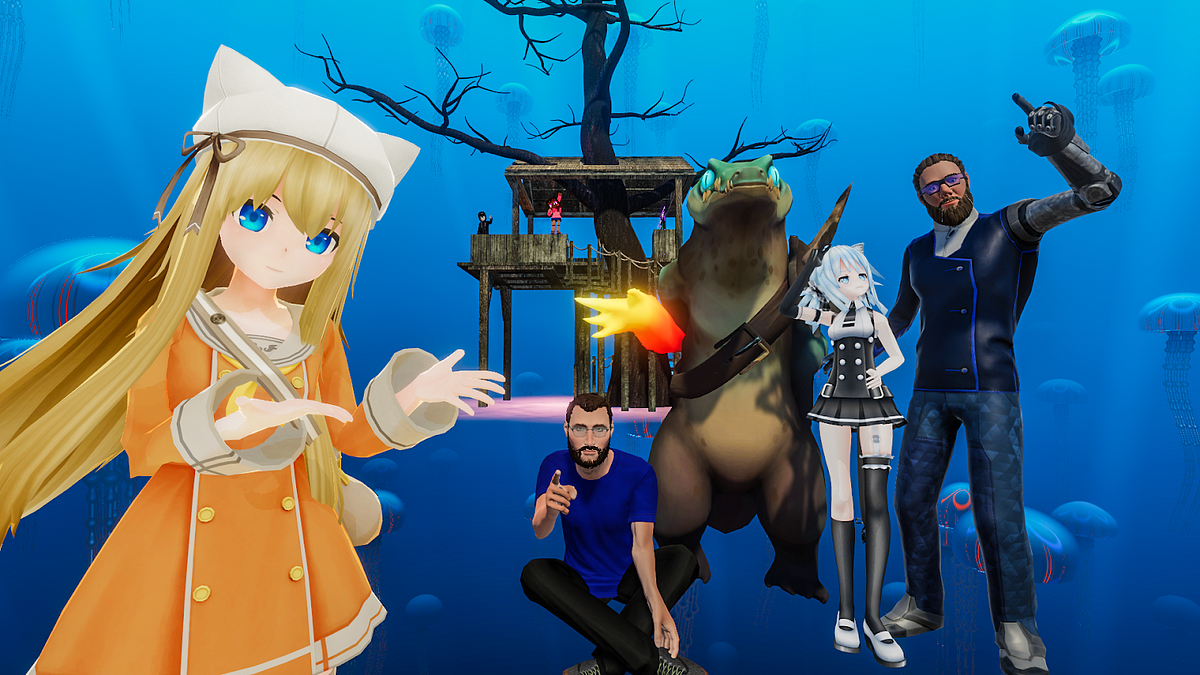
Hello @everyone ! We're excited to announce that VRChat has raised $10m of funding in a Series C investment round! We've got a blog post up where you can read all about it:
There might've been a few peeks at upcoming stuff snuck into the post as well 👀
Medium
The VRChat team is excited to announce that we have raised $10m of funding in a Series C investment round.
agile gate
Hello @everyone , one more ping for you today! We've just released VRChat 2019.3.1p4, build number 850. If you're on Steam, restart to get the latest update and ensure you're not on any beta branches. If you're on Oculus, you should get the update soon.
There's two changes in this release:
- Fixed a crash that would occur often upon world change or avatar loading
- Fixed an issue that appeared in 2019.3.1p3 that prevented livestreams from playing in VRC_SyncVideoStream players
This update does not require that you install in order to see your friends, but you should update when you can.
agile gate
Curious about what's going on in VRChat development? Did you know that we run an Open Beta that anyone can access to test out new features, find new bugs, and contribute to the development of VRChat? Well, we do! That was kind of an underwhelming statement, I guess. 🤔
The tl;dr is that we have a branch on Steam called open-beta which we update when we've got new stuff lined up for the next update. When we push a new build to open-beta, we post about it with a notification! If you'd like to opt-into the Open Beta role, click the  reaction in the #open-beta-info channel. You'll gain access to a new channel where we post changelogs and ping you when we've got a new Beta to test. There's a lot of info in #open-beta-info , so we'd really appreciate if you gave it a read!
Issues and feedback found in the Open Beta should be posted to our Open Beta feedback boards (http://feedback.vrchat.com/open-beta) and written out clearly with reproduction steps, explained issues, and elaborated feedback. If you'd like to join their ranks, check out the info channel linked above.
We greatly appreciate all of our Open Beta testers, as they've caught a good number of issues and offered a huge amount of feedback on updates we've pushed out. We'd like to offer a heartfelt "Thank you!!!" to our current Open Beta testers, and a warm welcome to any newcomers!
agile gate
Hello @everyone ! We've just released VRChat 2019.3.1p5, build number 852. If you're on Steam, restart to get the latest update and ensure you're not on any beta branches. If you're on Oculus, you should get the update soon.
There's only one change in this release:
- Updated video helper binaries
This will fix an issue where video panels stopped working with some sources.
This update does not require that you install in order to see your friends, but you should update when you can.
agile gate
Hello @everyone ! We've just released VRChat 2019.3.2, build number 860. You should restart Steam to get the latest update, and ensure you're not on any beta branches.
Here's some highlights from our patch notes. Check out the full list here: https://docs.vrchat.com/v2019.3.2/docs/latest-release)
- Lots of Full-Body Tracking updates!
- Improved the behavior and fidelity of Full-Body Tracking in many situations
- When using Full-Body Tracking, the Sit/Stand button changes into a "Calibrate" button
If you're a Full-Body Tracking user or avatar creator, we STRONGLY suggest that you check out our new Full-Body Tracking documentation, which includes information on the expected avatar configuration for optimal full-body tracking. You can find it here: https://docs.vrchat.com/v2019.3.2/docs/full-body-tracking
There's a lot more changes, so please read the patch notes! For more details, read the full details of this release: https://docs.vrchat.com/v2019.3.2/docs/latest-release
As usual, until your friends update their version of VRChat, you will not be able to see them in instances. Let them know that a new version is available!
If you're a creator, make sure you grab the latest SDK! It will be available at the VRChat Home website (https://vrchat.com/home) within the next 30 minutes. The filename you'll be looking for is VRCSDK-2019.09.18.12.05_Public.unitypackage.
agile gate
Hey all, we're aware of the current ongoing issues with connecting/staying connected to VRChat services. We're actively investigating and appreciate your patience!
https://twitter.com/VRChat_Status/status/1175888365331202048
We are actively investigating reports of users having problems connecting or staying connected to VRChat services. We appreciate your patience as we look into this.
Twitter
agile gate
@everyone VRChat is currently experiencing a series of DDoS attacks which is affecting the ability of our users to maintain connections with our services. We are working with our partners to help mitigate the attacks, and will keep you informed. Thanks for your patience!
https://twitter.com/VRChat_Status/status/1175912509343068160
VRChat is currently experiencing a series of DDoS attacks which is affecting the ability of our users to maintain connections with our services. We are working with our partners to help mitigate the attacks, and will keep you informed. Thanks for your patience!
Twitter
agile gate
Won't ping for this but its probably relevant for quite a lot of you: Steam appears to be having some issues right now. It shouldn't affect us too strongly, but you might run into issues that'll make launching VRChat difficult. Keep an eye on https://steamstat.us for updates.
Sidenote: If you're using a Steam account (or log in via Steam to your merged account) you won't be able to connect. You should use your VRChat login info directly-- or if you don't have a VRChat account, make one at https://vrchat.com!
edit: OK, things are clearing up.
agile gate
@everyone It's that time of year again... something's peeking out at you from behind the mirror. Spookality 2019 is sneaking up on you!
Spookality is VRChat's yearly Halloween event! Make a creepy world, craft a ghostly avatar, and enter it into our contest! Check out more info on Spookality 2019 here, in our latest blog: https://medium.com/vrchat/vrchat-spookality-2019-f96ab4a0b2e
Don't forget to check out the official Spookality site, available here: https://vrchat.com/spookality
Medium
It’s that time of the year again — jack o’ lanterns, haunted houses, and that pair of eyes watching you from right behind the mirror…
agile gate
Hello @everyone ! We've just released VRChat 2019.3.2p1, build number 862. You should restart Steam to get the latest update, and ensure you're not on any beta branches.
- Fixed an issue where "PC Placeholder" Quest avatar would not show up properly
- Fixed an issue where blocked avatars would not IK properly
- Fixed an issue where users could sit in their own stations
Check out the full list here: https://docs.vrchat.com/docs/vrchat-201932p1
Until your friends update their version of VRChat, you will not be able to see them in instances. Let them know that a new version is available!
uneven fable
Hello @everyone ! We've just released VRChat 2019.3.2p2, build number 864. You should restart Steam to get the latest update, and ensure you're not on any beta branches.
- Fixed issue with not seeing users sitting properly on your avatar station
Patch notes are available online here: https://docs.vrchat.com/docs/vrchat-201932p2
uneven fable
Hello @everyone ! I’m excited to announce the opening of the Unity 2018 VRChat Open Beta! There are a few things to go over first, so please check out the information below regarding this beta.
A future blog post will get into specifics on why we’re updating to Unity 2018. To keep it short for now, there are a lot of improvements that will benefit VRChat creators! The update also helps with the development of VRChat itself. Many systems have potential to see improvements with the changes provided by Unity 2018.
First of all, this is an early beta build. The purpose of this build is to give everyone a head start on uploading and testing content uploaded with Unity 2018. We’re aware of issues with pre-existing content and you’re likely to run into a lot of them, including issues with shaders and general crashes. We’re still working to improve support for Unity 2017 content (and 5.6!), and you’ll likely see that improve as we push updates to this beta over time.
We currently plan on keeping this open beta running for about a month, ending with the full release of the Unity 2018 upgrade. As mentioned above, we’ll be actively working on the update during that time.
While we’re already aware of many bugs, we’d still like to document as much as we can on a dedicated Canny board to make sure we catch as much as possible. Please take a moment to check out the link in the description above the post form for our bug report template. Here’s a link to the board: https://feedback.vrchat.com/unity-2018-open-beta-bugs
As far as the SDK goes, we will be providing an updated SDK at a later time. For now, please use the most recent SDK available here to update your content: https://vrchat.com/home/download
For instructions on joining the Open Beta, please check the #open-beta-info channel.
How to update content:
The current version of Unity being used for this client is Unity 2018.4.9f1. This may be increased before the end of the beta.
To update, we recommend using Unity Hub. It will let you maintain multiple versions of Unity in the same launcher, making updates like this a lot easier. To add this version of Unity to Unity Hub, simply make sure Unity Hub is installed, then paste the following into your browser of choice: unityhub://2018.4.9f1/ca372476eaba
If you don’t want to use Unity Hub, the standalone Unity editor can be downloaded here: https://download.unity3d.com/download_unity/ca372476eaba/Windows64EditorInstaller/UnitySetup64-2018.4.9f1.exe
We highly recommend making a backup of your Unity projects before opening them in Unity 2018. Once a project has been opened in a newer version of Unity, it cannot be reverted to an older version. It’s best practice to make a copy of your projects, keeping one project on Unity 2017.4.28f1 and the other on Unity 2018.4.9f1.
If you have questions about this process, you’re welcome to ask in the Discord channel #open-beta-2018-discussion.
agile gate
@here VRChat will be undergoing some maintenance in approximately two hours (between 12-1PM PT) that may cause temporary issues with logging in, retrieving friends lists, and other issues with VRChat services. Don't panic! It should pass within about 30 minutes of starting. Thanks for your patience!
agile gate
@everyone Just as a reminder, if you're working on something for Spookality, you've got 2 days to finish and submit your creation!
https://twitter.com/VRChat/status/1186364176085602304
If you're not up to speed on Spookality 2019 (better late than never!) read more about it here in our blog post: https://medium.com/vrchat/vrchat-spookality-2019-f96ab4a0b2e
The blog post contains links to the rules of the contest as well as the submission form itself.
As another aside to our Creators, we've moved the Unity 2018 upgrade into Open Beta! Come visit the #open-beta-info channel to learn more. We'll be making a blog post soon to talk about the upgrade and what you need to do to get prepared.
Procrastinators, the time is nigh! #Spookality Submissions close in 2 Days! #VRChat https://t.co/44b2nnbHKX
 Twitter
Medium
It’s that time of the year again — jack o’ lanterns, haunted houses, and that pair of eyes watching you from right behind the mirror…
agile gate
@here We're currently investigating reports that users cannot join new instances and cannot join instances in progress. We're looking into it, and appreciate your patience while we work it all out!
agile gate
@here VRChat services have stabilized and you should no longer have issues joining existing instances, creating new instances, or retrieving avatars. Thanks for your patience!
static oasis
We have received reports that users are experiencing issues creating instances, and retrieving avatars. We are currently investigating.
Twitter
static oasis
The below reported issues have been resolved. Thank you for your patience! https://t.co/ty0Gor0w05
Twitter
agile gate
Hey @everyone ! We've just posted a new Blog with... a lot of words. But they're good words, I promise.
Check out our Blog post about VRChat's future with Unity 2018, a new IK system, networking, Udon, and more. https://medium.com/vrchat/vrchat-unity-2018-networking-ik-udon-and-more-445688972335
Also, if you didn't know, we just released the ability for you to write your own Profile on the VRChat Home site! https://twitter.com/VRDesignGuy/status/1192959736112566272
Have a good weekend!

Medium
Let’s talk about Unity 2018, Networking, IK, Udon, and a bit more.
uneven fable
Hey all, we're aware of recent intermittent issues involving black screens and avatar load times. Currently investigating, your patience is much appreciated!
agile gate
Hey everyone! We've just released our Spookality 2019 results! Check them out here: https://medium.com/vrchat/spookality-2019-winners-934e23e2eed2
 static oasis
Virtual Market 4 (Apr 29th to May 10th 2020), will be opening up for the first time to English Exhibitors. Apply for your chance at a free space https://twitter.com/Virtual_Market_/status/1196439231997988864

【Virtual Market 4 Concept Accouncement!】
Prospective exhibitors can create Circles and apply for exhibition Spaces, free of charge, from the link below:
Details and applications here: https://t.co/pPyjYkNL8o
Video: https://t.co/dmyP62F93d
English is supported.
#VRCh...
 Twitter
agile gate
Twitter
agile gate
@here If you're encountering issues where avatars are not loading, please start a new instance! Joining an old instance will not work. There was a bug that we've fixed, but it only takes effect if you join a new instance. Sorry about the bother!
agile gate
@everyone Are you an avatar creator? Proud of the avatar you've made, and want to get it into as many people's hands as possible? If you submit it to our Featured Avatar row, you can have your avatar available to everyone! Read more about it in our latest blog post: https://medium.com/vrchat/featured-avatar-row-submissions-open-68d3456b155c
Also, if you're a world or avatar creator, we want to remind you to test and update your content for Unity 2018! We're planning on swapping to Unity 2018 pretty soon, and we don't want you to be caught off-guard.
If you update your content for Unity 2018 right now, you don't have to worry about it later after our current Open Beta goes to Live. Check out #open-beta-info for more information.
As a side-note, if you update your content now, you don't need to update when we move to a newer 2018.4.X version-- as long as you update using one of the approved 2018 Unity builds (2018.4.13f1 is the latest supported one), you'll be fine!

Medium
Want to get your avatar into VRChat’s Featured Avatar row? Check this post to find out how!
agile gate
@here We're aware of and are investigating issues with loading worlds, avatars, and other VRChat services. We appreciate your patience while we look into things!
agile gate
@everyone Hello! The issues with VRChat connectivity appear to be clearing up. Our initial investigation indicates that the issues were the result of a focused DDoS attack. We are continuing to monitor, but you should be able to log back in.
agile gate
Hello all! This is a non-pinging announcement.
We've added Rule 25 to our #rules channel, and it reads as such: Do not spoil (or make false/joke spoilers) with regards to recently-released or upcoming popular media.
In short, since we're a rather large server, the risk of people being jerks and spoiling things for upcoming popular media (OK, we pretty much mean Star Wars) is large. As such, if you post spoilers (even false/joke spoilers), you will be subject to moderation action. The moderators have been informed. Please don't be a jerk!
This is a temporary rule and will be removed in mid-January.
agile gate
Hello @everyone ! We've just released VRChat 2019.3.2p3, build number 866. You should restart Steam to get the latest update, and ensure you're not on any beta branches. This update will also appear on the Oculus client for PC users, and will be available within a few hours.
Changelog
- Safety and Security changes
This change will not prevent you from seeing users on the previous build, but you should update as soon as you can.
static oasis

Join the biggest New Years Celebration around the world in VR! Starts at first New Years 12:00am Samoa Islands in #VRChat Times Square w/ countdown & fireworks every hour. #vrchatnye #vrchat2020 #OculusQuest @vrchatnye https://t.co/qcHqUS0fg2
Twitter
agile gate
@here We're aware of and are currently investigating issues with connectivity to VRChat services. We appreciate your patience while we look into this!
agile gate
Issues with VRChat connectivity have been resolved. We will continue to monitor for further issues. Thanks for your patience!
agile gate
We're aware of and are currently investigating issues with connectivity to VRChat services. We appreciate your patience while we look into this!
agile gate
Issues with VRChat connectivity have been resolved. We will continue to monitor for further issues. Thanks for your patience!
agile gate
Hello @everyone ! We've just released VRChat 2019.3.2p4, build number 868. You should restart Steam to get the latest update, and ensure you're not on any beta branches. This update will also be pushed to Oculus, but not for about 12-16 hours.
Changelog
- Updated video helper libraries to fix issues with videos not playing in worlds
This change will not prevent you from seeing users on the previous build, but you should update as soon as you can.
agile gate
@here Check out @weak wedge's latest post on our blog to learn about new features on the website, in the API, and other stuff! Also, a really cool banner that definitely wasn't made in MSPaint followed by taking a picture of a screen.
https://medium.com/vrchat/introducting-short-links-3531df2b602f
Medium
Hi there! It’s me, System! We haven’t talked in a while! It’s been ALMOST A YEAR!
agile gate
@here Another blog post! This one's about a feature that just came out. We're changing the way some of the Status types work! Some of the changes are already in as of about an hour ago, but some other changes are on the way with an upcoming client update. Please read the post to get all the details!
https://medium.com/vrchat/upcoming-status-system-changes-ed7f824e96ff

Medium
Let’s talk about some changes we’re making to the status system, including changes rolling out today!
agile gate
Please read our latest blog post-- a personal message from Ron, VRChat's Chief Creative Officer.
Medium
This post was written by Ron Millar (@VRDesignGuy), Chief Creative Officer of VRChat.
agile gate
@here We're aware of and are currently investigating issues with connectivity to VRChat services. We appreciate your patience while we look into this!
agile gate
@here Issues with VRChat connectivity appear to have been resolved. You should be good to hop back into VRChat!
We will continue to monitor for further issues. Thank you for your patience.
agile gate
It appears the recent issues with uploads to VRChat have been resolved. If you're still experiencing problems, please follow the steps in #vrchat-support and contact the Support team if you can't solve it with the steps provided in our Knowledgebase. Thanks!
agile gate
@here Hey everyone! To start off your weekend right, why not read about how @weak wedge makes sure your password is safe, secure, and unique?
But seriously, please read our latest blog post. 
https://medium.com/vrchat/mybp-maybe-youve-been-pwned-30a4809ad5e1
Medium
System’s back, and this time he’s talkin’ about security, HaveIBeenPwned, and how to choose a good password. There’s a tl;dr at the end.
agile gate
@here We are aware of and are currently investigating issues with connectivity to VRChat services. We appreciate your patience while we look into this!
agile gate
Some of our network services are undergoing maintenance for the next few hours. You might experience issues connecting to VRChat for short periods of time. This should be completed by 3AM PT / 6AM ET / 10AM UTC.
https://twitter.com/VRChat_Status/status/1239819674436505601
#VRChat network services will be undergoing some maintenance for the next few hours. Users may experience issues connecting to @VRChat services during this time.
Twitter
agile gate
@here Hey everyone, we're aware of and are currently investigating some issues that may drop or prevent connection to VRChat services. We appreciate your patience as we look into this!
https://twitter.com/VRChat_Status/status/1240018380788125697
We're currently investigating reports of difficulty connecting or staying connected to #VRChat services. We appreciate your patience while we look into this.
@VRChat
Twitter
agile gate
Looks like the issues have been resolved. It seems the issues stemmed from network problems outside of the VRChat system. We're keeping an eye on it anyways. Thanks for your patience!
agile gate
Little announcement for a new feature that System and associated minions slipped in over the weekend: the "Invite Me" button!
This button appears on any World Link that you go to. When you click it, it sends you an invite in VRChat to join that world. You can generate World Links by going to the VRChat Home website, finding a world, scrolling to the bottom, and clicking "Launch" after selecting your instance type. This lets you create (and share) links with friends, so you can easily join up on the same world, and send yourself an invite. Don't forget to share the shortlink for comfy, short URLs!
This feature also lets Quest users join from a web link!
We talk a bit about this feature in our latest blog, too: https://medium.com/vrchat/stuck-inside-a-quick-guide-for-using-vrchat-to-stay-connected-f71430cf8a11
Stay safe!
Medium
Let’s talk about VRChat, and how it can help a bit in fighting the isolation we’re dealing with as a result of the COVID-19 pandemic.
agile gate
No ping, but we're currently aware of and investigating issues with connecting to VRChat and some other symptoms. We're on it and appreciate your patience.
agile gate
@here Hi all, sorry about the previous rescinded all-clear. We're aware of the ongoing connection issues with VRChat and are investigating. We appreciate your patience while we look into this.
https://twitter.com/VRChat_Status/status/1243847810060935169
We are investigating reports of users being unable to connect or maintain connection with #VRChat services.
We appreciate your patience while we look into this.
Twitter
agile gate
@here We have resolved the issues with being unable to connect to VRChat services, and you should be good to log back on.
We don't expect further interruptions to occur, but we're continuing to monitor regardless. Thanks for your patience!
https://twitter.com/VRChat_Status/status/1243878245025501184
Issues with being unable to connect to #VRChat services have been resolved.
We don't expect further interruptions to occur, but we are continuing to monitor. Thank you for your patience!
Twitter
agile gate
@here We are currently performing some urgent maintenance on VRChat networking services related to the outage earlier today.
Things may be a bit slow as we complete this maintenance, which do not expect to take more than approximately two hours. Thank you for your patience!
https://twitter.com/VRChat_Status/status/1244078140990705666
We are currently performing some urgent maintenance on #VRChat networking services related to the outage earlier today.
Things may be a bit slow as we complete this maintenance, which do not expect to take more than approximately two hours. Thank you for your patience!
Twitter
agile gate
Hey @everyone, we've just released VRChat 2020.1.1 (build 912)! This release is the largest single release we've ever done, and there's a lot to talk about.
If you are online at the moment, please exit VRChat and restart your platform to ensure you get the update as soon as possible. You will not be able to join users that are on different versions. In addition, the Social list may malfunction if you are using the old version.
VRChat 2020.1.1 is a massive release with a lot of changes, including changes to how networking operates. We will be monitoring network usage and health after release. If we observe unexpected behavior, we may make some tweaks live.
Release Summary
- VRChat Udon Alpha is now available! This is a custom programming language built just for VRChat. Creators can use VRChat Udon to create highly interactive worlds for games, experiences, or whatever you want to create.
- Introducing VRChat SDK 3! VRCSDK3 is our new kit for creation of assets for VRChat. It is still in development, but we're releasing it with support for creating new worlds powered by Udon. The previous SDK is still available and will continue to be supported.
- If you're interested in VRChat Udon or VRChat SDK 3, please read our latest blog post: https://medium.com/vrchat/introducing-vrchat-udon-new-sdk-for-creators-ce411a6390d1 !
- We've migrated to the latest Unity LTS release! This update comes with a lot of new features, optimizations, and bug fixes. If you make stuff in VRChat, ensure you read the "For Creators" section below.
- A new Networking and IK system! This is an entirely revamped networking and IK system designed to greatly improve fidelity while lowering bandwidth requirements and ping sensitivity.
- A new Status type! "Ask Me" allows you to hide your current location, but still allows your friends to ask for an invitation to wherever you're hanging out.

Medium
VRChat Udon is a programming toolkit included in our new software development kit (SDK). It is a programming language purpose-built for…
- Introducing the VRChat Ask Forums, available at https://ask.vrchat.com! This is a brand-new message board intended to be the primary source of information for VRChat creators. For now it covers Udon, but we plan on adding more later.
Here's the release notes. https://docs.vrchat.com/v2020.1.1/docs/latest-release Grab a coffee, there's a lot.
We've also got a blog post out that covers VRChat Udon and the new VRChat SDK 3. We go a bit more in-depth with the changes in that post, so if you're interested, check it out here: https://medium.com/vrchat/introducing-vrchat-udon-new-sdk-for-creators-ce411a6390d1
For Creators
If you're a creator, make sure you update Unity and your VRChat SDK to the latest version. You can read how to migrate your project to Unity 2018 (https://docs.vrchat.com/v2020.1.1/docs/migrating-from-2017-lts-to-2018-lts) and properly update your SDK (https://docs.vrchat.com/v2020.1.1/docs/updating-the-sdk) in our documentation. Almost all content should work without an update, but if you run into issues you should try updating and re-uploading.
Feedback, Bugs, and Issues
As a closing note, despite the amount of testing we've done internally and with the community, we fully expect there to be bugs or issues with this new release. Please post bugs and issues you may run into on our Feedback site (https://feedback.vrchat.com), and we'll take a look.
Thanks for your patience with this update. We know it's been a bit. A lot of work went into the 2018 upgrade, Udon, the new Networking/NetIK system, and everything else. This is the biggest release we've ever done all at once.
Go forth, build cool stuff, show it off-- and we'll get back to you soon about what we're working on next.
(Also, I would say "April Fools", but the release is actually out. So... I guess we're bad at jokes.)
agile gate
Hello all! We're busy working on hotfixes, bugfixes, and other issues. We appreciate your patience while we track down and fix these issues.
In the meantime, I have some info for world creators: The current SDK has a critical bug with SyncVideoPlayer and SyncVideoStream components, and future Clients will be incompatible with worlds uploaded with the current SDK that uses those components. We recommend not uploading any worlds that use those components until the SDK has been updated.
Thanks again! We'll keep you updated, and will ping on our main Discord server as usual when a new patch is out.
agile gate
Hey @everyone, we've just released VRChat 2020.1.1p1 (build 916)! This patch fixes many issues with the previous release.
Full changelog: https://docs.vrchat.com/docs/vrchat-202011p1
This release is now Live on Steam and Oculus. If you are online at the moment, please exit VRChat and restart your platform to ensure you get the update as soon as possible. You will not be able to join users that are on different versions.
Special Note for World Creators
If you have uploaded a new version of your world with the new SDK released with 2020.1.1, you will need to follow these steps:
- Update your SDK from https://vrchat.com/home/download
- Open your world project and scene
- For every component that is a SyncVideo or which has a Trigger that references one:
- Change any value in the component and then change it back to its previous value
- Save your scene
- Reupload
Client Fixes
- Fixed: Joining a hard-capped instance locks you in a black screen until client restart
- Fixed: Menu soft-locks when reporting content
- Fixed: Content rows turn invisible while scrolling when they have a large number of items
- Fixed: Hips not locked in place on stations/seats
- Fixed: VRC_SyncVideoPlayer and VRC_SyncVideoStream components do not work properly in some rooms
- Fixed: Users in Ask Me status get told to ask the instance owner to invite friends who request invites from them even though they can invite people directly
- Fixed: Issues with Battle Discs world
- Improved: Hitching when opening the Quick Menu has been reduced
- Updated: Video helper binaries
- Various adjustments to networking to improve usage and behavior
- Various adjustments to reduce hitching and frame drops
- Safety / Security Fixes
Known Issues
- Some users may experience problems connecting to VRChat with certain specific hardware or OS setups
- Some users may experience frame drops when opening the Quick Menu, selecting another user, and then moving their selection laser to other users
- Using
vrchat://launch links may cause issues with Oculus controllers while using SteamVR. Work around this by making sure SteamVR is running before using the launch link.
SDK Fixes
- Fixed: Misc Udon compiler issues
New SDKs issued. Please consult our documentation for the upgrade process! https://docs.vrchat.com/docs/updating-the-sdk
Filenames:
VRCSDK2-2020.04.03.13.11.unitypackage
VRCSDK3%2BUDON-2020.04.03.13.19.unitypackage
The SDK links will be updated over the next 15 minutes. If you get an older version, please give it some time before trying the download again.
agile gate
Hey @everyone, we've just released VRChat 2020.1.1p2 (build 918)! This patch contains further fixes to the 2020.1.1 release.
Full changelog: https://docs.vrchat.com/docs/vrchat-202011p2
This release is now Live on Steam and Oculus. If you are online at the moment, please exit VRChat and restart your platform to ensure you get the update as soon as possible. You will not be able to join users that are on different versions.
Client
- Fixed: Random, common crashes with no error or output log
- Fixed: Degraded avatar load speed and frame "hitches" while loading complex avatars
- Fixed: Private avatars/worlds cannot be removed from favorites list
- Fixed: Synced objects between PC and Quest do not work in some situations
- Fixed: Presentation Room not functioning properly
- Fixed: Various issues with sprite packing
- ... which means that the infamous "red dot" on the loading screen is no more! 🥳
- Fixed: Issue with setSyncType Trigger on
VRC_SyncVideoStreamplayers - Some tweaks made to reduce potential for crashes on Oculus Quest
- Networking values have been tweaked to improve the function of some pickups (such as drawing pen prefabs)
- Further networking tweaks to help with aligning player IK and trigger timing
- Some tweaks to memory management to improve usage on all platforms
- Video helper binaries updated
- Safety and security changes
SDK
- Combined SDK3 Prefabs and Udon Examples into a new "VRChat Examples" folder in the root.
- Added a new Prefabs example scene with common World Settings (jump, run/walk speed), an avatar pedestal, and a mirror toggle button
- Some other updates and additions to SDK examples
- Udon can no longer access built-in Unity primitive meshes. If you need to access meshes directly, import your own copy as an FBX or other asset in your project
- Udon: Security improvements
- VRCSDK2: Fixed bug with teleport player and onAvatarHit resulting in odd behavior
New SDKs issued. Please consult our documentation for the upgrade process! https://docs.vrchat.com/docs/updating-the-sdk
Filenames:
VRCSDK2-2020.04.09.10.48.unitypackage
VRCSDK3-UDON-2020.04.09.10.32.unitypackage
The SDK links will be updated over the next 15 minutes. If you get an older version, please give it some time before trying the download again.
agile gate
Hey all! We're currently investigating increased crashing rates during launch (or right after launch) on older/low-end unsupported CPUs. We're looking to have a patch out as soon as possible.
agile gate
Hello again! We've pushed a very small patch to fix the issue with older and low-end CPUs below our minimum specifications (first-generation i5/i7, Celeron, Pentium, etc). You should no longer crash from this particular issue. Please restart Steam to get this patch ASAP.
If you've got an older or low-end CPU and are still experiencing crashes on every launch, please contact our support team via https://help.vrchat.com/new.
agile gate
Hey @everyone, we've just released VRChat 2020.1.1p3 (build 920)! This patch contains further fixes to the 2020.1.1 release.
Full changelog: https://docs.vrchat.com/docs/vrchat-202011p3
This release is now Live on Steam and Oculus. If you are online at the moment, please exit VRChat and restart your platform to ensure you get the update as soon as possible. You will not be able to join users that are on different versions.
Client
- Fixed: Camera filters do not work
- Fixed: Connecting to VRChat fails with certain regional settings (often observed with systems set to Thai locale)
- Fixed: Render queue issues affecting in-world avatar when viewing an avatar in Avatar menu preview
- Fixed: Local mic volume slider does not work
- Improved behavior of SyncVideoPlayer and SyncVideoStream to improve/fix syncing behavior
- Improvements to Animator syncing
- Further fixes to reduce random crashing
- Safety and security fixes
VRCSDK2
- Added option "Lerp on Remote Client" to TeleportPlayer action. When checked, players that teleport will interpolate between their start and end position when viewed from a remote client. When unchecked, players that teleport will instantly appear at their new target location when viewed from a remote client.
- Added "Force Non-VR" option to local testing
VRCSDK3 + Udon
- Added bool
lerpOnRemotetoVRCPlayerApi.teleportTo. When true, players that teleport will interpolate between their start and end position when viewed from a remote client. When false, players that teleport will instantly appear at their new target location when viewed from a remote client. - Fixed: Some nodes cause compiler to fail consistently
- Fixed:
SendCustomNetworkEventdoes not work if there is more than one UdonBehaviour on an object - Added "Force Non-VR" option to local testing
New SDKs issued. Please consult our documentation for the upgrade process! https://docs.vrchat.com/docs/updating-the-sdk
Filenames:
VRCSDK2-2020.04.17.11.34.unitypackage
VRCSDK3-UDON-2020.04.17.11.43.unitypackage
The SDK links will be updated over the next 15 minutes. If you get an older version, please give it some time before trying the download again.
agile gate
Hey all! No ping, as this is an issue we discovered post-launch and only affects a small number of people.
We're aware of an issue where having --enable-sdk-log-levels enabled will cause issues with Triggers/Actions, such as stations not working, etc. We're working on a patch to release as soon as possible. For now, just remove that from your launch options and you should be fine.
agile gate
Hello again! We've just pushed a patch to VRChat on Steam and Oculus PC. This is VRChat 2020.1.1p3, build 921.
The only change in this release is a fix to the issue mentioned earlier. Having the --enable-sdk-log-levels launch option enabled should no longer cause issues with Triggers and Actions in worlds.
This update is not urgent, and will not prevent you from seeing people on the previous version.
agile gate
@everyone Tune in tomorrow, Wed April 22nd (5PM PT / 8PM ET / 12AM UTC) at https://twitch.tv/vrchat for our next Developer Stream!
Between the latest VRChat update, Udon, Networked IK, Unity 2018, Avatars 3.0, the new UI, and more... well, we've got a full plate. Hope to see you there!
Tune in tomorrow, Wed April 22nd (5PM PT / 8PM ET / 12AM UTC) at https://t.co/gx4IkOZXHq for our next Developer Stream!
Between the latest VRChat update, Udon, Networked IK, Unity 2018, Avatars 3.0, the new UI, and more... well, we've got a full plate. Hope to see you there!...
 Twitter
agile gate
Twitter
agile gate
Hey all! We've just added a row to your Worlds menu named "Udon Alpha Spotlight"! These are just some of the many worlds that highlight the new possibilities Udon enables. When you get a chance, check them out!
Many thanks to everyone that submitted their world to be included on this row!
We've just launched our new #Udon Spotlight Worlds row highlighting some awesome early work from our Udon Creators! These are just some of the worlds that highlight the new possibilities #Udon enables.
Find the new #Udon Spotlight Worlds row in your Worlds menu!
 Twitter
agile gate
Twitter
agile gate
Hello @everyone! We've got a new patch out for you today-- this one is VRChat 2020.1.1p4, build 922.
The patch is now out on Steam and Oculus, including Quest. Please restart VRChat as soon as possible! If you're on Steam, restart Steam to ensure you get the update as quickly as possible.
This patch requires that you update in order to see people on the new version! In other words, if you join on your friends and they aren't in the instance, either you or your friends need to update!
Check here for the changelogs: https://docs.vrchat.com/docs/vrchat-202011p4, or check below!
Client
- General optimizations, changes, and fixes to improve the experience on Quest
- Improved station behavior, stabilized viewpoint position when moving in stations
- Resolved some issues with networked object ownership transfer (this should fix the issue previously observed in the Great Pug! Sorry about that, Owlboy!)
- Some logging changes to improve error reporting and support
SDK3
- Adjustments and improvements to Udon examples
New SDKs issued. Please consult our documentation for the upgrade process! https://docs.vrchat.com/docs/updating-the-sdk
Filenames:
VRCSDK2-2020.04.25.12.49.unitypackage
VRCSDK3-UDON-2020.04.25.13.00.unitypackage
The SDKs are available at https://vrchat.com/home/download. If you get an older version, please give it some time before trying the download again.
agile gate
Hello again @everyone , sorry for the second ping.
We will be rolling back the recent release due to some unexpected issues we're seeing. We'll be moving back to build number 921. Steam and Oculus PC have already been rolled back, Oculus Quest will be rolled back within an hour or two.
Sorry for the bouncing around, we appreciate your patience!
agile gate
Hello all! This is a non-pinging announcement.
We have made changes to our Community Guidelines, visible here: https://www.vrchat.com/community-guidelines The primary change to the Community Guidelines for this version is the addition of a new item to the "Inappropriate Content" section:
When publishing content to VRChat, the author of the content is responsible for all other content directly linked within their own content. Any linked content must not violate the Community Guidelines. This includes (but is not limited to) portals to other worlds, avatar pedestals, downloaded images, video, and audio.
There are some additional details provided on the Community Guidelines page to help you better understand this change.
In addition, there were some other changes made to the Community Guidelines, but they are primarily grammatical fixes and updating of old links to use our support ticket system. No other additions or clarifications of guidelines or rules were made.
This note will also be included in our next release notes.
agile gate
Hello @everyone! We've got a new patch out for Oculus Quest users today-- this one is VRChat 2020.1.1p3.2, build 922. This patch is only for Oculus Quest users.
This patch does not require that you update in order to see people on the new version. The patch has been pushed and should be available for download now.
Check here for the changelogs: https://docs.vrchat.com/docs/vrchat-202011p32, or check below!
Client
- General optimizations, changes, and fixes to improve the experience on Quest and greatly reduce crashes
No new SDK was issued.
In addition, our Community Guidelines have changed as of April 27, 2020. Please see our previous announcement for more information: https://discordapp.com/channels/189511567539306508/336764577301659649/704492434465357844
agile gate
Okay, I guess at-here doesn't want to cooperate!
Hey @everyone -- we're aware of and currently investigating reports of issues with connecting to VRChat. If you cannot connect to VRChat or were recently disconnected and cannot re-connect, that's probably why!
Thanks for your patience, we'll let you know once things look like they're clearing up.
agile gate
Hey @everyone ! Looks like the previously-noted connection issues are all clear. If you're continuing to have issues, please consult the steps referred to in #vrchat-support .
Thanks for your patience!
agile gate
Hello @everyone! We've got a new patch out for you today-- this one is VRChat 2020.1.1p5, build 924.
The patch is now out on Steam and Oculus, including Quest. Please restart VRChat as soon as possible! If you're on Steam, restart Steam to ensure you get the update as quickly as possible.
This patch does not require that you update in order to see people on the new version.
Check here for the changelogs: https://docs.vrchat.com/docs/vrchat-202011p5, or check below!
Client
- Fixed an issue causing world rows to be out of order unexpectedly
- Safety and security fixes
VRCSDK3 + Udon
- Unity Video Players have been removed from SDK3. Video Players present in SDK3 worlds will be removed on scene load in the VRChat client. This does not affect SDK2 worlds, SyncVideoPlayer components, or SyncVideoStream components.
- Video Players will be re-added with new supporting systems in an upcoming release
A new SDK was not issued for this release.
agile gate
Hello all! This is a non-pinging announcement.
We have made changes to our Community Guidelines, visible here: https://www.vrchat.com/community-guidelines
The only change to the Guidelines for this version is the addition of a new item to the "Avatar Modifications" section:
Avatars must not hide, obstruct, add/remove elements from, or affect/modify the appearance of the VRChat UI (such as nameplates).
This is a clarification of the previously present item in that section.
No other additions or clarifications of guidelines or rules were made.
This note will also be included in our next release/patch notes.
agile gate
Hello @everyone! We've got a new release out for you today! This is VRChat 2020.2.1, build 926.
The patch is now out on Steam and Oculus, including Quest. Please restart VRChat as soon as possible! If you're on Steam, restart Steam to ensure you get the update as quickly as possible.
This patch requires that you update in order to see people on the new version! In other words, if you join on your friends and they aren't in the instance, either you or your friends need to update!
Check here for the release notes: https://docs.vrchat.com/v2020.2.1/docs/latest-release, or check below!
Client
Features
- Replaced the "extender" button on the camera with a Lock button. This button locks the camera into player space (so it will move with you) and prevents it from being accidentally grabbed until the camera is unlocked
Changes
- Improvements to mirror performance
- Improved station behavior, stabilized viewpoint position when moving in stations
- System specifications and application version are now logged in the output log
Fixes
- Fixed: Camera lens indicator sometimes doesn't appear on/for other players
- Fixed: Nameplates are cutting off an extra character after 2020.1.1 update
Ongoing
- Safety and Security fixes
VRCSDK3 + Udon and VRCSDK2
- Improved visibility of platform compatibility in the Builder window
- Added a button to swap platforms in the Builder window
- Added information on current platform compatibility in the Builder window
New SDKs are available for this release!
VRCSDK2-2020.05.12.10.37_Public.unitypackage
VRCSDK3-UDON-2020.05.12.10.33_Public.unitypackage
The SDKs are available at https://vrchat.com/home/download. If you get an older version, please give it some time before trying the download again.
If you're ever curious about what the VRChat Team is up to, check out our weekly Community Update post! We've been posting these on Twitter, but I thought I'd link them here: https://ask.vrchat.com/c/official/community-updates/32
Finally, we have recently made two changes to the VRChat Community Guidelines. Please see these posts for more details:
27 April 2020: https://discordapp.com/channels/189511567539306508/336764577301659649/704492434465357844
8 May 2020: https://discordapp.com/channels/189511567539306508/336764577301659649/708408420172169296
In the future, we plan on having better ways on delivering important information to our users rather than using Discord. Thank you for your patience and understanding!
uneven fable
Hey all, quick Discord update! We've removed the role-gate on this server, so everyone should be able to read and write as soon as they join now. Not much has actually changed, but you'll notice that the default role is black/white now instead of blue. If you notice any unusual channel permissions as a result of the change, please let us know. Thanks!
agile gate
Hello @everyone! We've got a new patch out for you today! This is VRChat 2020.2.1p1, build 928.
The patch is now out on Steam and Oculus, including Quest. Please restart VRChat as soon as possible! If you're on Steam, restart Steam to ensure you get the update as quickly as possible.
This patch does not require that you update in order to see people on the new version.
Check here for the release notes: https://docs.vrchat.com/docs/vrchat-202021p1, or check below!
Client
- Updated video libraries
- Several miscellaneous reliability fixes to video libraries
- Fixed: VRC_SyncVideoStream does not support Mixer and some other sites that have warnings when attempting manual link resolution
Ongoing
- Safety and Security fixes
VRCSDK3 + Udon and VRCSDK2
- No SDK changes. No new SDK was issued.
Have a good weekend!
agile gate
Hello all!
We've been trying out something new called the "Community Update", where we post short dev-blogs on our Ask forums with information about what we've been up to. We've just posted our third update, which you can find here: https://ask.vrchat.com/t/community-update-19-may-2020/
This week, we've got some updates on new releases, the recent Virtual Bass music festival, upcoming changes to the Udon Node Graph, and a little preview of the Action Menu!
You can see our previous weeks of updates in the Community Update category of our forum here: https://ask.vrchat.com/c/official/community-updates/
Keep an eye on our Twitter, we'll post there when we have a new Community Update available!
agile gate
@here Hey everyone! I hope you're having a comfy week. 
We've just added a bunch of new categories to our Ask Forum! If you're unfamiliar with the VRChat Ask Forum, it's the primary place to talk about VRChat Udon. However, now you can talk about a bunch more stuff, as we've added categories for many things! This includes:
- Avatars (2.0 and 3.0)
- Worlds
- Tools, Resources, and Guides
- Shaaaaaderrrrrs

- A place to advertise your Avatar and World Commission services (please read the guidelines thread in those categories!!)
We're really excited to have a centralized place for people to post useful information, learn how to create stuff, show off things they've created, advertise their commission services, and more! We may add or reorganize stuff going forward, but this is what we've got for now.
Check it out! https://ask.vrchat.com
As a reminder, you must sign in with your VRChat account to post to the Ask forum. You can read it without signing in, however!
 agile gate
Hello everyone! Just letting you know that we've posted up our latest Community Update for this week, covering what we've been working on since the last update. Among other things, we've got a new preview of the Udon Node Graph update, including Node Grouping!
Check out the post on the VRChat Ask Forum!

VRChat Ask Forum
Hey all! Here’s another Community Update. Hiring Interviews Lots and lots of interviews! We continue to search for new team members - currently interviewing for Community Support and Server Engineer positions. We’ll be reaching out to our QA and UI Graphic Designer applicants...
agile gate
Hello @everyone! We've got a new release out for you today! This is VRChat 2020.2.2, build 932.
The patch is now out on Steam and Oculus, including Quest. Please restart VRChat as soon as possible! If you're on Steam, restart Steam to ensure you get the update as quickly as possible.
This patch requires that you update in order to see people on the new version! In other words, if you join on your friends and they aren't in the instance, either you or your friends need to update!
Check here for the release notes: https://docs.vrchat.com/docs/latest-release, or check below!
Client
Changes
- Updated Visual C++ Redistributable package requirement to 2019 on Steam and Oculus, which should help fix some voice and video player issues
Fixes
- Fixed: Camera nameplate does not display as many characters as the user nameplate
- Fixed: Camera jitters when locomoting
- Fixed: Avatar moves away from stations/viewpoint when in a moving station
Ongoing
- Safety and Security fixes
There's not a new SDK for this release, so no need to update.
Some Other Notes
If you aren't aware, we've been providing Community Updates on the VRChat Ask Forum to let you know what we've been working on, posted towards the beginning of the week. Here's a link to the latest one: https://ask.vrchat.com/t/community-update-26-may-2020/1531
In addition, the VRChat Ask Forums have expanded! We've got new boards for talking about creating worlds and avatars, telling others about your community, advertising your commission services, and more. Read more in our previous announcement here: https://discordapp.com/channels/189511567539306508/336764577301659649/713150829896400988
agile gate
Hello everyone! We've got our new Community Update for this week. If you're unfamiliar, Community Updates are short dev-blogs updating you on what we've been up to. This is our fifth one, so if you haven't seen what we've been up to, check them all out.
Take a look on the VRChat Ask Forum!

VRChat Ask Forum
One more month behind us, and lots of new features on the way-- coming Soon™. Here’s your Community Update! Continued Hiring / Interviews The team continues to review applications and interview candidates for the Community Support (Support, Moderation) and Server engineer pos...
agile gate
@here Hello everyone! We've just released a small patch for VRChat. This is VRChat 2020.2.2p1, build 933.
This patch is for the Steam client only. The Oculus PC version will be updated within a few hours. Oculus Quest will not receive this patch, as it is unneeded.
This patch does not require that you update in order to see people on the new version.
The only change in this patch is listed below:
- Updated video helper binaries to fix an issue with playing Twitch streams
Thanks!
agile gate
Here's another quick announcement (no ping with this one): We just posted our latest VRChat Community Update! If you're curious about what we've been up to, give this a read.

VRChat Ask Forum
We had a busy last week! Here’s what we were up to. Recruiting Update We’ve filled the Community Support position! Thank you to everyone who applied - we had many amazing candidates. We’ll be on the lookout for additional Community Support in three to six months. The listing ...
agile gate
Hello all! Just checking with a short Community Update for this week. Take a look at what we've been working on!
This one's a little short, because a lot of what we're working on we can't show off quite yet. This might happen sometimes, but it means that hopefully we'll be able to share a lot more cool stuff in a later update.

VRChat Ask Forum
Hey all! Here’s your Community Update for this week. This one’s a little short-- that’ll happen sometimes when we’re working on a bunch of things that we’re not keen on showing off just yet. Hopefully, that means we’ll be able to have a much bigger update in a later post, so k...
agile gate
Hello @everyone! We've got a new release out for you today! This is VRChat 2020.2.3, build 944.
The patch is now out on Steam and Oculus, including Quest. Please restart VRChat as soon as possible! If you're on Steam, restart Steam to ensure you get the update as quickly as possible.
This patch requires that you update in order to see people on the new version! In other words, if you join on your friends and they aren't in the instance, either you or your friends need to update!
Check here for the release notes: https://docs.vrchat.com/docs/latest-release Here's some of the changes:
Client
Features
- Implemented an automatic update system for video helper binaries. See full notes for details
Changes
- General improvements to VRChat Udon performance at runtime
- Updated bundled content, lowering base installer size
- Quality of life changes to login flow
Fixes
- Fixed: Avatar stations do not work unless enabled by an animator
- Fixed: Mic toggles on/off when pressing Ctrl-V
- Fixed: User voice issues when in moving stations
- Fixed: User voice does not emit from the head of the avatar in some situations
Ongoing
- Safety and security fixes
Known Issues
- When spawning into a world, newly joining players will appear at world origin for a moment before teleporting to spawn
VRCSDK3 + Udon and VRCSDK2
Many changes and fixes, please see full release notes!
New SDKs have been made available for this release! As always, you can download them from https://vrchat.com/home after logging in. Click the "Download" button on the sidebar, and choose the SDK you want to use.
Filenames:
VRCSDK2-2020.06.16.20.54_Public.unitypackage
VRCSDK3-UDON-2020.06.16.20.53_Public.unitypackage
agile gate
@everyone It appears that we mistakenly assigned the wrong build to Steam! You need to grab a quick update. If you're using Steam, please exit the game and update VRChat. You may have to restart Steam to force it to update.
If you're on the right update, you'll see 944 in the bottom left of your Quick Menu. If you still need to update, you'll see something lower than that.
Apologies for the double ping, but we don't want to get people confused and stuck on versions that may prevent them from playing with their friends. This one's on us.
uneven fable
Hey everyone! Quick non-pinging announcement. We've just pushed an update to VRChat on Steam that will fix some issues with the VR camera. It's the same version as live, so you won't need to update to see everyone on the newest version. The bug wasn't affecting the Oculus Rift version, so no need to update there.
Otherwise, we're aware of a new bug affecting Udon worlds and we're working to get a patch out to fix it as soon as we can. Your patience and understanding is much appreciated!
agile gate
Hey @everyone! We've got a quick patch for you-- and don't worry, it won't separate people. It also isn't a vital patch, so if you need to put off the patch for a bit, that's fine.
This patch is VRChat 2020.2.3p1, build 946. It is going out now for Steam and Oculus PC, and will make its way to Oculus Quest in a few hours.
Again, this patch does not require that you update in order to see people on the new version.
Changes (https://docs.vrchat.com/docs/vrchat-202023p1)
Client Fixes
- Fixed: Camera does not take an image when holding and pulling trigger (actually fixed last night, but still)
- Fixed: Camera grab behavior regression
- Fixed: Udon Instantiation not working properly
- Fixed: Networked Udon events not firing properly
Thanks again!
agile gate
The Quest build of VRChat 2020.2.3p1, build 946 is now live. Again, this doesn't require you to update to see people on the new version.
uneven fable
Hey all, we're aware and currently working with our service providers in regards to issues with connecting to VRChat. We'll keep you updated as we know more. Your patience and understanding is much appreciated!
@here
uneven fable
Hey everyone, connections to VRChat appear to be working normally now. Thanks again for your patience!
agile gate
Hey all! We've got a quick little post for you before the weekend starts.
We're releasing a preview build of the new Udon Node Graph! This new Udon Node Graph includes a totally revamped Graph UI, TONS of improvements, and there's a lot of new stuff going on with it. Since there's so much to talk about, we have some new doc pages and a video (by @crude pasture!) available for you to see the new changes.
There's some other details you should know first:
- Don't use this in your production projects yet! Use this in new projects for testing. If you really want to try this with an existing project, do so in a backup/copied version.
- Please read the docs and watch the video! There's a TON of new stuff and details about how the new Node Graph works. Jumping in blind will probably be pretty jarring!
Video: https://youtu.be/IVjEx_H5BZc
New Docs Pages:
Udon Node Graph - https://docs.vrchat.com/docs/udon-node-graph-upgrade
Graph Elements - https://docs.vrchat.com/docs/graph-elements
Searching for Nodes - https://docs.vrchat.com/docs/searching-for-nodes
Udon Node Graph Preview SDK: https://files.vrchat.cloud/sdk/VRCSDK3-UDON-2020.06.25.18.54_Preview_Release.unitypackage
That's all we have for you today. Enjoy the weekend!
VRChat Client Engineer MomoTheMonster walks us through all the brand new stuff in the latest Udon Node Graph!
As of 26 June 2020, this Preview version of the Node Graph is available on our Discord! Join us with the link below and check out our latest Announcements for the lin...
agile gate
Hello all!
VRChat will be undergoing a very short maintenance window at 4AM PT / 7AM ET / 11AM GMT on Monday, 29 June 2020 (tomorrow). This maintenance will require you to close and re-open VRChat, otherwise you will encounter problems when joining on others. If you are offline at this time, no action will be necessary.
Thank you!
uneven fable
Hey @everyone!
The maintenance mentioned above is ongoing, and we expect one more switch that will require you to close and re-open VRChat in order to see other users correctly. This is scheduled to happen between 6:45 - 7:15 AM PST (roughly 30 minutes from now). Populated instances may appear empty for a while after the change. Thanks!
agile gate
Hey everyone! I hope you had an excellent weekend. We've got a new Community Update for you this week!

VRChat Ask Forum
Hello, and welcome back! We’ve been quiet for a bit, mostly because we’ve been really busy on a lot of various projects that aren’t quite ready yet. This week we have some new stuff to talk about! Hiring Update Are you interested in joining the VRChat Team? Well, good news--...
agile gate
Hello @everyone! I've got an exciting announcement for you!
The Avatars 3.0 Open Beta has started! Check out our documentation on "What is Avatars 3.0?" to learn more: https://docs.vrchat.com/v2020.2.3-av3/docs/what-is-avatars-30
Once you've checked that out, head on down to the brand-new #avatar-development-links and other Avatar 3.0 channels to learn about how to try out Avatars 3.0, how to get started building AV3 avatars, and more!
We're really excited to see what you can build with AV3. Take a look, give it a shot, and don't forget to post your feedback and thoughts on our Feedback boards! https://feedback.vrchat.com/avatar-30
agile gate
Hello, very short announcement: We found an issue with the Oculus PC platform where you were getting the wrong version downloaded. This does not affect Quest users, only Oculus PC users.
We've fixed it for you-- just grab the latest update on Oculus and you should be good to go. Ensure your Version says 2020.2.3p1:946 (LIVE) under Additional Details in the VRChat page on the Oculus client.
agile gate
Hey everyone! I hope you had a great weekend! Let's start out the week with a new Community Update:
VRChat Ask Forum
Recruitment Interested in joining the VRChat team? We’re actively looking to fill a few roles. For those who have already applied, we are slowly working through all of these applications-- thanks for your patience! You should hear back from us one way or another. VRChat 20...
agile gate
Hello @everyone ! We've got a new release of VRChat out for you today. This one is VRChat 2020.3.1, build 956.
The patch is now out on Steam and Oculus, including Quest. Please restart VRChat as soon as possible! If you're on Steam, restart Steam to ensure you get the update as quickly as possible.
This patch requires that you update in order to see people on the new version! In other words, if you join on your friends and they aren't in the instance, either you or your friends need to update!
Check here for the release notes: https://docs.vrchat.com/docs/latest-release Here's some of the changes:
Client
Changes
- Performance improvements made to logging
- Small adjustment to in-app moderation messages
- AVPro is now disabled when using VRChat on Linux via SteamPlay/Proton
- This should enable fairly stable VRChat usage on Linux via Proton! We don't officially support Linux as a platform just yet, but we hope this will hold you over 🐧
Fixes
- Fixed a local date format issue that caused issues when creating an account in countries with different date formats
Ongoing
- Safety and security fixes
Known Issues
- When spawning into a world, newly joining players will appear at world origin for a moment before teleporting to spawn
- In some cases, users may be invisible/inaudible until their avatar is hidden/shown
SDK
Grab the latest SDK at the VRChat Home! https://vrchat.com/home/download
- The SDK now checks to see if your avatar has been imported with incorrect blendshape normal settings. If it is incorrect, it will prevent upload until you fix it. An "Auto Fix" button has been provided
- This is done to help mitigate an issue where users are mistakenly importing models with blendshape normals set to "calculate", which causes mesh sizes to be very large in both download size and in-memory size
- This check only runs on avatars. For worlds, you should ensure that any skinned meshes you're using are imported either using "Import" for blend shape normals, or you check on the "Legacy Blendshape Normals" option. If you don't, you are going to have inflated download/in-memory size!
Udon
Grab the latest Udon SDK at the VRChat Home! https://vrchat.com/home/download
Features
- A brand new Udon Node Graph! For a great overview, check out this awesome video by VRChat Developer MomoTheMonster: https://youtu.be/IVjEx_H5BZc
- We've also added two new videos on our YouTube channel and created a "Learning Udon" playlist! We'll be adding more videos to this series as time goes on. Check it out the playlist here: https://www.youtube.com/playlist?list=PLe9XHNvXcouQjg5GULWGLj1tMzeythnQi
- Many additions to the Node Graph editor (see release notes)
- New Udon Operator Nodes (see release notes)
- New Udon Type Nodes (see release notes)
Finally, if you're not aware, we recently launched the Avatars 3.0 Open Beta! If you're interested in seeing what the next generation of VRChat avatars are capable of (or you want to get a bit ahead of the class in learning how to make them) check out the #avatar-development-links channel!
uneven fable
Hey all! We're aware of an issue with the recent update that is causing crashes on Oculus Quest and are currently investigating. Thanks for your patience and understanding!
uneven fable
Short update, we've released a small update for the Oculus Quest that aims to address observed issues. You do not need to update to see other users. We'll keep looking out for reports of issues, thanks again!
agile gate
Hey everyone @here who can see this-- we're aware of some upstream internet issues that are affecting tons of different online services. VRChat is one of them! You're going to have problems connecting to VRChat. We're monitoring the situation and we'll let you know when things appear to be cleared up. Thanks!
agile gate
Hello all! I hope your weekend went well. Let's start out another week with a new Community Update.
https://ask.vrchat.com/t/community-update-20-july-2020/2322
FYI to all <@&732856703082561606> testers-- there's some info on upcoming changes to the AV3 Open Beta in this Community Update! You should give it a look.
VRChat Ask Forum
Another week, another update! We’ve got some special info on Avatars 3.0 in addition to the normal “What’s the VRChat team up to?” kind of stuff. Join the VRChat Team Interested in joining the VRChat team? We’re actively looking to fill a few roles. For those who have already...
agile gate
Hi everyone! I hope your weekend was wonderful. Let's get moving with the latest Community Update:
VRChat Ask Forum
Hello all! Time for another Community Update. This one’s a bit short, as we’re working on several projects that aren’t ready to be shown off just yet. Of course, we’re working on those things in addition to Avatars 3.0, the UI update, and all the other stuff we’ve talked abou...
agile gate
Hey everyone! I hope your weekend was great. I've got another Community Update for you.
VRChat Ask Forum
Hello all! Time for another Community Update. Join the VRChat Team Interested in joining the VRChat team? We’re actively looking to fill a few roles. For those who have already applied, we are slowly working through all of these applications-- thanks for your patience! You sh...
agile gate
Hello @everyone! I've got an exciting announcement for you: VRChat 2020.3.2 is now Live! This release includes Avatars 3.0, our brand new avatar framework! Avatars 3.0 is a brand new system for creators to make more expressive avatars. The new Action Menu allows you to control your avatar more precisely than ever before.
VRChat on Steam and Oculus PC/Quest are now updated to VRChat 2020.3.2, build 968.
This release requires that you update in order to see people on the new version! In other words, if you join on your friends and they aren't in the instance, either you or your friends need to update!
Please check out the full change logs here: https://docs.vrchat.com/docs/latest-release
We've also got a new blog post for you to read where you can learn all about Avatars 3.0, the Action Menu, and more: https://medium.com/vrchat/introducing-avatars-3-0-c9d2de010177
As always, the new SDKs are available on our website at https://vrchat.com/home/download. Before getting started with Avatars 3.0, you'll want to read the documentation, the blog post, and maybe the walk-through-- it can be complicated! Or not. It's up to you. 👍

Medium
Read more about Avatars 3.0, the next evolution of the VRChat avatar creation system. Live now!
Changelog Summary:
Client
- We've released Avatars 3.0! This is a whole new framework of avatar creation, intended to allow creators to make powerful new avatars that allow players to be expressive, control their avatars, and a ton more! Read more in our docs: https://docs.vrchat.com/docs/what-is-avatars-30
- We've added the Action Menu! This menu allows you to quickly access and control your avatar. Read more in our docs: https://docs.vrchat.com/docs/action-menu
- Added an Avatar Download Size statistic to Avatar Performance Stats. This file size is the compressed package download size of the avatar package.
- Added an Avatar Download Size Limit to the Performance Options. You can adjust the limit in the Safety > Performance Options window
- Large amount of changes and improvements for Full Body Tracking. See the changelogs for full info!
... and many more changes! Please, please read the blog post and the documentation. All of your questions will be answered in there!
Thank you so much to all the <@&503009384968749076> and @Avatar 3.0 Open Beta testers, as well as the Avatars 3.0 Closed Testing team. Your efforts, feedback, and bug reports helped us get Avatars 3.0 out! We've still got more work to do (note the Known Issues section in the changelog) but rest assured we'll be addressing any bugs and issues with patches soon. I'll give you a pre-emptive "thank you for your patience." 
agile gate
@here Hey all, here's some more info that should help with problems you might be having.
If you're having problems where you cannot move, open your Action menu, go to Config, and disable AFK. Some WMR headsets do not properly report headset proximity sensor status, or may not have the proximity sensor mapped in SteamVR. This may also occur if your proximity sensor is broken-- if you can't move, try turning off AFK. We are investigating fixes for this. For now, try mapping your proximity sensor in SteamVR manually.
The AFK toggle in the Action Menu does not mark you as AFK, it disables AFK detection while using VR. To manually toggle AFK, press the End key on your keyboard.
If you are using Full-Body Tracking, our calibration method has changed. Please read our changelogs regarding Full-Body Tracking for full details: https://docs.vrchat.com/docs/latest-release#full-body-tracking Keep in mind that if your avatar is utilizing "rig hacks" in its armature, you will run into problems.
If you're using the Oculus client on PC (for Rift CV1, Rift S, or Quest Link) or the Oculus Quest (standalone mode), please be aware that your controller bindings have changed. These are the new mappings:
- Action Menu has been mapped to Left and Right Joystick click
- Jump has moved from Joystick click to the bottom button on the right hand ("A")
- We have added a "Mute" button to the bottom button on the left hand ("X")
We plan on adding some additional solutions to Oculus binding methods in future releases. If you are running into major issues with Oculus bindings on PC, please try running through SteamVR as a temporary workaround.
We are working on updating the default Valve Index bindings on SteamVR. They should be available soon. A non-pinging message will be sent here when they are live. This binding will have "Mute" bound to the left A button, "Jump" bound to the right A button. If you are using custom bindings, you will have to remap your controllers to handle the new Action Menu bindings.
The documentation will be updated soon with pertinent changes to bindings.
If you are still having issues despite the above information, please contact our Support team at https://help.vrchat.com/new and create a ticket with the Support team.
Thank you for your patience, and I hope the above information helps you!
agile gate
Hi @everyone! We wanted to give you a heads-up on the current state of the latest release.
Why do we update? VRChat is not complete, and technology always evolves. There are a number of systems that need to be improved or replaced. There are also features that don't exist yet that need to be built. Some of those new features rely on updating or replacing older systems. In order to do all of that, we need to go through the cycle described below.
Part of the natural process of updating VRChat, especially wider-reaching features and systems, like Avatars 3.0, is to get it out to our community and get feedback. This is not the end of the process but a part of it. There is no good substitute for wider usability testing with thousands of people familiar with VRChat. All those people will have varying hardware, use cases, and a context for their issues. We can then flow that feedback and iterate on it over multiple quick releases with the community until we all feel it's in a good place.
We're currently in this iteration process right now! Expect some shorter release cycles over days-- not weeks. We value everyone’s feedback, and understand there can be frustration or disappointment mixed in with the joy and excitement of big new updates. Bear with us and we’ll make sure to address everything as best we can in short order.
We've been watching Discord, our Feedback boards, talking with people in VRChat, watching streamers, and more regarding your feedback on the 2020.3.2 update. We've been seeing a lot of good ideas being thrown around that would help with some of the issues and confusion that some of our Community is running into regarding Avatars 3.0, the Action Menu, bindings, Full-Body Tracking changes, and more. We're currently working on a patch that we hope to release later on today that should address some of the major bugs people are running into.
Among those bugs are AV2 avatars using the wrong animation set, the Avatar Performance system not counting items properly, avatar audio being incorrectly adjusted, and emoji missing from the Action Menu.
In addition, we’re tracking lots of feedback that we plan on addressing with future patches and releases. This feedback includes (but is not limited to): Issues with new controller bindings, WMR headsets not tracking AFK state properly, problems with the Gesture Lock feature, feedback regarding the new Full Body Tracking calibration method, and more.
We’ll keep you up to date with changes with each release. We hope this clears some things up for you. Thank you again for your patience, and appreciate all the feedback you’ve provided!
-- The VRChat Team
agile gate
Hi @everyone! One last ping before the weekend. This one's for the patch release we mentioned before.
We've just pushed VRChat 2020.3.2p1, build 970. This build is now Live on Steam and Oculus PC. Oculus Quest will receive the patch within an hour or so.
You do not need to update to this patch release to see other people that have updated! However, you should probably update as soon as you can to resolve the issues the patch addresses. Closing VRChat and restarting Steam should get you the update quickly.
Here's the changes. You can also see them on our changelog page in our docs: https://docs.vrchat.com/docs/vrchat-202032p1
Client
Changes
- AV3 avatars that don't customize their avatar expressions will automatically be provided with the "standard" avatar emotes, assuming the avatar follows these conventions:
- All blend shapes are assumed to be on a Skinned Mesh named
Body eyes_closedused in theproxy_eyes_die,proxy_eyes_shut,proxy_eyes_openanimations- The
proxy_eyes_dieanimation is meant to be played simultaneously with theproxy_dieanimation for transforms (which is in the default Action layer) mood_happymood_surprisedmood_sadmood_angryare in a blend tree using theVRCFaceBlendHandVRCFaceBlendVparameters for a Two-Axis Puppet menu
- All blend shapes are assumed to be on a Skinned Mesh named
- Added a new dedicated camera shutter sound when taking photos
Fixes
- Fixed an issue where AV2 avatars using the female animation set were using the male set instead. This should fix a large number of issues reported with avatars having strange animations or poses in many situations
- Fixed an issue where VRC_SpatialAudioSource was incorrectly being removed from avatars
- Debug menu now correctly reports Mouth and Jaw tracking state
- Fixed some issues with avatar file size display being incorrect
- Fixed an issue where some component types were missing from Avatar Performance Stats and Performance Rank calculation
- Fixed some issues with user view height encountered when using Seating/Standing toggle
SDK3
SDK3 - Worlds
- Made Build Callbacks work with Build & Test (Hi Merlin!)
A new SDK3-Worlds and SDK2 package is now available on our website. If you are working on Udon worlds, you'll need to grab this. To upgrade, please consult our documentation: https://docs.vrchat.com/docs/updating-the-sdk
That's all for now. Have a good weekend!
agile gate
Hey all! I hope your weekend went wonderfully! Another Community Update for you for the week:
VRChat Ask Forum
Hello all! Time for another Community Update. Join the VRChat Team Interested in joining the VRChat team? We’re actively looking to fill a few roles. For those who have already applied, we are slowly working through all of these applications-- thanks for your patience! You sh...
agile gate
Hello @everyone! We've got a new patch for you that's just released. This is VRChat 2020.3.2p2, build 974.
You do not need to update to this patch release to see other people that have updated! However, you should probably update as soon as you can to resolve the issues the patch addresses. Closing VRChat and restarting Steam should get you the update quickly.
Thank you for all the Avatar 3.0 feedback! We've been working on some refinements to the Action Menu and its controls. We've also included some IK updates and general bug fixes. Expect another patch early next week with the ability to bind controls and one-handed navigation.
We plan on releasing another patch within the next week that includes a simple method to choose between a few binding types or customize your bindings. Rebinding will be initially available for Oculus Touch and Valve Index controllers.
Using this, you should be able to bind Gesture Toggle, the Action Menu, Mute, and Jump to either lower button (A on Index, A/X on Oculus) or Joystick Click, or leave those buttons empty. Our default binding will not have actions on joystick click, and you will access your Action Menu via long-pressing the Quick Menu (or just "Menu") button. You can choose to customize this!
Of course, SteamVR users will still be able to customize their bindings via SteamVR, but will have to use a specific in-game binding to ensure no conflicts occur.
In addition, we plan on providing a method to locomote using a one-handed locomotion mode when you have one Action Menu open.
We will provide more details on these features once we get closer to releasing the patch! Keep an eye on this announcements channel to keep up-to-date!
FYI: A new SDK3-Avatars package is available on the VRChat Home site. Remember to perform an in-place upgrade per the instructions in our documentation: https://docs.vrchat.com/docs/updating-the-sdk. Not doing so will result in the loss of avatar setup data!
Here's the changes. You can also see them on our changelog page in our docs: https://docs.vrchat.com/docs/vrchat-202032p2
Client
Changes
- We have published default bindings for Valve Index, Oculus Touch, Windows Mixed Reality, and Vive Wands to the SteamVR platform. To use these, switch your controller binding to Default in SteamVR settings
- We've improved our world search technology to deliver more relevant results. We will continue to enhance search over the next few weeks
UI
- Emotes have been added back to the Quick Menu for AV2 avatars
- The Emote menu shows some additional dialog indicating that it has been moved when using an AV3 avatar
- Emote Menu has a button to quickly open the Action Menu
Action Menu
- Action Menu "root" has been named "Home", and has been simplified into Options, Expressions, and Emojis
- Close button removed from Action Menu Home
- To close the Action Menu, either press the Quick Menu button or your binding for Action Menu again
- This is to help simplify the UX of opening/closing the action menu and the "Home"
- This also makes it easier to close the Action Menu and open it back up where you left off
- Gesture Toggle moved to Options section. See the note at the top of the patchnotes regarding upcoming rebinding system
- Mic Mute added to Options section of Action Menu
- Puppet menus can now be exited with the Quick Menu button
- Added shortcut: Short-press the Quick Menu button to close the Action Menu
- Added tooltip to Action Menu to indicate that you can close it by pressing the Quick Menu (or "Menu") button. You can also close it by pressing your binding for Action Menu again
- Closing the Action Menu and re-opening it will open the page you previously had open
- Pressing down on the right Vive Wand touchpad no longer opens the Action Menu. Open the Action Menu on Vive by holding down the Quick Menu button
Avatars / IK
- Crouching and Prone in 3-point tracking should track the head much better. Leaving Crouch pose should leave the standing pose a bit nicer now (it was leaning forward a bit before, causing problems like standing on tip-toes and misaligned head during Seated Play)
- Full-Body Tracking should not track the head during locomotion to avoid leg dragging and other issues
- Improved sitting height measurement when swapping from Standing to Seated play
- Sped up playback and transition of jump landing
Fixes
- Added missing emojis to Action Menu
- Fixed an issue where hands felt like they were slightly off-angle
- Sitting in a station now properly clears parameters
Grounded,VelocityX/Y/Z, andAngularY
SDK3
SDK3 - Avatars
A new SDK3-Avatars package is available on the VRChat Home site. Remember to perform an in-place upgrade per the instructions in our documentation: https://docs.vrchat.com/docs/updating-the-sdk. Not doing so will result in the loss of avatar setup data!
- Various cleanups done to all example motion animations to improve and smooth blending and to implement fixes from the Client section into the example controllers
- Example animation controllers updated to account for various changes. If you based your controller off the example controllers, you'll have to rebuild your controller to get the benefit of the changes
agile gate
Hello all! It seems like some users are currently experiencing connection issues in certain regions. This appears to be related to some general internet routing issues, and isn't being caused by the patch or our servers.
We're monitoring the situation and will provide updates if the situation changes.
agile gate
We're seeing that the network issues are clearing up. Thanks for your patience!
agile gate
Hello @everyone! We've got a new patch for you that's just released. This is VRChat 2020.3.2p3, build 976.
We know this is a rather late one! With that in mind, you do not need to update to see other people that have already updated! If you're currently in VRChat, you can delay updating this with no issues. However, you should probably update as soon as you can to resolve the issues the patch addresses. Closing VRChat and restarting Steam should get you the update quickly.
Here's the changes. You can also see them on our changelog page in our docs: https://docs.vrchat.com/docs/vrchat-202032p3
Client
Changes
Avatars / IK
- Avatars 2.0: Adjusted and tweaked AV2 behavior to more closely replicate pre-2020.3.2 behavior. This should solve many of the "knee-knock" and related issues. There may still be some differences-- we'll continue to tweak based on your feedback and our internal testing as time goes on and we release more patches
Fixes
- Fixed an issue that was preventing analog trigger values being read on the Vive Wand controller
- Fixed an issue with the default Valve Index bindings that was preventing analog weight from the triggers from working properly. In order to use this, you must get the latest updated bindings in SteamVR
agile gate
Hi all! I hope you enjoyed your weekend! Thanks to you all in our community, we broke our concurrent users record on Friday-- and then broke that record on Saturday! 
Read about our breaking of records (and more!) in our latest Community Update:
VRChat Ask Forum
Hello all! Time for another Community Update. Join the VRChat Team Interested in joining the VRChat team? We’re actively looking to fill a few roles. For those who have already applied, we are slowly working through all of these applications - thanks for your patience! Our ap...
agile gate
Hey everyone! I hope you had a great weekend. If you've got a sec, check out our latest Community Update:
VRChat Ask Forum
Hello all! Time for another Community Update. Join the VRChat Team Interested in joining the VRChat team? We’re actively looking to fill a few roles. For those who have already applied, we are slowly working through all of these applications - thanks for your patience! Our ap...
agile gate
@everyone Attention, we've detected a containment breach.
VRChat Spookality 2020 has just opened up! Spookality is our annual contest for world and avatar creation. This year, we've got big, brand new prizes for the winners, including (but not limited to) VR headsets, FBT devices, and a certain ceramic anomaly.
Keep an eye out for the Spookality 2020 row to pop up in your Worlds menu soon!
Read more in our latest Blog post: https://medium.com/vrchat/vrchat-spookality-2020-766376560a8
Medium
Trapped inside this Halloween? Every haunted house you usually go to shut down? Fear not! Turn off the lights, close your door, and…
agile gate
A recent change to VRChat systems resulted in a small number of accounts being moderated unintentionally. This change was reverted immediately and all bans issued have been removed. If you are still having issues, please contact our Support team via https://help.vrchat.com/new and select the "SUP" or Support category.
agile gate
@here Hello everyone! We've just released a new patch to all platforms! This is VRChat 2020.3.2p4, build 982.
You do not need to update to see other people that have already updated! If you're currently in VRChat, you can delay updating this with no issues. However, you should probably update as soon as you can to resolve the issues the patch addresses. Closing VRChat and restarting Steam should get you the update quickly.
Here's the changes. You can also see them on our changelog page in our docs: https://docs.vrchat.com/docs/vrchat-202032p4
There are no new SDKs for this patch.
Client
We've recorded a short video going over the control and binding changes in this release. Check it out!
https://youtu.be/u70G2diOfN8
Important Note for those using SteamVR Custom Bindings
Your controls may be slightly off when you update to this version! Please reset your bindings to Default in SteamVR, and set your binding type in the new Binding Settings menu to SteamVR mode. Then, re-customize your bindings.

Learn about the new Bindings menu we've added in VRChat 2020.3.2p4, along with some other new features!
Features
- When opening the Action Menu on one hand, you can move around with the controls on your other hand!
- A UI will appear on the other hand to assist with showing how to turn and move
- There is an option in the Action Menu Config section to disable this feature
- We have added a "Bindings" button to the Settings menu!
- When you click on this menu, you'll see the bindings for your current controller
- Predefined Bindings: If you are using the Oculus Touch or Valve Index, you will get some alternate controller binding "Types" you can select from
- Custom Bindings: You can also choose "Custom" and change the bindings and some other settings
- On Oculus Touch, you can customize the A/X buttons and the joystick click-in on either hand
- On Valve Index, you can customize the A buttons and the joystick click-in on either hand
- You can assign the following actions: Gesture Toggle, Jump, Mute, Action Menu, None
- "Use lighter grip for grabbing" only appears for Valve Index, and will reduce the grip "strength" required to grab and hold an object
- "Hold Quick Menu for Action Menu" will enable or disable the ability to call up the Action Menu by holding down the Quick Menu button
- If you are on SteamVR, you can select "SteamVR" if you want to use SteamVR Input to customize your controls!
Important Note: If you want to use Type A-D or Custom bindings, you must use the Default bindings in SteamVR for VRChat. If you want to use SteamVR to customize your bindings, you must use "SteamVR".
In addition, because of these changes, you may want to reset your bindings to Default in SteamVR. If you already have SteamVR bindings set up a way you like them, you must set your Binding to "SteamVR"!
Changes
- Adjustments to IK to further improve behavior, including fixes to the "hip snap" issue
- "AFK Enabled" option in the Action Menu Config section renamed to "AFK Detection"
- Improvements to loading speeds and memory usage in some situations
Fixes
- Fixed the "Zzz" emote missing from the Action Menu
- Fixed an issue where the analog fist gesture was "blending" when it should not have been (AV2 and AV3)
- Slightly relaxed height for desktop users to avoid standing on tiptoes
- Fixed an issue where squat/wide-stanced avatars would have strange leg/foot behavior
agile gate
Hello all! This is a non-pinging informational post.
It seems some users are having problems with failing to join their home world, or content downloading working incorrectly. In order to fix this, you should clear out your cache manually.
To do so, follow the steps detailed here: https://docs.vrchat.com/docs/frequently-asked-questions#manual-method
You may also run into issues if you have used a "symlink" to redirect your cache folder. If you are currently using a symlink to move your cache elsewhere, please temporarily remove this symlink.
We plan on implementing a patch next week to address this issue-- but for now, remove your symlinks! If you don't know what a symlink is, don't worry, you're not using one. Also, this only applies to VRChat on PC.
We are also investigating reports of world creators having issues with Build and Test not working as expected. We believe clearing the cache as noted above should help, but this may require a patch to fix fully.
If you are having issues after following those steps, please contact our Support team via the steps listed in #vrchat-support .
agile gate
@here Hello all!
We are currently investigating some potential server issues, and as a result, have disabled the Favorites functionality temporarily. We're looking into it and will keep you up to date. Other functionality should remain available, but you may notice things acting a bit sluggish as we debug things.
Thanks!
agile gate
@here It appears those server issues grew a bit! Our services are currently degraded. You might experience problems logging into VRChat, getting friend lists, searches, and other VRChat-related services for the moment. We're actively looking into things and will continue to keep you up to date. Thank you for your patience!
agile gate
Hey all, one more-- I won't ping this time, though.
We've cleared things up for the moment. However, it is possible that we may encounter further issues as the evening progresses. We'll keep an eye on things.
As always, we appreciate your patience and understanding.
agile gate
Hi everyone! This one's going out late, sorry about that.
We're about to make some changes to our server infrastructure that you shouldn't really notice, however a few things will change. In particular, the Spookality page will be disappearing. It'll be back up after a bit, but wanted to let you know in case you go to the page and see the old one.
Once again, thanks for your patience and understanding!
agile gate
Hello all-- its pretty late, but I thought I'd post just to let you know.
We're observing some strange behavior with our services, but it appears to be related to upstream services (not us). This is why Discord and some other services are having problems too. We'll keep an eye on things. Thanks!
agile gate
Greetings everyone! I hope your weekend was amazing! We've just put up our latest Community Update-- if you've got a minute, check it out!
VRChat Ask Forum
Hello all! Time for another Community Update. Join the VRChat Team Interested in joining the VRChat team? We’re actively looking to fill a few roles. For those who have already applied, we are slowly working through all of these applications - thanks for your patience! Our ap...
agile gate
@here Hello everyone! We've got a new patch out for you-- this is VRChat 2020.3.2p5, build 984.
You do not need to update to see other people that have already updated! If you're currently in VRChat, you can delay updating this with no issues. However, you should probably update as soon as you can to resolve the issues the patch addresses. Closing VRChat and restarting Steam should get you the update quickly.
Here's the changes. You can also see them on our changelog page in our docs: https://docs.vrchat.com/docs/vrchat-202032p5
There are no new SDKs for this patch.
Client
Important Note for those using SteamVR Custom Bindings
If you are experiencing issues since the last patch with things like not being able to jump, you need to reset your SteamVR bindings! Please reset your bindings to Default in SteamVR. Consult the Bindings window in the Settings menu to configure your bindings.
Changes
- Added a configuration option to set your own cache directory. This is an advanced user feature intended to allow easily changing where your cache is stored. You can use this to assign your cache to another drive, if you wish!
- To set this, you need to create a file called
config.json - This file must sit in the
%AppData%\..\LocalLow\VRChat\vrchatfolder, and must be namedconfig.json - In this file, you'll need to set the option
cache_directory - If the directory does not exist, it will be created
- If you have a
config.jsonalready, add thecache_directoryproperty at the root level of the configuration file and define it - See our documentation for an example: https://docs.vrchat.com/docs/vrchat-202032p5
- To set this, you need to create a file called
Fixes
- Fixed an issue preventing local testing of worlds from working properly
- Fixed an issue preventing the cache from being cleared properly
- To clear your cache, you will be prompted to restart VRChat. The cache will not clear until you do so
- Putting both thumbs up will now properly play the animation / set the animation state assigned to Thumbs Up
- Removed some error log spam when there were no eye bones assigned, but blink was enabled
agile gate
Hi everyone! I hope you had a great weekend. We've just put up our latest Community Update. If you get a sec, check it out!
VRChat Ask Forum
Hello all! Time for another Community Update. Join the VRChat Team Interested in joining the VRChat team? We’re actively looking to fill a few roles. For those who have already applied, we are slowly working through all of these applications - thanks for your patience! Our ap...
agile gate
Hello all! This is a non-pinging announcement for a minor patch release. We've just released VRChat 2020.3.2p6, build 986. This patch has a single fix, and only applies to Steam.
This patch will not interfere with being able to see other people on the previous version. If you're currently in VRChat, you can delay updating this with no issues.
Client
Fixes
- Fixed an issue preventing Steam accounts from being able to log in for the first time
agile gate
Hello all! We're investigating some issues with world rows and potentially some other VRChat features like world search and user search. We are working on it and will keep you informed.
This should not prevent you from connecting to VRChat, but may make it difficult to navigate around. We appreciate your patience!
agile gate
@here Hello everyone! We've got a new release out for you-- this is VRChat 2020.3.3, build 992. This release is now live on Steam and Oculus!
This release requires that you update in order to see people on the new version! In other words, if you join on your friends and they aren't in the instance, either you or your friends need to update!
Make sure you update your SDKs to the latest versions! They're available (as always) at https://vrchat.com/home/download. Ensure you follow the instructions in our documentation for upgrades, or else you may lose your projects! https://docs.vrchat.com/docs/updating-the-sdk
Here's a summary of the changes. Please refer to our full change logs here: https://docs.vrchat.com/docs/latest-release Please read the patchnotes, they will cover most/all of your questions!
Client
- Added video players to SDK3, powered by Udon!
- Added a URL whitelist for SDK3 (does not affect SDK2) video players. This is a temporary feature, please see the full docs. The service whitelist can be viewed in our documentation
- Added a button to the Settings menu called "Allowed Untrusted URLs"** which bypasses the site whitelist
- Added the ability for desktop users to rotate objects while holding them! While in Desktop mode, pick up an object, and:
- Press I / K to adjust pitch of the held object (rotate along X axis)
- Press J / L to adjust yaw of the held object (rotate along Y axis)
- Press U / O to adjust roll of the held object (rotate along Z axis)
- Roll the mouse wheel to move the object forward/back (translate along Z axis)
Fixes
- Significant improvements and fixes to displayed text, including fallback behavior for unsupported characters
- Fixes made to portals, as well as general improvements to the world-join process
- Fixed a bug affecting birth date entry during platform account (Steam, Oculus, Viveport) first-time login
SDK3
When updating your SDK, follow the instructions given in our documentation or you may run the risk of losing project data. https://docs.vrchat.com/docs/updating-the-sdk
- Video players are now available in SDK3! Check out our documentation for more information
- SDK3 worlds now support Unity Timelines! No Udon hooks yet, but they're on the way
- Some UI events have been disabled and will no longer work properly. See the documentation for more details. This does not affect SDK2 worlds
- Some animation events have been disabled and will no longer work properly. See the documentation for more details. This does not affect SDK2 worlds
Udon
We've added new nodes and events to handle player collision and haptic controller vibration! Momo has created a new video demoing both features and how to use them with an "Automatic Door" example.
- New Events to detect collisions with Players
- New
PlayHapticEventInHandnode for vibrating controllers - Udon Node output ports now show name if it's available
- Fix for 10+ branches in Udon Graph halting the Compiler
- Udon can now do Set Variable from Get Variable nodes
- OnGUI removed from UdonBehaviours for better performance

These features are currently available only on our Open Beta version - check our Discord for more information.
Learn how to make doors that automatically open and close to let players through. This tutorial will use the Udon Graph to work with Player Triggers, Haptics (a...
agile gate
Hello all! I hope you had a great weekend! Let's catch up with the latest VRChat Community Update.
VRChat Ask Forum
Hello all! Time for another Community Update. Join the VRChat Team Interested in joining the VRChat team? We’re actively looking to fill a few roles. For those who have already applied, we are slowly working through all of these applications - thanks for your patience! Our ap...
uneven fable
Hey everyone! We're aware of a sudden increase in disconnects and are investigating now. Thanks for your patience, we'll keep you updated as time goes on.
agile gate
@here Hello everyone! We're releasing a patch for VRChat today! This one is VRChat 2020.3.3p1, build 994.
This patch is now available on Steam, Oculus PC, and Oculus Quest.
You do not need to update to see other people that have already updated! If you're currently in VRChat, you can delay updating this with no issues. However, you should probably update as soon as you can to resolve the issues the patch addresses. Closing VRChat and restarting Steam should get you the update quickly.
Make sure you update your SDKs to the latest versions! They're available (as always) at https://vrchat.com/home/download. Ensure you follow the instructions in our documentation for upgrades, or else you may lose your projects! https://docs.vrchat.com/docs/updating-the-sdk
Here's the changes. You can also see them on our changelog page in our docs: https://docs.vrchat.com/docs/vrchat-202033p1
Client
Fixes
- SyncVideoStream should now auto-start properly
- Remote user camera lens will now show up in the proper location
- Avatars loaded from cache will now show their file size instead of 0MB
- Some fixes to missing avatar file size on download
- Fixed minor issue with loading local avatar files
- Fixes for head tracking and wand input for Vive Focus
- Fixed some networking problems on objects that are spawned as disabled
- Various changes and fixes to reduce unnecessary error messages in logs
- Fixed the program that enables VRChat launch links so it no longer appears each time VRChat is closed
SDK3
- Editor Play mode filtering has been restricted to SDK3
- Added TextMeshPro and TextMeshProUGUI to set text via UI
- Added RTSP, RTMP, RTSPT to the allowed schemes for video player URLs
- Udon: Added error code to OnVideoError (InvalidURL, AccessDenied, PlayerError, RateLimited)
agile gate
Hi everyone! I hope your weekend went well! Keep up to date with our latest VRChat Community Update.

VRChat Ask Forum
Hello all! Time for another Community Update. Join the VRChat Team Interested in joining the VRChat team? We’re actively looking to fill a few roles. For those who have already applied, we are slowly working through all of these applications - thanks for your patience! Our ap...
agile gate
@here Hello everyone! We're releasing a patch for VRChat today! This one is VRChat 2020.3.3p2, build 996.
This patch is now available on Steam, and Oculus PC. Oculus Quest will receive this update within the next few hours (we'll post a message in here when it is up).
You do not need to update to see other people that have already updated! If you're currently in VRChat, you can delay updating this with no issues. However, you should probably update as soon as you can to resolve the issues the patch addresses. Closing VRChat and restarting Steam should get you the update quickly.
There are no new SDKs for this version.
Here's the changes. You can also see them on our changelog page in our docs: https://docs.vrchat.com/docs/vrchat-202033p2
Client
Changes
- Soundcloud added to SDK3 URL whitelist, BunnyCDN and Cloudfront removed
Fixes
- Various improvements to overall application and networking performance, including major improvements to the VRChat menus
- Fixed minor issue with loading local avatars
SDK
Fixes
- SDK2 / SDK3: OnPlayerJoin and OnPlayerLeave are no longer called twice
- SDK2:
VRC_PlayerAudioOverridefixed
agile gate
Hi all! This is a non-pinging message. We're experiencing issues with the Oculus Quest distribution platform-- in particular, we're unable to roll the latest update out to our Quest users at this time. We're consulting with Oculus to get this issue resolved ASAP. We appreciate your patience and will let you know when it is resolved!
agile gate
Looks like we managed to get things sorted for our Quest users! Your Oculus Quest should now update to build 996. You can check by looking in your quick menu, in the bottom left. If you see the number 996, you're good! If that number is different, you may need to restart VRChat and grab the latest version.
agile gate
Hello everyone! I hope your week is going well so far. Check out our latest VRChat Community Update!
VRChat Ask Forum
Hello all! Time for another Community Update. Join the VRChat Team Interested in joining the VRChat team? We’re actively looking to fill a few roles. For those who have already applied, we are slowly working through all of these applications - thanks for your patience! Our ap...
agile gate
@here It appears some of our users are experiencing connectivity issues at the moment. We are currently investigating and will keep you up to date. Thanks for your patience!
agile gate
Hi everyone! I hope your week's going well. If you've got a minute, check out our latest VRChat Community Update!
VRChat Ask Forum
Hello all! Time for another Community Update. Join the VRChat Team Interested in joining the VRChat team? We’re actively looking to fill a few roles. For those who have already applied, we are slowly working through all of these applications - thanks for your patience! Our ap...
agile gate
OoooooOOOoooo super late Community Update that-was-definitely-not-because-I-forgot-to-hit-the-post-button-like-6-hours-ago woooooooo 
VRChat Ask Forum
Hello all! Time for another Community Update. Join the VRChat Team Interested in joining the VRChat team? We’re actively looking to fill a few roles. For those who have already applied, we are slowly working through all of these applications - thanks for your patience! Our ap...
agile gate
@here Hello everyone! We've got a new VRChat release out for you. This is VRChat 2020.4.1, build number 1004.
This release requires that you update in order to see people on the new version! In other words, if you join on your friends and they aren't in the instance, either you or your friends need to update!
Make sure you update your SDK to the latest version! They're available (as always) at https://vrchat.com/home/download. Ensure you follow the instructions in our documentation for upgrades, or else you may lose your projects! https://docs.vrchat.com/docs/updating-the-sdk
Here's a summary of the changes. Please refer to our full change logs here: https://docs.vrchat.com/docs/latest-release Please read them! They will cover many of your questions!
Here's some highlights:
- Much faster friend updates in the Social menu! That's right, Friend Sync is out!
- A new ear icon on user thumbnails in the "In Room" social display to show who can currently hear you in the room
- Large amount of changes to improve performance and reduce overall CPU usage
- Cinemachine has been whitelisted for SDK3 worlds and has Udon integration! Get fancy with your camera control!
- Added the Player Audio system to Udon, allowing world creators to adjust the voice and avatar audio of users using Udon!
- New animator parameters for Avatars 3.0, including (but not limited to):
VRMode- See if the wearer is using VR or is in DesktopMuteSelf- See if the wearer is currently mutedTrackingType- Returns a value showing what kind of tracking hardware is in use- Read the docs to learn more!
- Updated SDK2/3 stations, including custom animators that work for both Avatars 2.0 and 3.0 avatars!
As always, ensure that you read the change logs to learn about what has changed in VRChat. (If you're seeing an old version or get a 404, Ctrl-Shift-R)
agile gate
@here Hi all! We've got a new patch out for you today. This is VRChat 2020.4.1p1, build 1005.
This patch has been pushed to Steam, Oculus PC, and Oculus Quest.
You do not need to update to see other people that have already updated! If you're currently in VRChat, you can delay updating this with no issues. However, you should probably update as soon as you can to resolve the issues the patch addresses (in particular, the voice issues won't be solved until everyone updates!). Closing VRChat and restarting Steam should get you the update quickly.
New SDKs are available for this patch! Make sure you update your SDK to the latest version! They're available (as always) at https://vrchat.com/home/download. Ensure you follow the instructions in our documentation for upgrades, or else you may lose your projects! https://docs.vrchat.com/docs/updating-the-sdk
See the changes in our changelogs! https://docs.vrchat.com/docs/vrchat-202041p1
Sidenote: The AV3 avatar issues are still being worked on. Expect more patches soon. We know you're looking for that to be fixed in this patch. Soon! We very much appreciate your patience
You can also check out the changelogs below:
Client
- Tentative fix for issue where social menu/notifications stop receiving updates after a while
- Fix for friends not displaying in menu correctly when in "active" state (using VRChat website but not in-app)
- Fix for some cases where world info wasn't displayed correctly
- A variety of fixes made to voice processing that should fix cases where you can't hear another user that is speaking
- Tentative fix for still hearing users after blocking them
- Fixed issue where local visemes would be slow/delayed in some cases
- Fixes and improvements to IK, mostly in relation to crouching and auto-footsteps
- Fixed issues that would occur when joining a world while someone was in a station
SDK3
- Fixed issue where AV3 Playable Layers would be offset by 1
- Fixed issue where AV3 avatar animation layers wouldn't work as expected
Known Issues / Other Notes
- As noted above, the AV3 issues are still being worked on. We are super aware of the issues, and are still working on it! Expect more patches soon, and we appreciate your patience.
- While this is a same-server patch, there may be voice issues between versions. If you have issues, please update!
- Newly-created AV3 avatars may not have visemes show up properly in the mirror. Working on this one as well!
silver sigil
Non-pinging announcement! We're making some server-side changes which may mean you can't connect to new instances for the next few minutes. If you're staying in the same instance, you shouldn't be affected.
agile gate
@here Hi all! We've got a new patch out for you today. This is VRChat 2020.4.1p2, build 1006.
This patch has been pushed to Steam, Oculus PC, and Oculus Quest.
You do not need to update to see other people that have already updated! If you're currently in VRChat, you can delay updating this with no issues. However, you should probably update as soon as you can to resolve the issues the patch addresses (in particular, the voice issues won't be solved until everyone updates!). Closing VRChat and restarting Steam should get you the update quickly.
No new SDKs for this release.
See the changes in our changelogs! https://docs.vrchat.com/docs/vrchat-202041p2
We're well aware that some of the bugs currently present in this update are disruptive to the experience of many in our community. We're working hard on tracking down and addressing as many of these bugs as possible before the weekend. We really, really appreciate your patience as we do so!
In particular, the Avatars 3.0 issues are still being worked on. It's a tough one. We understand a lot of Spookality avatar submitters are waiting on this, as well as many others that are having issues with their AV3 avatars. We're working on it, and hope to have a patch with a solution out soon!
Anyhow, here's the changes in this patch:
Client
- Improved the latency of your voice to local visemes in mirrors, cameras, etc
- Additional fixes to voice that should help resolve cases where users can't hear each other
- Some more fixes for situations where users would stop receiving notifications and friend updates after some time
Known Issues / Other Notes
- As noted above, the AV3 issues are still being worked on. We are super aware of the issues, and are still working on it! Expect more patches soon, and we appreciate your patience.
- While this is a same-server patch, there may be voice issues between versions. If you have issues, please update!
- Newly-created AV3 avatars may not have visemes show up properly in the mirror. Working on this one as well!
agile gate
@here Hi all!
We've got a new patch available on our Open Beta branch for Steam that should fix a lot of the Avatars 3.0 issues that people are experiencing. If you're having problems with Avatars 3.0, please check it out and let us know how it works for you.
To use the Open Beta, please visit the #open-beta-info channel. I'll also be posting similar messaging in the Open Beta channel as well as several other locations. The release notes for this Open Beta are available here: https://docs.vrchat.com/docs/vrchat-202041p3
For organizational purposes, please ensure that you are reporting any issues/bugs that you find in the Open Beta that are different from Live by posting in our Open Beta feedback boards, available here: https://feedback.vrchat.com/open-beta
This Open Beta will be tested for about 2-3 hours, and then will go Live assuming nothing explodes/catches on fire/melts. In addition, this build works with the current Live build. Keep in mind that you may encounter strange behavior if one person is on the Open Beta and the other is not!
In addition, we made some changes last night that should have solved the majority of the voice issues.
We believe these fixes above to voice and AV3 avatars should cover the majority (but not all) of the bugs introduced with VRChat 2020.4.1. We appreciate your patience as we've been working through all of these changes. I'll post again when we push this Open Beta to Live!
agile gate
@here Hi all!
As noted previously, the Open Beta version we pushed a few hours ago is now Live! This is VRChat 2020.4.1p3, build 1007.
This patch has been pushed to Steam, Oculus PC, and Oculus Quest.
You do not need to update to see other people that have already updated! If you're currently in VRChat, you can delay updating this with no issues. However, you should probably update as soon as you can to resolve the issues the patch addresses (in particular, the voice issues won't be solved until everyone updates!). Closing VRChat and restarting Steam should get you the update quickly.
No new SDKs for this release.
See the changes in our changelogs! https://docs.vrchat.com/docs/vrchat-202041p3
Here's the changes in this patch:
Client
- Fixed several issues related to undesired AV3 behavior such as repeating sounds, repeating animations
- Fixed an issue causing the run-time Avatars 3.0 FX layer replacement to be incorrectly blank
- Fixed an issue where newly created AV3 avatars did not have visemes appear in mirror properly sometimes
- This fix went out last night in a server-side patch, but we'll list it here anyways: Made changes to voice chat infrastructure that should stabilize connections between users
Known Issues
These are the major issues we've already got tracked-- it isn't all of them, but we put some of them here to ensure you know about it and that we're working on it.
- Interrupting an animation by changing avatars can cause problems
agile gate
@here Hi all!
We've just pushed out a very small patch. This is VRChat 2020.4.1p4, build 1008.
This patch is Steam-only.
You do not need to update to see other people that have already updated! If you're currently in VRChat, you can delay updating this with no issues. However, you should probably update as soon as you can to resolve the issues the patch addresses. Closing VRChat and restarting Steam should get you the update quickly.
Here's the changes in this patch (Also available here: https://docs.vrchat.com/docs/vrchat-202041p4):
Client
- Minor adjustments have been made to prevent cases where VRChat would crash unexpectedly
- Stations will temporarily not be able to be entered while hip tracking or full-body tracking is in use
agile gate
Hi all! We're under some pretty heavy load due to our popularity tonight. As a result, you may be experiencing problems connecting to VRChat, loading your social menu, etc. We're looking into it. Thanks for your patience!
agile gate
Hey everyone! I hope you're having a wonderful and safe (stay hydrated!) Halloween night. It seems like the issues we were experiencing earlier are starting to clear up. Thank you for your patience!
agile gate
Hi all! We're currently experiencing an issue where new instances will not have nameplates. This only occurs in newly created instances.
We're working on resolving this issue. Once it is resolved, you will need to join a newly-created instance (as in, make a new instance and join it) to fix the issue. We'll keep you up to date!
agile gate
Hi all! The previously noted issue regarding missing nameplates should be resolved. You will need to create and join a new instance to fix this. This means click on New Instance, not join a different instance!
agile gate
Hi everyone! I hope you had a sufficiently spooky Halloween! Here's our latest Community Update, where you can check out what the VRChat Development Team has been up to.
VRChat Ask Forum
Hello all! Time for another Community Update. Join the VRChat Team Interested in joining the VRChat team? We’re actively looking to fill a few roles. For those who have already applied, we are slowly working through all of these applications - thanks for your patience! Our ap...
agile gate
@here Hi all!
We've just pushed out a new patch. This is VRChat 2020.4.1p5, build 1010.
This patch is now available on Steam, Oculus PC, and Oculus Quest.
You do not need to update to see other people that have already updated! If you're currently in VRChat, you can delay updating this with no issues. However, you should probably update as soon as you can to resolve the issues the patch addresses. Closing VRChat and restarting Steam should get you the update quickly.
There are no new SDKs for this release.
Here's the changes in this patch (Also available here: https://docs.vrchat.com/docs/vrchat-202041p5):
Client
- Fixed an issue causing users in full-body tracking to not sync their animations and other avatar properties correctly
- Fixed an issue causing full-body tracking users to cause crashes when sitting in a station
- Since the above issue has been fixed, we have re-enabled stations for FBT users
agile gate
@here Hi everyone!
We've just announced the VRChat Spookality 2020 winners! Creators blew our judges away with awesome avatars and wild worlds. Check out the winners in our latest blog post! https://medium.com/vrchat/vrchat-spookality-2020-winners-cccd807d6bf1
In addition, we're updating the Spookality Hub (available in your Worlds row) to show the winners with stars above the portals and avatar pedestals. Go check it out! We'll also replace the Halloween row with a "Spookality 2020 Winners" row soon™.
(As an aside, we've got an Open Beta running right now! Go check out #open-beta-info if you want to test your stuff out and report some bugs.  )
)
 agile gate
Hi everyone! I hope you had a great weekend. Here's our latest Community Update, where you can check out what the VRChat Team has been up to.
Sorry about the lateness this week, we were busy exploring all the awesome Spookality content!
VRChat Ask Forum
Hi all! Time for another Community Update. Join the VRChat Team Interested in joining the VRChat team? We’re actively looking to fill a few roles. For those who have already applied, we are slowly working through all of these applications - thanks for your patience! Our appli...
agile gate
@here Hello everyone! We've got a new VRChat release out for you. This is VRChat 2020.4.2, build number 1016.
This update is now available on Steam, Oculus PC, and Oculus Quest.
This release requires that you update in order to see people on the new version! In other words, if you join on your friends and they aren't in the instance, either you or your friends need to update!
Make sure you update your SDK to the latest version! They're available (as always) at https://vrchat.com/home/download. Ensure you follow the instructions in our documentation for upgrades, or else you may lose your projects! https://docs.vrchat.com/docs/updating-the-sdk
Here's a summary of the changes. Please refer to our full change logs here: https://docs.vrchat.com/docs/latest-release Please read them! They will cover many of your questions!
Here's some highlights:
- When avatars are blocked due to not having an asset available, performance, or other reasons, the "gray robot" should now scale down or up to the avatar's height
- Added support for Rich Presence in Discord and Steam!
- Added smoothed first-person camera mode for VR! Access it via your Camera menu. (Shout-out to RubberRoss for the suggestion!)
- Replaced the "spiral" filter on the camera with a "local user only" alpha filter, so the camera will only show you! (Shout-out to Drumsy and many others for the suggestion!)
- Favorite avatars that are not supported on your current platform can now be removed
- Fixes to local display of avatars that use jawflap
- Fixes to properly display pending friend requests in the social menu
- Fixed issues where root transform animations weren't working correctly with Valve Index hardware
- Fixes made to avatar cloning. The "Allow Cloning" setting should be much more reliable and fast to update now
agile gate
Hi everyone-- we've got a quick patch out for you. This should fix some issues we saw pop up after release.
This is VRChat 2020.4.2p1, build number 1017.
This update is now available on Steam. Oculus PC and Quest will come at a later time.
You do not need to update to see other people that have already updated! If you're currently in VRChat, you can delay updating this with no issues. However, you should probably update as soon as you can to resolve the issues the patch addresses. Closing VRChat and restarting Steam should get you the update quickly.
Here's the changes. You can also view them in our docs: https://docs.vrchat.com/docs/202042p1
- Fixed an issue preventing the alpha transparency filters from working properly
- Fixed an issue preventing local test and local "fallback" avatars from working properly
agile gate
Hi everyone! I hope your weekend went well! Here's our latest Community Update, where you can check out what the VRChat Team has been up to.
VRChat Ask Forum
Join the VRChat Team Interested in joining the VRChat team? We’re actively looking to fill a few roles. For those who have already applied, we are slowly working through all of these applications - thanks for your patience! Our application review process is still early and as ...
agile gate
@here Hello everyone!
Today, we are announcing VRChat Plus: a way for you to support VRChat and get some cool features in return including:
- 100 Avatar Favorite Slots (everyone gets upgraded to 25 slots!)
- Customizable Nameplate Icons (everyone gets the updated nameplates!)
- VRChat Plus Supporter Badge (VRChat+ Early Explorer badge available for a limited time!)
- ... and more features in development!
There's a lot to go over (and a super cool trailer), so please check out our latest blog post: https://medium.com/vrchat/introducing-vrchat-plus-40642cff6c78
We plan on launching this soon, and wanted to give you a chance to try it out on our Open Beta. Head down to #open-beta-info to learn how to participate in the Open Beta and try out all of the features of VRChat+ for free-- no sign-up required!
Thanks for your continuing support!
Medium
Today, we’re announcing a way for you to support VRChat and get some cool features in return: VRChat Plus.
For good measure, here's a direct link to the VRChat Plus trailer featuring our intrepid explorer VRCat. https://youtu.be/z-MKanCkDck

VRChat Plus is launching soon. Preview the features for Free in the VRChat Open Beta! Join our Discord to learn more: https://discord.gg/vrchat
agile gate
Hello all!
This is a non-pinging announcement to inform you that our Terms of Service have changed. Many of these changes are in preparation for the upcoming VRChat Plus launch. You may view our full Terms of Service below.
https://hello.vrchat.com/legal
You will be required to accept our new Terms of Service upon your next login to our services.
Our Privacy policy has also updated.
https://hello.vrchat.com/privacy
In addition, we have separated out our Copyright policy and SDK License into separate documents, visible at these URLs respectively:
https://hello.vrchat.com/copyright
https://hello.vrchat.com/legal/sdk
agile gate
@here Hi everyone! Today we'd like to announce the launch of VRChat Plus, live NOW!
VRChat Plus is an optional way to support VRChat via a recurring subscription. In return, we’ll give you some nice extra features that enhance your experience in VRChat!
Supporters get a few cool extra features, such as the ability to display an icon on your nameplate, 100 favorite avatar slots, and more! We've also got new features on the way for both VRChat and VRChat Plus to enhance invites, upgrade the UI, and more!
If you sign up during our launch Early Supporter phase, you'll get a few bonuses, including a unique badge on your profile and additional months of VRC+ benefits time!
Read more about VRChat Plus in our launch blog: https://medium.com/vrchat/vrchat-plus-is-now-live-c8efdf796f2d
To sign up for VRChat Plus, grab the latest update, log into VRChat, and click the "VRC+" button in your main menu.
VRChat Plus is available on Steam. We're working on getting VRChat+ on other platforms!
If you have questions about VRChat Plus that the blog doesn't answer, check out our site where we've posted a FAQ.
VRChat Plus FAQ: https://hello.vrchat.com/vrchat-plus-faq
VRChat Plus comes along with VRChat 2020.4.3, build 1026. This update is now available on all platforms.
All VRChat players get the following upgrades:
- Brand new sleek nameplates! Customize their appearance in your Quick Menu (under UI elements).
- An upgrade to 25 favorite avatar slots! Collect more!
This release requires that you update in order to see people on the new version! In other words, if you join on your friends and they aren't in the instance, either you or your friends need to update!
Make sure you update your SDK to the latest version! The latest version of all SDKs are available at https://vrchat.com/home/download. Ensure you follow the instructions in our documentation for upgrades, or else you may lose your projects! https://docs.vrchat.com/docs/updating-the-sdk
Finally, here's the full patch notes for this release: https://docs.vrchat.com/docs/latest-release
Thank you for your continued support as we develop VRChat!
agile gate
Hello everyone! We're currently experiencing some server issues that may prevent you from logging into VRChat or interacting with VRChat services. We're aware and are working on it. Thanks for your patience!
agile gate
Hi everyone! We're experiencing some continuing server issues that may prevent VRChat services from responding to your requests in a timely manner. We're aware and are working on it. Thank you for your patience!
agile gate
Hello all! I hope your weekend went well! It's been a bit, but let's catch back up with our latest Community Update.
VRChat Ask Forum
Hello everyone! Time for another Community Update. It’s been a bit since our last one, mostly because we were hard at work on the release of VRChat Plus! Thanks for your patience. Let’s catch back up. Join the VRChat Team Interested in joining the VRChat team? We’re actively looking to fill a few roles. For those who have already applied, we a...
agile gate
@here Hi all!
We've just pushed out a new patch. This is VRChat 2020.4.3p1, build 1027.
This patch is now available on Steam, Oculus PC, and Oculus Quest.
You do not need to update to see other people that have already updated! If you're currently in VRChat, you can delay updating this with no issues. However, you should probably update as soon as you can to resolve the issues the patch addresses. Closing VRChat and restarting Steam should get you the update quickly.
There are no new SDKs for this release.
Here's the changes in this patch (Also available here: https://docs.vrchat.com/docs/vrchat-202043p1):
Client
- At player request, all players can now favorite their own private avatars!
- Select one of your uploaded avatars in the Avatar menu and click Favorite
- Avatars you've uploaded will have an icon indicating that it is your creation to differentiate them from your favorited public avatars
- If you have VRChat Plus, you can use your additional avatar favorite rows to favorite your personal creations!
- Added file size display (in megabytes) to avatar loading bar
- Adjusted appearance of favorite avatar slots in VRC+ rows when the VRC+ subscription has lapsed.
- If you participated in the Open Beta and favorited more than 25 avatars in the test, you'll see grayed out avatars in the additional rows.
- Fixed issues with user camera icon while using a camera in one-handed controller mode
- The
<,>, and*symbols should now display properly in nameplates
uneven fable
Hey everyone! A brief server issue has resulted in some people seeing a false ban message when using VRChat. The issue causing the false bans has been corrected, and we're taking measures to make sure this sort of thing doesn't happen in the future. Your patience and understanding is much appreciated.
agile gate
Hello everyone!
If you weren't aware, VRChat has an Open Beta you can try out whenever we have a build up. Turns out, we have one up right now!
Usually, you can't use the Open Beta to hang out with your friends on "Live" VRChat, but this one is different. If you want to try out the current Open Beta, you can do so while hanging with your friends that are on Live!
There's some exciting new stuff in this new Open Beta:
- At player request, we've added volume sliders you can adjust for other users!
- The Settings section of the Main Menu now has a meter to show you how loud you sound through your current selected device!
- Tentative fix for master voice stutter
... among other changes! The full notes are here: https://docs.vrchat.com/v2020.4.4/docs/latest-release
If you want to learn how to access the Open Beta to try it out, please read the info in our #open-beta-info channel!
agile gate
@here Hello everyone! We've got a new VRChat release out for you. This is VRChat 2020.4.4, build number 1030.
This update is now available on Steam and Oculus PC. Oculus Quest will be updated in the next hour or so.
This release requires that you update in order to see people on the new version! In other words, if you join on your friends and they aren't in the instance, either you or your friends need to update!
Make sure you update your SDK to the latest version! They're available (as always) at https://vrchat.com/home/download. Ensure you follow the instructions in our documentation for upgrades, or else you may lose your projects! https://docs.vrchat.com/docs/updating-the-sdk
Please refer to our full change logs here: https://docs.vrchat.com/docs/latest-release Please read them! They will cover many of your questions!
Here's some highlights:
- At player request, we've added volume sliders you can adjust for other users! See the full release notes for more details.
- The Settings section of the Main Menu now has a meter to show you how loud you sound through your current selected device!
- When a user's avatar is not visible due to the asset not being available for the platform you are on, the gray "proxy avatar" robot will now instead have a colored tint.
- Tentative fix for master voice stutter
There are some known issues we'll be addressing with patches very soon:
- Holoport may not work properly after changing worlds
- Exiting the application may cause your avatar to stay in world for longer than intended
- User volume setting may not persist correctly after avatar load or world change
Important note for Udon creators:
All events which have a name starting with underscore (_) will be blocked from being triggered via the network. If you have custom events that start with an underscore, they will not fire via network calls anymore.
agile gate
VRChat 2020.4.4 (1030) has been pushed to Oculus Quest! You should be able to update now.
agile gate
@here Hello everyone! We've just released VRChat 2020.4.4p1, build 1031. This is a quick patch to resolve some known issues with the previous release.
This patch is now available on Steam, Oculus PC, and Oculus Quest.
This is a "network-compatible" patch, meaning that you do not need to update to see other people that have already updated! If you're currently in VRChat, you can delay updating this with no issues. However, you should probably update as soon as you can to resolve the issues the patch addresses.
Closing VRChat and restarting Steam should get you the update quickly... but Steam's been acting up lately. Give it a bit, and check the Quick Menu in the bottom left to ensure it says 1031 to make sure you're on the latest version.
There are no new SDKs for this release.
Here's the changes in this patch (Also available here: https://docs.vrchat.com/docs/vrchat-202044p1):
Client
Changes and Fixes
- Fixed an issue preventing Holoport locomotion from functioning properly
- Fixed an issue that caused avatar favorites over 50 to not display properly
- Fixed an issue preventing the user volume setting not persisting after avatar loads or world changes
- Fixed some further issues with user volume settings
- Fixed an issue causing players to persist too long in worlds after exiting or terminating the VRChat application
agile gate
Hi everyone! I hope you had a great weekend. Let's catch up with the last scheduled Community Update of the year!
VRChat Ask Forum
Hello everyone! Time for another Community Update. Join the VRChat Team Interested in joining the VRChat team? We’re actively looking to fill a few roles. For those who have already applied, we are slowly working through all of these applications - thanks for your patience! Our application review process is still early and as a result response ...
agile gate
@here Hello everyone! We've just released VRChat 2020.4.4p2, build 1032. This is a small patch to resolve some issues before the holidays!
This patch is now available on Steam and Oculus PC. Oculus Quest will have the patch within a few hours.
This is a "network-compatible" patch, meaning that you do not need to update to see other people that have already updated! If you're currently in VRChat, you can delay updating this with no issues. However, you should probably update as soon as you can to resolve the issues the patch addresses.
There are no new SDKs for this release.
Here's the changes in this patch (Also available here: https://docs.vrchat.com/docs/vrchat-202044p2):
Client
Changes and Fixes
- Fixed an issue causing
VRC_PlayerAudioOverrideto not function properly in SDK2 worlds - Fixed an issue causing the SDK3 AVPro
UseLowLatencyoption to not work properly - Fixed an issue where stations on avatars were being removed
- Fixed some rare cases where terrain would not render properly
agile gate
Hi all! A quick non-pinging announcement. Hope you're having a great New Years Day / New Years Eve!
If you're crashing on join to the VRChat NYE map, ensure you have VRSS off. This is an option you set in the nVidia control panel, under "Manage 3D settings", under the "Program Settings" tab. Select VRChat and scroll to the bottom and make sure VRSS is off. We don't officially support VRSS, so using it may cause issues like this in some worlds.
This is a setting you have to set explicitly, so if you have no idea what I'm talking about, you probably don't have it turned on. If you're still crashing despite having VRSS off, then... well, its something else. 

FYI if you're crashing on join to the NYE world in VRChat, ensure that you have VRSS disabled for VRChat.exe in your nVidia settings-- apparently something in there isn't playing nice with VRSS.
If you don't have VRSS on and you're still crashing, well, then its something else🤷♂️
Twitter
·
agile gate
@here Hi everyone! It seems we're encountering some server-related issues. We're aware and are working on it. Thanks for your patience!
agile gate
@here Hello again everyone. Things appear to be clearing up! You may not be able to join at this immediate moment, but given a bit of time you should be able to log back in.
I want to extend an apology personally and thank you for your patience. The poor timing of these issues are not lost on me or on the VRChat Team. As soon as we became aware of the issue, we moved as quickly as possible and things should be smoothing out. I (and we) realize how important New Years is for everyone in the VRChat Community around the world.
Once again, thank you for your patience. We'll get back to you regarding these issues. For now, we are keeping a very close eye on things. Hop back in, and enjoy your New Years!
agile gate
@here Hi everyone! Happy New Year! I hope your holidays were wonderful, and the new year is treating you right.
As promised, here's the result of our investigations into what happened with our servers on New Years Eve. Turns out, we were the victim of our own success-- over 40,000 players online at the same time followed immediately by server issues. Very nice. 🤔
Let's talk about what happened and how we're going to avoid it in the future in our latest blog post. https://medium.com/vrchat/vrchats-new-years-2021-or-what-the-was-that-d84334789f77
In addition, we've also got our latest Community Update up for you:

Medium
Happy New Years! 2020 had one last swing at us. Here’s what happened.
agile gate
@here Hello everyone! We've just released VRChat 2020.4.4p3, build 1033. This is a small patch to cover a few things we need to handle while we work on the next release.
This patch is now available on Steam, Oculus PC, and Oculus Quest.
This is a "network-compatible" patch, meaning that you do not need to update to see other people that have already updated! If you're currently in VRChat, you can delay updating this with no issues. However, you should probably update as soon as you can to resolve the issues the patch addresses.
There are no new SDKs for this release.
Here's the changes in this patch (Also available here: https://docs.vrchat.com/docs/vrchat-202044p3) :
Client
Changes and Fixes
- Fixed an issue causing performance and networking issues when opening menus with large lists of items
- Safety and security fixes
agile gate
Hi all! We're aware of some issues with VRChat that may cause issues with joining instances, interacting with your menus, joining worlds, etc. We're looking into it.
Thanks for your patience!
agile gate
Hello again! Just as an addendum, we're also seeing issues with sending out account verification emails, password change emails, and other system-level emails. If you're trying to find one of those right now, you might not get it until these issues are resolved. We'll keep you up to date.
agile gate
@here Hello once again! Enjoy a ping, this time.
We're about to throw a bunch of big switches to help solve the issues we're currently experiencing. This means that you may be thrown out of VRChat and logged out. Don't worry, you should be able to log right back in.
This will occur within the next 5-15 minutes.
Apologies for the interruption, and thank you (as always) for your patience! We'll keep an eye on things as we perform this operation and ensure things act correctly as we come back online.
agile gate
@here Hello everyone! We've got a new VRChat release out for you. This is VRChat 2021.1.1, build number 1039.
This update is now available on Steam and Oculus PC! Oculus Quest will get the update in approximately 30 minutes.
This release requires that you update in order to see people on the new version! In other words, if you join on your friends and they aren't in the instance, either you or your friends need to update!
Make sure you update your SDK to the latest version! They're available (as always) at https://vrchat.com/home/download. Ensure you follow the instructions in our documentation for upgrades, or else you may lose your projects! https://docs.vrchat.com/docs/updating-the-sdk
Please refer to our full change logs here: https://docs.vrchat.com/docs/latest-release Please read them! They will cover many of your questions!
Avatars 3.0
Lots of new features for AV3, including:
- Parameter persistence! Save your avatar parameters when you switch between avatars, load a new world, or close and re-open VRChat.
- IMPORTANT NOTE: By default, all parameters are saved on all "legacy" Avatars 3.0 avatars. That means that all AV3 avatars will have this ability from launch!
- Added the
boolparameter type! - A change to the parameter system that means depending on what parameter types you use, you can have up to 128 synced parameters!
See the release notes for more info, and a longer note regarding some changes relevant to advanced AV3 creators.
Udon and Udon Graph
- You can now set the Interaction Text and Proximity on UdonBehaviors without switching to Debug mode
- Update order can now be set for each program
- Exposed some missing classes to Udon
We've also got some changes to the MIDI backend, some fixes for the SDK2/3 interface, an improvement that may improve your performance quite a bit, and more!*** Please read the release notes!***
agile gate
Hello everyone! We've got a very small VRChat patch out for you. This is VRChat 2021.1.1p1, build number 1040.
This patch is now available on Steam, Oculus PC, and Oculus Quest.
This is a "network-compatible" patch, meaning that you do not need to update to see other people that have already updated! If you're currently in VRChat, you can delay updating this with no issues. However, you should probably update as soon as you can to resolve the issues the patch addresses.
There are no new SDKs for this release.
Here's the changes in this patch. They'll also be available in our documentation in the next few minutes:
Client
- Fixed issue that was preventing the Terms of Service from loading correctly
agile gate
@here Hey everyone! As part of our continued commitment to improving safety and awareness, we just wanted to put out a reminder that modified clients of any kind are not allowed on VRChat, for any reason, and are prohibited by the Terms of Service. There is no such thing as an "approved" modification, nor do we permit the use of any of them, for any purpose, ever. Using them can and will result in your account being banned!
In addition, they remain the single greatest source of compromised and stolen accounts-- so please, don't use them!
agile gate
Hi everyone! We're currently looking into an issue that prevents VRChat Plus subscribers from receiving some of their benefits. We appreciate your patience while we get this sorted!
The issue has been fixed, and the benefits should return within 15 to 30 minutes. Sorry about any disruption!
agile gate
Hi everyone! We're aware of and currently investigating server issues with VRChat. Thanks for your patience!
agile gate
It appears that we've resolved the VRChat connectivity and server issues. As always, thank you for your patience!
agile gate
@here Hi everyone! We've just released VRChat 2020.1.2, build 1046!
This release includes the new Invite Messages feature for everyone, as well as Photo Messages for VRChat Plus supporters! Read more about the feature in our latest blog post: https://medium.com/vrchat/improved-invites-custom-messages-and-vrc-photo-invites-64f542d098e0
If you're more of the "i only have 45 seconds free please compress it into a video and shove it into my eyeballs" type, here's the feature video! https://youtu.be/fqBDkjLBJuY
Finally, here's the full release notes, which you should definitely read if you want some more details on all the things that changed in this update: https://docs.vrchat.com/docs/latest-release
This update is now available on Steam, Oculus PC, and Oculus Quest.
This release requires that you update in order to see people on the new version! In other words, if you join on your friends and they aren't in the instance, either you or your friends need to update!
Make sure you update your SDK to the latest version! They're available (as always) at https://vrchat.com/home/download. Ensure you follow the instructions in our documentation for upgrades, or else you may lose your projects! https://docs.vrchat.com/docs/updating-the-sdk
Please refer to our full change logs here: https://docs.vrchat.com/docs/latest-release Please read them! They will cover many of your questions!

Medium
Oooooh invite messages photo messages new icons oh my

Check out the latest new feature in VRChat-- custom invite messages, responses, and photo invites!
Join our Discord to learn more: https://discord.gg/vrchat
uneven fable
Hey everyone! We're aware of some server issues that are going on right now that may affect logging in, changing instances, etc. We're looking into it, your patience and understanding is much appreciated!
uneven fable
Hey all, the server issues appear to be resolved now. We'll keep an eye on things, thanks again for your patience!
uneven fable
@here Hey everyone! We've just released VRChat 2021.1.2p1, build 1048.
This patch includes a variety of improvements and fixes, mostly in regards to the Notification Panel that was added in the previous release.
The full patch notes are available here: https://docs.vrchat.com/docs/vrchat-202112p1
This patch is now available on Steam, Oculus PC, and Oculus Quest.
This is a "network-compatible" patch, meaning that you do not need to update to see other people that have already updated! If you're currently in VRChat, you can delay updating this with no issues. However, you should probably update as soon as you can to resolve the issues the patch addresses.
Here's the changes in this patch:
Client
Features
- Added tabs to the Notification Page for Invites, Friend Requests, and Other
- Added "New" indicators on individual notifications, as well as notification tabs
- Added button to clear all pending friend requests
Changes and Fixes
- Fixed an issue where votekick notifications weren't visible in the Notification Page
- Fixed an issue where the invite camera was not correctly capturing post-processing in some worlds
- Fixed an issue where the Join Me status was not auto-accepting invite requests
- Updated "Hide Photos" text and tooltip, now reads "Hide Invite Photos" to be more accurate
- Fixed an issue where request invite responses were using the wrong set of default responses
- Notification lists will now only show the most recent 100 notifications when there are more than 100 pending
- Invites now expire after 15 minutes
- Safety and Security fixes
Udon / SDK
- Fixed issue where Remote Players would get stuck at (0,0,0) when using the CombatSystem in Udon
agile gate
Hi everyone! We're aware of some server issues that you're probably experiencing right now. You might run into issues logging in, changing instances, changing avatars, that kind of thing.
We're looking into it-- thanks for your patience!
agile gate
Hello everyone! If you haven't noticed, we got the whole server issues thing under control a bit ago, but we wanted to give it time before calling all-clear. So, uh, all clear! You should be good to rejoin VRChat.
That being said, we're continuing to keep a very close eye on things. Thanks for your patience, as always!
uneven fable
Hey all! Please be aware that VRChat will be doing maintenance to the realtime networking servers in about 5 hours, at 1AM PST/9AM UTC. While we're expecting minimal disruption, instances that are open for an extended time during the maintenance period may be automatically closed. Your understanding is much appreciated, thanks!
agile gate
Hi all! We're aware of some server issues that users are reporting, and we're seeing them as well. You might run into issues with logging in, staying logged in, changing instances, changing avatars. We're currently looking into it, thank you for your patience!
agile gate
Hello everyone! We've resolved the connectivity issues reported earlier. You should be good to log back in.
We're continuing to keep a close eye on things as the weekend continues onward. Thank you for your patience!
agile gate
@here Hello everyone! We've got a new VRChat release out for you. This is VRChat 2021.1.3, build number 1054.
This update is now available on Steam, Oculus PC, and Oculus Quest!
This is a "network-compatible" release, meaning that you do not need to update to see other people that have already updated! If you're currently in VRChat, you can delay updating this with no issues. However, you should probably update as soon as you can to resolve the issues the patch addresses.
Make sure you update your SDK to the latest version! They're available (as always) at https://vrchat.com/home/download. Ensure you follow the instructions in our documentation for upgrades, or else you may lose your projects! https://docs.vrchat.com/docs/updating-the-sdk
Please refer to our full change logs here: https://docs.vrchat.com/docs/latest-release
Changes, Fixes, and Additions
- Improvements made that should help reduce hitching in various cases, mostly involving the UI
- Some optimizations to asset loading systems. Note: results are dependent on the content in question (asset type, size, optimization, etc)
- Added new options to local config to allow advanced users to adjust the cache maximum size and expiry delay. Read the full docs for instructions on how to configure this feature!
- World authors and instance creators can now join instances of worlds that they are the author/creator of, even if the instance is at maximum capacity. The client UI will not reflect this yet
- Udon: New
Utilities.IsValid()method for detecting destroyed GameObjects and VRCPlayers who have left the instance - ... and more! See the release notes for more information! https://docs.vrchat.com/docs/latest-release
agile gate
Hi all! We're currently investigating some server issues. These issues may prevent you from connecting to VRChat, joining instances, getting friend info, and other related services. Thank you for your patience while we sort this all out!
agile gate
Hi everyone! We've made some changes and the issues we were experiencing previously appear to have cleared up. You should be good to reconnect to VRChat. We'll continue to keep an eye on things.
As always, we appreciate your patience. We know that these very poorly timed interruptions can be quite disruptive. We'll continue investigating what happened and continue to work on further mitigation against unplanned downtime.
Thank you!
uneven fable
Hey all, VRChat is experiencing server issues at the moment. We're currently investigating and working to get things back to normal ASAP. Thank you for your patience!
agile gate
Hello everyone! Just giving you an update-- we're aware that there are still some standing issues like connectivity problems and issues with updating/uploading content like worlds. We're working hard on tracking down the issues and getting them fixed.
We appreciate your patience and will keep you up to date! Thank you!
@here Hello everyone! We've got a new VRChat patch out for you. This is VRChat 2021.1.3p1, build number 1056.
This patch is now available on Steam, Oculus PC, and Oculus Quest!
This is a "network-compatible" patch, meaning that you do not need to update to see other people that have already updated! If you're currently in VRChat, you can delay updating this with no issues. However, you should probably update as soon as you can to resolve the issues the patch addresses.
There are no new SDKs for this patch.
Full patch notes here: https://docs.vrchat.com/docs/vrchat-202113p1. They are also listed below.
Changes, Fixes, and Additions
- Various internal changes to ensure connection stability
- Fixed issues with rejoining the previous world after a timeout
- Fixed bug where the button to return to home during world load would hang
- Improved refresh behavior of menu row items
Finally, just as a reminder, we're currently seeing some server-related issues. See the previous messages in this #announcements channel to learn more. We're actively working on these issues and will continue to keep you updated.
agile gate
Hi everyone! We're about to do some maintenance-- but it shouldn't cause any downtime. If everything goes well, you won't notice a thing.
Of course, we're prepared if something goes wrong, but don't expect as much to occur. Thanks!
agile gate
Hi all! Maintenance complete! It didn't cause any downtime, but old instances will have some issues-- primarily, that you won't be able to load avatars when people switch. Unforeseen consequence of the maintenance we've performed. Sorry about that!
Create a new instance (create, not join) and you should be fine. Apologies for the interruption!
agile gate
@here Hello everyone! We've got a new VRChat patch out for you. This is VRChat 2021.1.3p2, build number 1058.
This patch is now available on Steam, Oculus PC, and Oculus Quest!
This is a "network-compatible" patch, meaning that you do not need to update to see other people that have already updated! If you're currently in VRChat, you can delay updating this with no issues. However, you should probably update as soon as you can to resolve the issues the patch addresses.
There are no new SDKs for this patch.
Full patch notes here: https://docs.vrchat.com/docs/vrchat-202113p2. They are also listed below.
Changes, Fixes, and Additions
- Fixed several emojis:
- Beachball emoji fixed!
- Tomato and snowball emoji sub-emitter works properly again!
- Fixed Zzz emoji!
- ... there's other changes, I promise, but the only ones that we're publishing are emoji fixes ok
We're still investigating the server issues we've been having recently, which is why we haven't "closed out" the previous announcements. We're very, very aware of how disruptive they can be, and are working hard to address them! Thank you for your patience!
agile gate
Hello everyone! We're investigating reports of users not being able to log in or authenticate with VRChat services. We appreciate your patience as we sort this out!
Hi once again! Things with authentication have cleared up. Sorry about that! 
Thanks for your patience once again!
agile gate
Hello... again! Presently, we're investigating and working on issues with VRChat services. We, as always, appreciate your patience as we sort things out!
Apologies for the continued interruptions. We're trying our best to get things up and running for you, and we'll keep you up to date. Thank you!
 verbal temple
Hey all! VRChat services should be restored at this time and previous issues should be cleared up. You should be good to reconnect to VRChat but as always, we'll continue to keep an eye on things.
Thanks for your patience.
uneven fable
Hey everyone! We're about to do some server maintenance that should fix the occasional login issues that have been popping up. This should last for about an hour, starting at the time of this post. During the maintenance, you may experience more login prompts than usual.
I'll post again when the maintenance is over. Thanks!
agile gate
Server maintenance complete! We've made some changes that should help with service resiliency going forward.
Thanks for your patience!
uneven fable
Hey everyone, wanted to provide a quick update. We've been working constantly on the frequent server issues that VRChat has been experiencing recently. In times where issues arise, we're able to preserve instances and ongoing sessions by temporarily reducing friends list functionality. This is happening now. We're aware of how much this impacts VRChat, and are working to return full functionality as soon as we can.
In the meantime, options like instance join links and Discord/Steam Rich Presence invites should still work properly for meeting up with friends. We greatly appreciate your patience and understanding and will update again when we have more info.
agile gate
About 40 minutes ago, we removed the temporary reduction of friends list functionality. Players should be able to access their friends list again with no issue. Regardless, we're continuing to observe service state.
Thank you for your continued patience!
agile gate
We're aware of and are investigating issues with connectivity to VRChat services! We appreciate your patience as we sort things out. Our team is on deck sorting out these issues as fast as possible.
Apologies for the interruptions! We know that these continued server issues are far from ideal, and we are working hard to resolve these ongoing issues. Once the current issues are sorted, we'll continue to work to ensure that it doesn't keep happening.
We're also investigating better methods to inform you when there's issues, so keep an eye out for that.
In the meantime, we'll keep you up to date here and on the VRChat_Status Twitter account!
agile gate
@here Hello everyone! We've got a new VRChat release out for you. This is VRChat 2021.1.4, build number 1061.
This update is now available on Steam, Oculus PC, and Oculus Quest!
This release requires that you update in order to see people on the new version! In other words, if you join on your friends and they aren't in the instance, either you or your friends need to update!
Make sure you update your SDK to the latest version! They're available (as always) at https://vrchat.com/home/download. Ensure you follow the instructions in our documentation for upgrades, or else you may lose your projects! https://docs.vrchat.com/docs/updating-the-sdk
Please refer to our full change logs here: https://docs.vrchat.com/docs/latest-release
Changes, Fixes, and Additions
- Udon: Added MIDI support! Play instruments, control objects, and interact with your world via MIDI in Udon! See the release notes for more info.
- Udon: Added a new event-based input system that makes it a lot easier to build interactions without having to handle every single controller out there! See the release notes for more info.
- Other Udon additions: OnRespawn event, graph improvements, and static array methods
- Made changes that should reduce voice issues that occur specifically in very high population instances of worlds that use large amounts of sync bandwidth
- ... and more! See the release notes for more information! https://docs.vrchat.com/docs/latest-release (do you see a pattern yet)
agile gate
If you're currently having problems using VRChat at the moment, it looks like Steam is having some issues with their authentication services. It also could be potentially something bigger farther up the chain (there's also some reports with other services). It looks like this has been going on for about 30 minutes.
You should be able to avoid these issues by using a different authentication method than Steam. If you use a VRChat account directly (email and password login instead of Steam), you should be fine.
Since this isn't a VRChat outage issue, I don't have any ETAs or status messages, but we'll make another post when things look like they're clearing up. Thanks!
agile gate
Looks like Steam has resolved their authentication issues. You should be good to log in again if you were blocked!
agile gate
Hi all! Seems like Steam is having issues again. This will cause issues with logging into VRChat with Steam authentication. If you use a VRChat account directly, you should be fine.
You can keep an eye on Steam's status here: https://steamstat.us/ (this is not an official Steam site and we are not affiliated with this site, but it sure is useful)
agile gate
Steam's back to normal! You should be able to authenticate with Steam accounts once more.
agile gate
@here Hello everyone! Before we start getting into the standard weekend hours of VRChat, let's talk about server stability.
As you've probably noticed, VRChat has been having a rough go the last few weekends. This is due to our API servers!
First, what is the API anyhow? It powers a large portion of VRChat, and provides answers to questions like "Where are my friends?", "What are my avatars?" and "Do I have any invites?" When API starts feeling the hurt, the answers to those questions may become delayed or never arrive at all.
So, why the issues? Keeping it short: the increasing number of interactions between VRChat players has tested the limits of our current architecture. We're hoping to explain more soon. For now, let's make some things clear.
First off, we are aware of what is causing these issues, and are preparing to make some changes to stop them from happening. However, these changes are possibly quite disruptive, so we want to be careful when deploying them. Deploying them on a Thursday or Friday isn't ideal. We're aiming to do this next week.
Secondly, to mitigate issues in the meantime, we have several methods to reduce load during peak times. In particular, you might notice us put out messaging stating "friends list updates may be slowed down" or "uploads have been temporarily disabled". This is because we are selectively "closing the tap" on these features to give the rest of VRChat a chance to keep up. Although you might lose out on some features when this happens, the rest of VRChat remains up, running, and (mostly) responsive.
You should expect these mitigations to occur at peak traffic times, which is usually between 6 and 11PM Pacific Time on Fridays and Saturdays. (UTC: 02:00 to 07:00 Saturday, Sunday)
Finally, we will soon implement an official status page for VRChat. This page will be similar to status pages for other services. It will show the current status of VRChat services and updates regarding degraded services.
As a note: During these times of degraded VRChat services, Discord/Steam rich presence invitations should still work, as will direct instance links (generated through the VRChat Home website).
As we've stated before, we are very aware of how disruptive server issues during the weekend can be. There's lots of friends online, lots of events, and having those interrupted is far from ideal. Our team spends a lot of time in VRChat, and even more on the weekends-- so we also feel the pain when things go down. We have been working and will continue to work hard on fixing these issues, and very much appreciate your patience while we do so.
Thank you!
agile gate
@here Hello everyone! We've got a new VRChat patch out for you. This is VRChat 2021.1.4p1, build number 1062. This is a very small patch intended to help with some of the issues we talked about in our previous announcement. There's no new features or anything in here-- no, not even fixed emojis this time around. Just stuff to make sure this weekend goes a bit smoother.
This patch is now available on Steam, Oculus PC, and Oculus Quest!
This is a "network-compatible" patch, meaning that you do not need to update to see other people that have already updated! If you're currently in VRChat, you can delay updating this with no issues. However, you should probably update as soon as you can to resolve the issues the patch addresses.
There are no new SDKs for this patch.
Full patch notes here: https://docs.vrchat.com/docs/vrchat-202114p1. There is only one change.
Changes, Fixes, and Additions
- A handful of small adjustments to help reduce redundant or unneeded API calls
In addition, an important message from our DevOps team: As part of our ongoing server changes, we're going to be doing some work to our notification system over the weekend. This means that you'll temporarily lose your history of friend requests-- as in, requests you haven't accepted yet. New Friend Requests will be handled normally. After the weekend is through, this history will be gradually restored.
agile gate
Hello everyone! This is going to be a non-pinging, non-published announcement because it is only relevant to this Discord.
We've just totally revamped the #rules ! All of our rules were rewritten and consolidated so we didn't have a ridiculous 25 rules anymore. Now we have a slightly-more-reasonable 13.
There's no major additions, but there was some removal of out-of-date rules or redundant ones. The rules should be fairly clear now.
Thanks, and have a good weekend!
agile gate
Looks like the weekend is starting up! We're catching issues early and deploying some of the mitigations we talked about previously. In particular, your friends list will display information that may be out of date or incorrect.
As noted previously, Discord and Steam Rich Presence as well as vrchat.com invite links should still work fine.
agile gate
Hello all! As our peak is subsiding, we're turning services back on. Your friends list in-app should be working again.
Thanks for your patience! Just to be clear, you should expect this to occur again during the next weekend peak (within 24 hours). We're hoping to implement fixes to remove the need for this in the coming week. Have a good night!
agile gate
We've reactivated some of our load mitigation. Until we announce otherwise, your friends list will display information that may be out of date or incorrect.
As noted previously, Discord and Steam Rich Presence as well as vrchat.com invite links should still work fine.
agile gate
We've deactivated our load mitigation! Your friends list in-app should be working again.
Thanks for your patience! We're hoping to implement fixes to remove the need for this in the coming week. Have a good night!
agile gate
@here Hello everyone! We've just put out a new blog post that talks about some upcoming changes in our next release, VRChat 2021.1.5 (which just entered Open Beta, go check #open-beta-announcements!)
Among the many changes and additions in this version are Fallback Avatars, a system that lets your PC-only avatar have a Quest avatar standing in instead of a gray robot, and Increased Quest Polycount Limits that should help make it a bit easier to make performant Quest avatars.
Why are we doing these things? Well, check out our latest blog post to learn about our fight against the Gray Robot scourge: https://medium.com/vrchat/vrchat-on-quest-avatar-performance-woes-1a3cc228a442
 agile gate
@here Hello everyone! We've got a new VRChat patch out for you. This is VRChat 2021.1.4p2, build number 1063. This is a very small patch that backports some fixes from the current Open Beta to help mitigate load issues for the weekend.
This patch is now available on Steam, Oculus PC, and Oculus Quest!
This is a "network-compatible" patch, meaning that you do not need to update to see other people that have already updated! If you're currently in VRChat, you can delay updating this with no issues. However, you should probably update as soon as you can to resolve the issues the patch addresses.
There are no new SDKs for this patch.
Full patch notes here: https://docs.vrchat.com/docs/vrchat-202114p2.
Changes, Fixes, and Additions
- Fixed some issues with generic favorite list querying
- Fixed an issue with social friend sync having issues over certain periods of time
- Fixed issue where social menu would stop updating properly after having the client open for a while
- Various fixes to make user online/offline detection more reliable in social menus
In addition, we're once again keeping a close eye on things this weekend. We've made some changes and improvements that should hopefully remove the need for us to turn off friend lists and etc like we've done previous weekends. (The changes weren't as disruptive as we thought it might be.) Regardless, if stuff starts falling over, we'll have to do it anyways, so... fingers crossed!
Have a good weekend!
agile gate
Hi all! This is a non-pinging announcement. Got a few changes for how we announce server status changes, like outages, maintenance, and that kinda stuff.
First: We've got a new server status page! https://status.vrchat.com  If you're ever wondering if there's server issues, check this page. It will answer your questions.
We'll be using this page from now on to keep you up to date on server state.
Second: Server status related pings will now be sent in our #server-status channel, which is now an Announcement channel like this one! Any time that we have a status change on status.vrchat.com, we'll also post it in there and publish it.
For all those lovely servers out there that are signed up to follow this announcement channel (hiiii!), that means you can now opt-in (or opt-out) of server status pings. If things get spicy they can get a lil spammy, so we understand if you don't want to see them. 🙏
Anyways, that's hopefully everything we need to tell you before the weekend, probably? I hope I'm not forgetting anything. It's already lookin' pretty busy, so have fun and thanks for reading!

Stay up to date with the latest service updates from VRChat Status.
agile gate
@here Hello everyone! We've got a new VRChat release out for you. This is VRChat 2021.1.5, build number 1067.
This update is now available on Steam, Oculus PC, and Oculus Quest!
This release requires that you update in order to see people on the new version! In other words, if you join on your friends and they aren't in the instance, either you or your friends need to update!
Make sure you update your SDK to the latest version! They're available (as always) at https://vrchat.com/home/download. Ensure you follow the instructions in our documentation for upgrades, or else you may lose your projects! https://docs.vrchat.com/docs/updating-the-sdk
Please refer to our full change logs here: https://docs.vrchat.com/docs/latest-release The following is a summary of the changes:
Changes and Additions
- Fallback Avatars! If you're wearing a PC avatar and you don't have a Quest version available, Fallbacks allow you to choose your own placeholder-- or even upload your own! Read the docs to learn more! https://docs.vrchat.com/docs/latest-release
- Streamer Mode! Keep your information safe when you're streaming or recording in VRChat!
- VRChat Quest: The Quest polygon limits have been increased! The Very Poor polygon limit is now 20,000-- as in, if your avatar is at 20k or lower polygons, you're no longer hidden by default. Check out why we're doing this in our latest blog post: https://medium.com/vrchat/vrchat-on-quest-avatar-performance-woes-1a3cc228a442
Fixes
- Some fixes to help work around the SteamVR Overlay "11 FPS" bug
- Fixed issue where the instance master could get stuck in stations remotely for late joiners
- Potential fix for display issues with favorite friends lists
- Fixed issue where social menu would stop updating properly after having the client open for a while
- ... and more!
In addition, in case you missed it, we've made changes and fixes that make it so we no longer have to degrade services to ensure overall service stability over the busy weekends. In particular, Saturday night was the first night we had the changes fully in, and no mitigations were activated that night. In fact, it went so well that we set a new concurrent user record! We'll talk about this more in an upcoming blog post. Keep an eye out!
agile gate
@here Hello everyone! We've got a new VRChat patch out for you. This is VRChat 2021.1.5p1, build number 1068.
This patch is now available on Steam, Oculus PC, and Oculus Quest!
This is a "network-compatible" patch, meaning that you do not need to update to see other people that have already updated! If you're currently in VRChat, you can delay updating this with no issues. However, you should probably update as soon as you can to resolve the issues the patch addresses.
There are no new SDKs for this patch.
Full patch notes here: https://docs.vrchat.com/docs/vrchat-202115p1.
Changes, Fixes, and Additions
- Fixed an issue where AV3 avatars with an empty animation in the default state wouldn't preview correctly in menus
- Fixed an issue where the "Unfavorite" button wasn't working on avatars that are no longer available
- Fixed an issue where your social menu status would show as "offline" locally
- Fixed some cases where offline friends would still show in the social menu
- Fixed issue where selecting the user capsule with low FPS wouldn't work reliably (https://feedback.vrchat.com/bug-reports/p/unable-to-select-player-when-having-less-than-20fps)
- Various fixes to the social menu to improve reliability. There's still more to do!
agile gate
Hello all!
As you may be aware, VRChat Moderation recently took action against a large number of creators of various client modifications, asking these users to remove their code repositories before a ban appeal was accepted.
This was a misstep. We have reversed the moderations, and those who have taken down content in response to a moderation request have been told that they may put their content back up. In addition, we intend to start a dialogue with some of the authors of these modifications.
VRChat is not permitting or condoning the use of "modified clients", nor are we stating that the use of such modifications are OK. Using them is still (and always has been) a violation of the Terms of Service. However, we understand why people might use these non-malicious modifications-- quality of life improvements, bug fixes, that kind of thing. We recognize their usefulness.
That's why we're working towards opening discussions with selected members of the VRChat modification community. We believe that a measured dialogue will help improve VRChat for all. We don't plan on disclosing the nature of these discussions at this time, but did want to let you know that's the current plan.
We would like to reiterate that this is not a statement that VRChat is permitting modification of the client. Doing so is still a violation of the Terms of Service and may result in moderation on the VRChat platform. Some modifications to the VRChat client may present a major risk to user accounts and service integrity, among other issues.
To put it a bit more naturally: we're looking the other way right now because we want to talk to the people running these communities and writing these modifications. This isn't an OK for you to create, use, or distribute the modifications. We also realize that this is a contradictory statement... but we're trying our best to find a way to work through this and make everyone happy while still following the rules.
In addition, next week we'll be communicating more about the recent server issues, what we're doing to fix tons of bugs that are affecting the quality of your VRChat experience, as well as revealing a bit of what's on our road map.
Thank you, and we hope this post answers some questions!
agile gate
Hello everyone! We've got a new VRChat patch out for you. This is VRChat 2021.1.5p2, build number 1069. It is a small patch to address an issue that caused us problems earlier today.
This patch is now available on Steam. Oculus PC and Quest are on the way, I'll make non-pinging announcements once they're up.
This is a "network-compatible" patch, meaning that you do not need to update to see other people that have already updated! If you're currently in VRChat, you can delay updating this with no issues. However, you should probably update as soon as you can to resolve the issues the patch addresses.
Changes, Fixes, and Additions
- Fixed an issue where failing to get a response from the API would cause the Social menu to fail ungracefully
agile gate
Both Oculus PC and Oculus Quest builds have been updated to 2021.1.5p2, build 1069, per our previous announcement.
agile gate
We are aware and actively investigating an emerging issue with the Oculus Quest 1 (not Quest 2) microphone not working in VRChat.
Our initial findings show that updating the Quest OS to version 27 may be causing this issue to happen. You may want to defer system updates for the time being to ensure the microphone stays functional.
We will continue to investigate and update again when we have more info. Thank you!
agile gate
Hi everyone! We've just announced our next Dev Stream on our Twitter! Tune in on Tuesday, Apr 13th at 6PM PT / 9PM ET / 1AM UTC+1 on our Twitch channel https://twitch.tv/vrchat and learn about what's on the way for VRChat.

Want to know what's on the way for #VRChat? Join us for a LIVE Dev Stream at https://t.co/xRXRyqixXH, where we'll talk about what's been happening, what's on the way, and what to look forward to in the long run! Going on-air on Tuesday, Apr 13th at 6PM PT / 9PM ET / 1AM UTC+1!
 Twitter
·
verbal temple
Twitter
·
verbal temple
Hey @here, our Dev Stream is going Live on our Twitch stream right NOW! Come watch as the VRChat Dev Team talks about our upcoming features, what we've been up to, and what to look forward to in future VRChat updates.

Twitch
VRChat offers an endless collection of social VR experiences by giving the power of creation to its community. Whether you're looking for new VR experiences or have an idea of your own, VRChat is the place to be.
agile gate
@here Hello everyone! We've got a new VRChat patch out for you. This is VRChat 2021.1.5p3, build number 1078. It is a small patch that implements a workaround to mitigate the voice bug!
This patch is now available on Steam, Oculus PC, and Oculus Quest.
This is a "network-compatible" patch, meaning that you do not need to update to see other people that have already updated! If you're currently in VRChat, you can delay updating this with no issues. However, you should probably update as soon as you can to resolve the issues the patch addresses.
Changes, Fixes, and Additions
- Implemented a workaround to help mitigate the audio bug. It should no longer kill your voice audio until you restart VRChat, but instead will only result in a ~1-2 second cutout. We're continuing to investigate to address the root cause!
agile gate
Did you miss out on the VRChat Dev Stream last week? Don't have two hours to spare (understandable) to watch the VOD, but still want to learn about all the cool new stuff we announced and showed off? No worries, we got you covered with the April 2021 VRChat Dev Stream Recap blog!
https://medium.com/vrchat/vrchat-april-2021-dev-stream-recap-8502bb8c9163

Medium
If you missed it, we recently held a Developer Stream on our Twitch channel. Let’s go over what we talked about — ’cause there’s a LOT!
agile gate
@here Hello everyone! We've got a new VRChat release out for you. This is VRChat 2021.2.1, build number 1088.
This update is now available on Steam, Oculus PC, and Oculus Quest!
This release requires that you update in order to see people on the new version! In other words, if you join on your friends and they aren't in the instance, either you or your friends need to update!
Make sure you update your SDK to the latest version! They're available (as always) at https://vrchat.com/home/download. Ensure you follow the instructions in our documentation for upgrades, or else you may lose your projects! https://docs.vrchat.com/docs/updating-the-sdk
Please refer to our full change logs here: https://docs.vrchat.com/docs/latest-release The following is a summary of the changes:
Client
Changes and Improvements
- We've made some improvements to the "VRChat Launcher Installer". It will run once after this update when you exit VRChat. This is normal and expected! Click "OK", and it will go away.
- Various performance improvements to internal systems! In particular, changes were made to improve to avatar loading speeds and reduce hitching
- Changed Quick Menu FPS display to a monospaced font so it is easier to read
Fixes
- Less/no more players appearing at 0,0,0 for others during spawn
- Lots of various fixes to avatar initialization
- Locomotion settings are now properly saved and restored upon changing input controllers
- General improvements and adjustments to the management of voice decode tasks
Known Issues
See documentation for more information. The improvements to avatar load time have caused some race conditions that some players were relying upon to start failing!
- While in Full Body Tracking, pressing Calibrate and then immediately opening up the SteamVR menu (or similar system overlay menu) will cause you to be stuck in place until you complete a valid Calibration
- When loading into an AV3 avatar, the
TrackingTypeparam is unexpectedly set to2for 1-2 frames. This will cause any avatar controllers that are built with "dead-ends" to have issues.- In particular, we've seen some locomotion layer prefabs that have this issue. These prefabs will need to update to account for
TrackingTypechanging after the avatar has loaded
- In particular, we've seen some locomotion layer prefabs that have this issue. These prefabs will need to update to account for
Important Documentation Changes
- Documentation has been added to indicate that avatar authors should never "dead-end" animator branches based off parameters, otherwise undocumented or unintentional behavior may result
- The section on the
TrackingTypeanimator parameter has been expanded with a better explanation of how to design animators to account for value changes
Udon
- Exposed the rest of the AVPro audio channels and
IsInstanceOwnerforNetworkandVRCPlayerAPI
Udon Node Graph
- Major speed increases, especially with groups and large graphs!
- Compiles much less often!
agile gate
@here Hello everyone! We've got a new VRChat patch out for you. This is VRChat 2021.2.1p1, build number 1089. It is a small patch that addresses a single bug that we feel is critical to solve as soon as we can.
This patch is now available on Steam, Oculus PC, and Oculus Quest.
This is a "network-compatible" patch, meaning that you do not need to update to see other people that have already updated! If you're currently in VRChat, you can delay updating this with no issues. However, you should probably update as soon as you can to resolve the issues the patch addresses.
Changes, Fixes, and Additions
- Fixed an issue causing over-enthusiastic bandwidth usage, which was exacerbating the "instance wide audio cutout bug" (among other things)
agile gate
Hello everyone! We've got a new VRChat patch out for you. This is VRChat 2021.2.1p2, build number 1093. It is a small patch that addresses a single bug that we feel is critical to solve as soon as we can.
This patch is now available on Steam, Oculus PC, and Oculus Quest.
This is a "network-compatible" patch, meaning that you do not need to update to see other people that have already updated! If you're currently in VRChat, you can delay updating this with no issues. However, you should probably update as soon as you can to resolve the issues the patch addresses.
Changes, Fixes, and Additions
- Fixed an issue that could cause drastically reduced performance in very busy instances with many synced objects
agile gate
@here Hello everyone! We've got a new VRChat release out for you. This is VRChat 2021.2.2 [1095]-- that's right, the "Udon Networking Update" is now Live!
This update is now available on Steam, Oculus PC, and Oculus Quest.
This release is not network-compatible, meaning that you must update in order to see people on the new version! In other words, if you join on your friends and they aren't in the instance, either you or your friends need to update!
Make sure you update your SDK to the latest version! They're available (as always) at https://vrchat.com/home/download. Ensure you follow the instructions in our documentation for upgrades, or else you may lose your projects! https://docs.vrchat.com/docs/updating-the-sdk
Please refer to our full change logs here: https://docs.vrchat.com/docs/latest-release The following is a summary of the changes:
Client
This is the Udon Networking Update! Don't let the name fool you, this long-awaited release isn't just about improving networking for Udon. As you'll see in the full release notes, "UnU" is a massive improvement to many systems in VRChat that rely on networking, and an overhaul to many of our networking systems.
This update contains a huge amount of "under the hood" changes to improve networking behavior and add some long-awaited features to Udon. As such, it might not seem very flashy in terms of new user-facing features, but rest assured that our Udon-savvy creator community will quickly show off what they've been working on during the UNU testing period.
Due to the complexity and technical nature of most of the changes, this summary changelog will seem short. Please check out the full change logs for all the info you need! https://docs.vrchat.com/docs/latest-release
Changes, Improvements and Fixes
- Generally speaking, networking has been improved in all situations and there will likely be many bugs that are now fixed that we're not listing here!
- Synced objects (as in, objects that transmit their position over the network) should be smoother in all situations
- The "network voice bug" where all voice and IK for users in VERY busy instances would freeze/degrade badly should occur much less (or not at all!)
- Portal entry is now more reliable, especially when moving fast or when your framerate is low
SDK3 / Udon
- Array variables can be synced! Check out the new networking docs for more info
- New Manual Sync Mode for UdonBehaviours
- Many fixed ownership transfer bugs
- Improved the reliability of syncing who the owner of an object is
- New VRCObjectSync component for simple syncing of transforms in SDK3 worlds
- Improvements and fixes to join-in-progress behavior
- New debugging tools
- ... and a lot more!
Please refer to our full change logs here: https://docs.vrchat.com/docs/latest-release
agile gate
@here Hello everyone! We've got a new VRChat patch out for you. This is VRChat 2021.2.2p1 [1097]!
This update is now available on Steam, Oculus PC, and Oculus Quest.
This release is not network-compatible, meaning that you must update in order to see people on the new version! In other words, if you join on your friends and they aren't in the instance, either you or your friends need to update!
Make sure you update your SDK to the latest version! They're available (as always) at https://vrchat.com/home/download. Ensure you follow the instructions in our documentation for upgrades, or else you may lose your projects! https://docs.vrchat.com/docs/updating-the-sdk
Please refer to our full change logs here: https://docs.vrchat.com/docs/vrchat-202122p1 The following is a summary of the changes:
Client
- Fixed an issue where Quest users would see another player stuck at a certain spot or far away
- Fixed issues where user voice isn't adjusted correctly when moving over long distances
- Fixed an issue where loading in to a world can sometimes result in a long black screen
- Fixed an issue where using an avatar with stations while using Valve Index controllers would cause strange behavior
SDK and Udon
- Fixed an issue where Udon wasn't adjusting player voice properly in some situations
- Fixed SDK warnings for VRC_PlayerVisualDamage, Virtual Reality Enabled and VR Device List
agile gate
@here Hello everyone! We've got a new VRChat release out for you. This is VRChat 2021.2.3 [1101]-- the Identity Update!
This update is now available on Steam, Oculus PC, and Oculus Quest.
This release is not network-compatible, meaning that you must update in order to see people on the new version! In other words, if you join on your friends and they aren't in the instance, either you or your friends need to update!
Make sure you update your SDK to the latest version! They're available (as always) at https://vrchat.com/home/download. Ensure you follow the instructions in our documentation for upgrades, or else you may lose your projects! https://docs.vrchat.com/docs/updating-the-sdk
Please refer to our full change logs here: https://docs.vrchat.com/docs/latest-release
The focus of the Identity Update is to provide you with a bunch of new ways to identify yourself in VRChat! Add a bio to your user profile, customize your status, and see everyone else's status on their nameplates for an at-a-glance look at who's who around you! You can also enjoy some nice new quality-of-life features like status history, more favorite friends, more favorite worlds, and more. We've also got some bug fixes, performance improvements, and a handful of new Udon additions.
If you're a VRChat Plus supporter, enjoy the new Gallery feature and the ability to set a custom image as your Profile picture! This profile picture will replace your avatar thumbnail in social menus! Create a custom image using image editing software and upload it on the site, or just take a picture in VRChat and use that instead! You can also use Gallery images for image invites-- so make some fancy invite cards for your next event, or just to show off a bit.
Please note that the ability to upload images to your Gallery via the VRChat Home website will be made available in approximately an hour. Uploading from VRChat should work fine!
 agile gate
The ability to upload images on the VRChat Home website has been enabled!
If you'd like to try out the new VRChat Plus Gallery by uploading your images, log into the VRChat Home website: https://vrchat.com/home
After you log in, click on Gallery on the left side. You'll see a section for Icons, and one for Photos. If you've got a lot of icons, you can collapse them away with the - button. Under the Photos header, click Upload Photo, and follow the procedure! It's the same as icons: upload, crop, finalize!
For best results, ensure your images are in the 16:9 ratio, and are in either PNG or JPG format. Enjoy your new profile pictures and invite cards!
 agile gate
Hello everyone! We've got a new VRChat patch out for you. This is VRChat 2021.2.3p1, build number 1102. This is a network-compatible patch.
This patch is now available on Steam, Oculus PC, and Oculus Quest.
Since this is a "network-compatible" patch, you do not need to update to see other people that have already updated! If you're currently in VRChat, you can delay updating this with no issues. However, you should probably update as soon as you can to resolve the issues the patch addresses.
Changes, Fixes, and Additions
- Added an Edit Profile button to the Social menu at the top
- Adjusted placement of the moderation, invite, friend, and unfriend buttons in the User Profile
- Fixed some issues where status for others would be displayed incorrectly
- Fixed an issue preventing the status from showing in the profile if the user was offline
- Fixed an issue where players could have their voice come from an incorrect location in some cases
- Fixed an issue where emoji would sometimes emit from the wrong location
- Fixed some cases where AV3 parameters would not properly sync after showing/hiding an avatar
- Fixed user icon text not appearing properly in profile for some users
- Fixed an issue preventing local test avatars from working properly
- Fixed some overlapping UI elements appearing in some cases
agile gate
@here Hello everyone! We've got a new VRChat release out for you. This is VRChat 2021.2.4 [1106]-- the Regions Update is now live!
This update is now available on Steam, Oculus PC, and Oculus Quest.
This release is not network-compatible, meaning that you must update in order to see people on the new version! In other words, if you join on your friends and they aren't in the instance, either you or your friends need to update!
Please refer to our full change logs here: https://docs.vrchat.com/docs/latest-release
There are no new SDKs for this release. Woah, that's a first.
This update's big feature is the introduction of Regions, which permits players who live in certain areas of the world to have lower ping and a better experience when interacting with other players within their same region!
In addition to our current default US region, we're enabling these two new regions:
- EU - Europe
- JP - Japan
When creating an instance, you can choose between the "US", "EU", and "JP" regions. VRChat will remember that choice for next time.
When selecting a pre-existing instance via the Worlds menu or via a friend's current world, you'll see an icon on the world thumbnail with the matching icon for the region that instance is hosted in.
Choosing a region that's close to you and your friends will minimize your latency and improve your experience with anything involving fast updates, like voice and movement!
Keep in mind that if you and your friend are separated by long distances, there will always be someone with a less-than-optimal ping. Try as we might, we couldn't defeat the speed of light. Maybe next time!
agile gate
Hello everyone! We've got a new VRChat patch out for you. This is VRChat 2021.2.4p1, build number 1107. This is a network-compatible patch.
This patch is now available on Steam, Oculus PC, and Oculus Quest.
Since this is a "network-compatible" patch, you do not need to update to see other people that have already updated! If you're currently in VRChat, you can delay updating this with no issues. However, you should probably update as soon as you can to resolve the issues the patch addresses.
Client
Changes, Fixes, and Improvements
- Made changes to asset unloading system to help reduce and improve hitching
- Fixed some UI issues with the VRC+ menu on Quest
- Fixed some issues with locomotion on the Vive Focus
- Fixed an issue where a friend's instance could not be joined if it was over soft cap
- Fixed an issue where the first viewed instance would show incorrect region information
- Fixed the Vive Advanced Movement setting being enabled regardless of Settings option
- Fixed the Holoport setting not changing correctly
If you are encountering issues with avatars or worlds not loading or displaying properly, please ensure you follow the steps given here: https://help.vrchat.com/hc/en-us/articles/1500002247921-I-crashed-can-t-launch-VRChat-other-issues
Clearing your cache should help resolve most (if not all) of these issues. If not, please contact our Support team per the instructions in that article!
agile gate
Hello everyone! Due to a significant issue with the 2021.2.4p1 (1107) patch that caused some players to be unable to use VRChat, we've rolled back the patch temporarily. Apologies for any inconvenience!
Steam and Oculus PC have rolled back already. Oculus Quest will take some time to roll back.
agile gate
Quest has rolled back. We've found and fixed the issue and are working on a new patch now. Like the last one, it will be network-compatible.
agile gate
Hello once again! We've just pushed 2021.2.4p2, build number 1108. If this feels familiar, that's because this is the same patch as previous, but minus the part that broke a buncha stuff.
This is a network-compatible patch.
This patch is now available on Steam, Oculus PC, and Oculus Quest.
Since this is a "network-compatible" patch, you do not need to update to see other people that have already updated! If you're currently in VRChat, you can delay updating this with no issues. However, you should probably update as soon as you can to resolve the issues the patch addresses.
There's no new changes over what we previously announced.
If you are encountering issues loading content, using Full Body Tracking, or other issues, please ensure you follow the steps given in our #vrchat-support channel! If those don't work, let our Support team know.
Thanks, and sorry about the inconvenience!
agile gate
Hello all! We've just pushed 2021.2.4p3, build number 1110. This is a network-compatible patch.
This patch is now available on Steam, Oculus PC, and Oculus Quest.
Since this is a "network-compatible" patch, you do not need to update to see other people that have already updated! If you're currently in VRChat, you can delay updating this with no issues. However, you should probably update as soon as you can to resolve the issues the patch addresses.
Changes, Fixes, and Additions
- We've implemented some mitigations to prevent situations where users may not be visible in an instance until you hide/show or mute/unmute someone else. We're continuing to investigate this!
- Fixed an issue where the in-app "Clear Downloaded Content Cache" button would not clear cache.
- Fixed an issue where users would see a "None" error message upon world change.
- Improvements to some unneeded API requests that were being sent.
agile gate
Hi all! We've got some exciting news to share: We've partnered with Anthos Capital to close an $80M Series D funding round!
There's a lot to go over, so we've whipped up a big blog post for you to learn more. Check it out here:
https://medium.com/vrchat/vrchat-partners-with-anthos-capital-to-close-80m-series-d-d706a1ab481b

Medium
The VRChat team is excited to announce that we have closed an $80M Series D investment round.
agile gate
@here Hello everyone! We've got a new VRChat release out for you. This is VRChat 2021.3.1, build number 1113.
This update is now available on Steam, Oculus PC, and Oculus Quest! This release requires that you update in order to see people on the new version! In other words, if you join on your friends and they aren't in the instance, either you or your friends need to update!
Make sure you update your SDK to the latest version! They're available (as always) at https://vrchat.com/home/download.
Ensure you follow the instructions in our documentation for upgrades, or else your projects may suffer! https://docs.vrchat.com/docs/updating-the-sdk
Please refer to our full change logs here: https://docs.vrchat.com/docs/latest-release
This release is small! We're trying to clear out some bigger changes before we move to our next big project, upgrading to Unity 2019.
VRChat on Unity 2019 has gone through long-term internal testing and is now in the Closed Beta stage. There's no action required on your end quite yet and we're expecting most existing content to work fine after the upgrade.
The following is a summary of the changes:
Client Changes and Improvements
- Significant improvements to networking behavior. In particular, this should fix issues where people experience "choppy IK" after remaining in an instance for some time
- Fixed: Video players in SDK3 worlds would experience audio / video desyncing after experiencing hitches
- Fixed: "Allow Avatar Cloning" setting may be out-of-sync between users
- Fixed: Holoport cursor would appear on launch until any other input was received
- Fixed: Users can be unintentionally kicked from worlds with specific world configurations
- Fixed a bug with unfavoriting worlds (we're aware of the avatar favorites problems!)
- Fixed some crashes related to unloading content
- Fixed jump not working with Holoport
- Upgraded AVPro to 2.1.5
- Improvements to reduce hitching
- Improvements to avatar unloading
SDK & Udon
- The new video player sync is disabled by default! The SDK will prompt you and let you know you should enable it. This is done because the new sync method will have issues if you resync too much (as in, multiple times per second). You really shouldn't be syncing very often. A check every few seconds should be sufficient.
- Added dropdown menus to
SetProgramVariable,SendCustomEvent,GetProgramVariableand their variations. You can now see a list of target variables and events if the node references a valid UdonBehavior - The "Set Variable" node now has a
sendChangecheckbox, which will trigger anOnVariableChangedevent for that variable if it's been checked. - Added
OnVariableChangedEvent Node which provides the new and old values of the variable when it is changed viaSetProgramVariableorSetVariablewithsendChangeturned on. This change also works for synced variables! Access this event in the Node Graph by holding down the Alt key and dragging a variable onto the graph. https://docs.vrchat.com/docs/special-nodes#on-variable-changed - Changed behavior to reload graph after renaming or deleting a variable
- Added
PostLateUpdate, an event that will happen near the end of the frame after IK has been calculated. Getting bone positions at this time will give you the most up to date positions so that they are not a frame behind - Updated
UdonExampleSceneto useOnVariableChangeevents instead ofOnDeserializationwherever possible. - Fixed Udon crashing with a NullReferenceException when checking destroyed instances of classes that inherit from
UnityEngine.Objectfornull. Thank you to Merlin for the help! - Moved expensive UdonBehaviour events to components:
OnAnimatorMove,OnCollisionStay,OnTriggerStay,OnRenderObjectandOnWillRenderObjectwill only be called if your program uses them. Thanks to Merlin for the initial work on this!
agile gate
Hello all!
We're aware of some significant shader-related issues on VRChat for Quest. You'll probably see this issue manifest as pink materials on your avatars. We're very aware and are working on the issue. We appreciate your patience as we get this sorted!
agile gate
@here Hello everyone! We're releasing VRChat 2021.3.1p1 right now. That's build 1114. There's only one change in the changelog, but I'm pinging anyways because I know a lot of you are waiting on this one.
This patch fixes the "pink avatars" and "avatars seen in both eyes" problems on Oculus Quest from the release earlier today.
This is a network-compatible patch.
This patch is now available on Steam, Oculus PC, and Oculus Quest.
Since this is a "network-compatible" patch, you do not need to update to see other people that have already updated! If you're currently in VRChat, you can delay updating this with no issues. However, you should probably update as soon as you can to resolve the issues the patch addresses.
Client
Fixes
- Fixed an issue causing materials to fail to display in some cases, most often on Quest due to the shader replacement/fallback system
If you encounter any further issues, please make sure you make a post on our Feedback boards: https://feedback.vrchat.com/bug-reports Post reproduction steps, screenshots, etc. Thank you!
agile gate
Hello everyone @here !
We've just posted a new blog post that many of you will be interested in... VRChat's Unity 2019 update is now in Open Beta!
Our blog post contains most of the info you're going to need! https://medium.com/vrchat/vrchat-engine-upgrade-unity-2019-lts-57b0b2e149d7 It'll answer most of your questions.
Check out #open-beta-announcements to learn everything you need to know about the VRChat Unity 2019 update.
 agile gate
@here Hello everyone! We're releasing VRChat 2021.3.2 right now, build 1121.
That's right, the VRChat Unity 2019 Upgrade is now Live!! VRChat is now using Unity 2019.4.29f1. Farewell, 2018!
This update is now available on Steam, Oculus PC, and Oculus Quest. This release requires that you update in order to see people on the new version! In other words, if you join on your friends and they aren't in the instance, either you or your friends need to update!
This upgrade has been in Open Beta testing for several weeks!! Thanks to our industrious and helpful Open Beta testers, we've been able to track down and handle most issues with this release. However, as is normal with Unity upgrades, we expect to find some issues. Expect a patch release or three!
If you're interested in helping us out, testing your content, and not having to have a headache on release days, check out #open-beta-info and click the reaction near the bottom to get notifications on new Open Beta releases!
Before we give you the patch notes, let's get to the important parts.
... also, if you're looking for the SDK download link, go down to the Creator guide.
If you don't create VRChat worlds or avatars, no worries! You don't need to do anything.
The only thing you might have to do is clear out your cache.
- In VRChat, go to "Settings".
- Click "Advanced Settings" in the top right.
- Click the top button on the left, labeled "Clear Downloaded Content Cache" and then press 'Yes' to confirm.
- Restart VRChat. You're done!
This is done to prevent old 2018 content from being improperly loaded when a 2019 version exists.
If you're a VRChat creator and you've got worlds and avatars under your belt, check out all this stuff.
Quick Links
2018 -> 2019 Migration Guide: https://docs.vrchat.com/v2021.3.2/docs/migrating-from-2018-lts-to-2019-lts
Unity 2019.4.29f1 Download Links: https://docs.vrchat.com/v2021.3.2/docs/current-unity-version
2019 SDKs (DO NOT IMPORT WITHOUT READING MIGRATION GUIDE): https://vrchat.com/home/download
FAQ
Do I need to re-upload my avatar/world?
Probably not. I'm hand-waving a number, but ~98% of content works with no issue in 2019. However, even if you don't need to re-upload, you're going to need to upgrade anyways eventually. You should get ahead of the game and back up your project.
How do I upgrade my Unity project?
Here's a guide: https://docs.vrchat.com/v2021.3.2/docs/migrating-from-2018-lts-to-2019-lts. We've spent a lot of time trying to cover as many cases in this guide as possible. Follow it closely. BACK UP YOUR PROJECTS.
Pay special attention to step 2.5 if:
- Your project uses Cloth
- Your project uses Udon Sharp / U#
I'm having issues with my avatar/world.
Try upgrading and re-uploading first. If that doesn't work, you might want to try consulting with other creators on our Discord. If you're still having problems, you might've found a bug, and you should let us know by posting on our Feedback boards (https://feedback.vrchat.com/bug-reports). Of course, if things go south, you can always restore from that backup you made.
Should I re-upload anyways?
Won't hurt. Most problems we've seen are solved by re-uploading. You should definitely back up your projects beforehand.
Should I upgrade my project to 2019? Why?
YES!! There's no reason not to, and it doesn't take too long. Unity 2019 has a lot of editor upgrades and is generally a ton nicer to use in editor:
- Dark Mode!!
- Much-improved Progressive GPU lightmapper with AI-powered denoising. Dang, it's fast.
- Updated UI
- MUCH nicer hotkeys/UX for interacting with scenes
- Editor Shader Compilation is now asynchronous
- FileSystemWatcher fixed
- Lots more
Oh yeah, the engine too:
- 64 Local Keywords and increased global keyword limit! Global keywords go to 384 from 256, and now you get Local Keywords!!
- Incremental Garbage Collection! More free memory, faster, and more often with fewer hitches
- Upgraded PhysX!
Anyways, you should definitely upgrade. 2019's nice. Make sure you back up your projects before you upgrade.
Should I back up my project?
Yes. You should.
Where's the patch notes?
Down below! Sorry about the weird cut. I blew past the new 4000 character Discord message limit. 
Check out the full release notes here: https://docs.vrchat.com/docs/latest-release
Client
Changes, Fixes, and Improvements
- Updated VRChat to Unity 2019.4.29f1!
Check out our Migrating from 2018 LTS to 2019 LTS guide to see how to upgrade your projects. https://docs.vrchat.com/v2021.3.2/docs/migrating-from-2018-lts-to-2019-lts BACK UP YOUR PROJECT BEFORE UPGRADING. - Upgraded Cinemachine (2.8.0), PostProcessing (3.1.1), and TextMeshPro (2.1.6)
- Made changes to keyboard input that make intended keypresses use keys in the same location, regardless of locale or input system. You no longer need to switch to QWERTY to use VRChat. As a result, the keybinds for debug menus should now be usable on foreign keyboard layouts
- Updated some loading screen graphics and added a few new ones
- Added in-app setting to change between graphics quality presets, available under the Advanced Performance Settings
SDK
- Check out our Migrating from 2018 LTS to 2019 LTS guide to see how to upgrade your projects. https://docs.vrchat.com/v2021.3.2/docs/migrating-from-2018-lts-to-2019-lts BACK UP YOUR PROJECT BEFORE UPGRADING.
- New "Build & Relaunch" option in the SDK Control Panel for easily reloading open clients into new builds
- Added SDK check and auto-fix for cases where Mesh Read/Write is disabled
- Adjusted quality settings to match the VRChat application
- Made adjustments to increase SDK upload speeds
Udon
- New
TrackingData.Origintype inVRCPlayerApi.GetTrackingDatato get a player's tracking space origin - Udon can now sync
Stringarrays andVRCUrlarrays - Const nodes with multiple fields will now render correctly (
Vector3,Quaternion, etc.) - Constructor nodes will now list their type along with the label "Constructor" instead of "ctor"
- Calls to
SetVariablewithsendChangeturned on will now actually becomeSetProgramVariablecalls under the hood so that both methods of triggeringOnVariableChangeevents work the same now. Fixes an issue where the 'old' variable value was incorrect on first access, and an issue where value types were never copied over - Comments are editable again
- Fixes display of nodes where you could no longer see outputs (
GetTrackingData,SendCustomEvent, others) - Fixes issue where
VRCUrlalways reported it was different when serialized (would always fireOnVariableChangedfor a syncedVRCUrleven when it wasn't changed) - Variables will no longer always have
_1appended to them - Includes new UdonSyncPlayer graph using
OnVariableChangedinstead ofOnDeserialization, and drastically simplifying the logic. Should use less bandwidth as well
agile gate
Hey all! We've just announced the date for the VRChat World Jam 2 on Twitter! More details here: https://twitter.com/VRChat/status/1423775458672451588
The Second #VRChat World Jam kicks off Wednesday, August 18th!
The theme will be revealed when the jam starts. Like last Jam, we'll be curating our favorite entries into a dedicated World Row, bypassing Community Labs!
Gear up your Unity project, and watch this space! #VRCJam
 Twitter
·
verbal temple
Twitter
·
verbal temple
@here Hey everyone! We've got a new VRChat patch out for you. This is VRChat 2021.3.2p1, build 1123.
This update is now available on Steam, Oculus PC, and Oculus Quest!
This is a "network-compatible" patch, meaning that you do not need to update to see other people that have already updated! If you're currently in VRChat, you can delay updating this with no issues. However, you should probably update as soon as you can to resolve the issues the patch addresses.
Make sure you update your SDK to the latest version! They're available (as always) at https://vrchat.com/home/download.
Ensure you follow the instructions in our documentation for upgrades, or else you may lose your projects! https://docs.vrchat.com/docs/updating-the-sdk
Please refer to our full change logs here: https://docs.vrchat.com/docs/latest-release
The following is a summary of the changes:
Client
- Fixed an issue with PostProcessLayers which would affect Post Processing settings not appearing on user cameras
- Fixes to constraints in the SDK to make their behavior match in-app
- Made adjustments that will catch and skip bad draw calls that can result in crashes during certain situations
- Fixed MSAA being disabled on Quest 1
- Fixed issues with TextMeshPro shaders on outdated Quest content by automatically replacing them
- Added TMPro shaders to the always include shaders list
- Added legacy particle shaders to the always include shaders list which should help fix cases where the shaders turned opaque
Udon & SDK
- Changes to recompile all Program Sources when opening project to resolve issue where programs would appear to be empty in the inspector, especially on Prefabs.
- Disabled function that Clears the log after Udon import - this was also clearing on entering PlayMode, hiding logs that happened during Start.
- Fixed issue where SerializedAssets would be removed from UdonBehaviours in the Editor
- Fixed issue where UdonBehaviours on Instantiated objects would not be registered for events
- Reduced VRC Control Panel Draw calls for better performance when visible
- Fixed AnimatorControllers which were being hidden in the Inspector
- Added
ColorBlock.defaultColorBlackback to Whitelist
verbal temple
@here Hello everyone! We've got a new VRChat release for you. This is VRChat 2021.3.3, build 1128 - the introduction of VRChat Plus on Oculus Quest! With this update, we're enabling the people using VRChat on Oculus Quest to become VRChat Plus supporters directly through the Oculus platform.
You can read all about VRChat Plus on our website (https://hello.vrchat.com/vrchatplus) but some of the features you can look forward to by supporting VRChat include:
- Nameplate Icon
- Photo Invites
- 100 Favorite Slots
- Early Supporter Badge
- Increased Trust
- Profile Pictures
- Image Gallery
... and much more to come!
This release is now available on Steam, Oculus PC and Oculus Quest. There are no new SDKs for this update.
Subscriptions are not currently supported on the Oculus Rift Store. When they are, VRChat will add support for them. For now, you're able to subscribe through the Quest Store or through Steam.
This release requires that you update in order to see people on the new version! In other words, if you join on your friends and they aren't in the instance, either you or your friends need to update!
You can check the full release notes here! https://docs.vrchat.com/v2021.3.3/docs/latest-release
Here are a list of the changes:
Client
- Implemented VRChat Plus purchases on Oculus Quest
- Fixed the 'Other' avatar row not appearing in some cases
If you would like to subscribe to VRChat Plus on Oculus Quest, you can do so by accessing your Main Menu then click the VRC+ button on the top-left. Once you're there, you can follow the prompts and complete your purchase. After that, your perks should be available to use!
Additionally, if you're using VRChat on Steam but you purchased a VRChat Plus subscription on Oculus Quest, you'll still be able to enjoy the perks on either platform as long as the accounts are merged into a single VRChat account. For instructions on how to merge your accounts, please check out our Help Article (https://help.vrchat.com/hc/en-us/articles/360062659053-I-want-to-turn-my-Steam-Oculus-or-Viveport-account-into-a-VRChat-account).
verbal temple
Second announcement of the day! ... drum roll 🥁
Calling all VRChat World Creators! We're ready to reveal the theme for VRChat World Jam 2. The theme is Obstacle Course: Time Trials! https://twitter.com/VRChat/status/1428160309768900609
Head over to our Itch.io page at https://itch.io/jam/vrchat-obstacle-jam where we've included a COMPLETE starter project, so there's no coding needed to make your obstacle course (but feel free to remix our Udon programs, or write your own). You'll also find more information on how to enter, details on the Jam and a place to submit your projects when you're ready.
Now fire up those Unity Editors and have fun!
Fire up your Unity Editors, the second #VRChat World Jam is here!
Watch our kick off video for the THEME REVEAL! https://t.co/qbnPgVNJo9
Full details on the official Jam page: https://t.co/hMpJ7NgGPc
Hope to see you in the World Row! #VRCJam
 Twitter
·
Twitter
·

itch.io
A game jam from 2021-08-18 to 2021-08-30 hosted by VRChat. Overview Welcome to the second VRChat World Jam - Obstacle Course Time Trials! This Jam features an easy to snap together Obstacle Course made out of...
verbal temple
Hey everyone! We've got a new VRChat patch out for you. This is VRChat 2021.3.3p1, build 1129.
This update is only being released for Oculus Quest. There are no new SDKs for this patch.
This is a "network-compatible" patch, meaning that you do not need to update to see other people that have already updated! If you're currently in VRChat, you can delay updating this with no issues. However, you should probably update as soon as you can to resolve the issues the patch addresses.
Please refer to our full change logs here: https://docs.vrchat.com/docs/latest-release
The following is a summary of the changes:
Client
- Fixed issues that could cause an extended black screen during startup on Oculus Quest.
uneven fable
Hey all! We're aware of intermittent server issues and are working to resolve them. It looks like things have smoothed out now, but there might be a few more bumps before issues are fully resolved.
agile gate
Hi everyone! We've got a new VRChat patch out for you! This is VRChat 2021.3.3p2, build 1130.
This update is now available on all platforms. There are no new SDKs for this patch.
This is a "network-compatible" patch, meaning that you do not need to update to see other people that have already updated! If you're currently in VRChat, you can delay updating this with no issues. However, you should probably update as soon as you can to resolve the issues the patch addresses.
The following is a summary of the changes:
- Fixed an issue that could result in excessive logging causing performance loss in some situations
- Fixed an issue for the Oculus Quest that would cause frequent, consistent frame drops
agile gate
Calling all hunters of ghouls, spectres and other supernatural phenomenon! #Spookality2021 opens up submissions on October 1st! Check out our blog post to learn more!
https://medium.com/vrchat/vrchat-spookality-2021-45153d58556a

Medium
Calling all Hunters! C-can you hear us? We need your help! Spookality 2021 is upon us!!
agile gate
@here Hello everyone! We've got a new VRChat release out for you. This is VRChat 2021.3.4, build number 1132. This is the "Improved Fallbacks" update!
Also, we moved to Unity 2019.4.30f1. Don't worry, the upgrade process is literally "install the new version and open your project". You can put off this upgrade for a little bit if you like.
This update is now available on Steam, Oculus PC, and Oculus Quest!
This release requires that you update in order to see people on the new version! In other words, if you join on your friends and they aren't in the instance, either you or your friends need to update!
Make sure you update your SDK to the latest version! They're available (as always) at https://vrchat.com/home/download.
Ensure you follow the instructions in our documentation for upgrades! https://docs.vrchat.com/docs/updating-the-sdk
Please refer to our full change logs here: https://docs.vrchat.com/docs/latest-release
This update brings the new and improved Avatar Fallback System! Seeing an avatar that exceeds your Minimum Displayed Performance Rank no longer results in a gray robot, but instead their customizable Fallback avatar. As before, you can choose from many of our default avatars for your Fallback, or you can upload your own custom Fallback avatar.
Check out the details of the improved Avatar Fallback System in our docs... or just watch this video I made at 2AM last night.
As noted previously, VRChat has moved to Unity 2019.4.30f1. The docs have been updated accordingly. The upgrade process is as follows:
- Install the new Unity version.
- Open your project.
woah, that was hard. Anyways
The following is a summary of the changes:
Client
Features
- Fallback Avatars now work for both the "Platform Missing" and "Performance Blocked" cases, for all platforms! See more details in the Avatar Fallback System guide in our docs
Improvements
- Updated VRChat to Unity 2019.4.30f1. This upgrade is minor, and is aimed at addressing some known issues; content uploaded on 2019 does not need to be updated.
- This Unity upgrade fixes some issues, namely a VRAM bug with Realtime GI as well as the "Unity crashes with multiple monitors with different scaling values" issue
- New Blue Feather icons are used to indicate fallback state. This icon will indicate many states, including "Performance Blocked", "File Size Blocked", "Error", "Loading", and "Manually Blocked". All of the new states are listed in the Avatar Fallback System section of the documentation
- Station sync has been rewritten to fix a myriad of bugs and make them more reliable overall
- You can now view Fallback Author and Fallback Performance Rank
- Fallback state can be seen in user name plates when in "Full View" (Quick Menu open)
- New config file option that allows you to customize field-of-view of the first-person Steadycam option
Fixes
- Fixed login issues for people with Oculus subs on non-Oculus versions of VRChat
- Fallback avatars can no longer be cloned
- Fixed an issue where certain WMR headsets would have incorrect camera clipping values due to large changes in clipping ranges between world changes
Udon
Improvements
- Added "None" sync to Udon. This can be used for any UdonBehaviors that do not need to sync, reducing overall data use
Fixes
- Fixed OnAnimatorIK not firing on UdonBehaviours

Hey, we improved our Fallbacks system! Watch this video to learn more.
agile gate
Hi everyone! There's a new VRChat patch out. We're now on VRChat 2021.3.4p1, build 1133.
This update is now available on all platforms. There are no new SDKs for this patch.
This is a "network-compatible" patch, meaning that you do not need to update to see other people that have already updated! You should update as soon as you can to resolve the issues the patch addresses.
Client
Changes, Fixes, Improvements
- Safety and security fixes
agile gate
Hi everyone! There's a new VRChat patch out. We're now on VRChat 2021.3.4p2, build 1134.
This update is now available on all platforms, and the new SDKs have been made available on our site for download.
This is a "network-compatible" patch, meaning that you do not need to update to see other people that have already updated. However, you should update as soon as possible!
This release includes a change to our Currently Supported Unity version! You can get all the important links in our docs, as usual: https://docs.vrchat.com/docs/current-unity-version
The (short) changelog: https://docs.vrchat.com/docs/vrchat-202134p2
Here's the full changelog, because it is quite short!
# Client

## Improvements
- **Updated VRChat to Unity 2019.4.31f1.** This upgrade is minor and includes an array of small bug fixes.
  - This Unity update includes several fixes, including: "*Graphics: Reduced main thread hitching caused by Shader loading*". For VRChat, this means **reduced hitching during avatar loading!**
  - **Content that was uploaded with any Unity 2019 version we've supported previously does not need to be updated.**
  - **Upgrading your project is very easy!** Install the new version via Unity Hub and open your 2019.4.29f1 or 2019.4.30f1 project in it. Done!
  - Our documentation page for the Currently Supported Unity Version has be updated. Find the usual install links there! https://docs.vrchat.com/docs/current-unity-version
Hi everyone!! If you didn't see, submissions for Spookality 2021 are now live!! ... or dead. Undead? Unlifening? Unrelifened. Uhhhh something something spooky ghosts
... anyways, look at this much-better-written-than-this-post tweet!

Creators and hunters, #Spookality2021 submissions are now OPEN until October 22nd! Selected world entries will be periodically added to the new Spookality row throughout the jam!
Join now at: https://t.co/wf6nGsRfDz https://t.co/owigOzPSja
Twitter
·
agile gate
@here We've been seeing a lot of rumors going around about passwords and account security. Let's start with the most important part: Thanks to our vigilant security team, we are not aware of any account or data breaches for VRChat.
**VRChat takes account security very seriously. **Your credentials are stored and sent using industry standard security practices. If a breach ever occurs, we will inform our players ASAP.
That being said, there are still many ways that people lose access to accounts. For VRChat, it is usually by having very weak or reused passwords, or sharing passwords-- yes, even with your friends!
In addition, modified clients (which are in themselves a TOS violation!) are a known way for account theft to happen, as is importing malicious UnityPackages. Never put your VRChat password into software you don't trust!
You can mitigate this a few ways: Use a long, unique password. Never re-use passwords! Use 2FA, when offered. Never give your password to anyone else-- no, not even to your friends! Never install untrusted software. Never import untrusted Unity Packages. Use a password manager!
To help with this, starting today, VRChat will be checking your password when you log in to ensure it has not been compromised. This is done via the method described in our blog post by System last year: https://medium.com/vrchat/mybp-maybe-youve-been-pwned-30a4809ad5e1
As a refresher, this system sends a non-reversible part of your password hash to a service called Have I Been Pwned to see if your password has been exposed in any data leaks from other services.
If that partial hash matches any other full hashes, HIBP sends back a list of them so we can check on our servers. If your full hash is present in that list, your password is insecure! This way, your password hash remains secure and never leaves our own data stores.
If your password returns as insecure, you will be informed and prevented from logging in. You will have to check your email for a password reset. If you have problems with resetting your password, you should check our KB. https://help.vrchat.com/hc/en-us/articles/1500002379302-Logging-in-authentication-issues-and-account-recovery
We realize this might be inconvenient for our players, but we want to ensure that your account remains safe while hanging out with your friends in VRChat. Thank you!
Medium
System’s back, and this time he’s talkin’ about security, HaveIBeenPwned, and how to choose a good password. There’s a tl;dr at the end.
agile gate
YOUR CONTRIBUTIONS HAVE BEEN ACCEPTED, AND THE RESULTS HAVE COME IN.
That's it! Spookality 2021 is complete!!
The winning Spookality 2021 entrants can be found in the VRChat Home or in the Worlds menu! Congratulations to the winners, and BIG thanks to all participants!
Check out our latest blog post to see all the winners! https://medium.com/vrchat/vrchat-spookality-2021-winners-b648626ea2d1

Medium
It’s done, it’s finished — VRChat Spookality 2021 is complete, and here’s our winners!
agile gate
Hello all! A very small update for Quest users: VRChat on Quest has been updated to v2021.3.4p3, build 1135.
This build is network compatible and only contains one small change.
# Client

## Changes
- Users can now load into worlds that are up to 100MB in size.
Note: There is not currently a way to upload these worlds with a Live SDK. For various reasons, we wanted to push this Live today ahead of an upcoming release next week. An updated SDK will be released alongside the next major update next week that will permit uploading worlds of up to 100MB on Quest.
agile gate
@here Hello everyone! It's finally time... that's right, VRChat has just updated to 2021.4.1, build 1149-- the UI 1.5 update is LIVE!!
This is the first half of the VRChat UI update-- UI 1.5! We've redesigned and rebuilt the Quick Menu from the ground up to be functional, accessible, quick, and sleek all while feeling familiar to VRChat veterans!
In addition to all the familiar functions, you've got access to the brand-new Quick Menu Wings, which are customizable side panels on your Quick Menu. Keep your favorite avatars in a Wing to quickly access and wear them, or put your friends on a Wing to see at a glance who's online and which instance to join!
Want to keep up with the goings-on of VRChat? Check out the new Info Banner across the top of the Launch Pad! These clickable banners will be updated with all kinds of info, including notifications of new versions, blog posts, events, and more. Clicking on them can open up UI panels, open websites, and more.
Desktop users rejoice! The cursor now behaves properly and no longer locks your mouse to the VRChat window. When opening the Quick Menu, the cursor in Desktop mode moves into "screen space" mode, permitting easy movement and usage. Hold down Shift to temporarily hide the Quick Menu and enable a "reticle" to easily select a user near you for interaction.
We've added a few new features to the Quick Menu here and there, like the always-useful "Rejoin World" button, the super-popular "sort by location" friends list from the VRChat Home website, and more. However, we've got more plans!
In the future, we're going to open up access to custom Quick Menu Wings and tabs for world authors to add functionality via Udon! Want a menu of locations to teleport to in your world? A list of mirror toggles? A button to spawn a new jet to replace the one you just wrecked? All right there, one click away, in a custom, world-author-defined Quick Menu section. Coming soon!
Of course, the Quick Menu's just one half of the new VRChat UI. Main Menu, you're up next! Expect to see a rebuilt and redesigned Main Menu in an upcoming VRChat release, likely in early 2022.
Dang, that's a lot! How about we show instead of tell? Check out this video to see our new Quick Menu... and a bit of a surprise at the end!
https://www.youtube.com/watch?v=IrpBox4FyFI
Oh, that last bit? While we were at it, we also redesigned and rebuilt the VRChat Camera. nbd.
This update is now available on Steam, Oculus PC, and Oculus Quest. This release requires that you update in order to see people on the new version! In other words, if you join on your friends and they aren't in the instance, either you or your friends need to update!
This upgrade has been in Open Beta testing for several weeks!! Thanks to our industrious and helpful Open Beta testers, we've been able to track down and handle most issues with this release. However, we've still got some polishing to do. In other words, look forward to UI 1 point 5... POINT 1! 🤯
Creators: New SDKs are available! Please go update!!
One last surprise: that fancy new Camera is coming to the Quest version of VRChat in our next major update! 🎉🎉🎉

VRChat 2021.4.1 is now LIVE with our new Quick Menu and Camera!
Alrighty, how about some patch notes? You could go to https://docs.vrchat.com/docs/latest-release... Or read this.
# Client
## Features
- **The Quick Menu has been completely redesigned and rebuilt!**
  - **The Launch Pad gives you quick access** to several common menu sections and actions
  - **The Info banner across the top of the Launch Pad shows you the latest information** on VRChat happenings, like new releases, blog posts, and more
  - **The "cursor" has been redesigned both in the menus and in world space** to be easily visible, but not large and in the way
  - **The Wings on the side of the Quick Menu give you a place to show and quickly access** your own Profile, your Friends (and their locations, like the website!), your Avatars (including favorites, and the ability to sort them!), Emoji, and your available Expressions!
  - **The tabs across the bottom give you quick access** to your notifications, the "Here" menu, your Camera options, your volume sliders, and some common settings
    - **The "Here" menu lists info and provides actions contextually relevant for your current location**, like the brand new "Rejoin World" button
    - **The Camera tab gives you access to camera-related functions**... like the brand new Camera!
    - **The Audio tab gives you access to volume sliders** for Master, Voices, and World, as well as a way to quickly select your mic from a list of devices, and adjust your own mic volume
    - **The Settings tab gives you access to common toggleable settings**, like nameplate display,
  - In Desktop mode, click "Select User" on the Launchpad tab to put yourself into a selection mode to easily select a user near you... or just hold down Shift to quickly mouse over and click your target user
  - In Desktop mode, your view is now locked in place when your Quick Menu is open, and your mouse moves in screen-space rather than turning your head
  - Quickly swap into and out of Safe Mode without wiping your custom Safety settings (*finally!*) using the Safe Mode button in the bottom right
- **The Camera has been completely redesigned and rebuilt!** Tons of new Camera features:
  - **A brand new model for the camera and camera lens!**
  - **A brand new UI for the camera**, which lets you select options with the laser instead of clicking buttons! 🙏🙏🙏
  - **Depth of Field!** Choose between several lens modes to give your photos a stylistic touch by blurring objects out of focus
    - Go with Auto Focus for auto-magic! Click the screen with your selection laser to move the focus circle. Click the circle again to re-center it.
    - Use Semi-Auto to permit some Aperture and Focal Length adjustment
    - Go full Manual to adjust the Focal Distance yourself!
    - Of course, you could just turn it off completely too.
  - **You can now grab the lens** when its detached to adjust its position. The lens has a small pin light to show which way is up when it is disconnected
  - **Click the selfie button** to quickly flip the lens around to face you
  - **Use the Lock button** to lock the camera in place
  - We're looking into getting the **Camera on Quest**! Keep an eye out in future releases
## Improvements
- **The Main Menu has new theming** with sharper, more crisp graphics
  - **A full Main Menu redesign and rebuild is already in-progress**, keep an eye out for it in future updates
- **The Fallback "Feather" icon is now always visible** on nameplates of users wearing a fallback even when the Quick Menu is closed, letting you quickly see if someone's in a Fallback avatar. This can be turned off in the Quick Menu (in the settings tab) or by turning off nameplates entirely
- **The camera now saves pictures in folders in the format `YYYY-MM` to aid with organization** (and to prevent Windows from crying out in pain any time it opens a Pictures folder with more than a few hundred images in it)
  - Old photos won't be organized in this manner, only new ones taken going forward
- Blocking users now comes with a confirmation dialog
- Updated multiple loading screen graphics to reflect new UI
- "Users Blocking You" and "Blocked Users" are now visible at the bottom of the Here tab. This list starts collapsed but can be expanded and made visible
  - All users will see "Blocked Users", but only world authors and instance owners will see "Users Blocking You"
- "Vote to Kick" notifications now have a unique icon
- The maximum world size for Quest worlds has been raised from 50MB to 100MB
- AVPro upgraded to 2.2.1

## Fixes
- Fixed: First Person View steady-cam wouldn't reload the camera settings properly upon loading a world
- Fixed: The player collider was not able to pass under colliders less than 2m tall, despite being 1.65m tall. The player collider is now 1.65m tall
- Fixed: Seeking behavior with AVPro was buggy
- Workaround: The "Auto Resync" option on video players was causing crashes, so we've temporarily disabled it

# Udon

## Improvements
- None sync can now be used on the same GameObject as Manual or Continuous
- Exposed many requested Udon types!
  - **New Types**
    - `ParticleSystemRenderer`
    - `CombineInstance`
    - `GradientColorKey`
    - `GradientAlphaKey`
    - `CharacterController`
    - `Vector2Int`
    - `Vector3Int`
    - `System.Math`
  - **Whitelisted Methods**
    - `AudioSettings.get_dspTime`
    - `AudioSettings.get_outputSampleRate`
    - `Math.Min`
    - `Math.Pow`
    - `CustomRenderTexture.antiAliasing`
    - `CustomRenderTexture.Update`
    - `Animator.Update`
    - `Animator.GetBoneTransform`
    - `TextMeshPro.` / `TextMeshProUGUI.`
      - `ForceMeshUpdate`
      - `UpdateGeometry`
      - `maxDisplayedChars`
      - `textInfo`
      - `meshInfo`
      - `enabled`

## Fixes
- Fixed: Sync type "None" wasn't functional. Oops
- Fixed: `IsUserInVR` would return false for some VR players when called on `Start`
- Fixed: Trigger and Collision events will no longer fire for protected objects like Stations on Avatars and the User's Camera

# SDK

## Improvements
- Added `OnPostprocessAvatar` hook, fires after avatar processing is complete to allow for cleanup operations
- Ensured that `OnPreprocessAvatar` hook stops the build on failure

## Fixes
- Fixed: Build hooks were registered twice, causing unnecessary extra time spent during builds
- Fixed: SDK world builds failed in specific cases

# Documentation
- Improved organization of the Release Notes section, it isn't 10 miles long anymore. Wow, we've had a lot of releases
- Documentation updated with notices that SDK2 is deprecated and should not be used for new projects
- Some very-out-of-date documentation has been removed after sitting in archival status for a long while

# Website
- The VRChat Home Download page has been updated with notices that SDK2 is deprecated and should not be used for new projects. The SDK2 download has been moved to a collapsed "Other" section
- The VRChat Home Worlds page now reflects how the Worlds tab looks in-app!
Hi everyone! There's a new VRChat patch out. We're now on VRChat 2021.4.1p1, build 1151.
This update is now available on all platforms. There are no new SDKs for this patch.
This is a "network-compatible" patch, meaning that you do not need to update to see other people that have already updated! You should update as soon as you can to resolve the issues the patch addresses.
Client
Changes, Fixes, Improvements
- Fixed an issue where VRChat could fail to start on Quest if only one controller was detected
- Fixed an issue where the Main Menu would "remember" where people you had joined previously, so you could join users in Ask Me status without requesting
- To clarify: this does not mean the bug let you "get past" orange status. It means that your VRChat would incorrectly "remember" if you saw them in your instance during the same session, and let you rejoin that instance. "Ask Me" or "Orange" status is handled on the server side, so other people don't have your location unless you gave it to them by inviting them or being in the same instance as them.
agile gate
New to setting up avatars for VRChat? Want to get started uploading? Dive in with the first beginner-friendly tutorial series on the new VRChat Learning Channel! Read more about our new channel in our latest blog post:
https://medium.com/vrchat/introducing-the-vrchat-learning-channel-bab8ee8b6ba0
If you want to jump straight in, here's a link to the playlist where VRChat Team member @grand pilot walks you through uploading your first avatar!
https://www.youtube.com/playlist?list=PLRUlfYGZBxVeEAVXkaG1uydyzFZAMOuMd

Medium
Check out our new VRChat Learning Channel, where we’ll post tutorials and guides on using and creating for VRChat!

YouTube
agile gate
@here Hello everyone!! It's that wonderful time of the year... time for a VRChat update! We've just updated to VRChat 2021.4.2-- build 1156 is now live!!
This update is now available on Steam, Oculus PC, and Oculus Quest. This release requires that you update in order to see people on the new version! In other words, if you join on your friends and they aren't in the instance, either you or your friends need to update!
👩💻 Creators: New SDKs are available! Please go update!!
We're calling this one the "UI 1.5.1, VRC+ Gifting, Quest Camera, and US East Regions" update! Wow, very catchy.
As you might've guessed from the name, there's a bunch in here! This release focuses on a few things.
First off, we've done a bunch of polishing to the UI 1.5 update. You'll notice a lot of work to the new Quick Menu, mostly in regards to fixing bugs, adjusting annoyances, and other stuff. We've also slipped in some fixes to the Camera while we were in there. This release was always planned to be the "Hey, our community's had a bit to test stuff out, let's tweak things based on what they said." So, here we are! We're doin' it!
Next, we've introduced VRChat Plus Gifting! Available only on Steam for now, you can now send a non-recurring gift of a month or a year of VRChat Plus to your friends! Open your Quick Menu, click your friend, then click "Gift VRC+". 🎅 We plan on getting this working on Oculus as soon as we can, hopefully before the holidays. Fingers crossed! 🤞
Oh, right. We promised to put the Camera on Quest in this update, right? Done! The VRChat Camera can now be used on the Oculus Quest! Open it up using the Camera tab 📷 in the Quick Menu. Tip for Real Professional Gamers: Click the Camera tab twice to quick-spawn the camera. 🤯
We've also introduced the US East region! We've got new servers running in Virginia, USA, which not only should help people living in that area with a bit of improved voice and IK latency, but also allow NA and EU bridge the Atlantic gap a little bit more reasonably! You can choose to create a new instance in the US East region the same way you'd choose to create an EU or JP region instance.
There's also some new FBT menu options, and some new rich presence with the Meta/Oculus Quest, and camera fixes and... uh... okay, there's a LOT in this update. Kitchen-sink style. Fixes, improvements, changes, all that jam.
I could go on and on, but really, you should just read our patch notes. Which you were going to do anyways, right? 🙃
Here's the full notes: https://docs.vrchat.com/docs/latest-release
# Client
## Features
- **Added VRChat Plus gifting!** Click on a user, click "Gift VRC+", and spread the love!
- For now, only Steam users can purchase, but **any VRChat user can receive a gift**
- Users with an active subscription cannot receive a VRChat Plus gift
- Gifts can be a 1 Month VRChat Plus credit, or a 1 Year VRChat Plus credit. They do not recur
- Working on bringing gifting to Oculus soon!
- **Added the Camera to VRChat on Quest!**
- Unfortunately, due to performance issues, the "depth of field" focusing effect is not available
- Images are saved in the Quest's Pictures folder under VRChat, and can be accessed via the Quest's OS. They can also be accessed via connecting your Quest to your PC and looking under the `Pictures/VRChat` folder
- **Added the US East region!**
- Added a text indicator on portals to differentiate between US East and US West
- **We've added support for a variety of Oculus/Meta Quest social features!**
- There is now an expanded Rich Presence system on Oculus/Meta Quest
- Users in VRChat can send invites to Oculus/Meta Quest friends that are online but not in VRChat
## Improvements
- **Added Full Body Tracking settings section to the Quick Menu!**
- This menu allows you to adjust your user height, recalibrate quickly, and **disable/re-enable Full Body Tracking** with a button press 🎉🎆🎇🍾
- **The VRChat UI is now rendered such that it will no longer be affected by avatar or world shaders, post processing, or other effects!**
- 👩💻 Creators: We used one of our reserved layers (`reserved2`, layer 19) as part of this change. The SDK will reflect this in a future release. Just FYI!
- Added a new safety / debug feature: **If you hold down both Quick Menu buttons for the duration of loading a world, your avatar will be reset upon load-in!** Hold down the buttons until your avatar loads and you'll be in a gray error robot. Then you can freely change avatars as you see fit. This also works for Desktop users if you hold down the backslash `\` key
- 👩💻 Creators: **Improved the Shader Fallback System!** There's a lot of improvements and it is rather technical, so please check out our newly-augmented Shader Fallback System documentation in the full patchnotes.
- Holding right-click in Desktop Mode will cause the reticle to temporarily appear
- Added collapsable sections to the Here, Selected User, and Settings tabs in the Quick Menu
- Clicking "Avatar Details" in the QM will now open the details in the Quick Menu rather than in the Main Menu
- Added a button in the Camera tab to open the Picture save directory in Windows
- Added the user's current world info to the User Profile section of the Quick Menu
- Added an info panel to the Camera tab to explain where pictures are saved
- Added an error message to a situation during Oculus VRC+ purchases that would previously error with no message
- Reduced animation motion in the Quick Menu when using arrows to cycle between users in the instance
- Unavailable avatars are now displayed in grayscale in the Avatars wing
- Updated AVPro to version 2.2.4
- We gave VRCat a bunch of pats and now they're doing all the stuff they should've been. patpatpatpatpatpatpatpatpatpatpatpatpatpatpatpat
## Fixes
The following issues were fixed:
- Logging out of an account and logging back into another would cause some information to be incorrectly retained
- In some worlds, a "goggle" overlay effect would appear in the camera
- The camera did not display the skybox color correctly
- Remote lenses would not have their orientation correctly shown
- Some avatars would not appear in the avatar wing of the Quick Menu
- The "Letters" user icon (as in, no icon selected) in the gallery was missing the letters
- Some worlds would cause the Quick Menu audio to loop abruptly
- SDK2 avatar emote names would not appear in the Quick Menu Emotes wing
- Scrolling in the Main Menu had some issues
- "Return to Default Home" button would not work properly in VR
- Some UI could stick after closing the main menu
- The Quick Menu offered incorrect options when a user was blocked
- Only the first 16 images would appear in a Gallery in some cases
- Buttons to Flip and Move image in the icon and image cameras weren't working properly
- The Action menu could mess with the UI mouselook
- Some visuals in the Expression wing had incorrect colors
- The Clone Avatar button wouldn't update properly in some cases
- A variety of safety and security fixes

Various small fixes were applied to:
- VRC+ favorites in the Quick Menu Favorites Wing
- HUD element render order
- Sounds and haptics when selecting user capsules

## Known Issues
- Meta/Oculus social features are available on the Desktop Meta/Oculus app, but do not do anything
- Meta/Oculus social features will tell you incorrect information if you are in Ask Me / orange status
- Hitting the Screenshot button in VR may cause the view to flicker


# Udon

## Improvements
- General performance improvements to Udon
- UdonBehaviour Interact text has been exposed to Udon via `Set InteractionText` and other methods
- `PostProcessVolume` has been exposed to Udon via:
  - `Get` and `Set blendDistance`
  - `Get` and `Set priority`
  - `Get` and `Set isGlobal`
  - `Get` and `Set weight`

## Fixes
The following issues were fixed:
- Manual sync sometimes would get "stuck" and `OnDeserialization` would not fire for remotes until someone else joined
  - More precisely, we fixed a bug that caused synced variables to not be properly received on UdonBehaviours that implemented `OnOwnershipTransferRequest`

# Documentation
- The Shader Fallback System has been updated with a full description of the functionality of the new Shader Fallback procedure: https://docs.vrchat.com/docs/shader-fallback-system
Hi everyone! There's a new VRChat patch out. We're now on VRChat 2021.4.2p1, build 1159.
This update is now available on all platforms. There are no new SDKs for this patch.
This is a "network-compatible" patch, meaning that you do not need to update to see other people that have already updated! You should update as soon as you can to resolve the issues the patch addresses.
Client
Changes, Fixes, Improvements
- Fixed an issue where a confusing disconnect message of "None" would be displayed during instance changes
- Corrected the error messages for inviting friends via the Meta social systems while in Ask Me or DND status (orange/red)
- Fixed an issue causing the alpha filter mode on the camera to not work properly
- Fixed an issue causing display flicker when clicking the QM Screenshot button while in VR
- The Meta social share buttons were removed on the Oculus PC (Rift / Rift S) version
agile gate
We have a few more things to talk about over the coming weeks. For this one, we've prepared a video message!
https://www.youtube.com/watch?v=ZBCVU8KrkOw
(watch the video before looking at this link its spoilers shhhhhhhhhhhhh https://www.makeship.com/products/vrcat-plush)

Pat its head, plop it in front of a mir- MEOW ... mirror, or just place it in your play space so it can watch you dance in your HMD.
Head over to the Makeship Campaign page to reserve yours today!
agile gate
Hi everyone! There's a new VRChat patch out. We're now on VRChat 2021.4.2p2, build 1160.
This update is now available on all platforms. There are no new SDKs for this patch.
This is a "network-compatible" patch, meaning that you do not need to update to see other people that have already updated! You should update as soon as you can to resolve the issues the patch addresses.
Client
Changes, Fixes, Improvements
- Fixed an issue preventing the Quest client from saving images properly
agile gate
Hi everyone! There's a new VRChat patch out, but only for the Oculus Quest version! This is VRChat 2021.4.2p3, build 1162.
This patch only applies to the Oculus Quest version of VRChat. Other platforms are not affected.
This is a "network-compatible" patch, meaning that you do not need to update to see other people that have already updated! You should update as soon as you can to resolve the issues the patch addresses.
Client
Changes, Fixes, Improvements
- Enabled gifting VRChat Plus on Quest
agile gate
@here Before we head out for a nice little break for the holidays (and working up the energy for NYE), we thought we should get you an update on probably one of the most wanted features for VRChat...
Here's a long-awaited update on the upcoming Avatar Dynamics system! Learn about avatar-to-avatar interactions, PhysBones, avatar triggers, and more! Check out what our testers have created, and read our blog post for all the new info!
https://medium.com/vrchat/avatar-dynamics-dev-update-9582d674ab1d

A long-awaited update on the upcoming Avatar Dynamics system! Learn about avatar-to-avatar interactions, PhysBones, avatar triggers, and more! Check out what our testers have created, and read our blog post for all the new info!
https://medium.com/vrchat/avatar-dynamics-dev-update-9582d674ab1d
agile gate
Hello all!
You may notice within the next few hours that you have to re-login to your account. This is expected! In our continued preparation for the holidays, we had to perform some maintenance that required invalidating login sessions.
This will cause everyone that is logged in right now to encounter some strange behavior, like social and search services to malfunction. Restart VRChat, log back in, and things will be back to normal.
Thanks for your patience!
agile gate
Hey everyone!! Our New Years event is now LIVE! You can dive into the VRC Square RIGHT NOW straight from the Worlds Menu, and celebrate with people all over the world!
The first timezone to hit New Years is UTC+14, at <t:1640944800>, which is <t:1640944800:R>! (those timestamps are localized to your time, btw! Thanks Discord!!) We hit every timezone after that, even the ones on half and quarter hours! And yes, friends in Australia enjoying that wonderful 40C summer-- we accounted for your daylight savings adjustments.
We've made some serious buffs to our servers (to put it very simply) and we're ready for the rush! We're keeping a super close eye on things. All that being said, we'll still appreciate your crossed fingers! (and your assorted "please understand"s if something goes wrong anyways  )
)
Finally, You might've notice us breaking some ridiculous numbers lately! Our latest ATH ("all time high") player count was SHATTERED on Christmas day, and we've broken it again most nights since-- including tonight! **77,200 people in VRChat! **
We're glad to have all our new friends joining us in VRChat! Remember to welcome them all with the same love and friendship your own friends greeted you with all that time ago. 
Oh! If you take any photos, please share them on social media using the hashtag #VRCNYE!! We really appreciate it!
Have a good New Years!

Our New Years event is now LIVE! You can dive in to VRC Square RIGHT NOW straight from the Worlds Menu, and celebrate with people all over the world!
If you take any photos, please share them using #VRCNYE!! https://t.co/DSwOiNI6U2
Likes
285
Twitter
·
agile gate
Hey everyone! As part of our continued commitment to improving safety and awareness, we just wanted to put out a reminder that modified clients of any kind are not allowed on VRChat, for any reason, and are prohibited by the Terms of Service. VRChat does not condone the use of, permit, approve of, or allow any client modifications. In other words, there is no such thing as an "approved" modification. Using them will result in your account being banned!
If you have further questions, please consult the #faq channel on this server!
agile gate
Hi everyone! Happy Friday! Before the weekend starts, we wanted to make a quick post addressing a question that's been coming up a lot recently.
https://hello.vrchat.com/blog/our-policy-on-nfts-and-blockchain-in-vrchat

VRChat
A blog post describing VRChat's policy for NFTs and Blockchain technology and their use in VRChat.
agile gate
Hi everyone! There's a new VRChat patch out, only for the Meta Quest version of VRChat. On Quest, you'll be updating to VRChat 2021.4.2p4, build 1163.
This patch only applies to the Meta Quest version of VRChat. Other platforms are not affected.
This is a "network-compatible" patch, meaning that you do not need to update to see other people that have already updated! You should update as soon as you can to resolve the issues the patch addresses.
Client
Changes, Fixes, Improvements
- Updated Oculus SDK to help address crashing issues
As a side-update-- apologies for the quiet comms! Early in the year usually consists of a lot of planning for us, and while that's been going, continued testing of Avatar Dynamics and other new features and improvements like ||[REDACTED]|| has been ongoing. Once they're ready to go out for an Open Beta, expect some more info and a chance to test things out before they go live!
We really appreciate your patience as always, and are excited to get all the new things we've been working on into your hands.
agile gate
 agile gate
Want to control your VRChat avatar with your MIDI controller? Put a heartrate indicator on your avatar? Implement your own eye and face tracking? Now you can, with OSC for Avatars! Now in Open Beta!
Check out our blog to read more: https://hello.vrchat.com/blog/vrchat-osc-for-avatars

VRChat
Our latest Open Beta update includes a long-awaited feature— Avatar OSC!
agile gate
@here Hi everyone! We've just released VRChat 2022.1.1 (1169), which includes Avatar OSC, Input OSC, comfort options, and more!
This update is now available on Steam, Oculus PC, and Oculus Quest. This release requires that you update in order to see people on the new version! In other words, if you join on your friends and they aren't in the instance, either you or your friends need to update!
Avatar and Input OSC is our new API for putting data into and pulling data out of VRChat. Starting with this release, you can build your avatar and set up OSC to do things like feed your heartbeat into your avatar, implement your own eye tracking system, and even more! Check out our blog post for more information: https://hello.vrchat.com/blog/vrchat-osc-for-avatars
VRChat's OSC API is a pretty developer-centric feature. Keep an eye out in our new #avatars-osc channel to see what people are cooking up!
This update also has some other stuff, like the new Tunneling comfort feature, the new Voice avatar parameter, and a bunch of fixes. We're prepping for some other updates that are on the way, including one you might've caught a teaser for on our Twitter. ||If you missed it, we're implementing 8 and 10 point tracking. spoilers!||
As usual, if you create VRChat content, please ensure you update your SDK! https://docs.vrchat.com/docs/updating-the-sdk
Our full notes are visible, as always, on our docs site: https://docs.vrchat.com/docs/latest-release!

VRChat
Our latest Open Beta update includes a long-awaited feature— Avatar OSC!
# Client

## Features
- **OSC API for Avatars!**
  - You can now set up Open Sound Control to change parameters on your avatar and read parameters from your avatar-- both input and output!
  - You can use this to implement your own eye tracking, face tracking, make changes to your avatars based on external inputs, and more!
  - This is a pretty technical subject! Check the full docs for details.
- **OSC API for Input!**
  - You can also use the same system to provide input into VRChat! Many of our controls are mapped to OSC channels
  - You can use this to map your own controllers, peripherals, and more!
  - This is a pretty technical subject! Check the full docs for details.
- Added a **"tunneling" VR movement comfort feature** that optionally adds a vignette effect during movement
  - Has "Light" and "Strong" settings, adjustable in the Quick Menu

## Changes, Improvements, and Fixes
- **Added the `Voice` parameter for usage on avatars!** This parameter is the avatar wearer's microphone amplitude in a float value from 0.0 to 1.0
- Added a "View Profile" button to friend request notifications
- Fixed an issue where the Upper Chest bone was not being networked properly, which could cause desynced poses when it was mapped (especially for full body users)
- Fixed an issue where some friends would be stuck "Online" after they'd logged off
- Greatly reduced spurious logging to the output log to improve performance. Re-enable these logs (and some new ones) by using the new `--enable-verbose-logging` launch option
- EXPERIMENTAL: Added the `--enable-avpro-in-proton` launch option, which will allow Proton users to re-enable AVPro for video playback. This may cause crashes!
- Fixed an issue where closing the Stream camera would open the Photo camera
- Fixed an issue where the VRChat UI could react when the mouse cursor was not over the window
- A variety of fixes to address application crashes in certain circumstances
- Various internal networking adjustments and updates

## Notes for Creators
Here's some useful links to participate in the OSC development community! Since this is a pretty developer-centric feature (at least, at first), we're going to handle these slightly differently.

Discussions: <https://github.com/vrchat-community/osc/discussions>

Bugs & Feature Requests: <https://github.com/vrchat-community/osc/issues>

Milestones: <https://github.com/vrchat-community/osc/milestones>

# Udon

## Features
- Added `VRCPlayerAPI.Respawn` node with optional spawn index

## Changes, Improvements, and Fixes
- Udon synced objects are now less likely to rubber-band when transferring ownership

# SDK

## Features
- Allow other tools to define methods for `SendCustomNetworkEvent`, `SetKinematic`, and `SetGravity` for use in the Editor
Hey, remember that cool tweet a bit ago? The one that definitely was probably hinting at 8-point and 10-point tracking? that was a banger tweet
anyhow its in a live network-compatible beta right now https://twitter.com/VRChat/status/1497352191908143108
check out #open-beta-announcements for more info


You can now try out our upcoming #VRChat IK 2.0 update, bringing vast improvements to normal and full-body IK in addition to extra tracking points, in a LIVE-COMPATIBLE Open Beta! https://t.co/UtZQZ0i1Ld https://t.co/au5qxqf7C1
Twitter
·
agile gate
Hello everyone! We're releasing a small patch to fix an issue with the previous release of VRChat.
VRChat 2022.1.1p1, build 1170 has released on all platforms.
# Client
## Fixes
- Fixed an issue causing the client to make excessive requests to VRChat servers
Hello everyone! Another small patch to fix some more issues with the last release.
VRChat 2022.1.1p2, build 1171 is releasing on all platforms.
# Client

## Fixes
- Fixed Other section on QM notifications tab not being populated. **This fixes votekicks!**
- Fixed issues with loading into VRChat and/or loading content for users with a lot of mutes/blocks
- Fixed issue where enabling OSC would cause your avatar to reload many times
- Fixed issue where VRChat could get stuck on a black screen when resuming from being suspended. This mainly applies to the Quest!
- Fixed public bans affecting all instance types
... huh, there's another item on my TODO list today. Something about waking up a cat? Lemme get back to you on that... 
agile gate
@here Well, this is probably worth an at-here ping. Sorry, mods!
Hey, remember that Avatar Dynamics thing we talked about last year? Yeah, it's in Open Beta now. ||Summer's finally over... ||
Check out our blog post! https://hello.vrchat.com/blog/avatar-dynamics-open-beta
And this super cool video! https://www.youtube.com/watch?v=BZWZqKLjJTY
Once you're done reading that, head down to #open-beta-info to learn how to participate in the Open Beta and try things out!!
Notably, we've got a test Avatar Dynamics hub world to try out. It has several example avatars using Avatar Dynamic systems created by our Closed Beta testers that are ready to go!! We'll be updating the VRChat Home momentarily with a portal to get there quickly, but you can also just use this URL to invite yourself in: https://vrchat.com/home/world/wrld_f995a2eb-7ddc-4558-aef1-815c3b23df6c
Anyhow, I think that's enough for now! Have a good weekend! 
edit: No, it isn't live-compatible. Sorry!

VRChat
It’s finally here – Avatar Dynamics is now in open beta ! Avatar Dynamics adds in some of the VRChat community’s most requested features (if we’re being precise, literally the #1 and #4 most requested features on our Canny!).
 verbal temple
Hi everyone! We've got a small patch going out today.
VRChat 2022.1.1p3, build 1172 is released for all platforms.
# Client
## Changes, Fixes & Improvements
- Small changes to support the upcoming VRChat World Jam
Calling all creators: We have a NEW WORLD JAM!!!! The theme this time is JOKES.
https://twitter.com/VRChat/status/1506090844117508098
Take a silly leap over to the itch.io page at https://itch.io/jam/vrchat-jokejam, which has the terms, details and resources you'll need, including our example world project! #vrchat-jams has also been opened back up for discussion!
Submissions close on April 1st. It just, feels right.

You👀won't👀BELIEVE👀👀👀 what System does in the Theme Reveal for VRChat World Jam 4!
(They reveal the theme.)
Full details on the official #VRCJam page: https://t.co/rU4fXlo5yq
Twitter
·
verbal temple
Hi @everyone ! We've got a small patch going out today.
VRChat 2022.1.1p4, build 1173 is released for all platforms.
# Client

## Changes, Fixes & Improvements
- Fixed an issue where some users were having trouble launching VRChat in VR Mode on the Oculus app
Hi everyone!
For those using the SteamVR Beta that are also using Index controllers, you may notice that the latest SteamVR beta update causes VRChat to crash on launch with a rather terse error message. We're aware of this issue, and have notified Valve.
For now, the only workaround is to revert out of the SteamVR Beta.
Thanks!
agile gate
Hello again!
Valve was quick on the fix! VRChat will no longer crash on launch with the latest SteamVR beta. Thank you Valve!
https://steamcommunity.com/games/250820/announcements/detail/3200377990387557292

If you encounter issues with this update, please post in the SteamVR Bug Report forum. If possible, please include a system report to aid in tracking down your issue. Replies to this post are not tracked for bug reporting purposes. Please use the forum linked above to report issues. SteamVR: Fixed a regression that caused VRChat to crash on laun...
agile gate
Thank you for subscribing to JamFacts.
Fact 1: The Joke Jam World Row is now live!
Fact 2: 666,060 people were bopped in Jam worlds in the past two weeks.
Wa... wait, how did we figure that out? Learn more here in our latest blog post about the VRChat Joke Jam, which has just finished! https://hello.vrchat.com/blog/joke-jam-live

VRChat
Let’s talk about the latest VRChat World Jam: the Joke Jam! What was it about? What did that bop thing do? Where is System taking that giant banhammer? Let’s find out.
agile gate
Hello everyone! We've just released a small patch for VRChat. This is VRChat 2022.1.1p5, build 1174.
This patch is network-compatible, meaning you don't need to worry about not seeing people on older versions. However, you should probably update ASAP to fix the issues that this patch addresses!
There are no new SDKs for this patch.
Here's the changes in this patch.
# Client

## Changes, Fixes, and Improvements
- Fixed a long-standing (ha) issue where all players may T-pose for a single frame when a new player joins the instance
- Fixed an issue where swapping avatars while handling a lot of OSC data could break OSC functions
- Safety and security fixes
@here Hello everyone! It's finally time... Avatar Dynamics has launched on Live! That's right, VRChat 2021.1.2 (build 1189) has just launched on our Live branch and is now available on all platforms!
Check out our latest blog post for a full intro and user manual on Avatar Dynamics, including a crash course on how to use our Permissions system to permit and deny interactions with your avatar. https://hello.vrchat.com/blog/avatar-dynamics-live
Want to high-five your friends? Give your pal a real headpat? Unfurl your wings? Grab and manipulate your face? Press a self-destruct button on your friend’s avatar? All of that is now possible – and so, so much more. Avatar Dynamics unleashes an entire new set of possibilities for VRChat avatars, far beyond anything we could summarize here.
…did we mention that Quest users can now (finally!) see their friends' hair, ears, and clothes move with real-time physics?
Avatar Dynamics adds in some of the VRChat community’s most requested features. If we’re being precise, literally the #1 and #4 most requested features on our Feedback board!
Creators: We've also spent a ton of time writing up technical documentation for Avatar Dynamics so you can get into creation that much faster! Check it out here: https://docs.vrchat.com/docs/avatar-dynamics
IMPORTANT: When you update your SDK, follow the instructions for updating PRECISELY! https://docs.vrchat.com/docs/updating-the-sdk You're gonna get some errors during the SDK upgrade process for avatars. That's fine. Clear them or restart VRChat. They're expected.
This update is now available on Steam, Oculus PC, and Oculus Quest. This release requires that you update in order to see people on the new version! In other words, if you join on your friends and they aren't in the instance, either you or your friends need to update!
Our full notes are visible, as always, on our docs site: https://docs.vrchat.com/docs/latest-release!
Oh one last thing: there's a special note for shader authors in the patch notes up there, go read it!
## Features
- **Implemented PhysBones!** PhysBones is a component that allows secondary movement for a more realistic depiction of things like hair and tails! Check the docs for technical details and important implementation notes!
  - *This system is available on all platforms--* **yes, including the Quest!!** We managed to get PhysBones working on Quest with some limits. See those limits in the Avatar Performance Ranking System docs
  - You can set up PhysBones to be grabbed, pulled, stretched, and posed!
  - You can interact with other people's PhysBones, letting you push around and pose affected bones. Want to give your friend a new hairdo? Easy!
  - You can set up custom **PhysBones colliders** for various different effects!
  - We've defined default finger and hand colliders for **all avatars**, listed in our PhysBones docs, so you've always got a way to interact with PhysBones
  - We've integrated a UI to customize these predefined colliders on your avatar descriptor, so you can turn off ones you don't want at avatar creation time
  - You can use PhysBones to affect Animator Parameters on your avatar, so you can detect when someone is grabbing, pulling, or posing one of your PhysBones!
  - PhysBones are **highly performant**, offering orders-of-magnitude better performance than Dynamic Bones
- **Implemented Contacts!** Contacts allow you to define volumes of space that will send or receive signals. These signals can then be used to drive Animator Parameters on your avatar!
  - This system is available on **all platforms-- yes, including the Quest!!**
  - Contact Senders **send** a signal. For a successful collision to occur, both the sender and receiver need at least one matching pair of strings. Collision tags are case sensitive.
  - Contact Receivers **receive** a signal. As noted above, both the sender and receiver need at least one matching pair of strings.
- Implemented **Avatar Dynamics Permissions**! The Permissions and Settings interface allows you to select who can interact with your Avatar Dynamics systems on your avatar-- nobody, your friend, or everyone! **Permission must be granted by both users** for interaction to be enabled
  - By default, only Friends can interact with your avatar
  - A new icon will appear on users' nameplates to indicate the state of interaction permissions
  - If the hand is lit up, interactions are enabled!
  - If the hand is not lit up, interactions are not enabled
- Implemented a **runtime auto-converter for Dynamic Bones to PhysBones!**
  - Best attempts are made to convert Dynamic Bones to PhysBones, including Bone and Collider components
  - The methods, variables, and mathematics are different between the two systems, so conversion may not work perfectly for all avatars. Some complicated setups may require that the avatar author re-upload a new version
  - This system is *enabled by default.* You can disable this system via the VRChat Performance Options window. When the system is disabled, you will no longer locally be running the DB->PB converter and Dynamic Bones will be running-- in other words, this choice is local
- **Per-User Avatar Dynamics permissions!**
  - The Avatar Dynamics button has replaced the Emoji button in the launchpad. It pauses all AD interactions now instead of cycling through global settings
  - Added an interaction play / pause button in the Quick Menu settings
  - Added per-user controls to the Quick Menu when selecting a user to override global setting. It is a three-way toggle, similar to the Show Avatar control
## Changes, Improvements, and Fixes
- Favorites have been fully refactored under-the-hood to be more responsive and stable. This should hopefully solve most (if not all) of the Favorites bugs we've seen!
- Improvements to simulation time, which should improve networking behavior overall and fix a handful of edge-case networking-related bugs
- Input is less dependent on framerate
- If an avatar has defined a VRChat built-in parameter, an error will be printed to log and the avatar's definition of that parameter will be ignored
- If an avatar re-defines an already-defined parameter, an error is printed to log and only the first definition is used
- Added a new button to the Quick Menu dashboard for setting Avatar Interaction, replacing the Emotes button
- Added callouts in the Quick Menu to Interactions Settings
- Fixed issue where some Main Menu thumbnail lists (ex. World Favorites) wouldn't show all results
- Safety and Security fixes

## Notes for Creators
 - PhysBones acts a bit differently than Dynamic Bones. As such, we've provided some usage tips on the PhysBones documentation page, please refer to it!
- In order to use Avatar Dynamics, you must update your SDK!
- Avatar Dynamics systems are only available in SDK3.

# SDK
The SDK now requires that the Burst and Mathematics packages are installed. If they aren't installed, the SDK will install them for you on import. This may result in errors during first installation, but they will go away after a restart or a log clear.

## Features
- Avatar Dynamics components implemented
  - VRCPhysBone and colliders, Contact senders and receivers
  - **An example avatar is available in the SDK: `VRCSDK\Examples3\Dynamics\Robot Avatar`**
- Implemented some additional controls and settings on the Avatar Descriptor for Avatar Dynamics
- Implemented auto-conversion for Dynamic Bones to PhysBones, offered on the Build screen if Dynamic Bones are detected on the avatar
- **DB to PB Conversion was added to Unity menu.** `VRChat SDK/Utilities/Convert DynamicBones to PhysBones`.  You must select the avatar for this to work
- Implemented warnings and errors for performance regarding Avatar Dynamics systems.
  - If the Very Poor limits are exceeded when building a Quest Avatar, the SDK will warn you that the components will not work when in VRChat

## Fixes & Improvements
- Enabled Single Pass Stereo Instanced compilation for all shaders at build-time
- Avatar parameters are checked for validity before creating the array of parameters
- Fixed SPS-I rendering for built-in Mobile-ToonLit shader

# Legacy SDK2
SDK2 is considered deprecated and legacy. It will only receive occasional maintenance updates, and will no longer be available or permitted for use in the future. Please migrate to the latest VRChat SDK as soon as you can.

## Improvements
- Enabled Single Pass Stereo Instanced compilation for all shaders at build-time

# Documentation
## Changes
- Avatar Performance Ranking System page has been updated with limits for PhysBones and Contacts on PC and Quest. It has also been updated to note the hard cap on Quest Avatar Dynamics components
- All VRChat-provided prefabs are now described on the SDK Prefabs page, and the Prefabs category has been removed
- Many unused, unpublished, and deprecated doc pages were removed
- Archived patch notes from 2017, 2018, 2019, and 2020 have been collapsed into single pages
- Improved the clarity of the note regarding Write Defaults in the Avatars documentation
Hi everyone! We're putting out a quick patch! We're now on VRChat 2022.1.2p1, build 1190.
It is only launching on Steam and Oculus PC (Rift) for now, but will launch on all other platforms over the next day or so.
This is a minor patch, and is network compatible. Feel free to update when you can.
Client
Changes, Fixes, and Improvements
- Fixed a series of small, non-user-facing issues that occurred due to a build regression
- Fixed an issue with overlapping buttons in the QM Settings panel
Implemented touchable grass
uneven fable
Hey all! We're releasing another small patch for VRChat, version 2022.1.2p2, build 1191.
This is a network-compatible patch, so you don't need to download it immediately. However, you should update as soon as you can.
This patch is now out on all platforms.
# Client
## Changes, Fixes, and Improvements
- Safety and security fixes
@here Hello everyone! We're releasing a small patch with some important fixes for a common PhysBone bug, so I pinged!  This is VRChat 2022.1.2p3, build
 1192.
This is a network-compatible patch, so you don't need to download it immediately. However, you should update as soon as you can.
This patch is now out on all platforms.
Creators: There's a new Avatars SDK out! Go update!
Grab the latest SDKs here: https://vrchat.com/home/download
Learn how to update your SDK here: https://docs.vrchat.com/docs/updating-the-sdk#sdk3---avatars
# Client

## Changes, Fixes, and Improvements
- PhysBone minimum bone length has been changed from 1cm to 1/100th of a millimeter in world scale
  - Any bone below this length will be ignored in the chain
  - This is not affected by avatar scaling, as it is measured in world scale
- Fixed an issue causing some avatars rigged as Generic to not load properly
- Fixed an issue causing excessive logging to occur with some Avatar Dynamics systems
- Fixed an issue preventing users from adding more Favorite worlds if they had more than 192 world favorites
- Safety and security fixes
Due to a large influx of scam bots, we are temporarily enabling Discord phone verification to this server. It will be disabled at a later (but currently undetermined) time.
Apologies for any inconvenience.
agile gate
The aforementioned phone verification requirement has been disabled. We may re-enable it if those bots come back!
agile gate
@here Hello all! We've got another patch out for you today! This is VRChat 2022.1.2p4, build 1194. I'm pinging for this one because we've got a few new PhysBones tweaks that I think our avatar creators might be interested in!
This is a network-compatible patch so there's no need to restart immediately. You should still restart and update when you can!
There's a new Avatars SDK! If you're an avatar creator, please:
- Grab the latest Avatar SDK at https://vrchat.com/home/download
- Follow the instructions in our docs to update your SDK: <docs.vrchat.com/docs/updating-the-sdk>
Check out the patch notes below, or at this link: https://docs.vrchat.com/docs/vrchat-202212p4
# Client

## Changes, Fixes, and Improvements
- PhysBones that were converted from Dynamic Bones are now treated as having sphere colliders when colliding with converted Dynamic Bone colliders
  - This fix should help many Dynamic Bone conversions, such as avatars that look like they had hair "sticking out" of their head collider
  - See the SDK patch notes for more details
- Some further logging reductions
- Improvements to fix more cases where the audio bug would pop up
- Safety and security fixes

# SDK

## Changes, Fixes, and Improvements
- Implemented **Immobile Mode** for `PhysBone` components
  - This option switches how the "Immobile" factor works
  - If set to **All Motion**, Immobile reduces any motion as calculated from the root transform's parent
    - This is the **default mode** for new PhysBones and converted Dynamic Bones
    - In this mode all PhysBone movement in either scene-space or playspace will be dampened by the Immobile factor
  - If set to **World (Experimental)**, Immobile negates only positional movement from the reference of the scene root transform.  Motion via animation or IK still affects the bones normally. *This mode may change in the future!*
   - This means that moving around in your playspace will still affect your PhysBones' movement as normal, but locomoting (pushing on your joystick to move) will have its movement dampened by the Immobile factor
- **Sphere Colliders:** Added the `bonesAsSpheres` option for `PhysBoneCollider` components, which changes how colliders treat interactions with PhysBones
  - If enabled on a collider, that collider will treat any bones it interacts with as spheres, using the `radius` defined on the PhysBone
  - This does not affect grabbing and automatically-generated hand colliders. Those still treat bones as capsules, to preserve behavior
Due to yet another influx of scam bots, we have re-enabled Discord phone verification for this server. We do not plan on disabling it again until Discord has implemented further measures to fight bot attacks.
We apologize for any inconvenience.
agile gate
@here Hey everyone!
The Creators Team at VRChat has been hard at work on a slew of new features that will make it easier than ever to create in VRChat!
We're excited to talk about some of these features that are heading into Beta, including the VRChat Package Manager (VPM), the VRChat Creator Companion (VCC), Client Simulator (ClientSim), UdonSharp (U# 1.0) & VRC Quick Launcher (QL). That's a lotta stuff!
Check out the dedicated Discord channel for our Creator Companion: #creator-companion
Our latest blog post will cover all of the above, please check it out! https://hello.vrchat.com/blog/creator-toolbox-update

VRChat
The Creators Team at VRChat has been hard at work on a slew of new features to make it easier than ever to make things in VRChat. We’re excited to show off FIVE new related features that are entering Open Beta! The VRChat Package Manager (VPM) Currently, you need to download a .unit
Oh, right, one more thing: world creators, we've just published a major improvement to the world management tools on the VRChat Home website!
It can be accessed at the following link: https://vrchat.com/home/content/worlds
agile gate
@here Hey everyone! We've got a new update for you: Introducing VRChat IK 2.0! VRChat 2022.2.1 (build 1201) has been released!
This update is now available on Steam, Oculus PC, and Oculus Quest. This release requires that you update in order to see people on the new version! In other words, if you join on your friends and they aren't in the instance, either you or your friends need to update!
Our full notes are visible, as always, on our docs site: https://docs.vrchat.com/docs/latest-release!
This update includes a huge upgrade for our IK system that's been in a compatible-with-Live beta for a long time. Thanks to the amazing feedback from our Full Body Tracking community, we've managed to fine-tune our IK system into a best-in-class tracking system. Everyone benefits from these changes, not just full-body tracking users!
... that being said, oh boy, is there a lot of cool stuff in here for FBT users. Then again, by our numbers, pretty much all of you are on the beta anyways! So, thank you for all the help testing and your excellent feedback!
Check out this super cool video showing off all the improvements made to our FBT system: https://www.youtube.com/watch?v=hZKv9_77xlM
In addition, we've made tons of other improvements along the way, including doubling the amount of avatar parameter space available, increasing the sync rate of avatar parameters for desktop users, a significant boost to PhysBones performance, big improvements to our input system (that should help us net that vaunted "Steam Deck Verified" checkmark, c'mon Gabe!), and more!
Make sure you read the full patchnotes on our docs page: https://docs.vrchat.com/docs/latest-release-- alternately, you can just check them out here!

Check out all the great improvements to our IK and full-body tracking system in our latest update!
# Client
## Features
- Added support for **up to 11 points of tracking!**
  - The newly supported tracking points are: **chest, knees, and upper arms**
  - Chest tracking will twist the chest based on your tracker's rotation
  - However, when you use the "lock all" IK option, the chest will use both tracker rotation and position
  - For upper arms, a single tracker simultaneously controls the elbow and shoulder. **To use shoulder tracking, you must wear your tracker above your elbow!**
- Implemented **Per-tracker IK combinations!** It's now possible to mix and match most combinations of tracker locations!
  - For example, if you have only two trackers and would like to track just your elbows without your lower body, that's now possible
  - Asymmetric tracking is also supported: with just a single tracker you could track just your left foot if you choose
  - Asymmetric combinations such as just your right foot and just your left elbow are possible
  - If a tracker disconnects or is turned off, the per-tracker IK will readjust to mix and match tracking and IK for whichever trackers are still available
  - If that tracker is later powered on again, tracking will be restored with the previous calibration intact (even if this happens after switching avatars!)
- Users without elbow tracking (including non-full-body PC and Quest users) can enjoy **automatic prevention of elbows clipping** through the avatar's torso.
- Full body users have **new configuration options for FBT in the QM settings tab.**
  - **Lock-hip option**: This option prioritizes hip tracking, allowing the head to drift slightly to avoid odd neck or spine crunching.
  - **Lock-head option**: This option prioritizes head tracking *ensuring no view-point drift*, but allowing the hip to drift slightly to avoid odd neck or spine crunching.
  - **Lock-all option**: This option strictly enforces both head and hip tracking. If the trackers get close together the spine will bend in any way necessary to have both align simultaneously. Depending on your avatar's rig, this might cause odd posture. This option works best with a chest tracker
- Added a toggle to measure avatar scale by either arm-span or by height. The default is to measure by arms, switching this to measure by height can give an improved fit for avatars in full body
- A legacy IK toggle is available in the quick menu to restore old IK solving behavior. This does not revert calibration and tracker changes. Eventually this legacy toggle may be removed.
- **Implemented Calibration saving!**
  - **After calibrating once, your calibration is saved for all avatars**
  - When switching to a new avatar, the calibrated set of trackers is proportionally remapped to that avatar and you do not have to calibrate again
  - In general, you should be able to calibrate a single time per session, and switch avatars endlessly!
- **Full body users will now start up in 3pt (head and hands) IK rather than stuck in a TPose**
- **Calibration now ignores trackers unreasonably far from the body during calibration**
  - In other words, it's possible to have trackers powered on without them being forced into the VRChat calibration process
  - Calibration now ignores trackers located precisely at coordinates (0,0,0) to prevent binding to some trackers that will appear there in SteamVR when powered on but not tracking
 - To enable full body, users must manually press the calibrate button in the quick menu to start the calibration processes
 - The AV3 TrackingType parameter will now update depending on per-tracker-ik status. For now this still only uses the old 6-point system and the goal is keeping compatibility with existing custom animators. When both feet are tracked, TrackingType will be 6. If one or more foot is not tracked, but a chest or hip tracker is active, TrackingType will be 4. Otherwise TrackingType will be 3. (There are no changes to the rare cases that can still cause TrackingType to be 0, 1, or 2. See <https://docs.vrchat.com/docs/animator-parameters#trackingtype-parameter> for details on those situations)
- Added a bunch of launch options for customization of IK 2.0 features. These launch options may later be integrated into the UI, but for now we've added them here
  - **`--custom-arm-ratio="0.4537"`** - Adjusts the ratio used to scale the avatar when using measure-by-arms mode.  "0.4537" is default, smaller values around "0.415" may give improved fit.
  - **`--disable-shoulder-tracking`** - Use this to avoid issues with some types of IMU-only based arm trackers
  - **`--enable-ik-debug-logging`** - Adds additional output to the log regarding IK. Use this when reporting bugs or issues with IK
  - **`--calibration-range="0.6"`** -  Determines the distance from predicted supported binding points that the calibration will search (in meters). The default value defines a `0.6` meter (`60` cm) sphere. This applies to feet, thighs, hip, upper arms, and chest trackers
  - **`--freeze-tracking-on-disconnect`** - Enabling this will cause trackers to freeze in place relative to the player when they are disconnected. To remove frozen trackers you can calibrate again. If all your trackers have disconnected so the calibration option is no longer visible, cycling the Avatar Measurement option will also unfreeze them
- **Significant adjustments and improvements have been made to input in VRChat!**
  - Gamepad, keyboard and mouse input now goes through the Unity Input System
  - Gamepad input has been brought up to feature parity with Keyboard and Mouse
  - Action Menu Support has been added for Gamepads
  - Implemented a new mapping scheme for Gamepads
  - Thumbstick vertical look is no longer affected by framerate
  - Implemented virtual, stick-controlled mouse cursor to navigate menus
  - Implemented support for the "Player Select" system
  - Implemented support for various controller schemes (PS3, PS4, PS5, Switch Pro, Xbox, Steam Controller, Steam Deck and more!)
  - Tooltip icon prompts are now based on the button mapped to that action and based on which controller is connected
  - Implemented object rotation using middle-click followed by mouse movement
  - Implemented the Steam Deck on-screen keyboard in menus that require typing
## Changes, Improvements, and Fixes
- PhysBones have received a **significant performance improvement!**
- **Max avatar parameter memory space has been doubled from 128 to 256 bits!**
- Avatar Parameters are now updated in Desktop Mode as quickly as they are in VR
- Various fixes and improvements to internal memory management processes
- Fixed issues with upper body positional desync on some setups in FBT
- Added/refined support for upper-chest humanoid bone in FBT
- Fixed calibration binding causing tilted angles at the hips on some rigs in FBT
- Fixed issues with chest rotation when the user lies down in FBT
- Fixed issues with chest rotation when the user spins quickly in FBT
- Fixed issues with chest rotation when the user turns upside-down in FBT
- Avatar Dynamics: Fixed an issue where the left and right foot was swapped in avatar setup
- Fixed an issue where tracker binding would shuffle between different trackers when a tracker loses connection
- Default base standing animations in full-body tracking no longer cause odd toe bending when crouching
- Improved anatomical modeling of shoulder bone motion. Avatars with long shoulder bones should now look much better than previously
- Reaching beyond the avatar's arm length no longer causes the torso to be pulled to rotate or lean towards the hands
- Users will no longer lose tracking when opening the SteamVR overlay
- Improved Force Rejoin behavior after waking Steam Deck from sleep mode
- Fixed an issue where the Quick Menu button to add the current world to a Playlist wasn't working properly
- Fixed an issue where PhysBones would vibrate unintentionally due to issues with high framerates

# SDK

## Changes, Improvements, and Fixes
- **Max avatar parameter memory space has been doubled from 128 to 256 bits!** So good we listed it twice.
- OSC debug console has been doubled to match the increase to 256 bits
- Added height back to the PhysBone Collider Capsule shape type
- Fixed a NullReferenceException related to serialization
- Fixed object and player grouping not working as intended, along with some improvements
- Fixed SyncPhysics issues with syncing Gravity / Kinematic and coming out of sleep
- Significantly reduced the amount of allocations in Udon Sync
- Arrays having entries change no longer cause an OnVariableChanged event
- Array references are no longer invalidated on Sync
- Fixed sync errors caused by cloning scene UdonBehaviours using Instantiate. Cloned UdonBehaviours are now forced to None sync

# Documentation
- Added the [IK 2.0 Features and Options](https://docs.vrchat.com/docs/ik-20-features-and-options) page
- Updated the [Full-Body Tracking](https://docs.vrchat.com/docs/full-body-tracking) page
- `--disable-friendsync` removed from the [Launch Options](https://docs.vrchat.com/docs/launch-options) documentation. Its functionality was removed with the UI 1.5 update but was not documented
Hey everyone! Small patch for you! VRChat 2022.2.1p1 (build 1202) has been released!
This update is now available on Steam, Oculus PC, and Oculus Quest. This release is network-compatible and you'll be able to see people that haven't updated yet.
No new SDKs are required. We've got another patch on the way soon to address further issues.
If you're hoping to see a bug fixed in here and it isn't in here, make sure it's been logged on our Feedback boards: https://feedback.vrchat.com/bug-reports
Make sure you read the full patch notes on our docs page: https://docs.vrchat.com/docs/vrchat-202221p1-- alternately, you can just check them out here!
# Client

## Changes, Fixes, and Improvements
- Fixed an issue causing URLs in some video player implementations to not properly sync, resulting in broken players
- Fixed an issue where the message lists shown for invite responses could be incorrect

# Udon

## Changes, Fixes, and Improvements
- Objects instantiated via Udon's instantiate function will now inherit the original's `localRotation` and `localPosition`
  - In [build 1201](doc:vrchat-202221) clones were set to inherit the original's `rotation` and `position`, but this was both undocumented and inconsistent with Unity's instantiation behavior
  - This new behavior imitates Unity instantiation behavior for consistency, [refer to their documentation for details](https://docs.unity3d.com/2019.4/Documentation/ScriptReference/Object.Instantiate.html)
  - This is a change from previous pre-`1201` behavior so we expect some rare cases where creators were relying on undocumented behavior to break
Hey everyone! Small patch for you! VRChat 2022.2.1p2 (build 1203) has been released!
Sincere apologies for the late patch, but there were some bugs we really didn't want to leave over the long weekend. (Happy Memorial Day weekend to those who celebrate it!) We normally avoid Friday patches at all costs. I think the last one we did was over a year ago... gotta have one every once in a while to get the blood pumpin'.
This update is now available on Steam and Oculus PC. Quest will be up in about 10 minutes. This release is network-compatible, so you'll see people that haven't updated yet.
That being said, some particularly complicated worlds that use Udon Sync in specialized ways may experience issues if users are on different versions. This may temporarily cause issues with a very limited set of worlds until everyone updates to this patch. Danly thanks you for your patience!
New SDKs are available! Find them at https://vrchat.com/home as always.
If you're having issues with Full Body Tracking after the latest release, please consult this post on our Ask forum: https://ask.vrchat.com/t/having-fbt-issues-with-the-2022-2-1-ik-2-0-update/9707
If you're hoping to see a bug fixed in here and it isn't in here, make sure it's been logged on our Feedback boards: https://feedback.vrchat.com/bug-reports
Make sure you read the full patchnotes on our docs page: https://docs.vrchat.com/docs/vrchat-202221p2-- alternately, you can just check them out here!
# Client

## Changes, Fixes, and Improvements
- Fixed an issue where attempting to join a world past soft-cap via the QM wings would result in an incorrect "this world is full to capacity" message
- Fixed further issues related to Favorites
- Fixed an issue where users could clone someone else even if cloning was off by performing a sequence of UI interactions

# Udon

## Changes, Fixes, and Improvements
- Fixed an issue where sync would break when an object had both continuous and object sync UdonBehaviours on the object

# SDK

## Changes, Fixes, and Improvements
- **Important change:** We fixed a bug preventing you from animating the position of a PhysBone's root or multi-child parent. Please note that to animate those bones, it is now required to have `isAnimated` enabled
- Avatar Dynamics gizmos should now move along with animations in play mode (assuming `isAnimated` is enabled)
- Fixed an issue where PhysBones "resisted" animation even when `isAnimated` was enabled
- Burst and Math packages are now imported for World projects

## Known Issues
- **isAnimated PhysBones are jittery when being animated, it is a known bug and will be fixed in a patch in the coming week**
Hi everyone! I hope you're having a good weekend.
We've just released an optional, live-compatible Open Beta in our #open-beta-announcements channel! This Open Beta is for 2022.2.1p3, and it fixes the PhysBones isAnimated jitter. We don't want to push it Live on the weekend without a full QA pass, but we feel it's low-risk enough to use through the long weekend if that particular bug is annoying you.
Please check out #open-beta-info for instructions on how to opt-into the Beta. The Open Beta is only available on Steam.
Thank you! ||Don't forget to stay hydrated!  ||
||
agile gate
Hello everyone! Another small patch. This is VRChat 2022.2.1p3, build 1204.
This update is now available on Steam, Oculus PC, and Oculus Quest. This release is network-compatible, so you'll see people that haven't updated yet.
New SDKs are available! Find them at https://vrchat.com/home as always.
If you're having issues with Full Body Tracking after the latest release, please consult this post on our Ask forum: https://ask.vrchat.com/t/having-fbt-issues-with-the-2022-2-1-ik-2-0-update/9707
If you're hoping to see a bug fixed in here and it isn't in here, make sure it's been logged on our Feedback boards: https://feedback.vrchat.com/bug-reports
Make sure you read the full patchnotes on our docs page: https://docs.vrchat.com/docs/vrchat-202221p3-- alternately, you can just check them out here!
# Client

## Fixes
- **Fixed an issue causing PhysBones to jitter** or vibrate a lot if you had `isAnimated` enabled and actively animated the PhysBone
- Fixed an issue where searching for worlds would return results sorted in the wrong order
- Fixed an issue where portals would be destroyed when dropped by a user that someone else had blocked
- Fixed an issue where the animator layer weights weren't synced to mirror clones correctly
- Fixed issue when using Push To Talk settings where opening or closing your Quick Menu would set the microphone to Mute
Hello everyone! Another small patch. This is VRChat 2022.2.1p4, build 1205.
This update is now available on Steam, Oculus PC, and Oculus Quest. This release is network-compatible, so you'll see people that haven't updated yet.
New SDKs are available! Find them at https://vrchat.com/home/download as always.
If you're having issues with Full Body Tracking after the latest release, please consult this post on our Ask forum: https://ask.vrchat.com/t/having-fbt-issues-with-the-2022-2-1-ik-2-0-update/9707
If you're hoping to see a bug fixed in here and it isn't in here, make sure it's been logged on our Feedback boards: https://feedback.vrchat.com/bug-reports
Make sure you read the full patchnotes on our docs page: https://docs.vrchat.com/docs/vrchat-202221p4-- alternately, you can just check them out here!
# Client

**ATTENTION ALL FBT USERS:** It is **exceptionally important** that you ensure that your "User Real Height" setting is actually set to your *real height*!! If you are having issues with FBT in this patch, check that first!

## Features
- Added a toggle to the settings Quick Menu for full body IK 2.0 that can disable locomotion animations on avatars
  - When locomotion is deactivated with this toggle, the avatar's base layer will be replaced by a static standing pose that may behave better with FBT. In the new toggle's default locomotion-active position, the avatar's existing base layer will be used (unchanged) as before. That means that if the avatar's animator also disables FBT locomotion, it will remain that way regardless of this toggle.

## Improvements
- The Avatar Measurement (height or arm-span) toggle now automatically applies your saved calibration after switching scaling mode, so you don't need to re-calibrate
- Auto-footstep will reengage more quickly after finishing locomotion
- If you already have 11-point tracking set up, turning on and tracking additional devices (up to 16) will work, although trackers above the 11-point setup will be ignored
  - This was done to add more headroom to the "ignore trackers that are too distant" feature
  - *This is not 16 point tracking!* It is only an increase in capacity for ignored trackers to exist while not stealing a spot from trackers used for 11pt full body
- The calibration range for the hip tracker has been increased (by 40cm) to better account for the distance from surface to center at that point compared to other locations such as feet or arms, etc
- Trackers frozen via the --freeze-tracking-on-disconnect launch option should now all properly unfreeze with recalibration

## Fixes
- Fixed a regression where users could no longer scroll menu in desktop mode using right click
- Fixed an issue preventing remote player playlists from loading
- Fixed a UI issue preventing the self mic "VU" meter from filling up completely in the QM sound menu

# SDK
**ATTENTION:** If you use Lyuma's AV3 Emulator, you'll need to update it! Several other user-created tools may also break due to changes. See the note below.

# Features
- Modified how the **Animator Parameter Driver State Behavior operates**. See docs for full info! <https://docs.vrchat.com/docs/state-behaviors#avatar-parameter-driver>
  - Added Copy operation to allow easy and performant copying and type conversion of avatar parameters
Finally, a tip for SDK / Editor tool creators:
We are aware of several community-created packages circulating which include a script that modify ApplySettings, which is no longer supported. This includes scripts such as VRLabs Avatars-3.0-Manager, VRCLens, and VRCAvatars3Tools.
If AnimatorCloner.cs or AnimatorControllerUtility.cs show an error, delete the line with the error.
It will say something like:
l.ApplySettings = d.ApplySettings;
In the cases we're aware of, this line is unused and can be safely deleted.
Scripts will need to be updated in order to properly clone a Copy type ParameterDriver.
agile gate
Hello everyone! A small patch for you with some nice IK improvements and vital fixes! This is VRChat 2022.2.1p5, build 1206.
This update is now available on Steam, Oculus PC, and Oculus Quest. This release is network-compatible, so you'll see people that haven't updated yet.
If you're having issues with Full Body Tracking after the latest release, please consult this post on our Ask forum: https://ask.vrchat.com/t/having-fbt-issues-with-the-2022-2-1-ik-2-0-update/9707
Make sure you read the full patchnotes on our docs page: https://docs.vrchat.com/docs/vrchat-202221p5-- alternately, you can just check them out here!
# Client

## Fixes, Changes, and Improvements
- Various IK Improvements
  - Untracked elbow behavior should be more stable especially when moving your hand back behind your shoulder
  - Users without elbow trackers should now get a bit more expression in their shoulders, for example some basic shrugging is possible
  - Fixed a bug causing lower body to stay tracked, but freezing upper body during collisions (now the whole body will freeze properly)
  - Changed collision freezing behavior in FBT such if your tracked hip is not colliding, IK will not freeze
    - This should allow you to, for example, **lean over a table with a collider without freezing your tracking!**
- Input system tweaks and fixes
  - Fixed an issue causing keys to "stick" when Alt-tabbing out of the VRChat application
  - Disabled the V key's mute functionality when typing inside a VRChat input field
  - The "Enter" key is no longer mapped to the "Confirm" action
- Fixed an issue where SDK2 video players would behave poorly when they encountered an error state
Hello everyone! A very small patch for you with a fix for a minor issue from yesterday's patch. VRChat 2022.2.1p6 (build 1207) has been released.
This update is now available on Steam, Oculus PC, and Oculus Quest. This release is network-compatible, so you'll see people that haven't updated yet.
# Client

## Fixes, Changes, and Improvements
- Fixed an issue that could cause odd shoulder and arm movement in desktop mode for some avatars when sprinting