#ue4-general
1 messages · Page 1097 of 1
 humble salmon
 stable path
Look up what I said
humble salmon
Get Effecting Key doesnt exist, i shall look for similar ones
stable path
Well, the name might be slightly different but it's there
It gives you what button was pressed
Then you check if it's the left or right button
stable path
humble salmon
"get effecting button"
Yeah, that's it
stable path
Now you drag off the 'Get Effecting Button' pin and use the 'Equal' node
humble salmon
got it
But im left with a red pin, and a blue pin
im probably a moron and have done it wrong

 rocky epoch
The red is a true/false boolean output. If the effecting button is right mouse then it will give you a true statement. And that you can use for branching
stable path
The red pin is your branch value
stable path
Also, you need to put the mouse event in the input of get effecting button
humble salmon
do i put the new branch after the sequence?
or after the right mouse button down?
got it
after the right mouse button down
man, thank you so much!
ive been at this 3 weeks xD
only last night did i think about a UE4 discord xD
final result -
 stable path
Well, you can try removing it
humble salmon
ye
yep! still works
now, i need to make it that when i right click again, it disapears
but i should be able to figure it out
Thank you so much, there is other issues i have, but im sure you have better stuff to do than to endlessly help me xD
humble salmon
With the new widget that shows, can i get it to display where my mouse is?
I shall send a screenshot

instead of it showing in the center of the screen, i want it to be where my mouse is when it opens
im guessing i bind it to the mouse? or smt?
 mint monolith
You would need mouse location in 2d vector (since it's a widget) and set the menu to appear with the location of the mouse
I think
 timber fern
Um is there a tutorial or something how I can make a save game or load game kind of menu?
So like I can load the recent saves
humble salmon
Thats back-end programming i think my friend.
using files
i think xD
i think
well, im going to go melt away in the bath to hopefully restore some brain power.
stable path
@humble salmon you'll need to get mouse location and use it as @mint monolith said
stable path
@timber fern just search Google for unreal engine save game
There are quite a few tuts on it
 plush yew
Here's the scene, trees are spawned with procedural foliage, grass is painted with default foliage, grass instance count is 333k, when I build lights ram goes up to 32 gb, everything just starts lagging. What's the optimal count for grass?

or how to optimize it
humble salmon
if u want nicer physics, use the voxel plugin. (not paid version) - the paid version is $300 and not worth. the free version is good enough
 thick herald
humble salmon
if u want nicer physics, use the voxel plugin. (not paid version) - the paid ver...
thick herald
humble salmon
if u want nicer physics, use the voxel plugin. (not paid version) - the paid ver...
Subjective. The Pro version is very good.
humble salmon
the pro may be good, but not for $300
free is perfectly fine and adaquit for freelancers
 grave nebula
he paid version is $300 and not worth Oh, I am afraid it is well worth it. In fact, it is likely the best thing one can buy around for Unreal.
thick herald
humble salmon
free is perfectly fine and adaquit for freelancers
Again, subjective, depending on your needs/use case. If you don't need all the features of the pro version then great! But the pro features are super useful.
humble salmon
then again, thats if u have $300 spare tho xD
 neon bough
retargeted with wrong settings?
neon bough
it's not the placement
there's an extra window for bone mapping in the skeleton editor
there you pick humanoid on both skeletons, and assign the bones
 spiral flint
i know
neon bough
but that only applies if you did retarget that animation from one skeleton to another
is the rig correct and bones are properly weight painted?
spiral flint
yep
neon bough
e.g. does rotating the head bone in skeleton editor move the head?
timber fern
stable path
<@728183506953437185> just search Google for unreal engine save game
There are q...
Aight thanks
neon bough
no idea then, there's also bone specific retarget options, but i'm not exactly sure how they influence the result, so you may check them
spiral flint
just realised the hands arent becoming a fist either
plush yew
Yeah, don't know how to fix it though
neon bough
did you make the model yourself? @plush yew
plush yew
Switching around UV parameter values like "source" and "destination" didn't do anything, and neither did recalculating normals, high precision UV and recalc tangents, and I wasn't even able to export and reimport the model after looking at it in blender (everything seemed fine to me, but I redid the UVs and the normals)
When I tried to reimport, it told me about "failed redirect" or something
plush yew
neon bough
did you make the model yourself? <@456226577798135808>
Nah, first time I used models from sketchfab
neon bough
if you did import it from fbx there's an option to auto generate lightmap uv's
plush yew
I used their plugin, the exporter, maybe I should've just used the original unconverted file instead
plush yew
neon bough
if you did import it from fbx there's an option to auto generate lightmap uv's
I think the sketchfab importer works on gltf
And you don't get that kinda choice, very limited
neon bough
ok, idk anything about sketchfab, so...
plush yew
Lmao
Your options on import are only "import into a folder," "import materials," and "merge actors," and something irrelevant iirc
 sturdy smelt
plush yew
Yeah, don't know how to fix it though
sturdy smelt
plush yew
Yeah, don't know how to fix it though
better UV Maps, or Lightmap Index
plush yew
sturdy smelt
better UV Maps, or Lightmap Index
Yeah, I tried messing with lightmap index settings, but nothing
neon bough
well you can open the model, and check the UV map channels
plush yew
And as I said here, I tried exporting, fixing in blender, reimporting, but it didn't let me reimport it (failed redirect, or something around those lines)
neon bough
the one which has non overlapping UVs should be your lightmap channel
plush yew
neon bough
well you can open the model, and check the UV map channels
Yeah, I thought they were fine, but I guess they weren't? I don't know how I'd handle the failed redirect thing though
It wouldn't allow me to put my exported fbx from blender back into the project, even into a new directory
plush yew
(I'll try not using sketchfab's weird autoconverted gltfs, by avoiding using their exporter, and downloading the original export by the uploader)
plush yew

 ruby cairn
anyone know of any tutorials on how to setup worlds like NW where players can fight over different areas/etc ?
mint monolith
stable path
<@301711186909462529> you'll need to get mouse location and use it as <@3221449...
Lol I'm glad I was helpful I actually never done it before but I just assumed that's the way to do it 😂
 molten agate
i am having some problems with scaling issues in control rig, the top image gives control but warps everything and the bottom is normal but gives no control, just dont understand why it wont work

its the simplest setup ican imagine and it just doesnt work
 drowsy snow
molten agate
i am having some problems with scaling issues in control rig, the top image give...
drowsy snow
molten agate
i am having some problems with scaling issues in control rig, the top image give...
Do you make the skeletal mesh in Blender?
molten agate
yes and it is scaled to 0.1 before editing
drowsy snow
molten agate
yes and it is scaled to 0.1 before editing
Unit scaling has to be 0.01, not 0.1.
 remote hinge
Does anyone know how to open a .umap file? I've looked online and was pointed to Unreal Editor, but can't seem to find that application. The file doesn't appear in Unreal Engine's Content Browser.
drowsy snow
remote hinge
Does anyone know how to open a .umap file? I've looked online and was pointed to...
Probably incompatible UE version for the .umap.
drowsy snow
remote hinge
Does anyone know how to open a .umap file? I've looked online and was pointed to...
Also Unreal Editor = editor for Unreal Engine. It's what us devs used to make Unreal Engine games and what you're using to get Content Browser.
remote hinge
Thanks; I think I just found a pointer for that

I appreciate your help; I'll try other versions.
drowsy snow
4.27 is the newest version though 🤔
Assets are supposed to be forward compatible
remote hinge
I believe the asset I'm trying to open is 4.5.x, but I'm not 100% sure
drowsy snow
remote hinge
I believe the asset I'm trying to open is 4.5.x, but I'm not 100% sure
Is it an officially moddable UE4 game? Or a ripped/decompiled from already packaged UE4 game?
remote hinge
It has a DevKit, so I assume it's officially moddable. The game is ARK: Survival Evolved.
drowsy snow
remote hinge
It has a DevKit, so I assume it's officially moddable. The game is ARK: Survival...
Okay, so you'd grab the devkit instead of the vanilla 4.27.
 vast raptor
How exactly do levels work with Unreal Engine? I just deleted my entire level because I don't understand
I'm confused about persistent levels
I thought they worked more like Unity's scenes
drowsy snow
vast raptor
I thought they worked more like Unity's scenes
Well, yes, at least from what I can remember from Unity 5 days.
Persistent level is basically THE level you load as the main level.
vast raptor
you sure? I had my menu as a separate scene and from that, it for some reason duplicated my first level, so I deleted it, and now I don't have any level in either of them
that sounds like streaming
I just wanted a menu as a separate level so I can load into my first level
I don't really have anything I want to keep persistent
this is just a test project so I can come to grips with unreal engine
so I just keep a completely blank void level as my persistent level
 prime willow
can you combine configration files for collcions?
drowsy snow
Even then I had my main menu map a different persistent level.
prime willow
because if i import one it deletes my settings
drowsy snow
prime willow
can you combine configration files for collcions?
Collision channel?
vast raptor
I'm opening different levels and it shows me that my levels are blank again so I'm confused again
drowsy snow
You could edit the .ini file in text editor.
prime willow
okie :3
vast raptor
my screen is breaking apart
plush yew
 vast raptor
I don’t know what happened to my laptop screen but it like broke up off to vertical lines so I turned it off
molten agate
TY @drowsy snow it works beautifuly now
 plush yew
plush yew
plush yew
Behold

they shoulda never made blender and unreal engine free lmao ive no f*cking idea what im gonna do with it
 fathom cape
Anyone have much experience with the gameplay ability system?
I dunno what I’m doing apparently
Are timers ok to use within an ability?
They don’t seem to replicate properly
Or well sort of, it works on standalone with two clients but not a listen server
Am I supposed to be using timelines?
 modern drum
hi was wondering if anyone know how to make a trigger that use to open door? any youtube link for it would be nice thankyou 😄
 queen junco
modern drum
hi was wondering if anyone know how to make a trigger that use to open door? any...
queen junco
modern drum
hi was wondering if anyone know how to make a trigger that use to open door? any...
have you seen matt aspland's video?
you want a button that opens a door?
 brittle plume
I have a problem with ADMobs
thick herald
Congratulations?
prime willow
so
after dismantling everything bit by bit
i cant seem to make my mesh not rotate when the camera moves
and im starting to think its related to something i didnt add opposed to something i did
modern drum
queen junco
have you seen matt aspland's video?
nope do u have a link?
brittle plume
thick herald
Congratulations?
funny 🤑
 hollow moat
Getting loads of errors when trying to package my project like so:
UATHelper: Packaging (Windows (64-bit)):   LogInit: Display: LogCook: Error: Error loading C:/Users/Shaun/Documents/Unreal Projects/TheChapterGame/Content/MSPresets/M_MS_Default_Material/M_MS_Default_Material.uasset!
UATHelper: Packaging (Windows (64-bit)):   LogInit: Display: LogCook: Error: Error loading C:/Users/Shaun/Documents/Unreal Projects/TheChapterGame/Content/Megascans/3D_Assets/Trash_Bag_vcblbchga/Preview/T_Trash_Bag_vcblbchga_1K_N.uasset!
UATHelper: Packaging (Windows (64-bit)):   LogInit: Display: LogCook: Error: Error loading C:/Users/Shaun/Documents/Unreal Projects/TheChapterGame/Content/Megascans/3D_Assets/Trash_Bag_vcblbchga/Preview/T_Trash_Bag_vcblbchga_1K_D.uasset!
UATHelper: Packaging (Windows (64-bit)):   LogInit: Display: LogCook: Error: Error loading C:/Users/Shaun/Documents/Unreal Projects/TheChapterGame/Content/Megascans/3D_Assets/Trash_Bag_vcblbchga/Preview/MI_Trash_Bag_vcblbchga_1K.uasset!
UATHelper: Packaging (Windows (64-bit)):   LogInit: Display: LogCook: Error: Error loading C:/Users/Shaun/Documents/Unreal Projects/TheChapterGame/Content/Megascans/3D_Assets/Electrical_Box_ujyqaelga/Preview/T_Electrical_Box_ujyqaelga_1K_N.uasset!
UATHelper: Packaging (Windows (64-bit)):   LogInit: Display: LogCook: Error: Error loading C:/Users/Shaun/Documents/Unreal Projects/TheChapterGame/Content/Megascans/3D_Assets/Electrical_Box_ujyqaelga/Preview/T_Electrical_Box_ujyqaelga_1K_D.uasset!
UATHelper: Packaging (Windows (64-bit)):   LogInit: Display: LogCook: Error: Error loading C:/Users/Shaun/Documents/Unreal Projects/TheChapterGame/Content/Megascans/3D_Assets/Electrical_Box_ujyqaelga/Preview/MI_Electrical_Box_ujyqaelga_1K.uasset!
Can I find where these assets are being referenced?
drowsy snow
prime willow
and im starting to think its related to something i didnt add opposed to somethi...
Shoot, I'm running out of suspicions.
 glossy mica
help, i'm figuring out the water system and the ocean has these white things like theyre clipping through or something. How do i get rid of this?
 modern drum
wait i cant really find wht im looking for
i want to learn to make something like portal where u put a box on a button then the door will open
is there any video for that?
 daring cedar
for the car configurator project on marketplace, can I swap the audi with my own car model?
drowsy snow
daring cedar
for the car configurator project on marketplace, can I swap the audi with my own...
I don't see how you can't do that.
glossy mica
modern drum
i want to learn to make something like portal where u put a box on a button then...
thats simple
hollow moat
I've finally got my game to package, but when I run the exe, nothing happens
drowsy snow
hollow moat
I've finally got my game to package, but when I run the exe, nothing happens
Have you tried setting the default map in your project settings?
hollow moat
Yes
hollow moat
@modern drum look up box triggers
modern drum
ok thx
prime willow
@drowsy snow even without anim blueprint
or components
on a new character blueprint
same problem x3
drowsy snow
prime willow
same problem x3
Not even in a brand new, never used before, third person template?
prime willow
well i didnt make a new project
i made a new blueprint
im thinking tis something i didnt set
as opposed to have set
drowsy snow
prime willow
well i didnt make a new project
I mean this
 drowsy snow
If a brand new never before used third person template somehow retains the mesh rotation issue, I legitimately have nothing else to suss out, based on what I'm able to see from your monolithic character BP
prime willow
im thinking of just trowing the project at you and hoping for the best :3
drowsy snow
But again, I experienced few times where one project just somehow cursed and I had to create a new one and migrate.
drowsy snow
prime willow
im thinking of just trowing the project at you and hoping for the best :3
The transfer is going to be deterrent, though ;3
Like last time we tried getting through those hoops.
prime willow
yeah..
if only github worked :3
sincerely tho
i think i may of forgot to set some magical node that makes the mesh stay in line with the capsule or sumfin
idk
anyways gonna pull from a back up
 cerulean sandal
um... i cant PIE anymore, whats going on?
 plush yew
why did it happen? kinda funny, but why lol
 bright sigil
plush yew
why did it happen? kinda funny, but why lol
bright sigil
plush yew
why did it happen? kinda funny, but why lol
check your Kill Z in world settings
drowsy snow
plush yew
what does it do?
It's what it says on the tin.
plush yew
turned it down to like 5k, now it's fine thx
 cloud pagoda
Hi, I'm having an issue with my character movement
It's for a class, and for some reason my character won't walk sideways properly. Here's a video showing how she walks weirdly to the side instead of turning
I've tried everything from my limited knowledge, and I can't find a solution. Any help would be greatly appreciated!
bright sigil
plush yew
turned it down to like 5k, now it's fine thx
-5k or 5k?
plush yew
-5k
drowsy snow
cloud pagoda
It's for a class, and for some reason my character won't walk sideways properly....
Is your animBP able to do side walking?
cloud pagoda
drowsy snow
Is your animBP able to do side walking?
Is there a way I can show you my screen? Or send you the project?
I'm relatively new to unreal
bright sigil
cloud pagoda
I've tried everything from my limited knowledge, and I can't find a solution. An...
you'll need animations for front, back, strafing, possibly leans, and this is setup in a 2D blendspace. Being new, this can be rather tricky
drowsy snow
cloud pagoda
Is there a way I can show you my screen? Or send you the project?
Nope, just check your animation blueprint, see if you have sidewalking logic supposed to be working.
cloud pagoda
bright sigil
you'll need animations for front, back, strafing, possibly leans, and this is se...
I have a state machine with animations for walking running jumping and transitions
bright sigil
cloud pagoda
I have a state machine with animations for walking running jumping and transitio...
this is derived from the third person template?
cloud pagoda
drowsy snow
Nope, just check your animation blueprint, see if you have sidewalking logic sup...
I'll send you a picture of my animBP
cloud pagoda
bright sigil
this is derived from the third person template?
No
drowsy snow
Send it here, no need for direct message.


 drowsy snow
That's confusing to look at, to say the least.
bright sigil
yeah, sorry, didn't really need this. what's happening here relates to the setup of the blendspace referenced within the the anim graph, not this graph. It's also its own asset if you can locate it
cloud pagoda
So you wanna see the blendspace?
cloud pagoda
Usually when I have a third person BP the mannequin walks to the side normally
bright sigil
cloud pagoda
Usually when I have a third person BP the mannequin walks to the side normally
ah, then the confusion is me thinking you wanted strafing. You are expecting they turn that direction?
cloud pagoda

 mint umbra
Hey guys! I want the players hand to move to four different positions based on mouse movement. So far Im able to tell what direction the mouse is moved, but only once when pressed - I wanna check it per frame. Do you guys have any tips on how to add that to this? 🙂 https://gyazo.com/53ebfca495b937f4c4b01449d91ee528
 cloud pagoda
bright sigil
ah, then the confusion is me thinking you wanted strafing. You are expecting the...
cloud pagoda
bright sigil
ah, then the confusion is me thinking you wanted strafing. You are expecting the...
Yeah
I just want the character to turn in that diraction, exactly like the mannequin
bright sigil
cloud pagoda
Yeah
ah ok, sorry, this is not related to the animbp, my confusion, this relates to the third person character bp
cloud pagoda
bright sigil
ah ok, sorry, this is not related to the animbp, my confusion, this relates to t...
No need to apologise, I really appreciate your time 🙂
bright sigil
hoodieguy may know the setting, i cant recall it
cloud pagoda
I'll send you a screenshot of that
drowsy snow
cloud pagoda
Yeah
It's going to be either Use Control Rotation Yaw or something
Can't recall it either, I'm in full material mode lol
bright sigil
drowsy snow
It's going to be either Use Control Rotation Yaw or something
that sounds pretty close though
cloud pagoda
 bright sigil
its a checkbox somewhere in the settings
cloud pagoda
Of which node?
bright sigil
nothing to do with the bp graph
cloud pagoda
Oh gotcha so the charactermovement thing top left in components
bright sigil
i think you'll want to select your capsule and then check the details panel for this checkbox setting - Control Rotation or Controller Yaw
cloud pagoda
nvm
bright sigil
it could be character movement, its one of those set it and forget type things, so i cant recall


 bright sigil
alright, doesnt look like its here. do me a favor for the character movement and search "control" to filter it down a bit
 bright sigil
looks right
drowsy snow

 bright sigil
ah crap, so that was my confusion, it was self not capsule
i knew it was in two places
drowsy snow
(sorry I had to use small icons - large icons make me felt claustrophobic)
bright sigil
is that ue5 only?
drowsy snow
bright sigil
is that ue5 only?
UE4.
cloud pagoda
drowsy snow
For this one did I need it to be unchecked?
drowsy snow
cloud pagoda
For this one did I need it to be unchecked?
Yes.
bright sigil
cloud pagoda
For this one did I need it to be unchecked?
🤩 how?
cloud pagoda
That worked! Thank you both so much for your help and time. My teacher couldn't find it and his solution was "Delete everything and start over" You're both life savers
 inner grotto
 cloud pagoda
@drowsy snow @bright sigil Tysm, have a good one! 🙂
drowsy snow
bright sigil
🤩 how?
You're not misreplying, don't you?
bright sigil
i wanted to know how you changed them to small
drowsy snow
bright sigil
i wanted to know how you changed them to small
Oh, it's in the Editor Preferences.
 bright sigil
cloud pagoda
<@!325627930484932608> <@!568839944970174501> Tysm, have a good one! 🙂
bright sigil
cloud pagoda
<@!325627930484932608> <@!568839944970174501> Tysm, have a good one! 🙂
heres my settings


wow, its been there the whole time..
cloud pagoda
bright sigil
heres my settings
On self or the character?
bright sigil
cloud pagoda
On self or the character?
the first two are character movement, the Yaw is on Self
bright sigil
drowsy snow
Oh, it's in the Editor Preferences.
ty
cloud pagoda
bright sigil
the first two are character movement, the Yaw is on Self
Had one of them still unchecked, just changed it to match. thanks for sharing
bright sigil
cloud pagoda
Had one of them still unchecked, just changed it to match. thanks for sharing
sure thing. cant recall the default setup for third person, but i think my settings also make the character turn when moving the mouse sideways, I think that's Orient Rotation to Movement doing it, but i dont remember
mint umbra
Hey guys. Im trying to check which of my four booleans that were TRUE last, and all four of them can be set to true during one input. How is that achievable?
If my input sets the boolean 1, 2, 3, 4 to true in that order, how can I check if 4 was the last boolean to be triggered as true?
prime willow
@cloud pagoda i think you have my same issue lol
if you find a solution ill definitely come back and check
drowsy snow
prime willow
if you find a solution ill definitely come back and check
Well, I did give the solution.
#ue4-general message
#ue4-general message
prime willow
ill check in one second :3
cloud pagoda
prime willow
<@!258785110873079808> i think you have my same issue lol
Hoodie and Conrad already found the solution, look up. Hope it works for you too 🙂
prime willow
:3333333333333333333333333333333333333333333333333333333333333333333333333333333333333
 urban gyro
Is there a .bat or smthin that can generate a DDC Pak on closing the engine? Or not having to start it up with launch parameters?>
drowsy snow
If it's for something like a main menu, might as well use an image widget to display the media texture.
Oh, I know nothing about XR.
#virtual-reality might now some things specific to XR stuff.
Except there could be something different with post process effect in XR that I don't know.
This could be solved with some scene depth trickeries in post process, but XR might have limitations in that tegard that normal display might not.
 tired holly
hi can someone help me with exporting a metahuman to edit in blender?
tired holly
drowsy snow
<#831953010900336712>
thank you
 short vine
hey bros any know how to make a fusion in a Horror Engine? so the third person carachacter with the damage trigger? is to make an enemy that cause damage to the horror engine character thank you so much for the help.
 neon hatch
When does the Unreal Marketplace 'Free This Month' selection cycle? It's definitely not the first of each month, and this selection has been available for two.
drowsy snow
neon hatch
When does the Unreal Marketplace 'Free This Month' selection cycle? It's definit...
It's every first Tuesday of the month.
 raven estuary
Are we sure this one was there for 2 i feel like there was something else last month i dont rembember what it was
mint umbra
Hey guys, I have a couple looping animations that are supposed to be looping until I release my input. Whats happening atm with the different outputs of the montage however, is that I cant find a proper output to meet that need: https://gyazo.com/fbe3038e757d8d7bb4ac5d181ab64680

 torpid pelican
Thanks, @pliant echo this was driving me nuts, too!
 fallen marten
@mint umbra it's easier to loop animations in the AnimBP. Have a state that runs the animation, tick it to looping, and then just set your transition rule according to if your input is held or released
mint umbra
Got'cha, I will give that a round tomorrow! 🙂 I tried checking if the input was NOT held down, and then looped back to the animation upon a notify end, which would be at the end of each montage. Probably more expensive than just using it in the anim BP, and it was far from perfect haha 🙂
Thanks!
fallen marten
Montages are great, but yeah it can be painful trying to do some things
 wide warren
Anyone have recommendations on Outsource studios? Mainly looking for Co-dev UE4 engineering help. Tons of them out there all throwing around a bunch of names like WE WORKED ON HALO INFINITE but it's like...well what did you do on it? Tough to wade through all the crap and figure out who is actually the UE4 gods in the space
fallen marten
It's hit and miss really lol
I can't get any decent help and have been looking for ages. Admittedly I would have to do the revenue share thing, but if you want to pay people, then there is a few servers that you can advertise help wanted
Like GameDevLeague
drowsy snow
wide warren
Anyone have recommendations on Outsource studios? Mainly looking for Co-dev UE4 ...
wide warren
Yeah I've checked the hire a studio but most these are tiny niche shops (no offense). Really looking for the AAA big hitters
drowsy snow
wide warren
Yeah I've checked the hire a studio but most these are tiny niche shops (no offe...
Panic Button is one of them that came into mind.
As for UE4 stuff, they ported Jedi Fallen Order to Switch.
wide warren
drowsy snow
Panic Button is one of them that came into mind.
Exactly what I'm looking for, thanks.
fallen marten
Has anyone done a glass material that can have bullet cracks added to it on hit?
drowsy snow
fallen marten
Has anyone done a glass material that can have bullet cracks added to it on hit?
I think there is one free advanced glass material pack on Marketplace.
fallen marten
I'm having trouble finding Info on how to do it
Oh, yeah I have that, suppose it should check it out. I thought it was just glass that had pre-cracked effects
drowsy snow
fallen marten
Oh, yeah I have that, suppose it should check it out. I thought it was just gla...
Well, it's precracked, but you could reverse engineer the precrack material, and use render target to drive the "crack" mask.
fallen marten
Hmm... Interesting idea - ok thanks man 👍
I tried just spawning decals on it, but they don't seem to show on a masked or translucent material
drowsy snow
fallen marten
I tried just spawning decals on it, but they don't seem to show on a masked or t...
Yeah, decals is tough to work with, and not working in many situation. Render target and actor location based stamping might be your better bet.
fallen marten
Do you have a specific link for that stuff? Or should I just go down the Google rabbit hole?
Either is fine
@drowsy snow
 crimson owl
Hi, which is easier to learn to make a first person shooter: UDK or Unity?
 warm salmon
UDK ? Do u mean UE4?
crimson owl
ya UE4
warm salmon
Ig if u r a beginner unity wud be much easier to learn if u know coding and stuff
But if u hv some experience 8n gamedev u can surely learn UE4
In*
crimson owl
Thanks, i guess ill try to learn Unity
warm salmon
Ya sure
 drowsy snow
prime willow
no dice
drowsy snow
prime willow
no dice
Wait, really?
plush yew
drowsy snow
Wait, really?
We can work on it in a bit if you'd like in the middle of Rangling yuki xD
This wolf is a bit more excited than usual today
drowsy snow
plush yew
We can work on it in a bit if you'd like in the middle of Rangling yuki xD
I'm in the middle of material scientist mode as well xD
But you can send me screenshots or Gyazo captures my way.
plush yew
Will do <3
 glad anchor
thick herald
By asking in <#846520322642411570> 😄
glad anchor
thick herald
By asking in <#846520322642411570> 😄
my bad
 jaunty cedar
Hey, can anyone quickly help me with something? For some reason the meshdescription returned from this has 0 polygons. The static mesh being used is just the basic 1M_Cube and this is being called in begin play, the mesh is set in the blueprint

 jaunty matrix
hello! I made this collision cylinder on my player blueprint to check if he is facing the direction of a tv so he can use a remote to toggle the tv, but ive come up with a problem that the collision cylinder now overlaps all trigger boxes in my map. Is there any way i can make this collision cylinder only overlap my tv blueprint but be disabled on everything else?
 bright sigil
jaunty matrix
hello! I made this collision cylinder on my player blueprint to check if he is f...
bright sigil
jaunty matrix
hello! I made this collision cylinder on my player blueprint to check if he is f...
on the overlap event, check the Other Actor to be the specific one you want in a branch check
 ebon stirrup
jaunty matrix
hello! I made this collision cylinder on my player blueprint to check if he is f...
ebon stirrup
jaunty matrix
hello! I made this collision cylinder on my player blueprint to check if he is f...
yes make a different object collision and set it to the TV and in the overlapping cylinder go to collision and make everything ignore except the new collision type (tivk it to overlap)
 modest trench
jaunty matrix
hello! I made this collision cylinder on my player blueprint to check if he is f...
modest trench
jaunty matrix
hello! I made this collision cylinder on my player blueprint to check if he is f...
I would honestly even suggest using some math instead of a collision component to check if it is facing the direction of the TV
ebon stirrup
this could work too ,send a line trace from the character's head and see if it is hitting the tv
bright sigil
modest trench
I would honestly even suggest using some math instead of a collision component t...
that is a good point, it solves the overlap filtering, but not the facing direction
 native raven
Another dumb question, but I've followed a few tutorials on animation and blendspaces for characters, but it's always in the idle position. How can I fix this?
plush yew

trying to set a variable on my pickup so stack sizes aint reset when i drop the item
but i cant set it cuz cant link return value on spawn actor to variable like this
how do i do it correctly
jaunty matrix
ebon stirrup
yes make a different object collision and set it to the TV and in the overlappin...
thank you! this worked!
ebon stirrup
jaunty matrix
thank you! this worked!
welcs
bright sigil
native raven
Another dumb question, but I've followed a few tutorials on animation and blends...
instructions on previewing different anims in the blendspace are in the graph - hold your shift key down then move your mouse, that will control the green diamond
native raven
Sorry, should've explained better. I meant when I hit play, it's stuck in idle position when moving around, but works in the animation preview
bright sigil
are you setting the speed variable correctly?
bright sigil
plush yew
but i cant set it cuz cant link return value on spawn actor to variable like th...
is it not possible to cast the return value?
native raven
bright sigil
are you setting the speed variable correctly?
I followed as it said
bright sigil
native raven
I followed as it said
from what i remember, Speed should be set by Get Velocity in the anim bp, that's setup?
native raven
bright sigil
from what i remember, Speed should be set by Get Velocity in the anim bp, that's...
Fixed the walking animation, but now jump isnt working haha
bright sigil
pretty sure all of this logic is already setup in the third person template. Are you using a different one or doing something else?
 thorny pewter
any one knows how to have games more than 2 GB and upload them on google play store ? like for example Black Deset you download some amount of game and when you open app it says game needs to download more data and then it downloads and then you have bigger game
native raven
I think I figured it out, but thanks again for the help Conrad
 regal mulch
thorny pewter
any one knows how to have games more than 2 GB and upload them on google play s...
regal mulch
thorny pewter
any one knows how to have games more than 2 GB and upload them on google play s...
Yeah that's usually done via chunk loading
https://youtu.be/h3A8qVb2VFk

Michael Prinke is back on Inside Unreal to talk to us about the ChunkDownloader! We'll walk you through how to do a basic setup of ChunkDownloader, and why you'd use it. We'll be covering how to break up assets into Pak files, how to integrate ChunkDownloader into your GameInstance, and how to test out the system on your local machine.
ANNOUNCE...
 digital rover
how could I get if node on niagara editor?
thorny pewter
@regal mulch i watched it with skips and i think that what i wanted 🙂 will watch it all later 🙂 thank you very much
 wild aspen
prime willow
https://tenor.com/view/vivy-anime-snap-fingers-vivy-fluorite-eyes-song-gif-21509...
wild aspen
prime willow
https://tenor.com/view/vivy-anime-snap-fingers-vivy-fluorite-eyes-song-gif-21509...
wait who is that, i feel i know but can't recall
 ionic geyser
Does anyone know how to get attenuation to work in sequencer?

 steady bramble
Hi, is there any way to set the location of the static mesh as a new zero orgin? Thank you
wild aspen
steady bramble
Hi, is there any way to set the location of the static mesh as a new zero orgin?...
what do you mean with "as a new zero origin"? 🤔
steady bramble
I mean world orgin. Like have 0 for XYZ
wild aspen
either change its coordinates in the transform to 0, 0, 0, or i need to still completely wake up and i'm missing something obvious 😅 sorry
if its a skeletal mesh, make sure the coordinates in the root and next nodes aren't offset (from the skeleton asset)
ionic geyser
ionic geyser
Does anyone know how to get attenuation to work in sequencer?
I found out, for those wondering


 tender pecan
 fervent gorge
Go to [project]/saved/logs/[projectname].log, and post the last errors you can see there, it usually contains a stack trace as well.
fervent gorge
Alright thanks
drowsy snow
fervent gorge
This is just double cursed. Portrait orientation showing screen photo in fit landscape.
fervent gorge
Yeah i had to ss the pic :/
 main cobalt
Hi all, is there a way to have my camera render to only a portion of the screen?
eg. I want to have a sidebar pop out from the side of the screen, but I don't want my camera view to be obscured by the sidebar
Unity allows for viewport rect settings on each camera that does this.
See this example image (not mine) - the sidebar takes up part of the screen but the camera render area has been adjusted to keep the vehicle nicely centered
 drowsy snow
main cobalt
Hi all, is there a way to have my camera render to only a portion of the screen?...
drowsy snow
main cobalt
Hi all, is there a way to have my camera render to only a portion of the screen?...
You could shift the scene texture in post process with a simple TexCoord manipulation. That would shift the entire viewport sideways, and you can put your UMG sidebar to close the gap.
main cobalt
I worry that in doing that I would just lose part of the screen off of the left side instead of the right (with this example)
- Also I feel that this would mess with mouse click hit detection in the 3d scene
drowsy snow
main cobalt
I worry that in doing that I would just lose part of the screen off of the left ...
I think you could do some hacky workaround by adding offset with mouse to world position.
Also simple addition/subtraction to one axis with TexCoord is enough to pan the texture around.
main cobalt
This sounds like a bit of a nightmare hahah, surprised this feature isn't built in, I've seen a feature request from a few years ago referenced in a few places but that seems to have been deleted: https://issues.unrealengine.com/issue/UE-36928
plush yew
Can i use Lua in Unreal 4?
 pearl minnow
in which blueprint do you handle user preferences logic for background music levels / SFX audio levels?
 harsh tiger
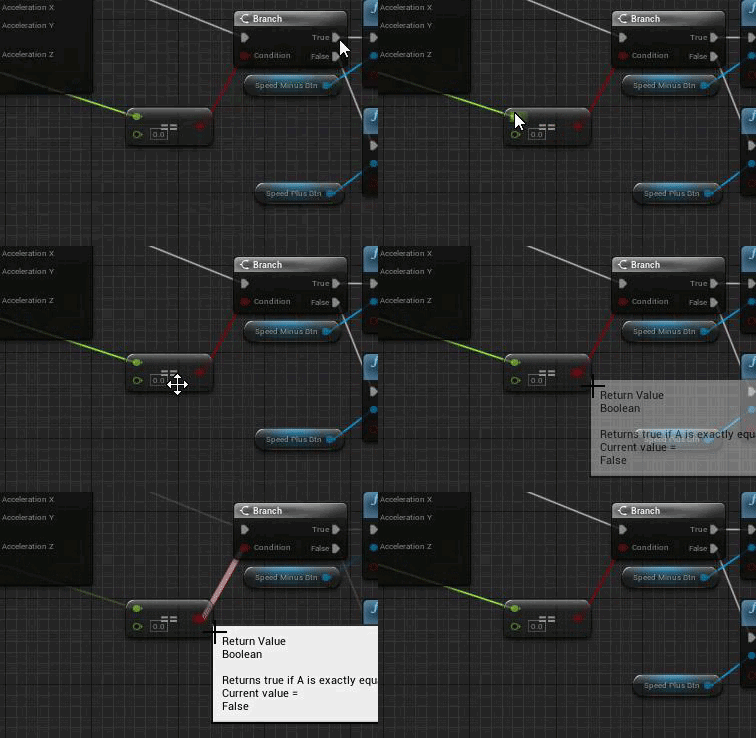
https://gyazo.com/0bb3fbc5d9c57c01a1a77651b58d37be 0 is = to 0 but it still returns false? Any idea why this could happen?
 paper cobalt
is there a way to get my GPU to not draw full power when i am not on the editor window?
like. if i flip to another program, my editor is still utilizing my gpu fully
 hidden dew
I have a pawn that's moving around as a 3rd person character.
And I have a cylinder that's chasing it around with a bit of lag. My intent was for the camera to be childed to the cylinder so there was some visual give in the camera's focus as the character moves around. It's similar to the Spring Arm lag setting, I just wanted some more control.
But since the pawn is the default pawn, and the cylinder is just an actor that's not actually needing player input, Unreal makes its own camera for the pawn and uses that, while ignoring the actual camera I've put on the cylinder.
_
What kind of thinking should I be taking here, where I want a camera that is on a different object to the main character's pawn?
Or if what I'm thinking is fine to do... how do I do it?
hidden dew
harsh tiger
https://gyazo.com/0bb3fbc5d9c57c01a1a77651b58d37be 0 is = to 0 but it still retu...
Can't tell what's feeding that first pin, but comparing floats with == is very, very often a problem.
Look for the "Nearly Equal" node for comparing floats.
 brittle spoke
I was following a tutorial on YouTube maybe a week or so ago but lost the channel. In the first picture I made these 3 things. The 2nd picture shows the “categories” that everything will be listed under. The 3rd picture lets me fill in the items for each category and apply stat changes I want but do I list everything that will be in my game or only the things that I want available to the player from the start? And the 4th picture completely gets me lost and I don’t remember what I was doing with it 😓
Any help and advice is appreciated. Just want to start working on my project again.


 hidden dew
I don't know anything about those objects you've made I'm afraid... but you have a PC! Use PrintScreen! omg
harsh tiger
hidden dew
Can't tell what's feeding that first pin, but comparing floats with == is very, ...
Thank you!
 tawdry jewel
Hello. I am currently creating a character animation in cinema 4d r25. I'm using mixamo to auto rig it as well as pose morphs within cinema 4d to animate the face. I was wondering if anyone on this channel had any experience baking a joint based / pose morph based character animation in a way that's acceptable for migration (with textures) into Unreal Engine 4? I've tried Datasmith, FBX, and Alembic and for some reason Unreal Engine can't quite migrate the animated character rig with textures and joint hierarchies properly? Any advice on this matter would be greatly appreciated!
paper cobalt
brittle spoke
I was following a tutorial on YouTube maybe a week or so ago but lost the channe...
i assume you searched your history? time to time i lose tuts or channels and i am super bumbed... always save tuts in a playlist when you can
steady bramble
Please help me. I have a constant crash when animating the camera.
 paper cobalt
steady bramble
Please help me. I have a constant crash when animating the camera.
paper cobalt
steady bramble
Please help me. I have a constant crash when animating the camera.
provide more information please
using movie render queue? sequencer?
steady bramble
paper cobalt
provide more information please
using movie render queue? sequencer?
I use a sequencer.
paper cobalt
go to #cinematics and il talk to you there
hidden dew
hidden dew
I have a pawn that's moving around as a 3rd person character.
And I have a cylin...
So I just use SetViewTargetWithBlend in the Pawn's BeginPlay to immediately tell the playercontroller to use the different actor's camera.
Feels a bit inelegant, but I get the sense that this is one of those things where Unreal wants things to be done the way it wants things to be done
 tepid helm
Hi, is there any way to avoid problems with no dynamic shadows in ortho mode?

I tried making a perspective camera, setting a very small FOV and set the camera in a very big distance, but this makes many problems related to shadows disappearing after a certain distance etc.
Someone said that I should try forward shading, but it doesn't work for me too
 lavish shoal
what's the easiest way to make a texture jitter effect, like a ps1 shader?
 urban dust
@tepid helm Don't do it like that. there is an option in camera settings, to make the camera orthogrphic.
tepid helm
urban dust
<@!346011456376012801> Don't do it like that. there is an option in camera setti...
ye, that's where the problem with shadows appears
Orthographic camera has no dynamic shadows whatsoever
and only workarounds here are making a perspective camera with little to no FOV
but it generates even more problems
urban dust
dynamic shadows primarily use cascaded shadow map, which has a limited distance.

An overview of the Dynamic Scene Shadows Content Example map.
tepid helm
urban dust
dynamic shadows primarily use cascaded shadow map, which has a limited distance.
if I set the camera distance to about 200 and ortho with to 512, there still are no shadows

it's a known bug that otho camera doesn't have dynamic shadows
urban dust
hmm, there is no (good) choice then.
 whole solar
yo guys
i tryed to find
ue5 videos
about particle system
likea aghost trail

like this
i cant find any video
all are ue5
there are potions
options*
are in ue5
can somone help me
im rlly confused rn
mint umbra
How can I "Interrupt" an animation montage? I want it to loop until I release my input or a state is changed 🙂 I tried with a Stop Anim Montage, but that didn't do the trick https://gyazo.com/b58989dbebab15ee2f7957a3156990fb

 trim cedar
paper cobalt
is there a way to get my GPU to not draw full power when i am not on the editor ...
trim cedar
paper cobalt
is there a way to get my GPU to not draw full power when i am not on the editor ...
good question, I'm not sure either but I always minimize when I go afk, don't want to fry my GPU with the current price situation 😂
tepid helm
urban dust
hmm, there is no (good) choice then.
all right, i tried the FOV method and it works REALLY fine, except for few things.

shadows are very blurry, despite taking about half of screen space
 stray drift
Could an ortho camera be mocked by a camera super far away but with super low FOV or high zoom?
tepid helm
stray drift
Could an ortho camera be mocked by a camera super far away but with super low FO...
i did it, as in the photo above
the only issue i am facing is with shadows, because those are still distance based, not screenspace based
stray drift
Pivot. Player is the god, the only source of light. IE no shadows.
Sorry I can't help you though!
Would a secondary camera nearby, but not rendering to anything force shadow rendering? 😅
 quasi sun
Hi, does anyone understand how the vaulting system in Unreal Engine 5 Valley of Ancient sample works ? I have some questions.
tepid helm
stray drift
Would a secondary camera nearby, but not rendering to anything force shadow rend...
tried that, nope lmao
 thorn island
I would like to apologize in advance for any stupid question I can make. I am currently working in a small project. I spawn some actors on runtime, but the first time the actor spawns the game kind of stops for a fraction of a second. The rest are fine.
My guess is that the first actor is not loaded in memory so it takes extra time to do so.
I am thinking maybe i should prepare a little room hidden in the game and load that particular actor but with no AI etc. That should help with my issue, but I am also thinking that maybe it's not the most elegant solution. I know with sounds you can "pre-cache" them, is there anything similar for loading actors into memory when the level loads?
Again, thanks in advance for your help and sorry if I made a silly question 🙂
Cheers
 amber shuttle
as far as i know it preloads everything that is referenced in every blueprint you're using
except streaming levels
thorn island
amber shuttle
as far as i know it preloads everything that is referenced in every blueprint yo...
Could it be that when i spawn the first actor i change its material on the begin play?
I mean...could it be the material then?
Thanks, I will start with that
 raw anchor
Anyone know how to check and see if three variable equals each other and add that as a branch condition? I already can check if A equals B but cannot figure out how to check check if A equals B and C in blueprints
rocky epoch
Check A == B and check its output with C?
I mean are we talking of booleans?
in case of float if I get it right
 modest trench
Note: generally bitwise equal is not what you want with floats
rocky epoch
that is true
modest trench
You want to compare the values to be within .001 or something of each other
 modest trench
Sorry, just being nitpicky
rocky epoch
no, you were totally right
it could cause some issue and would be pain in the back to find it if we are not aware of that
drowsy snow
whole solar
about particle system
Find for UE4 tutorials.
whole solar
i use ue5
drowsy snow
whole solar
i use ue5
Doesn't matter.
modest trench
It's all the same
whole solar
.
drowsy snow
Most of the surface level stuff are interchangeable between UE4 and UE5, save for minor UI differences.
Except if you're using UDK (UE3), that's another story 🤭
raw anchor
@rocky epoch thank you for a fast reply let me try and. And see if it works
rocky epoch
cheers :)
neon bough
drowsy snow
Doesn't matter.
well they changed some things for particles
that's why pretty much everyone in here recommends UE4 for learning
hidden dew
Which is better:
To apply Pawn movement/rotations as part of the code that responded to the input event?
Or to take that input and store it in something like the Add Movement Input node, then consume and apply it in Tick ?
 zealous magnet
Hey there! I'd like to have some general feedback on this problem I'm currently facing. I'm building a laser system in which you can take this laser mirror by the tripod legs and place it elsewhere in the world AND rotate the mirror head around on the two axes shown in the picture.
The problem I'm facing is what the best controls would be for this. Right now, you can click on the tripod legs to pick it up, and click again to place it on the ground, and when you click on the laser mirror head, you enter a "control mode", in which you can use W,A,S,D to justify the laser head's rotation. Clicking again will leave that rotation mode and give you back the full game camera control back.
That solution however has the problem that you can't justify location and rotation of the mirror simultaneously, so it's kinda hard to estimate where to place this in the level. Also, there's no grid snap for position or rotation as that would make it even harder to try to focus a target which is a couple of meters back.
Feedback is greatly appreciated 🙂
 hidden dew
How about, instead of WASD to rotate it, hold RMB and then the mouse axes rotate it in the 2 directions.
That way the player can constantly move around while flipping between camera and mirror rotation pretty quickly, without having to actually put the mirror down first. Ie, it's constantly previewing the result.
An alternative could be mousewheel = rotation while carrying the mirror, but if there are thoughts of ever using a gamepad as a controller, it's pretty much going to demand removing one thumb from a control stick anyway, unless the right stick temporarily flips to mirror control in the same way as the above suggestion
paper cobalt
trim cedar
good question, I'm not sure either but I always minimize when I go afk, don't wa...
thats the thing!! I minimize my window and it still draws full realtime if i forget to override realtime or close viewport
prime willow
@drowsy snow I fell asleep :3
zealous magnet
hidden dew
How about, instead of WASD to rotate it, hold RMB and then the mouse axes rotate...
Thanks! Also thought about both of your suggestions. For the first one, the problem is that you'd not have control over the camera while adjusting the rotation. I'm not sure whether it throws the player off if you suddenly are not able to move the camera around freely. Your second idea: mousewheel worked out pretty good, but the mousewheel unfortunately has this natural "stepping" cause of the way mouses are built. It'd definitely need some smoothing
A similar title, "The Talos Principle", therefore removed this physical limitation of how mirrors naturally work and just has a "click the source, then the target, and you get a laser connector device which will connect up the two"
 hidden dew
Yeah I've got that game heh
zealous magnet
It's great, and I think they probably had the same design decision to make 😄
hidden dew
I only have the VR version though lel, so I actually can't relate haha
How much it throws the player off would depend on how things generally feel in the game I think. If it's the only time it happens, yeah could feel annoying. But in Apex Legends for example, it's really common to flip into your inventory while still running around, even though your camera control is disabled (in order to enable inventory control).
zealous magnet
It would happen for every laser mirror at least, so that might be a few per puzzle / level
 haughty hound
Hello. How could i see the same assets i see in Standalone Game but selecting Simulate? I mean they dont seem the same, they look different
hidden dew
If not the mouse or mousewheel, any other control is going to force the player to move their hands
Like, they can't keep walking if they need any keyboard keys at all for the mirror
zealous magnet
Exactly
hidden dew
So I think it's down to yeah.. mouse or wheel
zealous magnet
It's kinda hard for people to figure out where to place the mirror, cause the position is depending on the rotation, and vice versa. So ideally, you'd be able to control both while walking
haughty hound
Anybody? 🙂
zealous magnet
hidden dew
Sell the game with pedals 😄
Heh. It's pretty hard to figure out you see? 😄
haughty hound
pretty sure @hidden dew when simulating my particle systems doesnt use lights
like those modules dont exist
Any clue how to fix that?
hidden dew
No clue :/
haughty hound
ok, thx anyway
 steep steeple
Hello does anyone know a way to move the 4.26 water level up or down with blueprints or otherwise?
 sick patio
what's gonna be in 4.27.2?
plush yew
how does unreal engine produce super realistic graphics? what render engine is it using?
 patent cobalt
plush yew
how does unreal engine produce super realistic graphics? what render engine is i...
patent cobalt
plush yew
how does unreal engine produce super realistic graphics? what render engine is i...
Its own.
 fierce tulip
lol
plush yew
patent cobalt
Its own.
wow
i mean, that is what you get when you have more than 100 people working for you
i bet that it is closed source
bright sigil
and several iterations of the engine for 30+ years
the entire engine code should be on git
patent cobalt
And you do it for 5 major versions and an uncountable number of minor ones…
The entire code is on GitHub, including the one being currently developed on
But it is not open source in the traditional sense
plush yew
bright sigil
the entire engine code *should* be on git
right
plush yew
patent cobalt
But it is not open source in the traditional sense
yeah
if anything, unreal engine is not the engine you would want to use as reference for your personal one
plush yew
patent cobalt
The entire code is on GitHub, including the one being currently developed on
even the rendering engine?
bright sigil
plush yew
if anything, unreal engine is not the engine you would want to use as reference ...
are you making your own engine?
patent cobalt
Everything is on GitHub. The full source code yes.
But you cannot legally steal from it.
plush yew
bright sigil
are you making your own engine?
not at the moment
plush yew
patent cobalt
But you cannot legally steal from it.
but you can borrow code?
patent cobalt
But you can study it and learn from it
plush yew
patent cobalt
But you can study it and learn from it
got it. so no forks
patent cobalt
No you cannot take pieces of it and use them in your own game
You can fork it but you cannot release it with changes like it was yours
plush yew
patent cobalt
You can fork it but you cannot release it with changes like it was yours
i see
so private forks
patent cobalt
But if you make useful changes you can submit them back to Epic as PR.
plush yew
can you make a fork, customize it to make it yours, and then release it as closed source
bright sigil
plush yew
can you make a fork, customize it to make it yours, and then release it as close...
its not open source >.< as a programmer you should look into the engine user agreement
plush yew
bright sigil
its not open source >.< as a programmer you should look into the engine user agr...
ik ik
i was just amking sure
patent cobalt
plush yew
i was just amking sure
For any doubts/questions you can contact Epic’s legal department. I am sure they will be happy to assist you.
hidden dew
When I package my project, DebugGame works fine, Development works fine, but packaging it for Shipping produces this when I try to run the .exe:

Anyone know what this is talking about?
patent cobalt
@hidden dew no errors/warnings in your Package log?
hidden dew
I just realised my mistake
hidden dew
hidden dew
When I package my project, DebugGame works fine, Development works fine, but pac...
I was trying to run the .exe from the binaries folder, not the .exe in the WindowsNoEditor folder.
The latter comes with its own 'Content' folder and the required .pak file.
Hadn't tried packaged builds before so was just fumbling around
Thanks for the attention though
 glacial needle
Hey guys, my game save system works fine, but if you close the game all data is lost... anyone know how to get around this?
 runic snow
Is it possible to access/modify mesh vertices from blueprints or niagara module scripts?
 inland lagoon
Trying to export a simple animation I created in Maya into Unreal but its messing up the pivot point as it sets it to the world origin on import. I have tried setting the local space/world space pivots to 0, 0, 0 within Maya but that just messes up the animation in Maya
 sly coyote
im getting a weird null error...an enemy is "pending kill" and considered null....in an is valid check...as in the actual check for "is valid" is giving me a null error....
isnt that the whole point of "is valid"...to check if its null or pending kill...kinda weird that IT would give me the null error
 dusk nebula
obviously this is the unreal discord, but it UE better than some other options for 2D projects?
sly coyote
unity was originally designed as a 2d engine
it is more fully featured for 2d support than paper 2d
 forest kettle
heya, does anyone know if theres a callback thats fired when the scene goes from being clean to dirty?
i'd rather not poll IsDirty on my Level, and would rather just subscribe to whenever it is modified. i dont think a PostEditChangeProperty will work
bright sigil
dusk nebula
obviously this is the unreal discord, but it UE better than some other options f...
unreal would not be my first choice to make a 2d game in - though it would depend on the art style as well
bright sigil
sly coyote
isnt that the whole point of "is valid"...to check if its null or pending kill.....
id imagine it is tied to the same issue, hard to say, as you describe it is best mitigated with an isValid check, there's too much to guess as to what may cause it without seeing ALL associated BP logic
 digital anchor
isvalid checks for pending kill
you probably have a chain of nodes before the IsValid, and one before the last is actually invalid @sly coyote
 coarse turtle
I've seen in many games where you have character customization and same clothes fit them all. How is that possible?
One way is possible by keeping the body same and only changing the face.
digital anchor
coarse turtle
I've seen in many games where you have character customization and same clothes ...
He uses shader, but same principle for skinning or morph targets
hidden dew
runic snow
Is it possible to access/modify mesh vertices from blueprints or niagara module ...
This is old, but should get you going:
https://answers.unrealengine.com/questions/295318/how-to-use-procedural-mesh-component-in-blueprint.html
There's a plugin called Runtime Mesh Component (RMC) that is meant to be better than Procedural Mesh Component (PMC). I used RMC in blueprints a while back, worked fine for what little I did, and it was deliberately designed to imitate the way you do things in PMC.
But RMC has changed a chunk since 4.23. I don't know if it's as easy to pick up nowadays
drowsy snow
prime willow
<@!325627930484932608> I fell asleep :3
Eh, sorry, I just woke up 🥱
runic snow
Thank you @hidden dew that’s helpful! Actually I was digging into Nvidia Flex and AMD’s FEMFX for mesh deformation and both of them implements FEM algorithms but that’s GPU dependent and it becomes complex to accommodate functionality for both in the project. I was thinking if it can be achieved using Niagara assuming Niagara can perform gpu bound calculations on any gpu!
I have seen people implementing softbody simulation in Niagara, so I thought that it could be possible to implement Finite Element Models in it. Again, I am not sure it will work, but it’ll be a fine addition to my knowledge
hidden dew
@runic snow Pranav, have you got UE open right now?
runic snow
hidden dew
<@!333995992829394946> Pranav, have you got UE open right now?
No but I can open it
hidden dew
Ah not that important, but here's a headache I'll prevent for you:
drowsy snow
sly coyote
unity was originally designed as a 2d engine
The first ever Unity game is a 3D game 🤔
https://en.m.wikipedia.org/wiki/GooBall

GooBall is a video game developed by Over The Edge Entertainment for Mac OS X and published by Ambrosia Software in 2009. The player assumes the role of an alien stranded on Earth. "Goober", as the alien becomes known to the CIA, is stuck inside a life support device made of protoplasm. The gameplay is similar to the Super Monkey Ball series in ...
 knotty vessel
what are the names of these two nodes? sorry lmao
 hidden dew
@runic snow
Mesh Editor --> Details --> General Settings --> Set "AllowCPUAccess" to true
 drowsy snow
knotty vessel
what are the names of these two nodes? sorry lmao
drowsy snow
knotty vessel
what are the names of these two nodes? sorry lmao
Subtract
Add
(In search menu, you can type the symbol instead, and match the numeric var type)
knotty vessel
ty!!
runic snow
Got it 👍🏻
hidden dew
I've been aware of this for ages and STILL got stuck for about an hour yesterday forgetting about it
runic snow
hidden dew
I've been aware of this for ages and STILL got stuck for about an hour yesterday...
I almost deleted production database at work, almost 💀
hidden dew
That sounds anti-productive
I have no idea about Niagara, etc
Sounds like something I might want to look into at some point
runic snow
runic snow
I almost deleted production database at work, almost 💀
Confusion because of bad naming convention in a legacy system 😅, I was intern!
hidden dew
Legacy systems
Always a blast
Where I used to work there was an if statement that was over 2000 lines. It was like the boogeyman no-one wanted to upset
There was recursion within the statement, and functions that existed purely to subvert C++'s limit on how deep if nesting can go
 crimson depot
Am I the only one that can't get the latest versions of Send 2Unreal by Epic to work? I had to roll back to 1.6.6.
drowsy snow
crimson depot
Am I the only one that can't get the latest versions of Send 2Unreal by Epic to ...
If you're talking about the Blender plugin - I don't even use the damn thing, and I'm a frequent Blender-UE user.
crimson depot
drowsy snow
If you're talking about the Blender plugin - I don't even use the damn thing, an...
Blender-UE?
drowsy snow
Blender and UE4 workflow.
knotty vessel
ive not ran into any problems myself with blender to ue4 and i dont even use any plugins 🤷
crimson depot
I had to roll back to 1.6.6 which works
drowsy snow
knotty vessel
ive not ran into any problems myself with blender to ue4 and i dont even use any...
Tried importing skeletal meshes before? 😏
knotty vessel
not yet lmao 😭
crimson depot
No. too afraid lol
knotty vessel
im still making the avatar character so ive not got into that yet
drowsy snow
Of course 😏
knotty vessel
lmao
drowsy snow
If you don't set the unit scaling before it's too late, you're going to have a hell of a time, particularly with skelmeshes.
crimson depot
Thanks for the addon didn't know about it
drowsy snow
knotty vessel
ill deal with that when i get there, ty for the warning 😭
Typically you'd want to set it before doing any kind of animating.
 pseudo bolt
Hey is it okay if i ask for help in packaging my game in here, and show you the logs?
drowsy snow
pseudo bolt
Hey is it okay if i ask for help in packaging my game in here, and show you the ...
There's a specialised channel for #packaging
pseudo bolt
Thanks, a bit new here
 scenic fox
Is Rinterp fps dependent? because on lower fps it's a lot slower compared to higher fps
drowsy snow
scenic fox
Is Rinterp fps dependent? because on lower fps it's a lot slower compared to hig...
That depends on the delta seconds it used. Usually delta seconds is the frametime.
scenic fox
drowsy snow
That depends on the delta seconds it used. Usually delta seconds is the frametim...
hmm i was making some weapon sway and it is at lot slower on lower framerates
not sure what's going on
drowsy snow
scenic fox
hmm i was making some weapon sway and it is at lot slower on lower framerates
I think you could get better mileage with anim BP stuff.
scenic fox
drowsy snow
I think you could get better mileage with anim BP stuff.
yeah but im doing procedurally
but im pretty sure it is framerate dependent how can i not make it framerate dependent/
drowsy snow
scenic fox
yeah but im doing procedurally
You can do some procedural stuff in anim BP. It's not just about picking the right anim sequence.
scenic fox
drowsy snow
You can do some procedural stuff in anim BP. It's not just about picking the rig...
Yes but i move the root bone around for weapon sway that requires me to calculate a location and rotation which is done by rinterp
i was asking if rinterp is framerate dependent and it is
i want to know how i can make it non framerate dependent
stray drift
@scenic fox could you run your own custom loop? Tick it at 50/60 Hz
scenic fox
stray drift
<@!680406611340427264> could you run your own custom loop? Tick it at 50/60 Hz
True but then my sway wouldn't really be accurate, i could use a timer but what time would i put?
stray drift
1000ms / $(tick rate) - $(current frame calculation time)
scenic fox
stray drift
1000ms / $(tick rate) - $(current frame calculation time)
is 1000ms hard coded or?
stray drift
It's how you convert EG 144Hz to sec / frame. 1000 = 120 == 8.33 ms per frame
scenic fox
stray drift
It's how you convert EG 144Hz to sec / frame. 1000 = 120 == 8.33 ms per frame
how exactly can i convert that into ue4 though?
scenic fox
stray drift
It's how you convert EG 144Hz to sec / frame. 1000 = 120 == 8.33 ms per frame
also a timer is dependent on framerate too :/
stray drift
scenic fox
also a timer is dependent on framerate too :/
Apologies if you already mentioned this, but how are you doing the sway magnitude calculation?
scenic fox
stray drift
Apologies if you already mentioned this, but how are you doing the sway magnitud...
using tick
using the animation blueprint's event tick
stray drift
You're going to need to be more specific than that, show me!
scenic fox
basically i have a rotator that will be used to set my loc sway and that rotator uses finterp to smooth


finterp is def framerate independent as it uses delta time
stray drift
Hmm I can't read the first screenshot, maybe Discord has an image size limit.
What's finterp speed set to? Have you tried 0?
Could you also upload it here: https://blueprintue.com/ and share it please?

blueprintUE is a tool for sharing, rendering and rating blueprints for Unreal Engine 4. UE4 is a game engine which use visual scripting called blueprint.
scenic fox
stray drift
Hmm I can't read the first screenshot, maybe Discord has an image size limit.
...
finterp speed is 10
stray drift
scenic fox
finterp speed is 10
Could you try 0?
scenic fox
stray drift
Could you try 0?
No description provided
0 works
but it's not smooth anymore :/
stray drift
Well that's your problem sorta solved then, 10 is way too high interp for low frame rates, it ends up losing some of the intended rotation. Frame rate drops are going to throw people's aim off, for example.
IDK what you're trying to do though, smooth out aiming?
scenic fox
No lmao im doing weapon sway
scenic fox
stray drift
Well that's your problem sorta solved then, 10 is way too high interp for low fr...
That is actually not the problem even if i made my finterp lower, on lower framerates the thing still moves much more compared to higer framerates, yes it's clamped on all framerates but if i move my arrow keys on lower framerates the sway is much higher
stray drift
scenic fox
No lmao im doing weapon sway
If you want to keep smoothness but also not lose input entirely, you could branch your logic. FInterp (speed 10) that updates display, and F Interp (speed 0), or just a manual rotation, that updates the old rotation.
Current one is for example, where each tick you are adding .2, would do something like this:
old -> cur (calc)    == interp'd result
1.0 -> 1.2 (1.0+ .2) == 1.1
1.1 -> 1.3 (1.1+ .2) == 1.2
1.2 -> 1.4 (1.2+ .2) == 1.3
With a manual add for updating the old it would be something like
1.0 -> 1.2 (1.0+ .2) == 1.1
1.1 -> 1.4 (1.2+ .2) == 1.25
1.25-> 1.6 (1.4+ .2) == 1.375
Sorz for the horrible example, but I've got a work meeting in a few minutes and just want to do game dev myself lol
I think the main issue you have is that the old is being set off the interpolation, which means how much the delta rot affects the next one is dependant directly on framerates.
scenic fox
stray drift
I think the main issue you have is that the old is being set off the interpolati...
the delta rot has nothing to do with it lol, i just read online and figured out that yes indeed rinterp is framerate independent i mean why would it need delta seconds? delta seconds is the second since the last frame, that means it is def framerate independent
I want it to move at the same exact speed on any framerate no matter what
delta rotator just subtracts two rotators lmao
stray drift
I'm not referencing that node. I mean ∆Rotation as in the change in rotation you would be desiring. You're adding on to an interpolated value, which inherently ties the end result to the frequency of the interpolation.
scenic fox
No i am not adding on too my rotation, i am literally setting it?
stray drift
I don't think being dismissive of people trying to help is every helpful, but you do you.
Smoothly interpolate the visual element, not the calculation.
Yes you're setting it to the result of a per-tick interpolation, which makes it frame-rate dependent.
scenic fox
i want my end result to be where it isn't framerate independent it'll move the same exact way in every single frame
i want to know how that is possible
stray drift
Wouldn't that mean 240Hz players would get around 9x more motion bobbing than 30Hz ones? Sounds wack
*more frequent
scenic fox
No lol, on lower fps it has more movement on higher fps it has less movement
Sounds wack
why shouldn't i be dismissive about you when you say stuff like this? you call this help lmao
stray drift
More movement in terms of what, the angle changes more per-frame, or that the sway goes further out
scenic fox
stray drift
More movement in terms of what, the angle changes more per-frame, or that the sw...
Can i send you a video to show?
stray drift
Go for it
scenic fox
when i set my max fps to 30 it sways a lot more
why is that happening?
it moves around a lot more compared to 120 frames
modest trench
probably a calculation that doesn't account for delta time
scenic fox
modest trench
probably a calculation that doesn't account for delta time
will that fix the issue or is that the issue?
modest trench
that is the issue, if you do something every tick to move something a certain amount it should probably account for how long each frame is
scenic fox
modest trench
that is the issue, if you do something every tick to move something a certain am...
How can i account for how long a frame is in rinterp?
modest trench
without seeing any of your math I can't say anything
scenic fox
No description provided
modest trench
ah, I should have scrolled up
scenic fox
so uh?
modest trench
I believe on your lower tickrate the delta will be higher between now and the previous frame
stray drift
If you want constant rotation, I think RInterpTo Constant is what you'd be after no? Looking at vid frame by frame in a second to double check
scenic fox
modest trench
I believe on your lower tickrate the delta will be higher between now and the pr...
Yes on lower framerate the delta is a lot bigger
scenic fox
stray drift
If you want constant rotation, I think `RInterpTo Constant` is what you'd be aft...
does rinterp to constant require delta./
scenic fox
stray drift
If you want constant rotation, I think `RInterpTo Constant` is what you'd be aft...
still no change on lower framerates it moves a lot more
i guess there's no way to fix this 🤷♂️
stray drift
Have you looked at how to use it, or just dropped it in connecting wires whatever way looked right?
scenic fox
stray drift
Have you looked at how to use it, or just dropped it in connecting wires whateve...
What exactly do you mean? i have tried multiplying delta seconds by a certain value and that doesn't work either that won't work cause delta seconds is different on every framerate
 dapper bridge
Is there anyone that could help with replication for multiplayer? Im just trying to open a door, and its not working correctly. the server seems to be fine, and replicates door opening in client, but trying to open / close the clients door does nothing for the server. Heres the code within the door BP
 plush yew
is unreal 4.25 the worst ?
cant edit animation frames correctly, weird savetimes on some assets
niagara is hell
drowsy snow
plush yew
is unreal 4.25 the worst ?
I skipped from 4.24 to 4.26 lol
ebon stirrup
drowsy snow
I skipped from 4.24 to 4.26 lol
same
warm salmon
Me too
 bleak zodiac
i'm am working in 4.26
warm salmon
Me in 4.27
 rigid yarrow
interesting aye guys check this out
https://en.wikipedia.org/wiki/List_of_Unreal_Engine_games
This is a list of notable games using a version of the Unreal Engine.
drowsy snow
rigid yarrow
interesting aye guys check this out
https://en.wikipedia.org/wiki/List_of_Unrea...
Yep.
 rigid yarrow
drowsy snow
Yep.
rigid yarrow
drowsy snow
Yep.
so whats with this game you picked. im guessing you have involvement with this game ?
drowsy snow
rigid yarrow
so whats with this game you picked. im guessing you have involvement with this ...
No, it's just one of my favourite game from my favourite series.
rigid yarrow
ahh nice. ima GTA freak. but i like others also
 neon magnet
what??? 🤪
``Unhandled Exception: EXCEPTION_ILLEGAL_INSTRUCTION
nvwgf2umx
nvwgf2umx
nvwgf2umx
nvwgf2umx
nvwgf2umx
nvwgf2umx
nvwgf2umx
kernel32
ntdll``
now it's just like "ok I'm just gonna crash now and tell you nothing anymore"
drowsy snow
rigid yarrow
so whats with this game you picked. im guessing you have involvement with this ...
Though the series give me a lot of inspiration and influence to me, and had more personal attachment, to say the least.
rigid yarrow
that awesome. itss kinda going downhill now if u ask me. should have kept the IV team but ahh well
i think its time for another team / company to make a realistic open world
thats where i come in eeeeeeheh
 primal tendon
is there any easy way to control emotions/expressions of metahuman? I have no iphone and not planning to buy one, should I take something like iclone?
 autumn flame
neon magnet
what??? 🤪
``Unhandled Exception: EXCEPTION_ILLEGAL_INSTRUCTION
nvwgf2umx
nvwg...
autumn flame
neon magnet
what??? 🤪
``Unhandled Exception: EXCEPTION_ILLEGAL_INSTRUCTION
nvwgf2umx
nvwg...
Debug symbols Inc.
neon magnet
autumn flame
Debug symbols Inc.
I have the debug symbols
this is the first (or maybe 2nd) time it's reported such information-less errors
I don't understand why these are happening in the first place. These are all core- or engine-related errors. My engine is completely vanilla, I'm just using BPs and nothing complex.
contrast this with UE5 which is a preview lol and it has never crashed

 summer verge
ERROR: Unable to find installation of PDBCOPY.EXE, which is required to strip symbols.
Anyone seen this before?
 brittle tundra
Hello I'm not sure where to post this I have a nasty crash when building my lights:
Pastebin
Pastebin.com is the number one paste tool since 2002. Pastebin is a website where you can store text online for a set period of time.
 prisma quarry
I have a problem when I open the project created on a windows pc on a Mac. It gives me everything washed out, it seems to be a gamma problem I think. The lights are all movable and the parameters are identical for both files. Exported via Unreal archive (Zip). Anyone know what the problem is?
 plush yew
Looking for some advice - I'm developing a game wherein I need to swap from Day and Night seamlessly with a button press, however I'm a bit stuck on how the best way to go about this is.
Nothing needs to be dynamic, ideally I'd like two saved and baked states that I can switch between, is this possible?
 last topaz
Hello, how can I make sure a cooked project is running at full cinematic quality?
Nvm found the cvar's.
drowsy snow
plush yew
Looking for some advice - I'm developing a game wherein I need to swap from Day ...
I'll give you the dynamic way anyway, because as of 4.24, you can use Sky Atmosphere (NOT Atmospheric Fog) to get a dynamic day night cycle in almost no time.
https://docs.unrealengine.com/4.27/en-US/BuildingWorlds/FogEffects/SkyAtmosphere/
A physically-based sky and atmosphere rendering system with time-of-day features and ground-to-space view transitions featuring aerial perspective.
plush yew
 vestal anchor
In your custom event, set the class to the actor with that variable
vestal anchor
In your custom event, set the class to the actor with that variable
It comes from a data table
vestal anchor
plush yew
It comes from a data table
Then set the class in the data table
plush yew
Did
and all items will have children of same shit so they will all have the variable
but it wont let me link it cuz it could not have it
warm salmon
Hey, just wanted to re-ask my question: wot will be the basic workflow of creating A full fledged game in UE4?
plush yew
@vestal anchor I got another problem tho
it only sets the stacksize variable if im playin as server
if im on client it sets it to 0 nomatter what
vestal anchor
If your return value is still Actor, you still haven't set it up properly.
It's probably not getting set because you're just setting it for the server and never the client but I haven't done much replication so dunno
 bleak zodiac
@warm salmon 😊
warm salmon
?
 white coyote
Hello everyone,
I added a member to a blueprint struct and can play in editor and launch successfully without errors, but now I get "unknown structure" errors when building. How should I handle adding members to existing and frequently used structures and how do I efficiently handle the build errors? thanks!
vestal anchor
white coyote
Hello everyone,
I added a member to a blueprint struct and can play in editor an...
Unknown structure is a common bug with structs made outside of C++. I was able to fix it by going into the blueprints that are getting the error and going into "File -> Refresh all nodes". But that is just a temporary fix, it might come back. I've never had the issue with structs made in C++.
white coyote
yikes that's not good 😅 thank you for your answer and fingers crossed I can fix it by refreshing the (multiple) classes. Won't be touching blueprint structures again... :/
 real moth
Can anyone help me as I can't commit my project, I am new to ue4 still and especially new with source control
 drowsy snow
It's what it says on the tin.
real moth
but what about the lock file like wtf do i do with that
 frozen stratus
Can someone help me on how to fix the up and down rotation of the solar panel? Basically on one side of the mesh the tracking direction is opposite to what it should be. The first rotation transform on the blueprint works correctly on it's mechanical "joint" shown first on the video, but this second one doesn't, panel tracks to opposite direction. If I track the pitch value basically it returns the same value on both sides of the mesh, not the opposite. If just add some multiply by negative/positive depending which side of the axis we are, it just cause the panel to mirror flip itself instantly when the side changes so that didn't work. I've been trying to track these values, try negating some of the inputs and outputs in different combinations but can't figure this one out. (I know on screenshot one node is World and one is Relative rotation but it doesn't matter here which one is used)
 modest trench
real moth
but what about the lock file like wtf do i do with that
modest trench
real moth
but what about the lock file like wtf do i do with that
Delete it in the git directory
Also, googling that error should give you the answer
 hidden aurora
Kinda stupid question, can you rollback a project from 5.0 to 4.27?
drowsy snow
hidden aurora
Kinda stupid question, can you rollback a project from 5.0 to 4.27?
5.0 Early Access to 4.27, no.
But you can rollback 5.0 Early Access to 4.26.
hidden aurora
Really? Thanks
 fading marten
Regarding Creative 2.0 aka Valkyrie, and as far as we know we'll be able to dive into blueprints (materials / vfx etc.), do you think Epic Games is going to give us the possibility to use fortnite assets for personal project outside of Fortnite ? Or a at least use them as examples ?
 oak sequoia
Is there a way of combining two skeletal meshes? I have two assets, for example Left foot and Right foot, is there a way to combine those together so they can just be "Feet". Trying to create an equipping system and dont want to have Left and Right foot slots
primal tendon
is there any easy way to control emotions/expressions of metahuman? I have no iphone and not planning to buy one, should I take something like iclone?
drowsy snow
oak sequoia
Is there a way of combining two skeletal meshes? I have two assets, for example ...
"Combine" them in your pawn/character BP.
lavish shoal
Should i upgrade from ue4 to ue5? is it stable to use and better?
drowsy snow
lavish shoal
Should i upgrade from ue4 to ue5? is it stable to use and better?
As of now? No.
UE5 is still unstable at current state, despite what some people want you to believe.
drowsy snow
Also unless you really need specific UE5 features, it's still cool to use UE4 and ship the final product with it. I certainly would.
lavish shoal
that makes sense. i just wish there was a way to make the UI in ue4 more smooth and simplified, i guess
drowsy snow
Eh, I felt UE5's UI is way too claustrophobic, lots of unused space, not much wiggle room in 1080p.
UE4 felt more compact, roomy, and all around more space to work with (even more so with small icons)
lavish shoal
what i mean is like, the icons look dated to me, if that makes sense. i know a lot of people like it but its just weird compared to other programs.
drowsy snow
See #instructions on how to post to job board channels.
 ember token

 viral carbon
I have a material that puts a heightmap into the vertex offset, how do I get it to light correctly? (ie cast shadows)

 spare kernel
@solid robin this is not the correct channel. please see #instructions for posting jobs.
 solid robin
spare kernel
<@!691691867028455536> this is not the correct channel. please see <#78055995166...
solid robin
spare kernel
<@!691691867028455536> this is not the correct channel. please see <#78055995166...
Opppss soo sorry
 solar tartan
Hello guys, I have this problem and no idea how to fix this, I used same engine version. how should I fix this?
 stray drift
solar tartan
Hello guys, I have this problem and no idea how to fix this, I used same engine ...
stray drift
solar tartan
Hello guys, I have this problem and no idea how to fix this, I used same engine ...
Have you restarted the editor?
neon bough
1kb sounds pretty small, are you sure that the files aren't corrupted?
stray drift
neon bough
1kb sounds pretty small, are you sure that the files aren't corrupted?
Sounds like tiny scripts, not that small is it?
 bitter lodge
I've imported some Megascan assets from the UE4 marketplace, and any time I open any asset from the pack, even a material instance, my CPU maxes out and it takes ~5 minutes to open the single asset. I've never had this issue before. Any tips?
 winter bluff
are there any tricks how to colorgrade greenscreen footage so that the "lit" mode actually makes the scene light the greenscreenshot the way it would feel naturally with the light of the scene?
solar tartan
stray drift
Have you restarted the editor?
yes
solar tartan
neon bough
1kb sounds pretty small, are you sure that the files aren't corrupted?
its just some data tables
but many files like those disapeared in engine and in folders still there
I verify the engine
its conected to the github and the others have the same problem
we all using 4.27.1
viral carbon
whole solar
guys how do i make like realistic moutains?
use a heightmap or use a mountain brush
warm salmon
Ya
whole solar
viral carbon
use a heightmap or use a mountain brush
i do use those
but like i make it
detailed
my moutains looks like this
 viral carbon
use a higher resolution landscape
tender pecan
solar tartan
but many files like those disapeared in engine and in folders still there
use git history, and see maybe there was a merge that went wrong. try and restore a previous version to see if it comes back. those files are probably corrupted from git merge my first guess.
warm salmon
According to google: In computer graphics, a heightmap or heightfield is a raster image used mainly as Discrete Global Grid in secondary elevation modeling.
Actually I don't know the correct definition
But they surely make mountains realistic
And there are many softwares to make heightmap
tender pecan
World Creator is another. They are all good . and they are all bad. 😆
bleak zodiac
also can use smooth on your landscape the edge
hollow moat
How can I change the root component position on an actor?

SetRelativeLocation doesn't change anything
Or maybe if that doesn't make sense, can I change how Setup attachment works so it doesn't attach it to the center?
stable path
hollow moat
Or maybe if that doesn't make sense, can I change how Setup attachment works so ...
I believe there's an Attach To Component node that lets you attach something to a specific component
stable path
hollow moat
SetRelativeLocation doesn't change anything
Have you tried SetActorLocation ?
hollow moat
It's cool I just had to set the relative location of the floor piece
Had a brainfart is all 😄
 odd solar
does deleting the DerivedDataCache in %localappdata% break the engine
my TObjectPtrs suddenly do not work 😦
and my Git doesnt reflect any changes that would break TObjectPtrs
yeah
a pointer to a TQueue
specifically a TMpscQueue
unfortunately not
i looked through the changes I did in Git and nothing should have broke it
it was actually running perfect up till i deleted ddc because it was eating up like 200gb
can't even restore the ddc now, the folder was just deleted bc it was too big
hidden aurora
drowsy snow
5.0 Early Access to 4.27, no.
Maps are not compatible though
neon bough
anything missing in DDC would be rebuild anyways?!
 honest patrol
Um I accedentally deleted the ue4 SaveGames directory folder is there a way to get it back or do I have to start a new project?
accidentally*
 exotic thicket
It should just recreate it automatically
You also should probably look into using source control software if you aren't using one
honest patrol
weird because I tried recompiling and saving my game and it wont appear and no .sav file would be created. But I'll look into some source control, its something I haven't really thought about.
 desert verge
 buoyant graniteBOT
:triangular_flag_on_post: Shockify#0001 received strike 1. As a result, they were muted for 10 minutes.
buoyant graniteBOT
:triangular_flag_on_post: Calrizien#9114 received strike 1. As a result, they were muted for 10 minutes.
plush yew
Hello, recently i started a project with my Friends. and i'm preety new to Multi User Editing.. And one of us kinda messed up somehow? I mean, NO one could see his Personal Folder where he started to work. And now no one can join the server.. Cuz it's insta crashinsg... Any clue?

~UE4~
 tiny zodiac
Hi. Im trying to follow the basic tutorials but they all show up as completed. And i click them but it doesnt work. Can anyone help me? Is this a bug? Should i reinstall it?
Only the first one worked. the others dont work. i click them but nothing happens it says they are completed 😦
plush yew
Hello everybody, I have a question for my friend, how do I combine/merge .uasset and .uexp files into one? The developer of the game allowed us to mod it but we don't know how.
 sharp crest
does anyone know if saving a material will actually make the shaders compiling faster?
rather than waiting for them to finish in the background

because when I save a material it will freeze the editor until all is compiled
would it be faster or not?
drowsy snow
sharp crest
does anyone know if saving a material will actually make the shaders compiling f...
No. Increasing ShaderCompileWorker priority in task manager could speed things up instead.
sharp crest
okay thanks will do that
glacial needle
Hey guys, my game save system works fine, but if you close the game all data is lost... anyone know how to get around this?
glacial needle
@sharp crest I mean that when u go to the main menu after saving the game, u can then rejoin from that savepoint but when u close the app, all data is lost and u cant join
sharp crest
I get that but I dont get how thats possible if u actually have a save system
sharp crest
drowsy snow
No. Increasing ShaderCompileWorker priority in task manager could speed things u...
my whole pc is running at 1 fps now but at least the shaders are compiling faster 😂 already at 9.7k
glacial needle
well that would be because the app doesn't save data when closed since all data is cleared. i'm asking what is the way to make it save data when closed.
drowsy snow
sharp crest
my whole pc is running at 1 fps now but at least the shaders are compiling faste...
Well, the shader compiler actually uses the most out of your CPU once the priority is high, so it kinda affect the desktop performance, but at the cost of the compiling being faster.
daring cedar
Can I do virtual video production with a short throw 4k short projector instead of LED walls? Will I be able to get parallax effect?
sharp crest
drowsy snow
Well, the shader compiler actually uses the most out of your CPU once the priori...
Yep makes sense, worth it XD
 icy mulch
Hey I am in need of some help im trying to create ai were it catches you it plays a punch animation then its game over
sharp crest
icy mulch
Hey I am in need of some help im trying to create ai were it catches you it play...
What do u need help with exactly
drowsy snow
daring cedar
Can I do virtual video production with a short throw 4k short projector instead ...
Parallax effect, no. But maybe you could use some backside projection?
Or book an event organiser to rent some huge LED panels.
daring cedar
drowsy snow
Parallax effect, no. But maybe you could use some backside projection?
Rear projection better than front projection?
icy mulch
I'm trying to make a blueprint for example i have the ai chasing my character but I I want to play a animation when it catches the player then a widget appears like saying game over
drowsy snow
daring cedar
Rear projection better than front projection?
I mean, the image is projected from behind, kinda like how vintage filmmaking works.
sharp crest
icy mulch
I'm trying to make a blueprint for example i have the ai chasing my character bu...
There r so many things u just described that u want to do. Be specific
Do u need help creating a widget or what
drowsy snow
icy mulch
I'm trying to make a blueprint for example i have the ai chasing my character bu...
Logic: If distance between player and AI is less than or equal to certain amount, disable input and execute game over events.
glossy mica
Anyone know why Waterbody exlusion volumes aren't working?
plush yew
how can you increase rain size, so it rains over bigger area? this method is pretty crazy and time consuming, and will probably end up in crashing lol. When I change it's size by dragging, the quality changes and turns it into very big, kinda fog/tornado rain drops that give major fps drops. I want to keep the same rain drop size, just make it fall over a bigger area.

or should I just get weather system instead for a big map
drowsy snow
plush yew
how can you increase rain size, so it rains over bigger area? this method is pre...
Increase the emitter area in your Cascade editor and adjust the spawn rate accordingly.
plush yew
drowsy snow
Increase the emitter area in your Cascade editor and adjust the spawn rate accor...
Which setting exactly?
plush yew
i don't think this will work, map is way too big and pc fans are going crazy when I add rain just in the front

Unreal Engine
Infinity Weather is a powerful and efficient system of weather control for Unreal Engine.
thinking about this one
drowsy snow
I wager you could get better control with Niagara, but I won't stop you from buying ready to use solution.
plush yew
i want to create fog, rain, storm and a bit of tornado
like things are flying around, but not too crazy
i tried niagara, but it was confusing
also I was thinking about niagara effect packs instead
sturdy smelt
Hey is there an way to Turn off backlighting of Groom?
 sterile garnet
guys, what may cause this mesh to be deformed like this?

 stone stump
sterile garnet
guys, what may cause this mesh to be deformed like this?
stone stump
sterile garnet
guys, what may cause this mesh to be deformed like this?
weights?
stone stump
Hey guys is there a documentation or a good tutorial on how to use these effectively to make an environment look good(how to use them properly)?@me
 stone stump
sterile garnet
guys, what may cause this mesh to be deformed like this?
stone stump
sterile garnet
guys, what may cause this mesh to be deformed like this?
How did you rig this?
sterile garnet
my artist did it in blender
stone stump
does it work properly in rigify in blender?
stone stump
i might be wrong but i think the weights are messed up, tell the artist to mess around with weight painting in blender and see if that works
when you imported this did you make sure you assigned a skeleton @sterile garnet
its in the options under mesh
sterile garnet
yeah, animations work
I've done it several times already
only this model has a problem
drowsy snow
sterile garnet
guys, what may cause this mesh to be deformed like this?
Looks like scaling issue to me.
And yeah, Unity don't have to worry about Blender's unit scaling, but Unreal does.
 tough oyster
Is there a trick to collaborating on a project with plugins that some of the team may not have bought?
 marble mist
someone knows where to download weapons that can be animated other than on the unreal engine page
drowsy snow
marble mist
someone knows where to download weapons that can be animated other than on the u...
Sketchfab is another site to go, but pay attention to the licence.
sterile garnet
marble mist
someone knows where to download weapons that can be animated other than on the u...
why do you want to animate weapons and how?
marble mist
I did not express myself well, to be able to do the reload animation, because in some weapons it does not allow
drowsy snow
Also in Sketchfab, sometimes weapon models do feature separate meshes for the parts, but not rigged.
 dense knoll
UE4.27 has dynamic lighting via bloom?
 drowsy snow
dense knoll
UE4.27 has dynamic lighting via bloom?
drowsy snow
dense knoll
UE4.27 has dynamic lighting via bloom?
Looks like SSGI to me.
And yeah, it's screen space, so not a true emissive illumination.
dense knoll
ah
plush yew
wtf

 terse zealot
plush yew
wtf
terse zealot
plush yew
wtf
kirby loves you
sharp crest
is there a way to clear the output log before opening it?
otherwise unless I opened the editor recently, I have to reopen the editor to be able to opne the output log without crashing cuz all the text it tries to load
sharp crest
plush yew
wtf
hey it's Kirby
 wintry raft
Hey! So I'm pretty new to unreal, but what are some good places to find assets? other than the marketplace of course
warm salmon
I don't think there are good places specifically for unreal except the unreal marketplace but ya u can find 3d models independently...... not getting the site's name! Will ping u when I remember
warm salmon
wintry raft
Hey! So I'm pretty new to unreal, but what are some good places to find assets? ...
And also unless u model some 3d assets by urself
wintry raft
warm salmon
And also unless u model some 3d assets by urself
Oh that's true, do you recommend any programs for that?
drowsy snow
wintry raft
Oh that's true, do you recommend any programs for that?
Blender is the one that's free and usable.
Also I'm surprised there's not much resources on this online. This WPO node is like magic and perspective defying.
 wintry raft
drowsy snow
Blender is the one that's free and usable.
wintry raft
drowsy snow
Blender is the one that's free and usable.
thanks you! i'll check it out
 worn flame
somebody can help me how to make a fusion the photo trigger with an enemy to destoy with the cameroid when a take a photo ? thak you so much.
drowsy snow
worn flame
somebody can help me how to make a fusion the photo trigger with an enemy to des...
If my translation is correct, you want to replicate Fatal Frame / Dreadout 1 mechanics?
worn flame
drowsy snow
If my translation is correct, you want to replicate Fatal Frame / Dreadout 1 mec...
thanks my friend for answer, I never played Fatal Frame xd but yes basically I just want to destroy or disappear my third person enemy with the cameroid after taking pictures of them.
 old oasis
Hey y'all just joined this discord -- I'm super desperate for help right now with a rendering question
Is it ok if I shoot it y'all's way?
 dire parcel
drowsy snow
worn flame
thanks my friend for answer, I never played Fatal Frame xd but yes basically I j...
dire parcel
drowsy snow
worn flame
thanks my friend for answer, I never played Fatal Frame xd but yes basically I j...
I suppose you could improvise from third person shooting logic, but instead of guns, the weapon is a camera. Also line tracer could be replaced with sphere tracer.
old oasis
Just to shoot my shot -- I'm currently using a construction script for material switches, iterations, and static mesh switches
I have it all keyframable in the sequencer, and the camera cuts/scrubbing validates that the BP is working
but when I render in the both the sequencer renderer and movie render queue it seems the construction script doesn't fire for every frame (it just hangs on the frame most recently constructed). Any thoughts?
drowsy snow
old oasis
but when I render in the both the sequencer renderer and movie render queue it s...
Construction Script only got executed in construct time, which means it only run once the moment the actor is getting constructed, NOT every frame.
You might want to look for Event Tick instead and put your update logic there, which is executed every frame in runtime (but not in editor).
worn flame
drowsy snow
I suppose you could improvise from third person shooting logic, but instead of g...
thanks im novice in this xd but i can undertand and learn fast is not for money is for passion you know is the most value thing for me, yesterday my head was hurt seraching how to the third person can kill me with one touch and i could do it, so if you put love in what you do, you can reach the top of the mountains , thanks again 😃
drowsy snow
prime willow
<@!325627930484932608> I fell asleep repeatedly x3
Well, you should take some rest at times to let the idea flow through, y'know :3
worn flame
drowsy snow
Well, you should take some rest at times to let the idea flow through, y'know :3
yeah you are right 😆
 sinful token

 primal sun
Hey guys, so i got this free slide animation, but id like for the animation to stay sliding just a little longer, is there a way to increase the length of the slide?
neon magnet
UE4Editor!FEngineLoop::Tick() [D:\Build\++UE4\Sync\Engine\Source\Runtime\Launch\Private\LaunchEngineLoop.cpp:4905] UE4Editor!GuardedMain() [D:\Build\++UE4\Sync\Engine\Source\Runtime\Launch\Private\Launch.cpp:178] UE4Editor!GuardedMainWrapper() [D:\Build\++UE4\Sync\Engine\Source\Runtime\Launch\Private\Windows\LaunchWindows.cpp:137] UE4Editor!LaunchWindowsStartup() [D:\Build\++UE4\Sync\Engine\Source\Runtime\Launch\Private\Windows\LaunchWindows.cpp:273] UE4Editor!WinMain() [D:\Build\++UE4\Sync\Engine\Source\Runtime\Launch\Private\Windows\LaunchWindows.cpp:320] UE4Editor!__scrt_common_main_seh() [d:\agent\_work\5\s\src\vctools\crt\vcstartup\src\startup\exe_common.inl:288] kernel32 ntdll
Completely unusuable now

 bright sigil
There is a #ue5-general and #metahumans channel, might get better help there
warm salmon
wintry raft
Oh that's true, do you recommend any programs for that?
Blender
neon magnet
Errr any thoughts on why my wireframes have gone black and no yellow outline is coming when selecting an object?

Thankfully a restart fixed it ... but my word ...
primal sun
anyone have any suggestions on unreal engine courses i can take?
warm salmon
primal sun
anyone have any suggestions on unreal engine courses i can take?
See the first pinned message on this channel
primal sun
warm salmon
See the first pinned message on this channel
thank you!
 vocal nimbus
bright sigil
There is a <#846520322642411570> and <#831953010900336712> channel, might get ...
vocal nimbus
bright sigil
There is a <#846520322642411570> and <#831953010900336712> channel, might get ...
thanks mate
 rare axle
Anybody here experienced using the Path Tracer and Movie Render queue? Having some issues, would be excellent to have some aid from anyone who knows.
DMs accepted and appreciated if so
 faint bone
can someone help me in casting, im trying to cast to a actor but object for it not working, here i explained it https://youtu.be/lWuh4eaLw5U

What is object for a actor bp? some solution i tried and failed.
neon magnet
This is absolute hell on earth I cannot understand why it keeps crashing for the most random things possible
This happened now when I switched a light on. Something that has never caused a crash before.
and look at the things that it's referencing - add widget? Paint? Wth ...
plush yew
Why does Force Delete always crash my Unreal? What else should I be using?