#ue4-general
1 messages · Page 1183 of 1
 vagrant salmon
 void iron
is it cuz of plugin
 static viper
what plugin
void iron
different plugin turned on in the other project
void iron
i found it online that might be the problem
 muted dew
can someone whos available check my screenshots and tell me whats wrong and why my mainmenu doesnt work?
please someone help me????
static viper
please choosey you really need to be more patient
muted dew
i know
static viper
yes sure
but you cant force people
and begging is not allowed too
that is the reality of the situation
muted dew
they help others and i am not being helped
static viper
thats not true
 spice ruin
If someone could help you, they would have by now.
static viper
we help where we can
but sometimes we cant
we dont always know the answer.
and we got our own lives too
you are just as important as anyone
muted dew
ive asked three ue4 servers and no one helps me
muted dew
kk
static viper
dont take it personally
static viper
youll find a way
if you step a way
take a break
getting all emotional now wont help.
static viper
maybe find another way
cut some content
we all go through what you go through
we all have pressure
vagrant salmon
How can I export a material - copying the uasset and migrate aren't going to work in my case, I think because it's a matinstance...?
 past turtle
Hey, when I test my game, there is sort of "noclip" controls by default, how can I remove them?
 coarse jetty
does somebody know why when working for android, launch and package works different regarding to widgets?
muted dew
ive created a new main menu but still doesnt work
if anyone knows the solution please tell me
can you join a vc please?
ok
shall i send some screenshots?
here is what i made


in the widget
and this is the level blueprint

did that help you somehow?
static viper
what is the problem
static viper
can you see the menu?
muted dew
yes
static viper
can you show me the widget
muted dew
the widget blueprints or the buttons etc?
static viper
both


 muted dew
static viper
both
muted dew
static viper
both
did these screenshots help you somehow?
static viper
well
the umg looks fine
can you click the button in the umg?
or is there something in front of it
muted dew
what is the umg?
muted dew
 static viper
ok
muted dew
is that what you mean click them?
muted dew
yes but when i play the game they wont play
muted dew
static viper
you cant click the buttons?
yes but only when i press play
muted dew
static viper
does nothing happen or can you not click them
nothing happens
muted dew
no
 drowsy snow
Again, check the Widget Reflector
static viper
when the game is running
muted dew
 static viper
you open it
 static viper
is the game running?
muted dew
yes
static viper
@drowsy snow where widget!!!
muted dew
now what do i have to do?
muted dew
yes
static viper
i think that would help
muted dew
about what?
muted dew
ok
@static viper sent it
did that help you understand the problem?
@static viper ?
muted dew
im a 14 year old what would i do to you?
static viper
youtube is ok
 muted dew
i made the options button greyed out
because i dont have options yet
and also i changet the colors of the buttons
static viper
can you check if thje buttons are enabled?
its an option on the same details panel where you set the colors
muted dew
do you mean the is enabled?
static viper
yee
muted dew
yes they are
static viper
ok
muted dew
what should i do then?
static viper
can you add a random button
static viper
just drop it directly into main canvas
so that it is visible but first
and then dont do anything with it
and try if you can click that
muted dew
doesnt work
 static viper
can you show again plis
muted dew
 muted dew
static viper
can you show again plis
muted dew
static viper
can you show again plis
here you go
muted dew
ik
muted dew
whats the ground?
static viper
the background
 muted dew
yes
static viper
and see if you can find something for collission
test hit visible or so
and open that
muted dew
 static viper
where it says visiblity
muted dew
yes
 static viper
shit
my man
how big is your project
i might have to... look at it myself here 😦
i cant find the error
if it isnt too bigt you could upload it
send me private
i can try to look at it
muted dew
ok
static viper
i am certain i can find it
zip the project
and then put it on the google drive
and then DM me
muted dew
how do i zip it?
muted dew
static viper
and then DM me
send me a friend request
static viper

WinZip makes it easy to encrypt, share, compress, and manage your files! Enjoy direct integration with popular cloud services and keep files safe with apps for Windows, Mac, Android, and iOS.
this should work
youre added
muted dew
ok
static viper
and make sure to upload it on google drive!
they have virus checks
i will still check for viruses
i will not do this any other way
muted dew
ok
 thin cipher
How get this node ? xD

 thin cipher
thanks
 naive python
greetings unrealers today i want to ask you 2 different questions
(I am Turkish and since game programming is not very developed in Turkey, I wanted to ask here 🙂 )
my first question
Is there a way to open unreal engine 5 project in unreal engine 4?
my second question is i will switch to unreal engine 5 soon but most likely my fps will be very low are there any methods or techniques to increase fps
thin cipher
naive python
greetings unrealers today i want to ask you 2 different questions
(I am Turkish ...
- Integration 2. Low settings
 tame marsh
static viper
IS THAT NAME
tame marsh
static viper
IS THAT NAME
The same reaction, how does Discord not have a character limit
oh wait, it's 39 characters
 velvet river
Heyo I wanna ask some ue4 devs in here why they've chosen to stick with ue4
Or alternatively if they plan to transition
To ue5
static viper
no transition to ue5
i stick with 27
the new project however will be on ue5
in 2023
after lots of patching
velvet river
So is it mainly that devs are looking for more improvements to the engine before moving?
static viper
yee
velvet river
I'm just curious if there is any kind of division in the ue community on which engine they prefer
static viper
were all nice
velvet river
Oh not a hostile divide
Just a widescale preference difference
Thanks for your input though :o
static viper
sure
 radiant haven
velvet river
Heyo I wanna ask some ue4 devs in here why they've chosen to stick with ue4
radiant haven
velvet river
Heyo I wanna ask some ue4 devs in here why they've chosen to stick with ue4
If you started your project with 4, stay there, if you have the opportunity to start a project do it in 5
 plush yew
is help chat and i cant find ?
velvet river
radiant haven
If you started your project with 4, stay there, if you have the opportunity to s...
How come? :o
 magic swift
can anyone help me with a problem im having with xsolla?
radiant haven
plush yew
is help chat and i cant find ?
what
radiant haven
magic swift
can anyone help me with a problem im having with xsolla?
dont ask for help, ask the question
radiant haven
velvet river
How come? :o
what
velvet river
radiant haven
what
I was wondering why you emphasized starting in ue5 over moving into it
I've just started development and I'm still learning the engine after ditching unity
 whole abyss
is there any character controller that allows also doing crawling movement?
i tried in the past but the default character controller doesn't allow that
the hard part is when crawling you aren't an upright pillshape. You're flat on the ground
i really wonder how they did it in mgs 5 or any similar game for that matter https://youtu.be/vTCr6xTN69Q?t=118

For reference. Like for Dreams..
If interested, Subscribe to my other channel and stay tuned for more Video Game Animation References!
https://www.youtube.com/channel/UCC4rgI0kkYY5tg2a_hjYn6A
radiant haven
velvet river
I was wondering why you emphasized *starting* in ue5 over moving into it
For all projects that were started in UE4, I recommend sticking to that, especially if its a big project, it has nothing to do with the difficulty of these versions, they are very similar, but mostly when upgrading, many things have changed internally, which breaks much stuff, that you only notice later on.
radiant haven
whole abyss
i really wonder how they did it in mgs 5 or any similar game for that matter htt...
im mgs5 its not the pill that has the collision its a custom collision mesh specifically for hte player that moves with the animations. You should use the crouch-option and just make the pill smaller until body-height when proned
Thats also why in most games when on the ground, some parts (Legs, head etc.) noclip through walls
whole abyss
well yeah, but i'd like to avoid nocliping through walls of course
doing the pill method, half the body would be able to go into walls
radiant haven
You can also increase the radius
whole abyss
that's true, though then it would take too much space on the side
radiant haven
How do you think this is done. It cant, look at Rainbow six, on crouch when trying to noclip your legs into the wall, they switch sites. There is a reason why most Players have a non changeable Pill Collider
whole abyss
i've heard of animation based movement/collission before, i think it has a specific name, might be worth looking into
whole abyss
radiant haven
How do you think this is done. It cant, look at Rainbow six, on crouch when *try...
i'm really not sure, but probably not possible with the basic character controller in unreal
radiant haven
For sure, but I wouldnt recommend going into that direction. Dont lock / limit the users viewing space, make you char adapt to the viewers space.
whole abyss
If i can make my own character controller, i could just have a different kind of collission shape, when crawling
but it would also mean i would have to code most of the other collissions and movement myself
radiant haven
I dont recommend it, but go for it, you will see the problems
whole abyss
it's been a while honestly, but i paused my experimental project cause of exactly this.
i think i'll try, it's good stuff to learn regardless
 muted iron
im looking for advice on the anima plugin within unreal, or if there is an anima discord
radiant haven
link
 fallow hornet
anyone have the issue where when you move a light it moves in the opposite direction and if so how do you fix it?
 keen stream
hi everyone, i'm facing a weird issue which prevents the build from opening for some users. I've tried debugging and troubleshooting to find out what's wrong but i've come to a dead end. neither the stable branch or the staging branch open for some people, while for others it works perfectly. the stable build hasn't changed from a known working version. has anyone experienced this? could it perhaps be a steam issue?
 tender pecan
keen stream
hi everyone, i'm facing a weird issue which prevents the build from opening for ...
tender pecan
keen stream
hi everyone, i'm facing a weird issue which prevents the build from opening for ...
upload a development build with logging enabled, and check/ask the crash logs from the testers. Have you tried checking the logs in any case?
 ripe osprey
hi i saw this and some other similar weapons in many tuts so i think these are stock or free weapons .. can someone give me some informations about the m..thanks

 proud abyss
hey, hopefuly one of you can give me a hand... ive rigged and imported a car from blender into ue4. if i double click the Skeleton Mesh it shows all my bones from blender in the skeleton tree(pic.1), but if i create/open the Physics Asset it only shows the root/body bone. how can i get it so it shows all the bones in the physics asset so i can add some to the wheels to


i have them seperated in the blender project but exported as 1 object, but i guess that doesnt matter as they are showing up as 1 object and the bones are showing in the skel mesh page
 oak patio
ripe osprey
hi i saw this and some other similar weapons in many tuts so i think these are s...
oak patio
ripe osprey
hi i saw this and some other similar weapons in many tuts so i think these are s...
probably a weapon pack on the marketplace.
 vocal laurel
Hey , I'm facing some error in my BP code

This is the error

Is showing every time the widget is added to view port
proud abyss
anyone any ideas as to why re-generate bodies wont work for me? i have a single convex hull on the body of the car and spheres on the wheels, im trying to change them to single convex to stop them from rotating in crazy directions
 pseudo wave
is unreal engine supposed to open command prompt when it tries to open vs2019
 wraith glade
is there a way to snap while rotating this? hoping to easily snap to 45/90, or at least whole numbers

 real heath
wraith glade
is there a way to snap while rotating this? hoping to easily snap to 45/90, or a...
real heath
wraith glade
is there a way to snap while rotating this? hoping to easily snap to 45/90, or a...
Is that what you are after?

top right of the viewport
 real heath
on import theres a checkbox "combine meshes"
wraith glade
real heath
Is that what you are after?
indeed, thank you, is there a shortcut to enable/disable snapping?
real heath
don't know sorry
 wraith jewel
real heath
on import theres a checkbox "combine meshes"
wraith jewel
real heath
on import theres a checkbox "combine meshes"
tysm
wraith glade
real heath
don't know sorry
np, ty anyways bro 🙂
 night oar
Hi, Guys. got a question. I have two animal character that are fighting with each other so what's happening is that when they attack each other both of them move apart and are like attacking thin air (when root motion is enabled) when I disable it they overlap each other as intended but when the montage ends they are overlapping each other and facing in the same direction so when they have to attack again I have to move the character I am controlling so the ai character attacks properly or I can attack properly.
 signal linden
Hi, Does anyone know how to exclude InstancedFoliage from the light baking process?
 night birch
I have such chunk of code and it produces such errors:
In use pin <Unnamed> no longer exists on node ClientTravel . Please refresh node or break links to remove pin
In use pin PlayerController no longer exists on node ClientTravel . Please refresh node or break links to remove pin
Could not find a function named "ClientTravel" in 'ThirdPersonCharacter'
Why? ClientTravel is a static function from my BlueprintFunctionLibrary

It shows only mine

nope, I always close unreal before building
night birch
Ok, what I've noticed is that every function in my blueprint function library is getting this bug

UCLASS()
class APINAMEHERE_API UMiscFunctions : public UBlueprintFunctionLibrary
{
    GENERATED_BODY()

public:
    UFUNCTION(BlueprintCallable, Category = File)
        static void DeleteFile(const FString& Path);

    UFUNCTION(BlueprintCallable, BlueprintPure, Category = Misc)
        static bool IsEditor();

    UFUNCTION(BlueprintCallable, Category = DynamicSession)
        static void ClientTravelTest(APlayerController* PlayerController, const FString& IP);
};
Might it be bcs. of I have this blueprint function library in a plugin?
 hybrid kite
Hi, how do you change the default mouse cursor in the editor? I don't like how it keeps changing colors based on what it's in front of, especially since it just turns grey when in front of something grey
night birch
I've noticed its not only blueprint library. For some reason it can't see anything from blueprint, although it loads fine C++ classes
 spring abyss
Hey Guys , Where Can I get Free Sparks Particles ? Does anyone know?
static viper
from one of the ue4 demos actually
maybe elementals demo
just download it
and rip it apart
drowsy snow
spring abyss
Hey Guys , Where Can I get Free Sparks Particles ? Does anyone know?
Infinity Blade stuff has few of them I think
The Infiltrator demo also has plenty of them (and it's amazing how it aged well for something made 9 years ago)
spring abyss
Oh I saw a Particle - Elemental Fire sun
But I want only that particle to be imported to my game
Cuz it may occupy storage
spring abyss
spring abyss
Oh I saw a Particle - Elemental Fire sun
In that Infinity
drowsy snow
static viper
9 years???
Yeah, it was premiered in GDC 2013
spring abyss
Oh I tried but it was repeating failed
drowsy snow
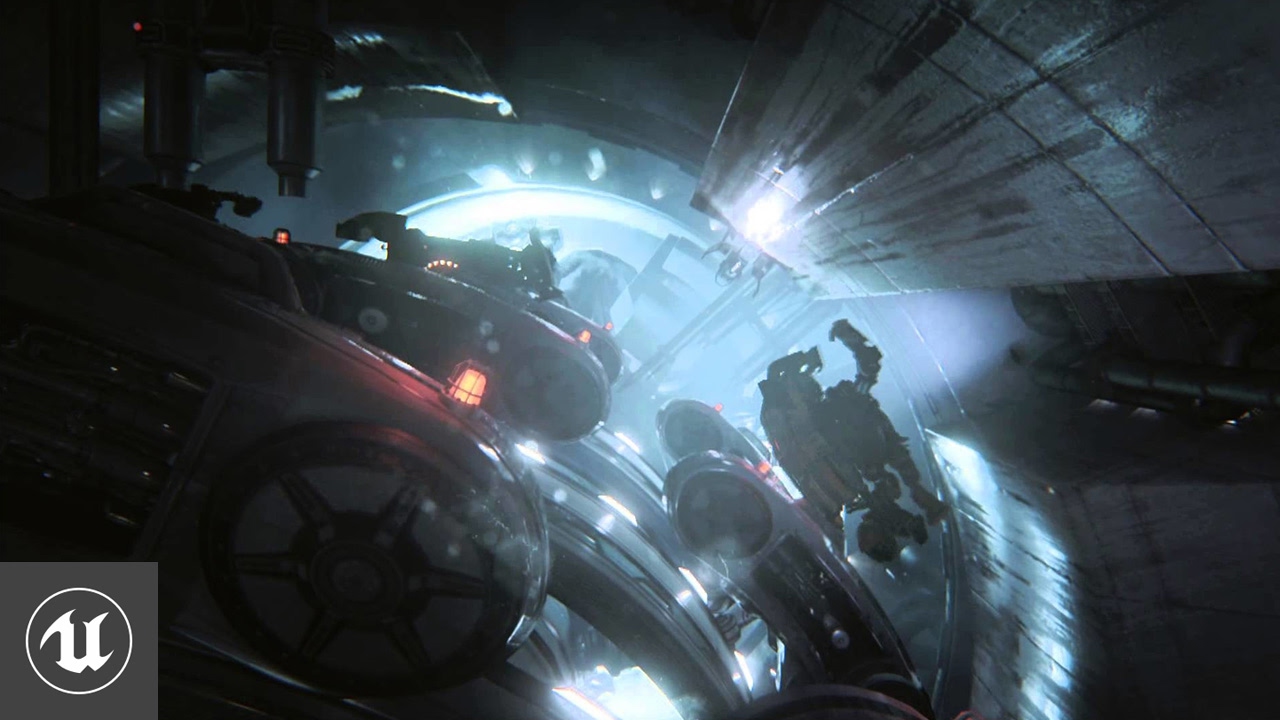
At GDC 2013, Epic Games released the Unreal Engine 4 "Infiltrator" demo, running 100% in-engine in real time, showing off UE4's high-end rendering features as well as the latest tools.
Want to see more? Visit http://www.unrealengine.com/insideunreal.
drowsy snow
spring abyss
When i import only that particle
Are you using the migrate tool?
 vestal wyvern
Hello to all anyone could help me were i can find tile sheet PNG free
spring abyss
drowsy snow
Are you using the migrate tool?
Migrate tool?
drowsy snow
vestal wyvern
Hello to all anyone could help me were i can find tile sheet PNG free
Search the world's information, including webpages, images, videos and more. Google has many special features to help you find exactly what you're looking for.
drowsy snow
spring abyss
Migrate tool?
Right click asset -> Asset Actions -> Migrate
 heady citrus
does anyone know if there's a way to extremely increase draw distance for the engine itself? for example showing a particle effect from far away on a very large map? even when allowing LoDs to their max it still disappears at a distance which i want it to be seen
 thorny snow
Does anyone know how to lower the radius on a navigation invoker along the y axis only. I have a pretty big building and I have one big navigation bound box covering the entire building I only want the player who is the navigation invoker to only cover one floor at a time and the navigation invoker radius covers the 6 floors which is way to much processing
 uneven hemlock
the second i open up my project
LoginId:2f4081e648f68e585b418783c6cc3bed
EpicAccountId:476502a671664765b76dffb4e4f21e4a
Unhandled Exception: EXCEPTION_ACCESS_VIOLATION reading address 0x00000000000000a8
UE4Editor_Engine
UE4Editor_Engine
UE4Editor_Engine
UE4Editor_UnrealEd
UE4Editor_Engine
UE4Editor_Engine
UE4Editor_Engine
UE4Editor_Engine
UE4Editor_Engine
UE4Editor_UnrealEd
UE4Editor_Engine
UE4Editor_UnrealEd
UE4Editor_Engine
UE4Editor_UnrealEd
UE4Editor_UnrealEd
UE4Editor_UnrealEd
UE4Editor_UnrealEd
UE4Editor_UnrealEd
UE4Editor_UnrealEd
UE4Editor_UnrealEd
UE4Editor
UE4Editor
UE4Editor
UE4Editor
UE4Editor
UE4Editor
kernel32
ntdll
it crashes with this error
spice ruin
Install the debug symbols.
uneven hemlock
it randomly happened while i was edditing a physics asset
uneven hemlock
spice ruin
Install the debug symbols.
wuts that?
spice ruin
Go to the options for your engine install in the launcher and it's there.
The crash log you've given us there is entirely useless.
uneven hemlock
spice ruin
The crash log you've given us there is entirely useless.
LoginId:2f4081e648f68e585b418783c6cc3bed
EpicAccountId:476502a671664765b76dffb4e4f21e4a
Unhandled Exception: EXCEPTION_ACCESS_VIOLATION reading address 0x00000000000000a8
UE4Editor_Engine!UPhysicsAsset::CalcAABB() [D:\Build++UE4\Sync\Engine\Source\Runtime\Engine\Private\PhysicsEngine\PhysicsAsset.cpp:340]
UE4Editor_Engine!USkinnedMeshComponent::CalcMeshBound() [D:\Build++UE4\Sync\Engine\Source\Runtime\Engine\Private\Components\SkinnedMeshComponent.cpp:1187]
UE4Editor_Engine!USkeletalMeshComponent::CalcBounds() [D:\Build++UE4\Sync\Engine\Source\Runtime\Engine\Private\Components\SkeletalMeshComponent.cpp:2738]
UE4Editor_UnrealEd!UDebugSkelMeshComponent::CalcBounds() [D:\Build++UE4\Sync\Engine\Source\Editor\UnrealEd\Private\Animation\DebugSkelMeshComponent.cpp:61]
UE4Editor_Engine!USceneComponent::UpdateBounds() [D:\Build++UE4\Sync\Engine\Source\Runtime\Engine\Private\Components\SceneComponent.cpp:1215]
UE4Editor_Engine!UPrimitiveComponent::UpdateBounds() [D:\Build++UE4\Sync\Engine\Source\Runtime\Engine\Private\Components\PrimitiveComponent.cpp:3455]
UE4Editor_Engine!USkeletalMeshComponent::FinalizeAnimationUpdate() [D:\Build++UE4\Sync\Engine\Source\Runtime\Engine\Private\PhysicsEngine\PhysAnim.cpp:442]
UE4Editor_Engine!USkeletalMeshComponent::PostAnimEvaluation() [D:\Build++UE4\Sync\Engine\Source\Runtime\Engine\Private\Components\SkeletalMeshComponent.cpp:2659]
UE4Editor_Engine!USkeletalMeshComponent::RefreshBoneTransforms() [D:\Build++UE4\Sync\Engine\Source\Runtime\Engine\Private\Components\SkeletalMeshComponent.cpp:2353]
UE4Editor_UnrealEd!UDebugSkelMeshComponent::RefreshBoneTransforms()
[D:\Build++UE4\Sync\Engine\Source\Editor\UnrealEd\Private\Animation\DebugSkelMeshComponent.cpp:499]
UE4Editor_Engine!USkeletalMeshComponent::InitAnim() [D:\Build++UE4\Sync\Engine\Source\Runtime\Engine\Private\Components\SkeletalMeshComponent.cpp:743]
UE4Editor_UnrealEd!UDebugSkelMeshComponent::InitAnim() [D:\Build++UE4\Sync\Engine\Source\Editor\UnrealEd\Private\Animation\DebugSkelMeshComponent.cpp:286]
UE4Editor_Engine!USkeletalMeshComponent::SetSkeletalMesh() [D:\Build++UE4\Sync\Engine\Source\Runtime\Engine\Private\Components\SkeletalMeshComponent.cpp:2802]
UE4Editor_UnrealEd!FAnimationSequenceThumbnailScene::SetAnimation() [D:\Build++UE4\Sync\Engine\Source\Editor\UnrealEd\Private\ThumbnailHelpers.cpp:601]
UE4Editor_UnrealEd!UAnimSequenceThumbnailRenderer::Draw() [D:\Build++UE4\Sync\Engine\Source\Editor\UnrealEd\Private\ThumbnailRendering\AnimSequenceThumbnailRenderer.cpp:26]
UE4Editor_UnrealEd!ThumbnailTools::RenderThumbnail() [D:\Build++UE4\Sync\Engine\Source\Editor\UnrealEd\Private\ObjectTools.cpp:4475]
UE4Editor_UnrealEd!FAssetThumbnailPool::Tick() [D:\Build++UE4\Sync\Engine\Source\Editor\UnrealEd\Private\AssetThumbnail.cpp:1045]
UE4Editor_UnrealEd!FTickableEditorObject::TickObjects() [D:\Build++UE4\Sync\Engine\Source\Editor\UnrealEd\Public\TickableEditorObject.h:45]
UE4Editor_UnrealEd!UEditorEngine::Tick() [D:\Build++UE4\Sync\Engine\Source\Editor\UnrealEd\Private\EditorEngine.cpp:1502]
UE4Editor_UnrealEd!UUnrealEdEngine::Tick() [D:\Build++UE4\Sync\Engine\Source\Editor\UnrealEd\Private\UnrealEdEngine.cpp:426]
UE4Editor!FEngineLoop::Tick() [D:\Build++UE4\Sync\Engine\Source\Runtime\Launch\Private\LaunchEngineLoop.cpp:4921]
UE4Editor!GuardedMain() [D:\Build++UE4\Sync\Engine\Source\Runtime\Launch\Private\Launch.cpp:178]
UE4Editor!GuardedMainWrapper() [D:\Build++UE4\Sync\Engine\Source\Runtime\Launch\Private\Windows\LaunchWindows.cpp:137]
UE4Editor!LaunchWindowsStartup() [D:\Build++UE4\Sync\Engine\Source\Runtime\Launch\Private\Windows\LaunchWindows.cpp:273]
UE4Editor!WinMain() [D:\Build++UE4\Sync\Engine\Source\Runtime\Launch\Private\Windows\LaunchWindows.cpp:320]
UE4Editor!__scrt_common_main_seh() [d:\agent_work\5\s\src\vctools\crt\vcstartup\src\startup\exe_common.inl:288]
kernel32
ntdll
spice ruin
It's trying to render a thumbnail for one of your assets and failing hard.
How to fix it? Not a clue.
Delete your skeletal mesh assets?!
uneven hemlock
spice ruin
Delete your skeletal mesh assets?!
I cant even open it
should i do it in file explorer?
uneven hemlock
its a new project so i dont really mind
spice ruin
It looks like it failed when getting the physics asset. Did you change any physics settings?
uneven hemlock
spice ruin
It looks like it failed when getting the physics asset. Did you change any physi...
no, i just added capsule collisions to each bone
it works now tho ill just redo the stuff i deleted
@spice ruin it happened again
it happens when
i undo a some stuff
and then save
spice ruin
So don't undo.
Find out specifically what you undo that causes it.
Trial and error.
Then don't do it again.
 carmine granite
anyone know good movement tutorial for airoplanes or spaceships as i cant find any good ones
 lucid grove
Hey! I wonder whats the trick about AI locomotion. Right now i have my character perfectly moving with locomotion setup, but AI mostly moving directly to destination without smooth angles (well, it have max rotation 90* for more smooth rotation, but still). How can i make it moving a little bit more human like?
 late jay
Hi ! Does somebody know a UE4 Tutorial about making XP or how to make a Static mesh follow onto your Direction like in the GIF ?
 late jay
Thx 👍👍
plush yew
guys any idea why unreal engine 4 compile slow as hell and how do i fix it


I wanna speed it up more 😳
Me to the bank : I am once again asking you for your financial support
💀
bruh
what if i delete the engine.ini folde-
💀
Man imagine if someone really didn't know what happens if he deletes it
e
velvet river
Hey yall would anyone know how i can reference sockets on a child actor?
Oh im reading that child actor components are kinda shit
 cloud pagoda
Hi, remember the sky I was talking about, I found how it was made but it's done inside of blender using nodes. The original video somehow brought it over to Unreal but I have no idea how that was done.. Do you know how to bring this over to Unreal?
This is the video showing how its made https://youtu.be/m4aOZm6auxQ

This is a tutorial for a procedural anime nightsky
Source files and makoto shinkai's your name inspired scene can be found here:
https://gum.co/ypqqU
Also feel free to check out my anime inspired cloud brush pack here:
https://gumroad.com/l/yFKMw
00:00 intro
00:28 Creating a skydome
01:13 Cloud Shader
10:18 Starry background
24:53 Makoto Sh...
velvet river
velvet river
Hey yall would anyone know how i can reference sockets on a child actor?
I got it no worries
plush yew
Editor randomly freezes every 2 seconds in play mode
drowsy snow
cloud pagoda
Hi, remember the sky I was talking about, I found how it was made but it's done ...
Ah, this.
Personally I improvised this tutorial to make volumetric clouds
plush yew
how can change settings to get optimum performance
fixed by adjusting the render settings
 pseudo wave
does anyone know why when trying to open up vs2019 unreal just opens up command prompt
drowsy snow
pseudo wave
does anyone know why when trying to open up vs2019 unreal just opens up command ...
Have you tried opening up your project's solution file?
plush yew
how can save default project settings
drowsy snow
pseudo wave
do I always have to do this when trying to open up files in unreal?
What files? C++ classes?
pseudo wave
drowsy snow
What files? C++ classes?
yeah
plush yew
(to save render settings)
drowsy snow
pseudo wave
yeah
You don't need to open them from Content Browser anyway. Opening it in VS directly is much faster
 distant siren
as I walk and collide with an object / surface the character animation is not blocked and the character sticks to the surface. what i’m doing wrong?
cloud pagoda
drowsy snow
Ah, this.
Personally I improvised this tutorial to make volumetric clouds
Were you able to bring the starry sky into unreal? Or do you have an idea how that can be done? And for the clouds could you please share how because I've been looking everywhere and I cannot find a tutorial that achieves this look in Unreal but somehow stylized station got the exact same sky in Unreal so there's definitely a way and I'm not experienced enough to figure it out
Thank you for replying to me also, I appreciate the help :)
coarse jetty
someone here have knowledge about DATAPREP importation? i want to try if i can create a state machine directly from import with data prep and model data. Thanks
 spring parrot
77
 merry zephyr
How do those AAA games implement AI hiding and shooting from behind walls?
merry zephyr
so um ik behavior trees and blackboards is EQS something different?
drowsy snow
merry zephyr
so um ik behavior trees and blackboards is EQS something different?
EQS is Environment Query System, not the entire AI setup
It's just ワンピース to build the AI system that you wanted, giving AI agents spatial awareness
 nimble atlas
hi people, how do I can get back the simulate button on the toolbar?
to simulate components in the view port
 merry zephyr
drowsy snow
It's just ワンピース to build the AI system that you wanted, giving AI agents spatial...
merry zephyr
drowsy snow
It's just ワンピース to build the AI system that you wanted, giving AI agents spatial...
oh thanks
real heath
nimble atlas
hi people, how do I can get back the simulate button on the toolbar?
to simula...
Hit that little down arrow next to play
 pallid olive
How can you make the character only walk in X axis for for -20 max 20 in X
 tired bear
Hey there, struggling with projectile pooling. When used, projectiles move through X axis world instead of local. Any suggestion ? Rotation is correctly set.
vestal wyvern
Hello to all in this group well I need help I'm creating a 2.5D game but I can't find any tutorial that explains what I have to do can anyone help me find a tutorial that could help me learn to do the game please pleading_face
lucid grove
Hey! Im settings up AI locomotion. I have 3 states of walking forward: walking straight and lean to left and right. Now i need to somehow get ai desired rotation from its forward vector.
 true geyser
I am using the localization dashboard.
I have all the English text and dialogue files generated. The dialogues have a dialogue voice DV_Male or DV_Female. The text has been translated across the project. We have Indonesian at 84%. I sent the exported script out to be translated and have come back wanting the speaker role to be more specific.
I created a new voice called DV_Female_Joanne. I assigned it to one dialogue wave, changed it on the cue so it matches, and exported the script again.
In English, the audio file has the dialogue wave set correctly (DV_Female_Joanne) however, the Indonesian script is missing that audio file now that the dialogue has changed.
TL;DR; I changed the dialogue voice on a dialogue wave and now it isn’t showing on the indonesian script.
Can anyone help out or have an idea on what is going on?
drowsy snow
true geyser
I am using the localization dashboard.
I have all the English text and dialogue...
Weh, ada naskah bahasa Indonesia juga?
I haven't tackled the voice acting side of things myself (due to lack of funding, so text only for now) but maybe the region code for the asset didn't match up? Might be helpful to show screenshot of the asset
||btw Indonesian is my native language, kinda surprised to see someone consider translating their projects to Indonesian||
true geyser
drowsy snow
Weh, ada naskah bahasa Indonesia juga?
I haven't tackled the voice acting side ...
I'm not Indonesian myself, my client is :)
drowsy snow
Interesting 
true geyser
true geyser
I am using the localization dashboard.
I have all the English text and dialogue...
Digging further, the issue is the same as this:
I have 80% translated. In English, we add more dialogue to be translated. These do not appear in the exported script
drowsy snow
true geyser
Digging further, the issue is the same as this:
I have 80% translated. In Engli...
Have you tried gathering again for the localisation dashboard?
plush yew
Is it possible to add a plugin to a single project by creating a new plugin and importing it into that slot?
true geyser
drowsy snow
Have you tried gathering again for the localisation dashboard?
Yeah and creating a new transcript from scratch
plush yew
physics not enabled for player controller?
muted iron
I typically work in unreal using 2 monitors, main content on screen 1 and all the menus on the second monitor in floating tabs. Does anyone else have experience with the unreal UI (size of windows/tabs) constantly changing size?
spice ruin
For what it's worth, I work with UE on one screen, but in a multi-monitor setup, and I've never had that happen.
I do sometimes put a single tab (such as the widget reflector) on another monitor and haven't had the issue then either.
muted iron
spice ruin
I do sometimes put a single tab (such as the widget reflector) on another monito...
OK thanks, idk what is causing it
 thick herald
Are your screens set at different resolutions?
spice ruin
Mine are.
thick herald
^ switching between 2 diff res can cause... issues.. 😄 found that out to my expense 😄
 valid steeple
Working on an inventory system and have a question. Is it better to use a line trace to interact with items or would a collision box/overlap event be better?
spice ruin
Sphere Trace++
 worn stone
traces are better for single interaction
If you need to highlight an object, I would choose Sphere collision
muted iron
thick herald
^ switching between 2 diff res can cause... issues.. 😄 found that out to my exp...
No, they are two brand new monitors
 plain ferry
Hello! Is there a way to dynamically set the "Consume Input" value of an input keyboard event (via blueprints)?
spice ruin
I would use sphere trace because it's fast and you can set a "radius" rather than a "cube in front of you" to interact with.
And it becomes very easy to then filter that to a cone in front of you, instead of having a inconsistent feeliing "box"
worn stone
spice ruin
I would use sphere trace because it's fast and you can set a "radius" rather tha...
As far as I know, the collision will interact directly with the physics engine and it will be cheaper
But if it’s more convenient with a trace, then you can also use a trace
spice ruin
Unless you're doing 1000 traces per tick, the speed difference will be negible.
thick herald
1000? pffft chicken feed
worn stone
I once launched Unreal on an almost bare stage with 500 fps
And caught serious physics bugs
plush yew
Ue4 is so awesome man
velvet river
I read that the child actor component is inefficient. Is it a bad idea to use alot of these if i was thinking to do so?
I see
Guess ill have to think of something else. Im trying to figure out how to navigate up and down the chain of parent and child so i can reference specific actors
 gloomy gull
Quick question (and sorry for interrupting) can someone explain to me why compiling in the editor is dangerous (if it is)?
Ah thank you!
lol there's no way someone got that domain just for that
velvet river
Cause right now im attaching a body to a "core" and then attaching parts to a body because the body has all the sockets, and thats making a body thats a child to the core but then a barrel and a grip that are children of the body, and id rather them all be on an equal level of child if that makes sense?
gloomy gull
👍
velvet river
Ill post a screenshot one sec
cause these parts have their own sets of functions and i thought making a little web of communication between pieces would be easier if all these parts were like, equally "actors"
this is what the current randomly generated gun looks like in the world outliner when spawned

can they have skeletal meshes?
I see
But what if i want to do more dynamic attachment that everything stuck to a central body?
Like sticking a bayonet on the barrel end?
I suppose since its a skeletal mesh, that can have sockets too
Oh im not using any child actors rn :o
Its all actors being spawned and attached
I see
Yeah
Whats the big difference between an actor and an actor component?
Right
I see
So in terms of potential functionality the only difference is whether or not its meant to be a part of something else and not exist on its own
Hmm
plush yew
How can I
velvet river
Ok so, I made the guncore blueprint so that i could handle managing the gun composition upon spawning in a kind of center. How bad would it be if every gun body blueprint had the code for managing its composition instead? My intention was to separate the body from the management of the full entity so that its not having any responsibilities that are ig out of character for a gun part, which i only want to be doing what its suppose to do for the weapon?
I dont know if this text description is enough to go off of, but i appreciate the help youve given me
This is hard pfft T_T
velvet river
Ok what if i just want to attach an actor to a "core" but using a socket from a previously attached actor? Like attach everything to the same central actor but using locations from other children?
I think thats my real problem here
Alright ill take some time to do this using the actor component route
Ill see how that feels
velvet river
can i add actor components randomly from an array of them? im not seeing that option as easily as im seeing the "spawn actor" node
i can attach these custom components manually but im looking to randomly access them from an array
 azure vault
I have an odd request but could someone go into a blueprint and make two UTC Now nodes and connect them to a subtract node and then copy/paste the code here? I don't have UE4 installed atm and I have been told you may be able to copy/paste from UE4 to UE5 as a workaround (since it's bugged in UE5). edit: nevermind, turns out you can add another pin and it will be of the right type and then you can delete the buggy pin, sorry to bother. edit: eh it wont compile, meh whatever
velvet river
So even though there is a variable option for creating arrays of 'actor components' class references i make the array of 'actor' class references to pull from?
Sorry for the difficulties :\
muted iron
anyone have experience with Anima for unreal?
 buoyant graniteBOT
:triangular_flag_on_post: Wayed#0995 received strike 1. As a result, they were muted for 10 minutes.
 ornate harness
hey guy anyway to hide gizmo in asset viewer i wanna take screenshot
 drowsy snow
ornate harness
hey guy anyway to hide gizmo in asset viewer i wanna take screenshot
drowsy snow
ornate harness
hey guy anyway to hide gizmo in asset viewer i wanna take screenshot
Why not doing it in the main viewport, instead of the preview viewport?
ornate harness
@drowsy snow well I just get started wanna quickly capture the animation via green screen to use in my animation sooo is there a way
 drowsy snow
ornate harness
drowsy snow
ornate harness
So you want to use it for compositing in After Effect? It would be best to have completely black background and have the element additive in AE
ornate harness
oh that right like this
 plush yew
how i fix ue4 when i right click ot just click on a drop down menu it instanly close so it open for under a sec and closed
 static flicker
ornate harness
hey guy anyway to hide gizmo in asset viewer i wanna take screenshot
static flicker
ornate harness
hey guy anyway to hide gizmo in asset viewer i wanna take screenshot
Hit G
Maybe once or twice
Toggles debug elements in preview