#metahumans
1 messages · Page 20 of 1
 sudden berry
sudden berry
sudden berry
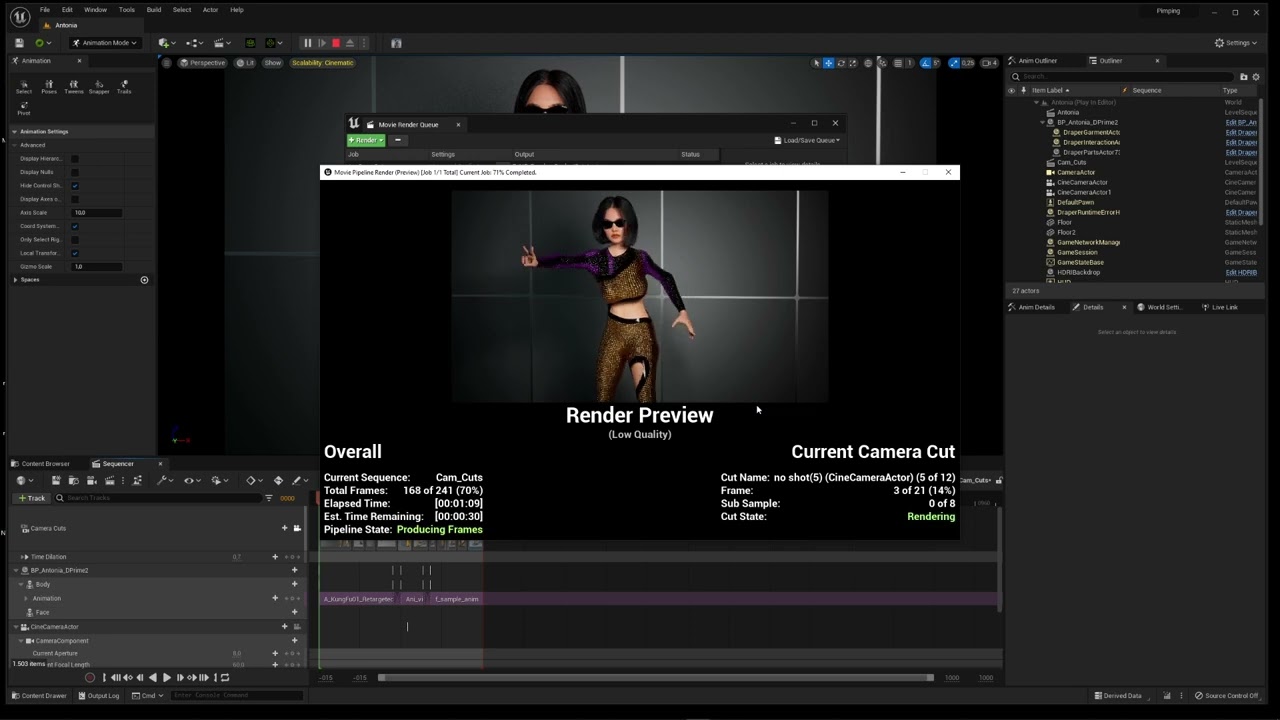
Works for me , it sometimes looks a little bit crazy in the preview ( thats only a preview) but the final render is ok , have a look : https://youtu.be/XJJpuiSBnQc
 gloomy hedge
@sudden berryi will check it in depth soon - thanks for your effort!
just wanted to tell real quick - i always checked the jpg's as well - they showed exactly the mishap from the preview unfortunately
 clear isle
This is the physics workaround that I've been using, from the cinematics channel
Set the Motion Blur Amount to 1.0 (which doubles your motion blur length), then double the framerate of your sequence (24->48) which will halve the length of the motion blur, putting you back to the same motion blur, then you run a script in post that throws away every other frame.
 red rock
can you create a low poly character with metahuman?
 valid goblet
How can I change clothing on metahuman char, they only have few options for that, any suggestions how to customize my own to design or animate those char properly
 plain haven
red rock
can you create a low poly character with metahuman?
plain haven
red rock
can you create a low poly character with metahuman?
Yes. Use the LOD 8 abomination.
 weak seal
how do you increase the range that lod's go down in
 plain orbit
Does anyone know how to properly import Marvelous Designer alembic files onto the metahuman? Every time I try the alembic has no animation data. However it works in Blender so not sure what is wrong in UE
 digital vapor
Made a metahumans character creator in ue5, still early stage, but I ll work more on it 😄
https://youtu.be/IQiQ4Jev6dw

 gloomy falcon
I’m having an odd problem with my meta human. I put him in one scene and the metahuman moves along with the body animation. I copied him to another project and when I animate the location of the body the metahuman doesn’t move as it does in the previous project? Also how can I move the metahuman root relative to the body? Tnx!!
 sage python
Hi all! I am currently working on implementing metahumans in Oculus Quest 2 and wondering if there is any way I can reduce the package size.. made some adjustments following the documentation, but I am still looking at around 130 mb for each character ( I currently have 3 in the scene) Thanks in advance!
 finite lantern
why do my metahumans keep having this happen

and it glitches all on the actual character
did i break my gpu lol
plain haven
ML training with MetaHuman is against the EULA.
See section 1.3 point (j) of it.
https://www.unrealengine.com/en-US/eula/mhc

Unreal Engine
Create unique, high-fidelity digital humans in minutes and download them for use in Unreal Engine.
 barren hearth
Does anyone know where to find a Metahuman skeleton with IK bones added ? Looking to use Metahumans in a game demo however the locomotion system I want to use would be easier to implement with standard UE5 manny IK bones names rather than using virtual bones etc. etc.
plain haven
barren hearth
Does anyone know where to find a Metahuman skeleton with IK bones added ? Lookin...
You can do the same with Control Rig.
clear isle
barren hearth
Does anyone know where to find a Metahuman skeleton with IK bones added ? Lookin...
GitHub
With the current state of Metahumans it is impossible to use them with ALS, as they don't provide any ik bones so far.
Sure you can add them via Blender or any other 3d software, but then you m...
This might work or lead you to an answer
 fickle elbow
had this very same issue just yesterday - I ended up extending the camera cut and shaking the character around via transform keyframes before the proper scene starts. This helped the hair settle down.
the hair flicker drives me crazy though
it's only an issue with cine cameras for some reason
 nimble quartz
fickle elbow
the hair flicker drives me crazy though
nimble quartz
fickle elbow
the hair flicker drives me crazy though
it's probably your hair lods, MH hair has various lods it will use at varied cam distances
fickle elbow
nimble quartz
it's probably your hair lods, MH hair has various lods it will use at varied cam...
Got forced LOD 0 on the LODSync component
Plus I deleted all LODs other than 0 in the groom asset
fickle elbow
flickers like crazy in take#1, it's fine in the closeup take#2 - if anyone's got any advice, I'll gladly try out anything
 long violet
metahuman stuck at loading screen
sudden berry
fickle elbow
flickers like crazy in take#1, it's fine in the closeup take#2 - if anyone's got...
#metahumans message btw , great scene 👍
fickle elbow
sudden berry
https://discord.com/channels/187217643009212416/831953010900336712/9850048096335...
didn't help with the flickering, but the grooms do look better now, thanks :)
 obtuse urchin
I have a Mesh to Metahuman character with big eyes, but the eye features don't scale with the socket... has anybody figured this out? I can't just scale the eye bone in the AnimBP or something?

 halcyon stream
fickle elbow
didn't help with the flickering, but the grooms do look better now, thanks :)
halcyon stream
fickle elbow
didn't help with the flickering, but the grooms do look better now, thanks :)
could have something to do with shadows? just a wild guess
fickle elbow
halcyon stream
could have something to do with shadows? just a wild guess
it does look more like LODs flipping, but that shouldn't be it because lower LODs are straight deleted
halcyon stream
yeah, you said that ... that's why, looking at it, and leaving LODs aside, first thing that comes to mind is shadows
fickle elbow
one thing I'm thinking about right now is, it could be some sort of Lumen tracing range? or something else that has to do with simplifying shadows on far away targets
because the camera is super far from the set in this shot
fickle elbow
let's see if I can do that without recompiling shaders 
 simple forge
fickle elbow
flickers like crazy in take#1, it's fine in the closeup take#2 - if anyone's got...
simple forge
fickle elbow
flickers like crazy in take#1, it's fine in the closeup take#2 - if anyone's got...
maybe increase the roughness of the hair?
barren hearth
clear isle
This might work or lead you to an answer
Thank you, I’ll check this out 👍
 drifting otter
Hey, was wondering if anyone has done much work with the Meta Human eyes. Currently looking to use the mesh / shaders for our own game character. But currently a bit stuck in putting on custom colours for the Iris. From record, it use to use a Base color map like attached, but now it seems to use a Material Function (MF_Iris Generator) instead. Was wondering if there is any way around this other than having to use the MF_Iris Generator and making a custom Gradiant Map to pull the colour from. Any way of reverting back to what it was?


 dusk sedge
Hi all - does anyone have any experience with Groom Binding? I'm having an issue where I'm trying to add a custom hair groom asset to a custom head mesh, and when I go ahead and assign the Bind Asset, it disappears
Driving me NUTS
I've tried a lot of diff paths - leading me to believe that my custom head Skeletal Mesh is probably somehow the issue
The hair Groom Asset binds fine to the metahuman original head
UVs are the same, the custom SK head is just basically subdivided
And reimported sharing the same skeleton
My asset is imported from blender
Both the Alembic groom asset and the SK head
dusk sedge
Wow. For anyone else running into this - after many hours of debugging. The solution is in the Build Settings in the Skeletal Mesh editor. Matching the settings to the ones from an original metahuman worked. Possibly something to do with Full Precision UVs
fickle elbow
simple forge
maybe increase the roughness of the hair?
roughness didn't help but it was worth a try :)
 nocturne imp
this metahumans stuff all just looks borderline creepy to me lol
fickle elbow
uncanny valley
sudden berry
fickle elbow
roughness didn't help but it was worth a try :)
Did you try to switch from "virtual shadows" to normal shadows in the project settings? And try this here ... it is UE4 but you can try it too in UE5 : https://youtu.be/4d7H3bEaXsw

How to fix the flickering in groom Unreal 4 ue4
 uncut harness
Mesh to metahuman is giving different results in engine and in editor. For some reason in web it makes faces way too rounded
 plain haven
uncut harness
plain haven
uncut harness
Seem to be perspective problem, not the mesh problem
MHC have super narrow FOV as it should be, human faces looked distorted up close in wider FOV.
fickle elbow
sudden berry
Did you try to switch from "virtual shadows" to normal shadows in the project se...
still nothing, I think I'll drop that shot for now, maybe I can come up with some solution in the meantime 
but thank you everyone for your suggestions
simple forge
fickle elbow
roughness didn't help but it was worth a try :)
did you already change all the hair LODs to strands?
fickle elbow
simple forge
did you already change all the hair LODs to strands?
yes, and strands flicker
cards flicker too
could be just a weird lighting / camera scenario
simple forge
fickle elbow
could be just a weird lighting / camera scenario
I wonder if you have any reflection captures or maybe fog or something in the scene.
simple forge
fickle elbow
could be just a weird lighting / camera scenario
in any case your project looks amazing 😉
halcyon stream
@fickle elbow I second what @simple forge said, project is looking amazing ... and yeah, try switching off stuff like fog, if you have it ... got to troubleshoot this one down 😅
fickle elbow
simple forge
I wonder if you have any reflection captures or maybe fog or something in the sc...
The first thing I deleted as most probable suspects! That wasn't it. And thank you both :)
halcyon stream
how many lights do you have there? and did you try setting them to raytrace (one by one, to troubleshoot)
fickle elbow
I also managed to break the character blueprint by updating the MetaHuman so I'll need to backtrack a little
fickle elbow
halcyon stream
how many lights do you have there? and did you try setting them to raytrace (one...
4 and yes
sudden berry
fickle elbow
4 and yes
Please let us know if you find a solution to this. Also did you try to change the Anti Aliasing in the project settings from TSR to something else ? And did you render it out in render Q with "spatial and temporal" render count set to 4 ?
fickle elbow
sudden berry
Please let us know if you find a solution to this. Also did you try to change th...
I'll try out the TSR, but it flickers both in MRQ render and viewport
sudden berry
fickle elbow
I'll try out the TSR, but it flickers both in MRQ render and viewport
It flickers in render Q with increased spatial render count ? ( adding the AA to render Q , increase the render count and tick "override Anti Alias" )
fickle elbow
sudden berry
It flickers in render Q with increased spatial render count ? ( adding the AA t...
I'll report back in a while
 sudden berry
fickle elbow
I'll report back in a while
sudden berry
fickle elbow
I'll report back in a while
LOL , I hate this too 😂
 celest kiln
Hello
Any chance to mirror the right side to the left?

Don't look at this weird shape, just a test xdd
plain orbit
Is it possible to fix this separation from the body/head when using custom clothes?

I am trying to use marvelous designer clothes and now this weird separation on the chest is showing
I mean I see it in the blueprint of the metahuman when I use the preview body mesh. Only time it doesn't show is when I am using the default metahuman clothing
 plain haven
plain orbit
Is it possible to fix this separation from the body/head when using custom cloth...
plain haven
plain orbit
Is it possible to fix this separation from the body/head when using custom cloth...
likely issues with the weighting not connecting to the head mesh.
plain orbit
How do I fix this?
 toxic oasis
plain orbit
I mean I see it in the blueprint of the metahuman when I use the preview body me...
toxic oasis
plain orbit
I mean I see it in the blueprint of the metahuman when I use the preview body me...
so you used metahuman creater or did you change it in another software ?
plain orbit
I used metahuman creator mesh to metahuman and then I also used Mesh Morpher plugin on the head to sculpt in custom details on the face
I actually figured out part of the problem was that I used the wrong body type. Should've been f-med-unw and not f-med-nrw. However there is still a gap, just not as significant
Even if I use the basic default metahuman creator face mesh it does the same thing so I know it's not from the mesh morph


 fresh monolith
plain orbit
Even if I use the basic default metahuman creator face mesh it does the same thi...
fresh monolith
plain orbit
Even if I use the basic default metahuman creator face mesh it does the same thi...
Maybe try to reimport the mesh using Bridge. Perhaps something messed up. Or redownload it and reimport it. If it does this without even changing the face mesh at all seems like the problem could be this. Try to remove it first from your Content folder in Explorer and then re-import it.
plain orbit
fresh monolith
Maybe try to reimport the mesh using Bridge. Perhaps something messed up. Or red...
I am trying to reimport now. Is this a problem you have had before?
fickle elbow
@plain orbit try to Set Master Pose Component for Face from Body, just for testing
I'm saying just for testing, because it will disable facial animation
but it lets you check if the weights are compatible on the body and face mesh
fresh monolith
No but removing the existing meta human files will make sure it uses the import data from your new meta human rather than old if it was already there and you overwrite it. For example on a mesh if you click re-import or you select a mesh with a name that already exists in your project, will use the existing import data and regenerate the mesh data from it. Maybe something messed up there. Maybe you had a modified mesh with the same name and it used that import data and so on.
Had some users facing this and re-importing without prior existing files fixed it for them. Maybe you're lucky.
 noble light
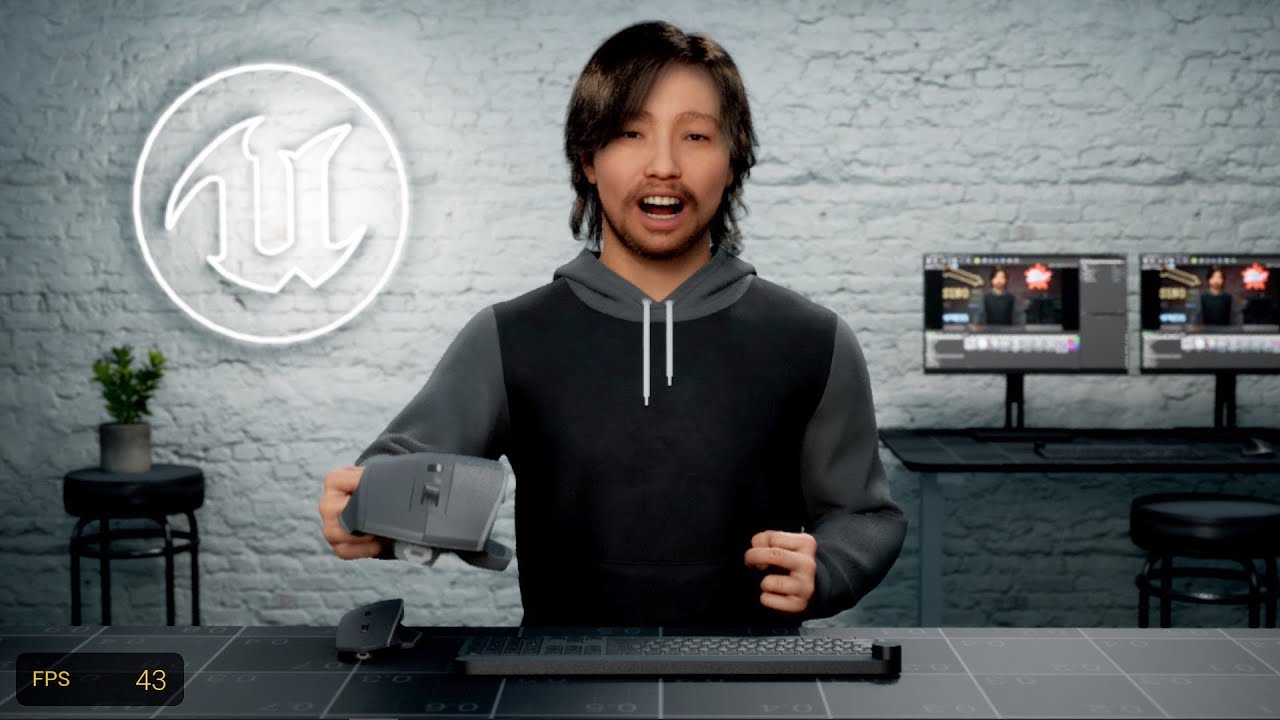
In this episode we check out the new studio, system UI, improved shoulder movement, and prop interaction system. Hurray!
plain orbit
fickle elbow
but it lets you check if the weights are compatible on the body and face mesh
You're saying to use this right
 fickle elbow
yes
noble light
hey anybody can give tutorials on prop interaction system with metahuman
plain orbit
fickle elbow
in the construction script ofc
Appreciate it!! I will try that if Liviu's advice didn't work. Just waiting on the download now lol
fickle elbow
did anyone figure out how to make hair render in front of fog / translucency?
 plain haven
fickle elbow
did anyone figure out how to make hair render in front of fog / translucency?
plain haven
fickle elbow
did anyone figure out how to make hair render in front of fog / translucency?
In the translucent material, disable Render after DOF
 plain orbit
fresh monolith
Maybe try to reimport the mesh using Bridge. Perhaps something messed up. Or red...
plain orbit
fresh monolith
Maybe try to reimport the mesh using Bridge. Perhaps something messed up. Or red...
This fixed my problem, thank you!
I was lucky after all
 spice kayak
Anyone having trouble getting head movement on their Metahumans via LiveLink thru iClone? My facial anims are just fine, but none of the head rotation or movement is coming thru
Also, @plain orbit, what tutorials did you use for Marvelous clothing on metahumans?
are you using alembic animations for the clothing, or real-time cloth in Unreal?
sudden berry
spice kayak
Also, <@737261565920673839>, what tutorials did you use for Marvelous clothing o...
Face for Facial animation and body for body animation : https://youtu.be/lb_VK-CVGkQ
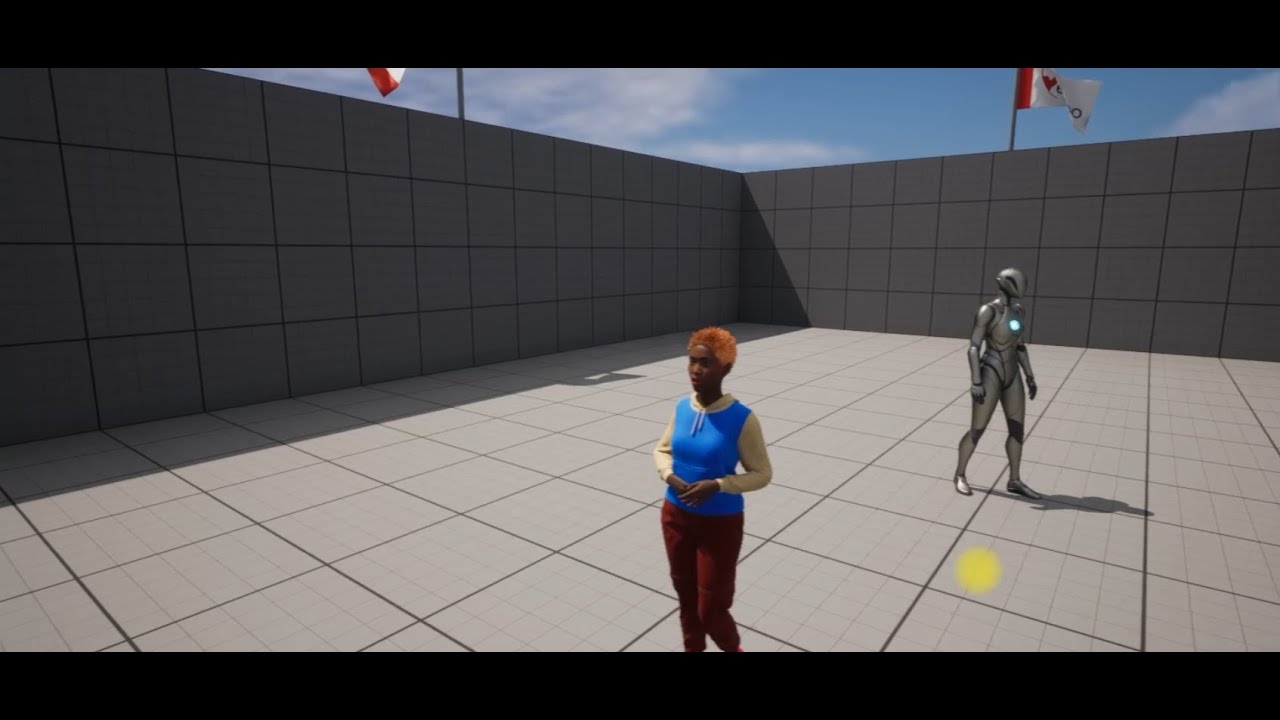
00:00 Intro
00:18 UE5 preparation and Plugin Installations
01:43 Metahuman character creation and import to UE5
04:34 Installing the Metahuman Live Link plugin
05:00 Let's fix missing metahuman textures
05:59 Metahuman preparation and blueprint coding for Face and Body animation
08:42 Let's create face and body animation with iClone 8
11:23 UE5 ...
Also be sure you added the Live Link Kit : https://www.reallusion.com/iclone/live-link/unreal-engine/download.html

iClone Unreal Live Link - Download
Real-time digital human character & animation system for Unreal Engine, designed for virtual production, films, live performances, archviz, and games.
plain orbit
spice kayak
are you using alembic animations for the clothing, or real-time cloth in Unreal?
I use alembic, I have seen that MD has a more life-like simulation than UE. I can send some links here in a moment to some tutorials I have used. I plan on making tutorials myself on Marvelous Designer + Metahumans soon! 😄
plain orbit
spice kayak
Also, <@737261565920673839>, what tutorials did you use for Marvelous clothing o...
removed embeds to not spam lol
simple forge
plain orbit
How do I fix this?
The only workaround I have found is in the creator, turn on editing mode, and then reduce the influence of the neck 😉
spice kayak
plain orbit
https://www.youtube.com/watch?v=gH_kExD4fFM https://www.youtube.com/watch?v=uh-x...
Great! Thanks!
spice kayak
@plain orbit The first one you sent solved my texturing problem, you ROCK! thanks!
plain orbit
spice kayak
<@737261565920673839> The first one you sent solved my texturing problem, you RO...
No problem!! Glad you're figuring it out!
plain orbit
Does anyone know how I can solve this? I have this eyebrow groom but every time light touches it, these odd clumpings show. Not sure what it could be, I just know lighting affects it

 bitter ice
Hello everyone, i would like to know if anyone had the problem with livelink where the facial expressions are bad specialy on one side of the face and how to solve this. ( i find some solutions online that dont work for me, like replace the 2 files in common/common/Mocap )
halcyon stream
bitter ice
Hello everyone, i would like to know if anyone had the problem with livelink whe...
replacing the files with the equivalent from an "old" project should do the trick 🤔
actually, I only ever replaced the pose asset
but keep in mind that if you add more metahumans afterwards, these might get rewriten with the new ones
bitter ice
halcyon stream
but keep in mind that if you add more metahumans afterwards, these might get rew...
i never tried the pose asset replacement, i see there is a lot, do you replace everyone ?
halcyon stream
no, just the one in common
I have a post on this channel about it ... lemme see if I can find it 😄
bitter ice
ok thx ! Do you replace it directly in the faceanim bp ? it seems to detect only the new one
oh nice thx
halcyon stream
no no, you just straight out copy an old one and paste over the current one, in explorer 😬
halcyon stream
yay no more derp face 😂
 hasty fiber
hey, guys. I have added mixamo animation to metahuman, but it auto plays when I'm moving through vieport and then it stops rapidly when I stop. How can you pause the animation? Real time is off and auto activate is also off
dusk sedge
Hey all!
I'm not entirely sure why but with a custom head mesh imported (all the morph targets are imported and working correctly when moving sliders), but the morph targets aren't being activated based on bone rotations
Like all the corrective morphs don't activate say during eyeblink
(note: I already imported and properly assigned the dna asset)
simple forge
dusk sedge
Like all the corrective morphs don't activate say during eyeblink
can you share an example of what you mean by this?
dusk sedge


The above I'm assuming is no longer using the morph targets
the below is the direct mesh to metahumans pipeline
Sorry, to clarify, the above is the custom head mesh I re-imported
simple forge
dusk sedge
Inside of the skeletal mesh tab, make sure you assign the Face Control rig board and also the Face Anim post process so that your morph works correctly
dusk sedge
Yep as far as I can tell all that has been assigned correctly
Face Control rig, Face Anim PP, DNA asset
Morph targets all appear to be named the same as the original Metahuman mesh

Is there something in the AnimGraph or something that needs to be referencing my new SK or something?
simple forge
dusk sedge
Is there something in the AnimGraph or something that needs to be referencing my...
thats what I am thinking
dusk sedge
Hm
simple forge
You went into the blueprint and reassigned the new face
dusk sedge
Ya
I mean the issue persists just in the Sketetal Mesh Viewer > Anim Graph
When cycling through all the ARKit poses
if I switch the SK back and forth, the original work and the custom mesh imported does not
simple forge
dusk sedge
if I switch the SK back and forth, the original work and the custom mesh importe...
what exactly did you modify in this version that is not working correct?
dusk sedge
Just made slight modifications to the sculpted shape of the head that I found the mesh > metahuman pipeline didn't capture
topology count, UVs etc are the same
simple forge
dusk sedge
Just made slight modifications to the sculpted shape of the head that I found th...
are there any other parts besides the eyes that are not working?
dusk sedge

Ya pretty much any area that looks like it requires a morph target to correct shitty bone deformation
So around the corners of the lips there
IMO it looks like the problem is the morph targets aren't activating on bone rotation
Id like to be able to dig through the Anim Graph to see if I can parse out where the references are made.. maybe I'm missing something
simple forge
It looks like the mesh itself might have some seam issues? That mouth area on the corner of the lips doesnt look right
dusk sedge
Possible? But Id imagine a stretched face/verts would cause this same issue
Stretched because the morph target isn't doing its job
simple forge
hmm so I am using a body morph and because it only has one morph, I added it to the construction script, set it to 1 with a custom event, then added that custom event in the event graph
But you have a ton of morphs so not sure how that would work.
simple forge
did you make the mods in maya?
dusk sedge
blender
It's totally possible it's a normal issue as well
And that the morph targets ARE working
Is there a way I can establish whether or not the morph targets are working on cue? so at least I can isolate that
I'm going to try to blindly change normal generation/import settings see if I get different results
simple forge
besides going through each and every one of them? Or testing each one out with the face control rig board?
dusk sedge
Well I just need to test 1
 fiery helm
Hi, I'm rather new to UE5 and wonder about migrating assets. I made metahuman thirdperson character, and would like to export it to a folder where I can include it in other projects later (with all dependencies). The export option does not seem to include my dependencies, and the migrate option only seem to let me migrate it to another project. What if I want to do the same thing as the migrate, except not saving it to another project, just keep it for when I need it basically.
hasty fiber
Hi, I'm trying to import alembic cloth from marvelous to unreal for a metahuman, but every time I click import alembic, unreal crashes. I tried different small and large files and all the same. Can somebody please tell me what could be the issue? I'm using version 5.0.3

 simple forge
dusk sedge
Which was not the morph targets finally
simple forge
dusk sedge
Which was not the morph targets finally
omg
dusk sedge
I noticed the normals weren't really recomputing when deforming
Lol
And yes had to set the Green channel fro recomputing tangents
ayoye hahaha
My life is looking for small tiny recomputing tangents settings
simple forge
dusk sedge
ayoye hahaha
so that completely fixed it?
dusk sedge
Yup
When eyes were open, the tangents were only computing once, then they would close and tangents wouldnt recompute
So the eyelid would be revealed, but the normals were unchanged
So that had to be set looks like
hasty fiber
Hi, can I export fbx animation from unreal? I have a metahuman with mixamo animation connected through IKretargeting. And I want to export it (the character with the animation) to create clothes for it in marvelous designer. But export fbx exports only static mesh. Can anyone please advice me on this one?
 wary swift
I have been wondering, I have 4 different metahumans body, normal, skinny, fat and strong version, I want to make the mesh vertex of the bodies be able to change between each other to a degree, the easiest example I can put is the SCUM game(although it doesn't use Metahumans) where the bodies are ordered as a triangle, with normal in the center of the triangle and the others as the corners, I want to be able to change the mesh to any degree between already created models, I know it has been done already in many games but how could I create something of the sort?(any sources, courses, tutorials of how to do part or all of what I mention above would be appreciated)
halcyon stream
fiery helm
Hi, I'm rather new to UE5 and wonder about migrating assets. I made metahuman th...
you can migrate, it will take all dependencies... it will ask you for a content folder (the new project you reference) but you can just create a folder wherever on disk, doesn't matter the name, and it will copy it. It will warn you that it isn't a proper content folder, but do it anyway. And then, when you want to add it to another project, just copy whatever is inside your folder to the content folder of the new project
 brittle hare
Hey all, in a standalone UE5 project where I'm testing ALS integration with MetaHumans, I'm getting a crash when I try save the retargeted animations (was not happening before) - any ideas how I might be able to solve this?
        // Check that all bone atoms coming from animation are normalized
        check( Atom1.IsRotationNormalized() );
        check( Atom2.IsRotationNormalized() );```
 rose sedge
👀

 gusty scroll
I created a meta human on the website. After a while, it said my session has ended. I now can't find it. Do they not save?
gusty scroll
I did a new one and it seems to have save. Must have been a error somewhere.
 acoustic furnace
@here
Do you know how to export the MetaHuman model from Unreal Engine 5 to Unreal Engine 4 with all animations and riggs?
plain haven
acoustic furnace
@here
Do you know how to export the MetaHuman model from Unreal Engine 5 to Unre...
You can't.
 shadow arrow
Is it possible to play animations on a MetaHuman's face in game? All of the examples I see are using sequencer? How do I do it in game? Could someone point me in the right direction please...
plain haven
shadow arrow
Is it possible to play animations on a MetaHuman's face in game? All of the exam...
Bake it to animation sequence?
shadow arrow
I figured it out, I didn't realise there was an AnimBP for the MetaHuman, but obviously there is, and it's actually understandable so I think I'l be able to figure out what I need to now 😀
 bright venture
Hey Im setting up a character in VR with a metahuman, for some reason it is setting the meshes yaw rotation only on tick whenever the headset moves. I have disabled everythin from the character on tick and I still see this rotation. Any ideas?
 velvet ferry
Hey, is it possible, to let metahumans use the default ue5 mannquin skeleton so they can share animations with characters who are no metahumans but use the ue5 skeleton? If so what would be the best way of doing so?
bright venture
the character is actually of parent class ALS anim man, but I believe its not htat
halcyon stream
velvet ferry
Hey, is it possible, to let metahumans use the default ue5 mannquin skeleton so ...
skeleton compatibility. open up the metahuman skeleton, open up the window Asset details, ,and add the UE5 skeleton as a compatible skeleton. From there on, all UE5 skeleton animations will be accessible. Now, you might have problems with proportion differences, but that's another story 🙂
velvet ferry
halcyon stream
skeleton compatibility. open up the metahuman skeleton, open up the window Asset...
ah okay, thanks for the fast answer 🙂
is that the preferred usage for metahumans to use anims for the marketplace for example, or would it be better to retarget anims specifically for the metahuman skeleton?
halcyon stream
velvet ferry
ah okay, thanks for the fast answer 🙂
is that the preferred usage for metahuman...
it will depend on proportions mostly, I think. The good thing is, you can test it just by adding a compatible skeleton 😄 Not much work involved 🙂 if it doesn't solve it, then you might need to look into IK retargeting
velvet ferry
halcyon stream
it will depend on proportions mostly, I think. The good thing is, you can test i...
okay will do, thanks! 🙂

