#packaging
1 messages · Page 57 of 1
 floral marsh
 median minnow
HI Guys, wierd but i packaged my game and now i have a extra folder in there with the gametitle and an empty unreal engine project also... how can i make that it only package the game and dont create the project
 mellow bane
median minnow
HI Guys, wierd but i packaged my game and now i have a extra folder in there wit...
mellow bane
median minnow
HI Guys, wierd but i packaged my game and now i have a extra folder in there wit...
How did you package, and which files exactly are you seeing?
median minnow
the wohle project extra in the folder with a ue project exe and all folders with all assets
mellow bane
median minnow
the wohle project extra in the folder with a ue project exe and all folders with...
Sorry, not sure I get it. You should normally have a .exe, a pair of manifest files, a Binaries and GameName folder.
median minnow
i got the win no editor folder, then with the actual game, and again a Folder called by the GAme where the whole unrel engine project is in with a own exe and content folder and so on


 mellow bane
How did you package?
median minnow
with the projectlauncher
mellow bane
Check your options then
 mellow bane
You want that anyway but that's not the issue
Tick "for distribution", check with the simple File->Package method
median minnow
ok thaksn i trz that
 weak spoke
hello , I ve a question but not sure where to write. I want to build light/path etc of the level but Unreal crashs when i try to do. I checked the logs and i couldnt understand what is wrong and how can i find the issue. this is from log. I ve no clue to find the problem . I mean how can i find the Callstack 0x00007fff6d36485b.
LogWindows: Error: [Callstack] 0x00007ff68a517fea UE4Editor.exe!__scrt_common_main_seh() [d:\agent_work\5\s\src\vctools\crt\vcstartup\src\startup\exe_common.inl:288]
[2022.06.20-12.11.43:602][632]LogWindows: Error: [Callstack] 0x00007fff6b7754e0 KERNEL32.DLL!UnknownFunction []
[2022.06.20-12.11.43:602][632]LogWindows: Error: [Callstack] 0x00007fff6d36485b ntdll.dll!UnknownFunction []
median minnow
Does Nativize on Packaging, helps for performance and reliability? or is it causing new fresh stinky bugs?
 winged moss
well it's pretty much removed in UE5
and it does cause weird bugs with the event driven loader
it may marginally improve performance with certain blueprints, like the ABP
median minnow
weel then i igore it better
have amultiplayergame and such.. so a lot of replication and pain so...yea only would do it if it helps for sure
winged moss
it's always better to hand-nativise
the nativisation generated code was not human readable
median minnow
ok got it, thakns
 simple summit
ok now launching gives the same error wtf
 mystic atlas
Have you tried increasing the size of your page file?
 mild shell
i'm getting an issue where a packaged build of my game is crashing and got this in the log file from the crash:
Assertion failed: Pair != nullptr [File:C:\SWD\UE_4.26.2\Engine\Source\Runtime\Core\Public\Containers/Map.h] [Line: 621]
anyone know what this means?
 outer lodge
hey every time I try to package for android, the editor just pops this website open instead. The android sdk/ndk are installed. I have built for that platform previously. What gives? https://docs.unrealengine.com/4.27/en-US/SharingAndReleasing/Mobile/Android/

Developing games for the Android platform.
UE4.27
 shadow storm
why is my game doing a full rebuild if I have it unchecked?
mild shell
how do I enable debug symbols for a source code build of the engine?
mystic atlas
Build in a different configuration
Debug Game Editor will build debug symbols for your game, but not the engine
Debug Editor will include the engine
Shipping won't make debug symbols or, at the very most, minimal ones.
winged moss
mystic atlas
Shipping won't make debug symbols or, at the very most, minimal ones.
untrue
they're symbols for optimised code but they're still symbols
mystic atlas
I did say minimal ones!
winged moss
minimal would mean something like stripped symbols, but they're not stripped either
mystic atlas
Not as useful as debug or development symbols, better? 😦
mellow bane
mystic atlas
Not as useful as debug or development symbols, better? 😦
I mean they really are just as useful though
No meaningful difference with Development, both are optimized code that's harder to debug than Debug
They also include both game and engine
 severe basalt
is there way to reduce .exp file size?
severe basalt
or loading uexp file from out directory is possible?
 ripe fable
How do I add new input mappings to existing clients? When I add new inputs to my game, and players update through Steam, they can’t see the new inputs until they delete their config file.
 static current
Hello, Ive got a question about packaging. Let's say for example my project is 50 gb, and in the content browser I have 100 meshes, but my game uses 20 of those 100. So when the game gets packaged and exported, will it still be 50 gb and include all the content ? Even the one that is not used in the game ? Or it will include only those 20 meshes that are actually in the game?
winged moss
ripe fable
How do I add new input mappings to existing clients? When I add new inputs to my...
This is not really packaging related, but this is why to add versioning of your input configs
winged moss
static current
Hello, Ive got a question about packaging. Let's say for example my project is 5...
everything happens in a level, and it'll be what's referenced by your packaged levels. that and C++ CDOs using FClass/ObjectFinder
ripe fable
winged moss
This is not really packaging related, but this is why to add versioning of your ...
Would that make the config file update?
winged moss
ripe fable
Would that make the config file update?
this was a game specific implementation but if current version > saved config version then you have some code to perform an "upgrade" of sorts
 slow karma
Hi there
I have a problem about packaging in .aab
I am a student. My class and I made an Android game with Unreal Engine 4.27. We have to ship and upload it on Google Play Store (and now it accepts only .aab). But the packaging fails with the error you can see in the linked image
Usually we make normal (.apk) ships and it still works. The error occurs only for .aab, so I think Android Studio and Java are good. But I may be wrong
Do you have any solution or suggestion?
 slow karma
Hi again
I succeeded resolving the error
I generated a new keystore with a different alias, applied the new parameter values in project settings and the packaging has good ending
 stable path
Tiles aren't being packaged for my world partition levels so nothing can stream in. What could be causing that? These are the errors I get when trying to load a tile.
LogStreaming: Error: Couldn't find file for package /Game/Maps/Whiteboxes/TerrainTesting/TerrainTest01/Generated/TerrainTest01_MainGrid_L0_X2_Y-1_DL0.
 sleek dagger
Hi. Have a strange bug. with Metahumans and UE5. Then packaging Metahuman's Control rig doesn't work. Obviously it's working in "play in editor" and standalone play modes.
Can't see any errors or something. What it can be?
 elder spire
Hi there, I am currently learning ndisplay in 4.27 and i manage to get it to work using switchboard in the engine, but was wondering is it possible to get ndisplay to work during a package build?
 earnest pivot
Packaging (Windows): ERROR: Cook failed. anyone know how to fix it?
winged moss
well the rest of the log helps
 royal pond
I have an issue currently with a live build where I get [2022.06.23-08.40.08:306][815]LogWindows: Error: [Callstack] 0x00007ff62b520492 MyGameServer-Win64-Test.exe!UnknownFunction [] over and over in the call stack until eventually
[2022.06.23-08.40.08:303][815]LogWindows: Error: === Critical error: ===
[2022.06.23-08.40.08:303][815]LogWindows: Error:
[2022.06.23-08.40.08:303][815]LogWindows: Error: Fatal error!
[2022.06.23-08.40.08:304][815]LogWindows: Error:
[2022.06.23-08.40.08:304][815]LogWindows: Error: Unhandled Exception: EXCEPTION_STACK_OVERFLOW
[2022.06.23-08.40.08:304][815]LogWindows: Error:
[2022.06.23-08.40.08:304][815]LogWindows: Error: [Callstack] 0x00007ffffe1a8578 PhysX3PROFILE_x64.dll!UnknownFunction []
[2022.06.23-08.40.08:305][815]LogWindows: Error: [Callstack] 0x00007ffffe1a4c72 PhysX3PROFILE_x64.dll!UnknownFunction []
[2022.06.23-08.40.08:305][815]LogWindows: Error: [Callstack] 0x00007ffffe0c1bdb PhysX3PROFILE_x64.dll!UnknownFunction []
[2022.06.23-08.40.08:305][815]LogWindows: Error: [Callstack] 0x00007ffffe0c0d17 PhysX3PROFILE_x64.dll!UnknownFunction []
I'm wondering what configuration I need to change in order to not get unknownFunctions but known functions in my logs.
Thanks in advance.
 open rapids
Need help with an internal compiling error.

I tried repairing Visual Studio 2022 to no avail.
 jagged seal
I am looking for some guidance / tutorial about how to organize your project to be able to add DLC for PC and mobile game and how to build DLC (so that only DLC assets get packaged)
seems like one of those subjects that has never been covered in depth with real-life application examples 😦
winged moss
open rapids
I tried repairing Visual Studio 2022 to no avail.
you are on a unhotfixed 5.0, or on an unsupported toolchain
winged moss
royal pond
I have an issue currently with a live build where I get `[2022.06.23-08.40.08:30...
install debug symbols
open rapids
winged moss
you are on a unhotfixed 5.0, or on an unsupported toolchain
The custom build is actually 4.27
winged moss
then you'd have to backport that fix in that case
 marble mesa
I’m currently packaging the lyra game in development config. For some reason none of the data assets are loading when I play the game. Everything works fine in the editor just not in builds. I’ve also tried shipping config and debug game same result. I’ve set all the data assets to “always cook” in the asset manager still nothing. I’m out of ideas. Has anyone ran into this?
royal pond
winged moss
install debug symbols
This is on a live server not locally in my editor though
winged moss
ie. a server you control? then stage the PDB files with the build then
or download the mdmp and view it locally with the symbols for the build
 winged crown
I cannot build for Windows. I keep getting this error and Im not sure exactly why
LogPlayLevel: ---> System.UnauthorizedAccessException: Access to the path 'C:\Users\Maxs' is denied.
does your windows username contain spaces or other special characters?
open rapids
winged moss
then you'd have to backport that fix in that case
Backport the fix?
What do you mean?
I found this thus far.
Using Visual Studio 2019 14.32.31332 toolchain (C:\Program Files\Microsoft Visual Studio\2022\Community\VC\Tools\MSVC\14.32.31326) and Windows 10.0.20348.0 SDK (C:\Program Files (x86)\Windows Kits\10).
winged moss
look at changes to IoStore.cpp in the ue5 branch
open rapids
I am using UE4.27.
winged moss
yes but that's what backporting means
open rapids
Why do I need UE5 just to get my engine for 4.27 working again? It never had any problems until after I reformatted my computer months ago.
And installed Visual Studio 2022. Yet my other project using built-in 4.27 works fine without error.
Trying to wonder what suddenly broke my custom engine build.
winged moss
open rapids
Why do I need UE5 just to get my engine for 4.27 working again? It never had any...
I said to check IoStore.cpp
there's a compiler bug with the toolchain you're using and they addressed it in 5.0.2
open rapids
winged moss
there's a compiler bug with the toolchain you're using and they addressed it in ...
I see now... I will apply this to my engine build.
shadow storm
is there an unspoken rule in packing for unreal engine? if at first you dont suceed try try again? My packing gave me an error and I have full rebuild unchecked. Now after it failed I did it again but it look like instead of 800 lines of compling code things there was only 3, and then it worked. is this because I have full rebuild UNCHECKED? or why does this happen, does VS fix code in the background each time?
winged crown
winged moss
does your windows username contain spaces or other special characters?
yeah it does Max's Boss PC, I did change it in windows account management; however the file system (path variables) did not update to match the new username
winged crown
I tried packaging for Windows 10 in a UE4.26.2 project and that worked, why can I package for windows 10 in UE4 but not UE5?
 neat juniper
Can someone help me figure out what this means?? I'm an an old 4.22 version and I have no idea what it is and I've packaged this game fine for 3 years. Since the last packaging I've only been working on implementing a complex widget in C++.
Can it be from an include that should be used with Editor-only modules?
Adding "PrecompileForTargets = PrecompileTargetsType.Any" to "EditorStyle.Build.cs" also doesn't work, it gets the same error anyway, maybe I have to recompile the entire engine for it to work

Full error:
ERROR: Missing precompiled manifest for 'EditorStyle'. This module was most likely not flagged for being included in a precompiled build - set 'PrecompileForTargets = PrecompileTargetsType.Any;' in EditorStyle.build.cs to override.
PackagingResults: Error: Missing precompiled manifest for 'EditorStyle'. This module was most likely not flagged for being included in a precompiled build - set 'PrecompileForTargets = PrecompileTargetsType.Any;' in EditorStyle.build.cs to override.
UATHelper: Packaging (Windows (64-bit)): Took 13,2121347s to run UnrealBuildTool.exe, ExitCode=5
UATHelper: Packaging (Windows
Edit: Solution is that my uproject file included a dependency on an Editor module, which is not allowed. In my case it was "UMGEditor". Removing this and re-loading the solution resolved the issue. Also, you shouldn't have your own stuff there at all, all those modules should be moved to the Build.cs file, found in Source\ProjectName\ProjectName.Build.cs in the list with PublicDependencyModuleNames.AddRange
 maiden oak
Hello all, i want to package a some levels of the game not the all of it how can i do that can someone help me thank you
 west canyon
is ASTC incompatible with Android phones or something? It keeps saying not compatible while installing
 spark pine
west canyon
is ASTC incompatible with Android phones or something? It keeps saying not compa...
spark pine
west canyon
is ASTC incompatible with Android phones or something? It keeps saying not compa...
Should be. But then android's pretty picky with SDK versions
Also, I have a question: How do you find out what asset is triggering this warning: LogCook: Warning: Unable to find package for cooking /Game/FirstPersonBP/Blueprints/FirstPersonGameMode
that FirstPersonGameMode mentioned by the cooker does not and should not exist.
With the refecrence viewer, I can't find the culprit, and there's nothing in the cooking logs about what asset needs a reference to that FirstPersonGameMode
west canyon
spark pine
Should be. But then android's pretty picky with SDK versions
etc 2 does not install either
 north rose
Hi guy, would you like to give me an idea about UE5 game release? I mean, if someone make a game on UE5, what are the way he can make his game release able to xbox or make .exe version like this etc. Any resources or tutorial that helps to understand how to work on the production release of a game? Thanks
 bleak cove
hey guys, i have a question on my packaging issue and im still new using unreal. it seems when im packaging my project in html5, my skylight is missing after packaging. is there any solution for this? im using unreal 4.23 and thanks in advance!
west canyon
spark pine
Should be. But then android's pretty picky with SDK versions
found out the issue is A13 has a 32 bit os and 32 bit support was dropped in ue5
 placid cipher
Whats causes the packaged project to be not responding when you launch it?
My packaged project is freezing at black screen when i open it
winged moss
that could be any number of factors
placid cipher
It works fine in standalone
winged moss
attach a debugger and break if you want to know what the game thread is doing
placid cipher
I dont understand, you mean launching the project with a debugger? F5 in vs
winged moss
as long as you have compatible PDBs for your packaged build, you can attach to process from VS
you can then hit break and then switch over to the main/game thread and see what it's doing
placid cipher
What i understood is package the game as "DebugGame" then open the file in ProjectFolder\MyProjectName\Binaries\Win64\MyProjectName-Win64-DebugGame.exe with visual studio, did i get it right?
i do have debug symbols installed
winged moss
this is nothing to do with the "debuggame" target
you can attach a debugger to even the shipping exe
you're dealing with optimised code, but it should be enough to tell what's going on
placid cipher
Dunno if i got it right, but it seems to be looping in extern "C" void __cdecl _Init_thread_header(int* const pOnce) noexcept in thread_safe_statics.cpp, but no idea whats that
winged moss
and that's in the game thread?
placid cipher
yea
it goes over multiple lines but when it reaches that it keeps looping there when i keep clicking step out at the end it goes back to game
winged moss
show VS interface
placid cipher
uhm you mean a screen shot?
Hold on, i think im getting somewhere
Oh i fixed it xd
placid cipher
winged moss
show VS interface
Thank you so much, this actually made me find the problem
i think you meant screenshot but decided to wait till you confirm, while waiting i was like what would he look for and i kept looking and realized i didnt check the callstack xd
winged moss
yes it was a screenshot
 south mortar
guyys i am stucking in that error while packaging for android for 11 days someone help me cuz i am gonna lose my mind Intermediate\Android\arm64\gradle\rungradle.bat" :app:assembleDebug
 static prawn
After changing cook from development build to test or shipping i get: The game module 'projectname' could not be found. Please ensure that thia module exists and that it is compiled. Anyone knows why this happens ?
 gray bolt
Any idea what would cause this one?
ERROR: Stage Failed. Failed to delete staging directory
 keen moss
Anyone have any idea what this means? Only happens on a packaged build. Works fine in editor or when launched standalone from editor.
Assertion failed: SchemaIt != SchemaEnd [File:D:\build\++UE5\Sync\Engine\Source\Runtime\CoreUObject\Private\Serialization\UnversionedPropertySerialization.cpp] [Line: 669]
winged moss
keen moss
Anyone have any idea what this means? Only happens on a packaged build. Works f...
launch with -waitfordebugger and attach
you might be able to figure out which asset it is
keen moss
winged moss
launch with `-waitfordebugger` and attach
Ok. I think it's a struct in my metahuman.
No idea how to fix that though. I asked in #metahumans
 half sundial
Heya, I tried googling this but even after trying some solutions I can't get my hardware cursors to show up after the game is packaged, does anyone have an idea on how to fix this?
 clever prism
Trying to cook project, I simply do not know how can fix this. pls ping me if you guys got a solution
 clever prism
Trying to cook project, I simply do not know how can fix this. pls ping me if yo...
clever prism
clever prism
Trying to cook project, I simply do not know how can fix this. pls ping me if yo...
Pastebin
Pastebin.com is the number one paste tool since 2002. Pastebin is a website where you can store text online for a set period of time.
south mortar
someone plz let me end this

more than 2 weeks working on the same error
and nothing change
 dusky tree
Why can't i package my game? Every time i try to package it just opens this page https://docs.unrealengine.com/4.27/en-US/SharingAndReleasing/ Do i need some kind of permissions now? I used to be able to package without issues.
Information on developing for platforms other than PC.
 fickle sandal
south mortar
fickle sandal
south mortar
@south mortar Asalaamu 'alaykum brother. Looks like others have had similar issues to you: https://forums.unrealengine.com/t/android-packaging-error-on-com-google-vr-sdk-samples-permission-and-or-java/137734/6
Try these two:
- Enable Android Runtime Permission plugin
- Enable Google Play Subsystem Plugin
The issue is one of the plugins you need are disabled. Either you disabled it intentionally or it was already disabled.
Unreal Engine Forums
A wild guess… Did you disable any plugins? It happened to me when I randomly disable all the plugins I thought I don’t need. Maybe you should check the plugins to see if there’s anything related with vr but disabled.
marble mesa
So I was looking at my "CookerOpenOrder.log" file there I see that all of my custom game feature plugins and all of their data are getting cooked. However when I load up the game none of those assets are being loaded. Which is confusing because I don't get any cook or build errors nor warnings about the assets in my game feature plugins
 mellow bane
 forest token

Make sure to installer the required software versions that the release notes for your engine specifically mention
 hasty magnet
I upgraded my project from UE4.27 ---> UE5 . after packaging the project for windows client target and running the exe file this message box appears .
BTW my engine is source version. any idea what is going on ? this module is my main game module .

Migrating from 4.27 ---> 5.0 was so much painful.
hasty magnet
Anyone can help?
 lofty dome
- Are you sure you included your module in the Build.cs files? That's a good place to verify.
- Did you generate visual studio project file and have you run the editor from visual studio? That can possibly fix this issue. Or at least show you if something is wrong inside the code
- Also, personally I've found that many problems go away if you ensure that you have all the solution config binaries built.
I don't know if your project is Blueprint or C++, but many packaging methods only work if you convert the project to C++

@hasty magnet
 hasty magnet
hasty magnet
hasty magnet
@lofty dome
hitting circular dependency error
@lofty dome

its on development editor
winged moss
why does KillMill have KillMill in its Build.cs?
winged moss
hasty magnet
<@540382005599272960>
in addition, you were being given incorrect advice, if in packaging it complains about a game module not being found, you need to check uproject
as well as Target.cs
hasty magnet
checjed it all . this error appears just when package project for platforms (windowsclient and windows server ,......)
winged moss
show uproject
show your Target.cs files in file explorer
show Target.cs
also for a server, you'll typically have MyProjectServer.Target.cs, alongside MyProject.Target.cs
hasty magnet
winged moss
also for a server, you'll typically have MyProjectServer.Target.cs, alongside My...
Yes i have that
winged moss
as well as MyProjectClient.Target.cs if you are doing the client only target
SHOW IT THEN
hasty magnet
 winged moss
the contents


 winged moss
and now the uproject
clever prism
Trying to cook project, I simply do not know how can fix this. https://cdn.discordapp.com/attachments/402958499660955658/991419845751079004/unknown.png

that's the log
Pastebin
Pastebin.com is the number one paste tool since 2002. Pastebin is a website where you can store text online for a set period of time.
hasty magnet
 winged moss
and how do you cook the game?
clever prism
winged moss
and how do you cook the game?
file > cook content for windows
winged moss
this is a reply to SatanicDeveloper
winged moss
and it's a BP only game so who knows
hasty magnet
winged moss
this is a reply to SatanicDeveloper
Here
 hasty magnet
winged moss
and it's a BP only game so who knows
hasty magnet
winged moss
and it's a BP only game so who knows
Its 99 % c++
hasty magnet
ah ok :d
winged moss
I really don't trust packaging from the menus, always BuildCookRun
though can you see the UAT parameters it's passing? maybe it's skipping build for some reason
hasty magnet
winged moss
I really don't trust packaging from the menus, always BuildCookRun
how should i do that so
winged moss
well I did a custom build graph that uses BuildCookRun, but you can find info about it via google
hasty magnet
you mean using the raw command line parameters ?
winged moss
yes and that's all this menu does
if you look at the output window you'll probably see RunUAT.bat BuildCookRun somewhere
winged moss
and it would need the -Build parameter to be passed to the command line for it to build modules
hasty magnet
the funny thing is that all of these worked perfectly in previous versions 😂
hasty magnet
winged moss
and it would need the `-Build` parameter to be passed to the command line for it...
ok
winged moss
though I would have no idea why "use proejct setting" would refer to the server target rather than the main game target
also the differences between client and game is that client doesn't have any ability to host listen servers if that matters to you
and this is a source build right?
hasty magnet
winged moss
and this is a source build right?
Yes
What is this error

It appeared when i used project launcher
hasty magnet
winged moss
did you not do a source build properly?
Yes i did source build
winged moss
I said properly
hasty magnet
winged moss
ie. engine and project side-by-side
not side by side . first built engine source then built the game source
winged moss
if you do it properly, then a source build only builds what is used by the project
lofty dome
What's the key difference between a baked asset and a staged asset? Is it just that a baked asset is still in the same directory as the original, and a staged asset gets moved to an outside directory?
 hasty haven
Hello there, I've packaged my project to test it and I'm getting this error when I start it. Someone has any idea about what it is and how to fix it? Thank you.
 lofty dome
winged moss
I really don't trust packaging from the menus, always BuildCookRun
lofty dome
winged moss
I really don't trust packaging from the menus, always BuildCookRun
I just discovered ProjectLauncher and thought different profiles for main builds and DLC packs would be super convenient. Are you advising against this?
winged moss
lofty dome
I just discovered ProjectLauncher and thought different profiles for main builds...
well kinda because this is usually a job for your CI server
winged moss
hasty haven
check the log, this is usually a circular dependency issue in BP
lofty dome
winged moss
well kinda because this is usually a job for your CI server
Thanks!
hasty haven
winged moss
check the log, this is usually a circular dependency issue in BP
the log here is not really helpful , but I will try to find that circular dependency issue
winged moss
hasty haven
the log here is not really helpful , but I will try to find that circular depend...
well what does it print before the callstack and what does the callstack say? usually you're using an FObject/ClassFinder in a C++ class, but the BP class depends on (somewhere along the chain) a BP derived from that original native class
it's something like that from what I read of the description
hasty haven
winged moss
it's something like that from what I read of the description
makes sense
Thank you for your help
 velvet kindle
help please
unreal build tool always fails
i do not know why it fails
here is the logs
this occurs when packaging
when cooking, everything is fine
please ping me if you want to reply/respond to my problem/issue
winged moss
velvet kindle
please ping me if you want to reply/respond to my problem/issue
is BlockoutToolsPlugin yours?
winged moss
well that's what's causing it
velvet kindle
do you know how should i fix it?
velvet kindle
winged moss
is BlockoutToolsPlugin yours?
if you mean that i actually own it, yes i do
winged moss
by yours I mean "a plugin you developed"
velvet kindle
oh ok
winged moss
and a google search for this even lead to one report of this: https://forums.unrealengine.com/t/blockout-tools-plugin/136936/132
are you using pak encryption? I'm not sure why it would be related
velvet kindle
really weird
i am going to join their discord to ask about this issue
thanks for the help sswires
 wanton mural
my export always gets stuck here, no idea whats causing or how to fix it, it's happened multiple times too
 velvet kindle
winged moss
are you using pak encryption? I'm not sure why it would be related
velvet kindle
winged moss
are you using pak encryption? I'm not sure why it would be related
i do not
and i am also not sure why it would occur
but hopefully the guys from their discord would help me
velvet kindle
wanton mural
my export always gets stuck here, no idea whats causing or how to fix it, it's h...
maybe its a problem from lack of memory?
not really sure
wanton mural
I'm sure I have enough ram but maybe I don't have enough allocated?
Where can I allocate more
fickle sandal
Anyone know why when I make a shipping build of my Lyra project, all the text defaults to internationalization German?
What a strange behavior, this only happens in shipping, and I can't change the language in the main menu settings either
velvet kindle
velvet kindle
but hopefully the guys from their discord would help me
their discord dead :|
 obsidian walrus
hai guys, i'm tearing my hair out here. I'm looking everywhere for information, but i keep turning up empty handed.
I'm looking for help with UE4 and modding games with .pak files
the game i am modding needs the pak files to be versionless... or something?
in essence: "how do i create a pak archive where the files within have a versioning control of 0?"
it would need to end up like this:
https://cdn.discordapp.com/attachments/612791497841967125/991844688879419452/unknown.png
where as when i attempt to package my uassets with: unrealpak.exe [path to output] -Create=[path to txt] i get this:
https://cdn.discordapp.com/attachments/612791497841967125/991844812410077294/unknown.png
winged moss
this discord isn't really for unofficial modding efforts
bleak cove
hey guys i have a problem where skylight is missing when packaging html5. is there any solution for this?
 woven silo
does anyone have experience publishing Unreal packages on the Microsoft Store?
winged moss
has cooking crashed for anyone with WP and the Linux server with ULandscapeInfo::UpdateAddCollision at the top of the stack?
someone asked on UDN, in Japanese
https://udn.unrealengine.com/s/question/0D54z00007jixxZCAQ/packagesplitter-errors-following-a-garbage-collect-when-cooking-world-partition-maps this seems to describe a workaround in English
 hazy goblet
I am trying to package for Linux server on UE5
But somehow now its importing the OculusHMD, previously it used skip that, as they were after IsDedicatedServer Node , this is inside blueprints.
/Game/MyGame/Maps/WorldLevel for platform LinuxServer. It imports class /Script/OculusHMD.OculusFunctionLibrary, which is in a module that is not available on the platform.
winged moss
hazy goblet
I am trying to package for Linux server on UE5
But somehow now its importing t...
It doesn't matter what node it's behind, it's still referenced
hazy goblet
but in 4.27 it used to packaged fine
mystic atlas
Are you still using 4.27?
hazy goblet
winged moss
It doesn't matter what node it's behind, it's still referenced
I am not sure what has changed
I am using UE5
mystic atlas
Look at the function and see what it's doing.
hazy goblet
 winged moss
That to be managed by the LBP is a bit weird
hazy goblet
Sorry I did not understand that.
winged moss
level blueprint
hazy goblet
yeah, right well even if i am going to put inside another class, it is doing the same thing, so I am just moving all of this to C++ and using Preprocessors now
 supple moon
what are the maximum compression settings to export the game from unreal?
 edgy frost
did anyone had issues where:

it does not detec cross compiler chain even though it is installed
and env vars are set ?
 molten marlin
Hi, for some reason recently when I package my game I keep getting the error which says "CreateProcess() returned 570." I've read some stuff online, but nothing seems to fix it also in my build log it returns ```
Running: C:\Users\Cengiz\Desktop\WindowsNoEditor\Zombified\Binaries\Win64\ZombifiedRemastered.exe ../../../Zombified/Zombified.uproject SV_Farm+L_DevTesting+LHUD_MainMenu+L_Training -stdout -abslog="C:\Users\Cengiz\AppData\Roaming\Unreal Engine\AutomationTool\Logs\D+UE4.1+UE_4.27\Client.log" -Messaging -Windowed -CrashForUAT -SessionId=33F7BB3B4B3A4CC9CC66EDBA9906037E -SessionOwner="Cengiz" -SessionName="Zombified Dev"
ERROR: System.ComponentModel.Win32Exception (0x80004005): The file or directory is corrupted and unreadable
so I am not too sure wanted to see if anyone is able to help on why this could be happening.Did anyone ever come across internationalization/language issues after packaging the game for shipping?
My internationalization locks into German lol
 sweet girder
hey, i'm trying to package a test version, the packaging process is successful, but the exe won't run, that's the log:
 lucid laurel
Someone knows what can cause this issue?

 fair night
Hi!
Anyone having the issue where it doesn't load a Streaming level when Packaged as Shipping ?=
It just doesn't work on packaged project
 waxen knot
does BuildGraph gets executed when im running a normal Packaging from Editor? i want to test my changes and this is my first time using BuildGraph
 normal dock
waxen knot
does BuildGraph gets executed when im running a normal Packaging from Editor? i ...
normal dock
waxen knot
does BuildGraph gets executed when im running a normal Packaging from Editor? i ...
Yes it does. As soon as you package from the editor it will print to the log what the command is that it's running
waxen knot
👌 thanks for the confirmation, I'll check my log further then
 atomic token
Hi all, I have been trying to work out how to fix these errors when packaging my project on 4.26 but can’t find enough info out there to solve it. Has anyone come across these types of errors before and has a way to fix them?
 normal dock
atomic token
Hi all, I have been trying to work out how to fix these errors when packaging my...
normal dock
atomic token
Hi all, I have been trying to work out how to fix these errors when packaging my...
You have some BP errors down the bottom which might be the problem (I'd fix them regardless). Are you using a source build of the engine?
atomic token
Yeah, I’m going through those warnings now. I just don’t know how to tackle the red errors, and yep am using a source build
mellow bane
atomic token
Hi all, I have been trying to work out how to fix these errors when packaging my...
Probably a broken or corrupted Blueprint. You'd have to attach the debugger to the UAT process
atomic token
@mellow bane thanks for the response. I’m relatively new to all this. Is there somewhere I can read up or learn about how to do what you just suggested?
mellow bane
Open the engine solution in Visual, run the packaging, and do Debug -> Attach to process in VS? wait for crash, investigate though the callstack t ofind which Blueprint could be responsible
atomic token
Thank you very much, I’ll be jumping on tonight to try that out 👍
 swift gust
Hi! Our automated project packaging build fails on "Plugin 'X' failed to load because module 'XRuntime' could not be found..." and we cannot figure out why. Packaging manually via editor works and no errors or warnings popup regarding this plugin. It is also being compiled. What steps do you usually do when this issue occurs?
winged moss
swift gust
Hi! Our automated project packaging build fails on "Plugin 'X' failed to load be...
what is the command line you are passing to BuildCookRun?
swift gust
winged moss
what is the command line you are passing to BuildCookRun?
I think the moment we started having these issues I just changed the automated pipeline to include the same ones that were used that moment via editor manual packaging:
BuildCookRun -project="*****.uproject" -target=*****Client -clientconfig=development -platform=Win64 -cook -stage -archive -archivedirectory="/Build" -build -clean -nop4 -package -compressed -pak -nocompileeditor -skipbuildeditor -utf8output -prer -ddc=InstalledDerivedDataBackendGraph
winged moss
swift gust
I think the moment we started having these issues I just changed the automated p...
it's -prereqs for prerequisites, looks like you didn't copy and paste it all
is there a reason to do a client over game build?
the only difference with client is that it can't do listen servers
swift gust
yeah our plan is to have dedicated servers
winged moss
well check your plugin to make sure the runtime module is loaded in the client target
which would mean checking the uplugin, your Build.cs file for your project AND plugin, and your client Target.cs file (you must have a ProjectNameClient.Target.cs)
also I'm not sure how having dedicated servers would stop you from using the game target, especially if using the client target is introducing more headaches
swift gust
winged moss
also I'm not sure how having dedicated servers would stop you from using the gam...
That's not up to me to decide and we are all still quite new to UE. There is no plan on supporting hosting games so the it seemed rational to go with the client / server way.
winged moss
swift gust
That's not up to me to decide and we are all still quite new to UE. There is no ...
yes which the game target does not prevent you from doing
it just nulls out ?listen
swift gust
Okey so the specific plugin's module is of type: "ClientOnly". It is in build.cs under public dependencies and also it is mentioned in the client.target.cs in ExtraModules.
swift gust
winged moss
also I'm not sure how having dedicated servers would stop you from using the gam...
Can u please elaborate a bit more on what headaches the client target is introducing?
winged moss
swift gust
Can u please elaborate a bit more on what headaches the client target is introdu...
the one you are describing
 dire oak
Hello! I’m wondering if it’s possible to integrate “DLC-style” maps and assets into a game that is already packaged?
For instance, let’s say I package a game with 1 map and 1 asset pack. For that same game, say I want to download and connect a second map and second asset pack, to the already packaged main game.
What’s the best approach to do this? Thank you 🙂
winged moss
usually with a module that shouldn't run on a server I just deny it from the server target, which is also possible from uplugin
winged moss
dire oak
Hello! I’m wondering if it’s possible to integrate “DLC-style” maps and assets i...
the same way mods work, through content-only plugins
and you package that plugin and if it's in the right directory, then the DLC gets mounted when the game starts
dire oak
winged moss
and you package that plugin and if it's in the right directory, then the DLC get...
Thanks I’ll look into this
winged moss
if it's not additional content files, then it's a bit more tricky where you have to check ownership from the platform and that kind of thing
which the steam OSS doesn't support out of the box, but every other OSS does lol
dire oak
winged moss
if it's not additional content files, then it's a bit more tricky where you have...
Wouldn’t the second asset pack be considered “additional content files”?
And do you mean checking IP ownership of the DLC?
winged moss
where did you get "IP" from?
dire oak
winged moss
where did you get "IP" from?
Intellectual property; when you say ownership.
winged moss
what
platforms with the concept of DLC have a way of checking if the person owns said DLC
dire oak
winged moss
platforms with the concept of DLC have a way of checking if the person owns said...
Oh I see. If the player buys/owns the DLC.
Thanks for clarifying.
 sleek coyote
Burns — Hoje às 14:53
Hi everyone, im having some problems when i try to package my android apk for quest 2, and everytime this happen... And i dont know how to solve the problem... 😕
UATHelper: Packaging (Android (ASTC)): ====04/07/2022 14:41:13====PERFORMING FINAL APK PACKAGE OPERATION=====-
UATHelper: Packaging (Android (ASTC)): To honour the JVM settings for this build a new JVM will be forked. Please consider using the daemon: https://docs.gradle.org/6.1.1/userguide/gradle_daemon.html.
UATHelper: Packaging (Android (ASTC)): FAILURE: Build failed with an exception.
UATHelper: Packaging (Android (ASTC)): * What went wrong:
UATHelper: Packaging (Android (ASTC)): Unable to start the daemon process.
UATHelper: Packaging (Android (ASTC)): This problem might be caused by incorrect configuration of the daemon.
UATHelper: Packaging (Android (ASTC)): For example, an unrecognized jvm option is used.
UATHelper: Packaging (Android (ASTC)): Please refer to the User Manual chapter on the daemon at https://docs.gradle.org/6.1.1/userguide/gradle_daemon.html
UATHelper: Packaging (Android (ASTC)): Process command line: C:\Program Files\Java\jdk1.8.0_77\bin\java.exe -XX:MaxHeapSize=4096m -Xmx9216m -Dfile.encoding=windows-1252 -Duser.country=BR -Duser.language=pt -Duser.variant -cp C:\Users\LucasBurns.gradle\wrapper\dists\gradle-6.1.1-all\cfmwm155h49vnt3hynmlrsdst\gradle-6.1.1\lib\gradle-launcher-6.1.1.jar org.gradle.launcher.daemon.bootstrap.GradleDaemon 6.1.1
atomic token
@mellow bane I ran the Debug attach to process while packaging... nothing came up in the callstack. 😦
 normal dock
atomic token
<@223305281700888576> I ran the Debug attach to process while packaging... nothi...
normal dock
atomic token
<@223305281700888576> I ran the Debug attach to process while packaging... nothi...
You have to either hit a breakpoint, pause, or crash for that to be populated
atomic token
@normal dock ahh, so packaging fail will not populate it? 😞
I have no idea how to identify where this error is 😞
 normal dock
atomic token
<@102286643368558592> ahh, so packaging fail will not populate it? 😞
normal dock
atomic token
<@102286643368558592> ahh, so packaging fail will not populate it? 😞
probably not because the program you are debugging (the editor) is not the one thats crashing. the log comes from the automation scripts that are run outside of the editor.
can you paste the red text into this chat
mostly just the ensure condition failed
atomic token
@normal dock
UATHelper: Packaging (Windows (64-bit)): LogInit: Display: LogOutputDevice: Error: === Handled ensure: ===
UATHelper: Packaging (Windows (64-bit)): LogInit: Display: LogOutputDevice: Error:
UATHelper: Packaging (Windows (64-bit)): LogInit: Display: LogOutputDevice: Error: Ensure condition failed: !FindPin(FFunctionEntryHelper::GetWorldContextPinName()) [File:D:/Build/++UE4/Sync/Engine/Source/Editor/BlueprintGraph/Private/K2Node_FunctionEntry.cpp] [Line: 364]
UATHelper: Packaging (Windows (64-bit)): LogInit: Display: LogOutputDevice: Error: Stack:
UATHelper: Packaging (Windows (64-bit)): LogInit: Display: LogOutputDevice: Error: [Callstack] 0x00007ffa950b4499 UE4Editor-BlueprintGraph.dll!UnknownFunction []
UATHelper: Packaging (Windows (64-bit)): LogInit: Display: LogOutputDevice: Error: [Callstack] 0x00007ffa94f76a57 UE4Editor-BlueprintGraph.dll!UnknownFunction []
UATHelper: Packaging (Windows (64-bit)): LogInit: Display: LogOutputDevice: Error: [Callstack] 0x00007ffa94f58de9 UE4Editor-BlueprintGraph.dll!UnknownFunction []
UATHelper: Packaging (Windows (64-bit)): LogInit: Display: LogOutputDevice: Error: [Callstack] 0x00007ffa94f5a4ae UE4Editor-BlueprintGraph.dll!UnknownFunction []
UATHelper: Packaging (Windows (64-bit)): LogInit: Display: LogOutputDevice: Error: [Callstack] 0x00007ffa94f015a7 UE4Editor-BlueprintGraph.dll!UnknownFunction []
UATHelper: Packaging (Windows (64-bit)): LogInit: Display: LogOutputDevice: Error: [Callstack] 0x00007ffaaf67369d UE4Editor-UnrealEd.dll!UnknownFunction []
UATHelper: Packaging (Windows (64-bit)): LogInit: Display: LogOutputDevice: Error: [Callstack] 0x00007ffaa78d0241 UE4Editor-Kismet.dll!UnknownFunction []
UATHelper: Packaging (Windows (64-bit)): LogInit: Display: LogOutputDevice: Error: [Callstack] 0x00007ffaa78cdfc3 UE4Editor-Kismet.dll!UnknownFunction []
UATHelper: Packaging (Windows (64-bit)): LogInit: Display: LogOutputDevice: Error: [Callstack] 0x00007ffabcdb2f70 UE4Editor-CoreUObject.dll!UnknownFunction []
UATHelper: Packaging (Windows (64-bit)): LogInit: Display: LogOutputDevice: Error: [Callstack] 0x00007ffabcfc16da UE4Editor-CoreUObject.dll!UnknownFunction []
UATHelper: Packaging (Windows (64-bit)): LogInit: Display: LogOutputDevice: Error: [Callstack] 0x00007ffabcfc1bdb UE4Editor-CoreUObject.dll!UnknownFunction []
UATHelper: Packaging (Windows (64-bit)): LogInit: Display: LogOutputDevice: Error: [Callstack] 0x00007ffabcffa27c UE4Editor-CoreUObject.dll!UnknownFunction []
UATHelper: Packaging (Windows (64-bit)): LogInit: Display: LogOutputDevice: Error: [Callstack] 0x00007ffabd1890d5 UE4Editor-CoreUObject.dll!UnknownFunction []
UATHelper: Packaging (Windows (64-bit)): LogInit: Display: LogOutputDevice: Error: [Callstack] 0x00007ffabcfb39ed UE4Editor-CoreUObject.dll!UnknownFunction []
UATHelper: Packaging (Windows (64-bit)): LogInit: Display: LogOutputDevice: Error: [Callstack] 0x00007ffabd03b962 UE4Editor-CoreUObject.dll!UnknownFunction []
UATHelper: Packaging (Windows (64-bit)): LogInit: Display: LogOutputDevice: Error: [Callstack] 0x00007ffabd039f57 UE4Editor-CoreUObject.dll!UnknownFunction []
UATHelper: Packaging (Windows (64-bit)): LogInit: Display: LogOutputDevice: Error: [Callstack] 0x00007ffabd03ba29 UE4Editor-CoreUObject.dll!UnknownFunction []
UATHelper: Packaging (Windows (64-bit)): LogInit: Display: LogOutputDevice: Error: [Callstack] 0x00007ffabd039821 UE4Editor-CoreUObject.dll!UnknownFunction []
UATHelper: Packaging (Windows (64-bit)): LogInit: Display: LogOutputDevice: Error: [Callstack] 0x00007ffabcfd1da9 UE4Editor-CoreUObject.dll!UnknownFunction []
UATHelper: Packaging (Windows (64-bit)): LogInit: Display: LogOutputDevice: Error: [Callstack] 0x00007ffabd03672a UE4Editor-CoreUObject.dll!UnknownFunction []
UATHelper: Packaging (Windows (64-bit)): LogInit: Display: LogOutputDevice: Error: [Callstack] 0x00007ffabcfc3b4e UE4Editor-CoreUObject.dll!UnknownFunction []
thats not all as it was too long for discord 😦
normal dock
so
it seems like you are trying to use a node that has a world context pin
or something like that anyway
you really should clean up those warnings first because thats probably whats causing it
atomic token
Yeah I was looking at the world context pins… coming from functions from a function library being called in another function library. I went through and made sure all empty world context pins were connected with an actor but that didn’t help
Is there a way to find which BP the error is coming from or could it be many cause of all the warnings?
Not too familiar with the world context pin… any way to remove it from the function node?
normal dock
World context pins are usually hidden because they are implied (ie it uses the world context of the actor it's called on). You might have better luck in #blueprint
Does this only happen when you package? Or does it happen at runtime as well?
Also if you are using hot reload (or even if you aren't) it could be a corrupted blueprint
atomic token
Only when packaging
Runtime is all fine and no BP errors when running
Even the warnings don’t come up, only packaging brings it all up
atomic token
normal dock
Also if you are using hot reload (or even if you aren't) it could be a corrupted...
That’s what I was thinking, just not sure how to find that BP 😞
winged moss
while cooking, just attach VS to UE4Editor-Cmd/UnrealEditor-Cmd, and you might be able to figure out the offending BP that way
normal dock
winged moss
while cooking, just attach VS to UE4Editor-Cmd/UnrealEditor-Cmd, and you might b...
Oh I didn't even know that was a thing
 inland dirge
hey very minor thing, but it's pretty annoying for me, in ue5 when i package project it plays success sound even if it fails, is there a setting somewhere perhaps for this? 😄
 quiet lodge
what could be wrong cuz i dont get any error when packaging, but when i try to launch my game it wont open and i get this log file
im new to unreal so i dont have any idea
quiet lodge
found my problem! i had to build with visualstudio and then with ue
mellow bane
atomic token
<@223305281700888576> I ran the Debug attach to process while packaging... nothi...
Did the packaging error occur again while you were debugging the UAT process?
mellow bane
winged moss
while cooking, just attach VS to UE4Editor-Cmd/UnrealEditor-Cmd, and you might b...
This is likely the solution then
You'll have the debugger pause and give you a call stack
atomic token
mellow bane
Did the packaging error occur again while you were debugging the UAT process?
Yes it did, but still nothing in the call stack. Am out atm but will be back in again tonight and will send through screen shots.
Thank you guys for your help on this 🙏
 wooden jolt
Hi friends, i'm using ue4.24 and my project is empty but the size of sing apk is 55mb i check the cock folder so under engine/EngineMaterials/DefaultBloomKernel.uexp size is 35mb
so anyone know how to reduce this size and remove this bloomkernel file ?
 sour ermine
Does anyone know why UE4 refuses to create chunks for me?
I've added a primary asset label data asset like so, but in the asset audit it only shows under Editor and not under my target platform (Android ASTC), and when packaging the project the pak chunk doesn't get created either...


 manic eagle
Anyone know if it's possible to package a game and take into consideration console commands that have been inputted in the editor? For example, texture streaming pool size and enable two sided geometry for raytraced shadows.
Or, is there a way to access the console in a packaged project?
Cause I keep getting texture streaming pool size over budget error when I launch my game from the packaged project .exe
mellow bane
manic eagle
Anyone know if it's possible to package a game and take into consideration conso...
You'd write those settings in ini files
manic eagle
mellow bane
You'd write those settings in ini files
Alright thanks! And how to create such ini files? And where to put them? Thanks
is this it? (in the packaged desination folder)
 mellow bane
manic eagle
Alright thanks! And how to create such ini files? And where to put them? Thanks
mellow bane
manic eagle
Alright thanks! And how to create such ini files? And where to put them? Thanks
Config/DefaultXxx.ini in your project
They already exist
open rapids
How do I change the save directory of the packaged game from AppData to Build directory?
normal dock
atomic token
Yes it did, but still nothing in the call stack. Am out atm but will be back in ...
How did you go with this?

 winged moss
you don't have the editor symbols installed
atomic token
@winged moss was that a comment for me?
winged moss
Yes
atomic token
Thank you 🙂 Could you let me know what that is?
(again am new to this side of the dev process)
atomic token
Is this what you are talking about?

 hazy sonnet
So question is it still strue that you have to build from engine source to package / have a dedicated server in ue5?
winged moss
atomic token
Is this what you are talking about?
It's an optional component from the Epic launcher
normal dock
@atomic token once you got them installed the callstack will have all the juicy info about the location in source that those calls came from.
atomic token
Oh awesome!!! @winged moss Do you know what its called? Is it an asset from the marketplace?
mellow bane
hazy sonnet
So question is it still strue that you have to build from engine source to packa...
Yes
Likely always will
mellow bane
What's your command, how is the pack generated
Should be a .pak file I guess?
When?
What changed?
Try reverting in source control to an earlier version and check
🤦
No source control = no project
I can help you with the knowledge that you need source control today
But probably not with your pak file issue
Nothing is more important than source control but okay
atomic token
@normal dock do you know what the optional component is called/where to install it from?
manic eagle
mellow bane
Config/DefaultXxx.ini in your project
Thanks
normal dock
atomic token
<@102286643368558592> do you know what the optional component is called/where to...
 atomic token
@normal dock you're a legend!!!! Looks like i'm in for a night of debugging!!! 🙂
 mellow sand
Hi, ive just packaged my game as a developer build, but whenever i launch it and try host a session it stops responding, im using Advanced Sessions to handle session creation, any idea's why this would stop responding the second i click the host session button? always works when playing standalone or launching the uproject file so it's only crashing on the test build... Could it have anything to do with Advanced Sessions? The fact its a developer build? or perhaps because I'm still using the standard dev app id?
 limber dove
@mellow sand your log from your packaged game might have some answers that can help you figure out what's going on. If you're using steam subsystem, you can just ctrl + f "steam" and look out for any errors in the log. Also check the area of the log that corresponds with where your game crashed. When I do this I usually find something that I can google for solutions, or even ask about here for a specific solution. Good luck
waxen knot
normal dock
Yes it does. As soon as you package from the editor it will print to the log wha...
hmm been a while but i can't seems to find the command that im looking for, im trying to set up config modification that only happens on the Shipping, and this is what i did
```<Do If="'$(Configuration)' == Shipping" >
</Do>```
 runic stump
            // Set the default value for whether to use the shared build environment
            if(Rules.BuildEnvironment == TargetBuildEnvironment.Unique && Unreal.IsEngineInstalled())
            {
                throw new BuildException("Targets with a unique build environment cannot be built with an installed engine.");
            }
I wonder why.
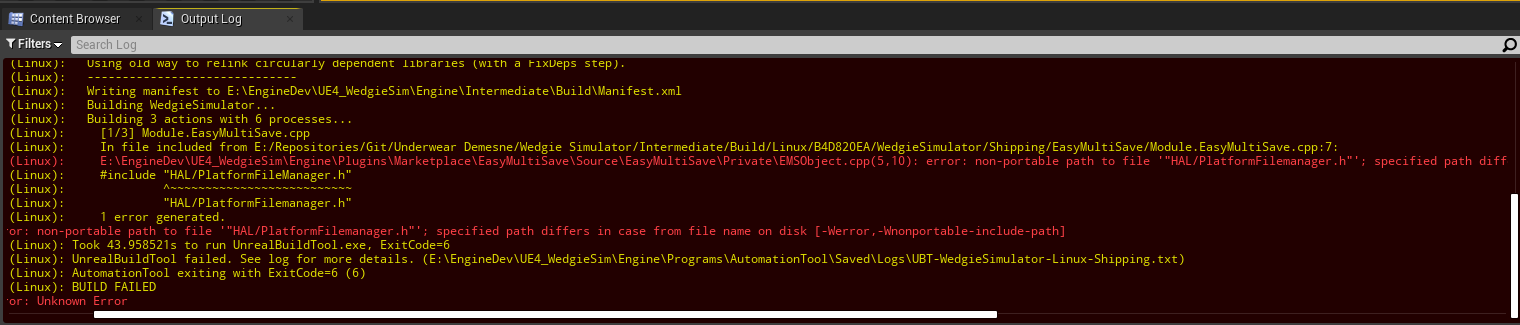
 lavish lodge
HI, i try package almost empty project to linux verison on UE5.0.2 Windows. But I got error, any help ?

 inner stirrup
Hey, I am getting an error wen I package an android project, Please help me fix this…
This is the Error-
UATHelper: Packaging (Android (ASTC)): FAILURE: Build failed with an exception. UATHelper: Packaging (Android (ASTC)): * What went wrong: UATHelper: Packaging (Android (ASTC)): Could not initialize class org.codehaus.groovy.reflection.ReflectionCache UATHelper: Packaging (Android (ASTC)): > Exception java.lang.NoClassDefFoundError: Could not initialize class org.codehaus.groovy.vmplugin.v7.Java7 [in thread "Daemon worker"] UATHelper: Packaging (Android (ASTC)): * Try: UATHelper: Packaging (Android (ASTC)): Run with --stacktrace option to get the stack trace. Run with --info or --debug option to get more log output. Run with --scan to get full insights. UATHelper: Packaging (Android (ASTC)): * Get more help at https://help.gradle.org UATHelper: Packaging (Android (ASTC)): BUILD FAILED in 3s UATHelper: Packaging (Android (ASTC)): ERROR: cmd.exe failed with args /c "C:\Users\Divya\OneDrive\Documents\Unreal Projects\TheEvilMannequin\Intermediate\Android\gradle\rungradle.bat" :app:bundleDebug UATHelper: Packaging (Android (ASTC)): (see C:\Users\Divya\AppData\Roaming\Unreal Engine\AutomationTool\Logs\D+EpicGames+UE_5.0\Log.txt for full exception trace) UATHelper: Packaging (Android (ASTC)): AutomationTool executed for 0h 2m 3s UATHelper: Packaging (Android (ASTC)): AutomationTool exiting with ExitCode=1 (Error_Unknown) UATHelper: Packaging (Android (ASTC)): BUILD FAILED PackagingResults: Error: Unknown Error
limber dove
is it possible to access a path inside packaged game content folder in ue4?
for example "Content/MyNonAsset/NonAsset.exe"
how would I be able to locate this file in this path in my game's .pak?
 dark trench

That was not in editor
this is packaged
in editor it is not looking like that
performance got worse aswell
in editor its about 10-15 ms
 round harness
I'm having issues when I package a plugin it doesn't include a required dll and doesn't include some additional folders containing headers and libs.
 idle sparrow
Hi everyone! Right now I have a slight problem.
In our project we are using:
+DirectoriesToNeverCook(Path="/Game/SpecificPlatformContent")
under [/Script/UnrealEd.ProjectPackagingSettings] secton, inside DefaultGame.ini. To prevent cooking platform specific content to the PC etc.
But right now I need to override one of this record for IOS platform. So I've added:
-DirectoriesToNeverCook(Path="/Game/SpecificPlatformContent")
to ProjectDir\Config\IOS\IOSGame.ini under [/Script/UnrealEd.ProjectPackagingSettings] section. But it doesn't work as I hoped.
Also tried to add this as Always Cook and still no result. Does anyone solved this or similar problem?
What is the proper way to keep default config untouched and fix it with IOS config?
 covert jungle
i need help

 frank garnet
@covert jungle You need to look further up in the Output Log to see what the Error is.
 modest peak
Hi all, I had this error when packing, what do you think it could be?

 meager stone
Does UE 4.27.2 work with newer version of NDK, or does it only work with r21?

 worthy sky
Hi everyone, is building the UE source code a pre-requisite to packaging your game using "runUAT"?
lucid laurel
lucid laurel
Someone knows what can cause this issue?
Any clue?
 warm gyro
hi guys, i unpacked a UE5 project but I can't get uasset from it :/ I've got only uexp and uheader. How can I do to get uasset from package or make Unreal read uexp and uheader ?
 granite bridge
is there anything i have to consider when packaging a single map? my build process goes nuts and cooks all the things in the content directory?! Oo
i'm using the project launcher with cook by the book which just has one map selected
 bold snow
worthy sky
Hi everyone, is building the UE source code a pre-requisite to packaging your ga...
bold snow
worthy sky
Hi everyone, is building the UE source code a pre-requisite to packaging your ga...
Yes, since it’s the editor that ends up running for cooking portion
worthy sky
Thank you @bold snow
 vital creek
warm gyro
hi guys, i unpacked a UE5 project but I can't get uasset from it :/ I've got onl...
vital creek
warm gyro
hi guys, i unpacked a UE5 project but I can't get uasset from it :/ I've got onl...
Cooked files retrieved from a pak cannot be read by the editor and cannot be "extracted" into uasset files as they inherently contain different data. Furthermore, discussion of such tools is, if not against the rules of this server, at least generally frowned upon.
worthy sky
Would anyone know what this error might be about? "Server target not found."

This was the command I ran:
export UE4_ROOT=/home/futgdluck777/UE_4.27
export GAME_UPROJECT=/home/futgdluck777/Projects/TPS2/TPS2.uproject
export ARCHIVED_DIR=/home/futgdluck777/Output/TPS2

time $UE4_ROOT/Engine/Build/BatchFiles/RunUAT.sh BuildCookRun -project="$GAME_UPROJECT" -build -cook -stage -noclient -dedicatedserver -servertargetplatform=Linux -pak -archive -archivedirectory="$ARCHIVED_DIR" -utf8output -serverconfig=Development
I am trying to package a Linux dedicated server
Any help would be appreciated
(I have already compiled UE 4.27 engine from source)
TPS2.uproject is a default ThirdPersonShooter uproject. I hadn't changed any settings - I only created the new project from template, saved it, zipped it and sent to my Linux server.
Perhaps did I have to change something in the uproject itself using UE4 editor?
 magic shale
Code signing is required for product type 'Application' in SDK 'iOS 15.5'
^ Trying to package for IOS
losing my mind
will venmo for help...
magic shale
fixed it!~
normal dock
magic shale
fixed it!~
would you mind posting the solution in case someone in the future has the same or similar issue?
 frail ocean
Does anyone know how to resolve this issue?
 granite bridge
where do i define which modules to include in the cooked build?
it complains about missing module, which is part of my project source Oo
MyProject2.Target.cs has both in them
ExtraModuleNames.Add("MyProject2");
ExtraModuleNames.Add("CR_Utils");
and so does my uproject file
"Modules": [
        {
            "Name": "CR_Utils",
            "Type": "Runtime",
            "LoadingPhase": "PreDefault",
            "AdditionalDependencies": [
                "RigVM",
                "ControlRig",
                "PBIK",
                "FullBodyIK",
                "Engine"
            ]
        },
        {
            "Name": "MyProject2",
            "Type": "Runtime",
            "LoadingPhase": "PreDefault",
            "AdditionalDependencies": [
                "Engine"
            ]
        }
    ],
CR_Utils is the missing one
frail ocean
frail ocean
Does anyone know how to resolve this issue?
RESOLVED: I was ignorning the 'warning' messages and going straight for the 'error' messages. It turns out a variable in a BP was still referencing a BP that didn't exist anymore. Deleting the variable allowed me to package successfully.
magic shale
RESOLVED: Had to remake provision profile on Apple developer to apply the new certificate I made. Provision profile rely on a specified certificate.
 still quiver
Is there anyway to change the PersistentDownloadDir? In a UE5 Shipping build it saves to a %appdata% folder and I'd like it to remain in the game files folder.
winged moss
Why not just link the actual post
 dusky crane
PackagingResults: Error: Package C:/UnrealRepo/MultiplayerTemplate/Content/__ExternalActors__/ThirdPerson/Maps/Map_Testing/DG/G6/16OLDCKH3DC1UJ93XOXOU.uasset is too new. Engine Version: 1004 Package Version: 1006 so... not sure what this is about. i switch between source and binary because if i push anything from source build, anyone on a binary version breaks and vice versa, so i do stuff in binary build, switch to source, compile, attempt to package... and this happens. 5.0.2 binary, source is release, which it says is the same version as binary. what am i supposed to do?
mellow bane
dusky crane
`PackagingResults: Error: Package C:/UnrealRepo/MultiplayerTemplate/Content/__Ex...
Pretty sure your source is older
dusky crane
where can i actually check source version?
#define ENGINE_MINOR_VERSION 0
#define ENGINE_PATCH_VERSION 2``` mellow bane
dusky crane
where can i actually check source version?
mellow bane
dusky crane
where can i actually check source version?
You have to check that you're on the correct Git tag
The defines are almost always wrong in source builds
dusky crane
 mellow bane
Git
Should be d11782b9046e9d0b130309591e4efc57f4b8b037
To be fair, latest release branch should also be that if you're correctly updated
git pull should do nothing
dusky crane
does source release update when the binary hasnt?
i had a working packaged server a few weeks ago. i havent updated anything, so i dont see why it would have changed
mellow bane
dusky crane
does source release update when the binary hasnt?
Source updates when you pull from Git
(and compile obviously)
dusky crane
ya... but isnt the point of release that its the same version as the binary?
i get that main updates more regularly and that one would likely be ahead of the binary, but release should be the same. without updating source and binary staying the same, i dont know how or why the versions are now different
mellow bane
dusky crane
ya... but isnt the point of release that its the same version as the binary?
Make sure pulling on git and rebuilding doesn't change anything
dusky crane
ok i was able to pull something new from source release, compiled.. same problem though. same version numbers too
dusky crane
apparently i had to delete the external actors, the 150 folders it made. theres only 37 actors on the level, im not sure why there were so many uassets for that level in the content folder but whatever
granite bridge
i would consider making a binary build for your team from your source
that way you should all have the same version tag
mellow bane
Make sure you have a list of maps to cook that's correctly set
There's a full documentation page on reducing package size
supple moon
mellow bane
There's a full documentation page on reducing package size
do you have the page?
mellow bane
Google "UE4 reduce package size"
supple moon
great! ok .-)
mellow bane
Should be the first result
granite bridge
is there any way to split data when using I/O Store? Running out of memory when packaging -.-
 granite bridge
2022 and software "devs" still post screenshots like this?
mellow bane
 calm breach
Copypaste the output log here
You probably aren't using the appropriate NDK version as outlined in the Release Notes for your engine version
granite bridge
does anyone know if you unreal mounts DLC pak's on its own?
or how should i proceed with them? 😄
mellow bane
Unreal mounts paks in the content folder automatically
granite bridge
anywhere there, or just in the root of it? (but neither root seem to work for me)
mellow bane
No idea
granite bridge
seems like Content/Paks/Foobar.pak is the way to go
 willow saddle
Hey people,
Any idea on why when I'm packing my game I also get this .uproject file? And maybe how to pack the game so I am not getting it?
I've tried to remove it, but then the game is not launching.

this is with 4.25
mellow bane
How did you package
granite bridge
ok now i'm facing another issue, the pak loads too early, and tries to access assets from the core app, which aren't loaded yet
willow saddle
mellow bane
How did you package
 mellow bane
Okay but how
willow saddle
mellow bane
Okay but *how*
What do you mean by how?
Using the File - Package - Windows 64 menu
mellow bane
Make sure to tick "use pak file"
willow saddle
I'm not sure I want to use the .pak file, as I'm releasing the game on Steam, and I don't know if small updates would make the players download the whole .pak file ?
mellow bane
Yes you want the pak, no updates wouldn't redownload it.
willow saddle
Hmm, Ok, I'll give it a try.
Thanks!
mellow bane
granite bridge
and not a whole rebuild
Full rebuilds are perfectly fine and will in fact yield smaller patches than the Unreal patch system
Contrary to popular belief
You should always push a full build to Steam
granite bridge
so steam runs their own diff on the pak file or how does it work then?
mellow bane
granite bridge
so steam runs their own diff on the pak file or how does it work then?
Steam does delta patching on files
granite bridge
have you tested that with pak containers?
mellow bane
Yes
granite bridge
ok
mellow bane
I routinely patch a 5GB pak file with 50MB Steam updates
granite bridge
i only have experience as player with unreal games when it comes to steam updates, and ark for example has awful large patches considering that they don't contain new content
mellow bane
The only problem is that Steam will make a local copy of the pak file during updating, post-download, so large unique paks may result in slower Steam updates; download size is unaffected
mellow bane
granite bridge
i only have experience as player with unreal games when it comes to steam update...
Huge patches for Unreal could either be caused by lightmap changes, or encryption
granite bridge
ah right, encryption would probably screw over the steam patch system
mellow bane
Baked lighting is a pretty safe way to have gigabytes of patching for every hotfix
granite bridge
yea, sounds reasonable
mellow bane
Any vaguely decent encryption obviously guarantees a 100% full redownload of the pak too as you guessed
granite bridge
they fixed landscape clipping issues often, which might have invalidated their map build data
mellow bane
(it's also pointless, so like, don't)
granite bridge
from what i know the encryption of UE paks isn't really safe either
i mean, how should it even if the key has to be in the packaged build somewhere...
i cant for the sake of it figure out how to tell unreal when to load the dlc pak
it seems like it's loading it way too early
mellow bane
granite bridge
from what i know the encryption of UE paks isn't really safe either
Encryption on PC is a joke. It cannot work.
mystic atlas
Whatever can be done on PC can be undone on PC
Probably within a day or two of you releasing it into the wild.
granite bridge
yea, specially when you use known systems (bet there are tools for stuff like that already, considering that UE is a pretty popular engine)
 rough marsh
Hi Guys someone has any idea how to repair the unreal builtool because it won't let me compile my game and I don't see it telling me any errors.
 granite bridge
task 3 clearly shows an error to me
rough marsh
What error ben can you help me please I have searched for several videos and articles and nothing else I do not give with that
 mellow bane
rough marsh
What error ben can you help me please I have searched for several videos and art...
mellow bane
rough marsh
What error ben can you help me please I have searched for several videos and art...
"OneDrive" is likely the issue
Never use OneDrive for game version control, move your project out of it and use Perforce or Git instead
winged moss
well it's not the issue, but it is an issue
mellow bane
winged moss
well it's not *the* issue, but it is an issue
It wouldn't be the first time that OD is very literally the issue, failing to build because some file is locked
 ebon fern
hello guys, i want to load a .pak file in realtime on Unreal... Does anyone have a tutorial or doc about this?
rough marsh
mellow bane
Never use OneDrive for game version control, move your project out of it and use...
I have to move it to some specific place or I can have it in a folder outside of One Drive and how can I move the Game target?
My proyects doesnt appear in laucherIf it is not One Drive the address
 tulip solar
Hi, I'm having an issue where the custom game instance I made for saving variables across levels isn't being used in the packaged build.
Any ideas on why that may be the case?
 river gust
Hey folks, having a weird one, google is of no help. After packaging today it seems I'm no longer able to connect to my dedicated shipping server because the client is apparently outdated. The only instances where I found this happening is when the server and client builds were packaged in different projects or on different machines, but I'm packaging both the client and server from the same project.
My LogNetVersion / LocalNetworkVersion in the server log is showing a seriously outdated version and I have no idea where its getting this information, I've been changing the version through the project settings and the client appears fully up-to-date in both the editor and in shipping builds. I've tried rebuilding both the engine from source and the project files themselves.
Anyone have any ideas?
lavish lodge
in UE 5.0.3 I need clang 12.0.1 version, where can I download it ? on the doc still 11.0.1 is available

 spark tartan
Hi! Can anyone help me to package an ue4 level to oculus quest? I already installed all the drivers needed but it would show me some errors
 cursive fjord
Anyone got a solution for assets referenced in code using ConstructorHelpers::FObjectFinder automatically gets included in Chunk0 instead of the chunk I assigned it to?
mystic atlas
TSoftObjectPtr ?
 ebon plover
Working with UE5.0.1 and packaging works with no errors, but when launching the game binary I get this:

It is a blueprint-only project, what do I need to do to make UE compile and add external plugins to a packaged build?
Usually this would work without doing anything manually on my end in UE4.27 IIRC.
I've already tried doing this:

didn't change anything.
Would I have to package the plugin manually by itself and then place it into the packaged game folder somewhere? All this seems too cumbersome to be correct.
This is the .uproject file:
"FileVersion": 3,
"EngineAssociation": "5.0",
"Category": "",
"Description": "",
"Plugins": [
{
"Name": "ModelingToolsEditorMode",
"Enabled": true,
"TargetAllowList": [
"Editor"
]
},
{
"Name": "Bridge",
"Enabled": true,
"SupportedTargetPlatforms": [
"Win64",
"Mac",
"Linux"
]
},
{
"Name": "PBCharacterMovement",
"Enabled": true
}
]
}``` woven mango
Hi everyone, not sure if this is the right place, but I want to set some default settings in my game for temporal AA. I use a lot of baked animation on static meshes via the world offset node in the materials, and the default temporal AA settings have a really bad shimmering effect. Does anyone know how I can configure settings like r.TemporalAA.Algorithm at the config level? If I add it to DefaultEngine.ini I just get a warning saying "Couldn't parse 'r.TemporalAA.Algorithm 4' in UnrealBuildTool.ConfigFileSection". I've tried adding it under the [/Script/Engine.RendererSettings] and [SystemSettings] sections
I'd like to avoid trying to hard-code it in the game logic if I can avoid it
 robust gull
Does shipping build lightings? Or do I need to build it via cmd line first?
open rapids
Someone please help me with deploying Android builds.

This is pissing me off now. I cannot find answers on the net, UE4 forums, nor even YouTube.
 thin frost
I'm having trouble packaging my project. Haven't had any issues until now. Here's the output log and a screen of the only code of mine it references.


 tropic marsh
Anyone understand what "Make Binary Config" actually does in the Packaging settings in UE5?
"If enabled, staging will make a binary config file for faster loading" is all it says.
That sounds good, so why isn't it checked by default?
mystic atlas
Text-based config files are good for end-users to edit?
tropic marsh
@mystic atlas The DefaultGame.ini and those are still made, so I don't think that's it?
mystic atlas
So what config does it binarify?
tropic marsh
I just tried the option out while packaging, but couldn't notice any difference
That's what I'm curious about too. Couldn't find anything on google.
And in the engine source I only saw the part where it checks/toggles that checkbox, but didn't dig much deeper than that.
 sage parrot
Banner ads are coming but not interstitial ads , help me
ebon plover
ebon plover
Working with UE5.0.1 and packaging works with no errors, but when launching the ...
Anyone came across this before and got a tip on solving it?
winged moss
thin frost
I'm having trouble packaging my project. Haven't had any issues until now. Here'...
this check will hit when you PIE too
and it literally tells you what to do in the error
 true falcon
does anyone know how to fix the "Game files required to initialize the global shader library" error? I tried cooking and packaging with all the run configurations through the editor without any success.
I never had that problem in UE4, haven't changed anything in the content as well, so I really dont know what that means.
mellow bane
true falcon
does anyone know how to fix the "Game files required to initialize the global sh...
How are you packaging and how are you trying to run the package?
This happens when launching a non-editor target from VS usually
true falcon
Haven't changed any details on the packaging settings as far as I can remember. I am packaging for Windows. I have tried all binary configurations, but whenever I start the deployed .exe (or the Shipping configuration via Visual Studio), it gives me that error message.
 true falcon
mellow bane
This happens when launching a non-editor target from VS usually
true falcon
mellow bane
This happens when launching a non-editor target from VS usually
Alright, so that would explain why it didnt work via VS Shipping Configuration
But I tried via. the editor, literally all combinations. At this point i just try everything lol.
mellow bane
Normally you would do File->Package in the editor and then doubleclick the executable in the packaged folder
Using Shipping build in packaging
true falcon
Okay, yea I have it under "Platforms->Windows->Package Project"
Yea thats what I did, but it returns me that error each time. I also tried with the option "Full Rebuild" in the Project Settings, but same error.
true falcon
mellow bane
Normally you would do File->Package in the editor and then doubleclick the execu...
You start the editor via VS to package, or without VS?
I don't know if that makes a difference
mellow bane
true falcon
You start the editor via VS to package, or without VS?
Probably shouldn't matter, and personally I package with a Python script calling UAT directly
Alternatively Platform->Windows->Cook should allow you to launch Shipping from VS
true falcon
mellow bane
Alternatively Platform->Windows->Cook should allow you to launch Shipping from V...
Not working as well sadly
mellow bane
What's the packaging log
true falcon
mellow bane
What's the packaging log
the one under "AppData\Roaming\Unreal Engine\AutomationTool" ?
mellow bane
The one in the Output Log window of the engine is fine
true falcon
yea it says build successful

when i launch it with "Quick Launch" with shippment configuration through the editor
it returns that
mellow bane
Okay so check out that log after doing Platform->Windows->Cook
true falcon
true falcon
it returns that
yea sry that was the message when i start via "Quick Launch", i am going to check the output for cooking now
true falcon
mellow bane
Okay so check out that log after doing Platform->Windows->Cook
yea yea for cooking was successful.
 mellow bane
Any of those warnings say anything interesting?
true falcon
mellow bane
Any of those warnings say anything interesting?
nah just some initialization warnings, but that shouldn't be causing it, otherwise it wouldn't work at all.
mellow bane
And you're using the same engine here right, no source + binary or something like that?
true falcon
I am using UE5 with a bunch of plugins, including libraries like boost and eigen included as plugins.
mellow bane
Yeah, no idea what's going wrong here
open rapids
open rapids
Nevermind. I partially fix the problem (or rather worked around it).
true falcon
mellow bane
Yeah, no idea what's going wrong here
yea, thx still for the effort 👍
 rugged flame
In my packaged game I have a very strange Issue.


These two are variants of the same textures but one has twice the resolution. All settings have been applied with python scripts and are identical apart from the resolution. The internal metrics show that the double resolution is 4 times as many KB, as it should be. My project uses normally around 100mb RAM. When I load all small textures into memory at once they use 3.5GB, but when I load all double sized textures they take up 34GB of RAM. This is 10 times more and 2.5 times more they should.
Why is are double resolution textures taking up 10 times the RAM? What can I do to correct this?
 cold yew
Hey guys does anyone know why this BP shows the correct mouse direction values in editor but not in a packaged build ?
 mellow bane
Show your game mode code
I mean, you wrote that
The constructor, since that's what's crashing
Getting the feeling that you didn't actually write that code? Anyway, ASCGameMode::ASCGameMode
Apparently there's an error in it so show ASCGameMode::ASCGameMode in that file to see if it's easy to fix
You just showed the beginning
The full function
Copypaste the full function into blocks of ```cpp <code> ```
Read my previous message and copypaste the full constructor here
Full function
put it on pastebin
Now show the crash again since you deleted your message
The full error, not just a cropped screenshot that removes information
Guessing some of the referenced assets in the constructor don't exist
Assets, in content
Look, you should take it up with the person who wrote that code
Not the issue
 narrow widget
Hello, why am i getting this error while packaging? Missing UE4Game binary.
You may have to build the UE4 project with your IDE. Alternatively, build using UnrealBuildTool with the commandline:
UE4Game <Platform> <Configuration>
mellow bane
narrow widget
Hello, why am i getting this error while packaging? Missing UE4Game binary.
You ...
You probably have a C++ plugin or have nativization enabled for at least one Blueprint, so you need to install Visual Studio with C++
 mellow bane
 mint oak
anyone know how to fix 😄
mint oak
anyone know how to fix 😄
Read the log for errors
open rapids
Folks, I have installed two versions of Clang: v19 for UE4.27 and v20 for UE5. Problem is When packaging my game for Linux on 4.27, it complains about Clang v20. How do I force the engine to consider only v19 instead. I need both for UE4.27 and UE5 respectively for Linux builds.
open rapids
Also Android refuses to save any data on packaged build.
I followed this thread and several videos on this to no avail.
Unreal Engine Forums
Hey Knaril I checked the link and checked “Use ExternalFilesDir for UE4Game files”, as suggested. But I am still unable to save games. “Save Game to Slot” Blueprint Node works fine in the Editor but returns false when packaged and installed on the android device. I tried both - manually copied apk to device and installed/used bat file to inst...



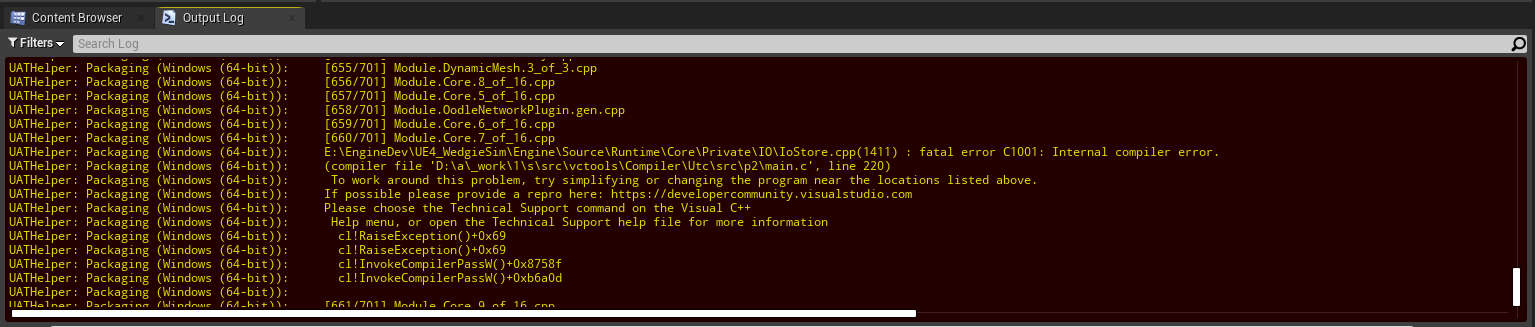


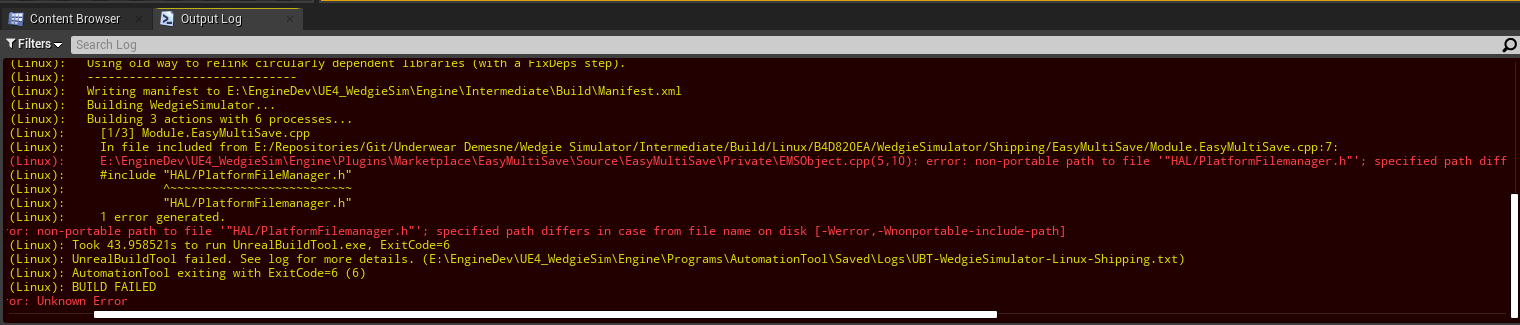
The Profile storage system.
dire oak
Hi everyone! I am looking for some guidance on releasing my game for public sale.
I see the guides from this link: https://www.unrealengine.com/en-US/release
I'm wondering more about how to prepare my actual project? Such as:
- how do I set app icons, splash screens, and other branded assets in my game and game files?
- is there any proper way to package the game (beyond just the Shipping configuration) to deliver my game files publicly? Is there a best practice to encrypt the contents or codes, or build more into binary files rather than other filetypes?
Looking to see if anyone knows any resources they could point me to. Or, if you know what topics I should be looking further into. Thanks 🙂
mellow bane
dire oak
Hi everyone! I am looking for some guidance on releasing my game for public sale...
- how do I set app icons, splash screens, and other branded assets in my game and game files?
Project settings have those
- is there any proper way to package the game (beyond just the Shipping configuration) to deliver my game files publicly? Is there a best practice to encrypt the contents or codes, or build more into binary files rather than other filetypes?
You should package for Shipping, ensure you keep a copy of each build including PDB files; you should not keep PDB files in the public build; encryption is pointless. Publishing is easy on PC, on Steam you pretty much just need to create a new package for each update and have Steam process it, for example.
 coral palm
Do disabled plugins still compile? Or will it make the build smaller?
winged moss
disabled plugins do not compile
dire oak
mellow bane
> - how do I set app icons, splash screens, and other branded assets in my game ...
Thanks for this. I see under Project Settings > Crypto options to Encrypt pak, .ini, assets, and uassets. I can see why not to encrypt All Assets (bad for patch updates), but what is an arguement against using any other of the encryption means?
mellow bane
dire oak
Thanks for this. I see under Project Settings > Crypto options to Encrypt pak, ....
Encryption is a waste of time
dire oak
mellow bane
> - how do I set app icons, splash screens, and other branded assets in my game ...
And how can i make sure PCBs are not in the public build?
mellow bane
Encryption on PC will be broken in minutes by anyoen who knows what they're doing and will completely destroy your update sizes
mellow bane
dire oak
And how can i make sure PCBs are not in the public build?
Write yourself some scripts, or remove them manually
Just keep them for debugging
dire oak
Thanks for all the insights @mellow bane. I've already looked into the project settings and seen what you alluded to, thanks.
Last thing I was wondering is, where do I need to look for the PCB files in my packaged game?
mellow bane
PDB files are under Binaries in Engine in ProjectName dirs
 hushed snow
Hi everybody - I am having some trouble with setting up and connecting to my dedicated server through remote desktop, and I would really appreciate any assistance.
We are making a simple multiplayer mobile game in UE5. I followed the official docs regarding setting up a dedicated server. I have built the engine from source, created Server.Target.cs, built and packaged it. I did not make a separate client target but rather just packaged the default build target (as per the docs).
Everything works fine locally when I run the game and server exe's separately. But when I copy the packaged server files over to the remote desktop (where the actual server is running), run it and try connecting to it as a client I get this error:
"FailureType = OutdatedClient, ErrorString = The match you are trying to join is running an incompatible version of the game. Please try upgrading your game version., Driver = PendingNetDriver IpNetDriver_21**"
I tried googling this and had no luck. The builds/packages are identical with what I have locally and what I copy to the server desktop. I tried packaging Shipping versions, rebuilt the engine from source and retraced all the steps - all with no avail.
An associate with a lot more experience recommended us to change to UE4, which would be less than preferable to say the least.
Any help would be much appreciated!
mystic atlas
Did you also build your client from source? You probably should match server and client build configurations/sources.
hushed snow
yes , I did
mystic atlas
From the same source on the same pc?
Did you delete the entire game server / whatever UE was installed on your remote server before copying over?
Does the server have any useful logs?
hushed snow
I only copy the packaged server files and executable over to the remote server. Editor is not installed there.
Weird thing is, the server logs do not show any signs of connection but the client obviously finds the server since it only complains about the game version/incompatibility and not an invalid ip address
Maybe it's worth mentioning again that identical server files work locally when I connect to 127.0.0.1 or the actual public ip of the current pc
mystic atlas
Are you sure it's connecting to the right port?
hushed snow
yes, 7777
Also, the same remote server hosts a dedicated server for a different project I'm not involved with and it works fine. That project is on UE4
mystic atlas
You're absolutely sure it's not trying to connect to that other project's server?
hushed snow
Not really sure actually now that I think about it. Perhaps the other project is also running on 7777 and we are trying to connect to it?
mystic atlas
Yeah...
hushed snow
Would you mind telling me how to specify a port on the server?
mystic atlas
I have no idea, tbh.
hushed snow
I changed the port and it works now - thank you very much!
mystic atlas
Np
dire oak
mellow bane
PDB files are under Binaries in Engine in ProjectName dirs
Thanks so much for everything 😁
normal dock
dire oak
Thanks so much for everything 😁
no worries 👍
 azure grove

Attempting to package a brand new project from UE5. I have installed some plugins from the Epic Launcher and I seem to be getting an error that the UnrealBuildTool.exe can't find the plugins???
azure grove
Some searches showed people in earlier versions were getting packaging results if they moved their /Plugins/Marketplace plugins to the project's Plugins folder. But now I'm getting a new warning during packaging with a "UATHelper: Packaging (Windows): ERROR: Stage Failed. Missing receipt 'D:\Unreal Projects\Tetrabliss\Binaries\Win64\Tetrabliss.target'. Check that this target has been built."
 coral palm
UAT has a -clean argument that will clean intermediate files before the build. Is there an argument that will clean intermediate files as it builds, or before it cooks? My goal here is to never be in a situation where >100 GB is on disk. And seems once you built, there is tons of stuff that could be removed before you cook and package.
winged moss
coral palm
UAT has a `-clean` argument that will clean intermediate files before the build....
No
As it builds would also be a little dumb
coral palm
winged moss
As it builds would also be a little dumb
Yeah, sorry I meant more so at some strategic time during the build, cook, package process. How do you guys do your CI/CD then. I doubt everyone can afford Windows VMs on the cloud with >120 GB of space, or distributed build system like Incredibuild.
winged moss
On-prem server with adequate storage
A bog standard Win 10/11 license is actually okay too
 marble ruin
Hello! I'm having trouble understanding the build process. Will all plugin dependencies noted in .uplugin be packaged in the build, even if some are conditional? By conditional, I mean some plugins are loaded based on the platform. Any thoughts would be appreciated 🙏
coral palm
winged moss
A bog standard Win 10/11 license is actually okay too
What do you mean by bog standard?
winged moss
coral palm
What do you mean by bog standard?
ie. You don't need a Windows Server license
Also the on-prem part is a fancy way of saying "a CPU workhorse computer in a cupboard setup as a Jenkins agent"
It's actually all consumer grade hardware too
coral palm
winged moss
It's actually all consumer grade hardware too
I guess I could buy a machine just for that.
 rare relic
coral palm
I guess I could buy a machine just for that.
rare relic
coral palm
I guess I could buy a machine just for that.
Recommended. For the spec you need for unreal, buying a machine pays for itself v quickly over cloud costs.
winged moss
why would you want to do this? cooking is based on references
mellow bane
Personally my approach is to DirectoriesToAlwaysCook a directory that has master asset lists (asset labels) pointing to main assets. Those in turn point recusively to all non-level content that needs to be packaged.
Trivial to set up, ensures whitelisting of content, zero unused asset in game.
The level list in packaging options works exactly like that for level content already
The default engine behaviour, if you have populated the level list, is to ignore all assets that aren't in the dependency chain for those levels
You don't normally want to blacklist level content
Since, you know, it would break the levels
Not sure what you want that differs from that behaviour
In my case since the levels don't actually reference gameplay content, I simply have a whitelist of assets on top.
No, the default engine behaviour is to cook all, that are referenced. You can override this with bCookAll
Referenced by the levels added manually in packaging options, yes
You can simply only add an empty level there and get an empty package
Like take your 300GB project, don't change any packaging option, just add an empty level in packaging options's map list
Voila, empty package
You can then whitelist your assets as needed with DirectoriesToAlwaysCook
Do you have levels set to be packaged in project settings?
Then they (unreferenced assets) get cooked but not packaged
I know for a fact that if your packaging option's list of levels to package is non-empty, any asset not referenced by those levels, will be cooked but not packaged.
"lists of maps to include in package" or something under PSettings/packaging
Then everything gets packaged
Dummy mode for people who haven't configured packaging
Add your levels there, and you'll find that all content not referenced directly or indirectly by levels won't package
Feel free to do what you want, but I can vouch that the behaviour I described can be relied upon
It's 30s of setup for fairly foolproof stuff
TLDR:
Is there a way to make this setup work so I only have whitelist to cook instead i.e. I set
+DirectoriesToNeverCook=/
and then just add an override which assets should be cooked?
- set lists of levels (can be one empty dummy level)
- whitelist any non-packaged-level-referenced asset manually with DirectoriesToAlwaysCook to package directories & dependent assets
Okay, but this trivially solves the problem you described
As in "I only want to whitelist assets starting from zero assets packaged"
I wouldn't expect DirectoriesToNeverCook / DirectoriesToAlwaysCook to work reliably at scale starting from the default full package mode
Cooks, or package? Make sure to test in the packaged game with the asset registry to diagnose included files.
The final asset copy log should also be reliable IIRC
And it's not "according to me", this is the normal expected behaviour and I've relied on it for years across all releases
Probably want to try in an empty project if you've changed options before, to minimize the risk of error
No idea how / if cooking is influenced, since personally I just care about what's in the package
Start by getting packaging right and next see if / how to also get assets not packaged to also not cook, if they do
 lethal pelican
Im creating a plugin with a dependency on an Engine plugin, during packaging I'm getting an error about an #include file not found inside the engine plugin..
The file is verified to be where the include is pointing (Third party folder). What can I do to make it compile?
mellow bane
Check that the plugin has a dependency on the engine plugin, that the header isn't private
You could also check whether the header is something editor only that doesn't get exposed during packaging
winged moss
no need to be a dick about it, but it's not conventional workflow because the cooker will cook things referenced by levels that are cooked
mellow bane
You do come across as a bit aggressive imho
lethal pelican
mellow bane
Check that the plugin has a dependency on the engine plugin, that the header isn...
It's a runtime module, and I include it in Public dependency module, This is the plugin https://github.com/EpicGames/UnrealEngine/blob/4.26/Engine/Plugins/Runtime/GooglePAD/Source/GooglePAD/GooglePAD.Build.cs
mellow bane
Public dep for the plugin, right?
lethal pelican
Yeah
The error I'm getting is from here https://github.com/EpicGames/UnrealEngine/blob/4.26/Engine/Plugins/Runtime/GooglePAD/Source/GooglePAD/Classes/GooglePADFunctionLibrary.h#L12
It says that the include file is not found
And I am building for Android, shipping 😄
mellow bane
So your plugin depends on GooglePAD and you have this include missing when compiling your module correct?
lethal pelican
Yes, that is my situation.. Really not sure what I can do to fix it
mellow bane
So I think this is expected behaviour here
string PlayCoreSDKPath = Path.Combine(ModuleDirectory, "..", "ThirdParty", "play-core-native-sdk");
string PlayCoreIncludePath = Path.Combine(PlayCoreSDKPath, "include");
PrivateIncludePaths.Add(PlayCoreIncludePath);
Assuming "play/asset_pack.h" is under "ThirdParty/play-core-native-sdk/include"
You would need to copy that setup in your plugin's build.cs
(Root cause being include path is private, so not propagated to you, but you include that header which in turns includes it)
lethal pelican
I'm going to see if I can get that to work, I appreciate you pointing it out!
I've been looking at the file for so long I didn't even think to check the bottom part of it out, rank 1 stupidity but o well >.>
mellow bane
Honestly the only way this include path should be private is if GooglePADFunctionLibrary.h is also expected to be
But assuming no engine change + needing the include, yeah
 brave sedge
Hey all, I'm shipping an Xbox title real soon, and we suddenly have to split the game into two different builds for different regions, world and Japan. I'm trying to figure out what the best practice is for, but my google fu is failing me ("regions" means so many things). On PS5 I used shared binaries, but that doesn't appear to be a thing on XB1/XSX. Can anyone point me in the right direction?
winged moss
brave sedge
Hey all, I'm shipping an Xbox title real soon, and we suddenly have to split the...
NDA'd platform so ask on UDN
brave sedge
winged moss
NDA'd platform so ask on UDN
Maybe I can rephrase that - how about best practices for multiple SKUs on any platform other than PS5? WinGDK or Win64 or Android or anything, I'd imagine it's going to be fairly similar
winged moss
well you could always do a separate build/cook, there's all sorts of things you can do with Target.cs files
brave sedge
winged moss
well you could always do a separate build/cook, there's all sorts of things you ...
Okay, so multiple targets - that was my fallback plan, so I'll just get started on it.
winged moss
it also depends what your regional differences are and such
that would be my first idea anyway, but the console game I was on the team for just used a single build for xbox
brave sedge
Basically just a single if(isJapan()) { /*something something*/ } that came up at the last minute. Fun stuff!
winged moss
that does seem like a job for a Target.cs thing you can add a CommandLineAttribute for
brave sedge
Oooh that sounds like a thing that I want to know more about
winged moss
in Target.cs, you can add:
public bool bJapaneseBuild = false;

if (bJapaneseBuild)
{
  ProjectDefinitions.Add("JAPANESE_BUILD=1");
}
else
{
  ProjectDefinitions.Add("JAPANESE_BUILD=0");
}```and in C++ you can add a #if JAPANESE_BUILD block
and then when you cook with BuildCookRun, pass -Japan inside the -UBTArgs="..." arg
brave sedge
That looks perfect, giving that a shot now!
 thorny bough
Whenever i disable any plugin admob stops working?? I want to disable some plugins to reduce game size
Blueprint based project
ANdroid project. UE4.27.2
 wraith token
Hello, I have encountered some issues when packaging a game. I recieved multiple warnings of "missing NodeGuid because of upgrade from old package version, this can cause deterministic cooking issues please resave package." What is the problem there and how do I resave a package ? I'm new to UE and have no idea what has gone wrong. Any help would be appreciated.
mellow bane
thorny bough
Whenever i disable any plugin admob stops working?? I want to disable some plugi...
As far as I know disabling engine plugins doesn't reduce game size for Blueprint projects anyway
 floral parcel
Hi, is it possible to package the game with -NoAssetRegistryCache instead of passing it as a command line argument when executing the build?
 junior light
Anyone had package splitter errors during cooks? Prints a lot of unreachable actors, gonna try to resave them and see if it helps. Meanwhile fishing for any tips if you have encountered this 🙂
03:41:51
 LogCook: Error: PackageSplitter found the Generator package still in memory after it should have been deleted by GC.
03:41:51      This is unexpected since garbage has been collected and the package should have been unreferenced so it should have been collected, and will break population of Generated packages.
03:41:51      Splitter=World /Game/Maps/Level/Level.Level
Resaving didn't help 😦
static current
Hey guys, i'm trying to package just a single level (and no other content from other levels), but I can't seem to do it properly. I read about frontend? Is this how you do it ?
mellow bane
static current
Hey guys, i'm trying to package just a single level (and no other content from o...
Project settings, list of levels to cook
mellow bane
So fix them
static current
it's many of them and most of them I have no idea what is it about
damn

doesn't look good I think
mellow bane
Start with the first one, google the error, fix the asset, move on to the next
Probably a lot of assets deleted improperly without saving dependent assets, etc
static current
ahh