#blueprint
402296 messages · Page 697 of 403
 wet surge

 indigo bough
I've got a world-space grid, stored as an array of vectors, where X+Y=Direction, Z=Speed. The grid needs to read data each in-game month and update the associated vector from a pre-determined set of values for each grid square.
This most likely needs to be done server-side, due to the fact it should reflect for all players. I'm guessing it's a case of bringing this data in via csv, and running an update to a different csv/sheet every 'month', and then vinterp'ing to the new value as needed?
Also, would there be any significant cost if each of these data points were a struct instead of a vector? Would be helpful if each grid space had a few other variables associated with it, but if it's going to be a problem I can make do without.
(There are about 2000 grid squares, each representing a square of 250 kilometers2)
(Basically, this)
 indigo bough
Try 'Set Intensity' instead? Or use a Light Function material
 fading wren
why my dot product is so big


i want to get dot product from wall forward vector and player when player overlap wall colider
indigo bough
Because you are adding your WorldLocation to it
fading wren
ok, but when i dont add WorlLocation, DrawDebugSphere - draw a sphere in centre of the level in (1,0,0) coordinate
it doesnt draw a sphere in centre of wall
indigo bough
Are you trying to draw the sphere where the line trace hits?
fading wren
i want to find a dot product from player forward vector and from wall forward vector. I am using DrawDebugSphere just to check, if it found ForwardVector of wall correctly
indigo bough
Well the dot product isn't going to give you a world location, it's going to give you an angle between the two forward vectors
indigo bough
You would need to draw the sphere at the GetActorLocation of the wall?
fading wren
let me rephrase. just forget aboyt dot product. Why when i using DrawDebugSphere, and using a GetForwardVector of the wall, it draw a ball in centre of the level, but not in centre of the wall ?
indigo bough
Because the forward vector does not include the world location of the wall
only the directional vector of where it is pointing
You need to get the wall's world location and draw the sphere there instead
fading wren
do i understand you correct. blue - is forward vector of the wall also blue is world 0.0.0


@indigo bough am i correct ?
indigo bough
You are confusing two concepts (I think, sorry if I don't understand you properly)...
Forward Vector is just which direction the object is facing. For example 1,0,0 means it's facing directly towards the +X axis.
You are trying to draw a debug sphere at the wall, so you need to know the world coordinates that the wall is to draw it there instead of at the world origin (0,0,0).
The Forward Vector isn't going to get you this, you will need to calculate the position of the wall and drawing the sphere there
fading wren
ok, got you, thanks
now i want find a dot product
of forward vector of the wall
and vector from hit point of ball
indigo bough
Just a guess, are you trying to calculate ricochet / reflecting?
 indigo bough
You don't want the wall forward vector
You want the impact normal
And the surface normal of the wall
fading wren
indigo bough
And the surface normal of the wall
well, looks like i am lost. i thought forward vector and normal of actor is same
how do i fin normal of surface of wall ?
indigo bough
 indigo bough
A static site pulled from the internet archive
This will probably tell you how
Hit Normal is the 'forward vector' of the hit direction
Normal is the normal of the wall
fading wren
do i understand correctly i need make secon LineTrace by chahel ?
indigo bough
I recommend reading the full document, it explains how to create a ricochet line trace
If you copy it 100% you will probably have the result you want
 spring nebula
so, I need a float value of 0.0000001. Is there not a way to enter this in blueprint?
 open crypt
I'm trying to spawn actors equally across a spline - I'm trying to use spline length but I'm not sure about where to put for locations

 fleet heron
hello!
how can i give Y axis direction to the subject
need to press the button and by pressing the button move forward / backward
i did it but i don't think it's right

 faint pasture
fading wren
how do i fin normal of surface of wall ?
faint pasture
fading wren
how do i fin normal of surface of wall ?
Got to run a line Trace to it and the hit result can return a normal.
All hit results return normals, use those. I'm sure there's probably some way to get the normal of a specific triangle of the geometry, but that would probably be a bad idea
fading wren
faint pasture
Got to run a line Trace to it and the hit result can return a normal.
ok, got it. additional question, when i am using RotateVector node what is pivot point/origin for rotate ?
indigo bough
fading wren
ok, got it. additional question, when i am using RotateVector node what is pivot...
Hit location
faint pasture
fading wren
ok, got it. additional question, when i am using RotateVector node what is pivot...
It rotates the vector around it's origin.
1,1 rotated by 90 in yaw would become 1,-1
fading wren
indigo bough
Hit location
thanks
fading wren
faint pasture
1,1 rotated by 90 in yaw would become 1,-1
great thanks
open crypt
Will this function still work, even if the object from the Other Actor (leaving that first cast) is not the same as the output of that cast -

If the second cast their succeeds, it means its a different object type, so I"m not sure if it will use the "**Get Distance To and only care that the object in question is an actor, (whether it is the AI car source or Character won't matter, right?
 supple dome
it wont work, because the return of the cast when failed is nullptr, just use the uncasted object and get actor location, (or cast to actor if its an object)
 errant snow
open crypt
Will this function still work, even if the object from the Other Actor (leaving ...
errant snow
open crypt
Will this function still work, even if the object from the Other Actor (leaving ...
Yes it will matter and no that won't work. The GetDistanceTo will always use the output from the first cast which, if it fails, will be none if you try follow the success line from the second cast. To make that work you would have to a) be passing in the same actor to both casts (which is impossible to tell from that picture) and b) connect that pin to the GetDistanceTo instead of the output of the cast.
open crypt
so just a matter of duplicating that above but for each cast result
open crypt
errant snow
Yes it will matter and no that won't work. The GetDistanceTo will always use the...
I know it's probably not the best way but I need to get this done
errant snow
open crypt
so just a matter of duplicating that above but for each cast result
Sure, that would work too.
open crypt
Can you explain why this is returning an object that isn't on one of these object types in the collision channel? What am I missing here ?


The object in question is WorldDynamic
And while it is set to Block all Dynamic (the arm gate is), if I am line tracing to it but only line tracing for objects of Pawn or vehicle, how is the line trace hitting it?
open crypt
errant snow
Sure, that would work too.
What am I missing here?
errant snow
Beats me. not a node I've had to use so I don't really know how it works or how that input is used.
You really shouldn't be tagging people that help you with one question on completely unrelated ones.
 lime moss
Hey guys, so I'm trying to optimize my navmesh, and I wanted to know, how many UUs are in one full square of the M_WorldGridMaterial that's a part of the engine
indigo bough
If I wanted to lerp between these DT vectors based on the 'current' and 'next' month over the course of the month length, how would I do this? I don't want to be reading the DT every tick to vinterp surely?

 ivory rover
hi I have problem with game mode blue print
I set it to spawn player base blue print and it work fine
until some point that I do another thing
it's start to not spawn my player base and spawn default pawn in stead
and I check that the setting is the same
I never move the start point not sure why it happen
faint pasture
ivory rover
hi I have problem with game mode blue print
I set it to spawn player base blue p...
What is the other thing you're doing?
ivory rover
I just start to working on new widget blue print kind of
but now I just re create new game mode class
and it just working
maybe I mess up with the last one in some option without knowing
thanks @faint pasture
 elfin inlet
indigo bough
If I wanted to lerp between these DT vectors based on the 'current' and 'next' m...
elfin inlet
indigo bough
If I wanted to lerp between these DT vectors based on the 'current' and 'next' m...
i dont understand what you're asking
but a do once node might help
where are you lerping?
indigo bough
Ahh, so I'm lerping between the Jan/Feb/Mar, etc. vectors based on the current day of the year.
These vectors are wind direction vectors (Z=speed)
And there are 12 months of vectors for each global grid coordinate (basically every 10km or so)
My plan is that over the course of the year, each grid's wind direction/speed lerps between the values in the DT
Essentially I want Jan 30th to be 0.5 lerp between the Jan and Feb vector values
 stoic magnet
@indigo bough create an event for day change, get the current month and the next month and execute your lerp / averaging then. If you don't want the wind to change abruptly maybe execute the change with a timeline so it blends.
indigo bough
stoic magnet
<@95540280085712896> create an event for day change, get the current month and ...
Thanks! Sort of worked a similar thing out as well 🙂 Good to know I'm on the right track though. As for the timeline, is is possible to change a timeline's length outside of the timeline node itself? I have a 'day length' float I'd like to use to control the timeline lerp length 🙂
fading wren
Blue one - normal, yellow one -impact point. Question is, how additionally rotate impact point on 5 degrees out from normal ?
 indigo bough
fading wren
indigo bough
fading wren
search for "Rotate Vector About Axis" and the axis is the hit location
 terse goblet
around*
indigo bough
Ahh yeah, Around 😛
fading wren
indigo bough
search for "Rotate Vector About Axis" and the axis is the hit location
and it will work out from normal ? direction of rotation is important
stoic magnet
@indigo bough afaik, you can only set the time within the length. So you can make a timeline with a length of 100seconds, set the start time at 20 seconds and just execute the last 80.
indigo bough
fading wren
and it will work out from normal ? direction of rotation is important
Angle Deg is the angle it will rotate

If you want to change the direction, you might have to rotate the Axis vector first, not sure about that
indigo bough
stoic magnet
<@95540280085712896> afaik, you can only set the time within the length. So you ...
Ahh hmm, yeah was hoping I could just debug with different timeline lengths but I guess I'll have to keep going in there and adjusting the curve. Thank you though!
I guess I could have two timelines and switch them if a debug bool is set
stoic magnet
@indigo bough you could use a gate with a delay that turns the gate on and off
fading wren
indigo bough
If you want to change the direction, you might have to rotate the Axis vector fi...
i dont want make it manual, i want BP to understand, where it should rotate left, and where it should rotate right. is it possible ?
indigo bough
fading wren
i dont want make it manual, i want BP to understand, where it should rotate left...
It's all just math. Anything is possible 🙂
fading wren
like impact normal situated left side from normal - turn left 5 degree
impact normal situated right side from normal - turn right 5 degree
indigo bough
Do an if <= or => on the dot
indigo bough
It does
indigo bough
Use Print String on your dot output and test it from some extreme angles, and you'll get a negative result
But I still think you're over-complicating it. Did that article I sent not work?
Ricochet is very common in games, there are bound to be guides on how to set it up exactly
fading wren
i dont really need recochet
indigo bough
Ah
fading wren
i just want player turn to left on 5 degrees, if it was turned left, beforre hit the wall
and vice-versa
fading wren
indigo bough
Use Print String on your dot output and test it from some extreme angles, and yo...
oh i mean degrees, after acos

 dark crow
Not without seeing how you set up the layers

 sonic pine
I try to connect the NewLevel (after level up) with the RowName to Change the neededEXP until LvUp and add the Skillpoints.
In my Database are Lv 1-20, Needed EXP for every Lv and the SkillPoints which the Character will earn after Lv Up...

 woeful pelican
This works in the editor, but not when I build and package the game. What could be causing this?


In the editor, the emissive gets changed as expected. But when packaged it seems static.
 golden raptor
did you try with a base material set on your material instance creation?
 maiden wadi
@woeful pelicanVery likely the display name. You should not rely on the name of actors for anything outside of debugging purposes.
woeful pelican
Yeah I was thinking that. Got a better idea then?
I'll try this first then the base material thing
Gonna double check if the branch is triggering at all first
maiden wadi
It depends. What is the use case? Are you just trying to turn the emissive on when a certain type overlaps? If so compare via classes.
 last abyss
 woeful pelican
Thanks kira 🙃
Yeah I tried object comparing first, not class comparing. That explains some bits
 feral ice
is there a node for an ai to start moving? Like after begin play start moving
 vapid ibex
In 2d games there's a common effect that an object is opaque before player gets behind it, and then the object fades away, to make it easier for player to navigate or to reveal a secret path. How's best to implement this most versatilebly, if in my case it most often would be foremost walls of various buildings?
I mean, the basic implementation for one actor is easy - you just make a dynamic material with opacity variable and then just change it in a blueprint when it's hit via trace from player to the camera, but that's just one actor.
How to do it to chunks of walls in a level, which probably would each be unique and used only once in the entire game, so it's probably should be level designer-friendly?
Ideally It'd be an actor that will fade away everything that's parented to it in the world outliner - static meshes and other actors.
 gritty plover
@feral ice AI Move To?
feral ice
gritty plover
<@!303956598794092544> AI Move To?
not really what im after
the ai just keeps walking forward that what i want
woeful pelican
vapid ibex
In 2d games there's a common effect that an object is opaque before player gets ...
From my basic understanding of material theory, I think you can do something with material shader stuff and camera vectors. You got the ContentExamples project Installed?
gritty plover
Well then just get its forward vector and give it a target that's like a trillion meters forward.
vapid ibex
feral ice
the ai just keeps walking forward that what i want
AIMoveTo (ActorPosition+GetForwardVector)?
feral ice
vapid ibex
AIMoveTo (ActorPosition+GetForwardVector)?
maybe i was thinking like add movment input but that may not work idk
last abyss
run ai, run
vapid ibex
If AI won't do anything much besides walking blindly in a straight line, you might not even need an AI for that
vapid ibex
woeful pelican
From my basic understanding of material theory, I think you can do something wit...
I can install it, what should I look for?
woeful pelican
'Content Examples' in the marketplace, get that and create a project from it
Then you can load the level 'math_hall' and take a look at sector 2
gritty plover
Also hey, I've got this blueprint actor with a whole bunch of public variables.
Now, I plan on spawning this actor ingame, through other blueprints. Is there a way to set those variables as like "Inputs" or whatever? So that it's easier to set those variables through other blueprints, without having to manually set each one after spawning it?
 woeful pelican
Then you can load the level 'math_hall' and take a look at sector 2
woeful pelican
woeful pelican
Then you can load the level 'math_hall' and take a look at sector 2
There's a basic example at the very end of the hall that uses the camera's vectors for material stuff.
You could probably use camera vectors to control a material mask thing
and only make part of a material translucent

The same project also has stuff about material properties in its own level
last abyss
gritty plover
Also hey, I've got this blueprint actor with a whole bunch of public variables.
...
yeah you gotta expose on spawn the variables, if thats what you mean
gritty plover
Not exactly what I mean.
I meant that I'll be spawning it through other blueprints, like so, and I wanted to know if there was an easy way to set all of its variables at once, rather than one by one. Sorta like how the inputs work in interfaces.
 open crypt
So I'm done dicking around with the simple AI move to commands, can someone help me interpolate my characters max speed (I like the speed it is) and just use that to set it's location on tick - **the goal is to bruteforce to make the character run to a location and bypass the AI / navmesh entirely (this is a straight run so I don't need navigation or collision checks) **
last abyss
gritty plover
Not exactly what I mean.
I meant that I'll be spawning it through other blueprin...
I think what you're looking for is expose on spawn, it makes it so the variables show up as pins whenever you create the node 'spawnactor' and select the specific class
you just have to make sure that you refresh the node after you compile the bp, because they won't show up until you do
gritty plover
Oh that's perfect! Thank you so much!
vapid ibex
open crypt
So I'm done dicking around with the simple AI move to commands, can someone help...
Multiply character's run speed by tick delta, multiply forward vector by the result, add that to the character's position with "sweep" bool enabled.
open crypt
vapid ibex
Multiply character's run speed by tick delta, multiply forward vector by the res...
You, are probably a good person. Thank you.
 wicked shoal
hey everyone i have a question regarding animation blueprints
I currently have set up a fully working vehicle with working suspension arms etc.
But i want to add a driver to this vehicle as part of the vehicle.
How would i go about adding the animations.
Can i do this in the existing vehicelAnimBP? or do i need to add a seperate animated mesh to the vehicle?
open crypt
wicked shoal
hey everyone i have a question regarding animation blueprints
I currently have ...
probably spawn it in the vehicle as a child actor
vapid ibex
open crypt
You, are probably a good person. Thank you.
will work only for flat levels though.
open crypt
vapid ibex
will work only for flat levels though.
lol I was just about to ask
tried change step up height
no dice
set it to something ridulous
wicked shoal
open crypt
probably spawn it in the vehicle as a child actor
hmm good call i didn't consider that. thank you! ill give it a try.
vapid ibex
If you're using actor movement component, then it might be possible to give it input or something
open crypt
wicked shoal
hmm good call i didn't consider that. thank you! ill give it a try.
What you want to do though, for sure, is to have the driver anim BP receive the SAME animation notifies that you have on your vehicles, for turning for example
open crypt
vapid ibex
If you're using actor movement component, then it might be possible to give it i...
is there something else beyond step height?
vapid ibex
My example just bruteforcibly changes the position of the actor without care for anything else
wicked shoal
open crypt
What you want to do though, for sure, is to have the driver anim BP receive the ...
Is there a form of documentation on how to go about this?
vapid ibex
It's basically an illusion of movement
open crypt
vapid ibex
My example just bruteforcibly changes the position of the actor without care for...
So he can't step up, because character step up is using character movement component, which we are not
It's a real good illusion until it's not lol
but you gave me exactly what I asked for - I just have trouble with the AI movement nodes
open crypt
wicked shoal
Is there a form of documentation on how to go about this?
Look up Animation notifies - once you learn how to do a simple one, you use the "event Anim Notify" on your anim_BP - that you can use to change a simple bool, which you then have in your ANIM BP state machine transition rules - meaning it allows the state machine to literally change states to play a different animation
vapid ibex
You probably need something like this, only instead of getting inputs from InputAxis nodes it's on a tick and the input is with a constant 1.0 scale value:
 open crypt
vapid ibex
You probably need something like this, only instead of getting inputs from Input...
open crypt
vapid ibex
You probably need something like this, only instead of getting inputs from Input...
This is just an NPC runner
vapid ibex
If it uses character movement component then it shoud be able to step up the obstacles now.
wicked shoal
open crypt
Look up Animation notifies - once you learn how to do a simple one, you use the ...
Thank you very much. got the documentation ill read into it 😄
open crypt
wicked shoal
Thank you very much. got the documentation ill read into it 😄
Highly suggest some of the youtube videos on this one too
open crypt
vapid ibex
If it uses character movement component then it shoud be able to step up the obs...
annnd I'm just going to fuck with the BT - there must be something deeply fundamental/backend about the behavior tree move to nodes versus the blueprint ones
dark crow
<@&213101288538374145> Sorry for tag but this is straight out phishing
 twin chasm
dark crow
<@&213101288538374145> Sorry for tag but this is straight out phishing
twin chasm
dark crow
<@&213101288538374145> Sorry for tag but this is straight out phishing
Never be sorry about reporting a phishing bot
 manic smelt
Anyone know if there is a way to reset all actors variables to the starting state. I see that AActor::Reset seems to do that but is there a way with blueprints?
twin chasm
Handling this shit is what we are here for :)
 icy matrix
manic smelt
Anyone know if there is a way to reset all actors variables to the starting stat...
icy matrix
manic smelt
Anyone know if there is a way to reset all actors variables to the starting stat...
A despawn / respawn would be the fastest way to iterate on that, otherwise I think you'd have difficulty telling the editor what to reset to. It'd be best to have "default" variables that are read-only, and then variables you can initalize with those default values, change at runtime, and then run a "reset" function that sets the editable variables back to the default values from those default variables.
 devout tide
Does anyone know of a good asset or tutorial for moving actors in game with arrows in the specific arrow axis like the editor does? Would like to see the vector math behind it
 pure marsh
How do I make AI customers that line up like when you're waiting for a cashier to take your order?
I'm able to spawn them and make them follow a spline to the cashier
 winter garnet
Hey guys, quick question. Do you know how to hide the parent's variables from the Editor?
Like these...

I don't remember what I did that they started showing up in my Blueprints. 😦
 drowsy anvil
hello, I have a wall jump mechanic, where I want the character to turn around after jumping, but instead of that, the character jumps always to the same direction in the world (for example there is 4 walls and from each wall, he always jumps facing west, instead of facing the opposite direction of each wall)
hopefully that was clear enough, here is what I tried, what am I doing wrong?

 crimson pollen
sup guys I need help with something. what im trying to do is a bit hard for me to explain as im sort of new with UE4
specifically what im trying to do is instead take a function in a functionBP and call it into my actor BP im wondering if its possible in the actor BP to call all functions from all function bps from a single folder without having to string them up manually? Example is like if you were doing an "all" file lookup in a batch it would look something like this "C:/Desktop/newfolder/*" and would be able to access all files in that folder. I want to do something similar in my actor BP
Partially the reason why I want to do this is because I want to make my actor moddable and people could just put extensions in its logic without having to edit the Actor BP
 tight schooner
@crimson pollen I'm not sure if I can fully answer this question, but I can answer part of it and speculate on the rest. Basically all the classes you want to call functions on need a common interface so that your manager BP doesn't have to suss out class A from class B from class C. One example of an interface is a class hierarchy — if all the child classes share a parent class, your manager BP only has to cast to the parent class and call a parent function regardless of what it's dealing with. And each child class can override the parent function/event and do their own thing. That would provide the manager BP a common way to communicate with different classes.
Another example of an interface is a Blueprint Interface (BPI) which can work across class hierarchies. I'll leave that to you to look up. (BP Components can also serve as interfaces, which is a practice I only dipped my toe in so far.)
As far as scanning a folder and dynamically loading those assets go, I wouldn't know. I suspect "soft references" would be involved, which is UE4's workflow for loading individual assets through BP (e.g. skins).
crimson pollen
Basically the way I was thinking it is that they could just use that folder as a proxy to call their own bps while actor is called
and anything they need to add or overide can be in the files outside of the folder
so if there is multiple modders, all the mods can work instead of only 1
That was the thought process
 icy dragon
Indeed.
If you want to have mod support, use the official UGC plugin or the Lua Machine plugin (both of which I used)
crimson pollen
ahh good ill check that out
you know what I have an idea
I think it will be possible to make an array of the files and then call them in the actor
because once the file is in UE4 you can call the function ofc
so it should be possible to make that an array if I just grab all of them if I make a standard for it
icy dragon
crimson pollen
because once the file is in UE4 you can call the function ofc
If you're making something like Clone Hero or osu, where levels are stored in a separate file, then that's doable.
Otherwise, if you want to have custom script mods, then UGC or something like Lua Machine, and load valid scripts in the game's Mods folder.
 blissful gull
how do you play sound before a level change?
i spawned a sound before the change but it doesnt play during the change, it plays after it
icy dragon
blissful gull
how do you play sound before a level change?
Is it for music?
blissful gull
just a UI sound
icy dragon
Well, that would be basically the same as music.
You could do it within Game Instance, because it persists through level change.
blissful gull
i tried that and it doesnt seem to work
icy dragon

Unreal Engine Forums
Variable would be type of itself, “audio component”, and if it’s in the bp as a component, it is already stored as a variable. To create more variables/references to it, plop it into the graph and drag out of the right side. On top of the big list that popups it should say “promote to new variable”! Would have to f.ex cast to game instance and h...
 dull sentinel
Hello. I want to use Two bone IK /Bone Transform on both arms when using weapons, so that only curves and other calculations determine movement of the upper body/Weapon. This is a full-body FPS character. Right now, the IK arms are very much affected by the animations that are played, with and without blend per bone. Can I adjust, dampen and control the movements of the IK arms 100% with curves or will they always be affected by the animation being played? Is there a solution to keep the arms from being affected by the animations being played, or disable the upper body completely from spine_03?
sonic pine
Hiho is there a way to Trigger Database Row Name: "1" with the Level Integer ?
The mechanic should be like that:
Player level 1 -> Data table Row Name 1 if Player Level will be Level: 5 the Data Table Row Name should also switch to 5 to increase the Needed EXP
 burnt nest
dull sentinel
Hello. I want to use Two bone IK /Bone Transform on both arms when using weapons...
burnt nest
dull sentinel
Hello. I want to use Two bone IK /Bone Transform on both arms when using weapons...
It is absolutely possible, though I do not know how to set it up. I know you can for example override a running animation with a weapon reload animation for just the arms, for example.
dull sentinel
Hi. That is possible with montages and slots, but my problem is the IK bones(arms) are following the base animation even if the upper body is set to not have an animation.
I want the upper body to be completely "dead", so that all movement of the IK arms is determined by curves and calculation.
burnt nest
Hmm. Try asking in #animation maybe. The people who hang around there might know. Of course Europe's asleep atm, so you'll have to hope america can help. 😄
dull sentinel
Yeah, I know. From Europe my self 😄
burnt nest
... Me too. Maybe game devs are an exception. 🙈
dull sentinel
hehe
 slender stream
hi i get this error when im trying to package:
uathelper: packaging (windows (64-bit)): error: missing precompiled manifest for 'editorstyle'. this module was most likely not flagged for being included in a precompiled build - set 'precompilefortargets = precompiletargetstype.any;' in editorstyle.build.cs to override.
burnt nest
You're already asking in #packaging which seems to be the right spot, doesn't have much to do with blueprints. 🙂
slender stream
sorry about that, when you get no answer no matter where you ask, you start to get desperate 🙂
burnt nest
I know. Sometimes nobody online knows. It's also night time in Europe, so that doesn't help. 🙂
sonic pine
New level = 2 -> lavel->Name = None Thats normal too loose Values?

Whats wrong with this "2" the 1,2,3,4,5... in the dataatble are also Numbers saved as row Name so why i can change my "Int Number" to a "Name Number" any ideas?
open crypt
Anyone help me figure out how I got a double version of this actor? there is another one but it's not listed in the content broweser - I had a crash and I'm sure it is some temporary asset but I"m nto sure what to do
 sudden nimbus
open crypt
Anyone help me figure out how I got a double version of this actor? there is ano...
sudden nimbus
open crypt
Anyone help me figure out how I got a double version of this actor? there is ano...
does your project have C++?
 dense citrus
hey, i'm having issues figuring out 1 simple thing, and i need some help with it, so if someone wouldn't mind rubbing a braincell with me that'd be amazing plz and thx.
basically; i'm making a physics controller for my game for the player, and i want to do 1 specific thing;
limit the amt of speed a player can get just by running, while using a force.
with my blueprint an acceleration force of X is being applied every Y seconds, but they accelerate, so i want to figure out a way to sorta limit how fast they can go instead of just getting faster and faster without end
i guess basically just think of a vehicle with a throttle, but i wanna limit the speed instead of just nonstop nyoom
sudden nimbus
dense citrus
i guess basically just think of a vehicle with a throttle, but i wanna limit the...
you'll need to have a per tick limiter for the velocity, or modify velocity directly instead of using Addforce so you can set a cap
dense citrus
okay, but my sorta issue is i'm having issues logicing it ou-
i may have just registered how to do it
one sec lel
sudden nimbus
sounds like it worked 🙂
dense citrus
it didn't lel
trying to get it, my main issue is i'm really fluent with vectors yet, so i'm trying to figure how to clamp a velocity heh
and i don't wanna waste someones time by explaining to be how multiplying vectors by an int works
so imma make a guess most likely to my detriment and hope it's fine lol
 long fulcrum
i have a question where did yall learn blueprints
dense citrus
@long fulcrum that's a very broad topic that i think depends on who you are
how much computer logic do you understand?
like, do you know to code elsewhere, do you need help getting started? etc etc
assuming you have nothing, i reccomend looking up "how to do X" (x being what you wanna make/impliment into your game_
one of the first things i looked up was "how to make wall climbing in ue4" which led me to a guy named matthew palaje, who does really solid tutorials
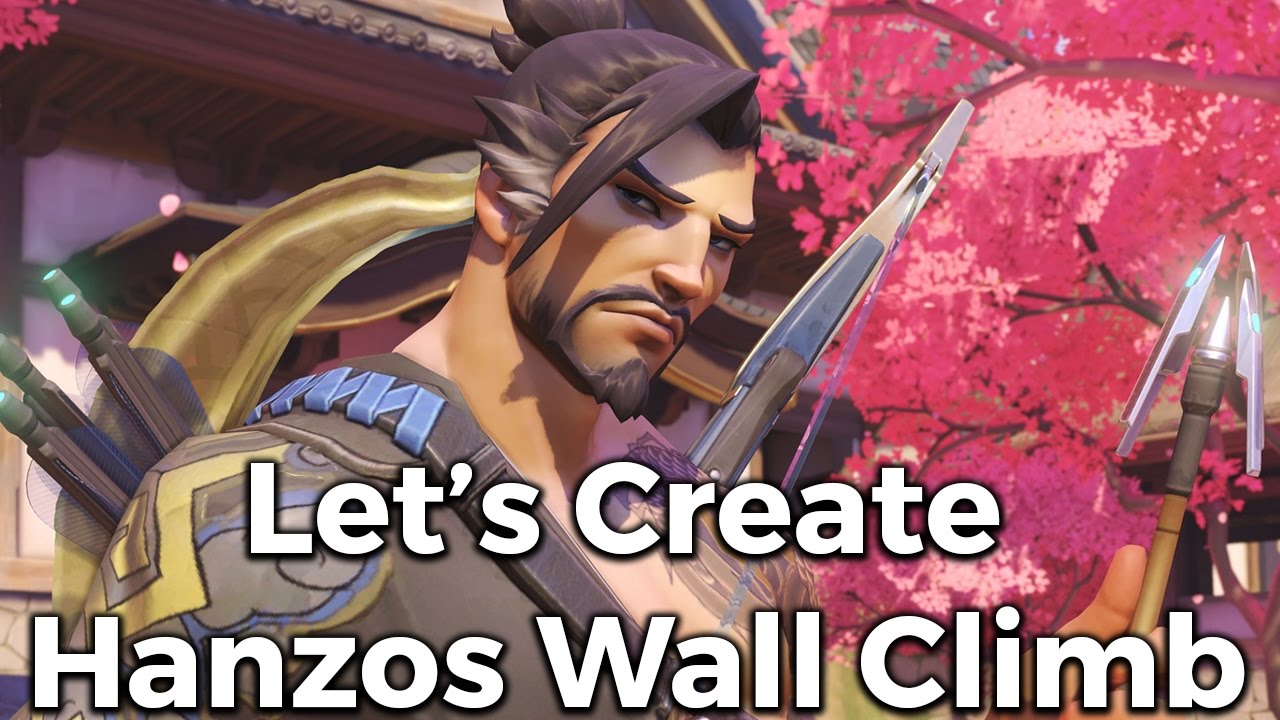
Hey everyone! Welcome to our fifth entry into let's create. Let's create is a video series where we look at a game mechanic and develop it. In this episode we look at creating wall climbing that Hanzo and Genji use in overwatch. We'll be doing this in blueprints using Unreal Engine 4.
I hope you enjoy the video! I'll see you in the next one.
F...
this is the video i found
long fulcrum
thank you
dense citrus
then after him, i found dean ashford
copied a few of their tutorials
and after enough monkey see monkey do i got enough of what they understood into my brainhole
and at this point, i can use ue4 blueprints with next to no tutorial
so, i reccomend you follow one tutorial like that
follow another
try to make those 2 mechanics work within the same blueprint, then keep going
that shoudl help you learn enough of what you're doing to get grounded
long fulcrum
so pretty much follow a bunch of random tutorials and than take what i learn from them and integrate them into my own gaem
dense citrus

YouTube
Tutorials by Dean Ashford.
Copyright information: All content posted to this channel is my own, and is free to use for education purposes, but may not be used in any circumstance for commercial projects. Please contact me directly to request usage in and commercial project.
Discord: https://discord.gg/ttqYq3r
long fulcrum
game
dense citrus
basically
like, unless you're taking desognated classes to learn fundimental computer logic, i honestly have 0 idea how anyone would learn
so i'd say follow tutorials to get your feet wet
then try do a mechanic WITHOUT a tutorial
(using one if you need it tho_
then sorta just keep pushing further and further
it's sorta like how learning a language, you're sorta just constantly like what's this, what's that, what's this?
like, unless someone has a specific structured class, it's hard to learn imo
so i think that my way (obi i'm biast) is one of the best ways to get from a to b without paying someone or getting compeatly lost in the docs
(ngl, ue4 documentations is kinda ass aswell)
sorry to talk your ear off, but yeh heh
sudden nimbus
dense citrus
trying to get it, my main issue is i'm really fluent with vectors yet, so i'm tr...
assuming this is not really fluent with vectors yet, and thats cool, its harder than it seems. For clamping a vector you are talking about clamping it's length to a certain length. A vector that is multiplied by a number is the length it had times the length of the number you give it. You can "normalize" a vector to set its length to 1. If you read your actor's velocity as a vector, check if its length is greater than your "max velocity", and if so normalize the vector (so its length is 1), multiply it by your "max velocity", then set your velocity to that
this way you are always checking how "hard" your character is pushed, and limiting how hard it is pushed based on your rules
still, you might find that this gets complicated
and it is often reasonable to handle this outside of physics simulation
in fact, Character Movement is doing this -- it is not applying force to the physics body
Obligatory question, what didn't work for you in Character Movement, iirc it can handle this?
dense citrus
alrighty heh, thanks for attempting, and i think i get that to some degreee, imma ask you if this will work, and see if i'm right (if you don't mind)
what i'm thinking is i take the vector, remove the z (because the z doesn't really need to be throttled in this instance)
and adding the x and y, then what i'm i'm doing to do is basically make sure that value is below the specified max, and if it is, then i limit it to the max
or to sorta try show it:
i explained that terribly
i mean liek this;
sudden nimbus
you don't need to separate X, Y and Z :-D
just use Length node off vector :-)
if you want to exclude Z for limiting then multiply your vector times 1,1,0
so that Z is zero
but when you set it while limiting that will be complicated
because you need to limit only on X and Y-- if you don't explicitly need Z to remain while limiting, just do it with all components intact
things like Jump can get hard if you don't factor out Z but again, why not just use character movement component?
dense citrus
@sudden nimbus so, the reason why, is my fundimental mechanics are physicsbased
a lot of sliding, momentum carrying, etc etc
like, literal ramps
and if you've tried to do that with the character component, you will realize how jank it is lel
without faking the physics*
sudden nimbus
alright that's fair, then you'll want to handle X and Y limiting alone if you have jump, but yeah you can just leave the Z alone when you set it
dense citrus

this is what i've built for now
i thiiiiink it's going to work
idk super well lel
sudden nimbus
yeah just get length of XY vector, scale it, and then apply result to X and Y retaining Z
screenshot too small on mobile, not your fault, Discord's :-)
 candid nest
hey can anybody plz fix my left hand my hand is not properly attaching to gun i want it to attach properly to gun
dense citrus
 dense citrus
sudden nimbus
screenshot too small on mobile, not your fault, Discord's :-)
dense citrus
sudden nimbus
screenshot too small on mobile, not your fault, Discord's :-)
hopefully that is better heh
for context, the vector comming in off screen is just the cameras forward vector
and the white is just a trigger that triggers the physics addition every .3 seconds
it was wrong xwx
and @candid nest kinda busy, but i think the bone position might be wrong, but that's only my guess heh
sudden nimbus
dense citrus
lel, i think you can zoom can't ya?
lol this is 100% scale -- on desktop i can zoom in but yeah this is tiny
 candid nest
dense citrus
and <@!838706580450574356> kinda busy, but i think the bone position might be wr...
candid nest
dense citrus
and <@!838706580450574356> kinda busy, but i think the bone position might be wr...
i tried to do it in many ways in past 2 days i watched many tutorials but didnt work for me
sudden nimbus
OK so Forward Vector is not the velocity
that will always be a vector of size 1 pointing down the X axis

more properly Get Physics Linear Velocity and Set Physics Linear Velocity on your primary collision component is ideal
often Root but depends
dense citrus
@sudden nimbus yee, i ment it's multiplying the velocity i want by the cameras rotation to move that way
it's the movement, not the clamping heh
sudden nimbus
yeah but regardless the clamping is happening on a "Forward Vector"
oh wait i see what you mean, its being added on top of forward
i think this is combining a few different things into one and its super unclear how you will use it since it just prints string
do you mean it will feed into Set Physics Linear Velocity at the end there thats just setting zero
if so, then you will need to factor in your current velocity not just entirely override it. If you are going to do that why not just use character movement
wait, gut check here, you know that physics is not the same as collision right
that you can have other physics stuff impacted by your character which is controlled by character movment, and have those be physically driven?
dense citrus
so, i think there's sorta a miscommunication heh, basically to tackle this short ways, yes, the mechanics of the character is more akin to a vehicle then a 2d platforming character
basically, what i need long and short is for the idea of this to work

but this, or any brute forced version don't seem ot be working
sudden nimbus
the screenshots above don't factor in the speed of the vehicle as it currently is
dense citrus
okay, well, with that current image, is what the updated velocity is going to be, which is the point/issue here
effectively, i want to limit it within that range, and it's not, weither i use that, or logic it out, something isn't making sense
sudden nimbus
I'm repeating myself here because I think it's not clicking. Get Forward Vector will always be of length 1, even when there's no input or velocity or movement or whatever
it will never change length
dense citrus
yes, the vector i have is custom set
maybe i'm missunderstanding
to tldr the order, i use a "get physics linear velocity" and set that to a vector variable
i remove the z, add the 2 together, get the vector as a float
then i get the camera forward vector, and multiply that by the "thrust" vector, which gives me a "step"
removing the z because i don't want a plane
sudden nimbus
did I miss a screenshot here, I see no get physics linear velocity
dense citrus
i said offscreen it did lel

the big blue node to the far left is the get physics linear velocity
then the set velocity (vector)
then set XY velocity (float)
biiiiiiiig sklip
then the camera stuff as i said
then poomf
my issue is, the only is that last node, which is supposed ot be the clamp, not limiting the vector
atleast not how i think it is
sudden nimbus

just wanted to illustrate what you are sharing
its super hard to read anything tbh- it sucks but the engine doesnt give you tools for this
 sudden nimbus
why this?

what is the meaning of X+Y
thats not the length of the XY vector if you are wondering
dense citrus
to basically remove the z from the movement so if the character is falling/jumping it is not factored in
sudden nimbus
instead, take the vector, multiply by X=1, Y=1, Z=0, and get Length on it
see above
dense citrus
isn't that just the same as setting z to zero like i did?
sudden nimbus
you are adding X and Y components together, this is a very different thing that really doesnt have a defined meaning as best i can tell
you should create a vector where Z is not a factor, and get its length

so you are missing some squares and some square roots 🙂
dense citrus
okay, i maybe get your point, but isn't this basically what you're telling be to do;

like, i guess i'm fundimentally missing why setting z to 0 is not the same as multiplying it by 0
sudden nimbus

its not different
but you arent using VectorLength
adding X+Y is not the length of the vector, the length of the vector is sqrt(X^2 + Y^2)
dense citrus
okay, i think i'm getting the point
 candid nest
now can i ask if the discussion is over
dense citrus
i don't think so unless they're tired of me
candid nest
okay
dense citrus
i also offered my offhand idea earlier, not sure if that helps
candid nest
if u offerd me i replied that i used it before but it didnt work

this is the error
i used fabrik and other method too but didnt work
my hand get corrected when it shoots but not when he hold gun idle or walk
dense citrus
can't you just adjust the arm position of animation and save that, and wouldn't that fix the issue?
candid nest
yeah i tried to do that too but my arms automaticaly back to this position
dense citrus
id you delete the old keyframes?
candid nest
idont know
i will try to do this but what if i use diffrent gun like ak or other rifle which uses same animation dosent it create a problem for them
thanks man i finded a fix
 fleet sinew
How can i assign value(s) to object?
dense citrus
@fleet sinew define what you mean a bit more specifically plz
fleet sinew
I'm trying to make 2d strategy game and while trying to insert values like income, resource production to map tiles I found out that I can't just add integer to an object
tight schooner
blissful gull
how do you play sound before a level change?
Doing it in GameInstance is a way, but nowadays you can check "persist across level transition"...
 tight schooner
I'm not an expert at it either. Have you tried
- playing the sound without the level load to make sure that part even works
- playing the sound and like 1 frame later calling Open Level instead of doing it on the same frame
dense citrus
@fleet sinew so you want to create a number you can save, edit, and access later?
fleet sinew
yea right sorry for bad English
dense citrus
it's fine, you at your pc now?
Properties that hold a value or reference an Object or Actor in the world.
this covers basically 90% of what you need to know lel
fleet sinew
Oh okay, thank you very much:)
dense citrus
np, glhf and happy coding uwu
 willow phoenix
i copied my "thirdpersonmap" from the folder "maps" and my thirdpersoncharacter into another folder, now my character wont spawn when i start the map. where do i find the "defaul" the spawn logic? gamemode?
 crimson swan
willow phoenix
i copied my "thirdpersonmap" from the folder "maps" and my thirdpersoncharacter ...
crimson swan
willow phoenix
i copied my "thirdpersonmap" from the folder "maps" and my thirdpersoncharacter ...
that sounds a little like your current map might not have a spawn point?
willow phoenix
it got a spawn point, thats why im so irritated
crimson swan
is your default pawn class set up correctly in project settings?
sonic pine
Hiho i have a Problem with my Data Table. How i can Connect an Integer Value with the Data Table Row to get a new Integer?
I have 2 functioncs to increase the PlayerLevel, NeededEXP for Next PlayerLevel and the SkillPoints.
Current EXP > NeededEXP = Level 1+1
Now i try to get the Level "2" to trigger the Data Table Row Name "2" but the Datatable will not Change the Row automaticly ...
Maybe someone have an idea how to fix that?
Earned_EXP Fuction

ths was my latest test

The Increase Function for neededEXP and SkillPoints

Is there a way to call Gat Datatable ID?
The ID is an Integer (Row Index), so without Row Name it should work...
candid nest
hey i got a very strange error my character cant crouch while he is not equipping gun when he equip gun he can crouch also when i throw gun while i am crouch my character plays the animation that i use for unequip gun crouching can anybody here tell me the reason for this
 supple night
blissful gull
I just can't get it to fire off before the level transition
supple night
blissful gull
I just can't get it to fire off before the level transition
There is actually a issue right now with exactly that

Unreal Engine
Welcome to the Unreal Engine Issue and Bug Tracker. You can check the status of an issue and search for existing bugs. See latest bug fixes too.
 fleet cedar
I'm trying to create a digging mechanic in my game... I've done something for now with displacement but I understand there's no collision update from displaced materials. Anyone know of a way I could bypass this issue perhaps?
 scarlet timber
sonic pine
Is there a way to call Gat Datatable ID?
The ID is an Integer (Row Index), so wi...
scarlet timber
sonic pine
Is there a way to call Gat Datatable ID?
The ID is an Integer (Row Index), so wi...
no you have to loop through it
in BP at least its like that
scarlet timber
there is only one

Voxel Plugin
Create infinite terrains procedurally using in-engine tools. Edit landscapes in realtime. Join an active community and benefit from frequent updates!
fleet cedar
oh
I thought you were saying get a voxel plugin
sorry
The reviews aren't great hmm
scarlet timber
fleet cedar
The reviews aren't great hmm
 fleet cedar

odd
I was looking at the wrong one
apparently there is more than one, maybe this one's a knockoff

 fleet cedar
Got it thank you!
scarlet timber
pro version is 5 star 211 reviews
that's like a dream for a marketplace publisher
fleet cedar
Amazing... and free too. the one with bad reviews was 50
You saved my butt thanks guys! Was dreaming up ridiculous solutions...
scarlet timber
fleet cedar
You saved my butt thanks guys! Was dreaming up ridiculous solutions...
I recommend doing some research before using
see if they support your target platform
sonic pine
scarlet timber
no you have to loop through it
In which part?
scarlet timber
sonic pine
In which part?
by default index is row name
so if you want it to be a number you have to either set the row name to that number or you should add a int variable for numeric index
and loop through it like this
 sonic pine
My Row Name is a Number ^^

My CSV Data have ID: 1 2 3 4..., Level 1 2 3 4..., NeededEXP: 8 14 17 23..., and SkillPoints: 1 2 3 4...
So each Row in the Datatable includes Integer only NeededEXP is a Float variable ^^
scarlet timber
sonic pine
My CSV Data have ID: 1 2 3 4..., Level 1 2 3 4..., NeededEXP: 8 14 17 23..., and...
then what is the problem it should work!
sonic pine
scarlet timber
then what is the problem it should work!
My Problem is to understand why the Row Name (Name) know the Level (integer) after LevelUp
 scarlet timber
sonic pine
My Problem is to understand why the Row Name (Name) know the Level (integer) aft...
scarlet timber
sonic pine
My Problem is to understand why the Row Name (Name) know the Level (integer) aft...

doesn't this work?
sonic pine
After Level Up The Row Name have to Change automaticly from Row 1 to Row 2 but if i cant put the Integer level into the Row Number how does the Datatable should Know my Level?
I did it like this xD
so i dont need the For each loop?
Bcause the ArrayElement havnt any connection now
 scarlet timber
sonic pine
so i dont need the For each loop?
scarlet timber
sonic pine
so i dont need the For each loop?
no
sonic pine
Ok so i have started to ask xD
scarlet timber
sonic pine
After Level Up The Row Name have to Change automaticly from Row 1 to Row 2 but i...
add a custom event call it "on level Up" and call it when exp reaches desired amount , in that event set level to (level+1) then feed it to get data table row
sonic pine
i did
scarlet timber
sonic pine
Ok so i have started to ask xD
yeah I did'nt understand your question
sonic pine
 scarlet timber
sonic pine
scarlet timber
sonic pine
no not like this , you make a function first to earn exp and if earned exp + current exp was higher than needed exp you call another event called level up
sonic pine
ok Thanks ^^
last step i have to fix my EXP i dont know why i cant get exp xD
like that?

maybe my triggerbox is wrong
sonic pine
scarlet timber
no not like this , you make a function first to earn exp and if earned exp + cur...
Thanks for help ^^
 scarlet timber
candid nest
i cant fix this i tried almost every tutorial
sonic pine
scarlet timber
candid nest
i cant fix this i tried almost every tutorial
sonic pine
i think his problem is the hand isnt contact the weapon?
candid nest
yes
sonic pine
whe weapon is small i think ^^
candid nest
it gots fit as i am using ue 4 skeleton i dont want to be accurate but it looks wierd when i play the gap is visible
sonic pine
Ok i dont know whats wrong with my EXP Bar...
I have Pressed F to get 5 EXP of a test of EXP Bar and Level Up System but nothing happend
 last abyss
sonic pine
Ok i dont know whats wrong with my EXP Bar...
I have Pressed F to get 5 EXP of a...
last abyss
sonic pine
Ok i dont know whats wrong with my EXP Bar...
I have Pressed F to get 5 EXP of a...
you should show the binding (if it is using a binding) of the progress bar
sonic pine
Yes i have changed back to binding
but the binding isnt complicated

But i Think my problem is the Earn EXP Function
 scarlet timber
sonic pine
but the binding isnt complicated
scarlet timber
sonic pine
but the binding isnt complicated
current exp / need exp
sonic pine
i have change it 5 seconds ago
i have only changed Need and Current to test
But also the Earn EXP should be correct...
Why the EXP bar will not get filled ^^
My EXP button

ok my mistake xD
I have set needed exp to 0 because the needed exp should come from the Data Table
The needed EXP will not be updated by Data Table so taht was my question 20 minutes ago. How can i trigger the Data Table Row (name) with my Level (int) xD
last abyss
sonic pine
you are already doing that here
 formal dagger
Hello there, i'm stucked again. So... my bad, the saving system is definilty one of the thing i've should done first but... still learning. Anyway, i've got several animals with differents stats (meaning variables with diff values), they're all from the same parent "Tamed_animal" and i have no clue how to save them in a array "saved tamed animals" and then load them with their good stats. It's a lot of array and i'm lost. Any clue ?
sonic pine
last abyss
you are already doing that here
I did xD
last abyss
formal dagger
Hello there, i'm stucked again. So... my bad, the saving system is definilty one...
you could use a struct to save multiple variables
and then have 1 array of that struct type to save all your tamed animals in
formal dagger
last abyss
you could use a struct to save multiple variables
oh boy i gonna need to find some exemples but i'll try this, thx pal
sonic pine
last abyss
you are already doing that here
This is my Exp Event
if i press E i will get 5 EXP (checked)
If current EXP bigger NeededEXP = Level UP (checked)
Level UP 1+1=2 set Data table Row from 1 to 2 give out Skillpoints and Update NeededEXP (False)
 last abyss
sonic pine
This is my Exp Event
if i press E i will get 5 EXP (checked)
If current EXP bigg...
last abyss
sonic pine
This is my Exp Event
if i press E i will get 5 EXP (checked)
If current EXP bigg...
and where are u calling set lv and exp?
sonic pine
In the IncreaseLV&SkillPoint function

it only a set because the Needed EXP and Skillpoint is fix in Data table
so i dont need to calculate anything
last abyss
right, I mean where are u calling the event called 'Set Lv and EXP' that is in your event graph, that calls the 'Level Up' event. because so far all i'm seeing is you setting variables in your functions, but I haven't seen where you call either of the 2 events in your graph.
sonic pine
ah
like that

Actually i havnt any trigger to earn exp no monsters or quests
so i can trigger the event only about the get exp key
Thank you its working ^^
 tidal marlin
hello. How i can change navigation after start game? (without runtime navmesh, pls)
 slim knot
Hi I'm new in here :D, can I ask about communication between Widget and Level Blueprint in here? Seems like this is the right place to ask this or should I ask in UI umg?
open crypt
I have a box collision, I want to trigger actors that are facing towards it - what type of forward vector comparison do I need to be able to compare the two objects?
mind you
they will be surrounding the box, but some are facing away from it
Actual context is a highway in a city, with the box being an intersection, I want to get the cars that are facing towards that intersection (without drawing specific volumes for the lanes)
the forward vector comparison would be more procedural/flexible ...and basically less work
Rather, it's not going to be forward vector in case of the center of the intersection I guess I need to find the inverse of look at function
Something like comparing the two look at rotations and if the rotators themselves are within a certain range
dark crow
Dot Product is to check if something is facing another
 glossy bane
Is there something inherently different when trying to cast to a GameMode BP in order to use a reference from there into another BP? I keep getting "Accessed None" errors, and I have checked that the Obj. Ref. I'm trying to access gets created and set with breakpoints - but my other BP can't access it for some reason
fleet cedar
I'm trying to get my objects to align to trace hit normal, but they're not rotated correctly, any ideas?
I did rotation from Xvector
last abyss
glossy bane
Is there something inherently different when trying to cast to a GameMode BP in ...
the only difference is in multiplayer where gamemode only exists on server
fleet cedar
nvm they were just offset 90 degrees
glossy bane
last abyss
the only difference is in multiplayer where gamemode only exists on server
I see, since I have no multiplayer then it shouldn't be a problem I guess. Will keep trying to find out why I'm getting errors
open crypt
Is a box extent size unreal units? Thats how i figure how the actual distance of a box since I cant do it with scale?
slim knot

Is this a possible thing to do?
I mean is it possible for the Widget to communicate and giving input to objects in Level Blueprint?
open crypt
Yes, but you need an event dispatcher
slim knot
Okay, so how do I do that?
Is it like this?

Because I'm still confused on how to use this nodes properly
 weak grove
hey, i am trying to launch my character while the root motion is enabled but it fails everytime so i checked on unreal forums and get to know that launch character doesnt work with root motion enabled. please help me how to do it without disabling the root motion
willow phoenix
crimson swan
that sounds a little like your current map might not have a spawn point?
sry for beeing late, problem solved itself. not sure why :8
weak grove
weak grove
hey, i am trying to launch my character while the root motion is enabled but it ...
anyone?
 ivory brook
I'm working through a tutorial online and in the screen shot is this node.
I understand that the output is a vector array, but I can't find a node that has the input as well as the output and it doesn't explain it in the tut

does anyone know what it is?
 burnt canyon
Thats just accessing the targets public variables
ivory brook
I just called for a get variable off of the blue return and it came up
I was working backwards on that bit, but that seems like a pretty handy thing to know
tight schooner
Yeah, the blue thing is a reference to an actor or otherwise object that exists in the game world. Once you have that reference, you can get/set variables, call functions/events on it, etc
You should look up general information on "blueprint communication" to learn more about it
ivory brook
the tutorial is for drawing splines mid game for a character navigation method based on where the mouse is, I'm hoping to find a specific actor within a radius of the player and use the pathway for an actor with a ribbon attached.
I think I'm finally getting there.
on a different note, I got into this on a bet, but I'm genuinely really enjoying the whole thing, making stuff in UE feels like a puzzle game in and of itself
golden raptor
hey all I"m using the base ThirdPersonCharacter, and I have enabled 'Use Controller Rotation Yaw' to lock the camera's rotation. However, I've noticed that when I back up, my character turns slightly to the right or the left.. any suggestions to fix this?
last abyss
the king of pop has returned! 😅
golden raptor
lol.. yeah I need to add some different animations.. but I wanna make sure the basics are working before I jump into all that
faint pasture
@ivory brook That's just accessing a vector array variable on Target.
glossy bane
Anyone that can advise on a way to make the value of a float dependent on a different float variable? For example for the value of the float controlling the speed of a projectile to increase/decrease based on the increase or decrease of the 2nd float?
faint pasture
glossy bane
Anyone that can advise on a way to make the value of a float dependent on a diff...
Depends. You can calculate it every time you need it, or use a repnotify if it's a networked setup, or make a function (UpdateFloat1) which also updates float 2
glossy bane
faint pasture
Depends. You can calculate it every time you need it, or use a repnotify if it's...
The idea was to have it connected to a tick that would check each x second if var A has increased/decreased and update var B based on that. Its not networked its only singleplayer, I had a solution that was taking a snapshot of the first var and increasing the second var but it proved to not work well at all.
faint pasture
What changes A?
glossy bane
If float A is a character's movement speed - and it increases, I want float B which is a projectile movement to increase, and vice versa
faint pasture
glossy bane
If float A is a character's movement speed - and it increases, I want float B wh...
Do you want to update already flying projectiles or just projectiles that are spawned while at that speed?
glossy bane
I want to update a projectile that is already spawned so it changes it's speed dynamically
faint pasture
For something like this I would check on tick, as you would expect it to change quite often
Projectile just has a reference to its owning character, and checks its velocity every frame
glossy bane
faint pasture
Projectile just has a reference to its owning character, and checks its velocity...
Yeah I just cant seem to figure out how to make it in blueprints
glossy bane
faint pasture
For something like this I would check on tick, as you would expect it to change ...
Thats what I was thinking aswell
faint pasture
glossy bane
Yeah I just cant seem to figure out how to make it in blueprints
Make MyOeningCharacter a reference on the projectile, set it on spawn.
Although they're already is a instigator variable which is a pawn, I would probably use that then you don't need to do anything weird or do any casting or make a custom variable etc. Just get instigator, get velocity
Make sure you set instigator when spawning the projectile though
glossy bane
faint pasture
Make sure you set instigator when spawning the projectile though
I'm going to try, thanks for the help
 elfin gale
Does anyone know of a video for Unreal engine blueprint on how to put stars in the daytime?
fleet cedar
I think you can do that with the sky BP
How can I access components created in the construction script? I tried to put them in an array but it wasn't letting me access them in the game. Also tried parenting them to a component at creation so that I could get them but that didn't seem to work either (unless I just did it wrong)
 rancid quartz
Hello, I have a vector math and actor attachment question.
I'd like to get the forward vector each second of an actor that is attached to a rotating parent actor.
It seems running GetActorLocation on the child and GetForwardVector is not returning the value I need.
If anyone knows the solution, I'd be grateful for the advice.
Cheers.
fleet cedar
It should do what you're after
Is your child object definitely rotated correctly?
Is it rotated to face forward?
rancid quartz
Thanks for responding, Slamjam. My GetForwardVector operation works correctly when I don't attach the actor, but after attachment, it's off. I keep the relative rotation on attachment so I think the child is rotated correctly.
I figure I probably have to find the difference between the child and parent's rotations and do a calculation of some kind but I'm not sure.
fleet cedar
I would keep the world rotation
Keeping relative is more likely to screw you by offsetting it
world will ensure it stays facing where it was
open crypt
Is there not a component for Get Dot Product?
I know I could just spawn an actor at the center point and use that, but still
 open crypt
yeah, it's just two vectors right?
while it probably won't matter, I was hoping to just use the horzontal one
fleet cedar
sorry not sure, never used the horizontal one
rancid quartz
Thanks, Slamjam, I'll try what you said about the relative vs world attachment rotation.
open crypt
Can someone confirm for me that box extent is the same thing as the distance a box takes up?
fleet cedar
it's not
it's the Box Radius
So it's probably half of it's size in x,y,z (1/4 of the total volume)
 simple moss
how can I show return value of GetActorLocation into x,y,z instead of just vector3?
 bitter star
What do you need to make a bp work in sequencer? You can t use a tick or event begin play, can you?
fleet cedar
simple moss
how can I show return value of GetActorLocation into x,y,z instead of just vecto...
create a "break vector" node
simple moss
fleet cedar
create a "break vector" node
thx
fleet cedar
bitter star
What do you need to make a bp work in sequencer? You can t use a tick or event b...
I would create a custom event and fire it in sequencer
Tick events should work fine
 grim quiver
I am working on a top down project and I have my character follow my cursor but I want to make it so my characters head follows the cursor till its over 180 degrees (or 90 if you count looking straight ahead at 0) and then turns the whole body till its face my cursor head on. Any vidoes or tutorials I can run through that should show me how to do this or something akin to it?
ivory brook
Would someone be able to explain why this blueprint stops at the "for each loop" node?
if I trigger the input while playing, I get the error below


 frigid anvil
Do you have a nav mesh bounds volume in your level? It seems the Find Path to Location synchronously is not returning any path points @ivory brook
open crypt
fleet cedar
it's not
Would I just need to double this?
 ivory brook
I don't have any nav meshes, I'll try adding one now quickly.
the goal is to make the spline between the player and a specific mesh type throughout the environment within a set distance of the player. would I need a nav mesh that spans the entire environment if that works?
I hope that makes sense, I'm real tired right now
frigid anvil
If I remember correctly, the Find Path to Location synchronously requires the nav mesh volume to find a path.
open crypt
ivory brook
I don't have any nav meshes, I'll try adding one now quickly.
the goal is to ma...
Just put one giant nav mesh down and put modifiers on it where you need to block things
fleet cedar
open crypt
Would I just need to double this?
yeah exactly, double in all 3 directions, can be weird to then offset it to get it in the right place... I'm dealing with this as we speak
ivory brook
the nav mesh has done it, thank you @frigid anvil @open crypt
I'll try to make the spline visible in game tomorrow so I can see how the path looks, but everything I've done today has almost got me past something that I've been trying to figure out since Tuesday
faint pasture
@rancid quartz get the forward Vector of whichever component you want the forward Vector of, not the actor forward vector. After forward Vector will always be the forward Vector of the root component
ivory brook
sorry, last thing. can the Find Path to Location synchronously node find a path through 3D space? or is it just on the ground?
frigid anvil
I recommend looking up some info about nav mesh. It works in 3D space, but maybe a different solution than nav mesh would be better for your use case?
Press P in your viewport to see the nav mesh. The green area is where the nav mesh will work
ivory brook
I just got a bit worried because I've only used a nav mesh once before to set up an NPC that wondered around aimlessly so I thought it may be just for navigating on the floor in a panic.
I'm going to go to bed now, my little monkey brain is hurting from all the thinking
vapid ibex
Is there a way to lerp two values based on a custom curve, instead of one of the preprogrammed falloffs?
open crypt
ummm...probably
open crypt
vapid ibex
Is there a way to lerp two values based on a custom curve, instead of one of the...
I'm pretty sure I'm just remember how to do it - you literally make a custom curve
icy dragon
vapid ibex
Is there a way to lerp two values based on a custom curve, instead of one of the...
Timeline node.
vapid ibex
icy dragon
Timeline node.
I don't need to change a variable smoothly over time, I want to change it based on an float alpha (in this specific instance - to reduce damage done by the projectile based on the normalized distance it had traveled)
 valid kelp
if you just want a simple math curve you can always put a pow on the alpha or the ouput for the lerp, or if you want point by point control you can use a curve asset
open crypt
or a 2d vector
 white linden
Can a blueprint not have Object as a parent class? I'm using 4.5.1, just for ARK compat, and I'm pretty sure I was able to create blueprints with Object as the parent class. After I reformatted my PC and reinstalled the editor, my blueprints are having issues loading, and if I try to create derived blueprints from them, I get a warning like "not an acceptable base class"
"invalid class with which to make a blueprint"
Oh.. weird... I can make a blueprint that has Object as a base, "ObjectParent", but I can't create a second blueprint that has "ObjectParent" as a base
 stoic palm
One message removed from a suspended account.
 proud sable
Is there any way I can pass through a boolean through the "AnyDamage" event?
I have an ability that can crit, and the damage calculation works fine. I'd like the damaged actor's damage text widget to display differently if the hit was critical, and the easiest way to do this would be the pass the "IsCrit" boolean from the damaging ability through the AnyDamage node, if that were possible.
I'm guessing I can do this with the damage type pin, but I haven't been able to figure out how to use it properly as the "Apply Damage" node takes a DamageType Class input, and the "AnyDamage" node outputs a DamageType object. The way I'm currently doing it is by having a "[Type]Crit" variant for each damage type, then searching the display name for "Crit" which seems really stupid and currently isn't consistently showing the critical text variant.
 sudden nimbus
proud sable
Is there any way I can pass through a boolean through the "AnyDamage" event?
I ...
sudden nimbus
proud sable
Is there any way I can pass through a boolean through the "AnyDamage" event?
I ...
you're on the right track, you should be able to subclass DamageType and add a "Crit" field to it, then cast the DamageType you get out of AnyDamage to your subclass
oh wait looks like the "Apply Damage" takes the class though
proud sable
sudden nimbus
oh wait looks like the "Apply Damage" takes the class though
Yeah that's where I was confused, Class goes in and Object comes out, so I wasn't sure how to properly pass the information through
I've gotten this far without having to references classes directly so I wasn't sure how to manage the pins in this case 😅
sudden nimbus
yeah it wont work that way-- you could spawn an actor to carry this information and destroy it after the damage is spawned (or perhaps have a pool of such objects)--- other than that, the "crit" DamageType workaround you've got [isn't terrible]
for the actor thing youd use this

of course you can just put some information onto the actor being damaged, or the actor doing the damage, but of course it would be a race condition or wouldnt work
I do want to say, note that the built in Damage system is being removed in UE5
proud sable
Yeah, I was mostly using it out of "convenience" which was fine up until now. It's just a bit of a weird roadblock right now
I wish we could just add an input+output pin for booleans to the default events to pass through some extra information
sudden nimbus
Gameplay Ability System is generally the upgrade path, but it requires a small bit of C++ boilerplate to get started, and has a fairly steep learning curve
still, theres tons of community docs in #gameplay-ability-system that helps a lot
sudden nimbus
proud sable
I wish we could just add an input+output pin for booleans to the default events ...
you could just have a base class for all your characters that has your own "Damage" custom event on it
set it up however you want
or use Blueprint Interfaces
and you dont even need the common base class
proud sable
Haha yeah I've been recommended to use GAS quite a lot when I've had issues with the default system. I looked into it when I was a few days into UE4 and got overwhelmed, I should really revisit it now that I have a bit more experience.
sudden nimbus
yeah-- its definitely a lot 🙂 but its very powerful
proud sable
I'll look into interfaces for this, it's something I haven't used yet but have been meaning to learn more about
sudden nimbus
yeah you could make a Damageable interface that has a "Receive Damage" method defined on it, then you just use Class Settings -> Implemented Interfaces to add it to a blueprint actor, and you can just call Receive Damage on that or any actor (even if it doesnt implement the interface, it will just be ignored then). And you can test if an actor implements the interface if you need to as well
proud sable
Thanks as always Rez 🙂 I'll look into this approach
sudden nimbus
np!
faint pasture
sudden nimbus
yeah you could make a Damageable interface that has a "Receive Damage" method de...
That interface already exists and is built in
sudden nimbus
faint pasture
That interface already exists and is built in
i think you are thinking of the AnyDamage functionality right?
proud sable
Got it set up, it works perfectly! I expected interfaces to have a steeper learning curve for some reason
The same issue as before is still there but it should be easier to diagnose now. Essentially when a damaging ability is spawned I check if the Critical Chance is higher than a random float between 1-100. If so, set "crit" to "true" and multiply the damage variable by the critical damage multiplier.
The damage side of it seems to work correctly, but the "crit" variable seems out of sync. Is there a smarter way to do this?

The print log here is the damage (20, on crit x2) and the crit variable state. For some reason the non-crit damage is occasionally marked as a crit when it shouldn't be, and vice versa
sudden nimbus
whats the code for determining crit=true/false ?
proud sable
This is the macro for it, #10 is the crit chance and #11 is the multiplier, Value 1 is the base damage which is already set
 sudden nimbus
its because the random float in range is happening twice here
the blueprint edge value doesnt get stored the first time it runs
so its quite "random" whether they will line up or not 😛
fixing it in a macro would be tricky
proud sable
Hmm, how would I work around that? If I set the float value at BeginPlay then compare that variable in the macro would it work?
The macro isn't actually needed, I should have just collapsed the nodes 😅
sudden nimbus
oh if macro isnt needed and this is just in a function, then Promote To Local on the boolean value right after the >
and then use that to do your Select, and return the promoted local
you could also have a macro that takes in the base multiplier, critical multiplier, the base damage and whether its critical and output both the critical boolean and the final value boolean for instance
and move the random float in range out of the macro itself
random float in range is Pure but of course it really isnt, so it gets confusing
actually technically passing in an edge from Random Float in Range into a macro without first storing it will have the same issue cause macros are just plopped into the graph as if you were collapsing nodes
main point is to get the result of the random check stored somewhere so you can reference it without recalculating it inadvertently 🙂
proud sable
I never would've figured this out on my own, thank you! I moved the nodes into the eventgraph to test, set it at beginplay and referenced it later and it works perfectly 😄
 sudden nimbus
yeah the "stuff gets re-evaluated" nature of pure nodes can be really confusing
typically pure should only be used if the resulting values are always the same, but its convenient, and Random shows that epic likes convenience too :-)
proud sable
Hah, for some reason I assumed that "Random float in range from stream" was the pure version, and the non-stream version wouldn't be re-evaluated by default
Not sure how that would actually work, but now I know 😄
sudden nimbus
yeah any time there's not an exec pin on it, it can be called again at the compiler's discretion. Doesn't mean it will but you wouldn't be able to predict it
 true valve
How to get the character info when using a projectile in the FP template?
sudden nimbus
true valve
How to get the character info when using a projectile in the FP template?
not familiar with the first person template, but typically the projectile will be assigned an Instigator, which is the actor that fired it
 odd kiln
Hi all I have a problem
I change camera from TPS to FPS
Both have a crosshair in middle of screen
But when I change the camera in game, it does not aiming at the same location
Because my TPS camera is in the air, above the character and my FPS camera is on the head of the character
so when I change, the middle of screen seems to change so the crosshair does not point at the same location
but I need it to be at the same location, like a zoom
 white sail
Hello, I am having a problem getting a reference to self for my world map and setting it to my movement state. Giving me a Self Object reference is not compatible with player controller reference.
 sudden nimbus
white sail
Hello, I am having a problem getting a reference to self for my world map and se...
sudden nimbus
white sail
Hello, I am having a problem getting a reference to self for my world map and se...
you are presumably in a Character class, use Get Controller to get the controller of that character and cast it to Player Controller, assuming its controlled by the player
white sail
I originally used get player controller and that didnt work
I need to cast it how so?
 sudden nimbus
"Get Controller" on your local actor will give you a Controller instance
Player Controller is a subclass of Controller
Get Player Controller (index 0) will give you the 0th index player controller in the game
Nonetheless, I dont know what Quest Map Manager is and why it needs the controller anyway
so i dont know what "that didnt work" means
white sail
Quest map is a blueprint from ue4 store that I used so I didn't have to spend hours creating a world map. The didnt' work was me putting in the get player controller index as is the last screen shot
sudden nimbus
what didnt work after that?
white sail
The world map didn't come up correctly. It enabled my mouse and opened up an invisible ui I assume
All I could do is move my mouse around a bit
sudden nimbus
this is single player right?
white sail
Yes
sudden nimbus
yeah then i would imagine what you have with Get Player Controller would work
must be something about how you're supposed to hook it up, maybe double check the docs that come with the map system
white sail
The game doesnt crash but once I exit the preview I get a lot of Blueprint Runtime Errors and a SetInputMode_GameandUI expects a valid player controller error
sudden nimbus
sounds like Get Player Controller returns null
white sail
Yeah
Im watching a youtube video that came with the documentation and he uses a self representation
sudden nimbus
it is certainly possible for that to happen, but shouldnt be the case if you are using one of the regular templates
white sail
Im gonna try with the third person template fresh start and see what happens
From the level demo given as well they used a reference to self as well
sudden nimbus
sounds like they put it in the Player Controller then
you can handle input events in either player controller or player character
white sail
Im gonna try to do some work around stuff with the demo level
sudden nimbus
but it should work the same either way- if the demo level works then check the Maps & Modes section of your Project Settings versus the Game Mode Overrides section of the World Settings on that demo level
sounds like theres a difference in what playercontroller / playercharacter / gamemode classes your expecting
your own level has these overrides as well, but if you didnt edit it than its deferring to project settings
 worthy carbon
Do you need a dedicated server to setup mulitplayer in ue4?
sudden nimbus
generally yes but #multiplayer
slim knot
Hi, can someone tell me what object should I connect to the Cast To?

 craggy lava
is this the right way to get pawn reference as a target if the pawn is a Sedan blueprint and not a third or first person character
here player controller is a variable of type player controller
 sudden nimbus
slim knot
Hi, can someone tell me what object should I connect to the Cast To?
sudden nimbus
slim knot
Hi, can someone tell me what object should I connect to the Cast To?
depends on how you created the UI instance
sudden nimbus
craggy lava
none of that is getting a pawn reference, but is the Sedan pawn possessed by the player controller?
craggy lava
yes, sedan blueprint is the default pawn
do I need to change the pawn in the player controller game mode blueprint?
sudden nimbus
then if the intent is to set the rotation of the sedan pawn via the player controller's control rotation then seems fine
slim knot
sudden nimbus
depends on how you created the UI instance
Wait, what is a UI Instance? Is it this one?
 craggy lava
sudden nimbus
then if the intent is to set the rotation of the sedan pawn via the player contr...
craggy lava
sudden nimbus
then if the intent is to set the rotation of the sedan pawn via the player contr...
there are the world settings

these*
 lost pecan
when i compile and save a default value change in a blueprint, all its dozens of children are dirtied and saved as well.. is this working as intended?
sudden nimbus
slim knot
Wait, what is a UI Instance? Is it this one?
somewhere in your game you need to create an instance of UI Shirt Menu
thats how it gets shown on the screen
create it, add it to a parent widget or the viewport
when you do that, thats where your reference to the UI instance is
slim knot
Oh is it this one?
 sudden nimbus
you need to figure out how to get that to where you want to use it
yep sounds about right
somehow you need to get that value from your level blueprint so you can attach that event handler
fairly sure you cant do it from Begin Play- judging by those events you have for spawning the widget, it wont even exist at that point
not until the player clicks the buttons to spawn that widget
Begin Play happens when the game starts
slim knot
Oh okay, I'll try it with Event Tick and figure out how to get the value from Widget
sudden nimbus
lost pecan
when i compile and save a default value change in a blueprint, all its dozens of...
yep, it is. And its also slow because it is rerunning the construction scripts of any instances of the subclasses that are in the level you have loaded
slim knot
Thanks for the help :D
 coarse flicker
Hey guys I have a weird issue. I have a arrow to get the forward of a player/Object. Im running a line trace from the arrow world location to the arrow forward vector. But for some reason there is an angle in the line trace and it's not firing exactly straight as the arrow is. Am I doing something wrong?

Here is the BP for it

As you can see no rotations are applied to this component

 gentle urchin
You must add the location aswell
Tracestart -> location
TraceEnd -> location + (forward*distance)
@coarse flicker
coarse flicker
Aren't I doing that with the forward vector?
 last siren
Looking for ways to not have to create a bunch of blueprints for similar objects (say different harvestable actors like trees, plants etc. and crafting items to be dropped in world, stored in inventory, referenced by recipes, etc. like meat, wood, stone, etc.).
Are data tables what I want to be looking at for this? Then give my actors etc. a Name type variable with "Expose on Spawn" so can be set in editor or dynamically on creation?
 surreal peak
There are multiple ways to cut Data from Code, if that's what you want
The most involved, and probably best way is using Primary Data Assets
Because UE4 has the functionality to scan for those runtime
Which means you can patch your game later with new stuff and it should work automagically
And if you work in teams, you can have peeps adjust data without needing the code from the BP
I do not know how DataTables fit into that however. I feel like one can fully replace those with the (Primary)DataAssets
It does mean you create a new Asset per Item though, but that's something you gotta live with in UE4
Cool thing about DataAssets is that they can have functions in them
You can't adjust the state of the DA, because it's a "static" file after all (or rather you shouldn't), similar to a texture or a sound file, but all sorts of static functions can be used
@mint blaze made a YouTube video about DataAssets a short while ago, which you can watch to get a better understanding.
If he feels like it, he might even answer here/you how one can utilize DataTables in addition.

This is generally my preferred design paradigm for defining gameplay mechanic data and systems.
This is something I've had to explain internally on many teams and I was finally motivated to make a public video about it.
Project download for UE4.26.1
https://drive.google.com/file/d/1t5UMWI6dFLzsB1RlkIrI8NKzEq_XxB1M/view?usp=sharing
last siren
So DataTable seems to give me like a Excel/CSV like table then the actors can do this whenever they need the data

I'll look at assets as well though. Is that more flexible then?
surreal peak
I would say yes
There is a lot more behind them
I think DataTables might be fine for pure number crunching
Like LevelXP and what not
DataAssets can also properly inherit from each other
Which DataTables can't
The Structs could in C++, but not the DataTable itself
last siren
yeah, that was one thing was finding modelling this because different types of things can need different data sometimes
surreal peak
Yeah
If you combine this with some Interface you can probably easily apply this to all sorts of things
Specially if you have things like weapons
Where Weapon Child X needs additional data
At which point you would need an additional DataTable again anyway
last siren
and with these "Row Name" strings if I ever rename/remove something going to end up hating the world. I assume data assets catch invalid references then?
surreal peak
Which we used DataTables for are more things that isn't necessarily data for actors
E.g. MetaData for UI, like Images and Friendly Names for KeyBindings
Or GameMode and Map data
Things where you only really need a list of the same structure for all of them
Although the GameMode stuff could also be a DataAsset again of course
last siren
so yeah, that is where just the blueprints really fell apart. Because I needed item meta data to show in UI tooltips etc. and spawning a fake actor just to read some fields seemed mega hacky, but then each object ends up having multiple "different" blueprints
surreal peak
last siren
and with these "Row Name" strings if I ever rename/remove something going to end...
DataAssets, if you rename them, work the same as every other asset. Fix up redirectors and you should be good.
If you rename rows in a DataTable, you might need to fix some code
Another thing with DataAssets is that you could make nearly everything into SoftObjectReferences
last siren
looks like an asset should work, it can have the UI stuff like icons and input to some generic actors like which mesh
surreal peak
So they aren't loaded when you load the DA.
And you can then dynamically decide what data to load
E.g. if you only need name and description of an item, there is no need to load the mesh into the memory
Which is advanced, but good to think about
Yeah if you have an Actor already that should hold the data, then a DA is probably better
The Data I put into Tables is something that won't live in any Actor
Like Keybinding Names or Key Button Images aren't inside any actor.
last siren
Interesting, uobject not struct which is a lot more flexible. Means actors don't have to go through some TMap (seems to be what a data table is) on every single function
I can just have a reference variable 🙂
and is type-safe
surreal peak
Yeah, although TMaps are hashed
So it's not like they go through it
Or the key is
To be more precise
last siren
Well FName is pre-hashed as well, but it just feels wrong to do like Tick() { HashMap[...]
in a bunch of things
surreal peak
And FNames are actually mapped to a unique number
So you are more or less dealing with an Array with direct access sort of
But yeah, it feels better to have a reference hehe
sudden nimbus
last siren
Well FName is pre-hashed as well, but it just feels wrong to do like `Tick() { H...
shouldn't use Tick at all if it can be avoided
double underscore asset manager
last siren
Well tick/other events. It seemed wrong needing it in basically every public function because can't store a reference to a row
ok, will look at data assets, seems fairly big topic but hopefully have a better idea later
sudden nimbus
yeah definitely make these data assets
another huge benefit to the system is the bulk editor
you can edit lots of properties of lots of assets in one grid UI
last siren
oh so basically like the table editor
gentle urchin
Cant store a reference to a row, but you can store the row info ?
last siren
seems they are just better
gentle urchin
Its static anyway, so its not gonna differ
last siren
gentle urchin
Cant store a reference to a row, but you can store the row info ?
Well you can store an FName and hope it refers to a valid row when you do "Get Data Table Row" or UDataTable::FindRow<T>
sudden nimbus
just store all the columns of the data table on the data Asset instead
last siren
If it was a template<typename T> struct FRowHandle { const T *TheRow; }; I'd have jumped at it
sudden nimbus
no need for a data table using data assets, the properties of the data assets are the columns of the row
last siren
it seems to be like a struct {FName TableName; FName RowName;} ...
so you have to select both things in BP on every usage
last siren
then hope the table name actually matches your "Get Data Table Row" node ...
gentle urchin
so you'll only have valid rows
last siren
searchable? how?
 sudden nimbus
why would you not just have a property on the data asset
last siren
oh yeah, it displays a drop down which is nice. But the bp user had to select the correct table
and it seemed if editor the table later you dont get any warnings
by search I meant "find everything that uses MyTable::DeprecatedRow in the project"
gentle urchin
Ah
last siren
seemed to be hard when was testing some stuff
if i delete a blueprint it seems to pretty quickly tell me some level used it
sudden nimbus
welp I tried
last siren
the data assets seem to be pretty good though
and if it is a reference, i am guessing the editor tells me if i break the reference. will try that one later
In either case, if I want the level editor to display the data for a particular row/asset
The pattern would be to have an "expose on spawn" variable, I can setup the mesh, materials, etc. for editor display in the "constructor script" node (OnConstruction in C++?)
and then the designer can put my BP_GenericWeapon or whatever in the map, select the type and it will display for them
seems to be the best way? And just that one extra step compared to drag and drop a concrete bllueprint?
last siren
sudden nimbus
why would you not just have a property on the data asset
not sure exactly what property you are referring to? But yeah, seems to be fairly simple each property is a "column", and for complex data I don't need on every "row" either have the choice to subclass the asset, or I could have a nested object field that defaults to null perhaps


 sonic pine
ok
 random quail
because there is no way to cast actor to component type ? input will be ACharacter cast is to UActorComponent which is always false
 dry blaze
Hey does anyone know how I can get the second slot of additional textures in my material so I can use it? Thank you 😄
burnt nest
dry blaze
Hey does anyone know how I can get the second slot of additional textures in my ...
Do you mean a second material channel on a mesh? 🤔
dry blaze
burnt nest
Do you mean a second material channel on a mesh? 🤔
Its on a sprite and basically I want to be able to select two source textures that can be used in my material if that makes sense
burnt nest
dry blaze
Its on a sprite and basically I want to be able to select two source textures th...
I am not quite sure how you mean... you can drag in as many textures as you want into your material, like a diffuse texture, a normal map, and so on. Do you intend to blend two textures together, or just use them for different things?
dry blaze
burnt nest
I am not quite sure how you mean... you can drag in as many textures as you want...
So i know that I can access the source texture in a material as there is already a Source Texture node, what I want is one of them for another texture from Slot 0 in the same material

Another one of these that I can pick the texture from slot 0
 burnt nest
I'm still not sure I'm getting your question correctly. 😅 You can add a second slot by pressing the + in Additional Textures, and you can copy the source texture node and give that a different texture?
dry blaze
burnt nest
I'm still not sure I'm getting your question correctly. 😅 You can add a second...
Sorry man haha I want to use the same material instance in multiple different sprites so I will have lots of different source textures and different slot 0 additional textures. I want to be able to get and use slot 0 additional texture the same way I would use the source texture and when I copyed the source texture, it seems to be an identical copy and I can't change the additional slot index as it is greyed out.
burnt nest
Ah! Hm. 🤔 I think I'd give it a go to ask in #visual-fx as this is hardly my area of expertise. 🙈
dry blaze
burnt nest
Ah! Hm. 🤔 I think I'd give it a go to ask in <#375020523240816640> as this is h...
okay thanks anyways dude
last siren
In blueprints can I get a reference to a variable, say a struct? I can see on the functions there is the "pass by reference" flag and "Set By-Ref Var" to set it, but not seeing how to get that reference in the first place (in C++ this might be like void Modify(FMyData &Data); ... Modify(this->Data))

Is having a separate input and output for the type and copying across the only way for BP functions?
e.g. like this

 unique basin
not seeing how to get that reference in the first place
It'll just hold a reference to whatever you plug in there
last siren
in the first example it compiles but my Print String sees the old value

FFoo Temp(this->Foo); ModifyFoo(Temp) I think like this would, rather than passing the reference to the original field
maiden wadi
Your top example should work.
I'm used to using SetMembers, but SetByRef should work as well.
last siren
maiden wadi
Your top example should work.
ok, my bad. Was so close as well 😦
I'm going to go shoot someone that wrote a wrong doc comment on the original function. Actually just didn't do what it said on the tin
i should have tested after I deleted the contents of the function for a screenshot lol
 loud cipher
How can i make my player push physics objects with less force
it seems weird that i can push a 800kg tree with ease when simulating physics
icy dragon
loud cipher
it seems weird that i can push a 800kg tree with ease when simulating physics
Spoiler: ||Mass in UE4 doesn't really confine to real physics equations.||
loud cipher
So do i have to create my own kind of physics system for it to act like real life?
icy dragon
loud cipher
So do i have to create my own kind of physics system for it to act like real lif...
If you're willing to go deep into the source code (||which is not easy||) and modify the physics solver yourself, then by all means. 
last siren
there is a push force parameter on the character movement component somewhere.
Well, you could probably do something entirely different with the existing physics engine. The Character/Pawn/etc. movement classes are a good example of how to largely by-pass the physics engine
icy dragon
Assuming he wants a perfectly accurate physics solver with accurate equations.
loud cipher
last siren
there is a push force parameter on the character movement component somewhere.
Tysm
Yeah that push force factor helped alot
last siren
true, at best your going to have some level of approximation on skeleton physics
but I think could get something reasonable if took a friction value from the surface standing on etc.
icy dragon
Which would make sense for simulation programmes.
last siren
I think the other way some games did it is there large objects (usually the ones blocking things) are just unmovable except in some special interact mode (along with the pushing animation etc.) and then they just get a constant move speed
 novel basalt
Hello, I'm looking for a way to have a "delayed activation". Basically I have a Throw a grenade ability (using the ability system), I activate it using activeAbilityByTag . What I would like is: Instead of directly throwing the grenade, an arc showing the grenade's path appear in front of the character and another action actually throw the grenade
Do you know if there's a system to do this, or what would be the best way ?
icy dragon
novel basalt
Hello, I'm looking for a way to have a "delayed activation". Basically I have a ...
Why not execute the throw when an action input is release?
novel basalt
I would also like to have different ways to pre-activate an ability. The final goal would be to have abilities where you select another Actor, another location, with or without a targeting circle (like in Lol)
Basically I would like to add a step to activating an ability, but I'm not sure how best to implement it
worthy carbon
Hi! Does anyone knows how to create an in-game shop where player can buy and equip items?
sonic pine
Hiho if im using a function from an other blueprint and i have a Referece to the Function BP why the Function Output is 0 in the new BP and 20 (correct) in the original BP?
MEQSC = Reference to the BP from SetVita Function
Maybe i have to Cast to the original BP and the Reference isnt helping?

The function is working if im Printing here i will get the correct value


 royal rain
hey im trying to make a platform move both x and z direction for a small school assignment. i don t know what im doing wrong but can i get some help. ill post my code in a second


it goes up but it needs to go down once it hits the max hegith
which it doesnt
 clear plover
Hi, I try to make a GarbHook. I want to VInterp the Location Vector of the Hook from spawn to attach point. If i make the speed lower the Hook stops in the middle and dont finish the hole Distance.
Any idea for the reason ???
Interp has a defined Time in function and stops. ?
 desert juniper
royal rain
hey im trying to make a platform move both x and z direction for a small school ...
desert juniper
royal rain
hey im trying to make a platform move both x and z direction for a small school ...

Anything * 0 is always 0
you're adding 0 relative position
royal rain
i fixed that ealier
that was an old pciture
hooked it up to the delta seconds it still doesnt reach a max height ever
so even if that was the problem it wouldnt matter bc it just goes up infitinly
 sand shore
you have to flip the bool on the false case as well
royal rain
which one i thought i did
sand shore
so when lower than the starting position, bool is true.
when a bit higher than the starting position, it'd set the bool false.
next cycle it no longer passes the first condition (before your offset) and does whatever logic you've got below
both

oh I think I confused these maybe
royal rain
yeah they are two different ones
the second one is for up the third pic is for down
i at first made two if statments for each x,z reaching its max height but not only did it not change anything it also seemed uncessary
ok so i ran the sim and what happnes is that true and false are going both at the same time
i think that might mean its not reconizing when which side is going up or supposed to go down
 last abyss
royal rain
last abyss
royal rain
you have a problem here where if Z == end pos Z it will run both true and false
royal rain
one sec
last abyss
ah wait i missread it. its starting pos
loud cipher
If i had an actor and i wanted it to print string everytime my player linetrace hit it what would i use?
I have a linetrace handled in my player bp
but a seperate actor that i want to be able to interact when my linetrace hits it
What do i start with?
elfin inlet
TIL if you use a flip flop node inside a function it will only fire A pin because the flip flop uses some variables internally and they get garbage collected if you put a flip flop inside another function
rancid quartz
elfin inlet
TIL if you use a flip flop node inside a function it will only fire A pin becaus...
Yep, that goes for DoOnce, and anything else that should "remember" anything from a previous execution.
elfin inlet
i just swapped the flip flop with an enum, turned out to be much cleaner

i should also get rid of that "B"
rancid quartz
loud cipher
If i had an actor and i wanted it to print string everytime my player linetrace ...
You're going to need to break out the hit result, get the hit actor, and send it a command to fire a PrintString.
rancid quartz
faint pasture
<@272439609483591680> get the forward Vector of whichever component you want the...
Thanks for your reply. I've tried what you described, but I haven't found success. Maybe I need to rethink the problem from the top.
What I'm trying to create is complex.
I'd like an actor (the black square) to move across a fixed-camera scene and spawn an actor on each of its sides. These actors (the bolts) will fly outwards and away from the original actor but continue to rotate with it, face it, and move along with it.
I had thought attachment might be the best route to go with this design but from my experiments with this, it seems as if it does not play well with the Projectile Movement Component. At least not with GetForwardVector.
If I weren't to use attachment, I think I would need to update the projectile actors with the velocity, and rotation of the square actor which is what I might try next.
Unless you or anyone else might have some advice or experience you think might help?
Grateful for your thoughts. Cheers.
 loud cipher
Thanks, i got something working using a blueprint interface
Each time i left click it checks if hit actor is my class
Then plays the blueprint through a messenger
rancid quartz
Yeah, that's a great way to do it. 👍
elfin inlet
is there a better way to do this? there will be several other types of building
 faint pasture
@rancid quartz you probably want a solution using attachment or emulating attachment by using local offsets. What happens on collision? Can these projectiles go through things or do they stop
rancid quartz
They would pass through unphysically.
But they would overlap either with volumes or traces.
@faint pasture , do you anticipate there being problems attaching an actor with a Projectile Movement Component to another actor?
woeful pelican
Is there any way for an actor to find out if it was spawned by something?
rancid quartz
woeful pelican
Is there any way for an actor to find out if it was spawned by something?
You mean to find which actor it was spawned by?
woeful pelican
Yeah
Okay I just managed to get discord search to work; there's an owner and instigator?
rancid quartz
You could create a variable of the spawner actor type in the spawnee class and expose it on spawn.
last abyss
royal rain
i really need to get my BP fixed soon can anyone help
I see the problem now. you are checking if your starting location's Z is less than your current Z when you're returning.
rancid quartz
woeful pelican
Okay I just managed to get discord search to work; there's an owner and instigat...
Yeah, you'll see the owner is an actor and the instigator is a controller.
woeful pelican
rancid quartz
Yeah, you'll see the owner is an actor and the instigator is a controller.
Both return actors. Anyway, found my answer I think. Instigator should have what spawned the actor
 last abyss
royal rain
last abyss
royal rain
 royal rain
what does that mean i dont get it