
#blueprint
402296 messages · Page 696 of 403
 arctic ore
 high ocean
Does anyone know how to use the built-in turn-based system? So I don't reinvent the wheel if it's there. Can't find anything on the topic :/

 burnt canyon
huh i have never seen that before
I don't think its the type of turn you might be thinking about, seems to be under the online timebased sub system
Seems to look like its for pre patch making making stuff, ie each team or player has a turn to vote on a map or something etcetc
high ocean
oh... 😐
 ivory brook
My apologies if this isn't the correct channel, I can move the post if it's not.
I'm trying to do something with splines and struggling... a lot.
I can make splines and pre-build them before launch my test, but what I'm trying to figure out is this.
If the player presses x, if they are with a certain distance of a specific material, a spline will automatically generate to a point on that materials surface and a particle system or mesh will travel along the spline to the character.
I don't mind if it's a straight line for now, I just can't wrap my head round it and all spline based content is about pre-building pathways, racetracks or pipes before the game is launched.
If anyone has seen anything close to something like this, or can wrap their head around the idea, honestly, any help is appreciated, I've been trying to figure this out for a couple of days now.
to clarify, it's the spline generation that I can't wrap my head round
high ocean
@burnt canyon Lol, I searched before posting here, I always do, but that doesn't help much, if at all...
 burnt nest
ivory brook
My apologies if this isn't the correct channel, I can move the post if it's not....
burnt nest
ivory brook
My apologies if this isn't the correct channel, I can move the post if it's not....
I believe you're looking to use Add Spline Mesh Component, which I guess you would spawn upon button input. Then you'd find whatever start and end points you need to assign them accordingly.
ivory brook
Ok, that makes sense.
Would the start/end points be set with a specific actor and just hide it in game?
I've not looked at the spline meshes... ever and can't open the editor right now but I'll have a look later when I'm back home, hopefully it's relatively self explanatory
 icy grove
Good Morning Everyone! Quick question for you, is there a way to cause objects to listen for key inputs. Currently I have an input event (setup inside of the project settings) but after setting a print line I notice that the input is never actually firing. I am assuming that I need to set something else for my object to actually listen for that input but I am not sure what that is. Can anyone give me a lead as to where I should be looking in order to set the object to actually listen for the input event?
 steel sequoia
- is an actor
- are static meshes
Can i get the lighting to render on 1 in the same way it does on 2?

@icy grove i think you would have to make your object an actor instead of a static mesh
icy grove
steel sequoia
<@!231624255186534402> i think you would have to make your object an actor inste...
it is a pawn
steel sequoia
can i see the blueprint?
icy grove

inputAction SmokeBomb is mapped to the B button on the keyboard in the project settings.
I guess a work around might to trigger an event inside of the player controller that sends an event to all the objects in the game ( that i setup to listen for that event) I just need to figure out what system in unreal will do that I think it might be the event dispatcher anyone use that for something similiar?
 last abyss
you need to enable input on the specific actor with your controller
 last abyss
icy grove
This didn't work sadly on my object 😦
last abyss
icy grove
This didn't work sadly on my object 😦
right because its a pawn right? so it (the controller) needs to possess the pawn

 heady burrow
anyone knows why casting a AI controller to the class I selected always fails?
 mental thicket
Quick help please? I was copying over some nodes from another project, and hit this error. I realised that the variable was a custom structure, so I then ported the struct over also. Unfortunately, I still have this persisting error. I tried removing any references to the variable, and still the error persists so I figured, ok I'll delete the variables and recreate them afresh now I have the necessary struct. NOPE, it seems impossible to find the variables in order to delete them. Any ideas?
 burnt canyon
heady burrow
anyone knows why casting a AI controller to the class I selected always fails?
burnt canyon
heady burrow
anyone knows why casting a AI controller to the class I selected always fails?
Make sure the target is valid and class is valid too
burnt canyon
mental thicket
Quick help please? I was copying over some nodes from another project, and hit t...
from quick look it looks like you need to copy over the custom bp struct thats missing
mental thicket
Indeed, that's what I quickly realised too and have done so
last abyss
icy grove
you wouldn't really connect anything to the 'in pawn', or rather you would connect self (meaning this current pawn). however, I'm assuming for your use you don't want to possess it, so you would want to get a reference of the specific turret in the world that you want to 'deploy smoke' with and call an event on that turret (or turrets)
 untold girder
Hey fellas, do you guys know if there's a way to spawn a static mesh in the world (making a simple building system, trying to cut down on performance) that isn't classified as a component?
steel sequoia
@mental thicket are the variables it is referencing also imported? (the ALS_AnimBP)
mental thicket
steel sequoia
<@!445482146300166144> are the variables it is referencing also imported? (the A...
Yes, imported but seemingly impossible for me to find, which is really odd
if I try to create a new variable with the same name, it tells me the variable name is taken - so the variable is somewhere, just I cannot locate it
but no worries, I hadn't saved the AnimBP so I can just roll back 10 minutes and start from base again, no problem
steel sequoia
sweet 🙂
anyone know about making audio have a fall off range?
these are the settings
 untold girder
steel sequoia
anyone know about making audio have a fall off range?
untold girder
steel sequoia
anyone know about making audio have a fall off range?
Like getting attenuation working? It's a setting inside of your cue, as a rule, not inside of the blueprint
or you could make an actual attenuation asset and plug it in the play sound at location
but then you gotta do that EEVVERRYY time and it's annoying
steel sequoia
thats cringe
do u think this will work?

i just want it so if ur far away it sounds quieter
is that attenuation? @untold girder
untold girder
naaaahhh it's super easy
make your barrier-break into a cue
and you can either do this

or change the settings here

you can make an attenuation asset, use it for like... literally every sound effect if you're lazy, and then whatever ones you use it in will have distance falloff
you DO have to plug the location in though, otherwise it'll just play at 0,0,0
 untold girder
no worries, gl. @ me if you can't figure it out
 untold girder
in the future you can also just go in here and create a new one this way

 untold girder
click the node and change the settings
steel sequoia
 untold girder
also make sure you edit the attenuation asset, because it'll default to 3600 units of falloff
which is PRETTY FAR
steel sequoia
 steel sequoia
 untold girder
tbh I'd just skip the node and do it in the actual cue settings
steel sequoia
ok will give it a sec
untold girder
don't bother with that, just leave the blueprint node blank
steel sequoia
like that?
 untold girder
 steel sequoia
 untold girder
the Attenuation (Volume) section is for if you want to define attenuation settings for each individual sound effect. the Attenuation menu I screenshotted is for you to slot a stock attenuation setting in
steel sequoia
ok thx
untold girder
the top one will override the bottom one, which is what you want, because it makes it quicker overall
but you gotta go into your barrier_attenuation file and change the settings.
steel sequoia
btw for reference how far is the distance?
untold girder
1 unit = 1cm
so you've got falloff set at 2m
gonna want the inner radius to be smaller than the falloff, because it will always play max volume when within the inner radius
steel sequoia
ok so that has to be smaller than fall off?

 broken wadi
How would I go about adding a background to an object's distance calculated highlight text to indicate an item can be picked up? I already have the object highlight outline and text render working as intended, but it's hard to read sometimes. So I tried using a plane as a background but failed to make it rotate like the text does.
icy grove
last abyss
you wouldn't really connect anything to the 'in pawn', or rather you would conne...
I am actually trying to reference every turret in the map. I am currently trying to get references for all of them by class but failing 😛. Basically I will do a check for each turret to check it distance against the player inside of the turret. I just need to make an array of all the turrets in a given level. I will try and puzzle through this thanks for trying to help!
last abyss
 got this 👍
 autumn plover
Anyone know why buttons become unresponsive after having 5 or more in the screen when close together
For menus
steel sequoia
can i get attached actors from a certain socket?

 worthy tendon
 worthy tendon
steel sequoia
can i get attached actors from a certain socket?
worthy tendon
steel sequoia
can i get attached actors from a certain socket?
maybe this?
steel sequoia
tah lad
 gentle urchin
icy grove
I am actually trying to reference every turret in the map. I am currently trying...
gentle urchin
icy grove
I am actually trying to reference every turret in the map. I am currently trying...
This does sound like a backward way of doing it ? Isnt it easier to have turret check for distance to player?
Or use a collision volume to detect
steel sequoia
im trying to destroy the attached actors to a certain socket is their a way i could re-apply ur code?

@worthy tendon ?
 gaunt fractal
I have an asset pack that I want to use for an RNG city. Its perfectly grid based and I am not sure where to start. I assume I want to use something similar to a maze generator. Are there any good tutorials out there that can be suggested to help me in the direction I am looking for?
untold girder
ehheh, in my experience, not really..
it's kind of dependent on HOW you want your city to be laid out, most people go top down, so like.. create roads, fill in blocks, fill in individual buildings with clutter
gaunt fractal
Yeah I guess. I suppose then the best way is to just... try. Just not 100% sure where to start
untold girder
Yeah if you've got knowledge of maze generators it should be pretty straight forward
im no expert though, and the last time I went looking was 2019, so maybe there's been some new tutorials pushed out
ivory brook
I thought what Raptor said made sense to me... turns out it does not.
I'm trying to make an ability that, on a specific input, makes a spline between, let's say the players hand and a specific nearby mesh while the game is running.
I have the "add spline mesh component" but I'm struggling to understand how to set the start and end points at custom points.
I'm assuming the end point can somehow be set to the characters hand (or any other part of the skeleton), but how would I go about setting a mesh as the start point for the spline?
I can make a regular spline where you prebuild it but I can't see how you'd get it to effectively build itself, even if it's a straight line going point to point.
I hope this makes sense, and many thanks to anyone willing to help me and my little monkey brain out with this.
worthy tendon
you need to store the actors that satisfy the condition into an array. then destroy everything in that array. @steel sequoia
 broken wadi
How would I add a black background to a text render? Similar to this game --> http://s01.riotpixels.net/data/3f/77/3f77cc93-5947-4fbf-94a4-316372bb8788.jpg/screenshot.crsed-f-o-a-d.1920x1080.2020-02-12.14.jpg
 untold girder
broken wadi
How would I add a black background to a text render? Similar to this game --> ht...
untold girder
broken wadi
How would I add a black background to a text render? Similar to this game --> ht...
image/text in an overlay widget
worthy tendon
broken wadi
How would I add a black background to a text render? Similar to this game --> ht...
You might want to use Widget component and render a UMG widget
TextRender is limited.
broken wadi
but the text is already setup to rotate according to player's view so its a text render
I can do that with a widget instead?
untold girder
widgets do that automatically
broken wadi
ahhhh
untold girder
just gotta place em in worldspace
text renders are also super non-customizable so usually end up looking scuffed, and they don't perform well
like you COULD put a billboard image behind your text render but.... please dont
ahahha
steel sequoia
thx @worthy tendon now to struggle to comprehend it xD
 runic plinth
Yet another question but hopefully this is a quick question: why uncrouching ignores collision of the ceiling? The mesh doesn't let me go through unless I crouch, but if I uncrouch after passing I clip through the mesh, any ideas?I also tried a blocking volume and it is the same behavior.
untold girder
steel sequoia
thx <@!384045222599983104> now to struggle to comprehend it xD
for loops and arrays are the first really big hurdle I ran into when learning programming. Once you really start to grasp them you're gonna explode with potential and ideas
don't feel bad if it's hard to get a grapple on at first.
untold girder
runic plinth
Yet another question but hopefully this is a quick question: why uncrouching ign...
i think the crouch just makes the collision capsule bigger ,you'd have to run a check before uncrouching to see if you can, otherwise leave the player crouched
broken wadi
So I need to right click in my content browser and go "user interface > widget blueprint" is that the correct one?
worthy tendon
runic plinth
Yet another question but hopefully this is a quick question: why uncrouching ign...
you need custom logic for that. do a line trace and see if you can uncrouch.
ivory brook
untold girder
for loops and arrays are the first really big hurdle I ran into when learning pr...
any good videos and such for getting knowledgeable on arrays?
 golden raptor
Hi, I'm using MultiLineTraceByChannel to determine if some randomly generated rooms are adjacent to eachother. My thought is that if I raycast from the middle of one room to any other room, if there are exactly two hits, then I can assume that these rooms are semi-adjacent. If there's more than 2 hits, it means there's another room between them. However, no matter what I do I always receive a result of 1 when I test the length of the hits. Is this because it's considering all of the rooms to be "one" object? Is there a way to line trace for all components?
 gentle urchin
gaunt fractal
Yeah I guess. I suppose then the best way is to just... try. Just not 100% sure ...
untold girder
ivory brook
any good videos and such for getting knowledgeable on arrays?
gentle urchin
gaunt fractal
Yeah I guess. I suppose then the best way is to just... try. Just not 100% sure ...
untold girder
ivory brook
any good videos and such for getting knowledgeable on arrays?
i tried tons, none of them really helped, the thing that really did it for me was screwing around with strings/text as arrays, and individually editing the letters and words, seeing how the loops interact with stuff
runic plinth
untold girder
i think the crouch just makes the collision capsule bigger ,you'd have to run a ...
Thank you for the idea
runic plinth
worthy tendon
you need custom logic for that. do a line trace and see if you can uncrouch.
Got it will see what I can do thanks
ivory brook
untold girder
i tried tons, none of them really helped, the thing that really did it for me wa...
bet that caused some headaches
untold girder
yes but they were fun headaches :D
gets real fun when you start like... looping through each letter and adjusting their position so you can make them do a "wave" animation based on their position in the array
then all of a sudden you're like "OH, I CAN DO THIS EVERYWHERE!!"
steel sequoia
@worthy tendon how do i make that "actors to destroy" variable?
gentle urchin
golden raptor
Hi, I'm using MultiLineTraceByChannel to determine if some randomly generated ro...
Curious why youd check for it? When you spawn them you already control their locations. Putting them in an array, with some math could return the x nearest rooms within y distance f.ex
ivory brook
does "getWorldTransform" allow me to get the location of a specific mesh and/or variable?
using the target
golden raptor
gentle urchin
Curious why youd check for it? When you spawn them you already control their loc...
I'm trying to connect them with pathways.. I already have that worked out, but I need to figure out a good way to determine which rooms should actually be linked together.. I don't really care about distance so much, really just that the space between the two rooms is empty
I do have them in arrays currently so I'm open to really any other ideas too
untold girder
ivory brook
does "getWorldTransform" allow me to get the location of a specific mesh and/or ...
yeah, just gotta split the transform into location/rotation/scale. You can right click on the pin to split it, you could also just use getWorldLocation
unless you're using c++ 😅
worthy tendon
when you create a variable, choose the type Actor, then select Object Reference for that variable.
 steel sequoia
thx bro
ivory brook
I'm probably going to be here a lot over the next... forever, just asking stupid questions.
I'm relatively new to this and punching way above my weight because I made a stupid bet, problem is, I refuse to back down from a lot of stuff
both are solid answers, thank you @worthy tendon @untold girder
untold girder
ivory brook
I'm probably going to be here a lot over the next... forever, just asking stupid...
stubbornness is the #1 best trait to have in gamedev imo
there's always a way to do the thing you want to do. You've just got to be stubborn enough to find it
worthy tendon
and make it an array variable like this @steel sequoia
 untold girder
like the guys that are working on UE5, someone told them "you can't have infinite geometry in a level you idiots" and they were like "YOU WANNA BET?"
untold girder
well, yeah, functionally
but as long as we're not making forests from 10m tri trees it should be fineeeeeeeeeee
steel sequoia
thx :0 @worthy tendon just wonderin that
gentle urchin
golden raptor
I do have them in arrays currently so I'm open to really any other ideas too
Not sure how you're creating doors etc etc, but you could pick random directions and just find the closest room in the array you got
golden raptor
gentle urchin
Not sure how you're creating doors etc etc, but you could pick random directions...
I have doors going off that first impact point, if it is suppose to link the room, then it creates a door at the impact point from each direction
steel sequoia
@worthy tendon do i need that special array symbol?
 golden raptor
just wish I could find impact points past that first one :/
untold girder
golden raptor
just wish I could find impact points past that first one :/
create a new line trace after the first one and ignore the hit mesh 👀
ivory brook
just to put this into context. I'm trying to make a spline from the closest mesh of a certain kind to the player, mid-game based on an input. a particle will then travel along the spline and delete it.
I'm assuming I need to get the location of the mesh and hook that up to "Relative Transform"
 golden raptor
steel sequoia
<@!384045222599983104> do i need that special array symbol?
golden raptor
steel sequoia
<@!384045222599983104> do i need that special array symbol?
think you need a foreach coming off of weapons to remove, then destroyactor on that loop, then clear the weapons to remove array at completion (or clear each element individually during the loop)
worthy tendon
steel sequoia
<@!384045222599983104> do i need that special array symbol?
no they are just reroute pins. I sometimes use them to make blueprints look better. it doesn't change functionality.
steel sequoia
ok thanks 🙂
untold girder
steel sequoia
ok thanks 🙂
double click the "line" to make one if you want to
works with regular variables too, not just arrays
steel sequoia
thanks guys 🙂
golden raptor
untold girder
create a new line trace after the first one and ignore the hit mesh 👀
word.. I'll give that a shot, thanks
untold girder
golden raptor
word.. I'll give that a shot, thanks
maybe like... restrict it though, so it can only do it off cardinal directions or something so you're not exponentially increasing line traces
20 degree doors would be weird anyway
gentle urchin
Especially on a perfect grid plane :p
untold girder
you can get the hit angle on a line trace, which would be a good way to limit it
gentle urchin
You could also start with the simplest way,
and simply path from room index 0 to 1, 1 to 2 etc etc
in the exact sequence they're created
would be a start atleast
then randomize it from there
golden raptor
yeah I might just need to go back to the drawing board
here's what the door stuff is currently doing though
 gentle urchin
cool tho
golden raptor
trying to not have it go through other rooms
golden raptor
if it could just detect that there's 4 walls in that raycast and remove it as a potential neighbor I'd be gold
I'm building a 'good neighbor array'
gentle urchin
raycasting isnt safe either
i mean
its straight
so even if it miss, it could mean the path would hit another room
golden raptor
that's true and I do have some random walking in place on the actual path
yeah I just gotta rethink this, thanks for the advice guys
 summer jetty
Quick question (hopefully): Where is the best place to store/load game-wide logic such as opening the UI (health bar, etc)? Third person player BP, game instance BP, or somewhere else? I’m using level streaming, so maybe the persistent level BP? Which is best?
golden raptor
I'm still learning, but from what I understand you'd want your attributes on the pawn bp and the actual logic of opening the UI on the controller
summer jetty
By ‘pawn’ do you mean the third person character?
gentle urchin
I usually store widgets in the playercontroller (just recently started using the hud class)
golden raptor
yeah, and please someone correct me if needed.. but think of your character bp as something that can be controlled by ai or player, then your player controller is for a player to actually control a character.. so things like health would be common to both and would be best served on a your player bp. AI would need health, but wouldn't need to open a menu so you'd put that on your player controller
gentle urchin
Health is also directly related to your pawn,
and not your input handler (player controller)
pawn could die , controller persists
summer jetty
Ok, I’m even more confused now! 🤣 This is just for the widget to open. My start menu UI is opened via the persistent map (which opens when the game loads). On closing the start menu widget the next map loads. When that map opens, I want the game UI widget to open and stay open the whole time the persistent level remains open. Wouldn’t it make more sense to have the third person player trigger the game UI widget opening (since they will always be visible at the same time)?
gentle urchin
For the start menu i have a dedicated controller, which spawns the widget ^^
Same with the persistent UI,
the actual game-controller spawns and saves this
summer jetty
Ah ok. I just had a BeginPlay event on the persistent level
I’ll have to experiment a bit
Noob question, but where do you open the blueprint for the player controller?
 void jewel
no idea whether to ask here or #epic-online-services or #online-subsystems ; but. Is there some article or info on how to have players send error/crash logs to a mail or server? Can this be combined with steam somehow?
 still sigil
https://gyazo.com/4f88a1529232ba877f6fc7bd6358b1dd
https://gyazo.com/2be18e709a23bb7250753b705d98d3e2


Hey, I'm setting up some stuff for an underwater swimming mechanic. Does anyone know of a good setup for getting your character to move forward by holding down a button? I tried using an interp to setup, cause that seemed to work for other mechanics I made that requires the player to be pushed into a specific direction, but since this is for a button input rather than a direction input, it instead gives me this jittering movement as the character gets moved forward. :/
I didn't show it here, but I'm using a "Set Timer by Function node to fire off the movement function.
Alright well, adding an extra zero to the timer seemed to iron out the jitteryness. 😛 But testing it inside the water, to see how it behaves with the physics volume, it still feels a bit too fake for my liking. The actual movement is fine, but the stopping is very abrupt, and he doesn't drift along the water like the player pawn normally would if you were to move around in a water volume normally. So I still feel like there's a better way of going about this that I'm not seeing.
gaunt fractal
In the construction script, I know I cannot have custom events, but is there anything similar just so I can have it looking cleaner? I have a bunch of RNG that will be happening and it would be nice if I can just make it look clean
golden raptor
still sigil
Alright well, adding an extra zero to the timer seemed to iron out the jitteryne...
you can add your object's forward vector (and multiply it by X to adjust speed) to your object's location to achieve forward movement
you could also apply velocity to your object to get a more physics based motion
golden raptor
still sigil
Alright well, adding an extra zero to the timer seemed to iron out the jitteryne...
and you can get sliding type effects using a physics based motion by adjusting the physics settings.. can't recall the term.. but there's angular and linear, you'd want to adjust linear (dampening maybe?)
you could do the same using the forward vector approach by keeping track of your forward speed and lerping it up/down
 raven pilot
hi everyone, does anyone know how to turn a character when u perform an attack? something like this
golden raptor
raven pilot
hi everyone, does anyone know how to turn a character when u perform an attack? ...
at the beginning of your attack function, set player rotation to be based on camera
raven pilot
golden raptor
at the beginning of your attack function, set player rotation to be based on cam...
kay i will try that thanks
golden raptor
raven pilot
kay i will try that thanks
I'd get it to just simply set the rotation first and once you've got that in place, add some lerp to it so they turn smoothly instead of teleport turning
raven pilot
golden raptor
I'd get it to just simply set the rotation first and once you've got that in pla...
lol yea it was teleporting
are these the right nodes? it seems to be kinda working, just a few bugs

lol so it rotates on the z axis as well
golden raptor
yeah that seems to be pretty good
break it into a rotator and set z to 0 then make it back into a rotator
raven pilot
alright, i will try that
golden raptor
there might also just be some options to do it easier in the player controller settings.. I know there are some pitch/yaw/roll settings relating to camera in there as well, may be worth investigating
raven pilot
golden raptor
there might also just be some options to do it easier in the player controller s...
okay will keep that in mind
 quasi frost
I am having an issue where I am trying to cast to a character which uses an AI controller, however when I use get AIController as the object it says that it does not inherit. Does anyone know what is going on here?
golden raptor
you might need to get use getPlayer from the controller
quasi frost
Can you explain that? Why would I need to interact with the player to cast to an AI ?
golden raptor
are you trying to get a character as the final result?
and what is your known good data that you're casting from?
quasi frost
I am working with AI blackboards, in this function I am trying to confirm that the character that is being executed is indeed the one I want it to be.
 gentle urchin
melissaplayerchar , is that an ai controller ?
if so then confusing naming convention
quasi frost
 golden raptor
if melissaplayer is a player/pawn, you need to get the player from the ai controller, then cast that player to melissaplayer
quasi frost
It's called playerchar because I plan to let the player posses it at some point, but that code isn't in yet, right now it is attached solely to an AI controller.
Doesn't work with player controller either just to show that
 gentle urchin
get controller pawn
quasi frost
What should the target of that be?
 gentle urchin
there should be a pawn alternative...
quasi frost
Get player pawn?
golden raptor
yeah
quasi frost
I mean I don't get an error from that but the cast failss because it isn't the player I assume
 golden raptor
if you know that ai controller is good, use get controlled pawn off of the ai controller
raven pilot
golden raptor
yeah
is this right? because i think i did something wrong
 golden raptor
something like this

well the end piece anyways, idk if you need to cast it to ai controller
quasi frost
Okay I am super confused. I have Mellissa set to friendlyaipawn as shown in the screenshot above but it says it doesn't inherit from it... is that normal?
 golden raptor
raven pilot
is this right? because i think i did something wrong
golden raptor
raven pilot
is this right? because i think i did something wrong
sorry man, I think you might actually just need Z
raven pilot
@golden raptor okay it works now, lol thanks
raven pilot
golden raptor
sorry man, I think you might actually just need Z
lol yea ur right
i will just try lerp now
golden raptor
quasi frost
Okay I am super confused. I have Mellissa set to friendlyaipawn as shown in the ...
as friendly ai controller -> get controlled pawn -> cast to melissaplayer
also idk if your initial aicontroller is going to work, do you have the option to pass that variable in with your function?
plugging 'self' into that input node might do it, but I'm not sure
quasi frost
Awesome thanks! This cast didn't fail lol. What a weird way to have to do this, never had this issue before.
 golden raptor
you could probably bypass that first cast entirely and just get the controlled pawn directly from the aicontroller too
raven pilot
golden raptor
you could probably bypass that first cast entirely and just get the controlled p...
how would you do the lerp? and should i use normal lerp or lerp rotator
 golden raptor
lerp from player to camera, and then do your make/break doctoring afterwards
or just lerp float from Z to Z in between your make/break
player z to camera z
raven pilot
k
still sigil
golden raptor
you can add your object's forward vector (and multiply it by X to adjust speed) ...
Hey, sorry if this is like a noob question, but how do I give my character velocity. 😛
raven pilot
golden raptor
player z to camera z
i tried lerping from z to z
 golden raptor
still sigil
Hey, sorry if this is like a noob question, but how do I give my character veloc...
golden raptor
still sigil
Hey, sorry if this is like a noob question, but how do I give my character veloc...
you gotta make sure physics are simulated on the object you're giving velocity to, then I think there's a add velocity or set velocity node that you would use
raven pilot
ohh
golden raptor
that break rotator is off your camera? you need to plug in your player's Z rotation in the first slot
still sigil
Huh... Well the "object" is the player character, so I dunno how wise that would be. 😛
raven pilot
golden raptor
that break rotator is off your camera? you need to plug in your player's Z rotat...
the rotator is not compatible with lerp float
 golden raptor
still sigil
Huh... Well the "object" is the player character, so I dunno how wise that would...
golden raptor
still sigil
Huh... Well the "object" is the player character, so I dunno how wise that would...
if you don't want to simulate physics, you can always do forward vector + position to move your character as well
raven pilot
golden raptor
if you don't want to simulate physics, you can always do forward vector + positi...
oh i didnt know that, i used the launch character
golden raptor
you're trying to lerp a full rotator (pitch/roll/yaw) into a just a yaw.. you gotta split that rotator out
still sigil
I mean I'll try it. I'm trying get the same movement that he does above water, regardless of which input I'm using.
golden raptor
easy way to think of lerp is: where you're starting, where you want to go, and how quickly you're getting there
still sigil
Which isn't gonna stick in the main game obviously. This is just for testing puroses, so that I can get the movement speed down first, before I implement the underwater stuff for real.
raven pilot
golden raptor
easy way to think of lerp is: where you're starting, where you want to go, and h...
oh, something like this?
 golden raptor
still sigil
I mean I'll try it. I'm trying get the same movement that he does above water, r...
golden raptor
still sigil
I mean I'll try it. I'm trying get the same movement that he does above water, r...
do you already have a method to move outside of water? if so you could add something in that detects if you're in water or not and have that modify the basic controller
still sigil
Normal land movement is just the default Third Person Character movement.
golden raptor
you should be able to tweak that scale value to get what you're looking for
 still sigil
And the same goes for above water movement. But when I move around there, because the character is in a physics volume with the "Is Water" box checked, it also simulates some water movement physics automatically. I'm trying to maintain those physics, but while using a different input.
golden raptor
if in water, multiply axis value by 0.5 or w/e
still sigil
https://gyazo.com/1ef41dcb5faab8061c83220569e9eec8
Like look, this is what the above water movement looks like currently, without me messing with anything. I want exactly that to happen, physics and all, but the only thing about it I want to change about it is I want holding down the jump button to move you forward, instead of the left stick/W key.
 golden raptor
yeah you would need to detect if you're in water and then basically cancel out the move forward/right events
and redirect the space/jump event
still sigil
There's actually no code for water movement at this time. This is all default Third Person Character stuff.
golden raptor
they're saying change the code that's there, you gotta add in the water movement stuff
you're basically gutting the existing stuff out and adding in your stuff
still sigil
Okay. I understand that. I am asking how to do that. 😛
https://gyazo.com/419bd38b07096a736c1b5c15023e8ee8
I am well aware of what branches are. I'm already doing that as you can see.

I am asking what to put at the end of the chain here. How do you map the forward movement, exactly as you see in the video, to the jump input.
golden raptor
check out what is currently on event input moveforward and replicate that
burnt nest
ivory brook
just to put this into context. I'm trying to make a spline from the closest mesh...
If all you want to do is spawn a particle at a location and have it travel to the player, I don't see why you'd need a spline in the first place. I'd go to #visual-fx and just ask them how to make a particle travel from a mesh to the player.
heady burrow

The wording confuses me a bit, how is the "inverse" function doing a global to local operation?.
Probably my algebra classes are lacking.
still sigil
Wait, WHAT!? It's THAT easy!?
raven pilot
golden raptor
check out what is currently on event input moveforward and replicate that
the lerp seems to be working but i think all it does is cut the rotation into parts, like if i put the alpha to .5, it only turns 50%
heady burrow
I will just accept it and move on
golden raptor
heady burrow
The wording confuses me a bit, how is the "inverse" function doing a global to l...
what are you actually trying trying to invert? rotation? keep in mind transforms have stuff like scale on them too.. you might be interested in the InvertRotator node instead
 still sigil
https://gyazo.com/d7d38da66c4df8c546ecad2fd4dc0352
Ahh, yeah okay, I didn't think so. I don't seem to have that node at all.

And the one I do have does that.
golden raptor
raven pilot
the lerp seems to be working but i think all it does is cut the rotation into pa...
you need to set your player's rotation to the lerped value.. that way it increments a little bit towards it each tick
raven pilot
lol oh
still sigil
https://gyazo.com/3e704dd4f8a4e2b39690dc95b94f1fb0
The code that deals with movement is again, the default UE4 movement. Which is this.
 golden raptor
still sigil
https://gyazo.com/d7d38da66c4df8c546ecad2fd4dc0352
Ahh, yeah okay, I didn't thi...
golden raptor
still sigil
https://gyazo.com/d7d38da66c4df8c546ecad2fd4dc0352
Ahh, yeah okay, I didn't thi...
if you're using the default thirdperson character, you're looking for something this
 still sigil
(Scale value's connected to the input off screen.)
raven pilot
golden raptor
you need to set your player's rotation to the lerped value.. that way it increme...
right this right?

would it work with real time rotator tho
still sigil
Hmm. Okay hang on. I think I might be starting to get what you guys are saying. Let me try it real quick.
golden raptor
seems okay at first glance, you may want to tweak your lerp alpha
golden raptor
How do those work? do they set the current node?
raven pilot
golden raptor
seems okay at first glance, you may want to tweak your lerp alpha
like i want it to turn quickly without teleporting
golden raptor
@trim matrix or just gets over the delta time thing and allows actual decent smoothing?
ahhh cool, I need to start messing with those
I've been okay with janky lerps for now haha.. I'm still learning
raven pilot
golden raptor
I've been okay with janky lerps for now haha.. I'm still learning
i feel you, if it works, it works lol
still sigil
Didn't work. :/

 faint pasture
golden raptor
How do those work? do they set the current node?
faint pasture
golden raptor
How do those work? do they set the current node?
The interp and interp constant nodes output an updated value given a current value, a target, and either a time constant or a interpolation speed
raven pilot
my right mouse button click
golden raptor
isn't there just a delta time node you can pull?
raven pilot

golden raptor
get world delta seconds? idk, I haven't used finterpto before
ivory brook
burnt nest
If all you want to do is spawn a particle at a location and have it travel to th...
I was under the impression that a spline would be needed as the spawn and end locations are different every time.
I'll head over and ask them now.
Thank you
raven pilot
splines?
ivory brook
I've been trying to figure out how to make one mid game, but raptor is probably right, I'll see what they say and come back to this way if I can get a better result
raven pilot
ohhh
@trim matrix heres what i did

like create a new float variable
?
yes true
i think i have that?
am not following
oh i didnt even know
i have my actor rotation set to A
i only changed the play to start and update
 steel sequoia
why on the ue4 marketplace are the material packs so BIG?
i was trying to find one with conrete in and their all like 20 gb
heady burrow
blueprints are hard
raven pilot
how would i save it in a variable
raven pilot
heady burrow
blueprints are hard
yea but beats c++
heady burrow
set?
raven pilot
yea i will try that
heady burrow
create var, set to it
raven pilot
heady burrow
create var, set to it
@trim matrix like this? am not too sure where to plug in the execution nodes tho
 heady burrow
That set is not doing anything without the execution lines.
if you need to set it before actor rotation, probably use a branch
*sequencer
might be there other ways, I'm also learning BP.
raven pilot
i see
steel sequoia
thx @trim matrix
golden raptor
think you need to set the player rotation to the lerp output.. replace that blue node with it
raven pilot
i put it before timeline
raven pilot
golden raptor
think you need to set the player rotation to the lerp output.. replace that blue...
k
golden raptor
eh idk don't listen to me I really don't understand the timelines yet
but it does seem weird that you would set the player rotation to the actor rotation
raven pilot
golden raptor
but it does seem weird that you would set the player rotation to the actor rotat...
yea coding just feels weird sometimes lol
am not 100% sure if i did the timeline right
 golden raptor
I'd say that does look right based on what Lorash was saying, that's a nice linear ramp from 0 to 1 anyways
golden raptor
I've used those for other things, and you should have one at 0 time, 0 value (start) and then 1 time (end) should be 1 as well (full)
raven pilot
oh okay
thanks, thats good to know
its still not working properly, i might just have to bear with the janky rotation for now lol
golden raptor
raven pilot
oh okay

you can adjust the timeof the last keyframe of your time line to be less than 1.0 to make it run faster
@raven pilot also need to set use last keyframe it looks like

however it looks like it's going to make you rotate faster the further away from that direction that you are cause of how the timelines work.. not sure how to get around that
@raven pilot if you make sure shortest path is turned on in the lerp it makes a lot of difference
gaunt fractal
Is there a better way to do this?
 broken wadi
How do I assign a text variable from the actor which contains my widget as the text being used inside of the widget?

I added a generic widget inside the BP where the text variable is, and I've assigned the correct widget class, but not sure what's needed to complete the final part of actually linking the two together.
I made a custom event with a public text var "incoming_string" to to set the text after the event construct, but can't seem to wire it up on the blueprint where its being used. Can't call my custom event using the widget (with properly assigned widget class).
 onyx token
is there a way
to skip giant ass lines like these without adding a bunch of variables?

(in this example i want to only do code, if my inventory is in viewport. So i could duplicate a bunch of nodes, or make a dummy variable boolean - but maybe there's a way to just have an invisible reroute or something)
broken wadi
onyx token
to skip giant ass lines like these without adding a bunch of variables?
You can select the code you want to make small and right click then collapse to nodes, macro, or function. Then move the new single node somewhere nearby.
onyx token
hm. So there's not like a neat little "reroute to completely different point" node
golden raptor
you could double click the wire and atleast move it around so it's neater
broken wadi
Clicking on wires can add dots which you can use to help tidy up your wires
still sigil
Hey, sorry, had to step away for a bit there. I just connected the jump input to the movement node that controlled the forward movement. I'm gonna try one other thing that I thought of while I was away, and I'll let you know how it goes.
THERE we go! I just created a whole new input with the scale value pin in it. Now it works. 😄
raven pilot
golden raptor
you can adjust the timeof the last keyframe of your time line to be less than 1....
alright, testing it right now
@golden raptor pardon the late reply
@golden raptor okay so it kinda works, the turns nicely : ) but it likes freezes the animation and sorta bugs out lol 😂
let me see if i can screen record
golden raptor
are you running other stuff off of that event?
the attack itself I guess right?
can I see how you have that linked in?
raven pilot
yea
golden raptor
I think with the way timeline works you'll want to do the attack stuff before the timeilne
raven pilot
golden raptor
I think with the way timeline works you'll want to do the attack stuff before th...
 golden raptor
for where you have it launching, you might wanna go ahead and give it the forward vector of your camera too
that way it doesn't grab something along the way while rotating
 zealous moth
in the new metroid trailer, they have an interesting perspective:

does anyone know how to calculate the FOV used in this?
raven pilot
golden raptor
for where you have it launching, you might wanna go ahead and give it the forwar...
oh okay, u can have 2 vectors in there?
golden raptor
nah instead of the character forward vector, use the camera's forward vector
raven pilot
oh okay
 open crypt
what am i missing here? this array of actors with tag comes back empty -
 raven pilot
golden raptor
nah instead of the character forward vector, use the camera's forward vector
raven pilot
golden raptor
nah instead of the character forward vector, use the camera's forward vector
lol i didnt even know u could use camera forward vector
open crypt
Thought it was a level loading order thing, so I added a large delay and I can actually watch the level get loaded
golden raptor
@raven pilot you might have to adjust that a bit.. but since you're wanting them to attack in the direction of the camera.. you don't want them launching forward in the direction the character is facing while you're turning towards where you want to go
raven pilot
golden raptor
<@!318482158522204163> you might have to adjust that a bit.. but since you're wa...
alright gotcha
good informations
how long have you been programming?
golden raptor
I just picked up unreal for the first time maybe a month ago, but I've used other stuff a lot
still a lot to learn
raven pilot
haha nice i see
golden raptor
open crypt
what am i missing here? this array of actors with tag comes back empty -
how do you know it's empty?
@open crypt it looks right to me? maybe try printing the length of the array to see what comes back
open crypt
It's not deleting the actors
raven pilot
it turns smoothly, but i get stuck in a mouse rotation for like 2-3 seconds
open crypt
golden raptor
how do you know it's empty?
This isn't firing

AH
I forgot I was using placeholder blueprints that spawn an random child of a parent BP
golden raptor
raven pilot
it turns smoothly, but i get stuck in a mouse rotation for like 2-3 seconds
that could be default third person character behavior.. it does camera lock sometimes
oh nvm I see
raven pilot
golden raptor
that could be default third person character behavior.. it does camera lock some...
i did find a way around it
raven pilot
golden raptor
that could be default third person character behavior.. it does camera lock some...
i stopped the rotation on release

and did a delay so it still fully rotates
but idk if theres a better way
raven pilot
golden raptor
did you set 'use last keyframe' ?
if this no
 golden raptor
yeah do that one
raven pilot
alright
golden raptor
and remove your delay thing, it should work I think
raven pilot
golden raptor
and remove your delay thing, it should work I think
yea it did men
lol thanks dude
can i tip you?
 brazen crater
Hello everyone. I want to create a map like in the movie avatar. I'm not talking about the holo effet, but a "table" with 3D visualisation of all actors in my level who can be vizualize on this map, in realtime.

The table will be in the same level of my world, so everything is already loaded. Any clue ?
 sudden nimbus
brazen crater
Hello everyone. I want to create a map like in the movie avatar. I'm not talking...
sudden nimbus
brazen crater
Hello everyone. I want to create a map like in the movie avatar. I'm not talking...
"stylized" or just literally a camera view that you can pan around?
brazen crater
just a cam
raven pilot
brazen crater
Hello everyone. I want to create a map like in the movie avatar. I'm not talking...
have you tried looking for tutorials online?
brazen crater
I will, I just don't know what looking for
sudden nimbus
brazen crater
just a cam
look at Scene Capture 2D, you can also filter actors out, and then use the result (which is a Render Texture Target) to render onto an object in game
however, it has a cost
(obviously)
open crypt
I would consider playing with the HLOD system and make a giant HLOD of the entire map - normally this is done to reduce drawcalls but it generates these LODactor static meshes, that you can save and move into your content browser @brazen crater
 onyx violet
is there any way to make an begin overlap event more reliable? Im making a soccer game and having an issue where if the ball is going towards the net at high speed and the goal keeper saves it, it will still sometimes trigger the overlap when it didn't go into the net.
open crypt
then you can apply a stylized filter to it
and it's literally the cost of a single static mesh
sudden nimbus
yeah but i assume they also want dynamic actors to show in it
but you could combine these
and use the ability for Scene Capture 2D to filter actors in
actors that normally are not rendered via the normal camera
get the cheaper HLOD view of the static level, and still be able to see dynamic actors like players that move around
open crypt
yes that is a good idea too
brazen crater
Yeah, that seems exactly what I want
open crypt
You could play around with setting tags or using an interface on objects you want to be able to see, then use a get all actors with tag function that would get the position of that actor and then spawn a dummy/stylized one, on top of the HLOD mesh
still sigil
raven pilot
it turns smoothly, but i get stuck in a mouse rotation for like 2-3 seconds
Is that Toph? XD
golden raptor
didn't they demo something exactly like this on something recently? with a drone that flew over and made a map out of particles based on what the drone was seeing on a projector area
ue team I mean
sudden nimbus
open crypt
You could play around with setting tags or using an interface on objects you wan...
good idea, especially because if you have high fidelity character models, you likely dont want to take that cost in something like this anyway-- or you just want them to be stylized "avatars" like on a UI screen
open crypt
sudden nimbus
good idea, especially because if you have high fidelity character models, you li...
It's one of those things that ironically, cheaper actually looks more realistic
zealous moth
onyx violet
is there any way to make an begin overlap event more reliable? Im making a socce...
use a trace system between positions X0 and XT at time T
 open crypt
@brazen crater I've never tried to make an HLOD that big but you can pick Items to do it manually I believe - otherwise you're going to have to play with the HLOD generation settings - though I believe you can actually make a single cluster for the level but that might take awhile to generate the proxy mesh - here is an example of what the static mesh looks like - note you will need to search HLOD in your content browser and then make a copy of it because the engine will delete HLODs from your content browser if you rebuild
and that is the wrong picture
still sigil
You making an Avatar fangame?
 onyx violet
zealous moth
use a trace system between positions X0 and XT at time T
onyx violet
zealous moth
use a trace system between positions X0 and XT at time T
hmm ok thank you for the info
open crypt
super weird until you realize it's a 3D LOD
brazen crater
Ok nice, I will look into that, thank you 🙏
open crypt
DM me if you have issues - HLODs are wonderful, magical tools but there is little info that I've found on troubleshooting them
you can literally search my name here and HLOD and see my issues over the years
I think I have an anniversary sometime in November
Yep, sure enough- man where does the time go?

 misty gate
I need some help. What do I need to do to get a string to update the "Text Object" used by a widget's text component?

ToText (object) doesn't do it. I can't find any casting, and I can't find documentation on any sort of 'make vector text' node
onyx violet
make the text a variable, get the text in your event graph, drag out from it and type set text
misty gate
That's how I got this node.
onyx violet
ok yeah but instead of setting it, get it
then drag out from the get vector text node
then type set text
misty gate
Like this? And my apologies but I'm still very new to blueprints. Where am I typing "Set text" ? It didn't show in the right click menu as a node when I tried typing in there.
 onyx violet
it's ok
misty gate
nvm
onyx violet
you see that set vector text node you have there?
misty gate
I figured out what you meant now
misty gate
This, then? And then don't use the "set" box I had pulled earlier?
 onyx violet
no you just need to execute that
so whenever you want to to set the text just plug in a execution to the set text
misty gate
ok perfect. Got that working. Not at all the way I expected to, though. Haha. Thank you very much
onyx violet
no problem glad to help
 true valve
In my FP template, I'm using the Event Hit then break Hit Actor to detect a character. But it won't any idea why not? It prints the landscape, etc.
onyx violet
take the other actor from the event hit and cast to whatever actor class you're trying to detect
then you can do whatever code you want after and it will only run the code when it hits the specific actor
 onyx violet
does the character have "Generates hit events" ticked?
it's in the details panel under the collision section for whatever is being collided with.
if you're using a skeletal mesh, then you will need to also edit the physics assets to generate hit events
true valve
 onyx violet
ok i see generate overlap events
true valve
Yes this is a skeleton mesh
onyx violet
but does it have generate hit events
ok
make sure generate hit events is checked above generate overlap events
if it's a skeletal mesh
you need to open the physics asset
and for each collision shape you have (box/sphere/capsule) you need to check generates hit events on the collision for them
 elfin inlet
shit gets real when execution isnt sequential anymore
 onyx violet
ye boi
elfin inlet
i'll eventually collapse stuff into functions in c++ because there's no way this project runs well when i implement other stuff
true valve
onyx violet
but does it have generate hit events
thanks got it working I had to update the projectile's coll comp.
onyx violet
nice glad i could help
misty gate
@elfin inlet I like how you pipe your nodes. Very a esthetically pleasing.
onyx violet
ye looks pretty clean
elfin inlet
ty, thats the only way i can remember wth i have done
onyx violet
you guys should check out electronic nods if you don't know what those are
it's a plugin makes using blueprints way easier
elfin inlet
is that the straight connection plugin
onyx violet
ye
onyx violet
i think it's maybe a few years old pretty new tho

Unreal Engine
Improve the wire style of Blueprint, Material, Animation, Niagara, Control Rig and Gameplay Ability editors.
makes organizing blueprints a lot easier
elfin inlet
wow there's a lot of new features
i can't wait until epic implements this OOB and makes this plugin obsolete 😄
onyx violet
what's OOB?
elfin inlet
out of the box
onyx violet
what dat?
elfin inlet
something comes with the product
onyx violet
oh i see derp didn't know what u meant
yeah wouldn't be surprised if they implemented something like it
super useful
 maiden wadi
They won't bother. It's already working and being maintained, and it isn't something the base engine needs. Epic would gain nothing out of it, the engine is already free to use and they would be putting at least a programmer on it for maintaining it. They have to deal with extra bug reports around it, etc. Not worth it.
elfin inlet
maiden wadi
They won't bother. It's already working and being maintained, and it isn't somet...
yeah, they're already busy with polishing ue5
maiden wadi
It's also worth noting that you can do this sort of thing yourself with some settings, and a little bit of C++, and engine code digging.
onyx violet
yes that's true, but you see i have a problem with that, and the problem is that im very dumb
true valve
Do you know if Event AnyDamage works on multiplayer?
A projectile apply damage via server RPC. The damaged char has Event AnyDamage, but it won't reach that node.
onyx violet
idk i've never used it before. If im guessing maybe have server event call a multicast event
maiden wadi
Native Damage functions are just interfaces for the most part.
sudden nimbus
true valve
A projectile apply damage via server RPC. The damaged char has Event AnyDamage, ...
recommend not using the damage events, they will be removed in ue5
elfin inlet
sudden nimbus
recommend not using the damage events, they will be removed in ue5
wow really, obsolete?
sudden nimbus
yes, in favor of just doing it yourself or using Gameplay Abilities, which are more complex for sure but are a better solution
elfin inlet
am i really dumb or this is the only way to do this? i'll add many more struct members later on and this is gonna be unmanageable
 sudden nimbus
if you want to do a simple damage system, then ideal to just build one yourself which is pretty light in effort
sudden nimbus
elfin inlet
am i really dumb or this is the only way to do this? i'll add many more struct m...
why not instead have the code that increments each of those also increment a total
and then just check that
elfin inlet
i feel like setting the struct like this consumes significantly less cpu cycles compared to incrementing 100+ times 😄
sudden nimbus
elfin inlet
i feel like setting the struct like this consumes significantly less cpu cycles ...
first of all, no, second of all... no
oh wait
I misunderstood
yes, doing the "let's make a total var" is faster
elfin inlet
i just want to add two structs with only int vars
sudden nimbus
I would instead make a map
golden raptor
could you make a function in that class that will add two of them together?
sudden nimbus
have a map with the key "type of resource" and the value being "the number the character has"
then the code doesn't need to change to add more
elfin inlet
tbh i should create a c++ function which adds two "Resources" structs
because its re-used in several classes
sudden nimbus
well you'll still need to modify the c++ func when you add a new type of resource but sure
less spaghetti
elfin inlet
ah crap true
sudden nimbus
just make a map :-)
click a variable in the struct, then go to the details, and click the pill button you have now, and set it to Map, then change your key type to Name or String, and set the value type to Integer
and then rewrite these bps to use Keys
elfin inlet
i can make a map for string-int pair
but i cant understand how that's gonna reduce spaghetti
golden raptor
you could also turn your resource list into an array
and loop through them, then it won't matter when you add more
sudden nimbus
sure but it's basically going to emulating a map
unless it can have multiple "Stone" values
elfin inlet
yeah and i'll have to know which index is which resource
sudden nimbus
yeah with an array you would have to loop over and check each key
golden raptor
map you can store the name in as the key right?
sudden nimbus
golden raptor
map you can store the name in as the key right?
sure
golden raptor
yeah that's what I would do
misty gate
@elfin inlet turn both into arrays, run a for loop, and add by index, then output the new array?
sudden nimbus
elfin inlet
i'll also put that in a func lib so i dont have to deal with that
yeah exactly, make it a higher level operation and reuse it
elfin inlet
i think im stupid

it turned out a spaghetti again
well i only have to add 3 more pins now i guess?
when i add more resource types
misty gate
@elfin inlet "For loop" as the node before a single "get"
Use the index from "for loop" as the index for the GET node.
I'm not at my PC so I can't throw it together to show.
true valve
sudden nimbus
recommend not using the damage events, they will be removed in ue5
So it's only Server RPC then in UR5
elfin inlet
i use the first array's index to get from the second array then add
i write the result into the second array so i don't create another array
misty gate
Yup. Use the index in the for loop to get the index for both arrays and add. Along with the index for the output array.
elfin inlet
i guess i can't avoid using single get Nth nodes for converting back into struct?
misty gate
That I'm unsure.
I'm new to blueprints. I'm just familiar with programming in general.
elfin inlet
well thank you guys for help
atleast now i have only one graph to modify when i make changes
and it presumably wont break
sudden nimbus
true valve
So it's only Server RPC then in UR5
wait what? no
those two things aren't related --- theres the Damage events and RPC/multiplayer/replication
you might have to handle replication yourself if you are doing a multiplayer game yes
but again, this is not the biggest lift i think
and its what epic is doing so
misty gate
@elfin inlet you might also be able to connect that structure directly to make array to get direct access to the struct indexes?
 elfin inlet
let me try
sudden nimbus
O_o
elfin inlet
if i draw a make array node from a struct pin, it assumes an array of structs
sudden nimbus
i dont get how this "direct" thing would work but im super curious
elfin inlet
trying directly from a struct pin assumes the struct as the element of an array
well they're not compatible in c++ afaik so that wouldn't work in blueprints either 😄
misty gate
@sudden nimbus a structure is just a class object with named variables. But depending on how the class is written, the variable names are just index values and the actual data is stored as an array inside the class. So there was a chance that UE4 might do that 😅
elfin inlet
elfin inlet
am i really dumb or this is the only way to do this? i'll add many more struct m...

looks much better now
misty gate
@elfin inlet I was also hoping that failing in the direct connection, UE4 would just be "do you want an array of the items within?" and then auto connect everything to save effort 😅
elfin inlet
misty gate
<@212304742137724928> I was also hoping that failing in the direct connection, U...
i wish 😄
misty gate
Lol did you just c++ the function and call it a day?
elfin inlet
i hope some developer sees this
no i'm trying to get the citizen AI loops working right now so its in BP for prototyping (bp speed brrr)
i'll convert heavier functions to cpp when everything starts working
editing cpp is pita 😄
misty gate
I have only dabbled a tiny bit into cpp. Luckily the project I'm working on should be lightweight enough that there shouldn't be any noticeable framerate difference between 100% BP or 100% cpp
sudden nimbus
misty gate
<@138013505545568256> a structure is just a class object with named variables. B...
that doesn't change how blueprint pins can connect, and pedantically a structure is not a class. A class also has named variables, a structure is a special case of a class with limitations, especially in blueprint. The actual data is not "stored as an array" in either classes or structs, the reference to a field is a memory offset of the reference to the object
this is different in the sense that the system is producing an "index" into memory based on the sizes of the contained values (ie pointers, ints, FString etc)
sudden nimbus
misty gate
I have only dabbled a tiny bit into cpp. Luckily the project I'm working on shou...
if you haven't done cpp before, don't feel bad about leaning on blueprints, but certain operations like loops and heavy calculations will carry a higher overhead in blueprint than in c++. At a small scale it doesn't matter. if you are looping over a hundred instances, or especially there's a hundred BP actors doing On Tick then it starts to matter the performance difference
misty gate
@sudden nimbus don't get me wrong. I had very low hopes for that connection working straight out of the gate. But it would have been really user friendly and thus a chance it could have been built to support that method.
sudden nimbus
misty gate
<@138013505545568256> don't get me wrong. I had very low hopes for that connecti...
yeah that's fair :-D
 fossil dagger
Anyone here afmiliar with Behavior trees?
sudden nimbus
fossil dagger
Anyone here afmiliar with Behavior trees?
also don't ask to ask
I await your question in #gameplay-ai I'm in there most of the time
faint pasture
sudden nimbus
also don't ask to ask
Does anyone know if I can ask if anyone here knows their way around INSERT SYSTEM HERE?
sudden nimbus
faint pasture
Does anyone know if I can ask if anyone here knows their way around *INSERT SYST...
the answer is yes! but no one wants to commit to you before they know what you ask! :-P
faint pasture
sudden nimbus
the answer is yes! but no one wants to commit to you before they know what you a...
nvm figured it out
sudden nimbus
faint pasture
nvm figured it out
typical
 hardy merlin
I have a rolling object that I need to travel in a straight line on the ground, possibly up or down slopes. Any ideas on how to do this effectively? If it finds a ledge or wall it should stop.
The line can also be in any horizontal direction
hardy merlin
Can't use physics for performance reasons, and because I don't want it to bounce. Spline is a good idea.
 hoary orchid
How does aim offset work for top down character?
like when I am using normal method as third person, and camera is attached to character, it's always aiming at downwards
 vast kindle
This is so bizarre... One of my arrays (which houses data table rows in it) is not letting me update an integer value for it.
I have a for-each with the table broke (to find the correct record), and pulled out the integer. But for some reason "Set Integer (by ref)" with it as a target (and the new int info as the value) is not saving on the integer value.
I am literally doing the same thing in the same line of logic on a broken open table integer and it is working just fine.

Been spinning my wheels on this one for the past hour or two, and just doesn't make any sense to me.
The TalentsAcquired is a variable on my player character class (while the other table is a variable on this widget), but seeing as I can reference both without an issue (and in fact in a different branch, I actually add to the TalentsAcquired table just fine). I am not sure what is causing it to have an issue.
sudden nimbus
hoary orchid
How does aim offset work for top down character?
like when I am using normal met...
that depends entirely on what values you are feeding to the aimoffset in your animation blueprint
sudden nimbus
vast kindle
these two are not equivalent
what is that edge off the screen my friend
hoary orchid
sudden nimbus
that depends entirely on what values you are feeding to the aimoffset in your an...
so I just need to stop calculating aim offset based on camera right?
vast kindle
Oh thats just setting a boolean to something different
@sudden nimbus - I did an even simpler test and still getting no luck from it

Even that is still keeping it at 1 for some reason lol
sudden nimbus
hoary orchid
so I just need to stop calculating aim offset based on camera right?
you need to set aim offset based on how you want aimoffset to work, but generally yeah I'm guessing it involves the camera and you wouldn't want it to with the way you are using it
hoary orchid
sudden nimbus
you need to set aim offset based on how you want aimoffset to work, but generall...
gotcha
sudden nimbus
vast kindle
<@!138013505545568256> - I did an even simpler test and still getting no luck f...
don't do this. pass by ref is hard to get right and in this case you have it wrong. The foreach has its own copy

 river zodiac
Ohhhkay
so after a few recommendations I bought the quaternion function library on the marketplace, unfortunately when I try to implement them as I've seen them done before I get the character rolling along the global x axis with yaw input, trying to instead make the quaternion directly causes the camera to rotate in random directions. Is this just the wrong way to use them or is the library messed up?
 river zodiac
Having tried it none of the rotation methods work, so I'm 110% lost
world rotations just make the camera shake
relative ones have similar issues or are just as gimbal-locked
faint pasture
hoary orchid
so I just need to stop calculating aim offset based on camera right?
Ya for top down you should have a concept of character Yaw and aiming Yaw
Just 2 rots, one can be ControlRotation (probably aim)
sudden nimbus
river zodiac
Having tried it none of the rotation methods work, so I'm 110% lost
world rotati...
what's the goal
can't say I'm not grumbling about you saying you bought a library to solve your problem either
a library I don't own, and yet I've got no problem :-/
river zodiac
Basically this (https://youtu.be/c3rQCp5ddJY) system has a set of issues that come from gimbal-locking, nothing vanilla has worked, I was willing to go into the code and force rotations to be relative to the character but someone in the C++ section said I didn't need to and reccomended I search for a library on the market, so I found one that was literally like $5 and am trying it out because as far as I can tell I don't have another option
You could almost make an entire game around this ability, maybe I should do that and call it "Symphony", I hope if I did it turned out good and not barely passable corporate slurry created by artists who are really better than that.
river zodiac
I'm heading to bed but I'm not gonna ask you to answer it, if someone does happen to have input I'd like to thank them in advance, I've also asked the dev and hopefully they'll have some info
river zodiac
sudden nimbus
a library I don't own, and yet I've got no problem :-/
If you're willing to point out where I could fix this in base UE4 then be my guest but until then please don't get weird and sass me for resorting to this to fix a problem
gaunt fractal
What would be the best way to check neighboring actors of the same type?
I am taking the first steps into generating a city from an asset pack. So far, each object spawned by the construction grid gets its location added to an array (int vector). Each object spawned checks the array for itself plus 1 grid unit in all 4 cardinal directions and changes itself accordingly. But I am having issues with it and wonder if there is a better way.
It is on a grid. I have never done this sort of thing before, not even close. How would I have the array of arrays? Rather, how would I use it?
I am just trying to think how I would get the data I want from them.
I have 2 construction scripts currently. 1 is generating the road. As of this moment, its just a t junction, real RNG comes later. Second one, is each road segment to decide itself, so that way I can just say "Put road here" and the road decides itself what bit to be.
What would each sub array contain? And I am already using an int array to try and get neighbours, but its unreliable and... funky
The coords were just me trying to trouble shoot. You can see the road segments failing to spawn correctly

 ancient kestrel
can some one help me out. when i drag and drop a bp class into the scene it works fine but when i use spawn actor node it does not. gravity doesnt work nor does the jump function what differences are there between dragging and dropping a bp into the scene and spawning one using spawn actor node
 sonic pine
Hiho someone know why i can read out my datatable?
 maiden wadi
@ancient kestrelUsually the difference in that is controllers.
sonic pine
I have a DataTable there are 107 Rows but i can read out the data of any row. I try to give the data back to different items with same structure of the dataTable so the "variables" in the structure are the same but i cant get the values ...
maiden wadi
@sonic pineWhat is the SetMembers for? You should be breaking the struct as the same type that the datatable was made out of.
sonic pine
the SetMembers was my first try to get out the data
maiden wadi
Open your Datatable. Go to the DataTableDetails tab. The RowStruct specified there is the one you need to break from.
sonic pine
i was testing SetMebers, Add to Structure, break,
sonic pine
maiden wadi
Open your Datatable. Go to the DataTableDetails tab. The RowStruct specified the...
Yes i know thats the structure
but the Struct out will also get no data out
 maiden wadi
You just need GetRow, and the Set. SetMembers won't do anything.
If you're pulling it as the correct struct type with the correct name from the correct datatable, then your testing is incorrect somehow.
sonic pine
which name? I only want to get out all settings for an item in Row 1
ancient kestrel
i litterally cannot make a spawned character jump only if i drag and drop it in the scene
sonic pine
So i tought i only need the row to read the data table row xy
maiden wadi
You do. Sec. Need a non work editor. 😄
@sonic pineIf this is my datatable.


This is how I access their values.

 edgy cove
I made this blueprint to keep the the PlayerCharacter (with camera) in the calculated center of all BotCharacter positions.
How can I control the camera zoom level to keep all BotCharacters within view?
 maiden wadi
@edgy cove You move it away based on the camera's field of view.
For instance, if your camera has 90 FOV, you know that the extent of the characters halved can be how far the camera needs to be away.
sonic pine
maiden wadi
ah ok thanks ^^
edgy cove
maiden wadi
For instance, if your camera has 90 FOV, you know that the extent of the charact...
So, for example, if you have 2 BotCharacter's and a Camera on 90 FOV. The distance of the camera is distance between bots / 2?
runic plinth
Hopefully its a simple question. Could anyone give me some ideas on why successive teleports port the player out of the map?
 maiden wadi
Could have been 90 was full length. I did the same thing a while ago. I remember basing it off of 90 FOV, but the idea was that you get the basic length needed to see all players at 90 FOV based on the largest distance, then you can multiply that by other FOVs if you change them or use a different one.
 desert briar
How to pass a world (level) reference to a custom event in blueprints?
The specific problem is that World doesn't seem to be available as type for the inputs
worthy tendon
Hi, can I ask a niagara question here?
worthy tendon
desert briar
How to pass a world (level) reference to a custom event in blueprints?
The spec...
There is a trick for that!
right click anywhere on graph and create CastToLevelStreaming node. like this
 desert briar
Ah cool, thanks a lot for replying so quick 🙂
worthy tendon
then get Level from it.

then promote it to a variable, you know where this is going 😄

then delete extra nodes and drag level pin to custom event. you should see Add Pin to Node tooltip

there you have it, also dont forget to delete the variable you just created. @desert briar

 elfin brook
Hey can someone help me fix this issue? its the character Animations issue i think

i am using TPS_Mulitiplayer_pack and PolygonHeist pack
i can share screen if you guys want
river zodiac
Damn, I'm guessing that's the issue then, I've just started fiddiling with trying to find/make/force an axis, it seems like I'm straight up not getting how an axis is defined for this, there's one thing I think I haven't tried and that would be taking the normal rotation, getting the vector for forwards, and somehow using that to calculate a quat then rotating the input to that quat and adding it as a local rotation.
Can do, I've tried to instead make the proper rotator and then rotate it by the character's quat, but I don't think that's the solution
river zodiac
elfin brook
Hey can someone help me fix this issue? its the character Animations issue i thi...
Not sure what specific issue you have but there's a channel specificially for animation that might be able to help more
elfin brook
river zodiac
Not sure what specific issue you have but there's a channel specificially for an...
its look like its not in "T" Positions on one i merage from
desert briar
Super elaborate, thanks a lot @worthy tendon 🌻
river zodiac
Alright, then try making sure the mesh has an animation or animation bp running
Alright, that makes sense to me, my issue is just that idk how else to add the rotation since I need to find what "right" is to the quat or build some kind of classifier for "right" that is then applied, I've tried to use the axis that come with the library but they never point in the direction they claim they do
Sorry if I'm misunderstanding you
edgy cove
maiden wadi
Could have been 90 was full length. I did the same thing a while ago. I remember...
Thank you for your feedback, I have a working concept. One last question if you don't mind, does this only look bad or did I do it bad?
 river zodiac
Ok, then I would scale that axis by the input and convert it into input? Or is there a way to reverse that new magnitude into a quat? Or-
I am a foole that's why all of the conversion systems say "rotation" but take vectors
Nope that was not it
I feel like an onion knight
hmmm
Hmmm
hmmmm
I'm guessing this is not it since it does nothing, based on how you explained it I thought maybe this was the way to do it, but this seems to produce no rotation except spontaneous inversions.
 faint pasture
@river zodiac Aren't rotations quaternions under the hood? I thought they were anyway, and just got converted to Euler when doing element-wise operations or breaking them.
 uneven geode
somebody knows if it is posible to recieve 360º stream in unreal?
faint pasture
@river zodiac What exactly are you trying to do? 6dof flight? That's possible with stock rotation nodes just fine.
river zodiac
faint pasture
<@213280000109969408> Aren't rotations quaternions under the hood? I thought the...
Sometimes maybe, but how I'm using the controller input it's all 3-angle rotators even under the hood, so when the character is flying upside-down relative to world Z their controls are inverted
I'm building an anthem-esque flight system: basically the player is normally in 3rd person all the time, but in some situations the character can press a button to hover and float around then another to take off into a 6dof flight system, and in order for all 3 modes to work properly I need to use the default control rotation input for hover/walk, but this causes that gimbal-locking in flight, which is why I'm trying to substitute default rotation for quats the second flight is entered
faint pasture
river zodiac
Sometimes maybe, but how I'm using the controller input it's all 3-angle rotator...
Just change the way that you map your controller input into rotation changes. Don't think in terms of global pitch, yeah, and roll.
You can just as easily say that mouse y maps to rotation about local right vector, and mouse X maps to rotation about local up vector, and then you have no gimbal issues
 tacit maple
Hey guys, does anyone know how expensive Text Renders are? I'm trying to make combat text that will feel like it is 'placed' within the world rather then stuck to a character. Just wanted to see if Text Renders could be the go to. Thanks!
river zodiac
faint pasture
You can just as easily say that mouse y maps to rotation about local right vecto...
That's what I've been doing and the best I've gotten is turning left-right into world roll, it comes out as complete nonsense
river zodiac
tacit maple
Hey guys, does anyone know how expensive Text Renders are? I'm trying to make co...
Not sure but as I understand it text displaying has been optimized since even medium-resolution screens have been a thing, you can probably just stick a billboard above a character and place text on it for the text, that'll make it always readable and keep the math super simple
tacit maple
river zodiac
Not sure but as I understand it text displaying has been optimized since even me...
Currently have pretty much exactly that, but I'm not a fan with how the text is 'moving' with the character. If an enemy moves I'd like to have the text float up on the spot rather than be attached. If that makes sense :).
river zodiac
Ah, for that I think you can make a particle system with a single particle who's texture is the text you want to display then give it a very slight negative gravity but no velocity. You could also have a simple actor who's only component is a billboard with the text that then floats on the spot before fading out but this might be a bit more intensive, idk
tacit maple
river zodiac
Ah, for that I think you can make a particle system with a single particle who's...
Thanks! This is exactly what I was actually gonna try. The idea of using a particle system is great. I'll give it a go and let you know how it works out 🙂
river zodiac
Ok! I wish you luck
 heady marlin
Hello guys sorry if i write over u, i got a problem with auto fire system. All is replicated, and the logic of fire is handle by an actor bp.
So the problem appear when i try to start the fire-go in aim mode(mouse right button pressed)- leave the aim mode(mouse right buttone release)-and stop the fire (with the release of left mouse button). The problem is the fire wouldn't stop.
Just after various check i think i figure the problem, and it's that my variable timer handle. In fact when i use the logic above the timer that i set on autofire is invalid.
This is the blueprint. Thanks
Aim BP

FireWeapon BP

Function on RifleActor
 river zodiac
How do you have your animation bp set up? If your animation bp can't fulfill the condition needed for exiting the firing animation it wont, so try setting the exit condition to be the NOT of IsFiring
heady marlin
So this is the animation set up when use weapon, but after the release of fire, the animation execute the correct pose

seems that all the function on the InputActionFireWeapon event on released aren't execute correctly
river zodiac
Ok go up to where the overall logic is and show me how the code is supposed to decide when to stop firing, that's what I wanna look at because it sounds like that's always returning false, so the character never stops the firing animation
heady marlin
heady marlin
FireWeapon BP
So the logic decide to stop firing only when u release the left mouse button, when call SRV StopFiring.
This function are on BP_Character and call the function on the dad's actor of weapon.

this are the function on Dad's weapon bp
 heady marlin
Function on RifleActor
heady marlin
heady marlin
Function on RifleActor
and this are the override function on the rifle's actor
faint pasture
tacit maple
Thanks! This is exactly what I was actually gonna try. The idea of using a parti...
Also you can take a look at how the gas shooter project does hit damage pop up
tacit maple
faint pasture
Also you can take a look at how the gas shooter project does hit damage pop up
Mind sending me a link, can't find it anywhere
tacit maple
faint pasture
Also you can take a look at how the gas shooter project does hit damage pop up
and thanks 🙂
faint pasture
@tacit maple https://github.com/tranek/GASShooter

GitHub
Advanced FPS/TPS Sample Project for Unreal Engine 4's GameplayAbilitySystem plugin - tranek/GASShooter
tacit maple
faint pasture
<@222333416291565569> https://github.com/tranek/GASShooter
thanks
 lofty hound
Making a turn based combat system. I have 3 actors with float speed stat that determines who goes first. whats the best way to compare the three floats and return the fastest?
faint pasture
lofty hound
Making a turn based combat system. I have 3 actors with float speed stat that de...
Given an array of floats, get element 0, set it as fastest, compare each other element to fastest, setting fastest if they're higher, return fastest
Ypu can also skip the element 0 setting at first by just setting Fastest = 0 or whatever. The first element checked will by default be faster than that.
 white lynx
What does this mean, and why is this a warning? Passing the values by Ref

 desert juniper

Are you sure it's hitting below?
looks like the the center of the projectile would be exactly where the cursor is placed
you want it to travel in a straight line from the center of the screen? then you can't spawn it off your weapon,
the starting point would be the camera world position
 zinc wasp
There's no hit location so it gonna shoot to 0,0,0.
Than get the end of the trace.
The crosshair is middle of screen?
desert juniper
I feel he's talking about how the projectile is spawning from the weapon, and traveling towards the crosshair
as opposed to spawning at center of camera, and traveling towards crosshair
like this

spawning at red, but what he expects is green
zinc wasp
If there's no return value for the trace I normally make a trace from the camera forward vector. As amaze was saying.
It'll travel to the crosshair, eventually.
desert juniper
^
zinc wasp
You still can shoot from the gun. As long as it doesn't hit anything.
If it hits anything it'll be way off.
 zinc wasp
Make two traces. One for if it hits and one for it doesn't hit.
desert juniper
my bad, believe blazen had it right. I was just confused
river zodiac
This provides no rotation of any kind, even though I know it produces values I at least think I would want if they were normal rotation values
 quasi frost
Can someone help me understand what is happening. It is saying that the character is NOT mellissa, however it prints the character as mellissa.. I don't understand at all.

 faint pasture
For aiming, it all depends on what you want to have happen. Battlefield 4 will let you shoot something that you can see, even though your gun muzzle is blocked. Playerunknown's battlegrounds will not. It's a design choice
@quasi frost how many instances of that Melissa class exist in the world?
quasi frost
One
river zodiac
Could be that the display name is defaulted to Melissa so even though it really isn't you're being told it is
quasi frost
Where does that happen?
It should be mellissa though, as the actor using this AI controller/BB is mellissa in this case
river zodiac
Oh, ok, hmm, maybe base it on name then, since I don't expect you'd be using the same name for multiple characters
you could also give them a unique ID instead, that would let you use the same name for multiple characters
then you just match the ID to a string for the bool instead so that it's only true in this case
quasi frost
This feels super janky but it works
 gaunt fractal
I just noticed that my BP with a construction script is making new objects every time I make a change. IS this something I need to be concerned with?
 river zodiac
quasi frost
This feels super janky but it works
river zodiac
quasi frost
This feels super janky but it works
The cast to will handle it on it's own but that works too
river zodiac
gaunt fractal
I just noticed that my BP with a construction script is making new objects every...
Possibly, it's definitely something to keep an eye out for
gaunt fractal
It never has any more than say, 100-300 actors attached, but the number goes up by how many meshes there are each change
And its not working as intended, so there are a lot of changes as I troubleshoot
Troubleshooting construction scripts is not fun. No use of printstrings. Is there a way I can split open arrays in the editor to see whats going on?
Because I am getting some real bizzar inconsistencies
For example, all these numbers are pulling from the exact same source

Actually thinking about it, should I be using the CS to generate my map or should I do that in BP?
river zodiac
In the bp I think, but if you're using some kind of perlin noise automatic heightmap there's almost certainly a tutorial online that knows a lot more about this than I do
 tight schooner
gaunt fractal
Actually thinking about it, should I be using the CS to generate my map or shoul...
tight schooner
gaunt fractal
Actually thinking about it, should I be using the CS to generate my map or shoul...
If it's an actor that gets spawned mid-game, there's no function difference (afaik?) between construction script and beginplay. If you're placing the actors in the level, then the construction scripts will run in the editor and their states will be baked into the level.
So yeah if the construction scripts spawn stuff, they might inadvertently spawn a whole lot of stuff as you drag them around the editor
gaunt fractal
So I just learned that my code in the CS didn't work, but in BP worked without issue. I am confused.
Should this be an infinite loop? Either I am just failing to work this out entirely or something else is wrong
 maiden wadi
If the cast fails, that will infinitely loop.
gaunt fractal
Ahh...
Not sure why the cast should be failing
It was working in the CS
Any ideas why it might be failing?
maiden wadi
Hard to say. The Component may not have had time to create it's child actor.
gaunt fractal
If thats the case, would a delay with deltatime resolve?
maiden wadi
Dunno. I don't use Child Actor Components. I don't like unnecessary components. If I need an actor attached to another actor, I just spawn the actor and keep a local pointer to reference it.
gaunt fractal
Fair. I will poke and test alternatives or causes
 royal anvil
Hi, I have a question about loading saving. I want to save a weapon class to a save game. When game is starting, load the save file, get the class of the weapon and spawn it.
But References can not be saved. Of course I can make a wrapper function to assign every weapon a ID. Then only save the ID, and when load the save file, then get the class with help of the ID.
Problem in my opinion, every time a new weapon class is coming, you have to edit the wrapper to assign the weapon a ID.
I know of data assets, but I think they not having a benefit when its comes to load/save.
Somebody have a good strategy to save classes to a save file without making a kind of wrapper where you have to to assign a ID to each class manually?
 long fulcrum
hey so if i wanted to spawn a fireball projectile randomly in the sky of my world how would i do that
maiden wadi
@royal anvil Not sure if I'm entirely following. Classes should be savable. Pointers to an actual object cannot be.
 worthy carbon
Hi! Does someone know how to setup the multiplayer system in ue4 (like the world wide mutliplayer as fortnite)
 burnt berry
Hello! I have a class with a long name, but its functions have short names. Even so, since in BP it says "Target is ...", all function calls are super lengthy. Can I tell unreal to display something else here?
 royal anvil
maiden wadi
<@!403200494899822606> Not sure if I'm entirely following. Classes should be sav...
royal anvil
maiden wadi
<@!403200494899822606> Not sure if I'm entirely following. Classes should be sav...
What happens when class-names and/or class-paths change after save?
 sand shore
gaunt fractal
Actually thinking about it, should I be using the CS to generate my map or shoul...
sand shore
gaunt fractal
Actually thinking about it, should I be using the CS to generate my map or shoul...
these are the same question. Keep in mind the construction script runs even if you just view the asset in the content browser or if you open the asset in the editor.
I would run any sort of level generation at runtime
elfin inlet
Hello, can someone check my problem in #gameplay-ai ? I think its not BT related but rather BP related after reviewing the graphs
 quick lark
Hi folks, when I teleport the player to a different tile in World Composition, their pawn gets unloaded. Does anyone know why? I even try loading the level beforehand.

 trim matrix
Hi guys just wondering why im getting this error even though i have referenced the weapon base class

 maiden wadi
@trim matrix You have created a pointer variable, but have not told it to point to anything. So when you access it, you are accessing a null pointer.
trim matrix
how do i tell it to point?
maiden wadi
Create a new object of the type and set that variable to it's return.
 desert juniper
@trim matrix You probably don't set CurrentWeapon to be anything
or you're trying to access it before it's set
elfin inlet
How are you spawning the weapon?
trim matrix
as soon as the game starts
elfin inlet
via spawn actor node?
trim matrix
yeah
elfin inlet
set current weapon to output actor of spawn actor
trim matrix
im pretty sure i already did it
 elfin inlet
i dont see a set node here
trim matrix
thats my code to spawn it in
elfin inlet
set current weapon = return value from spawn actor

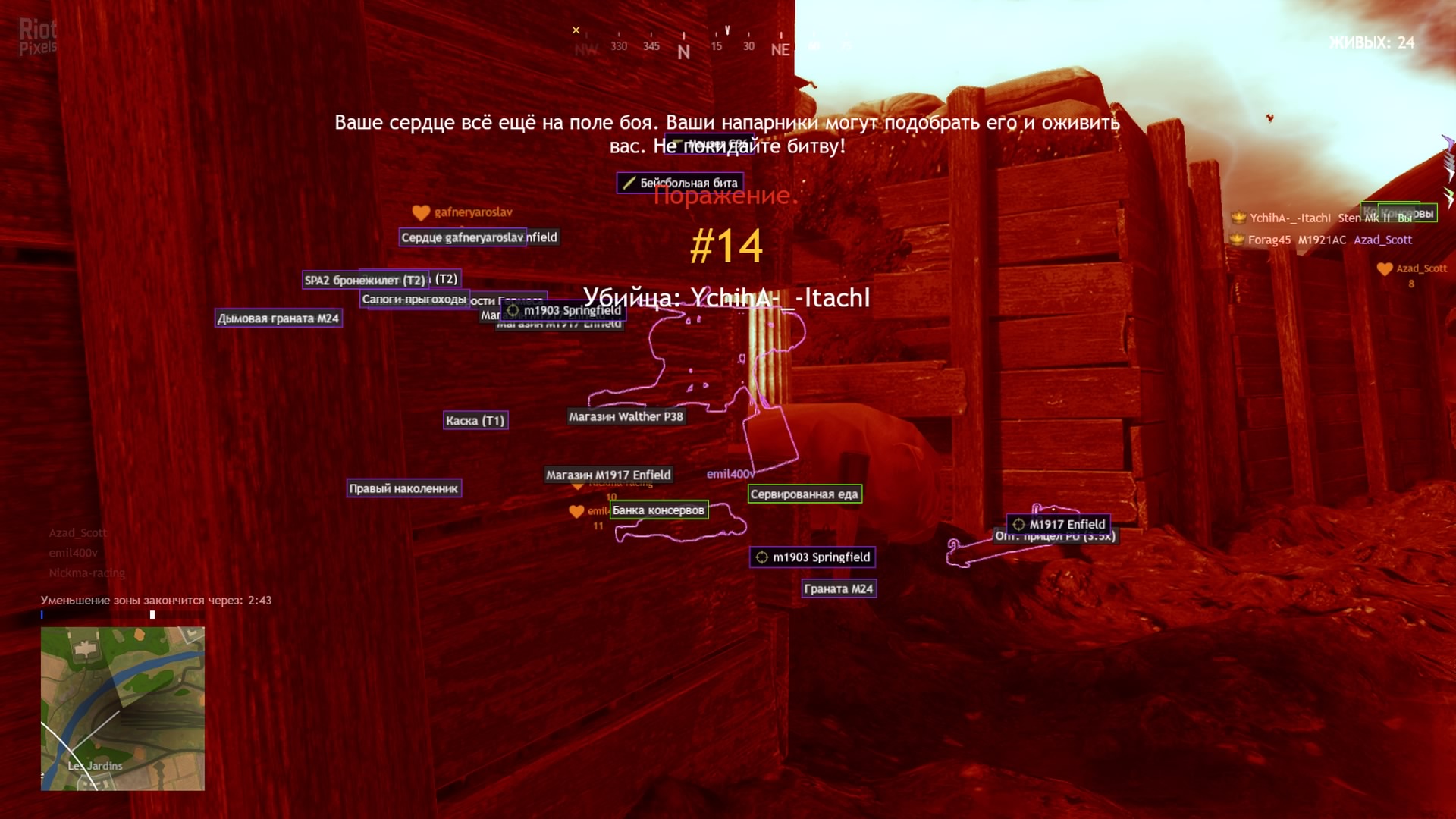 trim matrix

sorry that was my bad
thank you so much
i fixed it
ive been stuck on this for hours
hahaha
elfin inlet
trim matrix
thank you so much
np
you should tidy up your blueprints
they're spaghetti
trim matrix
yh haha
 bold shard
I've been having this weird bug lately and I am not sure what is causing it. If I try to open a level blueprint, it will get stuck at 100%. I've tried waiting for ~10 minutes max. But, if I launch through Visual Studio, it will open without issue.

Well, nvm, I just had to wait 11 minutes instead of 10 🤷♂️
 icy dragon
bold shard
Well, nvm, I just had to wait 11 minutes instead of 10 🤷♂️
icy dragon
bold shard
Well, nvm, I just had to wait 11 minutes instead of 10 🤷♂️
Windows 11 is a thing btw 😉
 zealous chasm
hi, does the add node for arrays use KismetArrayLibrary?
 vapid ibex
Is there any code guidelines on how many enums or structs you can have? It it a good practice on making them for all of specific cases, or its better to try to generalize and optimize their amount? I already have 52 of them, so I'm not sure if that's too large or completely fine.
icy dragon
vapid ibex
Is there any code guidelines on how many enums or structs you can have? It it a ...
Nah, it's fine. Unreal Engine itself already have a crap ton of structs and enums.
It's going to fail with Nativization, but at this point you could forget about it entirely.
vapid ibex
icy dragon
It's going to fail with Nativization, but at this point you could forget about i...
Nativization is breaking blueprints into a regular C++ code, right?
icy dragon
vapid ibex
Nativization is breaking blueprints into a regular C++ code, right?
Nope. More like rough converting BP into C++, taking away the BP VM overhead.
It's not going to make the nativised code human readable by any means.
vapid ibex
This really sucks if that's the case, I thought that I could do Nativization at the end of the development so that the blueprints won't hog away processer power on virtual machines.
I guess this means that if I will need to optimize the game, it will require hiring a programmer to rewrite the entire game from scratch in C++?
icy dragon
vapid ibex
This really sucks if that's the case, I thought that I could do Nativization at ...
Epic wants you to forget Nativization. It's gone in UE5.
Also, what are you talking about "hogging away processing power on virtual machine"? Kernel VM is a thing on Linux for quite a while now.
icy dragon
vapid ibex
I guess this means that if I will need to optimize the game, it will require hir...
Not really. Best you could do is just be generous with your ticking BPs.
vapid ibex
icy dragon
Epic wants you to forget Nativization. It's gone in UE5.
Also, what are you tal...
I've heard that the virtual system the blueprint use is really inefficient and resource-hungry, exactly because it's not a code but whole virtual computer.
icy dragon
Typically ticking 30 or so BPs are within okay range, just don't go tick fest with 200+ BPs aggresively ticking.
icy dragon
vapid ibex
I've heard that the virtual system the blueprint use is really inefficient and r...
It's actually more of an interpreter than a sandbox environment.
vapid ibex
icy dragon
Typically ticking 30 or so BPs are within okay range, just don't go tick fest wi...
Wow, that barely leaves any room for anyting except the player and few NPCs.
icy dragon
Let me rephrase it.
Real-time interpreter
icy dragon
vapid ibex
Wow, that barely leaves any room for anyting except the player and few NPCs.
Actually no. I wager you won't surpass 100 aggresively ticking characters unless you're developing horde shooter game.
Like, bruh, I've been battle testing with 50 NPCs on screen, and it's fairly okay.
vapid ibex
icy dragon
Actually no. I wager you won't surpass 100 aggresively ticking characters unless...
Well, every NPC takes at least two ticking BPs (the pawn and the AI component)
icy dragon
vapid ibex
Well, every NPC takes at least two ticking BPs (the pawn and the AI component)
AI component could be considered as one ticking BP, not necessarily separate thing.
vapid ibex
Then there's things like projectiles, that I think also need to tick, even if to just update their position.
I guess I'll need to cut world into levels more aggressively than I thought.
 remote belfry
And cleaver gating to activate or deactivate things could probably help too... totally pulling that out of my butt 'cus I'm an idiot lool.
icy dragon
vapid ibex
I guess I'll need to cut world into levels more aggressively than I thought.
Are you developing horde zombie game?
vapid ibex
No, but 50 BPs is around the amount of NPCs that I planned to have on some levels
icy dragon
It's fine.
I've been battle testing 50 or so walking NPCs with simple ped logic, in a measly 2 core CPU, in Standalone play - it barely made a dent in Game thread.
vapid ibex
I mean, I didn't suspect that the BPs are THAT costly, I thought you can safely have 100s of them on a map before you get performance hits
icy dragon
vapid ibex
I mean, I didn't suspect that the BPs are THAT costly, I thought you can safely ...
Do your own battle testing on your BPs.
vapid ibex
Since besides player and enemies there's things like logic objects, items, pickups, and all that
icy dragon
Items, pickups, and inanimate object don't even need to tick lol
vapid ibex
icy dragon
Items, pickups, and inanimate object don't even need to tick lol
Clarification: they won't tick if there's nothing connected to the tick event node, right?
icy dragon
I disabled tick for my items as well. Only enabling player character side collision detection, and some physics if I want to make it rollin'
icy dragon
vapid ibex
Clarification: they won't tick if there's nothing connected to the tick event no...
That is often the case, but you can disable ticking for an actor outright for your peace of mind.
vapid ibex
Oh, then things aren't that bad
remote belfry
Does AI require tick? I have no experience with it.
icy dragon
Told ya to battle test and measure things on your own as well.
vapid ibex
I've been actively moving away from ticks for anything that doesn't need to be updated every frame, so I thing most of my objects won't tick then
vapid ibex
remote belfry
Does AI require tick? I have no experience with it.
At the very least you should update positions of the relevant actors and pawns, as well as the blackboard states, no?
 remote belfry
I'll have to go learn about it. Bc the way it sounds I would even probably leave tick out and stick to triggering things as I saw fit.
icy dragon
Also protip: Make use of that dang Unreal Insights
vapid ibex
My experience with the perception was.. not smooth, to say the least, so I haven't touched it since that time my NPCs were detecting the player through walls from another end of the map for literally no reason.
No, they were detecting the player sporadically. I almost hunted it down to the bug being triggered when the player's visibility parameter was changing, but it should've been mattering if the pawns weren't seeing the player.
icy dragon
I wasn't even really using AI perception lol
Granted, action J-RPG doesn't require that much perception complexity, and stealth was more of a preemptive strike than actually one kill every enemies.
vapid ibex
It's there to just not let it tick every frame since it's a custom event that does bunch of comparisons of different actors, but you've right, I should've set up a timer instead.
icy dragon
vapid ibex
It's there to just not let it tick every frame since it's a custom event that do...
Delay won't halt anything before it.
Might as well use Event timers.
vapid ibex
Well yeah, I though the delay will allow flow to go further only sometimes instead of every frame. Anyway, changing to timer now.
Though, in case when I need the function to run even so often, but when in need a parameter it needs to be updated via tick strictly before it executes - what should I do?
Yes, variables.
I'm still shaky in the terminology
Not that kind of shaky. English is my second language, so "variable" and "parameter" sounds like synonims to me
icy dragon
vapid ibex
Well yeah, I though the delay will allow flow to go further only sometimes inste...
Also, "use the profiler"
If something's odd with your performance, track down the culprit with Unreal Insights. It's located in /Engine/Binaries/Win64/UnrealInsights.exe
No joke, someone in #ue4-general had performance issues, they don't know where to track, but they managed to narrow it down with Unreal Insights. It was few hours ago or so.
vapid ibex
My question was how to be sure that a variable was updated by tick before the timer fires. Unless Unreal makes it so that ticks always are first in line of execution no matter what
Oh, good to know, I guess I should avoid changing things like bools for just one tact, then, thanks.
Shame event delegate wires can't be made into a variable or something, and you need to drag them all across your event graph to connect.
icy dragon
vapid ibex
Shame event delegate wires can't be made into a variable or something, and you n...
At least reroute nodes allows for a little ramen BP managemet 🍜
Reroute nodes can also split up, so that's one point for tidiness.
vapid ibex
icy dragon
Reroute nodes can also split up, so that's one point for tidiness.
Yes, though I doubt that you can hook more than one event to a timer or need to time more than one event, right?
vapid ibex
vapid ibex
Yes, though I doubt that you can hook more than one event to a timer or need to ...
I doubt
Shit, sorry, did that again.
zealous chasm
hello, does anyone know why blueprints are able to do things like adding to arrays through KismetArrayLibrary even those these functions do nothing in UE source?
alright thanks
 dusk dust
how can I make a procedural grid mesh rotate with the camera kind of like a particle?
hmm okay
also i want it to be curved to form a dome or half sphere shape so when it rotates with the camera it will look like a full sphere
sudden nimbus
typically this is called "billboarding" but in ue a billboard is not camera locked
sudden nimbus
dusk dust
also i want it to be curved to form a dome or half sphere shape so when it rotat...
makes sense, not any different than any other kind of setup, if you can do it in material that is generally better than tick
dusk dust
hm
how could i set this up in a material?
well actually first i need to setup the procedural mesh
 brisk dagger
Heya, could anyone help me with a list of Scene Components? I want a list of positions on my actor, but I also want to modify them quickly on the viewport. I thought I could do it like Unity and create a list of components but I cannot add any elements to the FoodSlots array. Is there any way to add this sort of functionality?

 simple berry
hey guys, i have a major problem. im using an array of structures to call all the guns the player has access to, but for some reason, i tried exporting and suddenly it stopped grabbing any values associated with the structure but only if it was an array, im using ue5, any idea how to fix?
simple berry
does anyone know what could cause this issue? i didnt change the code at all and it suddenly cant pull whatsoever
heady burrow
probably belongs to UE5 channel
simple berry
didnt realize one got created, ill move thanks
 flat raft
dusk dust
how can i make a procedural ring mesh?
flat raft
dusk dust
how can i make a procedural ring mesh?
Make it in blender/Max/maya, import it, then convert it to a procedural mesh
dusk dust
i meant calculating it in bp, not converting it from static mesh to proced mesh
 azure sparrow
Why isnt this override widget getting called?

I am creating this widget on another bp and attaching it to the canvas
oh wrong place sorry
 hazy linden
hi guys, is anyone here aware of relative and world transforms?
I wanted to set up an ads system for my game
Procedural aim down sights system made in UE4 with Blueprints.
In this video, we make a procedural aim down sights system that includes iron sights and optics. We also skim over the basics of building functionality for hybrid sights/multiple optics.
Demo: https://www.youtube.com/watch?v=tHIHoU0pdFQ
00:00 Project Prerequisites
00:37 Aim down ...
i followed this video. the position and rotation seems off for me (i have a weapon spawned on pickup)
vapid ibex
brisk dagger
Heya, could anyone help me with a list of Scene Components? I want a list of pos...
Add an array of 3d vectors, and set it to "display gizmo", I think. It should display the vector positions as blueish handles
 candid nest
hey can anybody help me my left hand ik is not working with weapon like it is not holding gun it is near the gun i want my left hand to hold gun properly i uses fabrik and other methods too but didnt work
one method i use due to which my player hand ik is corrected when he fire but get normal when he holds both animation are from animstarter pack i also have rifle animset and pro but they are also not working
when i uses rifle pro anim then my hand ik and everything is orrected but my player walking animation is wierd
 wet surge
hi i had too make another project for my test game (the other one got corrupted or something bc it crashes every time i try to run it) and now trying to make again the car its not moving, it rigged the car in the exact same way i did the frist time, but i think movement comp doesnt want to move
 wet surge
you mean how to detect if a key has been pressed?
 crimson swan
how to detect if say right click has been pressed on a UI element
there's the on mouse button down function but how would i specify which key specifically
i can't find the node for the life of me
wet surge
you can make a branch that goes first into the detect and then another one specifing which key do you want to press, (just guessing)
crimson swan
yeah that's what i had in mind but i can't seem to find any nodes granting me access to those haha
nvm i think i just got it. Had to reference owning player from UI
wet surge
you only have to create a variable that will be something like "RightClickPressed?" and then the branch
crimson swan
coming back to unreal after a long break is rustyy lol