#blueprint
402296 messages · Page 698 of 403
 royal rain
i need to do something simplier before i need to turn in
im thinking i want to just make a chair move away from you when it are near it and stop when it doesnt
 last abyss
the first one is what you are doing; you are checking if your starting position's Z is less than your current position's Z, after you made your current Z go up.
the second one is what you want to do; you want to check if your current position's Z is less than your starting position's Z, because you want to decrease your current Z.
last abyss
tldr; switch the pins around and it will work
 snow harness
Struggling with something super simple. Rotating to look at a target with a rotation rate.
Of course I could set actor rotation per look at rotation, or use a lerp to blend to that location, but I need a constant rotation rate and what I'm doing isn't working.
I can get the current rotation, but what do I add to it?
If anyone knows of any tutorials that show rotating towards a target with a set rate that would be awesome.
 tight schooner
@snow harness https://docs.unrealengine.com/4.26/en-US/BlueprintAPI/Math/Interpolation/RInterptoConstant
RInterp to Constant
snow harness
tight schooner
<@144405831826407424> https://docs.unrealengine.com/4.26/en-US/BlueprintAPI/Math...
God tier. Thank you very much. Didn't know about that node.
 pine trellis
does anyone know if there is a way to get the stairs to be more smooth instead of having steps?

 trim matrix
pine trellis
does anyone know if there is a way to get the stairs to be more smooth instead o...
trim matrix
pine trellis
does anyone know if there is a way to get the stairs to be more smooth instead o...
Aren't steps within the definition of stairs? Do you mean a ramp or what?
trim matrix
so not just a single diagonal "plate" but with the sides filled i think?
i bet there are some free mesh packs with this..otherwise it should not be complicated to create such a model in i.e. blender
 woeful pelican
Now what's going on here??
I basically want to be able to modify the velocity of my projectile after it spawns, so I need to be able to get the actual velocity rather than what it's doing here
 ivory brook
silly question.
this is the not equal (!=) vector node.
is the green connection a tolerance?
 woeful pelican
Yep
 woeful pelican
Now what's going on here??
woeful pelican
woeful pelican
Now what's going on here??
Now if only I can figure out what's happening here
Oh, this'll probably be useful

 cursive path
I cant find tutorials teach tap and double tap and hold button for the same buttom
woeful pelican
cursive path
I cant find tutorials teach tap and double tap and hold button for the same but...
Here's a basic way of doing double-tap

Oh wait I forgot to link the event to the timer lol
cursive path
I mean three of them with one buttom
woeful pelican
 cursive path
Thanks
 ivory brook
yes, monkey brain for the win
cursive path
Many way to do
But use one button for tap and double tap and hold i never see so far
Maybe never exist
 desert juniper
ivory brook
silly question.
this is the not equal (!=) vector node.
is the green connectio...
desert juniper
ivory brook
silly question.
this is the not equal (!=) vector node.
is the green connectio...
didn't read through whole convo, but there is a regular not node
takes in a boolean, and negates it. then you can go to a branch
ivory brook
my screenshot is the hold function @cursive path
woeful pelican
My blueprint executes something on every w press, if the first w tap was under a half-second ago, then it resets after that half-second.
Shakari's blueprint loops something while 1 is held, and stops the loop when released.
cursive path
@ivory brook yes look good
desert juniper
ivory brook
uhh.. isn't this going to crash the game?
woeful pelican
(it probably would lol)
desert juniper
unless you can press and release the button in 1 frame maybe? 🤣
woeful pelican
woeful pelican
Now what's going on here??
Anyway, any vector/velocity nerds able to help me here?
 tawdry mural
ivory brook
tawdry mural
ivory brook
it's not necessary to connect it to while loop again when you release probably
just set var to false
ivory brook
that was just first guess, I'm still very new to this so I probably shouldn't have put an answer.
I saw the question and got a bit over excited to answer 
desert juniper
maybe a repeating task/event timer would suffice
ivory brook
woeful pelican
Anyway, any vector/velocity nerds able to help me here?
again, not really qualified to answer, but would it not need a loop to decrease the velocity until a certain speed is reached at which point, complete the loop?
woeful pelican
Nah nah nah that's not what I'm doing here
desert juniper
but yeah, generally avoid using while loops as they are blocking and will crash your game if you can't exit them within a few thousand evaluations
ivory brook
desert juniper
but yeah, generally avoid using while loops as they are blocking and will crash ...
I'll keep that in mind
desert juniper
ivory brook
that was just first guess, I'm still very new to this so I probably shouldn't ha...
I do this all the time 🤣
woeful pelican
ivory brook
again, not really qualified to answer, but would it not need a loop to decrease ...
Automatic velocity works fine, what I'm trying to do is be get and set the velocity it's going (which would do nothing but then I can manipulate the velocity from there)
A raw get and set is doing weird behaviour in my eyes, trying to figure out why the vector is changing
 sudden nimbus
also fun if you have a for loop in a pure function and then use that in a loop -- all the iterations count and its pretty confusing until you realize whats going on
(lesson: dont use foreach in pure lol)
 worthy carbon
How to create a login/register system in ue4
desert juniper
@sudden nimbus Good to know! I forget what the iteration limit is. I'm going to be excited to forget about this tip, and struggle for 3 hours before finding it here again and facepalming
sudden nimbus
yeah i think it just counts an "iteration" as: was this node already ran during this execution frame? it doesnt understand that inner and outer loops arent related- so its easy to see 100 items in the (outer) array and think "wait this shouldnt happen"
ivory brook
woeful pelican
Automatic velocity works fine, what I'm trying to do is be get and set the veloc...
just watched the video again, I take it the issue is the balls spawning away from the ship
/ in odd directions
woeful pelican
The issue is that the ball goes in weird directions once I try manually setting its velocity using its current velocity, yeah
What I'm doing is plugging this https://docs.unrealengine.com/4.26/en-US/BlueprintAPI/Utilities/Transformation/GetVelocity/
into this https://docs.unrealengine.com/4.26/en-US/BlueprintAPI/Game/Components/ProjectileMovement/SetVelocityinLocalSpace/
And it behaves not how I expect. How can I get/correct the velocity that the SetVelocity expects?
This is on an Actor with ProjectileMovement
sudden nimbus
cursive path
Sometime i feel so overwhelmed with this blueprint
overwhelmed with blueprint itself or a specific blueprint in your project?
sudden nimbus
yeah, you just have to bite off a little chunk, learn it, use it, and rinse repeat
cursive path
Such as to store variable i need game instance and many other complicated stuff
I feel there is some hidden info everywhere
And many to learn
woeful pelican
Easy way to store something is to just drag the output node into a space on the blueprint and then select 'promote to variable'
 cursive path
I mean the save and load
woeful pelican
What do you mean save and load?
cursive path
To save the variable you need to put copy of the variable on game instance
And when u load the game it should load from there
woeful pelican
Yeah, if it's done in the blueprint that's all handled for you.
DO NOT TRY TO LOAD CHANGES INTO A RUNNING GAME
best practice is to make blueprint changes while it is not simulated
Any changes made during simulation or play won't be saved anyway
Did you find a fix for this? I think I'm getting the same issue.
ivory brook
Yeah, I tried looking for stuff that could help, I got nothing for you @woeful pelican, sorry
for me, it is now back to finding the issue in here 
 woeful pelican
So I'm guessing the velocity is in world space, and I need to get that into local space. I'll try googling my issue
woeful pelican
ivory brook
for me, it is now back to finding the issue in here <:kappa:230139910307315712>
Can't even see the node names lol
ivory brook
it's getting out of hand, it's the biggest thing I've worked on so far
I'll break it down though, it might help me figure it out.
sphere around player overlaps a specific mesh, set location to variable

if there are none of that specific mesh in the sphere, set the vector to 0,0,0

Trying to repurpose this.
https://forums.unrealengine.com/t/draw-predicted-movement-path-and-any-spline-trajectory/135518


Unreal Engine Forums
These are two tutorials in one here. First we’ll learn how to find the points that the navigation system will use to move your character from one location to another. Then we’ll use those points to display the trajectory. This technique can be applied to drawing any kind of spline of course, it could be a grenade’s predicted path or anything tha...
 ivory brook
it's making the splines, or at least I'm pretty sure it is, and I think is creating the meshes because the unlit warning increases if I trigger the input
but they're not showing up, which I only want ot happen to show me that it's working, and then I can try to do what I actually want XD
good to see you got your answer though


it's possibly because the mesh I'm detecting is dynamic maybe
woeful pelican
Yeah from that log it looks like it's aborting the attach
ivory brook
I thought I was just getting the location of the actor to be honest, I didn't think I was attaching it to the object
just joining these two together

theres a spline just sort of floating in fromt of my player at the moment

even if I set the location of the player as a separate variable it's not happy
hold up
I'll be right back, think I just had a eureka moment
although it was needed, it wasnt what I needed right now XD
I got frustrated and spammed the spline summon button and I got my spline mesh randomly


 sonic pine
Hiho i can fix my problem...
I have two Blueprints MasterEQStatsComponent and Character_Stats (UI)
In the MEQSC is the calculation for the Character Attributes (Vita, Strenght and so on)
In Character_Stats are the calculation for the outputs (UI)
If i set a Print for the output (behind the function) in th MEQSC i will got the correct value but if i set a Print for the output (behind the function) in the Character_Stats i will get a 0...
Its the same function...
Without "Cast to MasterEQStatsComponent " in the Character_Stats UI i will get a lt of zeros in the UI (ingame) but i will get a lot of errors (cant read function) with the cast i will get no errors but also no values (no zeros) ...
maybe somone know where mymistake could be ???
Correct value

zero or nothing

its the same function ...
Some ideas?
pls not too mutch help xD
 maiden wadi
@sonic pine Sounds like the object that you're trying to cast is invalid or of the incorrect type.
sonic pine
i have tested all kinds of objects
which kind of object could be the correct for a component...
i need a second ^^
trim matrix
"Play Camera Shake" <- I can't found it and im using 4.26.2 im pretty sure they changed the name of it, what is it called?
 dawn gazelle
You normally wouldn't cast to a component unless you're somehow getting a generic reference to a component (ie. get all components by tag and then iterating over them in which case you don't know their specific component class).
sonic pine
At first i was creating a Reference of the Master...Component

 tawdry tinsel
Why cant i set my parent class to actor
 sonic pine
I was of the opinion that a reference should be completely sufficient to use the variables, but the functions were still the problem ...
maiden wadi
I hate blueprint terminology. It really complicates things for beginners. You haven't created a reference. You've created a pointer. Blue values are called memory pointers, and they're empty or null by default. You have to create or have an object of the correct type to fill the pointer before being able to use that pointer to call functions on the actual object.
sonic pine
ok that a very good explain
Do you mean the Thrid personCharacter Referenc is a pointer and the get Charcter/get Thridperson/get Player object at the Cast is to fill/ to send values, fucntions and so on to other bp´s?
I dont Think there is an object wildcard..

 smoky oyster

Hey all.. I'm trying to create multiple Texture 2D Arrays and then store/set one of them as an ActiveSlideSet but can't seem to get this working,
 sonic pine
@maiden wadi is there an other way?
Delet Cast to masterComponent and use in masterComponent something like Post to Character_Stats?
 dense citrus
hey, i'm trying to make my own physics based controller, does anyone know how i can add the forward and right vector from a camera for movement?
maiden wadi
@sonic pineThat is another classic blueprint terminology screw up that a lot of tutorials will mess up. Casting does not get or send anything. Casting only has to do with inheritance of classes, class hierarchy. Take for instance you create a new actor class that inherits from Actor. It's a class called Fruit. Then you subclass that twice into Apple and Orange. If you create or get a pointer that is pointing at an apple or orange, it can be cast to Object, Actor, Fruit, and it's own class. But Apple cannot be cast to Orange, and Orange cannot be cast to Apple. Similarly, you cannot cast either of these two classes to Character. All casting does is takes your blue pointer, and tries to change it's type. It doesn't change what that class actually is, it does not change what the pointer is pointing to, it just changes what you have access to based on the level of the pointer.
In this same example, if I line trace and get an actor reference back. If I hit an Apple and try to cast it to Orange, I'll get a null pointer. Cause Apple cannot be an orange. But if I cast it to the Fruit class, I could have access to any variables that were defined in Fruit, like Taste, Color, etc. If I just need the actor's world location, I don't even need to cast it, just use the actor level pointer to get the fruit's location. Because GetActorLocation is defined in the Actor class.
sonic pine
what a fruitsalat ^^
ok so i cant cast Actors (my MasterComopoent) to a widget but in a lot of tutorials for example Inventory tutorials is the main part of settings (toggle Inventory, Create inventory Slot, prepare Inventory and open/close) outsource in an Inventory Component and the Inventory widget can use the code
Thats why i have started to create different Components to store any settings and source code in the components and not tn the Widgets, ThirdPersoneCharacter and so on
i know the Thrid personCharacter can include components about the "Add components"
 dawn gazelle
So what you want to do then is...
- Add the components to your actual actors (as you've pointed out with the thirdpersoncharacter above)
- In your widget, get a reference to the actor that is relevant to the widget. So if it's the local first person, "getplayercharacter" would suffice.
- From your "getplayercharacter" reference, do a "get component of class" and specify the class of the component you added to the character.
- You now have a reference to the component that contains the values you want to work with in the component.
sonic pine
dawn gazelle
So what you want to do then is...
1) Add the components to your actual actors (a...
Ok do you mean if my Character have the Component included i have to Cast to character and it will work?
dawn gazelle
No casting is required.
So long as the character reference you have has a component of the particular class something like this will work:

Though you of course can do it through a cast:
 sonic pine
the get component by class i have tested ok ^^
 rancid quartz
@maiden wadi You've been helpful in the past with a number of my questions and I see you're active. Maybe you could help again?
I'm wondering if you have any experience attaching actors with Movement Components?
maiden wadi
Vaguely. As in attaching two different actors who both have movement components?
If so and you mean default UE4 attachment. The actor that is attached to will have movement authority in most common cases. Movement is commonly done via simply updating the local space of all children. That's why most movement components use a root component for movement and ignore all others. Root moves, then the first thing attached to the root, then the first thing attached to that, and so on. When that branch ends it should return back to the root and start on the second thing attached to the root. The same applies for actors attached to other actors. To the movement system, they're just another tree of components to update when the main root moves.
sonic pine
dawn gazelle
So what you want to do then is...
1) Add the components to your actual actors (a...
Thank you very mutch!!! Its working xD
Which beer do you like? 😉
 rancid quartz
maiden wadi
If so and you mean default UE4 attachment. The actor that is attached to will ha...
rancid quartz
maiden wadi
If so and you mean default UE4 attachment. The actor that is attached to will ha...
Okay, that all makes sense and may explain the behaviour I've observed in my experiments.
To elaborate, I'd like an actor (the black square) to move across a fixed-camera scene and spawn an actor on each of its sides. These actors (the bolts) will fly outwards and away from the original actor but continue to rotate with it, face it, and move along with it.
I had thought attachment might be the best route to go but maybe not ?
Grateful for your thoughts. Cheers.
 maiden wadi
Depends on how you want them to act. If you want them to be fluid, attachment will mess that up. You'd be better off just giving them a target and some follow logic to do on tick. If you're looking for more of something like a basic buff effect from most games where an effect plays around something, and it'l just rotate when that character rotates but still play it's local space effects, then attachment will work fine.
sonic pine
@maiden wadi also a big thank you to you for the explanations. I will keep that in mind!
 golden raptor
why does attachment mess with fluidity? I've heard a few people say that before
 remote shard
I'm going to start learning UE4, I have a little experience with scripting and programming, is it best learning C++ or to start with blueprint and later learn C++?
dense citrus
gonna try one more time heh, does anyone know how to get this\
 maiden wadi
@golden raptorMy earlier point explains it a bit more, but in short, when something is attached to something else, the main root that is not attached to something else is what updates all component's locations. when it moves, every single thing attached to it or that is attached to something eventually attached to it will update their world space locations to keep their local space positions.
@remote shard You'll get a lot of conflicting answers on that. Me personally I found learning the environment a lot easier from the safety of Blueprint. Once you have a basic understanding of the Engine's general flow, it's very easy to translate a lot of that into C++ and start learning that as well.
remote shard
Thank you
I just want to make simple games to play with some friends
And if I like the engine maybe put some time to learn C++
rancid quartz
maiden wadi
Depends on how you want them to act. If you want them to be fluid, attachment wi...
I guess what bothers me is that on attachment, it looks like it's all a little off because of the movement components. Without attachment though, keeping the projectiles following the spawner, while also orbiting and facing it seems difficult. 🙁
golden raptor
@maiden wadi is there anything wrong with doing it like that? I could see how setting it up a certain way could be useful.. is it just more resource intensive or something?
maiden wadi
I don't really think either way is wrong really. Attachment is likely easier for a lot of people who aren't willing to get into the vector math. But in the end it's more of a design decision than anything else.
rancid quartz
And everything you're describing applies equally to movement components and SetActorLocation calls?
Because my next experiment would be to see if I have better luck with SetActorLocation on a timer as opposed to Projectile Movement Component.
maiden wadi
So in short, you just want them to go out from the square and then circle, or expand outward to a point as they're circling, or?
The main quesiton would be, if square moves towards one of these, should the bolt stay at the same perfect distance, or have a more fluid like floating look where the bolt will be a little closer to square for a moment and then further away?
rancid quartz
No interpolation if that's what you mean. It's meant to be a hard, constant attachment. When the square moves, the bolts move. When it rotates, they rotate with it, always facing it and staying in the same alignment.
Finally, in addition to the square's movement, the bolts fly continuously outwards away from the centre of the square.
But what I've noticed is on attachment after spawning, the alignment looks a little off which has made me suspicious of the relationship between movement components and attachment.
 winter burrow
Hey there, watched a few tutorials on making floating hp bars for enemies but sadly got all mixed up. Ended up with hp bars being shared across all the enemies in the scene. What I have is a stats component with health on each enemy and I'd like to for each enemy to have its own hp bar. The tutorial had me setting a reference to the enemy on the widget itself while another tutorial shows setting a reference to the widget on the enemyBP. Can anyone maybe point me in the right direction for how to correctly reference and link these things up?
maiden wadi
I would probably ditch any movement components in the bolts and just do pure attachment then. Doesn't need anything more than one spinning component I don't think. Bolts can be placed in the spinning component's local space, and adjusted outwards from there, and that component itself can just spin on tick.
rancid quartz
And I'd just need a little vector math to feed into SetActorLocation on the bolts to move them outwards?
golden raptor
you could just face them outwards
point the red arrow towards where they are going
and just move them forward over time
and your main object will spin, causing them to arc around
rancid quartz
But the main object moves as well, so I'd need to add its movement in there as well to keep it all in alignment.
golden raptor
as long as your sub objects are children of that, you don't even need to worry about them when it comes to that
their only job is to move forward, your main object handles the root location and rotation
that's what you're going for right?
rancid quartz
Is the sphere rotating?
golden raptor
yeah
rancid quartz
And the cubes are moving away from the sphere over time?
golden raptor
yeah think of them moving outwards on a spring arm, then you twist the main object and they all twist with it
golden raptor
give the blueprint code?
rancid quartz
May I see?
golden raptor
it's a huge mess.. let me clean it up a bit
maiden wadi
I miss gameplay programming so much. 😄
golden raptor
first move the main object
 rancid quartz
I assume that's because you're on Discord full-time Authaer? 😛
golden raptor
 rancid quartz
Aha! I knew something was up with GetForwardVector. I was trying all morning to make it work and it was all wrong. I'm not crazy. Thank you.
golden raptor

same thing on the other cube
the green lines are just the delta time from the event tick
maiden wadi
Nah. I stare at widgets all day long now. UI Programming can be fun, but not nearly as much as common gameplay programming.
golden raptor
there's cleaner ways to do it too.. like you could loop through each cube instead since they are all moving according to their own forward vectors
prob don't need interps on most of that too
rancid quartz
Yeah, looping I can handle. It was mostly GetForwardVector that was screwing up the works.
I'd love an explanation as to why GetForwardVector doesn't work in this case. But dinner's on the table and the wife is calling! Cheers and thank you both! 👋
golden raptor
imagine spinning in a circle while standing and moving forward a tiny fraction of an inch on each increment that you rotate
you're not gonna get anywhere
you're doin a nascar
 finite maple
Does anyone know how to add a Widget Blueprint to a Camera's view?
golden raptor
add a node called create widget, then choose your widget from the class dropdown, then add a node called add to viewport, the target of that is the return value of the create widget node
on your character
or the actor with the camera
smoky oyster
smoky oyster
No love?
Hey all.. I'm trying to create multiple Texture 2D Arrays and then store/set one of them as an ActiveSlideSet but can't seem to get this working,

 strange dune
Ok, quick question... I have a function in a blueprint that determines the position of a character... When a boolean value changes is there a way to cause an effect in a different blueprint?
dawn gazelle
smoky oyster
No love?
You can easily use a select node and store which array to access as an integer (or perhaps enumerator or boolean) to switch between them.

If you want to use your "Active Slide Set" variable, then it needs to be set up as an array type variable, right now it looks like just a standard single reference.
golden raptor
strange dune
Ok, quick question... I have a function in a blueprint that determines the posit...
how is the boolean changing value? can you just set up what you're trying to do at the place it's getting set?
 candid blade
hey, i've been looking for a good tutorial explaining how to create an inventory system. unfortunately, every single tutorial on youtube or anywhere else really doesn't go through the information that much and simply suggests i copy whatever theyre making without any explanations. I'm really trying to create the most simple system and I have no idea where to look or what to learn, I was wondering if anyone has any suggestions and what I should look into?
golden raptor
https://www.youtube.com/watch?v=I-Rdveo7QhY
this guy was pretty good imo, it's very fast paced, but he does explain what everything is for
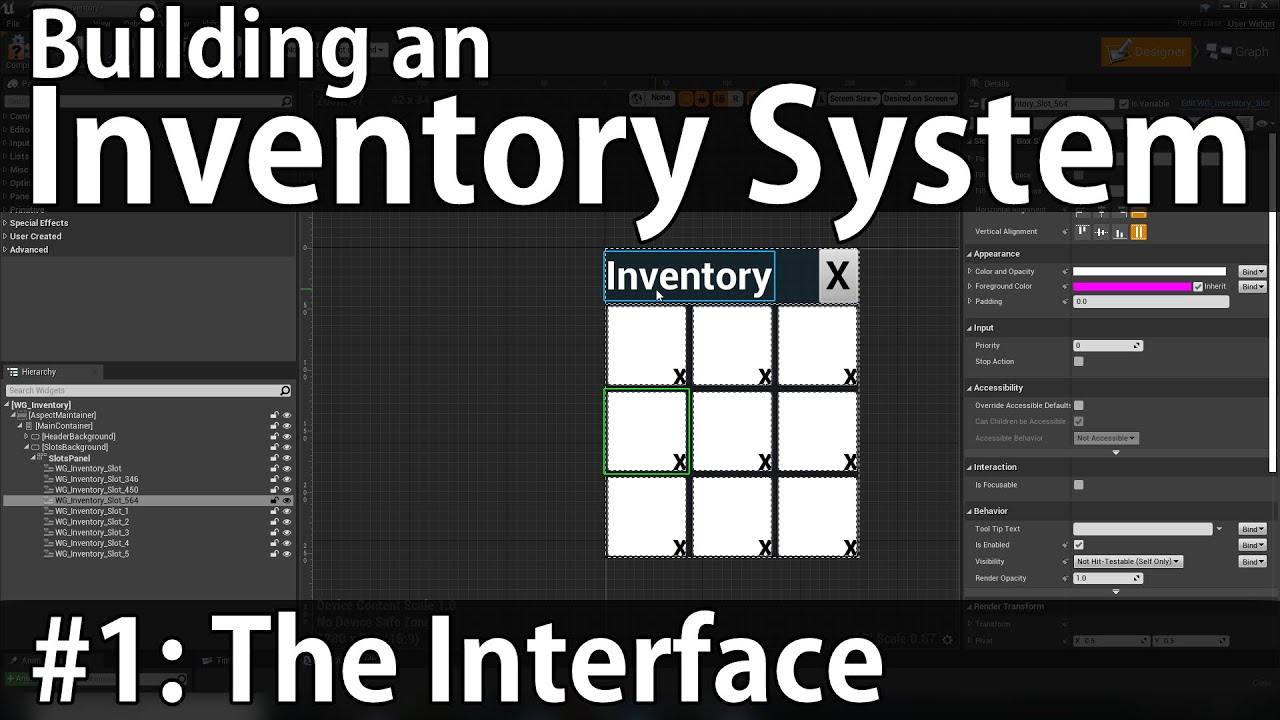
Inventory systems are an integral part of experiences that thrive off of content. From weapons and armor, to resources and consumables, they provide a plethora of gameplay options.
In this video, we'll be covering building the interface for a typical MMO-style inventory system, including the Panel, Slot, Drag Item, and Tooltip widgets.
Tutori...
that was my first time doing UI stuff in unreal and I feel like I learned a lot about that part too
 onyx token
@burnt canyon thanks again for giving me the tip to do all the data restructuring inside the third person character - i finally got item stacking to work 
 atomic wing
How could I make a vehicle blue print where you have to press Q (To move left) E(To move right) and if you combine those you move forward? (im making a sledding type game)
golden raptor
maybe thruster components on the sides of your sled
atomic wing
Wait thats actually kinda smart thank you
 proper vale
Hi guys!
Is anybody know Is it possible to upload picture/scheme/plan of the room and after that get a 3D walls in runtime?
 golden raptor
a csv file might be a good way to do it.. think of your grid as able to be walls and rooms and you can do stuff like 1, 0, 0, 0, 1 to have 3 spaces in a row
then you translate your data into the right pieces.. you'd need to make walls for each type like elbows and straights and stuff with that route I think
idk, you might be able to do it with modular pieces too
candid blade
@golden raptor looks like thats what Ill be going with. hopefully I can make it work the way I want it to, thanks for the suggestion
golden raptor
I guess it's all modular, but using single walls I mean
proper vale
golden raptor
idk, you might be able to do it with modular pieces too
It's great idea!
golden raptor
yeah I'm sure you could work it out with single wall pieces.. it might be weird to think of, but it'd be like this kinda?
 proper vale
golden raptor
yeah I'm sure you could work it out with single wall pieces.. it might be weird ...
proper vale
golden raptor
yeah I'm sure you could work it out with single wall pieces.. it might be weird ...
However, there is one issue - what if walls have a angles or roundness
 pure marsh
Can anyone point to a good tutorial on how to make NPCs that queue in line and go to a cashier?
 peak crater
Having trouble when I move a child actor to another parent on input and the child scenes arent moving with it, any ideas?

this is my blueprint to move it

and that's the child actor's heirarchy
when my character equips the weapon everything is fine except the bullets come out of the spot where the barrel was on his back instead of following the muzzle

 winter burrow
does anyone know what to add to allow a c++ component to be blueprintreadwrite? I keep getting a yellow error when referencing my component in bp
wasnt sure whether to ask this in cpp or bp
nvm I figured it out, needed to get component by class
 fervent bramble
Hello! So I have this to basically add leaning to my first person character.. I'm trying to make it to where you can't lean if you are next to a wall...

I was trying to see if I could use capsule colliders to stop this, but I'm not sure how to approach it

Ignore the character model, isn't being used, lean is through camera
 quaint portal
hello, I've got a spring arm on my camera but it doesn't respond to the rotation of the camera even though I have Enable camera rotation lag on. am I missing something?
tawdry mural
camera should be on the spring arm ,not otherwise 😄
quaint portal
yeah I have it on the spring arm. it's working with location lag
winter burrow
So this bp works, I just keep getting the yellow error and its a pain to have to get component by class everytime I want to change a variable. The statscomponent is made in cpp and I dont know where to add what it wants seeing as its a component and not a function/variable
 peak crater
peak crater
peak crater
So it only happens when I'm opening all as clients VS a listen server

hmmm
 graceful thistle
https://docs.unrealengine.com/4.26/en-US/Basics/Levels/Variants/Scripting/ has anyone worked with this before?
Use Editor Scripting to set up the Variant Manager with all your scene variants.
 runic nest
Anyone have any idea how I can setup a charging attack? NOT a charged attack, I want a charging attack where the character sprints forward and if they hit someone great if not after a duration the attack ends. I am using data tables for my attack montages.

 reef needle
Hello, I'm new to blueprints and I was wondering if you can help me with a simple question
I have an input axis bound to the left mouse button. I'm trying to play a looped audio when the left mouse button is being held. The problem is that no audio plays when LMB is held and the audio plays when you release the LMB. If I understood it right, input axis sends the value "1" as an output when you hold a button. So I think it should works, but apparently it doesn't. Any idea?


 chilly jetty
 gentle urchin
It usually collides, which makes it hit nothing else after
fervent bramble
How difficult is it to have it to where if Q is held, then you can't press E and vice versa
gentle urchin
Just interlock them with a branch?
fervent bramble
I'm new to blueprint, i've no idea what that means
 surreal peak
reef needle
Hello, I'm new to blueprints and I was wondering if you can help me with a simpl...
surreal peak
reef needle
Hello, I'm new to blueprints and I was wondering if you can help me with a simpl...
The MouseButton is not an Axis. Use an Action Event instead.
surreal peak
fervent bramble
How difficult is it to have it to where if Q is held, then you can't press E and...
You could have a look at the gate node. There are lots of ways in BPs to do this
surreal peak
dense citrus
anyone know how to get this to work?
Directions are normalized vectors. If you add two together they aren't normalized anymore and you need to normalize them again.
Normalized means they have a length of 1
dense citrus
@surreal peak alrighty, i'll try that ty, so all i should have to do is multiply them together then normalize?
 clear osprey
for some reason I am not able to call the current montage with an executable pin to connect with Bind event to montage ended
how to solve this bug?
 surreal peak
dense citrus
<@!94211915902889984> alrighty, i'll try that ty, so all i should have to do is ...
surreal peak
dense citrus
<@!94211915902889984> alrighty, i'll try that ty, so all i should have to do is ...
Add and then norm
The current Montage node is a simple getter. It's pure and won't have an exec pin
clear osprey
 surreal peak
You don't really need that
Just continue your code
One of the next nodes you'll place will have exec pins
You are going to connect the current montage to something anyway
clear osprey
surreal peak
You are going to connect the current montage to something anyway
yes and actually I need it because I need to validate if the montage is valid to know I have still an active montage playing before switching to another one or normal one or random one
 surreal peak
Noyhing stops you from using the other node
Thr exec pin of the is Valid node is enough
clear osprey
so the input object should be montage on the isvalid pin from montage end event?
surreal peak
The point is that the two GetCurrentMontage nodes would both work
There is no requirement for the Exec Pins on the Node
You could have just plugged the other one, the green one, into the IsValid node
clear osprey
surreal peak
You could have just plugged the other one, the green one, into the IsValid node
clear, thank you so much )
 lavish tundra
Hey does anyone know how to make a spectator system that follows the player spectated camera movement?
clear osprey
lavish tundra
Hey does anyone know how to make a spectator system that follows the player spec...
you missed this one? https://www.youtube.com/watch?v=H9Y2KJl2dmI
lavish tundra
Never seen it no
clear osprey
lavish tundra
Never seen it no
yt has both bad and good tuts
you have to search hard work
lavish tundra
Like I've been searching everywhere for a spectator foundation so I can base myself on it and start from there but I haven't found anything
clear osprey
bad tut are those specially made by master minds to make things complicated to make you feel not comfortable for ue4
but trust me ue4 is most easy to learn and use
I have created the whole pubg game in it having 90% of pubg functionality
clear osprey
from plane to landing and all other stuff
clear osprey
lavish tundra
Yeah I'm starting with ue4 because blueprints seems easy to learn
good luck and dont give up
lavish tundra
But does that guy have smth about the spectator so I can get a foundation of it?
lavish tundra
clear osprey
good luck and dont give up
Ty ty I won't
lavish tundra
Ty man I need to see it later then
clear osprey
Good luck
lavish tundra
You too on whatever you're doing
clear osprey
lavish tundra
You too on whatever you're doing
Thank you
 pseudo pelican

Confused why this is setting the child actor class but not changing the mesh?
nvm, isnt changing the class at all
 late ravine
cast does not fail?
 loud badge
Hello engineers how would I get a random point in component box of a sphere collision volume which would be in the upper part of the sphere? Like inside the top half of the sphere? Any idea for the best solution here? Thanks
 twilit heath
random unit vector * sphere radius, and abs the Z component
- sphere center loc if you need world coordinate
 last siren
Is there a mechanism to generate warnings or errors if a blueprint is not configured correctly (e.g. out of range numbers or missing/"None" asset reference when used in some level) when go to compile or play the level?
At the moment I put some "Print Text" in the "construction script" but this only displays either in the editor level preview window or in game. And in the editor case tends to spam the screen while stuff is being worked on.
 wicked shoal
hey people more experienced than i am. I am looking at the "drive UI with update events" documentation. but im unable to get a 'character reference'.
Do i need to make a variable in the playerBP? and if so which one? 🤔 (my player is a vehicle for full conext)

 timber plaza
cant find this node please help
 surreal peak
It's a setter for a Custom variable called Open.
Create the Variable and you can call Set Open
last abyss
wicked shoal
hey people more experienced than i am. I am looking at the "drive UI with update...
if you right click on the 'as first person character' you can promote to variable, then rename that variable to that name
wicked shoal
last abyss
if you right click on the 'as first person character' you can promote to variabl...
oooh, thank you very much. ill give it a try!
timber plaza
oh i see thank you @surreal peak
 primal smelt
I want a player rebind-able key (default SHIFT) to adjust movement speed and I'm curious if anybody knows what would be the most costly performance-wise (or if the difference would be negligible) to do either of the following (both as single fire events, not tick):
-
Create an axis mapping in project settings and get ref to axis and check if float = 1.0
-
Create an action mapping in project settings, on EventBeginPlay create key reference to action mapping and then feed that into an IsInputKeyDown check?
I suppose what I'm also asking is how does IsInputKeyDown node work? Is it also checking the axis value of the specified key?
loud badge
twilit heath
random unit vector * sphere radius, and abs the Z component
Thank you! Will try this out later today!!
 willow phoenix
imagine you want to bend time with time dialation via a powerup. i lerp with a timeline, that ignores time dialation. works fine with one powerup. but it gets funny when i pick up more than one of these. time never lerps back to 1 (ofc, i did check what the current time dialation is.)
not sure if i should just go the easy route and say "only one pickup a time", but actually i wanted that "doubletime" and "halftime" would cancel each other out.. hmm
i used to do it with just setting +0,1 per powerup but you can not even feel that something is happening this way, so i thought timeline would be cooler to "lerp" into the effect
and run out after 5 seconds
willow phoenix
ok then its just a little more complicated than i thought, thanks for the tip! ima look up subsystem first 😄
strange dune
Ok, newbie question. I have a character blueprint with some inherited component blueprints. I'm trying to get one inherited blueprint to set a variable to TRUE or FALSE and then have the other inherited blueprint update itself when the variable changes. Is there a way to do this?
If anyone has some pointers or tips I would appreciate it. I'm currently watching this video https://www.youtube.com/watch?v=BVpy7kvz_yg&list=PLL0cLF8gjBpqRUy7r0DtVY3Fcdgq5Wk-h
Want to be a video game programmer, but not too sure where to start? Throughout this series you'll learn the fundamentals of programming with Blueprints inside of Unreal Engine 4.
You'll create games with advanced mechanics and features, powered by Unreal Engine 4's robust visual scripting interface Blueprints... of which you'll learn just like...
 loud cipher
Is there something like the begin play but it only happens once forever
I want to have a song play once only when the player first plays
Even if he closes the game and opens the song will never play again
 faint pasture
@willow phoenix have a global int somewhere (Time Exponent) that is default at 0. Subtract 1 per stack of slowdown
Then set time dilation to 2^TimeExponent when you change it
faint pasture
loud cipher
I want to have a song play once only when the player first plays
GameInstance
primal smelt
strange dune
If anyone has some pointers or tips I would appreciate it. I'm currently watchin...
You can cast to the parent actor and have Get Parent Actor as the object, from the cast node you should be able to pull out any variables from the parent actor. You can set these as well, so you could store a variable on the child blueprint and set the variable on the parent from there too.
faint pasture
loud cipher
Where would i go from there though?
Game instance starts up at application start and exists till application closes. Play the song at Init or whatever the startup event is in GameInstance
strange dune
@primal smelt Thank you, I will try that.
 gentle pasture
Could anyone tell me how to locate and adjust the movement speed of FPS character in BP?
i looked at the event graph and other tabs, canot find in FPSCharacterBP
maiden wadi
@gentle pastureYou're looking for the CharacterMovementComponent's settings in the character blueprint.
gentle pasture
yes, the Movement and Vectors have no speed conrtrols visible in Details
Oh i see, in the top left list of componenents, i found CharacterMovement, sorry... TY
strange dune
@primal smelt

I have this so far. I'm inside the inherited blueprint right now trying to pull in information from the parent it's attached to.
If it's a player, then I'm trying to do stuff
I don't seem to have access to the variables though that I want to change on the parent if it's the player blueprint
If it's true I want to set a character variable to true
(essentially)

 primal smelt
And just to make sure, you have created an actor blueprint and attached it to your ALS_Character_BPI? Also BPI suggests that is a blueprint interface, I'm talking specifically casting to the player character
strange dune
I want it generic ideally so that it can effect NPCs as well as players
I'm just too newbie right now lol. I need to get a better understanding of the basics I think.
I think I was setting the parent itself instead of a variable in the parent in the last image I posted
primal smelt
strange dune
I want it generic ideally so that it can effect NPCs as well as players
Here is how I am using it

 primal smelt
Here, the parent is a pawn and the child is an actor - so this is probably why you're not getting Get Parent Actor node show as you're dealing with a player character.
strange dune
oh wait no I just recast to the wrong damn thing lol
BPI sigh
The last image I posted was to the BP not the BPI
I'll have to go read what the difference is lol
primal smelt
Try adding the blueprint (that will make the changes to the variables) directly into the player character's component list as I have in my screenshot. Perhaps then Get Owner will work. This will mean you'll need to attach the blueprint to any actor you want to make use of it. There will be more options if you have a class parent set up for everything that you want to make use of it. I tend to learn everything backwards so I'm not really able to give advice there I'm afraid! You'd need to be mindful of what you want each affecting actor to inherit from their parent.
 elfin inlet
you can do the reverse too
if this component is attached to a player, you can set a reference to the player from the player bp in the component
wicked shoal
Am i able to get wheel (steering) angle from wheeledvehicle component? on the docs there is a 'get rotation angle' node but i seem to be unable to find it.
 cyan rapids
Okay, so i've been trying to figure this out for ages and its really annoying me
runic nest
Anyone have any idea how I can setup a charging attack? NOT a charged attack, I want a charging attack where the character sprints forward and if they hit someone great if not after a duration the attack ends. I am using data tables for my attack montages.
cyan rapids
I've set up a box collision around the enemy so that when the player overlaps the collision, it'll restart the level. But, the collision doesn't seem to notice the player at all 
nvm
fixed it hehe
strange dune
Woot
I got it working
Ok
Next newbie question...
If I have an event in an inherited blueprint... is there a way to act on that event in a different inherited blueprint?
It seems like I can only call an event in the blueprint that the event is in
Inherited Blueprint A:

 olive ingot
In blueprints, how would you get the best escaping angle from multiple points (enemy positions)?
Let's say you 5 points randomly spread around you and you need to find a point to escape to, to best avoid these 5 locations. I essentially just need an angle, then I can set the point myself with a specific range.
 maiden wadi
Not sure of the best way to handle that, but personally I'd project all five points onto a ring around the main point. Iterate through them to get the distances from the last/next point. Then use the largest distance's mid point as the escape direction.
olive ingot
Thanks I already made it work. I appreciate you looked into it ^^
elfin inlet
I think I created the most atrocious blueprint
I'll need some real expert help here
gonna post a BP pastebin soon
elfin inlet
elfin inlet
gonna post a BP pastebin soon

No description provided
if any brave hearts want to help, i can explain it shortly
This function is supposed to do these in order:
calculate the missing resources at a given construction
start filling up the citizen's bag until the sum of members in "bag" struct is equal to "bag limit" (starting from the first member, if its not required try the second member)
call the request resources function which is inside the Depot Class
Honestly, the BP i sent feels completely wrong and i feel like im yandere dev'ing this
And I cannot imagine the mess when I would want to add a new type of resource
 stoic palm
One message removed from a suspended account.
elfin inlet
stoic palm
One message removed from a suspended account.
insert node
faint pasture
@elfin inletIt might help to break things into smaller chunks. My first thoughts on how to do this are as follows.
- Construction (I'm assuming this is a building like age of empires style) should contain structs for ResourcesNeeded, ResourcesOnSite, and ResourcesEnRoute. Hauling is finished when ResourcesOnSite >= ResourcesNeeded.
- AI or whatever is directing your dudes calculates ResourcesNeeded - ResourcesOnSite - ResourcesEnRoute, this result (ResourcesToPickup) is the outstanding need for the building.
- Dude goes field by field through ResourcesToPickup, pathfinds to the depot, and grabs the lesser of InventorySpace or ResourcesOnHandAtDepot, continues doing that until InventorySpace or ResourcesOnHandAtDepot are 0. He should update ResourcesEnRoute at each pickup.
- Dude pathfinds to Construction, and calls TransferResources which removes them from his inventory and adds them to ResourcesOnSite.
elfin inlet
faint pasture
<@!212304742137724928>It might help to break things into smaller chunks. My fir...
yeah, that resources en route problem popped in while i was making this spaghetti
the problem is, when i add a new type of resource, i'd need to update many graphs spread across blueprints
which is a bug fixing nightmare
i'm trying to think of a way which would enable me to use loops
thats why i was thinking about ditching struct for creating the citizen's bag and using a text/int map
then maybe i could use enum in a for each loop
reducing points of failure when i add new resources
faint pasture
elfin inlet
the problem is, when i add a new type of resource, i'd need to update many graph...
Use a map. Enum -> AmountNeeded
that'll automagically expand as you add more resources
your resource clump struct would then just contain a map of EResourceType to Integer
in UI you'd just map EResourceType to Text and Textures and whatnot
elfin inlet
sounds much better
also i will eventually have to get some of these functions converted to c++ because there's gonna be a lot of citizen instances
faint pasture
if all resources are the same size or count as the same, you just need an int to define a storage container like citizen bag
I'd make a resource storage component, use it for everything, bag, construction, depot, everything
elfin inlet
i guess a text/int map will do for citizen bag
faint pasture
use enums
elfin inlet
and i'll replace everything related to resources to use loops and enum
faint pasture
just make an enum EResourceTypes and use that.
elfin inlet
oh so it would be a EResourceTypes/int pair?
faint pasture
The Map would be a map of EResourceTypes to Ints, like this

I just put a random enum in there but you get it
elfin inlet
thank you so much, i really needed a sane person review this haha
faint pasture
For many many citizens, I'd have a Subsystem or something on Gamemode to do the actual logic
it should just pass orders to citizens like "PathfindToHere" or "DoThisTransaction"
strange dune
Does anyone else keep running into the issue where the dropdown menus stop working? I have to restart unreal
elfin inlet
resource transactions are done from game state, but pathfinding is inside the BT for citizens
faint pasture
I wouldn't have the logic live on GameState, use that more as a data store
this multiplayer?
faint pasture
I'd read about Programming Subsystems, that'll be your endgame for this I think.
elfin inlet
i should look into that!
faint pasture
I typically prototype in a function on Gamemode then move it to the Subsystem for speed. For instance I have a global projectile system that just has projectiles as data. Firing a projectile is just getting the subsystem and calling add projectile, it takes it from there.
elfin inlet
what im trying to achieve is taking minimal input from the "player"
this is like a town building sim
the citizens are going to be pretty much autonomous
faint pasture
Yeah that's interesting, I had a similar idea for a god game like this, inspired by Rimworld.
smoky oyster
dawn gazelle
You can easily use a select node and store which array to access as an integer (...
Thank you.. I think that will work.. gonna give it a shot now. 🙂
faint pasture
How many are you thinking of having?
faint pasture
I mean like 30 or 10,000?
elfin inlet
10 to 800-1000 probably
more than that would be too much i guess
i'll do tests when i can get them autonomous and decide on the map size accordingly
faint pasture
You'll def. want a central manager making the calls. I'd just have a citizen report when they're idle and at intervals, have the subsystem figure out orders for all idle citizens.
go here, do this, etc.
elfin inlet
i better read about creating a manager for this before implementing more stuff
stoic palm
elfin inlet
insert node
One message removed from a suspended account.
faint pasture
Yeah it'll be tricky. If computers were infinitely fast then something with AI and behavior trees and GOAP would be cool, but for that scale you'll want something more akin to writing a RTS ai.
Also read about ECS, you're not gonna be able to implement a true ECS but thinking in that way (Central systems, data only on actors) would really go a long way.
I'd start with making an order system, pathfinding orders, making an array of all citizens on gamemode, and just telling all citizens to pathfind to a random spot when idle, then build out from there. The cool thing about an order system is you could manually call orders for testing, just making a citizen do things
elfin inlet
faint pasture
I'd start with making an order system, pathfinding orders, making an array of al...
right now they're using a dumb BT with a selector going through tasks by order of importance and if all checks fail they just idle
there's a structuring problem here though

the logic for storing resources reside inside MoveToDepot task
worthy carbon
Hi! How to create a login/register system in ue4 where players can login or create an account?
 heady burrow
I don't think you will receive help with such a general question
google some tutorials on how to do it, and if you have a specific question you can comeback here
elfin inlet
step 1: get a free aws EC2
step 2: create an API for registration and login (also a database for registered users)
step 3: implement your api into your unreal project (maybe using http requests)
faint pasture
elfin inlet
right now they're using a dumb BT with a selector going through tasks by order o...
Thtat will probably scale really badly. You'll want something like a state machine in the manager
The manager would just inspect bag free space, and give an order to pick up X at X depot
elfin inlet
at first each depot had its own storage, but then i changed that
faint pasture
Once picked up, citizen would report as idle and next update manager would give another order
elfin inlet
now each depot is just a gateway for the global storage
for the sake of getting the prototype done
faint pasture
The core of it is that the citizen has a single order they're carrying out, and can cancel it (time out? Impossible order?) or finish it and report as idle for next order.
faint pasture
elfin inlet
now each depot is just a gateway for the global storage
So manager would choose closest gateway when making order.
elfin inlet
so i'd use this manager class instead of any kind of BT and BB
i can transfer the logic from my bt into the manager
faint pasture
yeah BT would make things more emergent but can scale badly and there's not much coordination.
heady burrow
Anyone knows if there is a way to subtract/add/etc a value from a variable in one node?, meaning, not having to execute set, etc. Like a set + math operation combined into one node.
elfin inlet
heady burrow
Anyone knows if there is a way to subtract/add/etc a value from a variable in on...
make it yourself 🙂
royal rain
hey i need some simple help with something, i have an object moving endlessly in my game, i want it to not move unless i press E on it. i know how to get the "use" and press E to make it work but how do i stop the object until i press E on it
heady burrow
elfin inlet
make it yourself 🙂
you mean in C++?
last siren
elfin inlet
make it yourself 🙂
Is that possible? I considered it before but nothing in BP lets you get/set a variable by name?
last siren
that would probably work, you still need the specific get node though, so get->edit instead of get->edit->set
I had tried before also to see if could find a way to basically just make a this->X -= Y node
(or +=)
elfin inlet
increment and decrement nodes can change the value like that
so i think its possible
heady burrow
I'll look into it, I'm tired of having to call set all the time
makes it too verbose when I only want to do a += value to a variable
last siren
Yeah, you need to pass the variable node in though still, it is a by-ref input

 last siren
the increment derement are actually just blueprint functions, so can see what they do in the editor (along with the "Manipulate Float Internal" they actually use, not entirely sure why they need all that stuff)
so you certain can make a Subtract(float &ByRef, float Amount) I think, but I found no way to integrate a variable "into a node"
infact just copy paste the decrement function and make that 1.0 constant an input
I guess would work
elfin inlet
if its gonna be used in a single class you can just collapse it into a macro
last siren
hmm, actually is a macro. allthough I don't think it needed to be
I don't think Macro's can do the C thing like #define Subtract(VarName, Amount) this->VarName -= Amount though. least i couldnt find a node for "VarName"
but can see what they did just in the "StandardMacros"
heady burrow
whats the difference between macro and function?
last siren
I think macros like in C get "copied" into each place you use them, so if you had a big macro it could in theory "bloat" the program.
As such I found macros support a couple of "non-function" things like the Delay node.
They also support having multiple input and output execution pins, like say the ? Is Valid Node
desert juniper
last siren
I don't think Macro's can do the C thing like `#define Subtract(VarName, Amount)...
#define Subtract(VarName, Amount) this->VarName -= Amount
oh hey, this seems similar to auto props in c#
last siren
desert juniper
> `#define Subtract(VarName, Amount) this->VarName -= Amount`
oh hey, this seems...
The public float MyProp {get; private set;? Not really seeing it, you still have to call such things like a function in C/C++
You can do some magic with operator overloads to make say this->foo = 5 run some sort of "set" method (make a Foo& operator = (int x)) but it's kinda not great and you have issues like the oeprator doesn't get the this pointer you probably want
elfin inlet
@faint pasture sorry for the ping, i have a question about this manager we talked about. For example, right now the way my AI finds constructions is like this:
When I place a new building, it adds itself into an array of constructions inside game state (happens in building bp)
BT task doConstruction looks for constructions in that array (happens in task bp)
The building removes itself from the constructions array when it's finished (happens in building bp)
I did it like this because afaik this is better in terms of performance compared to the manager getting "all actors of class" periodically and updating the constructions array. Which way should it be?
desert juniper
yeah. looking at it closer, doesn't really seem to behave nearly as close as I initially thought
elfin inlet
@last siren
 faint pasture
elfin inlet
<@!127902729677963264> sorry for the ping, i have a question about this manager ...
faint pasture
elfin inlet
<@!127902729677963264> sorry for the ping, i have a question about this manager ...
Just have the manager look at its array BuildingsUnderConstruction or whatever, no need to get all actors of class
have the construction register itself when placed
elfin inlet
TIL diamond pins are passed by reference
last siren
elfin inlet
<@!175715433171648513>
Yes but to have that set a field on a type, you would still need the get node?
vs
 faint pasture
In my case, firing a bullet is like your placing a Construction. just add it to the array, and the system handles it from there
last siren
 elfin inlet
faint pasture
have the construction register itself when placed
elfin inlet
faint pasture
have the construction register itself when placed
that's what i was asking, this is better performance wise but i guess its prone to errors like when the building fails to register itself
faint pasture
elfin inlet
that's what i was asking, this is better performance wise but i guess its prone ...
That would be an error with your current system too. In a full game I'd have a function on the system called PlaceConstruction or whatever and have that handle it. No need for the construction actor to register itself, as it'd be registered by the thing that spawns it.
I'm not sure what your design looks like but I'd call them Buildings and let them have different states (Planned, InConstruction, Finished, Destroyed)
elfin inlet
faint pasture
That would be an error with your current system too. In a full game I'd have a ...
so i'd move the spawner logic from my comtroller into the construction manager and call it there from my hud
faint pasture
that'd be another, you guessed it, enum
elfin inlet
faint pasture
that'd be another, you guessed it, enum
and you solved my other problem, ghost buildings while you're placing them 😄
faint pasture
Depends on how you want to do it. Either way, when you place the Building BP you register it.
elfin inlet
i'm gonna spam enums everywhere...
elfin inlet
last siren
Yes but to have that set a field on a type, you would still need the get node?
in c++ you could create definitions for different overloads but not sure about bp 😦
faint pasture
Whether you place the BP then call RegisterBuilding or call a function PlaceBuilding, it really all does the same thing
I'd prefer the latter, then you could easily make an AI do it etc
elfin inlet
the only inputs from the player are gonna be placing buildings, assigning jobs and probably assigning some manual tasks
faint pasture
Think of all of those as messages to the manager. Place building would look like
PlaceBuilding(BuildingClass, Location)
While assignign a job would look like
AssignJob(CitizenRef, EJob)
you could also just
CitizenRef->MyJob = EJob;
depending on if you want the manager to be able to confirm or step in on it
faint pasture
I would make it a Subsystem but maybe prototype in Gamemode
elfin inlet
i looked into docs and i think subsystems are made in c++ only
i'd like to prototype in bp first for the sake of dev speed 😄
faint pasture
That's what I do, prototype in GameMode then move it into a WorldSubsystem
elfin inlet
well my roadmap just took a huge swing in an hour
faint pasture
The cool thing about subsystems is you don't have to get gamemode, cast to your gamemode, do thing, you can just globally get the subsystem and do stuff
royal rain
what am i doing wrong here im trying only have this if statment go trhough if i press the E key but it wont work

and yeah i know thats probably the wrong way
but ive tried hooking it up a ton of different ways and they all dont work
 maiden wadi
 maiden wadi
Then your last screenshot should work.
royal rain
but it didnt idk why
yeah that last one just doesnt work
if i make it all true it does
but the E isnt making it true
and even the gate didngt work
maiden wadi
Then either your escaltor doesn't have input enabled, or something else has input enabled and is consuming E input.
royal rain
no nothing should be taking input from e
i thought we were making input for the escalator how would i enable it
@maiden wadi
i need help this is for a grade
 sacred minnow
sorry im not good with programming, wish i could help @royal rain
royal rain
eyah
um
i think i found my problem
it just doesnt sense anything when i hit E
for use
idk why is it my crap keyboard bc this is a windows 10 surface pro its more of a tablet than anything
maybe i just set it up wrong can anyone help
maiden wadi
You need to enable input in the actor.
royal rain
where
maiden wadi
Right click in the graph and start typing Enable Input
Takes a player controller. Use GetPlayerController 0
Call it on beginplay, or overlap, or something like that.
royal rain
sorry ive just never heard of that before
 royal rain
i am so sorry
ty
but part of the requirements is that i have to shoot a line trace to enable it so thats my next problem ill come back if i have too much trouble
maiden wadi
Controller, and whatever it possesses, and I think the level blueprint all have input enabled by default in UE4. Other actors have to call Enable Input with the controller you want to enable input from.
royal rain
how hard will it be to get it to only toggle when i line trace
should i change it from e down to some sort of bool
idk
i need to watch the lecture but yeah
maiden wadi
Not hard. Make a custom event in the actor. Line trace, get hit actor, cast to your actor class, call that custom event, make that event enable input. Then you should be able to press E
royal rain
i mean dont i have to first set it up in the FPS BP
or can i just set it up in the BP for escalator
maiden wadi
You'll need both.
If this is in your escalator thing

You can line trace however you want and call it like this if the line trace hits the actor.

Argument to made for using interfaces instead of casting here for common interaction of things, but unless your professor has brought that up, I doubt they care. Casting issues are more about memory management in very large projects.
 south bane
i made a bouncy obj blueprint https://blueprintue.com/blueprint/t4tawtoi/
but sometimes if i hit my obj at a certain angle it bounces the player several times and makes then fly into the sky, how can i stop that from happening?
No description provided
royal rain
sorry give me a second
so should input be disabled in the actor until then
@maiden wadi how would i make it move tho
maiden wadi
Isn't that what your E and tick are for?
royal rain
idk im trying to get it so it only moves when the line trace hits it
rn it doesnt move anymore it was when i didnt involve the line trace
maiden wadi
Then don't bother with input. Just set the bool to true from the same line trace event call.
royal rain
that makes sense but it doesnt make sense that it broke one sec lemmie follow what yousay
ah crap idk how


 maiden wadi
Delete the EnableInput and the Gate.
maiden wadi
Put a Printstring after IsUsed is set to true or breakpoint it if you know how to use them, make sure that's running.
royal rain
yah no
i know break points but print string didnt do anyhtin g
where do you think i would put the break point
i think it doesnt know what to look for when hitting it
maiden wadi
PrintString the hit actor from your line trace, and enable debug drawing.
 maiden wadi
Then you either need to use Complex tracing on the Line Trace node, or add some simplified collision to your mesh object.
elfin inlet
your branch isn't connected
stoic palm
One message removed from a suspended account.
royal rain
i k
i think i didnt really set up the collision completely to my mesh object
i just rn added a box collision but it doesnt really work i think
south bane
this blueprint bounces the player away from the object it hits but sometimes the player hits the object like 50 times really quickly and sends the player into outerspace. how do i stop that?
 elfin inlet
royal rain
i just rn added a box collision but it doesnt really work i think
elfin inlet
royal rain
i just rn added a box collision but it doesnt really work i think
collision boxes doesn't interact with traces afaik
royal rain
oh
maiden wadi
They do if they're set to block.
elfin inlet
stoic palm
One message removed from a suspended account.
i think there's a trick with onRep but i guess your best bet is to do a custom ticker which fires that branch periodically
maiden wadi
@stoic palmNot really how it works. You either have to check the value often and run something once it's true and disable the timer, or the even better way to handle things like that is to create delegates and bind them, and call that delegate after you change the value.
royal rain
so what should i do i feelk like im almost there but i have class in 30 mins about
sacred minnow
guys quick question: how do i make my trigger box to being a sequence that makes the box move and kills the player? (the BP to kill the player is ready and it works) but i cant make the box move after the player steps on the trigger box.
 maiden wadi
Did you try enabling complex collision detection on the line trace?
royal rain
no how do
nvm
its the littel check box right
works now
it got dected
hell yeah
it works
elfin inlet
i love it that this dude is getting walked through his assignment, deadline in 30 minutes
royal rain
idk if the teacher wanted it to be like toggle but fuck it
elfin inlet
new resource deposit function looks so much better compared to the old spaghetti
 royal rain
anyway ty so much @maiden wadi you where very nice and patient i really needed this so ty
winter burrow
Struggling with something I imagine is quite simple but I cant seem to find the right route of referencing.
I have a StatsComponent with health on it attached to multiple instances of enemies as well as the player. The component is made in c++ but it has blueprint readwrite variables.
What I'm trying to do is make it so that each individual enemy has their own instance of health in relation to a health bar widget I have set up. Following YT tutorials led me to a solution where all the enemies share one health bar and Im just not really sure where or how to set this up. Can anyone offer a point in the right direction?
elfin inlet
winter burrow
Struggling with something I imagine is quite simple but I cant seem to find the ...
you can dm me if you want, i can try to help
i remember encountering a similar problem before
winter burrow
 Only if its no bother
sacred minnow
question: how do i make a trigger box only trigger one time only?
dawn gazelle
Do Once node
sacred minnow
ty
 quasi frost
I am having an issue where I am spawning a bullet using projectile movement and the bullet seems to only travel in one direction. No matter where I am facing the projectile goes to the same position. How do I make the projectile fire in a straight line instead of towards a position?

 icy dragon
quasi frost
I am having an issue where I am spawning a bullet using projectile movement and ...
icy dragon
quasi frost
I am having an issue where I am spawning a bullet using projectile movement and ...
Maybe your forward vector pointing to the wrong direction?
quasi frost
Yeah that was it, thanks
 fleet cedar
Would you guys recommend a cable component or joints for a dynamic chain attached to my player?
And how can I restrict their movement to a circular area around the chain? Physics or invisible wall?
 stoic magnet
How can I get the difference between two rotator variables ?
 mental sail
I'm having issues with a SceneCaptureComponent2D starting ON when the game initializes. I want it to start OFF, but it always starts ON, even after I set it to Auto Active false
Also, the event "On Component Activated" does not fire when game starts...
 sour urchin
Can i ask about PostProcess and CustomDepth here?
faint pasture
south bane
this blueprint bounces the player away from the object it hits but sometimes the...
Make a separate event for the launch. Check if bool bHasRecentlyLaunched is false. If so, do the launch, set bHasRecentlyLaunched true, short delay, set it false.
 covert arrow
hey i was wondering if anyone can help me out
so basically i'm making a throwing prediction system that works alright already since its pretty accurate but the thing is that the endpoint actor is not rotating to face against an object if you get what i mean.

this is what i did in the blueprint what additional nodes or calculation do i have to add?
 fleet cedar
stoic magnet
How can I get the difference between two rotator variables ?
fleet cedar
stoic magnet
How can I get the difference between two rotator variables ?
Delta
 junior nexus
Hey, could anyone explain how I might be able to use Apply Damage to send damage data to an Actor, even though it doesn't inherit from a Character?
Or if it would be a bad idea to do that in the first place.
fleet cedar
I may be wrong but I'm now using Blueprint Interfaces for this sort of thing
Plenty more experienced people here to correct me though
junior nexus
I'm doing this in Blueprint, I'm just trying to figure out how to use the Apply Damage and Any Damage functions in order to apply damage to an actor, but the cast keeps failing and I can't work out why.
sudden nimbus
junior nexus
Hey, could anyone explain how I might be able to use Apply Damage to send damage...
slamjam is right, the builtin Apply Damage / Any Damage is slated for removal in UE5 (but it hasnt happened yet). It's very easy to just set up your own interface that does the same thing, and of course you can customize how it works to whatever you need
blueprint has interfaces
junior nexus
Oh I see what you mean, I didn't understand you meant you just don't use the function.\
 heavy lion
Is it possible when using "Get All Actors of Class" to sort of disregard if none are found instead of spewing errors?
icy dragon
sudden nimbus
slamjam is right, the builtin Apply Damage / Any Damage is slated for removal in...
 sudden nimbus
icy dragon
https://tenor.com/view/sweating-nervous-paranoid-gif-4974019
sudden nimbus
icy dragon
https://tenor.com/view/sweating-nervous-paranoid-gif-4974019
you can always patch it back in haha
icy dragon
Well, the problem is going to be almost complete rewrite of the entire gameplay logic if I had to make "next gen" version with UE5. The plan is to retain all the back-end gameplay stuff, and only bring in Lumen, Nanite, and World Partition.
sudden nimbus
you know they should just move it to a plugin
that seems to be the way things are going for other deprecated systems
 charred orbit
hey! i have two, overlapping trigger boxes. one is a sphere, one is a box, in attempt to create a semi-circle walk area for the player. as such, i want to check when the player is overlapping both of these trigger boxes. however, the beginoverlap event only fires when the player enters the first of these two trigger boxes. so, i tried using IsOverlappingActor, tied to the trigger boxes and referencing the player, but it still only fires on the ActorBeginOverlap event for the first overlapping object. i'm assuming that this is because the event is only fired at the time of entering the first trigger, but cannot figure out how to fix this.
after googling, the only thing i keep running into is that generate overlap events needs to be enabled...which it is on both trigger boxes.
can anyone give me any advice for this?
sudden nimbus
charred orbit
hey! i have two, overlapping trigger boxes. one is a sphere, one is a box, in at...
Are the two triggers components on a single actor?
charred orbit
yes, they're components of an actor blueprint
sudden nimbus
yes this is why
actor begin overlap fires for each overlapped actor
it won't fire again if another component of the same actor overlaps
you can use the component overlap versions though
charred orbit
doesn't that require the map's blueprint though?
and wouldn't it be less reusable that way?
sudden nimbus
you'd have to do it from the trigger actor
but you could do it there and send a message to the actor being overlapped
I think that's probably better than putting the logic in the actor that's moving into the triggers
charred orbit
it's the other way around
the player character is moving into the object's triggers
sudden nimbus
yes that's what I thought it was
just use the Component Begin Overlap event of each of your trigger components
you could have both events go into the same flow of nodes too if you want
charred orbit
sure. i'll give that a try. thanks for your help
sudden nimbus
np
junior nexus
Legos and gents, do you guys have any suggestions for how I might update a health bar without using binding?
sudden nimbus
junior nexus
Legos and gents, do you guys have any suggestions for how I might update a healt...
how dare you assume my brand of interlockable bricks designed for children. And also sure, just update it on event when the health changes
dont do it per tick though
doing it by event is more efficient than doing a bind (which is effectively "per tick")
junior nexus
@sudden nimbus I just mean you build me up, come on.
 crimson saddle
does anyone know a good way to keep track of an array of mesh sections in a procedural mesh?
I am making a deck of cards and as I add or remove card meshes from the procedural mesh I'm not sure how to properly keep track of them
sudden nimbus
junior nexus
<@!138013505545568256> I just mean you build me up, come on.
build me up buttercup
sudden nimbus
I just found out blueprint expressions exist
 glossy egret
Does anyone know who to recover from this.
Assertion failed: NumNewPins == InNewPins.Num()
google search says it probably happened when i renamed a struct that had a variable strut within it with and an output pin split. and then i change the name of the variable that had a split pin.
i really dont want to roll back to yesterdays backup. and i can open any blueprint related to this struct to fix anything.
its possible that it corrupted the struct. im not sure
sudden nimbus
glossy egret
its possible that it corrupted the struct. im not sure
do you have c++ in your project?
like, you know, c++ classes--- and maybe perhaps the struct referenced in this blueprint is a C++ one
glossy egret
not anymore i dont. i pulled this section of code from my main project to set it up to sell.
i got it working and started cleaning it up. renamed some stuff, and now im here
and ive wiped it clean of irrelevant code. there shouldnt be any C++ in here at all
sudden nimbus
ok, just obligatory check for hotreload
glossy egret
?? whats that
sudden nimbus
oh, i guess someone else on your team wrote the c++ originally
its a very common source of blueprint corruption
but i think the theory you found makes sense if others have hit it
glossy egret
oh no. i was using mordentrails vr plugin. thats the only C++ in there.
sudden nimbus
oh no i meant c++ in your project
glossy egret
and the system i pulled out doesnt rely on it
sudden nimbus
plugins dont count
sudden nimbus
nah thats not a factor in hotreload
ok so have you thought about just adding another field to that struct
btw heres your assertion if you are curious
 glossy egret
it wont open anything related. it crashes. im about to try and swap it with an older version of just the struct and see it it comes back
sudden nimbus
yeah i think it would if you can go back to the struct that it was
this sounds like the editor wasnt able to fully save the result of the refactoring of this blueprint struct youve got
but honestly that theory from online is fair: that its a special case bug due to pin splitting
glossy egret
ComponentHealth-Data
i had renamed it from LimbHealth-Data, and saved. totaly fine. changed the variable names from limb... to Component... and saved and instant crash. so give me a sec. im going to replace it and see it it loads
there was some bug reports. it was a repeatable bug in 4.24
sudden nimbus
wait yeah you said you only renamed it, not changed the number of fields in the struct?
glossy egret
yeh. i renamed the struct, and no issue. then i renamed all the pins. and saved, but one pin kept crashing when i saved. and some website recommened i clear the saved folder to clear the crash, and it worked. i was able to rename the variable and save without crashing. but now the files crash when loaded.
sudden nimbus
you mentioned 4.24-- are you on 4.24 or 4.26
sudden nimbus
screenshot?
glossy egret
so i replaced only the corrupt struct and it loaded. but everything is probably screwed up right now
yeh hold on a sec
sudden nimbus
thats fine
thats what i would expect
so now go in there and fix the problems (red pins)
save the asset with ctrl+s after each fix
sudden nimbus
well theres going to be red pins
glossy egret
no
sudden nimbus
you just need to reconnect them or otherwise fix the issue
glossy egret
its not that
i have a player health struct, that contaned the corrupted struct. and it was deleted
glossy egret
and its hooked up to everything. i might as well cut my loss there
sudden nimbus
its only a day of work, it could be worse
by the way, i can reliably crash your editor 🙂
glossy egret
lol
sudden nimbus
just make a function, add an input parameter, then use it as an island
ie, make a new "variable reference" style node for that input
glossy egret
bro. but ive already done like 7 full day rewrites of this codebase lol
sudden nimbus
now, right click the function entry node and click "convert to event"
once you do that, it will do it and it will not complain
if you click that island parameter node, it will crash
but it also wont compile
so you are forced to handle this, its a dead stop
glossy egret
ouch lol
sudden nimbus
luckily you can ctrl+A to select all nodes, and then use ctrl+mouse to unselect every other node than the broken one
once you have just that node, you can delete it
glossy egret
the other day i figured out how to add a wildcard variable to a function. UE4 hated that
sudden nimbus
how?
glossy egret
not sure how i did it. i was just filling out function name and doing basic set up. and i looked over and the variable i added was white.
sudden nimbus
were you in a macro
oh, maybe you pasted from a macro?
there are some choice bugs there too
glossy egret
and i was renaming at the time. so i hit enter to put in the name so i could go correct it. and it crashed. and no. im 100% certain i was in a function. because i new it didnt support it
maby
but check this

i had alot of cookie cutter functions to add.
theres only one macro in this entire system.
and like 140 functions
sudden nimbus
very organized
glossy egret
thankyou
glossy egret
and all of those are basic input actions from the pawn. this is a Limb Based health system and its got a ton of stuff going on.
and dont be fooled. theres plenty of Italian specialty in there. its just hidden
sudden nimbus
you can't avoid it in async
well, you can
reroute nodes and node placement is an art
but no islands
glossy egret
also thank you. i plan to sell it. and i want it to be both plug and play and modifiable. nothing is worse than buing code and seeing that you bought a mess that you need to rewrite in order to use
bro. give me a sec
speaking of rerout nodes. i have some premium stuff for you
sudden nimbus
oh it's BP art sharing time
glossy egret


i cant show closeups because i plan to sell it. but i write everything like this
and im starting to write notes on it to make it cleaner
sudden nimbus
glossy egret
i cant show closeups because i plan to sell it. but i write everything like this
fair but i doubt you are losing much value by posting parts here
sudden nimbus
glossy egret
OK, this is in event graph right?
or a function?
if the top* screenshot is a function, then this is overkill on rerouting
but on event graph its beautiful
the second one is definitely a function and thats just overkill
unless you really like the aesthetic for some reason
islands
glossy egret
 sudden nimbus
no
sudden nimbus
this system is getting retired, so if you see "old" its because the whole system is old and theres a new version to replace it in C++ on the class

note there is zero reroutes here
and everything is exactly the same as if there was
glossy egret
math nodes dont play well with orginazation
 sudden nimbus
dont drag from "Tags" on entry
glossy egret
that trick
absolutly
i learned that like 3 years ago. do that with large structs also
sudden nimbus
do it for every input parameter
you will save a lot of rerouting time
but still sometimes you cant, like on async
glossy egret
because it can pull empty/defualt values
sudden nimbus
glossy egret
because it can pull empty/defualt values
what do you mean?
this

is identical to
 glossy egret
on my old simulation vr gun code. things got pretty crazy.
and ill show you. but if i get a few to many stucts in, it wouldnt pull the actual values. it would get the struct defualts. ill show you
sudden nimbus
well you cant do this with properties of structs that are passed in
for instance if you had an input param of "Foo" that had a structure of "Bar"
you cant just access "Foo"s Baz property using islands like this, youd have to use Promote to Local on it first
and the tricky part there is Promote to Local (local variables) is scoped to the entire function
glossy egret
by the way. my player code

thats a more complete peace of work from like 3 years ago
sudden nimbus
i love this btw
 glossy egret
lol
sudden nimbus
yeah that looks nice
when you are on the event graph you cant use islands ( grr )
i also have no idea what islands are actually called
its one of those features that just is, it doesnt have a name
glossy egret
node graphs?
sudden nimbus
no i mean this

but its so key to organizing a blueprint function well
so "parameter reference" i guess?
and i think a lot of folks say "yeah no i get that rezonant, i can do this
 glossy egret
yo resonant. do you have a mic. we are typing like machineguns lol
sudden nimbus
and what they miss is this
 sudden nimbus
glossy egret
yo resonant. do you have a mic. we are typing like machineguns lol
sudden nimbus
glossy egret
yo resonant. do you have a mic. we are typing like machineguns lol
ehh not up for voice chatting at the moment, but definitely enjoying the conversation 😄
plus this is better for others to read
glossy egret
ok., true. but give me a sec. ill show you what i was talking about
i have to find it. it took me a long time to figure this out
but it really sucks if it gets you
sudden nimbus
honestly when you get to fairly complicated BP stuff theres a lot of gotchas

 sudden nimbus
in terms of "oh the editor is crashing" kind of stuff
glossy egret
this
is was my gun-info struct
when you get 4 layers deap. it starts to break
it works sometimes and fails in some cases
sudden nimbus
glossy egret
whaaaat
 latent arch
hey all , whats the best way if one exists to combine two maps into one single map? id like to get a "total" map of these two as well. Thanks for any help! 🙂
 sudden nimbus
glossy egret
it works sometimes and fails in some cases
sudden nimbus
glossy egret
it works sometimes and fails in some cases
no do you perhaps think that an "edge" in blueprint means that the value is cached
because its not
glossy egret
edge??
sudden nimbus
i mean a wire
glossy egret
no i dont. thats a breakdown
sudden nimbus
because all of this should be fine, but its easy to think that (especially with reroute nodes), the value of the wire doesnt change
glossy egret
beleive me. i didnt get this far assuming. and ive made that mistake before
sudden nimbus
glossy egret
beleive me. i didnt get this far assuming. and ive made that mistake before
no i think you are far on the advanced end of BP
not assuming otherwise
glossy egret
yeh. do you see the struct in the red box. if i pulled values from that it would work. but if i pulled them and passed them into a function it would pull raw defualt values for the stuct variables
sudden nimbus
that's crazy
glossy egret
yeh by the way that gun code does ALOT
sudden nimbus
not doubting it, it's just... why would there be a problem
this is setting off Spidey sense that there was another reason it wasn't working is all
glossy egret
so yeh. i figured after months of returning to the function that had the issue. i figured it was a UE4 issue. and i redid the struct to have less layers.
sudden nimbus
latent arch
hey all , whats the best way if one exists to combine two maps into one single m...
manually sadly
glossy egret
hold on a sec
sudden nimbus
@latent arch I wrote some blueprint lib stuff to handle this, but sadly was unable to make a wildcard macro way of doing it
glossy egret
ill show you the entire function and what happened
 sand shore
sudden nimbus
this is setting off Spidey sense that there was another reason it wasn't working...
sand shore
sudden nimbus
this is setting off Spidey sense that there was another reason it wasn't working...
structs or arrays nested that deep seems pretty tedious to get right. It'd be easy to slip up
sudden nimbus
that's my thought exactly
surely one could write a testcase in an empty project to demonstrate the problem as well
glossy egret
well i combed over it for months. and this was the fix
if i added that struct as an input and tried to run this node as written. it would fail
 sand shore
sudden nimbus
<@443577466959691789> I wrote some blueprint lib stuff to handle this, but sadl...
sand shore
sudden nimbus
<@443577466959691789> I wrote some blueprint lib stuff to handle this, but sadl...
you won't ever be able to do this btw
just the two wild cards
sudden nimbus
sand shore
just the two wild cards
yes they don't have relation information enough to pull it off
sand shore
that's the thing that'll break
glossy egret
if i added that struct as an input and tried to run this node as written. it would fail
sudden nimbus
glossy egret
well i combed over it for months. and this was the fix
if i added that struct as...
yeah, well the value changes over time
you probably get this so don't be offended if you do, but for the sake of everyone else here, this gun info node in the front doesn't mean "capture what it's like when the function starts"
glossy egret
these 2 functions are working on almost the same timing. with current values at start of function

 sudden nimbus
but the bottom one is a variable reference on the blueprint not a param
glossy egret
this should work the same. but it failed if i tried to pull variables 4 layers in
sudden nimbus
they would definitely not work the same
glossy egret
they are the same structure
sudden nimbus
one of them makes a copy of what it is when the function starts, the other does not
sudden nimbus
who knows, maybe theres some weird multi-depth bug in blueprint compiler that caused an issue somewhere, stranger things have happened, but legit this just sounds like too much reroute node and forgetting that the values in variables change throughout the function's life time
but if there is a bug, you could make a testcase very easily
glossy egret
it fails to save the bullet structure in the red box when making a copy
 sudden nimbus
thats not relevant to what im pointing out
glossy egret
well that was my whole argument that i started with.
 tranquil moon
Hey guys I have a quick UE4 question (using blueprints), keep in mind I am completely new to unreal so this may be super dumb. I want to create a classes for abilties, but these don't need to be physical actors placed in the world, just logical classes to store info. Which parent class do I choose when creating the blueprint in the editor? I tried Object but it doesn't let me use GetPlayerCharacter which is important for abilities. (sorry I know you're already in the middle of something but I figure this is probably a really easy answer for someone that isnt me)
glossy egret
actor components
sudden nimbus
glossy egret
well that was my whole argument that i started with.
i figured this was demonstrative, since it is not connected to any exec pin nodes, which means it does nothing
glossy egret
there like logic plugins you can add to any actor
but
you cant add and remove them on the fly
sudden nimbus
tranquil moon
Hey guys I have a quick UE4 question (using blueprints), keep in mind I am compl...
you are looking for Primary Assets in the Asset Manager. It allows you to make these assets that are just collections of data (usually based on a structure type)
sand shore
Well they're looking for the runtime aspect
but yes
(actor component backed with primary asset)
Or, GAS
but that's not so BP friendly
glossy egret
yeh i was about to bring up GAS
tranquil moon
do actor components have to be added to an actor? I was going to just have them as a variable in the player character so I can run their Use functions there
glossy egret
but i know nothing about it
sudden nimbus
yeah GAS as well, but learning curve is a thing and it may be overkill depending
also you have to have a smidge of C++
glossy egret
actor component is code that is permantly attached. but you can add them to ans many actors as you want to give them the same ability
sudden nimbus
do you mean Child Actor Component?
glossy egret
. so like im writting a complex health component and i can add it to anything i want to have a health system on
not child actor.
hold on a sec
sudden nimbus
oh you just mean components
tranquil moon
ohh i see what you mean guardian
so kinda like adding a script to an object in unity
 sudden nimbus
i think if you are building your own ability system and you want to have abilities have access to World (which UObject does not), then go with Actor as the base class
tranquil moon
not actor component?
sudden nimbus
if you choose Actor Component then youll need to add the ability as a component to an actor which you can do
it may make sense
but really Actor or Actor Component is where youd want to be, because these have a world context
glossy egret
well if you want to add and remove on the fly, yeh Actor Component isnt the one
sudden nimbus
you can add and remove components on the fly if you want
glossy egret
really
sudden nimbus
sure
glossy egret
ok. never mind. ive only written a few of them. this health system is the most time ive spent on it

 tranquil moon
i need them to have access to things in the world but I don't want them to be spawned in the world, they are essentially just containers for a function and a few variables and the player needs to be able to activate those functions
sudden nimbus
tranquil moon
i need them to have access to things in the world but I don't want them to be sp...
consider passing a world context object into it, or possibly moving the responsibility out of it onto another actor
glossy egret
ok guys. well i need to get going. but it was good chatting. when i get on i have to do a hefty rewrite of my code again.
BP structs are a very love hate sorta deal
sudden nimbus
glossy egret
ok guys. well i need to get going. but it was good chatting. when i get on i hav...
BP is a love hate sorta deal. good luck on getting it in the store and may you find many sales
drop a link when youve got it done
glossy egret
i hope so. ill send you a test copy if you want when i get it cleaned up.
theres a lack of high end health systems in the market. theres a few basic ones. and a couple of useful ones. but i have a few complex systems and some simpler systems that use less resources. it think people will like it.
so heres to hope i do well. theres not much competition there.
junior nexus
Speaking of love hate, I really need some help from someone who understands casting if anyone can.
I'm losing it trying to figure this thing out.
tranquil moon
sudden nimbus
consider passing a world context object into it, or possibly moving the responsi...
can you explain a bit more what you mean by this?
glossy egret
casting. lol i really gotta go.
but jokes aside, i can help with casting sometime if no one is able to help you to night.
rezonant knows his stuff
casting is easy. it more of a when to use it that trips people up.
sudden nimbus
tranquil moon
can you explain a bit more what you mean by this?
so blueprint is going to restrict what kinds of "global" function nodes that are available to you
tranquil moon
tranquil moon
can you explain a bit more what you mean by this?
ideally the player character would contain an array of abilities, and there would be a base ability class that all abilities inherit from so the player can, for example, press 1 to activate their first ability and that could be any ability in the game. all the player character knows is that it's activating the UseAbility() in an Ability. The Abilties never need to be spawned or anything
sudden nimbus
sudden nimbus
so blueprint is going to restrict what kinds of "global" function nodes that are...
it does this based on whether the calling context is a UObject that has a world reference