#blueprint
402296 messages · Page 699 of 403
 tranquil moon
 sudden nimbus
yes
but go ahead and disable "context" (on the blueprint node dialog thing)
it should be there
but it will require a World Context pin
 junior nexus
I'm trying to cast from my tower, which once killed needs to let the spawner know that it's dead so that it stops spawning, and from my understanding the best way to do that is to cast to it and change the bool that keeps the spawning looping.
sudden nimbus
sudden nimbus
but it will require a World Context pin
a world context pin is any UObject that has a world reference, like Actor for instance
junior nexus
Unfortunately casting requires an object reference to make sure it's casting to the right thing, and I'm completely unable to figure out what I'm supposed to plug in to that reference.
Normally you could check with an overlap event or something, or if it was the player you just get the player, but with this, I have no idea.
 glossy egret
i should be leaving but i want to help because i has this problem for so long with casting
but i cant stay to long.
junior nexus
Get out of here
sudden nimbus
junior nexus
Unfortunately casting requires an object reference to make sure it's casting to ...
it doesn't require an object reference to determine if it's the right thing, it requires an object reference that should be casted
junior nexus
Your life beckons my friend.
sudden nimbus
you need an object reference to cast it, without one what are you casting?
the object reference
junior nexus
So you're saying it's not what I'm casting to, but rather what I'm casting?
sudden nimbus
junior nexus
I'm trying to cast from my tower, which once killed needs to let the spawner kno...
so you either need to give the tower the spawner reference when you spawn it or link them statically in editor
sudden nimbus
junior nexus
So you're saying it's not what I'm casting to, but rather what I'm casting?
yes
the class is what you are casting to, which in blueprint is set as soon as you place the node
tranquil moon
wait can I not have arrays of actors etc. in my player character's variables? only some types like bool, int, etc.?
sudden nimbus
tranquil moon
wait can I not have arrays of actors etc. in my player character's variables? on...
you can certainly have arrays of actor
tranquil moon
what would i select in the variable type dropdown in the editor
sudden nimbus
tranquil moon
what would i select in the variable type dropdown in the editor
actor, then change it to array
 dawn gazelle
tranquil moon
what would i select in the variable type dropdown in the editor
dawn gazelle
tranquil moon
what would i select in the variable type dropdown in the editor
Or your specific BP class, or any class that is a child of Actor.
tranquil moon
ahh i see
sudden nimbus
 tranquil moon
i saw a bunch of array types in the dropdown and thought they were the only ones available
junior nexus
@glossy egret I really like that idea, I'll keep that in mind.
glossy egret
@junior nexus
you can add a line of code in the tower that spawns the spawner, from there you can save it as a variable to call on later.
when the tower dies. pull that variable and cast to it, it may not require a cast and it will tell you. it doesnt hurt.
you need an event in the spawner that shuts down the act of spawning. and you can call that event from the tower class when you cast to it.
sudden nimbus

you can also go to the Details panel when the variable is selected for even more container types

pay no mind to my migratory BP crap here
tranquil moon
thanks
I'll try setting this up with actor components first, and if that doesnt pan out I'll just do actors
Do I actually need to spawn/attach the actor component or can I just access the info stored in the class?
glossy egret
@junior nexus
also something to look into. if you want to send events to a bunch of classes that might be differnet. and you dont want a bus load of code.
you can look into interfaces. and then you add that interface to all actors that might need to use it.
so like in my health system
i have a interface event for sending damage. and anything that could receive damage has that event followed by how to handle it.
it can save you alot of casting if you have a bunch of differnet actors
but if they all have the same parent. you should add the logic to the parent and just cast to it
tranquil moon
so how do I add abilities to this array?

I have a couple of classes that inherit from Ability, which is an Actor Component
dawn gazelle
tranquil moon
so how do I add abilities to this array?
Actor components don't exist until they are spawned. You can change the variable type instead to an Ability Class reference rather than Ability Object reference.
tranquil moon
ok, done
but still the same problem
it says there are no results and I can't see any way to add references to the classes i want
dawn gazelle
Compile your blueprint.
 junior nexus
@glossy egret You are absolutely wonderful, after a bit of fiddling, it's working.
 remote meteor
hi, anyone have a brief idea when do we use soft class reference over hard class reference? Like for example in a data table row structure, should i use soft or hard class reference?
 surreal peak
Generally speaking you want to use soft as much as possible
Because then you can decide when to load them into the memory
And load times become a lot faster
Also helps generally during development.
Imagine opening the AIController
Which loads the AiCharacter
Then the Weapon it has assigned
Then the mesh, sounds textures etc
Even though you only wanted the controller
remote meteor
i see, i can understand that. then probably i need to figure out when shall i load them, because when i need to access from the data table and gets a soft class reference, loading the class synchronously shouldnt be much of a big problem i guess?
surreal peak
Kinda
Theoretically you want to async load everything
Cause sync might or will hitch
Which is also the biggest hurdle
A proper setup for async loading all that crap
UE4 of course has nice functions for it
On that note you might want to check out DataAssets instead of DataTables
For everything data that would usually live in Actors
remote meteor
hmm i actually have not fully understand DataAssets
surreal peak
E.g data of a weapon
DataAssets are basically an asset like a Texture, Sound, Material etc but with your custom variables and functions in it
And UE4 has code to dynamically scan the content of your project for them
So you can fill item lists for example automatically
Even patched content or dlcs would later work automatically
And those dataAssets can of course have soft pointers
So you can decide what of them you want to load
E.g. If you have a ui icon and a mesh in it for a weapon but you only need the icon atm
 fleet sinew
Is there any way to use local variable at another blueprint/gui?
I'm trying to make a system which shows a tile's information when the tile is clicked but i can't find way how I can pick up a value in local(tile) variable and use it at the gui
 gentle urchin
you can by using whatever trace method you have for finding the correct actor
then you can cast the hit actor (assuming its an actor), and fetch its data
fleet sinew
oh okay. Thanks for the help:)
 remote belfry
So I'm using an Interface to pass the "on clicked" event of a widget button and it works fine as an event in the game mode BP, but if I try to use it in another BP that is created by a button pressed in the game mode BP it seems to do nothing. I'm testing both with "print string" node. Also if I use "Event Construct" it will print to the screen just fine.
Also works with tick.
 pseudo pelican

anyone know why this child actor component isnt the same as the other one in the component section that is attached to the mesh?
dawn gazelle
pseudo pelican
https://www.youtube.com/watch?v=yTpdDAWM0ZM
Because the ones on the left side are variables that store references to a child object, which you can't define before runtime. You can change the reference to a class.
dawn gazelle
remote belfry
So I'm using an Interface to pass the "on clicked" event of a widget button and ...
Are you using something like this within the game mode?
 remote belfry
No. The widget created by the game mode is on begin play for now.
while I test
Oh I see the confusion im sorry
 turbid valley
I have been trying to change location where physics handle grabs but this method doesn't seem to work even i followed youtube video by tesla dev. Wheres the problem?


(still too far away)
 remote belfry
I took the button creating the widget out of the equation.
fleet sinew
My SetText Function in gui is not working with this setup. How can I make this work?

 wise raven
Is it better to use EventHit or OnComponent hit , for accuracy of hit normals and hit locations?
 fallen glade
What's the best way to implement a plug and play abilities system ?
Like reading from an asset what to do
 chilly jetty
Hi there
I have a projectile
that i have spawned at the start of a line trace
the line trace has a random angle every time it is created
how can i make the spawned projectile follow the angle?
 icy dragon
pseudo pelican
e.g spawns in main menu
icy dragon
pseudo pelican
e.g spawns in main menu
Override the Game Mode.
fallen glade
Delving into the abilities system, does anyone know why it keeps failing?

 prisma dawn
Hi ! I've been struggling with the implementation of an aoe ground target that is "locked" at maximum skill range, ie : if out of range, the ground target will find the furthest range (intersection of player position and cursor). Easy part is to get hit under cursor but once out of range, getting 2D angle based on atan2 of player location, mouse location doesn't really work (the is an offset). My ground target is an actor that has a decal.
If you have any idea of how i could achieve this, i'd love to read it !
surreal peak
Direction from player to cursor hit location and then multiply by aoe range?
(+ additional trace at that location in case the floor isn't flat)
So basically when distance player to cursor hit loc is less than aoe range you use the cursor hit loc. Otherwise you calculate it with direction and aoe radius
prisma dawn
Thank you for your help. It's how I'm doing it but the direction I computed is off at certain angles (sides) : how would you get the right direction ?
gentle urchin
Find look at rotation
prisma dawn
Might be the way yeah. For now I was doing it like this (just trying things) but again, don't know why angle are off on the side and behind

 worthy frost
not sure PlayerCameraManager is what you should be using
 gritty comet
Hey guys..can any one help me with a decal problem..i'm trying to spawn decal at the hit point of the line trace and the problem is decals only spawn on enemyAI bp and not on any other world objects like walls ground anything
worthy frost
(and they have not exposed GetViewpoint yet (its coming in 5.0 from my PR finally))
@gritty comet ensure the hit mesh has decals enabled
 green eagle
Anyone here know how to do "methods" in blueprint? OR how Blueprint goes about Methods?
green eagle
@gritty comet can you show some of the code on where the decal is called to spawn/transition?
gritty comet
 green eagle
@gritty comet do you see a decal spawn at world space 10 10 10 by chance?
nvm on that inquiry it gets location by what it hit. Im not sure if theres a way to check. But I know some stuff you can see this way...
When you shoot the wall/ground/etc can you check in the WorldOutliner while running if it shows a new obj ref of the new decal anywhere? If so you should be able to double click it and itll take you to it and can get a better idea of what might be going wrong
gritty comet
it only spawns on a enemyai character i made
green eagle
gritty comet
it only spawns on a enemyai character i made
try doing that testing i mentioned above
 green eagle
nice I was gonna say make sure you greatly increase its lifespan cause 5 seconds wouldnt be long enough for me to check lol
So try this for me. Are you familiar with Break Points? Put a Break Point(hit f9 while selecting a node) on the spawn decal node. Should see a red bubble appear on it when you hit f9
then try shooting a wall again
gritty comet
when i shoot the wall nothing happens but when i shoot the enemy it takes me to my blueprint
green eagle
if you arent familiar with break points. It allows you to pick a node to have the system "pause" the runtime once that line/node is fired if it doesnt "break" or pause you out than its not triggering that node.
OKay so walls and ground and stuff arent triggering that logic
so heres another test we can do to see if the hit result break is properly identifying staticmeshactors
put a print string on your "event tick"
and..
 gritty comet
attach it to hit component?
green eagle
have it print "Hit Actor" you might need to make a variable for it and read out that.
 loud cipher
Because when i place one object, it goes from WoodenPlankPreview to
WoodenPlankPreview1
WoodenPlankPreview2
WoodenPlankPreview3
green eagle
can you show me the code up here
 tawny river
I would replace switch on string with something else
tawny river
an enum inside the actor or something
loud cipher
Or can i make it ignore the number
tawny river
string comparison is weird
gritty comet
ill share screen can u come to hangout?
green eagle
 tawny river
@loud cipher - trying to do any game logic based on the name of the actor instance is generally a pretty bad idea
it actually looks like you want to cast there, or something
green eagle
@gritty comet i sent you a DM
loud cipher
I just want to see what is placed, and if it is a wooden plank and then another wooden plank then snap to the floor
It works only on the default pin always
Not the ones i created because each time i spawn the same item the display name adds a number onto it
Making the string not recognise it
Or is there any way for it to not keep adding a number when the same item is placed
tawny river
read about casting
do not use the string, or try to 'fix' the problem with the string, that way madness lies
I would actually use an interface for this, or a shared base class, but for now, just use simple casting
loud cipher
But how could i make it differentiate what has been placed already
tawny river
by CASTING the hit item to the classes you want to check against
Examples of different Casting Nodes and usage cases.
 rotund coral
Does anyone know a Tutorial or can help me on how I can make a physics thrusters space ship? Basically on how I can make a space ship which the player can enter or leave and fly
green eagle
@rotund coral do you wanna learn cpp? Or you wanting to avoid it as best you can and stick with Blueprint?
rotund coral
Im kind of new... So I'd rather stay with Blueprints
I'll show you something real quick... One sec
green eagle
@rotund coral nice just asking because physic sims are a thing that for a lot of really in depth customization delving into source code and making custom phys handlers can be a much more plausible direction. Blueprint is great too. In both cases there are different tutorials I would suggest. Whether or not you are up for spending money on anything is up to you.
Are you wanting the thrusters to have physics simulation or just want it to "feel/look" like physics are actually being calculated?
rotund coral

This is what Im working on, I just put the speed higher so people can see better
I can adjust anything, planet size, rotation, distance, gravity...
I wanted the planets to be a bit more weirder and interesting so physics maybe won't be that real
I just want the space ship to feel like you would Imagine it to be
Doesnt have to be completely realistic, but just feel like you're in space. I hope you know what I mean
@green eagle
green eagle
Yeah I got you.
You just need to use "Get vector"(s) to apply change/force/velocity from the thruster
What are you using to make the balls move?
rotund coral
I parented the planets to the sun in the middle, and the moons to the planets
I used that Video:
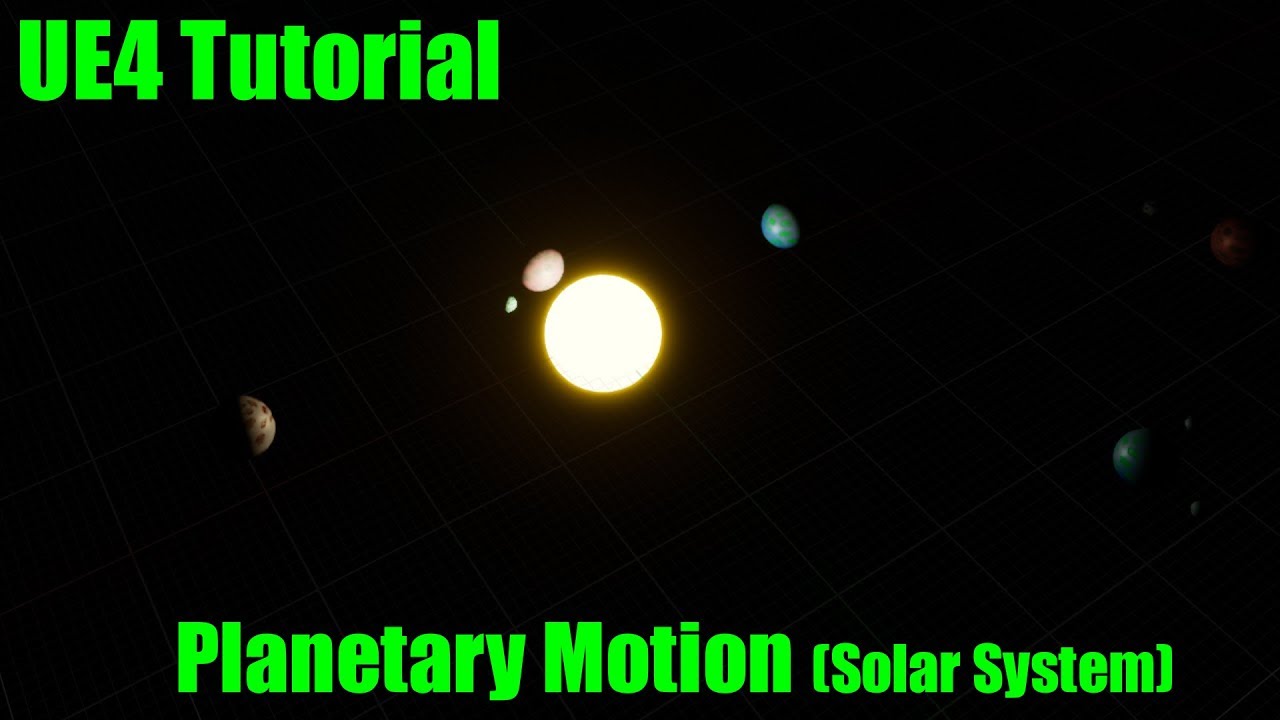
A quick video on how to make a object rotate around its origin then parent that actor to another to create a planetary system.
green eagle
1sec
rotund coral
Oh! And for the gravity I used Ninja Character Plugin, but If theres something better I could use that too
But I can't figure it out for other planets yet so only one Planet has Gravity, that isnt moving 😐
green eagle
Is that the free one in market plac e that comes with a few different like climb and surface transition things?
Neat I watched some of that guys tut nice little trick.
So you have planets moving in rotation around each other and the player can walk free surface along the base planet and now want to create the ability for the player to fly off toward another planet.
rotund coral
Right!
And yeah, the Plugin is free
It doesn't even have to be complicated, just work somehow
green eagle
So you have to make sure with that plug in a way to disable/enable its system of setting directional gravity. You'd want it so the player "jumps" and when they jump high enough gravity logic is disabled. allowing them to fly around free form TILL! then get within some range of another surface in which it triggers the gravity thing from ninja to reset for that particular surface.
Does all that make sense?
rotund coral
Yeah, thats even what I wanted to do
But I can't figure that out
There are no Tutorials for that and I dont know anything about gravity in UE4
I even messaged the creator but he doesn't reply or didn't reply yet
green eagle
its hard to find a tutorial that is going to give you guidance on exactly what ya want.
Ill DM ya
rotund coral
Ok
fleet sinew
Is SetText function not working in unreal engine 5?
 maiden wadi
@fleet sinew You'll need to be a little more specific. There are at least two dozen, probably more, SetText functions in the native engine. If you're having trouble with UE5 though, the #ue5-general channel will probably be better help. Most people aren't going to touch UE5 for a while. Quite a few people haven't even bothered to update to 4.26
fallen glade
any way to extract the notifiers from a montage?

 open crypt
What collision channel does the nav mesh system use to draw a nav mesh around an object, or does it use something different?

I would think static or visibility
fallen glade
open crypt
What collision channel does the nav mesh system use to draw a nav mesh around an...
I think it's its own thing, might be wrong, you can test it I guess:)
 candid nest
hey guys do anybody know the best tutorial for animated fps firearms ironbelly pack which is on marketplace the privous tuotrial was deleted by them
 midnight cove
hey does any one know how i can simulate gravity on a planet
 loud badge
Hey engineers this might sound trivial or maybe its not even possible, but would like to know if it is. Basically I am inside BP_Parent and I would like to get the component bounds of the static mesh which is inside another BP (lets call it BP_TheMesh) before spawning the BP_TheMesh, is that even possible? Thank you so much!
 faint bolt
Hi Guys!
I would like to separate the animations/montage playing by setting them in different slot.
This i was i've done (Other than setting the slot inside each montage)
Some of the montage are really odd when get played, so i would love to separate more part of the bodies, is there a way to do that using only one Blend per bone? or i should connect more than one?
 maiden wadi
@loud badgeNot really sure I'm following, but you have one blueprint that is the parent class of another blueprint, and you want the parent to get the bounds of a component in the child class?
loud badge
The name parent was not well choose, its just a BP lets call it BP_Main and I want to get the bounds of a static mesh that's inside another BP_Mesh, does that make sense?
I can easily go on BP_Main and spawn BP_Mesh and then from the result get the bounds of the static mesh. But would like to do it before spawn.
maiden wadi
Maybe if your spawned blueprint has the mesh as a class default property. But in general, that would be C++ territory because you need the CDO to do things like that without using a property. If you're using C++ at all, you could get the CDO and get the component's mesh and get the bounds from it.
loud badge
ok that makes sense yes, I will go with c++ for this then. Thanks for the input!
maiden wadi
The mesh property(not the component but the property you set the component to use), has the bounds for that mesh and they should be the same assuming that you're not scaling the component or anything it's attached to.
@loud badgeA small example. If you have a TSubclassOf of the class, here I'm using Character, but the calls are similar.
TSubclassOf<ACharacter> CharacterClass = ACharacter::StaticClass();
CharacterClass.GetDefaultObject()->GetMesh()->SkeletalMesh->GetBounds();
Can probably also just use a direct StaticClass too. Either way.
Keep in mind that your class needs a default mesh set for that component. The above for instance will return null because Character does not have a skeletal mesh set for it's SkeletalMeshComponent if I recall correctly.
loud badge
Ok i think I got it, thanks a lot!
 whole dune
Hi, Does anyone have an Idea how to make the wheel part follow the spline exactly while the blue base only rotates with it a bit? Like in the video. Help will be greatly appreciated
gentle urchin
Looks like wheels would just belong to different parts of the spline (distance between wheels would be relative location on spline )
While body is a product of the center of the wheels
whole dune
How do you make it the center of the wheels? I‘m a beginner, sorry
gentle urchin
Id probably try with look at rotation to get the correct rotation value, from rear wheelbase to front wheelbase
And offset the body with half the distance between the wheels (assuming body's pivot is at the center)
gentle urchin
Dont think id use bones for anything related to train like behaviour
whole dune
Ok, thanks a lot
loud badge
maiden wadi
The mesh property(not the component but the property you set the component to us...
Currently looking at this @maiden wadi do you still have a minute?
My class has a property like this TSubclassOf<AItem> ItemToSpawn visible and editable to the editor, so I can choose any child of AItem to be used.
Then I am trying this like you mention: ItemToSpawn->GetDefaultObject()->GetMesh()-> but GetMesh is not a valid method, AItem is basically a class that is child from AActor. Thanks again!
maiden wadi
You should have a UStaticMeshComponent or USkeletalMeshComponent on the AItem. You need to get that object and call GetMesh on it.
loud badge
yes I tried that but got an error stating that 'FindComponentByClass': is not a member of 'UObject' maybe I should get the default object hmmm
 worthy tendon
loud badge
Currently looking at this <@!143471961723371520> do you still have a minute?
My ...
worthy tendon
loud badge
Currently looking at this <@!143471961723371520> do you still have a minute?
My ...
GetDefaultObject has a template function. use ItemToSpawn->GetDefaultObject<AYourType>()->...
maiden wadi
@loud badgeOn a side note, don't forget to ternary that for safety.
TSubclassOf<ACharacter> CharacterClass = ACharacter::StaticClass();
ACharacter* CharacterCDO = CharacterClass ? CharacterClass.GetDefaultObject() : nullptr;
UStaticMeshComponent* FoundMeshComponent = CharacterCDO ? CharacterCDO->FindComponentByClass<UStaticMeshComponent>() : nullptr;
UStaticMesh* StaticMesh = FoundMeshComponent ? FoundMeshComponent->GetStaticMesh() : nullptr;
if (StaticMesh)
{
    StaticMesh->GetBounds();
}
 winter burrow
Im trying to store each thing hit in a spheretrace into an array to make sure that I only hit something once during the active frames of a weapon swing. Im not exactly sure how to do this after the sphere trace...can anyone give me some insight?
 lost pecan
ive made an overlap volume that i use to play music, but though its working fine when walking into it, it fails to react when i spawn inside it
any ideas
maiden wadi
@lost pecan There's a setting somewhere. I can't remember which. But it forces overlaps to update at spawn. Alternatively, just check the overlap volumes at beginplay or somewhere for their overlapping actors.
maiden wadi
Uncertain. I can check in a few.
 trim matrix
Hi, so i have an MasterActor, then i have instanced it two times to test, i want to be able to target a specific instance, not in actual game but just the actual class, i want to have a drop down menu where all the MasterActor instances will pop up to choose
 ripe rose
been trying to fix a bug and finally discovered that if i print every relevant value, the bug goes away. if i delete the print node, the bug returns. does anyone know why this could happen? from what i can tell, one of the values is going to 0/undefined if i don't print it
edit: figured out why the print is relevant: it reduces the FPS. not sure why that matters in my case but at least it's something to go off of
 wispy fiber
Has anyone run into this? When i get the forward vector of my camera on a spring arm, it's overshooting where it actually is
inside the character's on tick

any idea why the camera's forward vector would be different from what I'm actually seeing for a couple frames?
(notice how the debug visualization of this line trace extends farther to the right for a couple frames after I look rapidly to the right)
gentle urchin
local prediction ?
wispy fiber
what do you mean?
gentle urchin
Hm nah .. but it seem to be affected by velocity
so its like it expects it to move further,
and then is corrected...
wispy fiber
it happens in both offline and with a dedicated server
I've also turned off camera log on the arm completely
gentle urchin
Does the same happen if you use the pawns forward vector ?
gentle urchin
so either its the cameraboom itself, or its sockets in general
i guess there's little to no difference between the two options tho
since a boom is just a socket
with some math
wispy fiber
using the camera boom's direction also works properly
it's just the forward vector of the camera itself on the boom
 faint pasture
@wispy fiber Any lag turned on in camera boom?
faint pasture
@wispy fiber What tick group is the pawn?
 wispy fiber
try having the pawn tick on/before physics @gentle urchin ?
gentle urchin
 wispy fiber
huh
gentle urchin
 wispy fiber
whats the tick group of your boom and camera?
 wispy fiber
I just changed my boom and camera to also be in the pre physics tick group and that also seems to make it work
 wispy fiber
huh
gentle urchin
Actor (pre) -> Boom (post) -> Camera (during)
gentle urchin
tried as client just for kicks, no difference
wispy fiber
oh well, if everything's pre physics its working for me
so I guess I won't question it for now
weird tho
gentle urchin
i got a feeling its related to the character class tho
isnt there some built in prediction there
since ur rotating it while im not
gentle urchin
ill try that
loud badge
hello again, i am facing a weird behavior here, i am scaling a BP which is inherited from a c++ class and its behaving in a weird way. While I am scaling its fine, then I drop the mouse from scaling and it turns out to be a way larger, what the hell? is this normal?
loud badge
nevermind 🤦 my construction script is the culprit
 cursive path
How to use tap and double tap and hold on same buttom??
 old cradle
I'm in need of some assistance. I followed this Ryan Laley tutorial on level travelling and everything was working fine until I got to override the Player Start function. I'm looking to have the map open and place the player at a specific point by using the player start override but it seems to just either pick a player start at random or only choose the player start at the 0 index. Any help or advice on how to do it better would be much appreciated. After hours of googling and trying other things I've yet to find an answer 😮💨 https://www.youtube.com/watch?v=4fGuPd6Hkzs


Learn how to travel to and open levels and choose where you are spawned. For example when entering different buildings. This video was voted for by my supporters on Patreon and YouTube Memberships. Join them and support me and cast your vote into the next poll!
Support me on Patreon and get access to videos early, join our developer community o...
winter burrow
Anyone know what object reference an animnotify state needs?
Im trying to clear a variable on a second anim notify and I need to cast to the first to get the variable
wait no im dumb again
I can just call it on the end
of the initial one
duh
yep that worked
facepalm
 sonic pine
Hiho it me again 😛
I have a little Question or maybe two little Questions.
-
Its better to setup all skills in one big SkillBP or better create a parentSkill and Childs to to change the Setups?
If Parent->Child sould i have different parents für Meele, Range, Magic or offensive, Passive, Buff? -
Is there a way to Chnage Skills by Character Class or maybe it should be better to Change the complete Widget imput?

What i mean:
Hier I have a default Window (Login) if im starting the Game i will always see the LoginPanel but i can change to register and back to login. Should i use something like that for my different skilltrees?
CharacterClass = worrior show worriro_SkillTree
CharacterClass = mage show mage_SkillTree and so on
or should i change every single skill for more individuality?

 nova flume
How can I update a specific player's widget as opposed to all the widgets like what happens here.

 faint pasture
cursive path
How to use tap and double tap and hold on same buttom??
faint pasture
cursive path
How to use tap and double tap and hold on same buttom??
Either do your own filtering and detection or use the new advanced input system
cursive path
@faint pasture no i dont own
 zealous moth
@nova flume when you cast to that character get its owner and then send the update
You would be better off using an interface
nova flume
I tried doing the interface and calling the function on the player controller but it didnt work.
Using Get Owner seems to have worked @zealous moth Thanks!
 dreamy river
I have a problem with loop. I use For Each Loop to get data from all my weapons and print them to the screen. Then in another Widget I use the same variables to show data of currently selected weapon.
I've got variable which is Enum Array and the problem is that instead of printing info only about selected gun, its adding them to the list, like this:
I select Weapon #1 - it shows 2 enums from that gun, which is fine. But When I click on the second weapon, it adds enums to those from weapon 1 and so on.
 dawn gazelle
dreamy river
I have a problem with loop. I use For Each Loop to get data from all my weapons ...
dawn gazelle
dreamy river
I have a problem with loop. I use For Each Loop to get data from all my weapons ...
You probably want to set the "Fire Modes" variable to blank before you loop through your enums. You also don't want to use the string name of enumerators for anything. It's ok for testing, but once packaged the enum won't convert to a string, so you need to manually add like a select node or something to display the appropriate values based on the enum value.
zealous moth
Always reset if you continuously use same loops at runtime
dreamy river
@zealous mothHow? You mean, to use Gate?
zealous moth
Reset your variables
 tight schooner
Anyone know offhand if having an array element in a struct (that I intend to use in an array variable) will cause problems for me down the road?

 junior yarrow
does anyone know any good tutorials where i can learn to make a racing game with checkpionts, pitstops, ai drivers, live leaderboard etc...?
icy dragon
junior yarrow
does anyone know any good tutorials where i can learn to make a racing game with...
Not necessarily tutorial, but you can expand upon the racing game example from the launcher's Learn tab.
 candid blade
https://www.youtube.com/watch?v=NpsI7B8jQzI has anyone done this inventory tutorial by Cronza? unfortunately it seems like he stopped midway, I've been trying to figure it out solo and it's getting pretty tough. I got a few issues going but if anyone did this and expanded from what he made i would really appreciate if you could message me!!!!

So far we've been setting up our inventory to show and display what is added to it, but the act of acquiring that data doesn't look very pretty! Let's set up a flexible pickup blueprint that will lay the foundation for many of our future features; The Pickup
Asset Packs:
Advanced Village Pack - https://www.unrealengine.com/marketplace/en-US/pro...
faint pasture
candid blade
https://www.youtube.com/watch?v=NpsI7B8jQzI has anyone done this inventory tutor...
Haven't watched it but the general approach is to represent inventory as structs, and spawn actors onto the world when needed (equipping, dropping, etc)
sonic pine
Hiho is there a way to include functions from a function_Libary?
I try to descripe my question ^^
In the function Libary i have 12 functions, now i have to do somthing like:
Take function Warrior_Skill01, Warrior_Skill02 and Warrior_Skill03 if Character Class is Warrior
Take function Mage_Skill01, Mage_Skill02 and Mage_Skill03 if Character Class is Mage
Take function Hunter_Skill01, Hunter_Skill02 and Hunter_Skill03 if Character Class is Hunter
Is there a way like an array or a List?
faint pasture
sonic pine
Hiho is there a way to include functions from a function_Libary?
I try to descri...
Try just switching on an enum. But this sounds like a weird way to do things IMO
sonic pine
My problem is i have a skilltree and i have to change the skilltree skills for each character
Mage and warrior dosnt have the same skills ^^
sonic pine
sonic pine
Hiho it me again 😛
I have a little Question or maybe two little Questions.
1. I...
I have asked a few hours ago something like that ^^
zealous moth
tight schooner
Anyone know offhand if having an array element in a struct (that I intend to use...
Shouldn't. I have plenty of those and they work fine 🙂
junior yarrow
icy dragon
Not necessarily tutorial, but you can expand upon the racing game example from t...
k thanks
zealous moth
sonic pine
My problem is i have a skilltree and i have to change the skilltree skills for e...
If you want to have a dynamic skill tree system, what you can do is use a struct that contains your information and then make a datatable based on that struct. Then populate your data table and get information based on specific parameters and populate your skill tree
this way it is not only dynamic but not hard coded
and you can change things on the fly
candid blade
faint pasture
Haven't watched it but the general approach is to represent inventory as structs...
yes but unfortunately there are some bugs I cant seem to figure out
sonic pine
zealous moth
If you want to have a dynamic skill tree system, what you can do is use a struct...
Do you mean the skill values or the skills in the Skilltree?
So i only need one skill tree and will change the skills and i havn´t to change the complett skilltree
Like that

So i dont have to create one of this skilltrees for each char and say:
CharClass = warrior post this skill tree to CanvasPanel
 faint pasture
candid blade
yes but unfortunately there are some bugs I cant seem to figure out
faint pasture
candid blade
yes but unfortunately there are some bugs I cant seem to figure out
well just spell out what you're having trouble with, just saying you're having trouble doesnt help
candid blade
faint pasture
well just spell out what you're having trouble with, just saying you're having t...
my bad lol I didn't want to ask questions that needed 5 part tutorials for context. but hey its worth a shot
following the tutorial from start to finish results in you having an inventory window open constantly. I'm trying to figure out how to have it open/close
this is how its being made at begin play, I was wondering what was a better way to go about this including the open/close options

 true valve
There was an option to optimize rendering animation something like render when in viewport or something?
trim matrix
I can't figure out the animation blueprint for my life. I've been stuck on this for hours
candid blade

'

anyone know why this isn't working? trying to set a new string from an item BP to a widget
text won't change
candid nest
hey i make a sprinting function for my fps character i want my character to sprint with animation like when he is not equipping gun play diffrent animation and when equipping play diffrent my sprint system is working fine but i amconfused how to put these animation
i know i have to use the variable is equpiing gun but i didnt make that variable yet my character spawn with gun in hand but i want my character to pick the gun from floor if anybody can help me it will be apriciated
gentle urchin
candid blade
anyone know why this isn't working? trying to set a new string from an item BP t...
Looks like ur doing it wrong... widget ref, what is that? A reference to itself? The first blueprint doesnt seem to be connevted to the second one
gentle urchin
candid blade
this is how its being made at begin play, I was wondering what was a better way ...
Beginplay doesnt necessarily need to add the widget to viewport but should be initialized for sure. Some use a strategy of hiding the widgets on the screen by manipulating "Visibility", while others add and remove the widget from the screen entirely(while keeping it saved in a variable, so it doesnt get garbagecollected, and thus can be easily re-used at any time)
gentle urchin
sonic pine
My problem is i have a skilltree and i have to change the skilltree skills for e...
Since they dont share identical skills and stats etc, this usually qualifies for a custom class for each.....class....
surreal peak
The Skills should also not be a Function Library function :P
Which creates the problem in the first place
You usually make each of them a UObject and have values and functions etc in them. Then you can make an array of uobject classes in the character and ref the uobject Blueprints
Or whatever similar approach works for you
gentle urchin
I would also think that people make individual skilltrees per class instead of dynamically populating them , most of the time
Seeing how the later option can be quite the extra work for little to no gain imo
Obtaining a skill is probably just some class fed into an array or something alike anyways
fallen glade
Is it possible to extract notifiers from a montage using blueprint?
 finite maple
Somewhere in one of my blueprints I have an event that executes when I press the [ UP ] key on my keyboard. How can I search to find where this is happening? It isn't in the Project Settings > Input list.
fallen glade
just search for UP
fallen glade
finite maple
Somewhere in one of my blueprints I have an event that executes when I press the...
 finite maple
fallen glade
just search for UP
finite maple
fallen glade
just search for UP
there's a ton of listings. any ideas on how to narrow it down?
 opaque blade
Key Up
if you mean the Key "Up" if you named an input action, a way would be to rename it 🙂
or "Input Action Up" obviously (not sure if they are actually spaced)
fallen glade
yeah using in input name is the best choice, you should be able to narrow it down by disabling things one by one
 finite maple
Something similar to this
 opaque blade
yeah "bad luck" thought they were prefixed by "Key [Name]" so only option is looking for "Down"
finite maple
I just found it by chance. Thanks for the help.
opaque blade
but there are only some places you could use that and it would have effect
a) whereever you used "Enable Input"
b) PC, Characters / Pawns
but just as Tip, use InputActions / Axis - they are soo easy to set up and literally have no drawback. Only place i use regular key events is for "Any Key"
gentle urchin
fallen glade
Is it possible to extract notifiers from a montage using blueprint?
Im not sure what you mean by that ? What are you trying to achieve?
If you want custom functionality during some notify, i think you should check out the notify state class
fallen glade
gentle urchin
Im not sure what you mean by that ? What are you trying to achieve?
I know how they work I was just wandering if it was possible to know how many are present of a certain class in an animation/ montage
dynamically
gentle urchin
Ah
fallen glade
I always seem to be wanting to achieve the most obscure things, no results on google or in here
gentle urchin
since ue4 manages to fetch them
 fallen glade
I wish Blueprints got way more powerful
gentle urchin
whats the usecase here tho ,
as you say, it sounds pretty obscure x)
you could always make your own without c++, but it would take some work-around with notifystates
atleast thats one way i can think of
fallen glade
gentle urchin
as you say, it sounds pretty obscure x)
It's nothing fancy, here I'm triggering a montage as part of an ability system I just started. Whenever there is a notify "Damage" I play a little animation on my character portraits (It's a CRPG) to showcase damage. At the end of that animation I make the next turn begin, it works....but... aometimes I have longer damaging actions that would go beyond the end of the montage that I would need to listen to etc

sorry it's long I don't really expect you to read it haha
fallen glade
gentle urchin
you could always make your own without c++, but it would take some work-around w...
how would you do that?
gentle urchin
using a notify state to update a value with the specified number of notifies
hardcoded tho
in each montage
fallen glade
that's actually pretty simple haha, thanks !
gentle urchin
you can then just save the notify state into the char , and have the char read out the variable from there .. or something alike 😛
fallen glade
yeah I guess I can send a lot of info that way, nice
gentle urchin
I just recently learned about them. They seem amazingly usefull so its weird i never knew about them
walked through some of the stuff that was set up in the ActionRPG template from Epic
fallen glade
I'll download that and have a look
 coral walrus
Can anyone help me with my animation problem?
fallen glade
#animation is probably your best bet
candid blade
i really don't understand what i'm doing wrong here, i'm trying to set text on a widget to show item name by its database, i'm referencing the widget directly and using its txt for settext, i'm setting a new string for it aswell and it shows fine when simulating, however it NEVER reaches the widget and I have no clue how to fix it

any clues on how to get widget text to change based on the information i send to it from a different blueprint?
fallen glade
try to see if the widget is valid
candid blade
would i check that on construct?
fallen glade
no at the point you're trying to set it and you work your way backwards to see if it's not valid
fallen glade
you didn't set it up properly is my guess, UMG has a different execution direction
candid blade
god this is difficult
lost pecan
i have a static, parameterless function in a bp function library that i wanna call, but its only ever showing up if i disable Context Sensitive
is there some tag i can add to have it show up either way
 earnest tangle
Does it actually work if you call it from that context?
I'm fairly sure they should show up if it's valid in that context 🤔
lost pecan
it's running quite nicely yeah... its true for some of the builtin kismet functions too, like
UFUNCTION(BlueprintPure, Category="Utilities|Platform")
static FString GetPlatformUserName();
and
UFUNCTION(BlueprintPure, Category="Utilities|Time", meta=(WorldContext="WorldContextObject") )
static float GetGameTimeInSeconds(const UObject* WorldContextObject);
what does the function look like
lost pecan
well its several functions, and they're declared identically to the two i pasted above... some with worldcontext, others without, but otherwise no parameter inputs
fallen glade
stupid question, how do I expose parent variables in the child here?
 sudden nimbus
fallen glade
stupid question, how do I expose parent variables in the child here?
sudden nimbus
fallen glade
stupid question, how do I expose parent variables in the child here?
you don't, if you want to edit the defaults for variables from the parent, use Class Defaults view
fallen glade
I see thanks
 opaque acorn
Hello there, i have a custom sky atmosphere where it gets lighting from the node "light direction" vector which is world ordinate, ie. It has x y z value, when i type y 1 light comes from y axis, i want that to match qith direction light rotation , can someone tell me how i couls do that??
opaque acorn
A sec
sudden nimbus
if this is a totally custom blueprint and not something based on the built-in stuff then just get Forward Vector from your directional light and plug that in
opaque acorn
 sudden nimbus
omg, are you familiar with print screen
 last siren
Win-Shift-S is even better
sudden nimbus
yeah this looks like something custom, maybe store or something? see my message above

 opaque acorn
Ill remove it wait
sudden nimbus
sudden nimbus
if this is a totally custom blueprint and not something based on the built-in st...
this
opaque acorn
Im removing them if its not allowed for channel
sudden nimbus
huh no screenshots are allowed
just usually people take screenshots not pictures with their phone but I get the gist
opaque acorn
Why im not able to remove it
sudden nimbus
lol you don't have to
opaque acorn
Ok
sudden nimbus
sudden nimbus
this
this
opaque acorn
Can u tell me what kind of node is this?
All i want it to match with direction light rotation
sudden nimbus
have you considered using the built in sky atmosphere system instead of this blueprint that I presume you got off the store
opaque acorn
No it cant be used more than one
sudden nimbus
what do you mean?
opaque acorn
Only one built in atm can be used
sudden nimbus
only one sky atmosphere actor? yeah thats true
but why would you want more than one?
or do you mean that it wont handle multiple directional lights (it can handle 2 actually)
opaque acorn
It is a space game
sudden nimbus
ahhhhhhh
opaque acorn
I think the node i show u is pretty old one
sudden nimbus
alright fair, but seriously #blueprint message
opaque acorn
Its in version 4.21> alright fair, but seriously #blueprint message
@sudden nimbus
?
sudden nimbus
or you know, skipping the layers #blueprint message
ahmmm you mean the builtin sky atmosphere? that sounds about right but
opaque acorn
Ok thanks
 opaque acorn
Yes yes i get it which text u meant
Im pretty new to bps and logics cna u explain me a bit?
I do animation and textring in mari, learning cpp n bps atm
We could have pm/dp abt only this prblm of mine, it would make this channel less messy
sudden nimbus
nah i dont do DMs
the idea here is: You have a blueprint that wants a vector to define where the "sun" is shining
You probably have a directional light that defines where the sun is shining
you want to hook these up
so you need to get a hold of the directional light that defines the sun from within this sky atmosphere (or have it passed in, that is common, and tbh if you got this from someone else it probably already has a slot for you to connect them together)
and then use that reference to the directional light to fill the vector on the atmosphere blueprint you have
opaque acorn
Unfortunately the person has poor customer suppt
sudden nimbus
if it isnt built into the blueprint (which i honestly seriously doubt) then you can make it so the atmosphere accepts a reference to a directional light actor, and then have it update its LIght Direction vector based on the rotation of the directional light
opaque acorn
Otherwise i don't bother or annoy people in this discord
sudden nimbus
The easiest way to get a vector of this format from a directional light is to get its Forward Vector, which will be a vector relative to the actor location (respecting its rotation)
opaque acorn
Yes you are right , that feature to rotate the light direction with direction light has not built in
sudden nimbus
honestly surprising, which asset did you get
opaque acorn
Im giving u link just wiat

Unreal Engine
Physically-accurate planetary atmosphere material.
Thia asset has really very beautiful atmosphere effect
sudden nimbus
can i just point out that i think this is very thoughtful of the author of this content?
 sudden nimbus
you could always turn them on and off
opaque acorn
Plus i also bought this one
https://www.unrealengine.com/marketplace/en-US/product/precomputed-atmosphere#:~:text=This product contains a code,on a per-project basis.

Unreal Engine
Physically accurate atmosphere rendering
Same issue
Both devs used same light direction without the feature to match it with direction light
sudden nimbus
this one is less thoughtful
completely not mentioning that there is excellent atmosphere rendering in engine and charging some premo fee for it
if the planet rendering is part of it i suppose it might be worth it but
i dunno
opaque acorn
I know but it lacks only this feature which i think is possible if i get the right nodes
sudden nimbus
its absolutely possible
you just need to get a reference to your directional light actor from within the instance of the atmosphere blueprint
trim matrix
Hi, i know you can create an Curve Float, and edit it in the editor, then create a Curve Float reference in a blueprint, but is it possible to get a window where you can edit the Curve Float in actual blueprint just like you can set the value of every other variable?
Like you have a float variable, you just click on it and change the value, but with curve float you have to open up the editor and reference it and everything
opaque acorn
I made. A variable jist like how its in built in sky-sphere bp then brought it inside to plug forward vector but its not connecting
sudden nimbus
opaque acorn
I know but it lacks only this feature which i think is possible if i get the rig...
look here at this one, it has a variable on it that is a Directional Light Actor

when editing an instance of this guy in level, i can pick the reference to another actor in the level

once i do that, then i could do a timer or an On Tick or any number of ways to synchronize the Directional Light Actor's rotation with that Light Direction vector
opaque acorn
I will try to take part from thay sky sphere bp and replicate it
sudden nimbus
you could just edit the sky sphere bp
no need to copy it into your own blueprint, the one youve got is your own 🙂
opaque acorn
Ok i will try it but i must use it with the atm which i bought
sudden nimbus
the moment when you realize a poster online is using "atm" to mean anything other than "at the moment"
I also could have accepted a machine they gives you money out of your bank account
 sudden nimbus
that would be my #3
icy dragon
Forget atm
True chad uses atmo 
sudden nimbus
gigachad
sudden nimbus
ahhh is it pure/unpure? or interface vs no interface?
or.... wtf is that comic sans
oh hoodie
sigh
surely
convenient
could've gone with a Garamond or a segoe UI or a Roboto Sans but here we are
pretty sure comic sans increases fps
icy dragon
sudden nimbus
sigh

sudden nimbus
lol
cursive path
How to setup one button to do tap and double tap and hold
 woeful pelican
@cursive path didn't I and someone else show you before?
In case you need a reminder #blueprint message
Basically you want logic that controls a boolean, and this boolean will tell your game if there has been a tap very recently
And you can work out hold logic by comparing that boolean and if the key hasn't been released
wise raven
Why does the hit event not fire on skeletal meshes? I have simulation generates hit events enabled on the skel mesh, and in all the physics bodies as well
 cursive path
@woeful pelican i dont look for this man
 gritty elm
lost pecan
gritty elm
lost pecan
can i prevent a blueprintcallable const function from automatically becoming pure?
earnest tangle
Any particular reason why? I don't think there's an opposite of BlueprintPure 🤔
opaque acorn
once i do that, then i could do a timer or an On Tick or any number of ways to synchronize the Directional Light Actor's rotation with that Light Direction vector
@sudden nimbus
Update: its working but i still can't mkae it work with real time
I have implemented the part from skysphere blueprint which tells the direction of light to the skysphere , then i copied and constructed the function called updatesundirection
earnest tangle
lost pecan
can i prevent a blueprintcallable const function from automatically becoming pur...
I guess if you have some particular reason for doing this you could make your actual function const and non-BlueprintCallable, then create another function like K2_MyFunction which you make non-const and make it blueprintcallable, with meta=(DisplayName="MyFunction")
opaque acorn
Now, i made. Event tick and put it with uodatesun position yet it is not working
earnest tangle
earnest tangle
I guess if you have some particular reason for doing this you could make your ac...
(This is a pattern used by UE's own codebase in places, where there's a separate K2_Whatever function for BP-implementable things)
opaque acorn
😕
lost pecan
ahh yeah i could circumvent it like that, thanks!
wise raven
gritty elm
<@!474829242337853451> https://answers.unrealengine.com/questions/769139/how-to-...
i did exactly what both of these threads said, and yet no result
opaque acorn
Is there any other way to make a function keep working in real time without event tick?
earnest tangle
A timer with a short duration would probably do it
opaque acorn
I am very new to bp n cpp for unreal
But im learning thing fast and also from help of thia discrd channels
Can u explain me a bit
earnest tangle
Ohh interesting, I have never seen that syntax anywhere
I wonder if it overrides it from const though 🤔
since you don't need to define BlueprintPure if the function is already const
 willow phoenix
i get spawns in the same place. how? does remove do nothing? i even shuffled it :<
 earnest tangle
That should work, what are the values in your Spawn Locations array?
willow phoenix
just random locations i created with a forloop. works "most of the time" but sometimes i get spawns stacked over each other.

i checked like 200 times with a print node, there are no "doubles"
jesus im so dumb
i called this more than once, so i created every position multiple times
trying to fix this for 3h lol
loud cipher
Anyone know how to fix the issue of holding down an input while a ui pops up?
When i hold lmb i shoot, but if i hold it down and open a ui it continues to fire even if i let go
woeful pelican
cursive path
<@169190582059663360> i dont look for this man
What are you expecting, then?
cursive path
@woeful pelican i know how to do tap and hold or double tap and hold but i cant make one buttom to do three of the one tap and double tap and hold hope you understand
woeful pelican
Are you doing a combo system?
woeful pelican
loud cipher
Anyone know how to fix the issue of holding down an input while a ui pops up?
Might not be the best way, but maybe you can setup a bool that is set when the ui is up, and the shoot loop checks that bool?
 lofty hound
Why does everyone use float for stats like health instead of int? surely int is better to get rid of the decimal places
willow phoenix
lofty hound
Why does everyone use float for stats like health instead of int? surely int is ...
because they watched the same video in the first place 😉
 last abyss
lofty hound
Why does everyone use float for stats like health instead of int? surely int is ...
last abyss
lofty hound
Why does everyone use float for stats like health instead of int? surely int is ...
probably because progressbars uses a value between 0 and 1,
 olive ingot
Does anyone have a good insight on how to make Water Movement in Character Movement Component work similarly to Half Life water movement? I'm trying to adjust the variables, but I can't get a desired result. Particularity when stepping out of water and moving upwards onto ground.
 wanton sun
anyone know what's causing this or how the heck do i go about to fix it? it happens when i pressed a buttn to open a hud

it doesnt open either
last abyss
accessed none means the variable you're giving as input isn't set or is set to something that doesn't exist (anymore)
wanton sun
oh oh thanks
 wraith comet
loud cipher
When i hold lmb i shoot, but if i hold it down and open a ui it continues to fir...
wraith comet
loud cipher
When i hold lmb i shoot, but if i hold it down and open a ui it continues to fir...
Not sure it will fix your issue, but do you use “set input mode” nodes? Toggling between Set input mode UI only and Game only when you pop your UI might work…
loud cipher
Hmm, that works but then i can still move about my player
trim matrix
How to select certain value depending on string input?
For example "Hello" = 3, "Hi" = 5, "Bye" = 9. Everything in one node and not 900 branches, Thanks
last abyss
switch on string
 heady burrow
When debugging, is there a better way than to hook up prints to nodes results?, can I somehow see the values of the nodes overtime in a more interactive way
trim matrix
so i would still need 100 million nodes
 livid cloud
Hi I am an artist and beginner at unreal so I have a dumb question

I want to view class defaults but I can't
last abyss
pretty much, you could use a map aswell
livid cloud
I think this BP child has class defaults but I can't view them. How do you view hidden class defaults?
last abyss
heady burrow
When debugging, is there a better way than to hook up prints to nodes results?, ...
if you right click on the pin you can use 'watch this value'
heady burrow
last abyss
if you right click on the pin you can use 'watch this value'
interesting, I will take a look
livid cloud
I'm just trying to change the character in an asset pack
so I can show my art
I have googled but I can't find out how to do it
last abyss
livid cloud
I have googled but I can't find out how to do it
if you click on the eye icon you can show inhereted variables, if that is what you're looking for?
 last abyss
can you show a screenshot of your bp
 last abyss
in the top, click on window and you can select windows to show
trim matrix
How do you deal with values that are so big? What does ue4 do with them? does it stop counting after a certain point?
 glossy bane
Could someone give some advise on how I am able to track all currently spawned actors (that get spawned and destroyed all the time as the game goes on), then based on a different condition disable the collision between the player character and only the mesh of the spawned actors? Simply disabling the collision on the character mesh side works but also comes with unintended behavior like not triggering item pick-ups during the no-collision event that I still want to happen

 jade frost
livid cloud
jade frost
livid cloud
you should check your GraphEditorToolbar, then inside that there is a window called "toolbar". Right now you are looking at the LevelEditorToolbar.
Usually, if you open an other blueprint that does not have those windows available that toolbar doesn't get updated, try to close and open the blueprint that you want its toolbar to appear
then open again the window tab at the GraphEditorToolbar toolbar
opaque acorn
I am hittinf my head to table. . . I tired everything from using forward vector to creating event and using event tick.
Is there really any way to match the " light direction" of the custom blueprint to light to direction of direction light?? All i want is just like how in case of atmosphere fog/ sky atmosphere rotation direction light also changes atmosphere
I can repost the pic of blue print if anyone kind enough to help
I did
Yes it made it only work to the direction but it's not working when i changing /rotating the direction light after placing
Yea yes
Indid all of these
I did All of these . I also removed those section which was relat with sun height, horIon color which was obly for sky sphere blueprint
Now it's failing on the tick part
I am also unbale to find a video on this tick event related with sky sphere. This is also told in this post
https://forums.unrealengine.com/t/trying-to-rotate-my-sun/3239/5
Now i must be doing some weird fault in the event tick part

Unreal Engine Forums
Hey, I followed the wiki guide and I managed to create a day/night cycle, BUT when I manually try to rotate the sun it still doesn’t work. The light changes appropriately, but the sun does not move along so it looks very weird still. :S Any idea on what I could do? Thanks man! EDIT: My work mate just tried to do it himself and it didn’t work fo...
wanton sun
Anyone know how to get camera world location, rotation and camera boom while using the Advanced locomotion System, the camera system is so confusing to me tbh
maiden wadi
@wanton sunNot inherently sure about the spring arm it's on, but you can always get the viewport's camera location and rotation from the local player controller's CameraManager.
 left carbon
Guys, is there any way to render frame to a texture, but withour SceneCapture or HighResScreenshot command??
 modern pond
My first blueprint! I learnt my first steps with blueprints this morning, and feel like this is my first blueprint with some non-trivial functionality.
I feel like my layout isn't the best? How do people layout their code for the best readability, and it not looking a nightmare to read?

 desert juniper
modern pond
My first blueprint! I learnt my first steps with blueprints this morning, and fe...
desert juniper
modern pond
My first blueprint! I learnt my first steps with blueprints this morning, and fe...
personally, I couldn't work with that
everything is WAY too far away from each other
you have to zoom out, pan, then scroll back in just to see what the various inputs/outputs are
faint pasture
modern pond
My first blueprint! I learnt my first steps with blueprints this morning, and fe...
I don't ever drag pins any distance really. There's no difference between having one node for variable and dragon pins all over the place, or just having multiple nodes for variable.
It makes it much more readable
modern pond
faint pasture
I don't ever drag pins any distance really. There's no difference between having...
so, bascially make a new get variable node everytime I want to read it again, unless I'm using it twice in a small area?
desert juniper
that's what I do
I can't stand having one node drag onto the other side of the BP.
faint pasture
modern pond
so, bascially make a new get variable node everytime I want to read it again, un...
Yeah that's what I do. You can just drag from the variable list on the left into the graph.
I also condense big chunks of code into subgraphs or functions if it makes sense. And I also group all my events like input, rpc, etc together and comment them
modern pond
faint pasture
I also condense big chunks of code into subgraphs or functions if it makes sense...
how do you comment?
faint pasture
Just press C with a bunch of notes selected or right click them and hit comment
modern pond
ok!
faint pasture
Also use the math expression node for any math that's not just super trivial.
modern pond
all my math in here is <, == and + rn 🙂
 hazy igloo
You can use Nodes and Macros, you should use functions (the OO way)
modern pond
desert juniper
personally, I couldn't work with that
is that a bit better?
 faint pasture
modern pond
is that a bit better?
faint pasture
modern pond
is that a bit better?
Yeah that looks fine. I usually try to stack my nose up beneath the execution no but that's just personal preference. What you have there is perfectly readable
modern pond
yeah, I feel like wires should be basically left to write, like how we read a book - it makes it clear how it goes
i also tried to avoid wires crossing each other at all
desert juniper
modern pond
is that a bit better?
Beautiful 🙂
modern pond
desert juniper
Beautiful 🙂
will try to do similar formats to that then 🙂
candid blade
candid blade
i really don't understand what i'm doing wrong here, i'm trying to set text on a...
Anyone able to help me with this? Still trying to figure this one out
last abyss
candid blade
Anyone able to help me with this? Still trying to figure this one out
when you say it never reaches the widget, what do you mean?
candid blade
I’m referencing the widget’s text component as target and applying a new string for it with set text, when I do that while simulating the text on the widget does not change
It’s blank because I assume set text isn’t going through for some reason
last abyss
candid blade
I’m referencing the widget’s text component as target and applying a new string ...
sorry, had to eat dinner. is the widget reference valid?
 last abyss
that doesn't mean its valid, that's just saying that the class of the variable you're putting into the cast object is already the same class as what you're casting to
candid blade
without the cast, settext won't work properly because widget ref is accessed to none, with the cast i don't get that error
worthy frost
creating a variable does not automatically set it
candid blade
even though widget ref looks like this
 worthy frost
you need to set it to something
candid blade
setting the variable type like that is not enough?
worthy frost
that is just a variable
and by default its null
you need to set it to something.
if its a widget on a Widget Component
then get your widgetcomponent variable, get its User Object, cast to WG E Interact, then set the WidgetRef to it
last abyss
where you are spawning this blueprint, the spawn node should have the widget pin connected to it and you need to connect a valid widget ref of that class to it.
worthy frost
@last abyss not if it a widgetcomponent
candid blade
excuse me for being a complete noob but what is the difference between a widget to a widgetcomponent here?
worthy frost
WidgetComponent is a component added to an actor that holds a widget
 formal dagger
Hey guys, i have a little prob with the savings. So, in my game some actors will pop and others will depop. I've tried with just one spawned actor and when i load the saving the actor isn't there. Do i have to make it spawn again at the loading BP ?
worthy frost
where do you create this "Widget"
 candid blade
lol
i'm such an idiot
that was the issue
finally got it to work thanks to you, thanks y'all so much for the help
trim matrix
what is the best way to blend Blueprints of 2 projects into 1, say using Horror Engine interactions with Unreal First Person Shooter template
 raw orbit
hey guys i'm having and issue i posted on the answer hub. might be easier to link the post as it has all the gifs and images to my problem. I need to off set my mouse hit to actor location in my grid when the grid is centered. here is the link https://answers.unrealengine.com/questions/1041578/need-help-offsetting-a-vector-in-a-grid.html any help would be greatly appreciated
gritty elm
trim matrix
what is the best way to blend Blueprints of 2 projects into 1, say using Horror ...
migrate the entire content folder of Horror Engine interactions to Unreal First Person Shooter template.
make sure there is no any duplicate folders(or anything which is same in both project) name in both projects
faint pasture
modern pond
yeah, I feel like wires should be basically left to write, like how we read a bo...
Sequence is a good node too, I use it a lot to split up big logic chains.
 shut escarp
hi guys i have a function in my player character that i want to use in some of my ai characters, should i just copy paste or is there another method? like a blueprintinterface or what? not sure xd
faint pasture
shut escarp
hi guys i have a function in my player character that i want to use in some of m...
I would make the player character and AI character subclasses of a general character that you made. In my project, we have ACharacter -> MyGameCharacterBase->Player Character
Or you can just have the player character and AI characters be the same class, just with or without the player controller. There's a million ways to do it, depending on how diverse your characters need to be
 fossil osprey
hey i am trying to make something like an arrow component that's pointing at other actors, but idk if its a ui that i need or a static mesh, or something else, i tried to google it but i dont want the arrow component, i want a custom arrow style to point to another actor, any idea or suggestions where to look at?
 real garnet
hello everyone i am trying to make if my ai character is falling stop the "Move To"

can anyone help me pls
maiden wadi
@fossil ospreyReally depends on the style you want. But usually you might use an image for 2D ui or a static mesh with 3D stuff. Either way it's just a little bit of vector math to find the pointing direction. Particles are also a possibility, but may be overkill. Depends on how many arrows you might need.
fossil osprey
maiden wadi
<@!322144919445831701>Really depends on the style you want. But usually you migh...
ah got it, thanks man, and i think the easiest thing to do is have a mesh with center of origin at the player then use find look at rotation
loud badge
Hello engineers, this may be a bit tricky but would like to ask for hints, basically I am procedurally spawning meshes inside a random point of a volume. However sometimes because of the size of the mesh itself, it can be out of the volume. Basically the math involved here is calculate all bound points of the mesh and check if any point is outside the volume, if any point is out then subtract the amount in excess in that specific coordinate? is there any quickier way? or some approach that could be easier? maybe mine is even a bad approach
glossy bane
Wondering if someone can help with this. I have a basic mesh which when the character jumps on top of, animates a spring-like effect trough a basic on component hit event -> timeline -> set relative location. Problem with it is if I try jump from 1 of these meshes to another and then instantly try to jump off again, I would only get around 50% of the intended jump strength, but if I wait for the animation to finish and then jump, I'll be back at the intended jump strength. Same issue arises if I try to repeatedly jump on the same mesh, I would be getting only 50% of my jump strength unless I wait for it to finish animating. Anyone that has experienced this before?
 deep radish
Need some help - using blueprints, I am rotating an actor based upon mouse movement using SetActorRotation. However, it rotates about the actor's axis (axis position changes as it rotates). I need to rotate around the world axis in the same way you might rotate an object in the UE editor itself. Cannot find any guide for this on Google for the life of me... any advice welcome!!
 slender idol
Hey, is there any way to find an object reference in an array by the class type? I've got an ability class reference and an array filled with instanced abilities and I want to find the instanced ability that matches the provided class type.

 half crypt
@deep radish try using relative rotation instead of actor rotation, or try addworldlocation
Just a guess though
@slender idol loop through each item in the array and use the getclass node, then compare it with the abilityclass
slender idol
half crypt
<@178953424300146688> loop through each item in the array and use the getclass n...
Would constructing an object with the provided class and then using the find node to check if its already there be more efficient?
half crypt
@slender idol I'm not sure to be honest, I'm even doubting your idea would work but if it does, you can use that idea
 south merlin
I want to know what the player is looking at so you can interact with objects, pick them up and such. I know how to do it, but is it ok to just be firing of a line trace basically every tick? Is that no big deal to performance?
 sweet otter
could just fire the line trace when you push the interact button
half crypt
@south merlin that's a lot of performance, i dont think its a good idea to be firing a line trace every tick
south merlin
I"ve never put anything on event tick, so that's a big reason I'm asking.
half crypt
@sweet otter great idea
south merlin
@sweet otter I would but I need to show the prompt that you can pick up it up and what it is. Think a UI that says "Pick up box" when looking at the box.
sweet otter
to show the prompt, i'd use a trigger area on the player itself, instead of each object, then use a line trace to only interact with the one you're viewing
half crypt
@south merlin use a collision box
south merlin
@half crypt Imagine like 20 items on a desk.
so you have to be able to look at all the different objects
to figure which to pick up
I could use a set timer by function name, and make a little fucntion to fire a ray and report back what item it is.
set that to a decent value. say .25
for larger objects I use collison boxes
I also allow the player to pickup and put down objects anywhere
half crypt
Set timer by function is not a terrible idea but I do feel like there is a better way to do that without that much performance, still tryna think about it
south merlin
Yeah I agree.
half crypt
Are they physics object?
south merlin
yes
half crypt
I'm not sure if it fits into your project but there's a component above physics thruster, I've forgotten its name but try using that instead
Under component type physics, it should be between physics constraint and physics thruster
south merlin
I'm checking it out now
half crypt
The component basically helps you grab and drop physics objects
 lime karma
so I'm trying to figure out a way to damage an enemy by throwing a physics object at it and I'm not sure how to do that
half crypt
@lime karma on hit you can apply a point or radial damage
Then call the interface on the enemy blueprint
lime karma
well so what I mean is, is there a way to do it without coding it into the object itself that is being picked up?
cause I wanna be able to do this with whatever random object the player decides to pick up
south merlin
Dang, UE's own docs use event tick. That still seems bad. https://docs.unrealengine.com/4.26/en-US/InteractiveExperiences/Tracing/HowTo/SingleLineTraceByChannel/
This how-to guide covers using a Single Line Trace by Channel Blueprint node to return the first Actor it hits that responds on the Visibility channel, and prints its name.
lime karma
so would I need to put code on every object that can be picked up, or is there some way to make it only temporarily have the code when it's picked up by the player
formal dagger
lime karma
well so what I mean is, is there a way to do it without coding it into the objec...
like a float defined on your character when u pick up something and then transfer it to the ennemy at the "on hit" ?
south merlin
Blaze, you could assign a single damage value for all objects that just lives in the player
formal dagger
btw i'm stuck myself : i have a little prob with the savings. So, in my game some actors will pop and others will depop. I've tried with just one spawned actor and when i load the saving the actor isn't there. Do i have to make it spawn again at the loading BP ?
lime karma
yeah I can store the damage value somewhere else but how do I call the function to deal damage to the enemy, from the player, when the object being thrown hits them
formal dagger
lime karma
yeah I can store the damage value somewhere else but how do I call the function ...
blueprint interface?
half crypt
south merlin
Dang, UE's own docs use event tick. That still seems bad. https://docs.unreale...
You can use that too
@lime karma using blueprint interface is you best option
south merlin
@lime karma use EventAnyDamage on your enemy
lime karma
I guess I need to learn what a blueprint interface is
half crypt
@lime karma you can set diffrent damage value depending on which actor u want
formal dagger
lime karma
I guess I need to learn what a blueprint interface is
i use them a lot, you should have a look at them
half crypt
@lime karma I'll suggest you look into blueprint communication in general
lime karma
so from what I'm understanding from a cursory google, a blueprint interface would let me add a function to an existing object at runtime?
that sounds like the thing I need
so when I throw the object, I can add the interface with the damage function to the object itself so that it can hurt the enemy when it hits them, then remove the interface afterwards for cleanup once the object settles
right?
formal dagger
lime karma
right?
not necessarily the object i think, if u aim the ennemy you can just do "throw" with the ennemy on target and call the event on the ennemy with the damage float i think
i'm not an expert, i'm still learning but if you already have the damage float on ur character, the object itself might be secondary
lime karma
I mean I guess all that I really need is to be able to detect when the thrown object makes a collision with something and then I can have the damage function be elsewhere
I just need to be able to remotely detect another object's collsion
formal dagger
depends if u want the collision or not
i mean, u can just "throw" -> play animation throwing, cast event on ennemy ->play animation receive throwing -> damage
south merlin
When the object is thrown and it collides with an enemy it should call ApplyDamage
and you tell it what it hit
then the enemy has an EventAnyDamage that picks up on the damage and delivers it
lime karma
I know how to deal damage to things
lime karma
because the point is that the player is supposed to be able to pick up any random physics object in the environment and I don't want to have to put a damage function on literally every object in the game
lime karma
well yeah the ideal would be for the code to be in the thing picking up the objects and then all I need is to know when the object hit something
south merlin
I mean I think you want your objects to be dumb, so really you want the enemy to know it was hit by an object.
so the enemy is checking to see if he got hit by an object and then applys the damage if so
lime karma
yeah that might be the better solution
half crypt
@lime karma if you dont want to put the damage function in every object. All you have to do is create a parent class for the object and expose the damage value then all you have to do is set the damage value in every single one of the child
south merlin
yeah that too
half crypt
And if you dont want any damage in any all u have to do is set the damage value to 0
south merlin
or you assign a "Weight" to all objects, and then you can have damage be calculated based on the weight and velocity and such, get get really nit picky.
add more tags for like wood vs metal, that apply more or less damage based on the material.
half crypt
@south merlin using a physics material I think
lime karma
yeah there's stuff for that but I'm more concerned about the basics for now and then I can flesh out the mechanic later with that kinda stuff
so those might work but I'm still curious if there's any reasonable way to detect collision between two objects, from a third object not part of the collision
half crypt
@lime karma do a little bit of research on blueprint communication
south merlin
Yeah there's a few ways to do it. Best to read up and maybe watch a tutorial
espcially for what will work for your setup
faint pasture
lime karma
yeah there's stuff for that but I'm more concerned about the basics for now and ...
OnHit delegate
 sly forge
Hello, opening level from gameinstance does not work?
I have a custom event in gameinstance to open a level but it doesnt fully work, i have a print msg in the level blueprint i want to open, it somehow prints(print node on being player in the level i want to open) but doesnt open that level
icy dragon
sly forge
Hello, opening level from gameinstance does not work?
I don't think GameInstance is the elegant class for directly doing level switching job...
I would treat GameInstance as the game's memory of things and not much else, due to it persists throughout the game's executable life.
 peak crater
can i add an interface to a player start child class?
or just have to cast every time
how does this work?
I want to add a teamID
i guess it's only one variable
 bright dirge
peak crater
can i add an interface to a player start child class?
bright dirge
peak crater
can i add an interface to a player start child class?
you can add an interface but you will also have to cast a PlayerStart to said interface to use its methods so it doesn't change your problem
 sage magnet
Hey fellas, I need help with my loop logic.
I have an array of items that have a bool inside. I made a local copy of array and than getting a random item from local copy. If bool is true, I exit the loop, if it's false I remove the item from local copy and repeat it again until I find an item with "true" bool statement.
The problem is, that somehow this causes recursion and crash. Any suggestion on how to improve or rework this?

I know how to do this with for loop, but I need a random element.
maiden wadi
@sage magnet First note is that even if you do find one that is true, you may return something else entirely different. You're using a BlueprintPure function for the GetAvailability and Return. So GetAvailability runs it once. Lets say you have 5 things in the array. It gets index 3. Says true, goes to the return node. Random can run again and return anything from index 0-4.
sage magnet
Hm, true
maiden wadi
Passing that. What I would do is just iterate over the array, pull out all of the trues, random on that, and call it a day.
sage magnet
maiden wadi
Passing that. What I would do is just iterate over the array, pull out all of th...
No more crashes, thanks!
 mortal wharf
Beginner here! I am following a fps tutorial but the player won't follow the camera, sorry the video is a bit laggy https://gyazo.com/d6d895b859ad804ab9e45cf8efc14c06 how do i fix this?

What i meant is that the character doesn't turn when the camera turns.
maiden wadi
Looks like control rotation is disabled in the Pawn/Character
mortal wharf
maiden wadi
Looks like control rotation is disabled in the Pawn/Character
Pawn control rotation? If that is the one you mean it is already on
Wait hang on
Sorry
I was wrong
I was looking at the rotation on the camera instead of the mesh
Thanks!
peak crater
bright dirge
you can add an interface but you will also have to cast a PlayerStart to said in...
Ah ok
https://www.reddit.com/r/unrealengine/comments/jx77xj/my_personal_best_practices_for_unreal_engine/
Here #1 says prefer interfaces over casting, what’s this mean exactly then? Only for actors or components?
reddit
149 votes and 66 comments so far on Reddit
bright dirge
peak crater
Ah ok
https://www.reddit.com/r/unrealengine/comments/jx77xj/my_personal_best_pr...
Do you plan to have multiple PlayerStart classes ?
peak crater
Yeah right now I have a base and two child classes
One for each team
Trying to keep things modular so if I add functionality it applies to all
 charred orbit
is it possible to use a select node to choose a material instance, where one sets the opacity then use this to spawn decal at location?
sets the opacity dynamically* like iterating through a loop to multiply it or something
bright dirge
peak crater
Yeah right now I have a base and two child classes
then you can use https://docs.unrealengine.com/4.26/en-US/BlueprintAPI/Utilities/GetAllActorswithInterface/ to get all your spawns at the start of a map
Get All Actors with Interface
and then you cast them once as your interface and store them in an array
but if the only difference you plan to have is the team id you don't really need two playerStart classes (in my opinion)
peak crater
Yeah I’m kind of building out things as I go at this point so I’m just future-proofing in case things get more complex
peak crater
bright dirge
and then you cast them once as your interface and store them in an array
Dope this makes sense
mortal wharf
I am making a full auto mode for my gun, and the tutorial i am following has it set up like this https://gyazo.com/bcb9e957643b879756085aac7e6ca662 single fire works great but auto doesn't shoot any bullets at all https://gyazo.com/8103968ba0ae6dc29e47d46fc2750fa2 how can i get auto to work?

 trim matrix
Hello, I'm trying to implement snake like mechanic into my game where if the player is holding a button they emit a trail of collisions and if another player were to touch or be circled inside of it they would take damage?
I got some theories on how I could achieve this but given my experience their could less convoluted ways?
 edgy stone
Does anyone have a good Tut on Blueprints i just started and came across a path blueprint that i want to use and have no clue where to start or how they work
 icy saddle
Is there a way of opening the Level BP of a map without having to first open the map and the click on Blueprints > level BP?

 craggy zodiac
hello, im not sure if this is the right section but, i need some assistance with a rotation for the pawn using the VR motion controllers (i have the Quest 1). How would you handle rotating a pawn only when a controller is moving and then stopping when the controller is still?
gentle urchin
Use controller velocity to rotate pawn?
craggy zodiac
no velocity the location of one controller controls the rotation of the pawn, say if the controller starts at the 3 o clock position, when you rotate the pawn toward to 12 oclock or 9 oclock the pawn will rotate in that direction, if the controller stops moving the pawn stops rotating
...maybe angluar velocity, but i can not change the hands into physic based hands
gentle urchin
but.... im not seeing how it wouldnt stop if the controller is held steady if the actor rotation is replicating the controller rotation ...
stopping one would stop the other
craggy zodiac
i tried applying the controller rotation to the pawn, its too much, basically if you were to think of two hands on shoulder length bar left as a pivot and when you move the right controller along the x-axis the pawn would rotate on its yaw, but the pawn only rotates based on the location of the right controller
left is a pivot and right is the driver
if the controller stops as you was describing it, the pawn will still jitter due to the input coming in from the controller
gentle urchin
sounds like you need a filter on it then
never player with motion controllers, so no clue how sensitive they actually are
craggy zodiac
i created a filter to where you can control with axis input you wanted to use, but even if i trucate the float the pawn will always jitter.
Use Controller Input, physics based , find the arc length of the controller.
tried it, the moment the movement is initiated it doesnt stop despite the controller no longer moving
@gentle urchin thank you for your input though, i appreciate it
craggy zodiac
both
float and trucate, I collasped it into a function to make it easier to handle
gentle urchin
I think you'd need to filter with a "diff must be > x"
So if the rot change is sub .2 or smth, then ignore it
keep tracking it tho
craggy zodiac
i have try that too, the change is so fast, i feel like a ragdoll in the vr
i havent tried that
hmm
gentle urchin
otherwise there's also the option of using a buttonpress to allow rotation
craggy zodiac
sub .2 ...
craggy zodiac
i am limited on the the input.
gentle urchin
you could try and measure the jitter
max jitter (or 80-90th percentile) should be a reasonable value for the filter
craggy zodiac
the jitter values goes into the hundredths
craggy zodiac
😄 thank you awesome person!!
gentle urchin
Curious if it worked tho 😄
 copper slate
If I get good at ue C++ do I automatically get good with blueprints ?
craggy zodiac
im testing it out @gentle urchin it worked in one direction, now i need to figure out what the condition needs to be for checking the negative direction and checking when the same controller moves on a different axis....
olive ingot
Does anyone know how to change the pivot of when my character is above/underwater?
gentle urchin
craggy zodiac
im testing it out <@!231467939734355969> it worked in one direction, now i nee...
For the comparator filter, you can just do ABS on the input i think
craggy zodiac
absolute!!! thank you, i wasnt even thinking about that , but then my original condition needs to check for the negative only and the other can be absolute
gentle urchin
the filter doesnt care if the value is 0.02 or -0.02, it just wants to block it if its to low 😛
gentle urchin
olive ingot
Does anyone know how to change the pivot of when my character is above/underwate...
Using a collision volume or a linetrace from the char should help you out. you already need some method for recognizing in water, so it shouldnt be much extra work from there i think
gentle urchin
copper slate
If I get good at ue C++ do I automatically get good with blueprints ?
No
olive ingot
gentle urchin
Using a collision volume or a linetrace from the char should help you out. you a...
Indeed. I am using a capsule collision which have had its height increased to 120. Unfortunately this makes getting out of water a bit wonky. But our level designers tell me that this height is ideal and should not be changed.
I have played around with a lot of the variables but none of them seem to fix my problem.
gentle urchin
olive ingot
Indeed. I am using a capsule collision which have had its height increased to 12...
Could you not add a linetrace aswell when you're under water to ease this when getting out ? Performance hit is insignificant
olive ingot
gentle urchin
Could you not add a linetrace aswell when you're under water to ease this when g...
Yeah that could probably work.
I noticed that in the Character Movement Component there is a Water Z Velocity boost when getting out of water. If I can simply move the pivot of that to lower, then it will be fixed I believe.
gentle urchin
Haven't played with water stuff yet, so not sure what the values even do,
there's stuff like JumpOutOfWaterPitch, OutofwaterZ (which just sets velcity.z at some point) but not obvious to me what would change the pivot
olive ingot
gentle urchin
there's stuff like JumpOutOfWaterPitch, OutofwaterZ (which just sets velcity.z a...
Yeah I played around with a lot of those variables but it didn't give a good result.
gentle urchin
Sounds like linetrace is an easy fix then 😛
 runic plinth
Morning folks, quick question could anyone remind me where do I activate that little pop up msg that asks me if I want to import new changes? Is it here? Because it is not firing any warning.

 nocturne lagoon
Hi dear people.
TLDR: Anyone knows how to remove everything what construction script did when I press play ?
Long: Basically I want to let designers to have a preview of some automatic mesh instance placement in the editor, but when the game is played I want to remove everything construction script added to the level and re-add those instances on the begin play event (so I can adjust the number of instances used per platform). Please help.
nova flume
How would I go about creating a custom behavior tree? For quests, dialogues, etc.
icy dragon
nova flume
How would I go about creating a custom behavior tree? For quests, dialogues, etc...
Use C++ to make custom asset type and custom graphs.
Though there is a much better solution that didn't take Behaviour Tree flow:
https://github.com/MothCocoon/FlowGraph
GitHub
Design-agnostic node system for scripting game’s flow in Unreal Engine - GitHub - MothCocoon/FlowGraph: Design-agnostic node system for scripting game’s flow in Unreal Engine
 random quail
nocturne lagoon
Hi dear people.
TLDR: Anyone knows how to remove everything what construction sc...
random quail
nocturne lagoon
Hi dear people.
TLDR: Anyone knows how to remove everything what construction sc...
you can mark components as Editor Only / bHiddenInGame. This way they will be shown in editor and hidden while playing

 random quail
 burnt saffron
i am try create selection rect
burnt saffron
i am try create selection rect
where you pulling data from?
burnt saffron
 burnt saffron
random quail
where you pulling data from?
burnt saffron
random quail
where you pulling data from?
GetMousePosition
left top position is correct
but down right pos is incorrect
 lament trail
Hi all, I want to do something which I assume is simple... but im stuck! I want to attach a static mesh plane to a camera. I can make a new camera actor with the plane as a child but this doesn't work because a new main camera is always spawned at start up. I'm thinking i need to get the plane at runtime and attach it to the camera. Im looking at functions like Get Player Camera Manager and AttachComponentToComponent. If anyone has any guidance i would be most grateful 🙂
Or another option is to make my manually created camera actor the main camera at runtime...
random quail
lament trail
Hi all, I want to do something which I assume is simple... but im stuck! I want ...
you don't have camera component on actor?
lament trail
this was my initial attempt

sorry this is better:

At runtime i end up with another camera in the scene. I believe this is generated automatically by the player camera manager
random quail
camera manager picks a camera component of posessed actor
unless you trying to switch between different actors with camera components
lament trail
im not trying to switch actors
to put it in context - I have a media player texture on the plane. The plane is showing images from my usb webcam. Im essentially making a poor mans AR for my VR headset...
random quail
maybe you looking for controller's SetViewTargetWithBlend so you can change view target to your actor
lament trail
that coincide with this post: https://answers.unrealengine.com/questions/81304/how-to-set-my-new-camera-as-a-default.html
I will try SetViewTargetWithBlend
faint pasture
@lament trail Presumably you have a pawn with a camera. Attach the plane there.
What is your pawn?
lament trail
My pawn is added to the scene at runtime by the game mode. ive realised ive just missed that big important part of the puzzle
im now looking at that because i realised ive missed out that important part of the puzzle in my thinking...
thanks the comments here too! basically reminding me to think of my main actor!
real garnet
hello guys how can i say projectile is behind my character or not

can anyone help pls
half crypt
@real garnet type the question again pls, I'm confused
real garnet
how can i know enemy projectile path behind my character
that projectile

too far ahead of my character
half crypt
@real garnet so basically u want to be able to know if the enemy projectile is behind u?
real garnet
yes
if behind me, I will reduce the power of the projectile and make it hit the character
or i will reset with projectile
real garnet
half crypt
<@421779420307783701> so basically u want to be able to know if the enemy projec...
only i need the this system
I couldn't make up the logic
half crypt
@real garnet all you have to do is compare the players forward vector and the projectile's. If they are both in the same direction then the projectile is behind the player
Within a range of the direction
real garnet
i will return
faint pasture
@real garnet You're asking 2 separate questions here but the dot product of character forward vector and projectile position - character position will be negative if behind
Dot(character.forward, projectile.location - character.location)
Or you can inverse transform the projectile world position by the character transform and check sign of X component
 dense citrus
i'm making a physics based controller, that applys the force on the xy, and i'm wondering if anyone knows how i can use the surface normal/impact normal before i spend like 14 hours trying to brute force this myself heh

 reef needle
Hi
Is there any way to make default crouch a bit smoother instead of remaking the whole function from scratch?
For a first person character
real garnet
@faint pasture @half crypt thanks guys for helping
real garnet
faint pasture
<@421779420307783701> You're asking 2 separate questions here but the dot produc...
sorry for 2 question my english bad and i dont trust google translate
yours method is good
half crypt
@real garnet no problem
@reef needle is it the character animation that isnt smooth or the camera movement
 upbeat aurora
I'm trying to access a localplayersubsystem during BeginPlay from a Blueprint, but it seems the reference is null at that point. I have not found any documentation yet on when my subsystem should be available - does anybody know?
faint pasture
dense citrus
i'm making a physics based controller, that applys the force on the xy, and i'm ...
How steep of a slope are you trying to climb?
reef needle
half crypt
<@166789572712333313> is it the character animation that isnt smooth or the came...
It's camera. It's very snappy
half crypt
@reef needle use a timeline to animate the movement
reef needle
ok, thx
 onyx token
So i have an "Item" Actor component
Of which i make a bunch of children, like "Bread" or "Water Bottle", etc. - that the player can pick up.
Is there anything the LineTraceByChannel spits out, that i can use as a mask so my "interact" action only works on those specific items? 

 sand shore
Yeah you can make a custom object type or a custom collision channel and then only trace against that channel
faint pasture
onyx token
So i have an "Item" Actor component
Of which i make a bunch of children, like "B...
Isn't there a line trace for actors by class or something like that?
onyx token
hmm... making a new object channel seems so... destructive tho 
Like, feels like in the end when i wanna mask a bunch of stuff, i'll end up with a bunch of custom object channels...
well i can get the class out of the Out Hit Hit Actor...
But that just returns the child class
not the parent class, which is "Item"
faint pasture
onyx token
well i can get the class out of the Out Hit Hit Actor...
Get hit actor, cast to item
 faint pasture
Filtering traces by class is a bad idea anyways unless you want ppl to be able to grab items through walls. Trace by channel and cast to base class is the approach. I would think of the trace channel as the "layers". For example you'd never want grass to block anything most likely. In our project we have channels for bullets, vision, movement, etc
 sacred minnow
heeey is anyone online to help me?
im trying to make text appear on the screen when the player steps on my trigger box.
just a simple text, no audio, i just wanna tell the player hes able to save his progress
 onyx token
sacred minnow
heeey is anyone online to help me?
im trying to make text appear on the screen w...
onyx token
sacred minnow
heeey is anyone online to help me?
im trying to make text appear on the screen w...
make the box into a collision and make the collision into an event 
faint pasture
sacred minnow
heeey is anyone online to help me?
im trying to make text appear on the screen w...
Make that an event in the PlayerController
onyx token
and then just add the widget
faint pasture
Step on box, get actor, get controller, cast to PlayerController, fire event or so whatever other logic.
onyx token
hmm, so if i cast to the item, get the class and print it

it still doesn't return "Item"
faint pasture
@onyx token Get class might return last class
onyx token
now it does return only something that does have a class, so atleast that's progress
https://cdn.discordapp.com/attachments/847253861403197471/868165133216677968/pU4BUU3k9N.mp4
faint pasture
In fact I'm sure it does or else anything would return actor. That reference should be of type item, it should work just fine
sand shore
onyx token
hmm... making a new object channel seems so... destructive tho <:rescBlank:58059...
"Interact" as a channel isn't that bad.
But hey, you could also do everything as a "multi" trace and filter your results from that array
