#blueprint
402296 messages · Page 626 of 403
 tame mist
 velvet kayak
create an add to viewport node and drag off the receiving side and check the box at the top right of the search box (cant think of the name right now). That should show all classes that can be set to viewports
tame mist
velvet kayak
create an add to viewport node and drag off the receiving side and check the box...
i should explain more , i just want to get rid of aspect ratio in camera when resizing window
 viscid shard
any helpers around that can tell me how i can get a buttons Position on screen, when the button is in a widget withought a canvas thats placed in my players HUD
would really appreciate it, been at it for 15+ hours
velvet kayak
tame mist
i should explain more , i just want to get rid of aspect ratio in camera when re...
The window that pops up when you click play?
velvet kayak
viscid shard
any helpers around that can tell me how i can get a buttons Position on screen, ...
Have you gone to the event graph of the widget and dragged the button in the graph and then drag off of the get button node and getrelativelocation?
viscid shard
theres no get relative location only get canvas posistion
which wont work i think because the widget its in doesnt have a canvas
right now i have them just half assed placed manually with X,Y ,
tame mist
velvet kayak
The window that pops up when you click play?
if i start PIE then the game window appears , when i resize it the view remains stuck with the cam aspect ratio with black borders around
velvet kayak
viscid shard
which wont work i think because the widget its in doesnt have a canvas
Why don't you add a canvas? Does it not work right?
velvet kayak
tame mist
if i start PIE then the game window appears , when i resize it the view remains ...
Im not sure how to fix that but ill make a project and see if I can find a way
viscid shard
i thought best practice would be to only have one canvas and add my elements to the main player HUD. but also when i have my inventory open which only takes up 1/3rd the screen, i think because of the canvas thats on my inventory i cant click on any buttons or ui elements thats not on my inventory
tame mist
velvet kayak
Im not sure how to fix that but ill make a project and see if I can find a way
if i set view target with blend to a random pawn , there is no longer any aspect ratio . But also i dont need a pawn in main menu . Is there any other way?
 tawny shuttle
hey guys just wondering; can I use sockets on a weapon to create an attachment system and would I use data tables to create randomized loot?
velvet kayak
viscid shard
<@!515364565245231114> do you normally keep a canvas on all your widgets ?
Yeah. Maybe try adding a canvas panel and moving everything in it? I think it will still work the same
velvet kayak
tame mist
if i set view target with blend to a random pawn , there is no longer any aspect...
I'm not sure, sorry
@viscid shard Were you able to get it working?
viscid shard
no, finally fixed everything after adding canvas to it, and no. still tosses error at me
the buttons are def there
but its not getting Pos
oh that gets the canvas pos itself not buttons,
thats not gonna work at all
velvet kayak
ok, but why do you have a button get node going into a widget slot on Slot as Canvas Slot?
viscid shard
button 327 is my button
but that gives error, but if i reference self itll get coords of the canvas
but i need button coord
velvet kayak
what happens if you drag the button node to the Get Position target slot instead of the Slot as Canvas Slot?
viscid shard
i dont have that option in list
 tight schooner
@keen notch UE4 gives you a lot of profiling tools so you can always use those to investigate/improve performance. UE4 doesn't have checkerboard rendering out of the box... instead it has its own temporal upsampling technique: https://docs.unrealengine.com/en-US/RenderingAndGraphics/ScreenPercentage/index.html
But as always, use the profiling tools because there are many potential sources of slowdown and may ways to tackle them. Temporal techniques aren't a cure-all. If you have graphics-specific questions, ask #graphics
viscid shard
even if i turn context off i dont see get pos target slot
oh i see what your saying but its not compatible
velvet kayak
hmm. Can you send me more in DM's? I want to try to re-create your problem to help you fix it but I don't have the custom functions to figure it out
viscid shard
sure! really appreciate your help
velvet kayak
np
 shadow saddle
 orchid garden
tame mist
if i start PIE then the game window appears , when i resize it the view remains ...
orchid garden
tame mist
if i start PIE then the game window appears , when i resize it the view remains ...
if that background is widget based, you need to change the anchor it to all 4 corners in order for it to scale properly, what it looks like is that you have it contained inside a scale box which only scales to a equal screen ratio.
tame mist
orchid garden
if that background is widget based, you need to change the anchor it to all 4 co...
its not about widget , its the camera viewport . fixed it by turning off constrain aspect ratio .
this thing is ignored so much idk why
 foggy escarp
Let me know if i can provide any further information to help
 crimson swan
what's the best way to loop through an array and only perform something if a particular class is found?
foreach or is there a better node?
foggy escarp
This what your looking for?
crimson swan
aah yes thank you
foggy escarp
Im trying to add a constraint and set the limits so it works like a rope. I can't seem to get the constraint to work and im not sure how to debug it since its created in runtime.
Here's my Constraint length function
crimson swan
can someone explain to me what kind of black magic is going on?
foggy escarp
Good luck to you all ive had little success with answers on here in the past week
crimson swan
what was the issue you had?
foggy escarp
crimson swan
not too familiar with constraints give me a sec
did you add a phys constraint componnet?
physics constraint
foggy escarp
via
crimson swan
what if you try manual attachment what does that do?
because the examples i saw use a phys constraint component on the mesh itself
 trim matrix
Hello guys I have a problem with my moving camera around. I added The ActionRPGInventorySystem package and when I change the game mode to the inventory to can use the inventory, the character can't move the camera around to see the world, if I set my gamem mode to the third person all works but I don't have inventory, can someone help me? I am fighting with this problem for 5 days 😦
This is what I have
This is what I want to be:
foggy escarp
the constraint is added to the character and attached to the projectile
crimson swan
and what's the end result does it do anything at all?
foggy escarp
no, i tested it with adding a cable component which is a similar process and that works

GPU: GeForce GTX 1080 Ti
CPU: Intel(R) Core(TM) i7-8700K CPU @ 3.70GHz
Memory: 32 GB RAM (31.94 GB RAM usable)
Current resolution: 2560 x 1440, 165Hz
Operating system:
crimson swan
that's the cable or the constraint? sorry i haven't messed around with physics much
foggy escarp
thats the cable
which was a different issue i had where it stutters while moving but im willing to ignore that for time being
crimson swan
my only guess is you're constraining capsule
which seems weird to me
try constraining your mesh?
also just to double check you do have physics enabled on both things you're trying to constrain right?
velvet kayak
trim matrix
Hello guys I have a problem with my moving camera around. I added The ActionRPGI...
Does the ActionRPGInventory come with a widget?
trim matrix
wdym?
crimson swan
@trim matrix do you have a set mouse enabled or something node?
i'm 99% sure that's your problem
trim matrix
no no
the problem is not with the mouse cursor
the problem is that I want to move my camera around
but I can't
crimson swan
yeah, so you're opening your inventory and camera isn't moving right?
foggy escarp
crimson swan
try constraining your mesh?
that didn't do it, but i wonder if I could skip the constraints altogether and simulate it with forces. Probably isn't the best route though.
crimson swan
or is it never moving
velvet kayak
trim matrix
wdym?
You are loading the level of the Inventory system right?
trim matrix
I saw in the inventory controller I have the code for input turn but doesn't work
this is the code in the inventory player controller
but I can't move my camera around
I can't explain it but in the most of the games when you move your mouse, you move the camera of the player and you see the world around you- you get it? 😄
crimson swan
put both the false and true into the add controller nodes
come back to me if that works
also what's the warning you're getting?
trim matrix
okay
crimson swan
does that work now?
crimson swan
@foggy escarp i mean i'm really out of ideas... the only reason i can think of is you have physics disabled on one or both of your items but that doesn't seem right in your case
trim matrix
crimson swan
does that work now?
same shit, doesn't work 😦
trim matrix
crimson swan
also what's the warning you're getting?
I changed the name of the inputs from the project settings, category input
it is warning, I don't think it is a problem
crimson swan
what if you change the inputs back does it work?
not sure why it would be throwing an error
crimson swan
or a warning sorry, yeah please do and then report
crimson swan
well i mean based on your code the only other valid reason is that character reference isn't valid
try putting a print after inputaxis turn
crimson swan
@foggy escarp did you try constraining two components or two actors?
velvet kayak
trim matrix
I don't think there should be 2 Mouse X values for Turn. Try removing one and see what changes
crimson swan
yeah ok so your mouse inputs are cancelling ea other out
velvet kayak
Play the level and see what the turning is like
trim matrix
crimson swan
yeah ok so your mouse inputs are cancelling ea other out
When I hit play I don't touch my mouse and it prints Hello
hmmm
crimson swan
Michael do it like this
trim matrix
trim matrix
I can't turn around
I can only walk around but not moving my camera around 😦
trim matrix
okay
crimson swan
pitch is y rotate is x
crimson swan
you should only have one Mouse Y and only one mouse X
velvet kayak
trim matrix
Do you have a , in your variables?
trim matrix
?
velvet kayak
It is supposed to be -1.0 not -1,0
crimson swan
oh god
trim matrix
I will change them
crimson swan
are you kidding me lol
velvet kayak
LMAo
crimson swan
low res pictures
trim matrix
so all of them need to be changed with . ?
trim matrix
okay
trim matrix
ok
crimson swan
delete the whole thing write 1 and enter
crimson swan
i have no idea
velvet kayak
and -1 where the -1.0's are
crimson swan
can you take a full screenshot of your inputs again plz
crimson swan
yup this seems fine
now in the place where it prints stuff remove the false connections i had you do earlier
trim matrix
yeah but actually now 😂
crimson swan
it was for testing purposes
trim matrix
okay
velvet kayak
I have a problem with widget buttons. Do you any of you guys know how to unclick a button after clicking another button?
crimson swan
isn't a button clickable more than once? haven't touched ui in ages tbh
velvet kayak
crimson swan
isn't a button clickable more than once? haven't touched ui in ages tbh
Yeah. I'm trying to get it to where when I click one button it unclicks any other button that was previously clicked
crimson swan
you could do that with a variable or whatever it was called in the ui element for that button
then on the button you want that unclicks everything do a foreach loop
velvet kayak
the onclicked event?
velvet kayak
yes
crimson swan
i mean that would depend heavily on your game logic etc... there's no ctrl-z type of node
michael do you have a ui element over your whole screen by any chance?
velvet kayak
crap lol
crimson swan
@trim matrix do you have a ui element over your whole screen?
trim matrix
??
crimson swan
do you have a widget that covers the entire screen
that's the only reason short of you not having a mouse that your axis input bound to a mouse would be 0
velvet kayak
trim matrix
??
Can you send a link to the ActionRPGInventory package so I can take a look at it?
trim matrix
yeah ofc
one moment
look in the marketplace for ActionRPGInventory System and you will get it
it is paid
 vernal wind
Someday I have to figure out, how subgraphs are applicable to my BP mess without creating an even bigger mess with all the return nodes. I just asked myself if I want to spent some time building UE from source to hack in a further zoom out than -12, since even dual screening the editor window won't do much anymore and I asked myself if there is a 'bookmark this position' like in many RTS games exist for faster blueprint navigation... this monstrosity is now 7.6mb and will likely double in size once again 🤦♂️ 🤪🤞
Buddies, whenever your BP gets bigger than one -12 zoomed fullscreen, stop, just stop! Refactor or consider using code. Will end up way cleaner in the long run and you avoid restarting the UEE like every hour.
 solemn parcel
 deep warren
This node makes the engine crash every time I execute it more than once, so what I'm doing wrong? Is this supposed to be called by the game instance once and keep OutActorProxy in it?
 maiden wadi
@vernal wind There are actually bookmark locations things in the blueprint graph. Not sure if you found those or were just wondering about it.
@deep warren You should probably consult the plugin creator about that. I doubt too many people are going to know about that here.
vernal wind
maiden wadi
<@!573477027236151296> There are actually bookmark locations things in the bluep...
Thanks, yes I found them but they are kinda useless for me, because I can't quick jump to them while dragging something on the mouse. So no "drag out pin" - jump to bookmark - "connect lane hold on mouse" :(
PS: the bookmark window is currently broken and shows no quick jump bookmarks, as of 4.21
btw the scrolling performance on large blueprints suffers quite drastically and I have to take a look what is happening behind the scenes, since neither CPU/GPU/SSD is shown as bottleneck in task manager.
maiden wadi
Possibly a thread overload from slate. Too much to draw in editor, specially if you have multiple tabs open.
vernal wind
Probably, it correlates with the amount of stuff in the viewport
maiden wadi
I've found I like my editor FPS capped at about 45. It can easily run it at 120 with a few windows open, but capping it removes some of the annoying jittering. I think there's just too much stuff updated or checked for every frame.
 stray island
If i want to bolean if a value is between two numbers say 10 and 20
Do i bolean and 10=> and 20<=
Or theres a node for betweens
vernal wind
stray island
Do i bolean and 10=> and 20<=
inRange is your friend
stray island
Oh thanks
Do u know whats inclusive min or inclusive max
?
Inside in range node
vernal wind
should be pretty self explanatory I guess. Set how you want it to behave
vernal wind
Another fun fact, the worse (performance) your active editor view, the worse your running debug application instance.
stray island
Is that for me? @vernal wind
vernal wind
stray island
Is that for me? <@573477027236151296>
yes. Also there is a float and an integer64 version of this node.
stray island
Yes yes i meant is the perfomance fact for me too?
trim matrix
Hi all
I want to have it so on blackboard depending on whether AI can see player I want to allow it to move into parts of the animation bluprint
my question is whats best way to have it so which gets set initally in AI Controller which translates to value CanSeeTarget? being set in blackboard then how would i get it to ABP to be used there ??
I can cast to the AI that's fine but can't what my wildcard would be
 worthy frost
why is your Animation BP referencing blackboard?
what has your BT/Blackboard got to do with animations?
i can see your intent, but your execution is wrong by a long mile.
You have a couple of ways you can do this. The better way is your AI holds its state in the Character BP, or you grab the AI controller, grab the blackboard value from it.
but what you are doing will never work. ever 😉
trim matrix
okay so i do have a combat? variable in the AI Charactor
worthy frost
if that is being set, then just use that
trim matrix
yeah so here in AI Charactor it grabs the Value from blackboard and sets comabt accordingly
worthy frost
what is GetBlackboard?
trim matrix
so that gets the blackboard the AI charactor is using
worthy frost
it won't tho, not like that
trim matrix
how come it wouldn't if thats fine to ask
worthy frost
ah wait
its part of the AIHelplibrary
iirc that does interngal grabbing 😄
but you need to put a target
(self in this case)
trim matrix
yeah did think it'd be self
si then in here what would i do to grab that Cambat varible
trim matrix
so that try get pawn owner
worthy frost
or just pull it from the pawn
cast TryPawnOwner to your character
and you can access Combat?
trim matrix
this might work barewith haha
nope
looks like the cast is failing when using get pawn owner as wild card
actually i think it's working but not sure where it's translating the data haha
worthy frost
cause your looking at the wrong instance
trim matrix
??
worthy frost
see that >> next to skeleton
click it, and you will see a drop down box, you need to choose an instance in the world
trim matrix
awsome hahah i wouldn't have spotted that haha
 coarse skiff
I want to make a multiplayer car game. Is it better to use the "normal" car physics or the new chaos vehicles?
trim matrix
velvet kayak
Can you send a link to the ActionRPGInventory package so I can take a look at it...
what happened? 😄
 little helm
how to save in game currency can anyone help with this..?
i created an endless runner game
 wheat crater
I'm trying to rotate the player based on the mouse direction, and I had something with the bottom two, but as soon as I toggled the mouse on, so that I could see where it was, I had to click and drag for the player to change direction. Anyone know the problem/fix?
vernal wind
stray island
Yes yes i meant is the perfomance fact for me too?
No, sorry for confusing you. My bad.
trim matrix
Is there really no other way to update the text of a simple Text widget than having a binding?..
I was expecting a "Set Text" or something..
wheat crater
Aight, I'll give that a look into, cheers
trim matrix
That's for a text block sure, but I'm just using a "Text" widget
doesn't seem to have a set text fn
Doesn't that update on every tick, making it less performant? I heard someone say bindings were bad when I first started out.
Someone in here.. O_o
Well in this case I have about 150 slots, so it would be 150 bindings.
So that's surely not good, right?
 dark crow
Don't micro optimize from the start
 faint oasis
I'm changing the variable in an actor which sets the location of a component from a utility widget. But it doesn't update the location in the editor until I press something in the details panel of the actor. Is there a way to force this update from a utility widget?
 prisma stag
Hello, Im tring to do a LineTraceForObjects with the object type pickup but it doesnt work. The line is never created and even if I am looking at an actor of object type pickup, it doesnt work.
Here is the collision for one of the objects Im trying to pickup
 runic osprey
Hey everyone. I'm a bit confused on how to make a save game system in unreal. I want to make it so that in a pause menu you can save the game, and I thought I did it right, but it does not seem to work. Here are some pictures so you can see what I mean:
The 'Player Location' variable is in the MainCharacter blueprint. The Location_Save variable is in the Save blueprint
I'm not good with blueprints, so I am pretty confused
This is that warning that I am getting ```'BP Main Character' does not inherit from 'BP Save' ( Cast To BP_MainCharacter would always fail).
Cast is a way to check if you're talking to a class in particular, SaveGame is not a Character
runic osprey
Oh yea, I understand that that is what is wrong. I just have no clue how to fix that
Again, blueprints aren't my thing
worthy frost
if its single player game, just use GetCharacter node with index 0 and plug that into your cast Object pin
runic osprey
I cant use get player character. It says it's not compatable with BP_MainCharacter
"Character object reference is not compatible with BP_MainCharacter reference"
Ok, I used a node called 'get actor of class' and I have no warnings and it seems like the save works now
dark crow
To save Location you need to have a Location variable inside the SaveGame and Set it from the SaveGame Ref when you actually Save
If you are confused tutorials are always helpful

How to save and load data in your UE4 games.
OH GOD ITS NEARLY CHRISTMAS? DO I SEND ONE OF YOU A GIFT? I JUST DON'T KNOW!!! DO PEOPLE EVEN READ THIS?!
runic osprey
Thats the exact tutorial I followed
Just because I am doing this from a widget, instead of directly from the main character
So there were some problems in there
dark crow
Should not be a problem no matter what
runic osprey
The way he did it there was that casting issue
So what I did seems to have worked... hopefully
But about when you were saying that I need to set LocationSave inside of the SaveGame blueprint. I have LocationSave in BP_SaveGame, but I am setting it's value in the widget. Would that work?
dark crow
You can set from anywhere, SaveGames are local in this case, so doesn't matter where it's called
Problem is getting hold of the variables you need to save
runic osprey
Would it be smarter to do all this stuff in a function in the main character blueprint, and call that function in the 'OnClickedEvent' of the widget?
 undone salmon
hi guys!
I have a problem and my brain is dead right now 😄
I have an enemy(a simple square animated with timeline) wich rotates facing the player
But when the player dies the enemy is facing where the player died.
I want that when the player dies, the enemy to return in the initial position.
Any idea? I tried different things but no succes.
dark crow
runic osprey
Would it be smarter to do all this stuff in a function in the main character blu...
I don't think it really matters, have it where it's more comfortable for you, as long as you can access the variable
What sounds better to you, creating the event bind or just doing it all in the widget and just getting the owner of the widget for the variables?
runic osprey
I'd say probably just do it in the widget, that way everything is in one place
Also, thanks for your help!
 honest vault
hi everyone! would really appreciate any insights i can get on this.
so i have been having this issue where the character bp is not able to get the AI controller even after having specified the 'AI Controller Class' in the Details panel. The game has switching characters, so once the character is changed the other will need to be controlled by an AI. Even when I try to print the name of the controller class that is currently possessing the character, it prints a blank string.
honest vault
honest vault
hi everyone! would really appreciate any insights i can get on this.
so i have b...
getting this error for it (the 2nd one.)
prisma stag
When I do a normal LineTraceByChannel I can see the line but LineTraceByObject doesnt show one.
 runic sparrow
honest vault
hi everyone! would really appreciate any insights i can get on this.
so i have b...
runic sparrow
honest vault
hi everyone! would really appreciate any insights i can get on this.
so i have b...
When a pawn is no longer possessed by an AI, I believe the AI controller is destroyed. What worked for me was simply firing a custom event inside the pawn class and using the possess function inside of it, not from Begin Play.
 tired cypress
Cine Camera - Anyone know if you can change this property from Blueprints?
honest vault
runic sparrow
When a pawn is no longer possessed by an AI, I believe the AI controller is dest...
i tried this. but to no avail :(
honest vault
honest vault
i tried this. but to no avail :(
runic sparrow
undone salmon
hi guys!
I have a problem and my brain is dead right now 😄
I have an enemy(a si...
It's a bit difficult to see your code but are you using an AI controller? You can try using the 'move to' node.
runic sparrow
honest vault
i tried this. but to no avail :(
Get AI controller requires an input. Try passing in 'self'.
honest vault
runic sparrow
Get AI controller requires an input. Try passing in 'self'.
i tried this as well. didnt work sadly.
undone salmon
runic sparrow
It's a bit difficult to see your code but are you using an AI controller? You ca...
It's not an AI, the enemy just stays in place and is animated with timeline to move up and down only
 wintry ibex
anyone know of any good tutorial videos on how to make a trigger box ? it should be simple im just trying to make a basketball hoop and it interacts with the ball when i throw at it but been stuck on it for a day 😦
maiden wadi
@honest vault Is your game multiplayer?
honest vault
maiden wadi
<@!261203015812251649> Is your game multiplayer?
noo
maiden wadi
And is your AIControllerClass here set to something other than none?
 dawn gazelle
This node needs an input I think, it doesn't automatically get a reference to self.
honest vault
maiden wadi
And is your AIControllerClass here set to something other than none?
currently its on default controller, i also tried a custom ai controller as well. but same issue.
honest vault
dawn gazelle
i did try reference to self, but didnt work.
maiden wadi
Try something like this then to debug it. See what's happening with the controller.
Run that after SpawnDefaultController.
 hollow moth
Does anybody know why it isn't casting? It has to be communicating between the anim bp and the pawn bp. In the pawn bp, the mesh is set to use anim bp and uses the anim bp class. I would really appreciate if you could help me out here!
dawn gazelle
hollow moth
Does anybody know why it isn't casting? It has to be communicating between the a...
The owning actor's class wouldn't be able to be casted to an animBP class.
maiden wadi
Because a Pawn is not an Anim.
hollow moth
Here is what the problem is in overall sense #animation message. But I think the pic above is the reason why the tilt isnt working.
hollow moth
dawn gazelle
The owning actor's class wouldn't be able to be casted to an animBP class.
How should I be doing it? @maiden wadi
maiden wadi
Not really sure what you're trying to do with the class thing there? What information do you need from the pawn? You're already doing it correctly right after that cast.
hollow moth
But even without the cast to anim bp class, the is valid isn't sensing that its valid
honest vault
maiden wadi
Try something like this then to debug it. See what's happening with the controll...
im getting the "not valid" string.
hollow moth
Sorry to interrupt, here @ authaer. It isn't sensing its valid, and idk why
maiden wadi
@honest vault Then for some reason the SpawnDefaultController is not working for you. You can try it manually. All that node does is spawns an AI Controller from that AIControllerClass, and calls possess on the pawn calling it.
@hollow moth Are you relying on the orange line to tell you that validity?
hollow moth
maiden wadi
<@!729033711005204533> Are you relying on the orange line to tell you that valid...
Well yes, Im new to unreal. Should I not be looking at the orange line? Because it isn't working in game either
 granite rain
@hollow moth Try printing strings from is valid and is not valid
hollow moth
@granite rain It is not valid
maiden wadi
@hollow moth The line will never succeed in editor. It's a quirk with the animbp in editor. It runs an instance of the animbp, which isn't actually attached to anything, so it doesn't actually have an owner at that point. Not really sure why it's not working in game though. What is the class that the skeletal mesh is in, that this animbp is running on?
hollow moth
Get this: It keeps switching for some reason
maiden wadi
One of them is likely just the editor version. False flag, you can likely ignore it if some of them are returning valid.
hollow moth
oh ok and yes. It is set to the right class
maiden wadi
Close out the animbp window and run your game again, the NotValid should go away.
honest vault
maiden wadi
<@!261203015812251649> Then for some reason the SpawnDefaultController is not wo...
When I try to print the AIControllerClass by getting the display name, I keep printing a blank string. The issue seems to be that the AIControllerClass is not being detected.
hollow moth
Yeah, your right @maiden wadi
But idk, it still doesnt work. Thanks for trying though
runic sparrow
honest vault
When I try to print the AIControllerClass by getting the display name, I keep pr...
Try printing the display name from outside the class.
maiden wadi
@honest vault Try changing the AIController class to something else, compile, then change it back and compile. You should be able to get that value as early as even the construction script.
honest vault
maiden wadi
<@!261203015812251649> Try changing the AIController class to something else, co...
so, i tried setting the AIControllerClass in Construction Script and it is working!
thank you very much @maiden wadi and @runic sparrow :)
maiden wadi
I meant more to try and reset the class's defaults. You shouldn't have to set it in the construction script, I was just making a point that it should be valid even that early.
runic sparrow
Construction Script....? Whatever works, I guess... XD
honest vault
maiden wadi
I meant more to try and reset the class's defaults. You shouldn't have to set it...
I'm sorry I misunderstood what you meant. I tried again with what you suggested, and it is working as well!
honest vault
runic sparrow
Construction Script....? Whatever works, I guess... XD
hell yeah!
 mild granite
Hello all, wondering if anyone is around to help with a little troubleshooting :)
 deft elm
mild granite
Hello all, wondering if anyone is around to help with a little troubleshooting :...
deft elm
mild granite
Hello all, wondering if anyone is around to help with a little troubleshooting :...
sup
mild granite
Hey there. Effectively I am trying to make a simple event where when I press a certain keyboard letter within a box trigger, it then fires off a command, however mine isn't doing that. I'll show you what I have
This is the trigger, the white cube is just a placeholder for a button I wish to add there later down the line
deft elm
so in your character blueprint, you have the event for the keyboard press?
mild granite
Yes, let me show you
deft elm
how do you detect the overlap with the trigger?
mild granite
That is the character E pressed
This is the BP for detecting it
It "works" but E needs to be held before overlappying, cannot be pressed inside to enact a change
deft elm
Alright
Think with me a little
in your code
you're saying once E is pressed you set the boolean to true, right ?
mild granite
Correct!
deft elm
in your trigger code
you have it so
the second
it overlaps
it checks if E is pressed
it's a set event
it's not a tick
nor a loop
mild granite
So it needs to be set on a loop/tick instead?
deft elm
nono, I'm just explaining for now
mild granite
Okay no problem
deft elm
So if you press E
before going to the trigger
and then hitting the trigger
your thing should work
mild granite
That is right. I have it so that when you press e the boolean is true and upon release it isn't true. So yeah if I hold E and enter the triggr it fires the print string meaning it would move on.
deft elm
but that's not what you want to achieve
mmmhm
so
what you want here
is a couple of conditions
or an interface to call the button
Everytime you press E
Your BOX TRIGGER, should be the one getting the call and changing the EPressed boolean
mild granite
Okay, so I shouldn't be casting to player?
deft elm
and the overlap event should be changing an IsOverlapping boolean
there's a million ways to go around that tbh
I would make a blueprint interface

Announce Post: https://forums.unrealengine.com/showthread.php?101051
This Training Stream takes a look at Blueprint Communication. We find that Unreal Developers of all levels can sometimes struggle through the concepts behind moving data between objects. So in this video we'll take a look at the different ways to make Blueprints talk to one an...
hands on the best thing you can ever watch
mild granite
Whoah xD
deft elm
and it has something very similar to what you want to achieve
but if you just want a quick solution for now
deft elm
lemme whip something
mild granite
Thank you :)
deft elm
Aite, I would use an event dispatcher because it's pretty straightforward
so in your character
you make a dispatcher
mild granite
okay
deft elm
then you bind the dispatcher to your trigger
you do that by getting player controller -> cast to your main character -> bind event EPressed
you create a custom event whatever you wanna call it, and you link the red pins
now every time you press E
you're calling an event in your thingy
mild granite
I see, that makes more sense. I initially figured that a boolean would still be registered if it changes from F to T. Thank you!
deft elm
nono, don't forget
you're only calling and casting to your character
when you overlap
the second you overlap
this is called
not every time you press E
this is what I want to explain properly 🙂
mild granite
I gotcha!
deft elm
mild granite
Thank you for this :)
no worries anytime ❤️
mild granite
Cheers!
 reef tendon
Hi ! How to trigger a matinee ? The "play" action require a MatineeActor target, but i don't know how to transform a matinee into a matinee actor or get the matinee actor
 earnest tangle
Peculiar issue I'm seeing with protected methods
Won't show up in the method list, but dragging it into the graph it works just fine..
 tame pecan
@reef tendon Don’t use Matinee. It’s an old system, rather use sequencer.
reef tendon
tame pecan
<@364019481573457924> Don’t use Matinee. It’s an old system, rather use sequence...
Thanks for the advice, but what is the action (i don't really know how to calls the equivalent to syntax in blueprint, and its named actions in unreal) to trigger a sequencer ?
reef tendon
Okay, Thanks
 chrome haven
hey there, im using a player movement blueprint, but i face a issue. Whenever i rotate the player without moving, he wont rotate server sided. I just got into unreal engine and used one of the presets from epic games for a 3rd person shooter. So, long story short, how can i force the player to rotate server sided too?
this is my mouse input
 elder gulch
Hi, I want to randomly spawn a class how can i do it?
maiden wadi
@chrome haven Yaw should replicate normally because that should be rotating the character capsule. Pitch is a little trickier, because usually it's done via an AimOffset in the animation blueprint using GetBaseAimRotation, which is more or less a replicated version of the pawn's Controller's ControlRotation.
 queen current
hello slackers. so i upgraded my project from 4.23 to 4.26 and "launch character" won't compile.
is it deprecated? the documentation is not mentioning anything.
what am i doing wrong?
chrome haven
maiden wadi
<@!774698789851234344> Yaw should replicate normally because that should be rota...
well the thing is both yaw and pitch wont show server sided
yaw just gets updated when i move around
maiden wadi
@queen current It's a pretty integral function, I highly doubt it's been deprecated. Even if it had, it would still be there. That looks like the function is missing entirely. My guess is that you have a disconnected inheritance somewhere, or the blueprint node is just messed up. Can you either right click on the node and refresh it, or right click anywhere in the graph and bring up a new LaunchCharacter function node?
@chrome haven Have you changed any of the settings in the CharacterMovementComponent?
That behavior sounds like it's trying to use OrientRotationToMovement rather than ControlRotation.
chrome haven
is there a check for that? sorry its just a bit confusing for me
queen current
@maiden wadi thank you very much!
i refreshed the node now and it collapsed completely. and when i create a neq one, it also has no inputs or outputs
crazy
maiden wadi
This is inside of a class that eventually inherits from Character?
maiden wadi
Unfortunately that warning doesn't help much given that it's about that specific node and not about the function it's supposed to run.
queen current
yea 😦
orchid garden
not pure function with no exec nodes
maiden wadi
I can confirm that 4.26.1 still has Launch character and it's fine. If your class definitely inherits from character. I would try compiling any parent classes that aren't UE4 native. Close the editor and compile your C++ if you're using it. Barring that, try to repair your engine install.
orchid garden
make sure you didn't make a function with the same name 😉
queen current
yes, thank you. i will try verifying the install. i have no c++ changes in my project.
and yes, i will double check for a function with that name. then again it should have led to problems then in 4.23 also i guess
chrome haven
maiden wadi
That behavior sounds like it's trying to use OrientRotationToMovement rather tha...
got it thank you so much!
trim matrix
Hello everyone, an ue4 newbie here. having problems with Line Tracing during a camera shake.
I'm trying to trace a line from the camera straight to the center of the screen and it works for the most part, but if a camera is shaking when the line trace begins, the camera shake is simply ignored.
i'm quite bad at explaining the issue so here's a video https://www.youtube.com/watch?v=3B2naU_QX7E
elder gulch
@dawn gazelle how can i make it random from 2 selected ones?
like a and b
so i want one of them to come randomly
dawn gazelle
Add two classes to the array variable. The random node will choose a random item from the array.
elder gulch
aight tysm :)
maiden wadi
@queen current It might also be worth creating a new class in the 4.26 version from character to see if it works natively without the project port.
earnest tangle
It's pretty crazy it took them from 4.0 to 4.26 to add the array random node 
queen current
@maiden wadi oh wow. i can indeed make a launch character node in a new BP class. when i then copy it over to my old character BP i get an entirely new dialog 😄 i have never seen this one yet haha
hah, got it! i had indeed another item in this BP that had the name "Launch character" but it was a timeline. @orchid garden you were right!
thank you both @orchid garden and @maiden wadi !
 willow phoenix
is there a way to find and count items from an array that is scaleable? (like find 20 different items and count how often they appear in the array)
stray island
Hi is Enum heavy? It lagged when making over 13 enum inputs/enamuterator
dawn gazelle
willow phoenix
is there a way to find and count items from an array that is scaleable? (like fi...
willow phoenix
dawn gazelle
thank you my man
stray island
Takes a minute to add the 15th enum entry
dawn gazelle
You mean in just creating the values within the Enumerator? If you already have it in use within your project, then it could be slow as it has to update any places within the project with the new values.
stray island
Yes its in use
True , i created a non in use enum and its quick
Thanks
But do they affect performance generally?
Or thats just while editing the enum values
dawn gazelle
Naw, they should be a fast way of accessing human readable values. Better than say comparing strings. The slowdown should only be while editing the values within the enumerator.
stray island
Great thanks
 iron nest
anyone wanna collab on a project
to make the best flight controller avaliable for ue4 ?
 tardy kayak
How do I send data from a client to the server I can do server to client but not the other way around?
 pine idol
https://gyazo.com/136a17edee9b90cad294df8e3fdb493c I control the door via server side, How can I smooth out the opening and closing transition? Side note: It does seem to smooth out if I wait a few moments after the game has started
 faint pasture
tardy kayak
How do I send data from a client to the server I can do server to client but not...
faint pasture
tardy kayak
How do I send data from a client to the server I can do server to client but not...
Run on server event
tardy kayak
does that work from client?
faint pasture
Yes that's exactly what it's meant for
tardy kayak
ok thanks
wintry ibex
hey guys im making a simply basketball hoop, right now my hooop only explodes when my player goes thru it and does not interact when the ball goes thru it hahaha is there something im missing in my blue print that the overlap doesnt interact with the ball ? am i missing something stupid ? wondering if anyone can help 🙂
 autumn hawk
Anyone playing with the new control rig? I'm attempting to modify the one in the demo project so that the root controller only effects the root bone - not the entire hierarchy.
 queen lichen
does anyone know how to get points/score to update? ive been trying to figure out why it isnt updating but my debug is showing me that the numbers are updating once over lapping
autumn hawk
Easy as pie. Just change the Rig hierarchy
 dark saddle
hi, quick question if somebody knows, i set my enemy sphere collision for range like this
when my unit dies, i want him to stop responding to the collision channel for the enemies ranges and trigger end overlap for those already next to him, what i dont understand is why blueprint 1. doesnt trigger endoverlap but 2. does
queen lichen
so i spawn the objects and they do update the score on debug but for some reason the UI doesn't update it. im not sure whats going on at this point.
trim matrix
You need to give us a lot more info
 violet wagon
dark saddle
when my unit dies, i want him to stop responding to the collision channel for th...
violet wagon
dark saddle
when my unit dies, i want him to stop responding to the collision channel for th...
When you created the 'Dead' object type did you set its default response to 'ignore'? also are the object your trying to make the enemies move through have the 'dead' object type set to 'ignore'?
queen lichen
this is the object overlapping point system, pretty simple
this is an actor spawning the pawns (puppy and kitty)
dark saddle
violet wagon
When you created the 'Dead' object type did you set its default response to 'ign...
yes i set it default to ignore and havent changed it anywhere
i also tried this way and it works they no longer attack the corpse
i just dont get it why the endoverlap doesnt fire when i just change the object type
violet wagon
dark saddle
i also tried this way and it works they no longer attack the corpse
I do the same thing in my game. when you die they stop attacking and you sink through the floor. End overlap wont fire unless it senses that the same object left the overlap ares. Youd have to fire that off manually through a custom event. In your character you can get all objects of class (Overlap object) then run the custom event that checks if the character is overlapping the object, then run the end overlap event. THEN you can fire off the collision channel changes.
 sterile fjord
I'm wanting to make a stationary enemy that shoots in 2 second intervals when the player is in line of sight. Everything was working with just the 2 second interval part, but broke when I started trying to learn the trace part. Any ideas?
violet wagon
sterile fjord
I'm wanting to make a stationary enemy that shoots in 2 second intervals when th...
can you take a picture of the trace part? That image is too blurry to read the nodes
dark saddle
violet wagon
I do the same thing in my game. when you die they stop attacking and you sink th...
what blueprint do you use to manually end overlap with an actor
maiden wadi
@sterile fjord What is that execution circle?
If your game is single player, you can cut a few corners and clean that up really easily.
 iron lodge
I have a tile that while standing on it, I want a certain bool trigger to be turned on that's in a different blueprint, but I haven't been able to figure out how to do it for all that I've tried. Any Ideas on how to do this?
violet wagon
dark saddle
what blueprint do you use to manually end overlap with an actor
Its a custom event in the object you want to overlap. Call it when your character dies like this. then the manual overlap event does the same thing that the end overlap does
iron lodge
This is the basics of what I want done:
dark saddle
activated?
maiden wadi
@iron lodge What is the other blueprint? The one standing on it?
violet wagon
iron lodge
I have a tile that while standing on it, I want a certain bool trigger to be tur...
Depends on what the blueprint is that you want to edit. Is the actor that overlapping the actor the same actor that you want to change the bool on? If it is then drag the 'Other actor' pin and cast to the actor you want the change to happen on "CastTo{ActorName}" then use that nodes actor pin to set the variable.
iron lodge
maiden wadi
<@!85874174773444608> What is the other blueprint? The one standing on it?
the one standing on it is the player
do you need to see the player blueprint or a specific part of it?
maiden wadi
What is the object you want to change the variable in?
iron lodge
maiden wadi
What is the object you want to change the variable in?
In the Tile's blueprint, I'm trying to have it detect when the player is touching it. when it is, it will turn a boolean funtion in the player blueprint on, then turn it off when they're not touching it.
maiden wadi
On the ActorBeginOverlap, cast that to your playercharacter class type and then use that cast to set it.
iron lodge
maiden wadi
On the ActorBeginOverlap, cast that to your playercharacter class type and then ...
I've tried using the cast, but it will not allow me to cast the boolean trigger as much as I try, what am I missing?
maiden wadi
You're using a Get, you need to use a Set.
Realistically, you should make an event in your player character class that sets this and this trigger can call that event.
Whenever possible, it's always best to let classes alter themselves.
iron lodge
something like this?
dawn gazelle
Somewhere in your first person character create these events (or create them as functions):
Then you can do this:
Then you can hook up the start/end regen events however you like.
iron lodge
Already have the regen portion made
maiden wadi
@iron lodge Normally the reason for making the events like Datura just posted is because you don't know how much your project is going to scale. Maybe you want to create a binding that a widget can use later when regen begins or ends and don't want to rely on basic variables to test for it. So instead of going to everywhere that starts and stops the regen, you can simply go to the part where you've already set the variable to on or off and affect it in that one place. Following that kind of design style will make your projects much easier to scale upon later even if making new events for that now feels like overkill or not worth it.
dawn gazelle
iron lodge
Already have the regen portion made
Then the very minimum you'd need to do is this:
 plucky lodge
hoi folks i got a question i did make a blueprint character but i cant add a move forward thing is that normal?
it not even there
dawn gazelle
plucky lodge
hoi folks i got a question i did make a blueprint character but i cant add a mov...
MoveForward is an axis binding. These can be set up in your project settings under Input.
iron lodge
dawn gazelle
Then the very minimum you'd need to do is this:
I'll try that, ty
plucky lodge
thx
wait so do that mean we cna only set them in the project setting and not in blueprint editor?
in my course i saw that he add inputaxis moveforward in it
but for me i dont have the option
i had it not long time ago but it gone
dawn gazelle
Each project can have their own input bindings set up. Just go into your project's settings, go to Input, then create a "MoveForward" Axis Mapping. Then you can create the node I screenshotted above to your blueprints.
ie.
plucky lodge
oh
well i did take the empty thing and my other project is with third person
maybe that hwy
actually that make sense thx 😄
dawn gazelle
Most likely 😄
plucky lodge
axis is more for movement right? so i should not include jump?
dawn gazelle
Jump is usually done as an Action Mapping.
dawn gazelle
Axis is for any analog style input, so like moving a mouse around, joysticks, even analog button presses (like shoulder triggers on a gamepad). Action is for anything where usually there is only an on or off state, like a keypress.
plucky lodge
hmmm i see
dawn gazelle
MoveForward is usually done as an axis so if you do add a gamepad, then you can use the gamepad's analog functions to control how fast the character is moving or how much they move by for example.
So move the thumbstick a little bit forward, they can MoveForward slowly. Push it fully forward, they're running.
dawn gazelle
You know about thumbsticks on gamepads, yes?
plucky lodge
yeah
iron lodge
dawn gazelle
MoveForward is an axis binding. These can be set up in your project settings un...
This helped, and after I added a collider it worked just as intended! Thanks a million!
thanks to you as well @maiden wadi
dawn gazelle
So if you're using an Axis mapping for movement commands, that will allow you to use how much the player is moving the thumbstick in any particular direction. So if the player pushes the thumbstick fully forward on the "MoveForward" axis, they would get 1.0 out on the Axis Value on this node. If they were only pushing slightly forward on the thumbstick, they may only get 0.1 or 0.2 out on the axis value.
So with that axis value, you can use it as a means to control how much or how fast something is happening.
Like so:
They plug in the axis value to the Scale Value pin on this Add Movement Input node. So how much movement is provided is based upon what axis value is being fed in.
So if they pushed the thumbsticks just a little bit, the movement input will be smaller. Push it fully forward, they get the full effect.
 proper ridge
I am following a tutorial that say I need to add a "On Component Begin Overlap (StaticMesh)" event to my Blueprint, but I can only find the "On Component Begin Overlap " event, it doesnt have the (StaticMesh) qualifier. See attached image that shows what the node looks like. Anyone know how I can source the event overlap ?
dawn gazelle
proper ridge
I am following a tutorial that say I need to add a "On Component Begin Overlap (...
Right click on the static mesh in your blueprint, select add event, then Add OnComponentBeginOverlap
proper ridge
Thank you @dawn gazelle
queen lichen
so heres a video of my project to give a visual issue, UI isnt updating the score but the score is working on debug
tired cypress
Looks like you set the Score variable. But if you want that updating on your screen, you'll need to Bind it to that UI element
 agile jungle
there's any blueprint note that allow to switch Pawn class in blueprint level? I setup another sequence scene from tiggerBox and after this scene character should be replaced. Any idea?
queen lichen
how would i do that? this is the function score BP
tired cypress
agile jungle
there's any blueprint note that allow to switch Pawn class in blueprint level? I...
I've tried to do this too but I've never found it. Instead I spawn something and use Possess later in the load.
tired cypress
queen lichen
how would i do that? this is the function score BP
I do binds within the graph part, not the BP part. So flip over to your graph in the UI BP, then select the element and you will see a Bind option in its parameters.
agile jungle
I tried with this note but it still not working it looks like it may be possible only in c++ class
@tired cypress
 radiant adder
you may try to get actor of class instead of Cast to!
agile jungle
I see
queen lichen
im not really sure how to do that 😦
im already on the graph part but im lost on "element
dawn gazelle
You really shouldn't even need to cast that. Casting is used to access variables or functions that are contained within a specific class. If you're only trying to set the instigator, then Get Player Pawn should be sufficient.
dawn gazelle
queen lichen
im not really sure how to do that 😦
On your designer view, click on your text element you want to modify, probably a text box... Then on the right side under content, there should be a bind option - set that to your "Score" function and I think you should be working.
 unique harness
dawn gazelle
On your designer view, click on your text element you want to modify, probably a...
unique harness
dawn gazelle
On your designer view, click on your text element you want to modify, probably a...
😦
unique harness
queen lichen
how would i do that? this is the function score BP
Shouldn't use the bindings. You should aim to create an event driven UI. #3 https://docs.unrealengine.com/en-US/InteractiveExperiences/UMG/HowTo/EventBasedUI/index.html
Learn how to optimize your UI elements by driving updates through the use of Events.
dawn gazelle
There was some discussion about this a few days ago.... Bindings are fine to use for most people. It's only if you're getting into huge numbers of binds (like well into the hundreds) does it matter whether you use event driven updates vs binds. In this case, I think Supersalty just wants to at least see the score getting updated as they're still learning the engine.
unique harness
true but if you never learn the worse way to do it, it'll never be an issue.
queen lichen
@dawn gazelle its already set to Score 😦
dawn gazelle
When you put that "please work" print string in between the cast and the return node, do you get anything printing on screen?
 ruby sable
hi, im having a problem where some of my cameras in my level are not being accessed and instead the camera is being brought to the empty pawn in my level to disable the main character spawning in, if someone is able to dm me and help me with my issue that would be a lot of help :)
queen lichen
yes i do @dawn gazelle
dawn gazelle
Ok.. the issue is that you are setting the "score" variable on your "puppy_pawn" and "kitty_pawn", but in your function, you're getting the player's pawn and casting to "score_pawn" and getting it's score value.
So here... The "Set Score" that you're setting is specifically on the "puppy_pawn" and "kitty_pawn" that overlaps with the pickup.
But here, you're asking for the player's pawn, casting it to "score_pawn" and getting the score value from it.
Are kittys and puppies supposed to have different scores?
queen lichen
no there the same, but will change way down the line
dawn gazelle
well if you're using the player's pawn to keep track of the score, you should be setting the value within it, instead of in the puppy or kitty pawns.
So instead of your set that you have in your puppy and kitty, you could use something like this....
queen lichen
in the animal pawns?, ok im gonna see if it works
 eager perch
Using Spawn Actor from Class to introduce new pawns into the world every 15 seconds, I understand that the Return Value from SAfC is an object reference. When I try to add those Obj Refs to an array, it just keeps putting the newly spawned object in Index 1 without growing the array like I would expect .. any quick thoughts on why this might happen?
dawn gazelle
eager perch
Using Spawn Actor from Class to introduce new pawns into the world every 15 seco...
How are you adding them to the array? When using the add node, it always adds the object to the end of the array. Output received was 2.
tight schooner
@eager perch are the actors self-destructing? Like are you setting a lifespan on them?
If you're just using a straight up "add" node it should just put the obj ref in the next available index
eager perch
@tight schooner thanks for the quick reply, I think I found the problem... I was using Make Array connected to a Set Array, as you indicated- using a straight up Add item is what did the trick!
tight schooner
Yeah setting the array replaces the whole array
eager perch
@dawn gazelle thanks for the reply, newbie mistake fixed (use Add item)
foggy escarp
Hey i just have a simple question if anyone has the expertise:
When referencing an actor in the levelBP through selection method, is that reference only grabbed once?
Im asking because every tick im printing the distance the actor is from the player, but when the actor moves, it still thinks the location is at the start point.
foggy escarp
 queen lichen
@dawn gazelle what is that small orange box on the last screen shot?
foggy escarp
I also tried getting a reference other ways
dawn gazelle
queen lichen
<@!218956378654507008> what is that small orange box on the last screen shot?
Oh that's just a reroute node. Not required.
 true valve
How can I find this issue?
[2021.02.15-05.23.09:166][ 95]PIE: Error: Only Local Player Controllers can be assigned to widgets. PC_WWS_Lobby_C_2147482161 is not a Local Player Controller.
dawn gazelle
foggy escarp
I also tried getting a reference other ways
When you're moving that cube, are you moving the entire actor, or just the mesh?
foggy escarp
makes since now
one small step at a time i guess
I couldn't even imagine trying to learn all this and c++ at the same time, the blueprints definitely make it feasible.
queen lichen
ok so im not sure where to connect the Exec beginning to? i try event tick and the points was going on its own so now i know it works
dawn gazelle
queen lichen
ok so im not sure where to connect the Exec beginning to? i try event tick and t...
On your overlaps - the bit I gave you should just go in place of where you had the "set score" nodes on your puppy and kitty pawns.
Replace this:
with this
dawn gazelle
foggy escarp
I couldn't even imagine trying to learn all this and c++ at the same time, the b...
If you do start to dabble with C++, you'll see how it's basically structured the same way as blueprints, you're just doing it with words instead of graphics 😛
foggy escarp
yeah I am looking forward to learning to code at some point, but that wont be anytime soon.
Ill release multiple project before dive into it too much
There should be roles for users in here that give good help....a points system or something similar to Stack Overflow.
I appreciate the help!
elder gulch
dawn gazelle
Add two classes to the array variable. The random node will choose a random item...
somehow i failed to get random node
elder gulch
its now worse
my plan is spawn first actor from level blueprint and every time you touch to the actor's trigger it spawns a new actor so you can make a inf loop
of spawning random actors
queen lichen
i cant seem to connect this part, is it a "Target Score" blue print?
tight schooner
@queen lichen try deleting the nodes and making them again. I don't see why it wouldn't work unless Score_pawn doesn't contain a Score variable
Drag "as score pawn" out and type "Set Score"
 rough jay
elder gulch
rough jay
elder gulch
simple access error whatever you killed is trying to be accessed.
elder gulch
rough jay
simple access error whatever you killed is trying to be accessed.
i fixed it but im havin this
it gives error
elder gulch
rough jay
simple access error whatever you killed is trying to be accessed.
plus why it tries to get accessed before i trigger it
rough jay
put a breakpoint on it and stand away(to not trigger it urself) from it if ur screen stuff freezes then something else is triggering it
elder gulch
i did spawn that thing from level blueprint
and when i touch to the box on it i will spawn a new one
this was the plan
rough jay
in the same location?
elder gulch
i mean meh
bcs the thing im tryna do is inf loop
every time i touch to the trigger box of bp it spawns a new one
but before them i added a trigger box to spawn the loop item
so after the loop item spawns whenever u trigger it i want it to spawn a random new loop item
and loop forever
trim matrix
If yiu spawn something on top of the trigger, you need to make sure that the thing you spawn also doesn't trigger overlaps... Otherwise you get potential for infinite loop which you want to AVOID, it will either throw error or crash unreal
The thing you spawn needs to be some distance away
trim matrix
Yes spawn the new actor further away
elder gulch
is it possible me to make trigger work only when my char hits?
trim matrix
But you need to consider the case where somewhere in your spawn chain, a newly spawned actor collides with an old
Yes via collision channels
rough jay
this stops inf loop, yes those errors were resolved from the "inf loop"
elder gulch
so do i need to add tag to my char?
elder gulch
rough jay
this stops inf loop, yes those errors were resolved from the "inf loop"
aight tysm :)
rough jay
the guy said that it inf loops because u have one object then spawn another and they keep overlapping and spawning objects which is inf loop right?
so only if u can make it spawn shit then that means it wont be infinite
elder gulch
rough jay
the guy said that it inf loops because u have one object then spawn another and ...
yes
elder gulch
rough jay
so only if u can make it spawn shit then that means it wont be infinite
lemme try it
@trim matrix @rough jay ty for your help :)
 burnt saffron
When i destroy this actor this pointer start reference to gabage?
queen lichen
will this still work?
burnt saffron
I am call Destroy from BP
queen lichen
well actually thats a dumb question, it doesn't lol (;u;) not sure why it doesnt connect without the target, it hs the Score var.
true valve
Any idea what could go wrong? The host's HUD won't appear in multiplayer packaged project.
[2021.02.15-07.36.09:798][490]LogScript: Warning: Accessed None trying to read property Inventory HUD
    BP_PlayerInventoryComponent_C /Game/SurvivalGameKit/Maps/World_01/WildWestWorld.WildWestWorld:PersistentLevel.BP_SurvivalCharacter_C_2147481715.PlayerInventoryComponent
Function /Game/SurvivalGameKit/Blueprints/Components/BP_PlayerInventoryComponent.BP_PlayerInventoryComponent_C:ExecuteUbergraph_BP_PlayerInventoryComponent:1732```@rough jay
i fail to trigger fsr
@rough jay we did it do once so it gets triggered by untagged one fails and stops working
so mybe if we add the do once to true
mybe it can work
rough jay
elder gulch
<@!366796794610319363> we did it do once so it gets triggered by untagged one fa...
so the thing works one time then stops working right, should?
tight schooner
@queen lichen have you compiled and saved Score_pawn lately?
elder gulch
rough jay
so the thing works one time then stops working right, should?
yea
it gets triggered by the other block counts as wrıng and stops so i did like only trigger once when condition is true
so now it works
rough jay
works now?
rough jay
oh damn thats sick
elder gulch
:D
queen lichen
@tight schooner yes i have
granite rain
hi, I am having a problem.
when i play in standalone i shoot and everything works fine, but when i play as a client the bullet does what it wants.
Any ideas?
in standalone:
as client:
 stuck bone
whats the meaning of call count in cpu stats?
like how to judge who much call counts are good and what should be the maximum range of call count for Blueprint Time? ...
dark crow
Constant SaveStates for every action you want SaveStates to update with
For enemies you may want a SaveState linked to bAlive bools of each enemy, if one enemy dies modify the bAlive SaveState linked to that one and if you reload the level for example check against the SaveState and have logic
For example if a spawner spawns them then don't spawn, if they placed in the world then destroy or kill
elder gulch
how can i change the tag of my character when a box triggers?
 timid warren
i have a doubt in ue4 the fps camers feels real and does not go inside of the charecter/skeletal mesh because of parent socket which connects the animation movement of the player and the camera and does not collide with the mesh.but when i chick on it i cant see the names of the bones in the skelital mesh which are present in ue 4.26 maybe it works in 4.25?can you give me a tip plz
when i click to choose the parent socket it does not show the bone
if i dont do that fps camera doesnt feel real
plz help
 prime snow
oh man, with a few lines of c++ lines you can have "ALL" and "ANY" nodes in addition to "AND" . With ability to add however many input nodes you want. where has this been all my life and why isnt it default 🙂 Multiple sequential Branch nodes are an abomination
If anyone wants to try
UFUNCTION(BlueprintPure, meta=(DisplayName = "ANY Boolean", CompactNodeTitle = "Any", Keywords = " ANY", CommutativeAssociativeBinaryOperator = "true"), Category="Math|Boolean")
static bool Any(bool A, bool B);
UFUNCTION(BlueprintPure, meta=(DisplayName = "ALL Boolean", CompactNodeTitle = "All", Keywords = " ALL", CommutativeAssociativeBinaryOperator = "true"), Category="Math|Boolean")
static bool All(bool A, bool B);


bool UMathtils::Any(bool A, bool B)
{
    return A | B;
}

bool UMathtils::All(bool A, bool B)
{
    if (!A || !B)
        return false;

    return true;
}
| is bitwise OR, you might want to use || to avoid confusion :) Also you can simplify your second function by simply stating return A && B
prime snow
ah yes that's true, was a bit sloppy, thanks 🙂
earnest tangle
That's a good trick though
prime snow
Yeah, will tidy up a lot of blueprints. Should even be shortcircuited
not 100% about that tho, but I'm guesing AND is so...
Think I'll make a "None" operator too 🙂
willow phoenix
not really BP but math i guess: having a code thats 4 digets long, each diget has 6 values. how many combinations do i need to crack the code? more interested in the actual calculation than the number
timid warren
bruh i use blueprints
can you suggest a blueprint? plz
when i click to choose the parent socket it does not show the bone
if i dont do that fps camera doesnt feel real
plz help
somebody plz
help
 night quail
Hello all, how can I assign/add a post process material with blueprints?
This is as far as I could figure out on my own:
Yeah that works, I was kinda hoping there would be some way I could input that in a node without having to create a new variable
Like here, where I set a material to a variable
But have it as a post process material
(not to invalidate your solution at all, it definitely works - I just have a hope I can do this without explicitly defining a new variable)
 zenith osprey
Nooooooo you have my pic tooo hahahaha🙈 🙈 🙈
@night quail unbelievable🤣 🤣 🤣
I was so confused as i saw that logo 🙈
timid warren
when i click to choose the parent socket it does not show the bone
if i dont do that fps camera doesnt feel real
plz help
can somebody respond to my question????
does anyone care!!!!!!!!!!!!!!!
 night quail
timid warren
can somebody respond to my question????
night quail
timid warren
can somebody respond to my question????
I feel you dude this has happened to me a couple times
zenith osprey
night quail
Hahahaha 🤣
https://tenor.com/view/culture-man-of-culture-cultured-gif-1090336...
Yes i am my friend😎
zenith osprey
timid warren
when i click to choose the parent socket it does not show the bone
if i dont do ...
Did you use the camera shake component?
@timid warren
@timid warren GetSkeletalMesh -> GetSocketLocation(In SocketName the exact bone name) -> MakeTransform(check how to rotate it correctly)
 stable fjord
How to create a Nav Mesh Bound volume at surface which doesnt have any collision preset? Looking for solution to make a something like Nav Mesh Bounds Volume which can allow my Ai to move at the specified area
 turbid shard
Hi guys, I am trying to load an array of collisions sublevels. However It's only loading the first one, any idea why? Thanks!
 proud hull
@timid warren the component you want to attach to parent socket with bone name, do you have it set as a child of the skeletal mesh?
timid warren
I want to attach the camera to thurs person charecter s head
I did not understand what logical cyber said
proud hull
turbid shard
Hi guys, I am trying to load an array of collisions sublevels. However It's only...
I don't think for loops allow async functions. You might have to make your own loop. So set a new integer variable to keep track of your current index. Load level at index 0, when completed increment current index, then check if new index is valid, if it is then you run your exec path back to the load level node.
Might get some infinite loop errors this way though, not sure, have not tested it.
timid warren
@proud hull
Bro
Do I have to make a socket and edit it for it to show
The name in the option of the follow camera
zenith osprey
zenith osprey
<@786105189554847755> GetSkeletalMesh -> GetSocketLocation(In SocketName the ex...
This is how you can attach something to a transform
timid warren
??
turbid shard
@proud hull Thanks, will try that
timid warren
Oh so I do a bluprint
proud hull
timid warren
I want to attach the camera to thurs person charecter s head
See the camera called ChildOfMesh? It is a direct child of the Mesh component, so now I can choose a bone for its parent socket.
zenith osprey
And this transform position is your choosen bone
zenith osprey
proud hull
See the camera called ChildOfMesh? It is a direct child of the Mesh component, s...
Thats a way to do it too
proud hull
This is the same for any component. It must be a child of the skeletal mesh if you want to attach it to a bone using parent socket.
timid warren
I have to keep a child of mesh and give the camera the bone of the child of mesh?????
proud hull
You just move your current camera or springarm+camera to be a child of your skeletal mesh, then you can choose a parent socket for it.
proud hull
Yes
proud hull
No problem. The Parent Socket name is pretty literal though. It is only a parent to its own children, hehe.
zenith osprey
I describe a way how you could do this in runtime
@proud hull describtion fits more for your needs
 fast orchid
I have 3 actors (my agents) which you can choose. I have setup the system to choose your agent but how can I make the player possess the actor?
foggy escarp
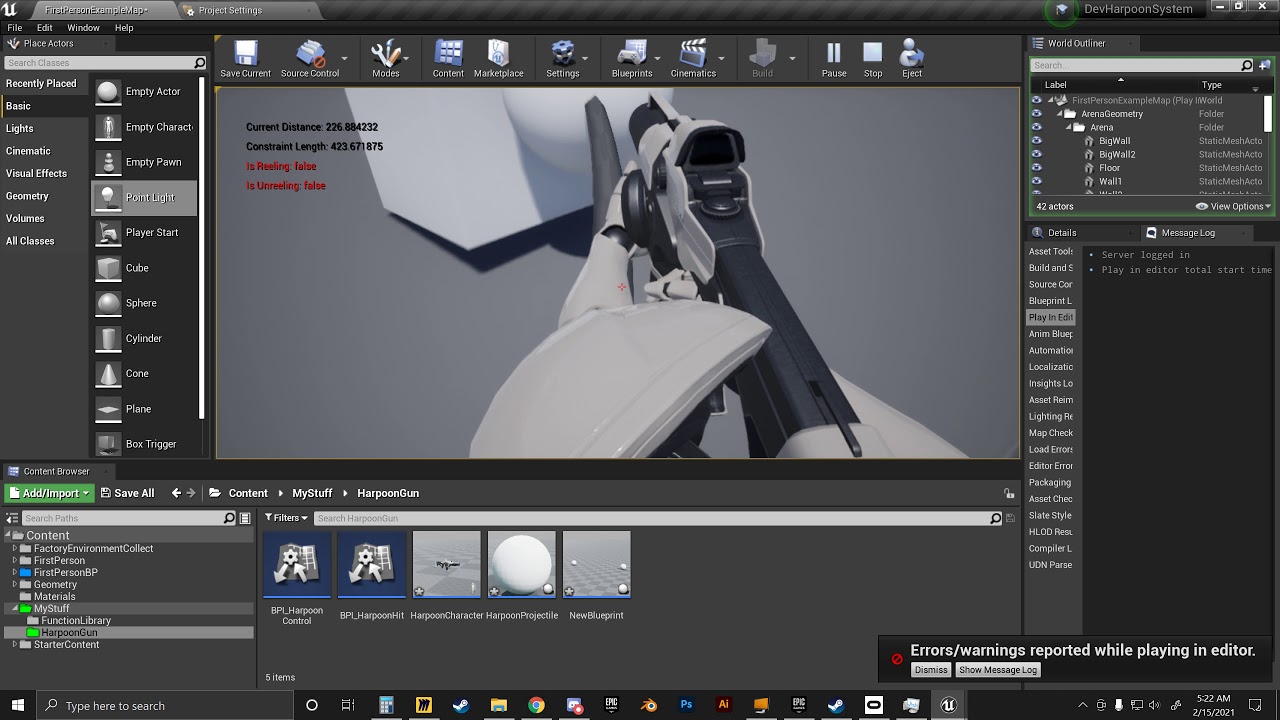
The first project file shows it working correctly. The difference is the constraint is already spawned on it vs being created on the full harpoon version. I rearranged the structure to use an already present constraint but this made no difference at all.
zenith osprey
Only the server can posses the pawn with the selected controller
foggy escarp
Ive been trying to figure out this constraint issue for days now
The first project file shows it working correctly. The difference is the constraint is already spawned on it vs being created on the full harpoon version. I rearranged the structure to use an already present constraint but this made no difference at all.
I've had this issue before when working with constraints and setting the constraint length in runtime, but got it working on the test version
zenith osprey
@fast orchid is it a MP project?
faint pasture
@foggy escarp What exactly are you setting at runtime? Constraints don't really have a length.
foggy escarp
I guess i mean limits
fast orchid
zenith osprey
<@679469541167988798> is it a MP project?
mp?
multiplayer? no
this is what I have
I destroyed the original character and possessed the siren pawn
but the issue now is that when I destroy the first actor it shows a camera pointing into the horizon
im so confused right now
faint pasture
@foggy escarp from your video I can't really tell the problem. What are you trying to do, make a harpoon?
foggy escarp
basically. Able to reel in and let out.
faint pasture
And you are adding a constraint between what 2 bodies?
foggy escarp
the sphere physics based projectile and mesh2p of the player
faint pasture
So I take it you just attach the hit actor to the sphere?
dark crow
fast orchid
Tried possessing without destroying?
Just to exclude code problems in the first place
If it works it may be all of it running on the same frame problem
fast orchid
dark crow
Tried possessing without destroying?
Just to exclude code problems in the first ...
it didn't work
faint pasture
@foggy escarp when do you set the reference frame between the sphere and character?
fast orchid
I did that after a few tries and it does almost the same thing
the camera spot is just in a different space
faint pasture
@foggy escarp get it working without the attachment first, just make sure it acts like a weight on a rope.
foggy escarp
okay
dark crow
fast orchid
Can't really deduct much from that, try to just spawn the actor and possess it, without any prior code
If it works, then it's something you do before the possession
foggy escarp
faint pasture
<@272978892837486593> get it working without the attachment first, just make sur...
well, it makes no difference
dark crow
Just be really careful with destroys
zenith osprey
@fast orchid this short weird camera state is because your camera dont have an SceneActor between of destroying the first character and possed the second character
foggy escarp
a filter?
crimson swan
sort of, like say i do a hit scan. i wouldn't want to trigger something twice on the same actor
i remember someone told me the name for that node but i can't remember it for the life of me
maiden wadi
I'd be surprised if there's a default node for that. Usually you just iterate over your pointer array and addunique to a second array, then use the second array for your logic since everything in it should be unique.
crimson swan
see but that's precisely why i'd image there was a default node for that
it's a simple loop that would be used pretty often
but i looked through the list guess i'm tripping because it's not there
maiden wadi
I suppose it wouldn't be that hard to make a wildcard node for that.
fast orchid
zenith osprey
<@679469541167988798> this short weird camera state is because your camera dont ...
so what do I do?
maiden wadi
@fast orchid You could try messing with setViewTargetWithBlend. Might work to just call that with zeroed values on the pawn you're going to possess, then possess the pawn, then destroy the last used pawn last.
zenith osprey
You posses the second pawn first, than destroy the first one ... and make sure that the cam settings in the second character are setted correctly
Then you switch from PawnCamera1 to PawnCamera2 without a loose state
stuck bone
whats the meaning of call count in cpu stats?
like how to judge who much call counts are good and what should be the maximum range of call count for Blueprint Time? ...
 languid bronze
Hello! 🙂
Blueprint beginner here.
I was hoping that someone might know what is going on with my logic... Any advice would be greatly appreciated!
I am currently trying to set up a raycast-based system for picking up actors, from a third-person point of view.
However, I am currently getting stuck on the first part - i.e. the raycasting. For some reason the lines I am drawing are ending up in a place I wouldn't expect. I have attached an image, maybe someone here can make heads/tails of it?
(edit: in the example below I have spammed 10 or so lines whilst slowly rotating my camera)
Many thanks!
 azure jungle
small question from a beginner, so am trying to have a switch actor to a light that when press changes the color of the light from white to blue and pressed again goes back. i already have a switch that turn on and off the light, if there are any tutorials or videos showing how this is done would be awesome
ok thx
languid bronze
I see.
I think that I expected the forward vector to be the X axis of the camera I am using as my GetWorldTransform target. I think that's correct?
With that in mind, the end point for the LineTraceForObjects should result in a line between the camera target and farther down its X axis?
Maybe I have misinterpreted something. 😅
 tiny meteor
hi, how can I access the public variables for a child actor
sensor is parented to moveable actor, but I cant access class defaults when its a child actor
ok
I just attatched the actor in the scene instead of in the BP for now
faint pasture
languid bronze
Hello! 🙂
Blueprint beginner here.
I was hoping that someone might know what...
Go from cam loc to cam loc plus direction*bignumber
Say your camera is at 0,100,100, and your view direction is 1,0,0. You are shooting a trace from 0,100,100 to 1000,0,0 when you should be shooting from 0,100,100 to 1000,100,100. Got it?
trim matrix
Howdy everyone, I was wondering if there was a way in blueprints to mimic this rotating object in the viewport?
Like this https://i.imgur.com/qXMUoiL.gif

 languid bronze
faint pasture
Say your camera is at 0,100,100, and your view direction is 1,0,0. You are shoo...
languid bronze
faint pasture
Say your camera is at 0,100,100, and your view direction is 1,0,0. You are shoo...
Thanks for the reply Adriel (Also thank you Lorash), I get it in principle, just trying to wrap my head around how to make it happen with the nodes! 🙂 I will keep trying.
 pale moss
Hi everyone, I just wanted to know if there is a way to convert a blueprint struct to json automatically by infering the variables. This would be extremely helpful for networking
 errant snow
@trim matrix I don't know if it's the official name, but the UI artists at work would call that a 'flip book'. If that's the official name it might help you find better information.
trim matrix
errant snow
<@456226577798135808> I don't know if it's the official name, but the UI artists...
apparently it's a pre-rendered animation
but i have no way of figuring out how to implement that
errant snow
@trim matrix yeah, a flip book would be a type of pre-rendered animation. Flip books could be hand animated.
First google result for "UE4 flipbook": https://www.youtube.com/watch?v=ZWAF_f2aP9s

In this video, I explain how to create animated effects in the Unreal Material Editor using a flipbook. We start with a texture that is spit into a grid - where each tile in the grid represents one frame of animation. Then we create a shader that plays back the grid tile one at a time to create the aniamtion. The tutorial covers both the use ...
trim matrix
I'll check that out, thanks
errant snow
@trim matrix I can't say if it's any good, but there were a number of other results you could look at if you google it yourself.
trim matrix
He's explaining a good deal of information so I'll stay tuned to try and learn something.
trim matrix
errant snow
<@456226577798135808> I can't say if it's any good, but there were a number of o...
So, quick silly question. The flipbook is just you animating the model/texture frame by frame. Where would you even make a flipbook, in blender or something?
 humble spade
Hello there, iam just starting out with ue4. Want to take a little look at the Blueprints Section and tried todo an simple Movement Class. But there seems to be something wrong as the Forward/Backward Movement will result in walking diagonal. Could someone explain me that behaivour?
https://i.gyazo.com/fbb04b81c57c242c055a1caf6ffa80ab.png
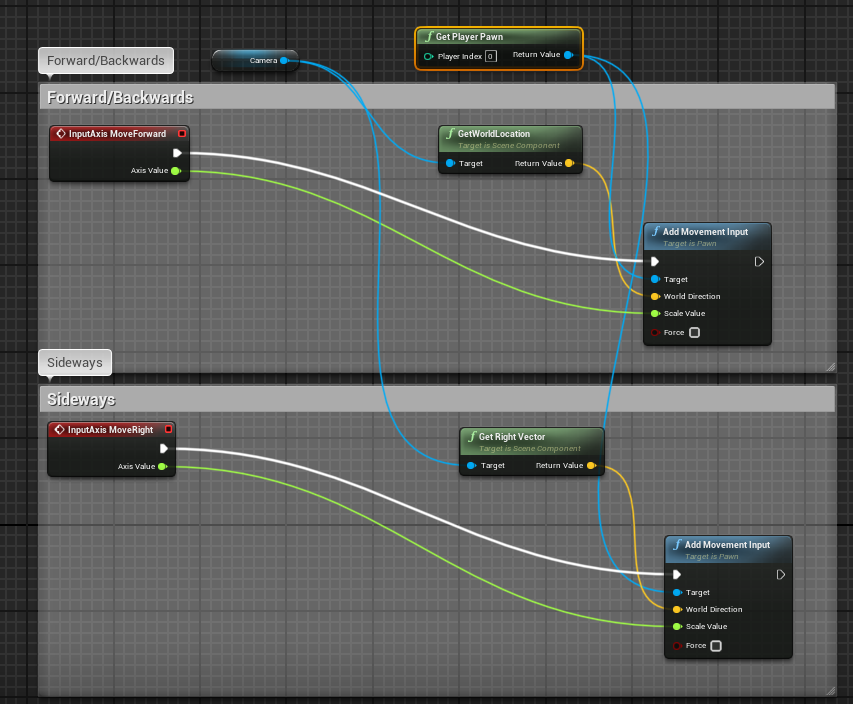

ah i see
thanks
errant snow
@trim matrix I'm not entirely sure. I don't have direct experience with them, only the outcomes of them being used in our UI's at work. Which seemed to fit the bill for the problem you originally posted. It possible it requires another application, though I doubt you'd have to go as upscale as blender for making a 2D animated texture.
languid bronze
faint pasture
Say your camera is at 0,100,100, and your view direction is 1,0,0. You are shoo...
I sort of got it. Now the line is drawn from the camera position, but I need to account for the rotation somehow. Unsure if that's the right way to do it, though I suspect I need to combine the translation and rotation through some kind of node? Thanks for the help so far everyone.
 haughty latch
Little function question as I understand it , " A function does a calculation that you can call upon without having to do the same calculation multiple times in a blueprint".
My question. Does a function that is called upon within a " keypress" force a recalculation or is it still a no extra cost call just for that result ?
errant snow
haughty latch
Little function question as I understand it , *" A function does a calculation ...
A function will run the same calculation each time it's called. "Do" in this case is referring to having actual blueprint nodes present in the graph.
Functions are a way of sharing a mini-graph so that you don't have to repeat yourself or fix the same bug in multiple places.
It's not a way to store the results of a calculation and re-use the results for free.
wheat crater
Just trying to make my actor move forward - Pretty much just copied from the 3rd person character BP, but this is an entirely different project, if that helps anyone understand what's going on.
haughty latch
Thanks for the clarificaation @errant snow 🙂
faint pasture
languid bronze
I sort of got it. Now the line is drawn from the camera position, but I need to ...
Draw from camera position to camera position + camera forward * bignumber
 tight verge
hello
faint pasture
trim matrix
Howdy everyone, I was wondering if there was a way in blueprints to mimic this r...
I would use a panning texture on a 3d mesh OR panning texture and an egg shaped mask etc.
languid bronze
It works now. I got it in my head that the forward vector was in fact not what I wanted to use so I started trying to multiply and add a bunch of nodes and nothing worked. So satisfying. Thanks so much!
faint pasture
languid bronze
It works now. I got it in my head that the forward vector was in fact not what I...
You do want to use forward, just remember it's a direction vector and not a location.
Just say what it is
worthy frost
@tight verge please do not post into multiple channels. And this question should have been posted in #ue4-general or #packaging
maiden wadi
@tight verge #rules #more-resources
 torn kettleBOT
:triangular_flag_on_post: Mushfiqur Rahman#0170 received strike 1. As a result, they were muted for 10 minutes.
elder gulch
Hello, How can i make ai to be able to walk everywhere? (even at the spawned actors)
worthy frost
#gameplay-ai might be a better channel @elder gulch
trim matrix
Hey guys! I'm trying to attach two cars with a cable component, and make it brake, once something hits it / overlaps it. I can't seem to generate such events even though collision is set Block all / Overlap all. What am I droing wrong?
 daring mica
you can do your own collison channels
We are nearly ready to place all of our pieces in the game world. Before we do that we need to create the aforementioned custom collision channel.
trim matrix
Yeah tried that as well, but nothing seems to activate it, other actors, like lamp posts have decent collision as well but it doesnt register
Thanks though!
daring mica
Hi Folks i am currently struggling with a annoying bug. What besides Default Pawn classes and game mode can force to spawn a player pawn at the beginning. I set everything correctly (default class, game mode,..) and it worked for months and now it is just spawning the spectator BP instead of my default pawn. is there any issue which can occur to spawn the spectactor? i read the PIE or viewport play can cause such issues.
 proven mason
Let's say I have a flip custom event function being called to the Event Tick, is there a node or a method to get how long in delta seconds it takes to reach to the target orientation?
So what my flip node does is rotate my flipper by 60 degrees from its starting orientation.
faint pasture
proven mason
So what my flip node does is rotate my flipper by 60 degrees from its starting o...
Do you want it to take a constant time?
Like always 1s?
proven mason
you think just the regular RInterp is better?
I haven't tried it yet
but I think I it has an ease in and ease out
faint pasture
proven mason
I haven't tried it yet
Do you desire it to have a constant time or no?
elder gulch
Hello, for a reason this hud sometimes get stuck but idk why if someone can help me it would be so good ty.
humble spade
Is there some kind of API Documentation on what the BP Pieces actually do? Seems like i misunderstand some them, specially for stuff with location and directions.
https://i.gyazo.com/3179685e880156aa35169af2c949bcfd.png
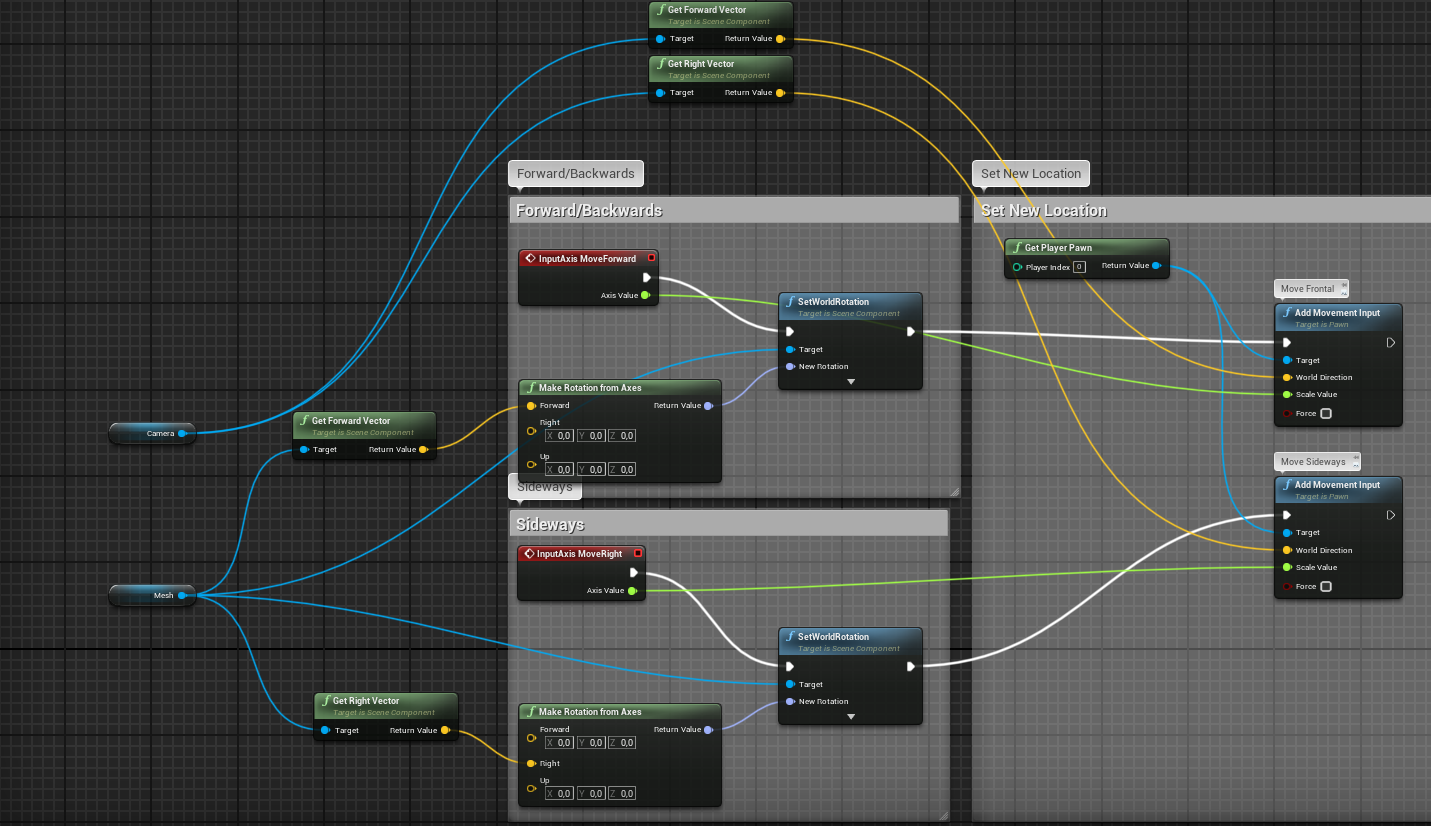
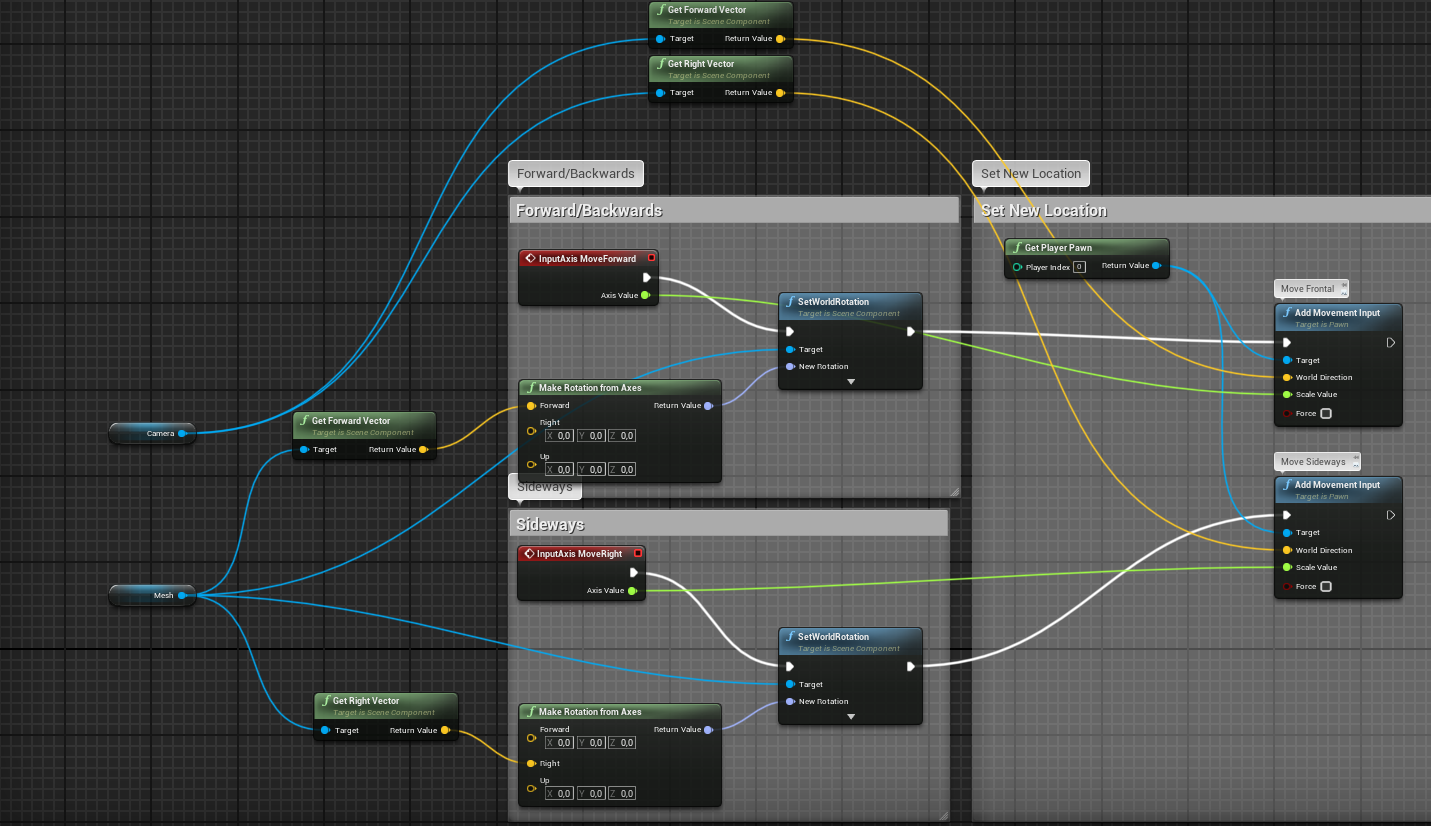 elder gulch
and will this delete the char after 5 seconds?
 cloud grove
Is it possible to spawn a custom player controller, so destroy the current one? Or only one player controller per game mode can be spawned?
unique harness
elder gulch
and will this delete the char after 5 seconds?
This will destroy all actors in the scene of the class "Follower" 5 seconds after the MoveTo is started. (it will not wait for the MoveTo finish)
unique harness
cloud grove
Is it possible to spawn a custom player controller, so destroy the current one? ...
yes you can do this
unique harness
humble spade
Is there some kind of API Documentation on what the BP Pieces actually do? Seems...
Do you have a specific question about those nodes?
cloud grove
unique harness
yes you can do this
Nice, how? I'can find anything
humble spade
unique harness
Do you have a specific question about those nodes?
I cant seem to find the right pieces to math out an angle between two vectors. My current Setup is not working.
unique harness
cloud grove
Nice, how? I'can find anything
SpawnActorFromClass and spawn your new Controller. Call Unpossess on the old controller and PossessPawn on the new controller
unique harness
humble spade
I cant seem to find the right pieces to math out an angle between two vectors. M...
There is a node called FindLookAtRotation, that should do what you want
cloud grove
unique harness
SpawnActorFromClass and spawn your new Controller. Call Unpossess on the old con...
Ok, however when I do GetLocalPlayerController the old one returns, right?
unique harness
no, it would be the new one
cloud grove
So the old one is automatically destroyed I guess. Ok thanks.
unique harness
no, you need to call destroy on the old one
cloud grove
ok
unique harness
cloud grove
ok
something like this
cloud grove
Fantastic thanks!
 open sedge
yea 4.26
unique harness
What if you try MatineeCameraShake? anything?
open sedge
right on it works thanks
prisma stag
Hello, I have this event when you press the e key to pickup an item but every time I hit e on an object with object type pickup or anywhere else in the world, I get no hit. The other problem is that the line for the LineTrace never shows ingame either sooooo?
unique harness
you're saying the line doesn't show up, set it to permanent or whatever the option is
prisma stag
Still nothing.
open sedge
try ur array like this and just see if it changes anything
unique harness
that wonh't change anything
open sedge
but add your pickup to it
prisma stag
Nothing.
unique harness
Are you sure this code is executing?
prisma stag
Yea. After the LineTrace I have a string that print no hit if nothing is hit, and that executes.
maiden wadi
Did you actually set a duration on it?
prisma stag
Yep, duration set to 5.
 untold rose
So, i have a blueprint that has no physical objects, its just there to run some code, and it displays as this white ball.
I want to replace this white ball with a custom icon, for ease of editing. The only thing that seems to go in the right direction is to set the Billboard Size to 0, which gets rid of the ball, but any other billboard in the blueprint also is scaled by this and therefore disappears.
What can i do?
prisma stag
Ive also tried setting it to 20
unique harness
untold rose
So, i have a blueprint that has no physical objects, its just there to run some ...
if you set the root object to a billboard, do you still see the sphere?
prisma stag
Someone made a video doing the same setup as me and everything on his end worked fine, so I dont know why this isnt working.
maiden wadi
I would check that it's start and end locations are accurate with some DrawDebugPoints. You might also try calling the debug manually with DrawDebugLine using the same start and end locations as the trace.
prisma stag
maiden wadi
I would check that it's start and end locations are accurate with some DrawDebug...
I did that and I could see the line.
unique harness
prisma stag
I did that and I could see the line.
What happens if you delete the trace node, compile and then add it back?
maiden wadi
Not sure then. The only requirement to see the debug line is correct locations, DebugType, and DrawTime if you're using Duration. That and not trying to use it under shipping packaged build modes.
prisma stag
🤦♂️
maiden wadi
Uhoh.
prisma stag
I just closed the project and reopened it and NOW it works 😂
Ive had this problem for 2 days. . .
maiden wadi
That's odd. What Engine version, and are you using C++ in your project?
prisma stag
4.26 and on a full bp project.
maiden wadi
I've been seeing a lot of complaints lately about people having trouble in non C++ projects exactly like this with different nodes. :/ Have you updated to 4.26.1 by chance?
prisma stag
Not yet. Should I?