#🏥-vencord-support-🏥
1 messages · Page 51 of 1
 vast aurora
 dull rapids

 broken tiger
uhhh
review db just banned me for the reason
and it literally said the n-word
??????
smart
 grave fox
bro

 cloud panther
 simple owl
vf ban
 mighty ravenBOT
Will I get banned for using Vencord? Will plugin X get me banned?
Client modifications are against Discord's Terms of Service.
However, Discord is pretty indifferent about them and there are no known cases of users getting banned for using client mods! So you should generally be fine as long as you don't use any plugins that implement abusive behaviour. But no worries, all inbuilt plugins are safe to use!
Regardless, if your account is very important to you and it getting disabled would be a disaster for you, you should probably not use any client mods (not exclusive to Vencord), just to be safe
Additionally, make sure not to post screenshots with Vencord in a server where you might get banned for it
simple owl
see last point
 last saddle
Is the AlwaysAnimate plugin supposed to also make the emotes animate when Discord is not focused? If not that would be great if it could since it makes everything else animate that way
 forest forge
https://crearts-community.github.io/CreArts-Discord/skins/palette/discord/modern.css it tells me that this link is valid and can be loaded but the theme never got loaded
simple owl
hm
shouldn't it be a raw.github link
oh i see
it looks like it's missing something
try this instead:
https://raw.githubusercontent.com/CreArts-Community/CreArts-Discord/master/theme.css @forest forge
it's working for me rn
yeah i think you need to combine the two?
cuz the one you linked doesn't import anything
it just sets a bunch of variables that discord doesn't use
so it looks like this:

and that'll give you the effect you want
 neon phoenix
anyone know which plugin changes the startup text?
 exotic moth
I cannot run the Vencord installer, whenever I double click it, it does not run.
I am on Windows 10, I have no antivirus blocking it.
 sick glade
vs w
mighty ravenBOT
sick glade
vs w
⚠️ Do not run the installer as Administrator
Download and run https://github.com/Vencord/Installer/releases/latest/download/VencordInstaller.exe
If the above doesn't work/open, for example because you're using Windows 7, 32 bit, or have a bad GPU, you can instead use our terminal based installer.
To do so, open Powershell, run the following command, then follow along with the instructions/prompts
iwr "https://raw.githubusercontent.com/Vencord/Installer/main/install.ps1" -UseBasicParsing | iex
LoadingQuotes
broken tiger
👍
 potent sable
worked ty
 worthy trout
Getting this when trying to sync settings
I am on linux

 steel bough
LETS GO!
Vencord no longer makes Discord go white on Firefox!
Maybe that was a bug with Discord/Firefox on Windows, since I'm on linux now.
 hazy breach
steel bough
Maybe that was a bug with Discord/Firefox on Windows, since I'm on linux now.
hazy breach
steel bough
Maybe that was a bug with Discord/Firefox on Windows, since I'm on linux now.
 woeful onyx
get this when i try to sync settings on armcord

also getting on discord desktop
on endeavouros btw
 remote pond
worthy trout
Getting this when trying to sync settings
I am on linux
remote pond
worthy trout
Getting this when trying to sync settings
I am on linux
Same issue here!
broken tiger
ReviewDB plugin doesn’t authorize :3
 glad heron
um?

 ripe palm
it is still happening, i logged in and out multiple times
 glossy thunder
how to set up usbrg in vencord extension


 flint coral
broken tiger
any fix?
flint coral
broken tiger
any fix?
Also getting this, problem already starts appear yesterday
sick glade
 bold laurel
and make it stick
bold laurel
and make it stick
dunno about making it stick, but what about this in vencord settings?

 exotic pine
i have a question , is there any plugin that allows you to send videos more than 25MB?
 azure perch
no
 wise dagger
there’s a handy website for that - https://8mb.video
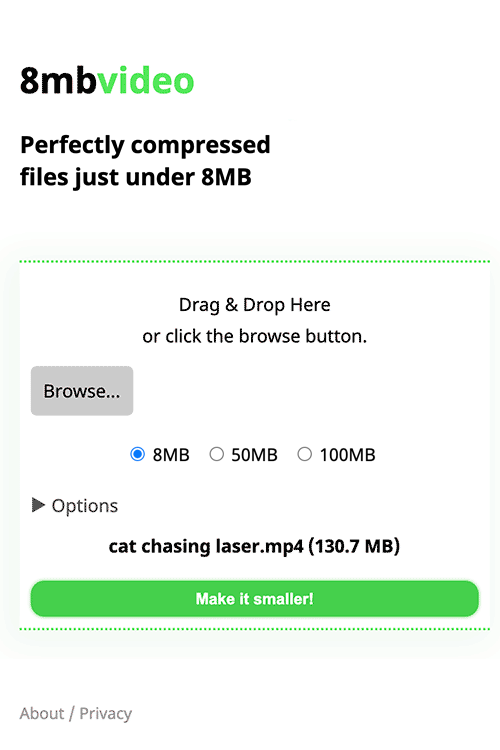
Perfectly compressed files just under 8MB. Get around Discord's 'your files are too powerful' error!
broken tiger
^vouch
 floral moat
how do i fix CSP issue on brave, discord without custom css hurts my eyes 🗿
broken tiger
broken tiger
any fix?
im getting the same error
 hardy reef
wise dagger
there’s a handy website for that - https://8mb.video
hardy reef
wise dagger
there’s a handy website for that - https://8mb.video
is there a local version for this? i have a gpu and my internet is trash
dull rapids
I don't know if Handbrake can compress videos that hard, but you should give it a try
broken tiger
hardy reef
is there a local version for this? i have a gpu and my internet is trash
im pretty sure it just uses ffmpeg on the backend
hardy reef
dull rapids
I don't know if Handbrake can compress videos that hard, but you should give it ...
thank you, i was wondering what that software was called
hardy reef
broken tiger
im pretty sure it just uses ffmpeg on the backend
yeah but i couldn't figure out how to make it automatically get the right size
broken tiger
ffmpeg -i input.mp4 -b:v 0 -maxrate 500k -bufsize 1000k -c:v libx264 -crf 23 -preset medium -c:a aac -b:a 128k output.mp4
replace input.mp4 with your filename
 median radish
 upper dragon
did someone encounter the same issue on vencord web?

themes keep on failing to fetch
hardy reef
yeah that's caused by the content security policy i think, check the network tab in dev tools
hazy breach
upper dragon
did someone encounter the same issue on vencord web?
are you using the extension or userscript
themes wont work with the userscript
upper dragon
hazy breach
are you using the extension or userscript
extension
hazy breach
hardy reef
yeah that's caused by the content security policy i think, check the network tab...
then yeah ^
upper dragon
hazy breach
then yeah ^
Ok ok tnx, is there any workaround or???
broken tiger
different browser
upper dragon
broken tiger
different browser
Im using brave rn welp imma try firefox ig
 twilit pollen
when building vencord when im making a plugin, how can i see the changes? do i have to use app discord or web?
hazy breach
twilit pollen
when building vencord when im making a plugin, how can i see the changes? do i h...
you have to refresh the page to see changes you made in the plugin (tip: use pnpm watch to automatically rebuild when you make a change so you only need to refresh), and what platform you use for development technically doesn't matter, but desktop is heavily preferred
twilit pollen
refresh what?
hazy breach
the page
twilit pollen
if you mean the discord website then it dont work
hazy breach
did you rebuild
twilit pollen
yea mine isnt there
hazy breach
did you inject your custom build
twilit pollen
?
hazy breach
pnpm inject
twilit pollen
i thought it would be in contributing.md or plugins.md
broken tiger
fair enough
 frosty bolt
is the cloud integration down
azure perch
it still works, just... you can't auth
frosty bolt
o ok
glossy thunder
usrbg is not working :c
glossy thunder
works for me
 candid cloud
Is there a "ShowAllActivities" Plugin avaible similar from the one from Strencher (BetterDiscord)?
azure perch
it is in pull request
glossy thunder
how to fix this 😭
 candid cloud
azure perch
it is in pull request
candid cloud
azure perch
it is in pull request
simple owl
glossy thunder
how to fix this 😭
Don't use that theme / ask the theme author very nicely to fix it
glossy thunder
simple owl
Don't use that theme / ask the theme author very nicely to fix it
not a theme problem
i checked
simple owl
Uhh
glossy thunder
its the same without any theme
simple owl
Idk then what could be doing that cuz i don't have that
Disable all your plugins
Do u have something in your quickcss
Disable that too
glossy thunder
simple owl
Disable all your plugins
its fine in my other browser
same plugins
same theme
simple owl
What's in your quickcss
azure perch
they showed a screenshots of devtools yesterday and the element still has border-radius 50%, looks like browser skill issue
simple owl
azure perch
they showed a screenshots of devtools yesterday and the element still has border...
Oh right i vaguely remember that
Browser skill issue
glossy thunder
simple owl
What's in your quickcss
its off
glossy thunder
azure perch
they showed a screenshots of devtools yesterday and the element still has border...
😭
dull rapids
just get a better browser
 near jungle
hello
i request help
Add the following line to src/main/index.ts , in the patchCsp function (currently, line 83): csp["frame-src"].push("YOUR.INVIDIOUS.DOMAIN")
what is this referring to 💀
src/main/index.ts
hazy breach
read the manual install guide(?)
near jungle
huh
 fast cedar
does vencord support 3rdparties client ?
near jungle
hazy breach
read the manual install guide(?)
wheres that
hazy breach
fast cedar
does vencord support 3rdparties client ?
wdym
if you mean armcord/webcord/etc. yes
if you mean "unique" clients like ripcord then no
if you mean other client mods lkke betterdiscord no
sick glade
near jungle
src/main/index.ts
Vencord\src\main\index.ts
near jungle
sick glade
`Vencord\src\main\index.ts`
Like in my desktop files?
sick glade
in your vencord installation folder
fast cedar
hazy breach
if you mean armcord/webcord/etc. yes
thx
 ripe swan

 sick glade
known issue, just wait for it to be fixed
near jungle
sick glade
in your vencord installation folder
i have vencord through armcord
is it any different
sick glade
near jungle
i have vencord through armcord
oh uh not sure then
 grim holly
is there a way to hot reload styles from a css file similar to how the quick css editor works?
wanting to use sass for a theme but building > copying output > pasting into quick css is a hassle
hazy breach
grim holly
is there a way to hot reload styles from a css file similar to how the quick css...
do you have a vencord devbuild set up
you could make a dummy plugin in userplugins that just imports the built css, and then pnpm watch for changes, as that has hot css reload
hazy breach
just the styles
grim holly
ooh I'll try that, ty
sick glade
 raven nymph
i want to donate
raven nymph
i want to donate

GitHub
Hiya, I'm Ven!
I love reverse engineering and modding, especially Discord and anything to do with Android
raven nymph
sick glade
https://github.com/sponsors/Vendicated
then what
how do i sponsor
i only got eth :P
sick glade
oh idk then 
wise dagger
solution: card
dull rapids
solution: https://cdn.discordapp.com/emojis/1054179913428643931.webp?size=48&name=IreneBlahaj&quality=lossless

 cloud ermine
How do I install OpenAsar into Vencord without having to reinstall it


 true tree
Do we have a plugin that comes with Vencord that allows adding tags to people so they are recognisable easily across other servers?

Search results show mostly No and there is a github request which has no answers, asking in case I missed something somewhere
 analog silo
raven nymph
i only got eth :P
analog silo
raven nymph
i only got eth :P
turn it into money at a kiosk or smth
analog silo
 pseudo summit
https://cdn.discordapp.com/emojis/974374540547346442.webp?size=48&name=sad&quali...
pseudo summit
https://cdn.discordapp.com/emojis/974374540547346442.webp?size=48&name=sad&quali...
its not your problem, its a bug
 grave totem
reveal all spoilers not working anymore dunno if this is the right place to inform
log uh

 barren crown
Okay, I need a little help. I'm just trying to set up the custom RPC, but I can't get it to show. I saw the preview for a little bit, but I don't know what I changed XD
 wicked anvil
can you send the settings?

 wicked anvil
- the images have to actually exist -
iconNamewont work - instead of
noneorN/A, the value must be empty
barren crown
So use a url?
wicked anvil
or upload the image to your application, and use the name you set there
also the app id is not valid
barren crown
I did upload the image, and did I mis-copy the appi id XD
wicked anvil
can you send the settings now?

 azure perch
turn off no rpc
 near swift
wheres that
azure perch
it is a plugin but if you didn't turn it on then idk
near swift
yea i didnt turn it on lol
pseudo summit
analog silo
its not your problem, its a bug
ah damn, hope its fixed soon thanks for the reply
azure perch
it is fixed on desktop
 hushed harness

 thorn harness
I am gonna cry we can't download so many mods on mobiles
I have a pc but it doesn't work 💔
Can anyone recommend a mod like this for mobile 💔💔
thorn harness
woeful onyx
<#1027235873990901780>
Omg thank you alot 🙀💗💗
woeful onyx
np
 thorn harness
Ohh okay!
 opaque chasm
broken tiger
opaque chasm
broken tiger
Hi! After every time I restart my computer, my vencord web theme gets reverted and quickcss wont open anymore unless I disable and re-enable the plugin and reload the webpage. Is there a way to fix this?

 broken tiger
funny how its always brave and operagx having this kind of issue
 tough patrol
is there an actual logs section for the message logger
or just if you happen to see a deleted message then you see it was logged
 hardy tinsel
can someone help i cant seem to get themes working everytime i put a url in and click out of the box it says failed to fetch can anyone help???
 broken tiger
what browser
broken tiger
yea operagx is fucky w themes
hardy tinsel
can you help out with installing some
broken tiger
only thing i can help out with is by telling ppl not to use operagx lol
broken tiger
ff?
broken tiger
gpu isnt the only thing that matters lol
hardy tinsel
ik
broken tiger
besides idk when u last tried ff but at this point its basically on par w the rest
broken tiger
yea i dont use it so cant help much further to make them work
alternatively u might b using the userscript which doesnt support themes anyways
in that case extension fixes it
might be misremembering and themes do work fine on operagx (w extension at least) and it was quickcss that didnt work but in any case bad browser
hardy tinsel
k
im using quickcss anyways because i can and from what it looks like themes do work but its buggy
plus opera gx has a skin mod thingy for discord so i can prboaly use that
 amber hedge
how do i install a theme
wise dagger
by following the instructions
amber hedge
i dont understand them
wise dagger
what step are you stuck on
 placid surge
copy the url
wise dagger
you..
placid surge
and paste it into the themes text box
wise dagger
put the link
amber hedge
ah damn
wise dagger
in the box
amber hedge
i may be stupid
placid surge
amber hedge
i may be stupid
we all are 

 broken tiger
Hmmmm I was just checking the fakenitro plugin. As far as I know, it only makes all emojis available in regular chat but it doesn't work for reactions...Right?
wise dagger
correct
hazy breach
yes
broken tiger
Thanks, a little sad in a sense but already great I guess. Can't have everything.
wise dagger
it would not be possible
broken tiger
I trust you on that one, I only started using Discord recently so I'm still discovering things
placid surge
yeah sadly the api does validate it serverside
broken tiger
Ahh do you mean there is some kind of check on Discord main servers when you use reactions?
wise dagger
you: reacts with a nitro only emote without nitro
server: wtf wyd no
broken tiger
Still amazing that we can use nitrowalled emojis in chat, I'm in IT but not dev, dev is like wizardry for me sometimes.
placid surge
broken tiger
Still amazing that we can use nitrowalled emojis in chat, I'm in IT but not dev,...
technically we only send the image link to the emoji
broken tiger
Ok I see now, thanks for the explanation
 zealous ice
Vencord Debug Info
Discord Branch: stable
Client: Discord Desktop v1.0.9013
Platform: Win32
Vencord: 263fbc3 (Standalone)
Outdated: false
OpenAsar: false
Enabled Plugins (60):
BadgeAPI, CommandsAPI, ContextMenuAPI, MemberListDecoratorsAPI, MessageDecorationsAPI, MessageEventsAPI, MessagePopoverAPI, NoticesAPI, ServerListAPI, SettingsStoreAPI, NoTrack, Settings, SupportHelper
Help idk my msgs are super late but on normal discord it's normal
broken tiger
nope its discord
zealous ice
FrM
broken tiger
 zealous ice
Omfg I it was good on phone just now
Vencord Debug Info
Discord Branch: stable
Client: Discord Desktop v1.0.9013
Platform: Win32
Vencord: 263fbc3 (Standalone)
Outdated: false
OpenAsar: false
Enabled Plugins (60):
BadgeAPI, CommandsAPI, ContextMenuAPI, MemberListDecoratorsAPI, MessageDecorationsAPI, MessageEventsAPI, MessagePopoverAPI, NoticesAPI, ServerListAPI, SettingsStoreAPI, NoTrack, Settings, SupportHelper
Now it's late on evrrything
 rare rover
zealous ice
Omfg I it was good on phone just now
rare rover
zealous ice
Omfg I it was good on phone just now
Not for me
broken tiger
for future reference, https://discordstatus.com/
Welcome to Discord's home for real-time and historical data on system performance.
rare rover
zealous ice
Omfg I it was good on phone just now
Not for me
broken tiger
phone usually works for a bit until its also slow
 vast talon
the messages thing rn is an issue from discord not vencord right?
 zenith pumice
how can i update settings using code?
broken tiger
translucid dosnt work on macos
zenith pumice
why does the commands registered using definePlugin deletes message with slashcommand but the commands registered with registerCommand doesnt?
 hybrid fiber
is there a way to add my own plugins?
 marble palmBOT
hybrid fiber
is there a way to add my own plugins?
marble palmBOT
hybrid fiber
is there a way to add my own plugins?
It's not possible to use plugins of other mods on Vencord. See #plugin-requests
 storm estuary
just had the if statement on line 57 fail in the relationshipnotifier plugin, i restarted my discord and a server was unavailable for a few seconds and it gave me a notification before the server came back. any theory as of why?

 hushed pivot
Is anyone having issues with the spotify controls not showing up? it was working fine earlier today
azure perch
no, works fine
hushed pivot
yeah, it's my discord client being weird. it works on desktop vencord
yep reload fixed it :P
wicked anvil
hazy breach
do you have a vencord devbuild set up
you could make a dummy plugin in `userplug...
is there anything else i need to do this? ive setup a dummy plugin with this and it loads the styles but doesnt hot reload
import vars from "./variables.css?managed";
import style from "./index.css?managed";

import definePlugin from "@utils/types";
import { disableStyle, enableStyle } from "@api/Styles";
export default definePlugin({
    name: "_",
    description: "_",
    authors: [],

    start() {
        enableStyle(style);
        enableStyle(vars);
    },
    stop() {
        disableStyle(style);
        disableStyle(vars);
    }
});
Aight I'll try again w my answer, there was a PR and a commit for it
#👾-core-development message
 azure perch
that is [object Object] one
simple owl
K
 shell veldt
wicked anvil
is there anything else i need to do this? ive setup a dummy plugin with this and...
shell veldt
wicked anvil
is there anything else i need to do this? ive setup a dummy plugin with this and...
dont use managed styles
 humble heath
discord causes dnf update to fail after patching vencord + OpenASAR, worked completely fine before patching.
 humble heath
discord causes `dnf update` to fail after patching vencord + OpenASAR, worked co...
humble heath
humble heath
discord causes `dnf update` to fail after patching vencord + OpenASAR, worked co...
Vencord Debug Info
Discord Branch: stable
Client: Discord Desktop v0.0.27
Platform: Linux x86_64
Vencord: 55543d8 (Standalone)
Outdated: false
OpenAsar: true
Enabled Plugins (59):
BadgeAPI, CommandsAPI, ContextMenuAPI, MemberListDecoratorsAPI, MessageAccessoriesAPI, MessageDecorationsAPI, MessageEventsAPI, MessagePopoverAPI, NoticesAPI, SettingsStoreAPI, NoTrack, Settings, SupportHelper
uninject, update, reinject 
humble heath
oh god
humble heath
wicked anvil
uninject, update, reinject <:trolley:1024751352028602449>


it actually worked
 fervent haven
holy shit no way the fix that Works actually Worked!
@humble heath you put that husk reaction right back where you got it from mister

 azure perch
use other browser
wicked anvil
brave issue https://cdn.discordapp.com/emojis/1076699620907958354.webp?size=48&name=sunglas&quality=lossless

 rustic latch
damn :(
 narrow siren
hey anyone here know of a way to get a transparent theme of sorts?
 fickle zinc
Is there a way to modify vencord to be able to upload custom plugins?
 tight monolith
Hello , I need help. If i use MessageLogger and i delete something or somebody it isn'it showing that red message if somebody cain help me I will be thankful (Sorry for my english i am still learning it)
storm estuary
fickle zinc
Is there a way to modify vencord to be able to upload custom plugins?
add them to https://github.com/Vendicated/Vencord/tree/main/src/plugins :p

GitHub
The cutest Discord client mod. Contribute to Vendicated/Vencord development by creating an account on GitHub.
 frank wharf
uh. I'm guessing this is a Discord issue.
 wicked anvil
yeah
fickle zinc
storm estuary
add them to https://github.com/Vendicated/Vencord/tree/main/src/plugins :p
oh, i meant web. and do BD plugins work?
broken tiger
 brisk lark
This is definitely not the right place to ask and has nothing to do with Vencord but for the life of me don't know in what other group of nerds I could ask this.
Anyone know how to enable Windows acrylic effects on out-of-focus programs? I had discord acrylic on windows 10 and it worked just fine, but now that I've upgraded to windows 11 shit turns opaque as soon as i click a different program
broken tiger
did u check if hardware accel is on in settings
 bleak sky
i have a problem with a theme and i cant toggle it
how did i resolve?
i have unistalled vencord reinstalled , unistalled discord reinstalled . i still cant see anything
broken tiger
bleak sky
 simple owl
bleak sky
how did i resolve?
simple owl
bleak sky
how did i resolve?
vf themes
mighty ravenBOT
My themes broke and now I can't open settings or disable them
open the dev tools with CTRL + Shift + i and click on the "console" tab at the top. Then paste and run (with enter) the following code.
It will
- disable custom css (you can turn it back on in Vencord Settings)
- copy your current theme links to your clipboard as a backup
- remove all themes
(() => {
    Vencord.Settings.useQuickCss = false
    copy(Vencord.Settings.themeLinks.join("\n"))
    Vencord.Settings.themeLinks = []
})()
ctrl shit i doesent work
broken tiger
vencord automatically enables it afaik so
simple owl
Do you have anything that's using the Ctrl + shift + i keybind... amd software maybe?
bleak sky
yeah i have amd
simple owl
Go to settings
broken tiger
ahhh
simple owl
Turn off that keybind
simple owl
bleak sky
but still my friend with nvida dont work
Could be Nvidia also has this keybind iunno
broken tiger
(or friend doesnt have vencord in which case devtools isnt enabled unless specifically edited json)
bleak sky
now where i paste
simple owl
Console
simple owl
mighty raven
Bumb
bleak sky
not workinbg
can u send me
(() => {Vencord.Settings.useQuickCss = falsecopy(Vencord.Settings.themeLinks.join("\n"))Vencord.Settings.themeLinks = []})()
broken tiger
can u show a screenshot
bleak sky
 broken tiger
nah its client
bleak sky
no
simple owl
Then you don't have Vencord installed wh
 civic panther
how can I force vencord to prompt me to reauth to vencord cloud sync?
bleak sky
tf
simple owl
Show us your settings where Vencord is @fil
bleak sky
my setting where vencord is?
bleak sky
now i have unistalled vencord cause i cant do anything
simple owl
Hm
It's probably something about how you've been installing and uninstalling a bunch?
So it's messed up somehow
simple owl
bleak sky
Yeah if you could always have gotten to settings
U could have gone to Vencord settings and then deleted your theme under themes
bleak sky
simple owl
Yeah if you could always have gotten to settings
U could have gone to Vencord s...
i know how to delete theme
but its bugged
bleak sky
the theme is bugged
simple owl
Oh yeah
broken tiger
seen it pop up here a few times
simple owl
U just need a diff theme
broken tiger
yea idk command shuldve worked if they were on vencord so not sure wat dat is about
simple owl
Ye
bleak sky
i try restart my pc ?
simple owl
Np

 simple owl
Why
bleak sky
ctrl shitf i
simple owl
No i mean
glossy thunder
any way to blur/hide msg timestamps?
glossy thunder
the red part
 simple owl
Don't bother with the console
bleak sky
simple owl
Why
i explain he installed a theme and bugged i installed another theme and it bugged
simple owl
bleak sky
i explain he installed a theme and bugged i installed another theme and it bugge...
Y'all have bad luck w themes
bleak sky
simple owl
Y'all have bad luck w themes
yeah
simple owl
glossy thunder
the red part
Probably? You'll have to wait till someone good with css is online
bleak sky
why is this yellow?
 glossy thunder
simple owl
Probably? You'll have to wait till someone good with css is online
glossy thunder
simple owl
Probably? You'll have to wait till someone good with css is online
is there an extenal plugin available for this?
simple owl
Nop
broken tiger
css stuff usually dont need a plugin
glossy thunder
will this work?#🎨-css-snippets message
bleak sky
simple owl
Ye
what theme do u have?
simple owl

GitHub
A new look to discord. Contribute to NYRI4/Couve development by creating an account on GitHub.
bleak sky
simple owl
Nyria
what is nyria
simple owl
The author of couve
bleak sky
ah oh yes
 simple owl
ty :)
simple owl
bleak sky
i dont understand sorry
best to not then i think
what do you want to change exactly
 bleak sky
ye
simple owl
turn on experiments plugin
bleak sky
and the green thing when u are on the message
simple owl
 bleak sky
simple owl
turn on experiments plugin
bleak sky
simple owl
turn on experiments plugin
where
simple owl
in plugins
simple owl
lol
bleak sky
and then
simple owl
bleak sky
and the green thing when u are on the message
the green thing when you are on the message ...
wha
simple owl
bleak sky
and then
and then turn it from control to treatment 1
bleak sky
simple owl
this
simple owl
there's a lot in this picture lmao
bleak sky
wait
simple owl
can you send a screenshot of what in the picture you want
 broken tiger
css
bleak sky
i have the emojis
i think is too mutch changing the css file
for me

then this little cutie cat
broken tiger
i have it on the left side 🤭
simple owl
and then paste what's in this
bleak sky
ok
simple owl
broken tiger
i have it on the left side 🤭
i think the child would distract me 🤔
but over there im just reminded every so often
broken tiger
isnt dat wat theyre here for
bleak sky
and how i turn it off?
 unkempt shadow
is there a way to get the translate's plugin's button to be in the context menu rather then here
 simple owl
the theme? ?
simple owl
remove the css
simple owl
unkempt shadow
is there a way to get the translate's plugin's button to be in the context menu ...
make an issue on the github w/ the tag plugin enhancement and ask for the option is prob your best bet
unkempt shadow
simple owl
make an issue on the github w/ the tag plugin enhancement and ask for the option...
ok thank you
simple owl
np
simple owl
bleak sky
is not working
you prob need to copy what's above it too then
unkempt shadow
issue or discussion
fickle zinc
bleak sky
the neko
which one?
simple owl
actually wait
simple owl
unkempt shadow
issue or discussion
issue
bleak sky
simple owl
https://discord.com/channels/1015060230222131221/1028106818368589824/10664022604...
this
simple owl
discussions are for new plugins
fickle zinc
the one on the message bar?
unkempt shadow
thank you
simple owl
bleak sky
this
one sec
fickle zinc
bleak sky
this
get the oneko plugin as well, then the css will work
bleak sky
ok
simple owl
simple owl
fickle zinc
get the oneko plugin as well, then the css will work
oh for me i don't have the plugin
i just use the css
broken tiger
iiiii dont think plugin is required
simple owl
'dunno
broken tiger
yea
simple owl
simple owl
https://raw.githubusercontent.com/Redundakitties/quickCSS-snippets/master/snippe...
@bleak sky put that in your themes
broken tiger
since it gets the sprite by pulling it from an url
simple owl
i think that's all im using
fickle zinc
idk but it might fix it||?||
bleak sky
simple owl
<@710213443072032892> put that in your themes
i alredy have a theme
fickle zinc
bleak sky
i alredy have a theme
put it in your css then
fickle zinc
simple owl
you can have two
if you use custom css
fickle zinc
and put the theme there
bleak sky
yeahh
simple owl
just thought it'd be easier to put it in theme box
simple owl
with a new line
broken tiger
\o/
broken tiger
all hail the sleeping oneko
simple owl
all hail the sleeping oneko!!
bleak sky
simple owl
if you hover over the cat it wakes up
but i only have in the chat bar
fickle zinc
if you hover over the message bar it wakes up
broken tiger
mine perma sleeps undisturbed by the turbulence of the life that is chatting with my silly profile pics on the chatting app
bleak sky
 fickle zinc
bleak sky
but i only have in the chat bar
fickle zinc
bleak sky
but i only have in the chat bar
if you hover ofer the message bar ot the cat, it wakes up
simple owl
ohhhhhhhhhhhh
bleak sky
fickle zinc
if you hover ofer the message bar ot the cat, it wakes up
yeah so cool
simple owl
okay okay
bleak sky
fickle zinc
HOW
is not my
simple owl
go to plugins
 fickle zinc
oh! it uses toolbox!
simple owl
ye
fickle zinc
custom image!
simple owl
ye
bleak sky
and then
broken tiger
u have oneko
bleak sky
nope
simple owl
what if you just copy and paste this
/* animate vencord toolbox icon on hover */
.vc-toolbox-btn svg path {
  d: path("M0 0h24.5v3.5H21v3.5H17.5v3.5H14v3.5H10.5v3.5H7v3.5h17.5v3.5H0V21h3.5V17.5h3.5V14h3.5V10.5h3.5V7h3.5V3.5H0m45.5 7h17.5v3.5h-3.5v3.5h-3.5v3.5h-3.5v3.5h10.5v3.5h-17.5V24.5h3.5V21h3.5V17.5h3.5V14h-10.5m28 17.5h3.5v17.5h3.5v-3.5h3.5v3.5h-3.5v3.5h3.5v-3.5h3.5v3.5h-3.5v10.5h-3.5v3.5h-7v3.5h-3.5v3.5h3.5v-3.5h7v-3.5h3.5v7h-3.5v3.5h-7v3.5h-3.5v-3.5h-3.5v3.5h-21v-3.5h-3.5v-3.5h-3.5v-7h3.5v3.5h7v3.5h10.5v3.5h3.5v-3.5h-3.5v-3.5h-10.5v-3.5h-14v-14h3.5v-7h3.5v-3.5h3.5v-3.5h3.5v7h3.5v3.5h3.5v-3.5h3.5v3.5h-3.5v3.5h7v-7h3.5v-7h3.5v-3.5h3.5M28 49h7v3.5H31.5v14h3.5v7h3.5v3.5h3.5v3.5h3.5v3.5h14v3.5h-21v-3.5H17.5v-3.5H14v-17.5h3.5v-3.5h3.5v-7h7m59.5 10.5h3.5v10.5h-3.5v3.5h-3.5v3.5h-3.5v7h-7v-7h7v-3.5h3.5v-3.5h3.5m3.5 0h3.5v10.5h-3.5v3.5h-7v-3.5h3.5v-3.5h3.5");
}

:is(.vc-toolbox-btn:hover, .vc-toolbox-btn[class*="selected"]) svg path {
  d: path("M31.5 0h3.5v3.5h3.5v7h3.5v7h10.5V10.5h3.5V3.5h3.5V0h3.5v7h3.5v7h3.5v24.5h-3.5v-3.5h-10.5V31.5h3.5V21h-3.5v14h-10.5v3.5h3.5v-3.5h7v3.5h10.5v3.5h-3.5v3.5h-10.5v7h3.5v3.5h3.5v3.5h3.5v10.5h-3.5v14h-7v-3.5h-3.5v-14h-3.5v14h-3.5v3.5h-7v-14H31.5v-10.5h3.5v-3.5h3.5v-3.5h3.5v-7H31.5v-3.5H28v-3.5h10.5V21h-3.5v10.5h3.5v3.5H28v3.5H24.5V14h3.5V7h3.5M17.5 66.5h7v3.5h3.5v3.5h3.5v10.5H14v-3.5h7v-3.5H14v-7h3.5m52.5-3.5h7v3.5h3.5v7h-7v3.5h7v3.5h-17.5v-10.5h3.5v-3.5h3.5m14 10.5h14v3.5h-14");
}
into quickcss
 simple owl
hm
fickle zinc
ITS THERE:))
fickle zinc
i was talking abt on mine
 bleak sky
fickle zinc
i was talking abt on mine
bleak sky
fickle zinc
i was talking abt on mine
the fallouyt theme
fickle zinc
bleak sky
the fallouyt theme
what about it
bleak sky
my eyes
fickle zinc
better than light mde
simple owl
that's a low bar
fickle zinc
gtg
simple owl
you class names are prob different
.vc-toolbox-btn[class*="selected"])
it could be your class is something else
bleak sky
how
simple owl
wait nvm
simple owl
i changed mine to italian
bleak sky
doesent work
simple owl
and neko works
simple owl
question
can you send me this info

it's at the bottom of settings
if you scroll all the way down on the left column
my last thought is your electron is out of date
and doesn't support the d: attribute
 bleak sky
😭
simple owl
for the pinging color to change @bleak sky try adding this to your quickCss
/* Cabbage Theme made by NYRI4*/
:root {
  --main-color: #419e85;
}

.theme-dark {
  /* BGs */
  --background-primary: #252a3e;
  --background-secondary: #1e2337;
  --background-secondary-alt: #1c2438;
  --background-secondary-alt-alt: #1b1d31;
  --background-tertiary: #060c24;
  --deprecated-store-bg: var(--background-primary);
  --background-floating: var(--background-secondary);
  --background-mobile-primary: var(--background-primary);
  --activity-card-background: var(--background-secondary);
  --input-background: var(--background-secondary);
  --modal-background: var(--background-primary);
  --colortransparency: #0003;
  --interactive-muted: #565c7bb9;

  /* 1. when mentioning a channel bg color */
  --mention-background: var(--background-mentioned);

  /* 1. when pinged, foreground color */
  --mention-foreground: var(--main-color);

  /* 1. when pinged, background color  */
  --background-mentioned: #06836021;
  --background-mentioned-hover: #16846c39;

  /* 2. color of message you're replying to */
  --background-message-highlight: var(--background-secondary-alt);

  /* 2. when hovering over a message you're replying to */
  --brand-experiment-10a: #1036343a;

  /* outline of reactions */
  --brand-experiment: #419e8584;
  --brand-experiment-15a: var(--background-mentioned-hover);

  /* Cards */
  --card: #212332;
  --textcolor: #e4e4e4;
  --epicshadow1: #fff3;
  /* Font */
  --font-display: var(--font-primary) !important;
}
 broken tiger
omg
bleak sky
simple owl
for the pinging color to change <@710213443072032892> try adding this to your qu...
not working
wise dagger
screenshot it
simple owl
oh i see!
broken tiger
shocked cat
bleak sky
the cat is still not working
wise dagger
screenshot it x2
bleak sky
 wise dagger
 simple owl
uh
wise dagger
works for me using the same snippit (that i made)
bleak sky
 simple owl
what exactly isn't working rn
cuz you're showing us css that isn't relevant to the questions you've been asking
bleak sky
simple owl
what exactly *isn't* working rn
i think my quickss doesent work
wise dagger
screenshot your message bar
simple owl
you just said the cat was sleeping on your message bar tho
bleak sky
simple owl
you just said the cat was sleeping on your message bar tho
i want
the cat
up
on the toolbox
bleak sky
simple owl
for the pinging color to change <@710213443072032892> try adding this to your qu...
and this
simple owl
then send us a screenshot of you putting that css in your quickcss ?
you're just sending us pictures of css that isn't those things
bleak sky
i send a video
 broken tiger
he wants it at the top
bleak sky
yes
broken tiger
toolbox
bleak sky
but u have it
simple owl
you're using the wrong css
bleak sky
in the toolbox
simple owl
...
bleak sky
send me the
bleak sky
simple owl
for the pinging color to change <@710213443072032892> try adding this to your qu...
and why this is not working
simple owl
bleak sky
and why this is not working
oh i know why that one isn't working
broken tiger
oh man
simple owl
im not really able to rn
simple owl
simple owl
what if you just copy and paste this
```css
/* animate vencord toolbox icon on ...
^ this is what you need for toolbox
simple owl
simple owl
for the pinging color to change <@710213443072032892> try adding this to your qu...
this is harder to add
because i remembered you have to remove your theme first
so let's just
focus on the toolbox
broken tiger
oooone thing at a time
bleak sky
simple owl
^ this is what you need for toolbox
i dont see this message
bleak sky
done it
.vc-toolbox-btn svg path {
d: path("M0 0h24.5v3.5H21v3.5H17.5v3.5H14v3.5H10.5v3.5H7v3.5h17.5v3.5H0V21h3.5V17.5h3.5V14h3.5V10.5h3.5V7h3.5V3.5H0m45.5 7h17.5v3.5h-3.5v3.5h-3.5v3.5h-3.5v3.5h10.5v3.5h-17.5V24.5h3.5V21h3.5V17.5h3.5V14h-10.5m28 17.5h3.5v17.5h3.5v-3.5h3.5v3.5h-3.5v3.5h3.5v-3.5h3.5v3.5h-3.5v10.5h-3.5v3.5h-7v3.5h-3.5v3.5h3.5v-3.5h7v-3.5h3.5v7h-3.5v3.5h-7v3.5h-3.5v-3.5h-3.5v3.5h-21v-3.5h-3.5v-3.5h-3.5v-7h3.5v3.5h7v3.5h10.5v3.5h3.5v-3.5h-3.5v-3.5h-10.5v-3.5h-14v-14h3.5v-7h3.5v-3.5h3.5v-3.5h3.5v7h3.5v3.5h3.5v-3.5h3.5v3.5h-3.5v3.5h7v-7h3.5v-7h3.5v-3.5h3.5M28 49h7v3.5H31.5v14h3.5v7h3.5v3.5h3.5v3.5h3.5v3.5h14v3.5h-21v-3.5H17.5v-3.5H14v-17.5h3.5v-3.5h3.5v-7h7m59.5 10.5h3.5v10.5h-3.5v3.5h-3.5v3.5h-3.5v7h-7v-7h7v-3.5h3.5v-3.5h3.5m3.5 0h3.5v10.5h-3.5v3.5h-7v-3.5h3.5v-3.5h3.5");
}
:is(.vc-toolbox-btn:hover, .vc-toolbox-btn[class*="selected"]) svg path {
d: path("M31.5 0h3.5v3.5h3.5v7h3.5v7h10.5V10.5h3.5V3.5h3.5V0h3.5v7h3.5v7h3.5v24.5h-3.5v-3.5h-10.5V31.5h3.5V21h-3.5v14h-10.5v3.5h3.5v-3.5h7v3.5h10.5v3.5h-3.5v3.5h-10.5v7h3.5v3.5h3.5v3.5h3.5v10.5h-3.5v14h-7v-3.5h-3.5v-14h-3.5v14h-3.5v3.5h-7v-14H31.5v-10.5h3.5v-3.5h3.5v-3.5h3.5v-7H31.5v-3.5H28v-3.5h10.5V21h-3.5v10.5h3.5v3.5H28v3.5H24.5V14h3.5V7h3.5M17.5 66.5h7v3.5h3.5v3.5h3.5v10.5H14v-3.5h7v-3.5H14v-7h3.5m52.5-3.5h7v3.5h3.5v7h-7v3.5h7v3.5h-17.5v-10.5h3.5v-3.5h3.5m14 10.5h14v3.5h-14");
}
this?
 simple owl
yeah i get that too
bleak sky
not working
simple owl
bleak sky
guys im so wrong
did you figure it out
bleak sky
no
simple owl
mm okay
simple owl
idk what could be different
bleak sky
and then
simple owl
and then you need to import this:
@import url("https://raw.githubusercontent.com/NYRI4/Couve/main/betterdiscord/app.css");
at the very top of the file
and then paste what i sent before
i brb
bleak sky
simple owl
and then you need to import this:
@import url("https://raw.githubusercontent.c...
where i need to import this
broken tiger
top of quickcss
 bleak sky

why red?
understandit
'
1 of this
not 2

i have it
but not the green thins
thing
i need to reput the theme now i think
it doesent work
dull rapids
I don't even understand what you are trying to do at this point
broken tiger
he wants the green highlights when u hover over a message
along with the cat in the toolbox and above chat bar
from wat im getting
correct me if im wrong
bleak sky
broken tiger
along with the cat in the toolbox and above chat bar
the cat is the main thing
still dont working
simple owl
broken tiger
he wants the green highlights when u hover over a message
wait i thought it was when he gets pinged
that's what he screenshotted at least
bleak sky
its yellow
simple owl
take a screenshot
broken tiger
yea idk maybe he thought it was when he hovered over a msg
that it had a green highlight
instead of it being a ping
bleak sky
 dull rapids
try ping me fil
bleak sky
dull rapids
try ping me fil
hello
simple owl
coulddddd beeee
/* #region mentions */
/* changing the border color of in-chat mention + reply */
:root .mentioned-Tre-dv::before { background-color: var(--interactive-active); }
:root .message-2CShn3::before { background-color: var(--interactive-active); }

/* when hovering over channel mentions */
:root .channelMention:hover, .mention:hover {
  text-decoration: none !important;
  color: var(--main-color);
  background-color: var(--background-mentioned-hover); }

/* #endregion */
is this what you want
 broken tiger
holy green
simple owl
i did all this a while ago
bleak sky
dull rapids
is this what you want
so green
simple owl
so i don't remember exactly what css i used
simple owl
simple owl
```css
/* #region mentions */
/* changing the border color of in-chat mention + ...
@bleak sky try pasting this
under import
under everything
bleak sky
ping me
dull rapids
so it does work
simple owl
@bleak sky
bleak sky
not work
simple owl
yeah
bleak sky
the green theme
simple owl
the cat also doesn't work
bleak sky
doesent work
 bleak sky
simple owl
the cat also doesn't work
bleak sky
simple owl
the cat also doesn't work
my main focus is the cat
simple owl
so idk
bleak sky
simple owl
but the cat here:
yeah
simple owl
why does one cat work and not the other cat??
simple owl
i mean removing all your themes from the theme box?
ohhH
i see
so your theme box works
bleak sky
yes
dull rapids
:root {

    --background-mentioned:                   rgba(0, 128, 0, 0.25) !important;
    --background-mentioned-hover:             rgba(0, 128, 0, 0.5) !important;

}```something like that
simple owl
at least 50% of the mystery solved
bleak sky
dull rapids
```css
:root {
--background-mentioned: rgba(0, 128, 0, 0...
what i do with this
wise dagger
simple owl
but your quickcss doesn't!
probably does icl
dull rapids
copy that into your quickcss
simple owl
@bleak sky
dull rapids
huh
simple owl
make a new line
https://raw.githubusercontent.com/Redundakitties/quickCSS-snippets/master/snippets/animateToolbox.css
and add this to your themes box
like how you added onekoabovemessagebar
dull rapids
      /* Vencord Toolbox logo change */

.vc-toolbox-btn svg path {
  d: path("M0 0h24.5v3.5H21v3.5H17.5v3.5H14v3.5H10.5v3.5H7v3.5h17.5v3.5H0V21h3.5V17.5h3.5V14h3.5V10.5h3.5V7h3.5V3.5H0m45.5 7h17.5v3.5h-3.5v3.5h-3.5v3.5h-3.5v3.5h10.5v3.5h-17.5V24.5h3.5V21h3.5V17.5h3.5V14h-10.5m28 17.5h3.5v17.5h3.5v-3.5h3.5v3.5h-3.5v3.5h3.5v-3.5h3.5v3.5h-3.5v10.5h-3.5v3.5h-7v3.5h-3.5v3.5h3.5v-3.5h7v-3.5h3.5v7h-3.5v3.5h-7v3.5h-3.5v-3.5h-3.5v3.5h-21v-3.5h-3.5v-3.5h-3.5v-7h3.5v3.5h7v3.5h10.5v3.5h3.5v-3.5h-3.5v-3.5h-10.5v-3.5h-14v-14h3.5v-7h3.5v-3.5h3.5v-3.5h3.5v7h3.5v3.5h3.5v-3.5h3.5v3.5h-3.5v3.5h7v-7h3.5v-7h3.5v-3.5h3.5M28 49h7v3.5H31.5v14h3.5v7h3.5v3.5h3.5v3.5h3.5v3.5h14v3.5h-21v-3.5H17.5v-3.5H14v-17.5h3.5v-3.5h3.5v-7h7m59.5 10.5h3.5v10.5h-3.5v3.5h-3.5v3.5h-3.5v7h-7v-7h7v-3.5h3.5v-3.5h3.5m3.5 0h3.5v10.5h-3.5v3.5h-7v-3.5h3.5v-3.5h3.5");
}

:is(.vc-toolbox-btn:hover, .vc-toolbox-btn[class*="selected"]) svg path {
  d: path("M31.5 0h3.5v3.5h3.5v7h3.5v7h10.5V10.5h3.5V3.5h3.5V0h3.5v7h3.5v7h3.5v24.5h-3.5v-3.5h-10.5V31.5h3.5V21h-3.5v14h-10.5v3.5h3.5v-3.5h7v3.5h10.5v3.5h-3.5v3.5h-10.5v7h3.5v3.5h3.5v3.5h3.5v10.5h-3.5v14h-7v-3.5h-3.5v-14h-3.5v14h-3.5v3.5h-7v-14H31.5v-10.5h3.5v-3.5h3.5v-3.5h3.5v-7H31.5v-3.5H28v-3.5h10.5V21h-3.5v10.5h3.5v3.5H28v3.5H24.5V14h3.5V7h3.5M17.5 66.5h7v3.5h3.5v3.5h3.5v10.5H14v-3.5h7v-3.5H14v-7h3.5m52.5-3.5h7v3.5h3.5v7h-7v3.5h7v3.5h-17.5v-10.5h3.5v-3.5h3.5m14 10.5h14v3.5h-14");
}
i cant lie
simple owl
no we tried this aoi
dull rapids
wtf
simple owl
wise dagger
i cant lie
oh lol
dull rapids
why it no work
simple owl
yeah
broken tiger
\o/
simple owl
bleak sky
IT WORKS
I TOLD YOU TO DO THIS AT THE START LMAO
broken tiger
wonder why quickcss is borked tho
simple owl
but there was quickcss happening at the same time so i pivoted XD
simple owl
i didn't know your themes were working but your quickcss wasn't
i thought you ended up doing onekoabovemessagebar in quickcss
everything makes at least 3x more sense
bleak sky
i have the cat on the toolbox


 bleak sky
idk
simple owl
nah
broken tiger
the one screenshot i saw didnt scroll far enough to right for me to see
dull rapids
so his quickcss auto deletes after every session?
bleak sky
dull rapids
so his quickcss auto deletes after every session?
nono
simple owl
nu
broken tiger
so
simple owl
it just doesn't do anything
bleak sky
simple owl
it just doesn't do anything
yes
broken tiger
coz there is one in the sc above but that also had wrong formatting lol
simple owl
when he adds stuff nothing changes in his discord
broken tiger
so maybe he removed it when trying to fix it