#general
1 messages · Page 497 of 1
 sly saffron
 keen bridge
i literally cant ask a single question in there XD
ill have to fiugure it out myself
sly saffron
keen bridge
i literally cant ask a single question in there XD
Wdym lmao
keen bridge
not allowed to ask questions in the only channel i have permission to post in which is general
anything with issues or support is one of those things where you make a post and i dont have permission womp womp
sly saffron
keen bridge
anything with issues or support is one of those things where you make a post and...
Did you do someting or what
keen bridge
no fr
sly saffron
Or you missing permissions
keen bridge
i have no idea dawg
im not gonna jump through hoops or anything to ask where my json file is lmfao
probably need to be there a week or give someone a free kitten to be allowed to ask questions i aint doin all that bestie i just wanna play mc with no creepers
😭
i figured it out just when someone told me where to go by looking into just making the file myself, turns out it changed location since i last played with it
anyways thanks for the help
cya
 tulip pasture
Thanks
 iron laurel
Hello i made a suggestion for the modpack AOC about adding CC:Tweaked if you want it pls upvote it (For the one who play on AOC)
sly saffron
@novel light bro
 dreamy helmBOT
Unban Result:
 Reason: No reason.
 Moderator: @novel light

Unbanned:

 ghostghul#0 [
1020031348959891538]
 novel light
sly saffron
<@234017587837665282> bro
novel light
sly saffron
<@234017587837665282> bro
What's up girl-bro?
sly saffron
iron laurel
Hello i made a suggestion for the modpack AOC about adding CC:Tweaked if you wan...
If I don't want it, I will downvote it, that's OK with you dawg?
iron laurel
sly saffron
If I don't want it, I will downvote it, that's OK with you dawg?
Oh... No
sly saffron
novel light
What's up girl-bro?
Playin grand theft auto, puffing grand in it
sly saffron
iron laurel
Oh... No
Oh well, sorry, my mind is made up
novel light
sly saffron
Playin grand theft auto, puffing grand in it
Don't forget about the auto
iron laurel
For multiplayer too
novel light
It feels AI written
sly saffron
For multiplayer it won't be ever added
sly saffron
iron laurel
For multiplayer too
Do you know what harm cc can cause
iron laurel
no?
sly saffron
How easy it is to crazy server with cc
How easy is to grief with it
And you can't find who did it, that's the best part

iron laurel
If it's due to the turtle We just need to disable those
sly saffron
Turtle for griefing
Any cc thing for server crashing
If I was able to write command in tekkit classic good 8 years ago, if not more... Anyone can
A program that crashed server
And that's why my downvote goes
 twilit quail
Pretty sure in CC the forums there's a code that does all sorts of random things, including crashing servers lol
twilit quail
I like to use it to stream audio and make cool visuals for a base, but yeah some people can't help themselves
Like all y'all gotta do is be normal and NOT break stuff
twilit quail
Someone wrote code for a random maze generator, that one is awesome for tech builds
And yeah true fair enough
 pseudo drift
Please help. I'm trying to start the server and this pops up.
 sly saffron
pseudo drift
Please help. I'm trying to start the server and this pops up.
sly saffron
pseudo drift
Please help. I'm trying to start the server and this pops up.
!wsfull
 tardy gorgeBOT
 World Sharing servers are likely currently at capacity
If you or your friend are receiving an error such as "An error occurred in Luna", or "Connection refused: no further information" when trying to play through "Open to LAN" or "Share World", it's likely that Luna's servers (used for world sharing) are currently full. We don't have a way to know when slots on our servers free up, but you are welcome to try again later.
We understand and recognize that this may be inconvenient, so we recommend in this case to host or rent your own server. Self-hosting is free, for more information on supported hosting options, type !server in #bots.
If you'd prefer an alternate world sharing mod such as Essential over the previous methods, risks of it are outlined in !ea, as well as how to use it if you accept the risks and void of support.
This command does NOT change or know if they are full or not, this is something ran as the most common issue.
pseudo drift
Do I have to download any programs? Is there a way around this and just run a local server via radmin?
sly saffron
!server
tardy gorgeBOT
Free Method
To host a server on your own computer, read the selfhosting guide.
This guide goes over how to install, create, and launch a free Minecraft server on all operating systems (MacOS, Linux and Windows). The guide also guides you through installing Java and optimizing your server for better performance.
If you are installing one of our older modpacks, ignore the "README" file that is included in the serverpack files, as they have outdated information.
Paid Method
We suggest renting a server from Bisect Hosting:
Approx. $10 - $25 a month depending on what plan you choose. You can also get 25% off with Code LunaPixel.
Go here and order a plan which fits you. We suggest 1GB per player but nothing lower than 4GB as the server needs at least 3GB to run.
Go to #server-hosting for more Info!
The following advice works for both the Free and Paid methods:
Transferring Your World
If you're playing Singleplayer and want to transfer your world to your server, simply go to your modpack files and navigate to the saves folder. Inside of this folder, you will see your world saves. Rename your desired world save to world. You can then transfer this folder to your server files. If your world was hosted via world sharing, this process has to be done by the person who would click "Share World".
Fixing Lag
To resolve lag issues, simply run the !tps command in #bots and follow the directions provided.
sly saffron
you can self-host
 fallow trail
!ea
tardy gorgeBOT
⚠️ Essential Mod Not Supported
We strongly recommend against using Essential with our modpacks, and we add a warning screen during modpack startup containing the following message by default. A free world-sharing alternative is already built-in called Luna - click Share World in the game menu to use it.
Why we don't support Essential:
-
Technical issues: We've received multiple user reports of problems when combining Essential with our modpacks, including reports of world corruption. While there is no conclusive evidence of Essential as the definite cause, we do not have the development or support capacity to resolve issues potentially caused by it.
-
Security concerns: Essential's auto-updater introduces potential security risks that are outside of our control.
-
Ethics: We object to Essential's inclusion of in-game currency and microtransactions in an otherwise free modding environment.
If you choose to use Essential anyway
Please understand that you do so at your own risk and will not be eligible for support from our team. To remove this warning, you can open your modpack instance folder, navigate to config/crash_assistant/problematic_mods_config.json, and under essential-container, change should_crash_on_startup from true to false. On newer modpack versions, this is replaced by a migrated .jexl in the same location, which you can also open in a text editor then simply delete the section for Essential.
 elder tree

 rocky cosmos
yeah look i found a rendering issue in insanity shaders is there somewhere i can send it to report it?
sly saffron
!prommove
tardy gorgeBOT
Elocin projects have moved!
Nicole/Elocin, the developer of Prominence 1/2 modpacks, YSNS mod, and more has gone independent to her own studio for her projects. She is no longer affiliated with Luna Pixel Studios in any way.
Luna Pixel Studios no longer has any control over her projects, and any issues need to be reported via her Discord server. You can find this on the modpack page for Prominence. Keep in mind that a majority of her projects are completely unmaintained, and she generally does not respond to any issue reports or offer support to users. In many cases, it is better to remove the problematic mod completely.
rocky cosmos
well this is the server that was linked on the mod page
you should probably tell her to like. remove that
sly saffron
sly saffron
||Look in Google for Cinderstone studios discord ||
l.ook for this
sly saffron
rocky cosmos
you should probably tell her to like. remove that
people told her
nothing changed
what can we do

free will exists
rocky cosmos
i would say thanks but i tend to hold that for people that aren't dicks about it
bye
sly saffron

wow
I got called dick for being.. too nice and actually providing support and saying how stuff is
 slow ferry
yeah it's kind of straight up not our problem
sly saffron
free will exists as I said
people can do what they want, whos gonna stop who from such things
slow ferry
and she's been told multiple times over the past six months so
also they literally came in here swinging acting dickish so
you were way more polite than they were lol
 round portal
think i've just completely bucked up my world </3
sly saffron
backups are improtant people
sly saffron
if you didn't have any, it may still be fine
round portal
nothing is rendering
sly saffron
and you have no backups?
sly saffron
F :c
round portal
just in case i'm looking in the wrong place, where am i meant to be finding the backup
round portal
bmc3 on atlauncher
sly saffron
usually modpacks don't come pre-installed with backup mods
(not LPS modpacks)
but uhh
round portal
i remember clicking the backup drop-down and then clicking 'full backup'
sly saffron
either check root folder of modpack, or saves folder
hm
okay
try going to atlauncher folder -> backups

 round portal
thank you bela i very much appreciate it :D
sly saffron
 round portal
so do i now just extract it and make it a seperate save or overwite my main
sly saffron
I hope not a lot of progress is lost
sly saffron
round portal
so do i now just extract it and make it a seperate save or overwite my main
rename current save to something like "corrupt"
and then paste backup there
it should make two files, old world with same name, and new world - that may be corrupt
round portal
the backup .zip is an entire instance backup so would you suggest i just extract the save?
sly saffron
yeah
 round portal

sly saffron
 vital reef
does the enchanting mod work?
round portal
there's like a bajillion enchanting mods
sly saffron
if vanilla related, yes it does work
vital reef
sly saffron
if vanilla related, yes it does work
the enchanting infuser mod i have it on a fabric server
sly saffron
#fuzs-projects if you have specific questions about that mod
vital reef
ok
sly saffron
but, it should work as long as both server and client has it
and all dependencies are there
and no conflicts
and proper version
;3
vital reef
ty
round portal
round portal
I MADE A BACKUP
backup is broken too even tho i removed the mod
if anyone would be willing to like. idk somehow give it a look and see what's going wrong i'd be happy to send the saves over? kinda desparate cuz ive put a lot of time into it recently
 limber scroll
round portal
if anyone would be willing to like. idk somehow give it a look and see what's go...
limber scroll
round portal
if anyone would be willing to like. idk somehow give it a look and see what's go...
!general you're asking in the wrong channel
tardy gorgeBOT
Hello! Seems like you're asking for support in general! To receive support, head over to our support guidance channel.
#get-support

 fast trench
yo does anyone know hwo to use the multiplayer option on the modpacjk?
novel light
!ws
tardy gorgeBOT
Luna Pixel's World Sharing
Our modpacks don't support any mods that add singleplayer hosting / world sharing because we already provide free world sharing. The 'Essential' mod is therefore incompatible.
To share your world using our own world hosting, click the 'Open to Lan' or 'Share World' button in the game menu when in a singleplayer world, and share the world.
It will give you an address, like magma-cube.mc.lunapixel.gg, which your friends can use to connect directly to your world as if it were a server!
We still highly suggest not to play through LAN as LAN is untested and unreliable. Using it will cause longterm damage to your world.
There is no reason to use LAN, as we support both paid and free methods of hosting a server the normal way.
If you get an error in chat when trying to host your world, we highly recommend selfhosting instead as it's free, very easy, and much more stable. Run the !server command in #bots to learn more.

 rain tulip
!server
tardy gorgeBOT
Free Method
To host a server on your own computer, read the selfhosting guide.
This guide goes over how to install, create, and launch a free Minecraft server on all operating systems (MacOS, Linux and Windows). The guide also guides you through installing Java and optimizing your server for better performance.
If you are installing one of our older modpacks, ignore the "README" file that is included in the serverpack files, as they have outdated information.
Paid Method
We suggest renting a server from Bisect Hosting:
Approx. $10 - $25 a month depending on what plan you choose. You can also get 25% off with Code LunaPixel.
Go here and order a plan which fits you. We suggest 1GB per player but nothing lower than 4GB as the server needs at least 3GB to run.
Go to #server-hosting for more Info!
The following advice works for both the Free and Paid methods:
Transferring Your World
If you're playing Singleplayer and want to transfer your world to your server, simply go to your modpack files and navigate to the saves folder. Inside of this folder, you will see your world saves. Rename your desired world save to world. You can then transfer this folder to your server files. If your world was hosted via world sharing, this process has to be done by the person who would click "Share World".
Fixing Lag
To resolve lag issues, simply run the !tps command in #bots and follow the directions provided.
 modest nova
round portal
modest nova
round portal
was screwing around with elytra trims and managed to somehow make an anarchist symbol


this is it in red if anyone's wondering
 sly saffron

 stark parcel
sly saffron
https://tenor.com/view/chimpers-chimpi-master-chimpo-cute-kawaii-gif-18291940092...
stark parcel
sly saffron
https://tenor.com/view/chimpers-chimpi-master-chimpo-cute-kawaii-gif-18291940092...
 novel light
stark parcel
deadass just says luna had a issue or sum
novel light
stark parcel
deadass just says luna had a issue or sum
It's most likely that:
tardy gorgeBOT
World Sharing servers are likely currently at capacity
If you or your friend are receiving an error such as "An error occurred in Luna", or "Connection refused: no further information" when trying to play through "Open to LAN" or "Share World", it's likely that Luna's servers (used for world sharing) are currently full. We don't have a way to know when slots on our servers free up, but you are welcome to try again later.
We understand and recognize that this may be inconvenient, so we recommend in this case to host or rent your own server. Self-hosting is free, for more information on supported hosting options, type !server in #bots.
If you'd prefer an alternate world sharing mod such as Essential over the previous methods, risks of it are outlined in !ea, as well as how to use it if you accept the risks and void of support.
This command does NOT change or know if they are full or not, this is something ran as the most common issue.
stark parcel
!ea
tardy gorgeBOT
⚠️ Essential Mod Not Supported
We strongly recommend against using Essential with our modpacks, and we add a warning screen during modpack startup containing the following message by default. A free world-sharing alternative is already built-in called Luna - click Share World in the game menu to use it.
Why we don't support Essential:
-
Technical issues: We've received multiple user reports of problems when combining Essential with our modpacks, including reports of world corruption. While there is no conclusive evidence of Essential as the definite cause, we do not have the development or support capacity to resolve issues potentially caused by it.
-
Security concerns: Essential's auto-updater introduces potential security risks that are outside of our control.
-
Ethics: We object to Essential's inclusion of in-game currency and microtransactions in an otherwise free modding environment.
If you choose to use Essential anyway
Please understand that you do so at your own risk and will not be eligible for support from our team. To remove this warning, you can open your modpack instance folder, navigate to config/crash_assistant/problematic_mods_config.json, and under essential-container, change should_crash_on_startup from true to false. On newer modpack versions, this is replaced by a migrated .jexl in the same location, which you can also open in a text editor then simply delete the section for Essential.
modest nova
 glad ice
hello, i was jjust wondering if i could get some help with the mod
i was trying to use the essential mod to run modded minecraft with my friend but it keeps crashing
i was wondering if i could get a hand
NEVERMIND APPARENTLY I SHOULD READ
My bad
sly saffron
 undone hull
Updating anything, but prominence
undone hull
Updating anything, but prominence
!prommove
tardy gorgeBOT
Elocin projects have moved!
Nicole/Elocin, the developer of Prominence 1/2 modpacks, YSNS mod, and more has gone independent to her own studio for her projects. She is no longer affiliated with Luna Pixel Studios in any way.
Luna Pixel Studios no longer has any control over her projects, and any issues need to be reported via her Discord server. You can find this on the modpack page for Prominence. Keep in mind that a majority of her projects are completely unmaintained, and she generally does not respond to any issue reports or offer support to users. In many cases, it is better to remove the problematic mod completely.
modest nova
 spice beaconBOT
***Our Daily Prayer.
Our Chorb, who art in Chorben,
hallowed be thy name;
thy Chorbing come;
thy Chorbed be done;
on Chorb as it is in Chorben.
Give us this Chorb our daily Chorb.
And forgive us our trespasses,
as we forgive Chorb who Chorbs against us.
And lead us not into Chorbtation;
but Chorb us from the Chorbed one.
For thine is the Chorbing,
the Chorbers and the Chorbed,
for ever and ever. Chorbwomen.***
stark parcel
tardy gorge
## ⚠️ Essential Mod Not Supported
We strongly recommend against using Essential...
how do i do the same for e4mc
i also have the issue of there being a second warning in the game
that wont let me create a world
sly saffron
stark parcel
i also have the issue of there being a second warning in the game
make a post in #1061339968691257466
but it should be, some file/info located in one of those

fuck it was to the e4mc msg
and about warning and "wont let me create a world" well depends
stark parcel
sly saffron
and about warning and "wont let me create a world" well depends
aight aight one sec
lemme show
sly saffron
what sort of warning, wdym it doesn't let you make it n stuff
stark parcel
sly saffron
what sort of warning, wdym it doesn't let you make it n stuff <:catwitdaheadphon...
yes yes one second lemme show you
sly saffron
 stark parcel
its basically a intentional warning thats like "lunapixel is incompatible with mod yada yada please report in discord" and it makes the singleplayer and multiplayer buttons go POOF
minecrafts loadin up
gonna post a ss
stark parcel
yeah essential
stark parcel
no no i did that
sly saffron
like at ea command
sly saffron
what modpack you playing, what launcher you using?
 sly saffron
righttttt
stark parcel
stark parcel
this is a intentional thing im pretty sure but theres no button to make it go away
sly saffron
the thing should be gone , if you did what command mentioned to do
or so I think
Please understand that you do so at your own risk and will not be eligible for support from our team. To remove this warning, you can open your modpack instance folder, navigate to config/crash_assistant/problematic_mods_config.json, and under essential-container, change should_crash_on_startup from true to false. On newer modpack versions, this is replaced by a migrated .jexl in the same location, which you can also open in a text editor then simply delete the section for Essential.```this part
stark parcel
yeah no i did that
but that command only made it so the modpack
actually launches
sly saffron
okay
stark parcel
before that it should show the crashassist and not launch into the modpack
stark parcel
ye
sly saffron
posts do get answered
modest nova
 naive atlas
ive been playing otherworld for a few days now and its been a blast but after reading thru the mmc modpack website i realised both sound really familiar, so what are the differences between otherworld and medieval mc?
i did try mmc a couple years ago but it didnt click for me as much as otherworld has
just wonderin
sly saffron
naive atlas
ive been playing otherworld for a few days now and its been a blast but after re...
mmc is more kitchen sinky I would say
while otherworld has clear questline
and otherworld is more towards like dnd and stuff
dreamy helmBOT
Ban Result:
Reason: Posting scam app recommendations in suggestions
Moderator: @novel light
Banned:
springycape [283843872851886082]
naive atlas
sly saffron
and otherworld is more towards like dnd and stuff
right right
 solemn quartz
if i want to update a modpack through atl should i just use Edit Instance-->Reinstall and select the newer version?
sly saffron
solemn quartz
if i want to update a modpack through atl should i just use Edit Instance-->Rein...
nah
make backup (preferably) and then you just can update
without reinstalling
big lovely update button (and to the right, backup one)


 daring oriole
 rough pebble
hey does anyone here know how to automate zinc on the all of create aeronautics pack
limber scroll
rough pebble
hey does anyone here know how to automate zinc on the all of create aeronautics ...
 vernal stratus
is there any catalyst mod experts in here
found ignis but idk how ready i should be i got decent protection nether armor and i got a emerald netherite chestplate, power 4 bow infinity and flame
emerald netherite sharpness 5 sword
limber scroll
vernal stratus
emerald netherite sharpness 5 sword
!general
tardy gorgeBOT
Hello! Seems like you're asking for support in general! To receive support, head over to our support guidance channel.
#get-support
vernal stratus
alright first off im not a dog and get support is too technical asking me to answer all kinds of questions first before i can do anything i just wanted basic info
 vague marsh
Is this why I can't use magic?
limber scroll
vernal stratus
alright first off im not a dog and get support is too technical asking me to ans...
didn't do anything to imply you were a dog, the information varies per pack. you need to ask in the channel for the pack you need help with. In all forms of support not just deep down dark secrety junk
it's directing you to the appropriate channels for help.
 solar ocean
wheres the channel for All of Create
 iron flint
guys i need help i cant find anything for these ittems in these slots everytime i search it up nothing shows up


im on better mc forge
 visual mural
hiiiii
limber scroll
solar ocean
wheres the channel for All of Create
limber scroll
iron flint
im on better mc forge
iron flint
limber scroll
<#821705976138694686>
no one helping
limber scroll
iron flint
no one helping
you have to wait, as this is on a volunteer basis and it can depend on the problem, when someone's able to, they'll help
modest nova
 smoky birch
iron flint
guys i need help i cant find anything for these ittems in these slots everytime ...
smoky birch
iron flint
guys i need help i cant find anything for these ittems in these slots everytime ...
the ones on the right seem like slots for aether centric stuff but i could be wrong, as for the ones on the left ur on ur own
but the necklace, 2 rings, cape, shield?, all seem like aether stuff
iron flint
smoky birch
the ones on the right seem like slots for aether centric stuff but i could be wr...
ah okay ty
 safe flint
iron flint
guys i need help i cant find anything for these ittems in these slots everytime ...
safe flint
iron flint
guys i need help i cant find anything for these ittems in these slots everytime ...
is because
 cold dagger
what do y'all think a bout bmc 5 and bmc 4 which one is better and/or which one has what and other one doesn't
sly saffron
different mods
different mc version
that's what one has and another doesn't
and "better/worse" is preference based you could ask in #better-mc-forge
cold dagger
thanks
modest nova

sly saffron

 compact oak

spice beaconBOT
***Our Daily Prayer.
Our Chorb, who art in Chorben,
hallowed be thy name;
thy Chorbing come;
thy Chorbed be done;
on Chorb as it is in Chorben.
Give us this Chorb our daily Chorb.
And forgive us our trespasses,
as we forgive Chorb who Chorbs against us.
And lead us not into Chorbtation;
but Chorb us from the Chorbed one.
For thine is the Chorbing,
the Chorbers and the Chorbed,
for ever and ever. Chorbwomen.***
modest nova
 frail stone
Ive played this mod pack for a decent amount of time now but everytime i see yt videos of people playing i feel like they can do way more things
like i couldnt interact with dragons and my maps or cooked. does any one have any idea on why its cooked
better mc ^
sly saffron
frail stone
Ive played this mod pack for a decent amount of time now but everytime i see yt ...
- this is general
sly saffron
frail stone
better mc ^
there's like 1 bmc skyblock
3 bmc fabric modpacks
and 5 bmc forge modpacks
all had quite a few versions over the years
not to add to the mix that youtubers can just add some new mods to the pack, noone is stopping them
what you see on youtube may not be the same as what you're experiencing in game
you may not be playing the same modpack as they are
sly saffron
frail stone
like i couldnt interact with dragons and my maps or cooked. does any one have an...
as for this, it depends rly , maybe your modpack did install faulty
what launcher you're on ? curseforge?
 sand zephyr
yo ik this question is out of the blue but does anyone got a link for the Better Fantasy - Overture discord server
since the link on CF doesnt work
never mind got it
modest nova
 vast leaf
Hey, need some help with Better MC BMC5 on Prism
I'm on a laptop with two GPUs (integrated Intel + dedicated NVIDIA).
The issue:
The modpack keeps running on my integrated GPU (which hits 100% and lags like crazy) instead of using my dedicated GPU.
Here's what I already tried:
Manually set javaw.exe (the one Prism uses) to High Performance in NVIDIA Control Panel and Windows Graphics Settings.
This actually works for other modpacks and vanilla – they run fine on my dedicated GPU.
But with Better MC BMC5, it just ignores that and still runs on the integrated GPU.
I also made sure Prism itself is set to high performance — no luck.
This only happens with this specific pack.
Could there be something inside the pack (NeoForge, a mod like Embeddium/Oculus, or some weird Java argument) that forces the integrated GPU?
Or is there any extra step I need to do in Prism for this pack to actually use my good GPU?
 stark plover
joined a server recently. i was wondering if there is anyway to get a second orb of origins?
sly saffron
stark plover
joined a server recently. i was wondering if there is anyway to get a second orb...
!general
tardy gorgeBOT
Hello! Seems like you're asking for support in general! To receive support, head over to our support guidance channel.
#get-support
sly saffron
and most likely not
tho it may depend on modpack ig
( #otherworld for modpack you playin)
 brazen rain
 boreal rampart
can u ride the dragon with 2 person on bmc?
sly saffron
boreal rampart
can u ride the dragon with 2 person on bmc?
you should ask that in proper chat ( #better-mc-skyblock / #better-mc-fabric / #better-mc-forge ) but ... try it
I think it's rare to see mods that allow double rides soo chances are low
boreal rampart
sly saffron
you should ask that in proper chat ( <#1286195082592125079> / <#8419753536559513...
ill try ty
 stable barn
whats the appropriate channel to ask for help about otherworld modpack?
 glass spade
ive been playing all of create: aeronautics modpack and my world's been crashing many times whilst building my aircraft. during the time it crashed i added a steam engine, and most unuual some omni speed modifiers which after re-loading the world, were broken even though they worked for a few minutes before the crash. can anyuone here help, or should i look in a different topic...?
chat says it's 12 suspended ticking entries...
i believe i may have fixed it by removing the omni speed controllers... but ill be back if anything come sup again
 slow ledge
vast leaf
Hey, need some help with Better MC BMC5 on Prism
I'm on a laptop with two GPUs ...
slow ledge
vast leaf
Hey, need some help with Better MC BMC5 on Prism
I'm on a laptop with two GPUs ...
same
limber scroll
glass spade
ive been playing all of create: aeronautics modpack and my world's been crashing...
 shut yacht
can someone explain the diff between better mc forge and better mc neoforge
limber scroll
shut yacht
can someone explain the diff between better mc forge and better mc neoforge
different MC versions, Forge is being replaced by neoforge as of 1.21 and on for modpacks
!compare otherwise for mods differences try this
tardy gorgeBOT
Discover the perfect Minecraft modpack for you. Search for modpacks by included mods, categories, Minecraft version and more!
shut yacht
limber scroll
different MC versions, Forge is being replaced by neoforge as of 1.21 and on for...
okay so go with neoforge cuz its the new version
limber scroll
shut yacht
okay so go with neoforge cuz its the new version
whatever one you prefer content wise. Either way you will need fresh worlds, as they cann't be moved between packs
slow ledge
guys idk but its so laggy when i open a chunk anyone can help?
limber scroll
slow ledge
guys idk but its so laggy when i open a chunk anyone can help?
!general
tardy gorgeBOT
Hello! Seems like you're asking for support in general! To receive support, head over to our support guidance channel.
#get-support
 still finch
hey so question
i cant find it and i looked but im trying yo launch all of create. but its not launching
limber scroll
still finch
i cant find it and i looked but im trying yo launch all of create. but its not l...
still finch
i found it thank youuu
limber scroll
.sb @zenith kite ?r compromised bro
dreamy helmBOT
Ban result:
Reason: compromised bro
Moderator: @limber scroll
 Details:
 Duration:
Soft Ban:
Hack Ban:
DM-Members:
<:success:660789936651370497> Successful bans

z.f_
<:cancel:660789591900684329> Unsuccessful bans
All users were banned!
 supple holly
can i ask question about prominence hera?
limber scroll
supple holly
can i ask question about prominence hera?
!prommove
tardy gorgeBOT
Elocin projects have moved!
Nicole/Elocin, the developer of Prominence 1/2 modpacks, YSNS mod, and more has gone independent to her own studio for her projects. She is no longer affiliated with Luna Pixel Studios in any way.
Luna Pixel Studios no longer has any control over her projects, and any issues need to be reported via her Discord server. You can find this on the modpack page for Prominence. Keep in mind that a majority of her projects are completely unmaintained, and she generally does not respond to any issue reports or offer support to users. In many cases, it is better to remove the problematic mod completely.
 spring condor

 naive sigil
You just realizing that now?
sly saffron
naive sigil
You just realizing that now?
fuck u
novel light
 sly saffron
 spice beaconBOT
***Our Daily Prayer.
Our Chorb, who art in Chorben,
hallowed be thy name;
thy Chorbing come;
thy Chorbed be done;
on Chorb as it is in Chorben.
Give us this Chorb our daily Chorb.
And forgive us our trespasses,
as we forgive Chorb who Chorbs against us.
And lead us not into Chorbtation;
but Chorb us from the Chorbed one.
For thine is the Chorbing,
the Chorbers and the Chorbed,
for ever and ever. Chorbwomen.***
sly saffron

 wicked gulch
Hello! I would like to ask for help in regards to missing texture?
modest nova
novel light
 versed pilot
how do we add the better mc mod in the exaroton
versed pilot
how do we add the better mc mod in the exaroton
!aternos
tardy gorgeBOT
We don't support Aternos nor can we assist you with using it for reasons listed below;
- You are unable to add / edit the mods to implement a fix that can be game changing at times.
- We are unable to control the updates of our packs on Aternos, nor ever will.
- The hosting is not strong enough to host our packs on there without it crashing every so often.
- We have other free methods that work much better than Aternos does. Run the !ws command and the !server command in #bots for more information on how to host a server for free.
wicked gulch
Aternos/exaroton is under the same company.
tardy gorgeBOT
Free Method
To host a server on your own computer, read the selfhosting guide.
This guide goes over how to install, create, and launch a free Minecraft server on all operating systems (MacOS, Linux and Windows). The guide also guides you through installing Java and optimizing your server for better performance.
If you are installing one of our older modpacks, ignore the "README" file that is included in the serverpack files, as they have outdated information.
Paid Method
We suggest renting a server from Bisect Hosting:
Approx. $10 - $25 a month depending on what plan you choose. You can also get 25% off with Code LunaPixel.
Go here and order a plan which fits you. We suggest 1GB per player but nothing lower than 4GB as the server needs at least 3GB to run.
Go to #server-hosting for more Info!
The following advice works for both the Free and Paid methods:
Transferring Your World
If you're playing Singleplayer and want to transfer your world to your server, simply go to your modpack files and navigate to the saves folder. Inside of this folder, you will see your world saves. Rename your desired world save to world. You can then transfer this folder to your server files. If your world was hosted via world sharing, this process has to be done by the person who would click "Share World".
Fixing Lag
To resolve lag issues, simply run the !tps command in #bots and follow the directions provided.
 sharp socket
if its not covered by the other channels in the server then yes
 glass carbon
Trying to use the 'world sharing' in All of Create, but I dont have the button in the menu for it - any ideas?
sharp socket
glass carbon
Trying to use the 'world sharing' in All of Create, but I dont have the button i...
!server
tardy gorgeBOT
Free Method
To host a server on your own computer, read the selfhosting guide.
This guide goes over how to install, create, and launch a free Minecraft server on all operating systems (MacOS, Linux and Windows). The guide also guides you through installing Java and optimizing your server for better performance.
If you are installing one of our older modpacks, ignore the "README" file that is included in the serverpack files, as they have outdated information.
Paid Method
We suggest renting a server from Bisect Hosting:
Approx. $10 - $25 a month depending on what plan you choose. You can also get 25% off with Code LunaPixel.
Go here and order a plan which fits you. We suggest 1GB per player but nothing lower than 4GB as the server needs at least 3GB to run.
Go to #server-hosting for more Info!
The following advice works for both the Free and Paid methods:
Transferring Your World
If you're playing Singleplayer and want to transfer your world to your server, simply go to your modpack files and navigate to the saves folder. Inside of this folder, you will see your world saves. Rename your desired world save to world. You can then transfer this folder to your server files. If your world was hosted via world sharing, this process has to be done by the person who would click "Share World".
Fixing Lag
To resolve lag issues, simply run the !tps command in #bots and follow the directions provided.
 wanton rapids
possibly dumb question, im trying to use a mixer on create to make an awkward potion, but it only makes salt. anyone know why? and how to fix i?
it?*
limber scroll
wanton rapids
possibly dumb question, im trying to use a mixer on create to make an awkward po...
!general
tardy gorgeBOT
Hello! Seems like you're asking for support in general! To receive support, head over to our support guidance channel.
#get-support
wanton rapids
limber scroll
!general
theres no channel for the modpack, which one should i use
limber scroll
wanton rapids
theres no channel for the modpack, which one should i use
what modpack
wanton rapids
all of create, i found it tho, it wasnt under the support section tho
wanton rapids
man all i know is i saw a discord link and clicked it, didnt know any of that
limber scroll
!ea we offer zero support for their mod
tardy gorgeBOT
⚠️ Essential Mod Not Supported
We strongly recommend against using Essential with our modpacks, and we add a warning screen during modpack startup containing the following message by default. A free world-sharing alternative is already built-in called Luna - click Share World in the game menu to use it.
Why we don't support Essential:
-
Technical issues: We've received multiple user reports of problems when combining Essential with our modpacks, including reports of world corruption. While there is no conclusive evidence of Essential as the definite cause, we do not have the development or support capacity to resolve issues potentially caused by it.
-
Security concerns: Essential's auto-updater introduces potential security risks that are outside of our control.
-
Ethics: We object to Essential's inclusion of in-game currency and microtransactions in an otherwise free modding environment.
If you choose to use Essential anyway
Please understand that you do so at your own risk and will not be eligible for support from our team. To remove this warning, you can open your modpack instance folder, navigate to config/crash_assistant/problematic_mods_config.json, and under essential-container, change should_crash_on_startup from true to false. On newer modpack versions, this is replaced by a migrated .jexl in the same location, which you can also open in a text editor then simply delete the section for Essential.
limber scroll
.sb @sour geyser ?r compromised
dreamy helmBOT
Ban result:
Reason: compromised
Moderator: @limber scroll
Details:
Duration:
Soft Ban:
Hack Ban:
DM-Members:
<:success:660789936651370497> Successful bans
jetnipat._
<:cancel:660789591900684329> Unsuccessful bans
All users were banned!
limber scroll
No, it does not break EULA, and we stopped supporting their mod after countless problems and endless threats
it's not malware to stop supporting a mod.
You'd stop supporting a mod that threatens to sue you cause you don't wanna support a system that breaks the worlds they make and then getting death threats by kids who think we have to make everything work perfectly when it's not even our project
We want nothing to do with their mod. Nothing is stopping us from not wanting to deal with broken projects
then read the command, and be expected to not get help from us
!ea
tardy gorgeBOT
⚠️ Essential Mod Not Supported
We strongly recommend against using Essential with our modpacks, and we add a warning screen during modpack startup containing the following message by default. A free world-sharing alternative is already built-in called Luna - click Share World in the game menu to use it.
Why we don't support Essential:
-
Technical issues: We've received multiple user reports of problems when combining Essential with our modpacks, including reports of world corruption. While there is no conclusive evidence of Essential as the definite cause, we do not have the development or support capacity to resolve issues potentially caused by it.
-
Security concerns: Essential's auto-updater introduces potential security risks that are outside of our control.
-
Ethics: We object to Essential's inclusion of in-game currency and microtransactions in an otherwise free modding environment.
If you choose to use Essential anyway
Please understand that you do so at your own risk and will not be eligible for support from our team. To remove this warning, you can open your modpack instance folder, navigate to config/crash_assistant/problematic_mods_config.json, and under essential-container, change should_crash_on_startup from true to false. On newer modpack versions, this is replaced by a migrated .jexl in the same location, which you can also open in a text editor then simply delete the section for Essential.
limber scroll
if you don't see the message from zeppelin restart discord, discord has been really stupid about bot messages not showing randomly
dreamy helmBOT
Ban Result:
Reason: racist psycho
Moderator: @limber scroll
Banned:
lackedcheese650 [680914613784805383]
 vital moat
hey guys I have a question, im trying to play with my friend and im having trouble
I just cant get this luna thing to work how do i remove it?
sharp socket
vital moat
hey guys I have a question, im trying to play with my friend and im having troub...
!server
tardy gorgeBOT
Free Method
To host a server on your own computer, read the selfhosting guide.
This guide goes over how to install, create, and launch a free Minecraft server on all operating systems (MacOS, Linux and Windows). The guide also guides you through installing Java and optimizing your server for better performance.
If you are installing one of our older modpacks, ignore the "README" file that is included in the serverpack files, as they have outdated information.
Paid Method
We suggest renting a server from Bisect Hosting:
Approx. $10 - $25 a month depending on what plan you choose. You can also get 25% off with Code LunaPixel.
Go here and order a plan which fits you. We suggest 1GB per player but nothing lower than 4GB as the server needs at least 3GB to run.
Go to #server-hosting for more Info!
The following advice works for both the Free and Paid methods:
Transferring Your World
If you're playing Singleplayer and want to transfer your world to your server, simply go to your modpack files and navigate to the saves folder. Inside of this folder, you will see your world saves. Rename your desired world save to world. You can then transfer this folder to your server files. If your world was hosted via world sharing, this process has to be done by the person who would click "Share World".
Fixing Lag
To resolve lag issues, simply run the !tps command in #bots and follow the directions provided.
vital moat
i wasnt asking for a server command chud
sharp socket
vital moat
i wasnt asking for a server command chud
its the easiest & best way to host a server
limber scroll
No support for essential, we do have free options that chloe gave.
vital moat
Yes i read the guide, and idk essential is jus what I use so that was an example, do any other ones work?
the one provided doesnt seem to work
limber scroll
we have way too many problems out of essential, by people and also the project itself. Self hosting is free and no wait time after you have it set up.
vital moat
you lowkey giving chubby vibes
limber scroll
Listen, use the options we got, but if you decide to use essential we have no problem not giving you any help with it.
vital moat
why is essential so bad?
limber scroll
self hosting means you have full control btw.
sharp socket
vital moat
why is essential so bad?
!ea
tardy gorgeBOT
⚠️ Essential Mod Not Supported
We strongly recommend against using Essential with our modpacks, and we add a warning screen during modpack startup containing the following message by default. A free world-sharing alternative is already built-in called Luna - click Share World in the game menu to use it.
Why we don't support Essential:
-
Technical issues: We've received multiple user reports of problems when combining Essential with our modpacks, including reports of world corruption. While there is no conclusive evidence of Essential as the definite cause, we do not have the development or support capacity to resolve issues potentially caused by it.
-
Security concerns: Essential's auto-updater introduces potential security risks that are outside of our control.
-
Ethics: We object to Essential's inclusion of in-game currency and microtransactions in an otherwise free modding environment.
If you choose to use Essential anyway
Please understand that you do so at your own risk and will not be eligible for support from our team. To remove this warning, you can open your modpack instance folder, navigate to config/crash_assistant/problematic_mods_config.json, and under essential-container, change should_crash_on_startup from true to false. On newer modpack versions, this is replaced by a migrated .jexl in the same location, which you can also open in a text editor then simply delete the section for Essential.
limber scroll
We've had a ton of issues out of players worlds being completely bricked by it, and instead of fixing or asking us for logs for help finding the cause, they threaten lawsuits, and players who are die harders for essential telling staff to kill themselves.
They claimed the auto-updater isn't in their new stuff, but considering there are older mc players doesn't mean it's fully gotten rid of
vital moat
oh why did they say all that over a program 😭
limber scroll
cause it's "our fault" for them to modify the pack
Saying that modpack devs need to support all mods no matter what.
limber scroll
Us not offering support doesn't break EULA. They make the change, and we gave proof to issues, then it's still dev's fault
Silly people come up with silly ideas that quite easily can be proven false
vital moat
why
limber scroll
why what specifically
vital moat
nvm
 versed shuttle
does anyone have a server i could join?
naive sigil
versed shuttle
okay
tardy gorgeBOT
Luna Pixel's World Sharing
Our modpacks don't support any mods that add singleplayer hosting / world sharing because we already provide free world sharing. The 'Essential' mod is therefore incompatible.
To share your world using our own world hosting, click the 'Open to Lan' or 'Share World' button in the game menu when in a singleplayer world, and share the world.
It will give you an address, like magma-cube.mc.lunapixel.gg, which your friends can use to connect directly to your world as if it were a server!
We still highly suggest not to play through LAN as LAN is untested and unreliable. Using it will cause longterm damage to your world.
There is no reason to use LAN, as we support both paid and free methods of hosting a server the normal way.
If you get an error in chat when trying to host your world, we highly recommend selfhosting instead as it's free, very easy, and much more stable. Run the !server command in #bots to learn more.
naive sigil
!server
tardy gorgeBOT
Free Method
To host a server on your own computer, read the selfhosting guide.
This guide goes over how to install, create, and launch a free Minecraft server on all operating systems (MacOS, Linux and Windows). The guide also guides you through installing Java and optimizing your server for better performance.
If you are installing one of our older modpacks, ignore the "README" file that is included in the serverpack files, as they have outdated information.
Paid Method
We suggest renting a server from Bisect Hosting:
Approx. $10 - $25 a month depending on what plan you choose. You can also get 25% off with Code LunaPixel.
Go here and order a plan which fits you. We suggest 1GB per player but nothing lower than 4GB as the server needs at least 3GB to run.
Go to #server-hosting for more Info!
The following advice works for both the Free and Paid methods:
Transferring Your World
If you're playing Singleplayer and want to transfer your world to your server, simply go to your modpack files and navigate to the saves folder. Inside of this folder, you will see your world saves. Rename your desired world save to world. You can then transfer this folder to your server files. If your world was hosted via world sharing, this process has to be done by the person who would click "Share World".
Fixing Lag
To resolve lag issues, simply run the !tps command in #bots and follow the directions provided.
 cinder kayak

 quick talon
naive sigil
!es
quick talon
naive sigil
!es
whats port number for
 quick talon
nvm
how come i have like
good ping
and my friend has bad ping
we live in the same city
he says hes getting tped
limber scroll
quick talon
whats port number for
ignore that part
quick talon
limber scroll
ignore that part
what about ping issue
limber scroll
what country/contitnent are you from?
limber scroll
quick talon
what about ping issue
We only have servers for world sharing in US and EU, since you're hosting you won't have ping as it's your single player world being used, but since it's LPS's servers, your friend's connection may be lower cause of where you all are compared to where the servers are.
quick talon
limber scroll
what country/contitnent are you from?
canada
quick talon
limber scroll
We only have servers for world sharing in US and EU, since you're hosting you wo...
so how do we fix this
limber scroll
!server I suggest self hosting which is free
tardy gorgeBOT
Free Method
To host a server on your own computer, read the selfhosting guide.
This guide goes over how to install, create, and launch a free Minecraft server on all operating systems (MacOS, Linux and Windows). The guide also guides you through installing Java and optimizing your server for better performance.
If you are installing one of our older modpacks, ignore the "README" file that is included in the serverpack files, as they have outdated information.
Paid Method
We suggest renting a server from Bisect Hosting:
Approx. $10 - $25 a month depending on what plan you choose. You can also get 25% off with Code LunaPixel.
Go here and order a plan which fits you. We suggest 1GB per player but nothing lower than 4GB as the server needs at least 3GB to run.
Go to #server-hosting for more Info!
The following advice works for both the Free and Paid methods:
Transferring Your World
If you're playing Singleplayer and want to transfer your world to your server, simply go to your modpack files and navigate to the saves folder. Inside of this folder, you will see your world saves. Rename your desired world save to world. You can then transfer this folder to your server files. If your world was hosted via world sharing, this process has to be done by the person who would click "Share World".
Fixing Lag
To resolve lag issues, simply run the !tps command in #bots and follow the directions provided.
naive sigil
wonder what made their account compromised
 fervent perch
Best mod pack u’ve ever played :
limber scroll
.sb @zenith kite ?r compromised account
dreamy helmBOT
Ban result:
Reason: compromised account
Moderator: @limber scroll
Details:
Duration:
Soft Ban:
Hack Ban:
DM-Members:
<:success:660789936651370497> Successful bans
poopdescoop8132
<:cancel:660789591900684329> Unsuccessful bans
All users were banned!
sly saffron
fervent perch
Best mod pack u’ve ever played :
Meatballcraft
naive sigil
ew
sly saffron
naive sigil
ew
No u
naive sigil
sly saffron
No u
e u
sly saffron
naive sigil
e u
 modest nova

 teal escarp
anyone know a raid farm for betterminecraft?
novel light
teal escarp
anyone know a raid farm for betterminecraft?
Ask in #better-mc-forge / #better-mc-fabric
fervent perch
is prominence better or otherworld dnd
sly saffron
fervent perch
is prominence better or otherworld dnd
Preference based. Different packs too
It's like asking is bg3 better or path of exile
fervent perch
sly saffron
Preference based. Different packs too
which one do u prefer
sly saffron
Both. Literally. Both are great packs
 tiny parcel
do yall have a full list of every modpack made by lunapixrl
fervent perch
m hm ty
sly saffron
tiny parcel
do yall have a full list of every modpack made by lunapixrl
Curseforge has it
sly saffron
sly saffron
Curseforge has it
 sly saffron
!fps can help you, it's a guide on squeezing a lot of fps
tardy gorgeBOT

 tacit shale
does "All of create" has aeronautics?
sly saffron
tacit shale
does "All of create" has aeronautics?
No
But there's all of create aeronautics modpack
compact oak
sly saffron

 runic condor
 spice beaconBOT
***Our Daily Prayer.
Our Chorb, who art in Chorben,
hallowed be thy name;
thy Chorbing come;
thy Chorbed be done;
on Chorb as it is in Chorben.
Give us this Chorb our daily Chorb.
And forgive us our trespasses,
as we forgive Chorb who Chorbs against us.
And lead us not into Chorbtation;
but Chorb us from the Chorbed one.
For thine is the Chorbing,
the Chorbers and the Chorbed,
for ever and ever. Chorbwomen.***
 jade aspen
w
 gleaming hearth
Hey so im creating a modpack that is superflat with create but I cant seem to get the create sky villages to spawn it wat do I do
sly saffron
gleaming hearth
Hey so im creating a modpack that is superflat with create but I cant seem to ge...
are you using one of our modpacks, or your own
gleaming hearth
My own i made
sly saffron
cuz if your own , then you should make post in #1061339968691257466 as neither create nor create sky villages are projects from our studios
(General is not a support channel)
modest nova
dreamy helmBOT
Unban Result:
Reason: No reason.
Moderator: @novel light
Unbanned:
lukedan_12#0 [950108162697080842]
modest nova
novel light
modest nova
Happy birthday
sly saffron
modest nova
Birthday? Happy!
sly saffron
 hallow ridge
DM me to join my world
hallow ridge
DM me to join my world
make post there if you want to find someone to play with
sly saffron
 sturdy gate
are there any known incopatibilities
sturdy gate
are there any known incopatibilities
you're in general chat
- what wings mod you talk about
- do you mean with some modpack from LPS or what
modest nova

 pure pendant
Guys, between Medieval MC and Otherworld, which modpack do you think is better for a long-term server with many friends?
sly saffron
what do you see long term
2 weeks?
and how many players
like, Otherworld with a lot of ppl in team will be kinda eh, so best to make multiple teams, idk about medieval mc but there's also like... you could make teams
a lot of people from what I've seen can complete Otherworld in 2-5 weeks
while mmc - there's quite a few of versions, but it also may depend on what you care of more
ig main differences is that mmc is more kitchensinky pack and otherworld has clear questline set up that you follow, and after that .. you can do whatever you want, after you achieve godly power
also Otherworld is like meant to be played with couple of teammates for peak experience - like dnd/bg
 trim merlin
Someone help me out, how do I craft or where do I craft the allay spawn egg? Got all the ingredients just don’t kno where to craft it
Thanks
sly saffron
trim merlin
Someone help me out, how do I craft or where do I craft the allay spawn egg? Got...
!general is not for support, your question sounds like modpack related so you should go to proper modpack chat and ask there
tardy gorgeBOT
Hello! Seems like you're asking for support in general! To receive support, head over to our support guidance channel.
#get-support
trim merlin
Ok sorry
 dense trail
Does anyone know if the tankcat raid farm works in Better Minecraft 5 neoforge?
novel light
There are too many designs, and this is the first time I hear about tankcat
dense trail
Yeahh I thought about the creative world test, might see if I can find a schematic for it and just paste it into a creative world
 severe socket
Hey everyone,
Quick question — is there anyone here who’s pretty experienced with command blocks and how they work?
I’m trying to build an arena system using only command blocks. So far I’ve already got it working where starting a level will spawn mobs, play a sound, and show a title on the player’s screen, so that part is fine.
What I’m stuck on is the reward system. I want it to only trigger for the player who started the level, and only if they actually defeat all the mobs in the arena.
If anyone has ideas on how to set that up properly, I’d really appreciate the help 🙂
 tame bane
why is the luna server hosting bugged out
limber scroll
tame bane
why is the luna server hosting bugged out
!wsfull
tardy gorgeBOT
World Sharing servers are likely currently at capacity
If you or your friend are receiving an error such as "An error occurred in Luna", or "Connection refused: no further information" when trying to play through "Open to LAN" or "Share World", it's likely that Luna's servers (used for world sharing) are currently full. We don't have a way to know when slots on our servers free up, but you are welcome to try again later.
We understand and recognize that this may be inconvenient, so we recommend in this case to host or rent your own server. Self-hosting is free, for more information on supported hosting options, type !server in #bots.
If you'd prefer an alternate world sharing mod such as Essential over the previous methods, risks of it are outlined in !ea, as well as how to use it if you accept the risks and void of support.
This command does NOT change or know if they are full or not, this is something ran as the most common issue.
tame bane
ah
pure pendant
sly saffron
what do you see long term
My idea was to get a bunch of people together to play a medieval modpack for a month i guess. It would have factions and warfare at certain points, something good to play for a while and do some soft role-playing.
 chrome cliff
does anyone know where i can get support for Visual Workbench?
 versed sage
hello niche community
twilit quail
pure pendant
Guys, between Medieval MC and Otherworld, which modpack do you think is better f...
I've played both of those packs but spent A LOT more time in Medieval Minecraft 4, and I can say the skill tree in MMC4 is much bigger than the one in Otherworld, but Otherworld has a lot more classes & subclasses.
They're both cool and different but I honestly prefer MMC4. You should play both for a few hours to see the differences
 sick eagle
versed sage
hello niche community
sick eagle
versed sage
hello niche community
Idk even what this community is about, altho I know actually its about the modpack luna why im lying 🙄 it’s one of these servers i sometimes joined and never said a thing except now when im in a bus its always when I do write something out of boredom
 normal abyss
spice beaconBOT
normal abyss
spice beaconBOT
***Our Daily Prayer.
Our Chorb, who art in Chorben,
hallowed be thy name;
thy Chorbing come;
thy Chorbed be done;
on Chorb as it is in Chorben.
Give us this Chorb our daily Chorb.
And forgive us our trespasses,
as we forgive Chorb who Chorbs against us.
And lead us not into Chorbtation;
but Chorb us from the Chorbed one.
For thine is the Chorbing,
the Chorbers and the Chorbed,
for ever and ever. Chorbwomen.***
 mental surge
guys, i need help, playing modpack otherworld and stuck on 5 chapter, i found this place but i dont know what to do

 sly saffron
mental surge
guys, i need help, playing modpack otherworld and stuck on 5 chapter, i found t...
sly saffron
mental surge
guys, i need help, playing modpack otherworld and stuck on 5 chapter, i found t...
first of all, you're in wrong chat
proper chat is #otherworld
secondly, open quest, hover on task
the icon beneath text task
it will tell you what to do
||You need to explore the structure and find end portal||
mental surge
sorry, thx for help
 marble sparrow
someone have a good seed for strat on bmc 5 ?
sly saffron
 orchid cairn
 orchid cairn
orchid cairn
orchid cairn
MY MISHKA
 stone sinew
where do i go to upload my crash logs?
limber scroll
stone sinew
where do i go to upload my crash logs?
In channel of the modpack you are having problems with
novel light
!ws
tardy gorgeBOT
Luna Pixel's World Sharing
Our modpacks don't support any mods that add singleplayer hosting / world sharing because we already provide free world sharing. The 'Essential' mod is therefore incompatible.
To share your world using our own world hosting, click the 'Open to Lan' or 'Share World' button in the game menu when in a singleplayer world, and share the world.
It will give you an address, like magma-cube.mc.lunapixel.gg, which your friends can use to connect directly to your world as if it were a server!
We still highly suggest not to play through LAN as LAN is untested and unreliable. Using it will cause longterm damage to your world.
There is no reason to use LAN, as we support both paid and free methods of hosting a server the normal way.
If you get an error in chat when trying to host your world, we highly recommend selfhosting instead as it's free, very easy, and much more stable. Run the !server command in #bots to learn more.
novel light
It's used to make your single player world accessible via internet
 eternal oyster
Can I play fear nightfall remains of chaos multiplayer without having to buy a server
Its stupid to pay for something that I will only touch like twice
Or can I delete something to get essential to run in it
novel light
eternal oyster
Can I play fear nightfall remains of chaos multiplayer without having to buy a s...
You can use the built in world share, or even better - setup a dedicated server on your pc - both options are free
eternal oyster
How i do dat
novel light
Check #fear-nightfall
 silent creek
+*
modest nova

 inland canyon
Yo are the discord servers down?
sly saffron
inland canyon
Yo are the discord servers down?
Yes
It works a bit better on mobile
 outer depot
 wise peak
hello guys can someone help me with crash
bmc5 v50 ?
sharp socket
 sinful moat
looking for people
sharp socket
wise peak
hello guys can someone help me with crash
bmc5 v50 ?
sinful moat
looking for people
sharp socket
wise peak
hello guys can someone help me with crash
bmc5 v50 ?
!general
tardy gorgeBOT
Hello! Seems like you're asking for support in general! To receive support, head over to our support guidance channel.
#get-support
 worldly gulch
tardy gorge
worldly gulch
tardy gorge

 pale quail
will fear nightfall get any update?
naive sigil
Doesn't seem like it for now
 burnt kraken
i got modpack fresh and cozy and sometime in chat that tell +1 dexterity
what is that?
limber scroll
burnt kraken
i got modpack fresh and cozy and sometime in chat that tell +1 dexterity
 glass dust
 vernal pasture
am i tripping or did some special katana that has cherry blossom pinkish attack effect were in bmc4 and it got removed?
i can't seem to find that mod
 eager onyx
where do i go to get help in setting up a datapack for loot integration
and for the love of god do not link a gosh darn youtube video
naive sigil

Rick Roll but make it Minecraft ;)
Minecraft Never Gonna Give You Up Minecraft Animation. Minecraft Rickroll.
sly saffron
eager onyx
where do i go to get help in setting up a datapack for loot integration
Try #1061339968691257466
Tho this sever is primarily for lps support
cinder kayak
anyone familiar with neo, does the neo version matter? back in forge there was always a star next to the most used version

this is prism btw
sinful moat
sharp socket
<#1109323795556216862>
im not looking for a server tho
severe socket
sinful moat
im not looking for a server tho
best place to find people who wants to play is on servers
sly saffron
sinful moat
im not looking for a server tho
Then you should make a post there, telling that you have server
Or that you're looking for ppl to play with
novel light
.q 932222789216251912 ?r tlauncher hidden room
dreamy helmBOT
Quarantine Result:
Reason: tlauncher hidden room
Staff: @novel light
<:success:660789936651370497> Successful Quarantines
itzlynox 
<:cancel:660789591900684329> Unsuccessful Quarantines
All users were quarantined!
novel light
You can almost feel them asking because essentials not working
spice beaconBOT
***Our Daily Prayer.
Our Chorb, who art in Chorben,
hallowed be thy name;
thy Chorbing come;
thy Chorbed be done;
on Chorb as it is in Chorben.
Give us this Chorb our daily Chorb.
And forgive us our trespasses,
as we forgive Chorb who Chorbs against us.
And lead us not into Chorbtation;
but Chorb us from the Chorbed one.
For thine is the Chorbing,
the Chorbers and the Chorbed,
for ever and ever. Chorbwomen.***
 grizzled cove
Does anyone know which mod that green arrow in the inventory corresponds to?

 normal thistle
grizzled cove
Does anyone know which mod that green arrow in the inventory corresponds to?
normal thistle
grizzled cove
Does anyone know which mod that green arrow in the inventory corresponds to?
!general
tardy gorgeBOT
Hello! Seems like you're asking for support in general! To receive support, head over to our support guidance channel.
#get-support
normal thistle
We can't help you here especially as we don't know which pack you're referring to
 lethal gale
I genuinely dont understand to navigate the support thingy, I just downloaded medieval mc and trying to load in the world it gives a ticking error and tells me it's kicking me in order to not crash the server (mind you I'm in singleplayer)
sly saffron
lethal gale
I genuinely dont understand to navigate the support thingy, I just downloaded me...
singleplayer is kinda a server
and
are you playing medieval mc (neo)forge or fabric
lethal gale
sly saffron
are you playing medieval mc (neo)forge or fabric
Fabric atm but I can change to neoforge if it means fixing this
lethal gale
Alright thank you I'll do that if the crash happens again
lethal gale
sly saffron
and send it to <#841975458634661888>
Alright it crashed after starting my world again even it ticked error and I pasted everything in there
modest nova

 empty apex
Is there a Russian language in the game?
 lapis dagger
Does anyone know the song used in the intro? https://m.youtube.com/watch?v=N9WjsUZOYl8&t=180s&pp=ygUWQ29tcGxlbWVudGFyeSBzZXR0aW5ncw%3D%3D
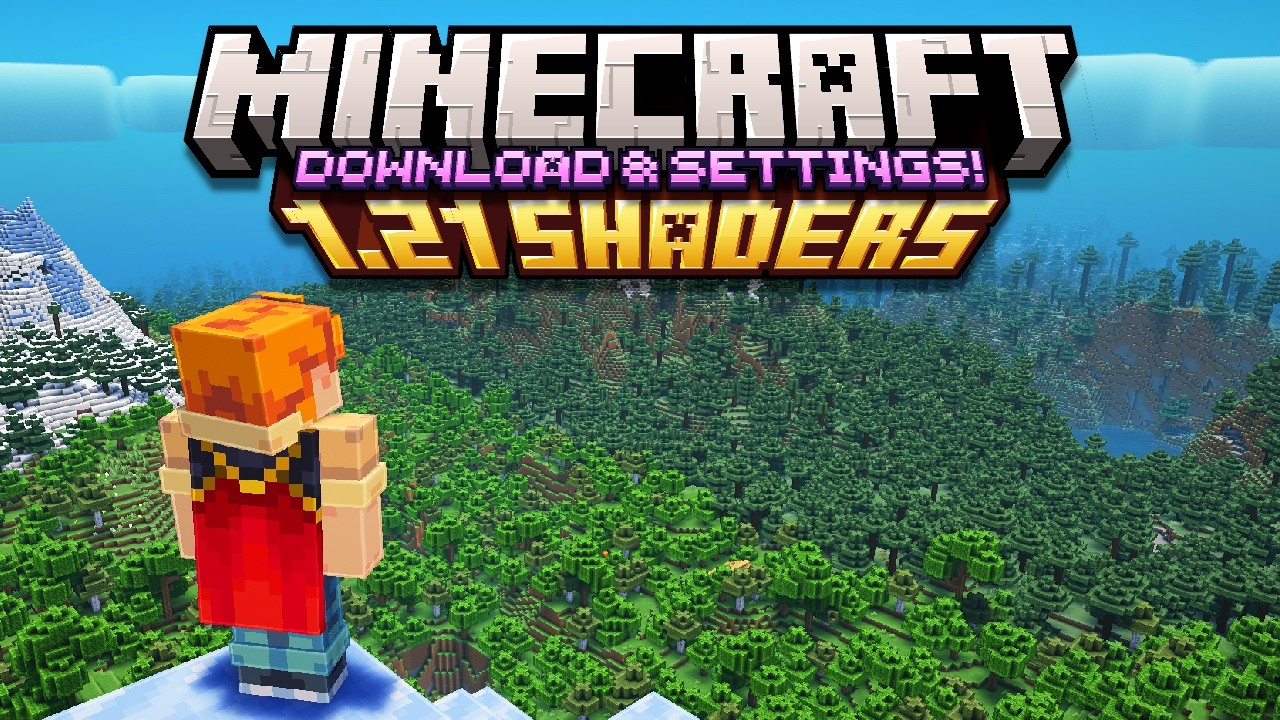
I've gotten HUNDREDS of questions as to what Minecraft Shaders I use for all my videos and HUNDREDS more as to what Settings in particular I use with them. Well, today I answer both those questions in a very easy to follow Minecraft Guide!
🔔 𝗦𝗨𝗕𝗦𝗖𝗥𝗜𝗕𝗘 𝗙𝗢𝗥 𝗠𝗢𝗥𝗘!
📊 𝗗𝗢𝗪𝗡𝗟𝗢...
sly saffron
empty apex
Is there a Russian language in the game?
in minecraft? yes
in modpack you playing? probably no
empty apex
Fear nightfall
modest nova

 slim gulch
guys how to i whitelist people wenn i host a world wenn i get this ancient-relic.eu.mc.lunapixel.gg
sly saffron
empty apex
Fear nightfall
as I said, "Probably not"
sly saffron
slim gulch
guys how to i whitelist people wenn i host a world wenn i get this ancient-relic...

just like with lan, essentials or ANYTHING LIKE THAT
you can't do whitelists
slim gulch
like i get this in chat but if my friend try to join it says "your not whitelisted"
slim gulch
yes
slim gulch
yes
slim gulch
ok
sly saffron
you should ask in #all-of-create as that is pack you play
slim gulch
yea
sly saffron
but, theoretically there should not be any whitelist
sly saffron
is a #fuzs-projects
 viral cypress
hi guys, essential mod don't work with this modpacks ?
lethal gale
E4MC is used for the modpacks but I cant find it in the content on curseforge how comes
sly saffron
lethal gale
E4MC is used for the modpacks but I cant find it in the content on curseforge ho...
Luna
which is e4mc fork
tardy gorgeBOT
⚠️ Essential Mod Not Supported
We strongly recommend against using Essential with our modpacks, and we add a warning screen during modpack startup containing the following message by default. A free world-sharing alternative is already built-in called Luna - click Share World in the game menu to use it.
Why we don't support Essential:
-
Technical issues: We've received multiple user reports of problems when combining Essential with our modpacks, including reports of world corruption. While there is no conclusive evidence of Essential as the definite cause, we do not have the development or support capacity to resolve issues potentially caused by it.
-
Security concerns: Essential's auto-updater introduces potential security risks that are outside of our control.
-
Ethics: We object to Essential's inclusion of in-game currency and microtransactions in an otherwise free modding environment.
If you choose to use Essential anyway
Please understand that you do so at your own risk and will not be eligible for support from our team. To remove this warning, you can open your modpack instance folder, navigate to config/crash_assistant/problematic_mods_config.json, and under essential-container, change should_crash_on_startup from true to false. On newer modpack versions, this is replaced by a migrated .jexl in the same location, which you can also open in a text editor then simply delete the section for Essential.
sly saffron
sly saffron
Luna

CurseForge
Core mod for all Luna Pixel Studios modpacks. Provides free world sharing without the need of port forwarding.
25.1M Downloads | Mods
lethal gale
Imagine using a crappy world sharing option and locking your modpack behind it so that you can't use essential and only have the option to pay for a premium affiliated link on Bisect to make it work
sly saffron
tardy gorge
## ⚠️ Essential Mod Not Supported
We strongly recommend against using Essential...
@lethal gale read this before yapping that packs are locked
also learn about self-hosting
lethal gale
sly saffron
<@1437212641297830101> read this before yapping that packs are locked
Yeah if you try using anything BUT E4MC the pack WILL crash
 rustic stone
THE ESSENTIAL MOD DOES WORK YOU JUST HAVE TO DELETE THREE MODS: LUNA, FANCY MENU, AND CRASH ASSISTANT. THEN YOU CAN DOWNLOAD AND USE THE ESSENTIAL MOD IN FEAR NIGHTFALL: REMAINS OF CHAOS.
sly saffron
lethal gale
Yeah if you try using anything BUT E4MC the pack WILL crash
can you read
yes or no
sly saffron
tardy gorge
## ⚠️ Essential Mod Not Supported
We strongly recommend against using Essential...
@lethal gale this explains how to add essential(ly shit mod) to modpacks from lps
lethal gale
I can and thats just a bunch of bs to push ppl to pay bisect it is what it is
sly saffron
and if you don't see what I am replying to, restart discord
rustic stone
lethal gale
I can and thats just a bunch of bs to push ppl to pay bisect it is what it is
u clearly cannot or decided not to read
sly saffron
lethal gale
I can and thats just a bunch of bs to push ppl to pay bisect it is what it is
it explains how to add esssential(ly shit mod) to modpacks from lps
sly saffron

 formal thicket
Does anyone know why I'm getting disconnected from my friend's server? Others can access his server normally.
sly saffron
formal thicket
Does anyone know why I'm getting disconnected from my friend's server? Others ca...
most likely cuz u using hamachi

formal thicket
What do you suggest I do? I have the original Minecraft.
sly saffron
I suggest someone of your team (one of friends/you) to self-host
someone who has resources on their device and can open ports
 formal thicket
Another friend of mine is connected there normally.
sly saffron
okay
then figure out differences between you and other friend
and fix them
if you insist on being like that
 wheat glacier
im new to having a server, id like to know how to put better mc modpack into apex server hosting
novel light
wheat glacier
im new to having a server, id like to know how to put better mc modpack into ape...
⬇️
tardy gorgeBOT
Free Method
To host a server on your own computer, read the selfhosting guide.
This guide goes over how to install, create, and launch a free Minecraft server on all operating systems (MacOS, Linux and Windows). The guide also guides you through installing Java and optimizing your server for better performance.
If you are installing one of our older modpacks, ignore the "README" file that is included in the serverpack files, as they have outdated information.
Paid Method
We suggest renting a server from Bisect Hosting:
Approx. $10 - $25 a month depending on what plan you choose. You can also get 25% off with Code LunaPixel.
Go here and order a plan which fits you. We suggest 1GB per player but nothing lower than 4GB as the server needs at least 3GB to run.
Go to #server-hosting for more Info!
The following advice works for both the Free and Paid methods:
Transferring Your World
If you're playing Singleplayer and want to transfer your world to your server, simply go to your modpack files and navigate to the saves folder. Inside of this folder, you will see your world saves. Rename your desired world save to world. You can then transfer this folder to your server files. If your world was hosted via world sharing, this process has to be done by the person who would click "Share World".
Fixing Lag
To resolve lag issues, simply run the !tps command in #bots and follow the directions provided.
 sly saffron
 hushed socket
!wsfull
tardy gorgeBOT
World Sharing servers are likely currently at capacity
If you or your friend are receiving an error such as "An error occurred in Luna", or "Connection refused: no further information" when trying to play through "Open to LAN" or "Share World", it's likely that Luna's servers (used for world sharing) are currently full. We don't have a way to know when slots on our servers free up, but you are welcome to try again later.
We understand and recognize that this may be inconvenient, so we recommend in this case to host or rent your own server. Self-hosting is free, for more information on supported hosting options, type !server in #bots.
If you'd prefer an alternate world sharing mod such as Essential over the previous methods, risks of it are outlined in !ea, as well as how to use it if you accept the risks and void of support.
This command does NOT change or know if they are full or not, this is something ran as the most common issue.
 naive elm
who can help me?
sly saffron
naive elm
who can help me?
with?
naive elm
how to play BMC5 1.21.1 neoforge with frien
sly saffron
!ws
naive elm
ist free or no ?
tardy gorgeBOT
Luna Pixel's World Sharing
Our modpacks don't support any mods that add singleplayer hosting / world sharing because we already provide free world sharing. The 'Essential' mod is therefore incompatible.
To share your world using our own world hosting, click the 'Open to Lan' or 'Share World' button in the game menu when in a singleplayer world, and share the world.
It will give you an address, like magma-cube.mc.lunapixel.gg, which your friends can use to connect directly to your world as if it were a server!
We still highly suggest not to play through LAN as LAN is untested and unreliable. Using it will cause longterm damage to your world.
There is no reason to use LAN, as we support both paid and free methods of hosting a server the normal way.
If you get an error in chat when trying to host your world, we highly recommend selfhosting instead as it's free, very easy, and much more stable. Run the !server command in #bots to learn more.
sly saffron
!server
tardy gorgeBOT
Free Method
To host a server on your own computer, read the selfhosting guide.
This guide goes over how to install, create, and launch a free Minecraft server on all operating systems (MacOS, Linux and Windows). The guide also guides you through installing Java and optimizing your server for better performance.
If you are installing one of our older modpacks, ignore the "README" file that is included in the serverpack files, as they have outdated information.
Paid Method
We suggest renting a server from Bisect Hosting:
Approx. $10 - $25 a month depending on what plan you choose. You can also get 25% off with Code LunaPixel.
Go here and order a plan which fits you. We suggest 1GB per player but nothing lower than 4GB as the server needs at least 3GB to run.
Go to #server-hosting for more Info!
The following advice works for both the Free and Paid methods:
Transferring Your World
If you're playing Singleplayer and want to transfer your world to your server, simply go to your modpack files and navigate to the saves folder. Inside of this folder, you will see your world saves. Rename your desired world save to world. You can then transfer this folder to your server files. If your world was hosted via world sharing, this process has to be done by the person who would click "Share World".
Fixing Lag
To resolve lag issues, simply run the !tps command in #bots and follow the directions provided.
sly saffron
world-share is free, self-hosting is free
naive elm
and where to enter the code to the world?
naive elm
thank you
 pastel venture
can i add better mc to an existing server?
limber scroll
pastel venture
can i add better mc to an existing server?
no, gotta have a fresh world for it.
 forest tide
is there a quick place I can look at to see the differences between betterMC fabric and neoforge?
which one should I use?
sharp socket
forest tide
is there a quick place I can look at to see the differences between betterMC fab...
the modpackindex website
limber scroll
 soft crag
yo my game keeps crashing what do i do?
soft crag
yo my game keeps crashing what do i do?
!ca you'll copy info from the pop up, and paste the entire thing into the channel of the pack you're crashing from
tardy gorgeBOT
limber scroll
ooor just leave ig
naive sigil
lmao
 shy horizon
does anyone know if there like a wiki for progression guide
 prisma acorn
shy horizon
does anyone know if there like a wiki for progression guide
prisma acorn
shy horizon
does anyone know if there like a wiki for progression guide
for what?
 finite sage
so i was wondering my friends and i want to play this modpack, but we want to add the lootr mod,anybody knows if we add this mod it will break the loots of the dungeons giving trash stuff or it will give the same stuff from the modpack
prisma acorn
finite sage
so i was wondering my friends and i want to play this modpack, but we want to ad...
which modpack...
finite sage
otherworld
prisma acorn
finite sage
otherworld
prisma acorn
finite sage
otherworld
go there, we can talk
finite sage
alright
shy horizon
prisma acorn
for what?
like the weapons i should be getting in order
prisma acorn
shy horizon
like the weapons i should be getting in order
in which pack
shy horizon
otherworld
prisma acorn
shy horizon
otherworld
#otherworld talk here
limber scroll
shy horizon
does anyone know if there like a wiki for progression guide
!wiki
tardy gorgeBOT
No, we do not have any official wikis for our packs. Any wikis you come across claiming to be for one of our packs are unofficial and may contain outdated or unreliable information. Your best guide is the questbook in-game, located in the top left corner of your screen when your inventory is open.
If you have further questions, feel free to ask or search in the channel for the pack you're playing. You can also search online for information about specific mods, as many individual mods have info available online.
shy horizon
thank you will use proper chat next time
sly saffron
@compact oak ohhey look

utopia is pretty big one, synth is too - now if you dig the game you will want only apocalypse
compact oak
are those dlc's?
sly saffron
first two are, yeah
last one is just uhhh like portraits and new empire to play as
you can play as humans with it
or... more humans
yeah, humanoids
compact oak
yeah i need to try it again
i was slightly overwhelmed
but more like with the UI than with the actual like mechanics i feel like
UI doesnt feel to intuitive
modest nova
sly saffron

modest nova

 sly saffron
corails
sly saffron
modest nova
<:Frog_thinking:753797501768958024>

CurseForge
Keeps safe your inventory items in graves on death with many features for better survivability and exploration, in a medieval fantasy atmosphere related to the decorative graves & the haunting souls
92.5M Downloads | Mods
naive sigil
I like corsil
sly saffron
naive sigil
I like corsil
you're welcome
 sly saffron
 modest nova
spice beaconBOT
***Our Daily Prayer.
Our Chorb, who art in Chorben,
hallowed be thy name;
thy Chorbing come;
thy Chorbed be done;
on Chorb as it is in Chorben.
Give us this Chorb our daily Chorb.
And forgive us our trespasses,
as we forgive Chorb who Chorbs against us.
And lead us not into Chorbtation;
but Chorb us from the Chorbed one.
For thine is the Chorbing,
the Chorbers and the Chorbed,
for ever and ever. Chorbwomen.***
novel light

modest nova
sly saffron

naive elm
Why is it that when my friend runs a singleplayer server on a BMC5 v50 and shares it with me, I get 3,000 ping?
sly saffron
naive elm
Why is it that when my friend runs a singleplayer server on a BMC5 v50 and share...
because servers are created either on EU or NA
if you are from further away/if one is from EU one is from NA , ping issues happen
!server
tardy gorgeBOT
Free Method
To host a server on your own computer, read the selfhosting guide.
This guide goes over how to install, create, and launch a free Minecraft server on all operating systems (MacOS, Linux and Windows). The guide also guides you through installing Java and optimizing your server for better performance.
If you are installing one of our older modpacks, ignore the "README" file that is included in the serverpack files, as they have outdated information.
Paid Method
We suggest renting a server from Bisect Hosting:
Approx. $10 - $25 a month depending on what plan you choose. You can also get 25% off with Code LunaPixel.
Go here and order a plan which fits you. We suggest 1GB per player but nothing lower than 4GB as the server needs at least 3GB to run.
Go to #server-hosting for more Info!
The following advice works for both the Free and Paid methods:
Transferring Your World
If you're playing Singleplayer and want to transfer your world to your server, simply go to your modpack files and navigate to the saves folder. Inside of this folder, you will see your world saves. Rename your desired world save to world. You can then transfer this folder to your server files. If your world was hosted via world sharing, this process has to be done by the person who would click "Share World".
Fixing Lag
To resolve lag issues, simply run the !tps command in #bots and follow the directions provided.
sly saffron
self-hosting may help
 junior quiver
 distant gull
Where can I ask questions about a single mod not working without any influence of the pack
Actually it is working im just stupid and i need help

rustic stone
distant gull
Where can I ask questions about a single mod not working without any influence o...
wdym?
distant gull
rustic stone
wdym?
I'm really bad at using tom's simple storage and idk what im doing wrong
distant gull
sly saffron
what modpack
All of create, but the issue isn't with the pack I'm just bad at using the single mod 💔
It's like my issue is something I would post on reddit for help, but im asking here instead
sly saffron
distant gull
All of create, but the issue isn't with the pack I'm just bad at using the singl...
nah nah, it's like
uhhh
is mod not working to you FULLY
or you tried adding mod and you having issues
or you trying to figure HOW mod works
sly saffron
okay, then you could just ask in #all-of-create


 sly saffron
distant gull
Either that or the storage system doesn't work with vaults
sly saffron
distant gull
Either that or the storage system doesn't work with vaults
it could be this
 mellow minnow
can u play better mc multiplayer for free?
i hosted a server for friends for free a while back
did they change it or is it free
tardy gorgeBOT
Luna Pixel's World Sharing
Our modpacks don't support any mods that add singleplayer hosting / world sharing because we already provide free world sharing. The 'Essential' mod is therefore incompatible.
To share your world using our own world hosting, click the 'Open to Lan' or 'Share World' button in the game menu when in a singleplayer world, and share the world.
It will give you an address, like magma-cube.mc.lunapixel.gg, which your friends can use to connect directly to your world as if it were a server!
We still highly suggest not to play through LAN as LAN is untested and unreliable. Using it will cause longterm damage to your world.
There is no reason to use LAN, as we support both paid and free methods of hosting a server the normal way.
If you get an error in chat when trying to host your world, we highly recommend selfhosting instead as it's free, very easy, and much more stable. Run the !server command in #bots to learn more.
sly saffron
!server
tardy gorgeBOT
Free Method
To host a server on your own computer, read the selfhosting guide.
This guide goes over how to install, create, and launch a free Minecraft server on all operating systems (MacOS, Linux and Windows). The guide also guides you through installing Java and optimizing your server for better performance.
If you are installing one of our older modpacks, ignore the "README" file that is included in the serverpack files, as they have outdated information.
Paid Method
We suggest renting a server from Bisect Hosting:
Approx. $10 - $25 a month depending on what plan you choose. You can also get 25% off with Code LunaPixel.
Go here and order a plan which fits you. We suggest 1GB per player but nothing lower than 4GB as the server needs at least 3GB to run.
Go to #server-hosting for more Info!
The following advice works for both the Free and Paid methods:
Transferring Your World
If you're playing Singleplayer and want to transfer your world to your server, simply go to your modpack files and navigate to the saves folder. Inside of this folder, you will see your world saves. Rename your desired world save to world. You can then transfer this folder to your server files. If your world was hosted via world sharing, this process has to be done by the person who would click "Share World".
Fixing Lag
To resolve lag issues, simply run the !tps command in #bots and follow the directions provided.
mellow minnow
essential is better than this crap
sly saffron
mellow minnow
essential is better than this crap
cool!
go play with essentials then ❤️
mellow minnow
i am now
i turned off the luna mod for better mc and replaced it with essential
because luna likes to not allow essentials for some reason
sly saffron
mellow minnow
because luna likes to not allow essentials for some reason
well
there's guides on how to play with essentials
from this server
all you do is loose support
shrimple
!ea
tardy gorgeBOT
⚠️ Essential Mod Not Supported
We strongly recommend against using Essential with our modpacks, and we add a warning screen during modpack startup containing the following message by default. A free world-sharing alternative is already built-in called Luna - click Share World in the game menu to use it.
Why we don't support Essential:
-
Technical issues: We've received multiple user reports of problems when combining Essential with our modpacks, including reports of world corruption. While there is no conclusive evidence of Essential as the definite cause, we do not have the development or support capacity to resolve issues potentially caused by it.
-
Security concerns: Essential's auto-updater introduces potential security risks that are outside of our control.
-
Ethics: We object to Essential's inclusion of in-game currency and microtransactions in an otherwise free modding environment.
If you choose to use Essential anyway
Please understand that you do so at your own risk and will not be eligible for support from our team. To remove this warning, you can open your modpack instance folder, navigate to config/crash_assistant/problematic_mods_config.json, and under essential-container, change should_crash_on_startup from true to false. On newer modpack versions, this is replaced by a migrated .jexl in the same location, which you can also open in a text editor then simply delete the section for Essential.
sly saffron
^guide at the bottom
modest nova
 digital vessel
hey can I get some help real quick
novel light
!dontask
tardy gorgeBOT
If someone is around who can help, it's better if they can see the full question.
Instead of asking
Is someone around who can help me?
Ask
How do I fix this crash?
This gets you a faster response and prevents wasting time.
 waxen quest
Is there a Spanish translation of the modpack BetterMC?
digital vessel
novel light
!dontask
it wasn't for a game crash
novel light
digital vessel
it wasn't for a game crash
It's a generic advice
Nobody will help you blindly - you gotta ask the question, and give context
Then people who know, and have time will answer
digital vessel
Okay. My friend and I currently have a server on fear nightfall. We're wanting to transfer the server to bisect(or whatever hosting service) so we can keep it running and join whenever. Is it possible to just move the server to a hosting service without making a whole new world?
novel light
digital vessel
Okay. My friend and I currently have a server on fear nightfall. We're wanting t...
Yes, should be as easy as coping and then uploading the "world" folder to the new server
digital vessel
Thank you! I've never done it before so I'm just worried about something going wrong
 light fern
is there a AOC aero channel?
 prisma smelt
hey anyone know how people keep raiding my claimed chunks in my server im the only OP in ATM 10
limber scroll
light fern
is there a AOC aero channel?
same #all-of-create channel
 cyan kelp
is the only way to play with ur frineds is by buying a server?
 ocean breach
cyan kelp
is the only way to play with ur frineds is by buying a server?
ocean breach
cyan kelp
is the only way to play with ur frineds is by buying a server?
you can use essentials
cyan kelp
ocean breach
you can use essentials
how its telling me essentials isnt supported
ocean breach
oh well just a g uessw
 low compass
half door
 limber scroll
ocean breach
you can use essentials
limber scroll
ocean breach
you can use essentials
we offer no support for it
limber scroll
cyan kelp
is the only way to play with ur frineds is by buying a server?
!ws we have built in world sharing, or you can self host. Both options are free.
tardy gorgeBOT
Luna Pixel's World Sharing
Our modpacks don't support any mods that add singleplayer hosting / world sharing because we already provide free world sharing. The 'Essential' mod is therefore incompatible.
To share your world using our own world hosting, click the 'Open to Lan' or 'Share World' button in the game menu when in a singleplayer world, and share the world.
It will give you an address, like magma-cube.mc.lunapixel.gg, which your friends can use to connect directly to your world as if it were a server!
We still highly suggest not to play through LAN as LAN is untested and unreliable. Using it will cause longterm damage to your world.
There is no reason to use LAN, as we support both paid and free methods of hosting a server the normal way.
If you get an error in chat when trying to host your world, we highly recommend selfhosting instead as it's free, very easy, and much more stable. Run the !server command in #bots to learn more.
 autumn gulch
guys what BMC should i play like BMC1,2,3,4,5 ??
novel light
Do you have any mod preferences (e.g. Fabric mods or Forge mods)? Any preferences for which Minecraft version?
autumn gulch
Tbh the version doesn’t matter for me in modded I guess I just want a pack that is up to date and fun to play
sly saffron
fun is subjective
you can check #announcements or curseforge pages
to see on "up to date"
but it's usually 2 latest ones
 novel harness
it exist a medieval mc modpack lite? like a lite versione of MMC fabric or forge idk
sly saffron
novel harness
it exist a medieval mc modpack lite? like a lite versione of MMC fabric or forge...
afaik no, but
!fps
tardy gorgeBOT
sly saffron
you can try following this guide if you struggling performance wise
novel harness
nop its ok ty, i was trying to play medieval minecraft on a potato pc with a max of 8GB of ram65t+ìèy5t6+àè
novel harness
uuuuu what are lps modpacks?
novel harness
ooo kk
limber scroll
I'd stick to bmc for low ram
 river ferry
how to get ender soul hand for mutant mob mod pack after u kill hte enderbnoss thing
sly saffron
river ferry
how to get ender soul hand for mutant mob mod pack after u kill hte enderbnoss t...
https://mutantcreatures.fandom.com/wiki/Endersoul_Hand wiki says this @river ferry tho as I linked above, best to go to mod devs chat
river ferry
thank you
 grim flame
.
novel harness
what is the resource pack used in medieval mc to change the sky?
 eager canopy
Hello! I have a modding question:
We changed a modpack (not from this server but the people from the modpack are very rude so I wanted to ask here because here people are actually friendly) and we changed it so much that some stuff broke but we fixed most of the things.
One thing we didnt seem to be able to fix is this: We wanted to go to the nether but the nether just doesnt generate. We deleted the nether folder because we thought "Well, maybe its because the nether cant load because it wants to load blocks that are not there".
Well... It didnt fixed the problem.
The log alos doesnt state ANYTHING about the nether. It's as if the nether just has been disabled.
We have quite a big modpack - So my guess is that either a config has problems with the nether or there is some config that just disabled the nether and we dont know how to find it.
My first question is: IS there something that I can do to have a log for when someone enters the nether. Any mod or something that does something?
My second question is: If someone has the time - Can someone identifie the issue?
limber scroll
eager canopy
Hello! I have a modding question:
We changed a modpack (not from this server bu...
what pack is it? It may depend ofc on the pack you're modifying, and what changes you've made. Have you tested a fresh world with the modified pack to see if nether still acts up to make sure it's not a continued occurance?
eager canopy
Also: It just happenes on that one world we are playing. Other worlds work fine
eager canopy
limber scroll
what pack is it? It may depend ofc on the pack you're modifying, and what change...
The pack was Prominence Hasturian Era and we basically removed a lot of restrictive mods. We also updated to a newer Minecraft version so we can play with a create addon (aeronautics).
 heavy skiff
just to be clear the skilled and higher mobs supposed to drop the good loot still tho right
and just the regs wont do the op stuff
limber scroll
eager canopy
The pack was Prominence Hasturian Era and we basically removed a lot of restrict...
Yeah gl with that, her pack is very temperamental with any changes and has almost 200 resource packs. We stopped support for it over a year ago
You can't just update to newer mc versions for modpacks, yes this includes using that fancy new tool that curse announced. It cannot be used on posted packs
eager canopy
limber scroll
Yeah gl with that, her pack is very temperamental with any changes and has almos...
Well most of the stuff works tho! It's JUST the nether not working. 😄
It's basically a self created modpack now.
eager canopy
limber scroll
You can't just update to newer mc versions for modpacks, yes this includes using...
I used no fancy tool, I did everything by hand. Looking what mods are available and what mods do we want to still have i nthe never version.
newer*
limber scroll
Likely some of the changes you made bricked your nether.
eager canopy
But wouldnt that be easy to fix - Delete the nether folder? It works on other worlds...
we are not playing with any resource packs anymore (we hated the one they used for the modpack)
limber scroll
ehhh in a convoluted pack as prom, you never know, and modded instances in general that is a common rule of thumb, but depending on your changes made and what she had done to the pack as well could have just bricked it beyond repair. Best I can suggest is start up single and check to see if nether is just peachy or still throws a fit. If it works, might just need to start a fresh world.
eager canopy
That's the big problem: We are starting a "Forever World". If we want to play Minecraft it HAS to be on this world.
Any suggestions to find the culprit?
limber scroll
Forever worlds and using aggressively modded instances don't work together. The only way you can promise forever worlds is vanilla, not changing the pack, not updating the pack
Modded minecraft is considered experimental, the tiniest changes can really break things
You might be able to get by with it for vanilla+ packs like bmc, or packs that may not update anymore.
eager canopy
I get that. So you cant give me any suggestions?
limber scroll
That's honestly my only suggestions really.
eager canopy
Well, glad I have a long weekend in 2 days. I will try my best to find a solution. 😄
Thank you anyway! Appreciate the will to help! ❤️
limber scroll
make sure to keep copies and backups of your worlds as well, before you start monkeying around with stuff to be safe
I am a serial world deleter and start over person
eager canopy
limber scroll
I am a serial world deleter and start over person
I was actually too until I found out about the "Forever World" stuff.
It was nothing that ever crossed my mind - But the ideas a Forever World gives you is really really cool.
limber scroll
I've been trying to work on making/starting a forever world 
eager canopy
Like, you want to play Minecraft? Well hop into your world and just play.
Oh you did everything there is in Minecraft? Well you can start a new playthrough just somewhere far away enough
Eventually you will cross your old stuff
It's so... Interesting to me
Well and now my gf and me just decided we do a forever world but just with mods. What could go wrong, right?
Well now our nether isnt working x'D
limber scroll
Both vanilla and minimal modded stuff that adds QOL, like right click harvest, shaders, lower shields and fire, crash assist, jade, cull leaves, sound physics remastered, etc
eager canopy
Well yea - But we thought that it would work. It does... Until I wanted to go to the nether xD
limber scroll
My current vanilla as heck pack I made.
 eager canopy
haha
 limber scroll
also an attempt at modpack update is being made, keep having to restart said update
 eager canopy
limber scroll
also an attempt at modpack update is being made, <:kekw:835507907813965824> keep...
eager canopy
limber scroll
also an attempt at modpack update is being made, <:kekw:835507907813965824> keep...
"Basically Bare Bones" 243 Mods 😄
The original modpack had 400+mods?
limber scroll
Nah, my original pack has only 178
BBB is my own pack, it's just for me to learn the back end of making a pack
nvm. 162
 eager canopy
I guess its difficult? 😄
limber scroll
It can be quite a predicament for sure. The quest part is boggling my brain still
Mind you, I haven't even touched configs or customizing things like recipes or whatever.
eager canopy
Haha 😄 Well I once did but the server died out pretty fast - I had fun doing it but it was quite restrictive and people play Minecraft because it is NOT restrictive. (Thats why I am curious how Prom even still exist...)
limber scroll
hype, content creators posts on it, curseforge as well talking and posting about it.
 wet palm
Do they not post the prominence 2 updates here anymore?
novel light
eager canopy
Haha 😄 Well I once did but the server died out pretty fast - I had fun doing it...
There are people who like a focused pack.
And yes, Nicole didn't want a channel to discuss the modified version of the pack, so those just don't get any support.
novel light
wet palm
Do they not post the prominence 2 updates here anymore?
!prommove
tardy gorgeBOT
Elocin projects have moved!
Nicole/Elocin, the developer of Prominence 1/2 modpacks, YSNS mod, and more has gone independent to her own studio for her projects. She is no longer affiliated with Luna Pixel Studios in any way.
Luna Pixel Studios no longer has any control over her projects, and any issues need to be reported via her Discord server. You can find this on the modpack page for Prominence. Keep in mind that a majority of her projects are completely unmaintained, and she generally does not respond to any issue reports or offer support to users. In many cases, it is better to remove the problematic mod completely.
wet palm
Ty!
limber scroll
wet palm
Do they not post the prominence 2 updates here anymore?
She's not a dev here anymore.
wet palm
Was wondering when 4.0 was coming idk where to go for updates
wet palm
Thank you chief
limber scroll
It's on the project's curse page as well.
tardy gorgeBOT
Hello! Seems like you're asking for support in general! To receive support, head over to our support guidance channel.
#get-support
sly saffron
secondly
you probably just lost it
and no way to retrieve
but
you could go to proper chat of modpack you play and ask there, mayabe magically there is a way
 storm flower
ok bet thank you
sly saffron
@novel light
 round scaffold
digital vessel
Thank you! I've never done it before so I'm just worried about something going w...
round scaffold
digital vessel
Thank you! I've never done it before so I'm just worried about something going w...
Happy to help get your world onto the server if you decided to host with us! Feel free to ping/dm me if there is anything I can help with.
sly saffron
modest nova
 mystic vector
i saw the modpack Otherworld and wanted to ask if someone already played it. How is it? I didnt play that much modpacks yet and i planned to play it with my girlfriend
sly saffron
mystic vector
i saw the modpack Otherworld and wanted to ask if someone already played it. How...
a lot of ppl play it
it is fine
mystic vector
sly saffron
<#1149557727157305405>
ah sorry didnt see the channel*