#🆘│community-support
1 messages · Page 78 of 1
 candid shoal
 limber portal
candid shoal
"Create a ticket" button
limber portal
candid shoal
"Create a ticket" button
Use the blue "send" button under the panel name in the dashboard to send the panel
candid shoal
limber portal
Use the blue "send" button under the panel name in the dashboard to send the pan...
Thank u so much bro
 iron nightBOT
Gave +1 Rep to @limber portal
limber portal
candid shoal
Thank u so much bro
no worries 
 modern bloom
Hi Support Team, within the Linea Voyage I lost all my collected XPs from yesterday to today. In my Profile there are two accounts connected and I don't know why. If I connect my origin Metamask wallet, used for the Voyage, Intract will ignore this and shows the zero XP value of the second wallet. How can I switch to my original wallet and continue to work with my over 4000 XPs which I collected so far?
 humble sequoiaBOT

⚠️ You're in the wrong place
We provide support for Ticket Tool Discord bot and cannot help you with whatever issue you have.
- We don't know which Support Team you should contact to get this issue resolved, and unfortunately we won't be able to accurately tell you.
If you don't have any further questions regarding our bot Ticket Tool, please close this ticket
 turbid yarrow
modern bloom
Hi Support Team, within the Linea Voyage I lost all my collected XPs from yeste...
turbid yarrow
modern bloom
Hi Support Team, within the Linea Voyage I lost all my collected XPs from yeste...
What does that have to do with tickets?
 pseudo ravine
It doesn’t, hence the message from @humble sequoia

 wooden forge
hi there, so I have tried to set up the dropdown style but it isn't working, can anyone help?


 wild spire
 wheat rose
the color code of one of your messages is invalid.
I assume panel or ticket message.
 jade topaz
wooden forge
hi there, so I have tried to set up the dropdown style but it isn't working, can...
jade topaz
wooden forge
hi there, so I have tried to set up the dropdown style but it isn't working, can...
Hello, have you tried to send the panel after configuring the dropdown?
 drowsy monolith
I have problem, nova laucher says error while installating presidio, during a webclinet, what is this ? pls help
humble sequoiaBOT
⚠️ You're in the wrong place
We provide support for Ticket Tool Discord bot and cannot help you with whatever issue you have.
- We don't know which Support Team you should contact to get this issue resolved, and unfortunately we won't be able to accurately tell you.
If you don't have any further questions regarding our bot Ticket Tool, please close this ticket
wooden forge
jade topaz
Hello, have you tried to send the panel after configuring the dropdown?
how do i do that?
jade topaz
drowsy monolith
I have problem, nova laucher says error while installating presidio, during a we...
 ^^
^^
wooden forge
nvp
jade topaz
wooden forge
how do i do that?
Simply press send from the panel dashboard
wooden forge
cool thanks!
jade topaz
no worries 
wooden forge
jade topaz
no worries <:PabloThumbsUp:988868803817521152>
how can i make all these have the support tickets panel too? its not showing up
 jade topaz
wooden forge
how can i make all these have the support tickets panel too? its not showing up
jade topaz
wooden forge
how can i make all these have the support tickets panel too? its not showing up
You must specify the panels created previously
It is necessary to create several panels
wooden forge
ah so i gotta create multiple, okay
 fierce zodiac
hello! I have a question. I have ticket tool premium and whats happening is, when we close and press delete button in a ticket, the ticket goes into closed tickets category but the channel itself isnt deleted by the bot, only the internal content of the ticket is
are there any solutions to this?
 pseudo ravine
Hey there. You have Storage Mode enabled
fierce zodiac
oh! thanks, found it
 steep yew
i need help
pseudo ravine
You can go to the Dashboard > Server Configs > Server Storage Options > Disable it
humble sequoiaBOT
Hello, we would love to help you, but if you don't tell us what you need help with we can't help you :(
humble sequoiaBOT
⚠️ You're in the wrong place
We provide support for Ticket Tool Discord bot and cannot help you with whatever issue you have.
- We don't know which Support Team you should contact to get this issue resolved, and unfortunately we won't be able to accurately tell you.
If you don't have any further questions regarding our bot Ticket Tool, please close this ticket
jade topaz
steep yew
but i never played
read the message above
pseudo ravine
This isn’t a ticket, it’s just in the embed because most times it happens in tickets
steep yew
what should i do?
pseudo ravine
You don’t need to do anything
jade topaz
steep yew
what i need to do if i wanna plaay nova?
You won't get any answers from Nova, since we can't help you with this topic 🙂
 sick jungle
Any1 knows why this error appears when i try to send my tickets?
 steep yew
okay but thank U for ur help:(
 digital stone
Hello! So I’m admin in a server and they have ticket tool in thier server. It looks messy so I was going to setup the drop-down panel. But it doesn’t show in the dashboard. The role I have has the administrator permission please help me

Oh nvm
jade topaz
digital stone
Hello! So I’m admin in a server and they have ticket tool in thier server. It lo...
You must specify the role of the dashboard so that you obtain the rights to modify TT
 digital stone
jade topaz
You must specify the role of the dashboard so that you obtain the rights to modi...
digital stone
jade topaz
You must specify the role of the dashboard so that you obtain the rights to modi...
Ohhhh ok
Tyyyyyy
jade topaz
no worries
 lyric quartz
is anyone else getting this issue ?

 untold olive
Ticket Tool down again?
limber portal
For anyone enquiring, ticket tool is currently restarting as of #📣│bot-news
untold olive
Yes I cant open or close tickets @lyric quartz
limber portal
Keep your eye on that channel to see when its back online
untold olive
It says back online there, but its not working
limber portal
untold olive
It says back online there, but its not working
As I said keep checking #📣│bot-news , just as the bot is displaying online does not mean it is entirely functional yet
 humble pike
The ticket tool just went offline
pseudo ravine
limber portal
humble pike
The ticket tool just went offline
ticket tool is currently restarting as of #📣│bot-news
humble pike
And I tried to invite it again on my server
 shut bolt

 prime bridgeBOT
<:notallowed:660789872600285184> #🆘│community-support has been locked!
You will gain access again once the lockdown is lifted.
prime bridgeBOT
<:allowed:660789592647008258> #🆘│community-support has been unlocked!
Everyone now has access to this channel.
 high vale
are there ways to recover a ticket that wasnt transcript saved at all or nah
 tacit birch
Hiii is there a way for transcripts tickets to not expire in 14 days? As in the link to it?
jade topaz
tacit birch
Hiii is there a way for transcripts tickets to not expire in 14 days? As in the ...
I just created a ticket for the same thing lol and this was my response (quoted from the guy):
"After the 14 days if the link is still valid, it will give you the same link for another 14 days whenever you press the button.
If the link is no longer accessible/dies...etc, a new link will be generated"
iron nightBOT
Gave +1 Rep to @floral copper
 lament steppe
jade topaz
I just created a ticket for the same thing lol and this was my response (quoted ...
lament steppe
jade topaz
I just created a ticket for the same thing lol and this was my response (quoted ...
Hey.
I see we both came looking.
 halcyon fern
Hello new to this server! I started setting up the ticket tool support on my discord server. After going through the set up and testing it. I got the "failed to create" and "category issues" message. Is the reason I'm having this message because the bot is offline or a different matter?
 golden wigeon
How do I invite the premium bot when I have premium?
halcyon fern
halcyon fern
Hello new to this server! I started setting up the ticket tool support on my dis...
Nvm was able to fix it!
humble sequoiaBOT
The first thing you will need to do is invite the premium bot, an invite can be found here
Once the bot is in your server we will head to the dashboard and manage your server. When you are managing your server, you want to head into "Server Configs" then click the drop down menu under "Select the bot you would like to use on this server" then click "Ticket Tool#6207" and then save.

 idle flint
golden wigeon
How do I invite the premium bot when I have premium?
idle flint
golden wigeon
How do I invite the premium bot when I have premium?
See above 😊
limber portal
high vale
are there ways to recover a ticket that wasnt transcript saved at all or nah
Hey, unfortunately not
limber portal
tacit birch
Hiii is there a way for transcripts tickets to not expire in 14 days? As in the ...
Hey, the new workaround introduced in #📣│bot-news means that only the newest link will be shown to you, not one thats expired
limber portal
halcyon fern
Hello new to this server! I started setting up the ticket tool support on my dis...
Hey,
Can you run /debug in your server and send me the link
halcyon fern
limber portal
Hey,
Can you run /debug in your server and send me the link
No need got it working earlier. I just needed to adjust the permissions.
limber portal
halcyon fern
No need got it working earlier. I just needed to adjust the permissions.
Glad u got it fixed
jade topaz
Hi there, which channel can I open a ticket?
limber portal
jade topaz
Hi there, which channel can I open a ticket?
In this server you can make a ticket in #premium-tickets
jade topaz
ty
limber portal
 thorn axle
Hello! My members arent allowed to open tickets, does anyone kno why?
limber portal
thorn axle
Hello! My members arent allowed to open tickets, does anyone kno why?
«You don't have permissions to use this»
Are your members seeing this message when they try to create a ticket?You may have accidentally denied them permission to use the Create Ticket button.
Look in the following places in your server's dashboard:
👉 Server Configs -> Blacklist Roles
Any roles there will be unable to interact with the bot in any way, including creating tickets.👉 Panel Configs -> Buttons -> Create Ticket -> Support team only
If this is enabled, only your staff will be able to use the button.
👉 Panel Configs -> Buttons -> Create Ticket -> Disabled Roles
Any roles there will be unable to use the button.
 somber gyro
Hey, I see that transcripts now give a link that expire in 14 days. Is there a way to keep the transcript permanently?
limber portal
somber gyro
Hey, I see that transcripts now give a link that expire in 14 days. Is there a w...
Hey, the new workaround introduced in #📣│bot-news means that only the newest link will be shown to you, not one thats expired
 hardy shale
Hello, I have a server with a friend of mine. We have a ticket system but whenever someone opens a ticket. Everyone can see the ticket. I already tried editing the everyone role and another role for my buyers. But it still doesnt work.
limber portal
hardy shale
Hello, I have a server with a friend of mine. We have a ticket system but whenev...
Try Dashboard > panel configs > permissions > @everyone edit opened > make sure view channel is set to 
somber gyro
limber portal
Hey, the new workaround introduced in <#571104498483986466> means that only the ...
Ah, so the transcript remains forever, just a new link every 14 days, right?
hardy shale
limber portal
Try Dashboard > panel configs > permissions > `@everyone` edit opened > make sur...
ty 🙏
iron nightBOT
Gave +1 Rep to @limber portal
hardy shale
i tried but it still doesnt work
it says the tickets arent synced with the category perms
limber portal
somber gyro
Ah, so the transcript remains forever, just a new link every 14 days, right?
Correct
 honest patrol
Heya - just real quick in that regard:
The old transcript links are unaffected, aye?
limber portal
hardy shale
ty 🙏
Are you using the view as role feature to test this?
limber portal
honest patrol
Heya - just real quick in that regard:
The old transcript links are unaffected, ...
I believe they aren’t affected yeah
honest patrol
Cheers. Let's hope that then 😄
limber portal
honest patrol
Cheers. Let's hope that then 😄
Even if they are, the html file would still work as intended fyi, the issue only occurs with the direct link
honest patrol
Well, just if that link thats embedded in here, doesn't work anymore, we can't request a new one for old ticket types 😄

 terse dagger

 limber portal
honest patrol
That embedded link I mean. But I just hope that it will not be removed 😄
limber portal
honest patrol
That embedded link I mean. But I just hope that it will not be removed 😄
Yeah, if it does you’ll just have to download the attached file
terse dagger
@limber portal
limber portal
terse dagger
<@1065295463089180763>
Do you need help?
 spark arrow
hi wasnt ther a option so the bot contacts the supporters if a ticket is created ?
 restive condor
spark arrow
hi wasnt ther a option so the bot contacts the supporters if a ticket is created...
restive condor
spark arrow
hi wasnt ther a option so the bot contacts the supporters if a ticket is created...
Hey there! As in, ping the support role in the ticket?
spark arrow
ye like ping the support if ther is a new ticket
humble sequoiaBOT
Within all the messages the bot sends (both embeds and text) you can mention either channels, roles, or even users, these mentions will only send a notification to the user if they are used within a text field, e.g: a role mentioned in an embed won't ping at all the users who have that role.
For mentioning a role you can use one out of three options:
{@Role Name} ➞ Which is Case Sensitive.
{RoleID} ➞ Replace RoleId with the Id of the role you are trying to ping.
<@&RoleID> ➞ Discord's native syntax to ping roles.
<#ChannelID> ➞ Mention a channel by its ID.
<@UserID> ➞ Mention a user by its ID.
restive condor
spark arrow
ye like ping the support if ther is a new ticket
See above.
Use the instructions on how to ping roles in your Dashboard > Panel Configs > Messages > Edit Ticket Message
hardy shale
Why can everyone see my tickets when i edited the category and the tickets permissions so no one can see them but it still says permissions not synced
limber portal
hardy shale
Why can everyone see my tickets when i edited the category and the tickets permi...
Are you using the view as role feature to test this?
hardy shale
limber portal
Are you using the view as role feature to test this?
Yes
humble sequoiaBOT
View As Role feature
Discord's integrated View As Role feature will allow you to see how different groups of roles will have access to your server's channels. Even though, this feature isn't reliable for thoroughly testing Ticket Tool considering that the tickets are created based on User roles, and that Roles permissions are only used for Support Team Roles, and Additional Roles.
For testing Ticket Tool as a user we suggest you ask a friend to open a ticket for you as a regular member would do, or use an alternative account to simulate the same process to make sure everything is set properly.
limber portal
hardy shale
Yes
^^
hardy shale
OHHHHH TYSM
limber portal
hardy shale
OHHHHH TYSM
Np
humble sequoiaBOT
⚠️ You're in the wrong place
We provide support for Ticket Tool Discord bot and cannot help you with whatever issue you have.
- We don't know which Support Team you should contact to get this issue resolved, and unfortunately we won't be able to accurately tell you.
If you don't have any further questions regarding our bot Ticket Tool, please close this ticket
limber portal
^^
 humble sequoiaBOT
تتيح نماذج الدسكورد للمستخدم الإجابة على الأسئلة الفردية في النموذج المنبثق، والذي يعرض بعد ذلك الإجابات في رسالة التذكرة. يمكن أن يوفر هذا الوقت إذا كنت تعرف بالضبط ماذا تريد أن تطلبه من المستخدم.
إعداد النماذج
يمكنك تفعيل النماذج ضمن Panel Configs > Form Option > Edit Forms Option. في النافذه التي ظهرت، يمكنك الآن تفعيل وتعديل النموذج الخاص بك.
خيارات النموذج
يمكنك إضافة 5 أسئلة كحد أقصى في النماذج، وهو حد من قبل الدسكورد. ولكل سؤال يمكن أن يملك وصف يظهر في خانة الإجابة، حد أقصى وحد أدنى لعدد الحروف، متعدد الأسطر، وأيضًا الخيار لجعل السؤال مطلوب.
الخيارات
Question Title ➞ سؤالك هنا
Question Placeholder ➞ الوصف الذي سيظهر على خانة الإجابة
Required ➞ في حالة التفعيل، سيتوجّب على المستخدم الإجابة على هذا السؤال لإرسال النموذج
Multi-Line Input ➞ للسماح للمستخدم بإدخال نص متعدد الأسطر
Minimum and Maximum Input ➞ تعيين حد أدنى وحد أقصى للنص المُدخل بواسطة المستخدم
عرض الجواب
لعرض الإجابات من المستخدم، تحتاج إلى تفعيل
Auto display form results on the ticket message as an additional embed
إذا كنت لا تريد Embed آخر في رسالة التذكرة، فإنتقل إلى Panel Configs > Ticket Options > Edit Ticket Message. هناك ستستخدم المتغيّر (variable) {create.form.x} وإستبدل x برقم سؤالك. على سبيل المثال، يمكن عرض إجابة سؤال 1 بإستخدام المتغير {create.form.1}. إذا لم تستخدم هذا المتغير، فستفقد إجابة المستخدم على النموذج.
 limber portal
 lapis grove
How can I do the same as this?
lapis grove
How can I do the same as this?
^^
lapis grove
Thx
 flat marsh
Всем привет Помогите бот тикет настроить
 frail sail
I have forgotten my username and password so can't get on Wm app
humble sequoiaBOT
⚠️ You're in the wrong place
We provide support for Ticket Tool Discord bot and cannot help you with whatever issue you have.
- We don't know which Support Team you should contact to get this issue resolved, and unfortunately we won't be able to accurately tell you.
If you don't have any further questions regarding our bot Ticket Tool, please close this ticket
lapis grove
How do I make a language Ticket Tool Arabic
 gentle harbor
Anyone know why the transcript links expire now?
 pseudo ravine
jade topaz
pseudo ravine
jade topaz
/invites
limber portal
jade topaz
/invites
Do you need ticket tool help?
 finite badge
why does ticket tool not send the panel to the channel i assigned it to?
it has the appropiate permissions and everything
humble sequoiaBOT
━━ User's inquiry has been moved to a ticket ━━
 fathom trout
I cannot open more than 1 ticket. How to make adjustments on the panel
humble sequoiaBOT
━━ User's inquiry has been moved to a ticket ━━
 topaz thunder
how do i change the roles which can see a ticket
 empty flower
Is there a way we can export the html file instead? #📣│bot-news message
Have it saved as an attachment to the id?
limber portal
empty flower
Is there a way we can export the html file instead? https://discord.com/channels...
You can download the file, however the direct link still works fine from the button as of the update
humble sequoiaBOT
1. Go into your Dashboard
2. Open your Panel Configs tab
3. Select the panel you want to grant access to
4. Open the General options menu
5. Select your Support Team Roles
6. Save changes
 limber portal
topaz thunder
how do i change the roles which can see a ticket
limber portal
topaz thunder
how do i change the roles which can see a ticket
^^
empty flower
limber portal
You can download the file, however the direct link still works fine from the but...
Yea not really though, because we have to send that transcript around and it gets filed. So it expiring in 14 days, really doesn't do any good.
limber portal
empty flower
Yea not really though, because we have to send that transcript around and it get...
Unfortunately there’s nothing the devs can really do about it as it’s a global discord change
Your best bet is to download the html file and send that to whoever / whereever needs it
empty flower
yea thats why it should just come with an auto file download attachement. It's not hard to do.
limber portal
i'm not 100% sure what you mean, you can download the file with the download button (see attached)
If i've misunderstood you can just upload it as a suggestion regardless with s!suggest in #🤖│bot-spam

 stone nebula
Bonjour vous êtes le support ?
shut bolt
empty flower
Yea not really though, because we have to send that transcript around and it get...
So it expiring in 14 days, really doesn't do any good
The file does not expire. What Discord did is make the links to file expire upon a timeframe, in this case 14 days, the file is still available you just need to get a new URL to it
empty flower
yea the link expiring
not going to constantly update when it gets deposited elsewhere, if i can download html, then move it to a hosted platform and link from there - ez
might just have to bot to automate it
shut bolt
empty flower
not going to constantly update when it gets deposited elsewhere, if i can downlo...
Yeah you can download it. And sadly this is just the bot adapting to the decisions Discord made, not really a call we took
empty flower
Yeah for sure, just sucks 😂
stone nebula
Où est le support oh my dog please
 vale moth
I have question. Can I get more forms then 5?
jade topaz
stone nebula
Où est le support oh my dog please
Quel est ta demande ?
stone nebula
jade topaz
Quel est ta demande ?
Par rapport à des bannissements 😅
limber portal
vale moth
I have question. Can I get more forms then 5?
Hey, unfortunately 5 questions is the limit per form
jade topaz
stone nebula
Par rapport à des bannissements 😅
Si tu n'a aucune demande ou besoin d'aide par rappport au bot @pseudo glen, ont ne pourras pas t'aidé 🙂
stone nebula
jade topaz
Si tu n'a aucune demande ou besoin d'aide par rappport au bot <@5576283528280146...
Je dois allez ou ? Je ne sais pas du tout qui contacter
jade topaz
stone nebula
Je dois allez ou ? Je ne sais pas du tout qui contacter
Pas ici en tout cas, chercher par toi-même 🙂
humble pike
How do I prevent members from closing their tickets? Like only I can do it as admin
limber portal
humble pike
How do I prevent members from closing their tickets? Like only I can do it as ad...
Dashboard > panel configs > buttons > edit close ticket button > enable support team only
humble pike
limber portal
Dashboard > panel configs > buttons > edit close ticket button > enable support ...
Ty
iron nightBOT
Gave +1 Rep to @limber portal
limber portal
humble pike
Ty
 oak echo
Transcript will be deleted after 14 days?
 limber portal
oak echo
Transcript will be deleted after 14 days?
limber portal
oak echo
Transcript will be deleted after 14 days?
 Why is ticket tool saying my transcripts will expire?
👉 Recently a change within discord resulted in ticket tools transcript links expiring within 14 days.
👉 To counter this, an update #📣│bot-news message was pushed meaning that ticket tool will now only show the most up to date link. This link will regenerate after 14 days and the transcript will still be viewable.
👉 In short, the link itself will expire after 14 days but at that point ticket tool will generate a new one for you to use
oak echo
Thanks you ! ❤️
limber portal
Np
 rapid sinew
Hi! I have an issue going on with the bot, I followed a Tutorial on Youtube but it says its undefined when I go to set it up, what have I done wrong? 🙂
pseudo ravine
Hey there. Could I get the server ID
rapid sinew
pseudo ravine
Hey there. Could I get the server ID
As soon as I figure out how to do that, sure lol
rapid sinew
pseudo ravine
You can run the `/id` command
yea, I screwed something up, this is what I got: The application did not respond
rapid sinew
pseudo ravine
You can run the `/id` command
Nexuria is the server name
 rapid sinew
pseudo ravine
No worries
rapid sinew
pseudo ravine
No worries
where was that located?
pseudo ravine
Dashboard > Buttons > Create Ticket
rapid sinew
Found it
rapid sinew
pseudo ravine
Dashboard > Buttons > Create Ticket
so how do I know if this worked now? found the right place to put this message.
pseudo ravine
Re-send the panel
rapid sinew
pseudo ravine
Re-send the panel
okay, did that 🙂
rapid sinew
pseudo ravine
Re-send the panel
Woo! it worked ! 😄 thanks so much ❤️
iron nightBOT
Gave +1 Rep to @pseudo ravine
pseudo ravine
You're welcome, glad I could help!
rapid sinew
pseudo ravine
You're welcome, glad I could help!
I am so glad someone could 🙂 I knew I messed up just didn't know where lol
pseudo ravine

rapid sinew
pseudo ravine
You're welcome, glad I could help!
https://www.youtube.com/watch?v=lz3VR4ptqhU This tutorial really helped me, I think it should be shared here. could you suggest it to the others?

In this video I'll be showing you how to set up Ticket Tool bot in your Discord server. Using Ticket Tool you can add support tickets to your Discord server. This will allow members to report issues or get a direct line of contact with server staff.
Having a ticket system in your Discord server is useful as it allows members to report any bugs ...
pseudo ravine
We have our own setup guides
rapid sinew
pseudo ravine
We have our own setup guides
ah. 🙂
gentle harbor
pseudo ravine
https://ptb.discord.com/channels/509192800865353738/571104498483986466/118286976...
Dont suppose u know when the transcript link expires can a new one be made?
pseudo ravine
Yes, it should
gentle harbor
perfect thank u so much
pseudo ravine
You’re welcome, glad I could help!
 true kayak
How can I put more than one button on the ticket embed?
restive condor
true kayak
How can I put more than one button on the ticket embed?
Hey there! See below
humble sequoiaBOT
For more convenient use of multipanels, you can now combine panels on the dashboard. This will allow you to directly send the multipanel from the dashboard or via the $panel ID command.
Where can I find this?
You can find this setting on the Dashboard -> Panel Configs -> Panel -> Attached Panels
Note: if you're attaching all the panels to a panel called English, don't include English in the attached panel's box (If you do this, it will create a duplicate)
This will put all buttons from all of your panels on one message. The message is the panel message from the panel you're combining these panels in.

 ashen dagger
Can somone help please
 idle flint
ashen dagger
Can somone help please
idle flint
ashen dagger
Can somone help please
Run a $debug command in the same channel
idle flint
ashen dagger
Can somone help please
Bot is missing the Send Messages permission in that channel
iron nightBOT
Gave +1 Rep to @idle flint
 low otter
Ребята есть кто русский ? мне помощь нужна (на 10 минут) что бы разобраться в тикет боте кто может помочь ?
jade topaz
low otter
Ребята есть кто русский ? мне помощь нужна (на 10 минут) что бы разобраться в ти...
hi, do you understand english, maybe i can help you
low otter
No, I don't know English at all.
jade topaz
low otter
No, I don't know English at all.
Too bad, unfortunately there is no Russian support team here
 cloud dome
ashen dagger
Can somone help please
cloud dome
ashen dagger
Can somone help please
It was the channel perms
low otter
maybe he knows Russian?
 jade topaz
low otter
No, I don't know English at all.
jade topaz
low otter
No, I don't know English at all.
Probably
Write your problem using a text translator, maybe I can help you
low otter
I don't seem to have any problems, I just need someone who knows Russian and understands the bot so that I can understand how the bot works, we have a lot of videos with your bot on YouTube, but due to the fact that the video has an old menu, it's difficult for me to figure it out This
jade topaz
low otter
I don't seem to have any problems, I just need someone who knows Russian and und...
Very good, in this case I suggest you open an English support ticket (#🎫│make-a-ticket) and ask for someone who speaks Russian, they will surely be able to help you
low otter
Oh thank you
 queen jungle
@iron night @humble sequoia
jade topaz
does anyone kown how to do this
how do i add (Please only create a ticket if you are certain you want to purchase something!) under create a ticket react with 📩
 limber portal
jade topaz
does anyone kown how to do this
how do i add (Please only create a ticket if ...
limber portal
jade topaz
does anyone kown how to do this
how do i add (Please only create a ticket if ...
You can edit that message in dashboard > panel configs > messages > edit panel message
jade topaz
limber portal
You can edit that message in dashboard > panel configs > messages > edit panel m...
thx
iron nightBOT
Gave +1 Rep to @limber portal
limber portal
jade topaz
thx
Np
jade topaz
limber portal
Np <:sacrifice_yee:1181945743733444648>
sorry umm i done it but it still look like this

 limber portal
jade topaz
sorry umm i done it but it still look like this
limber portal
jade topaz
sorry umm i done it but it still look like this
You need to resend the panel
jade topaz
limber portal
You need to resend the panel
thx it is fix workign
iron nightBOT
Gave +1 Rep to @limber portal
 narrow jackal
What do we put in additional roles in ticket tool.
limber portal
narrow jackal
What do we put in additional roles in ticket tool.
You don’t have to put anything there, it’s just for if you want a certain role to have different permissions to the base permissions
narrow jackal
limber portal
You don’t *have* to put anything there, it’s just for if you want a certain role...
Oh thanks!
iron nightBOT
Gave +1 Rep to @limber portal
limber portal
narrow jackal
Oh thanks!
Np
jade topaz
limber portal
Np <:sacrifice_yee:1181945743733444648>
Hmm
limber portal
jade topaz
Hmm
Do you need ticket tool help?
limber portal
Ticket tool isn’t open source
jade topaz
🤔
jade topaz
limber portal
Ticket tool isn’t open source
Hmm can I get self hosting?
limber portal
That isn’t offered either
 quiet socket
Hello, I was able to set up 1 ticket tool in a channel using /setup. Now i want to setup another ticket tool in another channel but i already tried multiple times and it is not creating the ticket tool. Please help me
limber portal
quiet socket
Hello, I was able to set up 1 ticket tool in a channel using /setup. Now i want ...
You can create another panel from the dashboard, ill attach the guide below
humble sequoiaBOT
First you will want to invite the bot to your server. Once the bot is in your server, you can manage your server in the dashboard.

To create a panel we are going to need to head over to the Panel Configs Tab on the Dashboard.
Once at the dashboard we will need to click Create Panel.
Enter a panel name (Fill in any optional settings you want).
Click Create Panel and you are ready to get started with configuring your panel.
An example of a creating a panel is shown below.

Once the panel has been created, use the blue Send button and select the channel you want the panel to be sent to.
The Panel wasn't send
Use the </debug:ID> command to diagnose possible permission issues with the bot.
 quiet socket
Oh yea, that was easy. Thank you
limber portal
quiet socket
Oh yea, that was easy. Thank you
np
 wintry moon
Hi, does anyone know why all my members get a notification when a support ticket is closed please?
limber portal
wintry moon
Hi, does anyone know why all my members get a notification when a support ticket...
What do you mean by notification? You mean that ticket tool sends a ping when a ticket a closed?
limber portal
wintry moon
Yes to everyone in the group?
Can you please send a screenshot of the ping so I can try to understand better
wintry moon
yes I've just asked someone now as I'm about to close a ticket
limber portal
Alright feel free to ping me when you have it
wintry moon

So that's a user that has just got that notification of a ticket I've closed that was nothing to do with him.
I'm assuming I've set something up incorrectly but not sure if it's only started happening since this last update so I've asked the question.
Having awful trouble with Discord since this last update tbh.
limber portal
wintry moon
https://media.discordapp.net/attachments/895038302418272259/1183421360396046406/...
Seems like you just have discord notifications set to all messages on your transcript channel
Ask them to Right click the channel they received the notification from/ press and hold if on mobile, click notification settings, and change it to @mentions only
wintry moon
limber portal
Seems like you just have discord notifications set to all messages on your trans...
Thank you 😊
iron nightBOT
Gave +1 Rep to @limber portal
limber portal
No problem
It may also be a server wide thing so if that doesn’t work get back to me and I’ll give you some extra steps
wintry moon
Great. Appreciate it.
 wild spire
queen jungle
wild spire
queen jungle
“Wähle einen server”
queen jungle
Da ist keiner zur Auswahl
wild spire
Wo willst du den Bot dan hinzufügen ?
queen jungle
Ich habe einen Server ausgewählt. Der verlangte, das ich noch verifiziere
wild spire
Verifizierung schlägt fehl oder?
wild spire
#1183343313143730176 Du hast eine ticket.
Bitte send mich einen Screenshot
queen jungle
Ich weiß. Aber bisher kam keine Hilfe
wild spire
Ich habe vor ein paar Stunden geantwortet 😂
queen jungle
Sorry, das ist für mich sehr verwirrend
wild spire
Kein problem.
Send mich einen Screenshot von diese fehlermeldung bei verifizieren
 autumn mortar
wondering about the trascripts expiring
will that still happen with the button? as we really need to keep access to our transcripts to keep records of our ban appeals
limber portal
autumn mortar
wondering about the trascripts expiring
will that still happen with the button?...
Why is ticket tool saying my transcripts will expire?
👉 Recently a change within discord resulted in ticket tools transcript links expiring within 14 days.
👉 To counter this, an update #📣│bot-news message was pushed meaning that ticket tool will now only show the most up to date link. This link will regenerate after 14 days and the transcript will still be viewable.
👉 In short, the link itself will expire after 14 days but at that point ticket tool will generate a new one for you to use
 fair frost
When I close a ticket, the ticket deletes instantly. How do I make it show the support team ticket controls
restive condor
fair frost
When I close a ticket, the ticket deletes instantly. How do I make it show the s...
Hey there! Enable Two Step Ticket at your Dashboard > Panel Configs > General
 harsh dune
hi i want bay key
limber portal
harsh dune
hi i want bay key
You are in the wrong server
 silver dune
because i can't see my bot in maneger
limber portal
silver dune
because i can't see my bot in maneger
Can you please clarify the question?
silver dune
it's just that when I go to dashbord I don't see my bot even removing it or logging out and logging into my account is a bug I think
humble sequoiaBOT
Don't see your server in the dashboard?
Try using the Sync Servers button on your top center of the Dashboard page
You will possibly need to relog. Look below to see the steps on how to relog.
If this doesn't work
You should relog from the dashboard, you can do this by clicking here to log out immediately, and then log back in
Note:
You need one of these 3 things to access the dashboard.
1. Server Owner (Level: 6)
2. Server Administrator (Level: 4)
3. Dashboard Role (Level: 2)
:warning: You can check your level using the </permissionlevel:1029797400174399542> command on your Discord Server
If the bot's response is:
- @User is permission level: 0 (User)
You don't have any of the 3 levels required to access the server's dashboard
 limber portal
silver dune
it's just that when I go to dashbord I don't see my bot even removing it or logg...
limber portal
silver dune
it's just that when I go to dashbord I don't see my bot even removing it or logg...
Check out
silver dune
 limber portal
silver dune
limber portal
silver dune
Can you run $debug in the server that you are trying to access the dashboard of please
 limber portal
You don’t have the required permission to access the dashboard, you need
-
The administrator permission
-
A dashboard role preconfigured by the owner / someone with permission in the dashboard
silver dune
ok
 long finch
limber portal
You don’t have the required permission to access the dashboard, you need
- The ...
long finch
limber portal
You don’t have the required permission to access the dashboard, you need
- The ...
How long does it take to respond?
limber portal
long finch
How long does it take to respond?
How long does what take to respond?
long finch
Yes
long finch
limber portal
How long does what take to respond?
I wrote to him like this one day and he didn't respond.

I need help please
humble sequoiaBOT
⚠️ You're in the wrong place
We provide support for Ticket Tool Discord bot and cannot help you with whatever issue you have.
- We don't know which Support Team you should contact to get this issue resolved, and unfortunately we won't be able to accurately tell you.
If you don't have any further questions regarding our bot Ticket Tool, please close this ticket
jade topaz
long finch
Read above, the reason why we are not responding to you :)
long finch
jade topaz
Read above, the reason why we are not responding to you :)
That doesn't make sense, I already gave an explanation, it's from the game Demon Slayer Ashes
jade topaz
long finch
That doesn't make sense, I already gave an explanation, it's from the game Demon...
You are on the wrong server.
long finch
OK thanks
 jolly loom
Hello guys, who can help me with tickets?
humble sequoiaBOT
Hello, we would love to help you, but if you don't tell us what you need help with we can't help you :(
jolly loom
I have such a problem, I have set up the ticket tool, but for some reason other roles see tickets, can close them, cannot create tickets(
limber portal
jolly loom
I have such a problem, I have set up the ticket tool, but for some reason other ...
Well,
For everyone being able to see tickets Try going to Dashboard > panel configs > permissions > @everyone edit opened > make sure view channel is set to
For nobody being able to create tickets do they receive the 'you don't have permission to use this' notification?
jolly loom
Yes, when they click on create ticket, they get the message "you don't have permission to use this"
limber portal
jolly loom
Yes, when they click on create ticket, they get the message "you don't have perm...
Try Dashboard > panel configs > permissions > @everyone edit opened > make sure view channel is set to
pasted the wrong thing
__ «You don't have permissions to use this»__
Are your members seeing this message when they try to create a ticket?
You may have accidentally denied them permission to use the Create Ticket button.
Look in the following places in your server's dashboard:
👉 Server Configs -> Blacklist Roles
Any roles there will be unable to interact with the bot in any way, including creating tickets.👉 Panel Configs -> Buttons -> Create Ticket -> Support team only
If this is enabled👉 Panel Configs -> Buttons -> Create Ticket -> Disabled Roles
Any roles there will be unable to use the button.
@jolly loom ^^
jolly loom
Thank you so much, everything is working now!)
limber portal
jolly loom
Thank you so much, everything is working now!)
Amazing, no problem
jolly loom
Sorry, there's another question, but how do I make sure that other roles can't delete tickets?
limber portal
jolly loom
Sorry, there's another question, but how do I make sure that other roles can't d...
Dashboard > panel configs > buttons > delete ticket > you can set allowed roles and disabled roles in the box provided
jolly loom
Now everything is working for sure, thank you again)
jade topaz
is there a possible way for only certain roles to delete messages and only allow other roles to save transcript?
 vocal nymph
Is there a way to link two servers in way that when a user submits a ticket on a nother server it pings our ticket service bot as well?
 ionic path
jade topaz
is there a possible way for only certain roles to delete messages and only allow...
ionic path
jade topaz
is there a possible way for only certain roles to delete messages and only allow...
You can manage the roles permissions by going into the "Permissions" settings in your TicketTool's dashboard.
To manage who can transcript tickets, you can select the roles you want from going into Buttons, Transcript.
ionic path
vocal nymph
Is there a way to link two servers in way that when a user submits a ticket on a...
Unfortunately no, this is not possible but you can make it so it pings the support team in the channel the ticket got created in.
jade topaz
ionic path
You can manage the roles permissions by going into the "Permissions" settings in...
Uh, i cant find it 😅
Can you tell me what the permission is called? Sorry im not that good at english.
ionic path
When you open the dashboard, there should be an option called "Permissions". There, you can manage what everyone can do when the ticket is either opened or closed with the corresponding buttons.

 valid quail
Question. How can I keep ticket tool from renaming tickets when I close them?
limber portal
valid quail
Question. How can I keep ticket tool from renaming tickets when I close them?
Dashboard > panel configs > ticket > ticket closed channel name (note: this is a  feature)
valid quail
limber portal
Dashboard > panel configs > ticket > ticket closed channel name (note: this is a...
Right. But what needs to be in that selection to prevent renaming? Just keep it blank? Or is there a <current ticket name> sort of command? (Sorry if this is a dumb question)
limber portal
valid quail
Right. But what needs to be in that selection to prevent renaming? Just keep it...
You would set it to the same thing that the ticket opened channel name is, you can copy it from the box above
valid quail
limber portal
You would set it to the same thing that the ticket opened channel name is, you c...
OK so what if I rename almost all my tickets to custom names on the fly. I am trying to prevent reversion to the default ticket name. I would like to be able to name the individual tickets, and keep that name when closed. For organizational purposes
limber portal
Ah I understand
1 second let me check something
@valid quail Leaving the ticket closed channel name box empty will make the name not change when it’s closed
valid quail
limber portal
<@896512442459377666> Leaving the ticket closed channel name box empty will make...
Thank you!!
iron nightBOT
Gave +1 Rep to @limber portal
limber portal
No problem
 vestal acorn
how do I make it so that when I click create ticket a popup appears with textboxes
so the person creating a ticket can answer a few questions
 cursive phoenix
vestal acorn
how do I make it so that when I click create ticket a popup appears with textbox...
cursive phoenix
vestal acorn
how do I make it so that when I click create ticket a popup appears with textbox...
read the info below
humble sequoiaBOT
A Discord Form lets the user answer individual questions in a pop-up Form, which then displays the answers in the ticket message. This can save time if you already know what you want to ask the user.
Setup Forms
Forms can be enabled under Panel Settings > Form Options > Edit Forms Options. In the new pop-up window, you can now enable and edit your own Form.
Form Options
You can add up to 5 questions in the Discord form. This is a Discord limitation. Each question can have a placeholder in the input field, a minimum and maximum input, multi-line, and also the option to have the answer required.
Options
Question Title ➞ Your Question goes here
Question Placeholder ➞ The placeholder text in the input field
Required ➞ If enabled, the user has to answer this question, to submit the form
Multi-Line Input ➞Allows the user to input multiple lines
Minimum and Maximum Input ➞ Set a minimum and maximum input value for the user
Displaying the Answer
To display the answers from the user, you need to enable Auto display form results on the ticket message as an additional embed
If you don't want a second embed, go into your Panel Configs > Ticket Options > Edit Ticket Message. You use the variable {create.form.x} and replace x with the number of your question. For example, the response to Question 5 can be displayed with {create.form.5}.
vestal acorn
cursive phoenix
read the info below
thanks big bro
iron nightBOT
Gave +1 Rep to @cursive phoenix
vestal acorn
whats best practice for archving tickets?
cursive phoenix
im not support and not really good at explaining but there is a transcript option.... premium allows automatic transcripting without premium you will need to manual do transcripts
vestal acorn
gotcha and they send to ur inbox or to a seperate place in the server?
cursive phoenix
you can have a channel on your server they go to
 late linden
help me
jade topaz
late linden
help me
hi, I will redirect you to this message: #🆘│community-support message
jade topaz
no worries
jade topaz
late linden
help me my post
What is your problem ?
late linden
you can see in post
cursive phoenix
@latent dew see below
humble sequoiaBOT
PayPal - paypal@tickettool.xyz
BitCoin - 3HhKKAdb9eEvCe2tvzB8bAa8nebHY6qcPA
LiteCoin - MEQX3knLAuotrKnvk3HDNBK5gdRn6PZhHy

Prepay/Direct Payment
To prepay send the payment using your desired method - Available options listed bellow.
⚠️ $18 per 3 months. ⚠️
$66 per year.
(If using the direct payment option, you need to be paying for at-least 3+ months.)
Regular Prices when paying within Discord:
$5.99/per month
Once your payment is sent let us know so we can confirm and get you your key.
- Purchases done with this method are non-refundable.
<:paypal:924596360840372234> Paypal ("Goods and Services" or "Family and Friends")
paypal@tickettool.xyz
<:bitcoin:924638849135689749> BTC - Bitcoin
3HhKKAdb9eEvCe2tvzB8bAa8nebHY6qcPA
<:Litecoin:972176945972383815> LTC - LiteCoin
MEQX3knLAuotrKnvk3HDNBK5gdRn6PZhHy
I sent the payment now what?
After you send the payment, please send a screenshot with proof of payment, our <@&615146349700186112> will verify your payment and will get you setup. For crypto payments, we are waiting for at least ONE verification.

All prices in USD - 3 months min for direct payment
 latent dew
1 month?
cursive phoenix
you will need to buy a min of 3 months this method
latent dew
..
cursive phoenix
sorry this is the only other way besides buying directly with discord
humble sequoiaBOT
The ticket name is the default channel name of all tickets. To edit it, go to your Dashboard > Panel Configs > Ticket. There you can edit the channel name of opened and closed tickets. You can also use variables in there.

 Note: This is a premium feature
limber portal
Note: This is a premium feature
limber portal
@hardy nexus ^^
 hardy nexus
limber portal
<@545699246658158604> ^^
hardy nexus
limber portal
<@545699246658158604> ^^
thank you<3
iron nightBOT
Gave +1 Rep to @limber portal
limber portal
hardy nexus
thank you<3
np
 cloud agate
How to make it so that when a ticket opened a specific role that I want will be pinged
humble sequoiaBOT
1. Go into your Dashboard
2. Open your Panel Configs tab
3. Select the panel you want to ping your support on
4. Open the Ticket options menu
5. Click on Edit Ticket Message
6. In the Message Content use one of the role mention syntax (**{@Role Name}**/**{Role ID}**)
7. Save changes
Note: For this to work properly, Ticket Tool requires the Mention Everyone permission. Or the role must have the Allow anyone to @mention this role setting enabled
 limber portal
cloud agate
How to make it so that when a ticket opened a specific role that I want will be ...
limber portal
cloud agate
How to make it so that when a ticket opened a specific role that I want will be ...
^^
cloud agate
limber portal
^^
Thankd
ionic path
 somber remnant
>help
somber remnant
>help
Hey there! What do you need help with?
 ionic path
somber remnant
ionic path
somber remnant
TicketTool needs the ViewChannel permission in the channel you are triggering the command into in order to respond.
 ionic path
Try adding administrator to TicketTool in that category and see if that works.
somber remnant
Thanks
 ionic path
No problem!
 hard notch
/setup command is not working
 ionic path
hard notch
/setup command is not working
ionic path
hard notch
/setup command is not working
Hello! Is it only the setup command or every command?
hard notch
ionic path
Hello! Is it only the setup command or every command?
just the configuration command, I have Ticket Tools now installed on this server
ionic path
hard notch
just the configuration command, I have Ticket Tools now installed on this server
You may want to open a request in #1020426768450080899 or wait until a support member responds here.
jade topaz
hard notch
/setup command is not working
hi, Run a $debug command in the same channel
if the command does not respond, it is simply that the bot does not have permission to speak in the channel
 slim forge
Hi
ionic path
slim forge
Hi
Hey! What do you need help with?
jade topaz
Hi
limber portal
jade topaz
Hi
Hi, do you need help?
jade topaz
limber portal
Hi, do you need help?
Yes, actually i have set up ticket tools on my group recruitment discord for a game, and I would like when someone opens a ticket to include only the "moderators" of the server as well as the person having opened it and not all the members of the server, if you could enlighten me on this. 😅 Thank you
iron nightBOT
Gave +1 Rep to @limber portal
limber portal
jade topaz
Yes, actually i have set up ticket tools on my group recruitment discord for a g...
If everyone can see your ticket, Try Dashboard > panel configs > permissions > @everyone edit opened > make sure view channel is set to
jade topaz
limber portal
If everyone can see your ticket, Try Dashboard > panel configs > permissions > `...
Omggg thank you sooo much ❤️
iron nightBOT
Gave +1 Rep to @limber portal
 toxic flame
Hi
limber portal
toxic flame
Hi
Hey, do you need help?
toxic flame
No
limber portal
toxic flame
No
Please use #💬│general-chat then
toxic flame
Sorry
limber portal
No issue
 autumn yacht
Hi guys! Do you know how to get ticket tool to send a message that tells people how to verify?
So far it sends the message once the ticket is opened but it's not in the chat.
limber portal
autumn yacht
Hi guys! Do you know how to get ticket tool to send a message that tells people ...
Send the panel to a channel with the ‘send’ button under the panel name
slim forge
ionic path
Hey! What do you need help with?
I have problem whit me second accunt
ionic path
slim forge
I have problem whit me second accunt
What's your issue?
ionic path
yes?
ionic path
slim forge
I have 2
Okay, what's your issue?
 safe current
Hello i have a problème with my account i really need help i sent an email but not reply it’s urgent
limber portal
safe current
Hello i have a problème with my account i really need help i sent an email but n...
Hi, you are in the wrong server and we cannot help
safe current
Okay how can i contact them ?
humble sequoiaBOT
⚠️ You're in the wrong place
We provide support for Ticket Tool Discord bot and cannot help you with whatever issue you have.
- We don't know which Support Team you should contact to get this issue resolved, and unfortunately we won't be able to accurately tell you.
If you don't have any further questions regarding our bot Ticket Tool, please close this ticket
limber portal
safe current
Okay how can i contact them ?
^^
safe current
Okay
slim forge
ionic path
Okay, what's your issue?
I made a nitro but it doesn't work
I don't know why
I paid twice but nothing pass
limber portal
humble sequoia
@slim forge please read this
slim forge
I looked on my other account you know very well that I'm not here to disturb you
Look at my profile and you'll know since when I've been at the discord @limber portal
limber portal
slim forge
Look at my profile and you'll know since when I've been at the discord <@1065295...
We cannot help with nitro related enquiries here, this server is for ticket tool enquiries
slim forge
limber portal
We cannot help with nitro related enquiries here, this server is for ticket tool...
I apologize for disturbing you
Can you tell me where I can see?
limber portal
slim forge
I apologize for disturbing you
No issue 
I would advise contacting discord support as there is nothing we can do here
 dapper tree
how can i see closed tickets when i dc administrator?
ionic path
dapper tree
how can i see closed tickets when i dc administrator?
If you have the corresponding role for the permission or simply are administrator, you should be able to see any closed tickets in the authorised category or in the top if you haven't authorised a category.
dapper tree
I am the owner of the server. and I can't see the room anywhere.
ionic path
dapper tree
I am the owner of the server. and I can't see the room anywhere.
That means that there isn't any closed tickets. Are you sure you pressed on the "Close" button and not on the "Delete" button?
dapper tree
idk, this ticket make my moderator 😄
and when ticket is deteted, is there no way to see him? 😄
ionic path
No, when you delete a ticket it has been deleted fully as a channel.
If you are sure you are pressing Close instead of Delete, you may have 2-Step Ticket on in the TicketTool Dashboard (General Settings).
 austere tapir
is there a way to get ticket tool premium for free?
limber portal
austere tapir
is there a way to get ticket tool premium for free?
Hey, voting has now been discontinued so the only current way is through economy - run .shop in #🤖│bot-spam
 urban kestrel
How do i un subscribe to ticket tool premium
humble sequoiaBOT

Premium can now be purchased directly through discord! Either in the app directory (server settings) or directly from the bots profile.
<:TTWarning:1034178155872784494> Important Information <:TTWarning:1034178155872784494>
ONLY purchase premium through ONE of the two Ticket Tool Bots. If you purchased premium on the primary bot (White logo) and plan to use the premium bot, don't kick the primary bot!
What's different?
 The Monthly price changed from
 $6.00 to $5.99

 Yearly subscriptions are not yet available
Don't kick the bot, otherwise, the subscription will be canceled automatically
You'll need to buy the subscription from a computer or on the Application Directory
You might need to run the /premium command on your server to sync the premium status with your dashboard
 A subscription can not be transferred between Servers
 lyric quartz
 limber portal
urban kestrel
How do i un subscribe to ticket tool premium
limber portal
urban kestrel
How do i un subscribe to ticket tool premium
^^
lyric quartz
timing on that is a bit bad lol
humble sequoiaBOT
<:TicketToolOffline:1018980643092312155> Cancel your subscription
We're sorry to see you go!
To cancel your Ticket Tool Premium Subscription, just head over to your User Settings in Discord, then Subscriptions. Look for Premium Apps and click on Manage Subscriptions. There you can cancel your subscription at the end of your billing cycle.

User Settings > Subscriptions > Premium Apps > Manage Subscriptions > Cancel
limber portal
@urban kestrel apologies, thought you said something else
Guide is here ^^
 mellow sail
I am trying to have my bot react to Ticket Tools messages. For example, if the user types in verifiy when creating the ticket, I want my bot to give a spiel on what to do. However, I'm having troubles because my bot is not seeing Ticket Tool's message. Has anyone done this before?
limber portal
mellow sail
I am trying to have my bot react to Ticket Tools messages. For example, if the u...
Hey, this seems more like a coding question and we can’t directly help you with that here
humble sequoiaBOT
⚠️ You're in the wrong place
We provide support for Ticket Tool Discord bot and cannot help you with whatever issue you have.
- We don't know which Support Team you should contact to get this issue resolved, and unfortunately we won't be able to accurately tell you.
If you don't have any further questions regarding our bot Ticket Tool, please close this ticket
jade topaz
read the message above 🙂
mellow sail
limber portal
Hey, this seems more like a coding question and we can’t directly help you with ...
You're right, it was a mistake in my code :)
jade topaz
What did you talk about?
jade topaz
humble sequoia
read here
 topaz furnace
is there a way i can go back to the direct transcripts the "use button" transcript is just awful
limber portal
topaz furnace
is there a way i can go back to the direct transcripts the "use button" transcri...
Without the button, the link would expire after 14 days and there would be no method of retrieval
And it is still a direct transcript, you just have to interact with the button to get the newest link
topaz furnace
well yea ik but it dont even work half the time
limber portal
Can you be more specific?
topaz furnace
says use button i use it i go down to see most recent message and the transcript aint even there
limber portal
The transcript will appear as an ephemeral message like shown
 limber portal
Well,
I’ve personally never experienced this and I haven’t currently seen anyone else report it, so it may either be you accidentally dismissing it or a discord issue with the button
topaz furnace
i have to manually download every trasncript insted of just eaisly clicking "direct transcript"
humble sequoiaBOT
Due to an update Discord enforced on their API on December 15, the attachment URLs are valid only for a certain time. In order to ensure you can visualize your transcripts on our website Ticket Tool provides you a Direct Link button that will provide you with the last valid URL for you to see your tickets!
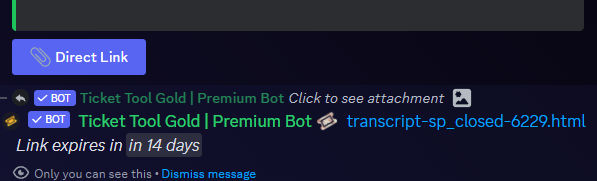
$transcripts
 scenic plinth
Also stated with your [review](#1183906433520111617 message), we don't anticipate or plan the return of the direct links feature because of the Discord API enforcement update.
 subtle sundial
hello! i want to ask how to prevent people from closing a ticket? i want my staff team members only to be able to close the tickets. thank you
 analog carbon
I also have the same question as @subtle sundial I only want my staff team to be able to edit tickets. I want my members to be able to create a ticket, and request to close, nothing else
 vale gust
Ok so I invited the premium bot to my server but “Ticket Tool#6207” doesn’t show up in the list to choose from. It’s just Ticket Tool White and Ticket Tool Gold. Is the gold one the one I choose instead?
@subtle sundial @analog carbon you have to edit the buttons. I literally just set all that up for my server.
 ionic path
vale gust
Ok so I invited the premium bot to my server but “Ticket Tool#6207” doesn’t show...
ionic path
vale gust
Ok so I invited the premium bot to my server but “Ticket Tool#6207” doesn’t show...
Ticket Tool Gold is the premium bot you are looking for, I'm pretty sure they change discriminators depending on the server.
vale gust
ionic path
Ticket Tool Gold is the premium bot you are looking for, I'm pretty sure they ch...
It’s the same discriminator as in here.
But thank you for the answer.
ionic path
vale gust
It’s the same discriminator as in here.
Then what was your question? Sorry if I misunderstood.
cursive phoenix
@ionic path in the future please use #🤖│bot-spam for bot commands (you did the suggestion in #📈│reviews and not #🤖│bot-spam )
ionic path
cursive phoenix
<@924197251880976414> in the future please use <#910978476536905738> for bot com...
Alright, sorry. I just did it to look at the person's message directly
cursive phoenix
no worries
vale gust
In the instructions it says to choose “Ticket Tool#6207” in the list but it doesn’t show up in the list to choose from. It just says white and gold. My question is, is the ticket tool gold the same thing as ticket tool#6207
cursive phoenix
the gold bot is the premium bot yes
 vale gust
 ionic path
"Ticket Tool#6207" is the username of @humble sequoia, it is visible under its display name, which is Ticket Tool Gold | Premium Bot.
cursive phoenix
I can see the confusion, but it does say premium required for the gold bot
but yeah gold = premium sorry for any confusion
vale gust
cursive phoenix
but yeah gold = premium sorry for any confusion
No worries! Thank you for the clarification.
iron nightBOT
Gave +1 Rep to @cursive phoenix
vale gust
ionic path
"Ticket Tool#6207" is the username of <@722196398635745312>, it is visible under...
Also thank you as well for the assistance
ionic path
No problem 👍
ionic path
valid quail
How do you role-lock an open ticket button?
Dashboard → Button Settings → Re-Open Ticket (Edit Button) → Disabled Roles
valid quail
ionic path
Dashboard → Button Settings → Re-Open Ticket (Edit Button) → Disabled Roles
How about the initial panel for opening a ticket? Will the above prevent that as well?
Oh I see
Thank you!!
ionic path
In the button settings, you can choose what buttons you want (opening, closing, moderator panel buttons etc.) and change the role requirement of them. It won't affect anything else, only the settings you've changed
valid quail
Thanks @ionic path
iron nightBOT
Gave +1 Rep to @ionic path
ionic path
No problem!
limber portal
subtle sundial
hello! i want to ask how to prevent people from closing a ticket? i want my staf...
You can edit the button permissions in dashboard > panel configs > buttons
 stoic sentinel
Hey all, was wondering if it's possible to implement a user survey once the ticket has been closed + keep some simple stats
i.e. the ticket has been closed, please rate your experience with 1-5 stars
then the bot is posting daily/weekly averages in a separate channel of choice?
limber portal
stoic sentinel
Hey all, was wondering if it's possible to implement a user survey once the tick...
Hey,
Unfortunately not possible currently but support has said it’s on the roadmap (no ETA tho)
stoic sentinel
limber portal
Hey,
Unfortunately not possible currently but support has said it’s on the road...
sadge
thanks @limber portal
limber portal
stoic sentinel
thanks <@1065295463089180763>
np
jade topaz
كيف اقوم بعمل قائمة لاختيار نوع التكت ؟
How do I make a list to choose the type of ticket?
humble sequoiaBOT
For more convenient use of multipanels, you can now combine panels on the dashboard. This will allow you to directly send the multipanel from the dashboard or via the $panel ID command.
Where can I find this?
You can find this setting on the Dashboard -> Panel Configs -> Panel -> Attached Panels
Note: if you're attaching all the panels to a panel called English, don't include English in the attached panel's box (If you do this, it will create a duplicate)
This will put all buttons from all of your panels on one message. The message is the panel message from the panel you're combining these panels in.
jade topaz
jade topaz
**كيف اقوم بعمل قائمة لاختيار نوع التكت ؟
How do I make a list to choose the typ...
^^
jade topaz
jade topaz
<:this:894279341108772914> ^^
thx
iron nightBOT
Gave +1 Rep to @harsh shuttle
jade topaz
no worries
 undone loom
i need halp
humble sequoiaBOT
Hello, we would love to help you, but if you don't tell us what you need help with we can't help you :(
humble sequoiaBOT
⚠️ You're in the wrong place
We provide support for Ticket Tool Discord bot and cannot help you with whatever issue you have.
- We don't know which Support Team you should contact to get this issue resolved, and unfortunately we won't be able to accurately tell you.
If you don't have any further questions regarding our bot Ticket Tool, please close this ticket
jade topaz
undone loom
the game dont working
^^
undone loom
how i can use my ticket
limber portal
undone loom
how i can use my ticket
Can you please be more specific?
You can make a ticket in this server with #🎫│make-a-ticket, but they can’t help you with any game related enquiries
wild spire
limber portal
Can you please be more specific?
You can make a ticket in this server with <#57...
I love how thats now standard in ur message 
limber portal
Can you run $debug please
The bot is missing the send messages permission in the channel
iron nightBOT
Gave +1 Rep to @limber portal
humble sequoiaBOT

Ticket Tool - Ticketing without clutter - The #1 discord Ticketing bot
First you will want to invite the bot to your server. Once the bot is in your server, you can manage your server in the dashboard.
To create a panel we are going to need to head over to the Panel Configs Tab on the Dashboard.
Once at the dashboard we will need to click Create Panel.
Enter a panel name (Fill in any optional settings you want).
Click Create Panel and you are ready to get started with configuring your panel.
An example of a creating a panel is shown below.
Once the panel has been created, use the blue Send button and select the channel you want the panel to be sent to.
The Panel wasn't send
Use the </debug:ID> command to diagnose possible permission issues with the bot.
limber portal
All of this should help^^
 waxen cairn
what is default prefix? i cannot use / commands
limber portal
waxen cairn
what is default prefix? i cannot use / commands
$
waxen cairn
tysm
 pure shard
hey, can you add custom emojis with ticket tool. for example you have a custom emoji within ur server that you added from the emojis settings in ur server settings, can you do :<youremojiname>: will it appear on the button when creating a ticket
limber portal
pure shard
hey, can you add custom emojis with ticket tool. for example you have a custom e...
Hi, yes you can
you need to put it in the emoji format: <:name:id>. You can find the id by doing $ID emoji in your server.
pure shard
limber portal
Hi, yes you can
you need to put it in the emoji format: `<:name:id>`. You can f...
Thanks, also when I want to customise the Message Panel it doesnt let me write any more, is that because there's a certain number that you can type upto?
iron nightBOT
Gave +1 Rep to @limber portal
 zealous moon
1
 ionic path
 languid lynx
??
languid lynx
??
Hello there! Please try using $debug and see if the bot answers.
limber portal
pure shard
Thanks, also when I want to customise the Message Panel it doesnt let me write ...
There is a character limit for non premium servers
pure shard
limber portal
There is a character limit for non premium servers
oof :(
 iron trench
??
 pure shard
iron trench
??
pure shard
iron trench
??
give them admin perms via server settings
iron trench
iron trench
??
seems to have issued the license
limber portal
 spring badge
البوت في السيرفر مش شغال
spring badge
البوت في السيرفر مش شغال
$articket
humble sequoiaBOT

فريق الدعم الفني العربي
عميلنا العزيز ان كنت تبحث عن مساعدة يرجى فتح تكت خاص بفريق الدعم الفني العربي
اذهب الى#🎫│make-a-ticket
ثم قم بلضغط على الايموجي الاتي (🇯🇴)
limber portal
iron trench
??
Has this been resolved?
limber portal
iron trench
no
Can you please run $debug in that channel and let me know when done
If the bot doesn’t respond, /debug as well
 limber portal
iron trench
This channel isn't a ticket. what to do ?
limber portal
iron trench
This channel isn't a ticket. what to do ?
You can’t run ticket related commands in non ticket channels
iron trench
limber portal
You can’t run ticket related commands in non ticket channels
how to create a channel with received applications?
pure shard
This isn't in regarding of ticket tool but does anyone know how to make it so that it translates to your local time?
What i mean

 civic wagon
pure shard
What i mean
civic wagon
pure shard
What i mean

DiscordLookup.com
Generate Discord timestamp styles based on a date, time, snowflake or timestamp.
pure shard
civic wagon
https://discordlookup.com/timestamp
Thank you!
iron nightBOT
Gave +1 Rep to @civic wagon
limber portal
iron trench
how to create a channel with received applications?
Not entirely sure what you mean, can you specify?
pure shard
limber portal
Hi, yes you can
you need to put it in the emoji format: `<:name:id>`. You can f...
Does animated icons work too?
limber portal
pure shard
Does animated icons work too?
No, only static
pure shard
limber portal
No, only static
aw alright, thanks
iron nightBOT
Gave +1 Rep to @limber portal
limber portal
Np
pure shard
How do I make multiple buttons when trying to create a ticket, what i mean:
 humble sequoiaBOT
For more convenient use of multipanels, you can now combine panels on the dashboard. This will allow you to directly send the multipanel from the dashboard or via the $panel ID command.
Where can I find this?
You can find this setting on the Dashboard -> Panel Configs -> Panel -> Attached Panels
Note: if you're attaching all the panels to a panel called English, don't include English in the attached panel's box (If you do this, it will create a duplicate)
This will put all buttons from all of your panels on one message. The message is the panel message from the panel you're combining these panels in.
pure shard
alr
limber portal
pure shard
How do I make multiple buttons when trying to create a ticket, what i mean:
^^
pure shard
limber portal
^^
thanks :D, your very helpful
iron nightBOT
Gave +1 Rep to @limber portal
limber portal
pure shard
thanks \:D, your very helpful
No worries
 long shore
Anyone know why the panel I just made doesn't appear in the channel it has to appear while it is in the list of panels?
limber portal
long shore
Anyone know why the panel I just made doesn't appear in the channel it has to ap...
You can send the panel with the send button under the panel name
 limber portal
 copper spear
is there an option inside of the dashboard to remove the direct link button and revert to the direct transcript clickable link?
pseudo ravine
Hey there. Unfortunately not
copper spear
damn. i hope it becomes an option in the future, it was a nice try to modernize but it makes getting transcripts of older tickets a pain now
pseudo ravine
It was only changed due to Discord changing its CDN
copper spear
lead me to believing the bot was not giving the link at all first or that it was broken or something, but thanks anyways
pseudo ravine
You’re welcome, glad I could help!
toxic flame
limber portal
No worries <:sacrifice_yee:1181945743733444648>
You are very helpful. Thank you
iron nightBOT
Gave +1 Rep to @limber portal
 edgy bay
When i open up a new ticket, my in ticket message does not appear. Even though it looks good on the website

but the id is in there
 limber portal
edgy bay
but the id is in there
limber portal
edgy bay
but the id is in there
Which button is this for? The create a ticket button?
limber portal
Hm.
In all honestly, I could try and work through multiple pages of your dashboard to try and figure out which button is causing the error but it will be much faster for you if you #🎫│make-a-ticket and give staff your server id so they can directly look at your dashboard in person rather than through screenshots
 true swan
Guys I am completely blanking on a basic function of the bot. Please forgive me but I need help lol.
When a ticket is created, we are trying to set it so that the ticket bot pings the moderator role, however, <@roleID> doesn't seem to work. It posts it as a string of role numbers with an @ in front of it, highlighted like it's a hyperlink, but doesn't show the role name, and does not ping. Is there a way to do this? I'm certain I have seen it before, but I don't remember how we did it.
limber portal
true swan
Guys I am completely blanking on a basic function of the bot. Please forgive me ...
for role ids its <@&roleid>
true swan
Ah the & symbol is required?
limber portal
yep, without discord sees it as an attempted user mention
true swan
That is most likely what I was doing wrong. Thanks so much!
limber portal
np
jade topaz
it wont let me use the /setup command so I can’t create a panel
limber portal
jade topaz
it wont let me use the /setup command so I can’t create a panel
Hey, do you get this application did not respond
jade topaz
yup!
limber portal
jade topaz
yup!
Please run /debug and let me know when you have
jade topaz
alright!! Ty
 limber portal
jade topaz
limber portal
jade topaz
the bot is missing the send messages permission in your channel
 iron nightBOT
Gave +1 Rep to @limber portal
 neat storm
Having trouble with the /add command, users that I add to the channel lack all perms. Is there a way I can give this user perms via the bot? ideally I wouldn't use @everyone to avoid @everyone being able to see the channel.
limber portal
neat storm
Having trouble with the /add command, users that I add to the channel lack all p...
Hey, what permissions are you seeing them lack?
neat storm
Every permission.
limber portal
neat storm
Every permission.
Well, users granted with the /add command typiclly don't gain any extra permissions, just the ability to view and send messages in the channel
are they lacking these as well?
limber portal
neat storm
They lack all perms
so when you use /add, the users don't actually get added to the ticket?
neat storm
They do but they lack all perms
i.e they are set to neutral, ideally they would be green / red, otherwise they cannot speak as our @everyone role lacks perms since the server is to be kept private for the most part.
limber portal
neat storm
i.e they are set to neutral, ideally they would be green / red, otherwise they c...
Can you send a screenshot of dashboard > panel configs > permissions > ticket owner > edit opened please
neat storm
I like your cat pfp by the way.
 limber portal
neat storm
I like your cat pfp by the way.
limber portal
neat storm
I like your cat pfp by the way.
haha thanks you too
Can you set view channel, send messages and read message history to tick and test adding a user again? after this change they should have the perms
iron nightBOT
Gave +1 Rep to @neat storm
neat storm
Ticket owner is anyone who has access to speak in the ticket via the bot that isn't a member of observer / support?
limber portal
neat storm
Ticket owner is anyone who has access to speak in the ticket via the bot that is...
Ticket owner is the ticket creator and anyone added with the add command
neat storm
Okay that fixed my issue, thank you very much. Additionally how do I increase the ticket limit?
Ticket Limit Reached - how do i increase this?
limber portal
No worries
Dashboard > panel configs > limits, or dashboard > server configs > global ticket limit if it is the global one
neat storm
Thank you
limber portal
neat storm
Thank you
no problem, glad i could help
 rough parrot
Instead of the channel name saying
"Ticket - [number]"
How do you make it say
"Ticket- [user]"
humble sequoiaBOT
The ticket name is the default channel name of all tickets. To edit it, go to your Dashboard > Panel Configs > Ticket. There you can edit the channel name of opened and closed tickets. You can also use variables in there.
Note: This is a premium feature
limber portal
rough parrot
Instead of the channel name saying
"Ticket - [number]"
How do you make it say
...
^^
rough parrot
Thank you
limber portal
np
jade topaz
J'ai besoin d'aide avec l'outil de ticket. Il ne fonctionne pas sur mon serveur.
humble sequoiaBOT

L'équipe du support Français
Cher client,
Si vous avez besoin d'aide, ouvriez un ticket pour le support Français s'il vous plaît.
Allez au #🎫│make-a-ticket et tapez sur le bouton contenant l'emoji 🇫🇷
jade topaz
jade topaz
J'ai besoin d'aide avec l'outil de ticket. Il ne fonctionne pas sur mon serveur.
Tu à toujours besoin d'aide ? 🙂
 sudden pine
hey
 hidden spire
I did the stuff to set up Ticket Tool, but there no way to make the ticket
jade topaz
sudden pine
hey
Hey, do you need help?
humble sequoiaBOT
First you will want to invite the bot to your server. Once the bot is in your server, you can manage your server in the dashboard.
To create a panel we are going to need to head over to the Panel Configs Tab on the Dashboard.
Once at the dashboard we will need to click Create Panel.
Enter a panel name (Fill in any optional settings you want).
Click Create Panel and you are ready to get started with configuring your panel.
An example of a creating a panel is shown below.
Once the panel has been created, use the blue Send button and select the channel you want the panel to be sent to.
The Panel wasn't send
Use the </debug:ID> command to diagnose possible permission issues with the bot.
pseudo ravine
$tts @sudden pine
humble sequoiaBOT
⚠️ You're in the wrong place
We provide support for Ticket Tool Discord bot and cannot help you with whatever issue you have.
- We don't know which Support Team you should contact to get this issue resolved, and unfortunately we won't be able to accurately tell you.
If you don't have any further questions regarding our bot Ticket Tool, please close this ticket
jade topaz
humble sequoia
@hidden spire
sudden pine
ok
 teal ridge
zombies squad?
jade topaz
yo do yall know how to add more than one button to a ticket
with a different form for them to fillout
respond ot my message if so
humble sequoiaBOT
For more convenient use of multipanels, you can now combine panels on the dashboard. This will allow you to directly send the multipanel from the dashboard or via the $panel ID command.
Where can I find this?
You can find this setting on the Dashboard -> Panel Configs -> Panel -> Attached Panels
Note: if you're attaching all the panels to a panel called English, don't include English in the attached panel's box (If you do this, it will create a duplicate)
This will put all buttons from all of your panels on one message. The message is the panel message from the panel you're combining these panels in.
vale gust
If I turn this on and have an allowed role does it do both or just the support team?

 gilded verge
vale gust
If I turn this on and have an allowed role does it do both or just the support t...
gilded verge
vale gust
If I turn this on and have an allowed role does it do both or just the support t...
if enabled, then only support team can use it
 vital sedge
how do i make it so that a role gets pinged when a ticket opens?
humble sequoiaBOT
1. Go into your Dashboard
2. Open your Panel Configs tab
3. Select the panel you want to ping your support on
4. Open the Ticket options menu
5. Click on Edit Ticket Message
6. In the Message Content use one of the role mention syntax (**{@Role Name}**/**{Role ID}**)
7. Save changes
Note: For this to work properly, Ticket Tool requires the Mention Everyone permission. Or the role must have the Allow anyone to @mention this role setting enabled
humble sequoiaBOT
Identifiy the number of your question and select it using the menu at the end of the message
 - How do I create a panel?
 - How do I send a panel?
 - How can I grant my team access to tickets?
 - How do I add/remove users from a ticket?
 - How to automatically ping my support team on a ticket?
 - How do I set what category tickets are created in?
 - How does claiming work?
 - What is the prefix and how do I change it?
 - How do I limit the number of tickets a user can create?
 - How do I set a transcript channel?
 - How do I set permissions for tickets?
 umbral pivot
What happens when the 10 thousand ticket is opened? Does the free version have the ability to go to five digit ticket numbers, or will i need to purchase the premium tool?
 slender minnow
yes it goes to five digit numbers
 mossy token
When I create a ticket in the thread, it will remove me once the ticket is closed and thus I can't search it later. Is there some workaround to keep me in the thread?

 jade topaz
Hello i cant start the nova version because there are troubles updating the presidio anticheat can someone help me
humble sequoiaBOT
⚠️ You're in the wrong place
We provide support for Ticket Tool Discord bot and cannot help you with whatever issue you have.
- We don't know which Support Team you should contact to get this issue resolved, and unfortunately we won't be able to accurately tell you.
If you don't have any further questions regarding our bot Ticket Tool, please close this ticket
 heady ridge
does anyone know the hex code of the white bot
jade topaz
heady ridge
does anyone know the hex code of the white bot
that's to say ?
long shore
so i got more problems with the ticket making. Everything is the same as my other channel but in this channel it doesn't want to make the ticket that is connected to this channel. Could it be that it couldn't make tickets in two different channels? because I didn't forgot anything while I was making the panel.
 restive condor
long shore
so i got more problems with the ticket making. Everything is the same as my othe...
restive condor
long shore
so i got more problems with the ticket making. Everything is the same as my othe...
Hey there! TicketTool is missing permissions.
Please run the $debug command in any channel within the category ''server informatie''
long shore
yeah i will do that right away
so I did the debug thing I got a link and a screenshot from it
long shore
restive condor
Hey there! TicketTool is missing permissions.
Please run the ``$debug`` command ...
should I share them?
restive condor
long shore
should I share them?
No, I got them.
Are tickets opened in the same category as that channel?
long shore
yes
restive condor
long shore
yes
Create a new channel in that category and run the same command there too, please 🙏
restive condor
long shore
maybe I could make a whole new category?
Did you use the $debug command in that channel? Can't seem to see it
restive condor
long shore
now I did
Right, TicketTool seems to have all correct permissions in its role settings and in the category
long shore
yeah but it still work half it does whatr it should do but it keeps saying I skipped the catagory
humble sequoiaBOT
━━ User's inquiry has been moved to a ticket ━━
jade topaz
Hey!
On the dashboard what would happen if i didn't specify a close category?
Would the ticket after being closed just stay in the same category as created?
Thanks ❤️
restive condor
jade topaz
Hey!
On the dashboard what would happen if i didn't specify a close category?
...
Hey there! Yes, that's correct
jade topaz
restive condor
Hey there! Yes, that's correct
Thank you 🙂
iron nightBOT
Gave +1 Rep to @restive condor
 cold copper
topaz furnace
well yea ik but it dont even work half the time
cold copper
topaz furnace
well yea ik but it dont even work half the time
it does not work at all when you're scrolled so far that you see the "You're viewing older messages" bar above text field. experiencing the same problem, huge PITA. perhaps clicking a button could update a link in the embed to the newest one?
at this time it is impossible to get a transcript of an old ticket without downloading it
humble sequoiaBOT
Hello, we would love to help you, but if you don't tell us what you need help with we can't help you :(
 jagged apex
i cant find the id
jade topaz
jagged apex
i cant find the id
hi, which id are you talking about?
jagged apex
tou know when i want do do the panel it wanna me to give him id but idk what id and where is it
jade topaz
Unfortunately, I don't understand your problem, opened a ticket from the channel #🎫│make-a-ticket, you will get more help :)
jagged apex
i tried
jade topaz
Wait for a response from support
 humble sequoiaBOT
Ticket Tool - Ticketing without clutter - The #1 discord Ticketing bot
jade topaz
jagged apex
I suggest you use the dashboard, easier to use to configure TT ⬆️
jagged apex
hęęęęęęęe
humble sequoiaBOT
━━ User's inquiry has been moved to a ticket ━━
 snow sky
How can I automatically delete the message ticket tool sends to you saying "you only can see this / dismiss message" ?
 languid trellis
How can I allow my senior staff to still view a ticket if it is claimed by a junior staff member, for example admins still able to view all claimed tickets?
jade topaz
snow sky
How can I automatically delete the message ticket tool sends to you saying "you ...
It seems to me that this is not possible, it is automatic from Discord, unless I am mistaken
languid trellis
languid trellis
How can I allow my senior staff to still view a ticket if it is claimed by a jun...
There has been a major messup in our server, over 6k people who could be asking for support and I'm troubleshooting a fix been sitting for better half of an hour trying to figure a fix
pseudo ravine
Hey there. You can add their role as an Additional Role
Dashboard > General > Additional Roles
 static hornet
Is there a way to move a ticket to the correct category if it’s made under the wrong one (officially that the bot recognises)?
restive condor
static hornet
Is there a way to move a ticket to the correct category if it’s made under the ...
Hey there! You can select the category where tickets will be opened from your Dashboard > Panel Configs > Categories
static hornet
restive condor
Hey there! You can select the category where tickets will be opened from your ``...
Sorry missed some important key words. If someone opens a ticket in the wrong category -> is there a way to move it that the bot will officially recognise as I want it to enter the relocated closed category not the original one the ticket was made in.
I can rename the tickets which is fine -> but the bot will still move it to the original closed category not the new one
restive condor
static hornet
Sorry missed some important key words. If someone opens a ticket in the wrong ca...
So, if somebody chose the incorrect ticket option and you moved the ticket to the correct category...
You want it to be then closed and moved to the closed category as if it was created under the correct ticket option. Am I interpreting this correctly?
static hornet
restive condor
So, if somebody chose the incorrect ticket option and you moved the ticket to th...
Yep. I have multiple ticket categories each with its own closed category 😊
restive condor
static hornet
Yep. I have multiple ticket categories each with its own closed category 😊
Gotcha, no that wouldn't be possible.
You can select where ticket will be opened and closed for each panels but can't automatically follow another panel's setup just because it moved category.
You can suggest it in #💡│suggestions though 
static hornet
restive condor
Gotcha, no that wouldn't be possible.
You can select where ticket will be opened...
Ok thanks!
iron nightBOT
Gave +1 Rep to @restive condor
 tidal umbra
Does anyone know how to create a ticket to buy a game pass?
humble sequoiaBOT
⚠️ You're in the wrong place
We provide support for Ticket Tool Discord bot and cannot help you with whatever issue you have.
- We don't know which Support Team you should contact to get this issue resolved, and unfortunately we won't be able to accurately tell you.
If you don't have any further questions regarding our bot Ticket Tool, please close this ticket
vale gust
Hello I am wondering how to use the {reason} variable.
 worldly zodiac
Hi
vale gust
Another question… I am trying to make smth for an RP server to track interactions based on manual input via button presses. Basically my intent/idea is to be able to hit a Clock-In button, then more buttons with different categories appears (like Town / Regional / Roaming / Management each a separate category) then once one of those buttons are hit, each category has its own options to chose from. (Different town/region names, etc) then they display the player's name listed under the category they selected and then following their discord @ is the Tertiary option they chose after the category. (I will attach an example from an old screenshot I took) is this possible with ticket tool custom commands?

 desert vigil
is there a way i can pay my subscription early?
civic wagon
vale gust
Another question… I am trying to make smth for an RP server to track interaction...
No
 limber turret
humble sequoiaBOT
limber turret
humble sequoiaBOT
━━ User's inquiry has been moved to a ticket ━━
 humble sequoiaBOT
The Drop-down menu or Select Menu replaces the buttons on your panel message and uses a drop-down menu with all of your panels. To set this up, go to your Panel Configs and select your main Panel.
<:Numbericons1:1018864164032225340> Enable Select Style
First you enable Select Style. Then you add an item in the Dropdown Editor. Now you can start editing your dropdown!
<:Numbericons2:1018864168041971712> Dropdown Editor
Each line in the dropdown editor represents a line in the drop down menu on discord. You can add more "Items", by clicking on 

First you select a panel. That's the panel this option will open a ticket for.  DONT select the same panel twice. Each option should have a different Panel
After that, you can put a Display. This is the title of this option and will appear in the drop down menu. The *Description can be set right after that, which will be below the title in grey.
Additionally you can select an emoji, that will be shown in front of each option. You can either manually input the ID of an emoji or select it in the selector.
Common Issues ⚠️
- Panel doesn't send? Make sure you have a valid emoji selected
- Option doesn't show up? Check if two options have the same panel in the DropDown Editor

$dropdown
idle flint
 fast yacht
how do i do that
fast yacht
how do i do that
See above 😊
fast yacht
idle flint
See above 😊
is the dropdown editor another section
idle flint
fast yacht
is the dropdown editor another section
I’m not sure what you mean? To configure a drop down, head to the Dashboard > Panel Configs > Drop Down. That is where the drop down editor is
fast yacht
idle flint
I’m not sure what you mean? To configure a drop down, head to the Dashboard > Pa...
I do not see it.
I have 3 panels
idle flint
fast yacht
I do not see it.
Have you found the DropDown style page on the dashboard???
humble sequoiaBOT
Ticket Tool - Ticketing without clutter - The #1 discord Ticketing bot
idle flint
- Go to the dashboard (link above) and log in.
- go to “manage server” for your server.
- select Panel Configs (on the left menu)
- Click Drop Down Style (it’s about in the middle of all the options)
 vital sedge
how do i make it revenant t5 is a line. then voidgloom t2-3-4 is on a line and inferno 2-3 on a line

 nova vale
how can I make it ping a role everytime a ticket opens?
humble sequoiaBOT
1. Go into your Dashboard
2. Open your Panel Configs tab
3. Select the panel you want to ping your support on
4. Open the Ticket options menu
5. Click on Edit Ticket Message
6. In the Message Content use one of the role mention syntax (**{@Role Name}**/**{Role ID}**)
7. Save changes
Note: For this to work properly, Ticket Tool requires the Mention Everyone permission. Or the role must have the Allow anyone to @mention this role setting enabled
 acoustic patrol
How to access the indicator on trading view
I don’t know how to join
Please guide
humble sequoiaBOT
⚠️ You're in the wrong place
We provide support for Ticket Tool Discord bot and cannot help you with whatever issue you have.
- We don't know which Support Team you should contact to get this issue resolved, and unfortunately we won't be able to accurately tell you.
If you don't have any further questions regarding our bot Ticket Tool, please close this ticket
jade topaz
acoustic patrol
How to access the indicator on trading view
^^
humble sequoiaBOT
فريق الدعم الفني العربي
عميلنا العزيز ان كنت تبحث عن مساعدة يرجى فتح تكت خاص بفريق الدعم الفني العربي
اذهب الى#🎫│make-a-ticket
ثم قم بلضغط على الايموجي الاتي (🇯🇴)
jade topaz
 fiery brook
السلام عليكم
fiery brook
السلام عليكم
^^
nova vale
how can i make a button that says something different and makes a different type of ticket
fiery brook
jade topaz
<:this:894279341108772914> ^^
s'il vous plaît aidé moi
jade topaz
fiery brook
s'il vous plaît aidé moi
Comment je peut t'aidé ?
fiery brook
jade topaz
Comment je peut t'aidé ?
Comment on fait comme ça stpl

 humble sequoiaBOT
For more convenient use of multipanels, you can now combine panels on the dashboard. This will allow you to directly send the multipanel from the dashboard or via the $panel ID command.
Where can I find this?
You can find this setting on the Dashboard -> Panel Configs -> Panel -> Attached Panels
Note: if you're attaching all the panels to a panel called English, don't include English in the attached panel's box (If you do this, it will create a duplicate)
This will put all buttons from all of your panels on one message. The message is the panel message from the panel you're combining these panels in.
jade topaz
fiery brook
Comment on fait comme ça stpl
^^
nova vale
how can i make a button that says something different and makes a different type of ticket
fiery brook
jade topaz
<:this:894279341108772914> ^^
C'est les muti panels ??
jade topaz
fiery brook
C'est les muti panels ??
Oui 🙂
fiery brook
jade topaz
Oui 🙂
Mais comment j vais faire Pour que il envoi les photos
jade topaz
nova vale
how can i make a button that says something different and makes a different type...
I don't know what you are talking about, open a ticket #🎫│make-a-ticket you will get more help :)
 fiery brook
jade topaz
Oui 🙂
fiery brook
jade topaz
Oui 🙂
S'il vous plaît
jade topaz
fiery brook
S'il vous plaît
Sûrement utilisé des commande personnalisé pour envoyé les images
 fiery brook
jade topaz
Sûrement utilisé des commande personnalisé pour envoyé les images
fiery brook
jade topaz
Sûrement utilisé des commande personnalisé pour envoyé les images
Je vous remercie ❤️
jade topaz
pas de soucis
humble sequoiaBOT
Hello, we would love to help you, but if you don't tell us what you need help with we can't help you :(
 robust sandalBOT
jade topaz
Sûrement utilisé des commande personnalisé pour envoyé les images
robust sandalBOT
jade topaz
Sûrement utilisé des commande personnalisé pour envoyé les images
Surely used custom order to send the pictures
 French (fr) → English (en)
 desert cedar
Bonjour à vous,
J'ai une question. Comment fait-on pour mettre ce genre d'émojis pour le bouton des tickets ?
jade topaz
desert cedar
Bonjour à vous,
J'ai une question. Comment fait-on pour mettre ce genre d'émoji...
hi, go to the dashboard -> Panel configs -> Button and Button Create Ticket
You must take the name of the emoji and its identifier
Like the picture below
 iron nightBOT
Gave +1 Rep to @harsh shuttle
jade topaz
no worries
desert cedar
Comment fait on pour mentionner un rôle à l'ouverture du ticket ?
humble sequoiaBOT
1. Go into your Dashboard
2. Open your Panel Configs tab
3. Select the panel you want to ping your support on
4. Open the Ticket options menu
5. Click on Edit Ticket Message
6. In the Message Content use one of the role mention syntax (**{@Role Name}**/**{Role ID}**)
7. Save changes
Note: For this to work properly, Ticket Tool requires the Mention Everyone permission. Or the role must have the Allow anyone to @mention this role setting enabled
 drowsy galleon
How to make bots lead to the #chanel I want
jade topaz
desert cedar
Donc je fais
yes
jade topaz
drowsy galleon
How to make bots lead to the #chanel I want
when creating a ticket? Do you want tickets to go into a specific category?
drowsy galleon
Nope
desert cedar
jade topaz
yes
thanks @jade topaz
iron nightBOT
Gave +1 Rep to @harsh shuttle
jade topaz
desert cedar
thanks <@456226577798135808>
no worries
drowsy galleon
jade topaz
when creating a ticket? Do you want tickets to go into a specific category?

Like this #🎫│make-a-ticket
humble sequoiaBOT
For more convenient use of multipanels, you can now combine panels on the dashboard. This will allow you to directly send the multipanel from the dashboard or via the $panel ID command.
Where can I find this?
You can find this setting on the Dashboard -> Panel Configs -> Panel -> Attached Panels
Note: if you're attaching all the panels to a panel called English, don't include English in the attached panel's box (If you do this, it will create a duplicate)
This will put all buttons from all of your panels on one message. The message is the panel message from the panel you're combining these panels in.
jade topaz
drowsy galleon
Like this <#571706435449257997>
^^
drowsy galleon
Nah,I Mean I Have A Sever To Sell Stuff And I have 2 channels: 1 channel is price list and 1 channel is to create tickets to buy those items and I want when they click on the channel to create tickets, they will see a link to the price list channel like #📰・price-list
drowsy galleon
jade topaz
<:this:894279341108772914> ^^
.
limber portal
drowsy galleon
Nah,I Mean I Have A Sever To Sell Stuff And I have 2 channels: 1 channel is pric...
Well,
-
you could send the link in the channel yourself
-
If you want it in the embed from ticket tool, you can mention it in the format
<#channelid>replacingchannelidwith the id of the channel
You can find the id with $id #channel
 scarlet abyss
I won an oasis injective nftsi raffle wl but I don't know how to buy it.
jade topaz
scarlet abyss
I won an oasis injective nftsi raffle wl but I don't know how to buy it.
We have already answered you about this subject.
#💬│general-chat message
vale gust
Is there a limit of how many characters you can put in an embed?
limber portal
vale gust
Is there a limit of how many characters you can put in an embed?
Hey,
For standard ticket tool yes for premium no
vale gust
limber portal
Hey,
For standard ticket tool yes for premium no
Thank you.
iron nightBOT
Gave +1 Rep to @limber portal
vale gust
What is the character limit? As it does not show in the editor.
limber portal
vale gust
What is the character limit? As it does not show in the editor.
250
vale gust
limber portal
250
Thanks again
iron nightBOT
Gave +1 Rep to @limber portal
 loud lance
How do I make a command that opens a ticket category and pulls in a user that is mentioned?
limber portal
loud lance
How do I make a command that opens a ticket category and pulls in a user that is...
You can use $new userid, AKA command style tickets - I’ll send the guide embed below
humble sequoiaBOT
Command Style Tickets allow you to open tickets VIA the $new or $ticket commands. This feature also allows you to open tickets for people, by using the aforementioned commands with the user's ping or ID.
You can enable this feature by heading over to your server's dashboard. Then head over to Panel Configs ➞ Settings ➞ Command Style Tickets. (GIF below shows you how to get to it as well).
This section of the panel settings also contains the following features
- Bypass channel list and watch all of them → when you enable this option, Ticket Tool will create a ticket whenever someone uses the $new or the $ticket command in a channel it has access to .
- Channel to monitor for command $new and $ticket → This is the opposite of the previous option, you can actually select in which channels Ticket Tool should look for the $new command instead of looking in the whole server.
- Delete command after creating ticket → If enabled, Ticket Tool will delete the command (whether it's
$newor$ticket) a few seconds after you run it.
 loud lance
limber portal
You can use `$new userid`, AKA command style tickets - I’ll send the guide embed...
loud lance
limber portal
You can use `$new userid`, AKA command style tickets - I’ll send the guide embed...
Thank you
iron nightBOT
Gave +1 Rep to @limber portal
limber portal
loud lance
Thank you
Np
loud lance
limber portal
Np <:sacrifice_yee:1181945743733444648>
Is there a way to customize the command so it opens certain panel and catergory?
limber portal
loud lance
Is there a way to customize the command so it opens certain panel and catergory?
You can assign a different channel to be watched for each panel for command style tickets
The category will respect the ‘opened category’ you have set for that panel
loud lance
limber portal
You can assign a different channel to be watched for each panel for command styl...
I see thank you thats what I assumed
iron nightBOT
Gave +1 Rep to @limber portal
neat storm
Hello, is there a way to prevent " closed " tickets from renaming themselves to " closed " ?
pseudo ravine
Hey there. Only if you have premium
neat storm
We use a ticket system where we manually rename the ticket for our logging purposes, but when closed it then changes it to closed, we'd prefer it just remain.
humble sequoiaBOT
The ticket name is the default channel name of all tickets. To edit it, go to your Dashboard > Panel Configs > Ticket. There you can edit the channel name of opened and closed tickets. You can also use variables in there.
Note: This is a premium feature
pseudo ravine
Unfortunately not
neat storm
How does premium work, where can I find this?
humble sequoiaBOT
Premium can now be purchased directly through discord! Either in the app directory (server settings) or directly from the bots profile.
<:TTWarning:1034178155872784494> Important Information <:TTWarning:1034178155872784494>
ONLY purchase premium through ONE of the two Ticket Tool Bots. If you purchased premium on the primary bot (White logo) and plan to use the premium bot, don't kick the primary bot!
What's different?
The Monthly price changed from $6.00 to $5.99
Yearly subscriptions are not yet available
Don't kick the bot, otherwise, the subscription will be canceled automatically
You'll need to buy the subscription from a computer or on the Application Directory
You might need to run the /premium command on your server to sync the premium status with your dashboard
A subscription can not be transferred between Servers
PayPal - paypal@tickettool.xyz
BitCoin - 3HhKKAdb9eEvCe2tvzB8bAa8nebHY6qcPA
LiteCoin - MEQX3knLAuotrKnvk3HDNBK5gdRn6PZhHy
Prepay/Direct Payment
To prepay send the payment using your desired method - Available options listed bellow.
⚠️ $18 per 3 months. ⚠️
$66 per year.
(If using the direct payment option, you need to be paying for at-least 3+ months.)
Regular Prices when paying within Discord:
$5.99/per month
Once your payment is sent let us know so we can confirm and get you your key.
- Purchases done with this method are non-refundable.
<:paypal:924596360840372234> Paypal ("Goods and Services" or "Family and Friends")
paypal@tickettool.xyz
<:bitcoin:924638849135689749> BTC - Bitcoin
3HhKKAdb9eEvCe2tvzB8bAa8nebHY6qcPA
<:Litecoin:972176945972383815> LTC - LiteCoin
MEQX3knLAuotrKnvk3HDNBK5gdRn6PZhHy
I sent the payment now what?
After you send the payment, please send a screenshot with proof of payment, our <@&615146349700186112> will verify your payment and will get you setup. For crypto payments, we are waiting for at least ONE verification.
All prices in USD - 3 months min for direct payment
limber portal
@toxic dagger ^^
 toxic dagger
Thank you
limber portal
toxic dagger
Thank you
Make sure to Make a billing ticket if you wanna purchase
toxic dagger
damn 3 month min is crazy
neat storm
Thank you
pseudo ravine
You're welcome, glad I could help!
 forest stump
how do i make the ticket tool create the tickets under a category like this

nvm got it
jade topaz
good
drowsy galleon
limber portal
Well,
- you could send the link in the channel yourself
- If you want it in th...
Tks so much
shut bolt
 left cypress
i added a role to support team and people with that role cant see the tickets
left cypress
i added a role to support team and people with that role cant see the tickets
By tickets do you mean previous tickets or tickets created after saving the settings in the dashboard?
left cypress
shut bolt
By tickets do you mean previous tickets or tickets created after saving the sett...
previous tickets but
shut bolt
Only new tickets get the new settings applied
left cypress
they can see the previous tickets made with the other ticket entries because i have 2 different tickets running
left cypress
okay so i have 2 different channels for my server
#tryout-ticket
#support-ticket
i put the role for each ticket as support team and its a problem because they can view the support tickets that were previously made but they cant view the tryout tickets that were previously made that's why im really confused
shut bolt
left cypress
okay so i have 2 different channels for my server
#tryout-ticket
#support-ticke...
So the principle you need to be aware of. A ticket will use the settings that are saved on your dashboard. A ticket made 2 days ago, uses the panel configurations you had until 2 days ago, if you made a change right now and save it, only tickets created after this moment will have that new settings. Does that help understanding what's going on?
left cypress
ohh so because the tryout tickets were opened today that means they can view them because the dashboard was saved from today?
i mean the support tickets*
and because the tryout tickets were made before today that means the dashboard settings are saved from the date of the creation of the ticket
shut bolt
left cypress
and because the tryout tickets were made before today that means the dashboard s...
There you go!
left cypress
oh i see, thank you a lot for that now i understand
just one more question, how do i change who can close the tickets?
shut bolt
left cypress
just one more question, how do i change who can close the tickets?
Who would you like to be able to close tickets
left cypress
my staff and the ticket helpers
shut bolt
Head to Panel Configs > Buttons > Close Ticket Button >  Support Team Only
left cypress
ohhhh i just found it, thank you a lot!
shut bolt
scenic plinth
@neon jetty Não, você não pode definir um botão personalizado para configurar a adição/remoção de pessoas a um ticket.
 spark slate
where do i claim my vip subscription
idle flint
spark slate
where do i claim my vip subscription
As we told you in your open ticket, this is the incorrect discord server for what you are asking.
 torn flower
How to add multiple ticket opening options with one message
humble sequoiaBOT
The Drop-down menu or Select Menu replaces the buttons on your panel message and uses a drop-down menu with all of your panels. To set this up, go to your Panel Configs and select your main Panel.
<:Numbericons1:1018864164032225340> Enable Select Style
First you enable Select Style. Then you add an item in the Dropdown Editor. Now you can start editing your dropdown!
<:Numbericons2:1018864168041971712> Dropdown Editor
Each line in the dropdown editor represents a line in the drop down menu on discord. You can add more "Items", by clicking on
First you select a panel. That's the panel this option will open a ticket for. DONT select the same panel twice. Each option should have a different Panel
After that, you can put a Display. This is the title of this option and will appear in the drop down menu. The *Description can be set right after that, which will be below the title in grey.
Additionally you can select an emoji, that will be shown in front of each option. You can either manually input the ID of an emoji or select it in the selector.
Common Issues ⚠️
- Panel doesn't send? Make sure you have a valid emoji selected
- Option doesn't show up? Check if two options have the same panel in the DropDown Editor
$dropdown
torn flower
thank you
 olive thunder
How do I add a confirm button to newly opened tickets, making the user confirm they have read rules before being able to post?
limber portal
olive thunder
How do I add a confirm button to newly opened tickets, making the user confirm t...
there’s no ‘open confirmation’ button, You could try using a form that make them input an answer to ‘have you read the rules’
humble sequoiaBOT
A Discord Form lets the user answer individual questions in a pop-up Form, which then displays the answers in the ticket message. This can save time if you already know what you want to ask the user.
Setup Forms
Forms can be enabled under Panel Settings > Form Options > Edit Forms Options. In the new pop-up window, you can now enable and edit your own Form.
Form Options
You can add up to 5 questions in the Discord form. This is a Discord limitation. Each question can have a placeholder in the input field, a minimum and maximum input, multi-line, and also the option to have the answer required.
Options
Question Title ➞ Your Question goes here
Question Placeholder ➞ The placeholder text in the input field
Required ➞ If enabled, the user has to answer this question, to submit the form
Multi-Line Input ➞Allows the user to input multiple lines
Minimum and Maximum Input ➞ Set a minimum and maximum input value for the user
Displaying the Answer
To display the answers from the user, you need to enable Auto display form results on the ticket message as an additional embed
If you don't want a second embed, go into your Panel Configs > Ticket Options > Edit Ticket Message. You use the variable {create.form.x} and replace x with the number of your question. For example, the response to Question 5 can be displayed with {create.form.5}.
olive thunder
Thanks i'll give this a read
limber portal
Np
 limber portal
 chilly sierra
can i change color?
chilly sierra
can i change color?
Yes, with premium
chilly sierra
limber portal
Yes, with premium
 prime sleet
hi, how can I restore a deleted ticket?
jade topaz
prime sleet
hi, how can I restore a deleted ticket?
hi, you can't restore deleted tickets. However, if you have saved the transcript, you can look at them but it is not possible to restore them.
 zinc wolf
what is the phase with this error?
 jade topaz
zinc wolf
what is the phase with this error?
jade topaz
zinc wolf
what is the phase with this error?
hi, is it possible to translate the sentence?
zinc wolf
jade topaz
hi, is it possible to translate the sentence?
this interaction failed
this means
I can't make a ticket on the discord server from another account and I don't understand why
limber portal
zinc wolf
I can't make a ticket on the discord server from another account and I don't und...
Hi, can you please run /debug
Let me know when you have
zinc wolf
limber portal
Let me know when you have
In translation The application did not respond
 limber portal
The bot is missing the send messages permission in that channel
zinc wolf
limber portal
The bot is missing the `send messages` permission in that channel
now where do I give access to the roles to make tickets?

 split moat
Is there a way to add command to close the ticket with specific reason?
for example I want to type /noscreenshot and it will close it + say "No screenshot provided"
Thanks in advance.
limber portal
zinc wolf
now where do I give access to the roles to make tickets?
__ «You don't have permissions to use this»__
Are your members seeing this message when they try to create a ticket?
You may have accidentally denied them permission to use the Create Ticket button.
Look in the following places in your server's dashboard:
👉 Server Configs -> Blacklist Roles
Any roles there will be unable to interact with the bot in any way, including creating tickets.👉 Panel Configs -> Buttons -> Create Ticket -> Support team only
If this is enabled👉 Panel Configs -> Buttons -> Create Ticket -> Disabled Roles
Any roles there will be unable to use the button.
limber portal
split moat
Is there a way to add command to close the ticket with specific reason?
for exam...
You can use /close and and a reason that way, but you can’t create a custom command for that
zinc wolf
limber portal
__ **«You don't have permissions to use this»**__
> Are your members seeing thi...
thx
iron nightBOT
Gave +1 Rep to @limber portal
split moat
limber portal
You can use `/close` and and a reason that way, but you can’t create a custom co...
its not showing the reason nowhere tho. Am I doing something wrong?
limber portal
split moat
its not showing the reason nowhere tho. Am I doing something wrong?
You need to include the {close.reason} variable where ever you want it to show

 limber portal
split moat
so in the closing msg I need to provide that variable
limber portal
split moat
so in the closing msg I need to provide that variable
Yup

 jade topaz
 wild zealot
don't work what should i do?
wild zealot
don't work what should i do?
Use the $debug command in the same channel
and sent a screen once done
 gilded verge
please try with /debug (slash prefix)
wild zealot
gilded verge
please try with /debug (slash prefix)
 jade topaz
The bot is missing the send messages permission in that channel
gilded verge
please confirm that Ticket Tool white bot is on your server 🤔
iron nightBOT
Gave +1 Rep to @harsh shuttle
jade topaz
no worries
 white storm
is it possible to make it so that without a specific role you cant make a ticket in the panel?
limber portal
white storm
is it possible to make it so that without a specific role you cant make a ticket...
Yes
Dashboard > panel configs > buttons > create ticket button > set allowed roles / denied roles
white storm
oki Ty
limber portal
white storm
oki Ty
np
 hollow pasture
Hello
How do I customize the bot? I have a premium account, I want to change my name and also change my profile image.?
humble sequoiaBOT
Ticket Tool Custom Avatar
As of now, you are not able to change Ticket Tool's profile picture, nonetheless, our Development Team is working on the release of white labels, this is your own custom bot!
For the time being, you can change the bot's nickname by right-clicking the bot in the user list on your server and clicking Change Nickname

$avatar
jade topaz
hollow pasture
Hello
How do I customize the bot? I have a premium account, I want to change my...
^^
hollow pasture
very nice ❤️
pseudo ravine
You're in the wrong server
humble sequoiaBOT
⚠️ You're in the wrong place
We provide support for Ticket Tool Discord bot and cannot help you with whatever issue you have.
- We don't know which Support Team you should contact to get this issue resolved, and unfortunately we won't be able to accurately tell you.
If you don't have any further questions regarding our bot Ticket Tool, please close this ticket
pseudo ravine
We don't know, but this isn't the server you're looking for
 unkempt pumice
Hi there, I'm trying to get transcripts from previous tickets and I'm getting this.
 ionic path
unkempt pumice
Hi there, I'm trying to get transcripts from previous tickets and I'm getting th...
ionic path
unkempt pumice
Hi there, I'm trying to get transcripts from previous tickets and I'm getting th...
Please run $debug in the same channel.
unkempt pumice
 ionic path
unkempt pumice
ionic path
unkempt pumice
That's something related to your server's/channel's permission, please ask the owner of the server to take a look at it.
 tawdry flint
hello! is there a way to make ticket permissions sync with a category's settings?
unkempt pumice
ionic path
That's something related to your server's/channel's permission, please ask the o...
I tried using /debug like it says on the right

but it says unknown integration
limber portal
unkempt pumice
Hi there, I'm trying to get transcripts from previous tickets and I'm getting th...
Make sure to open dms in a server the bot shares with you, otherwise it can’t send the epimeral message
unkempt pumice
It's open
limber portal
unkempt pumice
It's open
I’d recommend #🎫│make-a-ticket as this is definitely not intended and probably a bug
 weak reef
How do I make a suggestion, I don't feel like reading thru everything
nvm I got it
Fuck it, it didnt work.
Remove the "Direct Link" button from the transcripts page please 🙏
ionic path
@weak reef if you'd like to make a suggestion, you can use s!suggest [suggestion]
ionic path
weak reef
Fuck it, it didnt work.
Remove the "Direct Link" button from the transcripts pa...
Also, please take a moment to read this
 ionic path
tawdry flint
hello! is there a way to make ticket permissions sync with a category's settings...
ionic path
tawdry flint
hello! is there a way to make ticket permissions sync with a category's settings...
Hello! I'm sorry for the late answer. After doing a small research through the dashboard, I figured out there's no way to that. You may want to copy every permission your category has and it will be applied to all tickets.
weak reef
ionic path
Also, please take a moment to read this
Fuck. Alright, thanks dude ❤️
iron nightBOT
Gave +1 Rep to @ionic path
ionic path
weak reef
Fuck. Alright, thanks dude ❤️
No problem!
cursive phoenix
@solar gyro hi just fyi I'm not part of the support team so I can not assist you in the ticket.
However the message you are trying to change is not currently changeable
 jade topaz
Not possible
cursive phoenix
Yeah thats the message I said that is currently not changeable
 solar gyro
oh okay :c
cursive phoenix
if you dont need any other support feel free to close your ticket #1185343003204800542
cursive phoenix
solar gyro
oh okay :c
did you need any other assistance ?
solar gyro
cursive phoenix
did you need any other assistance ?
no thx
iron nightBOT
Gave +1 Rep to @cursive phoenix
cursive phoenix
solar gyro
no thx
Ok no worries!
unkempt pumice
limber portal
I’d recommend <#571706435449257997> as this is definitely not intended and proba...
any clue when they can get to tickets?
cursive phoenix
A support rep will assist you as soon as possible.
limber portal
unkempt pumice
any clue when they can get to tickets?
^
tawdry flint
ionic path
Hello! I'm sorry for the late answer. After doing a small research through the d...
thanks for the answer! maybe there's another way to do what i need to do? i want one role to be able to modify the ticket's names but i don't want to give them general acces to change channel names in the server
iron nightBOT
Gave +1 Rep to @ionic path
jade topaz
tawdry flint
thanks for the answer! maybe there's another way to do what i need to do? i want...
Go to the dashboard -> Command configs -> Rename and assigned a role authorized to modify the ticket channel
I think I answered your question
tawdry flint
jade topaz
Go to the dashboard -> Command configs -> `Rename` and assigned a role authorize...
thanks! i'll try that <3 :)
iron nightBOT
Gave +1 Rep to @harsh shuttle
vale gust
This is the closest I could find.

 tranquil idol
 humble sequoiaBOT
━━ User's inquiry has been moved to a ticket ━━
 viscid harness
Is there a ticket cooldown system for server members? If so how do I enable it?
idle flint
viscid harness
Is there a ticket cooldown system for server members? If so how do I enable it?
There isn’t, you can set limits for how many tickets can be open on your server (either as a whole server or for each individual) but there isn’t a cooldown timer
viscid harness
idle flint
There isn’t, you can set limits for how many tickets can be open on your server ...
Do you know a ticket bot that does?
idle flint
viscid harness
Do you know a ticket bot that does?
No idea, we only know Ticket Tool here unfortunately
viscid harness
Alright, people are just making spam tickets and I don't necessarily want to blacklist them.
idle flint
A work around could be to set your limit to 1 ticket per person and then if they repeatedly open a ticket, just leave it open so they can’t open a new one?
Not perfect, but might help
viscid harness
I'll try that.


 humble sequoiaBOT
The Drop-down menu or Select Menu replaces the buttons on your panel message and uses a drop-down menu with all of your panels. To set this up, go to your Panel Configs and select your main Panel.
<:Numbericons1:1018864164032225340> Enable Select Style
First you enable Select Style. Then you add an item in the Dropdown Editor. Now you can start editing your dropdown!
<:Numbericons2:1018864168041971712> Dropdown Editor
Each line in the dropdown editor represents a line in the drop down menu on discord. You can add more "Items", by clicking on
First you select a panel. That's the panel this option will open a ticket for. DONT select the same panel twice. Each option should have a different Panel
After that, you can put a Display. This is the title of this option and will appear in the drop down menu. The *Description can be set right after that, which will be below the title in grey.
Additionally you can select an emoji, that will be shown in front of each option. You can either manually input the ID of an emoji or select it in the selector.
Common Issues ⚠️
- Panel doesn't send? Make sure you have a valid emoji selected
- Option doesn't show up? Check if two options have the same panel in the DropDown Editor
$dropdown
 violet scaffold
humble sequoia
violet scaffold
humble sequoia
I don’t understand
humble sequoiaBOT
The Drop-down menu or Select Menu replaces the buttons on your panel message and uses a drop-down menu with all of your panels. To set this up, go to your Panel Configs and select your main Panel.
<:Numbericons1:1018864164032225340> Enable Select Style
First you enable Select Style. Then you add an item in the Dropdown Editor. Now you can start editing your dropdown!
<:Numbericons2:1018864168041971712> Dropdown Editor
Each line in the dropdown editor represents a line in the drop down menu on discord. You can add more "Items", by clicking on
First you select a panel. That's the panel this option will open a ticket for. DONT select the same panel twice. Each option should have a different Panel
After that, you can put a Display. This is the title of this option and will appear in the drop down menu. The *Description can be set right after that, which will be below the title in grey.
Additionally you can select an emoji, that will be shown in front of each option. You can either manually input the ID of an emoji or select it in the selector.
Common Issues ⚠️
- Panel doesn't send? Make sure you have a valid emoji selected
- Option doesn't show up? Check if two options have the same panel in the DropDown Editor
$dropdown
 elfin epoch
What's a ticket
slender minnow
elfin epoch
What's a ticket
A ticket is a private channel where only the server owner, admins and the user that opens the ticket has access to.
 clever sage
How do I put a picture like this?
