#✨┃vfx-and-particles
1 messages · Page 6 of 1
 warm torrent
I think light layers operate by gameobject layer, not "rendering layer mask" which is for rendering
Though I don't know why they're named light layers
 fast scroll
no im pretty sure they dont, i dont have them set up like that
why is my fog shiny lol


 winged basalt
Hey is there a way to reuse a sample curve in visual effect graph for set scale.xyz over Life? (I want to use the same curve for x and y but not for z)
 ashen robin
Add them as properties instead of putting inline on the graph, then throw them into a curve node somewhere else
winged basalt
ashen robin
Add them as properties instead of putting inline on the graph, then throw them i...
what is the property name? (type)
ashen robin
You're looking for a gradient value, right
I think they're in there, I may be wrong though
winged basalt
ashen robin
I think they're in there, I may be wrong though
i found it animation curve
ashen robin
ah nice
Oh, I was reading that wrong. Yeah, there's curves in there, also just checked and there is gradients too ;p
warm torrent
fast scroll
no im pretty sure they dont, i dont have them set up like that
It seems URP which I'm using uses object layers as light layers, whereas HDRP uses rendering layers instead
 prime dome
why im not able to have add shape node in vfx graph

only node i see is set position shape
anyone knows what wrong im doing
prime dome
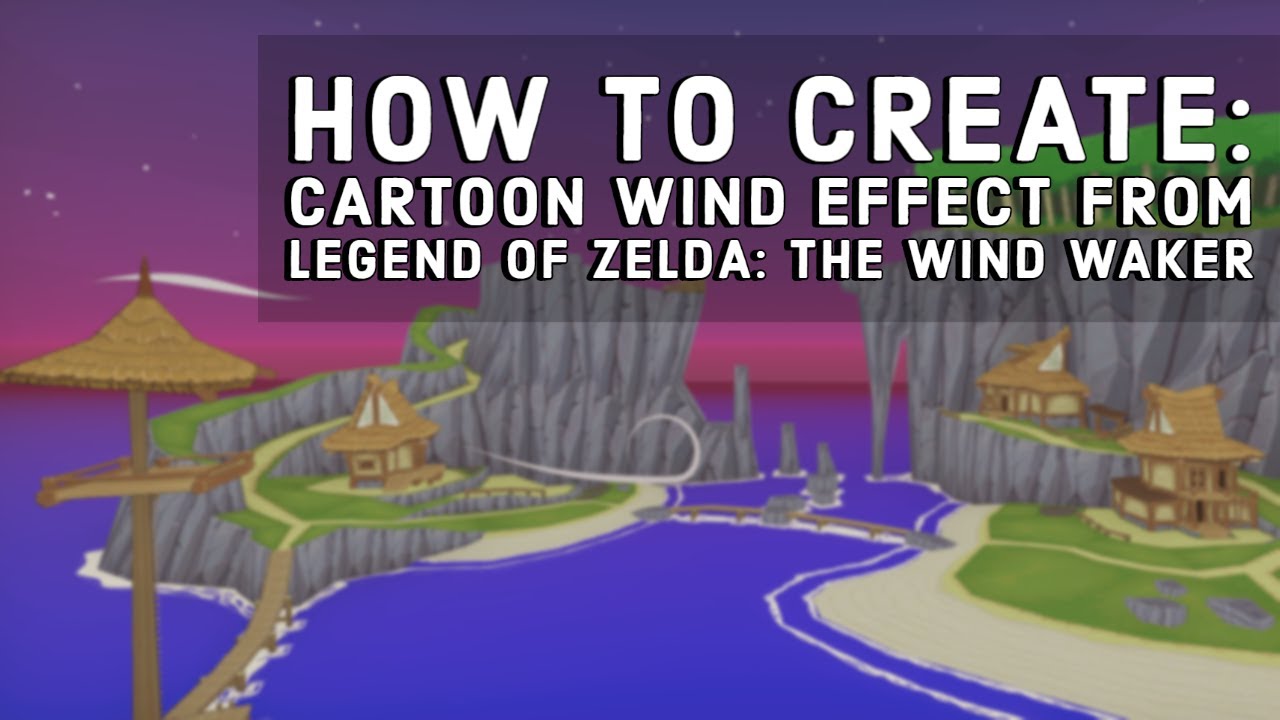
This is my first ever tutorial video about how to create the cartoon style wind seen in the Legend of Zelda: The Wind Waker without having to do any coding at all - all through Unity's particle system.
Music by:
https://soundcloud.com/octonyte
https://www.youtube.com/channel/UCJB0-F02N-mL3G-FrQfb4CQ - Wind Waker Cover
Noclip Website for view...
I've been trying to follow this tutorial
However the materials step hasn't come to fruition
I made a material from a png with a white circle
And a transparent material
But it doesn't quite work
What's the proper way to set them up?

It ends up looking like this for me
 novel kayak
 daring loom
Hello, does anyone have a problem with HDR colors in Unity (URP)?
After some intensity the color goes white. I check the Quality HDR from URP Asset but still got this problem, any solutions?
warm torrent
daring loom
Hello, does anyone have a problem with HDR colors in Unity (URP)?
After some int...
Why is it a problem?
daring loom
well i high intensity i understand that the color would be white, but at intensity 4-6 i still wanna see some color (on the videos that i watch he use intensity 6 and still got the color, for mine at 4 is already white)
 zenith grove
daring loom
Hello, does anyone have a problem with HDR colors in Unity (URP)?
After some int...
zenith grove
daring loom
Hello, does anyone have a problem with HDR colors in Unity (URP)?
After some int...
Do you have bloom in your scene?
 gaunt idol
How can I make the sub emitter splashes stay on the ground instead of following me around?
 atomic storm
gaunt idol
How can I make the sub emitter splashes stay on the ground instead of following ...
atomic storm
gaunt idol
How can I make the sub emitter splashes stay on the ground instead of following ...
I think make them world space
zenith grove
Is there a way to make bools in VFX graph enable/disable specific blocks? For examaple I would like to use VFX property binder with a bool to enable/disable Turbulence block with a button press.
ashen robin
Not 100% sure but disabling nodes throughout the graph seems like something that needs to be resolved before compilement. May need to create system variants to obtain something like that.
some nodes you can just zero out, but that's probably not that doable with turbulence node?
Oh, here's something
zenith grove
ashen robin
https://portal.productboard.com/unity/1-unity-platform-rendering-visual-effects/...
ohh, seems like it is the time to update the Unity version, thanks for finding it
prime dome
do any one knows whats the best way to populate vegations in unity? is it possible to use vfx graph to populate vegetation on a generated mesh through vfx graph?
zenith grove
prime dome
do any one knows whats the best way to populate vegations in unity? is it possi...
You may want to take a look at point caches
 signal condor
here is my current game version how it looks
i am using VFX graph and particles to do this
and here is a problem: i dont know how to exactly know how to pull material from object to the VFX graph
ashen robin
Oh, that's pretty cool
Not sure what you mean by pull material though, if you mean expose the shader properties on the vfx then the shader properties themselves must also be exposed via shader graph
 manic shore
Hey, I’m looking to make a sort of Sonic boom looking effect. I think I could make it with Vfx graph,
However, I was wondering if anyone has a different suggestion thst might be less performance intensive. Thanks
ashen robin
Would work fine with vfx graph
 chrome wren
I’m trying to create sand that stand in place and falls is it possible with the particle system?(if it is how)
zenith grove
chrome wren
I’m trying to create sand that stand in place and falls is it possible with the ...
It probably is, however, depending on magniutude and your exact needs you may be looking at hundreds of thousands or maybe even milions of particles
 still maple
hello everyone, someone have some tips how to do Smoke effect in Mixed Reality? I try to do something but I notice that the Smoke it's hardly visible
or some reference
I'm using URP
 obtuse summit
still maple
hello everyone, someone have some tips how to do Smoke effect in Mixed Reality? ...
obtuse summit
still maple
hello everyone, someone have some tips how to do Smoke effect in Mixed Reality? ...
Is it hardly visible because there isn't enough contrast? Would it help to put a darker background behind the smoke
 tame belfry
Hi, does anyone know why my cloudy fog is just disappearing instantly despite me using particle system to fade out?


You can see Ive tried to attach the alpha of the output to the colour, and animate the colour output in the Particle System gradient editor for Color over Lifetime
Ive set it to gradually fade out, but, as you can see from the video, it just disappears instantly rather than fading nicely (the same is for appearing too)
ashen robin
Could be a bounding box issues and it's being culled
tame belfry
ashen robin
Could be a bounding box issues and it's being culled
I dont think so, it seems to last as long as I specify for the lifetime 🤔
ashen robin
Hmm, are you using alpha clipping or is this completely transparent
 ashen robin
Alpha clipping can be a little snappy even with a linear curve
ashen robin
You can disable it, but I was wondering if the clouds are using clipout
and if it's not using transparency then it is
but you do got alpha in there
Perhaps just removing it from the system and try that maybe
tame belfry
I removed alpha clipping completely, still similar effect
ashen robin
HMMM
tame belfry
It seems that the material isnt respecting the the colours that I set in the particle system component
Ive set the only colour param as the "Main colour"
ashen robin
Not exactly sure too much with the shuriken system, but I assume the main colour is in the material section, right
otherwise you'll probably have to change that there
material/rendering
tame belfry
This is the material
 ashen robin
The system itself probably also changes the color so doing it on the material may get overriden
tame belfry
ashen robin
The system itself probably also changes the color so doing it on the material ma...
Hmm
ashen robin
Ah, pulled it up. It does actually just use the material params
I thought there would be more support with it for the particle system , but I guess that's only been implemented with the vfx graph
tame belfry
ashen robin
I thought there would be more support with it for the particle system , but I gu...
Ive dmd you
ashen robin
Better to post it here so others can see anyway. Spazi's probably got the better idea when they're around
tame belfry
Ok ty
ashen robin
It looks to be more of a shader problem though, mostly alpha clipping (if it were) honestly lol. But if it's not smoothly dissipating, may consider lessening the reduction in the alpha over time (if possible)
otherwise your particles are timing out quicker than it dissipates
tame belfry
I dont think the particle system is effecting the colour at all 😦
Ive changed the graph to take alpha from the main colour
So I can change the alpha on the material and see it come and go
But the particle system still has it pop in even when Ive reduced the alpha reduction
My blend here is basically 255 in the centre, 0 at the start and beginning
 ashen robin
Yeah, so how do you use the gradient editor on the shuriken system then
I would assume you have to add it all to the shader itself, there doesn't seem to be support for that
 ashen robin
Ah, ok I see
tame belfry
It seems the strength has reduced compared to the last clip
But ultimately has the effect Im looking for, Ill tweak the shader more somehow
Importantly you cant see the clouds pop in and out of existence like the original clip
ashen robin
Much better than before though that's for sure
ashen robin
^^

 ashen robin
Haha, hey that's not that bad
signal condor
jaa
 surreal gorge
I found this video of an effect someone made that has ribbons of magic flowing towards a point, I was wondering if anyone knows if those ribbons are generated when you activate the effect or if they were manually modelled.
and if they were generated, how do you do this? all I can think of is making a plane deform to a randomly generated spline (no idea if that's a thing though)
this is the effect: https://www.youtube.com/watch?v=ilHdthe4v4M

This is a work I made for ArtStation Challenge "Dragon's Rise: The Forgotten Realms" In the link below you can find a small blog about this work, inside there is a link with explanation of all major particle systems I used. https://www.artstation.com/challenges/dragons-rise-the-forgotten-realms/categories/163/submissions/69632
ashen robin
Line renderers / particle trail probably easiest. Perhaps you can also cheat by letting the shader progressively render it from front to end.
surreal gorge
thanks
ashen robin
https://docs.unity3d.com/Packages/com.unity.visualeffectgraph@10.2/manual/Operator-SampleBezier.html
https://forum.unity.com/threads/sample-bezier-operator-improvements.833035/

Unity Forum
Hi there!
I wanted to make particles to follow a spline, and the only thing I found is the operator "Sample Bezier".
It works like it should, but it's...
^For the vfx graph... you could also just do the position stuff via gameobject
 dusty willow
hey, I have a shader that essentially materializes an object, starting from the bottom (similar to the ones in this video https://www.youtube.com/watch?v=OzyLWXTr3Io) and I came up with the idea to emit particles from that glowing part - is it somehow possible using either the VFX Graph or the Shuriken particle system?

✅ Get the Project files and Utilities at https://unitycodemonkey.com/video.php?v=OzyLWXTr3Io
Let's make this Awesome Construction Shader Effect built in Shader Graph!
🌍 Get the Complete Builder-Defender Course! ✅ https://unitycodemonkey.com/coursebuilderdefender.php
👍 Learn to make an awesome game step-by-step from start to finish.
Make Awesome...
 hard geyser
I would like to ask is it possible to make a "curve" in the simulation speed in particle system? I want the speed to be 2.0 at the first half part of the play and trun the speed back to 1.0 at the latter part. How to do it?
 surreal gorge
in VFXgraph I am trying to set the spawnrate of another system in relation to the lifetime of another system. but this ends up not spawning anything.
any suggestions?
 surreal gorge
can you just not change that value?
prime dome
is it possible to use a mesh and rgb texture to spawn particle on a mesh plane/terrain on red vertex colours in vfx graph?
surreal gorge
surreal gorge
in VFXgraph I am trying to set the spawnrate of another system in relation to th...
I have found out that it doesn't work for any of the inputs, is it simply impossible to use the lifetime of one spawn system in inputs for another?
zenith grove
surreal gorge
I have found out that it doesn't work for any of the inputs, is it simply imposs...
Can't you just use the same float for the lifetime and spawn rate?
surreal gorge
that's not what I'm trying to do, I'm trying to use the lifetime of the main effect as the input to a sample curve node
thought maybe I can multiply it by 1 and then drag it over, gonna try that
nope
and as far as I know, I can't set custom parameters either
zenith grove
So you have a single burst system, and all particles will spawn and die at the same time, and you need to get a float from their age at the current time for a spawning rate in the other system, right?
surreal gorge
I have a burst system that only spawns 1 particle, I want to control constant spawning systems with curves that use the burst system's age over lifetime, mainly their alpha to make sure all the particles disappear when the burst particle does
zenith grove
surreal gorge
I have a burst system that only spawns 1 particle, I want to control constant sp...
and have you considered using Gpu event?
surreal gorge
what's that
zenith grove
surreal gorge
what's that
You can put it in the Update of the single particle burst and set the spawn rate over time. The pro of using it is that it will only spawn particles over time as long as the main particle is alive
Looks like this
 surreal gorge
I also have particles that live for quite a while, can I use this to get rid of them too?
surreal gorge
zenith grove
Looks like this
what is the Rate in this context?
zenith grove
surreal gorge
I also have particles that live for quite a while, can I use this to get rid of ...
Gpu event is a spawner. It can spawn particles either over time/distance, on death of particle or always
zenith grove
surreal gorge
what is the Rate in this context?
Spawn rate
Just remember to check the Experimental blocks in the preferences if you want to use it
 surreal gorge
I have it on
it works O:
now I just have to fix the long lived particles disappearing earlier
zenith grove
surreal gorge
it works O:
nice, and now you should be able to connect get attribute age to control the spawnrate
zenith grove
surreal gorge
get attribute age?
yeah, to controll spawn rate with the age of the main particle
surreal gorge
then with the long lived particles I can do the same but with a straight curve that cuts off early
you're a life saver 
omg it looks so cool
ashen robin
Still waiting for more gpu trigger events :(
 sinful badger
I'm trying to animate a blast effect, but in order to make it look good, I need to set the emission to 3 particles per second, and the cap to 10 particles. How do I make the velocity of all of these particles syncronize with that of the first spawned particle?
ashen robin
Why would the next particles have different velocity than the previous particle?
Unless you mean you're trying to sync all three systems together when you play the vfx, but assuming they all start with the same property info, it's not likely they would differ from each other.
sinful badger
they're all part of the same system but I put velocity over lifetime from 0 to 1 at .3
I want them to all start moving at the same time
basically I have the particles spawn in one by one to overlap each other and make a nice effect before launching the blast, but it's launching them one by one
ashen robin
Ah, maybe the idea then is to try multiple system then perhaps, otherwise maybe need more of a burst emission effect?
 zealous ore
I'm having issues with layering my particles over the rest of my gameobjects in unity2d
anyone have any ideas?
ashen robin
The layering order of the particle systems should respect the layer order of the sprite renderers
zealous ore
the sprite layer is set to a far higher value than the surrounding sprits
but its still getting overlapped by some
however, it does overlap others...
its almost random tbh
zealous ore
ashen robin
The layering order of the particle systems should respect the layer order of the...
any ideas?
ashen robin
Uh, if you're using sorting groups then you have to make sure those follow ordering correctly too. Another idea is you've got particles traveling via z axis, but I would expect the ordering to still work correctly with that. Maybe I'm wrong though.
Beyond that, maybe some material you're using overriding the rendering queue.
If this is shuriken too, and you're just using unity's default particle material, you can also turn on debug and change the rendering queue inside of each system
zealous ore
changing the z scale of the gameobject with the particle renderer worke
*worked
idk
¯_(ツ)_/¯
it was 0 but i changed it to 1 and it magically worked
ashen robin
Haha, yeah that's another way to sort too
zealous ore
why did they make 420,691,337 ways to order particles
ashen robin
z changing is more the traditional way
but I'd assume sorting groups get some use out of them for larger projects. I've not really made much in 2D to really put use to them.
 hushed blaze
Hey there! I'm trying to create a basic particle animation and I'm trying to change the Size Over Lifetime curve, but can't seem to figure out how to do it. For reference, I'm using Unity version 2021.3.16f1. Thanks for any help!
ashen robin
Shuriken system? Size should just be a scale multiplier of your particle, so the growth depends on the set size.
And it's over the whole particle duration
hushed blaze
I understand that part. For reference, I want the particles to shrink over the course of their life time, or start to shrink towards the end I'm not sure what yet. I figured using the Size Over Lifetime curve would be easiest, but I can't change it. If I click on it the line just turns red and no observable change occurs
ashen robin
Actually, it doesnt say scale in the docs, but that's strange that it would be of a specific size
hushed blaze
I think there's a way to do it with scripts but I'd like to avoid it if possible
The curve works, but its opposite what I want
And I'm trying to interact with it to no avail
ashen robin
Let me take a look. Been a while using this haha
hushed blaze
no worries
now for some reason when i turn it on it shrinks the particles like crazy
i was trying the dragging thing you suggested and i didnt see any change on the ui but it changed something ig
ashen robin
Ah, I know what's wrong. The window may not be expanded for the curve
Go to the bottom of the particle system in the inspector and it should say particle system curves
hushed blaze
i dont see that option
i mean i could just be blind idk
lemme send a screenshot
nvm
im blind
lmao
yup there it is
thanks!
ashen robin
oh, and it does seem like it affects the scale of it all (a multiplier to the start size)
 inland seal
Hey everyone so I am making a 3d game and have a pixel shader graph on the camera to make it look retro yk. I was wondering how I can have it look retro but certain things show up a lot clearer to see without changing everything else
ashen robin
You'll have to change rendering order on the stuff you want unaffected
Such that render after you apply the mask
inland seal
oh ok got it
ashen robin
You can do it a few ways, one by using URP render objects and doing it via layer
otherwise the stuff you want to render later need to have their own custom material
If you can't do it with render ordering, then you can try some stencils with your shaders
inland seal
ok thank you!
prime dome
so im trying to spawn particles on a mesh via red channel and mesh have vertex colors rgba but its not working as it should be am i doing some mistake in vfx graph

 sinful badger
is there a way to make audio happen every time my sub emitter producer a particle? I have a lightning attack that produces an explosion on impact, but for some reason, the sound spawns when the base system spawns instead of spawning when and where the particle system it's attached to triggers
sinful badger
prime dome
so im trying to spawn particles on a mesh via red channel and mesh have vertex ...
when I learned how to do it I just went into the "shape" and selected mesh, or skinned mesh renderer, I think there's an option to use vertex colors as emission as well
prime dome
Yeah thats what im asking how? I couldnt found a solution
sinful badger
I'm not sure but I see "use mesh colors" in my version of unity, 2010.4.31f1
sinful badger
is there some kind of way to convert a c# script into something I can use in my vrchat avatar?
warm torrent
sinful badger
is there some kind of way to convert a c# script into something I can use in my ...
!vrchat
 gleaming flickerBOT
Join the growing VRChat community as you explore, play, and create the future of social VR! https://discord.com/invite/vrchat
 rapid latch
Hello everyone, how would i make my particles be circles rather than rectangles (squares, more specifically)?
warm torrent
rapid latch
Hello everyone, how would i make my particles be circles rather than rectangles ...
Usually you'd give them a circular texture with alpha transparency
warm torrent
rapid latch
any other way?
Why are alternatives necessary?
I assume since you're asking for that, there's some constraints in your specific use case that make the first solution incompatible, or there's some misunderstanding about how it works
surreal gorge
surreal gorge
I found this video of an effect someone made that has ribbons of magic flowing t...
I have another question about this effect, how do I change the texture over only the hand and arm like it does in the video?
ashen robin
surreal gorge
I have another question about this effect, how do I change the texture over only...
Second system of effects instantiated onto the hand I'd reckon
surreal gorge
I'm making mine a bit more simple with just the arm changing texture, but I don't know how to only target the arm and make it grow from the hand to the arm. though that might be more of a shader than a vfx
ashen robin
In that case yeah, you'd do all of it on the shader
prime dome
prime dome
so im trying to spawn particles on a mesh via red channel and mesh have vertex ...
@warm torrent any solution?
 glossy maple
hello, how do i limit emission > rate over distance to spawn particles only if the distance**.y** is positive for example
warm torrent
prime dome
<@166982635950702592> any solution?
Not familiar with it
I'd have replied if I knew
Can't see anything that looks like using vertex color for spawning as you say
 sinful bone
anyone knows how I can make particle trails not be aliased?
 warm torrent
sinful bone
anyone knows how I can make particle trails not be aliased?
warm torrent
sinful bone
anyone knows how I can make particle trails not be aliased?
Does their texture have mip maps enabled?
sinful bone
warm torrent
Does their texture have mip maps enabled?
yes
tried trilinear filtering too
in case that helped
and tried increasing the aniso level
zenith grove
Is there a way to get attributes of a specific system in the case where there is more than 1 system in a single VFX graph?
ashen robin
zenith grove
Is there a way to get attributes of a specific system in the case where there is...
You can set custom attributes, and retrieve them from systems you extend into
 ocean jetty
I'm not sure if there's an easier way but find something useful and wanted to share it, I want someone' experienced in shaders and vfx explained what's the difference between this approach and using multi layers shaders/dynamic shader variants ?
https://tryfinally.dev/unity-custom-srp-volume-components#global-shader-properties

tryfinally
You can create custom Volume Components to find a blended set of parameters determined by the camera’s position within the scene.
additionally found an asset which kinda do what I wanted but it's for vegetation /terrain system
ocean jetty
I think what I'm trying to do is reconstructing the camera depth - to world position (inverseDepthInverseProjection) and then find the normal vector values and do something with it like add vetrex distortion or rpg split but perhaps probably I can archive something similar with camera stacking system ?
 carmine ether
Hi. Does anyone know if there's a way to remove the particles spawning with separation between them please? (using vfx graph)
Like here, I would like a continuous kinda line of particles, not just separate particles
 ashen robin
Increase the particle emission if you want to continue using those same particles, otherwise look into line renderers
particle trails
warm torrent
carmine ether
Hi. Does anyone know if there's a way to remove the particles spawning with sep...
VFX graph supports trails I believe
Simple Trail Renderers likely would work well for an effect like that
Emission frequency is ultimately limited by framerate, as Sub Frame Interpolation isn't supported yet
(Which is kinda crazy big missing part imo)
carmine ether
Like, I said line of particles because I would like them to look like the particle system does😅
carmine ether
warm torrent
Emission frequency is ultimately limited by framerate, as Sub Frame Interpolatio...
oh so then the difference between how it looks with the default particle system and the vfx graph is that sub frame interpolation?
carmine ether
ashen robin
Increase the particle emission if you want to continue using those same particle...
already tried to increase it but it didn't work (I'm using the spawn over distance block)
like this is how it spawns the particles
 warm torrent
carmine ether
oh so then the difference between how it looks with the default particle system ...
warm torrent
carmine ether
oh so then the difference between how it looks with the default particle system ...
Mostly yea
Pretty sure PS does have sub frame interpolation
The advantage of VFX Graph is performance at very high particle counts, without it PS will often work just as well if not better in many cases
warm torrent
carmine ether
like this is how it spawns the particles
Rate per unit 0.5 is really not a lot
It'd leave a 2 meter gap between every particle
carmine ether
lemme increase it rq and see if something changes, but last time I tried it with rate per unity at 5 nothing changed
ashen robin
I notice there's some limitation on spawning with it
Could be better off just continously spawning them
carmine ether
carmine ether
lemme increase it rq and see if something changes, but last time I tried it with...
yeah same happens
 carmine ether
ashen robin
Could be better off just continously spawning them
carmine ether
ashen robin
Could be better off just continously spawning them
but how do I know how many should I spawn over time?
ashen robin
¯_(ツ)_/¯
carmine ether
guess I'll just try
warm torrent
Sub frame interpolation problem gets worse the faster the object is moving / the lower the framerate is
VFX Graph can't spawn more frequently than each frame
carmine ether
carmine ether
yeah same happens
yeah objects are moving pretty fast as can be seen there 😅
warm torrent
Going at 100 units per second at 60fps each particle would have a whole 1.6 unit gap
carmine ether
guess I'll just use the default particle system then
warm torrent
Or trails
carmine ether
but how do I make trails look like fire and smoke?
warm torrent
How do you make anything look like fire or smoke? Hardly any one answer to that
carmine ether
but like, with particles you already have a particle image that looks like smoke and you only have to change the size and color of it and spawn it over an area so it seems kinda 3D.
With trails I don't know how to make a trail have that 3D feel
warm torrent
carmine ether
but like, with particles you already have a particle image that looks like smoke...
Trails look reasonably 3D (or volumetric, rather) (because they're view-aligned) as long as you aren't viewing them directly head-on
In those cases sometimes particles are used in conjunction to mask their nature
Or multiple bundled up trails are used to break up the flatness
Usually you need a new trail-shaped texture for it
carmine ether
Well in that case I'll try trails. Thanks for explaining 😄
 dull obsidian
rapid latch
is there a way to remove the edges, making it circular
dull obsidian
rapid latch
is there a way to remove the edges, making it circular
you could use output particle mesh https://docs.unity3d.com/Packages/com.unity.visualeffectgraph@16.0/manual/Context-OutputParticleMesh.html and a circular geometry. not truly a circle but enough sides to look like a circle anyway. or use the output primitive octagon https://docs.unity3d.com/Packages/com.unity.visualeffectgraph@16.0/manual/Context-OutputPrimitive.html and/or Use Alpha Clipping. https://docs.unity3d.com/Packages/com.unity.visualeffectgraph@16.0/manual/Context-OutputSharedSettings.html
some reasons one may do this is to reduce overdraw for better performance (in some cases). or for a cleaner edge look especially if using, say, forward rendering and multi sampled anti-aliasing.
@warm torrent it would have been nice to know the reason up front, but those are the first that come to mind fwiw
dull obsidian
carmine ether
but like, with particles you already have a particle image that looks like smoke...
i wonder if six way smoke lit textures can be mapped across particle quad strip trails? https://blog.unity.com/engine-platform/realistic-smoke-with-6-way-lighting-in-vfx-graph

like, a long wisp of baked smoke that would still look natural if it was stretched and deformed.
warm torrent
@dull obsidian Indeed 
@rapid latch If you're using the Particle System, you can designate a mesh as the particle shape from the Renderer module, or likewise use an alpha clipped material
 ebon shell
Can anyone help me with 2d particles


They are not showing up on the game
@warm torrent thank you for your help but i haven't fixed anything unfortunately i am a bit lost
warm torrent
ebon shell
<@166982635950702592> thank you for your help but i haven't fixed anything unfor...
Can you get a particle system to show through the camera under any circumstances?
For example by disabling everything else, making new particle systems, making a new scene to test, etc
 vernal hollow
Theres a delay beforee my particle shows how do i show them instantly when played?
 runic thorn
Hey. Anyone know how to change the mesh of a particle system on runtime from code?
 grand summit
hey so i just installed the visual effect graph and when i use it, nothing happens
no particles emit and if i put stuff it doesnt work
does anyone know whats happening?
warm torrent
grand summit
hey so i just installed the visual effect graph and when i use it, nothing happe...
Is your project also using URP or HDRP?
ebon shell
warm torrent
Can you get a particle system to show through the camera under _any_ circumstanc...
Yes, but i cannot give it a layer, it is always behind the ui
 grave berry
Hey everyone, how can I calculate the distance to the camera?
I tried this but it doesn't work. The resulting value is constant.

I think I just found the solution to my problem. I need to use world space instead of local space.
 silent parrot
ive applied a sorting group to a Sprite Mask so that it gets masked along with another mask within its heirarchy, however whenever the Sorting Group is enabled/added to the mask all of the elements within the sorting layer disappear, how can i fix this?


 remote token
hello, I tried using Set Position (Shape: AABox) with a box that is 1 x 1 x 0.1 but it seems when my box gets small in any dimension, and I have Position Mode: Volume the particles will always leave a weird hole in the middle:

this doesn't happen if the AABox is thicker, i.e. from 1 x 1 x 0.5 I get the box properly filled with particles.
Has someone seen this before? Can we not have thin bodies as the origins of our VFX?
I mean, we have Set Position Line and Set Position: Box . But we don't have Set Position: Quad so I figured we can use a thin box for that
it gets even weirder when I make the box even smaller

 merry snow
For the VFX graph, is there a way to send the position of all of the particles to some script?
I'm planning to write a octree-based collision system for them, and all I really need is the positions.
ashen robin
merry snow
For the VFX graph, is there a way to send the position of all of the particles t...
You may be better off just using shuriken if you constantly need to read from the VFX graph.
Otherwise, making multiple gameobjects with independent systems would work too, assuming it's less about the performance.
merry snow
ashen robin
You may be better off just using shuriken if you constantly need to read from th...
There's going to be enough particles that I'm pretty sure Shuriken would not be a good idea.
atomic storm
merry snow
For the VFX graph, is there a way to send the position of all of the particles t...
It's expensive to transfer data back to CPU, you may try creating the collision system in vfx graph itself, or use shuriken as mentioned
Or create a standalone compute shader for calculating the particles
merry snow
Yeah I was about to ask about thatm never really used Compute Shaders before.
atomic storm
they are fast but a bit difficult
might be a good idea to look into tho
otherwise you could use burstcompiled jobs on the cpu with shuriken if compute shaders is too big of a rabbit hole
ebon shell
@warm torrent Bro i managed to make them show up in the game, they are part of the canvas

although i cannot sort them behind any layer
warm torrent
ebon shell
<@166982635950702592> Bro i managed to make them show up in the game, they are p...
What you needed to do was to position the canvas and particles correctly relative to each other
Still not intended to have a particle system with a rect transform as part of the canvas
The sorting methods are different
ebon shell
warm torrent
The sorting methods are different
should i use more than one canvas for the whole game then
Canvas for every layer
warm torrent
ebon shell
should i use more than one canvas for the whole game then
Canvases have only one sort point relative to other gameobjects, so yes if you want the particle system layered within it
dull obsidian
merry snow
For the VFX graph, is there a way to send the position of all of the particles t...
there is a way as @atomic storm mentioned but there are a lot of caveats and limitations with performance and latency, complexity. i agree with peter it's best to keep it on the GPU if possible.
the latest unity 2023.2 alpha added support for custom HLSL nodes, so creating a custom collision system (or other behaviors) without having to do everything in vfx graph nodes or write all the compute shader boilerplate to do something more complex than what you can or would want to do with just nodes is now possible. https://docs.unity3d.com/Packages/com.unity.visualeffectgraph@16.0/manual/CustomHLSL-Common.html
or if you don't have that many particles (say, only in the hundreds or a few thousand depending on target platform) then maybe just stay on the CPU as @ashen robin suggested
then there's also DOTS for doing even more on the CPU but that's typically for more unique cases e.g. where a lot of entities require complex behaviors that affect game logic and synchronization in a critical way.
-or- DOTS / Jobs can sometimes be a suitable option if you've already exhausted a small GPU budget and just have spare CPU cores sitting around with nothing to do like with some XR / VR projects
 waxen iris
Hi everyone, I am developing a large scale interactive particle system for the Quest 2 in Unity using the Job System and I am getting great feedback for the current protoype so I thought I might share it here: https://www.youtube.com/watch?v=z7-R1Pw6eaA https://drive.google.com/file/d/18f6oQikGfIT-USqa1x0Ewi8F-1Nsi8uf/view?usp=drive_link
Always start the APK using hand tracking and not via controllers, otherwise Oculus will no activate hand tracking in the app.
controls:
index tip - index tip: toggle particles attached to your hands
thumb tip - thumb tip: distribute particles into space
Pinch aka OK-sign aka Mudra-Pose (index tip - thumb tip): attract particles to the correspon...
Google Docs
 royal rain
Hiya folks.
Hoping someone can help me out.
I've got some Particle System goop on the ground and I want to be able to tell when my player is inside said goop (without moving the goop around)...
I've tried using the Collider module in the Particle System but can't figure out how to get it working without moving the goop around and destroying it with my player.
Screenies show the current particle system setup and goop mesh.
Also tried with the Trigger module but I feel like thats more of a control particles than the thing the particles are interacting with kinda thing.


 dark kestrel
Is there any downside to setting VFX systems to Automatic Bounds? I try to use manual when possible but I have a lot of systems which change their parameters (position and size) during runtime.

This little warning makes it seem like an issue, although I DO want to recompute the bounds when playing them.
sinful badger
Any way to stop my particle trails from rotating?
warm torrent
sinful badger
Any way to stop my particle trails from rotating?
Rotating or orbiting? Find out which module is doing it and be rid of it
Perhaps it's simply orbital velocity from velocity over lifetime module
sinful badger
it's rotating while orbiting. I want it to orbit with a flat texture
the edges look wonky as is
 hidden jolt
is it possible to link different weapon slashes to each weapon? for example i have white slashes i wanna use on a white weapon and blue slashes on a blue weapon
if so how would i link it with my attack system/left click
hidden jolt
currently what i have, i linked slash fx to the player attack animation, but that means the same slash will get played for every weapon
its very bad code but it gets the job done for now, i have 4 attacks which i linked to respectively

in the variables i assigned the slash object
 ashen robin
More of a coding question, but ideally the PlayerWeaponSlash script should change its particle system references depending on the weapon you equip, otherwise what you got there is fine.
 opal star
Sooo turns out collide with depth buffer is not a very good idea for far away or occluded effects 🤣
I was today years old when I learned this
hidden jolt

anyone know why or how the smoke disappeared from my game view?

nvm got it
apparently use depth was enabled
no idea what it does
dull obsidian
opal star
Sooo turns out collide with depth buffer is not a very good idea for far away or...
ah yeah, there's signed distance field / SDF colliders that can be baked for static meshes or generated in real-time for dynamic meshes. it's a bit of a pain to set up but gives you true world space collision not just screen space depth collision.
info for baked / static SDFs (edit time or runtime) and general info: https://docs.unity3d.com/Packages/com.unity.visualeffectgraph@16.0/manual/sdf-in-vfx-graph.html
info for real-time / dynamic SDFs (very experimental package, not yet an official feature)
https://github.com/Unity-Technologies/com.unity.demoteam.mesh-to-sdf
opal star
dull obsidian
ah yeah, there's signed distance field / SDF colliders that can be baked for sta...
Ah that is a really great idea. I have the mesh to sdf package already in the project was doing some funky volumetric material things. I wonder if I can use it to bake once in a volume around the effect since it wont move
At like edit time
prime dome
How can I set up a particle system to move along the radius of a circle, specifically following the red line? I have attempted some approaches, but they haven't produced the desired result.
my particle component = https://imgur.com/a/OkGdwmN


 stray talon
Any way to have particles move towards a point w/o manually iterating over particles?
e.g. particles emit from a circle, move towards the sky and I want them to move towards the center of the circle as well
but not overshoot the center
warm torrent
stray talon
e.g. particles emit from a circle, move towards the sky and I want them to move ...
Particle System or VFX Graph?
stray talon
good ol legacy ps
warm torrent
stray talon
good ol legacy ps
You have "Radial" velocity in Velocity over Lifetime module which acts as gravity (or repulsion) towards the point defined by Offset above it
And also you have Particle System Force Field component which does the same but with more options, such as applying drag only within a range
Limit Velocity over Lifetime lets you add drag or damping if you need something to prevent overshooting
You could also use Radial velocity over lifetime combined with a Force Field that only applies drag, if you only need it for preventing overshoot
But overshoot might not be a problem, give it a try
Velocity over Lifetime can also be set as curves each, as can External Forces Multiplier, in case you want the velocity to only apply at a specific time of the particle's lifetime
stray talon
Ok, so this is working as intended, thanks to you @warm torrent
warm torrent

stray talon
There's a little tweak I'd like to do, any idea how I could achieve the following :
I'd like the particles to feel more like they're hugging the glass rather than this linear conversion towards the center.
So essentially, I'd like the Y(so speed I guess?) to be modelled a bit like the image(green curve is Y, horizontal is time), multiplied by how far a particle was emitted from the center.
Any idea how I can achieve this?
 warm torrent
stray talon
There's a little tweak I'd like to do, any idea how I could achieve the followin...
warm torrent
stray talon
There's a little tweak I'd like to do, any idea how I could achieve the followin...
If you make the Radial force a curve of that shape (or an inverse of it), then they probably will follow that shape when traveling up
stray talon
Bit of vertex displacement on the baked particles in the barrel and it'll look outstanding, esp since this is viewed from a top-down ish angle.
I'm happy with the results and it's all thanks to you @warm torrent
warm torrent
stray talon
Bit of vertex displacement on the baked particles in the barrel and it'll look o...
Looks great!
prime dome
anyone have any idea why the gizmo moves with vfx graph particles
zenith grove
Any idea on how to get a current color of a particle in VFX graph that uses "color over life" gradient and then use it as current color of a particle strip spawned by GPU event over? For example, let's say that main system spawns particles that have a life time of 2 seconds and "color over life" blue for the first second and red for the second. So, now I want the particle strip to also be completely blue in the first second and completely red in the second.
I have tried different Get color attributes but couldn't get any of them to work, they would just render the particle strip grey
 spiral moth
zenith grove
Any idea on how to get a current color of a particle in VFX graph that uses "col...
spiral moth
zenith grove
Any idea on how to get a current color of a particle in VFX graph that uses "col...
Is there not an Inherit block for color?
zenith grove
spiral moth
Is there not an Inherit block for color?
Yep, I couldn't get it to work at first and that is why I thought I need to Get an attribute first but all I had to do is replace set color over life from output to the Update and now it works
spiral moth
zenith grove
Yep, I couldn't get it to work at first and that is why I thought I need to Get ...
Ahh so it was only setting color on Output which was happening after the Update + gpu event?
zenith grove
spiral moth
Ahh so it was only setting color on Output which was happening *after* the Updat...
Well, technically particles update for the whole duration of their life, so I don't think that was the issue. To my understanding from this and my previous expiriences, the GPU events don't read output of main system at all, but I can't tell for sure
spiral moth
i think maybe when it does set color in output it's not writing to any particle attribute it's just applying the color in the shader, or something 🤷
zenith grove
Perhaps, but most importantly, it works now
opal star
What would the stretched billboard render mode from shuriken be in vfx graph? Orient face camera + scale xy by speed?
stray talon
Is there a clever way for me to emit particles (with legacy system) from a mesh's surface but add some sort of logic pass to determine whether or not a face can be used (e.g. dot product of (0, -1, 0) and the face's normal > X)?
other than rebuilding a version of the mesh that meets the criteria
grave berry
Hi everyone, how can I create a realistic looking dust vortex like this one without millions of particles?
It should also look good when viewed from above from an angle (RTS camera).
https://upload.wikimedia.org/wikipedia/commons/5/54/VFW_614_ATTAS_Wingtip_vortices_at_start.jpg
 warm torrent
grave berry
Hi everyone, how can I create a realistic looking dust vortex like this one with...
warm torrent
grave berry
Hi everyone, how can I create a realistic looking dust vortex like this one with...
Instead of individual dust grains, use small dust clouds as particles instead
Or trails, or a funnel or helix shaped mesh with an animated dust texture
grave berry
warm torrent
Instead of individual dust grains, use small dust clouds as particles instead
Or...
The mesh approach sounds really interesting. Thanks for the suggestions!
Is alpha clipping currently not supported when using Shader Graph + VFX Graph in HDRP? I can't get it to work.


 junior thistle
So I have a top down shooter game with realistic graphics. I need some kind of indication of where the bullets are going. I'm focusing on the shotgun which doesn't actually fire bullets, it simply activates (an invisible) trigger mesh, then disables it shortly after
How should I go about making it somehwat visible but not going cartoony?
best I can think of some trails. Multiple trails which stop at max range for the shotgun
I tried a distortion effect but it doesn't clearly define a cone shape and doesn't work as intended
any suggestions?
 night path
Any ideas why particles are invisible when importing from a package? I converted the materials to URP, still doesn't show up
 mortal vessel
Hi using vfxgraph and some effects wont render on my machine in the editor for some reason
 iron oracle
why do my particles have delay from stopping to starting again
 fierce gorge
how can i stretch particles in vfx graph?
 opaque knoll
Hmm
It seems with different VFX version, the types of available Collide with nodes also differs
12.1 don't have Collide with Cylinder/Capsule...
Is there an easy way to direct a vfx graph to collide with in-scene colliders (selected or whole layer of colliders), like the Shuriken version?
 vestal solar
opaque knoll
Is there an easy way to direct a vfx graph to collide with in-scene colliders (s...
vestal solar
opaque knoll
Is there an easy way to direct a vfx graph to collide with in-scene colliders (s...
No, the closest you could get is using depth collision
opaque knoll
Update Particle.compute: Kernel at index (0) is invalid spam when having the Collide with depth buffer
Unity...
Oh it says only for HDRP. Right
 half aurora
Is there a way for me to manipulate a single particle (with collider) like I would with a rigidbody? Say I want to make a particle move in a specific direction via script. Is that possible or no?
warm torrent
half aurora
Is there a way for me to manipulate a single particle (with collider) like I wou...
Not practically
What's the intended effect?
Usually the simplest way to get a particular particle to do something different from collision is to spawn a child particle system, or to instantiate a GO with a rigidbody at that point
half aurora
warm torrent
Not practically
What's the intended effect?
I was trying to see if I could "deflect" a particle to a specific direction via script. I've been doing it so far with rigidbodies, but liked certain movement controls with the particle system
warm torrent
half aurora
I was trying to see if I could "deflect" a particle to a specific direction via ...
Far as I know particle physics and life cycle are handled totally internally by the particle system, and reading/writing to them isn't easy if it's possible at all
Maybe you can find some way to do it but I recommend to use child emitters, GO instantiation on collision or stick to rigidbodies
 frank badger
can i spawn particles`(shuriken) from moving points using vat? textures are not possible (animated) so i thought of limiting the max particle amount and just changethe position of the vat points
iron oracle
im using stop() and start() to start and stop particles. but when i stop it, i have to wait 5-8 seconds before restarting it, and trying to do so before that does nothing. ayone know why?
warm torrent
frank badger
can i spawn particles`(shuriken) from moving points using vat? textures are not ...
Assuming you mean vertex animation textures, then maybe
The emission mesh shape has to be modified on the CPU, rather than on the GPU where vertex deformation is usually done
And even then there might be some extra steps to get it to read the updated mesh
Probably will have to use skinned mesh renderer at least
 broken quest
Hello. Please help me how to achieve this smoke effect? I twist the particles, but it doesn't work

my result


I got something like this at most, and then on the basis of the mesh, and the particles here are all the same, there is no randomness
frank badger
warm torrent
Assuming you mean vertex animation textures, then maybe
The emission mesh shape ...
hmm i wonder if it makes sense to use flipbooks on the particles i spawn in houdiny. problem there is that i cant controll how many flipbooks to spawn in unity, once they are baked to vat they are fixed.
also would need to modify the houdiny shadergraph to play the flipbooks
warm torrent
frank badger
hmm i wonder if it makes sense to use flipbooks on the particles i spawn in hou...
Hard to give opinions without necessary context of the intended visual effect
Though I'm not familiar with Houdini, maybe someone else is
frank badger
warm torrent
Hard to give opinions without necessary context of the intended visual effect
Th...
just some breaking buildings that spawn some smoke at the fractured pieces
 fallow star
i'm having difficulties with getting the custom particle data system to work properly.
i have this code which creates 2 set of custom data, each one of them used with the particle system custom data module, i do have the renderer's enable vertex stream and assigneed the first custom data to UV1 and the second custom data to UV2
the issue is that i'm getting an index out of range exception when i try to do customData[customData.Count - 1] = custom1Data
            var custom1Data = CreateCustomData(texCords);
            var custom2Data = CreateCustomData(texCords, 12);

            var emitParams = new ParticleSystem.EmitParams
            {
                startColor = color,
                position = position,
                applyShapeToPosition = true,
                startSize3D = new Vector3(messageLenght, 1, 1)
            };

            _particleSystem.GetCustomParticleData(customData, ParticleSystemCustomData.Custom1);
            customData[customData.Count - 1] = custom1Data;
            _particleSystem.SetCustomParticleData(customData, ParticleSystemCustomData.Custom1);


            _particleSystem.GetCustomParticleData(customData, ParticleSystemCustomData.Custom2);
            customData[customData.Count - 1] = custom2Data;
            _particleSystem.SetCustomParticleData(customData, ParticleSystemCustomData.Custom2);

_particleSystem.Emit(emitParams, 1);```does anyone know what could be going wrong with this?
i'm fairly new to toying around with particle systems and their capabilities
warm torrent
fallow star
i'm having difficulties with getting the custom particle data system to work pro...
I wonder what's it for exactly?
fallow star
i'm following a guide i posted on #archived-shaders to make particle based text displays
turns out i was emitting after ttrying to get the custom particle data
all other example usages of that method show the Emit method going first
so i'll try that
this is the guide if anyone's interested
 light island
anybody know how to lock a trail renderer to a straight line?
warm torrent
fallow star
this is the guide if anyone's interested
I'm not familiar with it but it's very interesting ^^
ashen robin
fallow star
i'm following a guide i posted on <#497874081329184799> to make particle based t...
ah, I was thinking about something like that since my pooled 3D text does actually impact some performance.
ill put that on the ever growing list of things I need to optimize
 vital eagle
i've been working on this visual effect and I have this nice prototype but I'm a bit stuck with where to go with it and how I'd like it to look. If anyone has any suggestions or references that would be really helpful

i'm also trying to figure out how to incorporate emmissives here
warm torrent
vital eagle
i've been working on this visual effect and I have this nice prototype but I'm a...
Always think about your design goals
What information is its appearance meant to convey? What feelings is it meant to evoke?
 stuck gyro
Hello friends.
I need a particle system that emits particles from one object and goes to another object, that is, one is the source and the other is the target. The particle flow must be updated when the target object and source object be moved.
 fluid lagoon
stuck gyro
Hello friends.
I need a particle system that emits particles from one object and...
fluid lagoon
stuck gyro
Hello friends.
I need a particle system that emits particles from one object and...
Make it with VFX graph and expose the two positions as properties
Then set those properties whenever you need to (each frame for example)
Or even use the property binder to bind those properties to the transform position of the objects in question:
https://docs.unity3d.com/Packages/com.unity.visualeffectgraph@16.0/manual/PropertyBinders.html
stuck gyro
fluid lagoon
Then set those properties whenever you need to (each frame for example)
Thank you but we can't. We are working on a mobile app and VFX Graph is not fully supported for that. Any other solution?
 warm torrent
stuck gyro
Thank you but we can't. We are working on a mobile app and VFX Graph is not full...
warm torrent
stuck gyro
Thank you but we can't. We are working on a mobile app and VFX Graph is not full...
Particle System with either Particle System Force Field to suck them towards a point or Velocity Over Lifetime with a negative radial velocity and Offset position to define the point
Or use a line renderer curved between two points using bezier math with a shader-animated scrolling texture instead of particles
stuck gyro
warm torrent
Or use a line renderer curved between two points using bezier math with a shader...
Thank you for your reply.
I have not worked with this module before and I am working on it right now.
By the way our scene is a 3D scene and I am not talking about moving in just two x and y axis.
 vital horizon
Unsure the best place to ask but. How would one go about making this circle, but also making it so the line collides/breaks up when it hits a wall?
https://media.discordapp.net/attachments/939356795980361848/1122646665287979110/image.png
 warm torrent
vital horizon
Unsure the best place to ask but. How would one go about making this circle, but...
warm torrent
vital horizon
Unsure the best place to ask but. How would one go about making this circle, but...
There's countless ways to draw circles
This one in particular looks like it might effectively a line renderer with many points
Or just a sprite if its size doesn't need to change
For collision detection you could do an OverlapCircle centered on the character to also catch any colliders within the circle, or if you have the points that make up the circle you could do raycasts or linecasts from each point to the next sequentially
vital horizon
Technically in my case it's a 3D game.
But yeah I'm just not sure. I thought about doing a line render, but breaking it up/having it stop on walls I don't think would work very well/be a lot of work for very little Gain
sinful badger
can somebody help me? I'm trying to add a feature to change the color of particle effects as part of an animation. I click record, and change the "color over trail" in my particle systems but it's not sticking
warm torrent
sinful badger
can somebody help me? I'm trying to add a feature to change the color of particl...
I think the animator cannot modify gradients
Gradients are arrays of alterable length
Animator lacks the methods to create new color keys and to check how many there are
sinful badger
unfortunate
 orchid geyser
I'm having trouble with my VFX Graph particles and Depth of Field in URP.
Particles that have nothing behind them are treated as max distance and get full blur. My guess is my particles are not writing to the depth buffer or perhaps there are some settings I need to enable in URP pipeline or something, not sure.
Does anyone have any ideas of why this isn't working?


 hybrid tiger
my particle's sprte looks glitched. I am using a multiple sprite inside a texture sheet animation in a particle system to get random sprites but the sprites look weird i do not know why

 hybrid tiger
where there is empty space in the sliced sprites it is strectehd and glitched for some reason
wait i might have fixed it
 autumn umbra
I want to create magical trail particle animation in unity canvas so i followed some tutorials but they are using URP but i have doubt that it will not work in canvas. Any Suggestion guys
just asking if anybody tried it before so they can suggest me something
warm torrent
autumn umbra
just asking if anybody tried it before so they can suggest me something
Post only in one relevant channel at a time please
Normally only UI renderers can render on UI
There are probably some third party solutions for UI particles, but you can also just render the particles in front or behind a canvas
zenith grove
Is there a way to prevent particle strips from being this kind of see through for themselves?

 tiny quarry
zenith grove
Is there a way to prevent particle strips from being this kind of see through fo...
tiny quarry
zenith grove
Is there a way to prevent particle strips from being this kind of see through fo...
Looks like they're being drawn in the transparent pass. Make them opaque or cutout and they'll write to the Zbuffer which will block out the occluded blades.
zenith grove
tiny quarry
Looks like they're being drawn in the transparent pass. Make them opaque or cuto...
I don't seem to have cutout mode in my Unity version and opaque makes them invisible
tiny quarry
zenith grove
I don't seem to have cutout mode in my Unity version and opaque makes them invis...
Hmm. Need to know how you've set it up in the editor...
zenith grove
tiny quarry
Hmm. Need to know how you've set it up in the editor...
In editor I haven't done much other than increasing order in layer
tiny quarry
zenith grove
In editor I haven't done much other than increasing order in layer
Can't help if you don't share the particle editor settings that create this effect.
zenith grove
ohh you mean the graph?
tiny quarry
Whatever you did that makes that stuff appear on screen. IDK how you made it!
zenith grove
tiny quarry
Can't help if you don't share the particle editor settings that create this effe...
Sorry I forgot to mention that I am using VFX graph. But that's how it looks, or at least the output part

I tried removing block of Alpha over life but it doesn't do much
tiny quarry
OK I've not used this before but I would suggest (as a test) removing Soft Particles as that definitely requires alpha. IDK what shader it is going to use but you need that shader to draw in the opaque pass and fill the Zbuffer - you might have to make a bespoke Shader Graph asset if it's defaulting to an alpha pass shader.
zenith grove
tiny quarry
OK I've not used this before but I would suggest (as a test) removing Soft Parti...
Will try that but I don't think it is an alpha issue, because otherwise it should probably let me see everything that passes through thsese particles which, if you look at the screenshot is not the case
 zenith grove
tiny quarry
OK I've not used this before but I would suggest (as a test) removing Soft Parti...
zenith grove
tiny quarry
OK I've not used this before but I would suggest (as a test) removing Soft Parti...
This approach technically works, but its a bit of a pity that this kind of minor bug will require to move onto the shader graph instead. But thanks for finding some solution
tiny quarry
Yeah I guess the default shader is transparent because, for the vast majority of use cases, nice blending trumps accurate sorting. Grass is a bit of a corner case :/
ashen robin
Opaque and alpha clipping should be what you need here, no clue why it would go invisible though. I'd try it in another project perhaps.
ashen robin
zenith grove
Will try that but I don't think it is an alpha issue, because otherwise it shoul...
Doesn't look like the opacity is lowered here though, and regardless of it, it would still create rendering issues between the different sources.
 solar trellis
zenith grove
Will try that but I don't think it is an alpha issue, because otherwise it shoul...
solar trellis
zenith grove
Will try that but I don't think it is an alpha issue, because otherwise it shoul...
could be the buffer you set it to "always"? but by default they should be LEqual, if you didnt touch it then porbaby it's not
 winter parrot
hello
i have been trying to animate the Opacity property of a URP Decal Projector but it just doesnt work
the slider for opacity moves thanks to the animation
but visually there are no changes
ashen robin
winter parrot
hello
i have been trying to animate the Opacity property of a URP Decal Projecto...
There's more option for the decals inside of your pipeline's renderer asset you can probably play around with
junior thistle
Hey I'm struggling with something. I have portals that the player can create at will. It's a horizontal portal with a flat base right now. The issue is when the player spawns it on uneven terrain, it looks bad with the flat base. I'm looking into making some kind of magic cloud or something that has 3d volume to cover up for this.
I can't seem to find anything on yt or on the asset store. Anyone have any recommendations? Could be a shader or particle effect
ashen robin
There's a lot of tutorials on the web to create smoke if you want to try your hands at that. If you need more depth, then probably some mesh/shader approach could be what you're looking for.
junior thistle
Ye I looked into smoke, it doesn't rly look right to me. I'd want something a bit more complicated and I agree a shader approach would probably be better but I'm a noob
maybe some kind of magical fire fx could work
warm torrent
@zenith grove Particle System has options for depth sorting within the system's particles, I'd expect VFX Graph has something similar but I don't know
If it doesn't, one option might be to use a shader with ZWrite and Alpha Clipping enabled
winter parrot
ashen robin
There's more option for the decals inside of your pipeline's renderer asset you ...
there rly isnt, i can only change the MaxDrawDistance and Technique, nether of the techniques do much to solve the issue
tiny quarry
junior thistle
Hey I'm struggling with something. I have portals that the player can create at ...
Simplest fix: make the portal hover slightly above the ground. It's magic 🤷🏻♂️
 misty rock
Anyone knows why the bullet is always going sideways towards the Enemy?

Hastebin is a free web-based pastebin service for storing and sharing text and code snippets with anyone. Get started now.
 tough arch
misty rock
Anyone knows why the bullet is always going sideways towards the Enemy?
https:/...
tough arch
misty rock
Anyone knows why the bullet is always going sideways towards the Enemy?
https:/...
As I said, the problem is not with code. You need to make sure that the particle system aligns with game object's forward axis.
junior thistle
tiny quarry
Simplest fix: make the portal hover slightly above the ground. It's magic 🤷🏻♂...
I fixed it and made what I wanted. It looks a bit worse artistically but it's more functional
misty rock
@tough arch I tried and it still spawns sideways
tiny quarry
misty rock
<@209684227720085505> I tried and it still spawns sideways
Are you orienting the bullet to point in the direction it moves?
transform.LookAt( targetPos ) ;

 sharp quartz
Hey everyone! I'm using the visual effect graph to make a slash effect for one of my characters. I'm using a simple Set Angle (-90, 0, 180) at particle initialisation to orientate the particle properly as it is inversed if I don't. It works fine if I just input it in the Vector3 node or in the Set Angle.XYZ. I'd like to be able to offset that however and if I create a property, give it a value of 180 and link it to the Z of the Vector3, it doesn't give me a 180 degrees rotation at all. I tried to convert the property to radians just in case there is a hidden conversion but it doesn't help. Here are some screenshots. First is no rotation applied to the Z-axis, second is rotation applied wihtout the property (expected result), third is using the property (wrong rotation).


 sharp quartz
misty rock
Anyone knows why the bullet is always going sideways towards the Enemy?
https:/...
sharp quartz
misty rock
Anyone knows why the bullet is always going sideways towards the Enemy?
https:/...
For the LookAt to work, you need to have the particle oriented towards the forward of the system. This is usually the Z axis. You need to align the particle system with the Z for this to work
It seems to just be a 90 degree rotation around the y axis
if the particle system is the top level object of the prefab, your code will overwrite the rotation you set in the editor, you'd need to compensate for that by adding some rotation to align
Instead of modifying the code, I'd rather modify the particle system to output the particle properly or nest the particle system inside an object and align the bullet with the new parent's Z axis
misty rock
It doesn't matter what I do to the frostbolt (particle system) it still goes the same sideway direction
 sharp quartz
misty rock
It doesn't matter what I do to the frostbolt (particle system) it still goes the...
sharp quartz
misty rock
It doesn't matter what I do to the frostbolt (particle system) it still goes the...
that means you need to modify the particle system itself
I don't know how it works tho, I can't really help with that as is
ashen robin
sharp quartz
Hey everyone! I'm using the visual effect graph to make a slash effect for one o...
Maybe try recompiling in the graph, otherwise maybe the value is being changed on object's system itself?
sharp quartz
ashen robin
Maybe try recompiling in the graph, otherwise maybe the value is being changed o...
ooooh thanks I'm an idiot, it was overriden on the object
ashen robin
^^
sharp quartz
misty rock
It doesn't matter what I do to the frostbolt (particle system) it still goes the...
The particle system may set the rotation of the particle according to world coordinates, which would ignore any rotation you set to the actual game object. I'd still try to nest the particle system just to see?
sharp quartz
I've got another question, I've been using age over lifetime to animate my particle's shader but when I set the playRate to 0 or the pause value to true through scripting, my effect isn't stopped. What's the right way to just pause a particle system so that I can pause that animation?
I can pause the effect neatly using the controls in the scene but using a script to set vfx.pause doesn't do anything
 heavy elk
hey there, ive created this simple fog particle system, but for some odd reason my fps goes from 80 to 60, is there is any possible sulotion for that?


 misty rock
Maybe this helps?
warm torrent
heavy elk
hey there, ive created this simple fog particle system, but for some odd reason ...
Overdraw issue most likely
Don't spawn many, huge transparent particles that overlay each other from the camera's perspective
heavy elk
warm torrent
Overdraw issue most likely
Don't spawn many, huge transparent particles that ove...
I spawn ,3 only
sharp quartz
misty rock
Maybe this helps?
I don't have the time to inspect all this, sorry
misty rock
@sharp quartz I think the same, the particle system is stuck and can't rotate for some reason no matter the code.
sharp quartz
misty rock
<@362540805425987594> I think the same, the particle system is stuck and can't r...
did you make your own?
sharp quartz
do you ever set the particle's rotation in the particle system?
or do any computation linked to world coordinates?
for the particle system I mean
misty rock

All I touched in the particle system.
if (isHoming)
        {
            // Calculate the direction towards the target
            Vector3 direction = target.position - transform.position;

            // Calculate the velocity needed to reach the target
            Vector3 velocity = direction.normalized * speed;

            // Move the bullet towards the target
            transform.Translate(velocity * Time.deltaTime, Space.World);

            // Check if the bullet has reached the target
            float distance = Vector3.Distance(transform.position, target.position);
            if (distance <= 0.1f) // Adjust the value as needed
            {
                HitTarget();
                return;
            }
// Calculate direction towards the target
            Vector3 direction = target.position - transform.position;
            Quaternion rotation = Quaternion.LookRotation(direction);

            // Instantiate frostbolt particle effect
            if (frostboltPrefab != null)
            {
                GameObject frostbolt = Instantiate(frostboltPrefab, transform.position, rotation);

                // Set the forward direction of the particle system to match the target direction
                frostbolt.transform.forward = direction.normalized;

                // Get the main module of the particle system
                ParticleSystem particleSystem = frostbolt.GetComponent<ParticleSystem>();
                ParticleSystem.MainModule mainModule = particleSystem.main;

                // Set the particle system's start speed to move towards the target
                mainModule.startSpeed = speed;
            }
It looks like you spawn 3 every second and they last for 50 seconds
So you eventually would end up with 150
Even 3 overlapping sprites can be costly on some platforms if they're really big
heavy elk
warm torrent
It looks like you spawn 3 every second and they last for 50 seconds
So you event...
so I should lower the scale and increase emmision rate? am i correct?
warm torrent
heavy elk
so I should lower the scale and increase emmision rate? am i correct?
If it really is an overdraw problem then anything you can do to reduce the number of particles covering each other and their effective screen size in pixels will help
Though, all solutions culminate towards "don't try to make fog with particles" because it's a kind of fundamentally a problematic effect
heavy elk
warm torrent
If it really is an overdraw problem then anything you can do to reduce the numbe...
well, I tried creating one with VFX and shader graph, all of them equally terribly
warm torrent
Right, because none of them can automatically solve the overdraw problem
heavy elk
warm torrent
Right, because none of them can automatically solve the overdraw problem
Then well, how should I create the fog for 2d mobile game? cause well I dont have much ideas?
warm torrent
heavy elk
Then well, how should I create the fog for 2d mobile game? cause well I dont hav...
One option is to keep a track of your overdraw very carefully and avoid it
Never place more than one or two fog sprites/particles over anything else, see if that's performant enough
Or do the fog effect entirely within shaders, using a blend or lerp operation to apply a color or a texture to anything with that shader, depending on position for example
Though shader operations and texture lookups aren't free, it could be cheaper than overdraw
heavy elk
warm torrent
One option is to keep a track of your overdraw very carefully and avoid it
Never...
May I know how can keep track that theres no overdraw in the sprites?
warm torrent
heavy elk
May I know how can keep track that theres no overdraw in the sprites?
Anything that uses transparent blending (such as sprite shaders) will be drawn over each other
The simple way is to just look and select objects in the scene with the help of scene view wireframe mode to see where there's a lot of overlapping stuff
For more precise analysis the frame debugger and tools like RenderDoc can tell you precisely what's going on
heavy elk
warm torrent
Anything that uses transparent blending (such as sprite shaders) will be drawn o...
Alright thank you for your help and clearing things up!
misty rock
If I manually change rotation X Y Z, the particle won't rotate at all. Anyone knows why?

 misty rock
It was the renderer alignment - set on world
zenith grove
warm torrent
<@641734627647815682> Particle System has options for depth sorting within the s...
Will look it up
 quartz pumice
Not sure where is better to ask in shaders group or Urp group. Can anyone guide me what should I use for to get this effect?
#archived-urp message
ashen robin
quartz pumice
Not sure where is better to ask in shaders group or Urp group. Can anyone guide ...
Mostly shader work. Could do something easy like stencils, but the gradual change to the vertices seems a little more complicated.
It's some vertex shader stuff
quartz pumice
So that means each object I want to do it to, must have specific shader. Instead of having shader on object that hides stuff
ashen robin
You have two types of materials mostly, one that is to be dissolved, and one that dissolves it.
otherwise you can apply it to specific layers via render object feature
quartz pumice
ashen robin
otherwise you can apply it to specific layers via render object feature
Layers method would be perfect. Similar to how outline is done on URP. But I don't thinkg it is possible to make some layer to be invisible and hide other object. Or my brains cant connect how rendering should work for them. Thank you for you help!
 quartz pumice
Thank you, will read this! ❤️
ashen robin
Pretty sure they use two different materials, and in this gif the character applies it in the proximity of them
dull obsidian
sharp quartz
Hey everyone! I'm using the visual effect graph to make a slash effect for one o...
I can help but notice how strange the vfx graph ui looks in these screenshots. the outlines around the contexts appear slanted? is this a bug?
quartz pumice
ashen robin
Pretty sure they use two different materials, and in this gif the character appl...
thank you, thanks to your guidlines I implemented simple version of wanted, thank you again.
 quartz pumice
maybe you know if stencils is already available on shader graph? as Manual shaders is not my thing at all 🙂 as from what I found in forums it is not in shader graph, but that information is several years old
ashen robin
I dont think shader graph has stencils implemented with it yet
so yeah, either hlsl or render objects, or a mix of both
quartz pumice
thank you
 eager dew
Hey guys, is there a way to use a particle system like a mask? Like you can see in the picture I want to have a static image (on the left) but it's only visible through the particles (on the right)
 sharp quartz
dull obsidian
I can help but notice how strange the vfx graph ui looks in these screenshots. t...
sharp quartz
dull obsidian
I can help but notice how strange the vfx graph ui looks in these screenshots. t...
It’s done that randomly, sometimes you connect a node and the UI goes to shit, I’ve solved my problems though but thanks
I think it’s another one of Unity’s system being a bit fucked
sharp quartz
eager dew
Hey guys, is there a way to use a particle system like a mask? Like you can see ...
You could make a shader that samples the texture according to the particle’s position and spawn objects that use that shader
If its vertical movement is tied to its age, you could also use the age with an offset
eager dew
sharp quartz
You could make a shader that samples the texture according to the particle’s pos...
I found another way that works pretty well for me. I set the image to only be visible inside masks and spawn a few mask sprites, manipulating the movement, size and lifetime. I suck at shaders, no option for now 😄
 sharp quartz
eager dew
I found another way that works pretty well for me. I set the image to only be vi...
sharp quartz
eager dew
I found another way that works pretty well for me. I set the image to only be vi...
That’s really cool! Well done!
eager dew
sharp quartz
That’s really cool! Well done!
Thank you! 🙂
ashen robin
Aye, that's pretty cool
If you want to make it a little more trippy can add some relative screen position coordinates to the logic
eager dew
ashen robin
If you want to make it a little more trippy can add some relative screen positio...
I tried adding some uv scrolling, not sure what looks better tho
 eager dew
maybe setting the scrolling direction to the dash direciton would look cool
 open terrace
hi, somebody know how can I make the water move, cause it only moves when I touch the asset, thx

 mental fiber
Hey guys! I'm struggling with vfx. I have started doing it since 2 weeks. I watched some tutorials and I'm stuck... I cant even replicate this single effect. How should I learn this skill as a complete beginner?
mental fiber
 warm torrent
mental fiber
Hey guys! I'm struggling with vfx. I have started doing it since 2 weeks. I watc...
warm torrent
mental fiber
Hey guys! I'm struggling with vfx. I have started doing it since 2 weeks. I watc...
VFX Graph or Particle Systems?
mental fiber
warm torrent
VFX Graph or Particle Systems?
Mostly VFX graph because its more modern i guess. I mean I wanna learn the latest technologies
warm torrent
mental fiber
Mostly VFX graph because its more modern i guess. I mean I wanna learn the lates...
They're different tools for different purposes, not a direct lineage of succession
If you want to really learn how particle effects work, I recommend starting with Particle System
It has less settings to worry about and unlike VFX Graph it exposes those settings and doesn't start by assuming you know every step of the process already
mental fiber
Alright. So I should start with Particle system. Are you a VFX designer? I mean are you working as vfx designer?
warm torrent
The technical difference of the tools is that VFX are simulated on the GPU, while PS are simulated on the CPU
This determines how and where they can be used
mental fiber
warm torrent
The technical difference of the tools is that VFX are simulated on the GPU, whil...
Ahh soo its decided by if we wanna burden our video card or, our processor
We can continue this conversation in DM if u want
warm torrent
It's relevant to the channel so this is fine ^^
warm torrent
mental fiber
Ahh soo its decided by if we wanna burden our video card or, our processor
Indeed
The GPU is incredibly efficient for mass-particle simulations but it doesn't have access to the kind of data the CPU particles have which most notably means scene colliders and collision events
CPU particle systems have less of an overhead cost and you don't need to worry about pooling them for optimization for that reason
GPU particles can in many ways still interact with the CPU side (such as when needing to pass coordinates into or out of the VFX Graph) but this has an extra cost and complexity to worry about
I've done particles and visuals for studios, but it's just a part of what I do so I wouldn't call myself a dedicated VFX artist, yet anyway!
You can jump into learning VFX Graph directly by all means, especially if you know for a fact that you do need its GPU simulation capabilities, but it's going to be a rockier road
In my experience it's tough learning and using VFX Graph even if particles and their lifecycle are a familiar concept since there's so many more moving parts
mental fiber
Yeah I will start with Particle System. But what can I do if I want to replicate a particle effect on my own?
I want to deeply understand it not just copy and paste a solution
warm torrent
mental fiber
I want to deeply understand it not just copy and paste a solution
I think understanding of effects comes through understanding of tools, I think that's likewise true for all art, and code too
Particle Systems is helpful with that since the modules it gives you are enough to make some 80% of all types of effects
Sometimes it's tricky though since skilled artists tend to hide the marks of manufacture on purpose, and complex effects can be composed of many different particle effects, some being easy to miss just by blinking, and may include non-particle parts like mesh geometry with shaders
You may be able to start creating interesting effects already just by creating a particle system gameobject and tweaking its settings from the defaults
Old and indie games often have simple particle effects for you to look at and analyze, then try to replicate accurately, or partially to make something new
Youtube has period and comma hotkeys for going frame per frame which is very useful here
mental fiber
So you say if I only "brainlessly" tweaking some stuff in Particle System it will help me?
warm torrent
mental fiber
So you say if I only "brainlessly" tweaking some stuff in Particle System it wil...
Worth a try
It did help me to understand what the options are
 heady haven
That's how I learnt too. Poke every button, pull every slider.
mental fiber
Okey
warm torrent
VFX Graph doesn't quite in the same way have buttons or sliders so trialing and erroring it is way harder
It's all nodes and you kinda have to start by knowing what nodes to use and how to chain them together
But at the end of the day it's the same deal of spawning particles and controlling their individual properties
heady haven
Oh yeah. I've only touched that a little bit. Tutorials are great for VFX graph since a lot of things aren't as straight forward.
 graceful cape
Hello! I'm trying to create a particle system with some sort of "cascade order" I have a rectangular shape and I'd like to start the first particle from the left side of the shape and keep spawing particles until reaching the right side and then back to the start on the left side. There's any option that I'm missing? I can't figure it out how to achieve it
heady haven
I'm not sure it's the best solution but I would use an animation.
Is it something like this you mean?
graceful cape
yeah, something like this but controlled from the particle system
heady haven
Don't think that's an option.
warm torrent
I don't know one either
Radial shapes have the "loop" option but other ones do not, so an edge shape animated to move might be the closest thing
Using an animated RT texture as the shape texture could work but I've never tried it
RT textures do not seem to work for it
 rugged shadow
I have a very basic question on particles. If I have say a bunch of large cloud particles that move slightly, but I do not want them instanced in view of the camera and I want the despawned once they are out of camera.... Is that something you would do with a particle system or is there some other way I should be doing it..
zenith grove
rugged shadow
I have a very basic question on particles. If I have say a bunch of large cloud...
In VFX graph there is something called bounds where you can set a box or make it automatically adjust to the size of vfx and once this box get out of camera view, effect stops rendering , however this is is not a complete despawning
vital eagle
how would I give a particle system emmissive properties? I'm using the VFX graph.
ashen robin
vital eagle
how would I give a particle system emmissive properties? I'm using the VFX graph...
Add intensity from any color node
vital eagle
I have done that but it doesn't appear quite as intense as some of the videos I am referencing
video vs what mine look like

 ashen robin
You may be seeing bloom via post processing amplifying the effect
Seems like it's working for you, no?
vital eagle
the intensity increase does work to some extent, it's just ones from videos look a lot brighter than what I've got
ashen robin
Ah, you mean those smaller particles, eh? They seem rather dim. This is the default particle texture too right
Try something with a little more surface area perhaps
Otherwise make sure the color isn't being overriden any later in the graph
 toxic umbra
I'm in the built in render pipeline. What would be the most effective way to make a custom renderer that draws a single pixel to the screen with depth?
it needs to always render a single pixel regardless of scale or position, but only if the center of the renderer is not obscured
fast scroll
any idea why my lit dust particles reflect light
 warm torrent
fast scroll
any idea why my lit dust particles reflect light
warm torrent
fast scroll
any idea why my lit dust particles reflect light
Lit materials are meant to reflect light
warm torrent
fast scroll
i just want something that is affected by other lights
Reflecting light is how lit materials are affected by light
It could help to explain in greater detail what the problem is exactly
fast scroll
i need a particle system that can lighten/brighten based on the lights around it. the problem is that the particles also reflect the light source
fast scroll
i get the same effect on my particles as having the smoothness set to max on a normal material. the problem is that theres no smoothness slider for particle materials
never mind, apparently there is a slider for that in the shadergraph
warm torrent
fast scroll
i get the same effect on my particles as having the smoothness set to max on a n...
They do have it
fast scroll
its fixed
fast scroll
warm torrent
They do have it
in the shadergraph
warm torrent
fast scroll
in the shadergraph
Not just in the shader graph
fast scroll
i dont see anything here
 warm torrent
Of course since it's a shader graph material the graph is responsible for exposing that property
BiRP's Standard Surface particle shader and URP's lit particle shader have it by default
 dense compass
How can I run a Vfx Graph from a script?
Naive try was: _explosionVfxAsset.GetComponent<VisualEffect>().Play();
But I get: "The specified method is not supported."
And I can't find anything related to that in the Unity docs.
 twin basalt
Hi can you tell me what Class used for curves insdie ParticleSystem? I try to copy from AnimationCurve and paste to ParticleSystem curve and it is not working. Also templates different insdie both type.

 burnt coral
twin basalt
Hi can you tell me what Class used for curves insdie ParticleSystem? I try to c...
burnt coral
twin basalt
Hi can you tell me what Class used for curves insdie ParticleSystem? I try to c...
It's https://docs.unity3d.com/ScriptReference/ParticleSystem.MinMaxCurve.html
There's constuctors that use AnimationCurve though.
 twin basalt
Probably right click on AnimationCurve is ovverided inside particles editor... In simple AnimationCurve it is open 3 options, insdie particle system 2 options, inside MinMaxCurve it is opening AnimationCurve editor instead.
sinful badger
Is there a way to make a particle mesh copy of a skinned mesh renderer, which abides by all of the bones of the skinned mesh renderer it's copying?
dull obsidian
sinful badger
Is there a way to make a particle mesh copy of a skinned mesh renderer, which ab...
if i understand your question and vfx graph is supported on your platform, this block will do that: https://docs.unity3d.com/Packages/com.unity.visualeffectgraph@16.0/manual/Block-SetPosition(SkinnedMesh).html
sinful badger
is that like a coding thing? my platform doesnt support custom code
 tame crane
anybody knows why my materials don't update when i change them in the inspector?
warm torrent
sinful badger
is that like a coding thing? my platform doesnt support custom code
All platforms support custom scripts
If you're modding a game we can't practically help you with that
dull obsidian
sinful badger
is that like a coding thing? my platform doesnt support custom code
visual effect (vfx) graph is mainly a node graph / block based workflow, not code. like visual lego blocks you connect together.
diagram from the docs https://docs.unity3d.com/Packages/com.unity.visualeffectgraph@16.0/manual/GraphLogicAndPhilosophy.html
 dull obsidian
but yeah also like @warm torrent mentioned. i'm not sure what you mean by your platform not supporting code as they all do from a developer standpoint. or even if it is a legal "mod" like vrchat you should be asking in their discord / community. even "no code / low code" tools like vfx graph may not be supported in these situations, but i have no idea the specifics. or maybe there is a misunderstanding, idk.
 onyx lake
Hey yall 🙂 I'm using VFX Graph for the first time and I'm getting this error message. Anybody got a clue what this means or where I could look for a solution? I'm using the Output Particle Unlit Mesh output in my graph with a custom shader made in shader graph.
I'm even getting this error when nothing in my shader is connected to the output. So it seems to be some general setting?
I'm in Unity 2021.3.16f1 with HDRP.


Okay, looks like the error message is gone when I disable "enable support vfx graph" and add visual effect as a target, which is deprecated. What the heck?

 halcyon zealot
how do i make a light (that doesn't illuminate, just for UI) for a far away object like a planet that disappears once you get close to it? For example I have here Billboard from Space Graphics Toolkit


however i have no idea how to use it
i just want something simple
halcyon zealot
(i did fix this because my billboard transform didn't have 0,0,0 coords although another way of doing this would be cool stil)
 frozen sinew
how do i change how my particles look like
i wanna make them look like this sprite i have
 bold herald
frozen sinew
i wanna make them look like this sprite i have
bold herald
frozen sinew
i wanna make them look like this sprite i have
drop down material
on the button
click that
or the rendere
renderer
@frozen sinew
frozen sinew
no worries i got it
i want some particles on the screen as soon as the game starts , how do i do that?
game starts like this

but i want to have a couple clouds like this
 opaque knoll
Hi all
I wanna recreate this and kinda figuring out, which part is vfx, which is shaders?
https://www.reddit.com/r/Unity3D/comments/pmbhcg/digiscape_forest_an_interactive_installation_made/

Unless there's already a breakdown somewhere?
I have more experience with vfx graph and less with shaders. Currently doing crash course for Amplify editor n ready to try stuff out
So i have a bamboo forest entirely made of vfx, that can handle "falling leaf" mode. Wind effect etc can also be added
So i guess the "turn into vortex" mode is pretty much about creating everything with vfx particles/lines and have a global "warp in circles" function?
 spare bear
Anyone have experience with Houdini VATs and Unity? I have an effect/animation that's working well and all sorted, but when the center of the effect isnt visble, it's culled. Is there a way I can expand the bounds of this visible part, or something else I can do?
misty rock
Anyone knows why my arrow is not rotating?
 zenith grove
misty rock
Anyone knows why my arrow is not rotating?
zenith grove
misty rock
Anyone knows why my arrow is not rotating?
Do you have any angles in output?
misty rock
yes, that was messing it up
sinful badger
is there a way to go into the particle system and make the particles emitted by the skinned mesh render move when the part of the mesh they spawned at moves?
warm torrent
sinful badger
is there a way to go into the particle system and make the particles emitted by ...
If Shape is Skinned Mesh Renderer with a reference to the specific skinned mesh renderer that's moving, the emission point should move with it
But I don't think it's possible to "attach" them to the part of the skinned mesh renderer they were emitted from, at least not with what the PS offers
sinful badger
okay
spare bear
Hey all, does anyone know how I can prevent this from happening?
It's a Vertex Animated Texture effect.
 low aurora
spare bear
Hey all, does anyone know how I can prevent this from happening?
It's a Vertex ...
low aurora
spare bear
Hey all, does anyone know how I can prevent this from happening?
It's a Vertex ...
how big the renderer bounding box? it seems the box are quite tiny around the pivot position. You can try to modify the renderer bounds
spare bear
Thank you, I will try this
 viral star
Hello folks, I'm a bit stuck while trying to understand the vfx shader graph, in the VisualEffectGraph-Samples-Master project, in the bonFire vfx:
I can see that they've defined a shader graph to use for the output.
But I don't see where that option when adding a new output.
These two outputs are the same? But I don't have blend mode in the 2nd.
I'm using Unity 2021.2.9f1 for the VisualEffectGraph-Samples-Master project.
EDIT:
Had to enable Experimental features in the Preferences->Visual Effects.
 onyx lake
Anybody got a good solution to stop VFX Graph from auto playing on awake? The only option I found online is to enable Initial Event Name and leave it blank, but that feels hacky.
 unkempt peak
hello, so I have an issue where I got 2 particle generators that generate a sphere from the same origin, one sphere a bigger than the other, but for some reason, the smaller sphere looks as if it's cutting trough the bigger one and rendering over the larger one
when I move the larger one forward, only the forward side isn't eclipsed by the smaller sphere
so it has to do w how they decide to render them or smth
b4 it worked fine but I played w the renderer settings and now it's broken and idk what I changed
fixed it by changing the rendering layer of the bigger sphere to 1 so it renders on top
 civic surge
how can i go about recreating this on the VFX graph? At least the rough idea of it (Mainly just the stab effect)? Do I need something like a cylinder mesh and have the particles run through there or something else?
 fluid lagoon
civic surge
how can i go about recreating this on the VFX graph? At least the rough idea of ...
fluid lagoon
civic surge
how can i go about recreating this on the VFX graph? At least the rough idea of ...
can't the particles just spawn in a circle (built into VFXG) and move forward? Hard to say really from a still image because it's unclear what the particles do
civic surge
basically the lines move along side the direction you see
i want to believe it's just particles that are moving alongside a cylinder
@fluid lagoon here's another reference that does similar to what the pic is doing (The third hit of the character's normal attack)
fluid lagoon
civic surge
i want to believe it's just particles that are moving alongside a cylinder
just looks like they're just spawned in a position and move forward
it's a bit too fast to really see but they probably also kinda scale
civic surge
gotcha so i presume they used different sizes of the same particle, generate a bunch of them and have them move forward?

seems like one particle outlived the rest so i wonder if it's like a two layer thing where there's a second particle generated that has a longer lifetime than the particles surrounding it
 ashen robin
civic surge
how can i go about recreating this on the VFX graph? At least the rough idea of ...
ashen robin
civic surge
how can i go about recreating this on the VFX graph? At least the rough idea of ...

In this Unity tutorial we are going to create a Sword Slash effect! We will use Blender, Shader Graph and the amazing Visual Effect Graph tool from Unity! Hope you guys like it!
Rabbit's Tale - STEAM WISHLIST: https://store.steampowered.com/app/1763860/Rabbits_Tale
00:00 Intro
00:13 Rabbit's Tale Wishlist Shoutout
00:29 Intro
00:46 Slash Mes...
Genshin's particle effects seem to be mostly very stylized quads, which makes sense since that game can run on a toaster
The mesh idea is fine too if you just want to go with that since it's easier to just add that depth to the effect than to create an illusion of it all.
civic surge
ashen robin
https://www.youtube.com/watch?v=Er99e0OOBgc
funny enough i already did that for my sword slash this afternoon
ashen robin
Ah, you actually want that stab effect. A cylinder sounds like a good idea in that case with some cutout. Otherwise multiple different systems in combination with similar effect
civic surge
i actually tried just pure velocity with the sprites
ended up creating this (let me boot up unity first)
ashen robin
aye, looks like the right idea
civic surge
i thought they were moving at first but upon creating a looping gif

realized it actually mostly just closed in on itself
which was what i tried to recreate
ashen robin
Yeah, if you localize the system I can see it working if the player is the one moving
civic surge
unsure though how to recreate that particle density
ashen robin
Can probably get away with throwing on some emissions
civic surge
tru
i do wonder dough how they make their slash effect
seems like sprite sheet
given how uniform the slash is
 kind hedge
Trying to make a rain volume follow the camera, but I end up with this rainless strip, not sure where it's coming from, any ideas?


 karmic bay
just wanted to ask, I am following a muzzle flash tutorial but their VFX graph looks like this while mine does not have any of these particle nodes at all

is this some version difference or am i missing something
I am using URP and VFX graph

nvm figured it out
 fair plover
I'm trying to put wingtip trails on a plane, but for some reason, unless I set the time to a ludicrously low value, the trail just goes on and on and on and doesn't give me the effect I'm looking for. Can anyone tell me what setting I might have screwed with or value in script I might have set that might have caused this?

This is happening in 3D space btw.
The only thing that I can think of might be the fact that I'm using 1 unit = 1 meter, which I read is the common scale to use.
 drowsy coral
ah this should be the right place
I'm working on a lightning dash vfx graph. Every time i add the 'set position' node to my 'update particle strip' context, all my particle strips stop showing
can i send a short video on it?
 spice hollow
I'm looking for a vfx effect where particles continously 'flow' outwards from a central point. Any chance someone can recommend something for this?
 tiny patrol
 inland tusk
if I have a VFX graph output cube unlit, is there a way I can put a texture on it where not all faces are 0-1? What I want to do is have a bit of 'fake lighting' in the texture of the cube - the upward face is brighter than the lower face etc
warm torrent
inland tusk
if I have a VFX graph output cube unlit, is there a way I can put a texture on i...
I think you'd use output mesh with your custom cube that has the kind of UV map you need
Could also use a custom shader if you need the brighter parts to be above regardless of particle rotation
inland tusk
oh damn I didn't even know VFX graph had output mesh is that quite new?
hmm shader sounds great actually... and I guess would be more efficient? I'm targetting VR
hmm looks like custom shaders are only on quads

nm output mesh has it, just not particle cube for some reason
thanks for the pointers
warm torrent
inland tusk
hmm shader sounds great actually... and I guess would be more efficient? I'm tar...
Hard to say
Unlit materials with just a texture are very cheap, especially if many meshes in the scene share the material
A shader could do it without texture sampling but then you'd be doing different shader calculations instead
Neither should be a big expense
inland tusk
Thanks. I have another question:
what's the best way to apply a 0-1 destaturation to a vector3 color in VFX Graph? I know there's some funky maths but it involves quite a lot of operations and such, is there a combo of nodes that could simplify that?
warm torrent
inland tusk
Thanks. I have another question:
what's the best way to apply a 0-1 destaturati...
For example you could lerp the particle's color to its luma instead based on some factor
inland tusk
oh that's perfect
a bit better than my entirely incorrect r + g + b / 3 😅 thanks again!
 near remnant
how do i view a trail renderer in unity? is there a way to make it play?
 cloud plinth
Evening guys, how would I go about creating a Unity 2D project where the background is recognised as transparent by OBS? I'm trying to create particles that can be used as stream overlay effects and from what I can see there are no tutorials on how to achieve this very specific effect. Something like Stream Avatars is a perfect example of what I'm trying to achieve.
misty rock
Anyone might know why the light from a shader graph goes through the ground?

 fierce onyx
how to make particles collide using visual effects graph
prime dome
hi is there something like elbow node in vfx graph for wire management like shadergraph?
any one knows any tips or solution for that
zenith grove
fierce onyx
how to make particles collide using visual effects graph
If you are looking for a simple collisions check the "Collide with.." blocks in Update
cloud plinth
cloud plinth
Evening guys, how would I go about creating a Unity 2D project where the backgro...
Anyone know anything about this?
 keen delta
i have my white sprite in under texture sheet animation but its still purple boxes, also how do i change the size of them?

 sudden mist
Anyone know how I can mask a VFX? Im trying to make these small particles only appear where the red is. Currently, the particles spawn outside of the red. The particles are a visual graph and not a particle effect, so I cant sprite mask it like how I would a particle effect.
 warm torrent
What do you mean by "unlock"
To be precise they are not attached to any sprite, but if set to local simulation mode only exist relative to the particle system's gameobject's transform component
You can use a script to control emission based on gameobject velocity, or use the emission over distance option in the particle system if applicable
 clear spruce
misty rock
Anyone might know why the light from a shader graph goes through the ground?
clear spruce
misty rock
Anyone might know why the light from a shader graph goes through the ground?
#archived-shaders is the right channel
warm torrent
clear spruce
<#497874081329184799> is the right channel
Looking at it suggests the question should be "why do particles clip through the ground"
No idea what lights or shader graphs would have to do with it
sudden mist
Im trying to make the particle effect match whatever the "fill" of the health bar is. Can anyone help with a solution for this?
 ashen robin
It looks like you solved the previous step, so what would be different about resolving this now?
sudden mist
@ashen robin Well, Ive been looking into shaders but Im a complete beginner in unity, but I have a lot of programming experience. But the next step Id say is making a sort of "fill" for the particles that I can match to the UI fill statistic.
ashen robin
Is this all on the UI? Are any of the particles being hidden at all by the UI border there?
I've not really played around with particles for the UI, but I hear there's some issues with screen space canvas, and I believe there's a community package to help with that.
I think I remember reading about using multiple cameras, one to render the canvas, and another to overlay the particles
If you don't manage to make it work with particles, using shaders here would work fine too
dull obsidian
@sudden mist you mentioned this is vfx graph, so you don't need a custom shader or shader graph to do this though you could do it either way, it's the same basic concept dealing with the same attributes either way.
seems like the simplest way would be to (in the output context) use a compare node to set the particles alpha to 0.0 if the value of the fill bar is greater than local position or set alpha to 1.0 if the particles are less than the fill value. the fill value can just be an exposed float parameter. this assumes these values are all normalized between 0.0 and 1.0 and the bounds of the system are set to the total size of the fill bar.
sudden mist
@dull obsidian That sounds like an awesome and simple solution, thank you so muucch.
sudden mist
ashen robin
Is this all on the UI? Are any of the particles being hidden at all by the UI bo...
Yeah, I have a mask on the UI.
sudden mist
ashen robin
If you don't manage to make it work with particles, using shaders here would wor...
Been trying shaders, still learning. I have to watch a ton of vids 😵💫
dull obsidian
@prime dome it depends on the fov of the camera and other factors. but forget about that for now, as this generally isn't how one would go about these things.
instead of the attempted method to achieve a unknown goal, it would be more helpful to know what the end goal is here: a heads up display, a pause menu / user interface, a screenspace status effect like damage / healing?
i also recommend #💻┃code-beginner and possibly #💥┃post-processing or #📲┃ui-ux depending on what the end goal is here.
also, this channel's name starts with vfx-which is short for visual effect graph which at this time is mostly for gpu particle effects. so it practically means gpu-particles-and-cpu-particles. sorry it is a bit confusing
in that case i recommend #🖼️┃2d-tools #💻┃code-beginner #archived-code-general
@prime dome no problem! also feel free to come back to this channel for chatting about 2d particle effects for your game
 grizzled turret
I'm trying to make a simple jumping particle effect. Particles moving to both the left and right of the player, growing in size over time and decreasing in speed, but the particle system is proving to be quite unintuitive for me. Could someone reference me to a place to learn more or to help walk me through it?
 safe peak
the particle is looping idk why
 inland tusk
VFX Graph : Can anyone think of a way to have a block in the initialise of a VFX graph that kills X % of the particles? So I can have a float for a percentage of the total particles I want?
altnernatively, to when you are creating particles from a point cache sequentially you only take every n vertex
mental fiber
Hey guys! Do you have any videos or advice how should I recreate a visual effect from a game for learning purposes? I think this would be the way to learn the most in a short period of time.
warm torrent
safe peak
the particle is looping idk why
If there are child or parent emitters, they may have looping setting enabled
 granite arch
Hey guys I'm trying to make a spike impaling vfx but I can't seem to get the movement right... I'm using Orient: Look at Position to get them to all point in the center and then using Lerp to go from the starting position to the target one but close to the end of the lerp the particle spazzes out and it "disappears".
If I change the target position and look at position from 0,0,0 to 0,1,0 it doesn't disappear but at the same time just points all of the spikes downwards. Here's a video if it helps https://youtu.be/A1pAnR5Z50c
EDIT: It is not the size over life node you can see it work in the video.

 midnight marsh

I can't seem to figure out how to pass a position via the EventAttribute to the VFX graph with an event. How do I expose a property to EventAttribute?
Any help much appreciated
 ashen robin
 solemn granite
Why my particle with sphere bounce after hit first enemy?
solemn granite
Why my particle with sphere bounce after hit first enemy?
Are you meaning to have collision on it? Not too sure what you're aiming for with it
And you've got bounce set to 1 there
opaque knoll
Hi all
Anyone have some resource on constructing trees/plants entirely out of particle/strips?
I've made it (with sways, growth) but wondering if there's a better/simpler way to do it
 opaque knoll
I think 1 of the hassle here is that the "sub-emitted" particles don't have real-time/most up-to-date info of the particle that it spawned from, only the info right at the moment of the spawn event triggered
So i had to include certain "seed" info into some custom attribute and pass it to the spawned sub-emitted particle
Then in cases of "swaying", the child parts (leaf attached to branch, branch attached to trunk) each individually have to simulate from the trunk-onwards up til that leaf itself
opaque knoll
So simplifying the question:
Is there any mechanics/feature that can "parent/attach" a particle to another? In terms of movement?
opaque knoll
I get these humongous gizmo in Scene window when selecting the SDF node in VFXG
Anyone know how to turn this off?
 warm torrent
opaque knoll
I get these humongous gizmo in Scene window when selecting the SDF node in VFXG
...
warm torrent
opaque knoll
I get these humongous gizmo in Scene window when selecting the SDF node in VFXG
...
Gizmo toggle button should hide all gizmos, and I expect there's a specific setting for that one in the dropdown
prime dome
does anyone have a actual working tutorial for lighting material in 2023
warm torrent
prime dome
does anyone have a actual working tutorial for lighting material in 2023
What does "lighting material" mean?
Lighting a material, or lighting and materials, or a material that emits light, or materials applied to lights in some way
prime dome
like a cube that provides light

GLOW AS YOU MIGHT. Well, it's been several years... that notwithstaning I emerge once again with a tutorial that you have wanted so deeply. Today I show you how to achieve glow effect in UnITY using bloom in Unity 2020.2 and I suppose later.
Want to talk video games? Come and join GAME DEVils od Discord: https://discord.gg/stKhAY9
Become my Pat...
prime dome
warm torrent
What does "lighting material" mean?
Lighting a material, or lighting and materia...
like this
warm torrent
prime dome
https://www.youtube.com/watch?v=5dvst-lbx1Y&t=215s
There are many types of "glows"
This one in particular is post processing bloom
Instructions how to set it up per render pipeline can be found in pinned messages of #💥┃post-processing
 fading helm
how do i adda sprite to a particle generator?
 vocal nexus
Hi, I'm having issues with soft particles working in URP, I've enabled depth textures, and soft particles in my material, but it doesn't seem to do anything.
 worn fable
guys
i need
help
i am new on unity

and idk why the vfx
is coming like this
can someone help me fix it
warm torrent
worn fable
is coming like this
You will need to describe the problem in precise terms
warm torrent
worn fable
idk how to explain what rn
When you say "like this" we cannot know what "this" refers to, and don't really like to guess
warm torrent
worn fable
alright
We can still help if we know what the issue is
vocal nexus
Is there any way to do a weighted random for particle system ranges?
It's what I hoped curve did, but sadly not
warm torrent
vocal nexus
Is there any way to do a weighted random for particle system ranges?
I don't think that's possible
You can drive the modules with scripts to some extent, but what's exposed through the API is the same stuff you can set through the inspector
vocal nexus
Shame I wanted some fast particles and some slow ones, which seems like it may require two particle systems
warm torrent
vocal nexus
Shame I wanted some fast particles and some slow ones, which seems like it may r...
It's not a terrible solution
If you want complete control over particles you would use VFX Graph, though its technical back-end is also very different
And its learning curve which I despise
 chilly dagger
vocal nexus
Shame I wanted some fast particles and some slow ones, which seems like it may r...
chilly dagger
vocal nexus
Shame I wanted some fast particles and some slow ones, which seems like it may r...
you can definitely do this easily with vfx graph
set velocity on init from a curve, with a uniform distribution, many options
vocal nexus
chilly dagger
you can definitely do this easily with vfx graph
set velocity on init from a cur...
Yeah I havent delved into vfx graphs yet, I've got a bit of gamedev experience but not in unity yet
Thanks
 pastel orchid
is there a way to change the direction in which the particles fly off without rotating the GameObject it is attached to, or do I just have to make a new empty GameObject inside it and move the to particles there and rotate the new GameObject?
Like for example if I have a GameObject with a particle emitter, can I change it to shoot particles in any direction other than the forward direction of the GameObject?
ashen robin
That should all be doable inside of the particle system itself.
You can also change the locality of it, so the direction can be relative to the GO or in world coords
warm torrent
pastel orchid
is there a way to change the direction in which the particles fly off without ro...
If you're using particle systems then the Shape module has a rotation property for the chosen shape
pastel orchid
warm torrent
If you're using particle systems then the Shape module has a rotation property f...
Yeah, I tried changing it and the little blue cylinder in there rotated, but it was still emitted in the same direction. I already realised that I can do another thing to achieve this tho
warm torrent
pastel orchid
Yeah, I tried changing it and the little blue cylinder in there rotated, but it ...
The actual direction your particles will move towards is a sum of all the velocities and forces applied to them by the modules, not just the shape module
opaque knoll
Hi all
The Position (SDF) gets a random position?
Arc Sequencer is only an arc
Is it possible to make it "spawn from a random pos but Y pos be around 10" ?
 gentle seal
https://gyazo.com/d23858095dbdd64d36abef477ca398e4
How do I make the radius smaller so it shoots those way closer to each other instead of spread out? I tried changing every setting under shape including the radius and its local size and NOTHING SEEMS TO BE WORKING

 lusty pier
gentle seal
https://gyazo.com/d23858095dbdd64d36abef477ca398e4
How do I make the radius sma...
lusty pier
gentle seal
https://gyazo.com/d23858095dbdd64d36abef477ca398e4
How do I make the radius sma...
the speed maybe?
 safe vigil
I wonder is there some way to let particles live out their life even if particle system is disabled for example enemy dies with its ps emitting so what do I do?
opal star
safe vigil
I wonder is there some way to let particles live out their life even if particle...
Detach the ps from the enemy and let it do what it needs to do
safe vigil
ive got lots of enemies so I use pooling if I detach then it kinda breaks that enemy tho I know what im gonna do ill try to make enemies request correct particle system to start emitting and follow them for effect duration if its ok enemies wouldnt even need to have child ps for each effect
warm torrent
safe vigil
ive got lots of enemies so I use pooling if I detach then it kinda breaks that e...
I would look into pooling them both separately
The particles are a part of the Particle System so they cannot persist without it
 shadow gust
Hey guys, i've checked out 5 tutorials for the VFX Graph, but no matter what i try, when i create a VFX Graph etc i just see a teacup, no particles or effects. What am i doing wrong?
warm torrent
shadow gust
Hey guys, i've checked out 5 tutorials for the VFX Graph, but no matter what i t...
Does your project / render pipeline support VFX Graph?
https://docs.unity3d.com/Packages/com.unity.visualeffectgraph@14.0/manual/System-Requirements.html
shadow gust
warm torrent
Does your project / render pipeline support VFX Graph?
<https://docs.unity3d.com...
i just realised i did NOT initiate my project with URP. so im installing universal RP from package manager and will add it in the graphics settings (according to chatgpt) 8))
warm torrent
shadow gust
i just realised i did NOT initiate my project with URP. so im installing univers...
Use real instructions from pinned messages of #archived-urp
Chatgpt cannot be trusted to not make up false information
shadow gust
after installing URP package and restarting unity, i still cant find it and select it in the graphics settings
 warm torrent
Well it's not supposed to be there yet


 shadow gust
@warm torrent Perfect, everything works now, thank you a lot 🙂
shadow gust
i've followed a tutorial to create lightning, but the author never mentioned how to increase the thickness / width of the "trail bodies", how can i achieve this?
 ashen robin
Usually the size/scale nodes of the particle itself
 fallow kestrel
my particle system wont play even though it should start playing at the location of the flameExit transform, does anyone know why?
    {
        if (!isShooting)
        {
            //Enable the flamethrower particle system and begin shooting.
            flamethrowerParticles.Play(flameExit);
            isShooting = true;
            Invoke("StopFlamethrower", shootDuration);
        }
}```i've imported an FBX mesh to use with my VFX graph. However its casting a shadow which i dont want. i cant disable the mesh renderer in the fbx object either, what can i do?

 warm torrent
shadow gust
i've imported an FBX mesh to use with my VFX graph. However its casting a shadow...
warm torrent
shadow gust
i've imported an FBX mesh to use with my VFX graph. However its casting a shadow...
Clicking on the output particle unlit mesh Context should show its settings in the inspector, including Cast Shadows
shadow gust
warm torrent
Clicking on the output particle unlit mesh Context should show its settings in t...
here? i see no shadows

okey i see the info text, hmm
fixed 👌
ty
shadow gust
whats the best method of adding light to your VFX graph & particles? For this slash above and also another lightning bolt effect
warm torrent
shadow gust
whats the best method of adding light to your VFX graph & particles? For this sl...
For VFX Graph the best is: don't
Output Events can be used to call script methods to create lights, but only from Spawn Context
It's better to to create lights separately using the script that also starts the VFX
With Particle Systems you can use the Lights module
shadow gust
i have 9 identical vfx fires with particle system lights, they are clones of a prefab. how come only 3/9 lights up?
 warm torrent
shadow gust
i have 9 identical vfx fires with particle system lights, they are clones of a p...
warm torrent
shadow gust
i have 9 identical vfx fires with particle system lights, they are clones of a p...
You have 4 pixel lights affecting the floor mesh, which is the default limit per object
shadow gust
warm torrent
You have 4 pixel lights affecting the floor mesh, which is the default limit per...
oh.. can i remove that limit? why is it so low? Found the setting. Additional Lights -> Per Object Limit. Max is 8? How do i solve this?
warm torrent
shadow gust
oh.. can i remove that limit? why is it so low? Found the setting. Additional Li...
Ideally you limit light ranges and split meshes into smaller segments to reduce the number of meshes affected by each light
Deferred rendering path supports infinite lights but has drawbacks like no transparency or hardware AA
Forward+ rendering path supports a lot of lights with no drawbacks, but it's new and can be buggy
Baked lights have no light limits, but it's a whole different workflow and has its own drawbacks, mainly being entirely static and limited specular reflections
shadow gust
warm torrent
Ideally you limit light ranges and split meshes into smaller segments to reduce ...
I guess the simplest solution would be for me to have multiple grounds with max 8 lights per ground object
warm torrent
Likely
 hushed nova
Hello y'all, I got a question about the Unity Particle Pack from the asset store, why is it when I look at the particle effects for bullet holes, the decal seems to stretch according to the object, but when I use it it doesn't, does anyone know how to fix?
warm torrent
hushed nova
Hello y'all, I got a question about the Unity Particle Pack from the asset store...
You need to orient the effect along the surface normal when you instantiate it in code
 tall remnant
How should i begin learning everything related to visuals (i have only done coding)? I have some fragmentary knowledge but it's better to start from zero, I dont even know what some things in Material tab are. Right now i want to make some visuals for spell like abilities, so fire, wind, barriers, explosions, smoke etc... I work in 3D
warm torrent
tall remnant
How should i begin learning everything related to visuals (i have only done codi...
I guess the important questions are how many tech art topics do you want to learn, and how deep understanding do you want of them?
Particles, 3D art and shaders are all different disciplines, but you'll find they're very deeply intertwined once you start digging in
tall remnant
warm torrent
Particles, 3D art and shaders are all different disciplines, but you'll find the...
i need to learn the base on most of them so i can understand where they are intertwined as you said
warm torrent
tall remnant
i need to learn the base on most of them so i can understand where they are inte...
A hands-on approach I'd recommend is to make some stuff following basic Particle System and Shader Graph tutorials
You can make cool and useful stuff with them without knowing any theory, but by using them more you start seeing opportunities to combine particles and shaders, which is when it gets technical
tall remnant
warm torrent
A hands-on approach I'd recommend is to make some stuff following basic Particle...
i do have some to follow but it will not be easy
warm torrent
If you're not allergic to studying and not so concerned with getting instant results then you could read resources like the Shader Quest series, and start learning what VFX Graph can do
tall remnant
warm torrent
If you're not allergic to studying and not so concerned with getting instant res...
thanks i'll look into it
warm torrent
Usually only one of these two learning techniques works for a person depending on how they learn
sudden mist
Would love anyone who has very very good experience with masking particles and shaders to help me find a solution that mask the particles according to the fill size of the health bar. Private message is preferred for me so just DM if you are able to help, thanks!
 dull obsidian
<@941531700394070107> you mentioned this is vfx graph, so you don't need a custo...
dull obsidian
dull obsidian
<@941531700394070107> you mentioned this is vfx graph, so you don't need a custo...
@sudden mist did you give these previous suggestions a shot or have trouble along the way?
(btw, private message kinda defeats the point of this asking for assistance in the discord server here. unless you're trying to hire someone as a consultant. [which you can do by job posting on the unity forum if you want.] one of the reasons why i and others provide "free" assistance here is that everyone/anyone in the community gets to benefit from it and contribute to it.)
sudden mist
dull obsidian
<@941531700394070107> did you give these previous suggestions a shot or have tro...
I agree with the last part, my bad. I did have trouble using that one, I actually changed from a vfx graph to a particle effect so. Its probably still possible with the particle effect though. It was easier for me to mask the particles with a sprite mask to stay in the health bar but yeah the fill part is really difficult for me to solve.
dull obsidian
sudden mist
I agree with the last part, my bad. I did have trouble using that one, I actuall...
no worries! and you are using URP? or HDRP? it doesn't matter too much but might. maybe you can use two sprite masks (if possible, idk) or make a composite sprite mask that has everything you need all in one.
sudden mist
Im using URP, but this does not sound bad at all either. I tried something like this before though. I read something like particles are world view and UI images are not so a sprite mask couldn't work. I could be wrong though, I just read it online while researching.
Thanks for the help btw.
dull obsidian
sudden mist
Im using URP, but this does not sound bad at all either. I tried something like ...
if need be there are ways to convert between world space and local / object space (the object being this status bar). or get the particle system to be in local / object space, might be simpler.
sudden mist
dull obsidian
if need be there are ways to convert between world space and local / object spac...
I will look this up and message you again about it because you might be onto something haha. Thanks again.
dull obsidian
@sudden mist sure. another way is if you can put this part of the project into it's own example project and post a link here or on the forums then i or someone can take a look
 tawdry jacinth
hi all, having problems referencing visual effects, i dont want to have the actual vfx under the gameobject like is shown in the (hierarchy) picture, i would prefer just to drag and drop a vfx from my project into the inspector and 'spawn/play' it on the parent gameobjects start, but it wont let me not have the vfx be a child of the parent to reference it.
i hope that makes sense
 sudden mist
@dull obsidian This is the code I did for a solution but it still doesn't work... I feel that I am super close to what I need though. If you could give your input, I would really appreciate it!

 rugged mural
I just started using Unity 2021.3 and having a weird issue in my viewport on one particle system when I zoom with the mouse wheel, the particles seem to scale in the opposite size? Is this a bug or a setting I'm missing somewhere?
dull obsidian
sudden mist
<@471083604135378975> This is the code I did for a solution but it still doesn't...
cool, i'll take a look tomorrow, getting late where i am right now.
does it look any different now in this state? even if it's not exactly how it is desired.
sudden mist
It actually doesnt do anything atm but I feel the logic is there. I feel like Im just missing one thing thats making it not actually work.
What I mean is that Im not getitng the desired effect, it still looks the same so the code is probably doing something wrong.
 random stream
Sorting Layers don't seem to work for my particles. They are either behind everything when I set the position to 0 or in front of everything when I set the position to -5. The Sorting Layer ID and Order in the Renderer module doesn't seem to do anything?
My game is 2D
warm torrent
random stream
Sorting Layers don't seem to work for my particles. They are either behind every...
Particle Systems obey sorting layers and order in layer relative to sprite renderers, but they are all sorted together as one mesh
random stream
warm torrent
Particle Systems obey sorting layers and order in layer relative to sprite rende...
I use sprite renderer. So if I have one SpriteRenderer at sorting order -1, another one at 1 and my particle system at 0 the particles should be behind one and in front of the other, correct?
warm torrent
random stream
I use sprite renderer. So if I have one SpriteRenderer at sorting order -1, anot...
The particle system should appear between them
The particle material should be transparent for that to happen
Otherwise they use opaque sorting that's unaffected by any sorting layers
random stream
warm torrent
The particle system should appear between them
The particle material should be t...
ah setting the material to transparent fixed it, thanks
 rapid hornet
Hey so I am making the game and one of the enemys of my game I want to kind of be warped and staticy kind like a mimic from "Into the radius" and the closer you get the more disooreted and staticy the screen gets. I have no idea how to go about this since I don't really mess with shaders, 3d models, particles, etc. So my question is how would I go about this? Any help would be greatly appreciated!
 gaunt blade
wanna make this beam as a particle effect hiw would 1 do that?
 solar trellis
.... unity,why?, why did we need to insert it by ourself?

 hushed nova
Hello, i was able to fix my bullet hole oreintation, but it does nothing for my Particals, does anyone know how to fix this?
ashen robin
Change the direction relative to the normal instead of a forward direction?
Actually I'm not sure what you're aiming for here. I'd assume you'd want to particles to go outwards, towards where the bullet spawns, but it looks correct if you want it to appear behind the object.
warm torrent
hushed nova
Hello, i was able to fix my bullet hole oreintation, but it does nothing for my ...
Do the same thing to the splinter particles as you did to the decal particles
sudden mist
hushed nova
Hello, i was able to fix my bullet hole oreintation, but it does nothing for my ...
this is really cool.
 north acorn
I'm new to VFX/Particles and I am trying to achieve an effect where a projectile can collide against a wall and disperse the particles. I am creating the projectile animation in blender, I have very little experience working with these types of graphics.
Example of fire shooting from a flame thrower hitting against a wall, and or sphere and dispersing based on the shape of the object.
Does anyone have any ideas or resources that might help?
ashen robin
north acorn
I'm new to VFX/Particles and I am trying to achieve an effect where a projectile...
Similar to the issue above, you need to do your calculations using the projectile direction relative to the normals of the meshes that it collides with
if you want that sort of ricocheting logic
The shuriken system does have some built-in logic for that if you prefer to just bind everything to it and use its collider events, but otherwise you'd make your own projectile controller and sprinkle the vfx on it
north acorn
Thanks, this skuriken system is perfect.
 analog sorrel
Hello, how do you make a particle spawn from a fixed position?
I want all my particles to spawn at the local zero vector but in the Shape module there is no point option, only shapes. I tried to disable the module but then the particle has no direction or speed. It just stays there
It would be great if there is a solution in which a custom script is not needed
warm torrent
analog sorrel
Hello, how do you make a particle spawn from a fixed position?
I want all my pa...
Why not simply place the particle system into the fixed position?
analog sorrel
I think I solved the problem, I just picked the "Edge" option and it seems to work
analog sorrel
warm torrent
Why not simply place the particle system into the fixed position?
I did
the problem was that the particles spawned in a random place within the shape
warm torrent
analog sorrel
I did
Oh I think I misread
You can get many shape options to act as a point if you decrease their radius / length / etc to zero or close to it
warm torrent
A sphere with 0 radius just emits in all directions, a cone with 0 radius just emits towards the angle
 brave snow
hey how do i prevent particles to be overwritten by depth of field/blurry too (built in rp) i don't want to create a second render camera because for example bloom should still affect the particles too
warm torrent
brave snow
hey how do i prevent particles to be overwritten by depth of field/blurry too (...
You must use an opaque shader
 wooden ruin
I am having this weird issue of black patches around my particles in ar! Would anyone have any clue about this.
I am using Mobile/Particles/Additive shader here with AR camera backdrop. Currently my camera clear flag is set to solid black color with 0 alpha... which is required for compositing with ar camera image later. My guess is Unity's particle system uses the camera clear flag for filling the destination render texture, but particle system is not using the alpha value!
Or am I doing any wrong here??

I am referring to these fiery particles which renders nicely over plane (the lava surface) but as soon as it exits that you can see the black border (quad mesh or billboard) around the fire particle.
And if I use normal Particles/Additive then the particle are simply not visible outside of the plane surface.
warm torrent
wooden ruin
And if I use normal `Particles/Additive` then the particle are simply not visibl...
Some kind of issue with your AR camera backdrop
I haven't got a clue how it works but usually you get these kind of rendering problems if the camera background material has wrong shader settings
wooden ruin
warm torrent
Some kind of issue with your AR camera backdrop
I haven't got a clue how it work...
Thanks, the compositing of camera background is actually a bit more intricate than background material, which works by passing camera's render texture to native rendering plugin which does the job of compositing and presenting to the view.
So I still think it's something on Unity side/shader.
opaque knoll
Vfx can't do "inherit custom attribute" it seems.. gotta put some value on some unused builtin param?
wooden ruin
Sorted... seems like the Unity particle system was always setting alpha value to 1 with default additive shader. A bit of customization around alpha did the job 🙂
 warm torrent
wooden ruin
Sorted... seems like the Unity particle system was always setting alpha value to...
warm torrent
wooden ruin
Sorted... seems like the Unity particle system was always setting alpha value to...
It looks like your background doesn't support additive blending at all
The flames are dark and opaque against the sky
analog sorrel
is there a way to make an instant laser with the particle system?
I tried to just shoot a particle and make a trail but it doesn't have the "instant effect". if I crank up the speed, then the particle goes through walls sometimes (I have the trigger module enabled to detect if it hit an enemy). Maybe make a custom script where I shoot a ray, get the distance, and spawn a particle with that length? Maybe there's an easier way to do it. If so, can someone tell me or direct me to a source?
ashen robin
If it doesn't need to travel, then getting the length of the laser from the point of impact is probably the idea. As for the effect, you could just use a curve to increase/decrease an emissions value over the particle.
ashen robin
analog sorrel
is there a way to make an instant laser with the particle system?
I tried to ju...
As for the particle itself, you could go about scaling a cylinder, otherwise try a particle strip
manipulating emissions seems to be uniform over the whole particle, so I believe it shouldn't matter that much when scaling
well, I guess that would make sense if you're just using textures consisting of a single color
warm torrent
analog sorrel
is there a way to make an instant laser with the particle system?
I tried to ju...
The line renderer is better designed for that
eager dew
Is there any way to render particles above the ui without setting up multiple cameras?
warm torrent
eager dew
Is there any way to render particles above the ui without setting up multiple ca...
Set UI to Screen Space - Camera or World Space and then move the particle system in front of the Canvas
A Canvas has one sort point relative to other gameobjects, which is the center of its elements
In 3D space
warm torrent
eager dew
So I would have to create a new canvas for the particles?
Only UI gameobjects should go on Canvases
When the Canvas is in Screen Space - Camera or World Space it can be sorted both by sorting layers/order and distance from camera, just the same as any other objects
Whichever you prefer
eager dew
ahh okay got you so just screenspace overlay is not working for that
warm torrent
eager dew
ahh okay got you so just screenspace overlay is not working for that
At least I don't know of any way to make it work in that mode
Overlay would be rendered on top of and after everything, even including post processing
eager dew
warm torrent
At least I don't know of any way to make it work in that mode
Overlay would be r...
alright, I might be able to work it out with screenspace-cam, thanks!
 obsidian parcel
is there a channel for help
cuz idk what software to use
to make vfx and 3d models
ashen robin
blender/photoshop usually what I use for basic assets
analog sorrel
@ashen robin @warm torrent Thanks for the suggestions
 rocky lichen
Hello, is it possible to create a fire propagation effect with particle systems by using particle collision?
Actually i did it to some extent but i ran into some serious issues, which i'm not sure if that they are fixable but there may be some workarounds
warm torrent
rocky lichen
Hello, is it possible to create a fire propagation effect with particle systems ...
Unlikely with just particle systems alone
A fire propagation system usually needs some kind of logic when or where the fire should spread
rocky lichen
warm torrent
Unlikely with just particle systems alone
no, i wrote a script too. The logic is when a fire particle collides with another fire particle, the other one is played and this will create like a chain reaction that will play all adjacent particles, thus creating a propagation effect of some sort. I managed to play the adjacent particle with particle collision but i have some problems with the way collision works. Which i demosntrate in the shared video
 rugged shard
Hi all! I'm trying to make a background of stars via particle effect, and overall I'm already happy with my results. But I'd like to make it so that the distribution of particles isn't entirely uniform or random, but weighted towards the ecliptic plane. Is there any elegant way of accomplishing this?

 junior creek
what I'm doing wrong? my particles are not slowing down at the end of their life. I use MultiplyVelocity over life in the output particle quad, but it doesn't affect the speed anyhow.
 warm torrent
rocky lichen
no, i wrote a script too. The logic is when a fire particle collides with anothe...
warm torrent
rocky lichen
no, i wrote a script too. The logic is when a fire particle collides with anothe...
Shouldn't you be testing collision of fire particle against trees, not fire particles against other fire particles?
(Please use mp4, it embeds)
warm torrent
junior creek
what I'm doing wrong? my particles are not slowing down at the end of their life...
It looks like you have Set Velocity in Update context that ignores previous velocity and sets a new one
junior creek
warm torrent
It looks like you have Set Velocity in Update context that ignores previous velo...
but my Update is empty
junior creek
warm torrent
What values do the curves have?
1->0.0 I want text to slow down at the end.
warm torrent
What if you move that to Update
junior creek
warm torrent
What if you move that to Update
not sure that it's right , as I saw that it affect performance. as it CPU bound.
I had similar error with color. so I did that nodes (left to right) before particle quad. as suggested on the forum. By the way I use URP
warm torrent
junior creek
not sure that it's right , as I saw that it affect performance. as it CPU bound.
Why would it be CPU bound?
junior creek
I moved it to Update, and it works.
rocky lichen
warm torrent
Shouldn't you be testing collision of fire particle against trees, not fire part...
How do you mean? Making the fire particle a child object of the tree and when the particle collides with the object tagged "Tree" the child particle will play? I tried that, it didn't work
junior creek
warm torrent
Why would it be CPU bound?
IDK, I just started with VFX graph, so still struggle to understand when what happens.
warm torrent
junior creek
IDK, I just started with VFX graph, so still struggle to understand when what ha...
Do you have any info source on it being CPU bound?
I just started too but based on my knowledge 100% of VFX Graph is GPU, except events and properties going in/out of the graph
Output context does not work for this purpose because it only operates on copies of particle data and doesn't create any changes that can persist to the next frame (the docs do not tell you this)
junior creek
warm torrent
Do you have any info source on it being CPU bound?
I just started too but based ...
I'll try to find this. but also probably I'll try to read generated code (first time) 🙂
warm torrent
junior creek
I'll try to find this. but also probably I'll try to read generated code (first ...
What generated code?
junior creek
warm torrent
What generated code?
VFX graph generate shader code right?
 warm torrent
I have not heard of that ever being a necessary step 
They don't look very human readable, and probably don't tell you things the Graphs don't already
warm torrent
rocky lichen
How do you mean? Making the fire particle a child object of the tree and when th...
logic is when a fire particle collides with another fire particle, the other one is played and this will create like a chain reaction
How can you get the collision against another fire particle to play the effect, unless it is already playing the effect?
Intuitively you'd want to check when fire particles make contact with unburned trees, which is more how it works in reality
rocky lichen
"How can you get the collision against another fire particle to play the effect, unless it is already playing the effect?" one particle is set to play on awake, the other one is not. I did that, i played the next particle, that is not the problem i am having. The problem is that the particle is stuck on tree's collider. I added a code to make the particle ignore tree's collider with layermask but it didn't work very well
analog sorrel
Is this possible to do with the Particle System? I feel like I saw this being done but I don't know where to look. When I scale the particles, I want the texture to stretch only horizontally
 rocky lichen
warm torrent
Intuitively you'd want to check when fire particles make contact with unburned t...
rocky lichen
warm torrent
Intuitively you'd want to check when fire particles make contact with unburned t...
how do i determine whether a tree is burned or unburned?