#archived-lighting
1 messages · Page 57 of 1
 acoustic yoke
 olive iris
acoustic yoke
Hey folks, might be a stupid question but: Do baked lightmaps cost draw calls in...
olive iris
acoustic yoke
Hey folks, might be a stupid question but: Do baked lightmaps cost draw calls in...
I believe so yes. They are maps and materials behind this.
olive iris
acoustic yoke
Oof that's a bummer
But I would probably focus on performance in other areas though.
 split grail
some of my lights are not getting baked, they just get disabled

it just gets ignored completely
unless i set it to realtime
maybe i actually need those in real time? cuz of shadows?
its a complete indoor map no exterior lights so no sky lights
olive iris
Hdrp?
split grail
yes
olive iris
Did you turn on light baking in the other settings?
split grail
yessir
olive iris
split grail
yessir
Everything is set to bake?
split grail
i hope so?
now i have some of the things as realtime since bake doesn't seem to be working
 timber lichen
Hey guys , I'm a lighting artist in the animation industry. I have recently decided to pick up Unity and I've been trying to figure out how to get my HDRI working properly in HDRP for the last couple of days. I can't seem to find any useful information online, I keep getting these weird artefacts in my test scene and I don't know why. Can anyone help me with this 🤯

 mystic dew
timber lichen
Hey guys , I'm a lighting artist in the animation industry. I have recently deci...
mystic dew
timber lichen
Hey guys , I'm a lighting artist in the animation industry. I have recently deci...
That baking caused by HDRI lighting only?
timber lichen
mystic dew
That baking caused by HDRI lighting only?
Hi Vilaskis, yes thats the only thing enabled.
mystic dew
timber lichen
Hi Vilaskis, yes thats the only thing enabled.
show me your render volume settings?
timber lichen
Okay one sec..
timber lichen
mystic dew
show me your render volume settings?
These settings?
 timber lichen
mystic dew
try exposure 1
timber lichen
mystic dew
try exposure 1
Its much darker but the artifacts are still there. I would kinda expect it work like it would in any other 3D software like Maya for example.
 mystic dew
timber lichen
Its much darker but the artifacts are still there. I would kinda expect it work ...
mystic dew
timber lichen
Its much darker but the artifacts are still there. I would kinda expect it work ...
can you show me DM your HDRI? Seems like your HDRI too bright from all directions
 queen junco
Hey I am currently making a particle effect, I must be missing a ratio somewhere because only 3 or 4 of the particles (sparks in this case) are textured and emitting light, as you can see in the image the other sparks are gray and missing their lights

does anyone know where the ratio is?
queen junco
In this shot there is only one.

 obsidian gate
so this is kinda first time touching lighting but gotta ask. im doing 2d stuff but when i turn off the directional light. the world is still as bright as day. am i suppose to do something first?
 cobalt dove
So I just stuck a second rtx 2070 in my pc to use it for the GPU baker. But in the GPU baking device dropdown I just see one option and the baker is using the previous gpu
hmm the editor log does show both devices
and using -OpenCL-PlatformAndDeviceIndices command line arguments does use the second one for baking
it's just not shown in the dropdown
very cool unity
olive iris
timber lichen
Hey guys , I'm a lighting artist in the animation industry. I have recently deci...
I would probably first learn the general things with lightmaps. This might be useful https://www.youtube.com/watch?v=OetZhBc2A98

In this video I was showing jRocket in Unity Discord on how they might solve their lighting or texture seams in their modular set. I then cover how to work backwards once solving this to optimize your light maps. As you do not want to keep everything on max settings. This means keeping a good enough quality, avoiding noise and keeping the seam a...
olive iris
queen junco
Hey I am currently making a particle effect, I must be missing a ratio somewhere...
Did you try asking in the #✨┃vfx-and-particles channel?
olive iris
obsidian gate
so this is kinda first time touching lighting but gotta ask. im doing 2d stuff b...
Try this and see if it teaches you something https://www.youtube.com/watch?v=uSmXlEkJDJI

This video is to answer Christoffers Video on how to get his scene in total darkness, so he can have total control over his lighting.
obsidian gate
ah thanks
olive iris
cobalt dove
So I just stuck a second rtx 2070 in my pc to use it for the GPU baker. But in t...
Always show screenshots due to the amount of different user interface Editor have between different modes.
queen junco
olive iris
Did you try asking in the <#532260045887373352> channel?
Its in VFX, I and know one has responded to it (I also forgot to delete it here after I realized it was the wrong channel)
 vague prism
hello guys, should i rather use a shadow resolution of 1024 and enable soft shadows or rather a resolution of 2048 and hard shadows? It looks about the same, but what has a better performance
olive iris
vague prism
hello guys, should i rather use a shadow resolution of 1024 and enable soft shad...
soft shadows are more expensive
vague prism
okay, thank you!
 naive edge
Has anyone had issues in 2020.3 URP when it comes to reflection probes? They used to bake just fine whenever I bake the scene, and ever since I updated to 2020.3 they show up as black and I have to rebake them separately. I can’t seem to find anything in the docs about new settings or functionality of the probes so any advice would be great!
olive iris
naive edge
Has anyone had issues in 2020.3 URP when it comes to reflection probes? They use...
Screenshot_
naive edge
Settings remained unchanged from 2019.4

When I hit bake on the reflection probes itself, it rebakes correctly.
olive iris
Does not seem black. Just dark skybox, night time? Low expsosure.
You can probably edit your skybox to by brighter exposure or intensity of your reflection probe itself.
Try those two and let me know what works for you, or not.
 timber lichen
what type of lights should i use for ceiling lightbulbs?
timber lichen

 spring marlin
Anyone know what's causing my URP baked lighting to go completely white and intense like this?
 olive iris
timber lichen
what type of lights should i use for ceiling lightbulbs?
olive iris
timber lichen
what type of lights should i use for ceiling lightbulbs?
That is up to you to figure out, I advice against point lights.
olive iris
spring marlin
Anyone know what's causing my URP baked lighting to go completely white and inte...
Cant tell from just that screenshot, would have to see lightmaps, baked view and light settings. It looks like low resolutions settings or not unwrapped lightmapuvs or too bright light at first glance. Might also be bloom settings in post process etc.
spring marlin
olive iris
Cant tell from just that screenshot, would have to see lightmaps, baked view and...
The only thing I've changed since I started messing around with it are the settings on the right - it originally looked pretty good, but I tweaked something and it screwed it up.
olive iris
spring marlin
The only thing I've changed since I started messing around with it are the setti...
probably this
 olive iris
spring marlin
The only thing I've changed since I started messing around with it are the setti...
olive iris
spring marlin
The only thing I've changed since I started messing around with it are the setti...
Probably relevant for you. Watch this and try and learn from it. And apply it. And then come back if it worked or not, let me know. https://www.youtube.com/watch?v=OetZhBc2A98
In this video I was showing jRocket in Unity Discord on how they might solve their lighting or texture seams in their modular set. I then cover how to work backwards once solving this to optimize your light maps. As you do not want to keep everything on max settings. This means keeping a good enough quality, avoiding noise and keeping the seam a...
spring marlin
olive iris
Probably relevant for you. Watch this and try and learn from it. And apply it. A...
Will do, thanks.
olive iris
spring marlin
Will do, thanks.
I have no idea why your bounce says russian roulette start bounce...id turn that down to 0 to test it. Sounds dangerous by the name of it. Sounds you customized something?
spring marlin
olive iris
I have no idea why your bounce says russian roulette start bounce...id turn that...
I believe it was at two by default, but I'm solely relying on my memory for that :/
olive iris
spring marlin
I believe it was at two by default, but I'm solely relying on my memory for that...
You could just click the wheel and reset all of it.
And then take it from there and test it with the reset settings. Just make sure you set it back to GPU.
timber lichen
How do I do world lighting?
instead of direction lighting
in my room in unity two walls are black becasue they have no light

 quartz yacht
One of Dycerius' lighting breakdowns shows how you can sometimes get away with combining multiple light props into a single actual light source. 😛
timber lichen
oh
 odd flax
timber lichen
in my room in unity two walls are black becasue they have no light
odd flax
timber lichen
in my room in unity two walls are black becasue they have no light
you could actually add indirect lighting, it would be certainly more realistic than using the "sky light"
timber lichen
but is it good if i give leave 3 lights like this in a small room ?
https://cdn.discordapp.com/attachments/497873729578336276/828964459132747786/unknown.png
 timber lichen
Hi ! I have an issue with anti-aliasing and light (the problem doesn't appear when the directional light is disabled)

The blue things are very annoying...
 olive iris
quartz yacht
One of Dycerius' lighting breakdowns shows how you can sometimes get away with c...
olive iris
quartz yacht
One of Dycerius' lighting breakdowns shows how you can sometimes get away with c...
Thanks for the shout out.
olive iris
timber lichen
If you want to use layers to control your light. https://www.youtube.com/watch?v=1cjKPU_3A4A

This short video is to show the principles of using Unity Layers on Objects which is then used to ignore them during Occlusion so light will not affect them. This allows you to finetune your lighting and get more control to solve different issues.
10h Unreal Lighting Course - https://www.wingfox.com/c/8221
My Artstation - https://www.artstation...
olive iris
timber lichen
How do I do world lighting?
We need more info, what pipeline such as urp, builtin, hdrp and also screenshots
olive iris
timber lichen
but is it good if i give leave 3 lights like this in a small room ?
https://cdn...
You could probably get away with 2 spot lights. And 1 no shadow point light for fill.
timber lichen


if my sky is dim like that is the lighting inside the house good?
@olive iris
olive iris
@timber lichen Maybe learn something here https://www.youtube.com/watch?v=Pn4Q_WRYxec
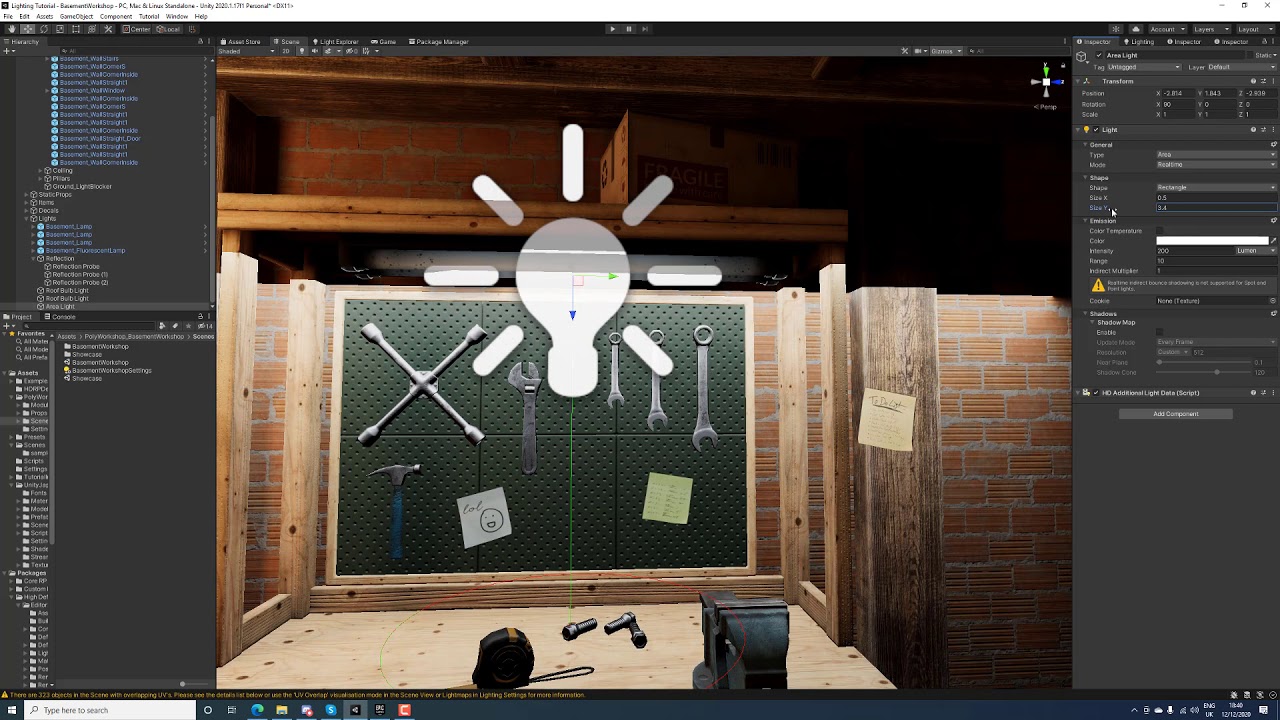
This is a very cut out lighting process for Unity 2020 HDRP. You get an idea of the thought process, colour theory, lumens intensity and general workflow that is useful to keep in mind when doing lighting in Unity. #hdrp #unity #tutorial #lighting #lightingartist #colortheory #composition #cinematic #gamedevelopment
10h Unreal Lighting Course -...
 lofty stone
how do you get lighting so good ⁉️
timber lichen
idk if my lighting is good tho if i got send a 45 minutes tutorial to a question i asked then i guess my lighting is pretty bad?
🤷♂️
olive iris
You want to know the answer to that?
timber lichen
i mean i guess
olive iris
lofty stone
how do you get lighting so good ⁉️
It is what I do for a living and this is not my best.
olive iris
timber lichen
idk if my lighting is good tho if i got send a 45 minutes tutorial to a question...
Yes, it is not good.
Why?
Color palette is off.
Intensity is off.
Focus is off.
Not correct cookies.
Flat.
Etc
lofty stone
like I said, my scenes are full of shadows so compared to mine, your lighting is really good.
olive iris
lofty stone
like I said, my scenes are full of shadows so compared to mine, your lighting is...
Thanks, I appreciate it.
olive iris
timber lichen
idk if my lighting is good tho if i got send a 45 minutes tutorial to a question...
Did you even watch the video though?
I sent it so you can learn something rather than me typing it all out. 😄
- Get decent lighting using the windows and skylight, if you want some directional light that is coming in but dont have to.
- Only use 1 of those standing lights and not cover the whole room with that lighting.
- Make sure you allow for shadows, darker areas and a focal point. (Where to look first)
timber lichen
woah
olive iris
timber lichen
i mean i guess
It is very hard to show in your image due to overexposed values. But if I were to edit it and adjust it within what you have done it could look like this.

- So less saturated color is also a good idea.
olive iris
I think your using point light also
timber lichen
for the lamps yes
olive iris
Dont.
timber lichen
the ceilling lights are spotlights
olive iris
Point Lights = cost of 6 spot lights = expensive = bad. And you are better off using spotlight as it has more flexibility for those lamps
I have to go but try lighting 1 source only please, and I will keep helping you if you like to receive it.
I might record your images and help by making some videos for you if you like where I guide you a bit in getting things right.
timber lichen
ya thanks man
olive iris
You can watch for your specific feedback videos on my channel. 🙂
I have a few people to record for but I might do yours since its mostly to review and talk about why this is poor and how to improve it. Show you some examples, typing is too long.
timber lichen
how Do I move a rigidbody and move rigidbody ON that rigidbody at the same time?
Also. I have my player and I added a rigidbody to it but when I move it onto other rigidbodies it doesnt push them. Why is this?
 olive iris
timber lichen
Also. I have my player and I added a rigidbody to it but when I move it onto oth...
olive iris
timber lichen
Also. I have my player and I added a rigidbody to it but when I move it onto oth...
ask that in for example #🏃┃animation
olive iris
timber lichen
your using hdrp right?
timber lichen
yes
 drifting panther
my directional light flare passes through various objects, how can I fix it?
timber lichen

i just baked my lighting
and the light coming from the lamps are gone
is this normal?
@olive iris
olive iris
@timber lichen isnt the light on your statue the light? The rest might be because objects are not set to static correctly, or your light it too much into the lamp so the lamp is blocking as shadow casters, so you can turn shadow casting off for lamps.
olive iris
It could possibly cascades, shadow resolution and soft shadow settings. Especially if you are using URP
drifting panther
idk what is happening but when I turned my graphics from high to highest every light is flashing really hard and u can't see anything
olive iris
If anyone wants me to review or give feedback on your lighting, I was thinking of creating some youtube videos where I try and do that. Let me know if you are interested.
 dawn cape
Hey i got a problem,after baking my lights my shadows just vanished,spend the last hour trying to find out why it wont show up without success (Yes baked shadows are enabled

 thorn cloud
My scene currently looks like this

compared to the testing scene I built in blender

I assumed as a start I could bake the lighting, so I went to that tab and pressed generate lighting, but three hours later it's still running. Even after I lowered sampling and resolution down, so I figure I'll need to find another way to light my scene
does anyone know of a way I could recreate the lighting in blender, but in Unity?
 pulsar aspen
. you are using an HDRI environment in blender
. you will never have as good rendering in unity as you do blender
. reset your bake settings to default, slowly increase if you need quality
. turn off auto generate lighting
. turn off realtime global illumination (deprecated
. use an actual skybox to mimic lighting environment
scene materials also play a role in lighting end result.
thorn cloud
can I have HDRI's in Unity, default bake settings were taking over three hours, auto gen is off, realtime GI is off
I can't bake the lighting
thorn cloud
Shadowmask?
pulsar aspen
It's under baked GI
thorn cloud
this?
 pulsar aspen
have you tried between those three?
thorn cloud
I'll try baking with each
pulsar aspen
I have a drastically more complicated scene, it does not take 15 minutes and I have an ancient rig.. good luck
thorn cloud
huh
maybe mine was just broken somehow. The time remaining would reach 0 and then it would jump back up to 2 minutes over and over
though uh, I do have these giant columns that are about 500 units tall. Would they be causing the issue?

actually should I be setting all of the terrain to static? I tried setting just one piece to static instead of all of it and it baked almost instantly, with the entire scene looking good
pulsar aspen
thorn cloud
actually should I be setting all of the terrain to static? I tried setting just ...
yeah so from what I'm understanding static mesh will be baked beforehand, so it's not realtime which of course saves a lot of time
calculating' realtime GI is the big one
anything not moving make it static should speed things along
thorn cloud
everything is static, it takes infinitely long to bake when I make everything static
setting 1 thing to static makes it finish instantly
setting 1/3 of the level to static makes it take infinitely long
ehh
I was baking on GPU not CPU, switching to CPU it finished in about 3 minutes with everything set to static
that's pretty weird. GPU says it's doing 113 mrays/sec while CPU is doing 6 mrays/sec. GPU finishes really quickly, but then gets stuck infinitely at the end
olive iris
dawn cape
Hey i got a problem,after baking my lights my shadows just vanished,spend the la...
Set to static?
Too much indirect?
Too much environment light?
Too much post process?
Too low lightmap?
olive iris
thorn cloud
everything is static, it takes infinitely long to bake when I make everything st...
Put a unity cube next to your biggest column. What is the scale difference?
thorn cloud
It’s 480 units tall
olive iris
That does not tell me anything as that can be misleading scale without the unity cube.
olive iris
thorn cloud
It’s 480 units tall
So, I still need to see the Unity cube.
thorn cloud
How many units is a unity cube?
olive iris
It should be 1. I am surprised you did not do it by now and show me.
thorn cloud
I’m no longer at my PC. How would the scale have been relevant?
 grim crater
I have a problem with the fog and volumetrics in my scene. They go away after I bake lighting. 😦 Any ideas?
 olive iris
thorn cloud
I’m no longer at my PC. How would the scale have been relevant?
olive iris
thorn cloud
I’m no longer at my PC. How would the scale have been relevant?
If your scale is too large in comparison to the Unity cube due to import settings, you are rendering lightingmaps that are taking too much space thus slowing down your rendering. In other words you are using too big of a scale and would need to edit scale for lightmaps down or scale of your scene or assets etc
olive iris
grim crater
I have a problem with the fog and volumetrics in my scene. They go away after I ...
Proper fog do not get baked you would need real time light
dawn cape
@olive iris Will check through all of those
 icy tundra
Is there a way to manually set the data of specific light probes?
dawn cape
Looked a bit online and cannot find out why my shadows arent showing when baking,does anyone have insight into why that could happen.Everything is unwrapped and has lightmap UV's
To mention i am also baking at a high texel resolution of 40
grim crater
olive iris
Proper fog do not get baked you would need real time light
aw crap. that is ridiculous.
grim crater
dawn cape
Looked a bit online and cannot find out why my shadows arent showing when baking...
What do you mean they are not showing? How is your lighting set up? Are you using probes? How are the shadow casting lights set? Mixed? Baked?
 wraith field
I'm not really sure if this fits in this channel, but if anyone here works in the lighting space, I've started work on an open GDTF library, and have a few hundred fixtures available. I'd love to get some help expanding it: https://github.com/heliostate/OpenGDTFLibrary/releases/tag/1.0
GitHub
Release info:
5733 GDTFs
fixtures with gobos: 171
total gobo files: 3055
fixtures with models: 5691
fixtures with channels: 407
This is the first release that has a more or less complete fixture li...
olive iris
grim crater
aw crap. that is ridiculous.
Well, volumtertic anyway.
olive iris
wraith field
I'm not really sure if this fits in this channel, but if anyone here works in th...
Cool, ill take it. Thanks. :) I will share it with others.
Could use sample screenshots and info on what software it works in .
olive iris
dawn cape
Looked a bit online and cannot find out why my shadows arent showing when baking...
Sometimes people forget they have another light interferring. Other times that there is a hidden mesh blocking the shadow. Sometimes the cast shadow for meshes (not light) is off. Etc
dawn cape
@olive iris Going to a test scene to see now if i can isolate the issue
cobalt dove
PSA having light overlap of mixed lights while baking with a shadowmask can and will cause artifacts in your lightmaps.
timber lichen
how do i make that weird gloss on the skin go away

there should not be any reflection on them from the shader
or specular lights even
wraith field
olive iris
Could use sample screenshots and info on what software it works in .
GDTF is a file format that specifies the capabilities of lights (there are some unused nodes that could expand its functionality beyond lights). So, it can be used in any program that knows how to read the data. It's not software so much as a database
dawn cape
I see i have objects with overlap,can that be the cause why i dont see shadows when i bake my lights?
olive iris
dawn cape
I see i have objects with overlap,can that be the cause why i dont see shadows w...
Define overlaps_
 olive iris
It is possible but that would give some obvious overlapping issues though.
 near bison
I just spent all day trying to figure out why my lightmaps weren't baking properly, and it appears the issue is that Unity isn't re-importing FBX's properly when they change. I must have resaved and reloaded that file 50 times with different lightmap settings, and various tweaks in Blender. But it turned out all I had to do was save it with a different filename. Of course, doing that means my entire scene setup has to be re-created, which is why I didn't even attempt it, and even knowing this, it means I may run into this issue again when I am far along in the development of my game and need to make a change to the base scene, which is crazy. Does anyone know of a workaround to this? It seems like one ought to be able to make a script that can replace the fbx in the scene with one with a different name and retain all the changes to the children in the heirarchy.
olive iris
near bison
I just spent all day trying to figure out why my lightmaps weren't baking proper...
I have previously saved the 3ds or maya file directly I think into the scene, and done real time modeling and watching it change in Unity without issues.
near bison
Sure, it works sometimes. I've done it before, which is why I expected it to work this time. But it seems like it's possible for something to get corrupted somewhere in some hidden file, and then it will refuse to load properly after that no matter what you do or what changes you make to the file.
dawn cape
I am starting to lose hope, no matter what i try works
olive iris
dawn cape
I am starting to lose hope, no matter what i try works
Take 1 of your assets, create a new scene and past it into a scene where unity already has a directional light. See if it works.
olive iris
No shadow on a Unity plane from your objects? @dawn cape
dawn cape
This is realtime where the shadow is on the right,will send picture now of what it looks like when baked

Made intensity high to see shadow better
olive iris
Does your imported meshes have generate uv map on though?
 dawn cape
I tried with it on and without,same result
olive iris
Did you assign unwrap texture inside 3d modeling for your object?
dawn cape
You mean like properly unwrap it in blender
olive iris
Yeah, did you do that?
 olive iris
It seems to be having some shadow on its side, no?
Probably quicker if you just send me this single fbx and I will test it here for you, if you like.
dawn cape
Thats true but why doesent it cast shadow like realtime light,its almost as if the normals arent correct
olive iris
It is possible
dawn cape
Ok let me send you it
olive iris
Sure, check the normals meanwhile.
dawn cape
Must i send .blend file or fbx?
dawn cape
Hdrp
olive iris
@dawn cape

Assign unity default shader to your mesh.
And try again.
And then do the same to the ground if you have to, and try again.
dawn cape
The default hdrp material correct? @olive iris
olive iris
yeah
 olive iris
Yeah, so your shaders have something odd to them. Normals or something.
Now you do not have to give up and you know where to go from here.
dawn cape
Thx alot man,much appreciated
 stark temple
Do not cross-post. There is one dedicated spot to ask about terrain
if you do not get an answer there just wait and ask again if your question gets lost in the channel
timber lichen
stark temple
Do not cross-post. There is one dedicated spot to ask about terrain
ok fine i wont but do u know how to?
cobalt dove
I have a really important question. Can baking get stuck and repeat 12 mins over and over again
its a cpu bake and cpu is at about 46% it ticks down 12/13 mins then starts over again
do I restart the bake or let it go ?
olive iris
cobalt dove
I have a really important question. Can baking get stuck and repeat 12 mins over...
I would cut down the setting and rebake on lowest possible to see how far it goes and if it finishes.
cobalt dove
on lower it bakes fine
am asking if a bake has ever looped like this for anyone
it's a 2k bake. A 1k bake goes fine on the cpu and the gpu I just need a little bit more res on it
olive iris
Yeah, it happens but been awhile now.
It might loop or freeze or go from gpu to cpu if you run out of VRAM
cobalt dove
I started it on the CPU just to make sure it does not do that
I think I might need to restart it and unity as well
 lime lagoon
Hey everyone, I'm having an issue with my lighting. I'm trying to figure out why this screen seems to be glowing? or not interacting with the rest of the lighting even though it's set to static!
 near bison
lime lagoon
Hey everyone, I'm having an issue with my lighting. I'm trying to figure out why...
near bison
lime lagoon
Hey everyone, I'm having an issue with my lighting. I'm trying to figure out why...
Enable reflections? Down at the bottom of the material, there's a checkbox for it.
 formal steeple
Hi, I'm very new at Unity, wanted to know how to replicate this tone of light with my Directional Light. (If possible)
https://www.artstation.com/artwork/Ga132d

ArtStation
I saw Erika Bonezzi's art and one particular work (https://www.instagram.com/p/CCQ1dmmIDfc) caught my attention. As usual I decided to recreate it and add my "flare" to it.
Hope you enjoy it and please make sure you check @aki_anyway profile. Erika's work is amazing.
During the process I decided to do something different from my previous works....
 summer aspen
@formal steeple Directional light here only has a slight warm/reddish tint. The rest is environmental lighting (Lighting settings) and a lot of postprocessing, including Depth of field, perhaps additional color balancing node, feels like slight grain effect to give a feeling of a render and a hint of chromatic aberration, more visible in the bottom right on stones.
lime lagoon
near bison
Enable reflections? Down at the bottom of the material, there's a checkbox for i...
Thanks, I'll give that a try when I get home
 marsh matrix
[URP] I have a plane, and two spot lights. I'm having an issue where the plane is only being affected by one of the spot lights. Both spotlights light up other objects just fine, so they seem to be working otherwise. (The plane is marked as static, and the spot lights are in 'mixed' mode.
Anyone know a solution to this? I'm trying to have multiple ceiling lights affect a corridor but there are so many roadblocks.
I realise that one solution is making the plane receive global illumination from lightmap instead of lightprobes, but then the shadows from my dynamic objects don't appear. 😦
 covert stirrup
There is a setting on your pipeline settings asset that determines how many lights can affect an object at once @marsh matrix
It’s called Per pixel lights
Also, if you bake lights with mixed lighting set to subtractive, it will render dynamic shadows on top of the baked ones
 tepid knot
Guys only directional light works, why? I am using HDRP in Unity 2019.4.23f. There is a point light on top of the object.
 marsh matrix
covert stirrup
It’s called Per pixel lights
marsh matrix
covert stirrup
It’s called Per pixel lights
Is it lighting-> additional lights -> per pixel, and then set per object limit to 8?

Because i see no 'per pixel lights'
marsh matrix
And i find it strange that there's a limit to how many lit texels one object can have. If I make the plane into two objects instead so that it can receive more lights, there's an ugly line in the middle.

I want to have series of corridors with spotlights hanging from the ceiling
If many planes are needed (as the floor), there will be a huge problems where lines appear where the lights hit as I divide the floor.
covert stirrup
I'm not too familiar with lighting in URP
But if you're gonna be dealing with a lot of lights you should look into baking
marsh matrix
That's what I'm trying to do - I'm baking the lights onto the static objects (floor). Then I'm using mixed mode to make dynamic objects such as the capsule to cast shadows on the static floor.
(subtractive global illumination mode)
Seems like changing mode to Baked Indirect and using lightmaps instead of lightprobes solves the issues
 tranquil trout
some textures are appearing black after changing lighting settings, anyone know what's happening?
 summer aspen
Check Lighting > Environment lighting
tranquil trout
what should I be lookiing for?
 summer aspen
It will use defined color source. You can change from skybox to your own lighter color.
I think Environmental lighting also overlays on top, so it could be use additively
(pick lighter color)
tranquil trout
we've tried messing with a lot of different colors, and the effect still appears.
summer aspen
Did you try swapping different materials? Maybe the shader is the problem
olive iris
@tranquil trout Looks like a backfacing or normal issue
 twin merlin
 tranquil trout
changing shader helped! thank you guys 😄
 brisk kraken
Hi guys, I'm new to unity
I don't know why this happens, the faceshield and the dress is having a transparent material. But I can't see the dress through the faceshield. Can someone help.
 stark temple
I assume your face shield material is writing to depth
which it cannot do unless you want to occlude all the transparent materials written behind it
transparency is really difficult, so avoid it if you can
brisk kraken
Oh! is it ? Thanks for the information @stark temple
cobalt dove
any specific Nvidia drivers I should be using with the GPU lightmapper? I cant seem to get more than 20-30% utilization on it. Something seems off.
Also it randomly complains about not having enough memory and reports very small numbers like 123 mb of available memory. Restarting the pc seems to fix it.
 latent saddle
Hey!! For a long time I've been interested in learning and using the Unity SRP to create custom GI, ambient occlusion and shading functions and shaders for Unity. Recently, I've picked up the tutorials at https://www.ronja-tutorials.com/ , however this is like diving into the deep end as I have not seen this type of Syntax before. My main question is where can I get help learning the ShaderLab and CG syntaxes and components, as well as the best place to start for my journey...
 mystic river
Anyone knows how to fix this? It doesn't this happens to many people since I couldn't find a solution online
 olive iris
mystic river
Anyone knows how to fix this? It doesn't this happens to many people since I cou...
olive iris
mystic river
Anyone knows how to fix this? It doesn't this happens to many people since I cou...
Increase your lightmap size, or reduce your objects atlas in their mesh using Scale.
mystic river
It turns out it was because there was a very strong point light

So I removed it and set it as a spotlight
 ripe sphinx
Is it possible to bake lights on an object using a skinned mesh renderer?
olive iris
mystic river
It turns out it was because there was a very strong point light
No, that is just because the intensity spread out to the lightmaps at range 4. Not due to the intensity itself. You could use 10 point lights at lower intensity and range placed everywhere too much, overlapping. And you might end up with similar issues if you do not have enough high settings.
 native cradle
Is it possible to bake shadows cast by Line Renderers? I set them to static and tried setting Alignment to TransformZ so they wouldn't rotate with the camera, but they still don't seem to want to bake into the lighting...
 true tundra
In my game i'm getting this issue where the two objects are not lit up equally, Each object is a pro-builder object. Any ideas how to fix this?

there's an image without the selection lines
 covert stirrup
There is also a directional light @true tundra
true tundra
covert stirrup
There is also a directional light <@!260267148331450368>
But directional lights light up the entire scene while I only want my light sources to light up a small area around them (currently using point lights)
 covert stirrup
I mean it looks like there is already a directional light in the image you shared
true tundra
Sorry in the first two images I have my editor lighting switched on, The third image has no directional lighting though
timber lichen
Hi all I am creating a mobile game where I created a small interior and just added three point lights before adding the lights the game was fine but after adding the lights the game started lagging a lot I couldnt figure out what went wrong help me with this
timber lichen
how do I get rid of this annoying glare and have more even lighting

 quasi basin
does anyone know how to make a glowing material?
mystic river
olive iris
No, that is just because the intensity spread out to the lightmaps at range 4. N...
Thanks
true tundra
quasi basin
does anyone know how to make a glowing material?
Giving a material emission can kind of make it glow

 olive iris
true tundra
Sorry in the first two images I have my editor lighting switched on, The third i...
olive iris
true tundra
Sorry in the first two images I have my editor lighting switched on, The third i...
What is your lightmap resolution settings at? And what are you using in terms of hdrp or urp etc?
olive iris
timber lichen
how do I get rid of this annoying glare and have more even lighting
You reduce the intensity of it and use post process tonemappingm and what are you using in terms of hdrp or urp?
timber lichen
olive iris
You reduce the intensity of it and use post process tonemappingm and what are yo...
urp
olive iris
@timber lichen What is your light setting for one of those spot lights?
timber lichen
100 intensity and max spread
olive iris
timber lichen
100 intensity and max spread
And you are baking?
Or real time only?
@timber lichen Reason 1 https://www.youtube.com/watch?v=fX1bXtRKSRg

In this video I specifically explain one of the reasons that Soulex over at Unity Official Discord is getting white glare in his lighting.
olive iris
@timber lichen Another tip for you https://youtu.be/UnTVw7mbNhA

In this video I answer Soulex from Unity Official Discord server on how to get quicker evenly light while getting more control over white glares. This video is a follow up video of https://youtu.be/fX1bXtRKSRg
timber lichen
olive iris
And you are baking?
Baking just so you know, those videos will probably help ty
The material is also meant to be smooth and reflective and I use them on specular mode
Do you also happen to know how to get more accurate reflections on reflection probes?
true tundra
olive iris
What is your lightmap resolution settings at? And what are you using in terms o...
My lightmap resolution is the default 40 and i'm not currently using a special render pipeline (Started the project from the "3D" Template). I think I solved the problem earlier today by increasing the pixel light count to 40 and everything else seems to be working fine, will this cause problems later down the line?
olive iris
true tundra
My lightmap resolution is the default 40 and i'm not currently using a special r...
Probably if you do not know what your doing or why your doing and why there are different render pipeline or if you are releasing something to a platform
 fallow beacon
i would like help on how do i make a dark wall cuz of shadows bright
lighting guys
i need help
@lightingguys
 sharp grove
Make another light shine on it...
fallow beacon
whats that
sharp grove
...
fallow beacon
how can i do that
fallow beacon
whats real life
sharp grove
And welcome to the ignore list
fallow beacon
lul joking
guess what t h o
i tried it
it worked
bAt
the lighting is a lot lighter
how can i disable shadows or stuff
https://www.youtube.com/watch?v=B5HJNQ99IMs does this thing work?

This vide will show you how to fix the unity lighting that makes your white turn tan.
If your unity3d is showing a tan white instead of white, then these are the step to resolve that.
 vale phoenix
Have you... tried it?
fallow beacon
i tried
it (reall bad word here to say) all of my lighting

the whole thing lloks a lot darker now
the tutorial says about auto generating butto
it is locked for me

@vale phoenix
vale phoenix
@fallow beacon Do not send me unsolicited DMs, in case you haven't noticed my roles suggest I am a programmer, I do not have experience with lighting.
olive iris
@fallow beacon What are your questions? Type normal and full sentences with good screenshots. And here is my first advice to you. https://www.amitgp.com/how-to-ask-game-dev-tech-questions/

There you are. Working dedicatedly and persistently until you stumble upon some issues. You look around and there is no help to be found. After all, you are probably working from home. You pull up …
fallow beacon
I need to make a dark wall bright.When i try duplicating the light source and getting it faced durectly to the dark wall it does work but makes the whole thing a lot more yelloish.Heres a video of my problem:
https://www.youtube.com/watch?v=8d7p6FmCUQM
When i try what the videos says the wall isnt black anymore but everything is dark.How do i make my scene more bright?
Here are some screenshots:

Hey sorry for bad audio quality having some problems.
In this video, I will tell you how to remove the objects in unity
don't forget to like share and subscribe.

 olive iris
@fallow beacon Are you using HDRP or?
fallow beacon
what is that
olive iris
Your render pipeline
fallow beacon
idk
olive iris
URP, HDRP, Default.
fallow beacon
how do i check
olive iris
Show me the light settings by adding out a spotlight etc
Also, do not DM me. It would be pointless to answer you only as most questions are repeated and most people need to learn the same things.
fallow beacon
olive iris
Show me the light settings by adding out a spotlight etc
how do i adjust a spotlight
im new to unity
dont mind me
olive iris
I suggest you learn it then.
Here are some things to learn from. that is related to your question. Do not follow it step by step right now, just understand it first.
https://www.youtube.com/watch?v=ZtpmfpEJFtc&t=2s
https://www.youtube.com/watch?v=v89oQUYp-jk&t=1s
https://www.youtube.com/watch?v=arkS5qKmCVM&t=2s
https://www.youtube.com/watch?v=uSmXlEkJDJI&t=1s

In this video I quickly show you how to brighten your surroundings and walls. These videos are mostly being created based on question that pop up regularly in Unity Official Discord and because I know a lot of the people are under age 18.
#lighting #beginner #lightingartist #unity3d #unityengine #unity #environmentlighting #blackwalls #directio...
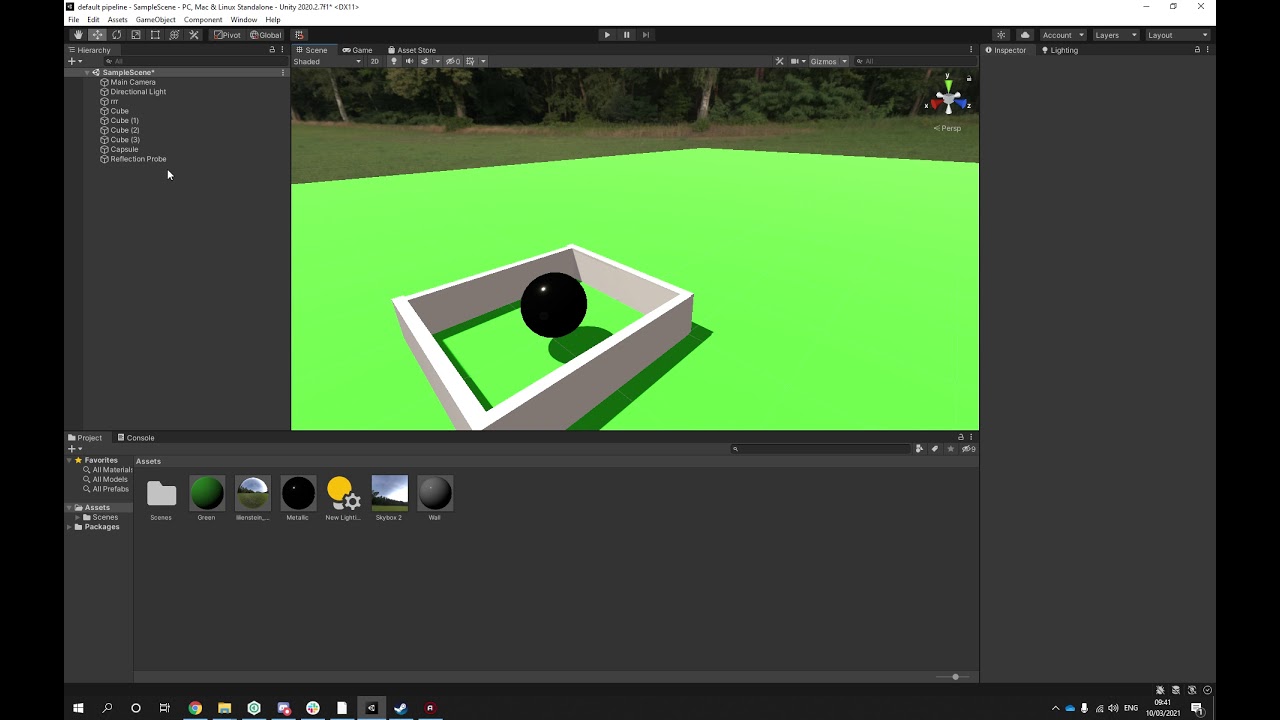
In this video I show how I would setup a basic HDRI skybox to light up my environment, instead of other beginner methods that does not give accurate lighting.
#lighting #beginner #lightingartist #unity3d #unityengine #unity #environmentlighting #blackwalls #directionallight #skybox #tips #tricks #bakedlighting #realtimelighting #g...
Answering Palusi question on Unity Discord about why his gradient sky is not turning on.
This video is to answer Christoffers Video on how to get his scene in total darkness, so he can have total control over his lighting.
fallow beacon
ok i saw the firt tutorial
but there are many options to choose rom
what do i do now then
olive iris
You watch them all. You learn. And then you put it into practice one way or another. And then you come back for more help.
@fallow beacon
quasi basin
how do i make a neon material?
 mellow sierra
Add bloom via post processing and enable emission on your material.
fallow beacon
olive iris
You watch them all. You learn. And then you put it into practice one way or anot...
hour 5 of trying to find help
fallow beacon
fallow beacon
hour 5 of trying to find help
hour 10 if trying to find help
quartz yacht
I think you'll get further if you spend that time trying to figure it out instead of trying to find help 😛
Still trying to figure out how to change the color of your lights in the scene, right?
fallow beacon
hour 25 of trying to find help
olive iris
@fallow beacon I suggest you reflect on your approach to game development, problem solving and finding help.
Your first priority is to learn the basic before specifically solving something. As to solve something specific you need to understand and know other things also, and if you do not you will just keep asking follow up questions. And that will just not be in your favor.
fallow beacon
Dacede 2 of trying to find help
mellow sierra
@fallow beacon If you're not even going to answer questions posed to you, then don't spam this channel.
fallow beacon
quartz yacht
Still trying to figure out how to change the color of your lights in the scene, ...
yes
 unkempt depot
Can someone explain me, why I cant put point light in LOD0, LOD1, etc and have it switched like Mesh?
 thorny tundra
Hello, does anybody have advice on how should I fake emission coming from the lava? I feel like putting hundreds of point lights is probably not an answer x) Should I put an area light under the lava plane and make the plane not emit shadows? And wait a day till it renders :'^)
 olive iris
unkempt depot
Can someone explain me, why I cant put point light in LOD0, LOD1, etc and have i...
olive iris
unkempt depot
Can someone explain me, why I cant put point light in LOD0, LOD1, etc and have i...
Dont understand the question fully but LOD01 is meant for meshes. And you can still have 1 point light in the hierachy while switching the LOD
olive iris
thorny tundra
Hello, does anybody have advice on how should I fake emission coming from the la...
Emissive material probably is a simple start for you to test out. If not, shader for the actual texture.
olive iris
unkempt depot
Can someone explain me, why I cant put point light in LOD0, LOD1, etc and have i...
Also, why are you doing this?
unkempt depot
yes, I understand how Lods works, but in prefab I put point lights with different settings (Less detailed shadows and range), and I expected its gonna work with corresponding lod.
that*
thorny tundra
olive iris
Emissive material probably is a simple start for you to test out. If not, shader...
Lightmapping with static objects?
timber lichen
I want a realistic tube light effect but at the same time its for mobile game and environment is something like a showroom so more lights will be involved which light should I use can Someone guide me in this?
unkempt depot
@olive iris I simply wanted higher quality realtime shadows with LOD0, lesser quality with LOD1, and no realtime shadows with LOD2, and LOD3.
olive iris
unkempt depot
yes, I understand how Lods works, but in prefab I put point lights with differen...
 olive iris
timber lichen
I want a realistic tube light effect but at the same time its for mobile game an...
olive iris
timber lichen
I want a realistic tube light effect but at the same time its for mobile game an...
A good idea to give more reference and probably image of this tube light effect you are talking about.
olive iris
thorny tundra
Lightmapping with static objects?
thorny tundra
Is mixed lighting not supported by the URP?
 unkempt depot
@olive iris its about Baked lighting as far as I understand, anyway I solved my problem via script, so my FPS back to normal. 28fps vs 60+ is huge difference. xD
olive iris
unkempt depot
<@!174185317669011456> its about Baked lighting as far as I understand, anyway I...
yey
timber lichen
olive iris
https://docs.unity3d.com/Manual/lighting-emissive-materials.html
will emissive materials be costly when having multiple instances of the mesh using that material?
olive iris
thorny tundra
Is mixed lighting not supported by the URP?
I wonder what happens if you click the roll down....and follow the text....
unkempt depot
I dont understand why realtime shadows works so bad, and why its so heavy for game.
olive iris
unkempt depot
I dont understand why realtime shadows works so bad, and why its so heavy for ga...
That is not a simple answer to give sadly.
thorny tundra
olive iris
https://docs.unity3d.com/Manual/lighting-emissive-materials.html
Oh yeah I've seen many of these but since I have a shader on already, should I learn how to apply that through nodes
olive iris
thorny tundra
Oh yeah I've seen many of these but since I have a shader on already, should I l...
Yeah, you would use those cracks. 🙂
timber lichen
Maybe this is a silly question but this is running in my mind since I started learning games is shader the script that compiles a material?
and suggest some good docs to learn more about shaders
covert stirrup
One of the best resources out there @timber lichen https://catlikecoding.com/unity/tutorials/rendering/
quasi basin
any good free post proccesing assets?
stark temple
quasi basin
any good free post proccesing assets?
Please do not cross-post. #💥┃post-processing
quasi basin
sorry
timber lichen
covert stirrup
One of the best resources out there <@456226577798135808> <https://catlikecoding...
Thanks let me learn from them 🙂
 limber quail
Does anyone know how to use only ambient lighting in HDRP? I am trying to make objects without light not visible.
Changing the material to Subsurface Scattering works but then I cant change the color.
mellow sierra
@lunar harbor No crossposting please.
 lunar harbor
ok
olive iris
limber quail
Does anyone know how to use only ambient lighting in HDRP? I am trying to make o...
Would not that mean skybox only?
limber quail
olive iris
Would not that mean skybox only?
I am using the skybox for something else and I want the only light in my scene to come from a point light.
olive iris
limber quail
I am using the skybox for something else and I want the only light in my scene t...
So you want to use skybox. But you do not want it to affect the object? And the only thing you want to affect is the point light on the object?
limber quail
olive iris
So you want to use skybox. But you do not want it to affect the object? And the ...
Yes
olive iris
limber quail
Yes
I suppose you could try making that object non-static and not affected by probes or add a custom probe....I assume your baking the skybox and environment lighting.
limber quail
olive iris
I suppose you could try making that object non-static and not affected by probes...
I started by baking the lighting but then the light did not hit non-static objects so now i am using Realtime lighting.
I cant use light probes for the static objects either.
 cinder wren
Anyone knows a way to smooth the cast shadows "lines" in 2D Lights? Something like a falloff strength would be ideal.
Currently even if I play with the strength of the shadow, those lines are very defined. Thanks in advance for any tips or ideas!
olive iris
limber quail
I cant use light probes for the static objects either.
why?
limber quail
olive iris
why?
I'm making a space scene and the light is only coming from the sun. I tried adding light probes, but the scene is too large to include that many.
timber lichen
when I add lights for my game level design and build the fps count went deep down so I decided to bake the lights which I did then how to add dynamic shadows to my character?
olive iris
limber quail
I'm making a space scene and the light is only coming from the sun. I tried addi...
Do you have screenshots?
olive iris
timber lichen
when I add lights for my game level design and build the fps count went deep dow...
You need to have real time light or mixed light to do that.
timber lichen
My target platform is android when I have mixed lights I get good shadows and details but the apk I get has low fps...
olive iris
timber lichen
My target platform is android when I have mixed lights I get good shadows and de...
You should probably fix your settings, meshes and all those things related to lighting.
timber lichen
olive iris
You should probably fix your settings, meshes and all those things related to li...
Can you brief it or route me to a documentation where I can learn more and play with it...
Or some tuts would help too
olive iris
timber lichen
Can you brief it or route me to a documentation where I can learn more and play ...
Not really. It is basic lighting and Unity skill really. As I do not know why you have low FPS. You could learn profiling which is the key word, profiling. And see what is dragging down your MS or FPS. And then figure things out. It could be your not setting everything to static etc. So, it is not a specific solution it is a optimization workflow more than anything I suppose.
For all I know you have no idea what you are doing and think your asking the right question when you might have not done something correctly.
So, it is too many scenarios and broad issue. You would have to provide more information or troubleshoot it more specifically.
Otherwise I would be sitting here for hours asking questions. 🙂
limber quail
olive iris
Do you have screenshots?
The only lighting in this scene is a point light.
 olive iris
limber quail
The only lighting in this scene is a point light.
olive iris
limber quail
The only lighting in this scene is a point light.
You would have to add a unity cube so I know the scale and also information on what the issue is in this context in regards to dynamic movement which is what...spaceship?
limber quail
olive iris
You would have to add a unity cube so I know the scale and also information on w...
This is my spaceship next to the planet. The planet is the default unity sphere scaled 200 times on the x y and z axis. The purple is the planet and it is moving (orbiting) so it is dynamic.
 olive iris
limber quail
This is my spaceship next to the planet. The planet is the default unity sphere ...
olive iris
limber quail
This is my spaceship next to the planet. The planet is the default unity sphere ...
You could try a proxy volume attached to the object.
limber quail
olive iris
You could try a proxy volume attached to the object.
I got it working correctly! Thank you so much for your help.
olive iris
limber quail
I got it working correctly! Thank you so much for your help.
No problem.
timber lichen
olive iris
Not really. It is basic lighting and Unity skill really. As I do not know why yo...
let me try to use profiling and find out the reason for low performance thanks
 tired edge
Hello Everyone^^ was wondering if anyone can give me some tips for baking the lighting.
I am working on a horror indoor scene
 broken estuary
I asked this over in render-pipelines but it might be something lighting people understand too 😄 #archived-hdrp message
Basically, using HDRP raytraced GI emissive textures emit light, but dont glow... trying to find out if ive missed something, or if that's a limitation.
olive iris
tired edge
Hello Everyone^^ was wondering if anyone can give me some tips for baking the li...
That is such an open question that no one would likely know how to answer that.
tired edge
@olive iris for example I have this scene : https://streamable.com/52r8yu and I am trying to figure out how to improve it.
 olive iris
tired edge
<@!174185317669011456> for example I have this scene : https://streamable.com/52...
olive iris
tired edge
<@!174185317669011456> for example I have this scene : https://streamable.com/52...
That is just a spotlight in a black environment. So, you could obviously improve whatever you want to improve right? Exterior lighting from window lighting up some of the areas etc
tired edge
I dont know if my settings on Lightingmapping is good
tired edge
No everything is baked
tired edge
ok the only real time spotlight i have is the flash light
olive iris
And where are the other lights?
tired edge
the only lights I have are from windows (Moonlight)
maybe i could use a directional light with very low intensity and dark color
to bright the dark places a little bit
olive iris
Well, do some adjustment so it casting some proper light from Window.
tired edge
what do you mean proper lights? I have a spot light which cast light thought the window
olive iris
Easy, go find references of what you like and copy it.
This has nothing to do with technical settings but your ability to understand light and light it.
olive iris
Does not matter. You should find a reference. A mood. And then you would know what is missing.
tired edge
that not how it really works
olive iris
Tell me, how it works according to you?
broken estuary
A spotlight won't illuminate well through a window, it comes from a point, you need a wider light, like a directional light, or a baked area light (depending on your render pipeline)
tired edge
@olive iris doesnt matter
olive iris
You have a spot light so obviously you want it to be dark.
That means you do not want things to be super bright, right?
tired edge
yeah I want to be darkish
olive iris
So, I am asking you to find me a reference of what you want. So I can tell you what you need to do.
Example
tired edge
alright fair enough
olive iris
This is probably too bright for you. Yes or no?
 tired edge
that a good start as outside in my game is thunderstorm so it is darker
and it is night
Although the only way to have the volumentric light is to Use Aura 2 because I dont use HDRP or URP
olive iris
And this is too colorful for you, right?
 tired edge
the first photo you send me was good
 tired edge
yes
olive iris
- Setup an environment lighting in lighting tab either using gradient or a dark skybox (search online how to do it, plenty of tutorials)
- Add a directional light, area light or spotlight to bake in some moody external light to fill in the hallways a bit but not brighter than your spotlight.
- See around your level if there are other windows to do same, or if you want to add subtle candle light or broken light that has some warm light so not everything is white and blue.
tired edge
ill try those things thanks
olive iris
If you pack the project and send me it then I will make video showing some of the basics next week if you need it.
But for now, see if you can figure it out on your own using existing tutorials spread around.
tired edge
@olive iris sure 🙂 will do!
 turbid cave
Increasing shadow draw distance in my URP asset is overriding a shadow in my scene, and I can't figure out exactly what is causing this.


This is the shadowmask for reference
 olive iris
turbid cave
Increasing shadow draw distance in my URP asset is overriding a shadow in my sce...
olive iris
turbid cave
Increasing shadow draw distance in my URP asset is overriding a shadow in my sce...
how are you increasing your shadow draw distance?
turbid cave
olive iris
how are you increasing your shadow draw distance?
I set the Max Distance under Shadows in my URP asset. When this shadow is within the max shadow distance from the camera, it fully disappears.
 cloud crow
Does anyone know why my light is so massive? It's hard to work with when the icon is so big.
These characters are scaled to be 6 feet tall.
 mystic dew
cloud crow
Does anyone know why my light is so massive? It's hard to work with when the ico...
mystic dew
cloud crow
Does anyone know why my light is so massive? It's hard to work with when the ico...
go to Gizmoz and change size of icons

 hearty solar
hey guys I need some help. Every time I try to bake a lightmap, my whole computer freezes. Sometimes it will unfreeze and unity with just shut down others it will be frozen for 30+ minutes and not do anything. Any suggestions?
olive iris
hearty solar
hey guys I need some help. Every time I try to bake a lightmap, my whole compute...
Shut down everything else in case it is running out of memory or resources.
hearty solar
It ran out of memory. I just got home from the store and added more memory to my computer
 upbeat oar
Has anyone had this issue before? This is an imported fbx model that I'm trying to light using area lights. However these artifacts show up all over the model, even places where the light wouldn't reach. The object is set to static.

As much as I like deep fried models, it's not really what I'm going for :(
cobalt dove
Either your lightmap uvs are very wrong or your sample count for the bake is very low
olive iris
upbeat oar
Has anyone had this issue before? This is an imported fbx model that I'm trying ...
Area map is buggy in this sense, so you need fairly high settings to get most out of it. And as Uri says, make sure you UV lightmaps are correct. I am not sure if area light is the correct light here either....why area light?
upbeat oar
olive iris
Area map is buggy in this sense, so you need fairly high settings to get most ou...
I don't have too much experience with UV lightmaps. I am using the default import settings with Generate Lightmap UVs ticked, which has worked in the past. How are UV lightmaps generally made "correct"?
As for why the scene is using area lights, that's just the first type of light I am adding, to highlight areas around where shaped light fixtures are in the map.
tired edge
@olive iris I sit over the weekend and went though all my assets and polish them(materials etc) and I rebuild my level again and was trying to rebake the lighting with default settings. I think the results are decent enough. There were some limitations i found like because I don't really have any light source apart from the flashlight and the Moonlight from the window that I had (Spotlight) when I bake it it doesn't really do much. I removed the moonlight(Spot light) from the window , for now as it doesn't work as I want them to be. i don't know other technique for having a moonlight though a window and cast a shadow on the floor.
p.s. Ignore the rain xD forgot to add collider on the rouf
 cosmic basin
hello im new to unity and i want to make like a glowing sphere how do i make it glow like an irl light bulb? i made a matrial and enabled emissions but it does not cast light on other objects. this is what it looks like rn the top and bottom are planes
 summer aspen
cosmic basin
hello im new to unity and i want to make like a glowing sphere how do i make it ...
summer aspen
cosmic basin
hello im new to unity and i want to make like a glowing sphere how do i make it ...
If you want it to emit light as well you need to use light source. If you want glowing effects you need to use #💥┃post-processing Bloom. Instructions are pinned in that channel how to use it.
cosmic basin
ok thx
summer aspen
Emission on material just means that it may have own brightness independent of lighting.
olive iris
upbeat oar
I don't have too much experience with UV lightmaps. I am using the default impor...
I would try sticking to spot light first really.
olive iris
tired edge
<@!174185317669011456> I sit over the weekend and went though all my assets and ...
Your spot light vignette, is it black?
olive iris
cosmic basin
ok thx
And you need to put things to static and bake it.
tired edge
olive iris
Your spot light vignette, is it black?
you mean the Color of the light? What do you mean spot light vignette?
@olive iris wanted something like this but if I bake it the light doesn't look nice anymore.

dont know if that the right technique to "fade" lights from window without the directional light
olive iris
tired edge
<@!174185317669011456> wanted something like this but if I bake it the light doe...
That darkness around your spotlight? Is is just lack of light or extra effect?
tired edge
@olive iris let me do one example
cosmic basin
olive iris
And you need to put things to static and bake it.
thx for the help but somone alrdy told me how to fix it in #💻┃unity-talk but thx anyway
olive iris
cosmic basin
thx for the help but somone alrdy told me how to fix it in <#497872424281440267>...
Good luck
cosmic basin
olive iris
Good luck
thx
tired edge
@olive iris

this is with default settings
and this is with Post Processing

Another problem I think that causes everything to be either very dark is also the materials used for each model
the metalic and smoothness is probably very wrong
So i am going to work on that ^^
olive iris
tired edge
<@!174185317669011456>
Yes you need correct material, around grey value and all that. Look up PBR
tired edge
@olive iris yeah the problem with unity is for some reason they deside to do it diffrently than the others so Metalic and roughtness is R + A
I will work on it^^ but thanks I am in the right direction at least know
olive iris
@tired edge Can you remind me what pipeline you are using like, hdrp or urp or?
tired edge
@olive iris right now i am using standard build-in
but for sure my materials are not properly configure that why the visuals are not good
so i am working on that right now^^
olive iris
Ok, I might make a quick video for you later in an older asset scene I have using standard build-in to show you how I would do some basic lighting for a darker scene. Obviously, the asset scene has less material issues than yours but it should give you an idea of what to do.
tired edge
sure^^ also question I get some Normal maps texture and do I have to click Create from Grayscale?
from the import settings?
because otherwise the normal maps dont look right
 tired edge
Most of the textures I get it from Textures.com soooo I dont make them^^
and they mostly use substance3D
olive iris
And mine are looking like this

@tired edge Might be useful for you also https://www.youtube.com/watch?v=eFNUkbuzi54

In this video I show some quick examples of why your lighting is looking wrong or poor inside any game engine. Although I am using this in Unity this time it is the same in Unreal Engine or anywhere. We are taliking about bad Ambient Occlusion and Inverted Normal Map. Hopefully this video will teach you to be aware of it and spot it.
tired edge
ill look it up thanks
tired edge
@olive iris ok... i think i manage to produce some good results

my solution was that I had to get light from the reflections
so I had to play around with the material settings to set the properly and also the reflection prob
and also in the lighting panel to increase the lgihting from reflection
I am happy with the results ^^
olive iris
tired edge
I am happy with the results ^^
No, we are not. We can do better.
tired edge
haha^^ yeah i have to fix the materials properly
olive iris
@tired edge I made this to help you improve your thinking when it comes to lighting. https://youtu.be/jgQrJ1qKxpM

In this video I show TheGamerUrSo the thought process that goes into lighting, the mindset and that using only real time lights is a good practice in training your eye rather than depending on baked lighting.
 tight moss
man bakery volumes are changing my life right now, particularly in a procedurally generated mobile game
i bake lighting for room prefabs and obviously you cant put light probes in prefabs, so previously I had come up with this hacky solution of using low res reflection probes in each baked room prefab and using a custom shader that used a blurred version of the reflection probe as like "fake" ambient lighting
looked like this
but since Mr. F added bakery volumes in v1.8 of bakery I can just stick a bakery volume with a bakery volume trigger in each room prefab, and the results are better than light probes even
tired edge
@olive iris oh man that great thanks. Really interesting.
 livid jetty
Not sure why but the PBR materials are only seeming to work with direct light?? As seen, as soon as it's in shadow, any actual PBR texture maps just become non-existent...
 olive iris
livid jetty
Not sure why but the PBR materials are only seeming to work with direct light?? ...
olive iris
livid jetty
Not sure why but the PBR materials are only seeming to work with direct light?? ...
What did you try to test out then? Do you have reflection probes there? Light probes?
livid jetty
olive iris
What did you try to test out then? Do you have reflection probes there? Light pr...
There are light probes that it should be using, the cabin has 2 area lights - I can send a better screenshot when I’m free sorry for this one
olive iris
Yeah, and lighting setting, light settings, lightmap settings...etc
 tough flower
Hey guys I have a simple ml agents implementation But it looks kinda lame in terms of lighting , any good and simple tutorial I can follow in order to make the enviroment light better and some objects light up , but keep the project smooth and fast as it is? 🙂
livid jetty
right @olive iris I'll send that stuff now, sorry about that
The left/right sides of the room are basically the same, and there's a light probe group in each quarter (you can see the close left quarter group on screen) - there is an area light on each side (you can see it at the top of the image there), it spans the length of the room and points down


not the best screen shots but I think that shows most of the information right?
olive iris
You probably do not need some of those lighting settings to be that high. You can also run the PBR checker.
livid jetty
olive iris
You probably do not need some of those lighting settings to be that high. You ca...
what's the PBR checker?
and yeah the settings might be too high but that shouldn't be making it look bad so still unsure of why it's so ehh
olive iris
livid jetty
olive iris
<@!356857842344656897> https://docs.unity3d.com/2019.1/Documentation/Manual/Mate...
there doesn't seem to be that option in 2020
olive iris
There should be.
livid jetty
olive iris
There should be.
not sure, everything online says it should be here but I don't see it
 timber lichen
How do i add good lightnings?
olive iris
@livid jetty What unity pipeline are you using?
olive iris
timber lichen
How do i add good lightnings?
You learn to light...
livid jetty
olive iris
<@!356857842344656897> What unity pipeline are you using?
just started with URP
apparently it's faster so I was like sure but tbh so far it's worse xD
olive iris
It is faster and such for low spec computers etc yeah, or VR
livid jetty
oh should I just use the default then?
I feel like HDRP is overkill because I don't really know how to use lighting very well, I know about lightmapping and probes but I still can't get a good interior lmao


 olive iris
livid jetty
oh should I just use the default then?
olive iris
livid jetty
oh should I just use the default then?
Up to you.
@brave pebble probably better to ask in general or something
 brave pebble
olive iris
<@!783125016468258846> probably better to ask in general or something
brave pebble
olive iris
<@!783125016468258846> probably better to ask in general or something
Will do! Which one do you prefer?:D
 sage lintel
Hey guys, new to the server. Not sure where to post for help but I'll try this channel as its an issue with lighting. So when I build my game, it defaults to lowest settings for some reason. Not sure why, hoping someone can help me in figuring out. I am using 2020 version in URP pipeline.
 olive iris
@brave pebble depends on things. Not preference. I do a lot of lighting so realistic lighting id go for hdrp. If i was doing VR id go for urp or default. Etc
olive iris
sage lintel
Hey guys, new to the server. Not sure where to post for help but I'll try this c...
Using urp, default or hdrp? Using forward or deferred? Does any of this make sense?
brave pebble
olive iris
<@783125016468258846> depends on things. Not preference. I do a lot of lighting ...
It's for mobile and meant to be cartoony/stylized
Of a mad scientist lab theme
olive iris
Well, keep it up. Looking forward to seeing the progress.
tough flower
Why is it stuck to scale only? i want it to be on position change instead
 turbid cave
I set the Max Distance under Shadows in my URP asset. When this shadow is within...
turbid cave
turbid cave
I set the Max Distance under Shadows in my URP asset. When this shadow is within...
I moved on temporarily, but came back to see if I could figure it out, but I have yet to find a solution to the problem. When baking my lighting I see the shadow is somehow overridden, but I can't figure out why. From my understanding the Max Distance setting under shadows in the URP Asset relate to realtime shadows, but I don't understand why this is overriding the shadowmask in my scene
tough flower
Omg yes thats it , i never use that thing up there I always move them through the right inspector tab , Thanks 😄
turbid cave
tough flower
Omg yes thats it , i never use that thing up there I always move them through th...
No problem!
turbid cave
turbid cave
I moved on temporarily, but came back to see if I could figure it out, but I hav...
Turns out, the issue doesn't occur when using Shadowmask in my quality settings instead of Distance Shadowmask. If anyone knows why this could be please let me know, as from my understanding Distance Shadowmask brings greater overall quality compared to just the Shadowmask setting.
sage lintel
olive iris
Using urp, default or hdrp? Using forward or deferred? Does any of this make sen...
I'm using URP as mentioned. I'm not sure about forward or deferred. Where can I check for those?
 lethal pewter
how do you make intricate suns in modern day unity? I had a bunch of nice designs using flares and halos a couple years ago but none of those components seems to have any visible effects now? The procedural skyboxes seem very customizable but I want some rays and some lens flares
olive iris
lethal pewter
how do you make intricate suns in modern day unity? I had a bunch of nice design...
Learn volumetric and post processing
lethal pewter
thanks! I'll look up some tutorials
 icy prairie
Hi Everyone
I hope your good
Actually i work on "Cinema - Movie Theater Level" (Build In Standard but with "URP" Package)
This is my first time on "U.R.P" Build
When I try to put "Spotlight" only a few lights are displayed. (Scene and Game Mode).
It's like, when I reach a certain number of lights, the other lights are not displayed anymore.
Do you have an idea ?


Thanks for your help 🙂
Take care of u guys 🙂
olive iris
@icy prairie There is max pixel light count. Might be set to 8 overlapping ones right now. You need to see how far up you can put it. Or not put lights so close etc.
covert stirrup
While I'm waiting for my 5 GB library rebuild, anyone ever had light probes stop working at all? I've been baking them before but today I can't get them to work in a fresh scene, though it still works in a different project on the same unity build
turbid cave
Hey! I'm having some pixelated shadows, is there a way to improve this? Even after setting shadow resolution to 4096, leaves the shadows pixelated. Shadows are set to soft aswell, so I'm lost for ideas atm
 olive iris
@turbid cave increase surface lightmap resolution
turbid cave
olive iris
<@!367367465480617984> increase surface lightmap resolution
It's the Max Lightmap Size right?
olive iris
@turbid cave I believe I cover some basic here https://www.youtube.com/watch?v=OetZhBc2A98&t=3s
In this video I was showing jRocket in Unity Discord on how they might solve their lighting or texture seams in their modular set. I then cover how to work backwards once solving this to optimize your light maps. As you do not want to keep everything on max settings. This means keeping a good enough quality, avoiding noise and keeping the seam a...
turbid cave
olive iris
<@!367367465480617984> I believe I cover some basic here https://www.youtube.com...
Thanks!
turbid cave
olive iris
<@!367367465480617984> I believe I cover some basic here https://www.youtube.com...
Sorry for continuing to bother you, but it seems that this didn't work, or that I misunderstood something (most likely the latter). I increased the max lightmap size, and modified the Lightmap Resolution, however I'm still left with the same ugly shadow. Tried modifying the shadow resolution along with the lightmap size to see if that did it, but still didn't fix it. I have my lightmap parameters set to Default-HighResolution as well, so I'm not exactly sure why this is coming out the way it is.
turbid cave
turbid cave
Sorry for continuing to bother you, but it seems that this didn't work, or that ...
Ok, to make sure I didn't just need to tweak something I am increasing texels per unit by a higher amount, I'll report back in a while, since baking is going to take a while
turbid cave
olive iris
<@!367367465480617984> I believe I cover some basic here https://www.youtube.com...
Could it be related to my cascade settings?
olive iris
@turbid cave Should be set to 3 or 4
turbid cave
olive iris
<@!367367465480617984> Should be set to 3 or 4
Ok, cascade settings are set to 4, so that's not it either :/
@olive iris Here's my render pipeline asset incase this helps

And here's my lighting settings
 olive iris
Your gonna need to increase this later so just do it now

You might as well also change these to 512, 1024 and 2048
 turbid cave
olive iris
You might as well also change these to 512, 1024 and 2048
turbid cave
olive iris
You might as well also change these to 512, 1024 and 2048
Thanks, lowers the amount of headaches I'll have down the line ;)
olive iris
turn these two off

Put this on advanced or manual

Put this on 4

Bake and then go into baked lightmaps and show me the lightmaps if it still is an issue
actually
Turn these to 32

should speed up your rendering
Your using unity default or urp?
Also show me the object casting the shadow
turbid cave
olive iris
Your using unity default or urp?
I'm using URP. Thank you so much for all this by the way, if there's anyway I can repay you, please tell me :) As for the object casting the shadow, this is what it looks like:
 turbid cave
olive iris
From within Unity?
turbid cave
olive iris
From within Unity?
As in from the editor?
olive iris
Yeah
turbid cave
olive iris
Yeah
Yeah, it's from the editor
olive iris
Ah, those are not perfect sphere if you look at them they have edges
turbid cave
olive iris
Ah, those are not perfect sphere if you look at them they have edges
Ah, i see. Well thank you very much anyway, the changes made to my lighting settings will guaranteed save me time down the line, as I'm actually trying to work on my game's physics, just want to get my graphics down first :P
olive iris
Dont worry
I teach you something else
Might help you if you need those sphere
Besides increasing texel density or the scale lightmap on the floor specifically
Play with this to smooth it out
 turbid cave
I tried moving that slider early on when i first setup the URP project, without figuring out exactly what it was. Knowing all of this will get me moving a lot quicker, really appreciate everything
olive iris
In the future you might want to consider https://www.youtube.com/watch?v=CjkgakfjKbo

Aspiring Lighting Artist? Junior Lighting Artist? Preparing your portfolio? Whatever it is. You are touching up on lighting. Lost? Alone? Need guidance? Mentorship? Let me help you with mentorship, guidance and feedback. #lighting #artist #art #help #artwork #lightingartist #student #mentorship #guidance #feedback #gamedeveloper #gamedevelopment...
turbid cave
Yeah, I might hit you up further down the line, as graphics and lighting is far out of my leauge at the moment :P
olive iris
That softness might not have worked for you due to little texel density 🙂
I overkilled mine just to show you

But as far as I know it should not matter though
It just that you need to put it up higher than 1 normally for those spheres
turbid cave
olive iris
That softness might not have worked for you due to little texel density 🙂
Seems fine :) Also, have one last question regarding the indirect, and direct sample counts: Will increasing the amount result in higher quality lighting?
olive iris
It depends on many things. I rarely go high on them unless I have to
turbid cave
olive iris
It depends on many things. I rarely go high on them unless I have to
Thanks! This was very helpful 🙂
 gray oxide
My game uses realtime lightning as it's a game that's modifiable so no editor work is done. How can I make sure tunnels are dark properly?
olive iris
@gray oxide Define dark...
 final needle
Hi, would there be a way to preview area lights in the editor without having to bake lighting every time ?
olive iris
Not at the moment.
livid jetty
Anyone know the performance impact of real time area lights in HDRP? Compared with other types of light I guess
olive iris
final needle
Hi, would there be a way to preview area lights in the editor without having to ...
Unless your using HDRP that is
olive iris
livid jetty
Anyone know the performance impact of real time area lights in HDRP? Compared wi...
Check profiler. But generally speaking it should be the most expensive one.
livid jetty
olive iris
Check profiler. But generally speaking it should be the most expensive one.
hm...so having 6 of them in one room is not a great idea...
olive iris
In theory you can think of a spot light as a single light, a point light as 6 spot light and an area light in theory would be 6+ lights @livid jetty
@livid jetty Even when baked it comes at a high render time cost.
 prime phoenix
Why do my lights do this, someone knows how to fix it?
olive iris
@prime phoenix you are probably using URP and should increase your pixel light count
prime phoenix
Thanks I will definitely try
 balmy silo
does anyone know why this happens?
i am quite new to unity so forgive me

i am doing baking
to figure out a better way of lighting to create a fuller atmosphere
why does the whole texture become red?
help is really appreciated

also what does this exactly mean?
im using panels and coloured material for the lighting
timber lichen

changed from urp to hdrp and everything turned purple after some tweaks this happened ^
any help at all is appreciated
 upper thorn
Idk if this is the right chat for this but I keep clicking on ultra and the viewport doesnt change one bit in unity

 willow shale
 olive iris
balmy silo
olive iris
balmy silo
You put emission on an object?
olive iris
balmy silo
Means your objects are not perfectly unwrapped for lightmapping as in baking.
olive iris
timber lichen
changed from urp to hdrp and everything turned purple after some tweaks this hap...
Did you click the unity upgrade materials to hdrp and asets? Or did you do stuff on your own?
olive iris
upper thorn
Idk if this is the right chat for this but I keep clicking on ultra and the view...
Check the other settings and also the game view rather than scene view.
balmy silo
olive iris
You put emission on an object?
yh i did
all the panels
well the material has the emission
balmy silo
olive iris
Means your objects are not perfectly unwrapped for lightmapping as in baking.
how can i achieve this?
olive iris
@balmy silo And what is your question? You asked why but not telling what...
balmy silo
as in how can i unwrapped for the lightmapping?
olive iris
@balmy silo You use the keywords I provided you, search online and then decide what method to use or if it is any use at all.
olive iris
balmy silo
as in how can i unwrapped for the lightmapping?
No your screenshot of red...you asked why but not what
@willow shale Did you add reflection probes yet?
olive iris
balmy silo
What are you asking for here?
balmy silo
i was just showing the issue with it becoming red also because when i turn off static for that section it doesn't happen but wouldn't it have to be static to map the lighting currently?
because when i bake
that part becomes totally red
asking how to fix that part
olive iris
Emission needs to be baked to become emissive. That means everything around it needs to be set to static including itself.
olive iris
Question is....do you need emissive?
balmy silo
mmmm
olive iris
Or are you just wanting red color?
balmy silo
i am trying to use the red colour to create the "lights"
if there is a better way/method id love to know
olive iris
How old are you?
olive iris
Depending on your age I will adjust my help.
balmy silo
20 my guy
olive iris
So, still a bit young. hehe
balmy silo
i am the designer for this project
but i don't have much experience in unity
hahaah
yh
quite young
olive iris
Its okay
I need to understand what you are trying to do...
So, Emissive is used to create glowing materials. IS that what you are doing?
olive iris
Well, right now your glowing materials is out of control. 😄
olive iris
How far up did you put the intensity?
balmy silo
lemme check
i have been playing around with it
because in another section it doesn't do barely anything
here
olive iris
I suggest keeping it low enough to see its emissive, using post processing to give it a stronger glow later and using actual light to spread out the red light. Reason for this as you see it is hard to control strong emissive light as a beginner, and the rendering time is huge for it too.
 olive iris
For now I suggest only using emissive to reveal the source of the light. Not use it to light.
balmy silo
okay thank you
olive iris
Happy to help. When I can..
balmy silo
yeah! the main aim is to create lighting that actually lights up the whole halls ways etc and i seen a video by Brackeys showing this and the way he done it is like the same with panels yet his one glows up the whole room but i understand now how you say to use it has a source of light
@olive iris
olive iris
He uses yellow and blue light that are planar. You have a huge cube looking thing.
Also, for emissive lighting you probably need to increase lightmap resolution etc
balmy silo
i have it at 128
olive iris
Show me
olive iris
Yeah, 128 is overkill
 olive iris
BUT your 128 in lightmap size is too low
balmy silo
When i try to increase it
it says it has reached the maximum
clamping
here

is it because of my system specs?
olive iris
Not always. Click the model and then show me the lighting settings of it.
balmy silo
of the panel?
olive iris
It says the name of the mesh in your warning
balmy silo
oh
yeah sorry
this is how big is it btw
and here is the settings

i didn't make the model
olive iris
Now read the warning message
balmy silo
as this is like a 5 or 6 person project, well mainly 3 people including
olive iris
The one in that inspector, do you see it?
olive iris
Can you open both baked and realtime arrow for me, I need to see something else?
balmy silo
ok
olive iris
balmy silo
how can i do that?
Modular level design and modeling.
 balmy silo
olive iris
Modular level design and modeling.
balmy silo
olive iris
Modular level design and modeling.
ah okay
olive iris
Cool, I suggest you learn basic Unity and then Lighting. You can always get training in Lighting from me when you are ready. But I can tell you have no idea what you are doing. 😄
olive iris
And that is okay.
balmy silo
i am just going off my instinct
olive iris
The reason I say it is because there is too much to teach you. And you better go out there in the wild world and pick it up over time.
olive iris
Keep it simple.
Stick to baked lighting or real time lighting, do not try and do both.
balmy silo
ok
olive iris
Find my youtube channel, maybe some help there.
balmy silo
do i have to pay for your training?
yeah
do you know any good videos for learning the core basics?
olive iris
Yeah, I mentor people who are serious.
olive iris
Not sure really. I used Unity and Unreal for 14 years on and off. So, mostly just learning over time.
Well, Unity for less. Since it is not as old as Unreal. 😄
balmy silo
thats long haha
olive iris
I am 15 years ahead of you. So...
olive iris
Good luck though. Keep it up.
balmy silo
thank you!
also what is your channel?
really helpful
know i know i need to learn the core basics
olive iris
balmy silo
also what is your channel?

YouTube
This channel contains tutorials, tips, advice, guidance, career tips, coaching advice, mistakes, level design, game development, lighting design and tutorials to help you in your path ahead. With over a decade of experience from entrepreneurship, level design, QA manager, production, game design, lighting design, community management, marketing ...
balmy silo
cheers
olive iris
Learn slow and steady. Test things out. Find answers on your own. And then when you are ready to improve. Let me know.
balmy silo
Will do!
olive iris
Technical things are easy to find and learn. So, when you want to learn the mindset, process and artistic choices of things. I am sure I can upgrade you.
balmy silo
i have the artistic ability just putting it into a game
not so much ahah
i'll speak to my team about this
thank you once again
we actually all went into this quite blind in terms of unity
we have a programmer which is a blessing
but even then he isn't really a game developer
olive iris
Well, if you need a mentor for your look and lighting. You know where to find me...more or less.
olive iris
Feel free to follow me on artstation etc
balmy silo
i think it is only used for static objects
make of that what you will tho haha
@timber lichen
timber lichen
i kinda wanted every galaxy to have a light
directional light works the best for me
but that would not work 😄
its the heaviest light too
(by light i mean eg sun that its in the center of solar system)
 exotic forge
i am using volumetrics lights in unity
but if i disable the light the volumetric effects take a few seconds to disable
how do i reduce the time taken to disable the volumetrix
olive iris
timber lichen
do baked lights work only for
You would need to use light probes etc
timber lichen
am not sure
Lightmapping adds greatly to the realism of a scene by capturing realistic bounced light as textures which are “baked” onto the surface of static objects. However, due to the nature of lightmapping, it can only be applied to non-moving objects marked as Contribute GI.
While realtime and mixed mode lights can cast direct light on moving objects, moving objects do not receive bounced light from your static environment unless you use light probes
. Light probes store information about how light is bouncing around in your scene
. Therefore as objects move through the spaces in your game environment, they can use the information stored in your light probes to show an approximation of the bounced light at their current position.
its enables bouncing lights (light that was first casted at something else)
timber lichen
now i think lightning is not even that expensive, its SHADOWS that are super expensive
light does increase my gpu thread by only 0.3ms and shadows from it increase my cpu thread by 5-30ms
depending on amount of objects
ive set renderers to disable shadows everywhere
(yes, that results in losing some nice shadows though, theres one situation in the game where i think it would be cool to have shadows but i have them off)
basically, the shadow should only be rendered if its in player visible range. i know theres option in player settings but it does not completely help with fps
(in comparison disabling shadows in every renderer helps completely with this issue)
i think i may have to reenable them in runtime as i get close to them or when theres an object between sun and player
 real cedar
I put a cube on a plane, put a spot light above that and turned on shadows. Why is this cube also receiving a shadow? There is nothing else in the scene.

 wild lintel
With 2d sprites and normal mapping, should I not put any "fake" shading on my sprites? Like should I not shade parts myself, and rely on normal maps instead? Or do the two approaches work together?
olive iris
timber lichen
now i think lightning is not even that expensive, its SHADOWS that are super exp...
Yes the shadows are the highest expense.
olive iris
real cedar
I put a cube on a plane, put a spot light above that and turned on shadows. Why ...
Might be bias settings.
timber lichen
olive iris
Yes the shadows are the highest expense.
its the shadow from a unity sphere model less expensive than from low poly planet ?

 naive tendon
Hi there! This is probably a noob question but I couldn't google a solution: Could somebody tell me what causes these triangles on my default cubes? All the objects that I made in Blender are fine but the Unity cubes show these artifacts.

Sorry, just realised the picture might be too small. Here's a better shot.
 naive tendon
The google results I found seemed to indicate something like that, yes! The cubes are not from Blender. Do Unity's cubes not have UVs?
 fresh bear
shadow?
naive tendon
fresh bear
shadow?
Do you mean that it could be an actual shadow? I'm pretty sure there's nothing in my scene that could cause such a weird shadow. I'll double check though, thanks!
 fathom ruin
Hey, total beginner question. Models I import into my Unity project with basic URP are very dark when far from a light source (not surprising I guess). I can "fix" this by making the ambient color anything but black, but then,of course, it lights up the whole scene.
Is there something I can do to apply or change the ambient property of just the materials on the one model? Or at least make it so my model can only get so dark?
I have screens to post if it helps, but apologies if this is the wrong channel for that.
real cedar
olive iris
Might be bias settings.
Thanks, I've tried changing bias settings, only thing that that does is change when the shadow appears. But it is always there. From any angle I have these weird lines, and if I put the cube further from the light it gets more
olive iris
timber lichen
its the shadow from a unity sphere model less expensive than from low poly plane...
Cost tends to be based on the shadow settings.
olive iris
 quartz viper
anyway to fix this?
quartz viper
anyway to fix this?
did you try all bias settings?
olive iris
fathom ruin
Hey, total beginner question. Models I import into my Unity project with basic U...
Just light it correctly?
olive iris
real cedar
Thanks, I've tried changing bias settings, only thing that that does is change w...
Try a different light and do not keep it at an angle or far.
covert stirrup
So I figured out my light probe issue from last week. If all light probes are on the same Y value, they don't bake. If I offset one of them slightly up or down, they all bake fine 🤔

When I move it back into place, the pink lines also disappear

So I suppose this might be a limitation of light probes that I was not aware of
olive iris
covert stirrup
So I figured out my light probe issue from last week. If all light probes are on...
No, you need to have 4 of them. Like a Square. Where are your top ones?
 covert stirrup
I had 4, you mean 8? I only kept the bottom layer because I didn't need the height variation
 scenic gull
Guys, could someone help me out with the 2D light system? I have a FreeformLight2D with my lava object, but not every platform is being affected by it (even with all platforms having the same sorting layer)
Here's the objects problem

And here's the settings for the freeform light
 livid jetty
All the objects (apart from chairs/floor) are using the exact same material yet this wall is a totally different colour and I'm not sure why...?
 covert stirrup
Looks like reflections maybe @livid jetty
 muted ibex
Hey there, i have a problem with my lighting...has anyone an idea why there are black lines? those assets are stiched together via "V" in Unity, so there shouldnt be any black lines. i dont know why
 livid jetty
covert stirrup
Looks like reflections maybe <@!356857842344656897>
livid jetty
covert stirrup
Looks like reflections maybe <@!356857842344656897>
yeah I think you're right, been messing around with it for ages now and I have no clue how to remove the auto sky reflection thing.
covert stirrup
Add a reflection probe
livid jetty
covert stirrup
Add a reflection probe
is it normal to have more than 1 reflection probe per scene because it doesn't look good with 1 at all..
covert stirrup
Yes, it can be. Depends on your scene and your target platform for example
livid jetty
covert stirrup
Yes, it can be. Depends on your scene and your target platform for example
Yeah I think I'll take a break for an hour or 2, been trying to make this scene look somewhat realistic for a while and it's not going well lmao, thanks for all the help though
olive iris
covert stirrup
I had 4, you mean 8? I only kept the bottom layer because I didn't need the heig...
Light probes are put between the shadow and bright areas and close enough to where you want the indirect liht
olive iris
livid jetty
is it normal to have more than 1 reflection probe per scene because it doesn't l...
You can add more than one, naturally. You tend to put specific one near certain surfaces and meshes and another one for the whole area, you use priority and blending to adjust things
covert stirrup
olive iris
Light probes are put between the shadow and bright areas and close enough to whe...
I know, but this doesn’t explain why they don’t work if they’re all on the same Y plane
olive iris
covert stirrup
I know, but this doesn’t explain why they don’t work if they’re all on the same ...
They are baking. You can tell that by their gradient. You are just not getting the desired result due to your placement and amount. And perhaps other settings.
covert stirrup
I don’t think so, this was only a setup for troubleshooting, even when I had more probes at different points the connection lines did still not appear
olive iris
covert stirrup
I don’t think so, this was only a setup for troubleshooting, even when I had mor...
The pink lines?
Those are wire frame lines....

they do not really mean anything in particular.
covert stirrup
They might not mean anything, but when they disappeared, the bake also stopped working. So it seems connected
olive iris
Sounds like we need to investigate your bake settings
 main wolf
I've gave up using light probes for along time ago, and choose to directly read lighting information from lightmaps.
 worthy sage
is it possible to move Light in layers ?
I have canvas with background and foreground, and I would like to lit my background, but not my foreground, sadly I cant seem to get it to work, in URP 2D light
olive iris
@worthy sage https://www.youtube.com/watch?v=1cjKPU_3A4A
This short video is to show the principles of using Unity Layers on Objects which is then used to ignore them during Occlusion so light will not affect them. This allows you to finetune your lighting and get more control to solve different issues.
10h Unreal Lighting Course - https://www.wingfox.com/c/8221
My Artstation - https://www.artstation...
worthy sage
olive iris
<@!530477880514314250> https://www.youtube.com/watch?v=1cjKPU_3A4A
light 2D doesn't have culling mask, so this won't work 😦
idkn why "target sorting layer" can either be set to everything or nothing, pitty, that would solve my problem
also, that tutorial is terrible 😄 just putting that out ... super low volume, the guy is confused, not prepared 😄
hmmmm, brackeys got the sorting layers in his vid ... I ll try to follow that, hopefuly will get somewhere 🙂
thanks anyways !
olive iris
worthy sage
also, that tutorial is terrible 😄 just putting that out ... super low volume, t...
Thanks, I updated the microphone so hopefully the future videos you watch have better sound. And what is so confusing about the video since you say it is not prepared?
worthy sage
oh gash, it's your tut ? im sorry for being so harsh 😦
olive iris
Its not a problem. I am always interested in improving within limit and time.
worthy sage
it's just that you go from the lights to the walls then back to lights setting the layer to default because it was not actually needed ... and having the layer setup from previous video ...
olive iris
I did buy a new mic at least. 😄
olive iris
Ah, so you would have prepared a step by step tutorial that shows the process of making the layers etc?
worthy sage
I meant no offence ! 🙂 If you want to improve, id say prepare better ahead of time, and explain what you do, the process, I get it, but people looking for informaiton may need bit extra eplanations on your actions 🙂
olive iris
I am mostly making these videos on the spot for people like you asking in here. So, it is that instead of writing all day long.
worthy sage
I mean, you said it is no tutorial, so I guess that's okay, it just seems like you have turned on camera to explain something without having like a script or guide because of the things like having already setup something from before and doing extra steps that are optional, without noticing beforehand 🙂
yeah, I totally get that, and I guess that works out then 🙂
olive iris
Yeah, it is mostly to save my time and the people asking tend to have the basic in place.
olive iris
I have not done any so let me know if you figure it out. If not, I will figure it out and make a video for you.
worthy sage
it was the lit material that I was missing 🙂
uh, im fighting with this for over the past 3 days now 😄
olive iris
That is cool. Well, I use Unity and Lighting everyday so it is not that easy for generalist I suppose.
worthy sage
yeah, this 2D light is whole new thing for me, it's experimental, and I have just upgraded my 2D project to URP to make it work, so it may even miss some packages still
I wish I knew beforehand that postprocessing was not an option for 2D project, Id make URP from the beginning... 😄
olive iris
Oh, is that the case? None what so ever?
worthy sage
no postprocessing / lightning for 2D project
I even started by installing postprocessing package, then UR pipeline, just to find out in documentation that postprocessing is part of URP and they don't work together in one 2D project, so it took me 2 days to just figure out I had to uninstall postprocessing package to make it work 😄 : D
olive iris
This is inaccurate? https://cjames1.medium.com/a-beginnerss-guide-for-post-processing-for-unity-2d-843874f333a1
Medium
The Post-Processing stack is a collection of image effects applied to change the looks of you game. They can help you create a polished…
worthy sage

but hey, looks good right ? 🙂
I just need to figure out how to put the light behind the foreground 😄
yeah, followed that one, I believe they wokr with URP not 2D project, because it simply doesn't work without created renderer 🙂
olive iris
I see that now. Different pipeline.
I should play around with 2D lighting I see...might be useful and fun.
We have our own tech for 2D part of character and game. And I do not touch that.
I mostly touch the 3D lighting.
worthy sage
it's my first ever Unity project, im getting there, just takes a lot of time to work out basic stuff since I have no experience 😄
olive iris
Well, keep it up. And I am sure it will be fine.
olive iris
Nope, it defines rendering queue thing
cinder wren
worthy sage
To create the foreground black effect you could use a Material unlit on those trees. Like so the lights would never affect them.
If you need them to be lit at some point or with a specific light then Sorting Layer is your friend. If the object you are dealing with doesn't already have a sorting layer you can add the Sorting Group component.
worthy sage
what I needed was the sorting layers + sorting groups, I already figured it out and it kinda works well now 🙂
still thanks tho ! 🙂
 potent imp
hey all, I am very new to lighting and I was wondering how you guys would approach this scene? I want to light the inside of this building except make it so that the ceiling is foggy and looks like it goes forever. When I try and add point lights or directional lights I am not able to get the atmospehre I want


I was thinking about removing the ceiling and just extending the building up but im not sure
olive iris
@potent imp https://www.youtube.com/watch?v=1cjKPU_3A4A
This short video is to show the principles of using Unity Layers on Objects which is then used to ignore them during Occlusion so light will not affect them. This allows you to finetune your lighting and get more control to solve different issues.
10h Unreal Lighting Course - https://www.wingfox.com/c/8221
My Artstation - https://www.artstation...
potent imp
olive iris
<@!217720944167354378> https://www.youtube.com/watch?v=1cjKPU_3A4A
thanks so much!
olive iris
@proven needle Image does not help alone. Need more images. Provide light settings.
 pulsar hare
hey does anyone know why my spotlights and pointlights start to stop working when there's over 5 or 6 of them? Its kinda frustrating, i've got no idea what im doing
 ember forum
does anyone know why this is happening with my directional light?
olive iris
@proven needle I meant more images of your light setting...
@pulsar hare Pixel Light count needs to be increased or avoid overlapping them.
olive iris
ember forum
does anyone know why this is happening with my directional light?
what did you do so far to narrow it down?
pulsar hare
olive iris
<@!704708227329294377> Pixel Light count needs to be increased or avoid overlapp...
oh right........ ima go figure out how to do that lol
olive iris
Yeah, PIXEL LIGHT is one of the keyword to look for
pulsar hare
k, thanks :)
olive iris
It says something similar to this and might be placed somewhere else depending on your pipeline choice.

I believe the max is 8.


 waxen wolf
nvm i got it
 rustic raft
Anyone online? I've got a very small question about aesthetic.
olive iris
Just ask?