#✨┃vfx-and-particles
1 messages · Page 38 of 1
 rancid osprey
 zenith wagon
anyone know/experience why this weird velocity adding happen when im on editor full screen
im trying to make my particle on world coordinate
 wraith vapor
Is there any node for limiting the distance of a vector3 in VFX graph? If not I'll just make my own.
 clear spruce
wraith vapor
Is there any node for limiting the distance of a vector3 in VFX graph? If not I'...
clear spruce
wraith vapor
Is there any node for limiting the distance of a vector3 in VFX graph? If not I'...
There doesn’t seem to be one. I think this should do it: TheVector3 / Minimum(maxLength, Length(TheVector3))
 safe helm
zenith wagon
anyone know/experience why this weird velocity adding happen when im on editor f...
safe helm
zenith wagon
anyone know/experience why this weird velocity adding happen when im on editor f...
try adding the velocity in Output instead of Update
 rotund sedge
Hey, so I wanna make an effect. This will be of gingerbread men, basically how it will go is skaley summons a whole army of gingerbread men with muskets that shoot out rock hard gumdrops at high velocity, I can do most of everything easy peasy. But, I'm having trouble figuring out how to make the gingerbread men. I know I'd most likely have to take a model and make it, but like. Can I use a texture sheet animation for this? Or maybe some kind of particle. Or if anyone knows some kind of 3d texture sheet animation method. My main goal is i have particles be the gingerbread men and they just walk and aim then fire. But idk how to do all that.......if anything I'll just have to make it a static model which isnt fun.......anyone have ideas on how i can go about summoning a whole board of gingerbread men and make them look cool and full of life?
Btw I cant use scripts since this will be for vrchat
 minor glen
how do i make a vfx graph control a point light like a particle system?
 rugged willow
minor glen
how do i make a vfx graph control a point light like a particle system?
rugged willow
minor glen
how do i make a vfx graph control a point light like a particle system?
Will probably need to code in a trigger to spawn a light. VFX graph can't spawn lights
 fluid lagoon
https://portal.productboard.com/8ufdwj59ehtmsvxenjumxo82/c/110-particle-light-output?utm_medium=social&utm_source=portal_share
^ It's an "under consideration" feature - so probably not anytime soon.
minor glen
Yea lmao "under consideration"
safe helm
minor glen
how do i make a vfx graph control a point light like a particle system?
you can use CPU Output Events
https://docs.unity3d.com/Packages/com.unity.visualeffectgraph@10.7/manual/whats-new-10.html
minor glen
rugged willow
Will probably need to code in a trigger to spawn a light. VFX graph can't spawn ...
Wont really work out as im tryig to control the lights valve's
Oh wait
I can just use a particle system
minor glen
safe helm
you can use CPU Output Events
https://docs.unity3d.com/Packages/com.unity.visua...
Huh, ill check it out to see if it can do what im looking for
 small dock
Can a gif animation be used as a particle graphic? If not, can an animation be played?
 surreal elk
small dock
Can a gif animation be used as a particle graphic? If not, can an animation be ...
surreal elk
small dock
Can a gif animation be used as a particle graphic? If not, can an animation be ...
convert your animation/gif into a flipbook texture
 vapid wagon
Hi everyone, is there a way to see the number of particles emitted with the visual effect graph ?
what I mean is like the particle system, in it you can see the number of particles that are in the scene and is there a way to do the same thing with visual effect graph ?
 fluid lagoon
vapid wagon
what I mean is like the particle system, in it you can see the number of particl...
fluid lagoon
vapid wagon
what I mean is like the particle system, in it you can see the number of particl...
 modest bison
Hi, how to destroy particle FX on collision ? I have rain and when my rain go the ground then the rain go under the scene instead of be destroyed.
fluid lagoon
There's a whole collision module - play with the settings there
modest bison
fluid lagoon
There's a whole collision module - play with the settings there
I have it but don't look to work.
 modest bison
fluid lagoon
give it a high enough lifetime loss to kill it
modest bison
fluid lagoon
give it a high enough lifetime loss to kill it
wdym ? it set to 1. The rain is under ground it isn't destroyed.
fluid lagoon
is that enough to kill it?
how long is the lifetime?
note you also covered most of the module with some popup in your screenshot so I can't see.
modest bison
fluid lagoon
note you also covered most of the module with some popup in your screenshot so I...
 modest bison
fluid lagoon
how long is the lifetime?
modest bison
fluid lagoon
how long is the lifetime?
1 ?
modest bison
fluid lagoon
is that enough to kill it?
The rain is under ground it isn't destroyed.
safe helm
vapid wagon
Hi everyone, is there a way to see the number of particles emitted with the visu...
in VFX control you can debug for Alive & Efficiency
 vapid wagon
fluid lagoon
https://docs.unity3d.com/2022.2/Documentation/ScriptReference/VFX.VisualEffect-a...
vapid wagon
fluid lagoon
https://docs.unity3d.com/2022.2/Documentation/ScriptReference/VFX.VisualEffect-a...
Tanks, I'll check it, seems interesting for some debug in code 👍
vapid wagon
safe helm
in VFX control you can debug for Alive & Efficiency
Hoo that's what I was looking for 👍
Thank you 👍
 urban lagoon
Hiya people, could someone lend me a hand on figuring out if it's possible to export the frame by frame texture generated by the shader? And how one could do it? Appreciate it, cheers!

 warm torrent
urban lagoon
Hiya people, could someone lend me a hand on figuring out if it's possible to ex...
warm torrent
urban lagoon
Hiya people, could someone lend me a hand on figuring out if it's possible to ex...
I don't know if it can be done directly
You may have to record the effect into a video, convert to image sequence and compile to flipbook sprite sheet
Unity has a recorder of some sort, I believe, and there's also the VFX toolkit available which can export sprite sheets out of image sequences
zenith wagon
can i make Start() and Stop() function work in constant spawn rate (vfx graph)
small dock
surreal elk
convert your animation/gif into a flipbook texture
THANK YOU!
 true obsidian
is it possible to make particles in a 2d environment sort by position rather than only by their sorting layer? I have a fire effect and I need the smoke to render behind the fire(and I need the additive particles to always render on top), but I don't want all the smoke to render behind all the fires but rather to have some sort of depth to its layering. You can see in my screenshot it looks pretty bad. I also have the issue of not being able to have the player render in front of the fire when standing in front and behind it when standing behind

but if I change them all to the same sorting layer it kind of screws up the layering of the particles relative to their own game object
where I would like it more like this:

 vestal urchin
I needed to switch from the Universal Render Pipeline back to the default renderer, but when i did all my particle system textures turned to pink, how do i fix this? Unity 2D
warm torrent
true obsidian
is it possible to make particles in a 2d environment sort by position rather tha...
Particle systems have various sorting mode options in renderer module I think
 lone elbow
- I use sprite sheet to animate my system, yet particles i see on the image and those in system are different. Legacy particles additive shader on the material. White sprites is what i see, grey ones is what should be here
 warm torrent
lone elbow
- I use sprite sheet to animate my system, yet particles i see on the image and ...
warm torrent
lone elbow
- I use sprite sheet to animate my system, yet particles i see on the image and ...
That's what "additive" does
Why legacy shaders instead of the common particle shaders?
lone elbow
- That's what tutorial told me to use. What should it be instead?
warm torrent
Whatever render pipeline you're using should have particle shaders which support various blending modes
small dock
I had a friend over who never used Unity and doesn't know how to program. He made these particle effects with 1.5 hours: https://www.youtube.com/watch?v=OvWg26tcaps

These particle effects in most part were acquired by a guy who never used unity, and is not a programmer. He spent 1.5 hours on Rano Particulo.
warm torrent
small dock
I had a friend over who never used Unity and doesn't know how to program. He ma...
You've advertised this thing countless of times already
It's getting to the point of spam
true obsidian
warm torrent
Particle systems have various sorting mode options in renderer module I think
Yes but it's absolute for the particles as a whole, where instead i want it to take something like the y axis into account. For example even if i have my player on the same sorting layer as the particles they will always render under the player even if the player is behind them or in front of them
warm torrent
true obsidian
Yes but it's absolute for the particles as a whole, where instead i want it to t...
That's a different sorting layer from what I'm talking about
"Sort mode" lets you specify how particles inside of the system are sorted

Particle systems as a whole also have order in layer / order in layer, which take precedence over distance from camera
If you want to draw particles over other objects by depth, they need to have the same sort layer and order in layer
https://docs.unity3d.com/Manual/2DSorting.html you can read the specifics here
true obsidian
interesting, thank you I will have to play around with it!
small dock
Ok, I can't talk about my particle effect progress ever. I haven't posted in a week. I think I posted 5 videos ever here total on discord on my progress.
I feel like you guys just don't like me.
We have a forum dedicated to building up indie devs, but when indie devs share their stuff and collaberate, why would they get backlash? I'm out.
 dapper gulch
My VFX graph particles are rendering behind a object even though the particles are in front of it physically? The particles then render correctly if my camera plane is clipping through any object? Any thoughts lol?
 delicate elbow
Hi ✋🏻 How can i move vfx particles to an object
Which nodes should i use and how 🙂
I think i need distance for this but... Idk how for now.
*Alright, its done :)
safe helm
dapper gulch
My VFX graph particles are rendering behind a object even though the particles ...
if you select the vfx graph asset in your project you'll see all outputs in the inspector, you can arrange which output to be rendered before the other
 opaque sluice

when my particles overlap with my ocean, they disappear
anyone know why this happens?
particles use URP unlit shader and the ocean is a custom shader
warm torrent
opaque sluice
anyone know why this happens?
Transparents are usually sorted by their object origin
That would cause this to happen if the origin of the ocean is closer to camera than the origin of the particles
opaque sluice
Even when I'm closer to the particle emitter, it still happens.
warm torrent
There are several other ways transparents use for depth sorting besides that
opaque sluice
It appears that it's doing it with the windows on my buildings as well.
 prime cipher
Hey, do you guys know any tutorial for wind particles? I want something similar to the wind that comes when a bird moves its wings
true obsidian
warm torrent
That's a different sorting layer from what I'm talking about
"Sort mode" lets yo...
So this problem was not as simple to solve as it had seemed. I had to go into my URP 2d settings and add a custom axis sort(0,1,0), then make sure all my objects were on the same drawing layer by default. Then, I had to also add a sorting group to the parent object that contained all of my particle emitters for the fire. After that I had to reorganize my children emitters in the hierarchy to sort out their proper sorting(having the smoke behind the fire, the additive colors in front)
so thanks for your help 👍
 wind cloud
Hey 👋
Does anyone know whether it's possible to pass meshIndex through EmitParams without using meshes? I am just trying to send a simple float through to the shader. But it seems that the meshIndex is not sent even if specified in the emit params
 wise mortar
Hey, how do I make that particles are at start rotated as a parent but they will keep trajectory and won't rotate as parent after that hm ?

Because now when i rotate car, all of the particles rotate with it
wind cloud
wise mortar
Hey, how do I make that particles are at start rotated as a parent but they will...
Simulation space should be World instead of Local
wise mortar
it is world
wise mortar
wind cloud
Simulation space should be World instead of Local
and renderer is world too
and it is like this

 merry snow
I could just be dumb, but how do you actually use the flipbook player for the VFX Graph?
Like, where do I even put my texture sheet animation?
 tropic forge

this pop up window keep asks me over and over
even I've choose one of them
I might think if this is an anomaly
surreal elk
merry snow
I could just be dumb, but how do you actually use the flipbook player for the VF...
In the output node, change uv mode from default to flipbook
 hollow jolt
Hi, is there a way to completely unparent particles from the emitter?
I'm in VR and using particles for a spraycan.
Setting the simulation space to "world" helps as it should, but when I move my hand particles are still being influenced by my hand movements.
Maybe there's another/better way to do this?
hollow jolt
hollow jolt
Hi, is there a way to completely unparent particles from the emitter?
I'm in VR...
FWIW: Apparently using the "Velocity over Lifetime" module would cause this issue, I turned it off and used "Start Speed" instead and now the VR hand does not influence the particles anymore after being emitted
 stoic ore
How do i get the Collide with AABox node to show bounds when resizing the size throuigh the scene window?
surreal elk
stoic ore
How do i get the Collide with AABox node to show bounds when resizing the size t...
use the world mode (press the "L" in AABox block, not the whole system)
then click AABox node, it will works
stoic ore
surreal elk
use the world mode (press the "L" in AABox block, not the whole system)
then cli...
I pushed L but don't see anything changing...
Hold up, I can see it in the scene view now, thanks
I have another question; should a rain particle system be static or should it follow the player around?
 fickle iron
Hello, how to save the rate? When I put it at 4000 it comes back to 100

 ripe cave
is it possible to put multiple sprites in a particle ?
 left tide
Does anyone know of a way to have multiple particle strips at once using the VFX graph?
left tide
stoic ore
I have another question; should a rain particle system be static or should it fo...
I'd say, probably follow the player. I doubt you'd want it raining on the entire world all at once
warm torrent
Raindrops become visually indistinct and turn to fog over a distance anyway
left tide
It's more for the performance benefit of only simulating rain around the player
I'm not sure of the performance issues of having one huge particle system but I think it'd probably be better to simulate the rain around the player. If you do it over a big enough area, it should look exactly the same as doing it across the entire scene
 warm sequoia

I first found it a few days ago but I wanted to dock at Colonia first before daring to try getting close to it.
Does anyone have any idea how these pulsar jets could work
I assume it's mesh effects
but it looks.. perfect
 glacial badge
Hey, I'm trying to make a laser using line renderer but I keep having this weird lag:
clear spruce
glacial badge
Hey, I'm trying to make a laser using line renderer but I keep having this weird...
Is the line renderer part of the gun (child)? If not, what method you use to move it? Update? FixedUpdate? LateUpdate (you should use LateUpdate)
glacial badge
clear spruce
Is the line renderer part of the gun (child)? If not, what method you use to mov...
late update?
ok
i was using updaate
it is parented
OMGAH
thank you
clear spruce
glacial badge
late update?
Its called after every Update is executed. That means if you rotate the gun in update, the laser will use the new gun position instead of (possibly, depends on script execution order in which order Updates are called) old one
glacial badge
clear spruce
Its called after every Update is executed. That means if you rotate the gun in u...
oh
i dod not use it because i thought it makes it a frame later
clear spruce
No it doesnt. Its called in the end of the frame (still before rendering is started etc.)
glacial badge
okkk
clear spruce
You can see chart for the update cycle stuff here: https://docs.unity3d.com/Manual/ExecutionOrder.html
clear spruce
glacial badge
it is parented
Parented to the gun? Are you still updating it yourself? I think you could just use local space mode for the LineRenderer
glacial badge
clear spruce
Parented to the gun? Are you still updating it yourself? I think you could just ...
it worked in lateupdtae()
hollow jolt
Hi, is there a way to render a particle system over everything on the screen of a 3d scene?
fluid lagoon
hollow jolt
Hi, is there a way to render a particle system over everything on the screen of ...
render them on an overlay camera
hollow jolt
Do you know if this would work in VR? Forgot to mention it.
fluid lagoon
why not
hollow jolt
I just found only URP related stuff that had some issues (I'm using built-in pipeline), but will try this, thank you!
hollow jolt
The overlay aspect seems to work but now the original VR cam is upside down
 pastel obsidian
I don't quite get the particle system, how do I make it so that when the object moves it leaves a trail? The particles just move with the object instantly
 clear depot
Set the particleSystem's simulationSpace to "World"
pastel obsidian
Oh thx
 lofty pebble
I am having problems with particle system. I added custom image through particles/additive and now the picture literally looks like this as a particle. How can I get rid of the whiteness

 wanton geyser
Open the picture in a photo editing software and cut the background out
 full olive
trying to change alpha on particles in HDRP/lit shader. doesn't work. any workaround? googling took me nowhere thus far
EDIT (solved): used visual effect graph instead. brackey saved me again. legend.
lofty pebble
is there a way to change bounds on the particle. Because my particle has huge bounds but is very small and it bounces in mid air from the ground
 warm torrent
lofty pebble
is there a way to change bounds on the particle. Because my particle has huge bo...
warm torrent
lofty pebble
is there a way to change bounds on the particle. Because my particle has huge bo...
Bounces as in by particle collision?
Collision module lets you define the collider size
lofty pebble
warm torrent
Bounces as in by particle collision?
Collision module lets you define the collid...
Youre indeed correct, thats whre you define the size, thank you
 uneven ridge
I have a Problem with VFX Graph. I can't see the particles in the scene whether in Edit nor in Play mode. I created a new graph an dragged it into the scene. I have searched for it but nothing seams to work. Does anyone have an idea what could cause this problem ?
 prime dome
How do i make my Trail look pixel-ish? It kinda works with the pixel perfect camera but i really dislike the pixel perfect camera so i wonder if there are different ways to pull it off or if i should just write my own trail renderer kinda thing?
 vast yacht
how can i make a grass looking particle.
 dull obsidian
custom HLSL block moved to officially "planned" status on VFX roadmap 

 hard spade
when using unitys particle system and emitting in the shape of a mesh renderer the color of the particles is a result of the meshrenderes color and the particles color. Is there a way to emit in the shape of the mesh renderer without adding on the color of the mesh renderer to the particles?
 tepid violet
Hi im trying to create a particle using albedo but my material is pink, i installed render pipe line, how can i fix this please
 prime dome
Why is my VFX Shader graph not animating the texture of the particles? it just stays still


 inner topaz
prime dome
Why is my VFX Shader graph not animating the texture of the particles? it just s...
inner topaz
prime dome
Why is my VFX Shader graph not animating the texture of the particles? it just s...
in the scene view ?
in case that it you need to enable this option for the scene view
 prime dome
inner topaz
in the scene view ?
in case that it you need to enable this option for the scene...
prime dome
inner topaz
in the scene view ?
in case that it you need to enable this option for the scene...
it worked
thank you!
 digital valve
tepid violet
Hi im trying to create a particle using albedo but my material is pink, i instal...
digital valve
tepid violet
Hi im trying to create a particle using albedo but my material is pink, i instal...
If you are using a Universal rendre Pipeline you have to use the proper shader : urp particle
 dark kestrel
How would I achieve a delay per particle in VFX graph. For example I spawn 3 particles, particle 0 = 0 sec delay, particle 1 = 0.1 sec delay, particle 2 = 0.2 sec delay etc
thought this would do it
 safe helm
dark kestrel
How would I achieve a delay per particle in VFX graph. For example I spawn 3 par...
safe helm
dark kestrel
How would I achieve a delay per particle in VFX graph. For example I spawn 3 par...
I think you can use constant spawn rate of 1 particle with 3 loops and set before loop delay to 0 sec and after loop delay to 0.1 sec
full olive
where's the prewarm option for vfx? not in inspector..?
stoic ore
Hello. I have a rain particle made with vfx graph. I've set the gameobject that's contains the particles to my player so that the rain follows the player position. But the issue with that is that the particles also "follows" the player as well if you know what I mean. Does anyone know of a way to offset particles?
clear spruce
stoic ore
Hello. I have a rain particle made with vfx graph. I've set the gameobject that'...
You can move the particle system with the player and use world space mode
stoic ore
clear spruce
You can move the particle system with the player and use world space mode
Thanks, that seems to give the effect that I was looking for
 opal star
I need a little bit of help. I"m trying to spawn particles following a path defined from a Multi Position binder. I followed a thread on the forums to begin with but I want to sequentially spawn the particles. This is the forum thread where I started from https://forum.unity.com/threads/particles-along-polyline-assign-point-cache-asset-using-c.883462/#post-6122468


Unity Forum
Hello,
I'm currently attempting to spawn particles along polylines. I'm successfully generating a .pcache file of the positions where to spawn the...
rotund sedge
hey im using final ik raycasting and for some reason im having an issue with it where i have it at a wand tip, and sometimes it just doesnt aim the right direction, sometime sits aiming towards the place i want, but then most of the time it goes 180 and goes out of the back of the wand and im not sure why its doing a 180
surreal elk
opal star
I need a little bit of help. I"m trying to spawn particles following a path defi...
There is a node called "Sample Multiple Position Map". (You have to import additional blocks from Package Manager > Visual Effect Graph > VisualEffectGraph Additions) then modify the "Progress" between 0 and 1.
opal star
surreal elk
There is a node called "Sample Multiple Position Map". (You have to import addit...
Thank you it does exactly what I want haha
 short shoal
Hi everybody I was just hoping someone here could tell me if VFX graph is okay to use now on URP for mobile? Sorry to bother the documentation's a bit hard to find and a tad contradictory on the forums.
clear spruce
short shoal
Hi everybody I was just hoping someone here could tell me if VFX graph is okay t...
it seems vfx graph doesn't support any mobile devices yet. unity is working to get support on high-end mobile devices but the support will include only compute cabable devices (vfx graph relies heavily on compute shaders so devices not supporting them will not work). For now, you should use the built-in particle system (shuriken) instead


 unique copper
Hello! I’m an absolute beginner and would like to learn to utilize Unity’s particle system. Are there any recommended tutorials?
 desert saffron
do I call OnParticleCollision() on the game object that was hit or do I call it on the game object with the particle component?
the documentation is confusing
I want to get physics info
warm torrent
desert saffron
do I call OnParticleCollision() on the game object that was hit or do I call it ...
I think all On Collision events are sent to both objects generally
 still sierra
unique copper
Hello! I’m an absolute beginner and would like to learn to utilize Unity’s parti...
still sierra
unique copper
Hello! I’m an absolute beginner and would like to learn to utilize Unity’s parti...
in my opinion, the best way to learn would be to find a tutorial for a particle effect you want to create. Do this a few times over with different effects and you'll eventually get the hang of it
unique copper
I see, thanks!
 fickle wyvern
I can't put my shader graph in. What can I do to fix this?

Oh ok, I had to enable this

 formal acorn
my particles arent showing when i reload a scene any known fix
 stuck trench
What gravity value is the same as RigidBody's default gravity?
fluid lagoon
stuck trench
What gravity value is the same as RigidBody's default gravity?
Physics.gravity
stuck trench
Okay
 tropic lichen
are there any other options to enable to make VFX play in scene view/edit mode
tropic lichen
tropic lichen
are there any other options to enable to make VFX play in scene view/edit mode
FYI, this timescale value also takes effect in edit mode, so if it is zero, Visual Effects will not update.
 prime dome
how to make particles go up a little and fall down
using vfx graph
this doesnt work
 safe helm
prime dome
how to make particles go up a little and fall down
safe helm
prime dome
how to make particles go up a little and fall down
you can set the Y position in update using a sample curve node
prime dome
safe helm
you can set the Y position in update using a sample curve node
worked thanks
 astral niche
Hi there, i'm using VFX graph.
my alpha is set to zero but i can still see my particles. Why is this?
clear spruce
astral niche
my alpha is set to zero but i can still see my particles. Why is this?
at the end of the lifetime it's transparent and fully visible at start?
astral niche
@clear spruce it says alpha = 0 ?
 clear spruce
astral niche
<@689758471003963472> it says alpha = 0 ?
clear spruce
astral niche
<@689758471003963472> it says alpha = 0 ?
ah that seems weird. in the image above it was like this which seems correct
 astral niche
white tab
clear spruce
for me this gives fully transparent so maybe its a bug?
 astral niche
oh i think i had two tabs here that were overlapping by the slightest amount
clear spruce
astral niche
oh i think i had two tabs here that were overlapping by the slightest amount
oh, didn't even think that could be possible. that's annoying

 brisk nexus
Hi there, I'm making a 2D game with Unity using spritesheets for all graphics and was wondering if I could take an existing VFX effect like this one: https://youtu.be/FvZNVQuLDjI?t=576 and turn it into a .png (no background) spritesheet of around 40 frames

Make amazing particle effects with the new Visual Effect Graph in Unity!
This video is sponsored by Unity.
More on VFX Graph: https://ole.unity.com/vfxgraph
● Go check out Line of Code: https://lineofcode.io
● Discord: http://discord.gg/brackeys
♥ Support Brackeys on Patreon: http://patreon.com/brackeys/
··································...
That way it ends up having this png spritesheet structure

 neon adder
Heyo, quick question, I'm really really bad with particles, I'm just looking to do something simple in 2D, a ring of particles that start from the center and expands in a circular shape, just one row of them but I wouldn't mind having multiple as long as it doesn't get visually confusing
Something like this but the center should be hollow and particles not randomized

Is it hard to make ? Or is there some hidden setting I didn't see ?
Heck I honestly even accept any kind of tip to achieve this, I have no idea what I'm doing LUL
astral niche
VFX graph: how do I make my particles move along the shape of the cone that i've provided?
documentation states that the cone shape will set the direction attribute but i haven't been able to successfully use this attribute
the direction attribute simply appears to be zero
for what it's worth i really have no idea what any of this attributes are reading and i don't know how to check it.

that's a lot of zeros. if the attribute was nonzero i'd expect to see some kind of deviation, anything
opal star
astral niche
that's a lot of zeros. if the attribute was nonzero i'd expect to see some kind ...
I think you need to run your set position node before setting the velocity. Order matters.
astral niche
oh! you're right, i didn't know that order was meaningful here
opal star
It is. The graph is evaluated left to right for operations and top to bottom for the context nodes
astral niche
ok so im a little confused with some behaviour here
100% colour components = distortion


zero alpha component = no distortion
exposed property value of 0 = distortion ?

why is this happening?
 jolly heath
hey guys, trying to learn vfx graph, how do I see the bounds preview in my scene viewport? Cannot see anything when I select it
EDIT: closing and re-opening Unity fixed the bug...
 buoyant meadow
Hey I just want to double check before I try, is it possible to make a particle system but only write particles to it through code. I want to be able to ray cast a bunchand spawn a particle where they land.
 atomic magnet
Hey so I'm trying to make a very specific effect in 2D with a particle system
I want 4 particles to spawn on a burst, from a single point, fly in four directions, then return to the center.... I could do this very easily with tweens if they were game objects, but trying to do it with the particle system interface is turning out to be such a headache... is there an easy way to do this? or should I just make them game objects instead of trying to do it with particles
 elder latch
Does anybody know what would be the best way to rotate a whole batch of particles around the center via parameter?
E.g. spawning particles in a sequential circle and then rotating the whole circle of particles?
 elder karma
Particles appear bigger
jolly heath
elder latch
E.g. spawning particles in a sequential circle and then rotating the whole circl...
you can rotate the transform of the attached gameobject and the particles will rotate if they are in local space right?
elder latch
jolly heath
you can rotate the transform of the attached gameobject and the particles will r...
Yes that would work, but I only want to translate some vfx stacks and not all and it is easier to animate via parameters.
But I actually found a solution. I just needed to rotate a direction vector and put it into the up parameter of the circle sequence component
 granite cairn
I'm running into an issue where in editor, my VFX graph works exactly as intended. When built to the Oculus quest 2, the particles are only visible when I get the player very very close to the particles. From my testing, the bounding box is seemingly not the issue, so I'm not sure what is?
the particles appear to "fade in" as the player gets closer, rather than simply appear or not appear
delicate elbow
Hi! How can i change my particle effect's startColor to my gradient with script?
When i use main.startColor it only shows the first color of the my gradient.
jolly heath
delicate elbow
Hi! How can i change my particle effect's startColor to my gradient with script?...
you can sample the gradient using a float (proportional to time if you want it to scroll through the gradient) and give that to the main.startColor
delicate elbow
jolly heath
you can sample the gradient using a float (proportional to time if you want it t...
Thanks a lot.
I just fixed with using MinMaxGradient and select the true mode from Inspector.
stoic ore
Trying to find a word for this thing; in Deus Ex (the old PC game) what do you call that animated box thing that shows up when you look at an object?
for context: https://youtu.be/owJCi4ge5-Q?t=4027
that white box outline when the player is looking at an interactable object

Title: Deus Ex
Developer: Ion Storm
Publisher: Eidos Interactive
Release Date: 26 June 2000
Platform: PC
System specs: IBM ThinkPAD A31 (P-IV 1,8 GHz, 512 MB RAM, Mobility Radeon 7500 32 MB)
OS: Windows XP Service Pack 3
Deus Ex is a cyberpunk-themed action-role playing video game — combining first-person shooter, stealth and role-playing eleme...
 zinc goblet
stoic ore
Trying to find a word for this thing; in Deus Ex (the old PC game) what do you c...
zinc goblet
stoic ore
Trying to find a word for this thing; in Deus Ex (the old PC game) what do you c...
boxy highlight?
or ah. squarey highlight
 ember gate
Black hole bomb effect i made (ik its very simple but i think its cool)
[Epilepsy and Volume warning]
camera shake could use a lil tweaking
 royal maple
ember gate
camera shake could use a lil tweaking
royal maple
ember gate
camera shake could use a lil tweaking
lil bit
desert saffron
how are particles on hit usually done?
does every enemy have a particle system component
or is there an object pool for particle systems an object pulls from?
whenever an enemy gets hit
fluid lagoon
desert saffron
how are particles on hit usually done?
does every enemy have a particle system c...
If you want to be efficient about it, use a single particle system and call Emit when there's a hit
https://docs.unity3d.com/ScriptReference/ParticleSystem.Emit.html
fluid lagoon
You call Emit once for each hit
yes
A simple way is basically make a ParticleManager singleton, and have the code that handles enemies getting hit call a method on that which calls Emit on the single shared ParticleSystem
desert saffron
cool
fluid lagoon
That's how I did all the particles here: https://www.youtube.com/watch?v=C4E_mIsEa7s?t=128
Notice they all have different colors and spawn at different positions. That can all be done with a single system
desert saffron
its working but I don't get why the position is way off
        ParticleSystem.EmitParams emit = new ParticleSystem.EmitParams();
        emit.position = transform.position;
        emit.velocity = ((Vector2)transform.position - pos) * 3;
particles.Emit(emit, 1);```ah i had to make simulation space to world
rancid osprey
I made a sleeping particle effect that makes z go up in a line, but i want to be able to disable it but still let the particles fade out
 cloud crane
im getting this error after downloading VFX:

whatever it is, its making my particles not show up:

after restarting unity, i now get this error:

"Shader error in 'Hidden/VFX/CannonParticles/System/Output Particle Quad': Couldn't open include file 'Packages/com.unity.visualeffectgraph/Shaders/VFXCommon.hlsl'. at line 2395"
this was fixed by changing project settings > player > other settings > color space to LINEAR
cloud crane
does the "Add velocity over life" node not work? if got the right side of this curve set to 300 but it still doesnt effect the particles at all
 cloud crane
what could be doing that? the only changes ive made from the default particle list is changing the spawn mode to burst, adding a set angular velocity, and then the add velocity over lifetime
surreal elk
cloud crane
what could be doing that? the only changes ive made from the default particle l...
If you want to modify velocity, you should do it in Update instead of Output
 lost dagger
https://youtu.be/7tazneZxmHU is this same motion blur still supported in newer versions of unity pro or is there anywhere else to find it (figured it probably goes here)

In this tutorial I show you how to create a dizzy or drunk effect in Unity, a very basic and easy way of editing the image effect when you need it! This tutorial is written in javascript!
Patreon: https://www.patreon.com/SpeedTutor
Join the Community Discord: https://discord.gg/vnhWy6R
··························································...
 tough nexus
Hopefully I hit the right channel for this. I have some problem with the Linerenderer and I do think I might not fully understand it.
I have a Point class which holds some information such as a Vector3, color, and other data that I need elsewhere. I will have a list of up to 1.2k points per frame. the points are also already sorted.
Now what I want to do is to draw a line from point to point. The line should have a color gradiant such as: startcolor = point1, endcolor = point2
I have tried several ways to draw this line but all with weird problems.
renderer.positionCount = points.Length;
for(int i = 0; i < points.Length; i++) {
  int nextIndex = i < points.Length - 1? i + 1 : 0;
  renderer.material = mat;
  renderer.SetPosition(i, point[i].position);
  renderer.startColor = point[i].Color;
  renderer.endColor = point[nextIndex].Color;
}
What this does is it actually draws my line but there is no gradient between 2 points. Instead the color for the whole Line will switch
Does anyone know how to fix this?
 rigid mesa
@tough nexus you don't have anwser and i never try this .. if you try with hardcoded value thats work ?
Question here i need to understand something beetween particle effect and shader ..
when i had an shader like a diffuse or a standart one i cannot interact beetween particle effect menu (like color ) and shader .. but of course shader mobile work
i don't find any information on this how i configure my shader to interact with particle effect
  BindChannels {
                Bind "Color", color
                Bind "Vertex", vertex
                Bind "TexCoord", texcoord
            }
 lost hill
Hi all, I'm working on a HDRP project and I'm using shadergraph and vfx graph to make some simple FX.
We're looking at using HDRP volumetric fog, however I've found that when I'm using a shader on a vfx graph effect that has something plugged into the alpha channel, it renders black when the camera is far away in fog.
Its hard to tell it from the picture but on the right I've got the same particle but without anything going into the alpha channel in its shader and it reacts as expected to fog.
Is there any way I can get a vfx graph shader to react to fog as you'd expect: disappearing when the camera is far away and re-appearing when closer?
 rigid mesa
you can create fog only with volumetric rendering .. and use raymarching to create your shader .
lost hill
Yeah I've added a fog volume, that picture is with a world fog volume enabled and set to an attenuation of 1.. its just the particle FX I've created render black when the camera is far away from them
I'd expect them to disappear into the fog when I move the camera away?
lost hill
rigid mesa
you can create fog only with volumetric rendering .. and use raymarching to crea...
do you think raymarching is the solution?
rigid mesa
I don't know about your solution but I have seen perfect effects with this technique ..
if it's on pc and not webgl or mobile i think ... in webgl you can have surprises (bad) @lost hill
lost hill
Its only for a windows build; I'll look into raymarching to see if that helps. It's just weird that if I take any alpha texture away from the shader then it works as I'd expect.. :/
Thanks for your help @rigid mesa
 fringe perch
How do i do a simple particle that just spawn one sphere
i tried to change texture
but it went invisible
 brazen grove
How do I access burst settings through script?
fringe perch
why its white sometiems

 tiny pelican
hi guys, for some reason the particle effects i used for my vr project worked well in the editor, but when I build it and tried them on the headset, they became broken(like they were twisted). I think its either because of the cameras not setting correctly or it's because i didnt have render pipeline not installed. Any help would be appreciated.
 split hornet
hi, does anyone have any resources / tips for creating localized darkness? I want to have sort of a black shroud that follows a creature and darkens realtime light around it. would this only be achievable with a shader?
opal star
Does anyone know if its possible to exclude a bunch of operators from being computet in a vfx graph with a bool? I dont think the branch node does this exactly since it will simply supply a 0 and all the math will still be done .
clear spruce
split hornet
hi, does anyone have any resources / tips for creating localized darkness? I wan...
If you want that to look good, i think shaders are going to be involved anyways. Could you do that using decals or something similiar?
split hornet
i’m thinking about using some sort of volumetric fog on top of a shader
brazen grove
Is it not possible to access the particle system emission burst probability parameter through script?
cloud crane
for some reason, my particles dont work when Project settings > player > color space is set to gamme, and i need the color space to be gamma to export to WebGL
and by dont work, i mean they just dont show up
ok, testing, now they dont work on iether color space
hitting play just does nothing

To clarify, test is a newly created default VFX
 native perch
Hi ! When i make my dust particle spawn when i walk, they look streched with a blur around it. How can I fix that?
 fluid lagoon
native perch
Hi ! When i make my dust particle spawn when i walk, they look streched with a b...
fluid lagoon
native perch
Hi ! When i make my dust particle spawn when i walk, they look streched with a b...
you probably have the particle system on a scaled object
or an obejct that has a parent that is scaled
native perch
fluid lagoon
you probably have the particle system on a scaled object
I do yes, is there an easy workaround ? I am really bad at coding...
fluid lagoon
native perch
I do yes, is there an easy workaround ? I am really bad at coding...
nothing to do with code
fix your hierarchy so there's no scaling
cloud crane
cloud crane
hitting play just does nothing
So far ive tried reinstalling the VFX graph package, restarting unity, and restarting my PC. Anyone know any different solutions?
ok, so i switching my build from WebGl to windows, and now the VFX graphs work? Does VFX not work for WebGl?
 slate raft
How can I use ParticleSystem.Simulate to simulate a case where particle system stops emitting for a period of time while keeping previously emitted particles alive? At runtime, it's trivial to do via Play (withChildren) and Stop (withChildren, ParticleSystemStopBehavior.StopEmitting), but I don't see a way to replay such a scenario via Simulate - simulation doesn't have a concept of emission being on or off. A simple example would be a looping particle system emitting dust when wheels of a vehicle contact the road, triggering Play on start of a contact and Stop on end of a contact. How do I replay that dust, including breaks in its emission, via Simulate?
native perch
fluid lagoon
fix your hierarchy so there's no scaling
After multiple tests i can confirm all my object in my Hierarchy have no scaling, Its weird, when i play, sometime its does the stretching, sometimes it doesnt. If you have any other idea of what could cause this, it would be appreciated, thank you for the help provided so far !
 strange sail
split hornet
hi, does anyone have any resources / tips for creating localized darkness? I wan...
strange sail
split hornet
hi, does anyone have any resources / tips for creating localized darkness? I wan...
If you are using built-in or URP, you can use a script to give a light negative values by giving it a negative HDR colour. That will only affect lighting, so you might still need some sort of particle effect if you want it to obscure/occlude stuff.
 timid spindle
what time measurement is start lifetime in?
i put 15 but it doesnt stay for 15 seconds
strange sail
Your particle system duration has to be long enough too, not just the particle lifetime.
timid spindle
but it stays for longer than 15 seconds, not less, i tested it an apparently its two times a second for some reason
 heavy bane
Hello, any idea why my particle system which is child of another object would emit from the wrong position? The particle Gameobject is at local position zero, however the particle emitted is starting way off to the side.
it is exactly this problem: https://forum.unity.com/threads/particle-system-emits-from-wrong-location-when-its-a-deep-child.699011/

Unity Forum
I'm not sure if there's a setting I'm missing, but my particle system is emitting from the wrong location when it's a child of a deep hierarchy (i.e....
fluid lagoon
heavy bane
Hello, any idea why my particle system which is child of another object would em...
are you simulating in local space or world space
heavy bane
fluid lagoon
are you simulating in local space or world space
world space since particles need to fall into the world
If I set it to local the origin will be good but particles will be affected by the parent of the particle system once they were fired and this doesnt look good

 round oyster
anyone know why my particles would be spawning from a weird angle in world space?

@heavy bane did you ever figure it out
heavy bane
round oyster
anyone know why my particles would be spawning from a weird angle in world space...
Not exactly, it seems like a bug but I have a workaround
round oyster
heavy bane
Not exactly, it seems like a bug but I have a workaround
Oh? what is it
heavy bane
I can spawn particles in the world, with no parent, then to make them follow the origin they need to be following I use a script that just follows the position and rotation of a target
either that or a fixed joint should work
this way your particles can live in the world using world space simulation and still be attached to whatever origin you need
warm torrent
heavy bane
either that or a fixed joint should work
Parent Constraint is meant for this purpose
If that works there's no need to use joints or physics
heavy bane
warm torrent
Parent Constraint is meant for this purpose
If that works there's no need to use...
The issue with parenting is that is causing the bug of the particle not starting at the correct origin when using world space simulation
warm torrent
heavy bane
The issue with parenting is that is causing the bug of the particle not starting...
With the parent constraint component as well in addition to parenting?
heavy bane
When you say parent constraint are you referring to move the particle as a child of a parent gameobject?
warm torrent
When I say parent constraint I mean the component by that name
heavy bane
warm torrent
When I say parent constraint I mean the component by that name
mmm just tried it but it seems there is still an offset
 warm torrent
heavy bane
mmm just tried it but it seems there is still an offset
warm torrent
heavy bane
mmm just tried it but it seems there is still an offset
I suspected it might've inherited the problems of parenting but it was worth a try
heavy bane
warm torrent
I suspected it might've inherited the problems of parenting but it was worth a t...
yep, thanks
 verbal junco
Ok, so this is frankly awful. I'm trying to create a 2D game using a VFX graph, following a tutorial, but it seems the VFX graph doesn't work in 2D?! Even after installing the latest version of Unity with a 2D Render Pipeline, the particles still don't show up, which sucks cuz this is kind of central to what I'm working on.
Can't really switch to 3D either as I need other 2D stuff. Does anyone have any ideas here?
safe helm
verbal junco
Ok, so this is frankly awful. I'm trying to create a 2D game using a VFX graph,...
the Universal Render Pipeline’s (URP) 2D renderer is supported in Unity 2021.2 or higher (VFX Graph v12.0.0)
verbal junco
Yeah, I have 2021.2 with a 2D Renderer pipeline but it still doesn't do the thing. 😕
 plucky path
round oyster
anyone know why my particles would be spawning from a weird angle in world space...
plucky path
round oyster
anyone know why my particles would be spawning from a weird angle in world space...
Wow, those are some blazing armpits
 lusty tinsel
hello
I'm trying to do a (2D URP) flamethrower particle system in which each particle has a custom color based on the direction to use it as a direction map to multiply the distortion map so it no only shows heat distortion but also direction
I have already sorted out the color by angle part, though every particle's color updates unanimously as I shoot and I want to keep each particle's initial color individually, anyone knows how I could do it?
warm torrent
lusty tinsel
hello
I'm trying to do a (2D URP) flamethrower particle system in which each par...
You can use custom vertex streams to send info about the particles to shaders

This way you can use the each individual particle's streams as the direction map, and use particle colors for colors as normal
lusty tinsel
oh I see thank you a lot
however what if I want each particle as a game object (for collisions for example)
and damage dealing and all of that
warm torrent
lusty tinsel
however what if I want each particle as a game object (for collisions for exampl...
You can get collisions and collision events from particles just as well
dark kestrel
In VFX graph, how would I spawn a single burst of say 32 particles but with each particle on a slightly random delay?
this seems to make them all delay together
 safe helm
dark kestrel
In VFX graph, how would I spawn a single burst of say 32 particles but with each...
safe helm
dark kestrel
In VFX graph, how would I spawn a single burst of say 32 particles but with each...
I think you want to use the constant rate block but change the spawn context to have 1 loop with the duration and delay you want
dark kestrel
safe helm
I think you want to use the constant rate block but change the spawn context to ...
Got it, thank you!
 limpid orbit
Hey, I have a question. So I have this enemy I've made who is completely covered in particles as part of its design. The issue is that the particle system I've made is pretty extreme and emits a LOT of particles in order to fully encompass the enemy in a way that also fits around it's mesh very tightly and updates quickly with the enemy's animations. Because of this, the game lags sometimes and in some cases the particles on the enemy just disappear before reappearing later (I'm guessing because Unity exceeds its particle limit as this happens consistently when my player gets near any other particle system). Several particle systems are a part of this enemy and only one is immune to the disappearing effect, and it's the only one that isn't bound to a custom mesh. I'm wondering if there's any way to change the settings of the particle system in such a way that the design isn't altered to a noticeable extent while reducing the strain of the particle generation. And if there's a way to somehow convert the particle system into something else like an animation if that's even possible? Since the actual particle system itself is only really there to cover the "skeleton" of the enemy, I don't find the need to generate each particle individually necessary at all, if that makes any sense. Any help would be appreciated. I'll provide some screenshots showing the enemy and the particle system settings.

(sorry accidently sent that instead of pressing shift+enter)
- The first image above is what the enemy looks like when everything is working
- The second image (below) is what it looks like when the particles disappear (except for the one particle system selected that doesn't disappear)
- 3rd, 4th, and 5th images are the settings for the main body particles (the ones that disappear and lag the game sometimes)


there are also particles for each individual tentacle thingy and they have very similar settings to the main body particles (it's hard to see them in the screenshots but their effect in game is very different)
warm torrent
@limpid orbit how many particles do you have active exactly?
...probably the maximum 4000, considering you're spawning 400 per second and they live for 75-100 seconds
If you want the effect to be stable you shouldn't be keeping more than the limit of live particles
With a lifetime of 10 you would always be at stable 4000
If you need more than a couple of thousand particles, the VFX graph works much more efficiently and effectively
Usually in these type of situations you wouldn't rely on just particles to cover a character, but you would also modify the mesh and use a shader to make the surface seem nonsolid and ephemeral
opal star
With the vfx graph you can absolutly cover a mesh with particles
50k to a 100k would be ok on new hardware
Shuriken was defo not made for this
limpid orbit
Ahh ok. I don't think I've used a VFX graph before since I'm still kind of new to some things in Unity. I'll go look up some tutorials. Thank you so much!
opal star
@weak wraith again the vfx graph is really great for this. If the camera is outside the systems bounds it gets occluded, its easy to set up a world space sim too and you can have dense particle sims
opal star
You dont get a global volume for weather. What we do is move a rather tiny volume with the player
 native steppe
Can someone explain to me how to get particles to propel themselves from a point outward in a random direction (spherical) very quickly in the first moments of their lifetime and then kinda stall/collect near the edge? I tried using a sphere mesh for the shape and then setting velocity over time curves so that the velocity was at 1 for a short time before plummeting to 0 but it's not having the result I expected. I think I have some fundamental misunderstandings about how these different properties work.
limpid orbit
this might be a bit of a silly question, but is it possible to "convert" a shuriken particle system into a vfx graph, and if so how do I do that?
fluid lagoon
limpid orbit
this might be a bit of a silly question, but is it possible to "convert" a shuri...
Manually
limpid orbit
I kinda don't have much experience with vfx graphs at the moment so I'm not sure what you mean... Do you mean I have to remake the particle system in vfx graph from scratch?
 rigid harbor
Hello,
I would like for my trail renderer to change material if my statement is true, everything works except for contacting the trail renderer, material1 is assigned.
but i dont know how to write the code to contact the material list of the trail renderer, for him to tell him "hey change the material to material1"
using System.Collections;
using System.Collections.Generic;
using UnityEngine;
using UnityEngine.UI;

public class Red : MonoBehaviour
{
    SpriteRenderer renderer;
    GameObject playerSetTag;
    TrailRenderer t_renderer;
    public Material material1;


    void Update()
    {
      playerSetTag = GameObject.Find("Player");
      renderer = GameObject.Find("Player").GetComponent<SpriteRenderer>();
      t_renderer = GameObject.Find("Player").GetComponent<TrailRenderer>();
    }

    void OnTriggerEnter2D (Collider2D redCollider)
     {
       if(redCollider.gameObject.name == "Player")
       {
         playerSetTag.tag = "Red";
         renderer.material = material1;
         t_renderer.materials[0] = material1;

       }
     }
}
thank you

 ionic wagon
guys i wanna make clouds for a pretty large map
any specific way to do it ?
so ican follow it
clear spruce
ionic wagon
guys i wanna make clouds for a pretty large map
If you want be able to fly through them, you most likely need to use ray marching shader to achieve that (check this https://youtu.be/4QOcCGI6xOU). Clouds that needs to be seen only from ground can be done using skybox shader (similiar to this https://youtu.be/sXevaQ8cM2c)
ionic wagon
clear spruce
If you want be able to fly through them, you most likely need to use ray marchin...
thanks ! i used some assets and they suck since the clouds were limited on an area and not the whole scene
prime dome
im getting this issue and i guess that is why vfx is not being visible

 autumn lagoon
I have a particle system running a trail that follows the mouse when you click
if I release the mouse button to stop the trail, and start the trail somewhere else, it connects itself to the end point of the last trail
rotund sedge


so i wanna make a beam like this
but im trying to figure out what i can do to make a beam leave behin the golden burn as you see it put on top of the stuff that gets blastes
like its melting or leaving a trail behind, im struggling to figure out how to amke it
autumn lagoon
Have you tried spawning "burn" prefabs in the places the beam hits at?
opal star
rotund sedge
but im trying to figure out what i can do to make a beam leave behin the golden ...
Decals is normally how its done
 low cedar
hello, how do i implement a trail of dust when walking in a top down game?
 twin remnant
Hey, I need help with particles forward decals node,
vfx system is generating mesh for it on a plane, but it renders nothing

 knotty cedar

made this vfx and need it to kick the player aside when he moves through the smoke
is there a mesh collider using vfx like with the part icle system?
or do i need make a second gameobject which kicks the player to the side?
twin remnant
twin remnant
ok i fixed it, it was rendered in wrong camera
warm torrent
knotty cedar
is there a mesh collider using vfx like with the part icle system?
The CPU has no knowledge of where VFX particles are or what they're doing, which would be necessary for colliders
That's the main thing that separates VFX graph and shuriken particle system
twin remnant
Im making bullet decals using vfx graph
Is there a way to still spawn decals after reaching max capacity without setting it to absurd numbers?

Like is there any option to delete the oldest particle to make space for new one
 loud tartan
Can anyone think of a reason why when I scale down the parent gameobject of a particle system, the number of particles that a sub emitter emits is reduced? None of the other particle system attributes were changed
fluid lagoon
loud tartan
Can anyone think of a reason why when I scale down the parent gameobject of a pa...
is it using emission over distance or something
inner topaz
twin remnant
Like is there any option to delete the oldest particle to make space for new one
why not track it in the decail spawner / a decail manager remove the oldest onece once the limit is reached
loud tartan
fluid lagoon
is it using emission over distance or something
It was lol, figured it out earlier but thanks
 elfin oyster
Hey, I am learning VFX, I am using this flipbook but why does it look weird? THe box surrounding the image

Oops nvm
 grim jasper
Can anyone help me, I'm new to unity and I'm trying to cover an object in fire but don't know how to do it
 latent rampart
grim jasper
Can anyone help me, I'm new to unity and I'm trying to cover an object in fire b...
latent rampart
grim jasper
Can anyone help me, I'm new to unity and I'm trying to cover an object in fire b...
no offense, but you should use youtube instead of asking here 😉 Search vor something like "unity fire vfx" and you get videos en masse
latent rampart
elfin oyster
Hey, I am learning VFX, I am using this flipbook but why does it look weird? THe...
You should make use of the alpha channel
 main viper
How can I access the collided Particle in OnParticleCollision/ Get the Index?
I'm able to get the ParticleCollisionEvent but I'm trying to get the actual Particle
and searchin it using the position sounds terribly in efficient
warm torrent
main viper
How can I access the collided Particle in OnParticleCollision/ Get the Index?
I'...
Probably can't
Why do you need it?
main viper
I'm trying to make particles stick to vehicles but i guess i could just spawn a Particle in a local particle system(on the vehicle) at the intersection point
Thats just not as clean as I would've hoped
main viper
warm torrent
Probably can't
Why do you need it?
Would it be possible to loop over the particles and just check if they've got a collision
warm torrent
main viper
Would it be possible to loop over the particles and just check if they've got a ...
I guess it might be but it does sound very inefficient
You'd be better off spawning "stick" particles at the hit position with sub emitters, for example
Might not even need scripts
main viper
warm torrent
I guess it might be but it does sound very inefficient
You'd be better off spawn...
would that work if the vehicle is moving?
warm torrent
main viper
would that work if the vehicle is moving?
Ah right, that probably needs scripting in some way
You could instantiate the stick particles at hit position from collision event and parent them to the collided object
main viper
warm torrent
You could instantiate the stick particles at hit position from collision event a...
that sounds good
would that still be a good idea with multiple vehicles?
I dont know how performant particle systems are
warm torrent
main viper
would that still be a good idea with multiple vehicles?
Depends on the number of particles and collisions
 silver oak
Hey, I'm following the tutorial from Brackeys about fire and smoke: https://www.youtube.com/watch?v=R6D1b7zZHHA
He uses a flipbook in a shader, but his download texture is not available, so I downloaded one from https://blog.unity.com/technology/free-vfx-image-sequences-flipbooks
But my flipbook does not have the black parts clipped like they should. I tried to mess with the Alpha Source, and force the format to RGBA, changed to other flipbooks but it keeps doing it. Output Particle Quad is also not documented by Unity so... Anyone has an idea what I'm doing wrong?
 warm torrent
@silver oak Most of those textures do have alpha
The ones that don't have alpha are probably meant to be used with additive blending
That specific texture is called the temperature map so it's probably not meant to be used as the base texture of the effect, but to determine intensity
In a pinch you can set "alpha source: convert from greyscale" in import settings over there
So you can use this one with alpha
silver oak
warm torrent
<@138576222572642304> Most of those textures do have alpha
The ones that don't h...
Thanks, I thought I could use that one to colour them in. So I could have green fire. I'm really new to the whole VFX stuff.
Anyhow, if I use one of the coloured ones already, it is still the same.
It simply does not use the alpha then.
 warm torrent
There is no alpha
 warm torrent
you can change this to get alpha in a pinch
 silver oak
warm torrent
you can change this to get alpha in a pinch
silver oak
warm torrent
you can change this to get alpha in a pinch
Your a hero, thanks! No idea why I needed to reload the scene to make that work.

 plush crypt
Is there a way to lock VFX particles rotation on a single axis? I've got a bunch of particles spawning along the surface of a sphere, and want them to all face the center of the sphere without twisting whenever the camera moves. Not sure if there's away to do this while still having something similar to a billboard effect, but couldn't find anything online about it.
silver oak
plush crypt
Is there a way to lock VFX particles rotation on a single axis? I've got a bunch...
Look at position camera?
 plush crypt
silver oak
Look at position camera?
plush crypt
silver oak
Look at position camera?
That's what I've got currently. I've tried all the settings in the list actually, but they all seem to still rotate (I think on their Z axis) whenever I move the camera

Have tried both local and world space as well just for giggles
silver oak
plush crypt
That's what I've got currently. I've tried all the settings in the list actually...
Then I don't know, you sure you are not overwriting it anywhere else in your graph?
plush crypt
silver oak
Then I don't know, you sure you are not overwriting it anywhere else in your gra...
The only other thing affecting rotation is the initial Set Angle.Z so that they have an initial random rotation, but even if I turn that off, same thing

Dunno if I should be using a Rotation 3D node somewhere? Still learning VFX Graph so I may be missing something obvious

This is what it does currently if it helps
Face Camera Plane, Face Camera Position, Look At Position, etc. all seem to result in the same behavior
I assumed Advanced, but that only works on 2 axis
Unless that's just me been a noob
silver oak
Well I am also just beginning. Have you tried Fixed Axis?
That's the only one I am getting that is not responding to the camera rotating
plush crypt
Yeah. Unfortunately while it locks rotation, it locks all 3 axis so it doesn't display correctly
I think it's just the Z axis I need to lock but am not positive
 plush crypt
Ha, good idea but then everything is just on one axis. Would be great if I could have them look at world position on initialize but then not update after that... Maybe there's a simple way to do that and I just need to play around with it more
silver oak
The docs say Look At Position should work...
plush crypt
Yeah that's what I thought... Not sure why it's still having that effect
Though I've fought against all kinds of inconsistent or otherwise confusing behavior with Unity. Just seems to come with the territory.
Not unheard of that this could be a glitch
silver oak
Yeah had the same problem 2 hours ago when my materials where not updating until I reloaded the scene
Well I honestly have no idea how to fix it. Maybe someone else can help you.
plush crypt
No worries, I appreciate your suggestions
It's the last piece I need to work out before I can finish it and move on lol
plush crypt
In case anyone else sees the issue above, here's an opaque quad version for easier debugging

 barren trout
What software should i use to make vfx
clear spruce
barren trout
What software should i use to make vfx
Unity? Vfx graph? Shader graph?
 silver nova
so i wanted to ask a question
ive been searching for but couldnt find the good answer
how to trigger a particle system using OnTriggerEnter

 midnight grove
Rotate the particle system
 fleet hill
hey
can anyone teach me make particle fire rocket system
wait
@midnight grove
how to make the particel fading ?
like after it spawn 1 sec after it fading
sorry ping you
ahh man its hard to make particle system
midnight grove
I'm not here to help you make a particle system. Use the Color over Lifetime setting and change the alpha of it to fade out. If this makes no sense, then you should look up how to use the particle system in general before trying to make something yourself.
barren trout
clear spruce
Unity? Vfx graph? Shader graph?
Can any other software be used
clear spruce
barren trout
Can any other software be used
You mean vfx you can then use in unity games?
barren trout
clear spruce
You mean vfx you can then use in unity games?
Ok
clear spruce
barren trout
Ok
Yes or no? 😅
barren trout
clear spruce
Yes or no? 😅
I was just wondering if you could use other software for vfx then import it in unity
clear spruce
barren trout
I was just wondering if you could use other software for vfx then import it in u...
I dont think thats possible
barren trout
clear spruce
I dont think thats possible
Ok
warm torrent
Some effects made in Houdini and alembic files from various programs can be imported
But that's not really something you need to worry about unless you're already pushing the limits of VFX graph
knotty cedar
Does someone have an idea why my vfx effect doesnt render in my game-build?
All VFXs are working except for one of them D:
round oyster
How could I make a lens-flare type particle
fleet hill
can anyone help me make particle system?
 tall grove
fleet hill
can anyone help me make particle system?
tall grove
fleet hill
can anyone help me make particle system?
be more specific with your problem, so that if atleast someone knows whats your issue, they will attempt to help
but right now, your question is either something very simple or very complicated, and that demotivates anyone from helping you
tall grove
fleet hill
how could i can make fire effect that i can put on my rocket
perhaps this helps https://www.youtube.com/watch?v=OCzGXcdyqnQ

In this video, we’re taking a closer look at Visual Effect Graph in Unity 2019.3 and exploring some of the fundamental ideas and concepts to help you get started designing Visual Effects inside of Unity.
Learn more about VFX Graph here:
https://on.unity.com/3hX58C1
Download the Spaceship Demo here:
https://on.unity.com/2YRfLP1
Watch our Video...
fleet hill
2d?
 visual cove
Could anyone point me in the right direction for using random meshes in VFX Graph. Tutorials suggest it should be an option in the inspector but I'm not seeing it in 2021.2.7f1 has it moved?
 visual cove
If anyone else encounters not being able to see this option in the inspector, I was able to work around this issue by going into debug mode in the inspector and setting the value there, then forcing a recompile of the graph. That got them to show up in the output node.
The feature seems to work fine so I'm assuming this is a bug.
 visual cove
Or just turn on experimental settings 🤦♂️
 shell garden
k
 opaque plank
does anyone know how to make sub emitters take the normal of the collider surface they hit and rotate it accordingly?
VV i want these to be flat on the wall
 warm torrent
opaque plank
does anyone know how to make sub emitters take the normal of the collider surfac...
warm torrent
opaque plank
does anyone know how to make sub emitters take the normal of the collider surfac...
Not with sub emitters alone
I believe the only way to do it is to use particle collision events
https://docs.unity3d.com/ScriptReference/ParticleCollisionEvent.html
And instantiate the splash particle at the intersection point and pass it the normal of the geometry so it faces away from it
Though consider that the illusion of the effect will break if the splashes can be spawned on curved surfaces or near edges so that a part of them can be seen floating
round oyster
Is there any way to make a particle trail circular, without changing the material?
 graceful creek
Hi guys. I have 0 expierence with VFX graphs, so for my current project I decided and buy a VXF graph pack.. Now, I'm using 1 simple effect in a scene, and the tris count went up from 1.6 million to a Whopping 25.6 million
its a simple portal type effect that loops.
What could be That impactful? What am I looking for?
I'm assuming that it could be some sort of lighting thing, but unsure. If someone could point me in the right direction it would be much appreciated
I'd rather try and learn and understand then just ask the developer of the pack
opal star
Check how many particles the effect is using. Each particle is a quad. Quads have two triangles. Do the math
warm torrent
graceful creek
Hi guys. I have 0 expierence with VFX graphs, so for my current project I decide...
VFX graphs can render a lot of geometry for very cheap
Tri count alone is not a good measure for performance
 tender seal
anyone have an idea, or what i do wrong to create a particle Material?
I change the color but is looks in that color
 warm torrent
tender seal
anyone have an idea, or what i do wrong to create a particle Material?
I change ...
warm torrent
tender seal
anyone have an idea, or what i do wrong to create a particle Material?
I change ...
Magenta color means shader error
This happens if there's something wrong with the shader, or if it's incompatible with your render pipeline (or if something else went wrong)
tender seal
@warm torrent ya, i missed that i rerendere the URP shader, now it works 😄
 manic scroll
Hi! I Bought a udemy course from 2018 and the interface is a little different and i cant solve this. He draw a texture in photoshop and created a cylinder in blender. I did the same after that he made a particle system then from renderer he chosed mesh as a mesh he picked the cylinder and as a material he created a material and assigned that texture and its look like this

mine doesnt show the drawed texture

any idea what i did wrong ?
 strong birch
Can you make a better readable screenshot of the inspector?
manic scroll
mine or udemy courses ?
strong birch
both
manic scroll
this is his


this is mine
i feel like i made something wrong with shader graph but i followed excatly

there is color on the top left
manic scroll
no when i do that effect lose the cylinder shape
did I fail to give texture to material ?

when he give the drawed texture to material his material its look like this
 warm torrent
@manic scroll Your "Texture 2D Asset" node refers to a specific texture asset on the file system, your MainTexture property is not used at all
You would drag MainTexture property into the node board and connect that to Sample Texture 2D input instead
manic scroll
warm torrent
<@144796996320886784> Your "Texture 2D Asset" node refers to a specific texture ...
Finally thank you so much!
warm torrent
manic scroll
Finally thank you so much!
I had to squint a bit to spot that one 😄
Also, your shader graph UI is messed up somehow
It may be helpful to try fix it
manic scroll
well i start learning yesterday so i have no idea what is what 😄
warm torrent
manic scroll
well i start learning yesterday so i have no idea what is what 😄
Just restarting the editor might help, if that won't then perhaps deleting the project's Library folder and letting unity regenerate it
After that I'd consider updating to editor 2021.3.5f1 or just living with the problem and hoping it fixes itself at some point
Good luck either way!
manic scroll
Thanks!
 keen dagger
So I added a particle system, is there any way for me to change the angle it scatters the particles at?
silver oak
keen dagger
So I added a particle system, is there any way for me to change the angle it sca...
In Shape you can change the shape, so you can make the Cone wider.
There are also a ton of velocity parameters you can set.
keen dagger
silver oak
In Shape you can change the shape, so you can make the Cone wider.
Where is shape?
silver oak
keen dagger
Where is shape?

 twin token
Hey everyone! Running into an interesting VFX graph issue when updating Unity to 2021. In my project, I need to use OpenGLCore as a graphics API, and my VFX graph works in 2020.3.25, but when upgrading to a 2021 version of Unity, none of my VFX particles render out unless I use DirectX as the graphics API. Tried the default VFX graph, but no luck with OpenGLCore.
After searching around forums and docs I couldn't find any specific reason why this is happening, so I'm kinda at a loss.
Thanks for any help!
 fathom flint
can someone inform me why my particles seem to still go through the floor despite having collision on world mode
a couple of them go on the floor but they dont spread out or anything and most of them just go straight through the ground
the ground in question is a flat plane
 violet sundial
Hi, I want to ask, I used the particle system for shooting effects, but why is the particle system always active?
Can you help me?
warm torrent
@violet sundial settings called "looping" and "play on awake" are probably what you're looking for
violet sundial
Thanks, you saved me
But, why when the game starts and I press left click, the particle is destroyed and an error appears
warm torrent
violet sundial
But, why when the game starts and I press left click, the particle is destroyed ...
Make sure "stop action" is not "destroy"
violet sundial
I don't know but after I changed the particle system, the problem was resolved
 velvet seal
Unity 2020.3.5f1 -> having this weird issue where any extra systems I add into this VFX are either appearing as an alpha clipped black circle at (0,0,0) or not appearing at all regardless of node setup. This is the current setup...


The system on the right is that black particle
It does not seem to adhere to position or colour at all
If I replace the GPUEvent with Spawn(Constant), it works fine
Also this warning keeps coming up despite me not having any of this component...
 violet sundial
 violet sundial
hello
velvet seal
Update: It has magically started working again. jfc

 broken quest
There was one question. How the unit caches, for example, particles. Let's say I have a prefab with cloud particles. I deliberately play them on the initial scene literally for 1 frame. However, on other scenes I do not use a prefab, but I made Unpack this particle and also lose. Will Unity cache these particles in this case?
Here are my particles:


on the splash stage I play them

there is still a lag on the first play
 summer turret
why my particle system looking different with tutorial video?
i cant follow tutorial

 warm torrent
summer turret
why my particle system looking different with tutorial video?
i cant follow tut...
warm torrent
summer turret
why my particle system looking different with tutorial video?
i cant follow tut...
You have switched to the debug inspector
 summer turret
Ah thank you so much
 pure basalt
hi :>
does anyone know how to make particles prone to lights (2d)
as in they are less visible when not near a light source
warm torrent
pure basalt
as in they are less visible when not near a light source
Are you using 2D or 3D lights?
pure basalt
2d lights
 half aurora
Is there a way to call a function when a particle dies, similar to the OnDeath function with sub emitters?
prime dome
I feel like I am going crazy, it seems like there is no clean legitimate way to properly do particles on a UI canvas in HDRP
The only way I can think of is by having another camera do a Render Texture and then using a Raw Image with that render texture on the canvas, but I can't comprehend how you would properly line up stuff.
Does anyone have any experience with this? I've been beating my head for the past hour trying to think of how this is do-able.
It's so simple in URP too...
fluid lagoon
prime dome
I feel like I am going crazy, it seems like there is no clean legitimate way to ...
you could use world space or screen space camera canvas and just put the particles between the camera and the UI
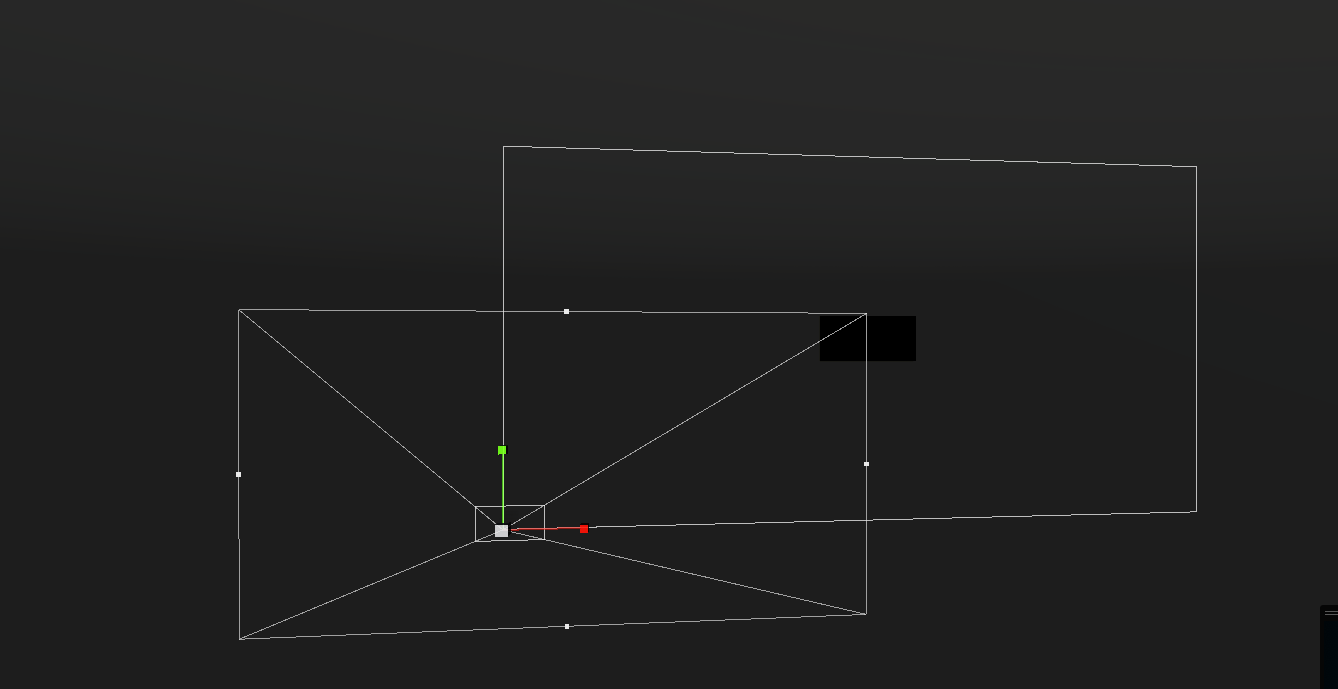 fluid lagoon
screen space camera canvases always alight with the camera
prime dome
Oh screen space camera, not overlay
fluid lagoon
yes
prime dome
Now what if I want the particles rendered over the UI?
Would that just be the rendering layer?
Oh wow I feel like an idiot
I think I can work with this
 pine hinge
hey dudes if i make an explosion effect with built-in Blender smokes or fires and export it to Unity will it still work the right way?
prime dome
pine hinge
hey dudes if i make an explosion effect with built-in Blender smokes or fires an...
Definitely not
pine hinge
prime dome
Definitely not
Ohh alright thank you appreciate it
prime dome
fluid lagoon
screen space camera canvases always alight with the camera
I totally forgot the original problem of this
If you do screen space camera canvases they get affected by post processing
So bloom, color grading, etc. all mess with your UI
prime dome
Okay so I think I have it all figured out
I created an Amplify Shader and for the rendering pass I set it to "After post-process". I set my image material to this new shader and the issue is seemingly gone
manic scroll
Hi! i drawed a textured and put it on a mesh but i only see the side that are looking at me. how can i fix that

 viscid kindle
I think it should be the shader on the material you've selected, if you're using the standard unity shaders i think it's got an option for double sided or render face or something
Edit: @manic scroll
manic scroll
yes that was it i though double sided option would be in particles options
broken quest
what is the difference between IsAlive and IsPLaying in particle systems, I want to track when the particle system ends playing with the help of a coroutine
 past owl
I recently made this tutorial, hope you guys like it https://youtu.be/dmy4YmgObw4
Hope this tutorial be helpful for you
If you get any problem just ask me in the comments.
 normal needle
Anyone know how to make like a skull on fire using particles in unity? I been trying to for some time but never looks right. Anyone can give some pointers?
 fair shoal
Curious what you have so far @normal needle
normal needle
fair shoal
Curious what you have so far <@786589207656792105>

Like I want to have the flames coming out his neck and coming out of his head
Not around it
plucky path
Hey, I have a particle system though all the particles are outlined orange. How do I disable the outline, whilst still playing it?
 fair shoal
@plucky path in the object hierarchy, click an empty space
plucky path
Then it doesn't play
plucky path
fair shoal
<@339673690620821504> in the object hierarchy, click an empty space
Then the particles just freeze
I want them to keep moving
fair shoal
plucky path
I want them to keep moving
Oh I see. Look up "how to keep particles running while unselected unity." First link there
plucky path
That first link shows a unity forum post with no answer
the rest of the search results don't give anything useful
fair shoal
Unity is the ultimate game development platform. Use Unity to build high-quality 3D and 2D games, deploy them across mobile, desktop, VR/AR, consoles or the Web, and connect with loyal and enthusiastic players and customers.
plucky path
That one did not show up for me
fair shoal
No worries
plucky path
Thanks
plucky path
I have a rain particle system, though when I look forward it doesn't look like there's a lot of rain (because the particle system is only above the player). How can I make it look like it's raining a lot, whilst not killing the player's pc
why do they make this map soooooo big? Can't they just zoom in the rooms bcs now I have no idea in which room Im in

can't they just only show this?

 raw osprey
normal needle
Like I want to have the flames coming out his neck and coming out of his head
raw osprey
normal needle
Like I want to have the flames coming out his neck and coming out of his head
Did you get it working ?
 mystic mason
why do my particles only play once even though its looping?
warm torrent
plucky path
Hey, I have a particle system though all the particles are outlined orange. How ...
"Selection Outline" in gizmo visibility
 plucky path
hmm Ill have a look next time, thanks
normal needle
raw osprey
Did you get it working ?
I did not
raw osprey
normal needle
I did not
Can you show me what you did ?
You want sth like this ghost rider iirc
 normal needle
raw osprey
You want sth like this ghost rider iirc
normal needle
raw osprey
You want sth like this ghost rider iirc
Yeah like that
normal needle
raw osprey
Can you show me what you did ?
I deleted it because I was so fed up with it, really it was just multiple particles with flames with different colors
raw osprey
normal needle
I deleted it because I was so fed up with it, really it was just multiple partic...
Did u use the skull mesh as the emiitter shape ? Its just the fire particle then use the skull as its emitter and play with the rendering queue to make it alwayes behind the skull it should give you that effect or very close to it
normal needle
raw osprey
Did u use the skull mesh as the emiitter shape ? Its just the fire particle then...
Oh really? I never knew that!
can you show me an example?
raw osprey
yes i can give me 10 mins to try it
normal needle
ok
raw osprey
normal needle
ok
Just got to my pc anyway in the ps inspector Shape then youy can assign the skull mesh you want to use as the emitter shape and choose from what to emit vertecies or triangles or edges ig in this triangles will be better

 raw osprey
Just got to my pc anyway in the ps inspector Shape then youy can assign the sku...
raw osprey
raw osprey
Just got to my pc anyway in the ps inspector Shape then youy can assign the sku...
then everything else will be tweaking the ps itself to give you the best result and feeling for the neck just use another fire ps with box or capsule collider thats small and make it's lifetime short for the rest its the ps that will give the feeling the better the visuals the better the result
normal needle
raw osprey
then everything else will be tweaking the ps itself to give you the best result ...
Gotcha ok
thank you
normal needle
raw osprey
then everything else will be tweaking the ps itself to give you the best result ...
Would you accept pay to do it for me? Just curious
raw osprey
normal needle
Would you accept pay to do it for me? Just curious
no sorry , what are you struggling with?
normal needle
raw osprey
no sorry , what are you struggling with?
No worries, I'm just struggling cause I'm pretty new to this but Its just confusing to me. Wish there was a specific video for this
raw osprey
one moment
well i found this but its for the vfx graph since you said you are new you can follow this guy and implement this one in the vfx graph its node based and kinda easier
https://www.youtube.com/watch?v=yW1uXjnq14Q&t=82s

In this Unity tutorial let's add effects to any animated object that uses a Skinned Mesh Renderer, for example, like a character!
Free Smoke Flipbook Texture (attached): https://www.patreon.com/posts/unity-vfx-graph-67137793
VFX Graph - Character Effects (Previous Method): https://youtu.be/ePbeaYuMNK4
We are developing an Indie Game, check it...
normal needle
raw osprey
well i found this but its for the vfx graph since you said you are new you can f...
Yes! thank you
 lyric kindle
Hey quick question
I have a nice shader with mask, but it's pretty expensive in terms of resources (I can barely process 100 of it in the same scene, theoretically).
Does the game/unity render objects that aren't in the field of view ?
let's say there are 100 of this shader object in the same scene but i'm only looking at 1 , the other 99 are behind the camera, would the device be rendering the entire 100 (clones) of it or just the ones in the field of view ?
fluid lagoon
lyric kindle
Hey quick question
I have a nice shader with mask, but it's pretty expensive in...
no, Unity does Frustum Culling by default.
 stable panther

I made a vfx graph that spawn particle trails, but when it move fast the result became something like this
 outer storm
broken quest
what is the difference between IsAlive and IsPLaying in particle systems, I want...
outer storm
broken quest
what is the difference between IsAlive and IsPLaying in particle systems, I want...
IsAlive: contains any live particles, IsPlaying: the playing state. ie pause the system, it will return false. Stop the system, it will return false, even if some particles haven't expired yet. EDIT: I've also just realised the docs for isPlaying are totally wrong. I'll get that updated too!
outer storm
broken quest
what is the difference between IsAlive and IsPLaying in particle systems, I want...
Consider using the StopAction feature to track this, though: https://docs.unity3d.com/ScriptReference/ParticleSystem.MainModule-stopAction.html (can setup in inspector too)
outer storm
plucky path
Hey, I have a particle system though all the particles are outlined orange. How ...
In addition to the locking inspector trick in the provided link, you can also select a system, then modify the "Simulate Layers" option in the Scene View Overlay. Any systems matching the layer will preview regardless of being selected or not. You can also turn off the Selection Outline entirely by using the dropdown arrow on the Gizmos icon in the very top right of the scene view.
lyric kindle
hello
I have a project that is using URP, and I'm looking for a good explosion package, I found one that I liked and its free Unity Particle Pack "https://assetstore.unity.com/packages/essentials/tutorial-projects/unity-particle-pack-127325" but it looks like as if it's using the standared shader pipline for some reason
is it possible to convert it to URP ?
I dont know much about VFX and shaders.
 sullen trench
I had an idea for a game so i made a demo in Python. how could I get this effect in unity2D.
limpid orbit
How do I use VFX graph with the default render pipeline? Or is there a way I can create a render pipeline that is able to use the VFX graph without changing anything else in my project at all? I tried upgrading to the universal render pipeline but even after upgrading and converting everything so that it could accommodate the change, all of my materials get messed up and result in the game screen being completely black when played. Luckily I created a backup of the project before making the change. I still need to use the VFX graph though, so how do I do that without breaking my game again?
 fringe forge
limpid orbit
How do I use VFX graph with the default render pipeline? Or is there a way I can...
fringe forge
limpid orbit
How do I use VFX graph with the default render pipeline? Or is there a way I can...
From the Unity documents:
Requirements
Unity 2018.3 or newer. Verified packages start at Unity 2019.3.
A Scriptable Render Pipeline package:
Universal Render Pipeline(2019.3 or newer)
High Definition Render Pipeline (2018.3 or newer. Verified packages start at Unity 2019.3.)
So VFX graph won't work with standard.
 pliant zenith
is anyone available to help with a gun shell ejection particle transform issue - in a nut shell i've positioned a shell ejection sub emitter particle to spawn at the time a gun fires as it would in reality, however when I turn my character around the shell ejection continues to happen at the same direction as it was initially and ends up spawning on the opposite side of the gun. This is all built without any scripts and there cannot be any used in the project. Any help is greatly appreciated!
outer storm
limpid orbit
How do I use VFX graph with the default render pipeline? Or is there a way I can...
I think there are "ways" to make it work. But Unity's official line is that it's not supported in built-in. Perhaps look on the forums eg https://forum.unity.com/threads/visual-effects-graph-in-built-in-render-pipline.1121155/
Unity Forum
I was looking at the requirements for this asset
https://assetstore.unity.com/packages/tools/particles-effects/ignis-interactive-fire-system-181079...
clear spruce
 safe valley
Testing new particles in vfx graph 👀
safe valley
Testing new particles in vfx graph 👀
Seems otherwise great but there seems to be quite lot of flickering happening on the right up corner
 near niche
has anyone got a clue on how to change the length of particles based on distance to the player?
Trying to have a lightning effect go from the cursor to a target, and the way I see is somehow with colliders + start speed
I just don't know how if it'll be costly or anything 😓
 zenith bay
Hi guys! Do you know how to sort the rendering order of a visual effect that uses a flipbook?
 granite hinge
How do I use this module in the Particle System Component

my particles are rendered as Meshes

These meshes have their own material which they use, which is basically just a material with flat white color
It seems like the material of the mesh is being used and the module has no effect in my case
how would I go about making it so that the particles "fade out" over time or loose transparency
warm torrent
granite hinge
These meshes have their own material which they use, which is basically just a m...
The colors in particle systems are vertex colors, so the material's shader has to apply those into color and alpha
granite hinge
I read something similar on some forumn, but im having a hard time figuring out how to go about doing that
.<
warm torrent
granite hinge
I read something similar on some forumn, but im having a hard time figuring out ...
Which render pipeline are you using?
 warm torrent
granite hinge
URP
warm torrent
granite hinge
URP
There's particle shaders in Universal Render Pipeline/Particles/ category if you can do with just lit, simple lit and unlit
Your shader graph implementation looks okay but the shader needs to be set to type transparent in graph settings to be able to use transparency
granite hinge
hmm lemme see
okay it... kind of works..?
It does fade out
but occassionaly

You can see here, the water sort of "cuts off" or hides some of the particles
its a bit hard to see

Here you can see
I think I have an rough idea of what is happenign
so the water is basically just the same prefab instantiated in a grid
to make it look big
And it looks like at some of the edges of each water plane mesh, the render order gets a bit iffy????
im not sure
This problem only occurs with transparency enabled
warm torrent
granite hinge
This problem only occurs with transparency enabled
Transparent materials are sorted by their origin, unless the render queue is changed
That's a separate problem from particles not fading though, take it one at a time
granite hinge
warm torrent
That's a separate problem from particles not fading though, take it one at a tim...
The particles have started fading, the render queue thing is remainign now i htink
ill try to find out how to adjust the render queueu
 fading goblet
I was just wondering, Is there away I can make a player see through a particle and make the particle still effect the surrounding in the same time?
 shadow scarab
so when i try to use collision module for particles, it's alright but when i add a mesh to the planes transform list, instead of working normally the particles just go under the plane(like the spawn point goes under the plane, not the gameobject). what can this be?
here's a sc

collision modules settings

it works with another flat plane i created, though
nvm i just needed to set it to world mode instead
warm torrent
shadow scarab
so when i try to use collision module for particles, it's alright but when i add...
"planes" does not refer to mesh planes, but rather mathematical planes which are always flat and infinite in size, projected from the transform of the object in the list
(actually I'm not sure about the size part, but should be quick enough to figure out)
 maiden apex
heres my chara
I want a trail behind him whenever he moves
is that possible in unity

 tawny lichen
anyone know how to make a effect like this? https://youtu.be/j9tuwosVrkA

Den 6 juni 2019 la jag upp Sveriges nationalsång spelad på Swishappen.
De senaste dagarna har den genererat tiotusentals visningar och en massa otippade prenumeranter till min i övrigt ganska obefintliga YouTube-kanal.
För er, mina trogna prenumeranter, publicerar jag här en liten julhälsning.
 nimble grove
I'm making a particle with a Sub Emitter but I want to make the sub emitter particle to stay on the surface it is places on. For example, for a blood particle, I want the blood puddle to stay on the ground. Thanks.
outer storm
maiden apex
heres my chara
I want a trail behind him whenever he moves
is that possible in...
Sure, look at https://docs.unity3d.com/Manual/class-TrailRenderer.html for 1 trail, or https://docs.unity3d.com/Manual/PartSysTrailsModule.html for lots of trails (1 per particle in the system)
 past moon
Hi!
I have this sheet for axe slash trace.
And I try to do this effect. When I test me effect in edit mode - it ok. But in game mod this texture paint all.

It ok here.
It is bad in game mod.
warm torrent
past moon
It is bad in game mod.
If you pause play mode when the effect is visible and click on them, do they show up as the same particle system or two separate ones?
past moon
warm torrent
If you pause play mode when the effect is visible and click on them, do they sho...
Problem solved. It was two scenes in hierarchy. In one of them was old version of effect. When I start game mode it started two scenes with new and bad versions. I removed old scene.
 graceful imp
Hello I am learning Unity from the official Unity web page i take the Junior programmer pathway and I am at the lesson 3.4 which is about particles and I am at the point where when you collide with the obstacle there should be particle animation played but it doesent work and I have no idea why
 shadow scarab
graceful imp
Hello I am learning Unity from the official Unity web page i take the Junior pro...
shadow scarab
graceful imp
Hello I am learning Unity from the official Unity web page i take the Junior pro...
in the argument, you cant get Collision collision other
you need to write:
Collision other
2 Collision's will return an error
graceful imp
shadow scarab
`Collision other`
This doesent work in my script i had Collision collision without the other
shadow scarab
ok
did you add the tags?
like you might have created the tags and forgot to select in the gameobject inspector
also it is in fact case sensitive
you can omit the oncollisionenter private btw, by default it's private if u dont write anything
graceful imp
shadow scarab
like you might have created the tags and forgot to select in the gameobject insp...
I had
shadow scarab
also i find it weird that there are 3 "." before explosionParticle.Play()
error indication in ide?
graceful imp
shadow scarab
also i find it weird that there are 3 "." before `explosionParticle.Play()`
This is photo from the page it is shortened https://gdl.space/zidiriweza.cpp her is my real code
shadow scarab
graceful imp
This is photo from the page it is shortened https://gdl.space/zidiriweza.cpp her...
what error do you get?
or are you not getting any errors?
graceful imp
shadow scarab
what error do you get?
None
shadow scarab
i suppose you know for oncollisionenter to trigger, either body MUST have a rigidbody component?
it is ideal if the rigidbody component is on the "moving" body
make sure your objects are not set to static (top right in inspector)
again, please double check tag spelling, case sensitivity and tag assignment
graceful imp
Thanks
shadow scarab
where was the issue?
 shy fractal
So I have this particle system that emits over distance but something is causing it to emit in bursts, any ideas on whats causing this?

 half shadow
Hello is there anyone who would be willing to help me make some particle effects for weapons, like a flaming sword, but done in SRP?
everything i see on the asset store all use the VFX graph, and doesnt work in my project 😦
half shadow
yeah.
myc amera is a top down style.
im having trouble getting the particles to face the camera properly.
hmm
i hve a seperate issue. (i began working on something else when i didnt get a quick reply for my question)
i have a particle system attached to a gameobject
and the gameobject i turn it off and on via code.
but when i turn the game object setactive true
the particle system doesnt play.
i guess i have to manually force it to play via code as well?
outer storm
shy fractal
So I have this particle system that emits over distance but something is causing...
maybe you're hitting the max particles limit?
 proper raptor
How do I give objects/materials different blending modes? (Multiply)
atomic magnet
Hey I recently turned post processing/bloom back on, and this effect is little bit of an eye sore.... any iea how to get it to stop flashing like that?

 frigid matrix
atomic magnet
Hey I recently turned post processing/bloom back on, and this effect is little b...
frigid matrix
atomic magnet
Hey I recently turned post processing/bloom back on, and this effect is little b...
I’m not 100% sure if particles work this way, but perhaps the particle’s layer isn’t in front of the background. Maybe the background and the particle sprites are on the same layer. Try pushing the BG back one. I could be way off though lol
atomic magnet
no thats not it, thats easy to check, and I did double check
they are on seperate layers and not having any conflicts
ooh that did help me fix it though!
its cause this is actually 3 particles systems layered on top of eachother
and they are all on the same layer, which didnt matter before post processing
but the sorting bungling is whats causing the flashing
thanks~
frigid matrix
awesome! glad you got it figured out! Pretty cool effect ya got goin on there.
prime dome
I'm looking at a tutorial for making simple explosion graphics, and the guy said to use emissive materials to generate the fireball effect of the explosion. However, I can't figure out how he got it to look like this:

Currently, mine looks like this:

Please advise?
proper raptor

Learn how to use particle system to create explosions
DISCORD : https://discord.com/invite/Qdnvst6bYC
@prime dome I hope this helps
proper raptor
prime dome
I'm looking at a tutorial for making simple explosion graphics, and the guy said...
You can make them look like this by adding a texture to it
Replace the default particle texture with this
 prime dome
proper raptor
https://youtu.be/dOnQY0t3TBM
prime dome
proper raptor
https://youtu.be/dOnQY0t3TBM
That's actually the tutorial I was looking at, where I got the first image... so unfortunately, no, it doesn't help, because the guy never specified how exactly he got that.
prime dome
proper raptor
You can make them look like this by adding a texture to it
... but this might help. 🙂
Thank you, I will try it out. 😄
proper raptor
prime dome
That's actually the tutorial I was looking at, where I got the first image... so...
Yea I realized it too late so I kept the message 💀
You're welcome!
prime dome
lol
 rigid linden
Hey there ! Do you know if its possible to use a custom pass (with signed distance fields) in the vfx graph ? Like, to move particles in real time to in these distance fields ?
 harsh bridge
Does anyone know if it's possible with the normal particle renderer UI to create a series of particles in a line but in order? I was trying to make a lightning bolt using ribbon with randomly displaced particles along an edge but they aren't arranged in any logical order, so it just makes a mess instead of a nice zigzag. I know this is really trivial to do using scripting (that is what I ended up doing) but I'm curious if there's a method to do it with the GUI, seems like a pretty normal thing to want to do
I tried using pingpong mode and making them scan across the object really fast but it still looks like the lightning bolt is progressing rather than just appearing all at once.
I dont have a screenshot right now but this is what I mean, left is what it produces, right is what I was trying to do:
 prime dome
After adding particles like how they showed up in this video, I'm noticing a considerable drop in framerate whenever I spawn this explosion effect.
https://youtu.be/dOnQY0t3TBM
Learn how to use particle system to create explosions
DISCORD : https://discord.com/invite/Qdnvst6bYC
I've even disabled the post processing on the camera by switching to a different layer.
Same drop.
Please advise?
 sweet tendon
Without scripting, Is it possible to add a delay to particles emissions after lifetime has ended. E.g emit 1 particle, lifetime ends, wait 1 second, emit 1 particle
 native nacelle
How do I stop a Trail Renderer from mirroring itself on my x axis? my graph looks like this:
but the actual trail in the scene looks like this >
proper raptor
prime dome
After adding particles like how they showed up in this video, I'm noticing a con...
Might be your computer or just the preview? Have you tried building the game and trying?
harsh bridge
sweet tendon
Without scripting, Is it possible to add a delay to particles emissions after li...
Use bursts?
sweet tendon
Can you only have bursts?
harsh bridge
Do bursts, set cycles to some large amount and interval to a small value
It should be pretty much identical to how it looks when you do rate over time
Oh and 1 particle at a time
for the burst
sweet tendon
Yeah 😂
Ok I'll try
I wasn't really able to achieve it with burst but it was probably me
I'll try again
harsh bridge
I believe it normally only spawns 1 particle at a time anyways - it should be pretty close. You might have to do some math to figure out the correct amount/interval for your period
prime dome
proper raptor
Might be your computer or just the preview? Have you tried building the game and...
I've not tried building the game yet. Let's see...
prime dome
proper raptor
Might be your computer or just the preview? Have you tried building the game and...
Ok, so it seems to just be the preview.
Also, it seems the mouse sensitivity is much higher on my player camera than it was in the preview, but that's a problem for another time.
 dreamy pelican
maybe someone here knows how to do that properly. i have a particle system (for the shooting arrows) using mesh rendering and a sub system (for the stuck arrows) that gets activated if the main one dies on collision. my problem is that the arrows of the sub system dont have the same direction/rotation of the main systems arrows. i tried playing with inherited attributes and different render alignments but i cant seem to get it to work.
proper raptor
prime dome
Ok, so it seems to just be the preview.
Also, it seems the mouse sensitivity is...
Yep that's what I thought, good luck with your game!
rotund sedge

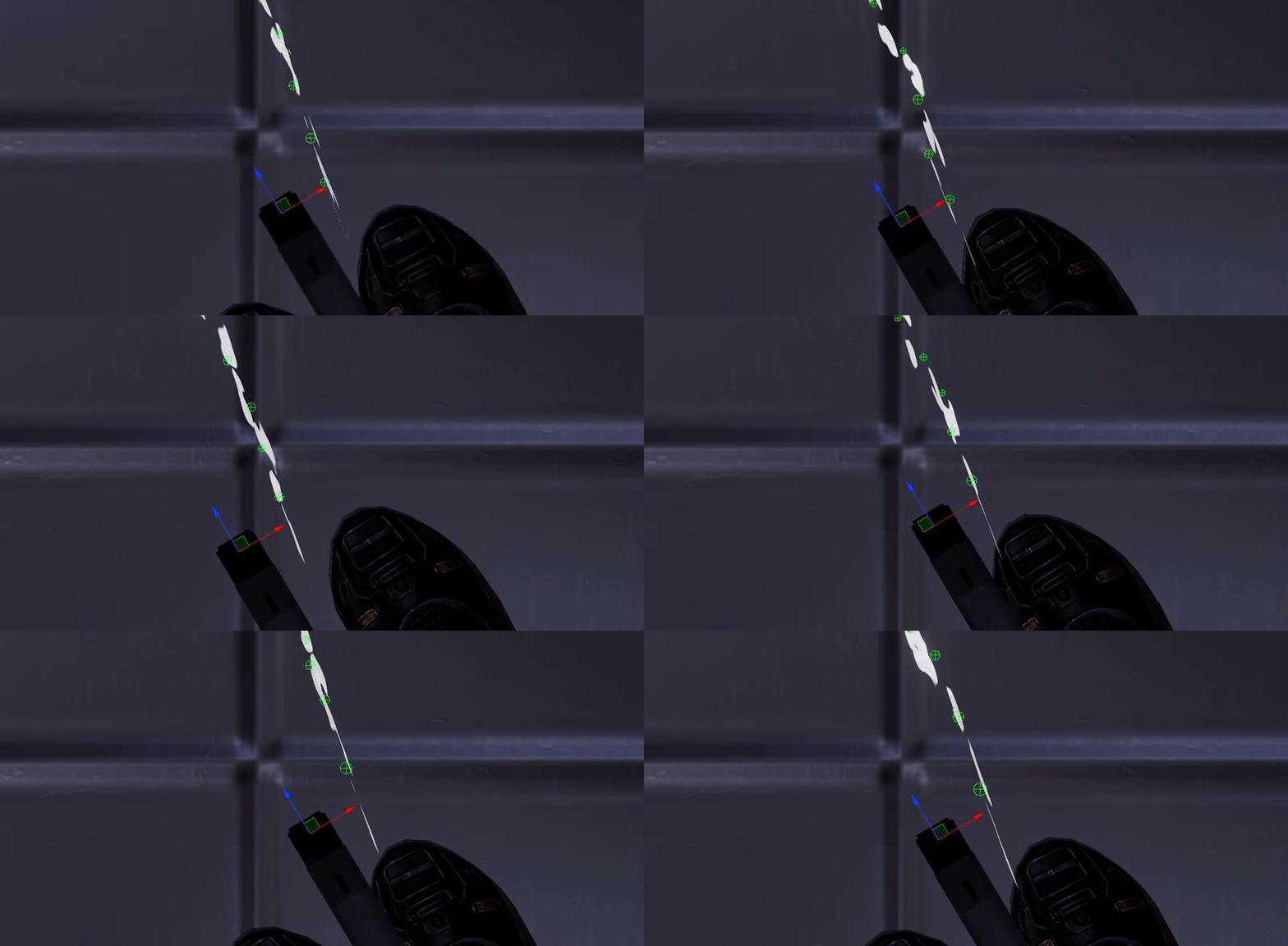

hey so i have this swarm particle and im wondering what i can do to get a better effect but making it more optimized?
clear spruce
rotund sedge
hey so i have this swarm particle and im wondering what i can do to get a better...
Use vfx graph if you dont already
rotund sedge
i use this in vrc so that wouldnt be available to me x.x
since (and i think this is the right lingo) vrc uses a set render pipeline so vfx graph doesnt work for it and it has to be a fixed set shader
 topaz juniper
I am attempting to use the Ribbon feature in a Particle System to create an effect. I want the scale to shrink over time and for some reason I am getting the jagged look in the image before. Does anyone have any idea what might be causing this or how I can solve it?
Edit: I am using a shader/material rather than a texture.


Seems like a vertices issue, I don't see a way to increase the number of vertices in unity, though.
warm torrent
topaz juniper
I am attempting to use the Ribbon feature in a Particle System to create an effe...
It happens due to fundamental limitations of rendering skewed geometry
The only practical fix is to never scale the trail, instead use a texture which tapers
topaz juniper
That's unfortunate, thank you.
outer storm
harsh bridge
Does anyone know if it's possible with the normal particle renderer UI to create...
The only way I can think of, is to make a Mesh, and emit from the vertices of the mesh (You can do this in order by setting the Mode under the Type: Vertex option. You'd probably still need to make the Mesh via script though, to guarantee the mesh vertices were in the order you wanted. You could also use Randomize Position a bit to make sure you didn't get the exact same lightning shape each time, if you wanted.
outer storm
sweet tendon
Without scripting, Is it possible to add a delay to particles emissions after li...
If your particles always have the same lifetime, you could set up a burst and figure out the maths yourself. Otherwise, I think you'd need scripting. You could set the Stop Action to Callback to start the delay timer, then call Play() again when the timer had elapsed. It would be a pretty simple script.
 reef plover
im trying to make a smoke effect using a texture set to the additive/soft shader, but whenever I make the color more gray instead of white, it makes it more transparent and doesnt change the color
anyone know why this is?
warm torrent
reef plover
anyone know why this is?
That's how additive rendering works
Black is totally invisible, white is totally visible
harsh bridge
outer storm
The only way I can think of, is to make a Mesh, and emit from the vertices of th...
That makes a lot of sense actually. I didn't know that meshes preserved vertex order when emiting!
 cosmic oyster
Hello, the 'Graph Inspector' is missing from my VFX graph and I am not sure why, does anyone know why this might be the case? (2019.3.11f1)
 outer storm
harsh bridge
That makes a lot of sense actually. I didn't know that meshes preserved vertex o...
outer storm
harsh bridge
That makes a lot of sense actually. I didn't know that meshes preserved vertex o...
It's a semi-recent addition. If you make a mesh using lines/line strip, you can also emit along the edges over time. That's no good for your instant lightning effect though, as you want it to happen over 0 time, from the sounds of it. So vertices + ribbons seems like a good idea (although, thinking about it some more, we connect the ribbons based on particle age, so i'm not sure if the ribbon connection system will get confused by all the particles with the same emission time.) A different idea would be to revert back to the time-based approach you had, but, to get the "instant" effect, call ParticleSystem.Simulate from script with the time it takes for the emission to happen over the length of the lightning bolt. Just rememberthat calling simulate pauses the effect after it completes, so call Play() again after Simulate() to make it carry on playing normally.
 frank crown
has anybody ever had that issue with the position (skinned mesh) node where particles spawn on the skinned mesh, but offset vertically by about 1m? Can't figure out what's causing it

 civic bolt
So I recently found out about ParticleSystem.GetPlaybackState() which sounds useful for me as I want to potentially save the state of a ParticleSystem as part of my game's overall save state: https://docs.unity3d.com/ScriptReference/ParticleSystem.GetPlaybackState.html
However, I cannot make use of it in this way (saving it to disk to be restored later upon load) because the struct isn't marked as Serializable, despite only consisting of primitives or structs of primitives. Why would Unity not mark this as Serializable? Is there a way I can work around this?
outer storm
civic bolt
So I recently found out about ParticleSystem.GetPlaybackState() which sounds use...
The use case we initially covered with this was for users to save "keyframes" of their particle system state, in order to be able to restore a particle system to a previous state. Useful for fast rewind features, for example. However we only thought about users doing this in game, and not about a case like you have, where you want to save this snapshot to disk. To get a full snapshot, you also need GetParticles, but the Particle struct doesn't look like it's marked as Serializable either. And also GetTrails(), if you want to save trail state. All in all, it seems like we could make these Serializable quite easily, but, getting that change to whatever version you use would of course take a long time. I don't know if there are other workarounds..
civic bolt
outer storm
The use case we initially covered with this was for users to save "keyframes" of...
It would be nice if they were marked as Serializable (this goes for any trivially serializable object in Unity source, I've had to make custom Serializable wrappers for stuff like Quaternions and Colors to work w/ my save system), but in the meantime I've found a workaround that's simpler and seems to work fine: just saving the random seed and time of the ParticleSystem and restoring state using the ParticleSystem.Simulate(time) method.
I appreciate the response though, please consider it for the future!
 outer fern
anyone know of a good fire asset for hdrp?
 hidden narwhal
Where can I find one of those libraries with a bunch of particle sprites?
By “particle sprites” I mean black and white shapes / brushes / whatever they’re called
warm torrent
hidden narwhal
Where can I find one of those libraries with a bunch of particle sprites?
https://blog.unity.com/technology/free-vfx-image-sequences-flipbooks there's this, for one
 prime ginkgo
uh i put mesh as render type and i put in my mesh I made but all I see is a green plus sign as the actual particle
there is no mesh there
 proper raptor
Anyone knows how can I make far away particles not show until I get closer to them? Like a render distance thing