#installation-archived
1 messages · Page 50 of 1
 round bison
 tender wren
Do you use a weak power supply for the Pi? Maybe it is browning out
round bison
No, it is the correct power supply. Used to get error messages but not since I switched to real power adapter (rpi4 original adapter)
 humble mirage
To be honest I'd use a powered USB hub for those, you're probably hitting power problems
 gloomy crown
Why is HAOS using 8.7GiB of RAM?
It has been up only a day
2023.11.1
It seems to hog 20MiB more every 10 minutes
 empty bloom
sounds like you have a memory leak
gloomy crown
empty bloom
sounds like you have a memory leak
How do I fix it?
empty bloom
you most likly can't fix it
gloomy crown
Can I see inside HAOS what is using all the memory?
empty bloom
it's a memory leak
there are tools, you should search the forums
it's mostlikely a custom integration
humble mirage
Or add-on
round bison
humble mirage
To be honest I'd use a powered USB hub for those, you're probably hitting power ...
I’ll try that. Thanks
 raven forge
gloomy crown
Can I see inside HAOS what is using all the memory?
raven forge
gloomy crown
Can I see inside HAOS what is using all the memory?
- <#hardware-archived message>
- <#general-archived message>
- <#installation-archived message>
- <#installation-archived message>
How are you checking memory usage at the moment?
 stable swallow
Has anyone experienced issues with HA and WLED, I did a new HA install and it discovered my WLED instance and asked to configure it and what ever it did it blew out my esp8266 chip and wled no longer sees it. tried to reinstall wled on it but it fails every time.
humble mirage
Well, that's got nothing to do with installing HA
And HA couldn't "blow out" an ESP
 trail shell
Nope 😦
Just used a fresh SD card, same issue of being stuck on 10.2
 manic citrus
I'm looking to rebuild my HA OS instance (VM on Unraid) as it's become cluttered and sluggish. How can I best do this to retain sensor history for example when I recreate the entities?
 crude inlet
trail shell
Nope 😦
Just used a fresh SD card, same issue of being stuck on 10.2
crude inlet
trail shell
Nope 😦
Just used a fresh SD card, same issue of being stuck on 10.2
WIth a new SD card you should have gone ahead and flashed the latest HAOS and then restored a backup
 south grove
Is there a guide for installing HA OS onto a Proxmox VM, without using the community made script?
humble mirage
There should be some
south grove
My search results on google just seem to all end up on guides that use the script so
I may have found it, so nevermind 😅
Well not for proxmox but for KVM so
 wooden elm
What is this error on creating the arm64 image of the home assistant and how to resolve it:-
ERROR: failed to solve: process "/bin/ash -o pipefail -c pip3 install --only-binary=:all: -r homeassistant/requirements.txt" did not complete successfully: exit code: 1
While creating an image for the architecture amd64 is working fine
wooden elm
gloomy crown
or /sh?
This is coming in error only... While in Dockerfile /bin/ash is not present
gloomy crown
What does the requirements.txt have? Can you connect where its getting them?
Does "pip3 install --upgrade pip" work fine?
wooden elm
gloomy crown
What does the requirements.txt have? Can you connect where its getting them?
Requirements.txt is the latest file from the ha core github
 ripe isle
no installation iso files ?
 merry wigeon
Context: Converting from windows VM to a dedicated mini-pc
What are the advantages of going for a supervised HA installation? If my plans are beginner-intermediate, am I most likely better off with just doing HA OS (either directly or a VM)?
empty bloom
HAOS or Container.
supervised is if you are a linux expert
and it's largely not needed anymore
merry wigeon
Okay. I'm comfortable but wouldn't call myself an expert lol
empty bloom
I'm comfortable at linux, I have to google everything to fix it and bash my head against the keyboard
it really is 100% for experts
becaues you manage the OS that manages HA
merry wigeon
Appreciate the insight lol
empty bloom
and you have to keep up w/ the changes that HA imposses on the OS
merry wigeon
With a container I can have multiple servers running off the machine right? and HAOS direct means the box is only HA?
raven forge
merry wigeon
Context: Converting from windows VM to a dedicated mini-pc
What are the advantag...
You can also virtualize HAOS on linux and use the same machine for other things.
Also see here: <#installation-archived message>
empty bloom
Yes
container is "You are the supervisor"
so it's alittle more work, but you have more control
merry wigeon
Realistically I probably don't need the control, atleast not yet.
empty bloom
keep in mind that container does not have addons, you make additional docker containers
Then go HAOS
merry wigeon
I can always change my mind later anyways as long as I don't screw the backups. I think that's probably what I will do. I will read up on the guides .. but the guy I am going to buy it from said he can pre-load it with whatever distro I want since he has to wipe the drive anyways. Am I better off just having the blank drive?
raven forge
Nods head
empty bloom
Blank drive
I bought mine w/o windows
saved money
and just loaded debian + supervised (but don't do what I do, I'm dumb)
just do the generic x86/64 HAOS install
merry wigeon
Yeah it's just some guy local that has a media-server mini pc for sale cheap. I don't wanna spend too much until I know I am really committed lol
raven forge
I've seen HAOS break too often here to ever recommend a bare metal install
merry wigeon
Gonna keep it simple for now, save myself some pain
Will be glad to not be running a 24/7 VM on my gaming pc anymore though lol
empty bloom
raven forge
I've seen HAOS break too often here to ever recommend a bare metal install
it's very stable, you're just seeing the worse case from inexperienced users here
raven forge
I run a HAOS VM to be able to help people here and aside from the infamous DNS issues I haven't encountered breakage either. It's very basic through as I'm not using it productively.
empty bloom
I use supervised and it rarely breaks.. if ever. And when it does break, it's my fault
run it bare metal
but HAOS is very similiar, it just has autoamated OS updates
I'd say, from seeing issues here, 9 times out of 10 people are being impatient w/ some HA process which borks their machine
wether it's an OS update, supervisor update, or DB migration
raven forge
merry wigeon
Gonna keep it simple for now, save myself some pain
Bare metal is undeniably less work. I'd recommend setting up the advanced SSH addon right away though.
 stone swan
@raven forge
I would like to thank you so much for helping me out the other, I just got it to work all again, i swapped to my proxmox server from the raspberry, got my backup loaded in and everything appears to be working again, keep doing what your doing , legit godsend <3
 sturdy mist
[supervisor.docker.interface] Can't install ghcr.io/home-assistant/raspberrypi3-64-homeassistant:2023.11.1: 404 Client Error for http+docker://localhost/v1.43/images/ghcr.io/home-assistant/raspberrypi3-64-homeassistant:2023.11.1/json: Not Found ("No such image: ghcr.io/home-assistant/raspberrypi3-64-homeassistant:2023.11.1")
I just get a bunch of these 404s on a fresh install
raven forge
Run docker pull ghcr.io/home-assistant/raspberrypi3-64-homeassistant:2023.11.1 via the advanced SSH addon (without protection mode). It probably has more information.
If you don't have the addon you can use a keyboard and monitor but you have to enter login first.
sturdy mist
I don't think I can get into it to do that?
I did have a prior working install, but I wanted to start fresh
raven forge
I see. This can happen when there's network issues. Mostly DNS from what I've seen.
sturdy mist
observer shows connected, supported, and healthy
raven forge
Can you share the whole log?
 humble scaffoldBOT
Please use a code share site to share code or logs, for example:
- https://dpaste.org/ (select YAML for the language, and consider picking a longer expiry)
- http://pastie.org/ (select YAML for the language)
- https://paste.debian.net/ (you guessed it, select YAML as the language)
Please don't use Pastebin, since it can randomly add spaces to the main view. Please also don't share text as images since it makes it harder for people to help you. Remember that others may have colour blindness, impaired vision, etc.
sturdy mist
does that 404 for you?
raven forge
No
raven forge
Here's two relevant recent issues that also have some commands and things to check
- https://github.com/home-assistant/core/issues/103041
- https://github.com/home-assistant/operating-system/issues/2832
I'd still recommend plugging in a keyboard and monitor. You can then run my command and those mentioned there and report back
sturdy mist
hmm, yeah I'm not getting 404 anymore, but I do see the logs keeping 404ing
sturdy mist
So I just modified dns, and blew the card away and reinstalled.
 jovial swallow
i am thinking of moving from a docker hosted instance to a vm hosted instance with the homeassistant OS or move to a raspberry pi for the more complete feature set
is this recommended? and if so why/why not?
humble mirage
The only Pi setup many of us would suggest (not even recommend) would be a Pi4 (or newer) with an SSD on a powered USB hub.
Whether moving from Docker to HAOS is recommendede... well, that's more personal preference. It's neither "better" or "worse", just different.
jovial swallow
what would be the biggest advantages in your opinion? if i keep it in a vm i can still do almost everything what docker gives me like the ports, passthrough, etc
raven forge
Sounds like you've already made your mind up. I'd suggest a VM over the pi.
Some pros of virtualization:
- <#installation-archived message>
- Bottom: <#hardware-archived message>
Some rambling about pis/SBCs: <#general-archived message>
I recommend running critical/unrelated things (adguard, unifi or bitwarden for example) or those that require flexibility outside of HAOS if you can as these will go down on OS updates. You can't do that with a bare metal HAOS install.
jovial swallow
thank you, so in short there is no real advantage, and if you got the hardware for vm, vm is better because of snapshots/backups and more reliable possible hardware/cooling like ecc memory which is overkill
besides maybe an easier frontend ui configuration from what i understand and a more stream lined updates i hope because sometimes my docker version got broken.
ill just try out the vm version and if i do not like it rollback to my docker
humble mirage
Keep in mind that HA is the same no matter, so if it was broken when using Docker the same problems exist with HAOS
jovial swallow
darn it, i had hope
 uneven bear
There is any way to restore the data from a .tar backup to the disk and start it like that? IF I try to use the restore button its always hangs up. I was waiting for days, tried it already 4-5 times.
I does not want to really re-configure and install all that addons and community stuffs and also the dashboard would be hell to re-create.
empty bloom
a .tar file is a zip file
you can manually unzip the contents and pick and choose what you want to restore
gloomy crown
Is homeassistant doing automatic updates nowadays? My grafana went 404 and I looked at the logs and there is this: ```Logger: homeassistant.components.hassio
Source: components/hassio/websocket_api.py:138
Integration: Home Assistant Supervisor (documentation, issues)
First occurred: 15:20:26 (5 occurrences)
Last logged: 15:20:46
Failed to to call /ingress/validate_session - System is not ready with state: setup
Failed to to call /ingress/session - System is not ready with state: setup
Failed to to call /backups - System is not ready with state: setup
Failed to to call /host/info - System is not ready with state: setup
Failed to to call /addons - System is not ready with state: setup
And I saw a supervisor update on the settings page, it went away after coming back to the page after looking at the logs
uneven bear
I short question.
If I see there are no new entries on observer since 50 minute. Should I still wait or is it sure its dead?
I try to restore, this is the 7th time today, I tried full, partially but even only the version I cannot restore.
merry wigeon
Picked up the mini pc today for the install .. time to pray.
 cyan drum
hello,
I have a raspi3 with pihole
I would like to get HA OS running on it, I would prefer to keep the pihole for now
is it possible to install HAOS via ssh, without formatting the entire machine ?
cyan drum
does the docker version provides the ability to have addons ?
humble mirage
No
cyan drum
crap, ok thanks 🙂
humble mirage
But add-ons are just software, not magic
empty bloom
addons are just other docker containers
you can make them yourslef, just like you did w/ pihole
cyan drum
ok, is there any other difference between docker/os I should keep in mind ?
cyan drum
ok, I'll try the docker approach
thank you !
 vital pier
Is KVM on Ubuntu server any good? If so are there any tutorials how to assign ip to the vm or port forward
Theres already a homeassistant device in our network so homeassistant.local is taken
I need Addons so docker wont do it for me
humble mirage
You can rename the HAOS install to change the name
You should also set it up bridged to your network, so it gets its own IP
vital pier
And what would be preferred? ubuntu server or desktop
uneven bear
There is anyone who can help with restoring a backup? I tried everything but not working. I have 3 different backup of a totally working system. As soon I restore it after a few minutes it stucks. Observer stop sending messages and even if I wait for a day nothing happens. I tried to restore only smaller parts not the full, same situation.
vital pier
humble mirage
You're talking about a server after all
Yeah I tried that, Kinda failed at it 😂
humble mirage
Maybe you should just switch to Proxmox then 😛
vital pier
is it good? It's quite an old laptop so can't run anything too heavy
i5 4th gen with like 4gb of ram
more than enough for hass
humble mirage
Well, Proxmox is basically what you're trying to build here with Ubuntu and KVM
vital pier
Allrighty, I'll use that then
Can I change the ip after it's been installed (I assume you can). The laptop will eventually be placed in my parents' house. Their internal ip addresses are 178 instead of 68 (192.168.178.x)
humble mirage
Yes
 dire horizon
hey everyone, im trying to install supervised on my debian machine i have at home, but i am stuck at curl -fsSL get.docker.com | sh
It gives the error
curl: (6) Could not resolve host: get.docker.com
Which kvm file would I need? qcow2 seems to be unavailable for the latest version of proxmox as it used LVM-THin
dire horizon
It seems people have the same issue after following that part of the instructions.
it breaks the network when following those instructions:
apt install \
apparmor \
jq \
wget \
curl \
udisks2 \
libglib2.0-bin \
network-manager \
dbus \
lsb-release \
systemd-journal-remote \
 brazen basin
hi docker experts... 😄 how can I call a script from the HA container that does things on the host?
you know something that says to the host to shutdown, reboot, execute a docker pull, or something similar?
raven forge
vital pier
Which kvm file would I need? qcow2 seems to be unavailable for the latest versio...
QCOW2 works fine: #1162789585894514748 message
 grand pivot
brazen basin
hi docker experts... 😄 how can I call a script from the HA container that does ...
grand pivot
brazen basin
hi docker experts... 😄 how can I call a script from the HA container that does ...
SSH to the host
vital pier
raven forge
QCOW2 works fine: https://discord.com/channels/330944238910963714/11627895858945...
I'm trying that but it just keeps saying no bootable device found
raven forge
Did you enable UEFI? Did you add it to the boot options?
vital pier
probably not
cyan drum
ok, docker is up and running
im trying to install adGuard, to hopefully replace my pihole
do I need to install it on a container ?
im beiung asked IP and port which im not sure what they are
vital pier
BIOS: OVMF (UEFI)?
raven forge
vital pier
probably not
Go to Options > Boot Order and add it. Go to Hardware > Add and add a EFI disk. Also set BIOS to OVMF
vital pier
Should QEMU AGENT be turned on?
raven forge
Yes
Here's what I use for my test VM:
- Hardware: https://i.imgur.com/uIbzNlM.png
- Options: https://i.imgur.com/JTW5eXw.png
Doesn't mean you should use all settings as I have them but it's a good base.
dire horizon
I followed the following instructions on my debian 12 home computer, set up just for home assistant and frigate:
https://github.com/home-assistant/supervised-installer
However, after completion, there seems to be instructions missing to finish...? 🤔
no docker image of homeassistant is running,.
humble mirage
Oh boy... another victim of Supervised
raven forge
cyan drum
im beiung asked IP and port which im not sure what they are
You probably want to use host mode for adguard and as such its ip is your host machine's. Otherwise you can add both containers to one network and address them by their name
vital pier
raven forge
Here's what I use for my test VM:
- Hardware: https://i.imgur.com/uIbzNlM.png
- ...
For the cpu, 2 sockets 2 cores or 1 socket 4 cores whats the difference?
humble mirage
dire horizon
no docker image of homeassistant is running,.
raven forge
vital pier
For the cpu, 2 sockets 2 cores or 1 socket 4 cores whats the difference?
https://www.google.com/search?q=proxmox+core+vs+socket+site:forum.proxmox.com
Basically socket is unlikely to be useful to you and I use the default value.
dire horizon
humble mirage
Oh boy... another victim of Supervised
i see that i need supervised if i want to have Add-ons.
humble mirage
You need HAOS, not Supervised
cyan drum
raven forge
You probably want to use host mode for adguard and as such its ip is your host m...
oof ok, a little bit hard to understand all of this at the moment, i'll start diging. ty !
dire horizon
exactly, or a whole OS dedicated to home assistant.
wich will probably clash with frigate, or tailscale for remote access.
humble mirage
Supervised is for people who enjoy pain and suffering
raven forge
News flash. Both are (become) dedicated to HA: https://github.com/home-assistant/architecture/blob/master/adr/0014-home-assistant-supervised.md
humble mirage
dire horizon
wich will probably clash with frigate, or tailscale for remote access.
Sounds like somebody didn't actually read the requirements
dire horizon
what part? that its dedicated to home assistant?
grand pivot
which is all of it
humble mirage
Yes, and no other software
dire horizon
for that, might as well install the whole HAOS then.
grand pivot
yep
dire horizon
no point in supervised.
humble mirage
Correct
dire horizon
i wouldnt mind installing HAOS on it, but think other software, (that compliments HA) would get issues.
frigate is a powerful integration that allows cheap cams to work as presense sensors etc.
humble mirage
Well, you shouldn't be running other software on that host with Supervised
if you want to do that then you should install Proxmox or otherwise HAOS in KVM
raven forge
dire horizon
for that, might as well install the whole HAOS then.
If you want the flexibility but also run addons I'd suggest virtualizing. If you can do without addons I'd suggest container. I run the docker variant in a VM myself.
dire horizon
i need the add-ons, for for example zigbee devices i want to add later. at least i see them as add-ons in the add-ons screenshot on the HA page of add-ons.
i am migrating from smartthings.
humble mirage
No, you don't need add-ons
dire horizon
i guess i need to look into virtualizing, but then im afraid i also get issues how frigate is reaching home assistant etc.
humble mirage
Zigbee2MQTT has options other than add-ons
Same for pretty much 99.9999999999999999999999% of all add-ons
vital pier
Hmm still doesn't seem to work with proxmox
humble mirage
People seem to think that add-ons are the only way of running software... even when that software was around for years before HA was launched, never mind HAOS and add-ons.
Still don't know why this happens
dire horizon
humble mirage
Same for pretty much 99.9999999999999999999999% of all add-ons
hmm...so if i buy a zigbee coordinator usb stick, and it comes with a add-on....you dont need the addon?
im curious how much you cripple yourself if not using that.
humble mirage
Well, what add-on are you talking about
 brittle sail
dire horizon
hmm...so if i buy a zigbee coordinator usb stick, and it comes with a add-on.......
brittle sail
dire horizon
hmm...so if i buy a zigbee coordinator usb stick, and it comes with a add-on.......
"comes with an addon"?
raven forge
Hmm still doesn't seem to work with
humble mirage
I've been running HA and Zigbee2MQTT for years, and have zero add-ons
humble mirage
All of those exist as not an add-on
dire horizon
here it shows "deconz" for a zigbee stick
brittle sail
ya dont use that lol
dire horizon
hm...
grand pivot
I mean, how do you think the dinosaurs controlled their smartplugs?
brittle sail
anyways nothing wrong with using haos in a vm like suggested above but that isnt your only option
humble mirage
The Check HA config add-on might not exist as a non-add-on option
Everything else there however...
vital pier
https://i.imgur.com/fB9WpRh.png
We use these 3 at home
humble mirage
All of which pre-date add-ons
dire horizon
ok, so if i go for ease of use of a docker container....i lose the Managed Restore, and the Supervisor. when i read about the supervisor, its the tool that does updates. so i lose the ability to update home assistant, i have to do it through cli?
humble mirage
(and are run by millions of people who've never heard of HA)
brittle sail
dire horizon
ok, so if i go for ease of use of a docker container....i lose the Managed Resto...
ya you trade simplicity for full control
dire horizon
grafana is a epic one i'd probably have a good use case for.
humble mirage
dire horizon
ok, so if i go for ease of use of a docker container....i lose the Managed Resto...
docker compose pull homeassistant
docker compose up -d
Again run by millions of people who've never heard of HA
brazen basin
grand pivot
SSH to the host
what about using something like inotify? I don't like to ssh to the host...
is it a bad solution?
I simply output a command to a text file from HA, this file is mounted on a volume that is shared with the host, the host listen to that file modifications, and execute the command.
obviously the inotify, verify that the command is an allowed one.
vital pier
humble mirage
Again run by millions of people who've never heard of HA
yea yea we know that, however I do believe it's easier to integrate grafana with addons aint it?
dire horizon
and what is a managed restore that you lose? a backup?
basically restoring backups is no longer possible?
humble mirage
Yeah, so you get to manage your own backups...
dire horizon
basically copying the docker container file?
dire horizon
yeah, sounds easy enough, plan to make copy's of the whole OS incl all files, daily.
grand pivot
brazen basin
is it a bad solution?
I simply output a command to a text file from HA, this fil...
You edited your comment and I guess I understand what you want to do, but it sounds far more complicated than simply sshing to the host
humble mirage
Everything I care about goes under /data, so I back up /data/ (locally and to the cloud, encrypted)
dire horizon
good choice 😄
humble mirage
Restores are trivial, and backups even tell me when they went wrong 😛
dire horizon
on my main pc, i also use veracrypt and cloud backups that are encrypted twice.
and chopped up into unreadable file chunks.
so ok, il just try to see if i can get away with running a container. how to nuke supervised? 
humble mirage
Carefully?
I think you'll have to stop all the containers then remove them, and then remove the package
dire horizon
thanks, think i did it.
ok, tommorow i'l try to install it by container, hope it will all work out. it can still work with zigbee/thread usb sticks right?
 fast magnet
Hya. n00b here, working on first Home Assistant install. So, I got a dedicated PC ready. I want to run Home Assistant and Frigate on the same machine. I dont want to use unsuported OS'es / run stuff in a VM. So, I'll have to use Debian then, correct? Cant use CentOS?
or are VM installations good enough? Ive read that you'll lose some functionality / run into more bugs etc
fast magnet
So for example Ubuntu, docker for HAOS and Frigate?
humble mirage
Yup
fast magnet
And not HAOS as a VM?
humble mirage
You said you don't want to use VMs...
dire horizon
humble mirage
(though Thread and Matter are currently a clusterfuck... come back in 2025)
Oh? I guess a bit offtopic though.
humble mirage
See #matter-archived and #thread-archived
fast magnet
humble mirage
You said you don't want to use VMs...
Yeah correct. I thought you were making a case for docker instead of a VM too, ive been finding a bunch of discourse about those
fast magnet
Ah okok. Thanks, i'll look into those
merry wigeon
merry wigeon
Picked up the mini pc today for the install .. time to pray.
Got it on the first try. 💪
cyan drum
how do I get my wifi enabled devices into HA ?
directly, or through alexa/google would be nice
I tried an Alexa tutorial and hit too many road blocks with certification and duckdns :/
humble mirage
directly, or through alexa/google would be nice
No chance of that
The answer depends on what those devices are (make and model), but that's a topic for #integrations-archived
 gentle bronze
yellow. im migrating my HA system from one device to another, currently have the new rpi3 device up and running with a fresh install of the HA operating system. I am using a partial configuration restore in order to simplify things. It seems like its taking a while even though the backup was only about 3mbs in size. any way to see the progress during this state to know its not dead?
its been about 20 minutes since I started it I think
if it takes longer than like an hour ill just config from scratch
okay it appears that its been done for a while the web gui is just stupid
gentle bronze
yeah im all good, no worries here
fast magnet
Hya. Im having trouble installing my zwave usb stick. It is not automatically recognized by HA, it Is visible on linux as connected USB device, and when trying to manually add the device, i either get a Failed to Connect error and a prompt to an ip adress (?) or when I try to use the zwave JS supervisor add-on, it prompts me to add keys or leave the fields empty, but when leaving empty I get a "Not all required fields are filed in"
aeotec zwave 7 dongle btw.. I tried factory resetting the thing, but according to the manual that can only be done by the host software, which in this case would be Home Assistant
frustrating lol
tender wren
fast magnet
Hya. Im having trouble installing my zwave usb stick. It is not automatically re...
#zwave-archived might be able to help
fast magnet
thanks!
 keen tulip
trying to install core on an odroid c2 that has an amlogic s905. I tried last 2021, 2022 and 2023 version using python 3.8, 3.10, 3.11 and 3.12 with ubuntu 20.04.. all of which has not error during installation but after the initialization, it will error with illegal instruction
is it even possible to install core on this this box? It is odd since I was able to install a couple of years ago 2021 version on unknown kodi box with a s905x and running ubuntu 20.04. Best of my knowlege back then I had python3.8 . I can run it at least. However can't reproduce the installation on the odroid
humble mirage
trying to install core on an odroid c2
dire horizon
Hi everyone. I have a live ubuntu version running on my intel noc, downloaded libfuse2 in order to run appinage files, started balena etcher and want to flash home assistant OS to the main 1tb drive of the noc, however when authenticating, it takes 1 seconds for etcher to give the error " something went wrong if it is a compressed image, please check that the archive is not corrupted"
Already tried formatting the drive from ext4 to fat32, didnt help.
dire horizon
Uhh..let me google a guide and try that
humble mirage
https://github.com/home-assistant/operating-system/releases/download/11.1/haos_generic-x86-64-11.1.img.xz
xz -d haos_generic-x86-64-11.1.img.xz
dire horizon
Working
Done. Lets pray this works
Got a error again, but this time different
EBUSY: resource busy or locked, open '/dev/sda'
humble mirage
Well... you're sure you're running from a live boot?
dire horizon
Yes.
humble mirage
And you don't have another copy of etcher or other running?
humble mirage
Well, any other software that'll busy the disk, like a file browser open on it
Oh, and you're running the tool as root?
dire horizon
Let me try that
How?
Right clicking the appimagr doesnt have a windows thing "run as admin,"
No root/sudo option either
dire horizon
Ubuntu
humble mirage
Ok, so then you're not root, which is probably the problem
humble mirage
How did you "solve" it?
dire horizon
Sudo -i
humble mirage
That works for that shell
dire horizon
Oh damn😅
humble mirage
if you don't launch etcher from that shell then it won't be root
dire horizon
Had to install that. But done and tried to start it, but doesnt do anything
Curl link-to-image
No error, just nothing
humble mirage
check the folder for files
dire horizon
Its there from the wget(or curl?)
But when i execute curl image-file then it says could not resolve host.
humble mirage
ls -l to see if you have a file or empty space
dire horizon
Definitely there
humble mirage
Then ... use it?
dire horizon
Packages.chroot, snap, and balenaetcherxxxxxxxxxxx.AppImage
dire horizon
humble mirage
Then ... use it?
Simply using balenaetherxxxxxxx.appimage results in "command not found"
dire horizon

🤨
The first
Ah there we go
Permission denied, chmodding...
Wish i could attach a photo
humble scaffoldBOT
Please use imgur or other image sharing web sites, and share the link here.
Image posting is blocked in most channels to discourage people from sharing text as images. Sharing text as images assumes that everybody sees the world as you do, which isn't the case. Some people are colour blind, or have visual impairment that means they can't make sense of an image of text.
humble mirage
Ah yes, you'll have to do something like:
export DISPLAY=:0.0
./bale...
You may also need to do xhost + in another window
dire horizon
humble mirage
Ah yes, you'll have to do something like:
```
export DISPLAY=:0.0
./bale...
```
The terminal is stuck on root
raven forge
Or if you're open to other tools/methods: #general-archived message
humble mirage
Daft, because etcher should have prompted for the password
dire horizon
Close and open a new one and sudo -i again?
dire horizon
Same error
raven forge
Apparently you're supposed to run it as normal user
dire horizon
Ebusy resource busy or locked
dire horizon
raven forge
Apparently you're supposed to run it as normal user
Already tried.
dire horizon
humble mirage
The `dd` route is probably simpler at this point
I dont have a tool to get the ssd out of the minipc and hook it up to usb if thats what you mean
humble mirage
No
dire horizon
So annoying, so mamy things tried and a simple os install doesnt work. Very frustrating.
humble mirage
Look at the link impact posted
dire horizon
Why y u no include installer
humble mirage
Because for most people it'd not help, and Etcher is the installer
Something is fucked up with your setup because this normally works
dire horizon
Yeah i bet, but weird since i even formatted the main drive, latest ubuntu live on a usb stick
Idk what more i can do.
dire horizon
raven forge
Or if you're open to other tools/methods: https://discord.com/channels/330944238...
Let me look. Thamks
Ok so execute the slur of commands in that txt file.
Is there a easy way of getting that txt on my live ubuntu
I sended it to gmail and opened it.
Now, when executing the unxz or xzcat, it does nothing.
No error or other message. Just a new line for a prompt.
Even lsblk at start does not do anything
raven forge
I'd recommend you reboot or open a new terminal and see if it changes anything. lsblk should definitely do something
dire horizon
It was the root terminal. Now it works in a new one
The command lsblk worked, then executed the bash lines as you can see. No reports, but there's a process running? 🤨
raven forge
Uhh. Those backticks are code blocks the bot stole and put in the file. They were part of the text formatting to make it look nice like this
Codehere
Sadly they're also special to the shell
dire horizon
Ah discord formatting
My bad
Looks like something was done now in another root panel.
raven forge
sda2 is wrong, btw. You want to use a disk, not a partition
raven forge
Yeah. You can also use gparted go find the right one
At the end it should look similar to my result
If you run lsblk -po+LABEL,FSTYPE you can see the labels if that helps
dire horizon
Ubuntu does not allow opening sda2 anymore
Hopefully this works, i can try a reboot?
Ah there's a hassos-boot directory/partition now
raven forge
That should be all. Make sure that you have UEFI boot enabled and secure boot disabled and hopefully it boots
vital pier
What would be the best way to backup HASSOS so I can move it under proxmox?
Proxmox will be installed on the server that runs HASSOS currently
vital pier
Alrighty thanks
 zinc raptor
I have "investigate influxdb and long term statistcs storage" on my todo list. I run HAOS on a pi with an endurance-rated SD card at the moment, but I also have a debian docker server on my network. I am considering whether to keep MariaDB on the HAOS, but put influxdb on the DB server, to spare the SD card and to keep my HAOS footprint as small as possible for "just enough to make the house work."
What does HAOS do if the influx server is down? Does it keep working and simply not store those statistics? (I am hoping so.)
(aside: the SD card is temporary, I will be getting a smallish NVM driver for the Pi in the near future and moving the install to that. But it might still make sense to keep HAOS as small as it can be, I think.)
 high lance
Hello, I installed Home Assistant OS on a new machine, and tried to transfer over all my info in a backup. Now that it completed, my configuration.yaml is gone. My automations.yaml is there, but it doesnt sync to the frontend, just the file is there. Also, there is no option for Nabu Casa cloud connection, the option doesnt exist anymore
crude inlet
@high lance did you reboot the system after the restore?
high lance
Yeah, twice
brazen basin
Is there someone who knows if HA Core is agnostic to the type of hardware used?
I mean, can I install HA Core (container) on Raspberry Pi 5 right now or should I need to wait for a proper support?
vital pier
How would I go about setting up nginx for HASS? I have Nginx Proxy Manager Docker-Compose on a different VM and that works perfect for creating reverse proxies for all my services except hass
Hass says the following ^
400: Bad Request
humble mirage
Well... that was a pointless image...
humble scaffoldBOT

HTTP
Offers a web framework to serve files.
Quality scale
IoT Class
Integration type
Documentation
Source
Issues
humble mirage
See the docs there about reverse proxies
vital pier
humble mirage
Well... that was a pointless image...
Yeah I realized that after I sent it woops4
humble mirage
vital pier
Yeah I realized that after I sent it woops4
 versed vapor
yea you likely forgot to trust the use of this proxy
humble mirage
To be fair, it's only obvious once you remember to look at HA's log file...
brittle sail
humble mirage
Well... that was a pointless image...
hahahahaha
brittle sail
humble mirage
To be fair, it's only obvious once you remember to look at HA's log file...
imo it should really be a notification
expecting end users to always look at logs (even tho it makes sense) feels less user-friendly than something like notify
plus for this specifically, it doesnt feel like an error
since the same shit works across tons of other containers etc (properly configured nginx)
empty bloom
humble mirage
Well... that was a pointless image...
it had a point, bad request
versed vapor
well it is, the error could include an additional description
humble mirage
empty bloom
it had a point, bad request
And it had an image of the text that was also posted in the channel
So... pointless 😛
empty bloom
brittle sail
expecting end users to always look at logs (even tho it makes sense) feels less ...
how about we pop up a message for every logged error
versed vapor
not using 502 makes sense tho as thats more of what the proxy should report
brittle sail
empty bloom
how about we pop up a message for every logged error
dude...
this is kind of a one off
and actually yes i'm still okay with that
empty bloom
I just want to be the source of annoyance for users
brittle sail
if people have 30+ errors shit's probably fucked
in my opinion, it would force some newer users to dig deeper instead of pointing fingers and saying "homey didnt do this" or some shit
empty bloom
the last software I worked on, someone convinced my boss that a "crash report" dialog pop up when we start the software if it had an unexpected crash
it's the most annoying feature ever
versed vapor
there kinda are too many notifications for not that important things already
versed vapor
like push updates not workijng on shelly plugs
brittle sail
like "repair this cuz we changed a thing"
versed vapor
or something going temporarily unavailable
empty bloom
versed vapor
or something going temporarily unavailable
that's something you set up
that's not normal
versed vapor
it would be cool if we could filter / permanently ignore some of those
empty bloom
why don't you just turn it off
versed vapor
where can i do that
empty bloom
HA by default does not notify you for either of those things
so that means you must be using some automation that does
versed vapor
i get the yellow indicator on the settings icon
if i remember correctly, even on non admin accounts
empty bloom
when a sensor goes unavailable?
versed vapor
when it cant send a push update thing
empty bloom
it appears on settings, not notifications?
empty bloom
Yeah, the only things that appear as a notification "yellow bubble" on settings are repairs and updates.
versed vapor
i see
vital pier
http:
  use_x_forwarded_for: true
  trusted_proxies:
    - 192.168.68.8/24
So do I add this to config.yaml or somewhere else?
brittle sail
Needs more dockernet
brittle sail
http:
  use_x_forwarded_for: true
  trusted_proxies:
    - 192.168.1.0/24
    - 172.17.0.0/16
this is what i use but i'm on haos and need the 172.17 for the dockernet that supervisor uses for addons i think
vital pier
I have a VM with haos so no need for dockernet I think
https://i.imgur.com/ypYTDzK.png
It reports an issue with the configuration when I add that
brittle sail
because 192.168.68.8/24 isnt possible
brittle sail
well i access from more than just my pc
brittle sail
vital pier
I have a VM with haos so no need for dockernet I think
the supervisor is a part of haos and the dockernet subnet is also required i think. someone else can confirm
vital pier
https://i.imgur.com/k9WnOcO.png
Yeah might be that I need to add that one
I suppose it aint .17 for me is it?
How would I find the ip of dockernet of supervisor
brittle sail
vital pier
I suppose it aint .17 for me is it?
you should be able to just copy/paste mine and change your lan subnet and then check configuration.yaml then restart and be done
vital pier
not at my own house so unsure of the lan subnet where would you find that
brittle sail
that was your 192.168.68.0/24
vital pier
and the 172.17 stays at /16?
brittle sail
https://imgur.com/a/b1NMbxH this is my nginxproxymanager config for home assistant. nothing crazy there either
brittle sail
vital pier
and the 172.17 stays at /16?
yep
brittle sail
too cool for dark mode in ui?
vital pier
Logger: homeassistant.components.http.ban
Source: components/http/ban.py:80
Integration: HTTP (documentation, issues)
First occurred: 18:44:55 (1 occurrences)
Last logged: 18:44:55

Login attempt or request with invalid authentication from 172.71.99.116 (172.71.99.116). Requested URL: '/auth/token'. (Mozilla/5.0 (Windows NT 10.0; Win64; x64) AppleWebKit/537.36 (KHTML, like Gecko) Chrome/119.0.0.0 Safari/537.36)
This error pops up in logs
vital pier
brittle sail
too cool for dark mode in ui?
Jup 😛
brittle sail
oh
you gotta add all the cloudflare IPs i think
i dont proxy mine in front of cloudflare
i just looked up 172.71.99.116 and it's a CF IP
vital pier
oh gosh
brittle sail
luckily people have done this before and you can just copy paste lol
next time add that info when someone is helping troubleshoot lol
vital pier
is that the latest list tho?
fast magnet
Hya. Just installed HAOS in a VM on Ubuntu, and having problems recognizing USB connected devices: they do show up in Ubuntu as being connected, but any automatic USB discovery in HAOS is not working. What would be a good way to troubleshoot this?
fast magnet
I'm trying to get SSH to work to check if I can see some USB devices, but no luck. HAOS has native SSH plugin already, correct? I've installed the Advanced SSH & Web Terminal, but doesnt seem to be working (doesnt start the add on after hitting "start")
Is my installation just wrong? Should I have not used Ubuntu and a VM?
grand pivot
You need to configure it
You need to read the installation instructions for the addon
fast magnet
Hmm.. I dont see install instructions with the addon, just a list of features
grand pivot
See the tabs
fast magnet
Ahhhh, blind. Thanks!
grand pivot
If you want to get to the host, just use VNC or whatever your VM provides
fast magnet
"Configure the username and password/authorized_keys options" would you happen to know where to do that?
fast magnet
grand pivot
If you want to get to the host, just use VNC or whatever your VM provides
Was trying to use Putty, I used that for my Pi installation too. Cant use that with a VM? Or after installing this addon I can?
grand pivot
That's just an ssh client, and you can use that with the ssh addons
fast magnet
ah okok. So, when it comes to configuring the username and password, should I be able to do that in the Configuration tab?
fast magnet
Yeah.. Really apreciate the help, but the instructions on this addon are not that clear. It prob is just me though. So, I installed the addon (step 2), then step 3 it says "Configure the username and password/authorized_keys options" without explaining where I would do that. The Configuration tab for this add on says "This add-on has no configuration."
grand pivot
I think that's a browser issue. I don't use HAOS, but I suggest clearing the browser cache
fast magnet
Got it. Had to start the addon first for a config file to show up in the tab, and then use YAMS edit to actually be able to store the changes. Am in the terminal now. Thanks for the help 🙂
vital pier
Irrelevant to Hass but does anyone know what I did wrong here?
Cloudflare + Nginx Proxy Manager in Docker, Setup works fine for all my domaisn except proxmox.
A Records:
https://i.imgur.com/TuyO3zE.png
SSL Mode:
https://i.imgur.com/XJT5vBD.png
Nginx Proxy Manager:
https://i.imgur.com/XX2VPWI.png
https://i.imgur.com/2up4Scf.png
 low notch
not good, yes
brittle sail
bad @vital pier
vital pier
Uh no right?
brittle sail
it's not something most people do or suggest
brittle sail
ya you tunnel into your secure network you dont just leave everything accessible outside your lan
vital pier
https://i.imgur.com/IKK55Mz.png
Oh you mean this one
brittle sail
no i mean reverse proxying proxmox is fucked
low notch
if you really have to expose then secure it properly, country bans + fail2ban + waf + log checker
vital pier
brittle sail
no i mean reverse proxying proxmox is fucked
hmm, what should I do then?
brittle sail
idk
vital pier
Proxcord server said create a cf tunnel
brittle sail
i guess if you're proxying with cloudflare and want to access remotely atleast setup MFA in cloudflare for that site
instead of just reverse proxying it behind an ACL (login)
low notch
shodan and its friends will talk to your proxmox in a few days
vital pier
brittle sail
i guess if you're proxying with cloudflare and want to access remotely atleast s...
Dont think MFA is available for custom sites
If it is I can't find it
vital pier
low notch
shodan and its friends will talk to your proxmox in a few days
Sounds like fun
Its a private proxmox with only homeassistant in it tho
vital pier
is wireguard useful when I don't have an external server to run it from?
My setup is as followed:
Laptop 1: My House | Main Server
Proxmox Installation with Home Assistant, Portainer and Nginx Proxy Manager
Laptop 2: Parents' House
Proxmox Installation with only Home Assistant
I need to manage Proxmox and Home Assistant that run on Laptop 2 from my own house
Both Home Assistants and Portainer will be made publically available using reverse proxys
fast magnet
using Home Assistant SSH, how would i naviage to an optical drive on the host machine and run a file off of that drive?
raven forge
I looks like media is not mounted automatically and you likely can't mount it via the SSH addon.
If you have debug SSH or access to the host system via keyboard and monitor you can do something like this
# Find the drive. In my case it's sr0
lsblk | grep rom
sr0     11:0    1  510M  0 rom                                         rom

# Create a mount point and mount the drive
mkdir /mnt/data/tmp/cd
mount /dev/sr0 /mnt/data/tmp/cd

# Make a directory in HA's config dir
mkdir /mnt/data/supervisor/homeassistant/cd

# Copy the drive's data to that dir (not including dot files)
cp -R /mnt/data/tmp/cd/* /mnt/data/supervisor/homeassistant/cd/
That being said. Use other means to transfer the data! I just did this out of curiosity
fast magnet
raven forge
I looks like media is not mounted automatically and you likely can't mount it vi...
I'm trying to run linux drivers for virtualbox's USB passthrough. The way they set it up is you have to run a .run script from within the machine. SSH will just loginto HAOS instantly unfortunately. I also have no idea if the virtualbox drivers will even work
raven forge
You should have said that initially. HAOS is not a "normal" general purpose system: https://developers.home-assistant.io/docs/operating-system/
I don't think this will work, at least long-term, but feel free to try. Open the VirtualBox window and type in login to enter the shell. Then follow the instructions.
You can stop after the mount and work directly with /mnt/data/tmp/cd.
Please check lsusb -v and lsblk depending on what you pass through. Your USB device is probably already there. I recommend something other than VirtualBox though.
fast magnet
There's nothing there, no USB is being passed through..
Yeah i've been warned about VirtualBox
So, I have Ubuntu running, and then VM for HA and I want to use docker for Frigate later on
prob not the best idea?
raven forge
I don't see why it would be a problem. I'd just use something other than VirtualBox to run servers
fast magnet
which one would you recommend?
brittle sail
you could've been done with proxmox already bro
fast magnet
haha true.. I discussed it with my wife, she really wants to keep ubuntu 😂
she does other stuff on the server
raven forge
Ah so it's a desktop machine that (ab)used as a server?
fast magnet
could I just install proxmox and run HA and Ubuntu both as seperate VMs? hmmmm
fast magnet
raven forge
Ah so it's a desktop machine that (ab)used as a server?
yeah correct
brittle sail
given what we've discussed in #zwave-archived and you wanting frigate and haos i would definitely buy a mini pc to dedicate to home assistant (and frigate) and whatever else you want in the future
<$100 can get you rolling
all in one server is fine but not when you're sharing it with your wife
and benefit of dedicated smart home device is if server is down smart home isnt down
fast magnet
brittle sail
and benefit of dedicated smart home device is if server is down smart home isnt ...
yeahhh true
I think i'll do it like above: proxmox everything, and then when / if it goes wrong get another box
brittle sail
fast magnet
could I just install proxmox and run HA and Ubuntu both as seperate VMs? hmmmm
assuming the hardware can handle it of course
fast magnet
i7 10th gen, 32 gig ram etc. HA + Frigate should be fine. Im not sure what else she's gonna run though hehe
thanks for the article earlier, following that now
fast magnet
Its working, USB passthrough was a breeze too! Thanks!
brittle sail
fast magnet
Its working, USB passthrough was a breeze too! Thanks!
Yay told you lol
 restive socket
If I'm upgrading via docker, (setting version umber in a compose), and it all goes pear shape. Can I simply downgrade the version number in teh compose file and bring it up?
I also assume I should backup .storage - incase of a schema change between versions.
 normal bison
If I have a firewall, should my home assistant be plugged into the router before the firewall or into the firewall?
low notch
after firewall
brazen basin
humble mirage
The Container needs to support the CPU architecture
contianer supports arm64, so Raspberry Pi5 should be already supported from HA Core (Container), am I wrong?
low notch
Yes and no
 arctic vault
Hi, I'm currently using the docker based image to run homeassistant - I would like to just install some basic linux distribution on the raspberry pi and get it to run there (under docker) - can I just make a backup of the current installation and restore it - or are there some problems with that ?
arctic vault
low notch
> docker based image
sorry - I don't know how to say it - but currently I'm using the image that just installs homeassistant but I have no access to the sytem underneath
low notch
I suspect homeassistant OS
arctic vault
and I just want to change that to some distribution + homeassistant on top
arctic vault
low notch
I suspect homeassistant OS
yes, that one
low notch
you can't restore addons on a container install
arctic vault
I see
low notch
if you don't need addons (you don't) you can safely migrate your config folder to a container install and have fun with your own flavor of linux
arctic vault
I see - I need to get the folder somehwere manually or I can just take a backup in the web ui ?
low notch
take a backup in the webui, it will be included
arctic vault
got it - thank you 🙂
 austere condor
So, my server just died that was hosting HAOS VM and I've ordered something to replace it. Anyone got opinions on how best to install it? Currently I had it running as a VM on Proxmox, is there any benefit/downside to running bare metal on the new hardware? Any other suggestions/opinions?
 kind musk
hello, Trying to restore Raspi backup to a new x86 install. Restore in progress for more then an hour now. how can i check is it still running or stuck?
tender wren
Open http://homeasistant.local:8123 in another browser tab. If you get the login page, it is finished
kind musk
tender wren
Open <http://homeasistant.local:8123> in another browser tab. If you get the log...
New window show the welcome page, and i can start the restore again
tender wren
I'd do the onboarding and upload the backup in the UI and trigger a restore from there
 latent shell
Good evening, could someone help me install home assistant on asus tinker board thank you I'm stuck (sorry for my english i use google translate)
 severe oak
im so confuised.how do i add Lovelace or this plugin Mini player on my dashboard
im a dev yet still confusign
 wind tusk
Hey y'all
I'm trying to get HA running on top of NixOS, exposed only via Caddy but for some reason I keep getting those weird uninformative errors:
Would appreciate some assistance with it
Nov 11 02:05:45 t410 hass[69785]: 2023-11-11 02:05:45.710 ERROR (MainThread) [aiohttp.server] Error handling request
Nov 11 02:05:45 t410 hass[69785]: Traceback (most recent call last):
Nov 11 02:05:45 t410 hass[69785]:   File "/nix/store/9qd23dga31s158y4qknxy5c0fp2v4hfq-python3.11-aiohttp-3.8.5/lib/python3.11/site-packages/aiohttp/web_protocol.py", line 332, in data_received
Nov 11 02:05:45 t410 hass[69785]:     messages, upgraded, tail = self._request_parser.feed_data(data)
Nov 11 02:05:45 t410 hass[69785]:                                ^^^^^^^^^^^^^^^^^^^^^^^^^^^^^^^^^^^^
Nov 11 02:05:45 t410 hass[69785]:   File "aiohttp/_http_parser.pyx", line 557, in aiohttp._http_parser.HttpParser.feed_data
Nov 11 02:05:45 t410 hass[69785]: aiohttp.http_exceptions.BadStatusLine: 400, message:
Nov 11 02:05:45 t410 hass[69785]:   Bad status line "Invalid method encountered:\n\n  b'\\x16\\x03\\x01\\x02'\n    ^"
If you're running Caddy + HA, on top of NixOS or not, I would really appreciate seeing your configs 🙏
 little swift
somehow I must have missed the fact the /config folder now is /homeassistant .... not seeing any errors, but all of my includes in the config point to /config, and I wonder if we need to change that now..
or is this the new /www vs /local 😉 and auto mapped by the system
raven forge
It looks like it's symlinked
little swift
i just tested chagning the /config in my yaml includes to /homeassistant but that does not work.
raven forge
I think it's only for addons
little swift
btw it's because of the Samba add-on change https://github.com/home-assistant/addons/blob/master/samba/CHANGELOG.md
so it Is the new www/local ....
tender wren
On OS level (HAOS) the config directory does not exist anymore. In the userspace config is a link to homeassistant
tender wren
I suppose one of the next releases will introduce the homeassistant directory formally and make it usable.
little swift
Yeah maybe. Consistency in naming those folders would be better.
 dense dust
Doing the Core installation, but it's showing no matching distribution found for 2023.11.2. The lastest one is 2023.7.3. How do I get the latest?
raven forge
What's your python version?
grand pivot
tender wren
I suppose one of the next releases will introduce the homeassistant directory fo...
 crimson laurel
grand pivot
<https://developers.home-assistant.io/blog/2023/11/06/public-addon-config/>
crimson laurel
grand pivot
<https://developers.home-assistant.io/blog/2023/11/06/public-addon-config/>
So /config is now mapped to /homeassistant in the addon?
If your addon maps the entire config, like samba
And /config in the addon is now for addon specific things only
dense dust
raven forge
What's your python version?
3.10
 left acorn
hey guys, i am asking for help. I am not a native English speaker so may understand installation guide wrong.
I have Intel NUC 11 without OS rn. i've did download and wrote image on external usb device with Etcher. Am i right what Haos would be installed on this usb drive and not m2?
brittle sail
left acorn
hey guys, i am asking for help. I am not a native English speaker so may underst...
yes
you need to do the live linux method in the documentation
left acorn
you mean this one?
oh, i can't paste images
"Create a “live operating system” on a USB device running e.g. Ubuntu (how-to guide). Insert it into your system and boot the live operating system. Then follow from step 2 in “Write the image to your boot medium”."
brittle sail
Typically an internal medium like S-ATA hard disk, S-ATA SSD, M.2 SSD, or a non-removable eMMC is used for the x86-64 boot medium. Alternatively, an external medium can be used such as a USB SDD, though this is not recommended.
ye
left acorn
ye that's what i am reading 🙂 okay thanks, gonna get my live cd then
brittle sail
you could also take the m.2 out of the NUC and put it in your pc and flash it with etcher
then no live cd method necessary
whatever feels like less work lol
left acorn
sadly i can't, i have only one m.2 slot and it's already with my OS
brittle sail
i see
@left acorn https://www.derekseaman.com/2023/06/home-assistant-proxmox-ve-8-0-quick-start-guide.html alternatively you could do this
some people prefer this method so they can run other things alongside haos on powerful NUCs
left acorn
that way HAOS would be as VM so two OS on intel NUC? Honestly my NUC isn't so great and i have new NAS in delivery for docker games with radarr, sonarr etc
brittle sail
minimal overhead but yeah
 shell osprey
Time for an amazingly stupid question: I've been hanging on back on 2021.5.5 since, well, 2021. I just purchased a mini PC and have done proxmox setup + latest HAOS as a guest.. I'm looking to export my old pi's configuration and upgrade, but all the backup instructions seem to have changed since my (admittedly ancient) version. Any tips?
brittle sail
you have backup in settings right?
shell osprey
I don't even have "settings" lol. I've got "configuration"
brittle sail
backup and download that bitch and restore to a haos vm on proxmox
and then expect to have to fix multiple things
breaking changes have definitely happened over that time
shell osprey
oh, yeah, I am fully expecting the cutover to be painful (I held out on 2021.5.5 as long as I did because I didn't want to fuss with zigbee2mqtt and the new zwave-in-a-container business. But it's time.
My old Pi3B is getting ever-slower and sometimes it just dies and needs to be rebooted. Hurts wife acceptance factor.. so now I need to figure out how to set up and do the cutover to the new machine without damaging WAF.. if I can tee up everything may do it tomorrow morning while she's sleeping in. 😅
brittle sail
idk man
this is one of those "talk to her like a reasonable person and explain there is a major upgrade needed" situations
shell osprey
oh, absolutely.
I just want to schedule it to minimize disruption. We've absolutely talked about it and she knows it's coming.
brittle sail
well you can always fall back to your old one
shell osprey
yeah exactly. But first I have to get the existing config backed up, and.. ugh, I know I did this at least once back in the day but it's been a while since I touched it since I've been stressing about other things. Heh. So away we go.
brittle sail
well the new install first boot lets you restore from backup right from there
just point to a file
shell osprey
yeah. Just have to get the file.
brittle sail
if you have a multi gig backup you might need to actually install haos new then install samba addon and copy it over
i wouldnt start with that tho
 amber iron
is there a line i can look for int he logs to see wht caused home assistant core to shutdown/restart
 hearty pollen
little swift
btw it's because of the Samba add-on change https://github.com/home-assistant/ad...
hearty pollen
little swift
btw it's because of the Samba add-on change https://github.com/home-assistant/ad...
Did you get Samba 11 working? I can not open the new homeassistant folder on my windows PC.
shell osprey
ok, so, after reading.. I've got my old 2021.5.5 HA Core config folder (.homeassistant) copied over to another PC, and the ssh addon setup for the new HAOS install. So in theory, I guess I could just overwrite the stuff in the HAOS install's config folder, reboot, and see what blows up. >_> .. any reason not to do that?
shell osprey
well, fair enough.
 fossil veldt
hey I run a generic x86 install. Is there anything that I can run from the command line to use the monitor for something? it just sits there unused, would love it if there were some type of browser or anything like that?
grand pivot
nope
 late shell
Currently running 10.5 in docker, want to switch to HAOS, will the backup work in HAOS 11.1?
tender wren
What 10.5 are you talking about?
late shell
Home Assistant 2023.10.5
Frontend 20231005.0 - latest
raven forge
You can't just omit the major version of a version number 😄
I'd say yes. It's barely a month old.
tender wren
You should look at the release notes of HA 2023.11 and check for breaking changes.
If nothing bad is stated: yes
 tall dock
I'm trying to install Home Assistant for Windows, but during installation I get "An error occurred while installing Home Assistant, check the logs below for more information."
humble mirage
How are you trying to install it? What guide are you following?
There's only two official options, and neither should produce that message
@tall dock ☝️
tall dock
I'm trying to install it via VirtualBox by watching a video on YouTube.
humble mirage

There's thousands of those, without a link we can't even begin to guess what you're doing
(and many of them are outdated)
tall dock
can i send link the video?
humble mirage
Well, if you don't we don't know what you're following
tall dock
humble mirage
What step are you getting the error at?
humble mirage
So, you have the console showing in VBox?
And you're connecting to the IP and port 8123?
humble scaffoldBOT
Please use imgur or other image sharing web sites, and share the link here.
Image posting is blocked in most channels to discourage people from sharing text as images. Sharing text as images assumes that everybody sees the world as you do, which isn't the case. Some people are colour blind, or have visual impairment that means they can't make sense of an image of text.
humble mirage
Share what you're seeing in the browser
tall dock
Should I share the log?
I don't know English well so please forgive my mistakes.
I use translation
humble scaffoldBOT
Please use a code share site to share code or logs, for example:
- https://dpaste.org/ (select YAML for the language, and consider picking a longer expiry)
- http://pastie.org/ (select YAML for the language)
- https://paste.debian.net/ (you guessed it, select YAML as the language)
Please don't use Pastebin, since it can randomly add spaces to the main view. Please also don't share text as images since it makes it harder for people to help you. Remember that others may have colour blindness, impaired vision, etc.
humble mirage
Share the log with one of those, or the image of what the browser shows you using any image hosting site
humble mirage
Your computer isn't low on disk space is it?
humble scaffoldBOT
404 Error for docker usually is a result of one of these things:
-
The image tag you are trying to use does not exist (if this is the case you will see the word 'manifest' in the error)
-
There is not enough space left on the device to download the new container.
-
There was a networking issue preventing the image from being downloaded.
humble mirage
And it does have working access to the internet?
tall dock
humble mirage
Your computer isn't low on disk space is it?
i have 285gb space
tender wren
And is the VM network adapter set to Bridged Adapter - with your LAN adarper selected as source?
humble mirage
tall dock
yes
That error really only turns out when you're out of space or there's no internet access.
tall dock
wait a minute
humble mirage
If you're not out of space then... well...
low notch
wifi & bridged adapter on windows, good luck
humble mirage
There's a well known problem with VBox and bridged wifi adapters
Some work, some don't, some work sometimes
In other words, it's a bad combination (Windows and VBox) made worse
tall dock
So what should I do?
humble mirage
Use a wired connection, or find another computer
tall dock
I understand, thank you all for your effort.
 gusty siren
Hey. I just got a new server and wanted to move everything over. For the most part it was easy since im using docker I just had to copy over all the config folders and thats it. But for some reason it looks like home assistant still thinks im a new installation even tho the log shows that all my components and stuff get loaded. And even when I try to procede with the onboarding process, i simply cant create an account - nothing happens.
tender wren
Have you mapped the config directory to the HA Docker container properly?
gusty siren
yes. I can even see the logs
2023-11-12 12:20:07.793 ERROR (MainThread) [homeassistant.components.http] Failed to create HTTP server at port 8123: [Errno 98] error while attempting to bind on address ('::', 8123, 0, 0): address in use
2023-11-12 12:20:20.439 WARNING (MainThread) [soco.events_asyncio] Could not bind to 192.168.178.69:1400: [Errno 98] Address in use
Those are the only two messages I dont unterstand. Rest are warning I know from before (custom components)
I have no other service running on the new machine. No docker stuff and its a complete fresh ubuntu server install.
gusty siren
i checked. I copied .storage and .cloud. I've checked with ls -lisa if there is anything more
gusty siren
brittle sail
Oh is your old box still online?
Nah. shutdown to copy files. Copied to new server started -> failure.
tender wren
Is a container without directory mapping still running?
gusty siren
on the new or old machine?
On the old - yes. On the new: no.
But on the old on different directory. Duplicati to be specific.
Just rebooted my old HA Instance to do a manual backup in the UI
gusty siren
gusty siren
i checked. I copied .storage and .cloud. I've checked with ls -lisa if there is ...
no I copied .storage and .cloud
gusty siren
humble mirage
Hopefully Duplicati runs as root
tbh it just runs. It aint really configured. I wanted to to it but bought new server instead.
humble mirage
Check
tender wren
What command or docker-compose config did you use to spin up HA?
humble mirage
Because some files in that folder won't get backed up unless you run Duplicati as root
gusty siren
  homeassistant:
    container_name: homeassistant
    image: "ghcr.io/home-assistant/home-assistant:stable"
    volumes:
      - ./hass-config/config:/config
      - /etc/localtime:/etc/localtime:ro
    restart: unless-stopped
    privileged: true
    network_mode: host
Object { error: "Response error: 500", status_code: 500, body: "500 Internal Server Error\n\nServer got itself in trouble" }
This is the error I get when I try to login
humble mirage
You've checked that all the files you have in the original .storage/ exist with the same contents in the new?
gusty siren
I will check it. But I get the same error from above even when I try it with a complete blank, new Instance of HA. With an empty config folder.
gusty siren
ok i think we found something. Even without any docker image i can still access the "dashboard".
I checked and I have python3 -m homeassistant --config /config running on 8132
humble mirage
Well... you need to kill that container
gusty siren
but where does it come from?
all i did was create an instance first to check if I can reach it. I somehow have stuff running plain without docker. That makes no sense at all.
humble mirage
--config /config points to Docker, not Core
gusty siren
but docker ps is emty
 gusty siren
I gave up. Fresh install it is
 round harbor
I am switching my network infrastructure to use NGINX Proxy Manger instead of Kemp's Free Load Balancer. I like Kemp's LB, but I have too many internal services running through it and the free version is bandwidth limited. I am running into some issues with HA.
Firewall rules forward to NGINX on the proper port
NGINX is configured forward to the correct HA host
HA has user x fowarded for set to true, and the NGINX host IP listed as a trusted proxy.
Hitting the URL takes me to the 'Unable to Connect to Home Assistant' page. I believe the connection is being refused.
Where can I look to see why HA is rejecting connections?
humble mirage
HA's log file
round harbor
which one?
humble mirage
There's only one
humble scaffoldBOT
If you're having problems with your updates to your configuration:
- Check the troubleshooting steps
- Check your log file - remembering you may need to set logger to
infoordebug - Explain what the problem you're having is - sharing configuration, errors, and logs
round harbor
I must be dense- when I go to the logs I see: Core, Supervisor, Host, etc
humble mirage
Core is the only thing that matters here, as covered by the bot message's links
 torpid bronze
HomeAssistant on Raspberry Pi 1 B ?
round harbor
I edited the config yaml to debug. What would a connection accepted/ rejection line look like? I'm not fining either
humble mirage
You'll only see a rejection, and only if http isn't set correctly
What does your proxy logs tell you?
round harbor
found it- I no longer had to specify the port in the URL
once I get more experience with NGINX, I'll look to move all apps to 443 and let the proxy sort out the location
humble mirage
If you're using Docker can I suggest you look at Traefik
It natively handles SSL renewal for you, and more
 meager sand
I cant update supervisor on my raspberry pi. I keep getting this error:
23-11-13 00:46:47 ERROR (MainThread) [supervisor.supervisor] Update of Supervisor failed: Can't install ghcr.io/home-assistant/aarch64-hassio-supervisor:2023.11.0: 404 Client Error for http+docker://localhost/v1.43/images/ghcr.io/home-assistant/aarch64-hassio-supervisor:2023.11.0/json: Not Found ("No such image: ghcr.io/home-assistant/aarch64-hassio-supervisor:2023.11.0")
[00:52]
Quite frustrating as this stops me from updating the core aswell. So Im now completely blocked from all updates.
 manic bane
meager sand
I cant update supervisor on my raspberry pi. I keep getting this error:
23-11-...
manic bane
meager sand
I cant update supervisor on my raspberry pi. I keep getting this error:
23-11-...
Does your pi have internet
meager sand
Yes
raven forge
meager sand
I cant update supervisor on my raspberry pi. I keep getting this error:
23-11-...
See here and the posts following it: <#installation-archived message>
For the pull command modify the image so it matches yours. The supervisor logs (ha supervisor logs) might also have some information.
Please use code bocks or a code share site in the future when posting logs/code.
meager sand
raven forge
See here and the posts following it: <https://discord.com/channels/3309442389109...
Thanks for the response. I've tried the steps that was recommended in some of the threads and no luck unfortunately. Cant run the docker commands as I have the OS installed.
The error message I pasted is from the supervisor logs.
Seems like Im not the only one with this issue:
https://github.com/home-assistant/operating-system/issues/2920
raven forge
meager sand
Thanks for the response. I've tried the steps that was recommended in some of th...
Cant run the docker commands as I have the OS installed
Yes you can. My link describes exactly how. Well unless you don't have a keyboard and monitor.
meager sand
Sorry, just noticed the "login" part first. Doesnt seem to be the same login details as for the SSH tho
meager sand
And I cant install the advanced SSH addon instead due to an error message which asks me to update Supervisor first
raven forge
Hence the multiple mentions of a keyboard and monitor. You don't need the SSH addon if you have physical access
meager sand
Alright, will try that. Thanks
meager sand
raven forge
Hence the multiple mentions of a keyboard and monitor. You don't need the SSH ad...
What am I doing wrong?
Hold on, pics coming
It weirdly prints out as loginlogin and dockedocker even though I just type "login" and "docker".
raven forge
Yeah it's a bit bugged. Enter just login then press enter. Only then run other commands. The ha > should go away
meager sand
Now I got this:
Failed to register layer: error creating overlay mount to /mnt/data/docker/overlay2/cb156b6babd0606e4a42eae4bc7adc76af0ec391f467947250e500419564701d/merged: too many levels of symbolic links
Its probably a lost cause, isnt it?
raven forge
That's a bit harder to fix but not impossible. HAOS complicates fixing this a bit. I'd make sure I have backups and re-flash. Did you have any power interruptions or brownouts?
meager sand
Yeah, we had an outage a couple of days ago. Could this be some kind of automatic update that got interrupted by the outage and then blocks another try?
I'll reinstall with a backup, thanks for the help anyways. I was thinking of installing using Docker next time. Is that a good or bad idea on a Raspberry Pi 4b?
raven forge
I don't think so. I read about this a few weeks ago and docker apparently has a fix for it in newer versions.
I use a docker installation myself and prefer it
meager sand
I will try that then. Thanks for your time!
raven forge
meager sand
Yeah, we had an outage a couple of days ago. Could this be some kind of automati...
I found the issue I was reading: https://github.com/home-assistant/operating-system/issues/2832#issuecomment-1782982353
You can read in there for other fix suggestions.
 timber needle
hello. I've been running HA container for a long time and now I would like to migrate to HAOS. Several forum threads suggest it's pretty easy to backup/restore but I'm wondering if ZHA will just work as a part of that or if it needs some extra work?
humble mirage
Yes, that's an integration so covered by the backups
timber needle
i guess my concern is will the coordinator stick have the same device name
timber needle
ok, so that will be the same then. I mapped /dev/serial/by-id/usb-ITead_Sonoff_Zigbee_3.0_USB_Dongle_Plus_86e4a17f4e19ec11b3b63bcc47486eb0-if00-port0 in the host OS to the same device path in docker
empty bloom
I'm impressed by the length of that device by id
timber needle
it's highly specific. I feel it's future proofing for the sitiuation where i wanted several billion zigbee sticks in one machine
 mossy gyro
Hi guys I'm running into an installation issue, here are the logs, can anyone help me?
Basically the first error that I see on the logs is
Can't find Supervisor network, creating a new network
And from there
[supervisor.utils.whoami] Whoami service failed with SSL verification: Cannot connect to host services.home-assistant.io:443 ssl:True [SSLCertVerificationError: (1, '[SSL: CERTIFICATE_VERIFY_FAILED] certificate verify failed: certificate is not yet valid (_ssl.c:1006)')]
mossy gyro
I had to re install hass on my rpi4 because it didn't start up anymore... It was having a problem with the 'systemct1 status systemd-time-wait-syn.service'
 loud hemlock
im migrating from the sonoff zigbee zbdongle-p to the new skyconnect. what is the best practice here? do i convert my existing infrastucture to the skyconnect, backup, restore on a new box? it should also be said that im migrating hardware too (apu4 to nuc). HAOS for both.
mossy gyro
mossy gyro
Basically the first error that I see on the logs is
And now with the new os and a new microSD the hass start up but when I Access the homeassistant.local:8123 port it report this
low notch
loud hemlock
im migrating from the sonoff zigbee zbdongle-p to the new skyconnect. what is t...
loud hemlock
oh right!
mossy gyro
low notch
Fix your systems time
How can I do that?
low notch
By waiting for someone who knows how to do that on HaOS.
I don‘t know.
I don‘t use that inferior technology
little swift
wow, updating the OS from 10.5 to 11.1 makes the memory usage % drop at least 4, from +21 to 16-17ish. seems also the processor is left alone more 😉 good to see things calm down
raven forge
Percentages are kinda meaningless without knowing what 100% represents and how and when the memory utilization was checked.
I still want to see a picture of it though 🙂
 vague crystal
Anyone else having issues with their Mitsubishi MELcloud integration? Looks like the authentication URL is broken https://app.melcloud.com/Mitsubishi.Wifi.Client/Login/ClientLogin
 latent thistle
 remote valve
vague crystal
Anyone else having issues with their Mitsubishi MELcloud integration? Looks like...
remote valve
vague crystal
Anyone else having issues with their Mitsubishi MELcloud integration? Looks like...
I also have an issue but on another URL since beginning of this afternoon :
aiohttp.client_exceptions.ClientResponseError: 401, message='Unauthorized', url=URL('https://app.melcloud.com/Mitsubishi.Wifi.Client/User/GetUserDetails')
Integration was already installed on my HA
 static yoke
Does anyone know how to resolve this error ? "Error: Update of Supervisor failed: Can't install ghcr.io/home-assistant/aarch64-hassio-supervisor:2023.11.0: 500 Server Error for http+docker://localhost/v1.43/images/create?tag=2023.11.0&fromImage=ghcr.io%2Fhome-assistant%2Faarch64-hassio-supervisor&platform=linux%2Farm64: Internal Server Error ("Get "https://ghcr.io/v2/": dial tcp: lookup ghcr.io: no such host")" I am running HA on a Nabu Casa Yellow. I can resolve the host manually "host ghcr.io
ghcr.io has address 20.29.134.18"
raven forge
Did you run this on the yellow? You could try ha supervisor repair and show what ha network info says
static yoke
yes, I first tried to do the update via the web ui. When that failed I tried via ssh. I have now ran the repair, that rain without error but an update after that failed with the same error.
 lucid spear
hi
👋
so
i wanna get steam so i can game on my mini pi 4 ( 8gb)
since im making it a mini gaming pc
and i gotta 3d print the parts later and that
but
i tried to get steam from pi apps
and that shi dont work
low notch
This is a homeassistant server
empty bloom
this is a home assistant server, not raspberry pi server
we aren't going to know how to do that
lucid spear
ok
raven forge
So many messages 👀
vague crystal
remote valve
I also have an issue but on another URL since beginning of this afternoon :
``...
Mine has recovered now with a reload. Looks like whatever Mitsubishi were up to is cleared.
remote valve
vague crystal
Mine has recovered now with a reload. Looks like whatever Mitsubishi were up to ...
Recovered in my HA also, looks like Mitsubishi server got an issue today
 calm wasp
installer been stuck on [supervisor.resolution.check] System checks complete [supervisor.resolution.evaluate] Starting system evaluation with state running [supervisor.resolution.evaluate] System evaluation complete [supervisor.resolution.fixup] Starting system autofix at state running [supervisor.resolution.fixup] System autofix complete [supervisor.host.services] Updating service information [supervisor.host.network] Updating local network information [supervisor.host.sound] Updating PulseAudio information [supervisor.host.manager] Host information reload completed
for 2 hours now /:
anyone any idea? (x86_64 based thin client)
 fast quiver
How can I make home assistant tell me which lights I have on?
 feral drift
i installed via virt-install in the docs, but my VM apparently cannot access the LAN whatsoever - what gives?
raven forge
You need to provide more information. Probably misconfigured networking.
humble mirage
How can I make home assistant tell me
 hoary widget
I'm stuck trying to install HACS via the SSH add-on terminal (tried the official add-on as well as the advanced terminal add-on), I seem unable to find a solution online, the terminal doesn't seem to be able to have internet access. Found some forum posts with the same issues but without solutions. I read that there's ways to install it manually but I would rather install it the official way and find out why I can't seem to install it this way. Any help would be very much appreciated!
raven forge
the terminal doesn't seem to be able to have internet access
Show us what you see
hoary widget
➜  ~ wget -O - https://get.hacs.xyz | bash -
--2023-11-15 09:11:00--  https://get.hacs.xyz/
Resolving get.hacs.xyz (get.hacs.xyz)... failed: Try again.
wget: unable to resolve host address 'get.hacs.xyz'
➜  ~
Show us what nslookup get.hacs.xyz and nslookup get.hacs.xyz 1.1.1.1 and ha network info says
hoary widget
raven forge
Show us what `nslookup get.hacs.xyz` and `nslookup get.hacs.xyz 1.1.1.1` and `ha...
➜  ~ nslookup get.hacs.xyz
;; communications error to 172.30.32.3#53: timed out
;; communications error to 172.30.32.3#53: timed out

^C
➜  ~
Looks like coredns isn't running
hoary widget
➜  ~ nslookup get.hacs.xyz 1.1.1.1                                                                                                                 Server:         1.1.1.1
Address:        1.1.1.1#53
Non-authoritative answer:
Name:   get.hacs.xyz
Address: 104.21.39.42
Name:   get.hacs.xyz
Address: 172.67.143.44
Name:   get.hacs.xyz
Address: 2606:4700:3031::ac43:8f2c
Name:   get.hacs.xyz
Address: 2606:4700:3034::6815:272a
@hoary widget I converted your message into a file since it's above 15 lines :+1:
raven forge
Try ha dns logs. The settings look okay to me but 172.30.32.3, which is the hassio_dns container seems to have died for some reason.
humble scaffoldBOT
@hoary widget I converted your message into a file since it's above 15 lines :+1:
raven forge
Yeah coredns definitely died. I've seen something similar a few days ago: <#general-archived message>
I'm not sure what causes this. You can try ha supervisor repair (give it a few minutes, works in background), ha dns update, ha dns restart.
I'm gonna research what ha dns reset does and look or the error in the github repos.
hoary widget
Cool, gonna try that right now, thanks so much for the help!
yeah it says it can't start the CoreDNS plugin
oh, my bad for starting this conversation in #installation-archived , I thought I clicked on #integrations-archived . Have been sleeping bad and the mind is fuzzy
humble mirage
Very on topic for this channel
raven forge
I can't find anything illegal instruction related to DNS in the home-assistant org but this is the repo to report such a bug: https://github.com/home-assistant/plugin-dns.
- https://github.com/search?q=org%3Ahome-assistant+"illegal+instruction"&type=issues
- https://github.com/search?q=org%3Ahome-assistant+"unexpected+return+pc"&type=issues
This is for HassOS and is the login shell for supervised systems.
Yeah I don't think so 🙃
ha dns reset seems to call the api with /dns/reset which triggers this: https://github.com/home-assistant/supervisor/blob/60a97235dfd8e315a4a32aa7a95f02144f977ae8/supervisor/plugins/dns.py#L248
Not what we want but now I know for the future.
Unfortunately I don't have any ideas on how to easily fix this for now.
feral drift
raven forge
You need to provide more information. Probably misconfigured networking.
...what information am I supposed to provide, and what would I have misconfigured - or rather, not configured? I just followed the directions for installation via virt-install lol
unless I'm terribly misinterpreting something, all the direction that the docs give you as far as I'm concerned is just to make the VM & boot it, then proceed with onboarding
raven forge
apparently
Show us what made you think that.
Maybe it's not connected to a bridge, or the bridge is not configured correctly. Both virtualization and networking are complicated things.
Guessing around is hard for such topics is hard as there's a billion variables, guessing without any information even more so.
feral drift
as far as I'm concerned it isn't a DNS issue - logged into the VM itself & pinged a known working domain, it reported a connection like it should. just can't access the Home Assistant onboarding page by any means.
raven forge
I've never seen so many DNS issues as with HAOS. I always think back to this gem: <#installation-archived message>
low notch
feral drift
as far as I'm concerned it isn't a DNS issue - logged into the VM itself & pinge...
ok. so its not dns. explain further.
hoary widget
raven forge
I can't find anything `illegal instruction` related to DNS in the `home-assistan...
Thanks for the help anyways, I'm very much a beginner in this field, I bought a pre-installed HA box from someone on a local marketplace, thinking now it might've been smarter if I had installed it myself. Anyways, the other person with the same issue fixed it by reinstalling HAOS?
raven forge
Looks like it. I'd never recommend overtaking someone else's install or having someone install it for you. You don't want a black box (better term anyone?).
hoary widget
Yeah, I'll try reinstalling HAOS. I feel like it would teach me couple things or two. =-)
feral drift
low notch
ok. so its not dns. explain further.
tried to access the onboarding page by hostname - no dice, tried homeassistant.local and homeassistant
tried accessing it by IP address - still doesn't work
at least according to Cockpit (which I didn't use to set up the VM, to be clear - I did so over SSH), it should be on a separate subnet (192.168.1.xxx instead of my local 192.168.0.xxx), and the forwarding mode is NAT.
when I go to the VM & run ha network info, it claims its IPv4 is 192.168.1.161 - tried that IP, goes nowhere on any device I try to reach the onboarding page on.
the installation of QEMU is rather fresh on the system as well, it was installed just today for exactly this purpose & nothing else, have barely touched any settings within.
i've searched a bit & see some suggest that you shouldn't use NAT for the HAOS VM & instead need to set up a network bridge - but every time I've tried that, it causes the host to lose all network connectivity outright, seemingly directing all outgoing requests back into itself when you attempt to ping a known working server? not sure why, all I know for certain is that the exact second I add an adapter to a bridge after making one, the host drops any current connections & doesn't know how to do anything but ping itself.
low notch
why nat?
and if you go with ip don't forget :8123
you want it bridged, doesn't make sense to NAT HA
feral drift
low notch
why nat?
i didn't forget the port lol, I'm familiar with specifying port
I'm assuming NAT is the default that virt-install uses?
i didn't pick it specifically, that's for sure - though if it's not the right one to have in any case, then it's probably the problem I'm having
low notch
yes it is the default. you want a bridge interface properly set up attached to eth0 and spanning your host and vm clients
feral drift
in that case, not to sound needy but how exactly do I go about setting that up without causing the host to lose connection?
i've went through probably 4 different guides now on how to make a bridge interface, every time I encounter the same problem: as soon as I add the host's network adapter, the host completely loses connection & any ping to known-good servers redirect to the host itself
low notch
don't panic. debug that while it lost connection
at least don't go back to where you started because that isn't working either
we don't even know the os yet I think?
feral drift
oh yeah, maybe should've disclosed that - running the VM on Ubuntu Server 22.04,3 LTS.
low notch
thats how much useful information we have. superb
feral drift
feral drift
oh yeah, maybe should've disclosed that - running the VM on Ubuntu Server 22.04,...
worth noting, yeah I know Ubuntu sucks lol, been planning to move it to Fedora Server but haven't had the time
low notch
ubuntu sucks
feral drift
i'm fully aware of that, unfortunately i wasn't when i first put the server together several years ago lol
in the morning I suppose I'll try yet again to make the network bridge work without somehow taking down the host's connection - too late for me to get to that right now
 dull ridge
Just got my HA Green today and already having issues. Cloud integration says the core is insecure, but the Green FW is up to date.
humble mirage
What's the actual message?
dull ridge
Remote UI
Insecure Home Assistant instance detected.
We have detected that you are running Home Assistant Core 0.65.5. This version has been marked as possibly insecure by the Home Assistant team.
After a quick Google, it'd would be related to Pi but I have Green
This security mechanism is triggered when we detect an instance running Home Assistant Core 2021.1.4 or older. Those versions have been marked as possibly insecure by the Home Assistant team and are blocked from using the Remote UI feature.


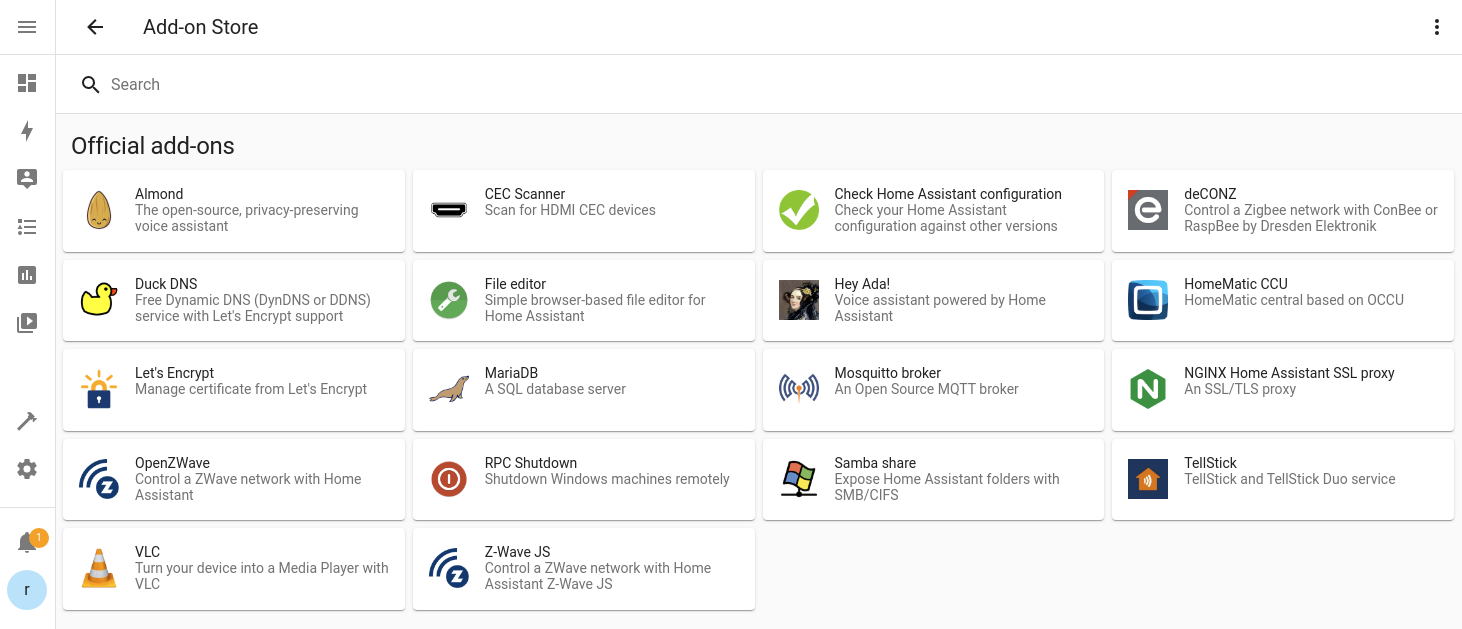


 humble scaffoldBOT
Open your Home Assistant instance and show your Home Assistant version information
ripe isle
manual for install on ubuntu 18 ?
ripe isle
i se only manual for some virtual machines i search for normal install on pc with ubuntu
humble mirage
Open the channel topic and click the first link
Click Linux on the right
Click the penguin
Click install HA Container
(oh, and sure Ubuntu 18 is LTS, but it's already out of standard support... long past time to upgrade)
dull ridge
Core
2023.11.2
Supervisor
2023.11.3
Operating System
11.1
Frontend
20231030.2
humble mirage
Weird... I'd raise a bug about that
humble scaffoldBOT
Want to see what issues are open (or were open and are now closed)?
- The core (backend) - for HA itself, and integrations
- The frontend (UI) - for cards and display issues
- The Supervisor
- HAOS
- The documentation
Don't forget to check for any alerts
If you think an upgrade broke something then:
- Downgrade to the previous version to check if it works correctly there
- If it does then change the
loggersettings for that integration todebug - Upgrade to the new version again
- Look in the logs for errors
- Open an issue, following the template provided and including the log information
humble mirage
Probably open it in Core, though I suspect it'll be moved
hoary widget
raven forge
I can't find anything `illegal instruction` related to DNS in the `home-assistan...
The guy that sold me the box said that it could be something with my browser's DNS settings... Could that be?
humble mirage
No
crude inlet
@dull ridge do you have a synology or qnap?
 olive iron
can anyone help me figure out and easiest way to go from a Low Voltage Halogen Bulb? or where best to start to figuring this?
MR16 12V to a LED bulb and not being able to see or get to the transformer of the wiring as it is now! Has this would mean ripping the all ceiling down! Thanks
humble mirage
That's got nothing to do with installing HA
#hardware-archived can help you if you explain what you want to go to from that bulb
ripe isle
TZ=MY_TIME_ZONE for Poland 🇵🇱 ?
humble mirage
https://www.home-assistant.io/docs/configuration/basic#time_zone has a link for you
dull ridge
crude inlet
<@898960143608315944> do you have a synology or qnap?
I have HA Green. I do have QNAP, but not running HA on it.
crude inlet
You might check and confirm. Docker installation on the QNAP? Isn't it the very old version by default?
dull ridge
crude inlet
You might check and confirm. Docker installation on the QNAP? Isn't it the very ...
I have the HA Green, nothing is installed on the QNAP.
QNAP only works as a storage/Plex server
crude inlet
And you confirmed this just now? Because when I see "0.65.5" my mind instantly thinks "qnap" and then I asked if you had one and you said yes 🙂
You can even search for "0.65.5" here and find similar results
dull ridge
I've said in pretty much all my messages that I have HA Green and my 3rd message says my core version is Core
2023.11.2
You asked me if I have Qnap or Synology, and I said I have Qnap, but HA is not running on it, because I have HA Green.
crude inlet
Can you shut the green down? Settings > icon in the upper right corner, choose restart, click on advanced options, choose shut down
Or, physically disconnect ethernet would also do I guess.
Then sign out at nabucasa.com and back in
@dull ridge did the message change there at the website?
dull ridge
No. But then again the HA Green Core version is 2023.11.2
Hmm, I refreshed the page couple of times and now the error message is no longer there
Wow, seemed to have worked. Thanks @crude inlet
 bronze talon
I am running home assistant, I install MQTTT but I want to enter the MQTT Host in the configure page but I cannot figure out where to find that name for MQTT Host.
raven forge
The addon should list its hostname on its overview page.You can also use the HA ip
bronze talon
Thank you
dull ridge
Now the next issue then... trying to do Netatmo integration. Everything goes fine until I get to Netatmo page, where I click accept, but instead of proceeding, the page merely refreshes itself and stays the same. I've disable all the blockers etc and tried with 3 different browers. https://imgur.com/a/Hq6WU2H
I've logged out of Netatmo account and tried while logged in, deleted cookies for Netatmo site.
The usual stuff.
bronze talon
I put in the ip address of my home assistant the field and get this
00:00:00.001 HDW: ESP8266EX
00:00:00.050 CFG: Loaded from flash at FB, Count 43
00:00:00.055 QPC: Count 1
00:00:00.062 Project EZPlug - EZPlug Version 11.0.0(tasmota)-2_7_4_9(2022-02-15T15:11:54)
00:00:00.551 WIF: Connecting to AP1 Knapp-Smart-Home Channel 1 BSSId 26:5A:4C:90:FF:E0 in mode 11n as EZPlug-8B49FF-2559...
00:00:04.756 WIF: Connected
00:00:05.008 HTP: Web server active on EZPlug-8B49FF-2559 with IP address 192.168.1.248
19:34:17.002 MQT: Attempting connection...
19:34:17.214 MQT: Connect failed to 192.168.1.133:1883, rc -2. Retry in 10 sec
19:34:17.460 QPC: Reset
19:34:28.016 MQT: Attempting connection...
19:34:28.232 MQT: Connect failed to 192.168.1.133:1883, rc -2. Retry in 20 sec
raven forge
I'd test MQTT connectivity with something like MQTT Explorer. What does the MQTT addon's overview page and its log look like?
bronze talon
I dug deaper into the system and found a different IP address and used that and it connected. Now I have to see if everything else works. Thank you for such elementry questions from this retired probrammer.
 quaint hawk
Hi mates, i am trying to install it.
Everything worked fine until I try to connect to http://localhost:8123
I am hosting on my pc with virtual box.
Netstat doesn't show 8123 listening.
I got the VM NAT enabled.
Any idea what should i do??
low notch
Disable nat, use bridged adapter
 vital jackal
What is the point of Backups?
I have backups but when I try to restore one it tells me it can not restore it because my HA is in freeze state. How do I unfreeze it? 🤦♂️
quaint hawk
Ooooo thx mate, didn't realise that's different
 heavy fractal
How can I edit my fstab on HAOS? I have root access. I think my media drive is occasionally interfering with my boot drive on boot.
 thorn lake
dear all
I have a following problem with my fresh installation - can someone help me out?
I'd be very gratefull - yes the Pi has internet connection, dns also works 😉 - THX!
humble mirage
How can I edit my fstab on HAOS? I have
Try flashing again, or try another SD card
Did you do either of those?
thorn lake
will do now - I'll let you know
humble scaffoldBOT
@fading vigil I converted your message into a file since it's above 15 lines :+1:
 fading vigil
I am currently following the guide on installing HA on my raspberry pi with docker however it doesn't seem to get further than the last line shown above I have made sure the config folder perms are set correctly
humble mirage
Are you using docker run or a compose file?
fading vigil
compose
humble mirage
Exactly what command are you using to start it?
What does your compose file look like?
fading vigil
services:
  homeassistant:
    container_name: homeassistant
    image: "ghcr.io/home-assistant/home-assistant:stable"
    volumes:
      - /home/pi/homeassistant/config:/config
      - /etc/localtime:/etc/localtime:ro
        environment:
      - TZ=Europe/London
    restart: unless-stopped
    privileged: true
network_mode: host```Exactly what command are you using to start it?
fading vigil
docker start homeassistant
humble mirage
You should be using docker compose up -d homeassistant
(that's even in the docs)
What you ran doesn't use the compose file, and just starts a basic container
fading vigil
docker compose up -d homeassistant results in the same result posted earlier
humble mirage
Now look in /home/pi/homeassistant/config
fading vigil
I am unable to connect to the webpage however
raven forge
That YAML is indented wrong but besides that, are you sure you're using the right address to access it?
fading vigil
I noticed that and fixed it, yes
raven forge
I was hoping you tell me which one you used 😄
What does nc -vz localhost 8123 and ss -4ltpn | grep 8123 say?