#avatar-dynamics
1 messages · Page 16 of 1
 clever echo
 lone geyser
clever echo
Yes. Enter play mode and go to the Game tab. Then click and drag
lone geyser
clever echo
Yes. Enter play mode and go to the Game tab. Then click and drag
doesnt seem to work
 simple elk
Got any radius
 cedar maple
It doesn't look like you're in play mode to me there
Your avatar needs to be in that bicycle pose
lone geyser
yes i got radius
cedar maple
Your fx controller needs to be on your avatar like you were editing an animation
 grave hinge
Hey is there a way to use the generated physbone colliders to interact with things like long hair? I can't seem to select the collider in the list and in playmode it falls right through the body.
grave hinge
so what is the body collider actually for?
grave hinge
ah okay. Seems a bit strange that you dont have access to it internally
if its being generated.
simple elk
would be handy, but they dont count as colliders
lone geyser
the generated finger colliders are ingame only, afaik, but it can still interact with things with dynamics, like hair
grave hinge
yea exactly for that reason.
clever echo
cedar maple
It doesn't look like you're in play mode to me there
I'm not at the moment but when I am it doesn't work. I am lost honestly
simple elk
you can self interact with them, just not physbones
clever echo
lone geyser
yes i got radius
grave hinge
unfortunate
 pastel token
i think it could be possible. Maybe treat it like a springjoint instead of using phybone stuff would fix it?
lone geyser
clever echo
figured it out, ty
cedar maple
clever echo
I'm not at the moment but when I am it doesn't work. I am lost honestly
Heck idk sorry, have you looked at Sippbox's tutorial?
clever echo
cedar maple
Heck idk sorry, have you looked at Sippbox's tutorial?
I forgot to put the controller on (facepalm emoji)
 quasi cliff
anyone know where i can get a good video tutorial of setting up contacts that isnt from the beta and is now outdated
 knotty oracle
Quick question:
I did make an Ass Slap Reciever with "on enter" but everytime i test it.. i dosnt seem to regonize the "slap" a few times it did work.. but most of the time i dosnt regonize when i hit it... any sugesstions? Im using an "Empy object with "VRC Sender" to test it...


 simple elk
Try proximty, on enter requires a certain speed , and transition time 0.2/0.25 , lower dont seem to synch right
 red carbon
no luck ?
 torn tendon
How do I make it so you can activate an animation not by grabbing, but instead using open hand gesture?
Like putting an item back to its original position for example
 idle scroll
I'm looking at making a youtube tutorial in the future going over the different angle limit settings on physbones and wanted to ask if you would mind if I potentially used this in the video to help give people a good visualization of things as I go over them.
 lament lintel
Physbones work just fine in Unity but aren’t working on VRC?
 royal swift
Is there anyway to make a bone go back in on itself
Say if I wanted to make a snoot boopable
 ancient carbon
there's a way to grab other players objects right? i'm trying to see if i can add to my model where a player can take my glasses but i can't seem to find any tutorials for it
my glasses are set to an individual bone so they can be removed, just don't know how lol
lament lintel
For one maybe if it had a collider?
ancient carbon
i did that, it just spun when i grabbed it didn't leave the face
i also adjusted the stretch to see if that would do it, i don't know if it's a send receive type thing
 vernal plover
anyone have problem after the new update when u move ur head in game ur hands move to ?
 mellow hawk
idle scroll
I'm looking at making a youtube tutorial in the future going over the different ...
mellow hawk
idle scroll
I'm looking at making a youtube tutorial in the future going over the different ...
Im okay with it that, it was a redraw of @opaque wasp sketch. So just pinging them for their ok. :)
If it works out, feel free to ping me, would love to watch that 💚
idle scroll
mellow hawk
Im okay with it that, it was a redraw of <@112878701472993280> sketch. So just p...
Awesome! I'll wait for @opaque wasp response to make sure they're alright with it too.
idle scroll
mellow hawk
If it works out, feel free to ping me, would love to watch that 💚
And absolutely. I typically toss a post for new tutorials I put up in this channel in case people are interested!
 opaque wasp
Go ahead the more people know it, the better
mellow hawk
I could make an svg version if you need a higher rez.
 fleet narwhal
hey guys just a question if you dont mind , on vrc avatar dynamic " receiver " the " local only " option does it make it so its client based instead of server based ? and if so does it work for everyone or only me
 fluid agate
This might be a really dumb question but i followed a tutorial on touch triggers by MOON and I know how to set up and turn it on… but i don’t quite know how to turn it off
 dawn sonnet
@torn tendon
dawn sonnet
The summoner has entered the facility.
fluid agate
So, is there any way I can disable it*
 blazing flint
red carbon
no luck ?
blazing flint
red carbon
no luck ?
Not yet
 snow marlin
Anyone figured out how to make a bow using dynamics? I'm brainstorming an extremely shitty bow using a couple inside colliders and some animations
 stray shard
snow marlin
Anyone figured out how to make a bow using dynamics? I'm brainstorming an extrem...
stray shard
snow marlin
Anyone figured out how to make a bow using dynamics? I'm brainstorming an extrem...
 ornate frigate
Can I ask about physe bone stuff here?
 fervent valve
whats the difference 😭
 halcyon bronze
I haven't touched physbone but from what I read there are senders and receiver colliders that link avatars right?
snow marlin
stray shard
https://discord.com/channels/189511567539306508/730948197517885532/9677388680885...
Oh thats sick
Wonder if they'll drop a tutorial somewhere 😄
ornate frigate
Idk
snow marlin
ornate frigate
Can I ask about physe bone stuff here?
Yup
ornate frigate
But I can’t figure out how to get the physbones to be nice and flowy
It’s right now just kinda stiff bouncy and boring
 mystic plank
Ok, so I've been reading the history of the channel trying to find how to properly make "OnEnter" work but I have no luck.
I understand it would be a boolean thing, I even used the debug menu in game to see that it does trigger but nothing happen, I also checked the debug menu on the avatar with the phone in the demo world. I tried to replicate what I assume it would be doing but no luck so far. Anyone know how to properly use it ?
I'm at a lost here.
red carbon
blazing flint
Not yet
i found the twitter of VRCRed where i saw that it was posible hopefully more people help to get the info out, i send a message to vrcred dirrectly hopefully i get a response
https://twitter.com/VRCRedd/status/1501689546907561985


#VRChat #AvatarDynamics Found a way to raycast other players. You simply point at them with your hand and the cube will get placed next to them. You can then confirm your selection with a fist gesture and the cube will stick to the selected Player and track them.
Likes
137
 Twitter
·
idle scroll
opaque wasp
Go ahead the more people know it, the better
Twitter
·
idle scroll
opaque wasp
Go ahead the more people know it, the better
Thank ya!
blazing flint
red carbon
i found the twitter of VRCRed where i saw that it was posible hopefully more peo...
Yo that will be so much fun if we can figure out how exactly this was being done
 upper raven
that uses raycasting
ornate frigate
Nvm I figured it out
 onyx vapor
I've come across an issue where a few phys bones will get stuck in weird position but only for my mirror clone. I can still interact with it as usual, but in the mirror it looks like it is stuck with an offset. It seems to happen after I make a dramatic movement possibly pushing it outside of its "inside" collided.
Is this a known issue/is there a way to avoid the issue?
red carbon
upper raven
that uses raycasting
i know that exist with code but how is it implemented in an avatar?
 wary dew
When i grab my bones and pull them straight forward and pose them they keep re posing themselves and point straight out at my sides. what is causing this?
 jolly crypt
has anyone found out how to make a toggle that saves states between worlds and properly syncs using contacts?
 jolly crane
jolly crypt
has anyone found out how to make a toggle that saves states between worlds and p...
jolly crane
jolly crypt
has anyone found out how to make a toggle that saves states between worlds and p...
drive a synced parameter with a Parameter driver using the local parameter in the animator
jolly crypt
yeah im running through it in my head rn
jolly crane
might also want to add an IsLocal check to the transition that goes to the state with the parameter driver
so that it's only triggered by the wearer of the avatar
jolly crypt
the logic looks super ugly in animators because im having to make if else statements
 rigid pasture
does anyone have a video on how to set up 'on enter' instead of proximity, for dyanmics?
onyx vapor
Is there a way to un-pose all of your phys bones? If people have gone crazy moving all my bones everywhere it's s chore to try and grab each one myself to manually take them out of pose mode.
 lone drift
I've been using physbones and managed to make a chain but I wonder if it's possible to link two parts of an avatar together? Like to attach a monocle (on an avatar's face) to a suit, for example
jolly crane
onyx vapor
Is there a way to un-pose all of your phys bones? If people have gone crazy movi...

Gumroad
Ayooooo, this is a Unity Editor tool designed specifically for VRChat's new PhysBone system.Currently, VRChat has not implemented a method to reset your avatars' PhysBones if they have been posed - this system remedies that by automatically generating everything you need to reset your PhysBones with a click of a button!See the second thumbnail f...
or you can try to replicate it yourself
 gilded elbow
hello
since the last vrchat update
my avatar hair is acting very weird , moving at random by itself
How do i fix this?
 noble ivy
it probably has dynamic bones. the automatic conversion to physbones is imperfect at best
gilded elbow
i never had this before, some of my avatar armature got dynamic bone
noble ivy
you'd want to remove the dynamic bones and replace with physbones
gilded elbow
I see.. is that all i have to do?
deleting all my dynamic bones, and replacing it with Physbones?
that's all?
noble ivy
well you will need to configure the physbones a bit to get them behaving well
the controls are not 1:1 with dynamic bones, they work a little differently
gilded elbow
uhmnn.. alriight- thank youu for the help ❤️
 fringe whale
I've been trying to get dynamic bones and physbones forever but for some reason my quest 2 doesn't have it? Is that just me
jolly crane
fringe whale
I've been trying to get dynamic bones and physbones forever but for some reason ...
what are you trying exactly
fringe whale
Every time I go to like the safety button to try and change to the dynamic bones it's just not there
jolly crane
well yea no shit? the Quest platform never had dynamic bones to begin with. there is nothing to convert to Physbones
if that's the button you're looking for
fringe whale
Ah makes since 💀
jolly crane
for avatars with Phys bones, they will need to be made with them in the first place, and uploaded
onyx vapor
jolly crane
https://camsaviis.gumroad.com/l/CamsPhysBoneReset
Thanks I'll check it out!
 fathom wagon
Tryna add physics to a jumper that originally had none
how would i go about this
using phys bones
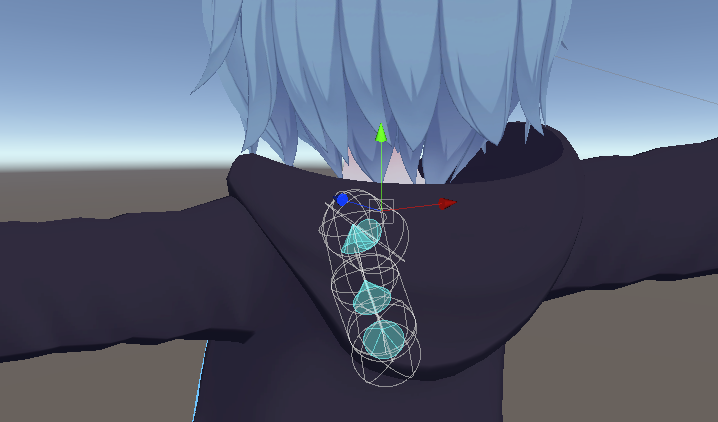
I have placed bones in the hoodies range
within the armature


the bones move
but dont effect the hoodie itself
 little owl
you'll have to weight paint the hoodie to the bones in blender
fathom wagon
ah okis
 heavy remnant
I go to safety button and try to convert my dynamic bones to the Physbones and my bone won't move
does anyone know what happened😥 ?
when I switched back to dynamic bones it will moves
 forest sinew
so i figured out with a tutorial video how to make a boop, like when your touching the collider it does an animation, but how do i make it a toggle animation?
 strong path
Not sure if this is a dumb question but can I make a phys bone grabbable for others but it doesn’t collide with the finger colliders
 last stag
Does anyone know how to turn bones back on I miss clicked a button my keyboard and now I can't see the bones or the radius of the physbones
onyx vapor
try clicking "Gizmos" in the scene view window?
last stag
Ah big brain thank you 🤣
forest sinew
is there a way to set a physical collision on a toggle?
forest sinew
any help would be great
 errant nova
Hi ! Trying to ocnvert dynamic bones to physbones, only my left boob is working - for some reason the right one refuses to work. I tried to delete the component, create a new one, duplicating the left one and just changing the root, nothing so far seems t fix it
any idea ?
forest sinew
is there a way to make a toggle with avatar contact receiver?
cedar maple
errant nova
Hi ! Trying to ocnvert dynamic bones to physbones, only my left boob is working ...
with phys bones as long as you plug the phys bone component right onto the bone you want to move, you dont need to specify a root bone, perhaps thats it?
do they both work if you just put brand new default phys bones on each?
errant nova
no, only the left one, even with defaulf component, using root or not
ok it seems to boild down to the fact that my boobs bones don't have leaf bones
noble ivy
giving them an endpoint should solve that
 fading fable
Yo, with Physbones if you toggle off a bone it will keep to where it previously bent which is different to Dynamic bones as to where if you toggle off a dynamic bone it will reset to it's original position without the dynamic bone effecting it. Is there a way to do that with physbones: Where if you disable the bone it goes back to it's original position instead of being locked in place at the time it was disabled?
noble ivy
uncheck the "posable" box
fading fable
I still want it to be posable, just not when its disabled
forest sinew
like haveit toggle in the FX layer?
fading fable
fading fable
I still want it to be posable, just not when its disabled
and its not when someone interacts with it either, its just whereever the bone was previously
noble ivy
ooh i see i misread
 mild stirrup
hey, rly dumb question, but where can i get physbones for unity, cos im lost, did the sdk on the website update? or where can i download it
noble ivy
the sdk did update
mild stirrup
oh ok that makes sense ty
errant nova
noble ivy
giving them an endpoint should solve that
an endpoint unlocks them, but in an unpredicatble way. Adding the leaf bones to the armature fixd it
forest sinew
so is there a way to make the collider animation in the FX into a toggle? like touch to toggle?
 stable crag
Heya, can you not animate enable/disable of the physbone script? it lets me keyframe it but it doesnt actually enable them NVM, i was using a dupe set of animations instead of my edited ones in my controller
 jovial copper
Does anybody know if trigger/buttons are broken since the update or did i always used them wrong and now they are 'fixed'? It was working before the update but now its not. Even with an already uploadet Avatar it stoped working after the update.
I'm using 2x Bool as VRC-params, 2x Trigger as FX-Params and Button-Type in the Menu
This is my setup:

its working within unity but not in vrc


 wet rune
Not sure if this has been shared around yet or not but it's a super handy reference.
https://twitter.com/RadiantSoul3/status/1518744035275513861

Credits go to Nara#0001 for making this. might help with the new phys bones update
Likes
158
 Twitter
·
forest sinew
Twitter
·
forest sinew
so is there a way to make the collider animation in the FX into a toggle? like touch to toggle?
 lucid robin
Hi I’m having some trouble with my locomotion caused by my physbones I’m wondering if anyone else is having troubles with it aswell
 minor timber
forest sinew
so is there a way to make the collider animation in the FX into a toggle? like t...
minor timber
forest sinew
so is there a way to make the collider animation in the FX into a toggle? like t...
lmk if u find an answer ive been looking too
 austere surge
So i know physbone is pretty buggy right now bur for some reason the end bones on a certain chain just dont seem to be registering but they arnt a small bone either so i dont think it is that glitch because the bones they are attached to is is bigger then it...is ther a perticular reason for this

I have even tried putting a physbone directly on it but it doesnt even show up then
like the physbone just doesnt want to interact with the bone at all and idky
 remote ferry
jovial copper
remote ferry
jovial copper
Those are the wrong Parameter types
They still have to be Bools in your Animator List
Triggers can only be driven by Parameter Drivers and OSC
remote ferry
forest sinew
so is there a way to make the collider animation in the FX into a toggle? like t...
Setup is the same as any other toggle
Except that the value of the Parameter gets changed by the Contact instead of the menu
 unkempt mural
so I've got an issue were only the tongue will not move with physbones applied. Yes, It's weight-painted and can be posed around normally, but It will not react to any of the Physbones movement.
 simple elk
too small bones, packed too close to eachother
austere surge
that might be a bone size issue which idk if i am also having that problem or not
simple elk
https://feedback.vrchat.com/open-beta/p/1187-small-bones-no-longer-move-at-all-with-physbones start merging your bones or wait for a fix

easy test, just scale your model really big in play mode they will start moving
austere surge
my thing is that the physbone scrip wont even interact with these bone on the end of this chain at all

i even tried merging
nothing
jovial copper
remote ferry
Those are the wrong Parameter types
U sure? Bool is true/false. I dont set it to true or false (Menu type is button). But I'll try it later in the evening - do i have to set all the tramsmission to true if i want to keep the Menu type button?
remote ferry
I can clearly see that those arent Bools lmao
Those are triggers
The VRC Menu can not change the value of a trigger
Oops I tagged the wrong image my bad
remote ferry
jovial copper
There you go, these need to be Bools
simple elk
 jovial copper
remote ferry
The VRC Menu can not change the value of a trigger
jovial copper
remote ferry
The VRC Menu can not change the value of a trigger
I'm completly confused but okay i'll try that. I thought trigger is right because i dont have a true/false stadium. (not toggle but button)
But i'll try it with a bool
remote ferry
Because in your VRC Parameter list
remote ferry
jovial copper
This one
You selected the Parameter type "Bool"
So it cant change the value of a Trigger
remote ferry
jovial copper
Because the Menu is looking for a Parameter of type Bool with that exact name in this list
The Parameter type and name have to be identical in both the Parameter List in your Animator and your VRC Parameter List
jovial copper
remote ferry
The Parameter type and name have to be identical in both the Parameter List in y...
You can only set int float and bool as Params in the parameter.asset file.
The Menu.asset file however can handle Button, Toggle [...]
The Toggle gives out a true/false stadium and serves bools.
The Button gives out a 'got activated' signal which serves triggers.
What buggs me most about this is, that i already had an avatar uploadet, with that system working before the big phyboneUpdate was released. After the Update, the Button didnt worked anymore.
Gimme a few min I'll do a unity package to illustrate my problem
jovial copper
@remote ferry I also tried to set it to bool but it wont work neighter in unity nor in vrc.
I want to archive that:
The Menu is set to button, not Toggle
The Cube Scales greater or smaler in size whether i click 'more' or 'less' circling through a total of 5 Animations
This system was working before the update but isnt any longer after the update
Or wasnt it supposed to work with that system in the first place? And just worked accidentally? And now with the update got 'fixed'?
remote ferry
Well if it doesn't work with bool either then that's not the problem
jovial copper
remote ferry
Well if it doesn't work with bool either then that's not the problem
I guess i have to make a work around ... setting the menu to toggle and the params to bool ... bye bye button :< ...
But thank you very much for the help, highly appreciated
mellow hawk
How do people hit the Phys bone limit on the quest, lol.
Like I filled an avatar up more than I usually do and only got to 48 transforms.
simple elk
They take a pc avatar, slap quest shader on it and auto convert its dynamic bones to phys , WAAH it runs fine for me 200k poly 50+ material/meshes/1000 transforms
 thorny flame
In the showcase level one of the avatars has the ability to shake hands - does anyone have any insight as to how that was done? The only way I can imagine to "override" the normal IK arm animations would be to have a second, hidden arm that un-hides when a grab is detected.
 coarse depot
weird glitch when upload for quest initial upload says every thing is fine get the message avatar too large (1.1mb over limit) now getting error saying too many transforms. Has this happened to anyone else?
errant nova
unkempt mural
so I've got an issue were *only* the tongue will not move with physbones applied...
Did you try to add a leaf bone to the tongue ? I had a similar issue with a boob. Or you can try to define an endpoint, reportedly, though that didn't work for me
 final osprey
Do I need hand colliders to interact with avatars and other objects, or is it automatically added to every avatar in game?
coarse depot
final osprey
Do I need hand colliders to interact with avatars and other objects, or is it au...
automatically added to every avi. you can edit them in the descriptor if you feel they are off.
final osprey
coarse depot
automatically added to every avi. you can edit them in the descriptor if you fee...
Just tested it in Dynamics world. Works on my avatar, but not world obects.
 short narwhal
physics Bones on worlds will be a future update
 grave salmon
is there any particular reason why the auto generated _Stretch parameter only goes up to 0.57 instead of 1 no matter how far the bone is stretched?
makes no sense to me
 barren blaze
how do I fix the stuttering on the ears?
forest sinew
remote ferry
Setup is the same as any other toggle
thats what i am asking, how do you set that up in the FX layer?
i know how to make them toggle with the 3.0 avatar menu, but not just in the FX animator
 wooden ginkgo
hey anyone got good phys bone settings for hair?
also do phys bones require endpoint like dynamic bones did?
 alpine grail
how do i drag bones in unity play mode?
simple elk
click & drag, does nothing if you have 0 radius
alpine grail
 thorny isle
alpine grail
thorny isle
alpine grail
you have to use game view, not scene view
i recommend using a freecam script to move the scene camera easier
https://cdn.discordapp.com/attachments/936828379146121278/963573370060943360/FreeCam.unitypackage
 gritty valley
alpine grail
how do i drag bones in unity play mode?
gritty valley
alpine grail
how do i drag bones in unity play mode?
click on them with the game camera on
 wise hinge
alpine grail
how do i drag bones in unity play mode?
wise hinge
alpine grail
how do i drag bones in unity play mode?
You have to be in the game scene btw
alpine grail

wise hinge
Position your camera to what you want to grab then switch over THEN click and drag
wise hinge
alpine grail
<:vrcTupCry:826890325313454100>
In the phys bones section you will see parameter. Put something there that is 1 word. And put it in your avatars fx controller and put 4 parameters. The parameter you just put in the physical bones component then a _IsGrabbed _Angle _Stretch for the other 3
alpine grail
remote ferry
@alpine grailIs your camera tagged as the main camera
simple elk
Dont need that anymore
remote ferry
Oh word?
alpine grail
there are bones
remote ferry
You dont need bones to move stuff with phys bones
alpine grail
simple elk
bit odd placing but here , if this was invisible it would move fine since you are grabbing & stretching a bone
scratch that it was just to tiny 🔨
have a carrot test where i tried to grab a mesh and move it up from ground without bone...somewhere
you can course use contact/recivers for that but not really what you want on a gun
(unless it has blendshapes or anims / bones )
alpine grail
simple elk
maybe if i do it like this 🤔 , not really tried much , its just a bunch of gameobjects with a distance from eachother, yep that work

no clue why you cant grab anything in gamewindow tho
alpine grail
simple elk
4 gameobjects (red for easier visualization) + green ball i wanna move, no bones work, neat - gotto use angles to limit it tho or it will flail all over
 lunar nova
when i put the phys bones in my avatar breast the breast wont move do i need to add the jiggle phsyics to the breast in blender to get them to move in unity and vrchat
simple elk
is it 1 bone?, add end bone - are there lots of small ones ? they might not move
lunar nova
the breast dont move at all with the pyhs bones in the model base at all even in vrchat i used panda new base on it
for the phys update and its being stubborn
forest sinew
Anyone know how to make a toggle in the FX Animator for phys colliders?
lunar nova
simple elk
is it 1 bone?, add end bone - are there lots of small ones ? they might not move
i got the breast to move finely on it
 willow spoke
So with avi dynamics does that mean that spring joints and stuff work now?
lunar nova
i was trying to make some jiggle physics with the phys bones
 full harness
did you manage to find a good setup? breasts moved on my avatar, but they're like...super firm
basically have to fall off a building to get them to jiggle lol
 vestal hearth
full harness
basically have to fall off a building to get them to jiggle lol
vestal hearth
full harness
basically have to fall off a building to get them to jiggle lol
this would mean you need to turn the immobile value down
full harness
ah cool thankyou, i had a bit of a play but i haven't had a chance to sit down properly and mess around until today
vestal hearth
full harness
ah cool thankyou, i had a bit of a play but i haven't had a chance to sit down p...
no problem. it might be helpful to look at the official phys bones documentation (a link can be found in the phys bones release announcement). it describes what everything does
full harness
will do, cheers, thankfully everything seems to be fine after the auto convert so far, I've noticed a lot of people having all sorts of different issues
finally I get some luck XD
vestal hearth
full harness
will do, cheers, thankfully everything seems to be fine after the auto convert s...
thats very lucky lol. the vast majority of my avatars are pretty broken, which is sad because i have like 300 quest compatible avatars uploaded
full harness
ouch, yeah I haven't even touched quest stuff yet, I've got a Dell WMR so I've just ignored it so far 😒
vestal hearth
thats reasonable. ive never owned a quest, and i play on index, but i feel like making a bunch of content pc only is kind of a disservice lol
full harness
I'll get there eventually, still learning myself really, I just thought, one thing at a time
vestal hearth
smart
willow spoke
willow spoke
So with avi dynamics does that mean that spring joints and stuff work now?
Anyone?
vestal hearth
willow spoke
Anyone?
wdym by "work now"?
willow spoke
Like work for quest
vestal hearth
willow spoke
Like work for quest
you mean like simulating spring-joing movement with a phys bone?
willow spoke
Yeah
vestal hearth
if so, then yeah i guess
willow spoke
Basically
vestal hearth
i dont think actual spring joints are supported yet
 calm owl
New sdk grab yo, new sdk fixes, changes, old sdk will have different behavior from unity to vrchat, get yo new sdk
cedar maple
I'm trying to figure out which is better. I'm using sender and receiver to make sound when people interact with a bone on my avatar. I already have it working perfectly fine but i'm just wondering
Should the animation for these noises be animating the Audio source or the actual object itself?

right now i have it so the game object is always on and the audio source is the animated part. However i also have another audio source on my avatar from a while ago where i actually animated the game object to turn on, and the audio source was just left on
do you guys think this has any performance impact/matters at all?
simple elk
either work 🤷 toggling - audio source what ive used
cedar maple
yeah they both work fine as far as i could tell
 rain walrus
yayyy they fixed the tiny bone issue
 tough perch
I was under the impression that the hand colliders are there by default and function as so, but someone please correct me if I’m wrong 
 wary burrow
 vital shore
Is there a quick way to ignore collision from some, but not all of the the default colliders?
 craggy warren
What did the updated sdk add?
tough perch
ok, so i have a problem and i need some help.
So, my avi had dynamic bones on it, i loaded into vrchat and let it automatically convert them to physbones. They wiggled and wobbled and all that, but they couldnt be interacted with at all. no collisions and no posing, grabbing, etc. I thought, maybe it was an issue with the automatic conversion, so i went into my project, changed the sdk and converted the dynamic bones in unity, fine tuned some settings and updated the avi.
but im still having the same problem. I went and added a new physbone component and copied the values over to them, and deleted the old components, incase maybe that was somehow the issue, still nothing. no collisions, no posing and grabbing. I'm at a loss.
simple elk
*automatically convert them to physbones , theres your problem, you likely have zero radius
tough perch
o
tough perch
what should it be for something standard? ears, hair, tail, etc
simple elk
no such thing, you gotto fiddle with radius + curves , really depends on how your bones are
tough perch
ah damn
simple elk
exsample
 tough perch
i see
thorny isle
big radius
simple elk
yeh its pretty wide in back
simple elk
sdk seem to make my unity crash more often during a build, havnt had it for 2 days now tho
tough perch
looks like it saved right after hitting build and publish, which is my favorite feature, esp cuz it did this every time i tried to publish when i moved to 2019, turns out i had a broken poiyomi script bc of the move that the updated one was trying to pull from
eyyyy the second go at it worked, hella
thanks again for telling me about the radius @simple elk
jolly crane
add a contact sender to a sphere and move it around?
 raven carbon
do i need isanimated turned on if im disabling a child of the root bone?
 slim olive
do you need to put phys bones on all child bones for them to be grabbable?
jolly crane
slim olive
do you need to put phys bones on all child bones for them to be grabbable?
no, only root
slim olive
jolly crane
no, only root
i have to do all of them for some reason
it doest let people grab the children
jolly crane
slim olive
i have to do all of them for some reason
make sure you specify a Radius
and set an appropriate curve for it
calm owl
Are there any plans to add vr controller rotation influence to the pose/stretch system?
 wise lantern
So I have a physbone component on my chest to allow my characters breasts to have movement, and while every child transform should be ignored except for them, they seem to inherit the motion of my avatars walking animation when crouching or playspace moving down, even though they don't move when tracked on the older version of the avatar. I did have custom locomotion, but using the default locomotion layer didn't fix it. For now I think I can fix it by placing the component twice on each breast bone, but this can't be intended functionality, right?
 slim olive
jolly crane
make sure you specify a Radius
slim olive
jolly crane
make sure you specify a Radius
 jolly crane
slim olive
https://gyazo.com/6247b5e33df644a01cb9f7357455ea87
jolly crane
slim olive
https://gyazo.com/6247b5e33df644a01cb9f7357455ea87
your radius is literally 0 my guy
that's also a lot of Pull
slim olive
even when i changed the radius it still doesnt move
ive also been told the avatar needs to be very large as well as the bone size needs to be very big
jolly crane
no, not needed
slim olive
hm
jolly crane
the radius should match the size of the ears
slim olive
how much pull?
little owl
don't grab it with the position gizmo, grab it in the play mode
slim olive
0?
little owl
game window
slim olive
little owl
don't grab it with the position gizmo, grab it in the play mode
i am in play mode.....
little owl
you're using the editor gizmos though, it doesn't work like that
slim olive
little owl
you're using the editor gizmos though, it doesn't work like that
how else am i supposed to grab it
little owl
the game window
jolly crane
oh yea lol, good catch
little owl
position the camera in front of the avatar and then click and drag on the screen where the bones should be
 frail steppe
The new update has broken some of my bones, has anyone else experienced this
 cunning spindle
frail steppe
The new update has broken some of my bones, has anyone else experienced this
cunning spindle
frail steppe
The new update has broken some of my bones, has anyone else experienced this
My avatar tracking is broken with the update. but only on avatars that have phys bones.
 craggy warren
hay is it possible to attach the end of a physbone to something that its the child of a parent?
 wise pawn
Physbones don't require the beta build to be used anymore, right? The avatar dynamics world still has that message, but it's live now, yeah?
 turbid badger
what is the axis determined when figuring out the default orientation of physbone limits..?
on some of my components i want to use Polar but it doesnt work because the axis is misaligned
i cant use the pitch,roll,yaw settings either because the object has a multiple root setup
and i cant mirror the adjustment
basically the component is “tilted” like 20° toward the center
and i cant seem to undo this. no idea what causes it in the first place
 bold quail
 mellow hawk
Easily doable. lol
 crimson pebble
so ive got a state machine that toggles between two animations when you touch a contact receiver with your hand, and it works consistently locally, but it doesnt sync. The parameter drivers on the animation seem to work fine, but the animations themselves refuse to sync. any ideas on why that might be?
mellow hawk
As far as I know. State machines aren't network synced for anyone who joins late or had the avatar hidden.
They have to do a full reset for anyone new.
Don't quote me, on that though, not great at avi's lol
noble ivy
hey so i'm having difficulty getting my skirt to physbone nicely. whenever my leg rotates enough it bugs out like this (but imagine it is also vibrating so fast it is flickering)

I think it's because my thigh colliders are clipping through the physbones at these angles? but i'm not sure


any suggestions on how to fix?
little owl
looks like the skirt bones are too low so the collider is going inside the skirt bone forces it away
mellow hawk
I think you would have to either move the root of the skirt bones up, or have the leg colliders lower and/or thinner.
little owl
you should move the skirt bones higher so they have more room to move away. You can also use polar limits to prevent them from pivoting that far
noble ivy
ok i think i know how to reposition the bones slightly in blender but is there a way to do that and not have to re-do literally everything i did in unity? or can i fix the bone positions in unity?
little owl
if the weight painting is blended smooth enough, a small position change shouldn't break things too badly
definitely don't reposition bones like this in unity though
noble ivy
augh i didn't save a .blend so i would have to go all the way back to importing the vrm DX
unless there's a way to reimport the fbx or something?
noble ivy
so come to think of it i have edited the texture and armature (specifically bone parenting and creating parent bones) in unity after importing from blender. is there a way to re-export with my changes into a format blender understands then bring it back into the unity project?
or do i need to restart basically from scratch?
little owl
yeah don't unpack the prefab in unity and start editing bones, that's a one-way process and if you ever edit the fbx in blender, everything will be broken
noble ivy
too late XD
welp guess i'm starting over
maybe this time i'll figure out how to make a jacket toggle >_>
 amber crane
turbid badger
and i cant seem to undo this. no idea what causes it in the first place
amber crane
turbid badger
and i cant seem to undo this. no idea what causes it in the first place
Bone roll. Orientation is determined by Z-axis when viewed in Blender.
turbid badger
amber crane
Bone roll. Orientation is determined by Z-axis when viewed in Blender.
i cleared the roll of all involved bones
turbid badger
noble ivy
hey so i'm having difficulty getting my skirt to physbone nicely. whenever my le...
the root bones are interacting with the colliders which has a very weird behavior
amber crane
That is not how it works. Bone roll doesn't need explicitly to be 0.
turbid badger
u would have to move the root out of the way and probably make it 0 radius at the start
turbid badger
amber crane
That is not how it works. Bone roll doesn't need explicitly to be 0.
but i set the roll to 0 so why is it tilted in unity
i made this demonic system for skirts that use like 6 physbone components lmao
i put an inside collider on each skirt bone
and that lets me pull on its neighbors and drag them along when one part is moved
amber crane
turbid badger
but i set the roll to 0 so why is it tilted in unity
The fact that bone roll is 0 doesn't mean Z-axis will be rotated the way you want to.
turbid badger
its genius but a workaround for something vrchat won’t implement
turbid badger
amber crane
The fact that bone roll is 0 doesn't mean Z-axis will be rotated the way you wan...
how do i figure out what roll i need
 brisk flower
Is it possible to set the ability to pose physics bones as a toggle I tried and it doesn’t seem to work
turbid badger
brisk flower
Is it possible to set the ability to pose physics bones as a toggle I tried and ...
yea
u need an animation that deactivate then reactivate it (non looping)
if using Any State make sure to turn off Can Transition To Self
brisk flower
Alright I’ll try that
turbid badger
can be for like one frame or two, although i like to be cautious and do it repeatedly for like 0.2 seconds
vestal hearth
turbid badger
and that lets me pull on its neighbors and drag them along when one part is move...
can i see this in action?
turbid badger
vestal hearth
can i see this in action?
yea maybe tomorrow i can show it off. with 6 bones you have 2 more you can use for quest (tail and ears)
turbid badger
but its pretty easy to set up
basically have a empty game object for each bone chain in your skirt
and on each one put a physbone and collider
set the collider to inside then give each physbone script 2 colliders
and set those 2 colliders to the neighboring bones
make sure the size of the collider is big enough for both chains to occupy
then when u pull on one chain u can pull on the others which pull on the others, so on
u might need to add 3 more colliders (floor, legs)
so if u need to, preemptively assign those first
it won’t work very well with stretching since you have to grab a chain to pull on it, but otherwise is ok
and probably don’t enable posing or else u have to unpose each bone
6 bone rigging setup: 2 in front of each leg, 2 behind each leg, 2: 1 on each side (left, right)
Might want to move the bones in front/behind the legs slightly away from the center so they get pushed away when you kick
vestal hearth
interesting
that doesnt sound too bad
wait so youre only using 6 bones for the skirt in total?
turbid badger
yes, although you can add extra bones for each chain
vestal hearth
optimization moment
turbid badger
its just easier to work with only 6
vestal hearth
ill have to try it out sometime
turbid badger
if you choose to double it up and have 12 bones for 6 chains, which one you put the colliders on has different effects
vestal hearth
oh?
vestal hearth
i see
turbid badger

this collider pulls on the other leg and side

im just sketching it on mobile so ignore the ugly
u want to make the root radius very very tiny with curves
and use a fairly large radius at the end
vestal hearth
interesting
amber crane
turbid badger
how do i figure out what roll i need
Open your model in Blender. Select armature object of your avatar and go into Edit mode.
In Properties window open data properties. In Viewport Display section enable display of axes and set position on it to 0, so axis will be visualized on bones on their heads (Unity and most other software do not care about tails).
In the picture I am in the progress of rotating hair bones on my avatar so their Z-axis is pointing towards (or the opposite of) hair root bone. Initially they were somewhat random even within the same chain, since you don't care about bone rolls with Dynamic Bones, which this model was initially setup with.
This will allow me to utilize Polar rotation limits on PhysBones so that I won't need a head collider to prevent my hair from clipping into my head.
Also mentioned here: #avatar-optimization message

 amber sleet
Does anyone know if it's possible to change the size if the purple ball?

I keep accidentally grabbing myself because it's much larger than I'd like.
 bronze bloom
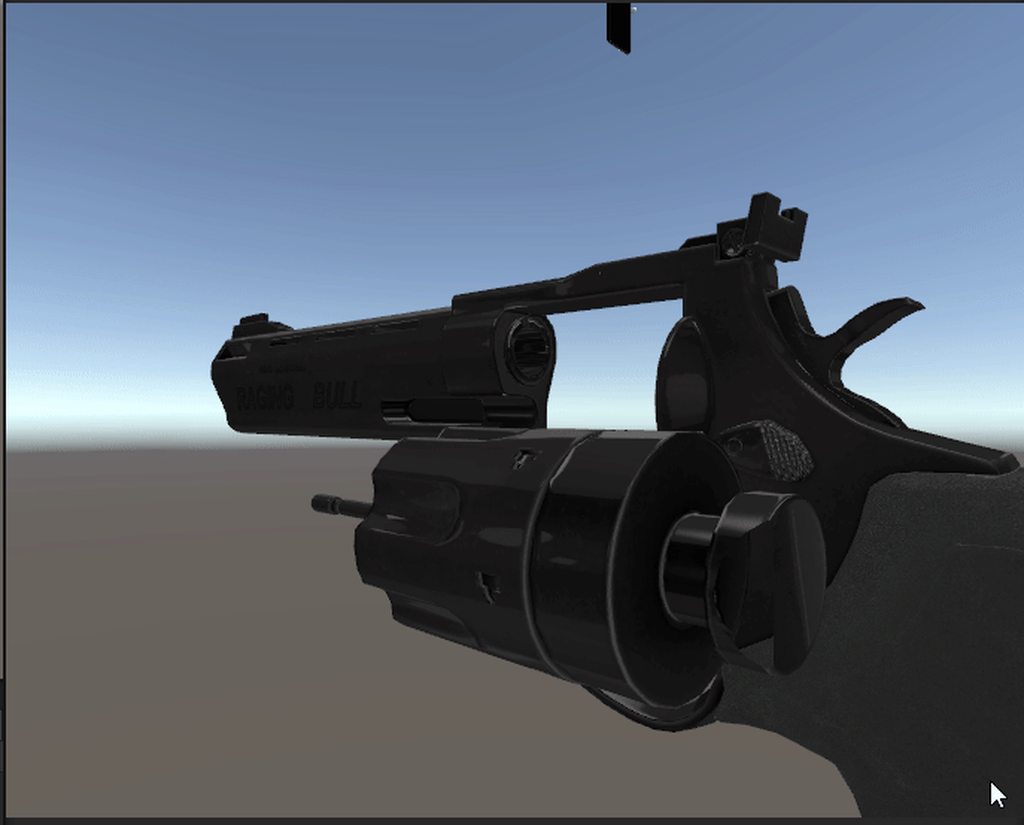
How Do I make it
The SpeedLoader is on my Belt
When I grab it I can move it back to the wheel?
onyx vapor
Im a little bit confused about the documentation for the VRC Contact Receiver - if I put a parameter in there that is network synced (so a custom parameter that I might otherwise control with the expression menu) will the receiver manipulate it and whatever value the receiver gives it - that value will be seen remotely ?
 supple garden
onyx vapor
Im a little bit confused about the documentation for the VRC Contact Receiver - ...
supple garden
onyx vapor
Im a little bit confused about the documentation for the VRC Contact Receiver - ...
yes
in that case, set "Local only"
that will only update it on your end, and then send that data over the network to sync with all the others like it did with the expression menu
onyx vapor
and if i assign it some other parameter name, then it will not sync and only i will see its values change (if i put that parameter on a controller )
right?
supple garden
no
it will still be synced, but from my testing, that is not that reliable
it only works for others if you are rendered for them
onyx vapor
oh... so i can be at max avatar parameters (128) and use contact recivers to sync even more animation states?
hmm
supple garden
onyx vapor
oh... so i can be at max avatar parameters (128) and use contact recivers to syn...
theoretically, I think so, but you shouldn't do that for "settings" on your avatar, like toggle certain objects on or off, as it will not be synced if people don't see you
onyx vapor
hmm ok right right
supple garden
but for something like playing a bonk sound, it's fine
onyx vapor
I was worrying about needing to create more parameter space to have some phys bone effects play - but it sounds like i wont need to - this is good!
ty
supple garden
np
 atomic otter
can i test for example a bonk hammer where it just bonks head in unity? its tiring getting in and out of vr to try get this working
 rain ice
supple garden
it only works for others if you are rendered for them
rain ice
supple garden
it only works for others if you are rendered for them
Omg this explains so many issues people have been telling me about my props
mellow hawk
atomic otter
can i test for example a bonk hammer where it just bonks head in unity? its tiri...
Yes, just apply a sender/receiver onto an empty game object. Move it around till it contacts, and just add the head collider to the right component
Example for each:

 magic vigil
What is VRCLeafTipBone?
jolly crane
magic vigil
What is VRCLeafTipBone?
they get added to the end of bones when you do the conversion, so you don't need to specify an endpoint or add an extra bone. personally I still prefer to add extra end bones
magic vigil
jolly crane
they get added to the end of bones when you do the conversion, so you don't need...
Since we can't add physbones to the hips my butt bones don't work properly, can i add these myself to fix it?
jolly crane
magic vigil
Since we can't add physbones to the hips my butt bones don't work properly, can ...
yes. you can just select the ends of the bones in blender, and hit E to extrude another bone. name them whatever you want
then add a physbone component to the first bone of each cheek
if you want to use a single physbone component (which you actually might not want to do for performance reasons), you can create an additional "butt_root" bone and parent both cheeks to it, and parent the new root bone to the hips
magic vigil
its strange though because each butt has 2 bones which should be enough for it to work
magic vigil
jolly crane
if you want to use a single physbone component (which you actually might not wan...
one component is less optimised?
jolly crane
Physbones, by design, can be split up to be run on multiple threads
so in some cases, it can be beneficial to split it
in this case, because it's so little bones, perhaps a single component might be better
magic vigil
Cool to know, guessing if you contact one bone it does calculations for every bone in the component
 slim leaf
I have a weird issue where the parameter value on contact between a sender and receiver is set to 1 on the receiver, but not on the avatar itself
It just stays at 0 even though it's the exact same parameter name
If anyone knows what the cause might be or what to go over to check for mistakes I'd really appreciate it
atomic otter
Im really struggling to make this bonk sound on this hammer lmao, i followed a tutorial and it just didnt work :?
im assuming its changed since the beta so the tutorials are redundant
 worn mica
 plush scaffold
How do i activate dynamic avitars on quest 2?
plush scaffold
How do i activate dynamic avitars on quest 2?
You don't need to activate anything, if an avatar has physbones you'll see them ingame (as long as it's within the limits)
plush scaffold
Whenever i use an avatar it just uses an error avatar
worn mica
Any avatars?
worn mica
How do you know they are dynamic?
worn mica
That is strange indeed, I've never heard of such issue but you may want to go look in Safety -> Performance options -> Look if there's any options related to physbones. Otherwise idk
plush scaffold
I checked there wasn't😅
supple garden
plush scaffold
I checked there wasn't😅
maybe ask in #quest-general
plush scaffold
Kk will do
 coarse siren
alpine grail
coarse siren
alpine grail
Did you find a solution? I have the same problem. Can't interact with phys bones in the game tab 😐
worn mica
I think Lyuma emulator solves this but unsure
 wispy kiln
Hello, how do you reset the position of the bones once the fis bone is disabled
snow marlin
wispy kiln
Hello, how do you reset the position of the bones once the fis bone is disabled
disabled as in
removed script in unity? disabled via animation? etc
 fierce lantern
maybe this is a dumb question, but I'm having an issue with having a punch sound effect on my avatar. I can punch other people and I'll hear the sound effect, but it only plays on the first punch, and won't activate the sound on subsequent punches. I'm using an "On Enter" receiver type. and my Punch parameter is a float, and the thingy looks like this
 fierce lantern
Also when I reset the avatar the punch sound effect works again
 golden beacon
im using physbones but the physbones are making the whole upper body move i stead of just the pieces i want it to, how would i fix that?
wispy kiln
golden beacon
im using physbones but the physbones are making the whole upper body move i stea...
Check the root bone and enable gizmos to check where they are
 hardy estuary
Question about physBones i could not get any information on . Is there a maximum render distance for them and where can that be changed?
 queen knot
Does anyone know of a way to get world-fixed entities on quest? I have an idea that involves dropping down a set of props that anyone can pick up, but I can't get it to stay in one place.
say, a set of tools perhaps

I've heard of someone managing to get it working using animator shenanigans
but nothing usable
mellow hawk
On PC it's easy to do world constraints, vrlabs has a prefab for just that. But there is no way to do it on quest. The quest version does not support parent constraints.
 tough sparrow
is there a way to exempt specific physbones from getting grabbed by specific hands?
because wings and dangly bracelets
mellow hawk
Yep, the Allow Grabbing button of the component lets you turn it off.
 tough sparrow
I want to be able to grab it and have friends grab it. the hitbox is just constantly in the purple sphere so... I was more asking if I could prevent the right wing from getting grabbed by the right hand
mellow hawk
I don't think there is a way to disable local interactions, could put it on a toggle, I believe.
Maybe able to do something with gestures.
Even dumber idea, could have that phys bone drive a pram, then force vrc to drop it with an osc script lol.
tough sparrow
also hilarious simple oversight. the hand/feet colliders are mirrored around the world origin instead of the avatar origin...
mellow hawk
Does it? I've never had that problem.
tough sparrow
you always had it in automatic then. go to the avatar descriptor, drag the avatar to the left or right, like you're making a series of avatars. In the avatar descriptor, there's a colliders dropdown. click 'edit' on the right of hand, or foot. you'll notice the capsule on the right hand will be in thr wrong place as you edit the left hand
 slow remnant
Does anyone know why the Physbones are starting at the 3rd bone in the chain, rather than the first?
I've tried redoing the component, restarting unity, and copying over from an avatar that does work with it
I just can't get it to work properly
It was working on dynamic bones before conversion
 short hornet
Adjust your root bone up one?
slow remnant
Tried. Doesn't work either
simple elk
multi child type -none-
slow remnant
Yeah, I was about to type that setting it to "first" fixed it
simple elk
multi child is handy if theres multiple strands on a root
 narrow yarrow
How do you make a contact that affects people locally to them but not to urself
simple elk
Thats not a thing , unless their controller is set up for it
 little crane
hardy estuary
little crane
hardy estuary
Question about physBones i could not get any information on . Is there a maximum render distance for them and where can that be changed?
vestal hearth
hardy estuary
Question about physBones i could not get any information on . Is there a maximum...
if it’s still the same as it was with dynamic bones, pretty sure it’s 10 meters. dont think it’s changeable
hardy estuary
i could animate it to be more on the bones though
make bigger model possible. That would be really sucky to lose that
hardy estuary
vestal hearth
if it’s still the same as it was with dynamic bones, pretty sure it’s 10 meters....
The issue is that very tall avatars get that 10 meter away really quickly and just lose all bones, sucks a lot for anyone watching it.
cedar maple
I've actually not noticed or checked for something like that yet
Yeah big avatars always had that problem
I imagine for optimization purposes they probably do have a limit
hardy estuary
but it could be bypassed by making an animator that would by default make that value something else.
is there a way to access that value again ?
Like if i wanted to make a big flying dragon model for a fantasy world , everyone sees a stick flying around instead of a long snaking tail .
cedar maple
I'm not sure I haven't seen any mention of it anywhere
🤔
I suppose you'd have to test the distance in game first
hardy estuary
cedar maple
I'm not sure I haven't seen any mention of it anywhere
i know, i search the docs and all and have not seen it mentionned. Feel like it would be an important thing to know and i would like to get the dev's attention to it.
cedar maple
If anything you can make a canny asking for the option to have it changed somehow
I'm sure there's a good number of folks with giant Avis that would like that option
hardy estuary
before doing a canny , i want to find out what the behavior is from the devs themselves so i know where to stand
 jagged sigil
Having a lot of fun with avatar dynamics, set up a working umbrella using a physbone stretch value~
https://www.youtube.com/shorts/c5QbWs1-jIA
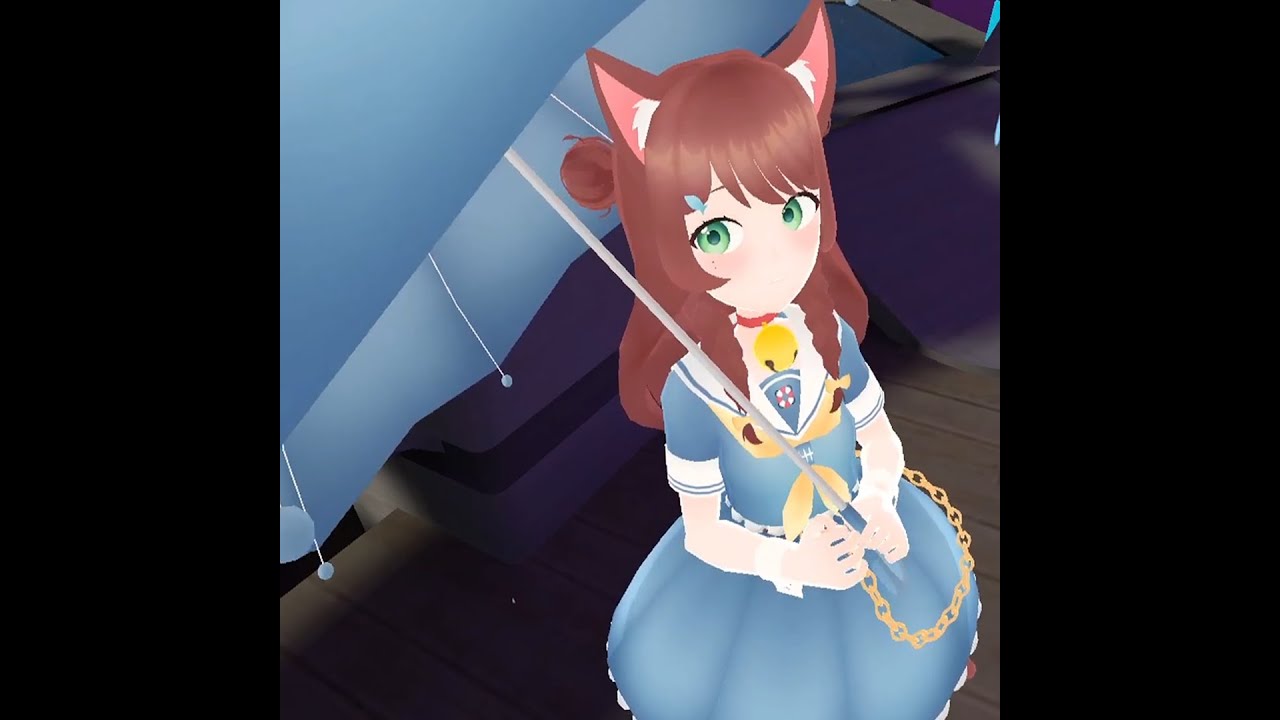
In my experiment with the stretching bone parameter I've set up a functioning umbrella that you can open like you would a real one. Then because I had to be extra I set up rain and collision for it so you can stay nice and dry!
Don't forget to like/comment/subscribe and check out my Patreon if you like videos like this and want to help me make ...
cedar maple
hardy estuary
before doing a canny , i want to find out what the behavior is from the devs the...
Might need to make a canny to get that attention in the first place xD
hardy estuary
ill go try to get some data in vrc then to see the distance at witch it turns off
cedar maple
Yee lemme know if you make a canny
torn tendon
I love the new dynamics, but it makes me so uncomfortable going into public worlds with my tits bounding around infront of little kids,and I know I know you can turn it off but I like it :,)
 shell yarrow
jagged sigil
Having a lot of fun with avatar dynamics, set up a working umbrella using a phys...
shell yarrow
jagged sigil
Having a lot of fun with avatar dynamics, set up a working umbrella using a phys...
Do I want to know how every single raindrop is handled or will that make me cry
short narwhal
torn tendon
I love the new dynamics, but it makes me so uncomfortable going into public worl...
maybe you shouldn't have your boobs be that cartoonishly bouncy
jagged sigil
shell yarrow
Do I want to know how every single raindrop is handled or will that make me cry
Horizontal billboard particles with collision
Max particles 100
shell yarrow
Alright that's pretty neat then, and looks great !
torn tendon
short narwhal
maybe you shouldn't have your boobs be that cartoonishly bouncy
Now how is that my fault
There’s not a setting on how to turn it off
short narwhal
well if you uploaded the Avatar yourself it would be if it's a public Avatar Fair
thorny isle
torn tendon
There’s not a setting on how to turn it off
you can make one 
torn tendon
I don’t have the creativity for that
And idk how
Plus unless I ask the creator I don’t think I can if I’m mistaken?
hardy estuary
shell yarrow
Alright that's pretty neat then, and looks great !
could you help me answer my earlier question Ruuubick about the distance for new Physbones?
shell yarrow
What about it ?
hardy estuary
for tall avatars ...or just generally long ones, the dynamic bones had a render distance of 10 meters but that could be animated to be longer so that people far away would not see them stiff. That seems to not be a value that's accessible on the new phys bones. Or is it and im not looking in the right spot.
its very noticeable around giant model since they reach that 10 meter away pretty fast
Example is : if i wanted to make a big flying dragon model for a fantasy world , everyone sees a stick flying around instead of a long snaking tail .
 trail valve
Hello! I was wondering if anyone can help me with this or point out what I am missing here?
Before Physbones, I had a simple blendshape toggle going from longhair to short hair. I toggle off the Dynamic Bones so that there is no deformation when the blendshape is activated.
When updating to Physbones however, I discovered that simply toggling off the Physbone script on the bone doesn't quite work the same as apparently the bones remember what position they're in when the bone script is deactivated? instead of resetting to un-weighted state?
I tried making multiple animations that de-activated the bones first, wait a sec and then activate the blendshape, no luck.
I tried animating the parameters so that the hair is stiff before de-activating the script (or even leaving them on since they're stiff) and activating the blendshape, but the parameters don't seem to stiffen the hair in-game..
Please tell me I'm missing something ;-;
 thorny isle
trail valve
Hello! I was wondering if anyone can help me with this or point out what I am mi...
thorny isle
trail valve
Hello! I was wondering if anyone can help me with this or point out what I am mi...
there’s a canny about this
not really sure what you can do
possibly toggle off, on, then immediately off to reset hair position
or animate the hair bones themselves to an idle position when off..?
shell yarrow
hardy estuary
for tall avatars ...or just generally long ones, the dynamic bones had a render ...
That sounds like a canny request !
torn tendon
Do you have a link to the canny? Id like to read it🤔
hardy estuary
shell yarrow
That sounds like a canny request !
It will be , i just wanted to confirm with a dev that the feature was removed or adjusted
trail valve
thorny isle
https://feedback.vrchat.com/avatar-dynamics-reports-and-feedback/p/1184-physbone...
Ah- I see, thank you ;-;
shell yarrow
hardy estuary
for tall avatars ...or just generally long ones, the dynamic bones had a render ...
I've been told there is currently no distance culling with PhysBones
hardy estuary
alright,maybe it was still on dynamic bones when i saw it , i'll have to check that again more in depth , thanks for confirming it
slim olive
I put avatar dynamics on my avatars ears and they jitter and shake when im not moving, any way to fix this?
vestal hearth
slim olive
I put avatar dynamics on my avatars ears and they jitter and shake when im not m...
sounds like the root bone is inside of the head collider
slim olive
vestal hearth
sounds like the root bone is inside of the head collider
so remove the bones from it?
 balmy ravine
hardy estuary
alright,maybe it was still on dynamic bones when i saw it , i'll have to check t...
balmy ravine
hardy estuary
alright,maybe it was still on dynamic bones when i saw it , i'll have to check t...
Curious why, for the example you gave, you would use physbones instead of making animations for it flying that blend based on velocity?
slim olive
ive been told the dynamic bones need to be huge
slim olive
vestal hearth
sounds like the root bone is inside of the head collider
how would I fix that?
vestal hearth
slim olive
how would I fix that?
make the head collider smaller
or move the phys bone script onto a bone further in the bone chain
balmy ravine
slim olive
how would I fix that?
for ears don't use a head collider, set an angle limit instead
slim olive
I didnt make a head collider
vestal hearth
maybe you just have weird phys bone values
make sure you dont have momentum or gravity turned up really high
slim olive
 vestal hearth
ah yes
slim olive
all at 0?
hardy estuary
balmy ravine
Curious why, for the example you gave, you would use physbones instead of making...
I gave a top of my head example for a large avatar seen at a distance. if you want a better one , ...a giant with very long hair.
vestal hearth
you gotta specify a root bone for the script to use
balmy ravine
you don't have to specify a root bone, it uses the bone its on if not specified
vestal hearth
oh does it?
slim olive
omg im getting so many mixed answers this doesnt help....
im being told to put gravity and 0 then told not to, told to make my bones giant and told not to change them......
vestal hearth
well no one said not to put gravity to 0
it takes like a few seconds to give it a shot lol
jolly crane
@slim olive try switching to Advanced integration mode, and reduce your Pull a lot
slim olive
nvm
jolly crane
the pull on my avatar's ears is literally 0.05
 finite plume
Hate the colliders, maybe Im not good at it or maybe someone can help me understand them better...
I'm trying to make decent colliders for her skirt so her skirt doesnt go through her legs x.x I'm not sure how the damn colliders work on phybones
 cedar maple
You actually don't have to use colliders for a skirt! You can use the new rotation limitations
With a bit of tweaking the pitch and other rotation limits you can essentially tell the bones to never be given the opportunity to go in there
 stone bane
fierce lantern
Also when I reset the avatar the punch sound effect works again
stone bane
fierce lantern
Also when I reset the avatar the punch sound effect works again
Hey! Is there an animation that will toggle off the audio source when nothing is in contact? It sounds like you're able to activate the punch but it never turns off the audio source to reset. I'm at work right now but I can share my set up later if you still haven't figured it out! I have a kick noise on my avi from The Simpsons Hit and Run 
finite plume
cedar maple
You actually don't have to use colliders for a skirt! You can use the new rotati...
?
 cedar maple
Yeah you can set it as a hinge and adjust settings, you should mess around with it a bit!
If you don't like it then you could just stick with what you were doing before I'm no expert on what skirt users like lol
torn tendon
finite plume
I'm trying to make decent colliders for her skirt so her skirt doesnt go through...
You can offset the colliders and make them massive, but then you need to prevent interaction with all colliders except for the feet/legs.
 ember trout
Hi. With DB, I can exclude earrings using exclusions. Might I ask anyone who knows more about Phys what the equivalent is?
Basically, what is happening with the earrings I added is something that I know happens with Dynamic Bones: The earrings will pivot away from the ears. I know how to fix it with DB, but since the issue cropped up again with the new Phys Bones, how do I fix it? The stars are the earrings.
 finite plume
torn tendon
You can offset the colliders and make them massive, but then you need to prevent...
finite plume
torn tendon
You can offset the colliders and make them massive, but then you need to prevent...
XD I have no idea what you mean by that, photo?
 past mountain

 stuck wadi
just here to share this ticket that prevents avatars with constrained arms from interacting with others.. would be nice if people upvoted :3 https://feedback.vrchat.com/avatar-dynamics-reports-and-feedback/p/1181-auto-generated-collider-customisation-for-constrained-rigs
 candid ginkgo
shell yarrow
I've been told there is currently no distance culling with PhysBones
candid ginkgo
shell yarrow
I've been told there is currently no distance culling with PhysBones
Interesting to know! Although honestly, given how good my performance has been since the update, aside from the excessive logging issue that’s since been patched, distance culling probably won’t have to be a resort anymore if things keep up well ^^
 bright bolt
there is a bug (of sorts) with physbones, when the script is turned off by an animation the bones are frozen in whatever position they were in, for most cases you probably want it to reset to the default pose when unaffected by physbones (and this is how it works with Dynamic Bones)
 north raptor
Hey guys all of a sudden the interaction with the physbones in the unity game window has stopped working. Any ideas on how to fix this?
 mellow citrus
My avatars ears are vibrating even though there is no head collider to interfere with the ears???
ember trout
Hi. With DB, I can exclude earrings using exclusions. Might I ask anyone who knows more about Phys what the equivalent is? Basically, what is happening with the earrings I added is something that I know happens with Dynamic Bones: The earrings will pivot away from the ears when the ears wiggle. I know how to fix it with DB, but since the issue cropped up again with the new Phys Bones, how do I fix it? The stars are the earrings.
 fierce lantern
stone bane
Hey! Is there an animation that will toggle off the audio source when nothing is...
fierce lantern
stone bane
Hey! Is there an animation that will toggle off the audio source when nothing is...
I don't have an off animation, I will try doing that, thank you
 junior charm
I have self interact on, but am unable to grab both my own phys bones and others phys bones. My bones can be grabbed, i just dont seem to be able to grab anyones, but all my settings are set to be able to
any ideas?
simple elk
Enable ingame debug see if its has any radius to grab , autoconvert in vrchat rarely has
mellow hawk
ember trout
Hi. With DB, I can exclude earrings using exclusions. Might I ask anyone who kno...
You can exclude bones by adding them to the Ignore Transforms list. It defaults to 0.
junior charm
simple elk
Enable ingame debug see if its has any radius to grab , autoconvert in vrchat ra...
other people are able to grab the things I seemingly cant, unsure if its the collider radius on my digits or what
but I can interact with phys bones, just not grab
ember trout
mellow hawk
You can exclude bones by adding them to the Ignore Transforms list. It defaults ...
Thank you.
gritty valley
there's a min velocity option for receivers, is that a world scale or player scale thing? because the speed of a 10ft avatar's punch vs a 10cm avatar punch will differ
right?
 feral violet
any big brains know why a parent contstraint on a phys root bone, disallowed grabbing on all the phys bones in the chain, except for the root? Basically if you want to grab a foot, but the phys bone root is on the thigh, you can only grab the thigh, not the food or lower leg
 sleek lance
Hi. Is there a Unity emulator to test the IsGrabbed/IsStretched parameters without having to enter the game to test it? I currently have the latest Lyuma avatar emulator but it doesnt call the parameters when stretched (they do work when I enter the game, so they are set up correctly)
 errant carbon
Anyone got a good tutorial for setting up smacking? I've seen videos of people clapping eachoher and smacking their heads etc. I set mine up with Constant/Proximety both working but On Enter (prefered method) does not work. My guess is my animation doesn't finish because On Enter is only one frame and I'm doing something wrong.
mellow hawk
feral violet
any big brains know why a parent contstraint on a phys root bone, disallowed gra...
Not 100% sure why, but have seen that when you use parent constraints to update a bone's position and animate them. The constrained bone does not update the grab colder position, but still updates the physics for secondary motion.
Some in-game screenshots with debug overly may help to figure it out.
Side note the docs do say it can cause lots of problems to put Phys bones on the Humanoid rig Bones
 spark vigil
what is up my dudes
mellow hawk
Bones go wiggle ofc
feral violet
mellow hawk
Not 100% sure why, but have seen that when you use parent constraints to update ...
funny you mention it. I literally just discovered that. The air space where the T pose would be before the constraint, can grab the phys bone...So I guess thats it then. I don't think I am smart enough to fix that. Thanks for confirming it, and answering =)
 onyx vapor
mellow citrus
My avatars ears are vibrating even though there is no head collider to interfere...
onyx vapor
mellow citrus
My avatars ears are vibrating even though there is no head collider to interfere...
one of my avatars is doing this and i cant figure out why! (in unity the ears are fine, but in game the ends of the ears continually vibrate with no collider for them touching, and while standing still)
😦
 tranquil smelt
errant carbon
Anyone got a good tutorial for setting up smacking? I've seen videos of people ...
tranquil smelt
errant carbon
Anyone got a good tutorial for setting up smacking? I've seen videos of people ...
What's not working?
[entry] -> [waiting, sound off] ---(on enter = true, no exit time)--> [sound animation] ---(exit time = 1, no condition)--> [waiting]
the sound animation should be as long as the audio. all transition duration = 0
 cold cairn
anyone know how to fix this i have thigh bonesb ut they are turning into this after a few minutes of hanging out in a world with people
 errant carbon
tranquil smelt
What's not working?
errant carbon
tranquil smelt
What's not working?
ty I'll try those settings later. It doesn't play the sound with On Enter but does with Constant and Proximety.
mellow citrus
cold cairn
Are there any physbones and/or colliders on the thighs?
cold cairn
mellow citrus
Are there any physbones and/or colliders on the thighs?
phybone
 gloomy jewel
how do i update my sdk to the new one
mellow citrus
cold cairn
phybone
Could the bones be automatically colliding with something? I noticed when converting dynamic bones, physbones adds collisions in my avatar descriptor.
cold cairn
mellow citrus
Could the bones be automatically colliding with something? I noticed when conver...
how do i remove that?
mellow citrus
cold cairn
how do i remove that?
you may be able to just uncheck the collision box in the thigh's scripts, though i'm not sure. I'm still learning about physbones.
cold cairn
same
tranquil smelt
errant carbon
ty I'll try those settings later. It doesn't play the sound with On Enter but d...
i've implemented high five with on enter with those exact settings
errant carbon
tranquil smelt
i've implemented high five with on enter with those exact settings
ty. It worked.
finite plume
So I just watched the VRChat Avatar Dynamics Tutorial - PhysBones, and it some extent it makes no sense
 fading pilot
How do you allow something on your avatar to be held by another person without limits? Like how with one of the example avatars in the AD world allows you to grab a chip and take it anywhere else in the world.
 scenic ore
any 200 iq people could help me out. i have receiver/sender setup. but for some reason when the sender gets close to the receiver nothing happens.
 glacial star
Is there any tutorial on how to make high fiving work?
Also, can having an object on the avatar mess up the physbones even when there's no colliders
Ex: a crown or hat
fading pilot
By default, phys bones will only collide with fingertips. In order for it to collide with anything else, it has to be manually set as such
torn tendon

How can I make it so that I can stretch my cheeks far away from my face? I rigged them with a bone but I can't stretch them out I can only pose them and move them
simple elk
need 2 points, one where you stretch from and other can be fake but not near where the first one is
torn tendon
So I need a fake bone of which it will stretch towards?
simple elk
exsample, bottom one is too close to other bone/gameobject it wont be able to stretch | other is sliightly from origin and is allowed to stretch, further away it is - longer it can stretch
onyx vapor
fading pilot
How do you allow something on your avatar to be held by another person without l...
+1
I tried to figure this out but have had no luck - hopefully someone can give some advice/tip on how to achieve this
torn tendon
simple elk
exsample, bottom one is too close to other bone/gameobject it wont be able to st...
so i need more end length?
torn tendon
ahhh
 scenic crown
Any reason why they they didn't add thumb to the descriptor colliders?
simple elk
Can try showing a empty gameobject slightly from cheek and put the cheeks inside em , that should be able to be stretched
torn tendon

I added empty game objects to my cheek bones that have Physbones on them, I have the stretch maxed out but it still doesn't stretch
I'm so confused
I can only push it apparently
simple elk
futher away gameobject is longer it can stretch
torn tendon
 simple elk
(yep that work, tried it on a eye its allowed to be stretched)
 torn tendon
ahhh
simple elk
gameobject way inside my head

 simple elk
i used 5, cause its pretty small distance (also testing)
fading pilot
onyx vapor
+1
I tried to figure this out but have had no luck - hopefully someone can give ...
Did some testing and found that one, there is a limit, and two, there's three chips that are connected to bones that can be grabbed. So it's probably just some phys bones settings, plus animations reacting to being grabbed and released
simple elk
set pull to 0 it will stay there, until avatar moves anyway
 onyx vapor
fading pilot
Did some testing and found that one, there is a limit, and two, there's three ch...
onyx vapor
fading pilot
Did some testing and found that one, there is a limit, and two, there's three ch...
Hmm so just reallllly stretchy phys bones. I'll try that out
torn tendon
I can't get it working, no idea why
 autumn zenith
Is the Phys Bone collider only used to collide with physbones or can it be used to setup the physbone collision radius?
 simple elk
other way around, gameobject first and inside head
torn tendon
So the bone has to be out there and the game object in there?
simple elk
bone can stay where it is
torn tendon
Will the cheek or game object have the physbones script?
simple elk
game object
queen knot
can a physbone be squished inward or only stretched?
simple elk
yes with contacts it can
queen knot
oh, but grab stretching no?
torn tendon
I'm so dumb, I can't figure out why it doesn't work aaaaaa
The game object root transform should be the cheek right?
simple elk
nope, inside the head
simple elk
fake grab setup, you can use a bone / gameobject
futher away the gameobject is, longer you can stretch it, set pull to 0 it will stay where its moved
 queen tinsel
does anyone have any good physbone settings for butts?
torn tendon
I coped your settings to grab my cheeks and it still doesnt work aaaaa
I am just hella dumb I guess rip
I managed to get it!!
im just hella dumb!
thank you so much for helping me
autumn zenith
@simple elk Do you have to use a emulator to mess around with your phys bones?
simple elk
Dont need one, but i do have av3
play mode > game tab, click and drag stuff, must have radius on physbones to make it work
 brazen moth
Is anyone having problems with the new SDK not working with Parameters?
I was able to get one avatar to work just fine but with the new avatar it won't let me
forest sinew
is there a way to test the dynamic interaction in unity so i dont have to go ingame to test?
brazen moth
forest sinew
is there a way to test the dynamic interaction in unity so i dont have to go ing...
Look at the message before mine
forest sinew
brazen moth
Look at the message before mine
that doesnt work
brazen moth
Make sure you have a Radius


 jade tusk
It's weird, contact sender/receiver testing used to work in Unity for me a few days ago, but suddenly it stopped working
forest sinew
i see
ember trout
So, sorry to interrupt, something I used to do with DB is that I would set up a collider below my avatar so things like tails don't clip into the floor. Do I need to do that with PB, or is that already factored in?
jade tusk
Still manual, but with PB you can use a collider plane which is way better than a bigass sphere
noble ivy
okay so i was having some odd behaviours with my skirt earlier and was advised to move up the root of the bones (as well as making the thigh collider smaller, which i will do when i hit unity this time lmao) - is this about where i want them now? i figure if i put the roots higher it will clip through the jacket. but the bones are now much bigger than they started, will i need to compensate for that at all with anything?
 ember trout
jade tusk
Still manual, but with PB you can use a collider plane which is way better than ...
ember trout
jade tusk
Still manual, but with PB you can use a collider plane which is way better than ...
Ok. Thank you.
brazen moth
jade tusk
It's weird, contact sender/receiver testing used to work in Unity for me a few d...
You're right it's not working for me either
 ionic mango
Does anyone know why adding this section of hair to my ignore transforms causes the head to be made dynamic? it makes it so my head doesnt track at all in game

 noble ivy
You can't put physbones on important humanoid bones like head, you'll want to make a new bone between the head and hair strands
ionic mango
oooh, okay i did not know, thanks I'll try that
ember trout
jade tusk
Still manual, but with PB you can use a collider plane which is way better than ...
Do you perchance know how to resize the plane collider? It's too small for my avatar, or so it seems.
short narwhal
ember trout
Do you perchance know how to resize the plane collider? It's too small for my av...
you can't resize it as it's infinitely big
like the little small square with the arrow is just visualizing the angle
ember trout
Ah, I did not know. It looked small.
 hard holly
Hey when someone poses your physbones, is there a way to reset the pose easily?
slim olive
trying to put sounds on a dynamic interact receiver and what is some good audio settings for max and min so the audio can be heard? it seems no matter what i do its way too quiet but in unity its loud
hard holly
Or is reset avatar the only way
short narwhal
hard holly
Hey when someone poses your physbones, is there a way to reset the pose easily?
basically just grab the bones again and let go?
 latent mirage
Wings are screwed up :c These round tips are rotating rapidly, not sure how to fix

 onyx vapor
i -think- if you animate the transforms of the bones on the gesture layer they maybe snap out of pose mode (this is what seems to happen but i havnt tested it 100%)
jolly crypt
is there any way for the contacts to know where they were touched? like so a sword could make a spark in the correct spot when 2 of them collide
noble ivy
I'm not an expert but from what I understand about collision detection that is waaay more costly of a calculation so probably not
torn tendon

im trying to make a avatar with physbones but if i try testing it sends me to my VRC avatar discriptor and says this in console
onyx vapor
ok I figured out an issue that had me stuck for ages, figured Id share - It seems that you can not interact with phys bones in the "Game" window unless you have "Display 1" selected (I mostly happen to use a camera attached to Display 2 when testing avatar things in play mode)
torn tendon
onyx vapor
ok I figured out an issue that had me stuck for ages, figured Id share - It seem...
where do you find display one
also
do you mind helping me with physbones
onyx vapor
 torn tendon
ok
onyx vapor
I am still learning phys bones myself xD
that error you posted sounds like you have some script on your avatar that is beig funky
torn tendon
torn tendon
im just trying to add them to a marine jacket but the thing keeps giving me this error
torn tendon
onyx vapor
that error you posted sounds like you have some script on your avatar that is be...
i removed all the dead scripts
onyx vapor
do you get the error if you dont add any phys bone component?
onyx vapor
so its not an issue with phys bones, some script you have in your project is being funny
torn tendon
will it do it if the avatar is ripped cause i had to rip the model back after losing it
onyx vapor
I dont know, and im not keen on helping if its for a ripped avatar
onyx vapor
it mentioned "bitactionswitchcreator", maybe there is some script named that
I understand that justifies it for you
onyx vapor
i dont know what it is, but maybe try removing/adding things related to it?
torn tendon
the bit action switch had a funky script
torn tendon
onyx vapor
i dont know what it is, but maybe try removing/adding things related to it?
easy way of doing toggles without animating
its working
onyx vapor
huzzah

 mellow hawk
optimize time in blender time 
jolly crane
doesn't matter? Blender is a very powerful piece of software that can do many things, including editing any model
that model should not ever touch the quest platform in its current state
jolly crane
I would strongly recommend using the "Bake" tool in the CATS blender plugin, it's as simple as it will get for optimizing
torn tendon
torn tendon
i dont know how to use it tho
^Read^
noble ivy
torn tendon
well i kinda need it uploaded by tomorrow
then you better learn to use blender FAST
mellow hawk
if you really lazy, you could use the CATS plug in to decimate it, and make a texture atlas
torn tendon
all ik how to do in blender is export a already made fbx
jolly crane
better yet, CATS Bake like I said
torn tendon
how do i even get that model in there
jolly crane
it's essentially a 1 click optimizer
jolly crane
torn tendon
how do i even get that model in there
open blender, File > Import > FBX
and also, move to #3d-modeling
mellow hawk
Heres how it looks btw
 onyx vapor
Is there a performant way to extend how far a phys bone can be stretched while keeping its "pivot"(?) point as-is? At the moment I am daisy-chaining a bunch of empty game objects out and then back in (overlapping) so they kinda unfold as you drag the bone - allowing for a longer range grab and stretch. But this obviously means I'm adding a bunch of affected transforms.
(my intention is to be able to have an accessory, like a hat, picked up and dragged away from the avatar a good distance)
(by another player)
mellow hawk
have no idea how to visualize that lol
Are you more or less trying to make a rubber band with PB?
jolly crane
they want people to be able to take a hat from them and run away with it
mellow hawk
If they don't want it back, I feel like you could do some magic with like parent constraints and world space. Depends if they want it to be quest compatible tho.
I did see something on Twitter about a player tracker that may be useful for this? idk lol
jolly crane
yea, hfcred's player tracker
I actually was talking to him about a similar thing earlier
also hi aero
 shut hemlock
hi sacred
Unlike Dynamic Bones, the root bone of a PhysBone chain is permitted to rotate. It can't translate, though. This can have some consequences with certain setups-- try things out on your own to see how it behaves.
Can't seem to get rotation to work at all 🤔 trying to do tail wag animation by changing the rotation of the root phys bone, which shows as expected in unity but does nothing ingame
av3 emulator also shows it doing nothing, im probably doing something dumb
jolly crane
checklist:
- animation in Gesture controller?
- created new Avatar mask for tail with all humanoid transforms set to red, and only the tail bones selected?
- have a custom FX controller? can be either your main one or empty, it just can't be left at default
shut hemlock
created new Avatar mask for tail with all humanoid transforms set to red, and only the tail bones selected
I dont have avatar mask but is that an issue if I manually specify rotation via the hierarchy view? never touched masks before and ive made animations like this before without issue though not with physbones
unity tutorial says you can apply an animator mask to an animation but doesnt explain how 💯
jolly crane
shut hemlock
unity tutorial says you can apply an animator mask to an animation but doesnt ex...
not to an animation, to an animator layer
you click the gear icon and pick a mask
can you show how you have it set up in your Gesture controller?
mellow hawk
Here's a weird question, how does the parameter part of phys bones work. The docs explain it really poorly lol.
The docs say it has three new prams. Do you just add the {pram}_{whatever} to your controllers' prams list and pram obj? Also do you need all three, or do you just ignore any you don't want?
jolly crane
mellow hawk
Here's a weird question, how does the parameter part of phys bones work. The doc...
you only need to add it to your animator, not to your synced params. you only need to add the ones you want to use
mellow hawk
Ah right, that's fair, it is a driver after all.
If you dont have to add it to you're prams, then it doesn't count against the bit limit right?
jolly crane
correct
think of it this way
your limbs are IK synced anyways
if you grab, let's say, one of your ears, the contacts came into contact on both your end and other people's ends
the logic happens locally on both ends
no syncing
mellow hawk
Ah nice, so this is even crazier than I thought it was.
Free drivers sound like fun to mess with. thx bud.
Just thought of something, I assume because it's not in the prams obj, you cant read the date over osc?
mellow hawk
Project ideas exploded, this can more or less just be free input for osc stuff.
jolly crane
kek
mellow hawk
well, there goes a week... lul
 exotic pollen
i was wondering if someone could help me with making items that i can say grab from my hip or back
i dont really know much just the basics of the last avatar update
 viral current
Hey can the physbones be grab while being constraint? I want something like a switch, rotates 1 axis only.
jolly crane
viral current
Hey can the physbones be grab while being constraint? I want something like a sw...
yes, that's what the Limits are for
you would want it set to Hinge
viral current
Alright thanks.
onyx vapor
If i have a bone with 0 pull, this means that if someone grabbed the bone and move it - it would stay at that spot (even if they didnt press the trigger to pose it there) - I assume this is correct
How do you reset a bone like that to resting position? Is it possible?
Also, is there a way to detect if a bone is currently posed?
 frank minnow
what's a good velocity for a sword's striking contact receiver?
shut hemlock
shut hemlock
`created new Avatar mask for tail with all humanoid transforms set to red, and o...
just for future reference, I fixed this issue with help from sacred, turns out you need to enable a checkbox in the physbones that lets their root transform be animated
remote ferry
onyx vapor
Is there a performant way to extend how far a phys bone can be stretched while k...
Two ways to go on about this, but both need constraints and are therefore not quest compatible
You could either use a tracker that follows the hand or make the root of a bone follow the end of the bone with a constraint, which will cause a feedback loop
So when you stretch the bone the root will follow where you stretch it. Letting go will then cause the bone to be left in world space and can be grabbed by other people, like a world prop essentially
Both of these methods have infinite distance
onyx vapor
That is a really interesting idea! thanks I'll try it out
onyx vapor
So I cant seem to get that idea to work
When i stretch the bone it still obeys its normal stretch limits, although when i let go the parent constraint then kicks in and moves the root to the place where i dragged it to (but only as far as the initial stretching distance went)
onyx vapor
thanks ill check it out!
remote ferry
Obviously you still have to put this inside a world constraint
Otherwise it will just move with your avatar when you go into locomotion
onyx vapor
yep
remote ferry
But other than that just drop it in there, go into playmode, grab the cube and it will follow
Anything inside the container will follow the bone
You can make it snappier by reducing the weight of the grabber source in the Parent Constraint from 1 to 0.5
worn mica
Idk how people come up with those genius ideas but it's awesome I might try to do something with that as well-
remote ferry
I made that on day 2 when the beta released so I don't know how well it holds up now with all the changes made to phys bones
onyx vapor
there is an animator on "rotation restriction" missing a controller, anything important ?
remote ferry
Uuuuuh
Ah wait that's the wrong prefab
That should be it
If you don't want all the rotation jank going on you can unfreeze the rotation axis in the Parent Constraint settings
onyx vapor
thanks!
remote ferry
Also this
This was the last version that I worked on
It has a system on it that prevents it from rotating when being moved but allows it to be rotated when holding still
It was ultimately deemed unviable because of several reasons, but maybe you can do something with it
We are really close to figuring it out tho and then we will package it up and release it publicly
thorny isle
ima be honest, didn't think inside colliders had a use until that physbone canny
now i just cant live without
https://cdn.discordapp.com/attachments/666699982404976672/967625922092077087/t3j3RdXlha.mp4

 noble ivy
Thank you I'll try that next
 remote chasm
what bone should i have my tail parented to? should i make a new bone?
 steel thistle
remote chasm
what bone should i have my tail parented to? should i make a new bone?
steel thistle
remote chasm
what bone should i have my tail parented to? should i make a new bone?
Most of the time: Hips
remote chasm
steel thistle
Most of the time: Hips
these pelvis bones?
 steel thistle
remote chasm
these pelvis bones?
steel thistle
remote chasm
these pelvis bones?
Yes
remote chasm
oki cool
so do i just set up the pysbone component to both of the bones the exact same?
steel thistle
remote chasm
so do i just set up the pysbone component to both of the bones the exact same?
Which bones? It isn't the tail a single chain?
remote chasm
yeah it is
am i supposed to set up the pysbone on the root of the tail?
i thought it was whatever its parented to
steel thistle
remote chasm
am i supposed to set up the pysbone on the root of the tail?
Usually to where you want the physbones to start effecting, which is the tail root
remote chasm
alright cool
 bleak light
https://twitter.com/sika_VRChat/status/1518879114899628032?t=h_iktg-MvAchOn4yY9mY9Q&s=19
anyone have any idea how they managed to get their entire head to be a physbone? I thought that just broke your armature?

 steel thistle
bleak light
https://twitter.com/sika_VRChat/status/1518879114899628032?t=h_iktg-MvAchOn4yY9m...
steel thistle
bleak light
https://twitter.com/sika_VRChat/status/1518879114899628032?t=h_iktg-MvAchOn4yY9m...

 flat palm
beat me to it
simple elk
Thats contacts + parameter that tells it to scale/do stuff , not a physbone
notice they arent grabbing anything, but touching
noble ivy
simple elk
zero radius on your bones
i must be missing something. i enlarged the skirt bones but it still does the same thing

oh wait that's not the value i put in i must have edited it in play mode
okay radius is 0.03 and it's still doing it
simple elk
way bigger , add curve to get a teardrop shape

 flat palm
oo never thought of using a curve, thats awesome
noble ivy
Ooooooh awesome
 queen gust
thorny isle
now i just cant live without
https://cdn.discordapp.com/attachments/666699982404...
queen gust
thorny isle
now i just cant live without
https://cdn.discordapp.com/attachments/666699982404...
i love that sheathable blade, would you mind showing me how you made it, i would really like to replicate this kind of effect
(i was with sipp at the party last time when you showed it off a little, that's why)
 thorny peak
I have a physbone problem
This avatar has 2 symmetrical pigtails, both with the same physbone settings, and yet one of them really wants to be thrown over the shoulder and i do not know why
I have already tried the following:
- Checking the config
- Turning off Allow Collision
- Disabling colliders in the avatar descriptor
Among other stuff, but I can't really remember

 austere hazel
Does anyone know how to add the premade colliders to a physbone?
Or are they added by default?
thorny peak
Go to the avatar descriptor and scroll to the bottom, then find the colliders drop down
thorny isle
austere hazel
Or are they added by default?
yes, if you have Allow Collision checked on your physbone
thorny peak
you can change the size and position of the default colliders, or disable them
austere hazel
Where can i locate them?
thorny peak
thorny peak
Go to the avatar descriptor and scroll to the bottom, then find the colliders dr...
.
thorny isle
queen gust
i love that sheathable blade, would you mind showing me how you made it, i would...
i can attempt, but i’m not a tutorial person 


 thorny peak
yes
austere hazel
So i guess it would be benefitial to have the head to be custom, so i can select what bones it interacts with?
thorny peak
i don't know if that's hw it works
flat palm
thorny isle
i can attempt, but i’m not a tutorial person <a:VelPat:817527809613365249>
i didnt see this and its absolutely awesome! would also be interested
queen gust
thorny isle
i can attempt, but i’m not a tutorial person <a:VelPat:817527809613365249>
that's fine, i just wanna know the basic of how it works
may i dm you?
flat palm
i only saw the first post with the meat haha
thorny peak
thorny peak
I have a physbone problem
This avatar has 2 symmetrical pigtails, both with the...
If anyone can give some suggestions on how to fix this i would be very happy
thorny isle
queen gust
may i dm you?
yeah, but i’m in class currently so it’ll be a bit before i can respond
simple elk

yes
There used to be self collision tag, but that poofed from sdk
My friend has a bird av , had to turn that off or his hands would interact constantly with the feathers thats inside the hand, could just disable them but then he cant interact with others
 lofty walrus
Hey guys, any idea why PB won't work on my hair? Everything looks parented properly in blender
 simple elk
got end point + radius ?
lofty walrus
oh shit... the end points.
simple elk
it requires min 2 bones/whatever
lofty walrus
forgot about those. Funny how some done need them
simple elk
gameobjects can be used too
lofty walrus
let me set up and test again.
 obtuse wharf
So I purchased this model, and when I try to upload it using the original 3.0sdk (original as I’m not the one that’s released not using physbones/before physbones), the hair comes out wonky like this. The model is using dynamic bones plugin. Im not sure why it’s acting like this. The dynamic bones work, but the hair that’s floating up shouldn’t be doing that. Her hair and dynamic bones act as expected in Unity when play tested but after sdk export and test in vrchat she’s buggy
 flat palm
do you have conversion to physbones on in your vrc settings?
obtuse wharf
flat palm
do you have conversion to physbones on in your vrc settings?
I’m actually not sure.. if that’s on by default then I probably do & don’t know how to toggle it off. I’m new to VRChat atm
flat palm
it is, its in the safety settings somewhere i believe, just keep in mind physbones are the default now
reddit
0 votes and 5 comments so far on Reddit
found this thread that might help ya
obtuse wharf
Tysm! I’ll give it a read
lofty walrus
obtuse wharf
So I purchased this model, and when I try to upload it using the original 3.0sdk...
 noble temple
So question.. I know there are the orbs that use the World Constraints.. has anyone made any alternative with the Physbones?
 sage sail
@steel thistle Sure, sorry about that
steel thistle
sage sail
<@805875523602481172> Sure, sorry about that
It could be something that we're missing about what physbone doesn't allow animation to do
sage sail
That may be it, something undocumented about Phys Bones
steel thistle
very edge case it is
steel thistle
sage sail
That may be it, something undocumented about Phys Bones
btw, how many bones are on one wing?
steel thistle
Curious about one thing, if without translation movement on animation, do the wings have holes exact like when physbone is on?
sage sail
For anyone wondering where this conversation came from, phys bones has messed up my wings by misaligning them and showing feather clipping and holes where there shouldn't be. This wasn't an issue until this update.
The wings use both transform and rotation on a blend tree
We tested using all three limits, angel, hinge and pivot, to no apparent change.
Is Animated is checked
Collision is set yo be extremely small, and when removed does not solve the issue
We tried resetting the armature's pose in the rigging configuration, and then enforcing T-Pose, to no apparent change
The rest position of the avatar is the same in blender and in Unity and in VRChat. This only happens on moving the wings that have phys bones (or dynamic bones) components


 sage sail
steel thistle
Curious about one thing, if without translation movement on animation, do the wi...
sage sail
steel thistle
Curious about one thing, if without translation movement on animation, do the wi...
I can try something
This is what it looks like without translations. Gonna try in game

 fringe iron
How would you make a dagger/sword that you can switch from right side up to pointing down? I've seen a couple showcases of this, but never knew how I'd accomplish it!
sage sail
 sage sail
steel thistle
Looks similar I think?
sage sail
steel thistle
Looks similar I think?
Yeah, was thinking the same thing, and the blendtree also has some resemblance to the issues I am having
I think in-game, it looks the same, if not a little worse