#avatar-dynamics
1 messages · Page 6 of 1
 tacit pivot
I'll try playing around with WD. It was originally on and I clicked them off just now.
Turning them on results in the animation getting stuck in a loop. Turning them off makes the gesture expression stuck and clicking the expression off will not revert the expression.
Possible hint at the issue:

 little locust
I'm trying to learn Avatar Dynamics so I'm doing something simple: When the chest is opened past a certain point it plays a sound. However no matter what I do I can't seem to get it to do anything.


Does anyone know and can explain to me why this simple toggle isn't working?
 gritty turret
little locust
Does anyone know and can explain to me why this simple toggle isn't working?
gritty turret
little locust
Does anyone know and can explain to me why this simple toggle isn't working?
Which Parameter name did you set on the PhysBone component?
little locust
I figured it out, it was a weird issue with the controller not working properly if it was added to the avatar in play mode and not anything I messed up in the creation of the toggle
Just Unity being Unity
Me: "You should be productive and learn how Avatar Dynamics work, you've been putting it off for a long time."
Also me:
gritty turret
little locust
Me: "You should be productive and learn how Avatar Dynamics work, you've been pu...
Beautiful.
 clever storm
question
how would yall try to optimize a physical accessory
as in
wanna make a hat that can be worn on the head and taken off and mounted at the thigh
was thinkinga bout weighing it to a bone placed on the hip and using constraints but i wonder if there's an easier solution
that doesnt involve
3 hats
lol
 calm owl
yeah thats usually how single objects in multiple places work, like take a knife for example. A constraint thats usually off that is set up to be on the wrist bone, as it turns on the knife moves from the resting spot to the wrist
 halcyon vault
clever storm
3 hats
halcyon vault
clever storm
3 hats
In a funny way, I'm pretty sure between the 2 options this is the more optimised assuming the logic would never allow more than 1 hat to render at any time. Using a constraint to move 1 hat around would need that constraint's calculations as well which the 3 hats method would never have to calculate.
On the other hand, the 1 constraint is such a miniscule calculation that allows you to drop your material and poly count I use it anyway.
 dark drift
yep, pc - constrain, better rank and ability to add tiny transitions, quest - 3 meshes. If anything, dont do it with blendshapes 
 ebon pendant
squisy bones doesnt changes things to me at all, with any numbers i play around, just acts like there is no changes
why can this be?.. ver 1.1 is chosen
calm owl
squish wont move the first bone or the last bone
so if you only have 1 or 2 bone locations, nothin!
 runic adder
uhh having some slight trouble with setting a Contact size, idk why. Changing the radius literally does nothing for some reason...
in 1 screenshot its at radius 5, then 0.1 and 15 in the others, but its identical in each one for some reason?


 dark drift
@runic adder 5m is the limit. and if your fbx scaling is wrong it could be like 0.0001 to see a difference
runic adder
ok all of a sudden its, like, half-working for some reason?
Im assuming there's some Unity jank at play, idk, but yeah think 0.0005 is around the size want for this
dark drift
@runic adder its your fbx scaling being 100. So your upper limit is 0.05, everything higher will look exactly the same
runic adder
Ohhh ok I didn't realise, that makes snense!
gritty turret
FBX Units Scale is recommended so that your model gets created at a 1:1 Scale properly from Blender.
Oh and the Armature in Blender, you should Ctrl + A = All Transforms so that the Armature Scale is indeed 1.
runic adder
I thought I had done that, but I did add some extra stuff to the mesh specifficaly for experimenting with Dynamics and didn't do it again after that, so maybe it has to do with that I guess?
 silent lava
how do i make objects on my avatar grabbable by other people? 🤔
i know for yourself you use parent constraints but idk about others.
 stiff glen
Do the parts stay on or do you mean objects you want them to be able to hold and move around?
Sorry, should have replied @silent lava
silent lava
stiff glen
Do the parts stay on or do you mean objects you want them to be able to hold and...
aren't both of these the same thing?
stiff glen
you can have grabbable ears, for example
stiff glen
ok - I've used this: https://github.com/sophia1000/Sophias-item-and-weapon-pickup-systems-for-vrchat

GitHub
A system for vrchat that allows others to grab and manipulate a object or weapon on your avatar as though it was a part of the world. - GitHub - sophia1000/Sophias-item-and-weapon-pickup-systems-fo...
Pretty sure there are other examples though
silent lava
stiff glen
ok - I've used this: https://github.com/sophia1000/Sophias-item-and-weapon-picku...
that's weird. i don't have to set up any contacts for this?
pretty cool
🤔
ah
@stiff glen the object doesn't follow the bone it's attached to
there's a world constraint on it. but can i somehow add a constraint to the bone until it's grabbed?
stiff glen
I said I've used it, didn't say I wrote it
silent lava
seems kind of pointless when it's constrained to the world
since it basically means you can only spawn pick ups lol
stiff glen
that's the only way to have something others can grab and take away
silent lava
instead of making things on your avatar actually grabbable
cause there is no point if it isn't constrained to your avatar first
stiff glen
But - you can probably convert an object from something physbone-attached into that world-constrained thing
silent lava
maybe i can add a contact that swaps the constraint to world?
sounds like it could work
stiff glen
just guessing here, but constrain it to a physbone and when that's grabbed, turn off that constraint and on the world one
yeah or a contact. Again, there may be other prefabs, that's just the first one I remembered using
silent lava
the object is attached to my hip so whenever nothing is happening i can set the default to hip constraint and as soon as a hand enters the contact with fist it changes to world constraint
hoping that works
man it has so many constraints everywhere
i don't even know which one to change lol
gritty turret
silent lava
maybe i can add a contact that swaps the constraint to world?
That's definitely possible. What I personally do is make at least 2 conditions on your Animation Transition (one from your Contact, one from your Gestures) so that it fires when you want it to without accidentally triggering it.
Example: Hand inside Contact + GestureRight = 2 (Open Hand Gesture) in order for the Animation to transition.
 uneven thorn
is infinite stretch physbone still a thing? i know some people have done similar things with that. prob not as complex or good looking as world constraints though
silent lava
gritty turret
That's definitely possible. What I personally do is make at least 2 conditions o...
problem is these kind of prefabs have like 10 objects in them with world constraints
so idk which one to change
gritty turret
uneven thorn
is infinite stretch physbone still a thing? i know some people have done similar...
It was made official as of SDK 3.2.0. Update to it if you want to use infinite stretch the quick and easy way.
It changes the Max Stretch value on the PhysBone Component to a text field. So now, all you need to do is just type any number you want. And yes, type in Infinite into that field directly and BOOM it can now stretch to Infinity!
uneven thorn
awesome! maybe that could work :)
runic adder
I added a dynamic into my avvie that triggers a material change to change the color of something, but the friend I tested it with says it's inconsistent on whether the material updates on their end despite it being berry consistent on my end; is there any way to prevent that from happening, or is it just kinda a client-side thing that I can't really do much for?
dark drift
@runic adder use synced setup. one layer with empty states reacts on touching dynamics and empty states have parameter drivers with local only enabled, it drives "normal" synced parameter (different one). second layer just toggles actual animations based on that second param
that way its consistent and triggers only when it triggers for you, downside is a small delay
runic adder
oh ok, I thiiink I get it? I'll try that out quickly ~
gritty turret
Another thing is that Unity 2019 has an infamous bug with Material Swaps where it won’t always work in unlucky situations. Pretty common on Avatars with 4 or more Material Slots on a single Skinned Mesh.
stiff glen
Yeah, animating slots number 2 and 4 is fun
halcyon vault
gritty turret
Another thing is that Unity 2019 has an infamous bug with Material Swaps where i...
Bro I'm not gonna lie, I've seen people strongly suggest that you can't have more than 4 materials per mesh and I loathe that assumption. The issue comes from a single element; #4, it gets applied to #2 when a material swap is animated. As a test I've animated 30 materials all swapping on 1 mesh and never saw it anywhere else.
With that being said, fortunately it's not even a problem anymore. Vrc running on 40f means it doesn't happen in game so as long as your controller logic is sound, you're good.
stiff glen
(you can actually run 40f locally too, where this bug is not present)
also! You can use Poiyomi's "rename when locked" feature to work around it too
 little owl
yeah, for a while PC was on 40f1 but android wasn't, so it wasn't recommended to use it because bundles are not backwards compatible and your content wouldn't load on quest. But now quest is on 40f1 as well so it's fine. We haven't really told people officially to switch to 40f1 because there's not a whole lot of reason to, since the versions are similar and there haven't been any issues using 31f1 bundles in 40f1. But you're welcome to use it if you want and it shouldn't break anything
halcyon vault
oh I'm down
stiff glen
Ahh that's why I had issues with it, good to know
note too that if you want to switch back you'll probably have to delete and re-upload your avatar - I had to, not sure if that's really a thing.
halcyon vault
I'm sure it'll confuse some people when they see me on 40. I look forward to that
little owl
yeah but I don't think there's any reason to switch back to 31f1 now that quest is on 40f1 as well
stiff glen
VCC is going to hate it, and you'll get warnings all over the place, but it'll work
halcyon vault
I'm used to things tossing warnings all over the place
wait it's already installed 
 mellow hawk
Unity: "screams"
Us: "Ehy shut up box"
stiff glen
At this point I don't have any meshes with >3 materials, else I'd be running 40 too
halcyon vault
yeah same. it's only ever 1 or 2 now and colour/texture changes are done through the shader
mellow hawk
tbh I completely forgor that vrc updated to 40f1
halcyon vault
every time I crash it reminds me 
runic adder
halcyon vault
Bro I'm not gonna lie, I've seen people *strongly* suggest that you can't have m...
I only hav 2 materials, and the one I switch out is the 2nd material, does that proc the error? Or does a 4th material need to eggsist too?
oh nvrmnd if it doesnt even happen in-gaym guess it doesnt really matter
halcyon vault
runic adder
I only hav 2 materials, and the one I switch out is the 2nd material, does that ...
you *would need to material swap element 4 of a mesh
little owl
yep if it doesn't happen ingame then that's because unity fixed it between 31 and 40
maybe it's not the exact same bug but it's similar enough, they may have just cleaned up the whole system and fixed multiple bugs while they were there
runic adder
I enabled the Local Only option for the contacts and added the contact parameters to the avvie's parameter thing, hoope that will fix the syncing issue? Couldnt really test it though caus need, y'know, another person in order to dew that, so jus gonna hope for now tha its fixed
dark drift
@runic adder thats... not what i said to do.
runic adder
dark drift
<@267324541389373440> thats... not what i said to do.
then I didnt understand then :oof:
I watched the Sippbox video on contacts for props and she said at the end of it to do that for it to "sync reliably," and since you mentioned Local Only in your eggsplanation I kinda just uh assumed that was it
 clever jetty
Tbf I don't see why making the contacts local only should change anything since the parameter driver is also local only so remote is waiting for the sync anyways
Oh wait. I guess they might not have the parameter drivers set to local only, hmmmm
I usually start my driver layers w/ an isLocal check anyways just to be safe
calm owl
The multiverse that is multiplayer video games is fun to think about
dark drift
@clever jetty you check local only, you see contact touch (by you or someone else) - your animator locally drive DIFFERENT SYNCED param and that one goes over network to show animation to everyone
For everyone else it just like if you enabled some toggle in radial menu manually
clever jetty
I understand. I am using the seperated display/driver pattern like you've described. I've mostly been using these for contacts that only need to be triggered by me so I normally set those contacts as local only on top of the local checks I've mentioned before.
Technically I don't even need the local only toggle on the parameter drivers since I have that isLocal gate at the entry of the layer which means those states shouldn't be reached on remote anyways
 grave schooner
Need help with Contact's animation transition
Write Defaults is ON
I want to make it so that when a player touches a Contacts Receiver, nothing happens(entry animationA) for 2seconds, after that, if the Contacts Receiver is still being touched, then it will transition to animationB,
then, it will stay that way for 300seconds even if NOT Touching the Contacts Receiver
should I put the delay in the transition somehow? or add the delay in the animation?
dark drift
@grave schooner create empty animation (like, that changes material to the same one or smth) with 120 frames for first delay, make transition from it when NOT in contact back to initial state, otherwise to long one
grave schooner
also after reading Unity docs I still don't understand what is Exit Time
dark drift
how fast can it leave even when transitions are met
for example if its 0.5 and should go somewhere else when you touch smth it will make sure animation played at least through half before moving on, with 0 it goes instant, with 1 it lets it finish
grave schooner
ahh
I get it now
thank you
btw, for empty anim, can I use the gogo loco's? Since I use gogoloco for my avatar

 stiff glen
you can also just make one with nothing in it
grave schooner
oh. youre right
grave schooner
dark drift
<@604305731730014210> create empty animation (like, that changes material to the...
120 frames is 2 seconds?
dark drift
@grave schooner yep
 stiff glen
I didn't think you needed to put anything
grave schooner
if nothing it only plays for 1 second
I suppose I could loop it 2 times or something
dark drift
@grave schooner i guess you can make exit time fixed 2s. or just add anything, like enable your avatar
stiff glen
oh I wasn't paying close attention, sorry - yeah I'd do that, if you need it to last a specific time
grave schooner
I let it set my avi's tail to active. it is always active anyway
cant put the anim directly on the keyframe i want, it kinda automatically puts them on the 0 keyframe and 60th frame, but i can copy paste, then delete to adjust
Thanky
grave schooner
dark drift
<@604305731730014210> i guess you can make exit time fixed 2s. or just add anyth...
excuse me, another quick question, if I want an animation to persist until the next transition, I can just turn on loop time?
stiff glen
The effects the animation has caused will always persist until the next transition. You loop if you want to well, loop.
(or until you undo them if you have WriteDefaults off)
grave schooner
From the Off entry, if Contact is True, will go to Empty 2 seconds, then if Contact is True, will go to On.
what I want is, it will only move to On, after touching for 2 seconds.
I must be doing something wrong because it directly moves to On in game.
But then again, it is True, then True again, so it transitions to On very quickly.
Is there any way to achieve what I want? or must I use 2 contacts receivers here? Where after 2 seconds the other contact receiver will turn on, and that other contact receiver will then turn the thing to ON?
 stiff glen
Yeah, using exit time might actually work perfectly here.
So one thing I do with buttons is have them activate upon release - that is, when you exit the contact, rather than enter it. It helps prevent repeating things and making sure actions finish
(I stole this idea from a friend with some really neat in-game button stuff)
grave schooner
stiff glen
Yeah, using exit time might actually work perfectly here.
exit time forces the animation to be completed before the next transition even starts?
or do they happen at the same time?
grave schooner
my avtr has WD On, so now idk how to set a contacts receiver to OFF by default, but turn it ON in another layer
there'll only be one contact receiver ON at a time so i thought performance will be about same
stiff glen
enable the game object the contact receiver is on, disable by default.
grave schooner
dark drift
for example if its 0.5 and should go somewhere else when you touch smth it will ...
(@ is OFF)
so I will try to just use Exit Time 1 and uploadd, and see what happens
grave schooner
stiff glen
enable the game object the contact receiver is on, disable by default.
oh you mean in the scene have it disabled as I upload? Ahh, I forgot something so basic
stiff glen
yep!
grave schooner
so after a lot of tweaking the conditions and exit time, I got the green part to work.


It was able to turn on
However,
I cant get this part to work.
 grave schooner
nvm. I found a much simpler way that used a few more layers.
 untold glade
i have physbones on a quest and pc avatar and when someone grabs it on quest the pc side and see that its grabbed how can i fix that?
mellow hawk
If I remember right PB 1.1 fixed the desync issue of physbone.
Let me dig through the patch notes real quick
mellow hawk
untold glade
i have physbones on a quest and pc avatar and when someone grabs it on quest the...
Yep here you go: https://docs.vrchat.com/docs/latest-release
Scroll all the way down, it's the last thing in the notes.
This also maybe useful:
https://docs.vrchat.com/docs/network-id-utility
VRChat
A network ID is the identifier that is used to determine which object is which when it comes to networking. In most cases, you don’t need to worry about this, but it can come up when working with cross-platform worlds where players are technically loading two different versions of your world.Network...
untold glade
perfect thanks
clever storm
how does one actually use IsMirror? trying to make it so that way my parent-constrained hat is hidden when on my head and only my head but not in mirrors and, of course, completely visible when in my hand
mellow hawk
You are using the vr labs prefab right?
clever storm
yep!
i havent merged it to my main fx controller yet
just trying to understand what im looking at
i know that with isMirror and isLocal magic i can get the effect im trying to achive
i just dont know how
everything else is already set up
mellow hawk
Basically, it works by running through the animator once. The local player animator will set a value to be true "DetectMirror." Then when it runs again, for the mirror clone, it will go down the other path now that this value is set.
These clips will set the animator values of IsMirror to 1 or -1 based on what path is set.
You can then use this IsMirror as a condition.
clever storm
okay after reading your explanation and looking at the layer again i think i kind of get what's going on
so basically the mirror clone is a parallel universe version of your avatar. by checking the Local box, this makes it so that way you can simultaneously have an isMirror value of 1 for your mirror clone, and an isMirror value of -1 for the real avatar. is this correct?
and if it is, would this work: having two layers where one enables my hat's renderer if isMirror is 1 and another that disables the renderer if isMirror is -1
mellow hawk
So combining the logic you use to place the object on the head, I'll just assume you called it OnHead. You would need to do these checks.
If IsLocal = False or IsMirror = 1 or OnHead = False: Show
Else If IsLocal = True and IsMirror = -1 and OnHead = True: Don't show.
 mellow hawk
See how it goes. I know one issue is that anything on the head that is not constrained to the head will be removed at run time anyway. So keep that in mind.
But that's outside of the magic animation words you where trying to fix lol
clever storm
i should be good since the hat is on the avatar's root and only the empty that the constraint is using is on the head
mellow hawk
So yeah should be easy enough then; just a multi-check and three individual checks seams like it should do the job
A lot of theory for: "check check these three things" lol
clever storm
lots of work to appease the performance rank shrine
or actually
maybe i should have my visibility layer set up similar to the way that the mirror detection layer is
cuz its not technically splitting

like this?
mellow hawk
Yeah but when you go to change the on head value, it needs to update
mellow hawk
I think you got the gist of the idea though, you seem confident with the animator enough to get it set up :P
clever storm
im not sure if i do but im glad u have faith in me ;u;
im predicting that the final iteration of this is probably going to be the same tree except the visible side terminates whereas the Not side has the transition im currently using
mellow hawk
Wellp feel free to ping me if it dose not work.
clever jetty
I know the last time I did a parent constraint to the head I had to do a weird double parent constraint for some reason. so if you're getting weird results you might have to try that but your mileage may vary
 winged canopy
does aynone know how to make wind like physics?
mellow hawk
First thing that comes to mind is animate a sign wave onto the phsybone root rotation.
gritty turret
 and make sure “Is Animated” is checkmarked in order for it to work.
 red nimbus
Hey, anyone know how to make weapons useable with the LMB instead of the F1-12 keys? Sort of like how in the Murder 4 game, people (both PC and Quest) can use the gun and knife with triggers and their mouse. I'm trying to work on something that allows PC users who don't have hand controls to use weapons with their mouse buttons.
mellow hawk
red nimbus
Hey, anyone know how to make weapons useable with the LMB instead of the F1-12 k...
The difference is that world objects will stick to the player's hand, left mouse to use and right mouse to drop.
Items on an avatar need to use gestures to get a keyboard input. Ie the F-Keys.
You can write an osc script to capture your lmb input and pip that right into your synced prams list.
red nimbus
mellow hawk
The difference is that world objects will stick to the player's hand, left mouse...
Damn, that looks complicated. But possible. I'll look into it. Thank you for your help.
 torn ibex
yes! help!
 blissful fossil
clever jetty
I know the last time I did a parent constraint to the head I had to do a weird d...
blissful fossil
clever jetty
I know the last time I did a parent constraint to the head I had to do a weird d...
I haven't read the whole conversation but re: weird behavior with constraints to the head, in-game VRChat will locally scale your head bone to 0 size so you don't see it, which will cause things constrained to it to move. You can just constrain to the neck instead to avoid any weirdness
clever jetty
Will have to try that next time.
I'm honestly suprised the weird double constraint even works. I'm assuming it's probably behaving similar to how contacts and stuff attached to the head still appear in the correct place even though the head is scaled down.
blissful fossil
So my chibi dinosaur avatar's default physbone colliders for the fingers don't work. Even setting them to custom with a massive radius, no gizmo is visible. The avatar has a weird double armature with weighted rotation constraints, which allows standard humanoid animations to look decent on him despite the fact that he's small and not really human-shaped.
I'm not sure whether the problem is that only the proximal finger joints are mapped (and exist), or if it's the dummy bones being the ones defined in the rig configuration. The hand is set up the same way and works through, so I'm guessing it's the missing additional finger bones? I'm also guessing this can't be solved without blender, which concerns me greatly because I unpacked the prefab a loooong time ago in unity before I really knew what I was doing, and there's so much complicated stuff I'd have to transfer over if I need to transfer to an updated avatar prefab. Am I correct that I'm screwed without the bones being added in blender?
 gritty turret
blissful fossil
So my chibi dinosaur avatar's default physbone colliders for the fingers don't w...
gritty turret
blissful fossil
So my chibi dinosaur avatar's default physbone colliders for the fingers don't w...
The PhysBone Colliders won't generate unless they're properly weighted from the FBX. So, you may need to make sure they have their proper Vertex Groups assigned (and Weighted) in order for the SDK to consider the bones a "valid" source.
You can also try going into the VRC Avatar Descriptor under Colliders and manually override their Size and Location. Change the Hand from "Automatic" to "Manual" to expose the Gizmos and see what you can do.
blissful fossil
gritty turret
The PhysBone Colliders won't generate unless they're properly weighted from the ...
It's odd because the hands are also mapped to the dummy hand bone in the FBX configuration, and that bone has no weight, yet the hand colliders are working. And yeah I did try the manual configuration but no gizmo appears no matter what I configure, unfortunately
gritty turret
blissful fossil
It's odd because the hands are also mapped to the dummy hand bone in the FBX con...
Yeah, that’s why. There’s no Weight on the Bone. In order for it to have PhysBone Collision, it MUST be Weighted.
blissful fossil
Specifically the fingertips in this case I'm guessing, the "Distal" bones?
gritty turret
blissful fossil
Specifically the fingertips in this case I'm guessing, the "Distal" bones?
Actually scratch that. If I’m not mistaken, are there two different Arms on that Armature?
That’s what it looks like to me in that screenshot.
Could you show me your Rig’s Hierarchy?
blissful fossil
gritty turret
Actually scratch that. If I’m not mistaken, are there two different Arms on that...
Yeah like I said it's got a weird double armature. Basically, there is a humanoid "dummy" armature in t-pose and for just the limbs, those are the bones defined in the rig config. Then the dino's real armature has partially weighted rotation constraints to partially follow the movement of the mapped dummy bones. This allows humanoid animations like dances and whatnot to look better on the little dino with his dino legs especially. I have no blender experience, it's some black magic the rigger I hired did, it does work well. Just causes this one little issue with the new dynamics stuff it seems
I've only expanded the left limbs so you can see, but yeah. Doubles bones for all the limbs

The hand bones have the same setup as the fingers but their physbone colliders work. So I'm guessing the fingers not working is just because there are no 2nd and 3rd joints on the fingers. The dino only has the first finger joints because they're just for the little claws
gritty turret
blissful fossil
The hand bones have the same setup as the fingers but their physbone colliders w...
Yeah, that could be why you’re having the issue. Those Dummy Bones aren’t going to work unless those are assigned in the FBX, rather than the normal Arm bones.
VRChat expects you to use the Arm bones from the model like usual.
blissful fossil
Yeah the ones assigned in the FBX are the dummy bones. So my tracking in VR is moving those dummy bones, then the real bones with their offset rotation constraints and the actual weight paint will move with them, proportionally
So in the case of the hands and the fingers, the dummy bones are the ones that are mapped. Yet the hand collider works and the fingers don't, so it has to be the missing 2nd and 3rd joint bones I would imagine
gritty turret
blissful fossil
So in the case of the hands and the fingers, the dummy bones are the ones that a...
Yeah, that’s my best guess. Try adding those 2nd joint bones to the Dummys and see what happens.
blissful fossil
Haha if only I had the slightest shred of blender experience, but it is good to know what the problem is at least. If it bothers me enough I can see if the guy who rigged it can sort that out, then go through the headache of re-adding all my stuff to the new one. Thanks for the help!
gritty turret
No problem, and good luck!
 half portal
What's the condition for physbone sync between platforms when network IDs aren't assigned? Especially when the hierarchies are close to identical with physbone components removed on the quest version.
I'm writing an automation tool and can't rely on users to do this properly. All matching components are on the same hierarchy path. Other parts of the hierarchy might get deleted, but the parts containing matching physbones are identical.
Does it just work in this case or does it have to be ID-tool'd to work?
little owl
half portal
What's the condition for physbone sync between platforms when network IDs aren't...
If the physbones are all in the same path in hierarchy and there is the same number of physbones between both versions, it might work
the main issues comes when you remove some on the quest version
is there a reason you can't rely on users to do this? The only requirement should be to have an up to date SDK, it does it automatically on build
half portal
little owl
is there a reason you can't rely on users to do this? The only requirement shoul...
The main issue I wanted to avoid was requiring users to reupload the PC version of their avatar using baked network IDs (terminology bad I know). Build time assignment will still cause differences across platforms if the number of components isn't the same right? Also, can network IDs be any unsigned integer?
little owl
baked network IDs is correct. And the entire purpose of baking network IDs is so that the two platforms match
I believe they go up to 10,000
but imagine that the PC version has 10 physbones. It takes network IDs 1 through 10. Then, on the quest version, you have 3 physbones. Without baked network IDs, those 3 would map to the first 3 on PC which may be wrong. But with baked network IDs, it allows it to map those 3 to somewhere other than 1 through 3, maybe they're actually supposed to be 6, 7, and 8
So the way that this is supposed to work is that you upload the PC avatar first to bake the IDs, then you either
A) remove components until it is a quest version
B) export IDs from the PC version and import onto the quest version
half portal
Thankyou, this is exactly the info I was looking for.
 upbeat gazelle

When i change my phys bones, and do an avatar test
they revert to the old settings, why?
dark drift
@upbeat gazelle you change them outside of playmode and they change back in one?
upbeat gazelle
ahh..yes
dark drift
Could only be that avatar creator animates its properties somewhere in animator
 formal field
does anyone know how to fix glitched physbones that are glitching out and spasming
 wanton bridge
Hi! I'm still new to constraints and other physbones trickeries so I wonder if it's possible if you can make a mesh's bone follow a targeted player in a set radius. For example a scanner arm that has an idling animation but when another player walks near it it will transition to following that player until they leave that set radius.
If it is possible then would it be possible if anyone could tell me which constraint component to use then I'll figure it out from there! Much appreciated :)
 lime prawn
oh that sounds fucking cool lol
mellow hawk
wanton bridge
If it is possible then would it be possible if anyone could tell me which constr...
The first thing that comes to mind is this prefab: https://github.com/hfcRed/Player-Tracker
But something like this prefab may be useful as well: https://github.com/ZenithVal/OSCLeash#how-does-this-work

GitHub
Tool which lets you select players and attach a Contact Tracker to them - GitHub - hfcRed/Player-Tracker: Tool which lets you select players and attach a Contact Tracker to them

GitHub
VRChat OSC tool to move the player in the direction of a stretched physbone. - GitHub - ZenithVal/OSCLeash: VRChat OSC tool to move the player in the direction of a stretched physbone.
clever jetty
Yeah, sound like you could use the player tracker combined with look at constraints/final ik to make it track the player once the tracker attaches.
 hardy estuary
how do you test squish on unity ? from just collision
wanton bridge
mellow hawk
The first thing that comes to mind is this prefab: https://github.com/hfcRed/Pla...
Is the player tracker able to customized to be a passive tracker instead of having to point and confirm in order it to track someone? I'm not so well versed in this so I'm sorry ^^;;;
mellow hawk
wanton bridge
Is the player tracker able to customized to be a passive tracker instead of havi...
Basically, it locks onto a player using XYZ set of contact points. Then moves recursively so that it is centred on the contact sender. It will track a player with a high level of accuracy.
But depending on how much accuracy you need there are more simple methods.
wanton bridge
I don't think I really need it to be that accurate since I want it to just look vaguely at another player. I wonder what kind of other methods can I use for this?
 shy atlas
mellow hawk
The first thing that comes to mind is this prefab: https://github.com/hfcRed/Pla...
shy atlas
mellow hawk
The first thing that comes to mind is this prefab: https://github.com/hfcRed/Pla...
https://github.com/VRLabs/Contact-Tracker
I was thinking of just using this and having an aim constraint that just looks at the tracker target

GitHub
Contribute to VRLabs/Contact-Tracker development by creating an account on GitHub.
mellow hawk
Yeah thats buy the same guy
wanton bridge
mellow hawk
Basically, it locks onto a player using XYZ set of contact points. Then moves re...
Can you tell me other easier methods if you don't mind? :]
mellow hawk
Sure, having 4 contact points on all sides of you can kinda vaguely get the idea of people around you. With overlap, you can, get 8 directions around you of where people can be. With some shifting animation it could look passable. Could even use proximity to get a more refined version.
wanton bridge
Oh I had an idea of that! Would it be unoptimized?
shy atlas
mellow hawk
Sure, having 4 contact points on all sides of you can kinda vaguely get the idea...
but how will it aim towards whoever enters one of the contact points? do you mean just having 4 contact senders around you?
mellow hawk
Yeah more or less.
mellow hawk
wanton bridge
Oh I had an idea of that! Would it be unoptimized?
A bit. but then again vrc does let you have 8  16
16  24
24  32
32  for pc. So eh not too bad imo.
wanton bridge
That's interesting. :) Thank you I'll try this method out! Is there anyways to blend the animations with blendtrees?
mellow hawk
Could also do some world constraint magic and just have one orbit around you like a radar scanner lol.
 mellow hawk
Basically where ever it hits a player, place an empty at that spot with world constraints. Then some kinda aim magic to look in that direction. hand waving terminology
mellow hawk
wanton bridge
That's interesting. :) Thank you I'll try this method out! Is there anyways to b...
Oh yeah for sure. almost anything can be turned into a blend tree. Often helpful if you want a damping force for the motion.
Weirdly enough I plan on making use of lots of player tracking in a project so I've found a lot of optimizations ,to help with perf ranks. lol
wanton bridge
I see I see
shy atlas
mellow hawk
Oh yeah for sure. almost anything can be turned into a blend tree. Often helpful...
You know good resources to learn blendtrees?
They are confusing. I setup 4 little senders for left right front back, my character being in the center of all of them and they do overlap slightly. I just am having issues with the blendtrees
wanton bridge
So I tried out the method with 4 contact receivers each one for front, back, left, right. I got it to work for the most part but I've encountered a problem (since I'm new to blendtrees and all that). Somehow the none of the animations would blend to the right facing animation only. Here's my blendtree thingie... 🙏 Any help would be appreciated!


 remote ferry
wanton bridge
Is the player tracker able to customized to be a passive tracker instead of havi...
remote ferry
wanton bridge
Is the player tracker able to customized to be a passive tracker instead of havi...
Hey hi yes
Do not use the Player Tracker please and thank you
It's very outdated and if you're trying to do your own method of attaching it to users I don't recommend it anyways
Use the standalone Contact Tracker released on the VRLabs GitHub that was linked a bit further down
wanton bridge
Thank you for informing me! :>
remote ferry
wanton bridge
So I tried out the method with 4 contact receivers each one for front, back, lef...
You only need a single blendtree
With the animations as direct children
You can look at the VRLabs tracker to see how I built the blendtree for it there
You also face the problem of not being able to determine up and down currently
If you move the target up its gonna think it's getting closer to the center
Because the float output decreases
wanton bridge
I see I see. I have to head home for now would it be okay if I ask you some more questions about this?
later on i mean
remote ferry
Yeah sure
I do recommend the VRLabs tracker tho
You should take that apart to see how it ticks
It's pretty simple
wanton bridge
Oh I was going to make this tracking with only receivers and senderssince I wantedi t to be Quest compatible
wanton bridge
it is alright i was just wondering how to setup my blendtree
without it becoming like that ;;;
remote ferry
Yeah just take a look at the contact tracker blendtree
You will also need at least 6 contacts
wanton bridge
i see i see
i will look at it once im home ill send updates in here if i encounter a problem ! thank you :))
wanton bridge
So now I'm stuck with this:
- Somehow the front/back won't transition correctly (snapping from the right to the left or the left to the right instead of transitioning through the front or back first) to the right & left animations
- If I go too far from the front receiver instead of going back to its default state it moves backwards
 wanton bridge
Nevermind we figured it out :]
wanton bridge
We ... did not figure it out. So turns out when I exit the range of the front,back,left,right receivers it immediately snaps to how the model is posed in the Scene view (without its idle animation). Which I don't know how to approach
 frozen night
Hi, Im noticing that in Unity, Non play mode, the armature bones move around as intended, but in Play mode / on VRC they dont move at all, but bone under that parent bone that the Physboneis applied to moves no problem Ie// she clothing for the chest area. any solutions?
frozen night
the actually Body bones are the ones with the physbone Components, but only the children of those bones (the bones attached to the clothing) are the ones actually moving when i hit play or in VRC
gritty turret
frozen night
Hi, Im noticing that in Unity, Non play mode, the armature bones move around as ...
The Armature is literally just a Parent defining the bone structure (like in Blender). That GameObject specifically will always stay on the Ground in the user's playspace and will only Rotate on it's Y-axis with the user.
 jolly kernel
wanton bridge
So now I'm stuck with this:
+ Somehow the front/back won't transition correctly ...
jolly kernel
wanton bridge
So now I'm stuck with this:
+ Somehow the front/back won't transition correctly ...
ooooh that one's cool, do you mind looking at my post in the #avatar-search-old? Maybe you'll know something that I'll be fond of, thank you
 rose comet
Hello. I'm discovering the avatar sdk and I'm adding physbones on mine. how can I test if a part of the model is pickable on unity?
 tacit cliff
Click on play mode and in the game tab you can interact with physbones there
 granite jolt
Hi chat, i need help setting up the editor so i can move my model and have the dynamic bones follow behind to see how they look

currently they just move along the model even though they behave way differently in-game
gritty turret
granite jolt
currently they just move along the model even though they behave way differently...
How so? What specifically are you trying to achieve on it?
granite jolt

Did this video help you? Consider sending me a tip on Ko-fi! https://ko-fi.com/sippbox
The Avatar Dynamics update recently dropped for VRChat, and with it brings the highly anticipated replacement for dynamic bones, PhysBones! With Physbones, you can apply secondary motion to parts of your avatar, such as hair or skirts, making avatars much mor...
Something like in here
Where they move the model and the bones follow behind like they would do in-game
gritty turret
granite jolt
Where they move the model and the bones follow behind like they would do in-game
If you mean by grabbing and colliding: You need to set a Collision Radius.
granite jolt
I'm talking about how the dynamic bones behave in the editor
gritty turret
granite jolt
I'm talking about how the dynamic bones behave in the editor
Ah! Well make sure Gizmos are enabled in your Scene view to see what it looks like. As for testing the settings you defined, go into Play Mode and move the model around in the Scene.
gritty turret
granite jolt
The setting for gizmos i mean
It's a tiny little button on the Scene view. Click it to Enable/Disable.
 granite jolt
It's turned on but it still doesn't work
gritty turret
Selecting a PhysBone Component will expose you to what it looks like based on the settings you defined.
To see physics, click the Play Button. It will go to the "Game" view but you can click back into "Scene" tab. Select the entirety of the Avatar in your Scene (the object where the Avatar Descriptor is) and then move it around.
granite jolt
Oooh, got it
gritty turret
granite jolt
Oooh, got it
You can change your PhysBone settings while in Play Mode to see how it changes. Note that Play Mode will NOT save your settings, so once you get something that you like, do Copy Component BEFORE exiting Play Mode. Once you exit Play Mode (click the Play button again), you can then click Paste Component Values on the same dropdown in this screenshot:
 granite jolt
It works now! Thank you lots
gritty turret
granite jolt
It works now! Thank you lots
You're welcome! Have fun ^^
granite jolt
I'm mostly using to give her hat a slight drag but also add some welcomed breast drag too LOL
gritty turret
granite jolt
I'm mostly using to give her hat a slight drag but also add some welcomed breast...
Nice! You can definitely achieve that while messing with the Pull and Spring sliders.
When you say "slight drag", do you mean very stiff or not?
granite jolt
I mean "slight drag" as in just making it clear that the hat is now glued to her head yk
gritty turret
granite jolt
I mean "slight drag" as in just making it clear that the hat is now glued to her...
Gotcha! Well, a good high-enough Pull will make it stay more glued to her head. Start with Pull = 0.5 and gradually go higher if you want it to be "more glued" to the head.
As for Spring, a low to medium value might be good based on your description. That slider determines how "wibbly wobbly" it should be before it returns back to normal position, so feel free to experiment with it as you please.
gritty turret
granite jolt
I'm mostly using to give her hat a slight drag but also add some welcomed breast...
I can also give a suggestion for "breast drag" as well if you want. Do you prefer a more "wobbly or jelly"-like physics, close to realistic, or a bit more stiff?
granite jolt
I did try playing with some values and i came up with something i think looks good enough to not be weeb levels of boob physics
I gave her boobs some gravity and gave them some drag for this which i think looks fine
gritty turret
granite jolt
I gave her boobs some gravity and gave them some drag for this which i think loo...
I see! That looks pretty good! If you want a slight bonus, you can try Gravity Falloff as well. The higher the value, the more Gravity will only take effect if the Chest is being rotated outside of it's initial position. This is great if you want to have more Gravity to take effect when you lay down or on the side if you want.
Also I see you have no Collision Radius yet. If you want to interact with it in-game (for whatever reason), you'll need to define a Collision Radius size.
granite jolt
Yeah i don't think i want to reach that level yet LOL
But yeah thanks for the tips! It was pretty helpful and i'm pretty happy with it rn
gritty turret
You're welcome! PhysBones are fun to play with.
granite jolt
Small question though i think this falls into another channel already
How do i port avatars to be quest compatible?
gritty turret
granite jolt
How do i port avatars to be quest compatible?
You will first need to meet the Performance Requirements for Quest, as they differ from PC. Read more here: https://docs.vrchat.com/docs/avatar-performance-ranking-system#quest-limits
To publish to Quest, you will need to go into File -> Build Settings, select Android and then click Switch Platforms. After it reimports everything, you can then reopen the SDK Control Panel and it will update to say you are now publishing to Android (Quest).
VRChat
The Avatar Performance Ranking System allows you to see how much a user's avatar is affecting performance via analysis of the components on that user's avatar. You can also use it on yourself to see how performant your avatar is.This system is provided to inform users what is likely the most perform...
granite jolt
Gotchu
gritty turret
To go back to PC, you just have to switch back to PC in the Build Settings.
granite jolt
Yeah the model is fairly high poly so i might have to cut some corners
I already did cut some by removing most of her body under the clothing and making them hollow,b ut it's still a lot
 gritty turret
Yeah, optimizing for Quest is a tedious task. 19,812 Triangles is not too bad as that gets close to reaching the hard cap, but that will be permitted as a "Poor" rank.
Just keep in mind that getting a "Very Poor" rank on Quest makes you blocked by default, so it's usually best to avoid that.
granite jolt
As a small fact this is actually an alt i made of my original model which i built without really any consideration
gritty turret
It's still a good start. That current Triangle count is pretty good for a Quest model. But if you wish to be truly optimized, you would want to reduce the Polycount.
Of course, keep your Skinned Meshes and Material Count as low as possible.
granite jolt
I'll see what i can do
This are my materials so far

I can probably reduce it by a lot by just making the plain colors into oen texture and mapping it accordingly
gritty turret
granite jolt
I can probably reduce it by a lot by just making the plain colors into oen textu...
Yeah, that's something you'll have to do. On the Documentation, it's best to stay at 2 Materials or lower. The hard cap is 4 Materials.
gritty turret
No prob ^^
Feel free to continue that discussion in the #avatar-optimization channel if you have questions.
 short peak
Heyo, Just about to attempt using Physbones. was hoping for some help.
I'm currently adding bones to all my hair strands, then I plan on weight painting them, but it just occurred to me there's probably a maximum limit for how many bones an Avatar can have.. am I doing this right?
I was watching this tutorial, (good one I think) but it completely skipps over the rigging portion so I'm just not sure
https://www.youtube.com/watch?v=PTTnWUkswkU&t=334s
Did this video help you? Consider sending me a tip on Ko-fi! https://ko-fi.com/sippbox
The Avatar Dynamics update recently dropped for VRChat, and with it brings the highly anticipated replacement for dynamic bones, PhysBones! With Physbones, you can apply secondary motion to parts of your avatar, such as hair or skirts, making avatars much mor...
I remember seeing that people can set a limit to how many "dynamic bones" are in their scene, but I can't find an actual limit in any documentation... maybe I'm looking in the wrong places
... I guess what I'm really wondering, is if I should make a bone chain for each hair strand, or if I should connect multiple strands to one bone chain to reduce the number of bones


 dark drift
VRChat
The Avatar Performance Ranking System allows you to see how much a user's avatar is affecting performance via analysis of the components on that user's avatar. You can also use it on yourself to see how performant your avatar is.This system is provided to inform users what is likely the most perform...
gritty turret
short peak
... I guess what I'm really wondering, is if I should make a bone chain for each...
Some people add a “Root” bone that acts as a parent for each hair strand. PhysBones work perfectly with that setup, as long as “Ignore Transforms” is properly set to “Ignore”, which will treat all child bones of that Root bone as the Bones that shall have physics.
So do this: Head/Hair_Root/{your Hair PhysBone chain(s) here} in the rigging.
If you do it this way, only 1 PhysBone Component will be counted instead of multiple. Of course, the amount of affected Bones will add to the Performance metrics as per usual.
 soft prawn
gritty turret
So do this: `Head/Hair_Root/{your Hair PhysBone chain(s) here}` in the rigging.
soft prawn
gritty turret
So do this: `Head/Hair_Root/{your Hair PhysBone chain(s) here}` in the rigging.
Can you send a diagram of what you mean by this as I'm attempting something similar with my models tail and don't really understand
gritty turret
soft prawn
Can you send a diagram of what you mean by this as I'm attempting something simi...
I'm assuming you're using multiple Tails?
soft prawn
gritty turret
I'm assuming you're using multiple Tails?
Only one but I have 0 physbone knowledge
RIP
gritty turret
Goddammit Bot
soft prawn
Dyno do be like that sometimes
I'd say split it into multiple messages to avoid the bot deleting your message again
gritty turret
soft prawn
Only one but I have 0 physbone knowledge
You are pretty much good to go if you have one tail. So what you'll need to do is open the Armature of your Avatar.
So in Unity, in your Hierarchy, open Your Avatar/Armature/Hips. In there, you should see the start of your Tail. Select the first Tail bone, click "Add Component" and search for VRC Phys Bone.
soft prawn
Alrighty
gritty turret
Once you add a PhysBone Component, you should start seeing the Gizmos appear. You should see a White Line going from that to the end of the Tail.
That is where the fun begins. Now take a look at this video to see what each property does: https://www.youtube.com/watch?v=PTTnWUkswkU
Did this video help you? Consider sending me a tip on Ko-fi! https://ko-fi.com/sippbox
The Avatar Dynamics update recently dropped for VRChat, and with it brings the highly anticipated replacement for dynamic bones, PhysBones! With Physbones, you can apply secondary motion to parts of your avatar, such as hair or skirts, making avatars much mor...
 torn tendon
Difference between Dynamic Bones and Physics Bones?
Also what is the bone limiter and the 32 max bones and the 8 collision checks mean???
mellow hawk
torn tendon
Difference between Dynamic Bones and Physics Bones?
Also what is the bone limit...
That is a handful of questions so:
- Dynamic bones are old, outdated, laggy, and not quest compatible.
- Physbones are new, proficient, quest compatible, free, and grabbable.
- On quest, you have hard limits you have to stick to. 64 bones is the max you can use on quest.
- Physbones can use physbone colliders to block them from moving in a detection. 64 interactions max for quest.
- Limits will stop the bone from rotation after a set value. You can choose between angle, hinge, and poler.
torn tendon
mellow hawk
That is a handful of questions so:
- Dynamic bones are old, outdated, laggy, and...
So the limit bones toggled on will limit its range of rotation on avatars that go beyond those parentheses
Also I really appreciate this information 
mellow hawk
Yep
gritty turret
TL;DR: PhysBones is just better in every aspect, both features and performance-wise.
After experimenting with PhysBones for a year, I will NEVER GO BACK to using Dynamic Bone ever again.
short peak
Ok, so I got to that similar place, and I got all my hair bones parented to a hair root, "multi child type" is set to ignore. BUT nothing is happening still

it marked the bones as white lines, but they're not moving when I move the mesh, and nothings changes with the sliders
I made sure to weight paint all the hair as well... took forever, but idk why this isn't working?

I must be missing somethings simple
dark drift
@short peak youre trying to move it in playmode right?
short peak
no! @dark drift not sure what that is
yeah, I just published the avatar and it seems like the physbones totally works
but, I can't figure out how to preview them in unity 😅
dark drift
theres play button at top of 3d view
soft prawn
granite jolt
It's really fun
Not da booba physics
granite jolt
They look like a lot here but that's because im flinging her across the room like a stuffed animal LOL
They look more subtle in-game and they don't even have colliders
 woeful thorn
idk where to ask but can anyone translate this for me? im trying to figure out the viseems
 mellow hawk
woeful thorn
idk where to ask but can anyone translate this for me? im trying to figure out t...
mellow hawk
woeful thorn
idk where to ask but can anyone translate this for me? im trying to figure out t...
All the single letters are your basic viseems.
So it's something like: basis, skip 5, Ah, Ah 2, I, Sa, E, I, skip a lot, N, skip more Wa.. Can't remember the rest.
Cats also has a built in auto translater
little owl
woeful thorn
idk where to ask but can anyone translate this for me? im trying to figure out t...
Google lens did a pretty good job
 mellow hawk
Yeah for the full words it's quite nice. The phonemes get kinda wonky
||(my knowledge of jp is small)||
woeful thorn
mellow hawk
All the single letters are your basic viseems.
So it's something like: basis, sk...
thanks, i really appreciate the help
woeful thorn
little owl
Google lens did a pretty good job
thank you too
soft prawn
little owl
Google lens did a pretty good job
Good lord did you take an image of your phone with another phone
little owl
took a pic of pc monitor
 raven chasm
that made me laugh more than it should have ngl
little owl
not sure if lens supports an existing file, maybe it does...
raven chasm
tbh thats a valid question, i havent used lens in a while
little owl
Oh shit it does
 gritty turret
short peak
perfect, thx m8
gritty turret
short peak
perfect, thx m8
Another tip: Make sure to set a Radius under Collision in your PhysBones if you want players or yourself to interact with it in-game.
 loud falcon
Are there any tutorials on how to make grabable-pullable-removable clothing for VRChat avatars? I really would love a tutorial on Interactive Removable Clothes. I have an arm sleeves I would like to pull off on my custom Rindo avi.
 calm owl
this one looks simple enough to explain, just have a shape key on the hoodie that squanches it towards the top of the head and make a gameobject in unity with a phys bone component thats grabbable with an end length, use bone_stretch to animate the shape key from 0-1 and have it hidden at 1
can set the phys bone to be stretching in only one direction and have it not spring back
loud falcon
Are there any vido tutorials on this? I've been working on this for three days now.
I'm also not sure how to set this up in the animator.
calm owl
not that i know of. but when it comes to sleeves youre looking at constraining the sleeves to the lower arms at 0 strength and slowly increasing it to 1 so the weight painting moves with the mesh moving
loud falcon
I can get an idea on how to do this but I really need a video tutorial. I've exhaused all ways i know how to do this.
I'm more of an artist then an engineer so for me these things unfortunately do not come easy.
The most far I've gotten is pulling the sleeve with a shapekey/blendshape. Unfortunately it doesn't remain off. I'd need to see how it's done in the animator.
loud falcon
🎥 I guess there is a niche for tutorials on this topic. It could probably rack up a substancial number of Youtube views. 🎞️
 unkempt dawn
Question: i make a avatar that spin a gun when i enable finger gesture, the gun it spinning but in wrong direction, i have to adjust it by rotating the constraing or editing the phybone? (i copied the phsybones params from the cami gun)
loud falcon
I made a break through after four days! I can take the sleeves off! 🤩 Unfortunately I can't put them back on. 🥲
Here are my solutions in case anyone wants to replicate it:
Interactive Removable Sleeves
Sleeve Components used
Avatar hiarchy items:
Sleeve pull capsul and VRC Phys Bone script:
//create empty game object and add physbones
Phys bones script properties:
Height: 0.5
Integration Type: Advanced
Pull: 1
Momentum: 0
Stiffness: 1
Collisions Radius: 0.04
Allow collision: False
Stretch and Squish - Max Stretch:2
Max Squish: 0
Grab Movement: 1
Parameter: SleeveName
//rest is default
Animations:
-Sleeve Off (Sleeve : Game Object is disabled on frame 0 and 1)
-Sleeve On (Sleeve : Game Object is enabled/active on frame 0 and 1)
-Sleeve Pull (Sleeve : Skinned mesh Material Dissolve frame 0 to 30)
-Sleeve Grab (Sleeve : Skinned Mesh Renderer Material Emission Strength 0.8 on Frame 0, strength 2 on frame 1)
Animator:
Layers: Sleeve , Sleeve Pull, Sleeve Grab.
Parameters: Sleeve , Sleeve PullLeft_IsGrabbed, Sleeve PullRight_Stretch, Sleeve PullRight_IsGrabbed
//Open the Animator Layers.
Animator Layer Components:
Sleeve :
[Any State] -> transition (Sleeve = True) -> [Sleeve Off animation] -> transition (Sleeve = False)-> [Exit]
[Entry] -> Transition -> [Sleeve On animation]
Sleeve Pull:
[Any State] -> transition (Sleeve PullLeft_IsGrabbed = True; Sleeve PulledRight_Stretched= Greater = 0.99)-> [New State(Animation: none), (AVC Avatar Paremeter Driver: Sleeve )] -> transition (Sleeve PullRight_Stretch = Less = 0.99) -> [Exit]
[Entry] -> transition-> [Sleeve Pull animation (Motion Time: Sleeve PullRight_Stretch)]
Sleeve Grab:
//Triangle setup
[Entry] -> transition-> 1. [New State (Animations: none) //goes in two directions] ->transition (Sleeve PullLeft_IsGrabbed = True; Sleeve PullRight_IsGrabbed = True) -> 2. Path1Left [SleeveGrab0 (Speed=1)]; 2.->>>Path2Right [Sleeve Grab (Speed =-1)]. // middle trasitions from both SleeveGrab0 to SleeveGrab ->>> transition1 with Sleeve Grab0 to Sleeve Grab (Sleeve PullRight_ISGrabbed= False)->>>; -> transition2 with Sleeve Grab0 to Sleeve Grab (Sleeve PullLeft_IsGrabbed= True; Sleeve PullRight_IsGrabbed= True)->>>.
Done. Now you have working sleeves that can be pulled from your avatar.
Still trying to figure out how to put them back on.
loud falcon
I discovered how to turn it off now.
Turning off or resetting the removed sleeve.
Make a layer called SleeveBackOn
Make a parameter called SleeveReset thats a boolean.
In the Animator Layer: [Entry] > transitionto> [Empy]
[Any State] > transition (SleeveReset )> [Empty (VRC Avatar Parameter Driver: Sleeve, value: on)] > transition (Sleeve = True; SleevePullRight_Stretch is Greater than 0.99) > [Exit]
//Then add the SleeveReset boolean to your Expression Parameter and Menu toggle/ button.
Now you have a working removable sleeve.
Now I'm done. I wish it didn't take four days to figure this out.
torn tendon
anyone know why it wont let me convert dynamic to physbones it says i can then i click proceed and nothing happens
 sacred kite
torn tendon
anyone know why it wont let me convert dynamic to physbones it says i can then i...
sacred kite
torn tendon
anyone know why it wont let me convert dynamic to physbones it says i can then i...
I would just delete the dynamic bone scripts and add the physbone scrips myself
 formal raven
having issues where sometimes any mesh linked to the tail of my avatar just spontaniously disapears??

happened after moving to the 3.2 SDK moved back to 3.1.1 and to still happens
granite jolt
Small proof of concept
granite jolt
Is there a way to make dynamic bones be stretchy?
stiff glen
granite jolt
Is there a way to make dynamic bones be stretchy?
Convert them to Physbones.
 edgy basin
hay they should make vr chat on the ps4
mellow hawk
edgy basin
hay they should make vr chat on the ps4
Sony is butt heads when it comes to disclosing where all of your assets come from.
And when you have user upgradeable content good luck lol.
Also what dose this have to do with the topic.
 pastel token
do physbones work in worlds?
 lunar osprey
pastel token
do physbones work in worlds?
lunar osprey
pastel token
do physbones work in worlds?
no
pastel token
thanks
dark drift
will physbones work if its bone structure something like this ie random amount of branching at random indecies
 gritty turret
dark drift
will physbones work if its bone structure something like this ie random amount o...
gritty turret
dark drift
will physbones work if its bone structure something like this ie random amount o...
It should work I’m pretty sure, provided you correctly set the Multi Child Type for it in your PhysBone settings.
little owl
there's a few caveats and unexpected behavior, but it will work
dark drift
thanks, worth trying then
little owl
one of the big ones is that a physbone is simulated by the rotation of the parent, not the position of the child. So with any bone that has multiple children, all of the children will move together
gritty turret
Of course, you can control the rotation with Angle Limits and using Curves. But it will be based on where the children bones are and where in the chain if you use Curves.
dark drift
thats given i just wasnt sure if multi child can be anything but a separate linear chains after the root ie if you can branch anywhere but at the beginning.
gritty turret
You can technically add more PhysBone components for other sub-chains if you want extreme control over it’s behavior. But you first must exclude those Chains by referencing them in the Ignore Transforms list first so that they can act independently.
 pseudo flare
I'm trying to make the max angle of a PhysBone translate into a Parameter, and therefore Blend Tree
How do I link the bone's angle to the animation parameters?
dark drift
you type name in the bottom of physbone, you get usable YourName_angle float var for your animator. theres some text literally around that field
i dont quite get what you mean by MaxAngle tho
pseudo flare
I'm saying max angle because the max angle these bones can move is 35 in all directions
pseudo flare
So nothing I need to do there, except rename the parameters/layers to [bone]_angle?
dark drift
if you type some name in physbone naming field
pseudo flare
I just gave that the same name as the bone itself
 patent eagle
Hello,
I'm trying to create a Sword for my Avatar, the overall basic behavior works.
But now comes the interessting stuff:
Other players should be able to Grab the item aswell and move it aarround.
I was able to archive this via a physbone, the Sword follows the bone, but the Bone itself points to the starting point.
Is there a way to have the bone rotate with the other players hand?
remote ferry
patent eagle
Hello,
I'm trying to create a Sword for my Avatar, the overall basic behavior w...
No

GitHub
A system for vrchat that allows others to grab and manipulate a object or weapon on your avatar as though it was a part of the world. - GitHub - sophia1000/Sophias-item-and-weapon-pickup-systems-fo...
You need something like this
dark drift
@remote ferry is it any better than "avatar prop"
dark drift
GitHub
Prefab to spawn in props that can be moved and rotated by other players - GitHub - ThatFatKidsMom/Avatar-Prop: Prefab to spawn in props that can be moved and rotated by other players
oldest one i believe
remote ferry
Why is that one bad
dark drift
idk just wondering why theres two
remote ferry
Yeah they're basically the same
Sophia taught fatkid how the system works and how to make it
I usually link sophias system because she's the one that originally came up with the solution
dark drift
I see. Here only avatar prop/grabbable prop gets mentioned so I thought maybe something better/less components dropped.
remote ferry
No they're similar in weight
There no light weight solution if you want rotation
If you only care about position when someone picks smth up the size of the system cuts by 95%
dark drift
yep thats what i did
remote ferry
Unless you really really need rotation or don't care about performance stats it's not really worth it to use the system with the rotation
 tender glen
Been seeing these sometimes, and I got no idea what causes it. Only way to fix seems to be removing the physbone component and adding a new one. can be a chore sometimes, anyone know what causes it/other ways to get around it? stops me from being able to upload every now and then. clicking on them points me to physbone components
 tender glen
turning off gizmos seems to "solve" it
 sacred mountain
I'm a little confused about contact receivers. A friend of mine has a bhapptics vest model which reacts to touch visually – which is instant on contact. I've looked at the prefab, and it has different contact receivers, one for allow self and one for allow others, but driving the same variable (probably not synced, really hard to see in their auto-generated stuff).
Meanwhile I have contact receivers on my avatar with visual feedback, but only driven through a single contact receiver with both allow self and others enabled. This is driving a synced variable. When other people are touching the receiver, the visual feedback for them is 500-1000ms delayed, while for me it is instant. Is this because the variable driving that is synced, and should probably not be synced?
dark drift
@sacred mountain just defining parameter in avatar parameters should do nothing
synced setup is setup with additional parameter driver in your animator
mellow hawk
sacred mountain
I'm a little confused about contact receivers. A friend of mine has a bhapptics ...
Yeah, contact that is set to explicitly sync a pram will be overwritten by sync delay. Contact kinda auto-sync, because you can assume the hand (or other sender) will be in the same spot for both players. As such both players will just process the contact event localy, and it will be intent. Whereas with a sync pram the player wherein the avi needs to confirm the data.
In general though, if your setup is not a contact toggle, and just reading the data off the contact for visualization. There is no need to sync it by hand with the synced prams list.
Tho half a sec seems like a long time for something to sync.
sacred mountain
It does, but i think it's most extreme between europe and US
I do use the contact receivers to drive an OSC program locally, but I guess that shouldn't be an issue.
mellow hawk
Yeah osc is basically just a broadcast event system.
sacred mountain
mellow hawk
Yeah osc is basically just a broadcast event system.
I juwst turned off synced parameters, but my friend is still seeing a delay. Can it be that I need two different receivers, one for allow self and one for allow others?
dark drift
no, all this shoud run locally on your friends pc now for them. make sure its updated avatar
if animator states driven directly by value of reciever
sacred mountain
btw, what exactly is the "local only" checkbox for? it's not really well explained in the docs
dark drift
@sacred mountain then it drives only your (avatar user) animator. thats what you use for real synced setup for guaranteed consistency. or when you just want to drive some local osc, like stop music when slap your hip
sacred mountain
found it, VRCFury's fault, it sets all parameters to sycned for some reason
 opaque zodiac
So im trying to get the straps to flow like, you know straps, so im wondering if anyone here has any good setups for straps, would be appreciated


 leaden relic
if your trying to make them less flowy the you increase the immobility and pull
 twilit sedge
I tried to make a bell on a collar flop around with a physbone
in unity when I press play and move the avatar around it looks good but in game it doesn't flop around
clever jetty
If you go into your radial menu - >options - >avatar overlay(?) - >physbones does the physbone for the bell appear?
twilit sedge
clever jetty
If you go into your radial menu - >options - >avatar overlay(?) - >physbones doe...
nope
 clever jetty
The only reason I can think it's not working then is that the component is disabled or getting disabled somehow
twilit sedge
All the other physbones are in "AvatarLogic" so maybe I need to put it there aswell
clever jetty
Maybe. Though if a component isn't animated anywhere it should just stay in the same state as when it was uploaded
Is the physbone component on the bell gameobject or is it in another location?
twilit sedge
it was on the "Ring" armature gameobject now it's on avatarlogic
you said something about animated, I have a toggle on the thing does that count?
clever jetty
Maybe. Double check that your toggle animations are correctly set to enable/disable the object/physbone depending on what you want to do.
twilit sedge
Still doesn't work
 tacit cliff
twilit sedge
Still doesn't work
tacit cliff
twilit sedge
Still doesn't work
What are your animation transitions like
 crystal aspen
help, the avatar mesh moves with the physbone but does not stretch. debug shows bone is stretching
twilit sedge
tacit cliff
What are your animation transitions like
the toggling works, just not the physbone

 twilit sedge
Still can't get it to work
grave schooner
I'm trying to use PhysBones Stretch parameter to drive animation of turning object on and off. I got it to the point where if I pull it to max, it will turn the object ON and OFF continuously nonstop.
What might be the issue

let me rephrase my question
How to toggle with Physbone's Stretch?
grave schooner
nvm, I found out what I misunderstood about float parameters
 granite cedar
Hey, is there any way to attach senders to particles so that every particle launched carries the sender with it? I was trying to do something with it, but in the end the only way I've gotten it to work properly is by sticking an empty game object with a sender on it with an animation made to look like a particle on a world constraint. So, pretty much a fake particle projectile.
dark drift
@granite cedar no. or yes. you did it right, at least for slow particles
granite cedar
dark drift
<@184718532108484608> no. or yes. you did it right, at least for slow particles
=w= hmm, okay. Thanks for the answer! Otherwise I might've been here literally doing something impossible
dark drift
@granite cedar theres always this, but its legacy af its whats been used before the dynamics update, cant see any profits over your solution https://github.com/VRLabs/Particle-Driver

GitHub
Contribute to VRLabs/Particle-Driver development by creating an account on GitHub.
granite cedar
dark drift
<@184718532108484608> theres always this, but its legacy af its whats been used ...
Yeah, that one was pretty much just a glorified version of the 2.0 inventory system from forever ago, doubt it's what I'll need since I'm trying to have it at least a little global and between avis (albeit laggy). Thanks for the info though, I might be able to kind of deconstruct that and use it for some other idea.
dark drift
@granite cedar afaik it is the only very ugly way to make "local for this other player" toggle, never found another use case
remote ferry
We use FinalIK for player exclusive animations now
It's a lot cleaner, faster and more consistent
Particle drivers are awesome and they still have their usecases today, we just don't use that specific prefab anymore, since Avatar Dynamics allow us to make a particle driver with a single gameobject now
dark drift
I said "this other player". I.e. person who got hit by particle (since particle vs player collisions are local)
Or I'm missing something
remote ferry
You might be able to make particle colission global
Since you can also make raycasts global
dark drift
But i... dont want to?
remote ferry
But do they want to?
dark drift
I'm talking about opposite thing
remote ferry
Wait what are you trying to do
dark drift
Like, you push button on my avi - I turn green. For you only.
I'm not trying to do anything, just saying that afaik this kind of interaction is still possible only through particle driver
Like forced desync
remote ferry
Ah yes 100%
Nowadays we don't use particles for that anymore
We use FinalIK
It's a lot more performant and more consistent
You can just point at someone you want to play an animation for, make a gesture and the animation will only play for them
Works over any distance
It's very cool
dark drift
Sounds neat
remote ferry
granite cedar
Hey, is there any way to attach senders to particles so that every particle laun...
But yeah if you can make particle colissions global this is 100 % possible
Unless you want the animation to only play for the person that gets hit
Then it's already 100 % possible
The setup for it is kinda cringe tho
2 particle systems, 2 contacts, 2 animator controllers
granite cedar
remote ferry
But yeah if you can make particle colissions global this is 100 % possible
Hmm, sorry, not quite getting all of what's going on with the above convo, since I don't really know how/what FinalIK works like.
For me, I'm messing with a particles to have a globally synced combat system between avatars with the same senders and receivers, and I'm trying to put the senders onto each individual billboard.
remote ferry
Oh both avatars need to have the system on it?
You're using particles for gun projectiles?
granite cedar
Yeah, that's the idea
granite cedar
It's synced through parameter syncs and drivers, so each person's lifebar and hp values are managed locally in each person, then reflects that value to everyone else.
remote ferry
Sure but what happens when someone gets hit
Who detects it
The person shooting or the person getting shot?
Most games have hit detection on the attackers side, when you shoot someone and hit, you tell them that you hit them
Otherwise it will often look like you hit someone, but the hit didn't register because on their screen you didn't hit them
And then you have to start aiming to where you think they're gonna be, rather than where they are
granite cedar
If I remember right from how I was messing with it, it should be the detection on the "defender's" side, cuz you would aim ahead.
clever jetty
This is the classic ping issue that most fps games have to deal with. Detection from the defenders side inherently feels bad because the attacker doesn't know how far ahead they need to aim to compensate for the lag. Like if I'm fighting two people with two different pings I'll need to aim ahead by different amounts to be able to hit them on their screens and I won't really know what this distance is without a decent amount of missing to zero in.
 mighty blade
Does anyone know why my physbones arent working?
I apply my physbones to the root bone of my hair and the bones move but the hair doesnt
Ive rigged it and I have no clue why its not doing what its supposed to
This is tested on a coat I made
mellow hawk
Are they weighted to the bones?
Kinda looks like what happens if you move objects between armature structure
 prime hemlock
i put a physbone component on my hips and even though i excluded all the humanoid bones my avatar is twitching and weirdly moves back n forth
sigh dynamic bones didnt do this stuff
prime hemlock
stiff glen
Huh I'd think excluding all the humanoid bones would do it.
 fair sundial
Its probably cause its on the hips themselves?
Hips are like, the highest part of the skeleton and still a humanoid bone
Just make an empty gameobject and put the component on it
stiff glen
I thought I'd seen it done though. Hmm.
prime hemlock
Sad it used to be an ok thing to do on dynamic bone
I had to do it because my skirt is not rooted and having each string of bones have its own physbone script results in too many scripts on quest, so I had to put one script on the hips and exclude the humanoid bones
Truthfully I should go back to blender and root it, but the set up I'd have to do again is annoying. I'd have to reimport it and move all components again
Grr
I have pumkins tools but I just know something would break lmao
I can't just overwrite it because the hierarchy would be changed
stiff glen
ohh. Yeah I'd go root that. Should be pretty easy though, that's not a drastic change
unless you unpacked or put tons of stuff into your armature hierarchy
 worldly pollen
Hi!
Trying to learn all the avatar creation things atm and have a question I can't find a clear answer to ;
What's the differance between Dynamic bones, Phys bones, and Spring bones? And what are each best used for?
 pale hollow
worldly pollen
What's the differance between Dynamic bones, Phys bones, and Spring bones? And w...
pale hollow
worldly pollen
What's the differance between Dynamic bones, Phys bones, and Spring bones? And w...
dynamic bones are a older, less optimized version of phys bones (paid unity package, used for some games)
phys bones are literally what they are called, "Physics Bones"
Spring Bones are used for other things, vtubing and vroid stuff.. Usually for the bouncy things! (VRC does not support/work well with these bones, please use phys bones, and set them up to be springy and bouncy if needed)
worldly pollen
pale hollow
dynamic bones are a older, less optimized version of phys bones (paid unity pack...
dude seriously thank you so much for explaining I have been searching for an explanation for literal days
Do phys bones work for Vtubing as well?
pale hollow
For VSeeFace, no; i dont think so
worldly pollen
huh someone just replied back to my reddit post I made asking this and said this
"when you convert a model to VRM for vtubing, it uses spring bones. the phys bones get converted to spring bones for movement
Avatars in Vrchat for example use Phys bones"
So basically, use phys bones for everything and the rest will be sorted.
worldly pollen
huh sorta like a rock paper scissors triangle they've got going on lol
Thanks for the info though! was pulling my hair out trying to find a clear answer
now I can move onto learning the next steps ^^
fair sundial
Physbones are the vrchat version of dynamic bones, more optimized and quest compatible
Theres a lot of helpful stuff out there for configurations and examples
worldly pollen
I am a bit confused again as additional differing comments were made on my reddit post I made asking about this
https://www.reddit.com/r/vtubertech/comments/14iiwdm/differance_between_spring_bones_and_phys_bones/?sort=new
reddit
3 votes and 7 comments so far on Reddit
If I could get one final clear answer I would be very thanful
 feral tundra
their comment is right, everything people have told you is right
like
from your reddit i think you're overcomplicating it just a little bit, let me ask, What is your end goal?
vrchat avatar, or something to Vtube with
vrchat = physbones, specific to vrchat
vtube = spring bones, specific to vtube program
dynamic bones = non custom physbones, theyre being phased out because theyre poorly optimized
im gonna assume vrchat avatar since this is the vrchat disc, but you wanna use only physbones on your avatar
fair sundial
yepyep, do not use springbones for vrchat avatars
pls just physbones as they were made for it
worldly pollen
feral tundra
vrchat avatar, or something to Vtube with
ideally both if possible.
Ah someone on the reddit post clarified it super well for me
Spring bones is love spring bones life it seems.
fair sundial
For vrm yes
prime hemlock
fair sundial
Just make an empty gameobject and put the component on it
this ended up working and i did not need to go back to blender thankfully, i just put all the skirt bones on a parent game object
 glacial verge
can anyone help me fix how fast my physbone is being?
stiff glen
glacial verge
can anyone help me fix how fast my physbone is being?
increase the Immobile setting
glacial verge
idk how to do that
stiff glen
it's in the physbone, you make the number larger.
 upper anchor
https://youtu.be/PTTnWUkswkU would this be the same way for a toggle of a flag
Did this video help you? Consider sending me a tip on Ko-fi! https://ko-fi.com/sippbox
The Avatar Dynamics update recently dropped for VRChat, and with it brings the highly anticipated replacement for dynamic bones, PhysBones! With Physbones, you can apply secondary motion to parts of your avatar, such as hair or skirts, making avatars much mor...
stiff glen
upper anchor
https://youtu.be/PTTnWUkswkU would this be the same way for a toggle of a flag
The same youtuber has a video on toggles
upper anchor
Ah ok
 crisp arrow
Hi can I get some help whit some physbones not showing or working?
I have the bone in blender and wheight painted the mesh
But in unity it when I add the component it doesn't apear and the collision radio isn't working either. (Gizmo is active)

 fair sundial
Add a value more than 0 to the y endpoint
crisp arrow
on blender?
 fair sundial

 fair sundial
No worries
stiff glen
Physbones need to have two bones in the chain to work (3 for squish) .... or that value > 1
torn tendon
need some help putting breast on my taidum av
 torn tendon
sacred kite
https://tenor.com/view/that-makes-me-want-to-throw-up-jack-as-we-see-it-makes-me...
torn tendon
sacred kite
https://tenor.com/view/that-makes-me-want-to-throw-up-jack-as-we-see-it-makes-me...
what
why does it make u wanna throw up
sacred kite
Why the taidum
torn tendon
because it hasnt been done before
and i want a collection of female taids
with breast
like 2 and 4

breast under the fur
i have no clue how to do it so i ask for asisstance
feral tundra
not really a dynamics question. look up some videos on retopology and sculpting in blender
torn tendon
feral tundra
not really a dynamics question. look up some videos on retopology and sculpting ...
blender left right?
nvm lemme just google
feral tundra
wat
torn tendon
i was setting up blended it was asking a question i figured it out
feral tundra
oh
yeah you can either choose left mouse to click or right mouse to click as if it was left mouse
its because older versions of blender used the right mouse button to click lol
torn tendon
yeah i relized now i just gotta figure out how these 2 got hand and hand
torn tendon
feral tundra
not really a dynamics question. look up some videos on retopology and sculpting ...
yeah im still lost
feral tundra
well there isnt gonna be a specific tutorial on how to make them like
torn tendon
yeah im coming to realize that
feral tundra
asking in #3d-modeling might be better but i just use the grab tool in sculpt mode when im lazy
torn tendon
im trying to find someone with some experience in unity to just lmk where i should be going
ohh
feral tundra
you wouldnt be making them in unity anyways
 gloomy portal
Well, last update broke Physbone smootheness, when you move inside your local playspace they are super choppy, world movement seems fine
seems to be related to using world (experimental) immobilize
gloomy portal
actually the entirety of 3pt IK seems broken, its super choppy
 teal osprey
is there a tool that can transfer physbone coliders into the same spot in a modified fbx
 obsidian thunder
Is there a way I can put stuff together in one physbone to decrease the number 
clever jetty
obsidian thunder
Is there a way I can put stuff together in one physbone to decrease the number <...
If you have multiple bone chains that share the same parent you can make an empty object as a child to the same parent as the bone chains and move the bone chains into that object and put a physbone component on that object instead.
Note:
- means your chains will have the same setting, so may not be ideal if one or two need specific settings like special colliders
- if the original physbones have curved you'll have to change the curves of the physbone to match the old behavior.
- don't forget to remove the old physbones after you're done adding the new one. I like keeping it up till then as I can use them to match things like angle using the gizmos
- The reason I have you create an empty object as a child of the bone chain parent is cause adding physbone components to bones controlled by the animator/ik, like the head can result in weird behavior.
obsidian thunder
I'm falling to understand the empty object part, what exactly do you mean?
clever jetty
In unity right click the parent bone and select create empty game object, then drag your bone chains into the new object.
I would definitely recommend trying this on a copy of your avatar in the scene so you don't mess up your current one
clever jetty
yeah, I guess unpacking the prefab isn't a good idea for most users. I'm so used to it from non-vrc projects that it doesn't bother me.
 hot vigil
is there a way to take this physbone collider and move it with arrows like you can with avatar parts? the xyz is bugging out hard for me and instead of y being up down its going diagonally

is there a way to move it with these type of xyz arrows?
 pale hollow
hot vigil
is there a way to move it with these type of xyz arrows?
pale hollow
hot vigil
is there a way to move it with these type of xyz arrows?
Put the script on a empty game object
hot vigil
pale hollow
Put the script on a empty game object
let me try that later. thanks :)
 haughty scaffold
does anyone know how to do bow and arrows?
mellow hawk
haughty scaffold
does anyone know how to do bow and arrows?
Have a physbone go from the grip to the string, this just needs to be empty and not move the mesh. Have the phsybone have a radius value and a stretch value. Probably turn off posing. Limit the angle it can move make it so the physbone returns quickly.
Give the physbone a pram. Use the {PramName}_Stretch value to drive an animation of the bow moving. You can use motion time to do that.
Check when the {PramName}_Stretch value is over some amount. When it is, play a particle animation when the value resets. Bonus points if you use the {PramName}_IsGrabbed as an extra check so you can draw and release without firing.
haughty scaffold
mellow hawk
Have a physbone go from the grip to the string, this just needs to be empty and ...
How would the arrow firing work?
mellow hawk
Published in the latter half. Value goes under some value.
clever jetty
How is velocity determined for an onEnter contact. Is it the relative velocity of the two contacts or the absolute velocity of the sender?
gritty turret
clever jetty
How is velocity determined for an onEnter contact. Is it the relative velocity o...
It’s the relative Velocity of the Sender you set it to look for.
For starters, a slap on the wrist would be a relative Velocity of 1.4. If you increase from there, then more force will be needed to trigger it.
gloomy portal
So i have a really weird issue that i can't quite figure out, it doesn't make any sense.
I have a parent constraint that allows me to put an item in 6 different places (Hand, Hips, Chest, Nose, Hair and Ears). However 2 of those seem to be offsetting the contact sender inside the Object itself that is used to grab it, the mesh and contact capsule become completely desync, requiring me to grab to a different place than what it should be (the object). It only happens on those two and i don't understand why, they don't d anything different than the other ones. The physbone collider seems to become offset too.
In Unity however its fine.
From what i can tell from the setup there is nothing unique about the two faulty parents in question (Ears and HeadTop), Ears is using physbones but so does Hips and Hips work fine, and HeadTop is static just like Head, Chest and Hands all of which are setup exactly the same and some of them even sharing the same offsets with HeadTop (so its not an issue with the offsets)


Also weirdly enough, before adding the last one just yesterday (Ears) HeadTop was working fine too
 sacred cairn
quick question:
does the "Reset When Disabled" option also work when the gameObject it is under gets disabled?

or does it only reset the position when the specific component get disabled?
halcyon vault
gloomy portal
From what i can tell from the setup there is nothing unique about the two faulty...
The Head bone is scaled to 0 locally so chances are any object you have parented to it with any offset will be pulled to the head's pivot in your perspective.
halcyon vault
sacred cairn
quick question:
does the "Reset When Disabled" option also work when the gameObj...
Yes
gloomy portal
halcyon vault
The Head bone is scaled to 0 locally so chances are any object you have parented...
The object (glasses) are however not parented to the head, they are a separate object in the main avatar and are only parented to the head via parent constraint, which skips the scaling (you can see the glasses on your screen in your face)
Also the object itself is not pulled to the pivot point either, only the physbone receiver, the object itself goes where it belongs, this also ONLY happens on two out of 3 head spots
i'd show a video but gfycat keeps endlessly converting... lemme upload it to youtube
halcyon vault
The GlassesHeadTop gameobject however isn't positioned at 0,0,0 on the Head bone, no?
halcyon vault
yeah~
gloomy portal
Right since the objects are baseline parented they get scaled...
weird tho that it is visible in the mirror...
weren't mirrors and your local view supposed to be 2 separate instances that can be desynced under special (buggy) circumstances?
halcyon vault
there's 3 layers iirc; avatar, mirror and shadow
idr if it's actually called avatar but you know what I mean
gloomy portal
although then again, the mirror probably just mirrors the avatar overlay from my actual local view... so it shows the altered, scaled version
either way that makes sense, i knew i was overlooking something...
that would also explain why the HeadTop worked before, i knew i changed something in the constaints offset (but i dont remember anymore why)
i suppose i wanted to make it cleaner and in th process ... broke it
time to fix
now there remains one issue...
my ear slot MUST be an offset for its sub object (for the virtual physbone to work)
otherwise the physbone would be too big or out of whack...
mh, i wonder if it would be better to simply drag the slot out and parent it via parent constraint to the ear and then parent constraint the glasses to the slot... creating a chain
which would in theory excempt the slot from scaling thus breaking the physbone
@.@
clever jetty
I think I fixed this once by doing a double parent constraint. Not really sure why/how it worked though. I really should go back to that project and check at some point.
gloomy portal
certainly not optimal if i have to resort to that
the only other would be adding an actual bone...
but... i don't want to...
Yea... doesn't work... because the ears in themselves are already offset, guess its double constraint then
gloomy portal
Doesn't work. Can't circumvent the scaling because its still taking the offsets from the scaled bone... oof
guess i'll have to make an extra grab area just for that one slot
Alternatively i could probably animate the sender script to take the head offset and move the offset in the place i'd want it, so i dont need a second sender
 last fog
has any one been having a bug were contacts are not registering
 dawn oak
Any idea why physbones don't work? After applying for a test to all bones, none move.
I've tested in blender, weights work, and i can also move bones in the hierarchy in Unity.
 gritty turret
dawn oak
Any idea why physbones don't work? After applying for a test to all bones, none ...
gritty turret
dawn oak
Any idea why physbones don't work? After applying for a test to all bones, none ...
It’s somewhat a terrible idea to have the Root Transform be the Armature object itself. 
dawn oak
gritty turret
It’s somewhat a terrible idea to have the Root Transform be the Armature object ...
 dawn oak
I literally selected all of them :)
gritty turret
Here’s the thing: You MUST have Is Animated checkmarked. Otherwise, PhysBones do not work with Bones that are Animated.
dawn oak
gritty turret
Here’s the thing: You MUST have `Is Animated` checkmarked. Otherwise, PhysBones ...
Nothing changed
gritty turret
dawn oak
Nothing changed
That’s because PhysBones have a limit to the amount of Transforms allowed. What you’re trying to do will NOT WORK.
Instead, add the PhysBone Component to whichever Bones directly that you want to test. Like the Hair.
dawn oak
gritty turret
That’s because PhysBones have a limit to the amount of Transforms allowed. What ...
Tried setting it only to hips, a single bone, no difference.
I did 🙂
gritty turret
dawn oak
Tried setting it only to hips, a single bone, no difference.
PhysBones will only animate in Play Mode.
Did you try Play Mode?
gritty turret

gritty turret
How many Bones are there for those chains?
gritty turret
dawn oak
Breast if 1 bone
Yeah, never works like that. You need at least 2 or more Bones in a singular chain in order for PhysBone to properly work.
The alternative is to define an Endpoint Position to the component.
dawn oak
🙂 Wizard plz help
So, this time i can select a bone, but the gizmo doesn't show, at all, I can still move the bone from the hierarchy

Ignore the is animated, i just turned it off to test, tried with it too
All i did was I exported the model again via Cats in blender, cause i did it without Cats and it was broken on fingers.
gritty turret
dawn oak
So, this time i can select a bone, but the gizmo doesn't show, at all, I can sti...
I still see it’s just one bone. That’s why you don’t see the Gizmo, nor does it work.
Either you forgot to add a second Bone for it, or you didn’t define an Endpoint Position in the Component.
dawn oak
gritty turret
I still see it’s just one bone. That’s why you don’t see the Gizmo, nor does it ...
It worked before i exported it back from blender, do I just make an empty bone out of the breast bones then?
oh setting the end point manually worked, you are a genius!
🙏🏻 ❤️
Well, at least the left one works now
No idea why the other one does not
Oh lol nvm it works in game, just not in unity nvm now it doesn't
dawn oak
dawn oak
It worked before i exported it back from blender, do I just make an empty bone o...
Question still stands then
gritty turret
dawn oak
It worked before i exported it back from blender, do I just make an empty bone o...
Try the endpoint position solution on the other one too (ensure the Root Transform is properly set).
dawn oak
gritty turret
Try the endpoint position solution on the other one too (ensure the Root Transfo...
It does work but it's very weird just on 1 bone
So, if I make an empty bone in blender out of the ones that are already there, will it work?
And now it works 🙂
After restarting unity again, im getting bamboozled xd
gritty turret
dawn oak
So, if I make an empty bone in blender out of the ones that are already there, w...
That depends. Sure, adding another Bone might work but it’s best if it has it’s own weighted Vertex Group as well. The only way to really use PhysBones well is by having at least 2 or more weight-painted Bones in a single chain.
In your case, the author of the Avatar didn’t seem to add additional Bones to the breasts, which is typically not good. You are very limited on what you can do with just 1 Bone in a chain (you can’t Stretch nor Squish it).
 hollow delta
has anybody tried using physbones in game development outside of VRC as an alternative to dynamic bones/magica cloth?
recently had the idea to try it, just unsure about compatibility and if the VRCSDK even allows it
 latent zenith
Anyone can help i have quesion
Im using full body 3 trackers with valve index and i have a problem with physbones or dynamicbones
When im using vr i dont see any bones exept tail [left screen] but my friend plays on pc and he sees every bone [right screen]
That means i dont see any physics on my avatar


 sullen ledge
latent zenith
Anyone can help i have quesion
Im using full body 3 trackers with valve index an...
sullen ledge
latent zenith
Anyone can help i have quesion
Im using full body 3 trackers with valve index an...
VRChat scales your head to 0 as a local player so that could be a factor in this
fair sundial
hollow delta
recently had the idea to try it, just unsure about compatibility and if the VRCS...
Nah, physbones were developed solely for vrchat if i recall correctly
fair sundial
latent zenith
Anyone can help i have quesion
Im using full body 3 trackers with valve index an...
My guess is that you may have limitations in place in your vrchat settings that's automatically optimizing the amount of bones seen
 supple garden
quick question: Is it not possible to animate the Physbone Settings?
Things like Pull, Momentum, etc?
gritty turret
supple garden
quick question: Is it not possible to animate the Physbone Settings?
Things like...
The properties of them were not made to be Animated at runtime. It may look like you can try, but it will not work in-game.
supple garden
gritty turret
The properties of them were not made to be Animated at runtime. It may look like...
that explains why it didn't work ;)
well then... there will be a bunch of deactivated physbone components on it, so I can swap between those settings ;)
gritty turret
supple garden
that explains why it didn't work ;)
well then... there will be a bunch of deacti...
Ensure each different PhysBone Component are in their own separate Empty GameObject targeting the Root Transform.
Animating the checkmark of the PhysBone Component will affect any other ones that are attached to the same object. So be sure to organize your Components appropriately.
supple garden
gritty turret
Ensure each different PhysBone Component are in their own separate Empty GameObj...
they are ;)
I've already tested it by now
gritty turret
Coolio
supple garden
yeah, I've noticed that disabling/enabling physbone components affects all components in the object when physbones got released and I did some tests ;)
gritty turret
supple garden
yeah, I've noticed that disabling/enabling physbone components affects all compo...
It’s also standard Unity behavior too. If there’s two or more Components of the same exact thing on the same object, animating the Checkbox will affect all of those.
supple garden
I thought as much
 wicked lichen
I'm using a World Constraint that allows me to grab the Hat off my avatar, and place it down in the World. It works fine on my end, but I've had people mention when I walk too far away from my Hat that it disappears, until I get closer again.
The Hat is part of the same Skinned Mesh as my main body, even when dropped. If I imported a Static Mesh version of the Hat, that got swapped in when dropped, would that fix my issue? I have to disable the phys bones while it's dropped anyway, so it being static in that state isn't a big loss.
Additionally, I've heard that some people figured out how to sync World Constraints for late joiners. I'd be interested to learn how that works, too.
gritty turret
wicked lichen
I'm using a World Constraint that allows me to grab the Hat off my avatar, and p...
Yeah, it might be better to make the Hat a separated basic Mesh instead.
The reason why it would disappear as a Skinned Mesh Renderer is because of the Boundaries on it (typically constrained to your Hips). When the camera is no longer looking at the specific Box-shaped boundary of a Skinned Mesh, it will disappear/culled until you look at it’s boundaries again.
 drifting star
Is there a way or workaround to make the float value from receiver proximity not reset to 0 when the sender exits it?
gritty turret
drifting star
Is there a way or workaround to make the float value from receiver proximity not...
It will always move back down to 0 when a Sender fully exists a Receiver set to Proximity.
wicked lichen
gritty turret
Yeah, it might be better to make the Hat a separated basic Mesh instead.
The re...
Thanks for the explanation. I wasn't completely sure why it was based on my avatar getting too far away, but it makes sense that it's due to culling.
wicked lichen
 keen sluice
What does the world(experimental) immoble type do exactly
keen sluice
What does the world(experimental) immoble type do exactly
As I understand it, World Immobile means that your movement (Like using WASD, or a Joystick to move around) won't affect your phys bones, if you have Immobile set to 1. However, you physically moving your head WOULD still cause them to move.
keen sluice
Oh
wicked lichen
You can also set Immobile to a decimal number, if you only want to reduce the amount of physics created by locomotion movement.
keen sluice
Ye I know that but I could never tell a difference between regular and world
gritty turret
keen sluice
What does the world(experimental) immoble type do exactly
From what I understand, using World (Experimental), Immobile will only dampen your PhysBone from your locomotion. This completely ignores your playspace movement, so it will only be dampened when you move via your joystick.
 gentle pier
Hello everyone!
Im working on prop and i want to know how to allot the animations to reset basically after they have been done
Its a ben 10 omnitrix i made from scratch and when i push the button the top pops up
When i slap it, goes down but i can't push the button again to repeat it. Any ideas?
 scarlet geode
So I looked at the main tutorial for setting up physbones and I’m having trouble getting it to show that it works. Is anyone available to help me out in an hour when I’m at my desk?
gritty turret
gentle pier
Hello everyone!
Im working on prop and i want to know how to allot the animatio...
Yo! Hi Dexter!
Check to see if you are dead-ending your Animations. It’s a situation where the Animation’s state has nowhere left to go (which is BAD) and there are no conditions being met to properly transition to another state or back in order to allow you to press the button again (maybe try transitioning to Exit after that animation ends?).
If you checked everything to your best of your knowledge, then check your Contact Receivers as well. VRChat tends to have a bit of a delayed sync with Contacts. So try changing it to Local Only while at the same time, adding the same Parameters used for them to your Parameters list (ensuring it’s checkmarked to be Synced).
Of course, please use the latest Avatars SDK version as my information is based solely from the latest version (latest SDK is currently 3.2.1 as of this writing).
IF your Animations are toggling the visibility of those Contacts, there will be issues if not Toggled properly. If you are doing that, use caution.
gritty turret
scarlet geode
So I looked at the main tutorial for setting up physbones and I’m having trouble...
In order to see PhysBones work, you must go into Play Mode. Hit the Play button in Unity and then try moving your model around in any way.
 ripe sphinx
Is it possible to create a working whip using physbones?
 vocal frigate
Something I've wondered for a while: How does one go about making a "slider" contact receiver setup? I've seen it done for things like a working Otamatone, and I'm curious if it's just a combination of a proximity receiver, and a constant capsule along the length. And if so, how would one stop contacts that enter the proximity sensor from the other side from interfering (overriding) the contacts on the side containing the capsule receiver? (other than custom tags; being able to use global tags like Hand)
 gritty turret
ripe sphinx
Is it possible to create a working whip using physbones?
gritty turret
ripe sphinx
Is it possible to create a working whip using physbones?
I would say it's definitely possible, through trial and error.
Since it would be a whip, you would want to work with fiddling around on how Pull and Spring/Momentum works. For starters, since whips have a tendency to be both wobbly and stiff at the same time, you would want to work around having a considerable high-enough value for those values. So start with Spring/Momentum = 0.9 and Pull = 0.6. Then go from there. When figuring out the right settings, keep in mind that Pull will determine the intensity of how fast the Bones shall return to it's rest position. In a sense, can intensify the wobblyness. If you use Advanced Mode, you can use Stiffness to control how stiff the physics should be when you swing your whip.
In addition, use Gravity so that you can emulate close to a real-life whip. Don't use a too high of a value (unless you want it to go straight down without Angle limits) and maybe start somewhere between Gravity = 0.2 to 0.5.
I highly recommend you update your Avatar SDK to 3.2.0 or newer as it introduces huge improvements to Phys Bone behavior that will greatly help with your setup when using the new Phys Bone 1.1. If you choose to use this version, Gravity and Stiffness will no longer act as it's own force, but rather instead be a ratio between that and the Pull value. Hence, the Pull will determine the forces of those. You can always switch back to Phys Bone 1.0 if that might work better, so just play around and see what works best.
mellow hawk
vocal frigate
Something I've wondered for a while: How does one go about making a "slider" con...
Oh yeah, I've done this before. So you have it mostly right. We are basically using the constant contact as a trigger for the animator to read the value from the proximity contact. That way, we can get the 0.0 - 1.0 range along the size.
Basically, the trick is the Copy state behaviour. We want the Copy to move the data over when the constant contact is triggered. Because this only happens once. You often wanna have this copy in a clock state until you exit the constant contact.
From my testing, anything between 1hz-10hz often works fine for this. Also, I've found choosing the tag for the pointer finger works a lot better for controlling it. Also, having the constant contact, inside the radius of the proximity contact will save a lot of debugging headaches. Can always remap it if you need 0-1
vocal frigate
mellow hawk
Oh yeah, I've done this before. So you have it mostly right. We are basically us...
Ahhh alright, thanks!
gentle pier
gritty turret
Yo! Hi Dexter!
Check to see if you are dead-ending your Animations. It’s a situ...
Hey blu!
How the heck have you been!
I just got to looking at this and into it, i managed to get the slap down and push button to work. However no matter the transition from the end animation (true/false) they just dont seem to work. But doing so kinda caused a bit more issues
When i do the slap down i can keep pressing the button and it will play the sound but not the animation. and toggling it on and off does the same thing so looking into it more 😛
gritty turret
gentle pier
Hey blu!
How the heck have you been!
I just got to looking at this and into it...
I'm doing good! ^^
I see... well could you possibly provide me a screenshot of what your Animator's Layer looks like for it? Maybe also the settings you are using for the Contacts?
 vernal heath
Hello. Is it possible to drive a single receiver parameter through multiple proximity contact receivers? In my tests it didn't work. Is this a bug or just a limitation of the system?
gritty turret
vernal heath
Hello. Is it possible to drive a single receiver parameter through multiple prox...
From my understanding, it might work better if you use different Parameters for each Contact Receiver so that they don't conflict with each other. Use a format like YourParameter.suffix, with the suffix being the identifier of the Contact's Parameter.
Since Contact Receiver Parameters are already synced, you don't need to worry about about adding them to your Avatar's Parameters. Use as many Contact Parameters as you need.
 cobalt cove
How can I test physbone collision in Unity? I've seen this question asked by others, but none were responded to. Here is an example using the default Avatar Dynamics Robot Avatar. You can see I created a sphere with all the colliders I could think of. In play mode I move the sphere into the ear physbone, but it doesn't respond.

 vernal heath
gritty turret
From my understanding, it might work better if you use different Parameters for ...
vernal heath
gritty turret
From my understanding, it might work better if you use different Parameters for ...
thanks for your answer. i will just leave it as it is for now. i already have different parameter names for my contacts but it seems to be a limitation of the current implementation. was just hoping that i could reduce the amount of parameters a little bit.
gritty turret
cobalt cove
How can I test physbone collision in Unity? I've seen this question asked by oth...
That’s because the Ear must have that Phys Bone Collider be referenced under the Collision -> Colliders list in the Phys Bone Component if you wish to test it’s collision. It won’t work if it’s not referenced.
gritty turret
vernal heath
thanks for your answer. i will just leave it as it is for now. i already have di...
Like I said, Parameters made by Contact Receivers do not need to be referenced in your Avatar’s Parameters. All Contact Receivers will already and always be synced by default unless you set it to Local Only.
cobalt cove
gritty turret
That’s because the Ear **must** have that Phys Bone Collider be referenced under...
That's a bummer that I'll need to specifically add a reference to a test collider in all my physbones if I want to test in Unity (and I guess remove it before publishing). But thanks for the reply.
gritty turret
cobalt cove
That's a bummer that I'll need to specifically add a reference to a test collide...
It SHOULD work if you just pose your Hand to the actual Avatar to the Hair.
Don’t use a test object. Pose the Avatar in Play Mode.
Because the Colliders are automatically there.
cobalt cove
Not sure what you mean. In the screenshots I posted, I want a test collider (sphere) I can use to push around the physbones on my body. Should I not use the sphere somehow?
gritty turret
cobalt cove
Not sure what you mean. In the screenshots I posted, I want a test collider (sph...
Nope. Use the actual Hands on the Avatar itself.
I’m talking about literally posing the Arms to make the Hands touch the hair.
Open the Armature and rotate your Arms and Hands while in Play Mode.
The ONLY colliders that are available by default to collide with other Phys Bones is the Hands.
cobalt cove
Ah, interesting idea. That could help with any colliders that allow for "Self" interaction. I suppose for non-self I'll either need to toggle that for testing or add a reference to a separate test collider.
gritty turret
As long as “Allow Collision” is checkmarked and there is a Collision Radius set on your Phys Bone Component, any Avatar Hands can interact with it.
cobalt cove
Hmm, maybe I'm doing something wrong, but my quick test isn't looking so good. I put the hand into the ear, but it doesn't respond.

Hmm, might I need the gesture emulator or avatar emulator as well? I'll give that a try.
Unfortunately when the Av3Emulator or Gesture Manager is running, the arms aren't posable. I also had the thought of copying the avatar and using the hands of the copy to interact with the original. Still no luck.
gritty turret
I could be wrong then.
gritty turret
cobalt cove
Unfortunately when the Av3Emulator or Gesture Manager is running, the arms aren'...
You have to enable Pose Mode in order to rotate body parts in Gesture Manager.
cobalt cove
gritty turret
You have to enable Pose Mode in order to rotate body parts in Gesture Manager.
Ah thanks, didn't know about that option. Gave it a try (Play mode with Gesture Manager, enable pose mode, move hand into ear). Same result: no ear movement. Thank you for your response and ideas. Hoped there was another way, but still seems like the only way to test is to make an object with a Physbone collider and add it to any physbone you want to test. I'll move forward with this approach.
gritty turret
cobalt cove
Ah thanks, didn't know about that option. Gave it a try (Play mode with Gesture ...
I honestly really thought that would work, I swear. LOL. But oh well, maybe I was missing that detail too.
stiff glen
vocal frigate
Something I've wondered for a while: How does one go about making a "slider" con...
Oh wow, an Otamatone would be hilarious
vocal frigate
stiff glen
Oh wow, an Otamatone would be hilarious

 glossy locust
any chance someone can help me out with making an avatar in blender? I have a very simple model, but i dont think it has bones and i dont know how to add them to the model. thanks.
 golden dust
I gots a question. I bought a Nardo (Commisioned) and I am over the moon. BUUUUT whenever I try and make a gesture with my right hand, the left hand does it too. But when I try to do the same with my left hand, nothing happens. Can someone maybe help and fix this for me? (I got the file for the Nardo so I can send it)
Idk if this is the right place to ask for this but here we are 😅
gritty turret
golden dust
I gots a question. I bought a Nardo (Commisioned) and I am over the moon. BUUUUT...
Nardoragon owner here. This is normal behavior when creating Gestures because it’s an Animator IK animation (which is a type of .anim that is specific to Humanoid rigging).
When you eventually assign that Animation to whichever Hand you want it to be on, it will be filtered to only affect the hand you want it on thanks to the separate Avatar Masks already in the Left and Right Hand Layers. So as long as you assign the Animation to the correct Hand you want it to be on, it should be properly filtered. Use Gesture Manager Emulator to test it.
The same can be said for various other Avatars out there as well.
 honest inlet
Is there going to be any updates to physbones that actually makes it work in the Animator and has it work when adjusting Values? seems if you want todo anything with the Animation using physbones it requires to scripts for the physbones to actually update regardless if you have the first physbone script checkmarked in the animator.
torn tendon
honest inlet
Is there going to be any updates to physbones that actually makes it work in the...
Changing physbones at runtime isn't supported and probably never will be. You can upload the physbone as off, then turn on. It works better.
When you want to change a setting, turn it off, change the settings, turn it on and off then on. Playing around like this tends to have the best results.
clever jetty
If you're making a toggle between two different settings for physbones it may be simpler to just have two different physbone component that target the same root object but with different settings. Just make sure the physbone components themselves are on two seperate objects as the unity animator tends to get confused when you're trying to toggle multiple of the same component on a single object.
honest inlet
clever jetty
If you're making a toggle between two different settings for physbones it may be...
ah... that's the thing it would have been much easier if they'd allow editing the Value's, switching from 2 physbone scripts looks janky and isnt smooth at all, its essentially like going from 0 to 1 instead of going from 0 to 0.5 then 1, etc. 
 real warren
HWO TO wings
 clever jetty
Like how to animate them?
I've used this video before.
https://youtu.be/vgPN_fDcOuY

I had a LOT of people asking how to set up the wing controllers for my Aether Wing assets, and there aren't many tutorials that really show you how to set it up step-by-step. So hopefully this remedies that!
Please consider supporting my work by purchasing my wing assets.
https://www.artbyneffertity.com/store/vr/aetherwings
VR CHAT CREAT...
 steel leaf
I don't frequently use other peoples' avatars, so I'm not sure- Is it common to have puppeteering controls for the face? I feel like I've only ever seen expressions slapped into gestures (which I'll still be including, I know they're quickly accessible!), but I really like being able to pose and feel out an expression
 rocky veldt
steel leaf
I don't frequently use other peoples' avatars, so I'm not sure- Is it common to ...
rocky veldt
steel leaf
I don't frequently use other peoples' avatars, so I'm not sure- Is it common to ...
hi Dai :P
There was a period right around AV3's release where this was more popular but most went back to gestures since it was easier for on the fly expressions. Personally speaking I have mine as both gestures and set toggles if I want to keep my face in a particular mood. That said nothing wrong with using puppet control either!
Also this is more of a #avatar-general or #avatar-help since none of this uses the systems from Dynamics 😅
steel leaf
oop, saw the 2 axis thing above and thought I was in a good spot lmao
I'm all over the av sections the past day
 last horizon
Hello, im a VrChat Desktop User (without VR) and i wanted to know if there is a way to change the animation toggle keys? right now there are on shift-f1 but the problem is, that the avatar has many animations but only 4 keys play a animations. The other shift + keys are emty. Thank you for your help.
prime hemlock
last horizon
Hello, im a VrChat Desktop User (without VR) and i wanted to know if there is a ...
Only way to change it would be to edit the avatar. If it's not your avatar there is nothing you can do
last horizon
i have 12 Animations when i go to Unity, but in the game only 6
like the shift f3 key is empty. Can i change which animation should play on which shift + f.. key ?
keen sluice
last horizon
like the shift f3 key is empty. Can i change which animation should play on whic...
The shift and function keys go up to f8
All this does is switch the hand gestures
You change them in the gesture layer
F1 is the default no hand gesture

 patent herald
Quick question for avatar contact receivers. When i set Collision Tags and set them for example to Hand, that would make both hands to contact senders, which trigger that receiver, correct? Asking because the hand doesnt seem to trigger it, a test cube with a contact sender set too Hand does though. I havent tested it in vr, just in unity with the gesture manager
mellow hawk
last horizon
Hello, im a VrChat Desktop User (without VR) and i wanted to know if there is a ...
Could always use a remaper tool like this: https://gitlab.com/ameliend/vrchat-hotkeys-osc

GitLab
A VRChat OSC module that allow you to send osc signals to VRChat using your keyboard.
gritty turret
patent herald
Quick question for avatar contact receivers. When i set Collision Tags and set t...
For some reason you can’t really test the physical Colliders that are already assigned to your Hands in the Avatar Descriptor. So yeah, it’s best to make a separate Contact Sender in the scene to test your Receivers.
But the Contact Senders from their respective colliders on your Hands indeed work in-game.
patent herald
gritty turret
But the Contact Senders from their respective colliders on your Hands indeed wor...
Gotcha, thank you
wicked lichen
Is there any way for an avatar to detect when the player is Respawned? e.g when the player hits the Respawn button, or being "killed" in any world with damage.
Wanted to play a respawn animation, but I don't know if there's a way for it to trigger automatically.
clever jetty
keen sluice
The shift and function keys go up to f8
All this does is switch the hand gesture...
Left and right shift also control which hand the gestures are on too. That being the left and right hand respectively
golden dust
golden dust
I gots a question. I bought a Nardo (Commisioned) and I am over the moon. BUUUUT...
Okay Im here asking again cuz I am very deperate and I cant get a hold of the guy who sold me the Avatar so Im asking again on here if someone can fix my Nardo for me. Not only did he mess up the finger geastures but forgot the physbones (Which come standart with the nardo) so if anyone can fix him for me, please DM me. No...I can not pay btw. Only by...being my friend (that the payment) and I already spent enought on the nardo himself so...if anyone can fix him, please DM me 🥲
 gloomy forge
I'm trying to put gogo loco scaling to my avatar, but when i switch back into it with it scaled up or down it does this, how do i fix it?

 spice pecan
Can Inside physbones Colliders Pull and Stretch Physbones?
gritty turret
spice pecan
Can Inside physbones Colliders Pull and Stretch Physbones?
I have not tested this yet, but you can certainly try it.
spice pecan
I’ve tried a way but it doesn’t have the strength of a grabbing hand in vrc.
 proper venture
is it possible to toggle a physbone on/off? Like through disabling the script or something?
 untold gate
That should work.
gritty turret
proper venture
is it possible to toggle a physbone on/off? Like through disabling the script or...
Yes, BUT it's highly recommended you animate disabling/enabling the Component instead of the GameObject it sits on. Mainly if your Phys Bone component(s) is directly attached to a Bone.
In relation to every kind of Avatar-related toggles including Phys Bones, always use your Animator Controller.
ripe sphinx
https://youtu.be/MxgGSvVOVEY
I figure this can go here too, using contacts to send a float value to another avatar to control their animations
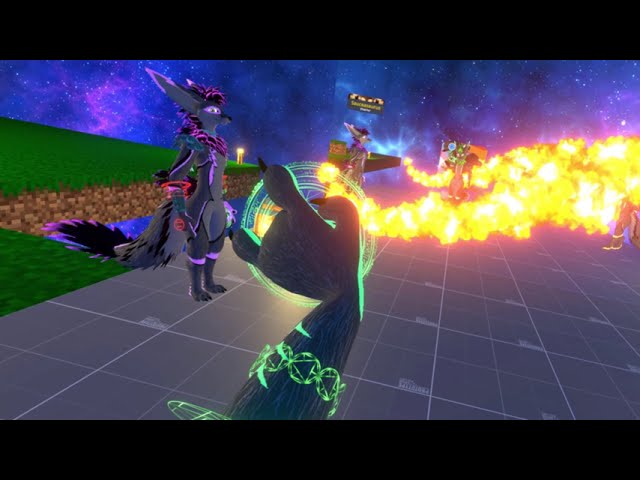 keen sluice
I absolutely love that
you could even make it when time is frozen the other person cant move
then even add a toggle to freeze all tracking so the avatar is frozen as well to give off even more of the illusion of time control
torn tendon
Isn't that just this world: https://vrchat.com/home/world/wrld_7749aee8-a282-4445-8760-0eeb39ce2d7f
Dr strange's time control, it's also Quest compatible.
Otherwise, it reminds me of Avatar Remote. https://booth.pm/ja/items/3799494
sacred kite
fair sundial
is that even possible??
They have to be wearing an avatar with corresponding animations and contacts so the person in the other avatar could only be effected with full consent
fair sundial
ohh, gotcha
mellow hawk
that or osc
 fair trout
I once saw a streamer (1-2 years ago) put their stream camera onto some sort of unique seat that another player's avatar supported, effectively making them a 'cameraman' for their stream. Does this sound familiar to anyone? Is this tech still available, possible, or was it a pre "EAC" hack that is no longer possible?
little owl
fair trout
I once saw a streamer (1-2 years ago) put their stream camera onto some sort of ...
sounds like they took the output of VRCLens and put it on a shader that displayed it in screen space
fair trout
little owl
sounds like they took the output of VRCLens and put it on a shader that displaye...
interesting, I'm familiar with screen space shaders being used to manipulate your own output, but not for another players, especially as a means to effectively control their camera
little owl
it's a fairly common thing for a world to take a picture and put it into a screenspace sphere which you can take a picture of. It'd be the same thing
 split spade
fair trout
interesting, I'm familiar with screen space shaders being used to manipulate you...
split spade
fair trout
interesting, I'm familiar with screen space shaders being used to manipulate you...
Funny I join the exact same server on the exact same day to get help for a rekson related asset 💀
ripe sphinx
torn tendon
Otherwise, it reminds me of Avatar Remote. <https://booth.pm/ja/items/3799494>
Avatar remote doesn’t support floats like this does. Also, I haven’t ever seen anything doctor strange related in vrchat before (not denying it exists) so that’s cool
I’m using a setup of 20 contact senders and a receiver constrained to the world origin for all players using the asset to send a float value with a precision of 0.05
The reason we can’t just use one sender is because contacts jitter around a ton when they’re constrained, throwing off the value if either player moves, so these ones have their root transform set to a world object instead. This does mean they can’t be animated in any way shape or form though, so we have to selectively enable and disable the contacts to send the value
 stuck bane
does anyone know if it's possible to have a smooth curve between a positive and negative gravity value on one physbone component?
I want one end of the chain to have +1 gravity and the other end to have -1 gravity
it's like a rope that's connected to something floating, so that way it hangs down in the middle and floats at the end
ripe sphinx
Is there not an option to set the value as a curve like the rest of the values?
 woeful forum
i have a problem with floats not syncing again... is there anything i can do in larger lobbies to still have my parameters synced and not totally ddifferent results based on whatever specs somones pc has ? is there no solution for this
ripe sphinx
woeful forum
i have a problem with floats not syncing again... is there anything i can do in ...
What are you trying to sync
woeful forum
float up to the 2 point
ripe sphinx
1: are you using parameter drivers?
2: are your parameters set to synced in your parameters list?
3: how advanced is the logic of your controller?
woeful forum
i have a system where you drag a bone it uses the strech value to drive an animation when the value reaches 9.8 its suposed to exit the animation driver and go to the next node
it works fine if you dont do it really fast and the lobby has > 40 ppl in it
woeful forum
well yeah jsut not great
ripe sphinx
Try setting a synced boolean to true when it passes 9.8 and using that to “bypass” the check
woeful forum
im using a parameter driver to toggle a bool after but it dosent work
ripe sphinx
So even if the remote client never sees the value pass 9.8, they will transition to the next state because the boolean is now true
woeful forum
i just had an idea tho hmm
it might get stuck in the animation when the parameter driver sets it to 0 so i need to make another transition
ripe sphinx
Make sure the driver is only run locally
It is still possible to desync a net synced boolean if they’re not run exclusively locally
woeful forum
why its suposed to sync
ripe sphinx
Because it’s already synced over the network
If the remote player gets involved with the logic it can cause a worse desycn
All logic with synced parameters should be local only


 ripe sphinx
Any time a driver is dealing with a synced parameter, it should be local only
woeful forum
change state has a parameter driver to set it off
ripe sphinx
Otherwise you can very easily get unexpected behaviour
woeful forum
ok i think im generally confused how that even works the parameter driver changes a synced parameter
but when i set local only it still changes and also gets synced ?
ripe sphinx
Yes. The remote player never runs the driver but still receives the changed parameter over the network
That’s how synced parameters work
woeful forum
but what is the difference for a synced param if its local only or not
ripe sphinx
Local only means only the player using the avatar will be running the logic
Meaning you can’t end up with conflicts when a remote player gets involved
woeful forum
i see
ripe sphinx
Due to lag or latency or what have you
Since the value of the parameter is already being sent to them, why would they need to run the logic for it?
 rugged steeple
You don't want it changing for others as they may see differing values.
ripe sphinx
Making advanced logic network synced is a whole challenge of its own
stuck bane
ripe sphinx
Is there not an option to set the value as a curve like the rest of the values?
Yes there is but it goes from 0-1 and I want it to go from -1 to 1
rugged steeple
stuck bane
Yes there is but it goes from 0-1 and I want it to go from -1 to 1
You try typing it in?
ripe sphinx
stuck bane
Yes there is but it goes from 0-1 and I want it to go from -1 to 1
Try right clicking the curve handle and manually setting its value to -1
stuck bane
You can do that???
ripe sphinx
Idk if it will clamp it or not
stuck bane
Alright I'll try it and see if it works
I'm trying to get an effect like as if I was holding a ghost on a leash
woeful forum
ok so these 2 are driven by the bone strech value would it play the animation even if the whole logic is only run local ?
 ripe sphinx
Getting the network syncing to work properly with my spell system was a challenge greater than making the actual effects. It just takes time and logic, accounting for every edge case
ripe sphinx
woeful forum
ok so these 2 are driven by the bone strech value would it play the animation ev...
You just want the driver to be set to local only so the remote player never runs it
woeful forum
ok
rugged steeple
If you see the parameters change and they are either synced or public, you send that info out unless you intentionally tag a IsLocal condition on it.
ripe sphinx
This driver sets a boolean to true basically saying “hey, this value passed 9.8, send this to everyone else”
Then have a transition going into that same state saying “if this is true, that means this value went past 9.8 and I didn’t see it, so I need to catch up”
This will require 1 more bit to be used but it appears to be necessary for syncing
Actually, you aren’t syncing the parameter from the physbone are you?
woeful forum
not syncing the phys boine param
rugged steeple
rugged steeple
If you see the parameters change and they are either synced or public, you send ...
(IsLocal being a public parameter. Not setting the logic to run locally. They differ.)
stuck bane
Editing the key just makes it go to 0 instead of -1
ripe sphinx
The reason the desync happens is if someone lags and doesn’t receive the parameter as greater than 9.8, so the check is never true. If you manually set a synced boolean to true when you see it go over 9.8, then that will eliminate the desync
woeful forum
yeah
rugged steeple
stuck bane
Editing the key just makes it go to 0 instead of -1
Interesting. Was pretty sure pb let you set negative values.
ripe sphinx
So basically, if value > 9.8 or i see that it has at some point gone over 9.8, transition to the next state
woeful forum
if the bool gets synced this will work
woeful forum
yep
ripe sphinx
Otherwise they try to run it too and it can conflict
It’s possible to deliberately accidentally desync a synced boolean with this kind of conflict
Kek
woeful forum
tyty
 astral sierra
Hello someone can give me 1-2 dynamics skin i lost all i have 😦
ripe sphinx
Can you animate the radius value of contacts?
gritty turret
I assume you figured that out yourself.
woeful forum
i have a 1.1 physbone here that when scaled has some weird behaviour
the scaling goes from 0.75, 0.75, 0.75, to 1, 0.3, 1 but at e certain point it just wants to point down even tho it should be limited and not alowed to do so
i dont really understand whats going on here
https://cdn.discordapp.com/attachments/730948141196509297/1133796486828798042/Hel_-_SampleScene_-_PC_Mac__Linux_Standalone_-_Unity_2019.4.31f1_Personal___DX11__2023-07-26_18-03-34.mp4

 torn tendon
🤭
torn tendon
woeful forum
i have a 1.1 physbone here that when scaled has some weird behaviour
the scalin...
I'd use 1.0. I find it works better when animating stuff. Better answer than a yawn, eh? Even though it was just a common suggestion.
 rugged flame
is it possible to have physbones function as a hinge almost? say there are 4 bones and the first and last are frozen would the ones inbetween swing freely? its difficult for me to explain but i hope someone understands
mellow hawk
rugged flame
is it possible to have physbones function as a hinge almost? say there are 4 bon...
Yeah set their limits to hinge, then set the angle to a custom curve (C button) where only the ones you want to move can.
rugged flame
mellow hawk
Yeah set their limits to hinge, then set the angle to a custom curve (C button) ...
See I tried that and yet the whole arm is still affected by the singular physbone, I want it to be frozen except for the middle joint for the elbow

But perhaps I didn't follow what you said properly
I'm going to try again
mellow hawk
As a note, physbones and humanoid bones don't mix. It basically breaks that part of the avatar.
rugged flame
mellow hawk
As a note, physbones and humanoid bones don't mix. It basically breaks that part...
I know that, the skeleton hands are the humanoid bones, I'm just trying to have the arms in the pockets swing when I move but I haven't been able to get it to function how I wanted
clever jetty
If it's just one joint you can set the root to the parent of the joint and add the children of the child of the joint to the ignore list.