#ik-2
1 messages · Page 10 of 1
 carmine gate
 robust tangle
Where are the five IMU’s located?
carmine gate
waist, thighs, legs
robust tangle
No shoulders then
 tight aurora
you can also have more than 5
carmine gate
and upper body parts are planned in the future
it's just a matter of adding them to the software
robust tangle
Since the hands are tracked absolutely with controllers
Rotation hints for the upper arms will probably work very well
carmine gate
yea
tight aurora
upper body is difficult because fk mixed with ik is a pain
robust tangle
I’m curious how well foot tracking works in slime VR without an absolute foot position tracker
tight aurora
quite well
carmine gate
when you have extensions on the feet to get their rotation, it works better, otherwise, it's still really good, but there's some noticeable sliding
robust tangle
I imagine if you do a dance that keeps your feet planted they may drift around a little
carmine gate
yeah basically
tight aurora
the more sensors the better the tracking with slime
robust tangle
Are the IMU’s rotation only? because they would know that they aren’t translatiobal acceleration at the moment and could be assumed stationary
To reduce drift
Oh it’s forward K never mind
 drifting steeple
yes and off the the other one
 zenith glacier
drifting steeple
yes and off the the other one
zenith glacier
drifting steeple
yes and off the the other one
interesting, i will check that out
 wet crag
Added a toggle to measure avatar scale by either arm-span or by height guessing this is for the editor? If so, fucking praise be! Making my avatar my real life height will no longer be a chore
 clever thicket
wet crag
`Added a toggle to measure avatar scale by either arm-span or by height` guessin...
clever thicket
wet crag
`Added a toggle to measure avatar scale by either arm-span or by height` guessin...
it's an in-game toggle
robust tangle
wet crag
`Added a toggle to measure avatar scale by either arm-span or by height` guessin...
This is an in-game thing for how it determines world scale. Let’s say you have an extremely tall avatar with minuscule cartoonishly short arms.
Scale by width will make your arms match your real ones and you will just feel like you are on stilts
Scale by height will make you feel as if you are normal height but your real arms will far over-reach your avatars t-Rex arms.
You get to choose which you prefer
wet crag
Oooooooh that's still pretty cool
robust tangle
For most avatars that are realistically proportioned you won’t see a major difference between the two settings
wet crag
Thank yooou
 high nest
it's something lots of people have been emulating by futzing with user real height for years but it's great to see it finally supported as an option
trying out new avatars will no longer be a chore
robust tangle
Provided people actually put in their real heights 
high nest
no reason not to anymore
(also VRC could potentially measure it by head-to-foot-tracker distance during calibration...?)
robust tangle
With scale by height the only variable becomes whether or not your floor height is set correctly in your play space
 tawdry glen
robust tangle
Provided people actually put in their real heights <:vrcCatSquint:78474941013059...
tawdry glen
robust tangle
Provided people actually put in their real heights <:vrcCatSquint:78474941013059...
Big numbers go brrrrr
carmine gate
haha setting floor level correctly on rift be like
[timelapse video of redoing entire guardian then using ovras space fix with dream speedrun music on top]
everytime I accidentally move a sensor
robust tangle
Oculus devices historically have been absolutely awful at both floor height calibration and also remembering it later
carmine gate
as long as I dont move anything, it can be stable for months
robust tangle
Especially OG Rift on 3 sensors, the 3 cameras would keep adjusting their positions relative to themselves in a triangle and all three world eventually drift off from origin over the course of days lol
carmine gate
I don't have that ever
robust tangle
They didn’t peg one as absolute origin for some reason. They might have fixed it. It’s been years
carmine gate
There were definitely some changes to constellation gen1 at some point
 brazen condor
@oak pendant I'm still noting some floor sinkage even after the patch and trying the options. What options should I look into to make sure this is the same issue?
I redid my room calibration as well as remeasured my height to make sure, I'm still sinking 4-5 inches into the ground
 dusk anvil
clever thicket
thats funny as hell
dusk anvil
clever thicket
thats funny as hell
plus gives a reason to move to sdk3
(jk pls fix)
 mint abyss
I haven't tested it out, namely because I'm unable to use VRChat for a week, but do trackers 're-initialize' automatically if you happen to turn on trackers after launching VRChat?
 final raven
I assume a bit of documentation will be made for IK 2.0 once it's ready to finally get pushed to live to help the more general community understand all the settings and nuances for the system so they'll be able to get the most out of it~?
mint abyss
I recall having to restart VRChat if you didn't turn your trackers on before you launched VRC
dusk anvil
https://twitter.com/Kung_VR/status/1498560436731785217?t=PQ2NfhmJzcUIkkEOdykw_A&s=19
kung i see you cropping out your height in this tweet

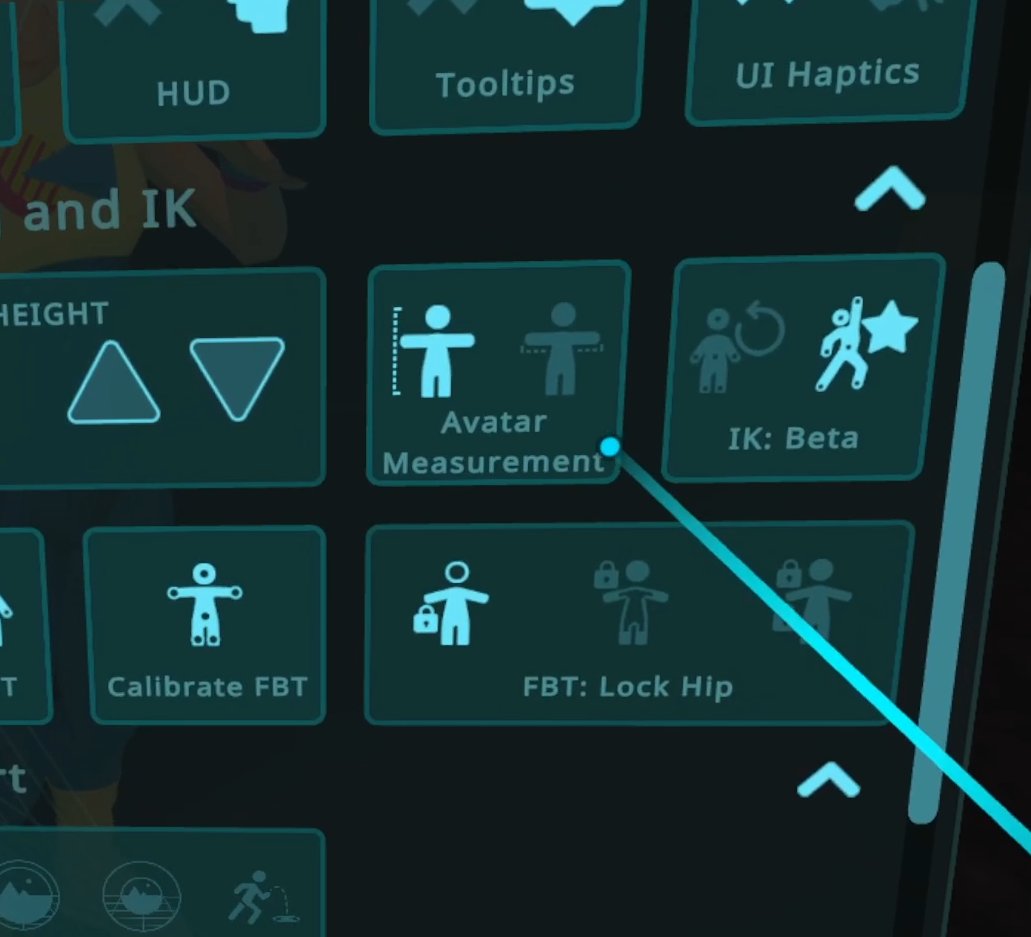
VRChat IK2.0 Beta version 11702 update is out now!
- Allow more forward shoulder reach
- Adjust Lock Head mode to favor less hip movement
- Added a toggle to measure avatar scale by either arm-span or by height https://t.co/jke60W6uvP
Likes
595
Retweets
194
 Twitter
·
zenith glacier
mint abyss
I recall having to restart VRChat if you didn't turn your trackers on before you...
Twitter
·
zenith glacier
mint abyss
I recall having to restart VRChat if you didn't turn your trackers on before you...
didnt had to do that for over a year now at least
mint abyss
dusk anvil
https://twitter.com/Kung_VR/status/1498560436731785217?t=PQ2NfhmJzcUIkkEOdykw_A&...
you could probably do some math or trig because of how the VRC menu works assuming he is using the avatar he always does to determine his height.
nvm
i forget your avatars don't scale to your real height
yet
dusk anvil
just commenting on that because the last time he showed that menu here his height setting was visible at "5 foot 7"
mint abyss
not bad
dusk anvil
haha short
(i am not taller)
mint abyss
my height is about as average as you can get
so i'm roughly two inches taller
I forget my height.
tawdry glen
I'm 5`8" lol.
 vagrant vector
 short vault
where do you download the beta?
short vault
where do you download the beta?
You can now subscribe to the IK-Beta on Steam, the same way you'd access the normal Open Beta. No password, it should just be available in the list. Check open-beta-info for instructions on how to opt-in to Steam betas. Short version-- right click VRChat, click Properties, go to the Beta tab.
vagrant vector
The Ik beta is live compatible yeah
short vault
cool ty!
robust tangle
I should inform creators of blatantly bad rigs that are broken on the new IK that they should fix their stuff, right? These aren’t bugs?
Example: All Rexi base with their backwards chest
 silver geyser
robust tangle
I should inform creators of blatantly bad rigs that are broken on the new IK tha...
silver geyser
robust tangle
I should inform creators of blatantly bad rigs that are broken on the new IK tha...
yeah that probably be a good idea
carmine gate
about that, I think once any rig requirements from the new IK are set in stone, we should have a 👍 from the devs, so that people can start officially testing/upgrading their avatar fleet
 coral cairn
carmine gate
about that, I think once any rig requirements from the new IK are set in stone, ...
coral cairn
carmine gate
about that, I think once any rig requirements from the new IK are set in stone, ...
Same with scaling
 devout current
wow does user real height scaling work well
coral cairn
It does what it does, your floor will line up 🙂
Depending on the avatar, your arms may feel too long or short
actually, I haven't tested this, does height scaling work with legacy IK?
mint abyss
robust tangle
Example: All Rexi base with their backwards chest
wait, is that a real issue?
rexouiums are the staple of the fullbody community for a lot of people, if that's broken then .w.
robust tangle
mint abyss
rexouiums are the staple of the fullbody community for a lot of people, if that'...
Tosca bases as well
mint abyss
it is called an open beta for a reason
robust tangle
They’ve had years of people saying not to use rig hax though so yes they will probably need to be reuploaded. But old IK is going to be a choice for a while even on live for this reason.
mint abyss
i can undo rig hacks ^^
 ionic heron
the rexonium bases have flipped hip bones for some reason - do they have flipped chest bones too? 
don't even know what that'd ""fix""
 digital grove
robust tangle
They’ve had years of people saying not to use rig hax though so yes they will pr...
digital grove
robust tangle
They’ve had years of people saying not to use rig hax though so yes they will pr...
After seeing people "check" the rig requirements page and say with absolute conviction "yes I checked my avatar is correct!!!!" while being deadass wrong... I am not surprised anymore . some people go to ridiculous lengths to convince themselves they are in the right
ionic heron
also the rig requirements page also has a big banner at the top stating that it's significantly out of date
devout current
btw am I the only one who noticed that eyes are behaving a bit weird with the new IK?
robust tangle
What are you seeing
digital grove
I didn't see anything weird with the eyes
 timber grove
I'm still confused. Can someone help me out? What do the FBT lock settings do?
Also, I have yet to try out the brand new 11702 beta out.
carmine gate
It's explained in the #open-beta-announcements chat, but let me try and dumb it down
zenith glacier
To be short:
Lock to hip: you hip tracker is always accurate, but your viewpoint may drift a little
Lock to head: your viewpoint is always accurate, but your hip can drift (depending on position a lot)
Lock to both: both are accurate and your avatar will bend in any way necessary to keep it
carmine gate
Lock Hip: Most people mode
Lock Head: Kinect mode
Lock all: Kung mode, nobody can make their avatar as good
zenith glacier
carmine gate
Lock Hip: Most people mode
Lock Head: Kinect mode
Lock all: Kung mode, nobody ca...
that one is a perfect description
 harsh lagoon
could it be renamed to kung mode now
 tranquil cipher
the different lock settings change how your spine works. Lock head/lock hips will both prevent spine crunching, but the compromise is that they let the non-locked point drift away from the tracker a bit.
Locked hips is similar to what it used to be, because it allows the head to drift away from the viewpoint. When sitting down, this can be particularly bad. But this mode is pretty good at looking fine to other people.
If you don't like the head drifting away from the viewpoint, you can use lock head, which will have the opposite problem: hips will drift. But for most people, that's less of a problem.
If you really need full fidelity, you can use lock all, but it requires that your avatar has pretty good proportions. If it's not perfect, it can get spine crunching which looks bad. You can tweak this and prevent it by changing how you calibrate though
timber grove
zenith glacier
To be short:
Lock to hip: you hip tracker is always accurate, but your viewpoint...
Thanks!
zenith glacier
 coral cairn
carmine gate
Lock Hip: Most people mode
Lock Head: Kinect mode
Lock all: Kung mode, nobody ca...
coral cairn
carmine gate
Lock Hip: Most people mode
Lock Head: Kinect mode
Lock all: Kung mode, nobody ca...
or immersive scaler 😉 (probably eventually works well enough for me)
zenith glacier
thats a comparison picture without upper chest (left) and with upper chest(right) in a resting position. It feels already more natural (dont mind the weightpaint please, its a 15 minute adjustment there and just for testing IK and my locomotion stuff)
carmine gate
tbh, lock head is a legit godsend with Kinect
because the 30hz hip, even with the damn fastest C++ code and interpolation in town
robust tangle
I’m still not sure how upper chest should be painted
carmine gate
is still lagging behind the 1000hz tracking on headsets
robust tangle
Or rather - how chest should be painted when upper chest exists
carmine gate
and lock head allows it to drift and catch up to you without making you look like a bobblehead
zenith glacier
i dont know about this as well, but from what people told me it is roughly under the armpits
carmine gate
I'm glad bobblehead mode is still an option though
robust tangle
Lock head is the most immersive setting for me. I use Vive trackers.
coral cairn
I'm glad they're somewhat open to having actual options for stuff now though. I was not expecting them to casually drop height scaling mode.
robust tangle
It just feels like 3 point with legs
carmine gate
lock head is pretty much the only thing I've been asking of VRChat for like a year now.
timber grove
coral cairn
I'm glad they're somewhat open to having actual options for stuff now though. I ...
Kung is a busy man. He works on VRChat on avatars 25 hours a day

zenith glacier
lock head in the pose i am showing in the pictures is a complete "no, it doesnt work) since it currently pushes the hips up
coral cairn
25 hours a day, 300 hours a week
robust tangle
coral cairn
25 hours a day, 300 hours a week
12 days a week, apparently.
timber grove
robust tangle
12 days a week, apparently.
wait a minute
ionic heron
kung otw to rip apart the fabric of spacetime:
 next gyro
my elbows are still inside me, its better than live but still not realy good
robust tangle
Depending on how big your avatar is, and, uh… how large your chest is, it’s entirely possible that no angle will avoid clipping. Your hands will hit their IK target regardless.
devout current
robust tangle
What are you seeing
When walking my eyes are moving up a tiny bit, they aren't doing that with legacy IK, I'll make a canny about it tomorrow with a video showing it
 solar sluice
Need to make a video, but noticed a bug with an avatar that had dynamic bones set up for bewbs.
Bewbs flattened to make avatar male, dyn bone script turned (unticked in Unity) off, but bones still there in armature (i'm scared to touch armatures lest i break things).
When calibrating, one of the hand controllers, for a split second, grabs the bewb bones in the armature and drag the weights off into space, where they freeze as dyn bone script is turned off. (why controller tracking point's are grabbing 'anything' near the chest is beyond me, and doesn't happen in live.
Female avatars with dyn bone scripts turned on just see the tiniest of jiggles.
I'll make a breif video replicating bug later tonight.
knee tracking is neat tho
next gyro
robust tangle
Depending on how big your avatar is, and, uh… how large your chest is, it’s enti...
my avatar isnt very small or very big. And its chest is pretty much flat
timber grove
I forgot to ask. Can you see other people in the IK beta or no?
tranquil cipher
yes, IK beta is live compatible
timber grove
sweet
silver geyser
basically it's a different client doing different ik and then it goes to the network so the live version doesn't particularly care that it's a different version
as it just sees bones going over the network
 strong oak
I was listening to Skuld and thought this was talking about the updated menu, turns out its real, the placement is really click prone

 meager sand
bruh vrc devs have been putting out so many betas lately
osc beta drops, and like the day after it goes live on the release version we get a new ik beta
 vital inlet
vagrant vector
```You can now subscribe to the IK-Beta on Steam, the same way you'd access the ...
vital inlet
vagrant vector
```You can now subscribe to the IK-Beta on Steam, the same way you'd access the ...
Hey Im trying to access it but it says I need the code to unlock it
final raven
vital inlet
Hey Im trying to access it but it says I need the code to unlock it
No code should be necessary. You should be able to access it from the drop down above the code input field.
 vital inlet
Oh ok
carmine gate
vital inlet
Oh ok
This usually fixes any issues with betas

 solar sluice
Need to make a video, but noticed a bug with an avatar that had dynamic bones se...
solar sluice
solar sluice
Need to make a video, but noticed a bug with an avatar that had dynamic bones se...
Back to this, i want to say nevermind, verifying integrity of game files after patching to IK beta in steam seems to have fixed +^_^+
dusk anvil
measure by height works a lot for me thx 4 adding that toggle
 oak pendant
That's good to hear. I've been getting a lot of positive feedback on it. I'm actually considering it for the new default on release. It would be nice if I could get a bit of feedback on that idea, so I opened a post here: https://feedback.vrchat.com/vrchat-ik-20/p/feedback-requested-should-measure-avatar-by-height-be-the-new-default-on-release
If anyone is inclined please post your thoughts in that there.
 dusk anvil
oak pendant
That's good to hear. I've been getting a lot of positive feedback on it. I'm act...
dusk anvil
oak pendant
That's good to hear. I've been getting a lot of positive feedback on it. I'm act...
upvoted
dusk anvil
dusk anvil
measure by height works a lot for me thx 4 adding that toggle
so basically what it does for me is it makes my arms feel less short, but it doesnt effect how tall i am and feel
(that's good! arms are supposed to feel good.)
oak pendant
dusk anvil
upvoted
Awesome! Hopefully if enough upvote, the devs will see it! (j/k upvoting actually helps to get more people to give feedback, thanks!)
oak pendant
dusk anvil
(that's good! arms are supposed to feel good.)
In general it has more potential to make arms feel bad however. Because scaling isn't based on arms at all
But people seemed to have a stronger reaction to not being able to get floor height correct, but this may be more of a FBT thing.
dusk anvil
dusk anvil
so basically what it does for me is it makes my arms feel less short, but it doe...
top: measure by arm
bottom: measure by height


hard to see but i feel like my reach is good and that my arms aren't short in measure by height
oak pendant
Yeah it totally depends on your avatar's height/arm-width ratio
dusk anvil
basically: my avatar doesn't reach as far as my actual arm while in measure by arm, while it does by measure by height.
probably due to some faulty height thing in either my avatar, or my settings, but nonetheless it is good that my arms can feel more natural while in my main avatar.
(and other avatars feel better too, i tested.)
oak pendant
oak pendant
oak pendant
That's good to hear. I've been getting a lot of positive feedback on it. I'm act...
dusk anvil
dusk anvil
probably due to some faulty height thing in either my avatar, or my settings, bu...
this setting is magic i want it default
 silk magnet
My custom controller seems to be broken on ik beta where the head height isn't variable when doing the walking between standing and crouching animation in full body like it is on live. Currently using lock both
clever thicket
which one was the default before?
oak pendant
If you can make a canny post showing video of difference that would help understand the issue (also any issue reported only on discord won't be looked at when I go through development tasks as a list of things to do, if you want it on that list it's gotta be on canny)
dusk anvil
clever thicket
which one was the default before?
arm
silk magnet
oak pendant
If you can make a canny post showing video of difference that would help underst...
Alright. Will do. Although I probably expect it to be something dumb on my end
dusk anvil
oak pendant
If you can make a canny post showing video of difference that would help underst...
it doesnt change too much
my avatars reach is just like a couple centimeters or so more offset then my irl reach on arm span then height span, not worth making a big deal over
oak pendant
clever thicket
which one was the default before?
scale by height is a new thing, scale by arm is the old default on legacy, but new scale by arm uses a different scale factor targeting just straightening arms at t-pose, this new scale factor confused people in the previous patch of IK-Beta, and will probably confuse people on release too
dusk anvil
other users likely don't have this issue as my height setting is probably innacurate as i just fucked around with it until it looked and felt right
(i forgot my actual irl height)
oak pendant
scale by height seems more intuitive I think, and has also gotten good feedback so I'm considering it for the new default
dusk anvil
do that and i will send you an emoji of a cookie
oak pendant
🍪 I've got one right here actually, thanks tho
oak pendant
(also by new default I don't mean removing the option, just what people have as a first setting when they start up at first)
dusk anvil
yes i know
oak pendant
(just in case someone else is reading through and gets worried)
dusk anvil
oak pendant
(just in case someone else is reading through and gets worried)
conspiracy time
vrchat is removing vr!111!!!! (joke)
 elfin sleet
I think having it as the default option would be good
silk magnet
@oak pendant would it also be beneficial if I uploaded a unity package of my controller or would just screenshots suffice?
final raven
oak pendant
scale by height is a new thing, scale by arm is the old default on legacy, but n...
and will probably confuse people on release too
I assume there will be detailed docs or something of the like once this releases so even these who are not savvy to this, haven't tried the beta, etc will easily be able to get the most out of IK 2.0?
Because I'm definitely going off the assumption there are people most likely still unaware of this going on and once this drops, will probably be like "why does my avatar feel slightly off?" and "what do all these new options even mean?"
 strong sundial
It may not be bad to also have a tutorial video that releases with the update and have a link to it in the quick menu banner
coral cairn
I actually think scale by height may not be the best default. Most people I talk to don't even notice that the floor doesn't line up, but people will notice if hands don't follow controllers. The balance shifts a bit when using 5+ point tracking though. Detailing in the canny.
dusk anvil
that's odd.
haven't noticed any floor offset in height scale 
but maybe i'm the one with the odd situation if it lining up isn't normal 😅
coral cairn
on old ik
coral cairn
I'd ask about "don't you want to fix the floor" and they'd look down and not actually be able to see anything was off.
dusk anvil
no more floors only floatign
coral cairn
idk maybe people won't be able to tell if their arm maxes out but personally I think that's more obvious, especially without full body.
oak pendant
silk magnet
<@!153868400282566656> would it also be beneficial if I uploaded a unity package...
sceenshots should be enough
silk magnet
okay 👍
oak pendant
coral cairn
I actually think scale by height may not be the best default. Most people I talk...
Yeah great feedback, please leave in the canny too. And yeah that was my initial thought also and why arms is the default in the current build, but the reaction to height-scaling was more positive than expected too...
Also, I'm very aware that this channel and people who'll see the canny are a subset of FBT enthusiasts, and that 3pt users are the majority. I wouldn't base a decision just on number of votes or something like that. Just want to get people talking about pros and cons. Good feedback so far, thanks!
dusk anvil
i currently dont have full body but im considering it
coral cairn
crazy idea, what if instead of a button it was a slider
dusk anvil
how would that work if you dont mind me asking
coral cairn
calculate world scaling factor by arms, calculate the factor by height, and just do a linear interpolation between. Far left is the same as by height, far right is the same as by arms.
I don't know if you can scale unity scenes that fast, and you'd need to reset fbt calibration as soon as you touch it.
coral cairn
tbh this is a bit redundant with user height. If you care about scaling that much you can probably just tweak that a bit and playspace
dusk anvil
i can see where youre getting at tho
high nest
I'll point out that re Kung's comment about getting good feedback over height calibration, I expect that folks who are happy with arm calibration just aren't commenting (you didn't break anything for them after all), so it's unclear what the proportion is here
 rancid glen
I'm happy with having the height based scaling as an option, i much prefer it over wingspan (it makes everything too small)
devout current
Yeah idk with wingspan in IK 2.0 I always have the issue of my trackers not being postioned right
a bit in the floor
but it works perfect with hight
 minor rampart
I still have issues with sitting cross legged.
Even with height.
It’s a lot better, but still not there.
Knee/leg movement is very poor though. It hugely exaggerates things.
If I sit on the edge of something and let my feet dangle, then move around my feet, with the old Ik?
Very accurate. Barely any knee movement.
With the new one, my sitting stance is overly wide and my knees move up/down/bow out erratically
Made a canny about it, but posting here too.
harsh lagoon
would be neat if there were a collission thing like how they implemented the upper arm to not clip through the chest, but with the legs not clipping through themselves?
 silk crow
oak pendant
scale by height is a new thing, scale by arm is the old default on legacy, but n...
silk crow
oak pendant
scale by height is a new thing, scale by arm is the old default on legacy, but n...
Will the scalling by hight work better if u have an avatar with longer arms and torso
I always had problems trying to fit into my avatar even when i scaled the arms and legs
final raven
Wonder if this change was included in the ik-beta stuff when that came out but just realized but looks like they adjusted the range your head can look up and down while in desktop so now your head will literally look all the way up or down whereas before it had a limit.


 empty solar
imho, IK 2.0 feels like it's more meant for people who disable forced locomotion than those who have it enabled, and doesn't work well with some of the custom locomotion layers out there
final raven
empty solar
imho, IK 2.0 feels like it's more meant for people who disable forced locomotion...
Mmmmm, it seems to work well with Franada's gogo loco for me.
tawdry glen
final raven
Wonder if this change was included in the ik-beta stuff when that came out but j...
That's hilarious lol.
Obviously broken, but still hilarious.
devout current
tawdry glen
Obviously broken, but still hilarious.
tbh I actually preferer it more over the locked movement we had before, people never knew that I was actually looking at their face while in desktop because of the old limetation
at least looking up looks okay
looking all the way down looks a bit meh
final raven
devout current
looking all the way down looks a bit meh
Looking all the way down looking decent will definitely be very avatar dependent I feel~
mint abyss
final raven
Wonder if this change was included in the ik-beta stuff when that came out but j...
the looking up thing looks hilarious
devout current
final raven
Looking all the way down looking decent will definitely be very avatar dependent...
true
final raven
mint abyss
the looking up thing looks hilarious
gremlin mode activated~
 devout current
I made a canny about a problem I noticed about eye movement in FBT while walking, I also included a video and made a comment that I feel like eye movement / "tracking" is a bit weird with the beta IK in generall.
https://feedback.vrchat.com/vrchat-ik-20/p/eyes-move-upwards-while-walking
devout current
final raven
gremlin mode activated~
yeahhh that looks weird xD
 tawdry glen
One of the best parts of VRChat is watching peoples avatars break down in hilarious ways when something go's wrong.
zenith glacier
empty solar
imho, IK 2.0 feels like it's more meant for people who disable forced locomotion...
be sure that most get fixed when the ik stuff is closed to finished. current "issues" with the fbt part with custom locos is currently, that once the hip is set to "animate", it locks the head into an animation as well for some reason
empty solar
zenith glacier
be sure that most get fixed when the ik stuff is closed to finished. current "is...
yeah that's honestly annoying
zenith glacier
empty solar
yeah that's honestly annoying
well, its called beta for a reason so
 final sphinx
final raven
Wonder if this change was included in the ik-beta stuff when that came out but j...
final sphinx
final raven
Wonder if this change was included in the ik-beta stuff when that came out but j...
Yo what is this overlay
Is it udon or avatar
final sphinx
final raven
gremlin mode activated~
also wtf
final raven
final sphinx
Yo what is this overlay
It's an udon script, third person camera for desktop in the world.
final sphinx
i want those thingies as avatar overlay stuff qwq
osc/shaders would work but im no shader wizard
zenith glacier
i am thinking, would "flying" be considered IK as well? That is basically the only feature i am really missing for smaller avatars in half body and desktop
final sphinx
?
therws colliders and ovra
it would technically prob be a mix of avatar dynamics and osc (the input way = osc / the transform way = avd)
final raven
zenith glacier
i am thinking, would "flying" be considered IK as well? That is basically the on...
Going by the definition. Not really.
Inverse kinematics is the use of kinematic equations to determine the motion of a robot to reach a desired position.
IK in this case just mainly refers to bone position, rotation etc.
zenith glacier
final raven
Going by the definition. Not really.
`Inverse kinematics is the use of kinematic...
was just thinking about a pretty similar game to this which had the stuff for it in the locomotion layer as well, but if its not really IK related, then i guess i will have to look into the feedback site
mint abyss
I really do like it when my body does not clip through invisible colliders and freezes
final raven
Someone just brought this canny up, an option to measure by both height and arm length. Would such an option even be feasible? I feel like there would be a major compromise with this.
https://feedback.vrchat.com/vrchat-ik-20/p/feature-request-add-option-to-measure-avatar-by-both-height-and-arm-length
 snow mirage
Currently the scaling system scales you the player, to do this they would need to scale the avatars bones to match instead
final raven
Just realized the old method of loading into 3pt while in FBT (opening SteamVR while loading into an avatar) no longer exists. Makes sense honestly, now that there's a dedicated button for toggle on and off FBT.
final sphinx
final raven
Just realized the old method of loading into 3pt while in FBT (opening SteamVR w...
It feels like this still exists tho
sometimes when i join worlds i loose the calibration and end up in 3pt
might just be an av3 thing tho
final raven
final sphinx
It feels like this still exists tho
I've tested and it doesn't anymore.
final sphinx
hm i shall do more testing ig
final raven
Here, I'll do a quick recording.
final sphinx
Nah it sometimes works and sometimes doesnt when (re)joining a world / different instance of the same one
And i dont even switch to steamvr / unfocus the game
final raven
mint abyss
@final raven I want you to test lying on your side (e.g. on your side on a bed) and see if your spine bends horribly like in the old ik.
if you can
zenith glacier
mint abyss
<@!89089409198088192> I want you to test lying on your side (e.g. on your side o...
it doesnt anymore with new ik
final raven
mint abyss
<@!89089409198088192> I want you to test lying on your side (e.g. on your side o...
 final raven
Update benefits even those solely in 3pt as well.
mint abyss
tracking loss detection would be amazing, since some trackers have patterns as to how they lose motion
e.g. moving at a perfectly constant rate
or for example your soul trying to escape from your body when your chest tracker drifts at 10 km/h
final sphinx
final raven
Interesting
tawdry glen
mint abyss
or for example your soul trying to escape from your body when your chest tracker...
That's one way to describe it LOL.
final raven
I've noticed that due to the way the locking modes work, I haven't really noticed the infamous "avatar pulled by the hips" tracking loss anymore.
mint abyss
here, let me rest next to you in VR whole body thrusts itself into oblivion
robust tangle
There’s no real way to avoid hybrid drift. The two tracking universes are completely blind to each other with no common reference point
 marsh elm
final sphinx
drift/playspace desync (on quest) is horrible
marsh elm
final sphinx
drift/playspace desync (on quest) is horrible
eh just do stage tracking
i callibrate once per session and thats it
lasts me however long i play for the day
even if i drop the headset to take a piss or something
 charred heath
The near clip became too much in the last update it's noticible on quest
It used to do this before too but fixed after avatar switch now the bug stays and half the body is dissapearing and arms too
Basically the near clip being too big persists and won't go away anymore making it half gone
robust tangle
The vast majority of Avatars in VRChat are far taller than their wingspan. If scale by height is set as default on new accounts, all of these avatars will feel like they have comically short arms and I don’t think that will be a good impression. Floor height is not very important to upper body only users.
robust tangle
 devout valley
>not setting near clip to 0.001 in every world
devout valley
>not setting near clip to 0.001 in every world
But muh Z-test precision
devout valley
They shall be accosted and shamed by an army of the smallest avatars possible!
robust tangle
Use a shader that ignores near clip :p
devout valley
That implies everyone has control over every avatar they use.
robust tangle
I know. Just saying, reducing near clip does have rendering side effects. It makes Z-fighting far more common unless you keep planes very far apart
devout valley
I think menu visually being cutoff is a bigger issue than zfighting tbh. But this is off channel topic so.... HOW BOUT DAT NEW IK DOH
 tender fractal
 tiny token
I’m getting much better results for head/both lock if I look down a bit (lowering the hmd) during fbt calibration. Anyone else?
 strong nova
Haven't been able to test it, but are we able to "Naruto run" (arms backwards) with the new IK?
tiny token
strong nova
Haven't been able to test it, but are we able to "Naruto run" (arms backwards) w...
Yes, one of the first things I tried lol
strong nova
Yessss! Was about to try it out tonight.
 tawny swan
Hi guys~ does anybody knows what is lock hip and the other two means?
silver geyser
Lock to hip: you hip tracker is always accurate, but your viewpoint may drift a little
Lock to head: your viewpoint is always accurate, but your hip can drift (depending on position a lot)
Lock to both: both are accurate and your avatar will bend in any way necessary to keep it
tawny swan
silver geyser
Lock to hip: you hip tracker is always accurate, but your viewpoint may drift a ...
Thankkksssss!!💗💗
tawny swan
silver geyser
Lock to hip: you hip tracker is always accurate, but your viewpoint may drift a ...
I’m abit confused on what’s lock to both
*Bending avatar
silver geyser
head & hip both locking is Lock to both
tawny swan
What’s the meaning of bending avatar 🥲🥲
silver geyser
basically if it has to do weird things to the spine to keep both positions accurate
tawny swan
got it!thanks!
clever thicket
silver geyser
Lock to hip: you hip tracker is always accurate, but your viewpoint may drift a ...
embed failure please dont laugh at me
silver geyser
yeah I've been noticing its misbehaving today embed
robust tangle
Lock both may look good to you but watch out it looks quite odd from the side most of time
After playing for a while lock head only is my favorite
clever thicket
lock head looked weird for me when sitting down before the patch, its kinda better now though
 clever thicket
measures your avatar either by arm width or by height
 clever thicket
Scale by width will make your arms match your real ones and you will just feel like you are on stilts, scale by height will make you feel as if you are your actual height but your real arms will over-reach your avatars arms
tawny swan
ooh~thanksssss!!
strong nova
🇮 🇰 2️⃣
robust tangle
clever thicket
Scale by width will make your arms match your real ones and you will just feel l...
Real hot take which one should be default on new accounts, knowing most users won't know an option exists
clever thicket
i'd say width
i think your arms not matching up is much more noticeable than legs in most cases
 gleaming imp
I hope the arm scale setting stays in the live version
I find it works better with my avatars
coral cairn
clever thicket
Scale by width will make your arms match your real ones and you will just feel l...
Unless you have a mech suit then it's reverse ;)
Height scaling is way simpler to think about and see how it works but I'd argue you don't want that, you want people to not think about or feel the need to question scaling. However if you do start questioning its really easy to find out what's going on now.
dusk anvil
its good that we have these settings now :)
 steel ocean
Is there a way to allow more shoulder pull with arm movement? The shoulders seem to lock to hip so moving arms farther in an inward direction results in more clipping since the body locks forward.
devout current
clever thicket
Scale by width will make your arms match your real ones and you will just feel l...
or under-reach, it all depends on how the Avatar is rigged
or it will fit perfect, that's also and option
coral cairn
currently if you want it to fit perfect you need scale by height, although scale by arms is pretty close.
idk if it's just me that has it too small or if it's just person to person variance
is this something I should add to immersive scaler with measurements?
if it's the same for everybody it wont be something commonly adjusted.
devout current
I have to say that one upside from scaling by height is that changing your height in the settings does exactly what it says to do, it changes your height. Arm-Span in comparison changes your arm-span which can be a bit confusing if the setting you are changing is for height. At lot of people (me included) changed their height with the old IK so that the length of their feet is fitting and not that the length of their arms are fitting.
empty solar
a question I have is does the new IK fix the bug when you disable locomotion that it randomly makes the avatar disappear in mirrors and cameras?
 wooden lion
what does it mean when calculating by armspan and calculating by height are almost exactly the same?
devout current
wooden lion
what does it mean when calculating by armspan and calculating by height are almo...
That your avatar has a really good rig xD
 thick rose
You achieved good proportions
final raven
empty solar
a question I have is does the new IK fix the bug when you disable locomotion tha...
empty solar
devout current
That your avatar has a really good rig xD
gonna test out my rig tweaks later to see if the way I have the armature set up now makes any lick of difference for proportionality
empty solar
final raven
https://discord.com/channels/189511567539306508/946881839400882196/9469220898127...
thank you
 lean badger
oak pendant
Yeah great feedback, please leave in the canny too. And yeah that was my initial...
lean badger
oak pendant
Yeah great feedback, please leave in the canny too. And yeah that was my initial...
On the same topic of arms not reaching being more noticeable than e.g. feet height, I still find arms too short a lot of the time for a lot of avatars (unless I heavily modify user real height when in arm span mode and counter-adjust with play space mover, which is messy and has other downsides as well)
In the old IK - in 6 point - your upper body would be pulled a little to avoid having your IRL hands "disconnect" from your avatars hands. I find this was really effective at masking the mismatch in arm length, as even looking in a mirror you kind of just accept this movement. Would it be possible to have this as some sort of "Lock Hands" option in the new IK?
I have opened this canny post about it a while back, but I'm not sure if you saw it: https://vrchat.canny.io/vrchat-ik-20/p/request-add-back-torso-leaning-as-an-option
lean badger
Would be potentially useful to be able to have torso leaning in 3/4-point as well. It used to be only applied in 6 point tracking for some reason
robust tangle
wooden lion
what does it mean when calculating by armspan and calculating by height are almo...
That particular Avatar’s wingspan to height ratio is very similar to that of a real human
Where an avatar that’s extremely tall with t-rex arms and you’ll see a big difference
Or a short avatar with gorilla arms
Most anime characters are much too tall for their wingspan so you will see a difference between the two options - historically the game made wingspan match and just let the floor height be wrong since few notice
Most don’t have fullbody and so don’t care about the floor, But arms being short would be very bothersome to pretty much everyone
 solar cloud
devout current
I have to say that one upside from scaling by height is that changing your heigh...
solar cloud
devout current
I have to say that one upside from scaling by height is that changing your heigh...
For 3pt width might be better I think
Since legs don't really matter there
robust tangle
Scale by height fixes The floor height on many avatars in full body at the cost of feeling like the head is ridiculously tiny
lean badger
I think I prefer by armspan even in FBT. But I also find arms being too short more annoying than having stilts or so. Although I guess with a "lock hands" option by height might be preferable? Or maybe just not that different.
robust tangle
The hands are always locked
coral cairn
lean badger
I think I prefer by armspan even in FBT. But I also find arms being too short mo...
Do you think current scale by arms is a good scale?
robust tangle
Unless you mean you want the hands to tug on the head again, Personally I hated that
coral cairn
robust tangle
The hands are always locked
Hands detach, so while they're locked its lower priority than hips and head. The logic here is mostly that you don't see the head.
robust tangle
To me personally headlock and never drifting no matter what is vital to me that’s why I’m very happy we got headlock
I use head bound huds and stuff so having them drift is annoying
coral cairn
Mhm. I'm appreciating dual lock for that reason.
I can get behind 'hand lock' for small movements but it's gotta be really hard to draw that line.
I think the scaling ratio should be such that it's really not needed. Maybe let the shoulders give more.
robust tangle
I don’t know, personally hands tugging on your body doesn’t look that good in first person, and it definitely doesn’t look good for other people
And there is a danger of toggle Bloat
coral cairn
Do you think it's an issue at all for 3 point?
robust tangle
I’ve been playing 3 point for four years and I would say as long as you have scale by width, hand lock is a not a necessity
If scale by height were the default I would consider the best move to change it back to scale by with by default XD
That’s just my opinion
coral cairn
I think so long as scale by width actually covers stuff. Going to reach for something in range and your hand just not reaching is pretty bad.
solar cloud
robust tangle
I use head bound huds and stuff so having them drift is annoying
ooo what you have for huds?
lean badger
robust tangle
I’ve been playing 3 point for four years and I would say as long as you have sca...
I find it at least neccessary for 6-point, and I would prefer to have it in 3-point too
lean badger
coral cairn
Do you think current scale by arms is a good scale?
I think I prefer scale by arms, but ffor a lot of avatars (most) I have to set "User real height" to a lie (not my actual armspan or height) and then fiddle with space mover to not get the viewppint too far down. Even with scale by arms, It's not a good experience without hand lock IMO
coral cairn
lean badger
I think I prefer scale by arms, but ffor a lot of avatars (most) I have to set "...
You raise your real height?
lean badger
yeah. for short-armed avatars it helps a little
robust tangle
That just means scale by width isn’t working correctly
Or their view position is wrong which shouldn’t be addressed with this
Make sure the shoulders are lined up with your real shoulders if they aren’t it shouldn’t be fixed by IK changes
coral cairn
lean badger
yeah. for short-armed avatars it helps a little
Scaling is done neck to hand now, it used to be head to hand. Actual arm length shouldn't matter
 fiery herald
if i get the beta, can i play with people who dont have it?
ionic heron
yup! this beta is network-compatible
lean badger
coral cairn
Scaling is done neck to hand now, it used to be head to hand. Actual arm length ...
Maybe it’s a case of shoulders being too short, but I can't claim to be an IK expert. All I know is that some avatars where before the arms felt long enough with no faffing about with "user real height" now require significant messing around with user real height (different per avatar) to get the arms to feel even remotely good. and even despite that it feels worse (arms "disconnecting"). btw this new behavior is more or less consistent with what I've seen on one or two other social vr platforms when I've uploaded the same avatar there. Only evere VRC was able to work around the problem with how the torso is pulled by your arms whenever the hands would've otherwise not reached.
So for all its faults, the Legacy IK, it was fairly good at "one size fits all". (And let it be said that the new IK is amazing on the avatars where I don't have as bad short-arm syndrome/that more closely fit my proportions. I'm just trying to add constructive critique.)
Maybe a bit of a case of avatars being made to work with the legacy IK as well, of course
ionic heron
note that issues/feedback reported in this channel are not reported properly, see https://feedback.vrchat.com/vrchat-ik-20 o:
lean badger
I have made a canny asking for adding back torso leaning as an option, because even I might want to turn it off for an avatar not exhibiting this problem
Maybe I should've called it "hand lock" though
Should I try and take video to illustrate the problem and post it as well?
devout current
lean badger
Should I try and take video to illustrate the problem and post it as well?
Sure, why not
mint abyss
could someone make an issue in the canny to have it to where you don't freeze when you clip two inches into an invisible wall, or have they already addressed that?
or just having FBT freeze when clipping through walls in general
coral cairn
Hmm I'll need to play with it a bit more tonight on arm scaling. It's interesting how some have long enough arms and others don't
Could be a shoulder thing.
I can feel that something is only slightly off with arm length in arm scaling mode but it's hard to put my finger on it.
 pure basalt
 gleaming igloo
inverse kinematics
basically, calculating the position of joints/bones when only some parts are being tracked (e.g. just head, hands, and feet)
ionic heron
mathematical process of calculating ways to place the end of a kinematic chain (i.e a hand, foot, etc) in a given position relative to the start of the chain
in animation for example, it's a lot easier to use inverse kinematics to just move a hand where you want it, versus setting the angle of the shoulder, and then setting the angle of the upper arm, and then setting the angle of the forearm, etc
zenith glacier
mint abyss
could someone make an issue in the canny to have it to where you don't freeze wh...
why dont make it yourself? besides, almost sure they do it with half body as well anyway
mint abyss
zenith glacier
why dont make it yourself? besides, almost sure they do it with half body as wel...
You're assuming I have access to VRChat this week, I don't, I'm just asking for a helping hand since I don't have the tools to see how the Beta is.
devout current
but what do you need VRChat for to make a canny? 
mint abyss
Canny requires a VRC account, I literally am not on my native computers and use Authy (which I happen to have linked to THAT computer), can't log in if you can't verify yourself -w-
devout current
well that actually makes sense now
mint abyss
if you can, see if you freeze when you clip into walls in FBT
devout current
I mean yeah I still do
at least yesterday and all the days before that I still did in beta
coral cairn
Sounds more like a general gameplay thing than an ik thing?
devout current
Yeah
final raven
A reminder that now that we have access to VRChat's IK 2.0 that this world exists and should go a long way for model makers looking to make their avatars as proportional as possible. Very good proportions with both arms & legs are 👌
https://vrchat.com/home/world/wrld_fc86fd1c-ec01-405a-ace1-4a2c5930a256
zenith glacier
check the wold in pins as well
final raven
zenith glacier
check the wold in pins as well
Mhm, I'm aware of that one as well.
coral cairn
Or just throw it through immersive scaler the lazy way if you have it in blender ;)
Gotta get some slight elbow enforcement in there soon. Having height scaling changes a couple things.
robust tangle
mint abyss
Canny requires a VRC account, I literally am not on my native computers and use ...
I use authy and can log in to canny via iPhone btw
solar cloud
I use Aegis or Bitwarden 2FA
tiny token
What do y'all feel about FBT calibration moving you to a "room" where
- you can't see other players
- other players can't see you
- there is a mirror
- IK options UI in the room
robust tangle
the "new" calibration method (actually it's like over a year old now) doesn't need a mirror. Just put feet together, look forward, calibrate.
tiny token
I've noticed that I don't stand as straight up or face forward as accurately as I feel. The mirror is useful.
robust tangle
You might be on the old calibration then? The old one needed you to face a specific direction
and stand in an exact spot
tiny token
I've never used the old calibration that needs to be enabled with a flag
lean badger
robust tangle
the "new" calibration method (actually it's like over a year old now) doesn't ne...
Personally I feel it's the new one that requires a mirror, since I can't look down at my feet...
 lethal light
has anyone noticed that the spine on IK-2 does not "point" forward, even if leaning back, leading to a very awfully-looking position. I checked the canny but couldn't see anyone mention this specific issue, and wanted to check here before opening an issue/bug. Here is what it looks like (on my avatar which has quite good proportions [and yes, I did test some others and they seemed to have issues as well, at least the few I looked at]):
 lean badger
tiny token
What do y'all feel about FBT calibration moving you to a "room" where
- you can'...
lean badger
tiny token
What do y'all feel about FBT calibration moving you to a "room" where
- you can'...
I don't want to have to end conversation with people just to calibrate
lethal light
And this would be a more proper-looking leaning back
 robust tangle
lean badger
Personally I feel it's the new one that requires a mirror, since I can't look do...
robust tangle
lean badger
Personally I feel it's the new one that requires a mirror, since I can't look do...
You don't need to, though, they'll always be right below you
That said, the slow dampening is annoying. Why is that there?
Remove the dampening.
tiny token
lean badger
I don't want to have to end conversation with people just to calibrate
it would be an option. atm im running to a mirror to calibrate anyways, but if you're very familiar with your avatar and don't need to use tricks to calibrate, calibrate in place should still be a thing.
tiny token
lethal light
has anyone noticed that the spine on IK-2 does not "point" forward, even if lean...
which locking mode are you using
lethal light
head + hips
tiny token
does it happen with the other modes?
lethal light
haven't checked, I can real quick, but still, unless something is wrong on my end, the spine should be able to point forward in that mode for more accurate-looking arching
tiny token
Try the trick where you look down 20-30 deg when calibrating for head+hip lock. It's still seems to be an issue because I don't think the hip-spine joint should be able to bend like that lol
robust tangle
lethal light
has anyone noticed that the spine on IK-2 does not "point" forward, even if lean...
That is the side effect of using "Lock Both" - it's in the tooltips that the other two modes avoid this issue. If your head and hip get closer than they were during calibration, they will form a \_/ angle on your spine. There is no way to avoid this, if the two end points are locked, and move closer, the bones connecting them must buckle; they have no where else to go.
tiny token
robust tangle
That is the side effect of using "Lock Both" - it's in the tooltips that the oth...
you can avoid it by looking down a bit when calibration, lowering your hmd
robust tangle
theoretically having an upper chest bone should give one extra angle to soften the buckle
lethal light
robust tangle
That is the side effect of using "Lock Both" - it's in the tooltips that the oth...
Yes, I understand that they need to buckle, which is what I want, I am just saying that there are cases the spine/chest should buckle forward instead of backward
tiny token
its not final and has to be tuned. we can't re-rig and re-paint every avatar
lethal light
robust tangle
theoretically having an upper chest bone *should* give one extra angle to soften...
Yep, I will add this when I get around to it
lethal light
tiny token
does it happen with the other modes?
no, it does not happen in other modes, but the angle is not very extreme compared to what it should be
(because they are not absolute positions like Adeon was saying with the buckling)
tiny token
i think the head+hip calibration needs to be tuned because as soon as I click my triggers, my avatar hunches over, without me moving irl
lethal light
tiny token
i think the head+hip calibration needs to be tuned because as soon as I click my...
hmm.... I don't have the hunched over issue on my avatar, although now that I do look, it seems the spine also does not gracefully buckle left or right when leaning either....
I might try to rig and paint an upper chest and then if it still doesn't fix, make an issue on the canny
 raw wadi
final raven
A reminder that now that we have access to VRChat's IK 2.0 that this world exist...
raw wadi
final raven
A reminder that now that we have access to VRChat's IK 2.0 that this world exist...
That my home for idk as long as I remember
tiny token
lethal light
I might try to rig and paint an upper chest and then if it still doesn't fix, ma...
Ik2 should be fixed or tuned as much as possible in VRC to work with avatars without the upper chest bone. Do try the looking down slightly trick
lethal light
tiny token
Ik2 should be fixed or tuned as much as possible in VRC to work with avatars wit...
ohh I completely agree, as most avatars won't have the extra effort put in. I did try the slightly look down trick, and it did not fix it. Instead, it caused the hips to raise slightly and I had to hunch down further to get the spine to start bending
But I might as well right the bone if it makes avatars look more natural, and then there is also more data/situations I can provide in the canny.
tiny token
This is also a reason to support chest tracking :p
lethal light
xD for sure, I hope they do that as well. I might need to get 10 point tracking first though
tiny token
at this rate every spare outlet in my place will be used for charging a vr tracker
lethal light
I just plug everything into my usb ports.... Oh.... I will need a expansion card
tiny token
i acutally have a 6 port usb charging hub that i thought would be enough....
lethal light
I mean, dongles are a thing.....
robust tangle
I just plug the trackers into the same USB ports that the dongles were using to charge them
tiny token
lethal light
has anyone noticed that the spine on IK-2 does not "point" forward, even if lean...
ik2
 final sphinx
tiny token
i acutally have a 6 port usb charging hub that i thought would be enough....
final sphinx
tiny token
i acutally have a 6 port usb charging hub that i thought would be enough....
just get a 8 port one

this one was like 20 bucks
 spark junco
Damn, that's a lot of USBs.
robust tangle
That’s a lot of Universal Serial Buses
lethal light
tiny token
ik2
with head + hips locked?, could you send me a pic of the armature if that is your model?
 whole glacier
I got a 10 port charger. 🙂
final sphinx
whole glacier
I got a 10 port charger. 🙂
I wouldnt be surprised if a 20 port one existed
I bought this one specifically for the 8 (7) tundras tho
final sphinx
i just got a dock for my knuckles
whole glacier
I have hooks for everything. 🙂
silk crow
Should i make my shoulder bones longer if my arms are quite long compared to my body?
I have some issues with my arms not lining up with the beta
silk crow
robust tangle
Most don’t have fullbody and so don’t care about the floor, But arms being short...
I have had this issue for a very long time because my irl arms are very long compared to my body and even when i tried to scale them to be longer i always had issues with reaching to the sides as they would not go as far as my really hands
 kind tartan
tiny token
What do y'all feel about FBT calibration moving you to a "room" where
- you can'...
kind tartan
tiny token
What do y'all feel about FBT calibration moving you to a "room" where
- you can'...
dude I think that would be really cool, but with a slight variation:
it wouldn't have to literally be a separate room, just kind of a semitransparent instance of a mirror room that you can only see in front of you (kind of like how the walking vignette system works), while your friends and the real world you're in are still visible behind or off to the side... and the calibrate mirror can just fade out when you're done calibrating.
And as for players can't see you while calibrating, that's already the case: you just stand in place with slightly stomping feet during calibration.
actually being able to spawn a mirror of yourself at any time (without a bunch of custom camera tricks on your avatar ) would be genuinely useful anyway
tiny token
kind tartan
dude I think that would be really cool, but with a slight variation:
it wouldn'...
That's good too. I thought maybe a separate room would let me get full FPS while calibrating at an event where I'm getting 20 FPS
marsh elm
kind tartan
actually being able to spawn a mirror of yourself at any time (without a bunch o...
Oh no, the mirror dwellers are mobile now
😂
lethal light
 clever roost
Do you need trackers for the beta?
clever roost
Do you need trackers for the beta?
you don't
 keen yarrow
Is there a reason we aren't getting 11 point tracking? Where's our chest tracker?
 still badge
keen yarrow
Is there a reason we aren't getting 11 point tracking? Where's our chest tracker...
still badge
keen yarrow
Is there a reason we aren't getting 11 point tracking? Where's our chest tracker...
Extra development for a niche of a niche of a niche ,
 stone harbor
wait why Is this it's own Build? opposed to the Open Beta? is "something" else happening at the same time sooooooon?
devout current
Yes, the IK beta has it's own channel and also canny site. This is because it will be longer then other betas, it will also always be network compatible with live and they could (if they want to) still use the normal open beta for other stuff.
marsh elm
still badge
Extra development for a niche of a niche of a niche ,
I will not rest untill we achieve complete 12 point with chest and dangle&berries trackers for maximum immersion
whole glacier
It is the most poplar suggestion on the feedback forum. :)
 prisma meadow
does the knee tracker only really track left-right rotations?
robust tangle
prisma meadow
does the knee tracker only really track left-right rotations?
They are actually upper leg trackers
prisma meadow
tomato tomato
 rustic berry
keen yarrow
Is there a reason we aren't getting 11 point tracking? Where's our chest tracker...
rustic berry
keen yarrow
Is there a reason we aren't getting 11 point tracking? Where's our chest tracker...
there's a canny post about it
they're looking into it
there's different ways to implement it, and UI is another consideration
final raven
keen yarrow
Is there a reason we aren't getting 11 point tracking? Where's our chest tracker...
Voice your feedback here if you wish to see it implemented.
https://vrchat.canny.io/vrchat-ik-20/p/chest-trackers
 lyric heath
no chest tracking Oo
keen yarrow
The reason I bring it up is because NeosVR already supports 11 point tracking, and I've seen people in-game doing 11 point with a chest tracker, via some funny third party stuff. They demonstrated it in front of me. So I know its at least possible, and does make a difference for specific body movements.
keen yarrow
final raven
Voice your feedback here if you wish to see it implemented.
https://vrchat.canny...
Thank you
robust tangle
keen yarrow
Is there a reason we aren't getting 11 point tracking? Where's our chest tracker...
I believe the current choice was made because because trackers with only one bone between (chest-neck-head only has neck) can’t be tracked perfectly without causing huge deforming of the neck. So instead it would only be used for rotation hinting. Which is not as much value for your $100+ purchase
vagrant vector
You get diminishing returns for the same price, for a lot of people its just not worth it
robust tangle
As you add more tractors you need to discard more of the data from them, even the elbows and knees are not purely tracked points, chest would be even less
prisma meadow
chest trackers are why i added an upperchest bone to my avi
keen yarrow
It just seems like an oversight not including it, even if it is diminishing returns. There are people who want it and those who are already using it.
robust tangle
Feet, hands, and then either head, hips, or both, are fully tracked
robust tangle
prisma meadow
fbt above 6 pts is diminishing returns
Even six point with lock all has issues
You have to drop either the head or hip as perfectly tracked to avoid shoes
vagrant vector
keen yarrow
It just seems like an oversight not including it, even if it is diminishing retu...
I wouldn't really call it an oversight, Kung is actively asking for why they should add it so they still might 🤷♂️ its a beta for a reason
robust tangle
People will blame the substandard chest tracker on VR chat though is the issue. People tend to have very wild expectations
And I think they also want to avoid making menus with 1 million little options
keen yarrow
I know a few people in Neos who do 4 trackers, feet, hips, and chest, no elbows or knees.
Though that's specifically because of Neos's full body jank.
silk magnet
People's avatar rigs are usually the issues, but that's because anime stylization doesn't always equate to proportionally accurate.
Mine is accurate to me and I have a need for at least elbow trackers.
knee trackers would be nice
vagrant vector
I was just going to convert my old vive wands in knee/elbow trackers and then probably do knees since I sit down in VR all the time
silk magnet
Isnt that process irreversible?
I use my old wands as backup controllers, so flashing with tracker firmware would be inconvenient if I couldn't use them anymore
vagrant vector
Not from what I read, you open some file, tell the controller that its a tracker instead, can always go back and flip it to a controller again.
silk magnet
Oh okay
vagrant vector
I havent done it yet, but you should look into it at least if they are just sitting around
silk magnet
For sure. Not looking to spend a fortune on more trackers. Ultimately might just wait for SlimeVR to start shipping since they have cheap bundles
vagrant vector
Yeah I saw tundra trackers is doing sales again but its 360 for 3 when I only need two so fuck that lmao
ionic heron
silk magnet
People's avatar rigs are usually the issues, but that's because anime stylizatio...
ye, people might be expecting too much out of their avatars with gorilla arms and chihuahua legs lmao
silk magnet
Most mmd models are long legs though. Nothing wrong with that, but not the most intuitive when trying to force to match real proportions
strong nova
Moderation prompts aren't appearing for votekicks. Affecting live, and beta.
https://feedback.vrchat.com/bug-reports/p/live11702-votekick-prompts-do-not-appear
harsh lagoon
interesting thats annoying
final raven
strong nova
Moderation prompts aren't appearing for votekicks. Affecting live, and beta.
htt...
Noticed that as well the other day, upvoted.
prisma meadow
robust tangle
Even six point with lock all has issues
just need to have correct proportions
strong nova
Ah, it was merged. Thanks, 1.
prisma meadow
or even just putting it through immersive scaler makes it look good enough
 runic rover
 spare path
can i use the ik 2 beta on live servers
spare path
can i use the ik 2 beta on live servers
Yes
devout current
I dare you guys to make us decide between the IK beta and the Avatar Dynamics beta....
stone harbor
seeing as avatar dynamics will likley not be Network compatible
ik beta is fine for full time useage if they also fix the Votekick bug in that build too
clever thicket
ik beta will get that patch too
robust tangle
devout current
I dare you guys to make us decide between the IK beta and the Avatar Dynamics be...
 devout current
lmao
 hot fulcrum
move on time...
has been cancelled....

 solar prism
IS there a Avatar world for the new IK beta
with some avatars to try the new features?
 vital warren
what is ik 2 beta?
oak pendant
You might be thinking of Avatar Dynamics. IK Beta's new features work on all avatars.
vital warren
nice
oak pendant
IK2.0 is separate from Avatar Dynamics and is an update to our IK system. Right now IK-Beta is compatible with the normal release build (you can play on IK-Beta and see your friends who aren't using any beta)
This means IK-Beta isn't merged in with Avatar Dynamics at this time though
solar prism
oak pendant
You might be thinking of Avatar Dynamics. IK Beta's new features work on all ava...
I was mostly thinking if there was a Avatar world like when Avatar 3.0 was released
But thanks!
oak pendant
I'd suggest people who want to beta-test get on the Avatar Dynamics build, and then if you're still interested in the new IK2.0 stuff, use it when you want to see your friends in the release build.
vital inlet
How important would a chest tracker be anyway, would it even make a difference?
Hey what the code for ik-beta for pc
oak pendant
vital inlet
How important would a chest tracker be anyway, would it even make a difference?
It would make a difference, but it may or may not do what people expect. There's discussion about it in the Canny. I'll definitely be doing some explorations there because the number of Canny votes express that it's a wanted feature, but this still isn't at the stage to call it a planned feature just yet. Right now I'm working through a bunch of the various little issues people are having before jumping on another large change.
oak pendant
vital inlet
Hey what the code for ik-beta for pc
ik-beta doesn't require a code. It should just be listed there in the dropdown. If you're not seeing correct beta stuff listed, restarting steam can help
vital inlet
I only mentioned because some people using the other solution seem to think the updates not as good because of a lack of a chest tracker option
But I thought about it and chest IK with all the other points known has to be pretty accurate, still though hard to get over peoples assumptions
oak pendant
Yeah the feedback in the canny has been useful, and I've received the communication that it's very much a wanted feature.
 calm torrent
Oh, hi Kung, while you're here, can I try convincing you that the feature to ignore all animations is IK-related and belongs in the beta/update/IK 2.0?
zenith glacier
i was testing some stuff out with panda yesterday. seems like i got sort of the best results with hip&head lock when i had the back slightly bent backward from spine onwards, like this:

neck however still a bit buggy, but when i was calibrating looking down like 10 degrees fixed worked around that
calm torrent
calm torrent
Oh, hi Kung, while you're here, can I try convincing you that the feature to ign...
There's a bunch of arguments in support of it:
- It directly relates to how IK handles weights for limbs/tracking points and/or animations
- It applies to both AV2 and AV3, so it's not purely an AV3 thing
- It's about personal preference of avatar user, not avatar maker. It shouldn't have been in avatar descriptor in the first place precisely for this reason
- Something something chairs (idk, I also don't want chairs to mess with my FBT pose either)
- With 50 upvotes, if it were in IK 2.0 canny board, it would have been fourth most-upvoted post - and that's even without direct exposure from people scrolling that board
- It's one of the more-known/used features in [redacted]
oak pendant
zenith glacier
neck however still a bit buggy, but when i was calibrating looking down like 10 ...
Yeah, I've been suggesting* to people to look down a bit if they want to tighten the spine, but this introduces a bit of drift in both the hip and feet trackers. Seems people prefer it. Lock all must have a breaking point somewhere but looking down allows you to bake in an offset in the rest of the lower body to unload some of the strain
zenith glacier
oak pendant
Yeah, I've been suggesting* to people to look down a bit if they want to tighten...
looks like this

god finally, i had to turn her black cause the bot was like "nah its grey and nsfw" lol
i actually encounter pretty much the issue, that i have to increase my real height by like 14cm to match her armature better (calibrates to red then). real height calibrates to yellow. I am wearing my trackers on my feet/shoes. (i think it already got reported in the canny, but i thought i can show it more easily here)

i expect pretty much most of the "heeled" avatars to have that^^
oak pendant
calm torrent
There's a bunch of arguments in support of it:
* It directly relates to how IK ...
Even though the canny is moved out because it's more of an animator customization thing, I'm still aware of it. The biggest problem is that it would require more UI options. That's a valuable and limited resource, I know your personal opinion differs there (actually my own personal opinion is probably the same as yours, but I'm not working on IK2.0 as a personal project just for me, it's an update to VRChat for all users.) I'm pretty sure that discussion in discord about having more UI options or not would derail pretty quickly because any human asked incrementally, "do you want the option to X, or would you rather not have the option? will say they want it. But some of the same people would be turned away if the UI looked like an airliner cockpit.
So before discussion derails there, I think it's best to keep the "more UI options or not" stuff contained to that relevant canny.
calm torrent
Well, there's also a canny post for "give more options", which is third most-upvoted, and doesn't seem to have anyone strongly opposed to it for the time being.
Also, people keep reposting it, in part because canny search is just bad, but also because no such post can be found in IK 2.0 board anyway (see https://feedback.vrchat.com/vrchat-ik-20/p/toggle-for-locomotion-in-game for the latest one) - would this warrant at least moving the post back so it's discoverable?
But thanks for clarifying it anyway.
oak pendant
zenith glacier
i actually encounter pretty much the issue, that i have to increase my real heig...
That makes sense because at the red X the rotation from your real foot would more closely align with the bone pivot. That will likely continue to be the case for high-heeled avatars, unless people wear heels IRL, but I feel like that could get dangerous in vr.
zenith glacier
oak pendant
That makes sense because at the red X the rotation from your real foot would mor...
yeah xD i dont know however if its possible to sort of get an "y" offset for the foot trackers in these cases?
i mean, i personally dont have any issues running around with a 1,93m setting despite being 1,78 in RL, then i can finally feel taller 😄
oak pendant
calm torrent
Well, there's also a canny post for "give more options", which is third most-upv...
I'm not so opposed to moving it back, but if someone else on the team is going to be working on animator related options or something like that, they'd be less likely to see it. You're the one that posted it right? I'm alright with moving it back if you'd prefer it. If* you'd like me to, can you link it again?
zenith glacier
 spiral mesa
so ik don't work with live now?
spiral mesa
so ik don't work with live now?
ik beta works with live
the other one doesnt
spiral mesa
oh i see theres 2 now
oak pendant
zenith glacier
yeah xD i dont know however if its possible to sort of get an "y" offset for the...
It's not technically impossible, but you'd be able to functionally get the same behavior by messing with user real height and offsetting playspace height with other tools, so I expect enthusiast users will already just do that
zenith glacier
oak pendant
It's not technically impossible, but you'd be able to functionally get the same ...
that would be with legacy calibration no? if I would playspace with normal calibration, the avatar should follow me
and yeah, enthausiast just do mess with playerheight anyway like they always did.
anyway, i gotta go dancing in vr now, so ik beta, avatar with shown spine - lets hope it will look good for the people xD
calm torrent
oak pendant
I'm not so opposed to moving it back, but if someone else on the team is going t...
You probably have more knowledge of what's going on inside the team to know if it's likely that anyone else would work on something like that anytime soon. To me personally it doesn't sound like something that directly relates to the Dynamics beta, but I have zero inside info.
So I'd suggest having it in the IK 2.0 board for the time being, given the amount of reposts, people's expectations, and slightly-less-cluttered state of the board. It can always be moved back out if it's firmly decided that it won't make the cut as a part of IK 2.0 update (i.e. beta ends, or a decision is made to not add more options, or it isn't added as an option in favor of other options).
The post itself is here: https://feedback.vrchat.com/feature-requests/p/add-an-option-to-disable-locomotion-animations-on-all-avatars
Thanks!
 alpine lantern
I tried to download it but it keeps saying I'm missing file privileges'.
oak pendant
alpine lantern
I tried to download it but it keeps saying I'm missing file privileges'.
Looks like a general steam issue. I can't verify the effectiveness or safety of doing these things myself, so use at your own risk, but here's a list of possible fixes: https://steamcommunity.com/discussions/forum/1/1458455461474727488/
 alpine lantern
Thanks. Also damn, that's a pain, I was hoping I was just missing a code for the beta. =_=
 fervent aspen
so I noticed with IK 2.0 that the shoulder bone appears to be locked in place, so when you do something like stick your arms up, it ends up looking really weird in the gap between the shoulder and upper arm bone. is there something I can do to improve this?


 round vale
how do i join both of these betas?
devout valley
round vale
how do i join both of these betas?
You can only join one at a time, so you have to choose.
Also #open-beta-info
 last rain
Erabe
harsh lagoon
fervent aspen
so I noticed with IK 2.0 that the shoulder bone appears to be locked in place, s...
weird, i've noticed the exact opposite, for my avatar, the shoulders are far better than ever and look fantastic when stretching and reaching
yours appears to not be using the shoulder at all which is odd, i'm guessing it has something to do with the armature of that avatar, i know the shape of that avatar isnt ideal for the perfect humanoid
zenith glacier
guess its a weightpaint thing as well. But here i notice too (head+hip lock) that the shoulders dont move up unless the arm drags it up

oh btw, it did work well and it seems that ik with that avatar responded like i wished to, so good job @oak pendant
fervent aspen
harsh lagoon
yours appears to not be using the shoulder at all which is odd, i'm guessing it ...
shoulder -> arm -> elbow -> wrist, pretty standard armature
harsh lagoon
yeee i know but i meant more like the possible size and position of said shoulder
 spare mist
🤔 I wonder if the shoulder and upper arm bones have to be connected for shoulder bone to move in the IK chain (though I assume not since Unity probably treats bone chains differently to Blender)
fervent aspen
according to unity it's definitely connected
spare mist
yeah, I figure Unity just connects bones together in its rigging solution
oak pendant
fervent aspen
so I noticed with IK 2.0 that the shoulder bone appears to be locked in place, s...
What you're noticing is an actual issue, I'll be doing a further cleanup pass on shoulders related to some other updates later on. The shoulders are allowed to be pulling up by the arm stretching up overall (which is why others are saying it's working for them), but in your situation the arm isn't over-reaching upward, because the hands are relaxed. Basically straightening the arm upward can pull the shoulder a lot, but the upper-arm alone (with the forearm relaxed) doesn't have as big an effect. This still needs improvement, so thanks for mentioning it. You could post it on canny if you feel inclined, but I'm already aware of this one.
vital inlet
Votekicks dont work on ik-beta branch
its on the last patch i think
oak pendant
vital inlet
Votekicks dont work on ik-beta branch
its on the last patch i think
Ah you mean 2022.1.1p2 in the live release right? Yeah this needs to be merged in, I was hoping to get some more updates together before the weekend, though not sure I'll get that in. In any case, whenever the next patch to IK-Beta comes through, it'll have this too
 wanton inlet
just wanna say the community appreciates the recent updates!
its cool to see VRChat get these new features
brazen condor
Dumb question, is there any comparison of 6 point vs 10 point tracking in terms of accuracy and fidelity
Was curious if I wanted to get the extra 4 trackers >.>'
fervent aspen
oak pendant
What you're noticing is an actual issue, I'll be doing a further cleanup pass on...
ah! good to know 🙂 I can post a canny if you'd like anyway for external tracking purposes
oak pendant
fervent aspen
ah! good to know 🙂 I can post a canny if you'd like anyway for external trackin...
Sure, that would help others know it's not just them
oak pendant
brazen condor
Dumb question, is there any comparison of 6 point vs 10 point tracking in terms ...
You'll see the biggest difference in elbow positioning accuracy. The knee prediction in 6-point tends to be much more accurate than the elbow prediction in 6-point so the change there would be more subtle.
brazen condor
I already went for feet tracking and waist to sit the entire time so I feel I can't go worse >.>'
wooden lion
i straightened out my spine bones and the new ik still crunches my chest and mangles my spine
vital inlet
neat good to know
oak pendant
If you wanted to get some more trackers, maybe start out getting 2 and then bind to your elbows, then swap to your knees, you can use them in either mode. That way you can try it out
If you think you need the knees all the time them buy 2 more
brazen condor
I was debating about grabbing 4 as at worst a full body set for a second person
Since I have 4 base stations, can stick someone in another room with 3 trackers and bam
Double fullbody
oak pendant
Though there will be further improvements to 10pt tracking during this beta period too
In any case, IMO elbows make a larger difference than knees
brazen condor
Not sure if I'll have it by the time the beta ends
Knees do seem relatively accurate for the most part
Feet are much more restrictive than hands (And one less joint)
So getting the knees right seems easier
devout valley
is it possible to have elbows instead of feet?
oak pendant
Not at the moment, but that request is in the canny and something I'm considering
devout valley
i only have 3 trackers currently and would like more expressive upper body
oh nice
oak pendant
I'll be making some improvements to how the body parts pick up trackers, because right now you can have the knee trackers close to the feet and they can get bound reversed. When I'm doing that I may work in other tracking combos too
brazen condor
oak pendant
I'll be making some improvements to how the body parts pick up trackers, because...
Oh, dumb question, are you aware of the issue of controllers getting bound as feet trackers?
oak pendant
brazen condor
I've noted sometimes if a tracker or controller drops they all get re-assigned at random
(Favorites included my left hand becoming my hip so I could do some funny pevic thrusts)
oak pendant
brazen condor
Oh, dumb question, are you aware of the issue of controllers getting bound as fe...
hand controllers bound as feet? I hadn't heard of that happening
brazen condor
I could try to reproduce it to get you a video, it happened around 2-3 times during my testing. Clearing Steam VR and VRC fixed it
oak pendant
I've heard of feet trackers getting set to hand if steam tracker config role has them set as "held in hand"
brazen condor
Couldn't really determine it it was a VRC issue or Steam
I will note that the "Controller" looked like a Tracking puck oddly
The little white orb
And I could no longer use the controller to opperate the menu
oak pendant
Yeah, if you can get some clear steps to reproduce the issue that'd be great, and setting up a canny too
brazen condor
I'll give it a shot
It might honestly be a steam issue given the odd interaction with the controller tho
 mild nimbus
oak pendant
I've heard of feet trackers getting set to hand if steam tracker config role has...
mild nimbus
oak pendant
I've heard of feet trackers getting set to hand if steam tracker config role has...
all of my Tundra Trackers were assigned that before I changed it
oak pendant
leave info on what controllers you use and if you've done anything like flashing custom json config on them or something
Yeah, that held-in-hand is default is a bit of an issue
brazen condor
Will do, (Just plain Index controllers)
wooden lion
this spine is straight enough right?

it's significantly straighter than it was before and has not improved IK at all
oak pendant
Depends on what issue you're trying to address. But the way unity will see it, it's actually not very straight
Just a sec and I'll illustrate why, (bone root to bone root)
wooden lion
unity does this
 oak pendant
 wooden lion
in the armature configuration
which is essentially undoing what i changed
is that what matters to IK?
i would have to move the neck bone forward or chest bone back significantly which is not desirable
oak pendant
the chest bone will end up pointing to the neck root, so it's not as straight as is looks there in blender
This might be something I can address later in the beta, but for now it expects a mostly straight spine. Thinking of where the vertebrae are in the body, I think there's room to move the chest back some, and also the hip forward some
if you want to move the chest as little as possible, something like this would probably work
 wooden lion
hm, i think i'll wait
this is a model i'm planning to release and i don't know what changes i need to make yet
i don't want to have to undo any changes later on
oak pendant
Yeah, best to wait until much later in the beta then. The IK-Beta is planned to last for a long time to get feedback on all the incremental changes that affect people in so many different ways
fervent aspen
yeah, my avatar has a non-straight spine and has a slightly off behavior with the new IK. but it's not outright broken
oak pendant
(For example, people are re-scaling to the new arm scale factor but there's a 50/50 chance that's gonna change in the next or a soon update)
fervent aspen
saw there was already a canny about the rexouium and the non-straight spine and the new IK behavior
oak pendant
Yeah, currently it'll use a bent spine as slack in the spine and the rest pose bend will be largely ignored
wooden lion
ik 1.0 handled curved spines fine but obviously handled foot placement worse
i would like to see a balance
oak pendant
people having trouble with spine tightness will have more trouble with a built in corner in the spine, and also the normal state after they bind will look different compared to what they set up in blender
 robust cove
Does the avatar have to be compatible with the new update to work?
If so how do u make it compatible im a avatar creator
oak pendant
Legacy IK doesn't do much bending in the spine-chest joint at all, it's basically frozen to the rest pose state, so people's built-in bends stay there, but that means they don't get as much nice curving over the whole spine (and the hip-spine joint over absorbs stuff) anyway, it's a known issue, but unsure if it'll be solved or not before end of beta, there are other things with a bit more priority
oak pendant
robust cove
Does the avatar have to be compatible with the new update to work?
It should just work in most cases (if you're talking about IK2.0 just making sure you aren't thinking of the Avatar Dynamics open beta)
robust cove
oak pendant
It should just work in most cases (if you're talking about IK2.0 just making sur...
Its not working for me, the avatars in the world are but other normal avatars are not
Is there something I need to do
oak pendant
robust cove
Its not working for me, the avatars in the world are but other normal avatars ar...
Are you talking about Avatar Dynamics?
robust cove
Yes
oak pendant
Ah, ok. This is the channel for the IK-Beta. It's a separate beta running to test the new IK2.0 system (how vr controllers and trackers move the body) The Avatar Dynamics is general open beta and you'll need to ask about it in #open-beta-discussion
robust cove
I've tried but no ones getting to me TvT but sorry for talking in the wrong chat
oak pendant
Ah, it could be your permissions maybe. In the quick menu settings make sure you set the avatar interactions to be allowed for everyone (and of course make sure you've loaded the Open Beta build on steam)
I want to be careful about troubleshooting Avatar Dynamics in this channel though, because as the flood gates opened over there, a few people spilled in here, and having that discussion in here will just confuse them more
There's a bunch of info with the release, make sure you go through the announcements and read the docs. That should answer most questions you may have
coral cairn
oak pendant
Yeah, best to wait until much later in the beta then. The IK-Beta is planned to ...
So will the avatar dynamics branch get merged into the IK 2 branch or vice versa? They both have aspects that are 'feel' based but I'd argue the consequences of getting ik wrong are worse long term.
oak pendant
Things could change, but currently it looks likely that IK-Beta will be around even after AD gets to full release, reason being IK-Beta is live compatible, so not a huge rush to get it to live release because people can use it as that right now if they wish
So when AD gets released, the live compatible IK-Beta would then be compatible with AD too at that point
So we'd AD + IK2.0 testing there before IK2.0 goes to full release
Again, not a concrete announced plan or anything, but looks like it'll end up going that way I think
coral cairn
Gotcha. Yeah it being network compatible is a huge help and it's better to take the time to get it right.
mild nimbus
oak pendant
So we'd AD + IK2.0 testing there before IK2.0 goes to full release
I assume IK 2.0 is operating under the assumption it won’t be pushed to live till everything is fixed/addressed or at least there’s no clear cut off point where you’d say good enough
 frosty loom
everything 
mild nimbus
frosty loom
***everything*** <a:huh:700827533859618816>
everything
(Yes I know this stuff is way more complicated under the surface)
oak pendant
It'll never get to the state that everything is fixed, because good for some people is broken for others. But the idea is to give it a decent amount of time to bake because changes need reaction from the community because it affects people in so many different ways
There would still be updates to it after it releases, so basically once it's time to move on and get it out, it'll come to release. The legacy toggle will still be in for release, so arguably even if it isn't perfect, as long as it's an improvement over legacy it would be fine to come out at that point
But yes, it'll stay in beta state for longer than the usual open betas to get some good feedback and polish on it
mild nimbus
I appreciate the detailed explanation 😄
 icy ferry
honestly i'm vibing with the update pretty hard. most of the issues i have are already posted in feedback too which is nice. i think for a start though it's really, really well done and i can tell you listened carefully to feedback in the past.
i honestly think it's one of the most thoughtfully done updates i've seen. i'm excited for it to get to a releasable state.
oak pendant
icy ferry
i honestly think it's one of the most thoughtfully done updates i've seen. i'm e...
A lot of stuff currently sitting as feedback is in the works, not all of it is marked as planned because things need a bit of internal testing before committed to. But more improvements are on the way
Just FYI I've gotta go afk for a bit so I'm not gonna be in this channel for awhile
icy ferry
i'm really glad to hear that even unmarked stuff is being considered. i know this will all take time but i'm probably not gonna switch back to live for as long as this beta runs cause i just enjoy it that much as is, even with the stuff that still needs fine tuning.
 south mica
How do you leave the beta on quest
carmine gate
Same way you entered, just set it back to live
Also, IK2 beta isnt on quest, are you on the wrong chat?
wooden lion
i'm pleasantly surprised by how much measure by height just works without that many issues in most cases
 vague crypt
Anyone have tested out PhysBones yet?
prisma meadow
ik 2.0 doesnt work in the dynamics beta
 delicate prairie
 gleaming igloo
No code, just select the beta in the drop down and it auto installs
 winged obsidian
what is the ik-2 beta?
 zenith whale
Does the IK beta also fix the viewpoint issue when you lay down?
final raven
zenith whale
Does the IK beta also fix the viewpoint issue when you lay down?
In ‘“lock head” and “lock all” mode yes.
 torn nacelle
Every single one of the avatars I tested this morning completely broke with the beta so I’m not even a little exited about the update. In fact I don’t even want it at this point. It’s not worth it imo
 acoustic snow
torn nacelle
Every single one of the avatars I tested this morning completely broke with the ...
acoustic snow
torn nacelle
Every single one of the avatars I tested this morning completely broke with the ...
The current (now legacy) IK is gonna stay in vrchat.
torn nacelle
acoustic snow
The current (now legacy) IK is gonna stay in vrchat.
Oh thank god. That’s a huge relief 😮💨
devout current
and you can also make canny about what you don't like 😉
minor rampart
zenith whale
Does the IK beta also fix the viewpoint issue when you lay down?
yeah, it does.
you don't need lock head or lock all to improve things.
it's dramatically improved over live IK.
it's just if you don't want it to shift or move AT ALL guaranteed, you use lock head or lock all
zenith glacier
torn nacelle
Every single one of the avatars I tested this morning completely broke with the ...
if you would provide additional information on what kind of issues they are getting, it would help out on potentially fixing them you know?
ionic heron
^ https://feedback.vrchat.com/vrchat-ik-20 make or vote for a canny post, otherwise the issue won't be fixed
 edgy ember
Hello :) I was wondering if anyone can help me activate the dynamic bones on my quest 2 I've read the things here but I'm still very confused:/
ionic heron
edgy ember
Hello :) I was wondering if anyone can help me activate the dynamic bones on my ...
This channel is for the beta for the new IK, not for physics bones - see the top of #open-beta-info c:
 signal elm
Instead of the weird walking my legs do this now, yay

 timid lichen
Ik-2 seems to break a bunch of parent constraint set ups that i use.
World constraint type things, and parent constraints to my hand and avatar root for particles.
When i set my particle constraint to my avatar root, it moves dramatically in opposition to my head movements.
My main avatar feature, a world constrained pet system, does the same thing.
robust tangle
torn nacelle
Every single one of the avatars I tested this morning completely broke with the ...
Curious which ones you are seeing that broke. To my knowledge, the only stuff that breaks are the stuff using rig hax they've been saying to stop using 2 years ago
maybe longer
torn nacelle
robust tangle
Curious which ones you are seeing that broke. To my knowledge, the only stuff th...
I don’t even know what a rig hax is 🤣
rustic berry
rig hacks are tricks that people used to make the IK behave a certain way by moving/rotating bones in certain ways that aren't standard
robust tangle
the main one is upsidedown hip bones
or backwards chests
in the new IK that will give you... an upsidedown hip and an actually backwards chest.
Normally, those problems only showed up for fullbody users and made their life annoying. in the new IK, it gets to annoy everyone.
Maybe now people will stop xD
zenith glacier
torn nacelle
I don’t even know what a rig hax is 🤣
you could send a screenshot for example to let us see how your issues look like, we might help telling whats wrong
devout current
robust tangle
Normally, those problems only showed up for fullbody users and made their life a...
actually inverted hips work fine right now
digital grove
devout current
actually inverted hips work fine right now
weren't you the one complaining about some model with inverted hip that wasn't working "correctly"?
devout current
yes, but it works now
ik inverted hips etc shouldn't be used, but there are so many old and sometimes also no longer updated avatars which would all break
 dusky ridge
Do you guys have any idea how to upload a Avatar?
ionic heron
dusky ridge
Do you guys have any idea how to upload a Avatar?
That's unrelated to the IK beta, #avatar-help would be more suited to that - you'll need Unity 2019.4.31f1, the most recent version of the VRChat SDK, and some modelling software of some kind, likely Blender c:
https://vrchat.com/home/download
https://docs.vrchat.com/docs/setting-up-the-sdk
There's tons of SDK3 tutorials out there (i.e from Sippbox, M.O.O.N, the official VRChat learning channel, and etc), along with channels like #avatar-help, #3d-modeling, #avatar-rigging and etc
raw wadi
No
dusky ridge
Right i have it already but when i click upload it seems it can't find the file that it's looking for
spare mist
if the name of the root avatar object (the one you have the descriptor on) has characters that aren't supported in filenames then it'll break the upload
lethal light
 thick pivot
how do i make hair move dynamically with this I am currently having trouble
thick pivot
how do i make hair move dynamically with this I am currently having trouble
You should probably ask in the #open-beta-discussion , as this is for the IK beta
 frosty sluice
Anyone know how to revert the beta in vrchat
I switched back to the live version on oculus and it still hasn’t reverted
raw wadi
Not sure if the IK beta is on quest
lethal light
raw wadi
Not sure if the IK beta is on quest
It is not
vital inlet
ok
coral cairn
idk why it never occured to me before, but height change + playspace is straight up not an option on quest, and that's a huge portion of the vrc playerbase. Will probably be more going forward if physbones works out.
raw wadi
Why 3pt need height change?
acoustic snow
Aligning the floor can be a reason
raw wadi
If the avatar origin is placed correctly. Shouldn't be issue
acoustic snow
mmmk
go try out some anime avis
legs long as shit, they clip the floor if you go by arm length
raw wadi
Was arm length what is currently the default? Avatar are usually above the ground
Maybe the sole a little on some
 rough stream
Or tip toeing everywhere
raw wadi
Probably the floor height is wrong
carmine gate
https://raytracing-benchmarks.are-really.cool/3EuK3bL.mp4
Please for the love of god, thanks.
 fiery plinth
If you make it smaller than the generated one, vrchat will just use the generated one. Bigger is fine for camera cull reasons though. Is this ik2 related
carmine gate
it's related to tiptoeing, which I wouldnt want people assuming is related to IK2.0, so if they have it happen on their avatar, they should check this.
and then see if it's still happening
 subtle rune
It would be cool if the ik2 beta was on quest
 lost nacelle
Hmm, the IK beta is not terrible but I absolutely despise the new locomotion animations with FBT, they're just unnatural and awkward. I feel like I'll need to look into getting an animation override now.
oak pendant
lost nacelle
Hmm, the IK beta is not *terrible* but I absolutely despise the new locomotion a...
You can vote on the canny for that here: https://feedback.vrchat.com/vrchat-ik-20/p/request-revert-full-body-hip-movement-animation
lost nacelle
oak pendant
You can vote on the canny for that here: https://feedback.vrchat.com/vrchat-ik-2...
Thank you lots
 uncut holly
I don't know if others have encountered this, but in IK Beta 2 I've encountered an issue where my friends on Live are stuck at spawn either in a T-Pose state, or their last position my game recieved.
They can see me move, but for me they're stuck.


 uncut holly
harsh lagoon
happens in different worlds?
uncut holly
harsh lagoon
happens in different worlds?
It happened once off, I'll test again once I get on again
oak pendant
uncut holly
It happened once off, I'll test again once I get on again
If you're testing some more, there's a difference for how the pose during a user's t-pose calibration is transmitted on live vs IK-Beta. If it's while the live user is calibrating, it's expected/known that there may be some strange behavior. If it happens at all times / when they're not calibrating, that's unexpected but would still be low priority because this would only be an issue during the beta period and would be solved by everyone being on the same build. If it happens between IK-Beta users that's high priority and make sure to set up a canny with any steps you found to reproduce the issue in that case.
You can still set up a canny for it with your findings too in any case even if it's only seen on live users from the perspective of IK-Beta users.
uncut holly
oak pendant
If you're testing some more, there's a difference for how the pose during a user...
Player in the bird avatar is a non-FBT user, so it was a surprise seeing his avatar in a t-pose state.
I'll be hopping on later this evening, and I'll make a canny if this happens again
final sphinx
Cool you guys broke noclipping
My arms act like a desktop player when im outside of a collider
devout current
Is this now a good or bad thing ? XD
final sphinx
1: right hand stuck in wall
2: hand working outside of collider
3: left hand stuck in collider


Bad
Noclipping in vanilla is kinda broken now without arm control
Stop breaking useful shit plz
ionic heron
final sphinx
Ye
I dont wanna install mods for this, hope theyll fix it in the next update and not keep it like this
Theyre nuking every cool thing and most of the time taking away features like that without a replacement
tranquil cipher
what exactly do you mean by noclipping?
ionic heron
final sphinx
tranquil cipher
what exactly do you mean by noclipping?
I can post a vid
tranquil cipher
is that a world feature or an avatar feature?
final sphinx
av3 and ovra
tranquil cipher
so playspace mover?
final sphinx
requires av3
tranquil cipher
huh?
I know that you can move with av3, and I know you can move with ovra, but I'm not aware of any technique that combines both
tranquil cipher
that's always been like that
final sphinx
Was a temporary thing
 tidal trellis
hax
 desert lion
final sphinx
Thats what i mean by noclipping
desert lion
final sphinx
Thats what i mean by noclipping
if you use the 'disable locomotion' state behavior while you playspace move, your avatar will go through the wall while tracking correctly
final sphinx
desert lion
if you use the 'disable locomotion' state behavior while you playspace move, you...
Yep
desert lion
Yeah!
final sphinx
The arms broke for me for some reason (screenshots)
Thought this was permanent as i never had this before, my bad

 fierce bay
the ik 2 added hip/head lock buttons, and an auto in game height adjust button, which is more accurate if you do it manually.
i'm still seeing jerky movements and clipping too.
final sphinx
Nah the arm thing happens randomly
fierce bay
i meant clipping through the chest and doesn't wrap around. not the clipping you were talking about.
zenith glacier
but its unrelated to ik stuff and this is the ik channel 🤷♂️
 fathom gust
Has IK 2 already been released?
 bleak anvil
No
fathom gust
Ahhh okay
 errant cypress
oh me dum dum and miss clicked channels. let me move it up.
empty solar
does anyone have a reference rig for the new IK system?
 fickle tangle
How do you get out of beta on quest?
silver geyser
basically same process you did to get it onto the beta but you select live and then reinstall
 sleek plume
silver geyser
basically same process you did to get it onto the beta but you select live and t...
sleek plume
silver geyser
basically same process you did to get it onto the beta but you select live and t...
I've done that three times, not working for me
prisma meadow
im trying to scale my avatar to my exact proportions. Is there a good way to do that outside of guessing and checking
 loud patio
prisma meadow
im trying to scale my avatar to my exact proportions. Is there a good way to do ...
loud patio
prisma meadow
im trying to scale my avatar to my exact proportions. Is there a good way to do ...
I was told to hold off on this. The scaling and proportions may change throughout this beta so don't do anything to your avatar until IK2.0 is out of beta
prisma meadow
i assume that if i get my proportions exact not much will change no matter what they do
loud patio
Proportions have changed actually already since the beta's release
prisma meadow
like in blender if i scale each bone to its actual irl length
loud patio
That won't work as VRChat has it's own system to scale your arms and legs to the avatar
prisma meadow
well they got the scale to floor thing
loud patio
It's not as simple as that since everyone is different
Right and that's the best we have so far
prisma meadow
I use 10 pt also. so i need the proportions to be as exact as possible
tranquil cipher
hold off on weird rig hacks or generalized "best practices", but by all means feel free to tweak it to adjust to your own body better
prisma meadow
ya. Im just thinking thats theres gonna be a better system to scale proportions to yourself than trial and error
tranquil cipher
usually people just take a picture of themselves in tpose and line it up
try to take the picture from as far away as possible and zoomed in, so that it's not distorted by angles
loud patio
I also use 10 point so I understand. However like I said it's almost impossible to scale every avatar to any person since everyone has different proportions themselves and so does every avatar have different armature setups. This tool can auto-scale your avatar to 'ideal' proportions however again, IK2.0 may change the way scaling works and so this tool might break your avatar in the future. Also the tool is very hit or miss depending on your armature
https://github.com/triazo/immersive_scaler
GitHub
VRChat correct proportions, made easy in blender. Contribute to triazo/immersive_scaler development by creating an account on GitHub.
prisma meadow
im just trying to scale a singlular avatar to myself
not trying to scale it to everyone or anything
loud patio
Right but unless you know your exact human bone proportions to a tee and have an avatar with those exact scales, you're not going to get it perfect
tranquil cipher
that's what they're asking to do though
prisma meadow
hypothetically then. how then would you scale each irl bone to a blender bone
tranquil cipher
it will always help to have an avatar that is closer to your real proportions. The scaling changes are to help with avatars that are not scaled to your real proportions
prisma meadow
when i look in blender I can only scale a bone based on its current size. But i need to know how to scale that bone to an actual measurement
tranquil cipher
take a picture of yourself, put it in blender, line it up with your avatar, scale the avatar to the picture
loud patio
It's not worth the effort. I suggest just using the Immersive Scaler tool and seeing what it does
prisma meadow
already have done
loud patio
Then you'll need to do trial and error
tranquil cipher
the immersive scaler tool is just a quick guess to fix avatars that are wildly wrong, it's not going to match to any specific person
prisma meadow
so there is no way to scale bones to a measurement then
tranquil cipher
I literally just told you
take a picture of yourself, put it in blender, line it up with your avatar, scale the avatar to the picture
tranquil cipher
yes
silver geyser
just you would have to do the work yourself as far as scaling the Avatar to match the picture
tranquil cipher
that is how people do it when they want absolute precision
 safe veldt
so in blender you can actually measure by imperial or metric theres an addon called "measure it" you can see how long the bones are
tranquil cipher
getting an actual measurement of your real bones isn't possible without a full body xray
a picture of yourself is the next best thing, and you can just eyeball it pretty closely
prisma meadow
i can get within an inch or so
safe veldt
yea that's probably as close as youre gonna get, theres also the thing of that a 3d armature isnt gonna align with how an actual human skeleton works
usually the thigh bones are lower in 3d, spines in the middle of the torso instead of the back, stuff like that
coral cairn
before vrchat had the problem where if you measured your avatar to be perfectly to your proportions and then moved it into vrchat, it'd be pretty far off because of vrchat's scaling, so it always made sense to prioritize what vrchat did. That's what immersive scaler did well. It's still the best bet if you want to use arm scaling, but what it does now is it makes it so that arm scaling matches height scaling for any given avatar.
tranquil cipher
the new scaling does make the difference between legs/arms a bit less important. But elbow and knee trackers make it apparent that shoulder width and hip width also matters!
coral cairn
I may actually do a running release of immersive scaler with the current constants, people using it are probably already on the beta and I can leave a note for the new release, it's miles better than using the old constants anyway, then just rerelease it later once the constants change again.
coral cairn
tranquil cipher
the new scaling does make the difference between legs/arms a bit less important....
but more importantly I think imscale needs to change purpose a bit. Arm scalling == leg scaling is no longer the gold standard for avatars fitting, and you can get much better. Maybe actually do a thing where you input tailor measurements or something.
oak pendant
With scale-to-height now available to users, the arm span based scale factor is even more subject to change. I had given an attempt to tune its accuracy, but people were getting very confused about the difference in scale, and no way to have the exact same scaling as in legacy. With scale-to-height I no longer view scale-to-arm as a mode enthusiast users (chasing simulation style accuracy) would use.
tranquil cipher
yeah, tailor measurements are a good standard that people could get anywhere. I don't know anything about that, but in theory if you can take those measurements and translate that to the position and scale of the bones then it might work
oak pendant
I think there's more than a 50/50 chance that the arm scale factor gets reverted so that it's exactly the same as legacy was, just to lower friction and confusion for people moving to IK2.0
coral cairn
Including the neck/head swap?
oak pendant
If I fully revert it, then yes. The initial idea was to increase consistency and accuracy, but scale to height excels in that
So scale to arm's main function would shift to be more of a mode to let people have new IK2.0 features with scaling that they're used to.
coral cairn
Do you know what the thought behind scaling to head in the first place was?
oak pendant
Scaling to head? Just checking because it sounds like you mean scale to arm there
coral cairn
the choice to measure wrist to head instead of wrist to neck. I was always confused by that.
oak pendant
Ah
Well it's possible to have a humanoid avatar without a neck bone, so that could have been the reason. I wasn't part of that original decision though.
scaling arm-to-neck gives a less diagonal line measuring out towards the tpose so it's more consistent for the vast majority of avatars that have a neck bone. But if the avatar doesn't have a neck it'll switch back to measuring to the head.
coral cairn
Just from when I was asking around, people seemed to like the new scaling more, people not scaling by height. Personally I think somewhere between the two would be best, as people were still maxing out and reaching past arms. That's still a pretty small sample compared to all of vrc. Could also be some shoulder dynamics but I'm not as knowledgeable on that.
Do you think there's something to be said for oddly proportioned avatars with say, really long necks (maybe a robot or something)? If you're just measuring based on 3 points the head is legitimately farther from the hands than in a short neck, but if you're just measuring from the neck that change won't be reflected.
oak pendant
Yeah, I think that scaling to neck is still going to be more consistent, but it might be better for the initial release of IK2.0 to keep the default scaling on the default setting the same as legacy. A lot of initial bug reports and other issues people had like thinking that 10pt didn't work correctly, or the floor height was bugged in some case turned out to be confusion over what all scale affects and that scale was different
Later on an incremental update could be made to for example measure from neck, because I agree that it's the more consistent method.
vital inlet
…
oak pendant
But because the scale by height alternative now exists, I'm thinking it may be better to have scale by arm the same factor and method as legacy. It would be a shame for users to miss out on IK2.0 just because they don't like the scale change and thinking something is "wrong" with their avatar so they hit the legacy toggle.
That's not set in stone, but wanted to mention it as I see people already starting to try to adjust avatars etc (tried to warn before too that it will likely change over course of beta)
vital inlet
The beta features were nice
final raven
oak pendant
But because the scale by height alternative now exists, I'm thinking it may be b...
What is scale-by-arm done by currently? Have kept up with the convo as best I could but still not certain of the technical details.
oak pendant
final raven
What is scale-by-arm done by currently? Have kept up with the convo as best I co...
Currently on IK-Beta scale-by-arm will measure from wrist to the neck and it uses a new scale factor that in general would cause the avatar to fit more tightly
tiny token
did the hands always move with fbt loco on? like they separate from my controllers
tiny token
oak pendant
Currently on IK-Beta scale-by-arm will measure from wrist to the neck and it use...
i prefer this to needing to lie about my height
oak pendant
tiny token
i prefer this to needing to lie about my height
The idea is that now the new scale-by-height option solves the issue with people needing to lie about User Heal Height, and makes scaling arms much simpler for people interested in doing that (if your arms are too long, just make them shorter in blender)
And because the scale-by-height option exists for that segment of users, previous efforts messing with scale-by-arms might be reverted because although it was technically a better fit, it caused issues with confusion over the new scale, and also split opinions on the tendency to increase IRL arm over-reach issues.
final raven
That's one thing I definitely like about the new scaling method yeah: user real height actually needs to be accurate now.
strong sundial
Scale by height doesn't work well for avatars with heels in my experience.
But the current scale factor on scale by arm actually works really well for them and it would be a shame if it was changed back
rustic berry
hey kung, any updates on chest tracker talks? or about being able to have trackers not just be rotation hints, but actually also track position?
oak pendant
strong sundial
Scale by height doesn't work well for avatars with heels in my experience.
But t...
I think the benefit you're seeing there though was a pain for a lot of other people, that being trackers ending up in an offset position vs the foot bone (with all else equal when compared to legacy scaling)
Handling offset foot positions where you don't wear heels IRL but your avatar has them will be an edge case that requires a bit of user work around. Adjusting default behavior for that would cause more issues for more people overall
(the way you'd work around it is use scale by height, slightly decrease user real height beyond IRL and playspace move to fix floor height)
strong sundial
I understand, it is more edge case behavior.
I think problems like this also really show the use case for a canny like this: https://feedback.vrchat.com/vrchat-ik-20/p/provide-in-depth-ik-configuration-options-for-enthusiasts. Allow us to actually change the scale factor without needing to break TOS. The current live scale factor works better for most people, but for edge cases it would be nice to change it to the beta scale factor without having to do weird workarounds
oak pendant
rustic berry
hey kung, any updates on chest tracker talks? or about being able to have tracke...
No updates, meaning the sentiments expressed in the canny posts are still accurate, that being "looking into it / interested"
rustic berry
gotcha, thanks. if there's anything we can do to help, like providing feedback or testing, I'm sure me and knah would be more than happy to help 👍
tiny token
tiny token
did the hands always move with fbt loco on? like they separate from my controlle...
for some reason i feel like this didnt happen before
 scenic fern
pretty sure they did not
oak pendant
rustic berry
gotcha, thanks. if there's anything we can do to help, like providing feedback o...
At this point I think I've gotten a good amount of info on people's expectations for how they'd use it, though if you have anything more to add in that context feel free to add it to the canny posts. Beyond that, there are a lot of other little issues people reported that are currently ahead of it as I work through things.
oak pendant
tiny token
for some reason i feel like this didnt happen before
Can you be more specific by what you mean about the hands moving?
tiny token
affected by loco animation
strong sundial
When moving in fbt with the animations on. Your hands are like 2 inches behind where they actually are and it's jarring
oak pendant
I see what you mean, is this with a custom locomotion layer?
devout current
oak pendant
And because the scale-by-height option exists for that segment of users, previou...
With it being reverted to the same sacling as the old IK would there even be a need for the old IK to still be there?
tiny token
yes but i havent changed it in a while. locomotionfix v5
strong sundial
I also was on a custom locomotion layer. An older version of the same one. I havent tested without it on
oak pendant
tiny token
yes but i havent changed it in a while. locomotionfix v5
I believe currently if there's an offset at your viewpoint, there will also be the same offset at your hands. This is probably something that can be handled better by IK2.0 yeah
oak pendant
devout current
With it being reverted to the same sacling as the old IK would there even be a n...
Yeah the legacy toggle is still needed. There are a lot of little changes, and FBT affects things in very personal an intricate ways for people. So I'm keen on not forcing changes of any kind on anyone.
Who knows, maybe someone was using the spine-twist issue as a feature somehow 😅
devout current
xD
oak pendant
"This change is the worst, my helicopter avatars no longer function!"
devout current
xD
Makes sense though, I mean the system for to use the old Ik is still there
so no real reason to remove it
Oh and btw any estimate on when we can expect an update for the IK beta?
tiny token
ok with locofixv5, head lock gets overridden by animation
i feel like i would have noticed this before. im going crazy
kung can i dm a recording
oak pendant
devout current
Oh and btw any estimate on when we can expect an update for the IK beta?
No precise time set there, but because live has moved on to 2022.1.1p2 I'd like to get a patch out with that rolled in somewhat soon. I was biting off a bunch of little things for the next update so originally it was going to be awhile but I might just need to do something smaller and sooner to get that rolled in
devout current
I mean it's network compatibile, so why not wait until Avatar Dynamics is out of beta?
No real reason to upgrade to the current live version tbh
You could technically also just update it to the live version without any IK changes in it, just so they are both based on the live version.
oak pendant
tiny token
ok with locofixv5, head lock gets overridden by animation
This may already be reported on canny: https://feedback.vrchat.com/vrchat-ik-20/p/when-hipanimation-in-tracking-control-headhmd-movement-is-also-seems-ignored
 final carbon
Hello.
I don't know if IK is directly related to this, but I was very happy to see that the update no longer sucks your feet on the ground when walking.
Frankly, this is the only feature I would like to see updated at this time.
(Of course there's a lot to be happy about, like my arm now stretches properly and my shoulder doesn't twist anymore!)
https://twitter.com/0ne_chan/status/1500739130036461581


新しいIKならLower Bodyの
「Force Locomotion animations for 6 point tracking」をオンにしててもピョコピョコならないんだ…!?ヤッター!(IKの問題とは違うかもしれないけど)
#VRChat https://t.co/vPgZG81awq
Twitter
·
oak pendant
devout current
No real reason to upgrade to the current live version tbh
There are a few bug fixes from p2 that would be good to get in. Anyway, no exact time set for next update to IK-Beta but would like to do soon
devout current
Okay, thanks for letting me know though ^^
tiny token
was there a ik beta update today
oak pendant
final carbon
Hello.
I don't know if IK is directly related to this, but I was very happy to s...
Please leave your feedback here too. If I implement what's suggested in this canny, the benefit that you're seeing in that video would be reverted/gone: https://feedback.vrchat.com/vrchat-ik-20/p/request-revert-full-body-hip-movement-animation
oak pendant
tiny token
was there a ik beta update today
no, it's been awhile since last update
devout current
exactly 6 days ago to be specific
tiny token
im going insane
final carbon
oak pendant
Please leave your feedback here too. If I implement what's suggested in this can...
Oh... I get it!
oak pendant
Yeah that canny wants the hip height to match with the hip in the walk animation, so it would have to be pulled back down again.
devout current
btw Kung, are you planning to allow for more complicated spine setups? I sadly still have the issue that the new IK straightens out my spine & chest bone
if I rember correctly we already talked about it when the beta came out and you said that if there is a canny for it you might implement a fix for it, just wondering if there is any update on it ^^
this is tbh basically the only issue I still have with the new IK personally xD
oak pendant
devout current
if I rember correctly we already talked about it when the beta came out and you ...
It's still currently in the state of may or may not account for. I'd say it's too early to go through and adjust avatars' rigs for because one of the goals of IK2.0 is to support more rig types. But, the question is if supporting this causes more issues / limitations for all rigs overall.
'Just do it like legacy' isn't an option there because legacy is much stiffer at the spine-chest interface, which allows for holding on to rest pose angles there. IK2.0 allows more bend there and that's ideal for most cases, but treats a spine with a built in crimp as available slack to be used in solving the spine curve.
Letting the rest angles through while still solving the bone rotations pointing along the curve is technically possible, but more of a hacky solution. Right now it's medium low priority. Once I can get to trying out solutions and ensuring that they don't negatively impact users without a spine crimp built in, it may be put in, but still in a "we'll see" state right now
devout current
Hm yeah that's understandable, but if the goal of IK 2.0 is to support more rig types it's defiantly something that should be implemented tbh. Every Rexouium Avatar as an example has a bit of a rotated spine & chest (and there are a lot of these Avatars). Would be sad if everyone of these would start to look a bit weird in IK 2.0 compared to the old IK.
devout current
oak pendant
Letting the rest angles through while still solving the bone rotations pointing ...
Okay, thanks for letting me know ^^
digital grove
devout current
btw Kung, are you planning to allow for more complicated spine setups? I sadly s...
I thought you said your inverted hip was fixed
devout current
That's something completly different
This has nothing to do with IK hacks or anything
This is the canny for it:
https://feedback.vrchat.com/vrchat-ik-20/p/chest-bone-gets-moved-back-when-its-not-directly-above-spine-tilted-a-bit
 lone knot
My avatar has issues with the toe bone bending upward, checked both versions and it only happens in the beta, just thought I should post it here incase theres a fix
 fiery plinth
It was mentioned to be involved with the crouch animation blending in funnylike
zenith glacier
oak pendant
This may already be reported on canny: https://feedback.vrchat.com/vrchat-ik-20/...
@tiny token yeah, the one kung mentions there is the one which affects the locofix as well. I already posted my assumption on what happens there as well
zenith glacier
and to give a short list of when locomotion has issues/breaks:
IK beta:
- locomotion animation of custom controllers (like gogolocomotion or locomotionfix) lock the head whenever they set hip to animation as well (this is a bug already reported)
https://feedback.vrchat.com/vrchat-ik-20/p/when-hipanimation-in-tracking-control-headhmd-movement-is-also-seems-ignored - hip movement seems to look odd (what others say) - has a canny as well
https://feedback.vrchat.com/vrchat-ik-20/p/request-revert-full-body-hip-movement-animation
Physbone beta:
- locomotion can completely break when dynamic or physbone component is on the hip bone (this one is known as well to the vr devs, just to tell you to make the list complete)
Pretty sure franada for gogolocomotion is aware of all of this, as i am for locomotionfix.
 torpid helm
I'm currently making my first avatar, with full body tracking I was having issues with the hip tilting sideways, so I tried the IK beta and everything worked great.
I've followed the documentation as closely as possible for the rig/skeleton, so I'm happy that the new IK works well as long as you follow the rules and doesn't require any weird adjustments.
 dull lily
Ohh, that's why my gliding locomotion avatar's hands seem to desynch with my own when I move. Good to know..
 subtle arrow
So can't check the feedback since til tonight, but has anyone talked about the IK for the shoulders with elbow trackers. I was trying out the beta last night and was surprised it doesn't allow shoulder shrugging. The way the solver handled me shrugging actually required it to move the elbows away from the tracked location instead of allowing the shoulder bones to rotate
prisma meadow
think we need a chest tracker for shrugging
subtle arrow
prisma meadow
think we need a chest tracker for shrugging
I'm having trouble imagining a solution for the IK bone positions when both upper arms move upward that isn't the shoulder moving up but has the chest bone rotate.
 waxen tree
whats the difference between ik-2 and the open beta?
subtle arrow
IK-2 is just the beta for the new IK system in VRChat, open beta is for the avatar dynamics (phys bones and avatar interactions). they are separate branches. IK-2 is compatible with live networking, open beta for avatar dynamics is not compatible with live networking
raw wadi
final carbon
Hello.
I don't know if IK is directly related to this, but I was very happy to s...
I know SDK 2 avatar don't get smack on the ground when playspace now
 cyan parrot
Can anyone confirm that the digitgrade leg constraint workaround breaks with the new IK? And, for bonus points, are there any fixes for it?
dusk anvil
i have noticed that while my more porportionate avatars feel better with height scale, less porportionate ones feel wonky (which is likely intentional)
so while height measurement is good for my main avatars, arm length measurement is good for a lot of the other avatars i may use because they're less humanly porportionate
considering how many users may use less porportionate avatars for whatever reason i now think that maybe arm scale should still be the default maybe probably
height scale is still a pretty good option though for those with more porportionate avatars though, and to be fair, there's not much of a difference switching between the two in more human scale avatars.
 halcyon shadow
This is where i am suppose to ask for help regarding the beta right? Cuz i got a problem and not the slightest idea on how to fix it.
I had an avatar, i autocoverted all the dynamic bone to psy bone, i test uploaded it after checking in unity to see if everything works, not a single bone is jiggly in VRC but they all are in unity.
zenith glacier
#open-beta-discussion this is is IK Beta
halcyon shadow
Oh my bad.
 final flint
Hi, this might have been asked/answered already, but can someone explain the "Lock" head and hip function?
silver geyser
Lock head the head always stays accurate but the hips might drift. Lock hip the hip always stays accurate but the head might drift. .lock both both of them stay accurate but it turns your spine into a pretzel to do it if need be if your avatar proportions don't match your actual body
final flint
drift?