#quest-general
1 messages · Page 112 of 1
 steep crescent
There is also ALVR if you don't want to spend $20 or want to test a bit how stable wireless runs.
 crisp ether
A combination of Oculus' software being touchy with drivers, the headset having very specific power requirements, the copious amounts of shoddy slow USB-C cables on the market, the minimum specifications, etc.
steep crescent
But ALVR isn't as stable and polished as Virtual Desktop
Oh and if you've AMD graphics cards use relive which is directly from AMD. Virtual Desktop doesn't play that nice with AMD graphics cards and is better with Nvidia.
 haughty coyote
steep crescent
But ALVR isn't as stable and polished as Virtual Desktop
haughty coyote
steep crescent
But ALVR isn't as stable and polished as Virtual Desktop
That’s a good idea I should probably at least try that first
crisp ether
For instance it draws enough power over the USB that if you have other USB devices plugged in and they use the same chipset internally, it'll cause issues with Link. People have had to unplug everything but the Quest in extreme cases just for it to run comfortably.
crisp ether
steep crescent
Oh and if you've AMD graphics cards use relive which is directly from AMD. Virtu...
OH YEAH that's a thing. And it was recently made Quest compatible too.
 potent moth
I am so damn close to havin it done but i press create acount and it doesnt move page
crisp ether
potent moth
I am so damn close to havin it done but i press create acount and it doesnt move...
You could log out in VRC on the Quest, create an account with VRChat, log out again, then log back in to Oculus.
Then log in with the new account you made on the website.
crisp ether
You may need to file a help ticket with VRChat then.
I would ask in #vrchat-support on how to get further assistance.
potent moth
Ill see if i can do it on pc
haughty coyote
Thanks so much for everyone’s input it’s been a super big help. I screenshotted a lot of that information so I don’t forget. I’m going to bed now it’s 5 am lmao
crisp ether
potent moth
Ill see if i can do it on pc
If you have VRChat on your PC you can create an account there. Or if you already have an account there, you can log in using that on the web to link the two.
Sometimes the website is a little buggy and doesn't play nice. Like VRchat itself, haha
crisp ether
haughty coyote
Thanks so much for everyone’s input it’s been a super big help. I screenshotted ...
No problem.
Oh and it technically does. Im at least imagining it does; USB-C spec has an alternative mode that allows it to carry additional standards, one common use found built in to most chipsets being DisplayPort. I'd assume that they would be using this instead of some awkward and annoying proprietary solution, but then again, perhaps the Quest's USB-C controller can only handle output (which they've disabled), and not input. Would explain the instability either way.
 unborn grotto
the usb-c spec certainly allows for it but i don't think they have it implemented for the quest, especially since they are encoding and decoding the video
crisp ether
Yeah, even if the hardware does support it, it sounds like the software does not.
unborn grotto
would also heavily raise the bar on who can use link as not all usb ports can output that
crisp ether
True. That would limit it to people with USB-C ports on their machine, specifically ones with display port capability.
potent moth
Yay its coming up with a blocked symbol when i hover over create account
unborn grotto
they are most likely doing some heavy driver level optimization to reduce a lot of the associated overhead with data transfer over usb
crisp ether
potent moth
Yay its coming up with a blocked symbol when i hover over create account
Yeah i would ask #vrchat-support on how to file a ticket. Let them know you're an Oculus user trying to create a desktop VRChat account so you can link the two, but are having trouble and need to file a ticket.
crisp ether
unborn grotto
they are most likely doing some heavy driver level optimization to reduce a lot ...
This would explain why it's so fussy with drivers.
potent moth
I made a ticket before that thinking i was lockes out of the avcount
crisp ether
Latest AMD drivers broke Link so they're literally recommending people don't update their drivers, last i saw.
So i can imagine if they're doing low level driver optimization then it's probably going to be a lot more fussy.
Hopefully they introduce wireless Link in the future.
crisp ether
potent moth
I made a ticket before that thinking i was lockes out of the avcount
Good luck. Hopefully they can get it fixed or help you in getting an account set up and linked.
It'd be nice if you could log into the website with an Oculus account. That'd make it easier.
potent moth
Id love that
But im now stuck with a god how long wait for assistance
@crisp ether
crisp ether
I'm afraid i can't help you further, unfortunately. I'm not a VRC dev so i can't tell you what's going on with the website.
@unborn grotto it'd be nice if the Quest could at least check for display port support. The Oculus software already checks the hardware, port type, connecting speed, etc.; checking if there's valid display port on that port would mean supported machines could get a boost in performance and stability.
But I digress at this point.
potent moth
Yesi finally created the account
haughty coyote
Is it possible to have full-body tracking with an Xbox Kinect? If so how is the tracking?
crisp ether
haughty coyote
Is it possible to have full-body tracking with an Xbox Kinect? If so how is the ...
I wouldn't know but that's a question for #vrchat-general-2. Quest itself doesn't support Kinect, and if you're using the Quest as a PCVR headset it's no different from a Rift in that case.
 frigid sleet
Is there anyone who could help get me the nutter butter avatar like could someone let me avatar clone?
Dm if so
 floral seal
hiyo
 dense jackal
Hi
 tough mason
Is there a way to make everyone trusted avatars without individual selecting everyone?
 shell canyon
tough mason
Is there a way to make everyone trusted avatars without individual selecting eve...
shell canyon
tough mason
Is there a way to make everyone trusted avatars without individual selecting eve...
In your safety settings you can automatically show avatars that go up to "poor". "Very poor" can only be shown manually
crisp ether
tough mason
Is there a way to make everyone trusted avatars without individual selecting eve...
Go to safety and enable custom safety settings. Then enable everything for every role. This is not recommended for large Quest compatible groups.
 sullen folio
Anyone want to play vrchat
 supple berry
Hey guys I just wanted to know if anyone of you would know where I can find a Lewis avatar. Thanks for responding!
 lime spade
Ayo peps I just wanna ask if anyone has a Bender Avatar ? Thanks for the time 🍪
 heady aspen
Hey anyone know how to drive the cars on the Oculus
 winter hearth
Where can I find the flying rainbow snake
 blazing sparrow
<@&397642795457970181>
 shut flame
yea, its be like that
shut flame
 lapis quartz
Which one is better / faster ?
lapis quartz
Which one is better / faster ?
honestly, i think its personal opinion. I use the oculus app just because its one less step
lapis quartz
I use Steam just because it counts played hours. I'm just wondering if there any performance benefits on Oculus app
shut flame
you could test it, but i think its a mixed vote for people. as in half think steam runs faster and the other thinks oculus runs faster
so i dont really know
unborn grotto
theres probably some performance benefit if your pc does not have the room to run both steamvr and oculus dash concurrently
lapis quartz
OK! Thanks. I'd test it
 olive venture
i just have all my vr games on steam so i use steamvr
unborn grotto
its been a while since i used link but, i find steamvr allows you to better control the application settings, such as manually setting supersamplling resolution, or even downsampling it, where as i could'nt find a way to easily do it on oculus
olive venture
plus if i had them all on oculus i'd kinda be risking them all because facebook likes to just deactivate accounts
shut flame
unborn grotto
theres probably some performance benefit if your pc does not have the room to ru...
that makes sense, i guess i'm just lazy
lapis quartz
I'm just wondering how Oculus SS affects to SteamVR SS. Is it double SS when I run SteamVR?
Should I set SS to x1 in Oculus app and setup it in SteamVR settings?
unborn grotto
I think it will just follow the respective applications settings
lapis quartz
I noticed that when I set SS in Oculus app, the Steam SS decreases proportionally
unborn grotto
thats interesting
at the end of the day you should probably just test and see which performs better yourself
personally i stick with vr desktop lol, link performs badly for me for some reason
lapis quartz
Is it laggy or just bad quality? I have the VD, but never tried it
unborn grotto
it wasnt an issue of quality for me, but link for some reason was just more taxing on my pc and as a result my performance suffered
the video quality isnt as good and the latency is slightly higher on VD for me, but i'll take it over poor performance
but i havent touched link in a while, so maybe they have improved since then, i'll have to try it again some time
lapis quartz
Oh. That makes sense. I think I should try VD too, because I got really bad FPS very often
I can assume my GPU isn't good enough for VR too, but... will see
steep crescent
lapis quartz
VRChat over Link. Steam VR vs Oculus App?
There a few things you'll have to decide. But a major difference between both is that you can use 3rd party tools while playing games within SteamVR which you can't in Oculus.
You can for example use Playspace mover which is useful for modifying your actual position so you can fly and stuff, XSOverlay gives you access to your Desktop while in a game without needing to go to the physical computer, fpsVR let's you monitor your PC hardware and performance. There are more programs like these. In Oculus you just can't use something like this since it's simply not supported.
lapis quartz
Sure thing!
haughty coyote
Quest audio randomly dies sometimes on VRchat specifically. Anyone know why?
haughty coyote
haughty coyote
Quest audio randomly dies sometimes on VRchat specifically. Anyone know why?
I have the same issue
@haughty coyote Maybe it's a performance issue and the system just partially shuts down from stress. Who knows, I'm not a developer.
haughty coyote
haughty coyote
<@456226577798135808> Maybe it's a performance issue and the system just partial...
is it your mic?
No, literally all audio shuts down.
On the quest.
yikes
do you wear headphones or the quest speakers?
Headphones.
I tried taking them off when it happened but it fixed nothing.
shut flame
haughty coyote
Headphones.
I tried taking them off when it happened but it fixed nothing.
are you using link or just standalone mode?
haughty coyote
Standalone.
shut flame
also, is it just vrchat?
haughty coyote
Just VRchat, never happened on other games.
shut flame
it could be something to do with the quest version of vrchat
also is the a lag spike when the audio cuts or is it just random all the time?
haughty coyote
Screen goes black with some loading dots and then it cuts out and goes back to VRchat.
shut flame
oh?
do you have like a video or something of this cuz i've never seen it
usually mine just lags a bit and thats why the audio cuts out but i think thats just a performance thing due to all the players in the game
 real vault
@haughty coyote this does happen. My Q1 will occasionally dump me if graphically challenged - usually if a room is full to capacity of users continually changing their avatars, which have to be reloaded, or someone in the vicinity (could be hidden or on a floor above) is using high intensity shader or particle effects. One pot smoking avie is tolerable, five or six clones and then its uber lag followed by a stall - like you say the Quest effectively reboots to clear its cache. Whilst missing a little on game fetures, turning off particle effects and or shaders in the Safety tab can prevent this from happening. Got to remember even Q2 is just an Android device, not a full blown bells and whistles graphics card 🙂
haughty coyote
Using a Q1, so I'm worse off than Q2's.
real vault
@haughty coyote I understand Q2 has greater pixel density and image fidelity; however, I think I prefer the deep contrast with my Q1's twin OLEDs, plus the rubber strap is more comfy when lying down. Q2 Elite strap looks way too rigid.
 woeful cypress
Q2 is visually better not matter if it's LCD and not OLED.
The higher rez, refresh and general improvements are not worth the better contrast but otherwise just worse system.
The underlying hardware of Q2 is also a lot better.
real vault
@woeful cypress do you have Elite strap? How comfortable is it?
haughty coyote
Do they even use a quest?
 real vault
@woeful cypress okies. Ah yes, the Facebook embargo 😦
woeful cypress
mhm
might have to order though a swizz or austrian friend.
Cus i might get one also for portable use reasons for work.
Q1 is definitely out of the question, it's just so much behind the Q2
And the only thing the OLED win's with is blacks.
haughty coyote
Got my Q1 long before the Q2 ever existed, so ouch.
Can't get a new headset for a long time either.
real vault
@woeful cypress I have read the LCD is brighter, but blacks appear grey, also some have had issue with heat when running 90Hz
woeful cypress
real vault
<@!82980791352557568> I have read the LCD is brighter, but blacks appear grey, a...
There will be a slight grays like on any desktop monitor too.
But it really isn't any deal breakt, it's still visually tons better.
the CPU and GPU are much better
+50% RAM
The tracking massively improved too.
real vault
@woeful cypress I saw how large those new controllers are , they could play and hold your coffee LOL
I'm not saying that is a disadvantage 🙂
haughty coyote
Q2 is just so much better but I can't change headsets for a looong time.
So too bad.
real vault
Anyhow hope the privacy issues can some how be negotiated, the outcome might benefit everyone if Zuck has to step back.
Quest 3 ... coming real time soon haha.
steep crescent
woeful cypress
I dot not own a quest, thus no elite strap <@!657845009936285706>
Wouldn't buy Elite strap. It seems like it has a defect. It's breaking for a lot of people.
It also is the same place where it breaks every time
Unfortunately this is an issue that already appeared shortly after release, would wait until there are no reports of it for a while before buying.
haughty coyote
Is there a certain world for adults?
steep crescent
No, not directly. But if you are able to play on pc and go to pc only worlds the usual age tends to go up a lot
Since there are no quest players then anymore which are mostly kids
haughty coyote
Ahhu thx
 rapid bluff
@haughty coyote nice pfp, that show is very good. 10/10
 wooden ruin
does anyone have a crying child skin from fnaf i can stea- i mean borrow?
shut flame
wooden ruin
does anyone have a crying child skin from fnaf i can stea- i mean borrow?
did you try searching for fnaf worlds and seeing if there was that avatar there?
wooden ruin
yes multiple times
shut flame
wooden ruin
yes multiple times
i can look around for you later if you'd like
wooden ruin
shut flame
i can look around for you later if you'd like
Thanks
shut flame
no problemo mate
wooden ruin
Yes please
 warm copper
hello, can someone help me with connecting my vr headset to vrchat? im trying to make it work but its just not working at all
shut flame
warm copper
hello, can someone help me with connecting my vr headset to vrchat? im trying to...
Whats wrong exactly? Did you download VRChat on your quest or are you using link?
warm copper
shut flame
Whats wrong exactly? Did you download VRChat on your quest or are you using link...
i'm trying to connect my vr headset to my pc so i can play vrchat on steam. i have the quest 2. i bought virtual desktop and downloaded it to my vr headset through sidequest, but its not coming up on my headset.
well, it is but it doesn't necessarily work
i bought virtual desktop over a month or two ago and laid it off because my wifi was too unstable to connect it to anything. i just got it fixed and wanted to play vrchat
shut flame
Uhhhh
I haven't personally used virtual desktop before so I don't know how it works. Could you give me a brief rundown of what you did? I might be able to point out where you went wrong or where a problem might be
unborn grotto
warm copper
i bought virtual desktop over a month or two ago and laid it off because my wifi...
did you buy virtual desktop on the quest or on pc? you have to buy it on quest, and install it from the store first before you install the sideload plugin
warm copper
unborn grotto
did you buy virtual desktop on the quest or on pc? you have to buy it on quest, ...
i bought it from the quest first, and i actually managed to figure it out haha
i had forgotten to download and connect my steam vr. it works now! thanks guys :)
unfortunately my wifi is down right now since my dads fixing something, so i can’t enjoy playing on my vr at the moment. but i’m excited to start! ☺️
haughty coyote
maybe a long shot but does anyone have a wilbur soot avatar
 turbid hollow
 pure yacht
Anyone got the black naruto skin cause I un favorited it on accident 😭
 young creek
hola vrchat Funny 2021 bien liker me
 queen magnet
Would anyone happen to know of any avatars that can go invis?
 rancid dawn
hi guys im new
shut flame
queen magnet
Would anyone happen to know of any avatars that can go invis?
i dunno any that can go invisible but i have one thats just glasses and a cigar
like the invisible man
queen magnet
@shut flame Im looking more for ones with toggleable invis but thanks for trying to help
 pine dome
 devout sigil
Which should I get. Slightly used Rift S for 250$ or new Quest 2 for $300
haughty coyote
new quest 2
- a usb C cable or virtual desktop for PC vr
with a battery pack you could take advantage of wireless PC vr with a better display than the rift S
and a built in mic that doesnt turn into a WW2 radio every 5 mins
devout sigil
Okay. How much better is the resolution though? I've seen the specs but it's hard to visualize numbers
haughty coyote
people who've compared the screens next to each other see a very big difference between rift S and quest 2 screen quality
ive personally never used a rift S, only vive and quest 2
but the quest 2 has a better screen than the vive too so, the difference is definitely there
devout sigil
alrighty thanks, i'll go with the quest 2
haughty coyote
and of course, buying a quest 2 means you're okay with logging in with a facebook account, yes?
id suggest not using the oculus store at all unless you want to play an oculus exclusive
use steam for everything lol
devout sigil
I used to own a Vive so I've got tons of steam games vr
haughty coyote
^-^
devout sigil
been out of vr for a while though
 obsidian zealot
devout sigil
Which should I get. Slightly used Rift S for 250$ or new Quest 2 for $300
obsidian zealot
devout sigil
Which should I get. Slightly used Rift S for 250$ or new Quest 2 for $300
For VRChat I absolutely don’t recommend rift S. The microphone makes you sound like a robot
devout sigil
Yeah I'm gonna go with the quest 2. Just gotta find one in stock somewhere
obsidian zealot
In addition to the better mic, it has higher refresh rate and resolution (even higher than index) so yeah id go with the quest 2
Just remember Pc cable is separate
devout sigil
I have virtual desktop
obsidian zealot
That works too if you like it
devout sigil
My enjoyment of this headset completely hinges on the virtual desktop streaming being good
I've heard bad things about the pc link cable
obsidian zealot
Personally I really don’t like the latency of virtual desktop I just use my quest as a wired PC headset
devout sigil
How bad is the latency?
obsidian zealot
Too much video compression over wireless
Hard to say. You can’t play expert beat saber over it I can tell you that
I’m bad at ballparking short lengths of time
devout sigil
How close are you to your router and is your pc connected to it via ethernet?
obsidian zealot
All I can say is Vd has more latency and more video compression compared to link
With link the video compression was almost all gone (but still appeared during snow/confetti ) and the latency felt totally gone
obsidian zealot
devout sigil
How close are you to your router and is your pc connected to it via ethernet?
Within 2 meters of direct sight line
And yes
Going from CV1 HDMI to VD wifi was way too much of a latency increase for me to handle
I’ve heard some people have totally eliminated it though so maybe my router was just bad
devout sigil
Is quest 2 in stock anywhere? I can't find a thing
haughty coyote
nope
obsidian zealot
devout sigil
Is quest 2 in stock anywhere? I can't find a thing
The quickest way to get one is to sign up for notifications from sites like NowInStock and get notified when Oculus.com has them orderable - they give free shipping
Or just. Get lucky and have a local store have some in stock - impossible in big cities tho
If you are out in the middle of nowhere, Walmart’s tend to have them sitting around
 blazing fox
hi
 reef needle
if I dont upload an avatar specific for quest, will quest users still see it if its within spec?
shell canyon
reef needle
if I dont upload an avatar specific for quest, will quest users still see it if ...
No
obsidian zealot
Quest can only render avatars that were uploaded with your build target set to android. It cannot load windows/mac/linux assets
Even if they are super simple and low poly
reef needle
rip. quest really limits my shader options
obsidian zealot
Remember avatars are not model files they are small game file bundles - operating system specific
obsidian zealot
reef needle
rip. quest really limits my shader options
Your PC version can remain the same and fully within pc limits. No reason the two versions need to be the same.
My quest versions are usually just stripped down and without special features so they can at least see something other than a robot, even if all the cool stuff is missing
reef needle
I need a new project anyways. Ill just strip down all my avatars for quest
obsidian zealot
I don’t recommend making separate Unity projects just for a different model Unity projects are designed for entire games you should have all of your avatars in a single project. Just organize into folders, lol.
Unity projects have so much overhead for just existing
reef needle
thats what I usually do. I had a single unity project that was like 20GB of avatar data
obsidian zealot
As far as PC/quest builds of an avatar go I would definitely recommend just keeping them in the same scene.
 jagged trench
yeah it makes it much easier to copy components between them
obsidian zealot
Because if you do any future edits you usually want to make the same change on both
reef needle
I can still add dynamic bones to quest avatars they just wont see the bones animate right?
obsidian zealot
I believe the uploader will yell at you to remove them
reef needle
at least, thats what i think after seeing a few quest avatars with dynamic bones
obsidian zealot
Though it could just as easily ignore them I’m not specifically sure
Making the same model that can be built for both windows and android is just cutting yourself short though
The whole system was designed so that when a PC user looks at you they see the PC version
That way you don’t have to compromise your windows build just so that quest can see you
reef needle
wait how does that work? do they just share the same blueprint? but 2 different models?
obsidian zealot
Same blueprint different build target
reef needle
never saw any of that pop up when i looked up how to make quest avatars
obsidian zealot
Please spread this information it’s amazing how many people don’t understand
Technically there’s no reason the two models need to have anything in common though the bones should probably have the same structure so that things don’t get too desynchronized between players
But as far as textures and features go now they can be entirely different models
Each user just sees you wearing their version
As if it were an entirely separate upload
reef needle
so just quick TLDR: upload both versions to the same blueprint so both users will see their respective version and the last one uploaded wont replace the first? pog
obsidian zealot
As long as the build target is set to android you will upload to that blueprint for Quest. if you have unity set to Windows you will upload to that blueprint for PC
Every blueprint has two slots basically
reef needle
amazing that ive never heard of this and glad i didnt start working on my avatar world before i knew this
obsidian zealot
Like I said I am constantly running into people who don’t understand how the system works so feel free to share if you think anyone doesn’t understand
I’m constantly hearing stuff like “I would make myself quest compatible but I like my dynamic bones too much” “ew no 7500 triangles is ugly”
As a PC user you have nothing to lose giving the quest users something to see, even if it’s just a off brand copy of your fully featured pc avatar
reef needle
yeah lots of my avatars are 17-30K tris and i found decimating them down to 7k automatically really butchered them. But i still wanted to give quest users something instead of a robot
jagged trench

GitHub
:smiley_cat: A tool designed to shorten steps needed to import and optimize models into VRChat. Compatible models are: MMD, XNALara, Mixamo, DAZ/Poser, Blender Rigify, Sims 2, Motion Builder, 3DS M...
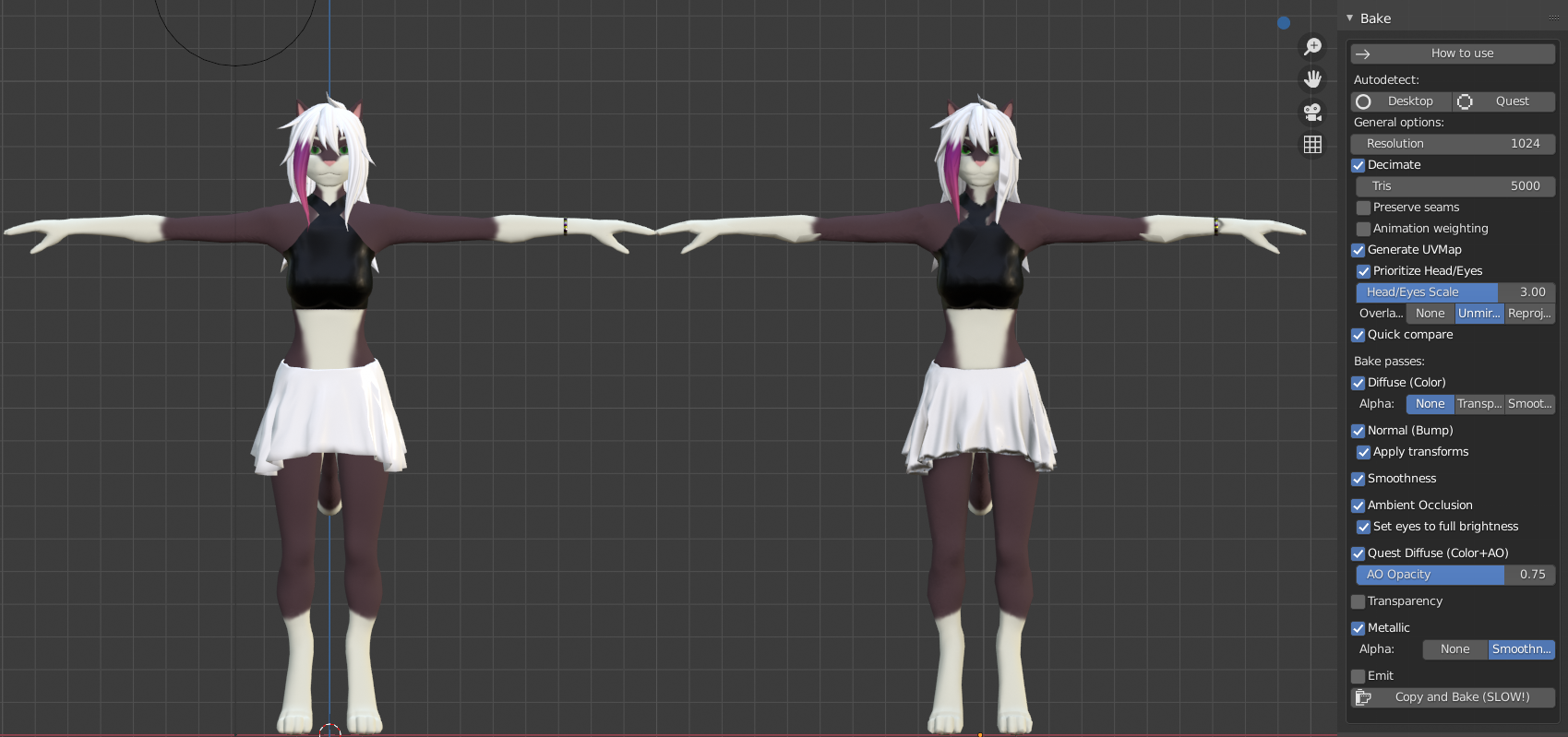
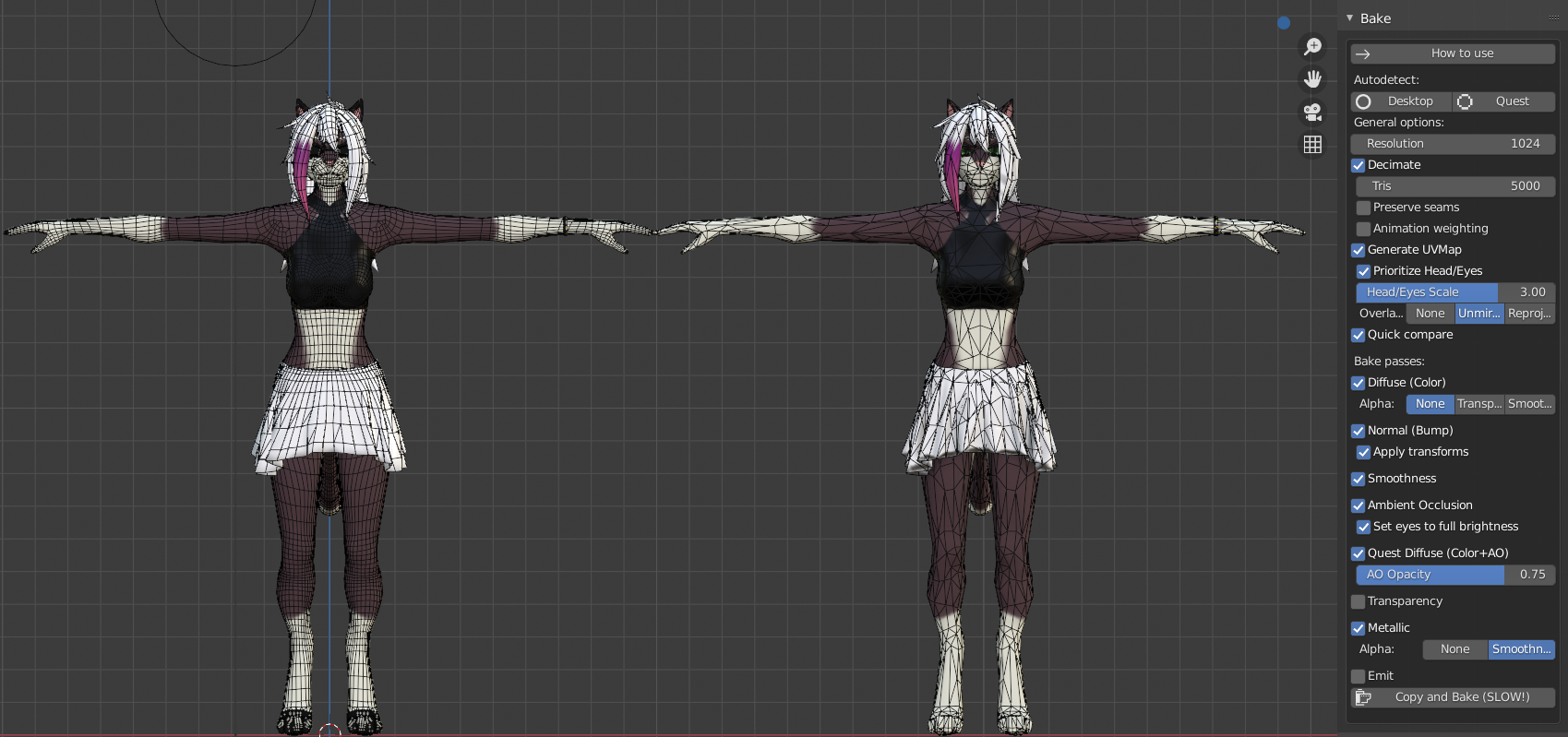 reef needle
quick question, can quest users see animations such as dances or simple ones like facial emotes or body parts moving (ears)? I dont see anything about it mentioned in the quest limitations. I guess anything not specifically whitelisted is just blocked
the main a avatar I use has a huge tail made of feathers and I want to know what position i should keep them in depending on if they can see me emote to lower them or not
shell canyon
reef needle
quick question, can quest users see animations such as dances or simple ones lik...
Yeah they can see animations
wooden ruin
anyone have a chris afton avatar i can have?
warm copper
i know this is a channel for quest, but does anyone here have any experience with the rift and can help out my friend? her vr isn't working and it just goes all black when she plugs it into her pc.
reef needle
@warm copper does she have a laptop or desktop
shut flame
warm copper
i know this is a channel for quest, but does anyone here have any experience wit...
What goes black? The PC or the rift?
warm copper
she has a laptop, and it’s the rift
reef needle
thats the problem
warm copper
her vr was working before?
reef needle
did she change ports or something?
VR sets turning black when plugged into a laptop is usually because its connected to the iGPU on its CPU instead of the Nvidia graphics card
warm copper
could you elaborate a little bit? sorry, i’m not the most tech savvy person and i play on my pc, so i have no idea and neither does she.
reef needle
Laptops have a low powered graphics card to save power and a high powered graphics card for gaming. the low powered graphics card is usually on intel CPUs and its called the intergrated Graphics Card. Your display ports (HDMI or DispayPort) can be connected to the igpu instead of the gpu which causes problems
if it was working before then its mostly a software problem
shut flame
Think of it like a gpu is a brain and your laptop has two brains. Ones for heavy computer processing and ones for the easier things
reef needle
^
NVidia in its infinite wisdom thought this was a good idea and VR headsets dont play well with optimus laptops (laptops that have a low and high powered gpu)
if it was working before then its a software problem
restart the pc, see if anything updated recently
HDMI ports are also usually wired to the iGPU while the GPU is connected to the mDP (mini display port). Maybe she swapped to the HDMI port or something for connection?
warm copper
she’s tried doing that countless of times, and said that her laptop is up to date. i’m not sure if we’re missing something or if there’s a specific driver that’s just not updating?
yeah, she only currently has her charger and her vr in right now so i have no idea of what could’ve happened
reef needle
try repairing the oculus software
the oculus installation file should have that option
warm copper
she’s asking how to get there
reef needle
@warm copper

Download Oculus software on your PC to set up Oculus Rift and explore the best VR apps and more. If you have Rift + Touch, you can also set up your hardware.
warm copper
thank you!
reef needle
np. lemme know if it doesnt work because theres a couple other options you can try
steep crescent
@obsidian zealot What are all these OBJ you constantly post?
steep crescent
oh well
 timber shadow
 ionic fox

 icy berry
hi
 lime spade
 haughty juniper
Hello
haughty coyote
wdym by turkish room
a server with turks?
if so i were just in one then i ran out of charge
obsidian zealot
lime spade
Round enderman isn’t real he can’t hurt you
 main fiber
I'm not sure that's an issue for the chat mods, but okay.
 lapis reef
using Steam VRChat, anyone know why i cant jump anymore?
the jump button still reacts when i touch it, but pressing it doesnt jump
shut flame
lapis reef
using Steam VRChat, anyone know why i cant jump anymore?
Some maps don't allow you to jump
lapis reef
OH, is the Pug West one of them?
cuz this is like the third world i havent been able to jump in
shut flame
Just try the home world or whatever it's called
lapis reef
your right, i went to that starting area and could jump again. thanks =p
shut flame
If you can jump there then it's probably just jump is disabled
Lmao
Alright alright, no problemo
lapis reef
is there any change i can make to get the world icons to load faster?
not quest related i guess but too late lol
haughty coyote
guys out of context
that guy just swore so bad in turkish
i mean
didnt they swear a little too much
shut flame
i didn't know what he said
shut flame
uhh, then don't translate it here if its that bad
welp, i guess hes gone. i was just gunna see if the mods noticed
 compact warren
anyone have a pop cat avatar
 small summit
Hey why can’t I use the camera in vrchat ?
 digital shoal
anyone have beatsaber
shut flame
small summit
Hey why can’t I use the camera in vrchat ?
There isn't a camera for the quest
haughty coyote
yo guys
is there any way to use hand trackin on vrc?
my oculus wont allow me
shut flame
haughty coyote
yo guys
is there any way to use hand trackin on vrc?
my oculus wont allow me
As far as I know, the oculus hand tracking can't be used
haughty coyote
oh ok
haughty coyote
does anyone here use link and if so can you link the cable you use as i wanna find a good cable that works with link
 half fox
I'm pretty sure the link cable is available on their website
haughty coyote
doesnt oculus link also work with orginal charge cable that comes with quest 1?
 marble marsh
It does but that's USB 2 and fairly short iirc.
steep crescent
Nah it's USB 3 like 5 meters long
marble marsh
Ah, forgot the Quest 1 charging cable was quite a bit longer. Though I'm pretty sure it's still USB 2
half fox
Well I never had a quest 1 so ig I'm getting the link cable-
 static loom
hello
 light heath
Helo egy magyart keresek vr os jatekokra
rolam:Ocolus Rift s + 14 eves vok
 livid lark
im getting a oculus quest 2 the 12th of january
 bright coyote
I'm not sure if this is the place but anyway, I saw someone with a Minecraft Steve avatar that rendered fine in Quest although I can't find any avatar worlds for Quest with this, nor did I have a sense to quickly clone avatar 🤦♂️. Does anyone know where I can get this on Quest?
 uncut elm
Looking for broly avatar with animations or get one made plz
 neat kiln
I’m looking for a gon and killua avatar dm me if anyone has them
 sturdy cape
Excuse me, I'm a dumb butt and my sister is asleep.... How do I install the newest update of ALVR on my Quest 2
shut flame
sturdy cape
Excuse me, I'm a dumb butt and my sister is asleep.... How do I install the new...
ALVR? I don't think you can use that with the quest
I've only ever heard of virtual desktop
steep crescent
sturdy cape
Excuse me, I'm a dumb butt and my sister is asleep.... How do I install the new...
Install it via Sidequest, there are a few instructions how to install stuff from outside of Oculus Store.
 chrome furnace
Anyone know any good avatar worlds ?
shut flame
what do you mean by good? like weebish, cartooni, hd
 spare raven
yo, so if i use the link cable to download a game onto the quest2, can i play that game without the cable later? or do i have to have the vr connected to a pc
shut flame
spare raven
yo, so if i use the link cable to download a game onto the quest2, can i play th...
all the link cable does is it makes your computer run programs on your headset so if you install a game with the link cable in, all you're doing is installing the game to your pc. The pc is doing all the work: ram and storage
half fox
Basically what you're doing is switching your monitor/s for the headset
 whole moat
Is it possible to use a headset for sound and the built in mic on the Quest 2?
At the same time?
light heath
Valaki magyar?
haughty coyote
what
light heath
Someone Hungary?
 snow quail
hello!
shut flame
whole moat
Is it possible to use a headset for sound and the built in mic on the Quest 2?
What do you mean?
whole moat
shut flame
What do you mean?
If I wanted to use my normal headset for audio but wanted to use the quest built mic to talk is that possible?
steep crescent
shut flame
all the link cable does is it makes your computer run programs on your headset s...
Maybe he meant installing stuff on his Quest
whole moat
steep crescent
Maybe he meant installing stuff on his Quest
No Chicky answered it
Thanks
steep crescent
I didn't mean your question
shut flame
steep crescent
Maybe he meant installing stuff on his Quest
But they said that when they used link and downloaded something. So I guessed they meant from the oculus menu that you sit in before launching a game
steep crescent
Yeah but you can download stuff via Link on Quest too
Then it installs the programs on the Headset
There is a whole second store outside of the Oculus Store
light heath
Magyart keresek
 strong widget
Anyone want to play vrc? dm me for my username and such
 high cosmos
anyone know how i can stream obs of vr on quest (via link) without obs saying there is another streaming software?
haughty coyote
Guys vive trackers do work on oculus
Vive trackers are like 15-20$
But you need to have oculus link
And a pc capable of running vr
 modern scarab
So im getting a quest in like a week and is there a way to hook it to my pc for steam games?
 robust marsh
Link cable or use virtual desktop
haughty coyote
haughty coyote
Vive trackers are like 15-20$
Vive trackers aren't 15-20$.
More like 100$ a piece
Oh
If I'm correct, In the U.S vive trackers are 100 USD per tracker
robust marsh
Anyone on quest 2
shut flame
mate, probably mostly everyone that has a quest is on a quest 2
 hearty bobcat
Are there any worlds that has the colossal titan/
steep crescent
Nah i've Quest 1 lol
shut flame
steep crescent
Nah i've Quest 1 lol
same, but i mean with the huge buy out with the quest two theres gotta be so many people with it out there
 devout ether
Where would be the best place to get help for quest. I’m having a problem with my avatar aligning with my body. It’s also floating
shut flame
devout ether
Where would be the best place to get help for quest. I’m having a problem with m...
You can ask here
 vale pier
is it just me or my vrc in quest isnt working
haughty coyote
uh..wut @vale pier
your quest in vrc or..
I can now see why people call me dumb
Well anyways, What seems to be the problem?
hearty bobcat
hmu if you have the colossal titan please.
shut flame
vale pier
is it just me or my vrc in quest isnt working
Mate, it's just you. Mine is working fine
 brave rampart
Is #quest-general also for Ouclus Quest 2??
shut flame
brave rampart
Is <#587692666507100181> also for Ouclus Quest 2??
Yea
Quest one and two
 wooden mica
Playing on quest2 sometimes the microphone will get very funny. Anyone knows why and how to fix it?
 inner sleet
uh for me the quest while i was playing vrchat linked to my computer no problems and just lag time to time but not a big deal but when i tried going to a certain game my quest stops responding i checkeed my computer it said it had no internet when i restarted my computer it had internet again so i joined the game again and it crashed and on my computer said i had no internet but i had internet on my quest and only that 1 game so far does that y?
 runic remnant
my quest 2 just came in the mail, I love everyone in this discord.
hearty bobcat
Does anyone know any aot worlds?
 opal canopy
SAMEEE QUESTION^^ I need avatars please for attack on Titan
spare raven
how do u charge the headset ;-;
i just got it and i can't find the charging port on the headset
shut flame
It should be on the opposite side of the headset from the power button
spare raven
o right ljdsfkjd i forgot to take the white sticker thing off the side of it
 winged jackal
anyone else crashing a lot recently? :v
 glass reef
So just got my quest 2 loving it and wondering if anyone has any good recommendations how to increase performance
 blissful burrow
i keep crashing on vrchat why
shut flame
spare raven
o right ljdsfkjd i forgot to take the white sticker thing off the side of it
Lmao, alright. That's good
shut flame
glass reef
So just got my quest 2 loving it and wondering if anyone has any good recommenda...
I don't know how to exactly but just look through the setting and you'll probably find it
 umbral pier
how long does vrchat usually take to fully load and make it into the initial home world
i remember it used to take like ~5 minutes but it takes around ~25 minutes for me now
everything after is fine though which is strange
umbral pier
yeah that's kind of what i thought lol
like from first booting the actual application to signing in, loading the home world, and actually entering it that takes 25 minutes
and i don't know why
shut flame
Oh god
So you're like "just gunna boot up VRChat now I can go have supper, sleep, and talk to my friends before it starts up"
umbral pier
yep
shut flame
But honestly, I dunno why that's happening. I'm guessing it's a thing with your copy of VRChat but I can look around for a bit
Unless you don't mind it
steep crescent
That should only take approximately 1 minute at max
 dense brook
Can someone explain what virtual market is and if it’s available on quest?
haughty coyote
I need help
I just got my quest 2 today and when i try to play vr chat
i click log in with oculus
the green circle fills up and around like 90 percent ish the thing freezes
@eternal jewel
 crisp crater
Delete and redownload?
 left geode
hey, i was thinking about buying the quest 2 and had a couple questions if someone would be so kind
 celest fable
left geode
hey, i was thinking about buying the quest 2 and had a couple questions if someo...
celest fable
left geode
hey, i was thinking about buying the quest 2 and had a couple questions if someo...
ok
haughty coyote
Who's down to play?
 coarse crystal
Guys how comes when I go near people they disappear is there a way I can fix this
woeful cypress
Disable personal space
steep crescent
Settings
haughty coyote
i want quest to work for PC wirless thoughts or help please? DMs open
shut flame
haughty coyote
i want quest to work for PC wirless thoughts or help please? DMs open
Just use virtual desktop mate
shut flame
left geode
hey, i was thinking about buying the quest 2 and had a couple questions if someo...
Ask away mate, I'll try my best
shut flame
coarse crystal
Can help you maybe
Oh god Koro, why you gotta pull me into this but since I'm here
shut flame
haughty coyote
Vr chat doesn’t let me log in
How does it not let you log in mate? Does it say your password is wrong? Does it just not load afterwards?
shut flame
 dusk fog
he sent that about an hour ago
dusk fog
he sent that about an hour ago
Whew
Ok, I'm gunna talk to some others than ay
dusk fog
didnt want to deal with that huh
shut flame
Honestly, sometimes it can be rough
dusk fog
understandable
coarse crystal
shut flame
Oh god Koro, why you gotta pull me into this but since I'm here
Sorry for doing that I just thought- nvm
dusk fog
coarse crystal
Sorry for doing that I just thought- nvm
hmmm finish that?
shut flame
coarse crystal
Sorry for doing that I just thought- nvm
You just thought what? Tell me koro
coarse crystal
dusk fog
hmmm finish that?
It was because they helped the other people so I thought they was a helper
dusk fog
oh ok then i get you
shut flame
Honestly, I don't mind Koro. I just try to help people who don't get answered but I'm not like a staff or anything
coarse crystal
Oh okay
dusk fog
@shut flame sorry to be a bother but is there any channel where we can find people to play with?
maybe they named it differently im not sure
shut flame
dusk fog
<@!454743505701699605> sorry to be a bother but is there any channel where we ca...
No, you just ask in something like the general chat but it's kinda rare to get people to answer and join you
dusk fog
shut flame
No, you just ask in something like the general chat but it's kinda rare to get p...
ok thank you, my only friend who actually has VR is like dead or something idk
shut flame
dusk fog
ok thank you, my only friend who actually has VR is like dead or something idk
Lmao, yea. That happens
coarse crystal
Uh how do u crouch
shut flame
coarse crystal
Uh how do u crouch
c'mon mate
you gotta crouch irl
physically do it, thats what vr is all about
haughty coyote
can soemone help me
dusk fog
haughty coyote
can soemone help me
whats up
haughty coyote
my vr chat doesnt work
when i click sign in with oculus
the circle fills up like 90 percent
and then freezes
shut flame
coarse crystal
Ok <@454743505701699605>
Lmao, C'mon mate. I thought you were a veteran
haughty coyote
haughty coyote
the circle fills up like 90 percent
that also happened to me, restart your oculus and it might work.
coarse crystal
shut flame
Lmao, C'mon mate. I thought you were a veteran
No no I just started
shut flame
coarse crystal
No no I just started
Oooo, we got a newbie on our hands ay
I hope you have a grand time in VRChat mate
haughty coyote
i love how the vrchat community is less toxic community
it has no toxicity at all
haughty coyote
haughty coyote
that also happened to me, restart your oculus and it might work.
how do i restart
haughty coyote
haughty coyote
how do i restart
You normally restart ur oculus, hold power button for 2 seconds then restart setting
ok
its so annoying because i wanna play vr chat
also it doesnt happen that commonly, so u dont have to worry
like the cricle just freezes
doesnt work
i restarded the headset
so annoying
it just freezes like everytime
 cold vapor
haughty coyote
cold vapor
haughty coyote
That hurts my soul to look at
shell canyon
Imagine drawing on a $300+ device with crayon 
 ivory plinth
shell canyon
ivory plinth
shell canyon
Probably just want the attention by doing stupid stuff. Gonna ignore them now
 south falcon
Why’s that? Is it hot?
haughty coyote
Probably played a little too intense for a little too long
 violet osprey
it feels very uncomfortable
dusk fog
the quest 2 ruined vrchat, all the kids who got it for Christmas hopped on among us and are annoying
 vital flare
cold vapor
vital flare
cold vapor
wtf did you do?!?!
vital flare
dusk fog
the quest 2 ruined vrchat, all the kids who got it for Christmas hopped on among...
Lmao just play those games with your friends then.
dusk fog
vital flare
Lmao just play those games with your friends then.
thats the thing i dont have friends to play with they all dont have vr or a pc
thats why i joined this server to find people
vital flare
Wait how dont you have friends?
dusk fog
they dont have vrchat
vital flare
How long have you been playing for?
vital flare
And you never friended anyone??
dusk fog
some but i want actual people that i can hop in a discord with
vital flare
dusk fog
i went from quest to rift
Why not use Link?
vital flare
dusk fog
some but i want actual people that i can hop in a discord with
I've met some of my recent best friends playing VRC and we added eachother on discord from there
dusk fog
vital flare
Why not use Link?
i honestly dont know i just wanted it
vital flare
dusk fog
i honestly dont know i just wanted it
Fair enough
haughty coyote
Can someone help me make an avatar for VR chat for the quest 2 please?
vital flare
Im actually gunna sidegrade to the Quest 2 for a complete Wireless Fullbody experience
dusk fog
either way just trying to find people
vital flare
Ah right
dusk fog
vital flare
Im actually gunna sidegrade to the Quest 2 for a complete Wireless Fullbody expe...
a wise choice
vital flare
haughty coyote
Can someone help me make an avatar for VR chat for the quest 2 please?
You looked up any videos yet?
vital flare
dusk fog
a wise choice
Thank you my man!
Anyways, if you are looking for people to play with, you can add me if ya want
haughty coyote
No, my computer is too slow and it can’t really handle it
dusk fog
though the quest is good i cant handle how uncomfortable it is
haughty coyote
That’s why I need someone to help me make one
dusk fog
yea sure when you want to play just dm me
vital flare
dusk fog
though the quest is good i cant handle how uncomfortable it is
Im prob just gunna deal with the crappy scrap cuz it would be more comfortable to lay down in.
vital flare
haughty coyote
That’s why I need someone to help me make one
Ah. Wait so your computer cant handle running Unity?
haughty coyote
yeah
dusk fog
vital flare
Im prob just gunna deal with the crappy scrap cuz it would be more comfortable t...
thats one of the main reasons i switched over was to have a way better time because i would play saints and sinners and move around and it just got too heavy they need to balance the weight a little
dusk fog
but you cant complain after all all the hardware is in the front but overall so worth the money
vital flare
dusk fog
thats one of the main reasons i switched over was to have a way better time beca...
Ah. You know, you could have used the Vive Elite headstap with the Quest
vital flare
dusk fog
but you cant complain after all all the hardware is in the front but overall so ...
Yeye exactly
vital flare
haughty coyote
I can’t run games well or anything
Ah
Have you tried to run Unity yet?
dusk fog
vital flare
Ah. You know, you could have used the Vive Elite headstap with the Quest
didnt even think about that, well too late now
vital flare
Lmao oh well
haughty coyote
vital flare
Have you tried to run Unity yet?
Yeah I did like months ago
vital flare
haughty coyote
Yeah I did like months ago
Didn't go well?
haughty coyote
vital flare
Didn't go well?
Can you probably help me make one?
 austere tide
Oi Oi
 smoky hemlock
Yo I just bought my sister a quest
But does anyone know how to get use to the motion sickness?
haughty coyote
smoky hemlock
Yo I just bought my sister a quest
But does anyone know how to get use to the m...
The only solution I have is to always have the fan on while playing and always make sure to drink water
Once you get used to game you’ll slowly get used to the motion
haughty coyote
Lol
haughty coyote
 half vault
This is active
half vault
This is active
I know sayori’s body isn’t active
smoky hemlock
Thank you for telling me @haughty coyote
half vault
. _.
haughty coyote
No problem
haughty coyote
Lol
smoky hemlock
Lol
hearty bobcat
I just go the quest 2 can I do full body tracking without a pc?
shell canyon
hearty bobcat
I just go the quest 2 can I do full body tracking without a pc?
No. Can only be done with a PC
hearty bobcat
Ok thanks
shut flame
hearty bobcat
I just go the quest 2 can I do full body tracking without a pc?
you can do full body tracking using link or virtual desktop but standalone quest tracking is still being developed. I have seen some trackers that companies are working on to give the quest full body capabilities but those are yet to be completed and sold to the general public
have you tried switching avatars? it might just be the avatar you are using rn
shut flame
and?
half vault
Does anyone have any good home maps like winter
shut flame
you did what in unity?
half vault
Or can sende in the right direction?
shut flame
wait, so were you asking if the avatar you created has a view below its head or an avatar you found in a world?
did you make sure you placed it in the right location?
no, i believe it is when you bring it into unity you choose where the camera is for the avatar so you gotta make sure its in the right location. I don't know a lot about creating avatar's though so you might wanna ask in #avatar-quest or #avatar-help
im sorry for not knowing much, i don't want to dig into it rn cuz my backs been hurting a fair amount but if no one helps you out then i'll try to look into it later
 hearty lantern
yo does anybody know the name of any server that has attack on titan skins on it?
yo does anybody know the name of any server that has attack on titan skins on it? (sry for asking again)
shut flame
hearty lantern
yo does anybody know the name of any server that has attack on titan skins on it...
did you try searching for it?
hearty lantern
yeah
i searched "aot" in worlds
then a few other things and couldnt find anything
ive been searching for about 2 days id say just playing vr chat hoping id find anybody with a titan avatar
@shut flame
shut flame
hearty lantern
ive been searching for about 2 days id say just playing vr chat hoping id find a...
honestly so many people ask for aot avatars but i haven't seen any either. Maybe there just aren't any mate
hearty lantern
no no ive seen a ton on youtube and stuff like that
like a huge ton of people using attack on titan skins on youtube and tiktok and reddit.. etc
but never seen any on vr chat
 midnight roost
Managed to download SteamVR after using just the Quest
Before SteamVR I could curl my fingers and hold out a middle finger (for whatever reason)
After SteamVR I can't curl/point any fingers, but my hands do curl if I walk forward
Any idea what's up?
shut flame
midnight roost
Managed to download SteamVR after using just the Quest
Before SteamVR I could cu...
Did you turn off gestures?
midnight roost
Where can I find gestures? @shut flame
 rose walrus
It's in the action menu. Press your thumb stick?
shut flame
Thanks mate
midnight roost
Fingers work fine, minus thumbs, in SteamVR before I launch VRChat
rose walrus
No. As in press your thumb stick to bring up action menu
You know the one you press R to bring up on desktop?
Then Settings -> Gestures on the menu I think
shut flame
It shouldn't be the thumb stick though, it should be your B or Y button (held down)
rose walrus
I don't know quest controls sorry
shut flame
It's alright, you're trying and that's what matters
midnight roost
Gestures were off, thank you
Now the hands slightly curl, which makes the avatars ears go down, but last time (before SteamVR) it made them stick their tongue out
rose walrus
Try different combination of buttons
midnight roost
Yeah that did it
 wooden sleet
Question, how good is the population on the quest vs pc users?
shut flame
midnight roost
I'll figure it out later or something, thank you
Do you not know your combinations?
wooden sleet
Basically user base on quest vr chat vs pc
midnight roost
I did before SteamVR
One button was middle finger and the other was curl
But I think there’s just stuff to it I still need to learn
I appreciate your help
shut flame
Here's a run down for basic avatars:
Middle finger: finger gun
Middle + Index: thumbs up
Middle + Thumb: point
Index: I believe just curl a bit
Index + thumb: rock and roll
Thumb: I believe doesn't do anything
I think I got them all
Their very basic but whatever
midnight roost
Are those just standard that everyone has?
shut flame
Yea
midnight roost
Alright, I’ll copy/paste it and try and get accustomed
shut flame
I mean, some models might change them up a bit like the rock and roll one might be flicking someone off instead or finger guns will be an actual gun
But it's generally the same for every avatar
midnight roost
I just liked the curled fingers and middle finger tbh
unborn grotto
shut flame
Just constantly rest your index finger on the trigger
midnight roost
But it’s nice to always have options
unborn grotto
this breaks down the different controls on quest
but yeah, it also depends on how the avatar author has set them up
midnight roost
Noted, thank you @unborn grotto
midnight roost
Facing one more problem, the mic on my Quest isn't working again @shut flame
Can't remember how I fixed it before
shut flame
midnight roost
Facing one more problem, the mic on my Quest isn't working again <@!454743505701...
Oh god, is this what I've become, someone to ping for help, I guess so...
But anyway, here's something Misutaaurufu told me to do:
If you are using Oculus Link this has been a common issue, as well as an issue with Rift as well. I was talking to some people at a VRC party last night and apparently the Rifts (and Quest in Rift mode) are drawing more power than they should and it can cause the audio to cut out.
To be sure this is happening though:
1.) Click the volume icon in the taskbar.
2.) Next to the name of the current sound device should be an upward chevron ( ︿ ). Click it.
3.) Select the Oculus Quest from the list that appears.
If the Oculus Quest is not in the list:
1.) Right click the volume icon in the taskbar.
2.) Click "Open Sound settings"
3.) Maximize the window.
4.) Select "Manage Sound Devices" from the right side of the window.
5.) In the list of playback devices find the Oculus or Oculus Quest sound device.
6A.) If it is greyed out, right-click it and select enable.
6B.) Right-click it and select "Set as Default Device."
7.) Select the "Recording" tab.
8.) Repeat steps 6A & 6B from this list.
The "audio dropdown" it is referring to is your system settings audio, but this looks different depending on the version of Windows 10 you use. (See the first set of steps for current versions.)
midnight roost
No dice @shut flame
The Toggle Voice checkbox is marked but I can't touch it
Restarting my Quest fixed it, who woulda guessed
Thank you once again
shut flame
Thank god, I'm way too sad rn to go digging around the internet to have helped you. I hope you have a good time mate
austere tide
smoky hemlock
Thank you for telling me <@456226577798135808>
Ay I had this problem and honestly playing games like vrchat and games that do not require you to be moving 90% of the time is a good way to ease into things you will still get motion sickness however after 3-4 days you should be good to go. I learnt the hard way from getting Blown up in onward several times and nearly throwing up
shut flame
austere tide
Ay I had this problem and honestly playing games like vrchat and games that do n...
That must've sucked mate, I never really got motion sickness from vr which is nice. I just kinda always turned off teleport movement whenever I could in games and then they became way more immersive
 tropic whale
I feel like I am nothing but a peasant as a quest user
Pc player are much more dominant
haughty coyote
tropic whale
I feel like I am nothing but a peasant as a quest user
Ikr LMAO
But it is what it is
tropic whale
Lol
 fallen salmon
wanna explain why we cant get into vr?
 gentle burrow
y cant i upload anything when i click build it says vrcdescriptor required
someone help me
 exotic vault
tropic whale
I feel like I am nothing but a peasant as a quest user
exotic vault
tropic whale
I feel like I am nothing but a peasant as a quest user
I'm a quest user but when I use Oculus Link to play the Steam version I feel like a Spy
shut flame
Mate, do you want me to report you for breaking rules?
Just because it's a long doesn't mean you can break the rules
gentle burrow
Huh
 shut flame
haughty coyote
The 1st gen is better
shut flame
haughty coyote
The 1st gen is better
It's actually the other way around. The quest 2 is amazing, quite better then the quest one but the major fall down with the quest 2 is it's head strap (not sure if it's the regular one or the deluxe or both though) as it seems to be breaking quite easily for a lot of users
haughty coyote
Oh, so is it worth it buying a quest 2 instead of a quest 1?
The Quest 2 headstrap can easily be improved with a 10.00 pounds pad I bought on ebay and using virtual desktop I have a 30,000mah battery on the back giving me over 15 hours battery power no wires on a 5ghz wireless network works amazing only thing I want now is trackers for legs as the kinect is only so so

eBay
Find many great new & used options and get the best deals for Reduce Pressure Head Strap Pad Soft PU Leather VR Headset for Oculus Quest 2 at the best online prices at eBay! Free delivery for many products!
^this is the pad I used to improve headstrap
and if you use a battery like me get one that is type c to type c output I found it helps mine charges more than the headset uses to play on
 prime spruce
Hey, when i play with my quest 2 sometimes there is lag of the voice of other people, how can i solve it?
 daring kraken
Is there any way to test a quest world without owning a quest?
Perhaps building an android build as an actual app for android?
 hidden heart
does anyone know any hypnotists who give phantom touch?
if you do, can you tell me them?
shut flame
daring kraken
Is there any way to test a quest world without owning a quest?
Just ask people to try it out on the quest
daring kraken
I mean, sure, but I'd much rather be able to see the world myself
haughty coyote
Help?
Facebook
Log into Facebook to start sharing and connecting with your friends, family, and people you know.
why is it so bad?
 lofty cedar
Hello
steep crescent
haughty coyote
Help?
your graphics card cant handle it
It's struggling
You can try to turn your resolution down until it works or try out running the game via Oculus Home instead of Steam. Otherwise you probably are out of luck.
left geode
what happens if my facebook account gets disabled? get this mean my quest 2 is bricked? or can i just make a new account? also something about all my games will be terminated with my facebook account??
shell canyon
daring kraken
I mean, sure, but I'd much rather be able to see the world myself
Uploading the Quest version for PC is the closest you'll get
daring kraken
dang, ok. Thank you
steep crescent
left geode
what happens if my facebook account gets disabled? get this mean my quest 2 is b...
It means you're banned from oculus products for lifetime since you arent allowed to create a new account after getting banned. If you do it's a ticking time bomb after they'll find out that you did and ban you again.
Getting banned means you would be better of refunding or selling your Quest
left geode
great....nothing like getting banned by their shitty bot algorithm and not having the staff to help with my ticket. i honestly wish oculus was nvr a thing...such good performance for such low price but facebook man. fuck facebook....
inner sleet
i feel like for some reason this place is filled with 20+ year olds
 fallow lily
Oh is it? Beautiful 🙏🏾 I’m tired of discord servers full of kids lol
lofty cedar
Anyone have a avatar of someone wearing a suit
exotic vault
So I'm using a quest 1 with oculus link but the built in mic pics up other people's voices for some reason. Does anyone know which settings to set so that doesn't happen?
I've already lowered the volume for the voices and world and such but it's either I can barely hear anything or the mic picks up the audio still
shut flame
I mean, I can't read most of it but I see it says 1050ti and that meets the minimum requirement to run VR (which I'm guessing you're gunna be using for oculus link)
exotic vault
That should be able to
 devout bison
What's a good first game to buy for quest 2
coarse crystal
What are you into?
shut flame
devout bison
What's a good first game to buy for quest 2
If you're looking for;
Something more physical: beat saber
A story: Vader Immortal, tales from the galaxy's edge
Zombie game: Death Horizon, Saints and Sinners(although it is more pricy than the other games it's a good buy)
Puzzle game: I expect you to die
Multiplayer (with the people in your room): Keep talking and nobody explodes, Acron
Social: VRChat
Please remember this list is based on games I have played and it's my opinions what I left out and what I put in
vital flare
haughty coyote
Wait hang on. Is that in Euro's?
Because if it is, then its a ripoff.
What is that currency...... I genuinely have no clue.
coarse crystal
vital flare
What is that currency...... I genuinely have no clue.
It’s not euros
coarse crystal
vital flare
What is that currency...... I genuinely have no clue.
It’s polish złoty
coarse crystal
I’ve only seen it a few times just recognise it from notes and stuff
vital flare
Huh cool
vital flare
haughty coyote
Alright yea that price is good lmao
 blissful meteor
To the dude who asked me for an attack on Titan map I'm sorry I had to leave and go finish my work
haughty coyote
haughty coyote
Oh, so is it worth it buying a quest 2 instead of a quest 1?
I'd say go for it, I've owned both and the Quest 2's processing power is a noticeable upgrade in most games that I play. I also really like how lightweight it is compared to the original Quest since that was my main gripe with it. The controllers feel better in my hands than the previous ones and I don't really mind the gray-ish black levels. If you prefer better blacks then I'd just stick with the original Quest til the next gen.
For me though? I wouldn't go back. Worth the upgrade.
 restive shoal
anyone wanna play?
haughty coyote
Aight thx man
 sour ruin
the quest 2 is so much better than quest 1
restive shoal
ikr thats what i have
haughty coyote
They both have pros and cons that differentiate each other.
haughty coyote
Based on preferences, you might view the original Quest better than the Quest 2 or perhaps you might think the Quest 2 is better than the original Quest. Just do your research before you buy and choose the one that's right for you.
 opal lichen
Hi guys i am looking for a LPD member anyone i qm looking to join the forcw thank you
 gloomy mirage
can someone help me, im so lost on what its trying to tell me
shut flame
gloomy mirage
can someone help me, im so lost on what its trying to tell me
its not required but its the port that you are using on your computer/laptop. Some ports transfer data faster than others
gloomy mirage
But what does it actually want from me? I only have one cable?
shut flame
its just saying that without that connection you will be running vr a little slower which will cause lag
shut flame
gloomy mirage
But what does it actually want from me? I only have one cable?
yes, but im talking about the port on your computer
not the cable
gloomy mirage
but both ends are sb 2 or however its called
 pale wyvern
Try a port that's colored blue, if you have one
shut flame
pale wyvern
Usually anything with cool looking colors is 3.0
gloomy mirage
i only have one that can fit it
pale wyvern
Use it
gloomy mirage
I was asking in case it had anything to with me being unable to connect to steamvr
shut flame
no, you can play vr with any port it just different ports have different speeds
gloomy mirage
Any ideas why i cant connect my quest with steamvr?
pale wyvern
Steam vr
gloomy mirage
Cause if thats not the problem then what is
shut flame
whats happening exactly?
pale wyvern
Does it give you an error code or something
shut flame
you plug it in, you should be in the oculus menu
gloomy mirage
its plugged in and i've re-plugged it but it wont connect
shut flame
but you sent a screenshot before saying "connected and active"
gloomy mirage
now im confused
im just really confused with how to connect it, tried doing the room setup to set it up and it said my controllers and headset werent on, and i also keep getting this error
shut flame
do you have steamvr installed?
gloomy mirage
yeah but it didnt exactly let me install it from steam itself
shut flame
also, does the oculus menu work before trying to use the steam app?
gloomy mirage
i believe so
 tulip magnet
@gloomy mirage how does it look in the Oculus PC app?
and are you able to go to the oculus home?
gloomy mirage
yeah, it was a bit weird at first, didnt properly connect to my pc but it worked in the end
 misty heath
how do i connect quest 2 to my pc to download avatars or worlds or is that not possible
haughty coyote
misty heath
how do i connect quest 2 to my pc to download avatars or worlds or is that not p...
you dont connect your quest to download worlds/avatars, if you do download an avatar or world you can just upload it using unity
misty heath
Ok thansk
tulip magnet
@misty heath if you're looking for quest avatars, then you can go to worlds and find an avatar you like. if you find a quest compatible avatar available for download online, then you need to upload it to your vrchat account yourself using unity and the vrchat sdk.
if your goal is to see PC avatars, then you need a PC powerful enough to run VR games, and then either use a usb cable or virtual desktop to play the PC version of vrchat using your quest.
glass reef
Anyone have any recommendations for what kind of headset to use or would you say it's just better to use the quests built-in mic
left geode
so how does oculus, facebook, and steam, intermingle?
gloomy mirage
Anyone able to help me connect my quest 2 to Steamvr?
It doesnt detect my controllers, it says bluetooth isn't available and even if i have my headset on and connected to my pc it wont work
coarse crystal
Quick question but can some one link me the elite strap that charges it whilst playing too because I need to get one but I don’t know where to get them from
coarse crystal
left geode
so how does oculus, facebook, and steam, intermingle?
Face book owns oculus but I’m not sure about steam
exotic vault
Steam is owned by Valve
 winter hornet
Will VRC+ ever be out for quest
shut flame
glass reef
Anyone have any recommendations for what kind of headset to use or would you say...
The built in mic works fine for me but you can get a better one if you wish it would just take a bit of creativity to keep it from falling
shut flame
left geode
so how does oculus, facebook, and steam, intermingle?
Well, oculus is owned by Facebook but you can think of steam as a "third party app" where it's not necessarily theirs but you can use it if you put in the effort
shut flame
gloomy mirage
Anyone able to help me connect my quest 2 to Steamvr?
It doesnt detect my contro...
I've only ever really used steamvr once but I'll ask: are your controllers connected when you're just in the oculus menu?
gloomy mirage
Well i can use them
shut flame
coarse crystal
Quick question but can some one link me the elite strap that charges it whilst p...
Now, I'll give you the link to oculus's official one but I don't recommend it as it's overly expensive and there are ones that are one tenth the price for the same extra battery life
shut flame
gloomy mirage
Well i can use them
Wait, so do you still have the problem?
Or were you answering my question?
gloomy mirage
Answering your question
coarse crystal
shut flame
Now, I'll give you the link to oculus's official one but I don't recommend it as...
Third party? As long as they are okay I don’t mind
 neat pike
hi
shut flame
coarse crystal
Third party? As long as they are okay I don’t mind
I've never really looked into different battery banks so I don't want to recommend a specific one because of that
coarse crystal
shut flame
I've never really looked into different battery banks so I don't want to recomme...
So what would i search up to for them just oculus quest 2 battery bank
shut flame
coarse crystal
So what would i search up to for them just oculus quest 2 battery bank
Yea, you could try that
neat pike
shut flame
I've never really looked into different battery banks so I don't want to recomme...
u need a type c charger
shut flame
I do? For what?
shut flame
Yea, I know. He was just asking about a power bank though
shut flame
Not the internal battery life of the headset but an external source that could be attached to the head strap
 woeful zenith
Yay I’m getting quest 2 today
 stoic raptor

 deft storm
yeah its pretty cool
woeful zenith
Noice, do you know if they are going to make a quest 2 variant to allow for more assets from pc?
steep crescent
shut flame
Now, I'll give you the link to oculus's official one but I don't recommend it as...
and it breaks a lot. Better buy a long charging cable and play with it connected to Quest to extend game sessions. Won't be true wireless anymore but better than wasting money on something that has a high failure rate.
hearty bobcat
please dm me if you have kid naruto with the santa claus hat.
woeful zenith
Lol
deft storm
@woeful zenith dont think so
the quest 2 shits itselfs all the time in vrchat
cant imagine what og quest is like
woeful zenith
I’m not sure if it’s supported, but is there a way to turn off limits for assets, or is it an internal thing
steep crescent
I've OG Quest
deft storm
some avatars cant be displayd no matter what
deft storm
from a optimization standpoint
steep crescent
And ye, VRC on Quest 1 runs like shit if you're in big worlds and especially if you've a lobby with more than 10 players.
woeful zenith
But otherwise is quest 2 good performance?
steep crescent
Better than Quest 1 definitely lol
woeful zenith
Good, I saw the chipset is newer
deft storm
yeah its not even a comparison
woeful zenith
Nice, I heard the resolution is better, is it very noticeable?
deft storm
dont think so
the rift s to quest 2 jump wasnt big
and quest is clearer then rift s
at least in pixel density
woeful zenith
Kk, and last but not least, would you say the quest 2 is worth the downside of Facebook acc requirement
woeful zenith
That Facebook login is required, and they are pretty strict. Luckily I have a good standing Facebook account
Aka my account is active
deft storm
mine is 10 years old, has a trollface as pfp and never posted a single thing
deft storm
actually its the me gusta face
woeful zenith
So, if you were to describe the quest 2 in one word, what would it be?
@deft storm#820
deft storm
dont know
ripe ?
it does everything it needs to do, is cheap, portable, pretty alright thing
woeful zenith
Noice, I’m currently on my way to get it XD
deft storm
have fun with it, is it your first headset ?
woeful zenith
Yes, I’m super hyped, the best I have experienced was phone VR which I know is 3 DOF and generally not that good, but I didn’t get sick so hopefully I should be good
coarse crystal
For some reason it takes quite long to load maps now and when people load characters it didn’t happen before
haughty coyote
0 regrets
shut flame
coarse crystal
For some reason it takes quite long to load maps now and when people load charac...
Are you playing on the quest without link?
coarse crystal
shut flame
Are you playing on the quest without link?
Link cable?
shut flame
Are you using link? (Can either be with the cable or virtual desktop)
coarse crystal
shut flame
Are you using link? (Can either be with the cable or virtual desktop)
No I’m just doing it normally from store
If I deleted vr chat and re downloaded it would I lose my stuff
woeful zenith
coarse crystal
If I deleted vr chat and re downloaded it would I lose my stuff
No, I don’t think so, i thought it was saved to the account
shut flame
Your favourites are in the server, that's why when you log into your account in multiple devices you have the same stuff
coarse crystal
Fixed it just needed to delete and redownload
woeful zenith
You can use custom avatars on quest right, if they are compatible and you upload them to the same account?
woeful zenith
Noice
icy berry
Hi
shut flame
that's a little odd of a request
 distant rose
Ur an odd request!
distant rose
Who is it
 solemn musk
who do you think
dusk fog
vrchat anyone?
haughty coyote
TinyKitn :3
dusk fog
just ad me user name is HopOffMyHotdog
 upbeat geode
Anyone have the house hangout world that can help me get it pls dm if you can
hearty bobcat
can a pc user make a avatar for a quest user?
shut flame
thats how it works
you make an avatar for pc users then you alter it to quest specs and upload it with the same id
hearty bobcat
Oh alright thanks
marble marsh
Actually not how it works as it can go either or.
You can make a unity project for Android and just upload to Quest and that would work just fine. Would be a bit odd to not upload it to PC as well but you can do it.
hearty bobcat
Looking for people who make avatars please dm me i play on quest 2.
 fringe raptor
How long do u have to play the game till u can upload a avatar
haughty coyote
Dont know thats what im trying to figure out but u have to be at new user i think
shell canyon
No set time. Just gotta play, make friends, and world hop
 autumn snow
I'm currently using oculus link to play vrchat on my quest 2. The audio is fine but for some reason my microphone isn't working. I set my oculus headset mic as my default windows mic and chose it in vrchat but it still isn't working. Anyone know what the problem could be?
haughty coyote
Is the mic muted in the game?
autumn snow
nope I had it on and kept asking people if they could hear me but no response
I disabled it in device manager because for some reason some games were automatically choosing it even though it wasn't connected. But I re-enabled so I don't how that would be the cause
autumn snow
I'll try restarting my pc
autumn snow
Nope still didn't do anything. The microphone test is just constantly on half way.
hearty bobcat
dm me if you have black sasuke please
 sleek dew
To fix the Oculus Quest 2 mic for link:
Open Sound Settings on your PC
Make sure you have your Input is set to - (Oculus Virtual Audio Device)
On the right side click on Sound Control Panel
Click on Recording and set your (Oculus Virtual Audio Device) as default communication device and make sure its enabled
Right click on the microphone and click on Properties
When the Properties screen is open click on Advanced
Under the [Exclusive mode] you will need to uncheck where it says "Allow applications to take exclusive control of this device"
Apply and press OK
OPEN VOICE RECORDER ON YOUR COMPUTER TO TEST IF IT IS WORKING when that's all good you should be all set.
( if it is not working sometimes it can require you to unplug the cable and reconnect it)
@autumn snow
autumn snow
Ok I’ll try that in the morning, thank you
sleek dew
No problem, let me know how it goes. 😄
lapis quartz
I usually start recording and then run Link on my Quest 2. This works flawlessly
haughty coyote
Can you get dynamic bones avatars on quest 2?
shell canyon
haughty coyote
Can you get dynamic bones avatars on quest 2?
Unless you're using link, nope
shut flame
haughty coyote
Can you get dynamic bones avatars on quest 2?
Also, rule 15 mate
 whole pilot
Someone help me with something
why do i have 20 fps in amongus on vr chat
coarse crystal
Who’s got a 2D sans avatar I can have
 subtle tartan
just buy a pc
 unique vigil
Idk where to put this, and please @ me when u reply, my friend got a quest, and I'm a rift user, I'm using quest avatars, and be can't see me, he can be the avatars and can see him self in them but can't see me when I'm the exact same avatar. I have no idea how to fix it
unborn grotto
unique vigil
Idk where to put this, and please @ me when u reply, my friend got a quest, and ...
if that avatar is very poor on quest he has to manually click show avatar on you to see it
haughty coyote
About 15-20 of my favorited avatars have been taken down over the past few days, they werent NSFW either
 sand badge
Does anyone know if the official oculus link cable keeps it charged with PCVR?
 idle imp
sand badge
Does anyone know if the official oculus link cable keeps it charged with PCVR?
idle imp
sand badge
Does anyone know if the official oculus link cable keeps it charged with PCVR?
It slowly drains the battery, but not noticeably unless you play for 8h+
(every reputable 3rd party cable will do btw) The oculus link cable however is lighter and more flexible.
sand badge
Thanks @idle imp so there is no difference between a 3rd party and official cable in terms of battery drain?
idle imp
sand badge
Thanks <@!177734139410120704> so there is no difference between a 3rd party and ...
both will perform the same way - just make sure to buy one from a brand you know is decent - not some cheap'o 15$ for 5m of USB-C
austere tide
Can I get some help?
shut flame
sand badge
Thanks <@!177734139410120704> so there is no difference between a 3rd party and ...
Honestly, I have a third party one and mine charges my headset faster then it uses power
shut flame
austere tide
Can I get some help?
What is it mate?
 fathom sapphire
hey
 warped wigeon
 mild dawn
eggy boi for sure
sand badge
@shut flame do you know what motherboard or usb ports you are using? looks like lots of people have the same issue with power slowly draining
shut flame
Ummm, I can check later. I'm not home rn as I'm out to go skating
 balmy vine
Eg would win
 ruby kelp
Prob gonna try my hand at setting up a DJ Set list since no one really does clubs on the Quest side...
And quickly finding out my music tastes are like a compass needle over some rattlesnake egg magnets...
 light wyvern
Does anyone here know how to fix a laggy problem I have on my oculus quest 2?
shut flame
light wyvern
Does anyone here know how to fix a laggy problem I have on my oculus quest 2?
Is it just laggy all the time?
light wyvern
Yes, it gets so laggy my screen starts to flash with a black screen over and over, it's so laggy my character stays in afk mode, I cant open my menu, and I haven't been able to get out of vrchat home so it's not a costume avatar or shader problem
shut flame
Is this just for VRChat though or is this on every game?
light wyvern
Just with vrchat
shut flame
Maybe you should reinstall it
distant rose
any other furries wanting to get together on vrc?
haughty coyote
distant rose
any other furries wanting to get together on vrc?
✋ 😐
distant rose
haughty coyote
✋ 😐
🙂 yo i got stuff to do for the next 50 minutes but after that lets do it
haughty coyote
distant rose
🙂 yo i got stuff to do for the next 50 minutes but after that lets do it
k
light wyvern
I did reinstall it
distant rose
can u send a friend request to cyline @haughty coyote cus idk how to send them to ppl lol
haughty coyote
distant rose
can u send a friend request to cyline <@456226577798135808> cus idk how to send...
k
distant rose
ill accept it but i wont be able to talk till im done with my thing but we can play sharades
haughty coyote
ight
but i should prob mention that i dont have a quest yet
I might get one around may
distant rose
cool
 jagged spoke
hello
 fleet cloak
Hi
fleet cloak
jagged spoke
hello
Are you new to the quest community?
ruby kelp
Im new-ish to the quest Side but Ive been on VRChat for a while... just set up an alt to act as a radio for music since Quest doesn't have that many DJs or parties
 median ingot
cool
 unreal coral
Hello
 sour cloud
Anyone use a Bluetooth lapel mic and VD? Does it work?
shut flame
I mean, you could
ruby kelp
sour cloud
Anyone use a Bluetooth lapel mic and VD? Does it work?
I tried a bluetooth headset and I noticed it really screwed with the world audio on a quest world I was in. I personally just use my PC headset with the cable wrapped around my headstrap so it doesn't bounce around or the built in mic
 dark sandal
Anyone know where I can find attack on titan avatars the ones I need are Annie's human form Annie's titan form and Zeke I'll give you all of the other ones if I can get those 3
 outer dove
I need help connecting my link cable- I’m at the part where you go into the rift menu from settings and I’m getting black screened in the oculus, can someone help
 hard cedar
Is anyone alive?
haughty coyote
holding on
haughty coyote
haven't seen any tbh
hard cedar
I saw this guy with the colossal titan one
He said he didnt want people to clone it because he wanted to keep it 'rare'
shut flame
outer dove
I need help connecting my link cable- I’m at the part where you go into the rift...
I mean, I can help. Just not rn. I've gotta go
 ocean bobcat
hard cedar
I saw this guy with the colossal titan one
ocean bobcat
hard cedar
I saw this guy with the colossal titan one
in the future -> show avatar author when selecting their avatar then look if that author has any worlds, best way. if they have multiple favorite them and go exploring, that or its a custom avatar made by someone they let their friends use by making it public.
shut flame
outer dove
I need help connecting my link cable- I’m at the part where you go into the rift...
did you click deny when you first plug your headset into your pc?
outer dove
No
shut flame
oh snap, you are on
shut flame
outer dove
No
well, you should deny it. I'm not entirely sure why but the oculus site says to do it
brave rampart
I finally created the both VrBots OcuCons insignia...also it represents the unequal limits of Vrchat
outer dove
Okk
brave rampart
shut flame
but i doubt its the reason for your black screen
im just putting it out there in case you didn't know
shut flame
oh
outer dove
So I’m buying virtual desktop as a last resort
shut flame
huh?
but thats like doing the same thing
lemme check this out
this is what i found: While not the first in line for a premium VR experience, the more powerful 1050 Ti now officially meets the Oculus Minimum Specification.
so you should be able to run link just fine
brave rampart
VrBots: represent people who are using Vrchat in Oculus quest 2 and would try to stay equal to both Oculus and Pc
OcuCons: represent the rich PC oculus gamers which was unfair
blazing sparrow
shut flame
this is what i found: While not the first in line for a premium VR experience, t...
1050 ti isn't on the official list of supported gpus for link. https://support.oculus.com/444256562873335/
shut flame
blazing sparrow
1050 ti isn't on the official list of supported gpus for link. https://support.o...
really? i just looked it up and it said it was
outer dove
It says it isn’t
blazing sparrow
maybe look at the link i posted.
And the oculus minimum specification is likely for the rift / rift s
outer dove
My boyfriend bought virtual desktop for me because he felt bad :/
So we’re trying that
shut flame
i don't know basically anything about virtual desktop but i'd assume it'd work the same way
hearty bobcat
Is the armin or levi skin rare?