 weak raft
Hello <@&503009384968749076> testers! We've got a new Open Beta for today-- VRChat 2022.2.2 [1212] or the "Security Update" includes our implementation of Easy Anti-Cheat (EAC) as well as Secure Instances.
We made a BLOG POST! You've probably got lots of questions, so we've put together a comprehensive post for you to read here: https://hello.vrchat.com/blog/vrchat-security-update
It covers everything you need to know about this release. Please ensure you read the FAQ at the bottom-- we've included a bunch of answers to common questions!
This beta is available for Steam, Oculus PC and Meta Quest!
Please note that this Open Beta is not network-compatible, meaning you will not be able to join people on Live when using this build, and they will not be able to join on you.
IMPORTANT: When using this Open Beta, you must follow some extra steps. These steps aren't necessary once this version goes Live, but they're necessary for the Beta Test.
On Steam: When launching the VRChat 2022.2.2 Open Beta, do not launch it from the SteamVR menu! Instead, click Play in Steam (optionally with SteamVR running), then click on either "EAC Open Beta Launch in SteamVR Mode" or "EAC Open Beta Launch in Desktop (Non-VR) mode", then click OK. The "normal" two options will result in you being locked into a black screen! Do not report issues stemming from using the "normal" two launch options during Open beta.
No additional steps are needed for the Meta Quest or while using Oculus PC.
Updated SDKs here:
SDK - Worlds: https://files.vrchat.cloud/sdk/VRCSDK3-WORLD-2022.07.22.20.25_Public.unitypackage
SDK - Avatars: https://files.vrchat.cloud/sdk/VRCSDK3-AVATAR-2022.07.22.20.26_Public.unitypackage
If you find any bugs, please post it to our Open Beta feedback board: https://feedback.vrchat.com/open-beta
This will be a short Open Beta! We expect to release this to Live within 24 hours of this post. As such, please submit your bug reports as soon as you can. We fully expect to have to patch post-release-- yay, live ops!
The full patchnotes are available as always on our docs site: https://docs.vrchat.com/v2022.2.2/docs/latest-release
 ) If you have been affected, please contact our Trust and Safety team and they can get you sorted out.

 We do not monitor the

 Hello, Quest friends trying out the Beta!
 eternal flame

 sharp tide

 (just kidding) (kinda) ( :))))) )
 This build is running on Unity 2022.3.5f1!
  If you have content you've uploaded to VRChat that you want to make sure works fine after a Unity upgrade, test it NOW.


 No. Do not upgrade your projects yet.
  A few months back,
  More info on that later. In short, we're workin' on it.
 wise furnace

 median moss
 (message Part 1 of 5? 6? who knows)
 cedar bane
 distant relic
 acoustic olive






 rocky marlin
 ATTENTION QUEST USERS


 staring at the floor)

 jovial spruce

 slate heart


 This also means you should upgrade your Editor install.
 night oxide
 ) We've got a hot and fresh new build for you. This one is Build





 Let's clear out the other stuff first.

 ) We have a special Open Beta available for you-- the Udon Networking Update Open Beta! This Open Beta will stay open for a while and has its own role for pings!


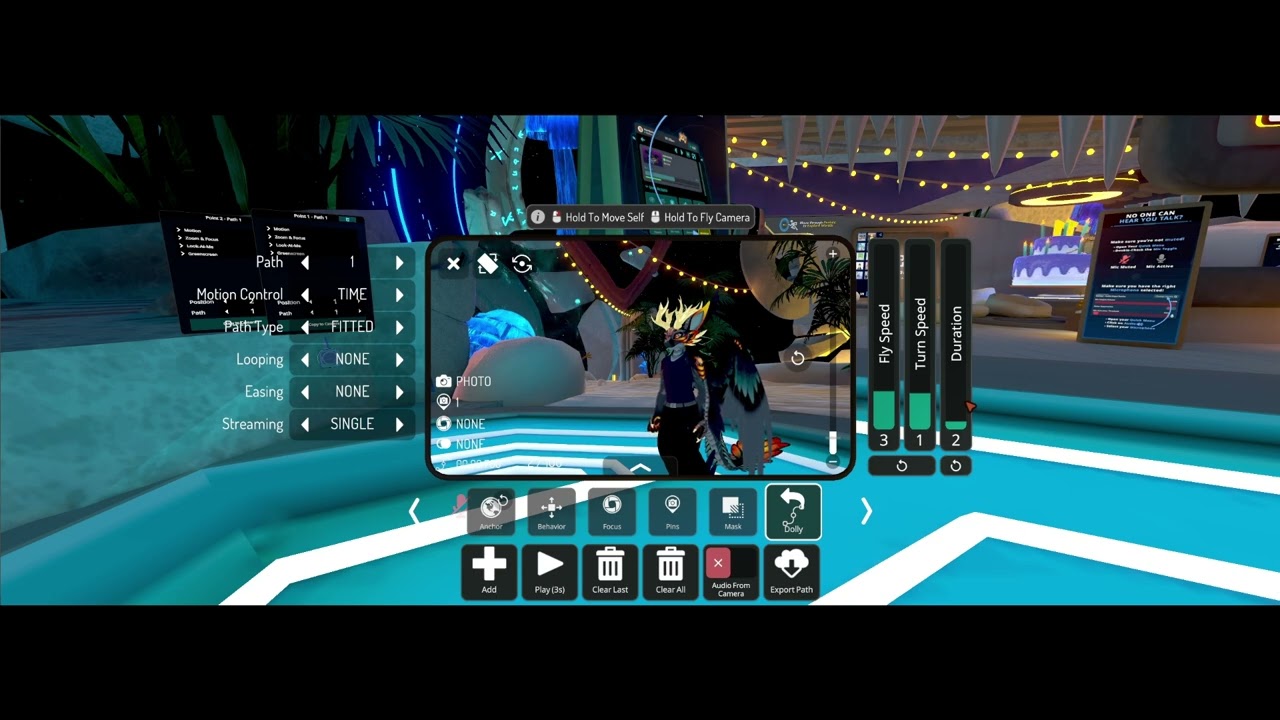
 New UI, new model, new lens modes, Depth of Field, zoom adjustment, and more. nbd.


