#ue4-general
1 messages · Page 1122 of 1
 split jasper
Like they're all more interested in making the Iconic Character (tm) of a game, than the legion of normal-looking people in period-appropriate clothes that developers would actually need
 plush yew
yeah i found some really good stuff on artstation
 kindred laurel
Hiya I’m trying to create a scoreboard so am creating a scoreboard widget but when I try to size it to the scoreboard asset it doesn’t fit and seems to be zoomed in? I’m not sure how to fix this


Not sure how to scale it as it seems to be zoomed?
 lilac sail
kindred laurel
Not sure how to scale it as it seems to be zoomed?
lilac sail
kindred laurel
Not sure how to scale it as it seems to be zoomed?
the image witch is a texture try to scale it down
or photoshop it into a lower res
kindred laurel
I will try scaling
lilac sail
greate
split jasper
plush yew
yeah i found some really good stuff on artstation
Wow artstation has a ton but it's rather...chaotic lol. Any good tips for searching it?
plush yew
split jasper
Wow artstation has a ton but it's rather...chaotic lol. Any good tips for search...
haha yeah i have the same experience. sometimes find really high quality stuff for 2$, and the next thing is not so good. I think, the way it works is to find high quality product then inspect the item and then check the recommends on that page again
 knotty wing
guys how do i save a game to an exe file
 rocky epoch
knotty wing
guys how do i save a game to an exe file
rocky epoch
knotty wing
guys how do i save a game to an exe file

Packaging Unreal game projects for distribution.
knotty wing
rocky epoch
https://docs.unrealengine.com/4.27/en-US/Basics/Projects/Packaging/
thanks
also
i downloaded a zip file with the project (thinking ill download an .exe)
and i cant delete it
nor just drag it into the bin
rocky epoch
It sounds more like a system issue. Maybe something is still "using" it, and the system does not let you to delete it, as it is still "open"
rocky epoch
that is true
knotty wing
instead of just disabling a delete icon
rocky epoch
it should give some error
a restart usually solves that problem, although excessive :D
knotty wing
imma try that after my game downloads :)
(i wouldnt call that a game tho since its shit cuz im a newbie at this xD)
also i there any way to make it smaller (in gigs)
knotty wing
oki!
 kindred depot
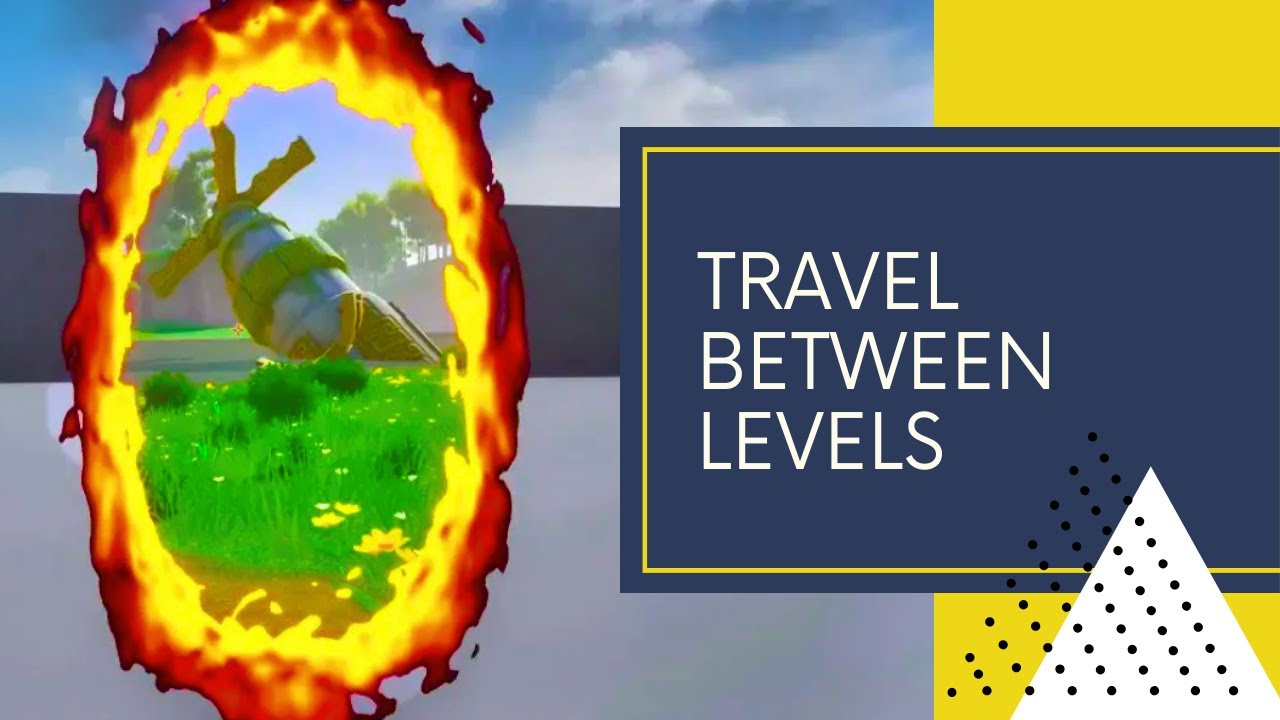
Project Files: https://www.patreon.com/posts/51850292
Hello Everyone, In this video, I will show you how to make a 3D portal system in unreal engine 4
So with this portal, you can travel to another point in the same level or you can go to a location on another level. You will also have a 360-degree view of the other location.
**************...
found this earlier
was going to use it for like mario paints to walk into for my shooting range. You are not going to get the portal effect doing this, but i mean with common knowledge of the engine, you can.
plush yew
kindred depot
https://www.youtube.com/watch?v=dNFZ2wjR1Js&t=28s&ab_channel=UnrealCG
Thanks, I think this one is fine after i watched it: https://www.youtube.com/watch?v=F28NKqG7ce8
it's the effect i want visually, and i just skimmed trough it at 2X and its good to follow, so im gonna try this next.

Finally! We got around to do doing a UE4 tutorial on a topic people have been dying for, a seamless portal door effect! This one was inspired by a post we saw on Twitter (https://twitter.com/mxweas/status/745765338629865474) and has also been asked a few times in suggestions (http://fusedvr.com/forums/topic/htc-oculus-portal-like-game/). We will...
plush yew
the mario paint effect is what i want and then with a collectible card. like a pokemon style card
plush yew
kindred depot
same set up 😉
yeah probably 😄
but some tutorials are very hard to follow
 drowsy snow
 ancient ivy
i have a bad packaging problem
ancient ivy
i have a bad packaging problem
#packaging, and state the problem right away
ancient ivy
ah yes sorry
plush yew
Hey I need help with something, basically I made a 3d module in "3D paint" but I can't seem to be able to import it in to the unreal engine, is there another app I'm suppose to use? if so what app should I download?
drowsy snow
plush yew
Hey I need help with something, basically I made a 3d module in "3D paint" but I...
Isn't 3D Paint has FBX export?
plush yew
not the new version but the old version does. I downloaded the old version saved as FBX but it still wont import properly to the unreal engine
ancient ivy
what is the standard output format?
 azure field
Good afternoon, are we allowed to post a notice about a workshop that we have coming up?
drowsy snow
azure field
Good afternoon, are we allowed to post a notice about a workshop that we have co...
#events if it's an event coming up.
plush yew
ancient ivy
what is the standard output format?
is this a question for me or for someone else?
ancient ivy
i dont know
azure field
its a general question to make sure im abiding by rules
azure field
drowsy snow
<#375019046128713729> if it's an event coming up.
nice that can work
ancient ivy
plush yew
is this a question for me or for someone else?
i mean, if you wanna answer it, go ahead
i just need to know the format
drowsy snow
plush yew
not the new version but the old version does. I downloaded the old version saved...
Personally I'd use Blender, 3D Paint's modelling isn't great
ancient ivy
drowsy snow
Personally I'd use Blender, 3D Paint's modelling isn't great
agreed
plush yew
I tried Blender but it does not import correctly there either, It misshapes it and does not import the texture
drowsy snow
plush yew
I tried Blender but it does not import correctly there either, It misshapes it a...
3D Paint to Blender?
plush yew
yes
ancient ivy
3MF?
drowsy snow
plush yew
yes
Might as well do the entire modelling in Blender.
3D Paint's 3D capabilities felt like nothing more than a novelty/gimmick
plush yew
ok
plush yew
its literally called paint 3D
drowsy snow
I guess the only good thing from Paint 3D is making models out of a scribble.
And a fancy UI
ancient ivy
by the looks of it, it imports quite well

standard root
yup. glTF 2.0
it's even better (sometimes) than FBX
Still Paint 3D should never be used for making any sort of ready-to-render graphics or for production quality stuff. Use blender or some other software such as LightWave or Maya.
drowsy snow
ancient ivy
Still Paint 3D should never be used for making any sort of ready-to-render graph...
Adding insult to injury, Paint 3D is going to be killed.
https://www.theverge.com/2021/8/18/22631442/microsoft-windows-11-paint-redesign-update-app

The Verge
Paint is getting its first big update in years.
ancient ivy
cough cough finally cough cough
 fossil basalt
woah, my UE4 just crashed simply for using windows area screenshot 😮
 wheat hare
"save early save often"
- Confucious
fossil basalt
lol
drowsy snow
wheat hare
"save early save often"
- Confucious
"use source control"
- also Confucious, maybe
wheat hare
yeah this is 2022, what's saving?
 sinful tendon
where do i go to ask about making a wagon puled by an ox,, donkey or horse.
fossil basalt
whats the difference between a mesh and an actor?
sinful tendon
fossil basalt
whats the difference between a mesh and an actor?
Mesh: polygons that make up a modle that you apply material to, a mesh can also have bones weights and animation
Actor: idk something that you can apply Blueprint script, pysics and other system studff and mesh on.
drowsy snow
fossil basalt
whats the difference between a mesh and an actor?
Mesh is a visible thing in 3D CGI
Actor is someone pretending to be a character
Actors in Unreal are UObject that can be spawned in the map/level/scene
drowsy snow
fossil basalt
so an actor is a mesh with instruction of how to operate?
Not necessarily. Actors can have no mesh components.
fossil basalt
I appreciate the clarity
sinful tendon
actor is an empty container you can put mesh, script and physics on or in.
drowsy snow
Mesh components are components that you can add as part of the actor class
fossil basalt
it's making much more sense now
drowsy snow
sinful tendon
where do i go to ask about making a wagon puled by an ox,, donkey or horse.
#legacy-physics I suppose
sinful tendon
drowsy snow
<#221799426820276226> I suppose
kinda
fossil basalt
I got a lil confused as the guide I was following wasn't clear and in the DB it had 2 items looking the same
BTW, the animal pulling something
I have heard of peeps simply using a component to attach
which reminds me, gonna start working on a living city soon! 😄
drowsy snow
fossil basalt
I got a lil confused as the guide I was following wasn't clear and in the DB it ...
Also on another note, UObject (or Unreal object) is basically any entity in Unreal Engine. UObject itself can't be spawned into the map, only Actor and its derivatives can.
fossil basalt
right
sinful tendon
i started making a wagon Mesh and wagon Actor BP to drive it but the BP physics are not perfect. alto I'm confused should i make the wagon like the sedan or should i make the wheels separate and not boned and weighted together. the wagon is going to be puled by an animal so i wont be driving the wagon but the animal.
also also i don't know how I'm going to attach the wagon to the animal but ill work on that next.
drowsy snow
sinful tendon
i started making a wagon Mesh and wagon Actor BP to drive it but the BP physics ...
At least from what I can tell in Red Dead Redemption 2, you're still "driving" the wagon, and the horse follows ahead.


 drowsy snow
So in a sense, it's not the animal pulling the wagon
But it's just my observation tho
 fluid lance
I still kind of can't believe it - are Paragon assets acually free to use in a PAID product & the only condition is for it to be made with unreal? I read the agreement, and it definitely seems so - can anyone confirm?
sinful tendon
drowsy snow
So in a sense, it's not the animal pulling the wagon
do you think it would work better if you drive the wagon instead of the animal puling the wagon?
 bright sigil
fluid lance
I still kind of can't believe it - are Paragon assets acually free to use in a P...
bright sigil
fluid lance
I still kind of can't believe it - are Paragon assets acually free to use in a P...
"Without Epic’s written permission, Marketplace products created by Epic for an Epic game may not be used to create sequels or recreate, emulate, or republish those games."
drowsy snow
sinful tendon
do you think it would work better if you drive the wagon instead of the animal p...
I think so. Could save you some hassle on certain parts like physics.
sinful tendon
how would i handle a single or multiple animals attached to the front?
fluid lance
@bright sigilYes. However, that is different. What I meant is more in the lines of using paragon assets in my own (idk, RTS for instance with paragon minions as units) game which I intend to sell. From the agreement it definitely sounds like I can do that without any problem as long as the game itself is developed using unreal engine.
drowsy snow
sinful tendon
how would i handle a single or multiple animals attached to the front?
Attach them to the front, I suppose.
bright sigil
fluid lance
<@!568839944970174501>Yes. However, that is different. What I meant is more in t...
yep, just posting what the source says is all. If you were planning on making an arena shooter, then that seems close enough to what Paragon is ( I would assume a no-no), but if you're making something that basically is not to be confused with the Paragon game, seems legit enough 😎
 grim ore
Bullets Per Minute are definitely using the Paragon assets in a published game, for reference
bright sigil
Lol, looks different enough
fluid lance
Amazing! Honestly... I would just like to use some bits and pieces from some assets in my game, so far I kept on avoiding it, but guess it's fine 🥳 thanks @bright sigil @grim ore
drowsy snow
Predecessor seem to be basically Paragon remake
drowsy snow
fluid lance
Amazing! Honestly... I would just like to use some bits and pieces from some ass...
Just make sure not to make some R-18 fanworks out of them 😛
fluid lance
drowsy snow
Predecessor seem to be basically Paragon remake
with epic's paragon assets?
idk what r-18 is, I could just show u guys here what my intent is I guess...
drowsy snow
fluid lance
with epic's paragon assets?
Yes
https://store.steampowered.com/app/961200/Predecessor/
Somehow it's not on EGS

Predecessor is a third person MOBA currently in Development.You and four allies join arms in battle as you fight for glory on the battlefield against enemy heroes on a traditional 3 lane map featuring an interactive jungle, epic monsters and more! In a match 10 players are divided into two teams with each player controlling their chosen hero. No...
Release Date
In Development
bright sigil
just want to throw out that there is also getting Epic's written approval about it....
fluid lance
@drowsy snow:O wtf... that's not cool imho
bright sigil
game is technically ftp
fluid lance
I'm more around these lines of "ripping" them:
 drowsy snow
And Epic already raking in money with Fortnite. They gave away Paragon chars the moment they have Fortnite moolah
I personally used Paragon monsters for protoing, because goblins are boooooooring and too cliched
bright sigil
drowsy snow
And Epic already raking in money with Fortnite. They gave away Paragon chars the...
Paragon not doing well either is probably another reason...
sinful tendon
drowsy snow
I do like Paragon's style, mix of scifi and fantasy
fluid lance
drowsy snow
I do like Paragon's style, mix of scifi and fantasy
I like "some" stuff there, some have an "ancient aliens" vibe about them 🙂
drowsy snow
bright sigil
Paragon not doing well either is probably another reason...
Yeah, shame that it's pretty much dead on arrival
bright sigil
i think they were a bit late to the market or it was not as important as making Fortnite BR and erasing all evidence of og Fortnite
drowsy snow
fluid lance
I like "some" stuff there, some have an "ancient aliens" vibe about them 🙂
 fluid lance
drowsy snow
fluid lance
drowsy snow
yes yes! 😄
 timid spade
ive turned on "Return Material on Move" but i still get defaultphysicsmaterial when generating hit events. why? ive tried changing the material on the boxes but it returns the same
 bright sigil
The Epic style of medieval alien as far as ive seen
fluid lance
Well, since my stuff isn't nearly as close to paragon as other stuff I've seen here, I could bet I'm safe 😄 Besides I don't hope my game to do well either so yea 😆
bright sigil
fluid lance
Well, since my stuff isn't nearly as close to paragon as other stuff I've seen h...
yeah, and you could always ask them down the road if you get worried. Though it sounds generous enough.
drowsy snow
bright sigil
The Epic style of medieval alien as far as ive seen
Reminds me of architectures in Final Fantasy VIII and XIV
wheat hare
sinful tendon
Santa come to my chimney pls
fluid lance
bright sigil
yeah, and you could always ask them down the road if you get worried. Though it ...
fair enough - i'll be trying to put the game up on their store too. Last one was treated with total silence but it was educational & free. That last word seems to chase away everybody from all stores, including some players from what I've experienced lol... Especially when you aim for AA quality (more like A+ lol), but higher than the average solo/indie I've seen out there... Oh well...
 real compass
Hey everybody... I'm new here and to UE.
I don't know if this is the proper channel to ask this, but I'm trying to learn UE from zero. I have knowledge of RPG Maker only and I want to be able to make a j-rpg style game with UE (I do models in Daz3d and was thinking of using my characters for that purpose). Can anyone point me towards a direction on where I should start learning?
I've downloaded UE 5, btw.
bright sigil
fluid lance
fair enough - i'll be trying to put the game up on their store too. Last one was...
im sure there's marketing/appeal thing associated with using their art, though i cant say it would be any different from using marketplace assets (cough low poly cough) and as long as you read the fine print, there's plenty to work with provided by epic.
grim ore
uninstall UE5, install UE4, read the pinned messages for learning material.
fluid lance
bright sigil
im sure there's marketing/appeal thing associated with using their art, though i...
Totally agree. Most projects & even demos have gold mines in them. If one could just sort all of it out & align stuff a little, I'm sure you can make a hell of a game starting the very design from what all of those assets inspire
wheat hare
The editor makes it sooo easy to do stuff
Like mouse over a variable to monitor it
Super cool
drowsy snow
wheat hare
The editor makes it sooo easy to do stuff
Like mouse over a variable to monitor ...
||It won't always work all the time||
wheat hare
Today I made a lady walk from waypoint to waypoint and it was almost automatically done for me
lol
It's way easier than vrchat
real compass
grim ore
uninstall UE5, install UE4, read the pinned messages for learning material.
Alright, following your suggestion, man. Thank you so much 😉 I'm assuming it's not time yet to use UE5?
grim ore
not if just learning
 bleak zodiac
real compass
Hey everybody... I'm new here and to UE.
I don't know if this is the proper cha...
bleak zodiac
real compass
Hey everybody... I'm new here and to UE.
I don't know if this is the proper cha...
for basics and knowledge
https://www.unrealengine.com/en-US/onlinelearning-courses?sessionInvalidated=true

Unreal Engine
Unreal Online Learning is a free learning platform that offers hands-on video courses and guided learning paths.
 tardy hedge
Can I put my entire game logic inside the game mode
It would guarantee everything happens server side
 fallen kiln
I need help, I was editing my game I have been working on and while editing unreal engine crashed, and at the time there was a "configurating shaders" thing loading and it crashed mid way. when I opened unreal engine again everything had a purple glitching light to it (I added a video to show) can anyone help me get rid of it T-T I don't wanna re do all of my game T-T
(also my game still runs like normal its just the glitching light)
thank you!
tardy hedge
Is there a marketplace product that can bake particles to textures
 cloud stone
Would you guys say a save/load system is a blueprint or c++ job?
Considering I'm using both
grim ore
C++ is better if you can do it in there, lets you use the savegame flag on properties in blueprints
also easier to serialize objects in C++
cloud stone
Alright, thank you.
 placid plover
tardy hedge
Is there a marketplace product that can bake particles to textures
placid plover
tardy hedge
Is there a marketplace product that can bake particles to textures
You should be able to record a level with your particles and export it with a transparent background
 silver basin
anyone else ever jerry rig something and feel guilty about it but at the same time it works flawlessly? yeah.. I'm probably doing something wrong. I'm trying to have a mix of both having Orient Rotation to Movement when moving and when not moving, not orienting. (free cam) Anyone else have a better method for accomplishing this?

No description provided
 molten prairie
This is in UE5 but might be happening inUE4 to, but. When I try to build it says that the SDK for windows is not installed properly. dose any one know why?
placid plover
silver basin
anyone else ever jerry rig something and feel guilty about it but at the same ti...
I tackled something similar last week, i'm not super super happy with the result either - Diagonal movement doesn't work, because the camera adjust, and ideally i would like the character to turn smoothly and not snap to controller rotation (but that came with it's own can of worms) https://blueprintue.com/blueprint/4fkuji-h/
silver basin
i believe under character movement you can set the turn rate for a character and that will slow down how fast it snaps, but it requires specific setup of the character input controls
@placid plover
 placid plover
yep, that doesn't work well with SetActorRotation being called in my movement bp above sadly, thanks tho!
silver basin
oh gotcha, wanted to try to help lol, wish ya luck!
placid plover
(I was trying to re-create a sort of god of war movement style, got 80% there then gave up and called it good enough for now :P)
 rain pebble
Can anyone recommend a good ue4 lesson that touches on most of everything
I have ideas for levels but don't know if I'd be able to create it
I'm aware that bps are visual scripting and c++ is the base level stuff
silver basin
i don't personally sit through tutorials usually, but there are a ton on youtube. me personally i just play with the code and reference the UE official documentation if i need an explanation on what a specific thing does
fossil basalt
hey guys, this last field I just added with tags ... setup a text array but I would prefer my designers to be able to select from a drop down box rather than type them in ... is there a way to do this?
 grim ore
enums are pretty much the only easily usable "drop down" for a variable type
rain pebble
silver basin
i don't personally sit through tutorials usually, but there are a ton on youtube...
I may sound dumb but what is the UE official documentation
grim ore
rain pebble
That's getting bookmarked thanks
grim ore
there is a whole array of magic links on the main Unrealengine page for learning resources
 fossil basalt
grim ore
enums are pretty much the only easily usable "drop down" for a variable type
fossil basalt
grim ore
enums are pretty much the only easily usable "drop down" for a variable type
thank you!
 blazing pelican
Hey so do y’all know of any advanced advanced articles or documentations on missions and quest tracking with navigation and more, for like missions and then tracking these missions with a wide range of details you can do a very throughl documentation on one?
bright sigil
blazing pelican
Hey so do y’all know of any advanced advanced articles or documentations on miss...
sounds like you are looking for a book 😛
blazing pelican
bright sigil
sounds like you are looking for a book 😛
Yes yes
Where can I find this book
bright sigil
that i dont know, but im sure they exist, or maybe a chapter within a book or some other research
blazing pelican
Hmmm I see
bright sigil
its kind abstract, or broad, what you're asking, so maybe some theory books explain it at the same level. I cant think of anything specific regarding that though
grim ore
theres some videos on the official unreal online learning with a quest system (converting gameplay to c++ as well as fixing a quest system). Theres also youtube handling the same thing. You wont find exactly what you need tho, you need to break it into parts and learn those
blazing pelican
grim ore
theres some videos on the official unreal online learning with a quest system (c...
So like I have seen those YouTube tuts there in blueprints but the unreal is c++ witch I don’t know how to combine them both but if I chose for say the blueprints I expand soon them?
grim ore
that was confusing. IF you have seen the YT tutorials in BP, you can use those
blazing pelican
So would you prefer I look up unreals c++ version or do the other one?
 candid crest
Hey guys, anyone willing to support me out a litte with a rendering issue? (sorry if this is not the right CC for this)
grim ore
you can use blueprints or C++, its your choice
learn blueprints if you have no idea what you are doing
blazing pelican
Ok XD
rain pebble
blazing pelican
Ok XD
 sour sequoia
Hey everyone, I have been accumulating assets from the Market place for the past year and I have a question. Is it possible to use a bunch of different assets in a single project? Say if i wanted to use different buildings from different packs I bought, different props and weapons from different packs, etc. Would there be an issue with having so many different Textures and Materials? Any guidance would be appreciated.
bright sigil
sour sequoia
Hey everyone, I have been accumulating assets from the Market place for the past...
probably just some performance while working, but you can cull all that isnt in your levels to reduce the size when it comes to packaging. As well as reduce texture levels to cut down memory.
sour sequoia
@bright sigil cool. Thanks for tips and info
timid spade
anyone know why this is happening? cant seem to have a solution or an explanation other than it doesnt update fast enough


its hooked up to event tick
kindred depot
How would I go about making a wattson fence like object. Just create a spline and on button press place on click?
 west merlin
Is there a way to merge multiple static meshes in to one mesh that actually welds them? For example if you merge to squares side by side, and then apply a LOD, both squares will function as their own when doing a LOD.
Inside the engine of course
Two separate static meshes converted to one inside editor with a lod applied

Looks like this without lod

 light vigil
Anyone have recommendations for cheap cloud hosting for perforce repositories?
fossil basalt
is it possible to hide some of these fields to make it easier for me to focus on say 3 of them
 bright sigil
fossil basalt
is it possible to hide some of these fields to make it easier for me to focus on...
bright sigil
fossil basalt
is it possible to hide some of these fields to make it easier for me to focus on...
i use excel when working with data tables 😛
bright sigil
Excel?
dunno, i guess it could be
never thought of it being complex lol
i think the tricky bit was making the macro to export the data sheet as a csv so i dont lose my formating in the main worksheet
fossil basalt
downloading MS office now
totally forgot to do it when reverting back to W10 recently
w11 sucked ASS!
bright sigil
noted
 tiny zodiac
Im trying to create a function inside a Blueprint Widget that changes the Text.
https://streamable.com/efywna
How do i do this?
 fossil basalt
always simple things too
tiny zodiac
sorry to interrupt
bright sigil
tiny zodiac
Im trying to create a function inside a Blueprint Widget that changes the Text.
...
i didnt see a bind, so thats what i would suggest. in the designer, select your text and make a bind to the text - that makes you the right kind of function you're wanting
also #umg 😛
tiny zodiac
oh i see thanks
fossil basalt
doing a quick video of your issue is a GREAT way to get support!
bright sigil
fossil basalt
doing a quick video of your issue is a GREAT way to get support!
if a picture is worth a thousand words.... then a video...
tiny zodiac
😺
bright sigil
its like we're right there, looking over your shoulder
fossil basalt
lol
tiny zodiac
i made the binding now im trying to figure out how to change it mid game
fossil basalt
well, to ensure you don't feel creepy to me you are gonna have to give me a nice shoulder run whilst you're at it!
bright sigil
tiny zodiac
the binding changes its name
the binding will always change to what is plugged into the return value. So if you make a variable, you can set it from whatever you want (that has access to the widget)
 jagged gulch
Hey All! I moved some megascan materials to a different hard drive to save space, and they are now disconnected in my project. Is there a way to reconnect them?
bright sigil
jagged gulch
Hey All! I moved some megascan materials to a different hard drive to save space...
only way i know is to right-click the texture asset and link it one by one
fossil basalt
@bright sigil I have exported the DB, it has an extension of .COPY and excel is not a fan, lol
bright sigil
fossil basalt
<@!568839944970174501> I have exported the DB, it has an extension of .COPY and ...
yeah, dont do copy lol
jagged gulch
@bright sigil Thanks!
fossil basalt
just rename the extension?
bright sigil
lol, no that wont work either
fossil basalt
omg

now I feel like a real noob
I have named extensions in the past but what to do here?
timid spade
i must be dumb but where in sound attenuation settings can i set a different sound to be played at farther distance
i cant remember how do it been a long time
bright sigil
fossil basalt
omg
nah, your doing the mesh route. Export as CSV is at the very top of the rightclick menu
fossil basalt
aaaaaaaaaaaaaaaaaaaaaah
fossil basalt
well, at least UE is more intuitive than Blender
I just cannot find stuff on there without explicit destructions! lol
split jasper
UE I need a tutorial the first time I do something.
Blender I need the tutorial every time I do something.
bright sigil
but i hear so many good things about blender
split jasper
Don't get me wrong, it's powerful as fuck and it's free and that's super cool
But its problem is, in having all that power, you need to put all those options and functions somewhere. And the UI groans under the weight like an old cart
fossil basalt
bright sigil
but i hear so many good things about blender
yep, it's brilliant and open source
but it requires SIGNIFICANT training
hey @bright sigil can I format the table in excel and it not mess things up in engine?
 twilit quest
Has anyone messed with packaging and deploying builds to Steamworks? I got it working the first time I did it, but now it keeps popping up this:
 bright sigil
so what i do is export it as a csv since excel is xlxx or whatever
fossil basalt
yup
split jasper
Also, using Blender for UE4 is harder than just using Blender. The import/export shit is where I ran into some of the most opaque problems I found. Also the question of which parts of my assembly I wanted to in Blender vs making the parts in Blender and assembling them in UE4, you wouldn't have to deal with that if you were just a straight Blender artist
bright sigil
twilit quest
Has anyone messed with packaging and deploying builds to Steamworks? I got it wo...
never have, #packaging might help
twilit quest
bright sigil
never have, <#402958499660955658> might help
Thanks
bright sigil
split jasper
Also, using Blender for UE4 is harder than just using Blender. The import/export...
i dont think its just blender, there's always problems with going from one software to another

 bright sigil
fossil basalt
why would a simple text variable have all this?
bright sigil
fossil basalt
why would a simple text variable have all this?
those look like the UUIDs for the asset location
location, in this case, is where they live in your project
bright sigil
fossil basalt
didn't know you could do that lol
that will happen for any direct asset references
fossil basalt
brilliant after all that it will not import
but I gotta get this right otherwise I will spend ages in UE4 data tables
bright sigil
did you export from Excel as a csv?
fossil basalt
I just resaved and it gave me the stuff about losing formating if sticking with CSV
 bright sigil
yeah, csv wont keep format stuff. Just make sure you keep the xlxx 🙂
bright sigil
and just make sure you work on the xlxx and keep saving over that same csv
fossil basalt
BTW, excel needs a damn dark mode
bright sigil
you can import the csv and it will ask you for the struct to work with for the columns
bright sigil
fossil basalt
BTW, excel needs a damn dark mode
select all cells, make em dark fill, and turn on all borders
fossil basalt
how to import?
I do not see it in the contextual menu
in fact, it's greyed out!

I get a lil aggitated when it doesn't play nice, lol
the amount of times I swear at my monitor, lol
bright sigil
well ive never made it this way hehe, always imported the csv, but i wouldve expected to be able to reimport with new file

 bright sigil
double click the data table, then go to Asset menu
bright sigil
awesome
fossil basalt
and this will be much quicker
bright sigil
yup, now you just save the csv whenever and use the reimport to update
fossil basalt
maybe there is a CSV editor that can allow me to change background colours and hide columns
and remember them as I would assume the CVS itself does not store such info
strictly data, right?
bright sigil
as for hiding, you can resize columns and you can freeze rows/columns - freezing is somewhat limited though
i think csv is just the data, it doesnt keep the rest
fossil basalt
resize to 0 is best bet?
bright sigil
lol, maybe, but you probably want to find that column later
fossil basalt
maybe working in a JSON would be quicker to navigate with a nice editor
fossil basalt
whats a nice code editor?
I think adobe does a free one but can never remember the name
bright sigil
for free?
fossil basalt
preferably
bright sigil
I dont code, so i just use notepad++
fossil basalt
lol
bright sigil
I think VS community is free
fossil basalt
does it colour code text?
bright sigil
yes
fossil basalt
that will do!#
bright sigil
 split jasper
People swear by VS Code
bright sigil
they're both good
sometime i have to verify it again so i get lazy and just open up n++
split jasper
I think I accidentally stole an IntelliJ ultimate subscription from the last place I worked? so I mostly use that
bright sigil
yes.... it was an accident
split jasper
I'll be honest I wasn't paying a ton of attention when I set it up
In theory it was supposed to stop working when I quit but it just... didn't
fossil basalt
lol
split jasper
And I struggle to see an upside for myself in rectifying that oversight, you know?
bright sigil
just make sure you feel bad while you use it
split jasper
I mean, if it wasn't fuckin Amazon I might
fossil basalt
my gosh I defo prefer the json
bright sigil
lol
fossil basalt
how convenient is this compared to looking along rows!
 bright sigil
fossil basalt
how convenient is this compared to looking along rows!
bright sigil
fossil basalt
how convenient is this compared to looking along rows!
not very.... good luck making "new rows" or copying similar row values to 10 others in the same column
or maybe you cut a column that isnt needed anymore or re-arrange rows
it does look nice though 🙂
fossil basalt
🙂
split jasper
JSON isn't really built for manual editing, it's built as a data interchange format anyways
bright sigil
and there use to be more!
bright sigil
literally culled like half of it
 idle mantle
What if any is the best voxel format in Unreal? Can it do volume rendering? Only saw volume shaders
fossil basalt
loooooooooooool
I gotta be honest
I was curious what those column headers where, lol
bright sigil
haha
fossil basalt
I gotta stop coding in the middle of the night ... SO cold!
bright sigil
fossil basalt
I gotta stop coding in the middle of the night ... SO cold!
need a pair of fingerless gloves
fossil basalt
lol
I have touch screen gloves but not so good for a keybaord, lol
I am curious
In my object modeling program, instead of using a boolean to cut out say a window opening from a wall, would it possible to add a component that makes part of the wall see through AND can cutout the collision mapping too?
bright sigil
you'd need to generate faces for the cutout so you're not seeing into the wall
and i think there are already methods for doing runtime boolean stuff
fossil basalt
interesting
I do like the idea of my player being able to put the window or door opening WHEREVER they like
rather than set walltypes
bright sigil
i remember one was spawning a jagged looking mesh at bullet shoot points on wood to create the damage
starting to sound like proc geo
bright sigil
lol
fossil basalt
why is it SO hard to move assets into a different folder in UE?
honestly, it drives me nuts if I need to rearrange
bright sigil
fossil basalt
why is it SO hard to move assets into a different folder in UE?
amen brother
migrate is your best bet, yes within the same project, but ive never had a clean relocation of folders
fossil basalt
I really wanna move these assets
 bright sigil
i tend to move parts, like a folder at a time, then spam fix redirects and watch my file explorer to see if anything does clean up
fossil basalt
not even folders, just these items
some moved, these will not even after restarting the engine
fossil basalt
not yet
will try shortly
I will look into that another time
as long as my game still works, lol
 tall sorrel
How can I get level stream landscapes to line up, like not x and y, but say you have a hill and you want the other landscape to match exactly so you cant see gap
just using the sculpt on both landscapes is really hard to get them to line up, is there a button or something that can make one landscape sorta weld its edges to another one?
 dire fjord
I swear this engine hates me. I needed to do a test package of an app for quest. So I go to build it and it's complaining about a restricted directory name. FMOD/Desktop. Desktop is restricted. So it refuses to build. I go look at a project I've built 50 times and it also has FMOD/Desktop in it, and desktop is also listed in the packaging section to be included. Like why is it fine in one project but not another one?
UATHelper: Packaging (Android (ASTC)): ERROR: The following files are set to be staged, but contain restricted folder names ("Desktop"):
tall sorrel
lmao, just turned shadows off on like all my grass and stuff at varying lod levels, and now I can flood the level with way too many grass meshes and with the lods culls, and now shadows turned off when they are far away, there is 0 performance hit.
before without shadows turned off, flooding it would drop me down to the 70s from 120
and it helped overdraw a bit when grass and such is far away
don't know if this is a lot, but it is way way way more than what will be loaded at once in my game, but I turned culling off on them to fully stress test it, and with shadows varying and lods, its maintaining 120fps, I have a 1660ti, and a ryzen 5
edit: sry for the spam, im just astonished right now, that I just hella optimized megascan assets

 sturdy hearth
Hello.
What are recommended remote desktop application for UE?
Currently I use Teamviewer but I can't hold aswd to move character.
 rancid lynx
DISC Collision is impossible with UE4? If I scale a sphere DOWN to .1 (ten percent) on the X axis only, the Y and Z axis on the COLLISON also scale down. This does not happen with cubes. the sphere is not going convex.. I understand that collisions can not be convex, an oval or egg shape is not convex. are oval shape collisions impossible in ue4 ? I guess ill try to fkn blend on up and import it and manually test it. I bet imported egg shape collisions are fine. surely its just an issue with the ue4 default sphere
 dire parcel
basically got a free course I can choose for $14 on udemy .. gonna use it on a UE4 course .
Any recommendations on which course is the most effective, if you ever got one from udemy ?
thank you 😊
drowsy snow
The more effective isn't on udemy, but in https://learn.unrealengine.com
dire parcel
I don’t know why I keep forgetting about that website honestly.
I need to stop playing around and take advantage
kindred depot
Is there any way to advance copy a map to one folder to another and just bring the assets used to the same folder? I am trying to clean up a 280 gig mess of unused assets... I have 12 maps made and they only use like 12 gigs of these assets ( i dont care if something gets duped.. its better than this huge mess i got going on)
 spare kernel
migrate the map to another project
not sure advanced copy will help here
or use a tool which finds unused assets for you
kindred depot
spare kernel
or use a tool which finds unused assets for you
this.. i forgot this exists
cheers!
spare kernel
Assets Cleaner - Project Cleaning Tool
kindred depot
yesir 🙂
got to love free for the month
migrating to another project seems like a valid idea as well. i might as well give this a try and see what happens with this
 queen escarp
sturdy hearth
What are recommended remote desktop application for UE?
queen escarp
sturdy hearth
What are recommended remote desktop application for UE?
Perhaps you could use Parsec
 primal tendon
So as a practice project I want to create something similar to PUBG, so I wanted to ask is there any pack for character that has complete animations for shooter, I know about mixamo military soldier animation pack, but I want to use with a different character, so is there complete animation pack anywhere?
queen escarp
primal tendon
So as a practice project I want to create something similar to PUBG, so I wanted...
Theres a few tools to automatically retarget mixamo anims to the UE4 skeleton
or you can have mixamo try to autorig your character, although results may not be as good
primal tendon
ok... guess I'll have to try that out.
plush yew
i tweak post process a bit (brightness) and it's all good, once I save it starts lagging and need to rebuild lights again
 pale herald
Guys, is there any blueprint function that can execute a series of pins at the same time?
The sequence function can execute a series of pins in order, but I'm I want a bunch of pins to be executed at the same time.
Like a relay
 frosty reef
Hey guys, I am working on a project and I have a problem. I will use materials created in engine that use generators driven by curvature and AO as well as tiling textures. The problem is that because I can't use tri-planar I have to use as few seams as possible to avoid ugly seams in the generators and tiling grunge textures This involves unwrapping in such a way that uses as few seams as possible but it's really a pain. Do you have any tips for this? This is one of the areas that give me a lot of trouble

And no, I can't use the cheap tri planar made by millennia
 dusk wasp
Is anyone know how to get the foliage on the landscape? Idk why it went under the landscape
fossil basalt
anywhere I can discuss blender to UE on this server?
tall sorrel
think im on to something, this is the best I have ever done so far
edit: what yall think?
plush yew
alright, how can I make a portal that you go near to and it plays a whirling animation as you enter it and you get dropped into the next level, map?
tall sorrel
probably with level instancing, then with that you can make it completely smooth and almost make sort of a non euclidean game, which is what portals are
and you can basically get to point A to point B with it being completely smooth, if you straight open a new level then it would be hard to jump that
seamlesly
plush yew
ok thx
tall sorrel
just look up non euclidean mechanics, and you can find a ton of cool mechanics with it, like having an infinite amount of rooms inside the space of 4 rooms, which all can lead to a different outside environment.
it can get crazy, thats just a very extreme example though
 tall sorrel
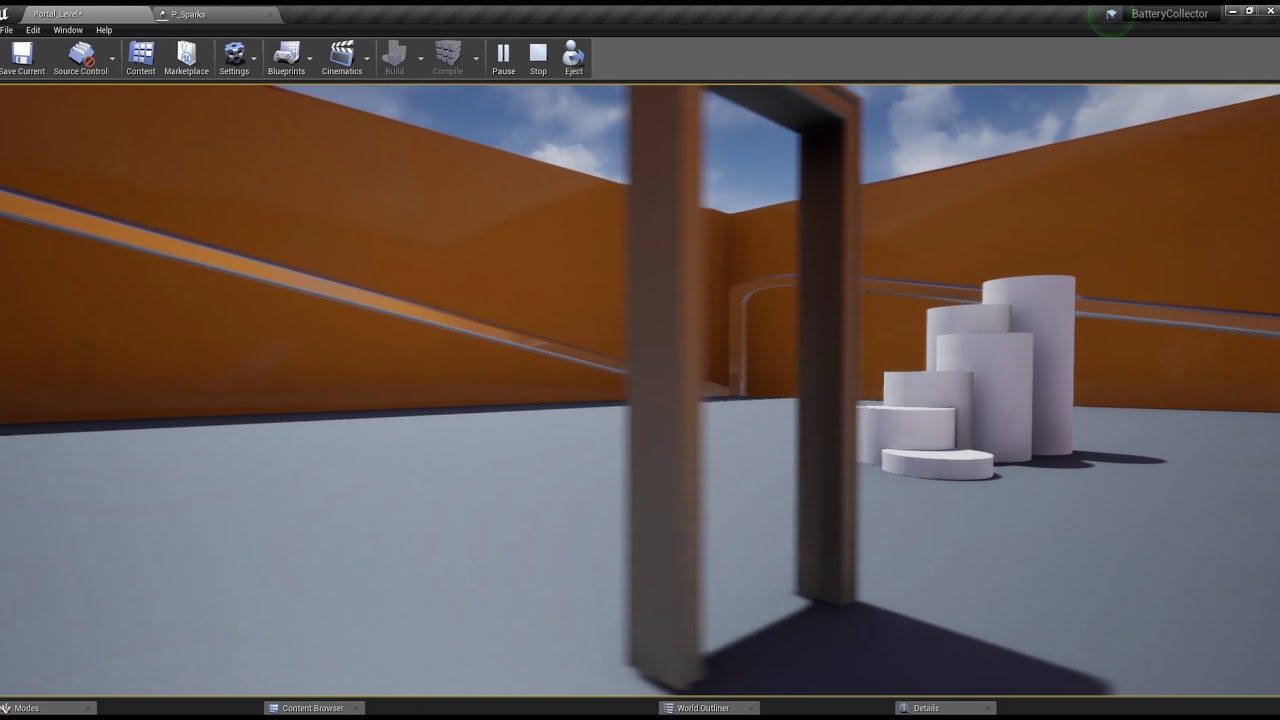
yea, and his has a little seam, which it is probably really hard to not have a seam, but you can easily hide it with a little special effect of some kind
plush yew
like using it as a mirror to different reality story wise
ancient ivy
tall sorrel
yea, and his has a little seam, which it is probably really hard to not have a s...
just a lot of fine tuning, after an hour or 2, the seam will be gone
special effects tend to ruin the experience
plush yew
what's exactly seam in there?
ancient ivy
plush yew
what's exactly seam in there?
upon entering the room there is a little artifact, a smaaaal seam, that changes the position of the player in the wrong way
tall sorrel
ancient ivy
special effects tend to ruin the experience
yea most of the time, but if you can incorporate something that looks really nice since it is going to be a level transition, it can also make it look better.
ancient ivy
tall sorrel
yea most of the time, but if you can incorporate something that looks really nic...
if the game is something like portal, tune the seam, so that the player is not forced to watch the special effect every time he enters the portal. If this is just a level transaction, then yeah, you can use special effects
 pine siren
I have an ~80% completed idea of what to make, and the rest will be defined by the implementation and 'feel' of the initial part.
Where do you begin?
Tutorials often jump around and do things in "quick and dirty"-ways to teach a specific thing, but what do you think is the optimal place to start actually developing a game? (given an intermediate knowledge of UE4)
I.E In what order do you develop the main classes?
PlayerController, PlayerState, GameMode, GameState, (networking), Pawn, TestLevel, HUD, Menu etc?
plush yew
can you hide the portal as you enter?
ancient ivy
plush yew
can you hide the portal as you enter?
no actual need, but if it is only a render texture on a plane, i think so
and
there is pretty much nothing you cant do in a game engine
ancient ivy
pine siren
I have an ~80% completed idea of what to make, and the rest will be defined by t...
the beginning would be implementing mechanics
plush yew
if you know blueprints lol
ancient ivy
make a test level
ancient ivy
plush yew
if you know blueprints lol
ue4 docs are really well explained
ancient ivy
pine siren
I have an ~80% completed idea of what to make, and the rest will be defined by t...
Make a small test level, and start implementing features there, let me show you what mine looks like
tall sorrel
but also, not to sure on this, but if you have reall really really large levels you are going to be setting up it would be helpful to probably have a model of the level you want to teleport to that looks just like the level 2, except it only has things you can see from the protals position, that way you dont have both levels open at the same time, and after you go through the portal, like a second later, remove the previous level
edit: and open the new levels mock level of the old one
plush yew
levels look completely different, exterior landscape vs room that don't match the style really but they're both dark
ancient ivy
there, my game has grabbing, so i have objects to test grabbing. being a First person game i needed a floor and some walls to test if my controller worked. I made some cubes to test if my anti-fly mechanic worked and everything went smooth
 tall sorrel
not too experienced with it, so idk if that is good or not, just seems illogical to have all your levels opened at the same time, and if they aren't all opened at the same time then your portals wont look good
ancient ivy
tall sorrel
but also, not to sure on this, but if you have reall really really large levels ...
generally, non eucledian transitions, between two levels are not a good idea. Changing level takes time, even if you load it with the other one
 visual valley
Anybody experienced with Groom? No matter what I do, I can not get over 40FPS, Even if I reduce resolution, always only 40FPS with VSYNC ON or OFF does not matter. Something its definitely not working right with rendering groom or smth.
plush yew
ok, will think about it once I make a portal first
tall sorrel
ancient ivy
generally, non eucledian transitions, between two levels are not a good idea. Ch...
oooof yea would take a bit of time, but maybe if you keep the area where the portal will be located small, and blocked off from the rest of the other level, then you can have that small area instanced, and after the portal hop then load in the other chunk and unload the previous.
smooth portal, and you wont see the level loading
ancient ivy
tall sorrel
smooth portal, and you wont see the level loading
yeah, that could work
if i was able to implement it...
still
if you can
that could work
tall sorrel
not that hard, the portal is the hardest bit
ancient ivy
always had a little bit of a struggle with them
plush yew
blueprints for it is the hardest
ancient ivy
they use some fancy math concepts
plush yew
like what's the name of things that you need to add and change
 calm crow
Hi, I would like to know if there is a way to blend between two different materials in ue4 ?
ancient ivy
plush yew
like what's the name of things that you need to add and change
yeah i got a little surprised, because they could have just made an if node, but, they decided to go with branch
plush yew
checkpoint, transfer, close etc
tall sorrel
just add all your levels to the persistant, then only show the level you are on plus the next portal area, go through the portal and a second later remove the 1st main area leaving the first portal arrival area
ancient ivy
tall sorrel
just add all your levels to the persistant, then only show the level you are on ...
yup that could work
ancient ivy
calm crow
Hi, I would like to know if there is a way to blend between two different materi...
lemme check
calm crow
ancient ivy
lemme check
Thanks
(and not a material function or lerp between textures, i really mean two different materials (one that can be opaque for example, and the other translucent)
tall sorrel
with material functions
ancient ivy
calm crow
Thanks
(and not a material function or lerp between textures, i really mean two ...
ook i understand
ancient ivy
tall sorrel
with material functions
most likely
tall sorrel
make the functions then lerp
ancient ivy
let me check if there is something specific
calm crow
As if i set translucent to the main material, and set it to full opaque, i have a z-depth-fight
ancient ivy
tall sorrel
make the functions then lerp
but yeah this is one of the first things i thought of
tall sorrel
calm crow
As if i set translucent to the main material, and set it to full opaque, i have ...
not neccesarilly
ancient ivy

Unreal Engine Forums
Do it with a lerp node. red → connect your whole string from the first material with A and the string from the 2nd material with B green → Here you can add a mask, constant vector (0 = it just shows the first material, 1 = it just shows the 2nd material, 0.5/0.2/0.8/… = mix between both,…)
maybe here you will find an answer
tall sorrel
if you have them both on at the same time then yea could have issues, and it wouldnt really z fight i dont think
because thats geometry stuff
calm crow
my current workaround was to duplicate the object, have one object masked and the other translucent, and diither the same mask between the two, but it is quite long to do and having two mesh is hard to manage
ancient ivy
calm crow
my current workaround was to duplicate the object, have one object masked and th...
no, never do that
i mean, it's a way
but not recommended
tall sorrel
yea especially when there is a node dedicated to this, kinda like doing all the ai stuff in blueprints instead of a tree
its doable and will work, but theres much more optimal ways
calm crow
tall sorrel
if you have them both on at the same time then yea could have issues, and it wou...
there is lot of z-fight if i set my material translucent to opaque.
ancient ivy
always remember, if you make twice as many objects, your game will be twice as slow
calm crow
it's not for a game, it's for making visuals
ancient ivy
game or visuals it is
tall sorrel
calm crow
there is lot of z-fight if i set my material translucent to opaque.
add a pixel depth offset
calm crow
the 2014 post you mention doesn't have it's attachement anymore
ancient ivy
calm crow
it's not for a game, it's for making visuals
if you just have to render stuff out or have a beefy pc then it's ok to use anything, but if you are going to go for real-time, better optimize
ancient ivy
calm crow
the 2014 post you mention doesn't have it's attachement anymore
i will search for another one
calm crow
i have a 3090 x)
tall sorrel
yea then ur fine
ancient ivy

In part one of this three part series, Arvin will teach you how to easily build highly powerful height-based vertex blend shaders in Unreal Engine 4.18.
This material utilizes Material Functions - Which are incredibly powerful, pre-built materials.
You can download the free pack of materials for the Unreal Mega-Jam right here:
tall sorrel
lol, would be rly hard for you to fuck something up that bad
calm crow
but having the objects duplicated twice still is hard to manage correctly
ancient ivy
calm crow
but having the objects duplicated twice still is hard to manage correctly
for you? absolutely! For your GPU? Probably not
tall sorrel
what is the object you speak of anyways?
calm crow
ancient ivy
https://www.youtube.com/watch?v=1unewtjnSkQ ?
This tutorial use one single material at the end that is the material that can be either opaque/masked or translucent, but not both
tall sorrel
if its some 8k, ultra high poly, gotta have it look ultra realistic model then yea even that could have issues maybe
ancient ivy
calm crow
This tutorial use one single material at the end that is the material that can b...
what exactly are you trying to make?

reddit
8 votes and 9 comments so far on Reddit
calm crow
I have an x-ray material, and another material that is fully opaque, i'd like to blend between them
ancient ivy
calm crow
I have an x-ray material, and another material that is fully opaque, i'd like to...
i understand now
calm crow
ancient ivy
https://www.reddit.com/r/unrealengine/comments/pobiuo/how_blend_glass_material_t...
This use object material id (with each face assigned to a material id)
If i remember corectly, i think the masked/opaque and translucent, doesn't the same method of render (one's forwarded, the other deferred , or the other way)
And z-calculation doesn't work the same way

having z-fight in a xray semi transparant material doesn't bother me
but having it visible when the material is opaque isn't the same issue.
tall sorrel

Hello everyone in this Unreal engine 4 material tutorial I will show you how to make an X-ray or an Inspector effect. I actually don't know what to call this effect. In this effect you point at a mesh and the texture in it changes. Just like a spot like effect. Where the parts the light touch changes color.You can also make the mesh see through ...
is the first example sorta what u are doing?
not necessarily with a ray cast
but sorta the same idea?
calm crow
Not the same way, i didn't see the full tutorial, but i think it use masked to goes from 100% opaque to 0% opaque and fully transparent
transluncy on the other way isn't screen space
ancient ivy
mhhh
if you are trying to make an xray (and i think you mean somehing like a wireframe) can't you blend all the textures?
alpha, color, normals
calm crow
let me give you two screenshoot
I can't show you real buildings, but here is an example
Fully opaque

translucent with an opacity low, and slight emission
 calm crow
translucent with opacity at 1 : z fight everywhere
 calm crow
What is the name you give to it ?
ancient ivy
calm crow
What is the name you give to it ?
i have absolutely no idea
but it's not zfighting
calm crow
ancient ivy
it's probably some phisics artifact
I think it is a fight for the z-depth calculation as there is too many self ocluding faces
ancient ivy
zfighting happens when the renderer does not know what to render first, because one of the axis is the same of another object
calm crow
in forwarded, the raster of each fase isn't calculated the same way as in deferred
ancient ivy
calm crow
I think it is a fight for the z-depth calculation as there is too many self oclu...
something like that
calm crow
ancient ivy
zfighting happens when the renderer does not know what to render first, because ...
it is the same issue yes as with overlaping objects
but i think it have the same name for this sort of issue
calm crow
Oki, thanks !
ancient ivy
calm crow
don't hesitate to PM me or mention me here
sure
ancient ivy
calm crow
a+ <@!469053527482826753> 🙂
🙂
 hot thistle
Hey, has anyone here used Cesium with OSM buildings before?
calm crow
I have tried, but didn't really used that mutch OSM buildings
hot thistle
I see, what's really annoying is that the OSM data is offset from the Terrain data by about 3 meters.. cant find anything about it online
 ancient ivy
@calm crow https://docs.unrealengine.com/4.27/en-US/RenderingAndGraphics/Materials/LayeredMaterials/
An introductory document on the Layered Materials technique in UE4.
Maybe?
calm crow
@hot thistle
I see, i also had problem with Heightmap being offseted around 50m from bing color.
Maybe in your case you could just move the pawn that control osm ?
calm crow
ancient ivy
<@175324993591312384> https://docs.unrealengine.com/4.27/en-US/RenderingAndGraph...
The makematerial attribute doesn't affect blend mode (opaque, translucent) that is still managed in the final material
hot thistle
Are there any other building data you can use in Cesium?
plush yew
Hello
Question
I want to animate my skeletal mesh, it's is only for cinematic purposes, so it doesn't need to be controlled by a player.
But I can't seem to find the correct way to start keyframing?
Which one should I choose if I want to create a simple keyframe animation to be used in sequencer?
hot thistle
Seems to be inaccurate as hell - it fits well in one area, but horrible in another
 wild aspen
Does enabling raytracing have any effect on baked lighting, or only real time?
calm crow
Maybe it come from osm data itself.
The cesium for ue4 doesn't have all it's feature (you can't add point clouds for example)
I didn't found roadmap release, so you may ask in the forum if there is other data you can use for buildings
hot thistle
It probably does yea - I'll look more into it, thanks!
drowsy snow
wild aspen
Does enabling raytracing have any effect on baked lighting, or only real time?
Using GPU Lightmass, you can use GPU accelerated raytracing to make baked lighting faster.
tall sorrel
Looking better and better the closer it gets to being finished
still working to hide some stuff, particularly on the second scene, you can see the trail and forest just end at the end
plush yew
tall sorrel
still working to hide some stuff, particularly on the second scene, you can see ...
Just tweak lightning a bit down
bleak zodiac
tall sorrel
Looking better and better the closer it gets to being finished
is this prototpye?
tall sorrel
bleak zodiac
is this prototpye?
yes
tall sorrel
plush yew
Just tweak lightning a bit down
and its the fog that is doing that
I'm trying to make it look good without going ham on post fx
but the fog intensity or whatever tf it is called that makes the sun glow brighter needs to be toned down a bit
its also almost completely made using megascans with hella loding and culling
bleak zodiac
@tall sorrel main character is deer?
tall sorrel
no
just an animal
its going to be like a survival game
you'll be able to hunt, craft, build shelters, fight bosses, quest, and more and it is valheim inspired, if you know what that game is.
wild aspen
tall sorrel
you'll be able to hunt, craft, build shelters, fight bosses, quest, and more and...
what animals besides beavers build meaningful shelters? 🤔
tall sorrel
huh?
tall sorrel
haha,that could be a cool game, kinda like a sruvival game where you literally are an animal and its hunters and prey and you have to survive and stuff
and theres different difficulties, like you can be a predator for ez mode, some stuff will still attack you but mostly you dominate, then like a prey for hard
and you don't necessarily build full houses, but like dens and such, and you have to have a reason to go to it
wild aspen
sounds like a project in which one would want TierZoo in as Game Director (https://www.youtube.com/channel/UCHsRtomD4twRf5WVHHk-cMw)
I've been trying to build for android since yesterday, now I'm stuck here.
I have already removed and reinstalled build tools 32.0.0

anyone knows how to solve this?
tall sorrel
nope lol, never built a project before, still like a year into learning unreal
bleak zodiac
i tried package and failed before, then migrate to new project and success, but after migrate to new content folder at new project it was success
tall sorrel
plush yew
Just tweak lightning a bit down
fixed it, I had Scattering distribution up to 1, and I put it down to 0, and the fog is the same thickness, but now there are light shafts, and the sun isn't really blurry
plush yew
tall sorrel
fixed it, I had Scattering distribution up to 1, and I put it down to 0, and the...
light shafts, yeah had that problem before
never fixed it and never understood what caused those extreme rays lol, they didn't seem to disappear to matter what
tall sorrel
mine aren't insane
they look normal, just slight rays, they look good, and it all looks way better than having the sun ultra blurry
plush yew
I had this problem, like something caused that strange change of sky
instead of fixing, I just tried to redo it everytime to perfection 😄
tall sorrel
idk why it does that, but it is def reacting to your light source
plush yew
it had elite landscape sky, dark blue sky with planet and stars so I hid it all to make sky look kinda dark instead of it's original
probably a shady method to achieve the result or something was just wrong
wild aspen
so it compiled but... top 2 are what i see in my phone... 😐

I didn't make the torch nor its effects so i've no idea how it works inside
 fierce tulip
@wild aspen the refraction in the material is probably wrong
wild aspen
wrong in android and correct in windows? 🤔
drowsy snow
wild aspen
wrong in android and correct in windows? 🤔
Mobile uses different kind of rendering from PC/console counterparts, so that's a possibility.
tall sorrel
got my settings menu actually working, got 3 great options, high quality, medium quality, and low quality
 plush yew
how to stop pause game in windowed mode while dragging / moving window?
 honest vale
I guess you'd need to somehow detect if the window is in focus or not
plush yew
honest vale
I guess you'd need to somehow detect if the window is in focus or not
doesn't ue4 do it automatically? because when I start to move the window, game was stopped / paused
honest vale
I misread, I thought you wanted that to happen 😄
 wet schooner
Does anyone know when the new free monthly marketplace stuff will come?
Always look forward to those
jagged gulch
Hey all, I moved my quixel bridge folder to a different hard drive, which broke references to my materials. I'm having trouble figuring out how to reconnect the files. Getting a "Failed to Load" error for each of the megascans assets. Someone mentioned reconnecting the materials individually, but I couldn't even figure out how to do that. Any help, would be much appreciated!
fluid lance
@jagged gulchU are getting the error when opening the ue project - right?
@wet schoonerThey come up on the first Tuesday of every month
wet schooner
hmm interesting
it's tuesday now so it could be any moment I guess
good to know thanks 😄
plush yew
how to make asset flip around once you walk towards it or reach a checkpoint? like cross turning upside down suddenly like in the movies, in the tempo of soundtrack would be even more epic
jagged gulch
@fluid lance yes
 fleet raven
Hi guys... im about to get crazy. Tried a lot of tutorials but it will not work argh... I want add a normal character. Then i want to add a blendspace. 8 directional. so i tried first just walk, run but he allways run. Never walk. .. attached animBp is there something wrong?

and here the walk run animation.. but why are there no points?

 haughty sundial
Hey everyone,
New to UE and going to start with V4 cause V5's apparently chaotic ahah
Great uptodate tuto to start / understand the workflow ?
Project target - environment/lighting reaction with some music track for a musicshow, photorealism using megascan trees et other assets, fog etc ?
Bridge with embergen ?
Thank you and have you all a great day !
- maybe controlling dmx
 sturdy smelt
Hey anyone knows why the Groom is so Expensive? , like cost 30 FPS on 40k strands on an 3080 TI
plush yew
Is there some way to import a height map for a 40m x 40m location in the real world?
drowsy snow
plush yew
Is there some way to import a height map for a 40m x 40m location in the real wo...
By importing the heightmap when you make a landscape.
plush yew
I mean I would like to first find a high resolution height map (maybe 1m per pixel) of the area (located in France)
 pure void
If I dont want to bloat my project with asset packs, is it best to create an empty project with those asset packs and just migrate the assets I want? Or would that cause issues with things like textures missing
ancient ivy
pure void
If I dont want to bloat my project with asset packs, is it best to create an emp...
If you are careful with dependencies there should be no problem
pure void
But would I need to find the all the textures and such or can you migrate an asset with all its textures?
and material functions and such
ancient ivy
Maybe some plugin or software?
 real heath
pure void
But would I need to find the all the textures and such or can you migrate an ass...
real heath
pure void
But would I need to find the all the textures and such or can you migrate an ass...
If you right click the asset and choose migrate, it generally does a pretty good job of walking the dependency tree and finding everything it needs. It will give you a list to confirm before migrating
The most likely issues you'll run into is if you are doing it from an older engine version to a newer one as things might have changed (just like upgrading a project). Another issue is if it's an asset that depends on a plugin that isn't enabled in the new project
placid plover
So... yesterday i did ask "How do people deal with data loss (due to incomplete skeletons) that comes from retargeting animations when prototyping?
I would like to use synty assets to prototype, but I'm concerned i'd have to redo every montage later on"
someone answered me "add the missing bones to synty skeletons will solve your data loss problems" (which is kinda smart). How do i do that?
real heath
<@&213101288538374145>
 ashen brook
got it
real heath
Awesome
ashen brook
thanks for the ping 🙂
real heath
Np
 dry solar
Quick question yall, pretty new to UE, I currently have two maps. When I click play while the first map is active I am able to control my character, When I load the second map tho It does not control the character. Anyone know why?
pure void
Thanks Boris!
drowsy snow
dry solar
Quick question yall, pretty new to UE, I currently have two maps. When I click p...
Check both the default Game Mode you're using, or the second map uses.
placid plover
in world settings you have Game Mode Override
and in project settings you have the global/base setting (in maps and modes)
dry solar
So now I can control the character but it makes a copy of my previous one lol
Where is World Settings? That might be my issue
 harsh tiger
i've had a problem that's been a nightmare for months.
I'm making an app for the quest 2. So i build lighting in unreal and everything looks perfect. So i package the apk and side load it on the headset. But upon opening the app some models are just black? However this only happens randomly, unfortunately it happens more often than not.
Does anyone know what can be causing this?
I've tried turning off shadows for these models etc. But i can't find a permanent fix
plush yew
everytime I save the project I have to rebuild lights, what's the problem?
or when I open it
real heath
harsh tiger
I've tried turning off shadows for these models etc. But i can't find a permanen...
Have you checked the build log for materials that failed to compile?
harsh tiger
real heath
Have you checked the build log for materials that failed to compile?
No errors show in the build log. However the models that show black are all using the same texture atlas so you might be onto something there!
plush yew
I found height maps for France here: https://geoservices.ign.fr/documentation/donnees/alti/rgealti
The heightmaps are in ASC format (basically text with a value for each pixel), how can I convert this to png?
the format is called "ASCII Grid (ArcInfo)" in the documentation
dry solar
When I playtest, it doesnt like force me to the spawned player, it just spawns a player wherever my camera was in my world, anyone know why?
plush yew
texture streaming poolsize over 13k mb is that bad? also the scene is using like 12gb ram and it's small, but lots of post process
 timber birch
Does anyone know a good way to get a high quality crisp still render out of Unreal engine?
In particulair UnrealEngine 5
 winged gorge
knotty wing
winged gorge
knotty wing
idk if i will find a tutorial for that but how do i make an enemy that follows you when they see you and they have limited view range
and when they not see you they just go random places looking for you
(just like animatronics in fnaf security breach)
grim ore
there is an AI tutorial on the official learning site that covers searching for a player similar to this, it uses the EQS system. If you are googling for info, the EQS system can support what you want fairly easily. otherwise learning the Behaviour Tree
 tough oar
how do you remove caustics on uiws water? i changed the brightness on them super high to see what it would look like and now its glitched and wont changed event though i set it back to 1. even if I deleted it and pull in new water it doesn't change
 knotty wing
also when i added the ability to sprint before you click button to sprint the character moves quicker than after the sprint button clicked
tough oar
set at 1 but still looks way to high

 knotty wing
 frozen whale
it looks like "The Backrooms"
frozen whale
it is indeed
placid plover
dry solar
When I playtest, it doesnt like force me to the spawned player, it just spawns a...
i'm guessing you're missing a player start
dry solar
Indeed I was, thank you bro @placid plover
@frozen whale Are you making 600 million square miles
 toxic jolt
Hi, i have a strange issue. I suddenly can't read any Print messages in Output log anymore. I have Print To Log enabled. They appear in Log files (LogBlueprintUserMessages) but not in Output log inside Engine.
Under filter i have everything enabled. If i select filter i can't see any LogBlueprintUserMessages option there, BlueprintLog is possible but that mentiones compiling of blueprints.
Any ideas what i could check?
plush yew
93,905 mb now, maybe I misread it and it was 13,000 😄
so I can still push limits
but ram is 12gb tho
frozen whale
frozen whale
Does anyone know how I can make the light cast on the wall and the floor
does anyone know how?
it looks really cut off
tough oar
what do you mean? @frozen whale
it is casting on the wall and floor its a pointlight its casts in all directions
frozen whale
it just looks strange
placid plover
is it a static light?
 main oak
Is it a way to set this HDRI background preview to pure white in the static mesh preview?
 placid plover
main oak
Is it a way to set this HDRI background preview to pure white in the static mesh...
placid plover
main oak
Is it a way to set this HDRI background preview to pure white in the static mesh...
viewport options -> preview scene settings -> environment -> cube map
main oak
thanks
knotty wing
how do i make camera to shake different for sprint than normal walk
 remote cloak
Not sure of the best channel to ask this. Is there a way to get the discord video overlay to show up while in unreal? I added the engine as a game under game activity and it says the video overlay is on, but not seeing it.
split jasper
Which is the right channel for if I'm running into issues importing a 3d model FBX from somewhere?
fluid lance
weird question but there it is...

so, if i get the return value array again and get index 0 after shuffling it, shouldn't I get the same value every time? or does the shuffle set the actual array to new shuffled indices?
if that makes any sense. This is how I want to use it:

 split jasper
fluid lance
so, if i get the return value array again and get index 0 after shuffling it, sh...
split jasper
fluid lance
so, if i get the return value array again and get index 0 after shuffling it, sh...
What would you get the return value of? Shuffle pretty clearly has no return val, just the exec pin
remote cloak
I was wondering what shuffle is returning in that case as well. How is it supposed to be used if it's not returning a shuffled list? I assume it does shuffle and set the list since there'd be no other purpose to shuffle the list if it's not setting it nor returning a shuffled array.
fluid lance
@split jasperi just want to use that instead of getting a random element since i'm checking again to see if it's contained in an array of "used names" and if I get random it will be inefficient while shuffling and getting 0 avoids needless iterations
split jasper
remote cloak
I was wondering what shuffle is returning in that case as well. How is it suppos...
Shuffle shuffles the referenced array in-place, is my understanding
So you pipe in all those arrays references, Select returns a reference to one of them, and then Shuffle randomizes it
fluid lance
@split jasperso does it acually modify the original array? (since shuffle gets it from a pure function)
fluid lance
remote cloak
I was wondering what shuffle is returning in that case as well. How is it suppos...
That's whats' confusig really. I think shuffle should definitely have a return value, it would help with clarity
@hollow spindlewhen in doubt about general stuff, just ask in #ue4-general
split jasper
The pure function is passing a REFERENCE to the original array, which is then shuffled because Shuffle is NOT a pure function
plush yew
are there any tutorials for anime, cartoon style level design?
fluid lance
split jasper
The pure function is passing a REFERENCE to the original array, which is then sh...
ok 😛 don't get angry sometimes I'm slower 🙂 thanks!
split jasper
I'm not angry lol I just capitalize the important parts
But yeah the way to think about pure functions is you can have as much "pure" stuff as you want, and if you then add a single thing that modifies state, NONE of it is pure anymore
 hollow spindle
fluid lance
<@!764705693360980018>when in doubt about general stuff, just ask in <#225448446...
hollow spindle
fluid lance
<@!764705693360980018>when in doubt about general stuff, just ask in <#225448446...
understood.
split jasper
plush yew
are there any tutorials for anime, cartoon style level design?
#level-design exists but this is kind of a weird-question. "anime, cartoon style" strikes me as a visual style, whereas "level design" as we talk about it is a little more nuts and bolts
Like to use an example, Windwaker has anime-style cartoony graphics, but its level design is pretty much exactly the same as other Zelda games
plush yew
just to get that feeling, like in zelda, fortnite etc
mostly material colors and overall color palette
kinda like having that blurry feel to it
split jasper
"anime" in particular is a lot more of a character design philosophy than a world design one
You might want #visual-fx I think
 copper isle
im making ray cast car suspernsion but the rays go like dis help meee
 split jasper
What channel should I go to for Perf / Profiling questions?
 brittle tundra
copper isle
im making ray cast car suspernsion but the rays go like dis help meee
brittle tundra
copper isle
im making ray cast car suspernsion but the rays go like dis help meee
not using VMC ?
copper isle
im very new to unreal please expand
brittle tundra
copper isle
im very new to unreal please expand
So you're doing you're own custom pawn for a vehicule... maybe you don't know but unreal include a standardized Vehicule Character including a vehicule movement component
 viral dome
fps error help me?

 copper isle
yes but i need a little bit more realistic
brittle tundra
copper isle
im very new to unreal please expand
To answer you're raycast problem what are you using for your "down vector" direction ?


 copper isle
brittle tundra
To answer you're raycast problem what are you using for your "down vector" direc...
copper isle
brittle tundra
To answer you're raycast problem what are you using for your "down vector" direc...
dis all the blueprinting so far
split jasper
Your problem is for sure in the vector math in the middle screenshot
I dunno if it's just me, but I've done a lot of vector math and I still have trouble getting it right first try. My advice is just to mess around with it. Move the car around the map, see if anything changes. Try rotating it. Add an offset in code, just screw around and see what happens until it clicks in your brain exactly which parts of the math are doing what
 broken mango
Is their any flow control that is able to do this:

So if 1 is called it will return string in index 1, if 2 is called it will return the string in index 2, etc?
grim ore
switch on int would work, otherwise a select?
split jasper
The trouble is the ability to add pins. Otherwise you could do it in a macro
wild aspen
are volumetric fog lights possible to bake?
Here I have a white directional light coming through a window, on top it's static with baking, no effect on fog.
On bottom it's stationary, so I assume the godrays on fog are evaluated at runtime

 unborn stone
hey why is my buttons changing to this font?

 scarlet stump
unborn stone
hey why is my buttons changing to this font?
scarlet stump
unborn stone
hey why is my buttons changing to this font?
I saw this issue before when using custom Widget backing classes, ended up being related to one of my classes invoking a full garbage collection in its constructor with full purge = true
scarlet stump
unborn stone
hey why is my buttons changing to this font?
Are you also using a custom backing class? If not it could be related to just missing textures
unborn stone
hmm sorry im not sure what you mean
scarlet stump
unborn stone
hmm sorry im not sure what you mean
is this just a standard widget that you created? via the right click option

 shy berry
Hey do any of you know were to start when it comes to learning the basics and more, for example, im currently halfway through a tutorial on making a practice project to learn the basics
scarlet stump
is the font that the text referencing present? Or does it have a broken reference (inside the actual widget)
grim ore
@shy berryofficial learning material, you can find it in the pinned messages in this channel
unborn stone
in game it shows but in the editor it doesnt
 grim ore
Google, YouTube, Udemy, Reddit
 remote plover
what happend why is my camera so weird what should i do??
 grim ore
close the map and re open it?
wild aspen
remote plover
what happend why is my camera so weird what should i do??
try to go to cinematic viewport and then back to default

quicker than switching level if it works
 calm gyro
maybe click an actor and hit "F" to center the camera on it?
 austere whale
do you guys recommend vultr or digitalocean for perforce version hosting
remote plover
wild aspen
try to go to cinematic viewport and then back to default
still not working
wild aspen
then follow MathewW's suggestion, that one always works
 merry canopy
Hey 🙂
I have a question, dont know what channel it belongs to:
I would like to use URLs of images inside of Unreal Engine as a picture - for example to project that on a frame or poster.
Whats the key word I have to search for if its possible?
grim ore
Download Image is a node that you can use
remote plover
remote plover
what happend why is my camera so weird what should i do??
help
wild aspen
🤔 what if one wants to distribute the raw apk without any affiliation with google?
 merry canopy
grim ore
Download Image is a node that you can use
merry canopy
grim ore
Download Image is a node that you can use
Thanks, gonna check that. 🙂
grim ore
I havent had that issue before, I just build the android apk and install to my deivce
 boreal crown
Does anyone know how putting mods for your game works for the Epic Games Launcher? Like is it basically the same as putting content on Steam Workshop? (I can't find any documentation on this)
wild aspen
grim ore
I havent had that issue before, I just build the android apk and install to my d...
launching it directly on my phone works, sending the apk to friends doesn't, it expects some kind of signature for google play store, if i understood correctly
 wild aspen
I tried ASTC and Multi
wild aspen
grim ore
also <https://answers.unrealengine.com/questions/958844/solution-no-google-play-...
I have already checked "Disable verify OBB on first start/update.", it seems to have no effect whatsoever
 merry prism
hi everyone, i'm new to UE and I apologize if this is a frequently asked question. the u.project files that I save are non executable. it doesn't recognize UE and it asks me to find a program to open the files with
do I search for UE within my programs or is there something client side that I have to enable
wild aspen
grim ore
also <https://answers.unrealengine.com/questions/958844/solution-no-google-play-...
solved, I had to check an option to make it package game data within the application
knotty wing
is there a way to apply a camera shake that is not rolling but shaking realisticly
calm gyro
remote plover
help
You figure it out?
calm gyro
remote plover
what happend why is my camera so weird what should i do??
if not, try putting a camera in your scene, then right click on it and select snap view to camera
tall sorrel
love the 500$ worth of free content this month
even though the robe one really ups the value by itself
 hoary holly
Does anyone get severe fps drop on a 4033 landscape?
Only has a heightmap, no materials, basic lighting
Only on a totally fresh project, makes no sense to me
placid plover
merry prism
do I search for UE within my programs or is there something client side that I h...
Epic game launcher should include unreal engine and you can open from there
 mint onyx
should I use UE4 with HTML5 for a web browser game or it is a bad choice?
 dusk nebula
As a non-artist with little interest in the subject, do I have many options for models, mats, or animations other than buying/using free stuff? I'm reaching a lot of roadblocks, especially when it comes to animation
mint onyx
dusk nebula
As a non-artist with little interest in the subject, do I have many options for ...
mixamo and quixel bridge would fit perfectly for you
split jasper
What's the naming convention for Pose assets?
 gleaming pumice
Does anyone know which bot Manny is? I'm trying to create similar functionality in a different server
tardy hedge
How does replicated variables work, if I have say 100 characters, the server sets the replicated variable on 100 characters, why shouldn’t I just store one variable on the server have them reference that. Or is it the same
gleaming pumice
nvm
drowsy snow
mint onyx
should I use UE4 with HTML5 for a web browser game or it is a bad choice?
Forget HTML5 export with UE.
drowsy snow
mint onyx
should I use UE4 with HTML5 for a web browser game or it is a bad choice?
You could've get somewhere with other engine like Unity or Godot if you want to make games on "native" web.
UE4 replaced its useless and high chance of failure HTML5 export with Pixel Streaming, but it's essentially cloud gaming, where you stream video out and player input in, and you'd have to run the app on servers as opposed to have client device handle all the hard work.
In hindsight, HTML5 export for UE4 sounded cool, but practically is anything but.
tardy hedge
Out of the box when I add physics on server the clients are simulating physics as well, is this because of replicated movement or replicated physics
mint onyx
drowsy snow
You could've get somewhere with other engine like Unity or Godot if you want to ...
thanks
mint onyx
tardy hedge
Out of the box when I add physics on server the clients are simulating physics a...
if you apply physics to main component the answer is both, but you're in wrong channel bud
 muted imp
anyone know how to cue an animation to play when you walk into a triggerbox and you also press E? right now the widget shows up on screen to press E and goes away when im outside the car trigger box but idk how to cue an animation/cutscene to play
calm gyro
so, when the E button is pressed, it checks if the player is in the triggerbox, and then something like play anim montage?
tardy hedge
Using instanced static mesh with animated vertex animations I can have 100s of skeletal mesh’s on scene with legendary performance, I’m saying I have optimized most of ue4 except I haven’t dabbled with the particle system yet, except for spawning 4 particles at any time, ue4 supplied paragon particles, I get horrific fps drops. How can I optimize ue4 particles in a similar fashion to instanced static meshes so that I may spawn 100s of them fancy particles at once
split jasper
Okay I think I need to go back to the drawing board and ask for help:
If I've got a level with a bunch of dead bodies, what's the best way to apply different initial poses to them? I've gone down a hole of animation blueprints and pose assets but I feel like I keep getting further from what I want, which really is just a "POSE" slot on a blueprint where I can see that in level and make sure it fits the area
broken mango
Why is this event not being triggered? (The KickPlayer one)
 rancid lynx
Grab Trace is a FUNCTION, are functions guaranteed to finish before continue to the next node "Set actor" ? or can set actor happen before the grab finishes? technically a function can call an event outside of functions, allowing for delay noes. guess Ill go test it X_x

hmm, itll probably jump back to the function before completeing the event split line anyhow
split jasper
IIRC it'll finish, but that doesn't mean it'll finish SUCCESSFULLY. If you have something like a failure line off a cast, that counts as it finishing
rancid lynx
thats exactly why i was asking. thankyou. i just forked it with an event delay 10sec. the function continued past , the delay happened much later
the split event acted like a thread fork, and not a chain. I guess, it seems, so probably yes, functions finish ASAP
 austere moss

 calm crow
Hi, i need help, anyone know how convert _u11_v10 uv tile to udim format ?
I'm creating a script but it give me same anwser for _u11_v10 than _u1_v11
tardy hedge
I was under the impression pixel size percentage effects fps, why then when I zoom my camera out and everything is scaled down do I get the same fps
 dapper oak
anyone know why i'm unable to create a c++ class for my plugin when other projects and plugins I have been able to?
tall sorrel
anyone know if sli bridging works in unreal on Nividia cards?
edit: because I know in some situations it doesn't affect performance at all
 fringe pivot
I have this texture (left), it imports like this (right), why?
 bright sigil
fringe pivot
I have this texture (left), it imports like this (right), why?
bright sigil
fringe pivot
I have this texture (left), it imports like this (right), why?
default import settings are bilinear, change it to nearest
fringe pivot
bright sigil
default import settings are bilinear, change it to nearest
ty
now a different problem, I'm almost clueless about 3D modelling, but I just made a basic model and painted it on blender.
Am I supposed to be able to import the material to ue4? because I tried and it didn't work.
Also trying importing the texture file, creating the material in UE4 and the colors don't match.
Like if it has wrong UV data (I think that's the name)
 muted kestrel
Hey so im making an fps template but my gun doesnt stop shooting when reaches 0 it continues shooting until you release the button and when i setup my ammo widget i can see the the number goes down to the negatives so can anybody help
 vocal nimbus
I wonder where all the free stuff from unreal go?
terrains, models etc
I mean - does anyone know where I can find an entire scene for this without having to rebuild everything?
 tall sorrel
Is it ok for the shader complexity to go into greenish red on a few of my trees that are at 0 lod, when I move around?
they go back to bright green once I stop moving
is that just Unreal catching up or something?
bleak zodiac
tall sorrel
Is it ok for the shader complexity to go into greenish red on a few of my trees ...
one of my shader complexity have been red before and still smooth after i packaging, white i seen is really not moving
tall sorrel
bleak zodiac
one of my shader complexity have been red before and still smooth after i packag...
were they constantly red though? because that doesn't seem too good
bleak zodiac
@tall sorrel hm, it really depend, only 2 are red, other are green, white was really poor performance because it make drawcall slow
at moment i only 2 red and other green
tall sorrel
oh with only 2 red, then its probably not a huge issue, but it took me a while to get my overdraw on my grass down to like level 3 (the one before the green)
it was sitting one above green
 south meteor
Is there an asset or plugin that will automatically expose all the variables for things at runtime, and turn on the console, so I can play with changing values of things while I'm playing the game - even if just while I'm playing from the editor?
For example, if I want to adjust the damage of a melee attack, or change the values for the Attack Decay Sustain and release of an animation move ?
Or does all of this have to be exposed manually, one variable at a time?
 neon bough
after importing a cloth item with different bone locations (based on the character mesh), all my character animations are messed up. is there any easy way to fix it?
tall sorrel
is there a way I can pass a bool over to another level when opening it?
like when I say open level, somehow send a bool to that level blueprint that it can use
neon bough
no, you have to manage that in your game instance which persists over level changes
tall sorrel
can you have multiple of them?
I seen it is just a bp, so I assume so
so I can have one for just main menu stuff, then one for actual game stuff
tall sorrel
oh so then just switch them out whenever the user hits play
sry I'm new and this is like my first big project I am working on.
broken mango
How do I replicate widgets so I can send/recieve information from the server?
I tried this and the event never gets sent to the server:

 marble leaf
I'm trying to remember this one reddit thread I stumbled across a few years ago where someone made an fps template that shot the character itself out as a bullet.. Does anyone remember this thread lol someone followed up with a video of the hand playing an animation giving the middle finger while being projected.
Sorry I know this thread is mostly debugging but I figured if anywhere this was the place someone would know
knotty wing
guys i have this problem that game starts with the spotlight on and the spotlight is programmed to turn on and off with a button (like a flashlight) but when i start game its already on and i have to click "f" 2 times before it turns off
how do i make spotlight be off on the start
neon bough
show code


 civic cobalt
does anyone have Linter plugin for 4.26 and could share?
@rigid barn are you hiding just the slot or weapon mesh too?
knotty wing
guys how do i make that things i sculpt are smooth not sharp
smooth tool doesnt work
civic cobalt
@knotty wing reduce polycount
knotty wing
you mean brush falloff?
civic cobalt
no the density of mesh
knotty wing
ok found it
 rigid barn
civic cobalt
<@!449876666144129026> are you hiding just the slot or weapon mesh too?
rigid barn
civic cobalt
<@!449876666144129026> are you hiding just the slot or weapon mesh too?
Trying to hide the weapon mesh
tall sorrel
knotty wing
the paint tool doesnt work
are you on the landscape paint? Because that doesn't work on meshes.
knotty wing
i wanna paint landscape
knotty wing
tall sorrel
oh then yea, so, do you have a landscape material made?
wdym made
before i created landscape i chose a material
tall sorrel
yea you can do that as well, make sure your material is on the landscape
in the details
then, chances are the entire landscape will turn black, and you have to click the + next to the material in landscape paint mode, and it will create a layer info in whatever folder u set it to
then you should be able to paint
However, it will only be a single layer (material), but to get more you'd have to create a simple landscape material, or find a good one on the marketplace or wherever.
edit: and I am also pretty sure the default grass tiles a lot
knotty wing
i still dont understand :(
 modest trench
Look up landscape materials online
tall sorrel
u make the layer info?
calm crow
calm crow
Hi, i need help, anyone know how convert _u11_v10 uv tile to udim format ?
I'm c...
anyone ?
rancid lynx
does anyone have any idea how much faster 5k Static meshs would run, than 5k actors with zero code , no tick, and 1 static mesh ? alot faster? a little faster?
 tender pecan
rancid lynx
does anyone have any idea how much faster 5k Static meshs would run, than 5k act...
tender pecan
rancid lynx
does anyone have any idea how much faster 5k Static meshs would run, than 5k act...
This might sound funny, but a static mesh placed in the editor, becomes a static mesh actor by default. with a staticmeshactor component.
if you want to replace that with a blueprint actor, with a single staticmesh actor component, disabled tick, i dont imagine any difference as it will all get batched anyway.
gametime would be pretty much unaffected
what makes you think there would be a difference? ( did you read/see something that causes you to suspect something I mean, because there really should not be )
 round light
cant figure out how to destroy any object that falls into a box collision but ignore my player character, is someone able to help?

 stray drift
Not sure what the appropriate channel is, but anyone got links for implementing a framing system for gameplay? EG to ensure some amount of nearby enemies are framed if possible.
Then to slowly align camera with sprint movement, things like that
plush yew
hey guys!
im working on this game and i ran into some issues...
i cant really find eny kind of guide/turt to explain how you can make a system that allowes you to build stuff in youre "home"
if eny of you guys know a youtube vid or wepside that can help me out hit me up!
thx in advance
 dark bear
Bonjour
 severe crater
anyone know how you would fix this?
So I was just working on a project, I hit compile and this error sprang up
Cannot open include file: 'AnimNode_RandomPlayer.generated.h': No such file or directory C:\Program Files\Epic Games\UE_4.27\Engine\Source\Runtime\AnimGraphRuntime\Public\AnimNodes\AnimNode_RandomPlayer.h 12
This is an internal engine script and the line it's referencing is this one:
#include "AnimNode_RandomPlayer.generated.h"
I've not been editing any internal scripts and it seems completely random to me that this would happen.
I've searched up how to fix a cannot open include file error but none of the results I found have fixed it. Now I cannot open my uproject because of this. Can anyone help me?
(btw, I've tried deleting usual folders: Binaries, Intermediate, Saved, sln, .vs and regenerating yet still has not fixed it)
dark bear
Da frik
stray drift
severe crater
anyone know how you would fix this?
So I was just working on a project, I hit c...
Does the file specified exist? Could the permissions on it be broken?
severe crater
stray drift
Does the file specified exist? Could the permissions on it be broken?
the specified file is a generated.h, and I'm still new to unreal but isn't that not supposed to be in your storage?
and the file this is in IS AnimNode_RandomPlayer.h, I should have specified sorry
stray drift
Not in C++, but an AV used to give me lots of trouble with Go compilation, as it would stall random threads I think
severe crater
huh I currently have one running so I'll quickly try disabling it
dark bear
severe crater
the specified file is a generated.h, and I'm still new to unreal but isn't that ...
Ooo wat game u makin
stray drift
severe crater
the specified file is a generated.h, and I'm still new to unreal but isn't that ...
Yeah I re-read it and I was off somewhat, maybe ask in #cpp or #engine-source ?
severe crater
I might do that soon
 humble sentinel
UE keeps crashing and i have absolutely no idea why

"D3D device being lost"
And it seems to crash just out of nowhere while working on my game, not related to any specific task i'm doing in the editor
stray drift
humble sentinel
"D3D device being lost"
DirectX device - GPU. Is your system stable in intensive games?
fierce tulip
check the pinned messages, scroll down a little
humble sentinel
I very much doubt reinstalling graphics drivers would help but i'mma give it a try
fierce tulip
worked for quite some people.
stray drift
fierce tulip
worked for quite some people.
Would that apply to UE5 / Valley + Windows 11 too?
severe crater
stray drift
Not in C++, but an AV used to give me lots of trouble with Go compilation, as it...
So I tried disabling and adding exclusions on my AV but it still failed to compile giving the same error. Since I can find no posts online of this exact thing happening to others and none of the usual suggestions are working, would u recommend remaking the project and just importing all of the existing the files into the remade version? It was just a test project so it would only take maybe 25 mins max
stray drift
severe crater
So I tried disabling and adding exclusions on my AV but it still failed to compi...
Not sure, maybe? I'm not experienced in this area at all, so the wrong person to ask.
I would try getting the Action RPG project and see if that builds fine for you
 timber grotto
hey so i need to attach a light to a bone socket on a mesh that i switch to using blueprints but i have no idea how that would work
severe crater
stray drift
Not sure, maybe? I'm not experienced in this area at all, so the wrong person to...
ok, thanks for trying to help nonetheless!
timber grotto
i tried spawning the mesh into the level and attaching it but that doesnt work
humble sentinel
fierce tulip
check the pinned messages, scroll down a little
yeah DDU doesn't seem to be safe-
The actual creator of the software only recommends it in case you can't uninstall your graphics drivers with the built-in Windows thing and it seems to cause a lot of issues for people >.>
 granite cape
Hello i want ask if it posibble make Spotlight from Mesh or material i mean apply lights to my assets (i dont mean emission)
Becuase manualy place every Spotlight to 300 lights bro
If i can apply to one and to other materials then be good
frozen whale
Does anyone know how I can overlay an image on the camera with a widget blueprint?
plush yew
plush yew
can you add video in ui widget blueprint?
i can't find mediaplayer file when I try to add it in widget brush window and also can't drag it in
stray drift
granite cape
Becuase manualy place every Spotlight to 300 lights bro
Do it in the level BP?
plush yew
Is there a way to get the Camera Cuts and Shots Layers a bit less tall? My screen is not that big and i cant seem to be able to drag them smaller...
 granite cape
stray drift
Do it in the level BP?
granite cape
stray drift
Do it in the level BP?
Can we talk in Dm
stray drift
granite cape
Can we talk in Dm
I don't know much more than you, just trying to be helpful :) Are they static meshes or blueprints?
granite cape
Static Mesh
plush yew
Hello I downloaded assets for unreal engine from the unreal engine store , but for what I want to do , I need to import them over to Maya . Does anyone know how to do that ?
You can add them to a project and then rightclick the asset> go export

thats what i sometimes do but for C4D
Yh I was able to do that for the meshes , but I’m Confused on how I would do that for the animations .
plush yew
plush yew
Yh I was able to do that for the meshes , but I’m Confused on how I would do tha...
don't know about that, maybe tyou can select them both and it will get packed in the .FBX?
 short marsh
i have a question. is it possible to copy fortnite old game files into ue4 and change stuff and make it work or its not?
because i download this "Rift" thing that lets you play old seasons and i was wondering if i can make that online with my friends
plush yew
plush yew
don't know about that, maybe tyou can select them both and it will get packed in...
Idk where to find the animation files in unreal engine . I can send screenshots later if that helps .
plush yew
plush yew
Idk where to find the animation files in unreal engine . I can send screenshots...
go to your Content browser and type Animation

if they are called animations you can find them like that, thats all i know
Oh ok , I will check that out later , thank you .
plush yew
plush yew
Oh ok , I will check that out later , thank you .
no biggie tupac luck
 clever zinc
hey everyone! I was trying to import some simulated groom from houdini to unreal, I exported an abc file with the groom_width and groom_color attributes, but I am having two issues. The first one is that the groom looks transparent in a lot of areas, and increasing the width doesn't help. The second one, is that the groom has no animation. Is there any way to import the alembic groom with its simulation? Cheers!
 placid plover
plush yew
this one i mean
placid plover
plush yew
this one i mean
drag a pin from character movement, and search for max speed
 tranquil pagoda
Please enlighten me, it's been 84 years and my build is still going (: