#ue4-general
1 messages · Page 1046 of 1
 tiny basin
 midnight bolt
or minecraft voxels? if i made my level out of cubes, i can map it to atlas. but nothing beyond that. still not a single link showing its doable/achieable. all boils down to using singles, and optimizng at the very end
tiny basin
😆
midnight bolt
pubg is ue4, codm is unity
i fast forwared it few times - i havent seen anything tileable here?
so, nobody should ever use pre-made atlases?
im yet to see atlas generated within ue. not uvs, atlas texture.
you dont tile single trees like that... or you map them via cubes or something
that's going too far and defeat the whole purpose. so to put this whole topic to an end:
CAN YOU TILE A 1KM WALL made of 2 polygons, onto a 2x2 texture tile, without loosing quality?
 neon bough
you could say we hit a wall
midnight bolt
if you have done that before - maybe you can share sample assets?
after all, if you merged everything, optimized everything, you end up with a new texture and a new mesh that you can export i and i can see what ue did what
there was not a single link proving tileables in an atlas possible, not even one
bad sarcasm, but yeah, epic doesnt care about mobile lol
an hour long talk with no real examples, like what im asking for is impossible while possible in unity
neon bough
yea, considering they had hell of a law suit with apple because of their fortnite mobile...
 thick herald
If you want to use the way Unity does it, use Unity.
midnight bolt
caring about their mobile puppet is different than caring for mobile developers. when was the last events/streams etc focused on mobiles?
thick herald
I know. I think it's the Dunning-Kruger effect here
midnight bolt
@plush yew assume i preatlased it manually. how do i make them ue4 ready with tileables?
you can just prove me stupid by making your own 2x2 atlas and mapping a 1km 2 polygons wall onto that texture using that single tile, but obviously you arent going to do that
 digital anchor
how to get someone to work for you without pay ™️
midnight bolt
ready to help for the past 30 minutes, unable to do "10 clicks"
thick herald
Why should any of us do that? You are dead set on doing your own thing regardless of what anyone here says. Luos has working in game dev for 20 years doing graphics stuff, but you don't listen to him either.. so I can only guess you are here to .. dunno really.
midnight bolt
everyone is saying everything, yet no real examples? are you guys baking 100 texutres for 100 buildings, while there are 20 unique textures? lol
thick herald
Did you even check out, properly any of those links people have sent you, or are you too busy trying to prove a point?
midnight bolt
who cares, when its already deemed IMPOSSIBLE to maintain quality over a 1km wall? you just have to 32k texture to cover that
thick herald
No, you just repeat the UVs
midnight bolt
lol
thick herald
inside materials, the texture sample has a UV input. You connect your Texture coordinates via a multiply or divide [depending on your own pref] into that UV and you can tile the same texture as often as you like
midnight bolt
you dont get the point do you? each tile will end up being separate material instance, isnt it?
if not... whats the problem of sampling a sample asset? nobody in years of UE4 existing done any ready to drop; unready to modify assets ever?
thick herald
It's one of the most basic things to do with UV inputs, so your 1km wall will have lossless materail acrossing. It will repeat a lot but hey then you go into texture variation or texture bombing
😄
 trail cedar
Hey guys, I'm a vfx artist interested in learning unreal engine for rendering scenes etc. Just opened unreal engine 5 for the first time and the first question I have is how do I choose a GPU in it? I have a 3080 and a 3090 but seems like it's using 3080. How can I switch?
midnight bolt
i dont want UV position cause it needs to be adjusted to properly tile, like the bottom fitting to bottom part of the wall etc
 glossy dagger
can base your textures on the geometrical layout, Bam
midnight bolt
but still, not a single example, other than theoretics and just arguiing backed by who has how much experience
i asked for example ue4 output atlas, none
trail cedar
Also if you can suggest some introduction tutorials for VFX not games that would be great, thank you
thick herald
Since you have absolute control over UV mapping inside a material you can map whatever you have to whatever you have but if you are using an atlas you will not have great quality. As the tile pieces will be small. More over, we've tried to explain to you the options available but you don't believe anyone here. Why not actually try some of the solutions presented to you rather than throwing a hissy fit because you are determined to be right?
thick herald
trail cedar
Also if you can suggest some introduction tutorials for VFX not games that would...
Highly recommend the official learning hub, link should be in pinned messages
neon bough
learn.unrealengine.com? it has a bunch of non-game related tutorials
thick herald
Hell, you can create multiple UV channels in Blender and use them to your hearts content too
midnight bolt
thick herald
Since you have absolute control over UV mapping inside a material you can map wh...
how is using 2x2 2k texture different than using 4x 512k single textures?
other than some 'mipmaps' problems, im not looking for 3xA perfection
but its already loaded for house, and most of the stuff around since they end up using the same diffuse atlas
and in the end the house, road, etc will be merged in one. literally one object, one texture, one material
neon bough
merged within unreal editor?
midnight bolt
make assets using atlas in blender, merge them by need in ue4
neon bough
if you merge them in UE, UE will take care of everything
thick herald
So in short you have started to go down one solution that you thought was good, but after having experienced people tell you that you don't really have to do that and more importantly you don't need to do that you complain. Sorry man, but that's just silly.
neon bough
it merges your texture, materials, and whatnot
 maiden iris
ive just sent him his example he needed desperately
thick herald
You are worried about draw calls or textures sizes. Unreal handles all of that for you when you build for mobile [with a few things needing to be set up in options]
midnight bolt
ill look at it in few minutes, ill see what UE did what... and maybe, just maybe, i can tell you back what has changed 😂
thick herald
Don't hold your breath guys, asphyxiation kills.
 coarse apex
anyone know why when i have anything custom in ue the physics assets sphere/cubes are massive and i cant shrink them at all? they also dont interact with the cloth at all
maiden iris
use a clothing physics asset, think its tapered capsule or something, never used cubes, but had the problem aswell some time ago , you can assign physic assets to clothing
digital anchor
coarse apex
anyone know why when i have anything custom in ue the physics assets sphere/cube...
custom skeletal meshes? if you import them from blender theres a specific workflow, else they end up huge
coarse apex
digital anchor
custom skeletal meshes? if you import them from blender theres a specific workfl...
ooh ok, is there a simple fix to this or should i look some tutorial up?
digital anchor
look for a tutorial, but normally using the official blender addon should fix scalling issues, if thats really your problem
coarse apex
what should i look up to find a tutorial?
digital anchor
also, as Tica mentioned, iirc cubes dont work with cloth either way, only capsules, spheres etc
exporting from blender to ue4
coarse apex
got it thank you!
 neon bough
meta human creator? (just a guess)


 light thunder
How do I get my video centered on this sequencer? it's already centered on the texture so I"m not sure what is the problem

Sorry, I meant media texture, not sequencer
it's centered on the media player
 neon bough
is the material used in a world widget or applied to a static mesh?
 vagrant hornet
why does ue5 preview crash less than ue4.26 lol
light thunder
it's applied to a static mesh, I'm doublechecking UV's now even though they were centered for other textures
neon bough
yea they would be my first guess
light thunder
neon bough
yea they would be my first guess
and you would be correct good sir

 winter rain
Hey guys, if I am having a dude pick up an item (say a helmet) and using AttachActorToComponent to put the helmet on the dude's head, is there a way where I can have the helmet be invisible to the person that picked it up, but everybody else can see it?
neon bough
set owner no see on the component
winter rain
Tried that, that didn't do anything
neon bough
is your camera attached to the same actor?
midnight bolt
So i did little experiment, and ended up with basically a texture that fits for the uv, but it didn't use full texture, so another house using same texture will need a separate tile for remaining parts
winter rain
neon bough
is your camera attached to the same actor?
Camera is attached to the skeletal mesh component that the helmet will attach to if that's what you mean
neon bough
show how you attach the helmet to the actor
or rather, do you provide the actor as owner?
winter rain
The helmet is the actor, and I'm attaching it to a component, which is the character mesh
 neon bough
now from helmet drag of and add an set owner node after you attached it
and as owner provide the character, (which is probably just a self reference if you attach on the character bp)
winter rain
Perfect. Thank you very much Ben, seems to be working great
neon bough
winter rain
Perfect. Thank you very much Ben, seems to be working great
wait, did that just work? i've tried to make a quick test, and had to get the child actor after attaching it, as i couldn't use the direct helmet reference
winter rain
Seems to have worked for me, I am picking up a child actor of the Helmet BP to call this
 neon bough
ah nvm, you noticed it 😄
ah, my problem was that i used a child actor to test around with. nvm me
glad it works 🙂
 zinc shore
can i toggle off and on if a mesh only dose self shadows or can cast shadows on other objects
 ruby quarry
Hey, I Just started with Unreal on Friday so sorry if this super basic. I've built a room in Blender, but when I bring it into Unreal, when i clock Play my character seems to be forced outside the room and just falls into the abyss. How do I fix that? Thanks.
 wary wave
it's a collision issue - you are using default generated collision, instead of importing collision hulls from Blender
ruby quarry
No, I don't think that's the solution here. I'm pretty sure it's just a collision issue but I'm not sure where to find the right fix...
wary wave
you will want to google making UCX collision hulls in Blender
ruby quarry
wary wave
you will want to google making UCX collision hulls in Blender
Ah! Okay. Thanks!
neon bough
or you double click your static mesh and edit the collision in unreal

Project Files : https://www.patreon.com/CodeLikeMe/posts?tag=source code
In this episode of unreal engine open world tutorial series, I am going to show you how to edit the collisions of static meshes. How to apply complex collisions or simple collisions, discuss the difference and how to manually edit and setup collisions. The reason I am doi...
 bronze wing
does anyone know how to fix this. it happens when i build my lighting

 drowsy snow
 wheat orbit
I cant run ue5 because it crashes upon opening
wheat orbit
I cant run ue5 because it crashes upon opening
Does UE4 works?
wheat orbit
drowsy snow
Does UE4 works?
Yes, but I really want to use ue5 light capabilitys
wheat orbit
drowsy snow
Does UE4 works?
I get the crash reporter everytime i try to load or create a project
 modest agate
hello, I basically have aiming/shoot animations, but I want them to happen ONLY if I have the weapon attached
how can I do it?
wheat orbit
Idk, i dont really know how to do much
modest agate
it does trigger the animations when I right click, but I dont want it to happen when Im disarmed
wheat orbit
Good luck though
modest agate
thanks, no problem
wheat orbit
modest agate
it does trigger the animations when I right click, but I dont want it to happen ...
Wait i think i know how
Show me a blue pring
drowsy snow
modest agate
it does trigger the animations when I right click, but I dont want it to happen ...
State machines.
wheat orbit
Your blueprint
wheat orbit
drowsy snow
State machines.
Also booliens

 wheat orbit
modest agate
wheat orbit
modest agate
Set up a boolien that only triggers the shoot function/ animation
When so that way it fixes your problem
modest agate
all right, thank you very much
wheat orbit
modest agate
all right, thank you very much
No problem
wheat orbit
modest agate
all right, thank you very much
Wait, that was the worst explination
Ok here's how you do it
wheat orbit
modest agate
all right, thank you very much
So you need to create a boolien something like "isHostile" that is only true if you are holding a gun, then run that thru a branck that only allows you to shoot if the "isHostile" varible is true
Does that help?
bronze wing
anyone know whats happening here?

 uncut citrus
Hey, I have a mesh with two textures on. The big texture covers the whole mesh while the little only covers a section of the mesh. The problem is that the small texture on top tiles and covers the big one. Is there a way I can disable the tiling for the small texture?
 wheat orbit
No
modest agate
oh
light thunder
how do I load a level asynchronlolsy, so it doesn't hitch the game - I have extra time to use but it always hitches
drowsy snow
light thunder
how do I load a level asynchronlolsy, so it doesn't hitch the game - I have extr...
This is also an issue with world composition, and I think the only solution would be somehow decouple the loading from game thread, which is a herculean task to get through the engine source code.
light thunder
I'm not using world comp though
drowsy snow
Doesn't matter IMO
It's just how async level loading runs in game thread and cause the hitches.
 distant totem
replace loading level with the async one, for VR there is even a node that will throw a splash screen over the HMD
light thunder
I can't find the async one
You mean this?

Do I need to do anything further, like use the load stream level after it?
and will this work in the editor or only packaged builds still?
drowsy snow
light thunder
I'm not using world comp though

Also to be clear: World Composition is basically async level loading, just automated by distance.
light thunder
drowsy snow
Also to be clear: World Composition is basically async level loading, just autom...
thanks for mentioning that
yes, I'm loading an area level
I have another streamed in level that is small and acts as a loading/waiting zone
well shit
drowsy snow
World Composition isn't even 100% hitch free, especially unpackaged.
light thunder
fI've never tunred on Get use seamless travel
ruby quarry
neon bough
https://www.youtube.com/watch?v=H0lrfhYrDAM
Thanks, but that doesn't help either. Everything I'm finding is for if I'm outside of the objects but for this room I'm INSIDE it. Every Tutorial I'm finding for collisions builds rooms where the walls, floor, and ceiling are all separate objects, but my with my room they are all just one object. It's a box, and I'm inside of it. Kinda like a real room. But Unreal is setting up the collision like a normal box and won't let anything exist inside it. Also, the floor is not flat so I can't just use a box for collision or the players feet will keep passing thorough geometry and that looks like ass. Surely I'm not asking for anything impossible here am I? Do I really need to go and break my room into 6 different objects just for decent collision?
neon bough
you need to remove the box collision which blocks the inside, and add boxes for the walls, and floor. that for a simple room
if your room surface isn't flat, make at least the floor its own static mesh (and create the corresponding hull collision, or if nothing else works, set the mesh to use complex as simple collision, which is kinda expensive as it uses the actual geometry as collider)
ruby quarry
neon bough
if your room surface isn't flat, make at least the floor its own static mesh (an...
Hmmm...I'll try that out.
 still knot
ruby quarry
Thanks, but that doesn't help either. Everything I'm finding is for if I'm outsi...
still knot
ruby quarry
Thanks, but that doesn't help either. Everything I'm finding is for if I'm outsi...
- You could make a custom collision box for it to use:
https://www.youtube.com/watch?v=3n4DcQUANFE
-
Like Ben suggested you can remove the default collision, and then add a collision box and adjust it, then add another and adjust it.
-
Or you can set the collisions to be complex (I'd avoid this unless you know it suits your optimization, but for quick prototyping it works):

Ah Ben beat me to it with that edit. Well done 
drowsy snow
ruby quarry
Thanks, but that doesn't help either. Everything I'm finding is for if I'm outsi...
Even better:
Make the room modular - split each segment of the room (walls, floors, ceilings) and furnitures into their own static meshes.
You can also benefit from better lightmaps, if you use split static mesh and static lighting.
neon bough
but you provided pictures :>
still knot
Hoodie is definitely right and you should try to part out your mesh.
light thunder
Hey there's no real difference between using foliage or just a static mesh instance right? it says Instance in the world, but it's not added as foliage
 drowsy snow
light thunder
Hey there's no real difference between using foliage or just a static mesh insta...
drowsy snow
light thunder
Hey there's no real difference between using foliage or just a static mesh insta...
Well, the possible drawback would be that it could be considered its own actor.
ruby quarry
still knot
1) You could make a custom collision box for it to use:
https://www.youtube.com...
Thanks all. I think I've found a reasonably acceptable option for now using a mix of these suggestions. The UCX one worked well for the floor. I might try doing totally complex later. The entire level is just this one room so I'm not too worried about over burdening it.
drowsy snow
ruby quarry
Thanks all. I think I've found a reasonably acceptable option for now using a mi...
Also, forgot to mention that making the meshes separate could benefit you in performance and memory.
Separating them could make the engine only render meshes that the bounds are within or around the line of sight and doesn't render anything far outside of it. (It's called view frustum culling IIRC).
Sure, it won't be noticeable in small single room, but it gets heavy quickly once you go larger and denser with the room or have multiple rooms in the level.
neon bough
also if 2 walls are the same you save 8 vertices of video memory because the mesh can be instanced 
but hoodie is right, you should separate walls, and stuff
still knot
If you have it in blender, you can just separate the mesh into objects and then export the fbx. It will import as separate meshes under one master file. Im sure this works with other 3D modeling software as well.
 faint wren
Ok. Thank you for the info!
 plush yew
just made a doom clone
Hey guys do any of you know how I can make a player customisation setting, that can change the colour of the player (Cube) to the IRL players liking
So the player can click blue
and the cube will turn blue
etc..
 dapper oak
if im trying to use classes from a plugin i made do i need to export it or can i just use it in the same project?
 leaden gyro
attempting to reverse engineer unreal engine umaps again. wish me luck
last time i lost my sanity
drowsy snow
Use Sky Light and SSGI.
Screen Space Global Illumination
Also you might want to consider enabling LPV (Light Propagation Volume) for outdoor scene - it's basically poor man's Voxel GI
 distant totem
light thunder
distant totem
light thunder
yes each one of those is a frame when you render to image
light thunder
the black is useless - so I need to adjust my frame time to like 63 in then?
distant totem
the black in the beginning? you could always just delete those frames
light thunder
Yeah but it's more waiting and annoying AF
distant totem
if your importing to adobe, just import the whole thing, press C in premiere pro to cut, if you are going for the re render then yeah cut your frame time
plush yew
If anyone is available please may you help me with a problem with my game, I am in Programmer Parlor if you are wishing to help. All help is appreciated
light thunder
distant totem
yes each one of those is a frame when you render to image
I never could figure out how to tell sequencer to just stop fucking recording via an event
 storm venture
anyone know a fix for the broken pathtracer making foliage randomly disappear as the camera moves?
it can be reproduced in ue4 and ue5, blank project, place a bunch of cubes as foliage, then move the camera around with pathtracer and random foliage instances disappear and pop back in'
light thunder
WTF is sequencer only one-way communication (sequencer controls things, but you can't control the sequencer, like telling it to STOP RECORDING OR START RECORDING?
storm venture
it appears pathtracing completely ignores the cull distance settings used on foliage
coarse apex
hey guys simple problem here but im dumb: I want to slowly increase the speed for my animation blueprint so I can have my character walk to idle, what nodes would I use to do this? I understand I need to increase the speed value incrementally from 1-600(my max speed value) but i have no idea how. Any ideas would be amazing, thanks.
distant totem
light thunder
WTF is sequencer only one-way communication (sequencer controls things, but you ...
Stop Recording Sequence
click the level sequence if its in the world, open your level blueprint, right click in the graph, reference to level object, pull out from that and there is all the sequencer controls
there are other ways to get a ref to it and control it from different places
distant totem
light thunder
WTF is sequencer only one-way communication (sequencer controls things, but you ...

 quiet mica
Hey guys, I just downloaded UE4 a few days ago and I don't have any previous experience in the trade or with any other developing programs. I was just wondering what kind of game do you think is the easiest to learn and make a basic version of
 pliant junco
any pre-built pc u guys recommend for using ue4 or 5?
plush yew
quiet mica
Hey guys, I just downloaded UE4 a few days ago and I don't have any previous exp...
imo since two biggest titles epic games has are unreal tournament series and fortnite, it's only logical to assume that engine would be far more optimized for creating first person/third person games. that said based on what i know now, i would create whatever i wanted to create as my first game (even if it was 2D metroidvania), ignoring every advice to "start small".
quiet mica
plush yew
imo since two biggest titles epic games has are unreal tournament series and for...
Alright thanks for the input man
 vestal anchor
Anyone had weird shadow issues like this? Know any fixes?
 drowsy snow
vestal anchor
Anyone had weird shadow issues like this? Know any fixes?
drowsy snow
vestal anchor
Anyone had weird shadow issues like this? Know any fixes?
Likely bad lightmap UV.
 craggy sierra
is there anyway to change default collision preset in new static meshes instanced on level?
 random lodge
vestal anchor
Anyone had weird shadow issues like this? Know any fixes?
random lodge
vestal anchor
Anyone had weird shadow issues like this? Know any fixes?
Does the sides of the cube overlap in the UV map?
vestal anchor
I think I found the issues. Most likely not the UV map, some of the meshes behave completely fine outside the static mesh viewer, some behaved weirdly only in a level, I had to turn the Distance Field Resolution to 2 to fix it
plush yew
How could I make character with characterer movement component stick to the ground SMOOTHLY all time?. For example going through a "hilly" geometry on fast speeds wont launch him in the air. 🙂
pliant junco
I have a question. is it possible to do like when i press for example, shift to disable collision and i can move through walls
 mental helm
vestal anchor
I think I found the issues. Most likely not the UV map, some of the meshes beha...
mental helm
vestal anchor
I think I found the issues. Most likely not the UV map, some of the meshes beha...
Yeah it's distance field related, one of Epics official nanite videos had the same artifact in the static mesh editor. I assume it's a bug since it doesn't show up in the normal editor. If you see that on a mesh in the world, you can try increasing the distance field resolution or there's also a distance field self shadowing bias
 unique kraken
okey, i KNOW there is somewhere a option to open animations in a new tab
but i cant find it
anyone know what its called or where it is?
 mild phoenix
Hi everyone who know why my mesh is low poly but in ue it has more than 150k tris and ver


But I know i set it to low poly
And the wheels are miss some collision

Here is in blender
 plush yew
hello everyone, I created several objects intended to integrate a video game. This is the first time I have used them outside of a blender and I am having a problem. When I import my .obj mesh into unreal engine 4, I get an error message: SecurityGate_Simple_mtl has some nearly zero tangents which can create some issues. (Tolerance of 1E-4) SecurityGate_Simple_mtl has some zero nearly bi-normals which can create some issues. (Tolerance of 1E-4) I don't know if you've already had the problem ... My object is there, but it looks like it's at the texture level that there is a problem, because I have no texture on it. Thanks for your help, I really don't know how to fix this

 leaden gyro
"extremely active" 🤨

 winter wedge
is there any other way to set the manual focus apart from manually entering values into it
 light thunder
distant totem
light thunder
distant totem
but there is no "start recording" is there?
 modest trench
Perhaps the details panel of the camera actor has the keyed values? Worth a look
Easier to set that way at least
 severe jetty
hi
 grave ruin
heey. guys, if i buy some content from marketplace, my teammate will also able to use in editor over VPN?
plush yew
plush yew
hello everyone, I created several objects intended to integrate a video game. Th...
Looks like some kind of UV problem, you UV mapped the stuff?
plush yew
grave ruin
heey. guys, if i buy some content from marketplace, my teammate will also able t...
Over VPN?
severe jetty
grave ruin
heey. guys, if i buy some content from marketplace, my teammate will also able t...
if its a team then why don't you make a seperate epic games account for the team and do all the purchases in them so your team can use the same account and use the content
no need for VPNs
plush yew
Well you can use the same assets as long as it is one project file
grave ruin
severe jetty
no need for VPNs
then how to edit same project remotely?
plush yew
Since you can add it to the project file, and then they can work on it using source control
@grave ruin what is VPN?
severe jetty
grave ruin
then how to edit same project remotely?
source control
severe jetty
plush yew
<@!302812661463252993> what is VPN?
Virtual Private Networks, mostly use to mask your ip with another ip and use the internet anonymously
plush yew
Yes but how does that allow their teammate to use the assets they paid for
severe jetty
plush yew
Yes but how does that allow their teammate to use the assets they paid for
idk
severe jetty
maybe
grave ruin
i meant multi user editing plugin, thats what we use VPN for
light thunder
@distant totem I don't understand why this still keeps getting the beginning part of my level when I keep setting a later frame ?

 torn slate
vestal anchor
Anyone had weird shadow issues like this? Know any fixes?
torn slate
vestal anchor
Anyone had weird shadow issues like this? Know any fixes?
Check your mesh distance field settings
pliant junco
guys where is view options in ue4
 fathom rampart
Why orthographic camera projection mode does not render scene correctly?

 honest vale
if you mean that the shadows aren't rendered it could be because the thing is really far away from the camera
wary wave
lighting and shadowing doesn't work in Orthographic projection
honest vale
oh right, yeah
I thought that 2 degree number below there meant that it's using a perspective camera with a really narrow FOV 😄
wary wave
that would be the workaround for Orthographic style gameplay, I guess, hehe
fathom rampart
wary wave
define 'properly'?
No materials? everything is grey?
wary wave
the bricks are grey?
wary wave
what does the top look like in unlit mode?
fathom rampart
 wary wave
interesting, slightly different
I wonder if it's post processing or something
in any case, the Orthographic view has a lot of deficiencies - lack of lighting or shadows being chief amongst them :/
fathom rampart
Ok, so if i use low FOV how do i avoid issues because of my camera being far away?
 old shadow
What software are u guys using to design a 3rd person character?
severe jetty
old shadow
What software are u guys using to design a 3rd person character?
blender
 pure sorrel
Do you think visual scripting is great to prototype basics games, but even complete simple games.
severe jetty
pure sorrel
Do you think visual scripting is great to prototype basics games, but even compl...
you can use visual scripting to even complete complex games
thick herald
Blueprints are powerful.
severe jetty
the only problem with visual scripting is that: since it runs in a virtual machine, in very complex games when the visual scripted code is being converted, it "might" slow down the game, and that happens only in very complex games. But its always better to learn c++ or script natively
wary wave
you can go quite a long way with Blueprints, though you usually need at least a little C++ code to finally ship a game
if you're hitting performance problems in BP, it's usually an indicator that your code is a problem, rather than the language
though there are obviously times when you may want to be working in C++
severe jetty
You can also use the nativization feature to convert the code to c++, but it might buff up your game size
wary wave
I would never use that, it's unreliable and impossible to debug
I had a case a couple of years ago where a blueprint component was being totally dropped during nativisation
severe jetty
wary wave
I would never use that, it's unreliable and impossible to debug
in a worst case scenario
wary wave
anything that cannot be debugged should be avoided
thick herald
Naa, it's been dropped by Epic for a reason
wary wave
I would always manually port BP into native code where nativisation is required
severe jetty
its not dropped
severe jetty
wary wave
I would always manually port BP into native code where nativisation is required
yup
thick herald
UE5 does not use it.
wary wave
yeah, it has been removed as far as I'm aware
severe jetty
thick herald
UE5 does not use it.
really? never knew that
thick herald
It hasn't been updated in years. It's been dropped.
severe jetty
nativization doesn't improve much of a performance
thick herald
That may have come out a bit defensively, 😄 didn't mean to.
wary wave
you can get some decent gains using it, but as I said, it's unreliable (bad) and completely impossible to debug (unusable)
severe jetty
its better to do it manually as @wary wave said
thick herald
Yeah relying on automation tools to optimise is a slippery slope
wary wave
automated tools are great, so long as you can dig into them when something goes screwy 😄
thick herald
indeed
wary wave
magic black boxes are just big no-no buttons
thick herald
what if you change the texture of the no no to a big Yes! button?
wary wave
tears
thick herald
that's how it works right? right?
severe jetty
👀
plush yew
why do i get this error when i duplicate the level?

 cloud loom
what is causing this stuff to happen when I use AO scenetextures comibined with raytracing AO?
Talking about the black stuff, a growing aritfact in the rendering it seems
 thick herald
plush yew
why do i get this error when i duplicate the level?
thick herald
plush yew
why do i get this error when i duplicate the level?
What happens when you press Yes?
plush yew
Ive just ordered some animations to be made on fiverr for somethinn im doing in Unreal - never ordered animations before and dont know what format I should request to receive them in, does anyone here know? - the maker has sent a draft to me in a Maya format...is fbx enough, or should I request something else?
Hii, anyone know if is possible render an entire scene from blender into unreal engine? i watch some tutorial, but i can't find a way to import a complete scene ready to render into unreal engine. Example: i make a animation in blender with a dude walking away from a home, i can import everything and simply render this into unreal engine?
thick herald
plush yew
why do i get this error when i duplicate the level?
One simple google search would have given you a load of answers. Try this: by going to File > Refresh All Nodes.
 tulip willow
instealling ue on this new laptop and realizing how much time i saved by doing it via github
egs takes a good amount of time with my shitty internet
 vocal flume
Hi All! Question about binding. I have a Widget 'A'. In the event construct, I create another Widget 'B' and bind events so that the buttons in Widget B work. Then I add Widget 'B' to viewport (This completely hides Widget 'A' - Fullscreen). Then I remove Widget 'A' which is now hidden in the background by calling remove from parent. After Widget 'A' is removed, will the bindings still work? I couldn't grasp the scope of binding in general. How does this work? I tried searching for binding scope in UE4 but couldn't find what I'm looking for.
 robust marten
How come the "For Each Loop" event only works one time? So If I have 2 actors inside the collision box, it only works on one of them? I used a length and print screen to verify it counts the proper amount of actors inside the array but instead of this event running for all of them, it only runs for one of them.
 vocal flume
robust marten
How come the "For Each Loop" event only works one time? So If I have 2 actors in...
vocal flume
robust marten
How come the "For Each Loop" event only works one time? So If I have 2 actors in...
I would start with connecting a print node to cast failed
thick herald
vocal flume
Hi All! Question about binding. I have a Widget 'A'. In the event construct, I c...
You may get answers in #umg 🙂
robust marten
vocal flume
I would start with connecting a print node to cast failed
Already did, the cast doesnt fail as I can run this event multiple times and it will run as intended, just running once for some reason
vocal flume
thick herald
You may get answers in <#221799467689574410> 🙂
Thanks! I've posted there too.
robust marten
robust marten
How come the "For Each Loop" event only works one time? So If I have 2 actors in...
Even adding a Do N node doesn't solve this, it still only runs once xD I just used a print screen to verify the amount of items inside the box too, it returns however many items are in there!

Wow okay so it has to do with destroying the actor for some reason. Removing that node and this event runs fine.
 vale silo
I've been watching these tutorials about blending assets with terrains using RVT and all of them are for a flat landscape. As soon as they move asset on the slope, the part of the asset that is higher on the slope doesn't blend. It seems that blending that takes height can only be done strictly horizontally. How would you do blending with RVTs for assets places on the slopes ?
 queen cape
Hello unreal hivemind! i have a technical rigging challenge here. Im working on this characters who has these thick tubes. I want to simulate them, but i dont want them to collapse like they are now (cloth sim), but i also cant add any joints, since im using the unreal mannequin skeleton, and if i alter the hierarchy its not going to work with the animations i have in the engine.

(this is what those tubes are supposed to look like)
wary wave
I'm no expert, and also #animation - but I suspect you'd probably want a custom skeleton :/
queen cape
i suspect you might be right, but im hoping i can come up with some smart solution
we are trying to maintain the same biped skeleton for all of our biped rigs on our project so generic animations can be recycled, so it would suck if i had to break that convention
thick herald
vale silo
I've been watching these tutorials about blending assets with terrains using RVT...
You need to create another RVT for heightmaps, using both. Not sure about the in's and out's of it but a google search should help
light thunder
view settings appear to have no affect


What's the trick to getting these media textures to scale right? I've confirmed the UV's on the mesh are centered correctly
though I think view settings are only for 360 IRRC
Or do I need to scale the UV's down and set the texture to not tile? not sure at this point
vale silo
thick herald
You need to create another RVT for heightmaps, using both. Not sure about the in...
Did that. It blends fine on the relatively flat area, but as soon as the mesh (large rock) goes onto a slope (hillside) - blending remain horizontal. It seems that RVT works well of small assets everywhere and for long/large assets only works well on the flat landscape.
 fair summit
is there a way to save a whole level instead of saving the variables inside it?
light thunder
there are some marketplace plugins that purport to do that, but I haven't used them
wary wave
fair summit
is there a way to save a whole level instead of saving the variables inside it?
you probably don't want to be doing that, the saves would be enormous
plus full of a lot of stuff you never wanted to save
 void crater
Hi everyone, has it happened to any of you that out of the blue UE4 will just automatically start closing the drop down menus after a right mouse button click? It's been driving me nuts to no end and I can't figure out what's the problem
thick herald
Sounds like it might be a graphics card driver issue, others have said something along those lines
void crater
thick herald
Sounds like it might be a graphics card driver issue, others have said something...
I'm using a RTX 2060, all my projects have Ray Tracing off and I've got the latest NVIDIA Studio Driver, so I can't figure out how to stop UE4 form doing it
thick herald
Perhaps revert to an older driver?
void crater
yeah I tried a roll back but the issue still occurs, could it be some of the plugins I am using? Like Electric Nodes for example
thick herald
No idea, sorry.
 cyan bronze
Any last tips before i start moving this stuff to blank UE4?
 fair summit
cyan bronze
Any last tips before i start moving this stuff to blank UE4?
fair summit
cyan bronze
Any last tips before i start moving this stuff to blank UE4?
idk but that looks sick
distant totem
light thunder
<@!702271954245124127> I don't understand why this still keeps getting the begin...
try in your sequencer tab, hit settings and change time displayed from frames to seconds, and try that
cyan bronze
fair summit
idk but that looks sick
Still at very begining but ty
fair summit
how do i stop my editor from autosaving?
distant totem
autosave has saved my life more times then one, I know it's annoying at times but it's almost like a small local source control, I would keep it on
fair summit
distant totem
autosave has saved my life more times then one, I know it's annoying at times bu...
yeah sure but Im not that great, terrible actually at programming and sometimes I try to restart the editor to reset to where I last saved just to find out autosave saved my absolutely dumb failures
 limber mesa
Hello all. im currently encountering an issue with enemy respawn logic that i made. I cant get the array of enemies to update. I was wondering if you could drag out of the spawn actor
 plush yew
Question: For 2D game making - UE4 or Godot?
 cedar wave
Depends. Godot's 2D tooling is better imo. But UE's tools in general are better.
You'll also, most likely, find more help with 2D in Godot than in UE.
pure sorrel
Is blueprints fromt ue4 different than ue5? Because now I'm learning ue4 for now.
ofcourse slowly I want to learn more about C++ besides.
pure sorrel
When you learn C++, should i just jump straight into ue4 C++ or learn C++ alone through some crash course first.
 thorn path
Can someone help me up with a lill system in my project-
I basically want to make a battlefield style loadout system where you can chose the weapon you wanna spawn with
Oh dear im not sure if this is the right channel ill just post it in blueprints
limber mesa
@pure sorrel would definitely learn reg c++ first
 grave pollen
Anyone have any tips for where to upload a private alpha version of my game? It’s 3GB in shipping build
I believe itch has a 1GB limit, I suppose I could just upload to google drive and share
thick herald
You can go higher with Itch by using Butler - no idea on the specifics though.

 fierce tulip
| Start --------------------- Release
vagrant hornet
grave pollen
I believe itch has a 1GB limit, I suppose I could just upload to google drive an...
there are plugins that remove unused content
but probs wont take it down to 1gb
thorn path
vagrant hornet
Five months later and im here |-----------------------
Kinda explains the bojack pfp ngl
vagrant hornet
yeah
thick herald
When you build, it shouldn't include any unused content, the engine does a good job of cutting things out.
thick herald
Unless you have a bunch of references stuck in it somewhere
vagrant hornet
i created a small forest and it was like 40gb
 daring wadi
Any advice on UE4's action/axis mappings and getting them to actually work the first time when you add a new one? I fought with this a few months ago, where they just didn't register, but got everything I was using at the time working and promptly chose to foolishly ignore the fact it gave me trouble in the first place. Now all my original mappings work, but newly added ones simply don't fire, even after re-compiling, re-building, and restarting the editor.
distant totem
pure sorrel
When you learn C++, should i just jump straight into ue4 C++ or learn C++ alone ...
You should go through these and make your decision 🙂 C++ and BP was made to work together
https://learn.unrealengine.com/course/3750111?r=False&ts=637641173074655097
https://docs.unrealengine.com/4.26/en-US/ProgrammingAndScripting/ClassCreation/CodeAndBlueprints/
https://docs.unrealengine.com/4.26/en-US/Resources/SampleGames/ARPG/BalancingBlueprintAndCPP/
sorry I misread your question, probably good to have some basic standard C++, then jump into ueC++, allthough some have just jumped straight into ueC++
vagrant hornet
ah fuck
i messed around with volumetric clouds and now they are broke
even if i put new ones in
thick herald
verify your install via the launcher
light thunder
distant totem
try in your sequencer tab, hit settings and change time displayed from frames to...
I can't seem to get the camera to ;possess by using the sequencer to do a camera cut - it just sits there not moving - I use a possess camera thing normally but I was told to not do it in blueprint and use the camera cuts for that (which makes sense, if using sequencer) - when I do the possess and hit play (not sequencer) the movement (handled via blueprint) works fine, I just want to record it using sequencer but be able to time it better
but when I use sequencer now, it just sits in a camera staring out space, as though it never made the cut
(it stays on my original camera)
 muted imp
anyone know how to make a FPV racing sim in ue4? There are absolutely no tutorials online
 midnight wren
How old do I have to be to enter the megajam? I'm a 14 year old looking to gain experience by working on a game with other people. I learn best that way.
Oh I just found out I have to be 16 or older
Well that's too bad
plush yew
if me and my mates wanted to make a game together how would we go about it
si there a way so me and my mates can edit the same unreal engine project?
plush yew
I have git hub to setup organising etc..
But how would I go around getting a multi-user editing thing
cyan bronze
How do i reset that to middle of the model?

 onyx ether
hey guys ! i'm following this tutorial. am i able to use the latest version along with it (4.26.2) or should i install the one used in the video ? https://www.youtube.com/watch?v=_a6kcSP8R1Y&t=36s&ab_channel=UnrealSensei

UNREAL ENGINE 5 BEGINNER TUTORIAL: https://youtu.be/gQmiqmxJMtA
UE5 has released and above is a link to the updated version of this tutorial.
Unreal Engine tutorial for beginners! In this free tutorial we will go over everything you need to know to get started in Unreal Engine 4. You will learn how to install Unreal Engine, navigate the 3D vie...
awesome ! thanks !
drowsy snow
Dunno why UE4.10 editor feels nostalgic

 plush salmon
What can I do with this type of message? ```cpp
LogNetPackageMap: Warning: UPackageMapClient::InternalLoadObject: Unable to resolve default guid from client: PathName: BP_VW_RockChunk2_C_6, ObjOuter: /Game/Maps/UEDPIE_0_EntryMap.EntryMap:PersistentLevel ```
A bit of background: These actors are spawned inside a replicated actor's Beginplay.
The replicated actor gets spawned and destroyed by a procedural level spawner; getting this message after building, deleting, and then building the procedural part of the level again
Happens rarely, but happens
storm venture
any chance jordan hoffman is in this discord?
plush salmon
tbf, you should search for help if you're using bing
 sudden wing
Hey guys, does anyone know why I don't auto-possess my first-person character when I hit "Play"? I have to manually click "Possess" after I hit "Play." I'm using the FirstPersonBP template. Thanks
light thunder
I have a level and would like to see if I could make a miniature model of it - is merged actors my best bet? I can't think of anyway to do it other than that, or is there a way to get everything within a box extent and then later spawned those items but with a reduced scale at a point?
 soft tree
light thunder
I have a level and would like to see if I could make a miniature model of it - i...
soft tree
light thunder
I have a level and would like to see if I could make a miniature model of it - i...
probably not what you're looking for, but thought that it was still interesting enough to share https://www.youtube.com/watch?v=etSfYfIIoSE
tl;dr: Drone flies overhead capturing an image of the city, niagra uses this information to represent a 3d view of the level using the drone's captured image as a height map
 zinc wind
Anyone have an issue where the editors just refuse to open up? Like I click into a particle system to change some stuff, and it just never opens
fair summit
zinc wind
Anyone have an issue where the editors just refuse to open up? Like I click into...
sometimes, I just restart my editor and it gets fixed
zinc wind
I've restarted it a few times, and also my PC, if it does get fixed, then it ends up breaking about 40 mins later
fair summit
zinc wind
I've restarted it a few times, and also my PC, if it does get fixed, then it en...
what version do you have this happened to me when I downgraded to 4.25
zinc wind
I'm running 4.26
fair summit
weird it didnt happen to me in 4.26
but the unreal engine forums will have more information about that than the discord server
zinc wind
I guess I'll have to give that a shot then, thanks
fair summit
zinc wind
I guess I'll have to give that a shot then, thanks
yeah bugs are mentioned there more than here
for my information
zinc wind
I gave it a look around before I asked, most bug reports talked about the whole of UE4 rather than the specific pop up window. I guess I'll do a deeper dive and then ask there if I don't find anything
plush yew
Hey guys sorry to be a pain but does anyone know any good tutorials on how I could spawn waves of zombies
I can't seem to find one
zinc wind
I found this one when I was looking for the same thing this morning, https://www.youtube.com/watch?v=6FmUGF1trlY&ab_channel=BenOrmstad
In this Unreal Engine 4 tutorial, we'll look at one way you can spawn enemies in waves, and increase the number of enemies each round plus how quickly each enemy spawns. To learn how to create an enemy that follows the Player, check this tutorial: https://youtu.be/lipLWMbyMq0
UnrealTutorials Newsletter:
Don't forget to ...
plush yew
Oh nice
Thanks man
I will be honest I have looked all over the place for a nice tutorial to do
I have never actually done a project all bymyself
I have no clue where to start
zinc wind
no problem. I don't think it actually had a ton of "waves," where it doesn't spawn more until the last wave is done, but that shouldn't be too bad to implement
plush yew
So I might just stop going into the endless loop of, do a tutorial, add more to the game I just made, give up do it again lmao
plush yew
zinc wind
no problem. I don't think it actually had a ton of "waves," where it doesn't spa...
yeah lol
zinc wind
I started off modifying a tutorial, then adding in splitscreen to get hit detection working, before moving over to AI to get some enemies that follow the player. It was going pretty well until unreal broke and stopped opening : /
plush yew
Ah
unlucky man
That must suck
It sounds cringe but rn I am trying to do some roblox stuff
Like make the game I am trying to make in ue4 but make it in roblox
zinc wind
I've heard roblox's engine is pretty good, but haven't played around with it personally
plush yew
Yeah its ok
It had a built it script thingy which I love
really thats the only pop up thing about it
 tired verge
so im making a landscape auto material but whenever I plug my normals into the multiply output (which is receiving texture coordinates) the entire material becomes super low res


 grim ore
well your default for the multiply is 0, that seems.. wrong
tired verge
I've got a TexCoord node going into the first multiply which im doing that 4 times, 1 per material


like that
i cant change the multiply values otherwise
 weary basalt
Does anyone know if there is a setting or console variable that controls if the UE process is "dormant" when not in focus, IE: if you Alt+Tab away?
grim ore
well my comment was saying in the pictures you posted your parameter for the multiply was 0
tired verge
jesus
tired verge
grim ore
well my comment was saying in the pictures you posted your parameter for the mul...
thanks i was being a dumdum
forgot to set values for those parameters
spent ages debugging the nodes one by one lmao
well you live and u learn, thanks again
 brisk mirage
is this the right place for a landscape question?
 indigo totem
can somebody help me with a bit of optimization. Ive been doing a bunch of things and it still runs crappy

from this scene facing this direction i get 35-40 fps. Im running a i9 9900k, 32gb ddr4 ram and a gtx 1080. if i remove the trees and all foliage my fps goes up by like 3. removing the fog in the back doesnt change the fps. I do not understand what it causing the frame drop.
grim ore
the only way to find out without just randomly trying stuff is to use profiling of the gpu and cpu, to take a frame snapshot and seeing what is taking up what time
indigo totem
how would one go about this
grim ore
at this point you literally learn how the engine works and what might be causing it and then figure it out or profile and see each part of the frame to see what takes the most then dig down to find out what makes what
 keen flicker
@flat swallow
hey i saw ur post in #freelance-jobs
add me friend so we can talk in DMs
leaden gyro
is anyone here familiar with c++. and can have a look at a script issue?
 desert prairie
From a youtube tutorial, it says that i can drag a picture file from file explorer to my UE4 content tabs, however its not working for me. Do i have to move the file through file explorer or UE4?
leaden gyro
"_
 true ridge
I'm trying to create a material with a texture containing several different decals on it. I'm trying to use a texturecoordinate node to select which decal I want shown, but I'm having trouble getting it to do what I want. It'll show either the first decal or it will show the entire texture tiled.
Am I supposed to be using a flipbook node to do this sort of thing?
grim ore
@desert prairieit sounds like drag and drop importing, dragging from file explorer into the content browser should import it (assuming its supported)
@true ridgehttp://www.tharlevfx.com/unreal-4-uv-tricks might help, the parts with uv coords and tiling. you dont have to use a flipbook its just making sure your tiling it correctly.
robust marten
Would requests to collaborate on a project go under the Unpaid Gigs section? How to post on there if that’s where I should post
grim ore
and pretty much yes based on your pay would determine where to post, unpaid sounds right
 willow orbit
Greetings.
Where can I talk about Unreal Tournament here? I have a question about it.
grim ore
There is nothing dedicated to UT here, if its the game its not this discord. IF its a general UE4 question, the correct channel helps find help
willow orbit
Alright. Thank you.
desert prairie
grim ore
<@!565131465676029962>it sounds like drag and drop importing, dragging from file...
Yeah thats what i tried, but nothing happened. I ended up trying drag and dropping to the content file in file explorer
 crimson peak
Hello, if anyone here has a bit of time to help me with something in unreal that would be awesome! It has to do with a model I got to turn around and jump up. I can share my screen and VC if needed whenever. Its 3am here atm tho, so anytime tomorrow!
 regal mulch
@wary wave I got a small followup question about the DataAssets.
Given you have the Assets themselve hardref'd and the Assets inside Soft, is there a way to load all of the assets at once when loading the primary asset?
I know i can pass in a bundle name and it will load it, but not sure if I need to put them all into a "core" bundle or so for this to work.
(I don't want to manually load all the internal AssetPtrs)
 golden gale
What would be the best way to recreate this aesthetic? It seems like heavy AO and maybe some sort of toon shader?

Some sort of fake specular maybe?
Thinking of baking curvature maps and maybe using them for a fake lighting
wary wave
regal mulch
<@!99264143659401216> I got a small followup question about the DataAssets.
Give...
we manually load the assets asynch and poll until complete, I'm afraid!
regal mulch
Alright. Then I will probably just add them to a Bundle and load that
Thanks for the response though!
 severe brook
Guys, when i open my project i must every time to disable all ray tracing features to increase FPS. When i packing the project and open it all these features are enabled, everything are freezing . How to disabled it at all ?
cyan bronze
How do i reset that to the object
 regal mulch
Is that an imported mesh?
cyan bronze
Changing origin in blender didnt help
cyan bronze
:/
regal mulch
The object should have an offset if you press "n" or whatever the key is
cyan bronze
Not sure what those lines are tho
 regal mulch
You need to move it to 0,0,0 I assume
Or check if the export settings allow specifying the origin
Why would that work the first time, but not the second time?
Id is correct, but Loaded is null the second time...
 cyan bronze
regal mulch
You need to move it to 0,0,0 I assume
cyan bronze
regal mulch
You need to move it to 0,0,0 I assume
Can you explain a little bit about this
regal mulch
I don't need to load it cause I hard ref it already, I'm aware. The Loading is for the inner bundles in case I want to load them too. Doesn't change the fact that the node is returning null the second time.
regal mulch
cyan bronze
Can you explain a little bit about this
What should I explain there? Set the Origin of the Weapon to where it should be, e.g. the Grip and then change the Location in the Item view of Blender to 0,0,0 and export it.
 cunning shuttle
so there's this project called Medieval game environment in marketplace which is 16gb in size and composed of photogrammetry assets which I'm unable to open and get this error log, My specs are 8gb 3200mhz ram, ryzen 5 4600h and 1650... are my specs low?
 regal mulch
Not sure if you can just export without
regal mulch
cunning shuttle
so there's this project called Medieval game environment in marketplace which is...
Does that also happen if you open it with UE4?
cunning shuttle
ue5
cunning shuttle
regal mulch
Does that also happen if you open it with UE4?
don't have ue4
regal mulch
UE5 is not ready for production, so that can just be an engine bug.
@autumn talon Do you want an infraction?
Last warning
drowsy snow
 solemn mantle
which version of ue should I use for creating a game
solemn mantle
which version of ue should I use for creating a game
UE4.
solemn mantle
drowsy snow
UE4.
ok why
drowsy snow
solemn mantle
ok why
Because UE4 is production ready, while UE5 is not.
solemn mantle
drowsy snow
Because UE4 is production ready, while UE5 is not.
ok thx
regal mulch
So for whatever reason, when you call AsyncLoadPrimaryAsset and the Asset is already loaded, it sort of breaks. First time the Node returns the correct Asset, even with the specified Bundles. Second time it returns null.
So I guess I have to somewhere first check if the Asset with the Bundles are loaded and if not load again. Why epic...
drowsy snow
Using Master Sequences, I think.
 fossil gorge
Hey, maybe someone can give some good materials or hints on the Texture Streaming https://docs.unrealengine.com/4.26/en-US/RenderingAndGraphics/Textures/Streaming/Config/
We're building a top down game and Poolsize often goes out of budget and the levels don't look right even when it's within budget. I've completely disable texture streaming r.TextureStreaming 0 and all our visual problems went away, the game looks great and no drop in framerate. But, I think I will regret doing that, especially that I don't understand the system very well
drowsy snow
fossil gorge
Hey, maybe someone can give some good materials or hints on the Texture Streamin...
If your map is divided into individual persistent levels (ala old RPGs or Half Life), it's okay to disable texture streaming in that situation.
fossil gorge
No, it's 1 persistent level with multiple streaming levels in it but we have a loading screen in between streaming levels with which we are ok with
we always keep only one level loaded at a time
fierce tulip
could do the oldskool approach of "does this thing still look good when I half the texture size on it" if yes > repeat, if no > next texture.
fossil gorge
fierce tulip
could do the oldskool approach of "does this thing still look good when I half t...
we did that actually, we've compressed all textures to the smallest good looking size
drowsy snow
Though that would be obsolete, given that UE4.27 uses Oodle, which the compressive size is much more aggressive with little quality loss.
IMO Epic acquires RAD Tools and make Oodle built-in into Unreal Engine is seemingly out of necessity. Nanite stuff in editor form can take up literally tons of storage space.
cyan bronze
Im doing FPS game and i dont have full body mesh just arms and im trying to do the character/gun rotation, but im now sure what is the best way to do it... Started doing the rotation points like this

But this

Turns into this mess

How do you guys do the rotation. In the past i have use the spine rotation method but now i dont have spine
Or meaby i just make game without arms if that is easier 😄. Any thoughts about my problem?
drowsy snow
fossil gorge
should we go for 4.27?
If you don't have super low level C++ code and not using a custom build of the engine, feel free to upgrade your project to 4.27.
I stayed in 4.26 because I modified the engine code, but backported the Oodle and Bink stuff from 4.27 to 4.26, with relative "ease".
drowsy snow
fossil gorge
I will give that a shot
Though I won't recommend jump out of your chair and migrate your project to 4.27 right now.
It's still in a Preview state, so things might see some regressions to be fixed in the stable release. So make a copy of your project to be ported to 4.27 and see if things still worked out accordingly.
I don't think ALS is a good reference for beginners.
Even in V4 where Caleb rewrote practically everything to be more structured and easier to dissect for intermediate/lesser expert users.
 fickle skiff
Hi guys quick question, can you package a game so it runs on directx 10 instead of 11?
My brother is trying to launch my game on his old laptop and it is giving an error
Seems like its hardware isnt dx11 compatible
drowsy snow
fickle skiff
Hi guys quick question, can you package a game so it runs on directx 10 instead ...
Not in newer Unreal Engine 4 versions, no. Though I can confirm there is an option to target DX10 in UE4.10 (which I kept for marketplace purposes)
drowsy snow
fickle skiff
Seems like its hardware isnt dx11 compatible
Have you done dxdiag, and his laptop not running Windows Vista?
(I don't have Vista VM at hand so can't make definite point of reference)
fickle skiff
haven't heard of dxdiag, I'll try that
I think it's windows 10 for some reason... 😅
wary wave
dxdiag has been in every version of Windows since DirectX became a thing
Vista however will not run UE4, it does not support Dx11
you'd need a pretty old engine version to support it
tbh, Vista was 15 years ago, so it's like trying to run an XBox One / XSX game on an original XBox 😉
drowsy snow
Though 4.10 is the version that I can confirm to have DX10 and theoretically could be run in Vista.
fickle skiff
wary wave
tbh, Vista was 15 years ago, so it's like trying to run an XBox One / XSX game o...
Right haha
drowsy snow
And even then I'm being super generous here
Because most laptops counting back as far as from the early 2010s were expected to run Windows 7, thus having DirectX 11 support in any capacity - even Intel Atom CPUs with shitty Intel GMA iGPU that barely run any newer game from the mid 2000s, let alone old UE3 games and even early UE4 games for the lol matters. Not even Crysis runs on those netbook CPUs.
cyan bronze
I was going to make a fast paced FPS game and i dont have full body mesh just arms and im trying to do the character/gun rotation with camera, but im not sure what is the best way to do it... Started doing the 9 rotation points but then thought that what if i made it easier and interesting and made a game with only floating guns/spells/mele thingis. In the past i have use the spine rotation method but now i dont have spine.
So the question is... Have you ever seen a game with only floating guns? Name? How was it like? Any tips?
drowsy snow
cyan bronze
I was going to make a fast paced FPS game and i dont have full body mesh just ar...
See the Shooter Game sample in the Launcher's Learn tab. It's basically arena shooter template.
Or even the abandoned Unreal Tournament project for that matter.
fickle skiff
cyan bronze
I was going to make a fast paced FPS game and i dont have full body mesh just ar...
I think there is a guy on youtube making a game which is a top down shooter where you can possess guns and they start floating and you can shoot it, something like that
Dont remember the name though
severe brook
I packed my project ... where can i change graphic settings ? what the name of the file?
 drowsy snow
severe brook
I packed my project ... where can i change graphic settings ? what the name of t...
drowsy snow
severe brook
I packed my project ... where can i change graphic settings ? what the name of t...
Do you have the in-game options menu to begin with?
plush yew
Did you add in the capability to change graphics settings?
severe brook
no
drowsy snow
severe brook
no
Add one, unless you're developing for consoles.
plush yew
Then you can't I think.
severe brook
i thing it add by default
drowsy snow
severe brook
i thing it add by default
Of course not.
severe brook
i mean like this or...
 fierce tulip
plush yew
Then you can't I think.
fierce tulip
plush yew
Then you can't I think.
nowadays you can, generally "higher framerate" vs "better visuals" but there are some games with some more options nowadays.
severe brook
there is some code file
drowsy snow
Every UE4 games have different graphical fidelity goals, thus creating your own graphics settings in-game is more preferrable.
digital anchor
Engine.ini in rendering section
drowsy snow
plush yew
Then you can't I think.
You can, using console command. But the development console command interface is stripped away in Shipping builds.
plush yew
Try Root:\WindowsNoEditor\Game\Saved\Config\WindowsNoEditor
There are some config files in one of my packaged games but dunno if it is standard or not.
severe brook
ok thanks)
drowsy snow
It's easy to forget about implementing in-game graphics settings if he just test things out with the dev console command interface.
plush yew
UI is like my bane to implement
plush yew
fierce tulip
nowadays you can, generally "higher framerate" vs "better visuals" but there are...
Are ya saying that foe general games, or for games that are packaged from UE and have no UI built to handle the settings.
drowsy snow
It was one of my early mistakes, because my testers/friends back then complained about non-functional graphics settings.
fierce tulip
general
plush yew
Ahh I see, that I knew of.
A question is 22000 Vertices a lot for a piece of armour to be worn around the upper body.
 obsidian nimbus
depends on how it looks
plush yew
 obsidian nimbus
its a lot
fierce tulip
that kinda looks like an armor that can be made with a few hundred polygons
plush yew
It has like 5000 faces, and is to be used in a short movie.
fierce tulip
it has 42k polygons, of which you could shave off 40k-ish.
obsidian nimbus
if its just for a render it doesnt really matter
fierce tulip
true, but... still
obsidian nimbus
40k trist and you still see jaggies...
drowsy snow
More optimised scenes = faster render time + faster creation time
plush yew
jaggies?
obsidian nimbus
sharp corners of polies
plush yew
It is my first time making such stuff
thick herald
plush yew
Eeeek. That is what may be called over kill. You don't have the detail in that mesh to justify that level of tris.
drowsy snow
Even Ian Hubert and alike get away with practically low poly models with hacky projections (which I dubbed it Ianhubertism, and it's not really game ready)
obsidian nimbus
the extra trist doesnt matter shit on render time, mayB filesize and editor fps
plush yew
This is what the model looks like
obsidian nimbus
1 frame per sec on render times is still helle fast
plush yew
I want to show you all the model but the bots are telling me it is explicit XD
drowsy snow
obsidian nimbus
the extra trist doesnt matter shit on render time, mayB filesize and editor fps
It do matter tho.
I have rendered a ton of level sequences for "research". Fewer tris on screen do result in faster render time.
thick herald
Optimise where you can, as you go. It's simply good practice.
plush yew
 obsidian nimbus
40k trist is nothing 😛
plush yew
Take that angle you robos
drowsy snow
thick herald
Optimise where you can, as you go. It's simply good practice.
This tbh
This way you won't constantly picking fight with the programmers.
plush yew
So Retopoing it to be simpler is the best way to go?
obsidian nimbus
thats not 40k right?
thick herald
retop that @plush yew 🙂
plush yew
5234 faces
drowsy snow
plush yew
So Retopoing it to be simpler is the best way to go?
Use software like Instant Meshes to retopo your models, and it's free.
Instant Meshes has been used to retopo photogrammetry scans.
obsidian nimbus
this is a shirt and will be weighted tho
fierce tulip
obsidian nimbus
thats not 40k right?
in ue4 it is.
drowsy snow
obsidian nimbus
this is a shirt and will be weighted tho
Doesn't really present an issue if they hide the skin behind it.
plush yew
I have mostly done low poly models till now which are generally like 200-300 faces.
obsidian nimbus
well it doesnt look super dense
plush yew
Will these instant retopo stuff keep a good edgeflow so that animations don't go bad?
drowsy snow
plush yew
I have mostly done low poly models till now which are generally like 200-300 fac...
Assuming faces = quads, that's up to 600 tris.
Which is slightly less than average tri count of Final Fantasy VIII character models.
drowsy snow
plush yew
Will these instant retopo stuff keep a good edgeflow so that animations don't go...
If you draw the edges (in Instant Meshes), you can get a good edge flow.
plush yew
 cyan bronze
Any idea why that "Gun" mesh object isnt placed there in play mode. Its way down underground and off to the side. Moving the "Gun" doesnt help
 plush yew
My usual stuff, I have tbh never counted my faces before.
drowsy snow
Though clipping still occurs with clothing even with body topology tricks.
cyan bronze
 drowsy snow
plush yew
My usual stuff, I have tbh never counted my faces before.
drowsy snow
plush yew
My usual stuff, I have tbh never counted my faces before.
Might be a good time to practice on keeping generous amounts of tris of your models.
I said tris specifically, because Unreal (and in extent any polygonal 3D games, except Sega Saturn) uses tris as opposed to quads.
 wispy rock
So, I got a big question, does anyone know of a way to control UE4 from the outside?
I know webcontrol and OSC is a thing. But.. this is a big but, that app needs to run on an Oculus Quest 2. As far as I can see from the one post on the oculusvr forum using OSC is not an option.
And webcontrol seems to need nodejs to run so I would think that is out of the question.
Sorry for the wall of text.
drowsy snow
wispy rock
So, I got a big question, does anyone know of a way to control UE4 from the outs...
For one thing, it comes down to C++ "plugins" that uses libraries from the external program.
wispy rock
<-- Not a C++ kinda guy.. You have a plugin in mind or something to investigate?
severe brook
How open your image in panorama oculus 2?
 exotic thicket
It depends on what style of movement you're looking for
CMC offers a ton of functionality and it's fairly robust in its functionality
Double jumps, dashes, etc. are not that tricky to add on top of it either
infact I think it might support double jumps out of the box
I have a jump dash, a slide and a walljump in one of my projects implemented on it which works fairly well
personally I'd try to build on top, it may take some tweaking on all the settings to get the movement feel the way you want, but it generally can do it
I think the main things that might warrant an entirely from scratch method would be if you want to have some kind of very physics based movement, or you just can't get the movement feel right with its settings
 civic mauve
is it normal that my intermediate folder is 31gb?
google says i can delete it, but what the heck is 31gb
Or maybe that is normal if you are using engine from source?
wary wave
it's normal, especially building from source
 last topaz
Hi all, is there a command or a way to force shadowcasting on all objects in the scene?
light thunder
Does anyone know of any marketplace plugin that allows for better documentation inside the editor essentially something like Editor Utility Widgets but with more functionality and, well, not UMG layouts lol
My use case is to make internal documentation of my project so it is easier to onboard another developer and they can find the things easier
neon bough
good code doesnt need documentation 😛 (but usually i just use comment boxes for explanations)
 sick parcel
Can you have 2 unreal instances running? Or 2 projects open at the same time?
 slow crystal
sick parcel
Can you have 2 unreal instances running? Or 2 projects open at the same time?
slow crystal
sick parcel
Can you have 2 unreal instances running? Or 2 projects open at the same time?
Yep, but they each project will have it's own tab
sick parcel
thats ok, how do do you do it?
 snow merlin
Is it possible to turn off click & drag move transform in the main viewport? I work a lot with BSP and it's very annoying when a click with minimal mouse movement results in brush displacement. I'd prefer to have the arrow transforms only
fierce tulip
sick parcel
Can you have 2 unreal instances running? Or 2 projects open at the same time?
just dont open the same project twice, causes issues with saving and such
 harsh tiger
Any idea why I can't package this project? It's a new VR project i created a few days ago

I have another VR project using the same engine version that packages just fine???
sick parcel
fierce tulip
just dont open the same project twice, causes issues with saving and such
not the same, 2 different projects
basically I'm building a new project and it comes handy to take a look at how some things are being made in a different project.
If having 2 projects open at the same time is not possible, what workflow would you propose?
yes, it closes the one I have open
yes
 slate heart
guys recently i learned world composition in ue4 and i did it perfectly but when i package the project just the persistent level is packaged and the sub levels arent loaded
can anybody help me?
 autumn grail
can someone help me my replicated event is called two times , i want it to be called one time

the begin play call generateSlots only if it has authority (so its server) and the server calls GenerateUiWidgets on the client ( if it hasn't authority , so only if its client)
why is it called two times?
i want the server ONLY to generate the slots , and after i want the owning client ONLY to update the UI
 queen star
light thunder
My use case is to make **internal documentation** of my project so it is easier ...
queen star
light thunder
My use case is to make **internal documentation** of my project so it is easier ...
sorry, only know about the widgets (or comment boxes, especially in Materials or Blueprints) or having it 'externally' attached to a source control system (or a regular wiki documentation site).
 neon magnet
When we do a regular alt+drag to copy a mesh, is that an instance that's created by default?
 half widget
Hi all. I’d like to animate the cube map angle in the skylight. I try to do a google search with no success. Could somebody explain how to do this. It seems a super simple things to do but I can’t figure it out
 fervent apex
I got some clothes from Marvelous Designer, it fits perfectly on the preview mesh of my metahuman. But once I put it on the BP version it's clipping. How can I solve this?
 plush yew
fervent apex
I got some clothes from Marvelous Designer, it fits perfectly on the preview mes...
plush yew
fervent apex
I got some clothes from Marvelous Designer, it fits perfectly on the preview mes...
Try master pose blueprint stuff
If its boned properly it should move and bend with the mesh
If it does fit properly having it move and twist with the mesh or cloth physics which can be setup in the actors window should fix that
onyx ether
what's the hotkey to Snap the object to the surface ? i tried N but it's not working, looked for it on the docs and i couldn't find it.
fervent apex
plush yew
Try master pose blueprint stuff
What is "master pose"?
onyx ether
lemme try it now
fervent apex
plush yew
Try master pose blueprint stuff
I think the bp mesh might be different from the preview mesh, or are they supposed to be the same?
onyx ether
yupp it's end key. worked. Thanks.
cyan bronze
What is the way to only import animations because now i have only done so that i import mesh and bones too and then delete them and retarget the animation to the old skeleton that im using. But that doesnt always work and the animation breaks
Like this
 vale silo
any idea folks
UATHelper: Packaging (Android (ASTC)): LogWindows: Error: Assertion failed: CompressedFormat == PF_Unknown || CompressedFormat == CompressedMip[0].PixelFormat [File:D:/Build/++UE4/Sync/Engine/Source/Runtime/Engine/Private/VT/VirtualTextureDataBuilder.cpp] [Line: 676]
cyan bronze
Send to unreal addon?

That is from send to unreal
It never finds any skeletons assets
With thise setting this happens


Should it be 0.01 metric

Or what scales do you mean
Different scale with old skeleton and the new animation?
It look normal
I tried it in UE5 and it looked 100x too big
some time ago with different fbx which i then also tried in UE4 where it looked normal
Default UE scale

ill figure it out like always no worries
 daring schooner
is there any resource on making melee combat in UE out there? specifically I wanna make a dark souls inspired combat system but I'm not looking for a full tutorial or anything, just some pointers on the animation management & hit detection department
would I be able to activate / deactivate these sphere overlaps from an animation though
cause otherwise idk how I'd be able to set up the different "hits" for each animation
also in godot and unity it's possible to attach collision stuff to bones, idk if it's possible to do that in unreal but that might work well
daring schooner
Sounds like it'd be a pain to do hit detection for the full duration of a weapon swing then
You'd be manually setting up the position & shape of the hitbox or whatever for every single frame of that swing
Ight thanks for the pointers
If you can find the video I'd be interested in that
thick herald
There are a couple of marketplace assets that do this kind of thing, even if you only get one to dissect it/learn from it. Combat Components is around £13 or so. I believe he uses anim notifies and traces on those.
cyan bronze
Is there way to play the player mesh animation blueprint even tho its hidden. Trying to do the gun rotation with cam without player mesh
It works when the mesh is visible but doesnt rotate when the mesh is not visible. I use the spine rotation method
wary wave
<@&213101288538374145>
 buoyant graniteBOT
:no_entry_sign: LearningCrypto#7155 was banned.
 thorn river
is there any good source to learn more about... bitmasks and enums? im trying to devise an effective 'ability' system and im wondering how to go about it
oh... is it like a pattern
0 1
2 3
4 5
etc

hmmm. well, im ofc looking for the cheapest options available for max efficiency so im wondering if i have a character who has lets say 3 passive perks out of... 15 or so
would some enum loop be a good way of checking which ones the character has
to initialize the bonuses on loadup or spawn after dying
grim ore
not really
and do you need max efficiency? thats a very small thing you are asking to do
thorn river
so it wouldnt be a good way? what would you suggest
grim ore
a super lazy way of doing it is keeping all "skills" as parts of a data table and you just add the data table entry name for the skill they have to an array that the player has on them
"good" is always subjective and based on skill/time/effort
high effort and skill might be using the built in asset system like their Action RPG demo uses from epic
middle ground might be somehting like I suggested
low effort is just a boolean for each skill lol
thorn river
id just be curious to learn which variables tend to be more costly. if i store references of actors surely that'd be less effective than just storing integers or names
grim ore
welp
your putting the cart before the horse
do you have a system that is not working well? why optimize what you dont have. do you know how to optimize or how the systems work? look into learning them if not
make an informed decision based on your needs
wary wave
step one: make it work
step two: make it work better 😉
grim ore
^^ iteration is not a bad word, its part of the dev process
a 15 year dev with 15 titles under their belt will know how to design the systems they want. if you dont have that you need to learn by doing
thorn river
im somewhat more limited than most atm since my project is a mod for an unreal game rather than an independent unreal project. im stuck with 4.15 and i cant do anything in C++. Not that id know how at the moment.
grim ore
even if we tell you EXACTLY what systems to use, if you dont know how they work and how to do it then it won't end up the same
thorn river
so you mentioned Action RPG demo.
 tired forge
thorn river
hmmm. well, im ofc looking for the cheapest options available for max efficiency...
tired forge
thorn river
hmmm. well, im ofc looking for the cheapest options available for max efficiency...
I think you're asking about the concept of premature optimization 😛
thorn river
https://www.unrealengine.com/marketplace/en-US/product/advanced-arpg-melee-combat-system found this one but mighty expensive

Unreal Engine
Advanced Action RPG combat system template is designed to be customizable with fast paced action & fluid combat
well, right now all i need is for an actor component to check what 'traits' or perks the character has based on a saved array so i was going to go ahead with an enum because it gives names to numbers making it much easier to see whats going on in the future but i thought id ask
which means all id need to do is save an array of integers
yes
no access to C++
oh.
so knowing how to get things done in c++ yourself is just better overall
 buoyant bramble
Is this the right channel to ask for help on something?
thorn river
im slowly learning c++ on the side for when i move on to a completely independent project of my own but for now... im restricted to BP whether i like it or not 
as in those white spaghetti lines you stick into inputs?
 brisk urchin
Any tips on what would cause my landscape paint tool start painting the materials as squares?? It wasn't doing this before. I'm using 4.25.4
I don't have any log errors
How do i recompile the shades?
buoyant bramble
so I can't seem to figure this out, I made my own custom character and animations in blender, I made an idle, walk, jump and a falling animation. I'm trying to implement the jump mechanic. I want to Jump then fall, and if I don't jump I just want it to fall because the Jump animation doesn't fit.

 brisk urchin
@plush yew on the bottom left of the pic is how its supposed to look like and on the right it's squares. It's not recompiling itself. 🤔 Not sure if specs help but I'm on a AMD 5900X cpu and rtx 3080
 buoyant bramble
It has a jump fall, but its fall is still the jump fall animation
brisk urchin
Yea, these. Lol
thick herald
Cross posting in multiple channels is frowned upon btw. Also #graphics is the better place to ask for graphical related questions
brisk urchin
thick herald
Cross posting in multiple channels is frowned upon btw. Also <#22179919580640051...
This is a tool issue though isn't it?
thick herald
If you mean is it related to #level-design , nope.
brisk urchin
thick herald
If you mean is it related to <#221799337414361089> , nope.
I never said this was related to level design. Maybe your confusing it with someone else's post.
buoyant bramble
@brisk urchin https://www.youtube.com/watch?v=_a6kcSP8R1Y 2:18:46
UNREAL ENGINE 5 BEGINNER TUTORIAL: https://youtu.be/gQmiqmxJMtA
UE5 has released and above is a link to the updated version of this tutorial.
Unreal Engine tutorial for beginners! In this free tutorial we will go over everything you need to know to get started in Unreal Engine 4. You will learn how to install Unreal Engine, navigate the 3D vie...
i watched a video on this yesterday ironically
brisk urchin
Let me take a look. Thanks ^^^
thick herald
brisk urchin
I never said this was related to level design. Maybe your confusing it with some...
No, I'm referring to the one you posted here, before you posted in this channel. #level-design message
 lusty crypt
Is there some good tutorials on how to make a minigolf game /how to make a retro FPS
I can’t find any of these
 hardy lion
question can you work with friends at same project without sending files etc
lusty crypt
So like I look up physics and all?
quiet mica
Is quixel megascans any good?
modest trench
already being used in some recent games (works for them?)
turns out free high quality 3d assets are useful
quiet mica
Alright thanks for the response man, I'll add a couple things to level and check it out
buoyant bramble
I tried taking a look at the default starter character again but it doesn't help my problem
brisk urchin
@buoyant bramble thanks for the video. I bookmarked it. I think I also found a another way. When in landscape mode under the paint tab there's an option called "smooth" next to the paint tool and it blends both the materials which then removes the square look without messing with the landscape resolution and material settings shown in the video.
lusty crypt
@plush yew can u friend me please
buoyant bramble
@plush yew I was able to get it working thank you, while you were typing that I figured it out. I appreciate you though
 lusty crypt
Or anyone that can help me
quiet mica
Sweet thanks man
 whole gale
Hosting my application on AWS with pixel streaming, I get the "Starting connection to server, please wait"....
All port are okay, the app works fine locally on the VM but not on my home computer
Do someone have an idea on why I keep facing this message with pixel streaming ?
 peak ravine
anybody here android game developer using unreal engine????
Iam stuck in one problem
iam using blueprints. When i try to save game using save game to slot node, it works on all android devices except android 11
In simple Save game ( write data) in android 11 not working. Anyone has solution???Kindly tell me
neon magnet
Guys, what's with the selection/marquee drag? It's like it has "ignore backfacing" on like in a regular DCC. There's no way I'm able to select everything. It always misses something out. Even if I keep selecting from different perspectives, it still misses them out.
This cost me an enormous amount a few hours ago where I moved the entire level just a little bit, but later on I saw several interior objects were not selected so they remained in one place. I couldn't undo because of Unreal's famous "unreal how bad it is it" undo system, so I had to reimport everything and retexture everything that took up hours just now. I thought it was my own mistake earlier, but turns out it's just because the selection doesn't select everything. What gives?
coarse apex
hey when I import an animation from mixamo into my character I just get nothing in my animation, If I preview it there is nothing there, any reason why?
 void siren
I am unable to open any Material. If I try Unreal Engine just strait up crashes. using UE4.26.2
tried verifying installation.
I thought it may have been an issue from upgrading the project to a newer engine, but it wont even open a new file, it just crashes.
 summer turret
anyone here good at vector math?
last topaz

We're trying to rename the root folder of our project and this happens on every map we have
Same LandscapeMaterialInstanceConstant error just different numbers depending on the map
Tried fixing redirectors but no luck
Anyone got any clue?
Where do you think these errors could be located?
In the landscape shader?
the layerinfo?
leaden gyro
anyone try getting mesh location/rotation from cooked .umaps?
 rancid lynx
my quest 2 is connected to UE4, but its now showing on the DEVICES list. anyone know why ? i installed all the software in multipul tutorials.
 neon magnet
Constantly getting these errors and crashes now. Never had them before. I didn't change anything on my system.
UE4Editor_D3D12RHI
UE4Editor_D3D12RHI
UE4Editor_D3D12RHI
UE4Editor_RenderCore
UE4Editor_RHI
UE4Editor_RHI
UE4Editor_RHI
UE4Editor_Core
UE4Editor_Core
UE4Editor_RenderCore
UE4Editor_Core
UE4Editor_Core
kernel32
ntdll
 short night
Does anyone know how to fix the Serial Size Mismatch Error for a Umap asset?
 boreal badge
does anybody know how to use a line trace by channel to set the visibility of a screen widget so that when I look at an object it will set the widget to be visible
 pulsar onyx
i might be dumb but, anyone know why when the materials are added to the Static Mesh theyre fine but when added to the Skeletal Mesh theyre messed up? https://i.imgur.com/mLuYZ13.jpg https://i.imgur.com/5tHhbtF.jpg
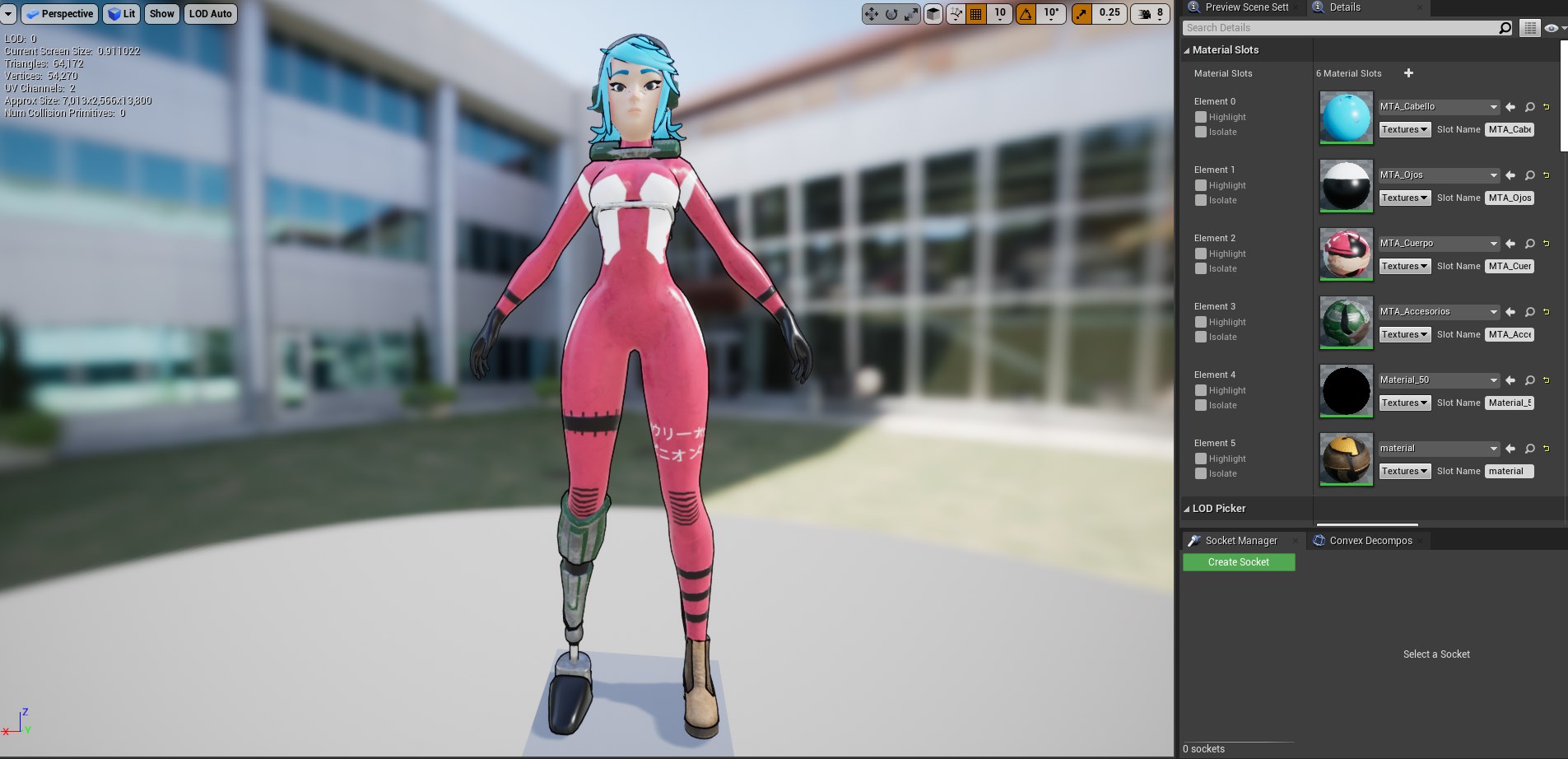
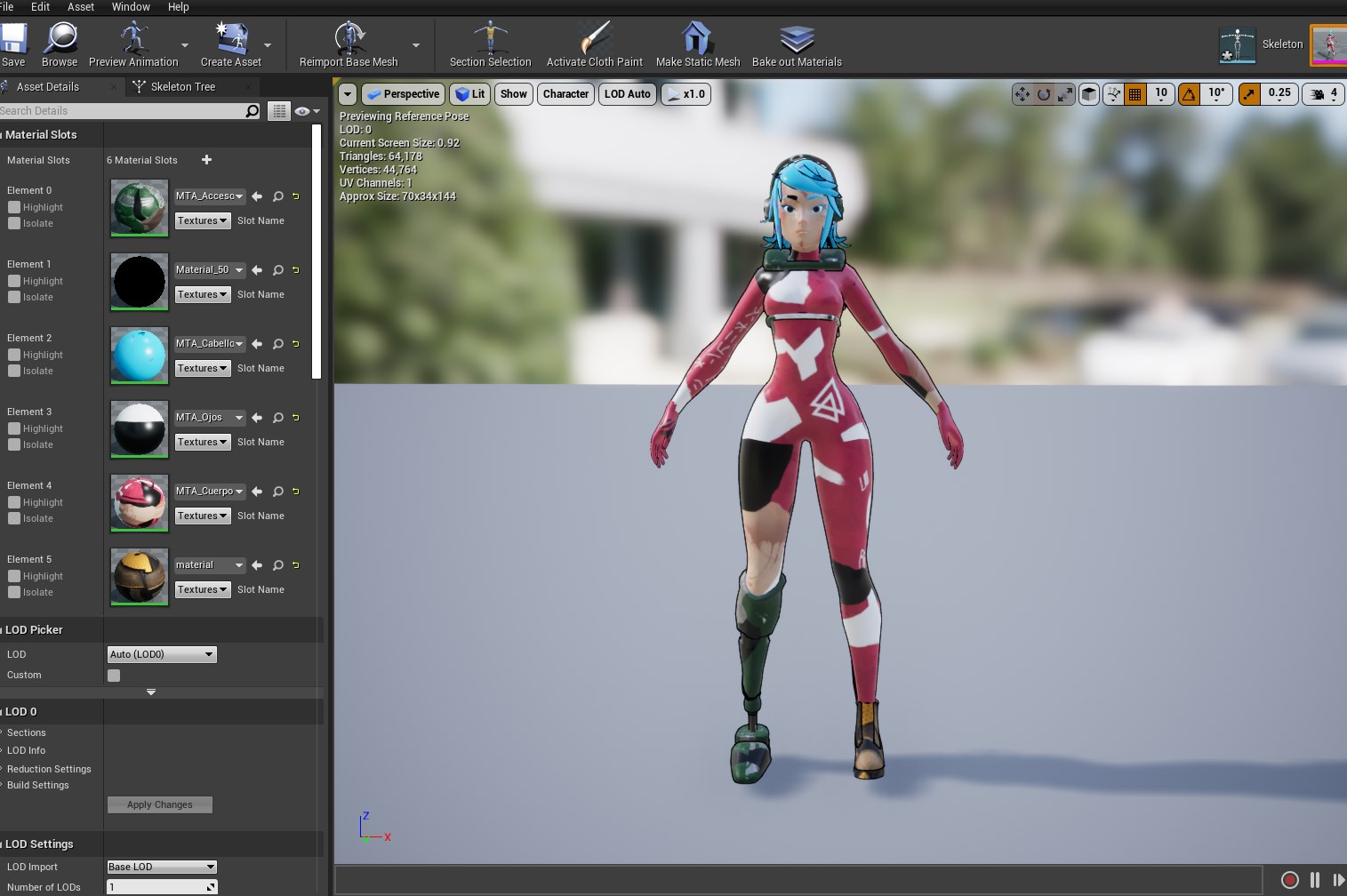
 lucid beacon
i- is that- DVA?
 kind dew
what would i use in a lerp's alpha to go from a to b in a certain amount of seconds? Like I want to lerp from 0 to 1 in X amount of seconds, how would i do that
plush yew
Timeline ?
kind dew
im in a umg id preferably like to do this in just lerp
drowsy snow
kind dew
what would i use in a lerp's alpha to go from a to b in a certain amount of seco...
Animation timeline.
Unless you're doing the widget entirely in Slate.
leaden gyro
80]MapCheck: Warning: MAT_IntroEyeDoor Material /Game/Environment/Objects/Transmission/Door/EyeDoor/MAT_IntroEyeDoor.MAT_IntroEyeDoor was missing the usage flag bUsedWithStaticLighting. If the material asset is not re-saved, it may not render correctly when run outside the editor. Fix
How do i fix this?
modest trench
leaden gyro
80]MapCheck: Warning: MAT_IntroEyeDoor Material /Game/Environment/Objects/Transm...
try re-saving it as the error says
modest trench
leaden gyro
how
right click the folder it's in inside the content browser and hit "Resave All"
leaden gyro
thanks
|| Error: [Callstack] 0x00007ffaa2432bc6 UE4Editor-Engine.dll!TArray<FPoly,TSizedDefaultAllocator<32> >::Append<FPoly,TSizedDefaultAllocator<32> >() [C:\UE4-24\UE4-24\Engine\Source\Runtime\Core\Public\Containers\Array.h:1740]
Error: [Callstack] 0x00007ffaa243b4c4 UE4Editor-Engine.dll!FBrushSceneProxy::FBrushSceneProxy() [C:\UE4-24\UE4-24\Engine\Source\Runtime\Engine\Private\Components\BrushComponent.cpp:99] ||
big error crash
when trying to open something
leaden gyro
wow unreal loves crashing
 tranquil roost
Hello! I'm having some issues with an ocean comprised of a large plane with a Brushify ocean mat on it. Can anyone 1) see what the issue is or 2) recommend a better ocean material?
- Strange reflections from items on land
- Dark line on the horizon when close to the water

 clever axle
hi guys!
How can I set my cine camera to exactly 1080? I have a cinecamera at 16:9 as view target but I have small black borders on the sides with an FHD res
 kindred mountain
Anyone wrestled with Gameplay Insights much? Seems to be a useful tool, as usual buried under a typically Unreal car crash of a UI and usability issues.
Specifically, is there a way to flush the current trace data?
drowsy snow
clever axle
hi guys!
How can I set my cine camera to exactly 1080? I have a cinecamera at 16...
*16:9
Resolution is not cine camera's concern. It wants aspect ratio instead.
(which is by default fills 1080p monitor in full screen.
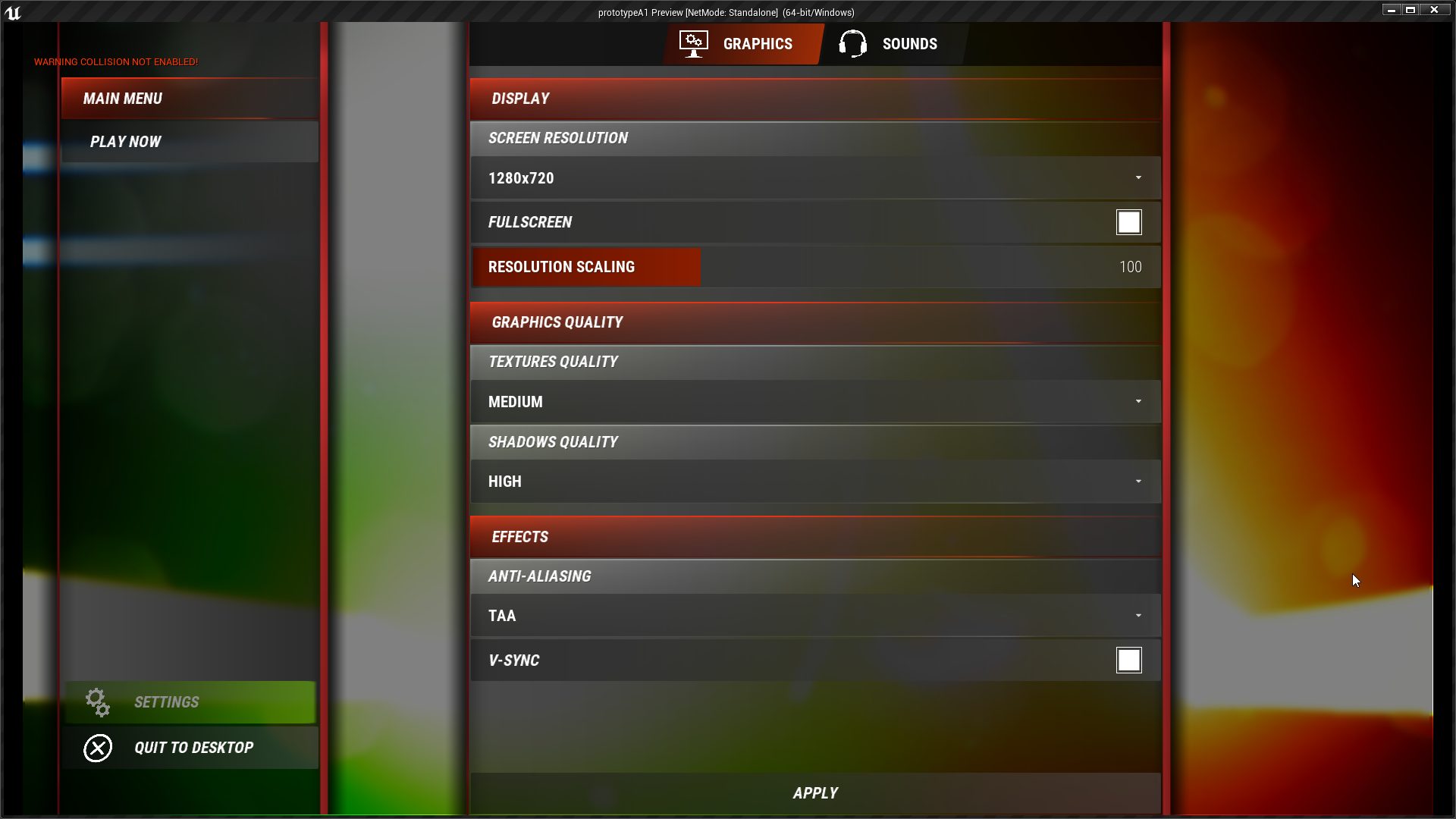 drowsy snow
clever axle
yes, that's what I was thinking but unfortunately it does not
drowsy snow
clever axle
yes, that's what I was thinking but unfortunately it does not
Well, I said full screen. As in proper standalone/viewport full screen and not new PIE window maximised.
clever axle
oh, right. the title bar is messing with the res?
 molten sun
Hello a quick question. Please ping me if you answer.
I model in 3ds max and use models in ue4
So my models vertices are they needed to be welded?
Or if not it's ok? I don't know if welded or not welded makes any difference.
clever axle
Can I get a ref to an int in some way? I want to set that int later programmatically via set by ref
thick herald
Sure can. Simply cast to the actor that has the variable.
 glacial pecan
anyone experienced colliders don't working in streamed levels? if so what did you do to fix it?
plush yew
got a quick question, Im trying to set up inputs
like this

Its reversed tho, if A is pressed before shift it doesnt work


 dawn gull
I have a cloud map, how can I make it so that only the clouds show up and the rest is transparent?
in a material
 wide swift
I have done animation in blender and I want knw how to export skeleton and animation from blender to unreal
 glacial wyvern
I cant find unreal 4.25.4 install in the epic games launcher, it exists right?
dawn gull
That's just 4.25 @glacial wyvern
glacial wyvern
cant find a just 4.25 either, I can only find 4.25.3 .As far as i can see online a 25.4 hotfix was released?
glacial wyvern
only trying to get it cause ive got some uassets that were made in .4 apparently but they refuse to show up when put in the content folder, and a pparently wrong engine version can be one of the reasons behind that


Unreal Engine Forums
The 4.25.4 Hotfix is now live! Feel free to discuss this release on the 4.25 forum thread. If you experience a bug with the 4.25.4 Hotfix, please follow the How To Report a Bug Guide to report it on the UE4 Answerhub. Fixed in 4.25.4 Fixed! UE-97208 Editor Analytic field IsLowDriveSpace is always reported as false. Fixed! UE-96338 Custom bu...
dawn gull
Oh, that is very odd. Maybe check the github repo?
It's a pain to compile the engine but idk what to tell you except maybe restart the epic launcher
Also that was in October 2020
glacial wyvern
looks like ill have to try and compile the engine
unless there are other reasons for uassets not showing up
ive tried deleteing the asset chache file
glacial wyvern
dawn gull
Oh, that is very odd. Maybe check the github repo?
the github repo has 4.25 and 4.25 plus , plus apparently meant for use only under recommendation from unreal for nextgen consoles, so i doubt thats it since my assets are pc.
dawn gull
It will be just regular 4.25
glacial wyvern
damn compiling this seems like a massive pain
 terse snow
wide swift
I have done animation in blender and I want knw how to export skeleton and anima...
terse snow
wide swift
I have done animation in blender and I want knw how to export skeleton and anima...
you mean .. Blender to Unreal..
I can't answer..Any one plz help him.........
thick herald
Google can answer that and probably supply tutorials.
wide swift
thick herald
Google can answer that and probably supply tutorials.
I tried a tutorial but I am getting a error
thick herald
You could try using the Send To Unreal addon made by Epic. It's available in the github. You'll need to link your Epic account and your git account to get access.
wide swift
This is the error I am facing I tried a tutorial and I done the same as they mention but after importing the skeleton and an animation to the skeleton I am getting this error
 thick herald
Unreal Engine
We’ve released two new, free addons that greatly streamline the workflow between Blender and Unreal Engine.
zinc shore
so the ue character controller lets you double jump but how do you tell if there jump is the second jump or the first
wide swift
thick herald
https://www.unrealengine.com/en-US/blog/download-our-new-blender-addons <@!40029...
Is this rigify free to use
wide swift
wide swift
This is the error I am facing I tried a tutorial and I done the same as they men...
By using this method can I solve this issue
terse snow
 azure topaz
do you think UE4 will work decent good or good on normal laptop?
azure topaz
do you think UE4 will work decent good or good on normal laptop?
laptop specs?
sick parcel
Seems like increasing your field of view and just making your camera a bit further away from your character achieve the same result
should I use one over another in specific cases?
azure topaz
terse snow
laptop specs?
umm not sure ,but its windows 7 forsure
terse snow
azure topaz
umm not sure ,but its windows 7 forsure
I mean tell me the laptop specifactions?
terse snow
wide swift
Is this rigify free to use
blender had its own deafult Rigify? @olive kiln
azure topaz
terse snow
I mean tell me the laptop specifactions?
i know what you mean but i dont know them from memory
terse snow
fierce tulip
<#821821368017485885> please.
please tell me the laptop model
terse snow
terse snow
blender had its own deafult Rigify? <@!148512217753452544>
But this error .I don't Know
terse snow
fierce tulip
<_<
Im saying hardware discussions are best in the <#821821368017485885> channel
Yes
kind dew
drowsy snow
Animation timeline.
Unless you're doing the widget entirely in Slate.
okay but i need to be able to easily to change the time in seconds at run time. "This takes 3 seconds to complete. now it takes 1 second to complete, etc"
pulsar onyx
pulsar onyx
i might be dumb but, anyone know why when the materials are added to the Static ...
Anyone got any ideas on this? I can’t find shit on google
daring schooner
hey, the UE example projects always have the player inputs directly wired into the player character's logic
what would be the proper way to separate inputs from the character logic, so as to be able to use the same blueprint for both player and AI controlled characters?
cedar wave
You can put it inside of the PlayerController
fierce tulip
@faint rune that should be put in #released , i'll give you a bit to copy the text before I (or you) remove it.
points at #rules
 faint rune
Ok thanks.
 kindred rampart
How would I go about making objects conditionally invisible? Trying to set up a mechanic where if a player triggers a trap, they lose the ability to see some things temporarily
fierce tulip
@kindred rampart i dont know who you are, but you win 10 interwebs kookies for that phantasy star reference
kindred rampart
Ayy someone got the reference
fierce tulip
< big fan
faint rune
@fierce tulip I added it to #released however released seems to be full of people selling stuff. Mine is free, I don't make any Ad money (as I don't hold the copyright to the music), and I'm just looking for feedback.
fierce tulip
well, #work-in-progress would be another option in that case. though those channels do not get too much attention.
just pick one :)
daring schooner
@cedar wave not sure what you mean
my point is that I wanna make a Character blueprint that can take "commands" but doesn't have player or AI inputs directly implemented in it, and I wanna know how to then control said character with either player inputs or AI
cedar wave
Look up what a PlayerController is
daring schooner
ie in dark souls the player character is controlled by the player but there are enemies and NPCs in the game that function exactly the same as the player except for the fact they're controlled by an AI
cedar wave
It is what actually controls your pawn/character
Yes. I am telling you. The PlayerController
It is a specific class
daring schooner
I'll look it up then
just found the doc page and this seems to be what I need, thanks
faint rune
@fierce tulip may I suggest a new #showcase channel in the Sharing section where people can show-off their creations, no matter how relatively crap it is 🙂
(Where no selling-stuff is allowed)
fierce tulip
you'll have to bring it up in #server-feedback
dawn gull
How can I let all light pass through my object but still have it show up as opaque?
 normal burrow
Turn off cast shadows
dawn gull
normal burrow
Turn off cast shadows
Did that, it isnt working as intended though. I'm using a giant sphere with no collisions and without it the shadows look like this:

but when i build lighting its like this:

 toxic lily
does anyone have a working mixamo xbot skeletal mesh for UE4? been trying to get it working and cant seem to get it to retarget right
normal burrow
dawn gull
but when i build lighting its like this:
Not sure what to be seeing. What is different here?
dawn gull
normal burrow
Not sure what to be seeing. What is different here?
the shadows are insanely dark, you literally cannot see anything behind them and it tints the world orange a bit
dawn gull
I already have a skylight, and why would I need to add more lights if it looks fine beforehand?
dawn gull
No, I build the lighting without the sphere and it looks like the first picture
I build the lighting WITH the sphere and it looks like the second
normal burrow
What sphere are we talking about and are you using an importance volume?
dawn gull
I'm not, and it's just a regular sphere from the shape menu with a material
normal burrow
I don’t see it in either picture
If it’s getting into the skylight capture then maybe that’s the difference
But set up an importance volume around the scene
dawn gull
normal burrow
I don’t see it in either picture
its because the scene is inside it
 dawn gull
Yes, that is why my original question was how to let all light through it
And I added the lightmass importance volume it hasn't changed anything visually
normal burrow
Your skylight is picking it up
Skylight works by taking a cubic picture around to approximate ambient colors that match the scene
If importance volume didn’t do anything try making sure the skylight is inside the sphere and then also you can set the sphere to not render inside of reflection captures
dawn gull
It is inside, how do I make it not render?
normal burrow
There is a setting on the skylight
For how far away the sky is
Need to bring that value in
dawn gull
Still did nothing
 worthy widget
Hello, all....does anybody know if we are allowed to showcase the nvidia RTX demos on youtube?
normal burrow
dawn gull
Still did nothing
Disable scene capture on the skylight
Set it to something else
dawn gull
I do not see that option


 keen flame
Hey guys! Anyone knows if I can "switch" actors between stream levels?
keen flame
And it cant be changed?
normal burrow
At runtime or in editor?
keen flame
editor
normal burrow
You select the actors you want to move
Then right click the level you want to move then to
And find the option
zinc shore
how can i get the the movement direction of a character
dawn gull
zinc shore
how can i get the the movement direction of a character
If you're using the default character you can attach an arrow to the capsule and then get the forward vector
Because movement automatically rotates the character
Or do this
cedar wave
Don't even need an arrow attached
zinc shore
i want to get it based on velocity anyways
cedar wave
Then just get the direction of the velocity
zinc shore
but how would i get the local velocity like if my character is rotated at a 45 degree angle i want to get its local velocity instead of global
cedar wave
Are you rotating your character with it?
zinc shore
im just wanting to get the forward velocity of my charater
cedar wave
Velocity and direction are two different things
zinc shore
its first person so it rotaes with the camera
cedar wave
GetActorForwardVector
 fallow nacelle
Forgot the syntax, but dot product of (Actor.Forward, velocity) to get magnitude of velocity in that direction. Thereafter, multiply that by Actor.Forward to get the velocity in actor's forward direction
cedar wave
Or you can get the relative rotation and get the forward vector
zinc shore
so if im moving forward and sideways at the same time how could i get the movment direction of that
cedar wave
That's just the velocity. Your velocity would be like (1, 0, 1) when normalized
So you could just use GetVelocity
 crisp parcel
i'm having an odd issue when i try to play the game (in the editor) using the new editor window play mode.
if the Always center window to screen option is toggled on, the top left corner of the game window ends up being near the bottom right of my screen, making me have to alt tab and drag the window back to the center of the screen every time.
if the option is not toggled on and i set some values for the window position, it works the first time i try to play, but on every subsequent play, the window position changes (moving towards the bottom right of the screen)
setting the position to 0, 0 seems to work ok, but i'd still like to work around this if possible.
any ideas?
 upper heart
Anyone know if there is an engine setting for "Look Input Curve"?
 dawn gull
upper heart
Anyone know if there is an engine setting for "Look Input Curve"?
dawn gull
upper heart
Anyone know if there is an engine setting for "Look Input Curve"?
Don't think so, wasn't there last time I checked
 neat ether
hey guys, I'm experimenting with anim dynamics and tried adding it to a bone chain, but it keeps bobbing up and down and I have no idea which of the myriad of settings I should be looking at to be able to adjust this, any help?