#blueprint
402296 messages · Page 764 of 403
 zealous moth
 barren flower
Thats you?
zealous moth
yeah
barren flower
I was looking at your realtime livelink data video a year ago, its on my watched list haha
barren flower
 zealous moth
Like the tests on the HISM splines and the vertex anims
barren flower
Ive watched a few apparently
Thats kinda cool
Oh my god
you have one on vertex animations in materials?
zealous moth
yeah we tried to pump out videos weekly or so but the views never went past 1k so we gave up
barren flower
Thats litterally what im trying to do
zealous moth
yeah, but it's only simple rotations, we aren't super pros on it
barren flower
Well, the serious game dev audience, as just demonstrated, is pretty small
but that said, you do it for a while, then you hit critical mass
dunno man, maybe you should keep at it
zealous moth
there is an awesome plugin I bought on the market place that makes material animations in UE4, it's quite efficient in my testing.
nah, I make more $ with assets 😄

this is what you want to watch btw
how to randomize mats on HISM
ah! even better! 😄
barren flower
Im actually gonna be a jerk and keep that a little quite for a little bit
barren flower
I'll make a tutorial on it at some stage
Oh, do you have a link to that tool by any chance?
barren flower
sweet cheers
 silk rampart
Does anyone know of a good example blueprint that allows me to make a button to say cycles through meshes? similar to a character creator, picking hairstyles and such
Trying for a simple one, not tied to a playable character
 maiden wadi
@silk rampart Do you just want to see the hair, or see the hair on a character?
To be fair that doesn't really matter. The simple answer is that you need to tie your data to the mesh, most likely in a datatable or data asset. A TMap of GameplayTag/StaticMeshSoftObjectPtr in a dataasset would probably be the easiest to start off with.
Then you can just get that asset, get the map. Use the tag(Can also use FName if you want. GameplayTags are much better), look up the data and get the mesh, resolve it, and set it.
zealous moth
silk rampart
Does anyone know of a good example blueprint that allows me to make a button to ...
I don't have an example but I have the steps. I do this for customizations and upgrades or mesh swapping.
Make an array of those meshes.
on input 1, add to int index up to array final index - afterwards reset to 0
do the inverse on input 2, decrement and reset to final index
Everytime, change mesh to new mesh in array at index whatever
and there you have it.
maiden wadi
I'd probably do a datatable struct personally. Use GameplayTags as the lookup. CharacterCustomization.Hair.HairNameHere. You can lookup the table via a map of datatables by getting the map for CharacterCustomization, find the table that matches your tag, which will match a table connected to a tag of CharacterCustomization.Hair. Use that table to look up the struct. Then you have access to the struct which should have the soft object pointer of the hair, the name of it, description maybe, etc.
Widget can get the same table, and just populate an array of the datatable's names. Then you'll have access to easily look up every hair by index in the table.
Whole process is very easily extended for any sort of customization by little more than an additional datatable, added to the lookup map, and minor widget customization.
 dawn gazelle
maiden wadi
I'd probably do a datatable struct personally. Use GameplayTags as the lookup. C...
dawn gazelle
maiden wadi
I'd probably do a datatable struct personally. Use GameplayTags as the lookup. C...
Don't data tables always use "Name" variable type as the look up?
maiden wadi
They do. But GameplayTags have a function to convert to FName.
dawn gazelle
So then in the datatable itself, you'd still have to input the gameplay tags as Fnames? :/
maiden wadi
Yep. But you get to sort your tables for easier lookup.
For example, say you have a bunch of things that are similar, but you need different logic for them based on their data. You could put a bool in a struct and look that up in the table, but often it can be a lot easier to associate it via it's tag.
Item.Consumable.Apple for instance. You could look up Apple in a few different tables, find that it's in the items table, and get that it's a consumable. Or in gameplay logic you can simply check if Item.Consumable.Apple matches tag Item.Consumable on use, do consumable logic.
Also quicker to map tables to tags and find the right table to iterate than search through a composite datatable.
silk rampart
thanks for the info guys, will have to look some of that up
Now if I can just figure out to setup a parameter collection to be quickly swappable I think I be good for my plans this month
 tight pollen
Anyone know how to set it up for a bone without hiding bone?

 odd ember
isn't that something you configure for the skeletal mesh?
there might be some issues with only a partial physics body I suppose
tight pollen
just need this to fix the problems
i have PBO Term
and i want set to PBO None after something
can it be set using BP or do I need C ++
odd ember
I don't think it does what you think it does
PBO None has a tooltip that says Don't do anything
so that would suggest that when you choose that option, nothing different happens
tight pollen
I'm just asking if it can be set or not, i need this 😓
odd ember
but it doesn't do anything lol
it only makes sense in the context of the function
void USkinnedMeshComponent::HideBone( int32 BoneIndex, EPhysBodyOp PhysBodyOption)
{
    TArray<uint8>& EditableBoneVisibilityStates = GetEditableBoneVisibilityStates();
    if (ShouldUpdateBoneVisibility() && BoneIndex < EditableBoneVisibilityStates.Num())
    {
        checkSlow ( BoneIndex != INDEX_NONE );
        EditableBoneVisibilityStates[ BoneIndex ] = BVS_ExplicitlyHidden;
        RebuildVisibilityArray();
    }
}```the parameter isn't even used in the function it would seem
tight pollen
okay then how do i change back to PBO None when set to PBO Term
odd ember
you can't
it says in the tooltip
but being that the parameter isn't even used, it shouldn't make a difference?
tight pollen
I need PBO Term to permeate, but when the AI dies problems arise with Decals, their location changes
when i have PBO None then is ok
 icy dragon
tight pollen
I need PBO Term to permeate, but when the AI dies problems arise with Decals, ...
icy dragon
tight pollen
I need PBO Term to permeate, but when the AI dies problems arise with Decals, ...
I smell an XY problem here.
tight pollen
I do not know what to do
icy dragon
Are you trying to have some kind of skeletal wound system?
odd ember
then... don't do PBO Term?
I've showed you the function that uses it
but it doesn't actually seem to use the parameter
so I don't even know how you are getting differences
 true valve
How do you remove a specific foliage actor?
I've an instanced component as component class in my foliage type.
I'm trying to remove the foliage from the component.
tight pollen
PBO Term makes the difference
odd ember
multi line trace, check for bone is hidden, ignore if so, otherwise hit?
 rain egret
how do i rotate an object, with a physics handle, in a way that it, regardless of its base rotation, rotates either left right up down.
its difficult to explain what i mean
 tight pollen
odd ember
multi line trace, check for bone is hidden, ignore if so, otherwise hit?
tight pollen
odd ember
multi line trace, check for bone is hidden, ignore if so, otherwise hit?
i checked it, and it looks like if i shoot through a hidden bone at a non-hidden bone it looks like i'm shooting a hidden bone
if you know what i mean
odd ember
I don't
but I don't know your use cases either way
sounds like you're doing something that either isn't possible by default, or requires advanced effort in cpp to make work
tight pollen
ok I keep looking, thanks for help 😉
 glad compass
I am getting this error, I think my blueprint is returning null.
Blueprint Runtime Error: "Accessed None trying to read property CallFunc_GetGrabbableObjectNearMotionControllerGripPosition_NearestComponent_1". Blueprint: VREntity Function: Execute Ubergraph VREntity Graph: EventGraph Node: Attempt Grab
 cerulean fog
ah ok I'll put it there thanks
odd ember
glad compass
I am getting this error, I think my blueprint is returning null.
```
Blueprint R...
you are correct. your blueprint is returning null
glad compass
I dont see a issue in it. How would I send the blueprint?
odd ember
how would you what the blueprint?
glad compass
well, with things like normal programming, you can simply copy and paste the code, and then it is easier for others to debug, but I cant do that with blueprints. Just screenshots?
odd ember
ohh like that
icy dragon
glad compass
well, with things like normal programming, you can simply copy and paste the cod...
Screenshots.
glad compass
alright
odd ember
there's also that website
glad compass
that?
icy dragon

blueprintUE is a tool for sharing, rendering and rating blueprints for Unreal Engine 4. UE4 is a game engine which use visual scripting called blueprint.
 faint pasture
rain egret
how do i rotate an object, with a physics handle, in a way that it, regardless o...
faint pasture
rain egret
how do i rotate an object, with a physics handle, in a way that it, regardless o...
What do you mean by rotate left right up down. Do you mean you want to only be able to rotate it and the three global axies or in the axes defined by the camera view or what?
odd ember
glad compass
https://blueprintue.com/blueprint/-knzwu7j/
you should probably check if your component is valid
inbetween get component and the looping it may invalidate potentially
glad compass
alright
odd ember
literally there is a node called IsValid
ah
actually
don't use a sequence node there
put the return at the end of the loop
glad compass
ok, and also, most of this code is made by unreal lol
rain egret
faint pasture
What do you mean by rotate left right up down. Do you mean you want to only be a...
exactly
odd ember
you can still check for validity, that's worth, but the sequence node is screwing you here
faint pasture
rain egret
exactly
Which one? I gave you two options.
odd ember
faint pasture
Which one? I gave you two options.
yes
faint pasture
There's actually three reference frames and play here, the camera, the world, and the object. Which one do you want to be rotating in those directions in?
rain egret
the camera
faint pasture
I don't recall the specific nodes but there are some nodes to generate rotations given an axis and angle. Use the cameras forward up and right axes and you'll be in business
 faint pasture
You'll want to combine rotators. Handle rotation equals handle rotation combined with the output of that rotator from axis and angle.
odd ember
what a marvel of engineering
faint pasture
Angle will be driven by your inputs and Delta time if that's a thing. I don't know if you are trying to rotate in 90° chunks or what
For mouse driven rotation like Garry's mod, I would say angle equals mouse axis input x someconstant
rain egret
best example would be in space engineer the way you can rotate things there
odd ember
ah yes, rotating things
faint pasture
Never played it but if it's anything like Garry's mod or starbase I know what you're talkin about. If you're trying to build some sort of a vehicle building system, we can probably talk about that sometime. I'm working on a game with that type of stuff.
rain egret
thatd be great, the building part i already have, i trashed my previous rotation function because it wasnt very intuitive to use
dawn gazelle
maiden wadi
I'd probably do a datatable struct personally. Use GameplayTags as the lookup. C...
You said here "Use that table to look up the struct".... How would one do so? The only means I know of getting the structure of a table is by defining the actual table in something like the "Get Data Table Row" and the Out Row pin would have the appropriate structure assigned. Using a variable for the Table leaves it as a wildcard, and will automatically set the pin as soon as any single structure is fed into it, so it can't be used to feed into similar execution paths.
I know workarounds for this, like using a switch node using a gameplay tag and then defining the table directly for each tag (example below, perhaps this is what you meant anyway?) but I'm curious if you have a different way of accomplishing this?
 rain egret
faint pasture
Never played it but if it's anything like Garry's mod or starbase I know what yo...
rain egret
faint pasture
Never played it but if it's anything like Garry's mod or starbase I know what yo...
my building system is rather interesting id say, its based on procedual meshes and editing of mesh data at runtime. each dot on this "default ship" its like a knot connecting structure beams.
you can arrange the dots in a way that it creates your ship shape. essentially it turns this:


into this

and each pannel is its own object that can be removed and attached
faint pasture
Hey bud you're still in Blueprint and not in the p.m. lol
rain egret
aaaaaaaaaaa
dawn gazelle
Nice work tho 😉
maiden wadi
dawn gazelle
You said here "Use that table to look up the struct".... How would one do so? ...
To be fair I do this in C++ via a lookup function. Tag's baser tags look up the tables in a dataasset. Just tables mapped to tags. Rows are the same in these tables because they all return the same data but it's stored in different tables for organization. Realistically it's possibly overkill. You could very likely achieve the same thing with simply using composite tables.
Actually in BP you could do the same. Use the tag, pass it to a data asset function. Return the row type struct from that function. Use the tag in the function to find the datatable in the datasset's map of tags/Datatables, then just put that return table into GetDatatableRow if it's valid. Return the data afterwards.
Make a map in the dataasset to map the tables to tags. Then you can get a reference to the dataasset anywhere you want via a set variable or a static return function.
Pure easy lookup of data for any gameplay tag's ui data in any widget you want to use it in.
icy dragon
rain egret
my building system is rather interesting id say, its based on procedual meshes a...
Gotta stole the idea 
Nah, jk, I don't do procedural building, it's out of my design docs.
 gusty shuttle
When using my keyboard, the UI works wonderfully, however, when using a controller, it's far to quick and overshoots focus on buttons. Any tips to slow it down?
gusty shuttle
Ayeeee, so far I'm just using keyboard and controller. Ideally I could use both. It is working, just the deadzone thing I think. I need to do a >.3 or <.3 me thinks. I forget the nodes
rain egret
icy dragon
Gotta stole the idea <:alex:330044263201112066>
haha jokes on you i stole the concept of a dead game
worlds adrift, was also a airship building sim. but it died because no more money
 buoyant stratus
I just want to set a scalar parameter on my material instance but this doesn't work, so I have no idea how to make it work, any help?

 mental robin
Not sure if I am dumb as hell or something is broken. In debug the subtraction 'always' equals 0. Despite it clearly showing (for example) 12 - 7
 icy dragon
buoyant stratus
I just want to set a scalar parameter on my material instance but this doesn't w...
icy dragon
buoyant stratus
I just want to set a scalar parameter on my material instance but this doesn't w...
Why not turn the materials into Material Instance Dynamic first, apply them back, and then set the params of the MIDs?
buoyant stratus
icy dragon
Why not turn the materials into Material Instance Dynamic first, apply them back...
I barely have any idea how blueprints work
odd ember
mental robin
Not sure if I am dumb as hell or something is broken. In debug the subtraction '...
are you using breakpoints?
 tawdry surge
I think it would pry be easier to use a parameter collection and change the value in there. It's how dynamic wind/wetness is usually handled for foliage/ outside environments
buoyant stratus
icy dragon
Why not turn the materials into Material Instance Dynamic first, apply them back...
Do you mean like this, or am I doing this wrong?

 brazen merlin
buoyant stratus
Do you mean like this, or am I doing this wrong?
brazen merlin
buoyant stratus
Do you mean like this, or am I doing this wrong?
im afraid your missing a key aspect: https://docs.unrealengine.com/4.27/en-US/RenderingAndGraphics/Materials/MaterialInstances/ - Scroll to the bottom
buoyant stratus
what section?
brazen merlin
last picture, Material Instance Dynamic
buoyant stratus
that's what I just tried doing here, in the event graph
 green eagle
Trying to retarget an anim for a different skelly but I can't seem to find the skelly as an option but it is in the project and the all that. Any ideas?
 brazen merlin
look closely, the output of the MID is using a set parameter which has the target of the MID - you have target mesh component
icy dragon
green eagle
Trying to retarget an anim for a different skelly but I can't seem to find the s...
green eagle
icy dragon
<#221798806713401345>
well played 😉
brazen merlin
green eagle
Trying to retarget an anim for a different skelly but I can't seem to find the s...
tick off Show only compatible skeletons
green eagle
brazen merlin
tick off Show only compatible skeletons
Thanks homie
buoyant stratus
brazen merlin
look closely, the output of the MID is using a set parameter which has the targe...
I don't get it, I just have a bool as my value and I just wanna mke my alpha 0 when that's false, and 1 if true

 buoyant stratus
what's this Base Color thing that the picture has
brazen merlin
buoyant stratus
what's this Base Color thing that the picture has
thats not the important bit, it's the Target case
 burnt trench
is there a way to detect if you're using a controller or keyboard as input?
I know how to do it for action buttons
buoyant stratus
I get that part now, so should I just make the target from the material instance dynamic my mesh or what do I do there?
burnt trench
but not for axis ones
brazen merlin
buoyant stratus
I get that part now, so should I just make the target from the material instance...
replace the "set parameter" nodes you have with ones that target mid
 brazen merlin
buoyant stratus
never mind the picture and my unreal engine is different
brazen merlin
buoyant stratus
never mind the picture and my unreal engine is different
thats the reference to the material you want to base it on
buoyant stratus
k I' mjust selecting the material instance from the dropdown
brazen merlin
yeah that works fine, dragging a pin out would make it a variable instead, either is fine in my eyes
 ripe lake
Just made a macro 🙂
buoyant stratus
this didn't work
 ripe lake
Useful 🙂
buoyant stratus
@brazen merlin what did I do wrong that this did nothing to my material instance?
brazen merlin
buoyant stratus
<@!568839944970174501> what did I do wrong that this did nothing to my material ...
sec, thinking

 brazen merlin
after creating the mid, assign it to the mesh
brazen merlin

 dusk cave
is there a node that will give me a random number between certain numbers? Like if I need it to return a random number from only these numbers 0, 4, 7, 9
brazen merlin
the top is in begin play, the set parameter call is when you need it
buoyant stratus
move what I have to beginplay? I'll do that
 unreal quail
anyone knows why my animation blueprint is not getting my player pawn?
brazen merlin
dusk cave
is there a node that will give me a random number between certain numbers? Like ...
 dusk cave
@brazen merlin Thank you!
buoyant stratus
I assume the MID you have in your blueprints is a variable
unreal quail
 brazen merlin
buoyant stratus
move what I have to beginplay? I'll do that
brazen merlin
buoyant stratus
move what I have to beginplay? I'll do that
just the mid part, you dont need to make an mid everytime you call the input, just once. then you can change the param whenever
brazen merlin
buoyant stratus
I assume the MID you have in your blueprints is a variable
i would make it a variable so you can reference it on the input call
unreal quail
I tried adding a breakpoint in blueprint to see what it's getting but it's never my player pawn (even though I double checked that my player pawn is using that anim blueprint as you can see on the right)
buoyant stratus
I'm just trying to figure out what colour that MID node is in your image
brazen merlin
copy what is in this and paste into yours
buoyant stratus
what is this
brazen merlin
its the nodes from the picture copied as text
buoyant stratus
it's an object reference I think
brazen merlin
unreal quail
I tried adding a breakpoint in blueprint to see what it's getting but it's never...
the convention is to use TryGetOwnerPawn
unreal quail
brazen merlin
the convention is to use TryGetOwnerPawn
yeah that's what it was using but it's always returning None
and after closing the window the breakpoint isn't even opening so I assume it's not even being called
brazen merlin
unreal quail
yeah that's what it was using but it's always returning None
does the bp have the animbp hooked up to it?
 rough cedar
Just wanted to say thanks for the help the other day @faint pasture , @icy dragon, @odd ember, @zealous moth
I was the guy having a problem with jumping not working. Anways I had to rebuild my busted BP but its all good now!
unreal quail
yup as you can see on the right screen
I think the issue is that the update tick isn't calling
void AYmenokCharacter::UpdatePawnMeshes()
{
    bool const bFirstPerson = IsFirstPerson();

    FirstPersonMesh->VisibilityBasedAnimTickOption = !bFirstPerson ? EVisibilityBasedAnimTickOption::OnlyTickPoseWhenRendered : EVisibilityBasedAnimTickOption::AlwaysTickPoseAndRefreshBones;
    FirstPersonMesh->SetOwnerNoSee(!bFirstPerson);

    GetMesh()->VisibilityBasedAnimTickOption = bFirstPerson ? EVisibilityBasedAnimTickOption::OnlyTickPoseWhenRendered : EVisibilityBasedAnimTickOption::AlwaysTickPoseAndRefreshBones;
    GetMesh()->SetOwnerNoSee(bFirstPerson);
}
I think this might be the issue
brazen merlin
unreal quail
I think the issue is that the update tick isn't calling
someone else was having the same issue, though i dont know if they were using cpp, that's outside my wheelhouse
i dont believe it got solved either
buoyant stratus
brazen merlin
copy what is in this and paste into yours
what do I do with this and how do I put it in blueprints, tried your picture above, it didn't work
I tried this for beginplay then

this

for my key press
oh
no parameter name
brb
brazen merlin
buoyant stratus
no parameter name
lol!
buoyant stratus
yeah I can confirm it didn't work
brazen merlin
aw what?
 ancient atlas
I only want my door to open when it detects my player (who has the tag player) as it was triggering off my projectile but now it wont open. i have given my character the tag Player but no good.. thanks
 brazen merlin
buoyant stratus
yeah I can confirm it didn't work
brazen merlin
buoyant stratus
yeah I can confirm it didn't work
and whats your material graph?
unreal quail
well it's working now somehow
brazen merlin
buoyant stratus
I don't really understand shaders either
alright well..
buoyant stratus
but the variables
brazen merlin
in the material, you have a scalar parameter with the same name as what you have in the parameter call?
buoyant stratus
that's what they look like
 unreal quail
I added a set visibility based anim tick option on begin play to make it always tick then removed it and somehow it's working now
buoyant stratus
yeah Alpha is a scalar
brazen merlin
what are these parameter defaults, you're using a param collection?
buoyant stratus
I'd like to double check that though
I don't know anything about unreal I literally just followed a tutorial for the material and blueprints
ancient atlas
dont worry about my question i had added the tag in the wrong place 😛
buoyant stratus
I'm more comfortable and set with Unity but we have to use unreal for this college "group" project (they have done nothing)
brazen merlin
buoyant stratus
I don't know anything about unreal I literally just followed a tutorial for the ...
well for this to work, you need a scalar parameter node in the material network, is that there somewhere?
unreal quail
also breakpoints on animbps seems to not work whatsoever
they only (annoyingly) get triggered by the preview
buoyant stratus
how do I check this
unreal quail
but when you PIE they never trigger
 brazen merlin
buoyant stratus
I found it
brazen merlin
buoyant stratus
I found it
great, now you said you're not super sure what's going on, so do you know that when set to 0 or 1 there is an effect noticeable? Not in the editor, but on the mesh
buoyant stratus
it renders through wall so I called it look through wall

this is what it looks like in the viewport @brazen merlin
brazen merlin
buoyant stratus
it renders through wall so I called it look through wall
hmm okay... well, i see you have the parameter set properly in the material, that's set as the parent for the mid, that's set onto the material, and when the input call happens it should be setting the param
so do know for sure that the input fires?
buoyant stratus
I would much rather be using like a code editor or something but I tried that once and every error just closed unreal engine with a message warning error so I am forced to stick with blueprints
even if I don't get it
I'm sure my input fires when I press the button, I have it printing when it occurs
brazen merlin
buoyant stratus
I would much rather be using like a code editor or something but I tried that on...
yes, its like knowing the right line of code, but the code is a node in bp
buoyant stratus
yeah but there's no autocomplete
brazen merlin
buoyant stratus
I'm sure my input fires when I press the button, I have it printing when it occu...
okay, just trying to see where anything might be going wrong
buoyant stratus
unless you look for obscure nodes
brazen merlin
buoyant stratus
yeah but there's no autocomplete
well, there's the context menu, and the context specific search filters out what's not necessary
its different for sure
the parameter name is case sensitive
buoyant stratus
its named the exact same
brazen merlin
from what we've gone through, i cant see why it doesn't work yet it doesn't
buoyant stratus
this is my beginplay
 brazen merlin
yep, looks right
buoyant stratus
I should note that the parent is the instance, not the base material
 brazen merlin
so i guess ill start asking wilder questions, there's only one material slot on this cube?
buoyant stratus
 brazen merlin
not sure what the ToggleAlpha bool is for, that doesn't speak to the material param
buoyant stratus
this is the blurprint
blueprint
only one material slot, it's just a cube in blueprint and that has a material, it is an actor that has this blueprint on it that I just posted, I just want to toggle vision for the cube through walls
brazen merlin
buoyant stratus
only one material slot, it's just a cube in blueprint and that has a material, i...
alright and yeah i know, i want that for you too, its perplexing
you can try an engine restart if you want
buoyant stratus
if it doesn't work I'll probably just stop for now and experiemt with procedural animations in unity
cos its about to be the next day
brazen merlin
i getcha, sorry we couldnt fix it
buoyant stratus
engine restart doesn't work so I'll leave it at that
 buoyant kindle
Before I get blasted, is there a posted or implied way a question may be asked? I'm fairly new to UE4.
icy dragon
buoyant kindle
Before I get blasted, is there a posted or implied way a question may be asked? ...
Just ask.
Specify what you want to do, what you're trying to do, what's the issue, show the issue in action (if asked), and show the thing you do.
buoyant kindle
Alright, thank you @icy dragon
green eagle
have an on hit trigger that works with certain objs but not with others.
The collisions are set to ignore all except WorldStatic and WorldDynamic which are set to block. Its category is WorldDynamic.
The objects I want it to trigger the hit with are WorldStatic and WorldDynamic set to block all.
Simulate hit and overlap events is toggled on everything.
Any ideas?
 cursive apex
am making a stone that gradually changes color when hit with spell particle collision but I am having difficulties on the particle blueprint part

don't really know where to go from here
I know what to do one the box blueprint part ... I think
 indigo bough
I have a blueprint actor with something like 4000 static mesh components. Almost every mesh is unique (so they can't be instanced). How do I break this down to be more performant? The blueprint editor is so slow to work with in this state, and frankly prone to making transform errors because it freezes after any action. I haven't even worried about it yet, but if the editor is running slow, I can't imagine what spawning one of these actors at runtime would be like. Any advice would be appreciated.
To add: Almost all of these meshes can be Nanite (there are literally 20 or so that can't be). Would I be better off combining these meshes into larger chunks?
I was under the impression separate meshes would be better for frustum culling, but it appears that's irrelevant if they are nanite meshes (hence the added context above)
odd ember
I don't know that for such specific case that there would be a blueprint only solution
seems to me you'd have to do a lot of custom work to make it functional
like a custom actor, custom ISM component perhaps
but that's only really possible in cpp
nanite stuff you're probably better asking people in #nanite since most people here aren't on UE5
indigo bough
odd ember
I don't know that for such specific case that there would be a blueprint only so...
Thank you! You might be right, I've checked in on the nanite channel though, as it's more relevant there probably. Cheers!
ripe lake
Is it possible to enable blueprint graphs in game?
glad compass
can anyone tell me what node this is? I saw it in a video and the person doesnt explain how to get it.
 ripe lake
It's a blendspace, used in anim nodes
You create it in the content drawer, Animation > Blendspace 1D
 static charm
No, but someone did make their own "blueprints" to run in game
so i guess the answer is yes, if you're willing to re-make blueprints work in game.
 glad compass
ripe lake
You create it in the content drawer, Animation > Blendspace 1D
glad compass
ripe lake
You create it in the content drawer, Animation > Blendspace 1D
thank you!
that is what it was
ripe lake
static charm
so i guess the answer is yes, if you're willing to re-make blueprints work in ga...
Ah cool - thanks for the answer 🙂
static charm
oh yeah found it, someone made a free open source version https://www.youtube.com/watch?v=JL6fOXXktd4
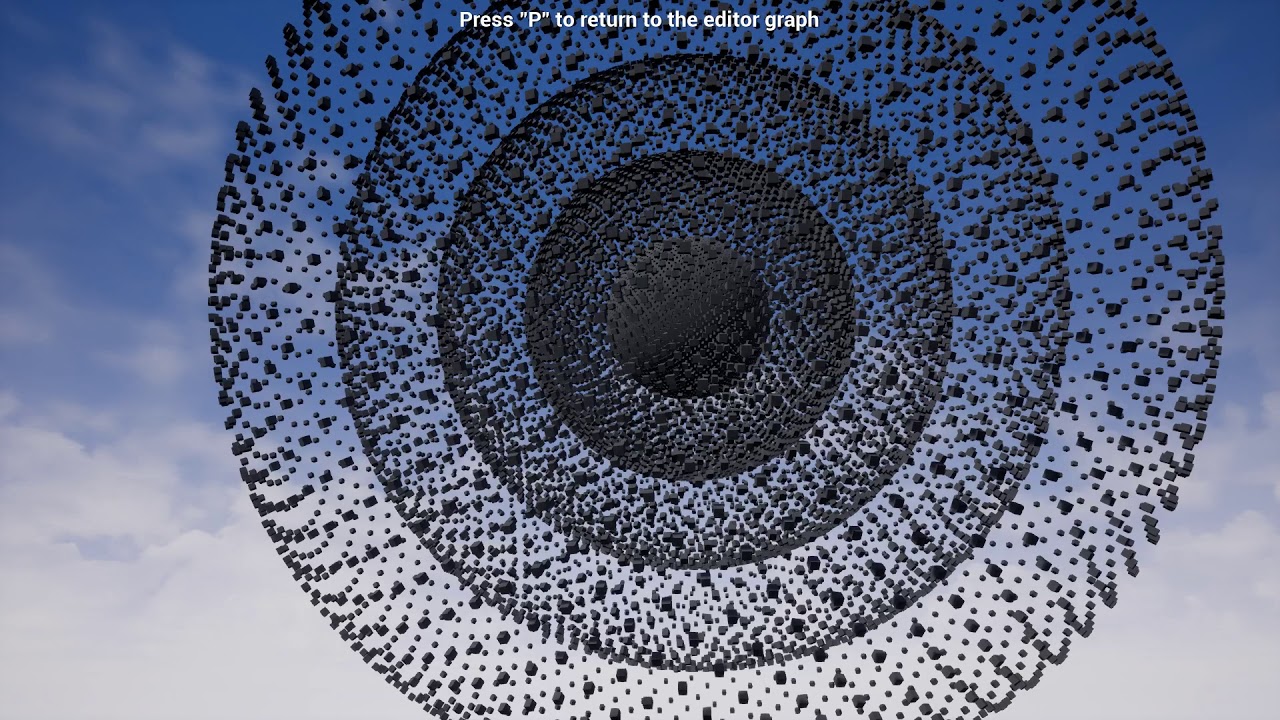
Now with Fibonacci spheres.
cursive apex
what is he using on target is player base ?

 dark crow
Eh?
cursive apex
player died
dark crow
Ok? The Cast connects to it, basically calls the function in Player Base
cursive apex
what is player base ?
Or is that the name he is using for the character
because I can't find it
dark crow
Probably his own Character
cursive apex
btw thank you for helping, I know these are stupid questions
dark crow
So he's just Casting to his own Character class
cursive apex
yep, thx
dark crow
Most likely called it like that cause it could hold the base functions for all deriving Characters from it
For example Cow and Human could derive from Player Base
What happens there is exactly this:
Player enters Kill Test so it generates a Overlap Event -> Check if Other Actor (Actor Overlapping) is Player Base -> Wait 0,1 Seconds and check if Player Base is dead with Player Died (Check is done in Player Base)
 empty needle
Does anyone know if there is a node to select objects within the Editor for Blueprints?
cursive apex
dark crow
What happens there is exactly this:
Player enters Kill Test so it generates a O...
I thought player died would be a custom event used on the character blueprint but that shown there isn't a custom event
icy dragon
empty needle
Does anyone know if there is a node to select objects within the Editor for Blue...
Edtor Utility Widgets?
empty needle
Agree, but still need the node that actually selects the objects.
dark crow
cursive apex
I thought player died would be a custom event used on the character blueprint bu...
Most likely a Function in Player Base
empty needle
I'm trying to find out what actors has a "Tag"
dawn gazelle
empty needle
Does anyone know if there is a node to select objects within the Editor for Blue...
You can drag and drop references to objects in the level blueprint, but otherwise, you need some way to get a reference to the actor you're wanting to reference.
You could do "Get Actor(s) of class" but that's typically pretty heavy as it loops through all actors in the scene to find one.
You can get references in other ways too, like doing traces, overlaps, or having exposed variables that you can set a reference to directly on actors within the level.
cursive apex
dark crow
Most likely a Function in Player Base
ah yes, I understand now. Thankyou for explain the why as well
dark crow
There's Get All Actors with Tag if specifically searching Actors with a Tag iirc
dawn gazelle
^ same problem with that one too. Fairly heavy.
static charm
I don't believe that get actors of class loops through all actors in the scene
get actors of class can be slow, if you have lots of actors of that class
but i could be wrong and just never had it be slow for me?
dawn gazelle
It does.
        for(TActorIterator<AActor> It(World, ActorClass); It; ++It)
        {
            AActor* Actor = *It;
                OutActors.Add(Actor);
            }
        }
if i close my eyes, then its not true
dawn gazelle
XD
cursive apex
dark crow
Most likely a Function in Player Base
why can't I get the player died function on the box blueprint even though I have it in the character blueprint, shouldn't I be able to call it ?
 mystic mist
How would one make a BP for two physics balls striking together generating a sound?
Ive got two balls, I want them to make a sound when they collide only with each other.
cursive apex
nvm
brazen merlin
mystic mist
Ive got two balls, I want them to make a sound when they collide only with each ...
what is your current setup for the ball logic?
icy dragon
mystic mist
How would one make a BP for two physics balls striking together generating a sou...
Event OnHit -> if hit actor class is the same as the ball, play a sound with volume scaled by the impulse.
mystic mist
@brazen merlin the ball I control is a separate BP from the other ball.
I suppose I could actually put them together. What would you advise?
@icy dragon I will try that out thanks!
mystic mist
Im still getting some serious feedback, because its trying to play the sound when it collides with the surface as well, how would I make it specifically play only when the balls are interacting with each other?
 open crypt
I'm getting an error when I am trying to destroy an actor - that it is pending kill - that's all well and good but it never actually destroys it

 idle sandal
can i ask a question about splines in here? im trying to get a cave spline in ue5 but for some reason i cant seem to get it to work
or pm someone
 sonic crow
How does one get the "TopDownCharacter" controller inputs to work with a xbox controller (get hit result under cursor by channel) ?
brazen merlin
mystic mist
Im still getting some serious feedback, because its trying to play the sound whe...
when the hit event fires, check the resulting hit actor to make sure it matches the ball only, rather than any kind of it. This would be a branch to allow it to happen.
brazen merlin
open crypt
I'm getting an error when I am trying to destroy an actor - that it is pending k...
this kind of message tends to indicate the actor it is trying to access is already being destroyed, thus failing to get a reference to it. This is usually solved by checking to see if the actor in question IsValid before attempting to reference it. As for the specifics, the message does not tell me, but that is the usual cause and solution. As for where, again, im without that information from just this warning dialogue
brazen merlin
idle sandal
can i ask a question about splines in here? im trying to get a cave spline in ue...
i dont know splines so i cant help sorry. you may also try the #ue5-general channel
idle sandal
brazen merlin
i dont know splines so i cant help sorry. you may also try the <#846520322642411...
i legit just figured it out, turns out im just an idiot lmao thanks tho
brazen merlin
sonic crow
How does one get the "TopDownCharacter" controller inputs to work with a xbox co...
cursor refers to the mouse position, are you somehow allowing the controller to move the mouse cursor? I've never done this, so i don't entirely know if it's even possible
sonic crow
brazen merlin
cursor refers to the mouse position, are you somehow allowing the controller to ...
the idea is to have the same setup as divinity original sin 2 (you can use the mouse or a controller)
brazen merlin
im not familiar with the game, can you move the cursor around using a gamepad joystick?
sonic crow
brazen merlin
im not familiar with the game, can you move the cursor around using a gamepad jo...
awesome game, recommend you get it when on sale. you can move the character by clicking the mouse or you can use and exbos controller and move the character with a joystick without clicking anything
brazen merlin
ah, i think i understand then. There is a node to check if using the gamepad or not. That can help determine which input logic to allow
 zinc blade
do I really have to use and make a PlayerController blueprint in order to access its Inputs, or can I just use a GameMode blueprint to use Input Events?
brazen merlin
zinc blade
do I really have to use and make a PlayerController blueprint in order to access...
no you don't but also no I wouldn't put them in game mode. You can put input events in the player character/pawn
brazen merlin
zinc blade
do I really have to use and make a PlayerController blueprint in order to access...
though as a followup, do you plan on having the player control different characters/pawns?
open crypt
brazen merlin
this kind of message tends to indicate the actor it is trying to access is alrea...
Yeah, my problem is I'm trying to clear out a certain type of actor if a volume is present - but my overlap logic must not be good - if I simulate and drag them out of the volume (they are starting in it), it works
brazen merlin
open crypt
Yeah, my problem is I'm trying to clear out a certain type of actor if a volume ...
so it is solved?
zinc blade
brazen merlin
though as a followup, do you plan on having the player control different charact...
no, not really
zinc blade
brazen merlin
no you don't but also no I wouldn't put them in game mode. You can put input eve...
so is putting Input Events on GameMode will not make it work?
brazen merlin
zinc blade
no, not really
then it should be fine to keep input events within the player character. some of the template projects start this way (without a controller)
sonic crow
brazen merlin
ah, i think i understand then. There is a node to check if using the gamepad or ...
thanks i managed to google a solution after you helped give direction 🙂
brazen merlin
zinc blade
so is putting Input Events on GameMode will not make it work?
Game mode is not really for inputs, its for handling base features of the game, typically we don't do much with it
brazen merlin
sonic crow
thanks i managed to google a solution after you helped give direction 🙂
great!
zinc blade
brazen merlin
Game mode is not really for inputs, its for handling base features of the game, ...
but can you use it for inputs? or will it be nullified?
I just wanna know their relation/s
I know having a controller blueprint would be best
brazen merlin
Ive not tried, it's not occurred to me as something to do. More info about game mode and game state, they are rather abstract: https://docs.unrealengine.com/4.27/en-US/InteractiveExperiences/Framework/GameMode/
brazen merlin
zinc blade
I know having a controller blueprint would be best
well, for example, I've used the third person template where all inputs on the character and never had a controller
iirc, top down template uses a controller
zinc blade
brazen merlin
well, for example, I've used the third person template where all inputs on the c...
ooh right
alright thanks man
open crypt
brazen merlin
so it is solved?
Can't figure out what the order of spawning is - I even have some begin play delays in the Volume where I toggle on it's collision and off, to try to trigger the overlap event which deletes the actors - all the overlap logic works and they get deleted, it's a matter of timing
brazen merlin
open crypt
Can't figure out what the order of spawning is - I even have some begin play del...
based on the error, if you click the last link which brings you to the node in questions, you can work back up the chain from there to see where things might be going wrong
brazen merlin
zinc blade
alright thanks man
sure thing
open crypt
lol it's a long convoluted chain - what's the way to determine whether a volume or an actor when placed in the volume, how do you guarantee that volume gets triggered?
without doing something hacky like placing the actor above it so it falls it at begin play
 somber wadi
Does anyone know how i can set constraints on values for example say i change the ENUM here to another value, can i hardset the quantity to say like 1 only?
 open crypt
somber wadi
Does anyone know how i can set constraints on values for example say i change th...
open crypt
somber wadi
Does anyone know how i can set constraints on values for example say i change th...
You'd have to go to the event where the lookup name is pulled and just set the quantity to one
somber wadi
unless..
Its more like is it just a constructor thing?
Cause its an Struct, and i just want too make it too where if the enum is set to Armor. The Quantity is one, and how i can do that.. and if there is an event what is it called.
open crypt
Just remember if you are using structs and getting the values, you need to "break struct open" and not using the "split struct" @somber wadi
brazen merlin
open crypt
lol it's a long convoluted chain - what's the way to determine whether a volume ...
that its a long convoluted chain, its tough to say for sure, im not even fully aware of the entirety that you're aiming to implement (do i want to know 🤨 ?)
open crypt
this seems important
brazen merlin
well lay it on me, ill go make a sandwich while you break it down
 supple bane
what is this?

 sharp rapids
It converts a 2d vector into a 3d one
supple bane
yes, what's it called?
supple bane
yes i found it, ty
 distant rain
Hi guys I have been stuck on a problem for 2 days wondering if I can get some advice.
I'm trying to add weight to my third person bp from an item when picked up but for some reason I cant get the item weight variable to add to the player weight variable both are float
Do I need to cast or interface?? Or do I need to do something else completely I'm not sure how I can reference the item class in the character weight function. Iv tried several different ways. I can get the master parent item class to add the weight but I cant get it to work for the children with different defaults
 timber knoll
distant rain
Hi guys I have been stuck on a problem for 2 days wondering if I can get some ad...
timber knoll
distant rain
Hi guys I have been stuck on a problem for 2 days wondering if I can get some ad...
Interface won’t help you, it just gives you function templates to implement
But yes you will most likely need to cast the reference of the item picked up to get it’s value
Which you can just do upon interacting with it
distant rain
timber knoll
Interface won’t help you, it just gives you function templates to implement
But...
I need it to handle the weight variable differently for each instance is this possible without calling every item individually, like if i just reference the parent then would it still change the variable on interact? i have an interact interface set up and I can collect the item to inventory
timber knoll
distant rain
I need it to handle the weight variable differently for each instance is this po...
No that wouldn’t work
A class doesn’t change values at runtime
distant rain
timber knoll
No that wouldn’t work
ahhhh that might be my issue then
timber knoll
You usually have classes just to create actors in unreal
distant rain
so maybe i need to set up an array list with all instanced child actors?
timber knoll
The actor itself is what you use to have runtime changes
That could work, depends on your use case
Or you can do GetAllActorsOfClass
distant rain
timber knoll
That could work, depends on your use case

thanks for the help I have been trying to do this for 2-3 days and its not even possible lmao
timber knoll
Wouldn’t you just want to pick up > get the weight from picked up item > add it to player?
distant rain

yeah i think thats what im trying to do here
I had 2 inputs
third person character & ItemParent BP
timber knoll
Your character should probably handle all input
distant rain
So I have it like this roughly
ThirdpersoncharacterBP>>WeightFunction>>inputs-itemclass+characterclass
I think i might need to strip it back and start again with the knowledge of requiring all actors to be referenced individually
I think i was trying to shortcut it as much as i could
timber knoll
yes but I don't see how your case would even need "all actors"
just the ones you are interacting with
distant rain
yeah 100% agree
timber knoll
you have to think the way the engine is structured
your input will be handled by player, but your player will have to know if he can pick something up
so you usually have some sort of overlap in the item
then the item has an oncomponentoverlap > other actor cast to player
and then when player interacts you pick up the item > using the reference you add the values
distant rain
ahhhh ok i think i know what you mean
I will have to ponder this for a bit and work out how i can do it
very much appreciated i was getting pretty frustrated lol
timber knoll
no worries 😛
 dusk arrow
Using Set Timer by Function Name and Call Function by Name nodes bad programming?
cursive apex
Why can't I call the death function on the second image ?


the error was from something I added by mistake that it's no longer there

shouldn't I be able to find the function I created before ?

thank you
haven't slept all night didn't even noticed I had selected character and not charcaterBlueprint
dusk arrow
dusk arrow
Using Set Timer by Function Name and Call Function by Name nodes bad programming...
Some say it's dangerous and is considered a questionable coding practice.
 visual vigil
any1 knows how to make camera focus on two targets . like in fighting games like tekken
maiden wadi
Make an actor class, add a camera, give it an array of actors, and average it's look direction and distance to keep the actors in view.
It's fairly simple math if you're looking at like side scroller fighting game style. The widest distance on screen mixed with the camera's fov can get you how long a spring arm needs to be, and then it's just a matter of interpolating the actor's location to the average of the actor's positions.
visual vigil
how do you get widest diestance on screen??
faint pasture
visual vigil
how do you get widest diestance on screen??
Uh wat
Define widest distance
Oh you're talking the fighting cam. Use trig or even just a ratio approximation. The simplest dynamic fighting cam for a 2D game I can think of is...
CamPositionY = (Fighter1Y + Fighter2Y)/2
CamPositionZ= (Fighter1Z + Fighter2Z)/2
CamPositionX = SomeScalar x DistanceBetweenFighters
Tune the scalar by feel. Something like 1.3 will feel good for a 90deg FOV
That's for X being into the screen and fighters move in Y and Z
visual vigil
my char moves in x and y. They dont jump. They can move towards each other and encircle each other
This is what i have. It doesnt give me best result

Is it adivsable to create a new camera actor should i use the one attached to player??
timber knoll
wouldn't you want the rendered area to always be the same width?
when you define it using camera, it would also depend on screen resolution
faint pasture
visual vigil
my char moves in x and y. They dont jump. They can move towards each other and e...
Is it top down then? Is there always 2 characters or can you not have a target etc
visual vigil
This is how it is now. Left char is player

i am using the camera attached to spring arm in the player
 timber knoll
oh you want it to be in middle of the two?
visual vigil
there is always two chars
timber knoll
yeah you have to seperate it from player then ye
visual vigil
oh
visual vigil
k let me try
 cerulean raft
Hi, What are these parent nodes and what do they do?
 maiden wadi
cerulean raft
Hi, What are these parent nodes and what do they do?
maiden wadi
cerulean raft
Hi, What are these parent nodes and what do they do?
Do you know what class hierarchy is?
cerulean raft
I do, yes
maiden wadi
If you have a virtual function in a parent class, then override it in the child class, you have to call the parent class function if you still want the parent's functionality. If you know C++, it's the same as calling Super
cerulean raft
I see and how do we call it in blueprint?
maiden wadi
How do you get the parent call you mean?
cerulean raft
yeah
maiden wadi
 cerulean raft
ah right, I appreciate the help!
Another question, does the order we put it in matters?
Like in this place

 shy river
ok cheers, will post it there!
visual vigil
timber knoll
then take the center of it
This works but the problem of player going offscreen if i move apart too much. How to adjust spring arm length depending upon the player not in screen??
timber knoll
I would calculate the distance between both characters
and multiply that by a certain value, then clamp it between let's say 500, 1200 or so
play around with clamp and multiplier value to see what fits 🙂
maiden wadi
Pretty sure that ((DistanceBetweenActors*FOV) / 2) * 1.2 should be about right if memory serves.
Er
timber knoll
/ AR * FOV
or well actually no that would be for square screens
but that 1.2 is supposed to be your aspect ratio in your case, right?
maiden wadi
((DistanceBetweenActors*(FOV/90)) / 2) * 1.2
No, that's extra padding.
So that the actors aren't always at the very edge of screen.
I remember that math working relatively well with some clamps for minimum distance.
timber knoll
could be, my brain is melted with all those FOV/Aspect Ratio math atm xd
graphics programming is giving me headaches haha
maiden wadi
More or less just takes CameraFOV /90. So for a camera at 90 fov it's 1. For a camerafov at 130 it's 1.44, etc. Use that multiplier to multiply the distance found between the actors. Half that, and then add some slight padding.
visual vigil
works thanks
 formal wren
Is there a conveniant way of seeing what blueprint takes how much ms on the game thread? I find the profiler extremely confusing.
odd ember
the profiler is the convenient way. but there's also the ingame stat command
formal wren
The data in the profiler is overwhelming
where do I see actual blueprint / function names?
 cerulean raft
What are the reasons a cast could fail?
The BP class I'm trying to cast to is Game Instance but the cast keeps failing (I have another project where it works fine)
 timber knoll
cerulean raft
What are the reasons a cast could fail?
The BP class I'm trying to cast to is Ga...
timber knoll
cerulean raft
What are the reasons a cast could fail?
The BP class I'm trying to cast to is Ga...
it will fail as long as your instance does not inherit from/is BP_GameInstance
so you probably forgot to change your game instance in project settings
maiden wadi
cerulean raft
What are the reasons a cast could fail?
The BP class I'm trying to cast to is Ga...
Looks like this is in a static library. Get World Context, and like Eezeh said, make sure your project game instance is set correctly.
cerulean raft
timber knoll
it will fail as long as your instance does not `inherit from/is` BP_GameInstance
God, you are a genius. Forgot to change it in the new project😅
timber knoll
happens 😛
formal wren
Seems like I found the reason my game is slow. But I havent made any changes to my meshes o.O My game just randomly dropped from 120 fps to 35 ...
 timber knoll
formal wren
Seems like I found the reason my game is slow. But I havent made any changes to ...
timber knoll
formal wren
Seems like I found the reason my game is slow. But I havent made any changes to ...
have you first checked more simple stats to pinpoint your bottleneck?
console: stat unit as an example
icy dragon
Unreal Insights is a bit more difficult to narrow down the problematic thread.
maiden wadi
Not sure you're supposed to have that much anim calculation on the Gamethread though.
 fiery glen
'Stat uobject' gang rise up
icy dragon
stat uobjects
fiery glen
Ah, thanks
 spark bridge
Greetings everyone. I have a smol problem and would really appreciate any help.

This returns true in editor play but not in packaged. 😦
odd ember
sounds like a #packaging issue
spark bridge
All I want is to be able to load certain objects in a folder..
oh. I thought it was about "packaging failures"
odd ember
subsystems are not exposed to blueprint
 clever helm
y962al
odd ember
so we can't really help out here
spark bridge
Alrighty, imma try packaging section. Cheers!
 gentle urchin
How would one normally make an NPC 'stick' to a road while overlapping?
Im using nav mesh,. and pathfinding, doing some small adjustments to the path along the way (height, snapping, sub-dividing etc), but cant think of a clever way to make them snap to a road for a given 'length' without a bunch of nasty casting and whatnot
formal wren
icy dragon
`stat uobjects`
Shows exactly what I need 🙂
odd ember
gentle urchin
How would one normally make an NPC 'stick' to a road while overlapping?
Im using...
I don't know what you mean by this. like a car?
gentle urchin
gentle urchin
How would one normally make an NPC 'stick' to a road while overlapping?
Im using...
Guess this is more of an AI thing, but feels very cross realm. This is what it could look like;

Currently a cube, but at some point a walking npc.
the lines are debuging paths
odd ember
yeah it's more AI, give road navmesh a cheaper cost than otherwise
gentle urchin
That part is fine, it's already covered, hence the path aligning to the road
But i want them to stick directly to the spline that exist there, for the given period they are on the road
odd ember
then... make them stick to the spline?
gentle urchin
If only it were that easy
odd ember
why wouldn't it be?
gentle urchin
partial road manipulation based on some overlap?
odd ember
you could even have a check for navmesh type and align behavior based on that
but again, this is AI
gentle urchin
vector manipulation, but sure, ai i guess
odd ember
and tbh I'm not sure how much of this is BP exposed
no, no vertex manipulation
at least nothing manual
you could make a denser navmesh
but I wouldn't recommend it
gentle urchin
It wouldnt solve step 2 anyways
which is right and left side
i'll solve both if i do the path vector adjustments
align to spline for a given distance,
hmm...
now we're onto something
odd ember
conditional navmeshtype > get spline by direction heuristic > done
but again, sounds very much like this won't be exposed to BP
gentle urchin
We'll see how far i get. Currently testing the AI from last night with 600 pathfinders ,
so i'lll need to fine tune my setup. Its way to expensive currently
odd ember
RVO is going to be an issue at that amount
odd ember
in either case 600 AI is something that requires custom code and optimization
gentle urchin
Which is what im doing 😛
odd ember
why are you asking in #blueprint then
gentle urchin
havnt moved it to cpp yet ^^
odd ember
so you're not doing custom code and optimization
gentle urchin
Define custom code. Sounds like you define that as cpp
Anyways. Thanks, you gave me a pointer.
odd ember
gentle urchin
Define custom code. Sounds like you define that as cpp
of course. BP doesn't allow for that degree of customization
gentle urchin
odd ember
of course. BP doesn't allow for that degree of customization
We'll see. Ill get as far as i get before i move it over
odd ember
just keep in midn the longer you wait, the more you paint yourself into a corner
things like this need to be planned for far ahead of implementation
gentle urchin
True that
 quasi frost
I followed a tutorial to ragdoll, nothing happens when I hit F though. Like literally no change. Anyone see if I messed something up?

 fallen blaze
quasi frost
I followed a tutorial to ragdoll, nothing happens when I hit F though. Like lite...
fallen blaze
quasi frost
I followed a tutorial to ragdoll, nothing happens when I hit F though. Like lite...
you definitely set the action mapping right? lol
odd ember
a direct keybinding doesn't need an action mapping
it's even in the character so it should technically be fine, unless you use F anywhere else
 obtuse herald
yeah, check if it fires with printing
quasi frost
It prints
obtuse herald
Ok, has your sk mesh collisions?
faint pasture
Show the physics asset for that mesh/skeleton
quasi frost
odd ember
try enabling per poly collision
No change
quasi frost
faint pasture
Show the physics asset for that mesh/skeleton
What do you want to see specifically?
faint pasture
Just see that you have one. If you simulate in the Physics asset editor does it ragdoll?
quasi frost
faint pasture
Just see that you have one. If you simulate in the Physics asset editor does it ...
I'm not quite sure what that means. What is the physics asset editor?
faint pasture
Open the skeletal mesh up, it'll be one of the tabs.
quasi frost
Which tab?
 obtuse herald
quasi frost
Which tab?
obtuse herald
quasi frost
Which tab?
One of the ones at the top right corner
 storm vigil
Hi just want to confirm, is validated get is same as a get variable that you hook up to an is valid node? No difference in performance or inherent problems? Thank you
obtuse herald
storm vigil
Hi just want to confirm, is validated get is same as a get variable that you hoo...
It's the same
faint pasture
Yeah this is ue5, it all looks totally different lmao. But it'll be in there somewhere. Do your bones have colliders?
quasi frost
If you guide me where to look I promise I will check haha

 remote obsidian
Hi all, I have a widget added to an actor blueprint and setup, but now I want to pass a variable from the blueprint to the widget
I can't find any way to cast from the widget variable to its actual class in order to set any variables though, is there any way to do this?
 thorn tide
Hello!
Any1 knows how i can render ScreenSpace UI in to a render target with USceneCaptureComponent2D? o:
I made a marker system using Screen Space widgets. But they don't get rendered on my USceneCaptureComponent2D TextureTarget
timber knoll
remote obsidian
Hi all, I have a widget added to an actor blueprint and setup, but now I want to...
that should just work, you do have to expose some UI elements to be variables tho (the checkbox topright, details panel)

 formal wren
timber knoll
have you first checked more simple stats to pinpoint your bottleneck?
formal wren
timber knoll
have you first checked more simple stats to pinpoint your bottleneck?
The problem was the collision setup on some of my meshes which lead to a lot of uneccessary overlap events
remote obsidian
timber knoll
that should just work, you do have to expose some UI elements to be variables th...
Is there any way to do that without creating the widget in the bp if I already have the component setup?
 crimson depot
Trying to make a name tag for an actor. I can see it in the editor, but once I hit play it doesn't show. If I change the Blend Mode to Opaque under Rendering it shows a black box when playing the game where the name tag should be but without the text so I know the widget is sort of working. I just can't get the text to show up by itself.
 proper crest
Hey everyone, anyone knows a reason for primary data assets for not being included in the packaging?
 devout crow
Guys,I'm pretty sure my settings are exactly the same as tutorial, but my montage still not working...😥 😥 😥 😥


 surreal peak
devout crow
Guys,I'm pretty sure my settings are exactly the same as tutorial, but my monta...
surreal peak
devout crow
Guys,I'm pretty sure my settings are exactly the same as tutorial, but my monta...
You have to supply the SkeletalMeshComponent this should play on
devout crow
surreal peak
You have to supply the SkeletalMeshComponent this should play on
Now it can run, but there is a new problem, after the evade animation has finished ,character is pulled back to the position before evade.
surreal peak
You need to enable Root Motion on the AnimationSequence
So basically open the asset, and on the left there is something about Root Motion
If in doubt, google for that setting, should be findable
devout crow
surreal peak
You need to enable Root Motion on the AnimationSequence
thank you!
 unique harness
What the heck is this pin?

 earnest tangle
Hover over it and find out (I think it's "copy")
earnest tangle
Never tried it but I guess in theory it might 🤔
I'm not sure if I would use it for that purpose because it seems kind of confusing if used like that, better to assign the value into a variable
unique harness
yea I guess it still doesn't solve the problem of multiple outputs calling the method multiple times
cursive apex
How do I set blueprint events so that on particle collision doesn't trigger everything but just one specific object?
Is creating a function on the object and then call it on the character blueprint, liked to on particle collision?
cursive apex

will this wok to make the object which is being called turn red when the particles collide with it ?
odd ember
possibly?
crimson depot
How can I dynamically change the position of a textbox in a widget?
 fading raptor
Anyone know a way to have the same camera that the player uses in a cutscne? Similar to god of war how the whole game only uses one camera
I'm looking for a smooth transition, i found one tutorial but it took like an hour to finally get it working
is there anything simpler? a node perhaps
timber knoll
if I'm not mistaken you can blend cameras into eachother
but that might not be what you're looking for
obtuse herald
just create a new camera at the transform of the current one, change the view to your new camera and lerp the transform to the cutscenes camera transform
faint pasture
crimson depot
How can I dynamically change the position of a textbox in a widget?
Figure out what values you can change to get it to behave the way you want it to and automate that. What kind of behavior are you after?
fading raptor
obtuse herald
just create a new camera at the transform of the current one, change the view to...
thats it?
dang i overcomplicated it
faint pasture
@fading raptor set view target with blend
You don't have to manually move anything
timber knoll
^ this
timber knoll
the node also gives you a time
crimson depot
@faint pasture
Trying to convert actor locations to screen location and use that to draw name tags. I just can't really see where I can pass in and x,y to an animation.
fading raptor
faint pasture
<@201454072258232320> set view target with blend
ok ill try it out, ty homie
obtuse herald
crimson depot
<@!127902729677963264>
Trying to convert actor locations to screen location and...
maybe widget components are what you're looking for
faint pasture
crimson depot
<@!127902729677963264>
Trying to convert actor locations to screen location and...
You might be after the UMG widget component
It can be attached to actor and draw a widget in world or screen space
crimson depot
@faint pasture
I was actually trying to do that at first, but the widget wouldn't show up. I could see it existed in the bp viewport or if I selected opaque in the rendering menu. I got something working by just adding a text component to the actor but rotating it to face the camera every tick was kind of clunky I figured just having a HUD with 2d labels would be easier
 opal pulsar
hey guys, im trying to find a way to get a .wav file from a string (the string stores its location) and set it as the audio wave on an audiocomponent, but havent found anything yet. is it even possible to do what im trying to do in blueprints?
timber knoll
well there's a lot more that goes into game dev than just learning how the engine works
the engine is just a tool to make your life easier
the logic behind it all is indentical between all these tools
and usually tutorials will hold your hand through the logic, only really teaching you how the engine works
yep exactly, that's where tutorials lack
I would recommend starting really small
and honestly in unity, not unreal
tawdry surge
Eww
timber knoll
a lot of people might be "ooh no code", or "unity bad"
tawdry surge
Terrible advice
fading raptor
unity bad 🐒
timber knoll
but it does get you more used to coding and game logic
fading raptor
true
tawdry surge
No
fading raptor
I learned game dev from scratch, then construct, then jumped to unreal
enable use pawn control rotation in the camera
tawdry surge
Starting in blueprint is a better way to grasp the basics of code b4 moving to text based language
timber knoll
nodes hold your hand
tawdry surge
Yeah
timber knoll
they do a lot of logic behind the scenes
tawdry surge
Training wheels
fading raptor
your camera isnt shaking, the gun is
faint pasture
Do you know anything about programming at all?
timber knoll
tawdry surge
Training wheels
well I guess it really depends from person to person
timber knoll
I learned my way from scratch into game dev in less than a year
Starting with C++ and C# before even touching a single game engine
faint pasture
Oof. You can definitely start in Unreal but start SMALL. Like Block Dude or Pong or flappy Bird small
timber knoll
then moving into unity and only doing unreal once I got quite comfortable with the basic logic
tawdry surge
Understanding the flow of code and the basics of how you have to think about problems is really step one and blueprint is better to visualize with
timber knoll
unity was 10x easier to learn and get into
fading raptor
i went from making side scrollers, to infinite runners, to simple retro fps shooters
now im working on a whole dark souls like game
timber knoll
but once you have the basics down, they are very similar and it's just getting used to the interfaces
tawdry surge
Idk how..
I personally can't stand how unity works
timber knoll
tawdry surge
Idk how..
I personally can't stand how unity works
neither can I now that I understand how unreal works, but it forces you to write all the logic because there's barely any
but I can understand some people prefer to learn visually
faint pasture
I only had a semester of java a few years prior and dove in to BP and then transitioned to C++. It's doable but you need to wrap your head around software design concepts and just strugglebus your way through doing something on your own instead of following videos.
faint pasture
I wouldn't watch a single damn video besides the WTF is stuff when you get stuck. Just do one tiny thing from beginning to end.
fading raptor
theres a channel on yt dedicated to every node in ue4
timber knoll
Imo you're better off just taking it one step at a time and figuring stuff out yourself together with documentation rather than following step by step tutorials
fading raptor
nah
faint pasture
fading raptor
theres a channel on yt dedicated to every node in ue4
WTF is... Those are the best.
Also, RTFM.
obtuse herald
If you want to know how specific nodes work and how to use them, he does some really good tutorials: https://www.youtube.com/c/MathewWadsteinTutorials
tawdry surge
@trim matrix go watch the cs50 series on youtube. It's from like Harvard or MIT or something but its great if you have no idea about anything code related
obtuse herald
perfect we are all talking about the same one
timber knoll
you will only learn through practice
 paper galleon
That is actually good. When you learn how languages work. You can't expect tutorials to do all the work
timber knoll
game jams is what learned me the most
faint pasture
Then open up a simple template project, think of a simple mechanic you want to add, do it, and if you get stuck, use the Google.

Explanations of the basic gameplay elements, Actors and Objects.
 keen wedge
Hi all, using the default player character, with the Movement component, I see there's a setting for "Jump Z Velocity". I was hoping to be able to control kind both the height and speed of a jump, where-as incrementing this affects both. Any thoughts?
obtuse herald
for game development knowing how object oriented programming works is pretty important aswell
faint pasture
You could have googled "what is a string programming" already
timber knoll
keen wedge
Hi all, using the default player character, with the Movement component, I see t...
that's because height is affected by gravity
so if you want to control both, you would have to manually recalculate some values
paper galleon
keen wedge
Hi all, using the default player character, with the Movement component, I see t...
Launch character might be better then. Gives you a little more control. Or AddForce
faint pasture
keen wedge
Hi all, using the default player character, with the Movement component, I see t...
Jump is basically ballistic I'm pretty sure. Turn up gravity if you want higher speed for a given height
Launch and jump will perform the same ish.
tawdry surge
If they don't know what a string is, they probably need basic cs info b4 trying to make games
faint pasture
Yeah but you can learn as you go if you're a self starter and aren't afraid to Google. I didn't know what a structure or interface were when I started.
paper galleon
faint pasture
Launch and jump will perform the same ish.
the ish part. I recall being able to control jumping by incrementally adding force. But I agree the same effect can be achieved by adjusting jump height and gravity scale over time
faint pasture
I just knew the old object-animal-dog inheritance concept and that's about it.
timber knoll
there's a whole GDC talk about how you could go about implementing a jump
keen wedge
I've yoinked the gravity scale up to 5 and increased the Jump Z Velocity to 1680, its giving me more of what I wanted... quicker up/quicker down without soaring through the air like a bird etc 🙂
faint pasture
paper galleon
the ish part. I recall being able to control jumping by incrementally adding for...
You can do that but it'll be really wonky especially in multiplayer. If it's a constant force then that basically achieved a gravity override for a single character.
obtuse herald
timber knoll
there's a whole GDC talk about how you could go about implementing a jump
sometimes people have to much time
timber knoll
keen wedge
I've yoinked the gravity scale up to 5 and increased the Jump Z Velocity to 1680...
depending on what you are making, it's often a good idea to know exact numbers
how long does your character stay in the air
how high is the apex of the jump etc...
fading raptor
when u realize that ue has no way to transform two meshes
paper galleon
faint pasture
You can do that but it'll be really wonky especially in multiplayer. If it's a ...
Yeah, that's true. Multiplayer is a different ball game
faint pasture
Yeah it all depends. A realistic jump is ballistic (parabola shaped). Anything beyond is gonna get more weird and varied really quickly.
keen wedge
timber knoll
depending on what you are making, it's often a good idea to know exact numbers
around about 1 second..
not sure about the apex etc..
keen wedge
its a 3D fps..
timber knoll
because you're not entirely sure where to place the platforms for good jumping puzzles
keen wedge
(uni project)
 marble warren
i never even tried BP before, i first saw BP at 2017, had to look at documentation, unreal online learning and watch others do it just to get my basic understanding
keen wedge
now I know how to affect it, I can play with the values to still allow for jumping on/over objects in the game.
faint pasture
Jump height = Zvel^2/2G
keen wedge
faint pasture
Jump height = Zvel^2/2G
uh oh... its gone a bit "mathsy"... not my strong point 😦
the 2G being 2 x (gravity x gravity scale) etc? (e.g 2 x 9.blah x 5 in this case) ?
faint pasture
Yeah something like that.
Just realize that turning up jump Z increases height, turning up gravity decreases height, and turning up gravity increases speed
So I would modify gravity till the speed felt good then dial in Z velocity till the height feels good
But if you wanna hit an exact height apex you'd do that math.
keen wedge
Zvel^2 = 1,6801,680 = 2,822,40
2G = -9805 = -4,900
Jump Height = -576
?
Guessing I don't need the "negative" for the gravity?
faint pasture
Ignoring signs, yes.
keen wedge
aha! coolio...
faint pasture
So dude jumps 5.8m in the air like Halo
keen wedge
So,with the normal UE4 scale, thats 576cm (5.76m)
fading raptor
ue45 units are cm?
paper galleon
yep
fading raptor
YOOO
 covert chasm
How do I get a different Location everytime I run this?
 fading raptor
Hey ozy how u doin
faint pasture
Yes. Force is CentiNewton, torque is Centinewton-centimeter
paper galleon
fading raptor
Hey ozy how u doin
Lmao. Good
fading raptor
cool cool
faint pasture
covert chasm
How do I get a different Location everytime I run this?
Are you not? What's it giving you?
10 is a tiny radius
10cm
covert chasm
faint pasture
10cm
Wait i try it with a bigger Value
keen wedge
So, in reality, there's probably a few other things in effect, there's a block in the template level thats got a Z scale of 3, so, 3m tall. The player character can now "just" get on to it... guessing other things like the acceleration/decelerating settings and so on are all playing their part too
paper galleon
keen wedge
So, in reality, there's probably a few other things in effect, there's a block i...
Yeah, there's air friction, aircontrol, stuff like that. But they shouldn't affect the original calculation. You just tune values
keen wedge
Thank you, appreciate all the help from everyone and the quick maths lesson! 😄
paper galleon
keen wedge
Thank you, appreciate all the help from everyone and the quick maths lesson! 😄
You'll be back here, don't worry. 😅
keen wedge
paper galleon
You'll be back here, don't worry. 😅
I dont doubt it! 😄
quasi frost
So I want to call this parameter to adjust it at run time, but I can't find a way to name it in order to call it. How can I use a param with a name so I can call it when I want to set its value?
 faint pasture
paper galleon
You'll be back here, don't worry. 😅
faint pasture
paper galleon
You'll be back here, don't worry. 😅
I spend more time here than I do with the editor open
 spark steppe
quasi frost
So I want to call this parameter to adjust it at run time, but I can't find a wa...
spark steppe
quasi frost
So I want to call this parameter to adjust it at run time, but I can't find a wa...
that's a constant, you have to add a scalar parameter
spark steppe
"variable" settings always have parameter in their name (for materials)
paper galleon
faint pasture
I spend more time here than I do with the editor open
Same here.🤣. I came to make a simple inquiry and ended up sticking around
quasi frost
One more question. I'm not quite sure how to connect these two. I want to change all of the materials on a mesh to my "fade" material and then start a time line to go from 0->1 on my fade param to make it disappear. How do I plug my new materials into the "collection" area to start this process? I can't seem to just plug in my for each loop on materials to the set scalar param value.
 spark steppe
you need to create a dynamic material instance (DMI) from your material and assign it to the mesh
on that DMI you can change parameters then
quasi frost
Gotcha will try that, thanks
faint pasture
@quasi frost make a master material that supports the fade if it's a thing that has to blend with your regular material.
green eagle
Is there a way to have a Class run a function to set variables and then have it remove all the function data? Like a fire and forget type thing. So if you are using a huge inventory map through unique instancing you can have the instance save on data as it will never be changed hence forth.
dawn gazelle
green eagle
Is there a way to have a Class run a function to set variables and then have it ...
Function local variables are always instanced for the function. You can still manipulate the class's variables within the function as well.
faint pasture
Not trying to poke fun but this is relevant around here every day.
https://www.theonion.com/man-wishes-computer-could-do-thing-it-already-can-do-1819574776

The Onion
RICHMOND, VA—Though confirming he is mostly satisfied with his newly acquired Mac desktop, local man Peter Selwyn said Wednesday he is disappointed that it is unable to do something that in fact every modern computer, including his own, is already capable of doing. “I wish there were some way it could just take a…
brazen merlin
faint pasture
Not trying to poke fun but this is relevant around here every day.
https://www.t...
this dude is living in the future
formal wren
Anyone have a conveniant way to initialize a ComboBox using an Enum?
I was thinking I could simply pass the enum asset as a variable somehow, but didnt manage to find out how or if it is even possible
faint pasture
formal wren
Anyone have a conveniant way to initialize a ComboBox using an Enum?
You mean like enum -> text?
EMyTeam::Blue -> "Blue"?
formal wren
No I mean like: I have this Enum and want to create a combobox containing all of the enums values
And it could be any enum
So basically I would like to convert any enum asset into an array of strings
 native willow
for each enum and convert to string
maiden wadi
This only sort of works if you don't care about localization.
native willow

if you care about localization you would not use the enum values itself
maybe a TMap<Enum, FText>
maiden wadi
Yeah. Not very weildy for all enums though. 😄 So as I said, that only works if you don't care about localization.
I've personally started hating enums. Used to love them. GameplayTags are just so much nicer.
formal wren
native willow
Yes, that's how I do it currently 🙂 But I have to create a function like this for any Enum I'd like to create a combobox from
native willow
what so good about it?
native willow
formal wren
Yes, that's how I do it currently 🙂 But I have to create a function like this f...
you cannot make a generic enum function from bp
you can do it but in cpp
maiden wadi
GameplayTags are basically FNames. FNames are basically named integers just like Enums. They have almost the lookup speed of integers. FNames aren't grouped like enums which is a small problem and why they're not so widely used. GameplayTags on the other hand can be nested with multiple tiers and share the same lookup and comparison speed of FNames. Which means you can group your tags together however you like without being limited by their group. Take Gosling's issue. If you have multiple tables and need a name for the data, you need multiple lookup functions for enums. With GameplayTags, you can set it up to look up the datatable or dataasset you store the tag's relevant name in. Look up the table/array/map directly based on the tag's hierarchy and then get the data from it.
They're also stored in ini files, so looking them up and selecting them from a list is a lot more foolproof than remembering to type FNames correctly.
quasi frost
spark steppe
you need to create a dynamic material instance (DMI) from your material and assi...
So I created my Dynamic material inst but I'm still not exactly sure how to get that into collection
 native willow
maiden wadi
GameplayTags are basically FNames. FNames are basically named integers just like...
native willow
maiden wadi
GameplayTags are basically FNames. FNames are basically named integers just like...
hmm, I will take a look into it, but I dont think they can completely replace enums
brazen merlin
quasi frost
So I created my Dynamic material inst but I'm still not exactly sure how to get ...
thats not the right node for working with DMI, drag off from the variable you have there and then search for set param. There should be an underlying text that says Target is Dynamic Material Instance on the node
dawn gazelle
native willow
This apparently won't work in a packaged game. The friendly names for Enums are completely stripped from what I've heard. Your best bet is to make a select statement that contains the appropriate display names you want (either string, text or name, however you wanna do it)..
 dawn gazelle
If you're converting an enum to a string, you're getting it's friendly name, no?
native willow
when you create a UEnum unreal reflection system will collect its name and that's what you are getting here
maiden wadi
native willow
hmm, I will take a look into it, but I dont think they can completely replace en...
Replace? No. At least not entirely. But I would argue that enums are really shitty. You cannot change their order. Meaning if you need to extend them your only choice is at the end of the enum. They're limited to 255 entries, not usually an issue in most places they're used, but you cannot always predict where gameplay design will take things. And as far as holding data for player faced data? I personally HATE enums. I have several functions at work that converts them to FText, and I'm sour every time I have to change one or make a new one versus just adding an entry to a datatable.
green eagle
Like man I know I still struggle with the whole over concerned optimization syndrome but looking at some pro work has me just sitting here like "am I from the stoneage?" like.. im awful!
 novel robin
soooo can anyone tell me what is going on?
can't find information from researching...
working with movie render queue and have some cvar set up
 native willow
dawn gazelle
If you're converting an enum to a string, you're getting it's friendly name, no?
native willow
dawn gazelle
If you're converting an enum to a string, you're getting it's friendly name, no?
/** List of pairs of all enum names and values. */
TArray<TPair<FName, int64>> Names;
an FName is converted to a string, idk what you mean by friendly names
green eagle
novel robin
soooo can anyone tell me what is going on?
can't find information from research...
looks like your bios is flagging your gpu as a runtime FE
 green eagle
novel robin
soooo can anyone tell me what is going on?
can't find information from research...
green eagle
novel robin
soooo can anyone tell me what is going on?
can't find information from research...
as having*
well you know what i mean
novel robin
green eagle
looks like your bios is flagging your gpu as a runtime FE
fascinating...
i am purely using sequencer, but quality graphics
dialing this in slowly
 green eagle
mmm
those aren't literally indiviidual bills stacked ontop of each other in 4k right?
if you don't have that set up right it is probably trying to render out and process each face through that whole stack and at far too unnecessary texel densitdy
novel robin
green eagle
those aren't literally indiviidual bills stacked ontop of each other in 4k right...
not that high res lol
but good enough where i can do closeups like this
the two sided material ambient occlusion crap has troubled me... i will send 2 pictures
 green eagle
woah think i stroked out for a moment
native willow
maiden wadi
Replace? No. At least not entirely. But I would argue that enums are really shit...
oh, so that's what gameplay tags do, I honestly never used enums for things like this, I always used FNames and coded any system for fetching, reordering etc myself, I didn't know that gameplay tags are almost exactly what I need just out of the box in unreal and I don't need to code any system for them myself
novel robin
 novel robin
green eagle
woah think i stroked out for a moment
novel robin
green eagle
woah think i stroked out for a moment
you good?>
native willow
dawn gazelle
hmm, I need to look into it
maiden wadi
native willow
oh, so that's what gameplay tags do, I honestly never used enums for things like...
😄 They're fantastic. Like I wouldn't bother making tags for like a ui button's pressed/hovered state. But for most gameplay related data, they are just amazing at organizing data.
green eagle
take advantage of that blur and fade away effects and make it overlay with your maps that way where its blurred its literally nothing and where you want the eyes to land is crisp. Also might wanna try using a tighter atlas and setting your thingy(cant remembr what it is) where if the face is away from the camera is doesn't even cach it.
novel robin
i am commissioned to set this stack ablaze like the dark knight scene
but the shadows have been driving me nuts all day
i dialed the shadows and the environment lighting and my post processing / cinematic camera's Postprocessing to where it looks very high quality
but i noticed that lits of errors
and while it doesn't inhibit me right now
it is still flagging and i want to know why
native willow
maiden wadi
😄 They're fantastic. Like I wouldn't bother making tags for like a ui button's ...
maaan you just saved me hours of work 😄
❤️
green eagle
Well if its running fine done sweat it
 green eagle
Engine and Bios have safety nets that our systems sometimes greatly exceed
novel robin
oh fascinating
brazen merlin
novel robin
where's the fire?
novel robin
brazen merlin
where's the fire?
that was next once i perfected the shadows
faint pasture
novel robin
not that high res lol
but good enough where i can do closeups like this
the tw...
Everybody here once they finish their 100% Dragon science-based MMO
only 2,999,950 more man-hours to go
green eagle
If its not crashing and you just need the render you can try going into your bios and changing the run time fail safe. Using houdini and zbrush i had to up mine to 5mins for some sims.
novel robin
cost me $2 and 2 hours of tweaking to make UE ready
novel robin
green eagle
If its not crashing and you just need the render you can try going into your bio...
oh wow sooo much to learn still.
novel robin
brazen merlin
where's the fire?
thanks for the nudge btw
on it now
native willow
dawn gazelle
okay, so I checked the source function that is responsible for getting that name and the conclusion is:
it will work for packaged game
it may differ from what you see in the editor if you use some editor only localization
brazen merlin
novel robin
thanks for the nudge btw
on it now
somewhat suprised but also glad to hear, get that fire in there, im sure you'll figure out the lighting too
native willow
dawn gazelle
if in cpp you have declared an enum entry with metadata chaning its display name, in editor it will return that display name but in packed game it will return the actual enum name
the display name is stripped out
novel robin
brazen merlin
somewhat suprised but also glad to hear, get that fire in there, im sure you'll ...
had a sleepless night working on this
was focusing on something that is not detremental to the final delivery is not worth worrying about right now...until the time it is lololol
il report back
i have to make a zippo light
have it light a molotov cocktail
have a burst ignition over the pile
brazen merlin
novel robin
had a sleepless night working on this
was focusing on something that is not det...
that all sounds splendidly fun, fire!
green eagle
novel robin
had a sleepless night working on this
was focusing on something that is not det...
Yeah man if they just want final renders who cares how fried your systems is from the cook the end results all they pay for!
novel robin
i messed up my raytracing settings...blagh
odd ember
dawn gazelle
This apparently won't work in a packaged game. The friendly names for Enums are...
where are listable FNames when you need them
it is a crying shame epic did not make that a thing
(or they did, but not for function names, and not in editor, except for GetDataTableRow)
green eagle
novel robin
i messed up my raytracing settings...blagh
brudder I can't even spell reitraiseen 😉
native willow
odd ember
(or they did, but not for function names, and not in editor, except for `GetData...
in not sure if I understand you correctly but unreal has the entire reflection system
for functions, properties, enums etc
green eagle
odd ember
where are listable `FName`s when you need them
man the past 3 months have really made me regret turning away from coding and using BP primarily with how things that just make sense in OOP some reason aren't doable in UE Scripting
odd ember
native willow
in not sure if I understand you correctly but unreal has the entire reflection s...
nah that's not what I'm talking about
native willow
green eagle
man the past 3 months have really made me regret turning away from coding and us...
bps are very limited compared to what you can do in cpp
novel robin
ahhhh skylight's raytraced shadows got enabled
green eagle
tragically and I def lost the confidence I had 2 years ago with cpp.. I blame getting into teaching highschoolers for quick cash.. that and I got really hooked on houdini for a bit im too phucking lazy
 knotty sequoia
how can i create global blueprint event that can be called from everywhere?
odd ember
native willow
in not sure if I understand you correctly but unreal has the entire reflection s...
I'm talking about FName pins in BP not being a list instead of a textbox
green eagle
knotty sequoia
how can i create global blueprint event that can be called from everywhere?
great question... while we are on the topic of cpp/bp limitations..
brazen merlin
green eagle
tragically and I def lost the confidence I had 2 years ago with cpp.. I blame ge...
we all have our own priorities, lazy or not, are your goals to be a programmer or to make a game?
brazen merlin
knotty sequoia
how can i create global blueprint event that can be called from everywhere?
by everywhere do you mean any blueprint?
green eagle
Make games..
knotty sequoia
brazen merlin
by everywhere do you mean any blueprint?
yes
green eagle
Like a global reference pointer
brazen merlin
knotty sequoia
yes
you can make a macro or function library, those can be accessed by any bp
native willow
odd ember
I'm talking about `FName` pins in BP not being a list instead of a textbox
would you like to have the list of all of the FNames used in the engine? if you make your own custom node you can make a pin with such a list and you supply an array of FNames that have to be displayed in such a list
knotty sequoia
brazen merlin
you can make a macro or function library, those can be accessed by any bp
ok thanks
brazen merlin
knotty sequoia
ok thanks
hope it helps for your needs!
maiden wadi
Honestly, if you follow a couple of minor rules, learning to use C++ with Unreal is incredibly simple. Coupled with knowing how Unreal is generally supposed to work from Blueprints, it's quick to learn the basics.
green eagle
brazen merlin
you can make a macro or function library, those can be accessed by any bp
I was just about to say if you give him a good answer imma be pissed cause like a month ago you told me id have to code something out but come to think of it.. contextually I can see why those options didnt come up.. thank you both you may have made my day
odd ember
native willow
would you like to have the list of all of the FNames used in the engine? if you ...
yeah if I made my own custom node. but that's what I said
brazen merlin
maiden wadi
Honestly, if you follow a couple of minor rules, learning to use C++ with Unreal...
my kryptonite is syntax memorization while also being the artist
green eagle
maiden wadi
Honestly, if you follow a couple of minor rules, learning to use C++ with Unreal...
Some people get it easily and some are nightmares.. past 2 years of teaching people literally the most basic FOC and OOP logic has taught me not to think its easy for anyone... Partner never touched a computer started coding faster than me.. friend who works IT.. it didnt go well.. blew my mind...
brazen merlin
green eagle
I was just about to say if you give him a good answer imma be pissed cause like ...
XD well I'd say its very common to want to make your own solution than to learn how the system works, it's definitely not always clear, by term or concept
green eagle
I have come to find thati f you can get the person to understand design pattern theory and break down to them that its all the same code just difference variables then the rest is like butter
brazen merlin
green eagle
I have come to find thati f you can get the person to understand design pattern ...
design, now there's a heavy topic
green eagle
brazen merlin
my kryptonite is syntax memorization while also being the artist
hey gotta love google am i right?! What kind of art mediums you use?
cursive apex
can anyone tell me what set is being used and what equal is being used in this image
 brazen merlin
green eagle
hey gotta love google am i right?! What kind of art mediums you use?
brazen merlin
green eagle
hey gotta love google am i right?! What kind of art mediums you use?
in the past it was traditional drawing, painting and sculpting but nowadays its 3d and photobashing
maiden wadi
green eagle
Some people get it easily and some are nightmares.. past 2 years of teaching peo...
That doesn't remotely surprise me with the way you've phrased that. Inability to learn often comes from fear or pride. While people that have no knowledge have no prejudice against not knowing something.
green eagle
I spent 20 bucks on a course to learn design patterns only to learn that it was the shit I was already doing and didnt know it had names!!! Good course material though.
brazen merlin
cursive apex
can anyone tell me what set is being used and what equal is being used in this i...
this graph is checking to see if the player has overlapped this actor (Player == actor) and if so, cast to the Player to clear the Bush variable that exists on the player
dawn gazelle
cursive apex
can anyone tell me what set is being used and what equal is being used in this i...
 brazen merlin
thanks datura, tag team!
green eagle
maiden wadi
That doesn't remotely surprise me with the way you've phrased that. Inability to...
Yeah honestly.. that single dude was the only person that literally quit on it before getting it down.. like.. the harder it is to make it make sense to someone the more fricken exhilerating it becomes
green eagle
brazen merlin
thanks datura, tag team!
You ever play with Houdini?
brazen merlin
green eagle
I spent 20 bucks on a course to learn design patterns only to learn that it was ...
that's not too bad considering it gave you the justified awareness
odd ember
native willow
would you like to have the list of all of the FNames used in the engine? if you ...
and also dont talk as if they couldn't specify this further with UMACROs
brazen merlin
green eagle
You ever play with Houdini?
no i hate anything node based 😛
green eagle
brazen merlin
no i hate anything node based 😛
like I gasped and then thought oh wait thats a joke but then was like hold on wait phuck bp..
lol
native willow
odd ember
and also dont talk as if they couldn't specify this further with UMACROs
whats a UMacro?
brazen merlin
hahah yes
odd ember
they kind of already do it with GameplayTags which are basically glorified FNames
cursive apex
dawn gazelle
but I can't find it
odd ember
so I don't see any issue creating a custom derived FName type and go like that
brazen merlin
green eagle
You ever play with Houdini?
no ive not had access to the software, ive used substance designer, bp ofc, and some other node systems
native willow
still dont know whats a UMacro is
odd ember
it's the function specifiers
brazen merlin
cursive apex
but I can't find it
drag off the actor's pin then in the search type =
odd ember
or rather just the generic term for specifiers
UFUNCTION, UPROPERTY etc.
and I suppose you could also class stuff like GENERATED_BODY() under the same, since it's the same thing
native willow
instead of focusing on what the engine is lacking just focus on thousnds of features that the engine actually has
odd ember
dude
are you really going to argue that
that's low
anyway because it's the BP channel and this discussion has no bearing here I'll stop
native willow
i mean, you seem quite mad at the epic atm
green eagle
brazen merlin
no ive not had access to the software, ive used substance designer, bp ofc, and ...
substances was my first tickle into the art side of games and then the guys that got me into ue4 suggested I get houdini and my investor agreed and told me im not allowed to say im not an artist anymore... been using blender.. it hurts..
odd ember
I just think it's a missed opportunity
and I don't believe in trying to defend poor decisions, I'd rather see how they can be improved
anyway end of discussion for me
native willow
there are many missed oportunities in this engine, and the whole FName thing is just missed oportunity, its still replicated with a string
brazen merlin
green eagle
substances was my first tickle into the art side of games and then the guys that...
well i suppose when its just tools, ie sliders and connections, its not very artsy, but I dunno, expression is not limited, any artist on a computer could be rationalized to be considered doing the same, it's pixels at the end of the day, it's 0's and 1's, if there's creative stuff being done, that's art to me
green eagle
brazen merlin
well i suppose when its just tools, ie sliders and connections, its not very art...
yeah I kinda have/hadish a problem veiwing the work I was doing procedurally as "artistic" think a lot of it had to do with the Artist friends of mine that resented it. I just enjoy being a story teller and driving emotions in people with words and sound and narrative. I miss dungeon and dragons sessions.. I was a pretty passionate visual artist in my youth actually it kinda died off in highschool. Shame I didnt have the confidence to try learning programming back then..
cursive apex
i am trying to make a mana pool
green eagle
brazen merlin
well i suppose when its just tools, ie sliders and connections, its not very art...
now im so all over the place idk whats gonna get done.. this is my workflow chart between softwares though I havent renewed SideFX
 cursive apex

setting mana cost and linking it to spells on character blueprint
creating a estore mana function to be called on the pool object

and calling it on the object

but when it enters the pools starts automatically the animation withouth having spent any mana
green eagle
whats your problem?
dawn gazelle
cursive apex
creating a estore mana function to be called on the pool object
Recursion.
green eagle
oh sorry
cursive apex
dawn gazelle
Recursion.
idk what that is : p
dawn gazelle
When something you're calling is calling itself.
brazen merlin
green eagle
now im so all over the place idk whats gonna get done.. this is my workflow char...
as a workaholic, i would take a step back, maybe even for a day or so (a time that feels uncomfortably too long to step away from something, then double it) and allow yourself to evaluate yourself, not to jump on immediate ideas, but to figure out what you enjoy. When you get back to it, it will all come crashing down, remember what was reflected on during that time, confidence is what gets us through, that builds talent as it is not natural
cursive apex
dawn gazelle
When something you're calling is calling itself.
... do you know where that is
brazen merlin
we may need to take this convo elsewhere also
green eagle
brazen merlin
as a workaholic, i would take a step back, maybe even for a day or so (a time th...
true that i gotta actually run some errands was a lot of fun chatting.. its so nice to be human some times 😄
cursive apex
dawn gazelle
Recursion.
can i dm you ?
brazen merlin
green eagle
true that i gotta actually run some errands was a lot of fun chatting.. its so n...
hu-man?
odd ember
dawn gazelle
Recursion.
did you mean Recursion?
dawn gazelle
odd ember
did you mean Recursion?
No I mean Recursion.
dawn gazelle
cursive apex
can i dm you ?
Here's all you really need...
 cursive apex
dawn gazelle
Here's all you really need...
cursive apex
dawn gazelle
Here's all you really need...
I don't undestand whee the max mana value is set
dawn gazelle
You create it yourself. You can just change the default value, you don't necessarily need to set it anywhere.
cursive apex
also sorry for misspells I am having trouble with my keyboard
dawn gazelle
Currently it'll always tick every 2 seconds, so if you cast at 1.5 seconds into that tick, mana would be regenerated in 0.5 seconds... If you want to have a little more control over it, then you can do this, and call StartRegenTimer every time you cast so it resets the timer.
 cursive apex
dawn gazelle
Currently it'll always tick every 2 seconds, so if you cast at 1.5 seconds into ...
cursive apex
dawn gazelle
Currently it'll always tick every 2 seconds, so if you cast at 1.5 seconds into ...
and that is on the charcater event editor ?
dawn gazelle
Yep
cursive apex
umm... how do I make it so that it only regenerates when it is inside the pool ? Don't I have to call something in the pool blueprint ?
I was following the same logic I used to make a death zone

 brazen merlin
cursive apex
I was following the same logic I used to make a death zone
brazen merlin
cursive apex
I was following the same logic I used to make a death zone
its sort of the same, what Datura has provided you is two event calls one that Starts and another that Stops, so your other blueprint can call this (ie the pool)