#blueprint
402296 messages · Page 669 of 403
 wary fern
 timid pasture
Im trying to make a Pickup blueprint but I keep getting an error msg
im very new to this, sorry about that

I think this is it but not sure


I named it class because it's for my class
oooh
in my teachers example it also says none but for some reason it works
your talking about the default value of game inst out right?

thats what game inst out says when pressed
 dark harness
How can I get the Class Default Object in BP?
 supple dome
you cant get the object, but theres a node for GetClassDefaults that let you pick some properties on the details panel
dark harness
supple dome
you cant get the object, but theres a node for GetClassDefaults that let you pic...
How can I make my property show up on that node?
supple dome

if you selected the right class it should be there, IIRC some object types properties dont show up
components neither
dark harness
hmm yeah, it's not on there. Trying to get another class that's stored as a property on the Default Object.
oh wait it is there. After picking the class on the node, I had to unselect the node and select it again for the details panel to update. Thanks!
 spark steppe
not certainly required, but handy if you want to lookup stuff
 cyan surge
Holy shit, I'm actually so mad
I've been having strange results with starting blendspace animations and them not being at the right place...

Starting position means the time into the animation LITERALLY everywhere else,
Why is it an PERCENTAGE in the blend space!!!!!!!
Actually kinda triggered :/
Like, really wtf
BUT CMON name it right!
Name it Start Position Percentage, for the love of all thats good in the world
and perhaps, crazy idea just do the math and work out what percentage the starting position equates to, why would we have to do it...
You should not have to hover over this tool tip to not get completely destroyed by it....
LITERALLY everywhere else, starting position is a time, not a percentage....
Start Position Alpha...
Start Position Percentage...
 silver berry
Anyone familiar with ue4 console and commands? Trying to spawn an NPC in Days Gone via console? only managed cars/props like: summon bp_SUV_v2_C - but I just cant get any NPCs/animals to spawn. None of them have bp at the start either.
cyan surge
The console command will either be to spawn NPCS or not, there may be good reasons that you can't
go email the ?game? dev's man xD
silver berry
Okay so its possible they just disabled that and I been wasting hours for nothing? lol
Apparently InventoryDropTable_Animal_Bear_C is the one to summon but nothing spawns. Id imagine if I can spawn cars/props Id be able to spawn NPCs too 😐
cyan surge
silver berry
Okay so its possible they just disabled that and I been wasting hours for nothin...
Yes, console commands for the most part are manually created
A Car is a very different type of thing to spawn than an NPC,
The devs, will be able to answer you google who they're, normally it will be on there linked in or something
silver berry
So there's really no way of know what you can and cannot spawn in any game without the devs telling you?
I doubt I'll get any replies for this from the devs lol
 open crypt
Can someone refresh my memory - I want to adjust the view of a player relative to another actor (or component of that actor) - I can get world rotation of the actor and set the player rotation to that but doesn't forward/right vector come into play at some point (or only I guess when movement is involved)
cyan surge
Get can just set the world rotation @open crypt
Now because you said player, you may be using a character that is linked to with "control rotation" to a player controller, if that's the case set the control rotation instead,
cyan surge
silver berry
So there's really no way of know what you can and cannot spawn in any game witho...
Yes, and also why do you think the dev's won't reply? were all dev's here, why would you expect any of us to answer you then xD
silver berry
Damn.. was hoping all the info I needed was in the object dump I did. I mean it is but I dunno what info to use or if its even enabled in console. I spawned cars and objects but yeah. I guess I'll have to contact the devs.
 gentle urchin
 wary tinsel
how to disable mouse input on widget?
 worldly gyro

how to remove from container
because if i add i want to remove previous add
like i want refresh the windows
 unique harness
cyan surge
Start Position Percentage...
unique harness
cyan surge
Start Position Percentage...
Start Position Normalized
unique harness
worldly gyro
store them as you add them. then when you want to refresh, call RemoveFromParent on the ones you stored
 unique harness
worldly gyro
unique harness
worldly gyro
No, you need to create an array that holds UserWidget. After you create the widget, add it to the array
actually i'm over complicating this
worldly gyro
 unique harness
before the loop, just call ClearChildren or whatever it is

 sterile fjord
That’s the first time someone has suggested a more performant way of doing things and I actually understood 😂 thanks! I’ll put it in
worldly gyro
 worldly gyro
ok ty
 willow cedar
I have a save instance for player to save their settings like FOV and sound volume. I only works for on the hosts game though. Not sure how to get it to work for a multiplayer enviroment

I'm going to guess it has to do with the User Index here
Hm, then I really don't have a clue
Yeah, it works completely
I can use it, quit the game
Then open it, and it functions properly while keeping all my slider values. Its just in Multiplayer it doesn't work
Could be because of how I am using my Widget BP though across players. I have to do more testing, but I think I may know the problem
 ocean dock
Quick question hive. I want to build an app with 6 pairs of buttons. They add and subtract from 6 totals and the first to make a certain number "wins" each category. It's all widgets and I've figured out some functionality but any tutorials you'd recommend. I've interweb searched all I could think of.
 teal trench
Hi Hi guys, is it fine to use the billboard component as a clickable target in a turn based game?
ocean dock
I've got adding, I need how to set the conditions x= then how do I make other things happen. Kind of, lock the categories and tabulate data
Thanks
teal trench
I like it because it always face the screen but I 'll see what i can do with plane or really thin box


 fleet cedar
I think I got it... some bad math somewhere
 unborn condor
Google Drive
 sharp fox
Hello! How can i get if player moving backward
sharp fox
sharp fox
Hello! How can i get if player moving backward
Please help
unborn condor
Hey guys could you take a look at this video ? i'm having a problem
I'm trying to make a player follow a spline, i'm adding points to the spline , but i'm getting a weird result at the end
 wind sequoia
sharp fox
Hello! How can i get if player moving backward
wind sequoia
sharp fox
Hello! How can i get if player moving backward
get dot product between forward vector and and velocity
and im pretty sure if its less than 0.2 u should be moving backward
but that might be wrong the value
or instead
u get Dotproduct between Forward Vector * -1 and velocity
and if its greater than 0.7 u should be backward
or 0,6
 celest yacht
Hey I'm doing the UE4 dart learning module and the dev leading the tutorials player settings drop down menu has additional components in it that I don't have.

Does anyone know how you would add these ?
This is what mine looks like -

There's a bunch of stuff that hasn't been done yet, that appears in the author/instructors game file.
 visual marsh
I am trying to make a camera crane that is controlled by a joystick. The left stick needs to control the arm pitch and yaw. The right stick needs to control the camera pan and tilt. I tried putting the crane in a pawn blueprint but I couldn't access the pitch and yaw anymore. If there's an easier way, like making a crane from scratch (maybe rigging), let me know. Also I plan on mapping controls to focus and zoom on the joystick as well. I am fairly new to blueprints and UE4, so any help would be much appreciated!
celest yacht
But Idk if I missed a step or not, the modules are really helpful but jeez they move at like 5x speed it seems like.
 dry blaze
Can someone please help me out, I've been trying to set the rotation of my player character for so long and it never works it just sets to a completely random rotation I'm using Player->GetController()->SetControlRotation(NewRotation);
 zenith pond
I've seen a few random comments about disabling collision when placing assets via construction scripts to improve performance, is that really a thing? Why?
 dusty oxide
Hi, I have an issue: I have a tool where I am using LineTraceByChannel to trace the Landscape. Latter has unique channel.
It works totally fine in editor, but the trace is not working during the cooking, so the end result is bad in the build. Landscape is persistent.
How can I solve that?
 grand torrent
Hey. How can I normalize a float that can be of any value to 0 - 1? Normalize wants a range, but I can't know beforehand if the max value is 100, 10000 or 289700.
supple dome
find the highest of your floats beforehand
grand torrent
So let's say that my highest float is 7751,276 and I want this to be remapped to 0 - 1 values then.
supple dome
then plug it in your range
if you want your highest value to be 1, find it, then normalize into that range
 rancid quartz
Hello, I'm having a bit of trouble with some movement math.
I'm in need of a formula/graph that will allow me to move a pawn along a spline using AddMovementInput.
Any advice would be appreciated. I know how to do this with SetActorLocation but in this case, it has to be AddMovementInput so that the movement will be replicated.
Cheers.
 gusty shuttle
@rancid quartz I know your problem is different but this might be somewhat helpful?

 fleet rivet
I try to rotate this from the top, but It keep rotate it from the center. I just want to use af cube. How can I change the rotation center (pivot) of the default EU4 Cube. : https://www.youtube.com/watch?v=77sQp2qMHuQ
This is not working:

 rancid quartz
gusty shuttle
<@!272439609483591680> I know your problem is different but this might be somewh...
rancid quartz
gusty shuttle
<@!272439609483591680> I know your problem is different but this might be somewh...
Thanks, Chris. I've achieved that much, it's doing the same movement using AddMovementInput that's stumping me.
 maiden wadi
@rancid quartzCan't you convert your intended direction to a simple + or - value, and move along the spline via that way?
Not sure exactly which controls you're trying to use. If it's like an axis input or a vector or whatnot.
rancid quartz
That sounds good, but... how? How do I convert it to a modifier if I already know the absolute destination?
I have the destination location each frame/call via GetLocationAtDistanceAlongSpline. I need to give AddMovementInput a vector and a float (scale).
I guess if I have the destination each frame, what I need is the amount of movement input needed to move from my current position to the destination.
maiden wadi
Are you using axis inptus?
rancid quartz
No, I'm not taking input from a player, I'm just feeding it values.
gusty shuttle
Would you guys happen to know how to mask out or not show the ribbon material behind my shield mat?
 maiden wadi
I guess it depends on what your input data is. If it's a directional vector, you could convert it to a direction along the spline back or forward and multiply it based on how closely the controls face the spline's directions. If they're just simple back and forth floats, like A and D input, you could just use the float to scale velocity along the spline that way by using the float as a direction normalized to -1 to 1 for backwards or forwards. Velocity can be interped up to a max speed, etc.
 pastel sinew
what reference do i need to plug in here for my own char?
 rancid quartz
maiden wadi
I guess it depends on what your input data is. If it's a directional vector, you...
rancid quartz
maiden wadi
I guess it depends on what your input data is. If it's a directional vector, you...
Alright, that's enough to go on. Thanks.
pastel sinew
I figured it out, there's a version without a reference
 mental sail
I'm trying to understand in what situation a montage would not fire any of the events other than the execution one? I have attached an image to illustrate all the outputs it is not firing... what could cause this?

 runic parrot
i'm not sure that i get the question. The first exit clip happens right after the node executes
on completed is not firing? your montage is a loop?
weird, is your animation okey? i'm doing something similar to what you are showing on the picture and works ok
 mental sail


That's the montage and the animation
I don't know what is up, hence the question 🙂
I have other animations and montages for other weapons that play OK, just not this one.
runic parrot
my guess is the animation is not even playing, as to why, i dont have any idea jaj
mental sail
That's kind of what I figured... but not sure how to debug this better.

I went a little crazy here
runic parrot
also, probably the error is on the animation itself and not on the blueprint logic, since you said it works ok with other animations
mental sail
No errors, the message log would pop up
I am printing now the motage and mesh names before playing, and I see the correct ones...
gusty shuttle
Can anyone help me? key words, videos anything? I'm trying to use a Niagara ribbon with my players shield. I need the back to have the inside of the circle transparent but the tail to show after the exterior circle.
 mental sail
runic parrot
my guess is the animation is not even playing, as to why, i dont have any idea j...
mental sail
runic parrot
my guess is the animation is not even playing, as to why, i dont have any idea j...
Thanks, and everyone else that helped. It was something silly like this, the animation blueprint on that particular skeletal mesh wasn't set.
runic parrot
Anyone knows of a node to move an actor in orbit of another actor? like the moon moving around the earth at certain distance
mental sail
I can think of a number of ways to do this, one, would be to have a path around the actor and have the other actor follow that path
the other is to calculate a circumference through BP or code and use that, in conjuction with a timeline perhaps, to set the orbiting actors location
runic parrot
yeah, but maybe there's a really simple way
there's a node for orbit, i'm gonna try that one
mental sail
Huh, interesting, another might be to have an actor, and then place the orbiting mesh off from the center of the actor, and then just rotate the actor in place (this would require only a simple rotation)
runic parrot
yeah
i'm trying to make a flying sword
so when it's resting, flying in orbit around the user. When target is adquiered, go in that direction and slash
 severe turret
thats a silly saying. Even in programming we have a Try function
mental sail
You want to debate Yoda?
 dawn gazelle
 severe turret
Yoda was a interloper. #sith4life
mental sail
dawn gazelle
Put this on the asset store
With an execution input... randomized result... as is
mental sail
gusty shuttle
Can anyone help me? key words, videos anything? I'm trying to use a Niagara ribb...
Wouldn't this be better asked in #visual-fx or #niagara rooms?
open crypt
.
gusty shuttle
@mental sail Aye, it was a few hours since posting. I could work on something else but man, it was getting to me haha. I know it's possible but it needs some magic. Do you guys ever work on a thing and after a few hours you're like "why do I even need this in my game?"
mental sail
I can see why, it would look cool if you figure it out, but it seems like an FX problem not a blueprint problem
Good luck though, maybe come back to it later if you can't figure it out right away
Also, you could probably leave it until the end of the game, since there are probably a million more important things to work on 😉
 mental sail
 dawn gazelle
 mental sail
:italianfingers:
dawn gazelle
I think that one is even better
 floral condor
Set Static Mesh node is failing on construction script, but working on begin play. Is there really no way to make that node work on the construction script?
if i print the return value of set static mesh it says false and the mesh doesn't get updated
 dawn gazelle
It works, but I think it may be because you're trying to pull the data from a replicated variable?
Oh... You need to specify the static mesh component you want to set in the Set Static Mesh target.
 vital ingot
When you delete an actor; is there a way to make it call it's construction script first? I'm designing a little level designer tool, and I'm struggling to update things when I delete the actor.
dawn gazelle
This is called when destroying an actor. From there you can run what you need to before the actor's reference is gone.
 vital ingot
dawn gazelle
This is called when destroying an actor. From there you can run what you need t...
vital ingot
dawn gazelle
This is called when destroying an actor. From there you can run what you need t...
Thanks I didn't realize that existed! Do you know if that runs in the construction script? I'm testing it now, and it doesn't seem to be callable in the editor, but I might be overlooking something.
severe turret
its a deconstruction script 😄
Also YOU don't call Event Destroyed. It's called automatically when the routine to remove the actor is called. Then it performs such actions before garbage collection decides whether to remove the object
dawn gazelle
This event is called by the engine when the actor is being destroyed - it's not something you should be calling directly. You use this event to call anything you need to when that actor is going to be destroyed.
(Basically what Marc just said, I was too slow to type it)
severe turret
high fives Datura
 random ibex
Hi, I am trying to make a dynamic blueprint widget. Where would be image that I want to change during runtime. I need to know if is possible to change images by their name. For example, when I type name of a dog the image will change to the specific dog. I am able to change text during the runtime via public variable or document link. But I can't find the best way how to make it with images.Thank you
runic parrot
set the texture by grabbing a file by path
vital ingot
Gotcha! So since it's a deconstruction script; does that mean there's a different way of accessing it? Right now when I move my tile there's a check around it to see how it should look depending on what's around it.
Normally that works fine, but for deletion it breaks since I can't get the tile's deletion to be called before it deletes. I'm trying to call a string node to see if the event destroyed picks up anything, and it only seems to work when the game's running instead of just in editor.
severe turret
@random ibexYou get the Brush first and then the Image.
vital ingot
Oh, and also it would be fine if I had to manually recompile, but I'm planning on changing how I track my tiles to make it more performant so I need to register when a tile's deleted instead of recompiling to do that.
 rotund coral
I want to break an actor into pieces that can be modularly put together at runtime. But these pieces are more complex than just a mesh. They'd likely be something like a skeletal mesh, a particle system, maybe some sort of sound emitter. I understand that I could create a child actor component and build these pieces as individual actors, but then I'm redundantly creating a bunch of actors.
Is there some way to create a component that can contain other components that can then be attached in an actor's BP viewport? Bonus points if you can somehow preview the pieces in its own viewport.
severe turret
No that's not possible in the current system.
A component is a component but it cannot contain a component.
rotund coral
Hmm.
severe turret
that would lead to circular dependency if that makes sense
rotund coral
Yeah, for sure.
Merging skeletal meshes is easy enough, but lets say my actor has a bunch of different hats and each hat has its own particle system with a different attach point on the skeleton. These are the things I'm trying to modularize.
Without creating 14 BPs of the same actor with all the permutations.
severe turret
I would check out the recent Live Stream that Epic did on the game "Wrench". It will give you some insights
runic parrot
So the flying sword is harder to make than i tought, i need to learn more math >.>
I'm trying to make an object fly towards another object at certain speed and adjusting its rotation at X speed. When it passes through the object, that it just keeps moving and adjust the rotation to go into the object again.
anyone has any idea on how to make this from the math point?
i think all i need is a target point, get the forward rotation from the object to the target and then move the object forward while adjusting the rotation at rotationSpeed, but can't get the math right on blueprint.
 jaunty solstice
Hi guys. Trying to create a shadow catcher material in Blueprints. Some googling but so far no results. Is this not possible?
 narrow kelp
@runic parrot Not sure exactly what you want, but you could try adding an impulse every tick (either using physics or your own system) towards your target
runic parrot
narrow kelp
<@!180365556162101249> Not sure exactly what you want, but you could try adding ...
i figured that what i want is a projectile moving at X speed forward and rotating at X degrees Per sec (or tick) to look towards a target
i think i can do it with getlookat rotation and interp the projectile rotation, the projectile only needs to move forwards. i'm trying to figurate out how to actually do it jaja
 crimson saddle
Trying to do a Get it Result Under Cursor on a ProceduralMesh but I can't get it to work for the life of me
 rich prairie
Hey guys. I have a problem with my master enemy. I use begin overlap to add damage, but the faster moving projectiles hit several timer and sometimes skip enemies completely. Do you guys use on hit? Maybe another solution entirely? This is when projectiles can penetrate.
runic parrot
you can try with overlap or use complex on the hit.
narrow kelp
@rich prairie For really fast projectiles I use a line trace before moving them every tick
runic parrot
narrow kelp
<@!271753216989986827> For really fast projectiles I use a line trace before mov...
damn that sounds expensive
 fiery glen
I gaurantee using collision traces is much cheaper than having it be a full on physics actor
if you have a large number of bullets active at once you might even consider just having them represented as an array of structs instead of actors
runic parrot
okey, i got most of my problem solved, i'm just figthing with the projectile component now.
Does anyone know how to make a projectile component move forward even after i update the rotation of the actor?
currently it moves forward, but if i rotate the actor, it doesn't give a f*
severe turret
the projectile movement component moves along a vector direction that is world based. So the component rotation wouldn't do a thing. You need to rotate the vector
runic parrot
can't i set it up to move locally on the forward vector of the actor? so when i rotate the actor, it moves with the new forward direction?
severe turret
yeah if you change the direction vector to match it
runic parrot
okey, i was trying to save that step, but i'm gonna try it that way
 faint pasture
runic parrot
damn that sounds expensive
faint pasture
runic parrot
damn that sounds expensive
Line traces are cheaper than shape sweeps, which are what the projectile movement component uses internally.
I just made my own projectile movement component that uses only lines traces, doesn't sweep the shape at all.
mental sail
faint pasture
Line traces are cheaper than shape sweeps, which are what the projectile movemen...
So your projectile is infinitely thin?
runic parrot
faint pasture
Line traces are cheaper than shape sweeps, which are what the projectile movemen...
i'm about to burn the projectile component to the ground, i'm just trying to make it move forward and change direction when i rotate it and it's a hell.
faint pasture
runic parrot
i'm about to burn the projectile component to the ground, i'm just trying to mak...
Just use get x vector from rotation
OR
mental sail
have you looked at the "homing" option?
faint pasture
Use orient to movement and just change velocity
In default settings, the projectile can face One Direction and move in the other. You can either manually make them sync up or turn on Orient to movement
Making them sync up is just as simple as rotating the velocity as well
runic parrot
so if i have the rotator and i want to change the velocity so it moves forward on the new rotation, what would be the math for getting the new velocity value?
let's say it was moving 100 on the X and i change rotation from 0,0,0 to 0,90,0
runic parrot
faint pasture
Use orient to movement and just change velocity
where is that option? i only find "rotation follows velocity" on the component
faint pasture
runic parrot
let's say it was moving 100 on the X and i change rotation from 0,0,0 to 0,90,0
There is a rotate vector node. Rotate your old vector to get the new one
How are you calculating the new direction? What exactly are you trying to do here.
runic parrot
faint pasture
How are you calculating the new direction? What exactly are you trying to do her...
i want an actor that moves forward and i can ratote it slowly, like a jet.
and i want it to always move forward
faint pasture
runic parrot
and i want it to always move forward
Then just manually set rotation and use the XVector to update the velocity
So if speed should be 1000, velocity is just 1000 x JetForwardVector
Done
Each frame, update jet rotation then update velocity
runic parrot
let me show you one gif and the blueprint please, i think i'm doing something wrong that is really simple -.-

so i'm rotating overtime the pink actor
it can rotate on any way, but at a certain speed (like a jet)
let's say i setup the projectile movement to initial and max speed 0, rotation follows velocity and velocity (100,0,0)
when the rotation change, how would to change the velocity to move forward with the new rotation? (so it moves 100 forward)
omg got it, thanks so much.
runic parrot
faint pasture
So if speed should be 1000, velocity is just 1000 x JetForwardVector
it was this simple, i don't know why i was thinking that forward VECTOR was just a float of X
willow cedar
I followed a couple Mesh slicing tutorials today, and whenever I go to slice a procedural mesh, it takes a bunch of tries before it actually starts to work. Is this a common issue?
runic parrot
only if your knife is not sharp
willow cedar
lmao
For some more context, I had the "knife" parented to the camera when doing the cutting.
dawn gazelle
Sounds like a cutting edge camera you have then.
willow cedar
This is cursed
runic parrot
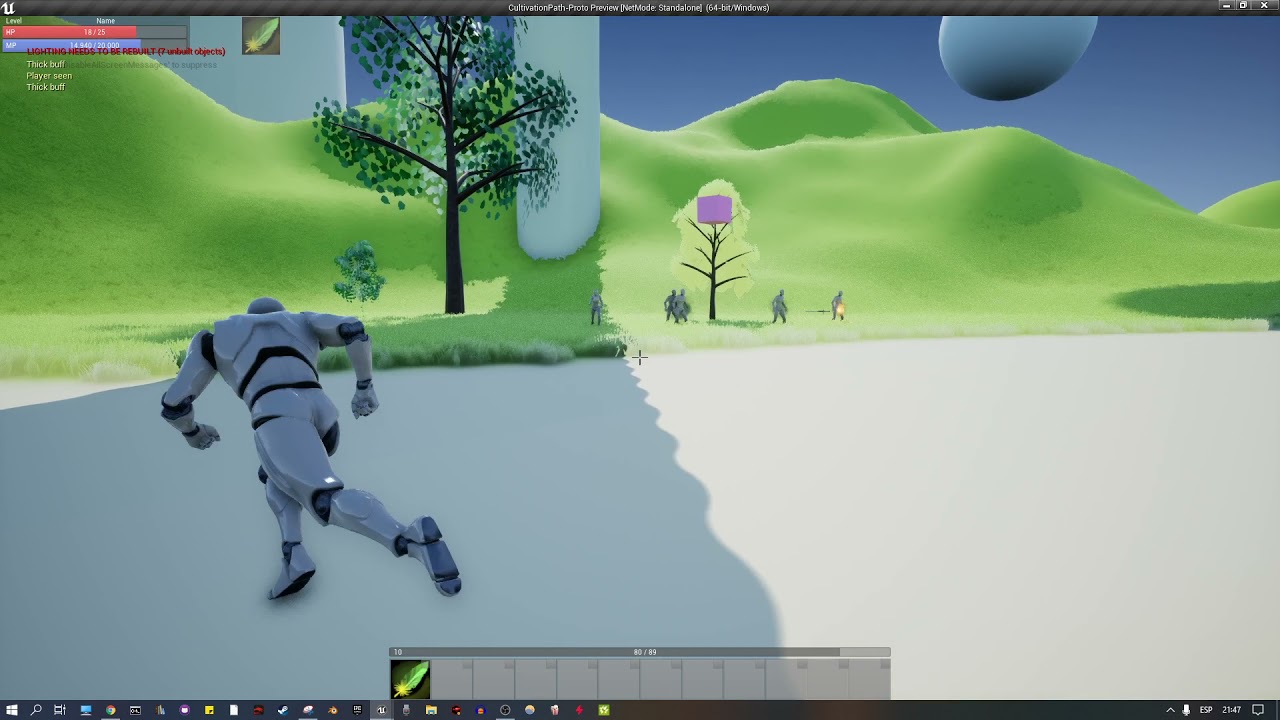
just in case anyone wants to know, this is the result of the flying jet that turns.
 hardy merlin
I am having a race condition. My NewActor calls BeginPlay the instant it spawns, instead of waiting for a Parent Actor to call NewActor.Initialize on it. Is there some other event I can call that fires on the first frame the NewActor is active?
runic parrot
hmm not that i know, what are you trying to acomplish?
hardy merlin
The best comparison I can make is Unity Engine. Awake() is called when the component is instantiated, while Start() is called at the beginning of the first frame the object is active.
runic parrot
yeah, i had the same problem
but in unreal you should have features to not get that problem, what are you trying to do?
hardy merlin
I have an Actor, ParentActor, that calls the following functions: SpawnActor(NewActor) -> NewActor.Initialize().
NewActor on BeginPlay needs to access data that is set up inside NewActor.Initialize but BeginPlay is firing before Initialize is called.
 errant snow
@hardy merlin your best option is probably deferred spawning. One sec while I find my example
runic parrot
why don't you call newactorinitialize on begin play of new actor?
if you are doing a spawner, i just did one really simple today
hardy merlin
It has an external parameter that ParentActor provides.
errant snow
AActor *Spawned = GetWorld( )->SpawnActorDeferred< AActor >( ... )
// Do stuff here
Spawned->FinishSpawning( DesiredTransform );
BeginPlay on the spawned actor won't be called until you call FinishSpawning
runic parrot
hardy merlin
It has an external parameter that ParentActor provides.
can't you just call NewActor.Initialize() and after that call another method that is going to do what you do on beginplay?
it seems like beginplay is not what you want in that case
hardy merlin
I was hoping to keep this just in blueprint.
hardy merlin
runic parrot
can't you just call NewActor.Initialize() and after that call another method tha...
I'd have to ensure I do so at all times, whenever the NewActor is spawned.
 errant snow
I'm downright surprised deferred spawning isn't available in blueprint.
dawn gazelle
That doesn't seem like a great solution. It's adding a branch that will be run every frame for as long as that actor exists when you only ever need the code behind it to run once?
The delay that Acrisio suggested sounds like a better option. As does moving any logic on your begin play that needs the intialize to be completed to another function/event and perhaps calling that event/function after the initialize is done.
errant snow
@hardy merlin I built a custom version of the CreateWidget blueprint node to solve a similar problem. Had values I wanted to set through an initialization call instead of expose on spawn params. So now my init function is a) automatically called and b) all the function params are exposed on the CreateWidget node like expose on spawn ones.
runic parrot
dawn gazelle
That doesn't seem like a great solution. It's adding a branch that will be run ...
Yeah this sound way better. Just run initialize and at the end of initialize run another method to complete the process
Or if you dont want to run anything after the spawn, put a Flag for "has been initialized already" check the Flag at the end of begin play and go from there
errant snow
ditto. I think a requirement to stay in blueprint land when there are actual solutions in native is downright weird. unless you have a blueprint only project, which you should only have if you don't know C++. Which I happen to know Grug does.
hardy merlin
Apparently you can do a Delay of 0 and it will fire at the beginning of the next frame. I'll put that in my BeginPlay.
@errant snow Prototyping something before nativizing it into C++. Also, Shh. On the internet, nobody knows you're a dog.
errant snow
@hardy merlin I think you let that out of the bag yourself by previously posting in the cpp channel 😉
I'm not sure prototyping is a good reason to not use C++. but maybe that's just me. I can do things faster there anyways.
 north hedge
Has anyone had any success with a loading screen in BP for android?
Doing seamless level loading via level streaming but it freezes on transition
hardy merlin
I know the king of things you work on and, and there's a very good reason for you to do C++ exclusively.
errant snow
I think you'd be surprised how much I do in blueprint! 😛
crimson saddle
I am having trouble with a SpringArm component. I am using it to attach items to when they are picked up. When a component is initially attached it jolts into place before working normally. I believe this is due to the spring arm's lag feature but I can't figure out how to compensate for it
narrow kelp
Maybe it has to do with your attach settings?
crimson saddle
I have the attach settings all set to Keep World which prevents things from shooting off into the distance
narrow kelp
Not sure what your situation is exactly, but you could have some kind of interp until your item is in the correct position, then attach to the spring arm
If you think it's the lag, try experimenting with the lag turned off.
crimson saddle
works great with the lag turned off
 icy dragon
Spamming help over a short period of time disincentives other people's willing to help.
 hazy tide

Anyone know why this happens?
I set my foilage cull distance to 0. But it still fades out so fast
I don't want it to disapear so fast.
 slow phoenix
as per many softwares, 0 or negative value usually means default. so instead put in some meaningful value.
hazy tide
slow phoenix
as per many softwares, 0 or negative value usually means default. so instead put...
If I put it any higher than 0 it just dissapears right away
narrow kelp
what about making it a really high value?
 abstract summit
timeline track change when a crate other timeline sometime
Somebody know why?
hazy tide
narrow kelp
what about making it a really high value?
Nah, only 0 seems to make it the furthest
narrow kelp
maybe its just the editor.. see if it does that in game
slow phoenix
just remember unreal distance is in cm, so even 200 is just 2 meters. @hazy tide
 leaden goblet
when changing input mode to game and UI, i need to click mouse on game at least once to detect keyboard input again, any idea for that?
ok, the problem is with showing mouse cursor also, not just input change
narrow kelp
there is a function on the player con to show cursor
also, try setting the focus to viewport
 narrow kelp
not sure, you'll have to look into it
 narrow kelp
just a vague recollection i have
leaden goblet
jesus
im sorry
i found a problem
i have no idea who added it here, and i have no idea it even existed
 rich prairie
narrow kelp
<@!271753216989986827> For really fast projectiles I use a line trace before mov...
rich prairie
narrow kelp
<@!271753216989986827> For really fast projectiles I use a line trace before mov...
Speed is ~1500. So line trace won't cut it unfortunately.
Melee abilities I usually just set a do once and delay between enemy being able to take damage, but that doesn't work here.
leaden goblet
........................................
sharp fox
Hello! i have problem with my blueprint becouse i sprint only when im moving forward but if im holding and moving other directions it can sprinting
 leaden goblet
sharp fox
Hello! i have problem with my blueprint becouse i sprint only when im moving for...
leaden goblet
sharp fox
Hello! i have problem with my blueprint becouse i sprint only when im moving for...
you want to sprint only when moving forward or in any direction?
sharp fox
Only forward but i made it

 steady night

hey guys in in a widged and i want to put a custum key input as event
to "set visabiity"
how do i get the input Key event ?
dawn gazelle
steady night
https://gyazo.com/332759d300ee048f11dec6b96b4eb670
If you're looking to control things within widgets you have a couple of options.
- You can override the On Key Down function. This requires that you have the widget Is Focusable set to true, and you make sure the widget has focus.


- You can use Listen for Input Action.
 steady night
@steady nightyeah sorry forgot to remove text i solved it ! 🙂
@dawn gazelle
altho a question , how do i allow the cursor ?
dawn gazelle
Done on the player controller:

So if you've properly set the owner of the widget to the player controller already:
 vital ingot
Is there an easy way to save a variable across multiple actors? I have a map that I'm reading & writing (It stores my actor's location & object reference), but I need this map to be accessed by all other actors of the same type.
I assumed that it'd just work since they all derive from the same parent BP, but it doesn't so I'm a little confused on how I can share & update this information.
icy dragon
vital ingot
I assumed that it'd just work since they all derive from the same parent BP, but...
You could create one blueprint to serve as a "global" variable storage.
 pseudo pelican
bit of a conundrum I have that I was wondering if I could get some help with


I set the hit player in the first image
but it receives none in the second image
why is this happening?
 tough burrow
 chilly jetty
how can i make a mesh not block light?
chilly jetty
how can i make a mesh not block light?
Set cast shadows to false?
chilly jetty
tough burrow
Set cast shadows to false?
on the mesh?

 chilly jetty
its more like
imagine a coin in mario but with a yellow light out of it
but the coin doesnt block the light at its centre
icy dragon
chilly jetty
but the coin doesnt block the light at its centre
Maybe making it emissive?
chilly jetty

I cant edit these options
is there something preventing this?
oh i see
wait no i didn't work, I tried adding an emissive color but it still didn't give me those options
essentially I want the point light to come out from the center of the skull and emanate light from it

so basically the skull wouldn't be blocking the light
icy dragon
If you didn't have Cast Two Sided Shadows in the material enabled, you could put the light inside.
spark steppe
is there any way to define a static bp-function so that i can access it from a simple Object? (function library methods wont show up..)
 pastel rivet
Is there a quick way to copy actor references directly from the outliner?
I have 135 actors i want to paste into an public actor array in a blueprint
chilly jetty
icy dragon
If you didn't have Cast Two Sided Shadows in the material enabled, you could put...
that worked
thanks
worldly gyro
why cast to bp is bad thing?
random ibex
severe turret
<@!840704616210366494>You get the Brush first and then the Image.
I don't know if it's too complicated, but that's how it works for me. Thank you

 dark crow
worldly gyro
why cast to bp is bad thing?
dark crow
worldly gyro
why cast to bp is bad thing?
It's not?
Pretty cheap too iirc
Only side effect you'll have is tight coupling
 digital nova
hello, how i can make a procedural mesh to be affected by a cull distance volume ?
dark crow
Tru, forgot about hard refs :p
 rapid robin
Hi! I'm working on an FPS and looking into triggering a near miss sound when player is narrowly missed.
I have put a sphere round the character's head, and it can detect if a projectile passes through it. And so the character knows if that happens but doesn't take any damage in the next frame or so that they had a near miss.
However, my game also has hitscan weapons. Can my trigger/sphere know if it's been 'hit' by a hitscan (weapon)? I guess not, right? So any ideas how best to approach this for hitscan weapons?
maiden wadi
Easiest method is probably going to be just letting the initial trace hit the sphere. If it hit the sphere, do a secondary trace on another channel that the sphere ignores to see if it hit the character.
Fair. Always forget to use multis.
rapid robin
@trim matrix Yeah hitscan weapons are instant hit types guns. From Wikipedia:* most commonly in first person shooters, is where the programming system determines where the gun/ object is pointing, casts out a ray in that direction when shot, for a certain range programmed into the system, and see if that ray comes in contact with any object in the line of fire.*
Thanks folks. Unfortunately I believe all the line trace logic is happening in C++, so was hoping to keep this logic in the character itself.
maiden wadi
So pass the trace to the character.
Trace from weapon, on hit, pass the results to the character. If Sphere hit and not character hit, play passing sound. If character hit, don't play but do damage stuff. If no hit, don't pass it to the character.
rapid robin
That's the problem: I can write blueprint logic, but not C++.
maiden wadi
Also strongly recommend learning rudimentary C++. You can get incredibly far and understand the engine's systems a lot better with it. If you vaguely understand logical flow, it's pretty easy to read up on. Specially with blueprint knowledge and having Unreal source code to read from.
rapid robin
Because, as I understand it, the hitscan (line trace) weapon's main logic is happening in C++. And so I'm wondering if there's a way of solving my problem using blueprints.
rapid robin
maiden wadi
Also strongly recommend learning rudimentary C++. You can get incredibly far and...
Thanks @maiden wadi , I'm not bad with logic and have been meaning to get into C++ for years. Should indeed just do it.
maiden wadi
Strongly recommend the couple of weeks it'll take. It opens a ton of doors.
rapid robin
The weapon's base class is C++. I mean if there's no other way I'll ask my programmer to look into it.
I guess it doesn't make sense to duplicate the tracing logic in blueprints just to get a miss sound effect.
maiden wadi
What do you get back from the on damaged event in the character?
rapid robin
maiden wadi
What do you get back from the on damaged event in the character?
It's spitting out these parameters:

yes
maybe
haha let me see
(the other people here are smarter than me)
Too complex for my brain right now @iron vale , sorry no idea. Wish you good luck!
Sometimes you need a bit of luck that someone reads it that has the specific knowledge you are after.
ouch
fiery glen
does it really need to be 2 navmeshes?
if they can only be on one lane or the other it feels like having them move along the spline offset to the side makes more sense depending on how they need to be able to move
worldly gyro
dark crow
It's not?
Pretty cheap too iirc
Only side effect you'll have is tight coupling
what mean Pretty cheap too iirc
severe turret
something to stop you tagging people, asking for help and getting off your butt and learning how to do what you want to do.
you are not good enough. You are spamming channels for help, tagging people, and now you are being offensive. I already blocked you for being a pain in the arse. I was trying to help this time but if you don't want help and you want someone to do it for you, enjoy the silence.
<@&213101288538374145> is there any chance this can be nipped in the bud?
fiery glen
this video is the best I could find on making volumes follow a spline mesh from a construction script
This tutorial will take you through the steps of making a spline-based conveyor belt system via blueprint. It will also show you how to make a material for the spline mesh that gives the illusion of the mesh moving.
Join my Discord community: https://discord.gg/E8HnX5c
Follow me on Twitter!
https://twitter.com/splitharegames
in this case yes?
 torn kettleBOT
:triangular_flag_on_post: Helpper#3132 received strike 1. As a result, they were muted for 10 minutes.
icy dragon
severe turret
you are not good enough. You are spamming channels for help, tagging people, and...
I already disinterested to help them when they spammed "help" in less than an hour this morning (10:00 in GMT+7)
severe turret
its all good.
severe turret
<@&213101288538374145> he's insulting people again. He may be young but some advice may be in order.
 worn nebula
Hey guys, I'm making a multiplayer game, and if I want them to all be say at a door ready to move to the next area, how can I do that? How can I have a check that all players are inside a trigger?
 nimble vortex
@iron vale if you cannot behave, you have no place on this discord.
please follow the rules, be kind, or find another welcoming discord channel that can satisfy your needs. thank you :)
left the server
rancid quartz
Good morning. I have a math problem I could use some help with.
I'd like to use AddMovementInput in an ACharacter to move from a known start location to a known destination.
Does anyone know the formula I need that would give AddMovementInput the values it needs to arrive precisely at the desired destination?
Any help would be appreciated.
Cheers.
severe turret
@worn nebulayou can use the OnOverlap event of the trigger to store a value in an array (or remove it on the EndOverlap). Then compere the value to the number of players.
@rancid quartz You can use a LERP function with takes location A and location B and interpolates in a linear fashion using the Alpha (which is a normalised value of 0...1) and a timer or timeline
rancid quartz
I understand how that works with SetActorLocation, but how would I use that with AddMovementInput specifically?
worn nebula
Ah yes thank you!
rancid quartz
AddMovementInput takes a vector, and a float. I believe it then applies this proportionately to the speed given in the Character Movement Component.
 severe turret
@rancid quartz you give it a vector direction and the scale value will be in units I guess?
its a normalised direction too
you can use a non-normalised direction vector but I find it easier to work that way and scale rather than scale the vector directly.
faint pasture
@worn nebula When a player enters the area, check if all of them are in the area.
rancid quartz
So I get the vector from the current location to the destination, and then... what exactly do I give it for scale? My problem is that depending on the speed given in the Character Movement Component, the character will move a different amount.
And I need it to arrive precisely at the destination.
faint pasture
@rancid quartz Add Movement Input is meant to run each frame.
worn nebula
This is what i've got, anyone know if this is efficient enough? I feel like there's probs a better way to do it
 rancid quartz
I realize that, yeah. I'll be running it each frame, and each frame I have a destination I'd like it to reach.
faint pasture
rancid quartz
I realize that, yeah. I'll be running it each frame, and each frame I have a des...
You should formulate it as "each frame you have a direction you want to go" unless your destinations are like 2cm away.
@worn nebula you need to check if the thing beginning overlap is a player character.
You don't want the counter to increment every time a bullet flies through the area
worn nebula
Oh yeah haha, I knew I forgot something
rancid quartz
Since I'm intending to move along a spline using AddMovementInput, and I'm running it every frame (on a timeline), then I suppose the destination each frame will be CMs apart. 😅
So I don't think I can just give it a direction, because then, depending on the speed, it will quickly go offcourse.
 buoyant gate
hi guys,
how do i apply collisons to a spline?
thanks, will be a big help
@ me please
rancid quartz
I think I need to take the current location, the direction to the destination, and the speed, and do some kind of operation on it to get exactly the input I need to reach the destination. I just don't know the formula...
faint pasture
You need a 2 part calculation of direction.
- Towards spline
- Along Spline
 twilit heath
AddMovementInput normally doesn't take speed, just scale
faint pasture
twilit heath
AddMovementInput normally doesn't take speed, just scale
Well scale maps to speed.
rancid quartz
But doesn't it rely on the speed setting in the Character Movement Component?
faint pasture
rancid quartz
But doesn't it rely on the speed setting in the Character Movement Component?
Yes. Just think about it, if you were to manually move a character along a spline, how would you do it? You would move towards the spline and then you would also move along the spline if you are close enough.
rancid quartz
Thanks for your patience guys, I'm afraid I still don't understand. 😓
I understand very well how to move along a spline with SetActorLocation and an interpolation node but I need to do it now with AddMovementInput and it's stumping me.
faint pasture
rancid quartz
I understand very well how to move along a spline with SetActorLocation and an i...
Just continually move towards a location on the spline that is slightly ahead of the actors location on the spline.
rancid quartz
And it won't matter what the speed is? I guess I just strongly assumed that unless the speed in the Character Movement Component was just right, it would go off course.
faint pasture
rancid quartz
And it won't matter what the speed is? I guess I just strongly assumed that unle...
Scale is a mtipler on max speed. Idk if it works above 1. It's used for analog stick inputs mostly. Just give the CMC a movement input of length 1 (normalize TargetPos - CurrentPos)
faint pasture
AddMovementInput(Normalize (TargetPos-CurrentPos),1)
rancid quartz
May I ask why Scale is 1? I just want to understand.
faint pasture
A scale of one just means full input. If you're using wasd keys, you only ever have a scale of one. If you're using analog sticks, you can have scales less than one.
Scale is just a multiplier but I don't know if it works above one
rancid quartz
Okay, so it sounds like I've just wasted your time, and I should have just trusted the node to do what it does. 😅
Thanks as always for your time and patience, Adriel. You've helped a lot.
faint pasture
The trickiest part of what you're trying to do will be in projecting the current actor location to the spline, and then determining the target position which will be a little bit further along the spline
I'm sure there's some nodes like get closest location on spline or whatever that can do what you need to do
rancid quartz
Yeah, I'm using GetLocationAtDistanceAlongSpline.
Oh, I see what you mean, yeah. I'm aware of some "closest to" options. I'll take a look.
Thanks again, and have a great day.
 loud igloo
Hey guys ! I'm trying to make a character who can take object and this object will block movement if it collide with the environment. How would you achieve this ? I tried with AttachActorToActor but I think that the character movement only take the capsule collider in his calculation. Do you think I have to override functions from the CharacterMovement class to make it work ? 🙏

 languid lion
Hi
Running into a weird issue
My forward vector isn't updating when my actor rotates

I'm running a box trace
but the end point always matches starting rotation for some reason

 steady night
When im starting a new 3rd person game when pressinf F1+Esc then it brings out the cursor
where can i find the BP for that ?
 last abyss
languid lion
last abyss
languid lion
how are u calculating end point
It should be // actor or component world location + actor or component forward vector * range = end point.
 hexed parrot
ayo my brain doesnt seem to work or smth but does anyone of you guys have an idea how i rotate the platform while the capsule keeps its location on the platform?

the capsule technically doesnt move at all, but it should stay on the position where it is currently on the platform
 gray hare
So you can return a TScriptInterface in a BlueprintCallable function, but blueprint doesn't let you call IsValid() on interfaces to see if it's null. Is there some obvious way to see if the return is valid that I'm missing?
 past jungle
hexed parrot
past jungle
hexed parrot
I think you can attach the capsule actor to the platform actor and set the rotation to global rather than relative.
rapid robin
Can anyone please tell me what you call the type of variable combined of two normal variable types. Bit like a struct but only with two inputs.
runic parrot
rapid robin
Can anyone please tell me what you call the type of variable combined of two nor...
whot?
 white crypt
map?
rapid robin
YES MAP! Thanks @white crypt
runic parrot
multidimensional array or map
rapid robin
Been trying to remember what they were called for the past half hour (and it's not obvious if you browse through variable types)
willow cedar
I am only able to apply damage and kill players from the Server. If I try to do it as the client, it doesn't register the damage. Is there something I am missing here because I thought the Apply Damage works across the server.

The client also can't damage the server host
I am also using a Actor Component for Health
 willow cedar
I am only able to apply damage and kill players from the Server. If I try to do ...
willow cedar
willow cedar
I am only able to apply damage and kill players from the Server. If I try to do ...
Figured it out. I needed to run it through the server along with the info needed to know who was doing the damage with what.
 dawn gazelle
willow cedar
Figured it out. I needed to run it through the server along with the info needed...
dawn gazelle
willow cedar
Figured it out. I needed to run it through the server along with the info needed...
You don't want to do it that way.
Have your server check what is overlapping.
 cyan prawn
 zealous sundial
Any info on this node, somewhere ? can't found anything
zealous sundial
Any info on this node, somewhere ? can't found anything
Looks like a simple assign value to variable node. What's the problem?
dawn gazelle
Data shouldn't be trusted from clients, otherwise it opens avenues for cheating/exploits.
white crypt
and if you are working with listen servers, get player controller will return hosts controller
zealous sundial
cyan prawn
Looks like a simple assign value to variable node. What's the problem?
no, it's more than that, cause it's affect range of the variable.
need documentation link if possible.
white crypt
its a temporary variable that you store info
cyan prawn
There's nothing more in the documentation. https://docs.unrealengine.com/en-US/BlueprintAPI/Utilities/Macro/Assign/index.html
Assign
white crypt
its similar to local variables inside a function i guess
or maybe im a bit mistaken, it has been a while since i've used it, but inside a macro you can make "local" variables
which then you assign, basically temporary storing the value while you are doing your math/logic/etc
willow cedar
dawn gazelle
Have your server check what is overlapping.
How would I have the server check that?
white crypt
do you need server to check it? will the game be competitive, meant to be played with other random people?
if its focused more towards playing with friends, personally i wouldnt worry then
if people want to cheat, they will find other ways
dawn gazelle
willow cedar
How would I have the server check that?
Run whatever the code is on the server instead. The button press can just be a call to the server, where the server does the logic.
 dark ingot
If I have a player character made of multiple components assigned in construction, is there a way to refresh that construction at runtime if I want to swap out one of those components?
 versed sun
put everything that is in your Construction Script into its own function
they call that function in construction scrip and also begin play
dark ingot
Good point. Thank you. I'll give that a go.
willow cedar
How would I have the person that just died in a multiplayer game spawn in and possess? Currently it spawns in a new actor, but the Server Host is the one that possess it.
 bright dirge
willow cedar
How would I have the person that just died in a multiplayer game spawn in and po...
bright dirge
willow cedar
How would I have the person that just died in a multiplayer game spawn in and po...
You need to give the player controller as argument to your respawn function
willow cedar
bright dirge
You need to give the player controller as argument to your respawn function

This is what I have hooked up atm
bright dirge
replace get player controller 0 by the player controller you want a pawn to respawn for
willow cedar
I don't know fully understand what that would be instead of what I have now.
Do I need to create an index of players?
I also don't think I have any Pawn blueprints yet
Wait, nvm I do obviously
I didn't understand the term
dawn gazelle
You can't use get player controller 0 in multiplayer as it doesn't refer to a specific player controller. Each client has its own player controller that the server is aware of. Before spawning the new actor, you must have a reference to the actor that was being destroyed, right?
willow cedar
Yeah, the Health component I am using gets a reference to the Owner
dawn gazelle
Ok, so that owner should be a possessed actor and you can do something like below to get the reference to the controller that is possessing it. You also have to take into consideration order of operation - the destroy actor should only take place after the player has moved to the new character
 willow cedar
Yeah, I just swapped around the Destroy actor thinking that. But this makes a lot more sense to me
bright dirge
Don't forget ranman that your have to spawn the pawn on the server
willow cedar
Ok, so basically just have all that past PlayerDeath happen on with a call RPC?
And pass the owner through it too
dawn gazelle
No. The server will know who the owner is.
bright dirge
yep
willow cedar
Alright, I'll mess around a little
bright dirge
you can skip the owner depending with your setup as datura said
dawn gazelle
Really, any health/life math and effects should be happening on server. The server should be determining whether or not someone is dead.
willow cedar
Can I use pure cast for the reference?
dawn gazelle
Sure.
willow cedar
I don't actually know the difference between Pure and the normal one aside from the Execution part
dawn gazelle
Pure will do the cast for each wire dragged off of the "As ..." pin. So if you have it connected in multiple places, it'll get executed multiple times. The ones with exec pins the value stays there cached and won't execute multiple times for multiple wires.
Plus the exec one prevents you from proceeding with an invalid reference.
willow cedar
Ah, ok
Thanks for helping me better understand it. I'll probably have more questions in the future lol
It worked. Again, thanks infinitely. I can't express just how appreciative I am of everyone's help here.
 frozen obsidian
i need help to create a tank controller. anyone that knows how to do it or knows a video that shows it?
worldly gyro
https://blueprintue.com/blueprint/belmp71d/
https://blueprintue.com/blueprint/3jjcjpa0/
https://blueprintue.com/blueprint/pq0ewjv0/
https://blueprintue.com/blueprint/vbo-fh76/
I have a RegenMana function in playerbase.
In PlayerPaladin I can use it since I am a child.
But in PlayerMage I throw a projectile so the BaseProjectile is not a child of PlayerBase.
So I can't access the function and I have to use a cast to BP.
But is it bad to do that?
How could I get access? Doing otherwise ?
 limber finch
How would I trigger an event 3 times each time it's triggered?
Like press space bar, event occurs 3 times
 odd plume
Loop?
How can I find the playerstate class to override it? There is nothing that shows up when I use the looking glass
 narrow kelp
@odd plume Could you just make a new blueprint and choose that as the parent?
odd plume
That could work, trying to use more c++ if possible. But that should work
narrow kelp
I imagine you could make it in c++ if you wanted
dawn gazelle
odd plume
That could work, trying to use more c++ if possible. But that should work
You can make a C++ playerstate if you want to.
 hardy merlin
Hi. Is there a way to search the content browser for all blueprints that derive from a particular C++ class?
 surreal peak
Hm try
ParentClass==
Or use the ClassViewer
Should be somewhere under Window. Maybe in the Developer Section
@hardy merlin
hardy merlin
That works. Thank you!
faint pasture
worldly gyro
https://blueprintue.com/blueprint/belmp71d/
https://blueprintue.com/blueprint/3j...
That sounds like a damn mess. Why would the projectile class have anything to do with mana Regen?
worldly gyro
faint pasture
That sounds like a damn mess. Why would the projectile class have anything to do...
because when the projectile hit the target i regen mana
faint pasture
worldly gyro
because when the projectile hit the target i regen mana
Does the mana Regen over time or just 1 time increase?
odd plume
How can I convert the text from that c++ class, to be text compatible with the text Object?
 faint pasture
If it regens over time, you'll need some sort of a buff system. If it's a 1 time recovery, just make an event ModifyMana and call it from the projectile
dawn gazelle
odd plume
How can I convert the text from that c++ class, to be text compatible with the t...
Get your Choice Text 0, and instead do a "SetText" of it.
faint pasture
Projectile just calls ModifyMana on its instigator when it hits
Instigator being the pawn that spawned it.
worldly gyro
ModifyMana is a custom event ?
faint pasture
worldly gyro
ModifyMana is a custom event ?
Yes. I would actually make a more flexible system with a ModifyStat function inside if an interface but just start simply
worldly gyro
because regen mana is already a custom event
odd plume
dawn gazelle
Get your Choice Text 0, and instead do a "SetText" of it.
Thanks Mate
 prime berry
I feel like the biggest noob, what am I missing?
Both are the default plane
the left one is in a blueprint
the right one is in the level directly
Both are set to "Block All"
Why is the line trace ignoring the left one? 
 faint pasture
worldly gyro
because regen mana is already a custom event
faint pasture
worldly gyro
because regen mana is already a custom event
Then just reuse that event if you want.
worldly gyro
but i can't that why i use cast to BP for call this event
surreal peak
Because it only hits once. You need a multi line trace to hit both
worldly gyro
did you read my code ?
surreal peak
@prime berry
prime berry
the ray is coming from the left though, I switched the planes here @surreal peak

it should hit the left one first
surreal peak
Ah like that
 hollow tusk
different collision settings?
prime berry
shouldn't be
 faint pasture
worldly gyro
but i can't that why i use cast to BP for call this event
faint pasture
worldly gyro
but i can't that why i use cast to BP for call this event
I'm on a phone, I'm not crawling through your BP. You can reuse that same event though. Whether it makes sense to is up to you and your design. Make sure you set Instigator when spawning the projectile and then projectile can cast it's Instigator to BasePawn when it hits and call Regen on it.
prime berry
this is a new unreal project, I just dropped in that one blueprint and the one plane, nothing fancy
did I just find an obscure bug in 4.26?
surreal peak
Is it a one sided plane or something like that?
prime berry
it's the default unreal plane, and the front face is facing towards the ray
surreal peak
Hm not sure then. What happens if you copy paste, in the level, the working plane?
prime berry
OH MY GOD.....
I had "Ignore Self" checked.... well now I know what that does. 
thanks! I copied the blueprint and saw them hitting each other that's when it clicked
7 years of unreal and you can still stumble upon stuff like this.
 karmic tree
Hey i would like to do a thing where when you are near a ledge and press space, it starts this jump animation and than it hangs on the ledge. https://i.gyazo.com/732f3bc7002202a25ea09f1d9bbfa3bc.gif

I already tried to this a lot of time but it seems complicated. And there is no tutorial for this
:[
I already did the hang to the ledge blueprint
But it work only when you do a standard jump before
But i don't want a jump in this character movement
narrow kelp
@karmic tree It probably will be complicated. Look into setting the idle animation on the characters animation BP.
 fading wren
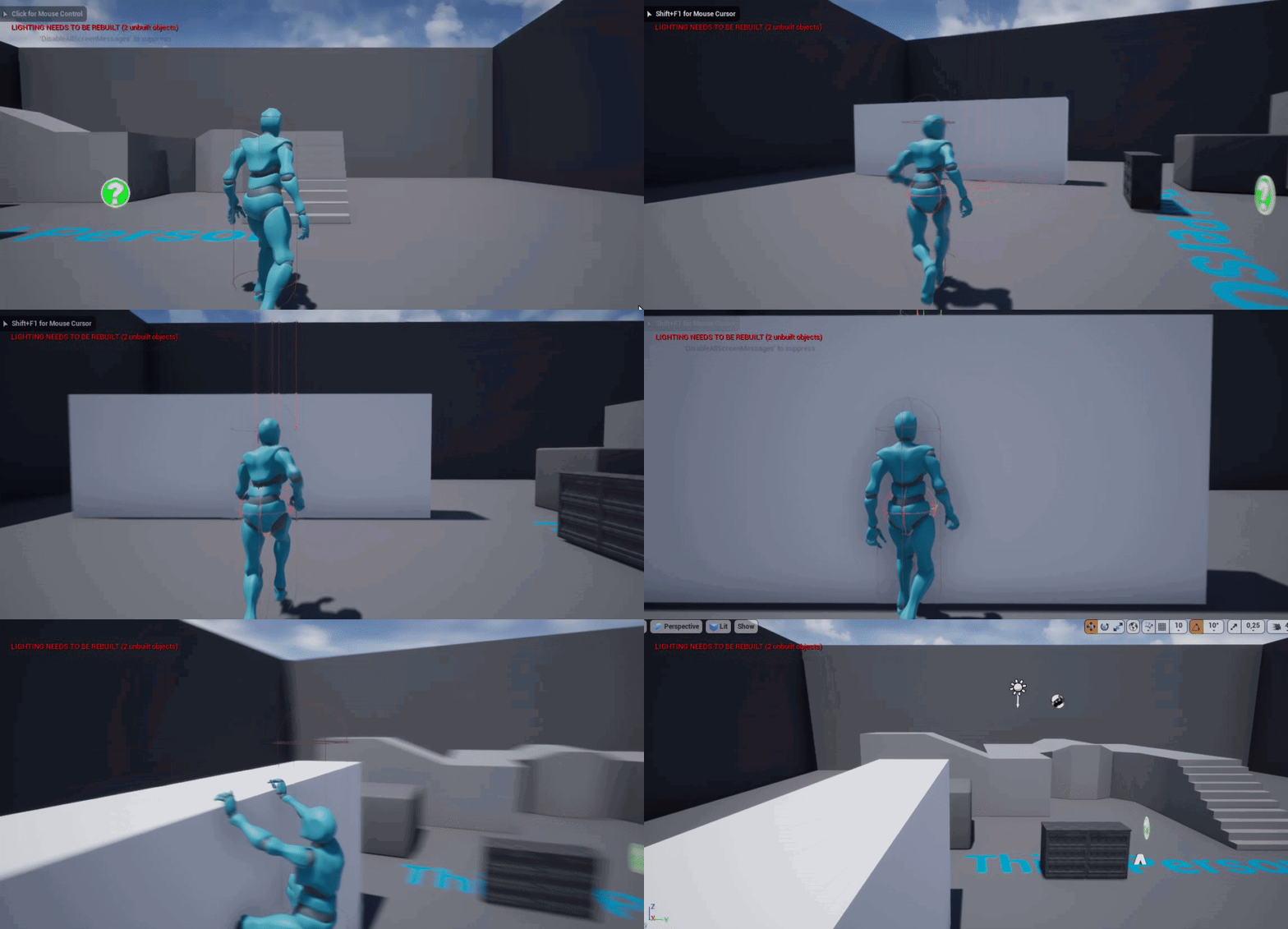
still have problem to solve. i only start learning blueprints, so problem is . I am using this nodes to turn a player when he hit to the wall, where Val = 2 turn right, and Val=-2 turn left. My problem is make a system to solve when player should rotate to left or right after wall hit
 karmic tree
https://i.gyazo.com/6c3d158385a4d2011e76eea4edb32554.gif
karmic tree
karmic tree
https://i.gyazo.com/6c3d158385a4d2011e76eea4edb32554.gif
It just misses the jump animation
fading wren
karmic tree
But i don't know how to insert it
faint pasture
karmic tree
But i don't know how to insert it
The same way you insert it when jumping normally
karmic tree
Yeah i was thinking about that
faint pasture
Or
karmic tree
will try tomorrow
faint pasture
Have the jump animation be the transition between standing and hanging if you're using a state machine.
Depends on your design. I would prefer to actually jump then when near apex, check if there's a ledge to grab and if space is still held down.
That way you can leap when running and grab a ledge
Or even simpler
If bIsInAir && bSpaceIsHeldDown
LookForLedges
fading wren
@trim matrix ball is player, i successfully make him bounce from wall. Wall is blueprint, that cast to player custom event. Custom event make two thing Launch Character then Add Yaw input, to make ball (player) rotate. i want ball(player) after hiting wall, rotate FROM the wall, not IN wall.
@trim matrix

@trim matrix

@trim matrix

@trim matrix

i cant relate on GetActorRotation, becuse, if i rotate a wall, it will not work correctly
@trim matrix this is from the wall

"roll your own movement code" what do you mean own code ? something in c++ ?
faint pasture
@fading wren are you using Character Movement Component or physics to move that ball?
fading wren
ball is just placeholder for character
faint pasture
Do you want it to eventually behave like an actual character or like an actual rolling ball?
fading wren
faint pasture
<@232588402640420866> are you using Character Movement Component or physics to m...
Character Movement Component
i already have it. i would like to rotate a ball additionaly
fading wren
faint pasture
Do you want it to eventually behave like an actual character or like an actual r...
i want character bounce and rotate when overlap wall collision
i already have it. i would like to rotate a ball additionaly
narrow kelp
You might want to get the reflection vector from your original direction and the wall's normal
fading wren
ok, interact with wall collision. hit wall collision
fading wren
narrow kelp
You might want to get the reflection vector from your original direction and the...
i probably dont need to use Add yaw input to rotate
when i trying to do set actor rotation or something else, it doesnt work properly (just one thick) and it looks like glitch. thats why i am using Add Yaw Input. What is your advice to rotate a character ?
could you pleas add more info here
what information do you need ?
you mean, my fail was, that i was trying to rotate a capsule, not a mesh by SetActorRotation ?

why we need to capsue stop being vertical ?
faint pasture
@fading wren If you're using Character, phrase your inputs in the terms of whatever your Character setup is using
That is, modify ControlRotation if that's what's driving it.
fading wren
faint pasture
That is, modify ControlRotation if that's what's driving it.
how could i do that ?
faint pasture
@fading wren ok start over. EXACTLY what kind of behavior are you trying to get?
fading wren
faint pasture
<@232588402640420866> ok start over. EXACTLY what kind of behavior are you tryin...
ball hit to the wall. Ball bounce (done already) and rotate to inverted from wall direction.
 manic knot
Hey so I got a True First Person camera, and would like to reduce the "Head Bob" by lerping the camera location to the camera center, Does anyone know of any examples of how to do this?
faint pasture
@fading wren Right now, what is controlling the ball rotation?
I'm guessing it's the Control Rotation since you're using Add Rotation Input Yaw

 hoary cliff
Hey guys, I have a couple questions about blueprints for particle systems if someone could point me in the right direction I would really appreciate it!
 faint pasture
@fading wren ok first of all don't use a delay in that chain.
That input node is firing every frame
fading wren
could be velocity, i just using add yaw input, because it first what i found 🙂
faint pasture
2nd, what is the IsItPush Boolean?
fading wren
faint pasture
2nd, what is the IsItPush Boolean?
Wall cast to custom event in Ball, that custom event set IsItpush = true
 brisk tide
Hey everyone, if my character is very far away from the center of the world the linetrace and MPC stop working. Anyone encountered this before?
fading wren
it would be perfect, i dont want to fake it. how to not fake it but rotate?
faint pasture
@fading wren ok that's totally the wrong way to do it. You need a one off event, not some Boolean trickery
fading wren
faint pasture
<@232588402640420866> ok that's totally the wrong way to do it. You need a one o...
great 🙂 how to to id correct ?
faint pasture
@fading wren hit wall, set control rotation, ???, profit.
fading wren
faint pasture
<@232588402640420866> hit wall, set control rotation, ???, profit.
it works only one thick
brisk tide
I have a skiing game and I want my track to be pretty long. Any idea how I could solve this @trim matrix ?
fading wren
and looks like glitch
faint pasture
@brisk tide how long? You can go kilometers with the stock settings
fading wren
faint pasture
<@232588402640420866> hit wall, set control rotation, ???, profit.
it works one thick, than comeback to previously position, and it looks like glitch
faint pasture
@fading wren make sure that switch and Boolean aren't interfering with it, just get rid of all that. You don't need it.
Try use Add Yaw Input and add like 90 or so and see what happens
brisk tide
faint pasture
<@265933485733052416> how long? You can go kilometers with the stock settings
at about 163815.0 units it stops working. My character is moving pretty fast so that might be the problem.
 fading wren
faint pasture
<@232588402640420866> make sure that switch and Boolean aren't interfering with ...
fading wren
faint pasture
<@232588402640420866> make sure that switch and Boolean aren't interfering with ...
i am lost, could you please write, what exacly, what nodes should i connect to custom event in player BP
?
wall cast to this custom event
what node need i use to rotate a player correct
?
brisk tide
The linetraces I could do without, the most important is the MPC parameter I'm using as a point in world space to get where the hill is going downwards. Using that I set up the speed for carving.
faint pasture
fading wren
wall cast to this custom event
It doesn't help that you're using the wrong words half the time. Do exactly this.
Event hit on Wall
Cast the hitting actor to Character, if it is a Character, call event Bounce(custom event)
In Bounce, try just adding like 90 degrees to Yaw Input. If this works, then modify it to do the math to determine the correct bounce rotation.
brisk tide
@trim matrix so blue arrow always points downhill and pink is direction of the player. Based on the DOT between those im adjusting the downhill speed.
faint pasture
The correct bounce rotation would be something like RotationFromXVector(ReflectVectorByNormal(Velocity, WallNormal))
brisk tide
I had the blue arrow before working with linetraces but i switched it to manual with gates. So when you cross the gate it gets xyz of the next gate. It works better and its cheaper

 vast sigil
Anyone here good with UE4 Audio Blueprints that wouldn't mind me dming for a question I have?
fading wren
this rotation is so quick, as like teleportation @faint pasture it does work, could i add Finterp instead of 90 there ?
faint pasture
@fading wren you probably want to rethink how you're doing your character rotation. Do you intend for it to always face the direction of movement?
fading wren
faint pasture
<@232588402640420866> you probably want to rethink how you're doing your charact...
yes! this is correct word! it should always face the direction of movement! that is my problem, how to do it
faint pasture
@fading wren There should be a setting on the CMC to handle that for you
Orient rotation to movement or something of the sort
fading wren
@faint pasture

@faint pasture now it looks like it works, but i have a glitches when using "D" and "A" on keyboard
 flat quartz
I have a blueprint that has lost it's parent and can't open it because it crashes the editor. How can I reparent it without opening it?
narrow kelp
Its been a while since I've had that, but maybe try making a dummy "parent" bp with the old parent name
or rename the real parent
its a horrible bug
fading wren
@faint pasture unfortunately it does not help + have additional problems. it doesnt solve a problem 😦
 wispy star
Hello.
Question: Will the Timer that was set for function by name reset if the set timer will be called again?
fading wren
@faint pasture thanks for help,need to go
narrow kelp
@wispy star I believe it will unless you save the handle to a variable
limber finch
Anyone know anything about this build error?
Start out of nowhere

 fossil crystal
Hi all I have this game where you pickup items and move them / weigh them etc. problem is people accidentally drop them then kick the item and it flies into outer space. Is it possible to have something similar to ctrl z in game? Like an undo
 wispy star
Um. Why is InterpToMovement Component changes the position of the actor even if it's not activated?
i've even tried to disable tick on it

it still moves the actor to the first point of the path
limber finch
So I have this set up to move a camera up and down within a certain range when clicking the middle mouse button and moving the mouse up and down on the viewport

But for some reason, as soon as I click the middle mouse button, the value sets to 0 every time I move the mouse
When I'm not clicking the values appropriate properly
Nevermind, fixed it
 dawn gazelle
limber finch
dawn gazelle
limber finch
You don't need that timeline. You can place the GetMousePosition on Viewport on the InputAxisCamupDown before the branch.
fossil crystal
Is there something similar to ctrl z during a game? To undo last action
 trim matrix
assigned my custom game instance class in project settings but when I try to cast it inside a Widget Blueprint, the cast is null


 west wigeon
I'm trying to make a chest appear on the ground, and I'm trying to use a line trace so it gets the monster's location & places the chest right below it. Is there something wrong with the way I'm doing it?
 dark crow
Any reason in particular for choosing Line Trace Component?
west wigeon
Not really, I just want the chest to spawn on the ground, and using physics doesnt work too well
dark crow
Doesn't Line Trace Component test against Mesh tho?
I find it odd to test against its own Mesh
To get the ground
west wigeon
what would be a better way to get the ground location?
icy dragon
Line trace to the bottom.
west wigeon
ohhh, now i see, its testing for impact against itself
i should just line trace for objects and look for a static mobility mesh, which would usually be the ground
how would i do that
dark crow
I doubt there's any major differences between AddLocalOffset and AddRelativeLocation btw
One considers parent, the other not iirc
You learn something new everyday :D
 exotic pawn
Does everyone create custom skeletons per character or do you create one skeleton/mannequin and then base all meshes around that?
I don't like the idea of duplicating anim's for every single variation of a character
dark crow
If it shares same skeletal features you can reparent to use same anims
If it's exactly the same, use same skeleton
I mean retarget :v
dark crow
I don't see why not
icy dragon
exotic pawn
so do you guys use the default UE skeleton?
Yes, we use UE standard skeleton for humanoids.
There's also more limiting MMD standard, which I hate the most ironically
exotic pawn
So when I download a new character mesh (from mixamo for example) why does retargeting create a whole new animBP and duplicate every single animation?
icy dragon
There used to be support for UE4 skeleton in Mixamo, and for vague reasons Adobe removed that option.
While Epic is the midas touch of the industry, Adobe is the antithesis of that.
exotic pawn
so you guys only have one instance of IdleToCrouchAnim, for example?
dark crow
You add 100 but i set it back to 0 right after, will always end up being 0

It still works in Relative space
wat
In the end there's just one transform tho
Relative to World origin aka World Space and relative to the SceneComponent you're attached to aka Local Space
Local is just World + Offset
 glad cloak
Does anyone remember the metaflag or function you can override to hide properties?
Similar to EditCondition except it hides them, swear that was a thing
glad cloak
negative, thinking on a per property basis and dynamic
willow cedar
How would I do something like this where my plane collision rotates with the camera around the actors location as a pivot?

 burnt citrus
Hi I have a question
Can I check whether containers values are valid or not?
Not for each loop. I just want to check that containers isn't empty
mental sail
willow cedar
How would I do something like this where my plane collision rotates with the cam...
One way is to set both of them as children of a "Scene" component, and have the scene rotate, the children will rotate with it...
Otherwise just set the roation of each individual element, I would drive it off a Timeline, that way the value of how much they both should be rotated is driven by the timeline
 fiery swallow
burnt citrus
Hi I have a question
Can I check whether containers values are valid or not?
Not...
fiery swallow
burnt citrus
Hi I have a question
Can I check whether containers values are valid or not?
Not...
Almost anything can be plugged into an invalid node
burnt citrus
fiery swallow
Almost anything can be plugged into an invalid node
NO

Can I do it without "For each loop"?
 rugged trellis
anyone know why after destroying an actor the collision remains?
dawn gazelle
burnt citrus
Hi I have a question
Can I check whether containers values are valid or not?
Not...
Do you mean like checking to see if the array has values within it?
 burnt citrus
dawn gazelle
Do you mean like checking to see if the array has values within it?
burnt citrus
dawn gazelle
Do you mean like checking to see if the array has values within it?
YES!!! I want to know this!!! Thank you!!
fiery swallow
Oh you could have said an array lol my bad
willow cedar
I have Overlap events for both my capsule component, and my collision plane. When I attack with the Plane, it deals double damage because it is making contact with another player twice because of this. Is there a way to make it so only my Collision plane trigger the overlap event when hitting just the capsule component?
I got it. I just turned off pawn collision.

 dawn gazelle
limber finch
Pardon the spaghetti.. but for some reason my menu isn't opening after a while
dawn gazelle
limber finch
Pardon the spaghetti.. but for some reason my menu isn't opening after a while
Rather than setting a boolean, you can store the reference of the widget that is created in a variable then you can check if that reference is valid or not.
When you remove things from the viewport, there's no guarantee they'll continue to exist.
limber finch
So how do I save changes made to menu settings?
dawn gazelle
Example of storing the widget and checking if it is valid instead.
 limber finch
I have it set up that way so that the menu is created only once, then later referenced
dawn gazelle
You may want to store your settings in a save game object.
limber finch
What is that get node?
dawn gazelle
 limber finch
I'll have to look into save game object
The player will adjust the settings very frequently
limber finch
Damn I don't think this is going to work
I have settings from UI, Level Blueprint, and the Character BP all being adjusted realtime in the Widget
How am I going to save all of that?
It sucks because it's working right now, and the values stay in their place, but it randomly stops working
dawn gazelle
Are these "settings" something that will need to carry between execution of the game? Like, start up the game, change some settings, close the game, start the game back up, and the settings I changed should still be there?
limber finch
Well I'd like to implement that later on, but for now the values just need to stay there in between opening and closing the menu.
dawn gazelle
Ok, then instead of removing the widget from the viewport, change its visibility to collapsed, and instead of adding it back to the viewport, set the visibility to visibile.
So it remains on the screen.
limber finch
You can do that?
dawn gazelle
Yep
As long as you've saved the reference variable, it should persist.
(saved as in, set the reference in a variable)
limber finch
I feel like an IDIOT
dawn gazelle
Don't. Lots of tutorials around widgets teach you to add widgets to viewport and remove from viewport when no longer needed.
spark steppe
usually thats the right approach
limber finch
I was looking everywhere for how to just keep it there, and all I found was destroying it or removing from parent
spark steppe
but sometimes you just wanna hide it
limber finch
Yeah like the entire gameplay mechanic exists in my menu
 kindred ridge
hi everyone, I am kinda new to blueprint but I would be curious to get peoples opinion on why it is has been so successful where so many visual programming languages have failed
like what makes it successful? do programmers use it? or just non tech people
limber finch
It's more successful in that it's a lot easier for someone with no previous programming experince to jump in to.
It's most successfully used in combination with C++, as it allows you to easily promote values that other people in the development pipeline can access easilly with little programming knowledge.
kindred ridge
what do you mean by the second point? promote values?
icy dragon
kindred ridge
what do you mean by the second point? promote values?
Promote variables and functions written in C++ to be accessible in Blueprints.
 pliant sandal
Can anyone hop into the feedback and support vc to help with a timer blueprint? Would appreciate it a lot! Thanks
kindred ridge
oh so things in C++ can be accessible in Blueprints?
like if I wanted to create my own visual programming language like Blueprint to make something else easier (not game development), does anyone have any ideas or docs of what it would have to do?
like what made features of Blueprint so successful
limber finch
Maybe this is more a question for #engine-source ?
 vivid frigate
How do I get my character able to collide with my enemy (EG, Bounce off him) but not stand on top of the box collider? (2d)
icy dragon
vivid frigate
How do I get my character able to collide with my enemy (EG, Bounce off him) but...
I think you can use Add Impulse in 2D.
 bitter silo
pliant sandal
Can anyone hop into the feedback and support vc to help with a timer blueprint? ...
bitter silo
pliant sandal
Can anyone hop into the feedback and support vc to help with a timer blueprint? ...
5$ to anyone who can help
torn kettleBOT
:triangular_flag_on_post: geanini#3002 received strike 1. As a result, they were muted for 10 minutes.
limber finch
Alright I'm losing it

I have this set up to move the spring arm up and down
It works perfectly fine when the menu is closed, but doesn't function at all when the menu is open
The cursor will disappear when I press the middle click to activate the spring arm movement
spark steppe
does your menu change the input mode?
or occupy the whole screen somehow, which could prevent focus for game elements
limber finch
I have no clue how this worked, but it did

Menu only occupies bottom half of the screen
spark steppe
yea that rather looks like a hacky workaround
you may have the wrong input mode in the first place, and changing it once appears to fix it for you (however most likely there's no reason to toggle it when the button event fires, but rather somewhere else)
 fiery lark
Can anyone help me with making aiming down the sights less snappy? I'm trying to get it to slowly transition into the ads camera, but no matter what I try it just teleports into location and looks choppy

Sorry for the shitty pic
white crypt
200 is a pretty high value for interp, what if you change it to smth like 5-10?
if that doesnt work try looking into lerp
fiery lark
Oh yeah I did like 5 or 10, it makes no difference what I set it to
fiery lark
I have it set to event tick -> run the function
maiden wadi
@fiery larkOh. It's because you're disabling the other camera. Has nothing to do with your math. You've disabled TestCam. So the view immediately leaves it.
fiery lark
So should I move the deactivate to the end?
maiden wadi
You'd need to call it after the interp has gotten the other camera close enough. Realistically, stuff like this is much easier with a dummy camera actor and a couple of extra simple functions in your pawn and controller.
fiery lark
Alright I will check that out, thank you!
spark steppe
or use a timeline instead of tick event
which can be reset/canceled and ran with new values if the input changes
fiery lark
Would I have to take it out of a function to do that?
spark steppe
yea timelines can only exist in event graph (iirc)
but the timeline could call a function and pass it's progress to that function
fiery lark
I'll check that out. I'm pretty new so I haven't used a timeline yet
rapid robin
Hey folks, if you're Playing in Editor simulating two clients, I believe you hear the audio from both windows, even the one that's not selected (and you're not currently controlling). Is there a way to mute one of the windows clients, and only hear the other?
maiden wadi
May check and see if creating a sound device for each one allows separate sound controls. Unsure on that one.
rapid robin
Ah it seems you can do this:* “SoloAudio” Will solo the audio from the current active PIE window, then when tabbing to other windows, you’ll only hear audio from the window you solo’d. This will allow you to hear audio from an individual’s perspective even though you’re controlling different clients.* --https://forums.unrealengine.com/t/feature-request-mute-audio-on-all-pie-clients-except-one/28898/2

Unreal Engine Forums
Yeah, you’re right that this would be a useful feature for audio development in UE4. So one of my first features was to implement a multiple-audio-device feature which is coming for 4.8. Basically the feature was to create a separate audio device for every PIE session. That way, when you tab between different PIE windows, you’ll hear the audio ...
fading wren
I am need to rotate player after player hit a wall , rotation should face to movement. I am using SerControllerRotation to rotate a player after hitting a wall. Also using mouse for turn a player, so i can't switch off "use yaw input" in CMC. What is best way to to do rotate player face to movement direction ?
rapid robin
fading wren
I am need to rotate player after player hit a wall , rotation should face to mov...
Have you tried doing a SetActorRotation?
maiden wadi
@fading wrenAre you asking how to set the direction, or how to get the direction?
rapid robin
Sounds like it might be a bit jarring from a player's PoV though :/
fading wren
maiden wadi
<@!232588402640420866>Are you asking how to set the direction, or how to get the...
How to set direction that face to movement. :)
fading wren
rapid robin
Have you tried doing a SetActorRotation?
It works only one thick, then player comeback in previous position. It looks like glitch
fading wren
maiden wadi
<@!232588402640420866>Are you asking how to set the direction, or how to get the...
How to set direction of rotation that will face to movement
rapid robin
So you want to suddently invert the player's input direction?
Maybe do a little video of what you're up to so we can see the context
fading wren
rapid robin
So you want to suddently invert the player's input direction?
Player bounce from the wall, but additionally i want to rotate it a little bit(15degreea let say) in same direction as movement
fading wren
rapid robin
Maybe do a little video of what you're up to so we can see the context
Sorry, can't do it at the moment
rapid robin
You could try taking the player's horizontal input away for a short moment. That might feel more natural (somehting like a walljump)
Give them a little force impulses
fading wren
rapid robin
You could try taking the player's horizontal input away for a short moment. That...
How can I do it ?
rapid robin
Then let them regain control after the bounce
Look at the logic where the player's input is happening and make that not happen for a little while when the wall bounce event happens.
I've done something like that with a 3rd person double-wall jump kinda thing and it felt pretty intuitive. No idea whether you're after that kind of effect tho.
fading wren
@rapid robin player hit the ball, then bounce in inverter direction by using " launch character". But, i would like to have not only bounce, but rotation too. And rotation should be face to movement that cause by bouncing from the wall
rapid robin
SetActorRotation can rotate the player
fading wren
Ok, how would it know, how to face it to movement direction ? How will it know, should it turn player 30 degree left or right ? @rapid robin
rapid robin
You could try getting the actor's forward vector to know what direction it's travelling in.
Actually that might just get you the direction it's currently facing
You should be able to get the current velocity from the pawn's movement component?
fading wren
rapid robin
You should be able to get the current velocity from the pawn's movement componen...
How ?
rapid robin
Sorry the more I think about it the more I don't have a clue what sort of project you're doing or how it's set up. I think I'd need some more info to give you more useful advice.
rapid robin
fading wren
How ?
 fading wren
Ok, i will send a video later
rapid robin
Cool, that'd be useful I think 🙂
fading wren
rapid robin
Could i use this velocity for rotation ?
rapid robin
You should be able to plug the Velocity into a Normalize node to get the direction it's moving in. You can then break that vector and use the Z value to set your character's rotation.
fading wren
rapid robin
You should be able to plug the Velocity into a Normalize node to get the directi...
Great, thanks, will try it :)
rapid robin
Alright, good luck!
trim matrix
Hey guys, do any of you guys have experience with a mesh (that simulates physics) suddenly freezing? How could I debug this or start looking for the problem because I'm lost.. Thanks in Advance! 🙂
 mighty quartz
please help im losing my mind
I cant get the character to teleport/launch/increase speed via blueprint.
I can change the component's parameters and its walking faster but i cant increase it with inputAction.
When I teleport/increase the speed with bp, character just keeps glitching like something is stopping him from moving faster.
Already checked the collisions, nothing is stopping him i dont know what to do next...

 mighty quartz
yep, if i change it in the setting it works fine
white crypt
you want to teleport character and give him a speed boost, just so we are on the same page
tough burrow
Could it be that you change the speed somewhere else in the Bp?
mighty quartz
i want to either teleport him or change his speed
just make him mobile when i press a button
mighty quartz
tough burrow
Could it be that you change the speed somewhere else in the Bp?
i will check
white crypt
if you just want to change speed then your first image should work

simple example of sprint "system"
and double check your blink point mesh, if it has collision that it might be the reason why your character is jittering
as well as weapon base
mighty quartz
already checked, turned off all collisions
tried your method same thing..
speed is referenced in animation bp

not my code so i dont know if its the problem
white crypt
in anim instance its being used for your blendspace, so it doesnt affect the actual speed just the animation itself
so with my example nothing changes? or you are jittering while moving
mighty quartz
yes, its the same jitter while im moving
white crypt
that usually happens when you have a component attached to your character
did you change the collision of weapon base inside character or inside the weapon base itself?
or temporary remove those components and see if that solves your issue or not
mighty quartz
ok ill remove it
white crypt
you can open up a clean 3rd person template and do the same there, you will notice that it works fine
mighty quartz
yes it should be so simple, something is wrong with my character
ill try recreating it from scratch
using the template
white crypt
yeah just after each new implementation try to test it and it should be obvious when it breaks
white crypt
np, your profile pic is an interesting choice 😄
white crypt
i thought he was doing it, but it happened so long ago that i dont even remember. im from the same country, but lets end this discussion here 😄
mighty quartz
haha sure 😄
 radiant sequoia
Hey folks, a client wants me to add some parameters to the PlayerStart that say whether to spawn the VR player, or the standard first person character (for debugging)... just wanted to check I'm right in thinking PlayerStart doesn't really have anything to do with the spawning right, I'd need to change that somehow in the GameMode?
white crypt
player start is a reference point where to place your default pawn class
radiant sequoia
yeah, so it can't change hte default pawn class
white crypt
and you can change that pawn class under world settings or inside your gamemode
radiant sequoia
ok, they want just an easy tick box on the spawn to say whether it should be VR or not but... I guess that's not happening.
white crypt
you can easilly do that but not with player start
depends on how you want to manage your spawns
radiant sequoia
are you suggesting creating a separate spawn manager ?
 radiant sequoia
Sure
So to change "Is For VR?" they'd have to... open the GameMode BP and change the default value
white crypt
yeah, but its just one approach out of hundreds
radiant sequoia
Sure

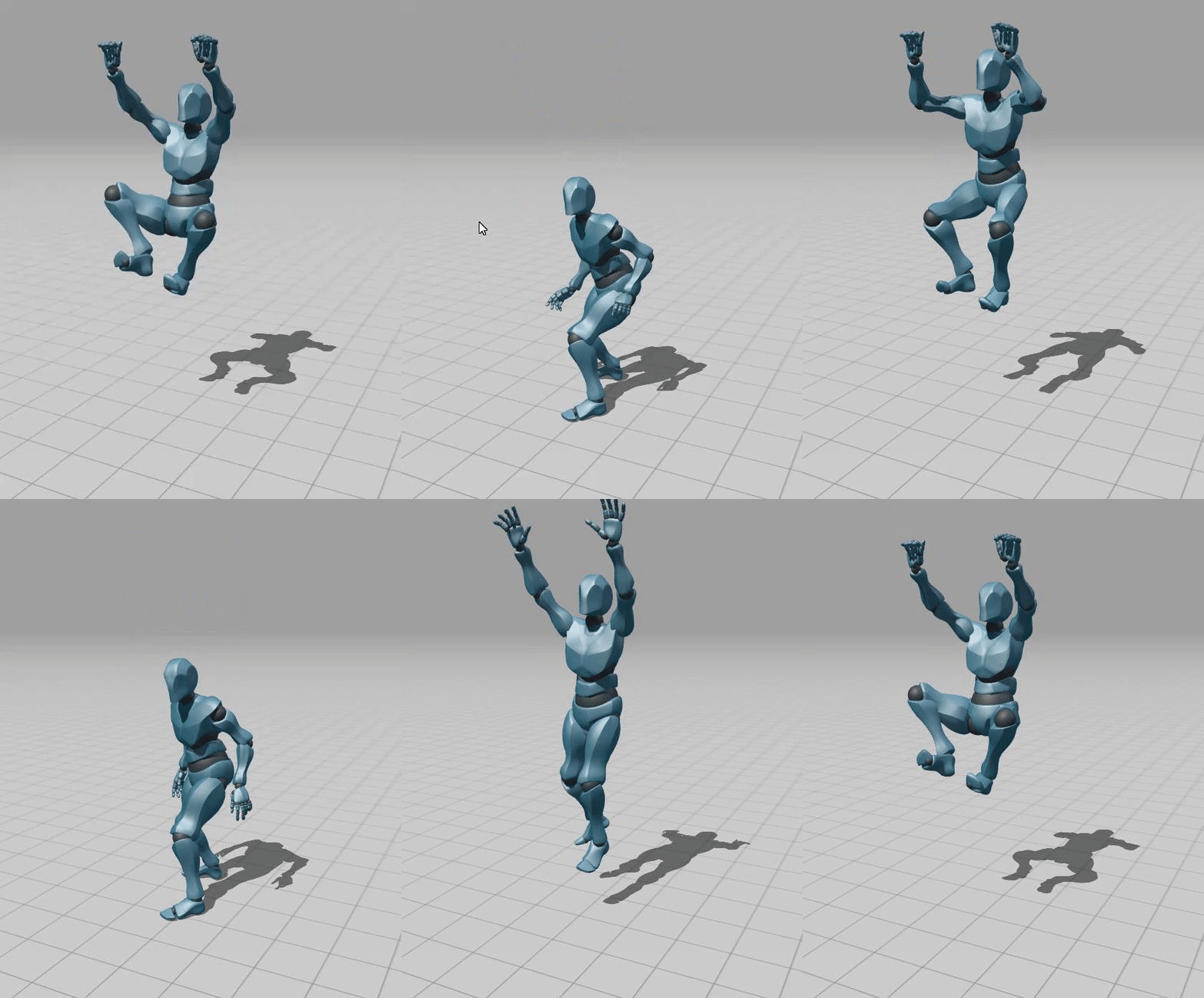
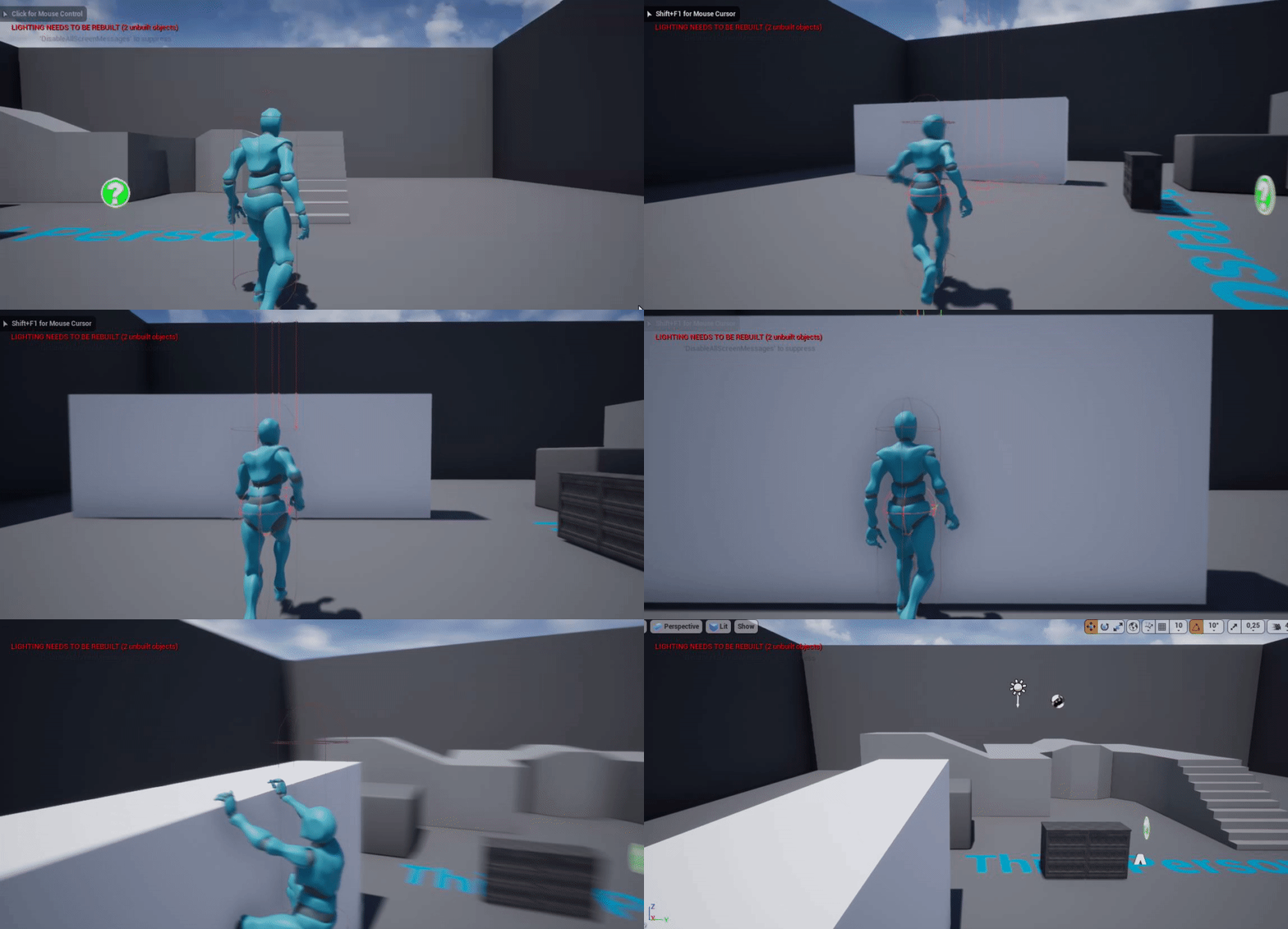 radiant sequoia
yeah I've overriden player start, I was thinking of swapping game modes with it if it lets me do that
white crypt
or there's even a built in boolean
maiden wadi
Why are there two separate pawns for different controls? Why is it not the same pawn with different controls for different control types?
radiant sequoia
maiden wadi
Why are there two separate pawns for different controls? Why is it not the same ...
Fair point, the main answer being I've just imported the Start Content FP character for quickness, rather than reimplementing those controls into our VR character.
Plus the camera setup is based on the height of the HMD so that would have to change as well if you were in "Debug First Person" mode
food for thought though, thanks guys.
 ruby surge
Could someone explain to me why my missile (a projectile with projectilemovement) stops flying when I hit myself? It doesn't disappear (which is good), but all the movement stops as well :P. This happens when I move forward for instance or when I aim on my own hull (its's a cartoon tank). Am I trying to solve this problem the wrong way or am I just missing a small step?
 worldly gyro
https://blueprintue.com/blueprint/belmp71d/
https://blueprintue.com/blueprint/3jjcjpa0/
https://blueprintue.com/blueprint/pq0ewjv0/
https://blueprintue.com/blueprint/vbo-fh76/
I have a RegenMana function in playerbase.
In PlayerPaladin I can use it since I am a child.
But in PlayerMage I throw a projectile so the BaseProjectile is not a child of PlayerBase.
So I can't access the function and I have to use a cast to BP.
But is it bad to do that?
How could I get access? Doing otherwise ?
wind sequoia
worldly gyro
https://blueprintue.com/blueprint/belmp71d/
https://blueprintue.com/blueprint/3j...
no its nit bad to cast
it only becomes bad when its excessive
like a cast on tick
but even then
u will have minimal performance loss so small u still wouldnt notice
though to be safe whenever you cast save an object reference for future use.