#blueprint
402296 messages · Page 670 of 403
 wind sequoia
 worldly gyro
but how i can do different for regen mana when my projectile hit a target
since i need to access the regen mana function
 formal wren
Hi, how can I get the bone-space transform of a bone? Parent-Bone Space is not what I need 😦
 white crypt
get socket transform maybe?
 white crypt
dont know then, sorry 😦
formal wren
I want to interp to a certain rotation in bone space:
 white crypt
but why transform to bone space doesnt work? you input world transform and it gives you relative space
i assume thats what you want
should be smth like this maybe?

 onyx violet
When i play in editor as a clients with 2 players, it doesn't seem to do the on event post login from the gamemode class on the 1st client. It only does it for the 2nd client. Anyone know why this might be happening?
 severe turret
its only available on the server so it will only fire on the listen server presumably.
onyx violet
well no im running it as clients, not as listen server
 dawn gazelle
Game mode only exists on the server.
onyx violet
i even tried it as a listen server but it's not working
hmm weird i must be getting a cast failed or something on the 1st client
that's cutting it off for 1st client but not 2nd
severe turret
@onyx violet when you run two clients in multiplayer, one is a listen server. Unless you connect to a dedicated server
onyx violet
hmm yeah idk tho there still seems to be an issue where the code works for 2nd client but not for 1st
trying to debug some more throwing in lots of print strings
yeah this is really bizzare. It's only printing 1 time for the INIT_Player. No INIT_Player_FAIL print string tho. It's only getting called on the 2nd client. If I switch back to using only 1 player, it works fine for the 1 client.
 dawn gazelle
Were you playing as listen server on that test?
onyx violet
if i do it as clients or listen server it does the same thing
onyx violet
onyx violet
yeah this is really bizzare. It's only printing 1 time for the INIT_Player. No I...
hmm ok I removed the delay and that seems to have fixed it
but that causes other issues. kekw i love programming
white crypt
wait till you package the game and new problems appear 😄
 fallen glade
Any way to make this reusable?
 onyx violet
ye i've had experience with that already. Im reworking a lot of the code tho so it's probably gonna break all over again
white crypt
i remember i had some issues with the post login stuff, i always had to test first by creating a session and then joining the session to be sure that everything works correctly
but theres an alternative event for on post login which fixed some of my issues

i think it was this one
but there are few problems with using that
dawn gazelle
fallen glade
Any way to make this reusable?
You can put your event bind into a function, and have it "create event" and then call the event/function you want.

 limber finch
Can someone explain to me the importance of not using Tick?
I have a ton of stuff running off my ticks in level no and character bp, what should I do instead?
fallen glade
dawn gazelle
You can put your event bind into a function, and have it "create event" and then...
but then the event would always be the same, right now I copy paste that bit, I just need to wait until every navmesh has been updated
 onyx violet
limber finch
Can someone explain to me the importance of not using Tick?
onyx violet
limber finch
Can someone explain to me the importance of not using Tick?
basically if something is run on tick, it's using more proccessing power all the time rather than if u program everything to be done in "events" so to speak.
dawn gazelle
limber finch
Can someone explain to me the importance of not using Tick?
By default, tick is fired every single frame. It's ok to use tick when it's necessary to update something every single frame, but shouldn't be used when you could be doing something as a single event.
white crypt
if you have 120fps, then it will be fired 120 times per second
if you have 10 fps then only 10 times per second
dont tie your logic to your frame rate
limber finch
So Ive heard about using timelines rather than the tick?
white crypt
timelines also use tick
onyx violet
yes it depends on what you're doing
white crypt
you are thinking of timers probably
limber finch
Maybe?
white crypt
you can set yourself how often you want that event to "repeat" by using timers
onyx violet
i use timelines myself. and don't have issues with performance
white crypt
and it will not be frame dependent
onyx violet
it all depends some stuff can be ok to run on tick but it's best to avoid
white crypt

What are the Set Timer by Function and Event Name Nodes in Unreal Engine 4
Source Files: https://github.com/MWadstein/wtf-hdi-files
limber finch
Let me get an example
onyx violet
what are you trying to program that is run on tick?
limber finch
So like I have an event tick ties to a sequence, which is constantly updating whether a function is set to auto
Then I have another one that has a delay of 15 seconds which constantly changes camera
Then I've got another that constantly updates the movement speed
I have some randomized timers that constantly changes the speed and length of speed, so the final value is being updated on tick so it's not missed when a value changes
onyx violet
hmm yeah you shouldn't have so much running on tick ideally. it might be fine, like that, especially if it's single player, but it's best to figure out how to program without using tick
 frigid shoal
hay folks im wondering how I could add pre text to my variable for my widget
I want to pass on a text for example; +500
limber finch
So how do I have something constantly update but not affect performance on tick?
dawn gazelle
frigid shoal
hay folks im wondering how I could add pre text to my variable for my widget
format text
 frigid shoal
thank you!
onyx violet
limber finch
So how do I have something constantly update but not affect performance on tick?
running tick will effect performance, there's no way to have something run on tick and avoid performance drop. The more you run on tick, the more performance drop. but if you aren't running much on tick, then it might not be noticable. but you have to think about for players with potato PCs if u want them to play your game
I would suggest avoiding tick, but if u have to. make a loop with a delay
limber finch
I may just need to pay someone to rewrite the code on my game. It works fine for me, it's pretty graphically intensive but it's just single player and the camera doesn't even really move
onyx violet

here's an example of a loop using delays
pretty simple i use it to keep my scoreboard widget updated
dawn gazelle
limber finch
So how do I have something constantly update but not affect performance on tick?
The question is also, does it need to update every single frame? At 60fps that's about every 16ms. If you update at 250ms (or 0.25 seconds) on a timer that's 15x less executions.
And to most people it'd be imperceptible anyway.
limber finch
dawn gazelle
The question is also, does it need to update every single frame? At 60fps that'...
Okay so for instance, I have a the players eyes following the mouse when a certain button is enabled
That's on tick
It's getting viewport pos and changing values
 faint pasture
@limber finch yes that's totally fine. Don't be afraid of tick but also don't put stuff in it that doesn't need to be in it.
onyx violet
^ ye i agree tick is fine but don't rely on it
faint pasture
I run thousands of line traces on tick, whatever you're doing will be fine unless you're like sorting a million item array on tick or something.
limber finch
But then I also have have my tick running into a delay which randomly changes between a set amount of seconds
Is there a way to make it so that occurs only when a change is made to the delay time?
limber finch
It tries to but only activates once the delay is finished
faint pasture
limber finch
But then I also have have my tick running into a delay which randomly changes be...
You should never have a delay in the tick logic chain, that's very bad design
onyx violet
hmm yeah idk that seems weird to me
faint pasture
@limber finch just explain exactly what you're trying to do.
limber finch
That's why I'm asking these questions because I'm using it for EVERYTHING
onyx violet
yeah see that's a problem
maybe not for this specific project
but it's bad practice
show some screenshots of blueprints
maybe we can look thru and figure out a way to do without tick
 severe turret
@limber finchare you the one who just made the post on the UE4 dev group on facebook?
faint pasture
@limber finch holy f***
limber finch
Nah I saw that and I made me think
onyx violet
yeah this is a mess
severe turret
ah
limber finch
Yeah I'm not a programmer as you can tell
My game works flawlessly
But I want to learn better practice
onyx violet
yes that is good
limber finch
Let me decipher these heiroglyphics
faint pasture
@limber finch okay so let's just start with one type of functionality. What is something that you are implementing on tic that you think could move off of it?
severe turret
best practice is don't use Tick unless you absolutely have to have something execute every frame. Like Input.
limber finch
sequence is being run off the tick
white crypt
while you are looking for an alternative to replace tick, you can also learn about bind events inside widgets which is far worse than any tick
faint pasture
Sequence doesn't matter, it's just shorthand to let you do things in a vertical order rather than just straight horizontal.
onyx violet
white crypt
while you are looking for an alternative to replace tick, you can also learn abo...
they are?
limber finch
Then checks to see if the UI widget has a box checked, whcih enables eye movements
severe turret
they are ok for debugging/testing but dont use them in production if you can help it
faint pasture
@limber finch just explain what that blueprint does or what kind of behavior should do. Is it a character that runs around? Is it the ball the flies through the air, what is it?
onyx violet
hmm ok
limber finch
And when that happens, it starts to follow the camera based on the middle screen position
But the camera can constantly move
white crypt
if you have a bunch of binded events inside your widget and you replace them with regular events, the performance difference should be noticeable
limber finch
So it's checking the middle point of the screen every tick to ensure it's facing the camera
faint pasture
@limber finch start by breaking things down into events and functions. I would start by making an event update eyes
onyx violet
white crypt
if you have a bunch of binded events inside your widget and you replace them wit...
what if they are simple things like visiblity binding that get a bool and set visible for true and collapsed for false?
white crypt
still that adds up
onyx violet
ye
white crypt
change the visibility on demand
onyx violet
makes sense
faint pasture
And I would also make some helper variables if you have various things that are constantly reused. Good example would be like look direction, Target point, things like that
onyx violet
hmm ok yeah I knew it def wasn't good to use bind but didn't know it was that bad either. ok thank you for the info.
limber finch
I try to reuse what I can but I have a lot of random functionality
faint pasture
@onyx violet binding is quick and easy but if you have a ton of them, start looking into more of a pub sub model
white crypt
for example you close your inventory, you change visibility. instead of having a binded event which checks constantly if you closed the inventory or not. i just know that widget tick is far more demanding than any actor tick. maybe someone who did an extensive testing could tell you more
limber finch
Like the eyes close for an extended period of time, and I have to ensure that the eyes are already closed so that the character doesn't blink while the eyes are already closed
And if they aren't then the eyes can blink
onyx violet
white crypt
for example you close your inventory, you change visibility. instead of having a...
yeah i mostly do that but perhaps some practices I've used aren't the most effecient. will have to look thru and see what i can optimize thanks for the new knowledge
white crypt
np, sorry couldnt provide you with a better explanation, its just something you learn along the way
limber finch
And a lot of this is being cast to either the UI widget or the Level Blueprint
thru the game mode
faint pasture
@limber finch okay so in your blink event which should be ran by a random timer, check if eyes are already closed, if not closed, do blink.
As far as eyes go, on tick, you will have to calculate the look direction, and then update the eyes. That's all you have to do on tick.
limber finch
So it's set up with a random float in range acting as a timer
onyx violet
what about having for example, a text piece, have it's binding to a variable that is in the widget? is that still effecient or should I manually set the text?
faint pasture
@limber finch and the blink timer is completely independent of tick right? Tick never calls blink and blink never touches the tick right?
severe turret
@onyx violet just never use binds. Its simple.
onyx violet
hmm ok
 faint pasture
onyx violet
what about having for example, a text piece, have it's binding to a variable tha...
faint pasture
onyx violet
what about having for example, a text piece, have it's binding to a variable tha...
Binding just means it checks every frame if anything has changed. If you only have a couple of them, it's no big deal. If you have like 1000, then it's a big deal
white crypt
even if you have 10+ binds the fps might start dipping
faint pasture
limber finch
It's on the tick
Yeah there's no reason for anything that has to do with blinking be on The tick at all.
onyx violet
yeah i've got a few for sure. I have a scoreboard with 22 player slots and each one uses a few binds.
limber finch
So how would i feed it execution?
severe turret
Think about how a widget works. It's a ticked painted object. So if the tick is slow, it's painted slow, its values can be wrong and that can lead to a whole host of issues. The exception to this is when you use a retainer box. The paint() is then modulated at a controlled frequency instead of full tick speed. That can also cause issues with binds. So events are the best way around it
limber finch
a random float in range is fed into the delay
white crypt
onyx violet
yeah i've got a few for sure. I have a scoreboard with 22 player slots and each ...
just try to make it event based. for example if a player kills another player, only then you update the scoreboard. so in the end it gets called once
limber finch
so that it only occurs randomly between two times
onyx violet
white crypt
just try to make it event based. for example if a player kills another player, o...
yeah i know what u mean but lol it sucks to think I have to redo a lot of the work I've done
severe turret
iteration is the programmers best friend
white crypt
you gotta do what you have to do 😄
onyx violet
ye im tempted to be lazy and see if it still runs ok for my playerbase but I should improve it anyway.
severe turret
the golden rule is always "If it works as expected, ship it".
white crypt
if not, call it a feature

 onyx violet
ah i see we have a man of culture here who uses electronic nodes
dawn gazelle
It'll sometimes randomly blink twice like people do too 😛
faint pasture
So what even happens with a delay in the ticklogic stream, does it just get retriggered every frame or what does it do?
dawn gazelle
I like timers for some reason XD
faint pasture
@trim matrix you could just come off a begin play and have a delay that loops back into the blink function, with a random float. That would work, even if it's a little hacky.
dawn gazelle
But you're probably right
faint pasture
Well yeah but then how do you do thing again? How do you get back to the delay
I suppose you could make an event that just calls itself after a random delay at the end of it, that would accomplish the same thing
S*** you should see my tire model that I prototyped entirely in Blueprint
Probably like 500 nodes
And that's per tire, and all of it runs every frame
severe turret
I use exactly how many nodes I need. No more, no less (sponsored by Blatent Lies . com)
faint pasture
What's funny is that I found the worst notes for performance are the math ones. When I was prototyping a raycast field of view system, doing the math to check if two line segments crossed was way heavier than doing all the actual line traces. And then moving the entire thing to C++ made it run like 500 times faster
severe turret
maths is always generally best done in C++. Its about the only reason I use it over blueprints these days.
onyx violet
my eyes. they burn.
i feel like there's probably a lot of ways to avoid how messy so many of those are
severe turret
everyone makes a mess of blueprints when you work at speed or don't know what you are doing. But that doesn't mean it's not functional. There is no reason to keep a blueprint tidy if nobody sees it right?
onyx violet
severe turret
everyone makes a mess of blueprints when you work at speed or don't know what yo...
idk it bugs me when my blueprints are a mess i always end up going back and reorganizing them
severe turret
if only . Usually it's me and I tend to remember what I did when I made a mess. Honestly though I keep super tidy blueprints that use interfaces, events and avoid bloat
onyx violet
how long u been working with ue4?
severe turret
since it released and a few years with UE3 before then
onyx violet
oh wow nice. I started 4 years ago.
severe turret
I have a project im working on currently that I started over a year ago. But it's tidy, I commented it and it's all using best practice (where applicable) and I still have to decipher it to understand it.
onyx violet
lol
what kind of projects do you work on?
your own games or do you work for a company?
severe turret
all sorts. I am a generalist that specialised in UI and programming. But I can do a bit of most everything
just working for myself atm
severe turret
I spent the last 6 months studying Blender so Im just starting to get back into UE4. It's good to take a break and learn something new
onyx violet
yeah for my project I had to learn blender that took more time than programming tbh I need really specific animations
and yeah had to do character art, and make a big stadium
severe turret
cool
faint pasture
There's just little basic anti patterns that if you see them, you should really reevaluate what you're doing. If you have line stretching all over the screen, you should probably make a variable. If you find yourself reaching for a delay node in the tick logic chain, don't. If you find yourself calculating something more than once, make a function or a variable and cash it. Stuff like that. If you find yourself doing a ton of casting, maybe think about an interface
And if it's multiplayer, prefer a rep notify over a multicast event if at all possible. Make things State driven
dawn gazelle
No. I'm taking my variable to the bank.
 night scarab
This is a broad question so I don't know which channel to ask this in, but why is Unreal Engine Third Person movement so "stiff". Like the player can turn on a dime and it gets really awkard at a high movement speed like when running. How do I make it so the player kinda curves when walking. Right now the player can walk in a perfect hexagon when they should be walking in a rounded circle. Are there any tutorials out there for this?
onyx violet
night scarab
This is a broad question so I don't know which channel to ask this in, but why i...
have you played around with the character movement component?
you can change accel, deccel, braking friction etc
max speed
night scarab
I have but like only messing with friction so the character doesnt perfectly stop and start
yeah it still doesnt really have the effect of smooth turns
onyx violet
in terms of looks or how the movement feels?
night scarab
or is it an animation thing?
onyx violet
ye with my game, i put in a swivel tilt
synced to mouse movement
so it gets that then rotates the spine bone
faint pasture
Yeah I'm just talking at my phone and having it typed for me, it doesn't understand homonyms.
onyx violet
to make it look like the player is tiliting their body wherever they are turing
night scarab
that makes sense Ill try that
white crypt
@night scarab you can also check this one https://www.unrealengine.com/marketplace/en-US/product/advanced-locomotion-system-v1

Unreal Engine
An advanced bipedal locomotion and layering system focusing on high quality character animation with responsive movement. Built to be flexible, extendable, and to provide a solid starting point for new projects. Currently Singleplayer only. (100% BP)
i like how it says 100% bp
but its not 😄
 fading wren
@faint pasture hello, any chance to make player rotate face to movement without "Orient rotation " in CMC? it cause a glitch when i use "A" and "D" on keyboard
white crypt
probably forgot to update the description when v4 came out
faint pasture
night scarab
that makes sense Ill try that
Start with calculating the acceleration of the capsule, and using that to drive a tilt of the mesh or root or pelvis bone
@fading wren Why not start with figuring out what A and D on the keyboard do and why it's conflicting with the rotation?
What do you want A&D on the keyboard to do?
fading wren
faint pasture
<@232588402640420866> Why not start with figuring out what A and D on the keyboa...
strafe lefr, strafe right
white crypt
i think the main controller class is in c++
faint pasture
@fading wren okay, so what direction do you want the character to face when you're doing that? Also do you want the camera to always be aligned with the character rotation or not?
fading wren
@faint pasture first hit on video is correct. It rotate to correct side, out of wall, face to ball bouncing
@faint pasture second one - incorrect, it rotate it face to wall
white crypt
not PC, the parent pawn class is made in c++
fading wren
" Also do you want the camera to always be aligned with the character rotation or not?" yes, i want camerea always be aligned @faint pasture
white crypt
@trim matrix ok you're right, when i tried clicking on a parent class to show in folder view, it didnt return anything
so thought it was derived from a c++ class
faint pasture
@fading wren so do you want the mouse right and left to rotate the entire character and camera?
fading wren
faint pasture
<@232588402640420866> so do you want the mouse right and left to rotate the enti...
before hit a wall? yes, i want control rotation by mouse
white crypt
yup yup you are correct, i havent used it for a while so my last memory of it was that this class was not created in editor

but my brain fooled me
faint pasture
@fading wren all right well then turn off the Orient rotation of movement and then just add y'all input when you hit the wall. So the bounce is basically mimicking a mouse turn
fading wren
faint pasture
<@232588402640420866> all right well then turn off the Orient rotation of moveme...
ok, but how will i let know yaw input rotate left or right ?
@faint pasture because i want to rotate ball, out of the wall, face to movement, like in my video example
faint pasture
You'll have to do some math regarding the ball rotation, wall normal vector rotation,
fading wren
wall normal vector rotation? what do you mean, it is static @faint pasture
faint pasture
@fading wren you need to figure out how much to rotate the ball so that it faces in a direction that it is mirrored with respect to the wall face normal. You got to do the math to figure out what direction should face after the bounce
 warped cairn
Trying to set a variable in my players blueprint, from an enemy blueprint. But it keeps looking for a character reference... How can I do this? I have tried dragging my player from the scene into the blueprint and it didn't work.
fading wren
faint pasture
<@232588402640420866> you need to figure out how much to rotate the ball so that...
so i need find normal vector of the wall, then need to cast it to player BP?
faint pasture
fading wren
so i need find normal vector of the wall, then need to cast it to player BP?
That is not what the word cast means.

You have I and d. You need to calculate r
fading wren
@faint pasture add I to D ?
fading wren
ok, so i can calculate it in Wall BP ?
faint pasture
Either in wall or in character, it doesn't matter. Are you following this at all?
warped cairn
Any help?
 dawn gazelle
warped cairn
Any help?
dawn gazelle
warped cairn
Any help?
You'd need to cast the return value of Get Player Character to First Person Character.
warped cairn
Is that the only way?
 ruby surge
dawn gazelle
ruby surge
dawn gazelle
You can set up a blueprint interface? You can somehow pass in the reference to the character directly as the appropriate object type.
warped cairn
Never mind, that makes sense now, sorry
ruby surge
shameless repeat for a question :+)
warped cairn
I am fairly new to UE4, I am used to Unity lol
faint pasture
@warped cairn what actor is this logic on?
fading wren
@faint pasture "Are you following this at all?" you mean, did i understood everything? not on 100%. i need create a reference of the wall, then calculate normal of wall, then Hit normal of player using On component Hit
faint pasture
@fading wren you can calculate the character rotation after bounce just given the rotation before bounce and wall rotation. Do that either in the wall or character blueprint
Then just get the Delta between the before bounce and after bounce rotations, and add yaw input
fading wren
to calculate rotation i need to give rotation before ? i am lost
warped cairn
faint pasture
<@353900073182167051> what actor is this logic on?
It's on the enemy, I see this was a mistake now as I use this same blueprint many times over, so it gets the overall distance and doesn't calculate it per pawn, I may be mistaken though.
fading wren
@faint pasture what if would record Val from add input yaw to variable. Then, just do a branch, it will check variable < 0 then it will give a -10 to if it > 0 it will give 10 to add input yaw
@faint pasture

@faint pasture

@faint pasture bounce it is a castom event, wall bp cast to this event, when player hit a wall
 burnt grove
Any idea how to get an event fired up if an Actor or EditorUtilityActor is clicked in the editor viewport?
severe turret
there is a selected event for that usually but im a bit out of practice to remember what it is
white crypt
another alternative could be setting that function/event to be called in editor
and then a button will appear under default settings
 teal nexus
when implementing inventory, do you folks use just array(s) or map(s) ?
burnt grove
severe turret
there is a selected event for that usually but im a bit out of practice to remem...
Haven't found such an event, which class is it from? If you are replying to me
severe turret
The one I used was from the CustomizeDetails(IDetailLayoutBuilder& DetailBuilder) as part of the detail panel customisation stuff
but it might be specific case because it will require certain setups. In my case for detail panel customisations. But it let me get the info for objects selected
DetailBuilder.GetObjectsBeingCustomized(Objects);
sorry if its not relevant to your situation but its been a while since I did such a thing
burnt grove
@severe turret Not sure what do you mean exactly. CustomizeDetails sounds like an event name, but which class does it come from? Is it related to Actor or EditorUtilityActor? Is it even exposed to blueprints?
severe turret
no its in C++ for editor detail panel customisations but it gives you access to what is selected in the editor
burnt grove
Ah, well I'm looking for a BP solution as it's easier to run on third party machines without compiling
I'm trying to take advantage of these EditorUtilityActors but for some reason I can't get any of their events to work in editor
Only thing that works in editor is Construction script but that works with regular actors as well
IDK what am I doing wrong or if I misunderstood the purpose of EditorUtilityActors
severe turret
I've not had a good bash with the latest EUW setups yet so I cant really say. I did it before they were really a thing so its the manual way.
I would check out some of the EUW work from Elhoussine Mehnik though over at http://ue4resources.com

A collection of unreal engine 4 learning resources (Templates , Samples & Plugins ) for you to download
burnt grove
What do you mean by EUW?
burnt grove
I'm confident with Editor Utility Widgets, I've written multiple
What I'm trying to get to work are Editory Utility Actors
written 😄 I mean spagettified
IDK, it seems like EditorUtilityActor just doesn't tick in Editor, what the hell is it for 😄
 brittle fiber
lads, still here, within the depth of the void
could save me some stamina...
the spline must connect to the actor that spring arm bp is linked, instead it uses world origin with others
i got to define that specific sphere colision since there are few identical copies
they assign data based on datatable variables.
construction script manually attach bp to another bp, make the parent

spawns data actors, filters them and assignes data table text according to id
 faint pasture
@brittle fiber so what's the question?

 calm mesa
Is there a way to set the "override lightmap resolution" for actors via blueprint?
or do I gotta select them all in the outliner like a caveman
brittle fiber
spline must connect to related center

its a sub data

@faint pasture
got no idea whats happening there, but i got do define the points
that are being attached
if that makes any more sence, appologize for cluter and unclear demand.

area is a sphere colision component, i got to specify, that new bp must attach itself to the one that it is parented or assigned to
i acknowledge this is unacceptable... so many errors there
if any1 bothered i may attempt to explain whats going on there, bothered me for 6 month
 faint spire
Anybody know why the object reference variable 'third person char' is getting the error "accessed no trying to read thirdpersonchar"?

 faint spire
Still gave me the same error
brittle fiber
,may be it cant sense the TPS
white crypt
accessed none means that your variable is null/empty/invalid
it is not set
just by adding a new variable doesnt mean that it will work
faint spire
How do I go about setting it? It won't let me set the default value? Also new to blueprints, so bare with me lol
white crypt
does it say accessed none character or rifle?
 white crypt
are you using that variable anywhere else inside your widget?
faint spire
No, just there on that clickedbutton event
white crypt
to set it you can do it like this - on construct - get player character - cast to character (your character class) - set third person character
white crypt
and drag from the "as third person character" to the "set" node
yeah in your widget bp
faint spire
Okay bet!
white crypt
there are other ways how to set it, but this is pretty straight forward
brittle fiber
hopeless
faint spire
That worked! Thanks bro youre the goat
 tawdry pawn
 wise tide
I have a variable of teleport destinations. The purpose is when I press E on this actor it will teleport me to one of the teleport destinations at random.
The reason I make it grab the length is because this BP needs to allow teleportation to 1 point, and 10+.
I think this would work, as in it will randomly teleport between destinations, and I can change the number on the variable.
But I don't know how to turn the Actor Structure to an Object Reference.
The Get gives me an "Array of Actor Structure ref" and the get location wants an "Actor Object ref"

why is get outputting an array? Shouldnt it get a select item from the array?
which break should I be using? I think I am using the wrong one
ah I see the issue I think
my get results in an array, because I made an array into an array of array
so the get is getting the main array back out
or actually, i dont know. When I try to connect an array of actor variable to the get/length it automatically makes the "make array" block
alright I think I fixed it using a break, will check if it works
 faint pasture
@wise tide You want to use last index or length - 1
If length is 3 and it selects 3, it'll try to get element 3 which doesn't exist
wise tide
is that cus the array starts at 0?
faint pasture
Although I thought there was a "get rand element" node already
wise tide
I don't think I saw one, but I would absolutely love feedback to improve this.
if not, should I do the -1 on Random Integer because I presume random integer cannot give 0?
and if that were the case I would be unable to tp to index 0
faint pasture
@wise tide use random int in range from 0 to last index
If it's an array of size one it'll be in range 0 to 0 which will return 0 which is the only option.
wise tide
like so?
 wise tide
oh yeah, my bad. After that it should be as optimal as possible for a BP right?
faint pasture
@wise tide It'll work just fine.
white crypt
umm i would also think that there should be a node to get random element from an array
faint pasture
white crypt
umm i would also think that there should be a node to get random element from an...
I thought there was one but I'm not at my computer ATM
wise tide
yeah I tried googling that but all I found was people suggesting it as a feature
white crypt
one sec, will try
wise tide
I am in 4.2.3 in case it was added after that version
 runic parrot
Hi! i'm having some troubles when removing widgets (inventory slots) i'm doing a "get all widgets of class" -> remove from parent.
but if i call "get all widgets of class" and print a count after that, i still can see the same amount in there.
white crypt
instead of get all try to check your actual array of items
get all widgets might return more because they still exist in memory
until garbage collector does its job
runic parrot
the garbage collector doesn't seem to be doing its job, after a few minutes i can try to print the number of widgets and it's the same
white crypt
in general using get all widget of class is a bad idea, you should already have your own array of items which you should reference
in theory you shouldnt remove any of your inventory slots, you should just set them to be empty
but it depends on how you want to manage your inventory ofc
warped cairn
I want to get an actor to always stay to the right side of my actor when it is not possessed. I understand how to do possess/unpossess events, but I don't know how I'd go about getting the location to put the other actor.
 narrow kelp
Well, you could get the Right direction of your actor and times it by a value
thats the regular way
warped cairn
Ah, that'd be the smart move... I was trying to access child components in my player lol
narrow kelp
Just use your actors location + (actor right direction x offset distance to use)
faint pasture
warped cairn
I want to get an actor to always stay to the right side of my actor when it is n...
Or if you need to fine tune it, add a socket or scene component as an attachment point.
warped cairn
Is there a simple way to move an actor to a socket?
faint pasture
warped cairn
Is there a simple way to move an actor to a socket?
If you wanna attach just attach at socket.
 left fulcrum
Hey is there a way I can check to make sure that two different actors are colliding with a trigger, I was attempting to setup a trigger hitbox that will only do its job when the other two actors are colliding with it but the onbeginoverlap only has the output node for other actor so I am not sure how to make sure both actors are there.
dawn gazelle
left fulcrum
Hey is there a way I can check to make sure that two different actors are collid...
whenever something overlaps, add the other actor to an actor array. whenever something ends overlap, remove the other actor from the array.
When you want to check if there are two actors overlapping, get the length of the array.
 worthy frost
or jut increment/decrement an integer 🤷
dawn gazelle
heh true 🙂
narrow kelp
Careful using an int, it can make bugs harder to fix imo
narrow kelp
For example you can accidentally add or remove an item more than once, and if its just an int it can be more difficult to track down
dawn gazelle
To be fair, you could do the same with an array, unless you use Add Unique 😛
narrow kelp
yep
faint spire
Hey so I have code for a widget blueprint for on pressed, set a bool variable to true for the weapon to spawn in. It works, but only if I add a delay before the code for spawn actor. Anybody know why this might be?
 bright dirge
hey guys anyone has experience about doing projectile spread pattern ? I have a solution right now where i put offset for each projectile in an array but the solution has some default like how rigid it is about how many projectile the salvo has to be.
faint pasture
@bright dirge depends if you want it to be random or have a pattern
Either way, you offset each particles direction by a little bit.
bright dirge
projectile not particle and not random i want to define different parametric pattern like cross / grid / circle ...
faint pasture
@bright dirge you talking like a bullet hell?
bright dirge
pretty much yeah
its 3d
and one of the problem i also have is that i don't spawn every projectile from the same origin
so i kinda want to match each spawn point to the best matching offset in the pattern
faint pasture
Is it actually 3d shooting or effectively 2d? Can projectiles fly in all 3 directions?
bright dirge
projectile can fly in 3 directions
 icy dragon
Be careful when having 3D bullet hell - try not to disorient your player.
bright dirge
icy dragon
Be careful when having 3D bullet hell - try not to disorient your player.
any advice about how you don't do that ?
faint pasture
@bright dirge are you trying to have hand-made patterns or parametric ones?
bright dirge
parametric ones, like grid / cross / circle which i can adjust number of projectile or number of row columns ...
faint pasture
Cuz a cross and circle are the same thing. A cross is just a circle pattern with 4 projectiles.
bright dirge
well if you alway have 4 projectiles yes
but i want to be able to adjust the number of projectile so not really
faint pasture
Ya in 3d it'll be tricky since a grid breaks down at large angles. I would start with making a bunch of functions that can output an array of direction vectors given an aim direction, spread width, and number of projectiles
Each type of pattern (function) would use those inputs differently
Circle(cone rather) would take aim direction, pitch it width/2 degrees, and rotate it 360/num degrees per shot
Grid would take width, divide it by sqrt(num), and have 2 loops that increase pitch and yaw from corner go corner outputting the vectors
You could also define by projectile angle spacing instead which might be neater. So you'd say Grid, 45, 5 which would give you a 45 deg wide spread with shots 5 deg apart, total of 81 shots
bright dirge
My main problem is to match the spawn points of each projectile to the differents offset of the pattern
like for example
to give more context
faint pasture
@bright dirge easy, just add Offset x Direction to spawn location
bright dirge
i have a ship
faint pasture
It'd offset it in the direction X units
bright dirge
with two rocket launcher who spawn each 4 rocket
so on my rocket launcher model i define 4 socket
i spawn one rocket launcher under each wings
and my final pattern is a 2 row 4 column grid
should i just randomly pick a spawn point and match it to one of the offset of the pattern ?
because i can't imagine an algorithm flexible enough to handle the different pattern type and i don't wan't to manually define myself which spawn point match which offset
faint pasture
@bright dirge if they're spawning at different points then the pattern won't hold forever but you can easily have them fly towards points in the pattern.
A pattern of directions only works if all spawn at same spot
If you instead have a pattern of locations, then the rockets can spawn wherever they want and fly toward that location
Just show a video of the effect you're trying to achieve

 faint pasture
@bright dirge now draw a line from each rocket launcher to the pattern point. Note how they'll all diverge and look like a jumbled mess a split second later.
What happens after the pattern point? Disappear or keep flying?
And in 3d? Good luck lol.
bright dirge
 faint pasture
@bright dirge k then what happens after
bright dirge
once they have reached the desired spread they maintain a their direction
 bright dirge
the pattern and the spawn points are in the same xy plane
the paint is shitty
to be legible i had to put it underneath
faint pasture
Ya I know that, but do they cross or all change direction and travel as a group then?
bright dirge
once the pattern is reached their direction are parallel so they never cross
faint pasture
K so they all just instantly change direction from the direction they were headed before reaching the pattern spot.
bright dirge
well to be more precise they stop spreading latteraly their direction is alway the same at all time
but the real problem for me is the lines i draw to match each spawn point to the final spread
its easy for me to do but if i have to do it every time its kind of a headache
faint pasture
bright dirge
but the real problem for me is the lines i draw to match each spawn point to the...
That's easy to do, direction from spawn point to destination in spread is just destination - spawnpoint
the hard part is gonna be not making it look rediculous
lol
if you want it to not look stupid, you'll have to have a sort of spline so every projectile arrives at the destination already moving in the bulk velocity direction, not all the projectiles instantly changing direction there.
like this, so it's nice and smooth

but I wouldn't formulate a weapon pattern in this way at all TBH
bright dirge
i am open for better idea tbh
faint pasture
what's your desired effect? got any screenshots of games with examples?
bright dirge
i am resolving my compilation issue to try to show you what i have right now
nah i won't be able to fix it in few minute i am in the middle of refactoring
i will try to find something on youtube
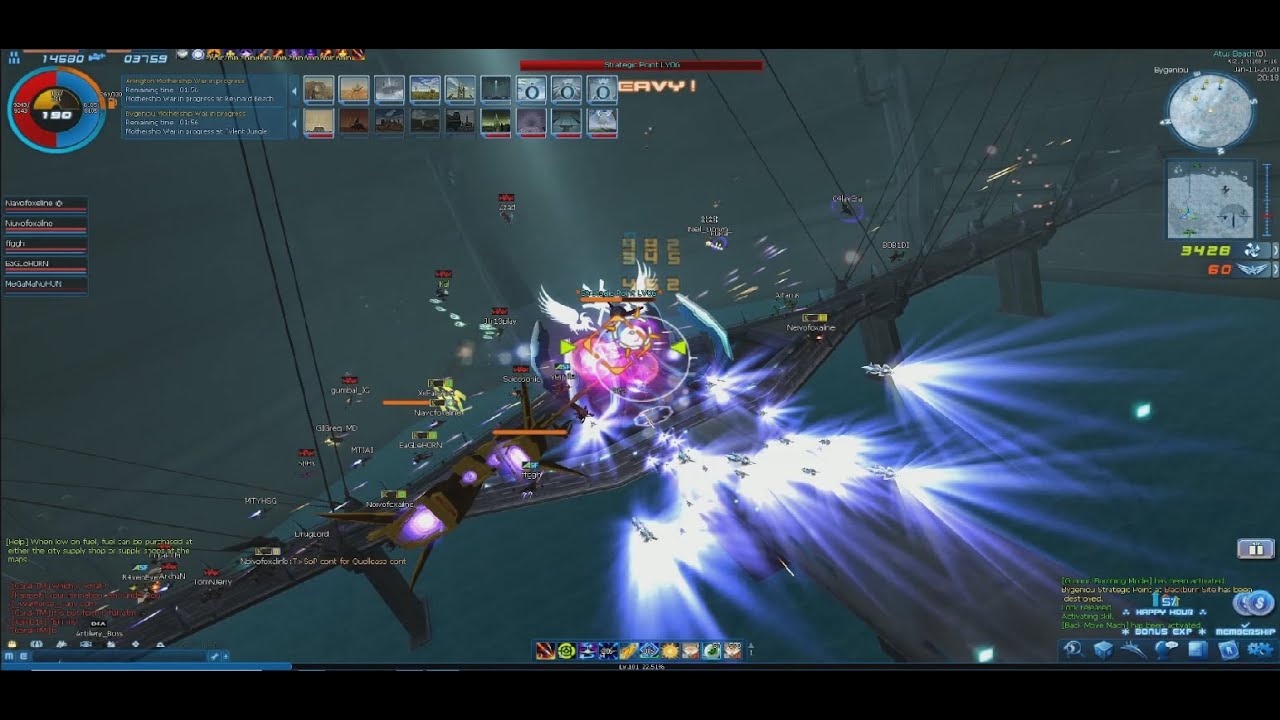
XxFallenxX
Lvl 101 B Gear (Lol)
BCU - Korea !!!
Calling all Pilots from Space Cowboy Online (SCO) to Air Rivals (AR), Ace Online is still alive and active.
After 3+ years of being AFK I decided to come back (December 2019) and give this game that I loved growing up a shot again. It took some time getting adjusted but I'm happy to report that ...
the pattern is pretty random on the video
but since my game initial idea come from this game its pretty similar
 prisma iron
Hey guys not sure if anyone here can help but I've been trying various things for hours with no luck. This is a 2D Audio Player running in a widget. I am making an interactable audio player that plays back what the user just recorded. For the most part it works perfectly-- it pauses and plays with no issue. For some reason though, when I set the start time value to anything but 0 it doesn't play anything at all and I can't figure out why. It's important that I can do this as it will allow for scrubbing. I figure it has to do with the fact that the sound wave I'm playing is coming from a separate script that records and exports it. If anyone has any ideas I am all ears!

 slow phoenix
prisma iron
Hey guys not sure if anyone here can help but I've been trying various things fo...
slow phoenix
prisma iron
Hey guys not sure if anyone here can help but I've been trying various things fo...
have you tried like 0.1?
prisma iron
Yeah it's normally tied to a variable but I've tried just about every normal float lol
slow phoenix
also, from the document it doesn't seem to support scrubbing.
prisma iron
Works fine if I make a different sound wave as the target
slow phoenix
as it's a trigger fire and forget audio node
prisma iron
Right it's not actually scrubbing, the idea is to trigger the audio clip again but with a different start time based on a slider widget/
runic parrot
Hi! i'm having some troubles with text wrapping : (

can't get it to wrap the text, no matter what config i use
Found the problem, i was using text box and not text
Following the UMB text question, is there any resource that i can use to write text in this way? "Piece of Text with **diferent ** ~~styles ~~ and colors "
slow phoenix
prisma iron
Right it's not actually scrubbing, the idea is to trigger the audio clip again b...
Can you even kill the audio if it's already fired?
To me it seems like the better way is through the actual sound/audio subsystem.
prisma iron
Yeah there are both pause and stop functions that work perfectly. Youre probably right it's just so frustrating as the rest of it works perfectly, just the start time won't work and it's bizarre to me
slow phoenix
Yeah, if you work with the actual subsystem you can do even more than just scrub I believe. Like adjust pitch and slow down/speed up all possible.
But there are really few document or videos about it.
prisma iron
Okay I'll look into it - you have any links by chance? I'm new to unreal, been using unity for years
slow phoenix
I would suggest search for state of sound from ue channel and go from there.
Let me search that, I have it on my watch list.
icy dragon
slow phoenix
I would suggest search for state of sound from ue channel and go from there.

You may have heard that we have several new exciting audio features coming in 4.25, and this week we thought we’d take a look at them!
To kick things off, the audio team will give a quick update on the Audio Mixer. From there we will shift to discussions and demos of the Native Convolution Reverb, Native Ambisonics Decoding and Encoding Support...
prisma iron
Alright thanks man. I appreciate it
prisma iron
icy dragon
https://www.youtube.com/watch?v=wux2TZHwmck
Thanks
slow phoenix
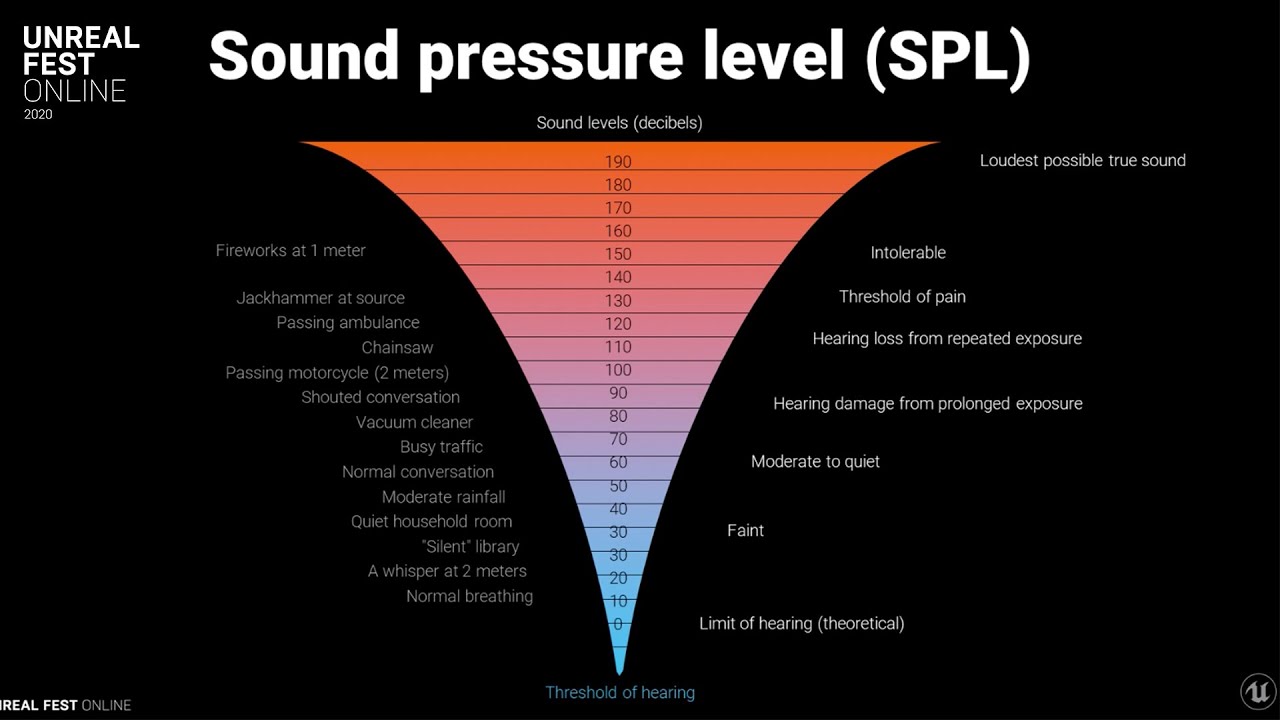
This session by Epic's Aaron McLeran provides an introduction to key audio concepts that are fundamental to understanding how audio works in computers and games. Concepts will be presented clearly with live demonstrations and examples in Unreal Engine, and immediately applied to various features and tools in the native audio engine. At the talk’...
also this if you are audio noob like me to familiar with the terminology they used for sound engineering
so this and then the above.
prisma iron
Seriously appreciate the resources you guys. I'm so beat right now so I'll check them out tomorrow.
slow phoenix
no worry, you will NEVER finish learning UE4-5 or whatever is coming next
it's a moving target and involves so many aspects of interactive entertainment
 fiery lark
Can anyone PLEASE help me with this? I want to set an actor variable from a blueprint cast, how can I do this?

It's not setting current gun after casting and successfully getting the blueprints
icy dragon
fiery lark
Can anyone PLEASE help me with this? I want to set an actor variable from a blue...
Do you get Accessed None errors?
fiery lark
I dont get any errors, it just doesn't do anything. I set up a key to print a string of "current gun" and nothing ever happens
icy dragon
My bad, I forgot that setters can be empty.
What's the print string result?
fiery lark
Literally nothing lol. If I print the assault rifle or shotgun it works fine tho
 lament ginkgo
Hey all, having an issue - trying to make an actor smoothly rotate 90 degrees when I press a button. I'm using a timeline and it works except once the rotation completes, the actor snaps back to the starting rotation.
 icy dragon
lament ginkgo
Hey all, having an issue - trying to make an actor smoothly rotate 90 degrees wh...
icy dragon
lament ginkgo
Hey all, having an issue - trying to make an actor smoothly rotate 90 degrees wh...
Try RInterp To instead
lament ginkgo
Oh, like instead of a timeline?
icy dragon
Yes, your Use action would set the target rotation, and then in Tick, you can have RInterp To interpolating current rotation to target rotation.
lament ginkgo
Ok, I don't think I've used RInterp too much in the past, but I've set it up and now when I hit E, I get a slight rotation depending on what I set interp speed to. So if I set it to 1, it's a tiny rotation, if I set it to 30, it's a larger rotation, etc.
Oh do I pass in the original rotation for the current?
Rather than the actual current??
No, that's not right
lament ginkgo
Oh figured it out, yeah wasn't updating my current rotation
 surreal peak
lament ginkgo
Oh figured it out, yeah wasn't updating my current rotation
surreal peak
lament ginkgo
Oh figured it out, yeah wasn't updating my current rotation
Isn't it just that your Timeline most likely is longer than the actual last key frame and ticks further with some other value?
 lucid heath
Seems a bit weird. Idk if it's a ilttle error prone without testing, but you could have a trace fire out of the characters front and check if it lines up with the cursors hit result. (And only after confirming that it matches allow the attack to happen)
 marble tusk
Might just be too small a number to notice
lucid heath
Depending on your case I don't think you need Enable/Disable Input. But apart from that, GetPlayerController is once in "Player Controller" and once in "Target". With physics it could be that the impulse value is too small, Simulate Physics might not be active or the mesh not movable. Also Y in Unreal isn't Up. Up/Down is Z axis.
Also what blueprint is this in? Because you wouldn't put the "E" input into wherever your mesh is. E into Player Controller.
In such cases it's good to use "Print String" to print a little text to the top right of the ingame screen to see if your code is executed at all. Like after that "E".
 full hare
Not sure if it exactly fits here but i cant find my Event animnotify since i am trying to add footstep sounds

 rancid quartz
Hello, I have a question about splines.
Does anyone know of a way to distribute input keys evenly along an existing spline in the editor?
Any advice would be appreciated.
Cheers.
 twilit heath
pull the spline points at distance along spline with tangents at intervals you want, cache them, then use those to create a new spline from those
rancid quartz
Alright, so there's not way to do it other than by placing them by hand, eh?
twilit heath
you don't have to plance them by hand
you do need to convert the placed by hand spline with a programatically adjusted one
rancid quartz
So you're saying something like this in the construction script? With the desired interval as Distance?
 twilit heath
something like that yes, but you can't ad points except to an empty spline
inside for loop
rancid quartz
Ah, I see. So I'd add them to an array instead.
twilit heath
that turns the index into input key
that or put 2 spline components to an actor
set first by hand, generate second with a call in editor function or som such
rancid quartz
Alright, I'll give it a shot. Thanks, as always, Zlo.
 autumn yarrow
Hi, I now have a new problem (yay) opposite of last time, client can send yaw data to server, but server can't send data to server (?????)
because said data that the server is trying to send is being crushed by a yaw of 0 (somehow idk)
 maiden wadi
Assuming that you meant Server to Client, generally the client won't let the server override it's control rotation. It's not meant to.
autumn yarrow
didnt mean to send it here oops
autumn yarrow
maiden wadi
Assuming that you meant Server to Client, generally the client won't let the ser...
thats not what I meant. I mean there's a server character, and they can't even move on their screen.
actually nevermind, I think it does work on their own screen
but trying to send it to the client doesn't work
to show to the clients that they're moving
maiden wadi
You mean that the server's controlled character is moving on their own screen, but clients are not getting updated?
autumn yarrow
yeah but im not sure
because it doesnt seem like they're actually moving on their own screen
like when they move up and down, the camera moves, but the mesh doesn't

this is the code
maiden wadi
You don't have to replicate pitch, usually.
GetBaseAimRotation will usually get you the rotation that the controller of the pawn is trying to look in.
autumn yarrow
I believe it's the Up-Down motion I'm doing here
autumn yarrow
maiden wadi
GetBaseAimRotation will usually get you the rotation that the controller of the ...
 maiden wadi
GetBaseAimRotation, not GetControlRotation.
autumn yarrow
ok
how
does it work
but the thing is a little laggy now tho
its a little behind
and every animation is supper glitchy
maiden wadi
Haven't ever experienced that myself. I use that in my personal project with the animstarterpack animations with my own made 1d Aim offset, and it's perfectly fine.
autumn yarrow
its like super jagged and slow
and motion blur is going crazy
because it's trying to go up and down super quick
ignore the second screen on the left

the weapon is like super blurry
but only for the client
it doesnt do it for the server
 viral orchid
How do get viewing point(Where the Player is looking)? Like the Rotation from 0-180

 maiden wadi
No. You don't use GetBaseAimRotation on the server and replicate it. You just call GetBaseAimRotation on the pawn, on the client when you need to know where that pawn is trying to look.
maiden wadi
No. Right now your server is telling all clients to update some other rotator based on the server's version of the GetBaseAimRotation via a multicast. Also uncertain why you're converting pitch to roll?
autumn yarrow
idk I was watching a tutorial, and they did it like that and it works fine
so I removed all of that
 maiden wadi
Is this first person?
autumn yarrow
and it's still lagging
yes
it's first person based from the third person
template
the pitch replicates, at this point idec about the lagf
lag
but the animations are so jagged and glitched
also none of my variables are replicating
so I cant crouch, or sprint
maiden wadi
Okay. Yaw you get from the CMC movement. CMC movement rotates the capsule of the character and you can directly get a yaw from that. Pitch is replicated from a byte sized variable on the Pawn class. When you call GetBaseAimRotation on a client, it will create a rotator of Yaw = CapsuleWorldRotation'sYaw, pitch = ReplicatedByteToFloatBetween-90to90
This all happens by default in the native classes with no extra networking needed. You just call GetBaseAimRotation in the AnimBlueprints and whatnot.
autumn yarrow
thats what I did
but it's lagging
especially the animations
Istg im gonna go back to unity
maiden wadi
Also if your replication is broken and you're using C++, check that you called Super in GetLifetimeReplicatedProps
autumn yarrow
im not using C++
im using blueprints
why are my animations lagging so much???
they're lagging a little on the server but it's bearable
but on the client they're going badshit crazy
it seems like it can't tell which animation to play
also why cant I use any networking nodes in my animation blueprint?
maiden wadi
Animations are considered cosmetic. They're client side only.
 steady night
https://gyazo.com/a359d5e922419ebee1d3c39bea8fa8ea
hey guys im trying to deplete my "stamina while running" and it works however it loops even when released, is ther a way to detect "while button is pressed" ???
 maiden wadi
@steady nightIs this in the pawn?
maiden wadi
Easiest way to detect key press in pawn will be GetController->CastToPlayerController->IsInputKeyDown
However, I'd also recommend moving something like this to a timer or tick, and basing or off of the character's velocity. Otherwise you'll run into issues where you'll stand still and lose stamina.

 mortal isle
How can I create a simple AI that follows the player when the player is not looking at it?
And if the player is looking the AI simply freezes
 mighty fable
Could someone please steer me in the right direction of how I can make my menus able to be interacted with the controller as well as mouse+keyboard?
 river scaffold
Need simple BP for sprite fly randomly flying around radius on trash bin in 3D.
autumn yarrow
ok! i got it to work, not I'm trying to synchronize the crouching variable, but it works server to client, but not client to server
nevermind! I created a function for every variable change
and it works now
 worn coyote
Can someone tell me why my attack is being registered when i attack with the sword but not when I use the Q spell?
The bp is the same, i dont understand why it's not working
sword check hit and on weapon hit bp: https://gyazo.com/95c5fe4c8b00d86ea27bcaa286088c3d
Q spell check hit and on ability hit bp: https://gyazo.com/21e257bde02159d5b9e17416bccccc32
the "update health" macro takes health based on Attack Damage from the enemy/player (and makes them die etc.)
the "closest enemy" variable is for rotating the player to the enemy/vice versa
the "hit range" variable checks an area around the socket
I put a socket in the middle of the q spell collision cube and scaled it to be the size of the cube
I then scaled the cube to match the size of the FX of the Q spell - ive already checked if this causes a problem with the registration but it doesnt, in fact, it doesnt do anything scaled down either
Help would be much appreciated!


 willow cedar
I want to start using components more, but I'm still trying to understand exactly what to put in there, and what to keep in the Character BP. Is there a way to pass input into triggering events in a component BP?
narrow kelp
@worn coyote Are you implementing your interface on the closest character?
 eager perch
Pretty sure that I am overthinking this, i'd like to have a possessed pawn... and I'd like to be able to select another pawn (without possessing) and be able to check stuff (like distance between the two for example) is there an easy way to do this? The method I have so far is to hold down the Left Alt key to switch into a "select without possessing" mode, but the hit actor passed from the line trace is reporting the original pawn (the possessed one) not the 2nd clicked "selected" one.
 spark steppe
you might want to use the axis events of the joystick, left+right to rotate up/down to move forward/backward
 crimson hornet
So I want to move an object to a random location but I dont want it to teleport. Right now I have this. I made variable called spawn location to keep the object nearby where it spawned. Does anyone has an idea?
 white crypt
you can use lerp or interp for that
it will change your location from A to B over time
 slate harness
@spark steppe but i dont know how to do it , its my first project and i cant even lauch it for test, its doesnt work
crimson hornet
white crypt
you can use `lerp` or `interp` for that
How can I use it in this BP?
white crypt

What is the VInterp (Vector) Node in Unreal Engine 4 .
Source Files: https://github.com/MWadstein/wtf-hdi-files
What are Lerp Nodes in Unreal Engine 4?
Source Files: https://github.com/MWadstein/wtf-hdi-files
spark steppe
crimson hornet
How can I use it in this BP?
best is to watch some basic tutorials on youtube then
or check unreal learning
a tank is just a character with wheels instead of legs 😛
kinda^
slate harness
spark steppe
best is to watch some basic tutorials on youtube then
But how do i setup movement
spark steppe
thats what basic tutorials cover
you setup axis events for your player controller and posses the tank pawn
worn coyote
@narrow kelp Could you explain what you mean by that? I don't really understand a lot about blueprint yet
Also I forgot to mention I used one of CodeLikeMe's tutorials for this system (if that helps in any way idk)
So I think all I know/understand is that its checking if its the closest character I'm hitting and if it's in range
 zealous sundial
Hello, got a little but annoying issue.
On Simulated proxy only, when actor rotate against a slight collision, he is shortly tp at what look like the correct position (look gif).
Network interpolation have been disabled.

 verbal bobcat
slate harness
But how do i setup movement
verbal bobcat
slate harness
But how do i setup movement
I might be able to help you but can you tell me what you want to do?
crimson hornet
Does anyone has an idea on how to make my AI move to a specific location? I just made an BP to get the location on where I place the BP. The problem is that I want the General Location variable to be in the on an different BP in the destination of AI MoveTo. You can see it on the second photo.


 upbeat otter
is there a way a can stabilize my camera to be level with my character? its on a spherical world and I cant use pawn rotation because it messes up alot of things

 noble pecan
Sorry to bother everyone but I have a problem that could be pretty easy to solve, does anyone know how to make everything with a curtain tag invisible? I'm way to new to this to figure it out.
 slate harness
verbal bobcat
I might be able to help you but can you tell me what you want to do?
slate harness
verbal bobcat
I might be able to help you but can you tell me what you want to do?
i need a virtual joystick that rotate the canon and move in this direction
 round basin
Hello, how can I get a vector from a rotation axis ? (for example 0° : X=1 / Z=0) 90° : X=0 / Z =1) 180° : X = 0 / Z = -1) Thank you!
 icy dragon
crimson hornet
Does anyone has an idea on how to make my AI move to a specific location? I just...
icy dragon
crimson hornet
Does anyone has an idea on how to make my AI move to a specific location? I just...
If it's just one source BP, you can Get Actor of Class, and store the reference to a variable on BeginPlay. From this variable, you can fetch whatever value that actor has.
I don't recommend doing Get Actor of Class on high frequency execution, though, so workarounds may vary.
 crimson hornet
icy dragon
If it's just one source BP, you can Get Actor of Class, and store the reference ...
crimson hornet
icy dragon
If it's just one source BP, you can Get Actor of Class, and store the reference ...
I have 2 BPS and I want to use the variable from the first photo thats the first bp to another bp the second photo.
icy dragon
crimson hornet
I have 2 BPS and I want to use the variable from the first photo thats the first...
If that's the case, Get All Actors of Class could also worked - still, don't do this in high frequency execution; do this in low frequency executions like BeginPlay.
 dawn gazelle
crimson hornet
I have 2 BPS and I want to use the variable from the first photo thats the first...
dawn gazelle
crimson hornet
I have 2 BPS and I want to use the variable from the first photo thats the first...
Blueprints are only reference to a class --- you can have multiple instances of a blueprint spawned in your game, eg. if you had two "HumanGeneralLocation" placed in your level, you'd have two instances of the blueprint running.
What you need is a reference to the Actor as that Actor is the one running the blueprint, and Get Actor of Class as The Hoodie Guy suggested will get you the first reference of the Actor in your level. From there, you can get the variable from the reference (the return value on the Get Actor of Class)
icy dragon
So you're saying the second BP serves as a waypoint for the AI?
crimson hornet
Yes
and the first bp will set a location for the waypoint where he needs to go. And that location is the GeneralLocationH Variable
icy dragon
icy dragon
If it's just one source BP, you can Get Actor of Class, and store the reference ...
That's more hacky than I thought. But then you can have one persistent waypoint Actor that moves around, and still apply the Get Actor Of Class method.
The execution is roughly like this. Try improvising it to your workflow.
 fiery lark
Does anyone know how to smooth out animation transitions? Whenever I go from moving left, right or forward it basically teleports me to the next animation
 fleet kite
I think there's an option on the top of the page (a check box) in the page where you create the timeline. But I'm very new so I could he way off
crimson hornet
icy dragon
That's more hacky than I thought. But then you can have one persistent waypoint ...
Do I have to set this in the first or in the second BP?
fleet kite
Could someone tell me exactly what a vector + vector and a vector- vector do, please? I know a vector handles 3 Float variables...that's about all I know though
fiery lark
Think of a vector as x y z, vector + vector would be x + x, y + y, z + z
dawn gazelle
fleet kite
Could someone tell me exactly what a vector + vector and a vector- vector do, pl...
A vector is a 3 dimensional point. Adding or subtracting two vectors is the same as adding or subtracting a single value, except you're adding and subtracting those three floats at the same time.
fleet kite
OK so if I subtract a vector from a vector it could be like 1, 1, 1 - 0.5, 0.5, 0.5 = 0.5, 0.5, 0.5? Or am I off on that
spark steppe
thats correct
fleet kite
I ask because the course I'm taking the guy uses them in his bps to make animated floating platforms
OK cool!
Thanks for the quick replies
fiery lark
Fr guys how do you make animations smoother?
spark steppe
what kind of animations?
fleet kite
Sorry I don't know any other thing than that check button
fiery lark
Sorry about the late reply lmao but just walk animations
fleet kite
Hey everyone, do any of you know a good YouTube tut that explains the basics of Blueprints but also explains why the person is doing each thing they do? Like what exactly is happening when he connects one node to another to another?
I've seen a couple but they don't explain it well enough for me for some things
 gentle urchin
Can't say I've seen such a tutorial on that level before
Havn't really searched for it either tho
faint spire
Matt aspland has really good tutorials
fleet kite
Okay. I'm taking this really good course from udemy but as soon as he gets to Blueprints he stops explaining things well
Oh nice. Thanks I'll look him up
Found his in depth animation BP tut!
faint spire
Yessir 💯
verbal bobcat
I have a projectile that once shot it will constantly check every tick the proximity to the player once its in a certain range it triggers (a explosion). The problem is that although it works fine it keeps on giving errors is there something that I have done wrong or?
 dawn gazelle
verbal bobcat
I have a projectile that once shot it will constantly check every tick the proxi...
dawn gazelle
verbal bobcat
I have a projectile that once shot it will constantly check every tick the proxi...
This is probably better for checking the distance between two points. Can you provide a screenshot of the errors you're receiving?
 fiery lark
Would it be easier to create a sphere and do an onoverlap event?
verbal bobcat
dawn gazelle
This is probably better for checking the distance between two points. Can you p...
 dawn gazelle
So this means you don't have a reference to what "Drone" is. Are you setting the value in Drone somewhere like on Begin Play or feeding in a reference to it on spawnning?
verbal bobcat
dawn gazelle
So this means you don't have a reference to what "Drone" is. Are you setting t...
Yea I realised my mistake now and fixed it by casting to drone first in the event tick
 atomic osprey
i just got a weird glitch, which... well it took my blueprint
made a new blueprint, same thing happened
After This I started a new project, made a new blueprint, closed that and now this blueprint looks like the one bellow
 verbal bobcat
it might be because all the things in the window tab got removed (the toolbar,viewport,compiler) if thats the case you can fix it by going to the window tab then to load layout > default layout.
atomic osprey
Allright thanks I'll try that
dawn gazelle
verbal bobcat
Yea I realised my mistake now and fixed it by casting to drone first in the even...
That said... As Bongo pointed out, you could probably get away with a Sphere collider with an EndOverlap Event to trigger the destruction of the object and that way you don't need to use tick like you are - What you have right now is sort of an inefficient design as you're constantly calculating distances every frame.
 atomic osprey
verbal bobcat
it might be because all the things in the window tab got removed (the toolbar,vi...
atomic osprey
verbal bobcat
it might be because all the things in the window tab got removed (the toolbar,vi...
i dont get a load layout button...
i do get a save layout and reset layout, but nether works for this
verbal bobcat
atomic osprey
i dont get a load layout button...
Strange are you dont have this button?
 atomic osprey
yeah i dont get a load layout
verbal bobcat
or maybe you can click the buttons manually I have them default so you can just check the ones above
if that dosnt work I am sorry but I dont know how to fix it
verbal bobcat
atomic osprey
ALL GOOD I THINK I JUST GOT IT FIXED
How did you fix it?
atomic osprey
well there i had to open my blueprint and then i noticed now for the first time Show full blueprint.....
verbal bobcat
So the show full blueprint was glitched or something and didnt show other blueprints?
fiery lark
Can anyone explain what Mixamo is? Is it free to use?
dawn gazelle
It's a means of getting some meshes and animations for free from Adobe. You can also import characters to it and have the animations set up for them.
fiery lark
Alright, thank you
 vast sigil
Ok so I have two blueprints set up so if you press B it plays 1 sound the second blue print you press N it plays a sound. How do I make it so If I press B it plays the audio and when I press N its stops B's pressed audio and just play Ns only. Vice versal Press Ns audio plays, press B stops Ns just plays Bs
dawn gazelle
vast sigil
Ok so I have two blueprints set up so if you press B it plays 1 sound the second...
Depends on how you're playing the sound, but there's a setting on most audio playback nodes called "Concurrency" - this is a class that allows you to define the behaviour of any audio that uses this concurrency class.

So if you set them both to the same Concurrency settings, then set "Max Count" to 1, then they'll both override the other.
dawn gazelle
It depends on what node you're using to play back audio. In this example here, I'm showing Play Sound 2D and you'd set the concurrency class there.
 vast sigil

Im using these I dragged
theirs a concurency option
but it says make class?
nvm I clicked + to add one
what would I add under that?

heres a screenshot
dawn gazelle
 vast sigil
ok I just made one sound concurrency. Could I select the same one for each sound component or make one for each of them?
dawn gazelle
If you want them all to override each other, then you'd use the one you created for all of them.
vast sigil
so when it overrides it'll stop one and start the other basically?
dawn gazelle
Yep
vast sigil
ok cool
so do I really need to change the number or select it for both and use the preset?
for the max count^
dawn gazelle
Max Count is like the maximum number of voices that can be played at once using the concurrency setting. So if you have Max Count at 1, only one voice will be played at a time.
vast sigil
oh ok so put to one
 sly shuttle
On the VR template, is there any way I can check if a hand is empty?
 sterile quest
How would I attach one skeletal mesh to another using sockets in BP?
runic parrot
sterile quest
How would I attach one skeletal mesh to another using sockets in BP?
AttachToComponent -> Socket name

One question for anyone, i'm currently rotating one actor over time using Rinterp To , with delta time = delta seconds of Tick Event.
what would be the Inter Speed equivalent to Degrees X second?
sterile quest
Okay so I didn't explain that very well. My bad.
So I have a ship that I want to attach a gun turret to but by using sockets. This attaching would happen on-play (or when the game is started) rather then the player moving over it.
Would I use the AttachtoComponent in the ship BP? Or create a new BP for the gun turret?
I was thinking I'd use the AttachtoComponent in the ships BP, but maybe that's wrong?
runic parrot
depends on what you want to do with the turret, if the turret is doing to do things on itself, you probably want a BP with logic inside and a mesh, that you will grab (the mesh) and attach to the socket.
if you don't want any "brain" on the turret and only the visuals of the mesh, just grab the mesh and attach it
sterile quest
The turret is going to be controlled by the player.
Eventually. Right now I am just trying to attach it to the ship mesh
One step at a time.
runic parrot
it really depends on your design, don't know how it is. but i will probably do something like a variable on the ship that holds all my turrets
sterile quest
(still wrapping my head around BP, so asking a lot of questions lately)
runic parrot
when you add a turrent, add the Turret Bp new actor into that array and attach the mesh to the position you want.
sterile quest
In the long term (not right now) the turret will have stats tied to it, but that's down the road. Just trying to get basic gameplay mechanics into my game right now.
So ship movement, a gun being attached and then rotatable based on camera input.
Hope that helps explain better
runic parrot
check on youtube for implementation of gun turret on tanks
 nova ledge
Hello! Okay, so I'm creating a flying creature and it's set up to fall (and play the falling animation) after you click the button to turn off flying, and on once landed, it's set up to play the landing animation. However, I found a bug that I can't seem squash, which is when the character is flying against the ground and you turn off flight mode, it completely skips over the landing animation, but it technically has already landed (I have a print string set up that tells me so). How do I fix this?
 late shuttle
In the last few UE4 versions making a Destructible mesh didn't allow for a 2nd material (that makes the interrior of the mesh being broken)... anyone know if this has been fixed yet??
sly shuttle
how would i rotate a static mesh along the z axis for a couple of seconds? everywhere online the tutorials are about perpetually spinning objects and i just need to rotate it for a few.
dawn gazelle
You can use a timeline configured for how long you want it to rotate, or with a delay to stop it. Similarly, you can use event tick set up with a gate to stop it after a delay.

A timeline can also be set to auto-play and not loop. So if you only want it to rotate when it is created, that's an option as well.
sly shuttle
I know how to do delays and such, but how would i rotate a static mesh?
dawn gazelle
Same way as all the perpetually spinning object tutorials.
noble pecan
A beginner here looking for a bit of help,

A beginner here looking for a bit of help, I'm trying to make the giraffe turn invisible when the "J" key is clicked but it doesn't seem to work. Could anyone help me out here? I not it's not much but I'd we willing to give you a 5 dollar game of your choice.
 dawn gazelle
noble pecan
A beginner here looking for a bit of help, I'm trying to make the giraffe turn i...
dawn gazelle
noble pecan
A beginner here looking for a bit of help, I'm trying to make the giraffe turn i...
Are you getting the print string message out on your screen?
 dawn gazelle
You have the tag in "Component Tags". See if you can find a section labelled "Tags" under the "Actor" category.

 noble pecan
That worked! Thanks! What's your steam username and what game do you want? 🙂
dawn gazelle
No reward necessary. Glad it's working for you now.
noble pecan
Well then, Thanks again this issue has been troubling me for a week so I feel a bit silly that I couldn't figure it out. Thanks again!
 vital ingot
I'm a little confused on how instanced meshes work. I have a map of 48 static meshes each actor accesses & swaps between frequently. Do I need to spawn the static meshes in my map in the world first so that I can add an instance of them instead of having the map in my individual actors?
dawn gazelle
vital ingot
I'm a little confused on how instanced meshes work. I have a map of 48 static me...
I'm not 100% sure, but I'm fairly certain if you want to instance meshes across multiple actors, you'd have to have an actor that acts as the "master" where the hierarchical instanced static mesh is contained, and any time you want another actor to have reference to their own individual instance of a static mesh without adding draw calls, you add an instance on the master, save the instance number on the actor that needs the instance, and then if you need to manipulate the instance, you make a call to the master with the instance number you want to modify. Also, please don't bump your messages up and delete your old ones to make it look like you're not spamming the channel with your question. It goes against the server rules.
On your attack you may want to put a small delay (like, 0.1s) between when you're setting the orient rotation to movement to false and when you're launching the attack itself.
Also you could probably avoid running that bit of code on tick. Wherever you're setting the Rotate to Movement to false, you could be calling the function to set the character's rotation based on the mouse cursor as you're not currently smoothing the movement at all.
Delays are not framerate dependant (though tick is). Using a delay here is more about giving the engine time to activate your request to rotate the character before executing the attack where right now it seems like it's happening on the same frame.
vital ingot
dawn gazelle
I'm not 100% sure, but I'm fairly certain if you want to instance meshes across ...
Ah thank you! Much appreciated. I'll probably end up merging them instead of instancing them since it's just for a level designing tool anyways. Also apologies if you found that rude, but since it was buried under a lot of messages, and also quite a bit ago since the repost; I think it's quite acceptable in the rules because it does explicitly says that's alright. Again though sorry if that made you upset, and thank you for the assistance! 🙇♀️
 trim matrix
Howdy gentlemen
I have a crosshair widget in my project. Is there a way of getting the 3D location of where the crosshair is pointing in the 3D world, at the first surface that's in the way?
dawn gazelle
Is the crosshair in the center of the camera and doesn't get moved around on the screen?
trim matrix
Yessir
I have thought about using the camera angle roll and pitch values to calculate the distance from the camera, using those values, but I cannot get it to work. I don't think that is possible without a function.
I have a ship, and a camera that can be moved around it. A crosshair in the middle of the screen, all I need is a way of getting the coordinate position of where the crosshair is pointing, so I can use it to calculate the angle the guns need to move to in order to fire at said point.
Hope that makes sense. Is there any dedicated function for this I can use? Any guidance is appreciated, thanks in advance!
dawn gazelle
You can use a line trace - if necessary you can do it on tick. You can use any of the traces available, but you need to configure them (like what trace channel, or collision profile)
 trim matrix
And for this do I need the distance between the camera and the point?
I'm asking because I see there is a "Distance" variable that is being taken
dawn gazelle
The distance is for how far you want the trace to run.
So if you put in 10000 in there, it's tracing 100 meters from the Camera's location.
trim matrix
Okay, thank you. I am a beginner to Unreal Engine, I just started a few days ago in fact, I apologize for the stupid question.
I will take a good look at it, thank you again.
dawn gazelle
Not a stupid question at all 😛
trim matrix
Also, what is a "Profile"? I just want a linetrace which will just hit any object
If I use the object linetrace, and I don't specify an array, will it hit any object?
dawn gazelle
trim matrix
If I use the object linetrace, and I don't specify an array, will it hit any obj...
To hit everything, you can do a "Make" array and just add all the possible item types to it.

No need to use tick, or as many booleans.

Dangit.. still missed something... the set boolean at the end of the attack should be checked XD
trim matrix
dawn gazelle
To hit everything, you can do a "Make" array and just add all the possible item ...
cool!
dawn gazelle
Aaaaand if you really want something to count down still, maybe for UI display, you can use a timer instead...

^ this timer runs every 100ms instead of every single frame (16ms at 60 FPS)
 mint comet
heya, messing around with interpolations (finterp to, in this case) and it doesn't transition smoothly as tutorials do
 dawn gazelle
mint comet
heya, messing around with interpolations (finterp to, in this case) and it doesn...
dawn gazelle
mint comet
heya, messing around with interpolations (finterp to, in this case) and it doesn...
You need an execution path that is constantly updating, like tick or a timeline.
mint comet
oh so not only for the delta time?
dawn gazelle
What you have here is your G key being pressed and feeding into a node. You press the key once, meaning the node only gets executed once, but what you really need is for the node to frequently be executed so that the interpolation can actually play out. If you replaced your G input with tick it would work.
mint comet
got it, and it works, thanks Datu!
just gotta find a way to get an input there somehow now
dawn gazelle
You could use a gate.
mint comet
that works, thanks again! awesome as always
dawn gazelle
Heck don't even need tick XD
 crimson hornet
So I have a problem where the AI keeps attacking someone that is dead it stops attacking him if I destroy the player his Actor but then he won't respawn. The AI can notice players from pawnsensing. I got 2 screenshots I thought maybe here I can do anything about it. Not sure tho.

 dawn gazelle
crimson hornet
So I have a problem where the AI keeps attacking someone that is dead it stops a...
dawn gazelle
crimson hornet
So I have a problem where the AI keeps attacking someone that is dead it stops a...
Are you using an AIPerceptionStimuliSource on the player?
crimson hornet
No I dont think so
dawn gazelle
Can you show your logic for how it is detecting the player or continuing to attack them?
crimson hornet
sure sorry for late response btw
This is in the Enemy Detour Controller

this is how they detect players
Here they will keep attacking
 river scaffold
How change smootly HDRI image on rotated hemisphere BP to another HDRI image.
 green eagle
I have been struggling with decided what ways/way is the best or most efficient to go about utilizing the Foliage brush and intractables.
Like making a collect and build type mechanic.
You put trees all over to get collected or interacted with.
Do you BP the tree and use the Tree BP with the brush(still haven't figured out how to do that) or do you go about it but making some reference to the Object "tree" within the level/player/interface BP?
Any advice or help is appreciated. Thanks in advance!
maiden wadi
@green eagle I'm not entirely certain about single player, but in multi you're looking at C++ work to do this effectively since you need to be able to override the foliage component type and also to make use of fast arrays. For single player, you can probably simply use the BP painter in the foliage, but I don't know how performance friendly it'll be. In the end you'd probably still want to move it to C++ for overriding a FoliageISM component class to pain with and do interaction through just to get the HISM draw call bonus.
At least as far as memory serves, you can't override that foliage component class in BP.
green eagle
maiden wadi
<@!460145198496743444> I'm not entirely certain about single player, but in mult...
Thanks for the reply I am honestly not to keen on really advanced BP use I usually only use it on the more basic stuff and tend to use cpp at times of frustration when BP feels less comfortable and more complicated. I am not familiar with FoliageISM. I figure scripting something out to identify the object based off its runtime data. Like if it only takes 5 lines to make it tell when the player is facing or within range of another objects adjunct normal, i digress.
Guess the biggest struggle is what is the most efficient way to populate the level/world with the objects that will get referenced? Which I guess with the normal pointer example then its "use the foliage brush to place the objects and make sure the class's unique identifier to reference to an interaction class"
But Honestly.. I keep hitting a gosh darn wall with the dang foliage tool. I get data threshold/limiter errors/warnings. Thats another nightmare though.
Honestly.. think this little chat made it make sense-ish... its again another situation of "you know the code but not how to apply it to a scripting tool" which usually just means "code it" sorry for the long winded message.
 river seal
hello! does anybody know how to do a transform in "view-space"?
the goal is that x/y/z values don't transform in world space, instead it should happen in relation to the camera view...

i think basically its transforming "along the forward vector" of the camera... but i am not there yet 🙂
nova ledge
I have a flying character, and it's set up to go from walking -> take off -> flying -> falling -> landing -> walking. However when the capsule is against the ground while flying and when you hight the flight toggle button, it technically falls and lands, but the animation doesn't change and is stuck looking like it's flying still when it's supposed to be walking. How would I fix this?
 jaunty solstice
Trying to create missing render passes for the MovieRenderQueue. Attached is the MovieRenderQueue_AmbientOcclusion post process material.
For the others would it simply be a matter of changing the SceneTexture node? ie to Roughness, Specular, BaseColor etc?
Or would there be additional changes needed?
 trim matrix
what happens when i destroy an object with a running timer?
crimson hornet
crimson hornet
So I have a problem where the AI keeps attacking someone that is dead it stops a...
?
dawn gazelle
crimson hornet
Here they will keep attacking
Sorry I had fallen asleep XD Are you setting Player Dead on the server and the logic behind the Is Dead BPI call returning it? ie. Is your IsDead NOT branch in this image ever returning false?
crimson hornet
dawn gazelle
Sorry I had fallen asleep XD Are you setting Player Dead on the server and the ...
I don't think so
 burnt oracle
Is there a way to get a list of all primary asset types? Theres "get primary asset id list" but i need the primary asset types
trim matrix
how do i check if a rocket hits my own playable character, then its suppose to not hurt me
 errant snow
burnt oracle
Is there a way to get a list of all primary asset types? Theres "get primary ass...
errant snow
burnt oracle
Is there a way to get a list of all primary asset types? Theres "get primary ass...
There is. Take a look at the Asset Manager. But I'm not sure how well it's exposed to blueprint.
burnt oracle
errant snow
There is. Take a look at the Asset Manager. But I'm not sure how well it's expos...
Thanks, I'll check what i can find and expose :)
 fleet heron
HI! guys im new and i need a help with bp. In topDown game with 2d flipbook animation i cant "flip x" when move left. He always run in one direction
dont understand how it works

 random ibex
Hi, does somebody know if it is possible to edit 3D text via variables?
 stuck sorrel
For animation blueprints, anyone know how to get "blueprint update animation" to run only when the actor is in view? I feel it's not necessary to run the event when the actor can't be seen
dawn gazelle
random ibex
Hi, does somebody know if it is possible to edit 3D text via variables?
If you mean a TextRender component, sure:
 random ibex
dawn gazelle
If you mean a TextRender component, sure:
random ibex
dawn gazelle
If you mean a TextRender component, sure:
I mean the 3D text plugin. I want to have name variable linked with text in it.
random ibex
random ibex
I mean the 3D text plugin. I want to have name variable linked with text in it.
I found this https://tomofnz.wixsite.com/tomofnz/single-post/2019/12/27/making-interactable-3d-text-in-ue4

tomofnz
In UE4, some components are not easy to click or mouse over and it is better to wrap a collision box around them and interact with that instead. In this case, I wanted to force a Box collision component to update with the text even when it changes. If the text changes from, say, End to Beginning, the added collision box has to change dimensions...
steady night

is this really the best way to make a "button" display an items image ?
for each button
burnt oracle
errant snow
There is. Take a look at the Asset Manager. But I'm not sure how well it's expos...
It doesn't seem like the asset manager really exposes this in c++. The "asset type map" is declared private :(
onyx violet
what's the best way to tell a dedicated server to open a new level?
burnt oracle
steady night
is this really the best way to make a "button" display an items image ?
Use a data table to look it up
errant snow
burnt oracle
It doesn't seem like the asset manager really exposes this in c++. The "asset ty...
You'd want to call GetPrimaryAssetTypeInfoList.
burnt oracle
errant snow
You'd want to call GetPrimaryAssetTypeInfoList.
Thanks, i initally had that and then realised that the type is an fname instead of PrimaryAssetType, but then was trying to get the asset type map's keys which aew also fname, i realise that the type is implicitly convertable from an fname
green eagle
river seal
hello! does anybody know how to do a transform in "view-space"?
the goal is that...
Are you wanting something to change position based on where the camera is looking?
twilit heath
@steady night that is actually the worst way to do it
steady night
He tutorial told me to do it
gentle urchin
Sadly not all tutorials are worth watching
dawn gazelle
And dislike it. Unsubscribe!
steady night
Ha got another one i could learn frim ?
steady night
Got a link ?
twilit heath
and if you ever find youself doing anything even 10% that tedious
stop and start searching for a better way
i'd go with a datatable
send the rowname to a button
and have it dig out the image from DT and apply it
steady night
Yeah i figured that its like a ”hastable” ye ?
Hashtable*
Aye
Oh okey, well imma solve it tomorrow sleep time bow but ill save this converse and look at it
Ty
twilit heath
In this presentation from Unreal Fest Europe 2019, Epic's Sjoerd de Jong offers an in-depth look into Blueprints. Best practices, dos and dont's, and recommendations on how to utilize Blueprints to its full potential.
During this advanced class we will go into how to use Blueprints in a future proof and scalable way. We will look into how to c...
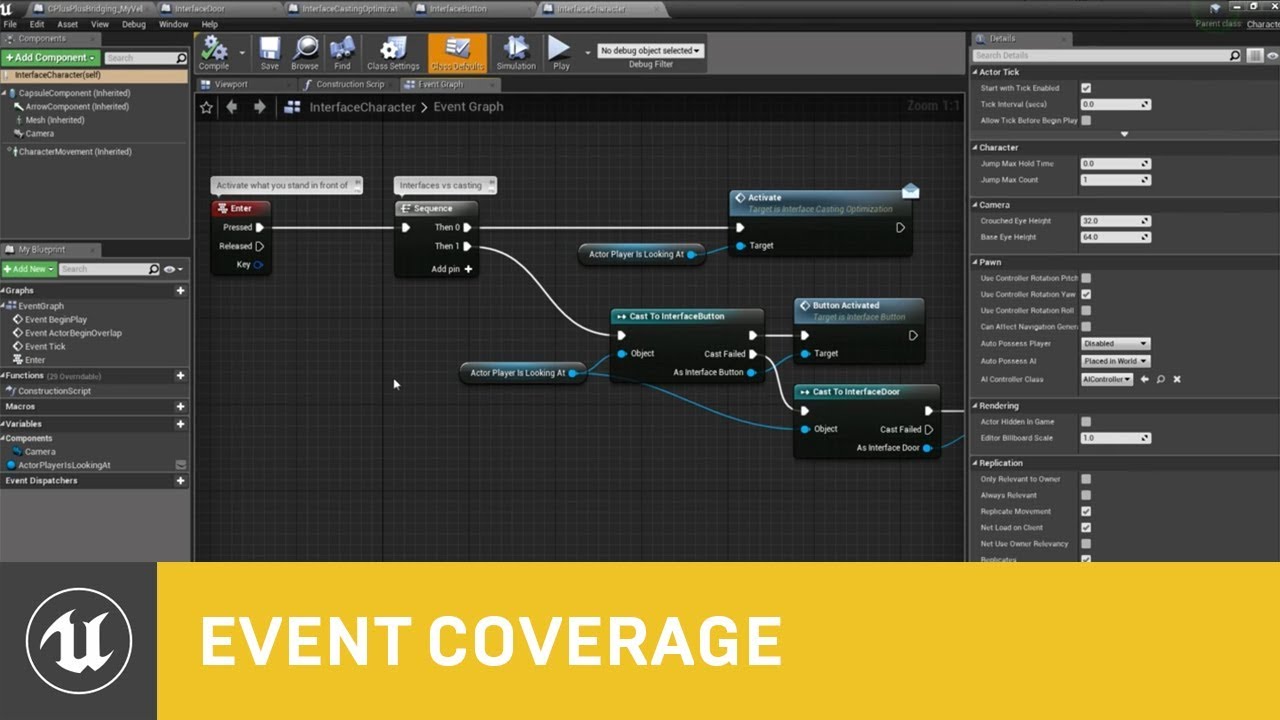
In part 2 of Blueprints in-depth, Epic Games' Senior Engine Evangelist Sjoerd de Jong goes over crucial, but rarely covered topics, with a goal to level up a range of viewers - from those with a working knowledge of Blueprints to users that are fully and professionally proficient in our unique scripting language and all of its finer details.
Le...
@steady night
its more of a do's and don'ts rather then specific implementation of one thing
dawn gazelle
ALL THE OUTPUTS.
slow phoenix
a general concept to identify bad design/approach is check the following: 1. is it tedious to add new of same stuff in? 2. is it difficult or troublesome to change the order or adjust what you need? 3. is it involves long turn around time?
like, oh I might want to add new element to my magics from 4 elements to 6, how much work is involved. you think hard in the beginning so you don't pay the price of having to break something up that could leads to more things go broken after the change.
icy dragon
steady night
https://gyazo.com/2e3eaba3e5d4b642cb2681669bc076d8
My 60 switch output is nothing compared to this 🤭
night scarab
Least Intensive/Best Practice to approach a velocity-based camera shake system. I came up with this idea but it seems a wee bit much on performance just for camera shake. Should I keep this, should I just use an event timer that ticks slower, or is there something better overall?
 dawn gazelle
night scarab
Least Intensive/Best Practice to approach a velocity-based camera shake system. ...
dawn gazelle
night scarab
Least Intensive/Best Practice to approach a velocity-based camera shake system. ...
That shouldn't be performance heavy. Even though it's running effectively on tick by being on an input axis, the math involved isn't complex. You could potentially move it to a timer (maybe somewhere between 0.06 and 0.1?) but then it may not appear quite as smooth of a transition between amplitudes. Try it out.
night scarab
you the man friend, thats all I wanted to hear
river seal
green eagle
Are you wanting something to change position based on where the camera is lookin...
Yes - so basically the camera view should define the XYZ axis of the transform. Horizon is X, Depth is Y, vertical is Z
 fiery swallow
It should be perfectly cost free for small things that don't exist for longer then a second to have an event tick right?
river seal
Would this change the actual rotation of the objects being moved?
fiery swallow
it's just a check distance node that's all. But each blueprint can have it's own "delta seconds" right?
it doesn't need to be on event tick, but I'm too lazy to put it on a timer. it shouldn't be that serious
each actor*
river seal
Thx will look into that
 livid finch
I'm trying to get an item pickup system working. I set a socket on my skeleton and used a preview mesh and it looks correct. However when I attach the item in game it appears in the center of the model.
anybody know what's going on?


 boreal sigil
livid finch
I'm trying to get an item pickup system working. I set a socket on my skeleton a...
boreal sigil
livid finch
I'm trying to get an item pickup system working. I set a socket on my skeleton a...
Try "Keep Relative" for all 3 rules
livid finch
that's not right
boreal sigil
Try "AttachACtorToComponent"
boreal sigil
Awesome
livid finch
hmm
what's weird now is it just like falls further and further away from the character through floor
at least it starts in the hand though.. so it's getting closer
boreal sigil
Even with "Keep Relative" for all 3 rules?
livid finch
keep relative is just wrong
keep relative makes the item show up a million miles away
 livid finch
yeah that does not help
snap to target is the correct setting for me
and what I've seen in some tutorials
@trim matrix follow up question how can I access the simulate physics variable on just a random actor it doesn't show up when I try to search for it
it's not available from the actor though
weird
get component by class > primitive > set simulate physics
dawn gazelle
livid finch
it's not available from the actor though
Actors themselves can't have physics. Their mesh and collider components can.
 silver edge
Im not sure if I should put this is blueprint or multiplayer

The logic is if the player has an air dash it will launch them in the direction they have pressed. For the server it works fine but when I try to dash on the client they lose all forward momentum and stop in the air. Im new to doing multiplayer stuff but what am I missing?
dawn gazelle
silver edge
Movement is server authoritative unless you disable it. Try disconnecting everything after "Dash Event" on your Air Dash Client. Your server should also be controlling the "Dashes" variable. If your client needs to know how many dashes are available, then set the Dashes variable to replicate and if you want it state driven, set to Rep Notify so you can run anything else that needs to be updated (like UI) once the replication of it has been received.
silver edge
It doesnt look like disconnecting it did anything. Is it that the server is allowing the air dash but doesnt know what direction is being held? Or just that the sudden launch isnt being allowed
dawn gazelle
Try it - add your input axes as input on your Dash Event and feed in the values from your inputs. Then on the server event, connect your axes to your calculations.
And I do believe that is the case - Normally the "Add Movement Input" nodes will replicate to the server automatically, not the input events and the values from them themselves.
I believe the vectors you're calculating should be ok as is, as I think the server has access to the control rotation of the pawn.
 bleak perch
I am trying to set my default pawn class in a simple widget and for some reason it is not working

 formal dagger
hey guys, i'm totatlly lost here. I'll try to explain as best as i can.
So my character has to put items into a box, move the box to a workshop then "analyze" the itemS in the box.
I've used an "add" array for the items, and according to the length it works. My prob is, once at the workshop, when i have to get the names of the individuals objects (based on the same parent BP but setup by Enum + Structure / datatable) i get... nothing. I have this array, with indexs in it, but i can't manage to get them back to their "individual state" and get their names.
Any tips ?
Edit: best i've got is : it displays the last item i've put in the box (last index in the array then)
dawn gazelle
bleak perch
I am trying to set my default pawn class in a simple widget and for some reason ...
When you open a new level, you're effectively starting a new instance of a game mode.
bleak perch
dawn gazelle
When you open a new level, you're effectively starting a new instance of a game ...
so i should do this after?
dawn gazelle
bleak perch
so i should do this after?
You can either:
A) Choose the class while in the level you're intending to be in and use it
or
B) Save the class within Game Instance which persists across level loads and then have your game mode read the game instance for the value.
dawn gazelle
Don't you hate it when you start changing things to clean it up a bit, then something you didn't touch at all, that is definitely not impacted by what you changed, simply stops working? I have a widget that has a function that I didn't touch at all, nor any of its input values - and after tracing the flow of the data from the start to finish the values are properly being fed into the function just fine, but the function doesn't want to use it for some strange reason >_< Restarting the editor did nothing to help either. 😦 I lied. There was a function that was handling some of the data that I had moved to a different blueprint but missed connecting one wire.
 proper wyvern
does anyone know why my mouse event is only firing on released?

or at least inconsistently
 plucky copper
maybe your mouse is broken
proper wyvern
so after almost an hour of trying to figure this out I just fixed it by using "SetInputModeGameAndUI" lol
does anyone know why this would fix this issue?
dawn gazelle
You have UI that is overtop of your screen and is consuming the mouse input.
 cyan prawn
proper wyvern
so after almost an hour of trying to figure this out I just fixed it by using "S...
cyan prawn
proper wyvern
so after almost an hour of trying to figure this out I just fixed it by using "S...
Use SetInputModeGameOnly for when in game and UIOnly when you open a pause menu, main menu or inventory. I've not come across a situation where I needed to use GameAndUI. But if that's something you need then it's ok.
runic parrot
Hi! does anyone know if there is a way to add / remove a enum value without breaking absolutelly every reference to it?
icy dragon
runic parrot
Hi! does anyone know if there is a way to add / remove a enum value without brea...
I don't think you can. Enums are not dynamic, even in C++. Consider using arrays or standard integers instead.
willow cedar
How do I keep a projectile from colliding with the person who threw it?
runic parrot
willow cedar
How do I keep a projectile from colliding with the person who threw it?
there's quite a few ways, you can have diferent colission profiles, so they don't overlap/hit. keep a reference on the projectile of the caster and check it when they collide, etc.
it depends on your setup
willow cedar
runic parrot
there's quite a few ways, you can have diferent colission profiles, so they don'...
Its for Multiplayer. I did however setup a new collision thing named Projectile, but I think I need to keep overlap enabled on it for the player because its suppose to hit other players. How would I get a reference to the owner of the projectile though? I'm not familiar with how yet.
silver edge
dawn gazelle
Try it - add your input axes as input on your Dash Event and feed in the values ...
Sorry I had to step away from my computer. Arn't the movement axes already referenced as input for the dash event? Im not sure I understand how else to reference them. Im relatively new to blueprint and coding so I apologize
dawn gazelle
silver edge
Sorry I had to step away from my computer. Arn't the movement axes already refer...
The issue is the server does not know what the axis values are. When you press forward, you're sending the axis value into "Add Movement Input" which automatically replicates the axis value to the server and moves the player accordingly. So when you use your dash button press, you're sending a request to the server to perform your dash, and since your dash requires your input values to function correctly, you have to tell the server what those values are and you want to probably clamp the values on the server to prevent players from cheating.
 silver edge
Okay I think I understand. Sorry if this is a basic question but how are you referencing forward and right on a custom event?
Thank you for your help btw
dawn gazelle
With your custom event node selected, you can click the + symbol on the inputs on the Details tab.
 silver edge
dawn gazelle
With your custom event node selected, you can click the + symbol on the inputs o...
silver edge
dawn gazelle
With your custom event node selected, you can click the + symbol on the inputs o...
That works perfectly. Thank you, you are an amazing human being
 timber mortar
Hi, I'm not sure if this question should be posted here, so sorry if it's in the wrong place. Question: The attached image illustrates how I'm loading in levels. The issue is this. When the streamed level is loaded onto the screen I can see that quite a few of my textures are "blobby" and haven't fully loading in. How can I prevent the level loading onto the screen until EVERYTHING (textures) have loaded properly??

Here you can see the tree textures haven't loaded fully

any help, much appreciated, thanks
runic parrot
Hi! does anyone know how to convert a class reference into a string? (i want the class name as string) on bp
dawn gazelle
 runic parrot
I saw that one but wasn't sure and couldn't test at the moment, thanks!
dawn gazelle
Just be aware, that class display names usually have _C at the end of them 😛
runic parrot
oh shit, that was my fear t_t
i'm gonna do some testing, i need to use it to fetch rows from datatables
dawn gazelle
You can always do

So long as you don't use underscores in your class names otherwise.
 subtle shore
@runic parrot I am not an expert but just a newbie. Maybe you could try something like this.

 runic parrot
dawn gazelle
OR....
runic parrot
dawn gazelle
OR....
what if it's the 101 instance of the class, you will have _C101 at the end
(?)
dawn gazelle
You shouldn't be getting multiple instances of a class. You would only get that if you were referencing an object's display name.
And if you needed to reference it by object you could do this.
 runic parrot
dawn gazelle
OR....
runic parrot
dawn gazelle
OR....
I ended up using this one, thanks!
 exotic jasper
Super noob question but is there any way to 'mirror' this door so the hinges aren't showing like this? I needed both doors to open inward so I duplicated the first door and rotated -90 instead of 90 and got this as a result lol https://i.imgur.com/zJhdcCF.jpg
 green eagle
river seal
Yes - so basically the camera view should define the XYZ axis of the transform. ...
green eagle
river seal
Yes - so basically the camera view should define the XYZ axis of the transform. ...
Shot me a dm and I'd be happy to screen share or give you some ideas to finger around with.