#blueprint
402296 messages · Page 668 of 403
 dawn gazelle
But if you have multiple characters of that class in the game, you won't know exactly which character you want that FOV Dispatcher to fire on, for example.
It'll always return the first one it finds.
Which is not necessarily the character that is controlled by the player.
 willow cedar
So is it a rare chance that it messes with somebody elses FOV?
Because I tested that with others and it all worked individually
Is that because of the Get player controller being 0?
dawn gazelle
No, it'll only ever be set locally as you won't have authority over the actual character (that'd be done on server) but the point being is you have copies of those characters on your computer and if you happen to grab a copy of a character that isn't the local player's character, it won't be set on the local player's character.
willow cedar
btw, it finally worked
Thank you a crap ton
I feel nothing but pain lol
Anyway, I'm curious to learn what you are telling me about
I also currently Spawn players in through the gamemode BP

Not sure if this would explain why it hasn't broken on my end
dawn gazelle
If you're doing multiplayer, you get copies of characters on your local computer. You can manipulate them locally, but that won't change their values on the server, or on the other clients unless you make a request through the server to do so.
The trouble with the Get Actor of Class node in this context, is that it is looking through the list of actors of that particular class and stops at the first one it finds. So let's say for argument's sake in your testing, every time the Get Actor of Class node is requested, the local player's character happens to be first in the list as locally that is what each player has. Let's say you die, and destroy the character and respawn as a new one - you may now end up being at the bottom of the list, and you'd get a different character being returned on the Get Actor of Class node as your original character is no longer at the top of the list.
willow cedar
That makes a lot of sense
What should I do instead to avoid this?
Also, just found out, when I click anywhere on the UI, and then try to press ESC to close the menu, it no longer works
dawn gazelle
Firstly, avoid using character for "general" UI like this. You can have UI specific to characters (for example a certain class of character should have something specific displayed on screen but only for that particular class of character), but if it's something general like a main menu that would typically be consistent everywhere in the game, you may want to move it somewhere else, like player controller or game instance.
Secondly, you can pass in references to objects by adding a variable of the particular reference to the widget and setting it to "Expose On Spawn" In the screenshot below, this would allow me to pass in a reference of a User Widget and it would be stored as the variable "MenuWidget", for example. Passing in references like this can allow your widget to do what you need it to do with a specific object.
 dawn gazelle
willow cedar
Also, just found out, when I click anywhere on the UI, and then try to press ESC...
dawn gazelle
willow cedar
Also, just found out, when I click anywhere on the UI, and then try to press ESC...
For this you may want to set the top level item in the hierarchy's visibility to Visible
willow cedar
dawn gazelle
For this you may want to set the top level item in the hierarchy's visibility to...
Where would that be located?

 willow cedar
Cool, that worked
dawn gazelle
What this does is basically makes your UI the only thing someone can click on, otherwise it passes through and clicks on the game, so the game gets focus back.
willow cedar
Awesome, thanks for taking all this time to help me with understanding these things
I try to stick to videos and forums most the time, but sometimes I can't find anything on it
 fleet cedar
how would I do landing impact on a character movement BP
Is it pre-built? would I apply braking?
or temporarily stop movement speed?
 wooden knoll
I've been told I have to move a lot of stuff to game mode in terms of characters and interaction but have no clue how to do that. I'm also struggling with getting the character BP to interact with the animation BP to play animations when eating, drinking etc. Sorry, I'm kind of a chimp at this stuff.
Also I am not sure how to ensure the player doesn't fall through the map when loading in after spawning.
 severe turret
there is a best practice way to do things but it's not always mandatory. If you want to learn the best way to do things check out http://learn.unrealengine.com and start doing the introduction courses. They will teach you a lot.
wooden knoll
Oh geez not even sure where to start for this
 opal ivy
How difficult it is to use multiple online subsystems at once?
Like, would it be possible to switch between using Steam/Epic at runtime?
Nevermind, apparently I really need to start making plugins
willow cedar
Any way to close a Game Instance, or something that would function like a return to main menu?
 icy dragon
willow cedar
Any way to close a Game Instance, or something that would function like a return...
icy dragon
willow cedar
Any way to close a Game Instance, or something that would function like a return...
You could reset the value set in the Game Instance, though.
Closing the Game Instance = Closing the entire game.
willow cedar
Ok. This is all my game instance does atm, but it doesn't work a second time if you try to "Host" again
 icy dragon
Maybe leave the session first? I haven't much knowledge with MP nodes.
willow cedar
No worries, Thanks for the info though. Its a good idea to try
 keen goblet
wooden knoll
I've been told I have to move a lot of stuff to game mode in terms of characters...
keen goblet
wooden knoll
I've been told I have to move a lot of stuff to game mode in terms of characters...
I haven't found a frictionless way to move code from one BP to another, unlike how you can nicely copy and paste with text files.
I think you have to manually re-declare the functions/macros/graphs in the BP you're copying to, but you can paste the contents (nodes) fine. If you paste a var, the BP won't recognize it, but you can just right-click the var ref and pick the option to add it to the BP.
Kind of a hassle, so it's worth it to really consider which code you put in which BP and why, lest you have to do this copy junk later
wooden knoll
Oof well thankfully it's not really a lot
 slow phoenix
found the Monster hunter player 
wooden knoll

 runic parrot
Hi! Anyone knows of a tutorial for impact flash effects? (when you hit a actor, make the actor flash for a fraction of a second)
willow cedar
willow cedar
Any way to close a Game Instance, or something that would function like a return...
I found out how to fix this. You use Destroy Session, and on Success you open the Main Menu level or where ever you want to go
 plush ridge
Anyone know the correct way to weld together two simulating actors? In my case, one of them has a physics asset that constrains two separate bodies (for now they are fully locked up)

Weird things happen with this mix

The "root" body sort of falls out, and then
If I wiggle Actor A a bit,

The second piece of Actor B just falls off completely as if it's not constrained at all
 final skiff
can someone help me? end goal here is when i am standing in the trigger box and i press the USE key, i want the score to rise, this works fine if there is one instance of the trigger box, but when there are multiple (as there will be in the level) the component is not set to active and the score doesn't raise, whats going on here?

dont mind the loose nodes i've been trying different stuff for a while looking for a fix
 floral condor
I got a nice system going. Random bool with weight. i do 1/the difference in skill and add that to .5, plug that into the random bool with weight and tada
opal ivy
I just had a horrifying realization. I bet my slow tile building function was taking an array copy instead of a reference
welp, nvm that.
 lofty lodge
i was wondering if anyone could help me with my health system, i am new to working with games, and am just beginning to learn
here's the blueprints
 runic parrot
how do you call the "flash" effect on the creeps when you hit them?

Black Desert for Xbox One launches March 4th! Pre-order now for early access at https://xbox.playblackdesert.com/Store!
In this video, we highlight a few more classes pit up against some of the deadliest foes you'll find in Black Desert for Xbox.
Featured in this video is BladeBoques
Follow BladeBoques on Twitch.tv - http://bit.ly/2IGP6io
Foll...
like that, when they hit the monsters, they chance colors.
plush ridge
@lofty lodge I'll show you an approach here in a sec
 west wigeon
is there a good way to roll for weighted item drops? I can never seem to get it quite to work correctly
lofty lodge
plush ridge
<@!687116355396436001> I'll show you an approach here in a sec
I won't be able to do it over vc, since it's late, and i'm tired, if you'd like, i am able to join vc tomorrow if that's what your looking to do
lofty lodge
okay, thanks
runic parrot
west wigeon
is there a good way to roll for weighted item drops? I can never seem to get it ...
there's tons of tutorials on youtube, where are you getting problems?
 late shuttle
@runic parrot You would set a material parameter on an event (hit)
plush ridge
@lofty lodge You can call this event and pass the damage amount to it. First it will check if you have armor, and if yes, damage the armor only. If not, damage the health directly. If you do have armor, but the damage amount is higher than the amount of armor you have, it will deplete the armor and then damage the health only for the remainder of the damage amount.
If you cause 10 damage, but player has 5 armor, then it will deal 5 damage to armor and 5 to health 👍
 late shuttle
That parameter would control something like emisive that would make the monsters material "flash" for a bit. Attach to a small timeline.
lofty lodge
plush ridge
<@!687116355396436001> You can call this event and pass the damage amount to it....
Wow, this is impressive, thank you so much!
runic parrot
i tought about that approach, but i'm so lost on materials that i don't even know how to search for it.
materials emissiveness would be the thing?
west wigeon
idk if the concept is right: out of 100, if one item rolls at 30 and fails, then the 30 gets added to the next value, i think
late shuttle

Quick brief into a pulsing and flashing emissive material. And yes, I am recording in a onesie!
There's your tutorial. @runic parrot
runic parrot
west wigeon
idk if the concept is right: out of 100, if one item rolls at 30 and fails, then...

Learn how to implement a loot table component for your enemies to drop random weighted loot.
Become a Patron to gain access to these project files: https://www.patreon.com/posts/project-files-32789634
Support me on Patreon and get access to videos early, join our developer community on Discord, get exclusive behind the scenes videos on my pro...
this one has a good explanation
runic parrot
late shuttle
https://www.youtube.com/watch?v=kxHLw8r-4gE
♥️ thanks!
that's exactly what i was looking for
lofty lodge
plush ridge
<@!687116355396436001> You can call this event and pass the damage amount to it....
should i change this graph node to a custom event?
 late shuttle
Anyone have experience with splines? I'm spawning an enemy character in a 2.5D game that has a spline component attached to it that is used to animate the enemy character onto the play field. Problem is the spline doesn't inherit the actor's transform when I spawn the character? Pushing "Get transform at distance along spline" runs the spline to from world origin X= 0 Y=0 Z=0.
plush ridge
@lofty lodge It can be a function, doesn't really matter, the important thing is the math 👍
lofty lodge
how do i make this custom event?
plush ridge
You can right click in the event graph and type in "add custom event", then name it. You can call this event whenever your character takes damage and pass in the value. In my example, I added an "Input" to the custom event (which can be done via the Details panel when the custom event is selected), but you can do this in a number of different ways.

Here, you can add a <=0 check for the Health value and if True, then the character is dead
 shadow saddle
is it possible
to access the command prompt thing in packaged game so i can set the AI hp
instead of repkacing the whole thing again
when thre is a small change i want to make
icy dragon
shadow saddle
to access the command prompt thing in packaged game so i can set the AI hp
Did you mean Development command console or Executable commandline args?
shadow saddle
the one u open with
"~"
lofty lodge
plush ridge
all set up, now i just need to know how to damage myself since my testing pain volume is no longer compatible
icy dragon
shadow saddle
the one u open with
"~"
It's the former - no.
Development command console is stripped away from shipping builds.
You can program yourself your own command console interface though.
plush ridge
@lofty lodge
 shadow saddle
icy dragon
It's the former - no.
Development command console is stripped away from shippin...
shadow saddle
icy dragon
It's the former - no.
Development command console is stripped away from shippin...
ok will try
plush ridge
Why is your test volume no longer compatible?
lofty lodge
it's an actor i made myself, but it said directions not compatible
i see that the damage event node looks different from mine, am i doing this right?
 plush ridge
@lofty lodgeThat looks fine, just make sure the DamageAmount you're passing into the event there is not 0
lofty lodge
plush ridge
it's working, but it still goes into the negative's should i set this up?
plush ridge
Can you show me your full PlayerDamage event?
lofty lodge
 plush ridge
This looks good, yeah 👍 It's okay if it goes into negatives, all you need to know is when it hits 0 or goes below 0, which will = death

Do this in the area I marked in red earlier
What "death" means in your game is up to you
You could ragdoll the character, do blood effects, make them disappear, depends what kind of game it is
Custom death animations, etc.
You also will need to disable any "playable" mechanics, like movement and inputs (attacks etc.) that the character should not be able to do if they are dead
An easy way to do this is to create a bool called "Dead?" and to set it to True when this branch in the above pic is True
And elsewhere in your blueprint, whenever a player tries to apply movement for example, just make sure the Dead? bool is False before allowing them to
I recommend adding a DoOnce node before your "Death" logic kicks in so that it can never happen twice in a row, just in case you have some death code that you don't want repeating (like a death animation playing again if the character is hit while dead)
 lofty lodge
got that part set up, i'll do the rest of the stuff tomorrow
 olive sedge
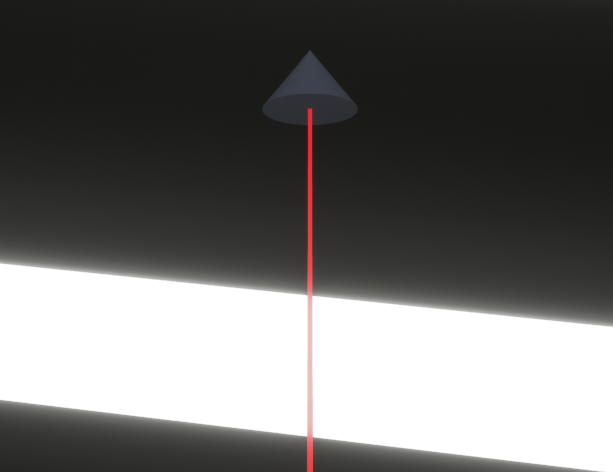
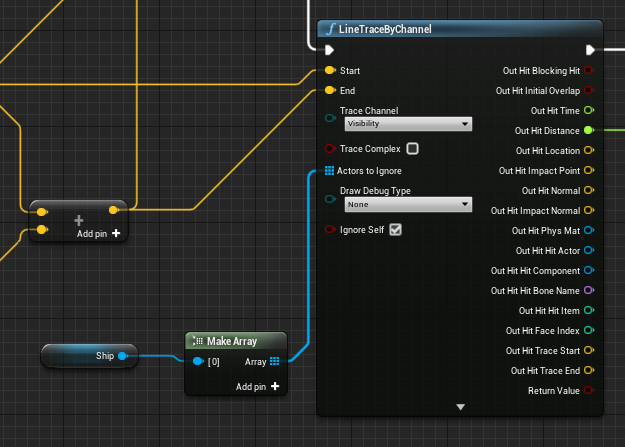
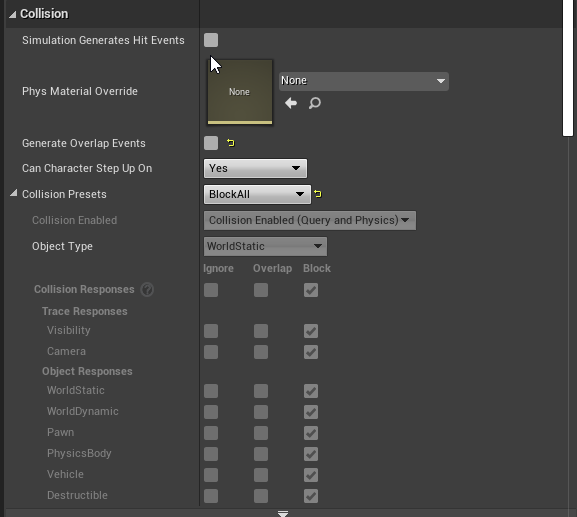
Anyone know why this line trace is not hitting?
https://i.imgur.com/ndcKHHC.png
 late shuttle
Try making a custom Trace Response Channel and seeing if you can force the engine to hit on that instead of "visible"
@olive sedge
olive sedge
Alright, one sec
@late shuttle same result
oh, it appears the trace is actually a bit too high / the wall a bit too low
 cyan surge
Best way to run code when an animation, not looping has finished in the state machine?
fleet cedar
Anim Notify probably
cyan surge
Correct c:
Is it possible to write from blueprints into a text file, that can be read?
I would ideally just print a string into it?
Ideally the result would also be plain text
icy dragon
VictoryBP plugin has that function - turning string into plain text file.
https://github.com/EverNewJoy/VictoryPlugin
GitHub
Rama's Victory BP Plugin. Contribute to EverNewJoy/VictoryPlugin development by creating an account on GitHub.
cyan surge
I take it that means its not native
icy dragon
Well, it's technically native. It doesn't use any third party dependencies.
It's just the C++ function is not normally exposed to BP.
cyan surge
Is it a complicated C++ function?
Because I mean I can just make a C++ class with that function, not sure if I need the rest of the 100+ blue print libraries and this add-on is for 4.20 would it work on 4.24.3?
icy dragon
It worked on my 4.26 using the same GitHub zip download.
Although I find this fork that might be resolve any issues with the Target.cs file:
https://github.com/meso-unimpressed/VictoryPlugin/tree/topic/non-unity-build

GitHub
Rama's Victory BP Plugin. Contribute to meso-unimpressed/VictoryPlugin development by creating an account on GitHub.
cyan surge
Thanks, haha I fucking love Rama lmao
This function looks perfect tbh, just checking the source file now
static void Victory_SaveStringToOSClipboard(const FString& ToClipboard);```I mean that's insane haha,
icy dragon
Try making a Print String node on Is Not Valid and setting it as the Breakpoint.
cyan surge
Possible its bound to control rotation, its its a pawn that's being possessed set the control rotation of the player controller instead
Oh, its a HeldObject ignore me lmao that does not sound like its possessed
That being said, your setting the world rotation so two things, your setting its value to 90 not current value + 90
and you might want to set the relative rotation not the world rotation if its held

I hope that helps c:
Additionally, use 90.0 not 90,0
that will likely matter, shocked its not an error tbh haha
It does appear that something else is setting its rotation,
icy dragon
cyan surge
that will likely matter, shocked its not an error tbh haha
It doesn't matter in BP. The BP automatically interprets it depending on the Region/Language settings.
Mine uses commas as decimal separator, and it worked fine.
cyan surge
Crazy, madness!
@swift pewter Looking at the video, it does appear that something else is setting its rotation, you would need to check the rest of the code attached to the actor
Especially check tick, its reset instantly must be tick 🙂
icy dragon
I doubt it's the physics' doing, as Set Transform nodes are "hard" set.
 royal kraken
A very stupid question, but I am trying to get my head round set and get variables. I have added the nodes for event begin play with a print string, As I have my variable I thought the variable should be set to a value of 11 but the print string comes up as 1 at the start of game play

how about this
 icy dragon
royal kraken
how about this
icy dragon
royal kraken
how about this
The Set didn't happen at all that way.
royal kraken
I thought once you set the variable that data is stored in the get
icy dragon
Set the value before print string. The execution order matters.
royal kraken
is the image above not correct now?
5+6 = 11 stored in the set variable, then the get variable recalls that number and adds it to 1 for the print string?
maybe I am thinking about this all wrong 😒
Oh
i get you, i have now fired the set off first then the print sorry 🙂
 icy dragon
royal kraken
icy dragon
royal kraken
Just a heads-up:
Tidy up your blueprint. Position the nodes accordingly.
You don't want it to be looked like a plate of Indomie Mi Goreng.
royal kraken
🙂 will do thanks
 pulsar valley
Hey guys, what's the best way to pass around structs between functions and events without copying them?
If I consider an event and set a parameter as to be passed by reference, then I get a bunch of "No value wil be returned by reference" warnings in the class
icy dragon
Behold the power of asterisk sign.
 pine rain
Anybody know why this doesn't work? At least anyone familiar with Delegates in Blueprints?


 supple dome

 vivid frigate
Sorry to interrupt ya lorash, Im having an issue implementing multiplayer. Whenever I launch in MP, I get an error in console spammed and the client loads in a weird spot, the host is completely fine. Sorry for jumping in xD
Eh but its blueprints fucking it up
Here lemme send a screen

Well; you can still get started with Tutorials
Their's plenty begineer stuff out there, watcha want to learn?
I came to unreal from unity so I guess I had it easy lmaoo
Yeah; but it translates to unreal is what Im getting at, I came to unreal with experience in programming so it wasn't too hard to pickup
The IDE is more similar then just basic commandline code in .NET lmao
yeah thats certainly true
Behemoth, try looking at begineer-based tutorials around blueprints.. I typically recommend udemy stuff as its credited, but ayeee. entirely up2u if you wanna go the free route (Plus Ive seen some great begineer tutorials on udemy going over the basics of the IDE and junk)
yeah ig
Tbh I hate reading documentation lmao
^^^^^^
 hazy igloo
You can search for similar projects on youtube. Like RTS, Egoshooters etc. There are so much of step-by-step tutorials
pulsar valley
Really? I had no idea, that's a bummer...
 mighty grove
when using blueprint in-editor functions where would I store persistent variables for that function? ie I have a Call-in-Editor function that increments an integer, when using a variable inside the blueprint the value gets reset each time the object is re-initialized (moved, level loaded etc). for runtime I could use game instance but that does not seem appropriate for in-editor functions
royal kraken
I have two buttons in the scene, when each one is clicked it brings up a screen widget, the only problem I have is when I click on more than one they start to stack up on each other, is there a way to only have one on at a time?
 dark crow
royal kraken
I have two buttons in the scene, when each one is clicked it brings up a screen ...
dark crow
royal kraken
I have two buttons in the scene, when each one is clicked it brings up a screen ...
You could store a variable where it's created and check IsValid on the variable at the start
If it's Not Valid means there's no Widget window so you never created it, if it's Valid means it's open already so in that case you do nothing
royal kraken
dark crow
You could store a variable where it's created and check IsValid on the variable ...
ok, thanks, sorry I am new to this, where do I attached the variable to? after add to viewport? I guess its a boolean variable?
dark crow
When you create the Widget, the return can be made a variable and it's a reference to the Widget that was just created
royal kraken
ok cool, thanks so would this work if I had say 10 widgets that I dont want to overlap?
dark crow
It works if for example you have a button that spawns a widget and you only want it to spawn once and while it's on screen it doesn't spawn anymore but if it's off screen again it can respawn
Like a DoOnce with Reset when the Widget gets removed
 true valve
So let's say I've separate materials for summer, spring, fall, and winter. Would it be possible to combine them so that season could be changed via blueprints?
royal kraken
dark crow
Like a DoOnce with Reset when the Widget gets removed
Ok THank you very much, I will do some test 🙂 thanks again
 unique harness
true valve
So let's say I've separate materials for summer, spring, fall, and winter. Would...
unique harness
true valve
So let's say I've separate materials for summer, spring, fall, and winter. Would...
yes
 left fulcrum
I am having an issue that has broken my game and I cannot for the life of me figure out what is going on. I have trial map and then my main map, I also have a save system to save the game but suddenly it only works on one of the maps. If I die on the main map then I respawn on the on the test map as it was the last save but if I save on the main map and die then the game crashes saying I have an infinite loop from the save game component. I figured I had messed something up and was gonna try to figure it out but if I play the game in standalone mode it works fine, so it just doesn't work in the editor so now I've got no clue what thats about.
I know its a bit difficult to answer without seeing the project but I can't for the life of me figure out why it works in standalone but not the viewport.
 peak cedar
@left fulcrum Might be something weird happening in the cached files. Did you try to delete intermediate and saved yet? (Possibly Binaires as well if you use C++ at all and this started acting up after a change there)
left fulcrum
Yeah I removed everything that I had changed before it broke but it keeps trying to call something I have since removed, not sure how to clear that kind of stuff
peak cedar
No, nothing inside of the BP.
Unreal caches changes. And only adds incremental updates. So if you change a tiny thing, it won't compile the BP from ground up.
This can sometimes break. In which case you wanna get rid of the incremental steps from before.
Which you can do by deleting the folders "Intermediate" and "Saved".
Saved includes your high res screenshots, savegames, autosaves, etc.
Intermediaite includes a bunch of cached stuff.
Neither contains anything that's necessary to run your game but they may include broken / outdated data.
If you run into super obscure bugs, it's usually best to make sure the content folder is savely backed up (usually via version control) and these two folders are deleted. So Unreal can generate all that data from a clean slate.
true valve
unique harness
yes
Where do I begin? Any docs or tutorials?
 untold palm
i made that Health/Damage system in my Character BP.

can i somehow make it, that this Bullet is Damaging the Player?
 unique harness
true valve
Where do I begin? Any docs or tutorials?
unique harness
true valve
Where do I begin? Any docs or tutorials?
I would look up material blending
unique harness
untold palm
can i somehow make it, that this Bullet is Damaging the Player?
looks like your pin is plugged into the wrong thing
unique harness
untold palm
can i somehow make it, that this Bullet is Damaging the Player?
You want to plug the Take Damage into Other Comp, not My Comp
My Comp is the projectile's component
untold palm
i see
unique harness
Other Comp is the component that the projectile hit
unique harness
untold palm
i see
actually, you probably want Other, not Other Comp
it looks like you've implemented your interface on the player class itself, not a component
left fulcrum
@peak cedar Alright I will give that a shot cause it sounds like that may be the issue here, so just back up my content folder and then delete the intermediate and save folder or do I need to do anything special before doing so?
also really appreciate the help
peak cedar
Nope. Just close Unreal and delete those two.
untold palm
unique harness
looks like your pin is plugged into the wrong thing
yeah it works now thank you
true valve
unique harness
I would look up material blending
Ok how would you blend 3+ material functions. I know you can blend two by using blend mat attributed.
 hushed pewter


So this hit result and find thing will break whenever i reload my project giving me errors, but otherwise it works perfectly.
Is there a way i can construct it later so it stops giving me these
 unique harness
true valve
https://gyazo.com/d3613f9c7b015106101a187fb518089b
unique harness
true valve
https://gyazo.com/d3613f9c7b015106101a187fb518089b
you should be using 1 scalar
true valve
unique harness
you should be using 1 scalar
How would that work?
unique harness
0 => spring, 0.33 => summer, 0.66 => fall, 1 => winter
idk
I'm definitely not a material expert
true valve
unique harness
0 => spring, 0.33 => summer, 0.66 => fall, 1 => winter
BMA only takes three inputs two for two seasons and I have four
Thanks I need to experiment
This looks better now. https://gyazo.com/7e9fddccc3508e078bd3cbe54321c6ab

 trim matrix
I can't figure out why it comes up once 4s the splash screen should appear first any ideas why?

 spark steppe
awesome screenshot... are you loading a level? because that would reset the UMG widgets iirc
trim matrix
yes
is after bild
project load but the I want avoid this black screen on begin
is show around 5s
olive sedge
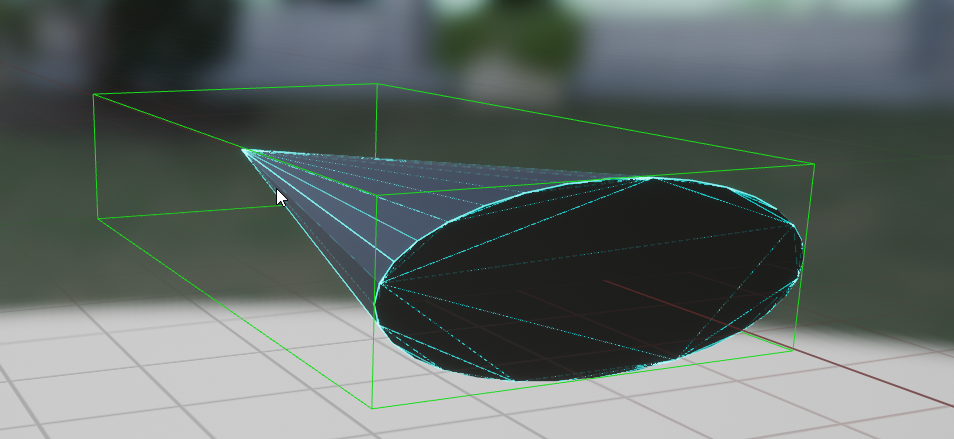
I need some help with fundamentals here. I have a small cone that I want to use as a kind of spaceship. How should I build this? I was thinking a scene root + a cone mesh but that gives me weird collision behaviour

to move it, I use AddInputVector on the movement component
unique harness
true valve
This looks better now. https://gyazo.com/7e9fddccc3508e078bd3cbe54321c6ab
I completed your single scalar solution 😛
unique harness
true valve
This looks better now. https://gyazo.com/7e9fddccc3508e078bd3cbe54321c6ab

BlueprintUE
@trim matrix look at my sexy 4 material blend 😛
🤣
olive sedge
Is there any way to enable collision for child components?
this is driving me crazy. I just want to have a static mesh with complex collision that I am able to rotate
 primal smelt
Hi everyone. Just confirming what I've looked up, but am I correct in saying that there is no way in blueprints for me to get a hit result from scene components overlapping? Haven't tried these yet but I think I can make it into an actor component and use event overlap or something like box overlap component, but I'm curious if I can just use the collision data for a scene component without taking those extra steps (which are admittedly not that many)
Ah actually event begin overlap doesn't do it, it's OnComponentBeginOverlap, which looks to be c++ and not bp
 twilit heath
use a sweep insteasd of overlap
primal smelt
twilit heath
use a sweep insteasd of overlap
How do you mean? Isn't sweep a result from an overlap?
royal kraken
How do you set a smooth crouch in the first person template, tried to follow a few tutorials but no luck
primal smelt
Also, OnComponetBeginOverlap is actually available on blueprint but only selectable if you choose assign. It seems to work in that the exec is firing off but not getting hit results. I did see a thread mentioning problems with this so I'll take a gander at that
 maiden wadi
@royal krakenPretty much the same way you do anything over time vs instant. It needs to be done via tick. How you want to handle that is up to you. Either camera rails, interpolation math, custom camera component, etc.
royal kraken
maiden wadi
<@!685939338865016955>Pretty much the same way you do anything over time vs inst...
Ok thanks, I managed to get it to go up and down but its smoothing it out seems to be tricky
true valve
unique harness
https://blueprintue.com/blueprint/qcy9majz/
Looks way complicated. I got this: #blueprint message
 steady night
is function " AttachahActorToComponent same as "AttachToComponent" ?
or rather replaced by it ?
 proper wyvern
Does anyone know how to get the normal vector of a mesh?
Specifically a procedural mesh
 fading wren
is it possible to rotate player on 35-45 degrees to inverted direction ?

i am already using launch characer, bounce works fine
i just need to find way to rotate player
to inverted direction
unique harness
@true valve I agree it looks more complicated but the utilization is much more simple. What if you want to slowly blend your seasons from one to another? What if you accidentally pass 1,1,0 and you're expecting summer?
unique harness
steady night
is function " AttachahActorToComponent same as "AttachToComponent" ?
Are you trying to attach an actor to a component or a component to a component?
slow phoenix
fading wren
i am already using launch characer, bounce works fine
If player have full view control, just let them do the job.
If you want to offer this as an option, then you need to call rotation on the movement component itself. It's just a bit messy when player controller have full control during this time.
true valve
unique harness
<@441113547540398091> I agree it looks more complicated but the utilization is m...
I tried to use timeline to blend seasons from one to another. The new season goes from 0 to 1 in 5 sec and the prev season goes from 1 to 0 in 5 secs. But it didn't work for some reasons.
 faint pasture
@primal smelt Think about it. WHERE would you say the "hit" is when 2 things overlap?
That's the difference between a hit and an overlap. A hit happens at the surface of objects and has a point. An overlap just says they're overlapping, you can't really say it happens at one particular point.
willow cedar
Any way to Replicate sounds from an audio component to clients. Specifically an Audio component attached to a player character
faint pasture
willow cedar
Any way to Replicate sounds from an audio component to clients. Specifically an ...
What is the use case? You should probably just replicate whatever is triggering the sound.
You probably already are replicating it actually
For example, you wouldn't replicate footsteps. You would replicate velocity and the animation system would use that to drive the animation and the animations would use notifies to fire the sound.
willow cedar
I have a player that can grapple, and when they do, if the boolean are correct, it will play and or stop a sound on their location as they fly
I got sound to replicate from a location from a line trace, but that doesn't have to change locaiton. It just gets the location and plays the sound on clients. I guess I just don't fully know how to do it for a sound where the position is changing
slow phoenix
not a sound engineer but wouldn't this usually 2 different object?
ie. the one owning player hear is not attenuated, and the one other clients hear owning player won't hear.
willow cedar
I have the owning player also attenuated because its a third person camera that gets farther away when they are moving fast
I'd like to keep the audio position dynamic to that
slow phoenix
the one other clients hear probably can be a different actor that attach to the client and destroyed once the player reach location.
yes, like a roaming rocket
willow cedar
Problem is that there are very fast velocity changes in player direction
Its not as simple as start here end there
It needs to get updated across the server is what I am guessing
slow phoenix
I know, I did like a 6 dof "Descent" like prototype with booster
like 4 months after initial UE4 launch
willow cedar
The problem with Play sound at Location, is that I need to constantly update the location, but not keep playing the sound
slow phoenix
there is a new audio system but I think the base concept should still be the same
willow cedar
Not sure how to accomplish this across server and clients
slow phoenix
so it's like this.
you have a component(which follows an actor) that plays certain sound track with attenuation
you move the actor the audio component will follow the actor
otherwise how do you do homing missiles with sound?
twilit heath
primal smelt
How do you mean? Isn't sweep a result from an overlap?
not if your'e interested in impact locations, overlap gives FOverlapResults, sweep gives FHitResults
willow cedar
I can't believe I forgot that the audio component would be replicating its location already
I guess the question now is how do I tell people which player it should be playing the sound on
slow phoenix
you don't
your audio component should be driven by player actions, so the sound start/stop with player actions.
you replicate player actions and the audio will do it's job
the audio system will handle the audio mixing for you if you setup your sound asset properly.
 unkempt aurora
Did you by chance ever get this fixed?
trim matrix
@unkempt aurora I think I might have, but I can’t remember what it was to be honest
unkempt aurora
trim matrix
<@702620593757093978> I think I might have, but I can’t remember what it was to ...
Bummer. I'm grasping at straws now. haha. Well if you happen to recall I'd be happy to try your solution. Thanks for the response
 mild ore
@unkempt aurora launcher editor has limited capabilities for cooking, and depending on your targets you may have to convert your editor and project for an engine built from source (eg github), which will allow a wide variety of targets.
unkempt aurora
mild ore
<@702620593757093978> launcher editor has limited capabilities for cooking, and ...
Hrmmmmm... Understood... this issue only recently popped up (as in it was packaging prior ~4.26.2 updgrade and now it isn't)... Thanks for the response!
mild ore
Hmm there might be some issues with 4.26.2 i'm not aware of. If you haven't change any of the targets, nor the project or cook settings, then we can assume it's a malfunction indeed. Epic should be notified using the bugreport form in that case.
unkempt aurora
yeah... i probably need to try building 4.26.1 from source first to make sure... doesn't look like you can downgrade. I don't beleive any project/cook/target settings were changed. Nothing showing up in my git log... Time to dig deep(er)!
mild ore
Just create a new basic project to reproduce the issue. Tho it may take some time to setup a new one but it probably helps to diagnose the problem faster.
olive sedge
https://i.imgur.com/2vHoQ8n.png
No collision.. Why oh please why? :/
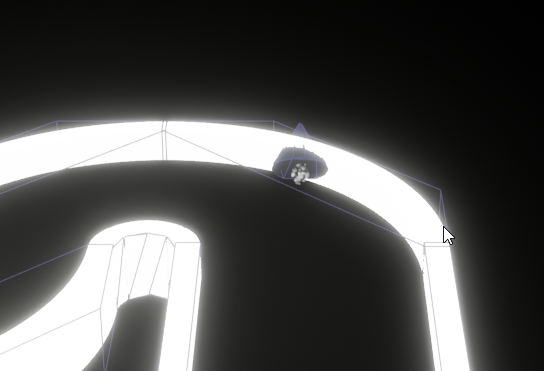
because I did world offset w/o sweep.. That seems to the issue. Now if only I knew how to set this damn thing to complex collisions.
 warped cairn
I have a worryingly simple problem I cannot solve... I am trying to get the position of another actor outwith my blueprint, the purpose is to calculate the distance between that object and my player. Why is this so darn hard? :/
olive sedge
@warped cairn hard to tell if you don't say how you're trying it
GetActorLocation is not what you want?
warped cairn
I tried that, but my actor (which consists of a widget and a collider) cannot be seen, this is as far as I got then gave up lol
 runic parrot
Hi guys! i'm having some trouble getting the key of one map.
i'm looping a map's values and if a certain condition is fullfilled, i want to get the key value for that entry. Anyone knows how to do it? this is my setup.
 runic parrot
warped cairn
I have a worryingly simple problem I cannot solve... I am trying to get the pos...
runic parrot
warped cairn
I have a worryingly simple problem I cannot solve... I am trying to get the pos...
can you explain a litle bit more what you are trying to achieve?
warped cairn
Set text on a widget showing how far the player is from it
runic parrot
maybe provide an example on what situation would you use it
primal smelt
faint pasture
<@365397632870383646> Think about it. WHERE would you say the "hit" is when 2 th...
@twilit heath Sure, but the rabbit hole lead me to screenshots such as this: https://answers.unrealengine.com/storage/temp/40647-bad+world+position.png
Sure enough though it seems like any solutions to actually getting an impact point from overlapping components is available, but hacky to get to.
I suppose what I should be asking then, is it possible to get OnHit to trigger without block collision being enabled? Because that is where this started for me.
 faint pasture
primal smelt
<@!352507850980851712> Sure, but the rabbit hole lead me to screenshots such as ...
faint pasture
primal smelt
<@!352507850980851712> Sure, but the rabbit hole lead me to screenshots such as ...
Yeah, sweep
runic parrot
warped cairn
Set text on a widget showing how far the player is from it
it's the distance between a widget and the actor or actor vs actor?
faint pasture
I mean, what are the shapes of the collisions?
olive sedge
@warped cairn you might want to connect something to that top GetActorLocation node?
runic parrot
i would get the widget screen position and translate it to game position, than use "Distance to" between that position and the actor position
primal smelt
faint pasture
Yeah, sweep
I'm not seeing a sweep pin on here
 warped cairn
runic parrot
it's the distance between a widget and the actor or actor vs actor?
warped cairn
runic parrot
it's the distance between a widget and the actor or actor vs actor?
Distance between actor and actor, the widget is within the world as a waypoint and is a child of the actor. I have tried casting to a function within the widget but the problem there is I can't cast as "self" from the actor that it's parented to, I don't know if I am just over complicating it or not
primal smelt
faint pasture
I mean, what are the shapes of the collisions?
This is the collision for the mesh, it'll be for overlapping walls (I'm not using physics for a specific purpose)
 runic parrot
warped cairn
Distance between actor and actor, the widget is within the world as a waypoint a...
runic parrot
warped cairn
Distance between actor and actor, the widget is within the world as a waypoint a...
i think i didn't get it. you want to check the distance between two actors and the problem you are having is that your widget is within other actor so you don't have the location?
warped cairn
runic parrot
i think i didn't get it. you want to check the distance between two actors and t...
Does that help any? I will focus on calculating distance once I can get that object in the bottom right.
 primal smelt
@faint pasture What I'm trying to do is when the weapon overlaps any bit of world geometry it records the location relative to the player pawn. So you hit something, it was to your left. It would be easy to do with an OnActorOverlap as I can just get the location of the actor and work it out from there. However if this was a curved bit of geometry for example it could report the player hit something behind them when they swung to the left.
olive sedge
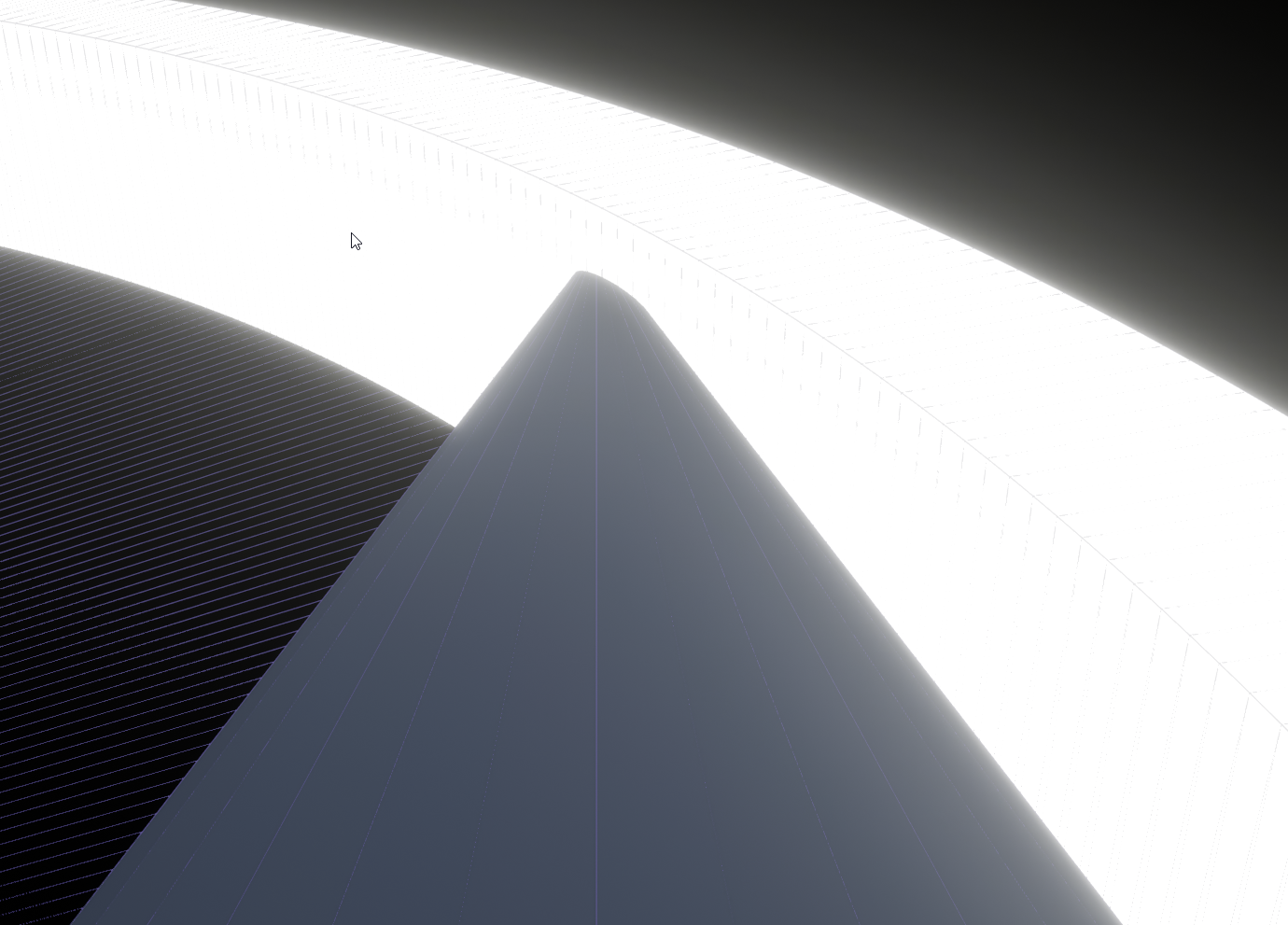
https://i.imgur.com/JRRmLmB.png Any help? How is this possible?
I have both the cone and the wall set to BlockAll
 runic parrot
warped cairn
Does that help any? I will focus on calculating distance once I can get that ob...
runic parrot
warped cairn
Does that help any? I will focus on calculating distance once I can get that ob...
What if you put that "object" as the root object and than on the widget, you do "Get owner" and from there, owner -> get actor location .
Let me see if i can do this one quickly and see if it's what you want
hushed pewter
Hey ive got 3 box collision components and i need too convert them into an integer or enumerator based on the returned values

I cant use arrays or maps because when i recompile is gives me errors that components dont work with primitive object refrences
olive sedge
Guys please.. Someone help! I have two pretty simple shapes that I created in Blender. I imported them as FBX, one of them is my pawn, the other a curved wall. I set project collision to Use Complex As Simple and both to BlockAll. The collision shapes seem to be alright but the objects are clipping: https://i.imgur.com/JRRmLmB.png
runic parrot
This? @warped cairn
primal smelt
olive sedge
Guys please.. Someone help! I have two pretty simple shapes that I created in Bl...
I'm not sure about use complex as simple, have you tried disabling that and just selecting use complex collision for that particular mesh?
olive sedge
Where would I do that? I only found that setting (complex as simple)
primal smelt
In the details panel - in a blueprint select the scene component, if it's judt placed directly into your level just select the geometry. Details panel is usually on the right, it'll be under collision
Actually hang on, I'm going off memory and that's been a bit crap lately. Lemme double check
olive sedge
 maiden wadi
It also depends on if the mesh on the pawn is the root component. By default, only the root is swept using normal movement components.
olive sedge
@maiden wadi yes, I made sure the the mesh is the root component
I move the pawn via AddActorWorldOffset with sweep checked
primal smelt
olive sedge
https://i.imgur.com/FMMjTnB.png
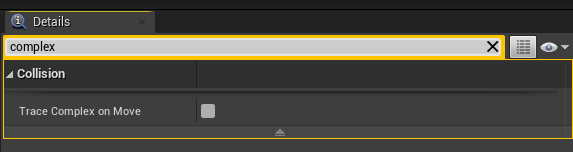
No sorry I'm talking rubbish, it is use complex as simple. Are you sure the collision profiles are set to block each other?
olive sedge
yes, absolutely
primal smelt
Vehicle simulating physics or is movement transform-based?
olive sedge
I move the pawn via AddActorWorldOffset with sweep checked
it's pretty simple stuff I want to achieve, really
A line trace does correctly stop at the wall btw
I suspect it's the cone but I'm not sure
primal smelt
olive sedge
I move the pawn via AddActorWorldOffset with sweep checked
Hmmm, I'm pretty new with unreal myself and so far I've only worked (badly) with physics. You could try temporarily enabling physics simulation and quickly put in a code on button press to add impulse and see if it hits the wall. If it does then it can't be a problem with your collision profile.
I may be wrong but I'm pretty sure some applications of transform based movement (which is what you're using) will put the actor where you've told it to, block collision be damned. That may be what you're running into but I couldn't say for sure.
olive sedge
well, it does that if sweep isn't enable afaik
I had this problem earlier and got it to work somewhot with simple collision but simple won't do for this game
primal smelt
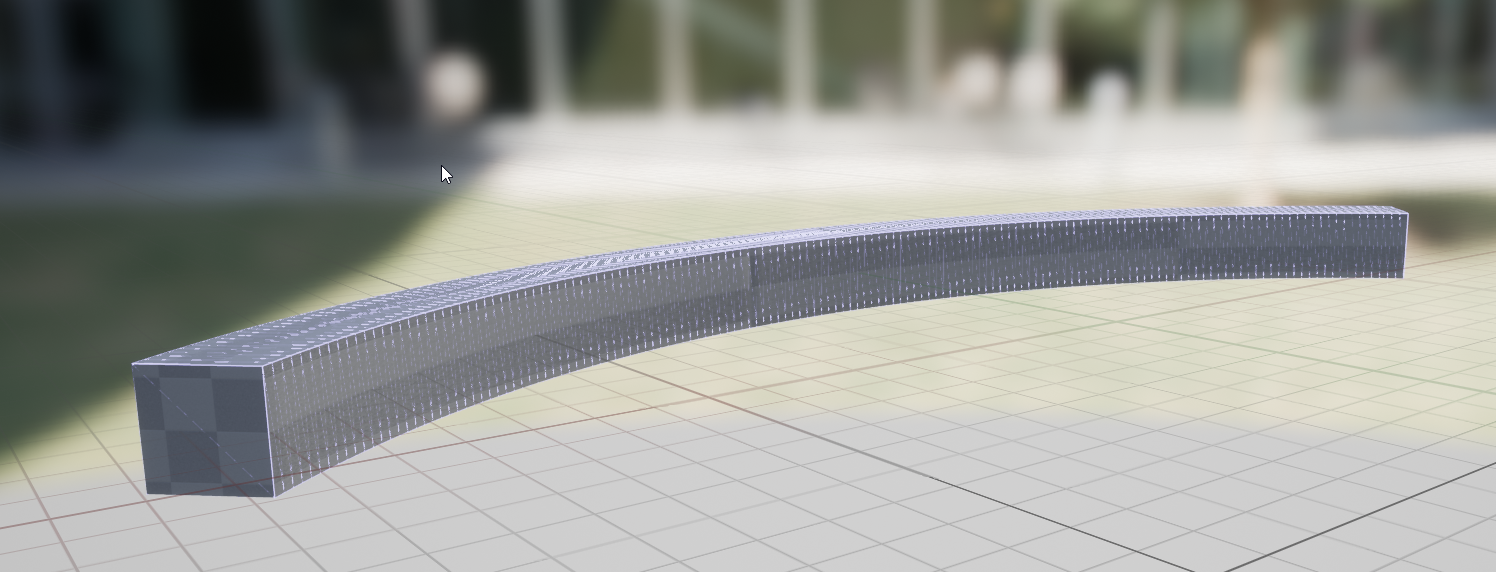
Does the collision look correct in the mesh viewer?

 warped cairn
runic parrot
This? <@!353900073182167051>
warped cairn
runic parrot
This? <@!353900073182167051>
Yep basically that, I found an easier way though, just assign a tag to the blueprint and get the object that way... I still think it's a bit dumb you can't cast with no actor specified though.
runic parrot
warped cairn
Yep basically that, I found an easier way though, just assign a tag to the bluep...
maybe it's easier with an actor and a text renderer attached to it, you can update the text renderer value on tick or every X time.
olive sedge
@primal smelt PIE: Warning: Trying to simulate physics on ''/Engine/Transient.World_19:PersistentLevel.BP_Ship_C_0.Cone'' but it has ComplexAsSimple collision. 😅
primal smelt
olive sedge
<@!365397632870383646> PIE: Warning: Trying to simulate physics on ''/Engine/Tra...
Ah, worth sticking that into google I reckon! I have yet to play around with complex collision so I don't have any experience with that error I'm afraid.
I was going to say, might be worth flipping the orientation of your player character so it hits the wall with the wide end and see if that collides - but that error might suggest that isn't the problem.
olive sedge
Aye. I just switched it to a floating pawn movement just to see what happens but it clips too
primal smelt
Although I suspect a very fine point such as that cone shape will cause problems - especially at high speeds.
primal smelt
olive sedge
well, that error only occurs if I want to simulate physics
Oh of course, sorry :p
olive sedge
The game I have in mind is really simple, actually. I want to race a cone around a track
it's pseudo 3D, really
for now it's even locked on the Z axis
primal smelt
Well I would try what I said about flipping the orientation and seeing if it collides then. That way you'll know the shape is definitely the problem
olive sedge
I just moved it backwards and it clips as well
primal smelt
Also, anybody available to help with my issue? Basically trying to figure out if I can get hit results without block collision. This isn't what I'm trying to do but if you imagine you want to fire a bullet (projectile and not raycast) and you want it to pass through anything it hits. Let's say it hits a wall. How would you go about having the bullet pass through the wall and leaving a decal in the correct spot it "hit"?
olive sedge
I just added a simple box collison on the mesh and set it to Simple And Complex
and it works as I would expect it to
primal smelt
olive sedge
I just moved it backwards and it clips as well
Hmm, I would try replacing the mesh altogether with a simple cube or something and see if it still clips. If not, then there must be something funky with your collision
Ah you essentially just did that lol
olive sedge
@primal smelt do an overlap event and add the decal at that point
you can create custom channels for that if you need to
primal smelt
olive sedge
<@!365397632870383646> do an overlap event and add the decal at that point
Well this is the problem I have, I can't get an impact point from an overlap
I just realised that a bullet is a bad example for my situation as it could be fairly easy to get location and rotation of bullet and add the decal there. However in my scenario, it is a swinging weapon and not so straight forward
olive sedge
@primal smelt do you do ActorOverlap or ComponentOverlap?
runic parrot
Any idea on how to make an item "Jump" when dropped? my items have a static mesh and i'm trying with apply force or with a timeline to transition location to a random location but it seems silly, anyone knows of a more eficient way?
primal smelt
Also @olive sedge , this is what complex collision looks like for me. Different colour, could be something to do with your preferences but might point to there being something wrong with your collision data
 olive sedge
I think that's just because of the darker material, hang on
primal smelt
olive sedge
<@!365397632870383646> do you do ActorOverlap or ComponentOverlap?
I'm using component
primal smelt
olive sedge
I think that's just because of the darker material, hang on
Ah you might be right
olive sedge
 primal smelt
olive sedge
https://i.imgur.com/CuJUgrV.png
primal smelt
olive sedge
https://i.imgur.com/CuJUgrV.png
Maybe re-do the model but make the sharp point a smooth one - I suspect that is causing some problems
But it's getting late so I'm gonna have to give up on my problem for now and call it a night. Good luck troubleshooting!
olive sedge
I put a cube on the tip of the thing and it doesn't change anything it seems, thanks for the suggestions though
sorry I couldn't help with your thing any more
trim matrix
hwo would i check if this array has double words in it

 gritty elm

@trim matrix
iterate using for each loop, if it is equal two times, then it have duplicate
runic parrot
also, if you don't want duplicates, you have an option "add unique" so ensure that
gritty elm
also can't you use "Addunique"? to your array?
so it won't add duplicate elements even if you try to add them
use AddUnique instead of Add
trim matrix
ooh great thanks
runic parrot
also, if you check extend from the array node and go into "utilities" -> "array" you can see all the options for an array
willow cedar
Any way to sync up a timeline value across multiple Clients to adjust pitch of a sound. Or is there a more smart way to do this.
dawn gazelle
Will your sound's pitch have any gameplay impact? If not, there's little reason to synchronize the pitch - in multiplayer you will always come across some latency somewhere, and in some cases, it'll be worse for others. For most sound in a game, I wouldn't imagine it being important that it is synchronized as two clients would not normally hear each other's audio, and unless there's something you've come up with where the pitch of the sound is tied to gameplay somehow, it shouldn't impact anything if one client hears a higher pitch than the other.
 rancid quartz
Hello, I'm having a bit of trouble with some movement math.
I'm in need of a formula/graph that will allow me to move a pawn along a spline using AddMovementInput (so the movement will replicate).
Any advice would be appreciated.
Cheers.
 cinder shell
hey guys! maybe someone can give me a hand here. I have a blueprint. It's vehicle. And I have some buttons and switches inside. And I need to click on those switches in FPS mode to run some functions. And I have a troubles to implementing it. OnClicked events doesn't work. I'm trying to just linetrace it from camera, but it seems like I did't recieve any hits from objects inside same blueprint. So how can I do it really?
 narrow kelp
@cinder shell line trace should work as long as your buttons have collision enabled
willow cedar
dawn gazelle
Will your sound's pitch have any gameplay impact? If not, there's little reason...
Thanks for the info. Definitely something to take into consideration. Thinking about it now though, it would be pointless to adjust pitch on Timeline if it was just a Linear value. I could do that in an audio program and save performance. The other test I did was adjusting pitch through movement speed, but I scrapped it cause it didn't give me what I was looking for.
 half sail
hi! does anybody know how to rename an instance of the blueprint on the level via construction script? \
 eager agate
is there a way to have an active blueprint that isnt spawned in the level
one that isnt the level blueprint.
narrow kelp
you can get class defaults, but i dont think you can call functions
olive sedge
any tips on how to connect first and last spline points?
 lyric urchin
im trying to smooth out a vector so that it tends to the lower values and discards huge jumps in the higher values. how would i go about doing this?

is this what i should use? im plugging in floats here and i cant get anything that does what i want it to
to clarify, most of the data coming through here will be around the same low values, but occasionally there are a few ticks that send huge values through which i'm trying to ignore
olive sedge
pretty much just use clamp
 mellow folio
lyric urchin
mellow folio
lyric urchin
What your describing could be achieved a number of ways.
1 - Multiply each vector by the square root of the length of the vector. This makes them all more similar in size.
2 - Keep a variable to track the floating average. For any vector larger than the average, instead only allow it to be somewhere in between itself and the average.
opal ivy
This may be more of a #cpp question, but I'm starting to get into exposing functions to Blueprints, and I'm wondering A) if I can have an event as an input for a node, and if so, B) is it a better approach to call that event when an async operation completes, or to use the "complex" nodes that have Completed (Exec) pins?
Would it make sense to offer BOTH?
slow phoenix
opal ivy
This may be more of a <#221799439008923648> question, but I'm starting to get in...
not exactly answer your coding related questions, but generally, the more "fire and forget" design approach is better than trying to check if certain things completed, you can always hook a dispatcher or shoots another event at the end of the execution
opal ivy
So likely it would be best to just use the "complex" and let the end user post an event if they want
lyric urchin
@trim matrix@olive sedge@mellow folio thank you guys for the suggestions. i was able to apply a method that seems to work right now. im smoothing the vector when it is larger than the previous one, and setting it directly when it is lower. simple solution, my brain has been going for too long today lol
mellow folio
It's important to do as much coding as possible when you're deliriously tired. This way, you leave lots of interesting unexpected presents for yourself later on.
 indigo raft
anyone familiar with networking?
wondering why my server owner can shoot but my client can not
 zenith kindle
try #multiplayer
runic parrot
Hi! i'm having some troubles getting the data from my dataTable, below there is some pictures. Any idea what may be wrong?


(they all throw "not found")
zenith kindle
type rowname in manually
 zealous moth
@runic parrot why are you using an enum for a name?? as fanarufas said, type it out manually first
runic parrot
if i type it manually, it works. but i need it to be dynamic. So i can get diferent rows based on the rarity of the item (enum)
zenith kindle
so then the problem os the enum conversion
runic parrot
i don't want to hardcode it, it's gonna be a mess later on if i change names o scale it
zenith kindle
try enum to string then string to text
runic parrot
yeah, weird, i tried just printing the enum that i'm using and it prints exactly the same
zealous moth
enum switch and use a string option
enums are not strings, they are bytes from classes
runic parrot
zenith kindle
try enum to string then string to text
this worked, thanks!
zenith kindle
must be ue4 bug that text convert dont work directly
runic parrot
it's weird, if you conect the enum into the row name, you get enum to name, but that one doesn't work.
As you said, you need to transfer to string and than that to name.
dawn gazelle
Just a heads up, the conversion of ENUM to readable names/strings and all that apparently won't work on a packaged game.
narrow kelp
you could always use a selector or something similar
dawn gazelle
Yep

 mellow path
i have a question about animation blueprints could someone help me?
 burnt nest
mellow path
i have a question about animation blueprints could someone help me?
burnt nest
mellow path
i have a question about animation blueprints could someone help me?
just ask, or we don't know if we can help 🙂
willow cedar
For a Cable Component attached to an actor, is there a way to set its endpoint location and have it stay there while I move around, because currently it will go to its location and then move with my character as I rotate which is what I don't want. The solution I had was updating the cables world location every tick, but I'd prefer another way if somebody knows.
I found you can set the location of the cable to Absolute position
That fixed it for me
lofty lodge
i'm looking to make a sub-menu similar to this, is there a video tutorial somewhere?
 glossy egret
i feel like this should be easy. but i cant figure out how to invert a ranged Float.
im calculating. a 0 to 1 range with a line trace. but the value is inverted.
so if the result is .2, it needs to be .8
in this case the full value 1 is the min result. and 0 is the max result
but i need it the other way around
any ideas
nevermind. it is easy and i just figured it out.
literally just subtract the value from 1 and return.
willow cedar
Any cool trick to limit player velocity so they don't go past a specific speed.
spark steppe
glossy egret
----
nevermind. it is easy and i just figured it out.
literally just subtract t...
this^ or a map range node
am i blind or does something simple as a "logger" method not exist (with different levels of log like info/warning/error)
 chilly jetty
Hi i have a question
is there a way for me to be able to bounce a line trace from the point of impact?
burnt nest
chilly jetty
is there a way for me to be able to bounce a line trace from the point of impact...
You could start a new linetrace on impact. Not quite sure on the maths involved to get it in the right direction though.
chilly jetty
burnt nest
You could start a new linetrace on impact. Not quite sure on the maths involved ...
yeah that's true, i thought about that but was just wondering if there was another method
burnt nest
Nothing built in, as far as I'm aware.
trim matrix
how do i make a particle system not play on start?
i want my particle to not play on start and only play when i call play particles
chilly jetty
you could make an event?
trim matrix
what event?
slow phoenix
turn off auto active if you place particle system in the scene.
(or on players/AI, etc)
icy dragon
Also you can start the emitter on pretty much any event or functions.
 violet wagon
is there a way to make black particles? Making the color black or using a black material for the particle make it disappear.
icy dragon
violet wagon
is there a way to make black particles? Making the color black or using a black ...
Set the blend mode as Translucent instead of Additive.
faint pasture
burnt nest
You could start a new linetrace on impact. Not quite sure on the maths involved ...
There's a reflect vector by normal node.
New trace on impact is the best way to do it.
burnt nest
Oh, cool! Good to know.
 silver edge
Does anybody know how I would do this? Or maybe somebody has seen a tutorial they could direct me towards. I want to have a wall jump for my first person character where the camera can be facing any angle but if you are in the air and you are touching a wall you can jump and bounce off of the wall. I already have a way to detect if you are on a wall I just dont know how to calculate the launch angle off of the wall with whatever momentum the player already has.
icy dragon
silver edge
Does anybody know how I would do this? Or maybe somebody has seen a tutorial the...
You can fake a wall jump with a double jump logic, and add impulse to where the character facing horizontally.
For extra measure, you can do a short line trace to disable wall jumping when the character faces the same wall.
pulsar valley
Hey guys, can someone confirm that there is no performance gain in using "pass by reference" for events/functions in Blueprints? I've read somewhere that it basically just copies the data anyway... is that correct?
icy dragon
chilly jetty
how can i have an infinite plane for a level?
By making it very large, and move it with the player's X and Y position.
chilly jetty
icy dragon
By making it very large, and move it with the player's X and Y position.
oh thats a good idea
thanks
icy dragon
If you want to have the texture appear to not follow the player, add World Position into the mix in the texture sampler's UV input.
silver edge
icy dragon
You can fake a wall jump with a double jump logic, and add impulse to where the ...
Ill give that a shot. Thanks
cinder shell
narrow kelp
<@!118491516229386244> line trace should work as long as your buttons have colli...
collision enabled as Query Only
 onyx violet
What's the best way to tell a dedicated server to travel to a specific level in blueprints?
chilly jetty
how can i make a projectile increase it's speed whenever it bounces?
onyx violet
is it a physics object?
 dusky harness
How can i disable motion blur with blueprints?
icy dragon
dusky harness
How can i disable motion blur with blueprints?
Console command:
r.MotionBlur.Amount #
 exotic moat
Hi just wondering why does this cause an infinite loop?
 dusky harness
You mean your loop doesn't stop when your Stamina variable reaches 100?
exotic moat
yeah well i get an error which closes the game and says infinite loop detected
nvm it's the delay
no idea why it makes it an infinite loop
icy dragon
Loop macros ignore latent nodes that are put outside.
olive sedge
Guys I have some complicated-ish math that I need some help with: https://i.imgur.com/L7mJqlZ.png
I've got point 1, the origin. I shoot rays at 270° and 180°, those create points 2 and 3. I need the halfway point of the triangle 1;2;3 as point 4 and point 5 as the same distance of 2 and 4 in the other direction.
Right now I'm trying to get point 4 and I'm stuck there.
I was thinking I could get the rotators 1->2 and 1->3 and half would be the rotator 1->4 but I can't get the rotation of the 2 vectors
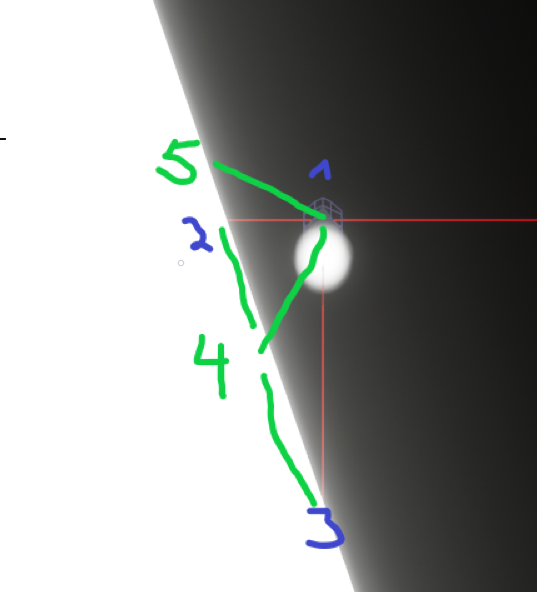
Can someone help?
it would probably be enough to know the distance between 2 and 3 (probably easy) and the rotation between them so that I could /2 the distance into that direction
 rapid robin
Hey folks, I'm spawning a Sticky Grenade at the point of where the projectile bounces. When the Sticky explodes, I want to slap a decal on either the wall it's stuck to or the floor it landed on.
So what I want to do is orient the sticky in such a way that it knows where the surface underneath it is when it's spawned, so I know how to orient the decal.
I guess I can break the hit result of the bounce and then do something with with the Impact Normal???

Great, thanks!
rapid robin
For those curious, you can plug the normal into a RotationFromXVector node to make a transform 🙂
 olive sedge
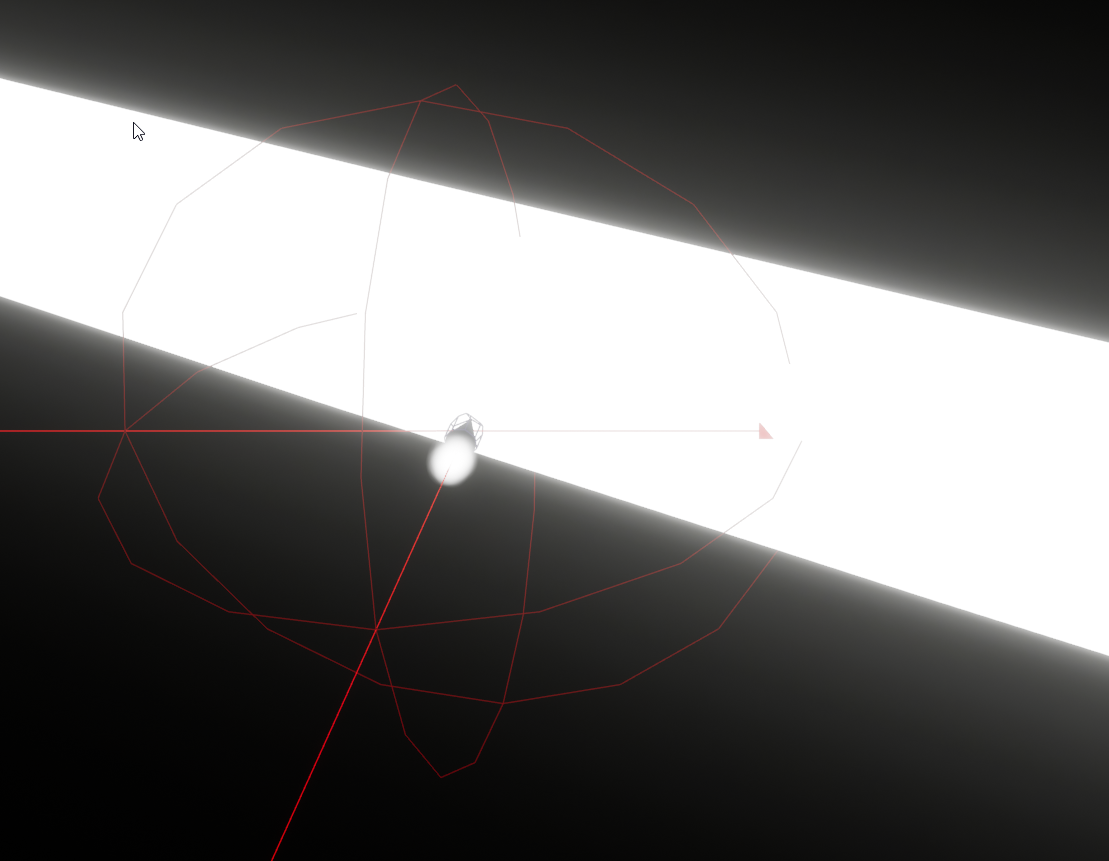
https://i.imgur.com/dwNtnm6.png Anyone an idea how to find out the closest point of collision between the collision sphere and the white wall?
 spark steppe
olive sedge
https://i.imgur.com/dwNtnm6.png Anyone an idea how to find out the closest point...
spark steppe
olive sedge
https://i.imgur.com/dwNtnm6.png Anyone an idea how to find out the closest point...
isn't that the hitLocation of the result of your sphere trace?
or isn't that a sphere trace?
 dull gale
Hey everyone, I'm calculating the angle between these vectors but the result comes from 0 to 180 degrees.
Problem is they're always positive values, and I either need a 0-360 range (ideal) or a 0-180 range with positive and negative values, any clue as to how I can get either?
 spark steppe
so your problem is solved by using spheretrace instead of line trace?
olive sedge
maybe, I'll try
spark steppe
ok
royal kraken
I have two three buttons on a widget, Button 1 is disabled by default, when I click button 2 it changes the color or object which is all good, when I click off the widget and load it back up again button 1 is still disabled, how can I make sure what ever button was clicked last stays disabled
maiden wadi
@royal krakenYou need to control your state. If you're removing and recreating the widget, your widget needs someplace to get what it has affected so that it can set itself back up correctly.
spark steppe
either you just collapse the widget instead of respawning it, or better you make up some logic which figures out if the button should be enabled or not
royal kraken
cheers guys, any tips on how this should look

 dawn orchid
I have an empty actor with just a cube mesh, when I place 1000 of these in the scene, I get crazy low fps,
But when I place 10,000 of the same cubes down as just static meshes, I get zero lag at all
tick isn't enabled, there's no logic, so what's causing this? I wouldn't have thought that an empty actor blueprint with nothing but a cube mesh would create such a performance hit? Am I missing something?
steady night
or do i destroy it or ?
maiden wadi
@royal kraken What does this widget do exactly? You said it changes an object's color?
royal kraken
maiden wadi
<@!685939338865016955> What does this widget do exactly? You said it changes an ...
Yeah currently it looks like this, M1 and M2 just change the colour
 dull gale
Hey everyone, I'm calculating the angle between these vectors but the result com...
dull gale
dull gale
Hey everyone, I'm calculating the angle between these vectors but the result com...
Solved it by taking 360 - angle if Y>0, giving me a 0-360 range
olive sedge
@spark steppe well.. I guess it does work somehow but I can't use a custom channel because it's generated by splines :/
maiden wadi
@royal krakenEither save a bool in your actor and get it on construct to set the buttons enabled state up, or get the actor's color and do some math on it to set it up correctly.
rapid robin
steady night
https://gyazo.com/9f1915118ef4e807ad99fa039d049efd
Store it as a variable, then tell it to "Collapse" (fancy word for hide and don't hit etc)
 olive sedge
@spark steppe and since it's a sphere now, the trace hits the ground
dull gale
didn't know about this, may go back and re-do it cuz it's a bit of a mess right now, thanks!
spark steppe
rapid robin
Store it as a variable, then tell it to "Collapse" (fancy word for hide and don'...
thats only something that should be done when the widget is used regular
peak cedar
dawn orchid
I have an empty actor with just a cube mesh, when I place 1000 of these in the s...
I'm not entirely sure what you did or didn't do different.
But a static mesh can not exist in a level. Only actors can be stored inside of levels.
So when you place a static mesh, it's really generating an empty actor that just has a static mesh component.
Meaning the performance difference does not come from actors inherently but, suspicion on my part, some optimization not being properly enabled. Maybe some setting disabled the autobatching, physics enabled, one has shadows on, the other off by default. Something like that. You can look over the details of your mesh actor in the level and try to figure out where exactly your actor is different.
spark steppe
olive sedge
<@!280376753363353600> and since it's a sphere now, the trace hits the ground
ok, back to your screenshot then, how does the sphere end up there? do you not get the location from the linetraces, too?
royal kraken
maiden wadi
<@!685939338865016955>Either save a bool in your actor and get it on construct t...
So a boolean from M1?
olive sedge
@spark steppe I had a sphere collision around the cone (vehicle)
dull gale
all I found online cuz I couldn't remember how to calculate the angle between 2 vectors 💀
olive sedge
@spark steppe it's pretty complicated. I want my vehicle to boost when it's close to the wall and I'm trying things to find out how to best do that
dawn orchid
peak cedar
I'm not entirely sure what you did or didn't do different.
But a static mesh can...
Yeah will take a look, this is a brand new project though so it's odd. Also just set the default light source to invisible and the lag is gone entirely
maiden wadi
@royal krakenYour BPMasterChild2 should hold a state variable. Either color or a boolean, or something. The widget should affect that, and at the same time that's changed, change what needs to change on the actor.
peak cedar
dawn orchid
Yeah will take a look, this is a brand new project though so it's odd. Also just...
Sounds like one had shadows enabled and the other didn't.
Nice shadows cost a lot of performance.
steady night
@rapid robin how do i do that how do i store it as a var +
spark steppe
olive sedge
<@!280376753363353600> it's pretty complicated. I want my vehicle to boost when ...
hmmm, the hit event of the sphere collision doesn't provide the necessary location?
rapid robin
steady night
<@!164741643889672193> how do i do that how do i store it as a var +
Left click the blue bit on the Create Widget node, then drag it out and let your LMB go on the grid. Then select* Promote To Variable*
 dawn orchid
peak cedar
Sounds like one had shadows enabled and the other didn't.
Nice shadows cost a lo...
dawn orchid
peak cedar
Sounds like one had shadows enabled and the other didn't.
Nice shadows cost a lo...
yep, set the light back to visible and turned off cast shadows and the lag is gone
royal kraken
maiden wadi
<@!685939338865016955>Your BPMasterChild2 should hold a state variable. Either c...
Thanks, so once I get that, back in the widget do I create a isvalid to check what color or function si being used?
olive sedge
@spark steppe I don't think it does or I haven't found it yetz
spark steppe
maybe the sweep result (haven't used it on my own yet, so it's just a guess)
maiden wadi
@royal krakenThe logical order would just be.. Open widget. Get actor, Check actor state, set widget buttons based on state. Use available buttons to set new state in actor, update actor's color based on new state. Close, destroy and obliterate widget. Repeat. Widget will update itself on Construct based on the actor's state.
royal kraken
maiden wadi
<@!685939338865016955>The logical order would just be.. Open widget. Get actor, ...
Ok cheers, I will try to create this thanks 🙂
olive sedge
@spark steppe well, yes.. But that is onBeginOverlap and it only triggers once
so the collision sphere is no good either..
I guess I could just cast rays from -90° to 90° every 10° or so
royal kraken
maiden wadi
<@!685939338865016955>The logical order would just be.. Open widget. Get actor, ...
As this is still super new to me, what node do I use to get a widgets state?
spark steppe
olive sedge
<@!280376753363353600> well, yes.. But that is onBeginOverlap and it only trigge...
but do you really need the location?
if it's to speedup your vehicle you can just set a boolean or increase your speed variable or whatever, and undo that onEndOverlap
steady night
@rapid robin https://gyazo.com/be8a2b4ef54b142b84bf946241b8c08d so liek this ?
 rapid robin
steady night
<@!164741643889672193> https://gyazo.com/be8a2b4ef54b142b84bf946241b8c08d so lie...
rapid robin
steady night
<@!164741643889672193> https://gyazo.com/be8a2b4ef54b142b84bf946241b8c08d so lie...
Not quite. When do you want to hide the widget?
runic parrot
Hi! i'm making a creep spawner and i'm running into this error where if i spawn a creep into the scene from the editor, the gravity is ok. But if i spawn them using the spawner, the stay floating in the air.

this is the spawner blueprint

does anyone have an idea of what may be happening?
rapid robin
runic parrot
Hi! i'm making a creep spawner and i'm running into this error where if i spawn ...
Could be that the spawning isn't happening on the server?
You could try copy/pasting that logic into the level blueprint and see if that works.
And then plugging in a nice location
steady night
@steady nightwhen clicken the button'
olive sedge
@spark steppe yes.. but I need to pull the vehicle towards the wall as well or it would just boost away from the wall very quickly
so that's why I need the overlap location. I'm thinking I could just cast 3 rays. back left, back center, back right
rapid robin
steady night
<@!343131586163638272>when clicken the button'
So you want to click a button, then toggle the visibility on/off?
steady night
yeah
rapid robin
With each click?
steady night
i already got a click to show it
and this is a seperate button
that will hide all
it*
rapid robin
ok one button to show, one button to hide?
steady night
yepp
rapid robin
alright
You wanna hide/show it, or you just want to create/remove it (or don't care)?
steady night
just wanna hide/remove
rapid robin
ok so don't care if you either hide or remove it?
steady night
hm, whats the downside with removing ?
i mean the first button creates it
but i guess i got create of start and let the buttons hide/show instead of create/destroy
dose it matter ?
rapid robin
Guess if you're using the widget a lot and there's stuff that persists then you might just wanna hide/show it. But either is pretty easy
steady night
will it affect memory alot ? creating or destroying ?
 strange igloo
Do blueprint children of UActorComponent not have an exposed constructor?
rapid robin
steady night
will it affect memory alot ? creating or destroying ?
Nah not really
You could do something like this
 runic parrot
Check flip flop node or just negate the previous state
steady night
@steady nighthm the widget variable
rapid robin
steady night
<@!343131586163638272>hm the widget variable
It looks like you're replying to yourself?
steady night
oh
rapid robin
Or you could drop one of these badboys in there
 steady night
oh okey ill save that pic for future refferense
rapid robin
rapid robin
Left click the blue bit on the Create Widget node, then drag it out and let your...
@steady night create the variable like this
How are you doing @steady night , tell me everything is cool
runic parrot
runic parrot
Hi! i'm making a creep spawner and i'm running into this error where if i spawn ...
Anyone have any idea on what may be happening there? can't find the issue :/
nevermind, found it. you need to autoposses the actor always (when placed in world and when spawned)
 jade frost
Hello! i usually get this message when i call a binded event declared on blueprint. It works fine, but its very annoying
 runic parrot
the message is telling you what is the problem, you are looking for an index that doesn't exists.
jade frost
well, im not accessing any value, its just a call event

its empty
true, i'll do that
steady night
@rapid robin oh yeah the problem is that other button is in another BP
thats why i cant get the variable

so i have to get the variable from another BP
i suppose ?
yeah thats the issue
i need a object ye ?
and what should the object be then
the BPs name ?
oh ok
strange igloo
The instance of the HUD.
steady night
hm how do i get that or :/ ?
strange igloo
You'll need to get a reference to it somehow. If you're sure that there is only once instance, then you get use one of the "Get All..." functions, then get a reference to the 0th element.
^ My bad, that's much better.
steady night
i did put it to a varaibel
the "widget varaible"


target self
T.t
but then the player index 0
still dont work :/
looook
im dumb

this worked ofc
the target im hiding is the widget im in so x)
rapid robin
Yeah communication between blueprints can be a bit freaky when you start out but it'll start making sense soon enough if you stick with it!
 delicate folio
was wondering if i could get some help on this - i have this sphere AI Blueprint i want it to chase the player while bouncing im using event tick to make it jump to give it that effect but it doesnt chase the player while doing so


with the event tick enabled it jumps in place and without it it just follows the player hovering
i've tried to do it with simulating physics to make it actually bounce as opposed to jump but it just bounces all over the place and doesnt follow still
rapid robin
@delicate folio , you could make it bounce vertically in its own blueprint. Then the horizontal movement could be taken care of by your chase function
delicate folio
rapid robin
<@!277167119878062080> , you could make it bounce vertically in its own blueprin...
how so - do you mean making it bounce in a separate blueprint and leaving the chase function within the actual AI's bp?
rapid robin
You could do it on a timeline too (might be easier)
delicate folio
i have no idea how to do it in timeline ngl i've never used timeline for movement before so i have no idea how to
rapid robin
Some more ideas to pimp it up a bit once you've got it bouncing: https://docs.unrealengine.com/en-US/Resources/ContentExamples/Blueprints_Advanced/2_1/index.html
An overview of the Advanced Blueprints example level, example 2.1: Timeline Animation
(pretty much what @trim matrix said 🙂 )
 kind niche
is it possible to run some blueprint scripts before packaging started?
trim matrix
why did not it work for me?
 delicate folio
i got it guys thank you for your help its working nicely now 😄
 tight schooner
kind niche
is it possible to run some blueprint scripts before packaging started?
tight schooner
kind niche
is it possible to run some blueprint scripts before packaging started?
any BPs placed in the level get their construction scripts run in advance and baked into the package
olive sedge
Anyone know what causes these fuzzy edges on my emissive material mesh?
https://i.imgur.com/9HaTBvY.gif
 dull gale
unsure if I should post here on or #umg but I have this system where the image colour changes when "selected". Is there an easy way to reset the colour if the image isn't being selected anymore or will I need a branch for each outcome?
 dull gale
olive sedge
Anyone know what causes these fuzzy edges on my emissive material mesh?
https://...
dull gale
olive sedge
Anyone know what causes these fuzzy edges on my emissive material mesh?
https://...
have you taken a look at motion blur?
olive sedge
oh, right.. could be motion blur. one sec.
dull gale
If it isn't enabled, enable it and set it to 0. Only way I could disable it on a previous project for some reason
olive sedge
@dull gale yes, it's motion blur. thanks so much
dull gale
nice!
olive sedge
I wish motion blur would die.
dull gale
wish you could have it off by default
 storm vigil
Hi. I am currently adding things to a template's stamina wherein if an item is present in the inventory it will boost the stamina increase rate. Currently the setup sort of works but if I consume a bit of the stamina and pickup the item it will first reset the stamina to the max and not the current stamina.
 primal smelt
Hi everyone, got a curious problem. I have created an actor that is just a capsule collider and I wish to rotate it. Seems like I have to child it to a scene component so I can then rotate it. However, while hit events fire off correctly when the collider is the root, after childing to scene component they no longer work. I checked collision profiles are correct and generate hit events is selected and they are. Any ideas what might cause this?
 gray nova
Hi, its possible to create a function that have a template input like <T>?
 river scaffold
Hi, Need standart setup for some number any weaponBP (from FPS Assault Pack) in one PlayerCharacterBP (from BallisticsFX), system for switch and Separate child class for any weapon.
Any ready for use tutorials or examples. May be SetVisibility in BP that enable/disable some weaponBP in PlayerCharacterBP or etc.
unique harness
gray nova
Hi, its possible to create a function that have a template input like <T>?
you can use Wildcards similar to template functions but not entirely the same
unique harness
storm vigil
https://gyazo.com/2ecbc423c47ddaf50a4028d9dafed523
Your logic doesn't seem accurate here. If you have whatever Item class you're looking for, your "StaminaIncreaseRate" will increase every frame
 ember veldt
primal smelt
Hi everyone, got a curious problem. I have created an actor that is just a capsu...
ember veldt
primal smelt
Hi everyone, got a curious problem. I have created an actor that is just a capsu...
Certain methods of moving actors only check collision with the root component I believe. Is it a movement component that is driving the movement?
unique harness
also if your StaminaIncreaseRate is ever 0, it will never leave 0
primal smelt
ember veldt
Certain methods of moving actors only check collision with the root component I ...
Ah I see, I'm actually setting the location of the capsule (the actor blueprint for it) to a socket in another pawn's component every tick (with sweep enabled)
unique harness
primal smelt
Ah I see, I'm actually setting the location of the capsule (the actor blueprint ...
if you read the description of the sweep flag, it only sweeps the root component
primal smelt
unique harness
if you read the description of the sweep flag, it only sweeps the root component
So it does, I genuinely read it when I was working out how to get it collide but had nuked the detail about root component by the time I got around to changing it's orientation. Thanks for pointing that out
ember veldt
I'm confused by what you mean about changing its orientation as root, can't you simply set the actors rotation in that case? Or since youre attaching it to another component, you can specify a relative rotation during the attach?
primal smelt
ember veldt
I'm confused by what you mean about changing its orientation as root, can't you ...
Yeah I'm getting socket transform (location and rotation) and just now working out how to change the orientation there. Here's what I've been getting. I just tried breaking rot and taking pitch and adding 90 to it but that didn't work.

That second circle was meant to be green, my art is ruined
This is all basically a work around for wanting to use the hammer's collision to get an impact location from an overlap when such a thing doesn't exist (although oddly obtainable at the phys x level with source code modification but not amade available by default). In all likelihood I'll end up using raycasts but thought I'd try this approach first
(the orientation is correct by the way with that 90 degree offset until the weapon starts swinging)
ember veldt
Can't you slap on a physics asset capsule collider on the weapon as a skeletal mesh? I'm not very experienced with this specific area, but that seems easier than doing it at runtime
unique harness
primal smelt
Yeah I'm getting socket transform (location and rotation) and just now working o...
You're better off just creating a custom mesh to use for collision or just use the default simple collision
this is not what the capsule collider is for
dull gale
dull gale
unsure if I should post here on or <#221799467689574410> but I have this system ...
Does anyone know anything related to this?
primal smelt
unique harness
You're better off just creating a custom mesh to use for collision or just use t...
Well I want something that is going to be larger than the mesh's collision, but with the intention of creating something specific for this purpose. In the meantime I'm just making sure the code works.
unique harness
I mean you can pull the mesh in to maya/blender, create a sphere and deform it in about 45 seconds and problem solved
 burnt citrus
Hi I have a question
Can I get "Tasks that is running in the behavior tree" in AI Controller BP?
unique harness
dull gale
unsure if I should post here on or <#221799467689574410> but I have this system ...
you can use a "Select" node to clean this up a little
primal smelt
ember veldt
Can't you slap on a physics asset capsule collider on the weapon as a skeletal m...
Well I am using the collision mesh to block the environment however depending on how the player moves the weapon they can rest it against a wall. This is what the collision actor is for.
primal smelt
unique harness
I mean you can pull the mesh in to maya/blender, create a sphere and deform it i...
Maybe, or I could use something that is already there and is colliding just fine for my testing purposes! That's still a whopping 45 seconds saved!
dull gale
unique harness
you can use a "Select" node to clean this up a little
I guess so but I don't see how that could solve my real problem. I'm trying to emulate a hovered state where the image temporarily changes colours to indicate the weapon currently selected (it's a weapon wheel). I'm trying something now that may work
unique harness
dull gale
I guess so but I don't see how that could solve my real problem. I'm trying to e...
I'll show you an example, I'm waiting on editor to open
dull gale
alrighty, thanks!
unique harness
dull gale
alrighty, thanks!
you could do something like this
 dull gale
oh wow that probably works yeah, I've been so stuck to the Switch that I didn't consider other methods
unique harness
but this isn't a great solution
a better would be to have an event dispatcher for when you switch weapons
then call this code when a weapon switch happens
instead of calling it every frame
dull gale
that would be okay, it's only called while I'm holding TAB and what I assume, for a few seconds, while the player makes the selection
unique harness
how does the actual weapon selection happen?
dull gale
it's a weapon wheel, activates when TAB is pressed and the player drags the mouse in the direction of the weapon, where the image is highlighted
willow cedar
I had a somewhat difficult thing I wanted to do, and I'm not that good with math to figure it out, so I drew up a image to help explain what I am trying to accomplish with Add Force.
 unique harness
dull gale
it's a weapon wheel, activates when TAB is pressed and the player drags the mous...
unique harness
dull gale
it's a weapon wheel, activates when TAB is pressed and the player drags the mous...
so how are you updating the selected value?
willow cedar
I saw some math equations online, but can't figure out how to translate it to Unreal.
unique harness
dull gale
it's a weapon wheel, activates when TAB is pressed and the player drags the mous...
however you're doing that, you can just run this code there and it'll be a bit better than tick
dull gale
unique harness
so how are you updating the selected value?
sets mouse to centre of screen, when player drags it, it checks the angle from 0-360°, each weapon is assigned an angle range (360° divided by 8 weapons, 45° range each)
well, each range is assigned a number, which corresponds to slots 1 to 8
unique harness
yea so just execute that code I posted when that happens
or you can do another method "SetSelectedWeapon" and call that from your mouse check and call it there
 brisk tide
What would be the best way to set my character to ragdoll if you hit your head against the landscape when doing backflips? I tried putting a sphere collision on the head and then ragdoll on component begin overlap but the problem is that sphere also interacts with other collision boxes I'm using in the level to trigger things and I'm not sure how to isolate it just to landscape?
brisk tide
I have tried custom collision but have't been able to make it work so far
 mental sail
Anyone have any suggestions for how to deal with anim notifies, I have two meshes that use the same animation and they play at the same time, one is for viewing and the other is for shadow only, and I have footstep event notifies on the animation they both play. But I want to prevent doubling of the audio, so I switched to using skeletal notifies which I can use as event triggers in animation blueprints. However, with regular audio notifies, I can set a bunch of options for location, (they fire at the bone location). However, with skeletal notifies, if I want to play a sound at location, I don't have access to the skeleton/bone location that triggered the notify... is there a way to for me to specify in an animation blueprint which bone the sound should be attached to?

 olive sedge
Anyone know how to adjust the volume on a Media Sound Component?
dawn gazelle
olive sedge
Anyone know how to adjust the volume on a Media Sound Component?
This could possibly be one way. Not entirely sure.

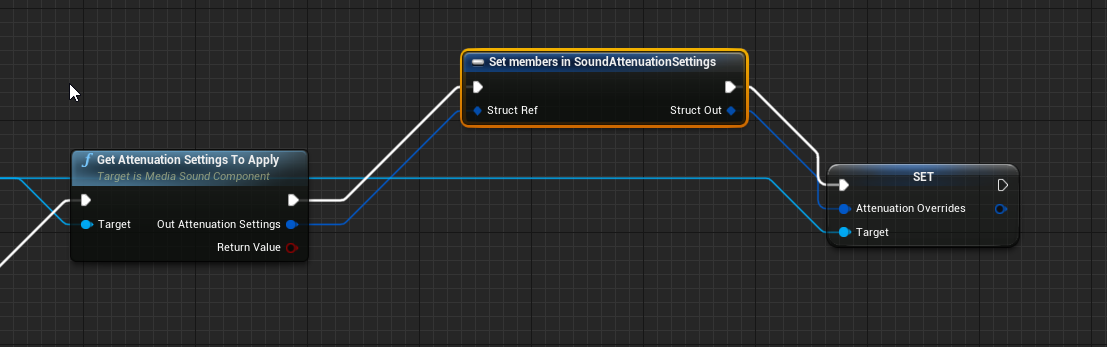 dawn gazelle
olive sedge
<@!218956378654507008> I'm not getting those pins
dawn gazelle
olive sedge
<@!218956378654507008> I'm not getting those pins
It's a big structure - you can select which pins you want when you have that node selected in the details tab.
 olive sedge
ah, right
doesn't seem to be working though
I don't think I'll be able to do what I wanted with my game
I meant to have an audio stream (online radio) and visualize that
but I can't set the volume for the stream and appearently it's only possible to visualize WAVs
dawn gazelle
From what I'm reading online, Media Sound Component creates an Audio Component. Also found this:
 olive sedge
oh yes, SetVolumeMultiplier it is!
Thanks @dawn gazelle
@dawn gazelle by any chance.. Do you know if it's possible to use Synesthesia with anything other than WAVs?
I wanted to have background music from an online stream and visualize it with Synesthesia
dawn gazelle
Don't know anything about Synesthesia... But... I'm guessing you're trying to use this node?
 olive sedge
yes
trim matrix
I have a dialogue system via umg where text fades in, and I have a blueprint, its a box trigger, is there a way to tell different instances of the same blueprint to set different text?
dawn gazelle
trim matrix
I have a dialogue system via umg where text fades in, and I have a blueprint, it...
Use a variable marked as "Instance Editable" and/or "Exposed on Spawn" and feed that into the creation of the widget and then use that variable to set the text within the widget.
 trim matrix
I don't follow
Like I get this picture, but i don't know how to make multiple instances of the blueprint yield different text
dawn gazelle
olive sedge
yes
Ok... So what you want to do is create a Sound Source Bus for the sound wave object. Then open it up and create an audio bus.

 trim matrix
Ok i fixed it
dawn gazelle
Then on your Media Sound component, you want to specify the new bus you just created (shown at the very bottom of this image)
 trim matrix
I see what you mean @dawn gazelle I set up a variable in the blueprint, and in the editor it will show up as a custom text in the details
dawn gazelle
That should pipe the audio from the media sound component through to the Calculate Frequency Spectrum node 🙂 At the very least, this is probably the direction you need to head in, in order to get the audio through.
dawn gazelle
noice!
trim matrix
I must say UE is MUCH easier then Unity 😄
olive sedge
@dawn gazelle damn! You're a total champ! Gonna try this later!
primal smelt
I have a static mesh component childed to root static mesh. Root has physics enabled, child does not. When child does not have auto-weld and collision enabled, the root behaves as intended. When auto-weld and collision are both enabled, I find that the root mesh is tipping over when previously it did not. Child mass scale is also 0. It feels like the center of gravity has been thrown out of whack, should this be expected even though the child component has no mass?
Actually nevermind sorry, forgot I asked this earlier in #legacy-physics and somebody has answered
 steady night
alright

and this
random integer in rannge
if min is 10 and max if 15 it would randomly take a number inbetween ?
right ?
dawn gazelle
Correct - but I notice that you've connected two wires from the Random Integer in Range output. Due to how pure (green) nodes work, you're basically rolling the dice for each wire. The way around this is to set the value in a variable after rolling and then referencing that variable.
steady night
hmm
hm yeah but thats what i want
or well
im tryping go get the min - max damage and roll a number inbetween
dawn gazelle
Which you are doing. The issue is the output - you have two connections coming off of it which will mean wherever you're using those two values, they likely won't be the same.

 dawn gazelle
Same problem, you've just moved it to the int to float conversion node.
You need to directly set the value in a variable from the Random Integer in Range node, then reference that variable where you need to use the value.

In this example, both "Armor" and "Health" would be reduced by the same amount.
In this one, health and armor would be reduced by a different random roll between 0-10

So armor could be reduced by 3, where health gets reduced by 9.
steady night
hm ok thanks! greate help i have to go now but im saving you info and fix it tomorrow
ty! 🙂
dawn gazelle
olive sedge
<@!218956378654507008> what is that "SoundWave" node?
I just created a variable from the Sound Wave input.
 olive sedge
ah!
 inland lark
argh, evening everyone
TL;DR
Got a WBP that shows the players health. defaulted to 100. I have a custom event that accepts the new health, and updates the text... the text coming in is right. the print to screen confirms that. but the actual widget text is not updating
the text object on the widget

the custom event

you can see I'm hardcoding the text here to see why it's not working, and then I also print out the value received from the OnHealthUpdated event

top left you see the hardcoded value, the updated health value, and then the 100 in the middle of the screen, is the WBP widget

wait
I'm gonna guess the "Server" in the text is a clue as to why it's not working

ok, ignore me. I'll be back
yeah I know, but I thought it was blueprint related
fleet cedar
When should I use a function vs collapsing nodes?
Is it bad to just copy paste the collapsed one? Just more data?
saves having to update both right? guess that's the main use
dawn gazelle
If the code in the collapsed nodes needs to be the same in both places, then you should use a function. If you ever need to update the code, then it'll update in both places, rather than you having to update it in two places.
olive sedge
@dawn gazelle ok.. so on Tick, I calculate frequency settings on a soundwave object StreamSourceBus
https://i.imgur.com/A5A7K2f.png
StreamSourceBus has StreamAudioBus
https://i.imgur.com/2jOxMbf.png
And my StreamPlayer effects on those as well:
https://i.imgur.com/KVEicc5.png
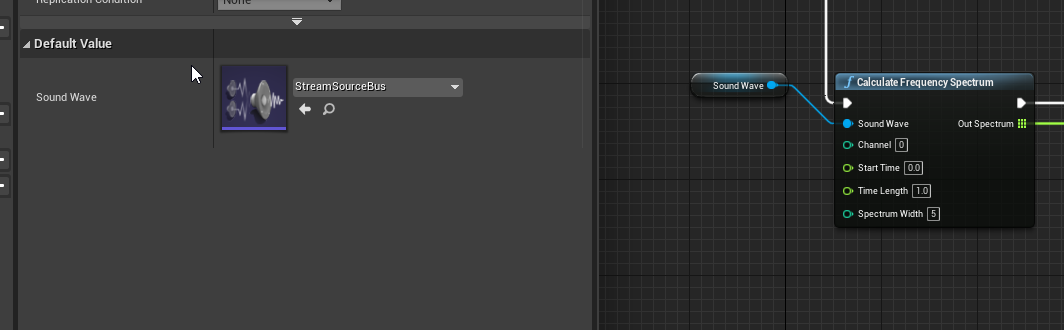
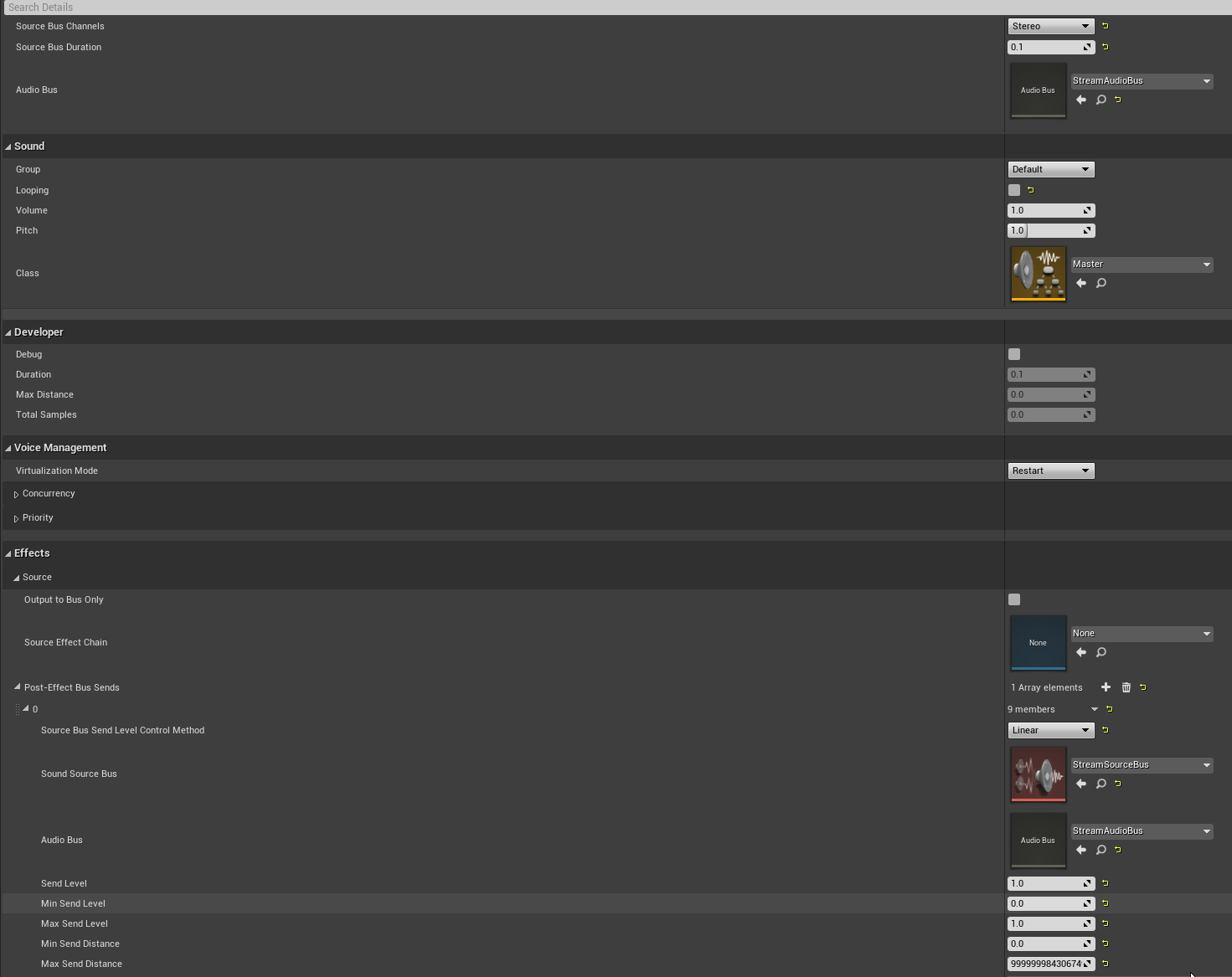
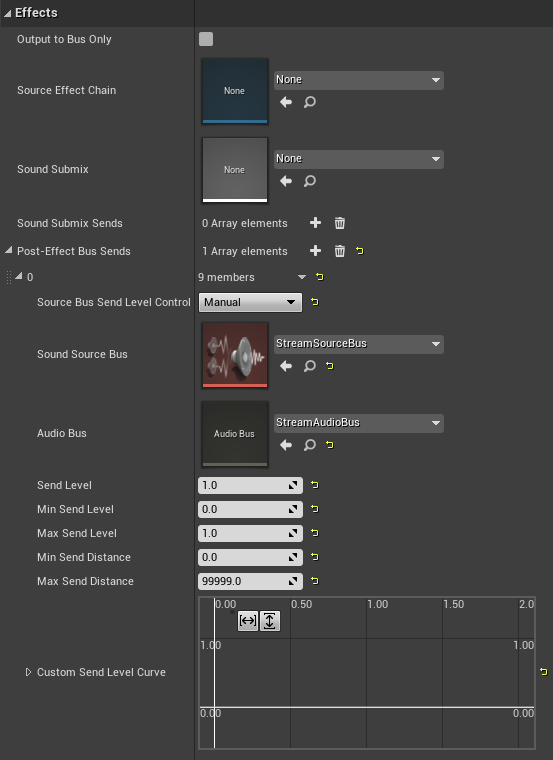
Should actually be enough if my StreamPlayer sends onto the StreamSourceBus, if that one has StreamAudioBus
but in any case, my frequency spectrum is empty
 sinful zealot
Does Blueprints have Queues? (Or can I only use Queues in C++? )
shadow saddle
any node i can use to let my chara fall to ground quikcly after jumping ?
not to say very quick but my chara feels like floating for a while when jump up before coming down
fleet cedar
Can I add a reroute node while already dragging a connection?
dawn gazelle
fleet cedar
Can I add a reroute node while already dragging a connection?
Yeah, just enter a period
 fleet cedar
ty!#
olive sedge
@dawn gazelle I tried outputting to the bus only and then playing it back later but the bus seems to be empty. Any idea what I might be doing wrong?
dawn gazelle
olive sedge
<@!218956378654507008> I tried outputting to the bus only and then playing it ba...
Nope - well beyond what I actually know - it just seemed like a logical way of connecting them up :/
olive sedge
Well, yes.. I think it's the right way to do it but it seems the media player is not sending it right
fleet cedar
Sorry for the dumb questions, but can I also ask, can I rebind the key to bring up the Actions search? I want to use Tab like most node programs
looking for it in keybinds
dawn gazelle
Tab does bring it up.
fleet cedar
oh lord
why did I think I had to right click
last question... in Houdini you can just disable single nodes on a stream for debugging, can I do this? or can I disable a whole section without breaking the connections?
severe turret
@fleet cedaryou can disable nodes but its not bound to a key by default. You have to check the settings but its there
dawn gazelle
shadow saddle
any node i can use to let my chara fall to ground quikcly after jumping ?
If you're using a Character that has a Character Movement Component, you can use the Gravity Scale on the CMC to make the player fall faster than other objects, otherwise, increasing the Global Gravity Z in the world settings works to make everything fall faster (default is -980, increasing this to -1960 would make the player fall twice as fast)
 solar sequoia
when using the attach component to component node, what's the best way to change where on the parent the target attaches, or is the only way to use a socket?
olive sedge
@dawn gazelle this one seems to have the same problem: https://forums.unrealengine.com/t/frequency-spectrum-analysis-of-a-source-bus-coming-from-an-rtmp-stream/217595

Unreal Engine Forums
Hello, I’m currently using the VlCMedia plugin to fetch an rtmp stream and play the streamed audio in my level. It is working fine, but I would like to perform frequency spectrum analysis on this audio I created a Media Sound Component linked to the Media Player fetching the RTMP stream and inserted in the level I created a Source Bus I root...
fleet cedar
severe turret
<@!432813805077004298>you can disable nodes but its not bound to a key by defaul...
weird disable is working but enable isn't
 severe turret
its two keybinds. for some reason it doesn't flipflop
fleet cedar
I tried that too
severe turret
hmm might be a bug then. I should check it out
fleet cedar
Okay I changed it to Always Enabled
that worked...
thanks for the help! these little things are huge
dawn gazelle
olive sedge
<@!218956378654507008> this one seems to have the same problem: https://forums.u...
Maybe set your StreamAudioBus to Automatic?

and maybe StreamSourceBus to Play when Silent

Again - this isn't something I know well at all.... Just throwing guesses based on what I'm reading online.
 worldly gyro
Why people using blueprint execute command instead of blueprint quit game for quit the game ?
tag me if you speak
icy dragon
worldly gyro
Why people using blueprint execute command instead of blueprint quit game for qu...
I assume because of dependencies? Exitting the game is one console command away, but Quit Game is a function from Kismet System Libraries that has extra functionalities.
worldly gyro
For move menu A to menu B we do a "add viewport" for display the new menu and a "remove parent" for remove the display of the previous menu right ?
 icy dragon
worldly gyro
icy dragon
worldly gyro
Yes, however, your node is targeted to Self, which means the Multiplayer Menu widget will be destroyed first instead of the spawned Server Lobby widget
worldly gyro
icy dragon
Yes, however, your node is targeted to Self, which means the Multiplayer Menu wi...
Yes it is what we need no ?
icy dragon
worldly gyro
Yes it is what we need no ?
The Server Widget might linger on the viewport, because the widget doesn't seem to be contained inside another widget. (Calling the Create Widget doesn't necessarily mean the widget that spawns it owned the widget)
worldly gyro
i don't understand
@icy dragon
i ahve to remove parant after add viewport the other menu?@icy dragon
trim matrix

if tab is pressed i want to set menu variable to true
its a very easy task in cpp but i dont know how in blueprint
can someone tell me?
willow cedar
How can I make a thing so that players don't spam a button.
Basically I want a Event to only go through if 3 seconds or more has passed since the last input
dawn gazelle
willow cedar
Basically I want a Event to only go through if 3 seconds or more has passed sinc...

Attach whatever you want to do after the timer.
trim matrix
dawn gazelle
do you also know how i can set a variable to true after tab is pressed?
solar sequoia
I have an input in my player character and want to be able to trigger an event in a different blueprint. Is a BPI appropriate for this?
I understand the basic concept of a bpi and it just doesn't seem right for what I'm doing
and by bp type you mean like an actor?
I keep seeing the "takes damage" example for BPI and that makes sense to me but I'm literally just trying to trigger one node from a different blueprint
so I should call a function to do that?
what's the input for the custom event called?
and do those work between blueprints?
so for example if I'm doing an input I'd be able to just plug that red node into a custom event and send it to a separate blueprint where it triggers what's after it?
don't you need to in order to trigger it?
I guess I don't get what the target pin on that node is supposed to do
oh okay
but in my case if I'm taking an input from my character and just trying to trigger something in a BP for another actor is that the same?
dawn gazelle
solar sequoia
but in my case if I'm taking an input from my character and just trying to trigg...
Will that Actor always be the same class of BP?
solar sequoia
yeah it's just for this one BP class
the input is actually just to test something without having to trigger it manually so it's only for this specific thing
dawn gazelle
Then BPI is probably overkill. Get your reference, set it in a variable of the class of the object you're wanting to interact with, and call the function directly.
Eg.

yea
solar sequoia
so the reference is so it knows what classes implement it?
oh okay
so that reference is a reference to an instance of the class that's spawned?
also I don't see the target node even with context sensitivity turned off
so you make a custom event and just attach it?
I think I get that but I honestly just don't know how to make the custom event node
I'm only seeing the red node that only has a pin on the right
dawn gazelle
solar sequoia
I think I get that but I honestly just don't know how to make the custom event n...
Create a function within your target blueprint or...
 worldly gyro
#blueprint message help.
dawn gazelle
The blue node would call the red node.
 solar sequoia
ah okay
dawn gazelle
Now the blue one would call to a specific instance of the BP's red node.
 solar sequoia
is cast to used to get a reference or is that something else
dawn gazelle
Casting is for something like this. The target requires a reference to the appropriate class.

 solar sequoia
so from get all actors of class I can use the square pin as a reference to a single actor?
so I actually need a reference to that specific actor in the world to be able to do what I want?
dawn gazelle
yes
solar sequoia
this is literally just for a troubleshooting thing before I even implement anything else so would it work with only one spawned?
get all actors of class, I mean
it lets me plug it in
I think I might have it working actually
yeah it seems like it
so now I know I can just use custom events for that thanks
final skiff
Can anyone help me figure out why this blueprint isn't working, basically its meant to wait till the player approaches the object and presses the use key, it works fine when theres one instance of the object, but when theres multiple copies the input isnt detected no matter which instance im standing in front of
 fleet cedar
on a sphere trace, is the location here the impact point?

 formal portal
I messed up my first person character blueprint somehow and want to original one back. Any way to do that?
Like, the one you load in with.
Seeing as how I seem to not have source control set up, I think migrating will be easier.
I already have a project I can do that with.
dawn gazelle
final skiff
Can anyone help me figure out why this blueprint isn't working, basically its me...
How do you know the input is not working?
final skiff
I'm watching the blueprint on my second monitor, all i can say to that effect is that the pulse from the input action lights up when there is one instance of the object, but no pulse if theres multiple
dawn gazelle
Try putting a print string on your input action and see if any of the objects make it appear on screen.
final skiff
good idea, i'll give it a go
 vast acorn
I'm trying to perform an interpolation that I'll be using for "Add Controller Yaw Input" to add up to 90° smoothly, and I'm looking at timelines and interpolations, but it seems like timelines and interpolations are for movements between values, rather than movements between sums. Is there a way to like... interpolate up to a sum? E.g. is there a timeline that lets you set keys by area under the curve, something like that?
final skiff
Alright that helped narrow things down quite a bit, now i know that both the key is getting pressed and the score is increasing, however it seems the score is only increasing within one of the trigger boxes, always something

 vast acorn
innnnnteresting, thanks, I'll look into this -- there might be some trouble 'cuz this is in VR and the HMD slash camera is still going to be bobbing around in whatever direction, but I'll report back
dawn gazelle
final skiff
Alright that helped narrow things down quite a bit, now i know that both the key...
Great, and your score is increasing on each as you're keeping score on that blueprint. Each instance of the blueprint, so each one of your CoffeeText objects, will end up with its own "Made Coffee Count" variable. If you want to increase the score for the player, then you should store the value perhaps on your TopDownCharacter as you're using your overlap cast which appears to be getting the specific reference to the TopDownCharacter already.
tight schooner
@trim matrix My current project used to be fully nativized, but I get the impression that nativization is getting buggier with each new UE version, so these days I use it for actor/component classes that are strictly limited to a few math/loop/tick heavy functions.
icy dragon
Inclusive BP nativisation is a bad idea.
 mighty ravine
I'm trying to change a widget image/brush on a button press from a character bp and nothing I'm trying is working. Does anyone have any resources/can point me in the right direction?
unique harness
mighty ravine
I'm trying to change a widget image/brush on a button press from a character bp ...
you should change it inside the widget
mighty ravine
I presume you mean with bindings?
unique harness
or a function
 sterile quest
Running into this error. Also the BP that is spawned into the scene isn't being affected by gravity even though it's toggled on. Also this is a skeletal mesh.

Not sure how to resolve this problem
My BP


So not sure if it's BP dependent that is causing the problem or the skeletal mesh itself.
unique harness
sterile quest
Running into this error. Also the BP that is spawned into the scene isn't being ...
what is the error, show where the print statement is
sterile quest
It's the "Mesh Missed" error that's repeatedly bring printed to the screen shown in the first image.
sterile quest
BP Compile shows no errors.
 shadow saddle
dawn gazelle
If you're using a Character that has a Character Movement Component, you can use...
shadow saddle
dawn gazelle
If you're using a Character that has a Character Movement Component, you can use...
tq
mellow path
im having a problem with my blueprints. I'm trying to make it so when an enemy catches you, it plays an animation blueprint then restarts the level. It doesn't rotate my character all the way when im backwards and doesn't play the animation blueprint. If someone can help me, I could really appreciate that.
sterile quest
@unique harness See my reply?
mighty ravine
unique harness
or a function
I figured out what to do, but thanks for being engaged!
unique harness
sterile quest
<@!209383767322656768> See my reply?
yea I do now, just tag me next time. Are you using some plugin? Something is generating these on screen messages.
 deep cove
Hey guys. Where can I edit for special hand poses?
Can someone do a screen grab of the location where I can connect a Break, to force the hand into my desired pose?
I know how to create the pose, and I can even make it switch in the Hand Anim BP, but I can't (for the life of me) figure out where to connect the Break point in the code. I've tried in Pawn/Motion controller/Grasping hand, event graphs, and my hands still just act as normal, with no forced hand pose. I watched 5 videos on how to do it with a button press, or event, and none use the VR Expansion plugin, so I'm at a loss.
Please help.
sterile quest
unique harness
yea I do now, just tag me next time. Are you using some plugin? Something is gen...
This started being a problem when using Skeletal meshes. Using a basic mesh did not have this problem. The only plugin I am using is the Ocean project.
Which shouldn't be interfering with the basic functionality of UE4.
unique harness
then unless they've added something I don't know about, I'm not sure of the issue
sterile quest
Fuck
sterile quest
unique harness
then unless they've added something I don't know about, I'm not sure of the issu...
Okay thanks. Hopefully someone else here will know or be able to help.
Is there any way to view error messages outside of the BP Editor? Like in the main editor window?
sterile quest
So just noticed something, when I compile the BP for the ship, it shows the "Mesh Missed" red text. So it seems to be BP caused but I don't know by what exactly.
sterile quest
So adding ANY Skeletal mesh causes the red text to appear. Even ones that come with UE4.
So the Mannequin (both male and female) skeletal meshes also cause it.
 sleek pecan


 unique harness
does it need attached or just placed at the location?
 cyan prawn
@sterile quest message is being printed on the viewport using printstring (I think). This not an engine generated error. It is being generated by your or the plugin's blueprint/c++ code. If you didn't add any such logic to your blueprint then it must be from the plugin. I'm not familiar with the plugin you mentioned but you are probably using it wrong.
sterile quest
cyan prawn
<@127940829275750400> message is being printed on the viewport using printstring...
I have confirmed it is one of the components that are required for the plugin to work. However there is not a location to add in the missing mesh that is throwing the error. I've asked on the Ocean Project Discord, so hoping I can get a answer as to weather or not the component that is provided (Advanced Buoyancy) supports Skeletal meshes or not. As there is little to no documentation for the plugin (it's free, so I guess that's the standard for free plugins for UE4), so I can only play the waiting game now.
cyan prawn
@sterile quest Many free plugin's have excellent support. Good luck.
 sterile fjord
Making a damage system and I don't want it to start regenerating shields unless my shields are below 1.0 and I'm not currently taking damage for at least .3 seconds. I was thinking about doing it by checking the alpha layer of the image I used as my damage indicator on the HUD, but can't figure out a good option. Doesn't matter the route really as long as it doesn't try to fix it while I'm taking damage still
 dawn gazelle
 sterile fjord
ty giving this a go @dawn gazelle
deep cove
sterile fjord
Making a damage system and I don't want it to start regenerating shields unless ...
Should be pretty straight forward.
Set a delay, then check if taking damage. If still taking damage, delay, check damage, if not taking damage, start repair. You can put a break in there, if you start taking damage, stop repair, as well. Bool are great for this sort of thing.
sterile fjord
deep cove
Should be pretty straight forward.
Set a delay, then check if taking damage. If...
ah you'
re right
deep cove
sometmes we get too tunnel visioned.
You could jerry rig a fake timer with a timeline, this would make for an easy way to break from the repair by IfTakingDamage --- Stop timeline.
sterile fjord
Here's what I came up with if anyone's interested. Just promoted by function to an event, made a quick variable and the rest was easy. Thanks @deep cove
 deep cove
You might need to add a do once in there, since it will running the delay every tick. After the delay you can unlock the doOnce.
It's just that I had issues with ruuning things on tick and timelines without a doOnce in there to kept it honest.
You can test this by having it OnTick delay , then make a sound. If after the delay you have 1000 sounds at the same time, you know there is an issue.
deep cove
sterile fjord
Here's what I came up with if anyone's interested. Just promoted by function to ...
just to keep it clean
 waxen cobalt
I wanted to experiment with the chaos vehicle plugin I did it by looking at videos or forums but it doesn't work. Can you help me?
severe turret
follow the documentation to the letter.
 leaden goblet
is it possible to implement drag and drop with widget interaction component?
when i use "Press Pointer Key" the mouse dissappears and drag is not detected
 tacit maple
If anyone is familiar with Runtime Virtual Textures and is willing to try help, please pop me a dm 🙂 Thanks so much.
 vale bluff
is it possible to call a component from a different blueprint, im also using "RVT" trying to make snow footprints on my landscape.
 turbid valley
how can i make that cast work

 wary fern
@turbid valley is the "sauna" a character or is it a hot tub?
Hover over the empty pin and see what it asks for
get that object reference and plug it in
if it's a character look for "get player pawn" or something like get player controller or get player character. If it's a "sauna" for example, you can "spawn actor from class" spawn the actor and right click the blue output pin to create a variable reference to that actor that you can then use to alter the variables within the sauna (and simply access them)
every object that isn't a discrete variable is an actor, therefore it would be too convoluted to be able to reference an actor like this, as there are not quite any segments below an actor that can cast to an actor? something like that I suppose