#blueprint
402296 messages · Page 597 of 403
 maiden wadi
Alternatively, a tunnel is just a tunnel. 🤷♂️
Most people make them with splines and spline meshes. Generally seems to be the go to way for most roads.
@minor lynx Wait, if you have the datatable, why can't you just populate the dropdown from the StringTable you get from the datatable and then use that string on the datatable to get the right row when you need it?
@minor lynx Like so, or am I misunderstanding?
 orchid garden
@maiden wadi reworked the interaction like you suggested, litterally got rid of all the crossed out, and now have similar interface calls in the various interaction actors that are all working A++ 🙂
maiden wadi
Haha, I know them feels. Specially when you start working with some serious math stuff. Nodes everywhere... And you convert it into five lines of C++ code and a single node call.
orchid garden
heh yep 🙂 makes ya feel good you optimized it to work better.
 drowsy wyvern
Idk if anyone can help point me in the right direction but I wanna ask. You buy thing off the marketplace in order to make development easier, so say you buy something called "DemoCharacter" and in the blueprint its called DemoCharacter and there's a lot of variables with the word "Demo" in them and you want to use this in your game but dont want everthing saying "Demo" the whole time... Is there any way to batch rename things so you dont have to go through and search for every instance and possibly miss one and break everything? or am i going about trying to use things I've bought in the wrong way?
 quasi frost
@drowsy wyvern Shouldn't really matter, your player wont see it. I guess you don't want people who decompile your game to see it? I use ThirdPersonGamemode and ThirdPersonCharacter for everything.
drowsy wyvern
yeah i know it doesn't really matter lol and its honestly just because i don't like looking at it and sometimes I would prefer to use a different naming convention to make it easier for me to remember. I suppose everyone just deals with it lol darn
@quasi frost
orchid garden
or rename things / change paths / one bit by bit.
 weary crown
I'm trying to line up a VR environment with a real world environment that matches. What I am thinking of doing is placing the controllers in two real world locations which correspond to locations in the unreal editor, and then somehow making it align me based on that. How would I do that?
Is there a way to get the positions of the controllers individually? And then move the headset relative to where the controllers are supposed to be
maiden wadi
@weary crown #virtual-reality Will probably know the answer to those questions better. Sounds simple enough though. 🤷♂️
 modern cove
I'm making a UMG for the purpose of showing characters talking. How do I make it so that the text in the box shifts up 1 line each time a new line beyond the capacity of the box is written? I have the Text box set big enough for 4 lines; there a way to have it so that when it reaches a 5th line, Line 1 gets pushed out while the other 3 each move up 1 row?
 minor lynx
maiden wadi
<@!110089160437559296> Wait, if you have the datatable, why can't you just popul...
minor lynx
maiden wadi
<@!110089160437559296> Wait, if you have the datatable, why can't you just popul...
I need this for a function input not a ui combobox. functions require a type for the input box. I need the type to result in a list of the datatable rows. I solved it with an enum for now. might explore slate late to learn it
is there a way to get notifies for a sound like you do with animations?
 dawn gazelle
minor lynx
I need this for a function input not a ui combobox. functions require a type for...
dawn gazelle
minor lynx
I need this for a function input not a ui combobox. functions require a type for...
Could you not just feed your function the array of names and then look them up? If you must send over all the rows in a list, then you could store them in an array of your structure, or better yet, a map of row names to the structure.
dawn gazelle
minor lynx
is there a way to get notifies for a sound like you do with animations?
Best you can do that I'm aware of is if you're playing using one of the audio nodes that has a return value, then you can bind to certain things happening with the audio.
minor lynx
dawn gazelle
Could you not just feed your function the array of names and then look them up? ...
im trying to end up with the ability to have a function like this but instead of an enum its a list from the rows of a datatable. im using an enum as a workaround right now but it means keeping up with the list in 2 places. oh well
so this is fun. playing sounds is not effected by global time dilation but delays and timelines are. so its real fun lining up events with a sound when you're timelining the dilation
nvm i found a checkbox to make timeline ignore dilation lol
dawn gazelle
minor lynx
im trying to end up with the ability to have a function like this but instead of...
Would something like this be an acceptable compromise? Effectively you're choosing the values from the drop down list, but it needs to be defined which in a variable.
(Obviously with the outputs of said function being whatever you need them to be)
minor lynx
eh i got other ways to do it with variables and such but i wanted it to be as easy as calling the utility function, its being a function to make things faster and easier. since its really only replacing the need to do string formats everywhere i think i prefer the enum over extra variables. thanks for the suggestion though
 novel birch
Hey all!
First of all, Happy New Years!
I have a quick question. I have 3 classes. ClassA, ClassB and ClassC (Names for ease of use!). ClassA is a BP Class, and ClassB/ClassC are C++ classes. Inside of ClassB, I am storing multiple children of ClassC (using TArray<TSubClassOf<ClassC>>), and in ClassA (the blueprint class) I want to access a specific child class of ClassC, from ClassB and access a function from it, but I cannot figure it out for the life of me.
Any/all help is appreciated, thanks!
I've read over this message a fair few times, and even now I'm confused as to what I've written haha, if you want me to elaborate further, let me know!
maiden wadi
@novel birch Your storage in ClassB that holds your ClassC types needs to be in a UPROPERTY() with BlueprintReadWrite, or BlueprintReadOnly (Which it should be a UPROPERTY anyhow to handle garbage collection), Class C's function you need also needs to be a UFUNCTION(BlueprintCallable) or UFUNCTION(BlueprintPure)
On a side note, you cannot access functions from a class. So if you're storing them as classes(TSubClassOf), then you wouldn't be able to call a function on the instance.
novel birch
Yeah, I fixed the problem above a few minutes after sending the message, the problem I'm having now is, well, what you said. Whilst I can put the function in the blueprint, it's throwing an error with self not being valid for the target.
I don't even know if this is possible, but (somehow) I need to do class ref -> object ref conversion.
maiden wadi
Only way to do that, is to spawn the actor, or create the object.
novel birch
Wait, yeah - I don't know why I didn't think of that.
I shall give it a try, thank you!
 quick lance
I'm getting a standalone mode only crash that occurs when I create a custom class object inside my player controller class. Does anyone have any idea what things standalone does differently than PIE or packaged?
 fair magnet
Hey there... I've made a Blueprint interface with a struct as an input...
I need to chech wether the passed struct is already present in an array or not...
In these structs there are things like names and description... so will a "Find item" node check the structs member vars if they are the same ?
or will it just return me the first it finds since it's all the same struct ?
 magic oak
Usually structs will have a default compare operator that checks the values of each member
 rough jay
why is adding to the forward vector so different from multiplying, afterall isnt it just your forward vector, like adding changes the whole thing for me and does wacky stuff
 atomic salmon
@rough jay when you add two vectors the respective components get added one by one, so [X1,Y1,Z2] + [X2,Y2,Z2] = [X1+X2,Y1+Y2,Z1+Z2]. Visually it is like starting to draw the second vector from where the first one ends. The sum vector goes from the start of the first one to the end of the second one. Try it on paper. You will realize that the sum vector has the same direction of the two vectors only if they have the same direction to start with.
When you multiply a vector by a float the vector just becomes "longer" (or shorter if the float is < 1.0) but doesn't change its direction. N*[X1,Y1,Z1] = [N * X1, N * Y1, N * Z1]
If N is negative the resulting vector has the opposite direction of the initial one, but it is still aligned with it.
 gritty elm
how to check if animation is support root motion or not
 tough trellis
a very good game to practice unreal blueprints is a game called mechanica its not quite complete yet but its blueprint system for setting things up is really cool if using it for a good game id say start off on easy if your not good with figuring stuff out quickly while if you are good then do normal the game gives a good amount of enemies without over doing it that way while if you are gonna use it only to learn then they have a creative mode to so to build super bases is awesome also
btw didnt know where to post this info so enjoy
 uncut sonnet
I’m attempting to bring in some 2D artwork in 3D. One of the issues I’m facing is that the 2D artwork needs to be split across is several layers, some behind the player some infront, ive made all the individual artwork, for all layers. However, if i move something in away from the perspective camera it becomes smaller. This is the expected behavior, but I was wondering if there is a way in blueprints to have a plane move toward/away from the camera but to not scale.
Due to the sequence using a 3D character Its not possible to use an orthographic camera.
I might be tackling this issue from the wrong angle too, so any suggestions welcome.
 near flint
any reason why the SetText isn't working? i have a widget in gun actor, and it shows up but the SetText is not working. the "Debug" print appeared. so the Custom event is fired...
 worthy tendon
@near flint well check if the "Points" text is visible. or maybe it's not added to viewport
worthy tendon
near flint
any reason why the SetText isn't working? i have a widget in gun actor, and it s...
to test this, get the text value from Points and print it.
 loud igloo
Hi guys !
I've a question about code structure. Let's say I have an Actor which handles tasks management through a typical interaction system. The read only datas from this Tasks Manager is needed in many different Actors or UI to display informations.
How would you guys structure the system so there's no strong dependency between the Tasks Manager and the others Actors/UI ? (Not linked through GetActorOfClass or linked through the scene)
 cold raft
@loud igloo - I'd like to the know the answer to this question too. What I currently do is spawn the object and keep in the PlayerCharacter class so I can get to it from anywhere, but not sure if that is the best way to do it.
 trim matrix
guys can anyone tell me why this is not working? it looks ok but it doesnt work
cold raft
storing root objects in player character - good idea or not?
@trim matrix - begin overlap triggers lots of times. Try adding a Do Once at the start of it to make sure it isnt flicking on and off 20 times
trim matrix
cold raft
<@456226577798135808> - begin overlap triggers lots of times. Try adding a Do On...
K thx
 solemn parcel
Hello, on any project I make, wherever the camera is, If i input Axis Back/Forward or Left/Right, at each input there is a little 'snaping' of the camera
How can I stop this ?
loud igloo
cold raft
<@!208679999891308545> - I'd like to the know the answer to this question too. W...
Yeah this way can do the job but it doesn't seem like the right way to do it I think. I have found Sub Systems which are working like custom GameInstances but it's only in C++ for now. You can access a subsystem from any blueprints. Here's a screenshot :
solemn parcel
How can I get the axis value of an AxisInput to be the 'value' of a timeline ?
dawn gazelle
You can't set the axis input to a specific value. You can do math on the axis value with the value of the timeline. What are you trying to accomplish?
 chrome kraken
is there a way to open a url and get the content of it?
dawn gazelle
Are you looking to get like a JSON response or something like that?
chrome kraken
yeah
dawn gazelle
If you want it really easy, VaREST is a free plugin that can do just that.https://www.unrealengine.com/marketplace/en-US/product/varest-plugin

Unreal Engine
Plugin that makes REST communications much easier.
chrome kraken
@dawn gazelle
dawn gazelle
Oof
chrome kraken
is there anything else?
 dark crow
I can download it, odd
chrome kraken
dark crow
I can download it, odd
can you zip it and send it to me?
dark crow
Sure, gimme a moment, not at the PC currently
chrome kraken
dark crow
Sure, gimme a moment, not at the PC currently
nev i got it, i had to relog
dawn gazelle
Nice.
 keen seal
Hi, I have my variable called CanShoot? It can only change once I release my fire key. How can I make the player stop shooting while he's still holding down mouse1?
chrome kraken
you can have it set the var can shoot to false on the released action
dark crow
Mmh, when something happens you could Clear / Stop the timer if still pressed
keen seal
Ah, good idea!
dark crow
Like when the Ammo is out
Or you could not do that and have a branch that checks if the Ammo is out for example on the timer
And play a different sound when it's out
A lot can tie with the Timer and Custom event, you decide what
keen seal
Thanks, you've given me some ideas.
I'll figure it out.
 empty siren
hello people, does anyone have information about soft references and if its benefit can be viewed on the sizemap of a blueprint?
 rare gale
An anyone explain why the player character (Character class) will return an updating World Location, but another pawn (Pawn class) I possess will not? It updates when I first possess it, but not on tick. Not sure where to start to figure this out. GetPlayerPawn returns the correct possessed pawn and is deemed valid along the execution path and RootComponent is set to the correct thing. Just doesn't seem to be updating the WorldLocation
 proud hull
gritty elm
is there anyway to combine skeletal meshes?
proud hull
gritty elm
is there anyway to combine skeletal meshes?
Check out mesh merging example here: https://docs.unrealengine.com/en-US/AnimatingObjects/SkeletalMeshAnimation/WorkingwithModularCharacters/index.html#meshmergeexample
Describes the different methods you can use to create modular characters comprised of multiple Skeletal Meshes.
gritty elm
gritty elm
without set master pose
@proud hull thanks, but is there any other way like merge static mesh
proud hull
That is without it. You use the C++ code provided.
gritty elm
so there is only single skeletal mesh instead of multiple
proud hull
Yeah, that code merges them.
maiden wadi
@empty siren Are you asking how soft object pointers affect encapsulation? IE how much data might get loaded if you load a blueprint with a lot of hard pointers versus soft pointers?
@rare gale The pawn that's having trouble updating the world location, how does it move, and what is it's component hierarchy like?
empty siren
Nah I understand how it works roughly just wondering if the size map utility shows them being used correctly. @maiden wadi
maiden wadi
@empty siren What are you using to check? Not seeing anything related to Size Map.
empty siren
I'm using the size map to check how much memory the blueprint uses if that is what you mean?
maiden wadi
I was just curious. I can't find anything related to Size Map or Size Map Utility.
rare gale
@maiden wadi It's using physics to provide impulses (Drone) and has Capsule for the root and everything under it is a child of the main mesh
This is a project I dug out of the mothballs and it used to work the way I want so I'm not sure what changed. 4.24 to 4.26 I think?
maiden wadi
If the capsule is the root, is the capsule the one having impulses applied to it?
rare gale
no, it's the mesh... hmmm, that's starting to feel like a good place to start
maiden wadi
GetActorLocation will return the location of the root component. Simulating physics on the mesh will detach it from the root, which will leave your capsule where it's at.
rare gale
yup, I hadn't thought of that... although, I did just recently change that hierarchy, but I can't remember what it was before. Either way, good place to start checking. Thank you
 faint pasture
@rare gale Also you don't want impulses, you want to use add force
rare gale
why is that?
Actually, looking again, it's not physics enabled. that's why I'm using impulse instead of force... either way, got some work to do but seeing the number move correctly now. Thanks for the help
faint pasture
Because Force takes frame rate into account and impulse doesn't.
rare gale
they work the same otherwise? I thought one required physics and the other didn't... if that's not the case I'll give that a shot.
Thanks for the heads up
 shadow saddle
ok so
when my stop timer var become true
it somehow run both true and false
is this normal
chrome kraken
try setting a delay
 dawn gazelle
You shouldn't need to check for that on tick. If you're setting the stop timer boolean somewhere, you can stop the timer through an event.
dawn gazelle
How are you setting the Stop Timer boolean?
dawn gazelle
Ok, so instead of turning that value to true through your interface, on your function, you can stop the timer directly.
or call whatever functions you want.
dawn gazelle
Can you provide a screenshot of what your interface looks like?
dawn gazelle
Where are you defining your timer?
dawn gazelle
ah sorry, I've confused what you said originally, I was thinking you were running a timer.
shadow saddle
the funny thing is
it keeps running even tho its false
i mean like
i have a print string which only print if false
now its true
but it keeps going
wut
dawn gazelle
So you're still seeing "timer not stop" being printed after setting that boolean to true?
shadow saddle
let me try timer
i think this is ue4 prob
u cant even disable event tick in widget BP
dawn gazelle
I have this running on tick within a widget. I only see "Hello" being printed when I've clicked an on-screen button. Maybe you have multiple copies of the widget blueprint running?
shadow saddle

ok i found a way
instead of calling timer in widget bp
i do it in my player bp
working now thx anyway
orchid garden
don't ya just hate it when.... you disconnect a pin in one of your blueprints by acident and.. it takes you 2 hours to find that pin again because it doesn't cause something to break, but not function fully?
dawn gazelle
oof >_<
orchid garden
wasn't anything critical, but man... that was a pain lol. lesson learned.... never close the blueprints before testing fully lol.
i gotta quit getting sidetracked and bouncing between things too, need to focus on one thing at a time.
 tidal venture
Is it possible to check if an Actor* coming from a function is null or not? I can't find any info on this on google
dawn gazelle
IsValid?
tidal venture
I was actually looking for that but I didnt see a fitting IsValid node
what's the category of that function, do you know?
ah i found it
thanks!
(i didnt search with dragging the output pin at first, i guess that is why i didnt find this IsValid function)
 weak kindle
L have create my ai character movement with blueprints.Now the problem is can l set the movement locations wothout need duplicate the actor?l mean copy paste actor on level but they will have different locations to go
 robust cliff
Does anyone know if there is a way to set a niagara particle system without having multiple components attached to an actor?
maiden wadi
@robust cliff What do you mean by "Set"?
 astral tangle
How to draw more consistent arrow depending on the object's forward vector speed? It's just all jittery when the object is moving, any workaround on this?
the code im using
from event tick
maiden wadi
@astral tangle Only real way to lessen that would be to save a few frames of the forward vector, and average them. Would smooth it out a little.
robust cliff
maiden wadi
<@!239241945938001922> What do you mean by "Set"?
nvm i think i found it. I want to change the niagara particle based on a boolean thats all. I wasnt getting a dropdown, but I think i created the wrong variable type
@maiden wadi I was wrong.
maiden wadi
Still not sure what you're trying to do? Are you trying to update a particle emitter's variables, or change the whole emitter, or?
robust cliff
Ok. So say that I have 3 booleans (fire, water, ice).
If fire is true and water and ice are false then I change the particle to fire.
If ice is true and water and fire are false I change the particle effect to ice
@maiden wadi
I mean do you follow me bro?
dawn gazelle
Sounds like you should use an enum
robust cliff
So yes i guess I am changing the emitter
orchid garden
weak kindle
L have create my ai character movement with blueprints.Now the problem is can l ...
if you change any value to the movement component on the actor, you'll have to replicate it to the server, i.e. if you change the movement speed of client, without changing the movement speed on the server, your character will do a 'jerky' walk movement while the run animation may still work.
robust cliff
@dawn gazelle i have an enum i am just testing right now
maiden wadi
Usually you'd just make one Niagara Component, and change the emitter based on what you want. Just like a StaticMeshComponent.
dawn gazelle
?
maiden wadi
Unless it's a throw away effect that doesn't loop, then just spawn it and forget about it.
robust cliff
@dawn gazelle i think thats it bro
@dawn gazelle yep
@maiden wadi thanks for the help
 mild fossil
Hello @everyone ! Happy new year! I was wondering if I could get some help on a blueprint node I'm working on. I have a bp_actor class that stores a static mesh variable. In the game, I am placing that actor on a grid. Once its placed, I want to, when I click a button, to change the static mesh of the object placed in the viewport, respective of its location. I would really appreciate any suggestion on how I could do it. Thank you in advance !!
maiden wadi
If they don't loop, don't bother keeping a component for them. Particle effects are extremely optimized in that regard to be able to be spawned and die.
@mild fossil So you're placing them in editor, not game, and you want to change the mesh based on the grid it's in?
mild fossil
@maiden wadi No I'm placing an actor in game and want to set a different static mesh when I press a button in UMG
maiden wadi
Gotcha. What is your use case? Do you want to click on the actor and have the widget with the button show up? Is the button always there? In short, you basically need a way for the button to get a reference to the actor. You can do this by passing the actor into the widget somehow, usually on clicked, or line trace from cursor. Or you can store that actor in the player controller using the same clicked methods, and let the button get that reference from the player controller. Just depends on your setup and whatnot.
 silk roost
i spawn these characters from blueprint (spawn actors from a class),and they don't work aka don't move
just hang in air
blue actor on left is drag&drop and on right is spawned from class
maiden wadi
@silk roost What are you expecting them to do exactly? Be AI? Or?
 hot fjord
Short question :
Is it possible to cast directly from a Widget blueprint to the Game mode or do I have to pass through the Player controller ?
maiden wadi
@hot fjord Multiplayer or Single?
hot fjord
Multiplayer and the concerned player is the host/server
maiden wadi
If you only care about the host in this case, you can call GetGameMode directly. But this will only work on the host. Any client that runs that would get a null ref from the GetGameMode in the widget.
maiden wadi
@silk roost Use SpawnAIFromClass if you want to them to be AI. The difference is mostly this. Top node vs the list of bottom ones. Same functionality.
You want the button on the left to change the pink mesh in the game?
mild fossil
Yes
So when I place the pink mesh on a grid. I get another UMG for more detailed editing
Meaning I'd select another static mesh that replaces the pink mesh
silk roost
@maiden wadi bioe
nope*
still in air
and won't move
funny thing is i can't move them too
and same actor but dragged on map works fine
maiden wadi
@mild fossil My building system does something similar. What I do is more or less spawn the widget from an actor I've created to do building. The player spawns the actor when building, and gets control enabled to it so that I can easily input hotkeys into the actor itself and not route through controller or pawn. The buildingtool itself will make the widget show to screen when the player opens it's menu from the tool, when opening, it passes a reference to self(The building tool), which the widget can use to call functions in the tool, like selecting current building, etc.
So in short, your widget needs to be passed a reference to the mesh you want to change.
@silk roost That's odd. They should at least gravity to the ground.
silk roost
that node helped
maiden wadi
At least your animation is working correctly, they're in the falling state, so the CMC likely ticked at least once.
silk roost
but not inside character BP but just after spawn
maiden wadi
That should be called automatically by SpawnAIFromClass. O.o
It literally calls that exact function in SpawnAIFromClass, just double checked.
mild fossil
maiden wadi
<@!713184213100396566> My building system does something similar. What I do is m...
I see! Which node do you recommend using? Besides the spawactorfromclass one ? How could my widget be passed as a reference to the mesh? Would it become a variable then ?
 flat raft
Merry New Year All!
maiden wadi
Other way around, you want the widget to have a pointer to the mesh it should alter. Where do you spawn that mesh?
mild fossil
maiden wadi
Other way around, you want the widget to have a pointer to the mesh it should al...
So I have a set of voxels that I'm placing on a custom grid that I did on maya. When I place the set of voxels, I have a couple of optiona to translate these voxels into custom made buildings. The first part is covered. The second one is the one that's a bit blurry.. I know I can set static mesh when I click on the actor the problem is that I'm unsure if I also need to get actor location. Unless it doesn't matter since I'm modifying the actor itself? But wouldn't it modify all of them or just the one clicked?
maiden wadi
Depends on how you pass your references. If you just tell it to do the one that was clicked, that's all it'll do. Unless you're working with HISM or ISM components. You can only have one single static mesh type per component.
quasi frost
Hey guys, is there a way to prevent commit of user input text if length = 0? Also, is there a way to make the input text bigger? Increasing size only changes the box and scale makes it blurry.
mild fossil
maiden wadi
Depends on how you pass your references. If you just tell it to do the one that ...
Okay. I'm going to try it like this then. Thanks! 👍
flat raft
Why is there so little learning resources on AI?
I watched all of the AI stuff from Unreal Official.
Most YT tutorials are based on those. So they all teach the same things. Copies of one another.
maiden wadi
Because AI is a very large topic, and extremely specialized to the project. I doubt that most tutorials and whatnot will cover more than the surface.
orchid garden
okay i have a odd one.... i have two unexposed variables that are showing up in the class defaults:
and they shouldn't be showing up at all.
flat raft
Mark them as Private , and make sure the eyeball is off.
sometimes restarting the engine helps.
orchid garden
they are thats why it doesn't make sense.
flat raft
Restart
orchid garden
Ug kicks UE4
flat raft
lol
I just want my AI to climb a ladder.
Took me forever to find that I need to assist it to go up
also..that the link proxy needs to actually intersect the nav mesh. 😂
 coarse forge
oh hello.. how do you bind a keypress to a hud bp? I can't seem to get my keypress or event delegate to show in my HUD_bp, the event is bound to my player controller for a button, which fires in cpp, but the HUD BP's don't seem to care about keyboard input events.. trying to show my main menu during play
orchid garden
flat raft
Restart
restarting editor didn't fix it. they are still visible on class defaults even being set to private and not exposed.
doesn't make any sense to me....
 willow phoenix
Array Question time! when i fill my array with floats, is there a way to fill the array up to 100 items and start overwriting the array from index 0? so basicly index 99 would be 100; then index 0 would be 100, 1 would be 101 and so on until it reaches index 99 again (and then start over)
willow phoenix
coarse forge
oh hello.. how do you bind a keypress to a hud bp? I can't seem to get my keypre...
use "consume input" on that HUD_bp
but be careful, it will eat that input and noone else will be able to notice if you pressed that button
coarse forge
maiden wadi
@coarse forge Is HUD_bp a UserWidget or an AHUD class?
orchid garden
wouldn't you just check array length, and set a index counter to 0 if over 99, and use the replace function instead of add? @willow phoenix
coarse forge
coarse forge
maiden wadi
<@!715916504599887892> Is HUD_bp a UserWidget or an AHUD class?
Hud_bp is an ahud
willow phoenix
coarse forge
Looks like this right now.. ignore my sequece thing.. since my brain said.. create the widget vars then just plop them in and out.. didn't seem to care LOL
willow phoenix
click class def. and set input to player 0
maiden wadi
I normally just create events in the AHUD class that opens/closes widgets, and store the widget reference there.
coarse forge
sure, are those events key inputs?
i.e. press I to open Menu..
probably should be m.. but you know
willow phoenix
orchid garden
wouldn't you just check array length, and set a index counter to 0 if over 99, a...
that sounds interesting, let me google what you said. ill be right back!:)
maiden wadi
I do those from the character or other classes. Character does inventory via bound I press in the character class with a ACHUD::GetHUD(this)->ToggleInventory();
willow phoenix
coarse forge
sure, are those events key inputs?
the keys are what ever you tell them to be; you can go to the graph, rightclick somewhere and type "input M" and then you get the eventnode for the input m pressing
orchid garden
@willow phoenix its 'set array elem' :
maiden wadi
But I also open inventory from other places besides just I, so the ToggleInventory exists to allow it open from more than just the I press from the character.
willow phoenix
ah thanks!
coarse forge
maiden wadi
I do those from the character or other classes. Character does inventory via bou...
I see so the bound key press event is in the PC where it should be.. and the Player calls the Hud
maiden wadi
I do it in the Character, but same thing, yeah.
coarse forge
and the Hud bp is the right place to create all my widgets at start of game I'm going to use
Makes sense
Okay thanks.. oh.. how do you swap widgets out?
sorry.. the umg room isn't super active
maiden wadi
Swap widgets out? Like only open one at a time, or?
coarse forge
yeah
orchid garden
creating a widget, placing it on screen, and setting mouse to use it:
coarse forge
Sure. I have that one down
orchid garden
then to remove the widget i do....
orchid garden
if you just want to swap without removing them, set visibility of the widgets.
orchid garden
i.e. like my inventory widget has widgets inside of it, that it sets the hidden widgets to collapsed when not in use and the visible ones to hit tested.
maiden wadi
In short, my AHUD has a TSet of widget references that gets added to via the macro that creates them. For example, ToggleInventory would actually do...
void ACHUD::ToggleInventory()
{
    if (CheckWidgetCreated(InventoryWidget, InventoryWidgetClass))
    {
        if (InventoryWidget->IsInViewport())
        {
            InventoryWidget->RemoveFromParent()
        }
        else
        {
            ShowWidgetOnScreen(InventoryWidget);
        }
    }
}```i see.. so remove from parent is the node I didn't understand I needed LOL
I was looking for remove from viewport 😐
orchid garden
yeah and you just pass the widget reference to it.
maiden wadi
The first CheckWidgetCreated takes InventoryWidget as a pointer by reference so that it can check if it's value, return true if value, if not, it'll create the widget and return true if the class is valid. It also adds to the TSet when it creates the widget. The second, ShowWidgetOnScreen iterates over the TSet and removes them all from parent.
coarse forge
makes sense
maiden wadi
This means any time you call ShowWidgetOnScreen, it ill only ever display one widget from the TSet.
coarse forge
although most of my stuff is in cpp.. my hud and some of my interactions are in bp fully
ill probably convert lateron
orchid garden
cpp makes my head hurt.... lol 😉
maiden wadi
You can do the same thing, thankfully. I had it in blueprint at first.
coarse forge
alright.. kid is up.. thanks guys
orchid garden
i think with the class defaults thing thats happening is just a bug in ue4... sometimes its showing it on items, other times its not... oddly....
(4.25.4)
i.e. this object its not:
but the previous it is... lol... go figure.
solemn parcel
I'm trying to have a forward/diagonal sprint animation, and a side/backward animation. This picture is the link from Side/Back to For/Diag. It works well, except something I can't figure out. When I am in the side animation, and input forward axis, it doesn't change animation state until I 'unpress' the RightInput Axis.
But still, it is stated in the picture that once the Forward Axis is more than 0,05 it should change animation state.
willow phoenix
orchid garden
<@!335835599191670784> its 'set array elem' :
im too dumb. ._.
 stable fjord
hi! how to change position in Viewport of User Widget?
this doesnt work unfortunately
 smoky ice
Hey guys do you know if there's a way to offset streaming levels within a persistent level without modifying all actors positions in the sub level on it's own? I'm trying to dynamically build levels by using sublevels as streaming cells on a grid, but it's not deterministic
dawn gazelle
stable fjord
stable fjord
but this doesnt solve my problem tho 😦
I have on right side, but I would like to have on left side
I changed values many times without wanted results
 tulip iris
Riddle me this. When its looped 6 times things work fine. When its looped 7 times it says its an infinite loop.
Why would this happen? Bug?
willow phoenix
how many pathes do you add in that array?
dawn gazelle
800x6x however many characters are in each string.... That's a lot of loops.
smoky ice
Try that logic in C++ and see what happens
tulip iris
@dawn gazelle There must be a set engine limit.
Using a step loop seems to fix the issue.
dawn gazelle
In my project it likes to fail at 4 😛
stable fjord
@dawn gazelle I am setting this up at Begin Play of my actor
Should I change it?
At designer of Widget everything works perfectly
Under the Q and E keys, I change the position between left down corner or right down corner
Right down corner is set up by default
From designer of User Widget
 zealous moth
@tulip iris under project settings search iterations. It may be that you reached the 100k threshold. You can raise or lower it.
keen seal
Hi, the visibility works, but my animation does not play
It's just a simple scaling animation
maiden wadi
If you're working with strings, I very strongly advise learning a small amount of C++ and learn to write static Blueprint Library Functions. That was what originally drove me to C++ in the first place.
stable fjord
@maiden wadi could you take a look on my problem as well?❤
zealous moth
@keen seal set target to actual self.
keen seal
Hmm, that doesn't seem to do anything
zealous moth
Try as an event instead? I am wondering if this is a function limitation.
trim matrix
keen seal
Hi, the visibility works, but my animation does not play
It's just a simple scal...
U need to set the target
maiden wadi
@stable fjord How is the widget set up initially?
tulip iris
@zealous moth Thank you. I'll have a look.
stable fjord
And stored in variable of this widget
maiden wadi
What about the widget's designer view?
keen seal
trim matrix
U need to set the target
Target is set to self, we have already established that
stable fjord
Give me a second
keen seal
zealous moth
Try as an event instead? I am wondering if this is a function limitation.
No sir, it's still the same as an event
dawn gazelle
keen seal
No sir, it's still the same as an event
So when running that function, you're getting a "Visible" return value?
keen seal
Yes
dawn gazelle
Set the return value on the cast to "hidden" and see what return value you get.
dawn gazelle
On the cast failed I should say.
stable fjord
forgive me of screenshoot of whole screen
but it shows strictly eveyrthing
everyhing
trim matrix
stable fjord
What problem is here?
maiden wadi
@stable fjord And you just want to move it to the left a certain amount?
stable fjord
I can not change the position in viewport
yes exactly
here by default is on right
keen seal
dawn gazelle
Set the return value on the cast to "hidden" and see what return value you get.
Well it does what it says. Stays hidden
stable fjord
i would like to move to left
flat raft
You have it positioned at the bottom right @stable fjord
maiden wadi
flat raft
zero that out
maiden wadi
If you just want it to move left, call that with a negative X value. 🤷♂️
Realistically, Thorbie is right on that one. You should have the widget itself in the top left of it's designer, and set it to locations on the screen based on DPI scaling, etc.
flat raft
also consider setting ur anchor at the bottom left. If ur player scales the screen, ur bar will go off screen
flat raft
Start by zero-ing out all the position and anchor
maiden wadi
I dunno why that call isn't working. Did pretty much the same thing as you're doing.
stable fjord
at designer everything works correctly
flat raft
Make sure there is no Bp changing it
stable fjord
there is not bp changing it, for sure
flat raft
and it's not a child of anything?
orchid garden
@stable fjord pardon me for asking but why not set the anchors to all 4 corners in designer view?
dawn gazelle
keen seal
Well it does what it says. Stays hidden
Sorry I mean, create a return node on the cast's "Cast Failed" path you have, similar to below and set it as hidden. If your return is hidden then then your cast is failing.
stable fjord
orchid garden
<@!486567039834783744> pardon me for asking but why not set the anchors to all 4...
for? I would like to after pressing E, to have on right side, pressing Q, on left side
but changing the position doesnt work and I dont know why
It should like always
thats why I am asking
I am confused a bit
flat raft
ohhh.. you want to move it via hotkey
keen seal
dawn gazelle
Sorry I mean, create a return node on the cast's "Cast Failed" path you have, si...
Cast works, the actual visibility changes, but no animations ?
orchid garden
stable fjord
for? I would like to after pressing E, to have on right side, pressing Q, on lef...
accually... this is a screen size thing.... change the anchor for your percent bar to be the bottom right corner instead of the top right corner.
stable fjord
this following two keys
flat raft
ok lemme try
stable fjord
here we have an anchors
so,
it is connected with widget placement in viewport of a player ya?
orchid garden
to this one
orchid garden
the anchor point is based off the corners of the current screen resolution.
orchid garden
stable fjord
right down corner, gives me left top corner
like i've done for mine:
stable fjord
@orchid garden but are you able to change the position of it at runtime?
by pressing the specified key?
orchid garden
@stable fjord you do like @maiden wadi showed you and position it via screen pixels, in that case you'd want the widget to just be a single small widget though like below, but that can get messy quick depending on the players actual screen size.
unless your placing it inside another widget thats based on dpi scale, getting the correct position for the widget can get messy.
stable fjord
orchid garden
<@!486567039834783744> you do like <@!143471961723371520> showed you and positi...
so, the mess with players actual screen size, I would like to prevent (make this scalable)
attachable to each size of screen
orchid garden
widget design for proper screen scaling can get complicated:
orchid garden
@maiden wadi showed you how to change position via runtime.
 sacred estuary
Hey guys, I'm trying to implement a health bar UI into my game, but for some reason it only updates the previous damage taken. So say I take 1 damage, then 50 damage, when I take the 50 damage, the health bar will only appear to have taken 1 damage
orchid garden
because widgets anchors can't go into the neg on the screenspace far as i know and is probably why it didn't work Damian. your widget is anchored to 0,0
sacred estuary
here's the function call in my actor bp
and here's the updateHealth function in the health bar widget
stable fjord
orchid garden
because widgets anchors can't go into the neg on the screenspace far as i know a...
ehhh
sometimes widgets are messy
orchid garden
sacred estuary
here's the function call in my actor bp
just a guess here Calk, but.... you don't seem to be doing anything with the incoming damage?
sacred estuary
orchid garden
just a guess here Calk, but.... you don't seem to be doing anything with the inc...
The incoming damage doesn't matter, as it should get the current health and then divide it by the starting health
stable fjord
yea, thanks @flat raft . I have the same as you, but just wondering how it will looks in smaller screen ehh
sacred estuary
the problem occurs with the fact that the health bar seems to be one damage call behind
flat raft
orchid garden
sacred estuary
the problem occurs with the fact that the health bar seems to be one damage call...
if your not doing your calculations off the any damage event before passing it to the function, then .... where ever your calculating the health is most likely the problem.
sacred estuary
The health updates fine in the world outliner though
flat raft
@stable fjord
orchid garden
somethings not updating fine with it if its behind on its value, like its calculating the health after firing the event to update the healthbar. @sacred estuary
stable fjord
@flat raft check please, scaling the window
in my case, the scaling the windows caused unexpectedly positioning of widget
orchid garden
I believe thor is moving the percent bar, not the widget.
stable fjord
good day/night!
I did the same hmm
give me a second, try this one more time
I figured out what was set up wrong, alignment ... gooosh , my stupidness reached now a mountain peek
flat raft
lol
stable fjord
at the end, I am too disgusted of setting up the widgets
going to sleep
I am so done
stable fjord
wasted 2 hours at one fcking widget
flat raft
@sacred estuary do the damage amount first, then apply to the widget
make sure your math is with in range of the bar. 0-100.. I think
maiden wadi
Yeah... UI is a beast. Sounds simple initially, but it can quickly get complex.
Likely the reason that so many games have performance issues with UI. Like Oxygen Not Included... Game runs beautifully... Then you open a little display window by clicking on something, and your framerate halves.
It might not be a UE4 game, but the point still applies. UI can be brutal.
 wicked sierra
Is there a way to spawn multiple different instances instead of one InstancedStaticMesh in a construction BP? (ex: Spawning multiple cubes that are their own object instead of one giant mesh)
maiden wadi
@wicked sierra If you want different meshes, you need to use something like a normal StaticMeshComponent. InstancedStaticMeshes are not different components because they're supposed to be one component to help reduce graphic calls on a lot of similar objects.
cold raft
Is there a way to set the Action Key mappings in Blueprints - I can find them by name (GetActionMappingByName) but cant seem to get a list of them to be changed. Is this possible?
proud hull
cold raft
Is there a way to set the Action Key mappings in Blueprints - I can find them by...
Add Action Mapping
wicked sierra
Authaer the only way I found to spawn a regular static mesh in a construction BP was the Spawn_Actor_From_Class function. However my actor/class dosen't spawn for some reason (The class already has a static cube inside of it). BP: https://i.gyazo.com/ac688a33e86507d611fd8df316b7a4a7.png
 cold raft
Thanks @proud hull ! Also, I worked out how to get the list (it was getActionNames )
trim matrix
is there a way to only render a widget? i have a game launcher but i want to save resources by only render the widget is there a method for it ?
proud hull
trim matrix
is there a way to only render a widget? i have a game launcher but i want to sav...
An empty level that only creates and adds the widget to viewport.
trim matrix
I allready did this but it is taking so much gpu resources 45% gpu Ussage
for only a widget and thats it
silk roost
how i could possible pause/start AI execution on custom event ?
proud hull
silk roost
how i could possible pause/start AI execution on custom event ?
Are you using a behavior tree?
silk roost
yeah
proud hull
Add a new boolean to your blackboard and have everything test for it.
silk roost
and add it on top BT ?
proud hull
Each node off of the main sequence node should test to see if this boolean is set. If it is, abort self.
Or actually, you can do it off the root node or something too. Since it is a pause.
I'm thinking back to when I helped someone else out with an issue where they wanted their child ai to stop everything it is doing when the parent calls for it.
Found it. So it would be similar to this: #ue4-general message
 marble echo
sorry this is such a nooby question, but can anyone see why my CastTo fails every time?
trim matrix
marble echo
sorry this is such a nooby question, but can anyone see why my CastTo fails ever...
U set begin overlap but it’s overlapping nothing for the engine cuz you didn’t attached it
U need to click to something on the map and add the overlap note
It should be for example EventOnActor Begin Overlap (trigger box) but if there is no “()” it’s not overlapping
maiden wadi
@marble echo Are you getting the Cast Failed print?
marble echo
i am yes
maiden wadi
Then whatever you're overlapping isn't of that cast's class type.
Or a child class of it.
marble echo
they should be the exact same things
maiden wadi
What is WetClothesSound?
marble echo
wetclothessound is a trigger box that plays a sound when the player touches water
proud hull
@marble echo you could always print out "Other Actor" to see what actually is triggering the overlap.
maiden wadi
Is it an actor class?
marble echo
it is yes
maiden wadi
Dunno then. But if that cast fails, then whatever actor triggered the overlap isn't of that type. Slash makes a good point though, you might print out the display name for the overlapped actor.
maiden wadi
It's not a sound. It's a trigger volume that makes a sound.
proud hull
Do this and it will give you a hint to what you should be casting to.
marble echo
the top sphere is the trigger to play the sound, and the lower sphere is the trigger to enable the top sphere, if you see what i mean
 odd roost
Right but you can attach the sound to the player and just play it when the touches it?
marble echo
i only want the sound to play on the way out of the water, so on first pass it doesnt play
marble echo
proud hull
Do this and it will give you a hint to what you should be casting to.
third person character pops up, is that what I should be casting to?
and set the variable up in?
proud hull
In that screenshot, what blueprint is that?
marble echo
thats the player touching the WaterDetector, which is where the blueprint screenshot is from
proud hull
If it is a noise based on the level, you could do this all in the level blueprint.
Both routes should work though, its all preference.
marble echo
well i would prefer any situation where it works atm lol
marble echo
but then i have to cast to the trigger box?
silk roost
i would say use blueprint interface
proud hull
So that was the blueprint that contains the trigger box?
marble echo
yea thats right
proud hull
What kind of water system you using?
proud hull
Not the 4.26 water? Only ask since I think 4.26 has a way to determine if the character is in the water without trigger boxes.
marble echo
nah this is 2.5 unfortunately
proud hull
So yeah, cast to thirdpersoncharacter, to make sure it is the player that is passing through the trigger box, unless you want anything to trigger it.
marble echo
its just the player, ill try that thanks
proud hull
If it is the player, meaning cast is successful, you can then:
For the top trigger box, play sound only if certain boolean is true, then set that boolean false.
For the lower trigger box, set boolean true.
marble echo
thats what this is supppsed to be doing yea
ill cast to thirdpersoncharacter and set up the bool there
proud hull
Yep, you want the bool there, easier to get the reference.
marble echo
why is it trying to find the bool inside the trigger when i've cast to thirdpersoncharacter?
proud hull
Drag from the cast result and then get touched water. It is expecting the wet clothes version still. That node can be deleted.
Also, use other actor pin. You want to test that.
odd roost
Make sure you compile
proud hull
So cast from other actor pin to test if the other actor you collide with is the player.
If you cast from get player character node, it will always return true, hehe.
marble echo
ive fudged it a bit, but this seems to be working now, thanks for the help everyone :)
maiden wadi
@marble echo On a side note, if your trigger is another actor, it might be easier to simply do the overlaps there. It'd keep your character class cleaner. And you only really need one trigger for that instead of two. On Overlap, cast to your character class, if successful, get it's velocity, if the Z in it's velocity is positive, it's going upwards. You can play the sound and set the character's Touched Water bool. Then you only need one trigger and it's not in the character class.
marble echo
alright, think i see what you mean, thank you
odd roost
I would just add a tag to the player and on end overlap check for tags
proud hull
@marble echo This should be one trigger anyways, utilizing the on end overlap event. The player can only exit from one side of the trigger box (the top) so no need to even check the velocity. Just on begin overlap, sets boolean for touching water to true, then on end overlap plays sound if it is true.
Or you can even simply play sound on end overlap with only checking if it is the player first. No boolean to set unless it is needed for something else.
marble echo
interesting, thanks everyone, ill use this stuff going forward
chrome kraken
how can i order this old to new instead of new to old?
maiden wadi
@chrome kraken If you have an array or whatever that you're populating that off of, just reverse the array.
maiden wadi
You can either split the logic and do the same thing with a Reverse loop, but I'd recommend just running the array into a function that outputs a reversed version of the array. It'll keep your looped adding logic the same.
chrome kraken
is there any example i can look at to make the reverse function?
maiden wadi
It's more or less just a reverse loop over the array. Functions make it easier by allowing you to create a secondary temp array to add to and return from like this.
Doing that allows you to do this. @chrome kraken
If it's a one time thing, you can possibly just do the reverse loop. But if you find yourself reversing arrays often, I'd probably make a function out of it.
chrome kraken
like this?
maiden wadi
Looks right.
odd roost
Doesn't actually seem like the reverse loop works
oh yeah it does lol
bottom to top
 worthy frost
looks good to me
chrome kraken
how would i reverse an int like 1-2-3 to 3-2-1?
worthy frost
int or array of ints?
chrome kraken
well i realized i use an int to ping my api which makes the list go from new to old, in theory if i reverse the int, it would solve my issue.
this is how the int is set before the api is called
odd roost
You'd just need to math it out
Maybe you can get length of array, set it as a variable and decrement each time you run it?
you would probably need a do once when you set it the first time and when you're done displaying the messages, reset the do once
dawn gazelle
Only way I'm aware of is through Anim blueprint.
 atomic prairie
Hey! someone know how detect if the player use a playsation controller or a xbox controller?
odd roost
There maybe be but I’m unsure. If there isn’t you can have them set a variable in the settings that updates the icons
atomic prairie
so the player need to change that manually? hmm i'm trying to detect but i can call only the button and not a specific gamepad button
odd roost
That is just a solution off the top of my head. I've never delved into that area so it may be possible.
atomic prairie
haha yea it's a solution!
odd roost
lol
atomic prairie
a lot of games switch when we connect gamepad or press key, so i'm trying to find how they doing, but i can use your solution for the moment!
odd roost
Looks like there is an inexpensive plug in on the marketplace for it but it doesn't detect Xbox versus PS
odd roost
looks like they're handling it the way I suggested
atomic prairie
Yea haha
 harsh topaz
Hi, does anyone know how i can enable keyboard input when the game is in pause mode, I need to be able to have keyboard inputs to unpause the game
harsh topaz
you're welcome
odd roost
haha
harsh topaz
if you feel very thankful, i will accept your gratitude in the form of a paypal donation
 harsh topaz
nah im jk
shadow saddle
ok so idk if this is buy or not
if u set timer using begin play
or event tick
and u try to clear it
it wont stop
but if u trigger manually like pressing a button
it will stop
odd roost
Drag off the timer and prompt the variable
When you want it to stop get the variable and clear
odd roost
It will never clear on a tick
odd roost
No
I literally use it everyday so something else is causing it
Run a print string on the clear
shadow saddle
the print string still running
odd roost
How are you cleaning it?
shadow saddle
clear and invalidate
timer by handle node
is it somethin have to do with
running at 0.01 sec
odd roost
And the print string shows that it is firing when you clear it?
odd roost
Is there a delay in your event?
shadow saddle
no
i only have begin play-> start timer
and a button that triggere
stop timer
let me test in other project
odd roost
Yeah something is up because I have plenty of times starting on begin play that I pause or clear
And yes, even ones that hit every 0.01 seconds
shadow saddle
this is what i did
odd roost
shadow saddle
ok that is very stupid
odd roost
that is off begin play and I clear or pause them
shadow saddle
i call the set timer on parent begin play
i try it on child
and it works
like wtf
odd roost
ah okay
 odd roost
that makes sense
 dawn gazelle
...

 desert flame
Ok so ive got NavMeshLink for enemies to jump up walls, which works. However, if the group of usually 2 or more, no one moves, they just stand on the point.
Im sure its them battling for it, anyway to fix this?
Like is there a way to cast to it and check/set a bool to see if its busy? Or increase the radius of touching the link?
If they can all use it at the same time, that would be preferable
odd roost
shadow saddle
<@!379369794581037067> thanks btw
no problem
odd roost
desert flame
Ok so ive got NavMeshLink for enemies to jump up walls, which works. However, if...
Are you using RVO or Detour Crowd?
desert flame
odd roost
Are you using RVO or Detour Crowd?
I dont know what those are? The AI is just Move to Actor + Event Recieve Smart Link Reached
odd roost
Is the AI a Pawn or a Character? Does it have a character movement component?
desert flame
Character, yeah
desert flame
I set it to 800, didnt see any difference
odd roost
ah okay
desert flame
Oh wait, didnt have it ticked xD
desert flame
It kinda just made them orbit around the point
odd roost
prevents them from lining up too
can you show your event?
maybe they are failing to reach it?
in their mind they are failing
rough jay
i think u should lower the value if they arent moving
desert flame
This is on a child of NavLinkProxy
When theyre alone, they jump up perfectly, its just when there is more than one, they pushing eachother so they cant get to the point, but if they cant go near eachother they orbit around it.
rough jay
what happens if rvo is off
odd roost
Same I believe, they just bunch up and nothing happens, he had RVO off to begin
rough jay
try an avoidance of 50-100
desert flame
rough jay
what happens if rvo is off
When its off, they just stand there
desert flame
rough jay
try an avoidance of 50-100
They basically hug and do a slow dance
odd roost
I don't know honestly. Maybe trying adding the actors to an array and do a for each loop? Clear the array on complete?
Instead of casting maybe add a Tag to the AI and check the tag?
desert flame
odd roost
I don't know honestly. Maybe trying adding the actors to an array and do a for e...
But they arent even reaching the point to add to it. They cant get to it.
Is there any way to just make the point bigger?
odd roost
second one probably wont works since you're getting a function in the character
maybe this?
desert flame
Thats the smart link's locations?
odd roost
seems like relative location is here
I don't know, I've never had this issue before. At least not as obvious as it is in your use case. I would set that thing to like 1000 and see what happends
 simple crow
anyone know how the "find look at rotation" node works?
odd roost
odd roost
Sorry, was just providing an example of it in use
chrome kraken
how do i split 2021-1-1 into 3 strings?
simple crow
chrome kraken
how do i split 2021-1-1 into 3 strings?
use split string, then split the right side again
odd roost
have you checked you Mathew's vid on it?
What is the Find Look at Rotation Node in Unreal Engine 4
Source Files: https://github.com/MWadstein/UnrealEngineProjects/tree/WTF-Examples
Note: You will need to be logged into your Epic approved GitHub account to access these examples files.
simple crow
odd roost
have you checked you Mathew's vid on it?
im looking at it, but I didn't watch, cuz I didn't think it would explain how it works
odd roost
simple crow
im looking at it, but I didn't watch, cuz I didn't think it would explain how it...
I'm watching it now and he does, but maybe not as in-depth as you would like if need the actual math
simple crow
odd roost
I'm watching it now and he does, but maybe not as in-depth as you would like if ...
yeah I need the actual math lol
odd roost
desert flame
Thats the smart link's locations?
Any luck?
no idea if this actually works
desert flame
odd roost
Any luck?
Nah, it just moves the points (sorry my PC crashed)
desert flame
odd roost
no idea if this actually works
Hows you grow the points like that?
odd roost
I just scaled them up
if you have show navigation enabled it doesn't seem to make the cylinder any bigger
desert flame
odd roost
if you have show navigation enabled it doesn't seem to make the cylinder any big...
Yeah, it doesnt appear to do anything
odd roost
The only other thing I would suggest, just to trouble shoot, is make their capsule radius 10 or 1 and see what happens
if that works, worst case scenario is you have an overlap box the shrinks their capsule radius when they're in it and sends it back to normal when they're out of it
desert flame
odd roost
The only other thing I would suggest, just to trouble shoot, is make their capsu...
What ive noticed is the bigger their capsule is, the harder it is for them
odd roost
yeah, and by default it is around 44?
What I've noticed playing around with just a simple nav link is that if the first actor fails, the rest just get stuck. They won't event come out of the start point if I run around them and make sure they see or hear me.
desert flame
odd roost
yeah, and by default it is around 44?
20
desert flame
odd roost
What I've noticed playing around with just a simple nav link is that if the firs...
Know of a way to prevent that?
odd roost
nah, I just really started messing it, but there are a lot of things that you can adjust in the recastnavmesh-defualt actor
calling it a night, best of luck to you
minor lynx
i have this weirdness happening with my ai. I am using setactorrotation and it works fine without an rinterp but its jerky. When I use rinterp its smooth but if im within the range of my goto i can stan behind him and he wont turn
odd roost
had the same issue
minor lynx
im not sure why its doing it though
odd roost
I adjusted my look at actor function and this helped a lot
Basically, I had a wolf that wouldn't turn and attack the actor behind him most of the time
changing it to that set up helped greatly with getting him to turn
 dusk basin
Is anyone here skilled with animations? for whatever reason this is happening when trying to switch to my walk jog and run blend space i feel like i broke the engine
minor lynx
odd roost
changing it to that set up helped greatly with getting him to turn
using that it is still jerky are you doing this in a sequence loop or a service (if you're using behavior trees that is)?
odd roost
In my use case it is on any damage. I set the actor that damaged the animal and it rotates to face it the instigator
odd roost
dusk basin
Is anyone here skilled with animations? for whatever reason this is happening wh...
have you watched your anim graph while playing?
dusk basin
no does it show the anim states that it goes too when playing and open? @odd roost
odd roost
It will if you open the anim graph and go into the state machine, make sure you select your actor from the drop down on the top right
It will show you each state that it enters, or gets stuck in
dusk basin
so in the world outliner make sure my actor is selected?
what exactly on the top right?
odd roost
nah, in your anim BP
I don't have UE open, send me a screen shot and I will circle it for you
dusk basin
dusk basin
ah
odd roost
dusk basin
ah
Get it working?
 little dirge
Hi folks; trying to figure out if there is a way to cast/encapsulate a Blueprint Struct in a way that I can pass it to the List View -> Add Item node or if I simply have to use a Blueprint class derived from Object?
dusk basin
@odd roost yes it was stuck in one of my states thank you very much
odd roost
awesome
odd roost
little dirge
Hi folks; trying to figure out if there is a way to cast/encapsulate a Blueprint...
I'm not sure I understand, but are you using an interface to pass that info?
like your pickup actor is based on a stuct, and using an interface you pass all the struct info into your Add Item function?
Or do you mean Add Item for an array?
little dirge
Essentially, is it possible to pass a primitive type (strings, ints, structs) here?
odd roost
what happens if you drag off item from Add Item and make struct? Can you do that?
I actually don't know anything about List View UMG so I would probably only send you on a Wild Untitled Goose Chase
Maybe this would be helpful, assuming you haven't read it already
Unreal Engine Forums
I am creating this guide since I had trouble grasping the listview at first, seeing many have the same struggle and there not being any good information about them in a blueprint context.
The listview should be pretty straight forward to use once you got the basic grasp of it.
Note!:If a widget is generated for one instance
Particularly post 14
little dirge
"The Listview needs an Object to handle it as one of its Items, so if your inventory is data only, then you may have to create objects just to pass them to the Listview just to act as mediators.
In the case of using a data table, the EntryWidget could pull the data from the Data Table.
If your items are Objects, they can just be passed to the listview. But still there may be another more practical option.
And that option is to have Mediator objects for each item slot. This should work for constant-sized inventories and would account for empty slots. Think Minecraft or Diablo (though this will not be about having one Item occupy several slots)."
I think this is what I was looking for. Thank you!
odd roost
Awesome
 worldly jetty
i have my animation ready, all i need is the animation to play when no other animations are playing
how do i do that?
please ping while replying
rough jay
worldly jetty
i have my animation ready, all i need is the animation to play when no other ani...
anim blueprint
worldly jetty
explain more please
rough jay
animation blueprint its a blueprint class
worldly jetty
i dont understand
rough jay
you know how you make an actor blueprint? animation blueprint
rough jay
right click > goto animation > click animation blueprint, u give ur mesh the animated blueprint then inside there do sum magic
worldly jetty
how do i give my mesh the blueprint
rough jay
worldly jetty
confusing
no dude go inside ur character blueprint goto mesh and the anim class is your anim blueprint
worldly jetty
im there
but my animation isnt there
i have my animation in ue
but i am unable to put it into the anim class
rough jay
worldly jetty
i have my animation in ue
look up "ue4 animation calling" no on yt
rough jay
worldly jetty
<@!366796794610319363>
Are you a foreigner? Youtube
worldly jetty
huh
rough jay
worldly jetty
huh
Youtube
rough jay
worldly jetty
i want to make it do the animation Only when other animations arn't playing
Booleans
rough jay
worldly jetty
what
Do you not know what a boolean is
worldly jetty
obviously not
rough jay
worldly jetty
obviously not
Int=1, float=2.4, string=text, bool=true/false
worldly jetty
😕
rough jay
worldly jetty
😕
If this happens set a boolean to be TRUE and that fukin boolean can be used IF THE boolean = TRUE do this IF the shit is FALSE DO WHATEVER I TELL IT TOO with the branch node
weak kindle
can l cast to level blueprint thought my pawn ?
worldly jetty
what is happenening
rough jay
worldly jetty
what is happenening
oh so ur completely new to ue4?
worldly jetty
yes
i do have knowledge on computers and a bit of unity
i moved onto ue4 just yesterday
rough jay
worldly jetty
i moved onto ue4 just yesterday
Look up a vid called mastering blueprints ue4 might help
rough jay
u don't even know booleans idk how ur gonna call animations without bools
worldly jetty
i need for that to go back to the idle animation
but currently the animation isnt set to do that
@rough jay
rough jay
worldly jetty
<@!366796794610319363>
we are fucking up the bp chat with spam dm me
worldly jetty
oh okay
 runic sparrow
I'm trying to set the location of an actor to be 70 units in front of my character and 100 to the right. I'm using the get forward vector function with some multiplication but it's not working the way I need it to. I also want it to work so that no matter which direction I'm facing, the sphere is always 70 to the right of my character and 100 in front.
What I want
What I'm getting
Code:
atomic salmon
@runic sparrow you need to use GetActorLocation + GetActorForwardVector * 100 + GetActorRightVector * 70
runic sparrow
@atomic salmon Omg dude thank you so much, really appreciate it.
keen seal
Hi, why doesn't my widget hide if health is less than 100?
atomic salmon
keen seal
Hi, why doesn't my widget hide if health is less than 100?
Because that is what your Branch is set to do. If Health > 100 is false, which means it is <= 100, then it sets it hidden.
 plain flare
Hey for example in box collision, If i use event actor begin overlap, it is not working if I'm inside box collision. I have to get out, and get inside to box, that's how it's working.
But I want to use an event that working if I'm inside collision. Is there any event like this ?
atomic salmon
plain flare
Hey for example in box collision, If i use event actor begin overlap, it is not ...
There isn’t and that behavior is by design. But if you know you are staring your game play from within the box you can factor that knowledge in and manually trigger the code that is linked to On Begin Overlap
keen seal
atomic salmon
Because that is what your Branch is set to do. If Health > 100 is false, which m...
Yes, if I take damage it doesn't disappear
 tight cobalt
Hi, i was wondering if anyone can help me on how should i approach this. I want to make enemy that throws boulders at player, i understand that i need to have Ai part of it, enemy bp, projectile, animations etc. But i want to have an indicator on the ground just before the monster throws the boulder of where the rock will land so the player have time to leave the location. What would be the good way of doing this?
 gentle flare
Don't spose there's any way to change a actor based blueprint to be a pawn based one?
Following a tute and I got it wrong way back
Ah... phew... ok
 heady spear
ehy guys i need to implement a basic pathfinding on my game, any suggestion on which algorithm to use with BPs?
 earnest tangle
There's builtin navigation support in UE, have you tried that?
heady spear
i need to make my characters move on a grid, if i use the simple move to they go wherever they like to reach the destination
earnest tangle
Does the grid have obstacles they might need to navigate around?
 odd granite
heady spear
i need to make my characters move on a grid, if i use the simple move to they go...
odd granite
heady spear
i need to make my characters move on a grid, if i use the simple move to they go...
Have you built the navigation? NavMeshBounds volume
heady spear
yes, but the obstacles are easy to "dodge", characters simply pass near them, instead of going to other grids tiles
earnest tangle
Right... There might be a way to customize the movement part of the builtin navigation so that it would move in a grid like fashion, but not really sure how you'd go about doing that
You might be able to also implement bresenham's line algorithm for custom navigation within your grid
it should give you the shortest path between two points in a grid
if everything else fails, there's always A Star :)
heady spear
i was looking for A star in fact, but im having an hard time to implement it with blueprints, but i think theres no other way than some trial and error
earnest tangle
bresenham is a lot simpler since you don't need it to avoid obstacles
but I think "standard" bresenham would require you to allow diagonal movement within the grid, but I'd imagine there's probably a version of it which doesn't need that
if that's a problem
heady spear
i dont want diagonal movement, i need my chars to only move in horizontal or verticcal ways
earnest tangle

Stack Overflow
Is there a modified Bresenham algorithm, where the step from one pixel to the next one isn't allowed to be diagonally, just horizontally or vertically? Or any other algorithm which does that? (PHP
heady spear
oh tanks a lot
worldly jetty
I have my animations imported into ue4, they work fine, but when i try to play them in game, they dont seem to work
please @ me when replying
solemn parcel
I'm trying to smooth the progress of the stamina bar i'm doing using an InterpToConstant. This is, whenever i'm put a lower number on interp speed, the stamina decrease is much more slow than the 3.0/100 by tick I want it to.
What im I doing wrong ?
maiden wadi
@solemn parcel I strongly recommend doing this in the UI. Rather than affecting the actual stamina variable, do some logic on the actual progressbar, or text that displays the stamina.
maiden wadi
@tight cobalt Your best bet is likely to find a way to do the logic the same way you're doing the boulder throw. This comes down to how you do the boulder. A lot of games with AI fake this sort of thing. The rock would follow a predetermined path that is mathed out based on distance from the boss, etc, to make it look semi like it was thrown. The same logic could get used for displaying a decal on the ground. Alternatively, if the rock is something like a projectile component that's given a destination to hone to. You could create a temporary actor at the player's feet that is both the decal, and the homing for the projectile movement component, and give the projectile movement in the rock the right values to look like it's tossed, that one would be a little harder than the first to get right. Just comes down to displaying your hit location decal/effect at the correct location that correlates with however you're sending the rock to that location that looks good from the player's view.
worldly jetty
I have my animations imported into ue4, they work fine, but when i try to play them in game, they dont seem to work, please @ me when replying
😔
 loud agate
I have a stupid question, I want to trigger a destroy actor in blueprint a from blueprint b
both aren't level blueprint
proud hull
@loud agate There are many ways to allow blueprints to communicate with each other. Choosing the best method all depends on the specific situation. This video is very long, but goes over blueprint communication in depth: https://www.youtube.com/watch?v=EM_HYqQdToE
If you provide a bit more context for your specific situation, I can help you narrow down which method would be best.

Announce Post: https://forums.unrealengine.com/showthread.php?101051
This Training Stream takes a look at Blueprint Communication. We find that Unreal Developers of all levels can sometimes struggle through the concepts behind moving data between objects. So in this video we'll take a look at the different ways to make Blueprints talk to one an...
worthy frost
@worldly jetty #animation
worldly jetty
ik
worthy frost
btw, #old-rulesnumber 7 @worldly jetty
loud agate
proud hull
<@!185874558165843971> There are many ways to allow blueprints to communicate wi...
Thanks! I actually found a solution from another tutorial
I picked up Unreal a few days ago so I'm still learning noobish things 😉
ended up using the blueprint interface message thingy
 hexed parrot
Hey! Somehow my attached Motioncontrollers keep floating away... I played around with the collision settings but couldnt manage to stop it
https://gyazo.com/a3d635f1f6b4bf8bfbbcd373755ad9a5

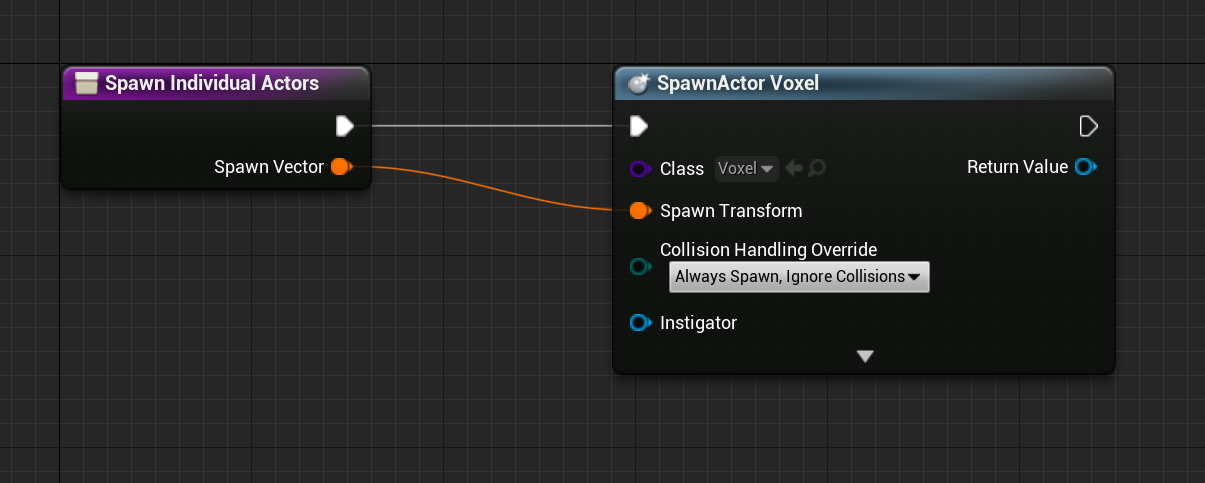
havent set up anything in the construction script nor initialising anything really
 rotund basalt
To infinity and beyond!
hexed parrot
i've set all the components back to their default values... geez its still going lmao help
okay nevermind... my localoffset in the Animation blueprint for the motioncontrollers is adding this offset continuously even tho the game hasnt been started
solemn parcel
So i still have no idea how to make it work. How the hell im I supposed to make these values interpolate between each other over
0.2 sec
I've tried Lerp, Interp, but the two of them make the values changing over time totally differently than what I want
rotund basalt
Timeline?
solemn parcel
I've tried, but for some reason i'm struggling to make it work
Timeline is the closest I got so far, but I cannot use it in a Function so i'm not a huge fan
 cobalt bluff
I can't get a reference to Layers Subsystem. I am using unreal engine 4.26. What do I do wrong?
 crystal oasis
I am Quite new to Unreal Engine and i was making a game and following a tutorial it is suppose to lock rotation but the cube still rotates when you jump on it Any Help would really appreciate
Anyone
 long smelt
Are you calling the LockAllRotations function?
crystal oasis
yes
long smelt
- Where from?
- Have you put a print string to make sure you're definitely calling the function?
long smelt
so it doesn't print the string on begin play?
crystal oasis
no i need it to lock the rotation of an object in game
long smelt
the print string is visual evidence that the function is called
crystal oasis
ok BUT I HAVE A WIDGET ON SCREEN SO I DONT THINK I WILL SEE IT
LEMME REMOVE IT then check
long smelt
it will be printed in the output log
crystal oasis
most definitely not being called
long smelt
show your begin play function then
long smelt
cast to BP_Player_Ball failing. What is your player pawn class set as in the GameMode
long smelt
put a print string after the cast, guarantee you it's not being called
crystal oasis
kk
orchid garden
just run a printstring off the failed node. if it fails it'll print a string.
crystal oasis
ok it printed so did it fail?
orchid garden
was the printstring off the failed node?
crystal oasis
ok
orchid garden
best method to check for a failed cast.
crystal oasis
IT DID NOT FAIL
NO mesage was printed
AND MY ISSUE IS THAT THE CUBE ROTATES WHEN I DO NOT WANT IT TO
orchid garden
so its making it past that point. do you have the var set that your using in the lockallrotation set to a object reference?
crystal oasis
NO
orchid garden
so ... in lockallrotation your locking the rotation on a null object?
long smelt
yeah that's gonna be a problem 😛
 radiant rapids
is there a way to apply a "force" to rotation only on a physicsobject? so the object starts spining but doesnt effect movement
if you get what i mean
orchid garden
think we found the problem 🙂 for Atominus
long smelt
radiant rapids
is there a way to apply a "force" to rotation only on a physicsobject? so the ob...
Surely there must be. Something like AddAngularForce or something?
or AddAngularImpulse?
orchid garden
a lerp rotation maybe?
long smelt
There is AddAngularImpulseInDegrees, AddAngularImpulseInRadians, and also AddTorque... versions of those
radiant rapids
Couldnt get AddTorque to work but angular impulse did, thanks ❤️
 north bay
Hi guys
For practising Multiplayer, I'm making a simple mini game where players need to collect coins, the one who owns the most coins when the time limit is done wins.
What would be a nice approach for saving the coin amount for each individual player?
orchid garden
radiant rapids
is there a way to apply a "force" to rotation only on a physicsobject? so the ob...
maybe something like...
im just guessing there... haven't tried adding rotation to physics objects... but you might get better answers at #legacy-physics @radiant rapids
orchid garden
north bay
Hi guys
For practising Multiplayer, I'm making a simple mini game where players...
id save it to the individual player then at the end of the timer collect the data from the players and rank them accordingly.
maiden wadi
Save the coin count as an integer in the PlayerState. PlayerState array can be easily retrieved in full from the Gamestate. When the game ends, all you need to do is iterate over the player array, cast to your player state class, get the highest scored playerstate, and that'll be your winning player. You can also place a name in there if you want to easily correlate with the score.
 cloud bridge
how can i change new actor's scale based on specific instance? when i put values its always relative to the source
north bay
Thanks for the tips @orchid garden @maiden wadi , really appreciate!
orchid garden
hey @maiden wadi i got another one for you 😉 just looking for a suggestion ;)
I have a master container, then off that im going to have things like campfires, forges, chests, etc. as child containers, should I just go about overriding the master for the interaction effects?
Example - the masters standard action is to open the container, no effects happening.
The campfires standard action is to turn on/off and play a little animation, and activate a sprite and light when turned on, so I took and overrode the Start Interaction event and added the appropriate coding for that container:
should i be going about it that way from the master, or do you have a different suggestion?
 indigo bough
Hey folks, slight theory-block for me this evening. Trying to shift the camera position of the player towards the direction of the mouse when 'aiming' with right click. Essentially revealing more of the environment in the direction the player is aiming. Not sure how I would offset the position smoothly, but with a limiter to avoid 'overstretching'. Any ideas would be massively helpful, thank you!
(Ideal solution wouldn't offset the camera in the mouse direction by an exact amount, but proportional depending on the distance of the mouse position from the player, so a closer mouse wouldn't really move the camera at all)
orchid garden
get the world location of the mouse pointer (like you are for placing the objects) then get the look at direction of the mouse world location and use a transform rotation to turn the player to the mouse ? just a guess if im understanding what your wanting to do.
indigo bough
LookAt! Yes, I think that might have been the block in my thinking. I suppose then using distance from the two world locations to determine the offset distance (with a max)
One of those days, haha. Thanks @orchid garden
orchid garden
haha i know that feeling
loud agate
got another question
Trying to play a movie inside the engine, I set up the entire thing and it works fine, but in an actor blueprint I can't store the media player type, it lets me choose a material instead
over at the level blueprint (or UObjects in general) it's red and proper
but I'm not sure how I can trigger it manually when it's inside that class of blueprint, is it possible to communicate from Actor blueprints to UObjects?
orchid garden
@loud agate all i can suggest is maybe look at this, its a free project that plays videos depending on what vcr tape you stick in the recorder, it might give you some direction to how they are are doing it:
https://marketplace-website-node-launcher-prod.ol.epicgames.com/ue/marketplace/en-US/product/horror-engine
loud agate
Awesome, thanks 🙂
it actually just showed up proper in the actor BP as well
so idk wtf was wrong
crystal oasis
I MADE A REFRENCE TO AN OBJECT I WANT NOT TO ROTATE BUT WHEN I TRY TO CONNECT IT IT DOES NOT ACCEPT ANY HELP
orchid garden
maybe need to do a engine restart, i've run across serveral things not 'working right' till i did @loud agate (4.25.4 version)
dusk basin
quick question im trying to call an event from a interface to my players controller my problem is is since my project is multiplayer i need to get a specific player controller from my hit actors on capsuletracebychannel any suggestions on how to do that?
crystal oasis
ANYONE
orchid garden
crystal oasis
ANYONE
try redoing the lock calls off the pin of the reference instead of connecting them to the existing, if the object type changed, it won't let you connect to the existing
dusk basin
pretty much my issue is this event is not getting called upon Event MSG
dawn gazelle
dusk basin
quick question im trying to call an event from a interface to my players control...
Where are you calling that BPI from?
dusk basin
a blueprint component
dawn gazelle
Which is attached to what?