#helpdesk-selive
1 messages · Page 8 of 1
 crimson sleet
 maiden valve
Can i remove a specific donation, that came from a third party app and not directly from SE.Pay
?
So it doesnt appear on my monthly tip list
 hard kernel
For some reason the SE.Live plugins for StreamDeck don't work, it says this action is offline. I have removed the plugins folder from the appdata, reinstalled the plugin through the SD store, but nothing helps.
 dapper iglooBOT
@hard kernel ⤵️
Having issues with the StreamElements StreamDeck Plug-in? Follow these steps:
- Open
%appdata%\Elgato\StreamDeck\Plugins - Delete the
com.streamelements.obslive.sdplugin folder - Restart StreamDeck App and reinstall the StreamElements plug-in
hard kernel
dapper igloo
<@112475679001460736> ⤵️
Unfortunately that did not work, as stated in my message
 sonic silo
Media request completely broken for anyone else too?
 cursive bear
Hello! SE live application wont launch for me. it shows up as a white screen then self closes. OBS proper is working fine . ive also reinstalled SE like 3 times now and no fix
halp
 compact vale
has anyone been having issues with their se live twitch chat? mine hasnt been wanting to connect for about a week now
cursive bear
update on my issue. OBS will not launch in any capacity whenever i have SE installed. as soon as i remove the program OBS works fine. whenever i have SE installed the app shows a white screen on launch and then self closes.
 modest goblet
I just did the latest update on SE live and I shouldn't have done that right before stream. As soon as I switch scenes it just stalls out and eventually dies.
I uploaded and analyzed a log here
https://obsproject.com/tools/analyzer?log_url=https%3A%2F%2Fobsproject.com%2Flogs%2FweDo6OrVlnEDImn9#entry_0
https://obsproject.com/logs/2pc6RrP4FgqftOO9
Here is the latest crash log
Switching from the stable to the default branch seemingly fixed it
 tough jay
anyone else got this at the top of their activity feed every time they open OBS? I dont have any pending sponsors

 fringe thorn
Activity Feed uses too much CPU, any solution?
 winged fiber
Having an issue where Activity Feed isn't loading at all in OBS
 dawn root
There's an unplanned outage right now. Devs are aware and looking into it
 surreal pilot
winged fiber
Having an issue where Activity Feed isn't loading at all in OBS
surreal pilot
winged fiber
Having an issue where Activity Feed isn't loading at all in OBS
Same since yesterday. Still tells me that there is a network error.
 rugged quail
Hello, i have an issue with donationlinks and twitch alerts. if i am using the streamelements donation-tip-link i am getting doxxed by my registered paypal email. but if i use the paypal.me link there won't be any twitch alert, is there any solution to this?
 scenic frost
My Media request is not autoplaying even though I have autoplay on in settings and in youtube. I have to manually hit next song each time. This is my fourth time posting about this and others have as well in this, if someone can direct me towards an answer about this that I missed I’d greatly appreciate it. No videos are privated and playlist is public
 wheat geode
My bot was banned
 kindred fox
wheat geode
My bot was banned
kindred fox
wheat geode
My bot was banned
Type /unban <bot name> in your twitch chat
 grave imp
hey I've had a payment pending for a week now from a dono. i changed my PayPal cards around but thought it would've been solved by now, help?
dapper iglooBOT
@grave imp ⤵️
If a viewer tipped through PayPal but no information appears in your StreamElements account, this generally means PayPal has held the tip for verification.
Until PayPal clears the tip and sends back a confirmation to your StreamElements account, no information will appear there and no alert will play, as that confirmation is the only way for us to be aware of a successful transaction.
There is a posibility that the tip may have been sent as an eCheque/eCheck - these tips can take from 7 up to 21+ days to show up on our side. Tippers can usually cancel these.
If you believe there may be an issue with the transaction, you'll need to contact PayPal support as StreamElements is only a passthrough service and never actually gets involved with the transaction or touches the money
 fresh marlin
so it says my output is in use
im not sure where it could be
im trying to change the recording settings
 vivid wyvern
/points
 thorn jackal
Hey all, new here not sure where to go with this but, My chat bot isn't working or showing up although I've parted it and re added it and every time I do it says Successfully added bot to channel, but nothing happens. I click add again and it says FAILED TO ADD BOT TO CHANNEL. AHHH pls help
Message #general-chat
dapper iglooBOT
@thorn jackal ⤵️
Please logout of StreamElements at https://streamelements.com/logout and then login again to your account (Twitch/YouTube/Facebook).
thorn jackal
still the same exact error...
dapper iglooBOT
@thorn jackal ⤵️
If you need to fill out a support ticket, please use the command !ticket in chat, following the subject of your issue! For example, please type "!ticket My chatbot isn't working", and then follow the prompts from our bot!
 wise tendon
Hello, I opened OBS and all my browser source were like missing, no properties or anything. Do you know about that issue and how to recover the browser sources?
 bold sable
Uh been trying to figure this out for a bit but my stream keeps having disconnect/reconnect issues how to fix?
cursive bear
hello again. still having the same issue where SE live crashed my obs on launch. Everything is fine on normal OBS when SE is not installed but as soon as SE is on the computer OBS cant open
dapper iglooBOT
@wise tendon @bold sable @cursive bear ⤵️
If you need to fill out a support ticket, please use the command !ticket in chat, following the subject of your issue! For example, please type "!ticket My chatbot isn't working", and then follow the prompts from our bot!
 timid chasm
Happy Friday all,
Could someone explain to me how to prevent the chat alert module from sending a message to each gifted subscriber? We have the normal subscriber alert, then the variations for resubs, sub gifts, and community gifts underneath it. Thanks!
 sullen idol
Hey will SELive get intergration with the kick platform?
dawn root
sullen idol
Hey will SELive get intergration with the kick platform?
There are currently no plans for it.
 astral thistle
is there a quick fix for se.live closing itself and obs studio when updating?
 rose kernel
need help with se.live not showing anything after clicking Start Streaming or Live Video Settings
 dapper iglooBOT
@rose kernel ⤵️
StreamElements menu, on top of OBS > Logout > Login
rose kernel
already tried that but still doesnt work
kindred fox
rose kernel
already tried that but still doesnt work
Obs settings > advanced > disable hardware acceleration and see
rose kernel
kindred fox
Obs settings > advanced > disable hardware acceleration and see
still blank, I have tried with both hardware acceleration enabled and disabled
dapper iglooBOT
@rose kernel ⤵️
If you need to fill out a support ticket, please use the command !ticket in chat, following the subject of your issue! For example, please type "!ticket My chatbot isn't working", and then follow the prompts from our bot!
 rose frigate
Hey I Have SE.Live But The Overlays Are Not Working.
dawn root
rose frigate
Hey I Have SE.Live But The Overlays Are Not Working.
Not working in what way?
rose frigate
Obs/ SE.live
dawn root
Do they not show up at all? Not animate? No sound?
rose frigate
They Dont Show Anything.
dawn root
rose frigate
They Dont Show Anything.
Can you try deleting them and re-adding them
dapper iglooBOT
To add your overlays to OBS, add a new browser source in your scene. Paste your overlay URL in the browser source properties, set the dimensions to 1920x1080 (unless you changed them on the website) and check Shutdown source when not visible and Refresh browser when scene becomes active, as shown in this GIF: https://imgur.com/a/2JhJD0S
rose frigate
dawn root
Can you try deleting them and re-adding them
I Have Tried And It Does Not Work
dawn root
 fossil forum
anyone else SE live instant crash to desktop?
fossil forum
anyone else SE live instant crash to desktop?
Uninstall it and run the OBS installer again.
dapper iglooBOT
@rose frigate ⤵️
OBS > Settings > Advanced > Scroll down > Enable or disable Browser Source Hardware Acceleration, depending on its current state > Restart OBS
https://i.imgur.com/ggMe9ZE.png
 quick tartan
dapper igloo
<@1021465145223954543> ⤵️
quick tartan
dapper igloo
<@1021465145223954543> ⤵️
Made this suggestion in DM and was told it resolved the issue!
grave imp
hi, i have had a pending payment that i cannot withdraw from SEPay. how can i fix this? it has been over a week now
 heavy maple
rose frigate
I Have Tried And It Does Not Work
heavy maple
rose frigate
I Have Tried And It Does Not Work
Do they show up in the Overlay editor? Make sure that you have hit save there and have no other sources blocking the browser source in OBS
rugged quail
Is it possible to directly import my overlays from the website to SE.live?
dapper iglooBOT
@rugged quail ⤵️
To add your overlays to OBS, add a new browser source in your scene. Paste your overlay URL in the browser source properties, set the dimensions to 1920x1080 (unless you changed them on the website) and check Shutdown source when not visible and Refresh browser when scene becomes active, as shown in this GIF: https://imgur.com/a/2JhJD0S
 analog panther
why is it everytime i update obs live everything I had set up that worked perfect gets fucked up???
grave imp
dapper igloo
<@325379135046418434> ⤵️
there is no pending money in paypal tho, i've already checked. i could normally withdraw my money from SEPay but now i can't
grave imp
Can a moderator or someone that I can personally message please help me, I need to figure this out. I have info about the money to withdraw and have contacted PayPal but they are of no help and it says there’s nothing waiting to be withdrawn on their end. I have a screenshot of it, where can I post it??
 tame stone
So I was just revamping some settings, and when i finally got it all i restarded se.live, but my LIVE scene is all black and my streamelements widgets dont appear, not even the one where it says you installed a browser source. I'm wondering thise because it plays the audio but doesn't show the audio. Do I need to show anything else or is that not clear enough. Thank you.
 dense igloo
Hello. Is there any update on SE.Live working on OBS 28 for MacOS?
timid chasm
timid chasm
Happy Friday all,
Could someone explain to me how to prevent the chat alert mod...
Does anyone have a solution for this, or is it just programmed that way?
 dusty jewel
Hello, im having trouble importing my alerts from streamlabs to streamelements. It imports and shows everything in there but when i test the alerts nothing happens except for the audio queues. It also wont let me resize the grid in the web browser (im using chrome, i tried both the extension import and the application import.)
dapper iglooBOT
@dusty jewel ⤵️
If you need to fill out a support ticket, please use the command !ticket in chat, following the subject of your issue! For example, please type "!ticket My chatbot isn't working", and then follow the prompts from our bot!
 odd gust
how do i tell if my ticket went through
timid chasm
timid chasm
Happy Friday all,
Could someone explain to me how to prevent the chat alert mod...
would adding ${sender} to the message block work in this instance if we wanted to have the chat alert thank only the person who's gifting, or are the only available options {user},{amount}, and {msg} ? Again, I'm trying to find a way to have the bot reply to only the gifter when they gift subs and not the user they gifted to.. Am I missing something completely obvious? Thanks,
 fast night
I dont know if this is a SElive thing or twitch. But im trying to get my alert box to work from stream labs. Before I continue is there an alert box for elements? I would love to drop everything from stream labs
dawn root
fast night
I dont know if this is a SElive thing or twitch. But im trying to get my alert b...
There is an alertbox widget, you can add it to an overlay on the website https://streamelements.com/dashboard/overlays. More of a #helpdesk-twitch question because you don't need SE.Live to use the overlays.
fast night
maybe i just overlooked t
it*
all i know is i want stream labs gone lmfao lol thank you i will try and find it
dawn root
fast night
all i know is i want stream labs gone lmfao lol thank you i will try and find it
add widget > alerts > alert box
fast night
dawn root
add widget > alerts > alert box
i appreciate you
odd gust
idk if anyone can help me but me se.live feels like its not working correctly. when I get a follow while streaming my alert widgets only pop up half of the time and the activity feed dock doesn't seem to update at all. I've been trying to talk to support about it for about 5 months now but I've gotten nowhere 😅 . this only started happening when i switched to my new windows 11 pc from my old windows 10 pc. kinda stuck and id really love to get it fixed
 unique gulch
Hello all, i was just signed out of my streamelements account and when i signed back in using my Twitch account my whole account was reset (commands, timers, payment, etc) anyone have any idea/ can help pls?
tame stone
so the Streamelements docks look like this? stream information also looks like that

nvm its fine
 wraith aurora
unique gulch
Hello all, i was just signed out of my streamelements account and when i signed ...
wraith aurora
unique gulch
Hello all, i was just signed out of my streamelements account and when i signed ...
Mine as well. Had to sign in and now none of my commands work.
 warm oar
Why do my song requests stop playing after each song? I use the widget in OBS and even if I have songs in my queue, it'll only play 1 song and then I'll have to manually start the next one
 hot cave
I am trying to stream Valorant but the frames in OBS keep dipping low when I move around in game
warm oar
warm oar
Why do my song requests stop playing after each song? I use the widget in OBS an...
anyone have any idea on this
dapper iglooBOT
@warm oar ⤵️
If you need to fill out a support ticket, please use the command !ticket in chat, following the subject of your issue! For example, please type "!ticket My chatbot isn't working", and then follow the prompts from our bot!
 rapid widget
Every time I try to login to Twitch with SE.Live in OBS it opens a browser to a login page that's just blank and won't go any further. It will let me connect with YouTube, Facebook, etc. just not Twitch. Also, it won't let me skip the login using the Continue Without Logging In. Just doesn't do anything at all. What did I break lol?
 fringe delta
The SElive docked chat keeps bugging out. My logfiles are full of errors and my streams can't start, have a lot of dropped frames when they shouldn't. Anyone know why?
15:41:09.975: obs-streamelements-core[streamelements_obslive_chat_youtube]: API: posting call to 'getStreamingStatus', callback id 4068, args: [] 15:41:09.975: obs-streamelements-core[streamelements_obslive_chat_youtube]: API: performing call to 'getStreamingStatus', callback id 4068 15:41:09.975: obs-streamelements-core[streamelements_obslive_chat_youtube]: API: completed call to 'getStreamingStatus', callback id 4068 15:41:09.979: obs-streamelements-core[streamelements_obslive_chat_youtube]: API: posting call to 'getStreamingStatus', callback id 4069, args: [] 15:41:09.979: obs-streamelements-core[streamelements_obslive_chat_youtube]: API: performing call to 'getStreamingStatus', callback id 4069 15:41:09.979: obs-streamelements-core[streamelements_obslive_chat_youtube]: API: completed call to 'getStreamingStatus', callback id 4069
dawn root
fringe delta
The SElive docked chat keeps bugging out. My logfiles are full of errors and my ...
Those look like successful API calls, not errors.
fringe delta
Here is the log file: https://obsproject.com/logs/4BdaNerJScBmU1xM
I can't startup the stream and the chat dock is bugged out (doesn't connect to youtube chat)
I've tried in another program and I was able to stream succesfully without any dropped frames with the same settings. I think it might be an issue with browser sources? Says something about violating content security policy "script-src" and I see a lot of errors for my Alert overlay
I've tried running Se.live and obs installations again but no help
dawn root
fringe delta
Here is the log file: https://obsproject.com/logs/4BdaNerJScBmU1xM
The "script-src" errors aren't an issue. I don't believe it will connect to the chat until you go live, and then it will only work if your stream is public and not subscribers only. For going live, try this: <#helpdesk-youtube message>.
fringe delta
Ok changing the output presets to faster actually made it go live. Weird stuff, I guess no selive issue. Thanks a lot! 🙂
rapid widget
rapid widget
Every time I try to login to Twitch with SE.Live in OBS it opens a browser to a ...
Ok, so I fixed my issue by uninstalling SE.Live and OBS then reinstalling both. OBS wanted to update to version 29 as soon as it was installed but I skipped the update and tried to login to Twitch through SE.Live first. That worked; was able to login to Twitch successfully. Then I let OBS do its update. When it relaunched I was able to login to Twitch via SE.Live just fine. Apparently I wasn't standing on one leg and holding my mouth right. . . lol /shrug
tame stone
Can I use live with kick?
dawn root
tame stone
Can I use live with kick?
There is currently no integration between StreamElements and Kick. You can use OBS+SE.Live to stream on Kick, but you won't have any Kick specific docks.
tame stone
So I can like still use my se live and stuff where I have everything setup, I just won’t see like activity feed?
dawn root
No activity feed, chat dock, or alerts.
dawn root
Kick has not provided an API, so I don't think there are any currently.
tame stone
dawn root
Kick has not provided an API, so I don't think there are any currently.
Rip
Ok. So if I just used regular obs with browser alerts it’s fine?
Or is it completely walled off
dawn root
Regular OBS will work, or OBS+SE.Live; but you'll have to be on the website for any kind of activity feed, and probably the chat. (I haven't spent much time on Kick, so I'm not 100% sure.)
hot cave
Hi I am looking for a way to auto mute my mic when I select my BRB scene and unmute my mic when I siwthc to a different scene
 misty path
hot cave
Hi I am looking for a way to auto mute my mic when I select my BRB scene and unm...
misty path
hot cave
Hi I am looking for a way to auto mute my mic when I select my BRB scene and unm...
If you have a streamdeck. Setup an OBS Studio multi action that does both. I also have mine to send a message in chat when I switch to BRB
 elder lake
So i am streaming and my stream lags but shows no frame drops or no problems with the stream IDK what is causing it
 rain ruin
I'm losing 50% of my frames due to network, but my internet company can't see any issues.

 magic rivet
I'm trying to rename my streamelements chatbot using selive but whenever I change it to anything but the default name it will not send messages in chat. I've tried all the prescribed methods (ie uninstall/reinstall, logout/back in, kick bot from chat and re-invite, remove custom bot account/re-add) and nothing is working. Doesn't matter if I use my own account or a custom bot account, it will not send messages unless the bot is set to the default streamelements account name.
 foggy plank
Hi there. I am getting absolutely no help or response from the helpdesk-twitch. I am very concerned inedeed. There is something very wrong... I am in my StreamElements account on the web atm and it says I am 'live' when I am not? Please help as I am NOT 'live' on Twitch atm. Please respond as clearly it appears I am hacked or something, else please tell me how to disconnect and close my account.
dawn root
foggy plank
Hi there. I am getting absolutely no help or response from the helpdesk-twitch. ...
You can disconnect your Twitch and StreamElements accounts here: https://www.twitch.tv/settings/connections
foggy plank
Can you tell me why it is saying I am 'live' when I am not... this is the reason I am panicking
dawn root
The website cannot go live on your behalf. Make sure all instances of your streaming program are closed. Where does it say you are live?
foggy plank
I use Streamlabs software and it is closed totally atm. I am certainly not 'live'. when I sign into my Trovo or Facebook account, those are fine so I am puzzled. It says so on my web page in StreamElements and my logo is flashing saying I am 'live'
When I sign into my Twitch account that is
dawn root
Try logging out and logging back in
dapper iglooBOT
Please logout of StreamElements at https://streamelements.com/logout and then login again to your account (Twitch/YouTube/Facebook).
dawn root
If it still shows you live, can you screenshot the page for me and provide your account ID?
dapper iglooBOT
Please provide your account ID found at the top of this page: https://streamelements.com/dashboard/account/channels This ID is public info and safe to share here.
 dawn root
Account ID, not username
Please provide your account ID found at the top of this page: https://streamelements.com/dashboard/account/channels This ID is public info and safe to share here.
dawn root
Forwarded to the staff to take a look
foggy plank
Thanks a ton ... am concerned
Appreciate your help
For a matter of interest, how would I remove the channel so I can readd it ... perhaps that will fix the issue?
dawn root
If you disconnect it from Twitch that's the most you can do without deleting your SE account and starting over completely. https://www.twitch.tv/settings/connections
foggy plank
Strange, I have done that and it still shows that I am 'live' ... I will wait for support to contact me but hope it doesn't take too long as this a major concern
dawn root
foggy plank
Strange, I have done that and it still shows that I am 'live' ... I will wait fo...
It looks like it can happen sometimes, you're not actually live but things got confused. The next time you go live it should fix itself if logging out/in doesn't fix it.
foggy plank
Thanks, I will see what happens. Does it matter whether I use StreamElements or Streamlabs to go 'live'?
dawn root
It shouldn't
foggy plank
... for this to correct itself?
Thanks, will see what happens. Much appreciated. I am also having problems as many of my commands don't seem to work at all. !RAID works but lurk and hype not, as well as a few other commands
dawn root
As long as you go live and stream ends but doesn't crash it should fix itself.
foggy plank
and strangely, disconnect StreamElements a few moments ago and my !raid command still works in Twitch ... I even unmodded StreamElements to see what happens, it still posts in my stream. This is strange... I want to keep my StreamElements but this is a concern to me ... do you have any idea how long support will take to assist me>
 maiden jasper
i have a quick question about stream elements, can someone help me?
 sage kettle
Heyo!
I'm using your ** HypeCup** but for whatever reason when I'm setting my own cheers with my own images, they just come out as SE-default-image for =cheer1 and "rice"-image for >cheer1 please see images. Has anyone else had this problem? How did you fix it? 🥤
Thank you for an awesome idea to involve the community even more with things happening on screen! 
PS: I've tried to disable and enabled the sprite-sheet, no difference

 pallid topaz
I have some quick questions about my social commands, can somebody please help? 🙂
 shut flume
oh sorry ;;
So I'll try again uhh so I recently changed twitch names and my stream element stats page is now displaying the old name, is there a way I can update it? my twitch name changed to this if it matters >< (old: kawa_kunn, new: yumekuzukawa)

 rain ruin
I'm losing 50% of my frames due to network, but my internet company can't see an...
rain ruin
rain ruin
I'm losing 50% of my frames due to network, but my internet company can't see an...
I could still use some help as well
 vapid estuary
Posted in the #tech-talk channel originally, but looking for a response/fix for my message below:
For the last week and a half I've had issues with my custom bot/SE getting logged out mid-stream. Whether I check the "remember this computer for 30 days" or not, it still logs me out and my bot/commands just stop working and I have to stop midstream and log out of SE on OBS and log back in to reconnect my bot (activity feed still shows recent events, but alerts weren't working, no chatbot, etc). Is this a known issue or something I am doing wrong on my end by being a little outdated with SE and OBS (still on 27.2.4 due to a big bug when I tried to update to 28 when it came out which broke all my websockets, duplicated all my buttons, disconnected all my stream deck items. Basically had to fresh install the older version of OBS that I am still currently on, and spent 2 days fixing everything and putting it back in it's place, so it's scary to me to do that again due to the headache involved).
dawn root
vapid estuary
Posted in the <#851543419057864795> channel originally, but looking for a respon...
It could be due to OBS 27.x, have you tried OBS 29?
 bronze crater
can anyone help me when ever i open my obs streamelements activity feed says session expired then i login again then it says same thing when i reopen obs
bronze crater
??
dawn root
bronze crater
can anyone help me when ever i open my obs streamelements activity feed says ses...
Have you done this:
dapper iglooBOT
StreamElements menu, on top of OBS > Logout > Login
 vapid estuary
dawn root
It could be due to OBS 27.x, have you tried OBS 29?
vapid estuary
dawn root
It could be due to OBS 27.x, have you tried OBS 29?
not yet due to the issue i had when i updated to 28 originally and had to revert back (took 2 days of fixing everything that broke when I updated my OBS last time. Never had such a bad reaction to an update before, so I've been iffy on any new updates). If it's been stabilized from any major bugs, then I may give it a go, but not sure where to check for that info.
dawn root
vapid estuary
not yet due to the issue i had when i updated to 28 originally and had to revert...
Twitch deprecated the API that was used in 27.x, so by not using 29.x things will absolutely be breaking.
dawn root
bronze crater
I dont use se live obs i use this
That's the SE.Live activity feed dock. If you're not using SE.Live, but still using the dock, try clearing the OBS cookies, logging out on the website, logging in on the website. You may need to delete and recreate the custom dock.
dapper iglooBOT
If you are not seeing the OBS Twitch integrations and have SE.Live installed, please follow these steps:
- Make sure you are on the latest and greatest version of SE.Live
- Exit OBS (make sure OBS is not running)
- Delete
%appdata%\obs-studio\plugin_config\obs-browser\obs_profile_cookies - Start SE.Live
- Settings > Stream > Disconnect > Connect
bronze crater
dawn root
That's the SE.Live activity feed dock. If you're not using SE.Live, but still us...
i didi this multiple times and this dock always gets deleted and recreated cuz it takes me to twitch login for some odd reason but i use it for YouTube
 astral garnet
Hey Im struggling to update se live to obs29 none of the tabs in SE are working
dawn root
bronze crater
i didi this multiple times and this dock always gets deleted and recreated cuz ...
Are you logging in before you create the custom activity feed dock?
dawn root
Unlock the docks before deleting/creating, then relock when you're done. Also, make sure OBS is closed when you delete the cookies.
bronze crater
dawn root
Unlock the docks before deleting/creating, then relock when you're done. Also, m...
i do the same exact everytime
dawn root
bronze crater
i do the same exact everytime
Can you try this: Create dock with main website and logout from it. Log back in with YT and reload the dock.
bronze crater
dawn root
Can you try this: Create dock with main website and logout from it. Log back in ...
i didnt understand what u mean
dawn root
bronze crater
i didnt understand what u mean
Delete custom activity feed dock
Close OBS
Clear OBS cookies
Logout of StreamElements website
Log in to StreamElements website with YouTube
Open OBS, unlock docks, create custom activity feed dock, place activity feed dock, lock docks
Log out of StreamElements website and log back in
Refresh Activity feed dock in OBS
 glossy bear
 pulsar wren
Hi there, im having issues with my recordings. They all stutter when i watch them back. Tried multiple things with settings but it still laggs constantly. The audio is perfect though. Could anybody help me?
 coral anchor
Hi everyone! Im having this bug on OBS where if I try to log in on my streamelements, the popup window wont come out even after logging in
and if I close it, it wants me to log in again for a specified platform. Does anyone know how to fix this?
dapper iglooBOT
@coral anchor ⤵️
If you are not seeing the OBS Twitch integrations and have SE.Live installed, please follow these steps:
- Make sure you are on the latest and greatest version of SE.Live
- Exit OBS (make sure OBS is not running)
- Delete
%appdata%\obs-studio\plugin_config\obs-browser\obs_profile_cookies - Start SE.Live
- Settings > Stream > Disconnect > Connect
kindred fox
Try this ^^
 rare nebula
Hi im trying to do the cloud backup in obs but keep getting a file to large error
 shrewd idol
Hi, how can I get in the beta program for SE Live?
dawn root
shrewd idol
Hi, how can I get in the beta program for SE Live?
For the OBS plugin? From the StreamElements menu in OBS you can select the Beta channel.
shrewd idol
Thank you
 rocky geode
I have to rearrange and reset my UI size layout everytime I launche OBS/SE.
Am I missing a setting somewhere for this? I have tried to click Lock docks and it doesnt keep them.
 thorny iris
Hey, I’m hoping somebody can help me with this issue. So I switched from Streamlabs to Streamelements a couple months ago and after tweaking a few things I got my CPU Usage to about 5%-9% during my 4 hour streams on my Mac. Recently, however, my CPU Usage shoots up to about 11% after 30 min. of streaming and only climbs higher from there, making my videos lag. I recently checked my fans and had them on full blast while operating Streamelements on my Mac. Although my Mac is considerably cooler (temp went down by 25 degrees while using the program for 4 hours), Streamelements still uses A LOT of CPU usage. I haven’t changed anything in my settings that would warrant this huge spike, so could someone tell me what I could do to fix this problem or if anyone else has experienced this same issue?
Some things to know:
MacBook Pro 2015
Processor 2.8GHz, Quad-Core Intel Core i7
Memory 16GB
Encoder Apple VT H264 Hardware Encoder
Base (Canvas) Resolution 1920x1080
Output Resolution Settings 1280x720
Common FPS 30
 deep yoke
Hello I need help. I want to download Uploaded before sounds from stream store. how to do it?
vapid estuary
dawn root
Twitch deprecated the API that was used in 27.x, so by not using 29.x things wil...
So I've updated to 29. 0.2 now, but it's still the same issue with the SE log in kicking me out midstream, as well as right when I open OBS at the start of set up now.
 calm scarab
Would love to know this, too! I was using SE live w/OBS 27…but then 28 came out, and there was a windows version…but no Mac.
I got tired of coming back to keep checking with no signs of a Mac version for 28…and now we’re already on 29! I don’t know why they don’t just put a version number on the download page.
 somber geyser
calm scarab
Would love to know this, too! I was using SE live w/OBS 27…but then 28 came out,...
somber geyser
calm scarab
Would love to know this, too! I was using SE live w/OBS 27…but then 28 came out,...
Hey @calm scarab. I hear you frustration, I want to set expectation around the Mac version. Due to the way things are setup on mac in OBS, we can't to do the same refactoring and re-forking we did on PC. Its the same executable. Currently, due to the relatively low user base, we are not prioritizing a Mac version until a true plug in architecture is available on Mac. When we have a roadmap for that, I will definitely make it public.
 stray ember
My PC randomly auto updated my SELIVE yesterday and now my OBS is dropping an insane amount of frames and I have no idea why. Stream 2 days ago had zero issues, then the update last night happened and now I am having these issues. @here
 rancid bear
Hey! Stremelements chat timed messages are not working. They post when I'm offline, but if I'm live, they never appear. Anyone got any idea why?
bronze crater
dawn root
Delete custom activity feed dock
Close OBS
Clear OBS cookies
Logout of StreamEle...
i did this still having the same issue @dawn root
dawn root
bronze crater
i did this still having the same issue <@351166251445518337>
You'll need to submit a ticket so the developers can look into it.
bronze crater
dawn root
You'll need to submit a ticket so the developers can look into it.
how do i do it
dapper iglooBOT
@bronze crater ⤵️
If you need to fill out a support ticket, please use the command !ticket in chat, following the subject of your issue! For example, please type "!ticket My chatbot isn't working", and then follow the prompts from our bot!
 arctic sable
Hi SE, Could you please update my chatstats from
OLD user "EdgyTTV_" to the
NEW and Current User: "EdgyLH"
Thank you in advance.
Also if it can be done here please update my Merch page to EdgyLH as well.
If not I will create a separate ticket in SE . Thanks again for all y'all do! 😍 ✊
dawn root
arctic sable
Hi SE, Could you please update my chatstats from
OLD user "EdgyTTV_" to the
NE...
Please keep your questions to one channel. #helpdesk-twitch
arctic sable
dawn root
Please keep your questions to one channel. <#199460642975907840>
My apologies, I meant to delete that one and move it here since I placed it in the wrong one at first, Thanks for the heads up.
dawn root
arctic sable
My apologies, I meant to delete that one and move it here since I placed it in t...
#helpdesk-twitch was the right one :)
bronze crater
@dawn root what to do after command
dawn root
I've forwarded it to the staff, they'll get it updated and someone will let you know when it's fixed.
bronze crater
dawn root
I've forwarded it to the staff, they'll get it updated and someone will let you ...
are u saying it to me?
dawn root
bronze crater
<@351166251445518337> what to do after command
For example, please type "!ticket My chatbot isn't working", and then follow the prompts from our bot!
This will open a new channel for you to describe your issue in.
arctic sable
dawn root
<#199460642975907840> was the right one :)
ohhhh , my bad, should I leave it here or delete and put it back in #helpdesk-twitch ?! sorry again
dawn root
Here is fine
 rough pond
Would anybody know why my screen is black when I open SE Live? When I open OBS it shows my screen just fine but the capture card does not seem to be working on SE LIve
 grizzled wren
i have some problem link my overlay on obs someone how can help me
 jovial matrix
I think this is the right channel, if not do tell.
So I want to set up an auto shout out when someone raids me, I've already gone to the bot module and added a 2nd message, however I'm not sure how to set up the "Was last playing". I know for a 'normal' shoutout command it would be ${game ${1}} but I believe it then looks for the 'non existing' @user you would normally put behind your shoutout command, does that mean it would become {game {user}} or what would it become exactly?
Anyone able to assist?
 exotic shell
I know your message is from almost a month ago, but.... where is the panel in YouTube? I'm trying to find the option to add a card in a scheduled stream, but there is no option to add a card. Thanks for the help!
rain ruin
rain ruin
I'm losing 50% of my frames due to network, but my internet company can't see an...
Can anyone help me figure out how my network is losing 50% of my frames?
rancid bear
I can't my !bropurge command to work. Anyone know what I am doing wrong?
It's written as follows: /timeout ${user.name} 30 ${sender} just timed you out for 30 seconds
But nothing happens
 tropic nimbus
is there something recent on streamelements that got changed? im having random fps freeze spikes where i didnt have before
 mellow hatch
Heyo, is accidently clicked "reset labels" is there any way to get the last data back into this overlay?

 summer gazelle
hey guys, I'm rarely getting the event simulator to work within SE.Live - any ideas?
 bold drum
who can i reach out to for sponsorship support? ive tried doing "!ticket" in the ticket submit channel, but it wont issues me a ticket to elaborate on
 sharp turret
bold drum
who can i reach out to for sponsorship support? ive tried doing "!ticket" in the...
sharp turret
bold drum
who can i reach out to for sponsorship support? ive tried doing "!ticket" in the...
So you tried !ticket your problem here and it doesn't work?
dapper iglooBOT
If you need to fill out a support ticket, please use the command !ticket in chat, following the subject of your issue! For example, please type "!ticket My chatbot isn't working", and then follow the prompts from our bot!
bold drum
yes i did, and just to be sure i didnt mistype or something, i did it twice...
sharp turret
bold drum
yes i did, and just to be sure i didnt mistype or something, i did it twice...
You can email support@streamelements.com to generate a ticket.
bold drum
ok cool, thank you!
 languid bramble
Anyone know why whenever I try set up my capture card I get white screen then not responding?
 dapper iglooBOT
@languid bramble ⤵️
SE.live is a plugin for OBS Studio for the best OBS support, please join their Official Discord @ https://discord.gg/obsproject
fast night
I'm not sure I'm in the right place. But im trying to set up my alert box. I have my own alert pictures that I want to use. But for some reason I can't move the text into the right place. The text always displays below my picture.
dapper iglooBOT
@fast night ⤵️
Text not showing up over your alerts? Go to the Advanced Text Settings and set the top margin to 50, you can work your way to the right position from there.
 jaunty folio
hi, why is Stream Elements a separate app instead of a plugin
just curious
I'm on MacOS btw
 muted mesa
How can i share my Streamelements overlays
 twin bone
jaunty folio
hi, why is Stream Elements a separate app instead of a plugin
twin bone
jaunty folio
hi, why is Stream Elements a separate app instead of a plugin
it's a plugin
 teal plover
Why is my activity feed not picking up that StreamElements is a Mod?

 dawn root
jaunty folio
if it is why is it an app?
dawn root
jaunty folio
if it is why is it an app?
If you run the regular OBS program, the plugin will still be there. The plugin installer used to create a new shortcut with a different icon (it might still, I don't have it installed right now).
jaunty folio
dawn root
If you run the regular OBS program, the plugin will still be there. The plugin i...
?
ok hold on-
this is normal OBS

this is seperate OBS
 dawn root
29.0.2 vs 27.2.2, you have two copies of OBS installed.
jaunty folio
dawn root
29.0.2 vs 27.2.2, you have two copies of OBS installed.
I only have 1-
this new OBS appeared after I tried to install that plugin
dawn root
The version in the titlebar indicates you have two.
jaunty folio
dawn root
The version in the titlebar indicates you have two.
well then how do I just get the Stream Elements plugin instead of it downloading an entire freaking app
jaunty folio
 toxic fern
You don't for MAC atm.
toxic fern
You don't for MAC atm.
oh?
jaunty folio
toxic fern
It is not updated above v27 atm.
aw, nuts...
so if I was on windows it would be purely a plugin
toxic fern
Correct.
jaunty folio
dang it, Guess I'm gonna have to swap between the 2 when streaming or recording
tropic nimbus
should Browser Source Hardware Acceleration be turned on or off in obs? I have an RTX 2060 TI
dawn root
tropic nimbus
should Browser Source Hardware Acceleration be turned on or off in obs? I have a...
It should be on (by default), if you have issues with your overlays, you may need to turn it off.
 regal nexus
Is there an issue with the bot currently?? mine stopped working last night
 charred leaf
it wont let me add more than 2 store items in the loyalty category any fix? tried adding a 3rd many times but said something went wrong many times
 dapper iglooBOT
@charred leaf ⤵️
If you need to fill out a support ticket, please use the command !ticket in chat, following the subject of your issue! For example, please type "!ticket My chatbot isn't working", and then follow the prompts from our bot!
 viral apex
" and then follow the prompts from our bot!"
Uhm, where can I find that ticket? Or the prompt?
I guess this ticket system is as broken as the custom bot name feature 

fast night
I'm sure this has been a frequent question. does SE work with the new platform Kick? I have a friend telling me to try it but i dont want to lose elements
dawn root
fast night
I'm sure this has been a frequent question. does SE work with the new platform K...
Kick has no public API, so you can use SE.Live to stream to it, but your chat dock, activity feed, and alerts won't work.
fast night
dawn root
Kick has no public API, so you can use SE.Live to stream to it, but your chat do...
thank you! hopefully they work on that soon!
 hard marsh
I accidentally closed it and now i cant find my stream settings. like the name of the stream and tags and such
i figured out how to manually edit it on twitch but id still like it to be in my obs
kindred fox
hard marsh
I accidentally closed it and now i cant find my stream settings. like the name o...
Docks > stream information
 zinc herald
Hello, I want to use streamelements media request dock but I need to separate the audio track so the media request doesn't go to vod. Is it possible to separate the audio track from the streamelements docks?
kindred fox
zinc herald
Hello, I want to use streamelements media request dock but I need to separate th...
In the properties check the box for control audio via obs and then put it on track 1 only so it isn’t on the vod track
No
Im deleting your message because you didn’t read the rules
zinc herald
kindred fox
In the properties check the box for control audio via obs and then put it on tra...
The audio from the streamelements dock comes out only in the desktop audio, I need to separate it before, but it does not appear in the application audio capture.
kindred fox
zinc herald
The audio from the streamelements dock comes out only in the desktop audio, I ne...
Add your individual audio sources instead of the default desktop audio by disabling desktop audio in the obs settings
zinc herald
kindred fox
Add your individual audio sources instead of the default desktop audio by disabl...
Yes, but the streamelements dock audio does not appear to me in the application audio capture.
kindred fox
zinc herald
Yes, but the streamelements dock audio does not appear to me in the application ...
Are you referring to media request?
If you are, use streambeats instead. No risk of DMCA strikes
 versed ether
hi i need help right now
i cant go live because stream elements is broken

i cant login and i uninstalled and restarted its just some kind of black screen bug
dawn root
versed ether
i cant login and i uninstalled and restarted its just some kind of black screen ...
Is there a reason you on such an old version of OBS?
dawn root
You're on 26.1.1, the current version is 29.0.2 with 29.1.0 in beta.
Can you re-download from https://obsproject.com/ and if the version doesn't update, you'll need to uninstall SE.Live and OBS, then reinstall OBS.
dapper iglooBOT
- Uninstall SE.Live and OBS Studio completely, but leave the "user settings" option unchecked (For reference: https://i.imgur.com/LBaHgM1.png)
- Restart your PC
- Download and install OBS Studio from https://obsproject.com/
- Download and install SE.Live from https://streamelements.com/selive
 dawn root
versed ether
dawn root
versed ether
You can switch the theme to uhh something else and it makes it smaller
default grey maybe?
dawn root
Ah yea, that's it
 next scaffold
I asked awhile back and may have gotten a response but missed it. Do you guys still do the after action of the stream emailed to you? I have not seen one in a very long time
Also can you think of any reason why my audio cuts in and out when I start OBS and then when I switch scenes?
kindred fox
next scaffold
I asked awhile back and may have gotten a response but missed it. Do you guys st...
shoot an e-mail to support@streamelements.com with a request to turn it on and your account ID as well
dapper iglooBOT
@next scaffold ⤵️
Please provide your account ID found at the top of this page: https://streamelements.com/dashboard/account/channels This ID is public info and safe to share here.
kindred fox
That is where you find the account ID
kindred fox
next scaffold
Also can you think of any reason why my audio cuts in and out when I start OBS a...
if your audio is cutting out odds are the source is being shut off during the transition between streams, but typically audio sources don't do that.
 daring relic
Anyone know how this is happening?
I am creating a new profile on OBS.
But for some reason it duplicates all of my scenes from my other profile and when i delete one source then it is gone on the new/old profile?
dawn root
There's two kinds of profiles in OBS, one is for your streaming account, the other is for your scenes.
daring relic
Ooooh ! thank u so much !
versed ether
kindred fox
Dark
how do you change that?
kindred fox
versed ether
how do you change that?
Obs settings > General I think?
versed ether
how do you get your view count to show up on the obs docks? sometimes its there and sometimes no
dark mode worked! ty
 summer whale
having an issue with media share - in the browser when editing the widget, the video plays fine. but on stream, the video plays for one second then freezes. I've tried changing numerous settings but have no idea how to fix it. tried deleting and making a new widget too to no avail.
 low sigil
How do I show my alert picture? Currently, I just hear my alerts..
 manic cape
Trying to create a ticket using #submit-support-ticket instructions and nothings happening using the !ticket command 😅
 vivid nexus
not selive related, but i have been unable to get the ! ticket function to work. it takes the command and deletes it but does not create a thread under the category "tickets" for me. Can someone help?
manic cape
vivid nexus
not selive related, but i have been unable to get the ! ticket function to work....
Same!
Meaning I have the same issue, sorry I really blurted that out huh. 😅
vivid nexus
Another issue that's kind of SE related - Tiltify events not in event feed. I could have sworn they used to be. I do have my tiltify connected.
vivid nexus
manic cape
Meaning I have the same issue, sorry I really blurted that out huh. 😅
nah, it's good to know i'm not alone 😄
manic cape
Looks like there aren't any staff active atm.. back to frantically googling too-specific issues to Google 😅
manic cape
Incase somebody knows how-
Anyone know how to remove Banned users from the Leaderboards extension? (and chat stats analytics?) I realised I have a couple of rather triggering names somehow visible, dispite them being banned.
I found somebody having a similar issue, tryna figure out how to remove someone from all of the lists tho...
https://www.reddit.com/r/streamelements/comments/10hj0ij/is_there_a_way_to_remove_certain_people_from_the/
manic cape
If anyone has an answer please ping me, I'm giving up on it and removing the panel for now. 😫
sharp turret
@manic cape @vivid nexus The command doesn't work for some people, the devs are aware. Please send an email with your issue to support@streamelements.com to create a ticket.
maiden valve
I want to delete specific donations, so they dont appear in my data. How can i do that?
 abstract needle
 steep sphinx
Hey everyone. It's been a while since I worked on alerts. Was wondering if there's a feature yet where you can copy paste follower, sub, donation etc position settings and everything else?
dapper iglooBOT
@steep sphinx ⤵️
To duplicate or copy your widget to a new or existing overlay, select the widget and use the Duplicate button. https://imgur.com/a/Ng4uhRU
 fiery bay
hey there! I was wondering if it's possible to use websockets with SELive (the plugins all seem to be out of date) or if I'm blind and the menu is just somewhere else
I'm on beta version, if that's of any help 
kindred fox
fiery bay
hey there! I was wondering if it's possible to use websockets with SELive (the p...
Assuming you’re on the latest version of OBS studio, you should have no issues using websocket.
fiery bay
yeah, for some reason SELive doesn't have the websocket installed though, either that or whenever I updated stuff when the big upgrade happened on obs29 something borked on my end
I had to copy-paste the dll from a fresh install for it to appear lol, but it seemed to work and break nothing else though so hopefully it's all reslved, woohoo~
 orchid linden
Hello, maybe someone can help me… when i install streamelements, I get the se.live app and have to use it to have the plugin in obs. Obs is now at version 29 and se.live still on 27 still as an „intel app“ while obs is with native apple chip support.. is that really the way to use Se.live or should I set up it differently?
I also can’t use my stream deck because there is no plugin to find in the streamdeck store and with Se.live it says waiting for obs. How can i fix this? Thank you for your help!
steep sphinx
Hi guys. I'm working on my overlays and I have a sub goal widget. It's currently saying 406/ when i only have 1 ( It's been a while since i went live lol ) and was wondering if anyone knows how to sort it to display what i actually have
toxic fern
@orchid linden unfortunately you have 2 options atm: Stay with SE.Live as is with 27.2.4 or use 29.0.2 without it. #helpdesk-selive message
orchid linden
toxic fern
<@806701861755027506> unfortunately you have 2 options atm: Stay with SE.Live as...
okay, thank you.. but where to get the stream deck plugin for se.live? i know there was on in the stream deck store before and the website tells it should be there, but can't find it... i need my stream deck...
 ivory veldt
Has anyone been unable to login to se.live through twitch? I just get a blank white screen when I try
 south yew
!ticket How do you withdraw payments from the merch store when it’s less than $20?
How do you withdraw payments from the merch store when it’s less than $20?
scenic frost
Hi my media request has this weird issue where even tho I have auto play on, after two songs, it will stop playing other songs altogether unless I hit play again. Could someone please help me with this issue?
kindred fox
scenic frost
Hi my media request has this weird issue where even tho I have auto play on, aft...
Please go ahead and email support@streamelements.com
kindred fox
south yew
How do you withdraw payments from the merch store when it’s less than $20?
Please read through the FAQ here: https://link.streamelements.com/semerch-faq
If you still have questions please feel free to reach out to support@streamelements.com for further assistance

 austere narwhal
How do I get the fonts to work?

They wont show/update
Its supposed to show my latest subs or followers and stuff like that.
 wintry thunder
my music request / player pauses and unpauses during a track about every 2 seconds
 vagrant anvil

 spark solar
Hey all! I am setting up OBS on my MAC (been using Windows thus far) and I can't seem to install se.live as a plug-in like I do on Windows. On Windows I install obs then SE.Live as a plug in. ON Mac it doesn't give me the option to just install the plugin, it makes a separate obs install and that would be fine if it wasn't OBS version 27! Does anyone have any clue what I'm doing wrong?
toxic fern
@spark solar I linked you the current status from above.
spark solar
Oh I'm so sorry I thought you were telling me I posted in the wrong forum!
toxic fern
Technically you did but that wasn't my intention.
spark solar
@toxic fern do you mind re-linking where I should be looking?
spark solar
toxic fern
Technically you did but that wasn't my intention.
My apologies
toxic fern
Scroll up for my last message
spark solar
Ah I see so it's because the Mac is the one not with an intel chip
Any idea if se.live will be updating soon?
toxic fern
My reply includes that answer.
spark solar
I'm sorry I must be blind today I can't see it I see you just said for the moment it's our only option
toxic fern
The end of the message
Discord's new "message links" aren't exactly the most visually helpful.
spark solar
Oh wow indeed it isn't! Thanks!
 ornate holly
sooo I have a problem with my OBS where it doesnt load the SE.Live login page (even when I go in StreamElements menu and click on Login. I see the loading animation but then it goes back to just black)

and that means I can't see the OBS preview of the current scene bc the SE.Live page thing is on top of it and it doesnt want to display
dapper iglooBOT
@ornate holly ⤵️
If you are not seeing the OBS Twitch integrations and have SE.Live installed, please follow these steps:
- Make sure you are on the latest and greatest version of SE.Live
- Exit OBS (make sure OBS is not running)
- Delete
%appdata%\obs-studio\plugin_config\obs-browser\obs_profile_cookies - Start SE.Live
- Settings > Stream > Disconnect > Connect
ornate holly
that didnt help
its not that I cant see twitch integrations
I can't see the SE.Live login screen
which is overlayed on top of the scene preview thing
and that prevents me from seeing the scene preview in general
so its just a black screen
kindred fox
ornate holly
I can't see the SE.Live login screen
Can I have you email support@streamelements.com and create a ticket?
ornate holly
where do I create a ticket?
kindred fox
ornate holly
where do I create a ticket?
By emailing the above email
 zenith adder
idk if this is an obs or a stream element plugin issue, but its almost a daily occurence, lately when i go live after about40-50 min my streams bitrate will bottom out to zero, the box that usually oes green yellow red to show network connectivity stays green and win i look to stop and restart stream obs stops responding forcing me to task manager close it then restart
idk whats causing i just wanna fix it so i dont have to keep glancing at obs every ten seconds to insure my stream is still unning
kindred fox
zenith adder
idk if this is an obs or a stream element plugin issue, but its almost a daily o...
Read through this guide here: https://obsproject.com/kb/stream-connection-troubleshooting
OBS Knowledge Base. Find out how to stop dropping frames over the network while streaming
 warped dragon
hi i want to make a hug command but i want to randomize the type of hug like (spine crushing hug, warm hug, bear hug) but i don't know how to set up the variable for it
 wet oracle
Hi This is my drop down for SE in OBS. I am not seeing my widgets or other overlays. Is there a step I am missing? How do I”run program as administrator? Do you have live chat please?
 dapper iglooBOT
@wet oracle ⤵️
Check out this great SE Getting Started Guide: https://youtu.be/XgfswUlk9HU and our playlist with tutorial videos from setting up the basics to in-depth details on how to use our product: https://youtube.com/playlist?list=PLCDDKlFdScbEwdx5AntcQIS1InkFJwHtv
New to OBS? Here is a 4 step quick start guide https://obsproject.com/wiki/OBS-Studio-Quickstart
Want to learn even more? Here is an in-depth overview https://obsproject.com/wiki/OBS-Studio-Overview
 spark verge
Hi, I'd like to report a possible bug in SE.live. I'm a mod/bot manager for a streamer who's been having issues with the bot using a custom bot name that completely stops working every night after midnight local time, and doesn't fall back to the generic name, and we get no bot response at all. After OBS is closed at the end of the stream later in the night, the bot falls back to the generic name as expected, and opening OBS the next night reconnects the bot name properly.
 patent siren
I use VLC video and audio as sources in OBS. Is there a chat comand to pass to the next video or music on the playlist?
kindred fox
spark verge
Hi, I'd like to report a possible bug in SE.live. I'm a mod/bot manager for a st...
You’ll need to have the streamer create a ticket.
 brazen moss
Is it possible to get the chatbot on ground control? I don’t want to have to open OBS every time I stream (I’m on console rn, my pc can’t handle the cap card & OBS together) to get the custom name & everythig to work
dapper iglooBOT
@brazen moss ⤵️
Please provide your account ID found at the top of this page: https://streamelements.com/dashboard/account/channels This ID is public info and safe to share here.
brazen moss
dapper igloo
<@416743941237637121> ⤵️
5aee01c4f3540093cc1add40
kindred fox
brazen moss
5aee01c4f3540093cc1add40
Should be good now
brazen moss
kindred fox
Should be good now
Thank you!!
 hard pewter
hello guys, i can't set any hotkeys on my media request :
when i click in save, they key was set just dissapear
 frank harbor
hey yall, im getting semi consistent crashes when moving sources and trying to add new ones
these are my latest crash files
kindred fox
frank harbor
hey yall, im getting semi consistent crashes when moving sources and trying to a...
Follow the instructions here: #submit-support-ticket message
hard pewter
Help! Can't set any hotkey on my media request!
 tribal timber
does chat stats have a date option ?
not the right channel, but can't fin a more adequate one
scenic frost
Is there any update on when autoplay on media request will be fixed?
 magic folio
hello! my media request dock doesnt work .( tried to refresh and re-add dock again
 sharp turret
magic folio
hello! my media request dock doesnt work .( tried to refresh and re-add dock aga...
sharp turret
magic folio
hello! my media request dock doesnt work .( tried to refresh and re-add dock aga...
Try relogging
dapper iglooBOT
StreamElements menu, on top of OBS > Logout > Login
magic folio
sharp turret
Try relogging
hmm, will try! thanks!
magic folio
sharp turret
Try relogging
its worked! you are my savior! thank you!
 eager solstice
Is there anyway to link two StreamElements instances on two separate computers? I have a dedicated Recording/Streaming PC and my gaming rig. I would like see the chat in OBS on the gaming rig. Is this possible?
 icy moth
Hi can anyone please tell me where i can find this message in SE.
 kindred fox
icy moth
Hi can anyone please tell me where i can find this message in SE.
kindred fox
icy moth
Hi can anyone please tell me where i can find this message in SE.
Loyalty store
icy moth
kindred fox
Loyalty store
thank you 😺
 plush grotto
i need help with just getting the streamelement dock system set back up on my obs
i don't use se-live
i use the normal obs
 bitter arrow
plush grotto
i need help with just getting the streamelement dock system set back up on my ob...
bitter arrow
plush grotto
i need help with just getting the streamelement dock system set back up on my ob...
Try Lock Dock may be it works for OBS only I use se-live with OBS and the windows and the screen select for OBS reset every time close and re-open OBS.
 thorn path
Just to clear things up, what is the most recent obs version that SE Live is compatible with?
All I see online is v28, just making sure that's still the case
dawn root
29.0.2 on PC, on MAC I think it's 27?
thorn path
 Thank you
fast night
I'm not sure what I set up wrong. but SE Live is saying someone bought merch but the alert doesn't pop up on stream how do i fix this? Even when i go back to play other old alerts they will replay. but this one wont
 sinful wing
Hi guys, trying the elements beta - i'm refreshing alerts to test the alert - it's not working. What am I missing?
sharp turret
sinful wing
Hi guys, trying the elements beta - i'm refreshing alerts to test the alert - it...
sinful wing
sharp turret
<#1037781620226281522>
thanks!
 tall wyvern
Hi, I am having a issue with my custom bot that I'm not really understanding.
It doesn't seem to do commands, but if I sign in to Streamelements default bot, the commands work just fine?
Example in screenshot.
I have tried signing out of the custom bot account and re-signing into it.
Does anybody have any suggestions~?
 sharp turret
tall wyvern
Hi, I am having a issue with my custom bot that I'm not really understanding.
It...
sharp turret
tall wyvern
Hi, I am having a issue with my custom bot that I'm not really understanding.
It...
Hey, this is a known issue. Currently the /announce does not work with custom bot only with the normal bot (StreamElements).
tall wyvern
Ah, I see. Is it temporarily?
sharp turret
tall wyvern
Ah, I see. Is it temporarily?
Its a bug in the custom bot function, until the devs fix it, use the normal bot name.
sharp turret
tall wyvern
Ah, I see. Is it temporarily?
but other commands should work that doesn't have the /announce in the reponse
 spiral ravine
Is there a fix for auto play on media request?
 hollow sorrel
i also have some issues with media request
some !sr requests get internal server error, last one i remember was nandemonaiya
other songs get skipped cuz they're not available in my country, but they run fine on youtube and youtube music, last one was bye bye yesterday
 crimson pythonBOT
OBS Studio 29.1 is out!
This release adds AV1/HEVC streaming to YouTube (feature in beta), multiple audio tracks in Simple Output Mode, preloading stinger transitions, new audio encoder settings, faster loads/updates, and various other fixes.
Read the full changelog here: https://github.com/obsproject/obs-studio/releases/tag/29.1.0
scenic frost
spiral ravine
Is there a fix for auto play on media request?
I’ve emailed about this and have been told twice before that there isn’t an active fix right now
 midnight bloom
Hi. I downloaded SE Live yesterday after a fresh Windows 11 install. Why does the version say 27.0.2??
dawn root
midnight bloom
Hi. I downloaded SE Live yesterday after a fresh Windows 11 install. Why does th...
Did you install OBS first and then SE.Live, or just SE.Live?
midnight bloom
dawn root
Did you install OBS first and then SE.Live, or just SE.Live?
Downloaded SE live from the website like I always do and it always installs the latest one
dawn root
Uninstall SE.Live and OBS, install OBS 29.1.0 from their website, then install SE.Live.
 rugged spindle
Hi
midnight bloom
dawn root
Uninstall SE.Live and OBS, install OBS 29.1.0 from their website, then install S...
Is this a new way of SE.live installation?
dawn root
It should work both ways, but this should fix it
 cerulean ivy
does anyone know how to download 1 old version where the hotkeys worked? they will never fix it with the latest version, I need 1 old version please
cerulean ivy
Is this the good support that nobody ever answers or gives a solution to this hotkey problem? thanks for the help, a detail of the education here and the good support
 silver vine
hello. have a nice evening :) can someone help me, they want to iron a script xbox div2
dapper iglooBOT
@cerulean ivy ⤵️
If you need to fill out a support ticket, please use the command !ticket in chat, following the subject of your issue! For example, please type "!ticket My chatbot isn't working", and then follow the prompts from our bot!
tribal timber
just got a prime sub and no alert
 ancient quest
Is the bot down?
 amber flame
Hi there! Hoping to find a fix or suggestion. I just made an awesome video for my Alert Box. In Stream Elements Overlay Editor when I'm trying to change the video to and upload the one i made it says it only accepts the following formats .png, .gif, .jpeg, .jpg, .mp3, .aac, .wav, .ogg and .webm. So I guess im not understanding if its giving the option to upload a video why is it only accepting audio and picture files? How can I get my actual video file to upload? Send Help! Thanks!
kindred fox
amber flame
Hi there! Hoping to find a fix or suggestion. I just made an awesome video for m...
.webm is a video format
It’s also telling you which media formats the system handles, not specifically for the video you are changing, but in general
amber flame
@kindred fox Thank you I was unaware of this. I've never heard of that format before.
 low horizon
Hey, I just did an obs update and now when I try to load it up, it closes instantly
Any ideas?
magic folio
hello!
Im setting up 7TV emotes
but streamelements chat dont showing it on stream
some of them

I think it doesnt show bigger ones
anybody know how to fix that?
in twitch chat everything good

 mighty anvil
My Media Request skipped back a few seconds mid song while my hands were completely off the keyboard. Not sure why it happened but it did and I’d like to see if anyone else has been having this issues or if it’s one that’s in the works
rancid bear
Hey! I am running a giveaway that lasts for 1 week and viewers are supposed to get 10 points every 10 minutes for watching the stream. But they are not getting any points. Anyone else experienced this problem before?
I have an open ticket, but the replies I have gotten, are not helpful and just say the system is working and people are getting points. The leaderboard shows they are getting points, but not 10 points per 10 minutes. Some people got 60 points for watching 5+ hours yesterday.
I have tried parting and re-adding the bot.
crimson pythonBOT
OBS Studio 30.1 is out!
A rewritten image slideshow source, Game Capture audio capture on Windows, HDR for HEVC over RTMP to YouTube, PipeWire video capture device source, GPU rescaling for outputs, AV1 support for WHIP, and more!
Full changelog: https://github.com/obsproject/obs-studio/releases/tag/30.1.0
crimson pythonBOT
OBS Studio 30.2 is now available!
This release comes with exciting new features, such as Twitch Enhanced Broadcasting, a new theme system, zero-copy hardware encoding on Linux, and a new “Hybrid MP4” format for crash resiliency, compatibility, and long-awaited support for chapter markers!
Full changelog and details can be found here: https://github.com/obsproject/obs-studio/releases/tag/30.2.0
crimson pythonBOT
OBS is at Twitchcon!

We're at TwitchCon again courtesy of the wonderful folks at @GamesDoneQuick!
︀︀
︀︀Come visit us in the GDQx Theater and yell at @Warchamp7 for deleting the Exit button or give feedback on some in-development features he's showing off 👀

 FxTwitter
·
crimson pythonBOT
FxTwitter
·
crimson pythonBOT
We are aware that the automatic updates are failing for some users. We're investigating why, but in the meantime you can just download and run the installer manually to update, which should work just fine.
https://cdn-fastly.obsproject.com/downloads/OBS-Studio-32.0.4-Windows-x64-Installer.exe
crimson pythonBOT
We have recently identified (and dealt with) a bad actor on the OBS Studio forums, in regards to posting malicious resources. Please see our update here for more information and the changes we've made:
https://obsproject.com/forum/threads/resource-security-incident.194555/
OBS Forums
In the last several weeks, we have identified several accounts on the official OBS Studio forums that had become compromised as part of a coordinated attack. The accounts that were targeted were owners of resources that were updated with malicious versions, in an attempt to exploit users of OBS...
crimson pythonBOT
Notice: We are performing a quick update on our web server, to apply a few patches. Downtime is expected to be quite brief!
 rapid sigil
 zinc lark

 nova geode

 polar spruce
FOURTH
 tulip hamlet
@polar spruce 
zinc lark
xD
 nova scaffold
 warm pewter
My new favorite channel 
 limpid shale
love obs.live 😭 ❤
 royal perch

 Obs.live Love it
 dapper blade


 shy mountain
Hold!  That word is forbidden here! Penalty -1 cool point @polar spruce
polar spruce

shy mountain
But in seriousness, just give a screenshot of what it can do. You can even adjust tipping settings via OBS.Live and even import overlays now without having to go to your overlay gallery 
@polar spruce
polar spruce
damn, and I've tried, tried converting others to SE, and they just don't listen, they just don't like change for the good
rapid sigil
@polar spruce
 crisp sentinel
@shy mountain , wait, really? How do you import overlay? I see 'Activate Overlays' button but it just opens theme gallery in browser
shy mountain
Ooh...my bad then I didn't use it my self 
warm pewter
Adding the overlay to a browser source is still a manual process at this time
shy mountain
but its quick link nonethaless
crisp sentinel
Yeah, I see
 shadow sequoia
Is there a way to have song requests work through OBS live? Or is that a feature that is in the works?
shy mountain
Feature that is planned
and should come out before v1.0
@tender stump What actual version of OBS Studio are you using?
 tender stump
22.0.2
shy mountain
Ok, so what are you PC specs then?
warm pewter
!obslog
 deep birchBOT
Can you please provide a log from your last stream. You can find this log in " %appdata%/obs-studio/logs " OR Help > Log Files > Show Log Files. You can simply drag and drop the log file into Discord.
rugged quail
I've been trying to get obs live to work several times but my sending keeps on going in red aka It doesn't actually use what is allocated which is 10mbs upload
shadow sequoia
does it fluctuate from red to green? mostly green?
warm pewter
are you saying you have your bitrate set to 10k 
rugged quail
No it goes from red to orange even when i dont have a limit on it it rarely goes to green
warm pewter
The bitrate is tied to your upload speed. It will also depend on your connection to the server being used, our plugin has no influence over this
rugged quail
Awww man....
warm pewter
you can try a different server, you will probably what to test what server would work best
rugged quail
ok thx
I just assumed it had something to do with the plugin as that had never happened before
 grave sail
there is a thing called Twitch Test, I would recommend using it, it helps finding servers that have very little quality issues
shadow sequoia
you might consider setting a cap on your bitrate. I have mine set to 4000, and I have 300mbps upload. My resolution is 720p 60fps
warm pewter
it will also matter if you set "enforce streaming service encoder settings" if you set this is will cap your bitrate depending on what is defined by the service you are streaming to
shadow sequoia
Also, I believe the max bitrate is 6k on twitch, so going above that doesn't make much sense.
zinc lark
I honestly ddon't believe the 6k limit, but that is a personal opinion
rugged quail
yeah... but for some reason this happens
shadow sequoia
I know that partners can go higher. Shroud has his at 8k
warm pewter
the limit is not 6k, you can easily go over it, but you get diminishing returns
shy mountain
10mb/s upload does not mean 10000 bitrate mind you. Especially if a speedtest is telling you 10mbps which is not 10mb/s actual speed
Twitch has it's stream recommendations, which are more like an obligations. https://stream.twitch.tv/encoding/```Apperently you can't send links here Ovich
crisp sentinel
Apparently yeah
 idle oriole
how do you uninstall OBS.Live?
zinc lark
click streamelements dropdown, click uninstall, it will give you the instructions
idle oriole
thanks
rugged quail
hi got a problem with starting my stream just put an overlay in it so far so good but when i wanne start the stream it doesnt work... anyone ?
sorry for the bad english im from belgium just so you know 😃
royal perch
Have you checked your settings for streaming? 😄
rugged quail
yes
warm pewter
ok, few steps back, what exactly is happening, you click start streaming, and its not working, or what exactly is happening?
rugged quail
indeed
ok so i added a browser i made with streamelements so far so good i wanne start the stream and it doesnt work
deep birchBOT
Can you please provide a log from your last stream. You can find this log in " %appdata%/obs-studio/logs " OR Help > Log Files > Show Log Files. You can simply drag and drop the log file into Discord.
warm pewter
that would mean OBS cannot connect to the server you have specified
or you are recording to an invalid location on the system
rugged quail
hmm
 sonic yew
so my chat wont scroll and i have no idea why?
warm pewter
That issue has been know to happen if you are scaling the DPI past 100% in Windows
 mossy onyx
hi trying to connect my stream elements donation to show up on my streamlabs for alerts but not having any luck
any help would be greatly appreciated!
warm pewter
this channel is for support of our OBS plugin, OBS.Live
mossy onyx
so no help? this is stream elements help discord
warm pewter
This specific channel is for support of OBS.Live, if you don't use OBS.Live, this would not be the channel to get support in . You are said in the other channel you use SLOBS, not OBS.Live
deep birchBOT
@cyan dagger OBS.Live is a Plugin for OBS created by StreamElements. You can download OBS.Live here: https://streamelements.com/obslive
Please make sure you have the latest version of OBS installed, Current Version: 22.0.1. You can install OBS here: https://obsproject.com/
 cyan dagger
That does'nt answer my question
warm pewter
it should be, but x86 
Do you actually have an x86 system? Because that would make it pretty low end, and might not be the best for streaming, especially depending on the content you plan on streaming
 steel mural
No one said that getting a high end computer is easy. It's just that x86 often indicates a low end computer and it could be difficult to get a good stream on it
warm pewter
 Streaming is demanding on the system, you are doing real time encoding, you are going to be severely limited on a system that caps at 4GB of ram, and a limited instruction set
cyan dagger
Stop talking, i justo had a bad day, lets forgive this.
shy mountain
@cyan dagger Please dont be rude and take it out on us! If you have a x32 bit system you will have trouble getting the plugin to work unfortunately. You will have trouble with pretty much a lot of things like games and other programs as well.
nova geode
@versed ore
the first box under "scale and input"
if this says more than 100% OBS.live chat might have problems scrolling
 versed ore
nova geode
versed ore
nova geode
hey np! 
 median tangle
hello im getting invalid path or connection URL, i restored my PC and had to download 2 files but i cant remember what they were, they were microsoft files im pretty sure
(restored PC for seperate reason)
warm pewter
invalid path or connection URL is a problem related to OBS not being at to either record to a specified path, or connect to a specified server
only things Microsoft related to OBS would be the Visual C++ runtimes that are required by OBS
median tangle
thanks, those were the ones, fixed it.
warm pewter
ok awesome 
 ripe folio
Hi
So, I was tryna add my overlay to obs but
there is no Brower Source there
¯_(ツ)_/¯
<@&382267076632379392> Plz plz plzzz help
shy mountain

deep birchBOT
@ripe folio To add your overlays to OBS, add a new browser source in your scene. Paste your overlay URL in the browser source properties, set the dimensions to 1920x1080 (unless you changed them on the website), and :ballot_box_with_check: “Shutdown source when not visible” https://youtu.be/KDvLynUqXI4
nova geode

shy mountain
If you don't see the browser in the sources add menu, then update your OBS or reinstall OBS
ripe folio
k
shy mountain
and make sure its not OBS Classis, but OBS Stduio
 ripe folio
no
 rare night
When you click add source do you see "browser" as an option?
warm pewter
that means you unchecked the browser plugin when installing originally
ripe folio
which plugin
nova geode
OBS.live
ripe folio
are u kidding mee???
this is the same thing as OBS.Live except obslive has like twitch things
why do i need 2 obs
shy mountain
Its the same program
ripe folio
i already have a crap pc, one app is lagging it enough
warm pewter
shy mountain
OBS.Live is an ADD ON to OBS Studio
nova geode

 opaque orbit

warm pewter
ok, if you do not see 'Browser" under the sources, you need to uninstall OBS, and reinstall it, and this time, do NOT uncheck the Browser plugin during the install
ripe folio
k
shy mountain
opaque orbit

 calm grove
Hi, anyone having any problems about games not showing on obslive ? For me, WOW won't show up whether I choose "windowed capture mode" or fullscreen. Wanted to know if any1 having similar problems.
I'm using streamlabs OBS, trying to convert to streamelementsOBS
I mean like this
deep birchBOT
@calm grove Can you please provide a log from your last stream. You can find this log in " %appdata%/obs-studio/logs " OR Help > Log Files > Show Log Files. You can simply drag and drop the log file into Discord.
shy mountain
If you want you can DM me that log file
calm grove
oh nvm, the settings for "scale resolution" was default to "0x0". So, I changed it to 1920x1080 and its fixed now. idk why it was default 0x0 tho. Anyways, thank you for your time! 🙂
shy mountain

 raw garnet
Is anyone else getting audio/mic echo on the new obs live?
shy mountain
Check and see if you've not added your audio sources twice
raw garnet
 nova geode
Mute your webcam audio. Most likely the problem.
raw garnet
Wow you're a god! That's one stupid fix, i didnt even realize since i clicked hide the tab for the webcam
nova geode
Haha, glad to help!
 slow harness
Amateur question. How to do make it so that the stream records the monitor not the main laptop screen
shy mountain
Monitor capture @slow harness
slow harness
Where is that I have no clue
 molten mountain
Is there Linux support for OBS Live?
warm pewter
Windows only
 subtle hazel
shy mountain
subtle hazel
shy mountain
35bit? First time hearing that. with 34bit not really and I'm not sure if it works properly with Windows 8
shy mountain
@subtle hazel Ok, to get into more details, OBS.Live plugin is most stable on Win 10 64 bit with a 64bit OBS Studio.
We've tested it recently on a 64bit Windows with 32bit OBS and the plugin makes OBS crash before it can start.
As for Windows 8(or 8.1 as that is the better version of Win8) I'm not sure if it works.
warm pewter
If you have a single PC setup, and are using a 32bit OS, that would indicate that this is a lower end machine, and depending on the content you plan on streaming, you might be severely limited on what you will be able to stream
 lilac delta
i got 2 questions, one: how do i test alerts, Two: how do i import my scene from SLOBS to Streamelements/OBS Studio?
shy mountain
@lilac delta You can test alers in the overlay editor via the bell icon on the bottom left corner for the green screen,.
Is the alerts are exported from SLOBS, we can't import them as they are as .overlay file format which we don't know how to process
shy mountain
So this has nothing to do with OBS.Live so far, I'd suggest to ask in #helpdesk-twitch
 sage marlin
so i doubled clicked the chat on the side and it disappeared?
 ancient zodiac
Click StreamElements at the top of obs, and select chat
 spark summit
Hi! So today I tried streaming from my PS4 using OBS and remote play, the issue is that OBS doesn't pick up the PS4 remote play window, I tried Game Capture and Window Capture and nothing, anyone know how to fix it? You can only hear the Audio from Remote Play but only get a black screen
warm pewter
you will probably need to use display capture to just capture the monitor
 lilac isle
Having problems with my mic volume. Only when using obs tho. I’ve streamed through Xbox for over a year and everything’s worked fine but recently bought a streaming pc and have been using stream elements obs but have had complaints of my voice being too low. I’m currently using the Astro a10s. When plugged in directly to the Xbox I’ve had people say my voice is too low in stream and if I use the y splitter to plug directly into the pc it doesn’t even pick up my mic. Just wanna see if there’s anything you guys have had to deal with similar as the mic itself/headset works fine if I’m just gaming but doesn’t come thru stream... I’ve adjusted the mixer at the bottom various times to try and help.... thanks for any help guys, sorry but just kind of lost and frustrated with the whole thing now
warm pewter
Does the PC pick up the mic at all when using the splitter, like just testing it in Windows? If OBS is not picking up the mic from the splitter, and if Windows is, then it would see like that you might not be capturing the right source, but if Windows is not picking it up at all, then there might be an issue with the splitter. If you have a dedicated streaming PC, ideally you would have a higher quality mic for your stream output, instead of a headset mic
 random wren
so i have a intermission scene and a fortnite scene, on my fortnite scene i have my webcam on there and then on my intermission scene i have my webcam on there as well. For the fortnite scene the webcam works but on the intermission scene its just a black screen
 zinc lark
@random wren If you created new sources for the cam, then you need to make sure each source has the box checked to shutdown the cam when not visible. Only one source can draw from the cam at one time
so either use the same source, or make sure that box is checked in the video capture source
warm pewter
Your source does not look right, this is the only control handle showing, indicating your source is just this tiny thing
random wren
if i stream real quiock will u hop in so i can show u
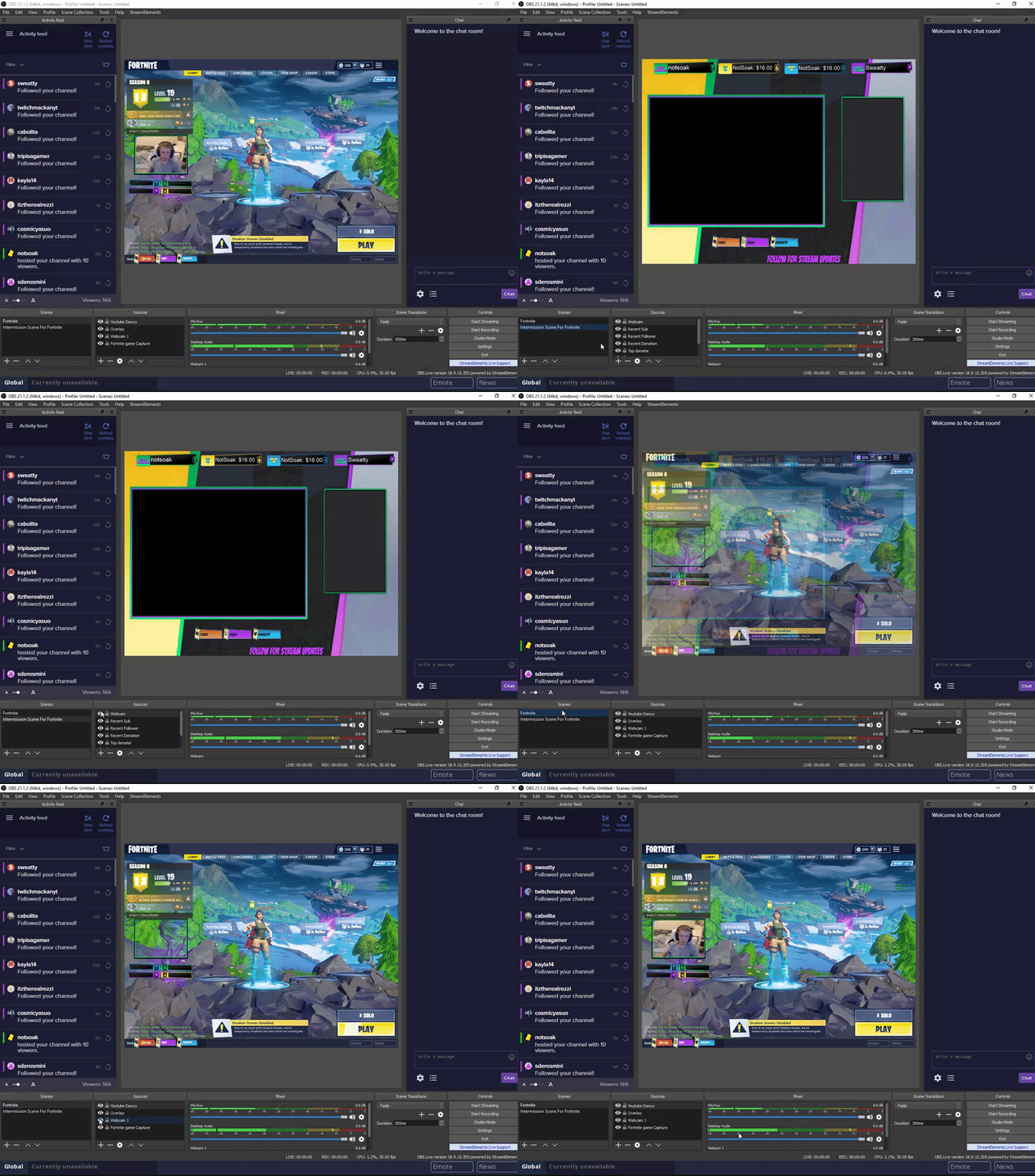
this is what it does
i have to hide and unhide it every time
warm pewter
you are using 2 different sources, this is just how some cams work, you need to completely shut the other source down for the other one to become active
random wren
wym shut the other source down?
warm pewter
when you are toggling the source with the visibility eye, if its not visible, its shutdown
if you want a smooth transition, you would need to use the same source in both scenes, and just scale it with the control handles
 dusk dune
@warm pewter Any idea about the resetting bit cup issue?
warm pewter
not really sure, I dont use the cup, and am not that familiar with it. I think the standard tricks are to recreate the cup if there are issues, or have it in its own source that is not set to be shutdown when not visible (if your system can handle it)
dusk dune
Hrmm, never thought of that. I just use it within my overlays. have it as its own source? hrmm...I'll have to give that a try. thank you for the brain storm.
 placid cliff
@random wren Add your camera to a scene of its own then add your "scene" to the other scenes.
random wren
hello, how do i get rid of black bars? i randomly have black bars now?
all of my sources r on 1920x1080
@placid cliff
placid cliff
Show me ?
random wren
 placid cliff
is your camera also on 1920 x 1080
random wren
 placid cliff
Your streams output isnt set to 1920 x 1080
warm pewter
your canvas is 4:3 from those images
placid cliff
^
warm pewter
Settings > Video
placid cliff
@random wren http://chrisis.live/s/1538284340_6.png
 random wren
do i use those exact settings
placid cliff
Do you stream from your CPU or GPU
Then Whats your CPU/GPU
I can recommend settings based off that
warm pewter
it depends on your monitor, and game resolution, if they dont really line up, things will not look right
 oblique mango
my question will be a bit stupid but...
is obs.live diffrent from the normal obs ?
warm pewter
Its a plug-in for OBS studio
warm pewter
You should download the latest version of OBS Studio from their site first if you are not on the latest version yet, 22.0.2
oblique mango
oookay 😄
 crimson terrace
hello?
shy mountain
Hello?
shy mountain
Do you have a capture card?
shy mountain
In order to stream from Console, via OBS, you would need a capture card.
 green vessel
Hello
I need some help pls. The problem is that after streaming for 15 - 45 minutes, my kb/s drops to 0kb/s. Whe I attempt to stop and restart the stream the program stops responding.
deep birchBOT
@green vessel Can you please provide a log from your last stream. You can find this log in " %appdata%/obs-studio/logs " OR Help > Log Files > Show Log Files. You can simply drag and drop the log file into Discord.
green vessel
should i send more? i didn't stop after that one streams so I don't know if you can see the problem there?
I also use sometimes 1920x1080 with 6000 bitrate or 1280 with around 3500 which should be more then enough..
shy mountain
green vessel
?
shy mountain
This is an analysis of the log file
green vessel
so what can i do? When i click update there is no new..
shy mountain
I'm not sure why it says old version
But for the crashing, perhaps its best to run OBS.Live as admin.
As for the speed dropping, it may be related to how much upload speed you have, what type of router you have and your bitrate setting you use.
green vessel
it's not like crashing, its more like it stops randomly sending data and ends by 0kb/s
when i stop stream and rego it doesnt work, when i close program and rego it works..
but it should never go to 0 !
shy mountain
Then check your speed connection towards the twitch server.
green vessel
ok so u have no special solution for that program?
shy mountain
when you run a speed test?
green vessel
my upload is 50k
shy mountain
Why does it depend what bitrate you use?
green vessel
my download 200k
shy mountain
50k? That doesn't tell me anything besides that maybe you have 5kb/s upload speed
green vessel
50.000
shy mountain
talk in MegaBites or MegaBytes!
green vessel
what else?
shy mountain
what is this number?
shy mountain
now we are getting somewhere
why does it depend better 6000 and 3500 bitrate? You should always keep it at one setting.
Does your upload stop when you use 3500 bitrate?
green vessel
i change that with my resolution (1920 needs more then 1280 right?)
i just use more bitrate for higher quality
it stops with all setings
even with 2000
just randomly..
shy mountain
Does your entire internet stop or only the upload towards your stream?
green vessel
i guess only the upload goes lower
but should never be that low... my internet works fine
shy mountain
Have you tried turning off your router for 2-3 minutes?
shy mountain
Then:
green vessel
If it's my provider okay, if not i like to know..
shy mountain
- Ask your ISP
- Maybe ask the actual OBS support discord.
I can't know if its your ISP
I can only assume at this point.
deep birchBOT
For the best OBS support, please join their discord where OBS devs and support volunteers are available all the time discord.gg/obsproject
 twilit venture
Maybe you are already in there discord server
shy mountain
@green vessel I saw that I gave the wrong log file for analysis so here is the actual result from your log file:
If we ignore OBS.Live warning, I'm not even sure what the other "capture interference" is and maybe that is causing the issue. First time seeing it, so I highly recommend asking in OBS Discord
They may send you back here, but I don't think its anything to do with OBS.Live. In the end you can always try removing the plugin and see if thats the issue.
 hoary echo
Anyone know how to disable the dual sound the stream picks up when using mediarequest cause i hear music from both my desktop and from the obs streamer
and there no option to turn the sound off in the streamer and if i turn of sound in media request all sound goes off
nova geode
@hoary echo so you have the SE site open and hear the music there and you put the media request widget in your scene and imported it in OBS. do you have multiple scenes in OBS with the same widgets?
hoary echo
no only one widget
nova geode
but multiple scenes in OBS?
hoary echo
ni have multiple scenes in obs yes but only one scene with the media share
oooh nm i fixed it XD it was my dj controller setup
 hoary echo
XD
crisp sentinel
Trying to figure out few things here, how much obs.live plugin actually affects the performance?
warm pewter
It really should not, unless its a lower end system, then it might take a bit more CPU
 fallen estuary
Can someone help me/
warm pewter
With what?
steel mural
He has a blackscreen while streaming. He was already at the OBS support discord and we linked him a few guides including a 4 step quick start guide because he has just added a media source atm
20:03:22.684: Loaded scenes:
20:03:22.684: - scene 'Scene':
20:03:22.684:     - source: 'Media Source' (ffmpeg_source)
20:03:22.684: ------------------------------------------------```But it seems like he ignored it
warm pewter
steel mural


 steel mural
I would take that as solved ✅
 mortal stream
I'm had sound issues ever since I downloaded ODSLive thru Stream Elements . I using a Elgato HD60S capture card to stream my PS4 to Twitch. Any advice?
 grave canopy
Hey dear team! please advise if there is any link that can be used as a browser source for OBS or else?
shy mountain
Are you referring to the overlay link?
@mortal stream I think its best to ask OBS' support for this, as I don't think it has anything to do with out Plugin.
But maybe check your audio sources in OBS before hand.
deep birchBOT
@mortal stream For the best OBS support, please join their discord where OBS devs and support volunteers are available all the time discord.gg/obsproject
grave canopy
Hey dear team! please advise if there is any link that can be used as a browser source for OBS or else?
grave canopy
@shy mountain u didnt mention me so i thought this was to another user. I need a link to be placed in OBS as a browser source (specific ever)
so people could be redirected to streamelements tip page
shy mountain
My question was right under your question. I don't see a point of we back and forth pinging each other when there are no other people talking in the channel currently.
As for a link, if you want to add your overlay click this:
Ok, so you want to add your TIPPING page somewhere then. Thats the specific link I wanted to know.
You tipping link should be added to your PANELS under your twitch channel, not in OBS.
@grave canopy ⤴
grave canopy
@shy mountain will this link allow people to place any text (tip message) that will be shown at stream? and how that works for YT?
thnx
shy mountain
So at this points its not an OBS subject, but for sake of helping, yes - any message they add in the tipping page will be shown on your stream and if you enable TTS in the alert box for tips specifically, you'll hear the message read out loud
grave canopy
@shy mountain is there any video guide ?
deep birchBOT
@grave canopy Twitch's official help guide for Panels: https://help.twitch.tv/customer/portal/articles/2416760-how-to-edit-info-panels
grave canopy
@shy mountain will check it . thnx
 sand spindle
Is there a way to get rid of the OBS Live nagging that happens every time I visit my dashboard? I'm not interested in this, and want to stop it from telling me about it
shy mountain
If you just "complete" it, it will stop showing up
just do step-by-step and it will get to a point where its done and won't show up.
sand spindle
To confirm, I have to take the time to interact with a step-by-step of something I have no interest in? Strange
oooookay then
shy mountain
I made it go away in less then 2 minutes.
Just because I only clicked on "Copy tipping link" and then continue twice past the overlay section
sand spindle
I get that it's not a lot of time, and will do that, but there's no indication to a person before being told this
You would only know after interacting with a step-by-step just how short that step is.
I'm over here thinking that until I install the silly thing, it'll tell me to do so (like a Wordpress plugin)
shy mountain
So far no one else has complained or asked how to remove the step guide permanently, but I'll write down your feedback.
sand spindle
Here's what I mean.... what part of this is "follow this really quick and it'll go away"
 sinful flint
I've never seen it come back after clicking on the X once 🤔
shy mountain
This is not OBS.Live related more like SITE/Dashboard related.
rugged quail
never come back after clicking x for me maybe delete cookies? @sand spindle
sand spindle
That's what I mean. It pops up on the dashboard. Granted, only once on a machine, but I'm regularly on four machines plus my iPad and phone and I access SE dashboard from each one of them at inconsistent times really. It seems it's more browser based, not account based, so dismissing it on system one still has it show up on system 2
It's not a huge deal. I'm not saying this in a whining tone really. - Was just curious if there was a way to dismiss it
shy mountain
I will say this again afterwards I will start deleting messages. This is not OBS.LIVE PLUGGIN related! Move this to #helpdesk-twitch so that we keep this clean to the PLUGIN issues.
sinful flint
I think as you say it's browser based
sand spindle
I wish that was the case, but when I reboot my system, it will return
I've clicked that X three times over the weekend, for example
Very minor annoyance... something most people wouldn't bring up anyways
sinful flint
True
sand spindle
Sorry @shy mountain
 agile oxide
Hey, is it possible to get the chat window in obslive to be any bigger? like can i get it to stretch down where the controls are? I know i can move it but I want it to take up the entire right side of my obs
shy mountain
You can detach it from OBS and stretch it as much as you want @agile oxide
Click the top part and drag out
agile oxide
oh snap thats awesome thanks 😄
 proper cypress
Is there a way to log in to both Twitch and YouTube accounts in OBSLive?
warm pewter
Twitch only at this time
rugged quail
hey i am getting constant black screen in obs with display capture. ive tried switching to game capture and that doesn't show up either. Display capture black screens anytime I click off the game and it only comes back if i delete the source and thenre-add. Ive tried running as administrator, putting process priority on high, and neither work. anny help would be appreciated
deep birchBOT
@rugged quail Can you please provide a log from your last stream. You can find this log in " %appdata%/obs-studio/logs " OR Help > Log Files > Show Log Files. You can simply drag and drop the log file into Discord.
 solid sky
does obs.live allow you to change the URLs that the activity feed and chat panels point to? i use a different tool for event display and would like to use that space for something else instead
shy mountain
The activity feed is tied directly towards our tracking of events. It can't be changed.
You can hide it if you'd like, but future updates will have the activity feed be changed into the Media Share we have as a feature as well. Or so I think
solid sky
gotcha. no plans to allow for a custom page in that space?
shy mountain
Afaik, no.
solid sky
understood, thank you!
 cold summit
😫 Help I'm apparently bad at following instruction lol, just downloaded the new streamelements OBSlive to my laptop today and I think i'm missing something, I cant figure out how to add an overlay to my twitch channel, there was a help video I watched multiple times but maybe i'm missing something
deep birchBOT
@cold summit To add your overlays to OBS, add a new browser source in your scene. Paste your overlay URL in the browser source properties, set the dimensions to 1920x1080 (unless you changed them on the website), and :ballot_box_with_check: “Shutdown source when not visible” https://youtu.be/KDvLynUqXI4
cold summit
Nope still nothing, maybe because I picked one from the themes gallery? I picked a super theme
shy mountain
It doesn't matter which overlay you pick.
You need to add the link from it which looks like streamelements.com/overlay/NUMBERS/NUMBERS to the browser source at 1920x1080 resolution
and make sure the source is on top of the game source
cold summit
Okay maybe that the problem where di I get the game source from? because the overlay is there but its blank
steel mural
I have an idea:
Post your overlay link in a browser for example chrome, firefox, edge etc. If it works in the browser then you have to disable hardware acceleration on OBS under Settings > Advanced > at the very bottom where it says Enable Browser Source Hardware Acceleration
cold summit
shy mountain
Ok, so I see that there is something showing on OBS.
twilit venture
@cold summit you have no idea how to use OBS? Maybe you should watch some tutorials so you know what the buttons do!
shy mountain
here is one if you need to: https://www.youtube.com/watch?v=BtZazqLgBjw
twilit venture
You add the game/sources through that plus symbol. But if you never worked with OBS it's best to watch some tutorials
steel mural
"Best Settings" in title 
cold summit
I’m a Xboxone console gamer as well, maybe that may be a reason
shy mountain
That is the reason then. You will need a capture card, to capture gameplay from the console and then add it to OBS.
Capture card goes into the PC
steel mural
Well you could use the xbox app since you are on windows 10 but this would require that your pc and your xbox are connected via LAN and both are on a 1 gbit port on your router/switch otherwise or you could get audio/video lag.
twilit venture
the quality isnt that good anyway in my opinion. best is to get a capture card
 radiant pulsar
So I wanted to share more challenges for OBS.Live I am experiencing. Up until now, when you type /raid {name} the chat box doesn't tell you if the countdown has started. Well, now apparently Twitch has a pop up button that you have to click to confirm the raid. Without having a browser based chat bot open, or the twitch dashboard open, you don't see this. I know I keep getting told "this is only obs vs 0.2". Any thoughts on this?
I think Kiwa said it's still being planned
shy mountain
@radiant pulsar its actually v0.3 atm and the raid popup ia planned for next update afaik and told.
As for the button to confirm that you want to raid or confirm the viewers that they want to join the raid?
warm pewter
He is talking about this https://help.twitch.tv/customer/en/portal/articles/2877820-how-to-use-raids?sf198355032=1
you click raid now, or it auto raids in 80 sec
radiant pulsar
^^^^ yes It used to be 'raiding in 20 seconds' with a countdown. Now it won't raid for 80 seconds unless you click 'raid now' Maybe that will also be in the update?
shy mountain
@unreal sigil ⤴
 unreal sigil
Yeah that's postponed because of twitch api limitations.
radiant pulsar
oh no
 spring scarab
hey guys, would you guys know why in obs live, i can't display capture my second screen
it only has one screen available to choost
warm pewter
That should have nothing to do with Live, but OBS itself, I would suggest restarting OBS, and if it does not show up, try rebooting the machine
spring scarab
alright ill try that
steel mural
If it still doesn't work be sure that both of your monitors are connected to your GPU. OBS can only capture displays that or connected to the GPU OBS is running on.
spring scarab
yeah restart didnt do anything I'll check that now
weird it wants to use the integrated graphics card
warm pewter
so do you have a monitor plugged into your integrated graphics, and a GPU
spring scarab
PC, i am usually a laptop mac user but I borrowed this one from my husband. I'm so sorry guys, I'm really new to PC
this may be the most annoying help desk ticket ever
lul
steel mural
not really 
spring scarab
I
steel mural
So how do you know it want's to use the integrated graphics?
spring scarab
let me look at the back of the case with that helpful picture in mind. one sec
shy mountain
I want to ask something differently, regarding what you want to achieve. Do you want to capture both monitors at the same time?
And have them side by side?
Or OBS is not picking up the 2nd monitor, which should be plugged in?
spring scarab
So the monitor that is available to be chosen is plugged into the integrated graphics
shy mountain
Then as Kreiger said, make sure its plugged into the GPU as well.
spring scarab
the monitor that isn't available to be captured IS plugged into the GPU
i have integrated graphics and a seperate GPU
shy mountain
Then plug both monitors into the GPU
Because as it seems even Windows is defaulting to the integrated graphics of the mobo, if it can't pick up the GPU plugged in monitor
spring scarab
hey so green is the GPU right
steel mural
jep
shy mountain
Do you know what is the GPU?
steel mural
Not every GPU has every port. You may need an adapter
shy mountain
Hence why I'm asking what the GPU is, so that we can tell right away if it has one or not 
steel mural
If you don't know what GPU you have you can upload a logfile from OBS under Help > Log Files > Upload Current Log File
shy mountain
It has a DisplayPort and an HDMI port
so you should be fine as long as you have those cables and the monitors have the coresponding ports as well
They look similar visually but not quite.
spring scarab
and success!
found a display port plug in my husbands wire box
looks like i can pick it now
shy mountain
If they are plugged in, I'd strongly suggest another restart, but of the PC it self, just in case
shy mountain
See ya in a bit, we will be here
spring scarab
im learning so much about PC, im used to thunderbolt ports lol
looks good guys
i can pick it and I put the browser overlay over it
shy mountain

steel mural
spring scarab
you guys rock, thanks for your patience
shy mountain
No problem 
steel mural
You're welcome 
rugged quail
hey i am getting constant black screen in obs with display capture. ive tried switching to game capture and that doesn't show up either. Display capture black screens anytime I click off the game and it only comes back if i delete the source and thenre-add. Ive tried running as administrator, putting process priority on high, and neither work. anny help would be appreciated
here are my log files to go with it
zinc lark
@rugged quail Some games block that sort of capture (attributed to stopping ways to hack). If it doesn't work in game capture, try window capture. Last resort is a desktop capture, though most things will run in window capture
rugged quail
ok i will try those real quick
window capture is still a frozen frame and game capture doesnt show anything at all
zinc lark
What game are you trying to capture
rugged quail
fortnite
zinc lark
22.0.2 is the most up to date version. The auto-updater is broken at 21.1.2
rugged quail
yeah i have 22.0.2
zinc lark
im not sure on the specifics of capturing fornite itself. Try closing OBS, and running it as administrator and trying it again. At very least, the desktop capture will work
rare night
Admin mode is important
 valid pivot
not letting me stream
warm pewter
You need to be a bit more specific than that
valid pivot
nvm mine ill just do by mine self
warm pewter
Your statement does not help us to help you, are you getting a specific error when you click the start stream button, or is something else happening? We are not mind readers, we rely on you to give us the information we need to help you
nova geode
Blink twice if you are in danger
 slim grotto
My friend is live streaming and uses stream elements for his channel how ever when he live streams using obs (elgato) stream elements doesn’t seem to join the channel is there a way to make it join the channel?
 wild scroll
hey, im having an issue with obs.live i just installed it and when i open obs, the stream elements page doesnt go away after i login to twitch with it
warm pewter
@slim grotto Not sure I follow what you are saying, this channel is for support with our OBS plugin, OBS.Live
@wild scroll What version OBS Studio are you on?
wild scroll
i just downloaded and installed it from the website. so the most current one
warm pewter
I need to make sure its 22.0.2, plenty of times people say they are on the current, when they are not since OBS had an issue with their updater at one point
wild scroll
its not that version. where do i get that version?
warm pewter
wild scroll
okie dokie. ill have to do it after this raid. =/ ty for the help
warm pewter
 vocal venture
Is the SE version of OBS supported by Streamdeck?
warm pewter
OBS.Live is just a plugin for OBS Studio
Stream deck functionality does not change, since it is still OBS Studio
You might just have to reinstall/repair the stream deck software after installing
vocal venture
hmm ok thanks, I'll give that a shot
zinc lark
after you install the plugin, you have to repair the streamdeck software, as it will re-detect your OBS stuff @vocal venture
vocal venture
Thanks got it working! 
 hushed prairie
Is there a .zip download available for OBS Live? I'm having trouble installing it to OBS which is in portable mode
shy mountain
@hushed prairie No.
hushed prairie
Is it possible to install it to portable OBS even?
shy mountain
And this is interesting. Will try to reproduce the issue later today and report it as a bug or issue for the devs.
hushed prairie
Thank you, not sure what I would be missing 😄
shy mountain
This is the first report I've seen of someone trying to install the plugin to a portable OBS version
So it maybe best to install the full version
hushed prairie
I need my OBS to be transferrable with all current scenes and such, so portable mode is vital
shy mountain
I think you can export your OBS profile that contains the scenes and sources, if thats what you are looking for
hushed prairie
Maybe, but I'd like to know if it's ever going to be an option before I change my installation. 😄 Thank you
shy mountain
I can't tell at the current moment. Let me ask.
hushed prairie
I'd appreciate that!
grave canopy
hey fellas. i have a problem. made a sponsor goal, placed in obs, send some amount, it appeared as an overlay but sponsor line didn't change (remains zero) what can be the problem?
shy mountain
sponsor goal, as in donation goal?
grave canopy
@shy mountain