#helpdesk-youtube
1 messages · Page 5 of 1
 blissful axle
 tender solar
blissful axle
I had the same issue with !tip &
!commands and ended up creating custom command...
tender solar
blissful axle
I had the same issue with !tip &
!commands and ended up creating custom command...
Seems like a work around, thanks!!
Will wait to hear though, incase this is a setup issue that can just be corrected.
 wispy adder
Anyone update to the new activity feed and cant see subscriptions anymore? (Streaming on YT)
 daring sealBOT
@wispy adder ⤵️
Users can choose to make the channels that they subscribe to public or private. By default, all settings are set to private.
Private: When a user's subscriptions are set to private, no other user can see what channels they subscribe to. A user's account does not show in a channel's Subscribers List, even if they are subscribed.
Public: When users subscriptions are set to public, another user can see what channels they subscribe to. User subscriptions are listed on their channel page and their account is listed in the Subscribers List for any channel they subscribe to.
If a user has it set to Private they will not show up in the activity feed. More info: https://support.google.com/youtube/answer/7280190
 versed tangle
Anyway I can make it so when someone gifts a membership on YT, it only shows as one and not 2? No big deal, but would appreciate it if it can be done. Thanks
 wispy adder
daring seal
<@521390362757955586> ⤵️
wispy adder
daring seal
<@521390362757955586> ⤵️
Already have this set to public
 gusty gazelle
wispy adder
Already have this set to public
gusty gazelle
wispy adder
Already have this set to public
Issue isn't your account being public, the issue is the subscribers not having it set
wispy adder
gusty gazelle
Issue isn't your account being public, the issue is the subscribers not having i...
So previously it would show it but with the new update it doesn't at all if they've set it to private?

 gusty gazelle
wispy adder
So previously it would show it but with the new update it doesn't at all if they...
gusty gazelle
wispy adder
So previously it would show it but with the new update it doesn't at all if they...
That is different entirely
wispy adder
gusty gazelle
That is different entirely
Right apologies, above is the issue I'm having with the new update. Any ideas on fixing this?
daring sealBOT
@wispy adder ⤵️
Please provide your account ID found at the top of this page: https://streamelements.com/dashboard/account/channels This ID is public info and safe to share here.
wispy adder
60413aa7c450a76647e51b1a
Sorry first one was twitch, YT is: 60413aa7c450a76647e51b1a
versed tangle
any help please?
Will it always happen, or can I click something to only show one on the event list?
gusty gazelle
wispy adder
Sorry first one was twitch, YT is: 60413aa7c450a76647e51b1a
Reported to our devs, will update once we have more info
wispy adder
gusty gazelle
Reported to our devs, will update once we have more info
No worries, where's the best place to do that?
gusty gazelle
wispy adder
No worries, where's the best place to do that?
Right here, i'll ping you once we have an update
wispy adder
gusty gazelle
Right here, i'll ping you once we have an update
Oh perfect! Thanks so much for the help.
 shadow quail
Hey, does anybody know why I'm logged into streamelements and yet my data doesn't seem to be linking to my youtube? On the dashboard it says I haven't gotten any subs recently with no activity displayed, yet I have been growing. My commands also aren't being responded to by the streamelements bot.
daring sealBOT
@shadow quail ⤵️
Users can choose to make the channels that they subscribe to public or private. By default, all settings are set to private.
Private: When a user's subscriptions are set to private, no other user can see what channels they subscribe to. A user's account does not show in a channel's Subscribers List, even if they are subscribed.
Public: When users subscriptions are set to public, another user can see what channels they subscribe to. User subscriptions are listed on their channel page and their account is listed in the Subscribers List for any channel they subscribe to.
If a user has it set to Private they will not show up in the activity feed. More info: https://support.google.com/youtube/answer/7280190
gusty gazelle
versed tangle
Will it always happen, or can I click something to only show one on the event li...
Is this a custom widget?
shadow quail
But I don't want my subscriptions to be public, I want the people who are subscribing to me to show up on my activity feed
 gusty gazelle
shadow quail
But I don't want my subscriptions to be public, I want the people who are subscr...
gusty gazelle
shadow quail
But I don't want my subscriptions to be public, I want the people who are subscr...
-
if your profile is not public, the streamelements can't gather the data for your dashboard.
-
if the viewers subscriptions are not public, it won't show up in your activity feed.
-
Make sure that streamelements has the following permission for your channel
Manage your YouTube videos - Live streams on YT are essentially videos being uploaded as you stream. Our bot needs this to join said streams/videos and moderate the chat.
View your YouTube account - so we are able to gather new subs, super chats, etc.
Manage your YouTube account - not sure what this should be, but I assume its just a general connection thing
View your email addresses - so that we can send you stream reports and have a point of contact if we need to contact you
You can check and adjust here: https://myaccount.google.com/permissions
versed tangle
gusty gazelle
Is this a custom widget?
Any response?
 icy willow
Hello @eager lily <@&364840891023622144>
I am having some very weird issue with my Activity Feed. It is NOT showing (updating) any new alerts or events or Super Chats, neither in OBS nor in the SE Dashboard Activity Feed.
It is showing old super chats (2 years old) but no new ones (although there are so many new ones in YouTube).
I have been trying to figure out the problem for months, and I just gave up and came to seek your help.
I tried resetting, signing out then back in, checking from admin accounts. Nothing worked.
Hope to hear from you soon, and I can provide more details if needed.
Thank you so much,
Rami Emad
AstroGate
 daring sealBOT
@icy willow ⤵️
Please provide your account ID found at the top of this page: https://streamelements.com/dashboard/account/channels This ID is public info and safe to share here.
icy willow
@daring seal @eager lily
ASTROGATE
Owner
Account ID
5c4eb227e8346b5bf82a130d
Member since
28/01/2019
 gusty gazelle
wispy adder
Oh perfect! Thanks so much for the help.
gusty gazelle
wispy adder
Oh perfect! Thanks so much for the help.
Could you check to see if it's showing now?
gusty gazelle
icy willow
Hello <@155149108183695360> <@&364840891023622144>
I am having some very weir...
Could you make sure that StreamElements has the following permissions:
Manage your YouTube videos - Live streams on YT are essentially videos being uploaded as you stream. Our bot needs this to join said streams/videos and moderate the chat.
View your YouTube account - so we are able to gather new subs, super chats, etc.
Manage your YouTube account - not sure what this should be, but I assume its just a general connection thing
View your email addresses - so that we can send you stream reports and have a point of contact if we need to contact you
You can check and adjust here: https://myaccount.google.com/permissions
daring sealBOT
@versed tangle ⤵️
Check out the StreamElements ideas board: https://strms.net/ideas. You'll be able to add ideas, upvote ideas you agree with and track their progress with email notifications. Adding and upvoting ideas also helps the staff know which ideas should be prioritized so please take some time to upvote.
 late nymph
When can we expect YouTube streams to receive Loyalty?
 main vector
wispy adder
gusty gazelle
Could you check to see if it's showing now?
main vector
wispy adder
gusty gazelle
Could you check to see if it's showing now?
Working now! Thank you kindly
 candid wolf
@tender solar I'll repost it for you, since the bot is being the bot.
My StreamElements user name (logged in through YouTube) shows as "se-7005004", rather than the "Caladron" I would expect, (to match my YouTube channel name).
Also, the variables for putting items into the chatbot output strings don't expand out to anything in the chatbot output (just blank, no spaces or anything). So, like the tipping string that is put out for the "!tip" command doesn't contain the variables and gives a 404 error. (It just comes out as "You can Tip to using this link https://StreamElements.com//tip".)
Could something have gone wrong when it first got set up, on my first login?
tender solar
candid wolf
<@524802743819304960> I'll repost it for you, since the bot is being the bot.
>...
Awesome, thanks! Didn't even think about that getting interpreted as a link. LOL
candid wolf
It would have worked if you typed it all again, but that's a lot of words haha
tender solar
Yeah, I was kicking myself for not copying it before I hit enter. Thanks again!
candid wolf
Looks like you're going to need a ticket to get that fixed.
daring sealBOT
Please create a support ticket by filling out the form here: https://streamelements.com/contact This will ensure staff can track and resolve your issue in a timely manner.
tender solar
candid wolf
Looks like you're going to need a ticket to get that fixed.
Ok, cool! I'll have to do it in the morning, I'm not at my PC right now.
icy willow
gusty gazelle
Could you make sure that StreamElements has the following permissions:
Manage y...
Permission granted long ago and never changed
Now the super chat messages disappeared but still the latest update is 02/06/2021
I need help maybe removing then reconfirming the permissions?

 late nymph
main vector
<#745905053625221120>
late nymph
main vector
<#745905053625221120>
That's not what I am asking about
main vector
The person deleted their message and to answer yours there's no ETA.
 proven jasper
Does anyone have a solution to make 7TV emotes appear in the chat overlay for StreamElements?
main vector
Use a 3rd party overlay service for now. Not currently "supported".
That being it's just not added yet.
late nymph
main vector
The person deleted their message and to answer yours there's no ETA.
Is it in production? Or is it not of priority atm
versed tangle
aye, is it possible to use 2 different colors on one widget? like one part of text is one color and second part is other color
proven jasper
main vector
Use a 3rd party overlay service for now. Not currently "supported".
Any suggestions on which? All i can find is jchat, chatterino, but they all seem to be for Twitch and not Youtube.
icy willow
icy willow
Permission granted long ago and never changed
Now the super chat messages disap...
A kind reminder regarding my problem.
<@&364840891023622144> @eager lily @daring seal
candid wolf
icy willow
A kind reminder regarding my problem.
<@&364840891023622144> <@1551491081836953...
Neither of those bots will reply to you on their own. Also: not all moderators are staff, not all staff are moderators, and your issue can't be solved by moderators. All you'll get by pinging them is probably some rather annoyed people.
gusty gazelle
icy willow
A kind reminder regarding my problem.
<@&364840891023622144> <@1551491081836953...
When is the last time you got a superchat?
 abstract sparrow
My Activity feed/overlays for subs and stuff don't seem to be working? i have looked at videos and done everything but nothing idk @eager lily
versed tangle
abstract sparrow
My Activity feed/overlays for subs and stuff don't seem to be working? i have lo...
@abstract sparrow same
 soft oracle
Excuse me, my chat is not working. And maybe overlay not getting data at all. How can I fix it?
soft oracle
soft oracle
Excuse me, my chat is not working. And maybe overlay not getting data at all. Ho...
Oh, it works only in open stream, not private
 leaden orchid
19:29:59.989: [obs-browser: 'Overlay Live'] Error: [Report Only] Refused to connect to 'https://api.streamelements.com/heartbeat' because it violates the following Content Security Policy directive: "connect-src 'none'".
19:29:59.989: (https://streamelements.com/overlay/scripts/app.js:360)
19:29:59.989: [obs-browser: 'Overlay Live'] Error: [Report Only] Refused to connect to 'https://api.streamelements.com/heartbeat' because it violates the following Content Security Policy directive: "connect-src 'none'".
19:29:59.989: (https://streamelements.com/overlay/scripts/app.js:360)
Help?
leaden orchid
Nothing huh?
versed tangle
I need help. I’m new to streamelement. After adding all the alerts, sub goals and recent subs when i do test run everything works fine. But I’m not getting alerts and sub goals are not updating during live streaming.
 gaunt portal
i am trying to link my youtube account to my main one but i already made a youtube account in streamelemnts
daring sealBOT
@gaunt portal ⤵️
Did you get a "Channel already claimed" message?
More than likely your accounts need to be merged! - Please note:
- Merging accounts allows for faster ways to switch between accounts
- Merging accounts allows duplicating/sharing overlays between the accounts
- Merging accounts does not allow data sharing between accounts - different streaming platforms, different type of events
If you understand the limitations of merging and want to proceed, please find the JWT tokens (!jwt) from both accounts you want to merge and fill out the form here: http://streamelements.com/contact with each token correctly labelled
 harsh scarab
Setting up my SE and went to configure SEPay but it shows as not available due to Region or channel size. I am within the US and have over 100 "followers" (subscribers cause its YT) on my channel. Was wondering if I can get this enabled by someone here or if there is another support i need to reach out to.
daring sealBOT
@harsh scarab ⤵️
Please provide your account ID found at the top of this page: https://streamelements.com/dashboard/account/channels This ID is public info and safe to share here.
candid wolf
I don't see any recent past streams that are public, just uploaded videos.
candid wolf
I'll ask
harsh scarab
thx
 wispy marsh
If someone could help me it would be great.
The Chat doesn't appear in the overlay, just the dark box but it doesn't show text.
daring sealBOT
@wispy marsh ⤵️
To set up the bot for your YouTube stream, please follow these steps:
- Make sure your stream is public. The bot cannot join a private/unlisted stream.
- Your stream must be live for the bot to join the chat.
- Go to https://studio.youtube.com/, click on Settings > Community and add https://youtube.com/c/streamelements or https://www.youtube.com/channel/UCjerlCIbLPQwSnYlClkjDXg as a Moderator.
- When live, be sure to look at Live chat instead of Top chat, as Top chat will hide the bot messages.
gusty gazelle
wispy marsh
If someone could help me it would be great.
The Chat doesn't appear in the overl...
Same rules for the bot applies for the chat overlay. If the stream is not public or listed, it won't display
 gusty tinsel
Hi, is there any way for the bot to post the latest uploaded YouTube video without having to update it manually on twitch ?
 urban prawn
is there a reason overlays work during testing on OBS but wont actually update during the livestream? I have seen other folks having this issue above but have not seen a fix?
versed tangle
urban prawn
is there a reason overlays work during testing on OBS but wont actually update d...
I'm having the same issue for days now and haven't got any solution from anyone till now
asked many times
gusty gazelle
gusty tinsel
Hi, is there any way for the bot to post the latest uploaded YouTube video witho...
#command-share There is a command that can help with this
daring sealBOT
@urban prawn ⤵️
Users can choose to make the channels that they subscribe to public or private. By default, all settings are set to private.
Private: When a user's subscriptions are set to private, no other user can see what channels they subscribe to. A user's account does not show in a channel's Subscribers List, even if they are subscribed.
Public: When users subscriptions are set to public, another user can see what channels they subscribe to. User subscriptions are listed on their channel page and their account is listed in the Subscribers List for any channel they subscribe to.
If a user has it set to Private they will not show up in the activity feed. More info: https://support.google.com/youtube/answer/7280190
gusty gazelle
versed tangle
I'm having the same issue for days now and haven't got any solution from anyone ...
Same to you above ⤴️
versed tangle
is it the same reason why I'm not getting the alerts and change in sub goal widget???
gusty tinsel
gusty gazelle
<#424943321794871296> There is a command that can help with this
hello, the command does not work well for me, it tells me this, I have looked up my YouTube channel ID, and put it where it says YouTubeChannelID, but it gives me the answer of the photo
 gusty gazelle
gusty tinsel
hello, the command does not work well for me, it tells me this, I have looked up...
gusty gazelle
gusty tinsel
hello, the command does not work well for me, it tells me this, I have looked up...
Can you please provide the channel ID you put in?
gusty tinsel
gusty gazelle
Can you please provide the channel ID you put in?
If you have it here : UCyQBs_VPsQQC1BirG5EVL_A
main vector
Try ${customapi.https://decapi.me/youtube/latest_video?id=UCyQBs_VPsQQC1BirG5EVL_A}
gusty tinsel
main vector
Try `${customapi.https://decapi.me/youtube/latest_video?id=UCyQBs_VPsQQC1BirG5EV...
Thank you very much for the help
urban prawn
daring seal
<@605187982022148146> ⤵️
Does that fix the overlays?
 vivid sparrow
I want to transfer my custom chat commands I created in StreamElements from my Twitch profile to my YouTube profile. Is there any easy way to do this?
 shadow mortar
Good afternoon! tell me kappagen supports emoji youtube? my select emotes is empty
wispy marsh
gusty gazelle
Same rules for the bot applies for the chat overlay. If the stream is not public...
oh okay thank you!
gusty tinsel
main vector
Try `${customapi.https://decapi.me/youtube/latest_video?id=UCyQBs_VPsQQC1BirG5EV...
Can this command be used for TikTok as well?
 hot nebula
Where do I find my audio files so that I can download them from SE's website? I am setting up the same sounds that are already on my Twitch for my YouTube aswell. When I duplicated the overlay, some of the sounds popped over automatically, but none of them are in my Uploaded Sounds when I am using the YouTube dashboard

 grim crystal
i cannot get chat box to work, i started a stream on unlisted and nothing shows up from my chat when i type
main vector
Has to be public stream.
 warm burrow
Hello i'd like to ask if the "command variables" all work for the streamelements bot on youtube as well?
like would "${user} Redeemed 10 Squats (cooldown 30 minutes)" work?
warm burrow
I also wanna know if i opt in to the tipping system and link my paypal, will it show my email/paypal to the donator?
 warm minnow
Hi. For some reason my OBS + S.E.Live doesn't communicate with the YouTube stream settings I've been setting on YouTube before going live. The thumbnail, headline, description, all of them. I just go live with the things I've set up in my OBS + S.E.Live. I've seen some YouTube streamers having the "YouTube Broadcast setup" In their OBS + S.E.Live but for some reason I don't have that. How can I get the streaming software and YouTube to communicate with each other?

 warm minnow
I've tried updating my OBS and deleting and re downloading the S.E.Live but those have not worked.
 verbal cape
hey how to get jwt token?
daring sealBOT
@verbal cape ⤵️
You can find your JWT token on your account channels page (Show Secrets to reveal the token): https://streamelements.com/dashboard/account/channels
READ ME: This is a private security token. Do NOT share this token here or other public places, only with a StreamElements staff member in private.
hot nebula
Does anyone use a chat overlay or bot or anything that combines YouTube and Twitch chat in to one, so I can display it on stream?
I checked in to restream but its not an option if you don't use them to stream to and I can't use them because I can't split bitrates if I do.
main vector
@hot nebula not possible as we don't support multistreaming.
hot nebula
I see. Any plans on future support that you're aware of? I've been enjoying everything in SE so far, but thats something I'd really like to see as I am sure others also stream to both platforms.
main vector
It would require other backend things to be done and that wouldn't be for a good long while.
hot nebula
Gotcha, well thank you for the headsup! I'll keep looking for workarounds 🙂
 restive surge
hot nebula
Gotcha, well thank you for the headsup! I'll keep looking for workarounds 🙂
restive surge
hot nebula
Gotcha, well thank you for the headsup! I'll keep looking for workarounds 🙂
there is another way to do it using the restream chat itself. pop the chat out, add a window capture source, crop it to the chat.
hot nebula
restive surge
there is another way to do it using the restream chat itself. pop the chat out, ...
From what I understand it won't capture youTube unless you go live with restream. The bot won't show up so it doesn't read the chat, and like I mentioned I don't wanna use Restream to actually stream.
restive surge
streamyard would be another that does multistream
only thing with them is, the free version is way more limited
gusty tinsel
Hi, is there any way for the bot to post the latest uploaded TikTok video without having to update it manually on twitch ?
versed tangle
I setup a YouTube overlay with my livestream chat widget as the only widget in my overlay. It worked exactly twice, and now I can no longer get any live chat text to show up, even in the "Preview in New Tab" function in the Overlay editor.
versed tangle
OK, how lame - I had to go into my Google account, and completely delete my StreamElements permissions, and reauthenticate. Then it started working again. What a wonderful user experience!
 clever apex
hey does anyone know how to change the SE tipping hyperlink ? mine has the wrong name in it
blissful axle
hot nebula
From what I understand it won't capture youTube unless you go live with restream...
I use OBS and stream into restream (RTMP encoder option) and have restream re-broadcast out to my platforms. However, I use Social Stream Ninja ( https://github.com/steveseguin/social_stream#readme ) to funnel chats from every platform into a single location. This allows me to embed that chats into my stream if I want, but I primary use it to highlight selected chat messages while I stream.
Hope this helps!
icy willow
candid wolf
Neither of those bots will reply to you on their own. Also: not all moderators a...
I don't know who should I mention ... sorry for tagging the wrong people.
icy willow
gusty gazelle
When is the last time you got a superchat?
I got many super chats during the last two years. It's not only that. It seems StreemElements Events stopped syncing with YouTube ... everything from subscribers to super chats. I got so many superchats and thousands of subscribers since then, none showed up in StreamElements, and I kept trying to fix it on my own, but I gave up and came here from help.
any advice? How can I escalate the issue to the technical team?
hot nebula
blissful axle
I use OBS and stream into restream (RTMP encoder option) and have restream re-br...
I appreciate the idea, but like I've mentioned, streaming in to restream means I have to lower the quality of my YouTube stream dramatically because restream doesn't allow you to stream to youtube in say 18K and Twitch at 5K bitrate. So you have to use the lowest one (5K) or Twitch will disconnect you. I will check out Social Stream Ninja and see what that's all about!
 primal notch
I am unable to login on SE.Live through OBS with my youtube channel, restarting my pc and the software does not work and it has been a few days of me trying it just says something went wrong. any suggestions?
also when trying to send a support ticket it just says try again
 dawn mulch
For my stream elements page , i get zero subs or chats recorded even thou i know people that have open subscription followed me off stream and none of the chats during the stream have been recorded in the stats. Can anyone help me figure out what to do?
 peak fulcrum
Got some bad problems trying to setup my YouTube stream. Yesterday I had someone in chat say that the audio was gone, which it was, so I attempted to do some obs troubleshooting today and ended up making everything worse somehow. Would love someone to help me so I can get back to streaming asap
vivid sparrow
Hi there, got a question about my account connections.
I wanted to be able to swap easily between accounts on my SE dashboard (as shown in the screenshot). This wasn't possible because I created these accounts seperately in someway. So I deleted the connected account to my YouTube and then added it back as a profile on my Twitch profile.
This reconnecting thing has caused some issues. Allthough everything seems properly connected. Membership (or any) alerts don't come through and my StreamElements doesn't work anymore in YT chat.
Hope this is all clear. Could someone help me out with this?


 wild oak
I've noticed lately that the streamelements bot in my YT chat is often disconnecting and reconnecting. Essentially spamming the chat and not working with !commands. Any information on what's going on with this? Began last week
 fresh zenith
vivid sparrow
Hi there, got a question about my account connections.
I wanted to be able to sw...
fresh zenith
vivid sparrow
Hi there, got a question about my account connections.
I wanted to be able to sw...
@vivid sparrow Hey, please submit a ticket ⬇️
daring sealBOT
Please create a support ticket by filling out the form here: https://streamelements.com/contact This will ensure staff can track and resolve your issue in a timely manner.
gusty gazelle
wild oak
I've noticed lately that the streamelements bot in my YT chat is often disconnec...
You could try these steps:
- Go to https://streamelements.com/ and log out
- go to https://myaccount.google.com/permissions and make sure you're accessing it as your branded account.
- Remove StreamElements as an app that has permission
- Go to https://streamelements.com/ and log in.

StreamElements
StreamElements is the leading platform for live streaming on Twitch,Youtube and Facebook gaming. StreamElements features include Overlays, Tipping, Chatbot, Alerts, merchandise, stream integrated and cloud-based.
 willow umbra
i am having some issues where i can't stream on twitch as the OBS software keeps popping up with "start streaming on youtube"
gusty gazelle
willow umbra
i am having some issues where i can't stream on twitch as the OBS software keeps...
Currently there is a known issue with going Live with SE.Live. Devs are aware of the issue.
The workaround for this is, to click on the "Live Video Settings" button in the chat dock and use the 2nd option from the pop up "Use these settings" to go live.
 cosmic umbra
I made a new YouTube account a few days ago and connected it to StreamElements. I had some friends subscribe on stream and the dashboard as well as recent events dont update. I also tried streamlabs and its the same problem there. My friend is having the same issue with streamlabs too. My guess is a YouTube issue. Anyone else having this problem or know how to fix it?
 gleaming light
My activity feed is not updating and my alerts are not popping on the stream any help?
they show fine when i do the tests on the webapage but when someone subscribes is not showing
 hardy moss
Hi I’m having trouble with my alerts on YouTube stats. Can anyone help me?
 void otter
Hello, so I've started streaming recently and started using Prism Live Studio. Can anyone guide me with setting up stremelements?
willow umbra
gusty gazelle
Currently there is a known issue with going Live with SE.Live. Devs are aware of...
Thanks@you
 small quest
Is there an array for YouTube memeber gifter like there is for recent memebers
data[“sponsor-recent”]
If anyone can help it’ll be great! Thanks.
 vague widget
I have a question about SE and YT. So, if I stream on Twitch already and want to do separate streams on my YT.. i have to "switch" to my YT account on SE. Now, when I do that, it removes all my overlays. Do I really have to recreate EVERYTHING... or can i copy them over to my YT and modify them to be YT instead of twitch stuff.
hardy moss
vague widget
I have a question about SE and YT. So, if I stream on Twitch already and want to...
I’d compile both overlay links
vague widget
hardy moss
I’d compile both overlay links
i understand, but when i switch to use the YT one, it gives me a clean slate in my overlays... like nothing is there like its a new account
hardy moss
Right so what you should do is only take the alerts from both and add them to the same scene in obs
 dusky needle
vague widget
i understand, but when i switch to use the YT one, it gives me a clean slate in ...
dusky needle
vague widget
i understand, but when i switch to use the YT one, it gives me a clean slate in ...
had the same issue. go to your twitch overlays, click the 3 dots, click duplicate and it will give you an option to send those overlays to yt. make sure to copy the new overlay url as it is different from your twitch overlay urls
vague widget
dusky needle
had the same issue. go to your twitch overlays, click the 3 dots, click duplicat...
I’ll try that out in a little bit. Thanks 🙏
hardy moss
Can anyone help me with my YouTube alerts? They only trigger during testing
small quest
Is there an array for YouTube member gifter like there is for recent members -
data[“sponsor-recent”]
If anyone can help it’ll be great! Thanks.
gleaming light
@eager lily I need help, my rotating feed, alerts and activity feed is not working, I just started streaming on YT and they seem to not update
cosmic umbra
gleaming light
<@155149108183695360> I need help, my rotating feed, alerts and activity feed i...
It seems a lot of people are having the same problem so it’s probably an issue with YouTube currently.
gleaming light
@cosmic umbra Dang its so frustrating cause yesterday I got a few new subscribers and I didn't know because I didn't get the alerts nor the popup on activity feed so I couldn't like welcome them and stuff
cosmic umbra
gleaming light
<@515152909411811328> Dang its so frustrating cause yesterday I got a few new su...
Yeah same thing with me. I even tried streamlabs and it’s the exact same issue. So it’s definitely a YouTube problem. Hopefully they’re working on it
 jade fractal
@eager lily Hello, I have SE.Pay for my Twitch account, I have linked my YouTube to the same SE account but there's no SE.Pay options anywhere.. How do I get this?
main vector
If it's for the MsNIKITA account you don't meet the requirements.
 vast leaf
hello, for some reason the streamelements tips panel url was changed from ludwigahgren to ludwig-3757
vast leaf
i should say, i mod for lud and am an editor for his streamelements
gusty gazelle
vast leaf
hello, for some reason the streamelements tips panel url was changed from ludwig...
So the name "ludwig" can only be associated with 1 channel for the tipping page. Since their Twitch page is already occupying it, the other needs to have a numeral sequence after it. If Lud would like their SE tipping page to have it as "ludwigahgren" we can help with that.
vast leaf
it was ludwigahgren for the youtube page, it just got changed to ludwig-3757
sorry, didn't mean to come off as pedantic but we just added tts.monster so i'm wondering if thats why it was changed
but if you can change it back that would be much appreciated
daring sealBOT
@vast leaf ⤵️
Please provide your account ID found at the top of this page: https://streamelements.com/dashboard/account/channels This ID is public info and safe to share here.
vast leaf
61a6b34d25107ab866590168
gusty gazelle
vast leaf
61a6b34d25107ab866590168
ludwigahgren as the name right? We could adjust it so that it's just ludwig (this would move the numbers from the YT account over to their Twitch tipping page, but it's super easy to adjust)
vast leaf
ludwigahgren yeah, would rather just keep everything the same
gusty gazelle
vast leaf
ludwigahgren yeah, would rather just keep everything the same
Placed the request, should be done in less than 24 hours
vast leaf
thank you!
gusty gazelle
lud7
 native flicker
hi ive moved from twitch to youtube streaming and for some reason i cant recreate my old overlay? its just a basic donation goal
any tips??
 sick kite
Hi, is there a way to merg my twitch account with my youtube one? So i dont have to redo my alerts, commands, etc.? @eager lily
main vector
Unfortunately no. Anything with a platform is only for that and nothing else.
 vapid aspen
Hi All,
Any reason why the 'Kappgen' is not working? non of the emojis is working from chat
vapid aspen
vapid aspen
Hi All,
Any reason why the 'Kappgen' is not working? non of the emojis is worki...
@eager lily please help
 dreamy gyro
Good afternoon StreamElements people
My name is Anderson,
And I'm in need of your help,
What happens is that I've been doing lives for more than 1 year on twitch, so I already had this twitch channel as the basis of access to let's say "a StreamElements account".
With my link (https://streamelements.com/hndrhander/tip) based on my nickname...
All right...
But for some personal reasons I unfortunately wanted to decide to stop doing lives.
But I kept the plan that I would try from then on to start managing my YouTube channel better. As soon as possible.
And I remembered that you guys from StreamElements were already working on let's say "a division more dedicated to YouTube", which would be Mercury. Right?
And when trying to log in through this Mercury session, I believe I accidentally opened another StreamElements account, and I don't know how to proceed.
Because I believe it would be interesting for me to continue using my first and main account which already has my links and everything. But it looks like my YouTube channel has already been linked with that second account.
Would it be possible for me to unlink my channel from this second account, to re-link it with my first and main account?
 fringe crane
Good Afternoon, I am new, for some reason I am unable to add se.pay, even though I meet the requirements to do so. Not sure what the next step would be...?
main vector
@fringe crane is it for the channel of same name with 540 subs?
fringe crane
main vector
<@653312000193069086> is it for the channel of same name with 540 subs?
Correct
main vector
I'm not seeing any livestreams on the channel.
fringe crane
I do not have any public streams at the moment. I did not realize I needed to have previously made public livestreams in order to use this feature. I am trying to hammer out as many ducks in a row as I can before launching.
fringe crane
main vector
I'm not seeing any livestreams on the channel.
Just looked again on the dashboard on the left hand side for SE.Pay. It only stated "SE.Pay is not available due to region constraint or channel size. If you're from the US and have over 100 followers please contact our support to enable this feature." Since I am in the US, and I have over the 100 followers (unless it means twitch only?) then I am not sure what else. So, is another requirement that you need to have done one livestream? I have done them, just private them afterwards.
fringe crane
My original reason for posting on here is because for some reason submitting a ticket was not functioning.
 main vector
Make 2 of the VoDs unlisted and try making one again along with including your AccountID from here
daring sealBOT
Please provide your account ID found at the top of this page: https://streamelements.com/dashboard/account/channels This ID is public info and safe to share here.
gusty gazelle
vast leaf
thank you!
Wanted to give an update and say that it's been fully updated
vast leaf
gusty gazelle
Wanted to give an update and say that it's been fully updated
thank you 😊
 leaden marsh
hi I can't connect to youtube, the activity box cuts off so I can only see connect to twitch (no matter how much I expand it) and there is also no option to add my stream key even though I manually connected my youtube
 candid orbit
so I used to stream on twitch, but then i connected my yt account, and now when i have to reconnect my account, i log in via twitch to get to my youtube account stream elements, but now i cant access my activity feed on youtube
UPDATE: even my alerts work fine, but i cannot access my activity feed and that's really upsetting
i am so confused
candid orbit
candid orbit
so I used to stream on twitch, but then i connected my yt account, and now when ...
on the actual website it works just fine, and io can access both accounts.however on OBS it just is not there
daring sealBOT
@candid orbit ⤵️
If you are attempting to stream to one streaming platform, but SE.Live is attempting to stream to another, please try the following:
Navigate to StreamElements menu, on top of OBS > Logout > Login
After you have logged back in navigate to File > Settings > Stream > Disconnect > Reconnect
candid orbit
I also need SEPay enabled, I'm over 100 subs
daring sealBOT
@candid orbit ⤵️
SE.PAY is available for streamers who are at least 18 years old, with bank account under their name in one of the following countries, and have at least 101 followers (Twitch/Trovo/Facebook) / 101 subscribers (YouTube):
Austria, Belgium, Czech Republic, Denmark, Finland, France, Germany, Ireland, Italy, Netherlands, Poland, Portugal, Slovakia, Spain, Sweden, Switzerland, United Kingdom, United States.
If you meet these criteria and don’t see SE.Pay, let us know.
For information on SE.Pay payment methods, their fees, and settlement times see https://streamelements.com/dashboard/tipping/fees
 lean wasp
Hi, I am using the Streamelements SE for recordings but they are full of pixels and im not sure why when the game looks so clean.
gleaming light
Has the problem with youtube alerts, activity feed and rotation not updating been solved? @eager lily
 karmic canyon
Hello. I have the alerts and the chat set so that they are displayed on the screen on YouTube live. Alerts look good but the chat doesn't show the messages. If I go to streamelements the chat if it shows the messages but from the obs they are not displayed. Does anyone know what it could be? Thank you!
 hardy jolt
Hello, when I have the "banned words" filter on and someone uses one of the new YouTube emotes, they get timed out. This happens even though there is nothing on the ban list for these emotes and even if the words list is completely clear. Can you please look into this? Thanks
daring sealBOT
Users can choose to make the channels that they subscribe to public or private. By default, all settings are set to private.
Private: When a user's subscriptions are set to private, no other user can see what channels they subscribe to. A user's account does not show in a channel's Subscribers List, even if they are subscribed.
Public: When users subscriptions are set to public, another user can see what channels they subscribe to. User subscriptions are listed on their channel page and their account is listed in the Subscribers List for any channel they subscribe to.
If a user has it set to Private they will not show up in the activity feed. More info: https://support.google.com/youtube/answer/7280190
@gleaming light ⤵️
Users can choose to make the channels that they subscribe to public or private. By default, all settings are set to private.
Private: When a user's subscriptions are set to private, no other user can see what channels they subscribe to. A user's account does not show in a channel's Subscribers List, even if they are subscribed.
Public: When users subscriptions are set to public, another user can see what channels they subscribe to. User subscriptions are listed on their channel page and their account is listed in the Subscribers List for any channel they subscribe to.
If a user has it set to Private they will not show up in the activity feed. More info: https://support.google.com/youtube/answer/7280190
 raw prism
hello, i can't login somehow but last time it work just fine
it keep saying ''Access blocked: Authorization Error''
 shadow forum
Hello! When I try to stream none of the alerts work at all
I tried testing it but no preview also
shadow forum
CAN SOMEBODY HELP ME ?!
 devout cave
daring sealBOT
devout cave
daring sealBOT
@devout cave ⤵️
To set up the bot for your YouTube stream, please follow these steps:
- Make sure your stream is public. The bot cannot join a private/unlisted stream.
- Your stream must be live for the bot to join the chat.
- Go to https://studio.youtube.com/, click on Settings > Community and add https://youtube.com/c/streamelements or https://www.youtube.com/channel/UCjerlCIbLPQwSnYlClkjDXg as a Moderator.
- When live, be sure to look at Live chat instead of Top chat, as Top chat will hide the bot messages.
primal notch
posting this again because your support still won't let me submit a ticket
I am unable to login on SE.Live through OBS with my youtube channel, restarting my pc and the software does not work and it has been a few days of me trying it just says something went wrong. any suggestions?
[1:39 PM]
also when trying to send a support ticket it just says try again
 muted sluice
i have a ton of delay with alerts. HELp
primal notch
@muted sluice at least you get them
muted sluice
primal notch
<@797588304001368134> at least you get them
im talking to someone on the team on twitter. they take forever
 analog field
Hello, this is my first time here and using Stream Elements. I've seen streamers have a command setup for the people in chat to drop a command and it displays that users youtube channel as a link.
 minor zealot
My stream activity feed isn’t showing my recent subs, I’m streaming on YouTube
minor zealot
Bruh there is no videos on it
daring sealBOT
@minor zealot ⤵️
Users can choose to make the channels that they subscribe to public or private. By default, all settings are set to private.
Private: When a user's subscriptions are set to private, no other user can see what channels they subscribe to. A user's account does not show in a channel's Subscribers List, even if they are subscribed.
Public: When users subscriptions are set to public, another user can see what channels they subscribe to. User subscriptions are listed on their channel page and their account is listed in the Subscribers List for any channel they subscribe to.
If a user has it set to Private they will not show up in the activity feed. More info: https://support.google.com/youtube/answer/7280190
minor zealot
So if the person that subs to me has it set to private then I won’t see it?
gusty gazelle
minor zealot
So if the person that subs to me has it set to private then I won’t see it?
Correct, and my default it's set to private
 trim badge
hey guys, has the "loyalty" or "points" system been deactivated ?
main vector
Not available for youtube.
trim badge
right ok cool thank you
 lone grotto
Hi all! Does anyone know why I cant see the chat Loyalty settings in my dashboard?
main vector
lone grotto
Hi all! Does anyone know why I cant see the chat Loyalty settings in my dashboar...
previous message
 compact apex
is it possible to make emotes work in the chatbox? specifically the yt ones which use the :name: format
ive seen streamers with bttv emotes in their chats on the stream so it the process similar
compact apex
bump :v
 vital girder
how can i add youtube chat to my stream
 copper plume
@eager lily When the live chat is added to an overlay, will it only show if the stream is Public? When I do an unlisted test stream none of my chat shows up.
main vector
@copper plume correct
copper plume
main vector
<@611583426159443987> correct
Thank you
 bleak fiber
Hi
 crimson rapids
would anyone know if there's a way to combine the latest tip and latest superchat into one text on an overlay ?
shadow forum
@eager lily i dont have alerts in my yt stream
versed tangle
How can I add Media Request as a Source after first installing witouht the button on the Widget itself?
 clever apex
anyone know how to change my tip hyperlink name?
vapid aspen
@eager lily - Emotes from 'Kappgen' is not showing on the stream, please help
clever apex
clever apex
anyone know how to change my tip hyperlink name?
any help would be greatly appreciated
 shut bronze
Any way to fix YouTube chat stop refreshing after a few minutes? Reset overlay works but it’s impossible for me to stop my livestream every 5 minutes to fix it
 rotund relic
hey someone can help me?
 unreal meteor
Hello, quick question

My activity feed hasn't updated for 2 years. Any idea why? I've tried logging in/logging out, but that helped nothing
daring sealBOT
@unreal meteor ⤵️
Users can choose to make the channels that they subscribe to public or private. By default, all settings are set to private.
Private: When a user's subscriptions are set to private, no other user can see what channels they subscribe to. A user's account does not show in a channel's Subscribers List, even if they are subscribed.
Public: When users subscriptions are set to public, another user can see what channels they subscribe to. User subscriptions are listed on their channel page and their account is listed in the Subscribers List for any channel they subscribe to.
If a user has it set to Private they will not show up in the activity feed. More info: https://support.google.com/youtube/answer/7280190
@vital girder ⤵️
To set up the bot for your YouTube stream, please follow these steps:
- Make sure your stream is public. The bot cannot join a private/unlisted stream.
- Your stream must be live for the bot to join the chat.
- Go to https://studio.youtube.com/, click on Settings > Community and add https://youtube.com/c/streamelements or https://www.youtube.com/channel/UCjerlCIbLPQwSnYlClkjDXg as a Moderator.
- When live, be sure to look at Live chat instead of Top chat, as Top chat will hide the bot messages.
gusty gazelle
vital girder
how can i add youtube chat to my stream
same settings apply for the bot and for the chat overlay
daring sealBOT
@clever apex ⤵️
Please create a support ticket by filling out the form here: https://streamelements.com/contact This will ensure staff can track and resolve your issue in a timely manner.
gusty gazelle
versed tangle
How can I add Media Request as a Source after first installing witouht the butto...
Not possible, needs the loyalty system which isn't on Youtube at this time
unreal meteor
daring seal
<@339905726979768321> ⤵️
I appreciate the response, but that doesn’t solve the mystery. Public subscribers aren’t showing up either
gusty gazelle
unreal meteor
I appreciate the response, but that doesn’t solve the mystery. Public subscribe...
Under the permissions page (https://myaccount.google.com/permissions) check to see if we have the following permissions:
Manage your YouTube videos - Live streams on YT are essentially videos being uploaded as you stream. Our bot needs this to join said streams/videos and moderate the chat.
View your YouTube account - so we are able to gather new subs, super chats, etc.
Manage your YouTube account - not sure what this should be, but I assume its just a general connection thing
View your email addresses - so that we can send you stream reports and have a point of contact if we need to contact you
unreal meteor
gusty gazelle
Under the permissions page (https://myaccount.google.com/permissions) check to s...

Not quite word for word the permissions you mentioned. Is there a way for me to add more?
gusty gazelle
unreal meteor
You can try this to reset the connection and you should be able to update perms
- Go to https://streamelements.com/ and log out
- go to https://myaccount.google.com/permissions and make sure you're accessing it as your branded account.
- Remove StreamElements as an app that has permission
- Go to https://streamelements.com/ and log in.
unreal meteor
gusty gazelle
You can try this to reset the connection and you should be able to update perms
...
Just followed those precise steps. Didn't change anything, unfortunately
main vector
It won't show retroactively.
unreal meteor
main vector
It won't show retroactively.

This is the same screen that I saw before, even after the reconnection
And since reconnecting, I've already gained at least 1 public subscriber. I have OBS open and it just notified me
Maybe I have a fundamental misunderstanding for how the feed works. Does it only update when I'm actually live on my channel? I would've thought it just updates automatically in the background at all times
vital girder
gusty gazelle
same settings apply for the bot and for the chat overlay
then where is the chat overlay
gusty gazelle
vital girder
then where is the chat overlay
Dashboard > Streaming Tools > My Overlays > Create an overlay > White plus sign in the bottom right > Stream Tools > Your Streams Chat
gusty gazelle
vital girder
then where is the chat overlay
Once you have the widget added, save the overlay, add it as a browser source and add it to OBS. It will only function if the stream is public and listed
gusty gazelle
no
 mint hollow
Can someone help me with the chatbot
daring sealBOT
@mint hollow ⤵️
To set up the bot for your YouTube stream, please follow these steps:
- Make sure your stream is public. The bot cannot join a private/unlisted stream.
- Your stream must be live for the bot to join the chat.
- Go to https://studio.youtube.com/, click on Settings > Community and add https://youtube.com/c/streamelements or https://www.youtube.com/channel/UCjerlCIbLPQwSnYlClkjDXg as a Moderator.
- When live, be sure to look at Live chat instead of Top chat, as Top chat will hide the bot messages.
mint hollow
I connected it properly but it wont show in my chat at all
gusty gazelle
mint hollow
I connected it properly but it wont show in my chat at all
Is your stream public and listed?
mint hollow
is listed a setting in the live studio?
if it's the default setting then yes
and yeah it's public too
wait which one do i add
 gusty gazelle
mint hollow
wait which one do i add
mint hollow
gusty gazelle
mint hollow
wait which one do i add
mint hollow
This is what i currently have

which moderator does it matter?
i tried both moderators and it didnt work
:/ i checked my stream and looked at the participants and didnt see that the bot joined either
someone sent this reddit post is it still a thing? https://www.reddit.com/r/streamelements/comments/un4sej/chatbox_not_working_for_youtube_stream/
do I need to do this
 obtuse oyster
I have 100 followers on youtube but this option doesn't work
 daring sealBOT
@obtuse oyster ⤵️
Please contact us via email for support with SE.Pay. You can use our contact form here: https://streamelements.com/contact Thank you.
vapid aspen
@eager lily Guys, this is the 3rd time I am asking for help.. Emotes from 'Kappgen' is not showing on the stream, please help
 manic matrix
We getting a loyalty system for lives?
mint hollow
anyone else having trouble with getting the bot to join your chat? I contacted support and walked me through a bunch of stuff which didnt help
 woven swift
Hello I’m having a problem with my chatbox widget. I got a custom one however it doesn’t seem to be working with my YouTube chat but it works when I do the test message. I contextual the person that made it and it is working fine for them and everyone else. I reinstalled it multiple times but it’s still not connecting to my YouTube chat when I stream. Is there something I need to do to get external chat widgets to work with YT and SE?
 frosty thistle
this questions has probably been asked 10000 times but how do I get BTTV emotes to show on my chatbox widget? any adivce would be helpful!
 obtuse mountain
my alert box text is half way off screen and i cant move it how do i fix?
 daring sealBOT
@obtuse mountain ⤵️
The default resolution for StreamElements overlays (theme and custom) is 1920x1080. Please add them in OBS at their full resolution and use CTRL+F to fit to screen if necessary. You can then downscale your stream in OBS settings > Video if you'd like https://i.imgur.com/6bWXxjR.png
 barren star
daring seal
<@1013983354540003428> ⤵️
barren star
daring seal
<@1013983354540003428> ⤵️
The crossed out questions/points have been answered. Scrolled here and got replies from friendly people in the community.
Only point 1 and point 4 is still open.
I contacted support about this exactly last Tuesday 6 days ago. Via the link/ contact form Also to the Infomail from StreamElements. Unfortunately, I did not receive any concrete answers to my questions. How long should you expect an answer?
My questions are:
- My SE.Pay is not activated although I meet the requirements for my YouTube account. Please check.
2. The chatbot wasn't working when I tested it, or was it because I wasn't streaming listed?
3. The chat function/widget display in the stream did not work with the overlays. Is it also because I streamed unlisted? - Do I have to give the chatbot a channel membership or leave it to YouTube so that it can also use emotes etc.? If yes, how exactly can I do that?
5. Despite this guide here: (Link are not allowed, its a link from StreamElements Guide)
Do not name or customize the chatbot.
My stream debut is expected on February 16th and I'm reluctant to cancel it due to technical issues.
I hope and look forward to a response, maybe here?
Thanks very much.
You can also answer me personally via PM.
barren star
mint hollow
someone sent this reddit post is it still a thing? https://www.reddit.com/r/stre...
Ah thanks, maybe the most can be help me of this link. I hope the Support can affirm this
barren star
daring seal
<@122067173584666625> ⤵️
Ah here i found what i need and my fear is a little bit away
barren star
main vector
5 is only twitch.
Wounderfull, thanks for your friendly Answer and Fast
mint hollow
barren star
Ah thanks, maybe the most can be help me of this link. I hope the Support can af...
I figured out it takes time for the bot to propagate and find your channel and add it to the list of listeners
bot shows up for me now
barren star
barren star
**The crossed out questions/points have been answered. Scrolled here and got rep...
The crossed out questions/points have been answered. Scrolled here and got replies from friendly people in the community.
Only point 1 and point 4 is still open.
barren star
mint hollow
I figured out it takes time for the bot to propagate and find your channel and a...
Top thanks, very good for your friendly answer. I think its okey
 fair sequoia
Hey everyone! For some reason my chat is disabled because it says I have made for kids on. How do I disable this? I think it is disabled but can someone help so I can get my YouTube chat working.
restive surge
fair sequoia
Hey everyone! For some reason my chat is disabled because it says I have made fo...
log into youtube studio > settings > advanced settings. you wont be able to monetize your channel or any videos marked for kids, last i remember. so its kinda important you go back and change those settings for each of your videos too after doing the above
fair sequoia
restive surge
log into youtube studio > settings > advanced settings. you wont be able to mone...
Do you mean YouTube Studio > Settings > Channel > Advanced settings?
restive surge
fair sequoia
Do you mean YouTube Studio > Settings > Channel > Advanced settings?
yep
fair sequoia
restive surge
yep
Okay. I have it set to "no, this channel is not meant for kids", but I still can't enable my chat.
What should I do?
restive surge
fair sequoia
What should I do?
thats pretty much the only thing that stops the chat on livestreams. when you try again, go into youtube studio, open your livestream and make sure the audience setting is applied correctly for the stream. should do it by default once you updated it in your settings, but still check the livestream feed itself to make sure its doing it correctly. beyond that id say log out of youtube and then log back in. if its still doing it after that, you may need to contact youtube to see why your account hasnt updated
barren star
barren star
**The crossed out questions/points have been answered. Scrolled here and got rep...
I need also the Help for my upcomming Stream. I have a monetized youtube account, which is small and mighty. but i still have a few fans. I would be very happy about a feedback. I have already written to email support and contact support and have been waiting for an answer for 7 days.
I am looking forward to a reply. Thanks very much.


 worthy void
So I've been unable to log into stream elements through youtube the past couple of days and I'm wondering if there's a solution to this, I keep getting "Error fetching profile from provider. Please contact us for help." both when logging in through OBS and on their website
I've been trying to set up alerts and Stream Elements is definitely my go to but I am having 0 luck doing so
barren star
barren star
I need also the Help for my upcomming Stream. I have a monetized youtube account...
@daring seal @eager lily Anyone at home? how can you be reached? Please read my requests. I also took a screenshot and you can find me via the banner
candid wolf
barren star
<@603953048129110031> <@155149108183695360> Anyone at home? how can you be reach...
Do you have recent live streams listed as public videos?
 fickle ocean
How safe is StreamElements? It's asking youtube video upload and comment editor while connecting my YT channel.
for sponsorships*
fair sequoia
restive surge
thats pretty much the only thing that stops the chat on livestreams. when you tr...
Thanks! Fixed it!
versed tangle
My chat isn't working even though it was previously, I'm guessing this is because I have another scheduled stream in addition to the one I'm currently live with...?
 thin zinc
I'm also having problems with chat
for some reason it doesn't show up at all in the SE chatbox
nvm
restive surge
fickle ocean
How safe is StreamElements? It's asking youtube video upload and comment editor ...
youre using streamelements
frosty thistle
frosty thistle
this questions has probably been asked 10000 times but how do I get BTTV emotes ...
any advice for this?
restive surge
frosty thistle
any advice for this?
log into bttv, connect your youtube account. install the bttv browser extension on your browser. your viewers will need to have the extension installed as well to view the emote menu. mobile users can only use the commands to use them
 hazy harbor
some on donated me but its not showing up in overlay
 lofty ravine
Hi, I need help regarding the bot and the delay that exists with the subs. The bot doesn't work for me at all live and the subs are shows, but only after about 5 minutes you give a sub and until it appears, I would appreciate the help of one of you
daring sealBOT
@lofty ravine ⤵️
To set up the bot for your YouTube stream, please follow these steps:
- Make sure your stream is public. The bot cannot join a private/unlisted stream.
- Your stream must be live for the bot to join the chat.
- Go to https://studio.youtube.com/, click on Settings > Community and add https://youtube.com/c/streamelements or https://www.youtube.com/channel/UCjerlCIbLPQwSnYlClkjDXg as a Moderator.
- When live, be sure to look at Live chat instead of Top chat, as Top chat will hide the bot messages.
@lofty ravine ⤵️
Users can choose to make the channels that they subscribe to public or private. By default, all settings are set to private.
Private: When a user's subscriptions are set to private, no other user can see what channels they subscribe to. A user's account does not show in a channel's Subscribers List, even if they are subscribed.
Public: When users subscriptions are set to public, another user can see what channels they subscribe to. User subscriptions are listed on their channel page and their account is listed in the Subscribers List for any channel they subscribe to.
If a user has it set to Private they will not show up in the activity feed. More info: https://support.google.com/youtube/answer/7280190
 hasty widget
What is this specified channel or stream key?
Not able to connect OBS stream labs with my YouTube channel due to this error code
 restive surge
hasty widget
restive surge
hasty widget
open youtube studio. push create, then click live. itll show you the key and rest of the details. copy that to OBS.... DO NOT ever share that information with anyone, youll get your channel hacked
 slim echo
Hi. I'm having trouble trying to get the bot for StreamElements to work for YouTube. Every time I tried to type in a chat command, the command doesn't show up in the YouTube chat. How do I get the StreamElements bot to work in YouTube?
 plucky igloo
Hello. I in need of help please. It seems my StreamElements Dashboard is not updating like my Youtube Account did. Even though i connect my SE using my Youtube Account.
restive surge
plucky igloo
Hello. I in need of help please. It seems my StreamElements Dashboard is not upd...
you mean your sub count?
plucky igloo
restive surge
you mean your sub count?
Yes. Sorry. A bit new to this.
restive surge
slim echo
Hi. I'm having trouble trying to get the bot for StreamElements to work for You...
you have to add it as a moderator. open youtube studio, go to settings, then select community, enter the streamelements bot name as a moderator in the box
restive surge
plucky igloo
Yes. Sorry. A bit new to this.
yeah that happens. unfortunately youtube allows users to set their accounts to private. this stops third party sites from getting that data. no way to get around that other then to try to recommend to your subscribers to change those settings. some will, some wont. some youtubers have different creative ways to get people to do that. like in order to win a giveaway, they have to have that public to qualify.
 granite aspen
 plucky igloo
restive surge
you have to add it as a moderator. open youtube studio, go to settings, then sel...
plucky igloo
restive surge
you have to add it as a moderator. open youtube studio, go to settings, then sel...
Is there a specific link to add the bot? When i type "Streamelements", there's more than 1 name appeared. And I already add the bot before this. Just wondering maybe i add the wrong one or something.
restive surge
plucky igloo
Is there a specific link to add the bot? When i type "Streamelements", there's m...
yep. @versed tangle make sure its the one with the 'S" in the end. the other one is missing the s
restive surge
granite aspen
are you trying to connect to facebook or youtube?
granite aspen
restive surge
are you trying to connect to facebook or youtube?
restive surge
granite aspen
Facebook
jump over to #helpdesk-facebook , streamelements is having issues with facebook at the moment. theyre supposed to be working on it
 west dragon
Hello, I am trying to use SEPAY on youtube after having it on Twitch but it tells me I do not have enough followers/subscribers when I do (I have 193 subscribers) who do I contact?
main vector
@west dragon I'm not seeing any livestreams on account.
west dragon
main vector
<@876735979627630592> I'm not seeing any livestreams on account.
So it means it needs to have one stream at least?
Cause I wanted to do it before streaming 
if that's the issue all good
main vector
If you can pop up with at least 1 livestream to show then it can be taken care of.
west dragon
it has to be on youtube specifically right?
main vector
Yup
daring sealBOT
SE.PAY is available for streamers who are at least 18 years old, with bank account under their name in one of the following countries, and have at least 101 followers (Twitch/Trovo/Facebook) / 101 subscribers (YouTube):
Austria, Belgium, Czech Republic, Denmark, Finland, France, Germany, Ireland, Italy, Netherlands, Poland, Portugal, Slovakia, Spain, Sweden, Switzerland, United Kingdom, United States.
If you meet these criteria and don’t see SE.Pay, let us know.
For information on SE.Pay payment methods, their fees, and settlement times see https://streamelements.com/dashboard/tipping/fees
main vector
Though there is the country requirement as well.
plucky igloo
restive surge
yep. <@456226577798135808> make sure its the one with the 'S" in the end. the ot...
So i did everything and my SE Dashboard is still not updating with my Youtube Account. Like its not connected or something. I can't even use Sub Alerts & Chat. I can use Overlay Pictures only.
 cloud hamlet
Hey, I setup the alert overlay for when people subscribe on youtube. the alert overlay works fine when testing it on stream elements, but when someone subscribe live, nothings pops up on obs. I have double check the browser source, but it still fails. Any way to fix this?
manic matrix
Don't think my question got a reply. We getting loyalty system for YT?
main vector
No eta of any plans ATM.
manic matrix
Ok cheers!
slim echo
restive surge
you have to add it as a moderator. open youtube studio, go to settings, then sel...
I've tried that, but it's still not getting the commands in.
plucky igloo
So uh....any update about the dashboard or the alerts not pop up?
restive surge
plucky igloo
So i did everything and my SE Dashboard is still not updating with my Youtube Ac...
on your SE dashboard, where it says bot settings. does it say "part" or "join channel". if it says part, it should be active, but you can kick in the butt a little by pushing that, and then have it rejoin the channel. youll have to be live for it rejoin (you can do a test live on youtube, it remains private)
make sure mute isnt pushed
restive surge
slim echo
I've tried that, but it's still not getting the commands in.
same as the reply to Tepet, do the same in your dashboard
 zealous matrix
YouTube video stuck on pending how to fix it?
main vector
You'd need to contact YouTube support about that.
 tulip edge
cloud hamlet
Hey, I setup the alert overlay for when people subscribe on youtube. the alert o...
tulip edge
cloud hamlet
Hey, I setup the alert overlay for when people subscribe on youtube. the alert o...
Same here. I'm running widget and when I emulate the alert, all appears correct. But when someone subscribes - nothing happens. Streaming to YouTube and my Privacy settings are not private.
Also, nothing shows up in the activity feed. Bot is active, there's a button Part Channel.
plucky igloo
restive surge
on your SE dashboard, where it says bot settings. does it say "part" or "join ch...
So i did what you ask. The SE Dashboard still not updating anything. I even do it Live Unlisted & Public to add the bot. It dint show anything on the chat nor the SE Dashboard, or the Activity Feed. But the Bot Settings says the bot successfully join. Now its the 2 option again. The Part Channel and Mute.
 haughty kettle
hello i want to duplicate my alerts from twitch to youtube but its giving a error al the time what i need to do
 gray sorrel
Hi, i wanna set a sub goal for our youtube. How can i set that the overlay see or show how many subscriber we have in real time? ex: 560/1000 but the overlay only shows 7 (1%) 10000 on the bar.
 acoustic tendon
having an issue with channel integrations ( SE says I have no YT account attached )
zealous matrix
Why I can’t use editor it say I don’t have permission even tho I am the owner
 wary elm
How can i customize youtube chat? there's 0 options. The chat under stream tools is just flat, with no badge, no icon, nothing
i tried in streamlabs and there are so many options for customizing the chat... unfortunately I can't use it on obs (at least on youtube)
zealous matrix
wary elm
i tried in streamlabs and there are so many options for customizing the chat... ...
U can tho I am using it for twitch & it dose work
wary elm
zealous matrix
U can tho I am using it for twitch & it dose work
not in youtube, i tried
zealous matrix
wary elm
not in youtube, i tried
Did u sign in whit ur YouTube for obs?
zealous matrix
wary elm
i think youtube just work different
I just look it up for u I see the problem
yes is different
zealous matrix
wary elm
i think youtube just work different
I send u a link hopefully it solves ur problem
wary elm
zealous matrix
I send u a link hopefully it solves ur problem
Yes, I had already seen. Unfortunately that's not the solution I need. Apparently youtube is really far behind in terms of integration.
zealous matrix
Ic
 midnight trout
Hey, when i add a label like latest subscriber, it only shows the text "Latest subscriber:", but it doesn't show the actual latest subscriber at the end, how to fix it so it shows?
It shows like this

 urban dust
Do you guys think Mercury can interfere somehow with my channel as I being trying to change my Banner and it’s not working
I cleared my cookies history and logged in again refreshed the page
Size and dimensions on my picture are correct according to the YouTube guide
Also reset my router a few times in case it was the internet
Nothing worked and the issue is still persisting
 spring island
Hi, does anyone know how to switch between platforms when i press Start Streaming? It will automatically want to start a stream on YouTube, while i want to do it on Twitch.
fair sequoia
My stream is disabled on YouTube and I can't enable it. Can anyone help?
 brave holly
Is there a way to display on my overlay only my current members? And is there a way to separate them based on their membership tier?
zealous matrix
spring island
Hi, does anyone know how to switch between platforms when i press Start Streamin...
Log out of YouTube & sign in whit ur twitch
zealous matrix
brave holly
Is there a way to display on my overlay only my current members? And is there a ...
I don’t think so
brave holly
Will there be?
 dusky junco
I have 345 sub on yt and i no have acces to se.pay. How i can verify my channel?
spring island
zealous matrix
Log out of YouTube & sign in whit ur twitch
Log off youtube in my browser?
zealous matrix
spring island
Log off youtube in my browser?
No In ur obs
spring island
zealous matrix
No In ur obs
I did, doesnt work
versed tangle
Hi why can't I enable the SE.Pay Method my channel has over 100 followers
daring sealBOT
@versed tangle ⤵️
Please provide your account ID found at the top of this page: https://streamelements.com/dashboard/account/channels This ID is public info and safe to share here.
main vector
yes
versed tangle
63e3e1e299ec8175f62bfca7
main vector
I had staff lookup the account and there aren't any streams on that account which is very much needed to enable it.
main vector
That is part of it however the tips are required to be done live on stream.
versed tangle
I just want to enable this service so I don't have any streams
main vector
Not possible then.
tulip edge
I'm running widget and when I emulate the alert, all appears correct. But when someone subscribes - nothing happens. Streaming to YouTube and my Privacy settings are not private.
Also, nothing shows up in the activity feed. Bot is active and in chat.
My friend subscribed to me on stream, but he has not appeared in Activity Feed and as alert. After that I subscribed from my another account. No alerts, but after some time it appeared in Activity Feed. Tried from another account, nothing happened.
main vector
Unfortunately there's 2 "issues" with how youtube sends their info.
At minimum there may be up to a 4 hour delay with sub alerts. There's no way around that atm.
Users have to have their subscriptions set to public before subbing otherwise it won't recognize them at all.
dusky junco
Hi why can't I enable the SE.Pay Method my channel has over 300 followers
my account id 6170493ce350829a984c79c0
main vector
You meet all of the listed things here?
daring sealBOT
SE.PAY is available for streamers who are at least 18 years old, with bank account under their name in one of the following countries, and have at least 101 followers (Twitch/Trovo/Facebook) / 101 subscribers (YouTube):
Austria, Belgium, Czech Republic, Denmark, Finland, France, Germany, Ireland, Italy, Netherlands, Poland, Portugal, Slovakia, Spain, Sweden, Switzerland, United Kingdom, United States.
If you meet these criteria and don’t see SE.Pay, let us know.
For information on SE.Pay payment methods, their fees, and settlement times see https://streamelements.com/dashboard/tipping/fees
main vector
Have to be 18
dusky junco
oh ok ...
 white quail
hello i have a problem with se.pay i live in one of the required countries and have 102 subscribers i see the se.pay slot but can't use it because it tells me i am either not in one of the countries or my youtube channel is too small what can i do
daring sealBOT
@white quail ⤵️
Please contact us via email for support with SE.Pay. You can use our contact form here: https://streamelements.com/contact Thank you.
white quail
thank you
 mint turret
Why are is the bot not working in my stream
 jade summit
Hi i have a question. How can i change my email adress in streamelemnts?
 harsh lake
Hi guys, I've done a couple of YT lives but I haven't had the bot send out any timed msgs, she is added as a moderator so not sure where I've gone wrong

 safe gate
Stream elements chat not deleting on screen messages is still the expected behavior right? Checked back in on it since using a different thing and the bot is working/sending timed alerts it even shows up correctly it just doesn't delete messages when people or mods/streamer removes them
main vector
That is "intended" behaviour.
safe gate
'intended' is prob a strong word but aight I'll have to use other chats for awhile longer until that is someday fixed. Youtube is scuffed for all the tools haha
youtube doesn't even make our life easy by allowing the popout chat to be live nah only get top chat if you custom CSS that >.>
main vector
Yeah. That's why I quoted it as I don't think there's an easy way for us to do it as is with how we do it.
safe gate
youtube please give better API thanks
 wheat bloom
Hi, I'm trying to use the chatbot on YouTube to automate the removal of non-English messages.
Whenever I try to use a unicode character class supported by the Google re2 Engine I get an invalid pattern error.
 frozen wagon
Hi I just encounter a problem on my tipping link, it's posting 404.
How can I fix this?
main vector
Use the link under tipping panel setup https://streamelements.com/dashboard/tipping-settings
StreamElements
The Ultimate All in One Platform for Streamers
 modern crown
Hey, i have a problem adding my youtube to a channel, it displays this
 vast leaf
hello, for some reason the streamelements tips panel url was changed from ludwig...
vast leaf
vast leaf
hello, for some reason the streamelements tips panel url was changed from ludwig...
this happened again :\ https://streamelements.com/ludwig-3141/tip
 velvet escarp
Does anyone know if YouTubers can get sponsorships through streamelements? If not then when can we?
 cloud tulip
Hey does anyone know why follow alerts don't show up in chat or on the alert?
on youtube streams
 nova lagoon
Where can I talk to support?
 weak girder
cloud tulip
Hey does anyone know why follow alerts don't show up in chat or on the alert?
weak girder
cloud tulip
Hey does anyone know why follow alerts don't show up in chat or on the alert?
I'm not staff, but I learned this a while back - it depends on the privacy settings of the person that subscribed to your channel. If they have their subscriptions private, you won't get an alert when they subscribe to you. If their subscriptions are public, you will. It just depends on the person that subbed.
cloud tulip
weak girder
I'm not staff, but I learned this a while back - it depends on the privacy setti...
oh well that kinda sucks
weak girder
cloud tulip
oh well that kinda sucks
To a degree, but it's in respects to the person's privacy. Think of it this way - they like your content enough to sub and support, they just like being private too. I've learned to appreciate the fact that they still chose to stick around and support the content, which is the part that matters.
 cunning osprey
Hello I'm having problem with my alerts and general with sreamelements not showing activity in dashboard like subscriber count is stuck at 0. Any possible solutions to fix this ?
cloud tulip
weak girder
To a degree, but it's in respects to the person's privacy. Think of it this way ...
Its mainly annoying because now i can't see if someone has subbed to me as i am used to saying thanks
 torpid kettle
Why isn't the hype cup showing my YT subs? I wanna fill the cup with... something... I haven't thought that far BUT
woven swift
No, for some reason now it only works at the beginning of stream then it just stops
 ruby quartz
hello, i have issue with youtube alerts !!! alert test works perfectly but when im live nothing shows up? anyone can
ruby quartz
Account ID
63ef01a3a5735a7aff8410a2
 analog bay
Can I ask for some advice? I'm trying to make some alerts for Youtube, but I need some newb guidance
harsh lake
harsh lake
Hi guys, I've done a couple of YT lives but I haven't had the bot send out any t...
I still don't see any timed msgs in my YT lives from the chatbot.
versed tangle
Since the new OBS update, I've been having problems with my OBS using like 60-90% of my GPU - previously 20-30%. I have a 3080. OBS support said streamelements does not work with the current update of OBS. I removed SE.Live and my performance returned to normal. Any update on this from SE? I would really like to keep SE installed
ruby quartz
youtube live stream alerts not showing up, anyone knows how to fix it?
ruby quartz
??
 west leaf
ruby quartz
??
west leaf
ruby quartz
??
Sorry you're having this issue, it might be best to fill out a support ticket!
daring sealBOT
Please create a support ticket by filling out the form here: https://streamelements.com/contact This will ensure staff can track and resolve your issue in a timely manner.
analog bay
Is there a way that I can combine having the chat from both Twitch and Youtube through SE? On my end, not on the overlay.
abstract sparrow
My alerts don't work ever on and during my stream... i've set them up according to the instructions... they have worked randomly.. but the never work fully... and it doesn't ever capture my new subscribers.... I've had at least 20 new subs in the past week and i only see 5 for the past 25 days
versed tangle
how do i make it so stream elements doesn't log out when i restart my pc or when i quit on it since it's really annoying
 glacial void
 floral wave
Hello. For my sponsorship I am completing with Hello Fresh through Mercury I've attempted to download the full screen code / ad asset. However, when I download this file it is corrupt and I'm unable to play it through windows or add it into my editing software (Davinci Resolve)
also your live chat support ticket feature isn't working on the website. It keeps kicking back the error "please try again" no matter what I do...
west leaf
floral wave
also your live chat support ticket feature isn't working on the website. It keep...
You can always email support@streamelements.com . It opens up a ticket the same way our website does. I will let the team know that there is an issue submitting tickets on the website
 dim fulcrum
Hi I got an overlay from my twitch account made by stream elements. I’m trying to transfer it over my youtube stream elements account but that overlay theme no longer exists. How do I transfer it over to my yt stream elements account?
daring sealBOT
@dim fulcrum ⤵️
Did you get a "Channel already claimed" message?
More than likely your accounts need to be merged! - Please note:
- Merging accounts allows for faster ways to switch between accounts
- Merging accounts allows duplicating/sharing overlays between the accounts
- Merging accounts does not allow data sharing between accounts - different streaming platforms, different type of events
If you understand the limitations of merging and want to proceed, please find the JWT tokens (!jwt) from both accounts you want to merge and fill out the form here: http://streamelements.com/contact with each token correctly labelled
 dusk hull
Hi there,
I have a problem with my alerts. If I stream on Twitch everything works perfectly. But yesterday I streamed on YouTube. I made new alerts for youtube but they arent working. I got over 20 new subscriber but no alerts were shown
 plain aspen
Hey,
I am extremely sorry I have to ask for such a thing but the circumstances force me to.
I submitted my video for approval yesterday and it has not been approved yet, which is nothing out of the ordinary as you guys take up to 3 business days to approve a video.
As I will be leaving my home for quite a while in about 12 hours I will have no way of editing potential mistakes I made during the creation of the integration.
I realize that this is completely my fault for submitting the video this late.
Is there a way to speed up the approval process?
I can provide a link to the video in DMs if support is even possible in my case.
I am once again apologizing for requesting such a thing!
Thank you for your time!
Best,
EXFIB0
main vector
plain aspen
Hey,
I am extremely sorry I have to ask for such a thing but the circumstances ...
Do you have a ticket number?
plain aspen
main vector
Do you have a ticket number?
Unfortunately whenever I try to submit a ticket I am prompted with a "Please try again" message.
 mellow peak
plain aspen
Unfortunately whenever I try to submit a ticket I am prompted with a "Please try...
mellow peak
plain aspen
Unfortunately whenever I try to submit a ticket I am prompted with a "Please try...
Hey! Our team is already looking into your inquiry. Someone will reach out soon.
plain aspen
mellow peak
Hey! Our team is already looking into your inquiry. Someone will reach out soon.
Thank you so much for your time! 🙏
plain aspen
The video got approved! Thank you so much for your time and fast responses. I once again apologize for creating this inconvenience. You guys rock! 🙏 ❤️
 late hatch
I'm having a hard time getting my Chatbox to show any chat messages during my livestream tests. I'm not sure if it is something trivial, or something completely different, but any help really helps.
 candid stump
i have live streaming activated on my youtube acc but obs keeps telling me it isnt, and wont let me stream
 trim chasm
late hatch
I'm having a hard time getting my Chatbox to show any chat messages during my li...
trim chasm
late hatch
I'm having a hard time getting my Chatbox to show any chat messages during my li...
How are you conducting your live tests? Are the streams publicly available?
trim chasm
candid stump
i have live streaming activated on my youtube acc but obs keeps telling me it is...
Hey hey, Have you tried disconnecting and reconnecting your account? Make sure you are using the right google account when logging into OBS.
candid stump
yes
 wary briar
is anyone having an issue where the media request dock shows no information? or does anybody know a fix?
candid wolf
Media request isn't available on YouTube.
 latent jackal
Hey folks. Having an issue with my overlay not showing new subscriber alerts. Additionally, noticed that new subscribers are not showing up in the activity feed for me either. Any advice? 😊
wary briar
candid wolf
Media request isn't available on YouTube.
the yt media request for obs
 cedar pine
latent jackal
Hey folks. Having an issue with my overlay not showing new subscriber alerts. Ad...
cedar pine
latent jackal
Hey folks. Having an issue with my overlay not showing new subscriber alerts. Ad...
Same here, it only shows when testing from the widget creator page. I logged out and in multiple time on obs, web site...but I never get to load the activity feed.
candid wolf
@latent jackal @cedar pine
Users can choose to make the channels that they subscribe to public or private. By default, all settings are set to private.
Private: When a users subscriptions are set to private, no other user can see what channels they subscribe to. A user's account does not show in a channel's Subscribers List, even if they are subscribed.
Public: When users subscriptions are set to public, another user can see what channels they subscribe to. User subscriptions are listed on their channel page, and their account is listed in the Subscribers List for any channel they subscribe to.
If a user has it set to Private they will not show up in the activity feed. More info: https://support.google.com/youtube/answer/7280190
YouTube subscription privacy settings: https://support.google.com/youtube/answer/7280190?hl=
Additionally:
Due to changes by YouTube there can be a delay up to 4 hours with subscriber notifications. This is the new intended way for receiving events from YouTube by their design.
cedar pine
candid wolf
<@218264231017971713> <@260935701955215361>
Users can choose to make the cha...
Thank you so much...I'll try this. I appreciate your time.
latent jackal
candid wolf
<@218264231017971713> <@260935701955215361>
Users can choose to make the cha...
Noted, figured that’s what was happening. Somewhat related, I seem to have manually set a subscriber goal, and my sub goal bar isn’t actually moving up with each new subscriber — is there a way for me to remove that number I manually put in?
daring sealBOT
@versed tangle ⤵️
The default resolution for StreamElements overlays (theme and custom) is 1920x1080. Please add them in OBS at their full resolution and use CTRL+F to fit to screen if necessary. You can then downscale your stream in OBS settings > Video if you'd like https://i.imgur.com/6bWXxjR.png
 meager marsh
hello, for the life of me i cant increase the font on this bar, any suggestions? i tried increasing the height

these are the settings:
 meager marsh
anybody?
trim chasm
meager marsh
hello, for the life of me i cant increase the font on this bar, any suggestions?...
Is this a custom widget? If there isn’t any text settings in the sidebar when editing it, you may have to dive into the widget’s code to increase the font size.
meager marsh
well its custom with those modifications ticked, but not customised through css/html
meager marsh
trim chasm
Is this a custom widget? If there isn’t any text settings in the sidebar when ed...
how can i go inside the widget code ?
trim chasm
meager marsh
how can i go inside the widget code ?
what's the name of your overlay that has this in it? I can take a look for you.
In the editor, there is a separate section that let's you edit the text. You should be able to increase it there. https://i.imgur.com/VFtGUez.png
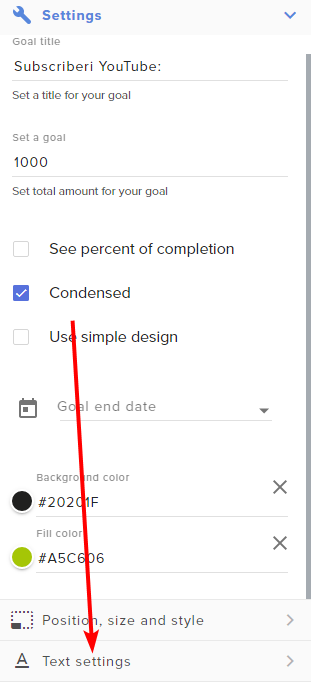 meager marsh
the name of my overlay? GOAL
This is the name of the widget in the goal

i tried modifying it there but it doesnt change
i tried modifying the height to any other number higher (i was thinking that it was a dynamic font relative to the height)
i think i found it to be secondary text
trim chasm
Yeah that may be so depending on how it was built.
meager marsh
thanks 😄
trim chasm
Yw! Glad you figured it out!
 simple lion
i just streamelemnt chat box to obs
but not showing on my screen

but not available on my actual screen

 carmine raven
Copypasting this from above cause I've got the same problem:
Hi! I have StreamElements connected to my YouTube account, and use it for displaying chat and alert widgets as browser sources in OBS. I have several waiting rooms set up for future streams. However, StreamElements keeps pulling chat from waiting rooms that are NOT the next upcoming stream, and I cannot figure out why.
Even the active stream yesterday had no chat in it because streamelements was connected to another waiting room scheduled for 3 days from now
 small viper
Alright. So Im having trouble. I want to log in to SE using my YouTube. However, I get this error when I hit Allow: "Error fetching profile from provider. Please contact us for help" followed by a string of numbers. Can Anyone help me?
small viper
Welp nevermind I got it!
 exotic kelp
hello I have been trying to add streamelements labels but all of the labels show no data
no top superchatter
no latest subscriber etc
it just shows no data or nothing
 tepid sandal
Hey there, i am currently setting up my youtube streamelements page for youtube live , and i noticed that SE.Pay is disabled for me, even though i already unlocked it on the Twitch Streamelements Version, i live in germany so region is not an issue.
 candid wolf
It will still be open until you close it.
 eternal topaz
I am having some issue with YouTube members who are reupping their membership not triggering alerts
fresh zenith
tepid sandal
Hey there, i am currently setting up my youtube streamelements page for youtube ...
I don't see recent live streams. You need to have live streams in order to qualify for SE.Pay.
 slim thicket
Chatbot spam protection is not telling it's custom message when putting people in timeout. How do I properly enable custom messages for the bot?
 dull acorn
fresh zenith
I don't see recent live streams. You need to have live streams in order to quali...
dull acorn
fresh zenith
I don't see recent live streams. You need to have live streams in order to quali...
is SE.Pay only available for those in the US. I've done multiple live streams on my YT and haven't ever seen SE.Pay enable on my YT one but was enabled on twitch before i moved
daring sealBOT
@dull acorn ⤵️
SE.PAY is available for streamers who are at least 18 years old, with bank account under their name in one of the following countries, and have at least 101 followers (Twitch/Trovo/Facebook) / 101 subscribers (YouTube):
Austria, Belgium, Czech Republic, Denmark, Finland, France, Germany, Ireland, Italy, Netherlands, Poland, Portugal, Slovakia, Spain, Sweden, Switzerland, United Kingdom, United States.
If you meet these criteria and don’t see SE.Pay, let us know.
For information on SE.Pay payment methods, their fees, and settlement times see https://streamelements.com/dashboard/tipping/fees
tepid sandal
fresh zenith
I don't see recent live streams. You need to have live streams in order to quali...
Oh thats why, i havent streamed on youtube yet, im still on twitch, i was preparing for my move i thought i could set up se pay before i start streaming over there :D Thank you!
dull acorn
daring seal
<@313458119395115008> ⤵️
I'm in UK with over 500 yt subs and don't have SE Pay enabled
daring sealBOT
@dull acorn ⤵️
Please create a support ticket by filling out the form here: https://streamelements.com/contact This will ensure staff can track and resolve your issue in a timely manner.
 stone totem
hey I Just Wanna Ask Is There A Shout Commode If Your Streaming Over ON YouTube At All Please For The Chat Bot please
daring sealBOT
@stone totem ⤵️
Check out the StreamElements ideas board: https://strms.net/ideas. You'll be able to add ideas, upvote ideas you agree with and track their progress with email notifications. Adding and upvoting ideas also helps the staff know which ideas should be prioritized so please take some time to upvote.
stone totem
thank also have i got a view count when streaming on YouTube At All Will That Show A View Count In Streamelemnts
 tiny mural
when I mod streamelements, do I mod under "Managing moderators" or "Standard moderators".
daring sealBOT
@tiny mural ⤵️
To set up the bot for your YouTube stream, please follow these steps:
- Make sure your stream is public. The bot cannot join a private/unlisted stream.
- Your stream must be live for the bot to join the chat.
- Go to https://studio.youtube.com/, click on Settings > Community and add https://youtube.com/c/streamelements or https://www.youtube.com/channel/UCjerlCIbLPQwSnYlClkjDXg as a Moderator.
- When live, be sure to look at Live chat instead of Top chat, as Top chat will hide the bot messages.
 gaunt yarrow
stone totem
hey I Just Wanna Ask Is There A Shout Commode If Your Streaming Over ON YouTube ...
gaunt yarrow
stone totem
hey I Just Wanna Ask Is There A Shout Commode If Your Streaming Over ON YouTube ...
I know there a basic version that setup in the Widget-Share called: Video & Sound on Command
It unfortunately can only hold 2 videos if you have specific folks you can shoutout for at the same time it has the ability to setup audio clips
 deft sluice
Streamelements does not track new subscribers on its activity feed and no alerts are triggered during subscription event and also no chat alerts from streamelements on Youtube chat during subscription activity. I set my subscriptions privacy to public as well. Still the problem exists. Can someone help?
candid wolf
deft sluice
Streamelements does not track new subscribers on its activity feed and no alerts...
Users can choose to make the channels that they subscribe to public or private. By default, all settings are set to private.
Private: When a users subscriptions are set to private, no other user can see what channels they subscribe to. A user's account does not show in a channel's Subscribers List, even if they are subscribed.
Public: When users subscriptions are set to public, another user can see what channels they subscribe to. User subscriptions are listed on their channel page, and their account is listed in the Subscribers List for any channel they subscribe to.
If a user has it set to Private they will not show up in the activity feed. More info: https://support.google.com/youtube/answer/7280190
YouTube subscription privacy settings: https://support.google.com/youtube/answer/7280190?hl=
Additionally:
Due to changes by YouTube there can be a delay up to 4 hours with subscriber notifications. This is the new intended way for receiving events from YouTube by their design.
deft sluice
candid wolf
Users can choose to make the channels that they subscribe to public or private. ...
"I set my subscriptions privacy to public as well."
Still having that issues
candid wolf
deft sluice
"I set my subscriptions privacy to public as well."
The people who subscribe have to set it to public -- private is the default.
 ancient coral
I was streaming yesterday on youtube and innapropriate messages were appearing in the chatbox overlay that were not present in my youtube chat. I ended up disabling the overview because I couldn't figure out how to fix it. How did this happen and how can I prevent it in the future?
 thorny mesa
I just started streaming on Youtube about yesterday and i had this problem where i can't see any activity feed coming in and my dashboard always says 0. Does anyone know how to fix this??
deft sluice
candid wolf
The people who subscribe have to set it to public -- private is the default.
Made different account and made each and every account subscription privacy public. Still the problem exists. Now what you guys have to say?
Did everything you guys told me on emails, on discord but it has not brought any differences.
candid wolf
deft sluice
Did everything you guys told me on emails, on discord but it has not brought any...
The people who subscribe have to change it, not you
 halcyon dagger
Hello, is there loyality system for youtube? I setuped it for twitch, but not seeing on youtube stream elements dashboard
or is there other option for youtube chat trigger chat commands alerts?
 gusty gazelle
 rotund vortex
Hi guys bro my dashboard is showing empty help me plz
rotund vortex
Hi guys bro my dashboard is showing empty help me plz
Did you just Create your StreamElements account? If so, any prior data will not populate.
daring sealBOT
@rotund vortex ⤵️
Users can choose to make the channels that they subscribe to public or private. By default, all settings are set to private.
Private: When a user's subscriptions are set to private, no other user can see what channels they subscribe to. A user's account does not show in a channel's Subscribers List, even if they are subscribed.
Public: When users subscriptions are set to public, another user can see what channels they subscribe to. User subscriptions are listed on their channel page and their account is listed in the Subscribers List for any channel they subscribe to.
If a user has it set to Private they will not show up in the activity feed. More info: https://support.google.com/youtube/answer/7280190
gusty gazelle
halcyon dagger
Hello, is there loyality system for youtube? I setuped it for twitch, but not se...
Not at this time
halcyon dagger
gusty gazelle
Not at this time
I actually found that if i copy comand name to advance command trigger, than restream bot can trigger it (through point buy will not works as all users from youtube would be considered as same user
rotund vortex
gusty gazelle
Did you just Create your StreamElements account? If so, any prior data will not ...
No i joined since 25/08/2022
 frank coral
Hi all, i am using streamelements to show my total Subscribers count on screen but the number isn't updating with recent new subscribers. Any ideas?
daring sealBOT
@frank coral ⤵️
Users can choose to make the channels that they subscribe to public or private. By default, all settings are set to private.
Private: When a user's subscriptions are set to private, no other user can see what channels they subscribe to. A user's account does not show in a channel's Subscribers List, even if they are subscribed.
Public: When users subscriptions are set to public, another user can see what channels they subscribe to. User subscriptions are listed on their channel page and their account is listed in the Subscribers List for any channel they subscribe to.
If a user has it set to Private they will not show up in the activity feed. More info: https://support.google.com/youtube/answer/7280190
frank coral
So it draws information from my subscriber list rather than just my overall subscriber count that clearly shows on my channel page?
as the channel page does show the correct number?
deft sluice
candid wolf
The people who subscribe have to change it, not you
Tried with friend's alt account too still not working with everything set to public
gusty gazelle
deft sluice
Tried with friend's alt account too still not working with everything set to pub...
Due to changes by Youtube there can be a delay up to 4 hours with subscriber notifications. This is the new intended way for receiving events from Youtube by their design.
ancient coral
How do I get access to SE.pay? I’ve streamed several times and have over 4K subscribers
daring sealBOT
@ancient coral ⤵️
Please contact us via email for support with SE.Pay. You can use our contact form here: https://streamelements.com/contact Thank you.
@ancient coral ⤵️
SE.PAY is available for streamers who are at least 18 years old, with bank account under their name in one of the following countries, and have at least 101 followers (Twitch/Trovo/Facebook) / 101 subscribers (YouTube):
Austria, Belgium, Czech Republic, Denmark, Finland, France, Germany, Ireland, Italy, Netherlands, Poland, Portugal, Slovakia, Spain, Sweden, Switzerland, United Kingdom, United States.
If you meet these criteria and don’t see SE.Pay, let us know.
For information on SE.Pay payment methods, their fees, and settlement times see https://streamelements.com/dashboard/tipping/fees
frank coral
ancient coral
How do I get access to SE.pay? I’ve streamed several times and have over 4K subs...
Youtube or Twitch?
ancient coral
frank coral
Youtube or Twitch?
YouTube
frank coral
ancient coral
YouTube
oh nice! I am jealous with my 30! lol
 iron ether
thorny mesa
I just started streaming on Youtube about yesterday and i had this problem where...
iron ether
thorny mesa
I just started streaming on Youtube about yesterday and i had this problem where...
Did you ever get an answer on this? I am having same issue
deft sluice
gusty gazelle
Due to changes by Youtube there can be a delay up to 4 hours with subscriber not...
Its been about 3 weeks. Still no changes on activity feed. Tested with different persons having their subs privacy to public.
thorny mesa
iron ether
Did you ever get an answer on this? I am having same issue
Nah man I am still trying to figure this out
versed tangle
how do i make it so i have to never log in back when SE says that i gotta login again it's really annoying
it's making me about switching to streamlabs at some point because of it
 mental imp
somebody have problems with Activity field and Dashboard ?
mental imp
also my Youtube Alerts dosen't work
when I simulate from streamelements work but nothing when actualy somebody subscribe or anything
stone totem
is there anyway that i can add a view count on the obs live At all Please So I can see the view count as you can do this on facebook and twitch
but when streaming up on youtube there is know view count on the obs live at all
 calm dome
Hey all, new to the DC! I'm having a problem with an overlay that keeps track of my latest subscribers. The issue that I'm facing is that I have the latest subscriber [name] prompt within the overlay, but it's not tracking anything there. It doesn't display a username in preview, or during my stream, just has no name listed. Even when somebody new subscribes to my channel, it remains blank; and I'm not sure why. If anybody does have some troubleshooting tips I could try to resolve this, it'd be much appreciated.
 devout wagon
Is the SE chatbot nerfed for youtube?
Or some features like giveaway not available for youtube?
gusty gazelle
devout wagon
Or some features like giveaway not available for youtube?
The Loyalty system is not on Youtube
devout wagon
😭
daring sealBOT
@calm dome ⤵️
Users can choose to make the channels that they subscribe to public or private. By default, all settings are set to private.
Private: When a user's subscriptions are set to private, no other user can see what channels they subscribe to. A user's account does not show in a channel's Subscribers List, even if they are subscribed.
Public: When users subscriptions are set to public, another user can see what channels they subscribe to. User subscriptions are listed on their channel page and their account is listed in the Subscribers List for any channel they subscribe to.
If a user has it set to Private they will not show up in the activity feed. More info: https://support.google.com/youtube/answer/7280190
stone totem
hey when streaming on YouTube Where Dos Your Stream Go To As Know One Dos Every Come in Is There Somethink Like Twitch Where You Put What game You Are Playing
iron ether
thorny mesa
Nah man I am still trying to figure this out
ok let me know if you ever get a solution. ill do the same
 ivory sable
I used streamelements for twitch and have since moved to youtube, but my activity feed hasnt registered any of my subscribers or anything. Please help
 vocal sonnet
Had a question. I do not have access to SE.Pay tab on my YouTube stream elements account. I have way over the followage requirement (im guessing thats subscribers) and cant seem to access the support links. I hope this is a good spot to ask for help.
 vital pendant
hello! I am having difficulties setting up a custom chat overlay using stream elements for my youtube live stream. i noticed that some youtube streamers have a custom chat on their screen (transparent background, font, etc), but so far I have failed to set up one myself. i tried to go to the overlay creation, uploaded my image, added a chat, made a custom background (transparent), but when i tried to test it on obs (i ran unlisted live stream really quickly) message didn't seem to appear.
can someone please guide me through it? i can show my overlay.
tepid sandal
Hey this might be a dumb question but i cant type in my own chat using the streamelements youtube chat widget, i am using the subscriber only mode, and apparently it does not see me as a subscriber in my own chat. Is there a way to fix it?
 naive stump
is the sponsor program only for twitch or also for youtube?
gusty gazelle
naive stump
is the sponsor program only for twitch or also for youtube?
At this time we have majority of our campaigns on Twitch.
naive stump
Okay thank you
tepid sandal
gusty gazelle
At this time we have majority of our campaigns on Twitch.
any fix for my problem ?
 atomic sluice
Why does my browser source of my youtube chat overlay not show the chat from my livestream, even if i live?
i have just the default chat box. what might i be doing wrong?

but nothing shows up

Anyone able to help me?
your telling me it doesn't work with youtube chat?
wow whats the point
 buoyant halo
Yoooooo I need help just did a 3 hour stream my alerts didn’t work all the subs I got didn’t track chat worked the bot didn’t work either help me out please🙏🏾 when I go back to the websites my new subs don’t show either
buoyant halo
buoyant halo
Yoooooo I need help just did a 3 hour stream my alerts didn’t work all the subs ...
Helllooooo I need it fixed before next stream help me out please
candid wolf
buoyant halo
🫥🫥🫥
Users can choose to make the channels that they subscribe to public or private. By default, all settings are set to private.
Private: When a users subscriptions are set to private, no other user can see what channels they subscribe to. A user's account does not show in a channel's Subscribers List, even if they are subscribed.
Public: When users subscriptions are set to public, another user can see what channels they subscribe to. User subscriptions are listed on their channel page, and their account is listed in the Subscribers List for any channel they subscribe to.
If a user has it set to Private they will not show up in the activity feed. More info: https://support.google.com/youtube/answer/7280190
YouTube subscription privacy settings: https://support.google.com/youtube/answer/7280190?hl=
Additionally:
Due to changes by YouTube there can be a delay up to 4 hours with subscriber notifications. This is the new intended way for receiving events from YouTube by their design.
buoyant halo
candid wolf
Users can choose to make the channels that they subscribe to public or private. ...
This didn’t help at all what about the stats and the bot not working
candid wolf
buoyant halo
This didn’t help at all what about the stats and the bot not working
You didn't mention stats, for the bot, try reconnecting it
daring sealBOT
To set up the bot for your YouTube stream, please follow these steps:
- Make sure your stream is public. The bot cannot join a private/unlisted stream.
- Your stream must be live for the bot to join the chat.
- Go to https://studio.youtube.com/, click on Settings > Community and add https://youtube.com/c/streamelements or https://www.youtube.com/channel/UCjerlCIbLPQwSnYlClkjDXg as a Moderator.
- When live, be sure to look at Live chat instead of Top chat, as Top chat will hide the bot messages.
buoyant halo
candid wolf
You didn't mention stats, for the bot, try reconnecting it
I reconnected the bot won’t know until stream again but with the activity feed it shows me last getting subs 2 days ago but I got a lot yesterday
gusty gazelle
Any data from before the creation of the streamelements account will not populate. It will only start tracking once it's created
daring sealBOT
@versed tangle ⤵️
Users can choose to make the channels that they subscribe to public or private. By default, all settings are set to private.
Private: When a user's subscriptions are set to private, no other user can see what channels they subscribe to. A user's account does not show in a channel's Subscribers List, even if they are subscribed.
Public: When users subscriptions are set to public, another user can see what channels they subscribe to. User subscriptions are listed on their channel page and their account is listed in the Subscribers List for any channel they subscribe to.
If a user has it set to Private they will not show up in the activity feed. More info: https://support.google.com/youtube/answer/7280190
daring sealBOT
@versed tangle ⤵️
SE.PAY is available for streamers who are at least 18 years old, with bank account under their name in one of the following countries, and have at least 101 followers (Twitch/Trovo/Facebook) / 101 subscribers (YouTube):
Austria, Belgium, Czech Republic, Denmark, Finland, France, Germany, Ireland, Italy, Netherlands, Poland, Portugal, Slovakia, Spain, Sweden, Switzerland, United Kingdom, United States.
If you meet these criteria and don’t see SE.Pay, let us know.
For information on SE.Pay payment methods, their fees, and settlement times see https://streamelements.com/dashboard/tipping/fees
gusty gazelle
You'll need to create a ticket if you qualify for SE.Pay. You must meet those requirements. If you do, contact Streamelements support via email or ticket and they will assist there
slim thicket
Is there a marathon timer for youtube? I found one, but it has primarily Twitch settings
 hard pond
Hi!
I am trying to create commands in streamelements for my youtube chat that link back to the user
For Example:
I created the command !passion with the response set as ${user} has ${random.1-100}% passion
but when someone in chat uses the command it responds with "${user} has 70% passion" instead of their actual username
is there a different command variable I should use or do the command variables work differently platform to platform
Thanks in advance!
warm burrow
hard pond
Hi!
I am trying to create commands in streamelements for my youtube chat that li...
i tried something like it a while back with a d20 command, so users could roll dice. but sadly it seems to be twitch only atm
hard pond
warm burrow
i tried something like it a while back with a d20 command, so users could roll d...
unfortunate
appreciate the confirmation though!
warm burrow
yeh i never got a response myself when i had the issue, i hope they will add it someday
gaunt yarrow
hard pond
Hi!
I am trying to create commands in streamelements for my youtube chat that li...
most of these variable commands I feel is only equipped for Twitch side of things, unless someone found the variable codes for YouTube lying around somewhere
 silk valve
i have issue
the problem is that its not letting me update my yt to stream elements
i get this
Error executing flow. Please contact us for help.
Trace ID: 31eebcf71d7df7cede8a7af7ebcbda81
Does anyone know why
Is the staff here to help me out
silk valve
Is anyone here
 waxen stream
<@&364840891023622144> Is there any way I can get an expedited review of a video since it has to do with something timely and topical?
candid wolf
waxen stream
<@&364840891023622144> Is there any way I can get an expedited review of a video...
By submitting a ticket and not tagging random people who can't help.
daring sealBOT
Please create a support ticket by filling out the form here: https://streamelements.com/contact This will ensure staff can track and resolve your issue in a timely manner.
waxen stream
candid wolf
By submitting a ticket and not tagging random people who can't help.
Appreciate the help with a hint of salt, have a good night
candid wolf
Not all moderators are staff 🙂
waxen stream
🙂
stone totem
is there a shout for YouTube At All As With Peixl Chat it As A Shout For YouTube When Login If So What Is The Shout Commodes Please
silk valve
I didn't even get helped at all
 azure fog
can i be helped?
 lilac robin
I keep trying overlays and every single one comes up as a blank box in OBS. I must be doing something wrong?
ALL the how-to videos have the same instructions but it just doesn't show anything in OBS apart from blank empty boxes
 placid depot
Hey can someone tell me how to change this to Youtube?
 daring sealBOT
@placid depot ⤵️
If you are attempting to stream to one streaming platform, but SE.Live is attempting to stream to another, please try the following:
Navigate to StreamElements menu, on top of OBS > Logout > Login
After you have logged back in navigate to File > Settings > Stream > Disconnect > Reconnect
 lunar scroll
hello everyone i'm having issues with my streamelements working in my OBS. I made sure that all the sized (1920/1080) is matching and my account dashboard isnt reflecting my youtube channel
tepid sandal
tepid sandal
Hey this might be a dumb question but i cant type in my own chat using the strea...
Can i get a reply to this please? It makes no sense. I am the channel owner, but the chat is blocked for me in "subscriber only mode", using the streamelements chat widget.
iron ether
ivory sable
I used streamelements for twitch and have since moved to youtube, but my activit...
did you ever find a fix for this? I have the same issue
 pallid scarab
Hi! I'm new here. I just discovered an issue I don't know how to fix. I scheduled a broadcast for next week. Never scheduled broadcasts before. Then I started a stream last night and the chat is from the scheduled broadcast instead of last night's stream. How do I change the chat to be the current broadcast, and not the future broadcast? I hope I explained this clearly enough.
daring sealBOT
@iron ether ⤵️
Users can choose to make the channels that they subscribe to public or private. By default, all settings are set to private.
Private: When a user's subscriptions are set to private, no other user can see what channels they subscribe to. A user's account does not show in a channel's Subscribers List, even if they are subscribed.
Public: When users subscriptions are set to public, another user can see what channels they subscribe to. User subscriptions are listed on their channel page and their account is listed in the Subscribers List for any channel they subscribe to.
If a user has it set to Private they will not show up in the activity feed. More info: https://support.google.com/youtube/answer/7280190
lilac robin
silk valve
I didn't even get helped at all
Yeh no one answered my question either, seems like yet another internet scam really
Maybe they only support Twitch accounts and not youtubers
lilac robin
Meh delete it and use something else, clearly just a have, probably pay all the influencers to advertise their fake product
gusty gazelle
silk valve
i have issue
When do you notice this issue? While trying to merge accounts?
daring sealBOT
@lilac robin ⤵️
To add your overlays to OBS, add a new browser source in your scene. Paste your overlay URL in the browser source properties, set the dimensions to 1920x1080 (unless you changed them on the website) and check Shutdown source when not visible and Refresh browser when scene becomes active, as shown in this GIF: https://imgur.com/a/2JhJD0S
gusty gazelle
lilac robin
Yeh no one answered my question either, seems like yet another internet scam rea...
Try these steps and let us know if that doesn't work
daring sealBOT
@azure fog ⤵️
If you would like help from the StreamElements support volunteers/staff, please post your question in one of the helpdesk channels and someone will assist you as soon as they are available:
#helpdesk-twitch - Twitch tools issues
#helpdesk-youtube - YouTube tools issues
#helpdesk-facebook - Facebook tools issues
#helpdesk-mobile - Mobile Streaming issues
#helpdesk-selive - SE.Live Issues
#helpdesk-merch - SE Merch issues
#helpdesk-trovo - Trovo Tools issues
Helpdesk channels are only for requesting support! Thank you for being patient.
gusty gazelle
lilac robin
All good I'll just use something else
I'm more than happy to assist if you're willing to explain your issue a bit more
lilac robin
oh now your happy to?
I follow the steps as per the instructions and it brings up a blank box on OBS
I can move it around and it moves it round in OBS
However when the stream starts, nothing ever comes up
Just a black box blocking actual content
daring sealBOT
@lilac robin ⤵️
Please provide your account ID found at the top of this page: https://streamelements.com/dashboard/account/channels This ID is public info and safe to share here.
gusty gazelle
lilac robin
I follow the steps as per the instructions and it brings up a blank box on OBS
I...
What is the name of the overlay you're using?
lilac robin
I tried lots of them
They all did the exact same thing
gusty gazelle
lilac robin
I tried lots of them
They all did the exact same thing
No, I'm asking what is the name of the overlay in your account so I can check for you
 lucid heath
hello, I previously stream on twitch and linking my SE with my twitch account. However now I wanna move to Youtube. How can I connect/link my current twitch SE account to my Youtube account? Can someone please helpe me?
lilac robin
gusty gazelle
No, I'm asking what is the name of the overlay in your account so I can check fo...
Dunno, maybe main overlay
I tried that many and they all made zero difference
gusty gazelle
lilac robin
Dunno, maybe main overlay
Please provide your account ID so we can investigate further
lilac robin
6402da565257404175460bd9
I can't even see if my youtube channel is still connected 🤷
I try to build an alert box and just get application error / client side exception has occurred
gusty gazelle
lilac robin
I can't even see if my youtube channel is still connected 🤷
Checked and found that the overlay is working as intended. When you add it as a browser source, do you have the two options of Shutdown source when not visible and Refresh browser when scene becomes active checked?
lilac robin
Yeh it displays some of the square boxes, however when I start a stream it doesn't display any of the chat from YouTube
just a blank box
daring sealBOT
@lilac robin ⤵️
OBS > Settings > Advanced > Scroll down > Enable or disable Browser Source Hardware Acceleration, depending on its current state > Restart OBS
https://i.imgur.com/ggMe9ZE.png
lilac robin
lol thanks bot
gusty gazelle
lilac robin
lol thanks bot
Please try those steps
lilac robin
what steps? Restart OBS? 🤣
gusty gazelle
lilac robin
what steps? Restart OBS? 🤣
No there are other steps in that message
lilac robin
Yup, no change
Still a blank box
Also have a dock which constantly says waiting for stream to go live, even thou stream is live
\
 gusty gazelle
lilac robin
\
gusty gazelle
lilac robin
\
Currently there is a known issue with going Live with SE.Live. Devs are aware of the issue.
The workaround for this is, to click on the "Live Video Settings" button in the chat dock and use the 2nd option from the pop up "Use these settings" to go live.
gusty gazelle
lilac robin
Yup, no change
Still a blank box
Also have a dock which constantly says waiting...
Is the browser source layer at the top? Is it marked as visible (the eye next to the source is not slashed out)?
lilac robin
Yeh its showing everything
except the chatbox is blank still , which was the whole reason i posted a question in this chat in the first place
gusty gazelle
lilac robin
Yeh its showing everything
except the chatbox is blank still , which was the who...
Is the stream public and listed?
lilac robin
No is a private test
But the public version didnt work either
gusty gazelle
lilac robin
No is a private test
But the public version didnt work either
The chatbox will only work if the stream is public and listed
gusty gazelle
lilac robin
No is a private test
But the public version didnt work either
I would suggest testing after trying the changes I had you do
gusty gazelle
lilac robin
which chnages
OBS > Settings > Advanced > Scroll down > Enable or disable Browser Source Hardware Acceleration,
You did these steps, correct?
lilac robin
gusty gazelle
Currently there is a known issue with going Live with SE.Live. Devs are aware of...
Wheres these settings meant to be?
yeh did that, no difference
gusty gazelle
lilac robin
yeh did that, no difference
It's not working because the stream is private. Chatbox only works if the stream is public and listed.
lilac robin
this is way too hard for whats advertised as simple drag and drop software
lilac robin
gusty gazelle
It's not working because the stream is private. Chatbox only works if the stream...
but it didnt work on any of my public streams
just showed a black box which just makes my stream look cheap and half arse
gusty gazelle
lilac robin
but it didnt work on any of my public streams
just showed a black box which jus...
Yes, but that was before you tried any of the changes. Since you turned off Hardware acceleration for the browser source, it may be different.
Also, I asked this before but to be sure, You need to make sure that under the browser source properties, you have Shutdown source when not visible and Refresh browser when scene becomes active checked.
lilac robin
ok, give me a second, i'll create a thumbnail and start a LIVESTREAM saying I'm testing StreamElements software on a LIVE stream to prove to their discord team that their software doesn't work regardless of if the stream is private or public..
gusty gazelle
lilac robin
ok, give me a second, i'll create a thumbnail and start a LIVESTREAM saying I'm ...
Let us know once you go live so we can assist with your issue on stream
lilac robin
ok remarkably appears to work now
Shouldn't be that hard if your advertising it as easy simple install
gusty gazelle
Glad to hear that it's working. If you run into any additional issues, please feel free to reach out.
 gusty gazelle
lilac robin
gusty gazelle
lilac robin
There is a known issue with the scheduling.
The workaround for this is, to click on the "Live Video Settings" button in the chat dock and use the 2nd option from the pop up "Use these settings" to go live.
To get that menu to pop up, Click "stop streaming". That will change this dock from it's current display and will show the "live video settings" button
gusty gazelle
lilac robin
I don't see a "live video settings" button
Do you have the Chat Dock open? It should populate there
 lilac robin
yeh thats how i took a screenshot of it
doesnt change and I can only see live dashboard which appears to be a link to youtube studio
gusty gazelle
lilac robin
doesnt change and I can only see live dashboard which appears to be a link to yo...
Did you stop streaming and it shows the same thing?
lilac robin
 daring sealBOT
@lilac robin ⤵️
StreamElements menu, on top of OBS > Logout > Login
gusty gazelle
lilac robin
Try relogging and see if it populates
lilac robin
Says the same
gusty gazelle
lilac robin
Says the same
What version of OBS do you have installed? What version of SE.Live do you have installed?
daring sealBOT
@lilac robin ⤵️
If you are not seeing the OBS Twitch integrations and have SE.Live installed, please follow these steps:
- Make sure you are on the latest and greatest version of SE.Live
- Exit OBS (make sure OBS is not running)
- Delete
%appdata%\obs-studio\plugin_config\obs-browser\obs_profile_cookies - Start SE.Live
- Settings > Stream > Disconnect > Connect
gusty gazelle
lilac robin
29.0.2 obs
Try these steps to reset the cookies. If it doesn't work, let me know
lilac robin
It popped up an external view of chat but nothing comes up in the docked ones on OBS that open when you start with StreamElements

 gusty gazelle
lilac robin
gusty gazelle
lilac robin
When you hit cancel, i assume the button "live video settings" doesn't populate?
lilac robin
As in stop streaming?
gusty gazelle
lilac robin
As in stop streaming?
correct
lilac robin
 gusty gazelle
lilac robin
gusty gazelle
lilac robin
Can you please pop out the dock (the two windows in the top right corner) and see if it expands to show the button?
 gusty gazelle
Thanks, i'll pass this along to the devs so they can investigate further.
lilac robin
ok....
 thin forum
Hi, quick question. The chatbot deleted all messages of a viewer with no apparent reason. (Youtube Stream) Is there anything I can do to prevent that behavior?
(Bot Spam Filter is set on Filters off)
 late quiver
Hey, I need help with my stream elements account. I have an account linked to my twitch but I made a new account linked to my Youtube channel because I want to stream there. However I closed it thinking I could just Add my Youtube channel onto my account with my twitch. now I can't link my overlay alerts or widgets to my Youtube because it won't let me link my Youtube or make a new account with it.
daring sealBOT
@late quiver ⤵️
Did you get a "Channel already claimed" message?
More than likely your accounts need to be merged! - Please note:
- Merging accounts allows for faster ways to switch between accounts
- Merging accounts allows duplicating/sharing overlays between the accounts
- Merging accounts does not allow data sharing between accounts - different streaming platforms, different type of events
If you understand the limitations of merging and want to proceed, please find the JWT tokens (!jwt) from both accounts you want to merge and fill out the form here: http://streamelements.com/contact with each token correctly labelled
late quiver
daring seal
<@720476122873200711> ⤵️
No, I get an error message. I already Emailed and talked to someone who said that about merging but I closed the account so I don't have the JWT token for that account with my youtube
 quiet flicker
Hello , so I recently accepted a sponsorship and submitted the video but it says it will take 1 business day to review. The problem is I need to release this video by tomorrow afternoon, can we get my video reviewed faster please ?
daring sealBOT
@quiet flicker ⤵️
Please go to https://support.streamelements.com/, click the big blue question mark on the bottom left and select SE.Sponsorships Form. Fill that form to submit a Sponsorship related ticket and wait for our Support Team to get back to you. Please do not fill the form multiple times, as that will not speed up the response time.
tepid sandal
Gonna ask one more time since i got straight up ignored twice already.
My own chat is blocked for me , i can't chat with my community using the stream elements chat widget, i tried all the troubleshooting before, deleted the cookies logged in and out of the account. Disabled sub only mode, i am a member on my own channel. I popped the widet out and expanded it to see if i can get rid of the "sub only mode" message, but that didnt work either. If i click on "learn more" it brings me to a page where i have to login with my youtube account and then the whole chat widget turns into the youtube homepage.
I dont know what else to do, its extremely frustrating having to check my own stream on youtube in order to type something or ban somebody.
 west leaf
tepid sandal
Gonna ask one more time since i got straight up ignored twice already.
My own ...
west leaf
tepid sandal
Gonna ask one more time since i got straight up ignored twice already.
My own ...
Sorry that you didn't get an answer in here. If you want to directly contact our support team, it would be best to fill out a ticket!
daring sealBOT
If you need to fill out a support ticket, please use the command !ticket in chat, following the subject of your issue! For example, please type "!ticket My chatbot isn't working", and then follow the prompts from our bot!
tepid sandal
west leaf
Sorry that you didn't get an answer in here. If you want to directly contact our...
Alright, thank you!
 lime tundra
Anyone have a clue why my stream activity isnt showing up all of the sudden in the activity box??

 runic orchid
 hidden kayak
Hi! I've gto an issue starting up stream if anyone may be able to help me out?
Im unable to add stream key from my live dashboard to SE-Live. I have connected my youtube account and done everything however when i go to 'settings' - 'stream' - there is no option for a stream key available
what should i do?
 hollow stratus
Why is my alter not working in my live stream of YouTube 😥
 thorn talon
I've been having an issue where Stream Elements times users out for putting 3 or more YT emotes. Standard phone emotes work fine but the YT specific ones get timed out when they put 3 or more in one message. I turned off paragraph protection and emote protection about 3 weeks ago and it seemed to fix the issue but now I'm having it again even with the referenced chat filters turned off
west leaf
thorn talon
I've been having an issue where Stream Elements times users out for putting 3 or...
Might be best to fill out a ticket so our support team can help you!
daring sealBOT
If you need to fill out a support ticket, please use the command !ticket in chat, following the subject of your issue! For example, please type "!ticket My chatbot isn't working", and then follow the prompts from our bot!
 tacit ibex
Does anyone know how to connect streamelemnt chat to youtube chat?
mines just comes up blank
Like How would one test chat? If connected to YouTube ?
 craggy moon
Hi, I dont know if this is the right chat for the question I have, but why does my dashboard say I have 0 subscribers when I actually have 261?
trim chasm
tacit ibex
Like How would one test chat? If connected to YouTube ?
Unfortunately, how YT handles their live streams, the only true way to test chat commands in a YT stream is to be live.
trim chasm
craggy moon
Hi, I dont know if this is the right chat for the question I have, but why does ...
Hey there. Looking into this for you with the team.
trim chasm
craggy moon
Hi, I dont know if this is the right chat for the question I have, but why does ...
Alright...so the dashboard DOES know how many SUbs you have total:

However, when viewing the dashboard, the Sub number it shows you is how many happened within that time period chosen on the dashboard.

 twilit meteor
Greetings everyone!
I would like to know if Stream Elements bot has a chat room currency I can setup for my channel.
trim chasm
twilit meteor
Greetings everyone!
I would like to know if Stream Elements bot has a chat roo...
At this time, not for YT.
twilit meteor
Got it, thank you.
trim chasm
YW! Happy streaming!
craggy moon
trim chasm
However, when viewing the dashboard, the Sub number it shows you is how many hap...
ohhh thankyou so much for clarifying
trim chasm
YW! The first screenshot was taken from your Widget Data showing your total subs which matches what your channel has. 👍
 rain holly

 hoary pewter
Hi, yeah the chat feature for streams is down for me and doing as emails have told me is not fixing it and thus is not updating


as in I have signed out of Stream elements and parted the bot from the dashboard re invited the bot and even unmoded and remoded it but the feature won't update the youtube chat in time
daring sealBOT
@rain holly ⤵️
Please create a support ticket by filling out the form here: https://streamelements.com/contact This will ensure staff can track and resolve your issue in a timely manner.
 rotund cloud
I multiteam on twitch and YouTube using restream. For some reason StreamElements doesn't recognize my YouTube live stream, so it isn't active on YouTube, nor is it showing any data on the dash board. I have tried parting the to from the YouTube channel and re attaching it, but still the same issue. but on twitch, it works. if someone can please help me with this issue, would be greatly appreciated.
 sick epoch
I really need help. I exhausted my options here and this is the last thing. For some reason I created an account. I am only streaming on YT and its really not doing anything I want it to. The alert boxes don't work. I already added a browser and overlay to my obs. I tested them it works but when someone subscribes nothing happens. I added the chat box it pops up but its saying I have an error on my end through the Stream element website. Saying my chat isn't connected. But its obviously connected through my live stream since it shows up. Like nothing is working. So far I'm on the Data & Reports section and everything stays loading. I have watched about 4 to 5 videos and I have followed every step they asked me to I HAVE NOTHING ELSE TO CHECK. I don't know why its not working for me and its to a point I am frustrated. Please help. Also I tried o submit a help ticket and it wouldn't let me. I would like some assistance.
 pure cove
My Live Chat Overlay Is Not Working On OBS Studio and also Streamlabs i have tried everything PlEASE hELP
trim chasm
rotund cloud
I multiteam on twitch and YouTube using restream. For some reason StreamElements...
Can you explain what you mean by "StreamElements doesn't recognize my YouTube live stream, so it isn't active on YouTube"? What exactly isn't "active" on YouTube?
trim chasm
sick epoch
I really need help. I exhausted my options here and this is the last thing. For ...
First off, very sorry for your frustration. Let's break some of this down.
On the alert box issue you are describing, you have to take into account that some users set their subscriptions to private (its actually private by default on YT's side). In that case, they wouldnt trigger your alert. It's also by design (on YT's side) that the notification of a sub can take up to 4hrs. Those could very well be what is happening could explain why you are experiencing that.
I am not sure about the chat issue you mentioned. I can pass that info along to our team. Can you pass me your YT channel url to assist in finding your account so we can look into this for ya?
trim chasm
hoary pewter
as in I have signed out of Stream elements and parted the bot from the dashboard...
Are you still experiencing these issues or have they resolved for ya?
rotund cloud
trim chasm
Can you explain what you mean by "StreamElements doesn't recognize my YouTube li...
I mean the StreamElements bot is not in the chat. When i am mutlistreaming, Stream elements is in twitch chat whereas on youtube, it isn't
main vector
We don't currently support multi-streaming.
But you'd have to login to both the twitch and youtube dashboards for your account and join the bot.
The stream also has to be public non-members only.
rotund cloud
main vector
But you'd have to login to both the twitch and youtube dashboards for your accou...
yes, I have added StreamElements Bot as a moderator on both platforms, and the stream is public as well. Thanks you for the help though, i appreciate it; looking forward for StreamElements to eventually support mutlistreaming!
trim chasm
rotund cloud
yes, I have added StreamElements Bot as a moderator on both platforms, and the ...
You should also login to http://www.streamelements.com with your YT account and have the bot added to your channel there too. If you haven't then the bot will definitely not appear in your chat.
StreamElements
StreamElements is the leading platform for live streaming on Twitch,Youtube and Facebook gaming. StreamElements features include Overlays, Tipping, Chatbot, Alerts, merchandise, stream integrated and cloud-based.
 round sapphire
anyone can help with sepay?
 calm hawk
how to trigger overlay using youtube chat / command
 lost stump
Every time I get a new sub on YouTube, my alert wont trigger, my sub count wont rise, and nothing pops up in the activity feed. BUT, when I emulate it, everything works?
main vector
Middle paragraph #helpdesk-youtube message
 atomic bramble
anyone knows where i could get assistance on a sponsorship related issue?
daring sealBOT
@atomic bramble ⤵️
Please go to https://support.streamelements.com/, click the big blue question mark on the bottom left and select SE.Sponsorships Form. Fill that form to submit a Sponsorship related ticket and wait for our Support Team to get back to you. Please do not fill the form multiple times, as that will not speed up the response time.
atomic bramble
daring seal
<@428568004213866496> ⤵️
thanx
 whole cave
Hey is it possble to see chat and feed on gaming pc's obs while streaming from streaming pc?
trim chasm
whole cave
Hey is it possble to see chat and feed on gaming pc's obs while streaming from s...
A not so convenient approach would be to use the url of the pop out chat and make it a custom dock in OBS.
 mortal kiln
trim chasm
A not so convenient approach would be to use the url of the pop out chat and mak...
mortal kiln
trim chasm
A not so convenient approach would be to use the url of the pop out chat and mak...
omg i was coming here for that answer lol thanks
 solemn obsidian
Good day
Streamelemets does not connect to Youtube.
As soon as I click "Add Youtube Channel" and confirm my email, I get back to Streamelements.
"Error executing flow. Please contact us for help."
 kind coral
Is Chatbot supposed to work in the chat for an upcoming stream or only starts when you go live?
candid wolf
kind coral
Is Chatbot supposed to work in the chat for an upcoming stream or only starts wh...
Only when live with a public stream.
kind coral
Ok thanks. I have a stream scheduled and was a little concerned that it wasn't responding in the chat.
thorn talon
west leaf
Might be best to fill out a ticket so our support team can help you!
I tried filling out a support ticket but the form won't submit. It says "Please try again" at the top of the form every time I hit submit, no matter what I've tried changing.
daring sealBOT
@thorn talon ⤵️
If you need to fill out a support ticket, please use the command !ticket in chat, following the subject of your issue! For example, please type "!ticket My chatbot isn't working", and then follow the prompts from our bot!
 proud jolt
Hi, I'm having some issues with the SE.Live activity feed in OBS updating and triggering my new subscriber overlays from happening. It seems to work ok when I first start a stream, but then I'll notice on my YouTube page that I've gained 2-3 subs, but nothing ever triggered during my stream. I have both the overlays that should trigger, as well as the streamelements chatbot that should compose a "thanks for subscribing" message in the chat, but neither works. When I look in the activity feed in OBS, those new subs don't show, but if I open the streamelements dashboard in google chrome and navigate to the activity feed, they are there. My YouTube account is linked, and like I said it does seem to work right when I start a stream, but then it's like it just stops shortly after.
 lone palm
Hello! I'm having a problem a lot of people seem to have (from what i read in this chat), my problem is that the YouTube alerts (Memberships, SuperChats, all that stuff) wont show up on stream or even as a message with the chatbot, it just doesn't show up at all, and for me it doesn't even show up on the Streamelements Dashboard, i even deleted my old streamelements account and made a new one, hoping that would fix it but no, nothing shows up on my dashboard...
thx!
main vector
Is the stream public and not member-only?
lone palm
yup!
main vector
Are you doing a "create stream and go live" or scheduled ones?
lone palm
Scheduled
 sturdy briar
I've got two issues with streamelements on youtube that I searched around for answers for but couldn't find any
- the overlay option for "sponsor goal" counts each new membership twice. eg, if I get a new member, the counter goes from 0 to 2 instead of 0 to 1. Any idea how to fix this?
- I schedules a video premiere with chat to start after my stream, and the youtube chat widget used that chat instead of the one for my livestream. Is there a way to select which video's chat the chatbox widget uses?
trim chasm
sturdy briar
I've got two issues with streamelements on youtube that I searched around for an...
Hello! 👋
- Can you give more details about the overlay option you are using? Is this an alertbox or a custom widget?
- If you are signed into YT within OBS, before you live stream, you can choose the broadcast you want to use via the "Manage Broadcast" button that shows. Choosing your live stream and not the premiere should use the correct chat box within OBS.
sturdy briar
trim chasm
Hello! 👋
1) Can you give more details about the overlay option you are using? ...
The overlay is a "sponsor goal" label, but I noticed that whenever someone becomes a member the SE bot replies twice
I did have the correct stream selected, as I was, well, streaming to it 😅
 strange shell
I'm having an issue where my Youtube Superchats and memberships are not showing up on the OBS SE activity feed. It used to work, but after I updated SE it seems to no longer function.
 sage knot
This may not be the right place to ask.. but starting here. My stream elements account, where I have all my overlays and such is associated with the name Tinker77. Today I logged in and for some reason a different account is there called Tinker772 (note the 2 was added). I do not see any of my overlays anymore. I can't find a way to get to my original account. Please help!
It's like my login created a new account for some reason.
nevermind. looks like it was a youtube/google problem. I can see my overlays again.
 dusky garnet
Hello I am wanting to know how do I add a youTube chat overlay for a livestream into streamelements?
 polar niche
Hello people, i am trying to add my twitch and youtube channels to my account but i keep running into this message that says "Error executing flow. Please contact us for help." for both. I looked at the history in this chat and it has come up before but did not see a solution? Has a solution come up?
 wind zephyr
Hi guys, I'm new here, how can I make the custom Emoji from Youtube appear? In my chat it appears like this ":_HAPPY:" and not the icon emoji.
 astral wasp
Has anyone here had any issues with StreamElements doubling your gifted members? - This was actually 20 gifted on YouTube

If there's a solution for this, I'd really appreciate it. I have a big stream tomorrow with brand new alerts and all and this has been a plague.
 rare bough
proud jolt
Hi, I'm having some issues with the SE.Live activity feed in OBS updating and tr...
rare bough
proud jolt
Hi, I'm having some issues with the SE.Live activity feed in OBS updating and tr...
I have the exact same problem as you. We’re you able to find a solution by chance friend ?
 pearl vine
Why I can not chat in the OBS dashboard just like the screen shoot ?
 proud jolt
rare bough
I have the exact same problem as you. We’re you able to find a solution by chanc...
proud jolt
rare bough
I have the exact same problem as you. We’re you able to find a solution by chanc...
I have not 😞
rare bough
proud jolt
I have not 😞
Damn sorry to hear that very frustration indeed
rare bough
Hello there I am having a few problems…My alert boxes emulate fine in my OBS but when I actually get a new subscriber I do not receive any alert box but when I go to my YouTube channel in my browser I can see the notification. Another problem I’m noticing is the update of the latest streamer label is way off in terms of the latest streamer and is not accurate at all. I am streaming off of just YouTube and I have connected my channel with stream elements
rare bough
I’ve exhausted all my resources so I’m just not sure what to do. If there’s a video that someone used to setup their alerts and could share it that would be awesome. I’ll try anything at this point
astral wasp
proud jolt
Hi, I'm having some issues with the SE.Live activity feed in OBS updating and tr...
This is due to people having their subscriptions private. Common issue and why most streamers on YouTube don't run subscriber alerts. Nothing can be done on SE's end.
astral wasp
There seems to be some sort of disconnect with the YouTube api on my account, or possibly overall. I have double to triple the members showing in my dashboard and alerts (the number of members) tend to double when members are gifted. Not sure if there's a fix to this, but something is definitely wrong.
Just had a massive Stream Package created by Paper Crowns added to my overlays, but my numbers are still incorrect, meaning it shows my active sub count completely wrong.
proud jolt
astral wasp
This is due to people having their subscriptions private. Common issue and why m...
Ok, thanks!
trim chasm
astral wasp
There seems to be some sort of disconnect with the YouTube api on my account, or...
We've seen other reports of this too. This has been brought up with the team. No update yet on a fix.
astral wasp
trim chasm
We've seen other reports of this too. This has been brought up with the team. No...
lord, it just stinks because i switched from streamlabs to streamelements for stability and have had only problems since 😦 i wanna work with yall but this is killinme
trim chasm
astral wasp
lord, it just stinks because i switched from streamlabs to streamelements for st...
Very sorry for the frustration. When I have an update, I will make sure to share here.
astral wasp
Thanks a ton. I made a support ticket as it's messed with the monthly sub count numbers for trains and such as well.
trim chasm
astral wasp
Thanks a ton. I made a support ticket as it's messed with the monthly sub count ...
Excellent! The support ticket can sometimes help get more eyes on an issue 👍 👍
 dim inlet
not sure what i'm doing wrong but ${user} isn't working in custom commands and !uptime > ${channel} is showing as the user id has been streaming for and not showing the uptime

wait since when did you guys have support tickets again? 
I guess I know what I'm doing then 
 loud nest
Setup some overlays and stuff for YouTube. Used to do this all the time on twitch and never had any issues, but now my overlays and alerts are not showing recent subs and are not getting activated. Any ideas?
trim chasm
YT behaves differently than Twitch in regard to Sub Alerts. By default, a YT account subscription information is set to Private. When NOT set to private, it can sometimes take YT up to 4hrs to tell us you have a new subscription. This is by YT's design and out of our control.
@loud nest forgot to reply to ya
loud nest
trim chasm
YT behaves differently than Twitch in regard to Sub Alerts. By default, a YT acc...
Damn, thats unfortunate. Unfortunately even recent subs arent showing up after a full day of adding the alerts.
trim chasm
those users may have their subs set to private (which is by default on YT's side)
loud nest
Damn, so unfortunately alerts/recent sub type overlays just arent really a thing on yt like they are on twitch ig
Thanks for the help
trim chasm
It seems to be that way at least for Subscription Alerts.
loud nest
Got it
 keen mango
hello... if i'm using restream to stream to both twitch and youtube... do i need to copy over my overlays on streamelements from one dashboard to the other?
trim chasm
keen mango
hello... if i'm using restream to stream to both twitch and youtube... do i need...
Yeah, you'll need to login with both accounts on the SE dashboard. Copy your overlays over to each account you plan to Restream to.
A good suggestion on the OBS side, is to make a scene with all your overlays (Twitch, YouTube, etc) and then just add that scene to each scene that needs all those overlays.
keen mango
trim chasm
Yeah, you'll need to login with both accounts on the SE dashboard. Copy your ove...
Ok good to know.
Not sure i'm clear on the OBS side you described. I have have each overlay component as a scene. then I nest those in my main scene. IF i need both Twitch and Youtube overlays on main scene... won't I see double?
trim chasm
keen mango
Ok good to know.
Not sure i'm clear on the OBS side you described. I have have ...
So, you'll have one overlay for Twitch events and another overlay for YouTube. When an event happens on Twitch, the twitch overlay handles that. When an event happens on YouTube, the YT version of that overlay will handle it.
This vid is 2yrs old but the concept is still true on setting up multi-platform alerts: https://www.youtube.com/watch?v=phulMsYvpus&ab_channel=xXSureShotsXx

I had trouble finding out how to do this so I just wanted to give a guide on how to add an alert box when your streaming from multiple channels.
I use restream and stream live on facebook, youtube, twitch all at the same time. This guide will help you set setup a alert that will show up when ever you get a like or a follower or even a subscriber...
Hopefully that vid helps explain it better. I was just suggesting to use "scene nesting" for your alerts so they are easier to manage.
keen mango
yes i have my alerts in separate scenes and then nest into main scenes. thanks for the vid!
trim chasm
Awesome! Happy Streaming!
keen mango
trim chasm
Awesome! Happy Streaming!
thank you ser. I see how this works for alerts. the multistream video above put the alerts in different places and had dif style of alerts. i'm hoping that if i layer them on top of each other (so all alerts occur on the same portion of the screen) that youtubers will only see their alerts and not see twitch alerts, correct?
keen mango
keen mango
yes i have my alerts in separate scenes and then nest into main scenes. thanks f...
Another question along these lines: I also have banners, one at the top that has my social links and one at the bottom w/ logo, recent followers, tips, cheers and subscribers. This was from a SE Template. I've copied over now to the youtube dashboard. won't the graphics be doubled if i nest both SE twitch overlays and SE youtube overlays into one scene?
trim chasm
keen mango
thank you ser. I see how this works for alerts. the multistream video above put ...
No, everyone will see all alerts that show in your recording software. I’d also advise to not stack them in case of you getting alerts at the same time but on different platforms.
trim chasm
keen mango
Another question along these lines: I also have banners, one at the top that ha...
For that specific overlay, it doesn’t sound like it the entire thing needs to be copied over but you might need to get creative with implementing data from both platforms.
dim inlet

keen mango
trim chasm
No, everyone will see all alerts that show in your recording software. I’d also ...
Oh I see. Don’t stack alerts. Everyone sees everything. Also don’t stack graphics. Copy.
But bottom of banner has alerts for cheers, followers, tips and subs. Seemingly these are for twitch. if copied over to YT, I can’t stack them so I have to find a new place for them?
trim chasm
keen mango
But bottom of banner has alerts for cheers, followers, tips and subs. Seemingly ...
Yeah. Might need to go a little custom on that. These are just the hurdles of multi streaming atm.
Like maybe convert the YT version to be a top bar and Twitch can be bottom. Or you find something that is more fitting for both to live together without conflict 😆
 gray oasis
Subscription chat Allerts not working in live stream 😢
analog bay
gray oasis
Subscription chat Allerts not working in live stream 😢
It might be the connection on Youtube side, I noticed today that some stuff on their end is kinda laggy
I was doing a test transmission with no issues, all of a sudden they claimed that my audio bitrate was not working
gray oasis
Even Sometimes..... Streamelements not showed up in stream....Glitchyyu 🙃
candid wolf
Users can choose to make the channels that they subscribe to public or private. By default, all settings are set to private.
Private: When a users subscriptions are set to private, no other user can see what channels they subscribe to. A user's account does not show in a channel's Subscribers List, even if they are subscribed.
Public: When users subscriptions are set to public, another user can see what channels they subscribe to. User subscriptions are listed on their channel page, and their account is listed in the Subscribers List for any channel they subscribe to.
If a user has it set to Private they will not show up in the activity feed. More info: https://support.google.com/youtube/answer/7280190
YouTube subscription privacy settings: https://support.google.com/youtube/answer/7280190?hl=
Additionally:
Due to changes by YouTube there can be a delay up to 4 hours with subscriber notifications. This is the new intended way for receiving events from YouTube by their design.
If the bot is not showing up, you may need to disconnect it and re-add it
daring sealBOT
To set up the bot for your YouTube stream, please follow these steps:
- Make sure your stream is public. The bot cannot join a private/unlisted stream.
- Your stream must be live for the bot to join the chat.
- Go to https://studio.youtube.com/, click on Settings > Community and add https://youtube.com/c/streamelements or https://www.youtube.com/channel/UCjerlCIbLPQwSnYlClkjDXg as a Moderator.
- When live, be sure to look at Live chat instead of Top chat, as Top chat will hide the bot messages.
analog bay
Does anyone have a trick to share about keeping track of Youtube and Twitch activities at the same time? Not necessarily to be displayed on the stream, just like to see who triggered the alert or not
 mellow arrow
For the past 2-3 weeks Chatbot will randomly stop working during my YouTube livestreams. It won't respond to commands, post the timed messages I have setup, or announce tips received via my stream elements tip page. I've tried the following fixes:
- Uninstall and reinstall SE.live plugin
- Use the Stream Elements Dashboard Part Channel button to remove the bot from chat and then re-add it. I do this when the issues occur during a stream.
I understand that Chatbot showing new subscribers is iffy based on YouTube's setup. I'm more worried about having Chatbot active to respond to commands and post messages in chat when a tip is received. I like that recognition of a donation in chat.
Is anyone else encountering this issues? Any recommendations for a fix? If it's a known issue is the Stream Elements team aware?
 rapid cipher
Heya, sorry to just briefly butt in here, but I was hoping my issue might be super simple to solve and would just take a minute or so! 😅
It is not technically a YouTube specific question, but I am not sure where else to ask about this...
I only just signed into StreamElements and did so twice, once with YouTube once with Twitch, not realizing I could just have both in one account!
Now when I try to add my Twitch to my YouTube StreamElements account it doesn't work and tells me to seek help!
So I am here!
I cleared my browsercache but that did not work and I failed to find any sort of "sever link" option on Twitch.
What can I do to get both my Twitch and my YouTube into the same account now?
 crude spade
hello all, I'm having a problem, i try to connect my youtube channel and it keep sending me this. what do i do to fix it?
 daring sealBOT
@crude spade ⤵️
If you need to fill out a support ticket, please use the command !ticket in chat, following the subject of your issue! For example, please type "!ticket My chatbot isn't working", and then follow the prompts from our bot!
 frail hare
versed tangle
frail hare
versed tangle
Hey there!
I'm actually having the exact same problem as O.K.VirtualShow
I've been trying to add my YouTube channel onto my stream elements so I can easily import overlays from Twitch to YT without having to manually set everything up again, but whenever I try I'm met with an error and am told to contact SE for help.
I have the Trace ID and etc if that is helpful at all.
I have previously integrated my YT with stream elements which I think might be the problem, but I'm not sure how to revoke permissions from SE to redo the process.
Thank you for the help!!
hoary pewter
trim chasm
Are you still experiencing these issues or have they resolved for ya?
Alright I'm streaming now and the issue is still persisting...
If you need to check it's Request #324459
The chat isn't working aka the chat widget because the profile on stream elements is saying the chat is offline
so getting that back online/showing correctly would be nice if you need any other details please say so
 hollow jasper
versed tangle
Hey there!
I'm actually having the exact same problem as O.K.VirtualShow
I've ...
hollow jasper
versed tangle
Hey there!
I'm actually having the exact same problem as O.K.VirtualShow
I've ...
I'm having the exact same problem but from Youtube to Twitch. It seems you can only login with one platform at the time. I log out on YouTube and i'm suddenly able to login with twitch and viceversa but I can never add a second platform.
versed tangle
Yeah, that's what I've noticed as well and I don't think there's a way (not one that I've found) to disconnect stream elements from YT so that I can connect the two without having to log-out :///
 pure jackal
I think this is the right place.
so I create an overlay and add the "AlertBox" widget, set the resolution to 1080p and center it; with everything on default (including alert video and sound) I emulate the alert and it's all fine; but when I delete the default alert video and sound and emulate it, the alert gets messed up. I tried with 2 different alerts on 2 different days. help, please
even when I add my own sound and video to the alert, it's still not how's supposed to be
hollow stratus
Same here
 summer quartz
Hi, suddenly my se.live in OBS got logged out (it's said session expired) and now I have trouble to log in. After I click the Youtube Channel sign in (in OBS) nothing happened. The page always got stuck in https://obs.streamelements.com/welcome/login. Am I doing it wrong? pls help. Tq
 wheat bloom
Hi there, I run an account for a brand which averages around 20k viewers on YT live streams. About eight days ago, SE stopped showing up in livestreams and the dashboard has stopped updating showing 0 for all metrics. Was hoping to find help in getting the bot working again as it's the main bot we use for moderation ^^
thin forum
Default commands were not showing. I did the beta update and now it is. The problem now is that the changes I make on the Default Commands (on and off) don't persist. If I refresh the page it goes back to what it was. (I logged out and in, didn't help)
 upper nymph
#1090011286324121611 Every time I try to connect my brand YT account, I get error executing workflow
the issue resolved itself
 hardy compass
how can i get overlays in my obs for livestreaming \
 snow light
i'm trying to login to streamelements with my youtube channel but i keep getting this


 silk whale
How do I change my StreamElements name?
wild oak
Hello Team! Not sure if this is known, but even though I have gift membership alerts disabled, it still alerts for the gifter and the receiving party. Can we get this sorted?
abstract sparrow
Hello, for awhile now when getting a new subscriber or any type of stream event live on my stream, the notifications doesn't work.. doesn't matter what it is... I followed the setup process for the widgets and they have worked before, but it seems that youtube/stream elements aren't talking to each other or something... It's worked before so it should be set up correctly. Also i've reached out on this before and received zero feedback..
dim inlet

 quaint patrol
Hey guys, I just noticed, that the alerts are not working for YT memberships (during live stream) and that I do not see the memberships in the activity feed. I checked the DC here and found some post by other people asking the same thing, but I didn't see any solution or explanation. When emulating it, it works, but with real memberships it does not. Anyone any idea?
abstract sparrow
quaint patrol
Hey guys, I just noticed, that the alerts are not working for YT memberships (du...
nope same issue, im testing using an older version of obs studio to see if that fixes it
 split thistle
Is there a way to have youtube comments show up automatically? Right now I have to hit show or hide on each individual comment with my streaming software (EV Mux)
 meager grail
snow light
i'm trying to login to streamelements with my youtube channel but i keep getting...
meager grail
snow light
i'm trying to login to streamelements with my youtube channel but i keep getting...
i'm getting the same
dim inlet

 surreal jasper
hi everyone, i was wondering if you could help me.
so basically, i have been creating my youtube stuff on stream elements but i added the chat box thing and i tested it when i did a test live and nothing was showing in the box.
i am not sure what to do, please help
daring sealBOT
@meager grail ⤵️
Please create a support ticket by filling out the form here: https://streamelements.com/contact This will ensure staff can track and resolve your issue in a timely manner.
 rigid fulcrum
Hello. Unfortunately I can't reset Session. I want to reset the donation amount sent, but although it says reset, it does not reset and I cannot use the goal widget again.
I tried to contact through the Help Center, but it gives an error, I found the solution by entering the discord.
 gilded wing
can anyone help me ?
i want to add a chat bot with costom name ho can i do i cant do it by se.live plz help me
main vector
gilded wing
i want to add a chat bot with costom name ho can i do i cant do it by se.live pl...
Only possible with twitch.
gilded wing
so how can i do for youtube
main vector
You don't.
gilded wing
but ihve seen many youtubers they have custom bot name
main vector
It's not streamelements.
main vector
No idea.
 heady tendon
Hihi, anyone know if there is an easy way to move my custom commands from twitch to youtube?
trim chasm
heady tendon
Hihi, anyone know if there is an easy way to move my custom commands from twitch...
The easiest I can think of is to have two tabs on the commands page. One is the twitch account and the other is youtube. And you just copy pasta them over.
heady tendon
trim chasm
The easiest I can think of is to have two tabs on the commands page. One is the ...
ye did that, was just wondering if there was a magic button ;-;
dim inlet
 golden jewel
quaint patrol
Hey guys, I just noticed, that the alerts are not working for YT memberships (du...
golden jewel
quaint patrol
Hey guys, I just noticed, that the alerts are not working for YT memberships (du...
Dude I have that problem with subscribers too. If you find a way to fix it, let me know please!
Does anyone know how to fix the alerts widget not working for youtube? It shows up when I emulate it, but not when someone actually subscribes
surreal jasper
can i do it without streamlabs/ like when i go live publicly will it show
golden jewel
surreal jasper
can i do it without streamlabs/ like when i go live publicly will it show
So you've fixed it?
surreal jasper
its the same as before but im wondering if thats because i havent done a public live
golden jewel
surreal jasper
its the same as before but im wondering if thats because i havent done a public ...
Ohhhh. Yeah, it dosen't show up untill the stream is actually public. I use my ipad to watch my own stream, and I can always see the chat on stream when the ipad sends a message.
surreal jasper
okay thank you so much!!!
golden jewel
surreal jasper
okay thank you so much!!!
Any time
 worldly moss
Can any employees please suggest enabling SE. Pay in Croatia? Thanks!
heady tendon
Hihi not sure if anyone has the same issue, but my memberships and just alerts in general (activity feed as well) are not showing up in my stream elements
anyone knows if this is normal or what od i have to do to troubleshoot this
daring sealBOT
@heady tendon ⤵️
If you need to fill out a support ticket, please use the command !ticket in chat, following the subject of your issue! For example, please type "!ticket My chatbot isn't working", and then follow the prompts from our bot!
heady tendon
hah i won't let me make a ticket xd
main vector
It's !ticket. Not /ticket.
fringe crane
main vector
Make 2 of the VoDs unlisted and try making one again along with including your A...
It has been a while, and unfortunately, nothing has changed.
 near fern
any ideas why my streamelements Dashboard doesnt show any information about my 1st stream I did yesterday? The overlays seemed to work well, but the alerts did not for Super chat
and looking online streamelements dashboard, it doesnt show any info about the stream
analog field
Where do I find extra Modules to install for like chat to play games?
 timber zealot
How long does it take to find sponsorships for YouTube
 cyan dust
How do I change my Streamelements from twitch to YouTube tipping settings?
trim chasm
cyan dust
How do I change my Streamelements from twitch to YouTube tipping settings?
Login to StreamElements.com with your YouTube account and then set the settings within that account.
cyan dust
okay
dim inlet
analog field
Where do I find extra Modules to install for like chat to play games?
If you're referring to loyalty point games like you do for twitch then that is not available on YouTube unfortunately 
snow light
i have timers set up for my YT Streams but the timers are not going off
snow light
hey guys how come my timers is not working on my YT Streams
snow light
streamelements bot is running on my YT stream but no timers are not working

 safe shard
I can't find explicit instructions for adding the chat bot to Youtube. We've linked StreamElements to the Youtube channel and configured the chat bot timers and commands, but we can't get the bot into the Youtube chat. What step have we missed?
daring sealBOT
@safe shard ⤵️
To set up the bot for your YouTube stream, please follow these steps:
- Make sure your stream is public. The bot cannot join a private/unlisted stream.
- Your stream must be live for the bot to join the chat.
- Go to https://studio.youtube.com/, click on Settings > Community and add https://youtube.com/c/streamelements or https://www.youtube.com/channel/UCjerlCIbLPQwSnYlClkjDXg as a Moderator.
- When live, be sure to look at Live chat instead of Top chat, as Top chat will hide the bot messages.
 violet basalt
Hello! stream alerts are not appear on stream. Streamelements bot are connected as moderator to my channel but notification or alerts are not appearing on stream.
Any Idea how I solve this?
 finite marten
I’ve had the issue basically since I switched to YouTube that activity feed and alerts do not work. If I test the alters they show up but nothing else. I can get past alerts not working but I really want to figure out why my activity feed isn’t
tepid sandal
i have issues with my youtube activity feed as well, its not showing up. Its showing the twitch one, even though im in my youtube dashboard and i have my youtube account connected. Almost every stream there is an issue with the most basic ui elements, is that just your software overlay or youtube itself that is creating these issues? I dont wanna troubleshoot at the beginning of every stream, its annoying.
snow light
When I rewatch my YouTube streams on my PC it blurry
dim inlet
 north ibex
Twitch
north ibex
Twitch
you're asking in the wrong chat 
 foggy nacelle
thanks for deleting my msg @daring seal
Anyway
Again, I've come to the problem that the Dashboard would redirect me to a blank page when I try to moderate my friends stream
 plush flax
finite marten
I’ve had the issue basically since I switched to YouTube that activity feed and ...
plush flax
finite marten
I’ve had the issue basically since I switched to YouTube that activity feed and ...
Yeah I’ve had the same issue and have been going a little bananas trying to find an actual solution.
Things like my SE social media rotator overlay and chat timers work fine but none of my overlays for messages from viewers or alerts work. I’m thinking it may be easier to just switch to something else at this point but idk.
 dusky ravine
Hi there, i want to ask about the alerts that pop up for me for youtube memberships, even they're not supposed to. Example, Someone becomes a member and cancels his membership in the first 15 days, the alert pop up after a month that he has responsored the channel, while as he has cancelled his membership, any possible workaround for this?
tepid sandal
tepid sandal
i have issues with my youtube activity feed as well, its not showing up. Its sho...
gonna bump this again...
 trail adder
Hello! I'm trying to connect my YouTube account to my SE account and i keep getting this error when trying to sign into my YT account:

Can someone helped me get my account connected?
 carmine yacht
Is there any reason the "giveaway" module is not available for the YT chatbot?
candid wolf
carmine yacht
Is there any reason the "giveaway" module is not available for the YT chatbot?
The giveaway module it tied to loyalty and that isn't available for YouTube yet. I believe it is a technical limitation but I'm not 100% sure.
carmine yacht
I see... That's unfortunate
 obsidian marsh
So I got my first channel membership last night and even today after the live stream it still is not showing up on my SE page/alerts
obsidian marsh
trail adder
Hello! I'm trying to connect my YouTube account to my SE account and i keep gett...
You might need to email support I had the same issue but mine was because I had renamed my youtube channel then deleted my SE account to try to sign up again under the renamed channel because renaming your channel buggers up the SE statistics page hard
 mystic dirge
it'd be great to be able to send automated posts to FB and Discord when going live.
 bleak delta
hi
Hello, is it possible to unlock SE PAY for me because a friend recommended me to foreign accounts and I have 171 subs on yt and I live in the UK?
daring sealBOT
@bleak delta ⤵️
Please provide your account ID found at the top of this page: https://streamelements.com/dashboard/account/channels This ID is public info and safe to share here.
bleak delta
daring seal
<@439011946382098442> ⤵️
5d53f8d29fd714dd1c6d584c
fresh zenith
bleak delta
5d53f8d29fd714dd1c6d584c
I've send it to staff.
bleak delta
fresh zenith
I've send it to staff.
thanku
Because the problem is that sometimes he gets Polish currency and I have an English account and he doesn't accept on websites only with Polish banks or currencies and on paypal I'm very pissed when it comes to money 🙂
hollow jasper
Error fetching profile from provider. Please contact us for help.
Trace ID: cda7fa7d6454e1087abdecb9ef03ef71
I just dont seem to be able to link twitch and youtube together. It's always either or but I can never link them in the same account
fresh zenith
bleak delta
thanku
Enabled
daring sealBOT
@hollow jasper ⤵️
Please create a support ticket by filling out the form here: https://streamelements.com/contact This will ensure staff can track and resolve your issue in a timely manner.
hollow jasper
daring seal
<@548036787319209994> ⤵️
this literally sends me to a blank page
fresh zenith
hollow jasper
this literally sends me to a blank page
Send an email to support@streamelements.com with your issue.
bleak delta
fresh zenith
Enabled
yea im finish configuration very thanku 
 dry nova
How do I correctly set an alert variant for when someone renews their membership/resubs? I have a variant set up with a separate sound and the amount of months they've been a member that by all means should be working, it even works correctly when I click test, but when someone actually resubs the alert never plays even though their resub message appears in chat just fine. Do resub variants just not work?
dim inlet
 granite wyvern
!tickets
granite wyvern
!tickets
the ticket system is currently disabled due to user issues for the meantime feel free to each out to support via email (support@streamelements.com)
 mossy pagoda


 fallow gazelle
I have "Full Control" access to a YT channels Stream Elements and can Moderate it. I have no problem creating a general "Membership" alert. But when I try to create variations based condition EXACT & Membership Name, the drop down will not populate with the Levels from Youtube. Anyone have any insight?
bleak delta
I'm having trouble executing the command enabled! Commend to make new commands in Streamelements chatbot but I don't know what to add at the beginning is there any tutorial?

COMMAND VARIABLES
on the principle that the bot would say how many people are on the stream, what title, what game is it, etc. because I know that there is no such thing on yt and there are things to do for myself
 ionic oracle
Hi I have a small issue with the new pop arcade overlay I purchased, the widget part and more specifically the fade-out after action won’t work!!! It was set on 999 and I changed to 20sec but the widget won’t fade away!!!! I use streamelement and copy the url into my OBS