#helpdesk-twitch
1 messages · Page 849 of 1
 small iris
i need help
 viscid pebbleBOT
@small iris Welcome to the helpdesk! Please let us know how we can assist you today and a support volunteer or staff member will assist you as soon as they are available. Thank you for your patience.
 low sinew
help
when I have allerts, when the alert pops up, the alert cuts out in half, only half of it is visible
HELP PLS
viscid pebbleBOT
@low sinew The default resolution for StreamElements overlays (theme and custom) is 1920x1080. Please add them in OBS at their full resolution and use CTRL+F to fit to screen if necessary. You can then downscale your stream in OBS settings > Video if you'd like https://i.imgur.com/6bWXxjR.png

 light patrol
I have set up an overlay to use in vanilla OBS Studio.
All it is to have chat on screen but it doesn't appear when I add it to my stream.
Can anyone help?
Help
viscid pebbleBOT
@light patrol The default resolution for StreamElements overlays (theme and custom) is 1920x1080. Please add them in OBS at their full resolution and use CTRL+F to fit to screen if necessary. You can then downscale your stream in OBS settings > Video if you'd like https://i.imgur.com/6bWXxjR.png
light patrol
Perfect sorted. Thank you for your help
 frozen palm
Hi all, how do I import StreamElements overlays from one channel to another channel? I'm not able to select the 'Import from other channels' button on the My Overlays page.

 frozen palm
 wary halo
then select the other linked account
wary halo
then select the other linked account
Do I link the accounts on Twitch or on SE?
wary halo
SE, but there is another way if they are not linked:
The account you want it on needs to invite you as an editor, and then you can send them over
viscid pebbleBOT
"Follow these steps to grant managers/moderators access to your dashboard:
- Click on your channel name at the top of the dashboard
- Create a new invite at one of three access levels (Bot Supervisor, Editor, Full Control)
- Send this invite to a mod/manager to give them access to your dashboard. The link is one-time-use and expires after 72 hours if not accepted
Video tutorial: https://youtu.be/zl_h-ttZDF0"
frozen palm
wary halo
Make sure you have editor access
I granted myself full control on both accounts, but still only see my channel when I duplicate.
 dry olive
my SE bot is not responding to commands right now (been fine for the last 3 years, so it's not a setup issue).. is there some downtime or something?
wary halo
frozen palm
I granted myself full control on both accounts, but still only see my channel wh...
And also with the import button?
viscid pebbleBOT
@dry olive If your commands recently stopped working and you're using OBS.Live and a custom bot name do the following:
- In OBS.Live, click on the hamburger menu (three stripes) at the top left of your activity feed
- Click on Stream Settings > Custom bot name
- In the Custom bot name field select Set custom bot name, not your already existing username (with capital letters). Note: If you already connected an account that way, the third entry will show as the account name (see image https://i.imgur.com/sO7fWOX.png).
- Scroll a bit down and click on the purple Connect Custom Bot Account button
- Log in as usual and Authorize the custom bot name
- Back in the Activity feed, click on the Send Test Message button and check if your custom bot name starts working again
 dry olive
oh, changing the name back/forth worked, nice
frozen palm
wary halo
And also with the import button?
I figured it out! The import button directly wasn't showing my account, but I went up to the top channel dropdown and switched my account in there and then it worked out!
wary halo

frozen palm
Thanks, Ruben!!
wary halo
No problem 😄
viscid pebbleBOT
@sour tulip Read and follow our server rules:
- We do not tolerate toxicity! Treat the community team, staff and all members with respect.
- No advertisement or channel promotion, anywhere on the server.
- No NSFW/NSFL
- No unsolicited DMs or friend requests to server members
Make sure to read the #welcome in any server you join.
 viral depot
Why is streamelements saying my starting follow goal is lower than my current followers?
 autumn ibex
is there a way to reset chat stats?
 quick heath
I recently changed my twitch name. Is there a site to merge the chat stats to be updated? or should I just provide both names here?
 gaunt star
Hi. I have a question about stream store. I've uploaded GIFs to go with sound effects when they are redeemed, but the gifs are not showing at all. I added them as both Preview and Alert assets. What can I do?
viscid pebbleBOT
@quick heath If you changed your name on Twitch, please follow these steps:
- Visit https://streamelements.com/logout and then log in again by connecting with Twitch.
- On the right side of the dashboard page that opens, select Join under bot settings. If it says Part select that and then select Join to send the bot to the chat. Don't forget to mod the bot by typing /mod streamelements in your channel if you have not already.
- Post your old and your new name here so that we can update your channel's chatstats tracking (must be done by staff).
@autumn ibex Please provide your account ID found at the top of this page: https://streamelements.com/dashboard/account/channels This ID is public info and safe to share here.
@viral depot To reset goals:
- from the Overlay Editor > Session data on top right (monitor symbol) > Goals tab > reset progress of desired goal
- from the Dashboard > Activity feed on the left > Widget data on the right > Goals tab -> reset progress of desired goal
Note: Goal widgets (progress) only counts up and doesn't go down automatically, if you lose followers/subs.
autumn ibex
59a02c760f5daa6dda6c944b
wary halo
autumn ibex
59a02c760f5daa6dda6c944b
reported it, shouldn't take long usually
autumn ibex
thanks 😄
wary halo
gaunt star
Hi. I have a **question about stream store**. I've uploaded **GIFs** to go with ...
asking around for the solution internally, since I forgot what it was 
quick heath
viscid pebble
<@!109044087998414848> If you changed your name on Twitch, please follow these s...
Old name - BSG_Null
New Name - NullAero_TV
please and thank you 🙂
wary halo
quick heath
Old name - BSG_Null
New Name - NullAero_TV
reported it 🙂
 vast obsidian
how do i reference my emotes so that the bot is able to show the actual emote instead of just the text string that the emote is called?
[12:31 PM]
in the bot commands is what i'm referring too ( i know the bot needs to be subbed, but it doesnt even show global emotes like kappa - it just says kappa, how do i reference the emote in the bot commands?) like is it $[emote name] or is it just - emote name or like what?
wary halo
Emotes can only be shown by the bot when putting their full name in the bot response
vast obsidian
yeah but when i put kappa it just says the text string kappa instead of posting the emote
 vast obsidian
ok
wary halo
quick heath
please and thank you 🙂
done
autumn ibex
wary halo
reported it, shouldn't take long usually
just went through. thanks for the help
autumn ibex
ok that was great 
wary halo
was just updating 😄
 placid raptor
gaunt star
Hi. I have a **question about stream store**. I've uploaded **GIFs** to go with ...
placid raptor
gaunt star
Hi. I have a **question about stream store**. I've uploaded **GIFs** to go with ...
can you try converting to webm?
and before that, you can try just removing the preview asset and save the item that way
 jolly ridge
hey i need some help
gaunt star
placid raptor
can you try converting to webm?
and before that, you can try just removing the p...
Thanks I will try 😃
placid raptor
👍
 tawny bay
Does Streamlement have a channel point TTS? If so how?
gaunt star
placid raptor
👍
Unfortunately I might have to live without GIFs for now. I know for sure the widget is visible because the Store Redeem alerts do show up. I tried both things you suggested but didn't have luck 
placid raptor
tawny bay
Does Streamlement have a channel point TTS? If so how?
we don't
placid raptor
gaunt star
Unfortunately I might have to live without GIFs for now. I know for sure the wid...
what is the item set up as?
stream perk?
jolly ridge
anyone able to give me a hand??
 jolly ridge
help getting my instant reply from fyrewire working thru stream elements onto lightstream !
 echo belfry
My Follower Alert isn't working in Obs Studio. In my streams I can only get an Alert if someone raid me or host me. I don't know why but I hope you can help me.
placid raptor
jolly ridge
help getting my instant reply from fyrewire working thru stream elements onto li...
ask in #dev-chat and perhaps tag thefyrewire, I have no idea what you just said 
viscid pebbleBOT
@echo belfry Please provide your account ID found at the top of this page: https://streamelements.com/dashboard/account/channels This ID is public info and safe to share here.
jolly ridge
yeah theres a widget created by thefyrewire to have a 30 second instant replay of your stream game done by command in chat for ppl who missed sweet kills or goals or whatever your streaming lol but cant get it to show up on stream thru lightstream
haha from stream elements LOL
 keen schooner
Hello. I need help, im streaming on yt and alerts are not showing up
 drowsy egret
keen schooner
Hello. I need help, im streaming on yt and alerts are not showing up
drowsy egret
keen schooner
Hello. I need help, im streaming on yt and alerts are not showing up
check pinned messages in #helpdesk-youtube
 dark plinth
help i cant see my chat in obs
i looked in docks but there is no option to bring th chat
drowsy egret
dark plinth
i looked in docks but there is no option to bring th chat
make sure you're logged in with twitch in obs settings > stream
echo belfry
viscid pebble
<@!669066722539733013> Please provide your account ID found at the top of this p...
So I have to send my ID here in this chat?
dark plinth
okay i did it thanks
drowsy egret
echo belfry
So I have to send my ID here in this chat?
yeah, its safe to share so posting it here is fine
echo belfry
I'm a bit scared that something happens
 zinc pendant
Hi there, I'm having some trouble with Twitch alerts. All my other alerts work fine, but the Cheer alert doesn't use the gif that I uploaded and doesn't show the amount cheered when I emulate it. It just defaults to this gif that I never uploaded.
drowsy egret
fixed 😄
echo belfry
Yo thanks
drowsy egret
zinc pendant
Hi there, I'm having some trouble with Twitch alerts. All my other alerts work f...
check the other alert variations, they might be overriding it
zinc pendant
drowsy egret
check the other alert variations, they might be overriding it
I don't have any variations!
viscid pebbleBOT
@zinc pendant Please provide your account ID found at the top of this page: https://streamelements.com/dashboard/account/channels This ID is public info and safe to share here.
drowsy egret
zinc pendant
Any luck?
checking
zinc pendant
drowsy egret
checking
Thank you!
drowsy egret
zinc pendant
Thank you!
fixed
 summer cosmos
biz geldik siz nerdessiniz
drowsy egret
@zinc pendant you had custom css using a different gif
zinc pendant
drowsy egret
<@!423153507307094028> you had custom css using a different gif
Thank you so much! I don't even know how to turn that on and off haha.
drowsy egret
zinc pendant
Thank you so much! I don't even know how to turn that on and off haha.
no worries 
echo belfry
drowsy egret
fixed 😄
Sorry can u tell me what the problem was? 😅
 honest karma
hello i have a issue with a SE sponsership
 rain heath
So I got offered a SE sponsorship opportunity. Is this just a random thing? Has anyone else done it?
wary halo
This is not random, if you get the proper viewership you will be contacted for a sponsorship
wary halo
honest karma
hello i have a issue with a SE sponsership
can you make a ticket here please? https://streamelements.com/contact
that will allow for better tracking of the issue
 sharp raptor
wary halo
that will allow for better tracking of the issue
sharp raptor
wary halo
that will allow for better tracking of the issue
I need help unmerging my youtube streamelements account from my twitch streamelements account
viscid pebbleBOT
@sharp raptor There is no easy way to unlink 2 owner-type accounts from each other. The only way is to make a closure request from here: https://streamelements.com/dashboard/account/security
WARNING: In submitting a closure request, all linked channels within the account will be deleted and you will lose all associated data. This includes overlays, custom commands, timers and past data (tips, subs, etc). You can still reconnect with the deleted account, but you are essentially starting fresh.
wary halo
So why do you want it unlinked? before everything is erased
sharp raptor
wary halo
So why do you want it unlinked? before everything is erased
I have a different youtube channel I would like to merge with
wary halo
It would be easier to just add that to the account
or else you would need to remake everything for your twitch account
as stated in the bot response
sharp raptor
I already have an old YT merged with it but I can't remove it
wary halo
But we can merge the new YT with the Twitch and the old one, there is no way to delete only the old YT account without completely deleting the linked Twitch account.
sharp raptor
So if I have SE pay enabled on one account will all merged accounts also be eligible for it?
wary halo
No, that is tied to each account on it's own
 indigo bluff
Yo! i'm dave, Ijust updated streamelements and now my live information tab is gone and i can't find it anywhere
That might seem a stupid question, but can someone help me to find it out again please?
drowsy egret
indigo bluff
Yo! i'm dave, Ijust updated streamelements and now my live information tab is go...
make sure you're logged into twitch in obs settings > stream and then go to view > docks > stream information
indigo bluff
drowsy egret
make sure you're logged into twitch in obs settings > stream and then go to view...
i'm logged in, but under "view" there is no "stream information"
drowsy egret
indigo bluff
i'm logged in, but under "view" there is no "stream information"
try relogging
indigo bluff
drowsy egret
try relogging
that worked, thank you so so much
 rough spade
Hey guys, is there any way to make alert with another tipping site (not StreamElements tipping site)
 storm comet
I'd like help enabling SE Pay on my account please
wary halo
how many followers do you have?
storm comet
I have 58k on youtube but want to enable it on my twitch tip page because the link is cleaner. I use the same link for both youtube and twitch
 worthy zenith
Hey guys I have a question
It seems like I can see SE Sponsorships page but there are no sponsorships there. Is it a bug?
 radiant wadi
Hello, I was wondering if someone is able to help me get new followers to show on my dashboard?
 hidden fox
Hello,
I had this issue today with StreamElements alerts widget. I changed them(befor I used streamlabs) and they didn't work on live stream, although they worked when I tested them. Also my activity feed does not show followers at all, only subs,bits etc. 😟 Can someone please help me with this?
viscid pebbleBOT
@storm comet SE.PAY is available for streamers who are at least 18 years old, with bank account under their name in one of the following countries and have at least 101 follower (Twitch) / 101 subscribers (YouTube):
Austria, Belgium, Czech Republic, Denmark, Finland, France, Germany, Ireland , Italy, Netherlands, Poland, Portugal, Slovakia, Spain, Sweden, Switzerland, United Kingdom, United States.
If you meet these criteria and don’t see SE.Pay, let us know.
For information on SE.Pay payment methods, their fees and settlement times see https://streamelements.com/dashboard/tipping/fees
 analog hawk
Hey, is there a way to have soloe the Tip Goal show the Tip Goal progression and percentage?
like just in example: $100/150 (75%)
ok i foudn it, cani scroll the text f rom left to right somewhere?
 gentle sonnet
How do I do a stream countdown on Twitch
 wild locust
Set up a different profile for twitch, went to stream, Youtube dialogue is coming up. Thoughts?
 uneven salmon
Hey my chat stats isn’t working
 slender pivot
hey im kinda new to this but i wanted to know will my overlay save to my stream by its self or is there something i got to do
?
 tight geyser
@slender pivot I am relatively new but I know that if I make changes on my overlay and save it and I already have it as a web source in OBS, the change is pretty much immediate. Some times I have to switch to a different scene and back for OBS to see the change.
Question: Does anyone know of a song rating widget/add-on/whatever that would allow viewers to rate the currently playing song?
 mild glen
hopefully someone can answer this, is there anyway to use the overlays and have all alerts and extras without using browser sources? having a few browser sources is eating my CPU so looking for a new way to get this to work
 slender fossil
Hopefully someone could help me out here with an answer. I can’t seem to hear my widget sounds for new followers thru my headphones. I have an elgato hd60s and have all that set up and plugged into laptop. And use obs and stream elements. I can hear the sound when I play back my stream. And even comes out the desktop. But can’t come thru to my headphones. Any ideas?
Also I do use the chat link in the elgato with some different splitters and what not to my headphones and then plugged into my ps4 controller
 tame sluice
is there anyway to have alerts outside from the overlay?
or to import alerts from other source that is not stream elements overlay alertbox
 marble phoenix
oh ya
marble phoenix
slender fossil
Hopefully someone could help me out here with an answer. I can’t seem to hear my...
still having issues with that??
slender fossil
@marble phoenix yeah I’m still have issues. Any ideas?
marble phoenix
slender fossil
<@733341009638981663> yeah I’m still have issues. Any ideas?
i may have an idea of what it is can you dm me and well video call and or ill screen share and you follow what i do?
i hoped that worked if not ik people who can help!! @slender fossil
u could hear me right @slender fossil ??
slender fossil
Oh yeah dude. Thanks so much
Wow thanks so much. Yeah I bet it’s that. I was looking at those settings and didn’t know how to work those. So I’ll def give those a try thanks a bunch and for getting to me so quick
 lethal bolt
hey, so I added the store redemption alerts to my overlay but even if I add a sound redemption with video, it never displays on my stream only the sound appears
 lone kernel
Hi. I added my account to streamelements but everytime I click go live, it doesnt go live.
 fringe burrow
Hey! Hope everything is well. Was hoping someone could help me. My alerts aren't working everytime. My account ID is 5ffa1731d6bf7a45aab05265
 rocky sierra
Hello! Just a general question because I have like 2 brain cells
Whenever streaming and someone follows or so on... it echos apparently is what my viewers say. I’m pretty sure it’s because basically the sound is coming through my headphones and through obs itself.
But I do not know how to fix it. Can someone please explains to me how. If you need to see my settings I’ll be free to call anytime from 1pm - 2pm and 3pm onwards GMT
If replying by text please tag so I can find this help
 prisma relic
rocky sierra
Hello! Just a general question because I have like 2 brain cells
Whenever stre...
prisma relic
rocky sierra
Hello! Just a general question because I have like 2 brain cells
Whenever stre...
make sure that you don't have the overlay editor in the background. And also make sure that if you have alert boxes on different scenes that they are shut down when closed (otherwise it will trigger in the background as well)
rocky sierra
prisma relic
make sure that you don't have the overlay editor in the background. And also mak...
I’m pretty sure the default is that they’re shut down when closed. I am doing a rehaul of my overlays and everything so I still need to test again but high chance it’ll happen again
It’s not the overlay editor my wifi hates when I have chrome open and play games
prisma relic
yup; that's just sometimes an issue with the website open at the same time. I would guess there is a source in a scene that it also playing.
prisma relic
fringe burrow
Hey! Hope everything is well. Was hoping someone could help me. My alerts aren't...
Which alerts aren't working? Are followers not showing up or hosts/raids?
prisma relic
lethal bolt
hey, so I added the store redemption alerts to my overlay but even if I add a so...
does it work on the website when you emulate the redemption?
rocky sierra
prisma relic
yup; that's just sometimes an issue with the website open at the same time. I wo...
I can have a look at those settings when I wake up but my assumption really is that it’s because basically I have my headphones playing basically all sound that comes through my pc. Alongside this obs obviously plays its own sound so I think somehow those two sounds are colliding. But yeah as I said I’ll make sure to check those settings later
 solid pebble
If i am using the Loyalty Sound effects for my viewers, and I add a gif/pic to the redemption sound effect, how do I get it to play on stream? Ive added the overlay browser source, and it only plays the audio, not the image.
viscid pebbleBOT
@solid pebble OBS > Settings > Advanced > Scroll down > Enable or disable Browser Source Hardware Acceleration, depending on its current state > Restart OBS
https://i.imgur.com/ggMe9ZE.png
 prisma relic
^ try that. switch it on if its off. or switch it off it is currently on.
 humble acorn
Hai
you all have been very helpful so I just want to say thanks
i have another question with loyalty
what is it? lol
prisma relic
loyalty is just the StreamElements points that users get. They are used for the mini games and things
prisma relic
correct. "channel points" are controlled by Twitch and cannot be edited; "loyalty points" are controlled by StreamElements and used for the chat games, redemptions etc.
humble acorn
awesome thanks @prisma relic
 unique topaz
hello
i have a question
I installed the update from the streamlabs obs but when I did it it stopped showing the overlays
and it no longer gave me the option to put it through the internet
 sacred parrot
Hey sorry if this isn't allowed, im trying to use a overlay from stream elements over to lightstream but cant get it to fit right is there a 720p ones ready to use please?
unique topaz
I tried uninstalling and reinstalling the obs and the obs streamelements, but it didn't work
viscid pebbleBOT
@unique topaz We're not able to troubleshoot issues with using our overlays in StreamLabs OBS (SLOBS) as we don't have the tools to support their software. We recommend using OBS Studio or OBS Studio with our plugin OBS.Live.
unique topaz
okay thanks
viscid pebbleBOT
@sacred parrot The default resolution for StreamElements overlays (theme and custom) is 1920x1080. Please add them in OBS at their full resolution and use CTRL+F to fit to screen if necessary. You can then downscale your stream in OBS settings > Video if you'd like https://i.imgur.com/6bWXxjR.png
 zenith widget
That being said, lightstream does have resolution settings and you need to set it to default size, not what you wanted.
sacred parrot
@zenith widget how do i do that please? Sorry new to all this
zenith widget
That would be a question for Lightstream
 opaque raptor

 cursive fern
Host alerts and raid alerts do not work. Can anyone please help me figure out why? All my other alerts work. I'm using StreamElements alertbox created as a custom overlay at 1920x1080 (same resolution I stream at). The URL is copied and pasted into a a browser source with OBS which has OBS LIVE integrated. I don't know what else to do. If anyone can help I'd appreciate it greatly.
viscid pebbleBOT
@cursive fern "Due to changes to Twitch API, we have filtered out hosts and will only show these ones on your activity feed:
- All hosts coming from an online channel with at least 1+ viewer
- Auto host events with at least 1 viewer - only from a channel that just went offline
Note: If you see X channel has hosted you with no viewers on the back, that is considered an offline host or a host with 0 viewers, we do not show these."
zenith widget
That being said, considering your last tweet, we will look into this, but no guarantees that we will change how the above filter works for hosts/raids
 winged basin
How can I create a weekly sub goal? I created a sub goal but it shows my current total subs only and I cannot find a way to set it to 0 so I can reset it every week?
cursive fern
zenith widget
That being said, considering your last tweet, we will look into this, but no gua...
Thank you
cursive fern
viscid pebble
<@!544691233201586178> "Due to changes to Twitch API, we have filtered out hosts...
This is the same generic response I just got on Twitter. My host alerts and my raid alerts don't work. At all. I have been hosted and raided with many viewers on the hosts/raids yet, still no notifications. I have to use StrealLabs Chatbot just to get some sort of notification.
 paper bane
Moin, I have a quick question, the time always says that you only saw 0 seconds. How do you solve the problem?
viscid pebbleBOT
@paper bane The !watchtime command is directly tied to the Loyalty system. The Loyalty system must be enabled for viewers' watchtime to count up.
To enable Loyalty, please go to the Loyalty section of your account: https://streamelements.com/dashboard/loyalty
Watchtime counts up every 10 minutes alongside Loyalty points, and only while the stream is live. Reruns will not be counted.
Please note that watchtime is not tracked by Twitch and there is no way to retroactively apply past watchtime to viewers.

StreamElements
The Ultimate All in One Platform for Streamers
zenith widget
cursive fern
This is the same generic response I just got on Twitter. My host alerts and my r...
The twitter reply will not allow for me to copy and paste the "geneneric" answer that we can trigger via the bot. The answer it self is also explaining how hosts also work on twitch.
If you are referring to that you are getting raided with 5+ viewer but the notification is not showing up on our side, that is an entirely different issue not related to the filters.
That beign said, if the hosting channel is offline, that is working as intended right now.
Including raids
winged basin
winged basin
How can I create a weekly sub goal? I created a sub goal but it shows my current...
27 online staff members but no one available to explain if this is possible or not?
viscid pebbleBOT
@winged basin Not all staff are able to assist with support issues. Please refrain from pinging them or sending them DMs unless asked to.
cursive fern
For example, I got raided by a streamer with 17 viewers. No alert. I got hosted by a streamer for 13 viewers. No alert. Both were online.
zenith widget
That is an entirely different issue then what the filters are doing.
viscid pebbleBOT
@winged basin To reset goals:
- from the Overlay Editor > Session data on top right (monitor symbol) > Goals tab > reset progress of desired goal
- from the Dashboard > Activity feed on the left > Widget data on the right > Goals tab -> reset progress of desired goal
Note: Goal widgets (progress) only counts up and doesn't go down automatically, if you lose followers/subs.
cursive fern
zenith widget
That is an entirely different issue then what the filters are doing.
I didn't say anything about filters so I don't know what you're talking about.
zenith widget
And you never mentioned that you are getting hosted/raided with 17 or 14 or any number above 1
The replies so far indicated that the filters were removing all offline hosts/raids + anyone who is hosting with 0 viewers if online
and you want those filters changed
since you said you are getting raided/hosted with 17/14/1+ viewers, but the alert is not happening, then its a different issue entirely
So to clear everything, can you show the twitch dashboard activity feed
showing any host/raid event that is not listed in our activity feed?
 worldly escarp
hey @winged basin the sub goal widget doesnt not count down subs and only shows additional subs, however you can use the total subscribers label which can track when the subscriber count goes down.
winged basin
worldly escarp
hey <@!351510299393654806> the sub goal widget doesnt not count down subs and on...
My purpose is to recreate the Sub Goal Widget from Streamlabs. I set it at 0, with a goal of X, it counts for a week then I either reset it manually or it fills up.
worldly escarp
You can reset the goals manually
 atomic arch
Hi, I am Hispanic and I will use Google Translate to ask a question. I'm the moderator of a channel that recently changed its nickname. The bot was unconfigured after that, the commands were deleted and the moderators cannot put more or use the stream editing commands (settitle, setgame...) How should the bot be reconfigured to get these permissions again?
The owner of the channel is a little older and does not know much about it
We would appreciate some help.
 ionic kelp
@atomic arch before I answer: #🇪🇸︱español and #🇵🇹︱português are both available if either of those languages fit you.
2nd: have them do both of these.
viscid pebbleBOT
Please logout of StreamElements at https://streamelements.com/logout and then login again to your account (Twitch/YouTube/Facebook).
Go to the Dashboard > Right side > Part channel > Join channel(https://streamelements.com/dashboard)
 atomic arch
Oh thanks, I didn't see those channels.
Okay, I'll check that, thank you
 strong tundra
elo
 lament blade
How may we help
 shy hinge
I have set up tss for cheers and donations, Is there somewhere I can look at the keyword blacklist and add stuff?
 dark flint
hi am needing some assistance my followers are not working with stream elements on twitch from obs
worldly escarp
Can you please elaborate on what you mean by "keyword blacklist" ?
zenith widget
@shy hinge ⤴️
viscid pebbleBOT
@dark flint Please provide your account ID found at the top of this page: https://streamelements.com/dashboard/account/channels This ID is public info and safe to share here.
dark flint
5ff83be8aca67ec39fbadf9f
zenith widget
I added your account to a list for the devs to fix.
shy hinge
To clarify, When I did a test tts alert I typed in rude/offensive words some of which got filtered out of the TTS voice over. Wondering if I can change what words are blocked and add extra ones
worldly escarp
To filter additional words you need to go to the tip moderation click on the custom Profanity protection and add the words you would like to filter https://streamelements.com/dashboard/tipping-settings
StreamElements
The Ultimate All in One Platform for Streamers
 cerulean hornet
how do i play song request music without hering it myself
viscid pebbleBOT
@cerulean hornet How to separate Media Request (MR) audio in OBS:
(Please follow one of the steps for your set up)
MUTE MR FOR YOURSELF, STREAM CAN HEAR
- Make a new overlay in the editor, ONLY add the Media Request widget.
- Add a new browser source in OBS, add the URL and set the dimensions correctly.
- Tick the box for Control audio via OBS https://cdn.discordapp.com/attachments/364869138809618432/815892834841264138/unknown.png
- Go to Edit > Advanced Audio, set your MR overlay to Monitor Off. Note: This will play through the Desktop Audio, if you mute your desktop audio, it will mute the MR.
CONTROL AUDIO SEPARATELY FROM YOU AND STREAM
- For this you will need a VAC (use command
!vac). - Run your MR either in Chrome or in Ground Control (use command
!gc). Note: Do NOT click on SHOW ON STREAM. - Set Chrome or GC in the VAC as an audio input and output.
- Add the audio output from VAC as an audio input in OBS. Note: This will not be able to show the video in OBS.
It is currently not possible to separate audio for yourself and stream if you ALSO want to show the video in OBS.
The only way to do this would be to follow the last set of instructions above and then use Window Capture on GC or Chrome.
Thank you :SEheart:

 bitter lodge
Hello guys! Can you help me? My donator`s overlay do not reading the text on stream 😦
zenith widget
Go into the overlay -> Tips alerts -> tts setting tab on the left side -> make sure its enabled
cerulean hornet
is there a way i can lower it for myself but make mr louder for stream without completley muting
zenith widget
You should be able to with the above settings
viscid pebbleBOT
If you are not hearing your alerts and/or Media Request, you are most likely using the Control Audio via OBS option in your browser source properties.
To make sure you hear the alerts and the stream also hears them, follow along the screenshot bellow.
https://cdn.discordapp.com/attachments/199460642975907840/685371800456134686/unknown.png
 bitter lodge
does it good?
 zenith widget
Yes, it looks good
cerulean hornet
what do you mean second row im under the impression that if i lower the volume slider it will lower it for the stream and myself
zenith widget
 cerulean hornet
so whic one is for me and whic is for stream
 slate pasture
Hi... i am trying to set custom font for my alerts via CSS... i know how to set it up, it works with font i put there like a year ago, but when i change the font to a new one, it just doesn't switch it to a new one, but to the default one / TimesNewRoman ... both fonts are .ttf.
zenith widget
@cerulean hornet ```
CONTROL AUDIO SEPARATELY FROM YOU AND STREAM
- For this you will need a VAC (use command !vac).
- Run your MR either in Chrome or in Ground Control (use command !gc). Note: Do NOT click on SHOW ON STREAM.
- Set Chrome or GC in the VAC as an audio input and output.
- Add the audio output from VAC as an audio input in OBS. Note: This will not be able to show the video in OBS.```
this will help you control the volume as well
and both the marked things i showed is the same thing
one is numerical, while the other is a slider - they control the same thing
viscid pebbleBOT
@slate pasture Google Fonts
More than 900 google fonts are supported at this time. You can preview them here: https://fonts.google.com/
Custom Fonts
Steps:
- Install the font on the streaming PC or choose a pre-installed windows font.
- In the overlay widget settings, select Text Settings
- Click on Enable Custom Font
- Type the name of the font as it appears in the windows font directory (This is usually
C:\Windows\Fonts)
Note: After installing fonts, the browser and OBS must be restarted for the font to appear.
cerulean hornet
i just used my app volume device prefrences but hanks you did help me alot
great service
slate pasture
viscid pebble
<@!414868440273125376> **Google Fonts**
More than 900 google fonts are supported...
the old font i used is not from the google fonts, it is normal font i have installed on my pc... same as the new one... old one works, new one doesnt even after restarting pc
zenith widget
If its for a custom widget, follow this: https://www.w3schools.com/css/css3_fonts.asp - if this doesn't help, its best to ask in #dev-chat
slate pasture
okay... thanks
 reef ore
Hey, can someone link me a widget that shows only the latest event no matter what it is?
zenith widget
Event list

There are similar event lists you can find #widget-share that have different designs
 jagged hollow
Im trying to get text to show on the screen for the gifters name and how many they gift but the number is always wrong. I have also gifted 5 subs but its says 1. The settings in the overlay say {sender} gifted {amount} Wondering what ive done wrong 🙂
reef ore
zenith widget
Event list
In the event list, is there any way I can change the secondary text per event?
or like access the code 🙂
reef ore
I couldn't find any custom coded ones. Is there any you know of?
reef ore
I'd prefer non rotator. I'll have a look, thanks
jagged hollow
Im trying to get text to show on the screen for the gifters name and how many they gift but the number is always wrong. I have also gifted 5 subs but its says 1. The settings in the overlay say{sender} gifted {amount}Wondering what ive done wrong 🙂
viscid pebbleBOT
@jagged hollow Please provide your account ID found at the top of this page: https://streamelements.com/dashboard/account/channels This ID is public info and safe to share here.
zenith widget
no worries
jagged hollow
ID: 5b683a876357230462f22290
zenith widget
which overlay?
jagged hollow
Its called (New Overlay 2021)
zenith widget

you need this variation with this condition on
to show the amount of gifted subs
jagged hollow
Ah ok, I may have that in "Batch gift" Ill have a look now
zenith widget
oh yea i didn't see it
but yes, that variation should be the one used for "user gifted {amount}"
jagged hollow
Ah ok, how do I change it. Little confused
 south horizon
In the custom commands, if I'm using regex as trigger instead of !command, is there a way to get the input after the matching regex?
for example if the message is
${1:}
and I do
!command a b c
the output is
a b c
but I trigger it via regex like
asdf command a b c
the output becomes
command a b c
since ${1:} is always in reference to the start of line, is there a way to make the "start of line" after the regex keyword?
 warm wharf
heyo, i have a stream label that glitches for no reason. i have it scrolling through my last 3 top donators but it cuts off just before the last name exits the border and the first name gets halfway on the screen and then resets back to the start
does that every time it scrolls
reef ore
zenith widget
some are rotator widgets
Im sorry to bother u, i actually couldnt find any non-rotator ones..
zenith widget
jagged hollow
Ah ok, how do I change it. Little confused
Sub alert -> variations -> cogwheel
zenith widget
south horizon
In the custom commands, if I'm using regex as trigger instead of !command, is th...
If you are having issues with Regex, it might be best to ask in #dev-chat
@warm wharf is this only in the overlay OR overlay editor as well?
warm wharf
editor as well
zenith widget
@reef ore I can't really help you, its up to you to find a widget you'd like to use that shows events the way you want them
jagged hollow
When you say Cogwheel. Are you talking about the "GIFT" cogwheel as the "Batch Gift" is already set to Community Gift
zenith widget
batch gift
check and see if it has the {user} and {amount} you need
unless you are referring to something else
that you want to add the user and amount
@warm wharf so i saw the skipping thing, but I don't see the last tipper being cut off
that bieng said, i think i found the fix and that is by changing the speed to 5 and just disabling and enabling the scroll text
warm wharf
i tried that too but that only fixes it temporarily from memory
and i have other labels that go at 4 speed
so itd look different than them
zenith widget
I've had your overlay open for a little bit now
and the skipping part only happens when the overlay is loaded in
jagged hollow
It does have the "Sender" and "amount" that I need but the number is still wrong. Sorry im trying to get my head around it 😂
zenith widget
as in, when its loading its settings, i don't see the skipping part happening
@jagged hollow how is it wrong?
warm wharf
oh true
jagged hollow
I gifted 5 but it said I only gifted 1
Its happened the other way too. Someone gifts one but its says 3 or any other number
warm wharf
@zenith widget it starts doing it again after reloading the overlay
zenith widget
yes only because its loading its setting
@jagged hollow I just emualted a bit and it showed a random number, assuming its the correct one from the emulation
because {amount} needs to be used
jagged hollow
"amount" is used in both the gift text and the "batch gift" settings. Have I missed it somewhere else?
jagged hollow
Ah there has been some miscommunication so I apologise, that pop up works fine but the text at the top right of the screen for "Gifts" is wrong
warm wharf
@zenith widget
I just changed the speed from 5 to 4 and toggled scroll on and off and saved, the editor was then working fine and so was the label in OBS, then i closed and reopened OBS and the issue came back
zenith widget
Because when the overlay loads, its loading the scroll settings at least 2-3 times
if the skipping happens AFTER a full rotation
warm wharf
which it is
zenith widget
then sure, but I've watched your overlay editor for a solid 5 minutes
and it only did the skip thing when it loaded the widget
zenith widget
@jagged hollow can you show a screenshot of exactly what you are looking at?
No, I don't do screen shares
jagged hollow
Sure sure 🙂
warm wharf
i can even show you a vod of mine where it does it all stream long
jagged hollow
So, when you gift any amount, that number is wrong, Its settings are in, event bar, recent gift
 zenith widget
so maybe its cache at this point on your side
viscid pebbleBOT
@warm wharf Right click on the BrowserSource > Properties > Scroll down a bit > Refresh cache of current page
 rotund jungle
Hi,my top tipper says no data and I wondered how to fix it? I’ve checked everything I can think of but it hasn’t worked. It shows latest donations but not top 🤷🏻♀️
lament blade
@rotund jungle did you recetly join StreamElements?
lament blade
Which of your overlays are you seeing this on?
lament blade
And the widget atm is all time top tipper?
rotund jungle
Yes
lament blade
Alrighty, on our end and in your widget data, I can see top tipper information, I would recommend you hit the reset session and reset overlays button on your activity feed, that should refresh things really fast
Hi a stream I mod for there timers aren't working as I have set them up. I have deleted and add them back on. Still having the same problem
rotund jungle
lament blade
Alrighty, on our end and in your widget data, I can see top tipper information, ...
Thank you! I’ll give it a go
zenith widget
@lament blade #helpdesk-twitch message
warm wharf
keizar did you see my DM?
 tacit sail
hi i wanna disconnect my twitch from stream elements but i dpn't know how
lament blade
zenith widget
<@456226577798135808> https://discord.com/channels/141203863863558144/1994606429...
so basically if no one is talking the timers won't work?
zenith widget
Yes
lament blade
thank you for your help @zenith widget
zenith widget
tacit sail
hi i wanna disconnect my twitch from stream elements but i dpn't know how
https://streamelements.com/dashboard -> right side -> leave channel, then go here: https://streamelements.com/dashboard/account/security -> close my account
StreamElements
The Ultimate All in One Platform for Streamers
StreamElements
The Ultimate All in One Platform for Streamers
@warm wharf I saw, but I don't have time right now to wathc a VOD
warm wharf
allg :P
zenith widget
either provide a recording or a clip
zenith widget
and as mentioned, I was not able to reproduce the issue
besides the initial loading one
warm wharf
yeah weird
i can see how this is hard for you lol thanks though
doesnt make any sense
tacit sail
zenith widget
https://streamelements.com/dashboard -> right side -> leave channel, then go her...
I don’t wanna close my twitch, only the streamlabs
Imean
Streamelements
zenith widget
that button is not for your twitch account
its for your account with us
the twitch delete button is located in your twitch settings
tacit sail
Oh good. Where can i find jwt token?
viscid pebbleBOT
@tacit sail You can find your JWT token on your account channels page (Show Secrets to reveal the token): https://streamelements.com/dashboard/account/channels
READ ME: This is a private security token. Do NOT share this token here or other public places, only with a StreamElements staff member in private.
jagged hollow
Im busy now but I shall message about my problem another time. Thanks for helping KeiZar
zenith widget
@warm wharf i can say that its pure luck it started NOT working for me right now
warm wharf
im messing with it as we speak
zenith widget
so am i
warm wharf
changing scroll speeds n stuff
yeah its kinda f***ed lol
literally doesnt make sense, its like so inconsistent
lament blade
Can i give my bot a custom name? Like i write a name for him. Not the name of my old Twitch acc name.
lament blade
lament blade
Can i give my bot a custom name? Like i write a name for him. Not the name of my...
There was one thing called "custom bot name" but it was getting my old Twitch acc name
viscid pebbleBOT
@lament blade Currently renaming the bot fully works with OBS.Live.
You can follow this video guide to set it up: https://discordapp.com/channels/141203863863558144/494513233416421386/561516184718278676
If you don't want to use OBS.Live and want to stick with Ground Control, please let us know your Twitch username.
zenith widget
@warm wharf what widget are you exactly using?
warm wharf
 rotund jungle
lament blade
Alrighty, on our end and in your widget data, I can see top tipper information, ...
rotund jungle
lament blade
Alrighty, on our end and in your widget data, I can see top tipper information, ...
I did that but it just says all time top tipper but no name
lament blade
The name at the moment is a long string of numbers
zenith widget
warm wharf
managed to reproduce it and will report it to the devs later today or tmrw, as I got to go right now
 rotund jungle
lament blade
The name at the moment is a long string of numbers
rotund jungle
lament blade
The name at the moment is a long string of numbers
That’s showing as recent donation for me but nothing in top
@lament blade any ideas?


 mental jewel
is there a way that i can make a custom alert with a video
and sound
 solar token
I need help about donations, can i please a private message or one minute of talk?
 ebon forum
solar token
I need help about donations, can i please a private message or one minute of tal...
ebon forum
solar token
I need help about donations, can i please a private message or one minute of tal...
Just post your question here, without the private details.
If we need to talk in DMs, we invite you
ebon forum
mental jewel
is there a way that i can make a custom alert with a video
and sound
Yes, the easiest way is just to replace the image and the sound in the alertbox with your video and/or sound file.
solar token
I thing one of my donators are blocked, i dont know how and why, how to fix this?
mental jewel
how do i do that
ebon forum
solar token
I thing one of my donators are blocked, i dont know how and why, how to fix this...
This needs to be done manually. Got the email from the tipper?
solar token
yeah i have
ebon forum
solar token
yeah i have
you can DM me that, i make a task for developers to fix it
solar token
i send on PM
hidden fox
Hello,
Can someone help- my activity feed doesn’t show followers at all.
 keen geyser
ill ask again i think it was missed, my bad.
so im trying to see up sound commands for the viewers. i have set one up on the website to test out, but when i go to my obs (studios) to test it, it simply doesnt work. any idea why?
ebon forum
hidden fox
Hello,
Can someone help- my activity feed doesn’t show followers at all.
Hi. Can you please provide us your account ID from here?
https://streamelements.com/dashboard/account/channels
StreamElements
The Ultimate All in One Platform for Streamers
ebon forum
keen geyser
ill ask again i think it was missed, my bad.
Hi. Was not missed, just working my way through 🙂
Sounds are based on the item store on our end and you need to have the item redemption widget installed in the overlay and the overlay in OBS etc. to make it work
keen geyser
thats fair, so i need to "add" to obs via the link im guessing. and set up the widget there?
ok ill give that a try again
thank you 🙂
 sly abyss
Is there any chance I can accept card payments trough PayPal like Streamlabs offers? Or I just have to patiently wait till my 3rd world country will be honoured to be added in a list for SE.Pay?
 sly abyss
ionic kelp
Where do you live?
sly abyss
ionic kelp
Where do you live?
Latvia
keen geyser
ok so i have added "sound in stream store" then i have gone to "overlay" link to the obs. but tested again and didnt work
do i need to add it a second time? the command i mean?
hidden fox
ebon forum
Hi. Can you please provide us your account ID from here?
https://streamelements....
5ff49eb4bd17f59f8cb9e4f4
keen geyser
as in the overlay?
ionic kelp
sly abyss
Latvia
Yeah. I'd have to check about getting SE.Pay expanded there but unless I'm nor aware of something anyone should be able to use a CC via PP if they have an account and it linked.
ebon forum
hidden fox
5ff49eb4bd17f59f8cb9e4f4
Ok, that will go to the developers and will be fixed in a couple of business days.
hidden fox
Thanks a lot 🙂
 empty linden
Hi, Could you halp me? I can't see my streamelements chat stats, it shows 404 error, my channel name is AngyFish
keen geyser
wait do i need to make the overlay a command? how do i add a command to the overlay?
ebon forum
empty linden
Hi, Could you halp me? I can't see my streamelements chat stats, it shows 404 er...
Did you rename recently?
empty linden
ebon forum
Did you rename recently?
No, I didn't
sly abyss
ionic kelp
Yeah. I'd have to check about getting SE.Pay expanded there but unless I'm nor a...
Thank you for response
ebon forum
empty linden
No, I didn't
Still, do you have an old name on that channel by any chance?
empty linden
ebon forum
Still, do you have an old name on that channel by any chance?
No I don't have, It's my first name and I'm still using that
ionic kelp
@sly abyss because someone  me for my choice of words: I'll see if we can inquire about it.
keen geyser
?
ebon forum
empty linden
No I don't have, It's my first name and I'm still using that
Ok, checking that now
empty linden
ebon forum
Ok, checking that now
Thank you so much!
keen geyser
@ebon forum is it only you doing all these questions?
placid raptor
sly abyss
Latvia
we have no affect on the countries that the payments mediator works with
ebon forum
keen geyser
<@!149255081194160129> is it only you doing all these questions?
Not only me, we have multiple people working here.
And you need to check how our overlays, widgets, commands, the stream store and related items work
keen geyser
yes thats what im asking 🙂
i mean, i have made the command in the stream store. but still doesnt work despite putting the overlay link in the OBS
doesnt work when testing, why so?
ebon forum
empty linden
Hi, Could you halp me? I can't see my streamelements chat stats, it shows 404 er...
Chatstats page is up and running.
ebon forum
keen geyser
i mean, i have made the command in the stream store. but still doesnt work despi...
I can't say that because i do not know if you have the item set to the right redeem option, the item store widget in the correct overlay that you have in OBS and so much more.
empty linden
ebon forum
Chatstats page is up and running.
Thank you so much again
keen geyser
ah cool, so what is the right redeem option?
?
so in the stream store, i have the sound, where is the option in the overlay to add the command?
what do you need to know to help me then?
ebon forum
keen geyser
so in the stream store, i have the sound, where is the option in the overlay to ...
Like i said, please check the FAQ for the Stream Store and how to set up the redemptions, it will take me a long time to go through everything.
keen geyser
the FAQ didnt answer the question though?
🤔
and the help tab brings me back to discord
ebon forum
keen geyser
🤔
Mh.
So in general you need:
-
item redemption store in the correct overlay loaded in OBS Live
-
the audio item in the stream store set to the correct redemption
-
enough points to redeem the command
placid raptor
keen geyser
placid raptor
https://discord.com/channels/141203863863558144/199460642975907840/7335696176410...
my bad, so what is a "2nd creation page"? on the 3rd item on the list
placid raptor
the second page of the item edit window
placid raptor
yup
keen geyser
right?
 wise thorn
hi im having an issue with connecting my custom bot name, after i connect it throws me right back to the menu without the bot name being added. Is there anything i can do to fix this?
viscid pebbleBOT
@wise thorn "1) Right click on your OBS desktop shortcut and open the Properties
2) In the Target field, add the following to the very end: --remote-debugging-port=40404 (don't forget to add a space before the current path)
3) Open OBS (or restart if it was open)
4) Open your web browser and type in: localhost:40404
5) Click on StreamElements - Activity feed
6) Navigate to the Console tab
7) Type the following into the console and hit enter: store.customBot.removeCustomBotIntegration()
8) Try setting the custom bot name
9) Remove the additional flag in step 2 from your shortcut properties."
 copper estuary
is an i5 4570 capable of streaming 60 fps cuz if recommended it and im not sure it it can
ebon forum
copper estuary
is an i5 4570 capable of streaming 60 fps cuz if recommended it and im not sure ...
It can, but most likely with an ultrafast preset - lower quality than default preset.
that CPU is hella outdated at this point
copper estuary
its like 7 yrs old hehe

 ebon forum
That looks like one of the default overlays.
You can delete all parts in the overlays, even when using a theme
Edit the correct overlay in the "my overlays" tab and delete the parts that you do not need.
ebon forum
https://streamelements.com/dashboard/overlays
Go here^
Edit the overlay that has the parts that you do not need, remove them from the overlay, then save.
ebon forum
👍
solid pebble
solid pebble
If i am using the Loyalty Sound effects for my viewers, and I add a gif/pic to t...
restarted my OBS with adding that hardware acceleration browser source, but still only plays the audio, and no video
 low sinew
chat
ebon forum
You can add the chat from the widget list in our overlays
 calm vigil
Hello, After a while of streaming the stream tittle keep automatically changing during stream to something i have set weeks ago. It has been happening every time i stream now
low sinew
i show you
priv?
???
chat?
chit chat?
i cant streaming 😦
kk

Its stream elements edit (this is chat)
In OBS its nothing
 jovial spade
how can i change the tips setting in obs ?
jovial spade
yes
lament blade
guys i cant link my streamlabs account to obs plz help
jovial spade
tips i mean the donations
jovial spade
yes
low sinew
StreamElements
StreamElements is the leading platform for live streaming on Twitch,Youtube and Facebook gaming. StreamElements features include Overlays, Tipping, Chat Bot, Alerts, merchandise, stream integrated and cloud-based.
private?
ok ok
 junior lagoon
Can someone help me with my stream dropping frames and having an unstable connection
low sinew
frames?
wary halo
how old are you? 5?
wary halo
stop tagging please
lament blade
OK OK
wary halo
and calm down
low sinew
your problem is this guys i cant link my streamlabs account to obs plz help ?
lament blade
@low sinew same
low sinew
its your problem
wary halo
low sinew
copy link
viscid pebbleBOT
@lament blade New to StreamElements?
Check out our YouTube channel https://www.youtube.com/c/streamelements/videos
with tutorial videos from setting up the basics, to in-depth details on how to use our product.
New to OBS? Here is a 4 step quick start guide
https://obsproject.com/wiki/OBS-Studio-Quickstart
Want to learn even more? Here is an in-depth overview
https://obsproject.com/wiki/OBS-Studio-Overview
 drifting agate
I can't get my custom emote to show up in custom commands. I found this listed in the variables and I'm wondering how to correctly use it? ${args.emote} Command argument that only works if input is an emote
I'm trying to create a command "!raid" that will have a message and my custom emote. I've seen lots of other channels with this, but can't seem to figure it out.
 pine needle
good morning need help with obs
lament blade
@low sinew yup thats my problem u know how to fix?
wary halo
jovial spade
tips i mean the donations
StreamElements
The Ultimate All in One Platform for Streamers
viscid pebbleBOT
@junior lagoon Dropped Frames means that you have a bad connection between your device and the streaming platform and most likely something related to your ISP not handling the connection properly.
Speed tests usually cannot help solve this problem and its best to use this guide: https://obsproject.com/wiki/Dropped-Frames-and-General-Connection-Issues
If you stream to twitch, use the !twitchtest command and do a connection test to your regional servers.
 wary halo
drifting agate
I can't get my custom emote to show up in custom commands. I found this listed i...
wary halo
drifting agate
I can't get my custom emote to show up in custom commands. I found this listed i...
the bot needs to have a sub to your channel to be able to use your emote
low sinew
but in obs its not working HELP
lament blade
when i try to sign in to my account of streamlabs in stream elements this error comes
This browser or app may not be secure.
Try using a different browser. If you’re already using a supported browser, you can refresh your screen and try again to sign in.
: /
pine needle
does anyone know how to authenticate with twitch i keep getting a failed to auth with twitch ?
wary halo
pine needle
does anyone know how to authenticate with twitch i keep getting a failed to auth...
on Twitch? StreamElements? OBS?
pine needle
yes
drifting agate
@neon pebble Do I have to add a bot in addition to the SE bot? All of my other custom commands work. If so, which bot is recommended.
wary halo
yes what? which one? 😛
pine needle
on streamlabs obs
wary halo
drifting agate
<@!418476361942827010> Do I have to add a bot in addition to the SE bot? All of ...
custom commands work, emotes can only be used by subs. just like normal users
low sinew
:/
viscid pebbleBOT
@pine needle We're not able to troubleshoot issues with using our overlays in StreamLabs OBS (SLOBS) as we don't have the tools to support their software. We recommend using OBS Studio or OBS Studio with our plugin OBS.Live.
low sinew
my problem ?
pine needle
well its obs live sry i wasnt being specific
wary halo
low sinew
my problem ?
I'm trying to get there but a certain someone keeps spamming here
drifting agate
How do I sub it then?
wary halo
drifting agate
How do I sub it then?
gift it a sub, or use the rename option
viscid pebbleBOT
Currently renaming the bot fully works with OBS.Live.
You can follow this video guide to set it up: https://discordapp.com/channels/141203863863558144/494513233416421386/561516184718278676
If you don't want to use OBS.Live and want to stick with Ground Control, please let us know your Twitch username.
wary halo
low sinew
my problem ?
is it the normal chat dock? or the chat widget?
lament blade
btw i realy loved the stream elements website and obs plugin its fkng awesome 😄
viscid pebbleBOT
@lament blade StreamElements menu, on top of OBS > Logout > Login
low sinew
NEW PROBLEM XD

 wary halo
what color is your text set to in the widget?
low sinew
oh wait
drifting agate
@wary halo StreamElements is already a mod & verified - so doesn't that mean it's already subbed?
wary halo
I happen to have a tutorial made on the chat widget @low sinew 😛
drifting agate
Nevermind, answered my own question. Thanks!
wary halo
drifting agate
ok, now that that is taken care of. How do I correctly set up the command?
viscid pebbleBOT
@lament blade Our Dashboard and Overlay Editor are Chromium Optimized. We strongly recommend using Chrome. Opera GX and the new Microsoft Edge Chromium might work closest to Chrome as its also Chromium built. Firefox also works, but some things might look a bit different or not work. We do not recommend using Internet Explorer with our Dashboard as it does not support functions.
If the website doesn’t work on chrome, be sure none of your plugins is blocking our website or clear your cookies. You can try if the website works in an incognito tab.
lament blade
i am using google
wary halo
drifting agate
ok, now that that is taken care of. How do I correctly set up the command?
for emotes to be used in commands you just type the full name of the emote
wary halo
lament blade
chrome
try an incognito tab
 minor flume
hey besties
wary halo
I don't have time for that, I am just a volunteer and don't get paid to help out here 😛
minor flume
period
drifting agate
@wary halo Awesome, thank you!
 hardy flare
my followers are still not showing in streamelements
viscid pebbleBOT
@hardy flare Please provide your account ID found at the top of this page: https://streamelements.com/dashboard/account/channels This ID is public info and safe to share here.
wary halo
I've reported it for your account
hardy flare
when will it be okay, it's been a week
low sinew
can I make some nice frame in this program?
wary halo
hardy flare
when will it be okay, it's been a week
If it's easy, probably today, if it needs more dev attention, probably in 24-48 hours
wary halo
low sinew
can I make some nice frame in this program?
for the cam?
 wary halo
there are chat frames in the gallery
you can grab on from the themes and copy it to your overlay
hardy flare
okay, thanks
low sinew
how can i grab?
wary halo
open a them, then select the frame, then click on the double papers icon to copy
low sinew
oooohhhh yeah
wary halo
 low sinew
thank you i love you
wary halo

low sinew
a masz może jakieś ładne propozycje?
sory
not this language]
Do you have any nice suggestions?
wary halo
Something that fits nicely with your own style, that is not something I can decide for you
If you see it and think: ''that looks great!'' take it
low sinew
league of legends/animated
 novel hawk
any1 who can help me with hotkeys?
dark flint
hi i reported my problem today when will i be told its fixed
low sinew
its only one league of legends 😦
wary halo
hardy flare
okay, thanks
It should be fixed now, missed events can't be shown but new follows should work as normal
wary halo
dark flint
hi i reported my problem today when will i be told its fixed
what was your problem exactly?
dark flint
my followers werent coming up with stream elements
viscid pebbleBOT
Please provide your account ID found at the top of this page: https://streamelements.com/dashboard/account/channels This ID is public info and safe to share here.
dark flint
wary halo
Ah, and did you already give your account ID to someone here?
yeah i have already give me id account
wary halo
Ah I see
dark flint
wary halo
Ah, and did you already give your account ID to someone here?
just wondering how do you find out when its fixed
dark flint
thank you
also i ment to say on my alerts they all show up on my stream apart from host and followers
 plush dove
do you know if my problem has been fixed.
my follow alerts still are not showing up but the rest of my alerts are
wary halo
Yeah the follows is a known thing, for the hosts":
viscid pebbleBOT
@dark flint "Due to changes to Twitch API, we have filtered out hosts and will only show these ones on your activity feed:
- All hosts coming from an online channel with at least 1+ viewer
- Auto host events with at least 1 viewer - only from a channel that just went offline
Note: If you see X channel has hosted you with no viewers on the back, that is considered an offline host or a host with 0 viewers, we do not show these."
@plush dove Please provide your account ID found at the top of this page: https://streamelements.com/dashboard/account/channels This ID is public info and safe to share here.
plush dove
6030e7d292105268ed34c9ec
 nocturne temple
Hello, this is still happening to the subber even after doing the !rename
wary halo
plush dove
6030e7d292105268ed34c9ec
reported, will ping when done
plush dove
ok ty you are the best
wary halo
nocturne temple
Hello, this is still happening to the subber even after doing the !rename
let them log in to the StreamElements website
nocturne temple
wary halo
let them log in to the StreamElements website
With there own twitch?
wary halo
plush dove
6030e7d292105268ed34c9ec
fixed, missed events won't show but new ones will
hardy flare
wary halo
It should be fixed now, missed events can't be shown but new follows should work...
it still doesn't work the same
wary halo
what do you mean?
hardy flare
followers still not showing
wary halo
Where?
hardy flare
we tried
hardy flare
wary halo
Where?
streamelements
wary halo
Then it probably needs some dev involvement, I'll report it
wary halo
I'm removing things that are not needed, see my last message 😛
it has been re-reported
hardy flare
wary halo
It should be fixed now, missed events can't be shown but new follows should work...
Is this your last message?
wary halo
wary halo
Then it probably needs some dev involvement, I'll report it
no this
radiant wadi
Hello, it seems like my dashboard and activity feed won't update with any recent followers. Recent cheer and subs seems to work, but i'm not showing any updated follower info for the month. Thank you! 5ff6773319a3ad7e8e80c39c
wary halo
radiant wadi
Hello, it seems like my dashboard and activity feed won't update with any recent...
should work now, missed events can't be shown but new ones will
radiant wadi
Ok, thanks! was it something wrong on my end?
wary halo
nope, something between Twitch and StreamElements
radiant wadi
Ok, thanks for the quick response!
 hardy forge
hey guys - how can i possibly make my follower alert video bigger on my OBS studio? when i try to emulate i can barely see it ( not the font of the text the actual video/ picture)
viscid pebbleBOT
The default resolution for StreamElements overlays (theme and custom) is 1920x1080. Please add them in OBS at their full resolution and use CTRL+F to fit to screen if necessary. You can then downscale your stream in OBS settings > Video if you'd like https://i.imgur.com/6bWXxjR.png
hardy forge
those are the setting that i have - the animation is still so tiny
i have super mario but it is barely visible
 twin spoke
Hello guys, i need help. When i go to see my favorite streamer twitch stats in https://stats.streamelements.com/c/hilarile it says "404 - Page Not Found" can anyone help me? :)
StreamElements
Description Chat Stats tracks emote usage on Twitch in real time. See which emotes are the most popular on every Twitch channel
 eternal gorge
Heya Everyone! I'm having some issued with my New Follower Alert Text, it has all merged into one line and I can't seem to be able to correct it?
 rocky sierra
Hi, so I have a background media source playing in the background but its coming through on stream and through my headphones making it echo it is only on the 1 scene so I really do not understand the problem
Please tag on response so I can know that ive been replied to
 stable root
Hello my chat stats are broken on the streamelements leaderboard
I went on a search and apparently it sometimes breaks when people switch from username?
 ebon forum
stable root
Hello my chat stats are broken on the streamelements leaderboard
I went on a sea...
ebon forum
stable root
Hello my chat stats are broken on the streamelements leaderboard
I went on a sea...
If people change their names, tell them to use the !rename command.
And this is not the leaderboard, it is the extension, which is a bit tricky to work with since it is fully automated.
stable root
Its my channel though..
I renamed my twitch user
And I also dont have a stats page on the streamelements website
lament blade
hi everyone
stable root
Different types of capitalizations do not work 😛
stable root
ebon forum
If people change their names, tell them to use the !rename command.
@cryp Read above :3
Thanks for the quick reply btw
viscid pebbleBOT
@stable root If you changed your name on Twitch, please follow these steps:
- Visit https://streamelements.com/logout and then log in again by connecting with Twitch.
- On the right side of the dashboard page that opens, select Join under bot settings. If it says Part select that and then select Join to send the bot to the chat. Don't forget to mod the bot by typing /mod streamelements in your channel if you have not already.
- Post your old and your new name here so that we can update your channel's chatstats tracking (must be done by staff).
ebon forum
Your initial message had nothing about you renaming your channel 🙂
stable root
Thank you,
old user: leroy5100
new user: NorthBearOfficial
rocky sierra
Hi, so I have a background media source playing in the background but its coming through on stream and through my headphones making it echo it is only on the 1 scene so I really do not understand the problem
Please tag on response so I can know that ive been replied to
lament blade
Hey guys do you know how i can create a sub-only giveaway?
ebon forum
stable root
Thank you,
old user: leroy5100
new user: NorthBearOfficial
chatstats are fixed, will work now.
extension will take time to update
stable root
lament blade
Hey guys do you know how i can create a sub-only giveaway?
You could just do this through discord with giveaway bot if streamelements doesnt have this :3
stable root
lament blade
Hey guys do you know how i can create a sub-only giveaway?
Or download a list of your subs and pull a random number between 1 and last sub number :3
ezpz 😄
twin spoke
@ebon forum can i dm you?
stable root
ebon forum
chatstats are fixed, will work now.
Thank you!!
ebon forum
twin spoke
<@!149255081194160129> can i dm you?
no, unless we need to work on private information
twin spoke
oh, it's ok
 glass radish
Anyone having issues getting SEmerch to work? it does not load for me.
ebon forum
glass radish
Anyone having issues getting SEmerch to work? it does not load for me.
What browser are you using?
glass radish
firefox
ebon forum
Try Chrome or other Chromium based browsers. Firefox is known to have issues with it
glass radish
ebon forum
Try Chrome or other Chromium based browsers. Firefox is known to have issues wit...
Worked, your awesome thank you!
 quick wharf
glass radish
firefox
quick wharf
glass radish
firefox
m e too
 silent jewel
Hello, I have a problem,i can't mark
 viscid pebbleBOT
@silent jewel Please provide your account ID found at the top of this page: https://streamelements.com/dashboard/account/channels This ID is public info and safe to share here.
silent jewel
6035e4e8cb5c57b74ef38cdf
silent jewel
viscid pebble
<@!780329064866643988> Please provide your account ID found at the top of this p...
6035e4e8cb5c57b74ef38cdf
drowsy egret
silent jewel
6035e4e8cb5c57b74ef38cdf
try reloading with ctrl+F5, I can see your store on my end
silent jewel
Ok thanks
lament blade
stable root
Or download a list of your subs and pull a random number between 1 and last sub ...
okay thx
 obsidian scroll
hello
I can not launch my alert box overlay, the option is grayed out

When I run tests, test on stream is on but its not working
viral depot
How do I share a widget that I made?
viscid pebbleBOT
@viral depot "Follow these steps to grant managers/moderators access to your dashboard:
- Click on your channel name at the top of the dashboard
- Create a new invite at one of three access levels (Bot Supervisor, Editor, Full Control)
- Send this invite to a mod/manager to give them access to your dashboard. The link is one-time-use and expires after 72 hours if not accepted
Video tutorial: https://youtu.be/zl_h-ttZDF0"
wary halo
let the person that you want to give it too do that ^^
you need editor access
then you can copy it over from your account to theirs
wary halo
obsidian scroll
I can not launch my alert box overlay, the option is grayed out
where is this exactly?
obsidian scroll
apologies my issue has resolved. thank you!
wary halo

 hushed marsh
Hello, i want to import my overlay but i am not able to do it. The option on the side is the import from other channels grey
 vocal bluff
Does anyone know where I can find some troubleshooting steps for the Tiltify widget? I have an overlay using the widget and it works fine when I test the alert on stream with the emulate function (alert shows in OBS), but when an actual donation is made through Tiltify on my campaign the alert does not fire off in OBS.
 forest rapids
hi sir my chat commands not working after name change can you help me please
viscid pebbleBOT
@forest rapids If you changed your name on Twitch, please follow these steps:
- Visit https://streamelements.com/logout and then log in again by connecting with Twitch.
- On the right side of the dashboard page that opens, select Join under bot settings. If it says Part select that and then select Join to send the bot to the chat. Don't forget to mod the bot by typing /mod streamelements in your channel if you have not already.
- Post your old and your new name here so that we can update your channel's chatstats tracking (must be done by staff).
 summer nova
hey with se pay i am not old enough yet to use it could i get a perants details instead or is this just not aloud. thnx
forest rapids
@viscid pebble I already done it logout, part channel and join again but still not working. The name I'm already revert back to StreamElements
ebon forum
summer nova
hey with se pay i am not old enough yet to use it could i get a perants details ...
Yes if your parents give you the permit to use their financial data and ID data (both are required for SE.Pay) - you can set up SE.Pay.
Account owner must be the person that you set it up to.
summer nova
thanks
wary halo
yeah let's not do that @lament blade
especially since you are not giving any extra information
ebon forum

lament blade
im trying to capture valorant and there is black screen when i use game capture
is that enough ?
summer nova
@lament blade i used to have this on obs and it just stopped it was wired
 nocturne scaffold
Hello guys! There is some kind of !claim command for giveaways (if the person win the giveaway to receive the prize)?
forest rapids
viscid pebble
<@!189661384835989504> If you changed your name on Twitch, please follow these s...
@viscid pebble Okay sir I'm already solved it. I'm just disable and and enable again all the command in streamelements dashboard thx
 zenith hull
Hi there, my custom commands don't load into my chat when ! is typed with prompt
 austere shale
Hello umm I tried to set up a follower goal but it is not accurate. I have 30 followers but the goal says i have 26. Any fixes?
 west shell
austere shale
Hello umm I tried to set up a follower goal but it is not accurate. I have 30 fo...
west shell
austere shale
Hello umm I tried to set up a follower goal but it is not accurate. I have 30 fo...
the follower is usually laggy
austere shale
Oki
viscid pebbleBOT
@austere shale To reset goals:
- from the Overlay Editor > Session data on top right (monitor symbol) > Goals tab > reset progress of desired goal
- from the Dashboard > Activity feed on the left > Widget data on the right > Goals tab -> reset progress of desired goal
Note: Goal widgets (progress) only counts up and doesn't go down automatically, if you lose followers/subs.
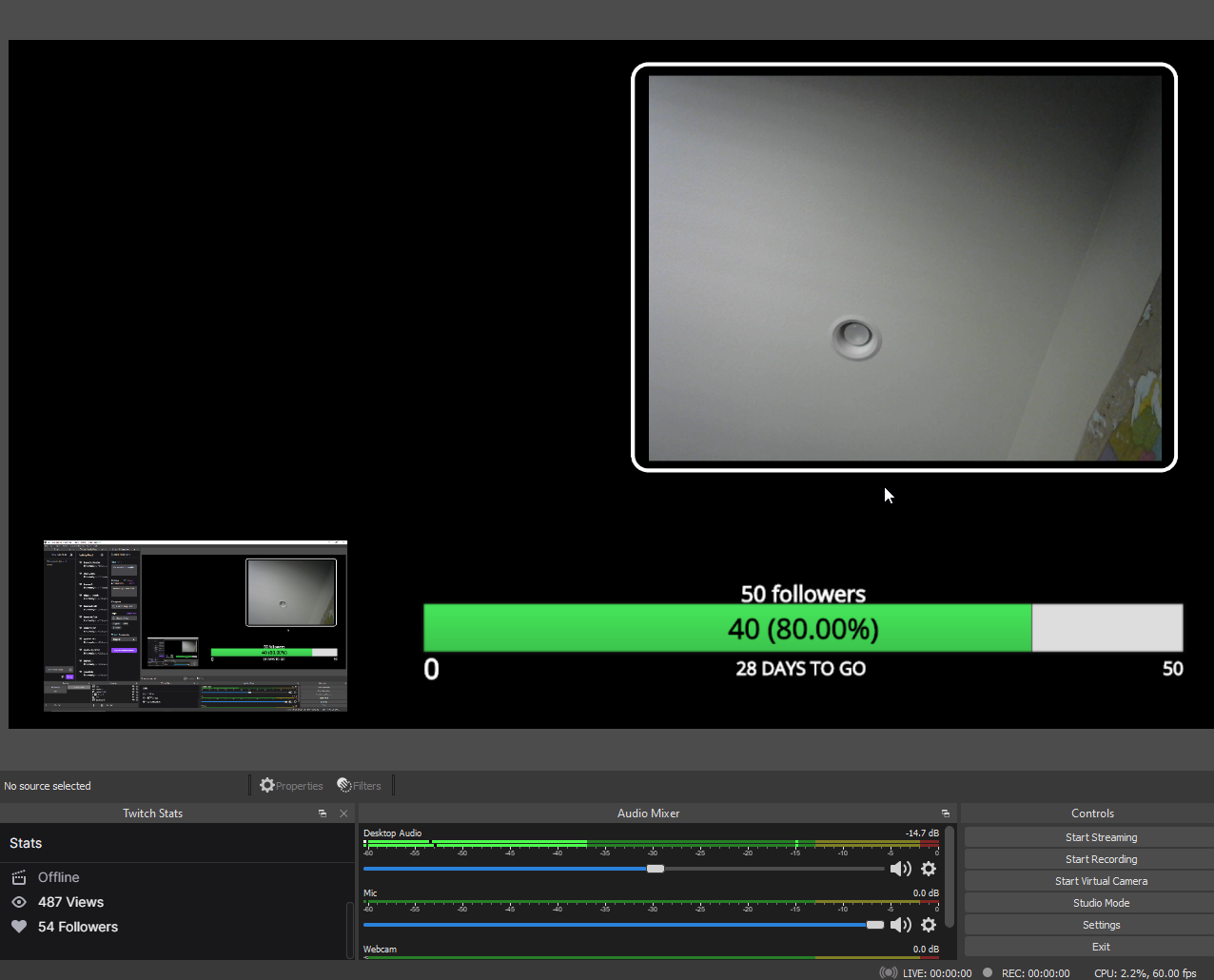 austere shale
Oh thx
west shell
np
zenith hull
Hi there, my custom commands don't load into my chat when ! is typed with prompt?? Any fixes
 subtle bramble
Having a wee problem with points on someone's stream I am on rossandmikos stream and my sound alerts are not working we have tried on both ends but we cannot find the problem this is also affecting me on other streams with their points service
 amber lynx
wary halo
amber lynx
wary halo
#helpdesk-merch <<<
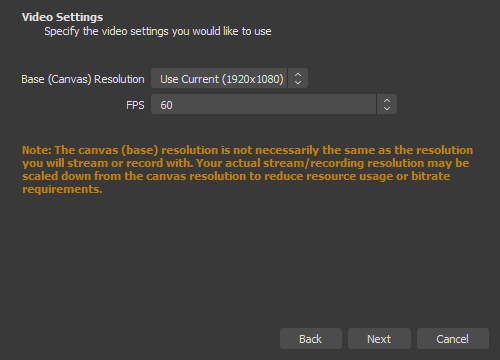
 naive hill
is there a way to have curved text on the alert box? ♥
lament blade
Why won't my overlays change to 720?
 whole hawk
Hey SE! I added the SE Leaderboard to my twitch panels (also added a social media link) i don't see these updates when viewing on the phone... tried 2 phones with different accounts. Does it take some time to update? So far its been an hour
 deft briar
I have one question in regards to your give-a-ways. How long can they remain active for?
 upbeat parcel
I have a question regarding raids. If I have an alert for both raids and hosts, will SE play them both, or just the raid alert ?
low sinew
help
Why when youtube tries to connect to streamelements says that channel is already claimed and I haven't taken it on another account?
west shell
west shell
https://i.imgur.com/HbWa9Wt.png
?
low sinew
?
help
Why when youtube tries to connect to streamelements says that channel is already claimed and I haven't taken it on another account?
 scarlet badge
my stream elements keeps saying response message , anyone know how to turn this off?
 hoary galleon
Hello! I'm having an issue with getting the leaderboard to show up on my "About" page on twitch, if anyone can help me real quick please reach out VIA dm 😄
 odd forge
Hey peeps. I do not think this exist but if it does i havnt found it. I was think about i would like an overlay (if it exist or even doable) that shows Average monthly viewers (the stat you have on dashboard about getting affiliate or partner). Anyone know if it exist or doable? 🙂
 opaque wharf
Hiii, so a streamer friend of mine is switching from Streamlabs to StreamElements, but we cannot figure out how to transfer everyone's hours/watchtime from point A to point B. It's starting everyone off at 0 again.
 tardy gate
I have been using Streamelements obs live for doing the name change on bot to my account name on twitch, when I updated yesterday the bot doesnt want to work with the name, I have had to go back to the default name for the bot, I have done logging out and back in, parting the bot from channel and rejoining but still the same thing. Twitch name is DragonCowboy69
 foggy heart
low sinew
Why when youtube tries to connect to streamelements says that channel is already...
foggy heart
low sinew
Why when youtube tries to connect to streamelements says that channel is already...
Once the accounts are made separately, they will have to be merged to be connected.
viscid pebbleBOT
@tardy gate If your commands recently stopped working and you're using OBS.Live and a custom bot name do the following:
- In OBS.Live, click on the hamburger menu (three stripes) at the top left of your activity feed
- Click on Stream Settings > Custom bot name
- In the Custom bot name field select Set custom bot name, not your already existing username (with capital letters). Note: If you already connected an account that way, the third entry will show as the account name (see image https://i.imgur.com/sO7fWOX.png).
- Scroll a bit down and click on the purple Connect Custom Bot Account button
- Log in as usual and Authorize the custom bot name
- Back in the Activity feed, click on the Send Test Message button and check if your custom bot name starts working again
@opaque wharf The !watchtime command is directly tied to the Loyalty system. The Loyalty system must be enabled for viewers' watchtime to count up.
To enable Loyalty, please go to the Loyalty section of your account: https://streamelements.com/dashboard/loyalty
Watchtime counts up every 10 minutes alongside Loyalty points, and only while the stream is live. Reruns will not be counted.
Please note that watchtime is not tracked by Twitch and there is no way to retroactively apply past watchtime to viewers.
opaque wharf
@trail sparrow
 trail sparrow
ty!
tardy gate
thanks,got it working again
 keen narwhal
Thanks for the message about bots! It resolved my issue 🙂 YOU ROCK!!!!
 loud egret
Does anyone know why SE donation goal counters dont work?
drowsy egret
loud egret
Does anyone know why SE donation goal counters dont work?
whats your issue with them?
whole hawk
hoary galleon
Hello! I'm having an issue with getting the leaderboard to show up on my "About"...
I'm having the same issue today
drowsy egret
whole hawk
I'm having the same issue today
are you not seeing it like this?
 whole hawk
drowsy egret
are you not seeing it like this?
whole hawk
drowsy egret
are you not seeing it like this?
If i click the link it takes me there, but shouldnt it appear under my about page? Also youll notice for links only my twitter is showing and not my mixcloud
 drowsy egret
whole hawk
If i click the link it takes me there, but shouldnt it appear under my about pag...
drowsy egret
whole hawk
If i click the link it takes me there, but shouldnt it appear under my about pag...
it might be hidden from mobile view but everything is there on desktop
 whole hawk
Is there a way to UNhide it from mobile?
drowsy egret
whole hawk
Is there a way to UNhide it from mobile?
no idea, thats something you would need to ask twitch support
drowsy egret
 sinful schooner
i need help im on live twitch using stream elements obs live
sinful schooner
i need help im on live twitch using stream elements obs live
whats your issue?
whole hawk
drowsy egret
no idea, thats something you would need to ask twitch support
Ok cool, I'll try thrm
lament blade
i have returned with my 500th question. you know how you can choose your username color for twitch chat? well.. how to i get rid of that on the chatbox in my overlay? i want everyones usernames to be the same color. i want the chat text to be one color, and the usernames to be another
sinful schooner
drowsy egret
whats your issue?
ok im starting my live in my streamelemnts obs and it works....but when i go to twitch its unstable
viscid pebbleBOT
@sinful schooner Use the Twitch Bandwidth Test to find the best Twitch server to stream to. Set Duration to Medium. You can uncheck any regions you're not near.
After the test completes, click the Share Result button to upload a screenshot, which can then be copied and pasted here.
Get Twitch Test from https://r1ch.net/projects/twitchtest.
 stray swift
Hello All, I have search online for about an hour and I can't find if this is doable. I don't want to disable StreamElements to post each new follow in my channel but last week, someone started to send follow bot having the same string name in their follower bot. its always start zoom_ then random caracters. Is there anyway I can block this string only ?
drowsy egret
lament blade
i have returned with my 500th question. you know how you can choose your usernam...
maybe something like this is what you're looking for #widget-share message
sinful schooner
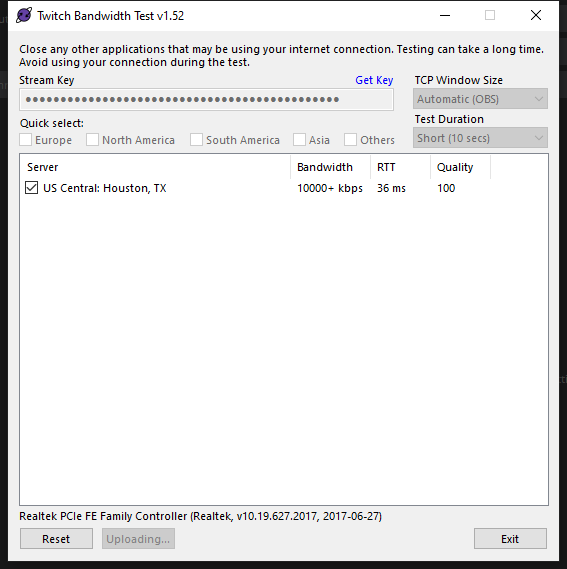
 sacred walrus
Does someone know how to re add the chat box?
I don't mean an overlay
The actually chat box
drowsy egret
sacred walrus
Does someone know how to re add the chat box?
I don't mean an overlay
The actual...
streamelements menu > chat
 fervent elm
Does anyone know how to change the cooldown of a command in Twitch chat? What are the prefixes? I know to add one its !command add
viscid pebbleBOT
@fervent elm You can add, remove and make changes to custom commands in chat with !command/!cmd flags:
!command add (commandname) (commandresponse) - allows you **to add **a new custom command
!command remove (commandname) - allows you to delete a custom command
!command edit (commandname) (commandresponse) - allows you to edit an existing custom command
!command show (commandname) - allows you to see the raw response of a command before variables are used
!command options (commandname) -(flag) - allows you to change settings for an existing custom command
!command alias basecommand - Shows the alias commands for !basecommand
!command alias add basecommand aliascommand1 aliascommand2 - Adds alias commands !aliascommand1 and !aliascommand2 for command !basecommand
!command alias remove basecommand aliascommand1 - Removes alias command !aliascommand1 from command !basecommand
Valid flags for !cmd options include: -enable -disable -cd (number in seconds) -usercd (number in seconds) -cost (number) -level (number) -type (say, whisper or reply) -count (number)
Syntax example: !cmd options twitter -usercd 60 -type reply -level 250
west shell
should you prioritize stream fps or stream resolution?
sinful schooner
viscid pebble
<@!781241733811929089> Use the Twitch Bandwidth Test to find the best Twitch ser...
drowsy egret
@sinful schooner and what is unstable? you're dropping frames?
sinful schooner
drowsy egret
<@!781241733811929089> and what is unstable? you're dropping frames?
hold on ill be back
scarlet badge
anyone know how to get the response message off the chat?
 tribal steppe
hey, i dont know where to ask this, but: where do i remove a image from my tippping page? i dont see a remove button. i only think its possible to replace it
drowsy egret
scarlet badge
anyone know how to get the response message off the chat?
you mean responding via whisper?
drowsy egret
tribal steppe
hey, i dont know where to ask this, but: where do i remove a image from my tippp...
you want to go back to the default images?
tribal steppe
yes
drowsy egret
tribal steppe
yes
give me a moment, I can get you the images
 tribal steppe
another question: where do i see how much i need to get, for getting a payout from twitch? i want to exit my affiliate conctract but want to get my payout first 🙂
 tribal steppe
is there no reset method? @drowsy egret
drowsy egret
tribal steppe
is there no reset method? <@!131420870244564992>
not for now, you would have to replace it with that one
ionic kelp
@scarlet badge got an extra message for a timer. Click the triangles at the end of them to expand.
viscid pebbleBOT
@scarlet badge Please provide your account ID found at the top of this page: https://streamelements.com/dashboard/account/channels This ID is public info and safe to share here.
sacred walrus
drowsy egret
not for now, you would have to replace it with that one
I clicked on " StreamElements & there isn't a " menu "
 patent cobalt
bruh somone just make a purchase and i dont see anything in my wallet
drowsy egret
sacred walrus
I clicked on " StreamElements & there isn't a " menu "
if you're not using obs.live then you will find it in view > docks > twitch chat
patent cobalt
skill what do i do


 drowsy egret
sacred walrus
drowsy egret
sacred walrus
make sure you're logged in with twitch in obs settings > stream
drowsy egret
patent cobalt
skill what do i do
new orders can take up to 24 hours to appear in your order history
patent cobalt
okay thaknks
thanks
do you think there will be beanies soon
or shorts
or do you not know
sacred walrus
drowsy egret
make sure you're logged in with twitch in obs settings > stream
Yeah!! I already am
I clicked the x by accident and now It won't show again
ionic kelp
Disconnect and reconnect it.
 teal heath
Hello, I am having an issue of Stream Elements saying "Response Message" randomly in the chat
ionic kelp
patent cobalt
so i saw some people say that somtimes the color does not come out that bright which i have a real bright green what do i do if it comes out not as exspected
sacred walrus
drowsy egret
new orders can take up to 24 hours to appear in your order history
Hey!! Do you know the URL for the " activity feed " & "Chat "
drowsy egret
sacred walrus
Hey!! Do you know the URL for the " activity feed " & "Chat "
did you try to disconnect and reconnect your twitch account?
drowsy egret
sacred walrus
Yes
no idea for the activity feed but chat is https://www.twitch.tv/popout/yourusername/chat?darkpopout=
teal heath
@ionic kelp thanks, sorry I didn't see your response there
sacred walrus
Thanks!
drowsy egret
sacred walrus
Thanks!
sacred walrus
Thanks a lot!! ❤️
Last question sorry!! So I added the new chat box but it doesn't link to the stream @pseudo edge
patent cobalt
Is there going to be any other things you can make like shorts or beanies?
drowsy egret
sacred walrus
Last question sorry!! So I added the new chat box but it doesn't link to the str...
replace the "yourusername" part 
foggy heart
patent cobalt
Is there going to be any other things you can make like shorts or beanies?
No ETA on new things coming to the store.
 sleek garden
anyone know how to have a !socials command have each social on a new line?
drowsy egret
sleek garden
anyone know how to have a !socials command have each social on a new line?
twitch doesn't support new lines in the chat, you would have to find a way to make it work with longer text/links or something like that
sleek garden
ahh i didnt know that, i've seen it done before so i wasn't sure. ty!
 autumn vector
Changed my Twitch name today..now alerts from SE arent popping up or showing on activity feed/ dashboard ..any ideas?
viscid pebbleBOT
@autumn vector If you changed your name on Twitch, please follow these steps:
- Visit https://streamelements.com/logout and then log in again by connecting with Twitch.
- On the right side of the dashboard page that opens, select Join under bot settings. If it says Part select that and then select Join to send the bot to the chat. Don't forget to mod the bot by typing /mod streamelements in your channel if you have not already.
- Post your old and your new name here so that we can update your channel's chatstats tracking (must be done by staff).
autumn vector
old name TrixxyTrix New Name ItsTrixxyTV
foggy heart
autumn vector
old name TrixxyTrix New Name ItsTrixxyTV
One moment, i'll make the change for you
 drifting plank
Hello
I have a problem with the watchtime command
The bot's response is always 0 seconds
can you help me?
viscid pebbleBOT
@drifting plank The !watchtime command is directly tied to the Loyalty system. The Loyalty system must be enabled for viewers' watchtime to count up.
To enable Loyalty, please go to the Loyalty section of your account: https://streamelements.com/dashboard/loyalty
Watchtime counts up every 10 minutes alongside Loyalty points, and only while the stream is live. Reruns will not be counted.
Please note that watchtime is not tracked by Twitch and there is no way to retroactively apply past watchtime to viewers.
StreamElements
The Ultimate All in One Platform for Streamers
foggy heart
autumn vector
old name TrixxyTrix New Name ItsTrixxyTV
Chat Stats are all set, should be good to go
autumn vector
amazing support..thanks friends ❤️
 light spindle
hello, if i want an alert to only happen if its less than 20 gifted subs ( have an alert for over 20) would i be right to type that as -20 in the paramater thing? its not working
 foggy heart
light spindle
hello, if i want an alert to only happen if its less than 20 gifted subs ( have ...
foggy heart
light spindle
hello, if i want an alert to only happen if its less than 20 gifted subs ( have ...
I do not believe that would work, as it is probably reading as negative 20
light spindle
hmm it made me think i should type it as that as in the test menu it always starts as -1
should I put it as 19? ive tested so many alerts today my alert box is just having a meltdown and taking forever to test now
Ive got a fancy alert for 20+ but my less than 20 is playing over it
foggy heart
light spindle
Ive got a fancy alert for 20+ but my less than 20 is playing over it
Might be worth trying -19 or 19-
 spare panther
how do i move a overlay from my browser to my obs studio.
viscid pebbleBOT
@spare panther To add your overlays to OBS, add a new browser source in your scene. Paste your overlay URL in the browser source properties, set the dimensions to 1920x1080 (unless you changed them on the website) and check Shutdown source when not visible. https://youtu.be/KDvLynUqXI4
light spindle
19- isnt a valid save hmm
 hollow beacon
Hello. I'm having trouble with the chatbot timer. It does not send the configured messages. What happens?
 ionic kelp
Do you have 15 chat messages every 5 minutes?
hollow beacon
no
ionic kelp
That would be why. That has to happen for it to trigger.
hollow beacon
If the chat lines are set to 0, will it work?
ionic kelp
Should yes.
 lone jackal
Hi my watchtime command responds with 0 seconds when people try and use it, is there a fix for this?
hollow beacon
ionic kelp
Should yes.
It works! ty a lot!
viscid pebbleBOT
@lone jackal The !watchtime command is directly tied to the Loyalty system. The Loyalty system must be enabled for viewers' watchtime to count up.
To enable Loyalty, please go to the Loyalty section of your account: https://streamelements.com/dashboard/loyalty
Watchtime counts up every 10 minutes alongside Loyalty points, and only while the stream is live. Reruns will not be counted.
Please note that watchtime is not tracked by Twitch and there is no way to retroactively apply past watchtime to viewers.
StreamElements
The Ultimate All in One Platform for Streamers
light spindle
hmm no - variation is working, tried 1-19 too and it wouldnt let me enter it
lone jackal
I️ turned on the loyalty system and it’s still displaying 0 seconds
 cedar gazelle
Thanks. will move my question there
lone jackal
Thank you I’ll check back if I️ have any problems
loud egret
@drowsy egret i have paypal and se pay both setup and i setup a goal counter but when i get a donation it doesnt register with the counter
viscid pebbleBOT
@loud egret If a viewer tipped through PayPal but no information appears in your StreamElements account, this generally means PayPal has held the tip for verification.
Until PayPal clears the tip and sends back a confirmation to your StreamElements account, no information will appear there and no alert will play, as that confirmation is the only way for us to be aware of a successful transaction.
There is a posibility that the tip may have been sent as an eCheque/eCheck - these tips can take from 7 up to 21+ days to show up on our side. Tippers can usually cancel these.
If you believe there may be an issue with the transaction, you'll need to contact PayPal support as StreamElements is only a passthrough service and never actually gets involved with the transaction or touches the money
 calm salmon
is there an issue going on
i just lost all of my overlays and couldnt connect back to twitch i kept getting network error
light spindle
is there any way to move the image/gif about without rezizing the box, i have a full screen alert but then my other alerts are now stuck at the top
upbeat parcel
whole hawk
If i click the link it takes me there, but shouldnt it appear under my about pag...
To see it on mobile, you have to go in the chat, and press it on the top right corner
upbeat parcel
light spindle
Ive got a fancy alert for 20+ but my less than 20 is playing over it
If your less than 20 alert is a variation, it's always gonna play over. You can make a variation for the more than 20, and you should be good. Just make sure you don't tick "Randomly szlect variation" and make sure the +20 variation is the first one in the list. Streamelements will always play the highest variation over all the others
light spindle
ooh good to know thank you, i ended up making 19 seperate 'if alert is exactly____ from 1-19 to fix the issue
upbeat parcel
Lol
Just make your under20 alert the default one, and create a variation with your fancy alert for +20 and you should be good to go
I have a question regarding raids. If I have an alert for both raids and hosts, will SE play them both, or just the raid alert ?
 barren lake
anyone get issues with Ground Control not working? Rarely when opening it works, sometimes only the activity feed works, others only the media request does. Deleted appdata stuff, reinstalled, tried relogging in on ground control as well
I get "You have no stream activity" when I open it but the media request works. Get a windows.heap.load is not a function message at bottom
basically leads me to using the web browser stream activity page and then only using ground control for media when the media tab works on reopens
 toxic nebula
Wanting to utilize the $(random.pick) command but be able to include apostrophes in each phrase - is there an escape character that's recognized to make this happen? Like a forward slash? $(random.pick 'Don/'t do that') ?
 vagrant karma
Hello, I was trying to get help with an issue I've been having with OBS in their discord, but they kept telling me my issue was OBS.Live and weren't actually helping me?
I've been using OBS.Live for about 2 years now and never had this issue. It's been happening for 2 weeks now.
When i use my zoom in feature (scenes) it freezes on one of the scenes and crashes. After I restart OBS, it doesn't do it again and I can use my zoom feature.
Is there a way i can fix this?
zenith widget
calm salmon
is there an issue going on
Can you elaborate please?
 manic thunder
How can i take my streamlabs eventlist to streamelements ? Any idea ? I like the eventlist called "slick" theme on streamlabs.
ionic kelp
If it's one of their themes from their library you cant.
zenith widget
light spindle
is there any way to move the image/gif about without rezizing the box, i have a ...
If you have the alert widget at max size, sucha s 1920x1080, the images inside will be always at max original size, as in if the image is 800x600 size, it won't be made bigger.
That being said, they will be always centered regardless and you cannot move them.
As for the top stuck items, try and use the layout options.
manic thunder
Can I make the same eventlist streamelements myself?
zenith widget
upbeat parcel
I have a question regarding raids. If I have an alert for both raids and hosts, ...
It will play the alert based on which event comes first.
If host event from Twitch comes first, its going to play that alert and ignore the raid one
If raid comes first, host is being ignroed, etc.
zenith widget
barren lake
anyone get issues with Ground Control not working? Rarely when opening it works,...
Open a command prompt and type in this: del %homepath%\.se-gc\config.json
manic thunder
ionic kelp
If it's one of their themes from their library you cant.
Do you have any other custom eventlist ? Where can i find ?
zenith widget
Did you restart GC after using this?
barren lake
yeah, closed it to use it as well?
zenith widget
I dont understand what you are asking
zenith widget
manic thunder
Can I make the same eventlist streamelements myself?
yes - custom widget
barren lake
i closed it before I ran the CMD and then reopened
When I do it, the activity feed works on first login, but the Media Request tab is completely blank. Then when I reopen, the activity feed is showing you have no stream activity and the media request now works
zenith widget
toxic nebula
Wanting to utilize the $(random.pick) command but be able to include apostrophes...
No you cannot use > ' < as part of the sentence, as it breaks the items the random.pick is suppose to use. There is no escape character.
barren lake
It's been like this for a few months, been delaying getting it working for the longest time
zenith widget
vagrant karma
Hello, I was trying to get help with an issue I've been having with OBS in their...
- #helpdesk-selive
- What zoom feature?
zenith widget
barren lake
It's been like this for a few months, been delaying getting it working for the l...
Right, can you get to the setting tab where you can see your JWT token? If yes, remove that and try and add it again and see if that helps. If it doesn't you are part of the bugged people who have issues with opening an application we do not intend to update any longer.
vagrant karma
Uh, by zoom feature, I mean having multiple scenes with my camera zooming in.
zenith widget
That being said, devs are aware of the windows.heap.issue
zenith widget
vagrant karma
Uh, by zoom feature, I mean having multiple scenes with my camera zooming in.
Right, I'm still not sure what you mean
vagrant karma
I'm not exactly sure how to explain it
Basically I have a button with my stream deck that goes between multiple scenes, each scene having my camera "large" to look as if its zooming in
larger*
 tall apex
Been having an issue for a while now where my follower count on overlays won't update live, only after I stop streaming. Now that I got affiliate, it's even worse with subscribers - the number won't update at all even after stream is over, it just stays at zero forever. Any idea how to fix?
upbeat parcel
zenith widget
It will play the alert based on which event comes first.
If host event from Twit...
Ok thanks !! And are we sure that in case of a raid it won't detect the host first ?
barren lake
zenith widget
Right, can you get to the setting tab where you can see your JWT token? If yes, ...
Yeah, that was the first thing I tried :/ Any way to use a previous version without it auto-updating? Wasn't having this issue previously. Appreciate your help 
zenith widget
vagrant karma
Basically I have a button with my stream deck that goes between multiple scenes,...
Can we move to #helpdesk-selive ?
zenith widget
barren lake
Yeah, that was the first thing I tried :/ Any way to use a previous version with...
There is no previous version, as we do not have it and we do not intend to update Ground Control any longer.
barren lake
damn
zenith widget
I would recommend to either use OBS.Live or the dashboard's activity feed
zenith widget
upbeat parcel
Ok thanks !! And are we sure that in case of a raid it won't detect the host fir...
Yes
upbeat parcel
Ok thank you !!
zenith widget
tall apex
Been having an issue for a while now where my follower count on overlays won't u...
logout -> login to the dashboard and see if that fixes the issue for next stream
barren lake
browser based is probs only bet, reg obs doesnt have SE store redemptions unfortunately
zenith widget
OBS.Live does have the activity feed
vagrant karma
zenith widget
Can we move to <#494513233416421386> ?
sure
zenith widget
barren lake
browser based is probs only bet, reg obs doesnt have SE store redemptions unfort...
tall apex
zenith widget
logout -> login to the dashboard and see if that fixes the issue for next stream
just logged out and back in, and the subscriber count is still at zero in the overlay. the correct number shows on the dashboard chart, meaning SE does recognize that I have some, it's specifically the overlay that doesn't, sorry for not specifying that earlier
not sure if support is available for widgets (they're official but also made by the community so I guess like semiofficial?) but it's the last event rotator by co6studio if that helps at all
barren lake
looks good, just trying to avoid mixing things around because with all the issues I run into I find it easier if I can single the issue to a single program. vanilla OBS means I dont have to do the runarounds for random issues between here and OBS. Appreciate your help though, I'll probably just look at getting music playlist through something browser based to add to OBS and then use browser activity feed
zenith widget
tall apex
just logged out and back in, and the subscriber count is still at zero in the ov...
The main dashboard page shows your monthly gain not your total. That being said, since you weren't an affiliate until recently, our dashboard has not been tracking subscriber events for you, up until this logout/login moment. Now its going to track subs, but anything missed won't show up.
As for the widgets from the widget gallery, the support for them is #dev-chat as they are still considered custom widgets.
 karmic nexus
I'm trying to change the gif for the alerts but for some reason it won't let, what do I do to fix this?
zenith widget
Did you check the variations?
karmic nexus
zenith widget
Did you check the variations?
Even with variations it won't let me
I'm so confused
I have the gif and have put it into files as well as my downloads but it won't allow me to use it, only delete it?
zenith widget
What type of alert are you editing?
viscid pebbleBOT
@karmic nexus Please provide your account ID found at the top of this page: https://streamelements.com/dashboard/account/channels This ID is public info and safe to share here.
upbeat parcel
Quick question : is there a way to delay the activation of an alert ?