#🎨-theme-development
1 messages · Page 48 of 1
 crimson skiff
 spare mural
seems like they are still in the wrong order for me
crimson skiff
yknow what, ill re send the message properly
 tardy siren
Hey
I'd like this to be a darker color than the rest of my app
What do I need to change?
 spare mural
looks good now !
crimson skiff
spare mural
seems like they are still in the wrong order for me
how about now 
spare mural
spare mural
looks good now !
^
crimson skiff
i have to fix my SeamlessChatBar snippet (the typing indicator's font size is super wonky for some reason, and also offset in the y axis)
I also plan on making HSL x BF not rely on HSL (it broke now) and support using it normally in two stacks on the sidebar
i was honestly planning to stay without visual refresh but cough @vestal field cough decided to delete the file for non refresh theme
 tired light
Does anyone know what affects this UI element? I can't seem to find it even after going through every element

 echo frost
ahhhhhhhhhhhhhhhhhhhhhhhhhhhhhhhhhhhhhhhhhhhhhhhhhhhhhhhhhhhhhhhhhhhhhhhhhhhhhhhh
echo frost
tired light
Does anyone know what affects this UI element? I can't seem to find it even afte...
I think those use a mask
tired light
What exactly is a mask? 
 plain kelp
Something that makes only certain parts of the element visible
In computer science, a mask or bitmask is data that is used for bitwise operations, particularly in a bit field. Using a mask, multiple bits in a byte, nibble, word, etc. can be set either on or off, or inverted from on to off (or vice versa) in a single bitwise operation. An additional use of masking involves predication in vector processing, ...
tired light
Well damn, I have no idea so far what any of that means 
plain kelp
You have a square icon and you cut off the corners to make a circle
tired light
Alright that helped
I just started dipping my toe into theme editing so it's all a bit daunting
 chilly knoll
tired light
Does anyone know what affects this UI element? I can't seem to find it even afte...
chilly knoll
tired light
Does anyone know what affects this UI element? I can't seem to find it even afte...
Is it possible to change the online, dnd amd idle.colours for platform indicators
tired light
Before the discord update it auto synced to whatever theme you used, so something must have gotten tangled
So if online was blue for you it was blue for platform as well

 obtuse kite
i got you
 olive lily
it used to have a clear space btw the server and the bar
which made it less awkward

there
it used to not fade in
tired light
olive lily
that's NOT what i meant
olive lily
tired light
im sure lots of ppl will like this one tho, so thank you
back then it was like this

and it was pitched with color, which made the server not directly touch it
the problem is the space in btw tbh
its LITERALY out of place
this

if you get it ...
plain kelp
What is this circle
 olive lily
plain kelp
What is this circle
olive lily
plain kelp
What is this circle
back then it would be notification i think ?
plain kelp
Opened devtools to check, but it disappeared
olive lily
probably a bug then
olive lily
obtuse kite
now idk what bro want
im lost too
ill get used
thank you for the though tho!!!
crimson skiff
I know im spamming the snipets like hell in #🎨-theme-development but i really hate the design choices discord makes
 steep chasm
@import url('https://discordstyles.github.io/HorizontalServerList/dist/HorizontalServerList.css');
Who has used this css?
 pure cairn
plain kelp
What is this circle
pure cairn
plain kelp
What is this circle
It's either a mask or foreignObject
It was the latter on profile avatars
echo frost
plain kelp
What is this circle
ping mask
plain kelp
Ah, yeah that'd be it
Weird that it doesn't disappear until window size changes or whatever
echo frost
did you hide the ping?
plain kelp
Receive ping - circle is red
Click channel - red disappears but circle remains
Or something, I don't get so many pings that I can science on them
chilly knoll
plain kelp
Or something, I don't get so many pings that I can science on them
want me to ping u in a channel u dont check so u can test?
plain kelp
I've got devtools open now, so if I get another ping I should be able to check it out a little better
 winged lotus
Hopefully this is the right place to ask but is there a way to change the --background-message-highlight colour with QuickCSS? Really dislike the blurple colour I get when on replies now.
 hollow steppe
tired light
hollow steppe
tired light
use margin-left: var(--custom-guild-list-width); instead of an hardcoded value ofr the panel
 clear siren
winged lotus
Hopefully this is the right place to ask but is there a way to change the `--bac...
clear siren
winged lotus
Hopefully this is the right place to ask but is there a way to change the `--bac...
:root {--background-message-highlight: pink;}
winged lotus
clear siren
`:root {--background-message-highlight: pink;}`
I had tried that but hasn't worked, can see in the reply highlight it is still the default blurple. I have refreshed my discord since adding it in
 clear siren
try replacing ; with !important;
the color is probably defined somewhere other than :root so :root loses but good ol' important should take care of that
winged lotus
It flashes pink now so I assume I just need to find the other var thats being used
clear siren
probably, not on pc so can't assist
 brittle iron
tired light
brittle iron
tired light
thanks for this, here's a little modification that aligns the user area with the chat
.visual-refresh .channelTextArea_f75fb0 {
    min-height: 56px;
    align-content: center;
}

.visual-refresh section.panels_c48ade {
    margin-left: 72px;
    bottom: 0px;
    margin-bottom: var(--custom-chat-input-margin-bottom);
    width: calc(100% - var(--space-xs)*2 - 72px) !important;

    .actionButtons_e131a9 button {
        padding: 0;
    }
}

nav.guilds_c48ade {
    margin-bottom: 0 !important;
}
 winged lotus
clear siren
probably, not on pc so can't assist
winged lotus
clear siren
probably, not on pc so can't assist
Had a poke through and have it so the reply is now changed but when I hover it is another colour which I can't seem to track down as well as the little bar on the far left

 clear siren
winged lotus
Had a poke through and have it so the reply is now changed but when I hover it i...
clear siren
winged lotus
Had a poke through and have it so the reply is now changed but when I hover it i...
yeah you can try searching for hover in the styles tab on the element to find the var, or use f8break plugin to freeze discord when hovering a message to see what style is being applied
you can also set :hover pseudoclass on the element probably from contextmenu
brittle iron
brittle iron
thanks for this, here's a little modification that aligns the user area with the...
i'm trying to make this reactive to typing animations being present, so there's not always that dead space
using :has() is working fine for the chat area but for some reason i can't move the user panel
oop nvm i got it
winged lotus
clear siren
yeah you can try searching for hover in the styles tab on the element to find th...
I can't for the life of me find what is setting the dark hover colour on the reply
Tried searching for everything with hover or reply and even blurple and no luck
 stone lintel
can someone help? my themes broken, i ran it through the class updater but nothing happened, only some elements are working
     --button-danger-background: #ffb8c8 !important;
    --background-tertiary: #ffdfe7 !important;
    --background-secondary: #ffeef2 !important;
    --background-secondary-alt: #ffdfe7 !important;
    --background-primary: #ffeef2 !important;
    --background-modifier: transition-duration: 0.8s;;
    --background-modifier-accent: none !important;
    --background-modifier-hover: #f7e8eb !important;
    --background-modifier-active: #ffdfe7 !important;
    --background-modifier-selected: #ffdfe7 !important;
    --background-accent: #ffb8c8 !important;
    --header-primary: #ffb8c8 !important;
    --header-secondary: rgb(105, 96, 96) !important;
    --text-normal: #696060 !important;
    --settings-buttons-text: #8fce00 !important;
    --channeltextarea-background: #ffdfe7 !important;
    --deprecated-card-bg: #8fce00 !important;
    --background-floating: #ffcbd7 !important;
    --deprecated-quickswitcher-input-background: #8fce00 !important;
    --scrollbar-auto-thumb: #ffb8c8 !important;
    --scrollbar-auto-track: #none !important;
    --scrollbar-thin-thumb: #none !important;
    --elevation-low: none !important;
    --smallpopoutcolor1: rgb(242, 234, 234) !important;
--smallpopoutcolor2: #ece1e1 !important;```one part
    --user-buttons-color: #dac8c8 !important;
    --chat-buttons: #f4eaf0 !important;
    --text-link: #a08c8c !important;
    --CircleIconButton: #ffb8c8 !important;
    --DiscordDMButtonBG: #ac9292 !important;
    --DiscordDMButtonActive: #fff !important;
    --elevation-low: none !important;
    --CircleIconButtonBG: #ac9292 !important;
    --status-danger: #ffb8c8;
    --background-mentioned: #ffdfe7; transition-duration: 0.8s;
    --background-mentioned-hover: #ffdfe7;
    --background-mobile-primary: #ffdfe7;
     --brand-500:#ffb8c8 !important;
    --bg-brand: #ffeef2;
    --__header-bar-background: #ffeef2;
    --status-positive-background: #ffb8c8 !important;
    --fbc-primary-text: #ffb8c8 !important;
    --interactive-active: #ffb8c8 !important;
    --mention-foreground: #ffb8c8 !important;
    --mention-background: #ffdfe7 !important;
}

.botTagRegular__82f07 {
    background: #ffcbd7;
}
 half mason
Anyone have a snipit to revert this to how it was... because this is gross (dont mind his name 😭
 winged lotus
Managed to find the part that does the bar on the left of the reply but have given up on finding what is making the background of the reply when hovered the dark blue. If you do find time to have a poke and find it do let me know @clear siren
EDIT: I found it 🙂 it is:
.message__5126c.replying__5126c.selected__5126c, .mouse-mode.full-motion .message__5126c.replying__5126c:hover, .mouse-mode.full-motion.visual-refresh .message__5126c.replying__5126c:hover, .visual-refresh .message__5126c.replying__5126c.selected__5126c
I believe it is:
.wrapper_f61d60 {
  color: #ffffff;
  background: #505054;
}
Obviously change the two values
half mason
winged lotus
I believe it is:
```css
.wrapper_f61d60 {
color: #ffffff;
background: #50505...
ahh ty, idk why they decided to change the name from being white in pings :(, I'm trying to find the exact white the used but i can't, closest i've gotten is D9DDFC
winged lotus
Ye they love to change stuff it seems
brittle iron
this is what god intended
 winged lotus
Okay thats clean I need to grab that snippet
brittle iron
tired light
/*chat box*/
.channelTextArea_f75fb0.channelTextArea__74017 {
    min-height: 56px;
    margin-bottom: var(--space-xs);
    align-content: center;
    transition: margin-bottom 0.5s ease-in-out, border-color .2s ease;
}

/*user panel*/
.visual-refresh section.panels_c48ade {
    margin-left: 72px;
    width: calc(100% - var(--space-xs)*2 - 72px);
    transition: margin-bottom 0.5s ease-in-out;

    .actionButtons_e131a9 button {
        padding: 0;
    }
}

/*guilds*/
nav.guilds_c48ade {
    margin-bottom: 0 !important;
}

/*channel list*/
.container__2637a {
    transition: padding-bottom 0.5s ease-in-out;
}

/*move things up when typing element is visible, this includes slowmode*/
.base_c48ade:has(.typing_b88801) .channelTextArea_f75fb0.channelTextArea__74017 {
    margin-bottom: var(--custom-chat-input-margin-bottom);
}

.base_c48ade:has(.typing_b88801) .panels_c48ade {
    bottom: 0px;
    margin-bottom: var(--custom-chat-input-margin-bottom);
}

.base_c48ade:has(.typing_b88801) .container__2637a {
    padding-bottom: calc(var(--custom-app-panels-height, 0) + 24px);
}
I'm no css expert, i usually never write it. initially based on the one i'm replying to
this will move the chat box & user panel up when someone's typing/the slowmode indicator is present as well
my brain just couldn't deal with them being misaligned
 lunar garden
is there any way to go back to the old ui?
brittle iron
#🏥-vencord-support-🏥 pins
 mental stirrup
current progress on reverting serverlist

this is my first time making a "theme" i have no idea what im doing
 dusty tusk
Heyo, cant post in css snippets so imma post a really smol snippet here, just making server icons bigger again since im fuckiing blind :D
.wrapper_cc5dd2{
  scale: 115% 115%;
}

[aria-label="Servers"] .isExpanded__48112{
  --space-xxs: 10px !important;
}

.listItem__650eb{
  height: 45px !important;
}

[id^="folder-items-"] {
  height: auto !important;
}
before

after

I tried B)
mental stirrup
hey look i fixed the serverlist

 supple lodge
Anyone know how I can override the root colors please? thank you
 grand surge
supple lodge
Anyone know how I can override the root colors please? thank you
grand surge
supple lodge
Anyone know how I can override the root colors please? thank you
:root {
--background-primary: ;
--background-secondary: ;
}``` iron smelt
grand surge
```css
:root {
--background-primary: ;
--background-secondary: ;
}```
iron smelt
grand surge
```css
:root {
--background-primary: ;
--background-secondary: ;
}```
Prolly have to !important it too
grand surge
iron smelt
Prolly have to `!important` it too
i dont do it and still works tho
iron smelt
grand surge
i dont do it and still works tho
Okai
grand surge
iron smelt
Okai
stone lintel
stone lintel
can someone help? my themes broken, i ran it through the class updater but nothi...
can someone help w this?
iron smelt
grand surge
grand surge
stone lintel
can someone help? my themes broken, i ran it through the class updater but nothi...
is your discord updated to visual refresh?
stone lintel
grand surge
is your discord updated to visual refresh?
u mean the new ui update? yes
grand surge
stone lintel
u mean the new ui update? yes
try to add .visual-refresh somewhere
stone lintel
ill try that
stone lintel
im not sure where to put it im not that good w coding
grand surge
stone lintel
im not sure where to put it im not that good w coding
:root .visual-refresh, .visual-refresh .theme-light{
hopefully it works
stone lintel
sadly it didnt in fact it got rid of some of the elements that were working surprisingly
idk ill just wait 4 this new update 2 hopefully go away
thanks for trying to help tho
grand surge
stone lintel
sadly it didnt in fact it got rid of some of the elements that were working surp...
or just .visual-refresh {
😭
 shrewd tree
Could someone help me? I want to change the color of the new topbar but only while in DMS, but i cant find the right ID for it

 glass junco
refresh death
grand surge
shrewd tree
Could someone help me? I want to change the color of the new topbar but only whi...
i'm confused which one you mean
shrewd tree
.bar_c38106
the one all the way to the top
i know it's possible to change things based on which tab you are, since i know ive changed some stuff that only affects the friends tab for example
but i cant find the right id
glass junco
shrewd tree
.bar_c38106
the one all the way to the top
i know it's possible to change things...
you add a has:([class*="put the class of whatever element should be on screen when changing the bar"])
shrewd tree
ohh that's possible
grand surge
shrewd tree
.bar_c38106
the one all the way to the top
i know it's possible to change things...
.bar_c38106:has([aria-label="Direct Messages"]) {} /*unsure if it will work*/
this will apply no matter what due to this
 grand surge
will?
shrewd tree
huh it just doesnt apply to me
grand surge
i may be doing it wrong
supple lodge
grand surge
```css
:root {
--background-primary: ;
--background-secondary: ;
}```
doesnt work for visual refresh sadly
shrewd tree
aghh working with visual refresh is even more of a headache than before
stone lintel
grand surge
or just `.visual-refresh {`
again, didnt work lol
grand surge
 brittle iron
shrewd tree
.bar_c38106
the one all the way to the top
i know it's possible to change things...
brittle iron
shrewd tree
.bar_c38106
the one all the way to the top
i know it's possible to change things...
you can depend on a thing in the Dms tab being there
shrewd tree
I think so?
brittle iron
.base_c48ade:has(.privateChannels__35e86) .bar_c38106 {
    background-color: wheat;
}
this works
depends on private channels existing
brittle iron
no prob, it's how i lift up the chat box when someone's typing
grand surge
brittle iron
```css
.base_c48ade:has(.privateChannels__35e86) .bar_c38106 {
background-co...
thank you nazuna for help
brittle iron
anytime 🙏
glass junco
brittle iron
```css
.base_c48ade:has(.privateChannels__35e86) .bar_c38106 {
background-co...
get future proofed idiot/j
.base_c48ade:has([class*="privateChannels__"])[class*="bar_"] {
    background-color: wheat;
}
lol
brittle iron
the discord mobile ui refresh was very smooth with no issues at all
shrewd tree
glass junco
get future proofed idiot/j
```css
.base_c48ade:has([class*="privateChannels__"])...
this one doesnt work, idk why
glass junco
probably the second part
glass junco
shrewd tree
this one doesnt work, idk why
try again
shrewd tree
still nothing weirdly enough
 olive path
how the heck do i find out which button is what? im trying to make this timestamp button from one of the plugins be smaller cus it looks slightly larger than the discord ones 

 smoky belfry
olive path
how the heck do i find out which button is what? im trying to make this timestam...
smoky belfry
olive path
how the heck do i find out which button is what? im trying to make this timestam...
that's how i fix it, at the source
https://github.com/Julienraptor02/Vencord/commit/baec3ebe480dd443dd9e2e2410987ce08d87efbf
 olive path
smoky belfry
that's how i fix it, at the source
https://github.com/Julienraptor02/Vencord/com...
olive path
smoky belfry
that's how i fix it, at the source
https://github.com/Julienraptor02/Vencord/com...
oh thankies
somehow i made it work with:
/* Scale all text bar buttons, excluding Insert Timestamp */
.visual-refresh .button__74017:not([aria-label="Insert Timestamp"]),
.visual-refresh .buttonContents_e6e74f:not([class*="enabled__67645"]) {
    transform: scale(1.0) !important;
}

/* Target the outer button and force the scale for Insert Timestamp */
.visual-refresh .button__201d5[aria-label="Insert Timestamp"] .button__74017 {
    transform: scale(0.75) !important; /* Adjust this value */
when making a theme, is it more preferable to use class attribute selectors (ex. [class*="listItem__"]) or direct class selectors (ex. .listItem__650eb)
sorry im really new 😭
 golden ibex
mental stirrup
when making a theme, is it more preferable to use class attribute selectors (ex....
golden ibex
mental stirrup
when making a theme, is it more preferable to use class attribute selectors (ex....
It depends, on which thing you wanna change, cause sometimes class selectors breaks other elements and you have to use :not
mental stirrup
golden ibex
It depends, on which thing you wanna change, cause sometimes class selectors bre...
these classes will never change across updates, right?
golden ibex
Most likely it's not going to change, but Discord has monkeys working as coders so who knows what they will do/screw in the future
mental stirrup
ok cause i already ported a snippet i made to attribute selectors and it works perfectly fine and im just wondering if i should update the thing ive got in #🎨-css-snippets
smoky belfry
golden ibex
It depends, on which thing you wanna change, cause sometimes class selectors bre...
When that's the case, i don't use not, instead i try to go parent or sibling until i get a unique match
 whole roost

guys
the chat bar is stuck to the chat
i cant move it down further, does anyone know how i can circumvent this
well, i can move it down further, but then it just scales the height down, it wont move past the bottom of the chat
 empty shale
sorry if this was asked before, but does anyone know why this little empty space shows up? i've been working on a css snippet but cant figure it out:
.visual-refresh {
section[class^="panels_"] {
padding-inline: 6.5px;
padding-block: 4px;
left: 0;
width: 100%;
bottom: 0;
border-radius: 0;
border:none;
& > div[class^="container_"] { // container for user area elements
}
}```
im using the compact spacing mode btw smoky belfry
empty shale
sorry if this was asked before, but does anyone know why this little empty space...
smoky belfry
empty shale
sorry if this was asked before, but does anyone know why this little empty space...
It's some gradient
It exist in the old layout
empty shale
oh, any idea what element i could find that rule on?
smoky belfry
Well idk just use the picker
empty shale
i can't, the picker won't pick it up
it either gets the sidebar or the channel list
oh, i removed the whole user area and i saw this

 atomic plank
Is there a way I can increase the font size in just this window and not the channel list? It's too small on my 5:4 monitor
 smoky belfry
empty shale
it either gets the sidebar or the channel list
smoky belfry
empty shale
it either gets the sidebar or the channel list
It's the server list iirc
 atomic plank
Is there a way I can increase the font size in just this window and not the chan...
atomic plank
atomic plank
Is there a way I can increase the font size in just this window and not the chan...
This is literally the last thing I need to do to be happy with my theme :P
o
empty shale
empty shale
sorry if this was asked before, but does anyone know why this little empty space...
figured out the issue, heres my new snippet
.visual-refresh {
    section[class^="panels_"] {
        padding-inline: 6.5px;
        padding-block: 4px;
        left: 0;
        width: 100%;
        bottom: 0;
        border-radius: 0;
        border:none;
        & > div[class^="container_"] {
            & > div[class^="buttons_"] {
                gap: 0;
            }
        }
    }

    div[class^="sidebar_"] {
        & > nav[class^="wrapper_"] {
            margin-bottom: calc(var(--custom-app-panels-height));
            & > ul > div[class^="itemsContainer_"] > div {
                padding-bottom: 10px;
            }
        }
    }
}```this somehow works well with all densities, you may wanna adjust the gap under div[class^="buttons_"] for more spaced out buttons in the user area
 grand surge
hey i need help im trying to use this theme and its not working

this is what its showing up as
 atomic plank
Is my theme just too setup in a strange way? Sometimes my discord theme reloads
golden ibex
some plugin/theme is crashing, that's why the reload happens
 cunning vortex
does anyone have some really good minimalistic themes? natural color would be cool
 vestal field
cunning vortex
does anyone have some really good minimalistic themes? natural color would be co...
vestal field
cunning vortex
does anyone have some really good minimalistic themes? natural color would be co...
midnight
atomic plank
golden ibex
some plugin/theme is crashing, that's why the reload happens
How do I check which one?
nevermind probably my theme crashing

or something to do with this keyboard mapper?
 crimson skiff
vestal field
midnight
crimson skiff
vestal field
midnight
 echo frost
olive path
how the heck do i find out which button is what? im trying to make this timestam...
echo frost
olive path
how the heck do i find out which button is what? im trying to make this timestam...
.vc-chatbar-button svg {
  width: 20px;
  height: 20px;
}
scale is kind of janky i think
this does it the "proper" way
atomic plank
atomic plank
or something to do with this keyboard mapper?
might be this too, since it happened again and it was the last thing in console
 echo frost
can someone ping me
supple lodge
Anyone have any idea why with SettingsModal.css
I can click on everything outside of the modal when I use backdrop-filter and so it doesn't allow me to leave the modal.
But when backdrop-filter is off, when I click outside it makes me leave the modal.
Anyway I could use backdrop-filter and be able to leave the modal when I click outside of it? Thank you
@echo frost
supple lodge
supple lodge
Anyone have any idea why with `SettingsModal.css`
I can click on everything outs...
the settings modal css with the modified part (backdrop filter) [line70]
echo frost
supple lodge
Anyone have any idea why with `SettingsModal.css`
I can click on everything outs...
What is settingsmodal.css?
oh
sorry
supple lodge
echo frost
What is settingsmodal.css?
its in the message below, it makes the settings page have no background (on the outer) and you can just click out of it to leave the settings
echo frost
yeah i realized when i scrolled down
echo frost
supple lodge
Anyone have any idea why with `SettingsModal.css`
I can click on everything outs...
I don't think the background filter is even blurring it?
backdrop-filter*
change it to this @supple lodge
.baseLayer__960e4[style="opacity: 0;"] {
  filter: blur(4px);
}
does anyone know if theres a variable for the chatbar width
glass junco
i know that but i need to set an element to the same width as the chatbar dynamically
echo frost
yeah i think these are the only variables for the chatbar
--custom-channel-attachment-upload-spoiler-blur-radius: 44px;
--custom-channel-attachment-upload-mini-attachment-size: 78px;
--custom-channel-textarea-text-area-height: 44px;
--custom-channel-textarea-text-area-max-height: 50vh;
--custom-channel-textarea-app-launcher-button-gap: 8px;
oops copied a bit too much
glass junco
guhhh
echo frost
what are you trying to do exactly?
glass junco
body:has([class^="members_"]) [class^="attachWrapper__"] {
    width: 1.1vw;
    margin-right: calc(min(82.5vw, 1584px) - var(--custom-guild-sidebar-width) - var(--custom-member-list-width)) !important;
}

body:not(:has([class^="members_"])) [class^="attachWrapper__"] {
    width: 1.1vw;
    margin-right: calc(min(82.5vw, 1584px) - var(--custom-guild-sidebar-width)) !important;
i just cant get these to look right on someone elses screen
the icons should be all the way to the right like this how it is for me
 supple lodge
echo frost
change it to this <@318785940153958402>
```css
.baseLayer__960e4[style="opacity...
supple lodge
echo frost
change it to this <@318785940153958402>
```css
.baseLayer__960e4[style="opacity...
the issue is that it blurs everything out.. I just want the settings window to have a background blurred
 echo frost
supple lodge
the issue is that it blurs everything out.. I just want the settings window to h...
echo frost
supple lodge
the issue is that it blurs everything out.. I just want the settings window to h...
oh
my settings page wasn't transparent
thought you were trying to do something else
echo frost
glass junco
the icons should be all the way to the right like this how it is for me
how big is your monitor
supple lodge
echo frost
oh
my settings page wasn't transparent
i'll try to edit the file, so it doesnt depend on my theme for the color
glass junco
echo frost
how big is your monitor
1920 by 1080 i think around 21" x 11.8" or something idk
i want it to look the same regardless of monitor
echo frost
oh thought it was like a 4k monitor or something
echo frost
glass junco
the icons should be all the way to the right like this how it is for me
how is this any different than normal
glass junco
echo frost
how is this any different than normal
im on refresh experiment bucket 2
introduces new chatbar
 glass junco
bc it's being rolled out actively, this is for people who want to make sure if bucket 2 gets chosen they can still have the old discord look
if it becomes permanent
echo frost
glass junco
```css
body:has([class^="members_"]) [class^="attachWrapper__"] {
width: 1.1...
do you have css other than this?
because i don't see how that's supposed to change the position of the buttons
glass junco
full snippet is here:
/*FIX CHATBAR WOOHOO i spent a very long time on this*/
[class^=accessoryBar__] {
    display: flex;
    justify-content: space-between;
    align-items: center;
    padding: var(--space-8);
    border: none;
    margin-left: var(--space-8);
    margin-right: var(--space-8);
    position: absolute;
    height: 0;
}

body:not(:has([class^=channelAttachmentArea_], [class^=replyBar__])) [class^=accessoryBar__] {
    top: 1.2vh;
}

body:has([class^=channelAttachmentArea_]):not(:has([class^=replyBar__])) [class^=accessoryBar__] {
    top: 24.2vh !important;
}

body:has([class^=channelAttachmentArea_], [class^=replyBar__]) [class^=accessoryBar__] {
    top: 27.55vh !important;
}

body:has([class^=replyBar__]):not(:has([class^=channelAttachmentArea_])) [class^=accessoryBar__] {
    top: 4.5vh !important;
}

body:has([class^="members_"]) [class^="attachWrapper__"] {
    width: 1.1vw;
    margin-right: calc(min(82.5vw, 1584px) - var(--custom-guild-sidebar-width) - var(--custom-member-list-width)) !important;
}

body:not(:has([class^="members_"])) [class^="attachWrapper__"] {
    width: 1.1vw;
    margin-right: calc(min(82.5vw, 1584px) - var(--custom-guild-sidebar-width)) !important;
}

[class*=accessoryBar__] {
    display: contents;
    margin: 0;
    padding: 0;
    pointer-events: none;
}

[class*=accessoryBar__] button {
    pointer-events: all;
}

[class^="typing_"] {
    position: fixed !important;
    top: 98vh;
    left: 50% !important;
    transform: translateX(-50%);
    align-content: center;
    margin: 0;
    margin-left: -1.6vw;
}

body:has([class^="typing_"]) [class^="channelBottomBarArea_"] {
    margin-bottom: 2vh !important;
}

body:has([class^="members_"]) [class*="sansAttachButton__"] {
    padding-left: 3vw;
    width: 44vw;
}

body:not(:has([class^="members_"])) [class*="sansAttachButton__"] {
    padding-left: 3vw;
    width: 58vw;
}
oh
glass junco
what i showed was jsut the margin that moves the buttons after the attachment to the right
echo frost
looks like this for me

 glass junco
echo frost
looks like this for me
glass junco
echo frost
looks like this for me
yeah it's not meant to be used with any other css
and you HAVE to be on bucket 2
echo frost
like this without any other css and i'm on bucket 2

 glass junco
oh i see, yeah monitor size fucks it up and i genuinely dont know how to fix it
i know i shouldnt use vw and vh but they're the only ones that work
😭
supple lodge
echo frost
oh
my settings page wasn't transparent
I added the transparent in there.. and the issue is still only caused by the backdrop-filter
echo frost
I don't think there's a way to do it. I know backdrop-filter does weird stuff, but not exactly sure
echo frost
best i can come up with is this
Idk how it works with typing indicator though, and the margin-right depends on how many buttons you have there
#app-mount .accessoryBarLeft__74017,
#app-mount .accessoryBarRight__74017 {
  position: absolute;
  border: none !important;
  bottom: 8px;
}
.accessoryBarRight__74017 {
  right: 0;
}
.accessoryBar__74017 {
  padding: 0 !important;
}

.textArea__74017 {
  margin-left: 24px;
  margin-right: 292px;
}
I think it could work with collapsible chat buttons though
oh also it doesn't work when editing a message
supple lodge
can I maybe create a container and put it behind and blur it? 🤔
supple lodge
made it work :D
body:has(.standardSidebarView__23e6b)::before{
content: "";
position: fixed;
top: 50%;
left: 50%;
transform: translate(-50%, -50%);
width: 960px;
height: 900px;
border-radius: 20px;
z-index: 100;
backdrop-filter: blur(4px);
}```
The only issue now is that it doesnt resize with the settings window :c
```css
.layer__960e4 > :nth-child(1)::after {
content: "";
position: absolute;
top: 0;
left: 0;
width: 100%;
height: 100%;
border-radius: 20px;
z-index: -1;
backdrop-filter: blur(4px);
}```
Fixed it. Not perfect but works nice
supple lodge
If anyone needs it (Settings Modal but blurred background)
(For Visual Refresh)
[finally done deleting it and re sending it, to fix stuff]
crimson skiff
seamlesschatbar is almost done yipee, thanks to refact0r's original snippet
shrewd tree
would anyone know why this doesnt work?? it should right?
    --background-primary: #FFFFFF !important;
    --background-secondary: #FFFFFF !important;
}```it does work
but like nothing uses those variables anymore
so you dont see any change
example with a variable that is actually used:
:root {
    --background-base-lowest: #FFFFFF !important;
}
for theme devs yeah for discord devs its probably a lot easier
olive path
echo frost
```css
.vc-chatbar-button svg {
width: 20px;
height: 20px;
}
```
thankies =w=
 crimson skiff
steep chasm
I want my servers listed at the top, not to the side
crimson skiff
steep chasm
I want my servers listed at the top, not to the side
if you are using Better Folders extra sidebar, you can use my theme at https://nspc911.github.io/themes/vencord/HorizontalServerList.theme.css
 plush horizon
After getting the new redesign yesterday Ive noticed how tacky the fact that there are now three title bars on linux is. I wanted to remove the new one and did so using devtools and was going to try making a plugin to do that, but when trying to gain acces to the plugin dev channel a mod told me im probably better off making a theme. Is the result im going for possible using CSS and making a theme?
 spare mural
plush horizon
After getting the new redesign yesterday Ive noticed how tacky the fact that the...
plain kelp
plush horizon
spare mural
plush horizon
After getting the new redesign yesterday Ive noticed how tacky the fact that the...
plain kelp
plush horizon
Wouldn't it be better to put them back where they were originally?
 plush horizon
spare mural
https://discord.com/channels/1015060230222131221/1028106818368589824/13542031008...
plush horizon
spare mural
https://discord.com/channels/1015060230222131221/1028106818368589824/13542031008...
oooh really nice
plush horizon
plain kelp
Wouldn't it be better to put them back where they were originally?
I completely forgot where they were originally. And honestly not really
 soft bane
wait we can import scss scheme in a css file? noticed this use scss scheme #🎨-css-snippets message
plain kelp
If you mean "does css support nesting natively now", the answer is yes
spare mural
soft bane
wait we can import scss scheme in a css file? noticed this use scss scheme https...

MDN Web Docs
The CSS nesting module defines a syntax for nesting selectors, providing the ability to nest one style rule inside another, with the selector of the child rule relative to the selector of the parent rule.
 onyx mesa
Anyone capable to update this code to work on Visual Refresh? I have been updating the code to my capabilities with all the class changes but with Visual Refresh it broke and I can not find a way to fix it.
/* Memberlist Hover */
.container_c8ffbb, [class^="membersWrap_"] {
  justify-content: unset;
  min-width: unset;
  width: 61px;
  right: 0;
}
[class^="membersWrap_"] [class^="members_"] {
        transition: transform var(--hover-animation-speed);
}
[class^="membersWrap_"]:hover [class^="members_"] {
        transform: translateX(-203px);
}
[class^="membersWrap_"] [class^="membersGroup_"]::after {
        content:"";
        width: 30px;
        height: 3px;
        border-radius: 50px;
        background-color: #949ba4;
        position: absolute;
        left: -36px;
        top: 29px;
        margin-left: 8px;
}
[class^="membersWrap_"]:hover [class^="membersGroup_"] {
        transform: translateX(-3px);
}
[class^="membersWrap_"] [class^="membersGroup_"] {
        cursor: default;
        transform: translateX(45px);
        transition: transform var(--hover-animation-speed);
        overflow: visible;
}
:root {
    --hover-animation-speed: .30s;
}
 steel walrus

 golden ibex
Is it possible to make the scroll bar disappear when it's placed at the bottom limit?
Looks unnecesary to have this always on the screen if we are not scrolling.

It looks even worse on threads with a few messages
 golden ibex
Lowering the opacity looks way better, but still would be cool to completely remove it when it's at the bottom
    background-color: #ffffff11;
}```
 real quarry
loving all the new #🎨-css-snippets to fight against the bullshit known as the new discord UI, but how difficult is it to revert the width of my channel list? i wanna see how fucked the discord css structure is
onyx mesa
real quarry
loving all the new <#1028106818368589824> to fight against the bullshit known as...
can't you just change the channel list widght by draggin it to the size you want
 rain cradle
hello everyone can anyone please tell me what was in the message to which i responded? i have the same issue again since new discord ui released
 real quarry
onyx mesa
can't you just change the channel list widght by draggin it to the size you want
real quarry
onyx mesa
can't you just change the channel list widght by draggin it to the size you want
wait that's an option?
OH MY GOD WHAT
HOLY FUCK
i was shitting on that design choice in another server and no one brought that up the whole time
iron smelt
Bro is finding god rn
golden ibex
rain cradle
hello everyone can anyone please tell me what was in the message to which i resp...
The user deleted the message that you replied, how would we know?
real quarry
iron smelt
Bro is finding god rn
you joke, but this is a game changer for me
combined with all the #🎨-css-snippets
rain cradle
golden ibex
The user deleted the message that you replied, how would we know?
i see it. i meant maybe anyone else could know how to solve the problem
golden ibex
What problem? changing the color of the live badge?
rain cradle
golden ibex
What problem? changing the color of the live badge?
yes
i found the line of code responsible for it using devtools but i don't know how to implement it into a theme's .css file
 unkempt latch
not sure where to ask but what highlighterjs theme does discord use?
 valid nest
er
is there a channel where people post their finished themes
 tidal moth
is there a collective theme that reverts the new changes? i know i'll have to get used to the new one eventually but god if im not stubborn
atomic plank
I tried without my theme and quickCSS and my VC is still like this
is there a fix for this?

Thanks
atomic plank
I don't suppose there is also a snippet to fix the names cutting off?

 bitter wing
tidal moth
is there a collective theme that reverts the new changes? i know i'll have to ge...
bitter wing
tidal moth
is there a collective theme that reverts the new changes? i know i'll have to ge...
Same question, can someone link me a theme/collective set of CSS code for the new UI to make it as good/much like the old UI as possible
The default new UI just ain't cutting it, and the old one is already broken
 quartz gulch
Anyone know how to make the server icons the same size they ere before? Driving me insane.
echo frost
quartz gulch
Anyone know how to make the server icons the same size they ere before? Driving ...
extremely scuffed, but this is what i'm using
that also brings back the hover animation
quartz gulch
echo frost
that also brings back the hover animation
does it decrease the left side bar too
echo frost
huh
quartz gulch
why tf did they make it so airy
echo frost
the server bar?
echo frost
quartz gulch
Anyone know how to make the server icons the same size they ere before? Driving ...
also saw this #🎨-css-snippets message
it's smaller and better than mine in some ways i think
 supple tartan
guys, is there a fix for the user popups not being correctly resized?
 echo frost
supple tartan
guys, is there a fix for the user popups not being correctly resized?
echo frost
supple tartan
guys, is there a fix for the user popups not being correctly resized?
.outer_c0bea0 {
  overflow-y: auto !important;
  &::-webkit-scrollbar {
    display: none;
  }
}
 crimson skiff
refreshment of css snippets
anyone that contributes to css snippets within one week of visual refresh being released should get a role like i survived the refresh or smth
crimson skiff
@vestal field how exactly does your theme support yes/no as variables?
vestal field
crimson skiff
<@508863359777505290> how exactly does your theme support yes/no as variables?
@property --small-user-panel {
    syntax: 'on | off';
    inherits: false;
    initial-value: off;
}

@container body style(--small-user-panel: on) {
    .visual-refresh {
        .base_c48ade {
            grid-template-areas:
                'titleBar titleBar titleBar'
                'guildsList notice notice'
                'guildsList channelsList page'
                'guildsList userPanel page';
        }
        .panels_c48ade {
            max-width: calc(var(--custom-guild-sidebar-width) - var(--custom-guild-list-width));
        }
    }
}
body {
    container-name: body;
}```so style() is like a if else statement?
all this time, i used calc hell with 0/1
plain kelp
It's pretty recent
crimson skiff
ic
echo frost
whoa that's cool
 dapper wraith
Hello!
I was wondering if anyone could help me figure out the CSS used to change the highlight color when you hover over things with the mouse?
The default for the "ash" theme is really hard to see

 tulip spade
im using midnight theme but i wanna change the status colour to normal.

also how to change these colours and how these connected (i would just like to know how to change the status colours to normal but also maybe if can a explanation how they connected and what is oklch, idk shi of code)

 dapper wraith
Sorry, I'm quite beginner with CSS stuff
I was expecting it to be number values I could tinker with. Is there any easy way for someone like me to mess around with this?
spare mural
tulip spade
im using midnight theme but i wanna change the status colour to normal.
    /* status indicator colors */
    --online: var(--green-2); /* change to #43a25a for default */
    --dnd: var(--red-2); /* change to #d83a42 for default */
    --idle: var(--yellow-2); /* change to #ca9654 for default */
    --streaming: var(--purple-2); /* change to #593695 for default */
    --offline: var(--text-4); /* change to #83838b for default offline color */
oklch is a new color format that has a MUCH MUCH wider range than traditional rgb and hex
"new" its new-ish
crimson skiff
thats actually fucking stupid what the fuck
no wonder i couldnt fix my gradient direct message thing
tulip spade
spare mural
```css
/* status indicator colors */
--online: var(--green-2); /* change...
applied but still the same ashy.
tulip spade
spare mural
oklch is a new color format that has a MUCH MUCH wider range than traditional rg...
oh damn
spare mural
tulip spade
applied but still the same ashy.
show your quickcss
tulip spade
spare mural
show your quickcss

 dapper wraith
oh great, thank you so much! 
mental stirrup
dapper wraith
Sorry, I'm quite beginner with CSS stuff
I was expecting it to be number values ...
im still figuring it out but try looking into --opacity-4-hsl for faint, --opacity-8-hsl for subtle and --opacity-24-hsl for strong
spare mural
tulip spade
of course you are gonna have to change that to the default....
i just posted the theme variables as they are provided by midnight
mental stirrup
mental stirrup
im still figuring it out but try looking into `--opacity-4-hsl` for faint, `--op...
they might have some side effects though, so try only applying to [class*="focused_"]
tulip spade
spare mural
of course you are gonna have to change that to the default....
😭 yea idk how to do that
vestal field
tulip spade
edit the theme variables in the theme file
tulip spade
spare mural
i just posted the theme variables as they are provided by midnight
yea i was thinking they the same
vestal field
not quickcss
pure cairn
vestal field
```css
@property --small-user-panel {
syntax: 'on | off';
inherits: fals...
Okay, this is pretty cool
tulip spade
vestal field
edit the theme variables in the theme file
goat

here?

if i delete them wont they revert back to normal or no?
nvm im a dumbass
spare mural
they do that with a bunch of things, accessibility reasons (keyboard navigation)
iirc anyway
dapper wraith
The RGB seems to have been good enough, I didnt know vencord even gives a color picker so you dont have to type in numbers.
Thanks so much @surreal hound and @mental stirrup!
But weird that this doesnt effect the highlight color when hovering over messages. I would have assumed its the same
 vestal field
dapper wraith
The RGB seems to have been good enough, I didnt know vencord even gives a color ...
vestal field
dapper wraith
The RGB seems to have been good enough, I didnt know vencord even gives a color ...
there are a bunch of different hover colors
 dapper wraith
How do you see all that, do you have to use browser discord to see it all?
dapper wraith
Oh my bad haha
mental stirrup
vestal field
there are a bunch of different hover colors
dont all or atleast most of them just lead back to --bg-mod-*?
supple lodge
/* Reactions Only on Hover */
[class^=buttonsInner_]:not(:hover)>:is([role=button]:not(:last-child), [class^=separator_]) {display: none !important;}
Anyone have any idea on how to make this work for visual refresh please?
(this makes the reaction menu etc only show on hover)
but for some reason now it only shows a little dot

 shrewd tree
Has anyone found how to change basic background colors for visual refresh? I can't find the right variables
supple lodge
supple lodge
shrewd tree
Has anyone found how to change basic background colors for visual refresh? I can...

shrewd tree
huh it weirdly didn't look like that when I did it
I'll try again
truly is a discord moment....
oh yeah because you have to use fakenitro for it?
id like to change the actual colors without needing to set a nitro theme beforehand
echo frost
shrewd tree
id like to change the actual colors without needing to set a nitro theme beforeh...
i sent the method in the thread of that snippet
shrewd tree
are you sure? it doesnt change anything for me
supple lodge
change "--theme-base-color-amount: 10%;"
to 100%
supple lodge
lol yes
echo frost
here's my full color changing
i redefined all the accent color variables with a bunch of calc()
 normal epoch
idk if this is like the right channel but can you revert discords color back to the old gray?
echo frost
echo frost
here's my full color changing
i redefined all the accent color variables with a ...
with this
 shrewd tree
its annoying, even with amount at 100%, you can see the basic theme color behind
supple lodge
normal epoch
idk if this is like the right channel but can you revert discords color back to ...
the "old gray" is still there, it's the theme "Ash"
normal epoch
supple lodge
the "old gray" is still there, it's the theme "Ash"
yeah i have that, its still not the same
its more "dark" and hurts my eyes
echo frost
well for now while the experiment still exists, you can just go back to the original
 normal epoch
its broken a bit sadly, the top right is out if view
mental stirrup
what do i do if my snippet gets too long to send as a discord message (i cant send it as a file either since im updating an already existing snippet)
supple lodge
mental stirrup
what do i do if my snippet gets too long to send as a discord message (i cant se...
probably post it in the thread of the snippet, idk, discord limit is annoying :(
mental stirrup
supple lodge
probably post it in the thread of the snippet, idk, discord limit is annoying :(
shucks
mental stirrup
 burnt maple
maybe do an @import github gist link
burnt maple
maybe do an @import github gist link
yeah i was thinking that
also since i update this snippet pretty often
echo frost
making a repo for you css snippets is better than a gist imo
mental stirrup
echo frost
making a repo for you css snippets is better than a gist imo
i dont make snippets that often or at all really
spare mural
a repo allows people to contribute easily
mental stirrup
spare mural
a repo allows people to contribute easily
fair, ill prob do that then
mental stirrup
burnt maple
what if you hate open-source projects
why are you using vencord then
mental stirrup
yeah i got that 😭
tulip spade
can we find it's class and like how do i reduce them? i tried padding almost everything but idk if it's associated with height

like the gap between border and channel name
i wanna reduce that
supple lodge
tulip spade
can we find it's class and like how do i reduce them? i tried padding almost eve...
.subtitleContainer_f75fb0 { /* Change Size of the Channel Box */
    height: 40px
}
.container__9293f { /* Move the Channel Name and Buttons */
    top: -4px
}```
Pretty bad but works lol
(if anyone can do better, please do XD)not working
supple lodge
tulip spade
not working
you have midnight right?
 tulip spade
supple lodge
because on my end on midnight, it works :/
tulip spade
supple lodge
because on my end on midnight, it works :/
wait how
😭
i do have these from earlier @supple lodge
 supple lodge
wdym from earlier?
supple lodge
try to remove them ye
tulip spade
supple lodge
try to remove them ye
not for me still
supple lodge

tulip spade
 supple lodge
is it in your theme? or in quickcss?
try in your theme
tulip spade
supple lodge
is it in your theme? or in quickcss?
try in your theme
quick
tulip spade
supple lodge
is it in your theme? or in quickcss?
try in your theme
in theme quickcss?
supple lodge
they work in both quickcss and my theme (for me) 😭 I don't get it...
tulip spade
supple lodge
they work in both quickcss and my theme (for me) 😭 I don't get it...
NAWWWWWWWWWWWWWW
WAIT
A MINUTE
WAIT
@supple lodge OMFG
OMFG
OFMG
IT DID
OMFG
ILY
ILY
ILY
ILY
ILY
supple lodge
how?
supple lodge
💀 makes no sense
tulip spade
what would be for this
 tulip spade
supple lodge
💀 makes no sense
tulip spade
supple lodge
💀 makes no sense
it works tho uwu
supple lodge
tulip spade
what would be for this
.visual-refresh .membersGroup_c8ffbb { /* Group / Roles */
    display: flex;
    justify-content: center;
    /* Change padding to whatever you want, or remove it */
    /* if you dont want to center it, remove display and justify-content */
    padding: var(--space-lg) var(--space-xxs) var(--space-xxs) var(--space-md);
}
.member__5d473 { /* Members */
    margin-left: -10px;
}```
choose between : display/justify content OR padding (and edit the padding how you want then)sir you the goat
grand surge
can we use animation-timeline in discord?
supple tartan
echo frost
```css
.outer_c0bea0 {
overflow-y: auto !important;
&::-webkit-scrollbar {
...
niceeee, works perfect, thanks!!!
supple tartan
guys I think discord might be breaking the legacy UI on purpose
the actual app is not resizing properly when opening devtools, and also I have (random) channels with the member list partially/entirely outside the window


or could it be a broken plugin? 
golden ibex
Embrace the new UI, sooner or later you'll have to do it
tidal moth
supple tartan
guys I think discord might be breaking the legacy UI on purpose <:husk:102653299...
 supple tartan
golden ibex
Embrace the new UI, sooner or later you'll have to do it
supple tartan
golden ibex
Embrace the new UI, sooner or later you'll have to do it
yeah, but I'm sure they will push more changes until it's already definitive, and the problem is that I'm making my own theme, so if I "update" it, it will probably break very often
tulip spade
golden ibex
Embrace the new UI, sooner or later you'll have to do it
silly just make it better yourself
 golden ibex
tulip spade
[silly](https://cdn.discordapp.com/emojis/1342903768479432785.webp?size=48&name=...
golden ibex
tulip spade
[silly](https://cdn.discordapp.com/emojis/1342903768479432785.webp?size=48&name=...
Exactly, it will save you headaches in the long run
 wind nimbus
how i can change this and the background of this
 golden ibex
Everything will be developed under the new UI from now on so...
tulip spade
golden ibex
Exactly, it will save you headaches in the long run
customizing midnight hella fun


 ivory tendon
so i have this bit of code that expands the side bar and the userpannel.
but it also expands when i hover on the user pannel how do i make it not do that?
[class*="sidebar_c48ade"]:hover [class*="sidebarList_c48ade"],
[class*="sidebar_c48ade"]:hover [class*="panels_c48ade"] {
    max-width: var(--expanded-channels-width) !important;
    min-width: var(--expanded-channels-width) !important;
}
 supple lodge
The 2nd probably. The first one looks too much like the ping notifications (and the padding under the text is too much compared to above (on the first one))
vestal field
2 looks better but 1 looks more like native discord
iron smelt
okai... Im going two
 rough shale
One question when i want to install vencord it responds to me that i have broken discord install help me pls
@glacial citrus
@copper oak
 cloud joltBOT
rough shale
<@797721161504653332>
cloud joltBOT
rough shale
<@797721161504653332>
(Auto-response invoked by @copper oak)
 cloud joltBOT
rough shale
One question when i want to install vencord it responds to me that i have broken...
cloud joltBOT
rough shale
One question when i want to install vencord it responds to me that i have broken...
(Auto-response invoked by @glacial citrus)

 glacial citrus
lmao
onyx mesa
anyone know how i can recreate this on visual refresh? it stopped working after the new ui update and i haven't been able to find a way to make it work again https://i.imgur.com/ZkfrtXa.gif
 onyx mesa
anyone know how i can recreate this on visual refresh? it stopped working after ...
onyx mesa
onyx mesa
anyone know how i can recreate this on visual refresh? it stopped working after ...
talking about the role group thingy
 eternal vector
hey hey, just wondering how i can fix this code snippet to give myself a custom color that persists
img[src*="547155684525867008"]+img+h3>span>span[role="button"] {
    color:#fd6d74!important
}```doesnt work after discord's newest update
mental stirrup
eternal vector
hey hey, just wondering how i can fix this code snippet to give myself a custom ...
this could be alot easier with ThemeAttributes since im pretty sure it gives a special class to messages sent by you
eternal vector
i do have it enabled, guess i'll try and find the docs
mental stirrup
eternal vector
i do have it enabled, guess i'll try and find the docs
[data-is-self="true"]
 onyx mesa
anyone know how i can recreate this on visual refresh? it stopped working after ...
onyx mesa
onyx mesa
anyone know how i can recreate this on visual refresh? it stopped working after ...
nvm guys, i managed to fix it finally
mental stirrup
eternal vector
time to figure out how to write css <:Clueless:859833980815540244>
without themeattributes (and also lets you hardcode colors for your friends)
img[src*="547155684525867008"]~h3 [class*="username_"] {
    color:#fd6d74!important
}
with
[data-is-self="true"] [class*="username_"] {
    color:#fd6d74!important
}
ty ur hot
i had part of the themeattributes snippet just missed the [class*="username_"]
 delicate linden
hey guys! what exactly does the "ThemeAttribute" adds?
crimson skiff
theme attributes
delicate linden
i mean like, real html attribute?
delicate linden
mental stirrup
without themeattributes (and also lets you hardcode colors for your friends)
```...
owh like the [data-is-self]?
crimson skiff
yesh
delicate linden
owh okay
crimson skiff
its just some extra attributes that can be targeted using css selectors
delicate linden
is there like a list of what attributes are available or we just have to search it up ourselves
 ebon rapids
Is there a way to fix this blankness in the Pronouns??

 ivory fjord
Hello I was wondering if there was a tool like last time discord updated the ui to automatically fix a theme or if I could possibly trouble someone to fix my theme?
Thanks in advance
 oak plover
since it's not class changes and instead an actual update to the ui everything's done manually pretty much
the updater won't really do much help
plush horizon
made a css file for EmojiReplace that replaces a bunch of emojis with nice animated integer-scaled yahoo messenger versions
 plain kelp
Does it support emoji dealer 2.0
ebon rapids
Is it possible to grab the contents of a span Element somehow??

 iron smelt
grand surge
iron smelt
grand surge
Don’t think that’s what they were asking
iron smelt
grand surge
I mean its what they wanted to know
Its not
iron smelt
grand surge
just use fake nitro and change it
You can change to custom images using Css
iron smelt
grand surge
but basically the same thing
Its not
iron smelt
wind nimbus
how i can change this and the background of this
Ignore that other person, If you want a custom home icon you can try something like this
.wrapper__6e9f8[data-list-item-id="guildsnav___home"] .childWrapper__6e9f8 {
  background: url("https://cdn.discordapp.com/emojis/1026533070955872337.png") no-repeat center !important;
  background-size: cover !important;
}

.wrapper__6e9f8[data-list-item-id="guildsnav___home"] .childWrapper__6e9f8 svg {
  display: none;
}
 jovial vault
Would anyone happen to know what string I can add that would theme this?
 golden ibex
jovial vault
Would anyone happen to know what string I can add that would theme this?
golden ibex
jovial vault
Would anyone happen to know what string I can add that would theme this?
ctrl+shift+i then ctrl+shift+c and click on that
jovial vault
Ahhh i see
 echo frost
that class may select other warning banners as well
 silver shard
anybody have that theme where it turns all your text into rounded rectangles
like the showcase theme
echo frost
silver shard
anybody have that theme where it turns all your text into rounded rectangles
html {
  -webkit-text-security: disc;
}
not circles, not rounded rectangles
here's that theme that has that font. the font should probably still work, but the other stuff might not
#🎨-css-snippets message
steep chasm
Is there a way to make the settings fill the entire screen?

 sharp junco
Trying to figure out how to square the chat input on Visual Refresh
echo frost
sharp junco
Trying to figure out how to square the chat input on Visual Refresh
you mean make the corners not round?
use border-radius: 0;
mental stirrup
has anyone made a horizontal serverlist snippet for new ui yet (im asking cause i wanna make one for the community and if its already there, i wont waste my time)
 shell umbra
This might be the wrong channel for this, but I'll give it a shot here anyway:
I have been trying to use the quickCSS feature to change the font and font features of my discord. I have used my very basic knowledge of CSS to put the following code segment in.
body {
    font-feature-settings:"ss08" 1, "hlig" 1;
    -webkit-font-feature-settings:"ss08" 1, "hlig" 1;
    -moz-font-feature-settings:"ss08" 1, "hlig" 1;
    -ms-font-feature-settings:"ss08" 1, "hlig" 1;
    font-family: Junicode;
}```
However, it only half works(Font changed to Junicode; no font features applied). I would greatly appreciate any help on this issue, as I do not have the CSS knowledge to know if I am doing very wrong. Please help me.I'm not very familiar with font-feature-settings, but seems like it's not recommended to use it, and instead to use font-variant, and it requires the font to support , so make sure Junicode does support them
https://developer.mozilla.org/en-US/docs/Web/CSS/font-feature-settings
MDN Web Docs
The font-feature-settings CSS property controls advanced typographic features in OpenType fonts.
shell umbra
echo frost
I'm not very familiar with font-feature-settings, but seems like it's not recomm...
I'm fairly confidant that Junicode supports them, as the exact same code works in Stylish(firefox extension), and I don't think the alternatives will work in my case, unfortunately.
crimson skiff
mental stirrup
has anyone made a horizontal serverlist snippet for new ui yet (im asking cause ...
mental stirrup
crimson skiff
https://discord.com/channels/1015060230222131221/1326506110345023538/13545967206...
alrighty then
thanks
 hoary stone
Would anyone happen to know how to change the colour of the hang up button? I can only get the hover color working
 tidal heron
onyx mesa
nvm guys, i managed to fix it finally
tidal heron
onyx mesa
nvm guys, i managed to fix it finally
would u be able to chuck it my way?
hoary stone
hoary stone
Would anyone happen to know how to change the colour of the hang up button? I ca...
Apparently I need two things to change it, so for anyone wanting to do the same thing, here you go:
/* Disconnect button */
.colorable_f1ceac.disconnect_f1ceac {
    background: #da373c (--status-danger-background0) !important;
}

.disconnect_f1ceac {
    background-color: #da373c !important; /* Darker red for hover */
}

.disconnect_f1ceac:hover {
    background-color: #a12829 !important; /* Darker red for hover */
}
 eager pagoda
does anyone know how to introduce a line/margin here to "separate" the text message from the pending content to be uploaded?

IIRC there was a margin that was a light white/gray color to "differentiate" in the old UI
 old birch
 clear siren
eager pagoda
does anyone know how to introduce a line/margin here to "separate" the text mess...
clear siren
eager pagoda
does anyone know how to introduce a line/margin here to "separate" the text mess...
.channelAttachmentArea_b77158 { border-bottom: 3px solid red; }
steep chasm
steep chasm
Is there a way to make the settings fill the entire screen?
Like this wide

 mystic moth
bruh

 arctic gazelle
mental stirrup
has anyone made a horizontal serverlist snippet for new ui yet (im asking cause ...
arctic gazelle
mental stirrup
has anyone made a horizontal serverlist snippet for new ui yet (im asking cause ...
bump
mental stirrup
arctic gazelle
bump
what
mystic moth
good job me
 onyx mesa
tidal heron
would u be able to chuck it my way?
onyx mesa
tidal heron
would u be able to chuck it my way?
oh do you want the snippet?
onyx mesa
mystic moth
good job me
yeah, dealing with all the margins, paddings on visual refresh been a blast
mystic moth
onyx mesa
yeah, dealing with all the margins, paddings on visual refresh been a blast
yeah im trying to recreate my old theme to work on this and so far i only broke the whole client twice
why did you revert wtf
 onyx mesa
that is so many buttons
 oak mantle
does anyone have css code for transparent discord
mystic moth
ok so margins just bug out sometimes
to be precise after every sent message
test
!important my beloved
onyx mesa
yeah margins been a mess for me too
mystic moth
onyx mesa
yeah margins been a mess for me too
so far i managed to evict the useless titlebar and thats about it
oh great another bug to fix

what reverted it this time
tidal heron
onyx mesa
oh do you want the snippet?
yea please
 woeful sedge
anyone have the old colors for status and links?
|| I HATE #43A25A ||
mystic moth
ok so if the textbox height ever changes it just whoopdydoos back to 24px margin
mystic moth
woeful sedge
anyone have the old colors for status and links?
|| I HATE #43A25A ||
i wish
actually wait
yeah nah i dont have them
fuckup counter: 3

its either halfway off-screen or at default spacing
hunk of steaming garbage test 2: still fucked
anyone have any idea how to stop the margin-bottom from reverting back to stock if the messagebox height changes
grand surge
mystic moth
anyone have any idea how to stop the margin-bottom from reverting back to stock ...
tried !important?
mystic moth
grand surge
tried `!important`?
yup
that stops it from just coming back after sending a message
but if the messagebox height changes it still reverts
onyx mesa
why can't i use negative value margins
mystic moth
onyx mesa
why can't i use negative value margins
thats exactly what im doing here and its fighting me with all its might
onyx mesa
it would make everything so much easier if it just worked properly
mystic moth
onyx mesa
it would make everything so much easier if it just worked properly
true
but naaaaah
hacky solution
do my css mean nothing to you?

or do i just have to tack on !important onto everything
grand surge
mystic moth
or do i just have to tack on `!important` onto everything
i would do so 
mystic moth
grand surge
i would do so <:trolley:1024751352028602449>
so far exactly what im doing

still ignores the margin-bottom and border-radius tho
grand surge
mystic moth
so far exactly what im doing
i see issue with visual refresh
mystic moth
although its quite likely im doing something wrong
grand surge
you may need to add the class to this, i had same issue once
mystic moth
grand surge
you may need to add the class to this, i had same issue once
that part works fine-ish
nothing explodes over there
 grand surge
.channelTextArea_f75fb0 {
    margin-bottom: var(--custom-chat-input-margin-bottom);
    background-color: var(--background-primary);
}
its trying to bring the messagebox down to bottom of window is whats breaking it
 tidal heron
dont suppose anyone knows/has a snippet to hide avatar decorations looked in css snippets but couldnt find anything
grand surge
tidal heron
dont suppose anyone knows/has a snippet to hide avatar decorations looked in css...
tried to use search bar for anything in #🎨-css-snippets ?
i am sure theres one
tidal heron
looked last night n couldnt find anything
it was only ones that hide certain decorations instead of all of them
e.g. clown decoration
mystic moth
tidal heron
dont suppose anyone knows/has a snippet to hide avatar decorations looked in css...
i have one but its for old ui
setting the margin to 0px fixed it?

now to wage war on border-radius
oh what

where did that bar evaporate
im missing a bar that should be there
tidal heron
mystic moth
i have one but its for old ui
rip
 grand surge
mystic moth
AGAIN?
grand surge
mystic moth
AGAIN?
tried to remove root and body margin?
if any exists
no idea no idea
mystic moth
either the top bar or the bottom bar are cut off

ok solved
just double the margin on the top bar
now to fix the typing indicator lol
can someone start typing something i cant find the indicator for the life of me
onyx mesa
i'm finally done with all of it
grand surge
fighting gold
grand surge
mystic moth
can someone start typing something i cant find the indicator for the life of me
i am typing
mystic moth
THE FUCKING TYPING INDICATOR
onyx mesa
i have been fighting with the margins for the past 30 minutes
mystic moth
ok i found the son of a bitch
mystic moth
onyx mesa
i have been fighting with the margins for the past 30 minutes
all i have to say is slap !important on everything and if anything youre doing makes sense, youre doing it wrong
i have an element with height 105%
oh for fucks sake
mystic moth
mystic moth
ok i found the son of a bitch
the son of a bitch stops existing when not needed
how do i breakpoint this shit
someone start typing pls
onyx mesa
typing what
echo frost
i think just to get the someone is typing... message probably
grand surge
mystic moth
someone start typing pls
yeah
grand surge
echo frost
i think just to get the someone is typing... message probably
hi obsidian
mystic moth
helo i have returned
onyx mesa
ok so the memberlist collapses when i left click or right click on a member
and i can not seem to find a solution for that
grand surge
mystic moth
helo i have returned
pro tip: go to active channel
mystic moth
grand surge
pro tip: go to active channel
thats what i did
anyways new problem: how do i select only the pfp for the typing indicator
onyx mesa
pretty sure the avatars in the typing indicators are from a plugin
onyx mesa
https://i.imgur.com/1JSVyEu.gif
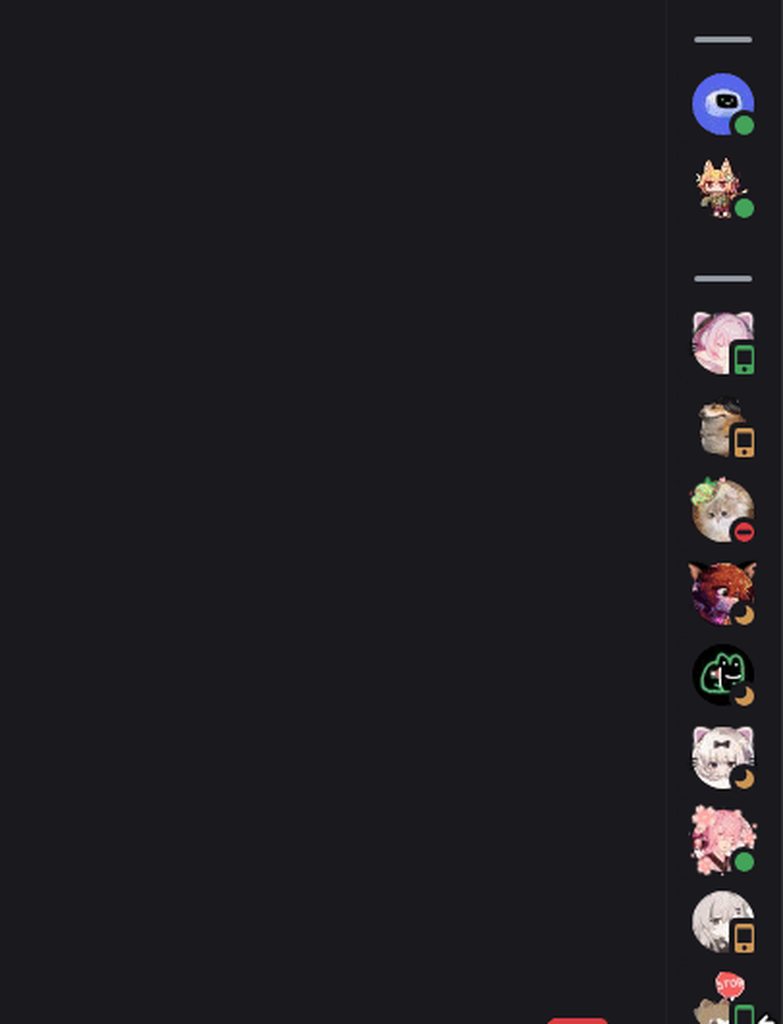
is there a way to make it not collapse on left or right click, without javascript?
 mystic moth
onyx mesa
pretty sure the avatars in the typing indicators are from a plugin
mystic moth
onyx mesa
pretty sure the avatars in the typing indicators are from a plugin
that eliminates part of the problem
 clear siren
onyx mesa
https://i.imgur.com/1JSVyEu.gif
is there a way to make it not collapse on left ...
clear siren
onyx mesa
https://i.imgur.com/1JSVyEu.gif
is there a way to make it not collapse on left ...
no but you could make it not collapse when the menu or profile is open, however it requires some :has logic etc so perf gets tanked
mystic moth
clear siren
no but you could make it not collapse when the menu or profile is open, however ...
the ui rework means tanking perf either way
 onyx mesa
clear siren
no but you could make it not collapse when the menu or profile is open, however ...
onyx mesa
clear siren
no but you could make it not collapse when the menu or profile is open, however ...
yeah i figured, i've been trying to make the snippet as performance light as possible
mystic moth
onyx mesa
yeah i figured, i've been trying to make the snippet as performance light as pos...
and here i am with 0,3,0 speciality selectors
its kinda scuffy but i cba to do better

personal use only either way
onyx mesa
yeah i made mine just smaller, under
mystic moth
now to deal with this

i HOPE i can just generalize the rules for messagebox a bit and itll work
but lets be honest this is discord were dealing with
ofc they cant be the same height
 grand surge
onyx mesa
https://i.imgur.com/1JSVyEu.gif
is there a way to make it not collapse on left ...
grand surge
onyx mesa
https://i.imgur.com/1JSVyEu.gif
is there a way to make it not collapse on left ...
:not(:hover) and transition: 0.3s
wait, clicks
no idea
mystic moth
how do i make this thing smaller without havin to reposition all the subelements

how do i resize this pfp specifically

the only method i found is very jank and applies to other pfps
onyx mesa
mystic moth
how do i make this thing smaller without havin to reposition all the subelements
/* User Panel Resize */
.visual-refresh section.panels_c48ade {
  margin-left: 72px;
  margin-bottom: 0px;
  width: calc(100% - var(--space-xs)*2 - 71px) !important;
  .actionButtons_e131a9 button {
    padding: 0;
  }
}
nav.guilds_c48ade {
  margin-bottom: 0 !important;
}
im using this
mystic moth
onyx mesa
```css
/* User Panel Resize */
.visual-refresh section.panels_c48ade {
margin-...
while tahnks for a less hacky solution that does more or less what i wanted, i still need to make it shorter
ok so it works perfectly with minimum fuckery
still the pfp is a bit too big
more or less finished

aka i cannot be arsed to make it any better rn and this is good enough
onyx mesa
oak mantle
can you share the code for transparent discord
tired light
Does anyone know how I could change this entry's & speaker icon's color ?

 stark epoch
Trying to move my user area over a bit but everything i attempt cuts it off, I think betterfolders has a hard issue with adding blank space there

Dumber solution
/*extend the serverlist to the bottom of discord /*
.visual-refresh .guilds_c48ade {
    min-width: 0;
    width: var(--custom-guild-list-width);
}
@supports (grid-template-columns:subgrid) and (white-space-collapse:collapse) {
    .visual-refresh .wrapper_ef3116 {
        grid-area: guildsList;
    }
}
.visual-refresh .wrapper_ef3116 {
    background-color: var(--bg-base-tertiary);
    margin-bottom: calc(0 + var(--space-xs));
    /* margin-bottom: calc(var(--custom-app-panels-height, 0) + var(--space-xs)); */
    width: var(--custom-guild-list-width);
}

/* userpanel shrink /*
.panels_c48ade {
    margin-left: 60px;
    max-width: 300px;
}
what are you setting the width for bruh
everything is commented out except for that one width
supple lodge
tired light
Does anyone know how I could change this entry's & speaker icon's color ?
.visual-refresh .voiceBar__7aaec .barText__7aaec, .visual-refresh .voiceChannelsIcon__7aaec {
    color: red;
}```Thank you 🫂
iron smelt

 muted knoll
yeah used that :)
 jovial arrow
 i'm very new to this stuff, so please forgive me!! is there a way to recolor these types of popups / warnings on the new UI? i hate that they're all green for no reason
  i'm wanting to avoid a completely new theme and would love just a little snippet i can edit myself, if that's possible! unsure where to begin though

 wooden stirrup
jovial arrow
<:birdhi:586642124053938177> i'm very new to this stuff, so please forgive me!! ...
wooden stirrup
jovial arrow
<:birdhi:586642124053938177> i'm very new to this stuff, so please forgive me!! ...
Here's the regular CSS.
.visual-refresh .voiceBar__7aaec {
    background-color: var(--notice-background-positive);
    color: var(--notice-text-positive);
}```


just change the background-color to something you'd like!Within this of course
 jovial arrow
wooden stirrup
Here's the regular CSS.
```css
.visual-refresh .voiceBar__7aaec {
backgroun...
jovial arrow
wooden stirrup
Here's the regular CSS.
```css
.visual-refresh .voiceBar__7aaec {
backgroun...
thank you so much!! you're a lifesaver
oak mantle
someone can share the css for transparent discord 😭😭
stark epoch
crimson skiff
everything is commented out except for that one width
Shit i messed it up when sending it here
 paper warren
Anyone have a css snippet to revert to old call buttons? These new ones suck I want the old ones back 
 vestal field
havent seen any like that yet
paper warren
paper warren
Anyone have a css snippet to revert to old call buttons? These new ones suck I w...
So I used Grok and it kinda did it but it's not perfect so if anyone wants to finish it up go for it, I personally lack the skills to do so.
.experimentWrapper__1405b.wrapper__1405b {
    display: flex;
    justify-content: center;
    align-items: center;
    padding: 10px 0;
    background-color: transparent;
}

.buttonSection__1405b.experimentButtonSection__1405b,
.buttonContainer__1405b {
    display: flex;
    background-color: var(--background) !important;
    gap: 15px;
}

.staticButton_f1ceac.centerButton_f1ceac.colorable_f1ceac.experimentButton_f1ceac,
.staticButton_f1ceac.centerButton_f1ceac.colorable_f1ceac.experimentButton_f1ceac.button__201d5 {
    width: 50px !important;
    height: 50px !important;
    border-radius: 50% !important;
    background-color: var(--background-secondary) !important;
    transition: background-color 0.2s ease !important;
}

.staticButton_f1ceac.centerButton_f1ceac.colorable_f1ceac.experimentButton_f1ceac:hover,
.staticButton_f1ceac.centerButton_f1ceac.colorable_f1ceac.experimentButton_f1ceac.button__201d5:hover {
    background-color: var(--background-modifier-hover) !important;
}

.lottieIcon__5eb9b.centerIcon_f1ceac.experimentControlIcon_f1ceac.controlIcon_f1ceac,
.centerIcon_f1ceac.experimentControlIcon_f1ceac.controlIcon_f1ceac {
    width: 24px !important;
    height: 24px !important;
    color: var(--interactive-normal) !important;
}

.staticButton_f1ceac:hover .lottieIcon__5eb9b.centerIcon_f1ceac.experimentControlIcon_f1ceac.controlIcon_f1ceac,
.staticButton_f1ceac:hover .centerIcon_f1ceac.experimentControlIcon_f1ceac.controlIcon_f1ceac {
    color: var(--interactive-hover) !important;
}

.staticButton_f1ceac.centerButton_f1ceac.colorable_f1ceac.experimentButton_f1ceac.disconnect_f1ceac.fullRegionButton_f1ceac {
    background: var(--status-danger) !important;
    border-radius: 50% !important;
    width: 50px !important;
    height: 50px !important;
}

.staticButton_f1ceac.centerButton_f1ceac.colorable_f1ceac.experimentButton_f1ceac.disconnect_f1ceac.fullRegionButton_f1ceac:hover {
    background: var(--status-danger-background) !important;
}

.contents__201d5.lineHeightReset_f1ceac {
    display: flex;
    justify-content: center;
    align-items: center;
    height: 100%;
}
 iron smelt
paper warren
So I used Grok and it kinda did it but it's not perfect so if anyone wants to fi...
iron smelt
paper warren
So I used Grok and it kinda did it but it's not perfect so if anyone wants to fi...
Ai is insane
Also Grok the worst AI is even more insane
Bro could’ve asked anything and he asked the worst one to exist
Also #📖-info message <- read the rules gng
@paper warren also this is just an experiment if you don’t want it turn it off
 paper warren
iron smelt
<@785035260852830219> also this is just an experiment if you don’t want it turn ...
paper warren
iron smelt
<@785035260852830219> also this is just an experiment if you don’t want it turn ...
Why's it on by default then tho?
iron smelt
paper warren
Why's it on by default then tho?
Because discord gave it to you
paper warren
Bruh
iron smelt
We don’t control experiments they do
paper warren
I didnt know it was an experiment tbh, I thought discord rolled out an update
iron smelt
They rolled it out in the Visual Refresh bundle
paper warren
iron smelt
They rolled it out in the Visual Refresh bundle
Ahhh okay thx for letting me know!
paper warren
iron smelt
Also https://discord.com/channels/1015060230222131221/1220547379657314454/132001...
It's been a min since I've read the rules, I'm in a lot of servers so kinda hard to remember everything epically with different community's, I personally use AI as a tool but my apologies.
 wanton dock
its time to learn how to do it without ai 💯
 tardy hemlock
is it possible to add animations to the users are typing part of chat? Trying to implement it is giving me a headache
i do be reworking my chat bar

 neon badger
I've been experimenting with improving forums via CSS. Is this good or what can I do to improve it?
/* reaction shadow box thing for 10+ reactions */
[class*="reactionInner"]:not(
  [aria-label*=", 1 react"],
  [aria-label*=", 2 react"],
  [aria-label*=", 3 react"],
  [aria-label*=", 4 react"],
  [aria-label*=", 5 react"],
  [aria-label*=", 6 react"],
  [aria-label*=", 7 react"],
  [aria-label*=", 8 react"],
  [aria-label*=", 9 react"]
  ) {
    border-radius: inherit; /* so box-shadow doesn't mess the border */
    box-shadow: 0px 0px 12px #2c87ff;
}
For the record, I'm pretty much new to developing discord CSS snippets.
vestal field
neon badger
I've been experimenting with improving forums via CSS. Is this good or what can ...
aria label doesn't work in other languages
also *= can be bad for performance sometimes
neon badger
vestal field
also *= can be bad for performance sometimes
True, I noticed the slight performance dip when I go into another server and it shows the reactions on a message.
I have this now but it might either be worse, better, or the same. It's up to you if you want to provide more thoughts on it.
[class*="reactionInner"]:has([class*="reactionCount"]:is([style*="width: 18px"])) {
    border-radius: inherit;
    box-shadow: 0px 0px 12px #2c87ff;
}
This is my first time ever seeing that site. I'll just look at and use the classes then. Thank you for the link!
Also I see plenty of other snippets use the [class] thing so that's why I use it.
 weak fiber
is there where I can ask about css snippets? could someone help me make the chat gap here just a tiny bit taller so it doesn't always seem to me like there's more unread messages below and I try to scroll?

thanks :D
echo frost
neon badger
True, I noticed the slight performance dip when I go into another server and it ...
:has() is probably much worse
in terms of performance
weak fiber
omg thank you so much !!!!!
 half crystal
Theres actually an element in the chat dedicated to this iirc
supple lodge
how can I do to only edit the red one? without using aria label
 clear siren
supple lodge
how can I do to only edit the red one? without using aria label
clear siren
supple lodge
how can I do to only edit the red one? without using aria label
:first-child
although if an element only exists sometimes, you can do like :nth-last-child(2) and combinations of those
supple lodge
damn.. its always different because sometimes the cog wheel is there, and sometimes not.. 😭
I think i'll stick to aria label :c

Can I maybe do, when cog wheel is there, it disable the invite thing?
iron smelt
supple lodge
Can I maybe do, when cog wheel is there, it disable the invite thing?
What are you trying to do?
supple lodge
Hide the "Invite People" button
only the one in channels and vc, not the one in server settings
iron smelt
supple lodge
only the one in channels and vc, not the one in server settings
Only solution I have would have to use :has()
Um…
supple lodge
but they all use the same class name.. the only difference is aria label or child(1,2...)
iron smelt
[class^=actionIcon_]:has(>[d^="M14.5 8a3 3 0 1 0-2.7-4.3c"]) {
  display: none;
}
Use the svg to your advantage
Probably about a way to do that too though
supple lodge
probably better than aria label at least.
thank you!!
echo frost
weak fiber
omg thank you so much !!!!!
I think this is a bit better way of doing it
and this is the margin it was before
[data-list-id="chat-messages"] {
  margin-bottom: 10px;
}
aria-label is better than has i think
iron smelt
supple lodge
probably better than aria label at least.
thank you!!
I’m not actually sure who made that, I just remember seeing it at some point going off my memory
echo frost
half crystal
Theres actually an element in the chat dedicated to this iirc
pretty sure it was removed in visual refresh
supple lodge
echo frost
aria-label is better than has i think
its good, but I don't think it works with different languages.. does it?
iron smelt
echo frost
aria-label is better than has i think
Says the guy who made it
#1285418433042714667 message
(found it)
echo frost
yeah i'm ashamed of my previous actions
supple lodge
iron smelt
Says the guy who made it
https://discord.com/channels/1015060230222131221/128541...
this is funny
echo frost
discord is actually useable now that i got rid of my old css
iron smelt
I’ve never actually experienced the problems y’all talk about
I don’t understand the whole lag thing
Perfectly normal to me
echo frost
 echo frost
iron smelt
Perfectly normal to me
echo frost
iron smelt
Perfectly normal to me
i didn't really notice it that much until i started having bloons in the background all the time and my cpu was constantly being maxed out
iron smelt
echo frost
Oh, I use class names and everything. I just try to stay away aria-label so people with other languages could possibly use it
echo frost
oh
iron smelt
Although a few of my very niche case css snippets use it
echo frost
well i meant aria-label instead of :has()
iron smelt
Ive stopped using it, changed a bunch of my snippet so it doesn’t use stuff like that. I’m just saying personally I don’t really notice the problem.
plain kelp
If there's no suitable class name that identifies the element I need, I'd simply make a patch to add it
iron smelt
plain kelp
If there's no suitable class name that identifies the element I need, I'd simply...
Anammox my beloved
Make a peak plugin for nitro bullshit
onyx mesa
i'm trynna work on the activity cards in member list but no one has them on
supple lodge
onyx mesa
i'm trynna work on the activity cards in member list but no one has them on
I think crowded server have it disabled by default
onyx mesa
https://i.imgur.com/Q0myxyb.gif
unsure with how this looks

maybe try and use a different icon but idk what icon could represent "activity"
neon badger
echo frost
in terms of performance
I don’t really notice a difference though but if you can rewrite the class selection thing with your changes, then by all means you may (up to you on that).
oak plover
onyx mesa
https://i.imgur.com/Q0myxyb.gif
unsure with how this looks
Not sure if a game controller icon will look better or not the list icon looks nice already
What happens when there’s more than one card does it make two icons or does the one icon just move down a bit to stay centered
If it’s multiple then I’d have an icon that’s dependent on the activity (game controller for regular playing, Spotify icon for music, etc.)
onyx mesa
oak plover
If it’s multiple then I’d have an icon that’s dependent on the activity (game co...
there's an icon for every card as of right now, i had the same idea of having different icons based on the activity but couldn't find a differential between them
it's hard to find these activity cards to begin with and majority of them are usually from spotify
ivory tendon
how do i remove this bubble around the pfp?

 sturdy bough
Is there a snippet or has anyone tried making the server onboarding buttons be in a row without labels instead?
(something like from image 1 to image 2)

 weak fiber
echo frost
I think this is a bit better way of doing it
and this is the margin it was befor...
weak fiber
echo frost
I think this is a bit better way of doing it
and this is the margin it was befor...
thanjk you 
half crystal
sturdy bough
Is there a snippet or has anyone tried making the server onboarding buttons be i...
its so fucking fussy to do, as these buttons dont have dedicated classes, nor are they all self contained. it would be hell.
sturdy bough
yeah I tried and found that out
and the members one is in like its own div for some reason
half crystal
sturdy bough
and the members one is in like its own div for some reason
discord try to make competent html challenge (impossible):
sturdy bough
think they had something like that in few of the concepts for the visual refresh, so close yet so far
tidal heron
would anyone know where i can post a css file/github repo that people are free to use which is just full of snippets (good chance some of u will find ur own snippets in it)
tidal heron
half crystal
discord try to make competent html challenge (impossible):
one or 2 of urs r definitely in it
 hexed imp
Hi! I am using this snippet: https://discord.com/channels/1015060230222131221/1354614199258714204
    --custom-channel-textarea-text-area-height: 56px;
    .form_f75fb0 {
        display: flex;
        flex-direction: column;
    }
    .channelTextArea_f75fb0 {
        margin-bottom: 8px;
    }
    .base_b88801 {
        position: static;
        order: -1;
    }
}```

And I have been trying to figure out how to make it so that the "X is typing..." message doesn't make the entire chat window jump up/down. It's starting to give me headaches but I am really bugged by the offset chat bar for some reason lol. When slowmode is on, it fixes it bc "typing..." uses the same line/space, so no jumping chat. I'm looking to make the line/space that "typing..." and slowmode takes up is just always there, it doesn't disappear if the text isn't present.

I'm *guessing* it's the display:flex or the flex-direction: that does it, but I have spent a while trying to fix it and I can't figure it out. I'm not very good at css 🙂 pls help?really like this effect but i can't figure out how to make the hidden buttons not trigger the hover
 oak plover
set pointer-events on the buttons to none until you're hovering over the parent
or the emoji button
.buttons__74017 {
  gap: 0 !important;
  pointer-events: none;
}
.buttons__74017:hover {
  pointer-events: all;
}

.buttons__74017 > button {
  display: none;
}
.channelAppLauncher_e6e74f.channelAppLauncher_e6e74f {
  display: none;
}

.expression-picker-chat-input-button {
  pointer-events: none;
  opacity: 0;
  transform: translateX(4px);
  transition: .2s ease;
}
.buttons__74017:hover .expression-picker-chat-input-button {
  pointer-events: all;
  opacity: 1;
  transform: none;
}
.expression-picker-chat-input-button:has(.emojiButton__04eed) {
  pointer-events: all;
  opacity: 1 !important;
  transform: none !important;
}
something like this, set it up how you want to
onyx mesa
alright thanks, i finally fixed it
vestal field
hexed imp
Hi! I am using this snippet: https://discord.com/channels/1015060230222131221/13...
 void helm
onyx mesa
https://i.imgur.com/Q0myxyb.gif
unsure with how this looks
void helm
onyx mesa
https://i.imgur.com/Q0myxyb.gif
unsure with how this looks
oof your thing is like a more professional looking version of my thing!
hexed imp
vestal field
https://discord.com/channels/1015060230222131221/1354621684115837098
Heck. This looks so good. Thank you!!
void helm
Speaking of my not so professional looking thing, does anyone here know how I can make the userpanel expand alongside the sidebar? to kinda link/tie them together so they always expand and collapse at the same time? So basically stop it from doing what I show first here, and only make it all expand together.
Oh, nvm, I just worked it out... Sorry, I'm dumb
onyx mesa
void helm
oof your thing is like a more professional looking version of my thing!
yeah, lol
definitely had the same idea
ivory tendon
ivory tendon
how do i remove this bubble around the pfp?
how do i remove this box aroud the user and make the hitbox smaller?
 echo frost
use inspect element to find it
onyx mesa
ivory tendon
how do i remove this box aroud the user and make the hitbox smaller?
do you mean the highlight box on hover?
.avatarWrapper__37e49:hover {
    background: none !important;
}
this should remove it
tidal heron
anyone got/know if theres a snippet to remove avatar decorations
only one i could find is from 2023
 spring hill
tidal heron
anyone got/know if theres a snippet to remove avatar decorations
spring hill
tidal heron
anyone got/know if theres a snippet to remove avatar decorations
img[class^=avatarDecoration_] { display: none; }
```?anyone got an idea how i can find a differential between these two so i could change the hover icon depending if someone is playing a game or listening to music
 pure cairn
svg path probably
onyx mesa
yeah that is the only difference i have found between them
supple lodge
onyx mesa
man i was so close but all the activities disappeared
/* Activity Icon Next to Status */
/* Playing */             path[d="M20.97 4.06c0 .18.08.35.24.43.55.28.9.82 1.04 1.42.3 1.24.75 3.7.75 7.09v4.91a3.09 3.09 0 0 1-5.85 1.38l-1.76-3.51a1.09 1.09 0 0 0-1.23-.55c-.57.13-1.36.27-2.16.27s-1.6-.14-2.16-.27c-.49-.11-1 .1-1.23.55l-1.76 3.51A3.09 3.09 0 0 1 1 17.91V13c0-3.38.46-5.85.75-7.1.15-.6.49-1.13 1.04-1.4a.47.47 0 0 0 .24-.44c0-.7.48-1.32 1.2-1.47l2.93-.62c.5-.1 1 .06 1.36.4.35.34.78.71 1.28.68a42.4 42.4 0 0 1 4.4 0c.5.03.93-.34 1.28-.69.35-.33.86-.5 1.36-.39l2.94.62c.7.15 1.19.78 1.19 1.47ZM20 7.5a1.5 1.5 0 1 1-3 0 1.5 1.5 0 0 1 3 0ZM15.5 12a1.5 1.5 0 1 0 0-3 1.5 1.5 0 0 0 0 3ZM5 7a1 1 0 0 1 2 0v1h1a1 1 0 0 1 0 2H7v1a1 1 0 1 1-2 0v-1H4a1 1 0 1 1 0-2h1V7Z"]
/* Sharing Screen / Streaming */     path[d="M4 3a3 3 0 0 0-3 3v9a3 3 0 0 0 3 3h16a3 3 0 0 0 3-3V6a3 3 0 0 0-3-3H4ZM6 20a1 1 0 1 0 0 2h12a1 1 0 1 0 0-2H6Z"]
/* Listening To */         path[d="M8.65 1.51A2 2 0 0 0 6 3.41v9.88A3.98 3.98 0 0 0 4.5 13C2.57 13 1 14.34 1 16s1.57 3 3.5 3S8 17.66 8 16V5.4l11 3.81v7.08a3.98 3.98 0 0 0-1.5-.29c-1.93 0-3.5 1.34-3.5 3s1.57 3 3.5 3 3.5-1.34 3.5-3V7.03c0-.74-.47-1.4-1.18-1.65L8.65 1.51Z"]
oh thanks, i won't need to wait for them to appear when they randomly disappear
onyx mesa
i finally managed to make the icon change based on the SVG path but now the hover effect is broken

 limpid mirage
hexed imp
Hi! I am using this snippet: https://discord.com/channels/1015060230222131221/13...
limpid mirage
hexed imp
Hi! I am using this snippet: https://discord.com/channels/1015060230222131221/13...
try this
.visual-refresh {
    --custom-channel-textarea-text-area-height: 56px;
    .form_f75fb0 {
        display: flex;
        flex-direction: column;
        margin-top: 24px;
    }
    .form_f75fb0:has(.typing_b88801) {
        margin-top: -24px;
    }
    .channelTextArea_f75fb0 {
        margin-bottom: 8px;
    }
    .base_b88801 {
        position: static;
        order: -1;
    }
}
I haven't tested this with slowmode anywhere and it's cobbled together out from the other stuff I'm doing to my chat bar
should be fine though
onyx mesa
ok i think i give up, this shit is out of my league
i thought i figured it out but then the hover effect broke and then i saw that the icons break anyways when there's more than one activity
pure cairn
maybe you're using :hover on the wrong element
tidal heron
spring hill
```css
img[class^=avatarDecoration_] { display: none; }
```?
rip
this didnt work
spring hill
ah it doesnt in member list
tidal heron
spring hill
ah it doesnt in member list
dw
[class^=avatarDecoration_]{
  display: none;
}```this works lol
onyx mesa
guys, i have done it https://i.imgur.com/BJW9Rwf.gif

now i think the only other issue is the icons breaking when there's more than one activity
which is hard to test because seeing even one of these fuckers is already hard
tidal heron
onyx mesa
which is hard to test because seeing even one of these fuckers is already hard
could u not just ask someone to do whatever needs doing?
tidal heron
anybody have a fix/alternative as to how the mobile icon appears with radial status being used?
 crimson skiff
just disable it
ivory tendon
echo frost
use inspect element to find it
I did! I couldn't find it but nothing worked :(
ivory tendon
onyx mesa
do you mean the highlight box on hover?
```css
.avatarWrapper__37e49:hover {
...
Tysm I'll try that soon
echo frost
ivory tendon
Tysm I'll try that soon
yeah i briefly looked at it, and i'm not really sure how to make the hitbox smaller
that only removes the background
ivory tendon
echo frost
yeah i briefly looked at it, and i'm not really sure how to make the hitbox smal...
Yeah you're right :(
vestal field
ivory tendon
how do i remove this box aroud the user and make the hitbox smaller?
.visual-refresh .nameTag__37e49 {
    display: none;
}
.visual-refresh .avatarWrapper__37e49 {
    min-width: 40px !important;
    flex: 0;
}```What is this new css snippet? What is "nameplates"?
vestal field
echo frost
i tried flex: 0 but forgot about min-width
is the min width there by default as well? i added that cause the gameactivity plugin will set a min-width
echo frost
don't think so bc when I tried it, it was 0 width
pure cairn
supple lodge
What is this new css snippet? What is "nameplates"?
Memberlist member decorations
hexed imp
these background things? They're not terrible but I wish you could allow/disallow by role in server settings.
 half crystal
hexed imp
these background things? They're not *terrible* but I wish you could allow/disal...
hexed imp
half crystal
hexed imp
these background things? They're not *terrible* but I wish you could allow/disal...
hexed imp
That turns them all off. Not what I was saying 🙂
I meant for Discord to give us a role perm toggle! Seems like a good option to add.
I've been trying to figure out how to do that^ with css but I'm just not that good lol. I can't seem to pick out the right classes or names or whatever for each role section in the memberlist.
like themeattributes adds user tags to messages, but nothing is available for the memberlist.
pure cairn
hexed imp
these background things? They're not *terrible* but I wish you could allow/disal...
Wish we could have banners there
 nocturne bison

vestal field
watch them add messageplates next
nocturne bison
vestal field
watch them add messageplates next
it's already on the way
echo frost
how'd that work
spare mural
hexed imp
I meant for Discord to give us a role perm toggle! Seems like a good option to a...
its paid why would they do that
if server owners could disable that people wouldnt buy them xd
hexed imp
Server owners can already turn off some paid perks, like using external emojis/stickers/soundboard.
spare mural
of course, thats part of nitro not collectibles
with nitro its different because you still have most of your perks, if people could disable collectibles they would be completely useless
hexed imp
Your opinion is different, and that's fine 🙂 I think it'd be a great use of server perms.
spare mural
spare mural
with nitro its different because you still have most of your perks, if people co...
- you can disable external stuff because its user made, collectibles arent
spare mural
hexed imp
Your opinion is different, and that's fine 🙂 I think it'd be a great use of ser...
they are running out of perm slots and cannot afford to waste them
plain kelp
What, is perms stored as a u64 bitset?
hexed imp

spare mural
plain kelp
What, is perms stored as a u64 bitset?
yes
hexed imp
hexed imp
Your opinion is different, and that's fine 🙂 I think it'd be a great use of ser...
^
spare mural
spare mural
yes
thats why they initially combined sticker perms, they didnt want to waste another bit
and they cant change it because that would break bots
(apps)
supple lodge
nocturne bison
it's already on the way
this going to make discord so laggy 😭

 chilly knoll
onyx mesa
https://i.imgur.com/DDsJ4ur.gif
chilly knoll
onyx mesa
https://i.imgur.com/DDsJ4ur.gif
This looks cool
 pine needle


 grand surge
can sm1 sent me a CSS snipet of how to make a embed/webhook bigger
as I'm struggeling with this a lot
crimson skiff
wym bigger
grand surge
Like the width let me show you
there are servers where we have about 50-100 people sign up for events or have event descriptions that are massive and just look ugly because of how small the width is
 pure cairn
onyx mesa
https://i.imgur.com/DDsJ4ur.gif
pure cairn
onyx mesa
https://i.imgur.com/DDsJ4ur.gif
very cool
 burnt sky
any way to make the chat box flush and sqaured and not floating like you see in the photo
 vestal field
burnt sky
any way to make the chat box flush and sqaured and not floating like you see in ...
vestal field
burnt sky
any way to make the chat box flush and sqaured and not floating like you see in ...
there are like 5 different snippets that do this
check the channel
burnt sky
vestal field
there are like 5 different snippets that do this
can you point me to couple of them i suck at searching lol if not thats fine
vestal field
just scroll up lol
they are all recent
you can just search from:refact0r in:css-snippets if you really dont want to
 sour storm
well discord seems to have shat itself once again

 vestal field
sour storm
well discord seems to have shat itself once again
vestal field
sour storm
well discord seems to have shat itself once again
you're late to the party
sour storm
i am, but man does it ever suck
vestal field
see pinned in #🏥-vencord-support-🏥 for revert
sour storm
it seems to have shat itself in a particularly interesting way
that is the control theme, so the old one
but the sidebar is completely fucked on certain servers
half crystal
I FUCKING HATE OVERFLOW
 vestal field
half crystal
I FUCKING HATE OVERFLOW
vestal field
half crystal
I FUCKING HATE OVERFLOW
this is going to give you problems in the future
half crystal
vestal field
this is going to give you problems in the future
i know, because it doesnt work
half crystal
vestal field
if you get rid of overflow hidden on some things
yeah yeah ik ik
vestal field
long statuses and other shit will cause things to be really wide
and then u need to go manually set max width etc
half crystal
i thought i fixed this some while ago, i went to go see how i fixed it and turns out i didnt a,d just faked it lmao
 vestal field
half crystal
i thought i fixed this some while ago, i went to go see how i fixed it and turns...
vestal field
half crystal
i thought i fixed this some while ago, i went to go see how i fixed it and turns...
btw i can probably get ddex4 approved soon
chatbar seemed broken tho last i tried
half crystal
vestal field
btw i can probably get ddex4 approved soon
no, dont
its laggy and minorly broken, and already has 1 issie
vestal field
oh ok
half crystal
i am doing some funny things
 tidal heron
crimson skiff
just disable it
tidal heron
crimson skiff
just disable it
thanks batman
amazing idea
that im not gonna listen to coz if i wanted to disable it i wouldve already
burnt sky
anyone able to fix this so it still shows usernames in voice channel
/* Make Threads hidden by default and slide down on hover */
#channels [class^=container_]:not([class*=containerWithMargin])
{ max-height: 0;
overflow: hidden;
transition: max-height 2s ease; }
#channels [class^=containerDefault_]:hover + [class^=container_],
#channels [class^=container_]:hover
{ max-height: 100%; }``` distant hare
Im having an issue where my CSS makes the voice indicator disappear when i have the main color applied
im using the clearvision external github css since its been clean and what ive been used to but everythin goin on besides the css link has been self done
 jolly flame
data-author-id={userID} isn't there anymore, what's another way to only target a specific user's message? I only know of :has(), but that's a bit laggy
distant hare
oops
#channels .thread-container { /* Ensure you're targeting the thread containers specifically */
   max-height: 0;
   overflow: hidden;
   transition: max-height 2s ease;
}

#channels .thread-container:hover { /* Only apply hover effect to threads */
   max-height: 500px; /* Adjust max-height value as needed */
}

/* Ensure voice channels and usernames are unaffected */
#channels .voice-channel-container {
   max-height: none !important;
   overflow: visible !important;
}

#channels .voice-channel-container .username {
   visibility: visible !important;
}
does this fix it
distant hare
jolly flame
data-author-id={userID} isn't there anymore, what's another way to only target a...
explain pls
like further
what are you tryna do
 sacred ice
smart people of the coding theme worlds, is there an easy way to turn my custon clearvisino theme fro v6.9.0 to v7 without struggling too much or havign to remake it?
distant hare
sacred ice
smart people of the coding theme worlds, is there an easy way to turn my custon ...
lemme guess the UI messed it all up too?
sacred ice
distant hare
lemme guess the UI messed it all up too?
not too bad but they stopped supporting 6.9 and ill have to move to v7 manually, better soon than later
distant hare
I had completely remade mine from scratch using the github base css
distant hare
sacred ice
not too bad but they stopped supporting 6.9 and ill have to move to v7 manually,...
what all is messed up
i can fix each individual aspect most likely
itll take too long to completely redo it
and can you DM me the css
sacred ice
im using the old theme still cus i dislike changes and take some time to get used to them, its just some minor issues like when watching a screenshare the right side is being cut out, and sometimes the whole member list and search is also cut