
#🎨-theme-development
1 messages · Page 39 of 1
 median cargo
 echo frost
what
median cargo
no title for you buddy
 echo frost
:(
median cargo
echo frost
:(
How about now buddy
 echo frost
 median cargo
LOL
 warm monolith
So it's a mix between a theme on the Vivaldi forums and some extra tweaks I made to correct a few things
Vivaldi is a really cool browser for customisation
echo frost
yeah
median cargo
echo frost
nuh uh buddy
warm monolith
echo frost
yeah
I'll send it if you want
echo frost
sure
warm monolith
Gimmie sec
median cargo
median cargo
nuh uh buddy
hahahahaha what if i make everything in discord spin
warm monolith
Keyframe moment
 clear siren
#🎨meme-development
median cargo
help it
warm monolith
Time to chat on the chat client
warm monolith
@echo frost This is VivaldiGX with my custom changes included
I'm pretty sure they are just some minor corrections
echo frost
oh thought you meant the link to the forum post
warm monolith
Oh lmao
I can also send that hang on

forum link (new):
It was probably this one anyways
https://forum.vivaldi.net/topic/89427/vivaldi-gx-revisited-updated-opera-gx-mod
Vivaldi Forum
What? Back in 2019, @gabevilela created a mod to make Vivaldi look similar to the browser Opera GX with help from @tam710562. It was a widely appreciated mo...


 median cargo
its pretty funny how if you try to add like
a certain property
to the parent div
the child div will literally fail to position itself
(especially filter and backdrop-filter 😠)
(just use ::before/::after lulz)
 copper summit
if i wanted to make my background gradient is it just
--background-gradient?
or do i just go for --background: linear-gradient(...)
median cargo
?????????????????
median cargo
copper summit
or do i just go for `--background: linear-gradient(...)`
why the --
not everything has a --
read mdn
echo frost
--background would make a variable named background
 plain kelp
Defining a variable --background-gradient has no effect if nothing uses var(--background-gradient)
median cargo
echo frost
--background would make a variable named background
i know but why bother
echo frost
you would do something like background: linear-gradient(red, blue)
median cargo
me when i declare variables for everything (i only used it once)
echo frost
median cargo
i know but why bother
I was replying to lonewolf
median cargo
🤑
 plain kelp
The smiley dealer is so cute
echo frost
💀
echo frost
echo frost
💀
😭
plain kelp
🍌
median cargo
idiotic decision sadly
 median cargo
why would you
median cargo
(this thing singlehandedly broke all discord layout) (awesome)
 echo frost
🧐
🗿
😂
this bot is both amazing and terrible
😡
enhances the experience
.reactionInner_ec6b19:hover [data-type="emoji"] {
  transform: scale(4);
}```animation: 0.1s balls infinite;
@keyframes balls {
0% {
transform: rotate(0deg);
}
100% {
transform: rotate(360deg);
}
}
 tepid carbon
Any idea why this server doesn't have the lock icon, even tho it should, just like the others?
 copper summit
median cargo
why the --
copper summit
median cargo
why the --
oops my bad, i forgot to implement the code
:root {
    --background-gradient: linear-gradient(to bottom, #1a1a1a, #444);
}

body, .theme-dark{
    background: var(--background-gradient);
}
but this what it does
 median cargo
copper summit
oops my bad, i forgot to implement the code
```css
:root {
--background-grad...
median cargo
copper summit
oops my bad, i forgot to implement the code
```css
:root {
--background-grad...
Okay!
 solid ore
[aria-label]:has(> [class^=collapseButton_]) {
    display: none
}
this should probly be added to the new plugin
AlwaysExpandRoles
 iron smelt
solid ore
AlwaysExpandRoles
iron smelt
solid ore
AlwaysExpandRoles
 solid ore
:/
 bleak gust
vencord users on their way to say "use CSS" for everything (it ruins performance on laptops)
opinionated list of pros/cons of using CSS for hiding/changing things:
pros:
hot reload
easy for average user to make their own
cons:
deranged selectors (including a LOT of aria-label attribute)
average users will never find the pre-made CSS they need
QuickCSS in Vencord gets unmaintainable very quickly
 vestal field
what else are you gonna use
iron smelt
bleak gust
opinionated list of pros/cons of using CSS for hiding/changing things:
pros:
hot...
speak for yourself my QuickCss is very well maintained and organized
 bleak gust
idk if this is sarcasm
iron smelt
The “speak for yourself” is but the other point isn’t, I maintain and organise my QuickCSS very professionally and perfectly
Everything’s got separators and labels
everything is bundled together (if they go together)
I regularly check to make sure everything still works and hasn’t been broken
 copper flame
bleak gust
vencord users on their way to say "use CSS" for everything (it ruins performance...
copper flame
bleak gust
vencord users on their way to say "use CSS" for everything (it ruins performance...
if the css is in a plugin it still hampers the same perf
 edgy sentinel
subjective things like this shouldn't be in plugins
copper flame
bleak gust
opinionated list of pros/cons of using CSS for hiding/changing things:
pros:
hot...
ok new quick css system built around "snippets" that the user can add metadata too and has optional confirm selectors still work testing thingy
now build it
bleak gust
edgy sentinel
subjective things like this shouldn't be in plugins
i agree, though there are common things that could be included (aka debloat the UI)
echo frost
iron smelt
speak for yourself my QuickCss is very well maintained and organized
how many lines is that
 iron smelt
echo frost
how many lines is that
iron smelt
echo frost
how many lines is that
516
echo frost
:(
you beat me
but i also have a file with basically quickcss stuff that's 578 lines
 iron smelt
516
iron smelt
iron smelt
516

 lyric hawk
can somone tell me how to remove the circle behind the pfp

i tired hinding the circle tag it slef, but that hides other stuff i need
or maybe make the circle match my border radius?
thanks
vestal field
lyric hawk
can somone tell me how to remove the circle behind the pfp
header > svg[class^="mask_"] > mask {
  display: none;
}```janky selector but it should work
 coarse belfry
echo frost
how many lines is that
coarse belfry
echo frost
how many lines is that
mine is 3 lines
body {
    filter: contrast(1.2);
}```Rate my theme ```css
:nth-child(3) { backdrop-filter: invert(100%); }
:nth-child(3n+1) { animation: 3s hello linear infinite alternate; }
:nth-child(3n+2) { animation: 5s hello linear infinite alternate-reverse; }
@keyframes hello { 0% { transform: rotate(-1deg); } 100% { transform: rotate(1deg); } }
:nth-child(5n+2) { animation: 5s killme linear infinite; }
:nth-child(5n+4) { animation: 4s killme linear infinite alternate; }
@keyframes killme { 0% { filter: hue-rotate(0deg); } 100% { filter: hue-rotate(360deg); } }
:nth-child(7n+3) { animation: 2s balls linear infinite alternate; }
:nth-child(7n) { animation: 3s balls linear infinite alternate-reverse; }
@keyframes balls { 0% { transform: scale(0.9); } 100% { transform: scale(1.1); } }
:nth-child(9n+2) { animation: 7s skewer infinite alternate ease-in-out; }
@keyframes skewer { 0% { transform: skew(-1deg); } 100% { transform: skew(1deg); } }
:nth-child(13n+6) { animation: 3.14s whoops infinite; }
@keyframes whoops { 0%, 100% { transform: perspective(400px) rotateX(15deg); } 50% { transform: perspective(400px) rotateY(180deg); } }
 worldly moss
plain kelp
Rate my theme ```css
:nth-child(3) { backdrop-filter: invert(100%); }
:nth-chil...
worldly moss
plain kelp
Rate my theme ```css
:nth-child(3) { backdrop-filter: invert(100%); }
:nth-chil...
this literally turned my discord into a slideshow
plain kelp
Glad you like it
lyric hawk
vestal field
```css
header > svg[class^="mask_"] > mask {
display: none;
}```
apperntly
.header_b07019 mask, .mask_c3e427 mask {
  display: none;
}
``` workshashes change tho, classes don’t
that can break in the feature
plain kelp
People around here seem to have a pretty strange impression of what a css class is
header_b07019 is the class
iron smelt
plain kelp
People around here seem to have a pretty strange impression of what a css class ...
1984 (/j)
plain kelp
Substring selectors are more stable, that much is true
iron smelt
idk anymore i just do it which ever way is easier… i’m just saying that refact0r’s version won’t break and t3rm1n4l_’s will
lyric hawk
iron smelt
hashes change tho, classes don’t
i have automatic class updater in my theme github repo
with syndishanx's changes.txt file
lyric hawk
fair
plain kelp
Discord css is really painful to work with no matter what you do
 honest perch
Changing color from hover works only if I turn on window with my code, How do I fix it?


 iron smelt
honest perch
Changing color from hover works only if I turn on window with my code, How do I ...
iron smelt
honest perch
Changing color from hover works only if I turn on window with my code, How do I ...
can you send the code
honest perch
Ok
div[class*="mentioned"] {
background: rgb(39, 20, 78);
}
div[class*="mentioned"]:hover {
background: rgb(31, 17, 60);
}
plain kelp
What do you mean "turn on window"
honest perch
Open code as a window
 oak plover
fun fact that stupid apps button gets pushed out of the way if you have enough attachments in the bar
 plain kelp
Professional software development at work
honest perch
honest perch
div[class*="mentioned"] {
background: rgb(39, 20, 78);
}
div[class*="mentio...
Oh ye I forgot about /
div[class*="mentioned"] {
background: rgb(39, 20, 78);
}
div[class*="mentioned"]:hover {
background: rgb(31, 17, 60);
}
wait what
worldly moss
isnt there a var for mentioned background
@worldly moss
yeah var(--background-mentioned); & var(--background-mentioned-hover);
echo frost
plain kelp
Rate my theme ```css
:nth-child(3) { backdrop-filter: invert(100%); }
:nth-chil...
very good. ioim replying with it on, and it's a very pleasant experience!
I tried to make one liuke this, but i was ony using o this one seems way laggierne keyframe, and i wasn't abe to get it as bad as i wanted

Is there any way to be able to get a ::before/::after with the attr of an img.emoji?
seems like text pseudo elements don't work on img https://stackoverflow.com/questions/5843035/does-before-not-work-on-img-elements/5843164#5843164


Stack Overflow
I'm trying to use the :before selector to place an image over another image, but I'm finding that it simply doesn't work to place an image before an img element, only some other element. Specifica...
echo frost
I'm guessing i'd need to make a plugin
echo frost
there is this, but i dont think you can trim that with css right?
 plain kelp
Trim what?
echo frost
trim the attr(aria-label) so it's just blobcatcozy
echo frost
echo frost
Is there any way to be able to get a ::before/::after with the attr of an img.em...
plain kelp
If you mean everyone's favorite attribute-starts-with, you should already be familiar with those
echo frost
no. i'd like to have it so when i hover over a reaction it shows the name of it, but i'm 99.9999% sure i can't do it with just css
plain kelp
So you mean ::before { content: attr(aria-label) except not really }?
echo frost
yeah
plain kelp
Yeah don't think you can do that
echo frost
that would sort of work, but that would have the 100 reactions...
plain kelp
Discord already does show the name when you hover a reaction though
echo frost
and i can't use the alt on img.emoji because text pseudo elements don't work on img
huh

it does in view reactions, but not there?
 echo frost
oh yeah probably
wait what its still not working
ok it does in browser
i must have some css that's hiding it then
yeah something in my quickcss
well this is why
 echo frost
idk why i have tha tlmao
ig it was getting in the way while i was reacting to messages
honest perch
worldly moss
yeah `var(--background-mentioned);` & `var(--background-mentioned-hover);`
The same effect
echo frost
honest perch
Oh ye I forgot about /
use code blocks (you can also have syntax highlighting then)
```css
css here
```
css here
oh ok thx
lyric hawk
I probably found a fix for any theme that gets broken after discord updates (with automatic classupdate integration), so a few days ago I found a fork of the ClassUpdate python things by saltssaumure which uses syndishanx's changelist and I found a way to automate the whole process with a bit of help from Metro420yt. I have a fork of Comfy which I changed a lot to suit my preferences - (i.e. CSS snippets already installed, full black theme, and much more). But in the repo, I got tired of updating classes and I started using Metro420's Classupdate, which allows you to classupdate with one line of Python. I also was starting to get into gh workflows and I figured out that it would be wayy easier to have a 12hr workflow running that updates the classes.
All you have to do for your gh repo is clone Metro420's ClassUpdate, and then use my workflow. I also don't know if this has been done before, and I'm sorry if this is a repeat or unneeded information. 😊 please leave a star or a follow if you like what I have done!
 pure cairn
Or use attribute selectors 
lyric hawk
pure cairn
Or use attribute selectors <:venniecozycat:1216803437162004561>
true true
 spare mural
pure cairn
Or use attribute selectors <:venniecozycat:1216803437162004561>
spare mural
pure cairn
Or use attribute selectors <:venniecozycat:1216803437162004561>
just patch in all your theme stuff into the js 🔥
plain kelp
I've done that
spare mural
ive also done that
lyric hawk
spare mural
just patch in all your theme stuff into the js 🔥
wdym
lyric hawk
pure cairn
Or use attribute selectors <:venniecozycat:1216803437162004561>
imo it's pretty hard to migrate to attribute selectors
plain kelp
It's literally just a regex replace
lyric hawk
plain kelp
It's literally just a regex replace
wdym?
spare mural
spare mural
?
instead of doing whatever_a23d21 do [class^=whatever_]
99.9% of the time the only thing that changes is the hash at the end
lyric hawk
spare mural
99.9% of the time the only thing that changes is the hash at the end
yeah and for that you would need to use classupdate eitherway right?
plain kelp
The whole thing about substring selectors is that you leave out the hash
lyric hawk
plain kelp
The whole thing about substring selectors is that you leave out the hash
yeah yeah
but isn't it hard to find liek that exact substring selector after you have already found out the hash (like migrating to attribute selectors?) or is there liek an easy way?
plain kelp
Just... cut off the hash?
spare mural
lyric hawk
but isn't it hard to find liek that exact substring selector after you have alre...
example:
the class is: message_af2e10
the actual class is: message
the hash is: af2e10
you can either do .message_af2e10 (breaks often)
or do [class^=message_] (doesnt break often, you are leaving off the hash and it matches everything that starts with "message_")
lyric hawk
yeah but what if you have different colors for different types of messages
or something liek that
plain kelp
Note that ^= is a prefix selector, so it only matches at the beginning
pure cairn
lyric hawk
imo it's pretty hard to migrate to attribute selectors
Not really
The only difficulty would be to find robust selectors that don't use too many wildcards
spare mural
lyric hawk
yeah but what if you have different colors for different types of messages
?
plain kelp
And yeah if you want to style .message_123456 and .message_abcdef differently that's a bit annoying
lyric hawk
plain kelp
And yeah if you want to style .message_123456 and .message_abcdef differently th...
yeah that was what i was tlaking about
could any of you provide a demonstration for the following CSS code?
.messageListItem_d5deea {
  -webkit-transform: perspective(1px) translateZ(0);
  transform: perspective(1px) translateZ(0);

  position: relative;
  -webkit-transition-property: color;
  transition-property: color;
  -webkit-transition-duration: 0.3s;
  transition-duration: 0.3s;
}

.messageListItem_d5deea:before {
  content: "";
  position: absolute;
  z-index: -1;
  top: 0;
  left: 0;
  right: 0;
  bottom: 0;
  background: #1b1b1b; /*Change this to change the color*/
  -webkit-transform: scaleX(0);
  transform: scaleX(0);
  -webkit-transform-origin: 0 50%;
  transform-origin: 0 50%;
  -webkit-transition-property: transform;
  transition-property: transform;
  -webkit-transition-duration: 0.3s;
  transition-duration: 0.3s;
  -webkit-transition-timing-function: ease-out;
  transition-timing-function: ease-out;
  border-radius: 20px;
  opacity: 30%;
}
.messageListItem_d5deea:hover,
.messageListItem_d5deea:focus,
.messageListItem_d5deea:active {
  color: white;
}
so like would you just replace message list item with [class=^=messageListItem_]
pure cairn
No
plain kelp
[class*=messageListItem_]
pure cairn
[class^=messageListItem_]
Or if it doesn't work, * instead of ^
Or use a parent selector as well
Plus some nesting so save characters
spare mural
plain kelp
And yeah if you want to style .message_123456 and .message_abcdef differently th...
thats where parents come in :3
pure cairn
lyric hawk
pure cairn
[class^=messageListItem_]
alright i have over 10k lines of css, how would I go on about updating everything to an attribute selector without wasting like a whole day

lyric hawk
lmfao
pure cairn
I did it, wasn't fun but at least it works
plain kelp
:%s/\.\(\w\+\)_[0-9a-z]{6}/[class*=\1_]/g
lyric hawk
plain kelp
`:%s/\.\(\w\+\)_[0-9a-z]{6}/[class*=\1_]/g`
whats this?
pure cairn
Bless you
plain kelp
Regex might need refining but if you don't know regex replace you're really missing out
lyric hawk
plain kelp
Regex might need refining but if you don't know regex replace you're really miss...
alr imma go learn regex replace
lyric hawk
plain kelp
Regex might need refining but if you don't know regex replace you're really miss...
wait so how would you go on about doing this for say, my css files? would I just do :%s/\.\(\w\+\)_[0-9a-z]{6}/[class*=\1_]/g in like something in a code editor, or would i have to download a separate program/package
plain kelp
Every editor supports regex replace
lyric hawk
plain kelp
Every editor supports regex replace
by any chance do you know how i could do this in vscode?
plain kelp
Click the regex toggle in the replace box
lyric hawk
plain kelp
Click the regex toggle in the replace box
yeah but it says invalid regular expression
and invalid class escape
trying this :%s/\.\(\w\+\)_[0-9a-z]{6}/[class*=\1_]/g
 hexed scroll
I don't know what that syntax is but you want something like
Find: \.(\w+)_[0-9a-z]{6}
Replace: [class*=$1_]
Guessing that's a vscode command or something
lyric hawk
hexed scroll
Guessing that's a vscode command or something
alright
pure cairn
lyric hawk
could any of you provide a demonstration for the following CSS code?
```
.messa...
out of curiosity, what is this supposed to do?
median cargo
spare mural
thats where parents come in :3
And :has() and :not()
Best.
Has spam is so funny
plain kelp
The style engine loves it too, gives it much more work so it can properly show off its skills
spare mural
And that’s why we gotta use source code patches instead of css :3
spare mural
🔥
 fossil adder
Just finished restructuring my whole deADHDfy CSS collection.
Finally. 
Time to wait for Discord to break something from it again. 
I wanna post to #🎨-css-snippets but I think I need to go to ModMail for that. 
iron smelt
fossil adder
I wanna post to <#1028106818368589824> but I think I need to go to ModMail for t...
yes just make a ticket and choose

 steel scroll

what's the best way of limiting the size of this div without hardcoding a width


I don't want it huge like that
steel scroll
steel scroll
what's the best way of limiting the size of this div without hardcoding a width
or maybe I should use something different than px?
steel scroll
clear siren
use Q
quarter millimeters
are you being fr or ironic
clear siren

median cargo
clear siren
use Q
quarter millimeters
Please explode
clear siren
in case you thought that's not a real unit https://developer.mozilla.org/en-US/docs/Web/CSS/length#q
echo frost
echo frost
this bot is both amazing and terrible
noooooooooooooooo what happened to free smiley dealer 😭
echo frost
iron smelt
it was murdered 😭
slightly off topic, but why don't you have your github.io page in your connections?
iron smelt
echo frost
slightly off topic, but why don't you have your github.io page in your connectio...
cause you can’t do that
 iron smelt

 iron smelt
let me try on my computer, cause mobile discord will rate limit you even if you press a button too quickly
echo frost
and then you have to make something like this
https://github.com/Obsidianninja11/.well-known

GitHub
Connect github page to discord. Contribute to Obsidianninja11/.well-known development by creating an account on GitHub.
I tried doing it with a .well-known folder, but that didn't work, so then i looked it up and found this https://github.com/oyepriyansh/.well-known

GitHub
Link my GitHub page's domain to the Discord Connections - oyepriyansh/.well-known
(oopsies i took this channel off topic)
iron smelt
echo frost
(oopsies i took this channel off topic)
thats what this chaneel does best
echo frost
plot twist, it ISN'T off topic
rate my github pages theme

(it's definitely very done)
 iron smelt
echo frost
plot twist, it ISN'T off topic
rate my github pages theme
iron smelt
echo frost
plot twist, it ISN'T off topic
rate my github pages theme
fire website
echo frost
tyty
 mint kiln
anyone know how to remove the scrollbar thing from showing up?
 bleak gust
mint kiln
anyone know how to remove the scrollbar thing from showing up?
bleak gust
mint kiln
anyone know how to remove the scrollbar thing from showing up?
where is this
 mint kiln
what the hell
its not on css
forcing :hover state still doesnt make the scroll bar thing inspectable
bleak gust
its a scroll bar
its not a real element
your best option is to make the scroll bar transparent
maybe?
mint kiln
yeah but how
bleak gust
idk
mint kiln
spotify implements the scroll bar as an element
and i can just display: none it
found it
so how do i unset something in element.style

oh wait
apparently that makes it that you cannot scroll
why the hell is that a thing
clear siren
hidden scroll means hidden horizontally and scrolling vertically
mint kiln
found it
.fade_eed6a8:hover::-webkit-scrollbar-thumb, .fade_eed6a8:hover::-webkit-scrollbar-track
solid ore
cant u just do scrollbar-width: 0;
mint kiln
on which element
solid ore
bleak gust
try searching for `.scrollerBase_eed6a8` and go through the css file
this one probly, im on mobile so cant double check
mint kiln
so i can make chat avatarsquare
.avatar_f9f2ca{
    border-radius: unset !important;
}
but i cant make the avatar for server or member list also square

anyone know how thi can be done?
solid ore
mint kiln
on which element
am on pc now, it wasnt 0, it was none
#channels {
    scrollbar-width: none;
}
Oh 
spare mural
mint kiln
so i can make chat avatarsquare
```
.avatar_f9f2ca{
border-radius: unset !im...
just also check the parent
and dont include hashes with class names
instead of avatar_f9f2ca do [class^=avatar_]
if that doesnt work try [class*=avatar_]
mint kiln
i still dont understand how the classes works or where to find them in the inspect element
spare mural
you might wanna learn the basics of html and css before making plugins
mint kiln
i know css
but just using ruler
plain kelp
mint kiln
i still dont understand how the classes works or where to find them in the inspe...
They're in the class attribute in the dom tree
 spare mural
yea
you should add the _ at the end though
because [class*=content] would also match stuff like contentContainer or whatever
plain kelp
It would still match things like .discontent_123456 though
Because such is the nature of substring selectors
spare mural
we need regex attribute matching (to obliterate performance)
spare mural
mint kiln
> proceed to still use rule
the problem with that is, the hash (123456) changes VERY frequently, the names not so much
you could be developing a theme and on the next day it would be completely broken
same with if you manage to actually release it
its unmaintanable keeping the hashes
 iron smelt
spare mural
its unmaintanable keeping the hashes
iron smelt
spare mural
its unmaintanable keeping the hashes
sometimes you have to use hashes though because class names could be too generic at times
spare mural
iron smelt
sometimes you have to use hashes though because class names could be too generic...
then you just check parents/children
you dont ever have to use the hashes
iron smelt
That’s too much work
spare mural
spare mural
then you just check parents/children
i.e.
[class^=message_] [class^=content_] {}
/* or */
[class^=container_]:has([class^=message_]) {}
its a lot more work maintaining hashes
iron smelt
spare mural
its a lot more work maintaining hashes
if it’s a lot of hashes, yeah. but I’ve never handled a lot of hashes. It’s usually just one or two.
spare mural
👎
iron smelt
what I’m saying is I’m making an entire theme and those use classes but most most of my re-colors use hashes. Admittedly, I only distribute them in GitHub links so I can just update them there as long as you have the original link it’ll change for you.
idk I do what’s easier most of time
plain kelp
Less maintenance means easier in the long run
iron smelt
fuck the long run. we live in the moment
but I am switching to classes. I’m just waiting until discord breaks my code and then I can go ahead and commit what is already sitting there waiting
spare mural
iron smelt
what I’m saying is I’m making an entire theme and those use classes but most mos...
solution: just start out using attribute selectors in the future, gradually switch over to attribute selectors with the stuff that breaks
iron smelt
exactly what I’m doing. The only thing that still uses hashes is my really old code but also discord has yet to actually break that stuff so I have no reason to touch it, Although when they do break it, I’ll fix it and I’ll do it better.
plain kelp
Meanwhile I'm just ```css
.Channel__chatContent,
.Forum__list,
.Forum__grid,
.Settings__contentRegion,
.FriendList__peopleColumn { ... }
☹️
 weak jetty
heya i'm trying to figure out how i could change the icons for "mute" and "deafen" to custom ones and got directed here, i got told that it should be possible through css alas i have only very basic css experience. Could anyone please direct me towards some resources/tutorials/documentation that could help me? Thanks in advance!
pure cairn
This might help
https://github.com/MrDiamondDog/noUglyIconsTheme
GitHub
A discord theme that reverts all of the Discord icons to the old ones - MrDiamondDog/noUglyIconsTheme
Oop, wrong link
Fixed
 void helm
Hi, is there anyone here who could help me solve my personal theme issue? I have a theme that suits my smaller window size with slide-out menus that I made with help from some of you guys in here!
Problem is that in group DM's the userlist acts weird and no matter what I've tried, either group DM or server userlist will break and act weird.
Here's what I mean:


And here is my CSS code

GitHub
Contribute to ZythDr/Discord-Stuff development by creating an account on GitHub.
As soon as I fix the group DM userlist the server userlist goes off-screen and becomes unusable, and I've not been able to figure out how to get both to work simultaneously 😦
mint kiln
how can i beat this

setting it to "none" fixes that tiny gap

but doing
scrollbar-width: none !important;
}``` doesnt workuse a more specific selector
solid ore
yeah exactly so its the least specific selector
so just find the class of that element
mint kiln
would making it root be viable
nope
    scrollbar-width: none !important;
}```annihilate
now for this stupid thing

how can i make the banner on top of the channel list but behind the server text
solid ore
mint kiln
```.theme-dark * {
scrollbar-width: none !important;
}```
oh it thought u only wanted it on the channels list, but yea that works
mint kiln
solid ore
oh it thought u only wanted it on the channels list, but yea that works
i mean i do
but it appeared on everything
unless you meant it like
.container_c29ea9 *
solid ore
that doesnt mean u have to change it for everything, u can just overwrite it for that element
mint kiln
mint kiln
``.container_c29ea9 *``
nope doesnt work
solid ore
#channels {
    scrollbar-width: none !important;
}
u dont need the * if youre only selecting 1 element
spare mural
* = every single thing
solid ore
it's a wildcard
mint kiln
solid ore
u dont need the * if youre only selecting 1 element
also doesnt work
mint kiln
solid ore
```css
#channels {
scrollbar-width: none !important;
}
```
well this one works
solid ore
solid ore
```css
#channels {
scrollbar-width: none !important;
}
```
this works for me
mint kiln
yeah
mint kiln
mint kiln
now for this stupid thing
now onto this stupid thing
z-index the banner to 9 and the server text to 10 doesnt do anything
spare mural
what selectors are you using
mint kiln
banner:
[class^="animatedContainer_"] {
  top: 3px;
}```the server name container:
.container_c29ea9
the text:
.heading-lg\/semibold_dc00ef
mint kiln
if anyone find a dirty "fix" pls ping
 smoky belfry
is there a way to make only part of a text affected by some css ?
cause i would like to have some words take a special style as easter egg anywhere, even if they are in a bigger text
echo frost
no
they need to be different elements
or pseudoelements
but can't be done with pure css
plain kelp
There's :first-line and :first-letter, but that's all
smoky belfry
They should allow doing CSS on regex smh
Why can't i apply my style to <insert very complex regex here>
mint kiln
mint kiln
banner:
```[class^="container_"]:not([class*="bannerVisible_"]) >
[class^="anima...
so no one know whats going on?
mint kiln
also idk what happened but the banner image somehow has 80% shadow

the left side is darker

 atomic plank
just asking cause it's faster for me to ask people who know:
Is there a CSS snippet for removing this stupid apps button?
Yes but where in css snippets
I've been scrolling up for ages...
solid ore
do u guys think there is a better way to hide the activities section header in the members list? (*only when this option is toggled)
[class^=members_] h3[class^=membersGroup_]:has([class^=toggleExpandIcon_]):not(:has(+ div [class^=infoSection_])) {
    display: none;
}
 pure cairn
solid ore
do u guys think there is a better way to hide the activities section header in t...
pure cairn
solid ore
do u guys think there is a better way to hide the activities section header in t...
I am currently using this
/* remove activities from memberlist */
[class^=membersGroup_]:has([d^="M10.56 1.1c-.46.05-.7.53-.64.98.18"]),
div:not([class]):has([class^=facePile_]) {
  display: none;
}```Also, yours won't work when the expand icon is not available, such as small servers with few activities at the same time
solid ore
pure cairn
```css
/* remove activities from memberlist */
[class^=membersGroup_]:has([d^="M...
oh thats so much better
thx
pure cairn
Np, although I'm sure there's a better way to hide the single activity elements without relying on that weird class
I just couldn't find any when I made the snippet
 tender hedge
pure cairn
```css
/* remove activities from memberlist */
[class^=membersGroup_]:has([d^="M...
tender hedge
pure cairn
```css
/* remove activities from memberlist */
[class^=membersGroup_]:has([d^="M...
i made this css [class*=container_c64476], [class*=membersGroup_]:has([class*=headerContainer_bc6acb]) { display: none }
 spare mural
tender hedge
i just automatically make them
spare mural
tender hedge
i just automatically make them
Either use plain class names or attribute selectors without hashes, without hashes is a LOT more maintainable while plain class names are a lot more performant (though not maintainable at all)
mint kiln
i just do this lol
 tender hedge
oh cool
solid ore
mint kiln
~~i just do this lol~~
disabling it has no effect for me so its probly being rolled out to stable
mint kiln
mint kiln
now for this stupid thing
anyway pls help
solid ore
mint kiln
anyway pls help
cant replicate it so cant help
mint kiln
sec
  opacity: 1 !important;
}
.container_c29ea9 {
    background: linear-gradient(to bottom,rgba(0, 0, 0, 0.5) 0%, rgba(0, 0, 0, 0.5) 52%,rgba(0, 0, 0, 0) 52%,rgba(0, 0, 0, 1) 53%, rgba(0, 0, 0, 1) 70%, rgba(0, 0, 0, 0) 100%);
    overflow: show;
    border-bottom: unset;
}
.heading-lg\/semibold_dc00ef{
    font-size: 15px;
    font-weight: unset;
}
heres what i did
solid ore
that does nothing for me
mint kiln
huh
i wonder if its a visual refresh thing
even though its not using visual refresh class
solid ore
solid ore
oh, yeah the text doesnt overlap for me, that must be a refresh thing since the browse channels button etc are different

 bitter wing
pure cairn
I am currently using this
bitter wing
pure cairn
I am currently using this
Thank you

Plugging it in gave me infinite loading screen 🤔
solid ore
bitter wing
Plugging it in gave me infinite loading screen 🤔
only on the members list? just change servers and go back, u had all the activities open
bitter wing
solid ore
only on the members list? just change servers and go back, u had all the activit...
Nah, discord would not relaunch and I had to take it out of the css
solid ore
¯_(ツ)_/¯
 tiny arrow
is it possible for a theme to apply blur to a translucent background
ive tried 3 different themes and they all dont have the blur apply properly when its not an image
mint kiln
backdrop-filter: (5px); ?
plain kelp
Do you mean blurring things that are behind a transparent discord main window?
Css can't do that, css only influences things inside the window
That's up to the desktop compositor
iron smelt
pure cairn
```css
/* remove activities from memberlist */
[class^=membersGroup_]:has([d^="M...
welp :3
#🗳-plugin-requests message
idk what your github is if you actually have one
pure cairn
iron smelt
welp :3
https://canary.discord.com/channels/1015060230222131221/1206953288537210...
Thanks
will post a better version on the github
/* remove activities from memberlist */
[class^=membersGroup_]:has([d^="M10.56 1.1c-.46.05-.7.53-.64.98.18"]),
[class^=members_] [class^=content_] div:not([class]):has([class^=infoSection_]) {
  display: none;
}```
hopefully the 2nd selector is not as weak as the former one
 grand surge
Does anyone have the CSS to move the new Global Discovery experiment back to where it used to be?
 grand surge
nvm I figured it out myself.
echo frost
pure cairn
```css
/* remove activities from memberlist */
[class^=membersGroup_]:has([d^="M...
here's mine (the reason i have the different states of collapsible is so you can collapse it if it's somehow expanded i think)
yours seems better though
/* Hides the activity cards */
/*
  svg selectors for different states of the header
  Hidden: [d*="M5.3 14.7a1 1 0 0 0 1.4 0L12"]
  Three: [d*="M9.3 5.3a1 1 0 0 0 0 1.4l5.29"]
  Expanded: [d*='M5.3 9.3a1 1 0 0 1 1.4 0l5.3']
*/
/* Future proof. Should be reliable */
[class*="members_"] {
  h3[class*="container_"]:has([d*="M10.56 1.1c-.46.05-.7.53"]):not(:has([d*="M5.3 9.3a1 1 0 0 1 1.4 0l5.3"])) {
    display: none;
  }

  div[class*="openOnHover"]:has([class*="infoSection_"]) {
    display: none;
  }
}```you can also just turn off the experiment
pure cairn
echo frost
here's mine (the reason i have the different states of collapsible is so you can...
mine targets the settings cog icon instead of the collapsed arrow
so it's more generic and works most of the time
it will break if discord decides to remove the icon
echo frost
I think im also using the cog
oh i see why yours is smaller
i didnt use a comma for the cards for some reason
and i use :has([cog]):not(:has([expanded icon])) for the expander thingy
pure cairn
echo frost
here's mine (the reason i have the different states of collapsible is so you can...
why use d*="path" if it starts with that?
echo frost
uhhhh
it's an old snippet
and ig i made it when i didn't know about ^=?
or the time where i knew about it but didnt use it
because for classes i didn't like using ^=
and then ig i forgot that i should be using ^=
pure cairn
well, d^="path" works fine
 modest violet
pure cairn
well, d^="path" works fine
modest violet
pure cairn
well, d^="path" works fine
Hello Krammeth. Could you help me with this? #🏥-vencord-support-🏥 message
I was looking for my answers on the Github repository when I found some of your scripts. I tried a few of them to see if they could clear my friends' activity statuses from the friend list, but I suppose they weren't designed to clear that. I'm not sure if a quickCSS script is a solution in this context, but even so, who's better than you to answer that.
echo frost
pure cairn
well, d^="path" works fine
yeah ik
I've been using ^= for a while now
pure cairn
modest violet
Hello Krammeth. Could you help me with this? https://discord.com/channels/101506...
I do have something in that regard
echo frost
i just made the activity thing so long ago
pure cairn
although a part of it is currently broken because discord changed classes a lot for it
/* hide specific users' status */
[src*="ID"] { /* <- copy the [src*="ID"] to add more people */
  [class^=avatarStack_] > & {
    [class^=member_] [class^=memberInner_]:has(&) [class^=content_] [class^=subText_] > [class^=activity_], /* memberlist */
    [class^=privateChannels_] > [class^=scroller_] [class^=content_] > [class^=channel_]:has(&) [class^=subText_], /* DMs list */
    [class^=peopleListItem_] [class^=userInfo_]:has(&) [class^=subtext_] { /* friends list */
      display: none;
    }
    [class^=userPopoutInner_] header:has(&), /* popout */
    [class^=userPanelInner_] header:has(&), /* DMs panel */
    [class^=userProfileModalInner_] header:has(&) { /* full popout */
      & div:not([class]) {
        & > [class^=invisibleContainer_],
        & > [class^=visibleContainer_] {
        display: none;
        }
      }
    }
  }
}```just replace the ID with your friend's
modest violet
Thank you so much! My friend seems to have gone offline, so I guess I'll have to wait a little while to perform a trial. I'll let you know if and how it works out
is it okay if I tag you here? if you're comfortable with that
pure cairn
modest violet
Thank you so much! My friend seems to have gone offline, so I guess I'll have to...
you can try with any user you have in your friendlist, but sure
it should work
 elder pagoda
Hii, does anyone know why my custom font may have stopped working, the code I use is
 { --font-primary: "Mark Pro"; /* main font */
   --font-display: "Mark Pro"; /* channellist categories and some other places */
   --font-headline: "Mark Pro"; /* headlines, big texts like like in the nitro settings */
   --font-code: "Mark Pro"; } /* code blocks */```
 soft fjord
 hazy tinsel
~~how do i remove the background shadow when hovering over someones avatar?~~ **...
hazy tinsel
~~how do i remove the background shadow when hovering over someones avatar?~~ **...
can you send that css?
for the non circular
avatar
this is a little broken
 real flax
what was that one site that converted old class names to new ones
real flax
pure cairn
https://syndishanx.github.io/Website/Update_Classes.html
thanks a ton
vencord mod pls pin this very useful
pure cairn
^
soft fjord
chat
[class^=avatar], [class^=replyAvatar], [class^=executedCommandAvatar_], [class^=embedAuthorIcon_], [class^=wrapperSimple_] { border-radius: 2px !important; } foreignObject[mask*="url(#"] { mask: none !important; border-radius: 3px !important; box-shadow: 0 2px 4px 0 rgba(0, 0, 0, 0.2), 0 4px 4px 0 rgba(0, 0, 0, 0.19); }
howcome this isnt working properly?


 solid ore
my guess is that radial status overrides it or partially covers those elements
soft fjord
solid ore
my guess is that radial status overrides it or partially covers those elements
ill have a look
yeah it does
how would i modify radial status?
to make it fit
soft fjord
hazy tinsel
~~how do i remove the background shadow when hovering over someones avatar?~~ **...
how did you remove the shadow hover btw? or atleast fix your issue
pure cairn
soft fjord
how would i modify radial status?
Open the theme link, copy the code and put it in your quickcss
soft fjord
yeah
pure cairn
Then make edits from there

 hexed scroll
avater
modest violet
Hey Krammeth. Everything's working as expected. Just one question. How do we add another src = ID? The moment I add a second ID in the queue, the former starts malfunctioning.
premise: #🎨-theme-development message
pure cairn
modest violet
Hey Krammeth. Everything's working as expected. Just one question. How do we add...
Add a comma and then another [src*="ID"]
I recommend using /* comments */ as well to remember whose IDs you're blocking
so something like this
[src*="ID1"], /* John */
[src*="ID2"] { /* Bob */
   everything else...
}```I will be fixing the broken part (user popout) soon, I simply had no time this weekend
pure cairn
hazy tinsel
~~how do i remove the background shadow when hovering over someones avatar?~~ **...
.clickable_f94206:hover .overlay_f94206:after {
  opacity: 0;
}```how would i mask it to fit this?
 pure cairn
.overlay_f94206:after {
  border-radius: set to whatever that is;
}```thank you
pure cairn
np
modest violet
pure cairn
I will be fixing the broken part (user popout) soon, I simply had no time this w...
gotcha, thank you once again! and ya no issues, take care of yourself 🌱
pure cairn
modest violet
gotcha, thank you once again! and ya no issues, take care of yourself 🌱
you're welcome! and thanks
should I ping you once I'm done with the fixed version?
or at least try to remember
modest violet
pure cairn
*or at least try to remember*
haha np at all. I'd insist you relax once you're done with your work. this stuff isn't all that imp and can definitely be postponed. and ya feel free to ping me
pure cairn

hazy tinsel
pure cairn
```css
.clickable_f94206:hover .overlay_f94206:after {
opacity: 0;
}```
thank you
pure cairn
Np
 boreal otter
can use vencord and better discord same time?
 cloud joltBOT
boreal otter
can use vencord and better discord same time?
cloud joltBOT
boreal otter
can use vencord and better discord same time?
(Auto-response invoked by @pure cairn)
 pure cairn
Also no
boreal otter
cloud jolt
👉 <#1026515880080842772>
(Auto-response invoked by <@519220048850583567>)
i see better discord theme so i ask about this
sr
plain kelp
BD themes are the same as vencord ones
pure cairn
modest violet
haha np at all. I'd insist you relax once you're done with your work. this stuff...
/* hide specific users' status */
[src*="ID"] { /* <- copy the [src*="ID"] to add more people */
  [class^=avatarStack_] > & {
    [class^=member_] [class^=memberInner_]:has(&) [class^=content_] [class^=subText_] > [class^=activity_], /* members list */
    [class^=privateChannels_] > [class^=scroller_] [class^=content_] > [class^=channel_]:has(&) [class^=subText_], /* DMs list */
    [class^=peopleListItem_] [class^=userInfo_]:has(&) [class^=subtext_] { /* friends list */
      display: none;
    }
    [class^=biteSizeInner_] header:has(&), /* popout */
    [class^=userProfileModalInner_] header:has(&), /* full popout */
    [class^=userPanelInner_] header:has(&) { /* DMs panel */
      & div:not([class]) {
        & > [class^=invisibleContainer_],
        & > [class^=visibleContainer_] {
        display: none;
        }
      }
    }
    /* now hides their activities as well */
    [class^=biteSizeInner_]:has(&) [class^=body_], /* popout */
    [class^=userProfileModalInner_]:has(&) [class^=body_], /* full popout */
    [class^=userPanelInner_]:has(&) [class^=body_] { /* DMs panel */
      & [class*=card_] {
        display: none;
      }
    }
  }
}```
 mint kiln
theme how
 elfin pecan
match the rest of the ui
 supple geyser
anyone have a good SpotifyControls marquee thing
echo frost
what is a marquee in this context
supple geyser
scrolling text
echo frost
oh

MDN Web Docs
The HTML element is used to insert a scrolling area of text. You can control what happens when the text reaches the edges of its content area using its attributes.
supple geyser
that's a html element
echo frost
yeah but that's why you're calling it a marquee
I'm guessing you already looked in #🎨-css-snippets ?
You'd do it with an @keyframes
 exotic nexus
iron smelt
exotic nexus
iron smelt
does anyone know if that would actually be possible?
#1274026190226591767 message
echo frost
closest thing i think would be to use this aria label

with attr()
but that would also have the , Online via Mobile
so it would need a plugin
echo frost
showmeyourname doesn't work in members list either

but it probably wouldn't be too to make it work by editing showmeyourname
or making a new plugin based off of it
iron smelt
echo frost
or making a new plugin based off of it
seems kind of pointless to make it it's own plug-in just seems like something that should be added to showmeyourname
echo frost
yeah true
pure cairn
echo frost
but that would also have the `, Online via Mobile`
Can't you cut it off with something similar to
width: calc(100%-100px)
If the , Online via Mobile has a fixed length
plain kelp
Custom font where ", Online via Mobile" is a zero-width ligature
echo frost
pure cairn
If the `, Online via Mobile` has a fixed length
it can be different things
aria-label="clyde, Online"
aria-label="nyakoo, Idle"
aria-label="khcrysalis, Do Not Disturb"
aria-label="hydarr" (offline)
(and ofc online via mobile)
I suppose you could have a case for all of these and use like :has([online icon]) etc. to do that, but that would suck for so many reasons
echo frost
plain kelp
Custom font where ", Online via Mobile" is a zero-width ligature
I think the only thing related to font that would work is making , be like a huge space
( )
plain kelp
Ligatures are powerful
plain kelp
When specific character sequences look different from the individual characters
echo frost
echo frost
it can be different things
```
aria-label="clyde, Online"
aria-label="nyakoo, I...
i suppose you could have a font for every one of these cases for every language
surely that would work well
plain kelp
Classically it was mostly sequences like "ffi", but nowadays it's more common with "=>"
echo frost
echo frost
i suppose you could have a font for every one of these cases for every language
well ig it could be in one font
probably
echo frost
echo frost
surely that would work well
31 languages, at least 5 per language
155 ligatures

maybe 186
plain kelp
Enjoy
plain kelp
I do not do fonts, as a matter of principle
echo frost
I do not do fonts, as a matter of not knowing how
plain kelp
No css of mine will ever have a font-family other than serif, sans-serif, or monospace (||unless I am specifically mimicking a specific style||)
See https://www.sansbullshitsans.com/ for an example though
A font that'll get rid of all the bullshit.
echo frost
mimic a specific style that uses ligatures for
, Online
, Idle
, Do Not Disturb
, Online via Mobile```oh
this is amazing
 iron smelt
this whole Convo just showing me that this would probably be the easiest with a plug-in and it kind of hockey with just CSS
echo frost
don't forget the other advantages of doing it with a plugin
anyways, gonna make a ligature now!
||(probably not actually because i'm lazy)||
modest violet
pure cairn
```css
/* hide specific users' status */
[src*="ID"] { /* <- copy the [src*="ID"...
I appreciate the time and effort you've put into this 💚, thank you once again!
just to understand the changes better. will this additionally remove the Active Now tab on the top right of the friend list? cos currently I'm using another script for that, so just in case it breaks anything
mint kiln
  opacity: 1 !important;
  z-index: 2;
}
.container_c29ea9 {
    background: linear-gradient(to bottom,rgba(0, 0, 0, 0.5) 0%, rgba(0, 0, 0, 0.5) 52%,rgba(0, 0, 0, 0) 52%,rgba(0, 0, 0, 1) 53%, rgba(0, 0, 0, 1) 70%, rgba(0, 0, 0, 0) 100%);
    overflow: show;
    border-bottom: unset;
    z-index: 3;
}
.heading-lg\/semibold_dc00ef{
    font-size: 15px;
    font-weight: unset;
    z-index: 4;
}```need help
animated container zindex overpower both
even though animated container is lowest
pure cairn
modest violet
I appreciate the time and effort you've put into this 💚, thank you once again!
...
No, it will remove any activity they are doing from the profile
But you made me realise I missed the "active now" tab
pure cairn
pure cairn
No, it will remove any activity they are doing from the profile
basically, these


oook, this has become a big boy now
/* hide specific users' status */
[src*="ID"] { /* <- copy the [src*="ID"] to add more people */
  [class^=avatarStack_] > & {
    [class^=member_] [class^=memberInner_]:has(&) [class^=content_] [class^=subText_] > [class^=activity_], /* members list */
    [class^=privateChannels_] > [class^=scroller_] [class^=content_] > [class^=channel_]:has(&) [class^=subText_], /* DMs list */
    [class^=peopleListItem_] [class^=userInfo_]:has(&) [class^=subtext_], /* friends list */
    [class^=nowPlayingColumn_] [class^=itemCard_]:has(&) { /* active now */
      display: none;
    }
    [class^=biteSizeInner_] header:has(&), /* popout */
    [class^=userProfileModalInner_] header:has(&), /* full popout */
    [class^=userPanelInner_] header:has(&) { /* DMs panel */
      & div:not([class]) {
        & > [class^=invisibleContainer_],
        & > [class^=visibleContainer_] {
        display: none;
        }
      }
    }
    /* now hides their activities as well */
    [class^=biteSizeInner_]:has(&) [class^=body_], /* popout */
    [class^=userProfileModalInner_]:has(&) [class^=body_], /* full popout */
    [class^=userPanelInner_]:has(&) [class^=body_] { /* DMs panel */
      & [class*=card_] {
        display: none;
      }
    }
  }
}```@modest violet added support for the "Active Now" tab
pure cairn
this version leaves the user avatar and name but still hides their activity/vc
/* hide specific users' status */
[src*="ID"] { /* <- copy the [src*="ID"] to add more people */
  [class^=avatarStack_] > & {
    [class^=member_] [class^=memberInner_]:has(&) [class^=content_] [class^=subText_] > [class^=activity_], /* members list */
    [class^=privateChannels_] > [class^=scroller_] [class^=content_] > [class^=channel_]:has(&) [class^=subText_], /* DMs list */
    [class^=peopleListItem_] [class^=userInfo_]:has(&) [class^=subtext_] { /* friends list */
      display: none;
    }
    [class^=biteSizeInner_] header:has(&), /* popout */
    [class^=userProfileModalInner_] header:has(&), /* full popout */
    [class^=userPanelInner_] header:has(&) { /* DMs panel */
      & div:not([class]) {
        & > [class^=invisibleContainer_],
        & > [class^=visibleContainer_] {
        display: none;
        }
      }
    }
    /* now hides their activities as well */
    [class^=biteSizeInner_]:has(&) [class^=body_], /* popout */
    [class^=userProfileModalInner_]:has(&) [class^=body_], /* full popout */
    [class^=userPanelInner_]:has(&) [class^=body_] { /* DMs panel */
      & [class*=card_] {
        display: none;
      }
    }
    /* active now tab */
    [class^=nowPlayingColumn_] [class^=itemCard_]:has(&) {
        & header div:not([class]) > div:nth-child(2),
        & [class^=body_] {
          display: none;
        }
    }
  }
}```
so it doesn't just look empty whenever there's someone there, since this screen only appears when nobody is actually there
 pure cairn
mint kiln
animated container zindex overpower both
pure cairn
mint kiln
animated container zindex overpower both
what are you trying to do?
solid ore
pure cairn
this version leaves the user avatar and name but still hides their activity/vc
`...
is the very first nest necessary?
j curious
like cant u just do [class^=avatarStack_] > [src*="ID"] /* <- copy the [src*="ID"] to add more people */
pure cairn
solid ore
is the very first nest necessary?
I use it so you can add more users and it still works fine
solid ore
ohh yeah true
pure cairn
pure cairn
so something like this
```css
[src*="ID1"], /* John */
[src*="ID2"] { /* Bob */
...
like this
solid ore
gj!
pure cairn
thank you!

I do agree that it looks messy, but I believe it's the easiest way of dealing with the issue
instead of copying the entire [class^=avatarStack_]... etc
solid ore
yeah and def easier for ppl unfamiliar w CSS
pure cairn
Indeed
mint kiln
pure cairn
what are you trying to do?
fixes this
 mint kiln
without zindex it does this
but with zindex the server name is covered with the banner
pure cairn
odd, I don't even have that UI
mint kiln
basically the channel list is overlapping with banner
mint kiln
pure cairn
odd, I don't even have that UI
Visual Refresh
mint kiln
you can enable it manually


 glacial citrus
is it possible to change the monospace font discord uses
pure cairn
:root { --font-code: "font name goes here"; }```you're such a sport! thank you so much for all that you've done. this doesn't look easy. hope you earn your well deserved break soon! To Krammeth 🥂

 timber glade
is there an easy way to change the servers icon size to be smaller?
pure cairn
Use ctrl + shift + i to open devtools
click on the element selection tool
Click on the server icon
Check if the element has width/height styles applied
If not, select another element in the html tree
If yes, grab the element class and paste it in your quickcss editor like this
.theClassYouFound_whatever {
  width: change to a smaller px amount;
  height: change to a smaller px amount;
}
(I just turned my pc off so I can't grab the class name myself)
timber glade
pure cairn
Use ctrl + shift + i to open devtools
click on the element selection tool
Click ...
I have to copy this?
 pure cairn
Can you send a screenshot of the top part of devtools?
Just to see if it's the actual element we are looking for
 pure cairn
timber glade
pure cairn
timber glade
It is! Does the server icon you clicked on become blue when you hover this with your mouse?
 pure cairn
timber glade
pure cairn
timber glade
The class you're looking for is .listItem_c96c45
Check if that one has a width and height value
timber glade

 timber glade

timber glade
pure cairn
how much smaller would you like them to be?
uhm I don't know, around 30px or something like that
mainly because I was using a discord theme that already reduced the server's icons size and now I'm used to that but this new theme doesn't do that, so I was trying to do it by myself
pure cairn
could you send a link to the old theme you were using?
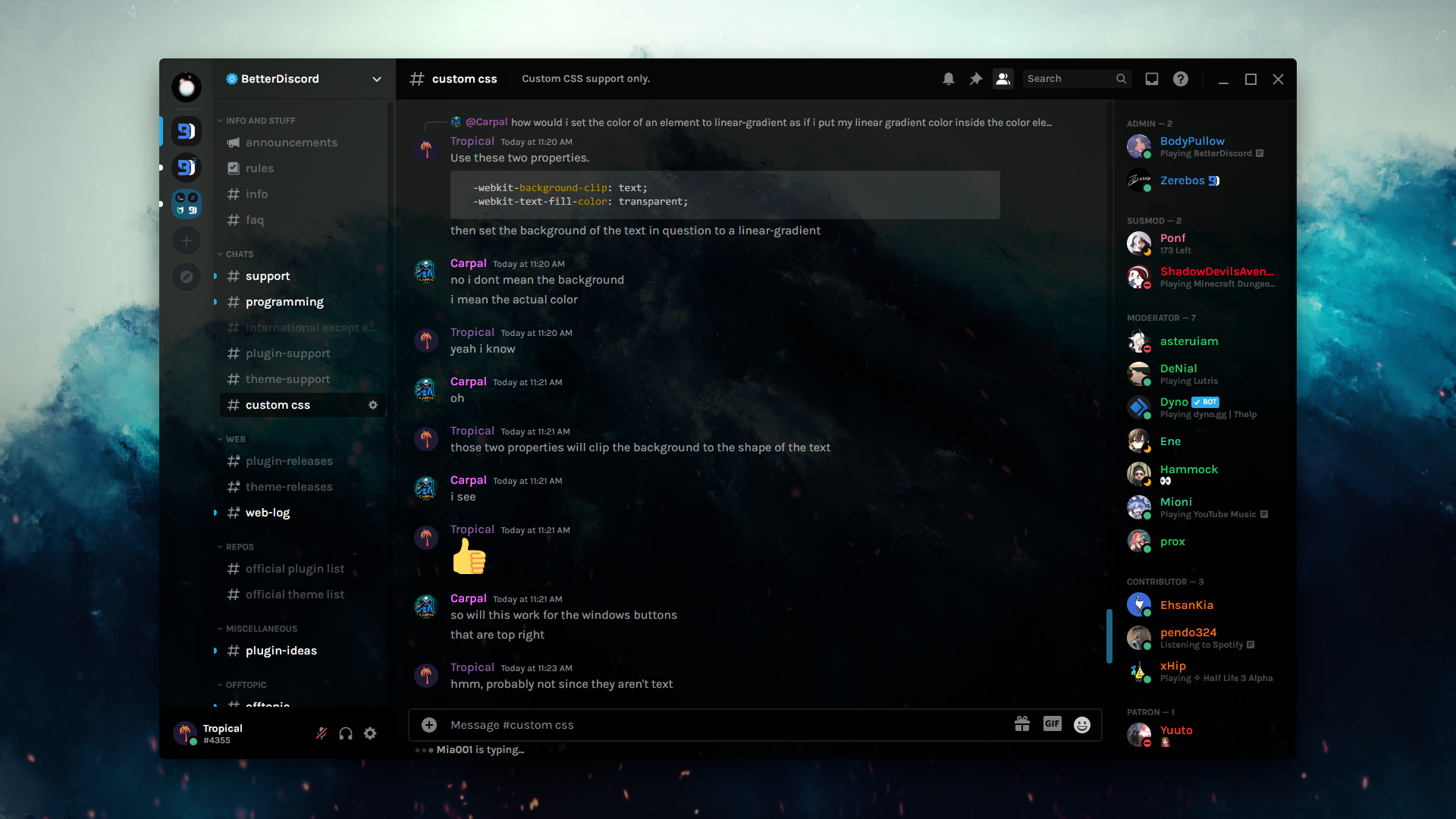 pure cairn
try pasting this into your quickcss (it's literally taken from the theme file)
nav[class*="guilds-"] {
    background: transparent;
}
ul[data-list-id='guildsnav'] {
    --background-secondary: var(--background-solid);
    --background-primary: rgba(var(--dm-white), 0.1);
    margin-bottom: 70px;
    background-color: rgba(var(--md-black), 0.6);
    border-right: 1px solid rgba(var(--md-black), 0.2);
    box-shadow: inset -10px 0px 20px -10px rgba(var(--md-black), 0.3);
}
ul[data-list-id='guildsnav'] ::-webkit-scrollbar {
    display: none;
}
ul[data-list-id='guildsnav']>div[dir] {
    padding-top: 18px;
}
ul[data-list-id='guildsnav'] [class^="pill-"],
ul[data-list-id='guildsnav'] [class^="pill-"]>div {
    height: 40px;
}
ul[data-list-id='guildsnav'] div[style*="height: 56"],
ul[id^="folder-items-"] {
    height: auto !important;
}
ul[data-list-id='guildsnav'] [class^="pill-"] span {
    width: 10px;
    margin-left: -5px;
    border-radius: 20px;
}
[data-list-id='guildsnav'] [class^="pill-"] span[style^="opacity: 1; height: 40"] {
    --header-primary: rgba(var(--accent), 1);
}
span[class^="expandedFolderBackground-"] {
    --background-secondary: rgba(var(--md-black), 0.25);
    border-radius: 14px;
    width: 40px;
    left: 16px;
}
.wrapper-28eC3z,
[data-list-id='guildsnav'] [data-dnd-name] > div,
[data-list-id='guildsnav'] svg[width="48"] {
    width: 40px;
    height: 40px;
}```if you want the opened folder background to be visible, remove the --background-secondary: var(--background-solid); from ul[data-list-id='guildsnav'] {... (the second selector)
Going to sleep now, if there are still any issues just ping me and I'll give it a look tomorrow
smoky belfry
wtf is that big ass new ad that spawn weirdly...
guess i'll have to theme it out to get back to my nice char counter
 echo frost
oh i had that a while ago then it went away
I have this one which i fix with this
/* Less Intrusive Character Limit */
[class*=characterCount_] > [class*=upsell_] {
  display: none;
}```
i'll try to find my old css for that one
echo frost
ok found it
it's very old so it sucks though
I think the test if ... > comment was talking about the .messageLengthUpsellContainer_aac415.messageLengthUpsellAppearAnimation_aac415 > .text-lg-bold_f09314, so that's probably fine?
/* Old character limit fix (discord seems to have reverted most of it?) */
[class*=characterCount_] > [class*=upsell_] {
  display: none;
}

.messageLengthUpsellContainer_aac415.messageLengthUpsellAppearAnimation_aac415 {
  animation: none;
}
.divider_aac415,
.messageLengthBrandedContainer_aac415.gradientUpsellWrapper_aac415.gradientUpsellWrapperTier2_aac415,
.messageLengthUpsellContainer_aac415.messageLengthUpsellAppearAnimation_aac415
  > .shinyButton_d5e126.button_dd4f85.lookFilled_dd4f85.colorGreen_dd4f85.sizeMedium_dd4f85.grow_dd4f85 {
  display: none;
}
.messageLengthUpsellHeader_aac415.heading-lg-extrabold__2f0a8 {
  display: none;
}
.messageLengthUpsellContainer_aac415 {
  background-color: transparent;
  padding: 0px;
}
/* this was messing up boost page. test if the ... > works */
.messageLengthUpsellContainer_aac415.messageLengthUpsellAppearAnimation_aac415 > .text-lg-bold_f09314 {
  font-size: 16px;
  font-weight: 200;
  display: flex;
  align-items: center;
  height: 24px;
}```(i forgot to send this earlier oops)
 wooden stag
is there a way to check if variable is equal to a value?
 fathom scroll
might make a version of my theme I can upload
because ive seen some people want it in the past and for now it's just a mix of like
a shit ton of snippets and half assed css
it's barely holding together on tape
maybe I could make different flavors of it
 knotty scroll
how can I resize the channel list to a custom width
copper flame
click and drag
bleak gust
copper flame
click and drag
only on desktop visual refresh*
-# * not the main focus here but i backported it for some reason
echo frost
to be able to drag it to resize without visual refresh, use
[class^=content_]>[class^=sidebar_] {
  resize: horizontal;
}```a bit buggy with the banner, but so is visual refresh one
 pure cairn
modest violet
you're such a sport! thank you so much for all that you've done. this doesn't lo...
pure cairn
modest violet
you're such a sport! thank you so much for all that you've done. this doesn't lo...
#🎨-css-snippets message
final and most complete iteration
modest violet
pure cairn
https://discord.com/channels/1015060230222131221/1028106818368589824/12830870855...
thank you Mr. perfectionist! 🎩
those who understand the plight of a cluttered interface will celebrate your magic for a long time!
 real night
Anyone know how to add a custom image background to an existing theme? Specifically, I want to modify the theme I use everyday (A slightly modified Midnight) to have a image background.
I just can't figure it out..
solid ore
real night
Anyone know how to add a custom image background to an existing theme? Specifica...
real night
Can it be added to the existing theme easily?
 tardy hemlock
just put it in your quick css
real night
alright
tardy hemlock
if you want it as a file you can do something like this:
/**
 * @name midnight
 * @description A dark, rounded discord theme.
 * @author refact0r
 * @version 1.6.2
 * @invite nz87hXyvcy
 * @website https://github.com/refact0r/midnight-discord
 * @source https://github.com/refact0r/midnight-discord/blob/master/midnight.theme.css
 * @authorId 508863359777505290
 * @authorLink https://www.refact0r.dev
*/

@import url('https://refact0r.github.io/midnight-discord/midnight.theme.css');

/* Your Code Here */
looks a bit off, though that could be the white background..
 tardy hemlock
i feel like a little bit of opacity could help
tardy hemlock
what does your modification currently look like?
real night
the actual midnight theme or quickcss?
tardy hemlock
the css you added
real night
real night
real night
How would I change the opacity on the theme?
tardy hemlock
well it's change the opacity on the elements you want
like you want to set the background as a transparent color more or less
real night
I want to set the opacity on the member list and also the channels area
real night
Basically, I want to make the text a bit darker so its more visible, As well as changing the opacity of some elements to give it a sort of outline, Also changing the opacity of the fully solid color elements, So it fits in better.
 tardy hemlock
oh you don't actually need make that giant list
real night
oh?
tardy hemlock
the bg colors are just hsl
/* background and dark colors */
    --bg-1: hsl(220, 15%, 20%); /* dark buttons when clicked */
    --bg-2: hsl(220, 15%, 16%); /* dark buttons */
    --bg-3: hsl(220, 15%, 13%); /* spacing, secondary elements */
    --bg-4: hsl(220, 15%, 10%); /* main background color */
    --hover: hsla(230, 20%, 40%, 0.1); /* channels and buttons when hovered */
    --active: hsla(220, 20%, 40%, 0.2); /* channels and buttons when clicked or selected */
    --message-hover: hsla(220, 0%, 0%, 0.1); /* messages when hovered */
on midnight?
tardy hemlock
yeah
tardy hemlock
like you can just add transparency to everything by doing something like this
/* background and dark colors */
    --bg-1: hsl(220, 15%, 20% 0.8); /* dark buttons when clicked */
    --bg-2: hsl(220, 15%, 16% 0.8); /* dark buttons */
    --bg-3: hsl(220, 15%, 13% 0.0); /* spacing, secondary elements */
    --bg-4: hsla(223, 14%, 10%, 0.5); /* main background color */
    --hover: hsla(230, 20%, 40%, 0.1); /* channels and buttons when hovered */
    --active: hsla(220, 20%, 40%, 0.2); /* channels and buttons when clicked or selected */
    --message-hover: hsla(220, 0%, 0%, 0.1); /* messages when hovered */
the 4th value in the hsl is transparency
you just can tinker by changing those values between 0 and 1
 tardy hemlock
yeah you gotta delete that list where you remove the bg
real night
in quickcss?
o found it

that looks a lot better, the text is still a bit invisible but yea
tardy hemlock
you might want to put the bg colors in quick css for a bit just to get live updates of you changing them
real night
tardy hemlock
you might want to put the bg colors in quick css for a bit just to get live upda...
I think I got it mostly, How would I change the opacity of this though?
 real night
oh.. because its basically impossible to read it with peoples chats behind it.
tardy hemlock
yeah this is where you'd make some things opaque and then removing bg's
real night
what would that menu be apart of?
real night
I set the background and dark colors part and I get this
 tardy hemlock
this should fix the buttons
.theme-dark {
    --background-floating: hsl(220, 15%, 13%) !important;
}```it did
I think everything is as it should be now, Will come back if I need anything else, Thanks for your help :)
 tardy hemlock
if something breaks you can always try this
real night
alr, one last thing because i forgot about it, File opacity like the css file you just sent, as well as code blocks.
 tardy hemlock
try using that file just sent
like as a theme file
might want to change the @name so it shows up differently
real night
i did, which part of that css file changes the code blocks and stuff? So I can just cut and paste in the original them file? Since I have some modifications in that one.
tardy hemlock
it's just one of the bg colors
real night
oh
tardy hemlock
try replacing the bg colors you have with
    /* background and dark colors */
    --bg-1: hsl(220, 15%, 20% 0.4); /* dark buttons when clicked */
    --bg-2: hsl(220, 15%, 16% 0.6); /* dark buttons */
    --bg-3: hsl(220, 15%, 13%, 0.5); /* spacing, secondary elements */
    --bg-4: hsla(223, 14%, 10%, 0.6); /* main background color */
    --hover: hsla(230, 20%, 40%, 0.7); /* channels and buttons when hovered */
    --active: hsla(220, 20%, 40%, 0.7); /* channels and buttons when clicked or selected */
    --message-hover: hsla(220, 0%, 0%, 0.4); /* messages when hovered */
done
tardy hemlock
the 0.# values are the amount of transparency each thing has
ex: in hsl(220, 15%, 13%, 0.5); the 0.5 is the transparency
 tardy hemlock
time for me to go back to making sure these popouts work properly when resized
 real night
ooo
real night
tardy hemlock
time for me to go back to making sure these popouts work properly when resized
Do you happen to know how to fix the discord reloading screen? I don't want to see anything but the background image and the reloading text, as well as the logo, But it shows the server panel and channel area.

 simple kiln
what channel name is this?

 true galleon
 simple kiln

copper flame
 echo frost
Does anyone know why padding-bottom: 100% is using the width?
 plain kelp
Because standard defines it that way I guess
Percent does not work meaningfully for a lot of props
iron smelt
 deft niche
Need
deft niche
Need
there is this
#🎨-css-snippets message
echo frost
waht
why are the connection arrows messed up on client
well more accurately, why is the .right_c48316 appearing 3 times


it's fine on browser

 iron smelt
echo frost
waht
why are the connection arrows messed up on client
well more accurately, why...
iron smelt
echo frost
waht
why are the connection arrows messed up on client
well more accurately, why...
I actually like the 90deg arrow more then the 45deg arrow
echo frost
leave.
iron smelt
 pure cairn
Nope, I hide all of them to make buttons look even
pointer-events is enough for me to understand if I can click a button
pure cairn
I mean, it all comes down to personal tastes
 lost plume
solution for y'all
@keyframes spinny {
  from {
    transform: rotate(0deg);
  }
  to {
    transform: rotate(360deg);
  }
)
[class*=right_] {
  animation: spinny 2s linear infinite;
}
agreed
 smoky fog
is anyone know how to make this coloured 
 pure cairn
Is that from the visual refresh concepts discord posted a while ago?
smoky fog
i think from this theme https://catppuccin.github.io/discord/dist/catppuccin-mocha-pink.theme.css
 pure cairn
Huh, what's $ now?
plain kelp
Ends with
pure cairn
Never heard of it
echo frost
MDN Web Docs
The CSS attribute selector matches elements based on the element having a given attribute explicitly set, with options for defining an attribute value or substring value match.
pure cairn
plain kelp
Ends with

I don't think I've ever seen it being used before
That's cool though
plain kelp
Yeah substring selectors are pretty rare
echo frost
after before
thoughts?

 pure cairn
Looks good
echo frost
does a dark blur look good?

 smoky fog
echo frost
smoky fog
echo frost
thank you!
echo frost
How scuffed is this
[class^="lockedEmoji_"]:has(+ [class*="emojiLockIconContainer_"]),
[class*="categorySectionNitroLocked_"] [class*="emojiItem_"] > img,
[class*="soundRowNitroLocked_"] [class^="soundButton_"] {
  filter: grayscale(1) brightness(0.75);
}

[class^="emojiLockIconContainer_"],
:is(#emoji-picker-tab-panel, [class^="picker_"]) :is(
  [class^="upsellContainer_"],
  [class^="nitroBottomDivider_"],
  [class^="categoryItemLockIconContainer_"]
), [class^="picker_"] [class^="sectionFooter_"] {
  display: none;
}

#emoji-picker-tab-panel [class*="categorySectionNitroLocked_"],
[class^="picker_"] :is(
  [class*="sectionContainerNitroLocked_"], [class*="soundRowNitroLocked_"]
) {
  background-color: transparent;
}

#emoji-picker-tab-panel [class^="closeButton_"] {
  padding: 16px 16px calc(100% - 106px) calc(100% - 40px);
  margin: 0;
}
[class^="picker_"] {
  >[class^="container"] [class^="closeButton_"] {
    padding: 16px 16px calc(420px - 106px) calc(100% - 40px);
    margin: 0;
  }

  [class^="buttonOverlayActions_"] {
    padding: 0;
  }
  [class^="secondaryButton_"] {
    padding: 8px;
  }
}

#emoji-picker-tab-panel, [class^="picker_"] {
  [class^="nitroTopDividerShadow_"],
  [class^="nitroTopDividerLower_"] {
    visibility: hidden;
  }
  [class^="nitroTopDividerLock"],
  [class^="nitroTopDividerLower_"] {
    background: var(--background-accent);
  }
}```like formatting wise mostly
especially the nesting and :is()'s
pure cairn
You can use :is() without providing a selector before? What does that translate to?
*:is()?
Huh, just read the MDN docs
I have basically never used it the "intended" way lmao
 gilded cloak
does anyone know if it's possible to apply an svg filter in css without having that SVG in the DOM?

shocklingly easy
/* Using & defining an SVG filter from within css */
.wobbleCss {
  filter: url('data:image/svg+xml,<svg xmlns="http://www.w3.org/2000/svg"> \
    <filter id="distort"> \
      <feTurbulence type="fractalNoise" baseFrequency=".05" numOctaves="4" /> \
      <feDisplacementMap in="SourceGraphic" scale="32" /> \
    </filter> \
  </svg>#distort');
}
 iron smelt
 glass junco
can themes not use local images
glass junco
can themes not use local images
just upload the image to a image hoster and use the link that it gives u
glass junco
iron smelt
just upload the image to a image hoster and use the link that it gives u
too slow
iron smelt
something like imgur, catbox
 glass junco
iron smelt
brother what
glass junco
iron smelt
brother what
it lags too much :(
like
i mean with gifs/apng's
it lowers the fps noticeably
 sacred niche
glass junco
it lowers the fps noticeably
sacred niche
glass junco
it lowers the fps noticeably
catbox does not compress your images
glass junco
sacred niche
catbox does not compress your images
,,,does that hav anything to do with the fps or
?
sacred niche
glass junco
,,,does that hav anything to do with the fps or
fps?
dude internet speed has nothing to do with the fps of a gif
sacred niche
if your gif is lagging that's a problem with your computer
sacred niche
imgur probably compresses your image
glass junco
but like -12 fps
glass junco
how come theme backgrounds can't be local images but cursors can???????????
echo frost
How are you using local images for cursors?
hazy tinsel
 copper flame
5 billion buttons


 valid heron
hazy tinsel
valid heron
hazy tinsel
how do you get so many buttons?? 😭
hazy tinsel
worldly moss
im stealing
np 😊
hazy tinsel
valid heron
how do you get so many buttons?? 😭
each button has a different functionality
hazy tinsel
pure cairn
Horror
how is it bad
valid heron
hazy tinsel
each button has a different functionality
ok but like
how did you get them?
hazy tinsel
valid heron
how did you get them?
custom plugins it’s not a feature of the official vencord
pure cairn
hazy tinsel
how is it bad
user area looks like a telephone keypad
hazy tinsel
pure cairn
user area looks like a telephone keypad <:SKULL_SKELETON:1133504974777757726>
i mean how do u suggest resolving that telephone pad issue because there’s only so much you can do with the amount of buttons
probably just making it tab out when hovering over
pure cairn
yeah
 native topaz
hazy tinsel
custom plugins it’s not a feature of the official vencord
native topaz
hazy tinsel
custom plugins it’s not a feature of the official vencord
which ones?
hazy tinsel
native topaz
which ones?
they’re privately made i’m not allowed to disclose it
native topaz
ok
 supple tartan
Hi fellow css devs, can I have some help?
How can I make the channel description have the same width as the main chat? (as seen in the 2nd img where I did it roughly)

 fossil adder
You mean isolating the right module so it takes full vertical space?
You can, but it won't be a pretty way from what I see.
Since Discord UI is structured in a specific way you can't get away without using a hardcoded pixel value I think.
I did it tho:

What is that line though.
oak plover
The line is discord’s genius way of adding a shadow to the header
fossil adder
Yea I can't find it.
oak plover
It’s a pseudo element
fossil adder
How is it done.
oak plover
Idk it’s either ::before or ::after
oak plover
Jesus Christ
And the thing is they used to just apply a shadow to the header
You know like how a normal person would do it
fossil adder
Idk if absoluteing the header breaks anything 🚬
section[aria-label="Channel header"] {
    position: absolute;
    width: calc(100% - 240px);
    box-shadow: var(--shadow-ledge);
}
Also relying on just some random value I pulled out of my ahh.
Because.

Oh yea that breaks the scrollbar in the chat.
You can use two hard-coded variables for the price of one then:
section[aria-label="Channel header"] {
    width: calc(100% - 240px);
}

/* yikes */
div[class^="content"]:has(main)::before {
    right: 240px;
}

aside[class^="membersWrap"] {
    top: -48px;
}
I can't come up with a single scenario where header / member list expands so I guess it's not that bad.
Has anyone written a coherent snippet / plugin to hide suggested channels.
hazy tinsel
fossil adder
Has anyone written a coherent snippet / plugin to hide suggested channels.
uh well this is not mine made by someone else here
you’d have to see whether it works but pretty sure
if u rly want it, this is rly janky but should work:
#channels [class^=containerDefault_]:has(> div > h3), /* active now header */
#channels [class^=containerDefault_]:has(> [class^=list_][class*=collapsed_]), /* active now vcs */
#channels [class^=containerDefault_]:has([class^=dismissWrapper_]):not(:has(~ [class^=containerDefault_][class*=selected_])), /* suggested channels header */
#channels [class^=containerDefault_]:has([class^=dismissWrapper_]) ~ [class^=containerDefault_]:not([class*=selected_]) /* suggested channels that aren't selected */ {
    display: none !important;
}
it’s made for suggested channels judging from the code itself
fossil adder
Nope.
Breaks stuff.
The world if Discord put suggested under a separate parent element.
This is really a job for a plugin though since if you get pinged in a suggested channel no CSS will help you escape the "new mentions" popup.
Unless you style the parent of both that popup and and the channel list and actually check if the ping badge is only on the suggested channels and hide it but that's
I chose to just display the pinged channels though:
/* [ UNSTABLE ] "Suggested" channel section */

// Section displaying channels that are not subscribed to. Channels with pings
// are still displayed. Below CSS rules do not bind to said suggested section
// but instead assume that whatever is between the first and second divider bars
// are to hidden. Will eventually be broken by new Discord UI.

// This might be the worst CSS I've ever written.
ul[aria-label="Channels"]:has( > div:nth-child(2 of [class^="sectionDivider"])) {
    div:nth-child(1 of [class^="sectionDivider"]) ~
    :not(
        ul[aria-label="Channels"] >
        div:nth-child(2 of [class^="sectionDivider"])
    ):not(
        ul[aria-label="Channels"] >
        div:nth-child(2 of [class^="sectionDivider"]) ~
        *
    ):not(
        :has(div[class*="mentionsBadge"])
    ):not(
        li[class^="containerDefault"]:has(
            div[aria-label="Clear"]
        ):has(
            ~ li[class^="containerDefault"] div[class*="mentionsBadge"]
        )
    ) {
        display: none;
    }
    div:nth-child(1 of [class^="sectionDivider"]):not(
        :has(
            ~ li[class^="containerDefault"] div[class*="mentionsBadge"]
        )
    ) {
        display: none;
    }
}
😭
Halfway through I just starting doing it to see if I could tbh.
I need to learn to plugin.
wooden stag
the most expertise people, I want your opinion on those two images, which is better?
1: #🧩-plugin-development message
2: #🧩-plugin-development message
supple tartan
fossil adder
I can't come up with a single scenario where header / member list expands so I g...
hmm... if you don't hide the member list it actually looks pretty nice, thanks!
Could it work with an if statement? for example: if the member list is not there, let it expand

 worldly moss
:has() my beloved
pure cairn
supple tartan
hmm... if you don't hide the member list it actually looks pretty nice, thanks!
...
:not(:has(memberlist)) expand
Replace stuff and it should work
supple tartan
pure cairn
:not(:has(memberlist)) expand
Replace stuff and it should work
tried this, and didn't work:
`section[aria-label="Channel header"] {
width: calc(100% - 245px);
}
div:not(:has(memberlist)) ~ section[aria-label="Channel header"] {
width: 100%;
}
/* yikes */
div[class^="content"]:has(main)::before {
right: 240px;
}
aside[class^="membersWrap"] {
top: -48px;
}`
btw, how do you send those code blocks?
pure cairn
Well, I said replace stuff
I'm on mobile rn, so I can't get the exact class names
Of course it's not going to work like that

supple tartan
😭
pure cairn
supple tartan
btw, how do you send those code blocks?
Use 3 ` at the beginning and end of code

Also, you can add the coding language next to the first 3 `