#🎨-theme-development
1 messages · Page 18 of 1
 cursive tinsel
 grand surge
now it works but I cant see banner bruv
 deft niche
cursive tinsel
if i send a theme to you can u make the background transparent
deft niche
cursive tinsel
if i send a theme to you can u make the background transparent
no
lmao
 deft niche
its so sexyyyy (looking at it makes me want to die)
deft niche
whar
cursive tinsel
Vencord.Settings.transparentUNSAFE_USE_AT_OWN_RISK = true
UNSAFE_USE_AT_OWN_RISK what does this mean
sam
deft niche
dude are you actually incapable of reading and independent thought
4 people have told you
numerous times
cursive tinsel
i want to hear it one more time
 solid ore
cursive tinsel
Vencord.Settings.transparentUNSAFE_USE_AT_OWN_RISK = true
```UNSAFE_USE_AT_OWN_...
solid ore
cursive tinsel
Vencord.Settings.transparentUNSAFE_USE_AT_OWN_RISK = true
```UNSAFE_USE_AT_OWN_...
how r u like this yet have "developer" in ur abt me
deft niche
they dont 
grand surge
how to change primary background to another color?
deft niche
grand surge
how to change primary background to another color?
--background-primary variable
cursive tinsel
deft niche
they dont <:whar:1161821427217993788>
ong
solid ore
deft niche
they dont <:whar:1161821427217993788>
literally last line
 deft niche
solid ore
literally last line
deft niche
solid ore
literally last line
wtf why dont i see that 
 solid ore
[style="-webkit-line-clamp: 6;"]
{
  -webkit-line-clamp: 10000000 !important;
}```discord moment
cursive tinsel
deft niche
wtf why dont i see that <:NAH:1173119970981449798>
ong
solid ore
 mortal mantle
instead just do display: block
mortal mantle
instead just do display: block
oh yeah thats better
not my snippet anywya
cursive tinsel
i hate how the tranparent shit doesnt slow me to full screen and minimize
mortal mantle
Electron limitations
deft niche
cursive tinsel
i hate how the tranparent shit doesnt slow me to full screen and minimize
wait til you realise you were warned of this multiple times

mortal mantle
Idk if Linux suffers from that

 grand surge
cursive tinsel
do yk how to fix this shit popping up on the left
grand surge
cursive tinsel
do yk how to fix this shit popping up on the left
.drawerSizingWrapper__30274 {
position: absolute;
}
try this
cursive tinsel
grand surge
.drawerSizingWrapper__30274 {
position: absolute;
}
i have my theme in quick css do i add that to the bottom
grand surge
yes
 grand surge
yes
grand surge


 grand surge

i have it like that when i have
.drawerSizingWrapper__30274 { position: relative; }
maybe you have it somewhere in your quick css
grand surge
--popout-modal-position: center maybe change center to right
idk really
im not that good in css
cursive tinsel
grand surge
`--popout-modal-position: center` maybe change center to right
do i jus add this to the end
deft niche
cursive tinsel
I'm scared to open the file
deft niche
cursive tinsel
Why is it a txt file
grand surge
bruh im retarded
 glad urchin
nice gc name
grand surge
cursive tinsel
Is it working after you closed 68?


 clear siren
yes
--scrollbar-thin-track and --scrollbar-auto-track variables control the track
and --scrollbar-thin-thumb / --scrollbar-auto-thumb for the thumbs
see also https://webkit.org/blog/363/styling-scrollbars/ and https://developer.mozilla.org/en-US/docs/Web/CSS/::-webkit-scrollbar for more specific styling
solid ore
smthng is wrong but idk what
when i try to hide this
[style="height: 84px;"], /* server banner spacer */```
i cant click on the channels & roles button in this server, but i can on other servers that do have bannersidk why


 toxic yew
[class*=animatedBannerHoverLayer_]
solid ore
toxic yew
[class*=animatedBannerHoverLayer_]
but then im left w a big gap

thats why i had to hide the spacer
solid ore
toxic yew
[class*=animatedBannerHoverLayer_]
oh wait nvm i had to hide that as well, not instead of, im dumb
thank you
deft niche
cursive tinsel
what the actual fuck
cursive tinsel
deft niche
what the actual fuck
what
deft niche
i have so many questions
jesus christ what the
it gets worse the more i read
why would you paste that in quick css 😭
solid ore
deft niche
why would you paste that in quick css 😭
thats mb, didnt feel like explaining how to make a theme file and put it in the themes folder and then turn it on
deft niche
fair enough
 grand surge

How to make loading channel another color?
I cant check the name of it cuz it dissapears so fast
 summer adder
enable the plugin f8 break
 plain kelp
From what I can tell seems to be ```css
#messagesNavigationDescription + div[class*="wrapper_"],
#messagesNavigationDescription + div[class*="wrapper_"] > div[class*="wrapper_"][aria-hidden] { }
Depends on which specific element you want of course
grand surge
summer adder
enable the plugin f8 break
ty
summer adder
how can i change things of the ID ":r4i:"
i found this ID from https://files.catbox.moe/hrvocs.png

 dark dragon
IDs are unique to each element. If want to edit specifically that switch that's fine, but if not, use the class instead
 cursive tinsel
deft niche
fixed stream preview :3
cursive tinsel
deft niche
fixed stream preview :3
gimme it
 barren jewel
hide every chat bar button
button[aria-label="Send a gift"] {
    display: none;
}
button[aria-label="Open sticker picker"] {
    display: none;
}
button[aria-label="Open GIF picker"] {
    display: none;
}
button[aria-label="Select emoji"] {
    display: none;
}

/* enabling this one will hide the upload button  */

/*
button[aria-label="Upload a file or send invites"] {
    display: none;
}
*/
(joke snip)
hide any message from a single user lol
li[data-author-id="userid"] {
  display: none;
}
or
blur any message from a single user
li[data-author-id="userid"] {
  filter: blur(10px)
}
prolly doesnt work for replies
glad urchin
barren jewel
hide every chat bar button
```css
button[aria-label="Send a gift"] {
display...
.attachWrapper__6354f, .buttonContainer__8ae8b, .buttons_ce5b56 {
  display: none;
}``` yeah but you can pick and choose with the one i sent
grand surge
cursive tinsel
bruh just delete some of your code and check what makes it that way or smth
cursive tinsel
grand surge
bruh just delete some of your code and check what makes it that way or smth
barren jewel

glad urchin
barren jewel
<a:reow:1179963236821516388> yeah but you can pick and choose with the one i sen...
one small issue, you need your discord to be in eng
due to aria-label
barren jewel
oh true
another joke script
make any message from a single user spin upon loading
li[data-author-id="userid"] {
  animation: stupidnamethatliterallycannotconflictwithanything123 0.7s linear;
}
@keyframes stupidnamethatliterallycannotconflictwithanything123 {
  0% {
    transform: rotate(0deg);
  }
  50% {
    transform: rotate(180deg);
  }
  100% {
    transform: rotate(360deg);
  }
}
Can do like this
/* Gift Button */
.buttons_ce5b56 >  .container__5eb17,
/* GIF Button */
.buttonContainer__8b164 .button__55e53:not(.emojiButton__8ff6a, .stickerButton__8af38),
/* Sticker Button */
.stickerButton__8af38,
/* Emoji Button */
.emojiButton__8ff6a  {
    display: none;
}
added an even goofier option
barren jewel
dark dragon
Can do like this
```css
/* Gift Button */
.buttons_ce5b56 > .container__5eb17,...
dont these get changed like every few updates
or did they stop doing that
omfg this one is so stupid
deep fry any message from a single user, it affects the entire message contents, even images and videos
li[data-author-id="userid"] {
  filter: contrast(250%) brightness(150%) saturate(400%);
}
they get rerolled, but the structure has been the same for at least 6 months from what I can remember
barren jewel
barren jewel
deep fry any message from a single user, it affects the entire message contents,...
😭
 cursive tinsel
deft niche
not giving you anything 🔥
cursive tinsel
deft niche
not giving you anything 🔥
D:
clear siren
pretty cool
clear siren
it's fine unless you have like a * selector in it or something
deft niche
i didnt notice until i messaged lmao
clear siren
but even then it's probably fine
glad urchin
:has is like a mini if-statement for me
i wait
truly the whatsapp of all time
even the replies,,
so good
dark dragon
As a rule psuedoclasses and psuedoelements are the least performant of all selectors, followed by attribute selectors. That said, these things are all measured in microseconds and the variance is generally no more than 100-200 microseconds between a class selector and anything else
plain kelp
I assume *[class*="something_"] is a bit slower than .something would have been
glad urchin
actually no wait
:has is more like an if-statement to style something if <element> exists
mortal mantle
for a minitheme its fine though
clear siren
make imessage skin, with whitenames being poor green bubblers
 simple kiln
hmmm
 plain kelp
Pretty easy
Don't remember the class name, but it's easy to find in devtools
Think there was even a css variable for it if you prefer
 half crystal
i wouldnt be asking here if that worked.
clear siren
--channeltextarea-background is the var
the element the background is set on is .scrollableContainer__33e06 if you want to target that instead
half crystal
clear siren
--channeltextarea-background is the var
im talking about the background of the textarea, not the textarea itself
half crystal
clear siren
the element the background is set on is ``.scrollableContainer__33e06`` if you w...
that only targets part of it.
clear siren
huh
plain kelp
You mean so you can see scrolled-up text behind it?
half crystal
plain kelp
You mean so you can see scrolled-up text behind it?
yes
clear siren
ohh
plain kelp
I've got a snippet for that, can post it when I get home
half crystal
plain kelp
I've got a snippet for that, can post it when I get home
kay, thanks
glad urchin
the messages container is placed "above" the message bar, so it doesnt show the content
 glad urchin
yop
mortal mantle
i'm likely gonna focus more on making snippets more than the full theme soon enough
much less laggy and more useful
something like this is good enough for me tbh
 dark dragon
Did you give the change I suggested for you theme before Christmas a go? It seemed to reduce the lag significantly on both my laptop and desktop
plain kelp
half crystal
kay, thanks
Apologies for the delay, was out longer than planned. The snippet is ```cs
div[class*="messagesWrapper_"] { margin-bottom: -500px; }
ol[data-list-id="chat-messages"] { padding-bottom: 500px; }
Specifically, if I paste something containing at least two line breaks, the text field jumps 500px upwards and stays there until I disable the style (does not move back if I reenable it, unless I paste again)
That's not how css is supposed to work, wtf
 rose geode
Any idea for selecting BetterFolder guild list but not the original guild list, only the folder one?
summer adder
if you're trying to change the background of it https://files.catbox.moe/1wfu02.png

.expandedFolderBackground__1bec6 {background-color: red;}```this only effects folders https://files.catbox.moe/7e5jf0.png
 mortal mantle
dark dragon
Did you give the change I suggested for you theme before Christmas a go? It seem...
mortal mantle
dark dragon
Did you give the change I suggested for you theme before Christmas a go? It seem...
Which one was that, I forgot about it sorry
dark dragon
This one #🎨-theme-development message
The :has() is redundant. Rule itself isn't bad, but I guess it's being place in a bucket that's causing issues
Just that small changed too it from a slideshow to a seemingly performant though, so definitely give it a go
dark dragon
replacing your box-shadows with borders should also make a pretty big difference. Is there a reason you opted to do them all as box-shadows?
mortal mantle
They are more consistent than regular borders from my experience
dark dragon
Borders can be a bit rough, that's generaly more an issue with margins than it is the borders themselves though. If you can use padding on a parent instead of margin the element itself it generally helps mitigate that. Things like box-shadow can kill performance though, as they need to calculate everything below themselves
glad urchin
outline:
dark dragon
outline has the same issues with margins. The ideal is to avoid using margins entirely, but that's not really possible in this case
 dark dragon
Yeah, that's a margin issue. The best option would be to remove the margin you have on base__3e6af and changing it to padding on container__037ed and setting the box-sizing to border-box
You'd also need to add the smaller margin you have on eveything else to guilds__2b93a
mortal mantle
theres always a problem with the right padding for container__037ed
dark dragon
With the container going out of the viewport? Setting the box-sizing to border-box should fix that
mortal mantle
Oh it actually works now, thanks :3
tbh I am too lazy to measure performance difference on Edge since its going to be slow as hell anyways
dark dragon
Ah it's kind of a pain to get it working anyway. By default it measures FCP, so you'll only measure up until the splash screen
mortal mantle
I dont really have any experience at all when it comes to optimization
im just bringing useless UI changes that would ruin the UX tbh
dark dragon
You can honestly just comment out sections of your css until you notice a change. The rest is just knowing what are costly properties, box-shadow, filter, backdrop-filter, animation, opacity, transform, border-radius, if you don't need them you should try to avoid them
mortal mantle
a few versions earlier I did away with all the unnecessary border-radius, I currently only have 1 backdrop-filter rule in use, almost no custom animations
its just changing too many elements that leads to a laggy experience
wait why is css suddenly breaking for me
did discord change its classes again
dark dragon
I don't seem to be haivng any issues yet
mortal mantle
almost all of my css are gone
mortal mantle
does that also happen to the windows version?
i'm currently using the Flatpak one so idk
dark dragon
Are you sure it's not just a github issue? My css is working fine, but the imports might be scuffed
mortal mantle
my imports have no issue, but the whole quickcss is pretty much gone
vee did bump vesktop to Electron v28 a few days ago, but I dont think thats the issue
dark dragon
I checked on vesktop and a fresh discord install, but everything besides imports seem to be working
glad urchin
on vesktop win11, eveything is fine
dark dragon
Ah imports are working fine for me, just not in inspector stylesheets for some reason
mortal mantle
right
I did a silly moment
accidentally commented out a curly bracket which broke the entire thing
half crystal
plain kelp
Specifically, if I paste something containing at least two line breaks, the text...
yup, same here
 plain kelp
half crystal
yup, same here
plain kelp
half crystal
yup, same here
I don't understand why it's doing that; the html seems to be 100% identical between broken and not
plain kelp
Anyway here's my transparent discord theme https://gist.github.com/Kyuuhachi/4ad7dcd6c4dd632c57ae0244c72ddf78

Gist
Transparent theme for discord. GitHub Gist: instantly share code, notes, and snippets.
There are others, sure, but all others I could find change things beyond just transparency, like adding backgrounds or borders to stuff and I don't like that
solid ore
plain kelp
Anyway here's my transparent discord theme https://gist.github.com/Kyuuhachi/4ad...
@cursive tinsel ^ worth trying maybe
summer adder
what specifically broke in css
solid ore
anyone know if there's a way to set an svg's fill color to the inverted color of whatever it's being displayed over?
solid ore
im looking at .gifFavoriteButton_be5369 specifically
solid ore
plain kelp
Might be able to do that with filters
r there docs on how to use that? if not ill just mess around and try it
deft niche
solid ore
anyone know if there's a way to set an svg's fill color to the inverted color of...
could you not just
.gifFavoriteButton_be5369
{
  filter: invert(1);
}
thanks for the tip
solid ore
deft niche
could you not just
```css
.gifFavoriteButton_be5369
{
filter: invert(1);
}
```
no cus thats just inverting its original color which is --white-500
deft niche
solid ore
no cus thats just inverting its original color which is --white-500
uhhhhhhh
im not sure i get what youre trying to do
OH WAIT
are you trying to almost do an inverted mask of the gif?
plain kelp
Specifically, check out backdrop-filter: invert
solid ore
deft niche
are you trying to almost do an inverted mask of the gif?
idk what masks r exactly, basically the color is white by default and i want to be able to see it when the gif is white, but also when the gif is black etc, so inverting it
solid ore
plain kelp
Specifically, check out [backdrop-filter: invert](<https://developer.mozilla.org...
this helps but is ugly


 plain kelp
Oh, backdrop-filter applies to every pixel but you want it only on those that are part of the star
solid ore
yes exactly
plain kelp
Try mix-blend-mode: difference perhaps
solid ore
plain kelp
Try `mix-blend-mode: difference` perhaps
perfect 
not the best for every gif but best overall i think
 solid ore
clear siren
add filter:drop-shadow() too
solid ore
clear siren
add filter:drop-shadow() too
i cant see the difference ngl
solid ore
i tried 1 and 2
summer adder
 solid ore
clear siren
do like 2px 2px 2px black
solid ore
clear siren
do like 2px 2px 2px black
still not much of a difference that i can see
thanks tho
clear siren
hmm
solid ore
wait
the selector is weird,
i was using .gifFavoriteButton_be5369 bc that's in both a sent gif and the gif picker, but i can only see the mix-blend-mode working in the gif picker
the full classes are, for a sent gif: gifFavoriteButton__13dba size_a04566 gifFavoriteButton_be5369
for the gif picker: favButton__11e5a size_a04566 gifFavoriteButton_be5369
i tried [class*=gifFavoriteButton_] and it had the same issue
even doing the full class had that issue
.gifFavoriteButton__13dba.size_a04566.gifFavoriteButton_be5369,
.favButton__11e5a.size_a04566.gifFavoriteButton_be5369
{
  mix-blend-mode: difference;
}```Isn't using [class*="foo_"] pretty atrocious for performance?
clear siren
negligible really
simple kiln
plain kelp
Isn't using `[class*="foo_"]` pretty atrocious for performance?
you can't notice the performance of using it,.
plain kelp
That's interesting, thanks
plain kelp
It's quite annoying that there's a billion different classes all named container or content
Gonna try to make a plugin to fix that
deft niche
yes god please do i am suffering
plain kelp
I've succeeded in patching the two endpoints — finding the class name definitions, and remapping classes when rendering
So currently it can remap markup_a7e664 to markup markup_a7e664
The harder part is figuring out what prefix to assign to each classname module
I probably want to map it to markup SomeModule__markup markup_a7e664
plain kelp
Got a json file for specifiying it now, now to fill it in
 vast delta
plain kelp
Isn't using `[class*="foo_"]` pretty atrocious for performance?
vast delta
plain kelp
Isn't using `[class*="foo_"]` pretty atrocious for performance?
it is less efficient but doesnt make a big difference in small amounts
the trade between less maintenance and more performance is favourable to the attribute selector
plain kelp
A complex discord theme might have hundreds of selectors though
vast delta
hundreds would be fine
you need to start thinking about this difference when using it thousands of times
plain kelp
Right
vast delta
usually the reason for laggy css lies in subtle super inefficient selectors like something div
it looks good, but it will check every div UP THE TREE for something, until it finds it or ends at the root of the document
 edgy sentinel
plain kelp
Isn't using `[class*="foo_"]` pretty atrocious for performance?
edgy sentinel
plain kelp
Isn't using `[class*="foo_"]` pretty atrocious for performance?
no. it does not matter
 iron smelt
Can i get someone to test my code for me to see if it works? If you can then, thank you. It can be found in #🎨-css-snippets. Also if you be down to hop in one of the VCs while you test that whould also be nice. Thank yall for your help
summer adder
iron smelt
Can i get someone to test my code for me to see if it works? If you can then, th...
dont ask the names.

but yes it works
iron smelt
summer adder
but yes it works
Ok, thank you. I dont know what that persons error was for then. Also its discord im use to see werid names for channels, people, etc.
glad urchin
iron smelt
Can i get someone to test my code for me to see if it works? If you can then, th...
dont ask either (blue due to snippet)
 iron smelt
glad urchin
dont ask either (blue due to snippet)
iron smelt
glad urchin
dont ask either (blue due to snippet)
So it appears. It’s just not red(due to something on your side)
glad urchin
yes
glad urchin
no need
iron smelt
I still can’t figure out what that guys error was about
glad urchin
whose
iron smelt
glad urchin
whose
glad urchin
iron smelt
https://discord.com/channels/1015060230222131221/1191265782315888640/11915429926...
syntax error is due to the way you used the selector
its fine, even my own snippet is using the same syntax abuse
iron smelt
glad urchin
syntax error is due to the way you used the selector
I know that’s why if you copy the code into the quick CSS it shows red(that’s just how the person taught me how to do it though)
But I can’t figure out why they were saying it doesn’t work
glad urchin
they are only showing the qcss error, not the actual result
iron smelt
glad urchin
they are only showing the qcss error, not the actual result
Fair Point. Anyways, that’s four people who tested it and says it works for them so I’m just gonna chalk that one up to user error.
simple kiln
:/
simple kiln
iron smelt
**Fair Point**. Anyways, that’s four people who tested it and says it works for ...
you can literally distinguish the nsfw channel by the icon and tooltips.. why need to add a label about it..
 iron smelt
simple kiln
you can literally distinguish the nsfw channel by the icon and tooltips.. why ne...
iron smelt
simple kiln
you can literally distinguish the nsfw channel by the icon and tooltips.. why ne...
like I said, I’m half blind, so most the time I can’t see the little icon, this is just Help with my handicap, but I figured in case there’s anyone else in my position, go ahead and publish it. Plus tooltip is irrelevant unless you’re hovering over top the icon.
simple kiln
it's better to change the icon. cu'z someone want to auto collapse these channel list..
iron smelt
simple kiln
it's better to change the icon. cu'z someone want to auto collapse these channel...
not to mention, it’s not that it’s the icon. It’s how small the icon is and there’s really no changing that so it was easier to aid my handicap with just putting a label next to it
and changing the icon might conflict with a custom theme someone has, but this shouldn’t conflict
It was just easier to make a label in my opinion
simple kiln
hmmm
 iron smelt
simple kiln
hmmm
iron smelt
simple kiln
hmmm
it’s a niche weird thing thats what most #🎨-css-snippets are it’s not that big of a deal
glad urchin
iron smelt
not to mention, it’s not that it’s the icon. It’s how small the icon is and ther...
maybe recolor the icon?
glad urchin
onse sec
@iron smelt
.icon_eff5d4:has(path[d^="M18.09 1.63"]) path[d^="M18.09 1.63"] {
  fill: var(--text-danger) !important;
  border: 1px solid rebeccapurple !important;
}```


 summer adder
but it’s too simple!!!
 simple kiln
glad urchin
<@929208515883569182>
```css
.icon_eff5d4:has(path[d^="M18.09 1.63"]) path[d^="...
simple kiln
glad urchin
<@929208515883569182>
```css
.icon_eff5d4:has(path[d^="M18.09 1.63"]) path[d^="...
noice <3
dark dragon
glad urchin
<@929208515883569182>
```css
.icon_eff5d4:has(path[d^="M18.09 1.63"]) path[d^="...
if you just set color you don't need to use important to override the fill
cursive tinsel

wtf
why is everyones banners gone
and bios

wtf is this
what happened
why is everything stock
 safe python
first thing i'd do is check under Privacy & Safety -> Account Standing and see if you got fucked
otherwise see if not using vencord fixes anything'
cursive tinsel
safe python
first thing i'd do is check under Privacy & Safety -> Account Standing and see i...
where is that
safe python

 safe python
yeah then restart discord/try removing vencord and see if it fixes itself
otherwise fuck knows
safe python
cursive tinsel
can u see mine
yes
cursive tinsel
wtf
safe python
 cursive tinsel
i cant see any


even with vencord uninstalled
wtf
...
what do i try next
glad urchin
vf theme ????????????????????/
cursive tinsel
anyone any idea
glad urchin
cursive tinsel
anyone got any idea
 safe python
thats not related
glad urchin
how so
safe python
glad urchin
how so
you can clearly see the "failed to fetch shit " ⚠️
cursive tinsel
reinstalled
we are good now

the download button doesnt work tho lmfao
and discord is a bit laggy now
i click download and it does nothing lmfao
W discord

discords slow asf swappin channels
solid ore
back up ur vencord settings and themes, uninstall discord, restart pc, reinstall, reinstall vencord
cursive tinsel
i
i deleted dc
restarted
reinstalled
but my browser didnt let me click the download button
so i had to download it on a diff browser
then i just launcher vencord and clicked install
is it normal for this shit to be this laggy
its just slow when i open group chats
iron smelt
glad urchin
maybe recolor the icon?
I’ve said it once, I’ll say it again:
“It’s the not the icon, it’s the size of the icon that is the problem for me”
I’m not saying thats a bad idea, it’s actually a good idea. It just wouldn’t work for me because it’s the size of the icon thats the problem, not the icon itself thats the problem for me. The tag like that works for me though.
glad urchin
fair
 simple kiln
 iron smelt
simple kiln
iron smelt
simple kiln
… ok i don’t understand
simple kiln
 simple kiln
iron smelt
… ok i don’t understand
simple kiln
iron smelt
… ok i don’t understand
discord web mobile,. hamburger menu to expand channel list.
iron smelt
simple kiln
discord web mobile,. hamburger menu to expand channel list.
okay, so what are you trying to get a across?
clear siren
they're displaying a css they presumably made
simple kiln
^
clear siren
applied via the stylus extension
iron smelt
clear siren
they're displaying a css they presumably made
ohh ok… sorry I’m still on edge since everyone’s trying to hate on my niche thing I created
Looks cool though
 clear siren
iron smelt
ohh ok… sorry I’m still on edge since everyone’s trying to hate on my niche thin...
clear siren
iron smelt
ohh ok… sorry I’m still on edge since everyone’s trying to hate on my niche thin...
I'm not hating, you did well
simple kiln
same,.
clear siren
that's what's fun about css and theming in general, everyone creates things for their preferences/needs
and as long as the css is well enough written I respect it
iron smelt
clear siren
and as long as the css is well enough written I respect it
It’s written well, the only problem is Custom CSS doesn’t like it when you just copy and paste in the code because of the way I had to use the selector to get it to work. It will work though
clear siren
yeah the quickcss doesn't seem to understand :has() properly
iron smelt
i’ve also tried to get across the point:
It’s the not the icon, it’s the size of the icon that is the problem for me and that little tag next to the channels works for me to see which is which, since I’m half blind and that’s the whole reason I created it.
simple kiln
eyy, what channel to request snippet-dev role?
iron smelt
simple kiln
eyy, what channel to request snippet-dev role?
open a #📩-modmail and ask about it
(at least that’s what I did)
plain kelp
clear siren
yeah the quickcss doesn't seem to understand :has() properly
:has works for me. The editor shows syntax errors, but the style applies just fine.
iron smelt
plain kelp
:has works for me. The editor shows syntax errors, but the style applies just fi...
exactly
 gilded cloak
plain kelp
:has works for me. The editor shows syntax errors, but the style applies just fi...
gilded cloak
plain kelp
:has works for me. The editor shows syntax errors, but the style applies just fi...

GitHub
Reproducible in vscode.dev or in VS Code Desktop? Not reproducible in vscode.dev or VS Code Desktop Reproducible in the monaco editor playground? Not reproducible in the monaco editor playground Mo...
Oh my God that issue is by the silly vee
iron smelt
gilded cloak
https://github.com/microsoft/monaco-editor/issues/4071
average Vencord dev moment
plain kelp
While not strictly css-related, I made a plugin that changes class names like chatContent__5dca8 into Channel__chatContent, which is way easier to style https://github.com/Kyuuhachi/VencordPlugins/tree/main/98Classify
simple kiln
anyone tried to use my snippet? #🎨-css-snippets message
i'm having trouble to get the background-color of this shit.. anyone know the class selector of that?

the background-color on the menu icon. can't find the selector.
clear siren
the background is coming from
.theme-dark .container__590e2 {
    background: var(--bg-overlay-3,var(--background-secondary));
}
didn't work..
clear siren
not sure what you're trying to do
but the hamburger pseudoelement has no bg, neither does the element it is added to
so it has a background of the sidebar
simple kiln
i think sidebar.. cu'z i-hide the banner and the user panel.
[class*="sidebar_"] nav>div:first-child,
[class*="sidebar_"] nav div[class^="container"]:has([class^="unreadIcon"]),
[class*="sidebar_"] section[class^="panels"] {
    display: none
}
Won't that third selector match quite a lot of parent divs?
container is rather generic
plain kelp
It gets all containers that have any descendant that is unreadIcon
simple kiln
hmm, i will look for that tomorrow,. didn't experience slow performance tho.
gtg, 🛌🏻
 rugged echo
simple kiln
anyone tried to use my snippet? https://discord.com/channels/1015060230222131221...
rugged echo
simple kiln
anyone tried to use my snippet? https://discord.com/channels/1015060230222131221...
it doesn't do anything for me
iron smelt
rugged echo
it doesn't do anything for me
did you try it on Vesktop or any latest chromium browser?
rugged echo
wait nevermind I don't use vesktop, so maybe thats why

 ashen sable
#🏥-vencord-support-🏥 message anyone knows why does this one random class not have a hash
that seems odd
plain kelp
Yeah a few classes do that, I have no idea why
 devout elm
emojis r the same
 ashen sable
oh yeah that's true, I forgot
 oak plover
Yeah some of those are just very old classes
mention is another one
They used to not put random stuff at the end of class names
devout elm
oak plover
`mention` is another one
oh ya
simple kiln
rugged echo
wait nevermind I don't use vesktop, so maybe thats why
if you're using discord app, it wouldn't work because they're using old version of chromium.
 rugged echo
yeah I noticed that when looking at the thread lol
iron smelt
simple kiln
sad Firefox user moment
simple kiln
iron smelt
sad Firefox user moment
yeah,. cu'z I used both focus-within and hover. It will be hassle to put it together.
iron smelt
simple kiln
yeah,. cu'z I used both focus-within and hover. It will be hassle to put it toge...
Understandable
 slim pond
gilded cloak
https://github.com/microsoft/monaco-editor/issues/4071
slim pond
gilded cloak
https://github.com/microsoft/monaco-editor/issues/4071
can confirm, monaco is a bit silly with css
 glad urchin
TIL vencord used monaco and not vscode.dev
glad urchin
:3
slim pond
also, since monaco can be modified to have multiple languages, why not just set the language mode to scss?
simple kiln
hmm, why not use what stylus editor using.
slim pond
clunky af
simple kiln
stylus editor can tell that @container style is valid.
 summer adder
i want to change the text "dark" but cant figure out how
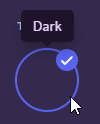
i also cant click on it via inspect element
tried f8break too, its one of those elements that just
dont let you
for some reason
dark dragon
after using f8 to enter debug mode search tooltip in the elements panel of devtools
summer adder
ahh alr
dark dragon
If you want to change the text you'll just need to hide the element that contains it and add a psuedoelement with the new text
glad urchin
.tooltipTop__5f583 .tooltipContent__79a2d {
  border: 1px solid red;
  content: "Midnight" !important;
}```Not quite, set display to none or font size to 0 on the tooltip content then create a psuedo element and set the content property on that, as well as setting a fontsize/display value
summer adder
actually i just did
.tooltipContent__79a2d {visibility: hidden;}
.tooltipContent__79a2d:before {content: "test"; visibility: visible;}```but now i need to get rid of this waste of space somehow https://files.catbox.moe/dr2ueg.png
 dark dragon
That's because you used visibilty instead of display or fontsize
Visibilty makes it so you can't see it, but it still takes the same amount of space
summer adder
so then what can I do?
dark dragon
replace visibility: hidden with display: none or font-size: 0, then replace visibility: visible with display: block or font-size: 14px or whatever the fontsize is there by default
summer adder
okay that works, now heres another problem
right now its currently replacing every tooltip in existence
i want it only replacing the dark themes tooltip
 dark dragon
Yeah that's where you're going to have issues. You can give this a go, but decent chance it selects something else at some point
[style="position: absolute; bottom: 1079px; left: 377px;"] .tooltipContent__79a2d {
  font-size: 0;
}

[style="position: absolute; bottom: 1079px; left: 377px;"] .tooltipContent__79a2d::after {
  content: "test";
  font-size: 14px;
}
yop
summer adder
dark dragon
Yeah that's where you're going to have issues. You can give this a go, but decen...
aint that fun, this code does nothing
dark dragon
Yeah it'll change based on a bunch of other factors, like how far your scrolled down the page and the like. It wasn't a great suggestion, it's not really possible
slim pond
summer adder
https://files.catbox.moe/4zuopj.mp4
pointer events are disabled
plain kelp
slim pond
also, since monaco can be modified to have multiple languages, why not just set ...
That'd be kinda useless unless you bundle the whole scss compiler, wouldn't it?
slim pond
not really, I mean sure, if you know it's using scss syntax, you might be fooled into thinking it accepts scss
solid ore
can someone help me?
idk why this isnt working in messages but does work in the gif picker
/* make gif fav button invert colors */
.gifFavoriteButton__13dba.size_a04566.gifFavoriteButton_be5369,
.favButton__11e5a.size_a04566.gifFavoriteButton_be5369
{
  mix-blend-mode: difference;
}```
it shows up in the syles when i inspect the element, it just doesn't do anything

 plain kelp
I see you're applying it to two different elements - are you sure it's not inverted twice?
solid ore
its not, the two elements are 1. in messages 2. in gif picker
thats why only 1. is highlighted in styles
thats the only one its picking up
dark dragon
Give this a go, should only need the one gif favorite button class. No guarantee unsetting that z-index won't mess with something else though, can't remember if anything else is placed in the imageAccessory container
.gifFavoriteButton_be5369 {
  mix-blend-mode: difference
}

.imageAccessory__64ab2 {
  z-index: unset;
}
works perfectly! tysm
will lyk if i notice unset z-index messing w anything
solid ore
dark dragon
Give this a go, should only need the one gif favorite button class. No guarante...
just noticed that when i press the fav icon it doesnt fav it, it just expands the gif, this only happens in messages, works normal in gif picker
dark dragon
That's unfortunate, I'm not sure if there'll be any way around that. I'll have another look tomorrow
 tough igloo
just gonna copy the question
if an object is given a radial gradient background in CSS, is it possible to offset it?
plain kelp
Try background-position
tough igloo
i want these to be slightly to the top left

YES that works thank you so much
i feel a bit silly for not guessing it haha
solid ore
dark dragon
That's unfortunate, I'm not sure if there'll be any way around that. I'll have a...
plain kelp
There's no way to add margins/padding to scrollbars, is there?
Like, the scrollbar starts 48 pixels from the top of its containing element
clear siren
should be possible
plain kelp
scroll-margin and scroll-padding exist, but from what I can tell those are for making scrolling stop when flicking on touchscreens
half crystal
any way to make the gif/emoji/sticker picker bigger?
plain kelp
Only properties for controlling the scrollbar itself are scrollbar-color, scrollbar-width, and scrollbar-gutter
clear siren
hmm
clear siren
half crystal
any way to make the gif/emoji/sticker picker bigger?
you can already resize it sideways, to increase its height use .positionContainer__0c914 { height: whatever !important;}
half crystal
clear siren
you can already resize it sideways, to increase its height use ``.positionContai...
ok, thanks
clear siren
plain kelp
Only properties for controlling the scrollbar itself are scrollbar-color, scroll...
yeah I tried to do it but seems like it's not possible like I thought
@plain kelp what you can maybe do is something like this ::-webkit-scrollbar-thumb { border-top: solid 48px transparent !important; }
it's not exactly the same but yeah
plain kelp
That, and related pseudo-elements, look like exactly what I'm looking for
...But no firefox support
dark dragon
solid ore
<:thankyou:1116724862971564124>
Ah, looks like you can get away with this. You can remove the :has() if you don't mind anything else in there also being set to difference
.gifFavoriteButton_be5369,
.imageAccessory__64ab2:has(.gifFavoriteButton_be5369) {
  mix-blend-mode: difference
}
thank you so much!
glad urchin
is it possible to convert "new unreads" to just "new" without using a pseudo element

because it might affect other langs
oh well
 summer edge
glad urchin
is it possible to convert "new unreads" to just "new" without using a pseudo ele...
summer edge
glad urchin
is it possible to convert "new unreads" to just "new" without using a pseudo ele...
You might be able to reduce the width and do some text-wrap: hidden or something like that
summer edge
overflow is probably a more apt attribute
plain kelp
Is it only me or does backdrop-filter behave weirdly on transparent windows?
In firefox
backdrop-filter: blur(0.01px); seems to double the opacity of the backdrop
On non-transparent windows it makes no visible difference
 wild basin
how can i get my vencord to be transparent
or translucent
wtv
so i can see my desktop wallpaper ykwim
plain kelp
There's two parts to that; making the window transparent and getting a transparent theme
wild basin
can you help me wid it
plain kelp
Former depends on your client, I can't help with that
I have a pretty good theme though
wild basin
wdym former depends on my client
i enabled transparency in settings
i have root background transparent in quickcss
all i need is a theme right?
@plain kelp
plain kelp
Try setting one then
deft niche
is there any way i can round these inner corners? almost like a reverse border radius.
 plain kelp
Can you not just set a border-radius on the sidebar?
If not, I guess you could use a ::after with a svg as background-image
deft niche
plain kelp
Can you not just set a border-radius on the sidebar?
hmmmm, i dont think so
ive screwed around with it for like 20 minutes im pretty sure its not possible
or atleast impossible without really overdoing it
deft niche
rounded user popout thingy
 summer adder
glad urchin
is it possible to convert "new unreads" to just "new" without using a pseudo ele...
summer adder
glad urchin
is it possible to convert "new unreads" to just "new" without using a pseudo ele...
wheres the experiment for this would you know? cause my discord doesnt have this
wait im stupid
it does

summer adder
glad urchin
is it possible to convert "new unreads" to just "new" without using a pseudo ele...
i got it like this

only problem is that its a bit offcenter
so this is how it'd look

so if you find a way to get the text normal you're good to go
.text-xs-semibold_a3a2b4.barText__1a44f {font-size: 0px;}
.text-xs-semibold_a3a2b4.barText__1a44f:after {font-size:12px; content: "new";}
nvm i found the way instead https://files.catbox.moe/uty4p7.png
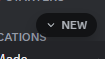
@glad urchin css .text-xs-semibold_a3a2b4.barText__1a44f {font-size: 0px;} .text-xs-semibold_a3a2b4.barText__1a44f:before {font-size:12px; content: "new"; position: absolute; top: 4px;} .bar__004d9 {width: 45px;}
 violet anvil
did you ever figure this out? cause I sure can't
 blissful plank
violet anvil
did you ever figure this out? cause I sure can't
blissful plank
violet anvil
did you ever figure this out? cause I sure can't
nope
dark dragon
Give this a go
.iconItem__8e3b8:has([d^="M16.83 12.93c.26-.27.26-."]) {
    display: none !important;
}
without using a pseudo element
might as well recolor the whole text anyway
summer adder
glad urchin
> without using a pseudo element
idk thats just how id do it no balls

why wouldnt you want a pseudo element anyway
simple kiln
yeah, pseudo element the only way to change the text if it's pure css.
glad urchin
language compat
 runic wigeon
summer adder
<@703634705152606318> ```css
.text-xs-semibold_a3a2b4.barText__1a44f {font-size:...
runic wigeon
summer adder
<@703634705152606318> ```css
.text-xs-semibold_a3a2b4.barText__1a44f {font-size:...
 deft niche
hey, rn im doing
 ::-webkit-scrollbar
 {
    display:none;
}
``` to hide all scrollbars but that makes alot of elements off center. is there a way i can just make the scrollbars invisible instead of disabling the element?does visibility: hidden; not work?
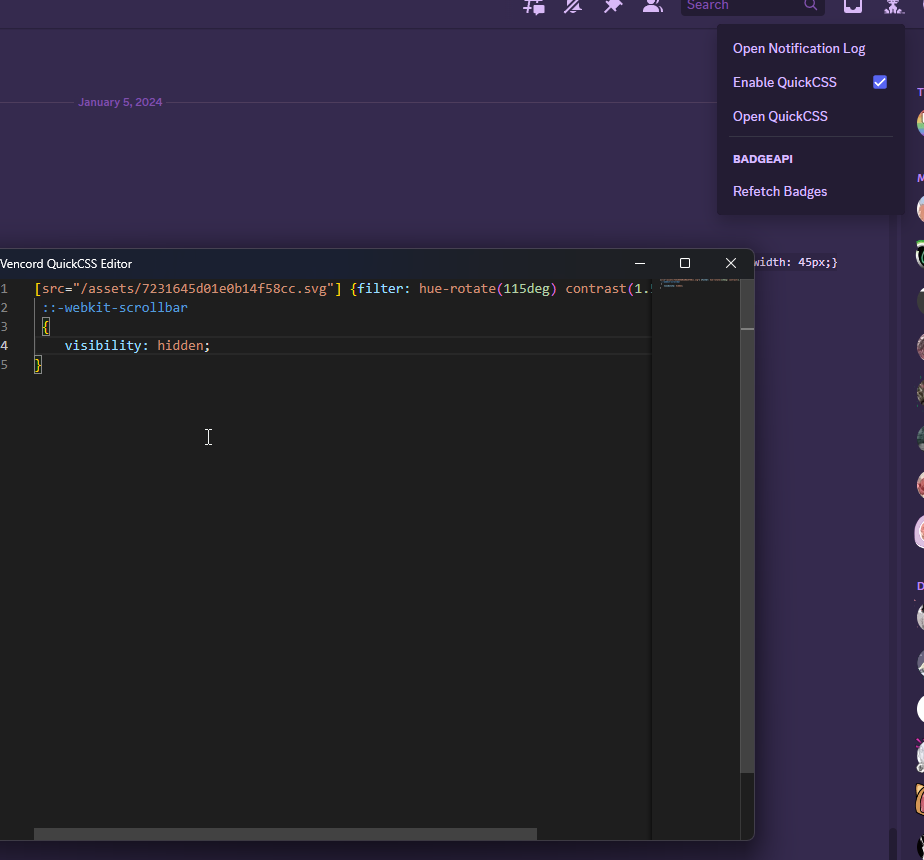 toxic yew
::-webkit-scrollbar-track
and -thumb
background transparent
summer adder
works, you just need !important in there
 eternal vector
pretty odd of a question but is it possible for a custom wallpaper to spread from the right side of your window instead of your left, so when you resize your window to half size vertically it'll show the right side of your wallpaper and not the left?
toxic yew
background-position: right
eternal vector
ty
slim pond
working on a new theme
 slim pond
unfinished
plain kelp
Very different from the transparent theme I have, but nice
deft niche
why is like a third of it white theme
slim pond
and yes, it's mainly light mode
summer adder
yuck
incorporate more dark mode
i’ll tell you right now not a lot of people actually use light mode
slim pond
 summer adder
better, maybe dim the brightness of the picture bg
 vestal field
slim pond
vestal field
slim pond
is the black/white on the message bar intentional?
doesnt seem to really fit with the other transparent stuff
slim pond
vestal field
is the black/white on the message bar intentional?
it actually is
unfocused with reply bar

focused
 rugged echo
wtf is this
 plain kelp
Probably related to doing payments with CashApp
rugged echo
yeah but its like at the top, kinda
vestal field
rugged echo
yeah but its like at the top, kinda
because its probably an overlay over the screen to open a modal
plain kelp
I'm more concerned about that completely blank div tbh
vestal field
discord being discord
gilded cloak
rugged echo
wtf is this
Maybe it's an artifact of cash apps pre-built embed
 edgy jungle
nah they're adding cashapp as a payment method
there were fragments of it in some experiment
clear siren
 terse dew
I would like some help with adding blur to items.
elements is a better word
like the screen share
backdrop-filter: blur(30px);
the same thing you did in the settings pop up should work I guess.
lowered the pixels cause the pop up is smaller
Great it works perfectly
summer adder
who are you talking to 💀
summer edge
summer adder
who are you talking to 💀
The frontend design voices 
summer adder
oh god no not again
clear siren
summer adder
who are you talking to 💀
me in reference to the settings modal I shared first in support and then modified and shared into snippets
summer adder
ah
well at least i have this screenshot now that makes it seem they’re schizophrenic
 clear siren

terse dew
summer adder
I am talking to @clear siren Inner monologue.
 sweet lark
 wheat wadi
is there a snippet or something so discord can render the emojis right? like the emoji should display as ❤️🔥

 balmy torrent
wheat wadi
is there a snippet or something so discord can render the emojis right? like the...
balmy torrent
wheat wadi
is there a snippet or something so discord can render the emojis right? like the...
that's your system rendering
deft niche
is there a way i can edit the css of spotify embeds? i assume its harder because its an iframe.
summer adder
id assume these https://files.catbox.moe/oz6919.png
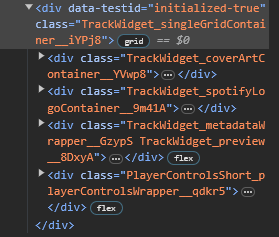
ill try to change the coverart gimme a sec
weird, wont work
maybe theres not a way
dark dragon
The contents of an iframe are like a whole other page, your css won't have any effect on them
summer adder
yeah makes sense
deft niche
its probably possible with a plugin
dark dragon
It's definitely possible with a plugin, that'd be a question for #🧩-plugin-development though
deft niche
Not #👾-core-development ?
dark dragon
As I understand it that channel is for contributing to Vencord. If you were to make such a plugin, I imagine it'd be a third-party plugin
clear siren
I modded my message action buttons to show up like this

not really happy with that but the default was pretty much unusable so yeah
glad urchin
fair
clear siren
by having message bubbles the way I've done it they were often inaccessible
clear siren
styled reactions too

and who reacted on hover

with position:absolute whoreacted won't mess with scrolling either :3
solid ore
is there a way to select the last of a type of class? smthng like
[class^=userPanelOverlayBackground__] > [class^=divider__]:last-of-type
clear siren
where is that
 clear siren
why not just hide the divider when it's :nth-last-child(2)
or something like that
there is a more janky way of doing exactly picking the last of a class though if you want
solid ore
clear siren
why not just hide the divider when it's :nth-last-child(2)
that... is a good idea, it works ty
solid ore
clear siren
there is a more janky way of doing exactly picking the last of a class though if...
im curious ya
if u dont mind
clear siren
2 ways to do it; one is by .class:not:has( ~ .class)
actually that is the only real way I can come up with atm
solid ore
clear siren
2 ways to do it; one is by .class:not:has( ~ .class)
does this not work w [class^=xxxx]?
clear siren
should work
solid ore
{
  display: none !important;
}```no
solid ore
which part is wrong
clear siren
[class^=userPanelOverlayBackground__] [class^=divider__]:not:has(~[class^=divider__])
{
  display: none !important;
}
yeah I'm trying it too wait
oh whoops
forgot the () around the :not
[class^=userPanelOverlayBackground__] > [class^=divider__]:not(:has( ~ [class^=divider__]))
{
  display: none !important;
}``` clear siren
yeah qcss can't understand the :has syntax
solid ore
clear siren
there is a more janky way of doing exactly picking the last of a class though if...
does janky mean this is less efficient? or just more precise
clear siren
just more precise and not really that janky in the end
solid ore
i'll stick w this one then, thank u :)
clear siren
it is less efficient to write obviously and there is a performance cost but it's negligible
 brittle juniper
haii
clear siren
I had to start doing a major restructuring of my css, nothing is really organized in a way that makes sense and I have so many precise pixel values everywhere that I'm gonna fix with vars and units relative to fontsize etc
terse dew
Anyone has any idea on how to make connections glow in their color when hovered on?
 deft niche
terse dew
Anyone has any idea on how to make connections glow in their color when hovered ...
deft niche
terse dew
Anyone has any idea on how to make connections glow in their color when hovered ...
.connectedAccountContainer__23f00:hover
{
  box-shadow: 0px 0px 10px 5px white;
}
thanks, is there a way to make it glow a certain colour depending on the connection hovered?
terse dew
terse dew
Anyone has any idea on how to make connections glow in their color when hovered ...
so I also need the border outline to change too for it to look the same way as the image
deft niche
uhhh maybe?? 2 elements down theres an aria label for the connection type, so potentially. i couldnt tell you how though
terse dew
deft niche
```css
.connectedAccountContainer__23f00:hover
{
box-shadow: 0px 0px 10px 5px ...
.connectedAccountContainer__23f00:hover {
  border-radius: 3px;
border: 2px solid #9146FF;

box-shadow: 0px 0px 10.9px 1px #9146FF;
}```I think this one gives a closer effect, considering I copied it straight out of figma.
summer adder
deft niche
uhhh maybe?? 2 elements down theres an aria label for the connection type, so po...
the aria label only effects the svg as far as i can tell
plain kelp
You could do something with :has() perhaps
summer adder
yeah that works
only catch is youd have to make multiple of them
@terse dew heres updated code thats connection specific
.connectedAccountContainer__23f00:hover:has([aria-label="Spotify"]) {
  border-radius: 3px;
border: 2px solid #9146FF;

box-shadow: 0px 0px 10.9px 1px #9146FF;
}```nice let me try it'
summer adder
that one makes a purple border for spotify connection hover only
customize etc blah blah blah
terse dew
is there a way to shortcut the copypasting
 terse dew
.connectedAccountContainer__23f00:hover:has([aria-label="Spotify"]) {
  border-radius: 3px;
border: 2px solid #9146FF;

box-shadow: 0px 0px 10.9px 1px #1DB954;
}
.connectedAccountContainer__23f00:hover:has([aria-label="Twitch"]) {
  border-radius: 3px;
border: 2px solid #9146FF;

box-shadow: 0px 0px 10.9px 1px #9146FF;
}
.connectedAccountContainer__23f00:hover:has([aria-label="Youtube"]) {
  border-radius: 3px;
border: 2px solid #FF0000;

box-shadow: 0px 0px 10.9px 1px #9146FF;
}
.connectedAccountContainer__23f00:hover:has([aria-label="X"]) {
  border-radius: 3px;
border: 2px solid #9146FF;

box-shadow: 0px 0px 10.9px 1px #494949;
}
I meant more like this, where I don't have to put each one
(I will change the aria once I know the specific name)
summer adder
oh, then no
terse dew
Where to find the Aria label?
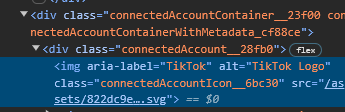 terse dew
ok thanks.
summer adder
np
its case sensitive
just an fyi
so dont just write aria-label="tiktok"
needs to be aria-label="TikTok"
terse dew
This will take sometime.
 summer adder
yup, have fun
grand surge
terse dew
Anyone has any idea on how to make connections glow in their color when hovered ...
Oh damn this actually looks pretty nice
terse dew
grand surge
Oh damn this actually looks pretty nice
if I finish copy pasting the arias I will send it here
plain kelp
Are they perhaps "Twitch" "YouTube" "Battle.net" "Skype" "League of Legends" "Steam" "Reddit" "Facebook" "Twitter" "X" "Spotify" "Xbox" "Samsung Galaxy" "GitHub" "PlayStation Network" "PlayStation Network (Staging)" "Epic Games" "Riot Games" "PayPal" "eBay" "TikTok" "Instagram" "Crunchyroll" "Domain"? (though in a different order)
terse dew
Yeah they are.
it is mostly taking time to put each color not really the names
considering you are here
@plain kelp which color do you think fits github better?
plain kelp
The colors would be ```
BATTLENET: "#009ae5", CRUNCHYROLL: "#f78b24", EBAY: "#0064d2", EPIC_GAMES: "#3c3935",
FACEBOOK: "#355089", GITHUB: "#191717", LOL: "#021f25", PAYPAL: "#13216b",
PLAYSTATION: "#032f87", REDDIT: "#ff4500", RIOT_GAMES: "#ea0029", SAMSUNG: "#1429a0",
SKYPE: "#009dd7", SPOTIFY: "#1db954", STEAM: "#182332", TWITCH: "#593695",
TWITTER: "#1da1f2", XBOX: "#107c10", YOUTUBE: "#cb2120",
oh, I will use those
terse dew
plain kelp
The colors would be ```
BATTLENET: "#009ae5", CRUNCHYROLL: "#f78b24", EBAY: ...
Github and X kinda , have a black logo
and a black glow is very not nice.
plain kelp
Yeah I dunno, I just grabbed those from the code
If a black glow doesn't work, maybe try white
terse dew
is a mineshaft grey better or a purple?
 plain kelp
Maybe also check how it looks on light theme, if you care about that
terse dew
plain kelp
If a black glow doesn't work, maybe try white
I can do that with either X or Epic games
not sure about github
terse dew
plain kelp
Maybe also check how it looks on light theme, if you care about that
My theme doesn't even work in light mode, tho i think just changing bright colors to black works.
summer adder
@terse dew github and X, just use this
.connectedAccountContainer__23f00:hover:has([aria-label="GitHub"]) {
    border-radius: 3px;
  border: 2px solid #000000;

  box-shadow: 0px 0px 10.9px 1px #ffffff;
  }
.connectedAccountContainer__23f00:hover:has([aria-label="X"]) {
    border-radius: 3px;
  border: 2px solid #000000;

  box-shadow: 0px 0px 10.9px 1px #ffffff;
  }
solid black with white outline?
summer adder
pretty much, best it can really look
terse dew
lets try
terse dew
summer adder
https://files.catbox.moe/adq2qp.mp4
eh I think white outline too is better
solid*
summer adder
if thats what you want
terse dew
plain kelp
Are they perhaps `"Twitch" "YouTube" "Battle.net" "Skype" "League of Legends" "S...
Samsung has a connection in discord?
plain kelp
I'm not 100% sure that's the list of connections, but it seems likely
Especially considering there's a get enabled() { return _2.DomainConnectionExperiment.getCurrentConfig({ location: "ed49a3_1" }).enabled; }, on the Domain one
terse dew
.connectedAccountContainer__23f00:hover:has([aria-label="Spotify"]) {
  border-radius: 3px;
border: 1px solid #1DB954;

box-shadow: 0px 0px 10.9px 1px #1DB954;
}
.connectedAccountContainer__23f00:hover:has([aria-label="Twitch"]) {
  border-radius: 3px;
border: 1px solid #9146FF;

box-shadow: 0px 0px 10.9px 1px #9146FF;
}
.connectedAccountContainer__23f00:hover:has([aria-label="YouTube"]) {
  border-radius: 3px;
border: 1px solid #FF0000;

box-shadow: 0px 0px 10.9px 1px #FF0000;
}
.connectedAccountContainer__23f00:hover:has([aria-label="Reddit"]) {
  border-radius: 3px;
border: 1px solid #FF4500;

box-shadow: 0px 0px 10.9px 1px #FF4500;
}
.connectedAccountContainer__23f00:hover:has([aria-label="PayPal"]) {
  border-radius: 3px;
border: 1px solid #00457C;

box-shadow: 0px 0px 10.9px 1px #00457C;
}
.connectedAccountContainer__23f00:hover:has([aria-label="TikTok"]) {
  border-radius: 3px;
border: 1px solid #ff0050;

box-shadow: 0px 0px 10.9px 1px #ff0050;
}
.connectedAccountContainer__23f00:hover:has([aria-label="Steam"]) {
  border-radius: 3px;
border: 1px solid #66c0f4;

box-shadow: 0px 0px 10.9px 1px #66c0f4;
}
.connectedAccountContainer__23f00:hover:has([aria-label="Crunchyroll"]) {
  border-radius: 3px;
border: 1px solid #F47521;

box-shadow: 0px 0px 10.9px 1px #F47521;
}
.connectedAccountContainer__23f00:hover:has([aria-label="eBay"]) {
  border-radius: 3px;
border: 1px solid #F5AF02;

box-shadow: 0px 0px 10.9px 1px #F5AF02;
}
.connectedAccountContainer__23f00:hover:has([aria-label="Xbox"]) {
  border-radius: 3px;
border: 1px solid #2ca243;

box-shadow: 0px 0px 10.9px 1px #2ca243;
}
.connectedAccountContainer__23f00:hover:has([aria-label="Battle.net"]) {
  border-radius: 3px;
border: 1px solid #0290ff;

box-shadow: 0px 0px 10.9px 1px #0290ff;
}
1/3
so does that work? that is part of the code
.connectedAccountContainer__23f00:hover:has([aria-label="PlayStation Network"]) {
  border-radius: 3px;
border: 1px solid #006FCD;

box-shadow: 0px 0px 10.9px 1px #006FCD;
}
.connectedAccountContainer__23f00:hover:has([aria-label="Epic Games"]) {
  border-radius: 3px;
border: 1px solid black;

box-shadow: 0px 0px 10.9px 1px #ffffff;
}
.connectedAccountContainer__23f00:hover:has([aria-label="GitHub"]) {
    border-radius: 3px;
  border: 1px solid black;

  box-shadow: 0px 0px 10.9px 1px #ffffff;
  }
.connectedAccountContainer__23f00:hover:has([aria-label="X"]) {
    border-radius: 3px;
  border: 1px solid black;

  box-shadow: 0px 0px 10.9px 1px #ffffff;
  }
.connectedAccountContainer__23f00:hover:has([aria-label="League of Legends"]) {
    border-radius: 3px;
  border: 1px solid #CEA146;

  box-shadow: 0px 0px 10.9px 1px #CEA146;
  }
.connectedAccountContainer__23f00:hover:has([aria-label="Twitter"]) {
    border-radius: 3px;
  border: 1px solid #08a0e9;

  box-shadow: 0px 0px 10.9px 1px #08a0e9;
  }
  .connectedAccountContainer__23f00:hover:has([aria-label="Instagram"]) {
    border-radius: 3px;
  border: 1px solid #C13584;

  box-shadow: 0px 0px 10.9px 1px #C13584;
  }
.connectedAccountContainer__23f00:hover:has([aria-label="Riot Games"]) {
    border-radius: 3px;
  border: 1px solid #ea0029;

  box-shadow: 0px 0px 10.9px 1px #ea0029;
  }
.connectedAccountContainer__23f00:hover:has([aria-label="Domain"]) {
    border-radius: 3px;
  border: 1px solid black;

  box-shadow: 0px 0px 10.9px 1px #ffffff;
  }

.connectedAccountContainer__23f00:hover:has([aria-label="Skype"]) {
    border-radius: 3px;
  border: 1px solid #00AFF0;

  box-shadow: 0px 0px 10.9px 1px #00AFF0;
  }
.connectedAccountContainer__23f00:hover {
    border-radius: 3px;
  border: 1px solid #ffffff;

  box-shadow: 0px 0px 10.9px 1px #ffffff;
}
ok that is the entire code
terse dew
summer adder
https://files.catbox.moe/adq2qp.mp4
had to bring the solid back to black due to white profiles existing even in dark mode
terse dew
terse dew
```css
.connectedAccountContainer__23f00:hover:has([aria-label="Spotify"]) {
b...
probably should add a one for default if nothing exists.
summer adder
plain kelp
Especially considering there's a `get enabled() { return _2.DomainConnectionExpe...

 glossy aurora
the PiP video playing really sells the aesthetic
gilded cloak
PiP is a godly tool for doing multiple things poorly.
Excellent way to write more hours in a day of work
grand surge
summer adder
https://files.catbox.moe/t7ava0.mp4
how do you change a servers picture?
how do i get rid of this when i try to react?
 plain kelp
grand surge
how do i get rid of this when i try to react?
plain kelp
grand surge
how do i get rid of this when i try to react?
vns
 cloud jolt
 clear siren
yeah I think it's better to have css discussions here
but yeah I don't know what that even is, don't recall seeing it
grand surge
O alr
dark dragon
Press the button to close it and it shouldn't come back. Trying to hide that shit with css really isn't worth it
 deep bane
Yo, kevin powell made a vid about some css tricks and there was something about a fake line for links, so i cooked something for you
s, strike {
  background-image: linear-gradient(90deg, #ff84d8, #447cf5);
  background-size: 100% 2px;
  background-repeat: no-repeat;
  background-position: left 0.65em;
}
also you can add width:fit-content; to ur css that makes the text gradient so if the text is short it will still have both colors (svg is so the code block copy button isnt invisible)
.messageContent__21e69 {
  width:fit-content;
  background-image: linear-gradient(90deg, #ff84d8, #447cf5);
  background-clip: text;
  -webkit-background-clip: text;
  color: transparent;
}

.messageContent__21e69 svg {
  color: var(--text-normal);
}
 mighty sonnet
terse dew
Samsung has a connection in discord?
mighty sonnet
terse dew
Samsung has a connection in discord?
you can link samsung to discord using the gaming hub app in oneui but there's no option to do it from the discord app
 formal pine
how to change font in codeblocks
clear siren
:root { --font-code: "comic sans ms" !important; }
formal pine
clear siren
:root { --font-code: "comic sans ms" !important; }
are you replying to me? is this supposed to change font in all codeblocks to comic sans ms?
clear siren
yes
sweet lark
formal pine
are you replying to me? is this supposed to change font in all codeblocks to com...
yes you can choose your own font ofc
put that in quickcss
sweet lark
works for me
clear siren
same
formal pine
doesnt work
 sweet lark
is custom css enabled in vencord settings?
sweet lark
formal pine
doesnt work
youre looking at the quickcss editor
clear siren
yeah you can't mod the qcss editor
formal pine
sweet lark
is custom css enabled in vencord settings?
oh idk
clear siren
I would love to change the font in it too but no dice
formal pine
ohh i see just enabled it
 formal pine
sweet lark
youre looking at the quickcss editor
formal pine
sweet lark
youre looking at the quickcss editor
ik
sweet lark
formal pine
didnt know i need to enable it
np glad i could help
formal pine
sweet lark
quickcss editor is a separate thing
yes... i know... i am just showing so you know how my qcss looks like, maybe i was doing something wrong
sweet lark
ah\
terse dew
terse dew
```css
.connectedAccountContainer__23f00:hover:has([aria-label="Spotify"]) {
b...
So looking back, I have no idea why I made the border 2px when it is originally 1px, just going to change it to 1px so it doesn't do weird changes
plain kelp
If you want an effect similar to a border but without messing up layout, you could try an inset box-shadow
Or an outline
terse dew
no it works perfectly, the difference between 2px and 1px is not even visible.
But I could try learning how to make outlines incase I try something similar in the future.
dark dragon
plain kelp
If you want an effect similar to a border but without messing up layout, you cou...
Better off learning to use box-sizing than using box-shadow. Box-has to calculate all the shit below it
terse dew
@plain kelp What do you think I should do with the code now?
terse dew
actually, does anyone know how to either make it small or make it like one of those imported ones? could make the Quick CSS look alot smaller which makes editing it in the future easier.
dark dragon
You can make it shorter by doing it like this. You're probably better off selecting them by the img src rather than the aria-label though
.connectedAccountContainer__23f00:hover:has([aria-label="Twitter"]) {
    color: var(--twitter)
}
.connectedAccountContainer__23f00:hover:has([aria-label="Instagram"]) {
    color: var(--instagram)
}
.connectedAccountContainer__23f00:hover:has([aria-label="Riot Games"]) {
    color: var(--riot-games)
}
.connectedAccountContainer__23f00:hover:has([aria-label="Skype"]) {
    color: var(--skype)
}
.connectedAccountContainer__23f00:hover {
    color: white;
    border-radius: 3px;
    border: 1px solid currentColor;
    box-shadow: 0px 0px 10.9px 1px currentColor;
}
All those colours are already defined in discords css by the way
terse dew
dark dragon
You can make it shorter by doing it like this. You're probably better off select...
I tried using these colors, they don't really work most of the time
at least for me.
some of them don't have the same color as the icon
but the idea of making the universal code in 1 class and others in a different class is very nice.
I will try to learn github at some point, making it simply import code sounds fun.
@dark dragon Do you have an idea on how to make the color depend on the background? like white profiles having a black one while dark profiles having a white one
terse dew
Ok thought about it, seems like mix-blend-mode: difference; should work, but I have no idea how to make it only effect the border.
dark dragon
The user profile should have .theme-dark or .theme-light on it iirc, you can probably just add that to the selector
terse dew
dark dragon
The user profile should have `.theme-dark` or `.theme-light` on it iirc, you can...
The problem is mostly, the fact I can't choose only the border and box shadow, instead the entire thing inverts colors.
including text.
vestal field
use separate selectors
dark dragon
Yeah, using blend mode isn't the best way to go about it. The profile itself should have .theme-dark or .theme-light on it
terse dew
oh, so i should be able to give a theme-dark a white outline and a .theme-light a black outline
dark dragon
Yeah. Look for the root of that pop out and there should be an element with the class .profile-inner or something like it with the theme class on it. Add whatever it is to the start of your current selector like .profile-inner.theme-dark ... and then just duplicate that for theme-light
dark dragon
Like this
.userProfileOuter__46bb7:where(.theme-dark) .connectedAccountContainer__23f00:hover {
    color: white;
}
.userProfileOuter__46bb7:where(.theme-light) .connectedAccountContainer__23f00:hover {
    color: black;
}
.connectedAccountContainer__23f00:hover {
    border-radius: 3px;
    border: 1px solid currentColor;
    box-shadow: 0px 0px 10.9px 1px currentColor;
}
You'd need to add that .userProfileOuter__46bb7 to the start of all your rules setting the color too
terse dew
dark dragon
Like this
```css
.userProfileOuter__46bb7:where(.theme-dark) .connectedAccountC...
Works perfectly, thanks.
terse dew
I think about doing something like this, so it can be imported in 1 line, anyone got an idea on how to make something similar to this?

sounds like a scam
plain kelp
It is
plain kelp
Anything that disguises a link like that is guaranteed scam
terse dew
terse dew
Works perfectly, thanks.
@plain kelp can you help me make it something similar to this?
wrong reply, I think you got it tho
deep bane
 summer adder
so post an image of the actual url so dumb people could go to it
terse dew
ever since you got the ability to do things like This and scams started happening alot more.
 plain kelp
Not like that kind of scams weren't happening before
deep bane
summer adder
so post an image of the actual url so dumb people could go to it
survival of the fittest, natural selection or something idk
plain kelp
They just used cornmunity or whatever 🌽
deep bane
plain kelp
They just used cornmunity or whatever 🌽
no it was actually steamcommunity
they just masked the url or whatever
terse dew
anyways anyone has any idea on how to make a code on github to import in quick CSS without having to copy paste something too big to be inconvenient and fixable if it has a bug?
plain kelp
deep bane
no it was actually steamcommunity
I mean before masked links were added
plain kelp
terse dew
anyways anyone has any idea on how to make a code on github to import in quick C...
You don't have to do anything special
Any css file can be @imported
terse dew
How tho?
plain kelp
How what
terse dew
import a css file.
like I just make a file then put it where so it can be imported
on github right?
terse dew
github is prefered then cause it seems fool proof
so, do you create a repository?
or something similar
plain kelp
Generally yes
Or a gist, but I don't think you can get raw links to the latest revision of those
 alpine cove
(you can)
terse dew
well, I tried to import https://github.com/Vortex-Chaos/Discord-Connections-Glow.git and I most likely am either too stupid to know how to use github or did something wrong, got any idea on how to fix it? ||I am completely new to github||
GitHub
Makes Discord connections glow on hover with their respective color. - GitHub - Vortex-Chaos/Discord-Connections-Glow: Makes Discord connections glow on hover with their respective color.
alpine cove
alpine cove
(you can)
before the filename there's another id thats the revision, you can just remove it
terse dew
that is about gist?
alpine cove
yes
plain kelp
alpine cove
before the filename there's another id thats the revision, you can just remove i...
Oh, I see
I tried changing the hash to main and master, but didn't try removing it
plain kelp
terse dew
well, I tried to import https://github.com/Vortex-Chaos/Discord-Connections-Glow...
That's not a css file though
Click here
 terse dew
So copy the link to the css file directly?
plain kelp
Yes
terse dew
do you think the css is good enough to be sent as a #🎨-css-snippets , if not I would like to know where to put it
deep bane
what css
terse dew
the make connections glow on hover.
plain kelp
I can't see why not





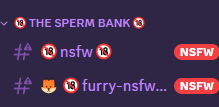
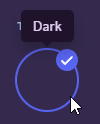
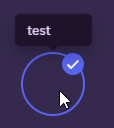



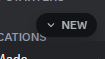
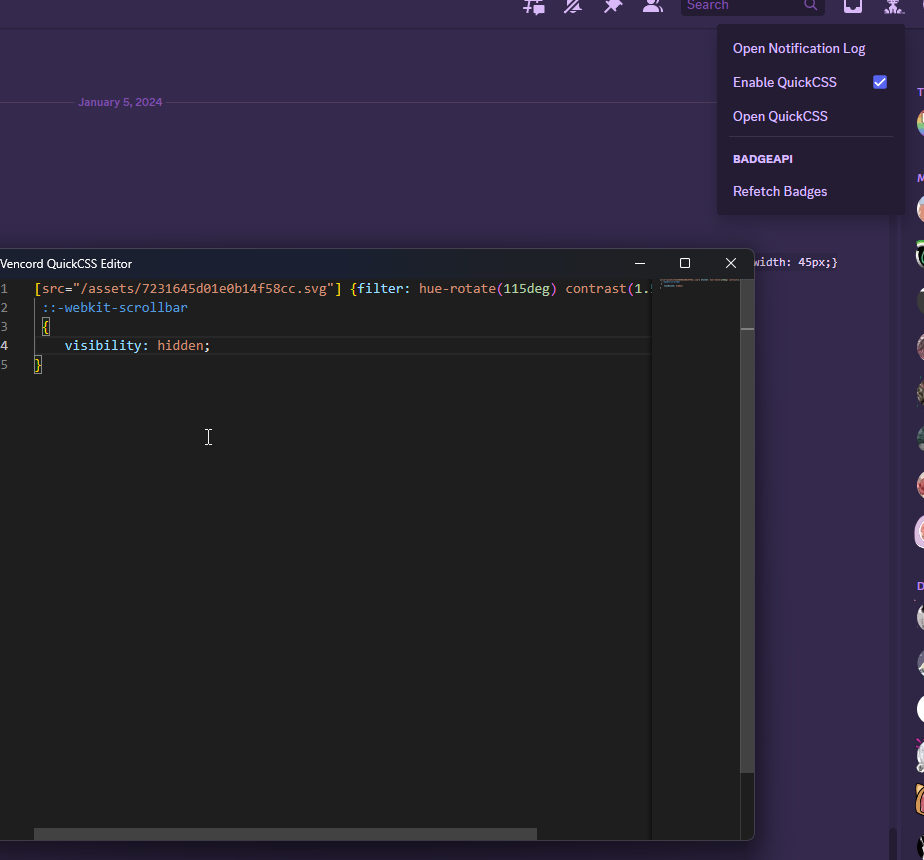
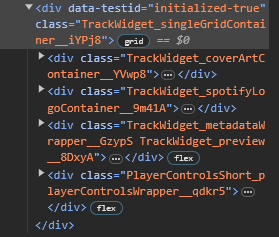
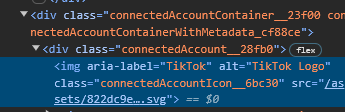
 deep bane
when hovering it glows in the correct color
terse dew
deep bane
```css
```
did you make it in 3 seconds?
deep bane
yes and no
terse dew
k
@import url('https://raw.githubusercontent.com/Vortex-Chaos/Discord-Connections-Glow/main/Code.css');
k here the import code
So, how to like, put it on #🎨-css-snippets , do I ask somebody to post it?
deep bane

deep bane
terse dew
`@import url('https://raw.githubusercontent.com/Vortex-Chaos/Discord-Connections...
the light and dark theme selectors don't seem to be working
terse dew
deep bane
the light and dark theme selectors don't seem to be working
for which?
terse dew
Domain and X works for me, let me see the epic games one
deep bane
.userProfileOuter__46bb7:where(.theme-light) .connectedAccountContainer__23f00:hover:has([aria-label="Epic Games"]) {
  color: blue;
}

.userProfileOuter__46bb7:where(.theme-dark) .connectedAccountContainer__23f00:hover:has([aria-label="Epic Games"]) {
  color: red;
}
its always red
terse dew
white works for me
 terse dew
deep bane
```css
.userProfileOuter__46bb7:where(.theme-light) .connectedAccountContainer__...
terse dew
deep bane
```css
.userProfileOuter__46bb7:where(.theme-light) .connectedAccountContainer__...
are you sure it doesn't work?
try finding 2 people with X or Domain and see if they change based on theme
wait
do you think it is based on discord theme? @deep bane
deep bane
i dont have a theme on
and i've tried both light and dark theme
and its always red
try it
terse dew
It is based on the profile theme
try hovering over them on white profiles and dark profiles and see if it has difference @deep bane
clear siren
.message__80c10 [class="anchor_c8ddc0 anchorUnderlineOnHover__78236"][role="button"][rel]::after
 { content: " (" attr(href) ")";
   font-style: italic;
   font-size: .8em }
 deep bane
pretty sure if you click it it still pops up the correct url
clear siren
yeah if you click it you get the warning, or hover it and it shows the url
terse dew
deep bane
<@569438994870435841> small upgrade
what does this one do
oh it also makes the text glows.
very nice
could do with some dark/light theme selectors.

I think i can actually make this one work very easily.
deep bane
i didnt bother witht he light dark theme cause i dont care about readability
because its still readable to me
terse dew
I will try to make mine also make text colors change
terse dew
Oh, no it is just that the colors are using the var and also the code is a bit too big, so I wanna try to use the specific colors I have, and changing the text color shouldn'
take that much time
deep bane
whats wrong with using the vars
terse dew
Nothing, I just don't like the colors some of them have
clear siren
use the vars, but set the vars yourself
deep bane

terse dew
clear siren
use the vars, but set the vars yourself
Hello
terse dew
deep bane
<@569438994870435841> small upgrade
Ok i am too stupid, i will just copy the selectors, if you are Ok with it
deep bane
deep bane
idc
im gonna sue you if you use it 
deep bane
Animated rainbow name on hover
terse dew
deep bane
Animated rainbow name on hover
You need to get the CSS snippets role
you deserve it