#╟🎑reshades
1 messages · Page 20 of 1
 zenith harbor
It does indeed look a bit better, what's the most popular reshade ?
 sour oar
Right now would probably be Hippo's reshade
Depends really on what style you're looking for, I can shoot out a few recommendations (Though tbh Hippos is amazing at what it does)
zenith harbor
FPS heavy ?
sour oar
Hah, the opposite
zenith harbor
Most popular i heard was Aggresor / Prospority but that was waayy back when 1.5.1 dropped
sour oar
Hippo's reshade is designed to be as light as possible while still looking great
Dare I say looking awesome
But it's not tailored to anything like Golden Autumn Redux or Projekt INVERNO, though I have no doubt it'd still look good
Essentially, 100% choose Hippo's if you want to use the default GAMMA look
zenith harbor
Looks veeeery good tbh
Will maintaining that '' dark, eeries '' feel that the zone is..
Aggressor is to bright for me
zenith harbor
Are you using Hippo's ?
sour oar
So it maintains the vibe vanilla GAMMA has, with the dead look, but very enhanced
sour oar
zenith harbor
Are you using Hippo's ?
Nah, I use my own
zenith harbor
Damn you did your own reshade ?
sour oar
Yeah, nothing really clicked with me so I spent weeks creating my own
But I think that’s usually how most people start a ReShade anyway
zenith harbor
I like to keep it like dark-ish... to fit the game. Not a fan of reshade that make it look like Tarkov, CoD....
sour oar
That’s understandable
People have their own preferences obviously
Hippo’s reshade would probably be the best for you then
sour oar

 past shuttle
zenith harbor
It does indeed look a bit better, what's the most popular reshade ?
past shuttle
zenith harbor
It does indeed look a bit better, what's the most popular reshade ?
Try Hippos or Cats or Dyn. All are great in their own way. Maybe you search here for a user named Apollo. He did also some awesome jobs with his Reshades. Dunno why he is not here anymore...
And not to forget Edens. But his Reshade will test your PC/GPU/FPS 😉
For my GTX1080 it was too much. 😄
 turbid vector
Is the adesa texture pack capable of improving fps? (less ram usage)
 rich sentinel
Still tweaking it, but getting better
 turbid vector
rich sentinel
Still tweaking it, but getting better
turbid vector
rich sentinel
Still tweaking it, but getting better
the grass looks beautiful, how can I have the grass like this? (green)
rich sentinel
turbid vector
the grass looks beautiful, how can I have the grass like this? (green)
This is the infamous agressor grass, pump the grass density to 75-85% (Also I increased the green saturation with my preset)
turbid vector
rich sentinel
This is the infamous agressor grass, pump the grass density to 75-85% (Also I in...
I just have to activate aggressor reshade?
rich sentinel
turbid vector
I just have to activate aggressor reshade?
No, you need the agressor grass, should be only the levels folder
 tidal marlin
weird this is only effected long the building, might be a depth buffer conflict?
 random tendon
I updated to his new beta version and retweaked it. lookin awesome
 silent cairn
New SSS version again 
sour oar

silent cairn
Debanding for skyboxes
Finally no more blocky skies (maybe)
They touched so many files and I wanted to release my tweaks today 
sour oar
 manic sage
silent cairn
They touched so many files and I wanted to release my tweaks today <a:OHNYOCATJU...
manic sage
silent cairn
They touched so many files and I wanted to release my tweaks today <a:OHNYOCATJU...
Time to get back to the kitchen and cook up your tweaks for tomorrow
sour oar
I didn’t get any ReShade work done today just because I had no time
But now I feel like I’m behind for some reason? I dunno
 silent cairn
Behind on what?  You guys racing?
manic sage
Apparently
sour oar
No but
I guess my brain is making me think that I should be making more progress each day lol
And when I don’t, I feel like I’m falling behind. Though again, no race
silent cairn
Take your time, you are busy with other life stuff 
Don't make it into a second job like Hippo did
manic sage
It was a second job when I was finalizing the ltx files
I still hate jaku for even suggesting that I do that
Jk
silent cairn
The grading is a godsent now and should be default in gamma
sour oar
I still have no clue how to set up my own grading
But if I did I feel like I would reach the pinnacle of Golden Autumn
silent cairn
 silent cairn
Can't just click on effects and hope things change

Now you gotta adjust numbers and hope things change
 manic sage
Be careful not to break god rays
sour oar
Oh?
manic sage
And good luck nightcat I'll see you in a week when you finalize your ltx file
After working on it for 60 hours lol
I hated that part of my reshade creation so much
silent cairn
But you did it 
 silent cairn
(at what cost)
sour oar
How would I save them as a file? Like just grab them out of my user ltx?
manic sage
If you want to save yourself the trouble take my hippolr.ltx file and tweak it to your liking
Will save you 30 hours of work
sour oar
Changing values with reshade off, and then turning reshade on, checking how it looks there, rince and repeat, and then needing to check the weathers… 
manic sage
It's brighter compared to hippor which I imagine would be good for your vibrant reshade
manic sage
Do all the tweaking without reshade
Once you're happy then make your reshade around it
sour oar
But I think I might start from scratch, and then pick yours up if I give up hah
Scratch being grading warm though
sour oar
Huh
manic sage
Warm is the default gamma one
manic sage
The one that Eden uses which is vanilla is half way good
If you want to have a base
That's where I started
 gritty turtle
Hippo, whats new in the latest update over the one from yesterda
sour oar
Seems like the solution to everything is “make your own”
manic sage
gritty turtle
Hippo, whats new in the latest update over the one from yesterda
Check the changelog
tidal marlin
silent cairn
yoinked
manic sage
sour oar
Oh?
But yeah going too far with the values will break the god rays and the god rays will have a bit of blue around them
sour oar
Good to keep in mind
silent cairn
I could probably fix that from the other shaders side
manic sage
You can literally make your own reshade with the values but you'll break god rays doing so
I just stay at the edge of breaking them
manic sage
silent cairn
I could probably fix that from the other shaders side
How so
 wet violet
hey guys, it's notmal to have reshade tank the performance with dsr on?
manic sage
wet violet
hey guys, it's notmal to have reshade tank the performance with dsr on?
For me yes
tidal marlin
wet violet
hey guys, it's notmal to have reshade tank the performance with dsr on?
yeah both those will cost gpu performance
wet violet
manic sage
For me yes
ugh that sucks, my reshade is super light and it tanks 30fps with dsr lol
silent cairn
Just change some code on the volumetric rays, I'm not sure I haven't looked at it yet
manic sage
silent cairn
Just change some code on the volumetric rays, I'm not sure I haven't looked at i...
Once you do I'll go back to tweaking the ltx file
silent cairn

manic sage
Otherwise most of my work is reshade based for now
wet violet
for whatever reason my smaa fx stopped working after I updated gamma so I wanted to try, oh well
silent cairn
Maybe I won't touch it then
manic sage
silent cairn
Maybe I won't touch it then
Lol why
silent cairn
Which parameter breaks the rays? 2?
manic sage
Because if you fix god rays then I could easily make a ltx file that is better than my reshade as a whole
Without even needing reshade
manic sage
silent cairn
Which parameter breaks the rays? 2?
1 -2-3 and sometimes 4
sour oar
Just all wow
manic sage
Mostly 3 and 1
Going above 1 for shader param 1 can break them as it makes the image clearer
tidal marlin
are these blue pixels sorta like highlight/shadow clipping?
manic sage
Shader param 3 going down from 1.0 increases luminance
Shader param 2 is offset
And going above 0 for shader param 4 increases contrast
I've posted screens before where the game looks amazing and just as good as my reshade without even having any reshade on
At the cost of the god rays being messed up
sour oar
So essentially play around with the values while keeping an eye on the god rays
manic sage
sour oar
So essentially play around with the values while keeping an eye on the god rays
Yeah just keep an eye on it
sour oar
I was so tired then that when you said effects disabled and sent a picture of all the effects on, I wasn’t sure if you were being sarcastic
manic sage
No yeah literally no reshade at all
If jaku ever fixes the god rays then I'll create stalker 2
At no fps cost
silent cairn
Sounds like a good deal
manic sage
The only thing reshade would be used for would be tfaa and maybe rtgi
But since we're only running those effects you'd have the headroom to do so
Would be extremely ideal
silent cairn
Well I found the code for it 
sour oar
I better acquaint myself with all the shader params stuff so I can make something decent that will be overshadowed by Hippo’s great success
To be completely honest though
If using a ReShade at that point was optional I wouldn’t go so far, I’d still use ReShade effects, just cause I want to
manic sage
Just give it a shot you'll learn allot doing it which is kinda fun
Well rtgi does so much already
sour oar
Like I wouldn’t tweak the shader params so much, but just enough to still rock my current ReShade
manic sage
AO, GI, Ray tracing etc
manic sage
sour oar
Like I wouldn’t tweak the shader params so much, but just enough to still rock m...
Fair enough
sour oar
But isn’t it behind a paywall?
I feel like I keep hearing about that
But I can’t be bothered to check
manic sage
It is but you could easily find it for free online
sour oar
Ah
Last thing before I sleep
How does one use Lightroom?
Is it an effect or something different?
wet violet
it's an effect that have most of color grading controls in it
you can do a lot with only one effect and then add extras if you need, it's pretty good
 shrewd shuttle
Hi there. Anyone have the hippo reshade settings floating around?
 uneven jay
hey guys, i have about 60 fps drop when using hippo (light), compared to basic gamma shaders. is that normal?
manic sage
not normal
uneven jay
i managed to fix it, looks like i messed up some settings 
 loud geode
uneven jay
i managed to fix it, looks like i messed up some settings <:5head:97519941612851...
loud geode
uneven jay
i managed to fix it, looks like i messed up some settings <:5head:97519941612851...
Wich ones? I had this same issue
uneven jay
loud geode
Wich ones? I had this same issue
turns out my fps just went back to normal because all the shader options got unticked xd at this point i have kinda given up
 hybrid oriole
Any list of good reshades?
sour oar
Depends
 lime salmon
 hidden hamlet
Sorry if this is a really stupid question, but for the reshades in mod-posting where there is not a message pinned to jump to (for downloading updates/versions), is there a better way to jump to the top of a post rather than using the home key...?
rich sentinel
hidden hamlet
Sorry if this is a really stupid question, but for the reshades in mod-posting w...
I use Page UP until it gets there, don't know if there's another method
hidden hamlet
Would it be totally obnoxious and out of line to request pinning the update messages? (Genuinely not trying to be a bother, but it would perhaps be easier to try them out and stay current with the work if it is pinned.) : )
Treading carefully, because I'm a bit new and don't want to step on toes. Much respect either way.
rich sentinel
Well in my case I would pin the messages, but I don't have the permission to do it, but yeah, when the log gets messy its hard to find what you need in it.
hidden hamlet
Thanks for taking the time to answer, I didn't realize permissions were required, and that totally explains why some do not have pins and some do.
silent cairn
Yeah we need to ask mods to pin the messages, this is quite the oversight from discord to not have "jump to top" button
hidden hamlet
No kidding!
sour oar
Can’t wait to go home after a long day and spend six hours tweaking shader parameters
 sterile ermine
anyone have an idea why my normals cut off at the rear of the weapon? I'm thinking it could just be this specific ISG AK
 manic sage
sterile ermine
anyone have an idea why my normals cut off at the rear of the weapon? I'm thinki...
manic sage
sterile ermine
anyone have an idea why my normals cut off at the rear of the weapon? I'm thinki...
you have ingame AA on
turn off AA
restart your game
also its only an issue if you have effects like RTGI on
sterile ermine
hippo you're an actual god
manic sage
My newest reshade update is no longer in beta, cumulative patch notes from the last stable release to today's upload.

 frail pineBOT

 slate sedge
recently re-downloaded gamma and I'm trying to get my favorite Shader, Piknik, to work. I swear I'm doing it just like I remembered, but in game only 2 settings are appearing when i turn it on. Were some changes made to applying reshades or did I just forget how to download them?
also sorry if this wouldn't be an okay place to ask this, since I know how we all are about smooth brains constantly asking for help. I just didn't wanna to clog up the chats meant for genuine bug reports and whatnot
 swift robin
How to get Hippo’s update? Scroll up forever to original link?
sour oar
Pin
 glacial spear
guys it seems I read somewhere not sure where maybe here, that you can use NVIDIA image scaling by changing the filename of anomaly exes to some other game which is supported officially by NVIDIA. anyone knows or heard about it?
 chrome spindle
does anyone know if expedition is compatible with gamma
 primal verge
glacial spear
guys it seems I read somewhere not sure where maybe here, that you can use NVID...
primal verge
glacial spear
guys it seems I read somewhere not sure where maybe here, that you can use NVID...
Yes
It was renaming anomaly exe to eurotruck2.exe or something like that
Edit: it's literally in the pins of this thread....
 glacial spear
primal verge
Yes
It was renaming anomaly exe to eurotruck2.exe or something like that
Edit: ...
glacial spear
primal verge
Yes
It was renaming anomaly exe to eurotruck2.exe or something like that
Edit: ...
thanks a lot
glacial spear
chrome spindle
does anyone know if expedition is compatible with gamma
there is a merge of both if you want to try https://discordapp.com/channels/912320241713958912/1037753021322506240/1037753021322506240
chrome spindle
Ahh it requires ext, I don't know how to get that and instructions were to unclear, I'll just find something else. Thanks
glacial spear
chrome spindle
Ahh it requires ext, I don't know how to get that and instructions were to uncle...
I can help with the ext install if you wish to
chrome spindle
Ok sure
 exotic moon
Anyone know and comparison with different shadow maps res and stuff?
 runic timber
!new
 void depotBOT
YOU HAVE LIMITED ACCESS TO THE SERVER.
If you have just joined the server, read this: #❗❗newbies-read-this
If you've been in here for a while, launched the game AT LEAST ONCE, yet still have this badge - 🔰 - near your nickname and (rightly) don't understand why half the server is gone, carefully read here (you need to remove your Newcomer role): #❗❗newbies-read-this
DO NOT REMOVE THE NEWCOMER ROLE IF YOU HAVEN'T LAUNCHED GAMMA SUCCESSFULLY AT LEAST ONCE. YOU WILL BE PUNISHED FOR DOING SO.
 left lynx
hey guys where can i find eden reshade download url?
silent cairn
exotic moon
Anyone know and comparison with different shadow maps res and stuff?
Higher shadow map means less of those shadow "waves/ripples" on the ground
tidal marlin
working on the low light scenes in a reshade i am putting together. the grading ltx also comes from me.


a few more from yantar, im quite aggressively shifting the green hue, as you can see.


 exotic moon
silent cairn
Higher shadow map means less of those shadow "waves/ripples" on the ground
exotic moon
silent cairn
Higher shadow map means less of those shadow "waves/ripples" on the ground
ty
tidal marlin
and the shader parameters without the reshade


input, suggestions, etc would love to hear em
actually tbh i wont listen just tell me its nice
glacial spear
I wanted to see how the exp shaders compares against an heavy duty reshade preset in terms of performance. The comparison is very superficial, mind you, it's just one video in one spot.
On the left you have Autumn Armony installed as per instructions, disabled all GAMMA shaders mods (ES, SSS, etc) and enabled EXP shaders and EXP reshade
On the right we have the Autumn Armony with the GAMMA shaders and Eden Reshade
the difference is noticeable. up to 30FPS (50%) more from exp shaders considering the image quality is on the same level, but also not that stable in comparison to gamma shaders' pack. I don't think the reshade is the culprit, more likely the gamma resahde are more expensive for some reason
sour oar
tidal marlin
and the shader parameters without the reshade

Looks nice man

No but really keep it up


 slate grotto
STRONGER BANDITS
 tardy light
where can i see the recommended settings for gamma reshade?
chrome spindle
can someone help me, I can't download EXT for the life of me, it has me going into my inner files and places I didn't even know where there, and the instructions don't really help
I might just have to switch to EFP, they have an easier reshade downloading from what I heard. Though I have to admit this modpack was really fun and I'm sad that I might have to leave it 😢
I have an idea, will it work If I just painstakingly individually download every gamma mod and run it through Mo2 into a Anomaly file that has Expedition already on it?
 full crown
tardy light
where can i see the recommended settings for gamma reshade?
full crown
tardy light
where can i see the recommended settings for gamma reshade?
What do you mean? Gamma reshade comes calibrated the way it's supposed to be.
full crown
chrome spindle
I have an idea, will it work If I just painstakingly individually download every...
Am I understanding you correctly that you want Gamma with Expedition graphics? If yes, you should be doing this: #1037753021322506240 message
If this is not helping you enough, I can't help either. It's complicated, and no, the other way around won't work either, except you are an expert in merging conflicting mods.
Aside from that, there are plenty of reshades and other visual mods that work with Gamma which make it way more consistently good looking.
chrome spindle
ok
glacial spear
why is so hard to do a cd "D:\G.A.M.M.A. EXT" ?
 mint owl
glacial spear
I wanted to see how the exp shaders compares against an heavy duty reshade prese...
mint owl
glacial spear
I wanted to see how the exp shaders compares against an heavy duty reshade prese...
Technically my Reshade preset is indeed fps taxing so not using it will bring back at least 20fps
glacial spear
I have a video of your reshade with exp shaders and it runs still better than with gamma stock ones
mint owl
glacial spear
I have a video of your reshade with exp shaders and it runs still better than wi...
Have you tried with Hippobot's preset as well ? Should run better than mine either way ?
glacial spear
I haven't tried yet, I was just messing up this afternoon to see how it would look like the exp shaders together with one of those seasons' modpacks and I noticed this drastic performance difference. I am not sure why gamma shaders are so expensive.
basically exp shaders are just ES and SSS even older version that gamma has but they 'say' customized
mint owl
Ah yes, customized, but they don't tell in which way ?
 glossy pond
rich sentinel
Custom one I'm tweaking
glossy pond
rich sentinel
Custom one I'm tweaking
looks sick bro
swift robin
Completely new to reshade but trying to work on making something gloomy yet beautiful
Without

With

Not much difference but I'll have to work on it
I'm gonna work on it heavily but I'm trying to go for like a silent hill meets the last of us vibe
swift robin
rich sentinel
Custom one I'm tweaking
Something like this mans game would look amazing imo
 amber topaz
im going to download reshade for stalker but idk willl it mess up my game since i have gamma installed...will it work after that(im going to install clear sky shader)
 molten hawk
amber topaz
im going to download reshade for stalker but idk willl it mess up my game since ...
molten hawk
amber topaz
im going to download reshade for stalker but idk willl it mess up my game since ...
it wont mess anything.
 shrewd crystal
anyone can give me some filter settings or something to make my game better?
hidden hamlet
shrewd crystal
anyone can give me some filter settings or something to make my game better?
shrewd crystal
also,i downloaded a reshade,but how do i like "activate" it? cant really find any tutorials on youtube
hidden hamlet
shrewd crystal
also,i downloaded a reshade,but how do i like "activate" it? cant really find an...
With all due respect, there should be plenty of written and video tutorials. But, the process you are looking for is to:
download reshade
install it (you have to point it at the specific executable when you do)
then you put the reshade shaders in the ./reshade-shaders/Shaders/ path
then put the .ini profile for the reshade settings (if you have one) next to the exe you installed reshade for, in our case, the Anomaly/bin folder.
Hope that helps.
also, if you downloaded and can run gamma, just hit the 'home' key in game, and you will see the reshade menu, and you can start playing with the included stuff. That should get you started.
shrewd crystal
thank you
swift robin
shrewd crystal
thank you
A lot of the shaders that are good here come with directions, like I use inverno with hippos shaders and then when I want a change I use Hippos ADGA texture thing or w/e it’s called@ and they all come with instructions
Like Barney style directions you can’t screw up
 eternal bluff
hippo reshade

 leaden ferry
Hey guys so I want to make my stalker gamma fresh install look better. I have an RTX 2070, what can I do? I heard of reshades, but which one would be better? Any mods to consider?
sour oar
Depends on what you're looking for
Is there a particular style you have in mind?
For example: realistic, vibrant, lush, etc. etc.
 broken pollen
eternal bluff
hippo reshade
broken pollen
eternal bluff
hippo reshade
Bro is playing in 360° fov
eternal bluff
broken pollen
Bro is playing in 360° fov
lol
sour oar
Just released a new update for my reshade, complete with a custom made grading and everything :)
eternal bluff
realized i was using the wrong reshade. heres hippos reshade with the adega texture pack

 crisp sundial
Hi! Who can suggest good reshade? As in the screenshot
 sour oar
@naive linden
 naive linden
So this didn't work ^^^ but anyway I have a home key, reshade has always worked for me. On this latest update pressing home is doing nothing at all. Anybody have any ideas why?
Ope nvm
Just like suddenly
Works
Lol
 sonic oriole
Guys, I prolly did smt and it turned every texture in the game to black again
Forgot how I fixed it last time 😦
silent cairn
!blackscreen
void depotBOT
Follow this: #╭📖faq message
sonic oriole
silent cairn
!blackscreen
Not that black, the sky is still visable, just the rest of the textures are black :/
silent cairn
step 2 from that guide
 warm slate
Anyone know if there's a way to get the default cfg for the gamma shader? Im using the Hippo and wanna compare
sour oar
Default for gamma is grading_warm
warm slate
thanks!
 glad zodiac
is there a way to switch the filters to reshade from gamma when pressin home on key board
 wraith charm
eternal bluff
realized i was using the wrong reshade. heres hippos reshade with the adega text...
wraith charm
eternal bluff
realized i was using the wrong reshade. heres hippos reshade with the adega text...
I installed hippo and adega as well, and it doesn't matter which preset I use, it don't feel like getting a different, better look. Are you playing in 1440p with high AA, or did you install RTGI, did you do the step in the Nvidia Control Panel? which preset are you using? If it´s "Hippo_R", do you or anybody else know, what to do with the weather.ini.. Do I need to put it in the same directory as the presets, and enable it via console as well, or just drop it in the bin folder? Also, do you have to enable the hippo preset everytime you boot up the game, same with "Jaku's Shader Tweak" and the gloss factor settings? Also, if I want the normal GAMMA presets back ,and I were to delete the files and put back my original reshade_shaders folder, would I need to enable the original presets. Sorry for all the, probably not particularly smart, questions, but it doesnt say in the readme and wasn't able to find answer(s) yet.. is this even the right place to ask all these questions, or should I ask directly in Hippo Mod next time..? Well... if you or anyone else knows, I'd really appreciate the help, thank you 
eternal bluff
wraith charm
I installed hippo and adega as well, and it doesn't matter which preset I use, i...
i’m not using rgti or any of that. just using the basic settings of hippor, i’m playing at 1080p have not messed with my nvidia control panel too much. i did not mess with the weather.ini either. as for the console thing just drop the ltx file in your appdata where your user.ltx file is and open the instructions to find the corresponding cfg command and make sure the directory matches the one shown in the screenshot
wraith charm
eternal bluff
i’m not using rgti or any of that. just using the basic settings of hippor, i’m ...
thx for the answer! interesting. I think it looks really good on your Screenshot. Like I said, I use hippo(R) and adega as well and play on 1080p but it doesnt look anything like that. Also took my time and did every step very carefully, so I have no idea where I fucked up.. maybe I do a full Gamma and then addons installation again, if I can't get it to work properly. (And you didnt touch the weather .ini that comes with hippor at all yeah?). Cheers bro
full crown
wraith charm
thx for the answer! interesting. I think it looks really good on your Screenshot...
I don't see any weather.ini in hippos reshade
And you only need to load the .ltx (jakus and hippos) once.
wraith charm
full crown
I don't see any weather.ini in hippos reshade
In the HippoR folder, there is an extra Folder including the HippoR CGIM Weather.ini
full crown
wraith charm
In the HippoR folder, there is an extra Folder including the HippoR CGIM Weather...
That one is just a different hippor preset if you are using CGIM weather.
wraith charm
full crown
That one is just a different hippor preset if you are using CGIM weather.
oh okay, I thought it belongs together with the hippoR preset. Thx for your anwers mate!
full crown
wraith charm
oh okay, I thought it belongs together with the hippoR preset. Thx for your anwe...
If something doesn't quite work with installing a reshade, most of the time the problem is that people don't delete reshade-shaders and just replace it with the new one. Or they forget to delete shader cache.
It's also possible that your shader paths arent set correctly but that is described in-depth in hippos readme
eternal bluff
wraith charm
thx for the answer! interesting. I think it looks really good on your Screenshot...
make sure your reshade paths match the one in the photo as well
mine didnt match on the install and had to manually add them
wraith charm
full crown
If something doesn't quite work with installing a reshade, most of the time the ...
I did all that. Like I said I read the guide really carefully and did as instructed
wraith charm
eternal bluff
mine didnt match on the install and had to manually add them
maybe thats the problem
wraith charm
eternal bluff
make sure your reshade paths match the one in the photo as well
I wasnt quite sure if that was right or not since there was only one example.
full crown
Oh wow, I thought the reshade paths screenshot is described in hippos readme but isn't really.
I had to add TFAA as well, wasn't loaded.
wraith charm
full crown
Oh wow, I thought the reshade paths screenshot is described in hippos readme but...
the instructions aren't really clear are they, or am I just stupid? 😄
eternal bluff
wraith charm
I wasnt quite sure if that was right or not since there was only one example.
you should add them all no matter which preset you're using'
full crown
wraith charm
the instructions aren't really clear are they, or am I just stupid? 😄
They were pretty clear for his earlier versions. But he adjusted so much that it's probably outdated.
wraith charm
eternal bluff
you should add them all no matter which preset you're using'
hmm okay, I will def look into that again, because that would be the only thing that would make sense, since I didnt tweak anything there because it looked alright, but maybe it isnt^^
concerning the load order, in MO2 I put "adega" just above the "Gamma Disabled" seperator.. does the position of the Mod, matter at all, since the updated particle file.. if you know what I mean^^
eternal bluff
it says in the instructions to place it above the particles effects thingy
full crown
wraith charm
concerning the load order, in MO2 I put "adega" just above the "Gamma Disabled" ...
If you are using the updated particles you can place it at the very bottom.
wraith charm
eternal bluff
it says in the instructions to place it above the particles effects thingy
there was a fix, and after that it says you can place it below, so the dismemberment mod works properly
eternal bluff
full crown
If you are using the updated particles you can place it at the very bottom.
what does that do exactly? putting it lower on the load order i mean
wraith charm
full crown
If you are using the updated particles you can place it at the very bottom.
okay
full crown
eternal bluff
what does that do exactly? putting it lower on the load order i mean
If you look at MO2 the load order means that the files at the top get loaded first. This also means that a certain file from one mod at the top will get overwritten by a file from a mod at the bottom. Which is obviously bad if it's not the file you want to be loaded.
wraith charm
full crown
If you look at MO2 the load order means that the files at the top get loaded fir...
sweet, alright, I´ll have a look at the reshade path stuff and hope that will do the trick. Thanks again guys 
eternal bluff

wet violet
Hey guys, is anyone having issues with glamarye and scopes? I'm this giant offset on the geo when zooming in witht he mark8. I didn't notice with other scopes though, I need to do some testing

it's subtle but it gets distracting af with darker lighting
glad zodiac
anyone here use aggressor shader ?????
sour oar
I'm sure it won't be hard to find someone who does
glad zodiac
sour oar
I'm sure it won't be hard to find someone who does
what shader do u use ?
 limpid bone
glad zodiac
what shader do u use ?
limpid bone
glad zodiac
what shader do u use ?
My dude, NightCat makes his own reshade check it out: https://discord.com/channels/912320241713958912/1036360481100795924
glad zodiac
limpid bone
My dude, NightCat makes his own reshade check it out: https://discord.com/channe...
i thought i saw him post about his mod im looking for a good shader so thx @limpid bone @sour oar
sour oar
 thick tendon
wraith charm
I installed hippo and adega as well, and it doesn't matter which preset I use, i...
thick tendon
wraith charm
I installed hippo and adega as well, and it doesn't matter which preset I use, i...
When it comes to the inbuilt game AA, just disable it entirely. I only play with SMAA high and AA off. A bit of distant tree shimmering (honestly this is less an issue if you use a texture pack that actually has leaves) but it’s otherwise not that big a deal.
thick tendon
wet violet
Hey guys, is anyone having issues with glamarye and scopes? I'm this giant offse...
It’s the 2D scope support in SSS options causing depth buffer mismatching that the ReShade shader depends on. https://youtu.be/FpSiEWSerGg
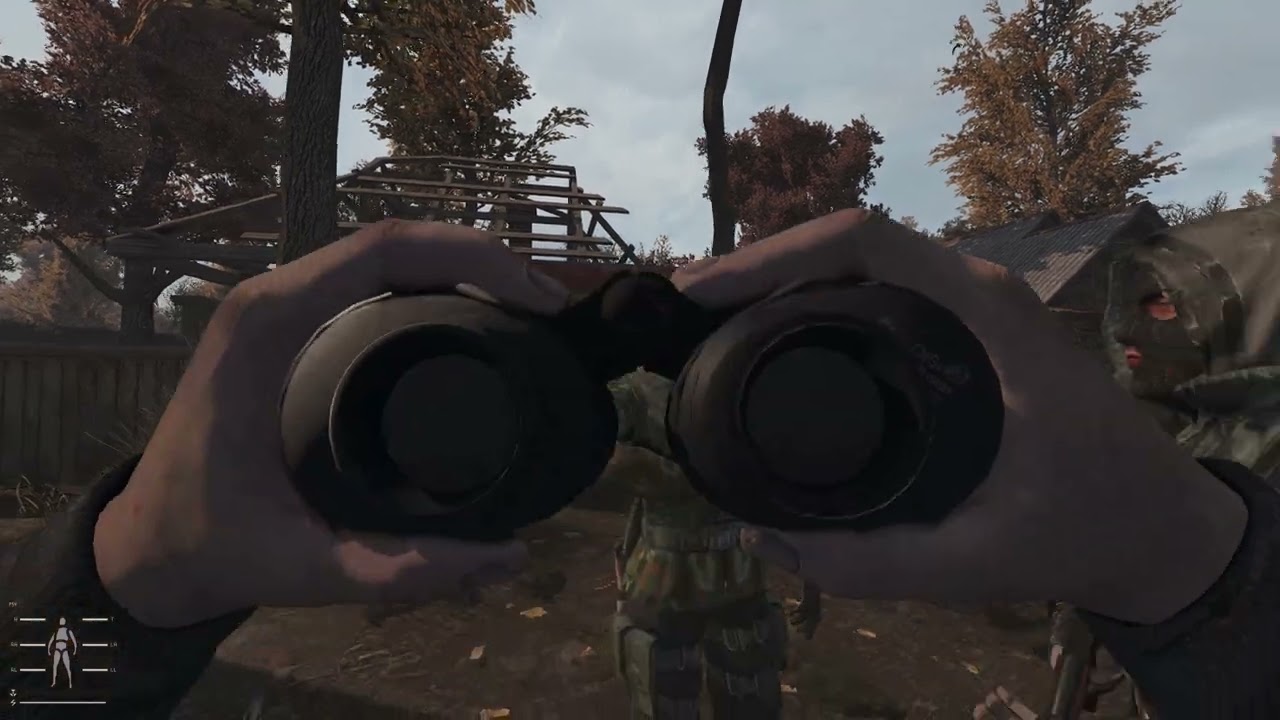 wet violet
thick tendon
It’s the 2D scope support in SSS options causing depth buffer mismatching that t...
wet violet
thick tendon
It’s the 2D scope support in SSS options causing depth buffer mismatching that t...
Thanks for the video! I honestly don't remember we had this mismatch with older SSS versions? Funny thing is it stopped happening for me, I loaded the game today to test different scopes and everything seems to line up. I'm going to test using the show depth/splitscreen you did to make sure.
 heady pebble
wet violet
Thanks for the video! I honestly don't remember we had this mismatch with older ...
heady pebble
wet violet
Thanks for the video! I honestly don't remember we had this mismatch with older ...
Yes, it is caused by the two different zoom levels (inside & outside of the scope). You can eliminate it by setting scope_factor 1.0 (default: 0.66). I honestly like the effect and don't use reshade shaders that can cause it (any AO or RT shader).
wet violet
heady pebble
Yes, it is caused by the two different zoom levels (inside & outside of the scop...
Ohhh that explains why it went away for me, I was testing Hippo's Reshade last night and I think his config file sets scope_factor to 1. XD
I wasn't using any ao fx on my preset but glamarye is so freaking cheap for what it does
thick tendon
There's might be a way to mitigate this if one can nail down the shader used for the effect and bypass it with reshade effect shader toggler (https://github.com/4lex4nder/ReshadeEffectShaderToggler) but it'll be dependent on if said shader can be identified cleanly
You can do the same thing with fog shaders when combined with AO/RTGI/etc but only if it's not being mixed in with other stuff (which is fairly common)
heady pebble
It would be neat if someone comes up with something like ENB Helper for Reshade and Stalker that automates preset / effect switching dependent on certain ingame circumstances.
thick tendon
it can be done with the effect toggler if the shader is able to be isolated but yeah a more native solution that communicates with reshade based on game events would absolutely be preferred
 storm nimbus
How do I get rid of this glossy look on organic textures like grass and stuff when it isn't wet
 molten hawk
storm nimbus
How do I get rid of this glossy look on organic textures like grass and stuff wh...
molten hawk
storm nimbus
How do I get rid of this glossy look on organic textures like grass and stuff wh...
r_gloss min something like that.
storm nimbus
molten hawk
r_gloss min something like that.
Its already on min
molten hawk
there is 2 value about gloss console command. @storm nimbus
storm nimbus
I have it set to min 0.001
molten hawk
it fixed the problem for me so cant tell you.
storm nimbus
when you changed the value did you have to restart the game and delete shader cache?
molten hawk
@storm nimbus didnt restart, just lower the value made it directly.
storm nimbus
yeah didn't change anything for me
molten hawk
well cant tell you then, it did for me. :/ it was very obvious during rain and at night with nvg ON.
 pale quest
hey im trying to install nightcat shaders and in the instructions it says "finally, select the preset". To do this, do i select it from the dropdown menu in the Home menu of reshade, replacing the gamma reshade.ini?

like this?
molten hawk
from here yeah. where you show.
you can change the preset here, it wont delete gamma one.
pale quest
thanks. it also says " In game, press "home" key, go to settings, beside "Effect search paths" make sure all folders are selected
.
To quickly do this, copy and paste "reshade-shaders\Shaders" each time after adding a new path, and then select
a missing folder. Finally, select the preset. Enjoy!"
what ive done here is correct, right?

not sure if i was supposed to completely replace the shaders folder during installation or just combine the two. i combined the two, nightcat shader folder with default stock gamma shader folder
molten hawk
well i never have to do that manualy as the first thing i do is install reshade with every effect then drop the reshade ini i want to use.
molten hawk
pale quest
not sure if i was supposed to completely replace the shaders folder during insta...
cant tell you i never do it that way.
install reshade when you see the effects, i do > uncheck then check all then next. then i drop the ini where i need to. > no problemo.
@pale quest i always manually install the reshade and select uncheck then check all ( about effect ) finish the install.
Then drop the reshade ini i want to use where i need to drop it, and.. thats all.
have to go.
pale quest
Do you have any idea why my borderless window screen is not centered? Its stuck off to the side and bottom of my screen. Its at the correct resolution though, icant move it
nvm i fixed it, had to put it in windowed and move it
silent cairn
storm nimbus
yeah didn't change anything for me
Both gloss_factor and gloss_min to 0.001
 short knot
anyone got a good reshade that complements, Project INVERNO?
swift robin
storm nimbus
How do I get rid of this glossy look on organic textures like grass and stuff wh...
if you have ssr on turn it off
 neat kite
Is the aggressor reshade in mo2 the full one ?
If not how can I get the full one ?
Cause rn I have the one in the loader enabled and it really didn’t change anything
hidden hamlet
Is this a good place to ask about the Summer season texture mod? I don't see it on the shared drive location or on moddb. Is it in another location or has it been taken down for maintenance or something like that?
 river flower
neat kite
Is the aggressor reshade in mo2 the full one ?
river flower
neat kite
Is the aggressor reshade in mo2 the full one ?
No, only grounds
river flower
neat kite
If not how can I get the full one ?
Moddb

 manic sage
Time to make a reshade preset for project inverno @thick gorge I've been putting it off for way too long

 rich sentinel
manic sage
<@305384067845718018> trying to perfect the snow color
rich sentinel
manic sage
<@305384067845718018> trying to perfect the snow color
Well you know the work for balancing the whites
manic sage
Mhmm regrade is so good for that
I just took my hippor preset and tweaked it from there
here's base hippor for instance

Very easy to tweak
 manic sage
If this isn't snow @jagged token then I don't know what is

 stuck skiff
anyone know what I should do?
 noble lotus
Can someone help me? the shader update is not working, when I load the weapon there is no background blur
sour oar
stuck skiff
anyone know what I should do?
what reshade are you using?
sour oar
noble lotus
Can someone help me? the shader update is not working, when I load the weapon th...
go into MCM, you can turn weapon reload blur there
stuck skiff
i wasn't using any reshade just the default gamma one
 stuck skiff
messed around in the reshade myself and then this started happening
sour oar
stuck skiff
messed around in the reshade myself and then this started happening
well, what did you change?
sour oar
noble lotus
<@587303015850180618> but it has no effect
do you have the new EXEs?
afaik you need them for blur to work
noble lotus
@sour oar no, how do i get them?
 stuck skiff
sour oar
well, what did you change?
stuck skiff
sour oar
well, what did you change?
i added bloom and LUT and did some color stuff as well as color gradients but i reverted everything to default and it's still like this
sour oar
They were included in the latest update
sour oar
stuck skiff
i added bloom and LUT and did some color stuff as well as color gradients but i ...
You cleared shaders cache after right?
stuck skiff
yeah
sour oar

noble lotus
I just did the full update like grook asked, but I don't know how to get the new EXES

sour oar
well
sour oar
sour oar
It should say that in the bottom left
do you see this in your game or no?
to check
 sweet merlin
noble lotus
I just did the full update like grook asked, but I don't know how to get the new...
sweet merlin
noble lotus
I just did the full update like grook asked, but I don't know how to get the new...
!k98
void depotBOT
- Go in this folder:
GAMMA RC3\.Grok's Modpack Installer\G.A.M.M.A\modpack_patches - Copy these three folders (check pic)
- Go to your Anomaly folder
- Paste these three folders (check pic)
- Overwrite/replace all if asked
It won't delete your save files.
Here is a picture for reference: https://cdn.discordapp.com/attachments/1012510897136222293/1013951079538495528/k98.png
 noble lotus
sweet merlin
!k98
noble lotus
sweet merlin
!k98
thx
wraith charm
noble lotus
<@587303015850180618> no, how do i get them?
here is a link for the .exes Grok provided it to me yesterday. But the update contains the new exes anyway, so you would just need to update the game
wraith charm
noble lotus
thx
oh just saw you had that convo already^^hope it does work for you now. Just so you know, the DOF effect might look kinda sex, but it´s kinda impractical when you´re in a shootout with either Stalkers or Mutants tbh^^
*sexy
glacial spear
I have just released a new ext profile to install all seasons mods out there https://discordapp.com/channels/912320241713958912/1046191308403916890/1046191308403916890
molten hawk
manic sage
<@305384067845718018> trying to perfect the snow color
try levels effect in reshade black to 0 and work with white only.
 edgy cedar
wraith charm
oh just saw you had that convo already^^hope it does work for you now. Just so y...
edgy cedar
wraith charm
oh just saw you had that convo already^^hope it does work for you now. Just so y...
It’s def more of a content creation tool emphasizing animations. It’s cinematic but yeah, not practical
But that’s only in the heavy animation moments. I actually like the DOF tweaks to stuff like my weapon and environment.
 orchid basin
@rigid shore IMAX as u said. by default
 manic sage
lol
 cunning thistle
does someone have CoP installed? I tried to test Jaku's shaders on there but any dx10/11 give me the "your video card doesn't meet game requirments" error but i have 1080ti
also tried to ask on other discords for help but they ignored me
 rigid shore
orchid basin
<@377830775485104128> IMAX as u said. by default
rigid shore
orchid basin
<@377830775485104128> IMAX as u said. by default
Do you have AA running on top of that?
rigid shore
cunning thistle
does someone have CoP installed? I tried to test Jaku's shaders on there but any...
Have you asked Jaku?
orchid basin
i just turned off DSR because apparently its not needed
in game AA off . SMAA max
x4 nvidia because x8 cost me 10-15 fps
rigid shore
How's it looking?
orchid basin
clean
cunning thistle
rigid shore
Have you asked Jaku?
no but any shaders give me that error, i was wondering if someone knows about this error
orchid basin
in game AA is not worth the performance it eats
x2 is maybe ok in terms of perfromance but x4 is just NOT
x8 is totaly out of this planet
cunning thistle
orchid basin
x4 nvidia because x8 cost me 10-15 fps
override or enhance?
cunning thistle
kk, for some reason i had only overRIDE (lol) for CoP
orchid basin
im runing it at 2k so 1080 would allow me for more
cunning thistle
ye, i play on 25 inch so 1080p is fine with high AA on most games
sometimes DSR to 2k is really nice though, really crisp image
orchid basin
imma just check how it runs without DSR
stalker eats more than fcn cyberpunk at 2k lol
 clever helm
question, how do I go about editing gammas graphics settings though nvidea?
orchid basin
control panel
program setings then add Anomaly with Dx your using
10 fps more without DSR at the start 
This looks crip, feels better too somehow
cunning thistle
you can go even deeper into tweaking with Nvidia Profile Inspector, with various framelimiters n stuff
orchid basin
for sure but my knowledge is very limited in that stuff
cunning thistle
yeah it's not easy, but just putting it out there for the aficionados
orchid basin
imma harass my pc with that DSR stuff now 
@glacial spear yea. in game AA eats a lot of performance ad do almost nothing
nvidia x4 AA does better job
if your pc can handle it go for x8
in game SMAA max
manic sage
I tried ingame smaa low and max
low and max do the same thing
go in clear weather and enable and disabled smaa in console to see the result and difference first hand
orchid basin
really. thats maybe my not expiernced eye . i would say it does something
orchid basin
command ?
glacial spear
I have an rtx 3080 laptop I should handle it, cp2077 runs at max, raytracing on at 60 fps. yet this game...
orchid basin
glacial spear
I have an rtx 3080 laptop I should handle it, cp2077 runs at max, raytracing on ...
go for it
manic sage
glacial spear
I have an rtx 3080 laptop I should handle it, cp2077 runs at max, raytracing on ...
Stalker am I right, the king of fps drain
clever helm
so disable any AA in gamma and use the control panel only?
orchid basin
or try it at see if u see the differnece
orchid basin
manic sage
Stalker am I right, the king of fps drain
yea. i had cbp at 2k rtx and with stalker i need to look for compromise lol
manic sage
lol
orchid basin
maybe not 3080 water cooled but still does the job
glacial spear
I want to use program settings, those exes are all I need to tweak right
 cunning thistle
There is no benchmark level or command for that is there? Would be useful to record statistics.
orchid basin
cunning thistle
There is no benchmark level or command for that is there? Would be useful to rec...
im just loking at debug counter or steam. and how my card behave
clever helm
should I use SSAO in game?
orchid basin
youre using reshade with it ?
clever helm
orchid basin
youre using reshade with it ?
yeah, the one gamma comes with that is
orchid basin
i would use because its plain without it
cunning thistle
orchid basin
im just loking at debug counter or steam. and how my card behave
ye it works, but it's not reliable as a benchmark level would be
orchid basin
cunning thistle
ye it works, but it's not reliable as a benchmark level would be
agree
glacial spear
manic sage
Stalker am I right, the king of fps drain
to tell the thru it's mostly cpu bottlenecked and gamma even more with all the mods that adds scripting. I would normally run at 100 fps + if not for the scripting running everywhere
manic sage
Very true
cunning thistle
that's good though, cpu's are crazy powerful these days
manic sage
I wonder how a 3d vcache cpu like the 5800x3d and the future 3d variants for the 7000 variants would run
cunning thistle
manic sage
I wonder how a 3d vcache cpu like the 5800x3d and the future 3d variants for the...
bro, i was about to say the same thing, fr
orchid basin
orchid basin
imma harass my pc with that DSR stuff now <:kekw:919974270132711444>
i mean i have now 4x 4k DSR and no performance issues. is it placebo or something ?
cunning thistle
maybe when the sun hits hard or different levels it might tank fps hard
in CoP i get 20-30 fps when the sun is out, 200+ when it's not... 32 bit
orchid basin
@manic sage yea, there is no visable impact with SMAA it was late back then i guess
rigid shore
sour oar
It should say that in the bottom left
Sorry to bring this back up, I've tried everything from updating the launcher to 2x full installs and cannot get this to appear on my main menu 😦
@orchid basin does that appear on your main menu ^^
orchid basin
nah. didnt pay atention to that, is it important or something?
sour oar
GitHub
STALKER Anomaly exe edits with patches by community - GitHub - themrdemonized/STALKER-Anomaly-modded-exes: STALKER Anomaly exe edits with patches by community
Try downloading it directly from here
rigid shore
sour oar
https://github.com/themrdemonized/STALKER-Anomaly-modded-exes
Thank you!
rigid shore
orchid basin
nah. didnt pay atention to that, is it important or something?
Modded EXEs as far as I know, just wanting to make sure everything is 100% up to date
orchid basin
DOF is working and doppler so i guess its all good
last few days im not playing, only updating my game
molten hawk
glacial spear
I want to use program settings, those exes are all I need to tweak right
you need to select the exe depending on wich direct X versions you use.
rigid shore
Success! Thanks all
 sour oar
orchid basin
rigid shore
Success! Thanks all
its just it ? just writen info ?
sour oar
You need the confirmation in the bottom left to make sure it works correctly
rigid shore
No idea I just don't like being behind with this sort of thing 
orchid basin
sour oar
You need the confirmation in the bottom left to make sure it works correctly
any sign thats its not beside absence of those letters ?
orchid basin
it does
sour oar
You need them for it to work properly
If it works I mean hey
More power to you mate
I wouldn’t risk it though personally
orchid basin
burh. xD ok, fine i will do that
clever helm
any recommendations on making this look better? (particularly the trees)

and things in the distance
glacial spear
I tried, not noticing any difference
molten hawk
@clever helm very first thing to do is to get >>> 1.1.0_Groks_Optimized_Graphics_Patcher
clever helm
molten hawk
<@540305431625465916> very first thing to do is to get >>> 1.1.0_Groks_Optimize...
is there any compatibility issues with it with other mods?
molten hawk
clever helm
is there any compatibility issues with it with other mods?
no, this is just value about tonemap and stuff like that, nothing else, but i saw an improvement about the color space after using that mod.
clever helm
molten hawk
no, this is just value about tonemap and stuff like that, nothing else, but i sa...
sounds great, I'll probably download that right after this quest lol
molten hawk
clever helm
sounds great, I'll probably download that right after this quest lol
let me know. 🙂 and no problem about crash and stuff like that as again its basicall comand console with better value. about tonemap amb/hemi.... so no risk at all again.
 zenith marsh
so i got DOF enabled, the modified EXE files, enabled within SSS but still no DOF, what should I do?
molten hawk
the dof from anniverseray does not work ? @zenith marsh
zenith marsh
molten hawk
the dof from anniverseray does not work ? <@131798336926646272>
nope
molten hawk
noice... @zenith marsh there are dof in reshade otherwise.
molten hawk
zenith marsh
but i want to try out the new featured one 😢
from what i saw its a very close dof, dof are meant to be used at mid/long distance this make you win some frames.. see in the mcm menu about dof option thats all i can tell..
manic sage
I really wish there was a reshade repository similar to the texture packs such as this. It would cut down on the amount of dms me and other reshade makers get asking where to get said reshade.
 molten hawk
use mediafire upload there any new reshade you made drop the dl link of your mediafire and voila.. @manic sage
manic sage
That's not what I mean
 deep horizon
Ive been trying to get TFAA working in reshade, i have Quint_Motionvector enabled as needed but when i enable TFAA ist just black screens.
Has anyone had this issue when trying to load TFAA through reshade?
slate grotto
manic sage
I really wish there was a reshade repository similar to the texture packs such a...
Also would be easier to people test new stuff without having to be here 24/7
manic sage
Exactly
manic sage
deep horizon
Ive been trying to get TFAA working in reshade, i have Quint_Motionvector enable...
The main thing is making sure to match the reshade paths the same way as in the screen provided
That's been my foolproof fix on my end
 astral halo
Y'all like Frozen Zone or Project INVERNO better for the winter experience? Figured I'd change it up, tis the season.
deep horizon
manic sage
That's been my foolproof fix on my end
yeah, the paths are correct, it reports an "implicit truncation of vector type" error.
im like Uhm 
The reshade itself just stated to place it in the shaders folder
manic sage
the error is harmless
yellow is nothing to worry about (mainly meant for the author of the reshade effect to fix)
hows your depth buffer @deep horizon
deep horizon
i believe it works, Display Depth shows the depth fine, nothing is weirdly upside down. I tried testing with RTGI and that works without any issue since that needs the Depth Buffer to be working
manic sage
Mmmm yeah then getting TFAA to work is just troublesome atm
its a known bug on their github
so don't feel too bad if you can't get it to work
but sometimes it will randomly work
deep horizon
yeah, i figured that since its still very early.
I saw it recommended in another channel here about fixing the AA so i wanted to give it a shot haha
Funny enough, using GuassianBlur helps with the jaggies on trees,
Ill take that W
manic sage
Nice I'm glad you found something that works for you
slate grotto
astral halo
Y'all like Frozen Zone or Project INVERNO better for the winter experience? Fig...
more a project inverno myself, both are nice but inverno to me are less agressive in some textures with the winter side
orchid basin
@manic sage im still diging in this because my curiosity is stronger than my will to stop. Do you visually can tell the difference tweaking nvidia AA? I thought that i see but now, looking at GPU usage and fps variance i doubt that nvidia AA is applying. What is your thought proces behind in game AA and nvidia AA?
manic sage
The main thing I notice is the transparancy set 8x
rich sentinel
You boys did some benchmarks with AA on vs off?
orchid basin
benchmark is pointles if u cant see the difference. numbers vs visable differnece
 wispy palm
whats the best reshade guys :D that my 2060 can handle atleast
orchid basin
hippo and his modified texture pack rocks
wispy palm
I like what I see in screenshots
orchid basin
try it out i recommend hippoFILM preset but tbh there is so many different shaders that its easy to get lost
wispy palm
I'll find this on moddb correct?
orchid basin
read carefully
wispy palm
will do
orchid basin
@manic sage u did such a good job with FILM that i cant change it back. NOICE. Even R feels off . What a 
 orchid basin
only thing you need to do is to put mod pack above particle mod in mod menager then open texture pack in mod menager and drop there particle file from jaku overwrite and you good
orchid basin
wispy palm
this is explain what jaku file do, not how to instal
 twin karma
is it safe to update reshade?
orchid basin
u don need to do that if you mean the info that is showing after main menu appear
twin karma
that and i was just wondering if i updated it will it crash the game
also im wondering about the modded exe files, are they okay for gamma
orchid basin
#╟🎑reshades message mododed exes
twin karma
thanks
 balmy portal
Is there a way to reset gamma reshade settings to default?
As in the settings that were in when the pack was installed?
 devout whale
balmy portal
Is there a way to reset gamma reshade settings to default?
devout whale
balmy portal
Is there a way to reset gamma reshade settings to default?
!k98 in #🤖bot-commands may help
pale quest
If i update to the latest patch, will it uninstall my reshades and mods?
sour oar
The mods yes, you will need to back those up
The ReShades no. However if your ltx is wiped in the update, you’ll have to redo any cfg_load commands afaik
 eager glen
Hey friends, which antialiasing settings in nvidia control panel should I tweak to remove the jaggedness for trees? Should I use the settings in shader settings instead?
ive always kind of just put up with it but it's killing my experience

 hollow scarab
Im unsure if its related to reshade or some setting in video, but since the new anniv. update and patches NVG's are alot fuzzy then they were before. Like the final tier bino'z i have are super fuzzy. Does anyone know how to adjust this?
gritty turtle
hollow scarab
Im unsure if its related to reshade or some setting in video, but since the new ...
Have you only been having it recently, or before the most recent update as well?
hollow scarab
@gritty turtle yes after the update.
gritty turtle
hollow scarab
<@219499107532668928> yes after the update.
could be a DOF issue. Do you have it on or off?
hollow scarab
It wont let me shut it off unfortunately
gritty turtle
hollow scarab
It wont let me shut it off unfortunately
!dof
void depotBOT
It's the new DOF effect. You can turn it off:
- Open the game
- Go in
MCM Settings - Search
SSS Settings - Turn off
Weapon DOF
gritty turtle
Try this and check again
hollow scarab
gritty turtle
Try this and check again
they've been off. The one thats new in the general advance video settings wont uncheck when applied

unless its this one too?
 gritty turtle
hollow scarab
unless its this one too?
gritty turtle
hollow scarab
unless its this one too?
I think you might need to ask in support, I thought it might be a dof issue, but I'm thinking I'm wrong now
silent cairn
 primal verge
ye but that's to fully disable them, i think dof depth is configured badly out of the box, because even pda text is blury when you bring up pda closer to your face
hollow scarab
silent cairn
ah that makes sense
rigid shore
Speaking of DoF, does anyone know a way to adjust the base intensity of the DoF effect when reloading/using weapons?
It is possible to adjust DoF for walking around and aiming, but doesn't seem to be possible to adjust how blurred the screen becomes when reloading/using items
To elaborate, I would like to tone it down a fair amount, so it gives a very subtle amount for cinematic effect, rather than super strong blur which I find quite overpowering
full crown
eager glen
Hey friends, which antialiasing settings in nvidia control panel should I tweak ...
Most settings in nvidia control panel don't have an effect on Stalker Anomaly if you use directx11. Putting SMAA on ultra in-game does work but is extremely inefficient. You will get the best results with reshade shaders.
orchid basin
make sense since my gpu doesnt care if i set x4 or x8 or turn it off completly in nvidia control panel. same usage
rigid shore
orchid basin
make sense since my gpu doesnt care if i set x4 or x8 or turn it off completly i...
Happens to you too? 
rigid shore
full crown
Most settings in nvidia control panel don't have an effect on Stalker Anomaly if...
This makes so much sense now
orchid basin
yea, unbothered GPU mate. Not a single bit by x8
rigid shore
orchid basin
yea, unbothered GPU mate. Not a single bit by x8 <:kekleo:978681906570874960>
Running the new 6090 I see
orchid basin
rigid shore
Running the new 6090 I see
bruh. i wish xD
silent cairn
rigid shore
Speaking of DoF, does anyone know a way to adjust the base intensity of the DoF ...
Only by editing the code atm
orchid basin
rigid shore
I saw you delete that
im lost , still dont know yhat you ment lol. 3 hr of sleep not good
rigid shore
silent cairn
Only by editing the code atm
No worries!
 pure ginkgo
Guys, any idea why my Jaku's improved shaders stopped working? Everything was fine till I messed a little with the graphic settings and it stopped working. Obviously i reverted the changes to the previous state but the shader still doesn't work
rigid shore
orchid basin
im lost , still dont know yhat you ment lol. 3 hr of sleep <:kekleo:978681906570...
Was just making a joke that you can run 8x with no performance loss, saying you had some experimental 6090 GPU or whatever 
orchid basin
rigid shore
Was just making a joke that you can run 8x with no performance loss, saying you ...
aaa. that joke. IMAX
GPU so big that you need dedicated shelf on the wall for it
rigid shore
orchid basin
GPU so big that you need dedicated shelf on the wall for it
EXACTLY
 restive plover
does anyone know ho to remove the reload / weapon blur on hippos reshade?
silent cairn
!dof
void depotBOT
It's the new DOF effect. You can turn it off:
1) Open the game
2) Go in MCM Settings (press ESC - Mod Configuration Menu)
3) Search SSS Settings
4) Disable options you don't like
If DOF doesn't work even though the options in MCM are turned on, do !k98 in #🤖bot-commands.
rigid shore
@manic sage - having some fun with your FILM preset! Have added another vignette to amplify the mask effect, dialled back some of the saturation to get a natural feel. Thanks for taking the time to put these together and writing out all the instructions
 manic sage
Yeah no problem! Looks good, I only made it exaggerated to resemble the Hassleblad XPAN camera


You get the gist
My favorite camera of all time as every shot looks as if it comes from a movie, skill pending ofcourse
orchid basin
this looks absolutely STUNNING
 haughty mesa
good shit
 eager glen
full crown
Most settings in nvidia control panel don't have an effect on Stalker Anomaly if...
eager glen
full crown
Most settings in nvidia control panel don't have an effect on Stalker Anomaly if...
Thank you very much sir, i see some conflicting opinions on using NCP vs shader settings, but i'll try your suggestion!
 unkempt shadow
Hey, I assume that this is the right place... Since last update, the colors in game changes. Assumption again, it seems like the game is trying to keep some kind of color balance overall, and thus changes individuals colors whether I'm looking at the ground or the sky.
Needless to say, it's really ugly, I would like to disable it if possible
molten hawk
@unkempt shadow you can try that one. https://www.moddb.com/mods/stalker-anomaly/addons/100-groks-optimized-graphics-patcher
Only do from step 3 ONLY. so >>> 3. Extract the archive of Grok's Optimized Graphics Patcher to the Anomaly directory (where you can see bin, appdata, gamedata folders etc). If it asks for dynamic tonemap script replacement, accept.

Mod DB
Improves your graphics, saves your framerate, balance the light and shadows, keep nights dark and spooky. A batch script to automatically backup and patch your user.ltx file for optimized graphics and lightnings using Enhanced Shaders and Color Gradings...
 brazen pagoda
how enable SS shader?
I just reinstalled the game and I don't remember how to activate the shader, it was some exes and some folders
devout whale
brazen pagoda
I just reinstalled the game and I don't remember how to activate the shader, it ...
!k98 in #🤖bot-commands

 slate grotto
storm nimbus
Also how do I get rid of this sparkle on the ground?
slate grotto
storm nimbus
Also how do I get rid of this sparkle on the ground?
try changing the r2_gloss_factor
silent cairn
Gloss factor should be 0.001
storm nimbus
Worked thanks!
 mild dome
Newest version lets you do "cfg_load gloss" 
 azure dragon
Hey where can we found some preset for the shaders I don't want to mess with my game 😅
 empty orchid
Anyone got a tutorial on the basics of making a reshade
 vapid field
mild dome
Newest version lets you do "cfg_load gloss" <:verynice:944014689048862771>
vapid field
mild dome
Newest version lets you do "cfg_load gloss" <:verynice:944014689048862771>
Do I need to run cfg_load every launch?
mild dome
Nah
primal verge
Nah just once
slate grotto
azure dragon
Hey where can we found some preset for the shaders I don't want to mess with my ...
At https://discord.com/channels/912320241713958912/1035807043933720576 we have some nice stuff. Check out what cater to your taste
 elfin tree
do I need to upgrade to this version 5.5.1 and if so how? I don't know how to install it and I don't want to do anything stupid because everything works great : https://reshade.me/#download
ReShade - Advanced post-processing everywhere.
 rare swan
madirex told me i didnt need to do it
mild dome
Is there a good way to lower how bright skies are during rainy weather? Maybe a specific texture pack?
swift robin
I'm getting a bunch of black dots around npc's heads. anyone know how to fix this in reshade menu?

Looks fine at night with a flashlight on them
 rare swan
what preset file do i select for the reshade setup (reinstalling reshader from dx11 file, didnt have all shaders on G.A.M.M.A reshade)
rare swan
swift robin
I'm getting a bunch of black dots around npc's heads. anyone know how to fix thi...
i dont see any black dots anywhere
swift robin
Zoom in on the day photo , its all around the npcs head. im guessing its a brightness setting
 rare swan
i see some marks around his hairline and under the cheekbones but it just looks like poor wrinkle effect, i have no idea sry
it doesnt look bad imo-not saying you should settle hope you figure it out dood
vapid field
looks normal to me
swift robin

it only looks pixelated out during the day. this one is from night
so you are saying the dark black specticals around the hood and face are normal during the day?
it almost feels like a godray issue during daytime
 echo hawk
Oh I see it. It's like very bad sun shadowing from the hoodie or something.
swift robin
 swift robin
echo hawk
Oh I see it. It's like very bad sun shadowing from the hoodie or something.
swift robin
echo hawk
Oh I see it. It's like very bad sun shadowing from the hoodie or something.
good point, it only occurs on stalkers with hoods
it's trying to blend a shadow under the hood? I don't know
swift robin
vapid field
looks like the shadow of the hood?
yes
should i crank textures or is this a lighting issue?
vapid field
I don't believe it's lighting
I don't think it's a real shadow I just think it's part of the npc model
swift robin
@vapid field Do you get the same thing?
vapid field
i''m not in game right now
swift robin
manic sage
<@305384067845718018> trying to perfect the snow color
what mod are you using for that snow?
sour oar
Inverno or graupel iirc
swift robin
okay thank you!
 flint galleon
loving hippo's reshade already

 orchid basin
Could it be? Usless settings ?

 vale flume
@worldly raptor Not that you asked, but I have some screenshots of my personal reshade that I would consider vanilla+


 worldly raptor
looks nice
molten hawk
@vale flume how many reshade effect you use actually ?


 split flicker
 slate pebble
What kind of a setup do you use to have so much grass 
slate pebble
split flicker
What kind of a setup do you use to have so much grass <:omg:920745193978880110>
turn off mod Autumn no leaves and LOD fix, gardener of the zone, grulag's dead brushes
full crown
slate pebble
turn off mod Autumn no leaves and LOD fix, gardener of the zone, grulag's dead b...
Pretty sure they wanted to say what an insane setup of a computer you need to have grass density this high.
slate pebble
full crown
Pretty sure they wanted to say what an insane setup of a computer you need to ha...
RTX 3080, 12700k, 128gb ram
full crown
slate pebble
RTX 3080, 12700k, 128gb ram
128gb ram? What the hell do you do? Visual effects for ILM?
slate pebble
full crown
128gb ram? What the hell do you do? Visual effects for ILM?
I'm working with AE and PR a lot so I need more ram
slate pebble
full crown
128gb ram? What the hell do you do? Visual effects for ILM?
Even 128gb is not enough
full crown
slate pebble
I'm working with AE and PR a lot so I need more ram
lol, so I wasn't far off with my guess 😄
slate pebble
full crown
lol, so I wasn't far off with my guess 😄
I had 16gb before but AE was running like dogshit so I boosted it just bit 😄
slate pebble
full crown
lol, so I wasn't far off with my guess 😄
But game runs pretty much same with or without trees and bushes enabled. I didn't saw any performance issues
 versed python
Using Aggressor reshade, my Inventory is pretty dark; any settings that might help with that? Basic light settings via Anomaly doesn't really change much
 sour oar
Essentially, stop using aggressor
Made with only looks in mind (didn’t really hit the spot there though), and is ass for gameplay and especially ruins the UI
slate pebble
versed python
Using Aggressor reshade, my Inventory is pretty dark; any settings that might he...
add brightness in shaders but it will brighten also a game
sour oar
If you send the list of effects aggressor uses, I can direct you to which you can turn off to generally fix that. But again, it’s not great
versed python
sour oar
If you send the list of effects aggressor uses, I can direct you to which you ca...
This is what I've been using. Just played around with a few settings; nothing too major.
 sour oar

Oh boy
Well
So many effects that do the same thing wow
Anyway
Try disabling levels, levels plus, LUT, tone map and watchdogs tonemap
versed python
Brother I see buttons and I press them 
 versed python
Just checked, about 3-5 when idle
Those settings being turned off definitely helped, the UI is still a bit too dark for my liking, but I'm going in the right direction
sour oar
Probably more tbf
Genuinely mate
If you're planning on making your own reshade, don't use Aggressor as a base
versed python
Do you think building from the GAMMA reshade is the way to go if I want something a bit more vibrant?
sour oar
Building from nothing is probably the way to go, but
GAMMA reshade as a base isn't too bad
What exactly are you looking for? Something autumn-y? Green and lush? Or just an improved dead zone?
versed python
sour oar
What exactly are you looking for? Something autumn-y? Green and lush? Or just an...
Honestly, a good mix of autumn/summer I suppose. Perhaps a bit more Autumn
sour oar
You could try using a texture pack like Golden Autumn Redux
That's what I did for my reshade, but I certainly leaned really heavy for the autumn side
You could use the texture pack and then repurpose it into slightly summer by messing with shader params and such
versed python
I'll give it a try; would you mind supplying a link if you don't mind?
versed python
Thanks so much, I'll give it a try here shortly
molten hawk
versed python
This is what I've been using. Just played around with a few settings; nothing to...
luma sharp and clarity together > nope + fps loss and clarity is better.
clarity radius at 2 clarity strenght around 0.85 start at 0.80 and see up to 90/95 no need more...
Also select linear light.
 manic veldt
Does anyone use expeditions graphics with GAMMA? Or do you have something you could recommend instead? I'm trying to push my 6950XT a bit
slate pebble
versed python
Using Aggressor reshade, my Inventory is pretty dark; any settings that might he...
This is literally all you need


I run this preset I made and it looks amazing. It remind me battlefield 3 caspian border style
tiny bit green and blue but not oversaturated. Every scenario looks beautiful, fog, clear weather, rain
If you want make your style, first play with cinetools then play with sliders and lut pack. Filmic tonemap is amazing as well. Then play with brightness and saturation and contrast
manic veldt
slate pebble
This is literally all you need
What is Aggressor reshade? I often see it mentioned around here
slate pebble
manic veldt
What is Aggressor reshade? I often see it mentioned around here
I dont use any aggressor reshade
slate pebble
manic veldt
What is Aggressor reshade? I often see it mentioned around here
You don't need any.. just play with sliders there is everything you need
manic veldt
What you posted are settings for the base reshade?
slate pebble
manic veldt
What you posted are settings for the base reshade?
Those are my settings, screenshots of game are above
manic veldt
Looks pretty good
slate pebble
manic veldt
What you posted are settings for the base reshade?
but I'm using sRGB calibrated monitor so you can have different results with same settings.. best way is make it how you like it
manic veldt
Still looks pretty good on my Odyssey G7. Do you use texture mods to replace the default autumn ones?
slate pebble
manic veldt
Still looks pretty good on my Odyssey G7. Do you use texture mods to replace the...
No I just turned off default "no leaves" mod
manic veldt
You turned off just the 4 mods that are mentioned in the FAQ right?
manic veldt
slate pebble
Game is more immersive when you cannot see enemies in bushes that easly
Agreed
Aren't autumn texture more defined btw? I got a huge performance boost when I disabled them. But that was on my old rig
slate pebble
Renegateds start shooting me in swaps and I was like WTF where it is coming from 😄
manic veldt
Couple that with identification distance and there you just got paranoid lmao
slate pebble
I didn't see any difference in performance with or without
manic veldt
Weird. In any case the game looks very good despite its age, save for the NPC faces. I wish something could be done for that
manic veldt
slate pebble
It looks beautiful.. but run like shit
90% of that is due to Xray being single threaded
slate pebble
manic veldt
90% of that is due to Xray being single threaded
There should be some good soul that could fix it.. with todays rigs we should have 200fps
 manic veldt
slate pebble
There should be some good soul that could fix it.. with todays rigs we should ha...
manic veldt
slate pebble
There should be some good soul that could fix it.. with todays rigs we should ha...
Yeah but it's not that easy. It would probably need a whole new engine
How many fps do you have with your setup?
slate pebble
around -60-90 but sometimes its smooth and sometimes it run like shit even with 80
manic veldt
Fuck
slate pebble
It depend where I'm and whats it happening
manic veldt
You have a good rig too
slate pebble
2 years old build
manic veldt
Still a 3080 and 12th gen cpu
I have a 13700k and 6950xt I hope I'll get decent frames
slate pebble
60 should be fine
I was wondering how could 4090 handle this game
https://www.youtube.com/watch?v=aPkP5-ptkQk LOL 130fps

I've been hearing a lot about this game recently and it sounded pretty appealing, here is just a first run at it. PBO2 all core -30. RAM is at 3800MT/s CL14. Resizable bar is enabled. Everything is being displayed on a Samsung Odyssey Neo G8 32" 4K 240Hz panel. Capturing the output through an Elgato 4K60 Pro Mk2. Setup and configuration details ...
manic veldt
slate pebble
https://www.youtube.com/watch?v=aPkP5-ptkQk LOL 130fps
4k ultra though. Still low for such a beast but not too bad
slate pebble
I would be fine with 130 😄
manic veldt
@slate pebble btw since you have a 12th gen Intel CPU how do you identify P-cores to set affinity?
slate pebble
what do you mean? I don't touch anyting.. game runs like garbage literally no cpu load
manic veldt
You're supposed to set affinity away from core 0
slate pebble
manic veldt
You're supposed to set affinity away from core 0
It's doesn't do anything in performance
manic veldt
slate pebble
It's doesn't do anything in performance
Idk. I've heard it does, I've managed to identify them using Process Hacker
primal verge
manic veldt
Idk. I've heard it does, I've managed to identify them using Process Hacker
Its mentioned in #old-framerate-optimisation , but i'd put it in "maybe it works" category.
I've played this game with all cores and ticked off core 0 and there was no difference in my case.
Game still ends up running like garbage (dropping fps by 50%) in some areas after playing on the same save for a while.
Otherwise steady 100 throughout.
rare swan
trying to make my game look decent with the GAMMA reshade and it just feels impossible any tips?
i also get these weird rgb colours in the embers from this flame anomaly in the duty camp in army warehouse

 indigo dune
can someone link me the Golden Autum please
 mystic skiff
@indigo dunehttps://www.moddb.com/mods/stalker-anomaly/addons/golden-autumn-retexture-v10

Mod DB
Retexture of ground, bushes, grass, and trees, which aims to be close to early autumn.
tidal marlin
slate pebble
around -60-90 but sometimes its smooth and sometimes it run like shit even with ...
im running it on a 3080ti, i7-11700kf, 32gb ddr4, and getting 80 on a good day. i do, however, insist on having insane person amounts of grass so that is probably my bottleneck
if the game optimised how it handled just grass, it would probably get 140fps on 30 series
mint owl
indigo dune
does Eden have a tutorial for installation?
I do but it's possibly outdated
Also it's for Golden Autumn Redux, here it's Golden Autumn Retexture which is different
sour oar
mint owl
I do but it's possibly outdated
Possibly
mint owl
sour oar
Possibly <:kekleo2:988183611847110666>
Well, the Reshade is definitely outdated but installing Golden Autumn Redux shouldn't be
 cloud island
slate pebble
what do you mean? I don't touch anyting.. game runs like garbage literally no cp...
cloud island
slate pebble
what do you mean? I don't touch anyting.. game runs like garbage literally no cp...
It’s single threaded
slate pebble
cloud island
It’s single threaded <:dread:1031213103775485982>
And we all wish it wasn't
cloud island
tidal marlin
im running it on a 3080ti, i7-11700kf, 32gb ddr4, and getting 80 on a good day. ...
Yep
Grass is killing your frames
slate pebble
I noticed grass did do something when I touch grass settings with autumn no leaves
but when I didn't touch it and even with mod disabled, performance is same, or I just didn't feel any difference
tidal marlin
cloud island
Grass is killing your frames
as i turn up grass density even higher
 mild dome
AREA's version of the engine is supposedly multi-threaded
 rotund mason
 tidal marlin
mild dome
AREA's version of the engine is supposedly multi-threaded
tidal marlin
mild dome
AREA's version of the engine is supposedly multi-threaded
just when i think people are taken this nearly 20 year old game to its limits, something like this pops up
 ember rock
so uhh anyone got some graphics recommendations for me i5 8400 3070 16gb ram
tidal marlin
ember rock
so uhh anyone got some graphics recommendations for me i5 8400 3070 16gb ram
decent rig, just leave everything at default and only tweak things with intention
ember rock
i want the game to look surreal
tidal marlin
delete shader cache, install custom textures, drop acid, load game
but for real thats a bit of a vague goal, youre better off pinpointing things that you want to change. ie. grass colour, shadow depth, etc. soon enough youll have the big brain skills to do whatever you want
ember rock
tidal marlin
but for real thats a bit of a vague goal, youre better off pinpointing things th...
just want it to look like a game that came out in 2022 triple a 60fps 1080p
tidal marlin
ember rock
just want it to look like a game that came out in 2022 triple a 60fps 1080p
delete shader cache, install custom textures, drop acid, load game
ember rock
i dont know how to do that lmfao
cunning thistle
ember rock
i dont know how to do that lmfao
trial & error is the best way to learn imo
except when dropping acid ofcourse
ember rock
cunning thistle
except when dropping acid ofcourse <:kekleo:978681906570874960>
u make it sound scary
rare swan
anyone here get blue and green lights in embers from anomalies?
i noticed it at the duty camp anomaly then i saw it again at some thermal one
i can get a video of it, its definitely the embers themselves they move in the same way
 tacit furnace
 shy knoll
does autumn season redux still exist? i clicked the link to the drive and i might just be dumb, but i'm not seeing it
 mild dome
@manic sage Luma fade?
mild dome
sour oar
https://www.moddb.com/mods/stalker-anomaly/addons/autumn-season-redux1
There's a non-snow version included so I think that's the most up-to-date now.
manic sage
luma fade start and luma fade end
 rain wind
sour oar
https://www.moddb.com/mods/stalker-anomaly/addons/autumn-season-redux1
rain wind
sour oar
https://www.moddb.com/mods/stalker-anomaly/addons/autumn-season-redux1
whats the load order for this?
shy knoll
sour oar
isnt this it?
yeah whoops haha, thanks 
mild dome
Weird, can't seem to get luma fade to work. It doesn't activate regardless of what the sliders are at.
swift robin
anyone know what option is needed to fix the black little dots around NPC face. I only really see it when they have a hood on.

it looks like some kinda pixelated shadow...
swift robin
Any help is appreciated
rich sentinel
swift robin
Any help is appreciated
I don't know if it works, but you can try to increase shadow resolution on anomaly launcher
swift robin
rich sentinel
I don't know if it works, but you can try to increase shadow resolution on anoma...
Thx I'll try it.
swift robin
It only happens during the day. At night it looks fine... Wonder if its a Sun rays quality option?

 iron elbow
Yo boys I downloaded project Inverno and I got everything but theres no snow on the ground? anyone know why?
rich sentinel
swift robin
It only happens during the day. At night it looks fine... Wonder if its a Sun ra...
Can be, never really payed enough attention to it
swift robin
Looks ok now. So I believe it was a mixture of the Sun rays and the Shadow Map. I cranked shadow Map to full and disabled god rays. Thanks for help.
swift robin
anyone know what is causing my bino's to look green?
 swift robin
figured it out.. disregard

 median marsh
how do i make my game look gooder?
 sweet cove
reshades, texturepacks
cunning thistle
high resolution + anti-aliasing
personally like 2k res with around 2-4 aa, gotta keep fps above 60 atleast
 patent thicket
I personally need a better rig


 drifting shore
Can someone help me install a reshade?
sour oar
Which one?
 runic grove
any suggestion on the graphic and reshade settings?
 lilac storm
any texture pack for that high quality surfaces textures?
rich sentinel
any tutorial on running agressor reshade?
 vague portal
anyone know which is the best snow/winter mod to use?
mild dome
The newest INVERNO looks really good
vague portal
I like inverno but it makes the pda kind of white and snowy and it’s very hard to see marked stashes and missions
Is there a way to change that or maybe a mod that lets u change icon colours on pda?
full crown
vague portal
Is there a way to change that or maybe a mod that lets u change icon colours on ...
I'm using this, never had a white stash icon.
https://www.moddb.com/mods/stalker-anomaly/addons/visible-pda-map-icons-bigger-and-brighter

Mod DB
Makes the PDA map icons and the quest tracker arrow brighter and more visible. Stash icons are also slightly bigger. Compatible with Anomaly 1.5.1.
Just remember to put it in front of 184- Body Health System as it will break your hud otherwise
vague portal
Thanks
 vagrant pebble
Hey i got a question which mods in the mo2 i must disbale if i want aggresor grass and ground textures?
is it those 2? https://gyazo.com/25932369eab17db6b7a9a908b1190218

 lament moth
Whats the best shader mod?
primal verge
vagrant pebble
Hey i got a question which mods in the mo2 i must disbale if i want aggresor gra...
does it say exactly which texture mods you should disable in the install instructions?
full crown
vagrant pebble
Hey i got a question which mods in the mo2 i must disbale if i want aggresor gra...
If you want a coherent visual experience,
these two, grulag's dead bushes and autumn no leaves LOD Fix.
Although you have to keep in mind that agressor grass is the lushest grass you can get. It looks great but sometimes doesn't fit the rest of the flora.
vague portal
trying to play with project inverno. i have dowloaded it off moddb but where do i extract it to?
 regal briar
Hi guys
any reason why brightness change is not having any effect?
😐


it's a fresh install, no changes made to default mods
 half mist
regal briar
Hi guys
any reason why brightness change is not having any effect?
😐
half mist
regal briar
Hi guys
any reason why brightness change is not having any effect?
😐
The slider doesn't work
regal briar
soo, no way to make the game brighter ?
 balmy lodge
anyone got good reshade slider settings they want to share?
frail pineBOT

 blazing swallow
yo, could someone with relatively "realistic" settings share their gamma reshade ini? I can't be arsed to play with all these sliders ;_; don't care about performance either
sour oar
blazing swallow
yo, could someone with relatively "realistic" settings share their gamma reshade...
check out hippo's reshade in #1035807043933720576
 tidal marlin
!blackscreen
void depotBOT
Follow this: #╭📖faq message
 wind bane
yep just had to delete shader cache
cloud island
sour oar
#4
Gz
clever helm
vagrant pebble
is it those 2? https://gyazo.com/25932369eab17db6b7a9a908b1190218
yes
I have GTR agressor reshade, agressor grass and agressor ground, looks pretty good all together
but disable autumn and gardener since they conflict with what the other mods change
 safe hemlock
lament moth
Whats the best shader mod?
safe hemlock
lament moth
Whats the best shader mod?
expedition its what I use I suggest you mess around with some of the settingshttps://www.moddb.com/mods/stalker-anomaly/addons/expedition-graphical-overhaul-addon-for-anomaly-151 drop it in your anomaly folder for gamma here is a vid on how to install it suggestions and the best filters but just saying for me ppxx ssdo makes my game crash every time I try to check it on and the tips and suggestions are for regular anomaly not gammahttps://youtu.be/Vz_6VZlsB7c also ignore that the images are low res its cuz I'm using snip and sketch and as I said its custom so just use whatever shaders you want and mess around with the settings for me it looks good enough


Mod DB
UPDATE 2.2.1. (Please look in the description for modpack download)

Thanks For Watching! Don´t Forget to Like, Comment and Subscribe!
PC Specs :
3070 Ti - 32GB DDR4 / 3600hz - AMD 7 5800X
──────── MORE CUSTER ────────
MY DISCORD ➤➤ LINK IN DESCRIPTION
TWITTER ➤➤ https://twitter.com/CusterPlays...
──────── MUSIC I USE ────────
EPIDEMIC SOUND ➤➤ https://www.epidemicsound.com/referra...
GOOD MALWARE ➤➤...


 woeful veldt
swift robin
i cant figure out how to download hippoS
sour oar
woeful veldt
why do my screenshots look like this?
woeful veldt
swift robin
i cant figure out how to download hippoS
sour oar
woeful veldt
why do my screenshots look like this?
Dunno why they’re faint until you click, but the inventory is dark because of your reshade. Though that’s not what you were referring to
woeful veldt
it's the hippo reshade I'm using
weird, i've used reshade before but this didn't happen
sour oar
Clearing shaders cache doesn’t change anything?
After, try disabling ReShade to see if it gets fixed, and then reload the shader params to vanilla to see if those affect it
Though iirc the shader params shouldn’t change inventory
manic sage
woeful veldt
why do my screenshots look like this?
Something is wrong
Shader params don't touch inventory or hud
sour oar
Figured
manic sage
And my reshade doesn't even add any darkness besides a black level of 1
manic sage
So it can't be from the reshade or shader params
Hmmm
I'm also at work so can't help much
woeful veldt
I'll go try different graphic settings
drifting shore
Can someone help me install a good reshade?
Does fabio conte's reshade work?

@thick gorge : D
manic sage
I don't see why it wouldn't
 opaque turtle
Followed the step by step install for the hippoS reshade. Everything worked great to start. Wanted to see if I could increase grass density. Moved the number up a smidge and then restarted my game. Can't reload the game now. Is there some conflict between the shader? I wanted to edit the user.tx file to reduce the grass numbers back to what they were, but I can't figure out which one on here is for grass.
manic sage
No there is no conflict must be something else
Simply delete your user.ltx and get a new fresh one from gamma
vale flume
molten hawk
<@842772864032571423> how many reshade effect you use actually ?
I meant to get back to you sooner about this. I will try to remember to send you a screenshot tomorrow
molten hawk
vale flume
I meant to get back to you sooner about this. I will try to remember to send you...
not for me i have my own, but your game looks very dark. thats why asking.
vale flume
molten hawk
not for me i have my own, but your game looks very dark. thats why asking.
Yeah, I used two different settings. Brightness/Contrast and Low/Mid/High shadows iirc
molten hawk
i see. @vale flume
 willow pike
I disabled all effects in home key tab and now i dont know what is default gamma preset. Anyone can help?
tidal marlin
willow pike
I disabled all effects in home key tab and now i dont know what is default gamma...
you can find a fresh one in your G.A.M.M.A.Grok's Modpack Installer\G.A.M.M.A\modpack_patches\bin folder
 marble valley
guys need some help, started the game up today and its super dark, prob some shaders bugged out anyone knows how to change it back ?
 molten hawk


 elfin thorn
marble valley
guys need some help, started the game up today and its super dark, prob some sha...
elfin thorn
marble valley
guys need some help, started the game up today and its super dark, prob some sha...
activate windows and I'll help you
 zinc sluice
so this might be a weird bug, but i reinstalled anomaly and gamma today, (twice) but i dont have a reshade installed/downloaded with it? can i use the reshade files /installation from the reshade website?
never had this before.
sour oar
Wanted to run some zero to hero Invictus today but looks like I have work to do on my reshade

 sullen zinc
does someone have the orignal gamma reshade that comes with the mod? mines is all messed up.
 silver epoch
sullen zinc
does someone have the orignal gamma reshade that comes with the mod? mines is al...
silver epoch
sullen zinc
does someone have the orignal gamma reshade that comes with the mod? mines is al...
Have a look into GAMMA\.Grok's Modpack Installer\G.A.M.M.A\modpack_patches\bin
 small mist
I noticed some talk about ray traced global illumination and I searched RTGI for it in here, but discord search is a mess. Is there anywhere I can read more about that? Is it included in GAMMA's shaders by default or do I need something 3rd party?
tidal marlin
gritty turtle
RTGI is a paid effect iirc
this, you need to sub to the Pascal Gilcher patreon for access but imo after @silent cairn changed the muh fuggin game with the shader edits, it is basically superseded in stalker (however it is a fantastic plugin for many other games)
tidal marlin
woeful veldt
why do my screenshots look like this?
change your screenshot output to jpg, something is forcing darks in your screenshots to be transparent in png
tidal marlin
woeful veldt
why do my screenshots look like this?
had a further dig, looks like this little guy here is the cause. have a look and see if this is checked or not in your reshade settings. png is nice to use bc it doesnt have jpg compression.
 woeful veldt
tidal marlin
had a further dig, looks like this little guy here is the cause. have a look and...
woeful veldt
tidal marlin
had a further dig, looks like this little guy here is the cause. have a look and...
just tested this, I changed to jpeg and the issue is gone
 long path
!deadzone
void depotBOT
How to bring back the default look for the Zone: #╭📖faq message
 spice violet
ey does reshade comes with gamma automatically or do i gotta install it seperately?
devout whale
https://cdn.discordapp.com/attachments/920013807479296042/1050792100041596958/457.png
https://cdn.discordapp.com/attachments/920013807479296042/1050794384775462963/image.png
https://cdn.discordapp.com/attachments/920013807479296042/1050797808124432434/460.png
https://cdn.discordapp.com/attachments/920013807479296042/1050798941219852310/461.png


 molten hawk


 loud mantle
Do I have to update reshade manually? When I load up the game it says update available go to reshade.me


 sour oar
How many effects 
 viral prawn

average 1.3ms GPU hit on a 3090, adaptive sharpen is the most consuming one, so if you replace that with your own sharpening or don't want sharpening at all it'll help performance
sour oar
Last one if you don't mind, any screenshots with inventory open?
viral prawn
No prob
 sour oar
Assuming it's not as blurry in-game of course
Well, looks great, nice work!
A fan of the green-ish hue in some areas, but I will always be a slave to the Autumn lol
viral prawn
 thanks fren and SAME! thats why i tried to make the fallish colors pop too
sour oar
To be fair, it's difficult to capture that same feeling of Autumn with dead zone enabled
I didn't even bother, just went ahead and based my reshade on Golden Autumn Redux haha
viral prawn
Looool fair that new autumn mod on the db looked good, are you running that? or dead zone stuff