#better-mc-fabric
1 messages · Page 130 of 1
 green shuttle
 meager yacht
green shuttle
im playing this modpack for the first time what do i do
meager yacht
green shuttle
im playing this modpack for the first time what do i do
read the questbook ingame
green shuttle
BRo i found a dinosaur
 meager yacht
woah
green shuttle
are oceans safe
 flint zealot
Ty so much !
green shuttle
is distant horizons compatible with bettermc
meager yacht
green shuttle
is distant horizons compatible with bettermc
probably
 gaunt saddle
Thanks 💙
flint zealot
!fps
 undone latchBOT
 flint zealot
I've one question, can i use GraalVM for the server too ?. And if thats the case, can i still use the start.sh, whithout changing anything ?
 merry shadow
Yo I have to ask, If I add distant horizons on my bmc2, and Mt friend who joins the shared world without the distant horizons mod, will he be able to join or nah?
meager yacht
flint zealot
I've one question, can i use GraalVM for the server too ?. And if thats the case...
yes and yes
meager yacht
merry shadow
Yo I have to ask, If I add distant horizons on my bmc2, and Mt friend who joins ...
yes he can
merry shadow
ah alr alr, just making sure
flint zealot
meager yacht
yes and yes
Thank you so much !
 uncut plover
Hi, how can I remove the items that are displayed in the middle of my screen?
 meager yacht
uncut plover
Hi, how can I remove the items that are displayed in the middle of my screen?
meager yacht
uncut plover
Hi, how can I remove the items that are displayed in the middle of my screen?
bind the inventoryhud keybind in controls, then press it
uncut plover
meager yacht
bind the inventoryhud keybind in controls, then press it
ty 🙂
 meager yacht
 broken pebble
what the hell is this
broken pebble
what the hell is this
dont use feather client
broken pebble
?
meager yacht
theres absolutely no reason to
broken pebble
why not
 broken pebble
alr
meager yacht
!alternates
undone latchBOT
If this command was run in response to your question/issue, it is likely because switching away from the launcher you are currently using would fix your problem.
From our experience, the most stable launcher by far is ATLauncher, also known as ATL.
To install ATLauncher, do the following:
1. Go to https://atlauncher.com/download
2. Install and run the setup, then open the program.
3. Login to your Microsoft account that owns the Java Edition of Minecraft from the Accounts tab on the right. This process is 100% safe, as it goes directly through Microsoft. ATLauncher does not see your account credentials.
4. Go to the Packs tab on the right, then click "Curseforge" on the left.
5. Search the modpack you wish to download.
6. Click "New Instance". Click "Ok" on the opted out mods warning, then click "Open All" on the manual download screen.
7. Let the mods download, ATLauncher will grab them from your Downloads folder and automatically add them to the modpack.
8. Go to the Instances tab, and click "Play" on the modpack you downloaded. If you ever see an "Update" button on the instance, click it.
This video explains the process: https://youtu.be/xMYW1wMbmkM
To transfer your Curseforge world to ATLauncher, simply right click the modpack on Curseforge, or click the 3 dots, then click "Open Folder". Copy the Saves folder, then click "Open Folder" on ATLauncher and paste the Saves folder there. Do the same with the XaerosMinimap folder, or the Journeymap folder, to transfer over any waypoints you've created.
Because ATLauncher downloads the exact same files as Curseforge does, your world will be the exact same and you will be able to join the same servers. ATLauncher also works without an internet connection (after you've installed the modpack, of course), and does not have any bloat from Overwolf. You are free to uninstall both Overwolf and Curseforge with ATLauncher installed.
broken pebble
meager yacht
!alternates
lunar?
broken pebble
alr
@meager yacht this time this is the vanilla launcher

its still the same thing
undone latchBOT
If this command was run in response to your question/issue, it is likely because switching away from the launcher you are currently using would fix your problem.
From our experience, the most stable launcher by far is ATLauncher, also known as ATL.
To install ATLauncher, do the following:
1. Go to https://atlauncher.com/download
2. Install and run the setup, then open the program.
3. Login to your Microsoft account that owns the Java Edition of Minecraft from the Accounts tab on the right. This process is 100% safe, as it goes directly through Microsoft. ATLauncher does not see your account credentials.
4. Go to the Packs tab on the right, then click "Curseforge" on the left.
5. Search the modpack you wish to download.
6. Click "New Instance". Click "Ok" on the opted out mods warning, then click "Open All" on the manual download screen.
7. Let the mods download, ATLauncher will grab them from your Downloads folder and automatically add them to the modpack.
8. Go to the Instances tab, and click "Play" on the modpack you downloaded. If you ever see an "Update" button on the instance, click it.
This video explains the process: https://youtu.be/xMYW1wMbmkM
To transfer your Curseforge world to ATLauncher, simply right click the modpack on Curseforge, or click the 3 dots, then click "Open Folder". Copy the Saves folder, then click "Open Folder" on ATLauncher and paste the Saves folder there. Do the same with the XaerosMinimap folder, or the Journeymap folder, to transfer over any waypoints you've created.
Because ATLauncher downloads the exact same files as Curseforge does, your world will be the exact same and you will be able to join the same servers. ATLauncher also works without an internet connection (after you've installed the modpack, of course), and does not have any bloat from Overwolf. You are free to uninstall both Overwolf and Curseforge with ATLauncher installed.
meager yacht
i dont know how i can be more clear
its a step by step guide
if there is a step thats confusing you then please elaborate on that
meager yacht
why
ATL is by far the most stable choice - we dont encourage anything else
the next best thing would be curseforge launcher or prism launcher and they're both a bit buggy
atl is your best bet
broken pebble
ok ok
broken pebble
meager yacht
ATL is by far the most stable choice - we dont encourage anything else
the at launcher is just for hosting
it doesnt launch the game
broken pebble
idk bruh complicated
meager yacht
!alternates
undone latchBOT
If this command was run in response to your question/issue, it is likely because switching away from the launcher you are currently using would fix your problem.
From our experience, the most stable launcher by far is ATLauncher, also known as ATL.
To install ATLauncher, do the following:
1. Go to https://atlauncher.com/download
2. Install and run the setup, then open the program.
3. Login to your Microsoft account that owns the Java Edition of Minecraft from the Accounts tab on the right. This process is 100% safe, as it goes directly through Microsoft. ATLauncher does not see your account credentials.
4. Go to the Packs tab on the right, then click "Curseforge" on the left.
5. Search the modpack you wish to download.
6. Click "New Instance". Click "Ok" on the opted out mods warning, then click "Open All" on the manual download screen.
7. Let the mods download, ATLauncher will grab them from your Downloads folder and automatically add them to the modpack.
8. Go to the Instances tab, and click "Play" on the modpack you downloaded. If you ever see an "Update" button on the instance, click it.
This video explains the process: https://youtu.be/xMYW1wMbmkM
To transfer your Curseforge world to ATLauncher, simply right click the modpack on Curseforge, or click the 3 dots, then click "Open Folder". Copy the Saves folder, then click "Open Folder" on ATLauncher and paste the Saves folder there. Do the same with the XaerosMinimap folder, or the Journeymap folder, to transfer over any waypoints you've created.
Because ATLauncher downloads the exact same files as Curseforge does, your world will be the exact same and you will be able to join the same servers. ATLauncher also works without an internet connection (after you've installed the modpack, of course), and does not have any bloat from Overwolf. You are free to uninstall both Overwolf and Curseforge with ATLauncher installed.
meager yacht
what part of this is confusing you
broken pebble
idk
broken pebble
meager yacht
what part of this is confusing you
not all mods downloaded bruh
 undone latchBOT
If this command was run in response to your question/issue, it is likely because switching away from the launcher you are currently using would fix your problem.
From our experience, the most stable launcher by far is ATLauncher, also known as ATL.
To install ATLauncher, do the following:
1. Go to https://atlauncher.com/download
2. Install and run the setup, then open the program.
3. Login to your Microsoft account that owns the Java Edition of Minecraft from the Accounts tab on the right. This process is 100% safe, as it goes directly through Microsoft. ATLauncher does not see your account credentials.
4. Go to the Packs tab on the right, then click "Curseforge" on the left.
5. Search the modpack you wish to download.
6. Click "New Instance". Click "Ok" on the opted out mods warning, then click "Open All" on the manual download screen.
7. Let the mods download, ATLauncher will grab them from your Downloads folder and automatically add them to the modpack.
8. Go to the Instances tab, and click "Play" on the modpack you downloaded. If you ever see an "Update" button on the instance, click it.
This video explains the process: https://youtu.be/xMYW1wMbmkM
To transfer your Curseforge world to ATLauncher, simply right click the modpack on Curseforge, or click the 3 dots, then click "Open Folder". Copy the Saves folder, then click "Open Folder" on ATLauncher and paste the Saves folder there. Do the same with the XaerosMinimap folder, or the Journeymap folder, to transfer over any waypoints you've created.
Because ATLauncher downloads the exact same files as Curseforge does, your world will be the exact same and you will be able to join the same servers. ATLauncher also works without an internet connection (after you've installed the modpack, of course), and does not have any bloat from Overwolf. You are free to uninstall both Overwolf and Curseforge with ATLauncher installed.
broken pebble
meager yacht
you're at #6
wdym #6
broken pebble
 broken pebble
meager yacht
step number 6
broken pebble
meager yacht
step number 6
ahem
meager yacht
broken pebble
did you download all of the mods from the popup
broken pebble
nope
meager yacht
..
broken pebble
only better mc
broken pebble
meager yacht
no
if i want to play multiplayer do i do instance or create server
undone latchBOT
If this command was run in response to your question/issue, it is likely because switching away from the launcher you are currently using would fix your problem.
From our experience, the most stable launcher by far is ATLauncher, also known as ATL.
To install ATLauncher, do the following:
1. Go to https://atlauncher.com/download
2. Install and run the setup, then open the program.
3. Login to your Microsoft account that owns the Java Edition of Minecraft from the Accounts tab on the right. This process is 100% safe, as it goes directly through Microsoft. ATLauncher does not see your account credentials.
4. Go to the Packs tab on the right, then click "Curseforge" on the left.
5. Search the modpack you wish to download.
6. Click "New Instance". Click "Ok" on the opted out mods warning, then click "Open All" on the manual download screen.
7. Let the mods download, ATLauncher will grab them from your Downloads folder and automatically add them to the modpack.
8. Go to the Instances tab, and click "Play" on the modpack you downloaded. If you ever see an "Update" button on the instance, click it.
This video explains the process: https://youtu.be/xMYW1wMbmkM
To transfer your Curseforge world to ATLauncher, simply right click the modpack on Curseforge, or click the 3 dots, then click "Open Folder". Copy the Saves folder, then click "Open Folder" on ATLauncher and paste the Saves folder there. Do the same with the XaerosMinimap folder, or the Journeymap folder, to transfer over any waypoints you've created.
Because ATLauncher downloads the exact same files as Curseforge does, your world will be the exact same and you will be able to join the same servers. ATLauncher also works without an internet connection (after you've installed the modpack, of course), and does not have any bloat from Overwolf. You are free to uninstall both Overwolf and Curseforge with ATLauncher installed.
broken pebble
meager yacht
literally just follow this
idk about promot thing

i saw warning earlier but no open all
meager yacht
it might show up after that
or not show up at all, idk if this pack requires it
but if it fails again after this download then send logs
do you still have the ATLauncher console window open
broken pebble
meager yacht
do you still have the ATLauncher console window open
i did open all it opened curse forge for multiple mods but where do i put it
meager yacht
send a screenshot of the popup
 meager yacht
no, the ATLauncher popup
broken pebble
where do i place those files
as soon as i pressed open all
it downloaded this mods
meager yacht
mhm
broken pebble
it said open all in browser
broken pebble
ye
meager yacht
send a screenshot of it
broken pebble
meager yacht
send a screenshot of it
 broken pebble
the openall?
broken pebble
how do i play
meager yacht
broken pebble
is laggy af
Please follow the performance guide to improve your game performance, as this is likely to resolve your issue.
broken pebble
meager yacht
Please follow the [performance guide](<https://rpg.prominence.wiki/performance-g...
the sky is twitching day and night every second
meager yacht
restart your game
 solemn viper
How the heck do I feed the bees in the bumble zone
I’m left clicking
I’m scared to right click
broken pebble
meager yacht
you updated mods
whats that
 meager yacht
broken pebble
whats that
meager yacht
broken pebble
whats that
you dont have the same modpack installed as the server
probably because you updated mods clientside
you went to the mods list and clicked "check for updates", im guessing
i dont know why you did that
bc that breaks the modpack lol
broken pebble
meager yacht
bc that breaks the modpack lol
how do i fix it
meager yacht
reinstall
broken pebble
meager yacht
bc that breaks the modpack lol
am new dont blame me lol
broken pebble
meager yacht
reinstall
so control+shift = check for update?
broken pebble
I usually do control shift alt delete when am lagging
meager yacht
only click the play button
meager yacht
no
undone latchBOT
Paid Method
We suggest renting a server from Bisect Hosting:
Approx. $10 - $25 a month depending on what plan you choose. You can also get 25% off with Code LunaPixel.
Go here and order a plan which fits you. We suggest 1GB per player but nothing lower than 4GB as the server needs at least 3GB to run.
Go to #server-hosting for more Info!
Free Method
To host a server on your own computer, read the selfhosting guide.
This guide goes over how to install, create, and launch a free Minecraft server on all operating systems (MacOS, Linux and Windows). The guide also guides you through installing Java and optimizing your server for better performance.
If you are installing one of our older modpacks, ignore the "README" file that is included in the serverpack files, as they have outdated information.
broken pebble
meager yacht
thats normal yes
everytime i try join server it gets stuck in resource pack area then shows me glitched screen of all purple and black
flint zealot
I've one question guys, has anyone tried to add faster random in better mc fabric 2 v25. I just want to know if theres any incompatibles, crash ....
meager yacht
broken pebble
everytime i try join server it gets stuck in resource pack area then shows me gl...
what?
"resource pack area"
meager yacht
flint zealot
I've one question guys, has anyone tried to add faster random in better mc fabri...
yes it works
broken pebble
meager yacht
yes it works
like every public has resource pack
when i get in it i am stuck there
meager yacht
no modded servers come with resourcepacks
broken pebble
like freshsmp.fun
meager yacht
thats not how mods work
broken pebble
in public servers area
meager yacht
broken pebble
like freshsmp.fun
that server likely isnt running bmc
broken pebble
server browser
meager yacht
not everything there is real
broken pebble
meager yacht
that server likely isnt running bmc
any bmc public server i could join?
 marble cape
Hi, I have Better Minecraft, when I want to go to Lost Paradise, I build the portal and light it with water, instead of blue it turns red and you enter and it sends you to the roof of the Nether, is there a solution? I'm very interested in that dimension (I have version 1.19.2 of Fabric and version 1 of the modpack)
 meager yacht
marble cape
Hi, I have Better Minecraft, when I want to go to Lost Paradise, I build the por...
meager yacht
marble cape
Hi, I have Better Minecraft, when I want to go to Lost Paradise, I build the por...
read pins
marble cape
meager yacht
read pins
thnks
 austere lodge
hi
 vital hill
can somebody pls tell me how to apply the shaders in the 1.20.1 version farbic better mc
@undone latch
flint zealot
meager yacht
yes it works
Okay ty so much, I'll add it
vital hill
SOMEBODY PLS ANSWER ME 😦
 woven plaza
Hi guys, anyone know how long server takes to start up once purchsed...?
 pearl flume
vital hill
can somebody pls tell me how to apply the shaders in the 1.20.1 version farbic b...
pearl flume
vital hill
can somebody pls tell me how to apply the shaders in the 1.20.1 version farbic b...
Video settings, shaders button top right
vital hill
pearl flume
Video settings, shaders button top right
i dont see a button there
pearl flume
vital hill
i dont see a button there
Screenshot?
vital hill
 pearl flume
What version bmc is this. I don’t think it installed properly. What’s launcher you using
vital hill
am using curse forge farbic 1.20.1
pearl flume
!alternates curse broke download
undone latchBOT
If this command was run in response to your question/issue, it is likely because switching away from the launcher you are currently using would fix your problem.
From our experience, the most stable launcher by far is ATLauncher, also known as ATL.
To install ATLauncher, do the following:
1. Go to https://atlauncher.com/download
2. Install and run the setup, then open the program.
3. Login to your Microsoft account that owns the Java Edition of Minecraft from the Accounts tab on the right. This process is 100% safe, as it goes directly through Microsoft. ATLauncher does not see your account credentials.
4. Go to the Packs tab on the right, then click "Curseforge" on the left.
5. Search the modpack you wish to download.
6. Click "New Instance". Click "Ok" on the opted out mods warning, then click "Open All" on the manual download screen.
7. Let the mods download, ATLauncher will grab them from your Downloads folder and automatically add them to the modpack.
8. Go to the Instances tab, and click "Play" on the modpack you downloaded. If you ever see an "Update" button on the instance, click it.
This video explains the process: https://youtu.be/xMYW1wMbmkM
To transfer your Curseforge world to ATLauncher, simply right click the modpack on Curseforge, or click the 3 dots, then click "Open Folder". Copy the Saves folder, then click "Open Folder" on ATLauncher and paste the Saves folder there. Do the same with the XaerosMinimap folder, or the Journeymap folder, to transfer over any waypoints you've created.
Because ATLauncher downloads the exact same files as Curseforge does, your world will be the exact same and you will be able to join the same servers. ATLauncher also works without an internet connection (after you've installed the modpack, of course), and does not have any bloat from Overwolf. You are free to uninstall both Overwolf and Curseforge with ATLauncher installed.
vital hill
pearl flume
What version bmc is this. I don’t think it installed properly. What’s launcher y...
but i may took out the iris shader mod does that has to do with anything?
vital hill
pearl flume
Why did you remove it
i took it out beacuse i was trying to add physics mod pro beacuse it wouldnt work with the iris mod
pearl flume
Physics mod ain’t worth it,
vital hill
pearl flume
Physics mod ain’t worth it,
why?
pearl flume
It’s incompatible with a lot of stuff
vital hill
pearl flume
It’s incompatible with a lot of stuff
is there any way to add it?
pearl flume
Not really, and it’s not gonna fit well in vanilla+ modpacks
 blissful stump
These issues have been reported but the devs don't appear to respond to issues, thus at this point, the issue of users' entire backpack's worth of inventory disappearing is bound to continue indefinitely in 1.20.1 unless one of the mods is removed.
https://github.com/Draylar/inmis/issues/166
https://github.com/MrCrayfish/Backpacked/issues/190
austere lodge
Hi, if i fall into the void in the end will my grave be there or no
blissful stump
austere lodge
Hi, if i fall into the void in the end will my grave be there or no
Yes, but you probably won't be able to get to it without dying again. You can explore the /graves command to open it remotely if you need to.
 weary carbon
Hello, is there a way to update the v24 ServerPack to the v25 Serverpack without loosing progess?
 runic wyvern
is it just me or sometimes the items in my inventory appear above my hotbar idk if its a mod
 austere lodge
blissful stump
Yes, but you probably won't be able to get to it without dying again. You can ex...
austere lodge
blissful stump
Yes, but you probably won't be able to get to it without dying again. You can ex...
i tried opening it remotely before but it said something like access denied
hold up ill launch minecraft and try again
it just doesnt like allow me
 mild sonnet
how would i put a data pack in the modpack via curseforge?

 mighty prairie
Try reloading the game first, let me know if that fixes it
mild sonnet
isnt that just the inventory hud+ mod?
 night birch
 violet ridge
my inventory items are on the screen how do I fix it ?
violet ridge
my inventory items are on the screen how do I fix it ?
press i
violet ridge
night birch
press i
nothing changes
i have restarted the system but the problem continues
violet ridge
mighty prairie
Try reloading the game first, let me know if that fixes it
forgot to reply
violet ridge
violet ridge
my inventory items are on the screen how do I fix it ?
what do I do ?it is really annoying
austere lodge
why whenever i do /graves and try to open my grave remotely it won't let me grab my stuff?
 uncut hinge
when realess 1.21.?
mighty prairie
violet ridge
forgot to reply
What minecraft launcher are you using @violet ridge
violet ridge
mighty prairie
What minecraft launcher are you using <@615586151499300875>
i’m using curseforge which opens the default minecraft launcher
 azure trail
- 1.20.1
- prism
- yes, (lots of mods I dont remember at this point grahh)
- V25
- it worked until I added some mods, it was distant horizens, (crashed when removed) readded newer version of iris, distant friends, and from the fog
- I donno

https://mclo.gs/pnDnVwd
I must be really unlucky to get my message for this problem burried from others 5 times
mighty prairie
!alternates
undone latchBOT
If this command was run in response to your question/issue, it is likely because switching away from the launcher you are currently using would fix your problem.
From our experience, the most stable launcher by far is ATLauncher, also known as ATL.
To install ATLauncher, do the following:
1. Go to https://atlauncher.com/download
2. Install and run the setup, then open the program.
3. Login to your Microsoft account that owns the Java Edition of Minecraft from the Accounts tab on the right. This process is 100% safe, as it goes directly through Microsoft. ATLauncher does not see your account credentials.
4. Go to the Packs tab on the right, then click "Curseforge" on the left.
5. Search the modpack you wish to download.
6. Click "New Instance". Click "Ok" on the opted out mods warning, then click "Open All" on the manual download screen.
7. Let the mods download, ATLauncher will grab them from your Downloads folder and automatically add them to the modpack.
8. Go to the Instances tab, and click "Play" on the modpack you downloaded. If you ever see an "Update" button on the instance, click it.
This video explains the process: https://youtu.be/xMYW1wMbmkM
To transfer your Curseforge world to ATLauncher, simply right click the modpack on Curseforge, or click the 3 dots, then click "Open Folder". Copy the Saves folder, then click "Open Folder" on ATLauncher and paste the Saves folder there. Do the same with the XaerosMinimap folder, or the Journeymap folder, to transfer over any waypoints you've created.
Because ATLauncher downloads the exact same files as Curseforge does, your world will be the exact same and you will be able to join the same servers. ATLauncher also works without an internet connection (after you've installed the modpack, of course), and does not have any bloat from Overwolf. You are free to uninstall both Overwolf and Curseforge with ATLauncher installed.
azure trail
I was about to screech first seeing that not knowing that it wasnt for me
meager yacht
 mild swallow
anybody have their own goal list for better minecraft?
mild swallow
anybody have their own goal list for better minecraft?
the questbook ingame
meager yacht
vital hill
can somebody pls tell me how to apply the shaders in the 1.20.1 version farbic b...
video settings -> shaderpacks
and please dont attempt to ping the entire staff team
especially within a minute of you asking your question
just be patient dude
meager yacht
blissful stump
These issues have been reported but the devs don't appear to respond to issues, ...
backpacked is being removed in the next update anyway
meager yacht
weary carbon
Hello, is there a way to update the v24 ServerPack to the v25 Serverpack without...
!updateserver
undone latchBOT

00:00 Update Server Locally
01:19 Update on Server Host/Bisect Hosting Premium
01:39 Update on Server Host/Bisect Hosting Premium
Discord ➔ https://discord.gg/8ZmhaPPbjE
Twitter ➔ https://twitter.com/SharkieTV
Use CODE: LunaPixel for 25% off ➔ https://www.bisecthosting.com/LunaPixel
meager yacht
runic wyvern
!alternates
undone latchBOT
If this command was run in response to your question/issue, it is likely because switching away from the launcher you are currently using would fix your problem.
From our experience, the most stable launcher by far is ATLauncher, also known as ATL.
To install ATLauncher, do the following:
1. Go to https://atlauncher.com/download
2. Install and run the setup, then open the program.
3. Login to your Microsoft account that owns the Java Edition of Minecraft from the Accounts tab on the right. This process is 100% safe, as it goes directly through Microsoft. ATLauncher does not see your account credentials.
4. Go to the Packs tab on the right, then click "Curseforge" on the left.
5. Search the modpack you wish to download.
6. Click "New Instance". Click "Ok" on the opted out mods warning, then click "Open All" on the manual download screen.
7. Let the mods download, ATLauncher will grab them from your Downloads folder and automatically add them to the modpack.
8. Go to the Instances tab, and click "Play" on the modpack you downloaded. If you ever see an "Update" button on the instance, click it.
This video explains the process: https://youtu.be/xMYW1wMbmkM
To transfer your Curseforge world to ATLauncher, simply right click the modpack on Curseforge, or click the 3 dots, then click "Open Folder". Copy the Saves folder, then click "Open Folder" on ATLauncher and paste the Saves folder there. Do the same with the XaerosMinimap folder, or the Journeymap folder, to transfer over any waypoints you've created.
Because ATLauncher downloads the exact same files as Curseforge does, your world will be the exact same and you will be able to join the same servers. ATLauncher also works without an internet connection (after you've installed the modpack, of course), and does not have any bloat from Overwolf. You are free to uninstall both Overwolf and Curseforge with ATLauncher installed.
meager yacht
mild sonnet
how would i put a data pack in the modpack via curseforge?
open the modpack files, config -> paxi -> datapacks, put the zip file there
meager yacht
austere lodge
it just doesnt like allow me
you need cheats enabled
meager yacht
violet ridge
what do I do ?it is really annoying
!alternates
undone latchBOT
If this command was run in response to your question/issue, it is likely because switching away from the launcher you are currently using would fix your problem.
From our experience, the most stable launcher by far is ATLauncher, also known as ATL.
To install ATLauncher, do the following:
1. Go to https://atlauncher.com/download
2. Install and run the setup, then open the program.
3. Login to your Microsoft account that owns the Java Edition of Minecraft from the Accounts tab on the right. This process is 100% safe, as it goes directly through Microsoft. ATLauncher does not see your account credentials.
4. Go to the Packs tab on the right, then click "Curseforge" on the left.
5. Search the modpack you wish to download.
6. Click "New Instance". Click "Ok" on the opted out mods warning, then click "Open All" on the manual download screen.
7. Let the mods download, ATLauncher will grab them from your Downloads folder and automatically add them to the modpack.
8. Go to the Instances tab, and click "Play" on the modpack you downloaded. If you ever see an "Update" button on the instance, click it.
This video explains the process: https://youtu.be/xMYW1wMbmkM
To transfer your Curseforge world to ATLauncher, simply right click the modpack on Curseforge, or click the 3 dots, then click "Open Folder". Copy the Saves folder, then click "Open Folder" on ATLauncher and paste the Saves folder there. Do the same with the XaerosMinimap folder, or the Journeymap folder, to transfer over any waypoints you've created.
Because ATLauncher downloads the exact same files as Curseforge does, your world will be the exact same and you will be able to join the same servers. ATLauncher also works without an internet connection (after you've installed the modpack, of course), and does not have any bloat from Overwolf. You are free to uninstall both Overwolf and Curseforge with ATLauncher installed.
meager yacht
uncut hinge
when realess 1.21.?
its been out for weeks
meager yacht
austere lodge
why whenever i do /graves and try to open my grave remotely it won't let me grab...
you need to have cheats enabled / be in creative mode
meager yacht
azure trail
1. 1.20.1
2. prism
3. yes, (lots of mods I dont remember at this point grahh)
4....
remove immersive portals
mighty prairie
meager yacht
you need cheats enabled

 halcyon hinge
meager yacht
its been out for weeks
halcyon hinge
meager yacht
its been out for weeks
Where? It only shows 1.20.1
meager yacht
halcyon hinge
Where? It only shows 1.20.1
search 'bmc3 fabric'
weary carbon
undone latch
https://youtu.be/9dLMOiPp_Vk
Tryed it now but i get errors and it won´t start
meager yacht
weary carbon
Tryed it now but i get errors and it won´t start
please be more specific
send logs or a screenshot
give me anything to work with lol
weary carbon
Fair xd

 halcyon hinge
You have the wrong version of Fabricloader installed
halcyon hinge
weary carbon
Fair xd
tryin installing version 0.15.10 of fabricloader
weary carbon
Question is, where do i do that? Didn´t had to do it since it worked with the V24
undone latchBOT
00:00 Update Server Locally
01:19 Update on Server Host/Bisect Hosting Premium
01:39 Update on Server Host/Bisect Hosting Premium
Discord ➔ https://discord.gg/8ZmhaPPbjE
Twitter ➔ https://twitter.com/SharkieTV
Use CODE: LunaPixel for 25% off ➔ https://www.bisecthosting.com/LunaPixel
meager yacht
follow the guide
or just
download the new serverpack
transfer your world folder
and then ur done
weary carbon
meager yacht
follow the guide
I did, i´ve replaced the old folders with the new ones
meager yacht
do what i said instead then
weary carbon
I assume you mean the part in the Internet then?
I host the server on my pc so i didn´t use the websites yet
meager yacht
no
download the new serverpack
transfer your old world folder
thats all you need to do
weary carbon
Okay i´ll do that.
In the Guide it said tho to replace the folders, i probably understood it wrong then?
azure trail
after my horrible attempt of trying to fix it by stupidly downgrading some stuff now I see this crash
why the hell does it remind me of the "youlostthegame" hidden in the blaze file
Immersive portals be doing this to me (this is not a actual asking for fix, it was just smth I am pointing out)
 meager yacht
azure trail
after my horrible attempt of trying to fix it by stupidly downgrading some stuff...
meager yacht
azure trail
after my horrible attempt of trying to fix it by stupidly downgrading some stuff...
dont downgrade stuff please
dont remove mods
just remove immersive portals
azure trail
I learned that the hard way
 vast raptor
try removing iris?
azure trail
vast raptor
try removing iris?
didnt fix it switched to dist horizons
Man I cant have fancy portal mod
at least I had a extra bmc2 created for tiny bit of testing
halcyon hinge
What mod adds the armor and weapon hud?
azure trail
I always see this warn thats smth about a better nether book thingy that I always ignore
I just remembered I have dist horizons
which I didnt have before
I think my world is being taken over by the deep dark

im removing distant horizons
which one do I use guys

comp takes longer to load but seems to run slightly better then bsl
the first time I loaded comp but now its fast
meager yacht
azure trail
which one do I use guys
euphoria
azure trail
so comp+euphoria?
meager yacht
mhm
azure trail
does it optimize comp to run better also?
needed to get a newer version of the shaders and restart again
call me crazy but I like motion blur

If I want like 165fps I would need a new gaming laptop thats prob like 2k which I cant get
I now realized on high only I look around and I get framedrops
horrible framedrops

 halcyon hinge
Call me crazy, but I don't like glowing ores
azure trail
I cant tell if my vram is fine or not
 austere lodge
meager yacht
you need cheats enabled
austere lodge
meager yacht
you need cheats enabled
how can i enable them mid game not having to restart
meager yacht
azure trail
horrible framedrops
Please follow the performance guide to improve your game performance, as this is likely to resolve your issue.
meager yacht
austere lodge
how can i enable them mid game not having to restart
press escape
open to lan
allow cheats
share world
 soft salmon
is there a list of compatible mods that can be added for the fabric version?
halcyon hinge
soft salmon
is there a list of compatible mods that can be added for the fabric version?
I installed the MC Dungeons mods with no issues so far
Except the enchanting one
soft salmon
i was trying to add essentials but it crashes when i launch
halcyon hinge
Essentials doesn't work with LunaPixel packs
azure trail
I have so many memes its not even funny
pearl flume
soft salmon
i was trying to add essentials but it crashes when i launch
!ws not compatible, and it also corrupts players worlds. so we offer no support for using it
undone latchBOT
Luna Pixel's World Sharing
Our modpacks don't support any mods that add singleplayer hosting / world sharing because we already provide free world sharing. The "Essential" mod is therefore incompatible.
To share your world using our own world hosting, click the "Open to Lan" or "Share World" button in the game menu when in a singleplayer world, and share the world.
It will give you an address, like magma-cube.mc.lunapixel.gg, which your friends can use to connect directly to your world as if it were a server!
We still highly suggest not to play through LAN as LAN is untested and unreliable. Using it will cause longterm damage to your world.
There is no reason to use LAN, as we support both paid and free methods of hosting a server the normal way.
 meager yacht
soft salmon
i was trying to add essentials but it crashes when i launch
meager yacht
soft salmon
i was trying to add essentials but it crashes when i launch
The Essential mod is completely incompatible with all of our modpacks, and there's no reason to use it. All of our modpacks already come with built-in, free world hosting, by clicking the "Share World' button in the Open to LAN menu. You can learn more by typing !ws in the #bots channel. You can also run type !server in the same channel to learn how to properly host a server for better performance and more flexibility. In modpacks that aren't owned by us, you can use mods such as e4mc or WorldHost to host a server completely for free without Essential's many issues and crashes and the microtransactions that they constantly bother users with. To learn more about alternatives to the Essential mod, check out this website.
austere lodge
meager yacht
press escape
ty ill try it when i get home
azure trail
help?...

 meager yacht
azure trail
help?...
meager yacht
azure trail
help?...

how does nothing here look wrong to you dude 😭
im sorry but like
it literally says
in plain text
what you need to do
you copied the instructions into the command
instead of following the instructions
halcyon hinge
Don't use optifine, the pack already has sodium and iris which are way better.
And they don't work together since they do the same thing
 opaque sphinx
oww okay thanks bro
meager yacht
opaque sphinx
what version of optifine can i download?
!optifine
undone latchBOT
It is highly advised to not use Optifine, as it is very glitchy, will increase loading times to upwards of 10 minutes, and will decrease your FPS substantially. All Luna Pixel Studios modpacks come with shader support without Optifine via Oculus on Forge and Iris on Fabric. Optifine is also incompatible with all of our modpacks. The game will not launch with Optifine installed.
If you are interested in Optifine alternatives for your own gameplay, you can find a list here
Note that a majority of these mods are already included in our modpacks.
For an indepth explanation of why Optifine is bad, you can read this document created by Sodium's developer, Jellysquid.
azure trail
would this be my usermame for windows bc I never used powershell b4 and I like to keep my username the same on all platforms, but the email of the microsoft account is my parents

(really dumb question ik)
ill get on the next day, its getting late for me
meager yacht
azure trail
would this be my usermame for windows bc I never used powershell b4 and I like t...
thats your microsoft username
if you open a folder and click on the file path, you can see your PC's name here https://has-cool.pics/chorb/1YgLbCd
 blissful stump
austere lodge
i tried opening it remotely before but it said something like access denied
blissful stump
austere lodge
i tried opening it remotely before but it said something like access denied
In that case you have to ask a server op to do it, because if you're a user without that command, there's no feasible way to get down there and recover your grave. Even in creative mode, it kills you.
But by now the grave probably expired.
halcyon hinge
I can't find mountain biomes in the nature compass
austere lodge
blissful stump
In that case you have to ask a server op to do it, because if you're a user with...
Its a singleplayer world, and i havent gotten on since i died so it shouldn’t have expired
 rustic gale
hello does anyone know where the soulbound enchantment comes from
merry shadow
Hi! I just want to ask is there reinforced blaze mob in bmc2 or is that on forge?
ah it's only forge
damn alr
 humble cypress
my game keeps crashing when i try to make a world
meager yacht
humble cypress
my game keeps crashing when i try to make a world
Please read the full contents of the #get-support channel for us to provide assistance.
humble cypress
- 1.20.1
- CurseForge
- Added the e4mc mod for multiplayer.
- v25
- I have gotten past it before
- When I create a brand new world in minecraft
 acoustic spindleBOT
humble cypress
1. 1.20.1
2. CurseForge
3. Added the e4mc mod for multiplayer.
4. v25
5. I have ...
acoustic spindleBOT
humble cypress
1. 1.20.1
2. CurseForge
3. Added the e4mc mod for multiplayer.
4. v25
5. I have ...
Uploaded crash-2024-07-27_21.09.03-client.txt from @humble cypress to mclogs: https://mclo.gs/0e32LKZ
blissful stump
austere lodge
Its a singleplayer world, and i havent gotten on since i died so it shouldn’t ha...
If that's the case, I think you can open your world to LAN and execute the command.
The same process will allow you to /gamemode creative FWIW.
meager yacht
humble cypress
1. 1.20.1
2. CurseForge
3. Added the e4mc mod for multiplayer.
4. v25
5. I have ...
!ws
undone latchBOT
Luna Pixel's World Sharing
Our modpacks don't support any mods that add singleplayer hosting / world sharing because we already provide free world sharing. The "Essential" mod is therefore incompatible.
To share your world using our own world hosting, click the "Open to Lan" or "Share World" button in the game menu when in a singleplayer world, and share the world.
It will give you an address, like magma-cube.mc.lunapixel.gg, which your friends can use to connect directly to your world as if it were a server!
We still highly suggest not to play through LAN as LAN is untested and unreliable. Using it will cause longterm damage to your world.
There is no reason to use LAN, as we support both paid and free methods of hosting a server the normal way.
 last bloom
where the heck do you find peanuts
I have been able to find zero documentation on Expanded Delights
 weary nexus
can someone help me, minecraft closes when i try to enter the world of eden

 sudden bay
weary nexus
can someone help me, minecraft closes when i try to enter the world of eden
sudden bay
weary nexus
can someone help me, minecraft closes when i try to enter the world of eden
update the eden ring mod to the latest version, if issue persists report it to the mod dev
 ripe shuttle
do you know if alex mob and cave will come to fabric? its really great i hope they have fabric version
merry shadow
I want to ask what mob farm is efficient. Other than the Enderman farm.
 crisp jasper
I had a question for anyone running a server with bettermc fabric. Is there anyway to add plugins??
meager yacht
crisp jasper
I had a question for anyone running a server with bettermc fabric. Is there anyw...
no
you cant use plugins
meager yacht
weary nexus
can someone help me, minecraft closes when i try to enter the world of eden
Please read the full contents of the #get-support channel for us to provide assistance.
crisp jasper
Kk appreciate it!
violet ridge
meager yacht
!alternates
I changed to ATLauncher but I’m still encountering the problem
 meager yacht
violet ridge
I changed to ATLauncher but I’m still encountering the problem
meager yacht
violet ridge
I changed to ATLauncher but I’m still encountering the problem
bind the inventoryhud keybind in controls, then press it
 carmine vortex
Can I change modpacks on a modded server? I want to change from BMC1 to Bmc2, can I do that?
meager yacht
carmine vortex
Can I change modpacks on a modded server? I want to change from BMC1 to Bmc2, ca...
!server
undone latchBOT
Paid Method
We suggest renting a server from Bisect Hosting:
Approx. $10 - $25 a month depending on what plan you choose. You can also get 25% off with Code LunaPixel.
Go here and order a plan which fits you. We suggest 1GB per player but nothing lower than 4GB as the server needs at least 3GB to run.
Go to #server-hosting for more Info!
Free Method
To host a server on your own computer, read the selfhosting guide.
This guide goes over how to install, create, and launch a free Minecraft server on all operating systems (MacOS, Linux and Windows). The guide also guides you through installing Java and optimizing your server for better performance.
If you are installing one of our older modpacks, ignore the "README" file that is included in the serverpack files, as they have outdated information.
carmine vortex
that doesn't answer my question -w-'
carmine vortex
forget it
 manic skiff
Hello guys, I didnt get the quest book in the last version, its correct?
meager yacht
manic skiff
Hello guys, I didnt get the quest book in the last version, its correct?
there isnt one yet
manic skiff
ah ok, thanks
merry shadow
Help
I'm doing shared server and this is happening

to my friend
she's using bmc2 along with me and my friend
meager yacht
merry shadow
I'm doing shared server and this is happening
it says what to do on your screen
merry shadow
meager yacht
it says what to do on your screen
she did but it still won't let her
she's typing the shared ip and it gives the same thing
is the shared world limited to 2 players?
 wind tide
is she using a cracked account
 vital grotto
1.20.1
CurseForge
no
v25
no
Always crash when starting the server
acoustic spindleBOT
vital grotto
1.20.1
CurseForge
no
v25
no
Always crash when starting the server
Uploaded crash-2024-07-28_10.09.46-server.txt from @vital grotto to mclogs: https://mclo.gs/FBrtL12
merry shadow
wind tide
is she using a cracked account
sadly yes
wind tide
thats why
vital grotto
vital grotto
1.20.1
CurseForge
no
v25
no
Always crash when starting the server
Please Help
i did pretty much nothing to the modpack and now the server wont even load up
meager yacht
vital grotto
Please Help
i did pretty much nothing to the modpack and now the server wont eve...
how did you install the server step by step
 meager yacht
vital grotto
like this
meager yacht
vital grotto
like this
send an ss of your bisect dashboard
azure trail
not this time I have put the latest version of comp in before booting up
vital grotto
what does ss means
azure trail
screenshot?
meager yacht
vital grotto
what does ss means
screenshot
azure trail
every time I see the c2me mod I get flashbacks when it was having a wuss with a project called questcraft (for those that dont know it ports mc java into quest natively without a pc yada yada)
vital grotto
so i dont use bisect, and i wont get the support?
azure trail
you can always use the lan mode that port forwards a ip automaticly for you to give to your friends
meager yacht
vital grotto
so i dont use bisect, and i wont get the support?
what?
you sent a screenshot of the bisect website
and i asked you for a screenshot of your dashboard
vital grotto
vital grotto
its prebuilt server modpack
its a supporting image to mention what i mean by prebuilt server modpack
vital grotto
shockbyte
azure trail
my lap is on fire
meager yacht
vital grotto
shockbyte
its an issue on their end
their hardware is garbage & its overall not a very good host
you can ask their support for help ig
meager yacht
lol
vital grotto
only reason i m using them is because i accident paid extra 3 month
and i got 3 days left
never use them again
also
you know what hardware bisect have? i m looking for a new server host
meager yacht
vital grotto
you know what hardware bisect have? i m looking for a new server host
idr specifically
but
its really good
azure trail
which one do I use??? do I just use any???

 vital grotto
8GB or more
azure trail
nvm I think im good there
the fps seemed to gotten worse but ill do more testing later, plus my laptop isnt on a flat surface nor charging rn
austere lodge
whats the best way to find a end city ive been searching for like 2 days
azure trail
idk use /locate?
I did what the guide said for the registry one and after restarting I dont see opengl triple buffering?...


 river moon
Does anyone know how i could add distant horizons to the modpack?
azure trail
river moon
Does anyone know how i could add distant horizons to the modpack?
for me it was really buggy. it looked like the deep dark was taking over
 river moon
azure trail
for me it was really buggy. it looked like the deep dark was taking over
river moon
azure trail
for me it was really buggy. it looked like the deep dark was taking over
damn i was reading online and most said it shouldnt be an issue it would be killer on this mod pack
 forest mason
Anything like a backpack in the 1.21 version?
azure trail
forest mason
Anything like a backpack in the 1.21 version?
travelers backpack
river moon
azure trail
yeah but its just my experience
how were you able to add it to the mod pack??
azure trail
river moon
how were you able to add it to the mod pack??
by putting it into my mods folder?
dont tell me you dont know how to add mods to it
river moon
azure trail
dont tell me you dont know how to add mods to it
yeah this is my first time i have a server i run and all but never knew we could add mods to it
so just download the java file and drag it in? way easier than i thought
azure trail
river moon
yeah this is my first time i have a server i run and all but never knew we could...
if you couldnt add mods to it how would you add a modpack to it
azure trail
river moon
so just download the java file and drag it in? way easier than i thought
plop it into the mods folder, also distant horizions is client sided
river moon
azure trail
if you couldnt add mods to it how would you add a modpack to it
i downloaded the modpack right from forge and always boot up through there it was so easy i love it
river moon
azure trail
plop it into the mods folder, also distant horizions is client sided
sweet ty homie!
azure trail
no problem
azure trail
river moon
i downloaded the modpack right from forge and always boot up through there it wa...
also stuff like atlauncher and prism do the same thing, its not just curseforge
river moon
azure trail
also stuff like atlauncher and prism do the same thing, its not just curseforge
which one do you use
azure trail
river moon
which one do you use
used to use prism, switching over to atlauncher for the more optimized java version
 fickle fjord
helllllllllllllo
do u maybe know how can i add mod to the modpack?
im getting error on launch
for some reason
is that the issue with mod im trying to add or u cant really add anything at all?


 maiden spire
no its because mc java is literally just a java app
theres nothing special about it that makes it detectable
whereas mc bedrock is a standalone app and can be detected
azure trail
how add mc java
halcyon hinge
Lost my dog to a crash.
maiden spire
azure trail
how add mc java
youll have to add java entirely
and that is wherever java is installed
azure trail
uhhh
 azure trail
found it
y do I need to launch it if its already running

im going to make sure bmc is set to open with that java
azure trail
yeah ik
but you can see bmc running on my task bar
I want want my fancy minecraft to run as best as possible
my pc bsod after I finally managed to get a screenshot from what was popping up in there when I wan in game and then it going bye bye when I alt tabbed
couldnt even be able to know why it bsod since it stayed there for like 1 nanosecond before restarting
maiden spire

 tidal lotus
Oh The Biomes We've Gone just released today for 1.20.1, I added it to the mods list, and the required mods, to BMC2(Fabric), but the game crashes out when trying to make a new world. Anyone have any ideas?
azure trail
bruh


the java I added like 10m ago is now GONE
I readded it
I am so confused on how upscaling works
I put my res to a lower one then my monitor width and height but most of the time the image looks so weird
mc is telling me im getting 9ish fps and amd is telling me im getting 165
im looking at the perf guide cus I dont believe that my frame genoration is doing nothing/making my game run worse
wait so its bc in game it doesnt show it?...
is there any way to fix the fact that my gpu keeps going from 50% usage to 100% and just being unstable?
azure trail
vary reliable

my instance is just GONE
it was set to read only so I had to undo that, and im going to replace a whole ahh instance with its folder
bro I boot it up after creating a new instance
and then it bsod me
can I not have fancy bmc with good framerates like bro
azure trail
I screwed up somehow so badly
to where
the optimized java when booting up mc
BSODS ME
HOW DID I MANAGE TO DO THIS
 lime magnet
How do i get to the nether in this mod?
azure trail
lime magnet
How do i get to the nether in this mod?
same as for normal mc
lime magnet
azure trail
same as for normal mc
Gotcha
azure trail
this is really bad
I managed to screw up the preformance java included in the performance guide so BADLY
even after reinstalling it
after wiping it
IT STILL BSODS ME
I JUST HAD IT FIXEDDDD
 wind tide
may luck be on your side
azure trail
AND NOW I CANT PLAY IT ANYMORE AGAIN AFTER IT BEING BROKEN FOR DAYS
GAHHH
all I am asking for
is to get fancy looking bmc
with good framerate
without going broke by spending 2k on a new gaming laptop
I hope this time I can get help sooner without getting my thing burried like 5 times in a row
acoustic spindleBOT
blissful stump
Uploaded message.txt from @blissful stump to mclogs: https://mclo.gs/qwrCbjZ
azure trail
blissful stump
hi! can anyone help me with this crash report i received ?
although im not support myself, please fill in their support questions for as they need it to help you
- What Minecraft version are you using? (1.19.2, 1.20.1, ...)
- What launcher did you run Minecraft with? (e.g. CurseForge, ATLauncher, MultiMC, ...)
- Have you changed the modpack in any way? (e.g. changing mod versions, adding/removing mods)
- What version of the modpack are you using? (v11, v9, etc)
- Have you ever gotten past the crash condition without crashing, or does the game always crash?
- What steps cause the crash?
blissful stump
im using version 1.20.1. I ran it with curseforge and i added a few mods then this error popped up. im using v25. I tried reading the crash log and it said to come to this server and ask for support! my mincraft crashes everytime i run it
azure trail
blissful stump
im using version 1.20.1. I ran it with curseforge and i added a few mods then th...
again im not support but looking at the logs this is the first thing said, have you tried removing this mod?
 blissful stump
i searched the mod but its a dependency mod and it was already in the modpack i didnt add it, so i assumed there would be mods that needed it
azure trail
huh, thats intresting, do you know the mods you added in are?
blissful stump
yeah i can list them
they were: archers, paladins, wizards, rogues, jewelry all made by daedelus_dev
azure trail
you also have spell engine, azurelibarmor, and spell power right?
blissful stump
yes! all the depeendencies
azure trail
what the hell I did load I just dont know what happened here

thats odd, it works just fine for me
just to make sure
you cant even get into the tittle screen of mc right?
pearl flume
azure trail
I JUST HAD IT FIXEDDDD
!moreinfo it helps if you give info on what's going on
undone latchBOT
- What Minecraft version are you using? (1.19.2, 1.20.1, ...)
- What launcher did you run Minecraft with? (e.g. CurseForge, ATLauncher, MultiMC, ...)
- Have you changed the modpack in any way? (e.g. changing mod versions, adding/removing mods)
- What version of the modpack are you using? (v11, v9, etc)
- Have you ever gotten past the crash condition without crashing, or does the game always crash?
- What steps cause the crash?
Required:
Open the game directory (right click pack -> open folder), navigate to the "crash-reports" folder and upload the latest available crash report.
If there is no crash report, navigate to the logs folder and upload "latest.log."
If there is no log, navigate to the base pack directory and upload the hs_err_pid file, if there is one.
pearl flume
blissful stump
!moreinfo
undone latchBOT
- What Minecraft version are you using? (1.19.2, 1.20.1, ...)
- What launcher did you run Minecraft with? (e.g. CurseForge, ATLauncher, MultiMC, ...)
- Have you changed the modpack in any way? (e.g. changing mod versions, adding/removing mods)
- What version of the modpack are you using? (v11, v9, etc)
- Have you ever gotten past the crash condition without crashing, or does the game always crash?
- What steps cause the crash?
Required:
Open the game directory (right click pack -> open folder), navigate to the "crash-reports" folder and upload the latest available crash report.
If there is no crash report, navigate to the logs folder and upload "latest.log."
If there is no log, navigate to the base pack directory and upload the hs_err_pid file, if there is one.
azure trail
pearl flume
!moreinfo it helps if you give info on what's going on
- 1.20.1
- atlauncher
- yes added mods, changed the java to the performance guide java and more
- v25
- yes, but when using that java specificly it bsods me
- idk
pearl flume
azure trail
1. 1.20.1
2. atlauncher
3. yes added mods, changed the java to the performance g...
how much ram does your pc have, how much of that ram is put into Atlauncher, how old is it, what specs do you have, is it laptop or desktop, what mods did you add
azure trail
sorry wait I was able to use it but now it just bsods me but alright time to go through this
deff not my laptop since I gave bmc 7g of ram, always like this, the gpu is a rx 7600S its like a year old the cpu is a ryzen 7 7735HS, and its with a ssd (idk the type windows didnt tell me)
time to look at the mods
im going to get a 2 instance of bmc to compare the mods to pick the ones I added out
blissful stump
i did add a few other mods but i assumed those were the ones crashing it
pearl flume
azure trail
im going to get a 2 instance of bmc to compare the mods to pick the ones I added...
try running the unmodified version of bmc see what happens.
azure trail
I added advancementplaques, ambient sounds, better combat, betterf3, better ping display, better third person, cave dust, chunky, cobweb, connectible chains, creativecore, diagonalwalls, diagonalwindows, distant friends, drip sounds, dynamic crosshair, dynamicfps, easy shulkerboxes, eating animations, enchantment discriptions, enhanced visuals, euphoria patcher, explosive enchantment, firstperson, from the fog, hardcore revival, healthindicatortxf, helditemtooltips, immersive aircrafts, instant group, item physics, mousewheelie, music player, pehkui, player animation lib, realistic sleep, replay mod, replayvoicechat, simplysworlds, smooth swapping, sound physics remastered, spawn animations, torch hit, u team core, vanillatweaks, voicechat, wakes, way2way, xaerosplus, and that should be it
its a lot more then I realized lol
azure trail
pearl flume
try running the unmodified version of bmc see what happens.
ok, although I do remember trying to run plain 1.21 fabric with it and it also bsod me but ill try that
pearl flume
yeah that's qhite a bit
hard to type. cat blocking hands, she's attempting to steal my jimmy deans pulled pork sammy
azure trail
also atlauncher does a funny where they dont show that bmc instance anymore after it bsod but its still intacted in the files
azure trail
pearl flume
hard to type. cat blocking hands, she's attempting to steal my jimmy deans pulle...
what lol
azure trail
azure trail
also atlauncher does a funny where they dont show that bmc instance anymore afte...
I removed it
pearl flume
That's not normal at all.
azure trail
pearl flume
That's not normal at all.
ik
pearl flume
ATL should not be acting like that. if it still acts weird, try doing vanilla mc 1.21 see if it still rages
azure trail
pearl flume
ATL should not be acting like that. if it still acts weird, try doing vanilla mc...
it raged but the 1.21 instance stayed intact
pearl flume
hmmm
pearl flume
azure trail
it raged but the 1.21 instance stayed intact
Download that, and run the bsod software see if it gives anything useful about the cause
azure trail
I regonize it

thats the same reasons

im assuming the thing highlighted in red is the cause

I think something went bad in the performance java file bc when its not used its absolutely fine
pearl flume
azure trail
I think something went bad in the performance java file bc when its not used its...
try redownloading and running the graalvm ps1 from the fps guide
azure trail
pearl flume
try redownloading and running the graalvm ps1 from the fps guide
I did
I had it deleted and did it
pearl flume
lemme go run this by the team
azure trail
wait what the hell
so now it decides not to absolutely go down on its knees dying
I just
how what the hell
pearl flume
Technology loves to gaslight their owners
azure trail
it does this to me multiple times
pearl flume
It's so frustrating, but honestly happens all the time to users
azure trail
oh crap I forgot to give it 7g ram its running on 4g rn
well Ig time to relink the modded java to adrenaline so I can get that frame gen and downscaling
actually no downscaling I hate how it looks on my 1900x1200 monitor my laptop has
finally time to get back to fancy bmc
pearl flume
also make sure your game is running on your actual gpu, not the integrated
azure trail
pearl flume
also make sure your game is running on your actual gpu, not the integrated
it would had been on its knees begging in the main menu if that was true
actually no
pearl flume
sadly does happen often
azure trail
my old laptop with only intigrated graphics with a ryzen 3 ran this game fine with no shaders
solid 60fps
pearl flume
especially if you goober and update your drivers and reset it back to the original settings....
azure trail
pearl flume
especially if you goober and update your drivers and reset it back to the origin...
yeah
pearl flume
I am very guilty of that. multiple times didn't know what caused it xD
azure trail
it bugs me the fact I cant cap my fps to 165
pearl flume
should be able to in settings
azure trail
pearl flume
should be able to in settings
its only 160 or 170
I hate when games do that to me
I dont want it using one bit of extra resources then it needs
I first was so confused when I was origanally using frame genoration bc I didnt know in game fps was different to it XD
im going to cap it to 80 since im using frame gen
nvm we are back to square one
at least bmc didnt go bye bye again
or not?
wait its fine again
why did I get bsod
what
the path is there
im going to restart the game ig since amd doesnt realize im playing bmc
azure trail
 orchid bramble
Can I ask for help here? Im playing BMC2 1.20.1
orchid bramble
Can I ask for help here? Im playing BMC2 1.20.1
fabric or forge?
orchid bramble
The other ppl in my server aswell
Fabric
It just keeps spamming randomly without a cause?
pearl flume
orchid bramble
And I have a player dings glitch
can you explain a bit more about the glitch? What version of the modpack you running?
and how is the server hosted
orchid bramble
Version? Im on 1.20.1
Hosted on a rented server
On Bisec
This shows up every 7 secs

And it makes the dinging noise
It goes away when I put player noises to 0
azure trail
what could I be doing wrong?
amd doesnt think im playing bmc
but the javaw file is selected for the modified java version
pearl flume
orchid bramble
Version? Im on 1.20.1
modpack version. like v21, v25 etc
pearl flume
azure trail
but the javaw file is selected for the modified java version
I've let the team know a rough idea of what's going on, so hopefully someone else will have better answers than I do
azure trail
I feel like the freaking secret services are being called to help me get my bmc to work with this stuff so I can have fancy looking bmc lol
orchid bramble
pearl flume
modpack version. like v21, v25 etc
V25 🙂
pearl flume
orchid bramble
V25 🙂
are people marking areas on the map or anything?
azure trail
I mean if I cant have me some fancy portals at least I need to get some fancy looking bmc graphics
orchid bramble
pearl flume
are people marking areas on the map or anything?
Nope
pearl flume
azure trail
I mean if I cant have me some fancy portals at least I need to get some fancy lo...
it's meant to be vanilla plus. most of the fancy portal and graphic stuff can be a pain to get to work.
orchid bramble
I think it happens after I hit like a level mark (level 5, 10, 15 etc)
And it just doesnt go away
azure trail
pearl flume
it's meant to be vanilla plus. most of the fancy portal and graphic stuff can be...
I meant as in immersive portals
pearl flume
azure trail
I meant as in immersive portals
immersive is just a pain to get to work on the modpacks
azure trail
yeah ik its why I dont use it anymore
pearl flume
best to try playing unmodified, likely these fancy stuff mods you are trying to use are problematic
 main vine
UGH, I am Struggling with this Tom's storage.
pearl flume
main vine
UGH, I am Struggling with this Tom's storage.
anything specific?
main vine
Is there an Absolute limit of the range that a storage inventory can reach?
Cause that's the problem I'm having.
Trying to get the terminal in range of my beacon.
I guess another quesiton I have is if there could only be one crafting terminal in a system
pearl flume
main vine
I guess another quesiton I have is if there could only be one crafting terminal ...
you can have multiple terminals at various areas, the beacon needs to be within 8 blocks of the system, and the chunks with the storage system needs to be claimed and chunkloaded.

 pearl flume
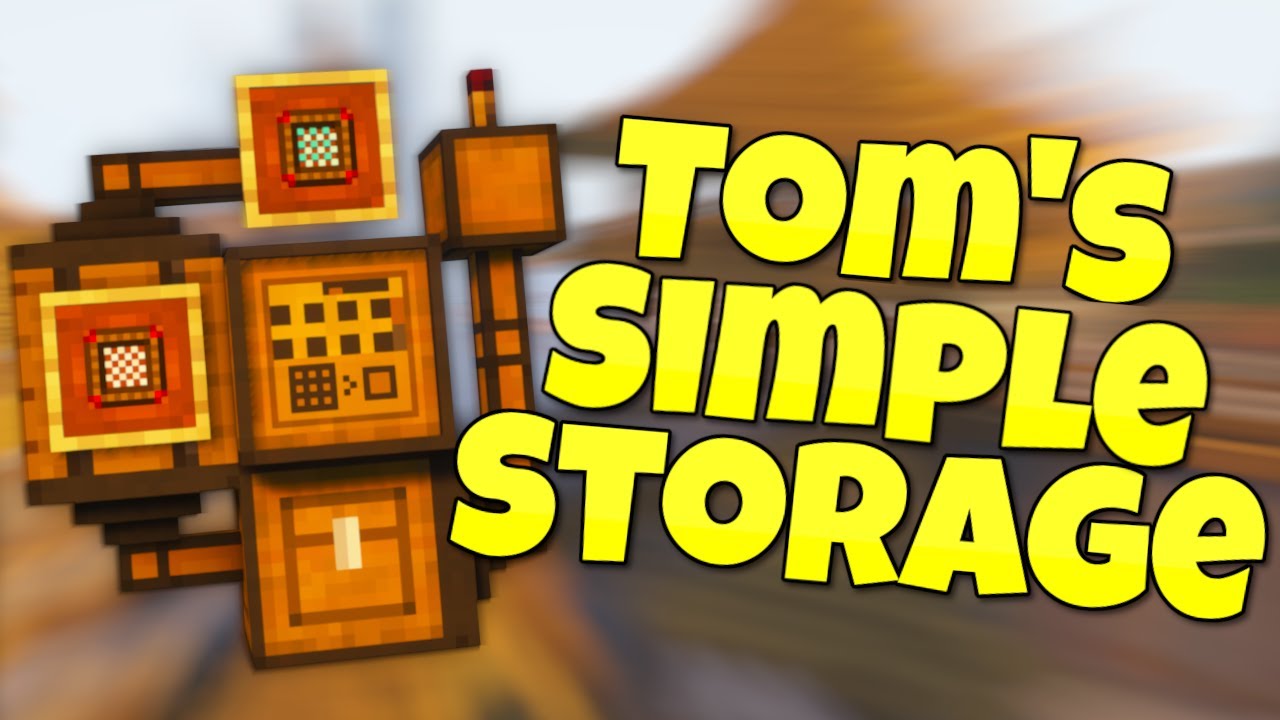
Minecraft Tom's Simple Storage Mod Guide for 1.19.4!
Here is my complete minecraft tom's simple storage mod guide for 1.19.4 where we cover everything from auto sorting mob spawners, to a storage system, to even wirelessly accessing items. By the end of this minecraft tom's simple storage mod guide you will know everything about tom's simple st...
long as it is hooked up in the same way s the one that does work, it should work
main vine
Ugh- Doesn't help at all, but sure. I've already been combing through this video and it doesn't solve the problem os making sure my storage area looks nice

But if I follow the video to the T like you are heavily suggesting I'm gonna have to needlessly expand this room longways
meager yacht
blissful stump
im using version 1.20.1. I ran it with curseforge and i added a few mods then th...
Please read the full contents of the #get-support channel for us to provide assistance.
meager yacht
azure trail
again im not support but looking at the logs this is the first thing said, have ...
dont tell people to remove mods please
meager yacht
azure trail
I added advancementplaques, ambient sounds, better combat, betterf3, better ping...
betterf3 sucks
euphoria patcher is already in the modpack
immersive aircrafts probbly wont work
sound physics remastered is already in the modpack
xaeroplus is already in the modpack
azure trail
meager yacht
betterf3 sucks
euphoria patcher is already in the modpack
immersive aircrafts pr...
how does betterf3 suck?
meager yacht
makes the f3 menu look like shit at the cost of performance lol
azure trail

even when I remove all the crap that makes it go off screen and not that much info?
sometimes I feel like the next major version shouldnt add that much so that they can work on making the game more runnable and bedrock... well... less bugrocky
main vine
Bleh, this mod honestly kinda sucks if it doesn't allow for long distance storage systems.
Which it seems that's that problem
meager yacht
main vine
Bleh, this mod honestly kinda sucks if it doesn't allow for long distance storag...
it does
main vine
Okay, I had to break and keep replacing blocks but eventually It's work's now.
I kinda figured I need to make a sorta relay system with the storage connectors, but no-
Clearly it wouldn't be that straight forward.
I also theorized it was maybe something to do with the connection not being on the same Y Cordinate, But that also wasn't the case
Hmm- I suppose my issue is that the inventory terminal has to be so close to the beacon for it to be active. Ima see if there's something in the configs that gives and option to change that

 main vine
Also that it's waxed copper
lime magnet
Yeah it is
 upbeat ocean
can someone send the link to me privately so i can get it
meager yacht
upbeat ocean
can someone send the link to me privately so i can get it
!alternates
undone latchBOT
If this command was run in response to your question/issue, it is likely because switching away from the launcher you are currently using would fix your problem.
From our experience, the most stable launcher by far is ATLauncher, also known as ATL.
To install ATLauncher, do the following:
1. Go to https://atlauncher.com/download
2. Install and run the setup, then open the program.
3. Login to your Microsoft account that owns the Java Edition of Minecraft from the Accounts tab on the right. This process is 100% safe, as it goes directly through Microsoft. ATLauncher does not see your account credentials.
4. Go to the Packs tab on the right, then click "Curseforge" on the left.
5. Search the modpack you wish to download.
6. Click "New Instance". Click "Ok" on the opted out mods warning, then click "Open All" on the manual download screen.
7. Let the mods download, ATLauncher will grab them from your Downloads folder and automatically add them to the modpack.
8. Go to the Instances tab, and click "Play" on the modpack you downloaded. If you ever see an "Update" button on the instance, click it.
This video explains the process: https://youtu.be/xMYW1wMbmkM
To transfer your Curseforge world to ATLauncher, simply right click the modpack on Curseforge, or click the 3 dots, then click "Open Folder". Copy the Saves folder, then click "Open Folder" on ATLauncher and paste the Saves folder there. Do the same with the XaerosMinimap folder, or the Journeymap folder, to transfer over any waypoints you've created.
Because ATLauncher downloads the exact same files as Curseforge does, your world will be the exact same and you will be able to join the same servers. ATLauncher also works without an internet connection (after you've installed the modpack, of course), and does not have any bloat from Overwolf. You are free to uninstall both Overwolf and Curseforge with ATLauncher installed.
solemn viper
Is it possible to bring my beehemoth to the nether?? I assume not, poor dude would prolly melt, but I’m not ready to go to the end yet and get the elytra, and I’m so tired of bridging and tunneling
pearl flume
solemn viper
Is it possible to bring my beehemoth to the nether?? I assume not, poor dude wou...
Might be able to, but honestly could get a bat mount in the nether to have there if you want
solemn viper
pearl flume
Might be able to, but honestly could get a bat mount in the nether to have there...
A bat!? :0 omg finding out how to get that immediately ty
pearl flume
Np, it’s from mythic mounts
solemn viper
You made my night, I just added it to my game and I’m getting all the mounts  tysm !
pearl flume
Thought it was already in the pack
solemn viper
I didn’t see it when I searched in the mod list, I’m playing BMC2 1.20.1
solemn viper
Yeah I’m wondering that too
I’m over here still just eating bread and meat bc idk what everything else does
 radiant garnet
Can anyone help me please ? Im trying to enter this server that I play on regularly on BMC1 , but it randomly says now that im using an incompatible version of it wich is odd because the BMC1 only has the 1.19.2 version and it says here that I need the 1.20.1 version

 sterile seal
I have a question will the 1.20 version if better MC be updated? or should i migrate to the 1.21 version?
meager yacht
sterile seal
I have a question will the 1.20 version if better MC be updated? or should i mig...
bmc3 and bmc2 will still get update separately
meager yacht
radiant garnet
Can anyone help me please ? Im trying to enter this server that I play on regula...
the server you're trying to join likely updated to bmc2 fabric
 balmy prism
Is there a modded way to turn a villager back from a witch?
radiant garnet
meager yacht
the server you're trying to join likely updated to bmc2 fabric
So do I just install the bmc2 fabric and just add the server again or is there a way to directly update the bmc1 modpack to bmc2 ?
meager yacht
radiant garnet
So do I just install the bmc2 fabric and just add the server again or is there a...
install bmc2 fabric
 hasty lion
The map I upgraded to Better Minecraft had an error and didn't show what I picked up
i need help
meager yacht
hasty lion
The map I upgraded to Better Minecraft had an error and didn't show what I picke...
Please read the full contents of the #get-support channel for us to provide assistance.
radiant garnet
meager yacht
install bmc2 fabric
Ok thanks
 summer parcel
Anyone know about this variant cow or pig mod in BMC?

keep crashing with my resourcepack so i want to remove and test it..
 cunning rover
Anyone in BMC3 v3 (the update today) not able to use tools now? Like they don't show up in your main hand when selected and you can't mine anything that isn't insta mine speed?
like i can hold and place blocks, but when i select a tool, it doesn't show in my hand.


 shrewd quail
cunning rover
Anyone in BMC3 v3 (the update today) not able to use tools now? Like they don't ...
shrewd quail
cunning rover
Anyone in BMC3 v3 (the update today) not able to use tools now? Like they don't ...
i have the same problem, i was about to report it but i didn't know how to explain it
cunning rover
shrewd quail
i have the same problem, i was about to report it but i didn't know how to expla...
yeah, I wasn't sure how to explain it fully either. so I tried to show it with screenshots. Hopefully they see this. I basically can't play it like this, as I can't mine or axe or shovel any blocks that don't insta mine like netherack.
not sure how to "report" it though, so if you know who to message, then feel free to link them to my post here.
shrewd quail
cunning rover
yeah, I wasn't sure how to explain it fully either. so I tried to show it with s...
i tried to record it
but file was too big
meager yacht
cunning rover
like i can hold and place blocks, but when i select a tool, it doesn't show in m...

unable to replicate
shrewd quail
bmc3 v3?
meager yacht
mhm
shrewd quail
...
meager yacht
 shrewd quail
maybe its because old save was in v2?
meager yacht
possibly
could you make a backup of your world
then just disable the new mods like 1 by 1
or do 5 at a time or smthn
shrewd quail
i can later
meager yacht
ty
 echo basin
Is Better Minecraft compatible with the Distant Horizons mod(https://www.curseforge.com/minecraft/mc-mods/distant-horizons), and the Tectonic mod(https://www.curseforge.com/minecraft/mc-mods/tectonic) ? Would it break things to add those mods to my install?
meager yacht
echo basin
Is Better Minecraft compatible with the Distant Horizons mod(https://www.cursefo...
DH should work
tectonic may have incompats
cunning rover
shrewd quail
maybe its because old save was in v2?
mine was updated from the previous release as well. perhaps that has something to do with it.
cunning rover
meager yacht
not sure what to tell you, but slimeowy and I both have the same thing happening. perhaps try loading a world in the pervious version, then updating it?
meager yacht
cunning rover
not sure what to tell you, but slimeowy and I both have the same thing happening...
i dont have any test worlds from the old version lol
thats why im asking you to see if you can figure out the issue on your world
as you're able to replicate it already
cunning rover
i'm a novice at this type of thing, so i wouldn't know how to do that, that's why i came here. i don't know what was changed with the update, or how to disable mods one by one.
meager yacht
changelog is here #announcements message
right click modpack -> open folder -> mods folder
shrewd quail
ok, I'll check it out now
shrewd quail
meager yacht
changelog is here https://discord.com/channels/790272037578473512/79027597450320...
oh..
...
i downloaded v2 version ._.
 distant gyro
what modpack should i pick to play ? bettermc i mean.
solemn viper
Just made a new world in the V3 BMC3 and this was a reward from the starter quests. Apologies if this isn’t the right place to report this, as idk if this a me thing or not
 shrewd quail
solemn viper
Just made a new world in the V3 BMC3 and this was a reward from the starter ques...
shrewd quail
solemn viper
Just made a new world in the V3 BMC3 and this was a reward from the starter ques...
its good place
meager yacht
solemn viper
Just made a new world in the V3 BMC3 and this was a reward from the starter ques...
oop
that'll be fixed yeah
shrewd quail
ok i found a mod that breaks it
wait i must find name
recipeessentials-fabric-1.21-3.5.jar
meager yacht
shrewd quail
recipeessentials-fabric-1.21-3.5.jar
are you 100% certain?
if so, try deleting the recipe essentials config file in the config folder
and if the issue still happens with recipe essentials installed, ping @some addon
without the space
and give a brief description of the issue
he's the mod dev
shrewd quail
i can show the stream on voice chat but i will be muted
meager yacht
I'm in bed rn
marble cape
I'm on bmc 1 from fabric, I've seen a 100 days in better mc and the missions give op things like "valkyrie lance" I would like to have those missions, what version is it?
 shrewd quail
meager yacht
are you 100% certain?
shrewd quail
meager yacht
are you 100% certain?
i checked it and i think i'm 100% sure, because with all mods except recipeessentials there is no problem with items, i also checked what would happen if i removed all mods from the v3 changelog (except recipeessentials) and then there was a problem because the mod was enabled
 sonic flame
shrewd quail
i checked it and i think i'm 100% sure, because with all mods except recipeessen...
sonic flame
shrewd quail
i checked it and i think i'm 100% sure, because with all mods except recipeessen...
I'm also have the same problem, except I've created a whole new instance for BMC3 v3 and still have this bug
crisp jasper
MC Version 1.20.1
No changes have been made to the modpack
V25
Unsure of what is happening that is causing the crash, they happen maybe once a day and as far as I can tell at random.
Howdy so for some reason I keep having server crashes with my better MC server. I am running it with 22gb of ram and the most people we have had on there is maybe 6
(While I was typing this it crashed again with one person. Here is the latest crash report.
acoustic spindleBOT
crisp jasper
MC Version 1.20.1
No changes have been made to the modpack
V25
Unsure of what is...
Uploaded crash-2024-07-29_13.51.32-server.txt from @crisp jasper to mclogs: https://mclo.gs/U33wReR
sonic flame
meager yacht
if so, try deleting the recipe essentials config file in the config folder
this doesn't help either
mild sonnet
when i hold my diamond pickaxes they just like keep clicking when im not doing anything so i cant break anything with them, but it doesnt happen with anything else
shrewd quail
sonic flame
I'm also have the same problem, except I've created a whole new instance for BMC...
did you try delete recipeessentials-fabric-1.21-3.5.jar?
@sonic flame
sonic flame
haven't tried it yet
shrewd quail
then try
mild sonnet
mild sonnet
when i hold my diamond pickaxes they just like keep clicking when im not doing a...
correction i think that happens with any tool with durability used
shrewd quail
delete recipeessentials-fabric-1.21-3.5.jar
sonic flame
shrewd quail
then try
yeap, it helps
shrewd quail
you can play without this
marble cape
hi?
marble cape
marble cape
I'm on bmc 1 from fabric, I've seen a 100 days in better mc and the missions giv...
plis
sonic flame
shrewd quail
you can play without this
thx for this, mostly I've written it so the devs would have more statistics about this bug and they don't think that is the only one instance
 eternal tundra
Hello Im playing better mc right now but I cant equip the carm of life. Can someone help me?
shrewd quail
eternal tundra
Hello Im playing better mc right now but I cant equip the carm of life. Can some...
show the problem
 hasty marten
Heyoooo peoplee! i cant make a server for some reason all methods i try open start.ps1 open for 1 milli second then close
i try remote thing to powershell
no work
no work nothing
why no work
? please help
hasty marten
?
pearl flume
 random hull
how much ram to allocate?
random hull
how much ram to allocate?
server or single player
random hull
single
pearl flume
hasty marten
Heyoooo peoplee! i cant make a server for some reason all methods i try open st...
!powershell
undone latchBOT
An update to windows introduced a new security feature that prevents powershell files from running on your PC. This is great for your security, but not so great for our server start scripts, which require powershell to run them. Fortunately there is a quick fix for this!
Run powershell as administrator, then run Set-ExecutionPolicy RemoteSigned. Read the prompt and press accept. This will allow us to run scripts.
Next, navigate to your server directory using cd path/to/directory (for example: cd C:\Users\Username\Documents\Minecraft\Server)
You can now run the server by double-clicking the start.ps1 file, or typing .\start.ps1 into the command line while in the directory.
IF THE ABOVE DOES NOT WORK, TRY THIS
Run the command Unblock-File -Path .\start.ps1 in the same powershell window. This will allow the start script to not be blocked by windows, and run freely.
pearl flume
random hull
single
!fps
undone latchBOT
shrewd quail
do you have java 21?
pearl flume
it's in the guide slime
shrewd quail
oh ok
random hull
thank you
hasty marten
pearl flume
!powershell
Hey.. Sorry but no work.
pearl flume
hasty marten
Hey.. Sorry but no work.
gonna need more explanation than it's not working
hasty marten
it just opens up for milisecond when i run ps1 with powershell even i done the remotesigne thing and unblock thing
and restart pc
hasty marten
yes
undone latchBOT
An update to windows introduced a new security feature that prevents powershell files from running on your PC. This is great for your security, but not so great for our server start scripts, which require powershell to run them. Fortunately there is a quick fix for this!
Run powershell as administrator, then run Set-ExecutionPolicy RemoteSigned. Read the prompt and press accept. This will allow us to run scripts.
Next, navigate to your server directory using cd path/to/directory (for example: cd C:\Users\Username\Documents\Minecraft\Server)
You can now run the server by double-clicking the start.ps1 file, or typing .\start.ps1 into the command line while in the directory.
IF THE ABOVE DOES NOT WORK, TRY THIS
Run the command Unblock-File -Path .\start.ps1 in the same powershell window. This will allow the start script to not be blocked by windows, and run freely.
hasty marten
yes
pearl flume
are you on windows, mac, or linux
pearl flume
where did you download serverpack from, curse app or site
hasty marten
curseforge
pearl flume
the app or the site version
hasty marten
app sir
pearl flume
I am not a male
hasty marten
oh sorry, ma'am*
pearl flume
You need to download from the website version as the app breaks downloads constantly
pearl flume
hasty marten
is somewhere tutorial
!server
undone latchBOT
Paid Method
We suggest renting a server from Bisect Hosting:
Approx. $10 - $25 a month depending on what plan you choose. You can also get 25% off with Code LunaPixel.
Go here and order a plan which fits you. We suggest 1GB per player but nothing lower than 4GB as the server needs at least 3GB to run.
Go to #server-hosting for more Info!
Free Method
To host a server on your own computer, read the selfhosting guide.
This guide goes over how to install, create, and launch a free Minecraft server on all operating systems (MacOS, Linux and Windows). The guide also guides you through installing Java and optimizing your server for better performance.
If you are installing one of our older modpacks, ignore the "README" file that is included in the serverpack files, as they have outdated information.
hasty marten
lol never
pearl flume
 hasty marten
its not "Set-ExecutionPolicy RemoteSigned" its "Set-ExecutionPolicy bypass"
pearl flume
hasty marten
its not "Set-ExecutionPolicy RemoteSigned" its "Set-ExecutionPolicy bypass"
well for the most part the first one does the trick, but I'll let the team know that may be another one to add on the list
Cause it can vary on the computers and windows version that person is running
 fierce condor
is fabric or forge better? i dont know the difference?
pearl flume
fierce condor
is fabric or forge better? i dont know the difference?
!best
undone latchBOT
There is no best, it's based on preference. What's best is to try it out yourself as what you like may be something someone else dislikes.
fierce condor
whats the difference?
pearl flume
!define
undone latchBOT
Curseforge - Refers to both the Curseforge website and Curseforge Launcher. The Curseforge Launcher is a modded launcher used to play & install modpacks. ATLauncher is a better alternative. All modded launchers can be used to install & play both Fabric and Forge modpacks.
Modpack - A collection of mods. "Better MC 1.19.2 Forge", for example, is a modpack.
Modpack Version - The version of the modpack you are playing. v5, v6, v7, etc.
Minecraft Version - The version of Minecraft which the modpack you are playing runs on. 1.16.5, 1.18.2, 1.19.2, etc.
Mod - A .jar file which modifies the game in some way. "BetterEnd", for example, is a mod.
Forge - A mod loader which allows you to use Forge mods.
Fabric - A mod loader which allows you to use Fabric mods.
pearl flume
they are different modloaders, some mods are on one loader, but not the other.
fierce condor
gotcha think ill prob stick to forge just cause it has more downloads lol
pearl flume
random hull
does vein miner work?
with the enchant on the tool yes
cunning rover
shrewd quail
delete recipeessentials-fabric-1.21-3.5.jar
Just coming back to confirm this fixed the issue for me too.
shrewd quail
👍
when i looked at the description of this mod, it doesn't add anything special, so you can play normally without it
 crystal prism
i need help
shrewd quail
?
crystal prism
java.lang.NullPointerException: Cannot read field "settings" because "biome" is null
 sonic charm
crystal prism
java.lang.NullPointerException: Cannot read field "settings" because "biome" is ...
sonic charm
crystal prism
java.lang.NullPointerException: Cannot read field "settings" because "biome" is ...
!moreinfo
undone latchBOT
- What Minecraft version are you using? (1.19.2, 1.20.1, ...)
- What launcher did you run Minecraft with? (e.g. CurseForge, ATLauncher, MultiMC, ...)
- Have you changed the modpack in any way? (e.g. changing mod versions, adding/removing mods)
- What version of the modpack are you using? (v11, v9, etc)
- Have you ever gotten past the crash condition without crashing, or does the game always crash?
- What steps cause the crash?
Required:
Open the game directory (right click pack -> open folder), navigate to the "crash-reports" folder and upload the latest available crash report.
If there is no crash report, navigate to the logs folder and upload "latest.log."
If there is no log, navigate to the base pack directory and upload the hs_err_pid file, if there is one.
crystal prism
im using 1.20.1
acoustic spindleBOT
crystal prism
im using 1.20.1
Uploaded crash-2024-07-29_16.00.36-client.txt from @crystal prism to mclogs: https://mclo.gs/kSZ7uhe
crystal prism
i just installed the modpack and joined a server with my friends and when i try to go into a crytal-ish portal my game crashesw
pearl flume
crystal prism
i just installed the modpack and joined a server with my friends and when i try ...
need to answer all questions
crystal prism
- i use 1.20.1
- Launched with mojang/microsoft launcher
- Didn't do anything to the modpack
- version v25
- I tried 3 times to go through the portal and it crashed everytime
- i think loading into the different dimension causes the crash of my game
pearl flume
crystal prism
1. i use 1.20.1
2. Launched with mojang/microsoft launcher
3. Didn't do anything...
#faq you need a modded launcher to play modpacks
crystal prism
i launched with curseforge, which sent me to launch with the microsoft launchewr
pearl flume
crystal prism
i launched with curseforge, which sent me to launch with the microsoft launchewr
!alternates curse broke the download
undone latchBOT
If this command was run in response to your question/issue, it is likely because switching away from the launcher you are currently using would fix your problem.
From our experience, the most stable launcher by far is ATLauncher, also known as ATL.
To install ATLauncher, do the following:
1. Go to https://atlauncher.com/download
2. Install and run the setup, then open the program.
3. Login to your Microsoft account that owns the Java Edition of Minecraft from the Accounts tab on the right. This process is 100% safe, as it goes directly through Microsoft. ATLauncher does not see your account credentials.
4. Go to the Packs tab on the right, then click "Curseforge" on the left.
5. Search the modpack you wish to download.
6. Click "New Instance". Click "Ok" on the opted out mods warning, then click "Open All" on the manual download screen.
7. Let the mods download, ATLauncher will grab them from your Downloads folder and automatically add them to the modpack.
8. Go to the Instances tab, and click "Play" on the modpack you downloaded. If you ever see an "Update" button on the instance, click it.
This video explains the process: https://youtu.be/xMYW1wMbmkM
To transfer your Curseforge world to ATLauncher, simply right click the modpack on Curseforge, or click the 3 dots, then click "Open Folder". Copy the Saves folder, then click "Open Folder" on ATLauncher and paste the Saves folder there. Do the same with the XaerosMinimap folder, or the Journeymap folder, to transfer over any waypoints you've created.
Because ATLauncher downloads the exact same files as Curseforge does, your world will be the exact same and you will be able to join the same servers. ATLauncher also works without an internet connection (after you've installed the modpack, of course), and does not have any bloat from Overwolf. You are free to uninstall both Overwolf and Curseforge with ATLauncher installed.
marble cape
Can somebody help me
pearl flume
can't help without knowin the issue
marble cape
marble cape
I'm on bmc 1 from fabric, I've seen a 100 days in better mc and the missions giv...
.
for example in waystone, when you craft it it gives you an infinite ender pearl
pearl flume
marble cape
likely they are on a different version than you. what bmc are they playing
marble cape
pearl flume
likely they are on a different version than you. what bmc are they playing
I get that at 1 in the video description
with a link to curseforge
pearl flume
link to video?
marble cape
https://www.youtube.com/watch?v=Ym1SvHoKpnc&t=556s is in Spanish
pearl flume
marble cape
https://www.youtube.com/watch?v=Ym1SvHoKpnc&t=556s is in Spanish
That's from 2023, the modpack has had a few updates since then
marble cape
Now, would you know if anyone knows what version it is?
pearl flume
Don't play outdated versions of modpacks.
cause lot of updates are made with making things better and improve any issues they may have had in a previous version
marble cape
Ah OK
pearl flume
also BMC3 is out for Fabric, which is on the new 1.21 update if you wanna play that instead
marble cape
I'll see, I loved that video (specifically that version) but if not, nothing happens.
fierce condor
ill give 1.21 verison a try seems good
upbeat ocean
how do i get better minecraft
pearl flume
upbeat ocean
how do i get better minecraft
#faq for install instructions
 dark nova
is there a bug for bm3 when enchanting tools?
i cant mine anything after i enchant them
pearl flume
dark nova
i cant mine anything after i enchant them
can you show what enchants you have on it?
pearl flume
on a pickaxe?
dark nova
its like vein miner stops it from mining
dark nova
pearl flume
on a pickaxe?
any item that has vein miner wont break blocks
dark nova
ok
pearl flume
what version of the modpack you on?
dark nova
1.21
pearl flume
gonna take a min to update and load it up
modpack verison
that's mc version
v1, 2, or 3
pearl flume
then check
dark nova
where exactly?
pearl flume
in the launcher or on the title of the game
 pearl flume
!fps
undone latchBOT
dark nova
is vsync on?
pearl flume
 copper mountain
mine says V2 and i cannot figure out how to get it to V3
copper mountain
mine says V2 and i cannot figure out how to get it to V3
what launcher you on
dark nova
copper mountain
mine says V2 and i cannot figure out how to get it to V3
click versions then download v3
copper mountain
curseforge
pearl flume
!fps open that, follow it. 10 is too much
undone latchBOT
dark nova
pearl flume
!fps open that, follow it. 10 is too much
i use 34 for it lmfao
pearl flume
There's other steps in the guide
copper mountain
dark nova
do u play curse forge?
Yes
dark nova
copper mountain
Yes
then go to the modpack in curse forge hit versions then download v3
pearl flume
dark nova
i use 34 for it lmfao
Stop that.
dark nova
pearl flume
Stop that.
y?
copper mountain
dark nova
then go to the modpack in curse forge hit versions then download v3
Where’s the versions, could you send a screenshot?
pearl flume
Java's garbage collection is crap. please adjust your ram for the game


 dark nova
pearl flume
Java's garbage collection is crap. please adjust your ram for the game
dark nova
pearl flume
Java's garbage collection is crap. please adjust your ram for the game
does it like mess with performance or something?
pearl flume
dark nova
does it like mess with performance or something?
heavily
dark nova
never had a single dip in fps when i use this much lmfao i do have 128gb tho...
pearl flume
Just please follow the dang guide 😭
dark nova
and i have it capped at 165.. it never drops below that lmfao
pearl flume
why is that so hard
dark nova
pearl flume
why is that so hard
its not i jsut dont see why its a problem to have more ram when the game caps it anyways...
pearl flume
What launcher are you using?
pearl flume
dark nova
its not i jsut dont see why its a problem to have more ram when the game caps it...
cause Java can't filter it properly!
!cracked
undone latchBOT
If you are using a cracked Minecraft launcher, we can not assist with your issue. In order to receive help, you need to switch to an approved launcher and provide proof you have purchased Minecraft. This is due to the terms of service and guideline agreements of both Mojang and Discord.
pearl flume
No game no modpacks
dark nova
💀
 spark sailBOT
Ban Result:
 Reason: TL is spyware and cracked, it's illegal and against TOS of LPS, Discord, and mojang. Childish to not pay for a game that is way cheaper than most games nowadays
 Moderator: @pearl flume

Banned:

 pentaghon [
297001660708814848]
dark nova
pearl flume
No game no modpacks
but its deff vein miner bc i can have the same enchants on a pick without vein miner and it works but as soon as vein miner is on the item it wont work
copper mountain
When I get the new version do I have to tranfer my world over to that version?
dark nova
spark sail
LMFAO!!!
pearl flume
dark nova
but its deff vein miner bc i can have the same enchants on a pick without vein m...
still trying to get the dumb thing to open. I have a 12 year old laptop
dark nova
oof i bet thats rough...
pearl flume
copper mountain
When I get the new version do I have to tranfer my world over to that version?
No. if you update the modpack on the profile it's in you don't have to change anything
At least I can be Sharkie's guinea pig on stability
copper mountain
Could you join a voice chat really quick a man is struggling with this
dark nova
copper mountain
Could you join a voice chat really quick a man is struggling with this
yes lol
pearl flume
copper mountain
Could you join a voice chat really quick a man is struggling with this
Open curseforge. right click modpack. Update/change version
pearl flume
dark nova
yes lol
is the hand holding the tool twitching per chance?
dark nova
i cant see the tool
pearl flume
making a vid cause it is doing the same for me
dark nova
im in better minecraft rn streaming if u wanna see
dark nova
pearl flume
making a vid cause it is doing the same for me
ok lmao
so i just gotta switch versions?
pearl flume
like this right?
dark nova
dark nova
so i just gotta switch versions?
bc thats unfortunate bc i play through my own server with friends lmfao