#🗣general-announcements
1 messages · Page 1 of 1 (latest)
 twin hornet
twin hornet
<@&967403013847257118> Exciting New Event!! Voodoo Val will be hosting the first...
twin hornet
twin hornet
twin hornet
<@&967403013847257118> Exciting New Event!! Voodoo Val will be hosting the first...
<@&967403018167406602>
twin hornet
LAST CALL to participate in our Community Survey! Use this opportunity to tell us what value you receive from this community and any suggestions you have to better your experience! Survey will close TONIGHT!!!! https://survey.adobe.com/jfe/form/SV_bgsRVF0qyi5DXVk <@&967403018167406602>
We want to hear from you on how we can improve this community! Please give us your feedback in this comprehensive survey!
 twin hornet
Hi Creators 👋
We are hosting a another Pro-Tips Friday TOMORROW, <t:1660339800>
right here in the Photoshop Discord server 
@arctic salmon will join us, sharing pro-tips on using the soft light blend mode for illustration in Photoshop. The hangout will take place in #Pro-Tips with Anna Daviscourt under Voice & Live. Bring your Q&A!! Anna is wants to talk all things with you!!
<@&967403018167406602> <@&967403013847257118>
 twin hornet
Adobe is teaming up with Prime Video for the premier of the new 'The Lord of The Rings: The Rings of Power'! We currently are running a design challenge centered around the show in Adobe Express.
In the spirit of the partnership, our Adobe community is hosting a watch party September 2nd!! Come geek out over this amazing new show on the Adobe Photoshop discord!
Join the challenge: https://www.adobe.com/creativecloud/design/explore/lord-of-the-rings.html?sdid=HM85X87D&mv=other
Begin your journey with a spark of inspiration. Discover easy-to-use Adobe templates designed by experts. Share your creativity with #LOTRxAdobe.

Watch the Official Trailer for #TheRingsOfPower now. Join us in Middle-earth on September 2.
Prime Video's The Lord of the Rings: The Rings of Power brings to screens for the very first time the heroic legends of the fabled Second Age of Middle-earth's history. This epic drama is set thousands of years before the events of J.R.R. Tolkien’s The ...
twin hornet
Hi Photoshop Community!! @everyone
We've got some exciting things coming up on the last half of 2022‼️‼️
⭐️ We will be restructuring ALL the Adobe product discord servers on September 6th! This refresh will give our servers a whole new look, while keeping all the content the community knows and loves.
~ WHY? ~
1️⃣ To ensure all the Adobe product servers follow the same structure
2️⃣ To make it easier to find where to post a question, ask for feedback, meet new friends, etc.
3️⃣ To support the fun new events we have coming in the latter half of 2022 and into 2023
~ Logistics ~
The Adobe Product Servers will be OFFLINE from 9/3 to the morning of 9/6. Both the announcement channel and the chat channel will remain open to give us a space to give you updates AND a space to chat with fellow community members.
⭐️ In September and October we will be running weekly events. These events will be an 'experiment' to find out what type of community events you all want on a regular basis!! The aim is to have regular weekly event, but for now we will be hosting events alternating on Wednesdays and Fridays through October - Schedule to come soon!!
🤴🏼⚔️💍 We will kick off these events on September 2nd with our Lord of the Ring: The Rings of Power Watch Party!
⭐️ Last but not least, on September 6th, Adobe Live will officially be streaming to our very own YouTube channel!! (instead of the Creative Cloud YouTube)
Make sure to Subscribe to the Adobe Live YouTube channel for exclusive community content and access to all our LIVE content: https://bit.ly/adobeliveyoutube
Feel free to DM with any questions!!!
Meghan!!
Adobe Community Manager

YouTube
Every weekday, our community of creatives livestream interactive sessions that are designed to help you level up your existing skills and develop fresh talents. Adobe Live helps you discover more to love about your favorite Creative Cloud apps, try new ones, and adapt your workflows so they work better for you. From beginner challenges to master...
twin hornet
Tomorrow is a big day for Community <@&967403013847257118>!!! A few reminders on what we have going on....
-
Daniel Flores graces us with a Pro Tips stream on Creating Brushes in Adobe Illustrator @ 9am pst
- Following his stream at 9:30am, Daniel will be in the Pro Tips voice chat on the Ai server to answer your questions in real time!
-
In the afternoon James Bonanno's Pro-Tips will walk us through Making Effective Transitions in Premiere Pro @ 2pm pst
- Following the stream at 2:30pm, James will be in the Pro Tips voice chat on the Pr server answering questions!
-
The official Adobe 'Lord of the Rings' Watch Party will start at 3:30pm pst, directly after Office Hours!! The show will start at 4pm pst!! More details to come tomorrow!!
 dusty fjord
<@&967403015822794842> The Photoshop team is looking for participants for a beta feedback survey, next week! If you're interested, please fill out this form and we'll contact you if you've been selected: https://forms.gle/oBJvB3wQirvzkE939
twin hornet
Get pumped about tonight’s Lord of the Ring watch party!! Here's some logistics...
-
Register for the party in the events tab! The Party will be hosted in the Community Event’s voice chat in the PS discord.
-
The show will start at 4pm pst! But come join the party straight after Office Hours @ 3:30pm pst for some pre-show fun!
-
We will be hosting a live watch party through Amazon Prime @ 4pm pst - meaning we can all start the show at the exact same time, while chatting!!
- The first 100 people to the event will be admitted into the live watch party, others can activity chat within Discord while watching at their own speed.
- Link to Amazon Watch Party will be dropped in the chat at start time.
- To join the Amazon Watch Party, you must..
- Be using Chromes or Firefox (Safari and Internet Explorer web browsers aren't supported)
- If you are watching on a TV or Mobile app - you must be on the latest version of the app
- Must be located in the USA
- Must have Amazon Prime
-
We will watch the first episodes together, but chat will be open all night for those who want to continue watching!
-
LASTLY!!! As this watch party is brought to your by the LOTR Adobe express challenge, we are inviting you to create using the Adobe Express LOTR templates!! Designs can be submitted via that chat during the event! Five random participant will be sent Adobe Live swag!
DM with questions 🙂 Can’t wait!!! <@&967403013847257118>
twin hornet
Hello @here !! The watch party has begun!! Join us now.. were about 3 minutes into the episode!
Were in the Community Events Voice Channel! https://discord.gg/dFMy7xhc
 left plover
Hi everyone! We're reworking the product servers. Feel free to chat in #💬chat-general while we are changing the layout of the server. The server will reopen on Tuesday, 6th of September, with a new and fresh look!
left plover
Aaaand we are back! Welcome to the new, fresh, and revamped server <@&908739790558625842>! 🥳
Check out the all-new #📕server-guide if you don't know where to go. You can still do everything you could before, but now in a better, reorganized way!
Thank you all for being so patient, and we hope you all love the changes! If not, fill out the form in #💌submit-suggestions-archived and we'll read your ideas!
 vague bronze
Great job @left plover and your team
dusty fjord
<@&967403015822794842>
We’re excited to announce a brand-new version of Photoshop beta is available, which includes a nifty new workflow called ‘Share for Review,’ which allows you to share links with anyone and get instant feedback.
Instructions:
- Download and install the Photoshop beta from the Beta apps tab of Creative Cloud desktop app
- Try out “Share for Review” a few times, which allows you to share links with anyone and get instant feedback in Photoshop or Illustrator. To use Share for Review, click on a blue “Share” button then select “Share for Review”.
- Let us know your Share for Review experience by completing this survey: https://survey.adobe.com/jfe/form/SV_bpzj6VPCQr8HpkO. The survey closes after 1,000 completions.
Completed survey respondents who have tried Share for Review will receive a $20 Amazon gift card provided by Adobe. Note: This survey will close Tuesday 9/12 at 5PM PST.
vague bronze
If anyone is interested, I think the font Nick used for his moodboard headers was from the MASHINE family in AdobeFonts. Mashine Semi Bold was his selection.
twin hornet
Hi <@&908739790558625842>!
We will be hosting another Community Event (<@&967403013847257118>) on Wednesday, September 21st @ 4pm pst called "Create Together!"
This event is focused on bring our creative communities together to create art centered around one theme! We will give you the theme one week in advance of the event - you will be able to use ANY Adobe product to create something! The content is 100% up to your imagination, but should center around the theme!!
Then, on the 21st, five amazing mentors (revealed before the event!) one focused on each Adobe products (Ps, Pr, Ai, Xd and Adobe Express), will share with the community what they created AND give the community feedback and advice on your creations. The hour long event will be a chance for you to ask the mentors questions or just show off your work.
Think of this as a** mini challenge **and a way to gain inspiration from other Adobe platforms you may not normally use.
Some logistics...
- The event will be held in the Ps discord in the Create and Hang Out channel, but participants can share their work in the chat prior to the event.
- Register via the event tab to make sure the mentors see your work
- Theme will be released on 9.14 @ 4pm pst
twin hornet
Better late than never lol - THE THEME FOR THE CREATE TOGETHER EVENT IS........
BOOKS!!
some example: Drawling you favorite book character, redesigning book cover, book reviews, create your own book! SKYS the limit! Happy creating 🙂 <@&967403013847257118>
twin hornet
Happy Monday <@&908739790558625842>
<@&967403013847257118> REMINDER: We will be hosting the first “Create Together✨” event this Wednesday 9/21 @ 4pm PST!
🗳️ Register for the event in the Events Tab. The event will be held in the Ps discord
📚 Create a work of art on any Adobe software surrounding the theme of **BOOKS! **
💬 Share your work between now and Wednesday in the Create and Hangout voice channel chat box
👩🏾🤝👨🏼 On Wednesday at 4pm - mentors will be in the voice chat to show you their work and give live feedback on yours!
‼️ Important note: Please drop your work in the chat PRIOR to Wednesday at 4pm PST so the mentors have time review!
DM me with any questions!!
twin hornet
TODAY’S EVENT! 4pm pst 🥳
Meet us in Ps discord (Create-and-hangout Channel) at 4pm pst for mentor feedback and inspiration!
Drop your work surrounding the theme of BOOKS! in the chat prior to the event if you want feedback from our mentors!
Important logistics…
- You must be part of the Ps discord: https://discord.gg/pKNZA5aw
- Join the event here: https://discord.gg/pKNZA5aw
- Open the chat by clicking the “Open Chat” button next to the channel name!
Can’t wait to see you all there! <@&967403013847257118>
 twin hornet
HAPPY FRIDAY! Voodoo Val is live in the Pro-Tips After Party Voice chat! She'll be answering questions on timelines in Ps! @here
twin hornet
Hey all, @mental otter is a new product manager on the Adobe Photoshop team. She is trying to learn more about digital creativity outlets and processes and is looking for people who are interested in participating in a 30 mins user research project. Are you someone who have limited experience in using Photoshop but is interested in learning how to use it for work or school? You can also have graphic design, photography backgrounds, or just a creative in general! If you are interested in offering feedback, please DM @mental otter <@&967403018167406602> <@&967403015822794842>
 dull lily
Hello <@&967403013847257118>! Join #1015656565468045442 in 5 minutes where Anna Daviscourt will answer your questions and continue where she left off on Adobe Live going over Gaussian Blur in Photoshop!
twin hornet
Happy Max Monday!
Adobe Max 2022 is finally here!! Lots of great things to come at MAX this week, both in person and ONLINE. Join Adobe Live during our TWELVE live sessions on Tuesday and Wednesday (Schedule below) to connect with Adobe Max Speakers and deep dive into new product features.
There is still time to register at max.adobe.com!! <@&967403013847257118> <@&967403015822794842>

 twin hornet
Special Adobe Live Bootcamp Nov 7th- 11th <@&967403013847257118> <@&967402868028112906>
Lots of buzz surrounding Adobe Express after the Adobe MAX Keynote! If you missed it, Scott Belsky outlined all the mind blowing features coming to Adobe Express soon! Get ahead of the hype by attending Adobe Live’s Adobe Express Bootcamp - Optimize your workflow and learn how to work seamlessly between Adobe Express and other Creative Cloud Apps.
**Key Takeaways: **In this bootcamp you will learn how to….
- Efficiently use CC libraries for cross app workflows
- Add interactive features like animations and effects to your photo composites
- Create social media carousels posts with your edited photography
- Create thumbnails for your professional videos
- Utilize Adobe Stock to create and schedule social media posts
Daily Lineup:
Monday, Nov 7th:
Speed up your branding process with CC Libraries! Create brand kits in Illustrator and then seamlessly use those assets in Adobe Express to create striking social media posts!
Tuesday, Nov 8th:
Add a new level of dimension and interaction to your composites with Adobe Express and Photoshop. Add animation, text, and effects to transform your designs into engaging content for your social media.
Wednesday, Nov 9th:
Make your Premiere Pro videos stand out with thumbnails and graphic made in Adobe Express. Use your own assets or choose from thousands of free templates, Adobe Stock photos, and more.
Thursday, , Nov 10th:
Discover a new way to process your photos using Adobe Express and Lightroom together. Learn how to turn your photos into social media carousels, mood boards, and more.
Friday, Nov 11th
Create social media content in minutes with templates in Adobe Express and images from Adobe Stock. Design customized graphics and learn how to schedule content to automatically post to social media.
To register for this Bootcamp please visit our website: https://adobe.ly/3TxLnnf
twin hornet
🚨New Community Event🚨
Did ya'll have fun at MAX? More importantly DID YOU LEARN SOMETHING? If so, we want to see what you learned!
@pastel condor , Adobe's very own Community Relationship Manager, will be hosting a MAX portfolio review Friday 11/4 at Noon EST! Join us on the **Ai discord **as Kelsey gives feedback and answers questions on all things MAX.
Drop your work, from MAX or whenever, for review in the Ai Community Events Channel prior to 11/4 @ Noon est for Kelsey to look over, then join us at 12pm est as Kelsey provides feedback to the community!
Discord
Discord is the easiest way to communicate over voice, video, and text. Chat, hang out, and stay close with your friends and communities.
 pastel condor
Hey! Just a reminder that I will be hosting the MAX portfolio review tomorrow at Noon EST! Join us on the Ai discord for feedback and answers questions on all things MAX 👏 SO EXCITED TO CHAT with you all and connect 💗
twin hornet
Good morning! @pastel condor's portfolio review is in 15 minutes! Drop your work in the community events channel now so she can review your work! https://discord.gg/Jsv6GnWh <@&967403013847257118>
twin hornet
The FREE Adobe Express bootcamp starts in 30 minutes! Come join Andrew Hochradel as he talks us through the process of uploading brand kits from Illustrator into Adobe Express. Join us at 11:30am to learn more about designing brand kits, social media and CC libraries - https://adobe.ly/3TxLnnf <@&967403013847257118>
dull lily
Hello <@&967403013847257118>! Join #1015656565468045442 in the Photoshop Discord in 5 minutes where Spencer Nugent will answer your questions and continue where he left off on Adobe Live going over the Perspective Tool in Adobe Fresco!
twin hornet
Last day, Best Day!!! 🥾🏕️
Join us now for one final day of exploring how to use Adobe Express in your creative workflow! https://adobe.ly/3TxLnnf <@&967403013847257118>
dusty fjord
Hi <@&967403018167406602> <@&967403013847257118> Gus from Adobe's Community team here 👋
Calling ALL aspiring and emerging creatives! From Photography to Illustration, self-taught to graduated, if you aspire to become a creative pro or have recently begun your journey, we'd love to connect with YOU.
Our team is building a community of next gen insiders, with the goal of building relationships that inform and shape the future of creative tools and resources.
If you'd like the opportunity to participate in brainstorming sessions, share feedback with Adobe's product teams & join our insider community (with special events, projects and rewards), please fill out this form: https://airtable.com/shrrq9xpPk8pUN4rC
Hope to hear from you soon 💜
Airtable
Airtable is a low-code platform for building collaborative apps. Customize your workflow, collaborate, and achieve ambitious outcomes. Get started for free.
twin hornet
Happy Tuesday! The Adobe Live team is partnering up with the Adobe Character Animator team to help with some important research on a new Video Quick Action called Animate from audio. Check out the beta of the Adobe Express Video Quick Action: Animate from audio in the video linked in the thread below --- & Please take a few minutes to give your feedback on this beta! Should only take you 2 minutes https://forms.office.com/r/Jgd1bzXfzL <@&967403015822794842>
 sleek pendant
It looks like there are new updates for Photoshop (to v24.1) and Camera Raw (to v15.1) as well as Lightroom and Lightroom Classic.
dull lily
Hello <@&908739790558625842>! Join #1015656565468045442 in 5 minutes where Cyn Lagos will answer your questions and continue where she left off on Adobe Live going over Masking Tools in Adobe Lightroom!
twin hornet
Happy Friday <@&908739790558625842>! Andrew Hochradel is joining us in !!9 Minutes!! for a Pro-Tips After Party all about Creating Texture in Adobe Photoshop!!! Join us in the Pro-Tips After Party Voice Channel.
 mystic boughBOT
Happy Monday Adobe Live Community! Welcome Back and Happy New Year!
Lots of exciting things to coming your way in 2023 - Including weekly announcements! Every Monday the community team at Adobe will send an announcement message, much like this one, details all the exciting things happening that week on Adobe Live.
As always reach out to Adobe Staff, Mentor or Moderators with any questions!
Blue links below are clickable!
Join our Adobe Live Community Manager, Meghan Bille, as she shows you all of the ways to connect with the Adobe Live Communities! Learn more about how you can find new community events and grow your skills with Adobe Live.
Events are held in "Community Events" Voice Channel within Discord
All times in PST
Create with other community members in our weekly hangout sessions!
Monday - Thursday
Ps DCC with VooDoo Val - 9am
Ai DCC with Andrew Hochradel - 9:30am
Pr DCC with Evan Abrams - 10am
Monday
Fresco drawling with Renee di Cherri - 10:30am
Let's InDesign with Anika Aggarwal - 12pm
TWITCH STREAM with Shauna Lynn - 1pm
Tuesday
Adobe Express with Andy Lambert - 8am
Video Editing with Alex Hogue - 10:30am
Drawing Basics with Kyle T. Webster - 12pm
Wednesday
Photo Editing with Paco Siller - 10:30am
Animation 101 with Pixipui - 12pm
TWITCH STREAM Anchor Points with Andrew Hochradel & Nick Longo - 1pm
Thursday
Branding & Identity with Sydney Michuda - 10:30am
Design Fix with Kladi Vergine - 12pm
TWITCH STREAM Drawing with Kyle Webster - 1pm
Friday
Design Masterclass - 7am
Photography Masterclass - 8am
Video & Motion Masterclass - 10:30am
Illustration Masterclass - 11:30am
*All times in PST*
twin hornet
mystic bough
Happy Monday Adobe Live Community! Welcome Back and Happy New Year!
Lots of ex...
^ <@&908739790558625842> Check out our new weekly update system! Join us every Monday morning here in the announcement channel for updates on community happenings!
 somber oyster
Hi everyone! Last minute notice I'll be on the panel doing an AMA on the Adobe Creative Career Discord! If you have time/questions stop on by! https://discord.gg/acc?event=1060226436499259482
somber oyster
Hi everyone! If you are interested/have questions about freelance come on over to the Adobe CC Discord @ Wednesday 1/18 7PM(EST)! https://discord.gg/acc?event=1060227761152741477
mystic boughBOT
Happy Monday! Here's what's going on in the community this week!
- All blue links are clickable
Join Community Member, Alpay, as he reviews your work! Submit your Behance Portfolio, Instagram or Website to the Community Events Voice Channel in the Photoshop discord prior to the event. During the event Alpi will spend time reviewing your portfolio + give you career advice!
Create with other community members in our weekly hangout sessions!
Official Adobe Live Community Discords include the Photoshop (Ps), Illustrator (Ai), Video (Pr), Adobe Creative Careers and Adobe Express Servers. Make sure to join all six for community events, product info and live learning opportunities.
Tuesday - Thursday
Ps DCC with VooDoo Val - 9am
Ai DCC with Andrew Hochradel - 9:30am
Pr DCC with Evan Abrams - 10am
Monday
No Streams! Happy Martin Luther King Day!
Tuesday
Illustration with Alanna Flowers - 10:30am
Sketch to Vector with Delta Tango Mike - 12 am
Adobe Express with Katrina Torrijos - 1 pm
Wednesday
Adobe Express with Anika Aggarwal - 8:30am
Poster Design with Jess Yas - 10:30am
Adobe Fonts with Ben Welch and Ariadne Remoundakis - 12pm
Thursday
Adobe Express with Anika Aggarwal - 8:30am
Photography with Paige Tingey - 10:30am
Design fix with Alex Lazaris - 12pm
Friday
Design Masterclass with Paul Trani - 7am
Photography Masterclass with Terry White - 8am
Video & Motion Masterclass with Jason Levine - 10:30am
Illustration Masterclass with Kyle T. Webster - 11:30am
*All times in PST*
mystic boughBOT
Happy Monday Adobe Community! Here's what's going on this week....
heme/ Prompt: Best of 2022!
~ Use any Adobe Product to highlight the best of 2022. This could include a collage of your best artwork, something inspired by your favorite 2023 memory, your biggest accomplishment from the year, etc. Use your imagination and interpret the prompt in whichever way makes sense to you!
~ Post your submissions in the Create Together #1: Best of 2022 forum in the 🤝create-together Channel in the Photoshop discord!
~ Please post by end of day 1/25 and winners for week one will be announced on Friday, 1/27. PRIZES will be awarded to the winners
Events are held in "Community Events" Voice Channel within Discord
All times in PST
Monday - Thursday
Video Bookcamp 9am - 10am
Pro-Tips with Can Lagos 10am - 10:30am
Monday
Illustration with Natalie Brown - 10:30am
Let's InDesign with Anika Aggarwal - 12pm
TWITCH STREAM with Shauna Lynn - 1pm
Tuesday
Adobe Express with Andy Lambert - 8am
Motion with Voodoo Val - 10:30am
Photoshop for Artists with Kyle T. Webster - 12pm
TWITCH STREAM with Katrina Torrijo - 1pm
Wednesday
Photography with Erik Almas - 10:30am
Animation 101 with Pixipui - 12pm
TWITCH STREAM Anchor Points with Andrew Hochradel & Nick Longo - 1pm
Thursday
Branding & Identity with Maud Passini- 10:30am
Design Fix with Kladi Vergine - 12pm
TWITCH STREAM Drawing with Kyle Webster - 1pm
Friday
Design Masterclass with Paul Trani - 7am
Photography Masterclass with Terry White - 8am
Adobe Express Masterclass with Katrina Torrijos - 9am
Video & Motion Masterclass with Jason Levine - 10:30am
Illustration Masterclass with Kyle T. Webster - 11:30am
*All times in PST*
twin hornet
^ An addition to these announcements! We will be hosting a Pro-Tips Afterparty with Cyn Lagos this Friday at 10:30am PST! Hope to see you there! <@&967403013847257118>
twin hornet
CREATE TOGETHER WINNERS! <@&908739790558625842> <@&967403013847257118>
- Best Overall: @ornate ore
- Best Story: @zinc sundial
- Best Newbie: @brazen prairie
- Most Creative: @knotty sandal
Winners - please DM me to collect your prizes!
Congrats to all our winners and thank you for everyone who participated! For those who participated our wonderful judges have provides some feedback and observations for you so make sure to look over at in the Create Together Forum!
NEXT WEEK! Next Week’s Create Together event will run the exact same way, but will be held in the Adobe Creative Careers Server. @dull lily and @stray gull are our representatives from the ACC server so please reach out to me or them with any questions
Theme: Looking forward to 2023 (please feel free to interrupt this how you see fit and use ANY Adobe Product to create your work!)
Looking forward to seeing your submissions next week!!
How to join ACC:
- Join here: https://discord.gg/acc
- Find the Create Together forum under the General Section!

 worldly gardenBOT
Gave +1 Creative Carma to @ornate ore
mystic boughBOT
Happy Monday Adobe Live Community!
Blue links below are clickable!
Submit your work for the theme of Looking forward to 2023/ New Year's Resolutions in the ACC server! Click the link above to be taken to the event details.
All times in PST
Meet Cyn Lagos to ask her questions about her week of Pro-Tips!
All times in PST
Monday - Thursday
Graphic Design BootCamp with Howard Pinsky 9am
Monday- Friday
Pro-Tips with Cyn Lagos - 10am
Monday
Motion Graphics with James Bonanno - 10:30am
Power Prompts with Codi Bear - 12pm
TWITCH STREAM with Shauna Lynn - 1pm
Tuesday
Adobe Express with Brittney Megann - 8:30am
Drawing & Painting with Darya Shnykina - 10:30am
Sketch to Vector with DeltaTangoMike - 12pm
TWITCH STREAM with Katrina Torrijos - 1pm
Wednesday
Poster Design with Tony Harmer, The Design Ninja - 10:30am
Adobe Fonts Show with Ariadne Remoundakis and Ben Welch- 12pm
TWITCH STREAM Anchor Points with Andrew Hochradel & Nick Longo - 1pm
Thursday
Photo Editing with Rachel Hannah - 10:30am
Design Fix with Alex Lazaris- 12pm
TWITCH STREAM Drawing with Kyle Webster - 1pm
Friday
Design Masterclass - 7am
Photography Masterclass - 8am
Adobe Express Masterclass - 9am
Video & Motion Masterclass - 10:30am
*All times in PST*
left plover
<@&908739790558625842> Don't forget to submit your work for the Create Together Event - "Looking Forward to 2023" submissions will close TONIGHT <t:1675323900>. Mentors/ Judges are providing feedback in the Create Together channel in the ACC discord!! https://discord.gg/acc?event=1067886566007119872
twin hornet
CREATE TOGETHER
WEEK 2 WINNERS! <@&908739790558625842> <@&967403013847257118>
- Best over all: @sacred knot
- Best Story: @wooden oasis
- Best Newbie Artist: @worthy plover
- Most Creative: @warped igloo
CONGRATS!!! Winner please DM for your prize details. All winning submissions are below!!
Another huge congrats to our week 1 winners. We didn't share their art last week so taking this chance to share with you their winning submissions as well!!
- Best Overall: @ornate ore Winning submission (https://www.behance.net/gallery/162217791/A-diary-of-2022)
- Best Story: @zinc sundial Winning submission (https://youtu.be/Yy81cPpLUDA)
- Best Newbie: @brazen prairie
- Most Creative: @knotty sandal
THANK YOU to everyone who participated and our fabulous judges - @eager wedge, @vivid dune, @dull lily , @stray gull and @somber oyster
Our next create together event will be help on Feb 22nd! We will release the theme for both week one week prior on Feb 15th!!
Have a great weekend!


 worldly gardenBOT
Gave +1 Creative Carma to @sacred knot
mystic boughBOT
Happy Monday Adobe Live Community!
Blue links below are clickable!
Join three Adobe Live Community members as the walk you through their freelance journey! Come ask questions and get advice on how to thrive as a freelancer.
Events are held in "Community Events" Voice Channel within Discord
All times in PST
Create with other community members in our weekly hangout sessions!
Monday - Thursday
Ps DCC with VooDoo Val - 9am
Ai DCC with Storm Stewart - 9:30am
Pr DCC with Pixipui - 10am
Monday
Drawing & Painting with Nikkolas Smith - 10:30am
Let's InDesign with Anika Aggarwal - 12pm
TWITCH STREAM with Shauna Lynn - 1pm
Tuesday
Adobe Express with Andy Lambert - 8am
Video Editing with Elise Swopes - 10:30am
Photoshop for Artists with Kyle T. Webster - 12pm
TWITCH STREAM Adobe Express with Katrina Torrijos 1pm
Wednesday
Photo Editing with Jordé - 10:30am
Animation 101 with Pixipui - 12pm
TWITCH STREAM Anchor Points with Andrew Hochradel & Nick Longo - 1pm
Thursday
Editorial Design with Kieron Lewis - 10:30am
Design Fix with Kladi Vergine - 12pm
TWITCH STREAM Drawing with Kyle Webster - 1pm
Friday
Design Masterclass with Paul Trani - 7am
Photography Masterclass with Terry White - 8am
Video & Motion Masterclass with Jason Levine - 10:30am
Illustration Masterclass with Kyle T. Webster - 11:30am
*All times in PST*
twin hornet
<@&908739790558625842>
Are you curious about 3D work? Adobe Live is hosting a 3D bootcamp next week from Feb 14th - Feb 16th @ 10am pst!! (Day 3 starts at 9:30am for a full hour of 3D work!!)
The event will teach you how to combine the power of 3D with the Creative Cloud apps you know and love. Over the course of the three days, you'll learn how to…
- Combine light, depth and shading effects to make your designs in Ai and PS pop
- Add 3D elements to your motion Graphics
- Start staging a full 3D scene!
Set your event reminder now: https://adobe.ly/3dbootcampcommunity
mystic boughBOT
Happy Monday Adobe Live Community!
No community events this week!! See you all at the 3D Bootcamp!!
Blue links below are clickable!
Event Starts....
10am - Feb 14th and 15th
9:30am - Feb 16th
Combine the power of 3D with the Creative Cloud apps you know and love. Over the course of three days, you'll learn insider tips and tricks to seamlessly integrate 3D into your projects and elevate your design work.
All times in PST
Monday - Thursday
Ps DCC with VooDoo Val - 9am
Ai DCC with Andrew Hochradel - 9:30am
Pr DCC with Evan Abrams - 10am
Monday
Adobe Express with Kenneth Shinabery - 8:30am
Ps DCC with Ruben Cespedes - 9am
Ai DCC - Jack Watson. - 9:30am
Pre-Event 3D Bootcamp with Andrew Hochradel - 10am
Video Editing with Deanna Hong - 10:30am
Power Prompts with Codi Bear - 12pm
TWITCH STREAM with Shauna Lynn - 1pm
Tuesday
Adobe Express with Kenneth Shinabery - 8:30am
Ps DCC with Ruben Cespedes - 9am
Ai DCC - Jack Watson. - 9:30am
3D BOOTCAMP - 10am
Drawing & Painting with Odari Yohanes- 10:30am
Sketch to Vector with DeltaTangoMike - 12pm
Adobe Express with Katrina Torrijos - 1pm
Wednesday
Ps DCC with Ruben Cespedes - 9am
Ai DCC - Jack Watson. - 9:30am
3D BOOTCAMP - 10am
Logo Design with Paola Kassa - 10:30am
Adobe Fonts with Ariadne Remoundakis and Ben Welch- 12pm
TWITCH STREAM Anchor Points with Andrew Hochradel & Nick Longo - 1pm
Thursday
Ps DCC with Ruben Cespedes - 9am
3D BOOTCAMP - 9:30am
Photo Compositing with Renee Robyn - 10:30am
Design Fix with Kladi Vergine - 12pm
TWITCH STREAM Drawing with Kyle Webster - 1pm
Friday
Design Masterclass with Paul Trani- 7am
Photography Masterclass with Terry White - 8am
Ps DCC with Ruben Cespedes - 9am
Ai DCC - Jack Watson. - 9:30am
Post-Event 3D Bootcamp with Andrew Hochradel - 10am
Video & Motion Masterclass with Jason Levine - 10:30am
Illustration Masterclass with Kyle Webster - 11:30am
*All times in PST*
somber oyster
<@&908739790558625842> Happy Monday! If you have questions about design, jobs, or software check out the AMA on Monday 2/20 7PM(EST)! https://discord.gg/acc?event=1070726828605575278
mystic boughBOT
Happy Tuesday Adobe Live Community!
Blue links below are clickable!
Join Community Member Alp (Adobe Mentor, Designer, Academic & Producer), for a portfolio review! Drop links to your website, social media or behance in the Community Events Voice Channel for Alp to review!
Create with other community members in our weekly hangout sessions!
Join DTM after his week long pro-tips to ask questions and get advice!
Monday
NO STREAMS - Presidents Day
Tuesday
Adobe Express with Andy Lambert - 8am
Graphic Design Bootcamp with Jeremy Slagle - 9am
Pro-Tip with DeltaTangoMike - 10am
Drawing & Painting with Stevie Rae - 10:30 am
Photoshop for Artists with Kyle T. Webster - 12pm
Wednesday
Adobe Express with Phoebe Sherman - 8:30am
Graphic Design Bootcamp with Jeremy Slagle - 9am
Pro-Tip with DeltaTangoMike - 10am
Photo Editing with Esteban Toro- 10:30am
Animation 101 with Pixipui - 12pm
TWITCH STREAM Anchor Points with Andrew Hochradel & Nick Longo - 1pm
Thursday
Adobe Express with Phoebe Sherman - 8:30am
Graphic Design Bootcamp with Jeremy Slagle - 9am
Pro-Tip with DeltaTangoMike - 10am
Editorial Design with David Blatner- 10:30am
Design Fix with Alex Lazaris - 12pm
Friday
Design Masterclass with Paul Trani - 7am
Photography Masterclass with Terry White - 8am
Adobe Express Masterclass with Katrina Torrijos - 9am
Pro-Tip with DeltaTangoMike - 10am
Video & Motion Masterclass with Jason Levine - 10:30am
Illustration Masterclass with Kyle T. Webster - 11:30am
All times in PST
twin hornet
Create Together Event!! <@&967403013847257118> <@&967403018167406602>
Next week is our second Create Together event!
~ Theme/ Prompt: This create together theme is centered around Family! whether that’s your family heritage, chosen family, or your pets babies! Use your imagination and interpret the prompt in whichever way makes sense to you! You can use ANY Adobe product to create around this theme.
~ Post your submissions in the Create Together #2: Family forum in the 🤝create-together Channel in the Photoshop discord! https://discord.gg/AvXsKWqb
~ Please post by End of Day 3/8 and winners will be announced on Friday, 3/10. PRIZES will be awarded to the winners
~ DM with any questions!
 mystic boughBOT
Happy Monday Adobe Live Community!
Blue links below are clickable!
Theme: Family! Submissions due by March 8th!
Check out the link above☝🏼for event details!
All times in PST
Join Paul Trani after his week long pro-tips to ask questions and get advice!
Monday
Adobe Express with Kristen Driscoll - 8:30am
Adobe Express Bootcamp with Jordan Ellis - 9am
Pro-Tips with Paul Trani - 10am
Vector Art with Hank Washington - 10:30am
Power Prompts with Codi Bear - 12pm
Shauna Lynn’ Twitch Stream - 1pm
YT Creative Encore: Anchor Points with Nick Longo, Andrew Hochradel - 1pm
Tuesday
Adobe Express with Kristen Driscoll - 8:30am
Adobe Express Bootcamp with Jordan Ellis - 9am
Pro-Tips with Paul Trani - 10am
Video Editing with Colton Kooker - 10:30 am
Sketch to Vector with DeltaTangoMike - 12pm
Adobe Express with Katrina Torrijos - 1pm
YT Creative Encore: Kyle's Drawing Twitch Stream with Kyle T. Webster - 1pm
Wednesday
Adobe Express Bootcamp with Jordan Ellis - 9am
Pro-Tips with Paul Trani - 10am
Graphic Design with Paul O'Brien - 10:30am
Adobe Fonts with Ariadne Remoundakis and Ben Welch - 12pm
TWITCH STREAM Anchor Points with Andrew Hochradel & Nick Longo - 1pm
Thursday
Adobe Express Bootcamp with Katrina Torrijos - 9am
Pro-Tips with Paul Trani - 10am
Photography with Victoria Pavlov - 10:30am
Design Fix with Alex Lazaris - 12pm
Kyle We’bster’s Drawing Twitch Stream - 1pm
Friday
Design Masterclass with Paul Trani - 7am
Photography Masterclass with Terry White - 8am
Adobe Express Masterclass with Katrina Torrijos - 9am
Pro-Tip with Paul Trani - 10am
Video & Motion Masterclass with Jason Levine - 10:30am
Illustration Masterclass with Kyle T. Webster - 11:30am
Creative Encore: Kyle's Drawing Twitch Stream - Kyle T. Webster 12:30pm
*All times in PST*
somber oyster
<@&908739790558625842> If you have questions about Freelance check out the upcoming AMA on 3/7 7PM(EST) https://discord.gg/acc?event=1080905119836672011
mystic boughBOT
Happy Monday Adobe Live Community!
Blue links below are clickable!
Get your submissions in by Wednesday!!
Theme: Family! Submissions due by March 8th!
Check out the link above☝🏼for event details!
Monday
Ps DCC with Paul Trani - 9am
Ai DCC with Kladi Vergine - 9:30am
Pr DCC with James Bonanno - 10am
Illustration with Wade Acuff - 10:30am
CreaTips with VooDoo Val- 12pm
Codi Bear’s Twitch Stream - 1pm
Tuesday
Adobe Express with Phil Pallen - 8am
Ps DCC with Paul Trani - 9am
Ai DCC with Kladi Vergine - 9:30am
Pr DCC with James Bonanno - 10am
Video Editing with Hallease Narvaez - 10:30 am
Photoshop for Artists with Kyle T. Webster - 12pm
Adobe Express with Katrina Torrijos Twitch Stream- 1pm
Wednesday
Ps DCC with Paul Trani - 9am
Ai DCC with Kladi Vergine - 9:30am
Pr DCC with James Bonanno - 10am
Photography with Shawn Kosel - 10:30am
Branding 101 with Anika Aggarwal - 12pm
TWITCH STREAM Anchor Points with Andrew Hochradel & Nick Longo - 1pm
Thursday
Ps DCC with Paul Trani - 9am
Ai DCC with Kladi Vergine - 9:30am
Pr DCC with James Bonanno - 10am
Graphic Design with Cory Hall - 10:30am
Design Fix with Kladi Vergine - 12pm
Kyle We’bster’s Drawing Twitch Stream - 1pm
Friday
Design Masterclass with Paul Trani - 7am
Photography Masterclass with Terry White - 8am
Ps DCC with Paul Trani - 9am
Ai DCC with Kladi Vergine - 9:30am
Pr DCC with James Bonanno - 10am
Video & Motion Masterclass with Jason Levine - 10:30am
Illustration Masterclass with Kyle T. Webster - 11:30am
*All times in PST*
somber oyster
<@&908739790558625842> If you have AI on your mind check out the upcoming chat! https://discord.gg/acc?event=1083421163063091250
twin hornet
CREATE TOGETHER - Family WINNERS! <@&908739790558625842> <@&967403013847257118>
- Best over all: @keen bone
- Best Story: @vast igloo
- Most Creative: @hallow fog
CONGRATS!!! Winner please DM for your prize details. All winning pieces are below!!
THANK YOU to everyone who participated and our fabulous judges - @eager wedge , @vivid dune , @stray gull and @dull lily
Our next Create Together event will start on March 22nd and end on April 5th! We will release the theme on March 22nd!
Have a great weekend!


 worldly gardenBOT
Gave +1 Creative Carma to @keen bone
mystic boughBOT
Happy Monday Adobe Live Community!
Blue links below are clickable!
This week is a very special one on Adobe Live! We will celebrate Women's History Month with a week of outstanding women artist! Kick off this week with our DCC Challenges ran by Idara Ekpoh, Kladi Vergine, Hallease Narvaez. See the full line up below!!
Come learn about Rachel Taylor's career and get a sneak peak into her Wednesday steam on our Instagram! We're going live with Rachel on Tuesday 3/14 @ 2:30pm PST!
Monday
Ps DCC with Idara Ekpoh - 9am
Ai DCC with Kladi Vergine - 9:30am
Pr DCC with Hallease Narvaez - 10am
Week of Women - Video Editing with Valentina Vee - 10:30am
Motion Design Hotline with Evan Abrams & Kyle Hamrick- 12pm
Codi Bear’s Twitch Stream - 1pm
Tuesday
Adobe Express with Andy Lambert and Sarah Ohlson - 8am
Ps DCC with Idara Ekpoh - 9am
Ai DCC with Kladi Vergine - 9:30am
Pr DCC with Hallease Narvaez - 10am
Week of Women - Vector Art with Danielle Murrell Cox - 10:30 am
Art Battle with DeltaTangoMike - 12pm
Adobe Express with Katrina Torrijos Twitch Stream- 1pm
Wednesday
Ps DCC with Idara Ekpoh - 9am
Ai DCC with Kladi Vergine - 9:30am
Pr DCC with Hallease Narvaez - 10am
Week of Women - Packaging Design with Rachael Taylor - 10:30am
Adobe Fonts with Ariadne Remoundakis and Ben Welch - 12pm
Anchor Points with Andrew Hochradel & Nick Longo Twitch Stream- 1pm
Thursday
Ps DCC with Idara Ekpoh - 9am
Ai DCC with Kladi Vergine - 9:30am
Pr DCC with Hallease Narvaez - 10am
GWeek of Women - Photography withAmina El Kabbany - 10:30am
Design Fix with Alex Lazaris - 12pm
Kyle We’bster’s Drawing Twitch Stream - 1pm
Friday
Design Masterclass with Paul Trani - 7am
Photography Masterclass with Terry White - 8am
Ps DCC with Paul Trani - 9am
Ai DCC with Kladi Vergine - 9:30am
Pr DCC with James Bonanno - 10am
Video & Motion Masterclass with Jason Levine - 10:30am
Illustration Masterclass with Kyle T. Webster - 11:30am
*All times in PST*
somber oyster
<@&908739790558625842> https://discord.gg/acc?event=1085962592712937513
somber oyster
<@&908739790558625842> Do you have questions about Motion Design? Check out the upcoming chat! https://discord.gg/acc?event=1083058216843350027
twin hornet
Hello <@&908739790558625842>!
Today, Adobe introduced Adobe Firefly, a new family of creative generative AI models, first focused on the generation of images and text effects. Firefly will bring even more precision, power, speed and ease directly into Creative Cloud, Document Cloud, Experience Cloud and Adobe Express workflows where content is created and modified. https://adobe.ly/adobefirefly
This afternoon at 1pm PT – Please join Eric Snowden, VP of Design at Adobe, Danielle Morimoto, Design Manager at Adobe and Nishat Akhtar, VP of Creative – Instrument and member of the SoDA on Adobe Live to discuss and answer questions on this exciting announcement: https://youtube.com/live/c3z9jYtPx-4
Create images, vectors, videos, and 3D from text with Adobe’s AI art generator. Discover a whole new way to create with Adobe Firefly. Join the beta now.

Today we’re excited to introduce #AdobeFirefly, a new family of creative generative #AI models. Tune in to the live stream to get your questions answered, co...
somber oyster
<@&908739790558625842> Do you have interest in AI tools? Check out an Adobe Firefly demo next Tuesday! https://discord.gg/acc?event=1092960503858475148
twin hornet
This Week on Adobe Live!! Tune in now or get notified when your favorite stream is LIVE @ https://adobe.ly/schedule <@&908739790558625842>


YouTube
Set your reminders and tune in LIVE to level up your skills, get your questions answered, and join the community.
twin hornet
<@&908739790558625842> - Buckle up for week three of Adobe Live's community streams covering the amazing possibilities of Adobe Firefly!
First up, Howard Pinsky and Samantha Warren host an interactive session to get our creative juices flowing.
Then, Weekend Creative uses Adobe Firefly to create moodboards and concepts for a personal project. But they need your help to make it truly extraordinary. Join us live to help them generate unique and innovative prompts that will take their project to the next level.
The fun starts at 12pm PT! Click below to watch 👇🏻
😎See you soon 😎
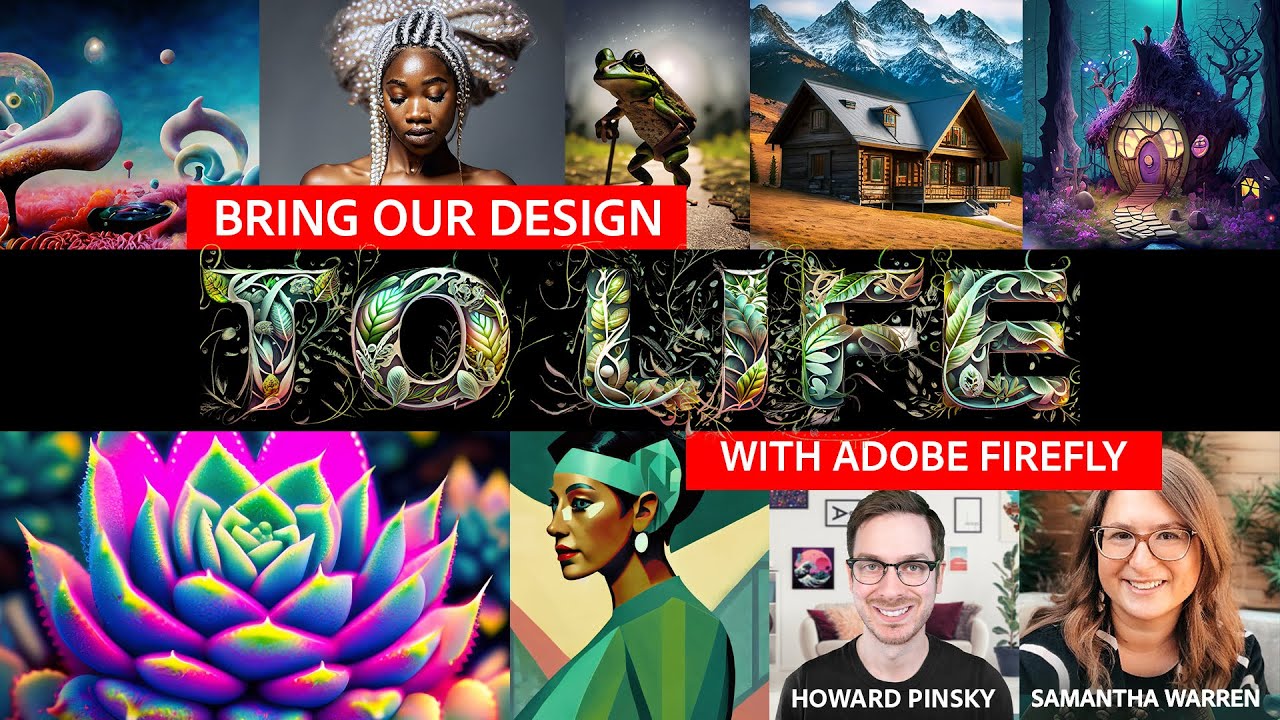
Join Howard Pinsky and Samantha Warren for our weekly interactive session. Help them generate unique prompts using Adobe Firefly and Photoshop.Join the Adobe...
twin hornet
This Week on Adobe Live!! Tune in now or https://www.youtube.com/@adobelivecommunity/live <@&908739790558625842>
 somber oyster
Do you have questions about Software, Design, or Career Advice? Ask your questions at the upcoming AMA! https://discord.gg/acc?event=1097541808579420292 <@&908739790558625842>
twin hornet
<@&908739790558625842> Join us today, April 20th, for an exciting day of creative learning and innovation with #AdobeFirefly! Starting at 12PM PST, join Samantha Warren and Jack Nack for a live moodboard creative session. Then, at 1pm, tune in for a live Q&A session with Jason Levine and Brooke Harper to explore the future of video editing with #AdobeFirefly's integration into our video and audio tools. Finally, at 2pm, join Danielle Morimoto and VooDoo Val for a text effects livestream to take your data presentations from 😴 to ✨ with #AdobeFirefly.
12pm- https://adobe.ly/3UE9hyx
1pm - https://adobe.ly/3mHYsPw
2pm - https://adobe.ly/3KGwFqV
twin hornet
Branding is everything! Join Paul Trani and Kelsey Slay for the ultimate #AdobeFirefly re-brand brainstorm and help their ideas come to life with Firefly's latest tool: vector recoloring. Tune in today, April 27th at 12pm PST! https://adobe.ly/3Na3dfx

Tune in with Paul Trani and Kelsey Slay for our Adobe Firefly Live Weekly Meetup. This week - they’re working on a branding project! Follow along as they des...
THEN at 1pm PST - It's a battle for the ages ⚔️ Watch compositing titans Jesús Ramirez and Paul Trani collide in an #AdobeFirefly and Photohop face off! https://adobe.ly/3oFf4YW

Join Jesús Ramirez and Paul Trani and witness a compositing battle like no other, where they’ll use Adobe Firefly and Photoshop to go head-to-head in a battl...
somber oyster
How do you stay relevant as a designer? Do you have hot takes, opinions, or a burning question? Ask your questions at the upcoming AMA! https://discord.gg/acc?event=1103539258725253150 <@&908739790558625842>
somber oyster
Do you have questions about Software, Design, or Career Advice? Ask your questions at the upcoming AMA! https://discord.gg/acc?event=1107707797589721210 <@&908739790558625842>
 harsh karmaBOT

Jump-start your creativity with Generative Fill and make stunning updates to your images with text prompts within the Photoshop (beta) app on your desktop.
Make content in powerful new ways with Generative Fill.
From concepting creative ideas to making complex edits and refinements, Generative Fill can help you quickly realize your vision while giving you complete control over every creation.

Need help? Check our beta FAQs right here https://discord.com/channels/547473772727238676/1110325473399013538

 dusty cove
✨ @everyone From now until 4PM PT on Adobe Live. Connect with your favorite designers and Creative Cloud evangelists as they live-stream their Photoshop & Firefly tips and tricks. Join them all day as they answer your questions and give you a sneak peek into their design process. https://youtube.com/live/GvCUecQjEmQ
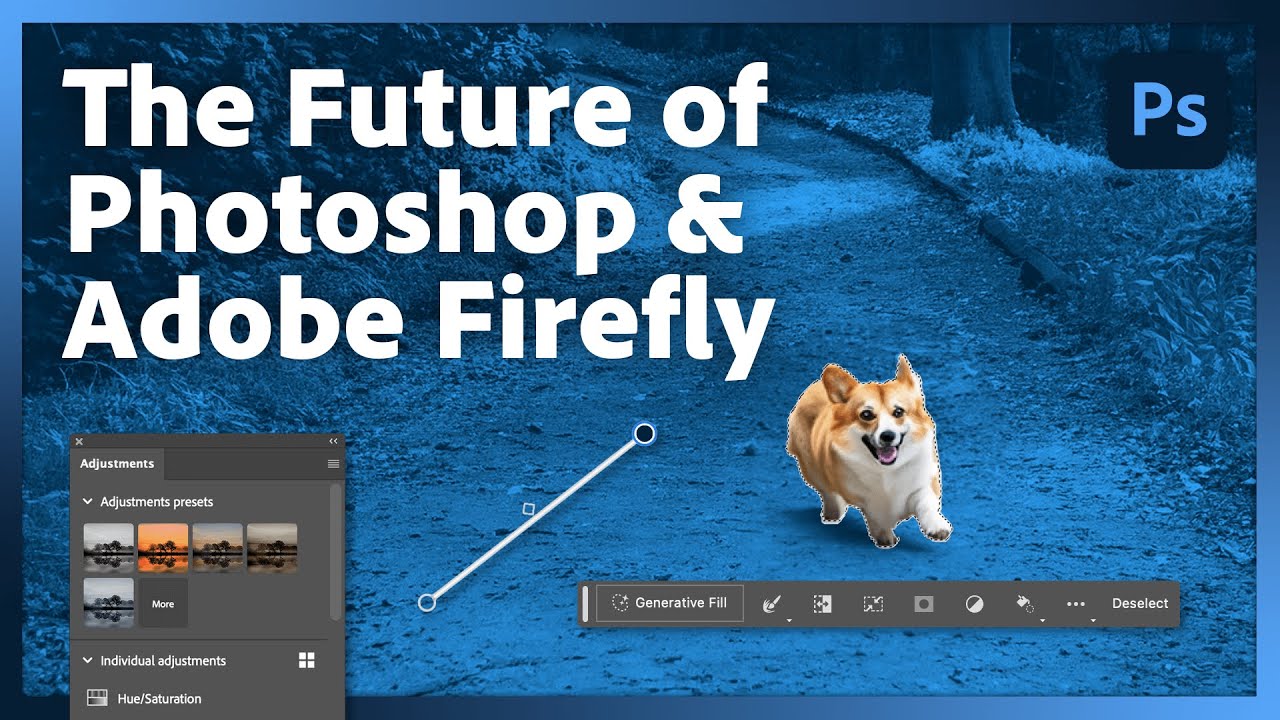
Tune in to see Firefly and Photoshop Beta’s newest feature in action – Generative Fill! Connect with your favorite designers and Creative Cloud evangelists a...
 trim karma
Starting now! Come join the GenFill fun! https://discord.gg/6q5WwVU3?event=1110363688319324170
trim karma
harsh karmaBOT
Submit your images here to be edited and featured on the Photoshop Stage during our GenFill Fun Event Thursday, May 25 at 2pm EST!
Join Photoshop Product Managers Pete and Caity as they use Photoshop (beta) app's new Generative Fill feature to add a little something extra to your image(s) of choice, powered by Adobe Firefly!

Image submissions can only be seen by Pete and Caity and we may feature them live during the event. It's up to you if you want others to know that it is your image during the event!
harsh karmaBOT
Submit your images here to be edited and featured on the Photoshop Stage during our GenFill Fun Event Thursday, May 25 at 2pm EST!
Join Photoshop Product Managers Pete and Caity as they use Photoshop (beta) app's new Generative Fill feature to add a little something extra to your image(s) of choice, powered by Adobe Firefly!
Image submissions can only be seen by Pete and Caity and we may feature them live during the event. It's up to you if you want others to know that it is your image during the event!
harsh karmaBOT
Join talented CG Artist and Discord moderator Daniel Humann as he shows the GenAI possibilities with Photoshop (beta) app, Adobe Firefly and more!

Open to new users, seasoned and advanced. Come and be inspired!
trim karma
We're going live with @sleek pendant at the top of the hour! Join us for part II of Generative AI workflows!
https://discord.gg/6q5WwVU3?event=1110369131460579481
trim karma
Join us live at the top of the hour for Generative Fill with RCA Design Director on the Photoshop Stage!
https://discord.com/events/547473772727238676/1114313132370825237
somber oyster
Do you have questions about Software, Design, or Career Advice? Ask your questions at the upcoming AMA! https://discord.gg/acc?event=1115644841586597978 <@&908739790558625842>
somber oyster
Tonight and next week! Do you have questions about Software, Design, or Career Advice? Ask your questions at the upcoming AMA! We also offer FREE 1on1 Voice Chats with the mentors in the Adobe Creative Career Server! Just DM a mentor your interested in meetin with! https://discord.gg/acc?event=1115645031164956732 <@&908739790558625842>
twin hornet
Hey Creative Pros 👋🏻
Ever wonder how you can incorporate Adobe Express (beta) into your professional work flow?
Starting at 10 am PT, Alex Lzraris will share invaluable tips on how to link Photoshop and Illustrator assets with Adobe Express, empowering you and your team to collaborate seamlessly with shared assets and branding!
AND If you missed any of the live streams, don't worry! We've got you covered. You can access all the recordings below. We look forward to seeing you soon!
https://adobe.ly/expressbootcampdiscord
<@&967403013847257118> <@&908739790558625842>
somber oyster
Do you have questions about Software, Design, or Career Advice? Ask your questions at the upcoming AMA! <@&908739790558625842> We also offer FREE 1on1 Voice Chats with mentors in the Adobe Creative Career Server! Just DM a mentor your interested in! https://discord.gg/acc?event=1126216657661083708
somber oyster
Do you have questions about Software, Design, or Career Advice? Ask your questions at next weeks AMA! <@&908739790558625842> We also offer FREE 1on1 Voice Chats with the mentors in the Adobe Creative Career Server! Just DM a mentor your interested in! https://discord.gg/acc?event=1126216746337054891
trim karma
We have new server artwork created by our very own Photoshop designer and artist @plucky root! Fun fact, this artwork has been displayed at Adobe MAX and in the New York City Adobe office, home to many Photoshop teammates.
About the artwork:
Title: Create Waves
This art work was originally created to inspire greater ocean awareness and action. This mysterious and vast body of water is not only the home of potentially millions of species, but also our wildest imaginations rooted from our childhood: tall tales of sea monsters, mermaids, shipwrecks, and hidden treasures. We have seven continents, but we only have one ocean. We are more connected than we think, via the ocean, our imaginations, and the care for one another and the world. Let’s use our creativity to make a difference, let’s create waves.
About @plucky root:
Avalon Hu is a staff designer on the Photoshop team. She has been with Adobe since 2016. Prior to Photoshop, she worked on Illustrator and XD.
Web & social
https://www.avalonhu.studio/
IG: @plucky root
Next month we'd like to feature YOUR artwork. Stay tuned for more details!


Avalon Hu, Illustration & Design
somber oyster
<@&908739790558625842> This month we answer questions about freelancing and an AMA! We offer FREE 1on1 chats with mentors in the Adobe Creative Career Server! Just DM a mentor! https://discord.com/channels/747837303204085770/837161476002938921! https://discord.gg/acc?event=1138532642778787900 https://discord.gg/acc?event=1138532385718272031
dusty cove
📢 We're excited to share Adobe's new podcast, In the Making! Listen in as Teresa Au, community leader and advocate, hosts conversations with experts that will inspire anyone working in or planning to join the creator economy. Listen and subscribe here: adobe.ly/inthemaking.
 twin hornet
The new Adobe Express is here!
Now you can create Instagram Reels, TikTok videos, flyers, and more easily in Adobe Express: instant text effects, collaboration, Adobe Stock media, and seamless integration with Photoshop and Illustrator files!
To celebrate the launch Adobe will be live today, August 16th from 6am-5pm PT, for an all-day special live event featuring top industry designers, artists, and creatives. Connect in real-time, create alongside the pros, and get your burning questions answered. Don't miss this unique chance to mingle with and learn from the Adobe team.
Watch Now: https://adobe.ly/aug16

Get ready for an unforgettable creative party! Join us LIVE on August 16th from 6am-5pm PT for an all-day Creative Cloud extravaganza featuring top industry ...
dusty cove
📢 Episode Four of the new Adobe podcast,  In the Making , is out now out, featuring founder and creative director Shannon Maldonado of YOWIE. Check out the episode, listen, and subscribe at https://adobe.ly/inthemaking4 or find the show wherever you listen to podcasts.
Access Adobe Creative Cloud apps, services, file management, and more. Sign in to start creating.
somber oyster
This September we have 2 AMA panels! We also offer FREE 1on1 chats with mentors in the Adobe Creative Career Server! Just DM a mentor @ https://discord.com/channels/747837303204085770/837161476002938921 or DM me if you have questions! <@&967403013847257118> <@&908739790558625842> https://discord.gg/acc?event=1146852804326068234 https://discord.gg/acc?event=1146852918662795314
somber oyster
Spotlight Sessions is an interactive, hour-long conversation jam-packed with insight, advice, and inspiration from creative professionals who make up our industry.
This very first episode will spotlight another Adobe Mentor, @Hype Dragon, as he talks about his extensive career in graphic design and what he’s learned along the way, including dealing with pressure, personal branding, designing for big corporations, freelancing, and how to stay engaged when facing adversity.<@&967403013847257118> <@&908739790558625842> https://discord.gg/acc?event=1148699097625276416
somber oyster
Spotlight Sessions is an interactive, hour-long conversation jam-packed with insight, advice, and inspiration from creative professionals who make up our industry.
This episode will spotlight Hollister Creative Director and Adobe Mentor, Richard Irving as he talks about his career in graphic design, working on brands like Hollister, Abercrombie & Fitch, and Old Navy, and what he’s learned along the way. <@&967403013847257118> <@&908739790558625842> https://discord.gg/acc?event=1149090476239097979
dusty cove
@everyone We're excited to announce the General Availability of Firefly-powered features in Photoshop, Illustrator, Adobe Express, and the standalone Adobe Firefly web app! As of today’s Photoshop release, you can use Generative Fill and Generative Expand in the release version of Photoshop and no longer need to use Photoshop Beta. The Photoshop you know and love just got (Firefly) wings. Generative AI powered by Adobe Firefly is now in Photoshop, so you can use generative AI in a tool you are already familiar with.
What does this mean for Photoshop? Here are a few key points:
-
Generative Fill and Generative Expand in Photoshop are now available for commercial use.
-
When Generative Fill and Generative Expand are used in Photoshop, Content Credentials are automatically turned on. This identifies files that contain Generative AI content.
-
Creative Cloud paid members (including Photography Plans) now get access to Generative Credits as part of their plans. Your Creative Cloud, Adobe Express, Adobe Firefly, or Adobe Stock plans now include monthly Generative credits that provide priority processing of generative AI content across features powered by Firefly in the applications to which you are entitled.
To celebrate, we’ll be hosting an all day (from 6AM to 5PM PT) live community event on Adobe Live today. We’d love to see you there! https://www.youtube.com/watch?v=fsMDxjfwySo
For more information about today’s announcement, please check out the following resources:
- Blog Post: https://blog.adobe.com/en/publish/2023/09/13/ai-creative-cloud-release-pricing-update
- Adobe Firefly resources: https://helpx.adobe.com/firefly/using/firefly-overview.html
- Information on Generative Credits: https://helpx.adobe.com/en/firefly/using/generative-credits.html
twin hornet
^Schedule of Today's Adobe Live Stream all about Adobe Firefly powered tools!! Can't wait to see you there! https://www.youtube.com/live/fsMDxjfwySo?si=8KxGWNCpNQOmK6qN
 dusty cove
🗣️ Episode 5 of Adobe's In The Making podcast is now out! Each week, host Teresa Au talks with a creative professional to explore how creativity, community and business converge in the Creator Economy, offering a new approach to working and creating.
This week, Teresa talks to personal brand strategist Phil Pallen about how an authentic and consistent online presence helps creators stand out in the marketplace. Their wide-ranging conversation has great takeaways for building better websites and using social to drive business growth. Listen on Apple Podcasts, Google Podcasts or Spotify. Learn more here: https://creativecloud.adobe.com/cc/discover/article/brand-aid-with-phil-pallen
trim karma
Reminder! Today is the last day to submit your image for the GenFill Challenge! https://discord.com/events/547473772727238676/1152340113473409044
twin hornet
HI <@&908739790558625842>!
Hope you are getting excited for Adobe MAX next week! Adobe Live will be hosting tons of sessions on Tuesday and Wednesday - including Meet the Speaker and First Looks! https://www.youtube.com/@AdobeLiveCommunity/featured
This year we are also including a very special Q&A with the Adobe Evanglist on Thursday Oct 12th! This is brand new this year and will allow you to interact with the Adobe Evanglist LIVE!
We will be streaming from our Adobe Live Instagram!! Subscribe here so you do not miss this exclusive event!
https://www.instagram.com/adobelive/
Schedule (in PST):
12:30pm: Toren Reaves on Adobe Express
1pm: Howard Pinskey on Adobe Firefly
1:30pm: Michael Fugoso on Illustrator
2pm: Jason Levine on Video
2:30pm: Paul Trani on Graphic Design
3pm: Anna Mcnaught on Photoshop
If you have questions you would link the Evangelist to answer, Please fill out this form! https://airtable.com/app8KG46ZGei4IGFz/shrvqrfdfbQp9eF7Z
 dusty cove
Happening now over on Adobe Live! https://discord.com/events/1076190214369853510/1161387507280253050
dusty cove
📢  MAX Sneaks are about to begin ‼️ Don't miss out on this sneak peek into what’s brewing in Adobe Research. MAX Sneaks is where Adobe engineers give a first look at potential future technologies, which may or may not make it into upcoming versions of Adobe products.
Watch here: https://www.adobe.com/max.html
dusty cove
 Starting now on Adobe Live Instagram, join us for a special Live Q&A With the Adobe Evangelists!
https://www.instagram.com/adobelive/
Schedule (in PST)
 12:30pm: Toren Reaves on Adobe Express
 1pm: Howard Pinsky on Adobe Firefly
 1:30pm: Michael Fugoso on Illustrator
 2pm: Jason Levine on Video
💻 2:30pm: Paul Trani on Graphic Design
3pm: Anna Mcnaught on Photoshop
dusty cove
Over in the Firefly server, We’re recapping some of the features recently announced at MAX. Come hang out! We’ll be around for another 30 minutes or so https://discord.gg/Jp32S6Hs?event=1164757167761522752
dusty cove
🗣️ We need your feedback! Did you know that Adobe goes live to YouTube every day? We also create all sorts of awesome on-demand social content aimed at equipping you with new skills and inspiring you to create. As we make plans to bring you more streams, we want to make sure the content is inspiring, enriching, and useful for you. Please take a few minutes to fill out this short, 6-question survey to let us know a bit about what you want to see on Adobe Live https://docs.google.com/forms/d/e/1FAIpQLSfin2c0iMR1UuOIVknxxMueM4xRXvsWYzz0pfYkVFGKySlr6A/viewform
dusty cove
📢 We want your thoughts about Photoshop On The Web! We want to hear from people who have used it as well as people who haven't. We will be conducting 60-minute remote video interviews in the coming weeks on this topic. You do not need extensive experience with Photoshop to participate. If this is something you’re interested in, please fill out the brief, 2-minute survey below by Monday December 4th to let us know. If you qualify, we will reach out to you to schedule a discussion. 💰 In appreciation of your time, all discussion participants will receive a $50 Amazon gift card💵 https://survey.adobe.com/jfe/form/SV_1UnHooY3Xz6ZOC2
The most powerful, simple and trusted way to gather experience data. Start your journey to experience management and try a free account today.
dusty cove
Hey everyone! Join Shawn in #photoshop-stage as he creates a holiday card in photoshop! https://discord.com/channels/547473772727238676/1109967555201876079
dusty fjord
📢 <@&908739790558625842>
 Quick community poll! Please react to this message with 🅰️ or 🅱️ to let us know what you think!
Which of these phrases do you prefer?
A) Work with .psd and .ai files
B) Work with Photoshop and Illustrator files
dusty cove
<@&908739790558625842> We're curious to learn more about how we might improve the experience of updating Photoshop. We specifically want to hear from those of you who have NOT updated to the latest version. If that sounds like you, we'd really appreciate if you could take a minute or two to fill out the survey linked below. Thank you!
https://docs.google.com/forms/d/e/1FAIpQLSeN4Kj7V7RNV05s3plSfTret9uH8CDdFSGiHz6yHfXALhE2rQ/viewform
 dusty cove
<@&908739790558625842> 🎂 🎈 🥳 It’s Firefly’s 1st Birthday! We wanted to give a big shout out to you, our community. In just one year, you’ve helped to generate over 6 billion images and make Firefly a top choice tool for creatives around the globe. We’re so grateful for all the insight and enthusiasm you’ve shared with us to help Firefly grow.
💫 We’re excited to be able to ring in a new year for Firefly with the launch of an exciting new feature available in the Firefly Web App. Announcing Structure Reference! This new feature allows you to match the composition of a reference image, eliminating some of the trial and error of having to write the perfect prompt.
For more information, check out these blog posts and help articles
- Firefly Turns 1: https://blog.adobe.com/en/publish/2024/03/26/firefly-one-enhancing-experimentation-ideation-exploration-creators-all-levels
- Structure Reference: https://blog.adobe.com/en/publish/2024/03/26/new-structure-reference-capabilities-adobe-firefly-bring-new-level-creative-control-ideation
- What's New in Adobe Firefly: https://helpx.adobe.com/firefly/using/whats-new.html
- Structure Reference FAQ: https://helpx.adobe.com/firefly/using/structure-match.html
Finally, we invite you to come join us today on Adobe Live from NOW until <t:1711486800:t>, where we’ll be celebrating Firefly and showing off Structure Reference. We can’t wait to see you there. https://www.youtube.com/watch?v=d7jGckc4wlM

Join us as we celebrate one year of Firefly, revisit our incredible journey over the last year and celebrate what we have achieved, with the amazing support of the global creative community.

Structure Reference enables users to easily apply the structure of an existing image to newly generated images instead of having to describe every detail.

Stay tuned and maStep into the magical world of design with Adobe Firefly and your favorite Creative Cloud apps! Join us for a whimsical journey filled with tips, tricks, and insider secrets from talented designers. Whether you're a design wizard or just dipping your toes into the creative cauldron, prepare to be spellbound as we unlock new real...
dusty cove
Discord Update Incoming 
Over the next hour, we'll be making some updates to the Adobe Firefly Discord server! Our goal is to make the channels more organized and navigable, prioritizing a smoother onboarding as well as new announcement and server roles. If you spot any issues with the new channels, roles and/or onboarding flows please let our mods know ASAP so we can work on a fix.
As always, if you have suggestions for server adjustments, new channels, or new events we'd love to hear from you. Thanks for being here & happy creating! :clappinginclusive:
https://giphy.com/gifs/pixel-text-blinkie-2DtfA7nYrbNnIabEyK

 dusty cove
<@&1223015695600717854>
Adobe's In The Making podcast is Back for it's second session!
In the Making explores the practical challenges and surprising rewards of working in the creator economy. Join Adobe’s Teresa Au for conversations with content creators, solopreneurs, and industry experts who offer inspiration and insight for combining creativity, community, and business.
Listen to the first episode now: https://link.chtbl.com/QoTxHY9_
Season two kicks off with Teresa Au interviewing Vanessa Rivera from The Life of AIVAX. Vanessa discusses her whimsical Photoshop art, managing a time-consuming creative career alongside family life as a working mom, and shares insights on leveraging creative tools, coping with burnout, and finding joy and connection in the creative community.

From social media influencers to small local businesses, people everywhere are harnessing the power of creative tools to design not just brands and content, but also deeply satisfying careers. In the Making explores the practical challenges and surprising rewards of working in this new creator
dusty fjord
<@&1223015695600717854> <@&1223015794070388778> <@&967403015822794842>
👋 I hope y'all are having fun exploring the new Photoshop Beta features!
If you have been spending time in the Beta app, we would love to hear about your experience with the new features. Please take 5-10 minutes and fill out this survey to share more details: https://forms.gle/6RqGE3vELz3oESex5
If you fill out the survey, there is a chance you'll be pulled into a LIVE discussion with the Photoshop team! I hope to see some of you very soon, thank you so much for your input 👏
dusty cove
<@&1223015695600717854> Did you miss MAX London? Or are you wanting to revisit some of the sessions we showcased? Now you can catch up on MAX London content online!
🥓 Check out this short sizzle reel of all the MAX Goodness: https://app.frame.io/reviews/7b80f8f3-a1dd-4fdc-b0b6-a4a73d03f252/408e4fdb-3037-49e5-8de3-6ce136e3aeb4
 Stream the opening and inspiration keynotes plus on demand sessions here! https://www.adobe.com/uk/max-london.html?sdid=NGWGR9D7&mv=so
dusty cove
<@&1223015695600717854> we'd love to hear from you in response to this question about which AI features you'd like to see come to Adobe Photoshop: https://discord.com/channels/547473772727238676/1235060632173281280
dusty cove
<@&1223015695600717854>
📢 **We are looking to meet with users who create images using other (non-Firefly/Adobe) Generative AI tools. **We’re interested in talking with you about your process and workflow with these tools.
The interview will be conducted one-on-one in early June via web conferencing. The session is about 1 hour. As a thank you for participating in the interview, you will receive $100 amazon.com gift code upon completion of the study.
If you are interested, please sign up here: https://survey.adobe.com/jfe/form/SV_9S9Fw7NyFyji6fc?r=d
Participate in an Adobe user research study
dusty cove
<@&1223015695600717854> Are you a designer interested in doing more with video? We're seeking creative minds interested in editing video on iOS devices and beyond to join our video editing private beta testing program. Your feedback on our latest features and updates will help us tailor new products to the needs of video creators who need to make high quality videos for work.
If you're interested, fill out the survey linked below and we'll follow up with you if you qualify to participate!
dusty cove
<@&1223015695600717854> Calling designers interested in video!!!! We're excited to announce the public beta release of Project Violet. Project Violet is a new, high performance, iOS-native video editing app written from the ground up for iPhone, iPad, and Vision Pro. Its clean and modern design features a highly interactive UI/UX that makes editing video-on-the-go fast, easy, and fun.
We'd love for you to try it out and join us in the #project-violet channel in the Adobe Video server to share your results and feedback and participate in fun challenges!
- Adobe Video Server: https://discord.gg/adobepremiere
- #project-violet channel: https://discord.com/channels/631179804917628928/1240755705611423754
**How do I download Project Violet? **
Visit the iOS app store and download it here: https://apps.apple.com/us/app/project-violet/id6466123985
**Where is Project Violet available? **
Australia, Canada, Germany, India, Japan, Korea, Netherlands, New Zealand, Norway, Sweden, Thailand, United Kingdom, United States
How do I submit feedback for Project Violet?
Please submit feedback directly through the mobile app. Tap the widget icon in the upper right corner of your home screen and follow the “Have feedback?” link to open the feedback form in your browser. You may also follow this link: https://adobe.co1.qualtrics.com/jfe/form/SV_cwHPqw1qPNQmFGm

App Store
With Project Violet, create professional content on the move. Brought to you by Adobe Research, Project Violet is the only mobile video editor that includes Enhance Speech from Adobe Sensei AI, typefaces from Adobe Fonts, and built-in presets powered by Adobe Lightroom. Try Project Violet and let ou…
The most powerful, simple and trusted way to gather experience data. Start your journey to experience management and try a free account today.
 olive lantern
Photoshop 25.11 and Photoshop on Web July'24 release updates are live! Check out the latest community announcement: https://community.adobe.com/t5/photoshop-ecosystem-discussions/photoshop-25-11-amp-photoshop-on-web-release-updates-are-now-available/td-p/14754570
https://community.adobe.com
We're happy to announce the release of Photoshop 25.11 & Photoshop on Web What's new in Photoshop? Use the new Selection Brush Tool to make quick and intuitive brush selections when selecting, compositing, and applying filters and fills. Adjust the Opacity or Hardness settings to start creating ...


 dusty cove
<@&967403015822794842> <@&1223015794070388778> Have you updated Photoshop and tried out latest features and improvements yet? Answer the poll above to tell us what you think!
dusty cove
dusty cove
poll_question_text
Which of the new Photoshop features and enhancements are you most excited about?
victor_answer_votes
44
total_votes
174
victor_answer_id
1
victor_answer_text
Selection Brush Tool
victor_answer_emoji_id
939976211889815563
victor_answer_emoji_name
0_db_PaintBrush
 lament fern
<@&1223015695600717854> Hey everyone! Are you using Photoshop less than before? We'd love to understand why!
Whether it's a shift in your creative needs, exploring new tools, or something else entirely, we'd love to hear your thoughts. Your feedback is important to us, and it will help us improve your experience.
Please take a moment to share your insights by filling out this quick survey here.
Thank you!
lament fern
⏰ Graphic designer Magdiel Lopez chats about all the spaces for creativity in his life, from his famous “A Poster A Day” project, to his personal artistic practice, to the buildings and offices that his firm transforms into art-filled, meaningful spaces. They also discuss how immigration shapes your thinking, mental health in the face of internet stardom, and what Magdiel is doing to revitalize his hometown of Richardson, Texas.
Listen now: https://link.chtbl.com/Yv3zGBO2

Learn from the superstars turning content into cash! From social media influencers to small local businesses, people everywhere are harnessing the power of creative tools to design not just brands and content, but also deeply satisfying careers. In the Making explores the practical challenges and
lament fern
<@&1223015695600717854> <@&967403015822794842> <@&1223015794070388778>
🚨 Poll Time! 🚨
How are Photoshop’s Generative Extend and Fill tools working for you? Share your experience and let us know if you’re facing any issues! Vote now! 👆🏻
lament fern
lament fern
poll_question_text
How well are Photoshop’s Generative Extend and Generative Fill features working for you?
victor_answer_votes
35
total_votes
99
victor_answer_id
5
victor_answer_text
❓ Haven’t tried them yet.
lament fern
<@&1223015695600717854> <@&967403015822794842> <@&1223015794070388778>
🚨 Poll Time! 🚨
How would you rate the Photoshop user interface? Share your experience and let us know if you’re facing any issues! Vote now! If you have any ideas for features, we'd love to hear them! Check out the #1093156942647660615 channel to let us know.
lament fern
lament fern
poll_question_text
How would you rate Photoshop’s user interface?
victor_answer_votes
50
total_votes
126
victor_answer_id
2
victor_answer_text
👍 Pretty good, but could be better.
 stray saffron
📣‼️🚨 Attend Adobe MAX Online for FREE - starting this Monday!
Join us online and you can still benefit from all the learning and inspiration in sessions, keynotes, and Sneaks. Register here: https://max.adobe.com/max-online/
Adobe MAX 2024 Creativity Conference | October 14–16, 2024
Register to attend Adobe MAX 2024 online Oct 14–16, 2024 for free. Learn and be inspired from more than 50 sessions taught by top creative experts.
 errant plover
🌟** Exciting News for Adobe Photoshop at MAX 2024! **🌟
🎨** Introducing Revolutionary Tools for Creatives:** 🎨
-
Gen Fill: Easily add or remove content using text prompts in Photoshop. Generate realistic imagery with shadows, reflections, and lighting powered by Adobe Firefly Image Model.
-
**Distraction Removal: **Effortlessly eliminate unwanted objects like people and wires from images in Photoshop with automatic Distraction Removal modes.
-
Generative Workspace: Create image elements faster with text to image in Photoshop. Explore multiple concepts, curate favorites, and search and reuse prompts for enhanced creativity.
-
Adobe Substance 3D Viewer: Seamlessly view and edit 3D files integrated with Photoshop for working directly with 3D content as editable Smart Objects.
🚀 These updates aim to revolutionize the creative process, empowering users to explore new dimensions and elevate their designs in Photoshop and Adobe Substance 3D Viewer! 🚀
Get ready to unleash your creativity with these cutting-edge features at Adobe MAX 2024! 🎨✨🌟
<@&1223015695600717854> <@&967403015822794842> <@&1223015794070388778>
olive lantern
Show us your skills with Photoshop's new Distraction Removal tool: https://community.adobe.com/t5/photoshop-ecosystem-discussions/show-us-your-skills-with-photoshop-s-new-distraction-removal-tool/m-p/14914984/thread-id/833820
https://community.adobe.com
Hello Everyone, We’re thrilled to introduce the new Distraction Removal feature in Photoshop 26.0! With just a few clicks, you can effortlessly enhance your images by automatically removing unwanted elements like people, wires, cables, and imperfections. Let the Remove tool take care ...


Show us your magic with Quick Action in Lightroom on Mobile & Web: https://community.adobe.com/t5/lightroom-ecosystem-cloud-based-discussions/show-us-your-magic-with-quick-action-in-lightroom-on-mobile-amp-web/td-p/14914970
https://community.adobe.com
Hello Friends, We’re thrilled to invite you to try out the new Quick Actions tool in Lightroom Mobile! This powerful feature makes editing a breeze with AI-powered suggestions for specific areas of your image. Just open a photo, select Actions, and watch as Lightroom delivers custom enhancements...


Try out the New Generative Remove tool:
Lightroom Desktop: https://community.adobe.com/t5/lightroom-ecosystem-cloud-based-discussions/how-generative-remove-can-help-realize-your-creative-vision/td-p/14914929
Lightroom Classic: https://community.adobe.com/t5/lightroom-classic-discussions/max-easily-eliminate-distractions-with-lightroom-classic-generative-remove-powered-by-adobe-firefly/td-p/14914968
https://community.adobe.com
Have you ever taken a photo only to later realize an unwanted object was disrupting the overall ambiance? In the past, you would have to manually clone out those distractions, but now, with the power of Generative Remove, you can quickly refocus on the important elements of your image. Powered by ...


https://community.adobe.com
Hi Everyone! Try out Generative Remove, powered by Adobe Firefly's generative AI! With just a brush mask, you can easily remove distractions or unwanted objects from your photos. Adobe Firefly will automatically remove the object and seamlessly blend the fill with the rest of the image. ------...


Generative Fill, Expand & Similar in Photoshop just got better with this MAX release: https://community.adobe.com/t5/photoshop-ecosystem-discussions/generative-fill-expand-amp-similar-in-photoshop-just-got-better/td-p/14914824
https://community.adobe.com
Try it in the App Photoshop 2025 comes equipped with the Firefly Image 3 Model. Open Photoshop Improved results with Generative Fill, Generative Expand, & Generate Similar Get richer, more photorealistic image results with the latest Adobe Firefly Image Model 3. The generated outputs wil...


 errant plover
Attention Graphic Designers, Illustrators, and Creative Professionals!
Do you edit video as part of your design work? Shoot videos on your phone and need a quick, intuitive way to edit them on the go? Or perhaps you're looking to create high-quality videos but don't know where to begin?
If you answered "yes" to any of these, we invite you to try Project Violet—a new initiative from Adobe's Pro Video team. We're building the future of professional mobile video editing, and we want your input!
Project Violet is available now for iOS. Download it today and start editing on the move: Download Project Violet
Want to help shape the future of this tool? Join our customer feedback program on the Adobe Video Discord server. Connect with us directly through the #project-violet channel: Join Adobe Video on Discord.

App Store
With Project Violet, create professional content on the move. Brought to you by Adobe Research, Project Violet is the only mobile video editor that includes Enhance Speech from Adobe Sensei AI, typefaces from Adobe Fonts, and built-in presets powered by Adobe Lightroom. Try Project Violet and let ou…
 tight rampart
Last day to enter! Here’s your chance to win a $10K prize package that includes two Premium+ cards to Art Basel Miami Beach and $5K for travel expenses. To enter, edit your photo in Photoshop based on your favorite genre—such as impressionism, pop art, surrealism or whatever inspires you—then post the before-after on Instagram or TikTok with #PhotoshopRemixContest by 10/31. Learn more: https://creativecloud.adobe.com/cc/discover/article/adobe-photoshop-contest
Access Adobe Creative Cloud apps, services, file management, and more. Sign in to start creating.
errant plover
**Calling all Photoshop Remixers: **
We're giving away two free premium tickets to Art Basel Miami Beach! 🏖️
💸 $10k price value, $5k for travel expenses. ✈️
Check out this contest and submit your photo here: Ps remix contest
<@&1223015695600717854>
Access Adobe Creative Cloud apps, services, file management, and more. Sign in to start creating.
errant plover
As a friend of the Adobe community, we’re excited to invite you to a Project Violet Welcome Briefing on Monday, Nov 4, from 11am-12pm PT.
Here’s what to expect:
➡️ Learn about Project Violet, Adobe Lab’s new iOS-native video editing app currently in beta
➡️ Get a first look with a live demo and an opportunity for Q&A with the Adobe team behind the tool
➡️ Discover how you can stay involved and help shape the future of Project Violet with your feedback
HOW YOU CAN GET STARTED
1️⃣ Register for the Welcome Briefing to let us know you'll be attending
2️⃣ Download Project Violet for free on the Apple App Store today and explore the app before the session: https://apps.apple.com/us/app/project-violet/id6466123985
3️⃣ Join Adobe Video on Discord to connect with the community and share ideas with us directly through the project-violet channel
We look forward to seeing you there!
<@&1223015695600717854>
Microsoft Virtual Events Powered by Teams
App Store
With Project Violet, create professional content on the move. Brought to you by Adobe Research, Project Violet is the only mobile video editor that includes Enhance Speech from Adobe Sensei AI, typefaces from Adobe Fonts, and built-in presets powered by Adobe Lightroom. Try Project Violet and let ou…
lament fern
@here
🚨A new way to help protect your creative work 🚨
In our commitment to the creative community 🎨, we are launching Adobe Content Authenticity, a free new product to help you protect your work and get the credit you deserve.
💡 Why It Matters
In a world where your art is misattributed, stolen, or reposted without your permission, Adobe Content Authenticity gives you the power to better secure your creative work and share your art publicly with more peace of mind.
What it does
✅ Protect your work: Kind of like how a painter would sign their painting, but in the digital space, ‘sign your work’ by adding information about yourself like your name and social handles directly into your files.
✅‘Do Not Train’: Although Adobe never uses unlicensed content to train our generative AI model, Adobe Firefly, other models do. By applying this preference, you can indicate to models that respect this preference that you do not want your work being used without your permission. 💪
🔗 How to Get Started:
Click here to sign up for the private beta. Limited spots are available. Let’s keep creativity authentic🏅and yours 🫵!
Try out Content Authenticity through our private beta experience.
lament fern
🎉 Exciting News! 🎉
We’re launching a beta for something brand new coming to Photoshop, and YOU could be part of it! No prior Photoshop experience? No problem – this is for everyone, from beginners to pros.
📋 Want in?
Click the link below to https://research.rallyuxr.com/adobe_community/lp/cm3xj4n1c039d1alb1ia74z31?channel=share&studyId=cm3xj4n1a039b1alb3j2fh1on and see if you qualify! Don’t miss your chance to help shape the future of Photoshop
@here
ReOps platform for UX Researchers.
lament fern
<@&1223015695600717854>
🎨 Join the Live Co-Editing Private Beta! 🎨
Hey Photoshop enthusiasts! We're excited to announce a brand-new capability that's currently in development: Live Co-Editing (LCE)! We're opening up the invite-only private beta for Live Co-Editing in the Photoshop (beta) desktop app and Photoshop on the web. 🖌️
🔗 Why You Should Be Excited:
-
Collaborate Together: Edit simultaneously with multiple partners, improve teamwork, and incorporate different ideas together on a shared design file, unlocking greater creativity and productivity for your teams.
-
Shape the Future: Make your voice heard and share your feedback, which will help influence how the product evolves to meet your diverse needs.
📢 Sign up to join the waitlist and be among the first to experience this new collaboration capability, which allows multiple creators to simultaneously access and edit shared documents from different computers.
Stay tuned for more updates and get ready to supercharge your creativity in 2025! 🚀
The most powerful, simple and trusted way to gather experience data. Start your journey to experience management and try a free account today.
lament fern
🎨 Join the Live Co-Editing Private Beta! 🎨
Hey Photoshop enthusiasts! We're excited to announce a brand-new capability that's currently in development: Live Co-Editing (LCE)! We're opening up the invite-only private beta for Live Co-Editing in the Photoshop (beta) desktop app and Photoshop on the web. 🖌️
🔗 Why You Should Be Excited:
-
Collaborate Together: Edit simultaneously with multiple partners, improve teamwork, and incorporate different ideas together on a shared design file, unlocking greater creativity and productivity for your teams.
-
Shape the Future: Make your voice heard and share your feedback, which will help influence how the product evolves to meet your diverse needs.
📢 Sign up to join the waitlist and be among the first to experience this new collaboration capability, which allows multiple creators to simultaneously access and edit shared documents from different computers.
Stay tuned for more updates and get ready to supercharge your creativity in 2025! 🚀✨ @here
The most powerful, simple and trusted way to gather experience data. Start your journey to experience management and try a free account today.
lament fern
The Adobe Design team is looking to meet with creative professionals who are using advanced generative AI tools. We’re interested in talking with you about your process and workflow with these tools.
The interview will be conducted one-on-one in February via web conferencing. The session is about 1 hour. As a thank you for participating in the interview, you will receive $100 amazon.com gift code after the research interview.
If you are interested, please sign up here: https://survey.adobe.com/jfe/form/SV_eQjKFphpPMNe3Hw?r=d
@here
Participate in an Adobe user research study
lament fern
Adobe is looking for feedback from users who are interested in exploring 3D viewing and editing capabilities. Your opinion is important to us and will be used to improve Adobe’s 3D offerings for creatives like yourself.
This survey will take 5 minutes or less to complete.
https://survey.adobe.com/jfe/form/SV_b42VS4E5Zqz4pLw
@here
The most powerful, simple and trusted way to gather experience data. Start your journey to experience management and try a free account today.
errant plover
Hey @everyone ! Jumping in to let you all know that Photoshop is now available on the iPhone!
More and more creators are designing primarily on mobile devices these days – not just on the go, but at home, as well. Now they have the power of Photoshop in their pockets, including precise selections, layer masks, adjustment layers, and the ability to sync your projects between devices.
As you dive in, please let us know your honest feedback in the #ps-on-mobile-feedback channel, especially if you’re a mobile-first creator. Squeezing the Photoshop you know into a smaller form factor comes with its challenges, but the team is committed to evolving not just the feature set, but also the user experience.
Download on the App Store: https://apps.apple.com/us/app/adobe-photoshop/id1457771281
Since I know you’ll have questions, here are a few answers to get you going, but let us know if you have more.
How much do I need to fork up?
Nothing! No, seriously – a good chunk of the experience is free. There are some premium features unlock with your existing subscription, but you can dive in now and start editing.
Android when?!
Soon.
In there feature parity with the Desktop version?
Short answer: no. A lot of the core features that you use on a daily basis are available, with a lot more on the way. We want to make sure we’re prioritizing and optimizing the features you all need, so let us know what’s missing!
What’s the difference between this and Adobe Express?
Express is great for one-tap editing, social posts, presentations, and animations. Photoshop is geared towards more in-depth editing which requires selections, masking, and adjustments.

App Store
Ready to use Photoshop on the iPad? If you have a qualifying subscription, just log in with your Adobe ID. If you don’t, try it with a 30-day free trial. Photoshop on the iPad opens the same files as Photoshop on your desktop (macOS or Windows) using cloud technology, so you can stay in sync across…
stray saffron
📱✨ Calling all Android creatives! Be among the first to test Photoshop on Android! No prior Photoshop experience needed. Join our pre-release community to:
Experience the new app before public release
Connect directly with our product team
Shape the future of mobile creativity
If you love creating and have an Android device, take our quick survey to see if you're a fit.
https://research.rallyuxr.com/adobe_community/lp/cm89bawwc0fk5i8lchp5h15f7?channel=share&signupFormId=cm89bawwc0fk4i8lc8jp4az64
ReOps platform for UX Researchers.
lament fern
📱✨ Calling all Android creatives! Be among the first to test Photoshop on Android! No prior Photoshop experience needed. Join our pre-release community to:
- Experience the new app before public release
- Connect directly with
our product team - Shape the future of mobile creativity
If you love creating and have an Android device, take our quick survey to see if you're a fit. @here
ReOps platform for UX Researchers.
lament fern
🎨 Work Faster and Smarter with Photoshop 🎨
Hey everyone! Exciting news! Photoshop is rolling out powerful new features to help you work faster and smarter. Check out what's new:
✨ Select Details: The Object Selection tool now lets you quickly and precisely select complex details like hair, clothing, and facial features. Just a few clicks and you're done! Try it out in the Photoshop desktop app and on the web.
🎨 Adjust Colors: Streamline your color editing with on-canvas controls that intelligently identify and change the most prominent colors in your image. Plus, the redesigned Hue and Saturation Adjustment panel has larger swatches and sliders for precise color edits. No more manual masks or adjustment layers!
🚀 Improved Actions: Photoshop (beta) now curates a tailored list of suggested Actions based on your image, or you can search for more options. Apply complex, multistep edits more efficiently and accelerate your workflow. It's the first step towards intelligent, real-time agentic capabilities that learn your style and offer personalized guidance.
Try the newly redesigned Actions panel today and experience a more intuitive, responsive Photoshop — powered by AI, and driven by you.
**🔗 Learn more about Adobe Max London and other updates: **https://blog.adobe.com/en/publish/2025/04/24/new-max-london-more-powerful-creative-cloud-new-firefly-ai-tools-more-support-creative-careers
@here
lament fern
📱✨ Calling all Android creatives! Be among the first to test Photoshop on Android! No prior Photoshop experience needed. Join our pre-release community to:
- Experience the new app before public release
- Connect directly with
our product team - Shape the future of mobile creativity
If you love creating and have an Android device, take our quick survey to see if you're a fit. @here
ReOps platform for UX Researchers.
errant plover
TODAY ON ADOBE LIVE: https://www.youtube.com/@AdobeLiveCommunity


YouTube
Join Adobe's vibrant community of creatives for an engaging daily livestream experience, tailor-made to elevate your skill set and cultivate new talents. With Adobe Live, we are on a mission to empower individuals like you to unleash your full creative potential.
🔍 Delve deeper into the wonders of your beloved Creative Cloud apps, discover h...
dusty cove
🎉 Want an opportunity to have your portfolio reviewed by a seasoned creative professional? Well, now's your chance! On
<t:1746810000:F> Ruben Cespedes will be hosting a live portfolio review session on Adobe Live!
▶️ To submit your portfolio for review, fill out this form: https://airtable.com/app1BD7w7H2lbaasq/pagrsj5z2EXcAKfIy/form
👀 Just want to watch? Check it out here on Friday: https://www.youtube.com/watch?v=9AkZ82f6e74

Airtable
Airtable is a low-code platform for building collaborative apps. Customize your workflow, collaborate, and achieve ambitious outcomes. Get started for free.

Join Ruben Cespedes as he reviews your portfolios LIVE! You can submit your portfolio to be reviewed by tagging @adobelive on Instagram, or submitting a link to your work here: https://adobe.ly/livereview
Join the Adobe Live Discord: https://discord.gg/p48UBK3nX2
Ruben Cespedes is a Senior Product Designer based in Allentown, Pennsylvania: ht...
dusty cove
 Hi all! Today we’re announcing updates to our Creative Cloud offerings for our North American users. We’ve heard loud and clear from the community that you want more control over how you use Creative Cloud—especially when it comes to new tools like generative AI and mobile/web platforms. Some really want to explore new AI-powered tools, while others prefer to keep things more traditional. To better match what you’ve been asking for, Adobe is introducing two new plan options:
- Creative Cloud Pro (renamed from Creative Cloud All Apps) is for creators who want full access to our most advanced generative AI, web, and mobile tools. It has unlimited access to standard generative features and 4,000 monthly credits for premium features (like text-to-video, audio translation etc), for $69.99/month under the annual, billed-monthly plan ($10 more per month).
- Creative Cloud Standard is a streamlined option for those who just need the essential desktop experience. It offers 25 monthly credits to trial standard generative features, no access to premium generative AI features, and limited access to web and mobile apps, for $54.99/month under the annual, billed-monthly plan ($5 less per month).
🌎 🗓️ When and where will these updates go into effect?
These updates are only happening in North America for now. You will have time to consider which plan you want and will receive notice before the new pricing takes effect. The new plans will roll out as follows:
- On May 15, 2025, if you're already a Creative Cloud All Apps subscriber, you'll get early access to try out the new Creative Cloud Pro—with unlimited standard generations and 4,000 credits per month to use on premium generations, such as Text to Video, or Text to Sound effects in Firefly.
- On June 17, the plan will officially be renamed Creative Cloud Pro in your account.
- 30 days before your next renewal, you'll get an email letting you know about a $10 price increase, along with the option to switch to the simpler, more affordable** Creative Cloud Standard** if you'd prefer, for $5 less.
- If you miss the email you can always change your plan under your Adobe Account (Manage Plan > Switch Plan).
**How does this affect single-app and Photography plans? **
If you are currently subscribed to a single-app or Photography plan, these updates will not affect your credit limits. You will keep your expanded credit limits as long as you stay subscribed to your current plan.
After mid-June, new subscribers to a single-app or Photography plans will receive 25 generative credits/month.
ℹ️ We're sure you have questions. Feel free to ask them here in #💬chat-general and we’ll give you the information you need or point you to where you can find it. You can also check out the links below for more detailed information.
- Adobe Official Blog Post: https://blog.adobe.com/en/publish/2025/05/15/meet-creative-cloud-pro-new-tools-expansive-creative-controls
- Adobe Help Center Creative Cloud Plans FAQ: https://helpx.adobe.com/creative-cloud/policy-pricing/changes-to-individual-plan.html
- Adobe Help Center Firefly/Generative Credits FAQ: https://helpx.adobe.com/firefly/get-set-up/learn-the-basics/generative-credits-faq.html
- Video: Adobe announces changes to its Creative Cloud Plans: https://www.youtube.com/shorts/INBgUQx24t0
- Video: How Generative AI Credits Work in Creative Cloud: https://www.youtube.com/shorts/ZMxxK93Ip00
dusty cove
📱 Announcing Photoshop on Android! Designed specifically for phones, Photoshop on Android brings Photoshop’s iconic tools for layering, masking and blending into an accessible and easy-to-use mobile app, making it a differentiator vs. other photo apps that focus on simple edits. Here’s a small sample of what you can do:
- Add new objects, make targeted adjustments, replace backgrounds, and remove unwanted elements. All your image edits all in one app.
- Combine your photos, graphics, Adobe Stock images, and more. Collage. Blend. Retouch.
- Get tips and tricks for simple workflows to level up your skills
-Generate additions or remove distractions with the latest AI features.
**How do I download it? **
You can find it in the Google Play store. The app is in the process of rolling out and may not yet be visible to all users. This is a standard part of how new apps launch on the Play Store. If you don’t see it yet, we recommend checking back shortly as availability continues to expand.
https://play.google.com/store/apps/details?id=com.adobe.photoshop.retail
**How much will it cost me? **
Nothing! All features in Photoshop for Android are free for a limited time. After that, there are some premium features that unlock with your existing subscription, but you can dive in now and start editing.
Can it do everything desktop can do?
No, but you’ll find that many the core features that you use on a daily basis are available and more are coming. We want to make sure we're prioritizing and optimizing the features you all need, so let us know what you’re missing!
Want to know more? Check out the blog post below:

Photo editing & graphic design app with background eraser and Generative AI

Today Adobe is excited to bring Photoshop to Android to empower more mobile creators to bring their ideas to life with creative freedom, anytime and anywhere.
dusty cove
🆕 <@&1223015695600717854> <@&967403015822794842> Today Adobe announced a slew of new features and updates. Here are some highlights we're particularly excited to be bringing to Photoshop.
-
Dynamic text: Create new layouts and try out multiple text options faster and in fewer steps with text layouts that dynamically reflow, resize, and reformat based on the shape of the bounding box.
-
Improved Select Subject and Remove Background: with cloud processing you can now make faster, more precise selections—even for challenging subjects like hair, fine details, and complex backgrounds. No more manual tweaking—just click and go.
-
And one Reminder: Our new Creative Cloud Pro & Standard plans are now available across North America, and you should see this reflected in your account if you were a Creative Cloud All Apps subscriber. You may also notice that credit enforcement is rolling out for single app users and across Creative Cloud offerings. Please see the most up-to-date generative credits FAQ for more information: Generative credits access and use
ℹ️ For more info about today’s release, check out the page below:
dusty cove
<@&1223015695600717854> <@&967403015822794842>
Hello everyone! You’re used to seeing announcements here around major updates and flashy new AI features, but today we want to highlight some of the more “behind the scenes” work we’ve been doing. Lately, we've been focused on shipping fixes to address major pain points in Photoshop and Lightroom. This work is a direct result of the feedback you’ve shared with us here and in other Adobe communities, so not only do we want you to know about it, we also want to say a huge THANK YOU!
**Here are some of the recent improvements we’ve made to Photoshop and Lightroom thanks to you! **
__Photoshop __
- 📉 Crashes & Stability: We keep hearing about performance from you. The team has been working overtime on this and we've managed to reduce crash rates by over 40% in the latest updates. Still not perfect, but much more stable than a few weeks ago.
- 🎨 Generative Fill Quality Issues: This one came up a lot, especially where the Remove tool and general quality are concerned. In June, we shipped a completely new model that's significantly better at removal tasks, and there's also a model picker in beta now that lets you choose which model works best for your specific use case.
- 🎯Selection Tools: We improved the cloud-based models for Select Subject and Remove Background to allow for much cleaner edges and better accuracy. The Object Selection tool also got an upgrade to better handle people, hair, clothing, and accessories with way more precision.
- 💾 Export & File Format Support: We added support for AVIF and JPEG XL formats. These might not seem exciting now, but they're likely going to replace JPG in the coming years, so we're getting ahead of the curve.
 __Lightroom (Classic and Desktop) __
- 🔇Non-Destructive Enhance/Denoise: Denoise, Raw Details, and Super Resolution are now part of the edit stack. No more extra DNGs!
- ✂️ Distraction Removal: You can now automatically remove distracting reflections and people from your shots.
👂 We know there are still issues to tackle, so please keep the feedback coming. We want to hear from you even when it's not pretty! What other quality-of-life improvements would make the biggest difference in your daily workflows?
dusty cove
Hi all! The updates to our Creative Cloud offerings are now rolling out to our users outside of North America (with some exceptions). As a reminder, here are the new offerings:
- Creative Cloud Pro (renamed from Creative Cloud All Apps) is for creators who want full access to our most advanced generative AI, web, and mobile tools. It has unlimited access to standard generative features and 4,000 monthly credits for premium features (like text-to-video, audio translation etc), for $69.99/month under the annual, billed-monthly plan ($10 more per month).
- Creative Cloud Standard is a streamlined option for those who just need the essential desktop experience. It offers 25 monthly credits to trial standard generative features, no access to premium generative AI features, and limited access to web and mobile apps, for $54.99/month under the annual, billed-monthly plan ($5 less per month).
🌎 🗓️ When will these updates go into effect?
The updates have already gone into effect in North America. For those outside of North America, you will now have some time to consider which plan you want and will receive notice before the new pricing takes effect. The new plans will roll out to as follows:
- Starting today 1 July 2025 you have the option to opt down to Creative Cloud Standard. However, you do not have to make that decision right away.
- On 7 July 2025, if you're already a Creative Cloud All Apps subscriber, you'll get early access to try out the new Creative Cloud Pro—with unlimited standard generations and 4,000 credits per month to use on premium generations, such as Text to Video, or Text to Sound effects in Firefly.
- On 1 August 2025, the plan will officially be renamed Creative Cloud Pro in your account.
- 30 days before your next renewal, you'll get an email letting you know about a $10 price increase, along with the option to switch to the simpler, more affordable** Creative Cloud Standard** if you'd prefer, for $5 less.
- If you miss the email you can always change your plan under your Adobe Account (Manage Plan > Switch Plan).
ℹ️ You can read about all of the plan changes, including regional information, here: https://helpx.adobe.com/creative-cloud/policy-pricing/changes-to-individual-plan.html
dusty cove
🎉 <@&967403015822794842> Today we shipped a bunch of features and improvements for Photoshop (both GA and Beta)! Check out the highlights below!
- Harmonization (Beta): Automatically match lighting and color between layers to make composites look more realistic. This is really helpful if you're compositing together multiple images.
- Generative Upscale (Beta): Upscale your images with AI while preserving detail and texture. You'll find this specially useful for making smaller assets usable in larger formats.
- Improved Remove Tool (GA): The Remove tool is more accurate and consistent. It now uses a specialized AI model, built specifically for removal. You'll get fewer inserted objects, better texture mapping, and fewer seams. Note that, unlike Generative Fill, the Remove Tool does not require or use Generative Credits.
- Projects (Beta): A new way to organize your work in Photoshop. Now you can add multiple documents to a Project and give access to all the contents of that project all at once.
- Generative AI Model Picker (Beta): You can now choose from different Firefly models (Image 1, Image 3) for Gen Fill and Gen Expand, giving you more control over the aesthetic and output quality.
Give these a try and let us know what you think in #💬chat-general! We build a lot of this in partnership with community members just like you, so your feedback really does make its way back to the team.
olive lantern
This September, turn your passion into purpose with the Adobe Creative Cloud Membership
💡 Give Back with Your Skills: With Adobe Taproot Plus, connect with nonprofits and small businesses that need your creative expertise.
⚡ Benefit from faster, smarter updates across Photoshop, Illustrator, and Premiere Pro.
🚀 Create for yourself, your career, and your community, and maximize your membership.
https://community.adobe.com/t5/photoshop-ecosystem-discussions/this-september-turn-your-passion-into-purpose-with-the-adobe-creative-cloud-membership/td-p/15490874
 dusty cove
<@&1223015695600717854> 📢 **The Adobe Design team is looking to interview people who are actively exploring new creative tools powered by generative AI—particularly those used for creating images or videos. **Our goal is to learn how you’re using these tools in your creative work.
The interview will be a one-on-one session conducted via web conferencing in September or October. Each session will last about 60 minutes and will be conducted in English. As a thank-you for your time, you will receive a $100 USD Amazon.com gift card (or local equivalent) after the study.
If you are interested, please sign up here and we'll follow up if you're a fit!
Participate in an Adobe user research study
dusty cove
<@&1223015695600717854> Hey Photoshop community members! We have a quick (2-3 min) survey here to help us understand which potential Photoshop improvements matter most to you. If you have a moment, we'd love to hear from you. Your feedback directly informs what our product teams focus on next!
 round robin
Welcome @everyone to the Photoshop Daily Creative Challenge! Each day we will post the challenge here, in this channel.
You will also receive a Creative Cloud desktop notification and it will unlock on: https://www.behance.net/dailycreativechallenge.
Join your host Kathleen Martin each morning at 8:30am PT. She’ll show you how to approach each challenge using Photoshop!
round robin
Welcome @everyone to Day 1 of the Photoshop Daily Creative Challenge! Today you'll learn to use layers like a pro! The challenge is to create an invitation for game night by layering shapes and text in Photoshop.
Join Kathleen Martin on behance.net/live at 8:30am PT as she shows you how to tackle today's challenge. Good luck!
round robin
Welcome @everyone to Day 2 of the Photoshop Daily Creative Challenge! Today you'll level up with blending modes! The challenge is to make a futuristic postcard using blending modes in Photoshop.
Join Kathleen Martin on behance.net/live at 8:30am PT as she shows you how to approach today's challenge. Good luck!
round robin
Welcome @everyone to Day 3 of the Photoshop Daily Creative Challenge! Today's challenge is to create a logo for a fictional video game called “Level Up” and enhance it using text effects such as “glitch” or “neon”.
You will not need a template for today's challenge - make sure to join your host Kathleen Martin on behance.net/live at 8:30am PT as she shows you how to tackle the challenge. Good luck!
round robin
Welcome @everyone to Day 4 of the Photoshop Daily Creative Challenge! Today's challenge is to create a dreamscape inspired by space to be applied as a header image on a social channel. Focus on combined imagery and composition.
You won't need a template for today's challenge - make sure to join your host Kathleen Martin on behance.net/live at 8:30am PT as she shows you how to approach the challenge step-by-step!
round robin
Welcome @everyone to Day 5 of the Photoshop Daily Creative Challenge!! Today's challenge is to mockup your dreamscape from Challenge #4 for a fictional client. Focus on image retouching to make it more realistic. Feel free to use this template to get started - http://bit.ly/psdcc-5
Join your host Kathleen Martin on https://www.behance.net/live at 8:30am PT as she shows you how to tackle today's challenge. Good luck!
round robin
Welcome @everyone to Day 6 of the Photoshop Daily Creative Challenge! Today's challenge is to add movement to a poster using “path blur” as a smart filter.
You won't need a template for today's challenge - make sure to join your host Kathleen Martin on https://www.behance.net/live at 8:30am PT as she shows you how to approach the challenge step-by-step!
 restive arrow
Hi @everyone , I will be giving live audio feedback in 5 minutes! Post your work in #✂challenges-feedback and join me by clicking the #mentor-feedback voice channel. Talk to you soon!
round robin
Welcome @everyone to Day 7 of the Photoshop Daily Creative Challenge!! Today's challenge is: starting with your poster from yesterday, add texture using brushes in Photoshop CC.
You won't need a template for today's challenge - make sure to join your host Kathleen Martin on https://www.behance.net/live at 8:30am PT as she shows you how to tackle today's challenge step-by-step!
restive arrow
Hi @everyone , I will be giving live audio feedback in 5 minutes! Post your works-in-progress in #✂challenges-feedback and join me by clicking the #mentor-feedback voice channel. Talk to you soon!
round robin
Welcome @everyone to Day 8 of the Photoshop Daily Creative Challenge!! Today's challenge is to adjust characters with puppet warp and transform tools in Photoshop CC. Feel free to use this template to get started - http://bit.ly/psdcc-8
Join your host Kathleen Martin on https://www.behance.net/live at 8:30am PT as she shows you how to tackle today's challenge. Good luck!
restive arrow
Hi @everyone , I will be giving live audio feedback in 5 minutes! Post your works-in-progress in #✂challenges-feedback and join me by clicking the #mentor-feedback voice channel.
Snazzy update: We'll be uploading the recording and pinning it in the #✂challenges-feedback channel afterwards. Woohoo technology!
dusty fjord
Hi @everyone , @warm flower will be giving live audio feedback in 10 minutes! Post your works-in-progress in #✂challenges-feedback and join him by clicking the mentor-feedback voice channel. 👍
dusty fjord
Welcome @everyone to Day 9 of the Photoshop Daily Creative Challenge!! Today's challenge is to craft an animated GIF using work you created in previous challenges. Start with your “Level Up” text from challenge #3 or your character from challenge #8!
Feel free to use this template to get started - http://bit.ly/psdcc-8 and join your host Kathleen Martin on https://www.behance.net/live at 8:30am PT as she shows you how to approach the challenge step-by-step. Let's do this!
restive arrow
Hi @everyone , I will be giving live audio feedback in 5 minutes! Post your works-in-progress in #✂challenges-feedback and join me by clicking the #mentor-feedback voice channel.
We'll be uploading the recording and pinning it in the #✂challenges-feedback channel afterwards. Talk to you soon!
dusty fjord
@everyone Thank you for participating in the Photoshop Daily Creative Challenge!! We need your feedback 😃 ! Complete the survey by this Friday (March 22nd) to be entered into a raffle to win a year of Creative Cloud: https://www.getfeedback.com/r/Afauf5y1
GOGOGO!
dusty fjord
@everyone Today is your lucky day 🍀 We're extending the survey deadline! If you haven't yet, please fill out the Photoshop Daily Challenge survey by the end of the day today. We'll announce the winner tomorrow! 😃 https://www.getfeedback.com/r/Afauf5y1
dusty fjord
Alright @everyone ! Thank you so much for filling out the survey. Your feedback will certainly help us improve the Daily Challenges going forward!
Drumroll . . . Our raffle winner is @cinder cedar 🎊 Congratulations Heidi! I will send you a private message with details 😃 😃
dusty fjord
@everyone Val is currently providing design feedback via the #mentor-feedback voice channel! Click on the mentor-feedback channel under "voice channels" to listen in as she reviews and shares reactions to today's memes. 😄
dusty fjord
@everyone Val is currently providing design feedback via the #mentor-feedback voice channel! Click on the "mentor-feedback" channel under "voice channels" to listen in as she reviews and shares feedback 🖖
dusty fjord
@everyone Get a chance to win a Creative Cloud subscription and have your work featured on stream during Adobe Live today! Pascal Campion and Karla Ortiz will be drawing & painting at 9:30am PT today on https://www.behance.net/live/adobelive.
Challenge: Click on the 'challenge' tab above chat after following the link above. There you will find instructions and a color palette. Drawings must be shared before 11am PT to be reviewed on stream.
dusty fjord
Congratulations to @everyone who completed the most recent Daily Creative Challenge series! If you're still working, ask for feedback in #💎past-challenge! If you're finished, share your work on Behance with the keyword PSdailychallenge!
Quick reminder: A brand NEW Creative Challenge launches on Monday, July 17th with @restive arrow! Stay tuned!!
👏 🎊 👏
dusty fjord
@everyone You may have noticed a recent change to some channel names.
Under the FEEDBACK category:
#✂challenges-feedback - sharing designs from an active set of challenges
#💎past-challenge - sharing designs from an old set of challenges
#📝project-feedback - feedback on projects/work unrelated to the challenge
You might also notice, there is a new category for ADVICE. Under this category you will find:
#❓ask-a-question - general questions
#🤷career-advice - career related questions & discussion
#🔥tips-and-tricks - community generated tips & tricks
🙌 Thanks for all of the feedback & I hope this improves your Discord experience! 🙌
round robin
@everyone Calling all active Creative Challenge participants! We need your feedback 🙌 !
Complete this survey by Wednesday, July 31 to be entered into a raffle to win a full ONE YEAR subscription to Creative Cloud.https://www.getfeedback.com/r/zxnIhaz2
GOGOGO! ✨
dusty fjord
@everyone REMINDER: Fill out the survey by tomorrow for your chance to win! 💖
dusty fjord
I want to extend a HUGE thank you to @everyone who participated in the survey. Your feedback will help us in our efforts to continue improving and refining the challenge experience. 👏 👏
Without further ado, our **winner **for the one year subscription to Creative Cloud is Larry Dominic!! Congratulations!! You will receive an email with your code and instructions within the next two weeks. Please direct message me if you have any questions.
dusty fjord
A BIG congratulations to @everyone who completed the most recent Photoshop Daily Creative Challenge! :🎊 💖 You are outstanding! Don't worry, if you're still working take the weekend to catchup. 😃
We have a brand new series kicking off on Monday at 9am PT with Creative Resident @gray talon and I am excited to announce that you can now subscribe to all future challenges on the landing page: https://www.behance.net/challenge/photoshop. Simply click the blue button below the challenges cards and you're set!
dusty fjord
High five, fist bump, happy dance! Congratulations to @everyone who completed challenges in this most recent Photoshop Daily Creative Challenge! :🎊 💖 Bravo 👏 🎆! If you're still working: take the weekend to catchup, get feedback and share on Behance!
We have a brand new series kicking off on Monday at 9am PT with the talented and amazing @gritty wagon! Join us live at https://www.behance.net/adobelive - see you there!
dusty fjord
YOU DID IT! Congratulations to @everyone who completed challenges during the most recent Photoshop Daily Creative Challenge! :🎊 💖 You are outstanding! 🎊 💖 If you're still working, take the weekend to catchup, get feedback and share on Behance!
We have a special one-week series starting on Monday, Oct 28 at 9am PT with @tawdry crown! Join us live at https://www.behance.net/adobelive
FYI: We will not host new creative challenges the week of November 4! The Adobe Live team will be LIVE from Adobe MAX broadcasting the Keynotes and getting first takes from professional designers from the community pavilion! Make sure to tune in for the festivities on Behance (link above)
dusty fjord
Congratulations to @everyone who completed challenges during @tawdry crown's most recent Daily Creative Challenge! 👏 👏 👏
Quick reminder: our team will be LIVE from Adobe MAX next week on Monday, Tuesday and Wednesday. Since we're away, we will be taking a 1 week break from our regularly scheduled Daily Creative Challenges. Use the down time to catchup on challenges and prepare for the next one starting November 11th!
Adobe Live from MAX 2019 Schedule:
Monday, November 4: 9am-5pm PT - Keynote begins at 9am PT!
Tuesday, November 5: 10am-5:30pm PT - Keynote begins at 10am PT!
Wednesday, November 6: 10am-4pm PT
Watch the keynotes to learn about cutting edge updates and afterwards get inspired by professional creatives from the MAX community pavilion!
dusty fjord
Hi @everyone! This morning Adobe announced some exciting updates to Photoshop, including Photoshop on the iPad! You can learn more about the new features here: https://theblog.adobe.com/creativity-is-everywhere-now-photoshop-is-too-begin-the-journey-of-photoshop-reimagined-for-the-ipad
We're live from Adobe MAX 2019 all day today, tomorrow and Thursday! Check out today's schedule!
dusty fjord
Get your questions ready for an AMA (ask me anything) session with 2019 Adobe Creative Resident @steady steppe!
Jump into the #ask-me-anything channel at 10am PT tomorrow (Nov 20) to join the discussion on design, photography, the Adobe Creative Residency and of course Photoshop!
dusty fjord
Ta-da! Congratulations to @everyone who completed challenges during the most recent Photography Daily Creative Challenge! :🎊 💖 Bravo!! 🎊 💖 In an effort to continually improve the challenge we're asking for your feedback on our most recent Photography Challenge with @white edge! Please take a few moments to fill out this brief survey: https://www.getfeedback.com/r/pbjJiqQQ
I am excited to announce we'll be launching an experimental Illustrator Daily Creative Challenge on December 2nd! You can check out the Illustrator challenge page here: https://www.behance.net/challenge/illustrator
Similar to the Illustrator Daily Creative Challenge, the next Photoshop Daily Creative Challenge will also launch on December 2! Take time next week to continue practicing techniques from our recent challenges 🙂
dusty fjord
Congratulations to @everyone who completed challenges during this most recent Photography Challenge with @arctic salmon! Feel free to share work over the weekend and into next week, we're all excited to see your creations!
Please join us next week for a special one week (5 challenges) series with @gritty wagon
👏 Congrats again and Happy Friday! 👏
dusty fjord
@everyone We have some great news! 🎊 The Creative Residency team is extending this year’s Adobe Creative Residency application deadline by one week to January 22, 2020 at 11:59pm Pacific Time. This gives applying artists another week to focus on preparing and submitting their best applications.
Watch this cool residency video: http://bit.ly/308QK14
Learn more about the program and how to apply here: https://adobe.ly/2uCgdo9
round robin
@here - LIVE NOW! Tune in with leading creatives as they show off their skills in Photoshop, Lightroom, XD and InDesign. We're here until 2:00pm PT with designers Paul Trani, Arielle Vey, Jesse Showalter and Anjela Freyja. Come join the conversation! https://www.behance.net/adobelive
dusty fjord
Hi @everyone! I am excited to announce 2 special livestreams happening this week, RIGHT HERE inside of Discord! 👏
Our wonderful host @tawdry crown will be hosting 2 LIVE challenge feedback "office hours" sessions this week! Due to platform restrictions, these Discord livestreams are limited to a 50 viewer maximum, so they will be first come, first served! Mark the following dates and times on your calendars and join the livestream on time:
-Tuesday, March 17 at 1:00pm PT
-Wednesday, March 18 at 2:30pm PT
See you there! I will be pinging everybody shortly before the Go Live session starts on Tuesday and Wednesday with instructions on how to join the 'Go Live' session.
dusty fjord
Hey @everyone, Gus here! Through these challenging times, our team’s continued goal is to provide you all with awesome ways to get inspired, grow and collaborate.
I’ve put together an open source document containing useful resources for creatives. You are all welcome to add links and organize as necessary, but please be respectful of the document's intention: https://docs.google.com/document/d/1JRh6YrM3xH2_s0JOfxCshQHHH9FDXj8q6ff-0jwI0wY/edit?usp=sharing
I also want to officially announce that we have added a new Discord role and accompanying voice channel called “create-together”. Our moderators, mentors and myself will begin granting the ‘squad’ role to community members who are particularly active in providing feedback and support. Think of the role as a badge of honor that gives users a casual method for working, designing and creating with one another digitally.
Finally, I want to take a moment to thank you all for contributing to this beautiful and vibrant community. Our entire team is honored to be a part of your journey and are here to support you. ❤️
dusty fjord
Hey @everyone, Gus here! I want to let you all know about the Adobe Creative Residency Community Fund.
The community team has put together a $1 million community fund aimed at helping visual creators stay on track and achieve their dreams -- The fund will run throughout 2020.
Through the fund, creatives can apply for project funding or commissions! Not all that apply will be selected but those selected will receive a one-time grant to pursue their proposed project. You can find more detailed information on the community fund here: https://bit.ly/CRcommunityfund
Happy Friday!
dusty fjord
Hi @everyone! I am excited to announce a brand new curated Behance gallery for Daily Creative Challenge projects! When you're finished with your challenge designs, turn them into a Behance project with the keyword #psdailychallenge for a chance to be featured!
Check out curated projects here: https://www.behance.net/galleries/challenges
dusty fjord
@everyone
We have cancelled all Adobe Live and Daily Creative Challenges livestreams today. Instead, our daily challenge hosts will record their lessons for viewing at a later date. Please look for ways to inspire others and bring the community together. If you have any questions or want to share ideas, we are here to listen.
Please take a moment to check in with each other. A simple question like, “How are you doing?” can be a powerful way to show you care.
dusty fjord
Hello everyone and Happy New Year! Only two weeks into 2021 and many of you are already chasing goals and finding success, way to go! 👏 👏
While I have you, I'd like to share a few important updates:
1)✨🆕✨ The Adobe Live team will continue testing new shows, formats and experiences this year. As we go, we will keep you updated in this channel. So check out this channel periodically for updates. Related, I have an update for the Creative Challenge!
2)✨🎬✨ Over the course of the next two weeks, we will be re-airing the most recent set of Creative Challenge videos on https://www.behance.net/live/adobelive. The segments will air at their normal times alongside a live chat. Our goal is to give you more time to complete challenges and catch the broadcasts. For now, you will have one month to complete each two-week challenge series. A new challenge series will begin at the start of February. Until then, keep creating, sharing and improving!
3)✨🧹✨ Last but not least. I will be organizing and improving our servers in the early parts of this year. You may spot some changes to channels, categories or the server itself. My goal is to make Discord as user-friendly as possible, so you spend less time figuring out Discord and more time collaborating, creating and sharing!
Wishing you all happiness and good health, thanks for taking the time to read this post. ❤️
-G
dusty fjord
Hey @everyone !
Next week, there will not be any regularly scheduled (US) Adobe Live programming on Behance or YouTube. We will begin livestreams again starting the week of July 12. For those that celebrate, wishing you a happy and safe holiday weekend. 💜 🎆
We will be hosting a special Stage Event on Thursday, July 14th at 9am PT right here in the Photoshop Discord server!
Artist Evangelist Mat Hayward will share Adobe Stock protips for turning your creations into a side hustle
The hangout will take place in the #event-stage channel under Voice & Live - mark your calendars because it will be interactive!
Thanks for taking the time to read this post 🖐️ high five!
dusty fjord
Hey @everyone Apologies for the late notice, but we need to reschedule our Stage Event with Mat Hayward. As soon as we have a new date / time I will let you know ASAP! Thank you for the patience. 🙏
dusty fjord
Hi @everyone
@glad jetty, myself and a few Adobe folks will be hanging out in the voice channel 🎙️Hangout-Feedback🎙️ Tomorrow at 10am PT / 1pm ET so mark your calendars!
We'd love to say hello and learn about your experience as a member of Adobe's creative community (including this one). Our plan is to do these hangouts on a more regular basis to gather feedback and brainstorm ways to improve your overall experience. 
💜 💜 💜
dusty fjord
@here we are in the 🎙️ Hangout-Feedback 🎙️ voice channel, come say hi! We'd love to learn more about your experience on this server & brainstorm ways to make it even better.
dusty fjord
Hi @everyone 👋
We are hosting a special Live Stage Event TOMORROW, Wednesday, September 15 at 9am PT right here in the Photoshop Discord server
Artist Evangelist @dire coyote will join us, sharing pro-tips for contributing to Adobe Stock as a creative. Come learn how to build a side-hustle. The hangout will take place in the Live Event Stage channel under Voice & Live. Looking forward to chatting with you all tomorrow!
Thanks for taking the time to read this post & happy creating 🖖
dusty fjord
We're starting the event with @dire coyote in 5 minutes!
dusty fjord
Greetings friends 👋
@glad jetty, @west hollow and I will be hanging out in the voice channel 🎙️Hangout-Feedback🎙️ Tomorrow (Wed, Sept 29) at 10am PT / 1pm ET!
This week, we'd really like to gather feedback about your experience with the Creative Challenges! Please help us brainstorm ways to make the challenges even better 🦾
dusty fjord
@here we are chatting in the 🎙️ Hangout-Feedback 🎙️ voice channel, come say hi and help us brainstorm new creative challenge ideas ⚡
dusty fjord
Hi @everyone 👋 A BIG thank you to those who attended our recent community feedback sessions. We've learned A LOT & are pumped to continue building this epic community together!
In the coming weeks, we'd like to organize a few small group feedback sessions. If you would like to attend & get the chance to win a 3-month CC Subscription fill out this form: https://forms.gle/a6Q2fZeZG9WzciLp9
We will randomly select one winner per feedback session, among the attendees. Not all that submit this form will get a chance to attend.
dusty fjord
🚨 Adobe MAX Announcements 🚨 @everyone
1️⃣ Adobe MAX starts tomorrow, don't forget to register here: https://adobe.ly/2Zbl2nN
2️⃣ Adobe Live will host the Keynote & Sneaks along with exclusive interviews with MAX Speakers & community leaders. You can learn more about the Community Live Lounge here: https://max.adobe.com/community/
3️⃣ Adobe's Creative Careers server will be hosting exclusive interviews with MAX speakers, reacting to Sneaks & hanging out on Discord all week! Join the server & look under the 'Adobe MAX' section to join the fun: https://discord.gg/HY37zJrNrA
4️⃣ We expect a lot of new Discord members from MAX, so please be sure to welcome folks & show them around!
 left plover
Hey folks! Just wanted to let you know that we've changed @supple flame's prefix to -. Check out the list of commands with -help!
Also, you may have noticed that the layout of #📌choose-a-role has changed. This was done to include roles we can ping for announcements, instead of @ everyone every time. (Especially for those creative challenges!)
If you've got any ideas to improve the server, put them in the new #💡server-suggestions channel!
 wind plank
<@&967403015822794842> New Adobe Fresco update just launched yesterday! Here are the details  : https://twitter.com/AdobeDrawing/status/1524056918427283456?s=20&t=mAFa0Nu_KBvLJVakl7EVZg


⭐️NEW FRESCO UPDATE!💫
Check out the NEW Liquify Tool available on iPad and Windows! #AdobeFresco Now you can easily push, pull, twirl, pucker, or bloat any area of your artwork.🙌 Learn more here: https://t.co/ELk9gCKXjr
•
🎨: @kyletwebster
 Twitter
·
Twitter
·
 muted trench
<@&967403015822794842> Big News: Photoshop (Beta version) now supports Substance files! It not only comes with parameters but also lighting configuration.
https://www.linkedin.com/posts/substance3d_photoshop-beta-now-supports-substance-files-activity-6930920823234965504-nnBK/
twin hornet
Hello Adobe Community!
Meghan here from the community team at Adobe 👋🏻 It is our mission to make sure you are getting the most out of this community. Whether you are here to deepen your adobe product skills or to meet like minded artist, we want to know what keeps you coming back!
We plan to make some exciting updates to discord and other community engagement tools within the next few months. The aim of these updates are to make the platforms more fun and useful.
In order to successfully do this we need YOUR input. We have put together a comprehensive survey to learn more about your needs and wants as a community member. Not gonna lie, its a long one - but like I said we really want to get to know you. Any input you can provide is very helpful.
This is your chance to tailor this platform to your preferences! Please take some time to fill out the following survey and look out for those updates SOON!
Deadline: July 22nd

We want to hear from you on how we can improve this community! Please give us your feedback in this comprehensive survey!
twin hornet
Hi Ps Community! We have added a new channel to this server! In#🛠resources the Adobe team, Mods and mentors will be sharing different types of resources to help you in your work flow! @everyone