
#✂challenges-feedback
1 messages · Page 129 of 1
 wary swan
 coarse portal
Thank you, the cat image was a random project, but after the DCC challange, this vintage comic book look, was actually better than the original idea
 nimble shardBOT
Gave +1 Creative Carma to @bleak fossil
 young karma
Thanks Sam 😊
nimble shardBOT
Gave +1 Creative Carma to @bleak fossil
 tropic garnet
Thannks!
 glossy bane
Wow, that was a tough one. Tbh, been a while since picked up mixer brush. I think I really need to get a stylus & pad. I didn’t like how the chrome filter worked with my mixer settings. I was trying to make it look like foam. Need to play more with the adjustments. Again, my goal was to complete it in 30 minutes. (And sorry, @slender juniper , I didn’t use an amperSAND! 🤣

 tidal fjord
glossy bane
Wow, that was a tough one. Tbh, been a while since picked up mixer brush. I thin...
tidal fjord
glossy bane
Wow, that was a tough one. Tbh, been a while since picked up mixer brush. I thin...
Wow, this is fantastic, and I also have a concept like this: "water effect text blends with waves." The design is finished, and I intend to send it after work.
 eternal mica
@tidal fjord Really awesome creativity in your Day 1 design. The idea of the hat giving light rather than shade is so cool. The double exposure is well done. I might suggest you bring the turtle above all the other the layers to give it more of a 3D effect. It might add a lot of pop to the design. But thats just a thought. Great work.
glossy bane
tidal fjord
Wow, this is fantastic, and I also have a concept like this: "water effect text ...
Awesome! Looking forward to seeing your version! And Thank you for the compliment 😊
nimble shardBOT
Gave +1 Creative Carma to @tidal fjord
 bold frigate
Day 2 Hand lettering. Found this one quite difficult, had to tweak and change it several times till it looked some what like the original.
 glossy bane
@bold frigate That looks great! Wet is especially well done. Did you use a stylus or mouse for this?
tidal fjord
eternal mica
<@548801310506352641> Really awesome creativity in your Day 1 design. The idea ...
Thanks. I had considered it as well as the possibility of creating the illusion of broken glass on the hat's top. That's a good suggestion, and I appreciate the advise. 😁
nimble shardBOT
Gave +1 Creative Carma to @eternal mica
bold frigate
glossy bane
<@718335730111348757> That looks great! Wet is especially well done. Did you use...
thanks, I used used an old really wobbly Huion stylus
nimble shardBOT
Gave +1 Creative Carma to @glossy bane
tidal fjord
Challenge #2 - Hand Lettering 💦 😅
🇬🇧 Wet & Wild = 🇮🇩 Basah & Liar
#CreateWaves

 noble dragon
Hello everyone
Challenge #2 - Hand Lettering

 glossy bane
tidal fjord
Challenge #2 - Hand Lettering 💦 😅
🇬🇧 Wet & Wild = 🇮🇩 Basah & Liar
#Create...
glossy bane
tidal fjord
Challenge #2 - Hand Lettering 💦 😅
🇬🇧 Wet & Wild = 🇮🇩 Basah & Liar
#Create...
That looks incredible! Great job 👏
 slender juniper
PSCC03:Complete! This is from today's underwater adventure. Sealab2022?👀
I went back and used some pre loaded actions from the Textures set to add a little flavor.
 slender juniper
glossy bane
Wow, that was a tough one. Tbh, been a while since picked up mixer brush. I thin...
slender juniper
glossy bane
Wow, that was a tough one. Tbh, been a while since picked up mixer brush. I thin...
This turned out great! I might would use a tilt shift blur (from the blur gallery) on the type and start to blur only the top part of the word hope for added effect. No worries about not using the amperSAND, I'll only deduct a few points. 🤣 😎
slender juniper
tidal fjord
Challenge #2 - Hand Lettering 💦 😅
🇬🇧 Wet & Wild = 🇮🇩 Basah & Liar
#Create...
Ooh, Liking this subtle effect. Nicely done!
 sterile berry
PS DCC 06.21.22 - Sorry. Still fiddling with 'Wet & Wild' :)

 marble umbra
Tweaked This one more time… The last time, I promise… Ha Ha Ha

The last tweak!!!

Always love it when the upload comes in as unsuccessful when it actually posted!
 last mica
Day 3 #createwaves

 digital pike
😀
 noble dragon
Day 3 #createwaves
Actions are not easy kkkkk but is awesome
 slender juniper
noble dragon
Day 3 #createwaves
Actions are not easy kkkkk but is awesome
slender juniper
noble dragon
Day 3 #createwaves
Actions are not easy kkkkk but is awesome
This turned out nicely! Actions can be tricky. Are there any particular issues with actions that you might need help with? Let me know and I'll try and help!
 copper moss
Challenge 3: Actions underwater mission.

 quiet fern
#challenge - Actions Tutorial

 halcyon current
Challenge #3 - Actions Made Easy - Oh this was fun @slender juniper . This image is also containing stuff from both Sam's (magic spell effect) - the lights -and one of
VooDoo Val's REEFMANTAs that she shared last year. I haven't forgotten challenge 2 - it comes when it comes 😆
 halcyon current
sterile berry
PS DCC 06.21.22 - Sorry. Still fiddling with 'Wet & Wild' :)
halcyon current
sterile berry
PS DCC 06.21.22 - Sorry. Still fiddling with 'Wet & Wild' :)
@sterile berry Don't worry Daniel - I haven't even started that one yet - I went straight on from #1 to #3 - Have to do the 2nd one another day. The text looks ok when opened up; not that clear when only looking at the preview. But I haven't seen the video yet so I really can't decide weather you're fulfilling the challenge or not - I can only judge the visibility of the text itself. I like your idea for the challenge 🥰
 plain sable
I'm playing around with challenge #2 I have two version not sure which way to go with the color of the text...

 sterile berry
halcyon current
<@712015771596750931> Don't worry Daniel - I haven't even started that one yet ...
sterile berry
halcyon current
<@712015771596750931> Don't worry Daniel - I haven't even started that one yet ...
So you're judging the image based on the preview? Its not meant to be viewed at the Discord Preview Size. View the actual image and you are seeing it as I intended. (The original is even larger but I'm not uploading a 4k image to Discord.)
Second, in regards to "fulfilling the challenge" I created the design(s) that I wanted to create. I don't want to just replicate what Wade created. I want to try my own ideas and create my own images. As far as I know, that is still allowed. Thanks for looking. :)
quiet fern
plain sable
I'm playing around with challenge #2 I have two version not sure which way to go...
I like the top image better - both are great though 😎 The gold text on that delicious green wave is scrumptious though
halcyon current
sterile berry
So you're judging the image based on the preview? Its not meant to be viewed at ...
@sterile berry You’re right I should always open the preview to view bigger but I find the preview good enough many times. But I always open up an image I find very interesting or if it has anything that bothers me. Right or wrong - I don’t know but that’s the person I am. I too downsize my images for the web.
sterile berry
halcyon current
<@712015771596750931> You’re right I should always open the preview to view bigg...
At least I got you to click on it! My evil plan is working! lol
halcyon current
sterile berry
Second, in regards to "fulfilling the challenge" I created the design(s) that I ...
@sterile berry … and you always should create your own images. You’re really good at it. I’m sorry I have had a dark mood lately so I guess that I couldn’t behave myself like I use to. I’m trying very much to get the words right even more so in English - I use Google Translate quite often even if I know it isn’t perfect . I often erase my replies if I can’t get it right.
sterile berry
halcyon current
<@712015771596750931> … and you always should create your own images. You’re rea...
Don't worry about it. I know you don't have any ill intent. :)
halcyon current
sterile berry
At least I got you to click on it! My evil plan is working! lol
Lol that’s perfect 🤩
halcyon current
sterile berry
Don't worry about it. I know you don't have any ill intent. :)
Thanks now I can sleep well 🤗😴
nimble shardBOT
Gave +1 Creative Carma to @sterile berry
 turbid fern

 compact pecan
Day 3 Actions. I made an action to "select subject" and then "mask". Then, I imported several images with the various sea creatures, and with each one, I just had to select my action and the animal was selected and the rest of the image was masked out. The action really made it quick!
 plain sable
Thanks @quiet fern I'm leaning that way as well...
nimble shardBOT
Gave +1 Creative Carma to @quiet fern
 pine wraith
Day 3 - #createwaves - Actions

 tired turret
Day 1 #createwaves Double Exposure
Hi all. Been a minute or two since I was here so I thought I'd catch up on this weeks challenges.

 visual pelican
PSDCC Day 1 Double Exposure Effects #CreateWaves

 bleak fossil
@quiet fern Really nice, I like the various layers you created here to give it some really nice depth! The color contrast makes for a nice bold look too. I think it might help to increase the contrast (specifically the dark tones) of the middle blue layer, and decrease the dark tones of the city. Atmospheric perspective is even more pronounced under water and that basically creates an effect where the further off something is the less contrast it has in the darkest tones. These thumbnails give a very simplified idea of that effect. Very nice work!

@turbid fern Really nice color contrast between the text for the mixer brush design! I like the variation in texture between them too, and the colors of the background you chose work really well to make the text pop. The only nitpick I might have is the "Create" text seems to have a much higher contrast than the "waves" text. Maybe giving it a drop shadow like the other text has would help balance it? Very nice work!
turbid fern
Thank you!!
bleak fossil
@visual pelican Hah, cool combination with the double exposure design! I wonder if scaling up one or more of the elements to leave a little less empty space might be a good look. Just an idea of course, nice work with these techniques!
@tired turret Very nice! I really like how naturally the colors of the portrait fit in with the colors of the rest of the scene, the purple/yellow color scheme works really well. Maybe having more of a gradual fade between the black corners and the rest of the image could give it a more natural look? Of course that's really up to your personal preference. Nicely done!
@pine wraith Whoa, great job adding all these elements together! I like the color scheme, everything fits together quite nicely. This is a minor suggestion, but there seems to be a tangent between the front of the watercraft and the dome, perhaps scaling up the watercraft a bit so it's more clearly overlapping the dome would give it some added depth. Also, it could be nice to add a subtle underlighting to the watercraft to make it fit in with the underlighting of the rest of the scene. I often like to use Color Dodge layers with darker colors for that. Just a thought! Very nice job.
visual pelican
bleak fossil
<@817064525051199498> Hah, cool combination with the double exposure design! I w...
Thank you! I thought about that but I wanted to express how empty the ocean would look if we don't take care of it. 🥰
nimble shardBOT
Gave +1 Creative Carma to @bleak fossil
bleak fossil
@copper moss The challenge 3 design is looking solid! The B&W makes for an interesting look and unifies everything together nicely. This is a bit of a nitpick, but I feel like the turtle seems to have less contrast than the diver, even though it's closer to the camera. Perhaps giving it more shadow underneath would help match the lighting closer to the diver and rest of the scene as well as popping it out from the background a bit more. I often like to use Multiply layers with clipping masks for this, and I also used a Levels adjustment on this example as well as fading the contrast of the background for more of an atmospheric perspective effect. Maybe something like this? Great job!

Here's a still image instead of the GIF.

 normal gale
Challenge Day 1
 pine wraith
Good Morning , thank you for your feedback @bleak fossil i will store your tips/suggestions in my mind...
nimble shardBOT
Gave +1 Creative Carma to @bleak fossil
quiet fern
bleak fossil
<@889930195975409674> Really nice, I like the various layers you created here to...
I see exactly what you mean… it honestly looks fine on my desktop, but much lighter in Discord… if I save the .PSD file I’ll try tweaking it tomorrow 📸😁
bleak fossil
@quiet fern Sorry, I think I mislead you with a typo! I meant to say "Increase the contrast (specifically darken the dark tones) of the middle blue layer, and decrease/lighten the dark tones of the city" to push the atmospheric perspective. Here's a quick example I did with a couple of Levels adjustments to help explain it more clearly.

Here's them side by side rather than the GIF.
 pine wraith
@bleak fossil okay, not only in mind 😄 had to do this ;D and i think its a great diffrence to the 1. one by doing such an small step .... thank you
 nimble shardBOT
Gave +1 Creative Carma to @bleak fossil
bleak fossil
@quiet fern Here's a version just showing the values which might make the difference easier to see

@pine wraith Very nice! The watercraft looks excellent now. Really fits in with the scene and makes for a nice focal point.
@compact pecan That's great! It's always cool to discover methods that save time. Nice job putting all these together, it's looking good. My only suggestion is I feel like everything is a bit too bright for being an underwater image. I wonder if a gradient (so it's darkest at the bottom) with a desaturated blue color set to Multiply would do the trick. Just a suggestion of course, nice work!
@turbid fern Very nice work with the PSCC03 challenge! I like the idea of that city hidden behind the rocks, and the color contrast is working nicely. It could be interesting to play with a blur on one of the elements to control a sense of focus. Either the rocks being a bit blurry as if the camera is focused on the city, or giving the city a subtle blur due to being underwater and further away from the camera, since things tend to be less sharp under water. Looks good!
@plain sable Looking good with the Challenge 2 design! I think the yellow text has better contrast, but the blue text has a bit more of a cohesive feel with the color scheme. Perhaps the best of both worlds might be going with the blue text but giving it some more contrast. Maybe a Levels adjustment to boost both the darks and lights a little, and/or trying something with a bit of a drop shadow under the text. Just some ideas. Nice work!
@halcyon current Very cool! I like how you're incorporating elements from various DCCs. Nice job with the masking of the coral around the vehicle, and I like how the manta ray in the background has a bit lower contrast to appear like it's more off in the distance. Nicely done!
@normal gale I really like the textures and colors in this Day 1 design! Very clever way of compositing the images together too. My only suggestion is it seems a bit dark overall, perhaps a slight brightness boost using Levels or Curves could help? Looks good!
@noble dragon Definitely a cool new tool to learn! Very nice design, I really like the depth you created with the way you layered everything, both with a background and foreground. The bold color palette makes for a cool stylized look too!
@digital pike Ooh, interesting image, compositing the person onto the water makes for an interesting surreal image. I wonder if lighten the contrast and saturation of the hot air balloon juuust a touch might help it feel like it's further off in the distance, since the person in the foreground isn't quite as vibrant or high contrast. Great job with all these different elements!
@last mica Very nice job with the masking, the composition of these layers/shapes works well together too, and the color contrast is really interesting. Nice work!
@marble umbra Hah, that's the story of my life, "Just going to make this one last change, wait, one more...". Nice job with the double exposure effect and blending these images together. I like how the lighting from the water above matches both the dolphin and the portrait. 👍
quiet fern
bleak fossil
<@889930195975409674> Sorry, I think I mislead you with a typo! I meant to say "...
You’re right! I was saying to myself the city is already dark enough good thing I got tied up with other stuff and I didn’t even have a chance to look at it I’ll look at it tomorrow, oh wait it’s already tomorrow I’ll look at it during the day 😎🥰
quiet fern
bleak fossil
<@889930195975409674> Sorry, I think I mislead you with a typo! I meant to say "...
The reason I made the city dark is because during the tutorial Wade says to punch up the darkness in the city that’s why I did it just following directions - LOLOL 😁😎 i’ll just go back and work on that middle layer to make it stand out more I know what you’re getting at and I think I know what you’re getting at too at 4 o’clock in the morning ha ha ha
copper moss
nimble shard
Gave +1 Creative Carma to **<@96724675886850048>**
Challenge 3: I improved contrast of the turtle in front. Thanks, Sam, for great tips and support. I did sun races to give some light to the atmosphere. Originally it was in RGB-mode, but I decided to try in B&W. Thanks to Wade for this wonderful session. We are learning a lot.
 glossy bane
Welp, I went way off the brief & didn’t do a duotone. Got hung up the composition & layering atmosphere, bubbles & light. I didn’t even get time to play with my favorite adjustment: curves. I’ll pop my composition on here anyway. (Most assets from Envato since I already pay for that sub.) Let me know if you have any comments or questions 😊

And everyone’s duotones I’m seeing are looking awesome! Great job 👏 😃
wary swan
Ps Dcc 2022-7CW Actions Made Easy 6-22-2022

 queen aspen
Day 1: Double Exposure - "My son and the ocean"
 bold frigate
Day 3 Actions
 halcyon current
bleak fossil
<@848944727331045487> Very cool! I like how you're incorporating elements from v...
halcyon current
bleak fossil
<@848944727331045487> Very cool! I like how you're incorporating elements from v...
Thank you @bleak fossil for your feedback! It means a lot to me!
nimble shardBOT
Gave +1 Creative Carma to @bleak fossil
plain sable
Here is another swag at challenge #2
 slender juniper
Challenge 04 - I would love to actually visit these places! Be sure to use the #createwaves tag if you post these to your socials.

 tropic knoll
Wet and Wild. This is one of my images of a living barnacle. I have videos of the pink tuft reaching out for food. This challenge took me some time to figure out. So much learning going on. Lots of fun! Thank you for this opportunity! On a side note, think about this. We made a flat word look like Water!! Holy smokes! How cool is that!
 slender juniper
@tropic knoll Wow! Great job with this challenge and that barnacle is fascinating to look at! Digging the sparkles coming through the "wild" on this too.
visual pelican
PSDCC Day 2_Hand Lettering For Beginners .
 slender juniper
@visual pelican Nice variation on the theme! I do think the "=" sign is getting lost in this image. Making it more prominent by adjusting the size, color, or rearranging the composition could a bit could help that stand out.
quiet fern
#challenge Edited - Before & After 😉

 compact pecan
Day 4 Classic (retro) travel postcard
 last mica
Day 4 #createwaves

 visual pelican
slender juniper
<@817064525051199498> Nice variation on the theme! I do think the "=" sign is ge...
visual pelican
slender juniper
<@817064525051199498> Nice variation on the theme! I do think the "=" sign is ge...
Thank you. I wondered about the and sign. lol
nimble shardBOT
Gave +1 Creative Carma to @slender juniper
visual pelican
slender juniper
<@817064525051199498> Nice variation on the theme! I do think the "=" sign is ge...
does this look better?
 tropic knoll
slender juniper
<@684856370432049252> Wow! Great job with this challenge and that barnacle is fa...
tropic knoll
slender juniper
<@684856370432049252> Wow! Great job with this challenge and that barnacle is fa...
Thank you, Wade! Your kind comments mean alot!
nimble shardBOT
Gave +1 Creative Carma to @slender juniper
 umbral perch
Challenge #1 : #CreateWaves Double Exposure Effects

Challenge #2: #CreateWaves Handlettering Effects
 slender juniper
visual pelican
does this look better?
slender juniper
visual pelican
does this look better?
Can definitely see the "=" sign better!
visual pelican
slender juniper
Can definitely see the "=" sign better!
lol Thank you. Thank you for your nice words and I love your videos, they have been so helpful to me.
nimble shardBOT
Gave +1 Creative Carma to @slender juniper
compact pecan
bleak fossil
<@650118328848875521> That's great! It's always cool to discover methods that sa...
Thanks, @bleak fossil, I added a gradient like you suggested, and I think it looks better.

 nimble shardBOT
Gave +1 Creative Carma to @bleak fossil
slender juniper
tropic knoll
Thank you, Wade! Your kind comments mean alot!
For sure! Nice work!
slender juniper
last mica
Day 4 #createwaves
These look great!
 oblique bolt
Challenge 1 double exposure effect

Challenge 4: classic travel postcards


This is fun, thank you @slender juniper
nimble shardBOT
Gave +1 Creative Carma to @slender juniper
last mica
slender juniper
These look great!
Thanks, Wade! It was really fun 🥳
nimble shardBOT
Gave +1 Creative Carma to @slender juniper
slender juniper
compact pecan
Day 4 Classic (retro) travel postcard
I like the vintage texture feel added here. It does look like we're starting to loose "surf city" to similar contrasts in the waves. It could help to increase the contrast and slight thickness in the outline, or even add a drop shadow. Alternative to that, you could increase the contrast in wave image to make it darker where it overlaps the type. Just some thoughts. Also liking the desaturated vibe here. Nicely done!
slender juniper
oblique bolt
Challenge 4: classic travel postcards
Ah, nice image combo here! Would totally 100% visit! Well done!
 lone narwhal
Challenge #3
 quiet fern
#challenge - Postcahds!!! Wikked FUN!!! And yes, it should prrrrrrrobably be “Oceanographic”, but I’m not changing it 😉 @slender juniper

 quiet fern
last mica
Day 4 #createwaves
quiet fern
last mica
Day 4 #createwaves
Fabulousssss!!! 😎😁
quiet fern
#challenge - OK - I lied - I had to fix it 😉 LOLOL

 dawn umbra
I started dancing to a different drummer, but had fun playing!
 copper moss
Challenge 4: Postcard from surfing travel. I did 2 of them. I used here Cyrillic alphabet just for experiment.

This is a psychedelic sort of postcard. "Screenshot from surfing".
 compact pecan
slender juniper
I like the vintage texture feel added here. It does look like we're starting to ...
compact pecan
slender juniper
I like the vintage texture feel added here. It does look like we're starting to ...
Does this do the trick @slender juniper? I think the text definitely stands-out better. I also brought up the levels of the fish/coral image to help make it stand-out a bit more too.

 worn venture
challenge 1 self portrait ocean

 turbid fern
Koh Tao is a famous tourist location in Thailand, which is the country I was born in, so I decided to use it for this postcard challenge 🙂


 raw smelt
Day 3 challenge. Photos taken from Unsplash. Underwater picture by Lino Thaesler, robot in background by Sebastian Kurpiel and robot in foreground by Taiki Ishikawa.
 tropic knoll
Greetings Postcard. This is an image of mine of clown fish taken while visiting the Monterey Bay Aquarium. I couldn't figure out how to get the stroke to cover the right side of the text. I tried several different angles. Thank you for this opportunity! Sure had fun learning more about the Warp! Never used it this way before.


 tired turret
Day 3 Challenge
 bleak fossil
@turbid fern Very nice idea, these designs are looking good! I like the color variation behind them. I think they both work well but I especially like the strong value contrast between the text and background in the first design. Nice job with the masking techniques!
@worn venture Cool to see the breakdown of all the images you used in this design, nice work! Did you use a different blending mode with the water image clipped onto the shell shape? If not, I wonder if it might maintain the lighting and shadows of the shell a bit more, but then again it might not give you the texture you want. Nice job with the double exposure effect!
@pine wraith Very cool, nice job with the textures within the text in this Day 4 design! It might help the bottom text read a bit more clearly on the second design if you separated the values of the text from the water a bit, perhaps a bit of a drop shadow could help do this? Loving the bright, fun style of the first design, really great colors on that one too. Looks good 👍
@compact pecan Niiice, that text change on the Surf City design makes a big difference, much more readable now. The colors are also working well to give off the retro feel. The change to the underwater Create Waves image is looking good too, both separate the values nicely. Looking good!
@copper moss Great designs for Challenge 4! I like the variety between them, and the texture masking with the text turned out well. I think it's working especially well on the first design due to the clear contrast between the text and the background. Nice work!
@dawn umbra It's always great to take these challenges and make them your own! I really like the composition of this design and the way the text flows with the pod of dolphins. The text has a nice strong contrast against the dark background and the texture within it adds a lot of interest 👍
@quiet fern Very nice designs for the Postcard challenge! Both have a nice clear read to them. The textures within the text are looking great, and the white stroke and drop shadow of the text gives them a strong contrast against the background. I like how you have both an underwater and above water image. Well done!
@lone narwhal Very cool design for Challenge 3! Nice work with the masking, the layering and faded contrast of the background image gives the design a lot of depth. Very nice composition on this design too!
@oblique bolt Really liking the color contrast on these images! The orange/yellow and blue make for a strong read on these designs. Both of these locations are pretty close to me too, so that's really neat. I was just saying the other day how I need to visit Venice Beach again soon. I especially like the colorful image you used within the text for the Santa Monica image, great texture in both of these. The double exposure technique came out really well too!
@umbral perch Very nice work with these designs! The double exposure effect came out well and blends nicely into the image. I feel like the Hand Lettering Effects image is a bit on the bold side, almost a little intense to look at with all the colors being so bright and saturated. It could be interesting to try a version where the background is darkened down, or a version where the background is desaturated just a touch to see if that makes the text pop a bit more. Of course it's really just up to your personal preference. Very nice work!
@tropic knoll Very cool, I've been to that aquarium too! Really neat to see you using your own photo for this challenge, I really like the colors in this. The blue text against the red, as well as the yellow stroke, gives the whole design a nice contrast and read. Well done!
@raw smelt Ooh, really cool idea! I really love the framing and composition in this. The overlapping shapes add some nice depth, and the camera angle has a lot of drama to it with the low viewpoint and sort of over-the-shoulder shot of the foreground robot. Really nice color grading to make everything fit together too!
@tired turret Very cool image for the Day 3 challenge! I like how well the photos match in terms of perspective/camera angle in this design. My only suggestion is it might look more realistic in terms of atmospheric perspective if boosted the dark tones of the foreground rock on the right side, and lightened the dark tones of the building on the left. Maybe something like this? Nice work!

@visual pelican Really nice job on the Water=Fun design! I like the variety you got between the two styles and textures of the text. The updated = symbol looks a lot better I think, more centered and more prominent. My only thought is the pink kind of seems out of place in this design. Perhaps using a color found elsewhere in the image would unify the whole thing a bit more? Maybe the light yellow/orange from the sand on the left side? Just a thought. Nice work!
@last mica Ooh, great colors on these Day 4 designs! They have a really playful and bold style which is really neat, almost reminds me of something you might see on something like Nickelodeon. The textures within the text are really interesting and are working well too. I especially like the blue/orange color scheme of the bottom one. Nice job!
nimble shardBOT
Gave +1 Creative Carma to @bleak fossil
pine wraith
@bleak fossil done ... thank you for the feedback, really looks better now
 nimble shardBOT
Gave +1 Creative Carma to @bleak fossil
 unkempt field
Challenge 4
 umbral perch
unkempt field
Challenge 4
umbral perch
unkempt field
Challenge 4
I love the glow of the jelly fish in this. It's really effective 👍🏽
visual pelican
bleak fossil
<@817064525051199498> Really nice job on the Water=Fun design! I like the variet...
Thank you.
nimble shardBOT
Gave +1 Creative Carma to @bleak fossil
bold frigate
Day 4. Found it difficult to control the warp tool chose a preset.

 wary swan
Ps DCC 2022-7 Challenge#4 Classic Travel Postcards 6-23-2022
 tidal fjord
Wow, I missed 2 episodes, because I was making content for my youtube channel. OK, I'll send the third challenge... 🖌
tidal fjord
Challenge #3 - Action 🍾 😅
#CreateWaves
 halcyon current
Challenge #2 - Hand lettering

 hollow yarrow
Packing for my vacations so I'm a bit less active than usualy... Here is my day1 contribution.
I went slightly out of the box using neural filter and gradient maps...
 tropic knoll
bleak fossil
<@684856370432049252> Very cool, I've been to that aquarium too! Really neat to ...
tropic knoll
bleak fossil
<@684856370432049252> Very cool, I've been to that aquarium too! Really neat to ...
Hi @bleak fossil Thank you for your feedback! This aquarium is a fun place! It's cool to know you've been there, too. There's so much to see. Thanks again! Good weekend to you!
nimble shardBOT
Gave +1 Creative Carma to @bleak fossil
digital pike
😀
 tired turret
bleak fossil
<@516325509097848854> Very cool image for the Day 3 challenge! I like how well t...
tired turret
bleak fossil
<@516325509097848854> Very cool image for the Day 3 challenge! I like how well t...
You know I just couldn’t figure out what was wrong last night. It was bugging me 😂 boom Sam for the win! Thanks Sam.
nimble shardBOT
Gave +1 Creative Carma to @bleak fossil
compact pecan
Day 5 Social Media Graphic
 copper moss
bleak fossil
<@778334358833856513> Great designs for Challenge 4! I like the variety between ...
copper moss
bleak fossil
<@778334358833856513> Great designs for Challenge 4! I like the variety between ...
Thanks, Sam! 
nimble shardBOT
Gave +1 Creative Carma to @bleak fossil
plain sable
Challenge #3
 pine wraith
Day 5 Social Media Templates
 slender juniper
pine wraith
Day 5 Social Media Templates
slender juniper
pine wraith
Day 5 Social Media Templates
This is great! Liking the little saying and thoughts in the tiles/panels.
pine wraith
@slender juniper thank you very much
nimble shardBOT
Gave +1 Creative Carma to @slender juniper
tired turret
bleak fossil
<@516325509097848854> Very cool image for the Day 3 challenge! I like how well t...
Hey... so I was tweaking here and there and then i changed this and that because i liked it better and now it looks completely different lol
Anyway... how's the lighting on this version? I think it meshes better.
 visual pelican
PSDCC Day 3_Actions Made Easy


 quiet fern
bold frigate
Day 4. Found it difficult to control the warp tool chose a preset.
quiet fern
bold frigate
Day 4. Found it difficult to control the warp tool chose a preset.
Gloriousssssssss!!! 🥰🥰
slender juniper
05 Challenge - A personalized social media post for the #createwaves campaign.
 quiet fern
umbral perch
Challenge #4: Classic Travel Postcards
quiet fern
umbral perch
Challenge #4: Classic Travel Postcards
Amazing!!! 🥰🥰
quiet fern
slender juniper
05 Challenge - A personalized social media post for the #createwaves campaign.
Kewl beans!!! Will jump on this one tomorrow!!! 😎😎
quiet fern
bold frigate
Day 4. Found it difficult to control the warp tool chose a preset.
I think larger text/shorter words with white stroke like yours is the winner!!! 😎😎
turbid fern
 visual pelican
PSDCC Day 4_Classic Travel Postcard
 tired turret
Day 4 Postcard My favorite place ever!
 worn venture
bleak fossil
<@537045232873635865> Cool to see the breakdown of all the images you used in th...
worn venture
bleak fossil
<@537045232873635865> Cool to see the breakdown of all the images you used in th...
I might have used a different blending mode on the waves in the shell but I can't remember. I did use a blending mode to put my face in there so it could be seen. I'm having an issue where the pictures on here and on my ps are not as vivid as the ones that are posting on insta or in my home page on ps. Someone suggested checking the working space to adobe 1998. I'll tag you on it so you can see how vivid it is there.
worn venture
bleak fossil
<@537045232873635865> Cool to see the breakdown of all the images you used in th...
Thanks so much for the critique!
nimble shardBOT
Gave +1 Creative Carma to @bleak fossil
copper moss
Challenge 5: Social media Template: The Arctic Sea council consists of 8 Arctic States: Canada, Denmark, Finland, Iceland, Norway, Russia, Sweden and USA. Here I concentrate on Eurasian northern part as a representative of this area. The task was demanding in getting color harmony between images. I did in soft ocean pastel tone. Thanks to Wade! It was full of new things to grasp.
 copper moss
bleak fossil
<@778334358833856513> Great designs for Challenge 4! I like the variety between ...
copper moss
bleak fossil
<@778334358833856513> Great designs for Challenge 4! I like the variety between ...
Thanks a lot Sam! I have grown up here under your guidance. You, all hosts, have taught me a lot. 👏
nimble shardBOT
Gave +1 Creative Carma to @bleak fossil
bold frigate
quiet fern
I think larger text/shorter words with white stroke like yours is the winner!!!...
thanks !😃
nimble shardBOT
Gave +1 Creative Carma to @quiet fern
visual pelican
PSDCC Day 5 Social Media Templates
 tropic knoll
Social Media Template. These are my images taken while visiting coastal beaches. This was alot of fun. Thank you for the memories and opportunity! I really appreciate it!
 wary swan
Ps Dcc 2022-7CW Challenge#5 Social Media Templates 6-24-2022
 quiet fern
#challenge - Had fun with this one too! THANK YOU, @slender juniper for this past week - I learned something new every day!!! 😉 - FYI - GREAT mini-series on NatGeo - “Secrets of the Whales” - HIGHLY recommend it!!! 🐋
 nimble shardBOT
Gave +1 Creative Carma to @slender juniper
turbid fern
Yes, thank you @slender juniper ! Loved this week's challenges!
nimble shardBOT
Gave +1 Creative Carma to @slender juniper
digital pike
😀

 dusky wave
My Day 4 challenge result.
 normal gale
DAY 3 Challenge
 normal gale
DAY 4 Challenge
 dusky wave
My Day 5 challenge
 normal gale
DAY 5 challenge
 sterile berry
PS DCC 06.23.22: Classic Travel Postcards | 'Aloha from Surf City' (v1.1). I think this is my final version of the comp. Thanks for the inspiration, @slender juniper.
 nimble shardBOT
Gave +1 Creative Carma to @slender juniper
young karma
Hello! has anyone else had issue with broken Dropbox links when trying to access really old Daily Challenges?


 gentle pasture
I can't choose which format. Pls✌🏻, let me know your thoughts.

 last mica
Sorry for being so late. Day 5 #createwaves 🥳
 wary swan
Wrong link to todays challenge at https://www.behance.net/challenge/photoshop shall be https://www.behance.net/live/videos/16935/Stylized-Illustrations-From-Any-Source-Photoshop-Illustration-Challenge?tracking_source=to_replay&from_row=Adobe_Live_Schedule

Daily Creative Challenge

Join us right now to get inspired by leading creatives. Get your questions answered and share your work with the community.
tropic knoll
@slender juniper, Hi Wade! Question! Does the order of the styles effects (Filters) on a layer matter? In your example in the stream today, there were 5 or 6 styles effects (Filters) for one layer. Does it matter which style effect (Filter) is first, second, etc? I hope my question makes sense. I'm thinking that individual layers need to be placed in a certain order to achieve a desired art. Is the same true for multiple styles effects (Filters) on one layer? Thank you for all you do!
nimble shardBOT
Gave +1 Creative Carma to @slender juniper
bold frigate
Realized that I don't have single ocean related pic of my own...Photos used are not exactly what I would have liked .🤔 😒
 last mica
The real challenge is I am yet to make a proper illustration. @slender juniper If I use an illustration that's lacking in terms of values - would it do? [Otherwise, I'll have to first work upon my value skills] 🦾
slender juniper
last mica
The real challenge is I am yet to make a proper illustration. <@2405282240759070...
Hi! You could certainly try, but you could also use a photo? Use https://stock.adobe.com/free if you can't find another source.

Adobe Stock
Stunning, diverse collection of free Adobe Stock photos, vectors and videos. Free to download, cleared for commercial-use, royalty-free, no credit card required.
slender juniper
Here's the example we created from the stream. I would love to see some variation on this so I do encourage you to find some unique imagery. @eternal mica asked if I could share an image to use for this challenge, so I am including a little robot illustration just for that. 🙂

 eternal mica
slender juniper
Here's the example we created from the stream. I would love to see some variatio...
eternal mica
slender juniper
Here's the example we created from the stream. I would love to see some variatio...
Thank you. That's great, Wade. Im sure lots of folks would love to play around with this image.
nimble shardBOT
Gave +1 Creative Carma to @slender juniper
halcyon current
Challenge #4 - Classic Travel Postcards
 lone narwhal
 sterile berry
halcyon current
Challenge #4 - Classic Travel Postcards
sterile berry
halcyon current
Challenge #4 - Classic Travel Postcards
I like how the palm fronds go in front of the letters (and the C goes behind the trunk). Nice touch. :D
slender juniper
sterile berry
PS DCC 06.23.22: Classic Travel Postcards | 'Aloha from Surf City' (v1.1). I *th...
Ha, nice touch! Well done as always!
sterile berry
slender juniper
Ha, nice touch! Well done as always!
Thanks! I hope people don't send you mail there. It's Adobe's Corp HQ. haha
nimble shardBOT
Gave +1 Creative Carma to @slender juniper
slender juniper
bold frigate
Realized that I don't have single ocean related pic of my own...Photos used are ...
Ooh, I really like the globe/elephant combo with the "connect to the divine" quote. Very ethereal.
slender juniper
tropic knoll
<@240528224075907072>, Hi Wade! Question! Does the order of the styles effects (...
@tropic knoll So for today's challenge (challenge 06) the order does matter to a degree. For the base, create in this order: shadows/highlight (if needed for your image), camera raw x2, filter gallery (if you want any filter adjustments), end with oil paint filter to keep edges smooth.
This is just a suggestion as well. I recommend turning all of these off or on to see what works best for you. Be sure to try out other filter/effects/layer blend modes and see if you can create your own look.
tropic knoll
slender juniper
<@684856370432049252> So for today's challenge (challenge 06) the order does mat...
Ok, great! Thank you!
nimble shardBOT
Gave +1 Creative Carma to @slender juniper
tropic knoll
FYI: The discord? link for Wade's DCC 6 challenge (Stylized Illustrations) under creative ~ challenge - watch video ~ isn't working. ty.
sterile berry
tropic knoll
FYI: The discord? link for Wade's DCC 6 challenge (Stylized Illustrations) under...
Yeah. Its not redirecting to the correct location. It should be this: https://www.behance.net/live/videos/16935/Stylized-Illustrations-From-Any-Source-Photoshop-Illustration-Challenge
tropic knoll
Whale Stylized. This was very enjoyable. My notes are extensive so I can remember how I did this. Wade, you make it look so simple! 🙂 Thank you for this opportunity!
 umbral perch
Social Media Template.
 turbid fern
Made a stylized version of one of my senior homecoming pictures 😄

 quiet fern
#challenge - Stylized

 umbral perch
Stylized Illustrations. Ballerina.
 quiet fern
umbral perch
Social Media Template.
quiet fern
umbral perch
Social Media Template.
LOVE the black outlines!!! 😁😎
digital pike
😀
 sterile berry
PS DCC 06.27.22: Stylized Illustrations From Any Source - 'Bushido v1.0'
 tropic knoll
Robot Stylized. I had a lot of fun doing this challenge. Color.adobe.com helped me with the color theme. So many colors to chose from! Thanks for the Robot image and thanks! for the opportunity! Lots of fun going on here!
 turbid fern
After sharing with my family and friends, I got some requests to do one for my little brother and one for my dance team, so I made these as well. Loved this challenge!

 visual pelican
PSDCC Day 6_Stylized Illustrations From Any Source
 bleak fossil
@turbid fern These are great, really cool to see you running with this challenge! I think these simple two tone color schemes are working really well to create a cohesive design. The simplified shapes of the graphics are working really well, and I like the background texture you added in the homecoming design. Cool to see this applied to a group image too. Well done!
@tropic knoll Cool to hear you used Adobe Color with this! The blue/orange color scheme is one I use a lot, and I like the orange/pink gradient across the right side of the robot. Gives it a cool sense of lighting and makes it really feel like a part of the background. I also like how the drop shadow behind the robot makes it feel like it pops off the background a bit. Very cool!
@sterile berry This came out great! That effect works really well with this image and design. This is really interesting because the samurai has a simplified, graphic look while still keeping a lot of details in the armor. The background graphics and text add a lot to this design, and the color scheme works really well!
turbid fern
Thank you! @bleak fossil
nimble shardBOT
Gave +1 Creative Carma to @bleak fossil
sterile berry
bleak fossil
<@712015771596750931> This came out great! That effect works really well with th...
Thanks, Sam. I was trying to keep some of the detail. Its a delicate balance. :)
nimble shardBOT
Gave +1 Creative Carma to @bleak fossil
bleak fossil
@digital pike I like the blue and yellow contrast in this design! Nice job with the graphic shapes too, the light and shadow read really well. It seems like perhaps the contrast of the image could be boosted just a bit, particularly the brightness, but that's really just personal preference. Looks good!
@umbral perch Really cool graphic shapes in this! The three tones in this Stylized Illustration work well, and the yellow and red contrast makes for a really bold look. I like the bit of texture within the figure too 👍
@visual pelican Very nice, the graphic look of this image turned out well! It could be worth trying to use an even darker tone for the darkest part of the gradient to give the whole design even more pop. You could even try going brighter on the brightest tones to push it even further. Just a thought of course. Nice job!
visual pelican
bleak fossil
<@817064525051199498> Very nice, the graphic look of this image turned out well!...
Thank you.
nimble shardBOT
Gave +1 Creative Carma to @bleak fossil
bleak fossil
@quiet fern These are great, I really like the clean graphic shapes of the first design, the yellow and purple have a really bold contrast to them. The lion image is really neat too, with it being more detailed. That light blue and gold are an interesting look, kind of a cool color temperature lighting effect to it. Brightening up the highlight tones might give the statue even more reflective look, but it just depends what you're going for, this has an interesting softness to the light as is. Well done!
@umbral perch This came out really well! I like how the light and shadow on the earth in the center has a nice contrast to all the photos. The grid came out well and the photos works nicely together, I like the color scheme too!
@tropic knoll I love this whale graphic! Really interesting shapes, and great contrast, both in the values of the whale and the colors between the whale and background. The background texture adds a lot of interest too, well done!
@lone narwhal Super cool, really liking the bold colors and textures within the text on this Miami Beach design! That along with the drop shadow against the more subdued colors and values of the background give this a really nice read. I like the subtle overlap of the "Greetings from" text over the main text. Very nice!
 hushed spade
Hey @bleak fossil I've been gone a while. What do you think? I wish I'd left more black when adjusting the threshold, but couldn't find how to go back and adjust it. I copied Wade, but my adjustments didn't show up in the layer under the image icon. Is there a setting somewhere @slender juniper ?

I experimented with outer glow and emboss. Not sure what I think about them.
quiet fern
bleak fossil
<@889930195975409674> These are great, I really like the clean graphic shapes of...
Thank you!!! The first image went so smoothly, but that second lion image was horrendous for some reason… and it wouldn’t let me change the lightest color or the background for anything… I’ll try again tomorrow 😁😎
nimble shardBOT
Gave +1 Creative Carma to @bleak fossil
tired turret
Day 6 Stylized Illustrations
I'm thinking I want to do a 3rd section on the rose itself... liking the look of the skull. May find something different to try tomorrow. Something less me... 👼🏻
 tropic knoll
bleak fossil
<@684856370432049252> Cool to hear you used Adobe Color with this! The blue/oran...
tropic knoll
bleak fossil
<@684856370432049252> Cool to hear you used Adobe Color with this! The blue/oran...
Thank you, Sam!!
nimble shardBOT
Gave +1 Creative Carma to @bleak fossil
wary swan
Ps DCC 2022-7 Challenge#6 Stylized Illustrations From Any Source 6-27-2022, this is absolute final edit for this challenge because ther are original psd edit, Photoshop crashed


 tropic knoll
bleak fossil
<@684856370432049252> I love this whale graphic! Really interesting shapes, and ...
tropic knoll
bleak fossil
<@684856370432049252> I love this whale graphic! Really interesting shapes, and ...
Thank you, Sam!! The background texture is an image I took of the clear turquoise waters in Hawaii while leaning over the railing of a tour boat. I couldn't get a good pic of the whales. When they breached, seeing their size and mass compared to our tour boat made me jumpy. 🙂
nimble shardBOT
Gave +1 Creative Carma to @bleak fossil
normal gale
Day 6 Challenge
 bleak fossil
@tropic knoll Very cool! That's great you were able to use your own image. And I bet, hah, that's got to be a pretty crazy experience.
@halcyon current Great idea with the masking of the palm tree over the text! It's a great effect and adds some nice depth and interest. I also really like how the bevel/emboss of the text along with the texture gives it the effect of a swimming pool in a way. I feel like the "Greetings from" text could stand to be a bit more prominent. Perhaps making the drop shadow a touch darker, maybe even more blue too. Or even using the yellow/green color from the palms instead of white? Just some ideas. Very well done!
@bold frigate I really like the sort of soft, bright, somewhat pastel color palette you got here! I think the photos all fit together quite well, and I really like the irregular shape of the center earth graphic you used. Creating a stroke around it gives it a nice clear read and the shadow is a nice touch of depth. Looks good!
@last mica Loving this design! You created a lot of great energy with your corner text designs, and I like how they both direct the eye to the center. It gives the whole design a sort of dynamic diagonal composition to it. The overlapping shapes also give it an energetic feel and tie everything together. I like the bold colors too!
@gentle pasture Very interesting effect! I personally like the more vertical format. It feels a bit more natural to see the subject in that orientation, and I also like how the image seems to have more focus with only two figures as opposed to 4. Really cool colors and textures in this design!
@normal gale Digging this color contrast and textures! The graphic shapes of the octopus turned out really well and I love the bold style of the colors you chose. Very strong composition with a lot of interest too, nicely done!
@wary swan Very nice variations with these designs! Sorry to hear Photoshop crashed, I hope you didn't lose much work. I like how you tried a couple different images and color variations. I really like the gradient colors from the middle image, especially the turquoise shadow next to the orange head. I'd be curious to see that design with a flat color like the one with the blue background, I wonder if it might balance out the bold colors of the figure. Just a thought of course. Very nice work!
@tired turret Yeah, sometimes it can be good to come back to design with fresh eyes too. This is looking really cool! I like the colors and shapes you got with the skull image. I think I can see the rose at the bottom of the leaves? It could definitely help to recolor that part, and even maybe give it a bit more value so most of it doesn't fade into black if you want it to be more prominent. Looks good so far, nice job!
@hushed spade Welcome back! These look good, the blue/orange color scheme give the design a lot of contrast. I especially like the figure on the right, the contrast between the light and shadow tones gives it a strong read. If you right click your figure layer and convert it to a Smart Object you'll be able to go back and adjust the Threshold option in the layer panel by double clicking on it.
@normal gale Day 1 and 2 are looking really nice, really liking the colors in both of these, especially that strong warm/cool contrast in Day 1. I really like the style and textures you got in the text for Day 2, though it might help to brighten up "Wet" a bit to closer match "Wild" since it's currently a bit over powered due to much less value contrast. These came out really nicely 👍
@sterile berry Whoa, you killed it with this Surf City postcard comp! The drink, table, palm, and palm shadow all add so much to set the stage for this design. I love the addition of the handwritten note to Wade in this. Was this something you actually wrote out by hand and photographed to composite in? Excellent work with this design and fitting all these elements together in a seamless way.
last mica
bleak fossil
<@821710283444715601> Loving this design! You created a lot of great energy with...
Thanks a lot, Sam
nimble shardBOT
Gave +1 Creative Carma to @bleak fossil
wary swan
bleak fossil
<@637347217773953055> Very nice variations with these designs! Sorry to hear Pho...
Thanks for the feedback Sam, I'm only lost psd files for the images in this challenge.
nimble shardBOT
Gave +1 Creative Carma to @bleak fossil
bold frigate
bleak fossil
<@718335730111348757> I really like the sort of soft, bright, somewhat pastel co...
Thank you !
nimble shardBOT
Gave +1 Creative Carma to @bleak fossil
bold frigate
slender juniper
Ooh, I really like the globe/elephant combo with the "connect to the divine" quo...
Thanks!
digital pike
@bleak fossil Thanks 😄
nimble shardBOT
Gave +1 Creative Carma to @bleak fossil
copper moss
Challenge 6: Stylized illustration. We did a lot things in half an hour. Thanks, Wade!
 digital pike
@bleak fossil 😀
 sterile berry
bleak fossil
<@712015771596750931> Whoa, you killed it with this Surf City postcard comp! The...
sterile berry
bleak fossil
<@712015771596750931> Whoa, you killed it with this Surf City postcard comp! The...
Thanks, Sam! I was trying to give the impression that I was at the location. Maybe sitting at a table, having a cocktail and writing to friends on the postcards. I actually wrote the note in cursive using my Wacom. It was a little difficult trying to get the correct look and feel. It took quite a few attempts to make it legible. Haha
nimble shardBOT
Gave +1 Creative Carma to @bleak fossil
quiet fern
sterile berry
Thanks, Sam! I was trying to give the impression that I was at the location. May...
Cursive 🥰😎
sterile berry
quiet fern
Cursive 🥰😎
Its a lost art. Like eye contact, common sense, corporate ethics and general manners. Haha
quiet fern
sterile berry
Its a lost art. Like eye contact, common sense, corporate ethics and general ma...
Amen to all the above 😁😎
wary swan
The link to todays challenge on https://www.behance.net/challenge/photoshop is wron correct link is https://www.behance.net/live/videos/16937/Speed-Up-Your-Workflow-Photoshop-Foundations-Challenge?tracking_source=from_replay_to_replay&from_row=Adobe_Live_Schedule

Daily Creative Challenge

Join us right now to get inspired by leading creatives. Get your questions answered and share your work with the community.
hushed spade
bleak fossil
<@805848710419447828> Welcome back! These look good, the blue/orange color schem...
Thanks, Sam! Have a great day!
nimble shardBOT
Gave +1 Creative Carma to @bleak fossil
halcyon current
bleak fossil
<@848944727331045487> Great idea with the masking of the palm tree over the text...
Thank you @bleak fossil I used Blend If on the blue channel for the overlapping leaves of the palm tree. I agree with you and changed the color of the "Greetings from" text to yellowish and added the same color for the stroke effect on the paradise and beach text layers. I also moved/resized those two layers to fit a 60px marginal on left, right and bottom edges.
 nimble shardBOT
Gave +1 Creative Carma to @bleak fossil
halcyon current
sterile berry
I like how the palm fronds go in front of the letters (and the C goes behind the...
Thank you @sterile berry for your feedback!
last mica
Day 6 #createwaves - 1

My Day 6 image 2 has been deemed explicit 😭 So, back to the drawing board.
bold frigate
Day 6 Stylized Illustrations

 quiet fern
#challenge - Stylized Illustrations Take Two 😉

 gentle pasture
Let's just say, not my best task.
 last mica
Finally, Crossed the explicit-bots!!! 🥳 🥳
nimble shardBOT
Gave +1 Creative Carma to @slender juniper
last mica
quiet fern
#challenge - Stylized Illustrations Take Two 😉
You guys are rocking it!!! I am still stuck at the three value zone.
quiet fern
last mica
You guys are rocking it!!! I am still stuck at the three value zone.
Keep at it… I found I had to really watch the screen because my Camera Raw is not the same as Wade’s 😎🥰
tropic knoll
gentle pasture
Let's just say, not my best task.
Your water looks really good.
last mica
Day 6 #createwaves Fingers crossed . @slender juniper Thanks for the challenge #myfirstfiguredrawing (part-digital).
 last mica
quiet fern
Keep at it… I found I had to really watch the screen because my Camera Raw is no...
last mica
quiet fern
Keep at it… I found I had to really watch the screen because my Camera Raw is no...
I don't know. I start getting black spots all over the image, if I try 70-80%
sterile berry
PS DCC 06.27.22: Stylized Illustrations From Any Source - 'Bushido v1.1' - Made a few mods. Pretty sure this is my final version. :)
 sterile berry
Actually my kanji calligraphy doesn't match up very well. [kicks rocks]
last mica
sterile berry
Actually my kanji calligraphy doesn't match up very well. [kicks rocks]
How about using the swords' lengths as your anchor for the text size/length?
sterile berry
last mica
How about using the swords' lengths as your anchor for the text size/length?
No. I'm not talking about the dimensions. The "style" of the calligraphy is not consistent.
halcyon current
Challenge #5 - Social Media Posts - I live by the sea and my hometown is sometimes called "Lysekil - The City By The Sea" All photos are shot by me!
 last mica
sterile berry
No. I'm not talking about the dimensions. The "style" of the calligraphy is not ...
last mica
sterile berry
No. I'm not talking about the dimensions. The "style" of the calligraphy is not ...
Up close I can see that the two are of different strength brushes. But I think, the image looks cool in whole.
sterile berry
last mica
Up close I can see that the two are of different strength brushes. But I think, ...
Thanks for your kind words! I appreciate it. I'm fixing it and will probably repost later.
nimble shardBOT
Gave +1 Creative Carma to @last mica
tidal fjord
Challenge #4 - Classic Travel Postcards 🏝️ 😅
#CreateWaves

Challenge #5 - Social Media Templates 📱 😅
#CreateWaves
 copper moss
gentle pasture
I can't choose which format. Pls✌🏻, let me know your thoughts.
copper moss
gentle pasture
I can't choose which format. Pls✌🏻, let me know your thoughts.
I like 2 ladies in horizontal design! Beautiful!
slender juniper
sterile berry
PS DCC 06.27.22: Stylized Illustrations From Any Source - 'Bushido v1.1' - Made ...
But is it your final form! Well done!
slender juniper
tidal fjord
Challenge #4 - Classic Travel Postcards 🏝️ 😅
#CreateWaves
These are looking great. Really like the collage approach on challenge 05!
slender juniper
halcyon current
Challenge #5 - Social Media Posts - I live by the sea and my hometown is sometim...
Nice original photography!
halcyon current
slender juniper
Nice original photography!
Thank you @slender juniper for your kind words.
nimble shardBOT
Gave +1 Creative Carma to @slender juniper
halcyon current
Challenge #6 - Stylized Illustrations From Any Source - Oh this was a very nice effect. I made two. The first from a stock photo from Adobe Stock Free and the other one from my own photo showing a kind of statue made by a local stonemason ages ago.

 sterile berry
slender juniper
But is it your final form! Well done!
sterile berry
slender juniper
But is it your final form! Well done!
Thanks! "Almost" the final. I noticed a few other things that are bothering me about it. Working on it still. :)
nimble shardBOT
Gave +1 Creative Carma to @slender juniper
slender juniper
halcyon current
Challenge #6 - Stylized Illustrations From Any Source - Oh this was a very nice ...
These are both great! Might be fun to add a crisp shadow of the image (from a mask selection) behind the stylized image? Could even introduce a new color. Just a thought. Might try it myself. I see you did add a soft shadow on the the second one. Well done on both!
turbid fern
Used Batch in Photoshop to apply the same gradient map onto the images I've made over the past week
 tired turret
bleak fossil
<@516325509097848854> Yeah, sometimes it can be good to come back to design with...
tired turret
bleak fossil
<@516325509097848854> Yeah, sometimes it can be good to come back to design with...
Thanks Sam. Sometimes you just gotta know when to close the screen for the night 😂 definitely a good idea about the rose.
nimble shardBOT
Gave +1 Creative Carma to @bleak fossil
pine wraith
Day #6
 hushed spade
I made a droplet to add a vintage effect to some wedding photos. Then I spent two hours making one look truly vintage, I hope! Any pointers?

How can I make the inside corners of a rectangle curved, in addition to the outside ones?

 tropic knoll
Workflow Challenge. This image was created with the Droplet batching. I used Texture, Sunset. Once the images opened and I saved them to the proper folder, then I changed the Blend Mode of the Sunset layer to Difference. This was quite an exciting challenge! I still have the rest of the stream to finish. Onward I go! Thank you for this opportunity! yes, these are our kitties. 🙂
 tropic knoll
turbid fern
Used Batch in Photoshop to apply the same gradient map onto the images I've made...
tropic knoll
turbid fern
Used Batch in Photoshop to apply the same gradient map onto the images I've made...
very cool
turbid fern
Thank you!
tropic knoll
I didn't realize my caps were on. I like what you did!. nice. yw.
sterile berry
PS DCC 06.27.22: Stylized Illustrations From Any Source - 'Bushido v1.2' - I think I've finally got the kanji right. :)
 tropic knoll
Batch Workflow. I created an EdgyAmber Action for these images. Photoshop continues to surprise me with all it can do! All images are mine. We had a young hawk come sit on our fence so I included it in this Batch. Thanks again for this opportunity!
 bleak fossil
@copper moss I like the repetition of the purple shapes throughout the design, the purple and yellowish tone contrast nicely. I kind of feel like the yellow background could be a bit brighter to separate the values of the colors more. It might also be nice to give the text some of the same dark shadow tones the rest of the shapes have. A drop shadow that matches that dark purple could work nicely. Looks good!
@last mica Really cool graphic shapes with the manta ray! I like the pop of yellow to contrast the purple, and the texture is an interesting touch too. Nice job!
@bold frigate Loving the color in these Day 6 designs! Both designs have a really nice color contrast and the solid color backgrounds really give the more detailed images a lot of focus. The graphic shapes came out really well and have a lot of interest with the shapes they create and the strong contrast between the light and shadow. Very nicely done!
@quiet fern Really cool contrast between these two designs! I like how you're trying out different ideas for this challenge. It's interesting to see the more simplified shapes of the statues vs the more detailed look of the lion. The lion feels like it could be a graphic t-shirt or something like that. Well done!
@gentle pasture Super cool, I love the way the "Wet" text blends in with the water environment while still standing out due to the drop shadow. I think the gradient and style of "Wild" is looking cool, but I think this design might be even stronger if you made both words in the style of "Wet". Kind of like they're made up of bubbles under the water. Currently I think the bold black color of & is standing out a bit too much. You could make it the same color too, and maybe use a bevel/emboss layer style to make it look like it's dug into the sand under the water to give it a bit of a different style. Just some thoughts of course. Very nice work!
@tropic knoll Very nice, it's always great to find new tools and workflows that speed things up. The coloration action works really nicely for all these images, kind of a vintage look. Good job!
@stone steppe Very nice job on both these challenges! The Wet and Wild text came out nicely and has a neat look and texture to it. I feel like perhaps the Wet text could be brightened up a bit, and maybe a cooler tone to better contrast the sand? Very nice job on the coloration and layering of the underwater image. Looks good!
gentle pasture
bleak fossil
<@719442085543018530> Very interesting effect! I personally like the more verti...
Thanks Sam👍
nimble shardBOT
Gave +1 Creative Carma to @bleak fossil
bleak fossil
@hushed spade Very cool! The lowered contrast and texture help a lot to push that vintage feel. Perhaps to push it further you could play around with blur a bit? Make it overall less sharp just a tiny bit, or maybe around the edges or background. If you were trying to make the corners of the photo part in the center rounded you could create a rectangle with rounded edges and clip (clipping mask) the photo to it. Nice work!
@pine wraith Really interesting styling to this! The sort of outline the red shapes create makes for a unique look. It almost has a semi abstract look to it. Nice job with this technique. 👍
@turbid fern Nicely done! It's neat to see how the gradient map affects all of these images. Definitely gives them all a uniform style.
@halcyon current These are great! I really like the stylistic variety between the two. The first one has a really bold color palette and look to it, the second has a bit more of a calm feel to it. Really solid work on the graphic shapes for both of these designs, the strong contrast between the shapes gives them a really strong read.
halcyon current
slender juniper
These are both great! Might be fun to add a crisp shadow of the image (from a ma...
Thank you @slender juniper for your feedback! I haven't thought of adding a dropshadow on the first image. I'll test it even if I really like the lack of dimension in that image. It's different with the other image where I already had a soft drop shadow added before I applied this effect on it.
nimble shardBOT
Gave +1 Creative Carma to @slender juniper
pine wraith
@bleak fossil Thx 😄
nimble shardBOT
Gave +1 Creative Carma to @bleak fossil
bleak fossil
@tidal fjord These are so great! I love the aged look of the postcard, really nice color and contrast too. And the mockup image of the social media template has really nice lighting and depth to it. My only suggestion might be to scale up the designs a little bit to fill the frame a bit more and better show off the design. I really like the shadow you added from the heart earth, but it might be nice to try adding a shadow behind the design on the sand too, so that it's casting a shadow in the same way. It might also be a nice way to pop the light frame of the design out from the light sand. Very nice work!
@last mica Awesome to see you fitting in a figure drawing to this! I like the texture and color contrast you got with the background in this image.
halcyon current
bleak fossil
<@848944727331045487> These are great! I really like the stylistic variety betwe...
Thank you @bleak fossil for your feedback! It was a conscious choice to make the second picture a little more toned down because I think the feeling in the second picture is calmer while the feeling in the first picture is much tougher and therefore it fits better with a bolder color scheme.
nimble shardBOT
Gave +1 Creative Carma to @bleak fossil
last mica
bleak fossil
<@821710283444715601> Awesome to see you fitting in a figure drawing to this! I ...
Thanks, Sam. @bleak fossil This was my first attempt to render a figure drawing. And, my first try to draw clothing as well. Can you please recommend a course/training that might help with clothing?
nimble shardBOT
Gave +1 Creative Carma to @bleak fossil
gentle pasture
bleak fossil
<@719442085543018530> Super cool, I love the way the "Wet" text blends in with t...
I could not get the wild brush to look like the wet text, but I feel it is vastly improved on the first version. Thanks, Sam.
 nimble shardBOT
Gave +1 Creative Carma to @bleak fossil
bold frigate
bleak fossil
<@718335730111348757> Loving the color in these Day 6 designs! Both designs have...
Thanks so much !
nimble shardBOT
Gave +1 Creative Carma to @bleak fossil
copper moss
bleak fossil
<@778334358833856513> I like the repetition of the purple shapes throughout the ...
Thanks for the feedback as it has given more good thought to improve. I added shadow to the snowboarder to replicate some dynamic movement and drop shadow to the type. Yes, I have given more light yellow tone on the background color. Thanks, Sam! 😀
 gentle pasture
Vintage Postcard.
 gentle pasture
 copper moss
Challenge 7: Batch things : Challenge 7: Batch things. I took advantage of the same hull of the frame and I did it by heart this time. Implicit way of creating frames than in Ai. I used simple actions. This is a hell of a small scaring monster creature under the sea but beautiful.
 queen aspen
Day 2: Mixer brush typing

Day 3: Oceanic collage (action for frames and gradient map)
 wary swan
Ps Dcc 2022-7 Challenge 7 droplet Speed Up Your Workflow 6-28-2022 my own photos


Ps Dcc 2022-7 Challenge 7 Batch Speed Up Your Workflow 6-28-2022 my own photos. The fast way


 queen aspen
Day 4: Postcard
 gentle pasture
Social media template.
 tropic knoll
wary swan
Ps Dcc 2022-7 Challenge 7 Batch Speed Up Your Workflow 6-28-2022 my own photos. ...
tropic knoll
wary swan
Ps Dcc 2022-7 Challenge 7 Batch Speed Up Your Workflow 6-28-2022 my own photos. ...
Nice!
eternal mica
From todays stream
https://bezier.method.ac/

A game to help you master the pen tool
halcyon current
eternal mica
From todays stream
https://bezier.method.ac/
Thanks @slender juniper and @eternal mica - This sure was truly addictive 🤣 but a really good practice 👌
nimble shardBOT
Gave +1 Creative Carma to @eternal mica
 stone steppe
I like the outcome except i couldn't get it to look very old timey.
 pine wraith
Day # 7 ..... I guess something went wrong !?!? 1 droplet , 1 background , 2 pics , 2 versions of the shadow ....
 copper moss
Challenge 8: From sketch to logo. I devote them to men. Left could be for barley beer brand e.g. and the second natural (used skin color) perfumer scent for men. I imitated Wade´s sketch by pen tool in Ps. The right shapes I did in Ai. Branding sort of things are done in Ps using layer style.
 halcyon current
Challenge #8 - Sketch to logo - I need some more work on challenge 7 so sending in todays challenge instead. I tested to use the tracing tool but the sketch was too poor that I used the pen tool from scratch instead. I'm also adding the sketch.


 queen aspen
With a little change of the tile 9:
 turbid fern
Logo made from this odd little ufo-like sketch I found in my sketchbook from a few years ago and the custom shape tool in Photoshop 😄

 digital pike
😀
 wary swan
Ps Dcc 2022-7 Challenge#8 Create A Logo From A Sketch 6-29-2022
 wary swan
a bad sketch
 quiet fern
#challenge - Batch Process
 raw smelt
Challenge #6 Illustration from photo. Photo of Marc Bolan, by Masayoshi Sukita.
 bleak fossil
@queen aspen Really great color palette on the postcard design! I especially love the change you made on the last tile, the "relaxation" reflection in the water gives it an extra level of immersion which is really neat. I really like the arrow curving around the earth. Great job with this technique!
@halcyon current I really like that you included the original sketch with this! The Pen Tool definitely seems like the tool for the job for this one. I like the simple color scheme and the way the off white and red are both repeated in the design. Great job with the pen tool!
@copper moss Very nice work with all the graphic shapes! They have a nice clean look to them, I really like the job you did with the wavy lines as well. 👍
@pine wraith Which step did you run into an issue? Is it the texture on the right image you're having issues with? Most of the effect comes from adjusting the Threshold to get the shapes you think look best and define the figure the most. And the preliminary steps help smooth the image out to get cleaner shapes once you apply the Threshold effect. The colors in the gradient map and background make for a really bold color contrast in this design. Nice work!
@digital pike Cool combination of shapes here! Very nice work with the pen tool. I like how they appear to be overlapping, it could even be interesting to give each one a subtle drop shadow only on the letter to the right of it to push that feeling even more. Of course that just depends on what you're going for, hah. Nice job!
@turbid fern Very nice, it's always cool to be able to use past sketches and ideas for these challenges. My only suggestion is the edges of the shape look a bit rough, it might be worth editing the anchor points after using the content aware tracing tool to clean it up. But that’s up to your personal preference, of course. Nice work with the background shape too!
@stone steppe Great design! I really like the font you used and the text contrasts the background really nicely. If you want to get it a more retro look I'd try reducing the saturation and maybe even the contrast in the dark tones. Maybe giving it a bit of an aged photo/dusty texture overlay as well. It could even be worth adding a sepia filter/overlay and lowering the opacity until it's the level you want. Just some thoughts. Very nice work!
@gentle pasture This is looking good! Nice job with the stroke/grid and arranging all the images. I like how you used the red as an accent color that you repeated throughout the design. Nice job with this technique!
@queen aspen Great job on the Day 4 challenge, I really like how you're pushing the blue/orange color scheme from the photo into the text. It stands out nicely against the background too!
@wary swan Very cool to see you applying this to your own photos! It can definitely help when you have a lot of images that all need to be adjusted in a similar way. Nice job!
@wary swan Really cool to see the difference between the sketch and final! I like how you gave the swan's neck a bit more of an S curve, I think that adds a lot to it. Nice work!
@quiet fern Very cool, I really love how cohesive all these images feel! They work really well together as a series, both in subject matter but also with the strong contrast and color. Nicely done!
@raw smelt Great job with the graphic shapes in this! The background shapes fit nicely with the styling of the guitarist. I also like how the guitarist has the strongest value contrast to really make them the focal point. Looks good!
@queen aspen Great designs! I love the colors in both of these, especially the first image with that strong yellow/purple contrast. I really like how the text appears like sunlight is passing through it. My only suggestion might be to boost the contrast of the text a little more, especially in the darker tones so that it reads a bit stronger against the background. Very nice work!
@copper moss Nice job with the actions for challenge 7! It's cool to see the different color variations for these, the gradient mapping one has a bit more realistic look, and the hue/saturation version has a psychedelic look to it which is neat. Well done 👍
@gentle pasture Both of the vintage postcards have a neat look to them! I like the bold simplicity of the text on the second one, but I like the sort of warm/cool color contrast of the first one. I wonder if changing the green to more of a deep purple might help push that natural color contrast a bit more with the yellow, but that's just up to your personal preference. Also, the updated Wet and Wild design looks great!
digital pike
Thanks @bleak fossil 😄
nimble shardBOT
Gave +1 Creative Carma to @bleak fossil
queen aspen
Thanks @bleak fossil
nimble shardBOT
Gave +1 Creative Carma to @bleak fossil
wary swan
bleak fossil
<@637347217773953055> Really cool to see the difference between the sketch and f...
thanks for the feedback Sam
nimble shardBOT
Gave +1 Creative Carma to @bleak fossil
wary swan
bleak fossil
<@637347217773953055> Really cool to see the difference between the sketch and f...
thanks for the feedback Sam, that is not often I use a sketch as a reference I mostly use a photo and PureRef appen so I can mowe the reference wher I will have it , same app as Maddy use
nimble shardBOT
Gave +1 Creative Carma to @bleak fossil
copper moss
bleak fossil
<@778334358833856513> Very nice work with all the graphic shapes! They have a ni...
Thanks, Sam! I have been using all skill I have learned here in DCC . 👍
nimble shardBOT
Gave +1 Creative Carma to @bleak fossil
copper moss
bleak fossil
<@778334358833856513> Nice job with the actions for challenge 7! It's cool to se...
Very glad for your feedback! Thank you! We are having here wonderful mentors and instructions to guide us. 🚀
bold frigate
Day 8 -Logo from sketch. Would have liked the outline to be smoother...pen tool skills need work !🤔
 young karma
Anyone can help me remove the black background and make it transparrent? DM me if you actually did it. Thanks.

 elfin remnant
@young karma you want to have it as a shape of a circle
young karma
yes
quiet fern
young karma
https://cdn.discordapp.com/attachments/872578096342110208/991780671947284558/hel...
<@&548221840750018590>
quiet fern
young karma
Anyone can help me remove the black background and make it transparrent? DM me i...
<@&548221840750018590>
young karma
???
tropic knoll
ROSE Logo from a Sketch. These two roses were made with the Content Aware Tracing Tool. For the yellow rose, I used the same yellow/white gradient with no stroke. For the red rose, I changed a couple of the gradient colors. Even though the lines appear choppy, the rose came out pretty good. I have never even heard of this tool before. I'm impressed! Was lots of fun getting familiar with it. Thank you for this opportunity!
 queen aspen
Day 6 Stylized illustration

And steps... The final step is the blending of the original image with a combination of all layers after applying the Gradient map.
 copper moss
young karma
https://cdn.discordapp.com/attachments/872578096342110208/991780671947284558/hel...
copper moss
young karma
https://cdn.discordapp.com/attachments/872578096342110208/991780671947284558/hel...
Check masks...or layers
young karma
masks?
sterile berry
young karma
https://cdn.discordapp.com/attachments/872578096342110208/991780671947284558/hel...
What do you mean "remove"? So you can see what is underneath?
Also, this probably more suitable for #❓ask-a-question - This channel is for the Daily Creative Challenges.
young karma
sterile berry
What do you mean "remove"? So you can see what is underneath?
i wanna see her tiktok username
young karma
quiet fern
<@&548221840750018590>
yh?
quiet fern
young karma
i wanna see her tiktok username
This channel is not for anything like that… 🤦🏻♀️🤦🏻♀️
quiet fern
#challenge - Sketch to Logo 😉

 slender juniper
turbid fern
After sharing with my family and friends, I got some requests to do one for my l...
slender juniper
turbid fern
After sharing with my family and friends, I got some requests to do one for my l...
Wow, these are great! Glad you, your fam, and friends are liking this process. It's always cool to see these challenges get some use out in the world. Thanks for sharing!
nimble shardBOT
Gave +1 Creative Carma to @turbid fern
slender juniper
hushed spade
I made a droplet to add a vintage effect to some wedding photos. Then I spent tw...
Hi! Nice vintage look you have going on here. The only pointer I have is to be sure and keep enough contrast in the image to be able to see shapes and define edges. As is, there are a few areas that get lost and become a mass with no defined shapes. Make sense? I don't think it would take much to adjust either. Nice work!
sterile berry
Hey @slender juniper - @copper moss has a question about today's challenge. If you could take a look in #❓ask-a-question that would be cool. :)
slender juniper
Wow, wrapping up these challenges are always bitter sweet! We still have our wrap up tomorrow and really looking forward to showing everyone all the work that has been goin on over here on the Discord. This has been a fun (and educational?) couple of weeks for me and I hope has been for you too! Leaving you with the last few days of challenges 07-09 (7&9 are a combo). There's a little bflat logo? (Still not sure what that is?) And the spread for the ttrpg project with images made from the 07 droplet.


 delicate flicker
I Want challengue a person
My friend is similar a "baby horse", my friends calls a this person "el potrillo"


I need someone to edit this photo so my friends looks like a horse
quiet fern
delicate flicker
My friend is similar a "baby horse", my friends calls a this person "el potrillo...
<@&548221840750018590>
quiet fern
sterile berry
Hey <@240528224075907072> - <@778334358833856513> has a question about today's c...
I heard “spreadsheet” and I ran like Forrest Gump 😬
sterile berry
quiet fern
I heard “spreadsheet” and I ran like Forrest Gump 😬
Wade is going all data science on you this week. Actions, Batches, Spreadsheets, Variables.
quiet fern
sterile berry
Wade is going all data science on you this week. Actions, Batches, Spreadsheets,...
I want to see his standing desk setup 😁😎
sterile berry
delicate flicker
I need someone to edit this photo so my friends looks like a horse
Wrong channel. This is for the Daily Creative Challenges on Adobe Live. This isn't where you challenge random people or get them to do work for you.
delicate flicker
Noooo siiir xd
quiet fern
slender juniper
Wow, wrapping up these challenges are always bitter sweet! We still have our wra...
I thought it looked like a SITAR 😁😎
coarse portal
DCC 6
 queen aspen
Day 7: Automate the process. I used "batch process" with Painterly Photoshop action (Nuwan Panditha). With Droplets, it doesn't work ("droplet couldn't communicate with photoshop" problem).


 sterile berry
quiet fern
I want to see his standing desk setup 😁😎
sterile berry
quiet fern
I want to see his standing desk setup 😁😎
Not to brag but I have an awesome standing desk. :D
quiet fern
sterile berry
Not to brag but I have an awesome standing desk. :D
100% all the time?
sterile berry
quiet fern
100% all the time?
Not. Its motorized so I can change the height. It's a sitting desk sometimes. :)
sterile berry
coarse portal
DCC 6
This is a great design! Color choices are fire.
sterile berry
queen aspen
Day 7: Automate the process. I used "batch process" with Painterly Photoshop act...
Love the painterly style you achieved here!
turbid fern
Used variables to show all the images I made for the Create Waves campaign
 slender juniper
quiet fern
I thought it looked like a SITAR 😁😎
slender juniper
quiet fern
I thought it looked like a SITAR 😁😎
That works!
 wet sparrow
coarse portal
DCC 6
wet sparrow
coarse portal
DCC 6
That really is nice. - So many people (including me) struggle to make a nice vector style, posterised image like that.
wet sparrow
turbid fern
Used variables to show all the images I made for the Create Waves campaign
Oh, I saw a clip/post about 'variables'. Glad to see you got on well with it. I still need to check that out.
hushed spade
Haha @slender juniper ! I JUST read what you said about not getting my vintage photo too blurry. I also JUST finished fixing it with a blur effect that @bleak fossil suggested, as a way to push the vintage feel. Oh well. I guess in the end it is, as you say, "to taste"! Thanks so much for presenting these two weeks. The icon one yesterday was exactly what I needed! I hope to post that one soon, as well.
 nimble shardBOT
Gave +1 Creative Carma to @slender juniper
hushed spade
A little too much drop shadow? It looks really thick.
quiet fern
This is the wrong channel for this… you need to be posting these in the ASK A QUESTION channel
hushed spade
Here's the logo from sketch challenge. It's for a group involved in rescuing children from dangerous or abusive situations. I used puppet warp to bend the type around the foot and to smoosh the "e". Wish I had more time to play with other fonts. I have been wanting to know how do do this for a long time, so was excited to try it. Taking a picture of my drawing with Capture set to "shapes" worked really well. Just selected "open in Photoshop" and, boom, it was there waiting for me. Very slick! Thanks, @slender juniper !
 nimble shardBOT
Gave +1 Creative Carma to @slender juniper
turbid fern
hushed spade
Here's the logo from sketch challenge. It's for a group involved in rescuing chi...
That’s a great cause! Very cool
slender juniper
hushed spade
Haha <@240528224075907072> ! I JUST read what you said about not getting my vint...
Hey! Thanks so much for participating in the challenges! This turned out great btw! Always listen to Sam! 😀
nimble shardBOT
Gave +1 Creative Carma to @hushed spade
hushed spade
Thanks, @turbid fern and @slender juniper !
nimble shardBOT
Gave +1 Creative Carma to @turbid fern
tropic knoll
Another attempt with the Logo from a Sketch Challenge. I used the Content Aware Trace Tool and the Curvature Pen Tool. My goal is to create different colors of roses and attempt to do the Variables challenge. Thank you all for this opportunity!

 tropic knoll
turbid fern
Used variables to show all the images I made for the Create Waves campaign
tropic knoll
turbid fern
Used variables to show all the images I made for the Create Waves campaign
Nice!!
turbid fern
Thank you!
tropic knoll
slender juniper
Wow, wrapping up these challenges are always bitter sweet! We still have our wra...
Thank you, Wade! Thanks for a Great! two weeks. It's been fun and oh so educational!!
nimble shardBOT
Gave +1 Creative Carma to @slender juniper
turbid fern
^Yes, thank you! @slender juniper
nimble shardBOT
Gave +1 Creative Carma to @slender juniper
pine wraith
Day #8 --- Create A Logo From A Sketch

 young karma
From a simple Mona Lisa dabbing - to a new logo for me

 coarse portal
sterile berry
This is a great design! Color choices are fire.
coarse portal
sterile berry
This is a great design! Color choices are fire.
Thanks
nimble shardBOT
Gave +1 Creative Carma to @sterile berry
coarse portal
wet sparrow
That really is nice. - So many people (including me) struggle to make a nice vec...
In the beginning i had some trouble with PS, because for somewhat reason, camera raw and filter gallery did not work 😆
wary swan
A little tip to challenge 9 Using Variables in Photoshop . If you live in Europe, is the standard for CSV separation [;] not[ **, **] that is reserved for decimal separation. You have to convert it in a text editor with help of search and replace and your CSV file shall be completable with Adobe's apps, the same with @ you can't begin with like @XYZ you must us [ ' ] before @ like '@XYZ ,in Excel and it will be correct in CSV-filen.
 restive crest
last mica
restive crest
last mica
It appears I'll be ending this PDC, 3 entries short.
sterile berry
young karma
From a simple Mona Lisa dabbing - to a new logo for me
If you'd like feedback on various work, please post in the #📝project-feedback channel. This channel is for people who are participating in the Adobe Creative Challenges to post their challenge images.
last mica
Tracing a charcoal sketch with Content-aware... tool. Doesn't work 😦
last mica
Day 8 : Dedicated to my neighborhood dog 
 hushed spade
tropic knoll
Another attempt with the Logo from a Sketch Challenge. I used the Content Aware ...
hushed spade
tropic knoll
Another attempt with the Logo from a Sketch Challenge. I used the Content Aware ...
Sounds very ambitious! The variables challenge was a bit overwhelming to me. I hope you post your results here. I’d love to see them!
@slender juniper You said the variables example you showed in the challenge is “very rudimentary”; could you please describe some examples of more common or advanced uses of the variables feature? Thanks!
nimble shardBOT
Gave +1 Creative Carma to @slender juniper
wary swan
I got this message Could not parse the file contents as a data set. The name
WTextVariablel' is not a variable in the current
document.
last mica
Hi Guys, I am noticing that if try actions, and if the action doesn't succeed. My right bottom panel (Including Edit> adjustments/Layers>New adjustment layers goes grey. Any way to undo that?
Worst still (😵💫 The image I used goes uneditable? Any solutions😅 > Retrieved the image
Note: and it gets a name "index"
slender juniper
hushed spade
Here's the logo from sketch challenge. It's for a group involved in rescuing chi...
@hushed spade Hey! That was a comment on how simple I was trying to keep this document and it's variables. In this case, I was referring to the number of variables being relatively low and few interactions. More complex examples could include data sets made from data sets (known as internal variables) and turning on and off variable visibility.
tropic knoll
hushed spade
Sounds very ambitious! The variables challenge was a bit overwhelming to me. I h...
Hi Meade. Often, these challenges are usually over the top of my head. They can place me on overwhelm, too. Just when I feel I'm getting the hang of PS, another exciting stream comes along and my roller coaster ride begins anew! Thank you for your kind comments!
nimble shardBOT
Gave +1 Creative Carma to @hushed spade
last mica
Just finished Challenge 9. WoW! Still finding 7 a bit challenging... But, I'll definitely be returning to 7 and 9 again n again.
@slender juniper Thanks for the challenges! 🎁
nimble shardBOT
Gave +1 Creative Carma to @slender juniper
 lucid rock
hello can remove the pixels of my photo so that you can recognize it better


I just want to make the pictures bigger but so they are always pixel-like
last mica
lucid rock
hello can remove the pixels of my photo so that you can recognize it better
Kindly try in Ask A question. Here's the link. https://discord.com/channels/547473772727238676/548246314383835146
compact pecan
Day 6 Stylized Illustration
 wary swan
Corrected files Ps Dcc 2022-7 Challenge 9 Using Variables in Photoshop 6-30-2022 page 5/5 and PDF, but now I saw ther is a missing row in the pdf, how was on the original psd same as the the png her under. I think I will fix some hyphens the I'm is not so tierd and before I post it on Behance.
 wary swan
Ps Dcc 2022-7 Challenge 9 Using Variables in Photoshop 6-30-2022 update ad one more page change type for block text to Montserrat Regular vs SemiBold, new pdf

 wary swan
Pdf to post above, had to edit the PDF
tired turret
bleak fossil
<@516325509097848854> Yeah, sometimes it can be good to come back to design with...
So I stepped back and this is what happened. Thanks for always being so upbeat and supportive. (Newer than older version)

 nimble shardBOT
Gave +1 Creative Carma to @bleak fossil
 dry socket
changed the photo to him in psg

 tired turret
Logo which i recreated from the one I drew but didn't upload for my grandson's art book. Not sure which one looks better Duel tone, gray tone or transparent?


 quiet fern
tired turret
Logo which i recreated from the one I drew but didn't upload for my grandson's a...
quiet fern
tired turret
Logo which i recreated from the one I drew but didn't upload for my grandson's a...
I think the 2nd one stands out more - great job!!! 😎😁
 coral stone
Thanks @sterile berry
nimble shardBOT
Gave +1 Creative Carma to @sterile berry
halcyon current
Challenge #7 - Speed Up Your Workflow - Oh boy this sure was a challenge that almost drove me crazy for not working the way it worked for Wade in the stream. He used PNG files while I tried with jpg files. It worked but I had to click OK on EVERY file I wanted to run through the droplet / batch process. The only way I got it to work in the same seamless way as in the stream was to use the Image Processor. Then it worked like a charm. But there were a couple of challenging hours today 🥴 I added a new layer and a white stroke on 5px and changed the BM to soft light. Then I changed the canvas size with 250px on both with & height. Then I added a black stroke of 1px. Now on to the last of Wade challenges for this time around. All photos are shot by myself.


 tropic knoll
halcyon current
Challenge #7 - Speed Up Your Workflow - Oh boy this sure was a challenge that al...
tropic knoll
halcyon current
Challenge #7 - Speed Up Your Workflow - Oh boy this sure was a challenge that al...
I'm still working on my set. Looks great! Congrats!
wary swan
Happy 4 July ADOBE employees, mods, mentors and Discord members./ Wishes from Sweden
The four gentlemen at the bottom: Benjamin Franklin, John Adams, Roger Sherman and William Livingstone.
 slender juniper
halcyon current
Challenge #7 - Speed Up Your Workflow - Oh boy this sure was a challenge that al...
slender juniper
halcyon current
Challenge #7 - Speed Up Your Workflow - Oh boy this sure was a challenge that al...
Glad you were able to get this to work. These turned out great especially w/orig photography. Nice work!
halcyon current
tropic knoll
I'm still working on my set. Looks great! Congrats!
Thank you @tropic knoll . I'm looking forward to see yours.
nimble shardBOT
Gave +1 Creative Carma to @tropic knoll
halcyon current
slender juniper
Glad you were able to get this to work. These turned out great especially w/orig...
Thank you @slender juniper I like a simple white frame around photos like this almost like a thick white passpartou.
nimble shardBOT
Gave +1 Creative Carma to @slender juniper
halcyon current
Challenge #9 - Using Variables in Photoshop - Finally done with all of Wades challenges. This was a bit tricky at first. Made dinner and got back to it after dinner and then it worked like it should do. I used the same images except 1 of which I didn't knew the name of) that I created for challenge 7 (I created more than the ones I presented). I can see some good use for this techniques. Thank you @slender juniper for all the challenge you presented for us. I've learned a lot.
 nimble shardBOT
Gave +1 Creative Carma to @slender juniper
hushed spade
Challenge 1 Double Exposure Portrait with ocean theme. What do you think would make it better?
 plain sable
Finally have a chance to catchup with Challenges #3, #4 & #5


 compact pecan
hushed spade
Challenge 1 Double Exposure Portrait with ocean theme. What do you think would m...
compact pecan
hushed spade
Challenge 1 Double Exposure Portrait with ocean theme. What do you think would m...
I think the dolphin and the face in the bottom-left seem out-of-place... for my taste, less is better when it comes to double exposures. I think the portrait would go very well with the ocean image if you associate the hair waves with with the waves
hushed spade
compact pecan
I think the dolphin and the face in the bottom-left seem out-of-place... for my ...
Thanks, Hugh! Will give it a try.
nimble shardBOT
Gave +1 Creative Carma to @compact pecan
hushed spade
@compact pecan Is this better? How would I make the hair more blue?
 compact pecan
hushed spade
<@650118328848875521> Is this better? How would I make the hair more blue?
compact pecan
hushed spade
<@650118328848875521> Is this better? How would I make the hair more blue?
I think it looks much better! You could add a layer with “color” mode and then just paint with the sampled color that you want. That’s the easiest way I can think of.
visual pelican
PSDCC Day 8 Create A Logo From A Sketch.
 wary swan
halcyon current
Challenge #9 - Using Variables in Photoshop - Finally done with all of Wades cha...
wary swan
halcyon current
Challenge #9 - Using Variables in Photoshop - Finally done with all of Wades cha...
Look great Anki love the slate background. What type of data file cvs or tabbed txt? I couldn't use csv in my challenge 9, tabbed txt fine after I deleted all ["]. Variables work fine in but static in Photoshop not so dynamic as in Illustrator.
halcyon current
wary swan
Look great Anki love the slate background. What type of data file cvs or tabbed ...
Thank you @wary swan . I got errors at first but googled for a solution and got it to work. I started in Excel by putting all the data in the columns just as in the video and then I copied all the information, pasted it in a Notepad document, I changed the extra spaces between each column created in the spreadsheet to a comma and saved the textfile as a csv file. You can do that even if you don't see that choice by just changing the .txt to .csv in the saving dialog. Here is the link to that YouTube video: https://www.youtube.com/watch?v=JAWvOTH5Pq8&t=113s

Fix for the issue:
Could not parse the file contents as a data set. there were too many variable names in the first line of the text file.
solution for Could not parse the file contents as a dataset
This Fix should work if you try everything and it's still not working, then you are in the right place.
Fix was tried on:
photoshop windows 10
ph...
nimble shardBOT
Gave +1 Creative Carma to @wary swan
tropic knoll
plain sable
Finally have a chance to catchup with Challenges #3, #4 & #5
Hi @plain sable. Is the image of GG yours? Great shot! I need to tell you, Charish is spelled with an e, Cherish. All of these look great!
plain sable
Yup @tropic knoll a friend of mine is a pilot he took me out a few years back. I'm trying to talk him into that trip again :). Thanks for the typo catch.
 nimble shardBOT
Gave +1 Creative Carma to @tropic knoll
tropic knoll
plain sable
Yup <@684856370432049252> a friend of mine is a pilot he took me out a few years...
That's awesome! I hope you get to go! I will wait patiently to see another pic! Congrats!
plain sable
Challenge #6 I'm playing around with a couple of things

 wary swan
Ps DCC 2022-7CW & 2022-7 + Bonus project posted on Behance https://www.behance.net/gallery/147608545/Ps-DCC-2022-7CW-2022-7-June-20-4-July-Host-Wade

Behance
Ps DCC 2022-7CW & 2022-7 June 20- 4 July Host Wade
wary swan
halcyon current
Thank you <@637347217773953055> . I got errors at first but googled for a soluti...
There is only one problem with Anas Box she has only captions for the images, I have a hole text wish is formatted with [,] in the text. It's therefore I use tab separated text file and can use csv file. you can look at my text file so will you understand.
bleak fossil
@hushed spade Hah, yeah, it's always up to personal preference. It's always worth looking at actual examples of vintage photos, what I noticed is the subject often is in focus while the background usually seems softer, but it also seems like it varies a bit depending on the photo. Nice work 👍
@hushed spade Nice, glad you were able to use a new technique! The different values of pink help give the text a clear read over the logo. I could even picture this working well by having the logo a bit smaller above the text since the white background and simple lines lend itself to that simple/clean design look. Nice job with this!
@turbid fern Great use of the designs for this challenge! Always interesting to have a tool like that to quickly modify a layout/design. Nice done.
@queen aspen Very nice, I've tried that same painterly Action before. It looks really cool with these landscape/building photos, great way to apply it to multiple images. Looks good!
@coarse portal I really like the strong contrast of this dark shape against the light background for the DCC 6 design, it has a very strong silhouette. The graphic shapes of the figure came out really well, and I like the design you created in the background to really frame and highlight it. Nice work!
unkempt field
Challenge #5
 bleak fossil
@quiet fern Really nice job with the shapes on this Sketch to Logo design! The shadow and light is working well and it's interesting to see how cleaned up the final design is. I think the 3 different sized stars was a good compositional choice too 👍
@tropic knoll Really cool idea! That would work nicely with the variables techniques. Really great job transforming this sketch into an illustrated image, the gradients within each petal give it a lot of depth and I like the range of colors you got from yellow to red. It almost gives the flower a sort of inner glow which is really neat. Nicely done!
pine wraith
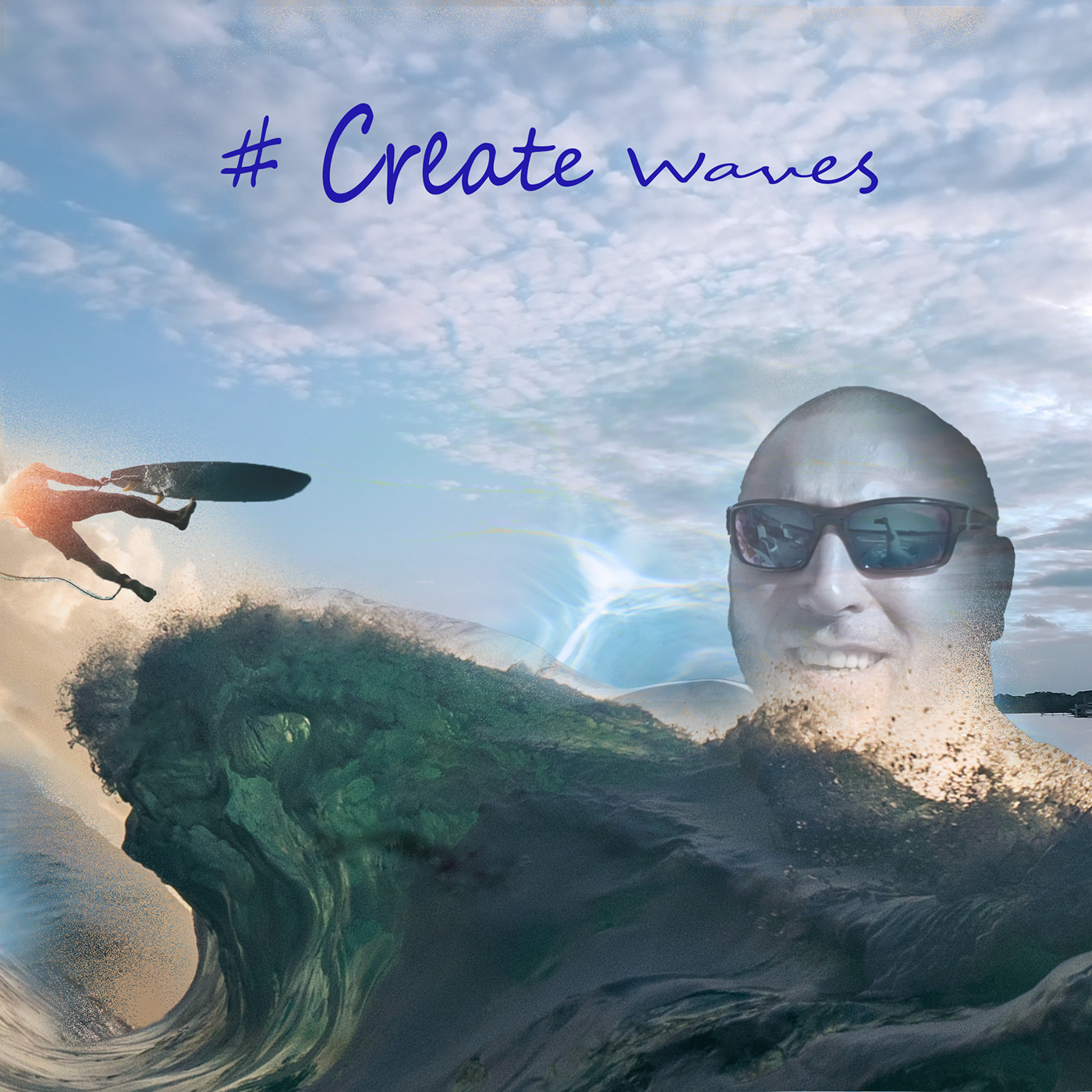
Behance
Photoshop Creative Challenge | June 20 - July 15
gentle pasture
 gentle pasture
 last mica
gentle pasture
last mica
gentle pasture
which challenge is it? After looking at your composition, I want to retry.
Can you kindly delete your post 🥺 This stream is for PS Daily challenge
young karma
Mb
last mica
No issues. You're welcome if you want to submit a Daily challenge composition of your own. Mods here are really good. 🎁
young karma
Idk I am new in photoshop but this Photo not clear
last mica
young karma
Idk I am new in photoshop but this Photo not clear
you can submit it here - https://discord.com/channels/547473772727238676/601848427541692447 They are good at feedback.
gentle pasture
last mica
Can you kindly delete your post 🥺 This stream is for PS Daily challenge
Sorry my friend are you talking to me? My work is as stated in first post colouring with gradients by Wade Acuff.
young karma
gentle pasture
Sorry my friend are you talking to me? My work is as stated in first post colour...
No Brother je is talking to me
plain sable
Challenge #7 I created an action for the border and then used the steps in sandpaper to give some texture. This was fun 🙂


 bleak fossil
@plain sable Very nice job with this technique! It works really well for numerous photos, especially ones that work in a series like these flowers. The border adds a nice neutral frame to the images, and the texture is a really subtle yet interesting touch. Looks good!
@gentle pasture Really interesting color palettes in this design! I love the graffiti look to the second design, and the purple/yellow color contrast makes for a really bold look. I especially like the value contrast of the one with the black background. Great colors on the first design too, I really like the almost neon look to it. Great textures too!
@pine wraith Very nice work on all these designs! Very cool to see them all together. I especially like the color palette and style of the Day 5 design, nice job with all these different techniques 👍
@unkempt field Great job with the grid for the Day 5 design! I like the blue and orange color palette you have going on. It might be nice to see the orange elements in the design a bit more prominent. Perhaps by scaling up the size of the "explore" graphic on the earth to make it more readable at a glance, and maybe making the & symbol in "Enjoy, respect & Be kind" the same shade of orange in the top left design. Just some thoughts of course. Well done!
@wary swan Great to see another set of challenges from you in this Behance project! Very nice variety on all the different techniques in this one, You really nailed these. I especially like the "Actions made easy", "Classic travel postcards" and "Happy 4th of July" images. These are looking good!
plain sable
Thanks @bleak fossil we went to Berkeley botanical garden last week it was fun to work with those photos. I'm working with them on challenge 9...
nimble shardBOT
Gave +1 Creative Carma to @bleak fossil
unkempt field
@bleak fossil thanks for sharing your thoughts I will make the adjustments. I clicked on the orange but for some reason it’s a different shade on the & symbol. I’ll double check the color code. Thanks again!
nimble shardBOT
Gave +1 Creative Carma to @bleak fossil
pine wraith
@bleak fossil Thank you for your feedbacks. helped a lot. @slender juniper Thank you for these challenges , the tips and ur feedbacks ... this was my first creative challenge and i'm looking forward to the next ones 😄
nimble shardBOT
Gave +1 Creative Carma to @bleak fossil
wary swan
bleak fossil
<@637347217773953055> Great to see another set of challenges from you in this Be...
thanks for the feedback Sam
nimble shardBOT
Gave +1 Creative Carma to @bleak fossil
plain sable
Finally all caught up... Challenge #8

Challenge #9 decided to use this for a Instagram story, still working out the typos 🙂
 hushed spade
What do you think? I had so many ideas for this that didn't work. Had to remind myself the purpose is to have fun and learn rather than just to complete a project. I have ideas for a couple remixes of this one, too. That's a sea anemone inside the "grand" by the way.
 slender juniper
pine wraith
<@96724675886850048> Thank you for your feedbacks. helped a lot. <@24052822...
slender juniper
pine wraith
<@96724675886850048> Thank you for your feedbacks. helped a lot. <@24052822...
Thank you for taking part in these challenges, looking forward to the next ones too!
nimble shardBOT
Gave +1 Creative Carma to @pine wraith
slender juniper
hushed spade
What do you think? I had so many ideas for this that didn't work. Had to remind ...
Hi! I think it is looking pretty good! I really like the idea of remixing this postcard challenge. It's a simple swap of images, a changing of the fonts, and you get a whole new look with very little redesign work. Plus remixing is part of the "fun" you mentioned. 🙂
hushed spade
Hey @slender juniper, as long as you’re on, I want to know where you hail from. I hear a bit of a southern twang now and then. Deep South somewhere? Texas?
 lime badger
Can someone help me with a rlly basic photo shop I just need a date changed off a image
queen aspen
Thanks, Sam. I didn't expect a such cool painterly effect. It is really amazing!
turbid fern
 queen aspen
Day 8: Logo from sketch
 bleak fossil
@turbid fern The shapes and color palette are looking good! I like the balance between warm and cool tones, and the large-medium-small arrangement of the squares makes for a nice composition. Nice job!
@hushed spade Great colors and contrast in this design! I really like the photo you chose for this one, it works really nicely with the arrangement of the text. The purple image within the "Grand" text definitely has a bold look to it. The diver within the Cayman text is a really nice touch too. Nicely done!
@plain sable These came out great! Challenge 8 come out really well, you kept the same shape but it's neat to see how clean it turned out with the pen tool and texture. Great color contrast in that design too. Also a very nice job with the series of images in Challenge! They work very nicely as an image set. 👍
@queen aspen Really nice gradients in this Day 8 design! They have a really cool sort of anodized titanium look to them with those colors. The deep shadows give it some nice form and really help it pop from the background. One super minor suggestion might be to scale up the center shapes a bit to better fill the canvas space. Great background texture too!
hushed spade
bleak fossil
<@805848710419447828> Great colors and contrast in this design! I really like th...
Thanks, Sam! Any suggestions for improving it?
nimble shardBOT
Gave +1 Creative Carma to @bleak fossil
turbid fern
Thank you!
bleak fossil
@hushed spade The only real thought I have in that regard is the color and contrast of the purple "Grand" text overpowers the "Cayman" text. Two ideas. 1) You could lower the opacity on the purple anemone image a little to make it more subtle, or 2) Increase the shadow that we see on the left side of the Cayman text to be a bit darker and maybe closer to the purple of Grand to tie them together a bit more and balance out the contrast. Just some thoughts of course.
queen aspen
Thanks, Sam
plain sable
Thanks @bleak fossil this was a really fun DCC
nimble shardBOT
Gave +1 Creative Carma to @bleak fossil
hushed spade
@bleak fossil Like this? I actually did a little of both. Took the Grand image down to 98%. I wanted a different color for the shadow on Cayman, but when I sampled in the anemone, it came out wrong. Had to wing it on the color. Thanks, Sam, for your advice.
 nimble shardBOT
Gave +1 Creative Carma to @bleak fossil
hushed spade
Here's my remix. I wanted the chunky text to look like sand. A clipping mask would've been simpler, I think. I was thinking of toning down the whites a bit. What do you think?
 hushed spade
Hello? My feed appears to be stuck.
sterile berry
hushed spade
Hello? My feed appears to be stuck.
Stuck?
hushed spade
Ok. Apparently not. Good. Just surprised there was no activity for three days.
 lone frigate
https://twitter.com/BrownyGaming/status/1547693330309320706 Me and another streamer did an Art War stream. Pretty proud of the stuff we did in just 2 hours. U can see both of our artworks in the comments

Big thank you to @MashedMotato for the awesome Art Stream today, the first of an Art War series. The artworks from the stream are in the comments! Vote on which one is your favourite!
#photoshop #digitalart #twitch
 Twitter
·
sterile berry
lone frigate
https://twitter.com/BrownyGaming/status/1547693330309320706 Me and another strea...
Twitter
·
sterile berry
lone frigate
https://twitter.com/BrownyGaming/status/1547693330309320706 Me and another strea...
Hi. This isn't really the appropriate venue for this. This channel is used for the Photoshop Daily Creative Challenges on Adobe Live. For general stuff, you should post in #💬chat-general. If you're looking for thoughts/feedback on images you've created, you could post in #📝project-feedback.
hushed spade
How could I make the drop shadow on Cayman look like it has a hint on the anemone that’s in Grand?
Right now the shadow is created with layer styles. (I think that’s the right name— the place that lets us add strokes, bevels, textures, etc.)
 young karma
hello um can somone please make me a youtube pfp with the letter A please in caps i whold aprecate it alot
please !
sterile berry
young karma
hello um can somone please make me a youtube pfp with the letter A please in cap...
Please don't post the same thing in multiple channels. :)
young karma
soz g
hushed spade
@sterile berry where is everyone? This is really odd to have the channel so dead, isn’t it? Did I miss something?
sterile berry
hushed spade
<@712015771596750931> where is everyone? This is really odd to have the channel ...
Its a replay week so if people have already done those challenges maybe they are doing other things.
turbid fern
Custom skateboard deck 😄
 gentle pasture
Deck Design

 unborn ridge
Symmetry Challenge... styalised representation of blood flowing through your veins... feedback appreciated.
 unborn ridge
This is a light, abstract response.

 worthy ginkgo
@wet sparrow thanks for the challenge thats what i did
 nimble shardBOT
Gave +1 Creative Carma to @wet sparrow
 lilac wasp
Simply skateboard
 eternal mica
Paul's profile file link
https://photoshop.adobe.com/id/urn:aaid:sc:US:d0d75f48-3fc4-4c03-a2e3-9ac3c50d4674
Photoshop is your best photo, image and design editing software.
eternal mica
@heavy crescent Your post is inappropriate for this chat.
@heavy crescent Posts in this chat should only be for the current Ps DCC series challenges. Thank you for respecting the rules.
compact pecan
Day 1 Before and After.
The "after" seems a little bright after compressing for the post


I adjusted the highlights.
 hushed spade
@compact pecan The last one is very nice. Good call!
compact pecan
hushed spade
<@650118328848875521> The last one is very nice. Good call!
thanks, @hushed spade!
nimble shardBOT
Gave +1 Creative Carma to @hushed spade
eternal mica

Photoshop is your best photo, image and design editing software.
Before and After. The link to After in CC Documents. Its open to any and all comments, so go or it.
Traditional jpg save
 quiet fern
#challenge - Photo Editing - Before & After... WELCOME BACK, EVERYONE!!! 😉 Zoom in to see my edits… removed flyaways, removed grey hairs in beard, dodged eyes, Clone Stamp Tool at 38% for under the eyes…

 eternal mica
@compact pecan Well done. I like the work you did around the eyes. Leaving in the freckles and beauty marks enhances realism. I might bring down the highlights just a bit more to get more of the skin tones in some areas where its still washed out, but thats just personal preference.
@quiet fern Beautiful work. The edits are so subtle, but so impactful. (For those who want to really appreciate them, open the original files one on top of the other and flip between the screens.) Your After has such a warm soft feeling that is nowhere in the original. Awesome.
quiet fern
eternal mica
<@889930195975409674> Beautiful work. The edits are so subtle, but so impactful...
Thank youuuuuuu!!! Part of the FUN is switching back & forth between the images to see the changes 😎🥰
nimble shardBOT
Gave +1 Creative Carma to @eternal mica
eternal mica
quiet fern
Thank youuuuuuu!!! Part of the FUN is switching back & forth between the images ...
We've done this exercise before with Paul T. And I totally agree that the most fun is when I see an image that at first blush I react with "wait, what did you change???" Then I start flipping images and pick up all changes that are so natural theyre hardly noticeable, but dramatically alter the image impression. Yours is a great example of that.
sterile berry
quiet fern
Thank youuuuuuu!!! Part of the FUN is switching back & forth between the images ...
Do a little fade animation in Photoshop. A BEFORE / AFTER (.mp4) :D
quiet fern
eternal mica
We've done this exercise before with Paul T. And I totally agree that the most f...
I do ALOT of Retouching… mostly men too… Firefighters, Law Enforcement & Teamsters 😎🥰
quiet fern
sterile berry
Do a little fade animation in Photoshop. A BEFORE / AFTER (.mp4) :D
Just left the office… maybe on the morrow 🥰😎
turbid fern
Before and After

 eternal mica
@turbid fern Nice work. The skin looks smooth and natural. Good work around the eyes. The softening of the highlights looks good too. Good job.
turbid fern
eternal mica
<@603779198296915978> Nice work. The skin looks smooth and natural. Good work a...
Thank you!
nimble shardBOT
Gave +1 Creative Carma to @eternal mica

 hushed spade
@hybrid kettle I was relieved to see your note about the order😂, because I thought the first one was best! Nice job!
young karma


 split estuary
Hello guys i have a problem with some photo need to corect eyes can somebody help me on dm pls
compact pecan
split estuary
Hello guys i have a problem with some photo need to corect eyes can somebody hel...
Wrong channel. Try #❓ask-a-question
eternal mica
@hybrid kettle Welcome to the Ps DCC Discord chat. Great to have you join the party. If you have any questions or need help, give a shout, we're here to help. Nice work on the Day 1 challenge. Your touch ups look great. The resulting image looks natural. I especially like the work you did with the lighting and on the right side of the face and the shape of the eye.
gentle pasture

 eternal mica
@young karma Welcome to you as well. As I just said, if you need help finding your away around the DCC or Discord, feel free to ask. We're all here to help. Very solid effort on the Day 1 challenge. The warmer skin tones are great, very natural looking. Your work on smoothing the skin is spot on. The tweaks are not noticeable at all. Paul makes one point in his stream that you may want to consider. Some of the birthmarks might add character to the model's face, as he says about his scar. You might consider leaving a few of them in. Of course, that is 100% personal preference. Good work.
 hybrid kettle
hushed spade
<@710035017937584209> I was relieved to see your note about the order😂, because...
hybrid kettle
hushed spade
<@710035017937584209> I was relieved to see your note about the order😂, because...
Thank you 😂
nimble shardBOT
Gave +1 Creative Carma to @hushed spade
eternal mica
@gentle pasture Cool look to your submissions. In the self portrait, I might lower the saturation a bit, as the skin is a bit too red. And in V2 Final Edit, i like the texture on the model's right side. The left side is a bit washed out. Both points, just personal taste. Good work by you.
last mica
Yayy! It's @ Paul Trani 💪 But, I've fallen sick 🤒 Sorry Guys!! Cannot (Might not) be able to participate 😭
I am gonna miss this session. Best of luck to you all guys.🛹
eternal mica
@last mica Ugh, I hope nothing too severe. If you miss this series, we will miss you. Speedy recovery.🤒 🤒
last mica
🥰 🎖️
 tardy talon
Photoshop Daily Creative Challenge#01
 hybrid kettle
eternal mica
<@710035017937584209> Welcome to the Ps DCC Discord chat. Great to have you joi...
hybrid kettle
eternal mica
<@710035017937584209> Welcome to the Ps DCC Discord chat. Great to have you joi...
Thank you very much
nimble shardBOT
Gave +1 Creative Carma to @eternal mica
 simple idol
Hello! Finally able to participate and hopefully for the full challenges!

 compact pecan
Day 2 - Text. Words by John Lennon
 eternal mica
Ps DCC 22-08 02 Beautiful Text Effects
 plain sable
My first swag at challenge #2
 turbid fern
 hybrid kettle
 eternal mica
hybrid kettle
eternal mica
hybrid kettle
Did you intend to spell WORLD that way?
hybrid kettle
eternal mica
Did you intend to spell WORLD that way?
Yes it was intentional
quiet fern
#challenge - Crazy Trippy Wild Colorful Bendy Warped Spacey Text 😉
 young karma
 visual pelican
PSDCC_Beautiful Text Effects day 2
 tardy talon
Photoshop Daily Creative Challenge#02
 wary swan
Ps DCC 2022-8 Challenge#1 Photo Editing & Sharing
https://photoshop.adobe.com/id/urn:aaid:sc:EU:d5c3e029-9b5c-4c1b-9dd3-987da19523b1
Photoshop is your best photo, image and design editing software.
PsDCC2022-8 original
 wary swan
Ps DCC 2022-8 Challenge#2 Beautiful Text Effects 7-19-2022
 halcyon current
Challenge #1 - Photo Editing & Sharing - This is a self portrait with a white sheet as background and a remote control in my hand. The photo is 11 years old so there are a lot of more grey hairs on my head and I have also gained pretty much weight since then. After & Before

 compact pecan
wary swan
PsDCC2022-8 original
compact pecan
wary swan
PsDCC2022-8 original
I tried to comment on your PS Web document but it gave me an error… I think select-and-mask might help with the edges of your hair and beard when masking out the background
compact pecan
halcyon current
Challenge #1 - Photo Editing & Sharing - This is a self portrait with a white sh...
I think this looks fantastic!! All your edits are subtle and look very natural. The best portrait edits are the ones nobody can tell you’ve made - exactly what you’ve done here. Great job!
eternal mica
@tardy talon Good work on making Paul look "better". The overall lighting looks solid. The skin tone is natural. The work around the eyes is really well done.
 fallow lake
 tardy talon
eternal mica
<@593471623269711893> Good work on making Paul look "better". The overall light...
tardy talon
eternal mica
<@593471623269711893> Good work on making Paul look "better". The overall light...
Thank you 😍🥰
nimble shardBOT
Gave +1 Creative Carma to @eternal mica
gentle pasture
eternal mica
<@719442085543018530> Cool look to your submissions. In the self portrait, I mi...
Hey Ted, cheers for the feedback. We must have our screens calibrated differently. As mine is not blown out in any of the high lights, I can still see skin texture, and the warm tone is not so red. It's a look-up colour filter [3DLut] called "soft warm" or something? Thanks for your support. Screen calibration is an interesting topic as I know very little about it.
nimble shardBOT
Gave +1 Creative Carma to @eternal mica
halcyon current
compact pecan
I think this looks fantastic!! All your edits are subtle and look very natural. ...
Thank you @compact pecan for your feedback!
nimble shardBOT
Gave +1 Creative Carma to @compact pecan
eternal mica
gentle pasture
Hey Ted, cheers for the feedback. We must have our screens calibrated differentl...
Thats always the case when we're viewing images on monitors. We each have our monitor settings for whats comfortable on our eyes. Whenever Im doing a hard copy print, I always do a test run before final to make sure the hard copy has the look I want. The monitor image is too unreliable.
eternal mica
gentle pasture
Hey Ted, cheers for the feedback. We must have our screens calibrated differentl...
Coincidentally, I used a color lookup on my BG image for my text submission yesterday. I love using them.
@simple idol Very cool work on the day 1 challenge. The skin looks smooth and natural. The lighting is improved subtly and nicely. Just curious, did you convert the image to a smart object before resizing it? The AFTER looks a little more blurry than the BEFORE. You can usually avoid that by converting to SO before resizing.
@compact pecan Absolutely awesome quote!!!! I love the text effects. The image is so surreal. One tweak I'd suggest, use shades of the colors from the text as fill on the second and third lines. I think that would add a cool sense of symmetry to the design. Very well done.
@plain sable I was mesmerized by the new space images. I had already started thinking how I could integrate them into an upcoming design. Bravo to you. The image really stands on its own. Your subtle text is perfect. I might make one small tweak and give the lower text the same layer effect as the upper text. The font is great. Whats it called?
@turbid fern Beautiful image for Day 2 challenge. Nice work with the text, layer styles. I might suggest you enhance the contrast of the text to the BG by making the top text fill a darker color, maybe the grey from the clouds?
@hybrid kettle Nice effort with the Day 2 Text challenge. The font fits the message perfectly. I think the top text is a bit off center, you may want to adjust that. And as a general rule, using misspellings is a tricky concept. Unless the design clearly indicates the misspell is intentional, most viewers wont get the idea.
@quiet fern Haha, you went to town on this. I guess you checked pretty much every box PT had in his stream! I love the cohesive look of the color palette. The text manipulation is very cool. The BG brush strokes work really well. Good work all around.
@young karma This is so cool. The image and the text blend so perfectly together. The hat is a great touch. One tweak Id consider is the shadows from the objects are on a higher angle away from the objects than the text shadow is from the text. You might want to align the perspectives of the two.
@visual pelican Hey, welcome back. Nice effort with the Day 2 text challenge. Youve definitely given the text layer styles that convey the message of the rest of the design. One tweak I might make is to integrate some of the bright red into the BG (maybe with the UFOs?, the question marks??) to create some more cohesion in the color palette.
@tardy talon Very nice work on the Day 2 challenge. Great to see youre feeling well enough to stick with the challenges. Nice work adding layer styles and effects to the text. Also, adding the floating notes adds color cohesion to the design. Good work by you.
eternal mica
wary swan
Ps DCC 2022-8 Challenge#1 Photo Editing & Sharing
https://photoshop.adobe.com/id...
I posted my comment on your cloud file.
@wary swan Cool interpretation of the text challenge. Good work on the layer styles and effects added to the text. One tweak I might make is to lower the intensity of the glow below the text so that the text is the focal point and not the glow.
@halcyon current Very nice work on the Day 1 challenge. The AFTER skin tones are smooth, clean, clear and natural. The subtle changes to the lighting also look solid. Good work by you.
halcyon current
eternal mica
<@848944727331045487> Very nice work on the Day 1 challenge. The AFTER skin ton...
Thank you @eternal mica for your feedback!
nimble shardBOT
Gave +1 Creative Carma to @eternal mica
eternal mica
@fallow lake Welcome to the Ps DCC Discord chat. Great to have you joining us. If you have any questions or need any help, just give a shout. We're all here to help. Wow you really jumped the gun. Is it Halloween time already??? 🤣 😜 Nice work with the composite. I would suggest you use a curves/layer adjustment layer to add contrast to your text to give it more prominence in the design. And you might want to think about the overall lighting of your composited objects relative to the BG, maybe make them more cohesive and consistent. I look forward to your future posts.
visual pelican
eternal mica
<@817064525051199498> Hey, welcome back. Nice effort with the Day 2 text challen...
Thank you. It's nice being back. You were right like always adding a bright red/pink to the ?? marks did make it more cohesive .
 nimble shardBOT
Gave +1 Creative Carma to @eternal mica
wary swan
compact pecan
I tried to comment on your PS Web document but it gave me an error… I think sele...
Thanks for the feedback, Hugh
nimble shardBOT
Gave +1 Creative Carma to @compact pecan
wary swan
eternal mica
I posted my comment on your cloud file.
Thanks for the feedback Ted I will look into that
tardy talon
eternal mica
<@593471623269711893> Very nice work on the Day 2 challenge. Great to see youre...
Thank you! 😍
nimble shardBOT
Gave +1 Creative Carma to @eternal mica
quiet fern
eternal mica
<@889930195975409674> Haha, you went to town on this. I guess you checked prett...
You’re right - I applied everything he went through - I thought it might be overkill after the fact, but I wanted to make sure I didn’t miss any steps because I always learn something new every day with these challenges 😁😎
plain sable
Thanks @eternal mica I added the layer style to the bottom text (smaller version) and the font is Changeling Neo...
 nimble shardBOT
Gave +1 Creative Carma to @eternal mica
eternal mica
quiet fern
You’re right - I applied everything he went through - I thought it might be over...
With as much stuff as PT throws against the wall, thats a serious challenge in and of itself!! As always, good work by you. And just for the fun of it, you can take today off, because the challenge is a Space Composite, and youve already done one!!!
quiet fern
eternal mica
With as much stuff as PT throws against the wall, thats a serious challenge in a...
I get a kick out of how PT is always singing during his challenges too 😁😎
eternal mica
quiet fern
I get a kick out of how PT is always singing during his challenges too 😁😎
Each presenter has his/her own style, but PT is definitely unique in so many ways. When I started, I was so intimidated by his streams.
quiet fern
eternal mica
Each presenter has his/her own style, but PT is definitely unique in so many way...
You are exactly right. Each one of them has a definite style And presenting personality which makes it even more fun I think 😎🌞
wary swan
Ps DCC 2022-8 Challenge#3 To The Moon! 7-20-2022
 quiet fern
#challenge - Text Challenge from Tuesday - this was playing with GLYPHS - I love Glyphs 😉 The font is "LHF Old Iron"
 wary swan
Ps DCC 2022-8 Challenge#2 Beautiful Text Effects 7-19-2022 version 2
 quiet fern
#challenge - Space Comp (not unlike Space Camp) 😉
 visual pelican
PSDCC Day 3 To The Moon
 unkempt field
Today’s challenge - moon composite
 turbid fern
eternal mica
<@603779198296915978> Beautiful image for Day 2 challenge. Nice work with the t...
turbid fern
eternal mica
<@603779198296915978> Beautiful image for Day 2 challenge. Nice work with the t...
Enhancing the contrast a bit definitely helped. Thank you for the feedback!
 nimble shardBOT
Gave +1 Creative Carma to @eternal mica
eternal mica
Ps DCC 22-08 03 To The Moon
 turbid fern
 quiet fern
eternal mica
Ps DCC 22-08 03 To The Moon
quiet fern
eternal mica
Ps DCC 22-08 03 To The Moon
This is really cool, it looks like the hand is pulling back a curtain or a blanket to reveal the space behind it 😎😁
eternal mica
Thanks. I was thinking its the hand of Man reaching out to Deep Space to connect with whatever is out there.
hybrid kettle
eternal mica
<@710035017937584209> Nice effort with the Day 2 Text challenge. The font fits ...
Thank you very much
nimble shardBOT
Gave +1 Creative Carma to @eternal mica
 vagrant rapids
This is the collage challenge of the day. I used the shadows technic with curves explained by Sasha!
 compact pecan
Day 3 - Lost ... in ... Spaaaaaace!!!!!!

 bright yew
vagrant rapids
This is the collage challenge of the day. I used the shadows technic with curves...
bright yew
vagrant rapids
This is the collage challenge of the day. I used the shadows technic with curves...
How did you do that with the text? It the same texture/style as the yellow parts of space in the image, it looks really good but how was it done?
bright yew
Did it, wanted to add the text thingy Christelle did so I made an attempt lol
 eternal mica
bright yew
How did you do that with the text? It the same texture/style as the yellow parts...
eternal mica
bright yew
How did you do that with the text? It the same texture/style as the yellow parts...
@bright yew Did you watch the stream from yesterday on how to manipulate text?
bright yew
eternal mica
<@832897393955307541> Did you watch the stream from yesterday on how to manipula...
Didn't get the chance to, twas busy with work
eternal mica
bright yew
Didn't get the chance to, twas busy with work
Starting at the 10:00 mark, the stream has many excellent techniques for text manipulation. I suggest you watch it.
bright yew
Awesome, I've been needing something like this. Thank you
dusky wave
Result for today's Challenge
 simple idol
Hello friends! Carved out some time. So happy to participate.
 tardy talon
Photoshop Daily Creative Challenge#03
 simple idol
eternal mica
<@723678249728737313> Very cool work on the day 1 challenge. The skin looks smoo...
simple idol
eternal mica
<@723678249728737313> Very cool work on the day 1 challenge. The skin looks smoo...
Thanks @eternal mica I actually converted to a smart object. I’ll make some adjustments. Thank you for taking the time to give me feedback. It’s much appreciated.
nimble shardBOT
Gave +1 Creative Carma to @eternal mica
bleak fossil
@bright yew Great job with the masking, this is looking good! I like the shadow from the moon on the thumb, and the layering gives the image some nice depth. I think it might look good to darken down the hand a bit, and cool the colors a little more to make it look like it's backlit at this twilight hour. It could also look nice to brighten the text or give it a bit of a drop shadow to make it pop out over the moon a touch more. Or even move the text down over the dark rocks at the bottom, which might look good compositionally. Just some thoughts, nice work!
@tardy talon Very nice work masking all these different elements! It might help add a little additional depth if you mask the thumb more clearly behind the moon, which would also help avoid the tangent in that area. This is looking good!
@simple idol Very cool, I really like the colors and contrast in this design! The dark purples and bright yellows work really well. The yellow lines and warped text give it some really nice energy too, nicely done!
@dusky wave Really cool style to this design! The very pale and muted colors gives it an interesting mood and feel. Very nice job with the masking , and the deep shadows of the hand fit it in nicely with the rest of the image. 👍
@vagrant rapids This is looking great, loving the color palette! Very cool style and cohesive look to all of it. Very nice job with the masking as well. There's also a really nice compositional balance with the values between light and dark, it really helps the earth stand out as a focal point.
@compact pecan Ooh, great colors! Really love how you arranged all these elements, everything is looking clean and the composition is working well. My only suggestion is the hand seems like it could use some more contrast to match the deeper shadows of the other elements in the scene, and to more clearly separate it from the background. Maybe something like this?
(Click the image and click Open Original for better quality)
 tardy talon
bleak fossil
<@593471623269711893> Very nice work masking all these different elements! It mi...
tardy talon
bleak fossil
<@593471623269711893> Very nice work masking all these different elements! It mi...
Thank you so much! 😍❤️🙏
nimble shardBOT
Gave +1 Creative Carma to @bleak fossil
vagrant rapids
bright yew
How did you do that with the text? It the same texture/style as the yellow parts...
@bright yew: this text is orange f77e59 in Color Dodge opacity and I clipped a layer on which I painted white highlights in dissolve mode.
It works because the background of the text is the sky like a gradient ("left?" is darker, because the background is darker) - 🙂
vagrant rapids
bright yew
Did it, wanted to add the text thingy Christelle did so I made an attempt lol
And you did great 👍 Good job !
vagrant rapids
bleak fossil
<@703341359569961002> This is looking great, loving the color palette! Very cool...
Thanks so much for your feedback @bleak fossil !
nimble shardBOT
Gave +1 Creative Carma to @bleak fossil
dusky wave
Result for Challenge #02
 bright yew
bleak fossil
<@832897393955307541> Great job with the masking, this is looking good! I like t...
bright yew
bleak fossil
<@832897393955307541> Great job with the masking, this is looking good! I like t...
Thanks for the feedback! i'm gonna apply these and see how it turns out
nimble shardBOT
Gave +1 Creative Carma to @bleak fossil
bright yew
vagrant rapids
<@832897393955307541>: this text is orange f77e59 in Color Dodge opacity and I ...
Thank you!
hybrid kettle
Day 3 challenge
 eternal mica
Folks, I know you dont need me to tell you how awesome @brittle slate livestreams are. But today will be special. Paul is going to get into color matching. If you really want your composites to soar, theres probably no more valuable technique than this. Log in at 12:00PM EDT and participate in the live stream.
eternal mica
@wary swan Nice work on your Day 3 challenge. The color palette looks great. The compositing is interesting. The highlighting and shadows of the arms are interesting. I might have enhanced the perspective by having the moon rest more in the fingers. and mask the fingers onto the moon in certain positions. The thumb on the left hand can use tighter mask. Good work.
@quiet fern I love that font. So much personality to it.
@quiet fern Awesome Day 3 challenge. The color palette has a wonderful consistent vibe throughout. The compositing is very well done. Good work creating perspective with the shadows from the hand. I definitely could see this as an album cover. One nit pick I might make is to add a bit of blur to the back objects to enhance the depth perception on them.
wary swan
eternal mica
<@637347217773953055> Nice work on your Day 3 challenge. The color palette look...
Thanks for the feedback Ted
nimble shardBOT
Gave +1 Creative Carma to @eternal mica
 ruby panther
I think this fits into todays challenge. Also for the Art In Space challenge. Parking Space.
 eternal mica
@visual pelican Very creative Day 3 post. I like the composite work. The moon in the hand looks great. I would sell the "energy field" concept more by adding it around the hand as well, much like an exercise I know you did with Sam in an earlier series. Also I would add depth and perspective by adding a Gaussian blur to the other objects youve add (maybe not the rocket ship). Good work.
@unkempt field Cool GIF. Nice work on all the compositing. Its always fun to see the challenge taken to the next level. Good job by you.
@turbid fern Love the tweak.
@turbid fern Very cool work on the Day 3 challenge. The color palette is consistent and natural. The compositing is well done. I might want to sell the hand a bit more by adding shadows from the fingers onto the moon. One tiny tiny nit pick, which may just be my personal phobia. Theres a little gap between the middle finger and the moon. To me thats distracting. But that just may be me. Very well done.
@vagrant rapids Awesome Day 3 design. The color palette is terrific. The cohesion is great. The masking is very well done. The skull looks great. The hand, especially with the shadows, is great. One tiny nit pick would be to add perspective to the dinosaur by giving it a slight blur. Wonderful design.
@compact pecan I love this Day 3 design. So much going on, but it all holds together beautifully. The consistent cohesive color palette is the glue. @bleak fossil subtle tweak would really make it pop!!!
@bright yew A belated welcome to the Ps DCC Discord chat. We hope you hang around and get involved. If you have any questions, give a shout. We're here to help. Nice work on your Day 3 submission. Sam already gave you quite a bit to think about. I might add, if you havent watched today's stream, Paul has tons of tips on how to color match your composites to really make them realistic. I look forward to your future posts.
visual pelican
eternal mica
<@817064525051199498> Very creative Day 3 post. I like the composite work. The...
Thank you. So here is the original one I did. I finally got it to load to discord.
nimble shardBOT
Gave +1 Creative Carma to @eternal mica
turbid fern
eternal mica
<@603779198296915978> Very cool work on the Day 3 challenge. The color palette ...
I didn't notice it at first, but after you mentioned it, I was bothered by the gap between the middle finger and the moon as well, so I adjusted the hand positioning a bit. I also tried to add some subtle shadows on the moon and the fingers. Thank you!
 nimble shardBOT
Gave +1 Creative Carma to @eternal mica
simple idol
Woo hoo! Made it to Day 3!
 eternal mica
turbid fern
I didn't notice it at first, but after you mentioned it, I was bothered by the g...
eternal mica
turbid fern
I didn't notice it at first, but after you mentioned it, I was bothered by the g...
Super tweaks. The finger shadows have given the moon a glowing iridescent look. Isnt weird how such a small thing can make such a difference!!!
@dusky wave I love the color palette on your Day 3 design. Such an outer space vibe. Solid masking work. The finger shadows are particularly well done. One tiny nit pick. The planets on the right have different light sources. The top ones dont jive with the rest of the image. Flip them?
@simple idol Good effort with your Day 2 text design. When I first saw it, I thought it might also be your Day 3 Space design, then I saw you have a separate submission for that. Good work with the layer styles. The streaks all add cool sense of motion to the design. Just a suggestion, liquify some of the text towards the planet to increase the sense of speed and motion. Your Space composite Day3 is very well done. The compositing is solid. You might want to add some finger shadows on the planet to add a sense of depth and perspective. And maybe play with the highlight skin tone to have more of the overall tint of the design impact the arm/hand.
@tardy talon Good effort on the Day 3 space design. Nice work on the compositing. I might want to move the moon further into the hand and mask the thumb to add perspective. Try adding some finger shadows on the moon. Flip the planet so the light source fits with the rest of the image?
@dusky wave Solid work on your Day 2 design. The consistent color palette really looks good. The text layer styles look good. I might try to use a curves adjustment layer on the text to increase the contrast with the BG.
@hybrid kettle Very interesting Day 3 Space composite. There's a very surreal vibe to the design. The right side planet and hands are well done. Good shadows add good perspective. The hands in the center could use the same shadow treatment. Very well done by you.
visual pelican
eternal mica
<@817064525051199498> Very creative Day 3 post. I like the composite work. The...
This one looks better.
 halcyon current
Challenge #2 Beautiful Text Effects - Here's what I created for Challenge 2.
 hybrid kettle
eternal mica
<@710035017937584209> Very interesting Day 3 Space composite. There's a very sur...
hybrid kettle
eternal mica
<@710035017937584209> Very interesting Day 3 Space composite. There's a very sur...
Thank you
nimble shardBOT
Gave +1 Creative Carma to @eternal mica
marble umbra
Here we go for Challenge 4... Thanks Paul for the fun & the learning!!!!


 quiet fern
#challenge - Space Composite Edit
 stone steppe
 bright yew
This is back on the Day 3 moon challenge. I moved the text and added some drop shadow also did color lookup. This is the result @eternal mica
 eternal mica
bright yew
This is back on the Day 3 moon challenge. I moved the text and added some drop s...
eternal mica
bright yew
This is back on the Day 3 moon challenge. I moved the text and added some drop s...
Solid tweaks. Text looks much better. Color palette much improved. Could still use some finger shadows on the moon to add depth/realism.
 sterile berry
I wasn't intending on doing this challenge but Stoney asked me some questions about it. A half hour later and here we are...
PS DCC 07.20.22 - To The Moon! - SpaceX (In space, no one can hear you Tweet.) haha
 eternal mica
bright yew
Added some
eternal mica
bright yew
Added some
"Ooh you're right I'm gonna add some". Didnt you know Im **ALWAYS **right????? 😜 🤣 😜 🤣 😜
 paper jackal
Back to challenge #3, I really enjoyed it

 edgy spoke
Rate it guys
 tired turret
Day 2 Text first version

Day 2 altered

Day 3 Beginning


Day 3 altered The last being my favorite

 eternal mica
@edgy spoke Thank you for your post. However, this chat is reserved for postings related to the Ps DCC. If you'd like to post your work for review, please use one of the more appropriate tabs from the left. Thank you.
nimble shardBOT
Gave +1 Creative Carma to @edgy spoke
bleak fossil
@tired turret Nice work on the Day 2 and 3 challenges! The masking on Day 3 is looking good, and it's cool to see you trying out various versions on both of these. I like the sharpness of the text in the first version of the Day 2 challenge, but it might be nice to see what it looks like with sharp text and a slightly blurred background. Nice job on these!
@edgy spoke Cool design! Though I'd brighten up the skeleton a bit to give it more contrast, because currently the background is reading more strongly due to having more contrast. You could even blur the background a bit to give the board more focus. Also, if you're posting designs not related to the current challenges then #📝project-feedback Is the best place for that. Nice work 👍
@paper jackal Cool idea! Reminds me of The Creation of Adam by Michelangelo, hah. I really like the colors in the background and the strong contrast of the moon makes for a nice focal point. Looks good!
@sterile berry Hah, it's hard to avoid once ideas start going. Very nice job, the coloration and masking is looking solid, and the added shadows are a very nice touch. The text really gives it that clean poster aesthetic, nicely done.
@bright yew Great changes! The composition looks so much more balanced with the text at the bottom, I like the sort of triangle it creates with the moon and hand. Very nice!
@stone steppe Nice job with the text effects! The color gradient and warping are both looking really good. The wavy text fits nicely with the theme of the title, well done!
sterile berry
bleak fossil
<@712015771596750931> Hah, it's hard to avoid once ideas start going. Very nice ...
Thanks, Sam. Its fun to play. :)
nimble shardBOT
Gave +1 Creative Carma to @bleak fossil
bleak fossil
@quiet fern Very nice, loving the colors in this space scene! I really like the shadows you made on the Earth from the hand. My only critique is that the light is coming from two different directions which affects the realism of it. The hand is lit from underneath, and the Earth is lit from the top right. I'd keep the Earth as is, just rotate it so the light spot is in the bottom left. Though you might need to rework the finger shadows for that. This is looking good!
quiet fern
#challenge - Matching Colors - I couldn't really think of what to add to this image... ;-/
 quiet fern
bleak fossil
<@889930195975409674> Very nice, loving the colors in this space scene! I really...
quiet fern
bleak fossil
<@889930195975409674> Very nice, loving the colors in this space scene! I really...
True, but then if I rotated the Earth to make the highlight match the direction of the highlight on the hand, the Earth would be all topsy turvy, which it pretty much is anyway 😎😁 I guess there’s light coming from all different directions, because it’s not really real anyway, so I can play Creator of the Universe, right? PS - the “realism” of it is what is killing me on these Challenges, because none of it is real… I see what happened - when I deleted the text layer, it got rid of the Quasar that was throwing light on the back of the hand 😉
bleak fossil
@eternal mica Haha, I remember you telling Paul to attach the tentacles to the alien, so I like how you went and made that yourself. Truly unsettling creature, I love it. My only suggestion might be to lower down the brightest tones of the tentacles to match the rest of the scene. They don't quite sync up with the brightest tones of any other aspects of the scene so the contrast looks a bit mismatched. Hopefully that makes sense. It might also help to blur the cloud layer to soften the edges a bit. I love the smooth blending of the tentacles into the alien, nicely done!
@marble umbra Hah, super cool idea, very nice! The colors are all fitting together very well. My only suggestion would be to more closely match the contrast of the aliens to the landscape in the background. Currently the aliens have really deep shadows, but if they're that far off they would be more affected by atmospheric perspective, which causes the shadows to not be quite as dark. You can see that in the hills, the further back they go they lighter the shadow tones become. You don't need to go too crazy with it, but a little contrast fade might help, though that's just an idea of course. Looks good!
@halcyon current Ooh, really cool idea! I like the branding direction you took. There's a nice balance to this design which can be tough when all the colors are so bold and saturated. I think it could be due to the balance between the sharpness of the text and foreground, and the blurred background. There's also a good balance of the colors throughout the design. Very nice!
@visual pelican Ooh, very cool image. I like all the planets you added and all the starry texture in this design. It might look nice to brighten up the arm a little overall to make it more visible against the background, perhaps a little more so on the top side so it looks like the moon is illuminating it a bit. Nice job!
@simple idol Woo! Very cool, I really like the bold colors on this design. The red and green make for a nice contrast, and you did a good job of making the Earth a strong focal point with the value contrast of it. Very nice work compositing all these elements together, there's some really nice depth in this design, and I like the dream-like feel of it.
@turbid fern Very nice design, the shadows are looking good! There's a nice composition between these shapes and I really like how the texture of the background contrasts the focal point of the hand and moon. Great colors in this too, the hand matches the scene nicely!
turbid fern
Thank you! @bleak fossil
nimble shardBOT
Gave +1 Creative Carma to @bleak fossil
bleak fossil
@ruby panther Hah, very nice Shawn, I like this concept. 👌
@hybrid kettle Cool concept! Very nice job compositing the hands and earth together, that works really well and the shadows are looking good. The main suggestion I would have would be to use something like the Elliptical Marquee tool when masking the earth to get that clean rounded shape. It also might help to brighten the center/right of the earth slightly to have the lighting match the face a little more. Nice job!
@dusky wave Very nice texture on this design! The colors make for a really interesting style too. I like the warp effect and shape you got in the text. It almost gives me the impression of a malleable material in some kind of liquid. Really cool, nice work!
turbid fern


 tired turret
bleak fossil
<@516325509097848854> Nice work on the Day 2 and 3 challenges! The masking on Da...
tired turret
bleak fossil
<@516325509097848854> Nice work on the Day 2 and 3 challenges! The masking on Da...
Thanks Sam!
nimble shardBOT
Gave +1 Creative Carma to @bleak fossil
 covert loom
Day-3
 hybrid kettle
bleak fossil
<@710035017937584209> Cool concept! Very nice job compositing the hands and eart...
hybrid kettle
bleak fossil
<@710035017937584209> Cool concept! Very nice job compositing the hands and eart...
Thank you very much
nimble shardBOT
Gave +1 Creative Carma to @bleak fossil
tardy talon
Photoshop Daily Creative Challenge#04
