#tech-deals-discussion
1 messages · Page 18 of 1
 fleet marlin
 azure pond
Opinions on this? $500 g7 https://www.bestbuy.com/site/samsung-odyssey-g7-27-led-curved-qhd-freesync-and-g-sync-compatible-monitor-with-hdr-displayport-hdmi-black/6404863.p?skuId=6404863

Best Buy
Shop Samsung Odyssey G7 27" LED Curved QHD FreeSync and G-SYNC Compatible Monitor with HDR (DisplayPort, HDMI) Black at Best Buy. Find low everyday prices and buy online for delivery or in-store pick-up. Price Match Guarantee.
 cinder kiln
m27qx is better
unless you want curved in which case it doesn't really get better than a G7
QLED stonks
 quasi pasture
cinder kiln
m27qx is better
quasi pasture
cinder kiln
m27qx is better


 jolly inlet

 thorny knot
jolly inlet
https://tenor.com/view/duck-tales-capitalism-scrooge-thats-capitalism-gif-164612...
thorny knot
jolly inlet
https://tenor.com/view/duck-tales-capitalism-scrooge-thats-capitalism-gif-164612...
our economy 😂
or prolly bcos they're new
 molten halo
But the tech in them is usually like years old, and originally only implemented in larger screens 
jolly inlet
Still waiting on a HDR10 screen that'll fit on my desk
molten halo

 molten halo
Same price as a last gen tv with less features but more hz!


Eh you can pick up a lg c1 4k oled 120 hz open box from Best Buy for $600 
 turbid locust
molten halo
Eh you can pick up a lg c1 4k oled 120 hz open box from Best Buy for $600 <:KEKD...
turbid locust
molten halo
Eh you can pick up a lg c1 4k oled 120 hz open box from Best Buy for $600 <:KEKD...
too big though
 loud sandal
@high radish I wonder if I can do some DIY to my case to make a 420 fit
loud sandal
I have 011 it's pretty big
 high radish
I think 420mm can fit in it
loud sandal
 high radish

loud sandal

high radish

 cloud hornet
I mean, could maybe fit it in diagonally... Just need to not have a GPU or mobo is all.
high radish

loud sandal
cloud hornet
I mean, could maybe fit it in diagonally... Just need to not have a GPU or mobo ...
Hay what am I supposed to power the pc with then
 loud sandal
Bruh what
azure pond
Are gen 5 ssds going to be on the market soon? There's been so many sales on ssds, especially high end ones like the sn850x s70, and p41
high radish
12gbps ssds wen 
 dry sluice
Heh @azure pond I bought the motherboard you listed in Tech Deals.
The MSI z690 A Pro
azure pond
Yes
dry sluice
It wouldn't bios flash.
azure pond
Did you rename the file?
azure pond
msi.ROM I believe
dry sluice
with 7 drives
dry sluice
It was MSI.ROM in everything I saw
azure pond
When I did it I'm pretty sure it was msi.ROM but I could be remembering wrong
dry sluice
I am looking at the manual printout right now.
azure pond
I'm assuming cmos battery is in, psu is turned on with everything plugged in?
azure pond
Hm, and do any lights come on when you press the bios flash button?
And I'm assuming you have the USB in the USB slot next to the button
azure pond
That sounds like it worked
azure pond
Took me 2 minutes
dry sluice
yeah if it were 2 or 3 min blinking I would have been thrilled
azure pond
Have you tried booting normally btw?
azure pond
Hm
I'm sorry I'm not sure, id def try asking in #cpus-mobo-and-memory though
And im pretty sure you could just RMA the board through msi if it is faulty
dry sluice
I will, I do have an RMA out though, I am gonna send it back tomorrow.
azure pond
Ah thats good
dry sluice
I just saw the post in deals and thought it was funny
azure pond
Sorry you had a bad experience with it
I got mine off amazon warehouse for the same price and had no issues
Probably just a faulty board, unfortunately happens sometimes
dry sluice
I have a 13th gen chip so I felt I needed to do that first
azure pond
Yeah, I'm running a 13600k
dry sluice
same
azure pond
If you've a K chip, just smthn to check for when you get it working, run a multi core bench and keep an eye on Temps and wattage/voltage
It was feeding my 13600k like 1.48v and 240w iirc
Which is way too much, hitting 100c under a 280mm aio, I set the voltage to 1.32v manually and it fixed it
dry sluice
I think it can run at 1.2
azure pond
Could, but would likely lose a good bit of performance
dry sluice
Heh I have a 280mm AIO too. Cooler Master 280 mirror
azure pond
I've the clc 280, got it for $60
dry sluice
Got a giant rebate off
azure pond
Replaced the fans with p14s
azure pond
Do you care about overclocking?
azure pond
Then yeah not many great options new
Cheapest decent z690 new is $160
And its worse than the a pro
dry sluice
That an asrock?
azure pond
Pro rs, yeah
azure pond
Pretty overpriced
At that point https://pcpartpicker.com/product/8ncG3C/gigabyte-z790-ud-ac-atx-lga1700-motherboard-z790-ud-ac

Gigabyte Z790 UD AC ATX LGA1700 Motherboard (Z790 UD AC)
There's also a $130 b760 thats more than fine with a 13600k, just no ocing
azure pond
Oh mb
azure pond
It's just overpriced though, I wouldn't spend more than $150 on most z690s now
dry sluice
Yeah I don't need to rush it. I am using my 10700f currently. I have just been finding parts on deals.
I got the Radiator for $20 after rebate, I got a case for my old stuff for $10 on an NZXT price mistake
I got my 13600k for $250
Thought I was gonna hit on that motherboard
azure pond
Lemme find my pcpartpicker list
Nvm I've no clue where it is
But I got everything in my pc on sale except the gpu
The gpus from a pre built I bought in the pandemic, and I had to replace most of the parts
I essentially ended up paying $950 for a 3060 ti, it still hurts two years later
dry sluice
I have my 3080 from my current system I will use. I found a used 2060 for $130 I am using in my build from my old stuff.
My NZXT case is nice, but I am gonna go with my old tank for my new build.
azure pond
What's the case?
A flow variant I hope
Most nzxt cases are ovens, especially the elite variants
dry sluice
My Corsair Carbide 500r
azure pond
Is that with the solid front?
dry sluice
No it has airflow everywhere
dry sluice
Yeah it will fit
dry sluice
 azure pond
Would've been $50 but the rebate was obnoxious asf so I didn't bother with it
dry sluice
The fans will fit, I gotta drill 4 new holes though
The screws for the second fan are slightly off
I will mount the radiator underneath
azure pond
Cool
dry sluice
have it suck air up
I figure 2 smaller fans in the front pulling in, my giant side fan
should be enough there, then have those two pulling up and the back one pushing out
azure pond
If I really wanted I could fit 2 more fans in my case but I really don't need to
dry sluice
I don't care about having the glass side more than my giant fan pulling in.
azure pond
My partner made me a really amazing valentines day card, im going to put it in my pc so I can see it through the glass panel
This will be the first time I care about having a glass side
dry sluice
heh
 sick spade
azure pond
I essentially ended up paying $950 for a 3060 ti, it still hurts two years later
sick spade
azure pond
I essentially ended up paying $950 for a 3060 ti, it still hurts two years later
I know the pain.
dry sluice
I wouldn't mind having one and I could actually mod it with a Dremel, but I like my giant fan.
Heh I played the market so bad on video cards
I made money during the crisis
I started with an RX580
I sold the RX580 for about $350. I bought a founders 3080 for $699. I found a FTW3 LHR 3080 for $800. I sold the founders 3080 to a miner for $2100
sick spade
dry sluice
I sold the RX580 for about $350. I bought a founders 3080 for $699. I found a ...
👍 Always good to make a 💵 where you can.
dry sluice
While others whined I made it happen. 🙂
Sad crypto died before the 4000 series. I would have kept that chain going.
sick spade
But damn, $2100 for a 3080?
dry sluice
Yeah crazy huh
I couldn't believe it either, but if people were doing it.. Who am I to argue
sick spade
fair.
sick spade
👍
dry sluice
Then I got a 2060 for my old build for $130. During crypto that thing was probably getting $500
sick spade
I see
dry sluice
Tempted to buy one of these crucial drives that are on sale everywhere
a There is a 1tb, a 2tb and a 4
I can get a 4tb Crucial MX500 for $227.99
sick spade
dry sluice
I can get a 4tb Crucial MX500 for $227.99
Is that a M.2 or standard SSD?
dry sluice
standard
sick spade
Either way pretty good.
dry sluice
I use a drive switcher so I am kinda not doing NVME anyway
dry sluice
If these bastards would let me have a motherboard toggle like everything else I would be glad to do NVME
You can turn off SSD drives now, you can turn off every USB port one by one, you can tune your CPU and memory with a thousand settings, but let you turn off NVME drives... that is a bridge too far....
sick spade
I wonder if I should consider a PCIE 5.0 drive for my workstation and video editing/rendering tasks.
dry sluice
What is really odd is... Dell. Dell doesn't have a ton of settings, but on their laptops. You can have 2 NVME drives installed and I can turn both off or one of each.
I have 2 1tb ones in mine, it is great.
 light holly
dry sluice
What is really odd is... Dell. Dell doesn't have a ton of settings, but on thei...
light holly
dry sluice
What is really odd is... Dell. Dell doesn't have a ton of settings, but on thei...
What use case do you need to turn 1 nvme or the other off in your laptop?
 waxen glacier
hi does someone know if this : Patriot Signature 8GB 204-Pin DDR3 SO-DIMM DDR3 1600 (PC3 12800) Laptop Memory Model PSD38G16002S : is compatible with macbook pro mid2012
jolly inlet
waxen glacier
hi does someone know if this : Patriot Signature 8GB 204-Pin DDR3 SO-DIMM DDR3 1...
Yes it should be
 pulsar fable
War_Pig, you forgot to mention it's RGB
waxen glacier
pulsar fable
War_Pig, you forgot to mention it's *RGB*
does it change something ?
pulsar fable
No, but RGB looks cool, and is thus* usually more expensive
waxen glacier
hoo ok lol
high radish
pulsar fable
War_Pig, you forgot to mention it's *RGB*
ARGB yeah
 trim pier
Best buy has 300$ 3070 FE's and i'm wondering if it's an upgrade or downgrade from a 6650xt
considering I have a decent bottle neck with my 13600k
 steel wren
more like a sidegrade
you will effectively waste money on that
oh, no i read wrong
its an upgrade
still not that significant to spend 300usd
 solemn marten
I'm in the market to buy a new GPU and a CPU I currently have a CPU: Intel i7-6700k | MOBO: ASUS ROG MAXIMUS VIII HERO LGA1151 | GPU: MSI GeForce GTX 1070 8GB GDDR5 | Any suggestions to products to upgrade too based on price value. Use case is for gaming I just want to catch up a bit in generations.
solemn marten
Not sure if you're speaking to me or not @steel wren
steel wren
yeah to you 😛 how much are you going to spend on an upgrade?
also which psu and case do you have?
solemn marten
NZXT H440 STEEL Mid Tower Case | Budget: To throw a number which can be flexible $800 @steel wren
I have to check on the PSU but knowing I need a new MOBO I feel like that $800 will probably have to go up huh @steel wren
steel wren
gimme a min
solemn marten
Take your time. Thanks for the help.
steel wren
i will do something like this https://pcpartpicker.com/list/jxzjrD
Part List - Intel Core i5-13400F, Radeon RX 6650 XT
there is no drive there btw
dunno if you are upgrading your drives as well
heres with 1tb nvme drive https://pcpartpicker.com/list/wxzjrD
Part List - Intel Core i5-13400F, Radeon RX 6650 XT
50usd more
solemn marten
I have SSD and M.2 and NZXT liquid cooling @steel wren
steel wren
good for you, you can chop the cooler then and the nvme
solemn marten
I never really looked into the different between like i5 and i7 CPU's
steel wren
i7s and i9s have more cores
is more workload oriented
gaming usually hits 4 to 6 cores, thats why the i3s and i5s are more than enough for a gaming pc
at least from 10th gen and up
quasi pasture
steel wren
is more workload oriented
thats pretty vague
steel wren
yeah, its a pretty resume
quasi pasture

steel wren
for a gaming pc an i7 or i9 are overkill
solemn marten
So the CPU upgrade is a must or I will be bottlenecked?
steel wren
from a 6th gen? yeah, a must
solemn marten
Ok so the i5-13400 compared to the i7-6700 the 13400 is what I should be paying attention too more.
steel wren
the gap is pretty big between them
solemn marten
I think I could shed the Ram also I'm looking up my current now I know it's 16GB but I forgot the speed.
steel wren
you can see it in the task manager
solemn marten
Currently running 2133 MHz
steel wren
well, that could work ofc
it will depend on your budget, if you want to same some, then you can repurpose your old ram as well
solemn marten
I got you. I'm just seeing what I can get together to be functional then make more upgrades here and there later.
I just don't want to have a bottleneck that wrecks the build value.
Can you speak on the Mobo situation as to why that is a must upgrade? @steel wren
solemn marten
I see. Thanks @brisk sphinx
steel wren
6th gen uses an LGA 1151 socket, 13th gen uses an LGA 1700
solemn marten
I remember now I've only went from AMD to Intel never upgraded from Intel to higher generations so now I know.
Ok after scratching the Ram, PSU, Cooler do you think the jump from the RX 6650 XT to the 6700 XT is reasonable? @steel wren
steel wren
if you can find one below 400, yes ofc
https://pcpartpicker.com/product/CCJp99/asrock-challenger-d-oc-radeon-rx-6700-xt-12-gb-video-card-rx6700xt-cld-12go this one is at 350

ASRock Challenger D OC Radeon RX 6700 XT 12 GB Video Card (RX6700XT CLD 12GO)
you can use the money saved to upgrade the gpu
steel wren
solemn marten
Ok after scratching the Ram, PSU, Cooler do you think the jump from the RX 6650 ...
wait! scratching psu? which psu do you have?
you should use at least a 650w b-tier unit to be on the safe side
i went overboard to 750 cause the prices are similar between both
solemn marten
I have a 80+ Bronze but it's only 600w but I am pretty sure my cousin has one he can give me that is up there like 750w
steel wren
oh, ok
still, you should look for the model on that 750w one to know if you have a good unit or a bomb
bronze, gold, plat... etc are only efficiency ratings not quality ratings
just so you know 🙂
solemn marten
Thanks for letting me know I'm going to put in more research on that.
steel wren
we use this list for that, A-tier are almost a must for high end pcs, B-tiers are for mid/high gaming pcs, like the one you want https://cultists.network/140/psu-tier-list/

PSU Tier List will help you to choose the best PSU out of hundreds of models on the market. From budget to the highest end Power Supplies.
solemn marten
In that phase of seeing what I can put together deciding if I want to go all out or not.
steel wren
C-tier are ok units, not great but not terrible either... everything below that is a no no
dry sluice
light holly
What use case do you need to turn 1 nvme or the other off in your laptop?
I torrent here and there to try stuff out and it is nice to do that on a drive that I am not doing my taxes and buying stuff on. It is convenient to have another drive for that (it is like having a whole other PC). I dunno why motherboard makers don't let you turn off NVMEs, it is something so simple given they have a thousand other advanced options.
 stoic crest
it's weird to have such feature
since you could easily bring up boot menu and choose which drive to boot from there
dry sluice
Yeah but I don't want one drive seeing another drive in case you get something that wipes out one drive.
stoic crest
okay it's more convenient to be able to do that in some rare cases, but really, it's fine
dry sluice
It would also be handy in a business setting where you have your backup drive ready to go in case something happens to one, you could just turn on the other do a windows update and away you go.
Say you just had a hardware failure
 light bay
Hardware fails are uncommon enough that taking out the failed drive wouldn't be a big hassle
Also typically in a hardware failure due to a drive, you need to replace the drive anyways
dry sluice
Regardless, it is stupid you can't turn off NVME ports like you can SATA and USB ports.
light bay
Iirc on MSI boards you're able to
dry sluice
Really? Where? I have looked a lot of bios videos
light bay
Idk I've used MSI boards before and feel like I've seen "nvme enable/disable" in bios somewhere
dry sluice
There is an NVME section, but no options other than diagnostics or speed selection.
SATA you can flat out hit disable

That is how a DELL laptop works.
The more modern bios it is a little prettier, but same settings
 torpid night
@dry sluice what’s the issue? I’ve seen these BIOSes a lot, given that I work in IT
ah I see the issue. I would just get an external SSD (unless I’m not understanding correctly)
 frosty gate
dry sluice
That is how a DELL laptop works.
frosty gate
dry sluice
That is how a DELL laptop works.
The five worst words any kid in the 90's wanted to hear: "Dude, you're getting a Dell"
 zenith lantern
I wonder what that guy is up to now
 dry flume
dell could never
 marsh sphinx
https://pastebin.com/FCwMg6e6 my first build
azure pond
I don't trust that link
 azure pond
Was scared it was an ip puller or smthn
Anyways, @marsh sphinx pcpartpicker.com exists and is much simpler
marsh sphinx
I did build there, but the prices are all in dollars
and some parts do not exist in my country
loud sandal
marsh sphinx
and some parts do not exist in my country
That's fine you don't have to use pcpartpicker
marsh sphinx
if I swap for intel 12th + DDR5 I'll have to sacrifice the GPU, going for a much older GTX 1660 or RX 5600
azure pond
Then don't go for ddr5, the 5600 is a great cpu
I would check the pricing on 6600xt, 6650xt, 6700, and 6700xt
If they're cheaper or same price as the 3060, go for that instead
marsh sphinx
RX 6600 is cheaper than RTX 3060, but 8GB vs 12GB for QHD and I heard that AMD is worse for editing and content creation
azure pond
Ah, yeah if you're doing editing and or content creation probably stick with nvidia
3060 ti sometimes is similarly priced to 3060, depending on country
marsh sphinx
it really doesn't seem a good trade off, go for i5-12400, DDR5 and then intel UHD to save on the external GPU (buy one later).
 grand orbit
marsh sphinx
and some parts do not exist in my country
grand orbit
marsh sphinx
and some parts do not exist in my country
You can add custom parts and set custom prices also there's a country selector that has a good few countries
What country is it?
grand orbit
marsh sphinx
it really doesn't seem a good trade off, go for i5-12400, DDR5 and then intel UH...
It's not
light holly
marsh sphinx
it really doesn't seem a good trade off, go for i5-12400, DDR5 and then intel UH...
Is 12400 going to be good enough for editing and content creation?
Might drop to ddr4 and grab a 13600 for those e cores and bump on perf.
marsh sphinx
checked the pricing and currency conversion. It's more or less like this:
i5-12400 + DDR5 + GTX 1060
i7-12700 + DDR5 + UHD 770
more or less in the same range
grand orbit
What country?
marsh sphinx
Brazil
grand orbit
Also get ddr4
light holly
marsh sphinx
checked the pricing and currency conversion. It's more or less like this:
i5-124...
I'd drop the ddr5. Go with ddr4. Instead of a 12700, nab a 13600
marsh sphinx
not listed in that site
stoic crest
you don't need ddr5 on 12400
grand orbit
Are you getting a custom prebuilt or something?
grand orbit
Can you link some sites that you can buy off and let me know your budget i can have a look
marsh sphinx
checking the local stores, I can't buy everything from one because they either don't have all parts or some stores are cheaper for some parts
grand orbit
That's fine, if you can link them i can have a look?
marsh sphinx
I was using google and google has some misleading scriptions, such as listing DDR3600 and when I click, it's 2400.
The three most famous local stores are pichau.com.br terabyteshop.com.br and kabum.com.br
but RAM and SSD I was going for shopee
steel wren
marsh sphinx
if I swap for intel 12th + DDR5 I'll have to sacrifice the GPU, going for a much...
ddr5 is overkill for a 12400... get a cheap ddr4 instead, you will not notice any difference in performance anyway
marsh sphinx
yep
I'm settling with Ryzen 5600 and MSI B550M VDH. After a lot of consideration, high end motherboards with X570 or those branded as gamer are going to be a waste. Low end, A520, are going to put a hard limit on expansion.
grand orbit
Sorry completely forgot to look but yeah ddr5 isn't needed and if the 5600 and it's motherboard is cheaper go for that
marsh sphinx
I'm almost done with my build. RTX 2060 12GB seems fine for QHD, not interested in 144hz display. The thing is, for just a bit more I can go for RTX 3060. Nvidia surely put the RTX 2060 12GB in a strange pricing point.
AMD's RX 6600 seems to be better for games, worse for editing and modelling
jolly inlet
3060 pretty much just has newer features and a minor performance boost of 5-10%
2060 12GB is definitely a black sheep
Launched about 9 months after the 3060 and everything
marsh sphinx
yep, RTX 2060 12GB is no no
I'm looking at RAM reviews. I really cannot afford Corsair Dominator
jolly inlet
Corsair is overpriced garbage anyway
jolly inlet
Usually sales are for latest gen stuff unless it launched within the last 3 months.
I'd say decent odds there will be at least one good Z690 on sale.
dry sluice
They had this one for $199. Then it went back up. $175 I would have pulled the trigger. https://www.newegg.com/gigabyte-aorus-z690-gaming-x-ddr4/p/N82E16813145347?Description=Gigabyte gaming z690&cm_re=Gigabyte_gaming z690-_-13-145-347-_-Product&quicklink=true
Dunno how much to trust a refurbished board. I would be all over this.
jolly inlet
Personally I wouldn't go used/refurb on anything with that many tightly packed pins but you can take a video of opening the package and checking the pins before you try to use it. That way you have evidence if pins are bent so exchange/refund would be smoother.
dry sluice
The one I had was just stubborn, it didn't look like any pins were messed up and rather clean, it did have some hair on the io plate. It just refused to flash using bios flashback period and when I hooked it all up it refused to power on.
grand orbit
marsh sphinx
I'm looking at RAM reviews. I really cannot afford Corsair Dominator
Get the cheapest kit for your capacity of 3200mhz cl16 or 3600mhz cl18
Ram brands really don't matter
marsh sphinx
I'm thinking about cheaper, slower DDR4 + overclock. Bad idea?
Kingston Predator RAM is 3600 cl17
stoic crest
3600cl17 is fine
azure pond
3600c17 is just 3600c18, but yes it's fine
marsh sphinx
is it?
marsh sphinx
somebody sent me a link about samsung b-die being the best
stoic crest
that's only if you oc
and ocing ram takes a ton of time and effort
it matters next to none once you slap on xmp
getting an actually stable oc on ram is a pain in the butt
cause a bit flip can even not only crash the system, but corrupt the os
azure pond
marsh sphinx
somebody sent me a link about samsung b-die being the best
it is, but not worth it on your budget
you would gain more performance with a cheaper ram kit like just a regular 3600c18 kit and spending the extra on your gpu
marsh sphinx
Thought about 2666 and overclocking it for ex
azure pond
no, go 3200c16 as minimum
stoic crest
it's not as easy as it seems
steel wren
marsh sphinx
Thought about 2666 and overclocking it for ex
unnecessary, 3200c16 is cheaper af
and easier to plug and play
same goes for 3600c18
anything in between is a pita
marsh sphinx
mmm.... was checking benchmarks and the difference in perf between 3200 e 3600 is very small. The difference becomes more significant at 4000.
steel wren
yup
3200c16 and 3600c18 are practically the same
both kits are cheap
if you want a bit more performance, you go either 4000c18 or 3600c16
but those cost a bit more
faster kits than that will give you a bit more performance for a lot more money AKA not worth
azure pond
marsh sphinx
mmm.... was checking benchmarks and the difference in perf between 3200 e 3600 i...
with a 5600, do not go over 3800mhz
steel wren
sweet spot for am4 is 3600
exactly 3733, but at 3600 you are set. as bacca said above 3800 is unstable for the infinity clock
marsh sphinx
right, checking local stores. Team group is cheaper than Kingston Fury
3600 cl16 or cl18 should make what, 2fps of difference in some games?
marsh sphinx
Kingston HyperX from China seems to be the best budget. Fury, Renegade, would cost 80% ~ 100% more for the same 16x2
grand orbit
marsh sphinx
3600 cl16 or cl18 should make what, 2fps of difference in some games?
If you're getting a non k intel cpu btw get 3200mhz also if it's a big increase in price don't bother with 3600mhz
marsh sphinx
Ryzen 5600.
marsh sphinx
RTX 3060 12GB all "sold out" in my country. There are just a few left, either a bit pricy or costing a lot more for some reason
fleet marlin
Already checked on Ti model pricing?
marsh sphinx
yes
 slow sluice
@quasi abyss the 980 pro isn't really in the same performance class as the sn850x, just FYI
 plucky crescent
Is a 659 6950xt a worthy upgrade to a 2070S or should I wait longer?
marsh sphinx
PSU 550W vs 500W, is there a difference considering that my build is very far from 500W?
plucky crescent
probably depends on the manufacturer
some will say 550 because thats the max and some might say 500 to be conservative when it can hit 600
cloud hornet
marsh sphinx
PSU 550W vs 500W, is there a difference considering that my build is very far fr...
Wattage is only one piece of the thousand piece puzzle of PSU specs. Need to compare specific PSU models to make a choice.
marsh sphinx
I'm going for thermaltake Smart 500W
light holly
marsh sphinx
I'm going for thermaltake Smart 500W
OOF
light holly
marsh sphinx
I'm going for thermaltake Smart 500W
If it's a Smart BM2 then it's a C-tier which I would try to avoid if you can. If it's a Smart SE or 80+, then I would avoid those at all costs.. unless you want the potential for your pc to catch fire which in turn can lead to burning your house down.
light holly
marsh sphinx
I'm going for thermaltake Smart 500W
Look for a different PSU and cross reference it with this list to find yourself a B-tier PSU.
PSU Tier List will help you to choose the best PSU out of hundreds of models on the market. From budget to the highest end Power Supplies.
marsh sphinx
NZXT C550 Bronze this one. Cheaper than thermaltake smart
light holly
marsh sphinx
NZXT C550 Bronze this one. Cheaper than thermaltake smart
still a C-tier. You should be able to find a B-tier around the same price.
a good PSU is just as important as any other component in your PC.
marsh sphinx
all A tier are expensive here
light holly
marsh sphinx
all A tier are expensive here
look for a b tier.
If c tier is that much cheaper than even b tier, try looking for a c tier on the psu list that's in gold font.
marsh sphinx
asus TUF 550b
light holly
marsh sphinx
asus TUF 550b
That'll be a good one. B-tier. Nice.
marsh sphinx
jesus... every b tier PSU is out of stock
in here
found the Asus in a store that I never heard of
light holly
true, but same could be said for cpu or mobo xD
I guess I could say it's more important to choose a good one because the potential fire risk.
light holly
marsh sphinx
cooler master gold is the only one I can find
That'll be a good one.. depending which model gold, it will be b tier or a tier. Do you have a link?
jolly inlet
plucky crescent
Is a 659 6950xt a worthy upgrade to a 2070S or should I wait longer?
You'll almost double your fps in some games. I did a similar move and that's what I got.
2070S to 3080 ti is night and day, and the 6950 XT is slightly better than my Nvidia in raster.
plucky crescent
Ye I’ve been mulling about it for a while but the deal made me dive
marsh sphinx
I'm going to do this: cut SSD from 1TB to 500GB e the difference is going to invested in a better PSU
jolly inlet
What country were you in? I didn't catch that part of the convo if you said
I've got a cheat sheet list on pcpp that'll tell me the cheapest unit of each tier/wattage
marsh sphinx
Brazil, all the entrey level PSUs are cheap but if they don't offer protection, high quality, then I can't take the risk
jolly inlet
Hmm, scratch that idea pcpp appears useless in south america
marsh sphinx
Corsair CV550 seems to be the cheapest it can get
azure pond
Cv550 is terrible
Anything C tier or higher is what I'd aim for from the list pinned in #cases-psu-and-cooling
jolly inlet
Yeah at this point I'd call a C tier unit ok to use, especially if you really only need 550W
marsh sphinx
seems that I can find CX550 here
azure pond
Cx is decent
There's also some cheapish Thermaltake psus that are ok enough
Like bm2 and gx2 I think are the names
jolly inlet
azure pond
Cx is decent
Old tho, 2016
azure pond
Eh, still a fine platform for their use case
jolly inlet
Unless it's cx-m or cx-f then it's newer
marsh sphinx
then I'm going for cx550. the thermaltake bm2 and gx2 are more expensive
jolly inlet
Yeah it's solid B tier but might not stand up to modern GPU transient loads
Nothing to worry about unless you get a higher power GPU anyway
loud sandal
I want that ssd sn850x
dry flume
xpg pylon is a great cheap psu
fleet marlin
loud sandal
I want that ssd sn850x
Online shopping from a great selection at Pickup promo - $10 off Amazon pickup Store.
 jolly inlet
@umbral jetty You can shorten links by deleting everything after "?" like this: https://www.walmart.com/ip/seort/21784125
Just FYI
marsh sphinx
My PC is going to be Ryzen 5600 and RTX 3060. Do I need 3 fans? because some cheap cases here already have 3 fans
marsh sphinx
so it has been decided. A case without fans because then I can get better fans if needed
loud sandal
jolly inlet
<@480817569008451594> You can shorten links by deleting everything after "?" lik...
Why shorten we love links that take up the while screen it's pretty
marsh sphinx
RTX 3060 has 235mm. I was considering a case with a limit of 280mm, but I think I'll get one with a longer limit of 330mm just to be safer
 fair moon
235 in a 280 is plenty
marsh sphinx
a smaller case may limit upgrades and cooling
fair moon
Unless you're planning for a front mounted radiator I guess
marsh sphinx
I think I'll buy the WD blue SSD. Better than the green one and cheaper than Samsung or Kingstons
WD black is more expensive too
marsh sphinx
most modern cases miss that DVD bay at the front. Is this a standard now?
stoic crest
yes
quasi pasture
who wants e-waste
https://www.ebay.com/itm/195606454726

eBay
This item is for one Lot of 8 WD 2.5" 600GB 10K SAS 6Gbs HP DL360 DL380 DL385 G5 G6 G7 Server HDD's(4800gb total). This drive and all of our drives are professionally tested and cleaned on a DOD certified machine at Oem level.

 raw inlet
I want ewaste motherboard with sas support
quasi pasture
raw inlet
I want ewaste motherboard with sas support
 raw inlet
2011 socket?
quasi pasture
CORRECT
OH MY GOD
HE SAID THE THING
fun fact, i bought one of those boards but it arrived damaged because the seller is a fool. at least i got a full refund and got to keep the broken board 
raw inlet
hehe
I know something abt x79 & 99
quasi pasture
like what
raw inlet
Well
There's not much to know
raw inlet
Xeon CPU and sockets that have same amount of pins as other CPUs but not compatible with some boards
Like socket R1 R2 and R3
If I remember correctly
I always wanted a Xeon system because most CPUs cost nothing but boards are like 90$ on AliExpress
quasi pasture
people on that giga-copium
 quasi pasture
raw inlet
Xeon CPU and sockets that have same amount of pins as other CPUs but not compati...
quasi pasture
raw inlet
Xeon CPU and sockets that have same amount of pins as other CPUs but not compati...
there's always so much more to a platform than basic compatibilities. every platform has its nuances and quirks and use-cases.
quasi pasture
raw inlet
I always wanted a Xeon system because most CPUs cost nothing but boards are like...
you're in italy right? i feel like i remember you saying that
 ebon stratusBOT
\> is x79 a good mobo?
Yes, the Asus X79 is a good motherboard. It has good features and is suitable for gaming and workstation builds. It supports Intel's latest processor architecture, has plenty of USB ports, and has support for multiple graphics cards. It also has good overclocking potential.
loud sandal
That's NOT THE ANSWER I WANTED
quasi pasture
"latest architecture" lmao
jolly inlet
Must have pulled that straight from the product page
azure pond
all i hear is copage
quasi pasture
"copage"
steel wren


 eager junco
48” LG C2 is ~760 on eBay with the 20% coupon
cinder kiln
Jeeez
marsh sphinx
is there a huge difference between headphones and speakers regarding P2 x USB x BT ?
grand orbit
Ps2 is ancient and never used anymore, Bluetooth does have a delay, usb or 3.5mm is standard for headphones and speakers designed for pc these days
marsh sphinx
using tablet as speaker with wifi has a huge delay of 150ms
stoic crest
ps2 to usb and then to bt?
if it's new enough standard bt would barely have any discernable latency
grand orbit
@azure pond btw that's a x27 non q according to the hp site anyway idk if there's any difference but still looks good
Oh wait
It's 1080p
steel wren
guys, im in the market for a good cheap nvme 2tb drive, which one do you recommend?
grand orbit
steel wren
guys, im in the market for a good cheap nvme 2tb drive, which one do you recomme...
do you have to buy from specific sites?
steel wren
only egg
going to buy some more items from there as well 😛
going to make a big package
fleet marlin
P5 plus same price on Amazon. The $10off w/ locker pickup might apply still for some people, or at least get 5% later if prime card used.
grand orbit
steel wren
only egg
silicon power a60 or solidigm p41 plus
grand orbit
its nvme
steel wren
not on egg it seems 😮
steel wren
-.-!
grand orbit
not named properly on wegg
grand orbit
the who
steel wren
it will be for games, im fine with my sn550 for the os
steel wren
grand orbit
the who
a60 xD
steel wren
p34a60
grand orbit
they are 2 seperate drives afaik
 brittle lagoon
grand orbit
they are 2 seperate drives afaik
brittle lagoon
grand orbit
they are 2 seperate drives afaik
It's just the full model name, p34a60 is the a60 you know, like the p34a80 is the a80 you know
grand orbit
brittle lagoon
It's just the full model name, p34a60 is the a60 you know, like the p34a80 is th...
they have separate stickers and listings though
ah well doesnt matter
brittle lagoon
grand orbit
they have separate stickers and listings though
There is no straight up a60

They might've changed the sticker at some point
grand orbit
oh odd
steel wren
maybe casue the controller? the pishon?
cinder kiln
Soon be able to count to 50 at this rate
brittle lagoon
p34a60 is Silicon Motion 2263xt and 2262en
grand orbit
cinder kiln
Why are ssd manufacturers obsessed with P's and numbers
mp lineup too
marsh sphinx
in Shopee I can find RAM and SSD for like 50% less than local stores, I can't belive it. I bought 8GB DDR3L for my laptop for ~9$. Samsung brand. I'm tempted to buy 16 x 2 GB HyperX DDR4 3600 because it's so cheap compared to Fury Beast
 heady jasper
cinder kiln
Why are ssd manufacturers obsessed with P's and numbers
heady jasper
cinder kiln
Why are ssd manufacturers obsessed with P's and numbers
In the same way that GPUs are obsessed with the letter X. GTX, RTX, RX XT, XTX
cinder kiln
heady jasper
In the same way that GPUs are obsessed with the letter X. GTX, RTX, RX XT, XTX
PC build with no X pls
turbid locust
cinder kiln
PC build with no X pls
That's easy, all Intel build
cinder kiln
Indood
turbid locust
Meanwhile amd, x in basically everything
grand orbit
oh truee
brittle lagoon
10980xe
pulsar fable
Get a 5700x with a 5700xt
marsh sphinx
is it a bad idea to buy CPU without cooler at ali express?
cinder kiln
5600, b550m vc pro wifi, sp 32gb, mp33 1tb, a750, tuf bronze 750w, oh god the case 💀 g360a
steel wren
buying on ali express is a bad idea on itself 😛
pulsar fable
Unless it's for the explicit purpose of buying cheap stuff you know is kinda bad (like flash carts) or buying stuff to make a YouTube video/challenge out of
 daring depot
I've bought peripherals like mice skates and cable wires, but not necessary hardware
marsh sphinx
what is this? a lot of sellers in shopee with products such as laptops and RTX 2060 for 99$. WTF?
azure pond
marsh sphinx
what is this? a lot of sellers in shopee with products such as laptops and RTX 2...
Scams
stoic crest
^
also i would say buying on ali is safe
but it's a waste of time IF you get scammed
they have good buyer protection
but the wait for the thing to get shipped from china to you can be long
marsh sphinx
I waited 3 weeks for a vertical mouse
 pallid geyser
Wait no longer friend
 high radish
thanks for super fast prime delivery
 loud sandal
 tacit current
looking at the deal i posted

seems to happen often
its usually 109.99 it seems
loud sandal
turbid locust
What's the difference between that solidgm p41 and the sk hynix one
Oh it's qlc
Yuck
stoic crest
ye ofc
fleet marlin
Worded it too funny. Hmm, I would've gotten the 770 maybe if was that price before I ordered 850x, lol. Paid $136 after rewards though.
grand orbit
steel wren
a60 xD
btw if you havent purchased yet get p41 for same price
 covert apex
I have a friend on a tight budget looking for a pc. I was gonna see if he wanted my old one. How much would you say someone should pay for a used computer of these specs? Still runs amazing. Built a new pc a while back and this one is just sitting here now. (ill add friend discount after the fact LOL)
https://pcpartpicker.com/list/dYpjrD
Part List - Intel Core i7-6850K, GeForce GTX 1080, Corsair Vengeance C70 ATX Mid Tower
steel wren
yeah, im going for the solidgim, goin to make the purchase this friday
still waiting on some money for the rest of the things
buying a c920s, a 5-pack of p12s and an xbox eilte 2 controller as well
and ofc the 2tb nvme
grand orbit
covert apex
I have a friend on a tight budget looking for a pc. I was gonna see if he wanted...
id say 450$ if in the US maybe
grand orbit
steel wren
and ofc the 2tb nvme
eggcelent
light holly
@flat junco looks like it sold out at your price?
 cinder kiln
I'll doll you in a minute
light holly
 shut spoke
It seems clunky
shut spoke
It seems clunky
What's more is apparently you can't map the back paddles either. In any sort of app including synapse.
 jade prawn
Not sure why you need to water cool a mb but damn that's a discount
stoic crest
eh nope
it's not a deal at all
z590 is old platform
10-11th gen isn't good anymore for buying new now
don't let the price fool you lol
jade prawn
Not interested personally. Just saw the discount and thought maybe someone else would be.
stoic crest
even then i wouldn't call it a deal tbh
pallid geyser
It also has bad reviews
 echo hull
So if anyone has any insight to this, it would be helpful, my Acer Nitro 5 laptop here must have had one hell of a Bs update, Its Program Realtek Audio Console is now just severely broke, Audio is warped bad now, Reinstalled the Audio Driver and Uninstalled and reinstalled Realtek Audio Console. Still nothing. I have contacted ACER and well their more useless then a used potato... On top of the audio being warped I need to make sure my headset is plugged in before I start my laptop or I will have zero audio to my headset, if I tried to plug in my headset at any time when my laptop is turned on I get this whole "This app can't open" , only 3 decisions to either Copy to clipboard , visit the store (Which nothing works to fixes this issue) or I can just close. Ontop of this I have fully lost the ability to format my laptop without now a Update program for a Thumb drive which is weird cause I just formatted this laptop like 4 weeks ago and it automatically downloaded windows 10 via internet with zero issues...
grand orbit
jade prawn
Not sure why you need to water cool a mb but damn that's a discount
It's actually a terrible discount considering how useless the platform is
Should be like 150 max these days
 brisk sphinx
Who would actually buy a Z590 for that much rn?
stoic crest
no one
quasi pasture

loud sandal
brisk sphinx
Who would actually buy a Z590 for that much rn?
I would it looks nice but i dont have 10th gen cpu
 fervent elk
That amazon deal on the 13600k is phenomenal. I picked mine up at MSRP and it's been fricken amazing
fleet marlin
Back to 297.
 shut lava
covert apex
I have a friend on a tight budget looking for a pc. I was gonna see if he wanted...
shut lava
covert apex
I have a friend on a tight budget looking for a pc. I was gonna see if he wanted...
The i7-6850K doesn't even have the CPU performance of a Ryzen 5 2600 in many benchmarks, so it would be R5 2600 system prices or lower. Looking at sold prices of R5 2600 and R5 3600 used PCs with a GTX 1080, I'm guessing $600-$700.
azure pond
covert apex
I have a friend on a tight budget looking for a pc. I was gonna see if he wanted...
I personally wouldn't spend more than 500 on it
pallid geyser
I hate when people get kicked in the tech deals chat cos I check that chat constantly and if it isn’t actually a deal I’m upset
shut spoke
I think there was also a deal for the x27 that came with a Hyperx keyboard for around the same price
shut spoke
pallid geyser
I hate when people get kicked in the tech deals chat cos I check that chat *cons...
Haha I actually check it too often. Sometimes there aren’t actually any updates and I get sad
light holly
shut spoke
Haha I actually check it too often. Sometimes there aren’t actually any updates ...
Mood
pallid geyser
Same dude same
 sonic shard
Doing better with a smaller 27inch monitor 🚮
trim pier
sonic shard
Doing better with a smaller 27inch monitor 🚮
me sitting here with a 27 inch 1080p with a 13600k ;-;
grand orbit
shut lava
The i7-6850K doesn't even have the CPU performance of a Ryzen 5 2600 in many ben...
1080 non ti is more in line with the bad 3060 tho (8gb)
shut lava
grand orbit
1080 non ti is more in line with the bad 3060 tho (8gb)
RTX 3060 systems are selling for $650 to $800. So my price estimate for a system with a 5+ year old GPU and CPU that has lower performance than a R5 2600 is still accurate.
fair moon
shut lava
RTX 3060 systems are selling for $650 to $800. So my price estimate for a syste...
Gotta account for the fact that many of those 3060 PCs being sold have much better CPUs.
I'd say for that system, 550 max but if selling to a friend more like 450
pulsar fable
This makes me happy
grand orbit
I read that as india and was so confused
marsh sphinx
The B550M motherboard just arrived and... where are the screws? Are the screws part of the case?
grand orbit
Yep
pallid geyser
Would there be a legitimate reason to go with the 980 pro over the solidigm p41? Or Hynix?
Cos the price difference is insane
marsh sphinx
I think I see what's wrong with shopee. They are selling ultra cheap DDR4 3200 without telling that it's cl22. That's why I'm seeing cheap DDR4 3200 and expensive, same 3200 but different brand.
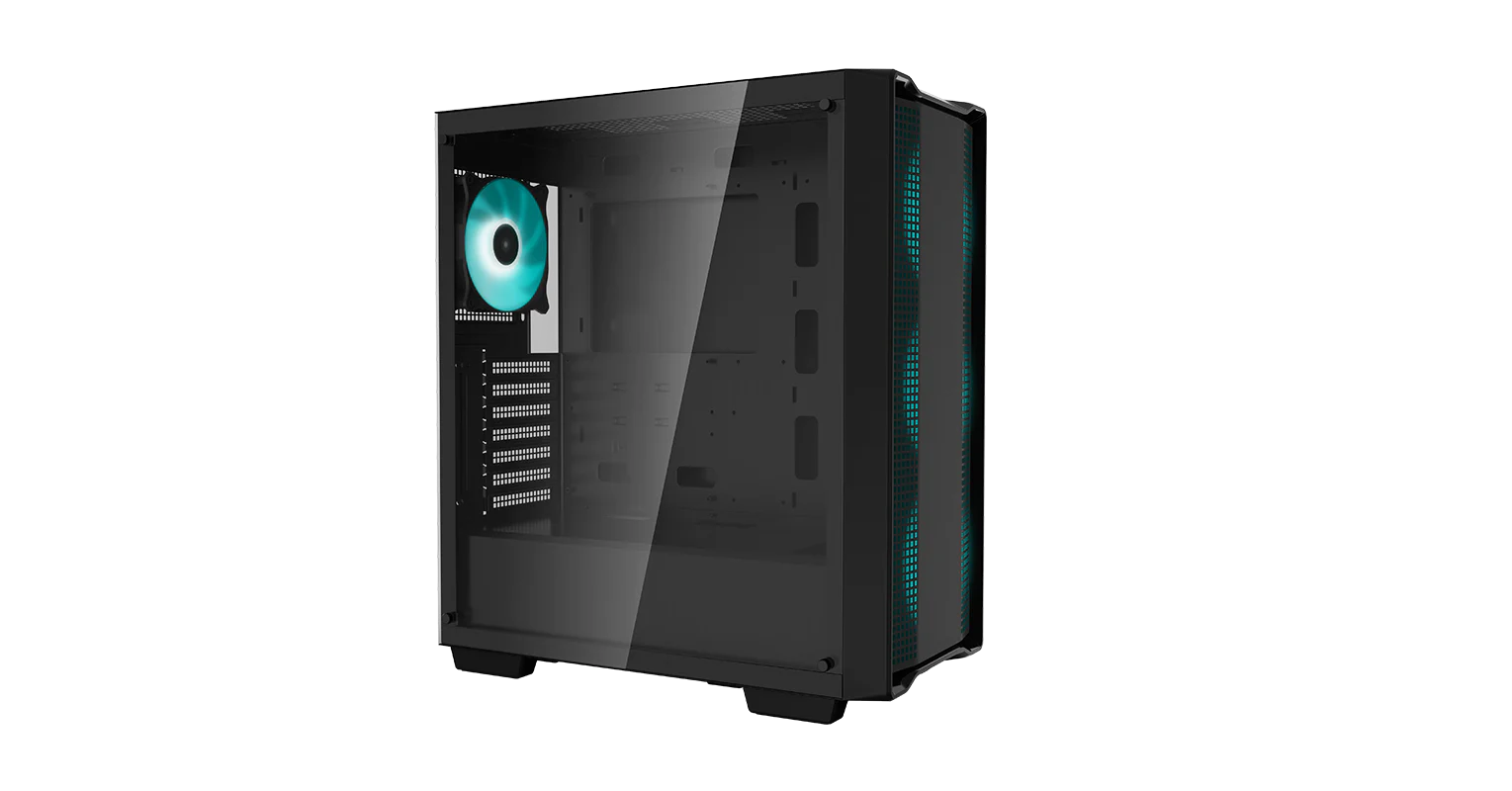

someone is telling me that this front is going to limit the air flow in. I'm going to buy two 140mm fans. What is wrong with the front?
stoic crest
big block of plastic in the middle
marsh sphinx
https://images.tcdn.com.br/img/img_prod/612435/gabinete_rise_mode_glass_06x_black_sem_fans_949_3_87023e4a7be276b48647d1b19fe6aa59.jpg this has has a solid glass front, but it has a 0.5cm space between it and the case to let the air in.


but it weights 11Kg
cinder kiln
probably from all the glass
marsh sphinx
most cases here include fans and are RGB gamer type
marsh sphinx
brazil
cinder kiln
oh ah, yeah sorry I remember now
cinder kiln
marsh sphinx
https://cdn.deepcool.com/public/ProductFile/DEEPCOOL/Cases/CC560/Overview/01.png...
easily the better of the two, if I remember this comes with 4 fans anyway so you won't need 2 more
marsh sphinx
the local store that I'm buying it from is selling it without fans
cinder kiln
Lol
marsh sphinx
they also sell it with fans, but it's a lot more expensive
jolly inlet
So they took the fans out... Charge full price... But you can pay extra to get the fans back
stoic crest
non us market be like
jolly inlet

marsh sphinx
this half a scam. HyperX fury DDR4 3200 very very cheap, like 23$ less than others. But I found it in the description that it's cl22.
marsh sphinx
Corsair Vengeance DDR4 3200 LPX seems to be the best price.
VulcanZ DDR 3200 cl18 is cheaper but a very small margin.
azure pond
If the corsair is cl16, get that over the vulcan
grand orbit
pallid geyser
Would there be a legitimate reason to go with the 980 pro over the solidigm p41?...
Most users won't see the difference between 980 pro and soligm p41 plus outside of download speeds maybe if they have a really good internet connection
For things like every day p41 plus actually has random speeds of the sk hynix p41 platinum
Brand of ram hardly matters at all
marsh sphinx
I forgot that I can paint the case if I want to. In that case I can buy any black case as most cases are all black
grand orbit
@azure pond there's a possibility that kit could also be rev e btw 👀
azure pond
Pog
Even if it were C die with a 1tb ssd for that price, pretty decent
The ssd is probably an mp33 competitor if I had to guess
grand orbit
Probably the helix l yeah
Oh trust me it's not c die unless you mean cjr
Can't recall hynix dies for ddr4 but samsung c die can't do below 3600 c18
grand orbit
Oh yeah deff
light holly
Nice 3600c14. Wish I could get my ballistix to run c14 lol
cinder kiln
did someone say felix
quasi pasture
cinder kiln
did someone say felix

marsh sphinx
this is so misleading. Most cases come with 3 or 4 fans, but they say nothing about the connection. The only thing they say is "RGB fan"
grand orbit
marsh sphinx
Sound Baster Z is so expensive
Sound card these days aren't really needed even if they wanted really good quality they'd just get a usb mixer
grand orbit
marsh sphinx
this is so misleading. Most cases come with 3 or 4 fans, but they say nothing ab...
Most cases will be DC for mid to high end or molex for lower end cases
marsh sphinx
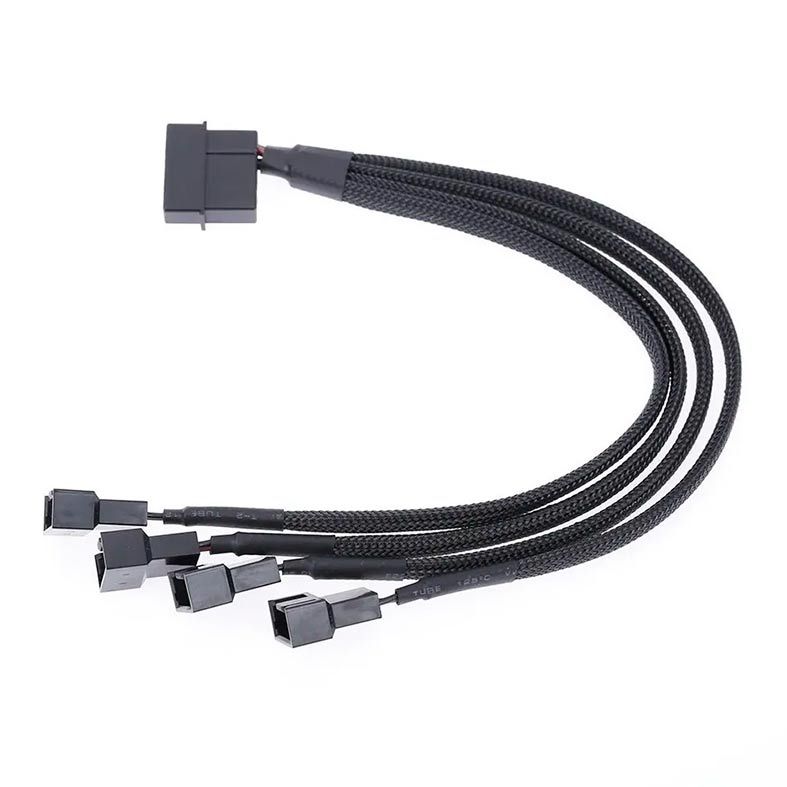
 stoic crest
if you're buying fans yourself, that might not be needed
marsh sphinx
I think I was being deceived. Is 3 x 120mm frontal fans better than 2 x 140mm? I already spent hours looking for cases with support for 2 x 140mm but they are so rare. Plus, if I buy fans I'm ending up spending more with those than with a case which already includes four 120mm fans.
grand orbit
marsh sphinx
https://media.pichau.com.br/media/catalog/product/cache/2f958555330323e505eba7ce...
your psu should have a direct molex connection and your motherboard will have some pwm/dc connections on it
so no
stoic crest
size doesn't matter with fans
azure pond
Either way, for your use case your components will be cooled enough
stoic crest
120mm fans does the job for everything already
azure pond
3x120mm has more surface area than 2x140, meaning they push more air total
stoic crest
^
grand orbit
not a huge diff tho
stoic crest
360mm of fans vs 280
besides 120 is cheaper
i don't see why case fans should be any bigger than this
marsh sphinx
I was thinking on 140mm being larger and spinning slower because of that to move the same quantity of air
marsh sphinx
I think that the crux of the issue is that I wanted a smaller case and 140mm fans at the same time, kinda impossible math.
marsh sphinx
Montech X2 comes with 2 140mm fans and one 120mm fan at the back. For the price, it's much much cheaper than other cases.
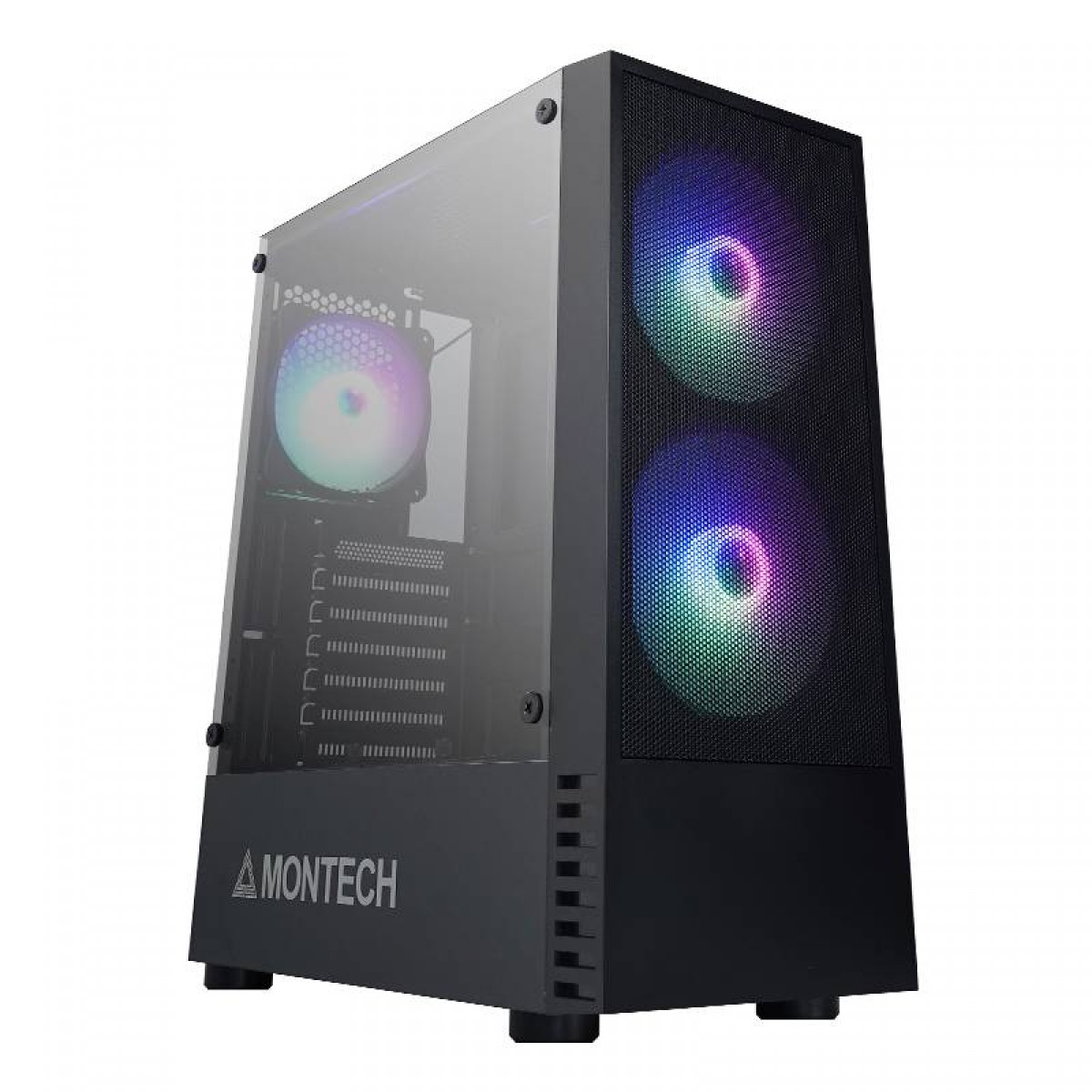
 brittle lagoon
marsh sphinx
I was thinking on 140mm being larger and spinning slower because of that to move...
brittle lagoon
marsh sphinx
I was thinking on 140mm being larger and spinning slower because of that to move...
Let's say each 120mm fan can do 50cfm and each 140mm fan can do 60cfm, 2 140mm fans will definitely do better than 2 120mm fans just in terms of how much air they can push, but 3 120mm fans are just capable of more, which means each of the 3 120mm fan can spin slower relative to the 2 140mm fans, in the same way 2 140mm fans would spin slower than 2 120mm fans, but in the end, it really doesn't matter, if it's loud, just set the fan curve lower.
marsh sphinx
Just watched a 5 min video and the conclusion is pretty much that on average, 140mm is better. But when you look for the details, it's not a clear win. Sometimes 120mm is better.
brittle lagoon
I mean you can literally just look at surface area
3 120mm fans is more surface area than 2 140mm fans
more fan more airflow
The more it is capable of, the less it needs to work to achieve the same results
maybe 2x140mm fans need to spend at 80% fan speed to match 2x120mm at 100%, but 3x120mm could do it at say 60% speed
fleet marlin
pallid geyser
Gotcha gotcha, good to know
If you did want to spend 155-160, sn850x is that price. P41 plus as mentioned is a great "budget" pick though.
marsh sphinx
I'm checking the adaptors. If I connect the included fans directly to the PSU, they run at max speed.
high radish
Most people buying heatsink versions for PS5 and 160$ for 2TB upgrade to PS5 is good deal 
jolly inlet
Sure, just make sure to update the firmware before you put it in the PS5 or you run the risk of killing it within 2 weeks

pcgamer
Update or say goodbye to your Samsung SSD. If only that was the only issue affecting its drives today, but...
marsh sphinx
I'm kinda lost. The case is going to include fans, probably molex connector. Which adapter do I have to get to connect the fans to the motherboard?
jolly inlet
Something like this if the fans only have molex https://www.amazon.com/3pin-power-4pin-molex-adapter/dp/B000H25PBK

3pin Power to 4pin molex Adapter
That should allow speed control by the DC function of the board (assuming the motor isn't complete trash that only runs at 9-12V)
marsh sphinx
wait a min. So the fans may not work with speed controls?
assuming that fans with molex connectors aren't meant to be plugged elsewhere
jolly inlet
If the fan is molex only and you use the molex connector it'll run full speed all the time.
If you use that adapter to connect to the motherboard you can control the fan speed my changing the input voltage to the motor, but you won't be getting a RPM reading from the fan and you also don't know how low of a voltage the motor will take before it just shuts off.
marsh sphinx
I'm better of choosing a case without fans because they never inform the included fans specs
jolly inlet
You can usually find out the fan type from reviews
marsh sphinx
https://media.pichau.com.br/media/catalog/product/cache/2f958555330323e505eba7ce930bdf27/a/0/a01-bk1.jpg max VGA 320mm. Does not come with any fans, the pic has one RGB just to show it. The cheapest here. The others are either smaller or much more expensive or already include RGB fans

 marsh sphinx
I believe they are misleading. VGA size 320mm is probably not including the 25mm from the fans at the front.
it doesn't matter, the VGA that I'm buying is 256mm
marsh sphinx
I think that some cases are manufactured by the store itself
because they are found in one store only
quasi pasture
https://www.ebay.com/itm/275661684242?
dang these have gotten cheap

eBay
This processor is a B-Grade processor. The pictures to your left are a representation of our B-Grades. Processors - CPU's. Grade: Bwill not have the following. Clock Speed. Turbo Speed. Storage - HDDs/SSDs.
thats actually a really good deal
quasi pasture
people just suck at titles
marsh sphinx
aerocool 1000rpm or aerocool 1200rpm to use at the back? both are 120mm
steel wren
p12s
steel wren
x2
pulsar fable
Since it's cheap
steel wren
bought 5x2 to fill my 5000x
pulsar fable
I only needed 1 5x kit to fill my rig
pulsar fable
I need a case that can slap fans on the side
jolly inlet
pulsar fable
I need a case that can slap fans on the side
Those are kinda coming back into style but acrylic is still tacky
Nothing better for GPU temps though. When I build my brother in law's PC I got him one with a giant 240mm fan on the side.
GPUs were shorter then 😅
fleet marlin
Vert mount gpu would be great w/ side fans, obviously. I even like the haf xb evo if it wasn't $150ish.
 swift flare
Guys, where I can find compatible stick ram for asus rog strix b650e-e gaming wifi (AM5)? I want to buy G.Skill Trident 32gb 6000MHz 32CL RGB/NEO RGB.
jolly inlet
swift flare
Guys, where I can find compatible stick ram for asus rog strix b650e-e gaming wi...
Non-rgb https://www.amazon.com/dp/B0BFG9VTKL
That specific kit of rgb https://www.newegg.com/g-skill-32gb/p/N82E16820374428

Flare X5 series DDR5 memory is designed and optimized for the latest DDR5-enabled AMD Ryzen platforms, and supports AMD EXPO overclocking profiles to enable easy memory overclocking by simply enabling the EXPO profile in the BIOS with a compatible motherboard and processor. Featuring a 33mm low-p...
swift flare
jolly inlet
Non-rgb https://www.amazon.com/dp/B0BFG9VTKL
That specific kit of rgb https://ww...
Do you know where i can find compatible list? QVL?
jolly inlet
https://rog.asus.com/motherboards/rog-strix/rog-strix-b650e-e-gaming-wifi-model/helpdesk_qvl_memory/
The ROG Strix B650E-E Gaming WiFi is a future-ready B-series beast, featuring 16 + 2 power stages, hyperspeed DDR5 memory, and next-gen PCIe® 5.0 connectivity. It features four M.2 slots with heatsinks, USB 3.2 Gen 2x2 support, WiFi 6E, AI Cooling II, AI Networking, Two-Way AI Noise Cancelation, and Aura Sync RGB lighting.
The exact model doesn't need to be on the list for it to work. It should as long as there's others with the same speed and timings.
sick spade
quasi pasture
https://www.ebay.com/itm/275661684242?
dang these have gotten cheap
Only $40?
quasi pasture
Well yea
sick spade
👀
quasi pasture
Surplus of those xeons causing the price to go down more
That chip is the same as a 5960X, but also supports rdimms
jolly inlet
Can't have anything at all to do with the new sapphire rapids lineup announcement right? People realizing that maybe 6-8 cores aren't enough...
Plus the lowest SKUs being ACTUALLY AFFORDABLE if you don't count platform cost
quasi pasture
Could be, but yea, companies have been decommissioning a lot of Haswell/Broadwell-EP based workstations/servers the past few months
quasi pasture
jolly inlet
Plus the lowest SKUs being ACTUALLY AFFORDABLE if you don't count platform cost
Ikr
It's almost tempting for me to buy into the platform, but those board prices...
What do you think of what I posted in #storage-devices 
jolly inlet
8 channel DDR5 tho
jolly inlet
But think about the hwbot points
quasi pasture

I don't think I've ever bought current-gen hardware before
Unless some dinky ddr4 I bought 4 years ago counted
jolly inlet
I have. Unfortunately it was AMD FX which lived for way longer than it had any right to.
quasi pasture
I never see the value in buying current-gen stuff for my needs
Previous-gen or older has always been perfectly fine or better, and for cheaper
jolly inlet
It was only "current gen" when I bought it because AMD was in their gap between FX 9000 and Ryzen, just before Lisa Su took over.
quasi pasture

quasi pasture
jolly inlet
It was only "current gen" when I bought it because AMD was in their gap between ...
Ah yea
jolly inlet
And yet I still trusted them enough to pay as little as possible for a Zen+ processor platform upgrade when Zen 2 came out lol
quasi pasture
My desktop has an x370 board 
jolly inlet
I'll be honest I really bought into the whole "guaranteed upgrades" thing and tbf on X470 that was always true.
My X470 board supported every AM4 processor, just not all at the same time lol
jolly inlet
Eventually yeah but it took a lot longer to update 300 series
And a lot of consumer complaints
And Asrock being Gs and releasing a beta bios that supported 5000 on A320
AMD: It can't be done! It doesn't work!
Asrock: Hold my beer, imma flip their world upside down
quasi pasture
Coffeelake on lga1151v1 moment
jolly inlet
Pin mod ftw
quasi pasture
I could mod my z270 board but I won't be buying any of those chips soon anyway

Even though I'm not using it for anything for a while I'm glad I picked up that IX formula
Was so cheap
sick spade
xD
Can't wait for the day we have 100 core CPUs that boost to 6ghz+.
Wow this msg took forever to post.
quasi pasture
sick spade
Wow this msg took forever to post.
Discord moment
jolly inlet
Discord after a major update esp
sick spade
Agreed.
I wonder if people will start making games that take advantage of high core counts in the near future now that CPUs have so many cores.
jolly inlet
According to the Steam hardware survey 6 core processors are the most common still followed closely 4 core. Game devs go after the largest market they can, if a game needs more threads than the average person has cores then they get refunds from poor performance.

8 cores is slowly gaining market share at least
steel wren
sick spade
Can't wait for the day we have 100 core CPUs that boost to 6ghz+.
yeah, with today's tech thats impossible on a tiny package
too much heat
come back in maybe a hundred years
jolly inlet
We're getting into a realm where things are as small as they literally can be according to physics
Quantum computing is coming soon though
steel wren
problem is the amount of heat produced at those frequencies
if somehow engineers find a way to have higher frequency at low temps, then its doable the 100 cores at 6ghz on a small package
jolly inlet
We'll never see a processor based on x86 tech that is capable of that speed with that many cores. Not without it being a massive chip the size of a GPU. (not the GPU die, the whole GPU)
steel wren
true
high radish
maybe in 20 years lol
jolly inlet
We're already getting into Angstroms, it doesn't get much smaller without going quantum and totally changing everything
steel wren
that will undoubtedly pack more cores, but the frequency tho...
take the 13900ks as an example, to get to 6ghz you need a fridge instead of an aio
eating 300w on that tiny package is no joke for cooling
jolly inlet
Meanwhile the FX 6300 can get to 6GHz on air cooling
steel wren
ok, im overreacting, but you get the idea
100 cores at 6ghz average on that tiny package oh man..... thats like what? 800w with the current tech?
xD
jolly inlet
Yeah that's not happening. Not without two different CPUs NUMA'd together.
light holly
If only the numbers in the CPU name denoted the amount of cores it had xD
quasi pasture
cloud hornet
R5 5600G has ~~6~~ 454 cores.
i have one of those 
jolly inlet
cloud hornet
Doesn't do 6GHz tho
Not even under LN2, right
WR is 5373, way short of 6GHz
marsh sphinx
I'm really out of options. LG 26 UW is the only UW monitor at this size and this price range, under 150$.
stoic crest
Ultrawide of that size and low budget is hard to spot anyway honestly
marsh sphinx
all other brands make 29 or 34
grand orbit
Eh hp X27Q is ips and the same price but i guess if they wanted curved it's okay @pallid geyser just an fyi
pallid geyser
Ahh, true true
X27Q only 165hz and this one 170hz though 
(Joking)
I think the only problem I have with IPS is the light leakage but not much you can do about it I guess
Wouldn’t mind an OLED but I’d worry about burn in
https://www.lg.com/us/monitors/lg-27gr95qe-b only $1000

LG USA
Prepare for Victory with the 240Hz Refresh Rate & 0.3ms Response Time of the New 27'' UltraGear™ OLED Gaming Monitor (27GR95QE-B). Order Now on LG.com/us.
marsh sphinx
so 26 ultrawide has the advantage of having more pixel density than 29. That's a win for me.
are windows keys sold on keyspc safe? It feels suspicious. Windows retail box costs 10x more than a key alone
grand orbit
Never heard of the place but you can buy not so legit looking windows keys and just be fine, Microsoft just charges 100$ or so cus they can
Or you can leave it unactivated
marsh sphinx
LG 26 UW is cheaper than 29 UW. Is 29 worth the extra cost and lower PPI?
grand orbit
Unless you're going 1440p stay as close to 24" as possible
marsh sphinx
the smallest QHD display is 27 and it costs a lot more
marsh sphinx
I was about to buy LG 26 when I've found that the 29 is more expensive but there are some important differences. The 29 model has PIP, split screen, more candelas and better energy efficiency
marsh sphinx
is g-sync exclusive to displayport? My GPU is Nvidia. What do I do? If I buy a monitor without display port do I lose G sync?
brittle lagoon
marsh sphinx
is g-sync exclusive to displayport? My GPU is Nvidia. What do I do? If I buy a m...
It depends on bandwidth, not the method of connection.
For example, at 1080p144hz, HDMI 1.4b does not have enough bandwidth to support g sync at 1080p144 while DP 1.2 can, but if it was HDMI 2.0, it would have enough bandwidth for 1080p144hz with g sync.
marsh sphinx
most monitors these days are hdmi 2
brittle lagoon
I was taking common situations on 1080p144 for example
For 1440p144+ you won't get g sync with HDMI 2.0, only HDMI 2.1 has enough bandwidth iirc
marsh sphinx
the monitor is 2560 x 1080 x 75hz
brittle lagoon
Wacky resolution, who knows what you'll need
jolly inlet
Who knows? I knows. That's 12Gb plus a little extra for gsync.
HDMI 1.4 can't do that but 2.0 can
marsh sphinx
It's the low cost ultrawide solution. I'm not going to play games above that res anyway
brittle lagoon
I mean, rough approximate of 2560*1080*75*24*1.05 is about 5.2gb/s, doable by HDMI 1.4, but who knows what the implementation really needs
Ultra wide might mean weird standards
jolly inlet
brittle lagoon
I mean, rough approximate of `2560*1080*75*24*1.05` is about 5.2gb/s, doable by ...
That's per channel though, 3 channels total
brittle lagoon
8 bit per channel, 3 channel makes 24
jolly inlet
And I calculated with 16 bit depth so that's why my numbers are different
brittle lagoon
I doubt a cheap monitor is going to be 10 bit color
marsh sphinx
oh well... I'm going to ask for a refund before the store ships the monitor. Nvidia Freesync does not work with HDMI 2.0
marsh sphinx
Nvidia freesync requires displayport
wait a minute. I'm didn't ask for a refund yet. It seems that HDMI 2.0a does support freesync?
it seems that the only monitors that support freesync over hdmi 2.0 are those which also support g-sync
azure pond
They really don't matter much anymore
jolly inlet
marsh sphinx
wait a minute. I'm didn't ask for a refund yet. It seems that HDMI 2.0a does sup...
Yes as long as it doesn't exceed the bandwidth of 2.0
Modern gsync is literally rebranded and tested (by nvidia) freesync
marsh sphinx
I already asked for a refund
before the store shipped it
have to wai 48 hours for the refund
Nvidia does not make it clear if freesync over hdmi 2.0 works or not
jolly inlet
It should in most cases like yours where it would only be at 1080p
Higher resolutions and refresh rates get iffy
 mint wedge
in the MP34 what are the different style configurations for? are they drastically different?
brittle lagoon
On Amazon? Iirc it's Amazon being weird and calling different variants different styles for some reason, they put mp33, mp33 pro, mp34, and mp34q on the same listing as different styles iirc
fleet marlin
modern = mp33. pro = mp33 pro. movement = mp34 (plus what Mr. 3.0 said
MP34 sure continues to be a decent price, especially vs the mp33 (pro)

 marsh sphinx
this is weird. LG 29 ultrawide gamer version has usb c and display port, but it costs less than the non gamer version without displayport and usb type c. It does, however, consumes more energy, more watts.
29UM69G vs 29WL500. The UM is the gamer version
fair moon
light holly
seems like it's faster than what I actually need for gaming.
Right now pretty much any nvme drive is faster than needed for games
steel wren
marsh sphinx
this is weird. LG 29 ultrawide gamer version has usb c and display port, but it ...
are you getting a 1080p (well some wacky res anyway) on 29" ultrawide?
no bro, dont do that
it will look like crap
also 75 hz
high radish
buy 49inch 32:9 wqhd 
loud sandal
marsh sphinx
LG UltraGear 27 QHD costs a lot more and I choose Ultrawide because it was more important than 144hz
sick spade
marsh sphinx
LG UltraGear 27 QHD costs a lot more and I choose Ultrawide because it was more ...
Interesting, might I ask why? Just curious.
azure pond
Yeah mine was $175 after tax
light holly
Same. Was to good a deal to pass up for sure.
trim pier
i think there’s something called inflation yall 💀
anyways it’s still a great price for an IPS at 1440p, 165 hz
jolly inlet
Inflation doesn't make it go from $175 to $210 in 2 months
trim pier
2???
trim pier
 flat junco
July of last year
flat junco
July of last year
This one is in july
plus you could factor in black friday/somewhat christmas sales
but otherwise stuff like GPUs, CPUs, and monitors skyrocketed up a bit after those sales ended
ik CPUs stabilized and dropped in price at the end of January after AM5s came out
cinder kiln
I'd take an X27Q over a curved of the same spec and price
Maybe that's just me
Pretty normal price for it tho
Not really a deal anymore
trim pier
true but like
most 1440ps i see are usually 300$
and they’re IPS, but those are what I just see
VAs at 1440p are lower ofc but people say VA isn’t good blah blah even though this and that
steel wren
va 
shut spoke
X27s been at that price for months
Shouldn’t even be considered a deal anymore with some of the prices recently
daring depot
does the samsung 980 pro have a greater risk of failure at 2tb than a sk hynix p41?
brittle lagoon
there's pretty bad firmware issues right now
with proper firmware, not really, with the broken firmware, yes.
daring depot
i kinda have trust issues with samsung now
i have 2 micro sd cards that broke from samsung
plus signs of unreliable fridges
cinder kiln
also their ssd's are failing
their current gen (not the new gen) ddr5 sucks
990 pro just a meme in general
S23 seems to be not great at all
lol
daring depot
ooo actually
cinder kiln
samsung has sorta fallen off the perch lately
daring depot
the p41 is 170 for 2tb
cinder kiln
p41 plat is nice
daring depot
shame, i liked samsung
cinder kiln
p44 pro if you want equally good
solidigm
I think that's not on a sale tho iirc
I think Samsung still has qled going for it tho
that is nice
ngl
cinder kiln
lol
light holly
daring depot
spent it all on mice
I too buy mice.. to feed to muh snek
cloud hornet
Buy cheapest mouse with a good sensor, shape, and weight and then replace the switches (and sometimes scroll encoder). Then never replace it for 10 years.
So annoying that 99.999% of even the premium mice have bad switches that fail quickly.
daring depot
dude
i have 6 logitech mice
3 of which I modified myself
im an addict and I still want a Lamzu
light holly
cloud hornet
So annoying that 99.999% of even the premium mice have bad switches that fail qu...
I have high hopes for this Naga Pro V2 optical switches
daring depot
i am a maniac
light holly
I absolutely love this mouse though.. it was a trip to go from the orochi v2 to this mouse.
trim pier
i’m telling you, i used this like 15$ logitech office mouse on my imac throughout my childhood for a good 7 years before replacing it with a razer mouse
my dad still uses it for his laptop at work and changes the batteries out every 5 months practically
dry sluice
I wanna get a power supply. Looks like all the prices got jacked up.
Found a 1000 watt for $160, but if you wanna go any higher it is basically a jump to $250
light holly
dry sluice
Found a 1000 watt for $160, but if you wanna go any higher it is basically a jum...
What do you need a psu above 1kw for?
dry sluice
In case I wanna get a 4090 in the next 10 years the warranty would work.
or 5090 which will require unknown power
light holly
dry sluice
or 5090 which will require unknown power
I'd just wait until the 5000 series came out before grabbing something.. who knows what you'll need. Might just be having to upgrade again after just upgrading.
dry sluice
@daring depot I figure you will need a clothes dryer level plug for the 5090
light holly
or you might find that you needn't upgrade at all