#overclocking
1 messages · Page 62 of 1
 dull ginkgo
 dusty gulch
The GOC did not kill Yahweh, as they may so proudly proclaim. And that was not the Broken God they destroyed. It was a piece of it, surely, but would you show me a camshaft and call it a car? Oh, so you have some parts together. An engine, perhaps. But not a car.
basically 001 wanted to die it made a entity to Create/Find the device to summon 2399 then gave it to the AOI the AOI then summoned the Destroyer killing the 001 entity. Also the Destroyer is part of the broken god.
dull ginkgo
Fun, haven't read ouroboros in a while, forgot it had various references to the factory
dusty gulch
yeah
dull ginkgo
But again, that's broken god testimony, they believe all anonymous is god
Because that's what will happen. Did you see the underside of the destroyer? It was damaged even before the encounter in '43. And if you looked very closely, you might have seen the scars were getting closer and closer to the power core. It even managed to damage whatever lets it slip between the layers of reality this time. Eventually the monster will win. It will destroy the destroyer, devour it, and with its power consume everything.
And this bit, goc didn't do anything and 2399 just slapping 001 over and over again in history
@dusty gulch btw, Antimemetics hub is some great reading, I haven't read it in like 2 years, they've added more articles to it, and I think it's nearly finished now, which is great.
dusty gulch
the idea is they cant find the heart so they make one and it corrupts their god the CBG has done this many times and every time the corrupted god does damage to the destroyer. eventually the corrupted god will win and proceed to destroy then rebuild the universe. changing it when it does with whatever corrupted it. It may have done this already.
dull ginkgo
Anyways, yea, 2399 or just a bit of the god itself killed the broken god in mexico
Aoi was just there and got credit
They did identify cbg early on in greece though I believe?
dusty gulch
Not sure
 gray iron
hello
dusty gulch
I have been going through the Resurrection files lately. Alpha-9 what a bad idea
 ruby summit
its still here
dull ginkgo
Resurrection?
gray iron
overclocking Resurrection
dull ginkgo
Oo fun
Dunno why, when someone says something is a bad idea, I think of site 13 lol @dusty gulch
Tbh there's so many things I read in the past that prob got new articles and stuff
Antimemetics hub felt like it doubled in reading material, and I love it
 neon rapids
nerds :v
dull ginkgo
@neon rapids nachos, can you tell me how much you read about keeb stuff :p
neon rapids
who says i read anything
neon rapids
i cant confirm or deny that
dusty gulch
they add tons of content all the time and I like that if you don't like something its not cannon.
on a side note my wifi card shuts off on me and i cant figure out why i have to reboot to get it online again
dull ginkgo
I like how everything can be tied together if you want it to be tied together
dusty gulch
tried new drivers and nothing
dull ginkgo
Good old take it out and plug it back in again?
dusty gulch
it still will show in device manager but will not boot just did not even 2 hours ago
its been happening for months
 indigo umbra
dull ginkgo
indigo umbra
dull ginkgo
Uninstall the drivers via device manager, unplug, and then just plug it back in again, should automatically give it some "stock" drivers, might be able to work from there
#building-and-recc-chat can be tech help
dusty gulch
lets go there so people get off our case for destroying #overclocking
dull ginkgo
Nothing really goes on here other than people needing to read the pins and Fitz and forky flexing OCs anyways :p
dusty gulch
did that but it seems to happen when my pc is idle along time or after downloading for 30 mins to a hour
 cobalt rapids
dang I missed scp lore discussion
dull ginkgo
Scp lore best lore
 tall pelican
overclock your brain to take in more anime per minute 
 grave pilot
@robust badger I’ve never watched anime in my life
 robust badger
That doesn't make sense 
 brave perch

I saw this image online of a guy that had a very similar memory kit than me ( bdie 3200 cl14 kit )
I tried to put all the timings similar to his in my motherboard and so far it works fine. Tried running prime95 for an hour and no error happened
been gaming with this and it works fine

I'm totally unfamiliar with all the advanced timings in there, if someone who knows about these could tell me if I have anything in there that doesn't make sense that'd be nice
 sudden torrent
That's not bad at all, getting a 3200 kit to run at 3600 C14
 quick rose
Not uncommon for Samsung B-Die
tall pelican
https://cdn.discordapp.com/attachments/561323111308328972/669759082319839242/Capture.PNG time to have some real fun (jk dont try it)
 sudden torrent
4396@C17? Depending on your sticks that would be possible
quick rose
You can in most BIOS, it's just hard to find sometimes
 sterile flame
Number 1, Read pins.
Number 2, make sure you atleast have some knowledge of pc.
Otherwise you might as well us XMP.
 lavish tundra
 cunning hawk
im shakin in my boots
cunning hawk
im shakin in my boots
Probably don’t do it then
cunning hawk

sterile flame
cunning hawk
<:ooooooooooohhh:669746680454840322>
Come back when you understand what XMP is lol
your going to break something.

 lavish tundra
They asked what xmp is when i told em to slap on xmp and call it a day on #general-chat
tall pelican
🤦
sterile flame
I give up.
I can't teach this dude.
Im stupid to one extent
but know what im doing lol
 proven canopy
sterile flame
Come back when you understand what XMP is lol
proven canopy
sterile flame
Come back when you understand what XMP is lol
Don't gatekeep overclocking lol
sterile flame
proven canopy
Don't gatekeep overclocking lol
Lol. just afraid they break something
Srry
 proven canopy
credit: buildzoid
https://i.imgur.com/ujO5S2I.png
 sterile flame
proven canopy
credit: buildzoid
https://i.imgur.com/ujO5S2I.png
sterile flame
proven canopy
credit: buildzoid
https://i.imgur.com/ujO5S2I.png
So true.
I want to smash my head into a wall
I hate Hynix-M die
cunning hawk
sterile flame
Lol. just afraid they break something
so am i 
cunning hawk
sterile flame
and didn't even know what XMP was.
i know what it is, but i dont know how to work it correctly
proven canopy
cunning hawk
so am i <a:waa:805801942164045874>
no worries man, could always pick up a $20 ssd/hdd off ebay and use that for a bench os
https://www.ebay.com/itm/163360245613 Try offer 20

eBay
All parts are 100% Genuine parts.
 clever epoch
recommended benchmark/program for testing GPU stability? Particularly VRAM. I tried MSI Kombustor and got an incredible 15% "stable" overclock, but it crashed in actual games
dull ginkgo
@clever epoch occt
neon rapids
i think apex legends might be a decent game for testing ram and you get to play :v
neon rapids
ya apex is good cause its so fickle lol
proven canopy
maximus apex > apex legends amirite
tall pelican
I think we need to introduce gamers to the benchmark that is bfv multiplayer
proven canopy
I remember bf v's loading screen pushing 150+ watts on my 9700k for < 2 seconds
No idea what the game is doing that sucked so much power
tall pelican
dat juicy avx2
neon rapids
my fav game 😍
tall pelican
SANITATER 
sudden torrent
Heh
tater
proven canopy

 upper rock
Not 4.5 ghz???
REEEEEEEEEEEEEEEEEEEEEEEEEEE
 sterile flame
 vernal sail
Found it in a bin<:NYEHE:641084949746679831>
vernal sail
Found it in a bin<:NYEHE:641084949746679831>
Bruh
vernal sail
3.2 was too ambitious
Apparently a little over 3 is the record
Time to get the 360 mil and windows 7 iso out
sudden torrent
For a second I thought you meant a gun, but then I realized there's no decimal
If only that worked though, "You WILL stay stable", "Uhhh... Ok then"
 vague gull
vernal sail
Time to get the 360 mil and windows 7 iso out
vague gull
vernal sail
Time to get the 360 mil and windows 7 iso out
owo win7
sterile flame
hey I have a ryzen 5 5600x and a lianli galahad aio
whats the best votage and clock speed
If I put it over 44 it turns red
tall pelican
pbo
sudden torrent
PBO is the best way to overclock the 5000 Ryzens
80 is still below the throttle point but getting pretty warm
sterile flame
im using sum called amd votage
in the voltage mode
is that good?
sorry amd overclocking
thats the name
its in voltage mode
sudden torrent
Honestly I'd just enable the auto overclock and be done with it unless you're trying to post high benchmarks
The auto overclock is perfectly fine and increases the maximum boost clock up to 200 MHz
sterile flame
yah its 46.5 with game boost
sudden torrent
Game Boost is different than auto overclock
Auto overclock will push it to around 4.85
What motherboard do you have?
sudden torrent
Oh ew you have the old bios look
sterile flame
lmaoo
God damn. RIP. I need to figure out where TRCD is in my bios lmfao
wait look at what
you didnt send any pic?
tall pelican
sterile flame
God damn. RIP. I need to figure out where TRCD is in my bios lmfao
Its in memory timings, kinda hard to miss it
sterile flame
tall pelican
Its in memory timings, kinda hard to miss it
assumed that. Last time i was in my x570 tuf, i was in "Ram timings and control"
lol
I gotta wait for ASUS to rma a new board.
sudden torrent
I looked up the BIOS in the manual and it's the one that was on my old Gaming 970 in the AM3 days
sterile flame
so no auto oc?
When ASUS makes state of the art motherborads... but RMA says its busy
motherboards*
tall pelican
State of the art is a loooooooong stretch lol
sudden torrent
I'm looking, it should be a feature but it's different than the newer BIOS
sterile flame
alr thzx
sterile flame
tall pelican
State of the art is a loooooooong stretch lol
I mean, atleast the vrms aren't god awful on tuf.
they are somewhat decent.
now some other asus motherboards on the other hand...
yeah i take that back
tall pelican
Vrms on all x570 are good
sudden torrent
sterile flame
alr thzx
Instead of fighting through the BIOS we can try enabling auto oc through Ryzen Master
sterile flame
oh alr
sudden torrent
sterile flame
yah alr got it
 sterile flame
alr bet
sudden torrent
Go to profile 1, click auto overclocking, save profile, apply and test
It'll ask to reboot, let it
Your power limits will be different than mine because you have a 65 watt processor
If it's stable at the default +100 Boost Override, push it a step higher to 150 and then 200
sterile flame
how can I change it?
 sterile flame
i jus went straight to 200 lmao
im getting 91 in prime 95
but its only 44
clock speed
tall pelican
you should probably check the clocks to see if you're doing 200mhz better than before
because you need to CO too
 sudden torrent
That's a sign that this would be too high of a boost with your setup, it's hitting thermal throttling
sudden torrent
Right, and when it tries to push higher it goes to a higher temperature, then it thermal throttles and has to drop the clocks to compensate
sterile flame
oh fr
but I had a triple fan aio
I should be able to go higher
I have the lianli galahad
sudden torrent
What thermal paste, how much, and how did you apply it?
sterile flame
the one that came with it a big amount in an x formation
wait can thermal paste dry out?\
sudden torrent
The standard paste is kinda garbage, and it sounds like you used too much so that'll be fun to clean off
It'll dry out but over a period of years
sterile flame
cuz I put the thermaal paste and had to leave and left it exposed over night
oo
o
alr
it was lianli thermal paste
thats not good?
sudden torrent
Not as good as other stuff and possibly there's other problems like uneven mounting pressure.
A small $5 tube of something would perform better.
sterile flame
alr ill try to screw it on better and get better thermal paste
sudden torrent
You want it tight but not forcing it, and don't use tools. That should drop your temps a lot. I'm using the auto overclock on my 5800X with a 240mm (2 fan) radiator and I rarely hit 80 and it boosts up to 4.9 single core.
sterile flame
alr bet
sterile flame
wait do you maybe think my pump isnt plugged in correctly
I dont see a pump option in hardare moniter
but both the connectors from hhe aio are plugged in
one to the cpu fan and one to sys fan
It should be plugged into "AIO PUMP"
sudden torrent
There's no pump header on that board
Only 3 headers, 1 for CPU and 2 for fans
Have the fans plugged into the CPU header, plug the pump (on the CPU block) into one of the fan headers and then go into BIOS and set that fan header to 100% manual speed
cobalt rapids
partially depends on the aio too
sterile flame
how do i know which one is for the pump?
sudden torrent
There's probably 2 wires from the pump, one for RGB and the other is the power
sterile flame
there are two cbles coming out thee cpu block
sudden torrent
The headers on the board are labeled
cobalt rapids
does the galahad come with instructions?
 cobalt rapids
200 will get you a 360mm aio with shiny rgb
sterile flame
cobalt rapids
does the galahad come with instructions?
nope
or even 3 lol
but im pretty sure I got it
cobalt rapids
that's a bummer lol
sterile flame
I want to mod my 3070 to mount one, 1 in front and 1 in cpu
so i can get those pbo boosts
tbh I wonder if a 240 aio could handled pbo level 2/3
cobalt rapids
two aios? like one for your gpu too?
sterile flame
Yeah
sudden torrent
You won't be able to do 2 AIOs on a single part, you could do one on the CPU and one on GPU
sterile flame
Damn lol.
sudden torrent
Or just go custom loop at that point
sudden torrent
Why? BECAUSE I CAN
cobalt rapids
the higher end cards have some aio variants
sterile flame
i mean also you get those higher boosts.
Like i thought you could mount aio's to the 4 screws on the gpu
cobalt rapids
NZXT has some kits for that
 cobalt rapids
not the same mounting dimensions
cobalt rapids
also even if you put an aio on the die, you still have to cool the VRMs and everything else
...I just said NZXT makes them lol
sterile flame
Yeah, but I'd rather avoid NZXT.
sudden torrent
You could get a full coverage block depending on your card
sudden torrent
EK WB does full coverage blocks
sudden torrent
They get expensive, expect $500 for a full loop minimum
sterile flame
I was thinking like 9000
full coverage block?
Like it covers the whole gpu
Or it is a gpu
I see an EKWB 3070 "card"
sudden torrent
Nowhere near that, let me grab a link
sterile flame
Its literally a card with embedded plastic on it
i was thinking that shrouds exist.
Maybe they do
And I forgot the name
sudden torrent
 sterile flame
yeah, but isn't that a whole new card?
sudden torrent
EK sells the block to attach to your card
sudden torrent
But they also sell cards that have them already attached
sudden torrent
If you want to get more details and recommendations you might try #old-cooling
I'm not as knowledgeable on custom loops, I know how to build one just haven't done it
sterile flame
alright.
 thin rapids
Should I try to overclock my ram for the 5600x? I have crucial ballistix rgb 3600 cl16.
 random epoch
 sudden torrent
thin rapids
Should I try to overclock my ram for the 5600x? I have crucial ballistix rgb 360...
sudden torrent
thin rapids
Should I try to overclock my ram for the 5600x? I have crucial ballistix rgb 360...
It would be worth trying to squeeze a little extra out of that RAM. Fclk can handle higher speeds and still scales well.
sterile flame
what is overclocking lol
sterile flame
mk
thin rapids
What are safe ram voltages?
tall pelican
depends on IC
quick rose
IC = integrated circuit = Ram chip
Depends on the ram chips as to what's a safe voltage
tall pelican
^^^^that
thin rapids
So how would I go about determining the safe voltages for overclocking my ram
proven canopy
reddit
r/overclocking: All things overclocking go here. Learn to overclock, ask experienced users your questions, boast your rock-stable, sky-high OC and …
clever epoch
thin rapids
So how would I go about determining the safe voltages for overclocking my ram
1.45V is safe for daily on any DDR4 stick. 1.5V is safe for Samsung B die, but not recommended unless you have cooling (extra voltage = extra heat and B die goes unstable at higher temps)
tall pelican
clever epoch
1.45V is safe for daily on any DDR4 stick. 1.5V is safe for Samsung B die, but n...
cdie and early ddr4 says otherwise to 1.45
sterile flame
clever epoch
1.45V is safe for daily on any DDR4 stick. 1.5V is safe for Samsung B die, but n...
Yep. even most ddr4 can handle 1.4
even Hynix M-die
thin rapids
Not sure if this was a good overclock for ram, was able to get crucial ballistix 3600 16 18 18 38 to 3866 15 17 17 36
thin rapids
Cause I am new and took the general advice of 1.45 V to be safe
I think currently it is running at 1.44 V
tall pelican
should be able to do cl14 with 1.5v
clever epoch
You could also tune the subtimings further. No need for your subtimings to be higher than your CL
 manic helm
subtimings dont always scale.
I have some samsung e die that the trp and trcd wont go any lower than 18-19 respectively over 3400. Tested them up to 2v. CL will scale down to CL12 with voltage at 3800.
thin rapids
Was messing with some of the subtimings and my pc would not boot if one of the subtiming was too low forgot which one. I am just trying to squeeze a bit of performance out safely.
If you guys have any reccomendations on what I should I try to get a safe ram overclock then just tell me.
thin rapids
If ya need certain specs to assume a safe overclock then I can say it.
clever epoch
Your RevE will struggle with tRCD but you could probably adjust the other timings lower
tRFC is also usually an easy performance boost
thin rapids
What voltage would you reccomend?
quick rose
There's an awesome guide pinned at the top https://github.com/integralfx/MemTestHelper/blob/master/DDR4 OC Guide.md#voltage-scaling

GitHub
C# WPF to automate HCI MemTest. Contribute to integralfx/MemTestHelper development by creating an account on GitHub.
tall pelican
if you're on reve, 1.5-1.6 is fine to daily
and going 3866 15-17-17 with crucials is definitely reve
cunning hawk
Overclocking my ram and I can’t find the xmp profile anywhere

anyone know what’s going on?
 quick rose
What RAM is it?
Oh wait
The Pro 4S is an OEM only board
It may not have XMP, you'll probably have to set it manually
cunning hawk
ah crap, and the ram is Corsair vengeance lpx 3200 MHz
quick rose
oh
well
bad news
B460 can't go that fast anyway
It maxes at 2666 for i5 and i3 processors
Need Z490 for 3200 mhz
cunning hawk
I’m fine with that, I want as high as I can pull
quick rose
2666 is it
quick rose
Yep. have to poke around and check for Ram speed settings
No idea if that BIOS is like the regular Pro4 or not but I know the S comes in prebuilts from iBuyPower
and has a custom BIOS
lenovo too I think
cunning hawk
All I’m seeing so far is frequency, up to 2666
quick rose
Set it to that then
cunning hawk
Done.
now, what do I do from here?
I’m rather new to this, sorry
do I just hit exit now?
quick rose
Save and Exit if that's an option
quick rose
YW
cunning hawk
Lmao it’s not booting gg
quick rose
Of course
CMOS reset time
remove power from the wall
pull battery for 1-2 minutes
replace battery and boot again
Didn't like that speed for some reason
maybe ram in the wrong slots?
cunning hawk
remove from the wall as in my outlet right?
quick rose
yes
quick rose
yes
cunning hawk
a tad confused
cunning hawk
This?
 quick rose
yes
cunning hawk
do I need to remove my gpu?
cunning hawk
32
quick rose
Is it all the same stuff?
cunning hawk
Mhm
cunning hawk
My bad, I gotta unscrew it from the io shield
proven canopy
mobo doesn't have a cmos reset jumper or button?
Even then, let it fail to boot ~ 3 times and the bios will probably boot jdec and give you a "press f1 to continue" message
cunning hawk
Took the battery out
proven canopy
Pulling the cmos battery is a last resort because it's such a pain, often have to pull the gpu etc
cunning hawk
yeah, it took me a minute lol
proven canopy
Did you just type in 2666 there without changing anything else?
I would just enable xmp then let the bios cap it itself
XMP will set ram voltage as well, some timings
cunning hawk
Yeah, hadn’t touched anything but the frequency setting
guy above said I need to set it up manually?
proven canopy
You can, but easier to just find that xmp setting
what's the mobo model number? Find the manual pdf online and ctrl f for xmp
quick rose
Forks
The board doesn't have an XMP setting
It's an OEM version of the Pro4, the Pro4S
Custom BIOS and everything
Lenovo and iBuyPower custom board
 quick rose
Yes
proven canopy
oh
quick rose
Yea :/
I went through this a while back trying to help somone else until I found out it was a 4S and not just a 4
XD
quick rose
I'm checking something
stand by
I'm reading the regular Pro4 manual to see if it's hidden away somewhere else but I don't think that board supports XMP period
cunning hawk
I see
 cunning hawk
 quick rose
To the right of the highlighted line, is there an option for XMP in the drop down box?
Ah
Next line down
Where it says 2133 and AUTO
 cunning hawk
I’m genuinely blind
cunning hawk
Yeah
quick rose
Go to the DRAM frequency line
What options are there?
Instead of AUTO what options are there?
cunning hawk
 quick rose
And you set it to 2666 and it goes bork huh?
cunning hawk
Indeed
quick rose
What's at the very top?
quick rose
Yeah, you might have to do this manually
In other words, write down the numbers from the XMP #1 section previous pic
cunning hawk
Okay
quick rose
Enter them manually in the Primary Timing section below that one
And set it to DDR4 2666
And set the voltage to 1.35 volts
cunning hawk
Command rate?
quick rose
1T
proven canopy
set 2t
proven canopy
4 sticks
quick rose
Ahhhh
 quick rose
Probs need to bump the voltage up
proven canopy
Can you set voltage ?
quick rose
Scroll down the page
proven canopy
I'd be surprised if 1.2 didn't run that, but might as well if you can
cunning hawk
just looking for it atm
quick rose
last time we tried just straight 2666 it required a CMOS reset
Not sure if timing or voltage
cunning hawk
Don’t see voltage anywhere
Is it somewhere else?
Never mind, found lit
Was already on 1.35
 quick rose
Hmmm, Ok try this I guess
cunning hawk
Oh ok, so leave it be then?
quick rose
Yes
cunning hawk
Okay, I’m gonna save and exit now
quick rose
Listen to Forks, he knows more than I do XD
quick rose
wdym turned off
proven canopy
It's normal for it to power cycle during memory training
weird that they give you vccsa but not vccio control
This is a weird bios
quick rose
Lenovo OEM lol
proven canopy
You're more patient that I am, I'd be running jdec lol
quick rose
It's worth a try
If this doesn't work, JEDEC it is lol
I think part of the reason no XMP is because the XMP exceeds the max board RAM speed.
Is that a thing?
cunning hawk
Well..
cunning hawk
You’ll see
quick rose
SIgh. If you just leave it be does it come back on or stay off?
cunning hawk
It stays off
quick rose
poo
Reset CMOS
Then leave it at 2133 I guess
I don't know what else to do
That BIOS is poopy
quick rose
Indeed
sudden torrent
So it turns out my 3200 CL16 memory I have is Samsung B-Die

Time to see how it likes 1.5v, maybe I can get it to 3600
quick rose
Interesting with those timings
sudden torrent
I never ran Thaiphoon before because I never expected it to be B-die with the timings, it's probably low bin B-die
quick rose
I would agree
clever epoch
Apparently thaiphoon can lie
clever epoch
I'd be wary of dumping 1.5V on the assumption. 1.45V should be fine
sudden torrent
Of course, I'm not going straight for 1.5v lol, you always go in steps
quick rose
I mean, could just pop the heatspreaders and confirm
sudden torrent
Odds are good, it's Ripjaws V
tall pelican
https://cdn.discordapp.com/attachments/328891236918493184/727241932430114986/sicc.PNG nonono thaiphoon never lies 
 quick rose
Ripjaws tends to be Hynix
lavish tundra
quick rose
I mean, could just pop the heatspreaders and confirm
bruh
clever epoch
Wouldn't recommend, there's a chance of ripping the memory ICs off with the heatspreader lol
quick rose
Eh, that's what super thin spudgers are for
lavish tundra
 sudden torrent
RAMMon agrees with Thaiphoon
 lavish tundra
AND i forgot to turn on XMP after the bios update again
tall pelican
if its gskill, just look at the label
tall pelican
quick rose
Mine is Hynix C die Rev B
cjr's still decent to 4000mts
tall pelican
then run 3800 🙃
sudden torrent
1:1 with fclk is best
quick rose
haven't been able to get that to boot yet either
tall pelican
should do like 16-20-20 fairly easily
quick rose
haven't spent a lot of time TBH
I have a very early 3700x, not sure it will take 1800 FCLK
tall pelican
at 1800, 16-19-19 😛
clever epoch
My 5800X tops out at 1866 FCLK :'(
quick rose
yikes
sudden torrent
Even with the new BIOS update?
clever epoch
Haven't updated yet. Could give it a try actually
sudden torrent
The BIOS that most manufacturers put out earlier this month was supposed to help get 2000 fclk
tall pelican
its still 1900 stable
clever epoch
I actually just set it up today
tall pelican
you can boot 2000-2200, but whea all day
clever epoch
I don't have my case yet, so I made a makeshift open air bench
quick rose
yeah, AGESA 1.2.0.0?
tall pelican
yeah 1.2 does 1900+ easily
clever epoch
So what you're telling me is I should update my BIOS...
sudden torrent
Yes, for sure. Especially since that agesa update was made specifically to help with your problem.
clever epoch
What kind of voltage scaling should I expect for my 5800x? Eg if I set to static 1.25V, how good is a frequency of 4400? What would be a good voltage/frequency value to test?
I haven't actually tested yet,I pulled 4400 out of my butt
sudden torrent
4400 is weak. With auto overclock on and nothing else I get 4900 single core, 4700 all core.
That said, it varies by silicon lottery 📌 https://siliconlottery.com/pages/statistics
clever epoch
They don't have stats for the 5800X on there, which is why I asked
And I'm asking for voltage at a specific frequency, or frequency for a fixed voltage. I'm sure I could reach those same clocks if I had enough cooling
proven canopy
Only one datapoint for 5800x but it's something https://docs.google.com/spreadsheets/d/1dsu9K1Nt_7apHBdiy0MWVPcYjf6nOlr9CtkkfN78tSo/edit#gid=2052318503

Google Docs
Zen 3 RAM Overclock
Sheet is sorted and verified submissions LOCKED each Thursday. Please provide proof of stability (no WHEAs) before then otherwise your submission will be removed. Refer to the FAQ for more info.
Username,Memory Latency,L3 Latency,DIMMs,Die Type,Rank,Memory Clock,IF Frequency ...
sudden torrent
4400 is still below the rated boost clock, if you need to underclock the processor for cooling issues you need a better cooler
I'm only using a cheap 240mm liquid cooler
clever epoch
Please re-read what I said
First, I only randomly picked 4400
And I'm asking for specific points, either at a fixed frequency or voltage, how much I should expect
Eg if I set a static voltage of 1.25 to the core
And I get 4400 (or whatever number)
How good is that frequency, at that fixed voltage?
Unfortunately it seems that nobody has the data yet
sudden torrent
Ok I misunderstood the intent behind the questions then
thin rapids
How do I check what FLCK my 5600x is running at?
sudden torrent
Normally it's equal to your RAM rated speed divided by 2, so if your memory is running at 3200 fclk will auto set to 1600.
tall pelican

ZenTimings
ZenTimings is a simple and lightweight app for monitoring memory timings on Ryzen platform.

 charred fjord
I’m thinking about overclocking my evga 3070 ultra and I’m not sure where to start
sudden torrent
For easy mode overclock, nvidia has an auto overclock scanner built in to geforce experience now

Tom's Hardware
Bye Bye MSI Afterburner!
Just make sure to crank up the voltage, power, and temperature limits so it's not throttling
 craggy basin
 charred fjord
sudden torrent
For easy mode overclock, nvidia has an auto overclock scanner built in to geforc...
charred fjord
sudden torrent
For easy mode overclock, nvidia has an auto overclock scanner built in to geforc...
Thanks
thin rapids
What Temps should I be trying to keep my crucial ballistix at for overclocking?
sudden torrent
It varies, I've seen some lose stability at 65 and some at 55. If you're worried get an active cooler.
charred fjord
Also will a 750w 80+ gold psu work for oc my 3070
charred fjord
Um 1 sec
clever epoch
You can check the pins in #cases-psu-and-cooling and look up how good your PSU is there
But realistically, a decent 650W should be able to handle a 3070
charred fjord
Evga supernova 750 ga
sudden torrent
B tier, should be good
charred fjord
Yeah
sudden torrent
Even if you overclock both GPU and CPU it'll handle it fine
clever epoch
Updated my BIOS to AGESA 1200 from 1100, now I can boot FCLK 2000.
Anybody know if I'll catch WHEA errors with memtest (bootable test)?
sudden torrent
Probably not, you should be good if it boots but always good to test anyway
clever epoch
I know people who booted with higher FCLK with AGESA 1200 but got WHEA errors in windows
sudden torrent
Won't know until you try
It mostly comes down to compatibility and binning at that frequency
clever epoch
I'm aware. Was just curious if there was a way to test, particularly with memtest
sudden torrent
Well WHEA literally means Windows Hardware Error Architecture so probably can't test for that outside Windows
Other errors might be thrown in memtest that would indicate potential problems, but you won't know for sure how stable it is until you test it yourself
quick rose
WHEA errors are processor related, not memory. It'll show as a core error most likely
sudden torrent
fclk errors could manifest as whea errors
quick rose
They do. It shows in Windows logs as Core errors, varying most of the time between cores
tall pelican
fclk errors = cpu/bus interconnect whea errors
thin rapids
So, currently this is my crucial ballistix 4x8 gb ram oc any changes?
 sudden torrent
I got my 3200 ram to boot overclocked to 3600 16-20-20-40 1.4v
Running memtest now, fingers crossed. If this passes I might try lowering voltage.
B-die ftw
sudden torrent
Memtest86+ specifically
It's bootable
quick rose
If you really want to test your RAM overclock, use Testmem5 with the anta777 profile for stability.
 forest radish
 sudden torrent
Ran stability tests all night so ram seems stable at 3600. I'm getting about 10% higher scores on single core benchmarks too.
sudden torrent
Yeah I'm doing that next
dull ginkgo
@forest radish wait, did you just not have a post code and added a PCIe post code card or am I going crazy
thin rapids
Do you guys think my timings are fine based on the picture above?
It was 15-18-15-15-36 at 3866 crucial ballistix
proven canopy
@dull ginkgo https://www.ebay.com/itm/In-stock-PC-diagnostic-2-digit-pci-est-computer-for-code-post-analyzer-tester/143490744382

eBay
1 x PC PCI Diagnostic Card. It is easy installation, just plug into the PCI interface. Hexadecimal character display. Intercept and hex the code of your booting computer. Detailed & precise LED function table and code Indication table, convenient for you consulting.
dull ginkgo
Hmm
proven canopy
They make some with pcie fingers on the other side as well
dull ginkgo
@proven canopy I thought it might've actually been on the GPU lol
proven canopy
Useful for all things overclocking
proven canopy
That card is pci
dull ginkgo
Ah
proven canopy

eBay
3 in1 PC Diagnostic Card. 3 in 1 Mini PCI / Mini PCI-E / LPC 2-Digit PC analyzer for notebook. 1 x PC PCI Diagnostic Card. 2 PC Diagnostic Card. 1 x Mini PCI / Mini PCI-E / LPC 2-Digit PC Analyzer. It is easy installation, just plug into the PCI interface.
How they can make those for $3 - I have no idea
forest radish
They’re magic tho, I’d buy one if they were 40
dull ginkgo
Interesting
quick rose
Man, I'm keeping that on hand for diagnosing peoples PC's that don't have any kind of diagnostics at all
forest radish
Can be hard to know what the actual post codes mean however. Gotta spend some time with a board to learn what means what since there’s no documentation
It comes with a manual, but the post codes it throws are unique to every board I’ve used it on
forest radish
Well it seems to be the same for a given chipset/platform
Like it’s the same on the two 990fx boards I’ve used it on, but it’s totally different on that p5e3 premium
quick rose
Yeah, probably different BIOS types
clever epoch
For whoever uses the per-core voltage offset (particularly negative offsets), how did you determine the offsets?
On zen 3 in particular
sudden torrent
Every type of BIOS gives POST codes, it just takes something to read it sometimes. Even laptops give codes.
I got one of those testers years ago packaged with a power supply. It's come in handy dozens of times.
clever epoch
Would appreciate information on how best to use the curve optimizer for Zen 3.
clever epoch
Nevermind, I googled and found this guide, which seems decent enough
https://www.reddit.com/r/Amd/comments/khtx1o/guide_zen_3_overclocking_using_curve_optimizer/?utm_source=amp&utm_medium=&utm_content=post_body

reddit
626 votes and 389 comments so far on Reddit
quick rose
Sorry, I have no experience with Zen 3
tall pelican
https://www.youtube.com/watch?v=dU5qLJqTSAc better guide

In this video I explain what AMD Precision Boost Overdrive 2 (PBO 2) including the Curve Optimizer. I also present a good method for obtaining optimal settings for you AMD Ryzen 5000 processor. Also some graphs, what is a tech video without graphs?
▬ Contents of this video ▬▬▬▬▬▬▬▬▬▬
00:00 - Intro
00:37 - Useful Programs
03:34 - What is PBO...
reddit guide doesnt tell you how to tell which cores need more or less CO
clever epoch
That's good to know. Fortunately for me, I can run a -30 offset on all cores (with 0MHz override)
 zenith palm
Anyone know about ram overclocking?
 wintry sleet
HI
tall pelican
I think this counts as overclocking
 zenith palm
sudden torrent
A fair bit of us do, what's your question?
zenith palm
sudden torrent
A fair bit of us do, what's your question?
Was wondering if i should/ could oc my ram a bit, atm i have one 300mhz stick and 2 3200mhz sticks and was wondering if it's worth overclocking the other stick so i could run all at 3200 or even cl14 instead of cl16
sudden torrent
AMD or Intel?
And how the heck do you have a 300MHz stick?
zenith palm
Amd
wintry sleet
i think he meant 3000mhz
zenith palm
sudden torrent
AMD or Intel?
And how the heck do you have a 300MHz stick?
3000 sorry
sudden torrent
Ah ok
3 sticks is usually a bad idea. It'll force it into single channel mode.
sudden torrent
wintry sleet
how do you change your cl latency?
In the BIOS there's options for RAM overclocking
zenith palm
sudden torrent
Ah ok
3 sticks is usually a bad idea. It'll force it into single channel mode.
So i should take out the 3000mhz stick?
wintry sleet
@sudden torrent what option?
sudden torrent
Yeah if you take out the 3000 and keep the other 2 sticks in slots 2 and 4 (counting the one closest to the processor as slot 1) you'll get a decent performance boost going into dual channel mode, and anything over 16GB you won't see much benefit from size
sudden torrent
wintry sleet
<@!396513761550270464> what option?
What motherboard? It varies.
zenith palm
sudden torrent
Yeah if you take out the 3000 and keep the other 2 sticks in slots 2 and 4 (coun...
Okay thanks
sudden torrent
ASUS then, hang on I have a video tucked away
wintry sleet
might be because i oced my ram
sudden torrent
Yeah you can't overclock and DOCP at the same time
zenith palm
sudden torrent
Yeah if you take out the 3000 and keep the other 2 sticks in slots 2 and 4 (coun...
Yes i already have it like that just the oldest stick( 3000mhz) in between the newer sticks, would i be able to make them cl14 do you think then?
sudden torrent
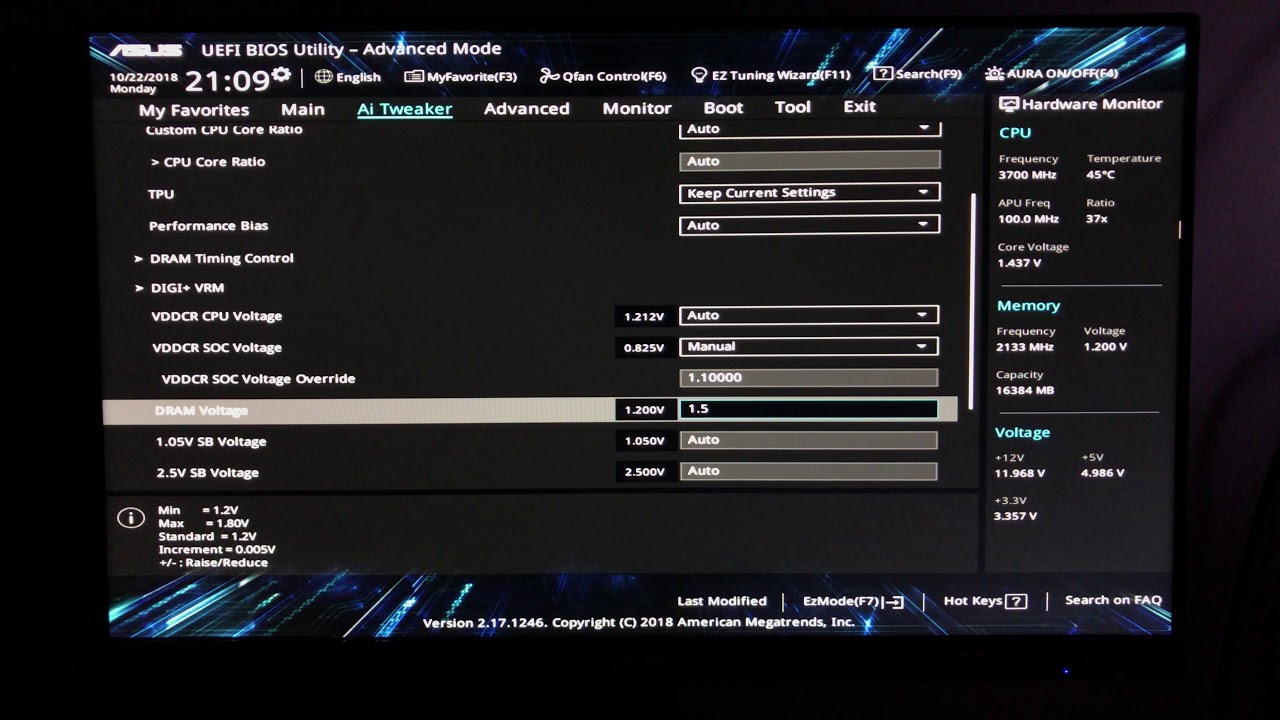
This is a basic guide teaching you how to overclock Ryzen RAM. I'm using the Asus bios in the Asus x470 Prime Pro motherboard. The memory used is Corsair Vengeance LPX DDR4 3200mhz. This is Hynix memory so the overclocking potential is more limited than Samsung RAM. I go over frequency and timing overclocks and give an idea of safe voltages.
Th...
zenith palm
Sorry for all the questions
sudden torrent
zenith palm
Yes i already have it like that just the oldest stick( 3000mhz) in between the n...
AMD loves fast RAM, it's better to get it clocked as high as you can and then work on timings
zenith palm
sudden torrent
AMD loves fast RAM, it's better to get it clocked as high as you can and then wo...
Okay thanks 👍
sudden torrent
Happy to help
zenith palm
Why doesn't 3 sticks run in one dual channel and one single channel mode btw? If you know
sudden torrent
It's the way the BIOS handles the memory addressing
You'll always see recommended configs as either 2 or 4 sticks, 1 is ok for a web browser system but not a gaming rig
zenith palm
Ahh i see that's what i thought but wasn't sure
sudden torrent
Even in the BIOS manual you'll see that as the recommendation
zenith palm
Okay thanks
proven canopy
sudden torrent
Ah ok
3 sticks is usually a bad idea. It'll force it into single channel mode.
depends on the platform, most will give you dual channel bandwidth for the first x GB of memory
Some platforms won't even post , - I think
Intender told me this
upper rock
Would X570 post?
If I did 2x16 and 2x8
Actually nevermind, the timings on the 2x8 kit aren’t very easily configured
And it’s CL18 3600mhz
tall pelican
you can™️ it'll just be hard
cobalt rapids
there's a part in the new linus video about that lol
thin rapids
Decent ram overclock

Could probaly push more voltage , but imma stay on the safer side
thin rapids
Idk if this is still an issue, but I read that there is sometimes problems setting the cas latency to an odd number timing. Should I be setting my cas to 16 or keep it at 15?
sudden torrent
Probably not an issue still but test both and see if you get errors. Personally I'd do 16, maybe 17, but I like to play it safe.
sterile flame
thin rapids
Could probaly push more voltage , but imma stay on the safer side
yeah
clever epoch
thin rapids
Idk if this is still an issue, but I read that there is sometimes problems setti...
If you're on AMD, you'll have gear down mode (GDM) enabled by default, and it will effectively round your CL to the nearest even number. So in reality you'd be running CL16, not 15. It shouldn't affect stability though, it's just overwriting your setting
(From my understanding)
quick rose
Pretty much
thin rapids
I turned off gear down mode so I am actually running cl15
 upper plank
hitting up to 105 mh/s on a 3080, -150,+1500, avg t = 42C.. not bad
proven canopy
What's your memory junction temp? @upper plank Also, what model card?
sterile flame
upper plank
hitting up to 105 mh/s on a 3080, -150,+1500, avg t = 42C.. not bad
Whats the wattage tho..
upper plank
@proven canopy what is mem junction temp? evga ftw3, 260W @sterile flame
proven canopy
check in hwinfo, right under core temp
upper rock
Isn’t mem junction the VRAM?
upper plank
78 
upper rock
Are you mining?
upper plank
yeah
upper plank
winter time helps, i stay just a little colder, pc stays a lil cooler
upper rock
Sometimes I put my PC in the snow on my deck next to my gaming area and let it melt the deck
proven canopy
Nice, that's a really great temp for an unmodded card while mining
upper rock

sterile flame
Guys you would not believe this
An rx 560 2gb 1 fan

How much higher do you think it will go
Here is the voltage

I will fry this drip
zenith palm
proven canopy
depends on the platform, most will give you dual channel bandwidth for the first...
Hey, yeah i was looking into flex mode, and it was saying that 2 of 3 sticks would run dual channel and other single channel, is this right?
zenith palm
Well i was looking in general, but it's a gigabyte b450m ds3h
zenith palm
quick rose
haven't seen anyone actually use that term before.
Linus mentioned it in his recent ram video
quick rose
Ok, so the way I understand it, it works more like this. You have a 4Gb stick and an 8 GB stick. One in each channel, yeah?
zenith palm
But couldn't find a definite answer
quick rose
Once you go above 8 GB of useage, the last 4 GB runs in single channel mode
zenith palm
Think so but idk, I'm using 3 8gb sticks
And was wondering if its disabling dual channel
quick rose
IN that case, 16GB will be dual channel but the last 8 GB will be single channel
BUt I'm not sure if AMD works the same way Intel does
Lemme investigate some more
zenith palm
That's what i thought, bit someone saying it would run single channel on all
zenith palm
quick rose
Lemme investigate some more
Thanks, greatly appreciated
zenith palm
Okay perfect, thanks, i thought it would run 16gb dual and 8gb single but was hard to find a definite answer thanks
quick rose
Yeah, definitely flex mode
You have it right, 16 GB in dual channel, if you go above that, it's single channel
Honestly, do you need more than 8 GB?
Sorry 16 GB?
zenith palm
quick rose
Sorry 16 GB?
Thanks 🙏, not really but i had bought it close to Christmas around when one of the ram manufacturers had earthquakes and was upgrading form 8gb and was about 40 or 45 for 8gb and 10€ for 2x 8 so was like might as well
quick rose
Ah, OK. It'll slow down above 16 GB useage but probably won't be noticeable
zenith palm
That's fine, i doubt expect it to go above 16 but thanks for your help :)
quick rose
Welcome!
Also keep in mind
Mixing and matching ram sticks, all of them will only run at the slowest rated speed and timings
So if you have a 3000 mhz stick and 3200 mhz stick, all will run at 3000
zenith palm
Yes i am aware of that, just curious about it yesterday (knew it was going to run at 3000 mhz) 2 are 3200mhz but was wondering if it's even worth trying to get the 3000mhz stick to 3200 to run with the other 2
quick rose
Honestly, for the 200 mhz bump, no
zenith palm
Fair but was thinking i could possibly get to 3400 or something doubt it's much of a diff tho
quick rose
That is going to depend on what chips it has
This is a fantastic RAM explanation but a bit of a long read https://github.com/integralfx/MemTestHelper/blob/master/DDR4 OC Guide.md
GitHub
C# WPF to automate HCI MemTest. Contribute to integralfx/MemTestHelper development by creating an account on GitHub.
zenith palm
Thanks, they're Corsair vengeance so from what i found they seem to be samsung b dies
 unkempt temple
i overclocked my i5 3570k to 4.2 ghz
unkempt temple
yes lol
dull ginkgo
fun
zenith palm
dull ginkgo
Vegeance lpx is almost never b die
I checked using some software and it said they were samsung dies anyway but idk, does Samsung to do other dies?
zenith palm
Ahh well idk which die then
 copper fable
Thought it was m die???
sudden torrent
Thaiphoon burner can tell you what die you have, and it's usually correct. If it's tricky to find what you're looking for in the SPD data just do a screen grab and post it here, we'll tell you.
dull ginkgo
Forky kept telling me about Samsung e die whenever I was referring to micron rev e as e die
So I'm pretty sure it's Samsung e die
 short otter
I'm running cooler at 5.2ghz 1.4v than I was 5ghz 1.36 in my old case.
forest radish
4gbit sammy e die is decent, clocks pretty high, just needs pretty loose trcd and trp
I think a bit worse than 8gbit rev e even
 orchid flame
forest radish
I think a bit worse than 8gbit rev e even
orchid flame
forest radish
I think a bit worse than 8gbit rev e even
But it does much better tRFC
Oh, and good voltage tolerance too
Not as good as B or 4gb D but you know
Also
There is 8gb E die
orchid flame
sudden torrent
Thaiphoon burner can tell you what die you have, and it's usually correct. If it...

Me when I’m told my C die is B die
tall pelican
https://cdn.discordapp.com/attachments/328891236918493184/727241932430114986/sicc.PNG or fast af 8gbit afr
 rugged peak
Is it ok to overclock GT 1030? yes Gddr5
upper rock
heh
quick rose
rugged peak
Is it ok to overclock GT 1030? yes Gddr5
Why bother lol
rugged peak
1 more frame
sterile flame
smh will get you a whole 5 more FPS at 720p
 torpid siren
Is CAS 18 to CAS 15 Benefitical to any game?
I was think going from 3600MHz C18 2 x 32 GBs to 4000Mhz C15 8 x 4 GBs
upper rock
What CPU?
torpid siren
upper rock
What CPU?
3950x with X570 chipset. Planning to up either 5900x or 5950x when it is more available
upper rock
4000mhz C15 will be 100% better on Zen3, once you get it
You could sell the old kit
What die is it?
Do you know?
torpid siren
Off the top of my head, I think it is a Micron B die but don't take it for curtain.
Am babysitting this second
Or actually
torpid siren
Want the amazon link?
upper rock
I’d prefer a screen cap
Hate this phone
Wait you aren’t level 3 yet
Yeah I guess a link will do
torpid siren
Honestly, I just joined like months ago but never really use typed in the server til now
upper rock
Send the link
upper rock
B die
Yeah, that’ll be a damn good kit for Zen3.
Extra speed useless on Zen2 tho, so you will have to keep it underclocked until then for the sake of a safe clock
Unless you can get a stable clock on 4000C15
Which is likely
torpid siren
And that's the thing. It heard that zen2 can't have a f-clock no more than 1800MHz
With Zen 3, it is okay have it at 2000MHz
upper rock
It technically can, but you need to have a lucky piece of silicon
torpid siren
And I can send you the link to all my parts to PCPartPicker if needed
upper rock
No need really
upper rock
Np, knight
torpid siren
I have built my first rig nearly a year ago, and still going strong.
upper rock
Same
 lavish pecan
I built my first rig in 2015, still have the potato, though in a newer case
upper rock
Got a 3070, 3800x, 2x16 3600C16, on a TUF X570-PLUS with a Wraith Prism all in a P400a
torpid siren
I'll leave my rig here if needed. https://pcpartpicker.com/user/Goldenknight01/saved/QWqVcf
proven canopy
My Patreon: https://www.patreon.com/buildzoid
Teespring: https://teespring.com/stores/actually-hardcore-overclocking
The Twitch:https://www.twitch.tv/buildzoid
The Facebook: https://www.facebook.com/actuallyhardcoreoverclocking
#DDR4 #RAM
 clever epoch
Oh boy, a lovely Buildzoid video while I wait for stability testing my RAM
sudden torrent
Do you guys (and gals) think I should keep my memory at 4133 with my fclk at 2000 or should I do 4000 and tighten the timings? I know there's the latency penalty for having it out of sync but how bad is it really?
I could possibly also try to do 4200+ on the memory
tall pelican
synced
sudden torrent
Did some testing, with the same timings 4000 synced is about 3% faster overall latency than 4133/2000
So the latency penalty does have a measurable effect on performance, but faster speeds would likely negate that penalty.
sterile flame
Nice.
ugh. I wonder if ASUS will send a new board.
If so, imma need to prob tweak voltages.
tall pelican
Now do actual benchmarks instead of just latency
sudden torrent
I would but with how many times it crashed while overclocking I think I corrupted my bios, I can't have xmp and raid on at the same time
vague gull
sudden torrent
I would but with how many times it crashed while overclocking I think I corrupte...
lol what
sudden torrent
I know, it's the weirdest thing. Even my cmos clear button doesn't fix it. I'm reflashing now.
sudden torrent
Reflashing seems to have helped. Suggestions for benchmarks that will show memory differences?
@tall pelican What do you suggest for benchmarks?
tall pelican
I do shadow of the tomb raider at 800x600 lowest settings, but any game benchmark should show ~10% hit from sync vs desync
proven canopy
Why would you create a raid in bios?
sudden torrent
I know, amd and hardware raid isn't great. I made the array a while ago for testing and never changed it. I've got all my OS's installed with the raid driver now and switching back to ahci is a pain and probably a reinstall.


 sudden torrent
Here's an odd issue for you. My RAM has two XMP profiles, one for 4133 and one for 4000 and better timings. I want to use the second one so I can run fclk at 1:1 (I already tested and it runs fine at 2000). However, my motherboard only reads the first profile, whether I select profile 1 or 2. It also shows the basic info for each profile on the overclocking screen, and both profiles show the 4133 profile, even though under the SPD info tab it lists both profiles.
I tried manually setting the timings from the second profile, but it refuses to boot, so I want to try using the XMP profile but that won't read properly. Ideas?
quick rose
Board?
sudden torrent
Oh I thought I mentioned it lol
MSI Gaming Plus X470
sudden torrent
This isn't a new issue either, my last set of RAM had 2 profiles and it only loaded the first profile on that set too.
quick rose
Well, consider the board only lists 3466 as A-XMP, I'm surprised it'll even do the 4000
sudden torrent
That's what's weird here too, it loads the 4133 XMP profile with no adjustments (besides fclk), I can even tighten the timings with it loaded still
My last set of RAM was 3200 with the same problem
quick rose
Seems the latest BIOS is a Beta version also
sudden torrent
It's done this as long as I've had it
quick rose
I'd have to dig deeper into the X470 and XMP support
sudden torrent
The latest BIOS is the new agesa update, needed for 5000 series
quick rose
And specifically the BIOS chip used
sudden torrent
Note this isn't the max board, just the regular
quick rose
I would guess it's a BIOS information limitation as notated by this: This BIOS does not support below Bristol Ridge CPU due to BIOS rom size limitation:
But, gotta dig
Looking through the RAM list
The only QVL 4133/4000 they have is Samsung B-die
sudden torrent
This is B-Die memory, my last set was too
This board is listed in the compatibility list of the RAM
quick rose
What ram is it? Is one of the profiles A-XMP vs XMP?
sudden torrent

XPG - XTREME PERFORMANCE GEAR
Reaching speeds of up to 4133MHz and sporting a maximum capacity of 32GB, the XPG SPECTRIX D50 is a monster of a memory module. It also has looks to kill with a
quick rose
So XMP 1 is the 4133 and XMP 2 is the 4000 with tighter timings?
sudden torrent
Yes, grabbed screen shots of the bios one sec


Apologies for bmp, it's what bios saved it as
quick rose
It's fine
sudden torrent
I have it set to MSI "Memory Try It!" 4000 right now but XMP has even tighter timings than that "overclock"
I almost feel like using thaiphoon burner and swapping the XMP profiles in SPD 😅
quick rose
I still think it's Beta BIOS related. Loading XMP 1 but not XMP 2.
Also, the XMP 2.0 is the "Extreme" profile. IDK at this point.
It SHOULD work with all the timings at manual
sudden torrent
It's done this on every BIOS version I've used though, maybe just a quirk but I couldn't find anyone else mentioning this
quick rose
Right
Im finding a few threads here and there with using XMP 2.0 profiles and stability on that board
2 or 4 sticks?
dull ginkgo
AGESA 1.2.0.1 came out with some bug fixes on a beta version very recently, haven't paid too much attention to it, but might have some ram fixes, I'll take a look
sudden torrent
2 sticks
quick rose
I did just notice something though
XMP2 calls for 1.35 V
In the BIOS screenshot, it's at 1.4
dull ginkgo
Doesn't look like it has to do with ram, nvm.
sudden torrent
The "memory try it" from MSI sets it 1.45, I set to 1.4
I don't have XMP enabled atm
quick rose
SPD says 1.35
sudden torrent
1.4 for profile 1 though
quick rose
Ok, back up
I missed something
So it will run Profile 2 at 4000 mhz but not profile 1 at 4133?
I know both XMP profiles show 4133
sudden torrent
Other way around, profile 1 runs at 4133, and that works
No matter which profile I select it chooses that one
quick rose
SO on the Try It side, try 1.35V because that's what the SPD calls for
I don't know what to do about reading the XMP profiles
Might be a board issue
Or a BIOS chip issue
sudden torrent
I couldn't get it to boot when I tried setting the timings manually at 4000
If I go lower than 18-21-21-41 it hates life
But the XMP says it should go lower, 18-19-19-39
quick rose
DO you leave all the other voltages at Auto?