#building-and-recc-chat
1 messages · Page 981 of 1
 jagged ember
 prime plover
ryzen 5 3600
jagged ember
okay so its def not bios version
prime plover
with the base fan included
jagged ember
is there any sign of life when you turn the pc on?
prime plover
the cpu fan studders, but other than that pretty much no
jagged ember
have you plugged in that cable labeled CPU into 1 yet?
 prime plover
My gpu is a baby gpu so it probably isn't taking up much power.
jagged ember
doubt its that tbh
prime plover
jagged ember
have you plugged in that cable labeled CPU into 1 yet?
Yeah so the 8 pins on the right are plugged in. The 4 on the left didn't seem to be needed.
jagged ember
okay so that's good
prime plover
Let me go replace the ram real fast.
Yeah replacing ram didn't do anything either.
It's a 650 watt power supply
gold
jagged ember
just checking; monitor is on and works?
prime plover
Monitor works just fine
prime plover
no, neither is the front
jagged ember
okay
prime plover
I just have the back, front, and cpu fan.
jagged ember
try replugging the 24 pin connector
prime plover
ok
jagged ember
the fat one labeled 1
jagged ember
no, just the motherboard for now
prime plover
k
jagged ember
put some force into it, too
not like smash it into the motherboard, but a firm insert
prime plover
Yeah so pulled it out, put it back in with a firm click, same stuff.
I will say, the top right screw holding the motherboard in place keeps falling out when I replace the motherboard strip, but I have the rest of the 8 screws so I dont think that's the problem.
jagged ember
probs not
while you're at it, check all your other connections to
just make sure everything plugged into your psu is fully in, same for motherboard stuff
prime plover
So I doubt this would cause a problem, but I have my front fan plugged into #2 on the diagram. And I also have my cpu fan plugged into #2.
prime plover
that would be a problem
Oh wait no none of them are plugged into the aio pump.
there are 4 #2s in the diagram
jagged ember
shouldn't be a big problem, but i'd plug into this one instead

the 2 at the bottom there
prime plover
k
 muted patio
Whic CPU power do you have plugged in? I see a CPU power plug floating in the breeze here
jagged ember
hi vintage pls help this mans pc isnt booting
prime plover
muted patio
Whic CPU power do you have plugged in? I see a CPU power plug floating in the br...
I have the 8 pin plugged in.
Let me go rerout my front fan real quick.
muted patio
What's the plug hanging out in your picture here?
That says CPU?
The plug in the upper left?
prime plover
Let me check...
🤣 It was the cpu. Plugged it back in with a click. Same problem still though. 🤣 I swear it used to be plugged in.
jagged ember
still doesn't boot?
muted patio
Single ram stick goes in slot A2, not B2
prime plover
Ok let me go fix that.
jagged ember
isnt a2 the one farthest to the right?
prime plover
yeah it was in a2.
muted patio
DO you have the 4 pin AND 8 pin CPU power plugged in?
prime plover
I checked the cords that came with the power supply and it doesn't seem like it.
muted patio
Upper left of the motherboard, check it. Both will make it not boot
prime plover
Oh well yeah the 4 ping doesn't have anything, can't find the cord that would go with it though.
I have another cord that is the same as the one I have right now, should I try it instead?
muted patio
What cord?
prime plover
The one labeled CPU that has 8 pins on each side.
Not on each side of the thing, but on each end of the cord.
I will say, the 24 pin motherboard connector connects to the power supply, but there is another connector that doesn't seem to have a purpose.
muted patio
Well, the 24 pin to the power supply will have two ends on the power supply side
It will be more than 24 pins
prime plover
Yeah..
muted patio
What power supply is this?
prime plover
Do you want watts or an actual name?
muted patio
Model name
muted patio
The 24 pin power cable, where is it plugged in on the power supply?
muted patio
I have a picture of the PSU up with the connections on the PSU
Typically the 24 pin power cable on the power supply side has two connectors
muted patio
Well, you need both plugged in
Looks like it should be top 18 pin slot and the bottom motheboard slot
another 10 pin connector
prime plover
Oh I need both plugged in?
muted patio
If the motherboard power cable has two ends for the power supply, yes
prime plover
0 cents says that was the problem.
I thought that the smaller one was for like an atx mini or something. I don't really know power supplies.

 still roostBOT
 CausticBanjo247#0247 has been warned
Reason: Duplicated text
prime plover
It works.

That was a dumb problem on my end. 🤣 But at least I learned something. Next time I build a pc that will be the first thing I check.
prime plover
Sorry. 🤣
muted patio
No worries
prime plover
I haven't had breakfast either.
muted patio
Go eat
prime plover
PC takes priority over health.
muted patio
Start windows install and have breakfast
 stoic island
Breakfast time
 lyric thistle
Mm yes
muted patio
coffee time
lyric thistle
I am eating wheat thins with chipotle almond sauce
prime plover
Thanks so much btw.
muted patio
YW
muted patio
jagged ember
isnt a2 the one farthest to the right?
It is, my bad. We got em though.
jagged ember
oh nice
another tip to add into my pc troubleshooting list
"check the actual psu plugs"
 last moat
the GPU pricing on Alibaba is nuts man.. 

 jagged ember
ew, ventus
jagged ember
from personal experience i can definitely tell you the cooling will suffer
also, i wouldn't trust that
muted patio
RTX3080 for $400
jagged ember
it's probably a picture
muted patio
Nah, it's a scam
 rich helm
Imagine if it was some really rich dude that was going to set up mining rig with like 80 gpus but then Bitcoin and eth went down and decided to sell them all for under msrp
 honest ferry
rich helm
Imagine if it was some really rich dude that was going to set up mining rig with...
honest ferry
rich helm
Imagine if it was some really rich dude that was going to set up mining rig with...
yes but why rtx 3080 for mining money
muted patio
Cuz it'll make you 10-12 dollars a day IIRC
rich helm
honest ferry
yes but why rtx 3080 for mining money
Cause it’s the most efficient
muted patio
3070 will do $6-7
honest ferry
muted patio
3070 will do $6-7
per day
jagged ember
but why sell it on alibaba kek
rich helm
80*12 = 960 a day
honest ferry
🤓
honest ferry
jagged ember
but why sell it on alibaba kek
i dont know
muted patio
My numbers might be off tho, I gotta double check
jagged ember
i don't know the first thing about mining
rich helm
muted patio
My numbers might be off tho, I gotta double check
Sounds about right
honest ferry
muted patio
My numbers might be off tho, I gotta double check
what 960$ per day
its not exist at some point
rich helm
honest ferry
what 960$ per day
If you had 80 3080s then you could make that much
rich helm
jagged ember
someone i remember has 30 3000 series cards
Some rich guy in Nevada had 78 3080 pny cards
rich helm
jagged ember
why not have them run cyberpunk in 16k
I don’t think sli works like that
Mining is pretty epic
jagged ember
sli died
honest ferry
its money dude they do evrything for money 😅
jagged ember
hm, maybe 16k gaming on like 50 3080s won't work
rich helm
jagged ember
sli died
I have made 1/10 of my gpu cost back already
With very easy mining
muted patio
I made almost all of my 3070 cost back by selling my 2060 lol
rich helm
Not most profitable but easiest to do
honest ferry
i am having now llike 3k dollars to buy nice pc setup
rich helm
muted patio
I made almost all of my 3070 cost back by selling my 2060 lol
Got my hands on a 2060 right as they stopped production and returned it cause it didn’t fit in my case now I wish I didn’t lol
Good one too
rich helm
Yeah I could of made like 200 buck profit
honest ferry
im waiting to restock to get an rtx 3080 and an i9 11th gen
honest ferry
no with evrything
honest ferry
after month from now it will be 4500$
i want that pc fast because my potato pc making me MAD
honest ferry
muted patio
3090 isn't worth the premium over the 3080
i know thats why i want 3080
because 3090 its waste of money
 haughty furnace
Hey, guys at what components parts that will allow you to do live streaming, recording, and editing to make videos on YouTube?
prime plover
Windows is about to be installed. 
 uncut pelican
haughty furnace
Hey, guys at what components parts that will allow you to do live streaming, rec...
uncut pelican
haughty furnace
Hey, guys at what components parts that will allow you to do live streaming, rec...
3700x and 3070 will do you good or a 5 5600x
 tacit pendant
i use a 1060 6gb and 3600xt and its fine, although the editing part is a bit terrible to do with specs like mine
because the video preview always lags and sometimes not often though u can get out of vram errors
 remote kelp
is it normal for an 8-pin pcie cable to only have 7 functional wires?
trying to reattach psu and just noticed the 8th wire on the pcie cable doesnt exist
stoic island
Might just be one of the ground for the 8 pin
 stoic island
uh
@near garden 330$ for a 3060ti?
you sure you have the right price?
Should also change out the PSU
CXm has some interesting coil whine issues
 remote kelp
ah, yeah that's a definitely a ground pin
 near garden
stoic island
Should also change out the PSU
near garden
stoic island
Should also change out the PSU
Do you know any good power supply?
 little osprey
rip
honest ferry
i have a 2 week waiting to get an rtx 3080
little osprey
if you have microcenter around its your best chance
then bestbuy drops in every 2 week which is I never could grap one lol
honest ferry
 iam just want an rtx 3080
little osprey
and newegg have better idea with shuffle and it's monday- thursday
little osprey

Checkout Newegg’s popular product drawing queue. Enter your product of choice, submit your email, and wait to see if you win! All customers who win will be given the chance to purchase highly popular products.
honest ferry
k
stoic island
@near garden that's a 3060 not a 3060ti
lol
And for the power supply, Phanteks amp 650w if that fits in your budget
honest ferry
stoic island
<@!420224706357100556> that's a 3060 not a 3060ti
🤓 you are genious
stoic island
If not, Segotep 600w/650w works
gp-g and sg-g are built on the same platform, both will do very well
honest ferry

stoic island

 stoic island
yes
 formal cosmos
stoic island
formal cosmos
stoic island
Did you enable xmp? What game
formal cosmos
valorant
everything actually
but to fix it all i do is restart my pc
but that gets annoying
and my mouse has alittle delay when it happens
stoic island
Well, time to use afterburner+rtss and watch what happens when it does happen then
And did you enable xmp?
stoic island
ew cam...
stoic island
But go enable XMP for your ram in bios
that's 95% chance just cam being dumb and reporting boost clock if it keeps saying 4199
formal cosmos
is it hard to enable xmp
stoic island
no
it's like go into bios, go into memory section, find the xmp setting, click on it, select profile 1 and on, reboot, done
formal cosmos
ok
i’m here
and now confused

where should i go now?
is it already xmp?
it says a-xmp profile 1 and 2
stoic island
I don't remember simple MSI bios, go into advanced rq
formal cosmos
 remote kelp
i have another theory about my gpu issue .-.
that giant 24pin psu connector is ridiculously hard to get to clip into place
stoic island
Overclock settings iirc
formal cosmos
 stoic island
@remote kelp 24pin is notoriously hard to plug in, you'll need some force on it
Alright, that looks about right then
wack
remote kelp
my thumbs are like literally dead from making sure the psu got back in place
remote kelp
lol i have literally meddled more with that 24pin in the last hour than since the day i first built it
formal cosmos
it literally gets so annoying when that problem happens
remote kelp
90% sure it didnt go in right the first time cuz i kinda just jammed it in
still kinda not going in right cuz i can just pull it straight out with some twiddling
 little osprey
it looks like
stoic island
Looks right
remote kelp
Yaaay
prime plover
Whats that graphics card over ther?
remote kelp
inb4 it still crashes
oh 3070
minecraft makes it crash and then it crashes all the time and apparently it's not the card's fault so either im missing software or something else is dying
honest ferry
remote kelp
~~minecraft makes it crash and then it crashes all the time and apparently it's ...
you have an rtx 3070 and minecraft crashing
little osprey
OCCT test 🤔
honest ferry
whatttttttttttt
remote kelp
i legit dunno what's going on
it might be java cuz it tries to write in some null memory position and jumps off a cliff
occt test? o.o
stoic island
Go use OCCT, probably run the memory test first
 desert gulch
Is the little latch on the 24 pin clicked in?
desert gulch
Ok good
honest ferry
🤓
little osprey
probably driver issue or power issue . I recommend ddu driver and do OCCT test
remote kelp
im hoping it was cuz the 24pin wasnt plugged in properly the first time so power surge under load made it go kerblam
stoic island
Ocbase is the home of OCCT, the most popular all-in-one stability / stress testing tool available for PC
remote kelp
i ddu'd the driver multiple times already x.x
it's weird cuz ive tried several benchmarks
little osprey
oh then run occt
honest ferry
stoic island
https://www.ocbase.com/
what is this
remote kelp
it either crashes or it's amazingly perfect
desert gulch
You have cpu power plugged in?
stoic island
OCCT
remote kelp
still need to put everything else back together but i shall try occt
stoic island
It's a good stress test tool to test failures
remote kelp
im tilting toward driver or missing software but like, i've tried 457.51, 460.40 and now 460.71
stoic island
Only thing it's bad at doing is being a power virus, p95 and furmark can usually draw a good bit more power than it can
But OCCT will show you where the failure likely came from
stoic island
Fair
remote kelp
for the minecraft thing, i tried something i googled which apparently helps you determine the crashing dll
and it's apparently the x64 opengl driver
assume it's trying to write to memory but it's null and instead it jumps off a cliff
remote kelp
nu but it's a corsair rm850
remote kelp
that's why i reconnected it just now
couldve been bad connections
like, i heard the cpu connector click in properly the first time ever today .-.
desert gulch
Did you check connections to the psu?
remote kelp
i literally like unplugged everything the psu was plugged into and replugged
and made sure everything was like either thunking or clicking
cries in trying to get 24pin to click 10 times
desert gulch
Hmm
remote kelp
im still like in the process of putting it back together so
not sure if it'll crash again or not
it's weird cuz the day i got it back from rma and put it back in the pc i did 15mins of furmark and it was fine
then tried minecraft and it went downhill from there (i think)
 quasi hemlock
Could anyone explain what a bios update for motherboard/cpu compatibility is. This is my first build.
 narrow sedge
anything you guys wished you knew before getting a pc?
 wanton cliff
quasi hemlock
Could anyone explain what a bios update for motherboard/cpu compatibility is. Th...
wanton cliff
quasi hemlock
Could anyone explain what a bios update for motherboard/cpu compatibility is. Th...
what CPU/Motherboard do you have/plan on getting?
wanton cliff
narrow sedge
anything you guys wished you knew before getting a pc?
the parts are a lot stronger than people give them credit for, so dont worry too much about destroying them. This, however, does not give you permission to just destroy the parts.
wanton cliff
quasi hemlock
Do you mind if I just give you the full list?
no
quasi hemlock
wanton cliff
I wouldnt get that board
or that CPU for that price, for that matter
lemme remake it for you
quasi hemlock
If you would like, go ahead
prime plover
Anyone know why Im having such GPU spikes? I only have discord and microsoft edge open?

The temperature is pretty stable, but the gpu usage is really high.
narrow sedge
wanton cliff
the parts are a lot stronger than people give them credit for, so dont worry too...
tyy
prime plover
Another image.
 wanton cliff
quasi hemlock
If you would like, go ahead
quasi hemlock
wanton cliff
quasi hemlock
If you would like, go ahead
quasi hemlock
Thanks
I had already gotten the case and ram, but thanks for the advice
Got them for the aesthetics if I’m being honest
wanton cliff
thats the worst reason to get a computer part
dont expect to be able to overclock well with that RAM
or have the greatest airflow with that case
lyric thistle
Well this isn't #overclocking so it's probably not a huge issue
wanton cliff
not the point
this is build chat
we recommend and anticipate for these things
im not going to go to #graphics-cards to recommend a GPU
to recommend any of those
remote kelp
replugged everything back, so far so good, at least 6 heaven benchmarks and a furmark and nothing has offed itself yet
gna try occt now
 worldly seal
I have a pc that's cycling fans exactly 3 times everytime it gets turned off bad psu? Also not reading boot drive (bad mobo)?
This is a cheap boot drive so could be the boot drive
desert gulch
M.2 or 2.5 inch ssd or 3.5 inch hdd?
 worn wave
lmao
desert gulch
Lol
I was wondering what drive they had cause I was gonna tell them to switch cables
Or mounting point
Or ports
Depending on what drive they goot
worldly seal
desert gulch
I was wondering what drive they had cause I was gonna tell them to switch cables
Team t force l5😋
 brittle tinsel
how can you tell if a fan will daisy chain without buying em first?
brittle tinsel
Fractal Design Define 7 Light ATX Mid Tower Case
this cases website specifications doesnt say it supports a rad but I was told it did.
the fans in question are
ARCTIC P14 PST 72.8 CFM 140 mm Fans
I am trying to avoid all this extra cost, time and difficulty as I am a first time pc builder
wanton cliff
those will daisy chain
remote kelp
oh
oh god
occt finding a ton of vram errors
and 3d test randomly gets cancelled like 7 seconds in
is that the test messing up or the gpu messing up .-.
muted patio
Mmmmm, I'm at odds with OCCT.
I can run prime 95 no problem yet the OCCT CPU test freaks out
remote kelp
it got to the point where occt shut itself down and i started getting artifacts
had to restart
 latent anvil
hey uh hows this https://pcpartpicker.com/list/nytvcT Trying to go for low 700 - mid 600. No cpu *yet bc prices are wack
muted patio
what power supply?
remote kelp
corsair rm850
i literally reconnected the entire psu earlier
to eliminate bad cable connections
 blazing aurora
latent anvil
hey uh hows this https://pcpartpicker.com/list/nytvcT Trying to go for low 700 -...
blazing aurora
latent anvil
hey uh hows this https://pcpartpicker.com/list/nytvcT Trying to go for low 700 -...
gpu prices are worse then cpu prices
blazing aurora
I'd get a different psu
muted patio
more perofrmance than Ryzen 3600
latent anvil
ok
muted patio
B560 motherboards aren't in PCPP yet though
Have to add it manually
This should be really close to your budget with a GPU https://pcpartpicker.com/list/ZtL8vf
With a 1 TB NVME too
 muted patio
That's up to them
They had one listed for $189 so...not sure where they gonna get it
 pine kayak
the ram could be cheaper
 hollow grail
the ram could also be better
pine kayak
10400f doesnt support 3200
hollow grail
silicon power is kind of a meme tbh
hollow grail
like some of their stuff is okay but for the most part its meme
 muted patio
AMD doesn't support faster than 3200 either
🤷
But it works
I'm telling you, it will support 3200 no problem
If don't believe, go check benchmarks lol
hollow grail
no like why not just use 2666
latent anvil
huh
muted patio
hollow grail
no like why not just use 2666
wat
stoic island
It doesn't "support" it natively, but it will work
muted patio
AMD doesn't support fast ram natively either but it's a thing
hollow grail
oh wait did intel stop doing the chipset limitation thing with b560
stoic island
@hollow grail look at GN testing, really big hit to performance
latent anvil
honestly the market is so fuckied i will probably just wait a few months
stoic island
Yea
hollow grail
oh pog
stoic island
B560 no limito ram freq
pine kayak
@latent anvil better of like that
pine kayak
@muted patio i just look and ryzen 5 3600 support speed is 3600
stoic island
Lol what
stoic island
AMD says up to 3200mhz lel
 muted patio
Bruh, you can run faster ram with Intel and it makes a big difference
stoic island
Yet basically everyone uses 3600mhz
muted patio
Trust
pine kayak
oh ok your right
stoic island
Look at the difference from GN testing of 2666mhz vs 3200mhz
https://youtu.be/csFwlKgZCzM
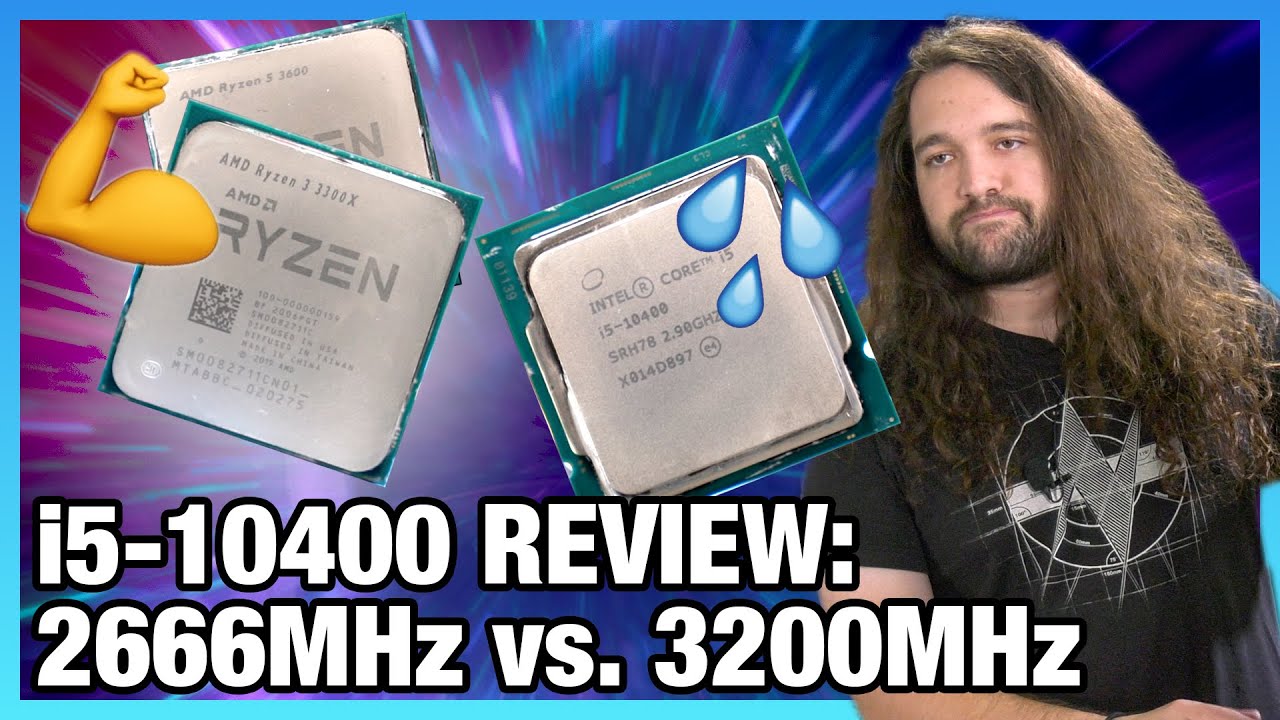
We're reviewing Intel's new Core i5-10400 CPU and benchmarking it with 3200MHz and 2666MHz memory, mostly vs. the AMD Ryzen 3300X, 3600, and Intel 10600K.
Sponsor: MSI Z490I Unify Mini-ITX (Amazon https://geni.us/j7G9A)
This benchmark and review of the Intel Core i5-10400 CPU looks at Intel's cheapest available 10-series ("10th Gen") CPU. There...
muted patio
Although INtel after 3200 is diminishing returns
stoic island
With 3200mhz the 10400 beats 3600, with 2666mhz it like trails behind 3300x lel
stoic island
Good times
muted patio
Cuz B460 yeah, it won't go faster than 2666
Intel so confusing
Some B450 AMD boards restrict it too but only the really cheap ones
brittle tinsel
how would one get amd to run 3600 mhz? i thought amd only supports upto 3200
muted patio
Nope
brittle tinsel
or would a b550 support 3600
muted patio
Just get 3600 mhz ram, make sure MB supports 3600 mhz, plug and play
latent anvil
will prices/stock etc be back to semi normal by like june?
muted patio
Check specs
muted patio
latent anvil
will prices/stock etc be back to semi normal by like june?
Literally no way to tell
latent anvil
ugh
stoic island
@muted patio tho it's not chipset limitation, just board being bad
stoic island
Did a520 have a cap?
stoic island
Alright
brittle tinsel
my board only says 5100oc but 3200jedec, any translations for a noob
muted patio
JEDEC is just standard ram speed
XMP is overclocked, which is the 5100 speed
A lot of DDR 4 ram is 2133 JEDEC for example
But XMP is 3600
Or 3200
brittle tinsel
so MSI MAG B550 TOMAHAWK ATX AM4 Motherboard isnt 3600 plug and play since the jedec is 3200?
muted patio
@stoic island Here for example. matisse CPU, max speed 3200 "AMD Ryzen series CPUs (Matisse) support DDR4 3200/ 2933/ 2667/ 2400/ 2133 ECC & non-ECC, un-buffered memory" https://www.newegg.com/asrock-b450m-steel-legend/p/N82E16813157868
Asrock is particularly bad about it
Yes, it IS plug and play
muted patio
brittle tinsel
so MSI MAG B550 TOMAHAWK ATX AM4 Motherboard isnt 3600 plug and play since the j...
yes it's plug and play
Disregard JEDEC
Forget it exists
Welcome to the MSI Global official site. We are the top Gaming gear provider.
brittle tinsel
ok but I dont know how to go into bios to do xmp or set it to 3600, my currently build doesnt even have xmp
muted patio
It should
stoic island
@muted patio uh it says 3533+ oc
 muted patio
matisse bro
brittle tinsel
its some off brand board for a i5 3570
muted patio
Ryzen 3000
brittle tinsel
prebuilt I bought 4 years ago
muted patio
OH, boards that old may not
stoic island
The heck
muted patio
yeah man
stoic island
Isn't pinnacle ridge Zen+ now I think about it
stoic island
Everything but matisse can do above 3200 wth
 muted patio
I've seen this on a few occassions now
Only the really cheap boards
Mostly Asrock
Not something we'd typically recommend
But it exists
muted patio
Overall the board still won't hit 3600 no matter what CPU it has
little osprey
does notcua Noctua NH-U14S have clearence for vengeance pro ? 🤔
stoic island
@little osprey should be just fine, shouldn't even hang over the slot
hollow grail
@worn wave curious what youre using that workstation for lol
stoic island
 little osprey
stoic island
little osprey
stoic island
my rams are taller lol
stoic island
@little osprey look at right side
See how it doesn't hang outside of the "AMD socket zone"?
hollow grail
lmaooooo radeon pro
stoic island
Or whatever socket you use
hollow grail
good meme
worn wave
ikr
worn wave
Most likely RTX 4000
little osprey
stoic island
See how it doesn't hang outside of the "AMD socket zone"?
oh my mobo is z490
hollow grail
oh nice
still roostBOT
 Zagdrath#5577 has been warned
Reason: Bad word usage
hollow grail
kek
stoic island
Doesn't matter
worn wave
maybe the W5700 because I would like to mess with it
hollow grail
also for some reason i thought that was gonna be a threadripper build
worn wave
depends on whats in stock at the right price tbh
stoic island
Point is, the heatsink doesn't hang over the ram
hollow grail
and no dont use amd for any kind of actual work
worn wave
lmao
little osprey
stoic island
Point is, the heatsink doesn't hang over the ram
thanks mate . i joining into air cooling gang lol
stoic island
:)
worn wave
This 100% is not the best for Solidworks but I am just building with parts I wanted to
little osprey
RMAd air cooler xd
worn wave
Intel and Nvidia is better for Solidworks
hollow grail
yeah but amd gpus are best at nothing
 gusty pasture
uhh
gusty pasture
6900xt is like a 3080 oc
worn wave
Hopefully I can get a RTX 4000 for a decent price
gusty pasture
y
hollow grail
at literally any kind of actual work
but ppl with tiny gamer brains only care about fps
gusty pasture
like waht
worn wave
Nvidia has always and will always be the king for Workstation tasks
gusty pasture
their not as bad a s they used to be u have to admit
worn wave
For workstation and productivity tasks though, its a different story
stoic island
Intel does have some more features than AMD
hollow grail
back when a lot of stuff wasnt cuda optimized
amd actually was not the worst choice
gusty pasture
im just saying amd gpus arent TERRIBLE for games
hollow grail
but now that most things are
worn wave
We are not talking about gaming that much here
gusty pasture
oh
hollow grail
amd is just terrible
gusty pasture
nope
worn wave
Yes, in terms of GPUs
hollow grail
found the amd gpu owner
gusty pasture
yes
hollow grail

worn wave
They work but Nvidia is pretty much better
RX 570 and RX 580 was a banger of a budget GPU when you could get them for super cheap though
stoic island
Fun
 junior crescent
I'm looking for a parts list for Ultra settings 1440p Gaming, Streaming and 1440p editing, My budget is 2000 Usd, I don't want any RGB
stoic island
@junior crescent including monitor or no
still roostBOT
 mahd sadq#0671 has been warned
Reason: Bad word usage
worn wave
P2200 beats the W5500 alot in pretty much everything for about the same price
gusty pasture

Thanks to Seasonic for sponsoring this video! Learn more about their PSU's at https://lmg.gg/Xb82g
Buy Seasonic PSU's on Amazon (PAID LINK): https://geni.us/eknHuoH
Buy Seasonic PSU's on Newegg (PAID LINK): https://geni.us/jYG2nh
Nvidia marketed the RTX 3090 as an 8K gaming GPU and received a lot of criticism for not REALLY being up for it. Ca...
junior crescent
No @stoic island
stoic island
Quadro p2000?
worn wave
P2200
stoic island
Hm
stoic island
I remember a p2000 but not a p2200
worn wave
NVIDIA Quadro P2200
worn wave
MSI what
hollow grail
p3200 and i9 8th gen laptop
worn wave
nah
hollow grail

worn wave
I use a older Dell workstation laptop
hollow grail
ikr
stoic island
worn wave
4th gen i7, 32GB RAM, some Quadro K2400 or something idk
little osprey
rip xd
worn wave
kinda forgot i had it
stoic island
Welp, onto editing a list on mobile
@junior crescent this should do well, ASSUMING YOU CAN GET CPU AND GPU AT MSRP
https://pcpartpicker.com/list/HXqCkX
If you can't grab the cpu, you can swap for a 10850k+z490 mobo
brittle tinsel
are there any good 140mm fans preferably without rgb that I can get ahold of atleast 6 maybe 8 or 10 for $60 usd?
stoic island
Hm
worn wave
This is a 5 pack
brittle tinsel
p14 is what I have in my list but the price is 45.99, for 5 my pc has 6 slots and I wouldnt mind an extra incase of a fan error
wanton cliff
think Totally Accurate BattleGrounds could realistically run on a 1650Ti with alright pef? at least 60 fps on 1080p?
stoic island
Well, you don't have to fill up every fan slot, and you actually shouldn't just always aim to fill all of it up
brittle tinsel
ugh those are fluid, not magnetic too
worn wave
Sometimes it can be bad actually
stoic island
You sure? I'm pretty sure p12/p14 was ball bearing
 small osprey
fluid dynamic bearings are good
worn wave
maglev fans will be expensive also
small osprey
stoic island
You sure? I'm pretty sure p12/p14 was ball bearing
nah they’re fluid
stoic island
NVM it's the p12/p14 co that are DBB
worn wave
Continuous Operation model aint sold in 5 packs tho
brittle tinsel
Fractal Design Define 7 Light ATX Mid Tower Case
is what I have,it says it has 9 fan slots, doesnt say anything on their website about radiators but I was told I could mmount a 360 in the top
worn wave
For the Define 7 I would recommend 2 140s in the front and 1 120/140 in the back
brittle tinsel
small osprey
fluid dynamic bearings are good
Ive heard if there mounted in the specific way these will be in, dust will cause issues
worn wave
Just dust your system
small osprey
really?
worn wave
Which you should be doing anyway
brittle tinsel
worn wave
For the Define 7 I would recommend 2 140s in the front and 1 120/140 in the back
will that maintain cooling? because this build will be used extensively everyday only break it gets is when I go to sleep
worn wave
They should not collect dust unless the motor is exposed
small osprey
what does that have to do with the bearings tho
brittle tinsel
the dust gets in the fluid bearing and screws em
junior crescent
Does the Asus x570-f support a 5900x and be able to oc??
brittle tinsel
but I dont think dusting the system will help that
worn wave
It will
small osprey
why would dust get into the bearings tho
stoic island
found specs for radiators btw
 worn wave
The hubs aint exposed
They wont get into the bearings anyway
It's only a problem in industrial enviroments like sawdust
 elder wren
Should I get an MSI B550M Mortar WiFi over the MSI B450M Bazooka Max WiFi? (100 CAD price difference)
I am plan on using a Ryzen 5 3600 with it. Being said, the B450M Bazooka does not have an M.2 SSD heatsink which is apparently pretty important?
brittle tinsel
stoic island
found specs for radiators btw
is that the Design Define 7 Light
junior crescent
Does the Asus x570-f support a 5900x and be able to oc??
stoic island
It's the Define 7
worn wave
If you really are that worried about dust then go Noctua Industrial PPC lmao
junior crescent
Ok, Thanks
brittle tinsel
worn wave
If you really are that worried about dust then go Noctua Industrial PPC lmao
dude those are 30 per fan
elder wren
stoic island
<@!713629955115843625> it'll do fine
110 CAD for the B450M and 210 CAD for the B550M Mortar Wifi
small osprey
elder wren
Should I get an MSI B550M Mortar WiFi over the MSI B450M Bazooka Max WiFi? (100 ...
the m.2 heatsink is NOT important
small osprey
but if you’re gonna buy those mobos then you prolly dont have gen 4
stoic island
@elder wren what about the B550m Pro-vdh wifi at 144cad?
elder wren
small osprey
the m.2 heatsink is NOT important
Plan on using a WD SN 750
muted patio
Just throwing it out there
small osprey
its fine
stoic island
Just sounded like a really big price difference between b450 and b550 to me
small osprey
you dont need heatsink for that drive
worn wave
PRO-VDH WIFI is much better for the price
elder wren
stoic island
<@!258159291532312576> what about the B550m Pro-vdh wifi at 144cad?
Is that motherboard much better?
Also that retailer is apparently not trustworthy
worn wave
For the price its much better.
stoic island
bigger fan = mo better generally
worn wave
Depends on the fan though
muted patio
Hmmmm
muted patio
Reviews aren't great for Vuugo
worn wave
and blade size and if its airflow or pressure optimizsed
stoic island
@muted patio nor are reviews for wegg
muted patio
Yeah but their low prices are offset with ridiculous shipping
brittle tinsel
im reading this arcticle and it says the size doesnt matter if the 120 has more RPM than its gonna have better airflow
worn wave
high RPM 120mm will be similar to a low RPM 140mm generally
stoic island
should be similar rpm
worn wave
or did i get that backwards
brittle tinsel
ah
worn wave
something like that
brittle tinsel
wondering cauese I can get 8 120mm 1200 rpm fans for $34 plus $.99 shipping
worn wave
What fans
brittle tinsel
COOLER MASTER R4-S2S-124K-GP Silent Case Fan
stoic island
hm
worn wave
They aint PWM and they look very old
brittle tinsel
pwm?
brittle tinsel
ive got $63.27 to spend on fans, and I would prefer 140mm and anything but fluid bearing, I have 6 open fan slots and I dont know what to get
stoic island
and rpm doesn't exactly tell you anything about actual airflow
brittle tinsel
I could just get the actic but those are fluid bearing
worn wave
Fluid Bearing is fine
stoic island
I mean, fluid bearing isn't bad at all when the fan is good
brittle tinsel
its really dusty here bro
worn wave
You dont need to worry about dust or anything getting in the bearings unless you are literally in a woodshop
worn wave
You have woodshop level amounts of sawdust being thrown around your computer
Do you realize the Define 7 has filters for a reason right
brittle tinsel
I mean, we are in the middle of remodeling to sell and move
worn wave
Filters exist on cases for a reason, I promise you it wont be a level of damaging to the fans
brittle tinsel
alright, but I was just trying to ensure this build lasts longer than my prebuilt did
worn wave
If you are so worried about reliable fans why would you buy some generic crappy ones
muted patio
What are P12's, fluid?
worn wave
normal ones are
brittle tinsel
p12 and p14 is
stoic island
I guess so, I never really checked
worn wave
CO are continuous operation
brittle tinsel
are those daisy chainable?
worn wave
Unless your computer looks like this your fans will most likely not die

I am telling you this from experience, I have worked on many computers that were used in woodshops and never cleaned for multiple years.
little osprey
worn wave
Unless your computer looks like this your fans will most likely not die
how????
worn wave
Great question
stoic island
maybe just dusty place and not being used
brittle tinsel
im talking like I can take the glass panel off after a week, blow it out with some air and boom looks like a sand storm
 potent portal
worn wave
Unless your computer looks like this your fans will most likely not die
potent portal
worn wave
Unless your computer looks like this your fans will most likely not die
I've literally seen a computer this bad. It was a Windows 98, the motherboard was dying. With all the cat hair in it and orange (smoky) dust I'm surprised it lasted so long.
 eager chasm
potent portal
I've literally seen a computer this bad. It was a Windows 98, the motherboard wa...
eager chasm
potent portal
I've literally seen a computer this bad. It was a Windows 98, the motherboard wa...
how did you get my childhood computer? lol

potent portal
That wasn't even the worst part, the company I worked for did house calls mostly for repairs. The rest of their house looked like the inside of that computer except with the addition of cat feces mixed in.
Might not have looked so bad if it wasn't wood floors
 crude totem
Does anyone know if I take the memory and GPU out of my Alienware aurora r7 for a new build will cause problems or not, I’ll eventually put the parts back in the Alienware, but it’s hard to get a modern gpu for a fair price, and I’m still saving up for ram
stoic island
Should be able to, but it'd still have to be compatible, i.e. ddr3 ram won't be going into a ddr4 ram slot
crude totem
Nah, it’s DDR4 ram and a 1080 Ti, I was just gonna use them to get windows installed and see if it’ll post. It’s my first build so I’m a bit impatient/excited to get it going
stoic island
Should be fine
crude totem
Right, just trying to get it to boot and act semi normal. I'll have the RAM in about a week and it'll be a lot faster
Thank you though!
muted patio
YW, should be good to go
 little leaf
worn wave
little leaf
worn wave
Yes
little leaf
K just making sure
muted patio
is it WIFI 6 though?
little leaf
Dont know would have to ask him bu i doubt it
muted patio
Ah, nevermind
little leaf
His internet is pretty old
muted patio
Those antennas are good for hte AX/AC spec
 plush flame
hello, I'm looking at building my first gaming computer and I'm looking for advice on GPU/Motherboard. Would https://www.newegg.com/asus-geforce-rtx-3060-ti-tuf-rtx3060ti-o8g-gaming/p/N82E16814126471?Item=N82E16814126471 and https://www.newegg.com/p/N82E16813144305?Item=N82E16813144305 be a good combo? Should I look for a motherboard with PCIe 4.0 instead?

Buy ASUS TUF Gaming GeForce RTX 3060 Ti DirectX 12 TUF-RTX3060TI-O8G-GAMING 8GB 256-Bit GDDR6 PCI Express 4.0 HDCP Ready Video Card with fast shipping and top-rated customer service. Once you know, you Newegg!
muted patio
that'll do just fine
NO difference between Gen 3 and 4 with GPU's
Unless you're mining
plush flame
ok cool, thank you
it says 2.7 slot width, I should be good there too with that motherboard?
little leaf
Yes
potent portal
PCI is a standardized size
plush flame
what's the slot width exactly then?
plush flame
ah gotcha
potent portal
Oh you mean the height of the gpu
plush flame
ya
potent portal
Meaning it would take up as much space as roughly 3 of the PCI slot covers on the back of a case
plush flame
👍
wanton cliff
eh
its been a day
pretty good relatively speaking but compared to your average day it was much, much worse im sure
uncut pelican
I got my depression/anxiety meds today
I am friggin terrified for monday
We go back to school like to the build
 ornate solstice
Does anyone know why my pc crashes while playing games
stoic island
BSODs or just shut off?
wanton cliff
im calling drivers in general
 hexed hull
Yo who can help me figure sum out?
potent portal
Any number of us depending on the problem
hexed hull
My aio arrived and the pump power is 3 pin and not 4 pin
potent portal
It'll still work but might be a touch louder
little osprey
How good is a 3060 for a little for ediiting and mostly gaming?

 potent portal
3 pin works on 4 pin, and vice versa
hexed hull
Yeah but the deepcool installation guide video said it was 4 pin
wanton cliff
little osprey
How good is a 3060 for a little for ediiting and mostly gaming?
its meant to be a budget editing GPU, what with the 12gb VRAM and all
gaming is about 2060s/2070s level
potent portal
little osprey
How good is a 3060 for a little for ediiting and mostly gaming?
It tends to fall between a 2060 super and 2070
potent portal
hexed hull
Yeah but the deepcool installation guide video said it was 4 pin
That's fine, not all guides are updated for every possible model variant, it'll still work
ornate solstice
stoic island
BSODs or just shut off?
What does that mean? It restarts while I’m playing
little osprey
Im planning on entering the shuffle and im gonna try to go for the 3060 series.
potent portal
ornate solstice
What does that mean? It restarts while I’m playing
It just goes right to a black screen and reboots? Or a blue screen first?
wanton cliff
ornate solstice
What does that mean? It restarts while I’m playing
a BSOD is when the screen turns blue and the computer restarts. A crash can mean any number of things
a BSOD technically is a crash but its the most well known type of crash
ornate solstice
It goes black then restarts
stoic island
BSOD stands for Blue Screen of Death, it's crashing, but it's more of a 'soft' crash, since windows can tell you what's up, and points more towards software issues
When it just shuts off (goes to black) , there is a higher chance of there being something hardware based that I'd check first
ornate solstice
How do I check
stoic island
Checking things one by one to find the fault
ornate solstice
Ok man it usually only does it while playing cod
And that’s the game I play the most
potent portal
That's a power vampire game for sure
stoic island
So, first things to check would be CPU/GPU/Ram, like using OCCT to run through the CPU test, GPU test, and the Ram test
and then I'd check GPU drivers for sure, and check other mobo drivers
potent portal
Specs are a good start too
wanton cliff
especially PSU and GPU specs
ornate solstice
Idk what psu I have
potent portal
You can take pictures of the sides where it says the brand/model and the white sticker
wanton cliff
do you know the wattage at least?
ornate solstice
650w
wanton cliff
with what card
ornate solstice
5700xt
wanton cliff
and potentially CPU as well
ornate solstice
R7 3700x
wanton cliff
not so different from my setup a couple weeks ago
you should be fine as far as wattage goes then
perhaps your RAM? Try reseating it.
ornate solstice
Ok
potent portal
It could still be the PSU if it's a bad model. Some are known to literally catch fire.
wanton cliff
yeah but thats usually because of bad OCP
and cheap caps
but a 650w PSU with a 5700 XT will be absolutely fine
even so, PSU model number cant hurt
potent portal
The devil is in the details in the computer world
 sacred turtle
Hi anyone know what a good intel lga 1151 cpu is to put in a build with a 1650??
potent portal
At what budget?
wanton cliff
isnt Socket 1151 super dead?
potent portal
GBP? Or Euros? Forgive this American
potent portal
i7 7700k is the best you can do with that
stoic island
You can pretty easily test OCP by just using p95 smallfft and furmark at the same time
Power viruses op
sacred turtle
potent portal
i7 7700k is the best you can do with that
Alright would I be able to put a better graphix card in later down the line?
stoic island
Graphics cards don't quite care about motherboard or cpu in terms of compatibility
wanton cliff
as long as both the board and the card are Personal Computer Interface Express compatible (which all GPUs and motherboards made in the last decade or more are) then they will be fine
expect bottnecks later down the line though
potent portal
I should warn you also, you might be able to buy a new motherboard and 10100f for your budget too
sacred turtle
I3 or i5?? I curently have a i3 9100
wanton cliff
10100f is i3 but the only thing that matters in this case is socket
10100f is better than a 7700k, arguably, and has a much better upgrade path
potent portal
Which is exactly why I suggested it, performance on the lowest new chip is the same or better than that generation's top chip
sacred turtle
potent portal
I should warn you also, you might be able to buy a new motherboard and 10100f fo...
What motherboard??
 full atlas
How likely do y’all think it is that someone would trade a 3600 for my 2700x???
wanton cliff
i think its unlikely that anyone would even be willing to trade
potent portal
sacred turtle
What motherboard??
sacred turtle
potent portal
https://www.newegg.com/global/uk-en/p/2MG-000K-000T4?&quicklink=true
plus
https:...
thx
potent portal
Happy to help
ornate solstice
@stoic island I found out why it kept crashing
My gpu hits 107c
Can you help me figure out why it gets so hot like I have good airflow in my case
potent portal
Get a can of compressed air and blow out the radiator
worn wave
Are your fans facing the right way
muted patio
InB4 5700xt
 ornate solstice
Msi rx 5700xt gaming x
 potent portal
🤣 Vintage called it
ornate solstice
Please help
potent portal
Undervolt
muted patio
What's the fan curve set at?
ornate solstice
How do I check
ornate solstice
wanton cliff
put a triple layered zip locked bag of snow underneath the ard
Sure I’ll do that in Cali
muted patio
I'm not familiar with the Radeon software but I would presume in the Radeon control panel
wanton cliff
ornate solstice
Sure I’ll do that in Cali
crushed ice then
wanton cliff
muted patio
I'm not familiar with the Radeon software but I would presume in the Radeon cont...
doesnt exist
it appears in Adrenalin tho
right click your desktop, open adrenalin, go to the performance area
ornate solstice
Ok I’m at the performance area
wanton cliff
I dont remember exactly where it is but try and look for something along the lines of 'fan speed' or 'fan curve'
ornate solstice
This?
 wanton cliff
@muted patio does that look important?
It doesnt look like that can be set though...
muted patio
Yeah, IDK how to set fans speeds in Adrenalin
wanton cliff
idk if you can
i know you could in Trixx but thats a sapphire exclusive software
as far as i know at least
ornate solstice
 muted patio
That's MSI afterburner
wanton cliff
there ya go
muted patio
However, Adrenalin may override that
IDK for sure
But move 100% fan speed to 80C
IMO
ornate solstice
Ok
muted patio
However, how comfortable would you be taking the cooler off and making some changes?
IE, replacing thermal pads and paste?
wanton cliff
he likely doesnt have those on hand
muted patio
Hmmmm