#graphics-cards
1 messages · Page 428 of 1
 wheat crag
 fading glacier
and here i am fishing a strix one
wheat crag
Yea strix stock pads aren’t the best
But they should somewhat do the job at stock
Still gets in the 90s and sometimes 100s on load for vram
Mainly gets low 100s at a high res
Like 4k
fading glacier
im planning to run 1080p on a 3080 😛
wheat crag
 velvet grail
You're a menace to society
velvet grail
You're a menace to society
I run 3090 on 1080p
fading glacier
have the cash for a card or a 2k monitor, but not for both 
velvet grail
wheat crag
I run 3090 on 1080p


fading glacier
still i curse myself for missing the strix at 800 yesterday
wheat crag
I kinda stopped caring about my monitor when sports started again
@fading glacier I used to average in the low 90s in 1080p iirc
Before a repad
fading glacier
well, its... bearable
wheat crag
True
fading glacier
the 100+ mark worried me, but at 1080p it should be hard to reach
fading glacier
if i had the valor to mod the mems with those copper plates for the mem modules....
 magic wing
It wont say amd driver, itll just say the name of your gpu instead of microsoft basic display adapter
fading glacier
ill stick to soft pads only
wheat crag
fading glacier
if i had the valor to mod the mems with those copper plates for the mem modules....
Thermal pads would be good enough
Those copper plates would just be overkill
fading glacier
still that look gorgeous, but very dangeorus for the unexperienced

 wheat crag
Not like your gonna see it once it’s assembled
 finite warren
magic wing
It wont say amd driver, itll just say the name of your gpu instead of microsoft ...
finite warren
magic wing
It wont say amd driver, itll just say the name of your gpu instead of microsoft ...
Why i am not able to install any amd driver in my pc.. is it due to bad gpu?
magic wing
finite warren
Why i am not able to install any amd driver in my pc.. is it due to bad gpu?
I thought u said u installed?
finite warren
magic wing
I thought u said u installed?
I installed like 5 amd drivers... But each driver causes freeze... Without drivers my pc runs smoothly.. why is that so?
magic wing
What gpu
finite warren
R7 260x
velvet grail
fading glacier
the single ones look better tho
Copper "pads" are much better than any thermal pad if you also use the right amount of thermal paste in between... They can drop much more than 5C
fading glacier
yeah, but you need to know what you are doing, one misstep and bye bye card
still beautiful to see
soft pads are easier and more friendly for the untrained 😛
wheat crag
velvet grail
Copper "pads" are much better than any thermal pad if you also use the right amo...
Still isn’t worth it compared to thermal pads
And the difference is prob around 5-10c
velvet grail
I've saw a person modding a 2080 (im not sure if it was super or not) and he used like heat resistant tape (the yellow one) around the vram to make sure they didn't touch anything
velvet grail
wheat crag
Still isn’t worth it compared to thermal pads
Definitely, costs too much and the amount of thermal paste is enormous
velvet grail
The guy with the 2080 spent around 80 bucks for all the tools/parts
While you can get like 20 1.5mm thermal pads for less than 15$
wheat crag
Yea I spent like prob around 50 or 60 for screwdrivers and pads for my 3090
And a heatsink
fading glacier
if somehow i find and buy a 3080strix im pretty sure ill be around here to get help on the repadding department
to learn that art D:
wheat crag
fading glacier
if somehow i find and buy a 3080strix im pretty sure ill be around here to get h...
Pretty sure a yt video will be more helpful then us
velvet grail
@torpid garden  spam bot
wheat crag
wheat crag
Pretty sure a yt video will be more helpful then us
Just make sure to get the right size thermal pads
And good paste
I heard tf8 was pretty good but not sure
Haven’t seen many reviews on it besides some guy repasting his 3090 with it
 hot folio

 vital oriole
sus scam
velvet grail
What's the best I could get from a 180$ 3060 12gb from AliExpress? 
 livid idol
Maybe a 750 ti, those are pretty popular for scams
 rich cedar
Thats a good way to get mobbed saying that
 livid idol
wheat crag
4090 is suppose to reach 2.75ghz 😳
livid idol
wheat crag
4090 is suppose to reach 2.75ghz 😳
3GHz
They had a product demo and showed it
 hollow zephyr
anyone know why my 3080 running l4d2 like booty
??
no problems with any other games so far
wheat crag
Water cooling a 4090 is temping but I’ll wait for 5090
livid idol
Sometimes there's weird settings that mess stuff up
wheat crag
Yea check graphics
hollow zephyr
try closing the game?
it works with other games just fine
this the only one where it poops itself
livid idol
Like the Arkham games, if you have certain things enabled then you can't get into the batmobile without crashing the game lol
Max settings problems
hollow zephyr
i thought so
even if i lower them it stays around the same frames
i even turned v-sync on to just try and stay at 60 but it still didnt budge
it'll peak over 60 but other than that no shot
livid idol
Well you can always try DDU, it can help with weird and game specific problems to clean the drivers.
hollow zephyr
may have to
 analog badge
is 82c bad for a mobile gpu to sit at for >20 mins (im rendering)

 odd siren
It's fine
vital oriole
it's good actually
wheat crag
After seeing kenzies laptop I’d say it’s great
 random zinc
wheat crag
Water cooling a 4090 is temping but I’ll wait for 5090
random zinc
wheat crag
Water cooling a 4090 is temping but I’ll wait for 5090
Prob I’ll wait for a 6090ti like this one
 wheat crag
💀
 ivory herald

fading glacier
 opal iron
Are armor cards really that bad?
opal iron
Are armor cards really that bad?
who said that? o.O
opal iron
Everyone
fading glacier
ouch
livid idol
Not as bad as a mech
 heady turtle
What was wrong with those?
heady turtle
Ahh makes sense, my gf has a 580 armour just idk if it's v1 or v2
New oem 3050 with 2304 cuda cores instead of 2560 ;-;
heady turtle
Not like they could call it 3040 or something :o
vital oriole
considering how 1630 exists
i wouldn't be too surprised
but now, this one is more surprising
 late haven
Does morepower tool work better with 3x 8 pin cards or should 2x 8 pin cards work just fine?
wheat crag
late haven
Does morepower tool work better with 3x 8 pin cards or should 2x 8 pin cards wor...
Just max out the slider
It’s fine
 wicked hound
Nvidia locks down vBIOSes pretty hard. If the card SKU doesnt have an XOC vBIOS then a 2P card can be easily PLed in many workloads. Tho, one can also easily be temp limited if cooling isnt good enough and that'll generally depend on the card.
livid idol
You can flash a 3x8 vbios onto a 2x8 card but the actual power draw will be lower than software reports. The third 8 pin becomes what's sometimes referred to as "ghost pins".
ivory herald
Ok who returned their impulse buy 3080's? 

 livid idol
Maybe they got it after a week of shipping and saw the price had already dropped $100
wheat crag
ivory herald
Ok who returned their impulse buy 3080's? <:Kekw:817480683144216616>
Scammer got scammed
fading glacier
justice has been served
wheat crag
I’d take this card over a 3090 #https://www.newegg.com/yeston-geforce-rtx-3080-rtx3080-10g-d6x-ya/p/1FT-007N-00071?
Better gpu <anime gpu
fading glacier
e_e hard to argue e_e
odd siren
Owo
 lone pond
wheat crag
I’d take this card over a 3090 #https://www.newegg.com/yeston-geforce-rtx-3080-r...
lone pond
wheat crag
I’d take this card over a 3090 #https://www.newegg.com/yeston-geforce-rtx-3080-r...
That has pretty mediocre cooling iirc
livid idol
lone pond
That has pretty mediocre cooling iirc
It's average. Better than other cheap ones like the ventus for sure.
random zinc
Does the Rx 6650xt gets huger temp than the 6600xt?
livid idol
Depends on the models in question, as always
 hasty sphinx
ivory herald
Ok who returned their impulse buy 3080's? <:Kekw:817480683144216616>
hasty sphinx
ivory herald
Ok who returned their impulse buy 3080's? <:Kekw:817480683144216616>
I feel attacked 
finite warren
"Old gpu doesnt work nicely with newer hardwares." is it true?
Im asking this cuz recently i upgraded my pc to
i3 10105f
8gb ddr4 ram
Asus prime h510m-e motherboard.
Previous setup was
Fx 6300
Gigabyte GA-78LMT-S2PT motherboard
8gb ddr3 ram.
My gpu that i was running with my previous build was amd r7 260x gddr5. So when i build my new pc, i installed this gpu and updated its drivers... My system started to freeze as soon as i login to windows home screen. Without drivers it was running fine.. so i switched my r7 260x with 1050ti and updated nvidia drivers.. as of now its running smooth..
Old gpu was running flawlessly with the old build.
Win 10 64bit..
I am curious to know the reason behind this..
Never heard of this kind of issue before.. i saw people running ancient processors with latest gpus... On YT.. so im just curious..
magic wing
finite warren
"Old gpu doesnt work nicely with newer hardwares." is it true?
Im asking this c...
Did you carry over the ssd?
heady turtle
Old gpu will work fine you just need to install the amd legacy gpu drivers
 ancient schooner
Is 3070 msi gaming trio a good card
finite warren
magic wing
Did you carry over the ssd?
Sorry for the late reply.. i dont have ssd... Im planning to buy one now...
magic wing
finite warren
Sorry for the late reply.. i dont have ssd... Im planning to buy one now...
did you carry over the hard drive to the new build then
finite warren
heady turtle
Old gpu will work fine you just need to install the amd legacy gpu drivers
I installed the adrenaline driver version 19, 20 and 22.
magic wing
and if you did, did u reinstall windows?
finite warren
magic wing
did you carry over the hard drive to the new build then
Yeah.. i carried my hdd to my new build and then reistalled win 10 on that after installing my new hardwares.
I guess the drivers i was installing wasnt the legacy one's..
magic wing
finite warren
Yeah.. i carried my hdd to my new build and then reistalled win 10 on that after...
reinstalled using usb drive?
finite warren
magic wing
reinstalled using usb drive?
Yup
magic wing
so like complete reinstall?
finite warren
magic wing
so like complete reinstall?
Yeah fresh
magic wing
What driver did you try using?
finite warren
finite warren
I installed the adrenaline driver version 19, 20 and 22.
These
Sorry i dont knowthe exact versions
finite warren
Already tried that.. it was the 1st driver i tried
heady turtle
Odd
livid idol
ancient schooner
Is 3070 msi gaming trio a good card
Yes


 cerulean rover
strix over ventus
wheat crag
I’d pick strix
 modest stump
I have a strix card and it’s been great so I think I’ll probably go that route
velvet grail
Why do I have the feeling that talking about strix will bring here the green bean guy...? 
cerulean rover
Since same price, strix better specs and better thermal pads
 wheat crag
velvet grail
The one obsessed with his white strix
wheat crag
velvet grail
The one obsessed with his white strix
Lol it’s 1300 bucks rn
wheat crag
I’d sell my 3090 for msrp but I doubt anyone is gonna buy it then buy a white one
Bozo
Don’t spend on marked up white 3090
velvet grail
Ok, offer
I give you 25¢ and you give me 3090
Deal?
wheat crag
Throw in a kidney then deal jk
velvet grail
Not sure if the 3090 you posted on #tech-deals is really worth the money... You can find 3090's for 1k
That's 200 bucks more
wheat crag
velvet grail
Not sure if the 3090 you posted on <#500102969702875156> is really worth the mon...
It is white strix tho
Adds value
velvet grail
White $$$$ > black ¢
wheat crag
Aw yes pc builders r racist
wheat crag
velvet grail
The white version for Corsair 645x is 60€ more on amazon.it
Like all the time
The black and white one r same price on us
wheat crag
velvet grail
<:PepeHands:968900943368319007> Italy is racist too
I liked Italy when I visited
Venice is poggers
heady turtle
modest stump
Both are good strix is probably a bit better tho
velvet grail
wheat crag
Venice is poggers
I live there lol
wheat crag
Like in the city or near it
velvet grail
I'm basically 10 minutes away from centre
Plz don't send nukes in a radius 13km away from Venice centre
 wheat crag
Yea my bball coach got mad bc I didn’t bring back any souvenirs lol
Only gave him some chocolate lol
I left school for like 3 weeks
velvet grail
Souvenirs are expensive
I remember buying a small electric guitar (magnetic for the fridge) and paid it 10€
wheat crag
Went to France Italy and Switzerland
wheat crag
velvet grail
Souvenirs are expensive
I remember buying a small electric guitar (magnetic for...
I remember seeing some of those
velvet grail
Nice
𝑙𝑎 𝐸𝑢𝑟𝑜𝑝𝑒
wheat crag
I remember some glass stores in Venice said made in China lmao
wheat crag
velvet grail
I mean... Almost everyone has ac
Like the units?
velvet grail
No it's not
Italy not at all... Ofc south Italy is always on fire 
 old kernel
@wheat crag Isnt that the original price of the 3090?? Why does it have a downvote?
velvet grail
wheat crag
Like the units?
These magic things
 wheat crag
old kernel
<@797846224064741396> Isnt that the original price of the 3090?? Why does it hav...
wheat crag
old kernel
<@797846224064741396> Isnt that the original price of the 3090?? Why does it hav...
Cause u can can get it for 1k
wheat crag
velvet grail
These magic things
Yup
old kernel
Has anyone found a 3090 ti for cheap??
wheat crag
I saw them like for 1400 ftw 3
wheat crag
I think there’s a 9hr time difference
old kernel
😮
wheat crag
Cya
old kernel
What were the original prices for it? I don't even remember?
old kernel
I play a game called 7 Days to Die and it is the most unoptimized game I have ever played, I can't run it at max graphics settings with a 2060 Super at high frames
wheat crag
A 3080 would be prob good enough it’s like 10% difference
old kernel
Is there anyway we could make #tech-deals an announcement channel so I can add it to my server?
wheat crag
Idk
old kernel
10% between 3080 and 3090ti? Isn't it a massive diff in ram tho?
wheat crag
U could go amd and use a 6900 xt to reach 3090 performance
But u would lose some features like rtx
old kernel
oh?
wheat crag
old kernel
10% between 3080 and 3090ti? Isn't it a massive diff in ram tho?
Ram doesn’t really do anything to gaming performance unless 8k or something like that
And between the 3090 and 3080
old kernel
Where'd you find the one for 1400? and is 6950xt worth it?
wheat crag
Bestbuy
And the 6950 xt is worth it depends on what your going to do with it

You can get 30% off your first month of KiwiCo at: http://kiwico.com/LTT30
RDNA2 brought Radeon GPUs back to mainstream gamers, but AMD’s newest graphics card has the same silicon they’re already selling – Can it REALLY compete at the high end with Nvidia’s RTX 3090 Ti?
Discuss on the forum: https://linustechtips.com/topic/1430227-amd-kept-the...
There are some benches in here
old kernel
ty!
wheat crag
Np
wheat crag
old kernel
Where'd you find the one for 1400? and is 6950xt worth it?
I don’t think the 6950 worth it imo
old kernel
For the 1100$?
wheat crag
Yea
Not worth it
I’d just get a 3080
Or for amd a 6800 xt or 6900 xt
For reasonable prices ofc
modest stump
How much can I sell an asus strix 2080 super for
wheat crag
modest stump
How much can I sell an asus strix 2080 super for
Prob 450-600
U could just bid it on ebay tho
livid idol
6950 is just a 6900 with good binning and higher factory overclock
 sonic mural
livid idol
6950 is just a 6900 with good binning and higher factory overclock
sonic mural
livid idol
6950 is just a 6900 with good binning and higher factory overclock
better vram too
livid idol
It's the same vram just binned and clocked higher
sonic mural
not a huge diff but still
modest stump
Do you think bidding would work well
cerulean rover
Ebay bidding? Most of the trolls should be gone so should be okay
modest stump
Scared to do a bid and get like $400 lol
wheat crag
modest stump
Scared to do a bid and get like $400 lol
Can always cancel
U don’t have to sell it to them
modest stump
Oh so the highest bidder you don’t have to accept?
wheat crag
Yea
livid idol
You do have the option of setting a "reserve" price that has to be met for a sale to go through for a fee
wheat crag
That’s lame tho for the buyer
They’ll have to keep bidding until they reach it
And it doesn’t show the amount
@modest stump u could just sell with make an offer option
sonic mural
i personally would opt for FB marketplace for selling cards
fading glacier
still, dont go overboard like those facebook marketplace people
sonic mural
ebay is super buyer biased and has ~10% fee on something like a gpu
fading glacier
dont be like them
livid idol
eBay does have a seller incentive thing going to lower final value fees. At least they did, don't know if it's still going.
sonic mural
but the ebay buyer protection absolutely sucks for honest sellers
someone can just claim doa on what you sold them and youre kinda screwed
livid idol
I use a UV reactive pen to mark a specific part of any used thing I sell, and other things to cover myself. I even have "warranty void if removed" tags for things like the PS2s I refurb.
sonic mural
ebay is fine you just should take some precautions as a seller
sonic mural
livid idol
I use a UV reactive pen to mark a specific part of any used thing I sell, and ot...
now youre doomed since imma buy something from you and now i know the secrets >:P
livid idol
Take pictures every opportunity you get
sonic mural
yup
modest stump
So you think I should do eBay still
cerulean rover
Video/picture of you shipping it can help if they said they never received it
modest stump
What precautions need to be taken
livid idol
sonic mural
now youre doomed since imma buy something from you and now i know the secrets >:...
It's not a secret and it's VERY hard to mimic my mark exactly, so no swapping for dead items in my watch
livid idol
It's probably best you avoid selling tech as your first eBay sales, people are very cautious of new sellers on high value items right now
modest stump
But if someone buys it what’s the problem if I’m new
sonic mural
thats the "if"
livid idol
If you're honest, nothing wrong. You'll just get less bids.
sonic mural
meanwhile if you have a FB account imo, you already have somewhat of a reputation of not being a bot
ivory herald
I wouldn't buy from a seller with under 10 feedback, but that's just me.
 keen nacelle
I'm still so salty reddit banned my accounts
I miss hws
It made selling stuff so easy
livid idol
I finally got enough rep on my Reddit account to use hws myself, it took one of my tifu posts blowing up lol
modest stump
I definitely don’t have enough rep
cerulean rover
How much rep does it even need
ivory herald
Kept getting big lowballs on z590 mobo so put on Ebay. Had a $150ish bidder then they didn't pay after 3+ days.  --- probably gonna do hws again & just ask for a decent $150 or w/e.
modest stump
Oof
livid idol
100 comment karma
livid idol
And no karma farming subs ofc
sonic mural
that works too
odd siren
Ooo I'm already overqualified 
modest stump
What’s the Reddit
sonic mural
r/hardwareswap
cerulean rover
Oh fun
modest stump
I put up a listing on eBay we will see what happens
sonic mural
make sure to read the rules before ever posting there since its kinda strict for a reason, hardwareswap
cerulean rover
I have 70 karma from a single random post
modest stump
Buy now for $600 with offers allowed
livid idol
sonic mural
make sure to read the rules before ever posting there since its kinda strict for...
Yeah it's super strict on things like timestamps and stuff, you'll get moderated out so fast if you make a single letter mistake
ivory herald
Bet the 1st post ends up deleted w/ a small messup. 
odd siren
Hi everyond my name is Eman [DELETED]
modest stump
Lol
ivory herald
Usa-idaho Got sweet ol case to sell - want: yo' $90. Peace out
.... 5 min later : your post has been deleted for incorrect information. note HWS is basically buying/selling only, no general bs posts.
modest stump
Accurate
fading glacier
modest stump
But need the cash
be like me and sell it to your relatives, you will lose some, but its safe and you make one family member happy
modest stump
No one in my family uses computers like that
I guess I might have a couple cousins that might
Actually
fading glacier
i was about to do some facebook mplace deals on my country but here the chances of fraud/theft and even kidnap are high using facebook m 😦
 rustic pulsar
wheat crag
rustic pulsar
wheat crag
Design looks ugly imo
 sullen panther
odd siren
sullen panther
odd siren
'cos marketing
Lel
That's an igame advanced (if that's what actually turns up), they're usually on the better side of performing 30 series and are 3x8 pin iirc
vital oriole
looks like a scam tho
odd siren
Ofc it is
vital oriole
with how listing is wonky af
livid idol
Ships from China also
odd siren

vital oriole
all recipe of sus
 crisp oracle
When was 3080 to released
livid idol
crisp oracle
When was 3080 to released
3080 ti?
June 3 2021
crisp oracle
Thx
 buoyant token
What’s the power to money difference between these two cards
buoyant token
Ok, lol
keen nacelle

Gigabyte GeForce RTX 3080 12GB LHR 12 GB GAMING OC Video Card (GV-N3080GAMING OC-12GD)
$120 cheaper and a bit better
buoyant token
I’m tryna go for a all white build
I mean the Zotac is cheaper, but it’s kind of an off white, while the asus is white white
buoyant token
True
velvet grail
what exactly is a GPU/CPU encoder? whats the purpose of it?
vital oriole
it's well for video recording
cpu is slower because it's not meant to do that task
but it also depends on the gpu with how good its encoder is
velvet grail
vital oriole
but it also depends on the gpu with how good its encoder is
Does it depend on the GPU brand: evga, MSI, ROG, pny.... Or on the model: 2080 /2080s /2080ti?
velvet grail
Is it for video recording in general?
Like with OBS studio/Nvidia instant replay/ Nvidia recording program?
fading glacier
yeah thats why they are called video encoders/decoders
any video record/editor will ask you which encoder/decoder you will use
cpu or gpu, and depending on your gpu is a different encoder
velvet grail
Ah
I never used that and always wondered why my videos quality were 💩
Ive always used geforce experience to record, used 20, 40, 60 bitrate and nothing changed much always bad quality...
Just the file size
Up to 1.5GB for 5min footage
fading glacier
auch, im a simple man, any video editor i go, ill hit configurations and choose nvenc
let the magic flow
fading glacier
dunno, i dont use that... bloatware begone
i am "just gimme the drivers only" type
velvet grail
But the encoder affect only recording or also normal gameplays?
fading glacier
recording
velvet grail
Ok
So this "bad blending" effect is given by the monitor?

Don't know if you can notice the separate lines
velvet grail
F
Wait
Is Nvidia image scaling (in GeExperience) the same as dlss?
Or is it just another thing...?
velvet grail
fading glacier
recording
Is like Elgato 4k60pro just like an external encoder?
That way you could use it with a "bad" GPU.. right?
heady turtle
velvet grail
Is like Elgato 4k60pro just like an external encoder?
Internal iirc but yea that's all they are
External ones are more for like recording from a console
velvet grail
Like the usb ones? Or the ones you plug via hdmi
velvet grail
velvet grail
So this "bad blending" effect is given by the monitor?
@heady turtle do you see the "bad blending" in this photo? If yes, is this caused by the monitor or maybe the game/video that has a bad quality?
Maybe it's more noticeable here
 velvet grail
Apart front that problem I wanted to know what is generally better: Nvidia NIS (image scaling) or Nvidia DLSS, on a 1440p 144monior and 3600x+2080.
My goal would be to get high image quality and keeping a high frame rate too...
Can I use both at the same time? Would it be worth, would image quality be "bad"?
velvet grail
Maybe it's caused by a small range of colours/ no HDR..?
magic wing
velvet grail
Maybe it's more noticeable here
send screenshot and pic of the same area
velvet grail
My monitor supports 8bit color or whatever it is, does it affect?
velvet grail
magic wing
send screenshot and pic of the same area
Wait a second
Or two
Windows is not letting me take the screenshot
https://youtu.be/LXb3EKWsInQ btw i am looking at this video, minute 3:48

We've re-mastered and re-uploaded our favorite video in HDR!
CHECK OUT OUR MOST POPULAR VIDEO: https://youtu.be/tO01J-M3g0U
► INSTAGRAM: http://www.instagram.com/mysterybox
► INSTAGRAM: http://www.instagram.com/jacobschwarz
►WEBSITE: http://www.mysterybox.us
►FACEBOOK: https://www.facebook.com/mysteryboxdi...
Make sure to follow us on Instagra...
@magic wing
magic wing
screenshot of the area ur looking at
and a pic of the same area
i cant be asked to look at a video

 magic wing
Video
velvet grail
If I use 100 instead of 60 contrast on my monitor the effect almost disappears but all the colours are different ofc
velvet grail
magic wing
Video
You saying it's the video? From my phone I don't see any bad blending btw...
 velvet grail
Also black stabilizer if set to 100 instead of my usual 55 removes the problem (almost) but of course the image is like all gray and not black
 dreamy dragonBOT
 LoFabio#1212 has been warned
Reason: Bad word usage
velvet grail
I just checked my monitor specs, I thought (back a long time ago) when I bought it, I had chosen the IPS LG monitor. Turns out I bought the TN version...
All this time... That also explains the bad viewing angles.
So I basically never had an IPS befor... 
velvet grail
However ... If that's how my TN monitor looks like... I expect a lot from IPS
velvet grail
vital oriole
yeah monitor problem for sure
I guess it's because of the settings I use but if I change them the colours are pretty different and I can't distinct some of the colours at all ...
vital oriole
velvet grail
But shouldn't geforce experience already use nvenc?
ye gfe uses nvenc
also yeah, rip
magic wing
vital oriole
yeah monitor problem for sure
Ion think so
That behaviour is expected tbh
magic wing
Only panel that wont have that at all is oled
velvet grail
I guess it's mostly LG's fault or either Amazon fault.... Because LG has too many monitors named similarly... 24**L600...etc and Amazon usually lets you chose between different models but they usually have the same description
Or more probably just the description, sometimes that say TN for IPS or vice versa
velvet grail
But why don't I see this problem on my phone screen? It's an IPS byw
Probably because of how phone gamma/color saturation/other things are set...?
My pc monitor also has a crosshair you can use to mark the centre of the monitor... Wait... That's illegal
In game no scope
vital oriole
denser pixel density
heady turtle
velvet grail
<@191276897227898880> do you see the "bad blending" in this photo? If yes, is th...
Looks like bad black uniformity or something
velvet grail
Yep, it solves almost completely by changing black-related settings
modest stump
Gpu prices are dropping incredibly fast on eBay
velvet grail
eBay always had lower prices on GPUs
Most cases
Is it worth to fan mod a 1070, my current one that I'm not going to use for a while is super loud and still keeps a relatively high temperature up to 76C, and for loud I mean very loud, probably more than any other 1070.
Btw I was thinking removing the entire front GPU chassis and zip tying some 80mm fans
Or I can also print my own front GPU chassis to keep the fans in place
fading glacier
worthiness is up to you, any mod is like a gamble, you must be aware of the dangers involved and you cant blame others for your decisions if something goes south
ivory herald
velvet grail
Is it worth to fan mod a 1070, my current one that I'm not going to use for a wh...
Arctic p12. 
keen nacelle
its a model name
velvet grail
ivory herald
Arctic p12. <:kekleo:971095797062074378>
They're... Uhm.. . A bit to big maybe? Lol
They're 120 instead of ~89
I'd go for p8
80mm
fading glacier
the xc3 cooler on my old 60ti was fine tho
old kernel
keen nacelle
its a model name
ty
heady turtle
old kernel
What does FTW3 mean?
Its a model from evga, but it stands for "for the win 3"
old kernel
lmao no way
heady turtle

ivory herald
Ftw3 mainly because 3 fans.
fading glacier
way to ruin my joke moment
ivory herald
Might be a ftw2 or 1 somewhere but I'm not gonna look. They should've made em, for lulz.
ivory herald
heady turtle
980 ftw
I wasn't thinking 9yr old gpus personally. Like if there was a 2fan ftw2 and a 1fan ftw1 rather than the same old ftw cards. -- asus makes "strix 3040", evga makes 1fan FTW1 3080. 🤣
 lyric forge
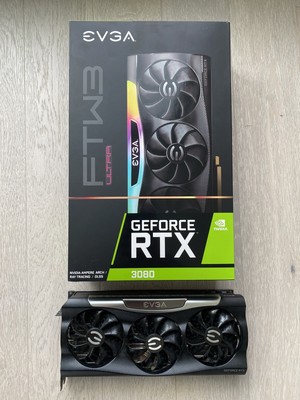
eBay
EVGA GeForce RTX 3080 FTW3 ULTRA GAMING 10GB GDDR6X Graphics Card....
This a Good deal?
velvet grail
For used... Mmh, not sure
lyric forge
Yeah, I’m always keeping an eye out for stuff on eBay but you never know with used stuff
velvet grail
For the used one I'd personally pay ~550
keen nacelle
You can get a 3080 off of evga b stock for $650
magic wing
fading glacier
what happened with ftw2 and ftw1?
I ate them
keen nacelle
So not really
magic wing
was hungy
keen nacelle
magic wing
I ate them
No, you ate the thermal paste
magic wing
keen nacelle
No, you ate the thermal paste
I ate the whole thing
fading glacier
hasty sphinx
I just choose the 3080 option on nividia for the drivers for a 3080 12gb right? like it doesn't have different drivers than the 10gb version?
NVM. The drivers under the 3080 is downloading the same drivers I downloaded for my 2070 super.. So it's all universal?
I just need to DDU and reinstall just to make sure they work correctly for my new card being put in right?
keen nacelle
Yeah it is
livid idol
The current driver version is universal among any 10 series or newer GPU
keen nacelle
^
hasty sphinx
ah I see.
livid idol
Technically 900 too but not really
hasty sphinx
Soo DDU still right?
livid idol
Yeah that will wipe out the config data from the old one
hasty sphinx
Ok, that's what I was thinking, but couldn't think of the words to write it out lol
livid idol
You can use the "clean and shutdown" option to wipe out the drivers, then while it's shut down swap the GPUs
Or if the new one is in already just use the restart option
hasty sphinx
yeah, I'm gonna "clean and shutdown" so I can install the NVME and GPU at same time.
fading glacier
technically i installed my 750ti no drivers at all, just the same driver installed since the 3060ti was on my system
and no problems so far
odd siren
 tall lichen
I got cocky bros
It turns out my only options are RTX2070>RTX2060S>RTX2060 12GB
I only have a 550w PSU
keen nacelle
tall lichen
It turns out my only options are RTX2070>RTX2060S>RTX2060 12GB
indeed
oh wait
what psu?
as in what model
i ran a 3060 ti on a 500w psu
keen nacelle
youd be fine with a 3060 ti tbh, aside from it whining
keen nacelle
https://pcpartpicker.com/product/DgFbt6/asrock-radeon-rx-6600-xt-8-gb-challenger-d-oc-video-card-rx6600xt-cld-8go this is an option
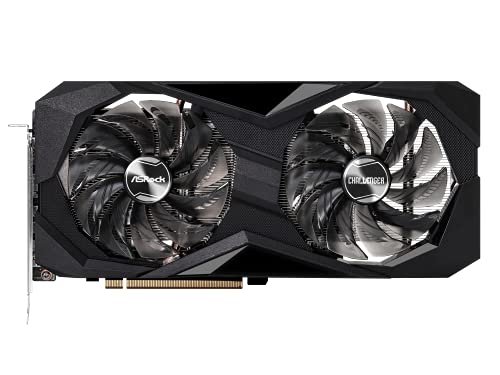
ASRock Radeon RX 6600 XT 8 GB Challenger D OC Video Card (RX6600XT CLD 8GO)
tall lichen
On the other hand despite being the same price as a 6600 the 2070 is stronger than it
tall lichen
keen nacelle
https://pcpartpicker.com/product/DgFbt6/asrock-radeon-rx-6600-xt-8-gb-challenger...
I had thought about that but didn't know if it was a good brand
keen nacelle
2070 isnt that far ahead of 6600
keen nacelle
its better, but not by a ton
tall lichen
Mm
keen nacelle
6600xt=2070s
https://pcpartpicker.com/product/NjM48d/asrock-radeon-rx-6650-xt-8-gb-challenger-d-oc-video-card-rx6650xt-cld-8go this is also nice, similar to a 2080

ASRock Radeon RX 6650 XT 8 GB Challenger D OC Video Card (RX6650XT CLD 8GO)
tall lichen
Huh. I guess I'll have to consider them at some point
hasty sphinx
tall lichen
Huh. I guess I'll have to consider them at some point
You in the US?
 hasty sphinx
So whether I have fan control set or the fan curve in afterburner set, it seems my 3080 wants to override them?
hm. So it seems if I have my curve set to anything below 50%, it'll randomly stop and start the fans every several seconds.
hasty sphinx
yeah, but the recommended website doesn't have the bios for this card.
and I don't know what other bios to get.
oh, also with fans set to 50% it says it's running at 850 rpm, but when set to 100% it says 3000rpm
livid idol
Which model did you have?
hasty sphinx
TUF 3080 12gb
livid idol
Ok I'll check the tpu database
hasty sphinx
livid idol
Ok I'll check the tpu database
Might I ask for something that I can get a good OC on please? I know it's ultimately up to silicon, but my current bios only allows an extra 7% power
wicked hound
power % means nothing. PL limit in wattage is what matters
Id first check to see if there is any updated firmware, sounds like firmware doesnt know how to handle fan stuff (or maybe fancontrol software, who knows)
livid idol
hasty sphinx
Might I ask for something that I can get a good OC on please? I know it's ultima...
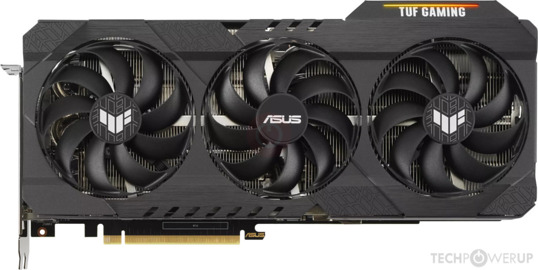
TechPowerUp
NVIDIA GA102, 1710 MHz, 8960 Cores, 280 TMUs, 96 ROPs, 12288 MB GDDR6X, 1188 MHz, 384 bit
hasty sphinx
livid idol
This u? https://www.techpowerup.com/gpu-specs/asus-tuf-rtx-3080-gaming.b9403
yeah looks like it
 livid idol
Dual 8 pin and all?
hasty sphinx
yeah, but I have the OC
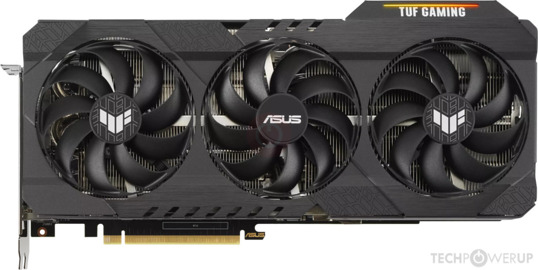
TechPowerUp
NVIDIA GA102, 1785 MHz, 8960 Cores, 280 TMUs, 96 ROPs, 12288 MB GDDR6X, 1188 MHz, 384 bit
livid idol
K
ivory herald
Maybe use the strix oc, 390w tdp. https://www.techpowerup.com/gpu-specs/asus-rog-strix-rtx-3080-gaming-oc.b9404
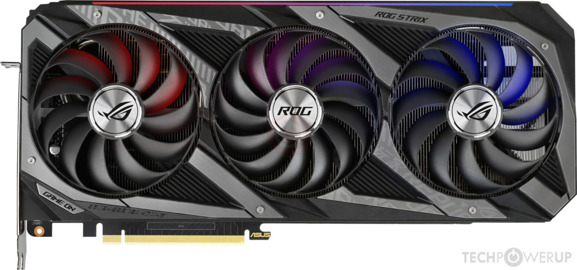
TechPowerUp
NVIDIA GA102, 1860 MHz, 8960 Cores, 280 TMUs, 96 ROPs, 12288 MB GDDR6X, 1188 MHz, 384 bit
livid idol
Yeah don't, you don't actually get any more power
wicked hound
You get less power cuz phantom 8P
ivory herald
Any 2x8pin cards with a tdp over 350? On phone so can't check as quick. Tbh still better off doing a normal oc or UV w/ or w/o oc.
hasty sphinx
ivory herald
Any 2x8pin cards with a tdp over 350? On phone so can't check as quick. Tbh stil...
not to worried about OC atm versus the fans not being controlled correctly
wicked hound
(2/3)(PL-75)+75 is what PL would be. One would get a 285w PL using a 390w 3x8P vBIOS on a 2x8P card
hasty sphinx
but since he was looking for me for a bios to fix that, I figured go for one that could allow higher OC (silicon granting)
keen nacelle
lone pond
Strix bios on a non strix card is a bad idea tbh
Not at all
Many people do it
For ocing
Without any issues
keen nacelle
It's just a matter of doing it intelligently
hasty sphinx
tbh overclocking for me atm is whatever since I"m currently getting 250fps in my fave game in 1440p lol
lone pond
Wanting more is in our human nature
hasty sphinx
of course I will want more, but fixing the fan thing is what I want more of.. well more than the OC lol
lone pond
Too many cards gone bricked with a strix bios
ivory herald
Quick search I didn't find a TUF bios, at least at tpu. Edit, 3x8pin thing is why I probably wouldn't try it.
 hasty sphinx
ivory herald
Quick search I didn't find a TUF bios, at least at tpu. Edit, 3x8pin thing is wh...
hasty sphinx
ivory herald
Quick search I didn't find a TUF bios, at least at tpu. Edit, 3x8pin thing is wh...
yeah that's what I came up with when I looked a few days ago looking for a bios to use for OC
odd siren
Highest 3080 10gb 2x8 is the gaming oc at 391W but i don't know the 12gb one
hasty sphinx
was trying to be prepared for when it arrived today
lone pond
There is no suprim x?
odd siren
You will have to comb the 2x8 vbios' on tpu to find the right one
livid idol
Looks like your card has the best vbios I can find for a dual 8 pin model. All the others are lower boost clocks. There's one with a 370W default limit that doesn't allow any extra lol.
hasty sphinx
livid idol
Looks like your card has the best vbios I can find for a dual 8 pin model. All t...
I appreciate the time you took to look for me.
ivory herald
No dual bios switch on the card by chance?
hasty sphinx
yeah dual bios
odd siren
Should be
livid idol
That could be overriding your set curve, try quiet
lone pond
You can have a 2nd life then if something goes wrong
lone pond
Performance iirc doesn't have 0 rpm mode
hasty sphinx
can I switch bios modes while pc is on?
hasty sphinx
ok.
so turn pc off. switch the switch and turn pc back on and should be good to go yeah?
ivory herald
Not flashing (yet)
odd siren
Then yes that should work
Sometimes it still reads the first vbios on my tuf before I switched so I need to reboot it again
hasty sphinx
fans are still reading the same as performance mode
core clocks are still reading as performance. I'll shut down one more time
odd siren
Yeah like I said might take another reboot
ivory herald
Wouldn't hurt to also reset/reinstall afterburner and/or nvidia drivers (mainly AB).
odd siren
Ok I combed all the vbios', the zotac Trinity at 385 is the highest 2x8 12gb one on tpu
lone pond
Core clocks are same tho it's the fan curve which gets changed
odd siren
ivory herald
Wouldn't hurt to also reset/reinstall afterburner and/or nvidia drivers (mainly...
Afterburner should just recognise the new one once the vbios loads properly
lone pond
odd siren
Ok I combed all the vbios', the zotac Trinity at 385 is the highest 2x8 12gb one...
Wish they had a sort by highest power limit filter
odd siren
That would be good wouldn't it? Lol
odd siren
So 10 more watts for maybe one more boost bin and losing maybe some display outs? I mean you could still flash but I think the difference will be negligible
It's not like my eagle where you get another 41 over 350
hasty sphinx
quiet/performance both are doing below 50%
0rpm to 600rpm within seconds
with a curve set
with my curve off. they sit at 0 rpm
odd siren
GPU-Z will also read a different vbios ID
ivory herald
Perhaps reinstall AB then reset a manual curve of something like 0% up to 45c then at least 20% fan at 50c or w/e temp.

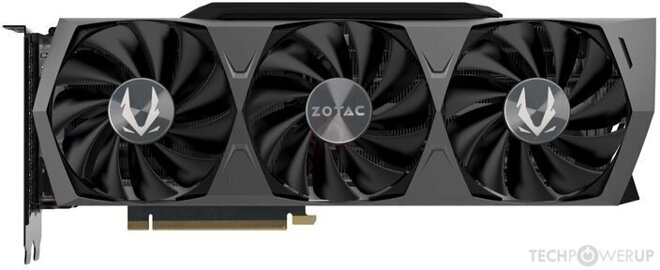 odd siren
About as high as a 2x8 pin goes. I've never looked for a 1000W one on 12gb
hasty sphinx
well it seems that trhe fan curve of the gpu itself kinda correlates with what I'd make it already
I usually have my fans start running at 75% at 55c until 65c thern ramp to 100, but my last gpus never hit 60
this one seems to run 75% starting around 63c
lone pond
Gpu boost 3.0 takes all my core clocks away by the time at 60c
hasty sphinx
odd siren
https://www.techpowerup.com/vgabios/241952/zotac-rtx3080-12288-211118
looks like I'll lose a hdmi port
odd siren
I can't find a 1000W vbios, I bet it exists though
Would only use it for benching tho the tuf cooler doesn't like going above some 500W
hasty sphinx
ivory herald
Perhaps reinstall AB then reset a manual curve of something like 0% up to 45c th...
It's doing it in FanControl too though?
@odd siren Is that even a good bios?
like.. I didn't think Zotac was a good brand
odd siren
It should work fine
Again, the gains will be marginal if at that
Maybe one core speed bin?
When I did the gaming oc one with the tuf I gained nothing
I think that was 4W iirc
hasty sphinx
just fans is all I'm worried about. idc about the overclock at this point
I'd rather not have to send this card back
because it can't allow something to control it's fans
odd siren
Card has a 0 rpm mode
hasty sphinx
it's not even reading the rpm right though
50% should not be 800 rpm on a 3000rpm fan
odd siren
Ohhhh
odd siren
It turns off??
hasty sphinx
it every few seconds will drop to 0 andn then jump back to 600
odd siren
Is it obeying the afterburner curve or the fan control curve?
hasty sphinx
only if it's above 50%
but still reading rpms wrong
the only time it reads right is if slider is at 100%
it says 75% is 2000rpm
odd siren
So if you manually set the speed to 100 it goes to the full rpm?
hasty sphinx
yeah
hasty sphinx
That's why Falcie said it sounds like a bios issue
the only 2 I have are afterburner and fan control. and I use only 1 or the other
and it does the same thing with both
like.. with only AB on it does it and with only FC on it does it
odd siren
Hmmm
So if you took off fancontrol maybe it mightn't be the same?
I never used fan control on the quiet vbios, but I don't remember it being any different other than a modified fan curve
hasty sphinx
what do you mean?
I tried it with fancontrol off.
AB on with FC off..... FC on with AB off
BOTH on
BOTH off
odd siren
I meant uninstall FC but anyway
hasty sphinx
I see
I mean.. it being disabled would keep it from interacting right?
I'll try
can't hurt
odd siren
Worse comes to worst can reflash the tuf vbios over the quiet one
hasty sphinx
yeah, I"m thinking that is what I'll have to do.
after I backup the quiet bios ofc..
I believe I wouldn't be able to return if I have a different bios on it yeah?
odd siren
Yeah backing it up first for sure
wheat crag
What do these numbers mean?
 livid idol
Mostly serial and other ID numbers but GA102-300-A1 is a model code for the 3090
velvet grail
Since GPU prices are dropping nicely... How much should a 3060 be paid? 350€? Is it too much? What about a 6600xt? 350?
velvet grail
I wanted to know what is generally better: Nvidia NIS (image scaling) or Nvidia DLSS, on a 1440p 144monior and 3600x+2080.
My goal would be to get high image quality and keeping a high frame rate too...
Can I use both at the same time? Would it be worth, would image quality be "bad"?
lone pond
velvet grail
Since GPU prices are dropping nicely... How much should a 3060 be paid? 350€? Is...
3060 for 280$ makes sense
lone pond
New
velvet grail
Oof
That means Italy still has really bad prices, 350 for used 3060 & 6600xt