#building-and-recc-chat
1 messages · Page 973 of 1
 muted patio
 little osprey
Something to hold the motherboard sturdy
cause if aluminium is too thin
it seems like tinfoil
debating materials to use to hold the motherboard sturdy
muted patio
1/8" aluminum is more than enough
little osprey
But then, cause a backpack constantly shakes
and the back would have to be perfectly flat, and couldn't be crooked. I was debating something like this.
 muted patio
You're also forgetting ram sticking up
 potent portal
muted patio
potent portal
muted patio
and other connections
little osprey

Lmao
That might work
just would need to figure out how to mount it inside the bag lol.
since fabric is loose
potent portal
Cut the part of the foot off that would stick into your back and you've got a frame for all your parts
little osprey
and like either bolt it? or screw it?
potent portal
What I linked is basically a computer case without the panels.
You could make grommet holes to attach to
little osprey
Hmm, that honestly seems like a good idea.

I wonder if I need a less looser fabric?
because if the motherboard doesn't sit in perfectly flat.
it could shake and damage.
cause tbh, i think that could carry a atx board.
potent portal
I still say the backpack/suitcase combo would work best, it unzips all the way for free airflow
little osprey
wait, or just mount the pc to a suitcase?
potent portal
I suggested that like a week ago dude lol
little osprey
Lol
potent portal
You said hard turns would be tricky
little osprey
So what would be the perfered way of mounting then?
i def have extra suitcases.
Cause the thing is, IDK where I would get special standoffs.
potent portal
little osprey
like make standoffs similar in a fashion of actual cases.
z590s supports 10th gen right ? 🤔
potent portal
If you mount everything to a frame like the one I linked you don't need standoffs, and it would handle grounding too
little osprey
and screwing through fabric sounds like a no bueno.
potent portal
little osprey
z590s supports 10th gen right ? 🤔
yes
little osprey
Oh.
That might be true. So I could just bolt the frame to the suitcase.
Im sure it will have bolting holes.
wanna buy z590 with 10700k 🤔
Yep.
Oh, that might work nicely.
potent portal
little osprey
wanna buy z590 with 10700k 🤔
Sure but we're only about a month away from 11th gen
little osprey
it will be expensive ig 🤔
PCIE 4.0 Riser lol
and then it should work wonders, thanks. and im sure it fits even more fans.
10th gen was expensive when they out too
potent portal
little osprey
and then it should work wonders, thanks. and im sure it fits even more fans.
If it's open air you don't need fans except to dissipate heat from CPU/GPU
potent portal
Nope, airflow like that is only required on a closed case
potent portal
And power supply
little osprey
now the second factor lul. It would be nice taking it out of the case.
it wouldn't be like having to unscrew it everyday
I could just straight up move it to my desk
lol
potent portal
Make a quick release for the frame
 pliant slate
big brain usage of canadian winter

 severe axle
@pliant slate please tell me that is a joke
pliant slate
rgb lyfe
little osprey
 SMH RGB
 stoic island
Go outside and shovel snow into that >:D
pliant slate
true
little osprey
I can hang christmas tree lights on my pc
and call it rgb
and someone would ask to buy it lol
pliant slate
rgb gives me no extra frames 
potent portal
That just means you need to overclock the RGB
little osprey
lol.
pliant slate
whoa will my rgb lights start rotating faster
little osprey
pliant slate
whoa will my rgb lights start rotating faster
You need to go into bios and touch RGB TRCD values
/ s
potent portal
It's like cars, racing stripes didn't make it faster? Paint FLAMES
 desert gulch
yes
lol i wanted to put a twin gt stripe on my truck
prolly isnt fast enough to deserve it tho lol
 dense wigeon
Hey guys, question. Will this ssd https://www.newegg.com/western-digital-blue-sn550-nvme-1tb/p/N82E16820250135
Work with this motherboard:
https://www.newegg.com/msi-b450-tomahawk-max/p/N82E16813144267
 wanton cliff
agreed
desert gulch
imo if you will boot off it
wanton cliff
and better board
desert gulch
mhmm
wanton cliff
assuming you dont already own it
dense wigeon
Not yet, do you all have recommendations ?
wanton cliff
dense wigeon
Not yet, do you all have recommendations ?
TUF B550
 small osprey
why not just draw light on the side of your car 
small osprey
hm that makes sense
dense wigeon
And what ssd ? @desert gulch
wanton cliff
Sabrent Rocket
right now at least
lemme remember which one
the one that this guy recommends
little osprey
Finally found one for not a dead awful price 
 wanton cliff
that a 3080?
 still roostBOT
 Komm, süßer Tod#1223 has been warned
Reason: Bad word usage
wanton cliff
lucky person
 wanton cliff
wow
little osprey
Wish I could’ve gotten cheaper but oh well
dense wigeon
wanton cliff
TUF B550
Thank you!!
wanton cliff
also I recommended an SSD as well
scroll up and click the link
choose the size you want
if either are too expensive for you, come back here
little osprey
How much are they Sara?
wanton cliff
how much are what?
little osprey
wanton cliff
also I recommended an SSD as well
.
wanton cliff
the 256gb one only $45
little osprey
Oh okay
wanton cliff
512 is $70
little osprey
Not too terrible I guess
wanton cliff
1tb is $129
little osprey
Oh?
wanton cliff
2tb is $249
little osprey
Can I post Amazon links in here?
dense wigeon
https://www.newegg.com/super-flower-leadex-iii-sf-850f14hg-850w/p/1HU-024C-00005 what about this power supply?
wanton cliff
good deal
little osprey
little osprey
1TB $109
dense wigeon
wanton cliff
little osprey
1TB $109
Sataand 2.5", slightly slower and mildly harder to install
wanton cliff
dense wigeon
https://www.newegg.com/corsair-16gb-288-pin-ddr4-sdram/p/N82E16820233859 this me...
what CPU you putting with it?
 hollow grail
sara will make u a build list cause she cool
wanton cliff

little osprey
^
dense wigeon
So with the case, video card, monitor, something around 1400$
wanton cliff
ok
dense wigeon
I have the key board and mouse
wanton cliff
ok, one sec
little osprey
Do you need GPU?
wanton cliff
yeah, I assume you are going to be gaming?
hollow grail
yeah are u gaming
little osprey
I can probably find you a 2080 super/Ti for around $800
 dense wigeon
Lmao
They’re not replenishing the 3060ti anytime soon?
I’m flexible with the 1400, but ideally that
hollow grail
they are
 warm swift
stoic island
Restocks come every once in a bit
warm swift
stoic island
Restocks come every once in a bit
so i figured out the Fan Configuration and stuff, can i tell you and you tell me if im right?
little osprey
Why does my pc keep crashing when trying to run a batch file and how do I fix it
dense wigeon
https://secure.newegg.com/wishlist/pd/35878369 this is what I have so far @wanton cliff @stoic island @hollow grail
hollow grail
dense wigeon
https://secure.newegg.com/wishlist/pd/35878369 this is what I have so far <@!305...
use pcpartpicker

wanton cliff
overkill cooler, bad ram
little osprey
hollow grail
use pcpartpicker
Lililabs op
little osprey
 hollow grail
lililabs is cracked tbh
im gonna have to stop joking abt selling stuff here since mando might actually buy an instance
dense wigeon
So what ram and which mother board is it ? Thanks for the feedback!
wanton cliff
technically you got the right mobo, but with the bottom shaved off
little osprey
how long till its done 
hollow grail
cause im also having them make a custom API
honestly probably a little while
is not ez to make api
its why im just manually provisioning instances rn
 austere wagon
well my power supply came today
and
im doing stress test right now and its running fine no crash
thanks vintage for the help it is very much appreciated
stoic island
@warm swift what about it?
wanton cliff
Lmao
still roostBOT
 Vokon#9467 has been warned
Reason: Duplicated text
warm swift
stoic island
<@!559580672227016714> what about it?
i basically need to buy a commander pro, thats the key to connecting all them 9 fans
stoic island
okay then

 wanton cliff
Just talk in general for a little while
 buoyant junco
well I don't have anything to talk about. lol
wanton cliff
Or describe what you were trying to send
buoyant junco
guess I can just write out the list. blah.
wanton cliff
Was it a Newegg list or a PcPartPicker list?
buoyant junco
so, I already bought everything, so I feel like my request was a bit backwards anyway, but just wanted opinions on what I got, as far as just general opinions, and/or what I could have done better .
buoyant junco
missing a GPU because, well we all know why
 fossil halo
ah yes
buoyant junco
- Intel Core i7-10700K Comet Lake 8-Core 3.8 GHz LGA 1200 125W Desktop Processor w/ Intel UHD Graphics 630
- MSI MPG Z490 GAMING EDGE WIFI LGA 1200 Intel Z490 SATA 6Gb/s ATX Intel Motherboard
- MSI MAG CORELIQUID 240R AIO Liquid CPU Cooler, 240mm Radiator, Dual 120mm PWM Fans, RGB Lighting Controlled by Software
- PNY CS2130 M.2 NVMe Solid State Drive - M280CS2130-500-RB
- PNY CS2130 M.2 2280 1TB PCI-Express 3.0 x4, NVMe 1.3 3D NAND Internal Solid State Drive (SSD) M280CS2130-1TB-RB
- Rosewill PMG750 750W ATX Full Modular Gaming Power Supply, 80 PLUS Gold Certified, Single +12V Rail, Continuous Power, Intel 4th Gen CPU Ready, SLI & Crossfire Ready
- G.SKILL Ripjaws V Series 16GB (2 x 8GB) 288-Pin DDR4 SDRAM DDR4 3600 (PC4 28800) Desktop Memory Model F4-3600C16D-16GVK
buoyant junco
I just copied the text from my order, wasn't that hard, just being lazy. lol
fossil halo
oh lmfao
buoyant junco
budget is around 1500 without GPU
buoyant junco
there was a case in tehre for 150 but I left that out
fossil halo
and the aio might not have been the best deal ever
but otherwise like
i dont think theres anything particularly wrong with it
buoyant junco
yeah, I don't think PNY is terribly high up on anyone's list (at least that's the impression I get) but I've always had them and never had issues.
buoyant junco
what would you take instead? anything similar price point or that would still fall within the budget range?
fossil halo
pcie 3.0
stoic island
eh, the PNY drive ain't terrible, dram cache on the small side though
wanton cliff
Coulda gotten better SSDs
wanton cliff
Everything else is pretty fine I think?
fossil halo
msi aio is ok but like u can get better
stoic island
@buoyant junco I just don't like that aio, otherwise decent
muted patio
Me neither
stoic island
kinda scary
ah it's recent @muted patio , listing created dec 2020, maybe that's why?
muted patio
Makes me think of GIgabyte with PGM there
wanton cliff
I need to sell my PGM
buoyant junco
so, what's wrong with the aio? first time trying liquid cooling and with the crappy airflow in the case I got, I thought it might help
stoic island
It's just low performance for what it is
wanton cliff
It’s just not the greatest, long story short
stoic island
It's worse than standard asetech iirc
 gusty abyss
if you really want the msi aesthetic it's not like it'll brick ya
muted patio
AIO doesn't make up for crappy case airflow, that's all
stoic island
The influx of manufacturers trying to get around the asetech patent brought with it some good and some bad
EK-AIO and freezer ii as good examples of good non-asetech pumps
MSI on the other end, just a decent bit worse than asetech iirc
 dense wigeon
https://pcpartpicker.com/list/DjrwZZ says it’s all compatible, should work?
Don’t mean to ask too many questions here... just needed guidance
muted patio
You really should up that ram speed to 3600 mhz
Otherwise it looks fine
AMD likes speedy RAM
stoic island
You can get a nice monitor for cheaper, just as a side note
Compatibility looks fine
dense wigeon
Awesome! Thanks guys. Any recommendations for the ram and monitor @stoic island @muted patio ?
stoic island
MSI g241 for the monitor, 190$ on Newegg
stoic island
For ram, Crucial ballistix 3600mhz cl16 for ~86$ ^
hollow grail
buoyant junco
yeah, I don't think PNY is terribly high up on anyone's list (at least that's th...
pny ssds are cring
pny makes good gpus tho
dense wigeon
Thank you guys ! @stoic island @muted patio
gusty abyss
dang that's a kinda nice price for that ram right now
stoic island
:)
muted patio
gusty abyss
dang that's a kinda nice price for that ram right now
It's almost always at that price
ballistix OP
hollow grail
vintage did u see the adata kit
gusty abyss
I'm too used to stuff being out of stock LOL
muted patio
Adata no thanks. Not after the SSD debacle, I won't recommend lol. I'll do silicon power before that
muted patio
not because the ram is bad but because business practices
hollow grail
ill use this in builds just to say insane ram speed
anyone who told you pny is bad is kinda an idiot
they just do literally nothing to be considered good
they also do nothing to be considered bad
they kind of just exist
gusty abyss
pny isn't a gamer brand is the problem
gusty abyss
no mega overclock
fossil halo
PNY GeForce RTX 3060 12GB XLR8 Gaming REVEL EPIC-X RGB Dual Fan Edition
sheeeesh this kinda clean ngl actually
if its not expensive might go for it
 gusty pasture
 gusty abyss
honestly yeah lol
fossil halo
no like actually tho
i low key like that design more than anythign else i have seen so far
fossil halo
yea
muted patio
Just a nice clean line of lighting
gusty abyss
bar of lighting around that rim not bad
fossil halo
fr
buoyant junco
Thanks, I appreciate the feedback. I guess since I'm new to this I'm trying to understand what I should be keeping my eye out for when picking an aio then so I can make a better decision. I already made a mistake with the NZXT 510 elite. lol
gusty abyss
I love how they show you a picture of it in every orientation except how it will be in a normal case lol
 fossil halo
gusty abyss
I love how they show you a picture of it in every orientation except how it will...
fossil halo
gusty abyss
I love how they show you a picture of it in every orientation except how it will...
yea lmao
i hate that about gpu companies
muted patio
buoyant junco
Thanks, I appreciate the feedback. I guess since I'm new to this I'm trying to u...
Gamers Nexus cooler reviews
fossil halo
gamers nexus anything reviews
gamers nexus is like 100% information 0% entertainment
muted patio
Steve puts me to sleep
gusty abyss
except when he's ripping MSI a new one for whatever bull they pulled last
fossil halo
muted patio
Steve puts me to sleep
deadass
dense wigeon
https://www.newegg.com/abs-ali479/p/N82E16883360074?Item=N82E16883360074 isn’t it worth to just get this for the RTX 3070 LOL
dense wigeon
Hahaha
gusty abyss
from reviews ABS has doa components uncomfortably often
dense wigeon
Interesting, I guess they’re marketing that graphics card instead
dense wigeon
I meant the link I had, pny is actually nice
@fossil halo https://www.newegg.com/abs-ali479/p/N82E16883360074?Item=N82E16883360074 this
fossil halo
oh lmfao
dense wigeon
Components suck, but the 3070 is readily available
fossil halo
true
wanton cliff
hollow grail
they kind of just exist
I never said that they good, just that there are better options
there are always better options
fossil halo
that is true
they are clean tho
with a lower end gpu like the 3060 12g i dont think taht it really makes much of a difference tho
hollow grail
nah pny one of the better brands
id go evga>asus>pny>msi>gigabyte>all other brands>zotac
fossil halo
wow shiet this turnover is like the time when someone here told me the s12iii was good
fossil halo
zotac is like
hollow grail
z  tac
tac
fossil halo
their cards are ugly
wanton cliff
zotac is the personification of 
fossil halo
oh really
wanton cliff

 fossil halo
lmao
 steel tartan
My pc restarted while I was watching yt could it be drivers or sum else I just put a new cpu cooler on and it didn’t do if before
gusty abyss
well the 3060 isn't out yet
fossil halo
steel tartan
My pc restarted while I was watching yt could it be drivers or sum else I just p...
did u take off the plastic thing
gusty abyss
right?
fossil halo
gusty abyss
well the 3060 isn't out yet
its not
steel tartan
Yea lol
fossil halo
but the 3060ti version isnt at any major retailers so i assumed that it would be there
steel tartan
There’s thermal paste I’m just watching yt and restarted
fossil halo
cdw has it tho
gusty abyss
ohhhh
fossil halo
cdw is pretty good actually
shipping isnt the best thing in the world
but its possibl
e
gusty abyss
the more I look at this card the more I want it
wanton cliff
which card?
gusty abyss
today's shuffle didn't even have gpus, blehhhh
wanton cliff
rip
gusty abyss
the pny card
 gusty abyss
lol
hollow grail
fossil halo
14539487534568236492547562906520562x better than this stupid mf
that card actually good
fossil halo
it is
hollow grail
tired of 3 braincell ppl saying "gpu bad at gaming therefore it bad"
hollow grail
huge market for just display adapters
 uncut pelican
 fossil halo
its good but not for the purpose i want it for
 potent prairie
Anyone have recommendations for smallest mATX or mITX case under $60 that is OK to build in and isn't a total oven?
Preferably smaller than the Rosewill FBM-X2
 austere vale
might not be the best, but I got COUGAR MG120-G RGB in Black. came with 3 x 120mm rgb fans. looks like you can get them around $60. houses my 3700x and rtx 3070 via mATX board, was easy to build in and although I'm only air cooled with 5 fans + cpu i don't see temps beyond 70c after prolonged gaming
supports front and top mount AIO's also
don't believe it will be quite as small as the rosewill though
wanton cliff
link it lol
potent prairie
I'll look into that! I'll specify, this is for a business build, so flash/RGB would be a negative
austere vale
the case comes in non rgb version
even cheaper
though you could probably do cheaper if you don't want a window in it
potent prairie
Probably a no b/c the glass, yeah
wanton cliff
you can always turn RGB off
potent prairie
True, but I'd rather pay less and not have it in the first place
potent prairie
How a cheap case that fits an mATX board, but take a slim gpu? Considering integrated graphics or something else cheap, just to drive displays
again, no rgb or glass
steel tartan
Yea it still randomly restarts drivers are updated I’m just sitting on the loading screen of valorant and it shut down
 ancient zephyr
hey so if i wanted to use a pc for Minecraft, recording minecraft, editing minecraft, using shaders at 60fps minecraft, and gta at 30fps atleast whats my budget gonna be like
little osprey
Yo
little osprey
Kk what's the budget
ancient zephyr
thats what im asking
 patent canyon
Looking for info on SAMSUNG 980 PRO M.2 2280 1TB PCI-Express Gen 4.0
ancient zephyr
if i wanted those things, how much (approx) do you think itd be
little osprey
Oh you want me to make a list then show you
ancient zephyr
no
i want to know the general amount of money that might cost
im guessing 800 - 1000?
little osprey
Ok
Um......
Depends
On the shader pack and anything else in minecraft your going to use
ancient zephyr
forget the shaders actually
little osprey
That's your monitor rez
 full atlas
https://pcpartpicker.com/list/zstrXb how is my list for some mining? Case will be run no front panel.
ancient zephyr
i just want good frames with shaders
that comes from the graphics card
not the monitor
little osprey
full atlas
https://pcpartpicker.com/list/zstrXb how is my list for some mining? Case will b...
It looks great
Take it up with someone else that knows crypto to get a confirmation
@ancient zephyr bro whats the rez of monitor
full atlas
My 580 in my personal rig wasn’t half bad besides the fact it kept crashing
little osprey
Well check
full atlas
 little osprey
I don't want to build a system for a 1080p then you have a 4k monitor
little osprey
full atlas
My 580 in my personal rig wasn’t half bad besides the fact it kept crashing
I am not a crypto person tho I know a person that can possibly help
@wanton cliff
That guy
full atlas
Ok thx
little osprey
Np
ancient zephyr
did you get price yet
little osprey
So did you find the monitor resolution
ancient zephyr
2160p
little osprey
Ok thx I will build one now
little osprey
More then 1k
ancient zephyr
how much more
 pliant lake
1.7K usd for 4k gaming?
stoic island
3080 build would cost you 1500$ at least
ancient zephyr
with 32GB RAM
little osprey
Ryzen 7 5th gen be better
stoic island
with those requirements I'd say 1700-1800$
ancient zephyr
ill just buy a prebuilt dang
stoic island
@ancient zephyr prebuilt goes higher
ancient zephyr
WHAT
stoic island
Eh, 3070 with dlss might work if it's bedrock
little osprey
With all of that
little osprey
Ye
stoic island
4k is just annoying
small osprey
3080 is rtx card lol
ancient zephyr
whats the difference between ryzen and intel processors
small osprey
a lot
little osprey
So he wants a 4k 60fps shader minecraft. +Stream and record
stoic island
They're very different architecturally wise, price wise, feature wise
little osprey
That's 2k+
ancient zephyr
1080p
little osprey
Bruh
small osprey
1080p??
stoic island
1080p much easier
ancient zephyr
1080p yes
little osprey
ancient zephyr
2160p
Bruh
small osprey
1.2k-1.5k
ancient zephyr
TEN EIGHTY P
stoic island
prob 1200$ build
small osprey
lmao he left the server
stoic island
lmao
little osprey
Well what ever he won't get dem 60fps + shader on minecraft when record/streaming. 1080p needs about an 1.5K and up
stoic island
what
3060ti should do fine at 1080p with shaders while streaming
hell, 3060 might, we dont have great perf numbers on it yet tho
little osprey
Ye u right
stoic island
So something like a 10600k will work great
small osprey
yea it doesnt need 1.5k
you could even use a 10400 with fast ram and 3060ti and be fine
stoic island
1200$ should get you a 10600k+3060ti build if 3060ti msrp
little osprey
And it depends on the shader pack as well
He will need to go with a 3060ti due to 3060 is more then it
small osprey
you’re underestimating the 3060ti
wanton cliff
little osprey
That guy
gal*
small osprey
its a 2080s (perf wise)
stoic island
lol
little osprey
My bad
small osprey
but that guy was really dumb
little osprey
@wanton cliff my b, I ment girl
little osprey
I know my b
wanton cliff
ive only known you for a year and a half
little osprey
@stoic island the reason why I said 1.5k and above is because he og said 2160p res
stoic island
Yes, I understand that, but he changed to saying 1080p
wanton cliff
stoic island
<@!305102062121648138> where's the real lili
shes dead
little osprey
1080 yeah a 1000-1200$ would work wonders
small osprey
stoic island
<@!305102062121648138> where's the real lili
the real lili is named sara
little osprey
Oh yandere mode?
stoic island
:(
wanton cliff
heh
little osprey
@stoic island look at #overclocking
little osprey
I am trying my best to get max
stoic island
@little osprey floppa was doing some crazy rx570 OCs, go ask him
little osprey
Na I know what I am doing plus I have parts coming so not that worryed
I will max volt and max the core clock
little osprey
Oh
stoic island
pretty sure he's still top 10 on some rx570 3dmark runs
little osprey
Intresting I am actually trying to get into that
stoic island
profanities >:(
small osprey
stoic island
pretty sure he's still top 10 on some rx570 3dmark runs
isnt he like top 1
stoic island
I thought he had some like #5s
wanton cliff
boutta ping vintage
little osprey
Hey I tryed to censor it
stoic island
don't think he got any #1
small osprey
hm
stoic island
vintage bouta ban xD
wanton cliff
little osprey
Hey I tryed to censor it
you still get banned even for censoring
muted patio
Going around the filter is a no no
stoic island
don't type the word
small osprey
i think he has a top %0.01 percent 570?
stoic island
yea for sure
muted patio
Thx
stoic island
yea that's what I thought
small osprey
god 570
muted patio
Uhoh
X570?
@wanton cliff You know X570 has some USB issues yeah? news just came out a couple days ago.
wanton cliff
Ok but it literally just started happening to me
 cursive wharf
usb on chipset or CPU side?
muted patio
TechSpot
For the past few months, reports of sporadic USB disconnections on 500-series motherboards have been stacking up on the desk of AMD’s subreddit. Some users have reported...
SIr Fitz was mentioning it's due to the SoC voltage not staying where it needs to be
It can be fixed by manually setting the SoC voltage
cursive wharf
usb plugged into chipset side should be fine too
stoic island
"The strangest thing about the issue is that it seems to be new -- because X570 and B550 boards aren’t."
muted patio
Yes
stoic island
Yea
wanton cliff
Weird
cursive wharf
"new"
muted patio
" and it looks like the issue is mostly occurring in systems with new RTX GPUs."
cursive wharf
It has been happening for a while, only just been ignored
muted patio
"The first port of call: turning off "c-states" in the BIOS. It won’t carry a penalty, and it can halve the frequency of disconnects. But if that doesn’t work, your remaining options are to switch from PCIe 4.0 to PCIe 3.0 or to go through the BIOS and disable every USB port/header you’re not using. Doing all three will stop the disconnections for most people, but not for power users. Streamers with a capture card, microphone, webcam, and the usual batch of peripherals are out of luck, basically."
gusty abyss
it's not on any specific subset of boards? just any x570/b550?
muted patio
@wanton cliff Definitely report this on the AMD website. They're asking people to do it so they can find the cause. https://www.amd.com/en/support/contact-email-form
muted patio
gusty abyss
it's not on any specific subset of boards? just any x570/b550?
yes, anything with that chipset
gusty abyss
yeesh
 main whale
Wait, so if I plug an RTX card in my B550, the USB devices would potentially get screwy?
cursive wharf
I should try the SoC voltage change. I just ended up moving most of my USBs to chipset to fix it
muted patio
cursive wharf
I should try the SoC voltage change. I just ended up moving most of my USBs to c...
Highly recommend you talk to Fitz about it. I'm just going off memory
cursive wharf
anyone with everything plugged into chipset controlled USBs shouldnt have issues afaik
muted patio
OTOH, my PCI-E slot is also Gen 3 due to riser card
cursive wharf
My keebs dislikes chipset USBs so I had to move it to CPU, and to keep my USBs organized I moved my webcam to CPU as well. Got random disconnects, so I moved my cam back to chipset and kept keeb on CPU and it all worked out
is an analog keeb and the xbox driver part dislikes being on chipset USBs for some reason
muted patio
INteresting. Only personal issue I've had with USB is WiFi adapters on USB 3 ports. Didn't like it
cursive wharf
think that was my second USB issue. Had smth before which only liked 2.0 or smth. Cant remember what it was now
main whale
I only have a single USB 2.0 plugged in, and it's a divider: one for a keyboard and the other for a mouse.
 silk kraken
is it okay if I ask questions about pcs in here. I need help cause I am a noob at pcs.
muted patio
yes
silk kraken
Okay, the stuff I am very confused is the long names that they put on the products.
muted patio
such as?
silk kraken
this is just an example
CORSAIR Vengeance RGB Pro 32GB (2 x 16GB) 288-Pin DDR4 SDRAM DDR4 3600 (PC4 28800) Intel XMP 2.0 Desktop Memory Model CMW32GX4M2D3600C18
like can you break it down what it means?
muted patio
32GB is the ram quantity
2x16 Gb means you get two sticks of ram
288 PIN is the ram slot it fits in
DDR4 3600 (PC4 28880) is the speed
Intel XMP 2.0 means you can go into the BIOS and turn on XMP to have it auto set the rated speed
And the model is the model number
silk kraken
i just started to pick out the parts
do you think I should start with the motherboard first?
small osprey
well, do you want intel or amd
silk kraken
amd
small osprey
hm for 1k, intel might be better actually
muted patio
Honestly, if goin for AMD 3600, the intel 10400F is faster at games and things
small osprey
a 10400 and 3060ti
small osprey
and b560 board with some fast ram
stoic island
@silk kraken what's the build going to be for?
silk kraken
so you guys think I should get intel instead of amd?
muted patio
Gaming rig yeah?
silk kraken
stoic island
<@729467162057769032> what's the build going to be for?
gaming and running blender and unity
stoic island
(By the way, to make things clear, the suggestions we make will be SITUATIONAL, things could change tomorrow and part choices will have to change)
silk kraken
stoic island
(By the way, to make things clear, the suggestions we make will be SITUATIONAL, ...
oh okay,
stoic island
This isn't a "Intel > AMD" brand wise thing, Intel just has cheaper parts that are in stock at the moment
small osprey
^^
silk kraken
stoic island
This isn't a "Intel > AMD" brand wise thing, Intel just has cheaper parts that a...
ok
small osprey
intel better budget value rn
stoic island
Need to make things clear first
silk kraken
oh okay
stoic island
Anyways, do you think you can get a 3060 on launch day, or a 3060ti at msrp?
muted patio
PCPP doesn't have B560 yet. I'm sad
stoic island
That'll be the backbone of any low-mid range build as of right now
@muted patio yea, need to make custom parts and just link wegg :(
silk kraken
my max is $1000
muted patio
stoic island
<@618616722840223754> yea, need to make custom parts and just link wegg :(
Yep
silk kraken
I am learning what ti means and all the names that are used when talking about pc parts
stoic island
@silk kraken well, set price isn't the issue for new parts right now, the issue is getting your hands on a card at the normal price
Well, basically, they mean nothing other than identifying a specific part, but generally, a "ti" ending means slightly better, but not better enough to be a bigger number
3060ti is better than 3060, but not quite as good as the 3070, as an example.
stoic island
You could think of it that way, I don't really pay attention to apple, but close enough
silk kraken
okay
stoic island
Heh, wouldn't call it updated when 3060ti released before 3060 xD
muted patio
Read the word again
muted patio
LOL!
stoic island
Just not my day
muted patio
It's good
I don't use that word very often, I'll find a new one for that reason
But yeah, it's really similar to iPhone S and PRO
silk kraken
ok
muted patio
TI for nVidia is the "high end" version
Just like for AMD XT is the high end version of the GPU
silk kraken
oh okay
stoic island
Amd needs to get on with releasing a lower end sku >:(
silk kraken
so the motherboard will affect wha type of gpu and ram and cpu you get right?
stoic island
It's alright, not that many at all
silk kraken
are there types of motherboards, like how there are types of RAMs?
muted patio
Of course. Those are the chipset numbers like B460, Z490, X570, B450, etc
stoic island
Well, the main distinguishing factor is the socket (Which cpu it fits), and then there's somewhat of a quality scale with the chipsets on each generation. Example:
Socket AM4 (AMD)
A520 low end, B550 mid-high, X570 high
Socket LGA1200 (Intel)
H510 low end, B560 mid end, Z590 high
A lot more complicated, but that's the basics, and how the price scales.
silk kraken
yea pretty complicated but I will get the hang of it
stoic island
You'll get there :)
silk kraken
is MSI a good company that makes motherboards?
 silk kraken
oh okay
stoic island
You should always go by the model, not the brand, as every brand makes good and bad products.
silk kraken
yea true
stoic island
Great recent example is Gigabyte, their high end gpu/mobos can be pretty nice, and then they have a PSU that literally blew up
silk kraken
oh okay
stoic island
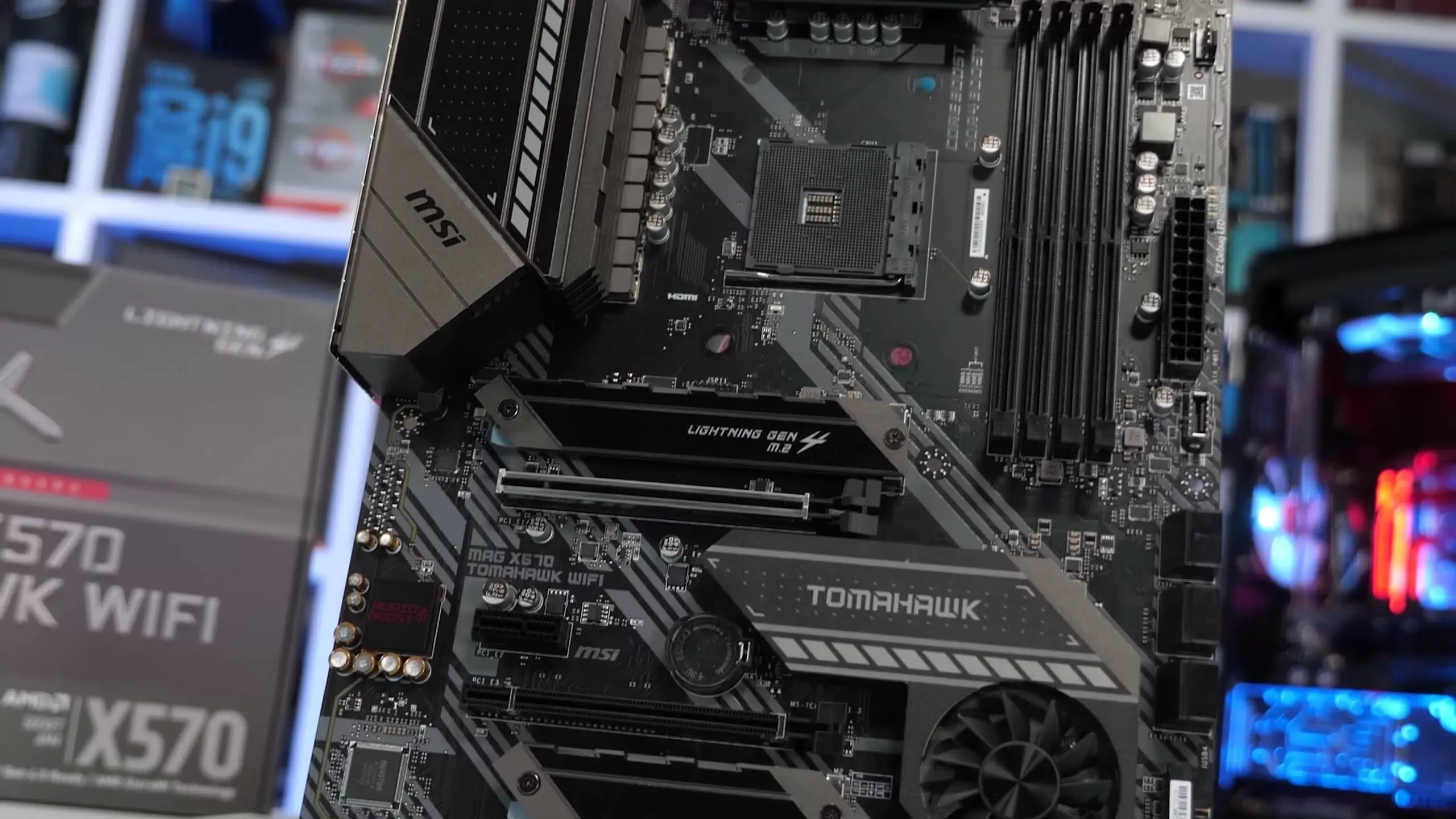
And an example that'll pertain more to your situation, MSI made some very crappy x570 boards that had VRMs that overheated, and then they made the beauty that is the x570 Unify on the high end, and a very good board that was the x570 Tomahawk wifi.
muted patio
Mmmmm...any dual cpu thing will be older xeon
little osprey
Think about it
Newer dual cpu
Dual i9-10900k
3090
I mean cmon
Wouldn’t that be a beast? Guaranteed no stutter
muted patio
Shouldnt have stutters with 10900k anyway
little osprey
I mean make a wall mounted pc
stoic island
Because no motherboards do that, since Intel never made anything to let you use dual 10900ks
little osprey
Well lookin here we have the serious one to ruin the fun
stoic island
@little osprey you know how you need SLI for multiple GPUs to work in games? Firmware and other hardware changes are needed to get dual CPUs to work, that's why you don't really see multi-cpu consumer boards.
I mean, it's a novel idea, if it was anywhere near possible
little osprey
it’s not impossible
Just because no one has bothered to try it doesn’t mean impossible
Until they fail left right and backwards then we can say impossible
stoic island
How do you propose fitting 2 lga1200 CPUs on a board?
little osprey
Making a new board duh
little osprey
Might be a larger board but I’m fairly a case like mine would fit it even
stoic island
If you could convince a mobo maker to work with Intel to make multi cpu a possibility on 10th gen, and produce those boards, go ahead.
It's just rare you ever get to get custom orders into large manufacturers, for them to agree, and even more rare for them to work with R&D of an oem
If you think you can make that happen, go ahead, just usually extremely hard for us humans who are not much but walking wallets to companies :p
 worn wave
stoic island
worn wave
stoic island
@worn wave technically maybe mayyyyybe they might work on it with their rnd division to make it work
But yea
Practically impossible
stoic island
Who knows maybe that guy was elon musk
And wanted to invest billions in Intel for a condition
¯\_(ツ)_/¯
Dat 0.000000001% chance
muted patio
If oyu really need that many cores, there's always EPYC
potent portal
Just wait for the next TR if epyc doesn't fit the bill
hollow grail
little osprey
Wouldn’t that be a beast? Guaranteed no stutter
more stutters because almost nothing is numa aware lul
muted patio
Few things to try
Stand by
"The first port of call: turning off "c-states" in the BIOS. It won’t carry a penalty, and it can halve the frequency of disconnects. But if that doesn’t work, your remaining options are to switch from PCIe 4.0 to PCIe 3.0 or to go through the BIOS and disable every USB port/header you’re not using. Doing all three will stop the disconnections for most people, but not for power users. Streamers with a capture card, microphone, webcam, and the usual batch of peripherals are out of luck, basically."
If that doesn't work, message Sir Fitz about adjusting SoC voltage
wanton cliff
I am using all my ports
so c states
mind walking me through that?
Vintage?
You still there?
wanton cliff
Pcie 3.0 then?
muted patio
yeah, def worth a try for the GPU slot
 autumn wolf
problems with usb with gen 4 stuff?
muted patio
Yeah, it's the X570 issue
autumn wolf
its an issue amd talked on, b550 and x570 boards. riser cables also have a problem rn because of gen 4 to gen 4
a workaround is witching to gen3 in bios
muted patio
Yes
wanton cliff
That’s another problem
muted patio
I gotta look at he c states tho
 muted patio
Bios is DEL silly
wanton cliff
Or F2 on Asus
autumn wolf
shift + restart never fails me 
muted patio
wanton cliff
But no post screen from bios
When you get there, I found it
In the bios, Advanced menu, CPU configuration, scroll to bottom, CPU Power Management, CPU C-States, Disable.
muted patio
kk
If this doesn't work, talk with Sir Fitz about voltages. He mentioned something about it the other day but I don't have specifics
wanton cliff
Idk what I ever did to this thing but I always seem to have so many problems with this system
More problems than even Kenzie
Damn PCIe slot holding the card up all on its own
No sag
Impressive
You know you’ve had your system mining for too long when even the backplate with no thermal pads connected to it is hot
As well as the CMOS battery
 vivid gale
disabled cstates?
muted patio
They're doing that now
But having issues getting into BIOS
I figured while they were in there you could advise voltages.
X570 TUF WiFi if it matters
wanton cliff
A piece of shattered glass from the factory fell out of my card -_-
muted patio
wat
 vivid gale
glass or clear plastic? Either way shouldnt be conductive at all
 south jewel
F
wanton cliff
And I thoroughly cleaned my area
vivid gale
any debugs leds or post code?
muted patio
XD
wanton cliff

Alright
Green light, still nothing
Weirdest thing to me is how there is no mobo screen before windows loads
Not even the little loading animation from windows themselves
Possibly
But that wouldn’t explain why I can’t get into BIOS without a blank screen
vivid gale
green light on asus debug leds?
wanton cliff
Wait, there is a windows loading thing now but no company logo or whatever
Nothing from Asus
vivid gale
got a boot drive in?
wanton cliff
And now I’m in windows
 vivid gale
you should be able to get to bios without one, but might be asus things
wanton cliff

vivid gale
put the keyboard in different slots until you find one that's mostly working, so that you can get to bios
hollow grail
wanton cliff
It obviously recognizes that I’m trying to get into bios because the screen stays black
 wanton cliff
Only when I reset it does it get into windows
Which is normal
But nothing from the bios is appearing on screen
vivid gale
oh, you can boot to the recovery uefi
wanton cliff
Whether that be TUF logo or bios itself
wanton cliff
vivid gale
oh, you can boot to the recovery uefi
How
vivid gale
uhhhhhh
wanton cliff
Wait what
vivid gale
hold shift as you press restart I think?
 wanton cliff
hollow grail
what is sara doing
wanton cliff
hollow grail
what is sara doing
USB Devices keep disconnecting, trying to fix
vivid gale
trying to get to bios to fix stuffs
wanton cliff
Stfu
 hollow grail
use device
south jewel
@wanton cliff windows I think what happened that ur on blue screen
hollow grail
wanton cliff
south jewel
<@!305102062121648138> windows I think what happened that ur on blue screen
I’m not on blue screen lol
hollow grail
south jewel
<@!305102062121648138> windows I think what happened that ur on blue screen
dont try to help if you dont know whats happening please

south jewel
Ik it’s blue tho
wanton cliff
Heh
south jewel
Like what happened that ur there
hollow grail
south jewel
Oh then y u troubleshooting?
wanton cliff
USB devices keep disconnecting
“Restart to change UEFI firmware settings”
restart
Yes?
muted patio
yes
wanton cliff
Alright
Let’s see
What should I be seeing?
Nevermind, it’s still black anyways
 potent portal
CMOS reset time yet?
wanton cliff
Already did
XMP setting kept though
Had it out for longer than 10 minutes
You need a lot more than that to become techie
potent portal
I always power drain the system when I reset it and hold the power button, and advise others to do the same usually
wanton cliff
Alright I’ll do it again
A lot easier to take this card out that my massive 5700 XT was
Which is nice
Power drain is just holding down power button, right?
Do I do that before or after taking out CMOS?
@potent portal
vivid gale
cmos out, unplugged psu and hold power button