#building-and-recc-chat
1 messages · Page 657 of 1
 prisma stag
mine has a debug led that flashes red when i start my computer
 little osprey
Well yeah but it doesn't blink and the monitor is also saying the input is wrong
 stoic island
Where is it next to
little osprey
Lemme take a pic
 foggy hazel
@little osprey read the manual and check if it isnt a debug LED
little osprey
It turned off but one last problem
My monitor
Lol
It says the input is incorrect but I did what it told me to and it says that and just goes into power saving mode
 small osprey
Lmao bad monitor
foggy hazel
which output are you connected to @little osprey
small osprey
Connections like hdmi, dp, etc
little osprey
Dp
 languid nimbus
gpu or mobo
small osprey
Ah nvm misunderstood
foggy hazel
close to the usb ports or far away from them?
small osprey
Yes
little osprey
Cause i can only plug in the dp in the video card
small osprey
U should plug into gpu
foggy hazel
just to verify @little osprey
please post a picture of the back of your case
with cables plugged in
little osprey
Z390 aorus pro
little osprey
Yes
foggy hazel
@small osprey relax, one question at a time
or you wont know what is being answered.
small osprey
Ah sry lol too fas
foggy hazel
also, before we get to the whole "lets test cables" part
let us check/verify that the machine actually runs
little osprey
How do I check
foggy hazel
@little osprey could you take a photo of the mainboard (please turn of the machine before you do that)
little osprey
The video card and the cooler are in the way is that fine
little osprey
It's kinda messy on the bottom
foggy hazel
i see the required power cables in the rough spots they are supposed to be
little osprey
foggy hazel
aye aye, i know. its not the board itself i am curious about
your picture showed what i needed :)
little osprey
Ok
foggy hazel
(specifically, i was looking at the power cables)
and just to verify, the LED that was turned on was in the bottom right corner right?
little osprey
Oh yeah but it's fine
foggy hazel
read again :)
little osprey
It turned off a few seconds after I turned it on
foggy hazel
"just to verify"
little osprey
Yes
foggy hazel
i cannot read your mind, so i have to do with verifying :)
little osprey
Oh oop
foggy hazel
could you please turn on the machine again
little osprey
Ok lemme put the glass back on
foggy hazel
no need as such
foggy hazel
is the light turning on again this time?
little osprey
No
languid nimbus
is it a fully modular psu?
foggy hazel
IF it "cycles" then it is NOT working as intended
little osprey
Cycles?
little osprey
What if it's just off tho
prisma stag
The CORSAIR Crystal Series 680X RGB is a dual-chamber tempered glass ATX smart case boasting superb airflow and brilliant software-controlled RGB fans to efficiently cool and illuminate the most demanding systems.
is this a good case?
foggy hazel
and also define "it"
foggy hazel
@prisma stag could you ask in #cases-psu-and-cooling
prisma stag
yes
little osprey
Like the light is just off
little osprey
The red light that was on the motherboard
foggy hazel
yes, that is normal
little osprey
It is off
foggy hazel
and that is normal
little osprey
Then what's the problem
foggy hazel
is your machine working?
foggy hazel
do you have an output on your screen?
little osprey
No
foggy hazel
is your machine working then?
foggy hazel
find a different cable to use
foggy hazel
yes
little osprey
Ok
foggy hazel
IF your monitor has a hdmi port, try that
foggy hazel
aye aye, use whichever one you want
foggy hazel
?
little osprey
Does it matter whether I turn the monitor on first or the pc
foggy hazel
no
foggy hazel
which cpu are you using?
foggy hazel
uninstall your GPU
little osprey
Ok
foggy hazel
remember to unplug the power cord from the PSU BEFORE you work on the insides of your machine
and i am talking about the cord on the OUTSIDE of the case.
languid nimbus
forgive my dumb question but does that monitor have different things to switch through like a tv does? I.e, some have tv/pc/hdmi/dp/etc?
little osprey
It doesn't pop up
foggy hazel
it auto switches @languid nimbus when there is "no" signal
little osprey
How do I remove the gpu
foggy hazel
how did you get it in there in the first place?
little osprey
Plugged it in
foggy hazel
there is a "latch" on the port you plugged it into
you press that down, and you can pull the gpu out
AFTER you have removed the screw that holds the bracket (with the DP/HDMI ports) in place
little osprey
It's out
foggy hazel
you didnt plug in the cord :)
foggy hazel
anything on the screen?
foggy hazel
smiley faces dont tell me anything.
little osprey
little osprey
I just bought it :(
foggy hazel
that is what warranty is for
but there are a couple of things to try before we declare it completely dead
foggy hazel
what we have confirmed with the current test is this:
the system itself can boot
the cable (hdmi) works
little osprey
Does that mean the cpu is good
little osprey
Ok
foggy hazel
what storage do you have?
foggy hazel
that is because you are looking at the m.2 drives
it was on the SATA drives before
and how can it show something that is NOT connected?
little osprey
It can't :/
foggy hazel
also, you are using the wrong m.2 port
foggy hazel
it fits in both
little osprey
:0
foggy hazel
you just have to move the standoff
little osprey
My friend said the m2m is good tho
foggy hazel
give me a second to check your manual
little osprey
Ok
foggy hazel
you have disabled 2 of the SATA ports on the mainboard by using that M.2 port.
little osprey
What does that mean
foggy hazel
little osprey
Oh
foggy hazel
those two (pink ones) do NOT work
little osprey
But the other ones do
foggy hazel
correct
little osprey
I have nothing plugged into that
foggy hazel
then yes, it will work.
HOWEVER
when you plug in your HDD
do NOT plug into the ones i marked pink
little osprey
Ok
little osprey
Ok
foggy hazel
and lets get that HDD working
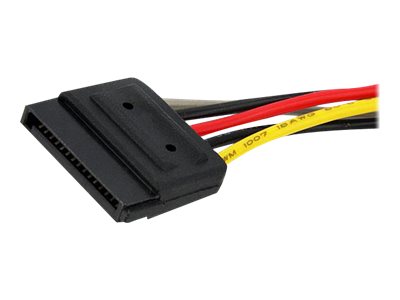 little osprey
Yes
foggy hazel
that is the type of connector you plugged into the HDD right?
little osprey
Yee
foggy hazel
okay, then you are missing the DATA cable
little osprey
O
 foggy hazel
you have multiple in your mainboard box
foggy hazel
well done :)
now to figure out what that GPU is doing
turn of the machine
unplug power
little osprey
Ok
foggy hazel
unplug hdmi from mainboard
little osprey
Yes
foggy hazel
(but leave it in the monitor)
little osprey
Yee
foggy hazel
now, try and plug in the GPU again
(as in, install it into the mainboard again)
take note that the latch actually engages
foggy hazel
double check that the PCI-e Power cable is plugged in to the GPU
little osprey
foggy hazel
and check that cable is plugged correctly into the PSU too
little osprey
All of them are plugged into the psu it's like a tether
foggy hazel
that pci-e plug is NOT plugged in
little osprey
Wym
little osprey
Oh hold on
 wary geode
can i maybe help
little osprey
wary geode
hey bread what gpu is it
little osprey
Gigabyte 5600xt
wary geode
did it work before
foggy hazel
GPU
little osprey
Ok
little osprey
No it's new
foggy hazel
just wait for him to do what he is doing @wary geode
wary geode
oki dokey
 cloud oasis
Mircocenter Give window key
little osprey
Wait do you sell window keys?
foggy hazel
@cloud oasis & @wary geode please go somewhere else for that.
wary geode
yeah no worries
cloud oasis
ok
foggy hazel
@little osprey if he does. it is against the rules of the server.
wary geode
i dont sell lol i could but i give for free
wary geode
its no point the thing about doing it is on the internewt so i forward
little osprey
They are spamming
wary geode
nah i know naed
cloud oasis
hes not selling
foggy hazel
try and move the hdmi cable to the mainboard again @little osprey
dont power off the machine while you do it
just move the cable
little osprey
It worked
foggy hazel
screen output?
little osprey
little osprey
Ok
foggy hazel
this one is a bit annoying to do (for you)
foggy hazel
you know how the GPU is installed in the first "big" slot in the mainboard?
little osprey
Yea
foggy hazel
install it in the second one instead (second of the big ones)
little osprey
So just move it down by one?
foggy hazel
ok :)
foggy hazel
it should slide in quite easily @little osprey
little osprey
Not that kind of fit
foggy hazel
IF it doesnt, please ask before you apply force
little osprey
Its all plugged in
little osprey
I think it works
foggy hazel
screen output?
little osprey
foggy hazel
hmm
little osprey
And it's plugged into video card
foggy hazel
2sec, let me just double check your manual
little osprey
Okee
 unborn flicker
So whats everyones opinion on the corsair a500 dual fan cpu cooler 🤔 yall think its worth
little osprey
Hey I'ma continue on my alt
foggy hazel
@little osprey this indicates that the slot on the mainboard is dead
little osprey
Is that bad
foggy hazel
dead = not working
foggy hazel
IF you dont need it, it does NOT technically matter
@unborn flicker shush please.
however, seeing as it is a new mainboard. that is a darn shame
also, because its an intel mainboard, the port you are plugged into, is limited to what is known as x8 speed
little osprey
What's that
foggy hazel
simple or complex answer ?
little osprey
Is there a middle man
foggy hazel
not really
little osprey
Complex?
foggy hazel
the bandwidth of the port is running at pci-e x8 speed.
it does not matter as such for THIS card
 violet harness
Quietest cpu cooler?
little osprey
What would it be if it was at the top
little osprey
I see so it shouldn't change much correct or is this a big problem?
foggy hazel
but as i said, it does not matter for this card
little osprey
This is my first pc
foggy hazel
aye
little osprey
And I probably won't be upgrading for quite a while but if I hit the road block I can call the people that supplied me with the motherboard and say it was broken
foggy hazel
which is why i would recommend that you send the board back (IF we cannot persuade it to work as we want it to)
at that point in time, they will not care AND/OR you will have to fight a lot more to get it fixed
little osprey
I mean will it still work if I keep it how it is
foggy hazel
aye, it will work
little osprey
Then should I just have to download the op system and be done
violet harness
aye, it will work
@foggy hazel can u tell me in cooling
foggy hazel
@violet harness have patience.
@little osprey IF you are okay with the above. then yes. Installing the OS is the next step :)
little osprey
Ah
foggy hazel
(that is a very very simplified answer)
little osprey
Ok
violet harness
Yo naed can u help me out with my build
foggy hazel
@violet harness patience.
violet harness
Not just cooling btw
foggy hazel
@little osprey you know how to make the usb stick and everything?
violet harness
Also bread good luck with your build
little osprey
Thx :)
little osprey
Ok is that all?
 fleet pagoda
When the 3070 comes out where will i be able to buy it?
little osprey
Nvidia
foggy hazel
that should enable you to boot from it @little osprey
foggy hazel
@fleet pagoda most major retailers
fleet pagoda
Amazon?
violet harness
Best Buy marketplace is so sketchy
little osprey
But best buy has tons of bots so your not guaranteed the thing
Yee
I have a 250 and a 1tb samsung 970 evo plus. My 250 hold OS and my 1tb is my main hard drive. However, when both are installed, my computer repeatedly goes thru the bootup sequence. Does anyone know why?
Ok I'ma go thanks again @foggy hazel
fleet pagoda
It would be on nvidia.com?
little osprey
Yee
fleet pagoda
Pog ty
foggy hazel
best of luck @little osprey and you are very welcome :)
foggy hazel
@violet harness going around and sending DM's "demanding" help .... that is not going to earn you any favours
violet harness
I’m not demanding
foggy hazel
i am a volunteer
violet harness
I just said I need help with my build
foggy hazel
i am NOT paid to help anyone.
violet harness
If u don’t wanna help that’s fine don’t
foggy hazel
so as i said multiple times.
patience.
ask/state what you need help with, and post details. Then people can decide IF they want to help
cloud oasis
@violet harness just ask ur question is what hes tryna say
 arctic junco
can i get some advice on my Part Picker list? https://pcpartpicker.com/list/qnYr7X
 balmy patio
i think he means like what ur budget is, what your goals regarding the pc are, etc
 autumn wolf
no im pretty sure its the first what augustus said
but knowing what your budget is would be nice
arctic junco
oh yeah my goal is to have a gaming PC with all new parts under or around $1000.
autumn wolf
and goal with what the pc will be
arctic junco
like i want to game, stream, edit videos, and render potentially 4K maybe 1440P?
btw i put only one storage device cuz i already have storage devices
 dapper solstice
how close are you to a micro center
autumn wolf
think mr1111 is either pounding his head rn or making a new list
cause he's silent rn
lol
arctic junco
i dont live anywhere near any microcenter
like over a thousand miles away lmao
i live in the US too lmao
arctic junco
yeah its tough, i wish i lived near a microcenter, i heard those places are awesome
dapper solstice
saw that there was i9 9900k for 300
arctic junco
i want to only use next gen or new parts tho, thats like, my goal
because coffee lake is pretty old at this point
dapper solstice
i might have sent image twice by accident
arctic junco
3600 isn't 300
balmy patio
meant 9700k
dapper solstice
thats understand able
arctic junco
I want to be able to do VP9 10-bit
coffee lake only decodes
but tiger and rocket has full support
i would go with AMD but Intel is arguably better with more intense renderings and 4K applications.
VP9 can go all the way to 8192×4352
dapper solstice
you've done alot of research
arctic junco
I want only the best at my price range
I've lived my whole live in poverty so when I build my PC, I want literally the best available.
dapper solstice
i see
arctic junco
if I ever get to live near a Microcenter ima apply so fast
i would love to work at a place like that
dapper solstice
closest microcenter from me is an 1 hour away and i have no transportation
arctic junco
you're a young'n?
dapper solstice
yes
dapper solstice
16
arctic junco
when covid ends u gotta hop on that license wagon
dapper solstice
i will
arctic junco
i think its crazy that VP9 is only supported by Ice, Tiger, and Rocket Lake Architectures, and is only Decode available by Comet, Coffee, Kaby, and Gemini. 4K should've been fully supported on Coffee Lake.
dapper solstice
if only decode was available they could have probably supported encoding on coffee lake too
arctic junco
Coffee Lake has enough horsepower, thats for sure lmao
That's literally so evident when you see the 9900K's performance which is still applicable in intense gaming applications today.
but the 10900K has full 4K support on VP9 (so does every other 10 series chip) so that's why I want the 10 series or the new 11 series for my build.
dapper solstice
they probably wanted to differentiate between generations
arctic junco
oh Encoding was only available on Linus for Coffee Lake lmaoooo
you could Encode 4K only on Linux
what a scam
dapper solstice
so it probably could support encoding on windows
idk how many people use linux for video editing
foggy hazel
plenty @dapper solstice
arctic junco
for real???
foggy hazel
aye
arctic junco
huh, I havent used it before
arctic junco
im assuming since nobody said really anything about my Build that nobody sees anything worth talking about it
which must be a good thing, right?
foggy hazel
well, considering you have a 3070 in there
you are seemingly okay with waiting a while to build
arctic junco
Yeah I'm a patient person
 uncut pelican
Asus VG248QG 24” Gaming Monitor, 1080P Full HD, 165Hz (Supports 144Hz), G-SYNC Compatible, 0.5ms, Extreme Low Motion Blur, Eye Care, DisplayPort HDMI DVI,Black https://www.amazon.com/dp/B07TNM8L6S/ref=cm_sw_r_u_apa_i_LGIIFbF7QPYTY
What woule be a good gpu for this monitor
arctic junco
A 1070-1080 since its only 1080p lol
foggy hazel
then i would strongly recommend that you keep a serious eyes on actual reviews for the zen3 chips and the RDNA2 chips late this month and start of next month
arctic junco
2060-2070 series too since those are cheaper actually
foggy hazel
1000 series is EOL
arctic junco
no chance id go with AMD since their drivers are super bugged and dopey
foggy hazel
and how old is it?
arctic junco
2019 parts
foggy hazel
why are you upgrading then?
arctic junco
because it can barely handle the games i love to play
and it doesnt render well at all
the rendering is pretty awful actually
foggy hazel
spec list?
arctic junco
give me a sec pls
foggy hazel
no rush
arctic junco
Acer Nitro 5 AN515-42-R5ED
i got it on a deal
just over $500
its a $700 gaming laptop yeah, at least it wasn't too much of a waste, I've been using it since July last year.
foggy hazel
so, you are comparing a thermal limited laptop, in the budget end of things ... with a desktop system in the mid-level of things
yes, i can see how that makes logical sense :)
 rich void
An older laptop as well right?
rich void
The one I found when inputting that model had a 2500u and 560x
arctic junco
thats correct
foggy hazel
@arctic junco you are aware those are zen1 cores right?
rich void
I think 3000 series laptop processors were out that year, so it was not current when purchased
arctic junco
mine has the Gen 2 version of the 2500u
arctic junco
oh lol idk anything about Laptop parts tbh
I follow Desktop parts more than Laptop stuff
rich void
So 3500u would have been available. Not to mention iirc laptop processors before the 4000-series were not that great
But I could be wrong there
foggy hazel
the same research that works for desktop parts works for laptop parts @arctic junco :)
arctic junco
lmaoo you're not wrong
foggy hazel
you are close enough @rich void
arctic junco
however my situation was different back then
foggy hazel
4000 series parts are zen2
arctic junco
I needed something immediately for when I moved out
foggy hazel
meaning, same cores as the 3000 desktop parts
arctic junco
and I think everything at the time was a scam
like, we couldn't find anything thats a good deal at all
except this one
only good gaming laptop for $500 was this one
a G3 is $1000 at the time
foggy hazel
the following is not a judgement on you. But that laptop is not very good
arctic junco
I'm aware, I'm using it lmaoooo
foggy hazel
so, please take my word for it. It is NOT a useful indicator of what AMD hardware "now" is like
rich void
I got a gaming laptop a few years ago too, now I wish I'd built a PC, but now I'll do that later this year if all goes well
arctic junco
thats a whole other story
foggy hazel
same
foggy hazel
again, you are basing your software "view" on support for something that was the 1st generation of doing things in a "new" way
arctic junco
truth be told
foggy hazel
again, i dont personally care what parts you use
just at least use viable logic when comparing things :)
arctic junco
im not comparing anything
I just want the best parts for when I build my PC
and AMD are not the best
that is the truth
 spiral zealot
wait until zen 3 benchmarks come out before you make any claims of 'truth'
foggy hazel
unless you specifically have a workload that can ONLY be done on intel.
what you are saying is quite misinformed @arctic junco
spiral zealot
you've seen the numbers that AMD released
arctic junco
XT i meant
arctic junco
I watch people benchmark lol
spiral zealot
it's good marketing, but it's still just marketing
foggy hazel
you are misunderstanding @arctic junco
spiral zealot
i'm not talking about the video card
foggy hazel
5700xt is the old GPU
spiral zealot
I'm talking about zen 3 CPU's
arctic junco
i dont care about the CPU by AMD
spiral zealot
and we also haven't seen the RDNA2 GPU benchmarks
arctic junco
it doesn't do the things I need it to do
foggy hazel
which is what exactly?
arctic junco
full VP9 Support, solid Rendering and video editing, and lossless streaming
at a lower budget
the 10400 has this
its cheaper than the 3600
dapper solstice
i looked through the list and didnt see anything worth changing except the drive
arctic junco
is it Dramless?
foggy hazel
wrong link @dapper solstice
spiral zealot
ultimately it's a decision that only you can make, but i HIGHLY recommend you wait a measly 3 weeks to see what the new generation of AMD hardware is capable of
from both a CPU/GPU standpoint
dapper solstice
970 evo isnt dramless iirc
foggy hazel
@arctic junco what exactly do you need VP9 encoding for?
dapper solstice
i have hope for the zen 3 cpu but not so much for gpu
arctic junco
4K Encoding
dapper solstice
but amd is getting better so i might wait and see
foggy hazel
why that way around?
spiral zealot
if the independent reviews verify AMD's initial claims, it's going to be a very good time to go team red
arctic junco
Almost everything else does Decoding
fleet pagoda
Most optimal 1200$ build
arctic junco
idk why i cant find that $70 970
arctic junco
oh wait my b im dumb lol
dapper solstice
arctic junco
AV1 doesn't have any full support on any of Intel's QuickSync Support
foggy hazel
@spiral zealot decoding support no?
spiral zealot
both i believe
foggy hazel
i know Ampere has decoding support
arctic junco
foggy hazel
but encoding should NOT be here yet
arctic junco
this is VP9
fleet pagoda
I wanna get a 3070 w it
spiral zealot
oh wait, just decoding it seems, I had to pull up the full official release from microsoft
fleet pagoda
Budget is like 1250
spiral zealot
i don't think anything does encoding yet, yeah
arctic junco
that makes a lot of sense
spiral zealot

TECHCOMMUNITY.MICROSOFT.COM
This fall, Microsoft’s hardware partners are rolling out hardware accelerated AV1 video support on new Windows 10 systems with the latest GPUs. With video consuming an ever-increasing portion of the world's internet traffic, better compression technology helps to improve video...
foggy hazel
aye, decoding is logical @spiral zealot
arctic junco
thats why I want to go with Intel for the foreseeable future because their QuickSync is way better than whatever AMD is doing
foggy hazel
encoding is generally a slightly different kettle of fish :)
dapper solstice
@fleet pagoda just send the full link
fleet pagoda
Okay
foggy hazel
again, yes, you have 2 lists of examples of res/framerate. But your point was?
fleet pagoda
arctic junco
id go with a standard 3600
fleet pagoda
And yh getting a 3070 w it
dapper solstice
might want to get an ssd
fleet pagoda
What dat
dapper solstice
you said you wanted a $1200 build
arctic junco
Solid State Drive
dapper solstice

arctic junco
its much faster
foggy hazel
only the single biggest upgrade you can make @fleet pagoda
arctic junco
and get a Gold Cert Power Supply
and you dont need to put Windows 10 Home there, you can easily get it for free
foggy hazel
cert does not matter. specific models matter.
arctic junco
and boot it with a USB
fleet pagoda
Whats the dif between bronze and gold power supply
And where would i look for an ssd
arctic junco
Well, better efficiency helps the environment but whatever
dapper solstice
efficiency
fleet pagoda
But will the one i picked out work fine for mu build
arctic junco
yeah its good enough
 hollow sun
Hi all 🤓 excuse me team, does anyone here could help me with couple of questions regarding to new coming Ryzen Generation, pls? What are the compatible Motherboards with 3700X/5000 Series?? Is there a Newegg list available?
fleet pagoda
So i should get one of these?
spiral zealot
i would still recommend waiting 3 weeks for the ryzen 5 5600x to hit, and pairing it with a B550 board
foggy hazel
@fleet pagoda https://pcpartpicker.com/list/d3ZFdD
fleet pagoda
spiral zealot
the 5600X will be roughly $60 more, but should in theory be a significant performance boost over the 3600
fleet pagoda
@fleet pagoda https://pcpartpicker.com/list/d3ZFdD
@foggy hazel my guy ty‼️
foggy hazel
@hollow sun B550/x570, but take note of what @spiral zealot is talking about too
spiral zealot
again, can't say for sure until reviews come out, but either way, it's a significant architecture change and it's not that much more
foggy hazel
@fleet pagoda what GPU are you pairing all of that with?
spiral zealot
he said a 3070 earlier
arctic junco
If AMD really pulls threw with the high performance gains they boast theyre making, I will consider it, however their Software is terrible no matter what
spiral zealot
which is why it's only $700ish on the part list
foggy hazel
missed that, thank you Chaun
arctic junco
the Drivers are just hacked together with glue
fleet pagoda
Yeah 3070
spiral zealot
not the current ones, but again, we won't know what the RDNA2 drivers will look like at launch
dapper solstice
amd cpu's are good but the gpu's are questionable
arctic junco
Adrenalin seems to be the big thing
foggy hazel
again, based on support for a 3 generation old set of hardware @arctic junco
spiral zealot
current drivers are solid, but were rough at launch, i'll give you that
arctic junco
i still have a lot of problems lmao
dapper solstice
uh
spiral zealot
they made a complete 180 with a driver update earlier this year i think it was
or maybe last year
dapper solstice
what do you mean
foggy hazel
@lime forge could you help this guy above us out?
dapper solstice
???
 lime forge
gone
dapper solstice
oof
foggy hazel
thank you :)
arctic junco
thank u
im always having troubles with the drivers
its never a smooth ride
like ill randomly boot up and something will be gone
so i update, and that something is still gone
spiral zealot
i haven't had a single issue in quite a while, on my RX 570, 580, and now my 5600XT
arctic junco
and i get random crashes and my HDMI settings are always wonky
spiral zealot
and i'm always on whatever the latest recommended version is
i never go 'optional' or beta drivers
little osprey
yall check #build-pics I just posted my new rig in there, im so excited o-o
arctic junco
i know im just saying that im always having troubles
and online, nobody ever has real fixes
its a nightmare
AMD's Drivers are held together with duct tape from my perspective
hollow sun
Copy, so probably on the list Mbs compatible with New Ryzen Gen: B550 and x570, is the RTX 2060 compatible with whole system as well?
arctic junco
yep
foggy hazel
@arctic junco again, based on really old hardware, and also, based on a machine that is done by a vendor that is not known for being all that good at long term machine stability (Acer)
arctic junco
lmao im being egged
dapper solstice
@hollow sun gpu will be compatible with any mobo so yes
arctic junco
lmao its not really old, its all part of AMD's next gen hardware
foggy hazel
nah, i am just not all that fond of non-logical logic :)
arctic junco
are you trying to like, roast me or something?
foggy hazel
as i said, your hardware is 2017 hardware.
arctic junco
because I really do have these problems
arctic junco
its not like I'm hallucinating lmao
spiral zealot
the ryzen 5 2500U is zen 1 CPU, the 560X is just polaris 11/21, which is the same as the RX 400 series
it's not 'next gen'
foggy hazel
but as i said. Problems with old hardware is not automatically problems with new hardware
arctic junco
then what makes you think AMD has software that's optimized and works?
its not hardware man
you always say hardware
foggy hazel
that i have plenty of clients without problems :)
arctic junco
im talking about software
arctic junco
i feel like what im saying is flying over everyones heads
spiral zealot
what we're saying is, you're running older hardware with whatever version of drivers you have, and that experience is not directly comparable to the next gen hardware/software that is coming out in the next few weeks
arctic junco
im saying that the Drivers for my AMD System never work properly and you all tell me its all hardware, when all my hardware, is actually modern, even if its 2017 stuff, its all based on the new architectures AMD started at the time.
spiral zealot
so to insist that buying AMD for your next system is bad because amd = bad software is a flawed conclusion
you have no idea how things will perform when the new drivers come out for the 6000 series GPU's
arctic junco
I've had nothing but problems since the beginning and so have many others
im not alone on this lmao
spiral zealot
i will give you a point on the fact that they don't have a great track record in the past
but they've also made massive strides in the last year within the radeon team
so we have NO idea how things will look at launch
and it's not fair to make a judgement call now without all the information available
foggy hazel
neither does intel or nvidia in this regard @spiral zealot, its just a question of looking back far enough
spiral zealot
that's also true
foggy hazel
for what?
spiral zealot
5700 XT can handle 4k gaming, it's on par with a 2070 super/2080
arctic junco
thats typically the CPU for encoding
spiral zealot
in terms of raw gaming performance
spiral zealot
2070 super and 2080 non-super are comparable for the most part
foggy hazel
2080 and 2070 super are basically the same card.
spiral zealot
2080 just came out first before all the super models
arctic junco
the 2070 Super and 5700XT are super close in these Benchmarks I'm seeing
foggy hazel
GPU 2019 benchmarks: Compare two products side-by-side or see a cascading list of product ratings along with our annotations.
spiral zealot
the 5700 XT can handle 4k gaming, it's probably more comfortable overall at 1440p, but it can stretch its legs into 4k pretty easily depending on the title
the 5600XT rides the 1080p/1440p line
arctic junco
however these benchmarks im seeing for 4K between the 57 and the 2080 tell a different story. I won't roast AMD per say, i just think Nvidia have the right idea on where they prioritize optimization.
foggy hazel
do you think we are saying that the 5700xt is a 4k card?
arctic junco
one of u said it was
foggy hazel
please read again.
arctic junco
5700 XT can handle 4k gaming, it's on par with a 2070 super/2080
@spiral zealot see
violet harness
thoughts on Gigabyte B550M AORUS PRO?
spiral zealot
i said it can handle it, not that it's going to be a powerhouse at it like a 2080 super or 2080ti
arctic junco
and im not comparing it to a TI or Super
little osprey
There's a difference between handle, and doing it properly
arctic junco
just the 2070 super and 2080 like you said
spiral zealot
meaning it can run 4k 30fps pretty easily, but it's going to struggle to hit 60fps in certain titles
arctic junco
im not pulling any sort of manipulation here, im just sharing what I see here.
spiral zealot
just like a 2070 super/2080 non-super
foggy hazel
https://www.anandtech.com/bench/product/2514?vs=2516 <- 2080 vs 2070Super
GPU 2019 benchmarks: Compare two products side-by-side or see a cascading list of product ratings along with our annotations.
spiral zealot
and i also said it's definitely more comfortable at 1440p
violet harness
anyone know a good motherboard
arctic junco
the 2080 can hit 60fps in 4K in most titles, and the 5700XT can in a few, but not most by any means.
foggy hazel
ask in #cpus-mobo-and-memory @violet harness
arctic junco
yeah but 1440p is pretty much dead in the water
prisma stag
anyone know a good motherboard
Someone help this man with motherboard
arctic junco
nobody really utilizes it
foggy hazel
@arctic junco keep on believing that if you want :)
arctic junco
like, professionally in E-Sports or vice versa.
I mean, it's true I keep up to date
foggy hazel
reason its not used professionally, is that the performance is not there yet
same reason we dont use 4k there either
arctic junco
I know, however, I know that 4K is being used more widely than not
foggy hazel
the moment we can push 200+ frames things will shift
arctic junco
especially with how much cheaper it is
foggy hazel
your comparison points are quite wacky mate
arctic junco
you have a problem with me I can tell
spiral zealot
i honestly think that 1440p is the sweet spot right now for gaming if you aren't on a super tight budget or anything
spiral zealot
1440p 144hz is pretty easy to achieve now
arctic junco
man you're on my case with everything i say
spiral zealot
and doesn't break the bank
foggy hazel
because you keep on changing the goal posts :)
arctic junco
being super heavily optimized because of demand from E-Sports players.
i never changed them
the person said 2070 super to 2080
not 2080 Super/TI
foggy hazel
again. look at the links.
arctic junco
I'm absolutely positive we were talking about just those two cards, not the other two.
Idk what links you want me to look at
so I'm not going to look lmao
You've got a bone to pick with a random guy on Newegg's discord
kinda weird
foggy hazel
there is nothing logically wrong in what @spiral zealot said about the 5700xt card.
arctic junco
yeah ok?
 covert steppe
@tawdry mica where does the psu go in a build like that? Is there a large side panel behind the mobo? 🤔 If you look on youtube, theres a video of a person doing a build in one. You can see exactly where the psu goes.
 gleaming hawk
rate the budget build
*not something im actually building, just a concept
also, the storage drive is actually supposed to be 240gb, adds abt $7
 vital warren
case is a little much for a budget build
 shut kayak
Hey guys! I'm new to the pc world. Been a ps4 gamer never had a pc. My os4 died and um looking to build a budget pc. I've got a budget of around 400 but a friend is givng me his old gtx 970? To use in mh first build. Could someone take a look at the list I put together?
fleet pagoda
Sure
shut kayak
Okay I'm pretty sure jm leaning towards the new i3 unless someone can steer me to amd
Again this id new to me so please don't trash my list
 empty cape
Can anyone here help me. I just finished my build and I can't get any signal out of the GPU. When power on... it goes straight to no signal.
little osprey
@empty cape did you try a different cord and/or port
 little leaf
 little osprey
@empty cape hdmi slot on monitor/gpu
cloud oasis
Debug left top right i think
little osprey
So that means your gpu is faulty
little osprey
Hmm
fleet pagoda
Idk
Im getting on release if i can
Will the 3070 and a ryzen 5 3600x be able to run 240 hz
fleet pagoda
Yh bc i also wanna get a 240 hz monitor i have a 144hz monitor rn
fleet pagoda
Pogggg
cloud oasis
but when u get it turn off the bluelight
tn panel good
ur not gonna have to get angles on it
fleet pagoda
Whats tn oanel
cloud oasis
ur gonna have it right in front of u
fleet pagoda
Panel
cloud oasis
search in yt
@fleet pagoda when u look at ur current monitor at an angle does it look black-ish
Move to #old-monitors-and-tv
 gritty zenith
ew 1080p tn panel
vital warren
^^
gritty zenith
as im watching a COD cutscene on my benq 60hz 1080p panel that is tearing like crazy
cloud oasis
OmegaLul
little osprey
benq's are mad over rated imo
little osprey
they are the bee's knees in e"sprts" apparently
lots of people talk about how good they are
very expensive
 next kestrel
they sponsor a lot of teams
little osprey
they are nice for sure, but i dunno if worth
 eager hazel
I don’t know if I should get a asrock b450 steel legend or ab450 pro 4 what do you guys think
little osprey
i dunno what that even is, so i couldn't tell you
cloud oasis
Asus rog strix b450
 pallid summit
any recommended changes?
I'm going for an all black no RGB build
I'm getting the black version of the case
pallid summit
I'll turn them off
pallid summit
I like the brushed look. it goes well with the case and motherboard
cloud oasis
And i changed mobo