#old-monitors-and-tv
1 messages · Page 72 of 1
 maiden wedge
 misty gyro
Rtings has easy to read comparisons and review summaries, with a 1-10 rating system for each use case
 small warren
hardware unboxed says it's an upgrade over the M27Q so I'd say it's good, but you still have the G27Q variant for cheaper
 brazen ridge
mm thx
 severe dirge
I love my G27Q IPS. I did get the G32QC and even though it's weird with the VA panel, I still really like it.
 old arch
Ips is generally better, and curved panel is usually VA
 winter sapphire
I have 2 monitors. The first one is 1080p60 and the Second one is 1440p 144hz. When i go to extend screen it tells me to keep resolution on 1920×1080p. Does that mean both of my monitor will display 1080p resolution.
 meager wadi
ASUS TUF Gaming 23.6" 1080P Curved Monitor (VG24VQE) - Full HD, 165Hz, 1ms, Extreme Low Motion Blur, Adaptive-Sync, FreeSync Premium, Shadow Boost, VESA Mountable, DisplayPort, HDMI https://a.co/d/18J1Xwj

Designed for intense, fast-paced games, the ASUS TUF Gaming VG24VQE is a 23.6” curved gaming display with 1ms (MPRT) response time and blazing 165Hz refresh rate to give you super-smooth gameplay. The VG24VQE features FreeSync compatibility and ELMB technology to eliminate screen tearing and ghos...
Is this a decent quality monitor? Looking for an upgrade for my family member. Not trying to spend more than $200.
 errant edge
meager wadi
Is this a decent quality monitor? Looking for an upgrade for my family member. N...
errant edge
meager wadi
Is this a decent quality monitor? Looking for an upgrade for my family member. N...
G241
meager wadi
errant edge
G241
Is the monitor I shared bad?

 quartz sandal
It's also curved :/
quartz sandal
winter sapphire
I have 2 monitors. The first one is 1080p60 and the Second one is 1440p 144hz...
In windows the screen that is selected above will be the res for that screen and vice versa
meager wadi
errant edge
g241 just better
Appreciate it. Originally was looking to do a curved monitor. But honestly I'd rather her have the better picture quality
meager wadi
Gonna wait to see what prime day offers too lol
errant edge
You'r
meager wadi

 winged lava
Is Freesync better than Gsync when it comes to performance?
misty gyro
Gsync is technically better but they're not being made any more, because they were so much more expensive to make and didn't meet the idle power draw requirements for states like California and Utah.
Modern "gsync compatible" monitors are just rebranded freesync
winged lava
What is technically better about it
misty gyro
They used a separate module to calculate the refresh intervals
Freesync just uses the processor in the monitor
Therefore the refreshes on true gsync panels were more accurate
The problem is that separate module used 15W with the monitor in sleep mode
winged lava
So gsync compatible and Freesync premium are the same thing
misty gyro
Yes and no
"Gsync compatible" can be one of several levels of Freesync
Premium being one of them
And one of the better ones at that
winged lava
So Freesync premium is preferred?
misty gyro
That would work very well yes
It's probably one of the closest performers to true gsync there is
But there's a lot more to a monitor than all that of course
winged lava
Ok got it
Cause quite a few monitors use Freesync premium
Yeah I know that too
So like, these Gsync premium monitors, are they better than Freesync premium?
misty gyro
Just rebranded Freesync premium
It's like when they put "Intel" or "AMD" in the model for memory, but there's literally no difference physically
 verbal spear
whats a good ips monitor with good color accuracy 1080p
severe dirge
Do you guys leave the plastic film on the screen portion of you monitors?
severe dirge
Alright. I could have swore mine had a film on it, but I don't seem to be able to lift up a corner to get it off.
Maybe I'm trippin
verbal spear
misty gyro
Are you looking at color for media viewing or creation?
nah gaming under 300$ prefer
i do watch a lot of movie and yt
misty gyro
verbal spear
nah gaming under 300$ prefer
This one is IPS, 144 Hz with good reviews when focused on gaming features, good out of the box color accuracy, and is currently $227.
https://www.amazon.com/gp/product/B08V8VCRZ5

Pure, pro-level gaming. Play like a pro with LG's 24" UltraGear Gaming Monitor. Color intensity with Full HD (1920 x 1080) IPS resolution and unbelievable 1ms response rates. Featuring custom gaming control, ultra-fast 144Hz refresh rates and AMD FreeSync Premium to minimize tearing and stutter —...

RTINGS.com
The LG 27GN650-B is a great budget gaming monitor. It has low input lag, a 144Hz refresh rate, and exceptional response times to deliver fluid and responsive gam...
maiden wedge
i need help i need a monitor for my x box series s for 200 euros
small warren
MSI Optix G241 or G242
 raw ingot
tbh xbox series s could do with anything less
quartz sandal
What country?
 sturdy abyss
This was shaking around my monitor any one has a idea what it used for did not open the monitor fully just got it out in a corner

 delicate thunder
yo can anyone find me a 75hz 100hz or 144hz monitor atleast 200$
quartz sandal
Msi g242 or g241 or gigabyte g24f
misty gyro
For 1080p up to 24" is ideal, 27" is a little too low pixel density
quartz sandal
Although fine if you use it at a larger distance than normal as if it was a close tv
 hard ridge
small warren
hard ridge
small warren
240hz we don't normally suggest around here
I think AW2521hf is one of the cheap ones? I think AOC also has one that's awfully cheap
yeah AOC has a couple actually but I can't remember which one of those it was that's decent
 glad marten
small warren
240hz we don't normally suggest around here
glad marten
small warren
240hz we don't normally suggest around here
why is that
misty gyro
99% of people can't tell anything higher than about 165 Hz apart
glad marten
i just want a competitive edge ik the benefits are diminishing as you go up in hz but i feel like some more would benefit me
small warren
viewsonic xg2431 is a decent one
glad marten
bc ever since i built this new pc i feel a draw back on the 144 i have
small warren
it's blurbusters approved as well
misty gyro
glad marten
i just want a competitive edge ik the benefits are diminishing as you go up in h...
The only time it gives you that "competitive edge" is when you're trying to go from top 0.01% to top 0.001%
Proven by science. Many people actually perform worse on higher refresh.
small warren
sorry it was the aw2518hf
not 21
blurbusters recommends the xg2431 over that though
it's also 24" so it'll have decent clarity
misty gyro
Yeah getting better response times and reducing blur will be a much better upgrade than higher refresh
glad marten
so is 27 inches bad
misty gyro
Just not as high pixel density, you can lose some clarity unless you sit pretty far back
glad marten
ahhh
bc i was looking at this monitor

Fasten your seatbelt: The Nitro VG272 Full HD display with 1920 x 1080 resolution is all about no compromises on gaming performance, color or speed. This 27-inch (1920 x 1080) monitor combines jaw dropping specs including an IPS panel that supports blazing-fast refresh rate. Through AMD Radeon Fr...
i currently have an acer nitro vg240y
small warren
same price is the one we suggested https://www.amazon.com/ViewSonic-XG2431-FreeSync-Ergonomics-DisplayPort/dp/B097S9SYM5/ref=sr_1_3

Engineered for gaming, the ViewSonic® XG2431 is a 24” Full HD monitor that features the perfect blend of speed, control and color. An ultra-smooth 240Hz refresh rate pushes FPS gaming into new territory, enabling games to run at higher frames for incredible graphic performance. AMD FreeSync™ Prem...
small warren
yup
 glad marten
i just saw the second image
this one only says freesync
is g sync even worth using
when i had a team red card i never bothered with freesync, is there any benefits?
glad marten
small warren
yup
what tool is this?
small warren
blurbusters forum
it's in the pins
they're like the first or second group you talk to for a good monitor
glad marten
ah oki

The product is multiple voltage compatible, that voltage arrange is 100-240V
opinion?
small warren
I see that one around here a fair bit, I would probably choose the viewsonic one tho even if you get 40 more fps
you could consider this one
https://www.amazon.com/ASUS-VG259QM-Compatible-DisplayHDR-DisplayPort/dp/B0876KP2CK/

The 24.5” ASUS TUF Gaming VG259QM features Fast IPS technology, enabling 1ms (GTG) response time for sharp gaming visuals and high frame rates at 280Hz (overclocked) refresh rate. Enjoy a super-smooth gameplay with ASUS-Exclusive ELMB Sync Technology which enables motion blur reduction and adapti...
different version, IPS instead
glad marten
i looked up various reviews im prob ending up with ur viewsonic recc
is there any ones without strobing that are recommended?
i hear strobing can be a drawback
small warren
honestly I'm not sure, you'd have a better chance going to the blurbusters forums and asking them directly for the specific use case if it helps
glad marten
small warren
honestly I'm not sure, you'd have a better chance going to the blurbusters forum...
i didnt check the forum and sorry for this ping but i found this monitor and used some comparison sites and i saw a video on the view sonic and this one (https://www.amazon.com/Acer-XV252Q-Fbmiiprx-FreeSync-Technology/dp/B095X5KQY8/ref=sr_1_3?crid=3IZ76H8F90R0A&geniuslink=true&keywords=Acer+XV252Q-F+390hz&linkId=b817e7604c7c34f27f42f55245ffacb7&qid=1657418883&sprefix=acer+xv252q-f390hz%2Caps%2C260&sr=8-3)

In competitive gaming, every frame matters. Introducing Acer's XV252Q gaming monitor - the Full HD (1920 x 1080) resolution monitor that can keep up with your game play. This AMD FreeSync Premium monitor takes gameplay to the next level of smooth, the game’s frame rate is determined by your graph...
its only 90 more
for some more hz
and has a .5 gtg idk what the mprt is
small warren
from what I know stepping up to 390 you're still getting a similar panel to a 360 but it's extremely diminishing returns
are you even pushing 390 in *these game(s) consistently?
glad marten
small warren
from what I know stepping up to 390 you're still getting a similar panel to a 36...
i mean i was just looking around tbh and the internet reccomends that one for being ever so slightly better but from further investigation it has more blur, idk whether to favor blur over input lag
small warren
240 to 390hz is extremely diminishing
glad marten
small warren
are you even pushing 390 in *these game(s) consistently?
on valo yes im pretty sure, on siege its more like in the early 300's
small warren
if anything upgrading to a mouse with a faster sensor probably does more in this scenario
glad marten
im on 144 atm
so im just trying to get a better one to give this one to my little brother tbh
misty gyro
glad marten
when i had a team red card i never bothered with freesync, is there any benefits...
Freesync prevents screen tearing artifacts by syncing the monitor refresh to the fps
glad marten
im now with team green since the new build
misty gyro
It's one of those features that's great on some monitors and not so great on others
Nvidia works with freesync
small warren
frametimes on 240 = ~4.1ms, 390Hz = ~2.5ms or something to that effect
but a faster mouse sensor can do more
you shave off like 2ms system latency
glad marten
this is my benchmark on my main game
 small warren
i would do the viewsonic then switch to an 8k mouse if you were really trying to squeeze all the fps out
I think a 5700X can handle it
you break even at a cheaper mark that way
glad marten
arent most 8k mice wired though
small warren
yea
misty gyro
Pretty sure there was a Logitech wireless with the hero sensor
glad marten
i could get a gpro prob soon
glad marten
the second one is the 390

 small warren
input lag is not the same as frametime pacing
misty gyro
I have to use the g502 with all the weights to keep myself from lifting the mouse too much
small warren
honestly at like, 240hz+ with a good mouse like a hero, you start nitpicking apart what's really worth it
you could go 390 or even 480, 8K sensor mouse and then you get the quickest response but it's extremely diminishing for price/perf
not to mention you have to readjust to a new mouse
glad marten
that is true
small warren
I would really just go with like the viewsonic tbh
especially when it's blur busters recommended
glad marten
the first is the acer the second is the vs

 small warren
instead things like a nicer mousepad or skates gives you a much better and more accurate result
in that sort of budget
glad marten
ok ok youre selling me at this point
 glad marten
small warren
good cos I downgraded from a 360hz after trying it <:kek:573911326942822406>
glad marten
small warren
good cos I downgraded from a 360hz after trying it <:kek:573911326942822406>
aint no way
 fading wyvern
Can confirm there is barely any difference between something like 165hz and 240hz
Higher you go the less you notice
small warren
glad marten
aint no way
aw2521h and yes way
lol
I went back down to a G7 and I still love that screen
 dull copper
What monitor would y'all recommend that's under 32", 1440p, 144-175hz, and is not curved
Budget is $500 max, and this is excluding discounts and sales
meager wadi
GIGABYTE G24F 24" 165Hz 1080P Gaming Monitor, 1920 x 1080 IPS Display, 1ms (MPRT) Response Time, 90% DCI-P3, FreeSync Premium, 1x Display Port 1.2, 2x HDMI 2.0, 2x USB 3.0 https://a.co/d/14rhJvl

24” 1920x1080 IPS Display with 165Hz Refresh Rate, 1ms (MPRT) Response Time Smooth Gameplay with AMD FreeSync Premium Studio Grade 90% DCI-P3 Color Gamut GIGABYTE Classic Tactical Features with OSD Sidekick GIGABYTE Auto-Update Ergonomic Design with Tilt and Height Adjustments Low Blue Light & Fl...
Yay or nay? I know it's gigabyte but has good reviews
meager wadi
Alright. Good to know. Appreciate it
quartz sandal
Gigabyte probably have the best monitor selection in the current market tbh
raw ingot
ye
 visual pilot
G24f is nice
raw ingot
g24f and m27q-x are my favs
meager wadi
Ordered!
 stoic flint
guys what should i choose 10bit 120hz or 144hz 8bit,i can do 144hz 10bit but i have to make the range output to limited and the color format to 4:2:2
misty gyro
stoic flint
guys what should i choose 10bit 120hz or 144hz 8bit,i can do 144hz 10bit but i h...
It's 100% your preference.
Use displayport instead of HDMI. You generally get more bandwidth for better modes.
 surreal quarry
stoic flint
guys what should i choose 10bit 120hz or 144hz 8bit,i can do 144hz 10bit but i h...
surreal quarry
stoic flint
guys what should i choose 10bit 120hz or 144hz 8bit,i can do 144hz 10bit but i h...
I would do the 10bit one. The only real difference would be if you do competitive esports where every FPS matters. The 10 bit will have much better colors. Just make sure to check rtings to make sure the whites and blacks are good
 remote basin
LG 27GP750-B 27” Ultragear FHD (1920 x 1080) IPS Gaming Monitor w/ 1ms Response Time & 240Hz Refresh Rate for $179.99 good deal?

Reimagine every scene with vivid, responsive IPS. At 27" and 16:9 screen ratio, LG's UltraGear™ Full HD IPS Display features realistic, true color with sRGB 99% Color Gamut and HDR 10 for enhanced contrast, clarity and detail, while delivering an ultra-fast 240Hz refresh rate and 1ms (GtG) respon...
fading wyvern
It’s a solid deal, the pixel density might look a bit bad at 27” 1080p tho
remote basin
yeah I gotcha, that's the only sad part ):
old arch
Set it back an extra few CM/inches. 
 quartz sandal
fading wyvern
https://tenor.com/view/tenz-jump-scared-chetgrey-gif-23095407
quartz sandal
fading wyvern
https://tenor.com/view/tenz-jump-scared-chetgrey-gif-23095407
Do you have cameras in my bedroom 
visual pilot
price is kind of average but this would work
https://www.amazon.com/dp/B07TD94TQF

Delivering ultra-performance for serious gamers with an immersive 27 inch (QHD - 2560 x 1440) Gaming monitor with Nano IPS, a 1Msresponse time and a 144Hz refresh rate. Plus it's G-SYNC compatible so you never miss a frame of the action.
quartz sandal
Gigabyte g27q
old arch
Bestbuy has G5 Samsung for $250
 languid nacelle
which monitor is better
1 : https://www.amazon.com/LG-27GL850-B-Ultragear-Compatible-Monitor/dp/B07TD94TQF/ref=asc_df_B07TD94TQF/?
2 : https://www.amazon.com/LG-27GL650F-B-Ultragear-Compatible-Monitor/dp/B07R7636MH/ref=asc_df_B07R7636MH/?
Delivering ultra-performance for serious gamers with an immersive 27 inch (QHD - 2560 x 1440) Gaming monitor with Nano IPS, a 1Msresponse time and a 144Hz refresh rate. Plus it's G-SYNC compatible so you never miss a frame of the action.

Bring your virtual worlds to stunning life with a 27" Fhd display Plus Radeon free Sync technology for seamless image precision. 27” Ultra gear FHD IPS 144Hz free Sync with HDR10 3-Side virtually borderless gaming monitor. Other features: 27” FHD (1920 x 1080) IPS display, 144Hz refresh rate, 1ms...
remote basin
languid nacelle
which monitor is better
1 : https://www.amazon.com/LG-27GL850-B-Ultragear-Compat...
This one, number 1 cuz QHD and nano ips is supposed to be an improvement in LG
languid nacelle
ok
 coral path
can anyone recommend me a 34inch monitor arm that can weigh 20+ pounds
 eternal elk
https://www.amazon.com/dp/B088HJ4VQK/ref=cm_sw_r_api_i_S1RT3YX79YGK6MBHT17H_0?psc=1 am I able to put this on a regular monitor mount? Or do I need a special one

Bringing the same 240hz refresh rate, 1ms response times, G-Sync and FreeSync Premium Pro support and Infinity Core lighting of the G9 - the G7 is the perfect choice for those who want the future of gaming monitors, in a more traditional size.
misty gyro
That does not appear to be VESA mount compatible so no to standard mounts and I doubt there's even custom ones
eternal elk
Oof
I’m looking to change what monitor I was gonna get, but idk what to go for, I’d like something with 240hz, 1ms or lower, 27”, and vesa mount compatible
And for a reasonable price, tho there’s prob not gonna be one rn
misty gyro
What would you define as a reasonable price
eternal elk
Something that’s not like a complete ripoff
misty gyro
eternal elk
Something that’s not like a complete ripoff

Get wrapped in the action. Step into the action on this super fast 1000R curved QHD monitor. A true curve and HP Eye Ease with EyeSafe Certification always-on low blue light ensures you can game longer comfortably. Oh, and identify your enemies better in the dark with blacker blacks.

RTINGS.com
The HP OMEN 27c is a 1440p gaming monitor part of HP's OMEN lineup. It's the first in the lineup to have a VA panel and a 240Hz refresh rate, as their models in ...
If the HP logo throws you off there's always the M27Q-X https://www.bhphotovideo.com/c/product/1692227-REG/gigabyte_m27q_x_27_16_9_freesync.html

Buy Gigabyte M27Q-X 27" 16:9 FreeSync QHD 240 Hz HDR IPS Gaming Monitor featuring 27" In-Plane Switching (IPS) Panel, HDMI + DisplayPort + USB Type-C Inputs, 2560 x 1440 QHD Resolution @ 240 Hz, 1000:1 Static Contrast Ratio, 350 cd/m² Brightness, 178°/178° Viewing Angles, 1 ms Response Time (GtG), 1.07 Billion Colors with HDR, AMD FreeSync Premi...
Is that 240Hz?
small warren
oh my b I thought this was a different convo
misty gyro
lol it's fine
eternal elk
Thx
fading wyvern
misty gyro
That does not appear to be VESA mount compatible so no to standard mounts and I ...
Usually they come with vesa adapters in the box just a heads up
Pretty much no1 unless it’s a tiny brand ships monitors that aren’t at least 75x75 vesa mountable
Yeah just scrolled down to faq it’s 100x100 
 mortal cliff
Hey all, I'm looking into getting a portable display that's at a decent price. Preferably less than £100. Doesn't need to be touchscreen but if there is one then not an issue.
Maybe something like 15 inches.
I'm gonna be connecting a raspberry pi to it to use like a portable PC so needs to have HDMI capability.
It won't be used for gaming, just normal browsing and photo viewing etc.
I've seen there's the quote nice Asus displays I think it is but those are like £300 or so.
Second hand/used is fine if it's still in working condition etc.
Anyone know of anything good. Maybe there is a good prime day deal going that you've seen which I haven't...
Thanks
eternal elk
mortal cliff
Hey all, I'm looking into getting a portable display that's at a decent price. P...
I remember one of the videos I watched from Greg Salazar he said what monitor he used, and it is a nice small portable monitor Idk if it’s raspberry pie compatible tho
severe dirge
mortal cliff
Hey all, I'm looking into getting a portable display that's at a decent price. P...
I can't seem to find anything over 10 inches for a raspberry pi screen.. That being said, if you were willing to go with 10 inch, this is on a stellar deal today if you are a prime member. It's a lightning deal for 45% off with an extra $15 off coupon to make it a total of $52.

HMTECH Raspberry Pi Screen 10.1 Inch Touchscreen Monitor 1024x600 Portable HDMI Monitor 16:9 IPS Screen Display for Raspberry Pi 4/3/2/Zero/B/B+ Win10/8/7, Free-Driver
mortal cliff
severe dirge
I can't seem to find anything over 10 inches for a raspberry pi screen.. That be...
I'm UK based and ideally wanted it for this weekend. Looks like a nice option to still consider though because it looks like I can get it shipped to England anyway.
Sorry I didn't specify. I thought it might have given it away when I was using £££ in my message for pricing haha
severe dirge
mortal cliff
I'm UK based and ideally wanted it for this weekend. Looks like a nice option to...
It's ok, I didn't even notice. I work 10-12 hour shifts 6-7 days a week so I am pretty tired most the time around this time.
mortal cliff
severe dirge
It's ok, I didn't even notice. I work 10-12 hour shifts 6-7 days a week so I am ...
Ahhh i see. No worries, that's understandable
mortal cliff
eternal elk
I remember one of the videos I watched from Greg Salazar he said what monitor he...
I'll see if I can find that later on then and see what it's like
misty gyro
fading wyvern
Yeah just scrolled down to faq it’s 100x100 <a:pepeeeek:703136031997820990>
Right but it doesn't come with the VESA adapter you need, which is ridiculous at the price
fading wyvern
misty gyro
Right but it doesn't come with the VESA adapter you need, which is ridiculous at...
It comes in the box
misty gyro
It claims to but multiple reviews say they didn't get it
fading wyvern
Probably missed it, missed my adapter for my omen monitor  , was stashed in the styrofoam
misty gyro
There's also a couple saying they got the mount but not the screws to attach it lol
fading wyvern
🤷♂️
misty gyro
Personally I'd go for one that's just straight compatible and doesn't need an adapter
 tame notch
Bought this for 187 is it any good? 24" Gaming Monitor 240Hz (144Hz Supported) Full HD 1920 x 1080P IPS Display, AMD FreeSync Premium, 2ms GTG, 100% sRGB, DisplayPort, HDMI, USB, 3-Sided Frameless Gaming Screen, VESA, Black, Prechen https://a.co/d/2D85nms

 indigo berry
I guess yes
It's a good IPS 240hz
For that price is perfect
fading wyvern
No idea what the brand is, just checked overall reviews, has a average of 3.7/5 on all of its products. The specs seem alright though on the screen
tame notch
I mean had to get something before the sale ended so
fading wyvern
It’s probably using a main brand screen manufacturer, just it’s own controller or w.e so it should be perfectly usable
tame notch
Well I got like a cheap 144hz van panel rn
fading wyvern
Quick monitor space summary there’s 3 main manufacturers, Samsung, LG and Au optronics. AU optronics is usually in the lead but pretty much every gaming monitor will use one of those three panel manufacturers
indigo berry
fading wyvern
No idea what the brand is, just checked overall reviews, has a average of 3.7/5 ...
"Darth Vader" already bought it and is just asking if it was a good one
Maybe he wants to return it? Don't think so
fading wyvern
I mean Amazon has great refund policies so if anything’s wrong I’m sure it’ll be fine
indigo berry
It's a really good panel, IPS and 240hz
Maybe contrast is not the best...? Idk
indigo berry
fading wyvern
I mean Amazon has great refund policies so if anything’s wrong I’m sure it’ll be...
Yep
fading wyvern
I’m just saying it’s probably a good panel from one of those manufacturers, just the brand is unknown, at least to me I have no clue what it is
fading wyvern
I can’t find any information on the panel besides what’s listed of course, lemme know how it is
tame notch
I will keep you posted
indigo berry
I've finally found someone selling my same main monitor near me
LG 144hz IPS for 90€
This time it won't be stolen like the other monitor I bought
;)
 warm mica
Gigabyte G32QC or Asus VG32VQ1B??
 valid delta
I just upgraded from a Vizio 32" 1080p to an LG C1 OLED 65" and the difference is absolutely insane
 steady hinge
 plucky crag
Can the IIYAMA G2466HSU be used on a double monitor stand?
misty gyro
It's VESA 100x100 compatible so a standard mount will work.
I wouldn't get that personally, 24 inches curved is pointless, you sacrifice panel quality for basically nothing.
verbal spear
g24f good?
planning to sell my current monitor to friend
or should i get optix g273 instead
quartz sandal
Yeah although with a 3080 I'd go g27q
verbal spear
1440p feels weird to me
quartz sandal
?
verbal spear
feels a bit big compare to 1080p
i have a 1440p second monitor
which i dont like degrade it to 1080p
quartz sandal
What
verbal spear
well basically i dont like 1440p too much pixel and i prefer to use 1080p instead
so rn im looking for a 1080p monitor
and im selling my current main monitor to a friend if i see a good one
severe dirge
bUt 1440p Is SuPeRiOr. YoU sHoUlD kEeP uSiNg It. DoWnGrAdInG wOuLd Be A wAsTe.
severe dirge
Definitely go with 1080p if that's what you want.
No reason to keep using 1440 if you don't like it.
verbal spear
yeah just asking rn whats a good 1080p monitor rn
old arch
Msi g241/g242, g24F as you said, various asus models. Mine is labeled 24.5" anyways it's the vg259qr if you care to glance at it. Probably a pin somewhere w/ a bigger list of good monitors.
quartz sandal
verbal spear
well basically i dont like 1440p too much pixel and i prefer to use 1080p instea...
To many pixels? So you don't like a smoother image? I think you mean that 27" is too big??
verbal spear
nah 27inch is fine 1440p to me is like zoom out too much to me
severe dirge
I get it. When I first got 1440p I had troubles seeing things because everything was so small. I've been using 1440p now for a bit and when I look at a 1080p it feels to zoomed in.
I actually have my browser zoomed in though so I can read things
And I sit like.. 1.5ft from my 32inch monitor lol
verbal spear
yeah thats why i dont like 1440p lol
i think i prefer zoomed in rather than zoom out
how about lg monitor they any good? ive always had asus monitor so not sure abt them
old arch
Lots of LG lcds are pretty solid, probably not too many to avoid. Remember most stuff that says .5ms instead of 1ms, it might be TN rather than ips. (Although the whole .5 or 1ms rating is sort of bogus when in reality for us it's 5+ ms, no big deal though)
verbal spear
yep made a mistake on that with my asus monitor
i might get a g24f if it ever goes on sale
old arch
Lcd prices sure can vary a lot. My asus was $200ish & fine w/ that. Itching to test the $175 hp x27q that's usually $260 plus & sort of a competitor to the GB M27Q. Considering my gpu obviously the 1440p will be my secondary for now, probably.
quartz sandal
verbal spear
nah 27inch is fine 1440p to me is like zoom out too much to me
Bro, change scaling to 125% it has same sized stuff as 1080p then
Problem solved
severe dirge
quartz sandal
Problem solved
I like how everything looks now, I just still have my internet font set to Large
quartz sandal
severe dirge
I like how everything looks now, I just still have my internet font set to Large
Imo default is too small
severe dirge
Dox yourself?
quartz sandal
Nah just had a small bit of my teams name in work
severe dirge
quartz sandal
I'll mess around with this when I get off work and see if I like it.
But I am pretty used to default now.
Also... Ew Minecraft.
Tbf i haven't played it on PC.. so maybe its faster to build stuff.
But I played it for probably 15 hours a day for a month straight and burned myself out.
verbal spear
dam hating on minecraft like that
small warren
I tried minecraft once like 10 or 11 years ago for an hour and never touched it again 
old arch
I hate on Battle Royale but sort of hooked on Apex. 
severe dirge
Yeah any time I even think about it, I get sick to my stomach lol
quartz sandal
severe dirge
Tbf i haven't played it on PC.. so maybe its faster to build stuff.
Mc on phone is terrible compared to pc, and servers are great
severe dirge
quartz sandal
Mc on phone is terrible compared to pc, and servers are great
I had it for ps4 pro
small warren
severe dirge
Yeah any time I even think about it, I get sick to my stomach lol
I don't get sick I'm just so indifferent to the game I don't find it interesting lol
quartz sandal
severe dirge
I had it for ps4 pro
Eh same applies mouse n keeb superiority
verbal spear
its fun with friends
small warren
I was playing with friends
severe dirge
I kinda wish I could grab my playstation cloud saves though
small warren
I was still bored lol
small warren
In MC's defence I was addicted to Forza 4 on the 360 at the time
I still am addicted to that specific game
severe dirge
Kingdom of Amular The Reckoning was my addiction for a second
Closest I could get to an mmo feel without internet.
Except Witcher 3.
old arch
Most Forza stuff is fantastic. F6 & F7 were pretty good. Those sort of ones soak up so much time easily.
severe dirge
I put about 400 hours into that game.
small warren
I played a lot of Forza, so much so that the newer ones don't spark me like I used to
I basically only played FM7 for ForzaRC and LMES
old arch
I played GT way before forza in my case, GT4. 
small warren
Yeah I'm more into GT rn
 mellow fossil
severe dirge
Building just takes to long.
mellow fossil
severe dirge
Building just takes to long.
You could download the world edit mod
severe dirge
mellow fossil
You could download the world edit mod
Wuts dat do?
mellow fossil
Speeds up building A LOT
severe dirge
Hm ok.
mellow fossil
Most of those massive builds you see online are built using it
severe dirge
I'll check it out then. Because I always think of something I'd like to build, then I'm like nah forget it.
severe dirge
mellow fossil
Most of those massive builds you see online are built using it
I don't watch minecraft/let alone look at anything about it lol
Last time I played was about 8 years ago.
small warren
I like some of the tricky stuff you can do in MC but I like to look, not create lol
If I could describe this well it's like watching someone build a water-loop pc for me lol
"Ooo that's neat" lol
severe dirge
I want to build onee
small warren
I want one next-gen but I know I'm going to hate myself for it
Either a good waterblock card or at least an aio one
severe dirge
Like, I'm bummed that 40 series is potentially pushed back, but at the same time it's ok, because now I can save more money to get it/13th gen/custom loop all at once.
Plus new fans because the antec prizm x white has all turned yellow and I'm a little mad about it lol
And they've only been in my case for about a month now.
Maybe a little longer.
small warren
If anything that might be a bit of a blessing for 40 series
If that means they can improve it a bit more post RDNA 3 it's a consumer win in that sense
Same to be said if it was the other way around but this way we have a bit more time

verbal spear
btw another thing i got curious abt rog strix monitor
other than the price are they good?
i found one on my marketplace specifically xg27aq
 versed brook
seems great but idk* worth $350ish as Amazon has it currently. normal strix tax. https://www.rtings.com/monitor/reviews/asus/rog-strix-xg27aq
quartz sandal
@verbal spear anyway in conclusion it's not 1440p you have a problem with it's just the 100% scaling instead of 125% lol
Would just go gigabyte g27q and set scaling to 125% - that's what i do anyway
severe dirge
I can second the g27q
plucky crag
would the MSI Optix MAG251RX be a good monitor for competitive and a bit of singleplayer
severe dirge
I can get this monitor for $85 brand new. Is that a good enough deal to jump on?

Enjoy a big screen experience with this stylish HP display. Advanced IPS technology provides up to 178° ultra-wide viewing angles with consistent detail and vibrant color. This ultraslim, nearly borderless design with FHD comes at a great value and gives you the connections you need to easily...
Sitting at Walmart hoping someone can respond soon. If not, ill just put it back.
severe dirge
The display is kinda lackluster, but it works and the design for the most part fits with my gigglebits
 spring oriole
any nice reccomendations for 1440p 144hz monitors? i feel like you guys would know best haha
errant edge
spring oriole
any nice reccomendations for 1440p 144hz monitors? i feel like you guys would kn...
g27q, or x27q when its on sale
depends on your budget though
spring oriole
I think I have a high enough budget until its moreso diminishing returns
if that makes sense
errant edge
thats not a number
spring oriole
3-4 hundred
errant edge

Gigabyte G27Q 27.0" 2560x1440 144 Hz Monitor (G27Q)
spring oriole
should i be worried about this exploding like their PSUs? 😂
spring oriole
Okay thank you
tame notch
Well I just canceled the order
For the 240hx monitor
I think I can get better for lower price
raw ingot
which one was it?
fading wyvern
tame notch
Bought this for 187 is it any good? 24" Gaming Monitor 240Hz (144Hz Supported) F...
Talking about this one?
 mighty tide
I have a monitor that is 1080p, and for all purposes it seems to be however there's a recurring issue with games that the recordings(if played on seperate devices) look amazing however on my monitor it can be quite grainy and just look way worse than recordings do
Monitor is AOC C24G1
Is there like monitor drivers??
And 60 FPS on mobile looks 1000x smoother than my pc, it's freesync compatible and I have amd but I didn't really like turn it on
Is it automatic or do I need to do that manually?
fading wyvern
That's not a monitor issue, sounds like a recording issue/compression issue. Videos can get grainy easily especially in fast paced games or games with lots of foliage.
mighty tide
fading wyvern
That's not a monitor issue, sounds like a recording issue/compression issue. Vid...
Ah I worded it badly, sorry. I meant that the videos look really good and normal use is slightly grainy
For example if I watch the video on my phone or laptop at 1080p it looks great and on my monitor it looks grainy
Not the video just the normal gameplay
It's only on a few games but it's very noticeable
fading wyvern
That sounds super weird. does it have like a sharpness setting? What games if you dont mind?
surreal quarry
Could be monitor settings
mighty tide
fading wyvern
That sounds super weird. does it have like a sharpness setting? What games if yo...
It does seem to be games with weird TAA, mostly RDR2, dying light 2, warhammer vermintide
I just watched a video of dying light 2 I recorded on it to show how messed up it looked but watching it on my phone it looked 10000x better
And phone is way smoother even though it's supposedly only 60 fps when pc should be way more
Not sure if freesync is just...not good
Cause turning on vsync looks smoother
fading wyvern
I mean it couulddd be tearing on the monitor or just pixels getting stuck
But it sounds more like it could be a setting, its weird that its not happening in more games. Vermintide tends to be a bit more of a grainy game from what i remember
vsync/freesync if its helping take advantage of that.
mighty tide
Dying light 2 and vermintide are the worst, borderline unplayable how bad the grain is even with the best settings for it
fading wyvern
The frame rate though is totally fine/playable?
mighty tide
Yeah it gets at least 100 FPS always
It doesn't look super smooth and I can't explain why but it's not bad
fading wyvern
Any chance you have another cable laying around to plug into the monitor? I'm pretty stumped
mighty tide
Power cable or display port?
fading wyvern
dp/hdmi
mighty tide
I'm getting one today to see lol
Also its an American monitor that's on UK voltage..
That could maybe be a problem??
fading wyvern
Just removing possibilities, could be a bad connection... i dont think it would be. lol
What gpu do you have?
fading wyvern
Could always try to DDU see if that fixes anything
Seems like people with similar monitor issues with the card have just fixed them by switching to DP. But it seems like youre already using DP... 
mighty tide
Tbf it was a random DP cable I found...
Mightve been old or broken or somethin
I'm heading to best buy soon so I'll try and find a fancy one ig??
fading wyvern
maybe... but every other game youve been playing seems fine, and its not like its sending more or less data through
Do you have a tv that you can yank a hdmi out of quick for giggles?
fading wyvern
Any luck?
mighty tide
fading wyvern
Any luck?
Yep, got a new DP cable and seems to be mostly fixed for now!!
Thanks a ton
tame notch
fading wyvern
Talking about this one?
Yes
fading wyvern

indigo berry
fading wyvern
<a:pog:925863103080587324>
i already told forks to ban them
it's a bot
fading wyvern
Lol yeah just
indigo berry
:pog;
fading wyvern
It’s still there 
raw ingot
ye
 sick plume
indigo berry
i already told forks to ban them
sick plume
indigo berry
i already told forks to ban them
One does not tell fork anything
one only asks
indigo berry

maiden wedge
should i get the m27Q P or LG 27GP850-B ? i can get them for the same price where I live. I play FPS and watch movies/shows
quartz sandal
M27q-p
misty gyro
Gigabyte makes good monitors, you might be thinking of PSUs
maiden wedge
i just heard they get a lot of backlight bleed and dead pixels
and in the m27q p review on hardware unboxed the gp850 seems to score better in benchmarks?
so for the same price..
and for watching movies i assume they're basically on the same level?
maiden wedge
actually turns out the m27q P is slightly more expensive
visual pilot
maiden wedge
and in the m27q p review on hardware unboxed the gp850 seems to score better in ...
He talks about it, it's mainly because of the overdrive on balanced mode being the best mode, but balanced mode inverse ghosting becoming more noticable below 120hz and therefore for the tests at other refresh rates, he used picture mode, but in the first max refresh rate test, you can see the m27q-p has a better response time than gp850, when balanced mode was used.
And also, later in the vid, M27q-p has better color and contrast.
maiden wedge
visual pilot
He talks about it, it's mainly because of the overdrive on balanced mode being t...
sorry, dumb question. Why is my refresh rate changing? isnt it 160hz? does this mean at lower fps my refresh rate is lower?
visual pilot
Adaptive sync
G-sync and freesync
Any variable refresh rate tech can vary your refresh rate to match your fps to eliminate vertical tearing
maiden wedge
so in games where my fps is lower like Squad im going to have to deal with this "ghosting" or change to picture mode?
or turn off gsync?
visual pilot
Perhaps
maiden wedge
sounds like a lot of hassle, and i don't have this problem with the gp850?
bc often my fps is going up and down a lot depending on the map I play
misty gyro
Adaptive sync tech waits to refresh the screen until the GPU sends a frame so it can appear smoother with less tearing
maiden wedge
is there a mode i can play on where the response time is still decent and I don't have to deal with ghosting or whatever and worry about what my fps is at all the time?
maiden wedge
but he said that adaptive sync will change my refresh rate to match my fps. so if i have low fps like 80 or smth im going to have ghosting unless im constantly changing between picture and balance mode
misty gyro
Might have gotten mixed up with vsync which is totally different
But yes adaptive sync does effectively change the refresh rate, but if you're only doing 80 fps on a 160 fps screen it only needs to do half the refreshes anyway
maiden wedge
if i just leave it on picture mode to avoid ghosting the response time still isnt that bad maybe? in the benchmark looks like its on the same level as the m27q which is still pretty decent and i guess i have better colors in the mean time?
misty gyro
Now if it's a more extreme example like 110 fps on a 170 Hz monitor, then you'll get screen tearing as it tries to display only half finished frames
As far as picture mode every monitor is different and there's no way to generalize
Most of the cheaper ones require you to trade response time for accuracy though
"Cheaper" being relative, under $400 for 1440p
But of course there's some more expensive that are just crap 🤣
maiden wedge
so you're suggesting i just leave adaptive sync/gsync/whatever off bc i shouldnt get too bad tearing at 70/80 fps on the m27q p?
misty gyro
It'll still tear but not as bad since that's about half the refresh rate. You'd only get half screen tears instead of tears across more parts of the screen.
As long as the monitor itself implements adaptive sync well there's almost no reason not to use it.
But again that varies wildly. Some monitors it's completely unusable on below 120 fps. So deep reviews like rtings that tests multiple ranges for adaptive sync are nice.
maiden wedge
misty gyro
As long as the monitor itself implements adaptive sync well there's almost no re...
but wasnt it just mentioned that the at low fps the low refresh rate will cause ghosting if I dont change to picture mode?
misty gyro
That's one of those things that varies by monitor
maiden wedge
well you guys were telling me to buy the m27p q over the LG one
misty gyro
I didn't say one way or the other personally, I didn't look for comparison data to make a recommendation
maiden wedge
ok well i guess it was one person who said get the m27q-p without explaining why
and i cant make up my mind at all lol
misty gyro
Instead of looking at the monitor as a whole, decide more about what features and test results matter to you most. There will be some tradeoffs in that price bracket, you won't find a monitor that's best at everything.
maiden wedge
is this contrast/color stuff that important? i watch movies and twitch and stuff on my computer but I'm on an 24g2u and I don't think thats the best in those terms either. Doesn't seem to bother me. Its generally always going to be a weakness with IPS monitors right? Meanwhile I dont want to deal with ghosting or worry that my response time sucks because I have to change to picture mode when I play at lower fps. (unless it really isnt that bad?)
misty gyro
Personally, as a gamer, contrast is nice for dark scenes and color is pretty inconsequential.
Color can usually be tuned to be pretty accurate in software/osd settings as well, even if it's not great out of the box.
You don't need the full DCI-P3 color space to enjoy games and movies
That's mostly for making content
maiden wedge
ok so color is not that important then. is the better contrast alone enough to justify choosing the m27qp over the gp850?
misty gyro
I like dungeon crawler games with lots of dark scenes so personally if the contrast is significantly better that could be a selling point for me.
Games like Skyrim, tomb raider, hollow knight, where dark scenes are common
If you're more of a fps gamer it might not matter as much
maiden wedge
its a mixed bag of games for me. Ready or Not has some spooky dark areas etc. so better contrast makes it easier to see in the dark? less muddy or smth?
misty gyro
It makes the dark stand out better against sources of light
So the dark areas become less gray
maiden wedge
i really wish the m27q-p had an rtings article
well i posted the same question on reddit so I guess I'll make a decision after that. The contrast thing kinda bugs me so I'm leaning m27qp and hoping this ghosting thing isnt too noticeable/annoying
or i can just leave it on picture mode and the response time is still decent enough (since its on the same level as the m27q apparently). i mean lets be honest im not competitively playing csgo or anything
misty gyro
Yeah if you were doing CSGO then you'd want 1080p anyway
maiden wedge
true
who knows maybe ill forget about all of that when i see what 1440p looks like for the first time anyway lol 
neither are bad monitors anyway
misty gyro
I upgraded from a cheap 1080p 75hz to a G27QC (which is not considered great because of the VA panel and viewing angles) and it's still a night and day difference in detail and response.
It was on sale for $250 at my local best buy, hard to pass that up.
maiden wedge
yeah its easy to get really deep in the weeds about little differences in performance for me oh well
thanks for the help
or at least kinda hashing it out lol 
also i hope im not too unlucky with the QA lottery if i get the gigabyte. have seen lots of ppl complaining about backlight bleed and dead pixels from the m27q and I had 1 GPU from them die on me
old arch
Speaking of "lottery", I wonder which panel I got. Althiugh, it is the 2021 model that should be the better of 2 panels.
 severe dirge
maiden wedge
also i hope im not too unlucky with the QA lottery if i get the gigabyte. have s...
severe dirge
maiden wedge
also i hope im not too unlucky with the QA lottery if i get the gigabyte. have s...
I can't speak for the m27q, but the g27q has backlight bleed, but it's really not noticeable unless your really looking for it or just have the screen completely black for some reason. Watching movies and playing games, it's never bothered me where I was like "dang backlight bleed"
verbal spear
ViewSonic XG2405 what do u think about this monitor?
maiden wedge
damn it no one replied to my reddit post 
maiden wedge
someone suggested i just forgo the m27q-p and gp850 and go for the m27q X even tho its more expensive
rtings doesnt show it has any better contrast than the other 2 and i dont really need 240hz so whats the point
errant edge
maiden wedge
someone suggested i just forgo the m27q-p and gp850 and go for the m27q X even t...
G27q would also be a good option at $100 less than m27q rn
Unless prices changed
old arch
Indeed. I suggest most people not bother w/ 240hz anyways, unless the price premium was small.
maiden wedge
yeah its a pretty stiff price hike in my country currently. like 50% more
maiden wedge
errant edge
G27q would also be a good option at $100 less than m27q rn
thanks but i think i'll stick between these 2 currently. I'm happy with the current price point
i just can't decide if i should go for the m27qp and deal with the ghosting but better contrast/colors, or do the LG
old arch
The ghosting is probably overhyped, but I lean towards LG. Partly for perhaps better service.
quartz sandal
Nzxt made a monitor....
severe dirge
I'm a g27q shill
fading wyvern
quartz sandal
Nzxt made a monitor....

quartz sandal
errant edge
You got a link?

NZXT
27" and 32" Canvas QHD monitors provide an immersely elegant gaming solution in 165Hz at 1440p.
Their monitor arm prices kill me
 brave pivot
Who is try this monitor?
Check this out on @Newegg: LG UltraGear 27GL83A-B 27" QHD 2560 x 1440 (2K) 144 Hz 1ms HDMI, DisplayPort, Audio NVIDIA G-Sync Compatible IPS Gaming Monitor https://www.newegg.com/p/N82E16824026281?Item=N82E16824026281&Source=socialshare&cm_mmc=snc-social-_-sr-_-24-026-281-_-07192022
indigo berry
How does it look like to game 1080p on a 1440p monitor?
severe dirge
indigo berry
How does it look like to game 1080p on a 1440p monitor?
Its alright. I tried 1080p in Quantum Break and it looked "fuzzy", but that could be because less pixels than 1440p.
old arch
Could try windowed mode 1080p unstretched, then it should look decent. I haven't yet gamed on the x27q
quartz sandal
indigo berry
How does it look like to game 1080p on a 1440p monitor?
Horrible
indigo berry
quartz sandal
Horrible
Ah
I was thinking in buying a 1440p 144 but I noticed warzone has a low and unstable frame rate at 1440p max. (Down to 60fps and not more than 120)
I'll probably go for a cheaper used 1080p
quartz sandal
Cod looks great on minimum everything
Would just play 1440p low/medium
Also cod has dlss
My 3060 ti gets 180-200fps all low with dlss performance and I can't tell the difference between that and native
indigo berry
NoH
I don't like low graphics
indigo berry
quartz sandal
My 3060 ti gets 180-200fps all low with dlss performance and I can't tell the di...
You sure you don't lose image quality?
quartz sandal
I'll take a screenshot later on
indigo berry
quartz sandal
My 3060 ti gets 180-200fps all low with dlss performance and I can't tell the di...
Could you try warzone 1440p ultra + dlss
?
quartz sandal
Sure
quartz sandal
indigo berry
?
Ping me in like 4 hours to remind me
indigo berry
Ok thanks 
maiden wedge
ordered the LG 27GP850-B 
indigo berry
indigo berry
Could you try warzone 1440p ultra + dlss
@quartz sandal
Reminder as you asked
quartz sandal
indigo berry
Could you try warzone 1440p ultra + dlss
i dont have warzone downloaded but its the same game just multi player, 1st 1440p low DLSS perf, 2nd 1440p ultra dlss perf, 3rd 1080p ultra no dlss


 old arch
Hard to tell on phone, but 1440p Low looks pretty decent. Guess I'll do some gaming in the x27q. :Pog-1:
quartz sandal
they look identical to me
1440ps that is
although make sure you view zoomed in
and the 1080p one doesnt look as bad as it did in game
for some reason
indigo berry
Thanks a lot
I don't see much difference between 2nd and 3rd image
Btw FPS may be different in warzone sice you basically have a big area to render around you
I'll see how much the used 1440p 144 monitor will cost me
indigo berry
What type of dlss are you using?
Isn't there like quality and performance/balanced?
quartz sandal
1st 1440p low DLSS perf, 2nd 1440p ultra dlss perf, 3rd 1080p ultra no dlss
 sage trail
quartz sandal
and the 1080p one doesnt look as bad as it did in game
sage trail
quartz sandal
and the 1080p one doesnt look as bad as it did in game
is it a 1080p screenshot?
sage trail
is it tho
quartz sandal
should be?

 indigo berry
It's not about the resolution but mostly about in game details
sage trail
yeah but 1080p on 1440p look blurry and gross
would rather just not play the game at all at that point
indigo berry
https://youtu.be/IpqjAStfNWU
@quartz sandal in this video it shows 1080p and 1440p with different dlss types

►Want cheap games? Check out: https://bit.ly/3smqmzh
►Dont Forget To Leave a 👍
►Subscribe For More Videos: https://bit.ly/3m6Rcdd
►Hit The 🔔 For Notifications
►Experiencing lag in game? Try this: https://bit.ly/3rTKvy1
►If you wanna help me bring more games and hardware to my channel this is how you can help me, any amount will be helpful: ht...
Also it's using a 3060 which is less powerful than a 2080, I may get a nice FPS even with quality dlss 1440p
Now I just need to see if I can negotiate the price for the 1440p monitor
quartz sandal
sage trail
prolly why it looks fine haha
Bruhh
Dlss also isn't as good on 20 series iirc
quartz sandal
sage trail
would rather just not play the game at all at that point
^ it's because they where 1080p for some reason
indigo berry
quartz sandal
Dlss also isn't as good on 20 series iirc
Uh
So should I go for 1080p..?, it's 50€ less compared to the 1440p
Since dlss is not that good
quartz sandal
1440p should be perfectly fine tbh
sage trail
you tryin to hit 240 fps or something?
quartz sandal
144 id say
sage trail
1440p 144hz on cod aint that hard, i would say its mostly cpu bound
quartz sandal
Probably
Considering i got basically same fps on 1440p ultra and low dlss perf
But dlss does bring up my fps from about 160-170 to 180-200
sage trail
settings be damned I get 120-140 on my 10920x always
gpu just renders whatever i tell it to
indigo berry
sage trail
1440p 144hz on cod aint that hard, i would say its mostly cpu bound
I have a 3600x
errant edge
with 3600 and 3060 ti in cold war and warzone, at 1080p, im still running into gpu limit first
unless theyve better optimized them in the last few months
been a few since i played
sage trail
mw2019 always been pretty cpu bound
cw is less, so ig if all you are concered about is cw, then it doesnt matter
cw sucks tho
indigo berry
https://youtu.be/ep_MibV9G5Q
This guy gets 110-120 without dlss Ultra setting and also Ray tracing
He's using a 9700k, I guess 3600x will be almost the same...?

Custom Settings ( 00:00 )
Max Settings / RTX On ( 05:15 )
Max Settings / RTX Off ( 08:25 )
Low Settings ( 13:33 )
• CPU: Intel i7-9700K 4.6GHz ( 1.16V )
• CPU Coller: SilentiumPC Navis RGB 280 ( 1040RPM )
• GPU: Ventus RTX 2080 8GB ( +109MHz / 2300RPM )
• RAM: Adata D10 32GB 3GHz ( CL16-18-18-36 / Trfc 525 )
• MB: ASRock Extreme 4 Z370
• PSU...
errant edge
1440p is probably going to be my upgrade after rpl
itd come first, if i werent waiting on new cpu and mobo to rebuild
indigo berry
Not sure if I should buy a 80€ 1080p 144 (basically new) or a 140€ 2k 144....
There are many games that will be affected by the higher resolution....
quartz sandal
indigo berry
I have a 3600x
I have a 3600 and definitely better ram soo probably pretty similar
indigo berry
Ram freq? (And latency)
quartz sandal
indigo berry
https://youtu.be/ep_MibV9G5Q
This guy gets 110-120 without dlss Ultra setting an...
Ray tracing in cod is the biggest joke tbh i cant tell the difference
indigo berry
quartz sandal
Ray tracing in cod is the biggest joke tbh i cant tell the difference
Yeah, I just saw a little drop in FPS...
quartz sandal
indigo berry
Not sure if I should buy a 80€ 1080p 144 (basically new) or a 140€ 2k 144....
I'd go 1440
indigo berry
I'll try my best, that's the cheapest 1440p, all the other ones are 165+€
quartz sandal
indigo berry
Ram freq? (And latency)
 indigo berry
I'll try my best, that's the cheapest 1440p, all the other ones are 165+€
indigo berry
indigo berry
I'll try my best, that's the cheapest 1440p, all the other ones are 165+€
165+ usually 15€ shipping + 10€ package protection...
quartz sandal
indigo berry
I'll try my best, that's the cheapest 1440p, all the other ones are 165+€
Probably tn then :/ would try get va and ips
quartz sandal
Oh 2nd hand?
indigo berry
quartz sandal
Good
I'd like to OC my ram too but the oc guide is so long and kinda complicated
quartz sandal
indigo berry
Good
I'd like to OC my ram too but the oc guide is so long and kinda complicated
What ram you got?
indigo berry
One guy pushed it to 3800cl16
 indigo berry
Yeah but it's behind
I'll take them apart tomorrow when I test the 1070 backplate
Do you think I can get 3600c16?/c17? Will that help performance or is it almost unnoticeable?
quartz sandal
indigo berry
Do you think I can get 3600c16?/c17? Will that help performance or is it almost ...
Not unless you get really lucky with your memory dies
3600c18 most likely
indigo berry
Btw why is 3600c18 better than 3200c16?
I'd like you to explain how ram actually works
Cl is the latency, (in cycles, how much it takes for the data to be give to the CPU after it is requested) and higher speed? More bandwidth?
I know to get bandwidth you multiply by 8 (bytes) and it gives you MB/s
Does ram "offer" more data in those 18 cycles? 18*8= 144MB but is less responsive...?
Am I getting something wrong? (Probably)
Btw it's just for personal knowledge
Like:
3200c16 → 128MB given by those 16 cycles but given more frequently...?
3600c18 → 144MB for 18 cycles but takes more time
?
misty gyro
The frequency determines the total bandwidth available so with all else being equal 3600 MT/s is faster than 3200 MT/s by about 12%.
In reality not all that bandwidth is utilized all the time so the impact is less noticeable.
This is decent enough for some basics
https://youtu.be/o59V3_4NvPM
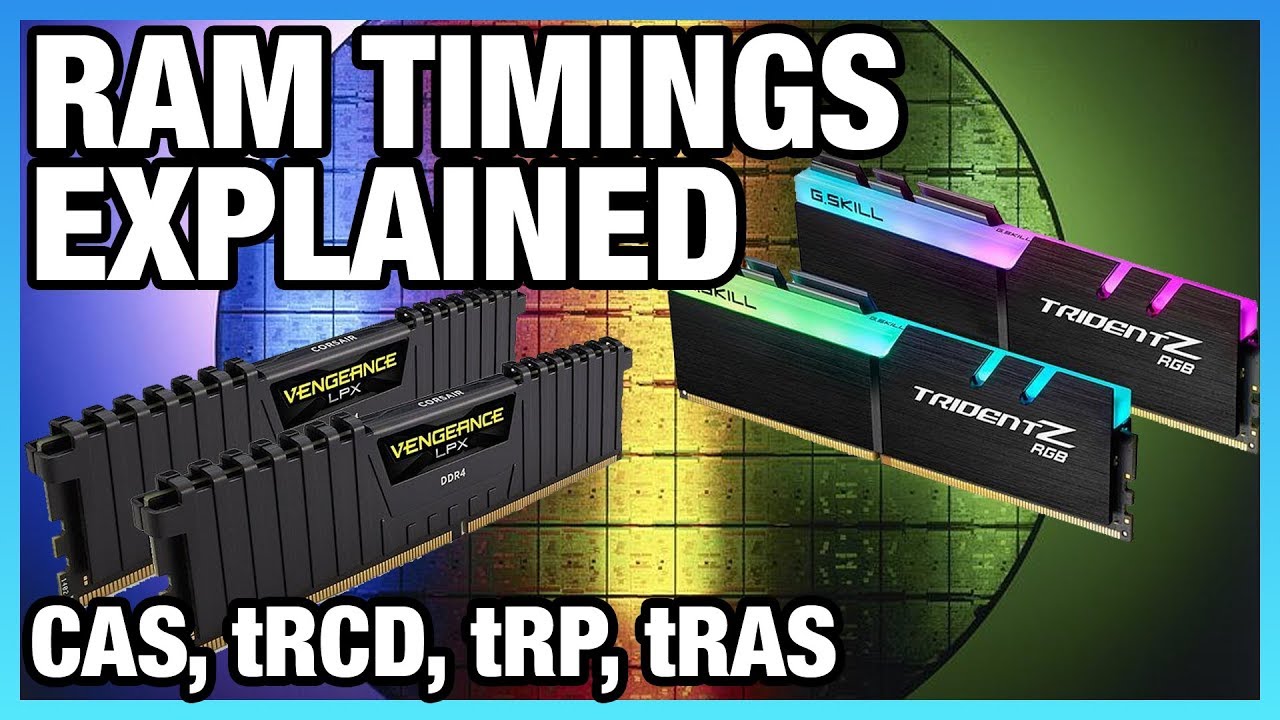
RAM (memory) timings are complicated. Primary, secondary, and tertiary timings can impact benchmark performance on Intel and Ryzen CPUs, and we talk about them here.
Ad: Buy Thermal Grizzly Kryonaut on Amazon (http://geni.us/gntgkryo) or Conductonaut Liquid Metal on Amazon (http://geni.us/gntgconductonaut)
Article: https://www.gamersnexus.net/g...
(they claim there's multiple parts but they never got around to part 2)
indigo berry
indigo berry
Like:
3200c16 → 128MB given by those 16 cycles but given more frequently...?
36...
Thanks...was this right btw? ^
quartz sandal
indigo berry
Btw why is 3600c18 better than 3200c16?
I'd like you to explain how ram actuall...
Higher cl is worse
misty gyro
Cas latency has nothing to do with how many/how often the cycles are also
quartz sandal
Also the primary timings aren't even the most important
misty gyro
3600 MT/s memory runs at 1800 MHz, 1800 clock cycles per second. Cas is a measure of how often a specific type of command can be issued. A cas of 18 means 100 cas commands can be issued per second.
I know I'm probably using terms wrong but that's the general idea
old arch
indigo berry
Thanks...was this right btw? ^
Id say 3600c18 is maybe "better" if all the timings are conparatively decent & if a program truly makes use of that extra bandwidth. Here's a neat pic, note it's from the ddr(1) wiki.
 small warren

old arch
Msi G272 perhaps, or similar. Idk all the models.
 sudden quest
Yo
Can someone help me diagnose my tv
So I was playing a racing game and the force feedback from my wheel made the already loose hdmi connection fail, so I plug it back in, it doesnt work, it's only showing hdmi2 in the upper left corner
I hit it with my hand and it bugs out for a second and wont display now
The lamp still works and I have it open atm
maiden wedge
 somber forum
Anyone know a 144hz, 27 inch, 1080p monitor under $200
somber forum
Anyone know a 144hz, 27 inch, 1080p monitor under $200
Are you sure your boi wants 27inch? Lots of people.complain about seeing the pixels at that size vs 24"
If he's ok with 24 (he should be if he really insists on 1080p) i highly recommend the aoc 24g2
 paper field
Anyone have any recommendations for a budget monitor that can rotate fully vertical/skinny just used for Discord/Slack chat feed?
old arch
somber forum
Anyone know a 144hz, 27 inch, 1080p monitor under $200
This is pretty good price btw. https://www.walmart.com/ip/MSI-Optix-G272-27-Full-HD-LED-Gaming-LCD-Monitor-16-9/905918032?selectedSellerId=0&irgwc=1
quartz sandal
misty gyro
I know I'm probably using terms wrong but that's the general idea
Sounds about right
verbal spear
is pixio px277 1440p 165 hz good? or nah?
raw ingot
 edgy hornet
Acer ED270R Sbiipx 27" Curved Full HD
edgy hornet
Acer ED270R Sbiipx 27" Curved Full HD
curved is pointless at 27"
just get m27q-x instead
raw ingot
verbal spear
is pixio px277 1440p 165 hz good? or nah?
is it px277 pro?
if so it's fine, response times aren't good tho

Gigabyte competition: https://www.facebook.com/AorusANZ/posts/3045298622354765
Gigabyte's B660 range: https://www.gigabyte.com/Motherboard/Intel-B660-H610
Support us on Patreon: https://www.patreon.com/hardwareunboxed
Join us on Floatplane: https://www.floatplane.com/channel/HardwareUnboxed
Buy relevant products from Amazon, Newegg and others ...
quartz sandal
raw ingot
just get m27q-x instead
M27q-p * x is the ~400$ 240hz version
raw ingot
ah
indigo berry
What's the difference between these two?:
LG 24GN600 and LG 24GN53A
edgy hornet
Acer ED270R Sbiipx 27" Curved Full HD
It was for 100. Any other better deals out there?
indigo berry
quartz sandal
I'd go 1440
I'll buy the 1440p tomorrow, I was tempted for the 1080p since total was ~80 because of shipping discount but as soon as I was ready to send the request the person told me he already sold the monitor... Bruh
I'll go for the 1440p ofc because it also has the discount and I was able to negotiate the price to 120€ (+.5€+4.8€) ~130€ total
:)
Btw it's an itek taurus 1440p IPS 144hz
There were many other LG 1080p monitors, too but there are so many models I don't even understand the difference and I'm not sure if they're good or not
maiden wedge
just got my 27GL850
looks great. thanks for the help all
sorry i meant GP850 lol
frantically checks box just in case
 nimble patrol
Is the difference between ips and va panels really noticeable in games?
errant edge
nimble patrol
Is the difference between ips and va panels really noticeable in games?
not as big as tn to va
as far as i understand
misty gyro
Each has their strengths and weaknesses in general but a good monitor can cover weaknesses well
misty gyro
OLED?
errant edge
i dont know monitors well
errant edge
ah
misty gyro
Modern OLEDs are fantastic with little burn in risk, but they're super expensive. They do have the best contrast, brightness, response time... Almost everything
nimble patrol
Is this one good for the price? https://www.ebay.com/itm/144594029977?mkcid=16&mkevt=1&mkrid=711-127632-2357-0&ssspo=J41-etKJScK&sssrc=2349624&ssuid=pbc8dgzvsa2&var=&widget_ver=artemis&media=COPY

eBay
We designed our whole system to provide you with the absolute best quality, service and pricing. We are closed on weekends. Q. I still haven't received my item?. No problem! We've got it all covered.
 wooden matrix
https://www.blisscomputers.net/new-lm156lf2f03-15-6-fhd-144hz-40-pin-edp-dispalay-lcd-screen-247884/

Bliss Computers
Low Prices. Free Shipping. 15 Years in Screen Industry Experience. Buy Online With Confidence! NEW LM156LF2F03 15.6" FHD 144HZ 40 PIN EDP dispalay LCD Screen.
this feels like a bad idea
but ehh
was my idea to make portable computer in a pelican case
probably not how it works, but if it could use the same power supply as the rest of the computer
probably will do without to make the project easier, or just leave the top unfinished and come back to it when I do have the knowledge
(I really dont want to tear apart an existing monitor only to shove it into the lid of this thing)