#storage-devices
1 messages · Page 34 of 1
 plucky stone
I've connected a BarraCuda HDD with the same cables as the SSD and everything went fine, the installer recognized the driver immediately.
 coarse basin
is wd blues m.2 nvme ssd slow?
cus people have been yelling at me so now im getting a samsung 970 evo
 rustic mirage
I have the 1tb we blue, sure it's not as fast as an evo, but it's still better than mechanical
 opaque flare
i have 2 nvme ssd, 970 evo and a silicone power A80, but only 1 nvme heatsink on my mobo. if i put my 970 evo under the heatsink, will the silicone power run cool enough that i dont have thermal throttling? i will only play games with the silicone power
 minor sun
@opaque flare Neither need a heatsink.
opaque flare
ok
 zealous bramble
coarse basin
is wd blues m.2 nvme ssd slow?
zealous bramble
coarse basin
is wd blues m.2 nvme ssd slow?
No, that drive is plenty fast, the SN550 NVME/PCIe version at least
zealous bramble
Is it really noticeable?

Buy WD_BLACK SN750 1TB NVME M.2 SSD: http://www.amazon.com/dp/B07MQ468S8?tag=cesitekw300-20
Buy WD Blue SN550 1TB NVME M.2 SSD: http://www.amazon.com/dp/B07YFFX5MD?tag=cesitekw300-20
👇 Click 'Show More' for System Specs and Relevant articles
📰Best M.2 SSD: https://www.wepc.com/reviews/best-solid-state-drive/
📰Best SSD for Gaming: https://www.wep...
minor sun
if you want the drive to die
dram/hmb is great
dramless drives has to use it's own flash to store locations, and that being accessed so frequently deteriorates the drive's speeds
minor sun
I have a team MS30
that's where my claims come from
I can link you how dramless drives work
a
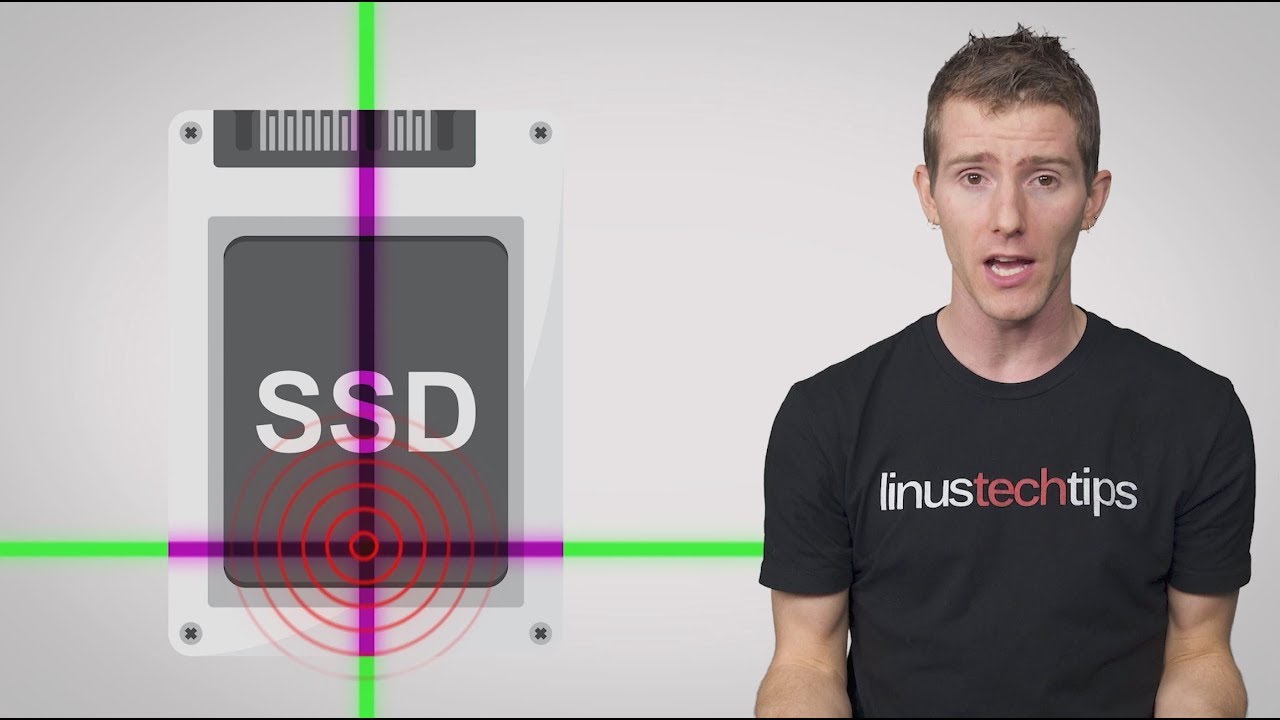
SSDs without their own RAM are appearing on the market as a way to make the speed of an SSD available at lower prices. But is this tradeoff worth it, and why do SSDs even have RAM, anyway?
Share your mouse and keyboard between multiple computers with Synergy! Save 50% here: https://symless.com/synergy/tq10
Techquickie Merch Store: https://www....
zealous bramble
I still don't see how this would deteriorate a SSD
AFAIK SSD's have unlimited reads
minor sun
uh
brb then
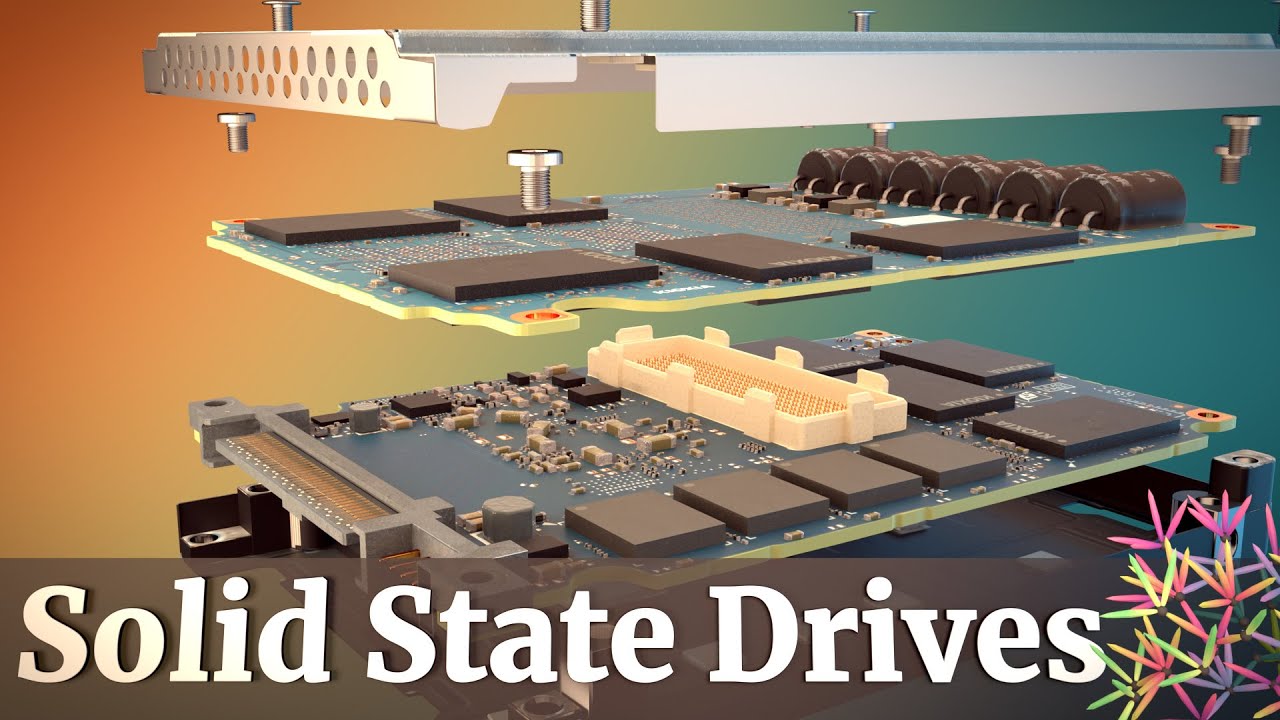
You can hold all the data in the American Library of Congress AND all the data from Wikipedia on a small stack of solid-state drives especially considering a single SSD's capacity can reach up to 30 TB of data. In this video, we'll explore how tens of terabytes can be crammed into such a small space. This technology is called 3D NAND, and spec...
there's the explanation of how the SSD works
it doesn't magically just read and write stuff
minor sun
One is M.2, one is 2.5in
 rough dagger
No wires just pure traces
minor sun
@void dust both are the same speed
both are SATA Drives
some M.2 drives are NVMe, and therefore a lot faster
but in this case, both are SATA drives
a 2.5in SATA drive and a M.2 SATA drive, the only difference here is the form factor
if you can get a M.2 drive, I'd get a 2tb NVMe drives instead
 void dust
ah ic
I cant afford
I'm.going for whatever is cheaper
they are both going on sale tomorrow
the ones Iinked
 cerulean depot
Check this out on @Newegg: XPG SX8100 Series: 1TB PCIe Gen3x4 M.2 2280, 3D TLC Internal Solid State Drive https://www.newegg.com/xpg-sx8100-1tb/p/0D9-0017-001A1?Item=9SIAJNUA6Y3522&Source=socialshare&cm_mmc=snc-social-_-sr-_-9SIAJNUA6Y3522-_-11252020 good drive?
minor sun
It's actually decent
coarse basin
minor sun
SN550 is dramless
i knew i was right and that pizza cat was wrong
 scenic iron
I have a seagate external hdd. I need a power supply that can do the following: 12 Volts
3 Amps
Mono Pin 5.5mm x 2.5mm
Polarity: Center Positive
where can I find this? thanks for the help
 rancid pike
out of these, which would be the best, the p2 or should i just spend the extra $15 for the sn750?
i dont know if a link like that works
if it doesnt set the country to canada, thats what i have it set to soo...
 midnight coral
^^^^^
 abstract parcel

SSD deals
1TB @IntelGaming 665p M.2
$82.99 now: https://t.co/7pStAoEh0C
1TB @SamsungUS 860 EVO 2.5"
$99.99 now: https://t.co/6Bkhj4OcSm
1TB @wd_black SN750 M.2
$115.99 on 11/26: https://t.co/NQvBZoBlpp
2TB @CrucialMemory P1 M.2
$179.99 on 11/26: https://t.co/aG8VSj52gf
Likes
102

 Twitter
·
Twitter
·
@rancid pike
possible check tomorrow for a lower cost im staying up til my midnight to see if it goes live
 red jay
https://pcpartpicker.com/list/yw7cxc storage looks okay on mine
i have to buy my psu today cuz i ownt get it this cheap again if i wait vs bronze i was ganna get same price, im takin it xd
 dry viper
happy thanksgiving love you all 🥰
 mild cipher
I want to buy a new secondary hdd. I have a few small ssds for os/some games, and am also targeting a new 1tb ssd. I was originally thinking about a 2tb hdd, probably seagate barracuda 2tb 7200rpm (~$50). Then I thought about getting 3/4tb. If I go 4tb w/ seagate, it's $80 but 5400rpm. If I go WD black, its $125. Recommendations? I would prefer a 7200rpm but idk if 5400rpm would really be that detrimental for my use (document/media storage, some large games). Cost is somewhat of a concern.
red jay
@mild cipher watch our the barracuda 2tb 7200 rpm is hdd
red jay
mild cipher
i know it's an hdd. did you read?
mild cipher
lmao
red jay
i was talkn to my friend earlier today about his ssd vs the hdd
he told me the hdd was pretty noisey and i remember that
now the computer is so silent
its like o.O
 fossil magnet
hello everyone I need to change the HDD to SSD in a hp pavilion dv6 6033cl. Does anyone know wich one will fit ? I will appreciate for any advise
abstract parcel
665p thoughts?
rancid pike
based on what ive heard from other previously, no
 torpid adder
QLC can be fine, but yeah I'd rather TLC
Pins are really nice, a lot of people would benefit from reading them more often including myself 😅
Crucial P1, MP34, SX8200 Pro, SN750 are all good drives
rancid pike
what i dont understand is why the ltt psu cultists link isnt posted in #cases-psu-and-cooling but is in #building-and-recc-chat
;-;
abstract parcel
@heady raven qlc?
rancid pike
tlc i believe being slightly slower, but lasting longer
abstract parcel
And returning the same one I got from Amazon for 134
 short pawn
is there a reason why this is so cheap 
https://www.bestbuy.com/site/sandisk-ultra-1tb-internal-pci-express-3-0-x4-nvme-solid-state-drive/6402020.p?skuId=6402020

Best Buy
Shop SanDisk Ultra 1TB Internal PCI Express 3.0 x4 (NVMe) Solid State Drive at Best Buy. Find low everyday prices and buy online for delivery or in-store pick-up. Price Match Guarantee.
 wet sequoia
Jeez I’m in 2020 with a 75gb hdd
short pawn
should i just switch because savings
from
https://www.newegg.com/seagate-barracuda-st2000dm008-2tb/p/N82E16822184773
to
https://www.newegg.com/black-wd4005fzbx-4tb/p/234-000G-000W6
torpid adder
@rancid pike NAND flash that has fewer bits per cell last longer, and they are faster, than NAND flash with more bits per cell
rancid pike
yea, thats what i remember from my brief look into the differences
torpid adder
They are more expensive, is the caveat
torpid adder
@fossil magnet a simple 2.5" SSD will do, I suggest WD Blue 3D, either 500GB or 1TB, as it is a good performance drive at a good price at those capacites
I have a DV6-6C43CL in front of me right now, essentially the same laptop chassis and layout with probably internal hardware differences
 zenith prawn
Is a 1TB nvme enough for gaming and streaming?
 ornate canopy
zenith prawn
Is a 1TB nvme enough for gaming and streaming?
ornate canopy
zenith prawn
Is a 1TB nvme enough for gaming and streaming?
its better if you have a boot ssd then an hdd for all your other stuff
 craggy mauve
it also depends wildly on what it is you're gaming and streaming
having fast load times for most games doesnt matter that much
unless its like, rimworld or cortex command, or any other 30000 tiny files sort of games
like insanity mentioned though having your OS installed on it will make the largest performance difference since your page file would have better read/write speeds
some motherboards also have a feature that you can rig up an ssd with a hard drive so it will automatically put more often used files on the ssd and everything else on the hard drive
https://www.amd.com/en/technologies/store-mi which is basically what a lot of datacenters do
 slow ledge
will the WD black sn850 ssd ever go on sale on newegg?
 fervent crane
Hi are there usually psu issues if you add another ssd? I’m thinking if adding additional drives will require me to upgrade psu
Sorry I really don’t know
 hollow sphinx
@fervent crane if it's a 2.5" SSD you'll need to make sure you have enough SATA power cables (usually not an issue barring extreme cases)
if it's an M.2 SSD then unlikely
they only draw a few watts
so it's really not likely you're already riding that close to the limit
 true apex
Hello! I am looking into expanding the storage of my computer and unsure of what is "good" while looking into it. I just purchased a MSI Leopard GL75 and know that it has a NVMe M.2. (My first time handling a SSD, so excuse the lack of knowledge)
red jay
NVMe M.2 is a very fast SSD that is directly installed in your motherboard
other than that, i have never heard of MSI SSDs, don’t know if they’re any good but certainly hope they are since you already purchased one
best of luck 🙂
true apex
Thank you. I am trying to understand what am I looking for spec wise. I am seeing speed. What is a great speed to go with?
fervent crane
hollow sphinx
they only draw a few watts
Thank you!
red jay
Ah, I see. Well anyways, the SSD shouldn’t be too bad i believe
true apex
@hollow sphinx Anywhere between 100-250
fervent crane
Anyone knows where the other m2 drive is on this motherboard? I only see one
red jay
how much storage would you need though ?
fervent crane
Oh I can’t post picture
true apex
1TB but depending on the price, pushing for 2TB
red jay
i think rookies can’t post pictures
red jay
you should check your motherboard’s manual
fervent crane
Hmm ok let me do that
red jay
normally it should tell you where the M.2 slots are at
hollow sphinx
red jay
you could check online too
hollow sphinx
$200 2TB nvme drive
true apex
hollow sphinx
<@!173237348631314432> https://pcpartpicker.com/product/kQZzK8/adata-xpg-sx8200-...
Thanks so much!!
fervent crane
Oh wow found it
hollow sphinx
got good speeds and dram cache so nothing to worry about in that regard
fervent crane
red jay
you should check your motherboard’s manual
Yup it was so much easier looking at the Manual lol , I was trying to google ot
*it
red jay
glad you found it ☺️
i believe the slots are indicated on your motherboard’s official site too, at least that was the case for mine
fervent crane
It was so simple to look at Manuel, like they point it out, it’s below my gpu on the board I have.
hollow sphinx
it's okay, i'm sure Manuel understands
fervent crane
Manuel probably has a better chance of knowing the location than I did.
hollow sphinx

 spring turret
Hey all, I have motherboard ASRock b450m/ac; i want to buy a new SSD but i don't know which is compatible. Can anyone point me in the right direction? It came with a 512 ssd and i'd like to add a 2tb in addition
rough dagger
Well is it sata or m.2?
spring turret
how do i tell?
minor sun
@rough dagger you know there are M.2 SATA SSDs right
@spring turret What the the drive look like? A flat stick or like a 2.5in drive?
spring turret
minor sun
<@!298207540724891648> What the the drive look like? A flat stick or like a 2.5...
Trying to attach a picture but can't see where to do that. i honestly can't tell. it's packaged nicely so the graphics card and ssd are on top of each other (unless i simply don't know what i'm looking at and i'm only looking at graphics card)
just dmed you
spring turret
tanks all! mr 1111 set me straight
 brave saddle
Is TEAM GROUP GX2 DRAM-less?
cerulean depot
Any good SSD deals rn?
brave saddle
860 Evo 2.5" $99, nice upgrade for PS4
Which the bot just posted lol... bought it an hour ago
minor sun
@brave saddle gx2 is dramless for sure
 mossy token
hola
 woven carbon
hi i need help
 heady raven
@woven carbon then please state your question/problem, and people will decide if they have the knowledge to help you.
woven carbon
Ita all good i figured it out
red jay
 warm oasis
is this a good deal?
warm oasis
is this a good deal?
yes
warm oasis
thx
red jay
warm oasis
thx
it is about $10 off. the normal price is $70
 sly finch
will ssd give you more fps than harddrive
 fallen shale
minor sun
SN750
fallen shale
minor sun
SN750
ty comrade
heady raven
quite wrong @latent barn, there are cases where it does effect FPS
 latent barn
Welp
heady raven
you can look at it like this: there are no performance downsides to a ssd vs a hdd.
there is a price downside
and a capacity downside
but not performance
(on the consumer side of things)
 sharp merlin
red jay
sharp merlin
red jay
i can’t even get to level 10 lul
 solemn jolt
Are these Samsung EVO M2s with V-NAND superior to other M2 SSDs because of the cache?
heady raven
there IS a performance difference @minor sun
in that V-nand is faster
but its normally mitigated by the way that other vendors just stack more cells
minor sun
@heady raven hm, well, there's no performance difference in the results between evo and other drives
heady raven
aye aye
because of the mitigation i mentioned above :)
if you go back and look at some of the early reviews of the drives that first used V-nand, especially at low capacity, you will see some interesting numbers @minor sun
yes, samsung drives are NOT cheap
but they got the rep they have for a reason
their early drives had silly good performance
minor sun
Huh okay
solemn jolt
They seem to be the only ones on the market with a 1gb cache but can’t find a lot of literature about how this affects performance
short pawn
heady raven
dont feel bad that you dont know about it, its ancient history by now @minor sun :)
minor sun
@solemn jolt either way, in the end, performance wise, 970evo is around the same as other decent pcie 3.0 drives
Fair enough
Like the SN750 linked there will outperform the 970 evo by a bit
@short pawn 116$ pretty nice for a sn750
 summer osprey
@short pawn Thats the lowest current & historical price for that model: https://pcpartpicker.com/product/QQrmP6/western-digital-sn750-1-tb-m2-2280-solid-state-drive-wds100t3x0c
short pawn
so yes
minor sun
Yes, it's a pretty nice deal.
short pawn
awesome ty
 brisk dome
860 EVO 1tb is $100 and MX 500 1tb is $95 👀
although nvme prices have gone down so much idk if sata are really worth it rn
 cold lily
is raid through the bios any faster than microsoft storage pool? ive always wanted to change my 3 sata ssds to be in a hardware controlled raid array rather than a software controlled one. (using amd mobo, and i basically know how to get the raid drivers installed)
minor sun
Windows raid tend to be one of the best performing raid implementations
 gloomy fern
I just got a new m.2 drive and installed it in addition to my SSD that has windows and everything installed already. Went to turn on pc and all i get is a black screen, absolutely nothing, not even the bios screen pops up for me to enter. Any help?
 sonic river
So, maybe I'm just blind but
Samsung (MZ-V7E1T0BW) 970 EVO SSD 1TB - M.2 NVMe Interface Internal Solid State Drive with V-NAND Technology, Black/Red
Samsung (MZ-V7S1T0B/AM) 970 EVO Plus SSD 1TB - M.2 NVMe Interface Internal Solid State Drive with V-NAND Technology
These look identical
minor sun
Evo and evo plus
minor sun
 weary oar
I need a good m.2 ssd for under 50 dollars, anby suggestions?
minor sun
P1 500gb should be 50$ flat
weary oar
oh
 paper mulch
So I bought a Samsung 970 evo m.2 and I installed it in my system, but its not showing up anywhere in disk management
heady raven
scroll down
paper mulch
Also, does it have to be screwed down in order for it to work?
heady raven
yes, the stand has to be in the right place, the ssd placed on top and then screwed in
paper mulch
Oh okay, I'm sad because it didn't come with a screw or standoff
heady raven
thats supplied by your mainboard
so, by your supplied info: " I installed it in my system," <- that is not true then
paper mulch
Well I put it in the motherboard right but I didn't know it would've had to have be actually screwed it
Like how you don't need to screw in fans for them to work, you know?
heady raven
except, you do. because fans are screwed INTO the case
just because you didnt do, does not mean it does not need a screw :)
paper mulch
I'm just saying, fans can be taped into a case and still work fine, I didn't know that a screw was necessary for a m.2, ill just order some screws and wait for those
heady raven
check your mainboard box
paper mulch
Don't have it, upgrading the system
rancid pike
Man, the SN750 just looks nice, haven’t installed it yet because I still don’t have a mobo, but it’s a shmexy drive
 woven sand
hello, i was wondering if anyone kow of a sas card i can use in windows 10 pc to read sasdrives to wipe them. i found this one but not sure if it will do what neen. Item#: 9SIANDTBA56997
 half quest
how do i move windows from my hard drive to my new ssd
woven sand
@half quest most new ssd's come with software that moves it for you or might be able to find it on the manufacturers website
heady raven
@half quest macrium reflect. the free version can do it. you will need to make a rescue media usb stick from inside of that program and then boot from it
 ivory peak
2tb for 100 is good
 pallid tusk
That’s good yeah
ivory peak
oh nvm maybe a crucial p1 or sum would be good
 patent zealot
i dont really want 2 m.2s
ivory peak
oh
ivory peak
yeah then its good i guess
pallid tusk
2.5” is stinky poopoo
patent zealot
im using it to throw my steam games on
because i have all my steam games on a 2tb barracuda
right now
plus my main ssd is almost full
hmm
actually i could do 2 samsungs 500gigs in raid
ivory peak
2.5" is overpriced lol
patent zealot
well i want something cheap 1tb and has dram
 hallow spade
https://www.newegg.com/Product/Productcompare?CompareItemList=22-184-796%2C22-179-003
whats the difference between these except for the price?
 upper quiver
no real difference
the more expensive one is basically the same product listed under a new SKU
its a difference in formatting and internal disk count
upper quiver
it means the differences dont really matter for your purposes
hallow spade
what does difference in formatting and internal disk count mean?
hallow spade
upper quiver
its a difference in formatting and internal disk count
zies
upper quiver
the 0022 has 6 disks inside, the 004 has 7
so the internal speed of the 004 would technically be faster
hallow spade
huh
upper quiver
and disks are divided up into sectors, so the drives store data differently
hallow spade
so the 22 would be technically better?
upper quiver
not really
the 004 is the newer variant, and has an extra disk, but that wont make a huge difference
hallow spade
so what you are saying is that it wouldnt matter if i got either one
upper quiver
wouldnt matter at all
 tacit halo
Any 1TB ssds on sale and in stock? Looking for one for my brother
minor sun
for what
tacit halo
I’ll have to grab his specs but it’s a pretty old setup he just wants a boost in speed with boot up and load times. After I got mine he decided he wants one too I’m just not too good at finding good deals lol
minor sun
@shrewd vector gx2 is trash
dramless
and I'd wait to see what they can support first
 untold grove
the qvo looks like the best bet there
the qvo has super low tbw though
only 360 lol
minor sun
I mean
I don't want to give them things and find out it's a laptop with only a m.2 slot free
untold grove
true lol
minor sun
or like only space for like a PATA drive left
or smth weird
I'd wait to see situation first
untold grove
i have these in my servers as cache drives and theyre great https://www.amazon.com/dp/B07SNHB4RC
untold grove
yeah they used to be really good deals
untold grove
yeah for a while i had 20 of those running in an array
the 500gb
i mean now theyre around 55
minor sun
I also rather get a NVMe drive rather than SATA whenever possible
untold grove
well duh
untold grove
m.2 sata masterrace
i used to
ended up using them as cache drives
or for vms
fair
you get 2tb or 4tb?
ooooh nice
yeah i ended up getting a bunch of seagate nvme drives
put them in my vm server
they work great but theyre slow for nvme
like 2gb/s read and 1gb/s write
in fact more like 1.5
for read
true
theyre enterprise drives and the speed is good enough considering the tbw on them
i hate their hdds
out of every brand ive used theyve failed on me the most
staying up at 5am babysitting an array rebuilding is literally my least favorite thing to do
now to be fair, i know some people that just cant stand wd drives cause the opposite is true for them
but personally i really dont like seagate hdds
most ppl here dont do what i do though
and if u just need a 2tb game drive then why not
yeah
theyre fine
minor sun
Back blaze's drive failure rates by brand for fun
untold grove
yep
minor sun
I think they stopped using WD drives or something that's why WDC doesn't continue after Q1 2019
untold grove
to be fair backblaze also sometimes uses consumer drives
minor sun
They do
untold grove
for cost saving
minor sun
like the horrible 3tb barracuda
untold grove
lmao
minor sun
like 80% of them failed on them
minor sun

Beginning in January 2012, Backblaze deployed 4,829 Seagate 3TB hard drives, model ST3000DM001, into Backblaze Storage Pods. In our experience, 80% of the hard drives we deploy will function at least four years. As of March 31, 2015, just 10% of the Seagate 3TB drives deployed in 2012 are still in service. This is the …
untold grove
i had one
and 2 warranty replacements failed on me
so my experience with that drive was like
minor sun
but anyways HGST seems to be the best
minor sun
But Seagate also has some good drives in terms of drive failure rates
untold grove
every brand has good and bad drives
untold grove
my arrays are around 80% hgst and 20% WD
tbh i would never tell anyone to seek out a seagate drive is my thing
if a good deal lands in your lap
then theyre alright for sure
but if someone is asking for like
cheap 10tb or smth
easystore all the way
zenith prawn
is the sn750 better than the mp34? the sn750 is 10$ more and I was wondering if it’s a good deal
minor sun
mhm
zenith prawn
thank you!
also, am I fine with just the 1TB sn750 or do I need a separate ssd too?
minor sun
1tb SN750 is good.
zenith prawn
okie
 tiny cypress
Would the SN750 SSD be compatible with this motherboard that I have? Mine is "Gigabyte 970A-D3P"
minor sun
@tiny cypress Doesn't look like there's a M.2 slot on that mobo
You'll prob have a better time with a 2.5in SATA drive

 halcyon pulsar
New SSDs are arriving today and I am nervous, is it normal to feel nervous? I never installed an M.2 drive before
red jay
you shouldn't be haha, it's easy to install don't worry
 ember cedar
yea m.2 is the easiest imo
 noble atlas
tlc is the best
 pliant yoke
Do you guys have any good 2tb ssd
 tidal fractal
if you wanna go overkill you can do two 980 pro's
heady raven
@noble atlas tlc is the better commercially available flash nand. at this point in time.
red jay
That ssd is a little slower than the 970 evo but I recommend it
heady raven
both slc and mlc are technically better nand types
 kind saddle
what is thebest 1tb m.2 ssd to buy right now?
minor sun
@kind saddle what budget
minor sun
Mp34 1tb
kind saddle
hows the 665p?
minor sun
Mp34
kind saddle
ok thanks
minor sun
@latent barn evo plus was actually at a good price, 250$ for 2tb, might still be there
If not, sabrent rocket usually
latent barn
ok
They should pin this

Google Docs
Master List
Brand,Model,Interface,Form Factor,Capacities,Controller,Configuration,DRAM,HMB,NAND Brand,NAND Type,2D/3D NAND,Layers,R/W (Up to, in MB/s),Categories,Notes (*),Product Page,Product Page 2,Amazon Affiliate Link,Amazon Price (Coming Soon)
ADATA,Falcon,x4 PCIe 3.0/NVMe,M.2,256GB-2TB,Rea...
minor sun
It's pinned lmao
 fallen mulch
I'm looking at slapping 2 NVMe drives in my new rig.
Thinking of the WD Black SN750 for both
probably 1TB each
fallen mulch
Is WD a good bet?
 summer osprey
Whats the difference between ADATA SX8200 Pro and Samsung 970 EVO Pro, aside from 970 having encryption & MLC?
 crisp ibex
I own the ROG Strix X570-E Gaming Motherboard and having issues with the M.2 drive not being picked in in windows even in Disk Management and have tried messing with the bios where it picks it up there but not in windows.
summer osprey
crisp ibex
I own the ROG Strix X570-E Gaming Motherboard and having issues with the M.2 dri...
Update or reinstall mobo related drivers?
summer osprey
Also, are there any SATA cables plugged in where NVME pulls/disables from?
crisp ibex
Flashed bios 5 versions
summer osprey
Tried all the diff m.2 slots on the mobo I assume?
crisp ibex
Also, are there any SATA cables plugged in where NVME pulls/disables from? Wouldn't it being picked up in the bios mean it works and all cables connected?
summer osprey
Just be aware that with some mobos, it says when an nvme slot is used, then certain SATA ports will be disabled.
Im just saying that if thats true and you have something in the certain disabled SATA ports, I would expect weirdness
If none of that is applicable, sounds like a possibly dead drive. Doesnt take much for BIOS to ID your drive
crisp ibex
I guess I'll try for a couple more days and if nothing I'll return it.
red jay
summer osprey
Awesome for laptops because of energy savings
SATA SSDs will be limited in speeds compared to NVME, but will be negligible in current games until directstorage is implemented in games
heady raven
you are aware that the controller on the sx Pro has changed right?
summer osprey
Changed from what?
I'm aware that something like the 970 Evo Plus may have a better controller, but that may cost more which may not be desireable for a laptop
heady raven
the sx8200 pro changed its controller from the good one it had before, to something less good now
and there is no way aside from having it in your hand to tell which is which
summer osprey
I wonder if the good one was from SK Hynix? If so, should just grab their own latest nvme 1 GB drive instead
untold grove
if youre talking about the hynix gold ssd, its like $10 less than the evo plus right now. Personally id go for the samsung drive
minor sun
@summer osprey both controllers are from SMI, the SM2262EN to SM2262G
 olive obsidian
hey y'all can anyone answer a question about m.2?
upper quiver
if you would actually ask your question, then maybe
olive obsidian
well at least your name is accurate
i just got an m.2 stick and installed it but i also have an hdd and a sata SSD installed already. my bios recognizes the m.2 now but no longer recognizes the sata unless i take the m.2 back out so it doesn't recognize both at the same time
is it possible my motherboard just can't recognize 3 drives at the same time?
upper quiver
depends on your board
some SATA ports only function when no M.2 is present due to bandwidth limitations
i assume you put the M.2 ssd in the top slot nearest the CPU?
olive obsidian
i put it in the bottom one, my graphics card is actually covering the top one so i didnt know that was there until today
it seems like the top one is bigger though, would it still fit in either one?
upper quiver
when you use the lower slots, the chipset will typically disable sata ports
if you want to leave the ssd on the chipset thats fine, but look in your motherboard manual for the sata ports that dont share bandwidth with that M.2 slot
imo, it would be best to remove the gpu, put the ssd in the top slot, then reinstall the gpu
olive obsidian
my bottom one is 80 and the top one is 110 but i bought an 80, will it still fit in the top one even though its a different size?
upper quiver
yep
the m.2 standoff is typically preinstalled to fit 80mm ssds
if its not its easy to move
olive obsidian
ok i think i understand now! thank you i will try it out tonight
 acoustic yew
 opal bobcat
I am trying to swap a 500gb sk hynix gold ssd into a laptop that had a 500gb hdd. At first I used minitool partition wizard (as I usually do, this is my fourth time doing this). When I tried to boot from the ssd I got a black screen with the capital letter J in the top left corner. I am assuming that this has something to do with drive partitions but I'm not a pro with this stuff. Does anybody know what is going on here or possibly how to fix it? This is the laptop - htt ps://www.cnet.com/products/hp-g72-260us-17-3-core-i3-350m-windows-7-home-premium-64-bit-4-gb-ram-320-gb-hdd-series/ (the link is split in the https bc you can't send the link in this channel)
red jay
That's a dilemma
opal bobcat
Please explain
red jay
Man how do you even switch out parts in a laptop
opal bobcat
Well old laptops like this one are super easy. They have access panels on the bottom. Newer ones you have to look up a video. They are compact and usually require you to take the keyboard off or something of the sorts.
coarse basin
so is the 30 bux worth it between the wd blue 1tb ssd and the samsung 970 evo?
 uneven marsh
So for a asus b550 gaming pro there are two m.2 drives, bottom one with a heat sink. What is the difference between which one to install on?
uneven marsh
If the ssd is only pci 3.0 should I install on the bottom one since it has a heat sink
heady raven
it really does not matter for 99.99999 of ssd's
opal bobcat
untold grove
and <@!293028096809107468> try clonezilla?
I eventually gave up on minitool and restarted completely. I tried to use sk hynix software on the laptop but the usb to sata cable kept the software from identifying the drive as sk hynix. I figured sata was required. My good pc has an m.2 so I have 2 extra sata cables, so I plugged in the hdd and ssd into my pc via sata and the sk hynix software was able to recognize it. Thankfully the sk hynix software worked flawlessly and it booted right up. Note to self and anyone else doing an ssd swap on windows 7, minitool will not work. For QUICKER and BETTER results buy an sk hynix or samsung that comes with software, and hook it up to a desktop via sata.
fervent crane
Hi Everyone I’m trying to install a Sabrent m2 drive with the heatsink it comes with
However the bottom part of the headsink makes the screw to short to screw into the motherboard
Would it be wrong to just put this thermal pad on the bottom?or just I just leave the bottom without a thermal pad ?
The metal part on the bottom makes the screw not go all the way through so I can’t use it.
opal bobcat
I believe there should be a different post that came with the motherboard that allows the screw to reach, although I'm not 100% sure exactly what issue you are having.
minor sun
Maybe the manual will help
Might be useful to mark on the image where exactly you're talking about
fervent crane
One second
opal bobcat
Yeah definitely check the manual
Also I feel like that metal bit below it is on backwards, it looks like it should be facing up
opal bobcat
That will help
fervent crane
The head sink has a bottom tray, which is how it’s suppose to be used as far as the manual states. However this bottom tray causes the M2 drive to be lifted... and the screws cannot reach the motherboard.
So I’m thinking what if I don’t use the tray.
opal bobcat
Somethings not right, mind if i give you a call?
opal bobcat
I looked and its actually a manufacturer problem. The sabrent rocket has a bottom cooling plate with a little lip around the screw hole. The lip prevents the screw from making it to the mobo. Even with a taller standoff, the screw won't be long enough to go through the drive and the metal lip. I told him to just install it without the bottom cooling plate because you don't really need to cool your ssd. Plus he still has the heatsink on the top half which will help a lot.
opal bobcat
His motherboard has standoffs already
minor sun
hm? afaik it's too high
and the screw can't reach
so the bottom 'tray' was a replacement to elevate the ssd instead of the bit on the mobo
that was my theory
opal bobcat
There is a little metal lip on the bottom plate around that screw hole for the drive.
 gray fulcrum
Is it worth the extra money to get an nvme ssd over a sata 2.5 ssd?
minor sun
Did the screw go through the bottom plate?
opal bobcat
It's thickness prevented the screw from reaching the standoffs
no
thats the issue
and because of that lip, the bottom of the ssd wasn't even touching the thermal pad
opal bobcat
gray fulcrum
Is it worth the extra money to get an nvme ssd over a sata 2.5 ssd?
It depends
I have a sata one because a sata ssd is plenty fast for me
but if you really want the fastest of the fastest, nvme is the option
gray fulcrum
I have a 1tb 2.5 but it is dying it is held together by tape
And I noticed the price difference is quite a bit for the same storage amount
opal bobcat
Personally, I would just go sata m.2
gray fulcrum
Thanks for your help
opal bobcat
np
minor sun
This is how I saw it, Orange being top heatsink, Blue being SSD, Red being bottom tray, black being screw, and white being mobo standoff bit
welp
if it works without bottom, it should be fine
minor sun
what
opal bobcat
the bottom plate
opal bobcat
the top heatsink doesn't affect the screw hole
there is no issue with the top heatsink, it is out of the equation
minor sun
huh, looked like it had to go through the side, oh well
fervent crane
Thanks laid off for the help
I just removed the entire heat sink, bottom and top .
I took top heat sink off because it wasn’t screwed into anything, once I remove bottom tray.
opal bobcat
gotcha
opal bobcat
um I think the thing you screwed it in with is a mobo standoff for an m.2 drive
minor sun
Oh you have the rocket 4? Might want to keep top side heatsink on since the controller might run hot
opal bobcat
He can't get it on bc of the design flaw with the bottom plate
minor sun
@fervent crane Looking at the manual, how does it look if you put it back into the heatsink?
On the bottom
opal bobcat
That's how it should look
minor sun
yea I'm wondering how their's look
opal bobcat
he showed me his and the bottom plate is bent up around the screw hole
you can sorta see it in this pic
right where he circled
opal bobcat
just trust me, I called him and had him turn on his video. The bottom plate is just messed up
I also looked around online and found others with the same issue
fervent crane
So the issue was I didn’t know a stand-off goes under the drive
And if you told me, I would of understood because I’m thinking , a stand-off would only make the drive more elevated
Didn’t realize screws go into standoffs
minor sun
@fervent crane so, what now, were you able to get the heatsink on correctly, and if not, how's the temps on the controller looking?
fervent crane
Yup, we were able to get the heat sink and drive installed.
I have no idea about temperature yet.
opal bobcat
turns out there is a manufacturer defect problem, but we weren't exposed to it. He was trying to use the standoff as the ssd screw
heady raven
which is what Mr1111 asked about earlier
fervent crane
I think everyone may have recommended it. But it’s that I couldn’t understand naed
opal bobcat
From what I could see there were standoffs, I had him run his fingers over them to confirm that they were raised but I didn't think to ask about what extent they were raised to
minor sun
@fervent crane Try Crystal disk info, it'll give you temps, but don't put too much faith in read and writes being accurate....
minor sun
It's alright, I didn't explain well enough.
You did peel the protective layer off the thermal pads, correct?
fervent crane
Yup thanks
heady raven
aye aye, i see and i understand that @fervent crane :) as long as you have it fixed now, that is all that matters for that particular part :)
opal bobcat
I told him about the pads
minor sun
ya, on top and bottom thermal pads
fervent crane
Yup thank you .
 upbeat forge
So I have a 500gb hdd and a 500gb ssd. I want to put the OS on the ssd instead of the hdd. How do I go about that?
 high haven
Ok guys I need a flash drive or usb micro SD reader that barely sticks out of the USB port. Like the smallest one yall can know of. Any suggestions?
opal bobcat
Flash drives are a pretty standard size, I'm not sure about the micro sd reader tho. You might be able to find one small
 hollow girder
untold grove
hollow girder
untold grove
dont get one of those lol
just in general they bake themselves
not enough room for cooling
get a normal flash drive
opal bobcat
well I mean if he just needs a small drive that's probably your best option
 chilly trench
hello everyone
anyone know what is a good pcie card adaptor for mine 980 PRO PCIe 4.0 NVMe SSD 1TB. the new desktop i bought the alieware r11 only comes with one slot for it
opal bobcat
That's a bit overkill but many adapters like this usually aren't made by big brands.
Asus is the only brand name adapter that I found. @chilly trench
minor sun
uh what
@chilly trench Is there a reason that you're getting a PCIe 4.0 SSD for PCIe 3.0 chip
chilly trench
because the alienware only comes with one slot and its already filled with the one that is coming with
opal bobcat
No he's asking why you are putting a pci gen 4 ssd in a gen 3 slot
Also why buy Alienware? Horrible price to performance plus everything is proprietary.
If you are going to buy a prebuilt, Alienware is probably the worst choice
chilly trench
i got a decent deal on with my military discount so
i know nothing of building haha
 prime bramble
If you know how to use a screw driver right and have some patience its not very complicated
Its just screwing a bunch of things together
opal bobcat
Even if you go prebuilt, dell isn't a great option. Better off with IBuyPower or Maingear
But like rebel red said if you've got some spare time to watch a little youtube and a phillips screw driver its not too tough
chilly trench
Yeah i got lot of time. Just picking parts is annoying
opal bobcat
I understand, it can take some time
chilly trench
I guess I took the easy way out haha
I have two systen one with x99 motherboard and 1080 card the new will have thr 3080
fervent crane
I bought a prebuilt and then right away wanted to build a computer lol.
I think it’s because I watch a ton of videos and it’s like darn.
opal bobcat
fervent crane
I think it’s because I watch a ton of videos and it’s like darn.
Well the good thing is you have an ibuypower which is very modifiable
With an alienware everything is proprietary and the case is a pain to work with so you can't change things down the road
opal bobcat
chilly trench
I have two systen one with x99 motherboard and 1080 card the new will have thr 3...
that's awesome tho that ur getting the 3080, have fun w it
fervent crane
Ohhh
chilly trench
Yeah only reason I went with them I guess
minor sun
@chilly trench I mean why are you trying to use PCIe 4.0, the protocol?
980evo is a very damn expensive pcie 4.0 ssd
When the chip will only support pcie 3.0 SSDs that'll be much cheaper
opal bobcat
It would be smarter to buy pcie 3.0 if you haven't made the purchase already
 past peak
is the 500gb 970 evo a good deal for 60 bucks?
minor sun
Is good
 runic crater
can someone explain me the difference between cl18 and cl16 in ram memory because i saw 2x8 cl 18 rgb and 2x8 cl 16 no rgb and they are the same price
so what should i do
 fallow crescent
Is moving a program from D: to C: as simple as this or? I just dragged it from where its file is located in (hdd)D: to (ssd)C: and it started copying it. Will I have issues with it? Or should it just work fine now? And if I were to delete the program from D:, it’ll still work on C:? (Sorry, a lot of questions in one post)
 queen surge
best ssd 2 tb?
 carmine musk
I don’t wanna sound dumb but guys... is this actually a great deal or nah?
SAMSUNG 970 EVO Plus SSD 2TB - M.2 NVMe Interface Internal Solid State Drive with V-NAND Technology (MZ-V7S2T0B/AM) https://www.amazon.com/dp/B07MFZXR1B/ref=cm_sw_r_cp_api_fabc_dlC_G0PYFbR4EXF94?_encoding=UTF8&psc=1
2tb for $250 🤔
opal bobcat
no
opal bobcat
not even close
minor sun
@carmine musk it's 315$ rn
carmine musk
omg it was $250 in the morning
minor sun
opal bobcat
carmine musk
😪
carmine musk
But let’s say if it was at $250 would it be a great deal then?
opal bobcat
wdym by different tier
minor sun
@opal bobcat P1 is rated for 2000/1700Mb/s
carmine musk
Kinda wanna go for the $250 Samsung just because of the brand 😅
carmine musk
But anyways it’s not $250 anymore
minor sun
ADATA is pretty big too
 plush kelp
what about sk hynix?
minor sun
Hynix makes a ton of things
opal bobcat
sabrent
carmine musk
I’m already getting the 980Pro 1tb but I wanted 2tb more just for games and stuff 🤔
opal bobcat
well if its just for games
carmine musk
Still useless if I don’t even have a cpu or GPU to test everything :’v
opal bobcat
opal bobcat
well if its just for games
save a few bucks
unless budget isn't a priority
opal bobcat
too?
carmine musk
Yes 🥴
 small steppeBOT
 Laidoff Hitler#7768 has been warned
Reason: Bad word usage
opal bobcat
thats a lot of money for storage
carmine musk
Been saving for a good gaming pc 😅
minor sun
but game drive, SSD :P
carmine musk
But hey! Still no Ryzen 5000 or RTX 3080...
opal bobcat
On almost every pc ive built i do a small ssd to boot and then a 2tb hdd for games
save your money for those instead
just wait until they are actually buyable
opal bobcat
That's what I mean, wait until the stock builds back up so its 700
they won't be like that forever
carmine musk
That’s my plan
I wanted to get a Ryzen 3200g just to test if everything works you know
But they also out of stock like come on
🤣
They $99 but I’ve seen them for $200 now
opal bobcat
wow
4 real tho I wouldn't go blowing money on a giant ssd, I would just do a hard drive
you get a lot more capacity for the money
carmine musk
I guess you are right I’m already getting a 980pro I don’t think I need another ssd
Hdd should be enough
minor sun
meh, I like SSDs as an investment
opal bobcat
That's the one good thing about ssds
minor sun
storage can be kept, esp with SSDs being, yaknow, solid state drives with no moving parts
opal bobcat
well not just one but
hdd will wear out
long term ssd wins but hdd is just so cheap
minor sun
There's also gonna be interesting applications with direct io for loading times that will actually use faster speeds in games
but eh, directio isn't out yet for testing and all
carmine musk
Mmm so maybe ssd for games and hdd for music and other stuff 🥴😂
carmine musk
Wrong emoji 🤔*
untold grove
Sata vs nvme has no load time impact right now
Or not enough to worry about at least
fervent crane
You all ever had a hdd that gave out?
Or do you mean it slows down quicker over time ?
 past peak
haha
fervent crane
Sorry hhd
untold grove
fervent crane
Sorry hhd
?
 marble comet
Just finished building a rig. Everything looks like working well, but i am unable to detect wd blue 3d nand m.2 2280 ssd stick in the bios. I am using B550M pro vdh msi motherboard. Any suggestions?
untold grove
you made sure it clicked in?
marble comet
untold grove
you made sure it clicked in?
yes, i did. there also was an issue with the mb. it came without M2 screw, so i had to improvise with screes i had.
bios on b550 should also be fine
so is this the ssd issue?
untold grove
do you have a second slot
marble comet
yes i do
marble comet
i just turned off the bios
untold grove
what ssd did you get again
marble comet
wd blue 3d nand m.2 2280
marble comet
WD Blue 3D NAND 500GB Internal SSD - SATA III 6Gb/s M.2 2280 Solid State Drive - WDS500G2B0B
torpid adder
Lol
Why the M.2 version
If you have an M.2 slot available, use an NVMe drive if the slot has NVMe support
If you have no NVMe/M.2 slots like me, then 2.5" version of the Blue 3D is good choice
untold grove
thats why i said return it
and nah its only somewhat okay
id go with a crucial or a hynix ssd over a wd drive any day
torpid adder
Crucials are pretty much the same lol
torpid adder
I don't see anything better about any of the three
They're all about the same
Hynix S31 just seems to be more expensive
Basically Samsung
torpid adder
Lol higher capacity ssds have higher endurance
torpid adder
Mkay :)
torpid adder
200 more tbw for the data hoarder, I can see why you'd want the Hynix in that case :p
torpid adder
Oof xd
untold grove
1.8pb written
torpid adder
Nice
untold grove
its living in a build i sold 
untold grove
2% smart health
untold grove
100 is highest
torpid adder
Ah ok
untold grove
plus the blues i got like
rly struggled with constant read and write
hynix had 0 issue
torpid adder
Fair
I'm very light on drives in general
Blue is satisfactory
What year blues have you had?
I tried looking online for differentiation between all the Blue 3D drives, but all I can find is 2017 or 2018 reviews comparing those years to even older Blues
And the only info about its DRAM I could find were in one reddit post that referred to another review, said it was 512MB LPDDR3
untold grove
torpid adder
And the only info about its DRAM I could find were in one reddit post that refer...
heres the datasheet, doesnt say anything abt dram though
torpid adder
Smh WD
 vague condor
how do i transfer my SDD flies to my hard drive
vague condor
like i wanna make space for my sdd since its only has 500 gb
while my hard drive has 2tb

 swift drum
@heady raven sorry to bother you but can you help me once again. Yesterday I managed to complete clear the partitions on my old boot drive using the cmd and instructions you told me a while back. what it did was removed the drive from the file explorer portion where you can see your drives. My intention was to replace that old drive with a new ssd I just bought. But when I started up the computer, it refused to boot to my Intel ssd and instead said something like this device needs repair in blue screen. Can I get some help?
Should I remove the old boot drive the we blue 500gb and see if it autoboots from the Intel?
I am able to get to bios if that's any indocation
When I try to manually boot from Intel ssd in bios it gives me this. Not sure. It was working just find yesterday until I cleared the old boot drive completely.
 tawdry finch
lp§
swift drum
I think I fixed it, I went through the media recovery from macrium and tried the boot repair option it had and it seems to be working now. Still going to see if it’s stable.
swift drum
Now I got a different problem. My cpu light is on and the case power button works but has no led light around it and display won't show
heady raven
the only way that clearing a drive can interfere with your boot process is in the following 2 situations
situation 1: Your boot section is on the wrong drive
situation 2: you cleared the wrong drive
swift drum
It works now. Currently I’m moving my boot to a new nvme a friend gave me using the same process you told me before. I took out the old Wd blue and replaced it with adata xpg sx8100. I think when I removed the fans of my cup cooler it may have interfered with my cpu. Removing and reinstalling the cooler and now it boots fine. Hopefully changing boot drives again won’t hurt the stability again.
Gonna convert my intel 665p nvme for secondary storage and using the new adata tlc nvme for booting instead
heady raven
it should not (hurt anything that is)
swift drum
Once I switch to this new boot drive I’m not messing with my pc for a while. I upgraded my ram to 64gb from 16 so I think I’m done for a while.
heady raven
:)
part of the potential problem is the "situation2" up above
which is the reason that the standard recommendation when something is wrong with the OS is "reinstall it all" (preferably with the OS drive as the only drive plugged in)
swift drum
Just a quick reminder. Once I clone my old drive to my new one. I reboot and switch boot order to the new adata right? Then turn off the pc and remove the old intel sod to see if it boots properly right?
heady raven
you clone the 665 to the sx8100
heady raven
then depending on how many times you want to handle the drive, you remove the drive you cloned FROM
and then start the system again
swift drum
I think I’m good with touch the inside of the pc for now.
heady raven
(you will have to tell the bios what to boot from)
swift drum
Should I remove the rescue media thumb drive while restarting?
heady raven
if everything boots and works as expected. You are free to plug in the intel drive again, and fix the partitions as you want :)
heady raven
swift drum
Should I remove the rescue media thumb drive while restarting?
after the clone? yes
swift drum
Ok here goes nothing
Okay so I’m in the bios but I don’t see the adata drive. It says it’s in the system status but not in the boot area
heady raven
have you actually cloned the intel to the adata?
heady raven
yes
swift drum
So reboot now?
swift drum
Ok it boots to adata.
heady raven
and you should still be able to see and access the intel one in windows
swift drum
Again the partitions are the same but I want to fully utilize the new drive so disk management?
Yes I can access the Intel
heady raven
show disk management instead
swift drum
heady raven
file explorer doesnt really tell me anything :)
swift drum
Disk 2 is the Intel/old nvme boot
heady raven
aye
swift drum
Disk 1 is the adata
swift drum
So now I want to clear up space for storage.
heady raven
and yes, you should be able to clear the old drive
swift drum
So what are the healthy recovery partition and healthy efl system partitions on the old drive?
Last time I couldn't delete them in cmd but was able to later.
swift drum
I could just leave them right?
swift drum
They're not boot file are they?
So delete volume or format? I think it was delete volume yes?
swift drum
What's the difference?
heady raven
how long it takes
swift drum
That's it?
heady raven
basically yes
its not something that differs on the consumer side really
but its something that used to take a bunch of time on a HDD
swift drum
Ok. I'll just delete the volume I suppose.
heady raven
on a ssd, it matters not
#storage-devices message <- here is the answer from last time about the Recovery /System partitions
swift drum
Ok deleted the partition in the old drive and restarting to see if it boots properly
Alright it works. Thanks once again @heady raven for being so kind and helpful to an idiot like me. I hope you and your family have a wonderful holiday and safe time.
untold grove
Oh hi naed
heady raven
ello
fallen shale
Hello I just upgraded my pc with a western digital WD Black Sn 750 1tb and I just copied all my files from my old ssd using the software acronis and just tried booting my pc up with the new Sn 750 but i get a flashing screen now with a popup saying sihost.exe unknown hard error, but when i boot it up with my old ssd everything is fine, pls help
heady raven
your clone was wrong
fallen shale
how do i fix it?