#cases-psu-and-cooling
1 messages · Page 19 of 1
 serene siren
I'd take an nv5 over a h6
While some nzxt cases have ok prices my stance on their rental program behaviour gives me a different charged feeling on how I should treat the brand
I have long put a lot of their stuff pretty low on the list but that was a real nail in the coffin for me
To that end I'd suggest anything else over a H6 now
 sonic lake
if i can ever get one of these stupid gpus i can get started
 neon walrus
can someone help me find a cable. I can’t seem to find one (esp one that’s not cheap crap)


I need a 6p/6p PCIe5 cable
Male to male
I’m not sure what’s a good cable brand now days
 long sphinx
it looks bigger than it actually is imo
cable management can be tough with lots of rgb
i struggled with my cable management
sonic lake
That is a gorgeous build
serene siren
neon walrus
can someone help me find a cable. I can’t seem to find one (esp one that’s not c...
You can't just buy any old pcie cable
You must use ones compatible with your psu which only come in the box unless asus advertised them separately
neon walrus
so how do I power something when they don’t provide the cable?
serene siren
Since I can't tell at first glance which asus that is and I am busy today hopefully someone else can help you work out if it's a seasonic unit or not (I do not know this unit)
serene siren
neon walrus
so how do I power something when they don’t provide the cable?
Do you have daisy connectors
i.e 8+8 pcie cables
neon walrus
I’m not sure tbh, I know these fans run high power tho
It’s just to power the dang fans ugh it’s all I have left
I know I have two power to cpu
 elfin trout
neon walrus
elfin trout
neon walrus
BTW, those empty 6 pins will NOT work for PCIe power, the peripheral connectors are physically wired differently from PCIe cables, the peripheral connector uses 12v, 5v, and 3.3v when PCIe is 12v only
neon walrus
Three 2 gpu
serene siren
Ah good spot @elfin trout
I wasn't paying attention
Yeah those 6 pin slots aren't for pcie
They're for sata
neon walrus
elfin trout
BTW, those empty 6 pins will NOT work for PCIe power, the peripheral connectors ...
So how do I power my qx120 fans?
serene siren
Do you have any pcie slots left?
elfin trout
What do they use for power? SATA?
 sand atlas
You have 4 pcie connectors
neon walrus
Theh use pcie weirdly for the hub
elfin trout
are you sure it's PCIe not SATA? Which hub do you have?
neon walrus
Everything is filled but the peripheral
serene siren
Qx120
elfin trout
isn't that the fan not the hub
sand atlas
elfin trout
What do they use for power? SATA?
The hub supposedly uses up to 100W or something, each fan is 1.02A
neon walrus
elfin trout
are you sure it's PCIe not SATA? Which hub do you have?
It’s the hub that comes with qx120 icue system hub
elfin trout
oh corsair system hub
serene siren
@neon walrus what cpu do you have
neon walrus
Ryzen 7 9800x3d
serene siren
Did you use both cpu cables or 1
neon walrus
Both
serene siren
Take one out
neon walrus
O-o u sure
serene siren
Plug that open connector to a pcie cable and then you can use the fans
serene siren
neon walrus
O-o u sure
I mean I own the chip and know it well
sand atlas
The second CPU cable is for extreme overclocking
neon walrus
does it have the same pins as a normal pcie for power n stuff
serene siren
You can trust the smart guy
serene siren
neon walrus
does it have the same pins as a normal pcie for power n stuff
If that's what the manual says
elfin trout
my recommendation in general would be to return those fans and get something else and save your money lol
serene siren
If they say pcie power for it, do what I said cos cpu&pcie share pinouts
serene siren
elfin trout
my recommendation in general would be to return those fans and get something els...
I did recommend this
neon walrus
elfin trout
my recommendation in general would be to return those fans and get something els...
I got them for 40$ tho hahaha good discount
serene siren
There are better fans tbh
neon walrus
that’s the only reason I’m not inclined on getting diff
sand atlas
$40 for 3 fans or all of them
elfin trout
you could resell and make a profit and get something else lol
 neon walrus
I rly badly want to use my new pc tho 😦
elfin trout
but if Corsair is doing PCIe/CPU, that means they're using the same pinout on the PSU side
sand atlas
That means each one of those fans costs more than a 3 pack of fans I recommend
neon walrus
sand atlas
That means each one of those fans costs more than a 3 pack of fans I recommend
da fuq
welp hmm
sand atlas
Thermalright fans are nuts
neon walrus
is there a way I could use my pc temp and then get new fans?
elfin trout
What CPU cooler do you have rn
neon walrus
I wanna use it today so badly bro hahaha I got everything working fine
I’ve got the Asus AIO ARGB
sand atlas
You can use it without the case fans plugged in
 elfin trout
fans on the aio double as case fans
even if you have no other fans it'll be cooling still
neon walrus
serene siren
HOW MUCH
I got it price matched for 170 lol
elfin trout
oof
sand atlas
I can buy 3 420mm AIOs for that price lol
neon walrus
Where
serene siren
Lol
sand atlas
Thermalright again lol
sand atlas
They've been killing it for a couple years now
serene siren
Let's talk dj rq
neon walrus
Yea
serene siren
Ok
Can you try to hook it all up first
But then
If you're still having trouble with 1 less cpu cable
Let's return that aio
Sell those fans
neon walrus
O-o
serene siren
Go adopt thermalright for half the price
Fix your pc cable problem
I get that you want it all up and running but the corsair fans are potentially compounding to a new problem
neon walrus
Hmm wdym
serene siren
So let's figure that part out first
serene siren
neon walrus
Hmm wdym
If you don't have a way to hook them up, you need new cables right?
If not even a new psu?
I'm guessing that psu is also new but I don't mind for overkilling the psu
We can keep that
Just make sure you get your 8 years out of it lol
serene siren
neon walrus
I don’t think I have a choice if I literally can’t hook it up
Just sell them
You'll make money
neon walrus
I can’t get money off a qx tho no?
serene siren
Qx120 sets are like $80 a piece
neon walrus
Yikes damn
serene siren
You got 2 sets of 3
So you'd make money back even if open box
But see if you can hook it all up first
neon walrus
serene siren
But see if you can hook it all up first
like do the switch out cable method?
to turn the computer on or-
serene siren
Switch out the 2nd cpu cable ye
And put a pcie one in it's place
If you can do that you can get the pc up and running
neon walrus
o:
That won’t hurt it at all?
I’m def not oc it
so I’ll get the dude running
then what
I get thermaltake fans?
serene siren
You can use it for a bit
Then consider this:
https://pcpartpicker.com/list/NjGv2x
Part List
neon walrus
I mean I need a exhaust fan anyways
neon walrus
Okok also
serene siren
If that's compelling enough for you to switch go for it cos you'll make money off the fans
serene siren
Like rgb strips?
serene siren
Those connect to something else right
neon walrus
yeah
serene siren
Oh those
serene siren
Honest opinion
Those things tend to cause stability problems
Specifically the lian li ones
I'm not too sure about the corsair ones but rgb is rgb
neon walrus
the rgb cables do?
neon walrus
I mean it’s just a cover, so it doesn’t touch any cable stuff
atleast the ones I got
serene siren
Quick lesson then I REALLY gotta go
neon walrus
Okok I’m sorry
neon walrus
Can u do me a huge fav and text me the partlicker list u sent
as well as what to do with the cable to get it turned on
I’m at work so my brain is out of wack I’m sorry
serene siren
That vdroop is what makes the gpu or cpu crash when you do work on the pc
It can sometimes go very low
So low it trips something called undervolt protection
So I mean, my take is not to use them, but if you like that look there's not a whole lot of choices out there
serene siren
That just go over the current cables?
neon walrus
It just covers the top of them (so the cables are still what came with my PSU)
Yes
With clips
neon walrus
Oh thank god lol
serene siren
neon walrus
Can u do me a huge fav and text me the partlicker list u sent
Here's the list again
neon walrus
Somehow I found something decent
serene siren
Part List
neon walrus
DD
serene siren
So see if you can get it to work now
serene siren
And consider the thermalright after
But if you can't get it to work today
Order those today
neon walrus
I’m sure there isn’t really much difference in cooking
elfin trout
serene siren
I'm not too sure about the corsair ones but rgb is rgb
Do note that I think the problem with the lian li ones is that it's argb and it's pulling a significant amount on the 5v rail, since basically nothing modern uses the 5v rail, voltage regulation on the 5v rail tends to be bad and therefore it's easier for just argb on fans to make it droop enough for UVP to trigger
serene siren
Sell the fans return the aio tomorrow
serene siren
neon walrus
I’m sure there isn’t really much difference in cooking
It's minimal difference tbh but way cheaper
neon walrus
I kinda like the vibe of the aio even tho it’s kinda overpriced
neon walrus
serene siren
It's minimal difference tbh but way cheaper
better value for your product
serene siren
elfin trout
Do note that I think the problem with the lian li ones is that it's argb and it'...
It's two pronged
You can cause the drop from extensions in general
Lian li just seems to be a common factor for it
serene siren
neon walrus
I kinda like the vibe of the aio even tho it’s kinda overpriced
It is but I assumed you wanted rgb so I picked the unfortunately slightly more expensive one
Ok I gotta go now tho
neon walrus
Which power plug for the cpu do I switch out? Either work or
serene siren
neon walrus
Which power plug for the cpu do I switch out? Either work or
Farther left
serene siren
Stop apologising you're fine lmao
neon walrus
been a while 4 me, lots have changed
elfin trout
serene siren
You can cause the drop from extensions in general
Afaik it's only the argb trimmers that actually trip anything, the regular extensions can cause the voltage droop on the GPU end and cause instability but I'm not sure if that ever trips the PSU
neon walrus
like lots hahahahaha
serene siren
elfin trout
Afaik it's only the argb trimmers that actually trip anything, the regular exten...
I've seen both
elfin trout
Ah fair I've only seen the argb ones trip
elfin trout
Yea it's all designed to work that way without any added complexity
serene siren

elfin trout
oh yea if there isn't an extra pcie cable you won't be able to do that with the 4+4 on the other side
elfin trout
neon walrus
I don’t think I’ll be able to hookup the fans 2 the cpu plug thingy
Right now, don't you already have the AIO with its fans installed? You can boot as is without the extra case fans, play around with it, then work on replacing the Corsair fans
neon walrus
:((
I just don’t wanna ruin it is all
so expensive
I mean it’s all completely open rn
neon walrus
elfin trout
Right now, don't you already have the AIO with its fans installed? You can boot...
yeah I do
they only needed to plug into a fan headed thank god lol
why tf did Corsair make a fan that takes so much power and need its own power supply cable lol
and how tf was that the one I picked XD
elfin trout
neon walrus
why tf did Corsair make a fan that takes so much power and need its own power su...
classic corsair being crap lol
neon walrus
so salty bruh
now i gotta get new fans --
probably shouldn’t play any games on it yet til I get the fans Saturday eh
elfin trout
neon walrus
probably shouldn’t play any games on it yet til I get the fans Saturday eh
should be fine for the time being considering you have AIO fans still
just play some games to make sure everything is working
neon walrus
okii sry ty homie
sonic lake
What should I be searching for when looking for these types of PSU cables? Doesnt have to be white

 wide parrot
sonic lake
What should I be searching for when looking for these types of PSU cables? Doesn...
wide parrot
sonic lake
What should I be searching for when looking for these types of PSU cables? Doesn...
Strimmer cables
elfin trout
sonic lake
What should I be searching for when looking for these types of PSU cables? Doesn...
Are you looking for like sleeved 8 pin extensions or are you looking for cable replacements?
sonic lake
To be honest, I am not sure. I want my cables to be cleaner for my next build to avoid this.
 elfin trout
Oh are you looking for the clips?
sonic lake
no, the smaller cables, I think strimmer cables is it
elfin trout
And I meant to say individually sleeved cable but yea
And I'd recommend against the RGB/argb strimmer cables when possible, they can cause instability and trip your PSU
Extensions in general are added complexity that can add another possible point of failure
Some PSUs come with individually sleeved cables that look better without needing extensions
sonic lake
yeah i wont be doing colored cables, just going to look for black ones to make it look more clean
I have an older EVGA psu so still using the ugly cables
elfin trout
Yea I used to have a G3, the cables are pretty bulky and hard to bend
sonic lake
yeah thats why mine look like doodoo in the pic i posted 😄
 viscid patrol
wide parrot
Strimmer cables
viscid patrol
wide parrot
Strimmer cables
those arent strimmers
those are just regular individually sleeved cables
wide parrot
What's the difference?
viscid patrol
strimmers is lian li's RGB cables
wide parrot
Ah
sonic lake
I'll have to do some more research, hopefully my PSU is even compatible
sand atlas
sonic lake
I'll have to do some more research, hopefully my PSU is even compatible
Extensions are universal
Replacement cables are where compatibility comes into play
serene siren
Please avoid strimmers
I'm on a bit of a kick rn but they're tied to a lot of system instability I've found due to poor vdroop
Call it pedantics but I would suggest one's that cover existing cables rather than extensions
sonic lake
serene siren
Please avoid strimmers
How would you recommend making the power cables look cleaner? I intend to use the same PSU and cables
serene siren
sonic lake
How would you recommend making the power cables look cleaner? I intend to use th...
You can buy ones that cover current cables
If not extension kits or replacement kits for specific models from places like cablemod or moddiy
EZ-DIY FAB for example does decent 16awg extensions
The catch being I recommend 16awg cable clips from elsewhere (Theirs are a little poopy)
sonic lake
Is the idea to cut the existing sleeve and replace it?
serene siren
No, no cutting
Just plugging, unplugging at most lmao
Extensions onto the ends of existing psu cables, cable replacement kits completely replace existing psu cables
Cable covers go over existing psu cables
Cutting would be chaos lol
Ima dip but others will be online soon 
sonic lake
no worries, i need to get started at work anyway 🙂
 cobalt nymph
Guys my psu power cable is type c (rm750e) and i need uk plug can i just buy another one and how can i know if its compatible with my psu ?
elfin trout
RM750e is type 4 24pin and type 3 everything else, Corsair's pinouts on the PSU side is unlikely to work with any other company's pinouts, best to get cables straight from Corsair
cobalt nymph
elfin trout
RM750e is type 4 24pin and type 3 everything else, Corsair's pinouts on the PSU ...
This one
 elfin trout
Oh the kettle lead? Best to get it from Corsair, but literally any old kettle lead that's 16awg or better will work
Thought you were trying to replace internal cables
cobalt nymph
elfin trout
Thought you were trying to replace internal cables
Lol np mate
cobalt nymph
elfin trout
Oh the kettle lead? Best to get it from Corsair, but literally any old kettle l...
Can you suggest me some?
elfin trout
Don't really have suggestions, but you have tons of options either going to the store, buying online, or just grabbing one off something else in your house
It's just some solid wires, there's no electronics in a kettle lead
cobalt nymph
elfin trout
It's just some solid wires, there's no electronics in a kettle lead
Cool so is it alr if i use my old pc’s cable?
elfin trout
Should be fine
sand atlas
If I need one of those I grab it from a local thrift store for 50 cents
It's a super standard cable
sonic lake
How do you usually control the color on a fan like this?
 long sphinx
@blissful thistle  question
iirc i think felix recommended me this but i cant remember
https://www.amazon.com/Lian-Li-Edge-Serie-EG1000G-BH/dp/B0DN16HS1L?ref_=ast_sto_dp&th=1

Lian Li Edge Series-1000W Full Modular Power Supply (Fan Hub Included) - Gold-ATX 3.0, 3.1-PCIE 5.1-L-Shape Design for Dual Chamber Case-120mm FDB Fan-Supports up to 4 USB Device - Black (EG1000G.BH)
but this is a solid psu?
mainly want it for sleeved cables
 blissful thistle
Yeah its good
long sphinx
actually ykw i forgot the tier list exists sorry
but it should be quiet under load hopefully? my corsair rme is noisy i think im done with corsair products moving forward
blissful thistle
I believe so but I'm not sure
The RMX is quieter than the RME
The rme is like a "barebones" (using that term very loosely, considering it's still A tier) version of the rmx
long sphinx
honestly something is probably wrong with my rme but bestbuy just doesnt recognize that i bought it from them
did i tell u about that
blissful thistle
Thats stupid
Nah idt you did
You should be able to warranty it through corsair tho
long sphinx
it was the single part i bought in person from my first build in 2023
i ordered it from best buy and picked it up in person from the one not far away
and when i tried to like return it thru best buy
my account didnt work so i had to call their support, get back into my account, and like my purchase history is just empty lol
long sphinx
blissful thistle
You should be able to warranty it through corsair tho
cant be bothered
maybe i will once i get my 1000w psu
can give it to my sister when i help her build her own this summer
it honestly might just turn into my old one at this point lol
she has my 6700 XT already in my prebuilt
blissful thistle
long sphinx
maybe i will once i get my 1000w psu
Thats a good idea
sonic lake
Remind me, what are the criticisms of NZXT cases?
sand atlas
🔥
The H1 would literally catch fire due to the riser short circuiting
As for the other models, the ones with solid front panels have zero ventilation and cause even low end parts to throttle
The mesh front ones are just ok, not good but not bad. Too expensive for a mid case.
sonic lake
i think i might spend a little more and get another Lian Li
long sphinx
sand atlas
🔥
My H6 seems fine lol
 chilly path
They allegedly fixed that issue later
long sphinx
I’m mad I got my h6 after the NZXT controversy
Probably wouldn’t of supported them if I knew about it beforehand
sonic lake
I was looking at the H6 but I dont want to use 140mm fans on the bottom
long sphinx
I love that design honestly I love how they are like flush with the case
Bugs me that I couldn’t find matching fans but it’s fine
sonic lake
yeah i do too, but the fans im using dont have a 140mm variant so its fine
and im going for a specific look so the next step is up much more expensive fans
sonic lake
I was looking at Phanteks but then I saw they want $70 for their add-on RGB kit and I bounced
I can just pay the same price as the case for the Lian Li and it already has the RGB built-in
wide parrot
Or buy a case with no rgb/fans and put thermalright c12cs in it
sonic lake
Is there any concern with psus being older? I'm planning a new build with my EVGA g+ PSU from 2020, any reason to think it would be unreliable? Never had any issues or anything
sand atlas
2020 is fine
10 years old or older is generally the recommended point to replace a unit
sonic lake
I'm purchasing a cablemod set of new cables as well so the cables should be fresh hopefully
sand atlas
Depending on the quality of the capacitors used, a power supply can lose 5-10% of its rated maximum load every 5 years or so of regular use.
That G+ uses good caps so it'll be on the lower end.
sonic lake
Nice, I think I've got just about everything squared away
 bleak holly
What are some nice cases like the:
- Phanteks NV9
- Gemini Cougar X
 acoustic goblet
 acoustic goblet
lol
long sphinx
viscid patrol
some things only once
 sonic lake
Those cablemod sets are $100, I wonder if I should just order the cables that will actually be visible instead of a whole set
bleak holly
I am debating for my next pc case if I should make it myself.
If I do, are there sources where I can download the schematics for like where all the holes should be drills?
 tame cape
finally after 4 years of being unavailable i found my dream case again: the montech air 900 mesh
wide parrot
bleak holly
If I do, are there sources where I can download the schematics for like where al...
solidworks sheet metal tool? idk exactly what you're asking for here. You want to make your own case but have someone else's design and drawings?
bleak holly
wide parrot
solidworks sheet metal tool? idk exactly what you're asking for here. You want t...
not the design but more so where to find details regarding things such as where motherboard holes should go relative to each other.
wide parrot
ah
Reddit
Explore this post and more from the pcmods community
updates in comments
 woven thunder
Any recommendations on cheap test benches?
chilly path
woven thunder
Any recommendations on cheap test benches?
Motherboard box
It's literally included with the mobo
bleak holly
wide parrot
https://www.reddit.com/r/pcmods/comments/1chkph/i_made_an_atx_motherboard_mount_...
Just noticed this, thank you! I will take a peak at it later as soon as I have some time.
acoustic goblet
ordered this https://linus3d.de/products/lian-li-a3-front-panel

linus3d
Upgrade your Lian Li A3 mATX case with a custom 3D-printed front panel ⚡
for $35 it seems good
comes with the screws
 lapis plover
Pretty
acoustic goblet
def
it costs $25 to print myself
so i thought just spend $10 for the assurance of probably better printing job and the screws
wide parrot
Upgrade your Lian Li A3 mATX case with a custom 3D-printed front panel
acoustic goblet
wide parrot
> Upgrade your Lian Li A3 **mATX** case with a custom 3D-printed front panel
whut?
oh yeah
its one of the smaller mATX
lapis plover
Very small
acoustic goblet
but ive done a pretty good job with it

 long sphinx
It is very heavy it is dense for sure lol
I’ll probably take a few hours and work on it Sunday when I’m off
long sphinx
serene siren
***EG*** 1000 ***G***
Oh I didn’t even realize lmao
Makes even more sense now
serene siren
Destiny as it was foretold
long sphinx
Excited to own a lian li product I’ve wanted something from them for a long time
Maybe whatever my next case is I might look into them if they aren’t super expensive
I can’t justify the premium on their fans lol
They look nice but that’s about all they have going for them imo
chilly path
I'm still amused how I can get a 1000w SFX-L A-tier PSU for less than Corsair SFX-L 850W one
sonic lake
Curious to see how this build ends up turning out, the GPU only has 3 inches of extra space for clearance. It's almost the same length as the whole case lmao
long sphinx
sonic lake
Curious to see how this build ends up turning out, the GPU only has 3 inches of ...
What’s your full build
Like do u have a pcpartpicker list
sonic lake
Yes, but I am not especially in the mood to be ridiculed for it 😉
Part List - AMD Ryzen 7 9800X3D, GeForce RTX 5070 Ti, Lian Li O11D EVO RGB ATX Mid Tower
long sphinx
sonic lake
Yes, but I am not especially in the mood to be ridiculed for it 😉
https://pcp...
Ryzen cpu and thermalright fans/cooler I’m not gonna bother you about that lol
That’s what I’m running I love their fans
sonic lake
People criticize my case, gpu, and motherboard choice. Rightfully so to some extent. But I got tired of overanalyzing every component and just picked something to be done with it all. I can talk myself out of every choice.
I think I will end up regretting the GPU more than anything
long sphinx
sonic lake
People criticize my case, gpu, and motherboard choice. Rightfully so to some ext...
PC community is like that it seems like
Lesser extent in here but
You can always do something a better way but it’s your money and build yk
sonic lake
I dont think anyone can show me anything that will make me regret the motherboard or case, but the numbers from the 9070xt is already hitting me in the feels
The irony is I had multiple 9070xts ordered at $750-850 but got talked out of buying them cause they werent MSRP so I cancelled the orders. Then ended up buying a $899 70ti that is likely going to perform worse
Once I have them it will be fine, but I also kinda regret getting cables from MODDIY since they come from hong kong, had I known that I would've ordered them weeks ago
It's crazy how customizable this 011 case is
can reverse the orientation, move IO ports, different motherboard heights
lapis plover
Noice
sonic lake
Also love that all the fan/rad mounting locations have a bracket you can remove to mount those items to the bracket first then easily secure it in the case with a single/two screws
It's definitely an expensive case, but it feels like a lot of the features are represented in that cost
sonic lake
011 dynamic evo RGB
lapis plover
Nicee
sonic lake
My dust filters came from south africa and got here in less than a week, my psu cables will be 2-3 weeks lol
chilly path
sonic lake
People criticize my case, gpu, and motherboard choice. Rightfully so to some ext...
Honestly the only thing I have real problem with is the mobo, and even that is mostly the price lol
5070 Ti is basically a 4080 V3 after all
sonic lake
I think there's been a few benchmarks shown here that show the 9070 xt will likely beat the 5070ti with the right settings in everything but RT
sonic lake
indeed
chilly path
I'm not gonna give you crap for that
it'll serve well
and clearly you like the fishtank of the O11
sonic lake
I haven't seen much data on OC'ing this card, so maybe once I OC it itll be less in the back of my mind
elfin trout
5070ti has up to around 10% gain from average OC it seems
 robust burrow
Im thinking of giong for the cooler master MWE Gold 750 V3 for a pc im building

But Im wondering, are the other power supplys just as good, can I save money here by going for one of the cheaper ones pretty much
https://ca.pcpartpicker.com/list/Hsdhkf
thats the part list so far, I dont expect the gpu to be anything crazy, maybe a 5700xt or so, but id like the psu to be 750 at least for future proofing
Part List - AMD Ryzen 5 7600
blissful thistle

MSI MAG A750GL PCIE5 750 W 80+ Gold Certified Fully Modular ATX Power Supply (MAG A750GL PCIE5)
This is good too, but non modular so cables will be very annoying
https://ca.pcpartpicker.com/product/VHfxFT/asrock-challenger-cl-850g-850-w-80-gold-certified-atx-power-supply-cl-850g

ASRock Challenger CL-850G 850 W 80+ Gold Certified ATX Power Supply (CL-850G)
And for your storage question
https://ca.pcpartpicker.com/product/XB9wrH/teamgroup-t-force-g50-1-tb-m2-2280-pcie-40-x4-nvme-solid-state-drive-tm8ffe001t0c129

TEAMGROUP T-FORCE G50 1 TB M.2-2280 PCIe 4.0 X4 NVME Solid State Drive (TM8FFE001T0C129)
robust burrow
Thanks
so how do you know which one is better
Im interesting in knowing what the differences really are between the power supplys and the storages
like power supply theres the rating system, and then theres differences between modularity, also general design ig, some queiter than others or whatever, but other than those things, are there any real difference?
and power ofc
blissful thistle
Psu, we have a tier list pinned in this channel
Ssd isn't too important, there's just some models to avoid, like the kingston nv2
robust burrow
blissful thistle
Ssd isn't too important, there's just some models to avoid, like the kingston nv...
so why not go for the cheapest one, or is the cheapest one also one of the ones to avoid
blissful thistle
The ud90 is the cheapest atm id suggest
G50 i believe has dram, which will make some small differences over the ud90 but nothing really noticeable for a gamer
For like $5 cad I just say why not lol
robust burrow
fair enough
overall tho it mainly just matters that it isnt one of the ones to avoid
blissful thistle
Yeah, kingston nv2 has a few different versions with varying lifespans and quality
There's other to avoid too, like the crucial p1/p2, among more, but those are the ones that come to mind for me
robust burrow
so what makes them ones to avoid, is it just lifespan and quality or is it also speed
blissful thistle
Sometimes speed, if i remember right the p1 is often worse than most sata ssds
Mainly lifespan and quality
robust burrow
so how long does a g50 last for example vs a kingston nv2
blissful thistle
Look at the TBW rating on an ssd for an estimate of the lifespan
The nv2 is probably around 250tbw with the swapped parts if I had to guess
G50 i think is 400-600
Someone else like mr111 or maybe fal can explain ssds a lot more in depth than I can
robust burrow
Youre doing a good job lol, makes more sense
blissful thistle
Theyve just got a much larger knowledge base than I do lol, but ty
robust burrow
id def want to get the longer lasting ssd, especially if price isnt that much more
but at same time I dont want to pay extra for something when something else will do the exact same thing for cheaper
robust burrow
ye, like im building this pc for my sister, but tbh the specs are way higher than any games shell play
but good for future proofing ig
Thanks for your help once again
blissful thistle
Np
robust burrow
Quick question, if you guys had to recommend a budget case what would you recommend, idc about looks or anything im just trying to find something cheap
Like does anything come to mind immediately as "the go to" budget case
blissful thistle

DIYPC ARGB-R1 ATX Mid Tower Case (ARGB-R1-BK)

Montech AIR 100 ARGB MicroATX Mid Tower Case (AIR 100 ARGB Black)

SAMA 3509 ATX Mid Tower Case (3509BK)
robust burrow
Thanks, I just wanted to see some options for new items
sonic lake
My cables from MODDIY have been moving around Hong Kong for 7 days now, was not expecting their shipping to be like this
sonic lake
im getting quite annoyed tbh
 serene siren
Arrived at spaceship facility what
Dude did it go to space 
What the hell is the HK postal system doing
sonic lake
The size of the package is also puzzling to me, feels like it's too small and light for a full set of cables

 sonic lake
I'll find out in a month or two when it finally shows up
by then I will already be in full regret mode for doing a new build
sonic lake
it says 2-3 weeks shipping for their free shipping option, i probably should've paid more for better shipping
serene siren
Just email them I think
Ask what the heck is going on
Why did it go to space for a bit
chilly path
@slate creek I demand explanations on the Meshroom S
WHY IS THE POWER BUTTON ON THE BACK BY DEFAULT???
How on Earth can you mount a GPU in so many places?
Why is it such a mechanically genius design???
 slate creek
Yeahhh the back power button took some getting used to it but it's so convenient for the front IO once you get used to it
chilly path
I'd unironically never be able to get used to it
Because my desk is placed super awkwardly
So reaching the back of the case is an exercise in alpinism
So I'll likely just gonna get the extender bracket and have full IO at the cost of a TINY bit of desk footprint lost
slate creek
There are also aftermarket kits that can replace the default IO with a power button iirc
chilly path
I like their extender tbf
Lots of USB ports, separate audio jacks, power and reset switch
sonic lake
serene siren
Maybe email moddiy about it
I emailed them, this was their entire response 'These custom cables are shipped from Hong Kong'.
sonic lake
It's a miracle, this week is a possibility after all
 sand atlas
Oh good it's back on the planet
sonic lake
now itll sit in san fran for 3 days like at the hong kong airport
long sphinx
@serene siren my lian li psu is still sitting happily in its box on my dresser lol
i opened it up to look but it is super nice
idk why im so excited over a psu
quality feels better than my RMe, cables seem really nice
serene siren
I would believe that
long sphinx
serene siren
I would believe that
when i actually have time to do the psu swap later this week is it literally just take all the old psu cables out and put the new ones in
like is there anything else
sonic lake
this is the most painful shipping ive ever seen lmao
 long sphinx
sonic lake
this is the most painful shipping ive ever seen lmao
long sphinx
sonic lake
this is the most painful shipping ive ever seen lmao
what have you been ordering
i havent directly commented on this but i swear ive seen SSs of this order for the last like week
sonic lake
Custom PSU cables from MODDIY
sonic lake
if i ever order anything from them again ill pay the extra $10-20 for faster shipping
all this waiting and watching it go nowhere for days has completely killed my hype for the new build
i cheaped out on $10, they wouldve been here by now otherwise
 tulip depot
sonic lake
all this waiting and watching it go nowhere for days has completely killed my hy...
tulip depot
sonic lake
all this waiting and watching it go nowhere for days has completely killed my hy...
My fans got delayed by over a week, and my hype is still up since I should finish it this Sunday
 visual fjord
sonic lake
if i ever order anything from them again ill pay the extra $10-20 for faster shi...
visual fjord
sonic lake
if i ever order anything from them again ill pay the extra $10-20 for faster shi...
Its not gonna matter trust
Shipping speed will still be EXACTLY the same
Expedited shipping almost always never works
Unless you're Amazon and can make your deliverers suffer
sonic lake
my build is completely bricked so far, so im regretting all of it
viscid patrol
sonic lake
all this waiting and watching it go nowhere for days has completely killed my hy...
Skill issue
Back in my day we had to wait a full month for stuff to arrive most of the time 
sonic lake
Well now I'll get to wait even longer as I'll likely be returning or rma'ing several components
sand atlas
visual fjord
Expedited shipping almost always never works
Be me and pay for expedited knowing it'll only arrive 1 day faster, so you can refund the shipping and still get it a little faster
Works best November-January when shipping is clogged
viscid patrol
you can refund shipping?
sand atlas
If they fail to deliver on the promised day, yes.
viscid patrol
damn
 lime oriole
Can anyone help me with a diagnostic question? My pc has started shutting off and turning back on on it's own when playing balders gate but the weird thing is that the fans and rgn are still running. Anyone know what that might be or how I could troubleshoot it? I'm unsure if it's the psu or gpu or something
sand atlas
No blue screen? Could be another case of GPU driver failure
What GPU and driver version do you have?
sand atlas
3060 is one of the known affected models with recent driver problems
It's all 30 and 40 series cards for that matter
lime oriole
So what i need to get a new GPU or just fix the driver?
sand atlas
What driver version do you have first
lime oriole
I did get this computer pre-owned so i expected something to break lol
Lemme check
I'm assuming i find it under GeForce app?
sand atlas
Another possibility is thermal safety shutoff on the CPU, which is easy enough and cheap enough to fix
Yes you can find it in geforce app
Under driver
lime oriole
Its an omen so i know the cooling sucks ass
2 vents with only 1 fan not including the cooling fan
sand atlas
Oof
lime oriole
Yeah so I'm gonna have to replace a lot on her pc
The case means the motherboard and the psu doesn't have a safety switch which really stresses me
lime oriole
sand atlas
Yes you can find it in geforce app
572.83
sand atlas
aha
572 is a known problem version
Not saying it's definitely the cause of this specific problem, but it could be impacting it
lime oriole
Can i downgrade?
sand atlas
Yes
One sec
Are there any recently launched games you play, from the last 6 months or so?
If not this is the version I've been using and it's been solid https://www.nvidia.com/en-us/drivers/details/232539/

You'd use DDU to uninstall the current version and then install that one
?ddu
 final patioBOT
DDU (Display Driver Uninstaller) Guide by Pato
https://github.com/NeweggTechie/Graphics-cards/wiki/How-to-use-DDU

GitHub
Contribute to NeweggTechie/Graphics-cards development by creating an account on GitHub.
sand atlas
You'll be able to install the nvidia app and tell it to not check for updates too
lime oriole
sand atlas
Are there any recently launched games you play, from the last 6 months or so?
Monster hunter, bg3, lethal company, Sims
sand atlas
The new monster hunter?
lime oriole
Yeah
sand atlas
ok that's from february
572.60 is the version with optimizations for that, dang
Ok we'll table that idea for now
How are your CPU temps?
lime oriole
How do i check those?
sand atlas
You can run OCCT CPU tests and it will track it for you
ocbase.com I think it was
The free version allows up to 1 hour per test
Plenty of time to heat up
lime oriole
Stable or test version?
sand atlas
Stable
lime oriole
Do i just run a game while it's testing?
sand atlas
No, just the test so we can narrow down variables
It'll load the CPU up 100%
So you can see the worst case scenario for cooling
 chilly path
Ah
lime oriole
I didn't see the max on the left
chilly path
It's not high temps ye
sand atlas
80 peak isn't terrible
chilly path
Those are really good temps
chilly path
That's perfectly fine
lime oriole
Hm
sand atlas
Right, next try the power test
lime oriole
Does this app test the driver at all?
sand atlas
It'll stress everything 100% to see if the power supply can handle it
sand atlas
lime oriole
Does this app test the driver at all?
Not directly
lime oriole
Just set it to auto?
sand atlas
yes
lime oriole
How long should i run it for?
sand atlas
Give it 30 minutes or so to heat everything up
lime oriole
sand atlas
Give it 30 minutes or so to heat everything up
No errors have been detected
lime oriole
So far yeah
sand atlas
I'd say we narrowed it down to drivers or the game itself then
lime oriole
That's good at least
Its also a new problem too. I've played it a lot but until recently after 100hrs
sand atlas
You can run ddu and install driver 572.60 and see if that helps
DDU can solve a lot of problems
sonic lake
those cables still havent moved either, 4 days now just sitting in san fran lol
 fervent yarrow
has anyone bought the Seasonic Prime PX-1600 1600W from newegg recently? i want to know if it will ship with the 12V-2x6 cable. i confirmed with Seasonic support that newegg has this stock (as does Amazon, there are recent reviews where customers have gotten the cable there too) but just wanted to know if anyone could confirm they got it from newegg
 orchid lichen
Was looking at PSU's today. Was looking at the 1000W Seasonic as it has very good reviews.
Wondering if anyone has experience with that PSU.
elfin trout
Which exact model?
elfin trout
It's a good unit in general, but quite expensive for what it is
orchid lichen
Was initially looking at the Lian Li EDGE 1000W as I bought their OD11 Evo RGB case. Some reviews said it could get loud.

 orchid lichen
Appreciate the information @elfin trout
elfin trout
lol
 lapis plover
sand atlas
https://tenor.com/view/im-texas-spongebob-patrick-stupid-gif-14268848
lapis plover
sand atlas
https://tenor.com/view/im-texas-spongebob-patrick-stupid-gif-14268848
As a native Texan i take deep offense to this
lapis plover
😔
 limpid hedge
I have an AX1200 PSU and I need the cables for a GTX 2080..
sonic lake
It's a miracle, the cables are slated for delivery tomorrow
sonic lake
Cant decide if I want to leave the PC on the desk or put it back on the floor
bleak holly
sonic lake
Cant decide if I want to leave the PC on the desk or put it back on the floor
Desk
less dust accumulation and you get to see the fruit and labor of your work every day
sonic lake
Less dust accumulation would be nice, especially with how bad the dust is for me living on a dirt road. I will say there's a light humming that comes from the PC sometimes that annoys me a lot, so I'm tempted to put it on the floor for that reason. But still haven't decided
I've got an air purifier in there now trying to reduce dust, but even after only a few days I could see accumulation already inside the case
bleak holly
sonic lake
Less dust accumulation would be nice, especially with how bad the dust is for me...
new fans also try loosing the existing ones as tightening them to much can cause humming
 wide parrot
+airflow
-colormatching
acoustic goblet
wide parrot
+airflow
-colormatching
yeah lol
 quick glade
Im looking at getting the Lian Li DAN A3, is the case any good and does it have major flaws. Do you guys have any other reccomendations for cheap(ish) MFF or SFF cases that can support an ATX PSU and 340mm gpu. The case should be readily available in England or Macedonia although
Oh any i use an M-ATX mobo so must support that aswell, ping me for a quick response aswell
chilly path
quick glade
Im looking at getting the Lian Li DAN A3, is the case any good and does it have ...
SSUPD Meshroom can even take an ATX motherboard and PSU
Though you will need a very long riser for that
And use a low-profile air cooler (or a 280 AIO, 360 with their separate bracket)
But it can definitely be done
The only real difference between the Meshroom S and Meshroom D is that the D is oriented like the A3
While the Meshroom S is designed to stand vertically
mATX will work just fine tho
quick glade
chilly path
SSUPD Meshroom can even take an ATX motherboard and PSU
Cant find this case locally nor in england
Doesnt seem to be a choice
chilly path
You can just order it from their website and they'll send it to you worldwide
Way cheaper than with middlemen
quick glade
chilly path
Way cheaper than with middlemen
Not when the shipping costs as much as the case
chilly path
It doesn't?
quick glade
thats 160 euros
 chilly path
Check for Britain
quick glade
cant get it shipped to england
I have a truck driver who can bring it all the way here from there
Doesnt actually live in england
And the GPU is a tight squeeze
quick glade
chilly path
Check for Britain
If you have any other suggestions im open to hear them
quick glade
Sadly im taking my current build and putting it in a new case
Thats why it has those requirments
chilly path
Tbf I'm not exactly the most versed with like mATX cases
You can go like
An mATX midtower
But that's kinda weird too
quick glade
chilly path
A4-H2O maybe?
My gpu is longer than that case 😭
chilly path
Then idk
chilly path
Sadly those that could've helped better dipped so shrug
Don't know that case inside out
quick glade
They left or is it late for them?
quick glade
I can wait lol
bleak holly
quick glade
A3 looks like a good case want to know the downfalls on it though
what's the case name? I can take a look at the specs in a bit.
Lian Li A3 right?
quick glade
bleak holly
what's the case name? I can take a look at the specs in a bit.
It's a bit above but it's Lian li Dan a3
bleak holly
0.o it looks nice, reminds me of the Fractal Terra.
quick glade
Specs all fit tho
quick glade
bleak holly
0.o it looks nice, reminds me of the Fractal Terra.
It's a lot bigger
Closer to a mini North
bleak holly
I see. I usually purchase Full/Super Towers so it felt weird to me the other day when I say a mid-size case.
I run a Fractal Torrent.
full size.
Looks like the PSU is mounted on the front panel with the AIO (360mm) located on the top panel in a pull config. Beware if your AIO or PSU is to long it will interfere with other components, see this image. @quick glade
 quick glade
bleak holly
Looks like the PSU is mounted on the front panel with the AIO (360mm) located on...
quick glade
bleak holly
Looks like the PSU is mounted on the front panel with the AIO (360mm) located on...
I'm using an air cooler but with all the checking ive done
Should be able to fit a 340mm gpu
Though non modular PSU gonna make it a pain
bleak holly
Oh then your likely fine. YIKES, I feel you there.
quick glade
But that's what mesh side panels are for
bleak holly
Be sure to cover cable tips with something so it doesn't cause a short.
quick glade
To hide the nasty 🤣
bleak holly
bleak holly
Be sure to cover cable tips with something so it doesn't cause a short.
Unlikely, but possible.
quick glade
I'll get some tape on em or smth
bleak holly
interesting, the mesh variant allows for fan installation on the side.
@quick glade max cpu cooler clearance is 165mm (no side fans or cables).
quick glade
bleak holly
interesting, the mesh variant allows for fan installation on the side.
It also allows PSU side moujt
quick glade
bleak holly
<@525957368668880896> max cpu cooler clearance is 165mm (no side fans or cables)...
I have a 90mm tower it's fine
bleak holly
Yeah honestly I don't see why you'd run into any issues.
Just cover up the tips of the unused cables and your fine.
make sure whatever you use is non conductive
this case actually is pretty cool, thank you for bringing it to my attention
quick glade
bleak holly
Yeah honestly I don't see why you'd run into any issues.
I'm looking at options tbh
See if there's any other sff or mff towers that I should get
Got recommended a few sff options that work although all way to expensive
And most other mentioned towers didn't have the 340mm GPU clearance
bleak holly
quick glade
See if there's any other sff or mff towers that I should get
iirc the Tower 300 series might be interesting.
reasonable pricing and comes in some cool flavors
quick glade
bleak holly
iirc the Tower 300 series might be interesting.
GPU length limited
And motherboard limited
Surprisingly
bleak holly
500 shouldn't be a problem but that's borderline mid tower range sooo
quick glade
bleak holly
500 shouldn't be a problem but that's borderline mid tower range sooo
Also costs about my left kidney
quick glade
bleak holly
500 shouldn't be a problem but that's borderline mid tower range sooo
Also length limited with the power cover
 quick glade
bleak holly
You should value your kidneys more
quick glade
bleak holly
You should value your kidneys more
Well don't want to spend more on a case than what my CPU costed lol
I have the ultimate sleeper build rn but my thermals are suffering
And the PSU is the ultimate victim cause it sucks in 330 watts of hot air as it's intake
Top mount PSUs should be a crime to humanity especially when they intake air from inside the case
quick glade
bleak holly
what cpu?
5600x
Did a pretty nice upgrade with only a budget of 400
100 for a 5600x
And 300 for a 6800xt
Am4 is a miracle
1300x to 5600x
bleak holly
oh pretty solid!
quick glade
bleak holly
oh pretty solid!
Well quite the upgrade getting 5x the vram
It's amazing not having to worry about settings
1060 3gb was struggling
bleak holly
quick glade
1060 3gb was struggling
my 8gb is still having a tough time on occasion
quick glade
bleak holly
my 8gb is still having a tough time on occasion
I've somehow seen 15gbs of vram usage
On 1080p
bleak holly
yikes
quick glade
Probably windows borking itself or something
bleak holly
what games
quick glade
Usually around 9-10gb
quick glade
bleak holly
what games
Cyberpunk 2077
bleak holly
i am not surprised anymre
that game treats vram like minecraft does with ram
Give it extra? Sweet, we'll take it.
quick glade
bleak holly
i am not surprised anymre
Yeah full ultra with RT is no slouch
I got the same amount of ram as vram lol
But graphically it is stunning
With a bit of fsr quality magic I can make it run on ultra 4k
And assassin's creed Valhalla runs natively at 4k
AC at like 90fps CP at 80
quick glade
quick glade
With a bit of fsr quality magic I can make it run on ultra 4k
No RT though obviously
bleak holly
Very solid.
quick glade
bleak holly
Very solid.
300 bucks for a GPU shipped across europe
That's isn't even 2 years old
I will not be complaining
bleak holly
that's actually impressive
quick glade
Barely been used too
Friend basically said it was a web browsing machine for 1.5 years
He got into proper gaming a few months ago and decided to upgrade to a 7900xtx
Anyway good night I'm going to bed
chilly path
bleak holly
<@405396333650903042> any ideas what happened?
Controversy
bleak holly
chilly path
Controversy
Do you know what it was about?
chilly path
Long story, don't wanna get into trouble for talking about it
bleak holly
Understood.
 strange void
does anyone know of a 60$ or so mid tower case that's good
bleak holly
strange void
does anyone know of a 60$ or so mid tower case that's good
What are your system requirements? I assume you have a ATX size motherboard but idk what your cooler size and GPU length requirements are.
tame cape
is it worth getting a lian li Dan a3 matx case? *for 75€
it looks really good, nice size case, the one with wood panel is even better despite the extra 15€
bleak holly
tame cape
is it worth getting a lian li Dan a3 matx case? *for 75€
I haven't tried it myself but it looks like a very capable case.
$75 euro definitely looks like a fair price though
lapis plover
Corsair 3500X ARGB review- go
 scenic lance
Do I need an ATX 3.1 for a 5080 or is 3.0 ok?
bleak holly
scenic lance
Do I need an ATX 3.1 for a 5080 or is 3.0 ok?
So long as you have a 12VHPWR cable it will work. A 12VHPWR to 8PIN adaptor also works.
 plucky halo
If you were buying a PSU today for a 13600K and RTX 5080 with some future proofing, what would you recommend?
bleak holly
plucky halo
If you were buying a PSU today for a 13600K and RTX 5080 with some future proofi...
If you wanted to future proof then an A-Tier 1,000W psu would be recommend. Check pins for PSU tier lists.
+1,200W PSU if you plan to upgrade to a power hungry monster like the 5090 in the future.
While a 1,000W psu works for that personally it feels sketchy.
plucky halo
I already have a 850w so 1200w would be more of an upgrade.
tame cape
I just fixed the rog motherboard pcie slot :)))
I assumed it was dead but apparently I just hadn't bent back enough a pin on the socket
bleak holly
tame cape
I just fixed the rog motherboard pcie slot :)))
I assumed it was dead but appare...
congrats and good job!
tame cape
thanks!!
 atomic zealot
what is the origin country of TRYX
lapis plover
China
 spiral flower
I bought a secondhand case and it didn't have any standoff screws in it for the mobo so I got a cheap screw kit off Amazon and I was wondering if I am supposed to put the little rubber washers in between the case and the standoff screw or the standoff screw and mobo or if I even need to use them at all.
 kind island
Not at all
kind island
spiral flower
I bought a secondhand case and it didn't have any standoff screws in it for the ...
Its mainly for decor
viscid patrol
spiral flower
I bought a secondhand case and it didn't have any standoff screws in it for the ...
You don't need to
Mobos are designed to be mounted on the metal standoffs directly
So there's at most just a ground plane where the standoffs are placed
spiral flower
Thanks, was also wondering, if I have an old case that has a front I/O panel with a ground wire coming out of it. Do I just connect the ground wire to the case or am I missing a piece. I did buy the case second hand so I'm not sure if it's missing anything important. It also had a redneck molex daisy chain thing going on for a built-in "fan-speed controller" which, from what I can tell, just turns the fans off and on.
wide parrot
I haven't seen a loose ground cable on a case but yeah I'd assume it just goes on the metal of the case somewhere
If it's long you could put it on the (outside) of the PSU
 weary pine
Burned my psu up today
Nice.
I guess it's better to run 2 separate pcie cables from the psu to the gpu. I had a single pcie 8 pin to the dual 8 pin outlet for the gpu. Fried it after a year of use or so
To edit. It's a xfx 6950xt and was on a Thermaltake gf-a1 1050w
lapis plover
weary pine
I guess it's better to run 2 separate pcie cables from the psu to the gpu. I had...
yes that is generally a smart move😭
weary pine
Yeah I honestly never even thought about it before
Glad I caught it before it did more damage to anything else
lapis plover
i need to get another cable for mine as well
weary pine
Cooked it lol
 lapis plover
or get cablle estensions'
weary pine
Wonder if Thermaltake will do any warranty for it. Never OC or anything just gaming
Could I still use the other pcie slots? Lowkey can't get a new one until next week 
tame cape
weary pine
To edit. It's a xfx 6950xt and was on a Thermaltake gf-a1 1050w
I'm basically on the same configuration, now I'm scared
wide parrot
don't use daisy chain cables for a 350w gpu and you should be fine
tame cape
weary pine
Cooked it lol
GPU and psu manufacturers often include a manual that specifically tells you to use two separate cables for gpus with higher power consumption
tame cape
wide parrot
don't use daisy chain cables for a 350w gpu and you should be fine
I use separate ones + extensions, just the fact that they had my same gpu+psu config made me wonder if mine would end up doing the same
I'm always careful with psu connections so I should be fine
wide parrot
very unlikely. With separate cables each is only doing about 150W which is in spec
pcie slot does 75W iirc
tame cape
as usual: check proper connections, avoid tight bends and don't daisy chain too much
weary pine
tame cape
I use separate ones + extensions, just the fact that they had my same gpu+psu co...
Well i had the psu in that configuration for a year and a half. No over clocking or anything so it held up well imo. And yeah now it will be ran with 2 cables.
tame cape
wide parrot
very unlikely. With separate cables each is only doing about 150W which is in sp...
yeah, bout that, in hwinfo you can check those values, 6+2 on my card sometimes exceed by a few watts but nothing worrying and still within safe range
weary pine
Honestly just never thought to use 2 cables when I did the build. Definitely know better now lmao
tame cape
weary pine
Well i had the psu in that configuration for a year and a half. No over clocking...
is the psu totally fried or just the connector melted?
wide parrot
tame cape
yeah, bout that, in hwinfo you can check those values, 6+2 on my card sometimes ...
yeah 150W is kinda the bare minimum spec, most cables should do more. But 300W through one is danger territory
tame cape
everything else survived?
weary pine
tame cape
is the psu totally fried or just the connector melted?
I'm assuming just that connector. It still worked when I took it out earlier
tame cape
wide parrot
yeah 150W is kinda the bare minimum spec, most cables should do more. But 300W t...
just look at 4pin eps, rated for 144w, meanwhile for the gpu you need twice as many pins for the same rated power output
weary pine
Ive been having random crashes for awhile. They'd come every other day or a month. And I said yk what I'm checking thermals and did a stress test on gpu and cpu together. And thats when I smelled it lol
tame cape
tame cape
just look at 4pin eps, rated for 144w, meanwhile for the gpu you need twice as m...
which means they are likely well below their actual limits
wide parrot
well 8pin is actually the same amount of power pins as 6pin
don't remember exactly what teh extra 2 pins do
tame cape
isn't it 150 & 75?
wide parrot
wait I don't think I was remembering correctly
tame cape
weary pine
Ive been having random crashes for awhile. They'd come every other day or a mont...
that's odd, might have actually been a psu issue then, maybe too much current near the same spot, in this case the burnt one
weary pine
tame cape
that's odd, might have actually been a psu issue then, maybe too much current ne...
Yeah I'm assuming if I had 2 cables it may have been fine. But it's done it since I was recommended that psu from here lmao
wide parrot
wide parrot
don't remember exactly what teh extra 2 pins do
yep they're 2 extra ground pins
 tame cape
I had to replace this same psu because it had problems with standby power / power_ok signal... maybe they're not such good quality after all
wide parrot
The technical spec difference is actually 2 more ground pins(one used as a sense pin) and an extra +12v pin.
The 6-pin, according to the official spec, only uses 5 of the 6 pins. 3 ground pins, and the two outer 12v pins are used, the center 12v pin is listed as "no connection".
tame cape
I got a different revision as replacement, been running fine for about a year
weary pine
Yeah if they dont rma it. I'm just gonna use it until I can afford to get another next week
Obviously 2 cables and other slots lmao
tame cape
wide parrot
> The technical spec difference is actually 2 more ground pins(one used as a sen...
oh that explains the sense pin I always saw on diagrams, never bothered checking what it was for
tame cape
weary pine
Yeah if they dont rma it. I'm just gonna use it until I can afford to get anothe...
I got lucky I paid my unit 60€ because of a price error  mmmhh
mmmhh
weary pine
Lol
tame cape
maybe some info can be found on the updated psu tier list, too messy to check tbh
tame cape
weary pine
Obviously 2 cables and other slots lmao
just trust what connecitons they recommend on the manuals.
because of how much paranoid I am with psu stuff I usually pick two connectors far from each other if possible
might even be better to split load to different rails if labeled
afaik this one's single rail
weary pine
That's true. And yeah I never read any manuals and just never thought to use 2 cables. Atleast it didn't mess to much up and I can learn from it now
tame cape
stuff happens... manuals have a lot of useful info but not much of it is relevant for the build. except those few hidden things you hardwares life depends on
weary pine
Yeah true
weary pine
tame cape
stuff happens... manuals have a lot of useful info but not much of it is relevan...
Well they're going to warranty it. Thankfully
atomic zealot
sorry for mega posting: any advice for high-end mid-tower rgb/cooling gaming case and the best high-end/quality psu for 5080
atomic zealot
4 years ago the newegg discord server was very active, but now...
wide parrot
atomic zealot
4 years ago the newegg discord server was very active, but now...
You would get better engagement if you posted a budget and requirements in #building-and-recc-chat rather than asking all the chats separately
bleak holly
atomic zealot
sorry for mega posting: any advice for high-end mid-tower rgb/cooling gaming cas...
High end and mid-tower are two things that don't fit into the same box perfectly because by going with a mid tower on a "high end" build, you are ultimately sacrificing expandability and cooling options.
Full Tower Cases that I recommend include:
- Fractal Torrent
- Fractal Design North XL
- Phanteks NV9
- HAF 700 or HAF 700 EVO
Check pins for A tier Power Supply Units.
Any A tier 1,000W PSU will be good. 1,200W if you plan to upgrade to a RTX 5090 or RTX A6000 if you have deep pockets.
wide parrot
bleak holly
High end and mid-tower are two things that don't fit into the same box perfectly...
I would beg to differ. You can absolutely make a high end build in matx or even sfx form factor
Also mid tower might even refer to a smaller ATX case now that I think about it
bleak holly
I agree that high end parts can be used in smaller cases but not without itself negatives like expandability for example being limited to a 240mm AIO vs a 420mm, likely not being able to install a NVMe AIC to have more expandability or having extra SSD slots for cold storage.
I as a personal opinion believe that with top of the line parts, if your system has any functional limiter that it immediately falls into the upper mid end side of things. It can perform just the same but due to having limiting factors it drops it position on my tier list.
.
Again I wish to emphasize that I do agree with you that top of the line parts such as a 9950X/9950X3D/Threadripper/285K, 7900XT/5090/5080 etc can be used in a small case. Just that it has to be done with limiters and or inconveniences whether minor or severe.
wide parrot
I as a personal opinion believe that with top of the line parts, if your system has any functional limiter that it immediately falls into the upper mid end side of things.
I guess i just don't see this the same way. I think a 9800x3d + 5080 build is high end, even if you're limited to a 360mm rad and 3 nvme slots
elfin trout
bleak holly
I agree that high end parts can be used in smaller cases but not without itself ...
You can fit 360mm in most mid tower cases, any mid tower case I would recommend at minimum can fit 360mm, usually support for 360 top and front mount. There's nothing really stopping you from adding a nvme aic in basically all cases, it's dependant on your mobo. In general, it really doesn't matter if you get a mid or full tower, just get what fits what you want, and having a bigger case when you don't need it adds nothing but extra weight and harder to fit. For example, G500a is a "Mid tower" with all of the "Full tower" features you'd expect, it can support up to 10 3.5in drives AND 3 2.5in drives at the same time, support 420mm rad and 360mm rad at the same time, fits some EATX boards, supports dual system, etc.
bleak holly
elfin trout
You can fit 360mm in most mid tower cases, any mid tower case I would recommend ...
Fair you have me at the G500A case and I agree with you regarding getting what you need.
If all you need now and the foreseeable future is say a 240mm aio then there is no need to purchase a case that supports say 360mm. I fully agree with that logic.
bleak holly
bleak holly
Again I wish to emphasize that I do agree with you that top of the line parts su...
.
I think we all agree that smaller cases can work for ones needs if that is all they require.
elfin trout
bleak holly
If all you need now and the foreseeable future is say a 240mm aio then there is ...
I really don't think that's a point against mid tower cases when every mid tower I'd recommend supports a 360mm rad
Very very few nowadays are limited to 240
That's generally just itx
wide parrot
I wish thermalright made 280mm rads
lapis plover
Not sure we can help with that
 late crystal
lapis plover
Not sure we can help with that
late crystal
lapis plover
Not sure we can help with that
fell asleep on my keyboard lol, my bad
 subtle lodge
quick glade
subtle lodge
quick glade
Are there any major downsides with the CH260? What would be the best airflow config and how many fans would it need.
I wanted to get the Lian li Dan A3 but not only is it more expensive it's also more of a hassle since I have to import so ive decided on the ch260
 coarse ruin
So I'm running a 13600K and an RX 6700XT on an enermax revolution d.f. gold 650w psu. My pc crashes immediately under cpu+gpu load, does it make sense to upgrade or is there a different issue
elfin trout
coarse ruin
So I'm running a 13600K and an RX 6700XT on an enermax revolution d.f. gold 650w...
So it crashed immediately without any bsod if you run OCCT power test?
If so, blame the PSU
coarse ruin
elfin trout
So it crashed immediately without any bsod if you run OCCT power test?
Not under power test, but running cpu + gpu stress test at the same time crashes it; they both do fine on their own
so basically yeah
elfin trout
Relatively safe to assume it's the PSU as long as CPU and GPU temps look fine before crashing
coarse ruin
yep! thanks!
coarse ruin
elfin trout
If so, blame the PSU
do you think 850w would be enough, or should i go for 1000w?
elfin trout
850w should be more than enough
 tawny oxide
This channel is the new home to #cases-psu-and-cooling . The previously used and now archived #old-cooling can still be looked at, and the pins are still available if you'd like to look!
tawny oxide
tawny oxide
This channel is the new home to <#500102568408776724> . The previously used and ...
bleak holly
Any meaningful differences between A tier and A+ on the new PSU tier list from SPL (pins)?
elfin trout
 bleak holly
elfin trout
bleak holly
elfin trout
$140 for A tier or $230+ for A+.
wide parrot
Go for the A tier
elfin trout
as long as the A tier unit has been reviewed before
 maiden rune
hey yall I got a PC that I haven't used in like 2 years. I stopped using it because it wouldn't boot to bios OR windows; it just turns on then off. Could this be a PSU problem or is my motherboard the culprit?
My PSU is a Silverstone ST50F and my motherboard is an ASUS A320M-K
elfin trout
maiden rune
hey yall I got a PC that I haven't used in like 2 years. I stopped using it beca...
Easiest potential fix is try getting a new cmos battery and replacing the battery
maiden rune
I've done that too
bleak holly
Well I think I finally know what my next PC case is going to be.
I am going to save up and get the HAVN 420 (Horizontal Layout) and setup a positive pressure system. Top/Bottom/Rear intake with the Side set as exhaust which is where I will mount my AIO.
 bleak holly
I am going to save up and get the HAVN 420 (Horizontal Layout) and setup a posit...
bleak holly
bleak holly
I am going to save up and get the HAVN 420 (Horizontal Layout) and setup a posit...
Watched J2C's video on the case is why. It has a lot of nice features.
 sacred otter
hey guys I’m looking for a cooler for the 9800x3d, would something like a ID Cooling a620 pro se or Thermalright peerless assassin be enough?
wide parrot
sacred otter
hey guys I’m looking for a cooler for the 9800x3d, would something like a ID Coo...
Peerless assassin is great but this is even better

Thermalright Royal Pretor 130 BLACK 81.88 CFM CPU Cooler (Royal Pretor 130 BLACK)
coarse ruin
I’m about to replace the psu in my system, do i have to do anything other than just switch it and the cables?
tawny oxide
coarse ruin
I’m about to replace the psu in my system, do i have to do anything other than j...
Nope. Make sure everything is unplugged, switch, then plug it back in
coarse ruin
sick, thanks!
bleak holly
Does anyone here have experience with TG's Krypsheets?
I would like to lower my 9950x3D's temps for some extra overclocking headroom. Currently after a 12hr stress test my temps peak at about 70c. I am currently using TG's PTM7950 the full 50x40mm sheet with it molded to the top and a little to the side of my IHS to lower temps.
wide parrot
If you're maxing at 70c I don't think cooling is the limiting factor
bleak holly
wide parrot
If you're maxing at 70c I don't think cooling is the limiting factor
I'd like to drop the temps some more before I get to tuning the CPU because from my experience with the 7950x3D and 7950x, it's going to get hotter.
wide parrot
I guess? but those chips are designed to hit 90C so it seems like you already have a ton of headroom
bleak holly
wide parrot
I guess? but those chips are designed to hit 90C so it seems like you already ha...
I noticed during my Karhu runs that my CCDs can boost to x amount at x temps:
5.45Ghz < 64c
5.4Ghz < 66c
5.375Ghz < 70c
wide parrot
huh
bleak holly
It seems right below 65c is about the sweet spot.
bleak holly
bleak holly
I noticed during my Karhu runs that my CCDs can boost to x amount at x temps:
5...
These are numbers from CCD0 which is the one I want to tune the most. CCD1 exhibited very similar behaviors.
Temps are currently at 68c after 9hrs of stressing the CPU and RAM.
Small spikes to 71-72c when the tests are starting a new iteration.
 sacred ember
what do u guys recommend to cool an i7 14700kf
bleak holly
sacred ember
what do u guys recommend to cool an i7 14700kf
What power limit?
wide parrot
Thermalright something' something
sacred ember
bleak holly
What power limit?
850w bro
elfin trout
uh pl1 should be 125w and pl2 should be 253w unless you limit it further
as is, prob want a thermalright aio, depending on what you can fit in your case
bleak holly
sacred ember
what do u guys recommend to cool an i7 14700kf
A 360mm Thermalright Frozen Edge AIO for $55 should be able to handle that reasonably well.
bleak holly
AZZA's new Diamond Shape Display Case.
@ruby oak, @drowsy dock, @wide parrot, @fringe granite

Diamonds have long symbolized an unbreakable heart and everlasting love. The Azza Diamond reflects your true heart and unconquerable spirit in every match. This elegant chassis presents a panoramic design with all-around glass panels and five-sided mesh shrouds that maximizes air intake.
Overpriced but interesting case
 drowsy dock
not very space efficient
bleak holly
 bleak holly
drowsy dock
not very space efficient
bleak holly
drowsy dock
not very space efficient
Agreed.
 mild gale
Which is better
 cyan bone
Is 750w enough to power a 7900xtx/9800x3d
bleak holly
cyan bone
Is 750w enough to power a 7900xtx/9800x3d
Barely. You will want at least a good 850W PSU.
I recommend the Montech Century II 1050W PSU, it's a quality psu with plenty of wattage for $110 last I checked.
spiral flower
Hey guys, I'm trying to build in an old dell dimension case and I was wondering if it was fine to use a newer psu with the fan on top or if I need to find an older model psu with the fan on the plug side? Not sure if psu fans are intake or exhaust either.
 vocal tree
What model is the computer case?
PSU can be installed in two different orientations to make sure the fan gets an open space
vocal tree
spiral flower
Hey guys, I'm trying to build in an old dell dimension case and I was wondering ...
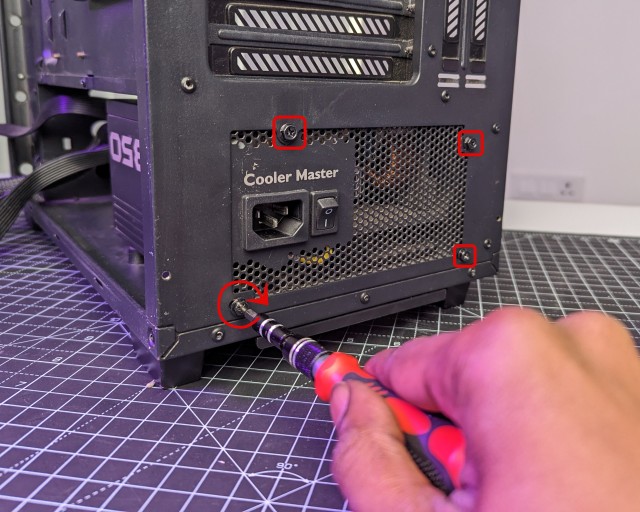

It can be installed upside down, with the fan facing up and drawing air down and out, or normally with the fan facing down, drawing air up and out
Older case design has the PSU above the motherboard, which usually means the unit should have the fan face down as well
spiral flower
@vocal tree its a Dell Dimension B110 case. Thanks for the info, I wasn't sure if the PSU was going to exhaust hot air over my CPU cooler , but now that I know that an intake fan its all good. Now I have to find a way to properly cool the build since it has no top/front/or side ventilation.
vocal tree
spiral flower
<@212407618478669824> its a Dell Dimension B110 case. Thanks for the info, I was...
Yeah not sure if there's really a place to mount a front intake fan of any size
I was lucky with my Lenovo H50 case, there was a 70mm fan mount! So much intake
One thing you could do is flip the rear fan to make it into an intake, but it's really close to the PSU exhaust so idk how good that would be
spiral flower
I think i figured out a possible "solution". I think if I take out the hard drive enclosure thing at the front of the case it can hot glue a 92mm fan against the side facing the front of the case. Only two 1 inch gaps underneath the front plastic cover over the front I/O but I guess it's better than nothing.
vocal tree
spiral flower
I think i figured out a possible "solution". I think if I take out the hard driv...
You could probably forgo hot glue if you can find some decent rubber screw replacements
The kinda thing where you pull one end through the fan screw holes, and then the other end through the case holes, then it's attached
wide parrot
Zip ties can work pretty good as well
 pallid isle
My friend has a small case so that he can move his computer easily, he has a Noctua NH-L9i right now, but it's thermal throttling with his 7900X. Is there anything better with a low profile?